#installation-archived
1 messages · Page 5 of 1
 low notch
low notch
low notch
then you should look at other install methods
 manic bane
 wintry ether
I don't know much...
wintry ether
I don't know much...
Why did you choose supervised not HAOS
wintry ether
I used HASSOS originally and I felt like I couldn't do the things I wanted to do... but it seems the ecosystem keeps pushing me further and further toward using HAOS. I really hated not being able to use the system with a head -- it just dumped out gobbldeygook on the monitor...
I like having a Linux system that I can get into...
How can I tell if I have two fighting supervisors?
low notch
the installation documentation states in big letters:
Make sure you understand the requirements
so your best bet is either:
- install haos, import a backup
- learn docker and use the container install
- get gud at linux and docker (expert level) and embrace the power of the supervisor
manic bane
wintry ether
I used HASSOS originally and I felt like I couldn't do the things I wanted to do...
But you realise that you can't use the computer with supervised install anyway? Its basically HAOS but with it all on you to manage
And break
wintry ether
low notch
so your best bet is either:
- install haos, import a backup
- learn docker and u...
I did this, with a fresh install and it has broken add-ons
oh not with haos
wintry ether
manic bane
But you realise that you can't use the computer with supervised install anyway? ...
yeah, I guess so.
so you guys can't help me figure this one out. It's HAOS or nothing, eh?
wintry ether
heh, no kidding
manic bane
Since your system is unhealthy which can be anything from running a non HA controlled container or forgetting to update a dependency
wintry ether
manic bane
Since your system is unhealthy which can be anything from running a non HA contr...
actually, the Repairs-->System Information says the system is GOOD TO GO.
it has no idea that the addons are broken
manic bane
Docker compose is the easiest if you want access to the underlying OS but you don't have add ons, though add ons are just fancy docker containers
wintry ether
what's the process for the HAOS install? I see the x86-64 image.
low notch
wintry ether
I'm worried that I'm going to go through this painful transition from Debian to HAOS and then restore my backup, only to find out that the addons are still broken. lol that'd be the icing on the cake.
low notch
the backups will work
given you set the vm up properly with network and internet access
wintry ether
yikes, there's no installer?
low notch
No. It is delivered „installed“.
wintry ether
is there a way to clean out/remove the supervisor?
 copper steppe
HAOS is super easy. I love it. Way easier than running core locally.
If you want to experiment with HAOS without nuking your debian, you could try in a virtualbox or similar.
wintry ether
can I use the whole disk on the machine? how do I go about installing the image to take advantage of the whole disk?
 brisk willow
IIRC it was automatically expand to fill the disk
 wooden smelt
Docker runs great in a LXC
https://tteck.github.io/Proxmox/
 knotty oriole
I'm experiencing lots of problems on installing HA on RPI. On initial boot from SD image i get errors. Sometimes rpi is unable to mount the fs, and sometimes there seems to be issues with kernel time sync. Any ideas on what to troubleshoot?
low notch
what install type?
 humble mirage
Sounds like possible power/SD card issues
knotty oriole
Install type? It is the rpi 64bit 9.3 image flashed to SD card
humble mirage
Home Assistant OS is your install type
low notch
if you make it to the ui... have a look for some rpi undervoltage alarm sensor
knotty oriole
humble mirage
Sounds like possible power/SD card issues
I have the official power supply, but suspect also SD card adapter because I have trouble flashing the image om pc.
low notch
usually it will also show in the logs I guess
knotty oriole
Yeah now it fails to start. At best it hangs on starting the ha cli
low notch
easy test would be to use a different sd card
knotty oriole
Yes I am on the second card with random problems. Perhaps it is the card or adapter
humble mirage
Or the power supply
knotty oriole
Should I try with my laptop power supply
humble mirage
If it's capable of at least 3A at 5V then yes
knotty oriole
I have a strong mobile phone charger that does 3A. Will try that
humble mirage
If that's a Pi3 then be aware that many mobile chargers won't work
knotty oriole
So with a new image flashed and the other power supply installation went ahead and now stopped at waiting for the Home Assistant CLI to be ready... "[WARN] Home Assistant CLI not starting! Jump into emergency console..."
Ok so i did 'reboot' and I got into HA cli but with error "Error returned from Supervisor:System is not ready with state : setup" any suggestions on how to resolve it?
Supervisor repair / restart not helping. Same error message returned
ha> banner is also giving the same error
 weak shore
hi, upgraded today to 2022.11 and now all addons are gone, and even the addons link is missing in the settings section, i need to restore this asap no heating without zwave 😦 any hints would be great, ty
manic bane
knotty oriole
So with a new image flashed and the other power supply installation went ahead a...
Just to check. You're using the rbpi4 image and did you use balena etcher?
knotty oriole
manic bane
Just to check. You're using the rbpi4 image and did you use balena etcher?
I wrote the img in Linux xzcat.. | dd...
manic bane
Can you try balena incase that's doing it
knotty oriole
I had lots of problems using both balena and rpi imager as well as SD card formatter on the pc. With two separate cards..
So maybe it is the SD card adapter..
 buoyant pewter
Hello friends. Can someone point me in the right direction for collecting diagnostic logs on Home Assistant OS over SSH?
I upgraded to 2022.11.1 a couple hours ago, and Home Assistant never came back up. I'm using the Generic x86-64 image on an Intel NUC.
 humble scaffoldBOT
@buoyant pewter I converted your message into a file since it's above 15 lines :+1:
buoyant pewter
I'd like to get it running again, but I'd also like to let the devs know if there's a bug somewhere that caused this. I just don't know where to look.
weak shore
me too, i have no idea what to do, upgraded os-agent and supervised installer and installed journal thing, no mqtt no zwave no zigbee, if i gonna have agaon to factory reset all devices i gonna shot myself this time
buoyant pewter
Oh no
I see several people with issues commenting here https://github.com/home-assistant/core/issues/81501
I upgraded two other systems the same way without any problems.
 formal bone
Am i able to restore my backup (made in raspberry 3 B+) to raspberry pi 4 ssd, if both works 64bit ?
For some reason i get "upload failed, 400 bad request". I made backup, and downloaded it to computer, and now im tryin to restore it -> raspi 4
weak shore
anyone, how do i restore addons, where does supervisor store addons configuration? or something
 indigo lotus
Is there anyone here who have successfully installed a docker container in home assistant running Home assistant OS? I know im not supposed to, but i need a docker container so i can run a local browser
when i run it trough docker i get that its a read-only filesystem when the config is gonna be written
humble mirage
You're running the Docker commands inside the SSH add-on?
Any reason not to use an iframe card?
indigo lotus
Doesnt work on my NVR
i have VPN and all but when my NVR has lost GW settings im fucked either way lol
Yes the terminal.
humble mirage
Not gonna work
indigo lotus
Meh so not possible in any way to sneak in a docker container when i run HAOS on a pi so i could run a firefox contrainer 😛
Possible to install lynx in ssh there?
humble mirage
Probably, using apk
indigo lotus
Lynx didnt help much lol
only error i get is when docker is adding the path to the config file. i can mkdir into the same folder myself as root.
But maybe docker itself doesnt har write access
docker run -d
--name=firefox
-p 5800:5800
-v /docker/appdata/firefox:/config:rw
--shm-size 2g
jlesage/firefox
humble mirage
You can't spin up a container from inside another container
 steel sky
Ackshuyally...
humble mirage
Well, yes, if you know what you're doing... but I'd really hope that the default SSH add-on doesn't allow that
steel sky
Know what. Let's just go with no, you can't.
humble mirage
Why yes, it is possible to do an oil change on your car while driving at 70 MPH down the motorway
 brazen herald
Just because you can, doesn't mean you should. This also applies to Supervised 🤪
brisk willow
S👀pervised
 grand pivot
And dinosaurs
knotty oriole
knotty oriole
Ok so i did 'reboot' and I got into HA cli but with error "Error returned from S...
Is It a real problem to not use a class 2 SD card for HA ? I see that is recommended
humble mirage
Any SD card that's not designed for a high-write life is going to fail sooner or later, probably sooner
knotty oriole
Yes but a newer better card should alright then?
humble mirage
Well, did you read what I wrote?
New != better
Class 2 is about performance, not longevity - not the ability to survive a life in a Pi
knotty oriole
Ok
 ashen knoll
I'm currently running home assistant, zigbee2mqtt and mosquitto as containers on a general purpose Linux server. If I want to migrate to running HA OS on a dedicated little machine (a NUC, specifically) is it reasonably possible to transfer over all the config/data of those services? I don't want to have to rebind dozens of Zigbee devices 😄
(the same USB zigbee dongle will be used)
humble mirage
In theory, yes. Some work will be required, but it should be possible
You may need a spare Zigbee dongle to avoid accidentally erasing your mesh
Set up the Z2M add-on with the spare dongle. Stop it, and then copy over the config from the old install. Connect the old dongle and cross your fingers.
The add-on does funny things with the config file, so there's a possibility you'll need to hack things about a bit
ashen knoll
interesting. I don't have a spare dongle and this is a last minute "I'm going away next week and don't want to leave my server on while i'm away" plan 😉
maybe I should play it safe and just migrate the containers over, for now
humble mirage
That would seem more sensible if you've got a time crunch
ashen knoll
thanks 🙂
brisk willow
What happens if you go to http://homeassistant.local:8123?
Or http://x.x.x.x:8123 where x.x.x.x is the IP address of your home assistant host
humble mirage
The display is only enabled if it's connected before you boot
brisk willow
It will also only show a terminal, not the HA UI
 crude inlet
humble mirage
The display is only enabled if it's connected before you boot
crude inlet
humble mirage
The display is only enabled if it's connected before you boot
Only with RPi I think. A display works without rebooting on an Odroid, for example
brazen herald
I think that's just how the pi works
humble mirage
Nah, I've hooked up a monitor to a Pi after booting it many times, it always works
brazen herald
Huh, I don't remember with mine to be honest
brisk willow
humble mirage
Nah, I've hooked up a monitor to a Pi after booting it many times, it always wor...
Same
low notch
its... weird... they only ever work for me when already plugged in
we have these different observations quite often
#hardware-archived message
 grand spindle
during the 1st step "Preparing Home Assistant" it's installing or dl missing files ?
humble mirage
Yes
grand spindle
it was an EFi issue, fixed with ubunto
now I restored a backup I made this morning it's taking over 30 mins
copper steppe
it shouldn't take that long, but there's no useful UI while it's doing it...
I haven't found a way to see a progress indicator...
grand spindle
it's frustrating :/
copper steppe
did you try just reloading :8443/
grand spindle
nope, I had to reboot
wintry ether
ok, I've moved my installation to HAOS and did a full restore of my latest backup and my Add-ons are still broken. Home Assistant doesn't see any of them as running even though they are running!
How do I fix it? Please help!!
wintry ether
low notch
the backups will work
hey @low notch, restoring the backup failed. With HAOS I have the same Home Assistant says "Add-ons not running" but they are running, issue. Any other ideas??
crude inlet
@wintry ether reboot the host
wintry ether
tried, no dice.
wintry ether
yeah, I know how to reboot the system. It comes up broken. Per CentralCommand (Mike) I restarted the supervisor using ha su reboot and it gets everything back on track.
it's a bug he says.
crude inlet
A reboot of the system would have rebooted the Supervisor too
wintry ether
ok, I stand corrected! You were right. I thought I tried a system reboot after the backup-restore but I guess I hadn't actually done that yet. Thanks @crude inlet!
 long terrace
yo
got debian installed and now docker
goin in for the kill folks
now im setting up home sasistant
wait so now that i have this on debian i can lowkey also run like pihole on this?
wait how do i run it now
its all downloaded
@crude inlet @brazen herald
holy fuck
 modest onyx
Hi everyone. How do I easily fix this?
System is unsupported because the wrong version of Docker CGroup is in use
Just upgraded to Debian 11
brazen herald
Are you running Supervised?
brazen herald
Then you should be able to figure it out, that's the deal with running Supervised, you have to follow the requirements exactly and keep it up to date with every single release 😉
modest onyx
😦
long terrace
when my secondary comp goes to sleep the display is off
wont turn back on
i dont wanna restart
restart the computer that is
but its online
but no display
crude inlet
There is no need for a display unless you have some issue
modest onyx
fark! 😦 never try to fix what is not really broken 😦
Reinstalled supervised package and it obviously locked me out of host os
 cinder marsh
That's a shame. I had no issues with updating to the latest supervisor from the previous version.
modest onyx
not the update. I upgraded Debian to 11 and HA was complaining of issues. Reinstalled supervisor and had a heap of issues...
Lucky had a backup. But stupid windows would not save it. Even though have NTFS disk, would not save the file over 4GB. So downloaded from google drive
low notch
Go directly to haos with that backup
 steel tiger
hi... I got some warnings showing in the settings after upgrading to 2022.11 related to not having os-agent running. So I installed the package, and after that I re-installed homeassistant-supervised.deb but since, whenever I restart i get an error :```The following integrations and platforms could not be set up:
hassio (Show logs)
not sure how I broke things, I hadn't updated the base OS in a while (over a year)
that's on a rpi3 ;
 quasi light
Hi, just read upgrade notes for HAOS 2022.11, and particularly the part it will now be "discoverable via UPnP/SSDP". Can UPnP be disabled in Home Assistant? Never really been a fan of that
low notch
quasi light
Hi, just read upgrade notes for HAOS 2022.11, and particularly the part it will ...
its just broadcasting its url afaik, nothing to worry about
quasi light
Ok, sounds good, thanks! 🙂
ashen knoll
humble mirage
In theory, yes. Some work will be required, but it should be possible
I tried it with a VM last night and the migration worked, so in theory I can just write its disk image to the NUC when it arrives tonight, swap the zigbee stick over and I’m golden 😁
 manic urchin
Supervisor tab option is not showing.
Hardware-
Home Assistant Blue / Hardkernel Odroid-N2+
Pre-installed Software-
Home Assistant 2022.11.1
Supervisor 2022.10.2
Operating System 9.3
Frontend 20221102.1
supervisor-2022.10.2
core-2022.11.1
I’m a newbie to HA. I have a strong tech background with limited programming knowledge. Please advise. I want to make a google drive backup soon as possible.
David
steel tiger
following my upgrade of the supervisor, it seems most of my errors comes from getting error like 2022-11-05 22:56:13.108 ERROR (MainThread) [homeassistant.components.hassio.handler] /homeassistant/options return code 403
steel tiger
right, uninstalled every docker container, redid everything from scratch, all started now. However it seems to have created a new homeassistant folder; it's now located in /usr/shared/hassio/homeassistant while before it was in /usr/share/docker/hassio/homeassistant is there a way to make it use the other folder ?
 sharp sapphire
Good day all.
I'm running HA OS. Updated to 2022.11.1
I'm getting "Systemd Journal issues"
Docs says systemd-journal-gatewayd needs to be running but it isn't installed?
Unit systemd-journal-gatewayd.service could not be found.
Supervisor logs:
22-11-05 10:28:09 ERROR (MainThread) [supervisor.host.logs] No systemd-journal-gatewayd Unix socket available
steel tiger
sharp sapphire
Good day all.
I'm running HA OS. Updated to 2022.11.1
I'm getting "Systemd Journ...
sharp sapphire
Yeah, was reading in github ppl is having issues with this as well
gonna wait a bit, but this seems to be the fix
https://github.com/foreign-sub/ha_fbx/issues/8#issuecomment-1303914685
or at least a sum up of all the steps mentioned in this issue
https://github.com/home-assistant/supervised-installer/issues/247#issuecomment-1303816160
I've never had to modify anything on the host OS.
I assumed HA would take care of that since I'm on the HA OS thingy.
I'm gonna wait a bit to see if theres a hotfix release..
crude inlet
@manic urchin there is no supervisor tab to see. You may be using out of date videos as a reference. Settings > System > Addons is where to navigate if you want to install addons
@sharp sapphire what versions do you see at the top of the Settings > About page?
 alpine isle
Can someone help me? I'm trying to install Home Assistant on an Optplex 160, but the bios doesn't show the UEFI option
brisk willow
That's a pretty old box. If you don't see a UEFI option, then it doesn't support UEFI
sharp sapphire
crude inlet
<@612447155285655553> what versions do you see at the top of the Settings > Abou...
Hi,
Home Assistant 2022.11.1
Supervisor 2022.10.2
Frontend 20221102.1 - latest
crude inlet
No OS showing there so that's not HA OS
 waxen token
What is the recommended installation method now ? I have Supervisor setup, but have a bunch of issues w/ the over all setup, so I was planning on nuking everything and starting fresh.
brisk willow
HA OS if you want the point-and-click adding of other pieces of software (add-ons); HA Container if you want to manage that yourself by installing the other software standalone
low notch
just tried creately, is nice
 brisk willow
Do you like pain and suffering?
 |                        |
 |                        |
Yes                       No
 |                        |
 |                        |
HA Supervised    Any other method
Is there any way to run the home assistant?
brazen herald
Docker container
 fickle swift
Hi I've for home assistant working in a docker container on my synology and am now trying to integrate an ssl cert to it. i already have an ssl cert enabled in synology that auto renews. Has anyone been able to use that and connect homeassistant so it is ssl enabled
 dawn flame
If you're going to use SSL for remote access, you're better off to use one of the reverse proxy utilities to do it...
waxen token
brisk willow
HA OS if you want the point-and-click adding of other pieces of software (add-on...
Basically I'm having a bunch of issues and ghost devices after moving, so I figured a fresh install after backing up my esphome stuff, and other configs, and that would set me straight again
waxen token
Or is there an easier way to "factory reset" if you will ?
brisk willow
Deleting the contents of the config dir or just moving them elsewhere will reset HA except for the add-ons
copper steppe
Nuke and reinstall, it's the only way to be sure; hehehe
 eager dirge
Just got the Home Assistant Bundle - Standard ODROID-N2+ 4GB/64GB eMMC / US 120V/60Hz 1 for home assistant. Plugged it into my network but can't set it up using http://homesssistant.local:8123 or http://xxx.xxx.xx.xxx:8123. Using port 4357 I get home assistant observer saying connected, supported and healthy and can ping homeassistant.local. any ideas how to get up and running?
copper steppe
does box have acess to internet? what happens on the 8123 address?
eager dirge
Says access denied
copper steppe
I don't know about the "bundle" in particular. But what kind of "access denied"? Do you get a login prompt? Do you see the blue HA screens?
eager dirge
I do not get a login prompt
 fallen lichen
eager dirge
I do not get a login prompt
fallen lichen
eager dirge
I do not get a login prompt
Provide a link to a screenshot of what you're seeing
 mild timber
since 2022.11 my HA instance has been restarting randomly throughout the day - I can't see anything obvious in the logs, not really sure how to troubleshoot, any suggestions? Running Hassos on a NUC, and its just the /generic-x86-64-homeassistant:2022.11.1 image that restarts, not the whole host.
This seems to appears quite frequently however:
Traceback (most recent call last): File "/usr/local/lib/python3.10/asyncio/selector_events.py", line 213, in _accept_connection2 await waiter ConnectionResetError
fallen lichen
Take a look at /config/logs under Supervisor and see if there's anything there that indicates it may be restarting HA Core
Probably should link to a paste of your full error you copied some above, too. If there's connectivity issues w/ the HA API, Supervisor likely would restart it
mild timber
fallen lichen
Take a look at `/config/logs` under Supervisor and see if there's anything there...
Thanks, cant see a logs folder under /config :
fallen lichen
Just in the UI
mild timber
just things like .storage, www, homeassistant.log etc
fallen lichen
haURL/config/logs
mild timber
looks like the supervisor log gets cleared down on a restart :/
fallen lichen
docker logs hassio_supervisor from SSH should get you more of them
mild timber
fallen lichen
`docker logs hassio_supervisor` from SSH should get you more of them
The only thing that jumps out is a lot of these:
22-11-06 09:49:58 INFO (MainThread) [supervisor.hardware.monitor] Detecting HardwareAction.ADD hardware /dev/bus/usb/002/119 - None 22-11-06 09:50:07 INFO (MainThread) [supervisor.hardware.monitor] Detecting HardwareAction.REMOVE hardware /dev/bus/usb/002/119 - None 22-11-06 09:50:11 INFO (MainThread) [supervisor.hardware.monitor] Detecting HardwareAction.ADD hardware /dev/bus/usb/002/123 - None 22-11-06 09:50:20 INFO (MainThread) [supervisor.hardware.monitor] Detecting HardwareAction.REMOVE hardware /dev/bus/usb/002/123 - None
fallen lichen
How about from when you believe HA restarted
docker inspect -f '{{ .State.StartedAt }}' homeassistant
mild timber
I also find this https://pastebin.com/REUzCe0c
fallen lichen
22-11-06 10:28:42 INFO (SyncWorker_0) [supervisor.docker.interface] Restarting ghcr.io/home-assistant/generic-x86-64-homeassistant```so I wonder what is causing this?
fallen lichen
Have you got a home-assistant.log.fault file w/ anything?
mild timber
it has just restarted again whilst viewing the logs :/
mild timber
fallen lichen
Have you got a `home-assistant.log.fault` file w/ anything?
Yes, but nothing since 13th sept
ok so it didnt restart that time but lost connection. Docker shows container as still up
fallen lichen
Well... if you are experiencing connectivity issues, that's ultimately going to cause you problems
docker logs homeassistant --since "2022-11-06T10:20:00" How about anything standing out around the time of the restart
mild timber
the connectivity seems localised. If I go into node red, I can literally see the nodes rapidly flashing betwwen connected.notconnected and connecting
https://pastebin.com/4KVLvfKh there are a lot of errors in there, this is just a small sample
fallen lichen
Is your Unifi integration newish?
Apart from seeing a ton of connections generated by that, that log doesn't say a whole lot
(I also don't know anything about Unifi or the integration)
mild timber
its been there for around a year now
fallen lichen
I'd see if you can go further back yet in the logs you pasted.... it's basically already in cascading failure at that point
mild timber
this is the top: https://pastebin.com/PyNzqBLQ
fallen lichen
You can play w/ the since argument to go back even further. I don't really have any more ideas on what might be the culprit from what I'm seeing, though.
mild timber
OK, its weird that it seems to be have connectivity issue between containers on the same host, maybe a disk problem? Ill try restoring a backup to a different host and see if that makes a difference
fallen lichen
Well... again, it's still not clear, it might have connectivity issues because the HA container is overwhelmed, which is kind of what it looks like
mild timber
fallen lichen
Well... again, it's still not clear, it might have connectivity issues because t...
just managed to catch it as it restarted again https://pastebin.com/bHZ9nKr4
PS appreciate the pointers so far, I have learnt some useful things 🙂
fallen lichen
yeah, interesting that those errors start immediately
debugpy new?
probably try disabling that if you're not using it right now
mild timber
not sure what it is, how would I disable it?
mild timber
found it , thanks
fallen lichen
Then restart HA, and see how your logs look
at least those WARNINGS should get cleared up
mild timber
https://pastebin.com/FCddgXRz a few errors with templates, but i guess thats becuase the entities arent immediatly available
cpu usage has also dropped from 35% to around 6%
fallen lichen
There does appear to be a number of other connectivity issues, this is concerning, too.
2022-11-06 14:32:52.182 ERROR (MainThread) [homeassistant.components.websocket_api.http.connection] [140108094724688] Client unable to keep up with pending messages. Stayed over 512 for 5 seconds. The system's load is too high or an integration is misbehaving
2022-11-06 14:33:11.208 WARNING (MainThread) [aioesphomeapi.reconnect_logic] Can't connect to ESPHome API for offespamera @ 192.168.0.8: Error connecting to ('192.168.0.8', 6053): [Errno 113] Connect call failed ('192.168.0.8', 6053)
Do you happen to have any nodes in NodeRed listening for all events w/o filters?
mild timber
fallen lichen
Do you happen to have any nodes in NodeRed listening for all events w/o filters?
Hmm, possibly, Ill have a look
ok, not as far as I can tell
sharp sapphire
crude inlet
No OS showing there so that's not HA OS
Hmmm how could this be? I installed HA OS few months ago.. somehow my installation got corrupted?
I mean, I have addons.. is it safe to assume that I;m running HAOS if I have addons ?
sharp sapphire
dang.. I am quite sure I flashed a thumbdrive with HAOS, Is there a way I can verify? it was months ago..
fallen lichen
I'd think most would be pretty aware if they installed supervised. You'd have installed the OS yourself and then run some commands within the shell to set up dependencies and install the HA package
sharp sapphire
PRETTY_NAME="Debian GNU/Linux 11 (bullseye)"
NAME="Debian GNU/Linux"
VERSION_ID="11"
VERSION="11 (bullseye)"
sharp sapphire
fallen lichen
I'd think most would be pretty aware if they installed supervised. You'd have i...
I manage linux boxes daily so.. I may have forgotten 😛
fallen lichen
Ah, perhaps you did take that route then
sharp sapphire
I remember wanting addons
I did the docker route first, didn't have addons, and then I THINK I installed HAOS
crude inlet
HAOS is flashed to a drive. SD or otherwise
fallen lichen
Well HA OS isn't Debian, so if that's your output, it's probably supervised
crude inlet
If you can through installation steps then you installed supervised, a copy of the HAOS environment but on another OS
sharp sapphire
sudo dpkg -i ./os-agent.deb
ls -la
sudo rm -rf os-agent.deb
curl https://github.com/home-assistant/os-agent/releases/download/1.2.2/os-agent_1.2.2_linux_x86_64.deb -o package.deb
sudo dpkg -i package.deb
sudo wget https://github.com/home-assistant/os-agent/releases/download/1.2.2/os-agent_1.2.2_linux_x86_64.deb
sudo dpkg -i os-agent_1.2.2_linux_x86_64.deb
that's what I ran apparentyly
 brittle sail
name a better duo greybeards and making things harder on themselves :x
sharp sapphire
yeah, and this
wget https://github.com/home-assistant/supervised-installer/releases/latest/download/homeassistant-supervised.deb
sudo dpkg -i homeassistant-supervised.deb
sharp sapphire
crude inlet
If you can through installation steps then you installed supervised, a copy of t...
dang old me. I'm sure I had a reason I don't remember now lol
oh well. thanks for the help guys.
Gonna try and fix the journald thingy manually then
brisk willow
sharp sapphire
I manage linux boxes daily so.. I may have forgotten 😛
Seems like HA Container might be a good choice instead then
But at least you probably meet the "Linux expert" guideline that Supervised has unlike probably 99% of its user base
sharp sapphire
brisk willow
Seems like HA Container might be a good choice instead then
That was my first route.. but I liked the how simple installing addons was.
I'm reading the supervisted install and I do remember going to github to follow the steps now 😛
brisk willow
Just make sure not to install anything outside the HA ecosystem then (apart from the install requirements)
sharp sapphire
Absolutely, I have other boxes for that purpose
I don't know why I went supervised TBH, something must have happened with HAOS
the box purpose is for HA only, so my intention was to use HAOS.. oh well
brisk willow
Yeah, I was gonna say that HA OS would make more sense
brazen herald
I would. It makes life easier
 raw halo
Hello
so I just installed but still waiting more than hour in the installing page
brisk willow
What did you install HA on?
 bronze yacht
Hello Dears,
after restoring a backup I miss the Icons from my installed add ons
it seems also that I am not able to load any new add onn
trying to add the reposatory link gets error because the link allready exist
I really dont know what to do
hope someone can help me
raw halo
brisk willow
What did you install HA on?
Pi 3b+
crude inlet
@bronze yacht Settings > System > Hardware > 3 dot icon in the corner > reboot host
 placid sage
Hey guys! I think I tried almost everything - New RPi, New SDcard, fresh installation(serveral verisons) and somehow everytime HA ask for an update i get "Error 500" - I tried different networks, DNS settings and so on with no luck 😦 Anything you think i should try?
fallen lichen
Look at the log file?
placid sage
@fallen lichen If this was for me - What im I supposed to see? The "only" error i get is Error 500 🙂
fallen lichen
Yes for you.... are you unable to get to HA logs?
placid sage
This is the output:
22-11-06 18:59:30 INFO (SyncWorker_1) [supervisor.docker.interface] Updating image ghcr.io/home-assistant/raspberrypi3-64-homeassistant:landingpage to ghcr.io/home-assistant/raspberrypi3-64-homeassistant:2022.11.1
22-11-06 18:59:30 INFO (SyncWorker_1) [supervisor.docker.interface] Downloading docker image ghcr.io/home-assistant/raspberrypi3-64-homeassistant with tag 2022.11.1.
22-11-06 19:05:15 ERROR (SyncWorker_1) [supervisor.docker.interface] Can't install ghcr.io/home-assistant/raspberrypi3-64-homeassistant:2022.11.1: 500 Server Error for http+docker://localhost/v1.41/images/create?tag=2022.11.1&fromImage=ghcr.io%2Fhome-assistant%2Fraspberrypi3-64-homeassistant&platform=linux%2Farm64: Internal Server Error ("Get "https://ghcr.io/v2/": net/http: request canceled while waiting for connection (Client.Timeout exceeded while awaiting headers)")
22-11-06 19:05:15 WARNING (MainThread) [supervisor.homeassistant.core] Error on Home Assistant installation. Retry in 30sec
@fallen lichen I am able to get HA logs 🙂
fallen lichen
Did you try setting your DNS to 8.8.8.8? https://github.com/home-assistant/operating-system/issues/1598 Can't say it completely makes sense but there's multiple people that report using Google's DNS fixes that issue
raw halo
I am getting Bad gateway message
placid sage
@fallen lichen Actually i've tried both Google and Cloudflare DNS settings.. But i guess i worth a shot again..
 teal ivy
Is it possible to directly integrate wifi supported smart switches with HA without connecting to the internet, want to manage it locally?
placid sage
@fallen lichen do you recommend me doing it on the router or only on the RPI?
 thorny stone
I'm just getting started with Home Assistant. Transitioning away from smart things. Seems home assistant is better than Open Hab. Can anyone suggest any must-read documents?
humble mirage
Other than the official docs?
fallen lichen
placid sage
<@259533532148269056> do you recommend me doing it on the router or only on the ...
RPi at first, just explicitly set its DNS servers
 eternal jungle
So i've got a "home assistant core" setup running on a Rpi4 and I'm getting tired of upgrades being a pain. Right now I'm having trouble upgrading from 2022.07 to 2022.11 - pip issues and I've already had to do some annoying workarounds. I might get a new device to run HA on so that its not overloaded (my rpi runs a bunch of other stuff). What is the 'favorite' method of install? It seems like HA OS. Also considering something with docker if it makes sense. I guess I need to plan out what hardware to get too.
brisk willow
HA Container is a solid choice
eternal jungle
brisk willow
HA Container is a solid choice
I've got a bunch of zigbee/zwave stuff so have a dongle for that and also something for wyze. Its reasonable enough with docker? Thats my biggest concern
placid sage
fallen lichen
RPi at first, just explicitly set its DNS servers
Aight. After i did i my net info still said on "local" that i use my gateway.. Is that normal?
gateway ip
fallen lichen
Yeah, don't change your gateway
 unborn narwhal
I install homeassistant on a rasbarry pi 3b+ and it says that homeassistant CLI not responding I try to re-install it and it don't work. How to fix it?
reply in a ping
 eternal marten
Home assistant OS or docker image?
humble mirage
Container has no CLI, so it's either HAOS or Supervised
placid sage
fallen lichen
Yeah, don't change your gateway
Still doesnt wrok
fallen lichen
Can you ping ghcr.io from that box just fine
placid sage
fallen lichen
Can you ping `ghcr.io` from that box just fine
its returns with "ghcr.io is alive!" 🙂
 clear ember
Hi, is it possible to start home assistant UI on a raspberry.? its running Command line at the moment
humble mirage
There's no local UI for Home Assistant
If you want a UI that requires a web browser, which isn't an option if you used Home Assistant OS
clear ember
Ok. Thanks
unborn narwhal
eternal marten
Home assistant OS or docker image?
homeassistant OS
 junior pollen
Hi.
Noob question.
Trying to start HA with the following command:
sudo docker run -d --name homeassistant --privileged --restart=unless-stopped -e TZ=Europe/Oslo -v /srv/homeassistant:/config --network=host ghcr.io/home-assistant/home-assistant:stable
Getting error:
docker: Error response from daemon: error while creating mount source path '/srv/homeassistant': mkdir /srv/homeassistant: read-only file system.
How do I recover ?
humble mirage
- You should be using compose files
- Does
/srvexist, and can you write to it?
- If
/srv/homeassistantexists, canrootwrite to it (that is, did you mount it from another host, use NTFS or some other non-Linux file system)
junior pollen
I got it fixed 🙂
 green oak
Question, I've been trying to install the Home Assistant on my laptop (windows) via VM. Everything supposedly worked and I got the machine running but whenever I access IP it just says setting up - this may take around 20 min., it's an hour now. Any ideas what I did wrong?
humble mirage
In the UI, there's a blue circle, if you click it you get more info
(no, it's not obvious you can do that)
green oak
not sure I get that, the Blue loading circle?
humble mirage
There's only one blue circle AFAIK
 astral kayak
hello
homeassistant.exceptions.HomeAssistantError: 'utf-8' codec can't decode byte 0xe8 in position 31477: invalid continuation byte
on file
.homeassistant.storage\core.entity_registry
what's wrong?
astral kayak
sems that file is written with ANSI coding everytime I start HA
I change it back to UTF-8
i re-run HA
and then it's switched back to ANSI
and if I restart
the error happens again
low notch
you're not supposed to interfere with files in .storage
@fiery shuttle you find your docker run command in your history - history
unborn narwhal
I install homeassistant on a rasbarry pi 3b+ and it says that homeassistant CLI not responding I try to re-install it and it don't work. How to fix it?
reply in a ping
 fiery shuttle
low notch
<@124636545515913216> you find your docker run command in your history - `histor...
fiery shuttle
low notch
<@124636545515913216> you find your docker run command in your history - `histor...
docker-compose.yaml?
low notch
no, just run history in your shell
fiery shuttle
sudo apt-get install docker-ce docker-ce-cli containerd.io docker-compose-plugin nano /home/brad/Documents/docker-compose.yaml sudo docker compose pull && sudo docker compose up -d
That's the history for container
low notch
you said you run docker runearlier
fiery shuttle
I did previously. With help on here I moved to compose
And the move/update is when the issue began
low notch
ye, and you lost your config on the way
thats why we need to locate where your previous config pointed to
fiery shuttle
previous config is /home/brad/Documents/ha/configuration.yaml
low notch
and how does your current docker-compose look like?
when you are in the same folder with the docker-compose.yml file give me the output of pwd
fiery shuttle
in docker-compose.yaml I have:
volumes: - /hom/brad/Documents/ha:/config
fiery shuttle
low notch
and how does your current docker-compose look like?
when you are in the same fol...
/home/brad/Documents
low notch
fiery shuttle
in docker-compose.yaml I have:
`volumes: - /hom/brad/Documents/ha:/config`
its supposed to be /home/ not /hom/
fiery shuttle
mistype
low notch
careful
fiery shuttle
agreed. I'm on a PC and HA is on a laptop.
low notch
given that you use absolute paths you should be fine already
fiery shuttle
so does the installation side seem fine?
low notch
everything else works except the aarlo integration? what else do you have in there?
fiery shuttle
Everything else works. Lights, automations, plugs, other devices
aarlo is the only one configured manually in the file though
low notch
well then your aarlo is misbehaving, try removing and setting it up again
fiery shuttle
i'll give that a shot. thanks
low notch
I suspected your whole config got whooped as you suggested it missed it
fiery shuttle
how can I check that my config is still pulling from the correct file?
low notch
Everything else works. Lights, automations, plugs, other devices
should confirm that
fiery shuttle
ah
but the configuration.yaml file doesn't call any of them. only aarlo
I just wonder if the config if trying to read from a different location
 wintry dune
does anyone know of a proper way to backup home assistant thats running home assistant core and then restore to home assistant container. my system is completely broken and since i need to keep some of the other containers running, i need to swap over to ha container
grand pivot
Make a backup with backup.create, restore the backup by extracting it into your config directory
 upbeat crow
Greetings! Running CM4 with 32G eMMc on the fountation cm4-io-board. I can get raspberry pi os to load just fine. Went thru the jumper process to expose the eMMC as a usb drive, etcher'ed the latest haos release (haos_generic_aarch64-9.3.img) on it. I see the eMMc with the correct partition tables, etc. so it looks good. pull the jumper and boot and it's stuck on the boot screen. not liking the efi boot partition. Any ideas why it won't boot to haos, but will with raspberry pi os? thanks.
upbeat crow
generic argh.. sweet mother of self inflicted pain.... _rpi4-64 works as advertised...
 tawdry kindle
Hi all, I've ran into an issue of my VM based HA deployment running out of space
I have a 160GB allocated to the VM and it reached 158gb at which point I increased it to 200GB.
Based on the documentation HA should recorgnize the added space and stop complaining but it doesn't
I am using VirtualBox which lists the VM space as 200 with physical space used at 160ish.
The HA indicates the space as 99% full at 160ish GB
Any ideas how to get the HA to recognize the added space?
brittle sail
you should probably figure out why it's ballooning so big to begin with
are you fully up to date? they recently changed defaults with logger: in configuration.yaml to save us from hurting ourselves without specifying the log level
tawdry kindle
That is a good point. I am keeping several backups with 7gb each
My MariaDB is 5gb
The influxDB is another 5 or more
Nonetheless I need a short term solution
I am fully up to date on HA OS 9.3 and 2022.11.1 HA
Could you expand on the logger settings you mentioned?
Beyond that has anyone any idea how to expand the storage recognised by HA
fallen lichen
youve rebooted?
short term could be nuke a couple back ups
even w/ 10GB for DB, theres a lot of space unaccounted for
tawdry kindle
Fair point, but I don't know where to look for it honestly
Rebooted both the VM (3 times) and HA twice
fallen lichen
du -a -d2 / | sort -n -r | head -20
tawdry kindle
fallen lichen
`du -a -d2 / | sort -n -r | head -20`
Sorry?
fallen lichen
Run that from a shell
tawdry kindle
May I ask for a bit more information
fallen lichen
Top 20 dir/files in your instance
brittle sail
tawdry kindle
Could you expand on the logger settings you mentioned?
in the past if someone enabled the logger for a specific component but didnt specify the default log level it would use debug and fill up the db (fixed in latest release)
tawdry kindle
brittle sail
in the past if someone enabled the logger for a specific component but didnt spe...
Ok, makes sense. I am not certain what the behavior would have been for an old yaml config. Need to check mine for any longer entries.
I don't have any logger entries in my yaml. Just the default config on top
I guess this would exclude that possibility
brisk willow
brittle sail
in the past if someone enabled the logger for a specific component but didnt spe...
logs aren't stored in the database. it could, however, potentially make the log file pretty large
brittle sail
ah yeah meant log file sorry
tawdry kindle
fallen lichen
`du -a -d2 / | sort -n -r | head -20`
We'll the var/log is at the top of the list
Looking into it, there are dozens of files 128mb each... most of them modified in around October, so before the latest version went live.
What would be the advices way of purging these log files?
WinSCP and purge the folder contents?
fallen lichen
Less familiarity there.... you might wanna take a look at this issue https://github.com/home-assistant/operating-system/issues/2098, while it says recent HAOS installs should not grow beyond 4 GB, this user had some other device ID logs in there that weren't being maintained that were beyond that size
fallen lichen
yeah that is interesting, on mine, the hash after the @ is always the same
dir for me is 3G
tawdry kindle
In addition I have two IDs as well like the poor bloke in the issue you linked
But I am being think and can't use the command they offered to check which ID is correct
The systemd-machine-id-setup --print gives an error if I putty into my instance
tawdry kindle
Yes, I've accessed it via putty and can't even `` rm -r` the damn folder with the old ID
It's giving me read only errors
There is an old ID from last may, which has another 4GB
I've cd'd into the log folder to find the appropriate ID
rm -r ./journal/46db4e65632c431489ba1567ed237247 but it's asks for deletion aproval of every file and fails for all of them. Maybe I should preceed it with sudo?
fallen lichen
via putty under port 22222?
tawdry kindle
22
fallen lichen
You're sure that's not the addon?
tawdry kindle
VM
fallen lichen
Do you have VM Console access
tawdry kindle
VirtualBox should
fallen lichen
yeah, use it
 limpid nebula
I have HA at 2022.9.1 version and I tried to upgrade to 2022.11.1 version, I hade a lot of error on Integration like MQTT, TASMOTA, DefaultConfig with invalid config message. What can I do ? could you help me. Thanks
fallen lichen
Probably best to take a look at the breaking changes to see what you'll need to prep for
or maybe incrementally upgrade?
If you need help w/ a particular error, you can ask about it including the message
tawdry kindle
fallen lichen
yeah, use it
The problem wit this is that the VM terminal is 'inside' HA and not the OS level
fallen lichen
tawdry kindle
The problem wit this is that the VM terminal is 'inside' HA and not the OS level
Type login
humble mirage
I have HA at 2022 9 1 version and I
tawdry kindle
fallen lichen
Type `login`
Ok, so the old ID went bye bye, but it's still a massive 149GB install
I'll run another check for what's this massive in the structure after these 5 gb are gone
fallen lichen
du -h /mnt/data/supervisor/backup to confirm how much your backups are taking
tawdry kindle
Why wouldn't these commands work from the terminal directly only through the addon?
Is the syntax different?
fallen lichen
some of them will... some won't. The file system is mounted differently. Here you're interacting with the host itself instead of within just an addon
tawdry kindle
The funny thing is that the du commands do work in the addon but give no output in the terminal....
fallen lichen
depends what you're running
in the add on, that path is mapped to /backup
that should work in the addon
tawdry kindle
fallen lichen
depends what you're running
I know I am being a pain in the backside, but how would the du -a -d2 / | sort -n -r | head -20 change to work in the terminal directly?
It gives no output
tawdry kindle
It doesn't return anything for 2-3 minuts
fallen lichen
yeah because there's a lot more to that filesystem
tawdry kindle
aaaa...OK, it just did..
fallen lichen
it's less helpful there, since it'll basically tell you that docker is using all the space, likely
tawdry kindle
Being impatient...
grand pivot
It's probably your database
tawdry kindle
It still doesn't add up https://i.imgur.com/Ka3L7YT.png
The backups are massive, for sure
But the whole mounted directory of HA is taking up only around 41GB
What's the remaining 90GB....
I am running an HA OS image inside a virtualbox VM with nothing running on the OS directly.
tawdry kindle
grand pivot
It's probably your database
I've just purged the mariadb to 14 days and the influxdb while it's still growing, there is nothing close to 5gb let alone 10 or 90...
grand pivot
You also need to repack
tawdry kindle
When sending the service call I marked it to repack.
fallen lichen
du -h -d1 /mnt/data/supervisor/addons/data looks to be where the addon data is
Can see how big maria and influx are
tawdry kindle
On a completely unrelated note I just see my maria is doing some crazy stuff as well
fallen lichen
Tell her to stop
tawdry kindle
2022-11-07 23:24:27 21 [ERROR] Got error 180 when reading table './homeassistant/state_attributes'
2022-11-07 23:24:27 23 [ERROR] Got error 180 when reading table './homeassistant/state_attributes'
2022-11-07 23:24:27 24 [ERROR] Got error 180 when reading table './homeassistant/state_attributes'
2022-11-07 23:24:27 25 [ERROR] Got error 180 when reading table './homeassistant/state_attributes'
2022-11-07 23:24:27 21 [ERROR] Got error 180 when reading table './homeassistant/state_attributes'
Printing this all the time
fallen lichen
may need to attempt a repair
tawdry kindle
Yup...
But I'll try to figure out this thing first and then start looking for information how to even begin to repair it...
du -h -d1 /mnt/data/supervisor/addons/data
@fallen lichen are you sure?
This returns no directory.
tawdry kindle
https://i.imgur.com/d5Hbzl8.png 22GB total
Majority of it Maria and Influx...
What can I say, I am a data hoarder, but Maria shouldn't be this massive...
I'll try to repack it again.
placid sage
Hi, i have a native (without vm) installation version Home Assistant core 2021.9.7 (DSM package) on synology NAS DSM 7.1.1 . The problem: in which path must the standard /media folder be created and how must it be entered in the configuration.yaml?
the configuration.yaml is in /volume2/@appdata/homeassistant/config
brazen herald
Do you mean you did the docker install as detailed in the docs? https://www.home-assistant.io/installation/alternative#synology-nas
placid sage
No without docker NATIVE
brazen herald
That seems like it's an unsupported install method
placid sage
it is a pack from the synology packet server. Can you answer my question about the path and its entry?
brazen herald
As I just checked the native packages on the Synology server for it and it's not there, and nor is it in the HA docs, I highly suspect you're using an unsupported install which is going to cause you a number problems. I'd advise switching to the Docker install before moving any further
placid sage
This cannot be realized because my synology NAS does not support docker (too few resources):
brazen herald
Then you cannot run Home Assistant on it
placid sage
Nein. Es ist installiertund arbeietet ohne Fehler bis auf die Medien wiedergabe.
no It is installed and working without errors except for the media playback.
brazen herald
Aber ist überhaupt nicht unterstüzt. Und hier reden wir nur Englisch, danke.
placid sage
please tell me where path /media has to be created in relation to the installation directory and how it has to be entered in configuration.yaml.
brazen herald
I don't know, I don't use unsupported installation methods. Wherever you found that package should be able to tell you
placid sage
Leaving my package.
Where does the status path for /media have to be in relation to the path of configuration.yaml or the installation directory without mnt?
brazen herald
I don't know, because I don't know what install method that actually is. I suspect it's using a variant of Supervised which is the hardest and most problematic install method. But considering it's already only just supported and it's been modified and hacked into a Synology package, the Synology package is the only thing that can tell you where it wants the files to be, but the end result is: You'll have to read the documentation on that package yourself, as you are using an unsupported installation method.
placid sage
The installation directory is:
/volume2/@appdata/homeassistant/
do the paths in configuration.yaml have to be absolute or relative to the installation directory?
green oak
Question I have, because I would like to get access to the supervised store, I installed the OS version, but I am not able to see Supervised tab on the left.
placid sage
Not even trying to help.
Thanks for nothing
crude inlet
@green oak you're referencing some old video or guide. There is no longer a supervisor entry
green oak
crude inlet
<@787949031622967296> you're referencing some old video or guide. There is no lo...
yes 😐
crude inlet
Settings > Addons in the UI
manic bane
placid sage
Not even trying to help.
Thanks for nothing
Because you're running a weird install. If you can provide info on how you installed it then we can get an idea of what it's doing
brazen herald
And really any kind of weird install ought to have its own docs on where to put folders, etc. If it's badly documented and a weird install, good luck 😬
 dense ember
Hey, I am looking to install home assistant on my rpi zero 2 w, I understand this isn't recommended, but can anyone point me in the right direction with regards to a current release of a HA distro for RPI02?
Or if I already have RpiOS installed is there a package I could install?
brazen herald
You're really going to struggle, it's an unsupported device so the default HAOS won't install. Don't try to install Supervised on Raspbian.
brittle sail
If you really hate yourself keep going down this path
brazen herald
You may manage a docker container, but I'd highly recommend anything more powerful. Encyclopedia Britannica and a catapault system for example
dense ember
Shoot... I have a Pi4 somewhere but I can't find it :/ I just have 3 lights I want to automate
brazen herald
Find the Pi 4. The amount of time you'll spend trying to get this to work on the Zero W 2 and you'll have found the Pi 4.
dense ember
That's fair. Ty for the advice
brazen herald
Plus when you want to do more than control 3 lights, you won't have to find the Pi 4 and install 😉
dense ember
lol. Now to find another use for my pi zero...
brazen herald
ESPHome has one coming soon. Check out State of the Open Home this weekend.
dense ember
I remembered I let a family member borrow my pi4. Looks like I am going down the pi02 route... I found an old image for haos, hopefully it works
dense ember
If anyone has an rpi0 and wants to run a hub off it, I recommend homebridge. I really appreciate the help and advice. I would love to run HA on an rpi4, but in the meantime I hope this can work
brazen herald
HomeBridge on a Zero W 2 is not going to be performant, you may manage with 3 bulbs, but they'll likely become unresponsive periodically or be very slow to respond
green oak
Hello, I have a problem, I made a Windows VM installation as instructed on the HomeAssistant website and all worked, my assistant is there and all, but still no local files nothing has been created in the folder set in the process. Is there some way to enable that ?
dense ember
brazen herald
HomeBridge on a Zero W 2 is not going to be performant, you may manage with 3 bu...
I am aware
For the time being this is a sufficient setup
copper steppe
green oak
Hello, I have a problem, I made a Windows VM installation as instructed on the H...
What do you mean "local files"?
green oak
copper steppe
What do you mean "local files"?
The configuration. YAML
copper steppe
Maybe you should link to the page you followed? (why do you need the files anyway?)
copper steppe
where did it describe the folder? (where are you looking?)
Did you install a ssh or file-manager addon yet?
green oak
not yet, I installed it on D Drive
And the folder is there, just nothing inside except the vdi file
fallen lichen
The file system is within the VDI file. You need to install an add-on to get at the files there like was mentioned, https://www.home-assistant.io/docs/configuration/
copper steppe
@green oak feels like you're missing some understanding here. WHen you create a VM in windows, the filesystem is "hidden inside" the VM disk file
They're not native files in your windows machine
green oak
I got that a moment ago ^🤔
copper steppe
In the VM (when it's running) you get a virtual hard-drive, which HA has installed linux etc into
You can install SSH plugin so you can login to the linux box from your windows machine; or install a file-browser addon so you get an explorer-like thing via your browser
copper steppe
No sweat, happy to help
placid sage
manic bane
Because you're running a weird install. If you can provide info on *how* you ins...
I loaded the packet from:
http://packages.synocommunity.com/
Can you help me?
copper steppe
Did you describe what you're actually doing? And what the error is?
We can't support anything synology added, but can help re: normal stuff
placid sage
brazen herald
And really any kind of weird install ought to have its own docs on where to put ...
My question is about the standard installation. but you don't want or can't give me an answer, that's politics or incompetence.
copper steppe
paths in configuration.yaml are relative to the ./config directory. I don't know if you can use absolute paths, or if security controls would prevent it (they should ,really)
We're just users, like you, douchebag
We don't "work for ha" or anything like that. Show some respect.
placid sage
copper steppe
paths in configuration.yaml are relative to the ./config directory. I don't kno...
OK, that's a real answer/help.
copper steppe
I didn't see the start of the thread. Are you trying to do something in particular?
brisk willow
jeebus, what is it with some of the entitled people lately
placid sage
copper steppe
I didn't see the start of the thread. Are you trying to do something in particu...
Yes, I want to create and fill the standard /media folder in the right place so that it works in the application.
When calling media-browser, the message Unknown error is generated.
copper steppe
look at logs?
I never used media stuff. Is it filesystem /media or ./config/media?
Try putting a file in each, see which one shows up
brisk willow
if you're referring to the config dir in the container, it's just /config btw, not ./config
copper steppe
who knows what pgmr2 install did. it's some community-repackaged synology thing
 grand pivot
I'm sure that it just makes it all easier
copper steppe
Seems they are not willing to approach problem systematically, just want to yell about how we didn't help them.
Without explaining what their (not like everyone elses) system is showing
grand pivot
I'll be the first say that I did not help
but I also just saw this thread
so it might be my fault
manic bane
brisk willow
jeebus, what is it with some of the entitled people lately
I think as HA gets more publicity people treat it as though its their toy to play with. Ignoring that if it's not installed properly it's like holding your house together with straws and duct tape
brisk willow
The feeling of discomfort I've felt the handful of times that HA has been down in the last 4 years is indescribable
It's strangely unsettling
brazen herald
Indeed. I dislike the idea of balancing the smart brain of my home on top of a jenga tower personally.
 vivid breach
So I just installed HA and ran into literally non-stop problems along the way. The most baffling of which appears to be that on first run, HA creates it's own config file (makes sense) but it then proceeds to complain about the majority of entries in there as being unavailable or deprecated (?!).
manic bane
How did you install HA
vivid breach
Arch Linux package.
low notch
So, a not supported install
Even if it is 2022.11 theres apparently major things missing in your install
these are your options
https://www.home-assistant.io/installation/
vivid breach
Right, so basically the same as the Linux > Install Home Assistant Core path. Just done properly using a package manager because manually installing tarballs is so 1980s and also a tracking nightmare.
low notch
apparently not done properly
vivid breach
So what's missing? As there's absolutely zero chance I'm following the manual path and making a mess of my server's root with untracked Python files all over the place.
low notch
whats missing? the parts you get errors about
vivid breach
Error occurred loading configuration flow for integration alexa: No module named 'homeassistant.components.alexa.config_flow'
So what's responsible for providing this module? I'd assume it's download on the fly
low notch
if you don't like "making a mess" you should consider using a container install or a vm
 mortal minnow
Hy. I will use HA on docker. I need to instal some linux server. Which one do you recommend?
I will also run some other stuff like plex, etc...
Ubuntu? Debian? Centos?
manic bane
Debian works great as a headless server
And to ensure, you're definitely going the way of docker compose and not supervised right?
mortal minnow
docker compose yes.
manic bane
Just do debian headless
 upbeat frost
Hi guys. I don't which topic about issue my hasio. Something unable to update core and os. Also big problem with dns server.
No Internet in lan but outside network I can control hasio. Also router showing that hasio downloading 🤔
manic bane
mortal minnow
So standard install en remove all desktop related? 🙂
Well if you install it headless you shouldn't have to remove anything afterwards
vivid breach
So I switched to the Docker container which does appear to work better, but I'm having trouble getting it to speak to the local MariaDB server (which did work when I installed HA natively before). I'm just getting a generic MySQLdb.OperationalError: (2002, "Can't connect to local MySQL server through socket '/var/run/mysqld/mysqld.sock' (2)") error. I'm using the following in my config (with the real values, obviously).
  db_url: mysql://(user):(pass)@localhost/(dbname)?unix_socket=/var/run/mysqld/mysqld.sock&charset=utf8mb4```
That DB, user and pass are all correct and worked for the previous install. The DB has since been emptied to not cause any issues with the previous content.Did you pass that socket through to your container? Better use the tcp stack for that
vivid breach
I'm not familiar with Docker at all, so not unless that's handled automatically somehow. I'd rather avoid TCP as that's just adding more unnecessary overhead.
low notch
Did you run docker run or did you use a compose file?
Docker runs sandboxed things called containers, they can‘t see outside their scope unless you provide things to them explicitly
The difference to a virtual machine is solely that a vm needs virtualization and runs its own kernel while docker makes use of the system kernel and thus is far more lightweight
vivid breach
I'll need to passthrough the socket then, I'll look into how to do that. The HA page on using MySQL doesn't mention this at all so may be worth expanding at some point.
 mystic rain
Hi all, I have tried to look thought the chat but not seen a answer for this… I have completely lost my password and username for my HA, I have tried all the steps out there to try and reset the password but not got anywhere. I am using VM win10 and I am trying to complete start afresh or retrieve the username / password. I feel like I am stuck against a wall and can’t see a way out. Normally YouTube is your best friend when it comes to stuff like this but I quickly realised that that’s not the case when it comes to HA. Anybody able to me here I’m 1 week into this issue and about to bin my laptop 😂
low notch
vivid breach
I'll need to passthrough the socket then, I'll look into how to do that. The HA ...
Well, there is really no downside with the tcp route, the performance impact is practically zero
vivid breach
Well, it would require me to enable networking on MariaDB for a start and then deal with additional firewall and security rules too.
manic bane
Docker network it
manic bane
mystic rain
Hi all, I have tried to look thought the chat but not seen a answer for this… I ...
vivid breach
Christ, no.
mystic rain
manic bane
https://www.home-assistant.io/docs/locked_out/
Tried these steps the thing is I am not logged in anywhere so step 1 is out the question and as I am not logged in I am not able to install addon-SSH in order to delete the .storage files 🤦♂️🤦♂️
vivid breach
The process to modify the config for an existing container has put me off ever going near Docker again, it's insanely long-winded and unintuitive.
manic bane
vivid breach
The process to modify the config for an existing container has put me off ever g...
You mean edit docker compose file, change a line, re run the container?
low notch
You need to learn docker compose then
manic bane
It takes me about 30 seconds including finding the line I need to change lol
And my compose files are badly unorganised (everything in one)
low notch
And by „learn“ i mean look at it for a minute, its easy
You will have more trouble setting up native package installs then using a docker container, every time.
manic bane
mystic rain
Tried these steps the thing is I am not logged in anywhere so step 1 is out the ...
If you have console access then you don't need SSH
vivid breach
Everything seems easy when you're already familiar with it. But you're seeing how this is quickly becoming a Yak shaving exercise.
low notch
Exactly what you experienced intially with the python core install you had.
You will run into issues
manic bane
Its no different than changing something like a wireguard config. You locate the file, edit the file, and reload whatever is using it
low notch
In the end you have one configuration file containing everything for that host.
Which lets you tear down entire hosts and put them up again in a matter of minutes
manic bane
mystic rain
Tried these steps the thing is I am not logged in anywhere so step 1 is out the ...
This part
 mystic rain
manic bane
This part
mystic rain
manic bane
This part
The issue I have is I cannot remember my username in order to reset the password
manic bane
@vivid breach our very own @lavish anvil has his docker compose on GitHub for you to look at https://github.com/atxbyea/docker-compose
manic bane
mystic rain
The issue I have is I cannot remember my username in order to reset the password
Then you'll have to remove .storage using the console
mystic rain
manic bane
Then you'll have to remove .storage using the console
Any idea you access .storage without SSH?
vivid breach
manic bane
<@294944043211685890> our very own <@457673488225009676> has his docker compose ...
The compose files are easy enough. It was the process of trying to change the config for a non-compose container that seemed mental.
low notch
vivid breach
Wait, so to link thinks like Alexa, I have to pay for a subscription service?
 lavish anvil
Yuck cloud
manic bane
vivid breach
The compose files are easy enough. It was the process of trying to change the co...
Yeah that's why you start with compose lol
I think there's a way to do Alexa/ google home yourself. But Amazon/ google don't make it easy
manic bane
mystic rain
Any idea you access .storage without SSH?
I don't run HAOS, but there's a way to get to normal command line on the terminal on which point you rm -r .storage as normal
upbeat frost
Ignore my question. It was glitch adguard dns with dhcp 😒
mystic rain
manic bane
I don't run HAOS, but there's a way to get to normal command line on the termina...
This stuff not easy is it 😂
manic bane
This is why you don't forget your username or password 
mystic rain
Hahaa noted ✅
vivid breach
manic bane
Yeah that's why you start with compose lol
Yeah, it's listed after the non-compose options so it wasn't the first thing I tried :/
vivid breach
manic bane
I think there's a way to do Alexa/ google home yourself. But Amazon/ google don'...
It's more the fact that it immediately takes me to a "ok now buy this" page rather than any other information or any way to DIY it. It feels very bait-and-switch'y.
Ironically I was looking into HA because of the annoying "this is free, but you have to pay for X, Y, Z additional features" that a lot of other home automation stuff seems to have. Ironically it still seems to be present here.
manic bane
Alexa makes it painful and so does google. Linking to HA Cloud first in a single paragraph is handy for people
Look at the next paragraph and there's full manual instructions
manic bane
vivid breach
Ironically I was looking into HA *because* of the annoying "this is free, but yo...
Its one paragraph and doesn't lock you in. Its just an easy one click option for Alexa or Google given they have a multi step process that isn't that easy to follow
vivid breach
It doesn't for me? There's no option other than buying their cloud service. https://cdn.discordapp.com/attachments/629302253768933376/1039513816905551902/image.png
manic bane
Try the docs
That's where the information is
If you click HA cloud on your settings list then yes, it will give you info about that
vivid breach
Right, but that's not part of the process is it. You go "Add Device > Amazon > Alexa > Buy Cloud". That's it. I didn't click HA Cloud, that page in my screenshot is from me clicking Alexa.
manic bane
Presumably because it is the easiest method by far
And that's not HAs fault
That's Amazons fault
vivid breach
If I click Alexa, it takes me to a page that is exclusively about buying the cloud service. It doesn't take me to the docs, it doesn't even link me to the docs, it doesn't even mention that there's any other process other than buying this cloud service - https://cdn.discordapp.com/attachments/629302253768933376/1039514420700790845/image.png
manic bane
They could link it elsewhere in the integration though. Should file something on the github or mention it on the forums
vivid breach
It's very dodgy.
mystic rain
I wonder if/when matter comes out fully if this will change things for HA cloud assess.
manic bane
mystic rain
I wonder if/when matter comes out fully if this will change things for HA cloud ...
It could. who knows. Matter is still very very new and unknown
vivid breach
You understand how this looks though, right? It feels like a conflict of interest and not in the best interest of the user. It's trying to push a paid product and doesn't even mention any alternatives.
mystic rain
manic bane
It could. who knows. Matter is still very very new and unknown
Agreed
manic bane
vivid breach
You understand how this looks though, right? It feels like a conflict of interes...
Sure. That's why I keep saying suggest a change
 rough falcon
regarding different images to flash Home Assistant OS - Is there any difference between the .ova and .img files? I understand Home Assistant is the same, but I'm wondering about the image itself. For example, does the .ova imagine include additional drivers for running in a VM that might be missing from the .img
mystic rain
HAOS- Loaded into VM. Does anybody know how to access .storage without the use of ssh/ addons?
brazen herald
mystic rain
HAOS- Loaded into VM. Does anybody know how to access .storage without the use o...
assuming the config folder is stored where you can get at it, it's in there.
But why are you trying to edit .storage? the point is you're not supposed to edit it
mystic rain
brazen herald
But why are you trying to edit `.storage`? the point is you're not supposed to e...
I have forgot my username and password so the only way I am able to start afresh and onboard again is to delete the files from the .storage location. But I can not for the life of me find the .storage location 😩
brazen herald
Did you follow https://www.home-assistant.io/docs/locked_out/
?
As it says, .storage is in your config folder. Any files or folders with a . at the start will usually be hidden by any OS
manic bane
They don’t know their username so only alternative is deleting the folder from that instruction using the console
brazen herald
But you can "show hidden files" to see it.
(Or whatever the equivalent is on your OS)
mystic rain
2 secs getting my laptop booted up
brazen herald
If you have access to the console of the HA VM, you should be able to navigate to it there, but I don't know that deleting it will work
mystic rain
Right I’m in to VM HA loaded.
brazen herald
Then if you cd config/.storage you would be in the folder
Note: I don't know how HA will react to deleting these files while it's running
Some files may get rewritten immediately
brazen herald
Then it's just rm auth and rm... with each of the other files (auth_provider.homeassistant, onboarding, hassio, cloud)
What do you get if you type ls -a?
humble scaffoldBOT
Please use a code share site to share code or logs, for example:
- http://pastie.org/ (select YAML for the language)
- https://dpaste.org/ (select YAML for the language)
- https://paste.debian.net/ (you guessed it, select YAML as the language)
Please don't use Pastebin, since it can randomly add spaces to the main view. Please also don't share text as images since it makes it harder for people to help you. Remember that others may have colour blindness, impaired vision, etc.
mystic rain
Bacily the same unknown command
manic bane
@brazen herald HAOS console defaults to ha>
Need to swap to normal console first
Which is where my help for Br4d stopped as I didn't know how lol
manic bane
I was smart and waiting for someone smarter than me to find it 
brazen herald
I know it's hidden, I want to say it's in the dev docs
fallen lichen
Type login
mystic rain
That’s why it ain’t working and keeps giving me a crappy “unknown command” error then 🤦♂️
brazen herald
Bingo, NSX has it I think!
https://www.home-assistant.io/common-tasks/os#home-assistant-via-the-command-line
fallen lichen
If it's worth saving, running this should output all your usernames, if you want to try resetting the password jq '.data.credentials[].data.user' /mnt/data/supervisor/homeassistant/.storage/auth
brazen herald
Once the boot completes and the Home Assistant CLI prompt ha > is shown, you can use login to access the root shell.
https://developers.home-assistant.io/docs/operating-system/getting-started#use-qemu-to-test-images
mystic rain
Right typing “log in” gave me the #> instead of HA>
I’m getting excited now this is the furthest I have got in a week 😂
mystic rain
fallen lichen
If it's worth saving, running this should output all your usernames, if you want...
Would I be running that in the normal HA or using that command in consol?
fallen lichen
In the terminal you just typed in login
mystic rain
I’ll try it now 2 secs 🙂
brazen herald
You need to make sure it's one word, not 2 🙂
mystic rain
'.data.credentials[].data.user' /mnt/data/supervisor/homeassistant/.storage/auth`. Where you have [] what I am to put in the gap or just follow to what it says?
fallen lichen
You added a backtick at the end?
brazen herald
fallen lichen
If it's worth saving, running this should output all your usernames, if you want...
Sadly mine is outputting null for this, but I'll use it to try and find my usernames
fallen lichen
Ahh, interesting, you're HAOS?
That path is valid for my HA OS at least, if you've got a different install, .storage is likely elsewhere
brazen herald
I changed the path on mine, but yes it's HAOS
fallen lichen
mystic rain
Now I got > _ with the (_) flashing it’s tittys off 🤦♂️
Type another ` and hit enter, if you did type in a backtick at the end
brazen herald
jq '.data.users[].name' followed by the path works to tell me the names
(mine is in /config/.storage, but I've sshed in)
fallen lichen
Does the credentials array not exist on yours?
brazen herald
.data.users[].data does not exist
Though I shall try the full path you posted, just to be sure
fallen lichen
no, no, .data.credentials[], that's the array of credential to user mappings
They are siblings
mystic rain
jq error: syntex error, unexpected IDENT, exspecting $end (unix she’ll quoting issues?) at <top-level>, line 3: jq data.credentials[].data.user jq 1 compile error
brazen herald
fallen lichen
no, no, `.data.credentials[]`, that's the array of credential to user mappings
Blargh, typos abound in my brain 😂
fallen lichen
mystic rain
jq error: syntex error, unexpected IDENT, exspecting $end (unix she’ll quoting i...
Double check the command, I think you mistyped
fallen lichen
mystic rain
jq error: syntex error, unexpected IDENT, exspecting $end (unix she’ll quoting i...
Do you have a . in front of data?
brazen herald
cat /config/.storage/auth | jq '.data.credentials[].data.username' works for me (I prefer to pipe to JQ, but I'm an oddball)
fallen lichen
Hah, typos all around, you're right. I omitted name
jq '.data.credentials[].data.username' /mnt/data/supervisor/homeassistant/.storage/auth is the correct command I intended to type
mystic rain
Same issue even typing the amended command just got > with a flashy underscore no errors nothing
fallen lichen
Did you end your command w/ a ` (cause you shouldn't)
or... you have an unclosed quote
CTRL+C and Up Arrow and double check the command
manic bane
Can you send a screenshot
brazen herald
In case it's useful to anyone, here is how you can get the user id of the accounts with is_owner set to true:
cat /path/to/config/.storage/auth | jq '.data.users[] | select(.is_owner == true) | .id'
And to get the username of the owner (assuming there is only one)
cat auth | jq ".data.credentials[] | select(.user_id == $USER_ID) | .data.username"
USER_ID=$(cat auth | jq '.data.users[] | select(.is_owner == true) | .id')
Right okay I have triple checked the command and it is now correct but now I am getting error jq.data.credentials[].data.username: not found….
mystic rain
brazen herald
In case it's useful to anyone, here is how you can get the user id of the accoun...
‘Login’ and then your command?
fallen lichen
Yeah I think a screenshot of your issue would help @mystic rain
brazen herald
That's more meant for anyone who needs it in the future Brad than you 🙂
As I figured it out just now
mystic rain
Aaaaa right
fallen lichen
I think you're missing the quotes all together now, and possibly a space or 2
mystic rain
Just going to refresh my VM and then try it again and send screenshot
fallen lichen
The command should be run exactly as typed, and shouldn't have any substitutions or modifications made to it
fallen lichen
space after jq
the ' is immediately preceding .data
also, it's .storage not zstorage
fallen lichen
So then just the beginning should read jq '.data...
mystic rain
So it’s jq ‘.data
fallen lichen
Yes, space between the q and '
mystic rain
JQ (space) ‘.data
Okay hang on
@fallen lichen
@fallen lichen YOU SIR ARE A GENUINELY A WIZARD!!!!!!!! I can not tell you how happy I am right now 1 whole week I have been trying to sort this! You have helped me achieve it in 30 mins !!!. Thank you so so much!!!!!!! Now I got the small task of resetting my password haha 😂🤦♂️
fallen lichen
Glad to hear you got it worked out
mystic rain
All thanks to you! Thank you mate!
fallen lichen
You bet, happy automating
vivid breach
So trying to get the reverse proxy set up to make HA play nice with the rest of the things on the box. It fails with error 400 on everything. Logs show:
[homeassistant.components.http.forwarded] A request from a reverse proxy was received from 127.0.0.1, but your HTTP integration is not set-up for reverse proxies
So the obvious answer would be to add..
  use_x_forwarded_for: true
  trusted_proxies:
    - 127.0.0.1```
... to the config. But even then it still fails with the same error despite now being explicitly allowed. So then I suspect more Docker issues. Is this again due to Docker and what would be the fix?if you have ipv6 enabled use ::1, if you don't use host networking (you should use it) use 172.17.0.1
vivid breach
Docker is set to use "host"
I'm not using IPv6 at all (it's disabled on the machine)
low notch
did you restart ha with the proxy config edited in?
vivid breach
Yes, I've restarted after every change. Here's the latest attempt, still the same error.
  server_host: 127.0.0.1
  use_x_forwarded_for: true
  trusted_proxies:
    - 127.0.0.1
    - 10.0.0.0/8
- 172.16.0.0/12```(the server's actual IP is 10.0.0.2)
low notch
172.16 is cloudflare
vivid breach
172.16 is reserved local
low notch
nope
low notch
oh, my brain did dumb
vivid breach
I mean you're not entirely wrong - "In August 2012, ARIN began allocating “172” address space to internet service, wireless, and content providers. There have been reports from the community that many network operators are denying access to devices having IP addresses from within the entire 172 /8 range. As a result, any device with a 172.x.x.x IP address may have difficulty reaching some sites on the global Internet. The only way to solve this problem is for those operators to reconfigure their routers or firewall access controls and filter only address space from the 172.16.0.0/12 range."
But yeah, it shouldn't matter here as I just allowed it to make sure the whole docker range was allowed.
low notch
I'd get rid of server_host
 winged bramble
vivid breach
Yes, I've restarted after every change. Here's the latest attempt, still the sam...
winged bramble
vivid breach
Yes, I've restarted after every change. Here's the latest attempt, still the sam...
I've got HA supervised running on a docker on a raspberry.
This is my HTTP setup:
 use_x_forwarded_for: true
 trusted_proxies:
   - 172.30.32.0/23
   - 192.168.0.250
   - 192.168.5.250
   - 192.168.10.250```
The x.x.x.250 being the IP's of my NAS that host the dockerHi, I have made a clean VB installation on Windows, but apparently in Network Devices the old one is HomeAssistant is visible. How can I get rid of the old one before I make the new installation ?
brisk willow
winged bramble
I've got HA supervised running on a docker on a raspberry.
This is my HTTP setup...
docker in docker, huh?
winged bramble
brisk willow
docker in docker, huh?
nope... supervised deployes the individual images in my own managed docker... so no docker in docker
brisk willow
it was a joke because you said you have HA Supervised on docker, implying docker in docker
also... pls switch to HA OS or HA Container 
low notch
but I can't incoming
winged bramble
HA OS is a no go for me as I need access to the OS...
container could be an option, but currently everything is running fine, so I don't want to make the effort of doing a full migration again... containerization abstracts it all from the underlying OS to make it all work fine
brisk willow
just be careful to follow the Supervised requirements exactly unless you want pain
winged bramble
I got a few warnings on top with 2022.11, but they kind of complemented eachother... I got no major errors (and I don't see why I would have any, as it is running over 1,5 years fine on this system)
vivid breach
low notch
I'd get rid of server_host
I just added that because I don't want it listening on 0.0.0.0
vivid breach
winged bramble
I've got HA supervised running on a docker on a raspberry.
This is my HTTP setup...
Didn't help unfortunately (I'm not using 192.x and neither is Docker it seems). It almost feels like the trusted_proxies line is just being ignored.
winged bramble
indentation issue?
vivid breach
It was, or rather it was a rogue line from one of the other sections which had ended up added as I was copying and pasting things back and forth.
Now to figure out why the websocket is failing...
winged bramble
vivid breach
Now to figure out why the websocket is failing...
that might be a proxy issue not allowing the upgrade headers to go through
 torn slate
Would this be the place to ask for help regarding adding my first device manually in the config via mqtt?
fallen lichen
That'd be #integrations-archived
torn slate
okay, thank you @fallen lichen
copper steppe
@winged bramble why “need access to the host”? Are you running other stuff? I use virtualisation quite successfully (proxmox for me, but could be esx etc)
green oak
Question, 3 hours ago I set up VM and got "Preparing Home Assistant" ~20 min. Still same screen after refreshing, restarting VM. What have I done wrong?
fallen lichen
Click the blue circle
green oak
"22-11-08 21:03:57 INFO (MainThread) [supervisor.resolution.module] Create new issue IssueType.NO_CURRENT_BACKUP - ContextType.SYSTEM / None
22-11-08 21:03:57 INFO (MainThread) [supervisor.resolution.checks.base] Run check for IssueType.PWNED/ContextType.ADDON
22-11-08 21:03:57 INFO (MainThread) [supervisor.resolution.check] System checks complete
22-11-08 21:03:57 INFO (MainThread) [supervisor.resolution.evaluate] Starting system evaluation with state CoreState.RUNNING
22-11-08 21:03:58 INFO (MainThread) [supervisor.resolution.evaluate] System evaluation complete
22-11-08 21:03:58 INFO (MainThread) [supervisor.resolution.fixup] Starting system autofix at state CoreState.RUNNING
22-11-08 21:03:58 INFO (MainThread) [supervisor.resolution.fixup] System autofix complete"
nothing interesting here 😄
still doesn't run
fallen lichen
What resources did you assign it
https://community.home-assistant.io/t/installation-on-rpi-3-stuck-on-supervisor-resolution-fixup-system-autofix-complete/476493 this shows a similar state on a Pi and sounds like it's still working on it
copper steppe
Was there errors further up? Especially docker-image type errors?
 modern anchor
Is there a guide for HA on Librecomputer? Wondering if it's better to try to install HAOS or do a container on Ubuntu or Raspbian (or another Libre OS)
humble mirage
You may find that some of the Pi images work on it, depending on which model. If not you're going to have to use your choice of OS + Container
 unique edge
Is it possible to use Git to manage e.g configuration yaml? I am running HA Os on RBPI
winged bramble
copper steppe
<@906123670643150869> why “need access to the host”? Are you running other stuf...
Indeed I'm running other smaller apps on that host... (not in docker)
 woven ember
Hi guys, deep stack is still running on my ha installation on a container. I would like to remove it as well as the container as my HA logs are complaining about it . How can this be done? Thanks
low notch
how did you remove portainer?
woven ember
As it is no longer supported by HA it was removed from the gui and add one
low notch
what happens if you run docker ps in terminal?
woven ember
So I am not able to connect to it anymore . Though I can still connect to deep stack
Command not found
This is using the ha terminal
low notch
yeah you need to get access to the subsystem somehow, no idea how you do that in haos
easiest would be to connect a monitor and use the shell you get there with login
woven ember
My install is on a VM , doesn’t this make it easier maybe?
low notch
yes, you should see a screen session
woven ember
So in the terminal I just enter login?
low notch
you should be able to I believe
woven ember
Oh looks like I have to have special credentials and generate some SSH keys
low notch
good then make note of the id (numbers) which you get for the rogue container
then do docker stop <id> and docker rm <id>
woven ember
Great! I’m sorry , what is the entry for the docket id list?
woven ember
When I enter docker ps I don’t get a list
low notch
alright let me update mine to 9.3 and see whats happening
did you type login ?
still works the same in current relase, you must have forgotten to login
woven ember
You are right! I’m so retarted. You have so much patience haha
I didn’t think the login was required
I have the list and can see the id for the deep stack
It is all stopped and removed! I really appreciate all your help. Thanks so much for your time 👍🏻
 hybrid dagger
Can you install the operating system on a Raspberry Pi model 1 B
humble mirage
No
humble mirage
Sure, you can use a Container install
It'll not be fast though, the original Pi is only slightly faster than a toaster
hybrid dagger
In that case I'll install it on Windows
humble mirage
In a VM I hope
brazen herald
humble mirage
It'll not be fast though, the original Pi is only slightly faster than a toaster
That depends on your toaster 👀
 meager heron
Hello,.I'm using HA supervisor on pi400 I would say that everything goes well untill I install portainer and got unhealthy docker ... Why ? Before I had portainer on it ...
humble mirage
Because it's not supported
If you want to mess about with Portainer you don't use HAOS, or Supervised
meager heron
But it was before right ?
How can I know the version that supports it and install that version ?
humble mirage
Supervised's ADR is very clear about not doing what you're doing
And no, you can't downgrade
It's never been supported, it's just that they only added it to the blacklist recently - likely after yet another person broke their install
meager heron
Never ?
And if I show you a print of my old HA with portainer, you will believe me ?
meager heron
No downgrade ? So if I upgrade to a buged version or my backup doesn't work I can't downgrade ? I need to investigate that
humble mirage
The only opportunity for downgrades comes if you don't run HAOS/Supervised
meager heron
The thing is that I would like to add some personal containers and keep the control over portainer, like in used to di 😩
humble mirage
Yeah, well, that's never been supported
If you're running Supervised it's always been very clear that you don't do that
HAOS hasn't, since other than Portainer there's never been a way to do that
meager heron
Thanks for the explanation
 paper oyster
Howdy folx! I'm getting back on the horse with HA after not using it for a while and setting up a fresh install on some old(er) hardware. I booted up a live distro on a USB stick and tried using both etcher and dd to write HAOS to the internal drive, but after both, when I reboot and attempt to start HAOS, the system doesn't see a bootable partition at all. I checked in the bios and the internal drive isn't available as a boot option. UEFI is enabled, and as far as I can tell, the system doesn't support secure boot at all. Prior the drive had a dual boot windows 7/ubuntu system on it, so I know the drive is/was bootable.
 weary jolt
hello everyone, i woke up this morning without being able to start Home Assistant after my pc had updated. it gives the error:
BdsDxe: failed to load Boot0001 "UEFI VBOX CD-ROM VB1-1a2b3c4d " from PciRoot (0xD , 0x0) /Sata(0x1, 0xFFFF,0x0): not found
its the only error i can see when it starts. then it restarts the virual machine in a boot loop.
running on oracle vm newest version.
humble mirage
UEFI VBOX CD-ROM sounds like you have the CD-ROM virtual device enabled and in the boot order
weary jolt
i turned it off in the boot order, not sure how else to remove them and it gives same error
weary jolt
i even tried starting a new vm using a newer image, it doesnt want to run either. must be the vm software
 fallen plank
HAOS 9.2 instance on a NUC8 has been unexpectedly crashing the past week. It is headless so I don't really catch what is happening on the console. ICMP unresponsive so I am assuming some sort of OS halt or hardware issue. Power cycling recovers with no apparent issue.
Any thoughts where to start looking for crash logs, etc?
crude inlet
@fallen plank the home-assistant.log.1 file in the config directory is the logs for the previous run
You might also look at host logs, which needs advanced mode enabled and then you can find that in the upper right corner of the logs page
fallen plank
Nothing of note in the host logs via the HA logs interface.
 strong tulip
can i install ha supervised in docker? i tried it 5 times ago but it doesnt work
crude inlet
@strong tulip you can't run supervised without docker
it's a copy of the HA OS ecosystem which uses docker, but on a different OS (debian)
So when you say in docker that's weird
And you shouldn't run it. HA OS is managing docker for you. A straight docker install of HA is where you manage it. "Supervised" users want to be both passenger and captain of the plane.
strong tulip
crude inlet
<@692384914389073951> you can't run supervised without docker
sorry i am very new in this area
but i doesnt understand what you mean...
i have home assistent, homebridge and portainer installed in docker.
And there are some plugins that i cant use with the normal home assistent. So how can I install the supervised version?
crude inlet
You would need to duplicate the whole environment. You don't just "add supervisor" like you add portainer
and by plugins I assume you mean addons
if you have home assistant, homebridge, and portainer, then you have the same HA that everyone else has
it's the supervisor which facilitates other addons (other containers)
it conflicts with portainer
strong tulip
so it isnt possible that I can use the addons that I need without supervisor and I cant install it?
crude inlet
addons are other containers. Which are you referring to specifically?
What addon do you want?
strong tulip
first tailscale for remote permissions... and i heard there are a lot of other nice addons
humble mirage
You can run that yourself
If you really want add-ons though you need to install HAOS, which means no non-add-on software
Or, run two computers, one for HAOS and one for other stufff
 kindred lion
Moving this from #general-archived:
Hi all. I am just setting up a Home Assistant Blue device that has been sitting around for quite a while. It is prompting me for an update from Home Assistant Operating System 5.13 to version 9.3, but is generating an error message when I attempt to upgrade. Also, I have no idea how to get access to the logs to see exactly what error is being thrown. Does anyone have any ideas on how to proceed? I found the forum post at https://community.home-assistant.io/t/home-assistant-blue-cannot-update-the-os/371769/5, and have console access, but there is still an issue with the update to anything at this point.
crude inlet
You have to update in stages. What is the error you are seeing?
5.13 to 6, 6 to 7, etc
kindred lion
I am discovering this now!
It's... interesting. I think I am up to 8.5 now.
I am finally at the point where I can use the GUI to update to 9.3
strong tulip
humble mirage
<https://hub.docker.com/r/tailscale/tailscale>
how can i link this to ha?
fallen lichen
strong tulip
how can i link this to ha?
strong tulip
fallen lichen
https://www.home-assistant.io/integrations/tailscale/
i mean the container
fallen lichen
Unless you're using HA OS, the containers are separate
strong tulip
and another question... how can i use my ha backup? in the first registration page the backup link to upload it dosnt appear
strong tulip
fallen lichen
Unless you're using HA OS, the containers are separate
okay thx
 raw hedge
meager heron
The thing is that I would like to add some personal containers and keep the cont...
raw hedge
meager heron
The thing is that I would like to add some personal containers and keep the cont...
look into the web terminal community addon..... Last time I checked, its possible to use docker compose in there
yep, still is
be careful...
humble mirage
It's reasonable to assume that if you do that you'll end up back in Unsupported and/or Unhealthy


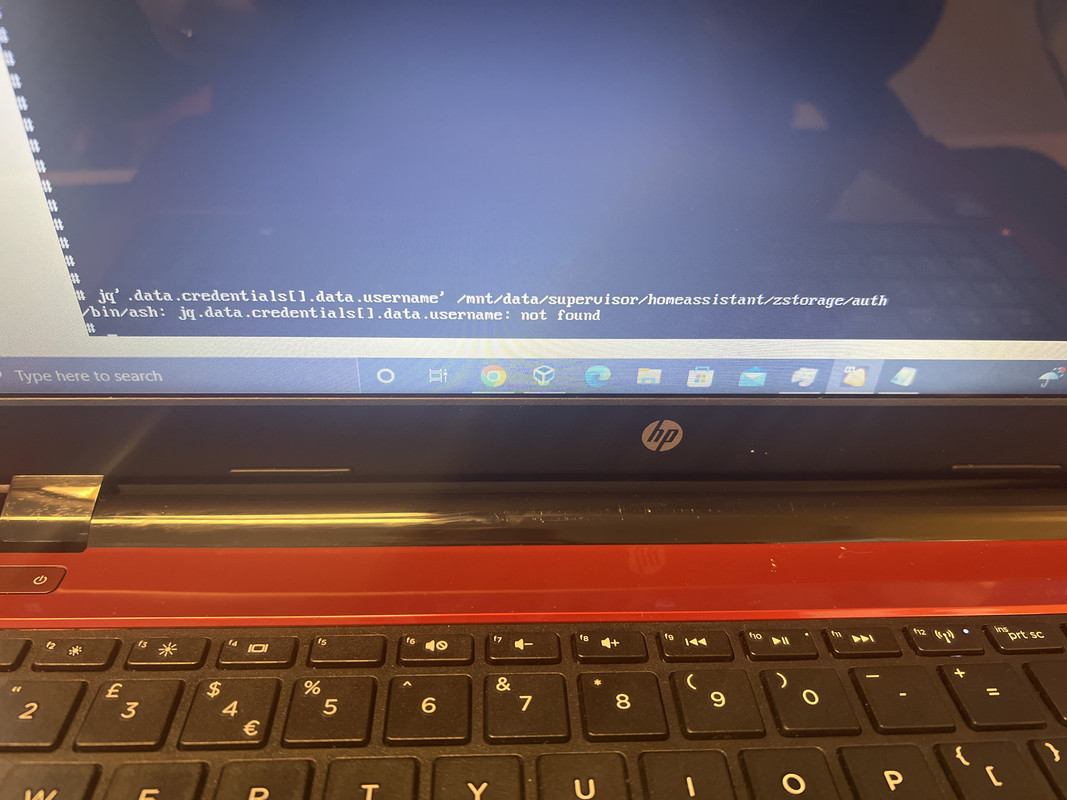 paper oyster
Still hopeful someone can provide some tips on getting HAOS to boot after flashing, My BIOS doesn't see it as a bootable drive
I tried both Etcher and dd from a live Ubuntu USB, i can see all the partitions in gparted, the first one is bootable. This is a generic x86 machine (an older amd laptop)
 glad wraith
paper oyster
Still hopeful someone can provide some tips on getting HAOS to boot after flashi...
glad wraith
paper oyster
Still hopeful someone can provide some tips on getting HAOS to boot after flashi...
Have you looked into your bios settings? Just a guess. Maybe you have to disable secure boot.
paper oyster
I've looked, afaik the machine doesn't support secure boot. I didn't see any option for it in the bios. I can turn UEFI off, but I don't think that helped either. It's an older AMD A8-4500M
glad wraith
I'm looking at the installation guide now and it goes over that, so that shouldn't be it if you followed this guide https://www.home-assistant.io/installation/generic-x86-64
paper oyster
Yeah, there's no option for secure boot, I can take another look this evening to double check
glad wraith
So you are trying to boot Ubuntu from USB so you can use Etcher to write HAOS?
paper oyster
That part I was able to do without issue. I used etcher as well as dd in separate attempts and both wrote the disk just fine, but failed to boot into HAOS.
the bios only shows the dvd drive as an available boot medium once I remove the usb drive and reboot.
glad wraith
In the link above there's a big "NOTE" about what to do if your system complains about not being able to find a boot medium
paper oyster
👀
glad wraith
A little further than half way down
paper oyster
aha! I'll give that a go! I'm willing to bet that's it 🙂
glad wraith
I have a good feeling
paper oyster
That's what I get for not reading all the docs 😄
dawn flame
Should the containerized instance of HA not sync the time now and then?
 knotty dune
I am getting an error 503 when I paste hacs download script into my terminal. It says it’s connected to get.hacs.xyz then says http request sent, awaiting response… error 503 service temporarily unavailable. Any support would be appreciated
fallen lichen
knotty dune
I am getting an error 503 when I paste hacs download script into my terminal. It...
Tried the alternate URL? https://hacs.xyz/docs/setup/download#troubleshooting
brisk willow
dawn flame
Should the containerized instance of HA not sync the time now and then?
That would be a function of your host, not HA
dawn flame
The host changed time Sunday morning but apparently HA (and AD) didn't.
brisk willow
Are you passing your timezone through to the container? Also, what version of HA are you running?
knotty dune
@fallen lichen yes I tried the alternate. That says no such file or directory
dawn flame
Yes, I'm running the latest version and a reboot (updated the installation) fixed it.
I just thought it might have changed at the appropriate time on Sunday, that's all.
fallen lichen
knotty dune
<@259533532148269056> yes I tried the alternate. That says no such file or direc...
Tried going to that URL from another machine to rule out config there? I don't see any issues w/ Github or getting there myself
knotty dune
@fallen lichen copying that link into my computer web browser takes me to the code. Is that what you meant by other machine?