#templates-archived
1 messages · Page 167 of 1
 trail estuary
 native sparrow
Have a look at the washing machine example in the template docs https://www.home-assistant.io/integrations/template/
 dense tinsel
native sparrow
Have a look at the washing machine example in the template docs https://www.home...
dense tinsel
native sparrow
Have a look at the washing machine example in the template docs https://www.home...
Thanks!! @native sparrow. I can work with this. I will create two binary sensors one for Brew and another for Keep. I will set a badge with an entity & state filter for on state.
dense tinsel
dense tinsel
Thanks!! <@949593052928962581>. I can work with this. I will create two binary s...
I was able to get it to work with the binary sensors. ☕ 👍
A few notes for feedback if anybody is interested. I was getting an error with state not suported in the config yaml. I pivoted to value_template to get it to work. I required a compound if condition for the Warm state and used the Energy#Period variable to distinguish Brew from Warm; they both had the same draw, but the warm phase used the power intermittent, meaning the average usage over the period was lower than the Brew cycle. Finally, I setup two badges, one for Brew and the other for Warm. They only appear based on their state_filter.
If anybody is interested, I can post the configs here, let me know.
Thanks again @native sparrow
 calm spruce
I got a template sensor here that is only reporting back as unavailable. I’ve confirmed my leak sensor is reporting a last_seen timestamp. It works in the template editor and passes config check. Why is it showing unavailable? Am I missing unit of measurement?
template:
  - sensor:
      - name: "Leak utility time since update"
        state: >
{{ (as_timestamp(now()) - as_timestamp(state_attr('sensor.leak_utility_linkquality', 'last_seen'))) | timestamp_custom("%M:%S", false) }}```Nevermind, it started reporting the state now. I guess I was being impatient 😂
trail estuary
Can a template access a sensor state at a given time? Say I want to use the value of a sensor from the previous hour at minute 59?
 marble jackal
No, you need to retrieve that from the the database (using an SQL sensor). Only the current state is available for templates
trail estuary
You any good with SQL? 😂
marble jackal
Nope 🙂
There are probably examples on the community forum
you can't be the only one who wants this 🙂
 brittle socket
i am trying to create a template switch to share with google home. all it needs to do is match the fan on or off status of a izone zone.
this works in that if i turn it on it will turn on the izone zone and if i quickly turn off it will turn off the problem is the switch will auto switch itself off everytime its turned on and then inorder to turn the izone off i have to quickly switch it back on then off what have i messed up here why wont it hold it state?
code as follows:
switch:
  - platform: template
    switches:
      skylight:
        value_template: "{{ is_state('climate.bed_1', 'Fan only') }}"
        turn_on:
          service: climate.Turn_on
          target:
            entity_id: climate.bed_1
        turn_off:
          service: climate.Turn_off
          target:
            entity_id: climate.bed_1
don't share pictures of text
 silent barnBOT
To format your text as code, enter three backticks on the first line, press Enter for a new line, paste your code, press Enter again for another new line, and lastly three more backticks. Here's an example

Don't forget you can edit your post rather than repeatedly posting the same thing.
For over 15 lines you must use a code share site such as https://dpaste.org/ (pick YAML for the language), https://www.codepile.net/ (pick YAML for the language), or https://paste.debian.net/ (pick YAML for the language).
Command '.format' was invoked by: TheFes
marble jackal
and service calls are in lower case
Based on your description, your value template is incorrect
I really doubt Fan only is the correct state
Check what the state is in  > States
brittle socket
its two states are fan_only and off let me try it with that underscore
marble jackal
and lowercase F
brittle socket
oh right yeah good catch
marble jackal
You also still have capital T in your service calls
brittle socket
ok thank you so much its working now
 tepid basin
hello, im trying to make an automation work on UTC / GMT and not on BST (which is DST, +1 hour in the summer)
{{utcnow() | as_timestamp | timestamp_custom("%I:%M", False, "00:00:00 AM 1/1/01") == "10:16"}}
is what ive got to try and make the automation work at 10:16, it looks like an absolute mouthful and now my automation doesnt trigger
can anyone point me in the right direction here?
marble jackal
should this be 10:16 UTC or local time?
tepid basin
I'm trying to get this to run at 10:16 UTC
marble jackal
Okay, some remarks:
timestamps in using UTC, so now() | as_timestamp and utcnow() | as_timestamp have the exact same result
tepid basin
sorry am I being thick or is it really complicated to get something to run at utc?
I don't understand what you mean
am I approaching this the wrong way? is there a better way to do this?
ah hang on I think I see what you are saying to me
- the time module for automations runs on local time
- now and utcnow are both UTC?
 arctic sorrel
Timestamps are the number of seconds since the epoch
They don't have a concept of timezones
tepid basin
is now() timezone aware?
arctic sorrel
Try it in -> Templates
tepid basin
{{ utcnow().tzinfo }}
{{ now().tzinfo }}
{{ now().astimezone().tzinfo }}
UTC
Europe/London
BST
arctic sorrel
now() | as_timestamp immediately loses any concept of a timezone
arctic sorrel
Timestamps are the number of seconds since the epoch
Try it in the test tool
{{ now() | as_timestamp }}
{{ utcnow() | as_timestamp }}
I really appreciate your help but I think im too dumb for this
ill just set a calendar reminder and adjust the automations manually
arctic sorrel
Unix timestamp is a simple count of seconds since 00:00:00 on 1 January 1970
If you don't convert to a timestamp your problem should go away
tepid basin
yes I know that but I dont understand how to make a simple automation run on UTC
because im an idiot
and im not connecting the dots
oh well
tepid basin
arctic sorrel
If you _don't_ convert to a timestamp your problem should go away
but how can I compare it to something to get a truthy value?
arctic sorrel
You're trying to trigger at midnight?
marble jackal
{{ utcnow() > utcnow().replace(hour=10, minute=16, second=0, microsecond=0) }}
I guess this should work
tepid basin
arctic sorrel
You're trying to trigger at midnight?
yeah cheap power is between 00:30 and 07:30 but once I know the basic mechanics I can dial it in myself
arctic sorrel
Also
{{ utcnow().hour == 10 and utcnow().minute == 16 }}
aha this is the bit im missing
no need to convert to a timestamp if I do that
marble jackal
for 10:16 UTC that is
tepid basin
yup yup thanks mate I just didnt know how to compare to the value I needed without going into a timestamp and I think going into a timestamp was causing all the issues
I assumed feeding a timezone aware datetime into a timestamp filter would preserve the timezone awareness
that was the issue I think
I know its just number of seconds since unix time was started
but I thought the filter would add on the 3600 seconds if it needed to
it does not
arctic sorrel
No, because a timestamp is free of the concept of timezones - on any platform
tepid basin
yeah but a filter takes a value and spits out that value in a different format
in this case the value is changed
arctic sorrel
Yeah, but when you filter it with a filter that has no concept of Chocolate, you can't expect the result to still include Chocolate
tepid basin
I was seeing the filter as
this datetime as a unix timestamp
this is way more complicated than it needs to be and all the forum posts point you in the wrong direction
I wont be the first or last to have this issue
I get for those well versed on exactly how python handles timezones this might be logical but even for a reasonably technical user it was not
let alone my mum trying to figure this out
ultimately laypeople are our target audience no?
arctic sorrel
I'm not sure templates will ever be targeted there
Also, I don't grok Python at all (but I do have "some" experience with timestamps)
tepid basin
go do the same thing in django's templating language (or jinja2) and tell me this all makes sense
arctic sorrel
It makes sense to me, but then I do know what a timestamp is
tepid basin
mate please stop assuming I cant understand the concept of a unix time stamp
I dont think I could have got this far without understanding an incrementing seconds counter
arctic sorrel

tepid basin
but
go do the same thing in django templating
it works the opposite
so it shows there is some disagreement about how this should work with a template filter
tepid basin
arctic sorrel
I'm not sure templates will ever be targeted there
I think thats exactly the point - you shouldnt need a template to run an automation on UTC.
its something the average user might want to do, not something that should be limited to advanced users
arctic sorrel
So, open a feature request on the forum 
(or develop support yourself, and submit the PRs required)
tepid basin
good idea, see my previous comments in the #automations-archived room
marble jackal
tepid basin
this datetime as a unix timestamp
That is exactly what it does
tepid basin
it treats it as a timezone naive datetime before doing the conversion - im pretty sure django treats it as a timezone aware datetime before doing the conversion
 mighty ledge
tepid basin
yup yup thanks mate I just didnt know how to compare to the value I needed witho...
mighty ledge
tepid basin
yup yup thanks mate I just didnt know how to compare to the value I needed witho...
as_timestamp is dt aware unless it’s coming from a string. Aslo, this is not Django, it’s jinja
tepid basin
ok makes sense thanks, if you chain template filters would that make it a string?
mighty ledge
Depends on what filters you were using
tepid basin
aha so check the definition of the filter and see what its outputting if in doubt
mighty ledge
If you want utc times, just replace the tz
today_at("00:00").as_timezone(utcnow().tzinfo)
tepid basin
yes ofc that makes sense thanks
mighty ledge
That might not work
Going off memory
Need to look up func
It’s astimezone, not as_timezone
tepid basin
2022-07-04 23:00:00+00:00
yup works great thanks
so if we had a boolean on the time trigger for automations "use daylight savings time" would that be a good path forward?
if it detected that the user was in a timezone that used DST ofc
marble jackal
I thought your basis was a utc time (10:16), this converts a local time to utc, which will still give issues when there it's not DST anymore
mighty ledge
DST should be handled by local
tepid basin
yeah im deliberately trying to ignore DST for a small subset of automations
basically anything to do with power usage (monitoring, using)
as the meter time is UTC
mighty ledge
Right, but it’ll ignore it
tepid basin
thanks yeah the solutions above work - im thinking about how to formulate this feature request
I don't want others having to knob around with this im thinking about how to make it easy
it feels like the time trigger needs to have a timezone option
mighty ledge
There’s nothing that’s easy with time and you’re the first person to want it
tepid basin
I can't imagine that - others must want their washing machine using cheap rate power at night too
and others must have meters that don't obey DST and stay on UTC
mighty ledge
Most people just use what’s built into HA which also uses DST and Local
tepid basin
in which case they are using 1 hour of premium rate electricity more than needed for 6 months of the year or having to mess with templates
or im being stupid and not seeing something built-in that does this
I know adding complexity for the sake of it is bad but it feels like a useful feature, im happy to work on it, maybe it goes nowhere
mighty ledge
Are you sure your washing machine isn’t just outputting the data 1 hour behind?
HA puts your data within the hour it receives it
tepid basin
100%, if my automations are running on DST and my meter is running on UTC
mighty ledge
Common problem I seee is that the energy meters output slightly past the hour for the previous hour
tepid basin
im using a pulse counter...
mighty ledge
Which makes all the calcs off by an hour
tepid basin
I appreciate you trying to help me but I can assure you the issue is that home assistant automations using the time trigger follow local time (DST, or in my case +1 hour right now) and the meter does not (UTC)
mighty ledge
Then just make your time tiggers and be done with it
I’ve been in HA for 7 years now helping with templates, you are the first person to want utc time triggers
tepid basin
im using template triggers now but my point is if I'm struggling with it my less technical friends and family simply could not do it
I think recent projects like https://github.com/klaasnicolaas/home-assistant-glow change the calculus
anyone using that with a meter like mine (which is very common in the UK) will run into this problem
with energy prices having doubled here the number of people monitoring their energy will increase
I perceive this as a pain point im happy to put a feature request / pull request in to solve, im not sure why thats a bad thing?
mighty ledge
Not saying it’s a bad thing. I doubt it will go through
tepid basin
ok im willing to take that chance
marble jackal
I think in most countries the high and low tariff is based on local time (at least here in the Netherlands it is).
tepid basin
I guess the UK didnt get the memo, wouldn't be the first time lol
mighty ledge
Most everything is local time. It’s odd to be UTC
mighty ledge
So literally only Britain does this stupid 2 timezone crap instead of just using a tz that uses dst
Super smart, and everyone calls Americans dumb for using imperial
 floral shuttle
using these template covers https://community.home-assistant.io/t/overkiz-api-and-somfy-api/61448/1752 works fine, except for when the system (cloud) is down for maintenance, and it throws File "/usr/src/homeassistant/homeassistant/components/template/cover.py", line 240, in _update_position state = float(result) TypeError: float() argument must be a string or a real number, not 'NoneType'
tepid basin
all im trying to do is have a few automations that dont follow DST
thats it
my meters clock doesnt change
home asisstants clock changes
floral shuttle
what would be the best way to guard against this?
tepid basin
it feels like this could be as simple as a single boolean checkbox
floral shuttle
boils down to position_template: > {% set id = 'rolluik_slaapkamer' %} {{state_attr('cover.'~id,'current_position')}} I suppose
mighty ledge
floral shuttle
what would be the best way to guard against this?
Use availability template
floral shuttle
a, you mean on the whole cover template?
mighty ledge
Yeah
floral shuttle
right! didnt think of that...
mighty ledge
I can’t remember if cover supports it
mighty ledge
👍
floral shuttle
maybe overkill? ```
availability_template: >
{{states.cover.rolluik_logeerkamer is not none and
states('cover.rolluik_logeerkamer') not in ['unknown','unavailable']}}
Id just do state_attr is_number
The first part is unnecessary
You’d only need states not in[]…
Sry on mobile
floral shuttle
{% set id = 'rolluik_slaapkamer' %}
{{state_attr('cover.'~id,'current_position')|is_number}}```might be sufficient already?
or better be safe than sorry and do: {% set id = 'rolluik_slaapkamer' %} {{states('cover.' ~id) not in ['unknown','unavailable'] and state_attr('cover.'~id,'current_position')|is_number}}
otoh, if is_number is True, the [] is moot
marble jackal
mighty ledge
Super smart, and everyone calls Americans dumb for using imperial
UK wants to go back to imperial https://www.euronews.com/culture/2022/05/30/uk-to-revive-imperial-measurements-to-bring-back-british-culture-and-heritage-says-mp 😛
mighty ledge
marble jackal
UK wants to go back to imperial <https://www.euronews.com/culture/2022/05/30/uk-...
I like imperial and metric, both have their uses IMO
Imperial for construction, metric for measurement
marble jackal
Imperial for TV sizes 😛
mighty ledge
That too
tepid basin
and pizzas
tepid basin
if anyone encounters an issue like the one I was having with automations being on DST and meters being on UTC then I can't help but feel the best option is just to use a template sensor like so
then you can use that as a trigger for any automation you want and thats easy enough to teach to the rest of the family for when they are making their own automations
 civic hedge
Hope this is the right channel.
In an automation I have an MQTT trigger with topic "paradox/states/zones/+/presently_in_alarm" and payload "True". I can then split the trigger topic up using {{trigger.topic.split('/')[3]}} that give me the info I need for my notification e.g. the zone in this case.
I'm wondering if it is possible to create a sensor that has the {{trigger.topic.split('/')[3]}} value? Following on the example above if the topic was "paradox/states/zones/zone1/presently_in_alarm" then {{trigger.topic.split('/')[3]}} would return "zone1". I'd like to have "zone1" allocated to a sensor.
marble jackal
tepid basin
https://dpaste.org/T1NWF
I would suggest using a binary_sensor here, instead of a normal sensor, and you can simplify your template a bit:
template:
  - binary_sensor:
      - name: "Off Peak Power"
        state: "{{ utcnow().replace(hour=0, minute=36, second=0, microsecond=0) < utcnow() < utcnow().replace(hour=7, minute=36, second=0, microsecond=0)}}"
 shell leaf
hi everyone. is there a way that i can set a entity before writing out a template and it will put the entity name without me having to input it many times
my examples is the following:
i just want to set the entity as climate.kitchen_ac without having to retype it each time i want to utilize it in my template
 obsidian lintel
Event • Meeting Booking
Location • Board Room
Guest • Jane (mllcng@gmail.com)
I wanna create a regex that only selects Jane which is not constant
/Guest • (.*)/gmi
this is what I have so far but it picks up the email too which I do not want...
marble jackal
shell leaf
i just want to set the entity as climate.kitchen_ac without having to retype it ...
{% set c = 'climate.kitchen_ac' %}
{{ states(c) }}
{{ state_attr(c, 'temperature') | int}} °C
{% if is_state(c, 'off') %}
{% else %}
  blue
{% endif %}
Ignore the email, but go to the (
Capture all characters between the dot and the (, that’s pretty much all you’d need
shell leaf
Thanks @marble jackal . Will give it a go
marble jackal
shell leaf
Thanks <@723160143314812971> . Will give it a go
but this only works if they are under the same key. I looks like you have are setting up a card (maybe a mushroom template card) and then you can not use it like that
You can not use variables in something like this:
primary: "{{ states('climate.kitchen_ac') }}"
secundary: "{{ state_attr('climate.kitchen_ac', 'temperature') | int}} °C"
icon_color: >
  {% if is_state('climate.kitchen_ac', 'on') %}
    blue
  {% endif %}
correct, a mushroom template card. seems ill have to do each AC in each room separate. but i can at least use the set in the Dev tools template environment to save alot of copy pasting
obsidian lintel
mighty ledge
Capture all characters between the dot and the (, that’s pretty much all you’d n...
Thankss
shell leaf
well actually it wont work in that either 😛
silent barnBOT
@obsidian lintel posted a code wall, it is moved here --> https://hastebin.com/arulepacuq
obsidian lintel
How would i go about to iterate all the values in this list and get the keyboardPwdId from the keyboardPwdName "Clement"
marble jackal
{{ your_list | selectattr('keyboardPwdName', 'eq', 'Clement') | map(attribute='keyboardPwdId') | list }}
obsidian lintel
If for example, 'Clement' is not constant
Can i use a {{states()}}?
{{ value_json['list'] | selectattr('keyboardPwdName', 'eq', states(sensor.current_booking_name)) | map(attribute='keyboardPwdId') | list }}
Im getting an error hahaha
obsidian lintel
marble jackal
`{{ your_list | selectattr('keyboardPwdName', 'eq', 'Clement') | map(attribute='...
I can confirm this works however
ah i got it
needed to quote it
obsidian lintel
{{(now().timestamp()|int*1000)}} )```how do I do this?
select attr where value is less than now().timestamp()
marble jackal
obsidian lintel
```selectattr( {{as_timestamp(state_attr('calendar.calendar_com', 'end_time'))|i...
you are nesting templates, remove the {{ and }}
and you can not do what you are doing
you will have to select an existing key in your list as first part of your selectattr
what is the dataset you are using this on?
obsidian lintel
API JSON Request
{{ value_json['list'] | selectattr('endDate', 'lessthan', now().timestamp()|int*1000 ) | map(attribute='keyboardPwdId') | list }}
Im using this now but
Im getting all the keyboardPwdId
Thanks so much Fes, I think im getting there!
[1657030500000, 0, 0, 0]```{{ value_json['list'] | selectattr('endDate', 'lessthan', now().timestamp()|int*1000 ) | map(attribute='endDate') | list }}
using this. how do I select the first value in the list?
I tried this
{{ value_json['list'] | selectattr('endDate', 'lessthan', now().timestamp()|int*1000 ) | map(attribute='endDate') | list[0] }}
marble jackal
either: {{ (value_json['list'] | selectattr('endDate', 'lessthan', now().timestamp()|int*1000 ) | map(attribute='endDate') | list)[0] }}
or: {{ value_json['list'] | selectattr('endDate', 'lessthan', now().timestamp()|int*1000 ) | map(attribute='endDate') | list | first }}
obsidian lintel
Sick
Ah legendddd
hahahahahaha
Im quite unaware with Jinja scripting, but I really am starting to like it. Still a student here, may I know what applications uses it? Ansible?
 karmic wadi
hi guys, i'm folllowing the steps to add roborock map using the map extractor, and importing the rooms
at Step 4 it says "Copy template result to card's config and adjust it to your liking" , any idea what file is this card's config referring to?
the main configuration.yaml? the template output doesn't look like it fits in there, or am i mistaken
oh the actual card itself
mighty ledge
karmic wadi
at Step 4 it says "Copy template result to card's config and adjust it to your l...
When anything references cards, it’s talking about a dashboard
karmic wadi
mighty ledge
When anything references cards, it’s talking about a dashboard
ic, thanks!
 versed smelt
I’m stuck with how to setup a command_line switch. I’m trying to run ssh against a remote device, but I’m not sure how to create the actually switch.
 inner mesa
what did you try?
versed smelt
I thought I could create it under the helpers or as part of scripts, but I cannot figure out how to create something that isn’t part of an integration. I’ve created a few toggles as helpers. I think I need to do it as manual code in a yaml file. I could use a good example to figure it out.
or a good youtube video
I’ve started this based on other info, I’m just not sure how to make it appear in HA as a thing 🙂
- platform: command_line
  switches:
    magic_mirror_state:
      friendly_name: Magic Mirror Power
      command_on: 'ssh pi@192.168.10.227 -o UserKnownHostsFile=/dev/null -o StrictHostKeyChecking=no -i /config/keys/id_rsa "xrandr -display :0 --output HDMI-1 --auto"'
      command_off: 'ssh pi@192.168.10.227 -o UserKnownHostsFile=/dev/null -o StrictHostKeyChecking=no -i /config/keys/id_rsa "xrandr -display :0 --output HDMI-1 --off"'
I’ve managed to get the ssh to execute without password
inner mesa
in the future, please format it properly
silent barnBOT
To format your text as code, enter three backticks on the first line, press Enter for a new line, paste your code, press Enter again for another new line, and lastly three more backticks. Here's an example
Don't forget you can edit your post rather than repeatedly posting the same thing.
For over 15 lines you must use a code share site such as https://dpaste.org/ (pick YAML for the language), https://www.codepile.net/ (pick YAML for the language), or https://paste.debian.net/ (pick YAML for the language).
Command '~format' was invoked by: RobC
inner mesa
I'm not sure what this part is doing: {{ value == 'on' }}
but assuming that you format it properly and it passes the config check, then you should end up with a switch.magic_mirror_state entity
versed smelt
I would put this in configuration.yaml?
inner mesa
it goes under switch: https://www.home-assistant.io/integrations/switch.command_line/
versed smelt
Thank you! I knew I was missing something simple.
 balmy wedge
Is there a way to show the maximum value of a sensor, say, over the last 24 hours?
Ah, I see https://www.home-assistant.io/integrations/min_max/ so I imagine that's the way to do it
Thanks!
 forest vapor
Good morning all
i have an unknown Tuya device. i have sniffed all the HEX commands and can read the Tuya data. "TuyaReceived":{"Data":"55AA0307005A0
My question is how can i get this Hex data to read in Tasmota. From the Hex i get two temperatures and i also want to send serial commands to the device with toggle sliders(min and max, each toggle option has a hex value).
 sacred sparrow
is there a better way to write this:
      state: >
        {% set index = states('sensor.fitzroy_uv_max_index_0') | int %}
        {% if index <= 2 %}
          Low
        {% elif index <= 5 %}
          Moderate
        {% elif index <= 7 %}
          High
        {% elif index <= 10 %}
          Very High
        {% else %}
          Extreme
{% endif %}```low (1-2)
moderate (3-5)
high (6-7)
very high (8-10)
extreme (11 and above).
sacred sparrow
it works great I just wanted to know if there was a better way 🙂
marble jackal
This is fine, but do note it will show extreme if your source sensor is unavailable
sacred sparrow
I've added availability so that should cover it
floral shuttle
as an alternative:```
{% set index = states('sensor.dark_sky_uv_index') %}
{% set scale = {'1':'Zeer laag','2':'Zeer laag','3':'Laag',
'4':'Laag','5':'Matig','6':'Matig',
'7':'Hoog','8':'Hoog','9':'Zeer hoog',
'10':'Zeer hoog'} %}
{{scale.get(index,'unknown')}}
ofc, thats without higehr than 10.... I took the Dutch weatherinstitute scale
obsidian lintel
      value_template: >
        {{ state_attr('calendar.it_autolifetech_com', 'description')|regex_findall('\+[0-9]+([0-9]{6})$')}}
      friendly_name: "Current Booking Passcode"
icon_template: mdi:key```Having some issues with my Regex it aint picking up the match even tho the testcases succeeded in Regex101
+6590000004
+15326126677812933
Here are the 2 test cases
Seems like it doesnt accept the $ at the back, its working now
obsidian lintel
How should I go about to countdown
{{(state_attr('calendar.lol', 'start_time'))}}
inner mesa
Set a timer entity to the difference between that time and now. Then start the timer
 primal copper
I have a card that has a few if statements in it to display when garbage (and optionally recycling) is due, so eventually it outputs something like "Garbage pickup is tomorrow" -- what's the best way to set this to a reusable variable so that I can use it on my watch without having to copy the entire template block with the ifs to my phone/watch? So, ideally I'd just like to call sensor.garbage_pickup_string and it'd output the above, is there some way I'm not seeing or should I just set it to a sensor in yaml?
inner mesa
You can make a template sensor for that, or set it in an input_text entity
A template sensor is easiest, and you'd create that in YAML
primal copper
okay perfect, ty for the quick answer
 rain pagoda
Anyone know if there is a way to change a capitalized value to lower case?
rain pagoda
So I tried {% for alert in alerts if is_state(alert, 'on') %}{% if 'warning' or 'severe' in state_attr( alert, 'alert_NWSheadline')|lower() %} But I'm using it in a mushroom title card which I think is trying to use markdown if I understand correctly
inner mesa
You added ()
You're also not actually outputting anything
You should review the jinja docs
rain pagoda
It was just an excerpt from the rest. Thank you - The () was the ticket. Removed that and now it outputs like it should 🙂
It may not be pretty but it works!
marble jackal
rain pagoda
It was just an excerpt from the rest. Thank you - The `()` was the ticket. Remov...
{% if 'warning' or 'severe' in state_attr( alert, 'alert_NWSheadline')|lower %} this will be always true because 'warning' is always true
I think you want {% if 'warning' in state_attr( alert, 'alert_NWSheadline')|lower or 'severe' in state_attr( alert, 'alert_NWSheadline')|lower %}
 eager veldt
wondering if someone can help me create a lights template?
devices are two smart light bulbs and a switch I can toggle but don't know the state of. I realize I can use the availability of the light bulbs to assume the state of the switch.
inner mesa
@fringe temple This may do what you want, or at least get you started:
template:
- sensor:
  - name: Work Zone
    state: "{{ states.person|selectattr('state', 'eq', 'Work')|map(attribute='entity_id')|list|count }}"
    attributes:
      people: "{{ states.person|selectattr('state', 'eq', 'Work')|map(attribute='name')|list|default(state_attr('sensor.work_zone', 'people'), True) }}"
This is basically a replication of what the zone is already showing. To show the last person there in case there is nobody in the zone, I guess you'll need a trigger based template sensor
inner mesa
Oh, I didn't realize that it shows who is in the zone as well as how many people
Well, that appeared to solve both problems without a trigger
When the list is empty, it just keeps the last value in the attribute
marble jackal
inner mesa
Oh, I didn't realize that it shows who is in the zone as well as how many people
That was added in 2022.6 🙂
 coarse sable
I'm struggling with the correct way to use state_attr and getting UndefinedError: 'dict object' has no attribute 'ThirdPractice' when testing in .
{% set nr = state_attr('sensor.formula_one_sensor', 'next_race')  %}
{{nr}}

FP1: {{ nr.FirstPractice.date }}
FP2: {{ nr.SecondPractice.date }}
FP3: {{ nr.ThirdPractice.date }}
Spr: {{ nr.Sprint.date }}
sensor.next_race is here : https://pastebin.com/3Q2t5JKR
What is the correct way to address the 4 objects and avoid errors when one of them doesn't exist ?
marble jackal
{% set nr = state_attr('sensor.formula_one_sensor', 'next_race')  %}
{% set nr = nr if not nr is none else {} %}
FP1: {{ nr.get('FirstPractice', {}).get('date') }}
you could try this
coarse sable
nope...same error
 waxen rune
coarse sable
I'm struggling with the correct way to use `state_attr` and getting `UndefinedEr...
waxen rune
coarse sable
I'm struggling with the correct way to use `state_attr` and getting `UndefinedEr...
..and please share the complete result for other F1 fans to enjoy 🙂
 young jacinth
HI!
how do i check if any off the binary sensors of primary is on?
{% set primary = ['binary_sensor.a','binary_sensor.b','binary_sensor.c'] %}
{{ primary|expand|selectattr('state', 'eq', 'on')|list|length > 0 }}
 oblique stratus
is there a way to convert a next alarm sensor to datetime? or is there a reason why my custom template sensor won t show up in ha? i m pretty sure the configuration.yaml and the sensor.yaml is ok
marble jackal
.share the code
silent barnBOT
Please use a code share site to share code or logs, for example:
- https://dpaste.org/ (select YAML for the language)
- https://www.codepile.net/ (select YAML as the language)
- https://paste.debian.net/ (you guessed it, select YAML as the language)
Please don't use Pastebin, since it can randomly add spaces to the main view. Please also don't share text as images since it makes it harder for people to help you. Remember that others may have colour blindness, impaired vision, etc.
Command '.share' was invoked by: TheFes
marble jackal
and as_datetime (both as function or filter) should be able to convert a string to a datetime
oblique stratus
oh i was using as_timestamp
{{ as_timestamp(states('sensor.bogdans10_next_alarm')) | timestamp_local }}
{{ as_timestamp( now() ) | timestamp_local }}```in the end i figured out this gives me the 2 dates i need
i think im onto something
but i get that i can t subtract 2 strings
{{ as_timestamp(states('sensor.bogdans10_next_alarm')) | as_datetime - as_timestamp( now() ) | int | as_datetime }}
this seemed to give me the number of minutes before my alarm which i guess is what i wanted
oblique stratus
yep that s wht i got a timedelta
is that enough to make a trigger? like can i compare that timedelta to something?
sth like when that timedelta is less than a minute do something
oh there s a as_timedelta function
got it working now
marble jackal
A template trigger should return true or false
oblique stratus
    - as_timestamp( now() ) | int | as_datetime) < as_timedelta('00:01:00')
}}
yep this is what i got in the end
marble jackal
That is overly complex
oblique stratus
i mean it takes the difference between next alarm and now and compares it to 10 minutes
1 minute sorry
for some reason the automation started exactly on my alarm
which is wierd but what i wanted
marble jackal
{{ (as_datetime(states('sensor.bogdans10_next_alarm')) - now() )).seconds < 60 }}
oblique stratus
oh yeah that s way cleaner :))
marble jackal
You were converting now() which is a datetime, to a timestamp and then back to a datetime
oblique stratus
yeah i see it now it makes sense
mine turns to true a bit later than yous
but it doesn t trigger the automation untill the actual alarm on my phone starts
that s a bit wierd
thanx a lot for the help
young jacinth
inner mesa
`{{ primary|expand|selectattr('state', 'eq', 'on')|list|length > 0 }}`
is expand filter not allowed for template sensors?
inner mesa
It's not allowed in template triggers
What are you trying to do?
You can also use expand(primary)
young jacinth
this works 🙂
inner mesa
There's something weird about the filter. I don't know what's wrong
It works in the template dev tool
Looks like it just died as "stale". I'll see if I can figure out what's going on when I have some time
young jacinth
inner mesa
What are you trying to do?
iam optimizing my occupation sensor. it should have primary and secondary sensors. primary sensors can turn the sensor on, but secondary should only HOLD them on if primary sensors go off.
your suggestion for my first problem worked. iam having trouble with self referencing using the thisvariable now
this is the working sensor: https://pastebin.com/02kezg5Q
this is the NOT working sensor: https://pastebin.com/axKsmhPS
young jacinth
inner mesa
Looks like it just died as "stale". I'll see if I can figure out what's going o...
ouch
inner mesa
this is the state object itself, and can't be used to index into states, and doesn't need to be
you just want this.state
there's an example in the docs that references an attribute: https://www.home-assistant.io/integrations/template/#self-referencing
young jacinth
inner mesa
`this` is the state object itself, and can't be used to index into `states`, and...
i will try that thanks
 pliant viper
Is there a built-in filter to validate an IP4 address? I need to verify that a state is a valid IP before continuing
 white ruin
pliant viper
Is there a built-in filter to validate an IP4 address? I need to verify that a ...
white ruin
pliant viper
Is there a built-in filter to validate an IP4 address? I need to verify that a ...
To my knowledge there isn't anything built into Jinja templates to do that but I'd look into the documentation here: https://jinja.palletsprojects.com/en/latest/templates/
pliant viper
Yeah, I couldn't find anything other than a filter in ansible, would've been too easy
 winter pilot
I'm trying to assign a sensor attribute as a variable so I can send it to TTS but am having issues. I keep getting an error that the variable is undefined when it "is" ..
{% set alertb = state_attr('sensor.wx_alerts', 'spoken_desc') %}
I've tried several iterations and finally gave up and came here as my Google skills yielded no results thus far.
inner mesa
what is the error?
winter pilot
UndefinedError: 'alertb' is undefined
winter pilot
what is the preferred code share site again?
silent barnBOT
Please use a code share site to share code or logs, for example:
- https://dpaste.org/ (select YAML for the language)
- https://www.codepile.net/ (select YAML as the language)
- https://paste.debian.net/ (you guessed it, select YAML as the language)
Please don't use Pastebin, since it can randomly add spaces to the main view. Please also don't share text as images since it makes it harder for people to help you. Remember that others may have colour blindness, impaired vision, etc.
Command '~share' was invoked by: RobC
winter pilot
thanks! I keep getting pastebin stuck in my head for some reason but know that isn't the one to use. Code incoming...
https://www.codepile.net/pile/1qbY6DAe --- The code section being executed is in-between #'s
winter pilot
The very last line is where I test the values... "{{ alerta }}, {{ alertb }}"
inner mesa
yes, the problem is on the last line, and the problem is that you need to use a namespace
you're defining/assigning a variable inside the loop, and it won't be available outside the loop
this is an example: #templates-archived message
I suggest some strategic indentation there - it was really really hard to see what was going on
winter pilot
ya, sorry on that one ... I hadn't formatted everything yet. The colorizing helps keep track...
thanks for the direction ... i'll mess with it and see what I can do. Haven't yet dealt with namespaces yet.
@inner mesa You might be my favorite person on the internet right now.... Thanks!
 civic cargo
Is there a way to hide a template switch?
My TV doesn't play well with home assistant, so I created a template switch to control it.
This new switch appears in google home, but I'd like it to be hidden. Though, because it's a template, it can't be done with the UI
My google-fu and experimentation hasn't been fruitful.
inner mesa
you should be able to hide it if you give it a unique_id: https://www.home-assistant.io/integrations/switch.template/#unique_id
civic cargo
I don't deserve you.
Seeing this now, I feel pretty silly.
I also understand where the UI was TRYING to point me. 🤦♂️
Thank you
 sinful bison
hey :)
I am looking at https://www.home-assistant.io/docs/configuration/templating/ and i can't find a way to have something like "{{ is state('binary_sensor.test", "off") }}" that work with a timed for: "00:01:00" like i can have in state condition.
Is this something that i missed, or something that isn't possible an i need to think my way around ?
maybe doing this and a check on last_changed but that will kill the auto update of the template if i make a check with now in it
 ebon yoke
what's the reason that this template sensor outputs 0 kwh?
        {{ states('sensor.wall_plug_switch_electric_consumption_kwh_4') }}
      {% endif %}
do i need an else here?
or can i set the value to its last value?
sinful bison
what is the value of sensor.wall_plug_switch_electric_consumption_kwh_4 ?
(bad zwave wall_plug that output crazy negative value ? there is a blueprint for that if i remember)
ebon yoke
sinful bison
(bad zwave wall_plug that output crazy negative value ? there is a blueprint for...
that is correct.. the same problem
where do i find that blueprint?
sinful bison
i'm googling it, i didn't save it
the issue you may have tho is that the sensor is cumulative, so when it get a crazy low value, it will stay in negative and slowly go back up.
You can't filter that way, you need to ignore negative change, but not ignore negative value
sinful bison
that won't be change, it will be value
you will reset your sensor to 0
is it a neo plug ?
https://gist.github.com/KloudJack/4489ffcbeae58b88072f391dca55b40d
ebon yoke
yes, it's a neo
but is it possible to add this as a general template or do i have to create new unique sensors?
i have to create an equal number of template sensors as i have devices, right?
sinful bison
yes you will have to
you can then "hide" the broken one from the UI to avoid it showing up
sinful bison
you will have to create some entity to store those, and then call the entity to get the value back, not worth it
ebon yoke
ok
sinful bison
template variable scope is limited to the current template
tell me if it work when you have it fixed please, i just disabled the sensor and it could be nice to have it back
ebon yoke
seems like it's working
have to wait till tomorrow to see if the energy dashboard behaves
getting totally wicked data currently
like -80 kwh 🙂
sinful bison
you may need to reset that to 0 asit won't do it on it's own
sinful bison
sinful bison
hey :)
I am looking at https://www.home-assistant.io/docs/configuration/templati...
I may have to create automation for this only to turn off or turn on a input_boolean, and have it in my template
lot's of extra step but that's all i can see right now
inner mesa
It's not that complicated with a template, but what you described is another option
sinful bison
i am looking for a template solution :°
Can you develop please ?
i have surely missed an option because i couldn't find it
inner mesa
{{ is_state('switch.fr_table_lamp', 'off') and now() > states.switch.fr_table_lamp.last_changed + timedelta(minutes=5) }}
sinful bison
ok, i had this in mind to (the message just under) but we agree that this can't go in a trigger "template" right ? because with now change won't get evaluated ?
inner mesa
I didn't see anything about a trigger in your question
sinful bison
yup, didn't mention it because i am bad at explaining what i'm looking for :D
inner mesa
what you're looking for is better done with a trigger and a condition
sinful bison
i am looking if there is an equivalent to the state trigger in template in order to use it in a binary_sensor state
inner mesa
but the template binary_sensor is the easiest
inner mesa
sinful bison
i am looking if there is an equivalent to the state trigger in template in order...
I don't know what this means
sinful bison
here for exemple, if i want all of those to turn test on but only if one is "on" for > 5mn, this is not the right way right ?
    - name: test
      state: "{{
is_state('media_player.hifi_1','playing') or
is_state('media_player.hifi_2', 'on') or
is_state('media_player.hifi_3', 'on')
}}"```you are saying i should use 3 state trigger instead ?
marble jackal
sinful bison
ok, i had this in mind to (the message just under) but we agree that this can't ...
Templates with now() will be evaluated once per minute
sinful bison
Oo Ok i forgot about that change thank's :)
inner mesa
sinful bison
here for exemple, if i want all of those to turn `test` on but only if one is "o...
you can use delay_on: '00:05:00' if you want it to turn on if the expression goes from false to true and stays there for 5 minutes
sinful bison
First, this is me trying to plan the cleanest way to do room occupation, so no specific need in mind.
i know about delay_on, what i hope to get is the capability to have different delay per entity.
I also think about a "not is_state('light.somelight', off > 5mn)" in the same single binary_sensor and i don't know how i can mix and match all of that between trigger and state template
inner mesa
make separate binary_sensors
sinful bison
one for each source ? then a big list in a final one ?
inner mesa
that is one way
sinful bison
what would be your way ?
inner mesa
that way is fine
sinful bison
ok :)
so trigger with the correct state to turn it on, and auto_off to turn it off.
Retrigger will extend the delay no problem. And even if i have to create more binary sensor that i wanted, it's cleaner than automation and input_boolean
young jacinth
hi,
{{ states.device_tracker|selectattr("attributes.ssid", "eq", "FritzBox")|list }}
this template is failing lately but i dont know why the object has ssid=FritzBox
UndefinedError: 'homeassistant.util.read_only_dict.ReadOnlyDict object' has no attribute 'ssid'
inner mesa
you need to filter for entities that have that attribute
{{ states.device_tracker|selectattr('attributes.ssid', 'defined')|selectattr("attributes.ssid", "eq", "FritzBox")|list }}
young jacinth
inner mesa
`{{ states.device_tracker|selectattr('attributes.ssid', 'defined')|selectattr("a...
iam getting
TemplateRuntimeError: No test named 'attributes.ssid'
inner mesa
sorry, corrected
young jacinth
inner mesa
sorry, corrected
thanks again that works
 merry marsh
How can I set a template sensor 5 seconds to e.g. "foo" if another entity state changes to "bar". "bar" is afterwards still the state of the second entity, but after the 5 seconds the to be created template sensor should get another state, e.g. "foo2". Are there examples I can adopt?
inner mesa
Perhaps with a trigger-based template sensor
Two triggers - one when the state changes, a second with for: '00:00:05'
merry marsh
Oh man. You are right. Sometimes I cannot see the tree in the forest.
Will try this, if there are side effects, I do not want.
 paper hazel
I'm stumped - Any idea why this template condition will cause an error? It renders correctly to false when tested```
- platform: template
value_template: "{{ states('device_tracker.me_composite') != 'home' }}"
what is the error?
paper hazel
I cleared it now, from the logs, but if I recall correctly it got a value of 'none'. I shall uncomment the automation tomorrow and post the error, but for now it is bed time - almost 2:30am...
inner mesa
you should use {{ not is_state('device_tracker.me_composite', 'home') }} to avoid issues at startup
paper hazel
Thx! Will try it tomorrow - Got the errors during automation reload though...
 winged dirge
I figured out all my Automations with Unicode Emojis in 2022.7 are no longer working i.e.
title: "\uD83D\uDEAE Take Out Rubbish Bins"
Just checked in Jinja2 that now returns an empty string
I'm pretty sure the Jinja encoding engine is parsing UTF16 characters differently since 2021.7
Which means posts like this are no longer correct...
Ok I have confirmed UTF16 is not interpreted any more, however you can just use Emojis directly in Yaml. I'd prefer to encode them as I'm not sure all my scripts will handle Emoji's in source code.
If anyone could pinpoint what changed in 2022.7 i.e. Python 10 or jinja2 upgrade that causes this let me know
merry marsh
inner mesa
you should use `{{ not is_state('device_tracker.me_composite', 'home') }}` to av...
I know using states() and is_state() instead of state.etc is better, because of situations with undefined stated at startup. But why is is_state better than states()==? That means, what is resulting in what differently in which edge cases?
marble jackal
The difference is explained there
@merry marsh
In your case it should not make a difference based on that
obsidian lintel
  selectattr('current_temperature', 'lessthan' , 27) | list | count
}} Aircons probably turned on!```I did this, but im getting an error that say:
UndefinedError: 'homeassistant.helpers.template.TemplateState object' has no attribute 'current_temperature'
Though I literally have an attribute current_temperature
obsidian lintel
I got it
obsidian lintel
map(attribute='name', 'current_temperature') is there any way to map 2 attributes?
I want it to be like Hot Desk - Panasonic AC 1 (Currently 26.5°C)
marble jackal
You'll have to use a for loop with a namespace
paper hazel
inner mesa
you should use `{{ not is_state('device_tracker.me_composite', 'home') }}` to av...
Hi, I have changed it to {{ not is_state('device_tracker.me_composite', 'home') }}, and still get this error in the log.```
Invalid config for [automation]: Unexpected value for condition: 'None'. Expected and, device, not, numeric_state, or, state, sun, template, time, trigger, zone @ data['condition'][1]. Got None Unexpected value for condition: 'None'. Expected and, device, not, numeric_state, or, state, sun, template, time, trigger, zone @ data['condition'][2]. Got None. (See ?, line ?).
share the whole thing
paper hazel
Here it is: https://dpaste.org/NACmV
inner mesa
I don't know. Weird quotes? Wrong entity_id?
paper hazel
Hmm... entity_id is correct as it renders in the UI under templates. Think I'll just trash it, and start fresh building it up... Thx for your help!
 lyric hatch
Hey all, I'm trying to get a binary sensor working, I have 4 sensors and I want if sensor1 value is lower than the rest then the binary sensor is on otherwise off, any help is appreciated
inner mesa
You want something like 'w < [x, y, z]|min'
sacred sparrow
is there a way to only show appointments between 07:00am - 10:00am?
    - name: Work Appointments Today
      icon: mdi:calendar
      availability: "{{ not is_state('sensor.ical_work_calendar_event_0', 'unavailable') }}"
      state: >
        {% set ns = namespace(count = 0) %}
        {% for item in states.sensor | selectattr('entity_id', 'match', '^sensor.ical_work_calendar_event') %}
          {% if item.attributes.start.date() == now().date() and item.attributes.summary == 'Busy' %}
            {% set ns.count = ns.count + 1 %}
          {% endif %}
        {% endfor %}
        {{ ns.count }}
I cant figure out how to edit "if item.attributes.start.date() == now().date()"
everything else in that code works perfectly. but I don't really care about appointments before 7am or after 10am for my automations
 thorny snow
Hey, im having an automation that sends me a message when i leave home with the count of windows left opened, the question / problem here is, can i get it to say Window for 1 and Windows when its more than 1 window left opened ?...
lyric hatch
inner mesa
You want something like 'w < [x, y, z]|min'
What is w,x,y,z ment to be? I know it's the sensors I want to use but how do I format it correctly? I've tried {{ states('sensor.sensor1') }} and sensor.sensor1 and sensor.sensor1.state
 flint wing
I'll post once in case anyone could help, if not, then I'll post in HA community online.
I'm doing my best with template sensors. I am now trying to create a sensor that can output a numerical value so that it could be used in an automation condition. If you look at the code below, my sensor displays a time in 00:00:00 format but an automation condition expect a float for dictionary value @ data[‘above’]. How can I modify my code so that it gives me a numerical value in seconds of the time passed since my entity has been OFF.
- platform: template
sensors:
duree_fermeture_lumieres_interieures_garage:
entity_id:
- sensor.time
- switch.garage_switch_1
value_template: >
{% set t = 0 if states('switch.garage_switch_1') == 'on' else now().timestamp() - states.switch.garage_switch_1.last_changed.timestamp() %}
{{ t | timestamp_custom('%H:%M:%S', false) }}
inner mesa
lyric hatch
What is w,x,y,z ment to be? I know it's the sensors I want to use but how do I f...
It's pseudocode
you should review the docs in the channel topic
the syntax that you're looking for is states('sensor.xxx')|float
sacred sparrow
sacred sparrow
I cant figure out how to edit "if item.attributes.start.date() == now().date()"
is this the best way:
      state: >
        {% set ns = namespace(count = 0) %}
        {% for item in states.sensor | selectattr('entity_id', 'match', '^sensor.ical_work_calendar_event') %}
          {% if item.attributes.start > today_at("07:00") and item.attributes.start < today_at("10:00") and item.attributes.summary == 'Busy' %}
            {% set ns.count = ns.count + 1 %}
          {% endif %}
        {% endfor %}
        {{ ns.count }}
 acoustic arch
i have an array of rainvalues with which im toying with. I already can find the first non zero value in the array and print the time. But how can i find the first zero value in the array after that one? that would be the end of the rain.
lets say i got: 0 0 0 0 1 2 4 6 7 8 0 0 0 2 2 9.
i can find the first value of 1, but how can i find the first 0 after. ( in this case after value 8)
marble jackal
sacred sparrow
is this the best way:
```
state: >
{% set ns = namespace(count = 0...
You could use today_at('07:00') < item.attributes.start < today_at('10:00') to shorten it just a little bit
acoustic arch
i palying with a automation which prints starttime, max value and endtime of the rain
on my very own special novice way
inner mesa
how did you find the first '1'?
marble jackal
acoustic arch
lets say i got: 0 0 0 0 1 2 4 6 7 8 0 0 0 2 2 9.
i can find the first value of 1...
find the index if the first non zero value 4 in this case. Take out of this list the remainder of the list starting with that, and find the first 0
acoustic arch
you mean toss out arraypositions 0 1 2 3?
then rerun my elseif-s?
my time is tied to those positions, so thats gonna be fun skrewing that up 🙂
i could do a lot of new elseif-s by hopping +1 to see if its value 0
OR make 2 arrays with the same values in it? one is for time, the other for finding that value 0
mmmm food for thought
acoustic arch
inner mesa
how did you find the first '1'?
{% elif r1 > 0 %}  {% set mmRegenval = r1 %}  {% set StartTijdRegen = (state_attr('sensor.neerslag_buienalarm_regen_data', 'data').start + (60*5) )  | timestamp_custom('%H:%M') %}
{% elif r2 > 0 %} {% set mmRegenval = r2 %} {% set StartTijdRegen = (state_attr('sensor.neerslag_buienalarm_regen_data', 'data').start + (60*10) ) | timestamp_custom('%H:%M') %}```etc. 25 in total
marble jackal
{% set rain = [0, 0, 0, 0, 1, 2, 4, 6, 7, 8, 0, 0, 0, 2, 2, 9] %}
{% set start = rain.index(rain | reject('eq', 0) | list | first) %}
{% set end = rain[start:].index(0) + start %}
ooooooooooo! let my tiny brain process this for a while 😉
marble jackal
Don't know what the time intervals are, but the rain starts at index 4, and ends at index 10
acoustic arch
its +5min each.
that starttime is always trailing behind. Because its not updating in real time. array pos 0 is that time. Then each is +5min
thanks for all the help! its way past bedtime. tomorrow ill check out your code! much appreciated
i can see its working already. So i can delete all my painfully written elseif-s haha
 whole marsh
is there a way to use | random with a template where it has JSON in it? Use case is right now I can't seem to use this as there's a bug with HASS: {{ [ "Red", "Green", "Blue", "Purple" ] | random }}. So I was going to try to use RGB values instead, like [255,0,0], but I'm not sure if that'll work the same way.
automation is this:
    - service: light.turn_on
      data:
        entity_id: light.under_bed
        color_name: >
          {{ [ "Red", "Green", "Blue", "Purple" ] | random }}
        brightness: 60
 rose scroll
flint wing
I'll post once in case anyone could help, if not, then I'll post in HA community...
rose scroll
flint wing
I'll post once in case anyone could help, if not, then I'll post in HA community...
You've told it to convert t to hh:mm:ss at the end. Does this sensor need to have a state in that format? You can choose to convert to seconds in this sensor's state, or at the point when you are using this sensor's state in the automation.
flint wing
rose scroll
You've told it to convert `t` to `hh:mm:ss` at the end. Does this sensor need to...
No it doesn't need to have a state in that format. I'm far from an expert with templating, I'm still in the learning stage so I assembled some code to come closer to what I am trying to reach. Can you help me correct this code so it simply gives me "t" in seconds so I can use it in an automation?
- platform: template
sensors:
duree_fermeture_lumieres_interieures_garage:
entity_id:
- sensor.time
- switch.garage_switch_1
value_template: >
{% set t = 0 if states('switch.garage_switch_1') == 'on' else now().timestamp() - states.switch.garage_switch_1.last_changed.timestamp() %}
{{ t | timestamp_custom('%H:%M:%S', false) }}
inner mesa
Isn't t already the number of seconds?
flint wing
inner mesa
Isn't t already the number of seconds?
Probably? So how do I display "t" so that sensor state display seconds? I simply remove the last line?
flint wing
I went very deep to finally came to a simple solution 😂
inner mesa
I'm not sure what you're doing with the entity_id lines
flint wing
Probably some extra code from other sensor I picked up elsewhere
All I need is simply to calculate time since my entity is OFF so that I can use it in an automation
inner mesa
Ok. That will only update once per minute
flint wing
Can I have a way to update it faster? Because when I shut my light OFF, I have 5-10 seconds or my open light automation will turn them ON.
inner mesa
It sounds like you just want to update constantly
I'm also pretty sure there's a better solution to your problem
But it's too late for me to figure it out
flint wing
My goal is that when my garage side door open, I want my lights to open. But when I leave, I manually shut the lights, but I don't want that automation to trigger the lights ON. Thus I thought of adding a condition for that automation to run so if my lights have been OFF for less than 10 seconds, do not turn lights ON. If my lights have been OFF for more than 10 seconds, then YES you can trigger them ON.
inner mesa
Then use a trigger for the lights turning off and out a delay in the action
Your sensor is not useful here
flint wing
The trigger is the door open sensor that comes with August Home. If door opens, it trigger the automation to turn lights ON. But my automation does not know which side of the door I am, I can either be coming in or leaving. Thus using the light switch OFF for less than 10 seconds seems a good way for my automation to know I am leaving because I always shut lights manually when leaving
flint wing
inner mesa
Ok. That will only update once per minute
After some more thinking, I realise it doesn't really matter if it update once per minute. When lights are ON, t = 0 and my automation condition will be respected because time will be below 10 seconds
inner mesa
Ok. There are better ways to solve this, and I'm sure somebody in a more favorable timeline will be along to offer them 🙂
flint wing
If anyone has a better solution, I' m all ears and ready to learn! But for now, I'll go test my automation by going in my garage entering by the side door 🙂
Thank you @inner mesa, for now you've solved my issue be removing the extra code of the last line and I can now use the value in my automation. 🙂
marble jackal
@flint wing You could also use (now() - states.switch.garage_switch_1.last_changed).total_seconds()
Or make it a binary sensor
{{ is_state('switch.garage_switch_1', 'on') or (now() - states.switch.garage_switch_1.last_changed).total_seconds() < 10 }}
 wispy zodiac
jinja
silent barnBOT
@wind crag posted a code wall, it is moved here --> https://hastebin.com/gisisukotu
 buoyant sapphire
the documentation (https://www.home-assistant.io/docs/scripts/) on "WAIT FOR A TEMPLATE" mentions something, that I do not fully understand, but I think it is exactly what I need.
somehow my wait template does not see that its conditions that it is waiting for turned true.
can someone explain to me with an example how to do exactly this from the documentation:
If you need to periodically re-evaluate the template, reference a sensor from the Time and Date component that will update minutely or daily
https://dpaste.org/GVpHh#L48
line 48 has the template i am talking about
marble jackal
That's not really relevant anymore, as all templates using now() are also evaluated every minute
In the past you needed to ad something as {% set time = states('sensor.time') %} to your template so that it would update every minute
Your templates will be updated on state changes of your vacuum, that should be fine
silent barnBOT
@wind crag [Rule #6](#rules message): Spam will not be tolerated, including but not limited to: self-promotion, flooding, text walls (longer than 15 lines) and unapproved bots.
Please take the time now to review all of the rules and references in #rules.
For sharing code or logs use https://dpaste.org/ (pick YAML for the language) or https://www.codepile.net/ (pick YAML for the language).
Command '.rule6' was invoked by: TheFes
marble jackal
looks like it also sends empty responses
you could do something like "{{ value_json.values[0] if iif(value_json) else 0 }}"
@buoyant sapphire you have timeout of 30 minutes there, are you sure the automation wasn't just cancelled because you saved an automation, or restarted HA?
 wind crag
Seems that my issue was "values" being a reserved keyword is my guess. Changed the name of the object and now it's working
thorny snow
Hey, im having an automation that sends me a message when i leave home with the count of windows left opened, the question / problem here is, can i get it to say Window for 1 and Windows when its more than 1 window left opened ?...
buoyant sapphire
marble jackal
<@593501314865037521> you have timeout of 30 minutes there, are you sure the aut...
this sounds like the issue. i was playing around on HA, so yeah. - thanks for your input mate.
 dry sequoia
can I track more than one entity cumulatively for history stats?
marble jackal
dry sequoia
can I track more than one entity cumulatively for history stats?
That'll be something for #integrations-archived
marble jackal
thorny snow
Hey, im having an automation that sends me a message when i leave home with the ...
Yes sure, something like
{% set c = states.binary_sensor | selectattr('state', 'eq', 'on')  | selectattr('attributes.device_class', 'defined') | selectattr('attributes.device_class', 'eq', 'window') | list | count %}
There are {{ c }} window{{ 's' if not c == 1 }} open
thanks ! and now the important question, how and where to use the code ? 😄
or does it all just come in the message box ? 🙂
mighty ledge
it goes in your message
thorny snow
Its wasn't allowing me to save it in the message box in UI, and also in the UI YAML, so i edited the autmations.yaml
can not read an implicit mapping pair; a colon is missed at line 818, column 209:
... eq', 'window') | list | count %}
^
thats the result an error in the automations.yaml...
mighty ledge
can't help without seeing hwat you did
mighty ledge
incorrect quoting
" outside ' inside
or ' outside and " inside
or use multiline yaml notation and skip the outside quote
see pin 5
pin 5
mighty ledge
yep, but you didn't copy @marble jackal's template properly
thorny snow
https://dpaste.org/FAayf missed comma between flow collection entries at line 818, column 19:
message: ''{% set c = states.binary_sensor | ...
^
now im getting this one, and i thought that he forgot one of the { so i added it myself 😄, but now its a exact copy of what he wrote 🙂
mighty ledge
right, but you're still using multiple lines with single line notation
see the pin
that I pointed to
marble jackal
If you already have a count, you could use that one
thorny snow
i have a count 🙂
marble jackal
I only added it because of completeness
mighty ledge
take the time to learn yaml vs jinja and you'll be able to fix the problem
thorny snow
sensor.count_windows_open
mighty ledge
hint: it's not the template
marble jackal
well, your count sensor seems to have the state open, so that doesn't seem to be a count
unless you've put it in an attribute
thorny snow
have no idea about the attribute thing, but the notifications work like a charm, then only problem is to get it to show the s at the end...
https://dpaste.org/y6wno this one works fine, and if i try to paste You're code in the message box, replacing the '{{ states(''sensor.count_windows_open'') }} Windows were left open' its just no allowing, offering the option to save, but if i just manually edit in automations.yaml then i get the error...
marble jackal
sorry, but if sensor.count_windows_open gives you the number of open windows (so e.g. 3) this condition will always fail:
  - condition: state
    entity_id: sensor.count_windows_open
    state: open
my man, I've explained what's going wrong with the other tempalte
it's not the template
it's your lack of understanding yaml, it's spacing, and where the template starts and ends
all covered in pin 5
marble jackal
condition:
  - condition: numeric_state
    entity_id: sensor.count_windows_open
    above: 0
action:
  - service: notify.mobile_app_iphone_x
    data:
      message: "{{ states('sensor.count_windows_open') }} window{{ 's' if not is_state('sensor.count_windows_open', '1') }} were left open"
you're mixing multi and single line templates. Simple as that, and it's creating the error
thorny snow
mighty ledge
you're mixing multi and single line templates. Simple as that, and it's creatin...
I have 0 understanding of YAML thats why im using UI for 99% of the stuff i do, so comparing YAML from whom i understand 0 with something i've never even heard of jinja, is impossible at the moment.
marble jackal
Okay, tip, if you place this template in the message box in the GUI, leave out the double quotes
thorny snow
marble jackal
```yaml
condition:
- condition: numeric_state
entity_id: sensor.count_wind...
When i replaced the condition and action line in automations.yaml the thing didn't gave an error but also sent windows by only one opened. then i just deleted the message box in GUI and pasted only the message text without '' and it worked
marble jackal
that's what I hinted to just above your post..
thorny snow
i know thats why it worked 🙂 but its strange that it doesn't work when i edited it in automations.yaml
mighty ledge
because you aren't using multiline notation or single line notation when you edit the yaml
you're using a mixture of both or neither
do you understand what a single line is vs more than 1 line?
thorny snow
nope... but from what i could understand {% %} or {{ }} inside them is jinja, the rest is yaml, thats kinda all 🙂
thorny snow
ok so far im in 🙂
mighty ledge
alright, now if you read the pin
it states that when you use a single line template... it needs quotes
field: ".... template here... "
if you use multiple lines, you need to use the multiple line notation and space it properly
field: >
  ... template here line 1 ...
  ... template here line 2 ...
see the arrow?
that means multline
all of that is covered in that pin
notice how the multiline doesn't have quotes around it, because the > removes the need for that
thorny snow
ok got it
but, multiline is only when i use Enter and add the next thing or also then the first thing is just really long that it goes in second line ?
mighty ledge
doesn't matter, if you use the > you can perform the following indented lines however you want
a single line template has to be 1 line
mighty ledge
yep that should work, however you don't need to escape the quotes
'' is escaping quotes
you only need 1 quote ' or "
thorny snow
i have no idea why they are apart from eachother...
mighty ledge
because it's 2 single quotes
' is a single quote
" is a double quote
'' is 2 single quotes
thorny snow
i get the idea, is there a specific key for that ? 🙂
mighty ledge
same key on the keyboard, ' and shift + ' is "
marble jackal
thorny snow
https://dpaste.org/ekKAu
that looks a bit wonky, with the > after data:. I would place it after message:
mighty ledge
ah yes
marble jackal
the GUI is a big fan of the double single quotes
thorny snow
i can do # or with shift '
but when i use shift and two times the '' it makes them apart 😄
marble jackal
yes, that is a double single quote
thorny snow
marble jackal
that looks a bit wonky, with the `>` after `data:`. I would place it after `mess...
it was just to get the idea, to differentiate single and multiline, the code isn't in use 🙂
marble jackal
there must be a double quote on your keyboard somewhere
marble jackal
that one
marble jackal
message: "{{ some template }}"
message: >
  {{ some
  template }}
forgot a double quote
thorny snow
oh then multiline no quotes at all
marble jackal
bad example, new one:
message: "{{ states('some.sensor') | int + states('another.sensor') | int }}"
message: >
  {{ states('some.sensor') | int
  + states('another.sensor') | int }}
.format (add yaml directly behind the backticks for the colors)
silent barnBOT
To format your text as code, enter three backticks on the first line, press Enter for a new line, paste your code, press Enter again for another new line, and lastly three more backticks. Here's an example
Don't forget you can edit your post rather than repeatedly posting the same thing.
For over 15 lines you must use a code share site such as https://dpaste.org/ (pick YAML for the language), https://www.codepile.net/ (pick YAML for the language), or https://paste.debian.net/ (pick YAML for the language).
Command '.format' was invoked by: TheFes
marble jackal
add yaml directly behind the backticks for the colors, however, only use this for small code snippits
thorny snow
whats a backtick ?...
marble jackal
read the botpost
thorny snow
'''
action:
- service: notify.mobile_app_iphone_x
data:
message: >
{{ states(''sensor.count_windows_open'') }} Window{{ ''s'' if not
+ is_state(''sensor.count_windows_open'', ''1'') }} were left open
mode: single
'''
fck 😄
marble jackal
wrong backtick
thorny snow
  action:
  - service: notify.mobile_app_iphone_x
    data:
      message: >
        {{ states(''sensor.count_windows_open'') }} Window{{ ''s'' if not
        + is_state(''sensor.count_windows_open'', ''1'') }} were left open
  mode: single
```hah, so this code, looks right now ?
marble jackal
better, you have an additional backtick there
thorny snow
noticed, its ok for the first time doing it 😄
And the code for a multiline looks correct ?
marble jackal
no, the + should not be there
thorny snow
since its the same thing, if i had another sensor then i should have used the + ?
marble jackal
No, I had a + in my example as I was adding two sensors together in my single line template. I'm still doing the same in my multi line template
thorny snow
ok, i got at least half of today lecture so thats a progress at least 🙂
why this then wouldnt work ?
except the message part, i got that 🙂
the state should be on or off right ?
thorny snow
i remember that, thats why im asking, i would like to understand why, the idea is that its a condition, and if the condition is saying that there are a window open, then the automation goes further thats why i used the state open, since i want it to go through only when something is left open
marble jackal
ah state condition will check if the state of an entity exactly matches the state you provide in the condition
If you have a sensor which will have a count of the open windows in your hourse, the state will be "0" or "1" or "5" or whatever number (note that I've added quotes, because entity states are always strings)
so the state will never be "open"
If you use a state condition for the state "open", that condition will always fail
thorny snow
how to add pictures here ?
marble jackal
a numeric_state condition checks for a state to be above or below (or both) a numeric value (and will convert the strings to numbers for the comparison)
thorny snow
i used a state ( word open ) thats not recognized as a state, in this case states can only be recognized as a number 🙂 right ?
marble jackal
You can provide anything you want as state in the state condition, but the entity you provide will also need to use that state
and you can upload your images to some page like imgur
and post the link
thorny snow
why does everything has to be so hard 😄
so, i dont have a option to give number because there is no box who states above
marble jackal
That's because you need to select the right condition type first
thorny snow
numeric state
marble jackal
💯
thorny snow
i now have to redo all the automations i made ... fck me 😄
marble jackal
For further questions/issues in your automations not related to templates, there is #automations-archived
thorny snow
I've been kicked around he so often that i have no idea what differs templates from automations and automatons from iOS and so on, im just posting where i think its right and hoping not getting kicked around 😄 last quick question -> https://dpaste.org/pJ5mR now it looks correct ?
marble jackal
well, petro already pointed you to a link a couple of times explaining where templates differ from yaml (which is used for the automations)
so it could help if you would read that
marble jackal
yep
thorny snow
like if its about the whole thing its automation, if its about the part inside the ( ) its template ?
marble jackal
thorny snow
I've been kicked around he so often that i have no idea what differs templates f...
the parts between the curly brackets are templates
oh, and about that link, you have an additions single quote after open
open' should be open
and all those double single quotes could just be single quotes, they are probably added because of that quote you left in
thorny snow
well if they work as double im not touching them
for now, as long as it works, don't fix it 😄
 proper void
{% if states('sensor.clothes_washer_power') | float > 2.0 %}
          on
        {% else %}
          off
        {% endif %}
{{ states('sensor.clothes_washer_power') | float(0) > 2.0 }}
I want the condition to be true if it is greater than for 20 seconds
marble jackal
use the template petro provided for a template binary sensor
and then use a state trigger or state condition with for: "00:00:20"
proper void
This is inside my yaml file not in an automation
marble jackal
which yaml file?
mighty ledge
yes, make a template sensor with that trigger
proper void
- platform: template
  sensors:
    clothes_washer_status:
      friendly_name: "Clothes Washer Status"
      value_template: >
        {% if states('sensor.clothes_washer_power') | float > 2.0 %}
          on
        {% else %}
          off
        {% endif %}
use a binary_sensor and you can use delay_on
but using for: in the condition/trigger makes it more flexible, as you can change the time for each trigger/condition
proper void
How can I use the for in the yaml file?
I have not choose binary sensor because I plan to have a lot of states not only on and off
marble jackal
automations also provide yaml file (automations.yaml if you use the GUI), so referring to the yaml file makes this rather confusing
okay, if you don't want to use a binary sensor, you can't put that in the sensor itself
flint wing
marble jackal
<@934475998139916319> You could also use `(now() - states.switch.garage_switch_...
Thank you for the alternative formulation. I've taken note of it and I'll sure play around with these. Your help here is very appreciated and help us learn a lot!
flint wing
marble jackal
Or make it a binary sensor
`{{ is_state('switch.garage_switch_1', 'on') or (now(...
If I want to use
(now() - states.switch.garage_switch_1.last_changed).total_seconds()
How should I write it down to test it? Presently my template syntax is this:
      {% set t = 0 if states('switch.garage_switch_1') == 'on' else now().timestamp() - states.switch.garage_switch_1.last_changed.timestamp() %}
      {{ t }}
I would do something like this:
{% set t = (now() -  states.switch.garage_switch_1.last_changed).total_seconds() %}
{{ 0 if is_state('switch.garage_switch_1', 'on') else t }}
 fervent cosmos
Hello, working with tinkerer on a sunlight % template / integration. here is what I am seeing in tools > template. I am expecting to see a % result in states so I can use that to then trigger lights.
well, i can't post any images apparently
hmm. how can I explain what i'm seeing
silent barnBOT
@fervent cosmos posted a code wall, it is moved here --> https://hastebin.com/ejucikuqoc
fervent cosmos
the entity is a sunlight percentage sensor using this code here: https://www.codepile.net/pile/g3aJdWnN
mighty ledge
what's the question
fervent cosmos
sorry, so under tools > states, the sensor.sunlight_pct says unavailable. I just updated HA to the latest version and previously it was giving me a number
Tinkerer suggested I look at the templates area and I am not sure how to read it honestly
mighty ledge
and what errors do you have in th elogs
fervent cosmos
TemplateError('ValueError: Template error: float got invalid input 'unknown' when rendering template '{%- set elevation = state_attr('sun.sun','elevation') | float %} {%- set cloud_coverage = states('sensor.dark_sky_cloud_coverage') | float %} {%- set cloud_factor = (1 - (0.75 * ( cloud_coverage / 100) ** 3 )) %} {%- set min_elevation = -6 %} {%- set max_elevation = 90 %} {%- set adjusted_elevation = elevation - min_elevation %} {%- set adjusted_elevation = [adjusted_elevation,0] | max %} {%- set adjusted_elevation = [adjusted_elevation,max_elevation - min_elevation] | min %} {%- set adjusted_elevation = adjusted_elevation / (max_elevation - min_elevation) %} {%- set adjusted_elevation = adjusted_elevation %} {%- set adjusted_elevation = adjusted_elevation * 100 %} {%- set brightness = adjusted_elevation * cloud_factor %} {{ brightness | round }}' but no default was specified') while processing template 'Template("{%- set elevation = state_attr('sun.sun','elevation') | float %} {%- set cloud_coverage = states('sensor.dark_sky_cloud_coverage') | float %} {%- set cloud_factor = (1 - (0.75 * ( cloud_coverage / 100) ** 3 )) %} {%- set min_elevation = -6 %} {%- set max_elevation = 90 %} {%- set adjusted_elevation = elevation - min_elevation %} {%- set adjusted_elevation = [adjusted_elevation,0] | max %} {%- set adjusted_elevation = [adjusted_elevation,max_elevation - min_elevation] | min %} {%- set adjusted_elevation = adjusted_elevation / (max_elevation - min_elevation) %} {%- set adjusted_elevation = adjusted_elevation %} {%- set adjusted_elevation = adjusted_elevation * 100 %} {%- set brightness = adjusted_elevation * cloud_factor %} {{ brightness | round }}")' for attribute '_attr_native_value' in entity 'sensor.sunlight_pct'
mighty ledge
ok, so sensor.dark_sky_cloud_coverage doesn't exist
and your template doesn't guard against missing sensors
fervent cosmos
okay so i need to add that somehow then.. hmm
sorry i am very very inexperienced in coding so this is difficult for me haha
so i need to add a dark sky sensor to the configuration then?
mighty ledge
did you have a dark sky cloud coverage sensor?
fervent cosmos
no, i just started adding this today
mighty ledge
then how could this have worked before?
fervent cosmos
it was code that was recommended on reddit that i am trying to integrate
well i never tested it but it DID return a value in a previous version 1 hr ago
mighty ledge
it won't work without a cloud cover sensor
fervent cosmos
okay makes senseso what are the steps to get dark sky sensor installed.
mighty ledge
you can't use dark sky because they don't give out API access tokens
so you have to find something else that gives cloud cover as a number
mighty ledge
ok, so integrate that and then change the entity_id from sensor.dark_sky_cloud_coverage to sensor.openweathermap_cloud_coverage in the template. Keep in mind that you have to know the entity_id, it may not actually be sensor.openweathermap_cloud_coverage
fervent cosmos
correct. okay I will give that a shot. give me a few. Thanks petro!
fervent cosmos
its now returning a %! thank you again for the help
flint wing
marble jackal
I would do something like this:
```jinja
{% set t = (now() - states.switch.gara...
Excellent! It works flawlessly with both! For my own understanding, which syntax is better? Why choosing one over the other?
inner mesa
states('switch.garage_switch_1') == 'on' -> is_state('switch.garage_switch_1', 'on') is recommended in the docs. Otherwise, it's just stylistic
 zealous flame
I was considering conditioning an automation based on whether a light’s brightness was last adjusted by an automation or by a person manually, but it looks like the system doesnt log changes to brightness
Ive tried listening to events in developer tools but im not sure if im doing something wrong, or if this is just not possible?
inner mesa
You just need to use a state trigger and specify the attribute. Then the user_id in the context will tell you whether it was a user or an automation
flint wing
inner mesa
`states('switch.garage_switch_1') == 'on'` -> `is_state('switch.garage_switch_1'...
And with correct syntax how should it be formatted? I'm asking because while reading your correct syntax it seems different from what @marble jackal suggested.
inner mesa
I copied it straight from his solution
flint wing
inner mesa
I copied it straight from his solution
He wrote:
{% set t = (now() - states.switch.garage_switch_1.last_changed).total_seconds() %}
{{ 0 if is_state('switch.garage_switch_1', 'on') else t }}
You wrote:
states('switch.garage_switch_1') == 'on' -> is_state('switch.garage_switch_1', 'on')
Sorry if I misunderstand something here but it seems different
inner mesa
I'm only saying that
states('switch.garage_switch_1') == 'on'
is "wrong" and
is_state('switch.garage_switch_1', 'on')
is right
nothing more
flint wing
Ok ok ok ! I get it now 🙂
inner mesa
I'm just confusing things,
you asked how they're different, and I'm trying and failing to explain
flint wing
I really appreciate your help, I'm learning and I hope I can help someone here in the future but I still need to keep on learning. I'm very thankful, honestly 🙂
flint wing
inner mesa
`states('switch.garage_switch_1') == 'on'` -> `is_state('switch.garage_switch_1'...
And the "docs" you are referring to and that every serious template creator should read is this: https://www.home-assistant.io/docs/configuration/templating/ ???
inner mesa
yes, with the Warning! box here: https://www.home-assistant.io/docs/configuration/templating/#states
acoustic arch
marble jackal
```jinja
{% set rain = [0, 0, 0, 0, 1, 2, 4, 6, 7, 8, 0, 0, 0, 2, 2, 9] %}
{% se...
how do i catch the error if the array is all zero's?
marble jackal
What is your current template?
acoustic arch
just this for now
UndefinedError: No first item, sequence was empty.
it only works when i have at least one position non-zero value
marble jackal
Wow, that first part can probably be done much easier
acoustic arch
i bet, but i have no idea what im doing. just learning as i go 😉
marble jackal
Fortunately for you I use the same sensor 😅
 balmy terrace
Afternoon guys! Trying to use an input number as a variable for the alarm system. Changed the yaml but the automation is not working anymore. I think there is some syntax error. Can you guys help me?
From
To
i just dont know the syntax, and dont have time enough to dig in.
its a hobby, not my work 🙂
marble jackal
Well, not completely true, I use the other one the integration provides
acoustic arch
buienradar. I use buienalarm indeed
dont care for both at the same time, thats just making matters harder (for me)
toying with HA templates is not gonna produce any problems. Delete button is easily found
marble jackal
You are actually recreating the list which is already in the entity
acoustic arch
true but the code after this initial step is more readable then
in case i want to do stuff with the array values after
marble jackal
{% set regen_waarden_lijst = state_attr('sensor.neerslag_buienalarm_regen_data', 'data').precip %}
This will have the same result as putting all the individual values of the array in variables and then putting all those variables in an array again
This replaces the first 27 lines
acoustic arch
thx! ill try and use that then.
Im trying to make an automation out of this.
A notification on mobile its gonna rain (with threshold), starttime, peak mm/h, endtime
to close windows etc
marble jackal
{% set regen_waarden_lijst = state_attr('sensor.neerslag_buienalarm_regen_data', 'data').precip %}
{% set max_waarde_in_lijst = max(regen_waarden_lijst) %}
{% set array_positie_van_max_waarde = regen_waarden_lijst.index(max_waarde_in_lijst) %}
{% set regen_voorspeld = regen_waarden_lijst | select('>', 0) | list | count > 0 %}
{% set start = regen_waarden_lijst.index(regen_waarden_lijst | reject('eq', 0) | list | first) if regen_voorspeld else 'geen regen voorspeld' %}
{% set end = regen_waarden_lijst[start:].index(0) + start if regen_voorspeld else 'geen regen voorspeld' %}
{{start}}
{{end}}
This will give geen regen voorspeld if there is no rain upcoming
zealous flame
inner mesa
You just need to use a state trigger and specify the attribute. Then the `user_...
I thought I can see all the state attributes in the developer tools, but im not seeing it. Im filtering on the device itself, is that right?
zealous flame
user_id Unique identifier of the user that started the change. Will be None if action was not started by a user (ie. started by an automation)
So should i expect that when the state changes because of s physical button press it will also report ‘none’?
inner mesa
Yes
'By a person manually' only helps if it's by a control in your dashboard. Otherwise it has no idea who did it
There's a 'motion light with manual override'-type automation/blueprint for that, if that's your actual goal
acoustic arch
marble jackal
This will give `geen regen voorspeld` if there is no rain upcoming
thanks!
zealous flame
Could you use an automation to update the user_id when the state is changed by an automation? That way at least you know when a user in a dashboard updated it, as well as an automation
Then you could presume ‘none’ equals a physical press?
balmy terrace
How can I output a variable type? (int, dict, float)
{{ states('input_number.alarm_code_variable') | type }} #I'd like to get int, string, float and etc ... as result
the filter 'type ' was just to illustrate
balmy terrace
balmy terrace
Afternoon guys! Trying to use an input number as a variable for the alarm system...
I'm trying to troubleshoot this
marble jackal
balmy terrace
How can I output a variable type? (int, dict, float)
```
{{ states('input_number...
Well, states will always be a string
balmy terrace
marble jackal
Well, states will always be a string
What if I'd like to check the type of data of trigger.event.data.event_data ?
is there any filter on Jinja to output that? I googled it , but didn't find anything about it
of maybe something like " Is X boolean?, Is X string?"
marble jackal
You can do something like this
{% set test = 6.7 %}
{% if test is integer %}
  int
{% elif test is float %}
  float
{% elif test is string %}
  string
{% else %}
  other
{% endif %}
Thank you very much TheFes! I was able to troubleshoot my automation with that.
 proud cradle
Can someone explain the difference between:
template: >
template: >-
What does the extra dash do?
inner mesa
lucky for you, there's an entire site devoted to that: https://yaml-multiline.info/
balmy terrace
proud cradle
Can someone explain the difference between:
```
template: >
template: >-
```
Wha...
no line at the end of the block
proud cradle
Ahhh now I see, perfect thanks 🙂
 fossil venture
Can anyone see what I have done wrong with this template in a shell command? https://community.home-assistant.io/t/how-to-display-this-custom-integration/437761/12
inner mesa
you have a pipe in it
I'm pretty sure that shell_commands don't like that
When using templates, shell_command runs in a more secure environment which doesn’t allow any shell helpers like automatically expanding the home dir ~ or using pipe symbols to run multiple commands.
hence my guidance to always call a shell script instead
mostly copy/pasted that to your forum post
zealous flame
zealous flame
Could you use an automation to update the user_id when the state is changed by a...
Any thoughts on this?
zealous flame
Ah so you can overwrite a state but not a context of a state
inner mesa
you can't overwrite a state either
zealous flame
Im misunderstanding this then:
If you overwrite a state via the states dev tool or the API, it will not impact the actual device.
inner mesa
that's not using an automation
zealous flame
Or maybe it means you can overwrite it, but as soon as you ask what it is, the system will overwrite it again
inner mesa
that's just changing the state in the UI manually
yes, that's what it means
or more correctly, the integration that provides it can overwrite it at any time
zealous flame
Like measuring a quantum state. Or something
It would be cool if HA wrote the automation id to the user_id if it were changed by an automation
inner mesa
that would be interesting. feature!
winter pilot
Not sure which channel this belongs in but .... Can I direct the result of a command_line script to a sensor and define the result as an attribute ?
inner mesa
sounds like a command_line sensor
winter pilot
right, that's what it is set as ... I am trying to read the result and parse each line.
Maybe my current code is just the issue for this one, I have code that uses a sensor with attributes vs this one that doesn't have any.
zealous flame
@inner mesa I couldnt find the blueprint you mentioned about motion detection, do you know what it's called exactly?
inner mesa
I don't know if there's a blueprint, but a Google search for "home assistant motion light with manual override" brought up an entire page of options
zealous flame
yeah looked at that one, doesn't quite address my issue. just thought maybe there was some other fancier way someone was accomplishing it
 fiery rock
I've created a template here: https://dpaste.org/fowz9 but the output doesn't show on the dashboard and I'm struggling to determine why. Googling shows so many different ways of doing it and I'm having trouble pinning down what I'm missing. What I've posted is my 'clean' original code stripped of all the different things I've tried to get it to display the number on the dashboard. Could someone point me in the right direction?
rose scroll
fiery rock
I've created a template here: https://dpaste.org/fowz9 but the output doesn't sh...
Err...that's a lot of elif 😂 😂
Regardless, if you drop that entire template into Dev Tools > Template, what does it return? An error or a blank?
zealous flame
I'm trying to condition on a dimmer's brightness %. Attribute option is just brightness, so i set my brightness to 15% then looked at the developer tools to see what that correlates to in terms of 'brightness'. Says its 39. So I set the condition to 39 and test it and it fails:
condition: state
entity_id: light.den_dimmer_switch
attribute: brightness
state: '39'
am I doing something wrong?
fiery rock
rose scroll
Err...that's a lot of `elif` 😂 😂
Regardless, if you drop that entire template...
If I use it in Dev Tools, the values returned are good. I get the numbers 1 to 15 as expected.
Regarding the elif, I wasn't sure how else to do it. Any suggestions?
zealous flame
or do I have to do it like this:
condition: numeric_state
entity_id: light.den_dimmer_switch
attribute: brightness
above: '38'
below: '40'
rose scroll
If you create an entity card and reference this template sensor, the state doesn't appear in the dashboard?
fiery rock
Yeah, that's right. There is no value displayed next to it.
rose scroll
If you check the state of this sensor in Dev Tools > States, you're able to see the state? Then it sounds to me that this is more of a #frontend-archived issue.
fiery rock
I'll have to get back to you. I tried some other changes to my config and despite using the code checker it's unhappy and now wont startup.
rose scroll
fiery rock
Regarding the `elif`, I wasn't sure how else to do it. Any suggestions?
Anyway, for future reference, to avoid a plethora of elif to map one value to another, just use a dictionary.
{% set channels = {'001000': 1, '011101': 2, ... , '110011': 15} %}
{{ channels[states('sensor.binary_code')] }}
Thanks mate, I'll look into that (once I get it up and running again).
Okay, back in business. So, in Dev Tools > States the State entry is blank.
 granite topaz
Hey All, I'm getting a Template variable warning every 15 seconds in my logs. It doesn't have much detail but perhaps someone could recommend a way to track it down?
WARNING (MainThread) [homeassistant.helpers.template] Template variable warning: 'dict object' has no attribute 'count' when rendering '{{ value_json.count }}'
granite topaz
granite topaz
Hey All, I'm getting a Template variable warning every 15 seconds in my logs. It...
Ive tried "grep" for "{{ value_json.count }}" without success. Ive probably had them for a while but recently started tidying up the logs to speed up restarts etc.
fiery rock
@rose scroll I figured it out. The code was good but I had all the inputs open which didn't satisfy any of the conditions, hence no state to display. Thank for your help, much appreciated!
inner mesa
I have some of those from MQTT sensors
 sick ice
I have an error in my logs on HA boot relating to a template sensor that I have:
ValueError: Template error: int got invalid input 'unknown' when rendering template '{{states('sensor.envoy_###_current_power_consumption') | int - states('sensor.solar_power_corrected_1m') | int}}' but no default was specified
I think this error only occurs while the the state is 'unknown' on boot. Is there a more elegant way to write my template sensors so that they don't throw errors when 'unknown'?
inner mesa
there's a nice thread on the forum about that, in the pinned messages here: <#templates-archived message>
rose scroll
fiery rock
<@948583549651537970> I figured it out. The code was good but I had all the inpu...
Haha sure thing. I was gonna point out that with 6 bits, there are 2^6 possible permutation of values, of which you have only specified 15. So it could have been your if block exited without meeting any of the conditions.
inner mesa
granite topaz
Ive tried "grep" for "{{ value_json.count }}" without success. Ive probably had ...
For instance, I have an MQTT sensor that's auto-discovered, and has this in the topic payload:
"state_topic": "homeassistant/sensor/weatherflow2mqtt_SK-xxx/observation/state",
"value_template": "{{ value_json.precipitation_type }}"
 wind peak
I'm trying to get a timestamp of when the sun state was last changed (from "above horizon" to "below horizon"). For my use case, it's enough to know when it last changed at all:
{{ states.sun.sun.last_changed }} should work but apparently gets reset for whatever reason on every HA restart (same for last_updated)
Anything else I could try?
granite topaz
inner mesa
For instance, I have an MQTT sensor that's auto-discovered, and has this in the ...
Thanks, I found something being sent to MQTT by ESPresense. I'll try and isolate and feedback what I find. Thx
sick ice
inner mesa
there's a nice thread on the forum about that, in the pinned messages here: <htt...
thanks, I have changed
{{states('sensor.envoy_###_current_power_consumption') | int - states('sensor.solar_power_corrected_1m') | int}}
to
{{states('sensor.envoy_###_current_power_consumption') | int(default=0) - states('sensor.solar_power_corrected_1m') | int(default=0)}}
Hopefully this removes the error and '0' is the right fall back for this scenario. It is only during boot where the 'unknown' state occurs.
 hidden vortex
Hi guys,
I'm looking to filter in a specific ID = 1
Payload : {"NSPanel":{"ctype":"group","id":"2","params":{"switch":"off","switches":[{"switch":"off","outlet":0}]}}}
  sensor:
    - state_topic: "tele/nspanel/RESULT"
      unique_id: "nspanel_switch_pool"
      name: "NSPanel Switch Pool"
      value_template: "{{ value_json.NSPanel.params }}"
      json_attributes_topic: "tele/nspanel/RESULT"
      json_attributes_template: "{{ value_json.NSPanel | tojson }}"
any idea how to do that ?
hidden vortex
Looks like this works :
mqtt:
  sensor:
    - state_topic: "tele/nspanel/RESULT"
      unique_id: "nspanel_switch_pool"
      name: "NSPanel Switch Pool"
      value_template: >
        {% if value_json.NSPanel.id == "1" %}
          {{ value_json.NSPanel.params.switch }}
        {% else %}
          {{ states('sensor.nspanel_switch_pool') }}
        {% endif %}
      json_attributes_topic: "tele/nspanel/RESULT"
json_attributes_template: "{{ value_json.NSPanel | tojson }}"```I don't think you need the | tojson filter, as it is json already
mighty ledge
marble jackal
I don't think you need the `| tojson` filter, as it is json already
He does, value_json is a dictionary
tojson enforces a stringified dictionary that has the correct quotes.
marble jackal
ah right, I was doubting this statement already
and also applied the same filter to one of my scripts. I had the same issue there, and did it with something like this
{{ (data | string).replace("'","|").replace('|', '"') }}
but {{ data | tojson }} might be better here 😉
 grim flicker
when putting this in the editor {{ states.switch.beregening_controller_groep_4 }}
Gives me this info:
<template TemplateState(<state switch.beregening_controller_groep_4=off; linkquality=63, power_on_behavior_l1=None, power_on_behavior_l2=None, power_on_behavior_l3=None, power_on_behavior_l4=None, state_l1=OFF, state_l2=OFF, state_l3=OFF, state_l4=OFF, friendly_name=Beregening controller voortuin @ 2022-07-11T21:10:49.185005+02:00>)>
i would like the timestamp at the end but i dont know how to get it. {{ states.switch.beregening_controller_groep_4.attributes.last_changed }} does not work. how do i get this time stamp?
on automations there is an attributes.last_triggered
the reason i ask is because i would like to make an automation that turns off the switch 30 minutes after it was turned on. At the moment i use an automation with a for: in it but when reloading automations after the switch was turned on will result in it never turning off
I hope with using timestamps i can fix this problem
But i need to be able to get the timestamp of the switch first
marble jackal
last_changed is not an attribute, you need to use states.switch.whatever.last_changed
and that will be a datetime object, not just a timestamp
grim flicker
that easy 🙂 it works thanks!
i know by the way. this will make it a timestamp:
{{ as_timestamp(states.switch.beregening_controller_groep_4.last_changed)|int }}
thanks that all i needed to make it work
marble jackal
that's probably not needed, what are you going to do with it?
mighty ledge
marble jackal
and also applied the same filter to one of my scripts. I had the same issue ther...
Well, you definitely want to use tojson because there's more than just quotes. tojson even formats dates and complex objects into valid json
marble jackal
I do now 🙂
marble jackal
grim flicker
the reason i ask is because i would like to make an automation that turns off th...
No need to convert it to a timestamp, you can use something like:
{{ (now() - states.switch.beregening_controller_groep_4.last_changed).total_seconds() > 30*60 }}
grim flicker
a shorter version of the same as this i guess 🙂
{% if as_timestamp(now())|int - as_timestamp(states.switch.beregening_controller_groep_4.last_changed)|int > states.input_number.beregeningstijd.state|int * 60 %}
  true
{% else %}
  false
{% endif %}
yours looks better though
marble jackal
There is really no need at all to use an if else to return true or false if the thing you are testing for is already returning true or false
It's like saying:
{% set color = 'red' %}
{% if color == 'red' %}
  red
{% endif %}
 barren jungle
Just noticed that #72437 has silently landed in 2022.7 and "this" makes me happy.
zealous flame
how do i print out the state of an entity in the form of Open / Closed instead of on / off? https://www.codepile.net/pile/EQeE67QG
do i have to do an "if on "open", elif off "closed", or is there a better way
inner mesa
{{ iif(is_state('binary_sensor.foo', 'on'), 'Open', 'Closed') }}
zealous flame
thanks
I've learned not to do true=open false=closed tho, cause sometimes it's "unavailable"
is there a nice shorthand for that?
zealous flame
{{ iif(is_state('binary_sensor.foo', 'on', 'off'), 'Open', 'Closed', states('binary_sensor.foo') ) }}
?
my question is more about your shorthand method, can it have multiple options like that
silent barnBOT
@steel swallow posted a code wall, it is moved here --> https://hastebin.com/osatogoxeb
 steel swallow
throws template value should be a string for dictionary value @ data['value_template']. Got None
for both conditions
not sure why
marble jackal
Check the first pinned post here
Btw, if you want to check for none you should use is none. In your case not state_attr() is none
mighty ledge
steel swallow
throws `template value should be a string for dictionary value @ data['value_tem...
None is not valid in jinja, needs to be none
 stuck jewel
i'm trying to make a template that will return me the friendly name of the sensor that has been triggerd so far i have
  message: >-
    Intrusion detected, The following sensor was triggered: {{
    expand('binary_sensor.alarm_motion_sensors_away') |
    selectattr('state','eq','on') | map(attribute='entity_id') | list | join(', ') }}
but that returns the full name of the sensor
used google and it says define a friendly name but can't seem to figger out how
stuck jewel
i tried changing
(attribute='friendly_name')
but that brakes the string
inner mesa
That's not what I said
stuck jewel
first time i'm trying this so i have no idea what your saying 🙂
inner mesa
I said name or attributes.friendly_name
You used friendly_name
I recommend breaking down what you've posted so that you understand what it's doing and can modify as you want in the future
expand('binary_sensor.alarm_motion_sensors_away') presumably takes a list of entity_id and outputs a list of state objects for those entities
selectattr('state','eq','on') filters the list and returns a list of only the ones that are on
map(attribute='entity_id') is extracting a field in the state object. In this case, entity_id
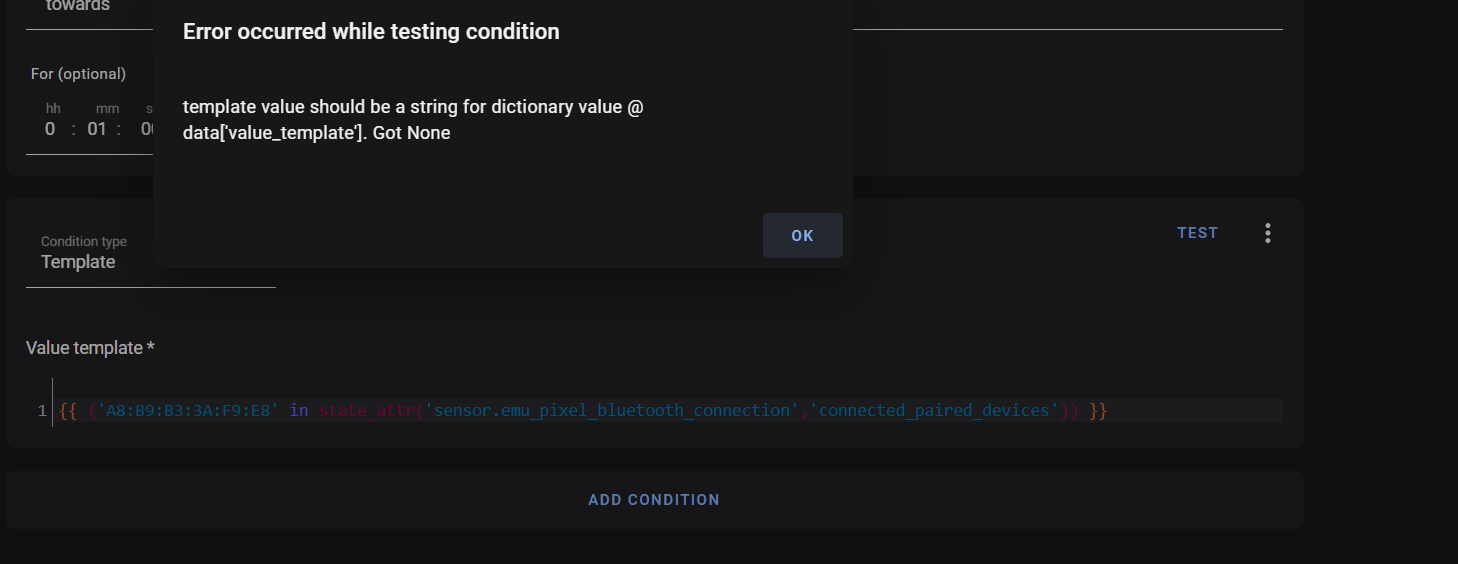 inner mesa
list is required because the the pipeline is really returning a "generator", which provides a new value each time it's called. You want a list out of that
join(', ') turns that list into a comma-separated string of the list elements
inner mesa
pin #1
mighty ledge
and yes, you cannot use None in templates, it has to be none.
steel swallow
ohhhhhhhh okay
stuck jewel
inner mesa
`list` is required because the the pipeline is really returning a "generator", w...
where can i find more info about this ?
    Intrusion detected, The following sensor was triggered: {{
    expand('binary_sensor.alarm_motion_sensors_away') |
    selectattr('state','eq','on') | map(attribute='attributes.friendly_name') | list | join(', ') }}
it also spit's out the name as "name" or i don't know how to set a friendly_name per entities
mighty ledge
stuck jewel
where can i find more info about this ?
```
Intrusion detected, The followi...
4th pin
inner mesa
Just use 'name', which will use friendly_name if it exists, or the entity name if it doesn't
mighty ledge
actually the documentation doesn't cover that. You'll have to use the python documentation to read up on generators and lists
stuck jewel
inner mesa
Just use 'name', which will use friendly_name if it exists, or the entity name i...
but how do i set a friendly name for a specific sensor then ?
inner mesa
usually changing the entity name is enough, but you can add a friendly_name with this: https://www.home-assistant.io/docs/configuration/customizing-devices/#manual-customization
stuck jewel
oke found it 🙂 name it returns Hallway not the whole sensor name
inner mesa
does that all make sense? it's pretty straightforward if you know what each piece is doing
stuck jewel
ill start reading up about it so i can it make more my own
trying to learn HA bit by bit
so guess ill need to start learning python
inner mesa
more Jinja with a dash of Python
stuck jewel
okay ill start with jinja then
silent barnBOT
The topic of this channel is:
Become a real Jinja2 Ninja! Don't worry my Genin, we are here to help! You can find the docs at https://www.home-assistant.io/docs/automation/templating/ - and don't forget rule #1!
This channel is for support with Jinja templates. Some custom Lovelace cards support other types of templates, such as those written in JavaScript, and #frontend-archived is the right channel for that.
Please use https://www.codepile.net/ or https://paste.debian.net/ to share code or logs
Command '.topic' was invoked by: RobC
 proper tulip
Hi! I am trying to get data from an MQTT response (in the form {"powerState": "true/false"}). That's straightforward templating ("{{ value_json.powerState }}").
However, my MQTT endpoint doesn't always post in that format (I mean, other payloads are posted in that endpoint). That results in log flodding complaining about the wrong format in the template. How can I express the template so it only cares about that specific payload?
 golden widget
hi all im trying to create a template switch where the value_template sets the state of a switch from a binary_sensor. please can someone help. im trying something like this:
value_template: {{ is_state('binary_sensor.geyserwiseapielement') }}
arctic sorrel
When using is_state you need to be comparing it to the state you want to test against
is_state('device_tracker.paulus', 'home')will test if the given entity is the specified state.
marble jackal
No
golden widget
i want the switch to be on if the binary sensor is on and vice versa
arctic sorrel
Right, so ... ?
golden widget
{{ is_state('binary_sensor.geyserwiseapielement', 'off') }} ? what would that do