#templates-archived
1 messages · Page 138 of 1
 weary drift
 dreamy sinew
though you might want to keep [1] instead of |first as [1] is actually the 2nd element
depends on what you want
weary drift
dreamy sinew
though you might want to keep `[1]` instead of `|first` as `[1]` is actually the...
Yeah. I'll try it out.
dreamy sinew
lists in python are 0 index
 floral shuttle
did you find the solution? having something like that too on {{as_timestamp(state_attr('sensor.backup_state','last_backup'))|timestamp_custom('%d %b: %X')}} I did try to add {{as_timestamp(state_attr('sensor.backup_state','last_backup'),none)|timestamp_custom('%d %b: %X')}} following the guidelines on https://www.home-assistant.io/docs/configuration/templating/#time but still see the error
 mighty ledge
@floral shuttle you need a default for both. Use none and none and it will be unavailable during that time
floral shuttle
you mean like:{{as_timestamp(state_attr('sensor.backup_state','last_backup'),none)|timestamp_custom('%d %b: %X',none)}}
? let me try
mighty ledge
yes
however, you'll need default=none for timestamp_custom because the default is the 3rd argument
{{as_timestamp(state_attr('sensor.backup_state','last_backup'),none)|timestamp_custom('%d %b: %X',default=none)}}

or

{{as_timestamp(state_attr('sensor.backup_state','last_backup'),none)|timestamp_custom('%d %b: %X', True, none)}}
i see, thanks! its a bit of a hassle to have the error popup, because it only does on startup. Even more surprisingly, it is a markdown card not even in view at that moment. Apparently Lovelace checks all templates in the Frontend too during startup.
yep, error gone. only left with this one: {%- set tracker_timestamp = as_timestamp(strptime(states('sensor.afvalwijzer_next_date'),'%d-%m-%Y')) %} {% set months = ['Januari','Februari','Maart','April','Mei','Juni','Juli','Augustus','September','Oktober','November','December'] %} {%- set wdays = ['Zondag','Maandag','Dinsdag','Woensdag','Donderdag','Vrijdag','Zaterdag'] %} {%- set wday = tracker_timestamp|timestamp_custom('%w',default=none)|int %} {%- set month = tracker_timestamp |timestamp_custom('%m',default=none)|int %} {{tracker_timestamp|timestamp_custom(wdays[wday] ~ ' ' '%-d' ' ' ~ months[month-1],default=none)}} what do I set in the first line, if anything at all? Simply none?
 fossil venture
Which is exactly the same as your previous one. Read what Petro wrote about timestamp_custom() and how many arguments it takes.
 acoustic arch
hihi! i was wondering how i can extract the max value from this list. Every precip gives me a numeric value
background info: Its precipation of rain mm/h. Im trying to make an autonation with a notify to alert me when it starts raining and whats the max mm/h is going to be
floral shuttle
fossil venture
Which is exactly the same as your previous one. Read what Petro wrote about `ti...
really sorry, but I dont see it. the first line isnt a timestamp_custom but an as_timestamp and a nested strptime. thats why I tried the line to be {%- set tracker_timestamp = as_timestamp(strptime(states('sensor.afvalwijzer_next_date'),'%d-%m-%Y'),none) %} do I need to set it twice there too for both of these?{%- set tracker_timestamp = as_timestamp(strptime(states('sensor.afvalwijzer_next_date'),'%d-%m-%Y,none'),none) %} ...
mighty ledge
Confused about the 2022.2 breaking default change? https://community.home-assistant.io/t/updating-templates-with-the-new-default-values/346198
mighty ledge
mighty ledge
Confused about the 2022.2 breaking `default` change? <https://community.home-as...
mighty ledge
floral shuttle
really sorry, but I dont see it. the first line isnt a timestamp_custom but an a...
you're missing the default for strptime
floral shuttle
did you see my second version above? with the added 'none' ?
mighty ledge
you added it wrong
you have it inside your format
'%d-%m-%Y,none' -> '%d-%m-%Y', none
floral shuttle
yes, I had that corrected, was a slip of the pen/keyboard. thanks!@
will it be only a matter of time before the template-entity-row cards will cause these warnings too? currently, none of them trigger the new warnings
floral shuttle
however, and this is getting scary:Template warning: 'timestamp_custom' got invalid input 'None' when rendering template '{{as_timestamp(state_attr('sensor.backup_state','last_backup'),none)|timestamp_custom('%d %b: %X',none)}}' but no default was specified. is still showing while I have the correct ``` - Last backup: {{as_timestamp(state_attr('sensor.backup_state','last_backup'),none)|timestamp_custom('%d %b: %X',default=none)}}
- Last uploaded: {{as_timestamp(state_attr('sensor.backup_state','last_uploaded'),none)|timestamp_custom('%d %b: %X',default=none)}}
because that's wrong
defualt=none is needed, like your second example
or provide all 3 arguments
that's covered in the post I just pinned
floral shuttle
I believed to have followed that post with this: as_timestamp() uses 2 arguments. which I serve, with default none.The embedded timestamp_custom() uses 3 arguments, of which I serve 2, so I use the default=none
thanks Petro, please allow me this: after having closed all browsers, restarted, (still without the include) there were no more errors on this template. Cache finally cleared I presume. Added the include and restarted: still no errors.... so, what should I do. leave it as posted above, based on my assumptions. If you say it is still wrong, and I need the default=none, please point me to what is wring in my assumption of the above, so I can truly understand
 marble jackal
do the new default template changes make de | default() filter obsolete? Or should I still use that in specific cases?
dreamy sinew
that has its own uses
mighty ledge
floral shuttle
I believed to have followed that post with this: `as_timestamp()` uses 2 argumen...
Timestamp_custom uses 4 arguments.
floral shuttle
ok, but even so, I use |timestamp_custom('%d %b: %X',default=none) so that should be ok? or does that also influence the as_timestamp(state_attr('sensor.backup_state','last_backup'),none) and force that to beas_timestamp(state_attr('sensor.backup_state','last_backup'),default=none) ?
mighty ledge
|timestamp_custom('%d %b: %X',default=none) will be good
as_timestamp can be used either way
did you read the post I wrote?
as_timestamp requires 2 arguments
is there a 3rd argument to omit on it?
no
so
as_timestamp(state_attr('sensor.backup_state','last_backup'),none)
is all you need
floral shuttle
well, must be me but both are exactly like that in #templates-archived message which you said was wrong... nvm, Ill keep this for reference
mighty ledge
timestamp_custom('%d %b: %X',none)}}' but no default was specified. is wrong
timestamp_custom has 4 arguments
arg1 | timestamp_custom(arg2, arg3, arg4)
default is arg4
when you do this:
arg1 | timestamp_custom('%blah', none)
you're prividing arg3 the value that you want to be providing to arg4
which is why default is needed, because default is the name of arg4
do you understand @floral shuttle ?
floral shuttle
Did you see my second code block? The one with default=none ?
mighty ledge
Yes
but I was commenting on the first
specifically timestamp_custom('%d %b: %X',none)}}' but no default was specified.
floral shuttle
Sure, but I had long changed that, and still got that warning..
I was bending my mind why you said my code was wrong, thinking of my second block
mighty ledge
then at that point, if you understand why the default is needed, and the code is correct, then the problem lies elsewhere
floral shuttle
Yes, that’s what I was trying to say . Somehow a Frontend cache got the better of it and wouldn’t let go
floral shuttle
If you have a moment later please have a look at #frontend-archived message which is also Template.
mighty ledge
floral shuttle
If you have a moment later please have a look at https://discord.com/channels/33...
in your if statement, remove the .last_changed
states[config.entity] is none, which is why the error is saying that it can't get last_changed from none.
 upper oxide
could any one help with a quick template for a motion sensor. I'd like to display 'XX mins ago' on my lovelace card. Is the following heading in the right direction?
{{states.binary_sensor.motion_hall_occupancy.last_changed | timestamp_local}}
 inner mesa
using relative_time() is the easiest, but it simplifies the result
and last_changed is relative to the last time HA started, so it may not be accurate for that device
{{ relative_time(states.switch.fr_table_lamp.last_changed) }} -> 2 hours
 faint crest
hi!
another day, another problem.
i have a sensor-template with this configuration:
        value_template: "{{ state_attr('sensor.tankstellen', 'min_value') }}"
        friendly_name_template: "{{ state_attr(state_attr('sensor.tankstellen', min_entity_id) , 'brand') }}"```
which won't work.
When i try `{{ state_attr('sensor.tankstellen', 'min_value') }}` or `{{ state_attr(state_attr('sensor.tankstellen', min_entity_id) , 'brand') }}` in dev-tools > template both render.

Where is my fault?that's broken template syntax
you have a single template there, but you've broken it up
faint crest
I want it to change Name and value relative to another sensor
faint crest
I want a sensor which shows me the minimum fuel price and fuel stations name, which i extract out of min_max template sensor which looks at 5 fuel stations
inner mesa
what is the "or" for?
upper oxide
inner mesa
and `last_changed` is relative to the last time HA started, so it may not be acc...
perfect thank you
inner mesa
it sounds like you just want two pieces of information
sorry I missed the beginning of your message
faint crest
okay, so I need two sensor templates, one for the name and the second for the value?
inner mesa
what doesn't work about it?
faint crest
the sensor tanken_min_price has state unknown
I wanted to create a sensor, which shows me the name of the station and the price where fuel is the cheapest
inner mesa
I can't explain that
faint crest
okay, no problem. Maybe I'll just put the attributes on lovelace dashboard via add-on.
Thanks for your help!
upper oxide
inner mesa
`{{ relative_time(states.switch.fr_table_lamp.last_changed) }}` -> `2 hours`
actually do you know how to format this template for a button-card variable?
some examples of what I have for other cards:
variables: circle_input: > [[[ if (entity) { return entity.state == 'current_temperature' ? entity.attributes.temperature : entity.attributes.current_temperature; } ]]]
variables: circle_input: > [[[ return states['sensor.temp_office_temperature'].state; ]]]
inner mesa
faint crest
okay, no problem. Maybe I'll just put the attributes on lovelace dashboard via a...
I just ran a test with one of my min_max sensors and it worked:
- platform: template
  sensors:
    test_template:
      value_template: "{{ state_attr('sensor.occupancy', 'min_value') }}"
      friendly_name_template: "{{ state_attr(state_attr('sensor.occupancy', 'min_entity_id'), 'friendly_name') }}"
relative_time() is a Jinja function and won't work in the Javascript templates that you've shown
upper oxide
ah OK
inner mesa
there may be some equivalent Javascript function, or you can create a template sensor with the Jinja and display that
this channel is for Jinja templates
faint crest
inner mesa
```
- platform: template
sensors:
test_template:
value_template: "{{...
also when I do it like that it's unknown (shorter sensor-config):
- platform: min_max
type: min
name: "Tankstellen"
entity_ids:
- sensor.tankerkoenig_star_tankstelle_diesel
- sensor.tankerkoenig_aral_tankstelle_diesel
- sensor.tankerkoenig_avia_tankstelle_diesel
- sensor.tankerkoenig_#########_diesel
- sensor.tankerkoenig_shell_##########_diesel
- platform: template
sensors:
tanken_min_price:
value_template: "{{ state_attr('sensor.tankstellen', 'min_value') }}"
friendly_name_template: "{{ state_attr(state_attr('sensor.tankstellen', 'min_entity_id') , 'friendly_name') }}"``` spare sleet
{{ not is_state('sensor.bassnatrigger', 'unknown') }} How could I have this check for 2 states, 'unknown' and 'unavailable' on a not is_state?
 copper quail
Hey there. Does anyone have any sensors they've put together for remaining charge time for an EV?
Something like sensor.charging_rate*(100-sensor.charge_level)
floral shuttle
mighty ledge
`states[config.entity]` is none, which is why the error is saying that it can't ...
thanks Petro, it doesnt help I am afraid. Ive also tried if config.entity , if config.entity is not none, and if states(config.entity) is not none but all render this: Template variable warning: 'None' has no attribute 'last_changed' when rendering '{% set temp = states('sensor.pond_buiten_sensor_calibrated_temperature')|float(0) %} {% set dark = 'Licht' if is_state('binary_sensor.dark_outside','off') else 'Donker'%} {% if states(config.entity) %} {{relative_time(states[config.entity].last_changed)}} ago, {{dark}} en {{temp}}°C {% else %} Not yet set, {{dark}} en {{temp}}°C {% endif %}' maybe I should give up on this, and simply ignore the warning. Still, this nags.....
btw, the entity is this binary_sensor, maybe that's causing the issue:```
-
binary_sensor:
- unique_id: binary_vijverpompen
name: Vijverpompen
state: >
{{states('sensor.pond_buiten_sensor_calibrated_temperature')|float(0) > 6 and
is_state('binary_sensor.dark_outside','off')}}
delay_off:
minutes: 60```
- unique_id: binary_vijverpompen
mighty ledge
floral shuttle
thanks Petro, it doesnt help I am afraid. Ive also tried `if config.entity` , `i...
states is probably returning unkown or unavailable then
check for that.
floral shuttle
ok. given the new float(none) default, can I use that on an availability template likeavailability: > {{states('sensor.pond_buiten_sensor_calibrated_temperature')|float(none) is not none}} ?
spare sleet
I was able to bypass my issue by just copy/pasting the condition again, and setting the second word, but I am curious the correct syntax for 2 words if anyone does happen to know and wants to throw it up for me whenever 👍
floral shuttle
you mean {{ states('sensor.bassnatrigger') not in ['unknown', 'unavailable'] }} ?
 hazy crater
Hi all,
New to the discord, and about 2 months into my Home Assistant journey. I've got a question today about how I can access the tilt sensor of my Aqara Vibration sensor inside Home Assistant. I've got it connected via Zigbee (zha) just fine, but the only sensor that automatically detects/makes available is the vibration sensor.
I've done some internet searching and I've found a way to snoop the event to see that it is sending a tilt event when I'm listening for zha_events (syntax? I did it correctly yesterday). However, I don't know how to convert that into a usable sensor.
I think it has to do with including a sensor.yaml in the base configuration and defining a template to include a custom sensor. But the template syntax that I need to include there completely escapes me.
Use case: Tilt sensor on a garage door to detect open/closed based on the tilt.
I don't have much, if at all, experience with yaml beyond reading them...passably. I don't really know how to make them do what I need them to do 😉 So it has been hard to take the examples that I've seen on the web and editing them to fit my specific set up as I simply don't know how to debug them.
Appreciate any help here or directions for further self research. Apologies if this is in the wrong channel. Have a great Tuesday!
mighty ledge
hazy crater
Hi all,
New to the discord, and about 2 months into my Home Assistant journey. ...
use a template sensor that uses a trigger. The trigger being an event trigger. If the event it just a on only, you'll have to use the property that turns it off after a set time
 silent barnBOT
When working with templates, don't forget:
- You can test them in Developer tools -> Templates
- HA before 0.115: rule 1 and rule 2 (https://www.home-assistant.io/docs/automation/templating/#important-template-rules)
Command '.template' was invoked by: petro
faint crest
faint crest
also when I do it like that it's unknown (shorter sensor-config):
```sensor:
-...
Tried again today,
when I split it into two sensors, it works:
        value_template: "{{ state_attr('sensor.tankstellen', 'min_value') }}"
      tanken_min_name:
        value_template: "{{ state_attr(state_attr('sensor.tankstellen', 'min_entity_id'), 'friendly_name') }}"```
this won't work:
```      tanken_min_both:
        value_template: "{{ state_attr('sensor.tankstellen', 'min_value') }}"
        friendly_name_template: "{{ state_attr(state_attr('sensor.tankstellen', 'min_entity_id'), 'friendly_name') }}"
robusting several template sensors, would this suffice in preventing non numerical disturbances? state: > {{(states('sensor.grid_energy_teller_1')|float(none) + states('sensor.grid_energy_teller_2')|float(none))|round(2,none)}}
asking because I want to see if the is_number() method could be of additional use. Thing is this could possibly error out, if either of the 2 underlying sensors would be none and a type error is thrown
mighty ledge
floral shuttle
robusting several template sensors, would this suffice in preventing non numeric...
that will result in an error
you can't add none + none
{{ expand('sensor.grid_energy_teller_1', 'sensor.grid_energy_teller_2') | rejectattr('state', 'in', ['unknown','unavailable']) | map('float',0) | sum | round(2, none) }}
wow, thats cool. thanks !
now this is even more of a challenge 😉 ``` {{(states('sensor.teller_1_terug')|float(none)
+ states('sensor.teller_2_terug')|float(none) -
       states('sensor.teller_1_terug_daystart')|float(none)
       - states('sensor.teller_2_terug_daystart')|float(none))|round(2,none)}}
detail: float(0), why not float(none)? Id like to prevent it from returning 0 on a non numerical value. Or does the round(2,none) take care of that too
your template results in 0.0 though... it doesn't add the individual states
forgot |map(attribute='state') 😉 this does the job: {{expand('sensor.grid_energy_teller_1','sensor.grid_energy_teller_2') |map(attribute='state')|rejectattr('state','in',['unknown','unavailable']) |map('float',0)|sum|round(2,none)}}
now how to filter a subtraction...?
mighty ledge
floral shuttle
now how to filter a subtraction...?
I don’t think you can
floral shuttle
yeah I figured. that's too bad though, because how to prevent some nasty templating now on these rather simple subtractions.
floral shuttle
how to default on a more generic template like: - unique_id: espresso_needs_refill name: Espresso needs refill state: > {{0 < states('sensor.espresso_keuken_actueel')|float < 0.9}} delay_on: seconds: 30
dreamy sinew
same way you do anything else
floral shuttle
doesnt make sense to use float(0), because it wont catch an erroneous value. Should we encapsulate this in an if /else?
dreamy sinew
set a default that results in that statement going to true/false based on what you need
floral shuttle
yes, but what is wise in this case? use float(0) in the state, and use an availabilty with {{states('sensor.espresso_keuken_actueel')|float(none) is not none}} ?
dreamy sinew
just add an availability template
floral shuttle
like: - unique_id: espresso_needs_refill name: Espresso needs refill state: > {{0 < states('sensor.espresso_keuken_actueel')|float(0) < 0.9}} availability: > {{states('sensor.espresso_keuken_actueel')|float(none) is not none}} delay_on: seconds: 30 ? (i need to default the state too)
dreamy sinew
or use what you are actually testing
states('sensor.whatever') not in ['unavailable', 'unknown']
floral shuttle
right! and the state would be ok with (0) ? I mean, if the availabilty tests ok, I needn't worry about (0) turning a non numeric to 0 ...
dreamy sinew
if |float encounters NaN it would return whatever you specify as default 0 == 0.0
floral shuttle
cool. odd thing is no warning was thrown on the absence of a default for these sensors I have. Nor on anything like``` - service: notify.system
data:
title: Espresso
message: >
{{now().timestamp()|timestamp_custom('%X')}}: Espresso switched on
 cunning coyote
is there a way that i press a button on mobile and open a url on my desktop?
floral shuttle
right, dear misery has been brought upon us...... adding defaults to a sensor like {{(states('sensor.zp_export')|float(none) - states('sensor.zp_export_daystart')|float(none))|round(2,none)}} which both are mqtt sensors, now throws this in the logs upon reloading of Mqtt: TemplateError('TypeError: unsupported operand type(s) for -: 'NoneType' and 'NoneType'') while processing template 'Template("{{(states('sensor.zp_export')|float(none) - states('sensor.zp_export_daystart')|float(none))|round(2,none)}}")' for attribute '_attr_native_value' in entity 'sensor.solar_energy_entity'
must admit this is becoming a rather frustrating business, where these sensors have been functioning for a couple of years without problems...
inner mesa
but they were broken...
floral shuttle
you mean by forcing the use of a default...?
thisn has become a monstrosity:``` state: >
{{(states('sensor.teller_1_terug')|float(0)
+ states('sensor.teller_2_terug')|float(0) -
       states('sensor.teller_1_terug_daystart')|float(0)
       - states('sensor.teller_2_terug_daystart')|float(0))|round(2,none)}}
    availability: >
      {% set x = ['unavailable','unknown'] %}
      {{states('sensor.teller_1_terug') not in x and
        states('sensor.teller_2_terug') not in x and
        states('sensor.teller_1_terug_daystart') not in x and
        states('sensor.teller_2_terug_daystart') not in x}}```
The warning is telling you that there was a situation where the template was broken. It should behave predictably at all times, not relying on some hidden behavior
floral shuttle
well, yes, I do understand what you are saying. but the 'hidden' behavior was kind of intelligent 😉
inner mesa
if you don't care about the output when it has garbage input, go ahead and let it not render
it really wasn't - it just passed through the garbage that was passed in
if you have an int filter that returns a string, that's just wrong
or a datetime fucntion that returns a string
floral shuttle
sure I care, have been caring for the past 2 days... fear a couple more will follow.
inner mesa
everyone is welcome to do exactly nothing and maybe it will still work in every case you care about
floral shuttle
no they wont work, because the template we used will stop doing so, as is announced. so yeah, ofc I will rewrite.
end rant.. ok. sorry
inner mesa
maybe that's the misunderstanding - they won't break all the time
unless you actually have nonsense being passed into functions, they'll continue to work just fine. It's usually corner cases when HA is starting up, or devices go unavailable, that you'll see a broken template
if you're relying on that and it's happening all the time, you have other issues
floral shuttle
hmm, ok. I didnt have nonsense anywhere 😉 and now do have twice the code..
floral shuttle
but I'll keep log level warning for some time to see what the logs say
templates like this do log anything #templates-archived message
inner mesa
I don't think you need any of the float(0) defaults above now that you have an availability key
floral shuttle
well, I need a float for the operations? and if I need a float, it wants a default? or not?
it would be really great if Petros template above #templates-archived message would also be possible with other operations, at least the subtraction, I think I will writeup a FR for that. might be cool for Hacktober if anyone is able to do that. add a |sub filter/method for jinja
mighty ledge
@floral shuttle a subtract filter doesn’t make sense tbh
Is it to assume that the first item is always plus, where the remaining items are subtracted?
I guess it could be done based on that
inner mesa
floral shuttle
well, I need a float for the operations? and if I need a float, it wants a defau...
No, all type conversion filters won’t suddenly require a default. You only need a default if there will be a situation where you’ll get some garbage that can’t be converted to a float (like ‘unavailable’). You’ve guarded against that already, so I don’t think you need the default
 solid storm
My template sensors have broken in a recent-ish update and I can't find a reason why. I tried searching the changelogs for breaking changes, but did not find any.
The template sensors show state as unknown for some reason
One of my template sensors can be seen at https://www.codepile.net/pile/8OVJLNOp
If I check the developer tools --> template, both value_template and friendly_name_template show the data I want. What could be wrong?
I guess this is a legacy configuration format?
mighty ledge
solid storm
I guess this is a legacy configuration format?
No something most likely changed With the sensor that you’re pulling the data from
solid storm
They actually work if I reload template entities from the restart menu, I have no idea why this is the case
floral shuttle
mighty ledge
I guess it could be done based on that
guess in my particular setup, those templates would/could be written like that yes. But let me ask, why wouldn't it make sense as you said?
floral shuttle
inner mesa
No, all type conversion filters won’t suddenly require a default. You only need ...
would you also agree then that {{(expand('group.switches_sensors_actueel') |map(attribute='state')|rejectattr('state','in',['unknown','unavailable']) |map('float',0)|sum)|round(2,none)}} could do without the extra defaults, and be {{(expand('group.switches_sensors_actueel') |map(attribute='state')|rejectattr('state','in',['unknown','unavailable']) |map('float')|sum)|round(2)}}
doesnt throw a warning ....
inner mesa
as long as you're filtering anything that isn't a number, yes
Since you're just doing a sum, using a default will help catch any that you didn't think of. But in that case, it may simply be easier to do |map('float', 0.0) and dispense with the rejectattr()
there are many ways to skin this raccoon
floral shuttle
haha, yes! you're right, and clever! thank you sir.
 woven sparrow
Is there such a thing as a template fragment? Or a way to share similar templates across multiple things that need it? My use-case is generating a text response and the various responses might include similar data (for instance, checking to see if a door or window is open)
inner mesa
as long as it's less than 255 characters, yes
dreamy sinew
multiple input text boxes?
woven sparrow
So setting the value to the template that I want to render, and reference that input?
Hmm, that might work. Though I'd need an automation to track the entities I care about when they change and set_text again
mighty ledge
Or set it to an attribute which doesn’t have a limit
 smoky girder
Can some one help me with this?
I need to write a condition with template where i check if a entity atribute has been below a certain value for X minutes.
This need to be a condition for i need it to run again in the next minute, to send more notifications. So the trigger is a time pattern.
I have looked this up, and did not understand how to do it with both checks in one template. Or even if the solution is only with templates
the doc are not really easy to undestand
fossil venture
It might be better if you describe what you want the automation to do, rather than how you want to do it.
silent barnBOT
The XY problem is asking about your attempted solution rather than your actual problem.
This leads to enormous amounts of wasted time and energy, both on the part of people asking for help, and on the part of those providing help.
The problem occurs when people get stuck on what they believe is the solution and are unable to step back and explain the issue in full.
Command '.xy' was invoked by: tom l
smoky girder
I need a automation to notify a app if a temperature is above X for Y minutes and keep notifing util the temperature goes back bellow X
fossil venture
Create a simple template based binary sensor that turns on when your sensor exceeds your limit. Then use this to repeatedly notify you: https://www.home-assistant.io/integrations/alert/
smoky girder
Ok, will try thanls
floral shuttle
reviewing templates. wondering why I have this in mu alarmclock config....: {{'%0.02d:%0.02d'|format(state_attr('input_datetime.alarmclock_wd','hour')|int, state_attr('input_datetime.alarmclock_wd','minute')|int)}} to return HH:MM and ditch the seconds. cant this be done simpler?
something like {{states('input_datetime.alarmclock_wd')|timestamp_custom('%H:%M')}} I know this works: {{states('input_datetime.alarmclock_wd').split(':00')[0]}} but thats a string manipulation. Id rather do an official datetime object manipulation
 sacred sparrow
Hi, I have an entity with the unit measurement as '°C' but in the entity UI graph it shows '°C' - how can I change it?
https://imgur.com/agoklsi
      sensorx_real_feel:
        friendly_name: "SensorX Real Feel"
        value_template: >-
            {% set temp = states('sensor.living_room_thermometer_temperature')|float %}
            {% set humidity = states('sensor.living_room_thermometer_humidity')|float %}
            {{(0.567 * temp + 0.393 * (humidity/ 100 * 6.105 * e ** (17.27 * temp / (237.7 + temp ) )) + 3.94) | round(1) }}
        unit_of_measurement: '°C'
 nocturne chasm
floral shuttle
something like `{{states('input_datetime.alarmclock_wd')|timestamp_custom('%H:%M...
nocturne chasm
floral shuttle
something like `{{states('input_datetime.alarmclock_wd')|timestamp_custom('%H:%M...
The template editor is your friend 😉
floral shuttle
believe me, my friend is seeing a lot of me lately 😉 didn't have an answer though, so I turned to my online mates here....
nocturne chasm
floral shuttle
something like `{{states('input_datetime.alarmclock_wd')|timestamp_custom('%H:%M...
So the first one here didn’t work?
floral shuttle
no. it returns 07:15:00
nocturne chasm
{% strptime(states('sensor.time'), '%H:%M') %}
floral shuttle
yes, Ive tried {{strptime(states('input_datetime.alarmclock_wd'),'%H:%M')}} before, same thing, returns 07:15:00. I checked ofc if it changes at all when setting another time, and yes, that works 😉
this seems to be working:{{state_attr('input_datetime.alarmclock_wd','timestamp')|timestamp_custom('%H:%M',False)}} but I can not use the timestamp_local() on it. Well I can but it returns the incorrect dst time and no format can be entered
the timestamp attribute of the input.datetime isnt an absolute unix epoch timestamp. Thats probably causing the issue here
 dusky flicker
just as an FYI before you recommend that solution to other people trying to use binary: there are values which are not valid utf8 which will then fail the string-conversion before ever reaching the template.
For that reason I went back to using hex strings.
mighty ledge
dusky flicker
just as an FYI before you recommend that solution to other people trying to use ...
anything over utf-8 will not work with ord anyways unless you decode it
floral shuttle
testing {% set temp = states('sensor.pond_buiten_sensor_calibrated_temperature')|float('Not ready')|round(2,none) %} so it states Not ready when not ready 😉 however, the round with default is objecting.: 'round' got invalid input 'Not ready' when rendering template .....snip.... but no default was specified. Currently 'round' will return 'Not ready', however this template will fail to render in Home Assistant core 2021.12
is this a bug? or user error again...
mighty ledge
user error
if you want not ready, use none for the float and not ready for the round
order of operations
floral shuttle
yes, thats obvious.. ofc. thanks for opening my eyes to that!
this is less obvious, and using correct order of operations? {{(states('sensor.attic_living_sensor_temperature')|float(none) + states('input_number.temp_calibration')|float(0))|round(2,'Not ready')}} if the temp sensor is unavailable, the float defaults to none, rendering the addition incorrect because of type error. Which is as expected. I hoped the default on the round would then set it to Not ready, but I get unavailable in the Frontend.
so must do```
{% if states('sensor.attic_living_sensor_temperature') not in ['unavailable','unknown']%}
{{(states('sensor.attic_living_sensor_temperature')|float(0) +
states('input_number.temp_calibration')|float(0))|round(2)}}
{% else %} Not ready
{% endif %}
ya
or make an availablity template
 dense sleet
Hi there, im trying to get a notification on my phone with a url including the IP-adress from the persistent_notification.http_login sensor.
Right now i do have:
'https://whatismyipaddress.com/ip/{{states.persistent_notification.http_login.attributes.message.split ("from ")[1]}}'
and I am getting:
'https://whatismyipaddress.com/ip/147.161.165.4 (147.161.165.4). See the log for details.'
Could anybody please help me to get rid of the stuff behind the first IP-address?
appreciate it! THanks!
floral shuttle
yes, I do that too, but depending on the use case I want a message in the frontend (like the 'Not ready'), and have the sensor available, or use an availability template and only have the sensor when a correct state is registered.
 stuck citrus
Is there a possibility to restore previous state of a trigger-based template sensor after templates reload? I am trying to create a sensor that calculates distance driven by car. So the sensor is sort of recursive - it calculates distance between to from_state and to_state of a device tracker and then adds distance driven so far. But whenever I reload templates it gets reset to unknown until the trigger fires again.
The problem is - now it's state is "unknown" so when I call the sensors state and convert it to float it converts to a default value of 0.
I tried to add a trigger that checks whenever sensor goes "NULL" but then trigger.from_state doesn't render anyway
 digital rose
Can anyone help me. All of my mqtt sensors now show "unavailable" after upgrade. Every once in awhile they show a value. These mqtt sensor only get polled every hour or so - I'm guessing there is now some sort of timeout for data? I
 buoyant pine
Did you run a config check and, if it came back okay, restart HA or reload template entities?
Also, you don't need to do float() on those variables since you already used the float filter when defining them
dreamy sinew
{{ [states('sensor.dryer_total_daily_energy'), states('sensor.tasmota_energy_total_2'), states('sensor.entry_light_energy'), states('sensor.porch_light_energy')]|map('float', 0)|sum|round(4) }}
floral shuttle
mighty ledge
if you want not ready, use none for the float and not ready for the round
hmmmm: {% set temp = states('sensor.pond_buiten_sensor_calibrated_temperature')|float(none)|round(2,'Not ready') %} {% set dark = 'Licht' if is_state('binary_sensor.dark_outside','off') else 'Donker'%} {{relative_time(states[config.entity].last_changed)}} ago, {{dark}} en {{temp}} °C {% else %} Not yet set {% endif %}' but no default was specified. Currently 'round' will return 'None', however this template will fail to render in Home Assistant core 2021.12
marble jackal
Is it somehow possible to filter entities (e.g media_player entities) on integration using a template
I would like to use only the entities coming from the cast integration
and is it possible to get de list index of an item in a list, assume I have a list [ 'a', 'b', 'c', 'd' ]
I would like to search for c and return the place in the list (so 2 in this case)
I now use this:
{% set entity_list = states.media_player | map(attribute='entity_id') | list %}
{% set tts_target = 'media_player.zolder_mini_martijn' %}
{% set list_index = ((entity_list | join(',')).split(tts_target)[0]).split(',') | count - 1 %}
 drifting bay
I'm trying to understand the templating syntax but I'm a bit lost. I have a climate.nature_remo_office_ac with a Current temperature attribute. I want to make a sensor out of it for plotting.
What is the proper syntax?
state_attr('device_tracker.paulus', 'battery') is that the function and syntax I should be looking at?
marble jackal
yes
But the attribute will never be Current temperature. Attributes are always lower case and use underscores
drifting bay
Makes sense, so it's the python property name? current_temperature as defined in ClimateEntity?
 left fossil
Someone might tell me this belongs elsewhere. But, I've got a local flask server running a very simple JSON. Then got a template sensor that takes the data from that flask server. About, oh probably a few months ago now. When I reboot HA, the template sensor doesn't detect the info from the flask server on boot. If I manually refresh the template sensors through server control it then works all fine. Running HA in a VM if that's relevant (don't think it should be)
marble jackal
drifting bay
Makes sense, so it's the python property name? `current_temperature` as defined ...
check in Developer tools -> States
floral shuttle
yes, and also do that for the attributes name, because they certainly can have capitals. Always check dev tools States.
 deep summit
Hi
can i get a little help please?
- platform: template
sensors:
shellyhttempconverted:
friendly_name: "shellyhtF"
unit_of_measurement: '°F'
value_template: >-
{% set t = states('sensor.shellyht_74ab8c_temperature') | float %}
{{((t)*9/5)+32}}
anyone see something wrong with this ?
im trying to convert C to F
it just shows me the same temp in C with this one
on the new sensor
fossil venture
You need to change your Configuration / General / Unit System to Imperial or home assistant will keep converting temperatures to °C.
spare sleet
Hello, I'm trying to learn a bit about templating and do some simple text extraction from the body of an email with imap email content, and use those words in a TTS automation. I already have a similar automation with the subject of a email, using split to pull the 1 word I needed.
Would I be better trying to set the state with the words I need, and then automate from the new state? Maybe someone can point me in the right direction to learn about that simple stuff, I hate to bug on here about simple things
mighty ledge
if the words will be over 255 characters, use an attribute.
make the state whatever you want
spare sleet
They are around 755, I checked.
mighty ledge
I'd probably go with a timestamp so that the state updates with each new email
spare sleet
I only want about 3 words from it though
spare sleet
Yeah I read that a little bit ago and checked. I did figure out how to set the state to a specific word, but not a specific word thats inside the email that will change
mighty ledge
so if those 3 words are always less than 255 characters, then you can do that. Otherwise, plop each word into a separate attribute and make the state the current time with "{{ now() }}"
spare sleet
Alright I'll read into it more. I'm still a bit confused on how I select those specific words. Specifically, it's trying to pull this "[Suspension] Firstname Lastname" out of the email. All 3 words may change, but they are always inside "[Triggerword] Firstname Lastname" with the quotes as well.
mighty ledge
you'd have to use regex to pull the information out
spare sleet
Cool I'll read into that as well. There isn't a simple way to split the body of an attribute, similar to how I split the words in a subject? For example, the words are always located in the same spot of the subject, so this works for my other automation. {{ states.sensor.suspension_automation.state.split()[12] }} while the state is the email subject.
Just out of curiosity.
mighty ledge
you can, but if they aren't located in the same spot, then you have to use regex
you can use any pattern that exists to get to the information you need. But if you can't replicate the pattern using splits & replaces, then you'll have to use regex
spare sleet
I believe they are. I was having trouble getting my syntax right to work on the body of an attribute I guess.
I will also try and look into that way then
mighty ledge
why don't you just post the subject line
spare sleet
The subject line is only "New topic notification - "Suspensions, Terminations, and Resignations". Then inside the body is a bunch of jargon, and then I'm basically just trying to get who was 'Suspended, terminated, or resigned', and their name.
"[Suspension] Firstname Lastname"
spare sleet
I want nothing from the subject, I was only using my example for another automation I use with a subject. I wasn't sure if I could do the same split thing with the body attribute.
mighty ledge
you may be able to, but you'd have to split off things that are in every email
only you know the email pattern
so you have to find something before and after what you want to split off of
or use regex to find [blah] a b
spare sleet
regex sounds like my best option to have it work every time correctly. Splitting might also work about 95% of the time. Anywhere you recommend I can learn a bit about regex basics?
mighty ledge
Hah, there are no basics in regex
it's hard stuff
https://regex101.com/ is what I use
spare sleet
Haha true that. I am new to all the templating, I apologize for the dumb questions
mighty ledge
regex is not templating, regex is from python
spare sleet
I thought it would be a bit easier to just pull out the 1 line I needed from the body attribute
spare sleet
Sure, here is the body attribute currently: https://hastebin.com/rizobihiya.http
mighty ledge
{% set find = '(?:"\[)(Suspension|Termination|Resignation)(?:\] )([^"]+)' %}
{{ body | regex_findall(find, True) }}
Crazy lol I'll give this a shot. How exactly is that working if you don't mind explaining
mighty ledge
probably safer
{% set find = '(?:"\[)(Suspension|Termination|Resignation)(?:\] )([^"]+)' %}
{% set found =  body | regex_findall(find, True) %}
{% if found and found | length == 1 %}
  {% set what, who  = found[0] %}
  {{ what }} {{ who }}
{% endif %}
The first one somewhat worked, it pulled the word 'Suspension' then just said 'Template' after that. I will try this one
mighty ledge
did you alter the email that was sent to me? Regex is extremely specific
you can also attempt to replace all \n with ' '. I'm not sure if \n come through
spare sleet
I edited the forum links, and the addressing names.
mighty ledge
{% set find = '(?:"\[)(Suspension|Termination|Resignation)(?:\] )([^"]+)' %}
{% set found =  body | replace('\n', ' ') | regex_findall(find, True) %}
{% if found and found | length == 1 %}
  {% set what, who  = found[0] %}
  {{ what }} {{ who }}
{% endif %}
I can send over a unedited version
https://hastebin.com/uyusixevox.http fully unedited from the body: in attributes
trying the third one you sent now. The second one said the same as the first
mighty ledge
still works for me
there's no word "Template", so I'm not sure why you have the word template.
spare sleet
One sec it was my tts, had a placeholder for suspension and template.
Where do I put the sensor at for that to read from?
mighty ledge
You'd have to put that template in your imap sensor
spare sleet
Oh i see. Getting myself all confused trying to put it in my automation tts section
    {% set find = '(?:"\[)(Suspension|Termination|Resignation)(?:\] )([^"]+)' %}
    {% set found =  body | replace('\n', ' ') | regex_findall(find, True) %}
    {% if found and found | length == 1 %}
      {% set what, who  = found[0] %}
      {{ what }} {{ who }}
{% endif %}```Does something look incorrect here? Should I not be using value_template? Hitting an error [automation]: invalid template (TemplateSyntaxError: Encountered unknown tag 'endif'.) for dictionary value @ data['action'][1]['data_template']. Got None.
mighty ledge
you're looking in the wrong spot
that error has nothing to do with that template
your error is coming from the automation
that value_template should be on your sensor.
 tacit arch
Hello, I would like to turn on/off a sonoff fast to trigger a relay, is there a way? (I saw there is "flash" for lights)
tacit arch
mighty ledge
not the right channel
ok, thanks
spare sleet
Awesome it's in the state of the sensor! You the best @mighty ledge . Sorry about my errors, been reading things for hours, getting myself all jumbled up. Gonna take a bit and clear my head haha. If you do get bored I'd love to learn how you did that though
 cobalt iron
I fear the answer to this question might be obvious, but here goes... I've got a number of climate devices (Tado Integration), but am wondering how I can get the target temperature as an entity. This is so I can export to Grafana and show the temp vs. target
Got it. value_template: "{{ state_attr('climate.kitchen', 'temperature') }}" did the trick.
 edgy umbra
I'm using the folowing template to rename the months which works fine. The date_long sensor gives a warning that it's deprecated, anyone knows what i need to change to get rid of this warning?
    sensors:
      date_long:
        friendly_name: 'Datum_format'
        entity_id: sensor.date
        value_template: >
          {% set months = ["jan", "feb", "mar", "apr", "mei", "jun", "jul", "aug", "sep", "okt", "nov", "dec"] %}
          {% set month = months[now().strftime('%m') | int -1] %}
          {{ now().strftime('%d') + ' ' + month + ' '+ now().strftime('%Y') }}
icon_template: mdi:calendar-clock```take out the entity_id:
floral shuttle
variation on a theme:{% set maanden = ['januari','februari','maart', 'april','mei','juni', 'juli','augustus','september', 'oktober','november','december'] %} {% set maand = maanden[now().month -1] %} {{maand}}
 sturdy juniper
I have a value that gets fed via mqtt eg.
288781
That I use a simple template for to add a decimal
value_template: "{{ value | round(1) * 0.1 }}"
somehow, sometimes the resulting number in HA will look like this `
28,878.100000000002
anyone have an idea how why this is ?
Most of the time it will just have one decimal ?
fossil venture
It is due to machine epsilon error. You can use format instead. {{ "%.1f"|format(value|float * 0.1 ) }} or try rounding the whole result, "{{ ( value |float * 0.1 ) round(1) }}" rather than rounding then multiplying.
sturdy juniper
something for me to google .. epsilon error .. never heard of it ! thanks !
hmm.. {{ ( value |float * 0.1 ) round(1) }} is giving me a syntax error ?
Invalid config for [sensor.mqtt]: invalid template (TemplateSyntaxError: expected token 'end of print statement', got 'round') for dictionary value @ data['value_template']. Got '{{ ( value |float * 0.1 ) round(1) }}'. (See ?, line ?).
fossil venture
I missed the pipe. {{ ( value |float * 0.1 ) | round(1) }}
sturdy juniper
thanks (I suck at templates :p)
 vital comet
Hi Hi, anyone know why could this be happening?
https://imgur.com/a/FR7wOGy
template:
  - sensor:
      - name: "Avrage Temperature"
        unit_of_measurement: "C"
        state: "{{(((states('sensor.ambient_office_2') | float + states('sensor.ambient_bathroom') | float + states('sensor.ambient_domi_room') | float + states('sensor.ambient_master') | float + states('sensor.ambient_upstairs') | float ) / 5))}}"
All the sensors report continuously just fine
Ping me
fossil venture
When the sensors report unknown the |float filter converts that to 0. At least for now. If that happens when you restart after installing the next December release the template sensor will refuse to load. To prevent this you need to change your |float filters to have a default value by using |float(0) . To stop that showing up in your graphs you need to add an availability template to the template sensor to check that the sensors used in your template are not 'unknown' or 'unavailable'. Search the forums. There are plenty of examples.
 dawn comet
Oh hey! Having a hell of a time trying to find how to specify a JSON template for a climate device.
I see I'd use mode_state_template (as an example), and I can see I could use to_json (https://www.home-assistant.io/docs/configuration/templating/#tofrom-json-examples), but how do I get that value from home assistant? In the example they're setting temperature to 25, but wouldn't that be a variable? How do I get 25 from the front end?
Edit: Couldn't figure it out, but managed to work around it using Node Red. Changed the command topic in HA to something specific (eg. set_temperature rather than using set), then subscribed to that in Node Red and just did the translation and published to the proper topic.
 keen abyss
Hello friends, I have these template sensor: https://paste.gg/p/anonymous/c06b76ce09fe4aa3b6ea8f80ba61b017
Everything works except the last one "Living Room Filter Remaining"
I am not sure why, the entity doesn't appear at all in home assistant
No configuration errors reported by the file editor or in server controls when checking
replaced icon_template and value_template with icon and state, entity appears but it says unknown now hm
 humble wind
I'm struggling with getting my template motion sensors to trigger via an input boolean. Everything shows up in my dashboard, but the template sensor always shows as clear regardless of the input boolean state.
- binary_sensor:
    - name: Living Room Motion
      unique_id: 3acee51f-ae97-43a2-b124-478cb6601b88
      device_class: motion
      state: '{{ is_state("input_boolean.living_room_motion", "on") }}'```
<http://w.s3a.pw/d1016336.mp4>if you do not need an else condition just put the state of input_boolean.Living_room_motion
if you don't need it to do logic based on anything else you can just keep using that input boolean alone though
humble wind
So like state: 'input_boolean.living_room_motion'?
keen abyss
Should be state: '{{ input_bollean.living_room_motion }}'
Make sure to put a space after {{ and before }}, if you make it like ...motion}} it won't work
http://homeassistant.local:8123/developer-tools/template go here to test it
Just put in {{ input_bollean.living_room_motion }} in that box and it should show you the state of that input boolean
humble wind
It says 'input_boolean' is undefined
keen abyss
{{ states("input_boolean.bathroom_occupancy") }} do this
oh oops
change your input boolean name to living_room_motion
should work according to the developer tools
humble wind
~~Like this? http://w.s3a.pw/f5aabb82.png~~
Oh, I see. I copied your line and adjusted it and now it seems to report correctly
keen abyss
yay, glad it works
humble wind
Or at least it worked on the template dev page
keen abyss
i'll help you get it running in your template too no worries
first of all you sure you added the binary sensor under templates and not just as a regular binary sensor?
humble wind
I have it in templates.yaml which is referenced in my config as template: !import templates.yaml
keen abyss
It should be
template:
- binary_sensor:
ah
here's an example of how I have one of mine based on a trigger
sensor:
- name: Headphones Battery
state: '{{ trigger.json.headphone }} '
unit_of_measurement: "%"
device_class: battery
Yours is similar enough, so it should work just fine
humble wind
So in the template dev page I see this http://w.s3a.pw/91a087be.png, copying the template editor code into my template seems to validate, but the template sensor still doesn't appear to respond to the input boolean.
keen abyss
did you restart home assistant?
humble wind
No, I just reloaded template entities and input booleans
hmm attempting to validate before restarting gives me this Error loading /config/configuration.yaml: invalid key: "OrderedDict([('states("input_boolean.living_room_motion")', None)])" in "/config/templates.yaml", line 5, column 0
- binary_sensor:
    - name: Living Room Motion
      unique_id: 3acee51f-ae97-43a2-b124-478cb6601b88
      device_class: motion
state: {{ states("input_boolean.living_room_motion") }}```surround it by ' '
' {{ statesblablablablabla }} '
keen abyss
I'm trying to use trigger data to show in a notification, e.g trying to show a battery's state, but it gives me this
<state sensor.keyboard_battery=30; unit_of_measurement=%, friendly_name=Keyboard Battery, device_class=battery @ 2021-10-17T16:56:48.398672+03:00>.
How would I get just the state from it? I'm using {{trigger.to_state}}
buoyant pine
{{ trigger.to_state.state }}
buoyant pine
well no, you were just missing .state at the end
keen abyss
Yeah, I tried earlier using {{trigger.to_state_state}}
buoyant pine
oh gotcha
 rain pagoda
Morning everybody. I hate to do it but I wonder if someone could answer a pretty easy one. First template and I'm guessing my spacing is off somewhere. I have a line in config.yaml binary_sensor: !include binary_sensors.yaml and then in the binary_sensors.yaml I have a single template so far.
- platform: template
  sensors:
    security_locks:
      value_template: {% if is_state('group.security_locks', 'locked') %}off{% else %}on{% endif %}
When I do a config check I get: Error loading /config/configuration.yaml: while scanning for the next token
found character '%' that cannot start any token
buoyant pine
value_template: "{{ is_state('group.security_locks', 'locked') }}"
Can't that just be a state:?
buoyant pine
it's a binary sensor
humble wind
Yes, just like my motion sensors above
buoyant pine
and the old template sensor format
humble wind
state: '{{ state( "group.security_locks" ) }}'
buoyant pine
it's the old template sensor format which doesn't have state as an option
humble wind
Oh, go figure there have been substantial changes 😓
buoyant pine
lol yup
i haven't even started using the new template sensor format since i'm used to the legacy format
also {{ states('group.security_locks') }} wouldn't work with the new format for template binary sensors
the template needs to return a boolean
well, more specifically "The sensor is on if the template evaluates as True, yes, on, enable or a positive number."
rain pagoda
Are the docs on the HA website showing the new or old format?
buoyant pine
both
rain pagoda
lol
humble wind
It appears to do that with my motion sensors, though. http://w.s3a.pw/9d24c6b0.png
buoyant pine
the legacy format is at the bottom
silent barnBOT
When working with templates, don't forget:
- You can test them in Developer tools -> Templates
- HA before 0.115: rule 1 and rule 2 (https://www.home-assistant.io/docs/automation/templating/#important-template-rules)
Command '.template' was invoked by: Tediore
buoyant pine
humble wind
It appears to do that with my motion sensors, though. http://w.s3a.pw/9d24c6b0.p...
do what?
humble wind
It returns off or on
buoyant pine
yeah, a binary sensor always returns off or on
a lock (or group of locks) returns locked or unlocked
humble wind
oh, I see. I assumed they also returned 1 or 0 (locked vs unlocked) and HA interpreted that as locked or unlocked.
buoyant pine
nope, that's why i suggested {{ is_state('group.security_locks', 'locked') }}
rain pagoda
So Tediore forgive my ignorance your statement above comes back with True or False. What I'm trying to get is a single value for my window sensors, door sensors and locks so that I can report a single "Safe" or "Not Safe". The locks are causing a bit of a hickup because they are inverted to the other logic. So I was trying to flip them.
buoyant pine
ah!
rain pagoda
Is there something I'm missing with that statement? Again this is my first run at templating
buoyant pine
in that case... value_template: {{ not is_state('group.security_locks', 'locked') }}
or {{ is_state('group.security_locks', 'unlocked') }}
second is better
rain pagoda
Safe to assume HA will report False as Off in this case?
buoyant pine
yes. a template binary sensor will report on if the value template evaluates to True and off if it evaluates to False
buoyant pine
no prob!
rain pagoda
So I wonder if I'm going about this wrong - I have a group for windows and door sensors, and then a group for locks and then finally a group made up of those two groups to give me a final on/off state. With that state I send a notification to my switches (inovelli reds) to show a flashing red if the state is on (triggered)
My googlefu wasn't able to turn up a more elegant way to do that. Do you know of one?
This way works fine just curious if I missed something
humble wind
That sounds fine, the alternative is a group containing every device. But your way it's easier to see what's what and any false will make the whole thing false
rain pagoda
Cool - Happy to hear I didn't miss something that was way easier and condensed to a single line lol
 fervent cargo
Hi. Can I conditionally include a data attribute for a service call in an action? As in, the attribute shouldn't even be defined if the condition is false. The service that is called is also conditional (either light.turn_on or light.turn_off), and it doesn't seem to like a color_temp value if the service is light.turn_off.
I've tried putting the {% if %} / {% endif %} block around the entire attribute, but that doesn't seem to work either.
buoyant pine
.share what you currently have
silent barnBOT
Please use a code share site to share code or logs, for example:
- https://www.codepile.net/ (select YAML as the language)
- https://paste.debian.net/ (select YAML as the language)
- https://hastebin.com/ (sometimes may not allow you to save)
Please don't use Pastebin, since it can randomly add spaces to the main view.
Command '.share' was invoked by: Tediore
buoyant pine
there's unfortunately no way to ignore a key if the service call doesn't allow it
fervent cargo
buoyant pine
yeah, you can't use templating around service data like that
fervent cargo
So do I have to split up the automation into several automations?
I was hoping I could control all of the buttons of that switch in one automation.
buoyant pine
i'd suggest this:
- service: light.turn_on
  data:
    entity_id: light.3d_printer_light
    color_temp: "{{ min_m }}"
    transition: 1
    brightness_pct: "{{ 0 if action == 'off_bottom' else 100 }}"
light.turn_on with a brightness or brightness_pct of 0 will turn the light off
fervent cargo
Ahh, nice. I thought of trying that, but I think somewhere in the documentation it said that is couldn't be done that way, or maybe I tried it from the Developer Tools, and it didn't work there. Will try it out now.
buoyant pine
yeah, you should be good with this. i use it in a few spots
fervent cargo
Also, that should be data_template instead of data, right?
buoyant pine
nope, data_template hasn't been needed for a while now
fervent cargo
Hmm, okay.
It works. Cool, thanks. 🙂
I cautiously think I'm getting the hang of this. Now I made it switch between min_mireds and max_mireds depending on the current state.
How do I get the state (on/off) of a light? 😳
inner mesa
that seems unlikely
fervent cargo
Hmm, it seems I was wrong. Sorry for the absolute wall of questions, but it's a bit of a learning curve.
 cursive ice
so the custom button card, to add a brightness reading to that, would that be via a template?
mighty ledge
that would be via javascript template, all covered in the docs of custom button card. It's not the same syntax as jinja templates
cursive ice
cheers bud off to read now
 stone lintel
Hi, is there a way to pull the temperature shown in this screenshot as a state in a template sensor? https://imgur.com/a/8Rw1feo I can pull the current state i.e heat but I'd like to be able to upll the temperature as well?
inner mesa
Yes, see state_attr(): https://www.home-assistant.io/docs/configuration/templating/#states
upper oxide
how can I remove the decimal points from this sensor?
28.000000000000004```tried a few things but nothing as worked yet
stone lintel
inner mesa
Yes, see `state_attr()`: <https://www.home-assistant.io/docs/configuration/templ...
Thank you!
stone lintel
upper oxide
how can I remove the decimal points from this sensor?
```{{ state_attr('media_...
28.000000000000004``` Does adding float and round work as my example?{{ state_attr('climate.lounge', 'temperature')|float | round(0) }} I'm doing something similar with this
upper oxide
no that isn't working for this one
usually I would use that
maybe I can make a sensor using that actually
inner mesa
You’re rounding 100 @upper oxide
dreamy sinew
order of operations in templates, | are evaluated first
upper oxide
"{{ '%.0f'%(states('sensor.office_hifi_volume') | float) | float }}"
mighty ledge
why are you doing any of that
are you trying to round it?
is it going to always be a whole number?
mighty ledge
always whole number?
"{{ states('sensor.office_hifi_volume') | int }}"
or
"{{ states('sensor.office_hifi_volume') | round(0) }}"
you'll get a warning with the round method, but you can remove the warning with
"{{ states('sensor.office_hifi_volume') | round(0, default=none) }}"
 feral ginkgo
Hey ho,
i am struggleing with json path filtering in a template:
This is the jq query i want to use for the state:
jq -r '.info.components[] | select(.name=="LEDDEVICE") | .enabled'
this reflects the value template for a command_state:
hyperion_led_device:
      command_on: 'curl ...'
      command_off: 'curl ...'
      command_state: 'curl -k...'
value_template: >
        {% value_json.info.components[] | select(.name=="LEDDEVICE") | .enabled %}
I got : Invalid config for [switch.command_line]: invalid template (TemplateSyntaxError: Encountered unknown tag 'value_json'.)
I think i overlook something regarding the syntax... 🙂
mighty ledge
you put the whole curl command in the command_state
value_template extracts the relative data that's returned by command_state
everything you put into value_tempalte is not jinja either.
@feral ginkgo
Also, there's a whole hyperion integration, why are you using that?
feral ginkgo
mighty ledge
Also, there's a whole hyperion integration, why are you using that?
Hyperion is not compatible to hyperhdr anymore 🙂 that’s why I need to fiddle that stuff manually now. So I put the curl in the command state field. The response is the complete serverinfo where I need to filter down the leddevice. I do that for another switch which is on the top of the response. I just don’t get how to filter the response down to the LEDDEVICE
mighty ledge
you use jinja to filter down to just LEDDEVICE
not made up syntax
what does command_state return?
feral ginkgo
mighty ledge
you use jinja to filter down to just LEDDEVICE
the complete json object from HyperHDR
mighty ledge
can you post it please?
silent barnBOT
Please use a code share site to share code or logs, for example:
- https://www.codepile.net/ (select YAML as the language)
- https://paste.debian.net/ (select YAML as the language)
- https://hastebin.com/ (sometimes may not allow you to save)
Please don't use Pastebin, since it can randomly add spaces to the main view.
Command '.share' was invoked by: petro
feral ginkgo
mighty ledge
can you post it please?
https://paste.debian.net/1215970/
Under components u find all components including the LEDDEVICE
jq -r '.info.components[] | select(.name=="LEDDEVICE") | .enabled'
mighty ledge
feral ginkgo
https://paste.debian.net/1215970/
Under components u find all components includi...
this is what you want for the value_template:
value_template: >
  {% set led_device = value_json.info.components | selectattr('name','eq','LEDDEVICE') | first | default(none) %}
  {{ led_device.enabled if led_device else false }}
Very nice. Thank you. Is that syntax just plain jinja or is that something HA related?
feral ginkgo
mighty ledge
just plain ol jinja
Then i know where i can look up the syntax next time 👍 Ill test it right away
mighty ledge
use the templating docs to see extra functions that home assistant added tojinja
that jinja just happens to not use any
feral ginkgo
Appreciate your support 🙏
mighty ledge
np
drifting bay
Helllo friends.
I'm trying to make a simple average sensor, based on two other sensors, which is very close from the one in the doc:
    - name: "Home Temperature"
      unit_of_measurement: "      C"
      state: >
        {% set living = states('sensor.living_room_temperature') | float %}
        {% set office = states('sensor.office_temperature') | float %}

        {{ ((living + office) / 2) | round(1, default=0) }}
It does work and the average is properly computed, but I get the following error:
2021-10-19 21:00:41 WARNING (MainThread) [homeassistant.helpers.template] Template warning: 'float' got invalid input 'unknown' when rendering template '{% set living = states('sensor.living_room_temperature') | float %} {% set office = states('sensor.office_temperature') | float %}
{{ ((living + office) / 2) | round(1, default=0) }}' but no default was specified. Currently 'float' will return '0', however this template will fail to render in Home Assistant core 2021.12
What do I need to change exactly to stop the warning?
dreamy sinew
this was called out in the breaking changes and in the general release notes
solid storm
I am using emulated_hue with Alexa to control my PC. Because the PC doesn't respond fast enough for boot/shutdown, Alexa always says that it is not responding.
I created a dummy switch and grouped my real PC switch together with the dummy switch and use the group to control my PC.
How can I make it so that the dummy switch and group have a toggle (same as the real switch), instead of on/off lightning icons? https://i.imgur.com/I42vA3S.png
One could use assumed_state, but it does not work with the template platform
I'll take my word back, I was able to customize it and got it working with assumed_state
 kindred hare
What are you using pc side to control it? Im currently using IOTLINK, HWS and WakeOnLan to turn it on and off. @solid storm
 fossil hearth
how to use this service on a group Input number: Set ?
inner mesa
A group of input_number entities? Where did that come from?
doesn't seem related to templates
fossil hearth
i mean i tried this inside entities with a >- {{ state_attr('group.madzoon0_5l', 'entity_id' ) | join(', ')}}
where can i post this ?
inner mesa
How is that related to the previous post?
You want to set a group of input_number entities to a value?
fossil hearth
since in this service you can put multiple entities separate by a comma, so i just tried that but i don't think it takes template yet am not sure. so am trying to figure out if a group can do it
inner mesa
if it does, you'd specify it just like any other service call
fossil hearth
inner mesa
You want to set a group of input_number entities to a value?
i want to set a group of input_numbers to a value yes, right now am doing it by listing them all individually by a comma, but ofcourse that is not the correct way and not practical
inner mesa
service: xxxx.xxx
data:
  entity_id: >-
    {{ some template }}
I don't know if that particular service supports a list, though
fossil hearth
this is what i tried
data:
  value: 0
  entity_id: >-
{{ state_attr('group.madzoon0_5l', 'entity_id' ) | join(', ')}}```ok
fossil hearth
this template outputs exactly how the entity id should look like, and with no error its not working when i call the service
inner mesa
it may not support a list
fossil hearth
its working fine when i put all the entities individual by a comma ..
ITS WORKING ❤️ perfectly fine !
fossil hearth
how to extract from list that contains a string or text . ? like grep
inner mesa
grep does a search, not an extraction
fossil hearth
ah yeas i need extraction
inner mesa
you'll need to be more specific about exactly what you're trying to do...
fossil hearth
you are right forgive me
{{ state_attr('group.reffs_all', 'entity_id' ) | join(', ') here i get a result like sensor.reff_h1, sensor.reff_h2, sensor.reff_h3, sensor.reff_u1, sensor.reff_u2, sensor.reff_u3 etc... so lets say i want to list the ones that contain h
inner mesa
{{ state_attr('group.reffs_all', 'entity_id' ) | select('search', 'h')|join(', ')
fossil hearth
inner mesa
`{{ state_attr('group.reffs_all', 'entity_id' ) | select('search', 'h')|join(', ...
what if its not just a letter its a string ? like ABC
fossil hearth
yeah i did ofcourse it works .
inner mesa
would have been faster, eh? 🙂
fossil hearth
sorry was trying to confirm something ebfore i type here hehe lol.. its all good now thanks alot man 🙂
 thin bronze
I'm a little confused by the documentation of the new Template Sensor format. Previously, you followed sensor: with another line that was the entity_id of the sensor, and how you referenced it, and how it appeared in Dev Tools -> States, but I'm not seeing that in any of the examples of the new format. How are these referenced? (I'm trying to add a trigger to a sensor that's currently in my sensor: block.)
buoyant pine
I haven't used the new format yet, but based on the docs I'd imagine the name: value determines the entity ID. https://www.home-assistant.io/integrations/template/#state-based-template-sensors
...so in that state based template sensor example, I'd imagine the resulting entity ID would be sensor.average_temperature
thin bronze
hmm... I suspected that (didn't try it, since that's usually the default), but would REALLY appreciate a way to specify it like before. Seems inconsistent (and confusing).
buoyant pine
A number of things are like that
And the name is your way of specifying it; it just means you can't separately define friendly name and the object ID
thin bronze
Yeah, guess you're right. I just don't think I'd run into it before, or at least didn't notice it. Just wish the docs had made that clear. Thanks for the assist!
One thing is I have been using a very specific entity naming convention, and include a friendly_name: that is Proper, since it is used in various places, like the UI. For example, one particular sensor has an entity_id = first_alert_zcombo_st, but friendly name = First Alert Smoke / CO Detector. I don't have that ability now with this new format. 😦
inner mesa
you can always add a friendly_name through customization
inner mesa
but I think the point is that you give it a name that you like, which essentially becomes the "friendly name" and then you enjoy the sluggified entity_id that it generates from it
buoyant pine
Yup, I kind of see the intent behind it
Other things are like that too, but not everything. If a key is used to define the start of a config for something (like a script), that seems to be one instance where you can specify a separate friendly name (because the key is turned into the object ID)
mighty ledge
or just add the friendly name in the template sensor
buoyant pine
The new format doesn't have a way to define the friendly name separately
mighty ledge
template:
- sensor:
  - unique_id: foo
    name: foo
    attributes:
      friendly_name: Tediore smells
entity_id will be sensor.foo
buoyant pine
Or...it does? Didn't see that in the doxxxxxx
mighty ledge
you can make any attribute
mighty ledge
marius made a whole thread about this & a feature request about being able to template the friendly_name
thin bronze
@mighty ledge to the rescue. I was just reading the docs AGAIN, and did see the unique_id way at the bottom for sensor, binary sensor, etc., which is probably why I missed it. Thanks for clarifying! It actually looks pretty darn powerful (once you understand it). 😆 Is Marius' thread on the blog?
buoyant pine
unique ID isn't what you want though for what you described
 dusky hazel
I have issue with the terminal on my phone
One other person also said the same thing
buoyant pine
What?
nocturne chasm
I will gladly pay you Tuesday for a hamburger today.
buoyant pine
bottom text
inner mesa
nocturne chasm
I will gladly pay you Tuesday for a hamburger today.
with that, I think it just became "hamburger Tuesday" for dinner
thin bronze
buoyant pine
unique ID isn't what you want though for what you described
Doesn't it? All sensor entities have a sensor. prefix, right? With a unique_id of stale_zone_ds, my entity_id would be sensor.stale_zone_ds. Oh, wait, is the entity_id of sensor.foo because of the name: or the unique_id:?
buoyant pine
The name
Unique ID is for adding the entity to the device registry so that its settings can be managed in the UI
thin bronze
Argh! I'm just going to have to use trial and error to figure out what I can or can't do. Docs aren't very helpful (to me). Thanks for the clarification.
mighty ledge
Well if you omit name but use unique id, it may work
mighty ledge
Iirc that created a entity with template_unique_if
thin bronze
Anybody else find it odd that if you use Search in the Docs for "binary sensor" it won't return a link to the Binary Sensor page? https://www.home-assistant.io/integrations/binary_sensor/ Neither does a search for "sensor". Weird.
thin bronze
Observations on template sensors: (1) if you include both name: and a friendly_name attribute, the latter is ignored. (2) entity_id=sensor.name: if name: is defined (3) You can change the entity_id in the UI and any subsequent changes to name: in config does not affect entity_id, only friendly_name. (4) if you define a unique_id without a name:, entity_id=sensor.template_unique_id: (5) changing unique_id: triggers a recalculation of a new entity_id and leaves the old one as a zombie.
fossil venture
That all sounds correct. Assuming you are using the new template sensor format, it does not directly support friendly_name though you can add one using customize.
thin bronze
Yes, I was referring to the new format. Thanks for checking.
Is there a way in templates to define a constant in the yaml, say at the top of a file, that can then be referenced in the various entries in that file? Kind of like a macro in C?
Actually, in ANY config file...
buoyant pine
yaml anchors and aliases
thin bronze
WHAAAAT!?? :->
buoyant pine
sort of. here's an example from my config: https://github.com/Tediore/My-HASS-config/blob/master/conf/packages/rooms/garage.yaml
i define an anchor &garage_door on line 6 and refer to it throughout the rest of the file as *garage_door (an alias)
probably not exactly what you're looking for, but it's useful nonetheless
thin bronze
Hmmm. I have sensors that use a template that compares something to "freezing", ie., 32. I'd like to define (something like) #freezing=32 at the top of the config file, and then use #freezing in the templates and let the parser replace the values when I load the file. Is there a way to use the & in this way?
buoyant pine
oh, and it's only valid within that file, and anchors need to be defined first before they can be referenced with an alias
buoyant pine
thin bronze
Hmmm. I have sensors that use a template that compares something to "freezing", ...
well sure. do &freezing 32 wherever you first have 32 in that file, and then you can reference it later in that file as *freezing
oh
a template
yeah, anchors/aliases won't work in a template :/
thin bronze
Ugh. Bummer. It makes testing these things (when it's not below freezing) much easier as I can change it once.
buoyant pine
my bad
thin bronze
Well, why don't you get on that and fix it for us?! 😉
buoyant pine

fossil hearth
guys can someone help me see why this is not working as a button but is working in service as a text.
forntend:type: button tap_action: action: call-service confirmation: text: sure? service: input_number.set_value service_data: value: 0 entity_id: >- {{ state_attr('group.all_yogurt', 'entity_id' ) | select('search','.h\d{1,2}_') | join(', ') }} name: test show_state: false
service: ```service: input_number.set_value
data:
entity_id: >-
{{ state_attr('group.all_yogurt', 'entity_id' ) | select('search','.h\d{1,2}_') | join(', ') }}
value: 0
when i test the service it works just fine . but a s a button doesn't doe anything
marble jackal
I'm trying to create an overview of the attributes of media_player entities so I restore the state after sending a TTS. I already have something in place using variables for each attribute, but I'm trying something else now. Using a for loop I can create a list of entities, with the attributes I need. Simply example (only the friendly_name)
  {
    "media_player.beneden_groep": {
      "friendly_name": "Beneden groep"
    }
  },
  {
    "media_player.boven_groep": {
      "friendly_name": "Boven groep"
    }
  }
]```
Now I'm struggling how to retrieve the data out of it. What would be the template to use to get the `friendly_name` of `media_player.boven_groep` out of this?See here what I did to get to this: https://www.codepile.net/pile/zk0l2Akx
mighty ledge
fossil hearth
guys can someone help me see why this is not working as a button but is working ...
you can't template in lovelace
fossil hearth
so it will have to be a service
mighty ledge
no, a script
mighty ledge
marble jackal
I'm trying to create an overview of the attributes of `media_player` entities so...
because you chose the entity_id as the key, which means you can only access it using square brackets.
attr_list[0]["media_player.beneden_groep"].friendly_name
attr_list[1]["media_player.boven_groep"].friendly_name
not user friendly at all
why are you doing this anyways?
tbh, what you're doing is redundant because it can all be done with filters and there's no reason to create new objects. Just use state objects.
marble jackal
I want to store the data in a script variable (not the friendly_name though, but media_content_id and volume_level and such, to use after the TTS and restore the stream which was playing
But I already figured out I should not nest the dictionary, If i do it like this:
{% for player in player_list %}
{% set ns.player_attr = ns.player_attr +
  [ {
    'entity_id': player,
    'friendly_name': state_attr(player, 'friendly_name')
  } ]
%}
{% endfor %}
{% set attr_list = ns.player_attr %}```
I can use: `{{ attr_list | selectattr('entity_id', 'eq', 'media_player.beneden_groep') | map(attribute='friendly_name') | list }}`what about scene.create with snapshot_entities?
marble jackal
Only works with Sonos, not with Google Home
buoyant pine
i'm talking about this https://www.home-assistant.io/integrations/scene/#creating-scenes-on-the-fly, not sonos.snapshot
marble jackal
Ah, sorry.. I don't think that will restore playing the media. I will give it a try tomorrow (when I'm supposed to be working from home)
buoyant pine
i'm not sure it will either, but it might be worth a shot
mighty ledge
if that's the case
buoyant pine
you might still need to issue media_player.media_play
mighty ledge
{% set entities = expand(list_them_out_here) %}
{% set ns = namespace(info=[]) %}
{% for entity in entities %}
  {% set ns.info = ns.info + [ dict(entity_id=entity.entity_id, name=entity.attributes.friendly_name) ] %}
{% endfor %}
{{ ns.info }}
You can be super lazy and just grab everything...
{% set entities = expand('media_player.yamaha_receiver') %}
{% set ns = namespace(info=[]) %}
{% for entity in entities %}
  {% set ns.info = ns.info + [ dict(entity_id=entity.entity_id, **entity.attributes) ] %}
{% endfor %}
{{ ns.info }}
i want it all
buoyant pine
it's my money, and i need it now?
spare sleet
I was able to use this awesome template @mighty ledge made the other day to get most of my different emails triggering automations from the body. I have 1 email though that I am struggling to get the key word (price) to convert to a state to be read. Is there a small change somewhere I can make to this template, to search for "Paid:" and the amount after it?
{% set found =  body | replace('\n', ' ') | regex_findall(find, True) %}
{% if found and found | length == 1 %}
  {% set what, who  = found[0] %}
  {{ what }} {{ who }}
{% endif %}```I believe we were searching for what is inside quotes there, and this 1 other email is not inside quotes, which may be my problem, figured I'd check
mighty ledge
it would be a completely new regex
no small change
{% set find = '(?:"\[)(Reinstatement|Transfer)(?:\] )([^"]+)' %}
              ^------------- This is your regex ------------^
thats the only line that would need to change and the regex would have to find Paid: with a number after
spare sleet
I had tried swapping those words to "Paid" and it didn't seem to work. Maybe I made a small mistake let me double check
spare sleet
Oh I see.
 hardy spear
Hello,
I have a scrape sensor that scrapes the url of the image of the currently playing track of a webradio. The image is in very low resolution (80x80). I noticed that if I add a specific resolution in the url, I can get a better image. Can someone help me with a value template to append the text “150x150_” in the “state” url.
Here is an example of a scraped url: https://ds1.static.rtbf.be/cover/b/6/0/895B21E8-5339-4F0E-9A33-A66A563EC2BC_0.jpg
And here of the url that I would like to use: https://ds1.static.rtbf.be/cover/b/6/0/150x150_895B21E8-5339-4F0E-9A33-A66A563EC2BC_0.jpg
The first part is of the url remains the same: https://ds1.static.rtbf.be/cover/
The rest is different from track to track.
Thanks
hardy spear
value_template: "https://ds1.static.rtbf.be/{{states.sensor.tipik_new_image.state.split('/')[4]}}/{{states.sensor.tipik_new_image.state.split('/')[5]}}/{{states.sensor.tipik_new_image.state.split('/')[6]}}/125x125_{{states.sensor.tipik_new_image.state.split('/')[7]}}"
Must be a better way to do it 😆
floral shuttle
hmm, now this is a new error:```emplate variable error: 'dict object' has no attribute 'entity' when rendering '{% for s in states %} {% if '_custom' in config.entity.attributes.custom_name %}
{{ s.entity_id}},
{% endif %} {% endfor %}'
being:``` filter:
include:
- attributes:
custom_name: '*'
  template: >
    {% for s in states %}
    {% if '_custom' in config.entity.attributes.custom_name %}
      {{ s.entity_id}},
    {% endif %}
    {% endfor %}```
{{"https://ds1.static.rtbf.be/{}/{}/{}/125x125_{}".format(slashes[4], slashes[5], slashes[6], slashes[7]) }}```@hardy spear
floral shuttle
odd thing is the auto-entities does work, even though one might think looking for {% if '_custom' in s.attributes.custom_name %} might be more sensible
hardy spear
@dreamy sinew thanks! 👍
 white dirge
Hi all, ha newb here, sorry if this question has been asked before but I honestly don't know how to even word it correctly to make an effective search. Is it possible to insert a template into any area of the lovelace ui? I'm trying to use a sensor's value as the name of a button and thought I'd simply write name: {{states('sensor.Xxxxxx')}} but all that does is name the button [object Object]. Maybe I'm not understanding where templates are allowed to be placed or maybe I need to typecast the value somehow. Would appreciate any help
inner mesa
No, most standard cards do not support templates
The card docs will tell you where they’re allowed
white dirge
Ah ok, thanks!
 mortal sundial
Has "last_triggered" been discontinued, I can't find it anywhere in the docs?
 brisk tide
i might have missed in the doc but is there a way in the actions to grab the time when the automation was triggered?
I would need to know when the automation was triggered. i have a wait_for_trigger so I cannot simply use a template now() into actions to grab for the time
brisk tide
In order to get the time when the automation was triggered I'm trying w/ this template
{{ (as_timestamp(now())*1000)|round(0)|int - 18000000 - wait.remaining|int*1000 }}
but for some reasons the time is not correct. 18000000 is the length of the timeout
the thing here is that I would need the time in epoch time in ms
nocturne chasm
mortal sundial
Has "last_triggered" been discontinued, I can't find it anywhere in the docs?
Maybe you are thinking of last_changed and/or last_updated ?
https://www.home-assistant.io/docs/configuration/state_object/
Or maybe trigger.to_state and/or trigger.from_state
mortal sundial
nocturne chasm
Maybe you are thinking of `last_changed` and/or `last_updated` ?
https://www.hom...
I'm found this template as condition in an automation and it works. For general learnings I wanted to look up last_triggered but can't find it anywhere documented.
{{ ( as_timestamp(now()) - as_timestamp(state_attr('automation.mail_notification', 'last_triggered')) |int(0) ) > 30 }}
nocturne chasm
Maybe because it is just an attribute
https://www.home-assistant.io/docs/configuration/templating/
mighty ledge
@nocturne chasm @mortal sundial it's because it's an attribute.
last_triggered is a datetime object
if you restart, last_triggered is replaced with a string representing the datetime object
until it's triggered again
then it's a datetime object
so all you should look up is how to use a datetime object
dense sleet
Hi guys,
is there a way to get only the IP-address out of the message?
persistent_notification.http_login
title: Login attempt failed
friendly_name: Login attempt failed
message: >-
Login attempt or request with invalid authentication from 165.xxx.xxx.xxx
(165.xxx.xxx.xxx). See the log for details.
So I can send me a notification with a link including the IP-address.
I'd appreciate any help realizing this with a template 🙂 Thanks in advance!
buoyant pine
{% set text = state_attr('persistent_notification.http_login', 'message') %}
{{ text[text.find('from')+4:text.find('(')].strip() }}
cough .strip()
buoyant pine
heh, i left it out because it seems to strip the whitespace already
mighty ledge
😉
buoyant pine
unless dev tools > template is lying to me
mighty ledge
it does, but if he's using it in a message it won't
mighty ledge
don't worry, i harass errybody
buoyant pine
petro.strip() 😳


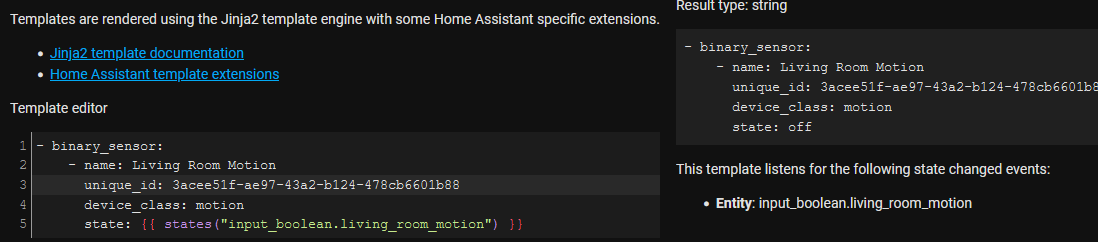
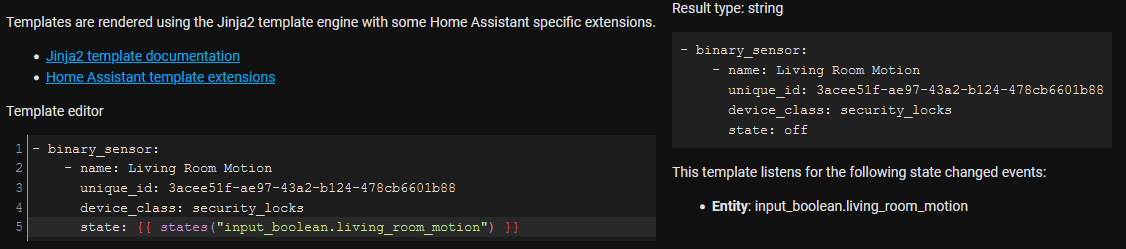


 buoyant pine

dense sleet
buoyant pine
```
{% set text = state_attr('persistent_notification.http_login', 'message') %}...
Thank you very much! 😄
 dull scarab
hi, im new but i have one question: where in home assistant can i place this code : - platform: template
sensors:
transmission_down_speed_kbps:
value_template: '{{ states.sensor.transmission_down_speed.state | multiply(1024) }}'
friendly_name: 'Transmission Down Speed'
unit_of_measurement: 'kB/s'
transmission_up_speed_kbps:
value_template: '{{ states.sensor.transmission_up_speed.state | multiply(1024) }}'
friendly_name: 'Transmission Up Speed'
unit_of_measurement: 'kB/s'
buoyant pine
Wherever you have sensor: defined
dull scarab
you mean in the dashboard card config ?
buoyant pine
So in configuration.yaml if you haven't defined it or split it out, or in the referenced file if you split it out (like with sensor: !include sensors.yaml in configuration.yaml)
dull scarab
okay but if you do something like that often it gets quite confusing there, right?
buoyant pine
Splitting up the config? Nah, it's probably less confusing once your config becomes very large
dull scarab
okay first i have to read how i split up the configuration 😅
buoyant pine
https://www.home-assistant.io/docs/configuration/splitting_configuration/
You don't need to though. It's just nice for managing larger configs.
Starting early isn't a bad idea though
dull scarab
Okay Thank you
 inner raft
Hey there. I was wondering how I could get in template my events for the day. I see them in calendar, I have the next one in states but I don’t find how I can get multiple next events 🤔
 tired frost
Hi all 👋 . Has anyone any experience with the template cover integration - specifically position template. I have an esp32 reporting my Switchbot curtain's position and it often reports a fully closed curtain as 1% open and then HomeKit sees them as open
mighty ledge
tired frost
Hi all 👋 . Has anyone any experience with the template cover integration - spec...
Adjust the esphome configuration to not do that
mighty ledge
inner raft
Hey there. I was wondering how I could get in template my events for the day. I ...
You’re better off creating a forum post and listing all your entities because an answer to that depends on the source and your end intentions
inner raft
mighty ledge
You’re better off creating a forum post and listing all your entities because an...
Ok thanks I will. Thanks
inner raft
 sleek storm
how does one use a variable for media ID in this script:
'cast_youtube_to_my_chromecast':
alias: "Cast YouTube to My Chromecast"
sequence:
- target:
entity_id: media_player.my_chromecast
data:
media_content_type: cast
media_content_id: '
{
"app_name": "youtube",
"media_id": "dQw4w9WgXcQ"
}'
service: media_player.play_media
I have tried: '{"app_name": "youtube","media_id": "{{ state('input_text.videoid') | string }}"}' but that throws an error
 dapper aurora
I'm trying to do rounding in a template and it doesnt seem to work
{{ states('sensor.teeth_timer')|float*60|round(0) }}
evaluates to 40.800000000000004 which is the same if i take out the round(0)
silent barnBOT
@mint whale posted a code wall, it is moved here --> https://hastebin.com/fowakazogo
 mint whale
Hi, I'm trying to get a dynamic icon working with the battery level of my Neato robot vac, using the device_class: battery. But it always seems to just show the full battery icon. This is the sensor I have defined:
- name: "Upstairs Battery Level"
  state: "{{ state_attr('vacuum.upstairs', 'battery_level') }}"
  unit_of_measurement: '%'
  device_class: battery
Does anyone have any working examples with the battery device_class ?
inner mesa
it's a #frontend-archived issue, and reported already: #frontend-archived message
mint whale
ohhhhh - thats a relief - thank you!
 wise sluice
i'm having some trouble with a script that's returning an error: Invalid config for [script]: invalid template (TemplateSyntaxError: expected token 'end of statement block', got '-') for dictionary value @ data['sequence'][0]['data_template']. Got None. (See /config/configuration.yaml, line 9).
any ideas what i'm missing? the script is here https://pastebin.com/amFnf1RJ
buoyant pine
Line 29 is missing a } @wise sluice
 cinder basin
hi can you help me with yaml language/syntax
condition:
- condition: template
value_template: {{ states('light.wled') != states('switch.skupnik3') }}
Error loading /config/configuration.yaml: invalid key: "OrderedDict([("states('light.wled') != states('switch.skupnik3')", None)])"
in "/config/automation/wled_skupni_k.yaml", line 11, column 0
can someone correct the code for me
I dont know how to do it
inner mesa
You need to surround the template in quotes - “ xxx “
cinder basin
yes
its working
thx
data:
entity_id: '{% if trigger.from_state.entity_id == light.wled %}switch.skupnik3{% else %}light.wled{% endif %}'
Same here?
automation starts, but does not do the action
This is my whole action:
action:
- service: homeassistant.turn_{{ trigger.to_state.state }}
data:
entity_id: '{% if trigger.from_state.entity_id == light.wled %}switch.skupnik3{% else %}light.wled{% endif %}'
 molten scroll
I have a heat pump with a well.
The average well temperature is important for understanding the performance and cost of the device.
The issue i have is that when the pump isn't running the temperature reported is the room temperature instead of the well temperature.
I want to see the average well temperature but only based on the temperature while the pump is running with a 5 minute delay as the first minutes are still incorrect.
Is there any way to do this?
inner mesa
cinder basin
action:
- service: homeassistant.turn_{{ trigger.to_state.state }}
data:
...
the problem there is that you haven't quoted the string you're comparing to
you could rewrite that more concisely:
cinder basin
inner mesa
the problem there is that you haven't quoted the string you're comparing to
I've just figure it out
entity_id: "{% if trigger.from_state.entity_id == 'light.wled' %}switch.skupnik3{% else %}light.wled{% endif %}"
or there is any better way?
inner mesa
action:
  - service: homeassistant.turn_{{ trigger.to_state.state }}
    data:
      entity_id: "{{ 'switch.skupnik3' if trigger.from_state.entity_id == 'light.wled' else 'light.wled' }}"
that seems weird, BTW
cinder basin
ok
inner mesa
if it's light.wled use switch.skupnik3, otherwise use light.wled?
cinder basin
yes if light trigers the automation then turn on switch and vise versa. It sync of two devices
inner mesa
ok
 proven vessel
Hi,
i want to convert the values from wh to kWh and try to use:
https://www.home-assistant.io/integrations/solaredge/
But i get a error at config proofment:
Error loading /config/configuration.yaml: mapping values are not allowed here
in "/config/configuration.yaml", line 163, column 48
what is the right wait to integrate?
inner mesa
What did you do?
sleek storm
how do you concatenate states in string format? I need to create a json string with a input_text
buoyant pine
what are your inputs, and what is the desired output
sleek storm
I need to create this
media_content_id: '
{
"app_name": "youtube",
"media_id": "dQw4w9WgXcQ"
}'
where media_id is read from a input_text
buoyant pine
well, one option is to create a script like
script_name:
  sequence:
  - service: media_player.play_media
    data:
      media_content_type: video
      media_content_id: '{"app_name": "youtube","media_id": {{ media_id }}}'
then call it like
- service: script.script_name
  data:
    media_id: "{{ states('input_text.whatever') }}"
    entity_id: media_player.whatever
thats giving me an error Invalid JSON in media_content_id
buoyant pine
i suspect the input_text values need to have double quotes around them
sleek storm
yep that was it
buoyant pine
or actually...```yaml
'{"app_name": "youtube","media_id": "{{ media_id }}"}'
that should do it
inner mesa
#botspam for that
 novel bough
When comparing input_datetimes containing only times in a template, can I do anything better than {{ strptime(now().hour | string + ':' + now().minute | string + ':' + now().second | string, '%H:%M:%S') }} to get the current time in a way that's comparable with strptime-created dates?
inner mesa
novel bough
When comparing `input_datetime`s containing only times in a template, can I do a...
{{ now().time().replace(microsecond=0) }}
 earnest surge
Hi all, trying to change entity_picture of a thermostat based on it's state in lovelace, how would I go about doing this in customize.yaml?
sacred sparrow
wait_template: '{{ is_state(''sensor.living_room_real_feel'', ''23.0'') }}'
timeout: '00:30:00'
continue_on_timeout: true
I have this and it works great but I want to make it if its greater than 23.0 for 5 minutes. is that possible?
floral shuttle
does someone have a pointer for me where to start checking how I can template the person triggering an action? all my family members use the ios app, and I need to differentiate some actions depending on the one clicking a button, (or triggering an automation for that matter)
inner mesa
if they're interacting with Lovelace, then you'll get trigger.context.user_id
floral shuttle
thx, that is easy ;-)...
the new area_entities template is very nice... been experimenting a bit in the dev, and - type: custom:auto-entities card: type: entities title: Dining auto entities filter: template: > {{'dining'|area_entities}} sort: method: domain is very cool
would love a bigger auto-entities template to write something like: for area in ha areas: and then that template. Can we list those areas like that yet?
inner mesa
looks like you actually need {{ trigger.to_state.context.user_id }}
if it takes a template, it can take any template
floral shuttle
a yes, that would make sense
floral shuttle
inner mesa
if it takes a template, it can take any template
sorry, I dont understand what you mean by this?
inner mesa
I was focusing on the "for" loop part. you can build a list of areas from entities, but it's a pain
floral shuttle
yeah, I thought about that, but indeed, that wouldnt be very nice yet. I hoped we could somehow template the available areas, like {{states.area}}, but of course that isnt available.
I figure the new area template options that are added currently, will soon cause that listing to be high on the wanted list though... 🙂
floral shuttle
another thing I now notice on 2021.11 dev: I am getting huge amounts of these warnings:```
2021-10-25 00:45:56 WARNING (MainThread) [homeassistant.helpers.template] Template warning: entity 'switch.lights_total_device_power' doesn't exist
2021-10-25 00:45:56 WARNING (MainThread) [homeassistant.helpers.template] Template warning: entity 'switch.switches_total_device_power' doesn't exist
2021-10-25 00:45:56 WARNING (MainThread) [homeassistant.helpers.template] Template warning: entity 'switch.lights_total_device_power' doesn't exist
2021-10-25 00:45:56 WARNING (MainThread) [homeassistant.helpers.template] Template warning: entity 'switch.switches_total_device_power' doesn't exist
and the log is correct, these dont exist. But, they arent referenced anywhere in the system. Not in any config, front- or backend, nor in the restore or other .storage files.thousands and keeps counting every second
inner mesa
are you running the "dev" version for some specific reason?
floral shuttle
there are many other of these 'doesnt exist' warnings, probably new startup sequence mentions, and they pertain to truly referenced entities. Odd too, but that seems to go away after startup sequence completes. These 'wrong' entities remain littering the log though
floral shuttle
inner mesa
are you running the "dev" version for some specific reason?
well, I did want to try the new templating possibilities yes
inner mesa
these channels aren't intended for reporting issues on dev
floral shuttle
o right, ofc. should I take this to #devs_core-archived then maybe?
inner mesa
I suspect that pointing out issues in dev don't belong here at all
file a Github issue if you're so inclined
floral shuttle
ok will do, sorry for cluttering the channel...
sacred sparrow
timeout: '00:30:00'
continue_on_timeout: true```
I have this and it works great but I want to make it if its greater than 23.0 for 5 minutes. is that possible?You might try something along these lines?
{{ is_state(BLAH) and ( ( as_timestamp(now()) - as_timestamp(states.BLAH.last_update.astimezone()) ) > 5 ) }}
sacred sparrow
{{ is_state(''sensor.living_room_real_feel'', ''23.0'') and ( ( as_timestamp(now()) - as_timestamp(states.sensor.living_room_real_feel.last_update.astimezone()) ) > 5 ) }}
sacred sparrow
thin bronze
You might try something along these lines?
`{{ is_state(BLAH) and ( ( as_timest...
does that seem right to you?
or {{ is_state(''sensor.living_room_real_feel'', ''23.0'') and ( ( as_timestamp(now()) - as_timestamp(states.sensor.living_room_real_feel.last_update.astimezone()) ) >= 5 ) }}
sacred sparrow
I get this error: Message malformed: invalid template (TemplateSyntaxError: expected token ',', got 'sensor') for dictionary value @ data['sequence'][0]['choose'][1]['sequence'][0]['wait_template']
 deft shore
I've set up a template for an average temperate like described in the documentation (https://home-assistant.io/integrations/template/#state-based-template-sensors).
It is now listed in the list of entities, but with an "Unavailable" status 🤔 It also says something related about not having a unique ID, but this shouldn't be the reason, right?
Okay, had a look into the logs and found the issue. The documentation uses round(1, default=0) but it seems like default=... does not exist (anymore) 🤔
 spiral imp
Using the Rest sensor to get uptime from Glances on a VM (not HA). The sensor value is "7 days, 4:36:30". I'm trying to put together a template to return "7.19 days"
So I got this to return the correct value. The problem I see is that when the sensor gets to 10 days or to double-digit hours, my template will fail. How can I account for that?
{% set num = states('sensor.glances_ubuntuserver_uptime') %}
{% set day = num[:1] | float %}
{% set hr = (num[8:-6] | float / 24) %}
{% set min = (num[10:-3] | float / 1440) %}
{% set sec = (num[13:] | float / 86400) %}
{{ (day + hr + min + sec) | round(2) }}
I believe I got it :
{% set d = states('sensor.glances_ubuntuserver_uptime').split(', ') %}
{% set t = d[1].split(':') %}
{{ (d[0][:2] | float + (t[0] | float / 24) + (t[1] | float / 1440) + (t[2] | float / 86400)) | round(2) }}
@acoustic arch posted a code wall, it is moved here --> https://hastebin.com/ahosakixow
 stuck tiger
how quickly does kodi change its state to play? it may be that it just takes a while for kodi to report back that he is playing something
stuck tiger
from my point of view, yes
it does everything it should, except for those from idle to playing
acoustic arch
thanks. maybe add a delay somewhere?
stuck tiger
just let kodi go into idle and then take a look at the status in the developer tools if you would go out of idle
if kodi takes longer to switch its status, it also takes a while for the automation to start
acoustic arch
OR. can i do a wait template? like... wait untill media_content_type == movie or tvshow?
and then continue the action?
idle state is instant without attributes. and playing/paused has them straight away
stuck tiger
so immediately after idle?
acoustic arch
stuck tiger
just let kodi go into idle and then take a look at the status in the developer t...
im not sure what you are asking here. when im pressing refresh on the entity in developer tools i get the new state
idle has no attributes
pressing play in kodi and then refresh the state, then it has the attributes
stuck tiger
ok then I just don't see what the problem can be. but i am wondering why you still have conditions in the actions, since you work with triggers.
acoustic arch
i dont want the light to react when watching live tv or listening radio
i want the light to react only on movies an tvshows
so i need that attribute media_content_type
stuck tiger
ah ok that is of course a reason
acoustic arch
ill go mess with a wait template to see if i can wait for the attribute to appear?
if you think its about timing....
stuck tiger
you can try that
The other thing I would try is to query the status using the status function instead of using a template
acoustic arch
ooof.... thats new material
stuck tiger
It's very simple, you choose states, then the entity and then you enter on or from what it comes from
acoustic arch
ill do a wait template first.
{{ state_attr('media_player.coreelec', 'media_content_type') == 'tvshow' }}
OR
movie
stuck tiger
sorry, i confused the function "state" with "numeric state"
acoustic arch
i cant do an OR.... bummer
stuck tiger
state dont have the from/to fields
acoustic arch
well... im out of ideas right now
ill make an super easy automation from idle to playing. with no attributes at first and go from there
stuck tiger
unfortunately I can no longer try to help you today, I have to get up tomorrow morning
 slate parcel
Quick question for the HA community—
I am working on a script to play the next episode of a TV series via the Plex integration. I think I'm mostly figuring things out, but am a little stumped on one thing in particular at the moment—I need to essentially "save" the current season and episode numeric values out somewhere so that I can access them at a later point. I'm guessing it would be best that these two integers survive HA restarts, but I'm not sure how to do that. I've looked through the docs and it looks like maybe (template) sensors are the way to go??
Would really appreciate any suggestions. Thanks!
mighty ledge
if you want them to survive restarts, you'd need to use a input_number or something like that because those are the onjly things that survive restarts
slate parcel
mighty ledge
if you want them to survive restarts, you'd need to use a input_number or someth...
Oh, ok I wondered if that was another option. Thanks petro! 😁
slate parcel
mighty ledge
if you want them to survive restarts, you'd need to use a input_number or someth...
Is a template number different from an input_number?
mighty ledge
yes
slate parcel
Hmmm...ok. Still need to figure out what template numbers are for exactly haha
But for my case, if I'm just trying to save numeric "variables" per-say, I should stick with input_number?
mighty ledge
they are input_numbers that are generated by an integration. This one being template
if you want it to persist over a restart you have to use an input_number
slate parcel
Okie dokie. So maybe best-way to set this up is...
- Add 2
input_number's to myconfiguration.yamlfile. - Create an automation w/ a trigger bound to the .play_media service with it's action to update those two input_numbers.
Or do I take an alternative approach where I do not manually add two input_numbers to my config file, go the template number route?
mighty ledge
template number won't work if you want it to persist restarts, so your only option is 1 and 2
slate parcel
@mighty ledge Awesome, thanks! Makes sense. I think it probably needs to survive restarts cause I essentially want to be able to tell my voice assistant "Watch "Friends" TV show" and have it run my script to 1) Turn on my Roku TV > 2) Open Plex > 3) Tell Plex what show + season + episode to play (the latter two of which will be pulled from the input_numbers
 mellow geode
Hi guys, how can I both multiply and round in one template ? I have tried this, but doesn't work. {{ states('sensor.house_power_meter_kwh')|float * 60|round(1) }} can anyone help ?
mellow geode
I have tried round and then multiply, but did not work either for me.
mighty ledge
P: Parenthesis
E: Exponents
M: Multiplying
D: Dividing
A: Adding
S=Subtracting
mellow geode
I have no clue, I am just multiplying the number and at the end just round the number
mighty ledge
what's the P stand for...
FYI, order of operations in math was taught in grade school... so you should definitely know how to do this.
mellow geode
I have graduated faculty of mathematics I hope I understand that, but I have no clue which parenthesis is part of the template and which one is part of the math problem.
mighty ledge
it works the same way, filters are applied to 1 thing
what precedes them
| <filter>
mellow geode
what about the | symbol ? does it needs to be before the "round" ?
{{ states('sensor.house_power_meter_kwh')|(float * 60) round(1) }}
{{ states('sensor.house_power_meter_kwh')|(float * 60)| round(1) }}
I have no clue
mighty ledge
| is an operation
it applys the filter
in your case you have 2 filters
float and round
float converts text to numbers
mellow geode
ohh, ok I will try
mighty ledge
you're very close with your initial template, not the 2 you just posted
You only need () to make it work
and you only need 1 set
Post what you have after you tried whatever you try
fyi you can read up on templating in the templating docs
silent barnBOT
When working with templates, don't forget:
- You can test them in Developer tools -> Templates
- HA before 0.115: rule 1 and rule 2 (https://www.home-assistant.io/docs/automation/templating/#important-template-rules)
Command '.template' was invoked by: petro
mighty ledge
and the coding language is called jinja
mellow geode
I did read that
mighty ledge
so you can read up about that... here -> https://jinja.palletsprojects.com/en/3.0.x/
mellow geode
mighty ledge
You only need () to make it work
No way 😄 I just tried to place it everywhere, without success.
mighty ledge
what did you try
remember pedmas
what are you trying to apply the filter on?
the total result...
but you still have to be inside the {{ }}
so....
mellow geode
Am I supposed to put | before round right ?
mellow geode
Ok I will try.
mighty ledge
tediore | filtering_crap
buoyant pine
deez | nuts
mighty ledge
mellow geode
Am I supposed to put | before round right ?
I'll give you a hint. (some equation) | <the_filter_you_want_to_apply_to_some_equation>
mellow geode
I end up with |(float * 60) as one filter and |round(1) as the second one
mighty ledge
nope
you're going to kick yourself
{{ (states('sensor.house_power_meter_kwh')|float * 60)|round(1) }}
Oh jesus, thank you, I thought that the second filter will be applied to the first one.
Not to the whole thing. Make sense now
mellow geode
mighty ledge
but it's pointless with round
I have seen one, and tried to make is like that
mighty ledge
That's just a nuance of the HA round
mellow geode
I have been trying this for 4 hours, and none of the attempt used the parentheses for this part of the template. I did not even thought that I need to change the first part.
mighty ledge
if you don't like using the filter that way you can use them like a function
mellow geode
Yeah make sense mow.
mighty ledge
float(xxxx) or round(xxxx, 1)
mighty ledge
np
 marble needle
slate parcel
Quick question for the HA community—
I am working on a script to play the next e...
marble needle
slate parcel
Quick question for the HA community—
I am working on a script to play the next e...
this might simplify your solution a bit: https://github.com/home-assistant/core/pull/56226
slate parcel
marble needle
this might simplify your solution a bit: <https://github.com/home-assistant/core...
Thanks! I'll take a look.
slate parcel
marble needle
this might simplify your solution a bit: <https://github.com/home-assistant/core...
Ok, so I'm trying to debug this in Developer Tools. Here is my example service call:
service: media_player.play_media
target:
  entity_id: media_player.plex_player
data:
  media_content_type: EPISODE
  media_content_id: '{ "library_name": "TV Shows", "show_name": "Friends", "unwatched": true, "maxresults": 1 }'
Seems that it isn't working. 😦 My library_name and show_name match my Plex Media Server correctly. I'm guessing the issue is with either the unwatched or maxresults keys? Any thoughts?
Theoretically, that should request Plex to play the latest (unwatched) episode of the Friends tv show, right?
When I test that service call in Developer Tools, it starts playing "Friends" Season 1, Episode 1.
marble needle
slate parcel
Ok, so I'm trying to debug this in Developer Tools. Here is my example service c...
it's not in the current version yet
will be in 2021.11.0
slate parcel
marble needle
it's not in the current version yet
Omg...I feel so dumb. 😅 I just saw that it was merged like yesterday. Thanks again! Really appreciate you working on getting this feature added. So theoretically, once I update to 2021.11.0, then the above example should play the latest unwatched episode?
marble needle
slate parcel
Omg...I feel so dumb. 😅 I just saw that it was merged like yesterday. Thanks ag...
yup. or remove the maxresults and it'll continue playing
slate parcel
marble needle
yup. or remove the `maxresults` and it'll continue playing
Sweet! I'm stoked!! This is gonna be super handy. Thanks again!!! 😄
marble needle
post if you make something cool with it
 solid dock
in a service call, how would I read an entity's attribute (e.g. brightness pct 60.3838727) and convert it to a whole number?
for example
data:
  command_class: '38'
  property: targetValue
  value: ??converted brightness pct here??
target:
  entity_id:
    - light.o1
    - light.o2
- light.o3```value: "{{ state_attr('light.your_light_here', 'brightness_pct')|int }}" Keep in mind this will only work if your_light is on.
slate parcel
marble needle
post if you make something cool with it
Will do. 🙂 Hoping to at least create a Blueprint to streamline this for others.
solid dock
fossil venture
`value: "{{ state_attr('light.your_light_here', 'brightness_pct')|int }}"` Keep ...
thanks! this works perfectly in the developer tools. my next challenge is converting that to javascript for custom button card...
 uneven pendant
{## Imitate available variables: ##}
{% set my_test_json = {
"temperature": {{ states('sensor.openweathermap_temperature') | round(1) }},
"unit": "°C"
} %}
The temperature is {{ my_test_json.temperature }} {{ my_test_json.unit }}.
TemplateSyntaxError: expected token ':', got '}'
how do i make this work
{{ states('sensor.openweathermap_temperature') | round(1) }}
That needs to work inside a template
buoyant pine
add double quotes around it
{% set my_test_json = {
  "temperature": "{{ states('sensor.openweathermap_temperature') | round(1) }}",
  "unit": "°C"
} %}
Result type: string
The temperature is {{ states('sensor.openweathermap_temperature') | round(1) }} °C.
well that gives me that.
I need jinja to turn the result of that into a string... or treat the number output as a string
i'm not sure what even to call it, i think that's part of the issue, data type mismatch
if that's a thing here.
buoyant pine
ah yeah
{% set temp = states('sensor.openweathermap_temperature') | round(1) %}
{% set my_test_json = {
  "temperature": temp,
  "unit": "°C"
} %}
That mostly works.
{% set degree = states('sensor.openweathermap_temperature') | round(1) %}
{% set weather = {
"temperature": degree,
"unit": "°C"
} %}
The temperature is {{ weather.temperature }}.
is what i changed it to.
only problem is that it's ignoring the round.
no it's not, i'm just dumb
<3 you tediore
i spoke too soon.
silent barnBOT
@uneven pendant posted a code wall, it is moved here --> https://hastebin.com/pusisapuco
uneven pendant
Message malformed: required key not provided @ data['to']
buoyant pine
Looks like a bug with that trigger type
I don't use the automation UI, but I just tested with a similar trigger and it gave me that same error when it try to save a similar trigger
uneven pendant
So would i be remiss to try placing this code block directly into automations config file?
thin bronze
sacred sparrow
I get this error: ```Message malformed: invalid template (TemplateSyntaxError: e...
Did you get this to work? You post a pastbin of the entire block.
uneven pendant
what's the difference between {% %} and {{}}
@buoyant pine I think you're right, it stopped throwing that error. However... I now have the issue of figuring out where to put that block of code that defines what {{ weather.temp }} is. When i place it in the action it just deletes it, when i place it in the file, it goes all red telling me there are errors.
buoyant pine
If you're using the UI editor you'll need to click Edit as YAML
buoyant pine
uneven pendant
what's the difference between {% %} and {{}}
{% %} is used to define a variable and for stuff like for loops or if/elif/else
sacred sparrow
thin bronze
Did you get this to work? You post a pastbin of the entire block.
did that work?
thin bronze
It won't for me, because I don't have those entities. Two questions. What is the trigger, and if copy and paste the template {{ }} that you have in the wait_template into the Dev Tools -> Templates page, what do you get?
I'm not sure the logic is right in the template. It will only be true when the temp hits exactly 23 AND it stays exactly 23 for 5 minutes after it hits it. If it changes, or goes to say 23.1 during that 5 minutes, your timer resets, and it may never be true, and your timeout will take over. I had a similar problem with my heating and I had to create some input_datetimes to store the time when an event occurred (by using a template sensor), which I then used in a template like the one above. it was pretty complex, but that was the only way I could figure out how to make it work.
sacred sparrow
Thats a good point - how can I make it for any time its over 23 ?
actually I can just put a delay after this {{ is_state('sensor.living_room_real_feel', '23.0') }} for 5 minutes. but is there a way to make that greater than 23?
{{ is_state('sensor.living_room_real_feel', > '23.0') }} ?
{{ states('sensor.living_room_real_feel')|float > 23.0 }} got it 🙂 thanks for your help
 true otter
hey guys can anyone help me see what I have wrong in this template. While this template works in it's current form it does not appear to check the state of each lock.{% if is_state('group.security_locks', 'locked') %} green {% elif is_state('group.security_locks', 'unlocked') %} yellow {% elif is_state('group.security_locks', 'unavailable') %} red {% endif %} . This creates an issue when my icon is showing green yet a lock is not even on the network. How can I make sure that the state of each devices in the group is checked to ensure reliability of the output?
mighty ledge
true otter
hey guys can anyone help me see what I have wrong in this template. While this...
what you're saying makes no sense, is this part of custom UI or something/
you can't template colors without custom things