#templates-archived
1 messages · Page 62 of 1
 mighty ledge
and the list is in the input_text?
 final axle
my automation i shared over pastebin already did this
final axle
mighty ledge
and the list is in the input_text?
yes, because it needs to be persistant
mighty ledge
ok, well input_texts have a 255 character limit
final axle
there should be max 10 trackers, and even this is really much
for now, 3 trackes would be enough
its a shame you cant make persistant variables in automations
mighty ledge
you can use an old school group with group.set
to keep a persistent list of entitys
without it being editable by the user
final axle
so let me try to ummerize everything again: if someone presses folge_mir button, the users espresence trackers should be added to a persistant list. when user presses filge_mir_nicht button, all trackers of this user should be removed from the list again
mighty ledge
and you can add/remove from that pretty easily. I have to head home, but when I get home, I can help some more
final axle
mighty ledge
and you can add/remove from that pretty easily. I have to head home, but when I...
that would be nice. should i pm you?
i continue with my ugly version for now to make the follow part until you can help me make it pretty
final axle
ok next thing i need help with: how to use my tracker list in state_changed event trigger as filter....
mighty ledge
final axle
ok next thing i need help with: how to use my tracker list in state_changed even...
FYI, here's the automation using group.set
alias: Musik folgen
description: ""
trigger:
  - platform: state
    entity_id:
    - input_button.folge_mir
    - input_button.folge_mir_nicht
condition: []
action:
  - variables:
      user_id: >
        {{ context.user_id }}
      user: >
        {{ states.person | selectattr('attributes.user_id','eq', user_id) | map(attribute='entity_id') | first | default }}
      targets: >
        {{ state_attr(user, 'device_trackers') | select('is_state_attr', 'source_type', 'espresense') | list }}
      items: >
        {% set key = 'add_entities' if trigger.entity_id == 'input_button.folge_mir' else 'remove_entities' %}
        {{ {'object_id': 'music_follow', key: targets} }}
  - service: group.set
    data: "{{ items }}"
that will make a group entity named group.music_follow
and add entities or remove them
final axle
mighty ledge
```
alias: Musik folgen
description: ""
trigger:
- platform: state
entity_...
cant save....
mighty ledge
I don't see how that could be the case
final axle
mighty ledge
I don't see how that could be the case
me too
mighty ledge
what's the error?
You may have to move this to yaml only
as it uses an advanced feature
ah, nevermind, is ee the blunder
final axle
it shows red o the side, so it dont like something....
mighty ledge
try copy/pasting it again
final axle
mighty ledge
try copy/pasting it again
i dont know what changed, but its fixed
mighty ledge
it was missing a single "
mighty ledge
developer tools -> states page
final axle
no group
final axle
Service group.set not found.
mighty ledge
otherwise, look in the logs for errors
mighty ledge
final axle
Service group.set not found.
interesting, seems you need to have at least 1 old group in your configuration... odd
final axle
???
mighty ledge
add
group:
  music_buttons:
    entities:
    - input_button.folge_mir
    - input_button.folge_mir_nicht
to configuration.yaml and restart HA (Do not reboot, just restart)
that will add the group.set service
after the automation runs, you'll have 2 old school groups. group.music_buttons and group.music_follow
final axle
this is not great because i make it a blueprint, but for now its ok
 marble jackal
mighty ledge
interesting, seems you need to have at least 1 old group in your configuration.....
marble jackal
mighty ledge
interesting, seems you need to have at least 1 old group in your configuration.....
Just group: in configuration.yaml is enough
final axle
@mighty ledge Result:
params:
domain: group
service: set
service_data:
object_id: music_follow
add_entities: []
target: {}
running_script: false
items is empty
mighty ledge
what does the variable show for targets?
final axle
i dont know where to find it....
mighty ledge
in your automation trace
final axle
only getting context in changed variables
mighty ledge
can you paste the trace?
final axle
mighty ledge
can you paste the trace?
how?
mighty ledge
there should be a button to downlaod the trace where you can copy the contents out
maybe in the 3 dots
mighty ledge
ok, see the issue
final axle
like you can see, there is nowhere the output of targets found
mighty ledge
alias: Musik folgen
description: ""
trigger:
  - platform: state
    entity_id:
    - input_button.folge_mir
    - input_button.folge_mir_nicht
condition: []
action:
  - variables:
      user_id: >
        {{ trigger.to_state.context.user_id }}
      user: >
        {{ states.person | selectattr('attributes.user_id','eq', user_id) | map(attribute='entity_id') | first | default }}
      targets: >
        {{ state_attr(user, 'device_trackers') | select('is_state_attr', 'source_type', 'espresense') | list }}
      items: >
        {% set key = 'add_entities' if trigger.entity_id == 'input_button.folge_mir' else 'remove_entities' %}
        {{ {'object_id': 'music_follow', key: targets} }}
  - service: group.set
    data: "{{ items }}"
it's because the context object wasn't populated
final axle
ok, works but little problem: when i add another tracker from outside, it replaces it when automation runs
its not adding, its replacing
mighty ledge
it should be adding unless the add_entities property is broken
mighty ledge
can you paste the trace again please?
final axle
user_id: 81f3967ff55f4c94afe6e52400d538d1
user: person.lanea_lucy
targets:
- device_tracker.lanea_z_fold4
items:
object_id: music_follow
remove_entities:- device_tracker.lanea_z_fold4
i manually changed fold4 to fold5 but it removes it
entity_id:
- device_tracker.lanea_z_fold5
order: 1
auto: true
friendly_name: music_follow
then after remove its empty again
and the full trace dont show the list before
mighty ledge
Do you have the full trace? I know of ways to fix it, I just want to make sure the variables are being populated
final axle
https://pastebin.com/0iFWhJrz with some debug....
like you can see, there is fold5 in it and it should remove fold4, which isnt in the group, but after its empty
mighty ledge
ok, then we need to use a different path
final axle
ok
final axle
final axle
ok next thing i need help with: how to use my tracker list in state_changed even...
@mighty ledge could you help me with this too?
mighty ledge
alias: Musik folgen
description: ""
trigger:
  - platform: state
    entity_id:
    - input_button.folge_mir
    - input_button.folge_mir_nicht
variables:
  user_id: >
    {{ trigger.to_state.context.user_id }}
  user: >
    {{ states.person | selectattr('attributes.user_id','eq', user_id) | map(attribute='entity_id') | first | default }}
  targets: >
    {{ state_attr(user, 'device_trackers') | select('is_state_attr', 'source_type', 'espresense') | list }}
  current: >
    {{ state_attr('group.music_follow', 'entity_id') or [] }}
  entities: >
    {% if trigger.entity_id == 'input_button.folge_mir' %}
      {{ (current + targets) | unique | list }}
    {% else %}
      {{ current | reject('in', targets) | list }}
    {% endif %}
condition: []
action:
  - service: group.set
    data:
      object_id: music_follow
      entities: "{{ entities }}"
I probably can, but it might be best if you create this in a forum post
I'll be heading out to the bars soon
final axle
mighty ledge
```
alias: Musik folgen
description: ""
trigger:
- platform: state
entity_...
this dont work at all, even trace is empty...
mighty ledge
is there errors in the logs?
final axle
nothing, its completly empty....
This node was not executed and so no further trace information is available.
there is a entry in trace but its empty
mighty ledge
i'm talking about the HA logs, not the logbook
I edited it, try copy/pasting it again
final axle
Error rendering variables: TypeError: can only concatenate tuple (not "Wrapper") to tuple
mighty ledge
yes, try the edits
if it errors again, try
alias: Musik folgen
description: ""
trigger:
  - platform: state
    entity_id:
    - input_button.folge_mir
    - input_button.folge_mir_nicht
variables:
  user_id: >
    {{ trigger.to_state.context.user_id }}
  user: >
    {{ states.person | selectattr('attributes.user_id','eq', user_id) | map(attribute='entity_id') | first | default }}
  targets: >
    {{ state_attr(user, 'device_trackers') | select('is_state_attr', 'source_type', 'espresense') | list }}
  current: >
    {{ state_attr('group.music_follow', 'entity_id') | list if state_attr('group.music_follow', 'entity_id') is not none else [] }}
  entities: >
    {% if trigger.entity_id == 'input_button.folge_mir' %}
      {{ (current + targets) | unique | list }}
    {% else %}
      {{ current | reject('in', targets) | list }}
    {% endif %}
condition: []
action:
  - service: group.set
    data:
      object_id: music_follow
      entities: "{{ entities }}"
Result:
params:
domain: group
service: set
service_data:
object_id: music_follow
entities: <generator object select_or_reject at 0x7fc47cacb0a0>
target: {}
running_script: false
when it should remove
mighty ledge
k, edited, try again
final axle
user: person.lanea_lucy
targets:
- device_tracker.lanea_z_fold4
current: - device_tracker.lanea_z_fold5
- device_tracker.lanea_z_fold4
entities: <generator object select_or_reject at 0x7fc47cacb0a0>
final axle
mighty ledge
k, edited, try again
which one?
mighty ledge
either
final axle
mighty ledge
```
alias: Musik folgen
description: ""
trigger:
- platform: state
entity_...
the error is from this
final axle
mighty ledge
if it errors again, try
```
alias: Musik folgen
description: ""
trigger:
- pla...
Error rendering variables: TypeError: can only concatenate tuple (not "Wrapper") to tuple
Error rendering variables: TemplateRuntimeError: No test named 'None' found.
mighty ledge
ok, use the second one, it's edited
final axle
works
now i only need to find out how to filter the event trigger with this list...
and then the rest should be easy
final axle
final axle
ok next thing i need help with: how to use my tracker list in state_changed even...
this one....
anyone can tell me or give me a example how to filter event triggers with variables? because i dont want to filter inside the automation, because it then would trigger all the time because the event is state_changed
and @arctic sorrel said multiple times i should ask here, even i think #automations-archived would be more appropriated....
 arctic sorrel
Sadly you look to mostly have ignored what I told you
final axle
arctic sorrel
Sadly you look to mostly have ignored what I told you
you told me to use templates, which wouldn't be the problem, if i knowen, how to use a template as filter for a event trigger
arctic sorrel
still, I'm sure you'll get things working in the end
I also told you to stop fucking tagging me
final axle
arctic sorrel
still, I'm sure you'll get things working in the end
im already almost there
final axle
arctic sorrel
And none of the above appears to be an event trigger
no, this is the thing i want to filter with
arctic sorrel
I have no time to help people who can't be polite and do as I ask
final axle
arctic sorrel
I also told you to stop fucking tagging me
i only tagged you one time here
 plain magnetBOT
@final axle When using Discord's Reply feature it defaults to pinging the person you reply to, which can get frustrating for the target. Use Shift + click on the Reply option, or click @ ON to @ OFF to stop this - on the right side of the compose bar.
You have to change this every time (thank the Discord devs for that).
arctic sorrel
And every fucking use of reply
But it's ok, I'll add you to my blocklist and never bother you again... or see anything you post
final axle
im sorry i didnt understand it before, now i know what you mean
but isnt the ping the reason you answer?
but again, im sorry
 mystic juniper
Anyone have some knowledge on templates and JSON ?
 fossil venture
A few people, yes.
mystic juniper
I've got a JSON return with two value pairs, and I'd like them to be addressable separately through the sensor
Sorry, I forgot, whats the perferred paste service here ?
Anywho , I"m using command_line to call out to a server, and it gets a reply of JSON, two values : service_name and PID
plain magnetBOT
Please use a code share site to share code or logs, for example:
- https://dpaste.org/ (select YAML for the language, and consider picking a longer expiry)
- http://pastie.org/ (select YAML for the language)
- https://paste.debian.net/ (you guessed it, select YAML as the language)
Please don't use Pastebin, since it can randomly add spaces to the main view. Please also don't share text as images since it makes it harder for people to help you. Remember that others may have colour blindness, impaired vision, etc.
fossil venture
Are you using a command line sensor?
mystic juniper
the sensor is working w/out a problem, but when I put this up in an entity cars it shows up like json {'process_name: vlah , 'pid: vlah}
yes a command line session
That's what it looks like when I use an entity card to display it
in theory you can use templates to break those out into two separate bits, but I can't seem to get it to work
it seems simple enough, but I am not quite getting it 🙂
fossil venture
mystic juniper
the sensor is working w/out a problem, but when I put this up in an entity cars ...
The command line sensor only returns one state value, but it does support attributes. Which value do you want as the state and which as the sensor attribute?
I'll assume proc. name for the state and PID for the attribute```
value_template: "{{ value_json.process_name }}"
json_attributes:
- pid```
mystic juniper
whay can't I use both w/out having to make multiple sensors?
the data is there, I just need to display it differently
it's returning json, so I thought like other sensors that return multiple items , it could handle them
OH ok , hold on state, I get you
ok ok let me try that , I get you now, I misunderstood state, vs value
my bad
ok so once I do that how do I address the value of PID in the card?
it says entity not available for .pid
yeah pid doesn't show up anywhere
maybe I need to restructure my json
ok I changed up the json and set the attributes but they are still not accessible fromt he card.
so the json now looks like this : https://dpaste.org/20KO4
and the yaml looks like this : https://dpaste.org/2SUoR
that should give me 2 attributes
fossil venture
You can disaply attrributes in the entities card, https://www.home-assistant.io/dashboards/entities/#attribute
mystic juniper
cehcking
i dont see a way to do that
theres no attribute option in the card
does that mean I have to code it by hand ?
ok if you use the entity ( not entities ) card there is an attribute field, but all it does is display the name not the value apparently
under attribute all I can put in there is " friendly name " no other options
there is a field for unit, but that just prints whatever you put in there.
changing up the yaml to see if that helps
yeah that doesn't work either
blargh , so frustrating
so close just out of reach
latest yam : https://dpaste.org/7Axbu
Ive seen ppl using sensors with multiple value outputs so there is some way to make it work
and there are no examples of using attributes
when using the gui editor the attributes show up as state
trying another yaml variant
using json_attributes_path
now I have more options ofor attributes, but not the vales Im looking for
now it's ' unavailable '
resetting yaml
fossil venture
mystic juniper
cehcking
I linked you to the page that shows you how. There are examples at the bottom of the page.
fossil venture
Yeah they do.
fossil venture
Do you have a sensor with attributes showing in Developer Tools -> States?
fossil venture
Well you need to fix that before you can add the attributes to an entities card. I'm cating up on what you have written. Looks like you made things more complicated for yourself by changing your json.
mystic juniper
well it looked like the thing to do
since I neede da state / attribute
I can put it back
but it wasnt workign then either
fossil venture
So this did not work?```
value_template: "{{ value_json.process_name }}"
json_attributes:
- pid```
fossil venture
Not even a state?
mystic juniper
hold one, Im restoring the json
ok so the json is back to this :
{
"process_name": "vlc",
"pid": 27811
}
fossil venture
Try what I wrote.
mystic juniper
this is the yaml : https://dpaste.org/inoF6
fossil venture
Ok. That should give you both as attributes and the full json string as the state.
mystic juniper
ok
fossil venture
Run it then check: Developer Tools -> States
mystic juniper
ok , dev tools : https://pasteboard.co/Qcikhxd11imn.png
so that's showing attributes now, right ?
fossil venture
Yes.
fossil venture
Hang on I'm writing you an entities card
mystic juniper
ah so by hand, no UI
oh hells donkeys, now the attributes are showing up in the card
fossil venture
So all good?
fossil venture
type: entities
entities:
  - type: attribute
    entity: sensor.vpid
    attribute: pid
  - type: attribute
    entity: sensor.vpid
    attribute: process_name
it looks like the entities card GUI does not support attributes
one glitch, it's vlcpid not vpid, but I got that
fossil venture
Take off the training wheels. Paste the yaml intot the card.
fossil venture
So now fixed?
mystic juniper
is there a way to change the name ?
fossil venture
Sure. ```
type: entities
entities:
- type: attribute
entity: sensor.vpid
attribute: pid
name: Whatever you want - type: attribute
entity: sensor.vpid
attribute: process_name
name: whatever you want```
mystic juniper
mystic juniper
yep
it needs a - in it for some reason
but it's working
I've not dealth this much with yaml before
type: entities
entities:
- type: attribute
name: PROCESS ID
entity: sensor.vlcpid
attribute: pid - type: attribute
name: PROCESS NAME
entity: sensor.vlcpid
attribute: process_name
it wanted a - in front of each type
fossil venture
three backticks before and after your code
fossil venture
to pate code here
mystic juniper
gotcha
fossil venture
NP. See yaml aint so hard
mystic juniper
Oh yeah I just didn't get the - thing until earlier
YAML is not tripping me up , its the config process. too many non examples, or outdated, otr ' that doesn't work anymore ' lol
Thanks for the hand
I managed to fix the playback audio issue last night
that was a monster
see I have an enviromental audio system, it plays background stuff, like thundertorms, box fans, or the ambient sound of the engineering deck of the enterprise D
( not kidding 🙂 )
and the VLC by telnet was not working the way it needed to , to make this work
so I used a command line to call a script on the sound fx box
this is just ot monitor it to ensure it's working
ut oh
it won't save the card now.
hang on
Ahh ther eit goes
Srsly, you sesere a beer for that one. It finally works.
🙂
mystic juniper
are we having fun yet?
marble jackal
🥳
 acoustic arch
easy if you know the syntax.. but.......
{{ (trigger.to_state.state > trigger.from_state.state) or not is_number(trigger.to_state.state) }}
Only if to state is higher than from state, OR when the to state is not a number...
the first part is working, second part not
if its not a number but a string i want the condition to go through.
mystic juniper
Im trying to make a conditional based on an attribute
any wisdom there ?
from what I'm reading it says it can't be done, but I dont' knwo any other way to test this data
oops, sorry, wrong channel
I"m so burned right now, Im trying templates and I think HA hates me
acoustic arch
  true
{% elif not trigger.to_state.state | is_number %}
  true
{%else%}
  False
{% endif %}```
maybe ugly but it worksAll I'm trying to do is read an attribute from a sensor and show a picture
it took me all day just to get the sensor working / displaying the attributes, like 12 hours
but now I can't make a simple boolen decision based on the attribute
marble jackal
acoustic arch
easy if you know the syntax.. but.......
` {{ (trigger.to_state.state > trigger....
Convert the values to a number when you do the comparison, otherwise "10" > "2" will return false
And reverse the order in your comparison
First check if they are numeric
{{ not is_number(trigger.to_state.state) or trigger.to_state.state | float > trigger.from_state.state | float(0) }}
acoustic arch
thank you! my ugly if/else works as well. but a oneliners is preferred
marble jackal
It worked because you were doing a string comparison
marble jackal
You were possibly doing
"unavailable" > "10"
acoustic arch
might...
marble jackal
try this on devtools
{{ "2000" > "4" }}
acoustic arch
the trigger is a ssh | grep command, maybe ita already a value?
marble jackal
Does that give the expected result?
acoustic arch
quoted is a string, so false
marble jackal
It's an entity state, an entity state is ALWAYS a string
So it will not be a number
final axle
final axle
anyone can tell me or give me a example how to filter event triggers with variab...
still need help with it
mighty ledge
 split hornet
mighty ledge
<#460846676358332417>
split hornet
mighty ledge
<#460846676358332417>
can you help me please?
mighty ledge
No, ask in #frontend-archived. Thanks.
marble jackal
final axle
still need help with it
You have the group now?
plain magnetBOT
@fathom jetty I converted your message into a file since it's above 15 lines :+1:
 foggy jacinth
How do you access the daily forecast high/low values in a weather entity in a template?
 jolly crest
Any possible way to format the dates in an custom:auto-entities card?
plain magnetBOT
@jolly crest I converted your message into a file since it's above 15 lines :+1:
mighty ledge
foggy jacinth
How do you access the daily forecast high/low values in a weather entity in a te...
through the get_forecasts service call & response variable
mighty ledge
jolly crest
Any possible way to format the dates in an custom:auto-entities card?
what's she output of pickup_start attribute?
jolly crest
pickup_start: 2023-12-20T21:35:00Z
jolly crest
That is utc
mighty ledge
and I'm assuming you want it in local time
jolly crest
Yesss
foggy jacinth
mighty ledge
through the get_forecasts service call & response variable
how do I do that from a jinja2 template?
mighty ledge
foggy jacinth
how do I do that from a jinja2 template?
You can't, you have to make a service call, then extract the data into your template.
typically an automation or template sensor can do that
or script
jolly crest
jolly crest
Yesss
And Im hoping that i dont need to make a template sensor for this
foggy jacinth
I want it to be available constantly to a jinja2 template, how do I go about that?
 inner mesa
mighty ledge
jolly crest
And Im hoping that i dont need to make a template sensor for this
inner mesa
mighty ledge
jolly crest
And Im hoping that i dont need to make a template sensor for this
type: custom:auto-entities
card:
  type: entities
  title: TGTG Surprise Bags
filter:
  template: |-
    {% for state in states.sensor -%}
      {%- if state.state|float(default=0) >= 1  and 'sensor.tgtg_' in state.entity_id %}
      {%- if state_attr(state.entity_id, 'pickup_start') is not none -%}
        {%- set start = state.attributes.pickup_start | as_datetime | as_local %}
        {%- set end = state.attributes.pickup_end | as_datetime | as_local %}
        {{
          {
            'entity': state.entity_id,
            'name': state.attributes.friendly_name[5:],
            'type': "custom:multiple-entity-row",
            'unit': false,
            'secondary_info': start.strftime("Pickup on %d-%m between %H:%M") ~ end.strftime(" and %H:%M") ~ ', kr ' ~  state.attributes.item_price[:-3],
            'tap_action': {
              'action': 'url',
              'url_path': state.attributes.item_url}
            }
        }},
      {%- endif -%}
      {%- endif -%}
    {%- endfor %}
Oh man, perfect! Thanks @mighty ledge 🙌
foggy jacinth
inner mesa
Are asking about this? <https://www.home-assistant.io/integrations/template/#tri...
I'll give that a try. Sure would be nice if it was already available as weather.entity_foo.hourly_forecast[] and daily_forecast[] though.
jolly crest
mighty ledge
```
type: custom:auto-entities
card:
type: entities
title: TGTG Surprise Bag...
Any clue on why this code doesnt work for my friend? The one I provided works fine, but your code give him this error:
Invalid entity ID at position 0: {'entity':
Your code works fine for me haha
mighty ledge
jolly crest
Any clue on why this code doesnt work for my friend? The one I provided works fi...
it depends on the data they have
jolly crest
He has the same outputs as me. Just some more of the "sensor.tgtg_" sensors.
mighty ledge
can you post the full error?
foggy jacinth
inner mesa
Are asking about this? <https://www.home-assistant.io/integrations/template/#tri...
Added the template: specification pretty much verbatim except for the weather entity name from weather.home to my own, and all I'm getting from weather_forecast_hourly is Unknown.
Nevermind, looks like it was waiting for the next hour to trigger. Switched to every minute and required an HA restart.
 prisma thicket
Hello, I've built a template here, my first one. Unfortunately, this always stays on false, no matter how I set something... Could someone take a look at it? I believe that template is also self-explanatory.
binary_sensor:
  - platform: template
    sensors:
      Terrarium_trocken:
        value_template: '{{ states ("sensor.terrarium_humidity") | int < 77 }}'
        friendly_name: 'Luftfeuchtigkeit im Terrarium zu niedrig'
To format your text as code, enter three backticks on the first line, press Enter for a new line, paste your code, press Enter again for another new line, and lastly three more backticks.
```yaml
example: here
```
Don't forget you can edit your post rather than repeatedly posting the same thing.
prisma thicket
prisma thicket
```yaml
binary_sensor:
- platform: template
sensors:
Terrarium_troc...
foggy jacinth
Can I use a template sensor to add an attribute into an existing entity? For instance, weather.forecast_foo has very up to date current conditions, but it lacks today's high/low temps, which are available in the daily forecast. I want both data available in the same entity.
inner mesa
No, template sensors are their own entities
prisma thicket
inner mesa
You have a capital T. Needs to be lowercase
No improvement remains at false
inner mesa
Just create a template sensor with whatever you want
inner mesa
prisma thicket
No improvement remains at false
Format the code properly
And hopefully you reloaded and reviewed the logs
foggy jacinth
So I basically have to create a template sensor that triggers every minute to have the current conditions from weather.forecast_foo, just to have the daily high/low temps in it that only change daily? That seems a bit inefficient.
inner mesa
Create new entities if you want a different cadence
foggy jacinth
I need both to be in the same entity because of a limitation of something else.. I was just wondering if there was a more efficient route to it.
inner mesa
What is making you check every minute?
prisma thicket
inner mesa
Format the code properly
What's wrong?
foggy jacinth
The up to date info, like wind speed, current temp, and humidity.
inner mesa
There's no additional cost to populate additional entities
foggy jacinth
It's a limitation of where I want to use that data--to put it in a button on a Streamdeck. The thing only allows me to choose one entity for each button, but I can display different info via different attributes in that entity.
prisma thicket
inner mesa
And hopefully you reloaded and reviewed the logs
binary_sensor:
  - platform: template
    sensors:
      terrarium_trocken:
        value_template: {{ states("sensor.terrarium_humidity") | int > 77 }}
        friendly_name: 'Luftfeuchtigkeit im Terrarium zu niedrig'
Looks like this now
inner mesa
You seem to have removed the quotes surrounding the template
It wouldn't pass a config check
Other than that, and the fact that you're using the legacy format, you need to debug by reviewing the logs
prisma thicket
inner mesa
Other than that, and the fact that you're using the legacy format, you need to d...
I can't find anything in the logs that indicates problems
inner mesa
A) do a config check B) restart HA C) make sure you don't have more than one binary_sensor: in configuration.yaml D) review the template sensor docs
E) do whatever petro says
mighty ledge
foggy jacinth
The up to date info, like wind speed, current temp, and humidity.
I can guarantee you that the hourly data does not update once per minute even if you set it to update once per minute. You’re getting cached info that’s retrieved once an hour.
prisma thicket
Why can't I have more than one binary sensor?
mighty ledge
Because you’re duplicating the key instead of listing them out
inner mesa
That's not what I said. You can only have one binary_sensor: tag, and you can have as many sensors under that as you want
foggy jacinth
mighty ledge
I can guarantee you that the hourly data does not update once per minute even if...
That works then.
prisma thicket
Mhh I'm still having a hard time with it, especially I want to try it on the new spelling
I really need an example where I can go, see if I can find one
mighty ledge
foggy jacinth
That works then.
The intention is to have the ability to update once per minute but I don’t think any integration does that yet
foggy jacinth
Is there a way for me to import all the attributes of an existing entity into my new template sensor? something like:
template:
  ...
  sensor:
    name: foo
    attributes:
      weather.forecast_foo.items()
since attributes is a python dictionary, right?
foggy jacinth
and how to I copy the icon for weather.forecast_foo over to the template sensor?
marble jackal
No, the attributes key itself doesn't accept templates, there is a feature requests (or WTH) open for that.
foggy jacinth
What about grabbing the icon from an entity?
foggy jacinth
Not sure I understand.. weather.forecast_foo has an icon, but it's not in the attributes.
in the template sensor it would be:
template:
  ...
  sensor:
    ..
    icon: mdi:blah
is there no way to get the icon setting for an entity? something like: state_icon('weather.forecast_foo') ?
marble jackal
There is nothing like that
 past sigil
value_template: "{{ is_state('binary_sensor.johndesktop_ping', 'connected') }}"
anyone know why this isnt not reading properly on the switch?
fossil venture
value_template: "{{ is_state('binary_sensor.johndesktop_ping', 'on') }}"
past sigil
doh
fossil venture
Binary sensor staes are only on or off, they are translated by the device class for display in the frontend.
past sigil
understood thank you sir
mystic juniper
Huzzah!
I found the solution to the audio fun I was having, and I created a soundboard
also I can now deploy Pi's as sound players.
and kiosks
so like the Pi can b e used as a controller for HA and as a sound / music player to an amp/speakers setup in the BG
past sigil
is there any way to add a delay/wait to a switch template? turn on pc -> wait :03 -> update ping sensor. as i have it now the ping sensor updates at the same time the pc turns on which means it doesnt see it yet.
 clear mist
so with the sensor - did you mean sensor.suburb_coordinates sensor has a state of unknown, and since it's unknown it's not being picked up as an integer?
or a different sensor?
inner mesa
In only one place do you try to convert a state into an integer, and that's with postcode|int
Wherever you're doing that, you need to either specify a default or ensures it always gets a numeric value
clear mist
inner mesa
Wherever you're doing that, you need to either specify a default or ensures it a...
well it should always be an integer value? this is my rest.yaml code:
  resource_template: >
    {% from 'suburbCoords.jinja' import suburbCoords %}
    {% set postcode = states('input_number.postcode') %}
    {% set coords = suburbCoords(postcode | int) %}
    https://www.racq.com.au/ajaxpages/fuelprice/fuelpricesapi.ashx?{{ coords }}&fueltype=37
  sensor:
    - name: "All Fuel Data"
      device_class: timestamp
      value_template: "{{ value_json.Timestamp | as_datetime }}"
      json_attributes:
        - "Stations"```

the postcode comes from an input number helper that i have, which should always be an integer, no?It doesn't in this case
clear mist
so how can i fix it? and why does it very occasionally work? maybe 1 in 20 restarts of HA it works perfectly as if there's no issue
then next restart, bam! not working
clear mist
so like {%- set testPostcode = x["postcode"] | int (4000) -%}
and {% set coords = suburbCoords(postcode | int(4000)) %}
from the two respective files
clear mist
cool, trying now, sec
clear mist
inner mesa
Yes
ok, tried it and we're back to this error File "suburbCoords.jinja", line 3, in template TypeError: 'NoneType' object is not iterable
i don't know if it helps but i have a txt file within HA that has a bunch of postcodes and their coords - the idea is that i'll be able to change my position based on where i am and it'll show me the cheapest fuel around the place)
so that is imported from this, which is where the sensor in my jinja comes from:
- sensor:
name: Suburb Coordinates
json_attributes:
- entries
command: "cat /config/www/suburb-coords/suburb-coords.txt"
value_template: "{{ value_json.suburbCoords }}"``` keen gust
can somebody help me with filters please? I dont really understand the variables.. I have a voltage meter that jumps up and down when the battery gets close to the next value.. it only jumps by .01 V and usually doesnt stay at the next value for longer than a few seconds.. (cant show a picture here).. How would I configure a filter to smooth that out so I get a clean curve when discharging the battery?
mighty ledge
keen gust
can somebody help me with filters please? I dont really understand the variables...
#integrations-archived can help.
 amber geode
I've got a silly issue. There is a PLC pumping out some messages to MQTT that I am trying to template, but I know nothing about how to use Jinja. In template testing I do:
    "cid": "PLC",
    "connected": "true",
    "Front_Gate-Gate_PLC-Feedback-Gate_Beam": "Normal",
    "Front_Gate-Gate_PLC-Feedback-Gate_Unlock_Output": "Normal",
}
%}
{{ json_data.connected }}```
And I get the expected `true`. But when I try:
{{ json_data.Front_Gate-Gate_PLC-Feedback-Gate_Beam }}
I get:
```UndefinedError: 'dict object' has no attribute 'Front_Gate'```
I assume there is something I don't understand about this particular key pair that causes the problem, where as the `connected` key/pair works fine?The - is the issue I guess?
mighty ledge
amber geode
I've got a silly issue. There is a PLC pumping out some messages to MQTT that I ...
{{ json_data['Front_Gate-Gate_PLC-Feedback-Gate_Beam'] }}
amber geode
Ok, that works. But why? Isn't that key a string in that dictionary?
I mean, the same as I access the "connected" key?
mighty ledge
because dot notation does not allow special characters
dot notation only allows a through z, A through Z and _
amber geode
Oh wow 🤦
Thanks.
So I have a related question.
I am making a script to produce thise device as an MQTT device.
I can get it working as an example using:
    - service: mqtt.publish
      data:
        topic: homeassistant/sensor/fgplc01_connected/config
        retain: true
        payload: >
          {
            "name": "Connected",
            "unique_id": "fgplc01_connected",
            "state_topic": "CTP_CR3000",
            "value_template": {% raw %}"{{ value_json['connected'] }}"{% endraw %},
            "device": {
                "identifiers": ["fgplc01"],
                "name": "Front Gate PLC",
                "model": "PLC",
                "manufacturer": "SOMEONE"
            }
          }```
But, I have another value `Front_Gate-Victron-System-BatteryVolts` and I am finding it hard to understand in the documentation how to make that use V units and a power symbol MDI for example? Any advice?add unit_of_measurement and icon to your discovery info. Don't put it in the device dictionary
amber geode
Wonderful, thank you.
past sigil
inner mesa
You can use whatever sequence you want
Sorry I have the sequence down the way I want, 4 services. Turn on pc, turn on tv, set tv to input 4, update pc ping sensor. Problem is pc ping goes off at the same time as the other services and the pc hasn’t had a second to kick on. I need to add a delay/wait/pause of some sort before the ping goes off. I could use a script and call it but that seems extra for no reason
plain magnetBOT
@wintry bay I converted your message into a file since it's above 15 lines :+1:
 wintry bay
past sigil
Sorry I have the sequence down the way I want, 4 services. Turn on pc, turn on t...
wintry bay
past sigil
Sorry I have the sequence down the way I want, 4 services. Turn on pc, turn on t...
In windows (also in linux) you can setup services that start/stop together with the system. If you like MQTT, you could create a simple script that runs when the pc starts (of course, it waits for the network to be available) and sends an MQTT saying "Hello I'm PC, I'm ON". In this way all you have to do is
- wait_template: >-
  {{ is_state('sensor.my_pc', 'on') }}
The sensor can easily be a template that reads the value of your mqtt message
wintry bay
inner mesa
I'm not following why a `delay:` isn't enough
In my case, because if the media_player is playing music and the announcement is over within 2 seconds, you don't want a delay of 10 seconds because the longest announcement you have lasta 10... I can see other people views on the same topic.
inner mesa
Whatever you can do in a script, you can right there
wintry bay
wintry bay
In windows (also in linux) you can setup services that start/stop together with ...
I used to use this mqtt/service approach, then I realized I could make it simpler with smart_plugs having power metering and I connected them to the Monitor. When monitor is on and > 20W then pc is also on.
I gotta go, but pls if anyone reads my msg and has an answer, tag me to the reply. Thanks!
inner mesa
Sure. They asked for a 'delay/wait/pause' and there lots of ways to do that, including delay:
past sigil
wintry bay
In windows (also in linux) you can setup services that start/stop together with ...
So this isn’t what I was looking for, I was looking for a delay: like @inner mesa mentioned. I’m new to this so still learning. However, your solution will defeat the whole need for my delay and ping update and I won’t need the wait template either. The only reason I want to update ping is so the state is registered right in my template switch immediately. I don’t want my ping updating every second so I figured I’d have the turn in switch also force the ping to update
I tried power metering with s31 on esphome but it doesn’t update as fast as I’d like
plain magnetBOT
@vague crag I converted your message into a file since it's above 15 lines :+1:
 slate fossil
@vague crag The template that you're trying to work on is actually more of a #frontend-archived question. But, without looking too much into it, for the custom:button-card template, don't use the entity to try to return the entity. For the template, it can either be left out or put in a "spaceholder"; the card that "uses" the template will have to have a defined entity which will overwrite whatever is in the template. I think your name and label only need something like states[entity].attributes.media_title. The custom:button-card has a built-in variable called entity.
You might also consider changing the logic to IF the entity's state is playing THEN return the media info.
amber geode
I am writting a template for a device, I get MQTT values like:
"Is_Online_Gate_PLC": 1
I can map that pretty easy in the template. But given it's really a boolean, is there any value/advantage to converting it to bool with in HA? I don't know if HA cares if something is a bool or just a string?
slate fossil
amber geode
I am writting a template for a device, I get MQTT values like:
`"Is_Online_Gate_...
I was curious to see HA would handle a "true". I plugged this into Template jinja {% set var = "true" %} {% if var is boolean %} Is boolean {% else %} Not boolean {% endif %} {% if var %} Returned true {% else %} Did not return true {% endif %}It returned Not boolean and Returned true.
EDIT: Per RobC, a string will return true so this was basically a pointless experiment. Tested the var with gibberish and it still returned true.
inner mesa
Any string will be 'true'
plain magnetBOT
@sterile bear I converted your message into a file since it's above 15 lines :+1:
slate fossil
Because it is something and not null?
amber geode
inner mesa
yes
Cool, but does HA do anything with a true bool? Like if you give it a unit of measurement it will graph stuff?
amber geode
slate fossil
I was curious to see HA would handle a "true". I plugged this into Template ```...
Nice!
inner mesa
Graphs come from the state of entities, and states are always strings
If you give an entity a unit_of_measurement, it's assumed to be a numeric value
amber geode
On some devices, the mdi will change based on state. What dictates that behaviour? Essentially, I am on the reciving end of some values from a PLC and making a script to produce auto discover MQTT stuff for HA. Wondering if it's worth the hassle do any of that fancy business or just grab all strings, add unit of measurement and not care any further.
amber geode
You're a legend. Cheers.
Honestly, maybe I have an issue or something but I have such a hard time navigating documentation when there is just so much of it. Never know where to even start. Discord/you chaps are life savers.
 sterile bear
Is it not possible to return a value from inside a conditional block?
I have this script: https://pastebin.com/8fZ33EGk
But it's throwing this error: Template variable error: 'action_response' is undefined when rendering '{{ action_response.text }}'
(Apologies for the double-post, the message->file conversion above kinda killed the formatting and made it hard to read)
 quasi storm
https://imgur.com/gallery/1Cbn387
What is wrong with my templating/configuration? The entities will not post to HASS.
marble jackal
sterile bear
Is it not possible to return a value from inside a conditional block?
I have thi...
The variable you defined isn't action_response but just response
sterile bear
marble jackal
The variable you defined isn't `action_response` but just `response`
action_response isn't a variable I defined, it's the returned data from the action
marble jackal
Which action?
sterile bear
Presumably, the stop action at the end of the action block
The global variable response is assigned some string. The local variable response in the if/then block is assigned a different string, which it returns at the end of the block via a stop action. If it doesn't due to the condtion being false, then the final stop action should return the global response. That's what I was expecting to happen, at least.
Should I be asking this in #voice-assistants-archived, instead? Wasn't really sure which channel was more applicable for this scenario.
fossil venture
Are variables defined at the top level evaluated before or after the trigger? i.e. can I use a trigger variable like trigger.to_state.object_id in my variables? See https://community.home-assistant.io/t/automation-for-multiple-devices-reference-the-appropriate-device-in-action/658990/8?u=tom_l
marble jackal
sterile bear
Should I be asking this in <#646814454063038466>, instead? Wasn't really sure wh...
the speech section is where you define the sentences which should trigger the intent_script
the variables are not defined there yet
I was wrong
I think the docs are just wrong
it should be response
response_variable: result
the name of the returned variable is response, not action_response
sterile bear
If I remove the if/then block, the stop action returns the value correctly. It's only returning it from inside the if/then block that seems to be causing issues.
marble jackal
It should be:
conversation:
    EventCountToday:
      - "How many meetings do I have today?"

intent_script:
  EventCountToday:
    action:
      - service: calendar.list_events
        target:
          entity_id: calendar.my_calendar
        data_template:
          start_date_time: "{{ today_at('00:00') }}"
          duration: { "hours": 24 }
        response_variable: result                     # get service response
      - stop: ""
        response_variable: result                     # and return it
    speech:
      text: "{{ result.events | length }}"   # use the action's response
it is using the outdated service call
or it should be:
conversation:
    EventCountToday:
      - "How many meetings do I have today?"

intent_script:
  EventCountToday:
    action:
      - service: calendar.list_events
        target:
          entity_id: calendar.my_calendar
        data_template:
          start_date_time: "{{ today_at('00:00') }}"
          duration: { "hours": 24 }
        response_variable: result                     # get service response
      - stop: ""
        response_variable: action_resonse                     # and return it
    speech:
      text: "{{ action_response.events | length }}"   # use the action's response
hmm, or not
let me test it
marble jackal
@sterile bear I tested it now, and it seems the action_response variable should indeed work
wintry bay
past sigil
I tried power metering with s31 on esphome but it doesn’t update as fast as I’d ...
I use Tasmota, in those you can change the telemetry. A few of my plugs report the state every 30 sec, but it can be even lower. Just saying. Delay is good but there are more precise methods
sterile bear
marble jackal
<@85491205147754496> I tested it now, and it seems the `action_response` variabl...
Did you try returning a value from inside an if/then action, like in the example I posted? That's where it seems to not be working for me.
marble jackal
let me check
mighty ledge
sterile bear
Did you try returning a value from inside an `if/then` action, like in the examp...
You can't return values from a if/else to main action sequence. Automations don't allow this with variables.
sterile bear
That's what I was wondering, thank you
marble jackal
mighty ledge
You can't return values from a if/else to main action sequence. Automations don...
but also not as variable in the stop action (which he included in the if sequence)
I would say this would work
mighty ledge
It's not a separate script
variable scoping still applies
Even as a separate script, I think it wouldn't work
if he can take it down to service calls and do his if statements in a tempalte while creating separate services and separate data, he could avoid the loop scope issues.
sterile bear
I'll just throw the condition into the global variable assignment. Was mostly just hoping to avoid repeating that condition twice.
 spark flame
What is name of the trigger id value in a template yaml? All the documentation points to using them in conditions but I can't find anything that references using it in a template
spark flame
I can't even find a reference to that value in the templating docs lol
https://www.home-assistant.io/docs/configuration/templating/ unless this is the wrong page
mighty ledge
it's covered in the automation templating documenation
that's templating documentation
spark flame
Ahh okay now I found it
google search was completely letting me down in finding this somehow
mighty ledge
 spark flame
Thanks
mighty ledge
👍
 floral blaze
Hi there guys, im working on some code that refers to 'group.light.house' now i have made a group containing all lights from my house but it shows up as an entity called 'light.house' this is not the same as 'group.light.house' right?
inner mesa
group.light.house isn't a valid entity_id
But no, legacy groups (group.xxx) aren't the same as entity-based groups
Other than they're all called groups
floral blaze
Forgive me for being a noob, so they're all called 'groups' but a group of light will still show up as light.groupname
mighty ledge
there's not much in that code that shows your intentions with the light group, other than there's an old school group being used in it.
if your intention is to create a light group that's all of your lights, just change the entity_id in that from group.all_lights to whatever your light group is.
floral blaze
Ya, i have tried that, without any luck however...but thanks for confirming that solution im happy to be on the right path
mighty ledge
i'm not sure how a find and replace isn't working for you
mighty ledge
post what you tried
floral blaze
Sec, ill get the link so you have a visual aswell..
so its this code: https://community.home-assistant.io/t/mushroom-cards-build-a-beautiful-dashboard-easily/388590/5993?u=airyphyla with Top Sticky Card - Part 1:
and this is what i have done... https://pastebin.com/i0cPhpZm replacing 'group.all_lights' with 'light.house_2'
mighty ledge
alright, so what's the problem?
floral blaze
So what you're seeing there is you can click on that lil bell icon, and then a row unfolds with current lights on, doors open, alarm etc etc
That right there is what im not seeing/getting
mighty ledge
that code probably doesn 't work with new school groups
mighty ledge
there's a group key being used for the auto-entities card
My assumption is that want's a group entity
inner mesa
That's the fun part 🤷
floral blaze
they dont know indeed
the group workaround isnt working either, ill figure something out guys, thanks for taking the time to help me further along
 fringe remnant
Hi there! I'm making a mailbox sensor and I want to toggle the state of the sensor between on and off based on signals from two separate door/window sensors. With my current template, I am able to set the state as 'on' but it never turns 'off' when the second sensor is triggered. Here is what I have: https://pastebin.com/EAMxRZfY
marble jackal
Use state: "{{ to_state }}" for the binary sensor
fringe remnant
marble jackal
Use `state: "{{ to_state }}"` for the binary sensor
Thanks, I'll give it a shot!
fringe remnant
It worked, thanks :)
 crimson wadi
So I think this is the correct place to ask. I want to use the Thermostat Climate Controller in ESPHome however I want to be able to use multiple sensors around the house 1) at specific times of day and 2) manually changed if needed. I'm assuming I need some kind of template that "holds" the temperature sensor that I want to use and then a template that holds the actual temperature of whatever one is selected. Then in the ESPHome config I can use that as the "sensor". Does this make sense? I'm really not sure how to get started here so if anyone has any advice that would be amazing!
 proud cradle
Does anyone know how I can get the hourly forecast from a weather sensor (met.no) into a new template sensor?
It was available before but was removed in an HA update not too long ago.
From what I can find I'm supposed to use get_forecasts but I just can't figure it out, not even the example I find seam to work.
 spark vortex
how can I create a group of lights, but excluding a couple of them, so I can use this group in automation to turn on and off
 obtuse zephyr
You're wanting to use a group of lights that currently has more lights than you want to act on? You can use expand to get all of the entities and the reject the ones you don't want: https://www.home-assistant.io/docs/configuration/templating/#working-with-groups
 crude tartan
This is meant to show time 1 hour before light_start time. but it just shows 'unavaiaible' ```sensor:
- name: "hourBeforeLights"
state: "{{ states('input_datetime.light_start')|as_datetime - timedelta(hours = 1) }}"
What does it show in  -> Templates?
You're also not following the proper format: https://www.home-assistant.io/integrations/template/
crude tartan
TypeError: unsupported operand type(s) for -: 'NoneType' and 'datetime.timedelta'
inner mesa
What is the state of that entity?
crude tartan
of 'input_datetime.light_start'? '18:00:00'
inner mesa
Then use today_at(states('input_datetime.light_start')) instead
crude tartan
developer tool indicates ValueError: could not convert str to datetime: 'input_datetime.light_start'
 crude tartan
thank you so i ended up with {{ today_at(states('input_datetime.ight_start')) - timedelta(hours = 1) }} should anyone else need this
 slate crystal
Trying to template getting battery level from aqara temp sensors
{{ states.sensor.garage_back_door_battery }}
but getting a string
<template TemplateState(<state sensor.garage_back_door_battery=70; state_class=measurement, unit_of_measurement=%, device_class=battery, friendly_name=garage_back_door Batteri @ 2023-12-20T16:05:23.711855+01:00>)>
How can i select the state?
obtuse zephyr
{{ states('sensor.garage_back_door_battery') }}
slate crystal
Thanks! Not really keen with jinja syntax
obtuse zephyr
Take a look at https://www.home-assistant.io/docs/configuration/templating/
 static oracle
using get_events
 wanton girder
How do I test if two values are equal...
marble jackal
{{ value1 == value2 }}
 earnest turret
When i test templates with trigger.idx in it i get an error that trigger is undefined. What to do to prevent that?
marble jackal
You're probably triggering it manually now by pressing the RUN button
There is no trigger then.
There will always be a trigger.idx when it's actually triggered by a trigger
earnest turret
no i test my coding in the developer tools, template
 summer slate
i'm trying to see what the templow will be for tomorrow's forecast but it keeps showing None.
my message:
message: >- It might be cool tomorrow, switch to Heat based on {{ state_attr('weather.home','forecast[1].templow') }}
any suggestions?
inner mesa
That's not how you do that
message: >-
It might be cool tomorrow, switch to Heat based on {{ state_attr('weather.home','forecast')[1].templow }} ```You put an expression where the name of an attribute should go
And made it a string
summer slate
ah ok that worked, thank you!
 karmic oar
Can I use a for loop to build sensors? I need to do this 32 times:
  - name: "LDPP_P1C1"
    value_template: "{{ value_json.packs[0]['c1'] }}"
unit_of_measurement: 'V'```There's got to be a more graceful way to handful a rest sensor that hits a server and doesn't get a response
Last logged: 8:59:04 PM

Template variable error: 'value_json' is undefined when rendering '{{ value_json.packs[15]['c6'] }}'```
This can't be itSimliarly, this has no effect:
      {% if value_json.packs[0]['c1'] in ['unavailable', 'unknown', 'none'] %}
        {{ states('sensor.ldpp_p1c1') }}
      {% else %}
        {{ value_json.packs[0]['c1'] | replace('*','') }}
{% endif %}```It's value_json that's undefined. You can't keep dereferencing it
Something like {{ 0 if value_json is not defined else xxx }}
crimson wadi
I'm wondering if anyone has any idea how to calculate the percent based position of the sun in the sky. For example, before sunrise and after sunset it would be 0%. Solar noon would be 100% and then vary based on the actual height. I feel like it's kinda a half sine wave but I'm sure it's not exactly that.
inner mesa
That seems straightforward using sun elevation
plain magnetBOT
Why use the sun elevation trigger or condition rather than a time offset from sunset or sunrise? Because the elevation more consistently relates to the light level than a fixed time offset. An hour before sunset is very different light levels on the longest day than the shortest day, for example.
crimson wadi
Hmm that might work, this is my template using that value and a couple of helpers to bound the actual value I want {{ (states('input_number.lights_max_brightness')|int - states('input_number.lights_min_brightness')|int) * (max(0, min(100, states('sensor.sun_solar_elevation')|float)) / 100) + states('input_number.lights_min_brightness')|int }}
I'll let it run so I can get some logged data heh
karmic oar
inner mesa
Something like `{{ 0 if value_json is not defined else xxx }}`
This does not have the desired effect, unfortunately.
Disregard, it is working... but every time I make a change to my yaml instead of changing the original sensor it is making _2 and _3 versions of it. That's irritating, but at least your suggestion worked.
marble jackal
karmic oar
Disregard, it is working... but every time I make a change to my yaml instead of...
Add a unique_id to prevent that
karmic oar
I guess I thought giving the device a name did that. I'll check the doc and add it in to each of the 350 entities. There has to be a better way to create all these, though.
karmic oar
Unique_ids do not seemingly work for rest sensors
karmic oar
That's sensor, not rest
resource: http://192.168.67.218:5000/batterystats
scan_interval: 60
sensor:
#PACK 1
  - name: "LDPP_P1C1"
    unique_id: "ldpp_p1c1"
    unit_of_measurement: 'V'
value_template: "{{ value_json.packs[0]['c1'] | replace('*','') if value_json is defined else this.state }}"```It's a link to the rest sensor docs
inner mesa
 karmic oar
And yet, after I did set up the code you see up there, HA created the _4 version of all 128 of my sensors
inner mesa
Ok
 reef pulsar
Hey, I removed my template covers but they're still displayed as unavailable. I can't seem to delete them.
plain magnetBOT
@reef pulsar Please do not cross post. Read the channel description, post it and wait for folks to respond. Crossposting wastes people's time as they're unaware of the help you're getting elsewhere.
If you don't get any responses after an hour or more, and your message is no longer on screen, it is fine to re-post or post a link to it.
earnest turret
i have a simple mqtt-sensor. The sensor sends only and cannot receive. After each restart the sensor says unknown. After a restart i want to see the last value before the restart. How can i do that?
 marsh cairn
You have to set the retain flag on your sensor's MQTT messages
earnest turret
marsh cairn
You have to set the retain flag on your sensor's MQTT messages
i send mqtt from agentdvr and there is no retain flag.
 lucid horizon
Hi have be trying to monitor 2nd raspberrypi
#access rpi-64 temp
- sensor:
name: rpi-64 CPU Temp
command: ssh homeassistant@192.168.ip.ip cat /sys/class/thermal/thermal_zone0/temp
unit_of_measurement: "°C"
value_template: "{{ value | multiply(0.001) | round(2) }}"
But getting unknown returned
Any ideas
Just add if I use ha’s terminal - it can ssh to the 2nd pi and get a reading of its temp
fossil venture
lucid horizon
Hi have be trying to monitor 2nd raspberrypi
#access rpi-64 temp
- sensor:
...
lucid horizon
Thanks I’ll have a read
 silver tartan
Hi, newbie-ish template light question:
I want to define a template light that has effects (it consists of three phyiscal lights, and I want to blink them in a certain pattern).
What I do not get: How do I remember the current state the light is in? E.g. if I have states foo, bar, colorloop, and I set the state to "foo", how can I remember/get that value so I can return it in effect_template, if it cannot be reconstructed on the fly, but has to be remembered?
Do I have to use "this" for this?
inner mesa
Seems like this.state is what you want
silver tartan
thanks
 gritty kelp
Is there any way to change colour of icons depending on states without HACS?
In this case i'm monitoring a garage port with two door sensors.
It can be closed, open or (not open and not closed) which is partially open or "intermediate position" (not sure what the proper english word for it is).
This means it has three possible states.
(Actually it has four possible states, open and closed at the same time sets state to "Position fault".)
To achieve this i made a template sensor with device_class: enum and a template that sets one of these four states considering what the actual position is of the port.
Now other entities, or rather door sensors on the same card glow yellow when open, and white/blue when closed.
But since this is my template sensor it has no colour, just the appropriate icons.
quasi storm
How can I use a text input helper as a data template in this action as part of this automation? I have tried multiple iterations of this and I keep getting [object object] or some variation of it. This is using Browser Mod
service: browser_mod.navigate
data:
  path: value_template: {{ states('input_text.tablet_home_url') }}
target:
  entity_id: binary_sensor.entry_tablet_browser_fullykiosk
You need to surround your template in quotes. And I don't know what 'value_template:' is doing there
quasi storm
inner mesa
You need to surround your template in quotes. And I don't know what 'value_templ...
you are a god.
 stuck dock
how can I convert Wh to kWh using helpers?
 lofty mason
stuck dock
how can I convert Wh to kWh using helpers?
lofty mason
stuck dock
how can I convert Wh to kWh using helpers?
I believe you might be able to just make that conversion by changing the unit in entity settings.
stuck dock
lofty mason
I believe you might be able to just make that conversion by changing the unit in...
no I think device class is not set in tuya-local
lofty mason
Then just make a template helper and divide by 1000.
stuck dock
https://github.com/make-all/tuya-local/issues/1456 opened a issue and it got shot down quickly
should I use that sensor for energy measurement or use the riemann sum intergal from power?
template:
  - sensor:
      - name: "TV plug energy"
        unit_of_measurement: "kWh"
        state: "{{ states('sensor.energy_monitoring_smartplug_energy')|float * 1000 }}"
        availability: "{{ is_number(states('sensor.energy_monitoring_smartplug_energy')) }}"0
``` ?Energy monitoring smartplug Energy
1 calibration: 2610
unit_of_measurement: Wh
friendly_name: Energy monitoring smartplug Energy
I'm trying to calculate Sun Position in sky as a percent. I have Sun and Sun2 integration enabled so I'm trying to create a helper to calculate the position but it remains 'unavailable'. This is the template {{ (sensor.sun_solar_elevation|float) / (sensor.home_sun_maximum_elevation|float) * 100 }}
I'm sure it's something to do with the way math works but I thought this is correct looking at examples
Hmm I do see this message now This template does not listen for any events and will not update automatically.
Ok looks like I have to wrap it in states ... {{ (states('sensor.sun_solar_elevation')|float) / (states('sensor.home_sun_maximum_elevation')|float) * 100 }}
spark vortex
I have a binary sensor like this:
- platform: template sensors: forno_state: friendly_name: "Forno state" value_template: "{{ states('sensor.forno_power')|float > 45.0 }}"
how can I turn it off only if it is < 45.0 for more than 1 minute?
delay_off: 00:01:00 , is something that can work?
 neon lodge
Is it possible to make one sensor that takes the consumption of a vehicle charger and calculate the cost out of the grid price I have with Tibber ? My goal is to get a "Last charging session cost"
 fossil totem
The Energy panel should do all that automatically if you have something hooked into HA that can pull realtime power draw from your charger
neon lodge
Yeah but I want to pull the data into my front end dash, not sure if it's possible. I'm making a Vehicle Charger card where I want to state how much the last charging session cost
plain magnetBOT
@neon lodge I converted your message into a file since it's above 15 lines :+1:
neon lodge
but not sure if that will calculate correctly? i have a feeling it will take the current price now, and make the calculation, and not the price when the charging was done
 dry narwhal
Could someone help me with the correct syntax to check for the string "script" in the entity_id of config.entity?
{% if "script" in states(config.entity) -%}
Obviously it is not states() but it also is not name() or entity_id()
inner mesa
Those aren't functions. In any case, this sounds like some card
dry narwhal
Oh no, I think I just need to use config.entity without anything else.
dry narwhal
inner mesa
Those aren't functions. In any case, this sounds like some card
It is used in a theme using card_mod and auto-entities. But I thought that the states() part is coming from templating, so the correct expression would probably also be coming from there.
But I think I essentially was trying to derive entity_id(entity_id) from states(entity_id, which was stupid -.-
spark vortex
if I have a binary_sensor updated (to ON or to OFF) by 2 different sensors, can I make the state persistent after the HA restart? this is an example of what I have:
- trigger: - platform: state entity_id: binary_sensor.alarm_sensorde0027 to: "on" id: "on" - platform: state entity_id: binary_sensor.alarm_sensordu0027 to: "on" id: "off" binary_sensor: - name: sensore_porta_scale state: "{{ trigger.id }}" device_class: door attributes: friendly_name: Sensore Porta Scale
 cursive fiber
Hi, I have a sensor of device_class enum (Homewhiz integration). When I read the state (e.g. "{{states('sensor.washing_machine_sub_state')}}") it returns the key of the enum, but not the value that I can see from the sensor history. E.g. in my case, it returns "washer_substate_remove_laundry" while in sensor history the corresponding string is: "Washing cycle complete; remove laundry". Is there a function to invoke on the state object to get what I am after? I imagine that the map should be stored somewhere, otherwise, how would the UI translate the state string into the other value? Thanks!
lofty mason
cursive fiber
Hi, I have a sensor of device_class enum (Homewhiz integration). When I read the...
As far as I know translations are not exposed to the template engine, so I'm not aware it's possible.
 lucid thicket
spark vortex
if I have a binary_sensor updated (to ON or to OFF) by 2 different sensors, can ...
lucid thicket
spark vortex
if I have a binary_sensor updated (to ON or to OFF) by 2 different sensors, can ...
Any trigger-based template sensor should have a state that is persistent through restarts. If you are experiencing different behavior, perhaps the sensors you define as triggers are changing to unavailable during a restart, and then both revert back to their correct states after startup. It would be a race condition as to which sensor would update last.
 summer arch
Hi Trying to get a presence detector with wifi SSID detection. The companion app reports my phone wifi ssid and then I want a binary "is home" with a off delay (for patchy wifi connection). This set up only ever shows off, what have I done wrong?
template:
- binary_sensor:
- unique_id: grant_phone_wifi_status
state: "{{ is_state('sensor.grants_phone_wifi_connection', 'TP-Link_5DF8') }}"
delay_off:
seconds: 10
attributes:
friendly_name: "Grants Wifi State"
- unique_id: grant_phone_wifi_status
My wifi connection shows the value I am searching for but as you can see the template is off
https://imgur.com/a/BMq0F8P
mystic juniper
That looks interesting!
marble jackal
summer arch
Hi Trying to get a presence detector with wifi SSID detection. The companion app...
The state of a binary sensor in Home Assistant is always on or off
It will show something else on your Dashboard if you add a device class
summer arch
marble jackal
The state of a binary sensor in Home Assistant is always `on` or `off`
Sorry maybe I wasn't clear. It only ever shows off even if I turn wifi off on my phone
Modified op
marble jackal
What does the template return in developer tools > templates
BTW why do you assign a friendly name attribute, instead of just using the name key
 visual dawn
how create a request in Jinja2 to retrieve all items from the todo list with the entity ID todo.spisok_pokupok ?
spark vortex
lucid thicket
Any trigger-based template sensor should have a state that is persistent through...
yes, it could be the case, so how can I fix this?
cursive fiber
lofty mason
https://github.com/home-assistant-HomeWhiz/home-assistant-HomeWhiz/blob/main/cus...
oh - that's unfortunate. Thanks for the help!
summer arch
marble jackal
BTW why do you assign a friendly name attribute, instead of just using the `name...
Just because the forum I followed did.
summer arch
marble jackal
What does the template return in developer tools > templates
When I went for dinner it read false. When I came home it read true. But the entity still reads "away" (presence device class)
Result type: string
template:
- binary_sensor:
- unique_id: grant_phone_wifi_status
state: "True"
delay_off:
seconds: 10
- unique_id: grant_phone_wifi_status
marble jackal
Okay, the template returns true, so the binary sensor should be on
summer arch
marble jackal
Okay, the template returns `true`, so the binary sensor should be on
The entity still reads "away"
binary_sensor.grants_wifi_presence
Grants Wifi Presence
off
I can't post screen caps in this channel so here's a copy of the state in developer tools
marble jackal
I believe you, but I don't see why it does that
BTW, please format your code properly
plain magnetBOT
To format your text as code, enter three backticks on the first line, press Enter for a new line, paste your code, press Enter again for another new line, and lastly three more backticks.
```yaml
example: here
```
Don't forget you can edit your post rather than repeatedly posting the same thing.
summer arch
No worries, will do in future.
Where can I start debugging this error?
Is there a way to clear the device class from my template?
Maybe it's an issue there?
marble jackal
You didn't assign a device class in your code
So if it has one, you are looking at the wrong entity
summer arch
I did in the UI when I made the helper
Under the "show as" drop down I assign oresence
I deleted it and remade it with no device class and I still have the issue so it isn't device class.
Am I doing it wrong by using the helper UI?
summer arch
Is it that the binary sensor can't handle true and false from the Boolean call? Is_state will return Boolean and give me true or false in the template editor. But binary sensors are on and off? Do I need to have the template come out with on and off or can it handle booleans?
Do I need to do something more like
https://community.home-assistant.io/t/using-the-my-wifi-ssid-for-presence-detection/420978/27?u=papag
jolly crest
I have my google calendar in HA and want to make a template that shows how many hours I have worked in a month. By using the calendar.get_events service with an automation, is it possible to do this? I dont need a template sensor. Just a output that i can send to my phone.
summer arch
summer arch
Is it that the binary sensor can't handle true and false from the Boolean call? ...
I tried this. It didn't solve it
template:
  - binary_sensor:
      - unique_id: grant_phone_wifi_presence
        state: >
          {% if is_state('sensor.grants_phone_wifi_connection', 'TP-Link_5DF8') %}
            on
          {% elif not is_state('sensor.grants_phone_wifi_connection', 'TP-Link_5DF8') and (as_timestamp(now()) - as_timestamp(states.sensor.grants_phone_wifi_connection.last_changed)) < 10 %}
            on
          {% else %}
           off
          {% endif %}
@summer arch I converted your message into a file since it's above 15 lines :+1:
marble jackal
summer arch
I tried this. It didn't solve it
```yaml
template:
- binary_sensor:
- u...
Oh, did you use this entire piece of text for a template binary sensor created in the GUI?
This is the complete YAML config for a template binary sensor
{{ is_state('sensor.grants_phone_wifi_connection', 'TP-Link_5DF8') }}
That's the only part you need to put in that template field
lucid thicket
spark vortex
yes, it could be the case, so how can I fix this?
In each trigger you could add
not_from:
  - unavailable
  - unknown
You could also (or instead) try to figure out why the binary sensors are changing state during restart and fix it. Or create a trigger-based template sensor for each one which holds the state.
The problem with any solution is that since your logic relies on the order of triggers, whenever HA starts up it’s not going to know what happened when it was shut down. Whatever assumptions you tell it to make could be incorrect. Ideally your logic should be based on the current state of entities and not their past history and the order in which they occurred.
summer arch
marble jackal
Oh, did you use this entire piece of text for a template binary sensor created i...
Yeaaaaah I've discovered that. It's working now.
There's no way to do the delay_off variable in the GUI?
Ive put it into the configuration yaml anyway because I want the delay off incase of unstable wifi
marble jackal
summer arch
Ive put it into the configuration yaml anyway because I want the delay off incas...
Yes, for that you need to use YAML
summer arch
Cool, now that it's in the yaml it worked. Thank you for your help
summer arch
I have more for #templates-archived
I have IAQ sensor that gives me a value 1-5 and I want to colour a dashboard icon based on the value. I asked in #frontend-archived and they told me to come here
 chilly hemlock
Hey all, any ideas for a template the counts the number of entities that haven't changed in X time.
Getting nowhere with chatgpt
 void flax
how can i condition a variable to equals a value
lucid thicket
chilly hemlock
Hey all, any ideas for a template the counts the number of entities that haven't...
Try
{{ states | selectattr('last_changed', 'defined') | selectattr('last_changed', '<', now() - timedelta(days=1)) | map(attribute='entity_id') | list | count }}
Since you are iterating over the entire states table, that template will only be rate-limited to only update once per minute
lucid thicket
void flax
how can i condition a variable to equals a value
{{ variable == 'some string' }} or {{ variable == 150 }}
spark vortex
lucid thicket
The problem with any solution is that since your logic relies on the order of tr...
yes, this is absolutely right, but the sensors do not provide the current state, but just the state when it changes, so I can live keeping the old state for now
chilly hemlock
lucid thicket
Try
```
{{ states | selectattr('last_changed', 'defined') | selectattr('last_cha...
Amazing, thank you
 next pasture
hello, I'm trying to get some info from old iLO v2. I would like to use command_line sensor for this. I already changed output with sed and awk to get it in json format but HA have still some issue with parsing json. Do you have idea why or how to test it?
Unable to parse output as JSON: {"severity":"NonCritical","date":"03/13/2023","time":"19:42","description":"POST Error: 1704-Slot X Drive Array - Array Accele rator Super-Cap is charging. The Array Accelerator Cache will be enabled once Super-Cap has been cha rged. No action is requir"}
Is the output a string or json? You can play around with the data in the template editor to figure out how to parse it, once you determine what format the incoming data is in
Try this in the template editor:
{% set var = {"severity":"NonCritical","date":"03/13/2023","time":"19:42","description":"POST Error: 1704-Slot X Drive Array - Array Accele rator Super-Cap is charging. The Array Accelerator Cache will be enabled once Super-Cap has been cha rged. No action is requir"} %}
{% set var2 = '{"severity":"NonCritical","date":"03/13/2023","time":"19:42","description":"POST Error: 1704-Slot X Drive Array - Array Accele rator Super-Cap is charging. The Array Accelerator Cache will be enabled once Super-Cap has been cha rged. No action is requir"}' %}

{{ var.severity }}
{{ (var2 | from_json ).severity}}
 pearl grail
Hello. I have a socket that monitors the power consumption of a desumidifier (which I also have it separately in home assistant).
I've measured that instantaneous power is 228.1W, but I need that smart plug somewhere else.
I tried to make a sensor thst would multiply the total time the desumidifier was on today with 228.1W to give me total power consumed.
I've tried this in configuration yaml
- sensor:
- name: "Cunsumdez"
unit_of_measurement: "kWh"
state: =
{% set 'sensor.dezumidificator_pornit') | float * 0.2281 | float %}
That should report back 10.63h * 0.2281kW = 2.42 kWh
next pasture
lucid thicket
Try this in the template editor:
```
{% set var = {"severity":"NonCritical","dat...
it's probably string but it's command output so isn't everytime string? how can I pass json to command line sensor? 🤔
I hoped I can use json_attributes but now I don't know
lucid thicket
Not sure. You might find better help for the command line sensor in #integrations-archived
lucid thicket
pearl grail
Hello. I have a socket that monitors the power consumption of a desumidifier (wh...
Try your template in the template editor first before you put it into a YAML config. If you want a template to output a value it should be wrapped in {{ }}
inner mesa
pearl grail
> - sensor:
> - name: "Cunsumdez"
> unit_of_measurement: "kWh"
> ...
That's really broken template syntax
next pasture
lucid thicket
Not sure. You might find better help for the command line sensor in <#6722205413...
lucid thicket
next pasture
there's only one sample https://www.home-assistant.io/integrations/command_line/...
I meant in the integrations channel, where that link leads. I don’t think you have a template problem, you have a command line integration problem.
next pasture
ah okay.. thanks 🙂
pearl grail
solved....
created a template helper:
{% set TARGET = states('sensor.dezumidificator_pornit_current_week')|float %}
{% set SOURCE = 0.2281|float %}
{{ (TARGET * SOURCE) | round(3) }}
inner mesa
But... now it's floatier
marble jackal
 pearl grail
marble jackal
you don't need to use `| float` on `0.2281`
pearl grail
marble jackal
you don't need to use `| float` on `0.2281`
It was copy paste from another template I'm using. Better float an already float number than not use it at all.
Now it's double float!
neon lodge
Is it possible to create a template sensor that gives me the session price of a vehicle charger? I tried to make it out of a price sensor i have, but that takes the current price and adds the kWh from last session.
 willow wing
hey guys, should this in the sensor.yaml or in the template.yaml?
  sensors:
    lets_encrypt_ssl_expiration_datum:
      friendly_name: Let's Encrypt SSL Certificate Expiration Datum
      value_template: >-
{{ as_timestamp(states('sensor.xxxxxx_net_8123_ablauf_des_zertifikats'), default=0) | timestamp_custom('%d.%m.%Y') }}```That's the legacy format, and should be placed in sensor.yaml
willow wing
what is best prectise?
@marble jackal when i split it it should be in the tempalte right, because it is a tempalte? than i need to edit it a little bit
like this
  - name: feiertag_beginn
    unique_id: "feiertag_beginn"
    state: >
{{ as_timestamp(state_attr('sensor.ics_2', 'start'), default=0) | timestamp_custom('%d.%m.%Y') }}```That's the modern format. The template integration expects a list though
willow wing
marble jackal
That's the modern format. The template integration expects a list though
What exactly do you mean by the list? can you give me an example
marble jackal
A list item starts with a hyphen (-)
So it's
template:
  - sensor:
      - name: A sensor
You are missing the hyphen before sensor
willow wing
when im on the tempalte.yaml
it it enough to set "sensor:" right?
marble jackal
Not if you also want to add other types like binary_sensor or trigger based template sensors
willow wing
binary is in a seperate *.yaml
i think it is possible when i write under sensor: als sensors and under binary all binary, i think this was working last time
marble jackal
This will work
template:
  sensor:
    - name
Invalid config for 'template' at templates.yaml, line 28: 'template' is an invalid option for 'template', check: template
template:
  - sensor:
      - name: date_time
        state: "{{ as_timestamp(states('sensor.date_time_iso'), default=0) | timestamp_custom('%d.%m.%Y - %H:%M Uhr') }}"
ah okay
marble jackal
But it will stop working as soon as you add another type, like:
template:
  sensor:
    - name:
  binary_sensor:
    - name:
Don't repeat template
My examples are not taking the include into account
willow wing
ah okay, thank you
jolly crest
I have my google calendar in HA and want to make a template that shows how many hours I have worked in a month. By using the calendar.get_events service with an automation, is it possible to do this? I dont need a template sensor. Just a output that i can send to my phone.
marble jackal
You either need a template sensor, automation or script, as you need to run the service call and use the data it returns
jolly crest
Thats what I have done. The problem is to template it.
This is the output:
calendar.work: events: - start: "2023-12-27T08:00:00+01:00" end: "2023-12-27T16:00:00+01:00" summary: Jobb - start: "2023-12-28T08:00:00+01:00" end: "2023-12-28T16:00:00+01:00" summary: Jobb
mighty ledge
iterate the list, subtracting start from end, then sum the list.
use namespace to hold each difference
jolly crest
Ah, ill look up namespace. Thanks!
next pasture
lucid thicket
I meant in the integrations channel, where that link leads. I don’t think you ha...
it works! it looked like one line but it wasn't so I just made little modification in command and now it can read json like I expected
 balmy wedge
Hello! Can I express the first Friday and third Wednesday of the month as a template?
 hybrid halo
Hello. Can any of you help me? Via Zigbee2MQTT I have dimmer switches that appear as lights to me! I would like them to appear as switches. Is there a way to solve this via a template? Thank you.
marble jackal
Switch can only be on or off
If you want the option to dim, you can't make it a switch
plain magnetBOT
@strange geode I converted your message into a file since it's above 15 lines :+1:
hybrid halo
marble jackal
Switch can only be `on` or `off`
Thanks for the reply. I understand that the dimmer switch needs to remain light due to the dimming option. I would like to know if it is possible to make a new entity using the template, which would be a light-based switch and would only be used for ON/OFF?
marble jackal
you can make a template switch out of it
hybrid halo
marble jackal
you can make a template switch out of it
Would you be so kind as to help me how to do this. I have an entity: light.zs_ho_l1 that I would like to use for a new entity: switch.zs_ho_l1. Thank you.
marble jackal
There is an example for exactly your use case in the documentation https://www.home-assistant.io/integrations/switch.template/
well not exactly, but the idea is the same
you need to use service calls for light, and turn the light on or off
hybrid halo
marble jackal
well not exactly, but the idea is the same
I watched and didn't quite understand. Is this suitable for what I need?
  switch:
   - platform: template
     switches:
       copy:
         value_template: "{{ is_state('light.zs_ho_l1', 'on') }}"
         turn_on:
           service: switch.turn_on
           target:
             entity_id: switch.zs_ho_l1
         turn_off:
           service: switch.turn_off
           target:
entity_id: switch.zs_ho_l1```you need to turn the light on
not the switch
the input for turn_on and turn_off is a sequence, just like for automations or scripts
in your use case, you need to turn your light on or off
hybrid halo
Is that okay?```yaml
switch:
- platform: template
switches:
copy:
value_template: "{{ is_state('switch.zs_ho_l1', 'on') }}"
turn_on:
service: switch.turn_on
target:
entity_id: light.zs_ho_l1
turn_off:
service: switch.turn_off
target:
entity_id: light.zs_ho_l1```
marble jackal
you can't toggle a light entity with a service call for switches
use the right service call 🙂
hybrid halo
marble jackal
use the right service call 🙂
I tried. Obviously, the switch I created only shows what is happening with the ety: light, but I can't use it to turn on or off the ety: light with this switch.
marble jackal
what do you have now?
hybrid halo
marble jackal
what do you have now?
New switch.
hybrid halo
marble jackal
use the right service call 🙂
Is there any way to allow me to do this?
hybrid halo
In switch.yaml ```yaml
- platform: template
switches:
copy:
value_template: "{{ is_state('switch.zs_ho_l1', 'on') }}"
turn_on:
service: switch.turn_on
target:
entity_id: light.zs_ho_l1
turn_off:
service: switch.turn_off
target:
entity_id: light.zs_ho_l1 ```
marble jackal
again, you are trying to toggle a light (light.zs_ho_l1) with a service call for swithces (switch.turn_on)
use the right service call to turn a light on or off (so light.turn_on and light.turn_off)
the input for turn_on: and turn_off: is an action sequence, you can put any actions there
hybrid halo
marble jackal
use the right service call to turn a light on or off (so `light.turn_on` and `li...
I wanted to have some kind of virtual device with the prefix switch.xxx that would control light.xxx and get data from it about the on/off status.
marble jackal
yes
I understand that
so when the virtual swith turns on, you want the light to turn on as well
for that you need to use the service call light.turn_on and you are currently using switch.turn_on which doesn't work on a light
  - platform: template
    switches:
      copy:
          value_template: "{{ is_state('switch.zs_ho_l1', 'on') }}"
          turn_on:
            service: switch.turn_on # CHANGE THIS
            target:
              entity_id: light.zs_ho_l1
          turn_off:
            service: switch.turn_off # AND THIS
            target:
              entity_id: light.zs_ho_l1
Um! Does not work.
hybrid halo
 - platform: template
    switches:
      zs_ho_l1:
        value_template: "{{ is_state('switch.zs_ho_l1', 'on') }}"
        turn_on:
          service: switch.turn_on
          target:
            entity_id: light.zs_ho_l1
        turn_off:
          service: switch.turn_off
          target:
            entity_id: light.zs_ho_l1
unique_id: 096c3fc0-24cf-45ac-8599-4a7f8498d187```Is it perhaps important entity: Zs-Ho L1 is via Zigbee2MQTT?
marble jackal
You still haven't changed what I indicated above
you are using:
turn_on:
  service: switch.turn_on # This is a service call for a switch
  target:
    entity_id: light.zs.ho_l1 # this is a light entity
you can't use a service call for a switch on an entity which is a light
hybrid halo
marble jackal
You still haven't changed what I indicated above
I'm sorry. I didn't read everything and just copied and pasted. I will fix and try.
marble jackal
use light.turn_on (and light.turn_off for the turn_off: section)
So I'm typing all of this for myself?
hybrid halo
marble jackal
So I'm typing all of this for myself?
Of course it works now. Thank you for your help and patience.👏
 velvet valley
Can anyone tell me why my "Custom holiday" sensor is off now? According to the date it should be on I guess...
template:
  - binary_sensor:
      - name: "Custom Holiday"
        state: >-
          {% set today=now().date() %}
          # Christmas time is always holiday time
          {% if today.month == 12 and today.day > 23 %}
            on
          {% else %}
           {{ is_state("binary_sensor.non_holiday", "off") }}
          {% endif %}
This is it, thank you so much! I love comments so much because they help me understand things when I look at stuff from a few years ago. But this time this comment really made my hair turn gray.
 strange geode
plain magnet
<@789879709802037248> I converted your message into a file since it's above 15 l...
strange geode
plain magnet
<@789879709802037248> I converted your message into a file since it's above 15 l...
Anyone that has an solution to what im missing here 🙂 ?
 dense swan
In a binary_sensor template can you change the color of the Icon? I know you can use icon_template to set the icon and change it based on other parameters but didn't know if you could do it with color as well.
 honest ravine
In an automation, I have a define variables blockvariables: target: 5and, further down, an if block with a value template. I would like to access the above variable in the value template such as {{state.state|float - target}}but this doesn't seem to work. Have I missed something simple?
inner mesa
How doesn't it work?
honest ravine
When I test, I get CONDITION DID NOT PASS in white, regardless of the input values. If I remove target and have {{state.state|float - 5}} I start getting results that make sense again.
Also the pass message is green and fail is orange, so I'm assuming the white fail message is indicating an error, but I don't know how to find the debug output or error logs.
inner mesa
I can't follow that
I just tried it and it works as expected
alias: New Script
sequence:
  - variables:
      foo: 1
  - if:
      - condition: template
        value_template: '{{ foo == 1 }}'
    then:
      - service: persistent_notification.create
        data:
          message: Foo
if you have an if with a template condition, that template should evaluate to a boolean, not a number
 honest ravine
Sorry, just found the full YAMLyaml condition: numeric_state entity_id: sensor.wallbox_quasar_charging_speed above: 0.17 value_template: "{{state.state|float - target}}"
It works if I replace target with 5.
inner mesa
alias: New Script
sequence:
  - variables:
      foo: 1
      bar: 5
  - if:
      - condition: numeric_state
        entity_id: sensor.ar_00003777_lightning_count
        above: 2
        value_template: "{{ bar - foo }}"
    then:
      - service: persistent_notification.create
        data:
          message: Foo
works fine
I'm not sure what to say, really. You'll need to debug it
honest ravine
After much debugging, it seems that it's the debugging tools that aren't working, and the code is actually correct. The original error was an off by 1 error from an upstream data source.
When testing an if block, it seems that values from a define variables block do not exist, even if you click run on the define variables block first.
inner mesa
That could be. I suggest filing an issue
plain magnetBOT
Want to see what issues are open (or were open and are now closed)?
- The core (backend) - for HA itself, and integrations
- The frontend (UI) - for cards and display issues
- The Supervisor
- HAOS
- The documentation
Don't forget to check for any alerts
If you think an upgrade broke something then:
- Downgrade to the previous version to check if it works correctly there
- If it does then change the
loggersettings for that integration todebug - Upgrade to the new version again
- Look in the logs for errors
- Open an issue, following the template provided and including the log information
inner mesa
It should set up the environment based on any previous in-scope variable blocks
Might go nowhere
honest ravine
I hope this saves someone else from running into the same problem as me.
https://github.com/home-assistant/core/issues/106700
 urban moat
Is there a way to call a service from within a template? I want to call todo.get_items to determine if a todo item is already created before trying to create one.
urban moat
Something like?
target:
  entity_id: todo.personal
data:
  status:
    - needs_action
response_variable: current_tasks```Probably. Haven't used it
urban moat
I'll try and give it a shot tomorrow. Thanks!
 fair gull
Hey does anyone have template light setup that on brightness change wall switch is being turned on ?
mighty ledge
that's an automation, not a template light
fair gull
Can You take a look at my thread ?
 thick prawn
hey i try to automate a message telling me that one of three dors have bee open for 10 minutes. I have set a trigger ID on eatch sensor that triggers the automation. but i cant get the template for TTS to "say" the ID outloud. any ideas what im doing wrong? I thought this "{{ trigger.event.id }}" was the right template but it only reads the text not the actual trigger ID i try to referance
mighty ledge
"{{ trigger.id }}"
thick prawn
il try that thx
hmm no luck. what TTS media should i use. i use the play media one now
Error rendering data template: UndefinedError: 'trigger' is undefined
mighty ledge
are you testing the service? If yes, that's now how you test something with a template that uses the trigger variable
you have to run the automation normally
fair gull
thick prawn
Error rendering data template: UndefinedError: 'trigger' is undefined
Try message: #yourmsg {{ state_attr(trigger.entity_id, 'friendly_name') }}
mighty ledge
he wan'ts the trigger id not the friendly name of a triggering entity that may or may not be related to the trigger id
fair gull
ok my bad
mighty ledge
trigger.entity_id only works with thriggers that have entitys as well
 burnt vine
Hi ya all, Im currenty trying to setup my solarpower stuff. I want to set the limit of my hoymiles inverter dynamicly with the reading of my smart powermeter. I get the power in -w if power is consumed and w if the solar pannels are providing more power then I consume. I thought of this:
  {{float(states('number.balkonkraftwerk_limit_nonpersistent_absolute')) - float(states('sensor.aktiver_strom'))}}
{% else %}
  {{float(states('number.balkonkraftwerk_limit_persistent_absolute'))}}
{% endif %}```@summer arch I converted your message into a file since it's above 15 lines :+1:
summer arch
What have I done wrong with this? round isn't working and the timestamp custom is wrong
{{ now() }}
{{ states.sensor.living_room_thermometer_signal_strength.last_changed }}
{{ as_timestamp(now()) - as_timestamp(states.sensor.living_room_thermometer_signal_strength.last_updated) }}
{{ (as_timestamp(now()) - as_timestamp(states.sensor.living_room_thermometer_signal_strength.last_updated)) | float / 60 | round(2) }}
{{ (as_timestamp(now()) - as_timestamp(states.sensor.living_room_thermometer_signal_strength.last_updated)) }}
{{ (as_timestamp(now()) - as_timestamp(states.sensor.living_room_thermometer_signal_strength.last_updated)) | timestamp_custom('%H:%M:%S') }}
'str' is undefined
Result type: string

2023-12-31 09:52:38.631070+10:00
2023-12-30 23:52:38.617125+00:00
0.0141448974609375
0.00023956696192423504
0.014544963836669922
10:00:00
Round is working. The way you used it, it rounded 60 to 2 digits, which is still 60. You have to use parentheses
summer arch
{{ (as_timestamp(now()) - as_timestamp(states.sensor.living_room_thermometer_signal_strength.last_updated)) | (float / 60) | round(2) }}
like htat?
marsh cairn
No
{{ ((as_timestamp(now()) - as_timestamp(states.sensor.living_room_thermometer_signal_strength.last_updated)) | float / 60) | round(2) }}
If I'm not too tired and missed something 😆
summer arch
So I need to do the float division inside a parenthesis with the variable? What happens with what I sent? Cause the time calc is in parenthesis, then the next pipe is to the float division
inner mesa
(float/60) doesn't mean anything
summer arch
I thought it would run left to right, doing the timestamp math, then the float/60 and then the round? How does it decide what to execute when
inner mesa
Again, float/60 is nonsense
float is a filter
It modifies the value that it's applied to, and filters have the tightest binding in the order of operations
That's why xx|float / 60 works. It converts xx to a float and then divides it by 60
Same with round()
crimson wadi
So I'm having a really hard time trying to figure out how to use Sun above horizon in an if . Can anyone help?
Just {% if states('sun.sun') %} doesn't seem to work, nor comparing it to Above horizon
I've also tried using states_attr('sun.sun', 'above_horizon') but again I'm not sure what to compare that to
 autumn flower
I'm sure there is a better way, but state_attr('sun.sun','elevation') > 0 will work
crimson wadi
True that should work
autumn flower
But states('sun.sun') == 'above_horizon' appears to as well
crimson wadi
Hmm either way, the interface reports that it doesn't trigger on the true statement variables {% if states('sun.sun') == 'above_horizon' %} {{ (max(0, states('sensor.sun_solar_elevation')|float)) / (states('sensor.home_sun_maximum_elevation')|float) * 100 }} {% else %} {{ -(min(0, states('sensor.sun_solar_elevation')|float)) / (states('sensor.home_sun_minimum_elevation')|float) * 100 }} {% endif %}
inner mesa
or... {{ is_state('sun.sun', 'above_horizon') }}
crimson wadi
Entity: sensor.home_sun_minimum_elevation
Entity: sensor.sun_solar_elevation
Entity: sun.sun```It's missing maximum elevation
inner mesa
it's not missing, it only monitors things that will change the end result
crimson wadi
It should though, or is my logic wrong?
inner mesa
is the sun above or below the horizon?
crimson wadi
Right now? Below. But during the day, the value was 0 all day
inner mesa
right, then this bit isn't being evaluated at all:
{{ (max(0, states('sensor.sun_solar_elevation')|float)) / (states('sensor.home_sun_maximum_elevation')|float) * 100 }}
because it's not above the horizon
crimson wadi
But doesn't the template get re evaluated throughout the day and that statement would apply instead of the else
inner mesa
as soon as the state of sun.sun becomes above_horizon, it will start to evaluate the expression for that
you agree that there's no point in even looking at the expression for "above_horizon" right now?
the only thing that matters is the state of sun.sun and whichever branch is currently active
crimson wadi
Ok so I guess it's that my if was probably wrong and just always running the else
crimson wadi
Right but that's my new if, the way it's been behaving was never using the true statement during the day. So hopefully this fixes it
autumn flower
Out of interest, what is providing those min/max values?
crimson wadi
inner mesa
It's a shame that I live closer to Sun1
autumn flower
Aha. I only ask because I was making some changes with the aim to submit a pull request for the inbuilt one.
I don't like the way it abruptly changes the time interval between updates (I have some outdoor IR floodlights which it's best to turn on at about -3° but it's very hard to target that exactly because the frequency of updates dropping significantly below 0°)
This is the original: https://i.imgur.com/DBzKv3L.png
This is my current attempt: https://i.imgur.com/AWUCAf0.png
Update frequency adjusts smoothly from minimum of 1 minute up to maximum of 12, according to elevation.
I'm trying to work out whether it's going to be important to anyone to have more frequent updates around noon because that azimuth sensor gets chunky; I did find some threads suggesting people were using it to automate closing curtains, which would suggest you do want better than the ~10 minutes / 7° that was achieving
crimson wadi
Ah I've noticed that issue too, didn't know what it was about though
autumn flower
Actually there are far more notes in the pull request: https://github.com/home-assistant/core/pull/23832
 solid orchid
Is there a way to setup a template switch to only allow one switch of 3 to be on at any given time? Like A on is B and C off, B on is A and C off, etc.
Almost like a selector panel, or NOR latches
solid orchid
I mean as in switch A is on, so B and C are turned off. Switch B is on, so A and C are turned off
Etc.
solid orchid
three seperate switches
Yes, but I was meaning in where a template switch can run multiple commands, so can a template switch change the state of another EXSISTING switch when it is turned on?
inner mesa
An automation is the way
 haughty breach


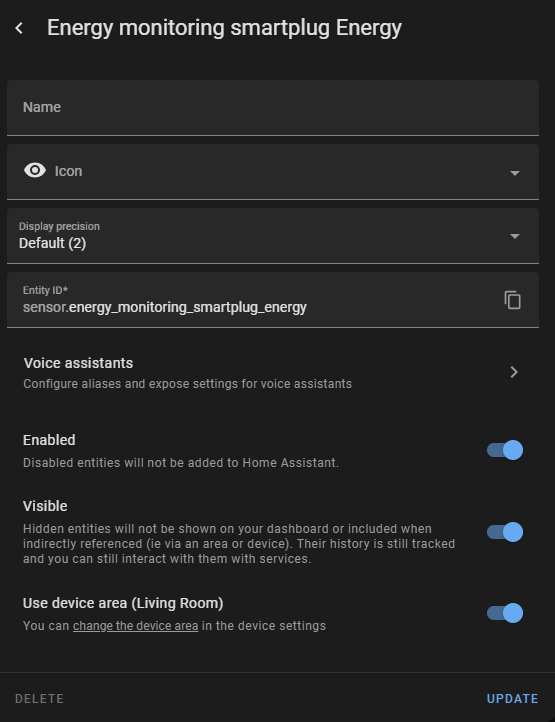

 inner mesa
Yes, that kind of automation 🙂
solid orchid
Hmm. Interesting.
One odd bit, when the other switches states are changed to off, their "Off" command CANNOT run.
inner mesa
solid orchid
Yes, but I was meaning in where a template switch can run multiple commands, so ...
If you want to create 3 more template switches, then yes, you could have each turn off the other two while turning on the new one
solid orchid
Only when ALL switches are off can any Off command run.
Webhooks,
Let me start over
I complicated things
Hi, I have a Sofabaton X1 remote, it has a webhook API call for each "Activity". (Ex: Computer, Wii, TV) but it also has an "Off" call for each, but if that is called at all, it turns EVERYTHING off, and I dont want that. I want some way to have my Google Home "Turn On Computer" or "Turn On Wii" and trigger the Webhook API command for the X1. Also if I say "Turn Off <Activity>" then I want it all to turn off.
The tricky bit is keeping track of states without accedentally triggering the off command.
Like if the current activity is TV, I want Game and Computer to appear as "OFF" and only TV to be on.
and if I switch activity, I dont want to turn the whole system off and back on, I just want it to switch.
But if I call off, then turn it all off.
Is there an object that can be passed through to google that is like a "Multi state device" or something?
 fading spade
Can somebody help me with the "None" state for template cover? According to the documentation provided here https://www.home-assistant.io/integrations/cover.template/ returning None in the value_template should render the cover's state to unknown. In my installation (template cover for garage door) it does not. It either seems to preserve the latest valid state or return closed, I am not completely sure. I have tried to return null which basically works and sets the state to unknown but also throws an error message. As a workaround I am using the availability_template which sets the state to unavailable but this does not reflect the "real" state of the garage door which should be unknown in this use-case. I've tried "none" as well, by the way.
plain magnetBOT
@silent flicker I converted your message into a file since it's above 15 lines :+1:
 silent flicker
is it possible to store the value of any of these things from this zha_event? like the command value which says rotate_left?
i tried {{ state_attr('sensor.your_zha_event_entity_id', 'command') }} but it didnt work
marble jackal
You can let a trigger based template sensor trigger on the event, and then store the command as the state
marble jackal
fading spade
Can somebody help me with the "None" state for template cover? According to the ...
What is your current YAML config
marble jackal
silent flicker
is it possible to store the value of any of these things from this `zha_event`? ...
Based on your post in #automations-archived you seem to be using an automation which triggers on these ZHA events
You can get the command using [Automation Trigger Variables] (https://www.home-assistant.io/docs/automation/templating/)
silent flicker
yeah so, i have this as my Trigger, but i want to try and keep it all contained in 1 automation, so i dont have to have 2 (one for left, another for right):
device_id: dcf0275465d389d5d0448fde4ab7b17a
domain: zha
platform: device
type: device_rotated
subtype: left
so to do that, i need to read what the zha_event is to get to command its saying
because when i look under the dev tools -> entities, there is no data for that anywhere
marble jackal
No, it's not an entity
It's a single event which is fired
You are now using a device trigger, you need to use an event trigger
silent flicker
would that be the Trigger type of Manual event ?
what i wanted to do was an Automation where it starts by me turning my aqara device left or right, and then have an if statement to determine which one it was, then do XYZ.
marble jackal
trigger:
  - platform: event
    event_type: zha_event
    event_data:
      device_id: dcf0275465d389d5d0448fde4ab7b17a
variables:
  command: "{{ trigger.event.data.command }}"
That will trigger on any ZHA event coming from the cube and will store the command in a variable called command
silent flicker
would i put that into a template sensor?
okay nvm. yeah i see that is a Manual event trigger.
would there be any way i could use command: rotate_left in the Actions of an automation? i was hoping to if/else it. if command=rotate_left do XYZ
if theres no way to reference it without creating an automation for each one, then it will defeat the purpose of what im trying to do. i was hoping to be able to just reference it somehow without having to store it into a template sensor..because doing that would still require 2 automations to perform. (left / right)
marble jackal
What I posted above is the trigger itself, and a separate variables section in which I declare the variable command
You can use that in your actions
Using choose for example
You don't need separate automations
silent flicker
i dont see that variable command when i go back to visual view. is it hidden?
marble jackal
Probably, I don't really use the GUI for automations
But you can also spare yourself a lot of work and use this blueprint https://community.home-assistant.io/t/zha-xiaomi-cube-controller/495975?u=thefes
silent flicker
gotcha so that variable you created is only usable inside that automation?
how would you then use the choose action to reference it in the condition?
edit: i think i got it: {{ trigger.event.data.command == 'rotate_left' }}
fossil venture
I need a binary sensor to be on all day if there is a scheduled event on that day. Can anyone think of a better way than this?```
template:
- trigger:
- platform: template
value_template: "{{ {{ now().day == state_attr('schedule.downstairs_vacuum_schedule','next_event').day }}}}"
id: "on" - platform: time
at: "00:00:00"
id: "off"
binary_sensor: - name: "Roborock Downstairs Today"
icon: "mdi:robot-vacuum"
state: "{{ trigger.id|bool }}"
- platform: template
The event will be nowhere near midnight, avoiding any race conditions.
marble jackal
silent flicker
how would you then use the `choose` action to reference it in the condition?
edi...
If you use the variable you can just use {{ command == 'rotate_left' }}
silent flicker
marble jackal
If you use the variable you can just use `{{ command == 'rotate_left' }}`
gotcha
marble jackal
fossil venture
I need a binary sensor to be on all day if there is a scheduled event on that da...
This should work as well (without the trigger)
template:
  - binary_sensor:
      - name: "Roborock Downstairs Today"
        icon: "mdi:robot-vacuum"
        state: "{{ now().day == state_attr('schedule.downstairs_vacuum_schedule','next_event').day }}"
Yeah but it will turn off as soon as the schedule is passed. I need the binary sensor to be on all day.
Also way too many {{}} in my template!
The shedule only lasts 30 min.
marble jackal
Ah, right, then do what you had, or use a trigger based template sensor with the get_events service call in the action section
marble jackal
fossil venture
Also way too many {{}} in my template!
Missed that
 thorny cargo
delay: "{{states('input_number.example') | int / 2 * 60}}"
yields 600.0 if i test it in developer tools, but the delay runs for much longer than 600 seconds
fossil venture
marble jackal
Missed that
Hmm. no errors but the sensor remains unknown after a restart. According to the template editor the template in the trigger should update every minute. And it is currently true in the template editor. Oh I just answered my own question. Triggers when false -> true. but it has been true since restart. Doh.
 heavy crown
Hi, is it possible to acquire the config entry id (in .storage/core.config_entries) via a template, so that I can use it in the service "homeassistant.reload_config_entry" ?
I looked here but this is not providing anything for a config_entry that I have ... so either I donot get it or it does not always work?
This is in my config_entries
plain magnetBOT
@heavy crown I converted your message into a file since it's above 15 lines :+1:
heavy crown
there is no entity nor device, hence I cannot use above
marble jackal
What kind of entity is it?
solid orchid
Is there a type of device that can be passed through to Google Home that's like a multi-select device? Say you have options a, b, c, and off, and when you select any of those options, you can trigger certain events. Like for example, a restful webhook.
marble jackal
This is something for #integrations-archived
solid orchid
Ok
 karmic sapphire
Is there a way to get a highest value and a lowest value for a sensor in a specific time frame?
lofty mason
Templates can't access history, but I think a statistics integration sensor could do that for you.
karmic sapphire
ok ill check that out, thanks!
oh that probably wont do because I would like to display the values on one of the dashboards
lofty mason
I don't follow. You use statistics integration to make a sensor.<something>_max entity. Then you can add that entity to your dashboard, or do whatever you want with it.
karmic sapphire
oh I was thinking about developer tools -> staticstics got it
lofty mason
yeah the term statistics is overloaded quite a bit with different things 😬
plain magnetBOT

Statistics
Instructions on how to integrate statistical sensors into Home Assistant.
Quality scale
IoT Class
Integration type
Documentation
Source
Issues
lofty mason
I think so, review the docs. There's a max_age parameter.
karmic sapphire
yeah
summer arch
I'm curious, can I make a sensor that iterates all light entities to get a count of lights on without needing to manually add them to a list?