#zigbee-archived
1 messages · Page 159 of 1
 sour shadow
 crude otter
i just added one to see what happens
how long does it take? and does it find/mesh on its own
sour shadow
Well, router devices will pick parents and routes as they see fit
End devices may never change parent, and will only have one
Also, nothing changes instantly
It may take 24 hours, or more, before you see any change - or it may take minutes
crude otter
so i should just add a bunch of routers to make it more robust?
sour shadow
I'm guessing that ZHA uses circles for end devices, and ovals for routers?
sour shadow
If so you have a whole two routers, compared to the many that Draxter has
Clearly you're not going to get much of a mesh
crude otter
well, its a catch-22 thing
sour shadow
If you want a mesh you need routers
crude otter
i dont want to buy a bunch of routers unless zigbee works out to be a good fit
but unless i buy a bunch of routers, it wont be good..
lol
crude otter
i guess the idea is, the network only becomes stronger with more routers
im used to wifi based stuff, and i have excellent wifi across the entire house
sour shadow
Mostly, yes, though...
If you add 20 routers in one room, it'll achieve little more than adding a couple in there (probably), and nothing much elsewhere
If you spread them around so that the whole house has a strong coverage you'll be in a good position
sour shadow
this is mine - ignore the things that claim not to be connected, that's normal for end devices

My routers are scattered around, but also placed where my experience tells me they'll provide good coverage
One, for instance, is largely central in the upstairs hall
crude otter
anything you recommend for a router device?
sour shadow
Depends ... where are you going to put it?
Sockets (and lights) make good ones, usually
Some of mine are dedicated routers (USB sticks with router firmware) because of where I wanted them
 obsidian sandalBOT
@neat pulsar Your message has been deleted as it contains a link or a domain name 'pasteboard_dot_co' that is on the blocked list because of: 'Virus detected!'.
Please re-post by removing/changing the domain name/link. Your original message has been DM'ed to you.
 neat pulsar
thinking of a way to choose between speed 1 and speed 2 with my vent (and being pretty bad at electricity logic), could this work with 2 relays ?
I draw a quick diagram to explain myself but I cant seem to find how to upload a pic to the chat
 gentle flint
Ah, this is Tuya. Tuya is a hot mess. Some tuya devices want to see the time being offered when requested and refuse to work otherwise. You also need to know what exact Data point IDs and types this particular re-branded device uses.
 fiery wasp
Posted this in #integrations-archived but told here might be better. Looks like I mightn't be alone with Tuya issues 🙂
Hi, I'm having some weird issues with some Tuya switches (TS0041) in ZHA and not sure how to debug if it's a software or hardware issue. They've been working fine for a while but one by one they've become unavailable and the hardware flashes it's LED constantly like it's in pairing mode.
The logs show the devices rejoining the zigbee network repeatedly, and at some point that stops where the time matches the "last seen" time of the device.
I tried reconfiguring in ZHA, deleting and repairing the device, but it doesn't seem to respond D:
Lots of this:
2021-11-12 04:31:52 INFO (MainThread) [zigpy_deconz.zigbee.application] New device joined: 0x6be9, 5c:02:72:ff:fe:0a:69:50
2021-11-12 04:31:52 INFO (MainThread) [zigpy.application] Device 0x6be9 (5c:02:72:ff:fe:0a:69:50) joined the network
2021-11-12 04:31:53 INFO (MainThread) [zigpy_deconz.zigbee.application] New device joined: 0x6be9, 5c:02:72:ff:fe:0a:69:50
2021-11-12 04:31:53 INFO (MainThread) [zigpy.application] Device 0x6be9 (5c:02:72:ff:fe:0a:69:50) joined the network
2021-11-12 04:31:53 INFO (MainThread) [zigpy_deconz.zigbee.application] New device joined: 0x6be9, 5c:02:72:ff:fe:0a:69:50
2021-11-12 04:31:53 INFO (MainThread) [zigpy.application] Device 0x6be9 (5c:02:72:ff:fe:0a:69:50) joined the network
Then an unavailable and constantly flashing device.
Any ideas on what the issue could be?
 dawn sable
Anyone have a guide on troubleshooting devices that seem to keep falling off the network when using ZHA? I have two specific Sengled E11-N1EA bulbs that just will not stay connected. They are in the same room as a few other Sylvania bulbs that I have zero issues with and are less then 10ft away from a dedicated router (using an extra zzh!).
 spice shoal
Is it probable that lights connected to a hue bridge and lights connected to a zha instance are colliding and causing problems for each other? 2 separate networks in the same physical vicinity
dawn sable
No Hue bridge (or other Zigbee devices that aren't a part of this netwrok). These are the only two E11-N1EA's I have, so I suspect it's some device specific quirk or maybe even a firmware bug that is causing issues.
I'm pretty sure I installed the latest firmware I could find for these already... Sengled doesn't really provide public links for download of the firmware, so it's up to someone MITM'ing their app to grab the download links.
spice shoal
dawn sable
No Hue bridge (or other Zigbee devices that aren't a part of this netwrok). Thes...
Mine was a separate question, not a response to your question 🙂
dawn sable
sorry 😦
 sterile sleet
spice shoal
Is it probable that lights connected to a hue bridge and lights connected to a z...
sterile sleet
spice shoal
Is it probable that lights connected to a hue bridge and lights connected to a z...
zigbee uses channels, do you use different ones?
dawn sable
spice shoal
Is it probable that lights connected to a hue bridge and lights connected to a z...
If they are using the same channel, it's definitely possible. I don't know if Hue has a standard default or tries to find an 'optimal' channel.
spice shoal
sterile sleet
zigbee uses channels, do you use different ones?
I actually have no idea, possible to discover what channel hue is using?
sterile sleet
yes in the app
spice shoal
Lemme look real quick then and see
sterile sleet
bridge settings, bottom in settings
sterile sleet
shouldn't be that much of an issue though, I run both z2m and hue on 11
spice shoal
I don’t see the channel in the ui..
sterile sleet
settings - extended or sth
spice shoal
sterile sleet
settings - extended or sth
hmm not seeing anything extended-like in here
maybe it's visible in the logs..
spice shoal
yeah, doc says it's the default and it seems highly likely to be on that channel
sterile sleet
its fairly easy to change channel in hue app
spice shoal
I've got some hue devices that have worked for ages without issue that have started behaving more erratic
sterile sleet
just keep all your lights turned on
spice shoal
(since adding a zha controller and devices)
sterile sleet
no need to re pair
spice shoal
right, I think I'll try that
Eventually I think I'll move the hue devices to be controlled by zha directly
lots of stuff in flux atm, got a new network controller showing up to replace my nortek, and currently have all the zha devices on a test ha instance
in the interim, I'll try to switch the hue channel though and see if it makes things better
sterile sleet
I can't, hue gradient is no-go on any other hub than Hue
spice shoal
ah, tell me more? what do you mean exactly by hue gradient?
is that a specific bulb of theirs?
sterile sleet
its a adressable light strip
you put on the back of your tv
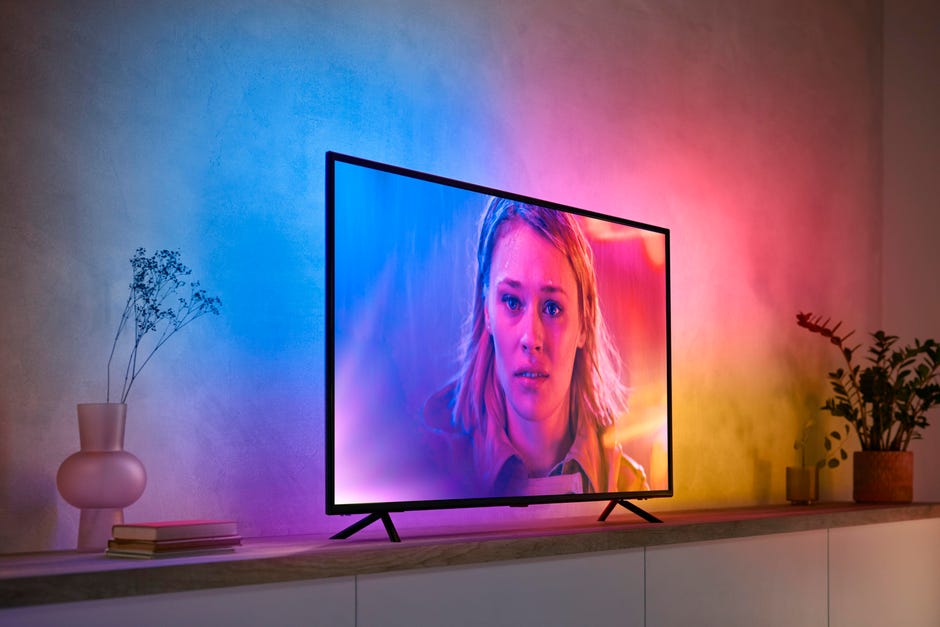
philips ambilight for any tv essentially
spice shoal
ah, just that one?
sterile sleet
yes
spice shoal
ok cool, I'm good then
sterile sleet
99% are good 😄
spice shoal
yeah, wled ftw 😉
sterile sleet
the gradient is amazing though
spice shoal
not sure about the hdmi integration though...probably some solution out there
sterile sleet
i don't really mind keeping the hub for it alone
hdmi integration?
i just use their software to control the light
spice shoal
you don't pump your video feed through the hdmi chip to have it sync with the image on screen?
sterile sleet
nope
i have a 120hz tv, the sync box craps out anyways with that
hue sync is available for pc, you can make a light show with anything connected to your hub
 austere patio
spice shoal
Is it probable that lights connected to a hue bridge and lights connected to a z...
austere patio
spice shoal
Is it probable that lights connected to a hue bridge and lights connected to a z...
Even if they share a channel, there's really no difference between two networks on the same channel and one network with all of those devices. Devices always scan before transmitting, as to not interrupt others.
spice shoal
well they appear to be colliding in some shape or form 😦
austere patio
It would only be an issue if the Hue network is generating a lot of traffic
spice shoal
I've had the hue for ages and essentially never had any issues with it
now I've got lights not turning on/off during basic time-based automations
ie: 2 or 3 times a day and they are regularly getting in a non-desired state
austere patio
Since you're using ZHA, can you enable debug logging to see why the request to the device failed? It's retried many times.
spice shoal
on the zha side, I've got a particular set of lights that seem to be worse at receiving commands...I've got a enough devices floating around (in it's network) that it shouldn't be an issue
I'm controlling the devices with some lutron picos and it's definitely not got the success rate to be a legitimate replacement for dumb lights
austere patio
Are they densely packed in a fixture? Are they in a ZHA group or just in a light group? The latter sends individual requests to bulbs and tries to make sure they all receive the command.
spice shoal
(the lutron events are firing without fail, solid connection)
the room that is the worse, has 2 fixtures, 1 with 2 bulbs (a lamp) and another with 3 (fixture in the ceiling)
each of those is grouped, so a group of 2 and a group of 3
my automations are (should be) using the groups
austere patio
What kind of group? ZHA groups use Zigbee group addressing, which is like a broadcast and may not be as reliable as sending a command to a specific bulb.
 inner gorge
gentle flint
Ah, this is Tuya. Tuya is a hot mess. Some tuya devices want to see the time bei...
inner gorge
gentle flint
Ah, this is Tuya. Tuya is a hot mess. Some tuya devices want to see the time bei...
hmm, do you know the best source for finding that? This is where I left off, and the logs look like there is an alarm state being updated but the device only shows the battery entity in HASS: https://github.com/craigjmidwinter/zha-device-handlers/blob/TS0210/zhaquirks/tuya/ts0210.py (whereas without the quirk it shows the entity for the sensor, but it's always stuck in the triggered state)
spice shoal
austere patio
What kind of group? ZHA groups use Zigbee group addressing, which is like a broa...
Yes zigbee groups
Created in the integration screen under the 'groups' nav item
are you saying I shouldn't be using group commands? my understanding is those were better to keep traffic down
 shrewd pewter
Hey,
I connected Tuya 4 gang wireless switch to Deconz with Conbee 2.
While I managed to create automations for each of the buttons, and also for long/double press, for some reason the switch has "built in" automations I can't get rid of, so even when I add my automations, it does mine and the default.
The default are turn off/on all lights, and dim up/down (each button does 1 thing)
any ideas how to solve it?
austere patio
spice shoal
are you saying I shouldn't be using group commands? my understanding is those we...
If you have only a few lights in the ZHA group, the multicast group traffic bouncing around might be worse than sending a few concurrent unicast requests to the individual lights.
austere patio
Dunno, I don't use them 😆
austere patio
Yes, those just group together the lights so that you can turn them all on/off concurrently but without using Zigbee groups
spice shoal
right, but is that purely a ui thing or is it possible to create an actual entity?
austere patio
They're combined into a single entity:
The group light platform lets you combine multiple lights into one entity. All child lights of a light group can still be used as usual, but controlling the state of the grouped light will forward the command to each child light.
spice shoal
so I think I could be getting bitten by a combination of the zigbee groups + adaptive lighting (adaptive is configured to use the groups as well)
spice shoal
austere patio
They're combined into a single entity:
> The group light platform lets you combi...
got it, thanks
the behavior seems worse when I have adaptive lighting on/enabled
not sure if it's because it's flooding the network due to the groups, or because it's hijacking the on/off calls and screwing something else up
austere patio
If it's generating a lot of traffic, that could be the case. Group addressing doesn't have acknowledgements but if the lights report state changes, those serve as implicit acknowledgements.
spice shoal
yeah, I've got ~25 lights in 7 groups
all the groups are currently added to adaptive lighting
and if adaptive lighting is sending commands to all 7 every X minutes
maybe that's a 'flood'
austere patio
I don't think the group requests bounce around for more than a few seconds at a time
spice shoal
but I'm guessing it's broadcasting to all 7 at essentially the same time (they are all in the same adaptive entity)
austere patio
That might be it
spice shoal
and it could be 'watching' for changes and triggering traffic in other scenarios as well
I'm not sure exactly how it works internally
austere patio
So unless you're seeing MAC_CHANNEL_ACCESS_FAILURE errors and your coordinator is refusing to send packets, try light groups for a few of these entities. Or, create an additional ZHA group with all of these lights.
So you send only a single group request instead of seven at the same time.
Devices can be a part of more than one group
spice shoal
yeah, I think these groups may be detrimental to my experience
putting all adaptive lights in a single group seemed to help a bit but I'm going to add trying using the ha groups for individual control and see if that helps even more
 rapid jetty
Is it possible to run both ZHA and Deconz on the same HA with the same ConbeeII stick? Reason being I have some devices that don't work with Deconz but do work with ZHA.
austere patio
rapid jetty
Is it possible to run both ZHA and Deconz on the same HA with the same ConbeeII ...
Nope
rapid jetty
How about 2 zigbee controllers on same HA?
austere patio
That would work. Might be easier to just migrate your existing devices to ZHA though.
rapid jetty
I'm mostly happy with Deconz but have a couple motion sensors that don't work in Deconz but do work in ZHA.
austere patio
Or see how difficult it would be to add support for your device to deCONZ
rapid jetty
I don't know how to add support for devices...
inner gorge
inner gorge
hmm, do you know the best source for finding that? This is where I left off, and...
Scratch that, got it working! https://github.com/zigpy/zha-device-handlers/pull/1147
 night rain
Best cheap ZigBee plug socket with energy monitoring?
sour shadow
Depends on where in the world you live...
austere patio
inner gorge
Scratch that, got it working! https://github.com/zigpy/zha-device-handlers/pull/...
Awesome! To fix the formatting issues, just run pip install pre-commit, pre-commit install (in the repo), and then pre-commit run --all-files
inner gorge
Thanks! pushing the fix
 round basin
Hi all, quick question: I currently have ZHA/zigpy in home assistant configured using a Phoscon Conbee II. What will happen to it if I replace the dongle with a new Sonoff 3.0 dongle? Will it keep the current network (and devices) on the new dongle or will it state the network is gone and create a new one? Is it possible to migrate? thx
 hearty night
I've got a number of zigbee devices setup, some lights and window sensors throughout the house, all the lights are responding on both floors but for some reason all of the window sensors on the second floor are showing as unavailable in HA
all the ones downstairs are responding
obsidian sandalBOT
The topic of this channel is:
Zigbee :bee: - please remember to mention whether you're using zha (https://www.home-assistant.io/integrations/zha), zigbee2mqtt (https://www.zigbee2mqtt.io), or deCONZ (https://www.home-assistant.io/integrations/deconz). If you're using some hub, we probably can't help you though - try the #integrations-archived channel instead.
Looking for devices? See https://zigbee.blakadder.com/ and https://www.zigbee2mqtt.io/information/supported_devices.html.
Wanting advice about what stick? Look in the pinned messages. Just don't buy anything CC2530 or CC2531 based.
Command '.topic' was invoked by: Tinkerer
sour shadow
☝️ So... which of them?
hearty night
zha
sour shadow
I'd be guessing that the second floor connects through a single router, and that router is dead
hearty night
by router you mean another zigbee device?
sour shadow
Yes, Zigbee router....
hearty night
zigbee doesn't reroute if a route goes dead?
sour shadow
Depends on the device - routers should, end devices may - some brands are known to not do so (Xiaomi for instance)
hearty night
these are all sengled, lights and sensors
sour shadow
None of those are routers, so ... hopefully you've got some other devices in there
hearty night
how can you tell?
sour shadow
Anything battery powered isn't a router
Lights normally are, but Sengled are the exception
hearty night
gotcha, everything is on batteries
sour shadow
So... you have zero routers?
That's a problem...
If your coordinator is placed in the middle of the house, and your house isn't too big, then that may work... until you exceed the maximum number of directly connected devices
What's your coordinator (Zigbee stick)?
hearty night
nortek husbzb-1
sour shadow
Not the worst... sadly I don't know what the limit is for directly connected devices
Either way - you're past the point of needing to buy some router devices
 stone halo
I feel like my zigbee buttons are a little unresponsive sometimes, i'm using an cc2651 dongle so the capacity should be there, any tips?
hearty night
any recommendation for a good zigbee light to use as a router?
sour shadow
Anything other than Sengled...
As long as you don't turn off the power
Alternatively, buy some smart plugs, or other mains powered Zigbee devices
hearty night
how long does a battery powered sensor usually run before a battery replacement? I got these like a month ago and the ones that are responding are showing 40% battery
sour shadow
Depends on a lot of things, how old the battery was when you bought it, the battery size, the sensor type, signal strength, and more
With my Xiaomi and Konke devices I expect a couple of years out of coin cell batteries
Tuya... 6 months maybe
stone halo
also does anyone use a hue sync setup without hub?
austere patio
round basin
Hi all, quick question: I currently have ZHA/zigpy in home assistant configured ...
Not automatically (yet) but you can manually transfer the network settings
night rain
sour shadow
Depends on where in the world you live...
I've looked at Blakadder, kinda looks like sengled is the only option
austere patio
austere patio
Not automatically (yet) but you can manually transfer the network settings
Install deCONZ on any computer and start it up with the Conbee plugged in. If you open up the network settings window, copy/paste the settings into this JSON document (https://paste.debian.net/hidden/c7cedfd1/) and do a network restore to the new stick https://github.com/zigpy/zigpy-znp/blob/dev/TOOLS.md#network-backup. Make sure to remove all the colons in addresses and keys: aa:bb:cc should be just aabbcc.
night rain
Does anyone know of a US plug ZHA compatible plug socket that has energy monitoring? All I've found is sengled
 molten linden
I have several of the Sengled's (newest version) and really like them.
innr just rolled out a new one with energy monitoring for the US market as well. but you can get 2 sengled for the same price.
peanut also - but you have to update the FW to get the energy and it's big.
night rain
The sengled ones are about $15 a piece, which isn't bad but definitely more than I wanna pay. I was thinking about skipping ZigBee all together and getting this cheap Sonoff one, but Ive never used Sonoff, ewelink, or tasmota, so I'm unsure of how easy it'll be https://smile.amazon.com/dp/B07YDC6D4D/ref=cm_sw_r_cp_apan_glt_fabc_T81K0GKBMAJFAM8NWR6J?_encoding=UTF8&psc=1
 tropic depot
I just got 2 of the sengled ones and I have 2 more coming… they work well. I have several updated peanuts as well and those Also work well
round basin
austere patio
Install deCONZ on any computer and start it up with the Conbee plugged in. If yo...
May I issue network_backup and network_restore using HA SSH? I use HA OS.
austere patio
round basin
May I issue `network_backup` and `network_restore` using HA SSH? I use HA OS.
It's easier to run with a second computer but you can use the OS. Scroll to the top of the page for instructions for both environments. You'll only need to run the network_restore command.
 uneven ruin
rapid jetty
How about 2 zigbee controllers on same HA?
uneven ruin
rapid jetty
How about 2 zigbee controllers on same HA?
I did that during my z2m conversion
 warm totem
Hello all,
Is there anyone else having problems with the Ikea zigbee ligths? I use zigbee to mqtt but it doesn't seem to work all the time. Sometimes I can't turn the lights off. How can I fix this issue?
Seems like my Intel Nuc sometimes doesn't get his own USB port. I always need to select it in virtualbox
Error Publish 'set' 'state' to 'Overloop spot 2' failed: 'Error: Command 0x5c0272fffe5c2200/1 genOnOff.off({}, {"timeout":10000,"disableResponse":false,"disableRecovery":false,"disableDefaultResponse":false,"direction":0,"srcEndpoint":null,"reservedBits":0,"manufacturerCode":null,"transactionSequenceNumber":null,"writeUndiv":false}) failed (no response received)'
 mystic tulip
night rain
Does anyone know of a US plug ZHA compatible plug socket that has energy monitor...
mystic tulip
night rain
Does anyone know of a US plug ZHA compatible plug socket that has energy monitor...
I have the samsung smartthings wall plug
 lilac wharf
the sengled one is good and, unlike their bulbs, they actually act as routers
 smoky hornet
After using zigbee for a couple of weeks. I almost wish some of these wireless sensors were just built into a smart plug.
Most of the plugs are already kind of wide but it doesn't seem like it would add much more to have a sensors on the end.
 blazing dagger
Anyone with an xfinity keypad know how to "trigger" it? I want it to make a noise when the door opens, to remind people to type in the code
However using alarm_trigger doesn't seem to do anything
 hallow zinc
Linkind PIR Motion Sensor, Wireless Motion Detector, Zigbee White, for DIY Use with Linkind Home Security System, Automation with Linkind Smart Zigbee LED Lights, LINKIND Hub Required (NOT Included) https://www.amazon.com/dp/B07Y9MST7Y/ref=cm_sw_r_cp_api_glt_fabc_R6AXQAZ7NAVX00KT5RDE
Does anyone have this sensor and use it with HA? I recent purchased door sensors from this company and they work fine but wasn’t sure that this motion sensor would work.
I’ve got the generic zigbee / zwave dongle for a raspberry pi that hasn’t had a problem with any device I’ve tried so far.
lilac wharf
@blazing dagger depends on what zigbee integration you're using
 scarlet bramble
@blazing dagger With zigbee2mqtt I use the exit_delay both for exit delay and arming. https://www.zigbee2mqtt.io/devices/3400-D.html
Beeps every second til I disarm the house when entering.
crude otter
i just installed another Sonoff ZBMINI and its showing up as a light.. is there a way to change it to a switch?
(im using ZHA)
crude otter
im starting to get a bit more of a mesh going on now..
ill add some more routers in the coming days
ive got 2 more on hand, 5 more on order for spares
i assume its "normal" for the battery devices to sometimes show as not connected in that view
tropic depot
crude otter
i just installed another Sonoff ZBMINI and its showing up as a light.. is there ...
Look at the ZHA docs there are instructions there
crude otter
ahh i see, i have to add it to configuration.yaml
i also have a random sensor that keeps being added, and i dont know what it actually is
its reporting as a eWeLink DS01 (Door Sensor) except i dont know which it is..
i have all of my door/window sensors already configured
ok, odd.. so i figured out what it is
and i dont remember pairing it with ZHA, ever.
tropic depot
Maybe it snuck in when you paired something else 🤷🏻♂️
round basin
austere patio
Install deCONZ on any computer and start it up with the Conbee plugged in. If yo...
for the extended_pan_id I can see nwk_extended_pan_id and aps_extended_pan_id which one? aps is zeros. nwk equals the ieee
and for network_key and tclk_seed I can see a 0x.... value, so that value should go between double quotes, including 0x ? Is tclk_seed the same of TC Link Key ?
round basin
Ok @austere patio I gave it a try without "0x", and it seems to be working! Thank you very much for your valuable direction!!! ❤️
 hardy notch
Sigh 2 first IKEA shortcut buttons connected OK to deConz, but the third won't connect. Just shows up in deconz as 0x7C0F, and it does not propagate to Phoscon and HA.
Any tips?
Is there a limit on how many ZigBee devices I can have in a network (ConBee II)?
I currently have 32 ZigBee-devices connected to the network (in addidtion to the ConBee II stick)
austere patio
hardy notch
*Sigh* 2 first IKEA shortcut buttons connected OK to deConz, but the third won't...
If you haven't put in a new battery, try that. Also try clicking buttons while it's still joining.
hardy notch
austere patio
If you haven't put in a new battery, try that. Also try clicking buttons while i...
I think the battery is OK. Red light flashes, and I have tried the click button trick.
hardy notch
Hmmm - I had to reboot the server, and then everything was OK. Happy Hippos.
 trail sorrel
Hello everyone, does anyone have any experience with connecting the tradfri button via hue bridge to home assistant? I cant seem to get it working through the tutorials on the internet.
obsidian sandalBOT
@trail sorrel Please DO NOT cross post. Read the channel description, post it and wait for folks to respond.
If you don't get any responses after an hour or more, and your message is no longer on screen, it is fine to re-post or post a link to it.
Command '~crosspost' was invoked by: Tinkerer
sour shadow
You're also in the wrong channel, you were directed to #integrations-archived for a reason
trail sorrel
@obsidian sandal sorry
I thought this would be better, since I cant get it to connect anywhere
austere patio
If anyone is interested in migrating from a Conbee/Raspbee to a CC2652 coordinator (or vice versa??), send me a PM. I'm testing out some code to do this.
smoky hornet
How does the migration work?
austere patio
Reads the network state from one, writes it to the other
smoky hornet
So you have them both plugged in at the same time
austere patio
Not necessarily, one at a time will work too
smoky hornet
Can it migrate back as well?
austere patio
If you're migrating to a CC2652, you can take a backup of its current settings before migrating and then restore it. For the Conbee, backup hasn't been implemented yet but the settings are merely copied so it's not modified in any way.
smoky hornet
I'd be willing to give it a try again. I have to take off for a bit but tomorrow might work.
austere patio
It took two USB extension cables for me to get mine running 😅
smoky hornet
A guy on reddit had the same problem as me where the sonoff 3.0 dongle wouldn't pair. He ended up removing the antenna and taking each device and physically touching the sonoff to pair it and then afterwards he added the antenna and they all worked fine.
austere patio
🤔
smoky hornet
Yeah...
That's what I was thinking
"Try joining them without the antenna attached. If you can get them close to each other, try to shield em from everything else while joining. It was not pairing for me either until I put the stick and each single zigbee device into a almost closed metal drawer one at a time. Like this joining the network worked on the first try every time."
austere patio
How is the network supposed to work if the (likely defective) Sonoff stick can't even receive the device's join request?
 tacit steppe
I am in need of some cheap ZigBee repeaters and in my haste grabbed a 4 pack of Sengled bulbs which are end device only apparently. I am looking to get a few repeaters for as cheap as possible to get from my server room in my basement to my home office in my attic. Any suggestions?
inner gorge
tacit steppe
I am in need of some cheap ZigBee repeaters and in my haste grabbed a 4 pack of ...
I've picked up 4 $15 smart plugs just for this purpose
tacit steppe
inner gorge
I've picked up 4 $15 smart plugs just for this purpose
got a link or a recommendation? or are zigbee smart plugs, by nature, repeaters?
smoky hornet
Amazon has s31 zb lite for $10 if you're in the u.s.
smoky hornet
Yeah that's it. I think you have to buy them one at a time to get that price
But you can place as many orders as you want
tacit steppe
the 4 pack lists them at $10/unit
smoky hornet
There you go
tacit steppe
thanks again, this will be perfect
 inland coral
There are also these, which are prupose made repeaters: https://a.aliexpress.com/_ms8yorY
crude otter
are the ikea tradfri signal repeaters ok?
ive heard some stories of those little tuya usb ones causing some issues
 jolly narwhal
I use almost exclusively tradfri, so yes
crude otter
cool, they are $20 AUD
jolly narwhal
That sounds expensive
crude otter
welcome to Australia.
jolly narwhal
I usually paid USD 7-10 per bulb
crude otter
yeah, the 806lm bulbs are $12 AUD
crude otter
but we only have 2 'bulbs' in the house, and they already have some wifi ones in there
i could replace them with zigbee ones i guess
jolly narwhal
ZigBee >wifi
jolly narwhal
ZigBee will always be better since it meshes and can operate even without a coordinator if needed
Need to look at why it doesn't show all my devices
inland coral
Are wall switches not always working on the first press a signal strength issue? Or could it be dodgy routers?
sour shadow
What wall switches?
inland coral
(Wall switches are battery operated end devices)
sour shadow
Brand?
inland coral
inland coral
Hmm, i have a few of these. In another room it works fine. Should be fine in this room as there are 4 router devices nearby
sour shadow
The device is likely sleeping, and not sending the message when it wakes
Not uncommon for battery powered remotes
inland coral
Interestingly in the room where it works perfectly i have the automation set to be triggered by the raw zha_event rather than device > first button pressed. Maybe that makes a difference (probably placebo)
sour shadow
Well, try it and see - it shouldn't make any difference since it's all the same under the hood
inland coral
Yeah, that one must have better signal
@sour shadow Do you have any recommendations for a reliable battery powered wall switch?
sour shadow
I don't use any, but apparently the latest generation ofXiaomi are better
Might have been on https://tech.scargill.net/ I found that, not sure
 mighty river
Anyone experiencing problems with deconz conbee II after upgrading to core 2021.11.3? It stopped working for me
sour shadow
If you're using deCONZ then updates to HA Core makes no difference
sour shadow
Sure you can, it's just not a good choice 😄
jolly narwhal
But two bad choices (both coordinator and integration) make a good one right?
-1 + -1 = 1
🥳
tropic depot
Lol
inland coral
What’s your recommended coordinator for ZHA?
obsidian sandalBOT
Buy something CC2652 based. This list is a good one, both Tube and Electrolama have been proven to have excellent customer service. The current generation of EZSP sticks (see here for some) are also a good choice for ZHA.
Anything CC2530 or CC2531 based should be avoided - they're old, slow, and only suitable for a dozen or so devices. The Sonoff ZBbridge isn't advised since it uses WiFi (built in interference), and the HUSBZB-1 uses an older chipset so should be avoided.
Command '.pickyourstick' was invoked by: Tinkerer
 mellow geode
IMO, this list should be ordered in a different way: https://www.home-assistant.io/integrations/zha/#known-working-zigbee-radio-modules
I get that it's currently ordered alphabetically but I think enough people just pick the first stick on the list (ConBee II), even though it's not the best stick for ZHA.
Maybe TI/Silabs sticks should be put before deCONZ-based sticks?
sour shadow
There's links at the bottom of the page you can use
IMO I'd put ConBee last, EZSP first, and order TI based carefully
mellow geode
So CC2530/CC2531 first 😆
 ivory hound
sour shadow
IMO I'd put ConBee last, EZSP first, and order TI based _carefully_
ivory hound
sour shadow
IMO I'd put ConBee last, EZSP first, and order TI based _carefully_
I second this
sour shadow
I'd really love a decent list/resource that allows you to see how old the chipset is - for TI stuff it's easy enough, but for EZSP not so much
austere patio
mellow geode
IMO, this list should be ordered in a different way: https://www.home-assistant....
Yeah, the ZHA docs probably need to be slimmed down and the lower level info moves into the zigpy wiki
And apparently GitHub explicitly disallows crawlers from indexing wiki pages so the zigpy wiki is effectively useless for anyone trying to find info 😅
mellow geode
austere patio
And apparently GitHub explicitly disallows crawlers from indexing wiki pages so ...
uh, that's disappointing (https://github.com/github/feedback/discussions/4992#discussioncomment-1448177)
 reef aurora
Hello again. I recently purchased a CC2531, only to realize it doesn't support too many devices and generally is worse than its adversaries. I now have Conbee II with zigbee2mqtt configured. Is there any way to use the CC2531 along with with an SBC as a range extender?
austere patio
You can flash the CC2531 with router firmware so that it doesn't require anything but power to act as a router
reef aurora
ty for the quick response
jolly narwhal
Preferably with an external antenna
reef aurora
jolly narwhal
Preferably with an external antenna
yes i have one attached
gentle flint
lilac wharf
Sounds like nothing more than a very strange coincidence
That guy could have a strong interference from something else he didn't bother to mention, like an SSD, or some wireless keyboard dongle, and antenna was picking all that noise, drawning the signal from the device. Without antenna, picking the noise and device in very close proximity they finally were able to hear each other.
austere patio
gentle flint
That guy could have a strong interference from something else he didn't bother t...
Another user with identical problems ran an energy scan (with an extension cable, USB 2.0 port, away from noise sources, etc.) and his results looked like mine if I unscrew my ZZH's antenna. Not sure if the cheap dongle is just attracting a lot more people or if Sonoff released another bad batch of coordinators.
lilac wharf
gentle flint
That guy could have a strong interference from something else he didn't bother t...
True, or even a USB 3.0 port
And/or cable
gentle flint
sour shadow
I'd really love a decent list/resource that allows you to see how old the chipse...
Because for Silabs, the chipset doesn't matter much. Even the ancient HUSBZB-1 was an ARM 32bit and gets the job done. The difference in SDKs though is significant, but event husbzb 1 could get 6.7.9.0 SDK which isn't that old. And in grand schema of things there were no major updates to ZigBee network between 6.7.0.0 EmberZNet and the latest one. Most changes were focused at the application level, meaning the ezsp protocol has little to none changes related to network functioning
 glad tendon
hey, is there someone that use zigbee micro module as toggle switch ?
inland coral
Can you link to the specific hardware?
 tulip tartan
Is there a way to update which USB port my dongle is plugged into in ZHA?
Just migrated to an SSD and had to change ports. Lost control of everything
Running dedicated HA OS, not docker
austere patio
Your radio should have been setup with a /dev/serial/by-id/... symlink so that doesn't happen
tulip tartan
I sshd in using the ssh web gui plugin and lsusb just lists numbers, not what I was expecting
The radio was auto detected and I just hit ok, it's a zzh
austere patio
Do you have more than one serial USB device plugged in?
austere patio
Enable https://www.home-assistant.io/integrations/zha/#debug-logging and restart HA. Your home-assistant.log file will contain everything necessary to figure out what the problem is
mighty river
is there any smart usb zigbee switch? the equivalent to the sonoff usb but zigbee. ZHA compatible please. thanks in advanced
or any zigbee switch that works at 5v
 raven jewel
I would love Zigbee ones, though I have to say, my WiFi ones have been rock solid
mighty river
which ones are you using?
raven jewel
Sonoff WiFi USB
mighty river
my wifi network is already too crowded..
hopefully 2 more devices won't make things too worse ^^
thanks
how have you integrated them?
did you flash them or whatever?
tulip tartan
Can I uninstall and reinstall the zha integration without losing all my devices?
My path in .storage/config_entries for the zzh is /dev/serial/by-id/, so maybe changing ports isn't my issue
austere patio
tulip tartan
My path in .storage/config_entries for the zzh is /dev/serial/by-id/, so maybe c...
You can. If that doesn't work (it'll likely fail to re-add), can you pm me the startup log or upload it somewhere (e.g. https://dpaste.org/ )?
tulip tartan
Ok. May hold off on that then. Going to swap back to the SD card for the time being. Ran out of weekend time unfortunately
 clear breach
ZHA: To change the channel for an existing network, radio has to be factory reset
What steps exactly should I do?
My CC2652P has a "reset" button on it, should I press that after adjusting ZHA conf + HA restart?
Also, while I'm experiencing issues with Danfoss Ally, I noticed that when I tried to re-pair a Sonoff SNZB-02 sensor, the Ally that was silent for a while joined the network again, by itself
Even though it was already paired and did report its status during the night, though not reliably
What could explain that?
clear breach
Just a single coordinator (CC2652P from Smartlight.me, https://smartlight.me/smart-home-devices/zigbee-devices/zigbee-coordinator-v4-cc2652p)
With its +6dB antenna
jolly narwhal
And no mains powered devices?
clear breach
All the devices are within 5 meters
No
Though from what I hear, having the stick in the Pi4's USB3 port with wifi connection enabled could cause some issues
clear breach
Apartment 😄
clear breach
Oh, yes
austere patio
The first step to forming a good Zigbee network is to move out of your apartment and into the woods
clear breach
But this "joined the network" message in the zigbee log could just be the device thinking that it's lost the network and saying hello again?
After that it responded again to the commands, too
I'm having a weird issue where the Danfoss Ally doesn't react to commands
Yet it does send in data reports
And seeminly responds to pings
austere patio
If you're reading the ZHA debug log, the periodic pings every 30s are to make sure the coordinator is still alive. If you want to change the channel, you'll have to either re-flash the firmware to clear NVRAM, or use the command line tool to directly change it by doing a backup, editing the backup JSON, and doing a restore. If you do it the latter way, you can also run a scan to see what Zigbee channels are noisy and see how much having the coordinator plugged straight into a USB3.0 port in a Pi is impacting the Zigbee radio: https://github.com/zigpy/zigpy-znp/blob/dev/TOOLS.md#network-backup (scroll down for the energy scan tool, up to the top for setup instructions)
clear breach
Can I do that scan directly on the Pi?
austere patio
That would be the best place to do it, since that's where the stick will be
clear breach
How would I go about doing that?
I see some console commands, but how/where do I enter them?
austere patio
The link in my earlier comment contains setup instructions for Home Assistant OS at the top
austere patio
Yeah, it'll just keep showing the average of the last five scans
ZHA default is channel 15
austere patio
Doesn't look like you have any serious sources of interference but a USB extension cable wouldn't hurt
jolly narwhal
Think I have my stuff on 20, need to check
That said, my zzh is directly connected to my rpi3b+ without extension cord either
Should probably fix that
 short elm
im gonna start complementing my system that is mainly zwave with some zigbee aswell now... i got an CC2652RB that i bought a while back, just wanna ask now before i start everything, is the CC2652RB still a good board or is there some newer stuff on the market that i should go with instead? might aswell make sure i got the "best" i can before i start
obsidian sandalBOT
Buy something CC2652 based. This list is a good one, both Tube and Electrolama have been proven to have excellent customer service. The current generation of EZSP sticks (see here for some) are also a good choice for ZHA.
Anything CC2530 or CC2531 based should be avoided - they're old, slow, and only suitable for a dozen or so devices. The Sonoff ZBbridge isn't advised since it uses WiFi (built in interference), and the HUSBZB-1 uses an older chipset so should be avoided.
Command '.pickyourstick' was invoked by: Tinkerer
 crimson raft
does anyone know any zigbee temp commercially available sensor solutions that I could query whether through bridge or HA rest api?
sour shadow
Sure, anything that HA supports through ZHA or Zigbee2MQTT
There's lists of known working hardware in the pinned messages
crimson raft
oh nice, I read but I was afraid that I'm reading wrong so wanted to double check
thx!
sour shadow
Generally speaking with HA you only have to ask Does HA support X - if HA supports that device then it's just another thing in HA
crimson raft
and whatever data HA receives it exposes through rest aswell?
sour shadow
Sure
crimson raft
that's so sweet..
sour shadow
Though if you're using Zigbee2MQTT all that data is in your MQTT broker
At that point you can cut HA out of the loop
crimson raft
right, well onto the list I go then! thx for the help
 vestal atlas
There is a new DEV z2m z-stack fw out the oven https://github.com/Koenkk/Z-Stack-firmware/blob/develop/coordinator/Z-Stack_3.x.0/CHANGELOG.md
Have sometime tried it out yet?
jolly narwhal
Think I'm still on 20210120
 uncut cosmos
Hi, I've been using HA for a while now, and am getting mixed results when trying to work out my RGB bulbs.
I started with ZHA, with a hacked silvercrest controller. The LIDL/Livarno RGB bulbs did not work, and only displayed some color temperature and intensity. I eventually bought a CC2652, and installed zigbee2MQTT and a MQTT broker (All on synolgy nas btw). Now I was able to send a color signal to my christmas lights, but am still not able to send working color commands to my RGB bulbs. Also, google assistant cannot send the color command to the christmas lights.
My system is based on the Docker HA image on the Synology NAS. (So no supervisor, and no zigbee2mqtt app). Would it make my life easier if I swap to a raspberry pi, and use Supervisor? (I have no clue what it will bring, and if it's worth setting up a new system)
In short: I can't set my Lidl/Livarno/Tuya bulbs in RGB mode, how would I be able to do that?
inland coral
Swapping over to supervised HA should not make a difference with controlling your lights.
What does make a difference is that some Zigbee coordinators (usb dongles or hubs) don’t work well with some devices and some integrations (ZHA/Zigbee2MQTT)
sour shadow
I've got one of their LED strips, works fine with Z2M on a CC2652 and HA. However version numbers of both will matter.
 silent path
hi i am all new in this home assistant, do anyone now where or know someone who can help me connect with zigbee to danfoss ally thermostat.
I have a Popp ZB shield on a Raspberry pi
sour shadow
Are you using ZHA?
uncut cosmos
inland coral
Swapping over to supervised HA should not make a difference with controlling you...
The problem is that I now have used two systems (ZHA with the Silvercrest controller, and Z2M with the CC2652). Both systems tell me that the devices are supported. But I got (almost) the same problem on both systems for the RGB bulbs.
clear breach
Put the CC2652P on an extension cable, energy reading changed from https://imgur.com/a/dYMCu44 to https://imgur.com/a/l9Z0lCF
clear breach
Is LQI >50 <70 too low for reliable communication?
clear breach
And is it normal to never see an RSSI value?
clear breach
ZHA + zigpy-znp (CC2652P)
sour shadow
Not sure about that, but it may not be exposed by all devices
clear breach
I just don't get why my Danfoss Ally won't respond most of the time to commands
silent path
is it only me there get 502: bad gateway when try to zigbee2mqtt
vestal atlas
clear breach
I just don't get why my Danfoss Ally won't respond most of the time to commands
I have no experience with it, but as it's a battery powered device maybe it sleeps to save power?
austere patio
vestal atlas
There is a new DEV z2m z-stack fw out the oven https://github.com/Koenkk/Z-Stack...
TI's Z-Stack changelog looks interesting, they may have fixed a few big bugs
mellow geode
Wasn't 1527 IEEE_addr_rsp responds with corrupt IEEE address a long-standing issue?
austere patio
It might be a fix for the NVRAM corruption bug that caused them to be stored that way in the first place
mellow geode
That would be nice
 azure tinsel
Im looking for a small nice looking device that shows temperature and humidity and can control like a thermostat. the only problem is. i want it to work as a seperate device so not connected to a heater but just report the temp to HA. the only zigbee devices i can find are all regular thermostats. Do these things exist as a standalone device?
inland coral
So, you want an on/off switch with a thermometer?
sour shadow
There's some with a local display in the pinned lists
azure tinsel
i want a device like thishttps://www.amazon.nl/Xiaomi-elektrische-thermometer-temperatuur-luchtvochtigheid/dp/B083Y1D8WB/ref=asc_df_B083Y1D8WB/?tag=nlshogostdde-21&linkCode=df0&hvadid=454824867481&hvpos=&hvnetw=g&hvrand=6176704290688385243&hvpone=&hvptwo=&hvqmt=&hvdev=c&hvdvcmdl=&hvlocint=&hvlocphy=9064814&hvtargid=pla-1090269309992&psc=1 but with a temp up and down button that only reports these states over zigbee
basically a normal thermostat but one that dont need to be connected to a heater
inland coral
You don’t need to connect a thermostat to a heater. You can just have it connected to a power cable
azure tinsel
If thats the case then i could use any of them. as long as they dont give an error when they dont get communication back
inland coral
Heaters dont communicate back. All a thermostat is, is a thermometer and a switch that switches the heater on and off 😄
azure tinsel
well thats not really true our CV even communicates the state back and when an error occurs or when it is on and off. its with the opentherm protocol there is a communication back and forth between thermostat and the heater. in dutch called CV. not sure if thats heater in english
azure tinsel
you could search for opentherm to learn more. basically almost all nefit and remeha heaters in holland use this protocol
but now i need one that does what you have lol
preferable zigbee
inland coral
Can confirm these work when just connected to power:
https://a.aliexpress.com/_mLKwj22
 analog lark
Pulling my hair out. Novice to MQTT. Switched to a CC2652P adapter and now I have a pile of older Jasco GE Enlighten dimmers that refuse to complete interviewing. I flashed the most recent firmware to the coordinator but no joy. Does anyone have any suggestions?
 stable bough
Hello! I've connected an ikea tradfri through Zigbee2MQTT, but when i set the lowest temperature it is still yellow and not cold white, how can i get the lamp goes lower on home assistant?
sour shadow
What if you control it using Z2M's UI?
stable bough
sour shadow
What if you control it using Z2M's UI?
Which UI? I have a tablet on my wall with Home assistant so i would prefer in this way
sour shadow
Zigbee2MQTT has its own UI
If you can get the white you want there, then that tells us the problem is between Z2M and HA
If you can't, then there's nothing HA can do
stable bough
how can i access the z2mqtt interface?
analog lark
@sour shadow Any thoughts at all on my above question?
obsidian sandalBOT
@analog lark Generally, don't tag people to ask for help - it comes across as bad manners, you’re demanding somebody answers you. It’s different if you’re thanking somebody, obviously. If you do tag somebody keep it polite and respectful. Remember that everybody is a volunteer, and nobody has to help you, and people may block you.
Similarly, please don’t DM (direct message) people asking for help. It also comes across as demanding, and means that others can’t learn from what you do.
Finally, please keep tagging people in replies to a minimum. That too can become annoying very quickly and should be used only when it's necessary (such as if it's been a long time, or there's multiple conversations going on). When using Discord's new Reply feature it defaults to pinging the person you reply to, click @ ON to @ OFF to stop this - on the right side of the compose bar.
Command '~tagging' was invoked by: Tinkerer
analog lark
10-4.
sour shadow
If I was going to answer, I would have...
analog lark
My apologies. I wasn't aware of that piece of etiquette.
austere patio
Do they join the network at all?
stable bough
@sour shadow Invalid config for [frontend]: [port] is an invalid option for [frontend]. Check: frontend->frontend->port. (See /home/homeassistant/.homeassistant/configuration.yaml, line 34).
analog lark
I can see them. They get the red X ad say the interview wouldn't complete.
sour shadow
stable bough
<@!332579266623438848> Invalid config for [frontend]: [port] is an invalid optio...
Z2M's configuration.yaml... not HA
austere patio
Not too familiar with Z2M but check out the debug logs, there should be more information as to what exactly failed. Have you tried powering the switches off completely before joining them again?
analog lark
austere patio
Not too familiar with Z2M but check out the debug logs, there should be more inf...
I tried installing a couple of new ones that have never seen a network before. Same deal. They also say unsupported.
But they were working fine prior to changing adapters.
austere patio
Check out the debug logs. They should say why Z2M thinks they're unsupported.
stable bough
sour shadow
Z2M's `configuration.yaml`... not HA
Done and restarted zigbee but seems I can’t see the webpage on 8080
sour shadow
If you're using add-ons then you may have to do other things to make it work
I don't use them, don't know
stable bough
Ok now it’s working
https://ibb.co/YfWDRNB @sour shadow
The color temp default minimum is 250
I tried to put manually 100 inside, but it’s still 250
But the thing is, the isn’t still at maximum cold white as I see on ikea shop
Any idea?
austere patio
Mine don't go lower than ~250 mireds
And this is sending a raw ZCL command to the bulb. Are you sure you weren't looking at RGB bulbs?
stable bough
Yeah I’m sure that not was RGB
sour shadow
My Tradfri bulbs go from 250 to 454, and 250 is pretty cold
stable bough
Can you send me a photo of your tradfri 250?
sour shadow
Not right now... maybe tomorrow
mellow geode
stable bough
Can you send me a photo of your tradfri 250?
Which TRADFRI light do you have?
My TRADFRI lights also go from 250 to 454.
250 is cold (but also a little green-ish?)
stable bough
I have one question I have the bulb with the remote if I connect the remote, the bulb disappears from zigbee?
austere patio
If you connect the bulb to the remote by bringing them too close together, the remote resets the bulb and they form a separate network. You should instead join the remote to your Zigbee network as an end device.
stable bough
It is also possible to connect the remote to zigbee?
austere patio
I've only used the old dimmer but if you hold the button for a few seconds, it does the touchlink reset (the thing you don't want). If you press it quickly five times, it searches for a network as a normal end device.
stable bough
Anyway I tried with the remote and seems the same white of home assistant but I’m pretty sure that in the shop the white was similar to a white/blue 😅
austere patio
It may have been an RGB bulb that they put in by accident. I believe they also are color temperature controllable, in addition to RGB.
austere patio
I found them not very bright compared to their color temperature and dimmable bulbs
mellow geode
Yeah. I have one of the older RGB lights. Doesn't even accept "color temperature commands"
Oh, and the colors are all way off too.
stable bough
I have buyed the new one with 1055 lumens
Also I have a problem now after I set the lamp to the remote controller I want to connect it back to zigbee but when I reset the lamp they blink but doesn’t appear on zigbee or home assistant the permit join is enabled
sour shadow
You can in the service call, but otherwise no
smoky hornet
Not sure about which space to ask this in, but can you only have one light group?
I guess I can use regular groups
austere patio
You can have multiple. If you re-order the keys to put name first, it might make more sense:
light:
  - name: Kitchen Lights
    platform: group
    entities:
      - light.kitchen_ceiling_lights
      - light.kitchen_under_cabinet_lights
      - light.kitchen_spot_lights
      - light.pendant_lights
Ah got it. The platform: group is what I was missing.
 stiff void
Does anybody know why my zigbee devices(ikea switches and lights) are visible (and working) in de deconz add-on but I can't see them in the entity or devices tab in home assistant it self?
I tried restarting the add-on and even a full restart of my raspberry pi but no luck.
 tiny timber
Hey all, my lock appears to no longer be communicating properly lock.frontdoor: Error with unlock_door: [0xcf0f:1:0x0101]: Message send failure. It still appears in the network map fine however.
Anyone got any ideas why this would be? The battery on it has just dipped below 20% for the first time since we've owned it in almost 2 years. Could it be going into some deep sleep mode?
Additional details: ZHA, Yale YRD-256, Conbee II controller.
austere patio
Have you tried changing the battery? Some devices don't communicate as reliably when the battery gets low.
tiny timber
Not yet, no. Just wasn't sure if that error message indicated something specific.
austere patio
It just means that the Conbee sent a message to the lock and the lock did not respond
tiny timber
Cool, definitely sounds like could be a battery issue then. I also currently still run both Hue and ZHA networks. Would it be worth getting rid of Hue and moving it all to ZHA to prevent comms issues?
austere patio
I don't think having two networks will cause interference issues that won't be present with one large network, you'll just lose out on the routing and range benefits of having one large network
tiny timber
OK, good to know. I don't really have routing issues as I picked up 3 sockets for the Conbee network in a fairly small house.
While Hue is all routers, being all bulbs (and a few dimmers).
stable bough
There’s is a list of zigbee lamp with recovery state?
austere patio
Zigbee 3.0 defines power-on behavior attributes so you should be able to control power-on state of switches and lights that are 3.0 certified
crude otter
got myself some tradfri bulbs today, and they are connected and working with ZHA... the bulbs came with some remotes though. are they usable also?
clear breach
Which remote is it?
Most likely it should be usable, yes
Since it also uses Zigbee to connect to the gateway/coordinator
 daring spear
Hey, I currently have a philips hue bridge and some lamps and switches. I want to expand my home assistant with even more bulbs, sensors etc but I do not want to limit myself to only philips hue.
So, my question: If I want to buy Aqara door sensor, what do I need to buy in addition to this?
Bonus question: I don't really understand the difference between Conbee ii, Zigbee2mqtt, deConz, ZHA etc.... Can anyone explain it like I am five?
sterile sleet
where do you live?
crude otter
@clear breach some 4 button thing included with the bulbs
if i put it in pairing mode, ZHA finds it, but has "unknown" for the battery, and it doesnt seem to fire off zha_events
I see its using a quirk... Quirk: zhaquirks.ikea.fourbtnremote.IkeaTradfriRemote
clear breach
Quick look on the net shows up with this: https://community.home-assistant.io/t/zha-ikea-four-button-remote-for-lights/347657
daring spear
@sterile sleet I live in Sweden
sterile sleet
so first off: you need a manufacturer independet „coordinator“
your coordinator until now is your hue hub
when you buy a generic zigbee stick it usually can handle all the zigbee devices you throw at it
clear breach
Can be both a generic USB stick or a flashable separate device (some are flashable using Tasmota, for example)
sterile sleet
but be careful, there are poor choices when deciding on which stick to buy
clear breach
After which they are also "independent"
crude otter
i was impressed by the price of the sonoff one
it seems to have gone up to $10.99 now.. i paid $9.90
jolly narwhal
I've bought two sonoff products in my life, they are still in boxes
crude otter
this stick doesnt come with ewelink firmware or anything though
its... odd
hmm, just plugged in one of these ikea signal repeaters, and things have pretty much instantly routed to it
daring spear
thanks, I understand it a bit better now. What do you think would be the easiest setup for me? I have tech knowledge but time is limited so ease of use is kinda important
vestal atlas
@crude otter +shipping. And 1 month delivery to the nordics via the cheapest shipping option 😅
crude otter
@vestal atlas i paid DHL for.. whatever it cost
daring spear
I want to buy aqara or Ikea sensors etc and just have them work within 5 minutes
crude otter
still better than other options for me in Australia
jolly narwhal
With zigbee2mqtt it takes me 15 seconds to unbox and pair a aqara or tradfri 🙅♀️
 jovial aspen
Similar with ZHA
crude otter
im going to try and pair these 4 button remotes again soon
jovial aspen
Have never tried tradfri stuff
Aqara and Sonoff kit is generally pretty reliable
Though the SNZB-03 motion sensors seem to chew through batteries compared to their Aqara counterparts
crude otter
thinking where to place this other ikea signal repeater
@jovial aspen ive yet to replace the batteries in my motion sensors
(sonoff)
jolly narwhal
Yeah, I have hacked my aqara sensor for 1s motion, and it still has the same battery 18 months later
jovial aspen
I’ve replaced 3/4 of mine and they’re only a few months old
crude otter
hmm, actually.. how is that still working? i removed the old sonoff hub..
and i havent repaired the motion sensor with ZHA
hmm, perhaps i did.. zigbee is black magic anyway.
daring spear
So Zigbee2mqtt and ZHA are just two different ways of connecting the zigbee controller I ultimately chose to Home Assistant, or?
jolly narwhal
Yes
daring spear
Cool, thanks. So now I just have to pick a controller that can work with these and that I can buy in Sweden
sterile sleet
take note of the supported devices, zha and z2mqtt do not support all of them
a conbee certainly does not work with z2m and also has poor support in zha so stay away from that
vestal atlas
daring spear
Cool, thanks. So now I just have to pick a controller that can work with these a...
Doubt you'll find something in Sweden, closes is from Germany I think
daring spear
vestal atlas
Doubt you'll find something in Sweden, closes is from Germany I think
Thats fine, pretty fast shipping either way
sterile sleet
daring spear
sterile sleet
https://shop.electrolama.com/collections/usb-rf-sticks/products/zzh-multiprotoco...
So would this guy be more or less plug and play to my home assistant server? Apart from having to setup z2m or ZHA then
No fiddling around with code just to get the actual stick to work before I add it in HA?
sterile sleet
it sure works plug n play with z2m, not sure about zha
inland coral
sterile sleet
a conbee certainly does not work with z2m and also has poor support in zha so st...
Got a conbee 2 with ZHA with 20-odd various devices. Never had an issue.
sterile sleet
did they fix the driver issues?
anyways, I can only recommend conbee for deconz, thats what it was always intended to work with
inland coral
Not sure, mine worked fine out of the box. I have a bunch of different devices from aliexpress. I recently updated the firmware on the conbee too, but havent noticed any difference in performance
stable bough
Any alternative instead of buying tradfri? I don’t like the cool white I will like to have one more blueish. Also with low consumption
clear breach
Huh? Don't like cool white, but would like to have even cooler white?
inland coral
Haha, well the philips hue lightbulbs are really good, if you can afford them
If not. Most zigbee bulbs on aliexpress work fine
@stable bough These work fine, have colour, warm and cool light
https://a.aliexpress.com/_mtcCEbC
crude otter
i cant for the life of me get this ikea "shortcut button" to work with ZHA
whenever i add it, i get "Unknown" as the battery percentage.. and no events fired with zha_event
vestal atlas
stable bough
Any alternative instead of buying tradfri? I don’t like the cool white I will li...
Hue all the way. They have amazing color temperature, so much more natural looking than trådfri.
stiff void
Does anybody know why my zigbee devices(ikea switches and lights) are visible (and working) in de deconz add-on but I can't see them in the entity or devices tab in home assistant it self?
I tried restarting the add-on and even a full restart of my raspberry pi but no luck.
stable bough
vestal atlas
Hue all the way. They have amazing color temperature, so much more natural looki...
Which one have lower power consumption? Because seems that tradfri new model consume even less.
Yes I don’t like the cool white of ikea tradfri it’s still yellowish
For my personal opinion ofc
stable bough
Yes exactly
clear breach
What's the temperature, if you happen to know?
stable bough
I tried osram smart+ they’re really nice but doesn’t have the resume state after goes offline and also they’re Consuming a lot
clear breach
Low lumens per watt?
stable bough
clear breach
What's the temperature, if you happen to know?
From 6k kelvin for me it’s ok
stable bough
clear breach
Low lumens per watt?
No I mean , do you know the label of energy efficiency? It’s G I think the new tradfri are E
8.5W for 1055 lumen
Something like that the tradfri
And consume around 0.5W in standby mode
clear breach
Ah right, it only goes to 4000K
clear breach
Yeah, on the contrast, I only use ~3000K bulbs at home
 static spear
the trafdir motion sensors cost only 10€ by ikea
clear breach
Sure, they look slightly too yellow during the day, but at night it's just right
static spear
static spear
the trafdir motion sensors cost only 10€ by ikea
and works good with zibee2mqtt wirh conbee2
stable bough
clear breach
Sure, they look slightly too yellow during the day, but at night it's just right
So you think I have just to train my eyes to like it?
clear breach
That's entirely up to You
But if You do take that route, I also recommend tuning your displays too
Otherwise every display will look very cold
 violet dagger
forcing yourself to like something.... not really a solution
clear breach
Color temperature is a relative thing, if everything surrounding is using warm, your eyes/mind will adjust and it will look normal in a bit
stable bough
Yeah I’m just asking because seems is impossible to find a zigbee lamp that have almost the same consumption of tradfri but have 6000K and support zigbee power state after off
violet dagger
in my home, bathrooms have 6000k lighting everything else auto adapts with adaptive lighting
stable bough
violet dagger
in my home, bathrooms have 6000k lighting everything else auto adapts with adapt...
Which lamp do you have
violet dagger
not zigbee 😄
stable bough
Shit 😂
violet dagger
standard lamp with a smart switch
violet dagger
better availability but you lose out on color temperature adjustment
stable bough
Yeah of course
What about Müller-Licht Tint as lamp?
Deal: tint Müller-Licht Smart LED Light Bulb E27 Bulb Shape White (White Tones 2700-6500K) Dimmable 9W Replaces 60W Lamp Zigbee Works with Alexa https://www.amazon.de/dp/B07CRNT25W/ref=cm_sw_r_cp_api_glt_i_dl_86CJHJ1DYA3J8W9PZ9WR?_encoding=UTF8&psc=1
The only thing that seems they are 806 linen
Lumen
It is enough to light a room?
violet dagger
rooms do come in different sizes
inland coral
Weird how some of these lightbulbs have E/F energy ratings, while some have A+. They are all around 10W and give out around 1000lm. What gives
short elm
im trying to get started with zigbee.. what does "Ext Pan ID" and "network_key" do? i'm useing zigbee2mqtt addon but i think this is general zigbee stuff right?
also is there anything i should think about or do before i start adding devices?
austere patio
short elm
im trying to get started with zigbee.. what does "Ext Pan ID" and "network_key" ...
Drawing parallels between Zigbee and WiFi, the Extended PAN ID is like the unique BSSID. The PAN ID is the WiFi network's name. Network key is the...network key: it's sent to joining devices when you permit joins and encrypts traffic the rest of the time.
Make sure to randomly generate the PAN ID, Extended PAN ID, and network key. You do not gain anything by using the Z2M default network key.
short elm
thanks, that perfectly awnsers my question, because the default network key and pan id looked abit to "easy" or how you wanna put it and it said devices need to be repaird if changed so
best to do it before i start adding 😄 thanks alot!
 ocean cloak
Not sure if this is the right place to ask, but how does zigbee compare to wifi devices in terms of reliability? I'm just getting into smart stuff and got some bulbs that are wifi and they've been a little flaky
I know a big benefit of zigbee is power consumption so I'd probably go with zigbee for other devices that will be running on battery
But bulbs are powered so that doesn't really factor in there
inland coral
Zigbee creates a mesh network between devices, so the more mains-powered devices you have, the better and more reliable the network
stable bough
inland coral
Weird how some of these lightbulbs have E/F energy ratings, while some have A+. ...
How is possible
OSRAM Smart+ LED, ZigBee Lamp with E27 Socket, warm white to daylight (2000K - 6500K), dimmable, Directly compatible with Echo Plus and Echo Show (2. Gen.), Compatible with Philips Hue Bridge https://www.amazon.de/dp/B074PZKX4K/ref=cm_sw_r_cp_api_glt_i_6Z61BWZR2099F2VS9JVB?_encoding=UTF8&psc=1
Why this one is G
And is 8.5watt like ikea tradfri?
ocean cloak
inland coral
Zigbee creates a mesh network between devices, so the more mains-powered devices...
Well I just meant in general how reliable is it vs wifi or is it pretty much the same? I don't have that big of a place anyways
inland coral
Similar in my experience. Works 98% of time 😛
 brave cedar
hi all, quick question. Is there a way to force a zigbee mesh update so that the mesh is rebuild?
I'm using ZHA with a tx coordinator. The one with the lama (can't come up with the correct name)
I have over 25 main powered devices and 25 battery powered devices
but the last 2 days a lot of my main powered devices have no connection
and I have a lot of errors in the core log that devices can not be reached
austere patio
Try rebooting the mains-powered routers
brave cedar
and warnings that main powered sockets are taking over 10 secs to retrieve the data
ah easier said then done, most of them are Niko socket that are in wall mounted
I'll power cycle the few zigbee lamps I have
austere patio
Enabled https://www.home-assistant.io/integrations/zha/#debug-logging and see what error codes are being generated when the coordinator tries to contact devices
brave cedar
this the coordinator btw https://www.tindie.com/products/electrolama/zzh-cc2652r-multiprotocol-rf-stick/
okay I'll enable debug and do a reboot
okay debug is speewing debug messages, most of them are retries whom then fail like:
2021-11-16 20:17:39 DEBUG (MainThread) [homeassistant.components.zha.core.channels.base] [0xA32C:11:0x0006]: failed to get attributes '['on_off']' on 'on_off' cluster:
2021-11-16 20:17:39 DEBUG (MainThread) [homeassistant.components.zha.core.channels.base] [0xA32C:11:0x0006]: async_initialize: retryable request #2 failed: . Retrying in 0.8s
2021-11-16 20:17:39 DEBUG (MainThread) [homeassistant.components.zha.core.channels.base] [0xA32C:11:0x0300]: failed to get attributes '['color_loop_active', 'current_x', 'current_y', 'color_temperature']' on 'light_color' cluster: Request failed after 5 attempts: <Status.MAC_NO_ACK: 233>
2021-11-16 20:17:39 DEBUG (MainThread) [homeassistant.components.zha.core.channels.base] [0xA32C:11:0x0300]: async_initialize: retryable request #3 failed: Request failed after 5 attempts: <Status.MAC_NO_ACK: 233>. Retrying in 3.0s
2021-11-16 20:17:39 DEBUG (MainThread) [zigpy.zcl] [0x3f96:1:0x0b04] ZCL deserialize: <ZCLHeader frame_control=<FrameControl frame_type=GLOBAL_COMMAND manufacturer_specific=False is_reply=True disable_default_response=False> manufacturer=None tsn=116 command_id=Command.Report_Attributes>
or
2021-11-16 20:20:34 ERROR (MainThread) [homeassistant] Error doing job: Task exception was never retrieved
Traceback (most recent call last):
File "/usr/local/lib/python3.9/site-packages/zigpy_znp/api.py", line 435, in request_callback_rsp
return await callback_rsp
asyncio.exceptions.CancelledError
During handling of the above exception, another exception occurred:
Traceback (most recent call last):
File "/usr/local/lib/python3.9/site-packages/zigpy_znp/api.py", line 435, in request_callback_rsp
return await callback_rsp
File "/usr/local/lib/python3.9/site-packages/async_timeout/init.py", line 55, in aexit
self._do_exit(exc_type)
File "/usr/local/lib/python3.9/site-packages/async_timeout/init.py", line 92, in _do_exit
raise asyncio.TimeoutError
asyncio.exceptions.TimeoutError
austere patio
Those are for ZHA. If you can, filter out the ones that look like Request failed (...), retry attempt ... of .... .
Or upload your log somewhere/PM it to me
 brittle summit
Hi! I have used ZHA and ConBee II on VMware ESXI for some time. Suddenly ZHA says "Failed to set up". All devices are offline. Have tried to restart vmware-host, change usb-port, remove and add ConBee as USB-device on the VM - no luck. Did a clean installation of HA, just added ZHA, and it works. As soon as I restore backup, its broken again
austere patio
Enable https://www.home-assistant.io/integrations/zha/#debug-logging and see what the error message is in your home-assistant.log file
brittle summit
austere patio
Enable https://www.home-assistant.io/integrations/zha/#debug-logging and see wha...
I'm on it
short elm
the zigbee2mqtt settings advice to use channel 11, 15 or 20... i thought wifi channels only ranged to 14?
austere patio
Zigbee and WiFi don't use the same channels
Their frequencies overlap but that's about it
short elm
oh, couse i was told to use a wifi scanner to see wich channel where least traffic
obsidian sandalBOT
@brittle summit posted a code wall, it is moved here --> https://hastebin.com/hivigezuma
brittle summit
brittle summit
I'm on it
Not sure if you got it, but: https://www.toptal.com/developers/hastebin/hivigezuma . Something like that?
auto-move to hastebin was pretty awesome 🙂
austere patio
short elm
oh, couse i was told to use a wifi scanner to see wich channel where least traff...
https://github.com/zigpy/zigpy-znp/blob/dev/TOOLS.md#energy-scan will tell you exactly, though you can estimate with a WiFi scanner and https://img.community.ui.com/5f743aa0-9c43-44fb-8889-afd9eccba833/comments/d1ae2c9e-9162-47e2-abcc-12e54862b200/82ccb020-c270-45fc-995c-f837ada4f9c3
austere patio
brittle summit
Not sure if you got it, but: https://www.toptal.com/developers/hastebin/hivigezu...
That's odd. Did you change anything in /config/.storage/?
short elm
ooh ok, i took 15 wich should be good then couse wifi channel 1 - 6 where pretty low traffic so
brittle summit
austere patio
That's odd. Did you change anything in `/config/.storage/`?
No, the first time I was in the .storage directory, was after it stopped working, and I checked in core.config_entries, and confirmed that this was the same as I can see under "hardware": "path": "/dev/serial/by-id/usb-dresden_elektronik_ingenieurtechnik_GmbH_ConBee_II_DE2418596-if00"
austere patio
What does /config/.storage/zha.storage look like? Should be something like this:
{
    "version": 1,
    "key": "zha.storage",
    "data": {
        "devices": [
            {
                "name": "dresden elektronik ConBee II",
                "ieee": "00:21:2e:ff:ff:07:57:8e",
                "last_seen": 1636517720.828483
            },
            ...
        ]
    }
}
Hmm. Can you zip it up and PM it to me?
short elm
"While pairing, keep the bulb close to the coordinator (adapter)." how the hell am i supposed to do that, the light is mounted in the kitchen and the zigbee dongel is 1 floor down -.-'
austere patio
Where'd you read this?
short elm
the pairing guide for my ikea tradfri light on zigbee2mqtt io page
austere patio
You should be able to permit joins for your entire network and join it in its fixture
short elm
ok so if i understand correctly i should put "permit join" to true on zigbee2mqtt and then press the pairing button on my zigbee light?
austere patio
You'll have to do the annoying off/on procedure six times but yes
short elm
and once im done with adding my devices i turn off permit join again
wait what? on/off 6 times?
austere patio
IKEA bulbs (at least the ones I've seen) don't have any buttons. You turn them off/on six times to reset them. There are videos online.
short elm
that will disconnect my remote wont it? so i have to repair the remote after its been added to zigbe2mqtt then?
austere patio
If you joined the remote straight to the bulb, they form a separate network. You can instead join the remote and the bulb to your Z2M network.
short elm
my god this is messy maby i should just stick with zwave only 😅
crude otter
none of my ikea remotes work properly
they all report "Unknown" for their battery, and dont seem to generate any events when pressed
jovial aspen
Turns out one of my Sonoff contact sensors crapped out two days ago and now it won’t reconnect
Zigbee is a fickle mistress
austere patio
Have you tried changing its battery?
jovial aspen
Yep
 sonic orbit
Hey all - having an issue with zigbee2mqtt. I had a network working previously but my HASS box had a catastrophic failure. Since setting everything back up, I can't get any of my battery devices to connect to the network. All my outlets work fine, but battery sensors don't appear at all when allowing join. I've tried factory resetting the sensors, as well as replacing batteries. Any idea on a starting point here? This is all on the original zigbee stick (sonoff zigbee 3.0 dongle plus) and all Sonoff zigbee sensors, SNZB-01 02 03 etc
jolly narwhal
jovial aspen
Zigbee is a fickle mistress
No, it's just sonoff that is a fickle SOB
😆
azure tinsel
i have around 48 router devices and 56 end devices on my zigbee network at the moment. Im planning on buying 13 more smartplugs (routers) and around 20 more end devices. will my CC2652P2 with ethernet from tube's website be able to run all these? What would be the max?
azure tinsel
ok thanks so around 200 devices
jolly narwhal
at least
sour shadow
200 Zigbee 3.0 devices, 100 normal routes to many devices, 200 source routes to many devices
You'll run out of money first
crude otter
so i have an IKEA "FYRTUR" roller blind here... i believe it comes 'paired to the remote' out of the box
so in pairing it with ZHA, that pairing to the remote will be lost, yes?
can i then pair the remote back to the blind, or do i have to pair the remote to ZHA also?
sour shadow
You either pair the remote to the blind, or to ZHA
crude otter
so i can pair the blind to ZHA, and the remote to the blind?
or do both have to be paired to ZHA?
sour shadow
Up to you really - do you want the remote to do more than control the blind?
crude otter
and i assume there is a way to set the 'limit' for the up/down?
nah, i just want the remote to control the blind
i guess the question is.. does pairing the remote to the blind remove the blind from my ZHA network?
crude otter
so that sounds like i should pair both the remote and the blind to ZHA
jolly narwhal
I do no binding in any devices
Everything is connected to z2m
and I do stuff in HA
crude otter
you can also 'bind' devices in ZHA in groups... is that kinda the same thing?
jolly narwhal
same but different
crude otter
will i need to make an automation or similar to make the remote control the blinds?
jolly narwhal
yes
crude otter
ok, i can deal with that i think.. so the last thing will be setting the 'top' and 'bottom'... but i assume thats done on the blind itself, not in HA
jolly narwhal
No idea
crude otter
i guess im going to find out soon enough
crude otter
so if i wanted to control the blind with the remote, should this be an 'automation' or a 'scene', or a 'script' ?
sour shadow
Likely you'll use an automation unless it's going to be driven from the UI
jolly narwhal
I only use scenes one place currently, to switch light modes in my wifes office
other than that it is all automations
sour shadow
I use none - if I ever need to snapshot the state of entities then I'll use them then
jovial aspen
Interference from my Aqara hub
jolly narwhal
the Aqara hub has really good coverage, but I'm still glad I got rid of it
jovial aspen
I use mine for visual cues for my alarm system
jovial aspen
I haven’t got any coloured ones yet
jolly narwhal
Don't need colour to alert
jovial aspen
They seemed unnecessary when I can just use my hub
Well we do red for triggered
Yellow for pending
Blue for arming
Green for disarming
crude otter
the blind is working well
the top/bottom limits are hardware-based.. as in, its set on the device, nothing to do with the zigbee side of things
i also got the open/close button added, and using an automation with multiple triggers (with ids) to open/close/stop the blind
so it acts as the wife expects it too.. it doesnt seem to show its status too well in HA though
it seems to always report its "current_position" as 100
crude otter
thats a problem for tomorrow i guess.
 supple falcon
i just installed one of these 2 days ago and both nights it went unavailable. Might that be related to day/night sensor? Any known way to disable that?
stable bough
Which one is best for you?
I see that they're 9W for 806 lumen
Innr from 2200K to 5000K
the other from 2200K to 6500K
stable bough
what's the best zigbee stick for raspberry t obuy?
obsidian sandalBOT
Buy something CC2652 based. This list is a good one, both Tube and Electrolama have been proven to have excellent customer service. The current generation of EZSP sticks (see here for some) are also a good choice for ZHA.
Anything CC2530 or CC2531 based should be avoided - they're old, slow, and only suitable for a dozen or so devices. The Sonoff ZBbridge isn't advised since it uses WiFi (built in interference), and the HUSBZB-1 uses an older chipset so should be avoided.
Command '~pickyourstick' was invoked by: Tinkerer
sour shadow
obsidian sandal
stable bough
what's difference between 2562 vs 2562p
scarlet bramble
Talking about that, have electrolama's zoe2 ever been in stock or is it a coming product?
stable bough
Any idea where to buy on Germany? For fastest delivery?
Zigbee 3.0 USB Dongle Plus ZigBee 3.0 TI CC2652P + CP2102N Coordinator CC2562 https://www.amazon.de/dp/B09JT232RV/ref=cm_sw_r_cp_api_glt_i_SFNSQMTP5ZGA7CNDXV4A
What’s about this
inland coral
That’s pricy
stable bough
Ok 😬
Any cheaper alternative that ship in Germany?
This?
I’m not sure which type of antenna to choose 1-2-3 or 4
This is 37€ with shipping
vestal atlas
You can find some cc2652p on ebay from Germany too
 ivory echo
Anyone here that by chance is using the Zigbee2MQTT addon?
stable bough
vestal atlas
You can find some cc2652p on ebay from Germany too
i found this cheaper, but will be enough without external antenna?
ivory echo
I tried it now, but it does not seem to work (cant get access to USB even the config is correct)
gentle flint
New aqara door sensor comes with a ZB3 Install Code inside. Wow
molten linden
gentle flint
New aqara door sensor comes with a ZB3 Install Code inside. Wow
the E1 - I noticed that too - almost like they didn't try to lock it to their own hub
vestal atlas
stable bough
i found this cheaper, but will be enough without external antenna?
Get one with a external antenna, its just a few euros more
 warm sonnet
The z2mqtt documentation for the Tuya 601 TRV suggests its possible to control how open the valve is, but in ZHA (which I use) is it also possible to send such commands to these devices?
Force (enum)
Force the valve position. Value can be found in the published state on the force property. It's not possible to read (/get) this value. To write (/set) a value publish a message to topic zigbee2mqtt/FRIENDLY_NAME/set with payload {"force": NEW_VALUE}. The possible values are: normal, open, close
 plush latch
Hello. Im using cc2531 chip as a usb dongle and zigbee2mqtt. I have variois sensors, buttons, motion detectors etc
But I have an issue with couple of products (maiy aqara sensor tempereture, motion detectors etc.)
I can connect them to my zigbee network but after a while, these sensor just not any longer available (in status column shows N/A)
I tried again to connect them, but after an hour or two they again disconnects from my zigbee network. I tried also to switch battery and put new pne, still the same.
Any hints? Should I try with cc2651?
Also I can mention that my ap unify is realy close to my zigbee stick, but I dont have any problems with majority of sensors (they work year and a half with no disconnections)
austere patio
plush latch
Also I can mention that my ap unify is realy close to my zigbee stick, but I don...
What routers do you have on your network?
plush latch
Zigbee routers?
jolly narwhal
Yes
plush latch
None
I have just usb zigbee cootdibator cc2531
And then I found this page
Where they said that this chip cc2531 is not recommended?
Should I migrate to cc2651?
austere patio
You have no mains powered devices at all? Only battery powered sensors?
plush latch
I have 70m2 apartment
plush latch
austere patio
You have no mains powered devices at all? Only battery powered sensors?
Yes, mainly xiomi aqara sensors
austere patio
How many devices do you have in total?
plush latch
But weird thing is that majority if my sensors/buttons from aqara is working ok for 1+ year
Just some devices are disconnecting constantly..
jolly narwhal
No routers 🤢
plush latch
I have one roiter that is actually a 220v switch
But on my map I can see clearly that none of devices is connected to it
Maybe I need to open join on that router and then re-add some devices to it
But still I think, that wont fix my problems with other devices
austere patio
Start with a USB extension cable
plush latch
I hve usb extension cable 🙂
But too close to my unifi ap
I tried to change wifi channels
austere patio
What 2.4GHz channel is it on?
austere patio
5GHz doesn't matter, Zigbee is 2.4GHz
If it's on channel 1, that isn't going to help your Zigbee network
If you're in an apartment, your neighbors may have a strong AP on that channel
Run an energy scan (https://github.com/zigpy/zigpy-znp/blob/dev/TOOLS.md#energy-scan) to rule out constant 2.4GHz interference. If you're using the Z2M defaults, your Zigbee network is on channel 11.
plush latch
austere patio
Run an energy scan (https://github.com/zigpy/zigpy-znp/blob/dev/TOOLS.md#energy-...
well, my unifi is also on channel 11 (2.4Ghz wifi) maybe that causing the problem
austere patio
Wifi and Zigbee channels have similar numbers but different frequencies
plush latch
Maybe I should try to move away zigbee dongle to other spot in my apt

this is how it looks my settings for 2.4 Ghz wifi
austere patio
Run an energy scan to know 100% what your coordinator is seeing. Maybe you have a USB3.0 SSD nearby. Or the neighbor below had their WiFi router switch to channel 1.
supple falcon
I am getting frequent disconnects with E1745 which I believe is gen 3. Any tricks for fixing this? I like the price, but don't like the results so far (about 3 days in)
vestal atlas
I've not had any issues (apart from the occasional battery change) so no idea 🤷♂️. I got cc2652p and lots of routers nearby
 night surge
Hi guys, I just added an Aqara mini switch button to my ZHA install, I understand that I have to listen to events to capture the button press, but I am not sure which event to listen for, how can I find this out?
lilac wharf
zha_event
night surge
I tried listening for that but nothing shows up when I hit the button
I re-paired the button and it works now, thanks
 visual locust
I have a device that Zigbee2MQTT has OTA support for, however I run ZHA. According to the docs I can place a FW file manually on HA and have ZHA update my Zigbee devices.
My question is where can I find the FW file? Perhaps I can rip it from Zigbee2MQTT?
austere patio
What's the device?
 pastel pendant
Hi, I'm trying to pair my new sonoff zbmini to zigbee2mqtt, but I won't get any message in the log file. I tried the steps from the documentation(https://www.zigbee2mqtt.io/guide/faq/), but no succes. does anyone have an idea on what could be wrong here?
inland coral
night surge
I tried listening for that but nothing shows up when I hit the button
You don’t have to listen to zha_events, you can just create an automation, and for your automation’s trigger, choose that button device and options for it should show up like ‘button pressed/double pressed’
crude otter
so this IKEA FYRTUR is annoying me now.. it wont update its position/state in the UI unless i call homeassistant.update_entity on it
austere patio
Reconfigure the device. It likely fell asleep before attribute reporting was correctly setup for every attribute.
warm sonnet
The z2mqtt documentation for the Tuya 601 TRV suggests its possible to control how open the valve is, but in ZHA (which I use) is it also possible to send such commands to these devices?
https://www.zigbee2mqtt.io/devices/TS0601_thermostat.html
Force (enum)
Force the valve position. Value can be found in the published state on the force property. It's not possible to read (/get) this value. To write (/set) a value publish a message to topic zigbee2mqtt/FRIENDLY_NAME/set with payload {"force": NEW_VALUE}. The possible values are: normal, open, close
austere patio
Should have a valve_force_state attribute in one of the clusters: https://github.com/zigpy/zha-device-handlers/blob/dev/zhaquirks/tuya/ts0601_trv.py#L190
warm sonnet
thanks for looking into that for me, I have not ventured into "manage clusters" before, I assume I need to go into there and have a look around ?
ok cool, managed to open the valve 🙂
so now that you find the attribute and the relevant value, how does one now use this in an automation or script?
austere patio
You can use zha.set_zigbee_cluster_attribute
warm sonnet
Does this seem right? or close to right?
{"ieee":"60:a4:23:ff:fe:a0:f2:bd","endpoint_id":1,"cluster_id":61184,"cluster_type":"in","attribute":1130,"value":0}
(trying to use a node red call service node)
austere patio
You should be able to use the attribute name directly instead of its id for readability but that seems like it should work
warm sonnet
its not, do you think I am supposed to have "" around the numbers? or maybe I also need to specify the entity in the call service node
it works in the dev tools \ service area
austere patio
No, they're supposed to be integers. What throws an error when you try to call that service?
warm sonnet
the call service seems good, it just doesnt do anything
ah it is working 🙂
I was just setting it to the state it already was 
warm sonnet
@austere patio when you say I would be able to use the attribute name instead of the ID... are you referring to the ieee part ?
hallow zinc
Has anyone else had problems with motion sensors being stuck in the "detected" state? I connected some new ones earlier and they worked fine for a couple motion triggered automations. Now after factory resetting them, restarting HA, and resyncing they are still stuck. I'm not sure if this is a device problem or HA problem.
austere patio
warm sonnet
<@!652580495892152331> when you say I would be able to use the attribute name in...
You should be able to use "name_of_attribute" instead of 1130
warm sonnet
oh ok thanks
uneven ruin
hallow zinc
Has anyone else had problems with motion sensors being stuck in the "detected" s...
mine all seem to be working fine
austere patio
hallow zinc
Has anyone else had problems with motion sensors being stuck in the "detected" s...
What sensors are they and do they have a loaded quirk?
Some only send a "triggered" message and without a quirk, they never reset
hallow zinc
austere patio
What sensors are they and do they have a loaded quirk?
They are the Linkind PIR motion sensors.. I'm not sure what a loaded quirk is though.https://www.amazon.com/Linkind-Wireless-Detector-Zigbee-White-Automation/dp/B07Y9MST7Y
hmm, they did reset earlier and I was able to trigger a couple automations with them. They now seems stuck. I guess it could be the devices but it seems odd both would do the same thing at the same time.
I also thought he detected -> cleared state was handled by the device itself. I thought after 1 minute they started to detect motion again.
tiny timber
What does it mean when some entities/attributes of a device are updating, but others aren't? I have a contact sensor that is firing contact events, but battery status hasn't updated in 3 days.
ZHA, Conbee II.
uneven ruin
how much do you think the battery changes?
jovial aspen
Cannot add binary_sensor.lumi_lumi_sensor_motion_aq2_ab071004_occupancy as this would exceed the 150 device limit. Consider using the filter option
what's this 150 device limit now?
Oh it’s something to do with HomeKit. Never mind!
short elm
does anyone know if the cord dimmers from HZC Electronics work with zigbee2mqtt?
sour shadow
There's a published list of known working hardware - if it's not on that list it doesn't currently work with Z2M
crude otter
how can i get a device added to ZHA supported list?
i see this: https://zigbee.blakadder.com/Ikea_E2001.html
but i have the E2002 which is white
crude otter
well ZHA adds it
and says its using a quirk
but i get unknown battery level, and no zha_events when pressing the remote
Quirk: zhaquirks.ikea.fourbtnremote.IkeaTradfriRemote
im wondering if its a battery issue
just asked the wife to grab a pile of batteries on the way home
jovial aspen
Is it just this one button, or all tradfri buttons?
crude otter
ive got it to work, sort of
so with the 'hold' how can i have an automation keep running until 'stop' action is recieved?
for example, holding "down" produces "move" event, and when you release, it produces "stop"
jolly narwhal
for philips that would be easy
as it has "on-press" and "on-release" exposed
no idea for tradfri buttons as I don't use them
crude otter
it produces "move" and "stop" for holding the down direction
it produces "move_with_on_off" and "stop" for holding the up direction
hmm, left and right produce "on", "press", "hold" events
i might have found a blueprint
sour shadow
Repeat is what you're after
 rigid shuttle
I'm having issues with a TV01 TRV, temp isn't updated in HA. Any ideas on how I should start troubleshooting?
jolly narwhal
has it ever worked? how are you integrating it ?How strong is your mesh ? Have you re-paired it ?
rigid shuttle
jolly narwhal
has it _ever_ worked? how are you integrating it ?How strong is your mesh ? Have...
It has not. Connected directly to the zzh z-stack coordinator (to which I have 14 devices connected in total).
Mode, target temp, etc works both ways (to and from HA).
I can get the temp value, but as mentioned it static and wrong. If I use the temp offset for fine calibration on the TV01 device, temp is updated in HA but still static and wrong (also the offset value is not 1:1 to the temp reading)
I've tried re-paring it. Also tried to manually change via 'Manage cluster' setup (I was planning on setting up an external temp script). Works for mode, target temp, etc. but not temp.
 fallow pasture
I just started with HA. Bought a CC2652RB to replace my hue + aqara hubs. Installed HA everything seems to work but can’t get zigbee2mqtt to work at all. Busted my balls for days now. It just doesn’t want to work. Any pointers ?
obsidian sandalBOT
Please don't say I have an error or describe an error. Share the whole actual error message so we can help you.
Command '.error' was invoked by: Tinkerer
sour shadow
I'd start by providing details...
 fresh mulch
I am getting a "Config flow could not be loaded" python error when attempting to install "Zigbee home automation" https://gist.github.com/JohnMcLear/494014e1d883817eb8a1d9227717bfc2 -- Environment is Ubuntu with Home Automation installed with Snap -- Can anyone understand what the error output is pointing at? It looks like the error is bubbling from HA but perhaps it's an OS level issue as it seems to be enumerating devices?
austere patio
fresh mulch
I am getting a "Config flow could not be loaded" python error when attempting to...
This is the first I'm hearing of HA being available as a snap
The error is being thrown by pyserial when enumerating serial ports
fallow pasture
sour shadow
I'd start by providing details...
http://prnt.sc/200v599 this is my error message. screenshot of the log
Failed to start zigbee. Network commissioning timed out.
austere patio
What is your coordinator plugged in to?
Only time network formation times out is when the energy scan fails, meaning too much interference. Use an extension cable if you aren't already.
Or the error message is generic and your stick may not have firmware.
fallow pasture
It’s directly plugged into a raspberrypi4. The other plugged in device is a usb3 harddisk enclosing with 2 harddisks. Let me search for an extension cable I hope I have one
austere patio
Yeah that's probably it: USB 3.0 and next to SSD (or HDDs).
fallow pasture
austere patio
Yeah that's probably it: USB 3.0 and next to SSD (or HDDs).
Wow it seems the error is gone. (Using a hub temporary instead of 1-1 extension). Opening the web ui shows a 502 bad gateway. In system logs it says ingress error can’t connect to host xxx:8099 ssl:default. [connect call failed
fallow pasture
fallow pasture
Wow it seems the error is gone. (Using a hub temporary instead of 1-1 extension)...
Fixed. I changed config ip when I was playing around. Changed it back to 8099
fallow pasture
austere patio
Only time network formation times out is when the energy scan fails, meaning too...
❤️ man I spend 16h and the fix was use an extender 😩
austere patio
They gotta start selling them with the sticks tbh
fallow pasture
How can that be the solution. I checked the voltage one time if it would show something but nothing out of the ordinary
austere patio
It's not the voltage. The stick's firmware performs an energy scan of the Zigbee channels you're asking it to form a network on. If there's too much RF noise, it refuses to form a network.
Active USB 3.0 ports generate 2.4GHz interference, as do SBCs like the pi
fallow pasture
Learned something new didn’t know that 😩 How far away should I put the stick from the HDDs and router ? (They are next to the r4)
austere patio
You can run https://github.com/zigpy/zigpy-znp/blob/dev/TOOLS.md (search for "energy scan") to see exactly but the farther the better
fallow pasture
austere patio
You can run https://github.com/zigpy/zigpy-znp/blob/dev/TOOLS.md (search for "en...
Thanks I guess I have to rethink my r4 position then sitting next to the router.
sour shadow
fallow pasture
http://prnt.sc/200v599 this is my error message. screenshot of the log
Images... of text ... 
jolly narwhal
🤢
fallow pasture
Text of images
sour shadow
Good news, they're harder for others to work with - you're assuming that they have the same eyesight as you, that they don't use a screen reader, that your colour choice works for them, etc
crude otter
i have a device listed in ZHA and i cant remove it