#frontend-archived
1 messages · Page 214 of 1
 polar kelp
But if you are planning to do it the right way, the entities card displays input_number helpers just fine.
 worthy tapir
hmm, well I guess I was thinking frontend since I'd want to be able to do it from a dashboard. But I was kind of thinking it'd be something like the scheduler tool in HACS, which uses frontend cards to create automations
I'll check out input_number
 covert pasture
Hey, so, bit weird, but I need some way to remove all backgrounds (lovelace and cards') of a board, to leave it all "white" (or dark-grey depending on your browser settings I guess). I have been smashing my head at this for days, any help will be very, very appreciated.
 winter wasp
is there a trick to use the history graph with the attributes of a sensor without creating dedicated template sensors for each attribute?
 tame dove
There is not.
 wanton raven
Is there a current Feature Request for this?
 opaque kiln
covert pasture
Hey, so, bit weird, but I need some way to remove all backgrounds (lovelace and ...
opaque kiln
covert pasture
Hey, so, bit weird, but I need some way to remove all backgrounds (lovelace and ...
Mmm not sure how to change the default style colours in Lovelace, but if you use https://github.com/custom-cards/button-card you could set the colours of all components within to whatever you want?
GitHub
❇️ Lovelace button-card for home assistant. Contribute to custom-cards/button-card development by creating an account on GitHub.
covert pasture
opaque kiln
Mmm not sure how to change the default style colours in Lovelace, but if you use...
That doesn't work. I need to use the atomic calendar card
opaque kiln
Hmm...hacs themes do change the Lovelace colours. Download one of them, then open up the yaml of the theme to see how it is done?
 delicate marsh
Hello, is there any way to make lovelace header bigger? I have wall mounted tablet and the icons are way too small
covert pasture
Maybe zoom in?
 fiery ledge
sure, using card-mod you can change anything in the header: .card-header { background-color: var(--background-color-off); font-weight: 400; font-size: 20px; color: var(--text-color-off); padding: 0px 12px; }
o wait, you asked for the menu-header, and not the card-header. sorry.
you could check the card-mod wiki on how to change the menu: https://github.com/thomasloven/lovelace-card-mod/wiki/Card-mod-Themes and play with the app-header and app-toolbar sections https://github.com/thomasloven/lovelace-card-mod/wiki/Theme-cookbook#make-header-transparent-and-add-background-to-everything
 errant kraken
Hi everyone, is there a way to set one tap action to toggle a entity, and navigate to a different lovelace?
I tried
`tap_action:
- action: call-service
service: remote.turn_on
service_data:
entity_id: remote.harmony
activity: Watch TV - action: navigate
navigation_path: /ll-rooms/harmony`
And it considers it valid, but doesn't seem to work in practive
fiery ledge
uese tap-action for the one and hold-action for the other?
or, if you must do it in 1 tap, create a script and execute that, although that seems a bit complex, since navigating wont work like that, hmm
errant kraken
fiery ledge
uese tap-action for the one and hold-action for the other?
Yes, I'm trying to move away from tap-action and hold-action
I'll look into setting up a script for it, thanks
fiery ledge
this is core ha action, not custom button-card?
errant kraken
fiery ledge
this is core ha action, not custom button-card?
it is custom button card, should I try same yaml with a regular button?
fiery ledge
no, was merely contemplating templates, and that can only be done with custom button-card. so stick with that for more options 😉
I do believe you could create an automation triggered by the remote.turn_on, and have browser_mod navigate to a certain view. Dont use that myself though, so dont shoot me if I am wrong
errant kraken
I haven't tried browser mod myself, although I considered adding it recently for some desktop notification control
fiery ledge
service: browser_mod.navigate
data:
navigation_path: /lovelace/1``` can be used https://github.com/thomasloven/hass-browser_mod#available-commandsthanks!
 plucky geode
I'm a Discord newbie, please excuse me if this has been answered before...
I have set up Nginx reverse proxy manager community add-on. It works as I can configure and publish multiple hosts with web UIs on different ports. For some reason the HA UI on tcp/8123 throws a 400: Bad Request error.
use_x_forwarded_for is set to true and the HA IP address is listed in the trusted proxy.
In Nginx proxy manager the HA host has Web Sockets enabled, still doesn't work. I've tried both with http and https forced and not forced with the same error.
Would appreciate troubleshooting advice...
 mellow lark
plucky geode
I'm a Discord newbie, please excuse me if this has been answered before...
I hav...
mellow lark
plucky geode
I'm a Discord newbie, please excuse me if this has been answered before...
I hav...
Do you see anything in the logs? The IP address needed for the trusted proxy isn't the public one, I got mine from looking at the logs.
 subtle shuttle
Anyone good with card-mod and have some idea how to change size of all input number sliders? I have a modified example that I found online and it works per slider entry, but not globally to a card. I can not figure out why.
 brazen gyro
Hi, whats the easiest way of changing the icon, depending on the state?
 grim cape
hi, any options to integrate the valve position in the climate.card ? (knx)
 frigid moat
TIA , i having a we bit of a problem with garbage collection card, when following the instructions the example card yaml i get the error card not found so i thought i had an issue with my instalation, but by chance i started playing with the indentation and it sort of now works, https://paste-bin.xyz/42176 but not enough for me to edit the icon colour etc
Untitled - pastebin Paste can store text, source code or sensitive data for a set period of time.
 marble lantern
Anyone here with a Neato D7 robot vacuum? And if so, what do you have your dashboard card look like for it? I'm trying to find ideas 🙂
opaque kiln
marble lantern
Anyone here with a Neato D7 robot vacuum? And if so, what do you have your dashb...
Haha this might not be what you have in mind, but I have a Neat Botvac Connected (great-great-granddaddy to the D7) and all I have is a tiny card showing its current state, with tap-actions and double-tap actions defined to start/pause/stop it depending on its current state (6 in all). I prefer to just let the botvac do it's thing and not have direct controls for it in Lovelace.

One nice feature is that Neato created a dedicated mdi icon for its botvacs! mdi:robot-vacuum-variant
Lovelace config at https://paste-bin.xyz/42231
plucky geode
mellow lark
Do you see anything in the logs? The IP address needed for the trusted proxy is...
I'll have a look in the logs. I've assumed the IP address of the proxy is the IP of the Home Assistant box on which Nginx proxy manager add-on is running.
 frail eagle
Hi, what’s the best way of making a card that has multiple buttons? I have multiple ceiling fans with a lights and thought to create a generic card that I can duplicate it
 slow sundial
Hey guys, is there a way to increase the number of rows shown in the logbook card? I can make that card longer using custom layout card, but it still shows the same number of rows of events with the scroll bar, and just empty space below
 polar kelp
There's an hours_to_show parameter.
slow sundial
that's not the problem, it's a visual problem. no matter the number of events it only shows results in that portion of the card
 polar kelp
Ah. I see.. The ha-logbook element of the logbook card has a set height of 385 pixels. https://github.com/home-assistant/frontend/blob/dev/src%2Fpanels%2Flovelace%2Fcards%2Fhui-logbook-card.ts#L328
You may be able to change that with card-mod.
frail eagle
polar kelp
<https://www.home-assistant.io/lovelace/entities/#buttons>
Thanks, can a button be accommodated with more buttons inside it?
I want to achieve something similar to this
 frail eagle

Lovelace is our approach to defining your user interface for Home Assistant. We offer a lot of built-in cards, but you're not just limited to the ones that we decided to include in the Lovelace UI. You can build and use your own!
slow sundial
polar kelp
Ah. I see.. The `ha-logbook` element of the logbook card has a set height of 38...
Thank you, will look into that. maybe this could also be a feature request, to have that height be relative to the card and not fixed
marble lantern
opaque kiln
Lovelace config at https://paste-bin.xyz/42231
Interesting. Thanks! Do you utilize the cleaning map in any way on your dashboard?
polar kelp
frail eagle
Thanks, can a button be accommodated with more buttons inside it?
The picture-elements card gives a lot of opportunity for tweaks like that. You can check here for some outdated inspiration https://sharethelove.io/
opaque kiln
marble lantern
Interesting. Thanks! Do you utilize the cleaning map in any way on your dashboar...
Nope, the original botvac doesn't have the ability to show vacuum location on the map live, and there is no remote control, so there really isn't a real need to display the map in Lovelace. If I want to check where it cleaned after it is done, I just use the app.
slow sundial
no luck so far. I'm actually playing with Chrome's Inspect DevTool and changing the css of the ha-card element to see the results in real time. the "height" only affects the card, not the log part. I can move the log part on the card by changing the "justify-content" with "center" or "flex-start", "flex-end". Was hoping "stretch" to work but no..
 pseudo berry
Hey Guys, maybe someone could help me: I'd like to change the color of a value in a Lovelace Card, based on the values prefix. Tried the following:
- type: entities
entities:
- type: section
label: Bilanz
- entity: sensor.total_energy_uptake_grid
card-mod:
style: |
ha-card {
--ha-svg-icon:
{% if states("sensor.total_energy_uptake_grid") | float > 0 %}
Green
{% else %}
OrangeRed
{% endif %};
}
doesn't work 😦
polar kelp
Where did you get --ha-svg-icon from?
 polar kelp
So you just made it up without reading the card-mod readme or wiki?
fiery ledge
slow sundial
Thank you, will look into that. maybe this could also be a feature request, to h...
for what it's worth, I have this in a fold-entity-row, and no emtpy space in sight: - type: custom:auto-entities card: type: logbook card_mod: style: | ha-card { box-shadow: none; margin: 0px -16px; } #title: Motion logged #hours_to_show: 8 filter: include: - entity_id: binary_sensor.*_sensor_motion before the next fold in that card
pseudo berry
Oh I read it multiple times but maybe i misunderstood it. Tried numerous times and got it workling in another card. Would be very grateful if you give me a hint, not the solution 🙂 I' looking forward to not simply do it but to understand it
fiery ledge
there are many many hints in the first pinned message in this channel 😉
pseudo berry
didn't found that! Very interesting. Thank you !!
got it like:
- entity: sensor.total_energy_uptake_grid
style:
hui-generic-entity-row:
$: |
.text-content:not(.info) {
color:
{% if states("sensor.total_energy_uptake_grid") | float > 0 %}
Green
{% else %}
OrangeRed
{% endif %};
}
 foggy pendant
not exactly sure if this counts as front end? But it looks like the drop down menus whenever i try to configure a card have broken and for e.g i cant select a media player entity at all. there's just a list of them and i cant select any. Any ideas? Can send a screenshot if needs be!
 sleek coral
foggy pendant
not exactly sure if this counts as front end? But it looks like the drop down me...
sleek coral
foggy pendant
not exactly sure if this counts as front end? But it looks like the drop down me...
in the latest version drop down cards are part of the breaking changes.
if you mean that all the dropdown items in the button are now out in the open that it is indeed this change
what to do ? if it is not your card wait for it to be fixed if it is yours check the alternative way in proposed in the patch notes
foggy pendant
yeah that sounds exactly like what i mean! good to know its not just my config thats gone wrong then. Phew! Thank you! 🙂
polar kelp
I just realized today that some things changed between beta and release for the dropdowns too... so all developers who were proactive have to redo things anyway.
foggy pendant
i am praying to the mini media player gods to fix it soon so i dont have to yaml haha
slow sundial
fiery ledge
for what it's worth, I have this in a fold-entity-row, and no emtpy space in sig...
I think the space only appears when the card is longer than the default size. the card size gets adjusted by the css formatting (ha-card) but not the content (ha-logbook). like thomasloven said the height of the ha-logbook is fixed at 385px. I'm using the chrome inspect tool to change the height value and it seems that only fixed values work.. fit, auto, inherit, etc don't show anything..
 nocturne mauve
Is anybody here using Homepod for playing media from HA?
 oblique flame
Installed a wallpaper (3d printed model from cults3d and a fire 10) powered over poe. Looking for some tips of what else I can add to my dashboard

 tidal lark
Hey, is it possible to prioritise one climate device in an area, so it's temperature is show on the area card below the name of the area?
 oak pond
Good evening. I have installed Monitor docker custom component. It allows you to switch on/off a docker container. I also have a weblink that sends you to the container web UI when you click it. I would like to join everything in the same line. The closest I have found is by using a grid card, in which I embedded a markdown card with the link and a button. But it doesn't look very neat to me as I would like both parts in the same line, without noticing separations. Does anyone know a better way to do it??

 winter blade
Would this be considered a bugg? Still quite a lot of space left. In previous versions (pre 2022.3) the input field took all that space. Quite annoying when working with large amounts of text.

 hard hamlet
winter blade
Would this be considered a bugg? Still quite a lot of space left. In previous ve...
hard hamlet
winter blade
Would this be considered a bugg? Still quite a lot of space left. In previous ve...
I've found dozens of UI bugs since 2022.3 - wondering the same thing
 crude berry
how do I add an entity (not device) to a script?
opaque kiln
crude berry
how do I add an entity (not device) to a script?
If you're trying to execute a state change to an entity in one of the actions of the script, try Call Service as the action type, then depending on the service (eg. light.toggle), you can choose an entity as the target.
 sweet sail
Hi, I can see my own location on MAP, but I can see other members of family. It is because location of logged user is not visible by default ?
polar kelp
People in the Home zone are not shown.
 summer crown
Excuse me. I would like to confirm the installation of this https://github.com/custom-cards/button-card#manual-installation
- place the js in /config/www/
- place ui-lovelace-card.yaml in /config/www/
- place ui-lovelace.yaml in /config/www/
right?
GitHub
❇️ Lovelace button-card for home assistant. Contribute to custom-cards/button-card development by creating an account on GitHub.
polar kelp
- Place in
<HA config directory>/www - Restart Home Assistant if you just created
www - Go to Configuration -> Dashboards -> Resources (only visible if Advanced Mode is on in your profile settings) - alternatively follow this link: https://my.home-assistant.io/redirect/lovelace_resources/
- Click Add Resource and add
/local/button-card.js
Or:
- Install HACS
- Search for button card in HACS
- Click Install
- Reap long time benefits of having HACS installed
 scenic grotto
Hi,
I have a question about custom:button-card. I have a switch that triggers garage gate "gate_switch" to open/close, I have a sensor "door_sensor" that shows if they are opened or closed.
I want to create a button that will not only toggle the gate, but also show state (change icon from mdi:garage to mdi:garage- open based on state of "door_sensor" and not state of the "gate_switch").
This looks like a simple task, but I could not find any examples where icon shows state of a different sensor.
Any Ideas?
slow sundial
polar kelp
Or:
- Install HACS
- Search for button card in HACS
- Click Install
- Reap long ...
I don't know if it's just me, but badge-card and auto-entities didn't work installing from hacs. I had to go to the folder, delete the files downloaded by hacs and do a git clone.
I'm still using HA 2021.10.6 (because of a breaking change) so don't know if it has something to do with that
 heavy pasture
I am seeing errors in the front end editor going from UI to yaml and then back to UI. I just tried to create a new automation in UI with an OR condition. It showed as Or in yaml. I went back to UI and then back to YAML it was changed to AND. Not sure how to report this?


 dark dirge
You need to return it, as you did earlier
summer crown
        entity: script.daikin_eco_heat
        name: Eco-Heat
        color_type: card
        state:
          - operator: template
            value: |
              [[[ return states['var.daikin_status'].state == 'eco-heat'  ]]]
        tap_action:
          action: call-service
service: script.daikin_eco_heat```this will set state to be true right? but the button is not color-ed
dark dirge
The point of that section is to set proprieties or styling conditionally based on the state, not to represent the state
summer crown
Can I override the state with states['var.daikin_status'].state == 'eco-heat' in some other ways?
dark dirge
The card doesn't override or define the state of an entity, it reacts to it
You're writing a test and telling the card what to do if it passes
You've told it to do nothing
If you want the icon color to change, then add a color: section there
dark dirge
You can also do the same thing by adding logic in the main color: section to assign a color based on a state. This card is incredibly flexible
 scenic grotto
Hi,
How do you run a script form custom-button
- type: button
tap_action:
action: toggle
entity: script.toggle_main_gate
works well. But same thing with custom-button doesn't
winter blade
hard hamlet
I've found dozens of UI bugs since 2022.3 - wondering the same thing
https://github.com/home-assistant/frontend/issues/12006 It's apparently not an issue or something... very frustrating

GitHub
Checklist I have updated to the latest available Home Assistant version. I have cleared the cache of my browser. I have tried a different browser to see if it is related to my browser. Describe the...
Guess I'll make a feature request instead of a bug report for something that changed into something worse unintentionally
And yes there are a lot of frontend bugs. Also not able to delete options from an input select in the helpers menu. But there is already a report on that.
 vapid field
Hi, I have iCloud calendar in lovelace. Is there a way to resize it to be square? I can make it wider by changing it to "panel", but not higher so it looks stupid. I would also like to add other cards to same view, so "panel" options does not work.

 hallow mango
would this be a frontend, integration, or theme bug? https://imgur.com/3xpjTlG
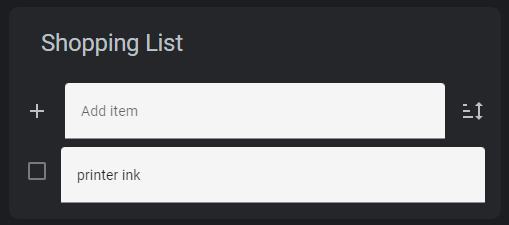
just looks super out of place
started during the beta btw, i just went ahead and upgraded to 2022.3.3 today and still there
but am seeing this on input_text rows too
polar kelp
I don't see it with the default theme, so it's probably that.
hallow mango
ok, any idea what would need to be changed, by any chance?
looks like this on default theme for me: https://imgur.com/En2wPFi
 hallow mango
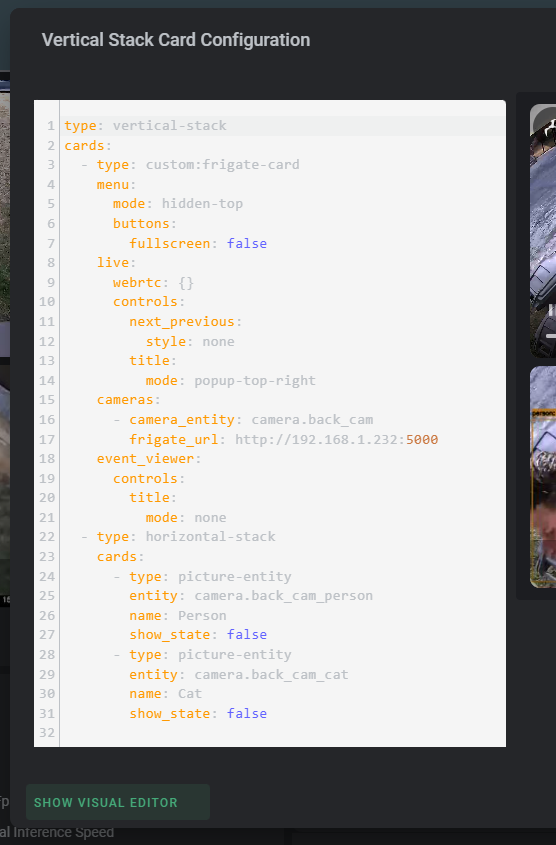
whoa yeah i've gotta figure that out lmao https://imgur.com/yS1OoPJ
 opaque kiln
scenic grotto
Hi,
How do you run a script form custom-button
- type: button
tap_action:
...
opaque kiln
scenic grotto
Hi,
How do you run a script form custom-button
- type: button
tap_action:
...
cards:
  - type: custom:button-card
    tap_action:
      action: call-service
      service:
        script.some_script
Works as expected in my setup
hallow mango
hallow mango
would this be a frontend, integration, or theme bug? https://imgur.com/3xpjTlG
I can't for the life of me figure out which theme variable fixes this
 errant plover
What do you consider wrong with it?
The background colour? This will make it transparent, input-fill-color: 'rgba(0, 0, 0, 0)' you could also set it to the card background colour.
You should do this as well input-disabled-fill-color: 'rgba(0, 0, 0, 0)' or you'll get a flash of colour before it loads.
mellow lark
Is it possible to copy a view from one dashboard to another (like the entire page, not a single card).
hallow mango
@errant plover I was trying to change that variable in my theme and did not work at all
hallow mango
mellow lark
Is it possible to copy a view from one dashboard to another (like the entire pag...
in the raw configuration editor, sure
hallow mango
hallow mango
<@466014487447863297> I was trying to change that variable in my theme and did n...
also tried clearing browser cache, restarting HA, etc... no change
on any of my devices using the theme
I use "green dark theme" from HACS
mellow lark
hallow mango
in the raw configuration editor, sure
duh 🙂
hallow mango
errant plover
The background colour? This will make it transparent, `input-fill-color: 'rgba(0...
ok so changing this in developer tools in chrome does work, but not if i set it in my theme
hallow mango
is it maybe because this theme doesn't have light/dark?
ah jeez i got it
needed to reload themes from the service call
heavy pasture
I have issues again with the automation editor. Do the questions go here or under automation? The editor is building the yaml incorrectly.
I have been playing around with the automation editor and it seems like information stays in cache. For example I added a condition, ran the trace, then deleted the condition and re-ran the trace. The condition that I deleted is still in the trace. This causes saved automations to be built incorrectly.
scenic grotto
opaque kiln
```
cards:
- type: custom:button-card
tap_action:
action: call-servi...
thanks! Now it works. There was an issue with ~formatting.
 limpid apex
Is there a way to integrate the media browser into a Lovelace card? The idea is to browse through Spotify to pick a song without the need to leave my dashboard
 kind shellBOT
@gray coral posted a code wall, it is moved here --> https://hastebin.com/pabucabima
 gray coral
kind shell
gray coral
kind shell
the maps seems to be overboarding beyond what's needed and leaves a white area below, do anyone know how to avoid that?
 gray coral
solved it, just shove it in another grid
scenic grotto
Hi,
One more question about custom-button
Is there a way to run different commands based on state of some sensor?
Example if the binary_sensor.front_door_is_closed = on, then a tap runs script.open, if binary_sensor.front_door_is_closed = off, then a tap runs script.close.
Thanks!
polar kelp
Sounds like you need a script.toggle...
scenic grotto
yes, already realized that. thanks!
 blissful rune
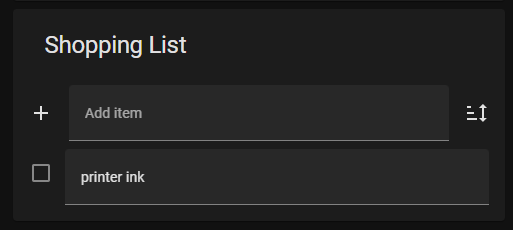
Hi, I have an entity for printer ink, generated via discovery of my printer. When I click into this on lovelace I see a history graph, but the default parameters for the graph are not helpful because ink values change very slowly. Is there a way to adjust the entity or the view in lovelace so that defaults are, say, order of 6 months instead of 12 hours?
I'm not experienced enough to know whether this is fundamentally really a frontend question or something else.
 soft valve
Hi i hope someone can help me a little here. I'm trying to setup a layout where i have a little more control on what is located together, especially when you go from a mobile device to a computer. and i'm trying to work with the custom:layout-card. But i can't seem to figure out how to actually control the width on the columns and the cards within them, it sems to be a little over the place.
Like where i landed and is stuck now, gives me three different layout with the same code.
Hope someone can help a point me the correct direction.

Hastebin is a free web-based pastebin service for storing and sharing text and code snippets with anyone. Get started now.
opaque kiln
scenic grotto
One more question about custom-button
Is there a way to run different commands b...
In a more general case, say if you have more than 2 states and each state should call-service to a different script, the docs say that the action fields can accept templates. https://github.com/custom-cards/button-card#Action
GitHub
❇️ Lovelace button-card for home assistant. Contribute to custom-cards/button-card development by creating an account on GitHub.
opaque kiln
opaque kiln
Lovelace config at https://paste-bin.xyz/42231
But I do find JavaScript templating kind of confusing, so I'd rather use a state switch card and create different button-cards for each state that each call-service to a different script.
opaque kiln
soft valve
Hi i hope someone can help me a little here. I'm trying to setup a layout where ...
Hiya, I don't use the layout-card, so can't comment on its functionalities. But if you would like the dashboard to dynamically resize/reposition elements based on available screen space, why not use the built in vertical-stack, horizontal-stack and grid cards? They can all nest in each other. Things in the same vertical-stack are guaranteed to appear in the same column, things in the same horizontal-stack will appear in the same row, and things in a grid will appear in the same row & column.
It may also be neater to create a dedicated view for mobile and a separate dedicated view for a tablet/desktop? For finer control over what is displayed based on different screen size.
 latent sedge
Anyone else getting the source pulldown glitching like this?:

actually, it's happening with all pulldown menus, this is in the editor:
 hallow mango
@latent sedge update mini-media-player
limpid apex
latent sedge
actually, it's happening with all pulldown menus, this is in the editor:
Happened to me too on a different pulldown
 swift vale
hey has anyone ever had issues with weather-card, Uncaught TypeError: css is not a function
started getting these errors after upgrading all my hacs components as well as homeassistant. Now the weather-card wont display. I've reinstalled, wiped cache, restarted HA server, uninstalled, tried older versions. cant get it work
scenic grotto
soft valve
Hi i hope someone can help me a little here. I'm trying to setup a layout where ...
probably this will help you
https://www.youtube.com/watch?v=5y6rhwr5Y8c&t=878s

Easy, Incredible Looking Lovelace Dashboard built using the Grid Card! Super EASY! No YAML files (4 small YAML edits in the editors). No Custom Cards. I call it the Tile Dashboard.
YAML (Though I do recommend using the UI editors to learn): https://pastebin.com/sGSWwtBU
Like what I do? Sponsor me: https://github.com/sponsors/zsarnett
▬▬▬▬▬▬▬▬...
hallow mango
scenic grotto
probably this will help you
https://www.youtube.com/watch?v=5y6rhwr5Y8c&t=878s
a lot of important concepts in this video, but not necessarily the perfect video for everyone
hallow mango
it would be so awesome if someone would do a comprehensive tutorial series for working with lovelace
there's some channels that do videos here and there but almost nobody that goes "start to finish" or videos on specific cards/layouts/etc
besides what they USE
 alpine pecan
Is it possible to have a picture in a dashboard with dynamic values displayed from entities?
like this with real values from inverter

 nimble sparrow
Sorry a very dumb question in sensor_card: https://www.home-assistant.io/lovelace/sensor/ is it possible to not print the card name? i'd like to remove Meross - Lavastoviglie and also icon


Home Assistant
The Sensor card gives you a quick overview of your sensors state with an optional graph to visualize change over time.
or hide
hallow mango
alpine pecan
Is it possible to have a picture in a dashboard with dynamic values displayed fr...
Home Assistant
The Picture Entity card displays an entity in the form of an image. Instead of images from URL, it can also show the picture of camera entities.
 empty escarp
nimble sparrow
Sorry a very dumb question in sensor_card: https://www.home-assistant.io/lovelac...
empty escarp
nimble sparrow
Sorry a very dumb question in sensor_card: https://www.home-assistant.io/lovelac...
you can set an space as the optional name
hallow mango
or use mini-graph-card, think you can hide the title
 fickle sable
Does anyone know a reason that my themes drop down selector would have disappeared from the profile section in lovelace?
dark dirge
you removed themes: xxx from the frontend: section in configuration.yaml
fickle sable
Looks like it is still there.
frontend: themes: !include_dir_merge_named themes
ill try swapping the include for a specific option and see if that works
 molten sequoia
Do y’all know of any good cards for opening dashboards?
dark dirge
any card that supports a tap_action, like a button card, which supports navigate
molten sequoia
Oh ok
 stiff wigeon
Hey all! Anyone know of a picture element that sources the photos from ApplePhotos or GooglePhotos?
 honest coyote
Can a Lovelace button be configured somehow to run both a service call and navigate action? You can't just specify two tap actions, but I'm wondering if there's a more creative way. I want a button to navigate to the media browser for my Spotify player, and select a source at the same time - the source determines which Spotify Connect device it outputs to, so trying to choose items in the library without selecting a source first will result in errors.
dark dirge
I would have said to just use a script, but I don't know how to initiate a navigate action from there
honest coyote
I thought maybe browser mod, I'm not really familiar with it but it doesn't look like there's a way to raise an event in one browser and have it sent back to that browser only?
Wait never mind, it does exactly that, I didn't look at the cookbook
honest coyote
Hmm I got the basics set up, but changing the source also resumes playback which isn't ideal... Seems like this might be a bit of a limitation on how the Spotify media player works.
 jolly kettle
I'm having a problem with background images in lovelace dashboards. Since 2022.3 I'm not able to get the background image to stay "fixed" and it always scrolls with the window. Has anyone else had this problem?
 glacial pumice
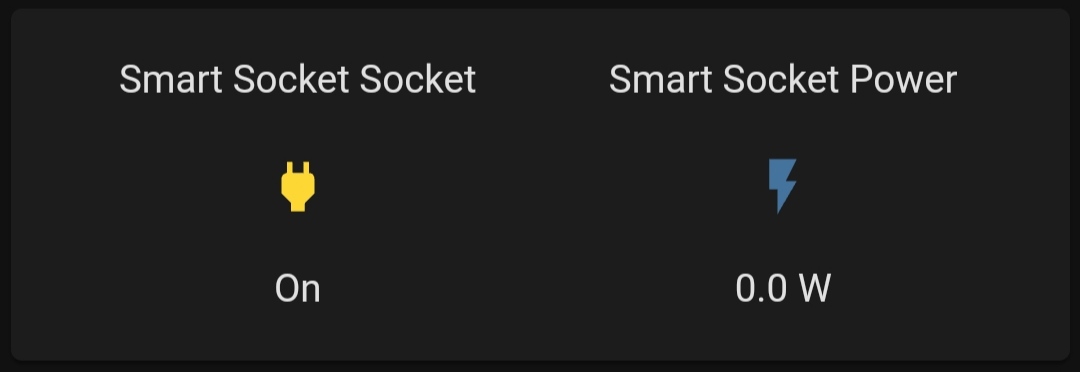
Mind sending a screenshot for inspiration Tinkerer?
glacial pumice
 hybrid pendant
hi, if I set "Input text" with some string but I don't display it in lovelace, is the input set?
like a temporary variable
 quartz arch
hybrid pendant
hi, if I set "Input text" with some string but I don't display it in lovelace, i...
quartz arch
hybrid pendant
hi, if I set "Input text" with some string but I don't display it in lovelace, i...
Absolutely!
I use one for my bin colour which alternates every week between green and yellow days
I have automations that look at it and change pictures/reminders on the strength of what the value is
hybrid pendant
quartz arch
Absolutely!
great, thank you
 carmine fern
Anyone had issues with the Button Card showing the light colour for a second when refreshing the page then going grey?

Makes the custom colours pretty useless.
hallow mango
carmine fern
Anyone had issues with the Button Card showing the light colour for a second whe...
share your card yaml?
limpid apex
anyone can recommend me a nice custom card for shutters?
hallow mango
I think there's a cover card in hacs
I don't have any shutters/covers, so can't comment on quality lol
limpid apex
i know about mushroom card
its pretty clean
looking to see if there's other options
 hallow mango
I have mushroom too but haven't gotten around to using them much
limpid apex
these are my top 2 options for now
 grave junco
Hi everyone. Assume there are others that uses custom:card-mod in here...I've just started with it, but already have a problem. After setting up my first card, it displays just fine in my computers browser, but in the companion app it says the custom element doesn't exist. Have forced a shutdown, cleared cache, restarted HA...still the same. Any ideas?
grave junco
android and yes, forced the app closed, cleared cache, restarted HA and opened the app
carmine fern
hallow mango
share your card yaml?
Pastebin
Pastebin.com is the number one paste tool since 2002. Pastebin is a website where you can store text online for a set period of time.
grave junco
carmine fern
https://pastebin.com/grru0He8
Sorry, had to feed mini 🙂
grave junco
carmine fern
https://pastebin.com/grru0He8
Pastebin
Pastebin.com is the number one paste tool since 2002. Pastebin is a website where you can store text online for a set period of time.
All I really want (for now, that is) is to be able to adjust the column width of a horizontal-stack...either that or have two custom cards next to eachother that has different widths...first option would be much simpler though, as I am then able to use standard entity-card or button card in each of the two columns
carmine fern
You're replying to the wrong person.
grave junco
sorry embarrassed
 covert verge
nocturne mauve
Is anybody here using Homepod for playing media from HA?
covert verge
nocturne mauve
Is anybody here using Homepod for playing media from HA?
any luck mate? im stuck like you
nocturne mauve
covert verge
any luck mate? im stuck like you
Not really, I haven't looked into it more yet.
hallow mango
carmine fern
https://pastebin.com/grru0He8
what's that template: standard look like?
hallow mango
grave junco
https://pastebin.com/kUM4kehY
i'm not too good with card-mod tbh, but your original issue was you couldn't get it to show on your android app, right?
grave junco
hallow mango
i'm not too good with card-mod tbh, but your original issue was you couldn't get...
yes, I've temporarily circumvented the issue by using a layout_card instead, where I can control the width of the columns 🙂
hallow mango
yeah that seems like a good option
grave junco
however I've crashed into another problem...not frontend-issue really, so wrong place to ask maybe..but what I was building was a card that shows my location and has a button next to it. I want to be able to tap this button and open up google maps to the correct coordinates...that forces me to build a string to complete the address. However, no matter how many ways i try to build this string and present it to the url_path:, it just doesn't work...the value of the entity is never evaluated
hallow mango
templates don't usually work in lovelace cards
you'll need to use a card that does support them, which i think you can do with custom:button-card fwiw
grave junco
url_path: "https://google.com/maps/@{{ state_attr('sensor.phone_geolocated_location', 'Latitude') }},{{ ...Longitude }},19.5z?hl=no"
result is gibberish url...not really, but using {{}} to inject values is not working
 hallow mango
yeah the normal button card doesn't support templates
grave junco
hallow mango
templates don't usually work in lovelace cards
yeah, I've read through about 60 different approaches to this, many similar to my approach, but not working. Thought it might be time to test the custom card again
hallow mango
also that template you put above isn't correct anyways
grave junco
do you mean the %7B...?
hallow mango
yeah
hallow mango
figure out the template in developer tools, make sure it's right, and then use a custom card that supports templates
grave junco
yes, I have it perfect in the template there
hallow mango
ok yeah then do step 2 lol
grave junco
that's what was making me pull my hair
hallow mango
I'd check out custom: button-card
grave junco
I have it installed and trying now, but not sure how...tap_action: / action: url / url_path: doesn't work...doesn't support templates either it seems
dark dirge
 hallow mango
i was also trying to figure out the template for it
seems it's gotta be a JS template
this:
type: custom:button-card
icon: mdi:map
tap_action:
  action: url
  url_path: >-
    https://google.com/maps/@[[[
    states.device_tracker.david_phone.attributes.latitude ]]],[[[
    states.device_tracker.david_phone.attributes.longitude ]]],19.5z?hl=no
gave me https://www.google.com/maps/@[[[%20states.device_tracker.david_phone.attributes.latitude%20]]],[[[%20states.device_tracker.david_phone.attributes.longitude%20]]],19.5z?hl=no in the browser lol
so something's obviously wrong with my template but idk what
heavy pasture
I am having a cache issue with the automation editor. If I edit an automation I.E change the time, and then run a trace the trace runs with the old time. This does not make sense to me that the editor which is making the change does not clear it's own data?
heavy pasture
In the automation editor, hit show trace.
I had an automation that is after 23:05 and before sunrise. I changed the time to 20:00 and re-ran trace. It showed the time as 23:05 in the trace
I changed the time so it would not error on the time
hallow mango
traces are not "run"
they're generated whenever an automation runs
so you would need to run (or wait for it to run) the automation, and then the trace would show what happened in that particular run
carmine fern
hallow mango
what's that `template: standard` look like?
button_card_templates:
  standard:
    color_type: card
    color: auto
    size: 40%
    aspect_ratio: 1
    tap_action:
      action: toggle
    double_tap_action:
      action: more-info
    show_units: true
    layout: name_state
@hallow mango I thought if I hit run action, then show trace it updates the trace? Looking at the documentation on traces it doesn't work this way.
 exotic prism
can someone help me how to set icon here?
 polar kelp
mini-media-player?
 lethal jungle
So i've been trying to wrap my head around this.
If I change lovelace mode to "yaml", I can't use the built in edit mode "live" anymore?
Meaning: See whatever changes I make in real time.
hallow mango
correct
hallow mango
exotic prism
can someone help me how to set icon here?
can't you just type an icon in there?
exotic prism
well... this is quite straightforward and haven'T tried it :D
lethal jungle
hallow mango
correct
So how do you work effectively without a preview to see what they're doing. Browser on one side of the screen F5-ing, and Visual Studio on the other?
hallow mango
i use the UI editor lol
lethal jungle
hallow mango
i use the UI editor lol
But I have to use yaml-mode to access button-card templates right?
 lethal jungle
hallow mango
lethal jungle
hallow mango
So I'm not "missing out" by not using yaml-mode?
hallow mango
afaik the only thing you can't use UI mode for is yaml anchors
second to last advanced section: http://thomasloven.com/blog/2018/08/YAML-For-Nonprogrammers/
lethal jungle
hallow mango
second to last advanced section: http://thomasloven.com/blog/2018/08/YAML-For-No...
I will definitively check that out. Thank you so much for your time! 🙂
hallow mango
👍
polar kelp
You can use them while typing the configuration, but once you go out of edit mode they're replaced with their content and you can't get them back.
summer crown

I am working on the buttons on the last row. May I know how to make them display in default color (like those in the first row) ?
(var.kusatsu_status would be cool, heat, vent and stop, rather than on or off)
hallow mango
@grave junco https://pastebin.com/HHNwtpbw

Pastebin
Pastebin.com is the number one paste tool since 2002. Pastebin is a website where you can store text online for a set period of time.
change out the device_tracker for your own and see if this works. it won't open the page for me from the mobile app but I'll test on my PC later
also I did use custom:stack-in-card there but you could use vertical-stack or something else
 frigid bridge
Is there a known work-around to get the input fields from date_time working again? I saw this issues reported (https://github.com/home-assistant/frontend/issues/11945), but this isn't helping my wife. I changed some places with the picker card, but this is too big for other places. Or a bug fix possible?
 tender pine
how do i make the power button always show in a Media control card ? is there a variable that i can link to this so it always shows ?
hallow mango
hallow mango
<@263656261503942656> https://pastebin.com/HHNwtpbw
actually, this doesn't work 🤔
type: custom:stack-in-card
cards:
  - type: map
    entities:
      - entity: device_tracker.david_phone
    dark_mode: true
  - type: custom:button-card
    icon: mdi:map
    tap_action:
      action: url
      url_path: |
        [[[ return 'https://google.com/maps/@${states.device_tracker.david_phone.attributes.latitude},${states.device_tracker.david_phone.attributes.longitude},19.5z?hl=no'; ]]]
that doesn't even open the page
 late anvil
custom:mod-card is broken with the latest HA update 2022.3 (https://github.com/thomasloven/lovelace-card-mod/issues/185), is there any way to fix that? Seems like the way custom components are loaded has changed again in core?
GitHub
🔹 Add CSS styles to (almost) any lovelace card. Contribute to thomasloven/lovelace-card-mod development by creating an account on GitHub.
hallow mango
@late anvil have you tried clearing your browser cache? and what browser are you using?
exotic prism
can someone help me figuring out why nothing appears in the card? also, how to get the correct value for the state? (i have 3 zones, how to check what values do they have?)
 hallow mango
late anvil
`custom:mod-card` is broken with the latest HA update `2022.3` (https://github.c...
hallow mango
late anvil
`custom:mod-card` is broken with the latest HA update `2022.3` (https://github.c...
working totally fine for me, using the same exact code (different entities for the badges, i guess) as in the issue here
card-mod and badge-card installed from HACS and browser cache cleared
i'm on 2022.3.3 though
late anvil
hallow mango
<@!440577199112716288> have you tried clearing your browser cache? and what brow...
No worries about my browser cache 😉 (I'm the dev of button-card and others)
late anvil
hallow mango
working totally fine for me, using the same exact code (different entities for t...
I'm not speaking about card-mod itself, I'm speaking about custom:mod-card which is used for cards which do not contain a ha-card element
hallow mango
works fine like this: https://pastebin.com/DPgxyPsH
Pastebin
Pastebin.com is the number one paste tool since 2002. Pastebin is a website where you can store text online for a set period of time.
 late anvil
It works after several refresh, and then breaks again
Same issue as the other people on that GH issue
hallow mango
hmm, i guess i didn't try refreshing a bunch of times
and i actually read the issue as saying that it only worked AFTER refreshing a bunch of times
late anvil
Yes, that's the case, for me it works after refreshing between 2 and sometimes 20 times before it loads. Then breaks again on next refresh
That's why I'm saying the way HA loads custom card has probably changed again given it was working well with 2022.2 and not anymore with 2022.3
hallow mango
i must be lucky lol
 hallow mango
yeah i didn't see that at all 🤔
polar kelp
Try now
@fiery ledge I accidentally released an unfinished fix for that icon problem you were having too. It might work now.
There's a margin option in layout-card now, btw.
 rancid vortex
Hello.
Someone know why I have this error?
Échec d'appel du service "climate/set_temperature". expected float for dictionary value @ data['temperature']
polar kelp
data:
temperature: This is not a number```A piece of code related to this error
service_data: entity_id: "[[[ return entity.entity_id ]]]" temperature: "[[[ return entity.attributes.temperature + entity.attributes.target_temp_step ]]]"
polar kelp
Then the template for temperature doesn't result in a number for some reason. Probably because javascript.
Try temperature: "[[[ return parseFloat(entity.attributes.temperature) + parseFloat(entity.attributes.target_temp_step) ]]]"
rancid vortex
it's + parseFloar... or + parseFloat... because with + parseFloar... my button disapear. But at the same time, with parseFloat i've the same error message
I do refreshes every time 😉
polar kelp
float
rancid vortex
I don't understand it still doesn't work
hallow mango
probably because javascript
polar kelp
Then I'm out of ideas
...assuming entity.attributes.temperature and entity.attributes.target_temp_step are actually numbers.
late anvil
polar kelp
Try now
Thanks! I'm interested in what changed in 2022.3 compared to 2022.2 which made this break?
rancid vortex
yes entity.attributes.temperature and entity.attributes.target_temp_step are actually numbers.
polar kelp
It's the customElement scoping. The polyfill used by Hass replaces the entire customElement registry, but if you load card-mod as a frontend module it could sometimes register card-mod and mod-card before the new registry was setup. So now it just waits a little bit.
late anvil
polar kelp
It's the customElement scoping. The polyfill used by Hass replaces the entire cu...
I see, thanks for the explanation 👍
polar kelp
It should not be a problem for any "normal" lovelace cards.
@rare iron you may want to check out the latest commit to card-mod.
late anvil
I've had this reported https://github.com/custom-cards/button-card/issues/548 which looked almost (but not exactly) the same that I didn't yet look into
GitHub
Checklist [] I updated the card to the latest version available [] I cleared the cache of my browser Describe the bug Button cards inside conditional card/layout-card/custom:stack-in-card often d...
 simple grotto
Hey all, for some reason when I go into my scripts in the UI I have to click "save script" before I can run it. This never used to be a problem before. I used to go into any script and hit run script now no matter what script it is I have to hit Save first. Any idea why?
 rare iron
polar kelp
<@!396766445784137738> you may want to check out the latest commit to card-mod.
rare iron
polar kelp
<@!396766445784137738> you may want to check out the latest commit to card-mod.
thanks gonna take a look
fiery ledge
polar kelp
<@!679819945655533632> I accidentally released an unfinished fix for that icon p...
thx! will check. btw, today, I by chance tried this and it works majestically:```
group_config:
secondary_info: last-changed
card_mod:
style:
hui-generic-entity-row:
$: |
state-badge {
filter: {{(states(config.entity) == 'not_home')|iif('grayscale(1)','none')}};
}
never knew we could use the group_config for card_mods too 😉
rare iron
Good solve @polar kelp gonna apply that too for Dwains Dashboard v3 got the same problem over there reported by some users
thanks for the heads up
grave junco
hallow mango
```yaml
type: custom:stack-in-card
cards:
- type: map
entities:
- en...
Thanks for your efforts but I can't get this to work. My earlier efforts opened a page, but the sensordata/attributes were never translated...your suggestion does not react to tap_action at all. I do use card-mod though and not the stack-in-card that you suggest
grave junco
hallow mango
yeah, i'm not sure why that template caused it to just not work at all
that last suggestion, setting lat and lon as variables and then concatenating the url in the return, worked perfectly!!! Thanks for your help! Really appreciate it
grave junco
hallow mango
oh crap I'll try that too
also, I read up on the google url guidelines to form an address that conforms to their design of the whole maps platform and now I am able to properly set the zoom-level, place the pin and just navigate...even better than I expected...so one click on the person in HA and I am navigating towards the location they're at...next is adding a send maps-link as notification...as a share-function for housemembers :-)
grave junco
hallow mango
oh crap I'll try that too
Pastebin
Pastebin.com is the number one paste tool since 2002. Pastebin is a website where you can store text online for a set period of time.
indentation wrong in the paste though...had to adjust the inset on the phone...last ]]]
fiery ledge
polar kelp
It's the customElement scoping. The polyfill used by Hass replaces the entire cu...
sorry to tag you, but this is important info. Do you still want us to install it as frontend module, now you've implemented this wait? The whole reason for loading it via the frontend was the speed of loading wasn't it? Or can we resort to the regular resources loading now.
hallow mango
grave junco
https://pastebin.com/yyUC4Brt
hell yeah, that's nice
i was thinking of making it a script, so you could pass in the tracker entity and it would just open
prob need browser_mod for that though
ah, there's browser
gonna try to play with that
hallow mango
hallow mango
i was thinking of making it a script, so you could pass in the tracker entity an...
would make it WAY easier to use for just any generic tap_action, not just with custom:button-card
grave junco
hallow mango
i was thinking of making it a script, so you could pass in the tracker entity an...
yeah...I was thinking the same. Also using the android.intent notification to just start up navigation automatically, but felt it might be too intrusive if I were to send my location to my wifes phone and she would feel I just took control over it :)
But yeah...this feels really good now..lots of opportunities just opened
hallow mango
but could def send the url as a notification action
to open maps
oh browser won't work... it opens the url on the HOST that's running HA
grave junco
My approach now is having two buttons under the location of each person. One to start navigation to that location and one that uses browser_mod to open a popup that shows a list of persons in the family to share that same location with. That share will be sent as a notification, but not sure yet as to whether or not I want it to be an android.intent or just a link
hallow mango
oh man i like that
grave junco
hallow mango
but could def send the url as a notification action
yeah, if you want it to start on the other persons phone, you'd have to use the android.intent.action.view and target com.android.apps.maps in a notification...haven't gotten around to get a working test-sample yet
hallow mango
i know the template you sent earlier works to open it in maps on my phone, is there not something you can put in the URL that opens directly to navigation?
grave junco
yes, just use dir instead of search
grave junco
hallow mango
i know the template you sent earlier works to open it in maps on my phone, is th...

Google Developers
Maps URLs provide a universal URL scheme to launch Google Maps from any platform.
hallow mango
yeah i figured out one way i think
grave junco
for ease of use then, you'd have to make a sequence that enable gps, get current position and uses that as 'origin', then use dir and rest would be the same
hallow mango
yeah so i used this:
    [[[
      var orig_lat = states['device_tracker.david_phone'].attributes.latitude;
      var orig_lon = states['device_tracker.david_phone'].attributes.longitude;
      var dest_lat = '46.59324949016472';
      var dest_lon = '-120.60483098030092';
      return `https://www.google.com/maps/dir/?api=1&origin=${orig_lat}%2C${orig_lon}&destination=${dest_lat}%2C${dest_lon}&zoom=19z`;
     ]]]
which is just hardcoded coordinates for the destination, to a starbucks near me lol
but you could use whatever for the var there
grave junco
nice!
hallow mango
opens to the directions on the map, all you do is hit navigate if you want to START navigation
on my phone (opens app) and pc (opens web)
grave junco
yup...how anyone can not love technology is beyond my comprehension
this is fantastic!
grave junco
hallow mango
👍👍
I will paste my code when it's done...currently on a short vacation with my wife and kid, so just fiddling a bit on my setup on the phone after they go to sleep 🤣
 crimson basin
I'm wondering if someone could help me get my dashboard layout the way I want it. It's a very simple layout with 9 graphs. When I build it using the sensors card it looks correct, but when I use cistom-mini-graph-card the order of the items is messed up...
What I want and what sensors graphs does is...
[1][2][3]
[4][5][6]
[7][8][9]
but custom-mini-graph displays as...
[1][3][5]
[2][4][6]
[7][8][9]
errant plover
Use either the grid card or three vertical stack cards to get your required card order.
mellow lark
Is there a way to get a dashboard to cycle through pages? Without clicking.
jolly kettle
mellow lark
Is there a way to get a dashboard to cycle through pages? Without clicking.
https://github.com/maykar/lovelace-swipe-navigation - is this the sort of thing you're thinking? or automatically cycle through pages every x seconds?

GitHub
↔️ Swipe through Lovelace views on mobile. Contribute to maykar/lovelace-swipe-navigation development by creating an account on GitHub.
jolly kettle
jolly kettle
https://github.com/maykar/lovelace-swipe-navigation - is this the sort of thing ...
for automatic, time-based cycling you could use a conditional card or https://github.com/thomasloven/lovelace-state-switch. Tie these to a template sensor that changes state every 5 seconds (or whatever you want).
 royal dagger
Hi. Is there a yaml-way to get such/similar attributes to show in LoveLace?
This one is via SmartIR fan integration.
 late anvil
polar kelp
It's the customElement scoping. The polyfill used by Hass replaces the entire cu...
late anvil
polar kelp
It's the customElement scoping. The polyfill used by Hass replaces the entire cu...
Given what you said, I'm trying to understand why this could happen: layout-card embedded inside mod-card gives sometimes this error? It's probably the same as my issue on button-card also.

 hallow cobalt
is there an advantage of using lovelace in yaml-Mode instead of storage mode?
 nocturne pond
I encountered the following issues when using the media panel.
- When playing a song via the HA media panel on an iPad … the song stops playing when the iPad turns off the screen due to inactivity (I guess after ± 1 minute).
- When playing a song via the HA media panel on an iPad … and opening another application (e.g. the Chrome browser) the song stops playing. So whenever HA is no longer visible on the ipad screen the song stops playing.
- I can load Foobar2000 playlist in the HA media player.
When a song has finished, the next song does not start. - When loading a Foobar2000 playlist I see the names of the songs, but not the names of the artists.
Is there a way to have control over the attributes of the song that are shown in the media panel ? - In the last release party everybody was laughing when I brought up Foobar2000.
But Foobar2000 is so flexible & powerful. Just look how users in foobar can change the layout of the UI or the amount of plug-ins that are available. Isn’t there a way to integrate Foobar2000 into HA ?
After all Foobar2000 is also open source.
 dusky jackal
hallow cobalt
is there an advantage of using lovelace in yaml-Mode instead of storage mode?
dusky jackal
hallow cobalt
is there an advantage of using lovelace in yaml-Mode instead of storage mode?
Once you take control of your UI via YAML, the Home Assistant interface for modifying it won’t be available anymore and new entities will not automatically be added to your UI.
When you make changes to ui-lovelace.yaml, you don’t have to restart Home Assistant or refresh the page. Just hit the refresh button in the menu at the top of the UI.
hallow cobalt
dusky jackal
Once you take control of your UI via YAML, the Home Assistant interface for modi...
so I won't be able to create the lovelace UI via the UI Editor? I have to add every entity by hand in yaml?
hallow mango
correct
errant plover
You can take control and keep using the UI though. You don't have to use yaml to take control.
 nimble ferry
Can someone help confirm a bug for me?
Edit UI --> Enter some text in title input field --> Hit return --> Reopen Edit UI --> Changes never saved
Or how about this one...
Set up multiple different sensors in a lovelace vertical stack --> click on one to see entity info --> every graph will change its display content to the information from the last sensor in the stack until reloaded.
 spice meteor
nimble ferry
Edit UI --> Enter some text in title input field --> Hit return --> Reopen Edit...
spice meteor
nimble ferry
Edit UI --> Enter some text in title input field --> Hit return --> Reopen Edit...
This is a bit vague: what part of UI are you working in. In general I don't see this, though I'd say I have sometimes seen it.
spice meteor
nimble ferry
Set up multiple different sensors in a lovelace vertical stack --> click on one ...
Yes, I see this. I was advised just yesterday here to switch to (HACS add-on) mini-graph-card.
nimble ferry
Yeah.. It happens in a few places, but editing the name of your dashboard is the easiest to describe.
So the expected behavior is for return to save your text and close the window, as of right now it just closes the window.
Right now, return is acting like escape in those cases.
At least for me...
nimble ferry
spice meteor
Yes, I see this. I was advised just yesterday here to switch to (HACS add-on) mi...
So we are just going to ignore the bug?
If it happens to other people, we should submit a report I think.
spice meteor
I was told above that it was a well-known problem. So I figured there's already something in the system.
nimble ferry
Ah, OK. Perfect. Did they link to the git issue by any chance?
Nevermind, "So I figured there's already something in the system" I guess thats a no.
spice meteor
nimble ferry
Yeah.. It happens in a few places, but editing the name of your dashboard is the...
Aha. Yes, I can now reproduce this. Editing dashboard name, then pressing Enter -> not saved. But clicking 'SAVE' button does save it.
nimble ferry
Perfect, thanks.
rancid vortex
@polar kelp I have moved on and I no longer have the error message on my temperature thermostat, but it still doesn't work, when I press the button nothing happens! Do you have an idea?
item3:
  card:
    icon: 'mdi:plus'
    tap_action:
     action: call-service
     service: script.increment_climate_temperature
     service_data:
       entity_id: '[[[ return variables.entity ]]]'
    type: 'custom:button-card'
    template: widget_icon
The associed script
increment_climate_temperature:
    alias: Augmentation T°
    sequence:
    - service: climate.set_temperature
      data_template:
        entity_id: "{{ entity_id }}"
        temperature: >
          {{ (state_attr(entity_id, 'temperature') | float) + (state_attr(entity_id, 'target_temp_step') | float) | float }}
 weary scroll
I have a question, I need to redesign a dashboard and I found "multiple-entity-row" https://github.com/benct/lovelace-multiple-entity-row#readme it has me add the "multiple-entity-row.js" into my www folder. And then add a few lines to my config file. I did and I restarted HA. But when I went to try and build out the entities card I get an error "custome element not found: multiple-entity-row" So my question is does it normally take a couple of restarts to find something I added to the www file?
GitHub
Show multiple entity states and attributes on entity rows in Home Assistant's Lovelace UI - GitHub - benct/lovelace-multiple-entity-row: Show multiple entity states and attributes on entity...
kind shellBOT
@nocturne pond posted a code wall, it is moved here --> https://hastebin.com/ifuyohebog
nocturne pond
Trying to solve a Google Maps devide tracking issue: https://hastebin.com/ifuyohebog
Hastebin is a free web-based pastebin service for storing and sharing text and code snippets with anyone. Get started now.
hallow mango
weary scroll
I have a question, I need to redesign a dashboard and I found "multiple-entity-r...
clear browser cache
 hasty prism
hey all, i was wondering where i can find out how to make a room on/off switch on my floor plan layout. i can get state-badges to work but i have to click into it then click the scene.
errant plover
Use a state icon or badge with the tap-action set to toggle a group of the entities you want to switch.
hasty prism
- type: state-icon
entity: scene.living_room_energize
tap-action: toggle
style:
top: 81%
left: 72%
i have this but when i click it it opens a prompt to activate the scene not turn it on
errant plover
You can't toggle or turn off scenes. Use the scene.turn_on service.
hasty prism
- type: state-icon
entity: scene.living_room_energize
tap-action: call-service
service: scene.turn_on
entity_id: scene.living_room_energize
style:
top: 81%
left: 72%
like that? because i get the same thing here when i click it it just brings up the box still :/
fiery ledge
have a set of 10 buttons (cards) I want to show in a horizontal row (inside a vertical-stack), using:```
- type: custom:layout-card
layout_type: custom:horizontal-layout
layout:
max_cols: 10
card_margin: 0px
margin: 0px
cards:
I did use type: grid columns: 10 before, but wanted to get rid of the gaps between the cards and figured layout card could do this?
 nimble rose
Hello, is it possible to align the horizontal-stack with the 4 buttons to the bottom? The content changes according to the button pressed and it's all over the place because the content isn't all the same height.

 atomic berry
Any Grafana Experts?
I am trying to display two Power Supply Voltages on 1 graph, but for some reason it adds the 2 Values for the first Voltage...
This only happens when I have both active, when disabling either one, it shows correctly...

 nocturne marsh
Hi, i have a simple floorplan.jpg that i upload using the new upload feature, the file is in my local media map. However using the standard floorplan card i cant seem to get it working, Trying to use this url: image: /media/local/plattegrond1.jpg
But that just shows up like this
 dusky jackal
nocturne marsh
But that just shows up like this
dusky jackal
nocturne marsh
But that just shows up like this
I set mine up a long time ago so im not sure about this "new" upload feature but the picture element card needs to know what image here is a snippet of mine
type: picture-elements
image: /local/floorplan/lightsout.png
elements:
- type: image
entity: light.kitchen_lights
tap_action: none
hold_action: none
state_image:
'on': /local/floorplan/kitchenon.png
'off': /local/floorplan/kitchenoff.png
style:
top: 50%
left: 50%
width: 100%
nocturne marsh
when i copy the image url through my nabu casa link i can see the pathway it has after the normal url. However that path doesnt seem to call the image
nocturne marsh
dusky jackal
I set mine up a long time ago so im not sure about this "new" upload feature but...
But yea since the most recent update you can directly upload files to the local media folder through the media browser panel
which i did with 2 jpgs
fiery ledge
fiery ledge
I did use ```
type: grid
columns: 10``` before, but wanted to get rid of the gap...
for reference ```
- type: custom:mod-card
card_mod:
style: |
:host {
--grid-card-gap: 0px;
}
card:
type: grid
columns: 10``` arganto helped me out in https://community.home-assistant.io/t/card-mod-add-css-styles-to-any-lovelace-card/120744/2957
lethal jungle
So I'm trying to familiarize myself with Browser Mod. Any reason why I can't create a vertical stack with multiple horizontal stacks inside it? This works fine outside browser mod popups.
This is what a vertical stack with two horizontal stacks gets me.
 errant plover
hasty prism
- type: state-icon
entity: scene.living_room_energize
tap-action: call-s...
errant plover
hasty prism
- type: state-icon
entity: scene.living_room_energize
tap-action: call-s...
Try it like this: ```
- type: state-icon
entity: scene.living_room_energize
tap-action: call-service
service: scene.turn_on
service_data:
entity_id: scene.living_room_energize
style:
top: 81%
left: 72%
I kind of made it work using a picture-elements entity, although it's far from perfect
 rough coyote
Is the built in media part in HA a frontend topic?
I can't seem to delete folders in it. Not sure if it's missing or i am just not getting it.
sleek coral
Hey , i was wondering if the following is possible in decluttering template
tap_action: >
[[[
if (["[[INCLUDE]]"] == true) return '!include ../ui_views/popup/climate2_popup.yaml';
else return 'more-info';
]]]
i have a lot of graphs using same template , and difference is some just to show data others have ac popups
frigid bridge
If I use layout-card (masonry or horizontal) from @polar kelp the quick-how to says in https://github.com/thomasloven/lovelace-layout-card#quick-start 'Hopefully, you should see no difference at all now.' But I do, because the column widht breakpoint are diffent to standard. So I have e.g. with these layouts 3 columns in a browser width, where in standard I have only 2. How to get to 'no difference at all' and to have only different card order, but same widths, break-points, etc.
 mint fiber
Hey guys, I haven't upgraded my dashboard since i've install HA and on the overview section, I had this basic card that looked like an entities card and contained all the entities linked to an area. Unfortunatly, i deleted it by mistake. Does any of you know how I can create a similar one. In other words, I want a entities card that add or remove automatically entities that i link or unliked to an area. Thanks for your help 😉
polar kelp
frigid bridge
If I use layout-card (masonry or horizontal) from <@!445886408000012289> the qui...
I will have to look into what may be wrong there. In the meantime you can use max_cols to limit the columns to 2
frigid bridge
polar kelp
I will have to look into what may be wrong there. In the meantime you can use `m...
More than great. Thx! And sorry, that I didn't add, that I know the max_cols. But I don't want to restrict in general or set fixed width. Only expected to have same break points and width, so to have a common behavior width views without layout_card.
polar kelp
It's supposed to be the same.
frigid bridge
polar kelp
It's supposed to be the same.
As far as I can see, the min-width in standard is 312. So 1200px are needed (width sidebar) to display 3 columns. With 1199px I have only 2. With layout_card only 2 are shown starting with 1155px and/or below 300 columns-width.
 exotic jay
are there any sexy fan control buttons for lovelace sort of like the light card? I see some in HACS but they are too textual.
frigid bridge
exotic jay
are there any sexy fan control buttons for lovelace sort of like the light card?...
Check this https://github.com/home-assistant/frontend/pull/7803. This is, what you are looking for, isn't it? Declined end of december 2020.
hallow mango
mint fiber
Hey guys, I haven't upgraded my dashboard since i've install HA and on the overv...
you could use: https://github.com/thomasloven/lovelace-auto-entities with an area filter

GitHub
🔹Automatically populate the entities-list of lovelace cards - GitHub - thomasloven/lovelace-auto-entities: 🔹Automatically populate the entities-list of lovelace cards
sleek coral
Hey
looking to find out how i can get a template sensor to count this
 dark dirge
that would be a #templates-archived thing
 hollow otter
Yeah, agreed. Oh well, I'll just look along angling at the pretty visuals 😅 I'd rather have it in home assistant.
(I'm sorry for the late reply, for whatever reason discord didn't notify me of that tag until just now)
 ornate raptor
Hi #frontend-archived I want to make use of the 'change icon based on state' toggle for a custom component I am developing, does anyone know how I tell lovelace which states are 'on'?
worthy tapir
Am i missing something here, i want to use a custom icon for my lock (the default one you can barely see if its open or closed), but when i change it to something else it stops being “dynamic”
Ie it doesnt change when open vs closed
dark dirge
That is true. You can only provide a single icon
You can use card_mod or a custom card that lets you choose whatever icon you want based on the state
worthy tapir
okay thanks
 worthy compass
What is happening
My home assistant got marked as not secure
Even i have ssl

 exotic valley
Does anyone know how to disable the "tip" on the bottom of the configuration page?
errant plover
There is no option for doing that.
 urban birch
@blazing wren , I have filed an issue for the problem we discussed a few weeks ago regarding the advanced mode toggle being greyed out even though the user is an administrator. It is #12075.
It won't break my heart if you close it, as creating a new user was a work around for it.
 blazing wren
Why are you pinging me about it?
urban birch
you had asked me to add an issue.
blazing wren
I suggested you did, I didn't ask you to. And I'm not a core contributor, so I can't close the issue either way.
urban birch
ok, apologies for the noise.
 neat holly
hey guys
I recently undid my yaml-only config from matt8707 for the UI-only version
it looks good and the button templates work hwoever the sidebar card will not work
it just will not appear, ive removed and re-added the sidebar card, reloaded it, in resources
obviously did reboots in between, and I dont want to start building a layout until I have the sidebar placed
 thorn owl
Forgive the NOOB question... How do I create new dashboards but keep the default lovelace UI one as well - and have that still be updated automatically? (I haven't bothered creating any yet, the only option is to "take control" so the one maintained automatically is then gone - ?
errant plover
Leave that one as is and go to Configuration / Dashboards and create a new dashboard. Take control of the new one.
vapid field
I use Grafana to look at data from HA. I always start Grafana from within HA, but I think it’s just a webpage. Is it possible to access Grafana from my browser, outside HA?
 real anchor
Hey guys, how can I specific the height of the picture card with full width no matter display in phone or tablet?
lethal jungle
Let me show off my ignorance with coding real quick:
Can I use Jinja2 templates in button card? I'm trying to make a label kick back a state attribute.
lethal jungle
vapid field
I use Grafana to look at data from HA. I always start Grafana from within HA, bu...
Just save the url as a bookmark?
vapid field
lethal jungle
Just save the url as a bookmark?
But where do I find the URL?
errant plover
vapid field
I use Grafana to look at data from HA. I always start Grafana from within HA, bu...
Yes. Enable this in the addon Configuration page

Then it will be your home assistant URL without the 8123 port on the end of the URL.
neat holly
can someone help me get sidebar card loaded
nocturne pond
Using HA as a replacement of Google Photos: possibilities ?
I created 2 subdirectories in the media-folder & I put photos & videos in there.
Then I consulted the media panel to look at the photos & videos.
I only saw icons. Only when I clicked on the individual items, did I see the actual photo or video.
Can the media panel be changed so that a preview is shown immediately (like in Google Photos) ?
rough coyote
is it possible somehow to influence the time needed before hold_action triggers?
It keeps triggering when i am just scrolling on my phone.
I wouldn't mind hardcoding it somewhere. If needs be.
polar kelp
It should untrigger as soon as you move your finger.
It doesn't actually do anything until you release, and if you move before that it should do nothing. If it still does, please try to make a recording of it and open an issue here https://github.com/home-assistant/frontend/issues/new/choose
vapid field
Is everyone using LoveLace or a custom UI Framework? Yes == 👍 No == 👎
 split granite
Everybody will be using one of those so people can only respond 
Maybe try: Lovelace 👍 or Custom UI 👎 ?
polar kelp
Ah, binary logic.
vapid field
Custom UI such as React, Angular, Gatsby etc
polar kelp
It isn't, though. That just a collection of tweaks to the regular frontend.
The name Lovelace is being phased out, by the way.
split granite
ORLY?
polar kelp
Which one?
split granite
The name being phased out
Custom UI being an addition to the existing UI is no shock, given how trivial it is to write a decent UI
vapid field
Okay I will try to be more clear
polar kelp
Yeah. Lovelace is going away. It's already just "Dashboard" in the docs.
dark dirge
"states" has been gone for a long time
vapid field
Are you using HA Lovelace Natively (May be with extended/custom ui) OR a frontend framework (React, Angular, etc)? Can I see your dashboard too 😄 I need ideas
 silent bough
I just use the basic interface for dumb-dumbs, The most interesting thing I did was add a USGS overlay on my map. I can see earthquakes. So basically, I am the coolest person ever.
polar kelp
If it ain't broke...
vapid field
That is cool regardless. I am doing a frontend just to build a Tablet Control Center + Wall Mount
silent bough
As for ideas, All I really have is a 3 tab setup. one is the most important thing I want to know, like family member locations, what lights and plugs are on or off, and if anyone's devices are low on battery. The 2nd Tab is stuff that I am occasionally interested in such as printer ink levels, and other such dull things
 worthy lodge
I'm sure this is a stupid question, but how can I tell if my HomeAssistant is installed in a docker container? I got one of the ODROID-N2+ blue boxes that has HA installed on it, so how it was installed is a mystery to me. In my configuration info section my installation type is listed as Home Assistant OS, I don't know how or if that makes a difference.
silent bough
I really haven't spent any time trying to perfect all the bits and bobs on the dash but will someday as I also want to do tablet wall mounts
I will likely try and do something where the most relevant things based on the tablet's location will show. IE why would i want to turn a light on upstairs in my bedroom if I'm down in my office. etc.
vapid field
where is the lovelace-ui.yaml
silent bough
I believe you go into a dashboard to edit it, and click the overflow menu (three dots) and go into the raw config editor to edit the yaml directly
not 100% but I think this is that file
vapid field
awesome, I will check it out
silent bough
now that you made me look at my dashboard I realized my weather card is broken. LOL
dark dirge
first, it's ui-lovelace.yaml, and second, it's only used if you've configured the frontend in YAML mode, not if you edit via the UI
vapid field
Do you add the ui-lovelace.yaml in the main directory where config is?
If you add it, can you edit both in the yaml and via the ui?
worthy lodge
I'm trying to set up a device tracker (https://www.home-assistant.io/integrations/device_tracker/) but I don't know where I'm supposed to find the name. It says "devicename refers to the detected name of the device." but detected by what? I took the name from known_devices.yaml but that gives an error of "Component error: Pixel - Integration 'Pixel' not found."
nevermind, I completely misunderstood it, I was putting that in configuration.yaml
gray coral
how do i access the attributes of an entity? like, i want to show the current episode playing on my sky q, i see the entity media_player.sky_q and i can see it if i point it from the card, then i see in the dev tools that it have various attributes, i try to access one like media_player.sky_q.media_title (just an example) but i get an error instead of the value of that property
hold on i think it has to go in a different line
yep
attribute: media_title``` eager frigate
https://experiencelovelace.github.io/ha-floorplan/docs/quick-start/
I used sweet home 3D and only got a SVG file, i dont see a CSS file
Floorplan for Home Assistant

 opaque dawn
Hey guys! I am trying to set up the Homekit Infused 5 theme. I want to add my Xiaomi Roborock S5 to the frontend.
vacuum:
title: Vacuum
icon: mdi:robot-vacuum
cards:
title: Vacuum
type: custom:xiaomi-vacuum-map-card
entity: vacuum.roborock_s5_max_a_szolga_robot_cleaner
map_camera: camera.xiaomi_cloud_map_extractor
camera_calibration: true
zones:
this is my config for it, and it doesnt show up on the interface
here is my full views.yaml file: https://pastebin.com/cWS9maGi
Pastebin
Pastebin.com is the number one paste tool since 2002. Pastebin is a website where you can store text online for a set period of time.
 sly pulsar
Is it a known issue that url: /media-browser is not loading in a iframe card with the iOS app. It works fine on Chrome & Firefox browser.
opaque dawn
I am not using any ios device
 lusty canyon
Hello, I try to use a grid, but it doesn't take the full width of the screen
I use UI Lovelace minimalist.
      - type: custom:layout-card
        layout_type: grid
        layout:
          grid-template-columns: 33% 33% 33%
          grid-template-rows: auto
          grid-template-areas: |
            "bedroom bathroom salon"
            "main main2 main3"
In edit mode click the pencil next to the view name. Then select "Panel" from the dropdown.
lusty canyon
I can only edit in yaml
polar kelp
Then make sure you have ```yaml
...
type: panel
cards:
- type: custom:layout-card
...```
There's a helpful link in the documentation:
 lusty canyon
Yes ! Thank you very much !
lusty canyon
Is it possible to make the layout-card, non-scrollable and take the full height ?
 languid basin
can someone help me with my lovelace card?
error: Unknown type encountered: map
 olive horizon
Hello ppl i need help, i post on forum my problem... Can anyone help?
https://community.home-assistant.io/t/problem-with-input-select/404179/2

Home Assistant Community
Hello ppl after update to HA 2022.3.x my dashboard stopped working properly I have some input_select inside of horizontal-stack and It doesn’t open under elements, it opens up of and pushes everything down: Closed: Open it becomes unusable My YAML is: - type: custom:vertical-stack-in-card cards: - type: horizon...
vapid field
Hey
Getting: Custom element doesn’t exist: button-card
I have my YAML Mode and I have been using UI
Trying to get custom theme. Installed button-card through HACS. Its there.
in the ui-lovelace.yaml I have
``` this is where the button-card isThat looks like an issue with including input selects in custom button cards. You will have to take it up with the third party card developer.
You can open a new issue here https://github.com/custom-cards/button-card/issues
nocturne marsh
How do you call an image thats stored in the local media file and uploaded through the media browser?
I cant get the URL right for it to work with an image card
opaque dawn
Hey guys! I need a bit help with the xiaomi vacuum map card. The v1 worked for me perfectly and now i updated to the v2 (with hacs). I generated my configuration with the provided generator. Here is the module: https://github.com/PiotrMachowski/lovelace-xiaomi-vacuum-map-card Everything shows up on the ui but it is unresponsive, I cant even change the cleanup mode. Does somebody have experience with this module?
GitHub
This card provides a user-friendly way to fully control Xiaomi (Roborock/Viomi/Dreame/Roidmi) and Neato (+ possibly other) vacuums in Home Assistant. - GitHub - PiotrMachowski/lovelace-xiaomi-vacuu...
vapid field
Trying to get https://ui-lovelace-minimalist.github.io/UI/setup/
Got it to work on desktop, but not iphone
olive horizon
errant plover
You can open a new issue here <https://github.com/custom-cards/button-card/issue...
Thanks for reply the problem is on vertical-stack-in-card use default vertical-stack works fine
GitHub
Starting on HA version 2022.3 The dropdowns don't show correclty if the mini-media-playerlink card is used inside a custom:stack-in-cardlink or a custom:vertical-stack-in-card link I...
 shadow crag
is anyone else frustrated with the narrow scroll bar in Homeassistant, would be nice if you hover on it that it would get wider.too many times it loads energy,esphome,....
 worthy cosmos
Ciao all! Added some Tuya devices via the intergrations. For example the door-window sensor. If I go to configuration and the Tuya intergration, it will show the deviceclass as DOOR and under sensors OPEN and closed. But when I add the "binary_sensor.smart_door_window_sensor" to ui-lovelace, it will show to on/off state.
I fixt it by adding a template to the config.yaml with if off then closed > if on then open. But I dont like this approach, cause home-assistant allready show the OPEN/CLOSED data.
Anyone knows why lovelace behaves like this? I get that the state is on/off... But why does lovelace do nothing with the device-class?
blazing wren
Does it actually have the device class set?
When you check it out with the developer tools that is
vapid field
Hey, can someone help me get an UI installed on my phone. It works on my desktop but not phone. I cleared frontend cache. I am trying to implement Minimalist UI. It worked on my computer, I’m getting a frozen screen on the iPhone or if it finally loads I get missing / not found item. I know it’s installed as it works on my computer!
worthy cosmos
blazing wren
When you check it out with the developer tools that is
ye, thats what confuses me :^)

 turbid kernel
hey all - have any of you seen a decent visualization of room presence detection for HA? I have ample motion sensor data for various rooms, just trying to do a better job of visualizing which rooms are occupied, or have seen motion not that long ago?
vapid field
Hey any reason why a theme would work on Desktop but not iPhone. Is there extra options
worthy cosmos
vapid field
Hey any reason why a theme would work on Desktop but not iPhone. Is there extra ...
Does it really work on desktop? Did you try Ctrl+F5? Still works after this?
vapid field
Yup, I tried
vapid field
Big question. If I implement a react / angular template. Is there a way to build it which will contain a single html, single JS and a single css file
Will I be able to replace Lovelace and when I open my iPhone it loads those html, JS, css?
worthy cosmos
Im searching for an answer for you. I had the same problem as you, changing alot in lovelace code, adding lots of HACS modules and suddenly it wouldnt work anymore on my Android phone.
Trying to look how I fixt this issue.
worthy cosmos
vapid field
Hey any reason why a theme would work on Desktop but not iPhone. Is there extra ...
If you go on your iPhone and use Safari to go to the Hassio URL? Will it show normal?
vapid field
Yes exactly I tried to remove packages and adding it manually through HACS, chmoding the theme directory
Let me try
Does not work on safari, interesting. Maybe the template is messed up for small screen
worthy cosmos
hm and if you use chrome on iPhone?
small screen shouldnt matter, the cards will resize automatic
@vapid field also tried: https://community.home-assistant.io/t/hacs-frontend-error-in-ha-app/255857/26 ?

Home Assistant Community
I just had this issues, too. There is an easy and fast way to fix it. Open your HA App, e. g. iOS App Click on the three bars in the upper left corner Click on “App-Configuration” (dt. App-Konfiguration) Scroll down to the last option called “Reset Frontend Cache” (dt. Frontend Cache zurücksetzen) Then HACS will throw no error anymore and all ...
worthy cosmos
pretty sure something IS broken in your config :^)
worthy cosmos
Cool
nocturne marsh
Can anyone show me how to get the url to a local image right on home ass? it wont load the image on my picture card
fiery ledge
  - type: custom:hui-element
    card_type: picture
    image: /local/images/backup.png
ofc change the path to your own filing system
fiery ledge
vapid field
Hey any reason why a theme would work on Desktop but not iPhone. Is there extra ...
yes there could be, depending on whether you use anything like card-mod-themes of layout card in those theme settings. screen size /pixel count can matter if specified. do you use mediaquery anywhere at all? can you confirm the default theme works as expected?
vapid field
fiery ledge
yes there could be, depending on whether you use anything like card-mod-themes o...
I have the theme on desktop and it is working intermittently. I refresh and it loads perfect. When I go out and come back, it doesn’t work. It’s a very strange. I’m looking at my ecosystem
 carmine shoal
hello again home automators. The issue du jour is entities that don't hold their state in the front end. for example, I have a switch "porch" which will always show the state it was in when HA starts up. If I switch the switch on, in 10 seconds if toggles back in the UI but the attached lights are still on.
most of my light and switch entities act this way
the underlying entities are mostly tuya wifi connected
dark dirge
the frontend will reflect the state of the entity, so I recommend focusing on that instead of the frontend
the issue that you're describing is usually a problem with the integration, where the device is told to change state, and is found not to have actually changed state when it's queried later
 twilit lintel
Hey guys! Good afternoon
I can't see the last updated info whenever I click on the entity and click on the time the entity was last changed. Before I could see the "last updated" info too.
This started when I updated to Hass 2022.3
This just happens on the mobile app (don't know about iOS, since I don't have one here to check. MacOs app is okey though.)
Is it just me?
Thank you
carmine shoal
Thanks RobC
 marsh delta
Can someone please explain what is the difference of using UI Lovelace Minimalist vs using the regular Lovelace with a theme a custom cards?
Have not yet understand why it should be “better” to use that
nocturne marsh
fiery ledge
ofc change the path to your own filing system
ive tried this a lot but it never works\
Ive uploaded the images with the new upload media feature
carmine shoal
@carmine shoal same issue. reloading the integration updates the status of all related items
fiery ledge
marsh delta
Have not yet understand why it should be “better” to use that
who said is would be better? Its exactly the same: a set of preconfigured button-card templates and a theme.
carmine shoal
new question: using a sensor's value as a picture for a picture element
grave junco
Hi all. Hope you're doing fine. I am struggling with getting a template for a nested card-config working: https://pastebin.com/RcmHfPmW
The template works fine on it's own in a simple card and in the developer/call-service...however it's not evaluating when used in a nested card-configuration like mine. Any and all help would be greatly appreciated
Pastebin
Pastebin.com is the number one paste tool since 2002. Pastebin is a website where you can store text online for a set period of time.
 slim kraken
Guys? I am trying to find out how to save my mobile network FUP when accessing HomeAssistant remotely. I am now using VPN to my VPS with high keepalive, so idle network will take only around 300kB per day. I am also proxying trough Nginx with caching enabled. Are there any other options for caching?
Or lowering page load size?
 sweet forum
Any idea why the mushroom cards aren't working? I tried installing though HACS and manually and nothing seems to be working.
 vapid field
don't know if this needs to be in energy or not but i have a question about my energy dashboard, thething is: my returned to the grid gauge is not red/yellow/green as seen on most pictures. but its blue(consumption) and purple(production). can i do something about that? This is how it looks: https://imgur.com/a/BBMb5fN and how i would like it: https://www.home-assistant.io/dashboards/energy/#grid-neutrality-gauge
maybe someone knows the solution to this, would really appreciate it!
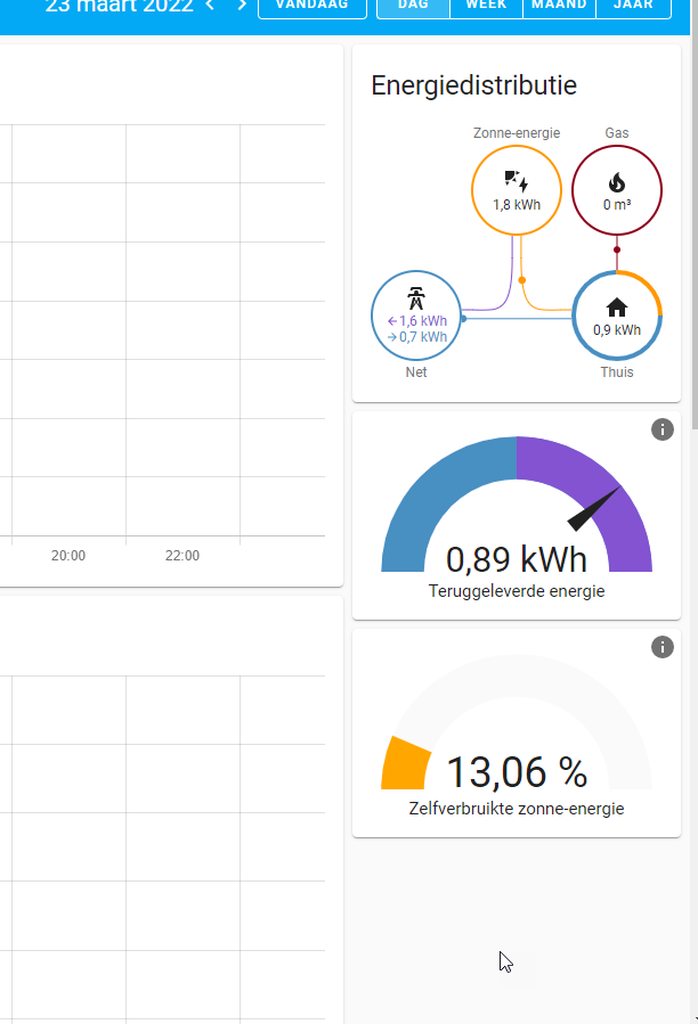 grave junco
Hi all. Hope you're doing fine. I am struggling with getting a template for a ne...
grave junco
grave junco
Hi all. Hope you're doing fine. I am struggling with getting a template for a ne...
Does anyone have a explaination to this issue? Using template in a service call is supported (https://www.home-assistant.io/docs/scripts/service-calls/). But why does it not work when cards are nested?
rough coyote
Hi i have a switch i wanna treat as a light. Can i somehow make an alias where it's a in the light. domain?
frigid bridge
rough coyote
Hi i have a switch i wanna treat as a light. Can i somehow make an alias where i...
rough coyote
i need it toggleable by service light.toggle, think that will do nicely tx
(try in sec, updating core)
rough coyote
werkz -as you probably expected-
worthy lodge
How can my bluetooth device be detected in known_devices.yaml, but not available to track under configuratgion -> People?
I think I'm missing something basic in regards to the whole device tracking thing in general. I'm trying to add my router to known_devices, but I'm not sure how to find out the name?
worthy lodge
apparently I can't get the router working because tp-link was removed from HA
 inland solar
is there a way to completely disable scrolling in a lovelace view? I am using a tablet with fully kiosk app and despite the view comfortably fitting on the screen there is still a little bit of bouncy scrolling
rancid vortex
how do we put the different pages of the dashboard at the bottom and not at the top?
worthy lodge
still trying to get this working: https://www.home-assistant.io/integrations/device_tracker/
it says "The state of your tracked device will be 'home' if it is in the home zone, detected by your network or Bluetooth based presence detection. "
where can I see that state?
blazing wren
Look in the developer tools.
worthy lodge
aha, thank you
twilit lintel
Can you guys see the "last updated" info on the Android app whenever you click on the entity and then the time below it?
It's not working anymore since I updated Hass to 2022.3
 little idol
hi im looking to put a markdown across two columns, how could i do that?
something like this

 dusty sierra
I've found a theme I really like but it messes up the code editor and I have to swap themes now to be able to see, can someone let me know how to modify the background colour of the code editor? I've been looking at the yaml file in the themes config but not sure what the value is?
Was looking in inspect and noticed it has a css class called element-editor so I added this to the config file and used the reload themes service:
element-editor-background-color: "#000"
But I've not seen any change
 errant plover
dusty sierra
I've found a theme I really like but it messes up the code editor and I have to ...
dusty sierra
errant plover
<https://community.home-assistant.io/t/changing-colour-of-template-editor-backgr...
errant plover
dusty sierra
I've found a theme I really like but it messes up the code editor and I have to ...
dusty sierra
errant plover
<https://community.home-assistant.io/t/changing-colour-of-template-editor-backgr...
Ah perfect that worked thank you!
fiery ledge
on that topic: what would be the variable for the more-info attributes dropdown in expanded situation? in my dark themes I can see it upon opening more-info alright in the themes color setting, but when I open the attributes, its all white...

I've tried to set var(--input-fill-color) with input-fill-color: var(--card-background-color) in my themes, but no effect unfortunately. Nor does mdc-dialog-content-ink-color: var(--card-background-color) work...
 misty patrol
Var(--red--) I'm assuming makes everything red?
errant plover
fiery ledge
on that topic: what would be the variable for the more-info attributes dropdown ...
Is it not just input-fill-color
fiery ledge
it is! I had that above, must have been a typo why it didnt kick in... maybe I was overdoing things, as I also have mdc-select-ink-color: var(--primary-text-color) mdc-select-fill-color: var(--card-background-color) . so I was looking for the dropdown specific variable. Thanks!
I now can take out the mdc-select-fill-color ( for the input_select) and mdc-text-field-fill-color (which I used for the quick-bar). nice, much better.
errant plover
Don't use the mdc variables. These variables cover all the input types (select, number, etc...):```
input-ink-color: 'var(--primary-text-color)'
input-label-ink-color: 'var(--secondary-text-color)'
input-disabled-ink-color: 'var(--secondary-text-color)'
input-fill-color: 'rgba(0, 0, 0, 0)'
input-dropdown-icon-color: 'var(--primary-text-color)'
input-idle-line-color: 'var(--secondary-text-color)'
input-hover-line-color: 'var(--primary-text-color)'
input-disabled-line-color: 'var(--disabled-text-color)'
input-outlined-idle-border-color: 'var(--disabled-text-color)'
input-outlined-hover-border-color: 'var(--disabled-text-color)'
input-outlined-disabled-border-color: 'var(--disabled-text-color)'
input-disabled-fill-color: 'rgba(0, 0, 0, 0)'
Unless you specifically want to change one of the input type's appearance to be different to the rest. Then use the specific mdc variable.
fiery ledge
ok thanks Tom, Ive changed accordingly. only using the mdc-shape-small still, I believe it was for the top corners of the input boxes in Logbook
 sonic finch
I've added a gauge card to lovelace getting the weight from a bathroom scale. I have it showing the current weight, and below it is the name. How can I replace the name with Max - Current to show the loss instead?
 warped yew
Hi! I have a card that works in isolation but i can't get it to work within a vertical stack. Can someone help me? https://pastebin.com/FPd3g5tP
Pastebin
Pastebin.com is the number one paste tool since 2002. Pastebin is a website where you can store text online for a set period of time.
winter blade
Is it possible for the condition card to have multiple correct states? So display the card when the chosen entity is on / unavailable for example.
fiery ledge
no, you should use custom:state-switch for that
winter blade
That looks quite promising. Thanks for the suggestion!
fiery ledge
yes, its very powerful, and you wont go back to plain conditional 😉
spice meteor
Can a script be cancelled by another script or scene change? I've looked on the help and can't see any mention of this.
(I have a shut-down script that turns off various lights over the course of 10 minutes. But sometimes I need to delay it, so want to find a way to stop the script in its tracks.)
carmine shoal
@spice meteor use a input helper for the time(s), and just extend the time via a script.
spice meteor
carmine shoal
<@!763430583702519878> use a input helper for the time(s), and just extend the t...
Thanks. Problem is in this setting I don't know how long I need to extend for. At the moment I'm suddenly plunged into darkness by the last step in the script. Any other ideas?
carmine shoal
set the time to 99 minutes, the change it when you know.
spice meteor
Ah, yes, I could do that. Still interested to know if a Cancel is possible, as that seems cleaner.
carmine shoal
or, step down the lights, rather than full off.
spice meteor
Hmm, now trying to edit the script. I've created a Helper to hold a time value. But I can't see a way to set that to 99 min in the Script, nor how to use it in the "Wait for time to pass" action.
carmine shoal
call service input_helper.select (value)
if its a date-time helper, you can add NOW to 99 minutes
@spice meteor, I'm sorry, see if you can wait on a template
its condition time, value of ainput helper
spice meteor
I couldn't find the input_helper.select though I found some Timer services.
carmine shoal
input datetime.set
spice meteor
Anyway, let's try waiting on a Template. I've not written a Template before ... I can't see anything obvious in the Template documentation about Timers. Closest I can see it something about timedelta. Does that sound right?
spice meteor
carmine shoal
input datetime.set
I got that. Still not sure how I can use that as a wait timer in a Script. Timer.Start doesn't accept the datetime type.
spice meteor
Thanks for your help. I've read that Timer page, and now created a Helper typed as Timer, and I can get that to start, but still not clear how to wait for it inside a Script. The documentation is all good, but it's the bringing together of the different pieces (Helpers, Scripts, Services, Templates) that is proving non-obvious, even for this programmer.
nocturne marsh
Any clue why this is not working?
 fiery ledge
would love to know that too.... how to write the path to files stored on the /media share in a folder /images.. btw, shouldnt the UI editor have an image selector in place there?
hosting the files in the /config/www folder is no problem. its just that the /media share seems not to be found, even after enabling media_source: and image: in configuration.yaml.
I can find the images via Media in the left side menu and browse local files
or is it simply not meant to be used that way: https://community.home-assistant.io/t/can-you-reference-media-source-items-in-picture-cards/230274

Home Assistant Community
Looking for the most current, simplest (and ideally secure) way to add an image to my home assistant server (Pi w/ Home Assistant OS 0.115.2) and then reference it in a Picture Entity card. The traditional way seems to be Hosting Files which requires manually creating folders, reboots, and publicly exposed files. I’m wondering if the new Media ...
 sage shoal
Is there a known bug where if you have maps on the front overview page, they will disappear? Their config is still there, and they will appear after you save it, but refresh the page or look on any other device and they'll just go away
 worthy moat
hi all, looking for some help with camera live view on the UI....the actual stream will not show anymore
worthy moat
worthy moat
hi all, looking for some help with camera live view on the UI....the actual stre...
here is the yaml entry. I have ffmpeg: and stream: in the configuration.yaml

 civic sedge
~~works on my machine, ~~
you could try
type: picture-entity
camera_view: auto
"auto" did it thanks!
grave junco
@hallow mango Hi again. Remember our talk on browser_mod.popups and the navigation-links?
Here's my current take on it (not completed yet and haven't really messed with styles and stuff, as it looks great already 🙂 )
https://www.toptal.com/developers/hastebin/rohaqitifo.yaml
Hastebin is a free web-based pastebin service for storing and sharing text and code snippets with anyone. Get started now.
@hallow mango Notice on the last popup...the nested card with the service-call that has a [[[ template ]]]. Spent ALOT of time, finding a template that would work for the service-call (that would be evaluated correctly). Did not find any solution online or here on discord, so just tested many different codes to get the current entity and be able to string-manipulate it to create the notification-call I wanted. Works like a charm now!
@errant plover I think you were involved in answering my many questions regarding this aswell 🙂 ...and I thank you for that. In case anyone else has the same issue, look at my linked code to see how I finally made that service: template work...even with a glance-card, that someone told me didn't accept templates 🙂
opaque kiln
spice meteor
Can a **script be cancelled** by another script or scene change? I've looked on ...
Why not use conditions? If you have an input_boolean, you can add a condition between each step of the script to check if the input_boolean is still on. If it is off, the script will stop executing.
Pseudo-code:
- action 1
- condition: input_boolean is on
- action 2
- condition: input_boolean is on
... - action n-1
- condition: input_boolean is on
- action n
https://www.home-assistant.io/docs/scripts/#test-a-condition
hallow mango
@grave junco hey very cool! I'll have to check in on them a bit later if I get a chance... but thank you for sharing!
grave junco
hallow mango
<@263656261503942656> hey very cool! I'll have to check in on them a bit later i...
Yeah, it's really cool..and practical aswell as I now no longer need to spend 1 hour explaining in detail where my wife need to go to find me haha 🙂 yeah, do that! Of course, man! You joined in and gave valuable feedback when I started this and had your own ideas yourself, so it's a joy to share my version of this. Link me your version when you get to that 🙂
 shut widget
Is there a way to use the UI editor for some views within a dashboard, but use YAML for others?
dark dirge
no, only per dashboard
spice meteor
opaque kiln
Why not use conditions? If you have an input_boolean, you can add a condition be...
Thanks, that's a good idea. But still these feel like hard-to-grasp work-arounds rather than a designed solution. I think I will raise a feature request to add this.
opaque kiln
spice meteor
Thanks, that's a good idea. But still these feel like hard-to-grasp work-arounds...
There probably exists a way to abort a script in mid-execution, because if you set the execution mode to "restart", a new run of a script can abort in-progress runs of the same script. Just that the function is not exposed directly to the user?
TBH, actually this topic is probably better served in #automations-archived.
fiery ledge
anyone around using https://www.home-assistant.io/dashboards/entities/#state_color on device_trackers? I cant get the icon to color when 'home'. So maybe these entities are not compatible with state_color?
spice meteor
spice meteor
Can a **script be cancelled** by another script or scene change? I've looked on ...
FYI advice from #automations-archived is that Scripts can be cancelled with script.turn_off. But the documentation doesn't mention this AFAICT.
 silk sundial
Just curious if anyone else has had an issue with icons not showing up randomly in lovelace
in the app and the web. If I edit the dashboard/card they typically show up again but then disappear randomly again
grave junco
without creating a new type of card, is there a way to set up a card that consists of cards? Confusing maybe, but I have a custom:auto-entities card that lists persons in the household. When I tap one of those persons I want to have a popup that shows a vertical-stack with two rows, row one has geocoded location, row two consists of a horizontal-stack that has three buttons (map, navi, share location). This assembly I want to act as one card...and depending on how many devices is associated with the selected person, this card should be used for each device...doable or should I approach this differently?
opaque kiln
grave junco
without creating a new type of card, is there a way to set up a card that consis...
Must it be a popup? What if you use a navigate action when you tap a person to switch to another view, then you can tweak the layout of cards in that view to your heart's content? But not familiar with custom:auto-entities so not sure if it can navigate.
grave junco
opaque kiln
Must it be a popup? What if you use a `navigate` action when you tap a person to...
changing views will make a bad user experience in my view...I got a working solution at the moment, but was thinking on improving upon it. The way it works now with the popup is that the popup autocloses and you return to the view you had, no matter which option you choose
I have seen people make great looking custom:button-cards and those can be used for this...but they are (1) not looking like I would like them to...but I guess I can make something work for me anyway and (2) I was looking for options before delving into what I know is going to be a complicated task...especially since I am new to the type of code one must use to create great custom fields and styles for those cards
opaque kiln
Are you already using custom:browser_mod to create the custom popups? That sounds like it can use the vanilla stack cards.
grave junco
yes
opaque kiln
So...the concept that you described above with nested stack cards...does it not work?
grave junco
whatever subcard I use, it must be templatable aswell as I have a lot of string-manipulation to do on the exposed this.entity_id that auto-entities provide...so that I can get the associated entities
yes, it does work...but not quite how I'd like it to. Right now the lovelace card lists device_tracker entities in a glance view...it shows state, custom icon and color based on zones, etc...if you tap any one, a popup shows with the entity + 3 buttons (map, start navi, share location to householdmember of choice..new popup provided to select the recipient)
works fine...but I think it would be better if the initial lovelace card, listed the members of the household and the first popup listed all devices associated with that one person
and for each device, I would like that "assembly" with the two rows, top row show geocoded location/eg.address and the second row provide the three options explained
opaque kiln
Mmm I see, if I understand correctly then it could involve a lot of repetitive coding to build the popup for each device. I don't really have a good suggestion, but maybe start by building the custom popup for one of the devices with the custom:button-card. Then once you are satisfied with how it looks, move the parameters that don't change across devices into a button card template, which could save you quite a bit of repetition later. You'd still have to create one custom:button-card per device though.
grave junco
I have thought about it the same way, but that's the whole point...in theory, I could have 8 devices linked to my user, my wife might have 2 or 3...I would never know and it should be adaptable...so I found this https://imgur.com/a/9l4IS49 ... which was somehow hardcoded by the guy who posted it, but then got a suggestion with a code like this https://pastebin.com/k6YTctHu
Pastebin
Pastebin.com is the number one paste tool since 2002. Pastebin is a website where you can store text online for a set period of time.
if I can solve it like this, I won't ever have to think about how many devices is associated with any user
opaque kiln
Haha, can't say I have a better idea that those suggestions! But it may not be worth it to build the scalable solution, if the number of devices that plausibly could be tracked is not on the order of magnitude of 50? And if only you have the right to add/remove tracked devices from each user?
Of course, it's a matter of personal pref on whether the vanilla options can suffice. But it seems you'll end up developing something like a new type of custom card. And that could have liabilities too (eg. You need to maintain the code yourself in case of future breaking changes to HA).
grave junco
Well, for my home setup it won't be a big issue...I can always add and manage it...although I would prefer not to at every level, as that's a bit of the point about having an assistant and automated behaviour...but whatever I build here, will be ported to another installation that we will have at our cabin and for every user that downloads home assistant and get a login, I wouldn't want to have to add this code manually every time...it would soon be outdated..this is one small little "gadget" to open map, start navi and share location...but getting this to work, I can think of a lot of other ways to utilize the same method to make much more usably functionality out of it...thus HAVING to maintain an updated setup at all times
opaque kiln
Haha wow, that would be pretty sweet for the guests! But I would say that for them, chances are they will be wowed just by the fact that lights can turn on automatically, and even vanilla interfaces will impress them 😂 😂
I think HA isn't really optimised to manage multiple properties with constantly rotating users. Wonder if there are any "smart hotels" though, and how they would handle this.
But yes, point taken on the desirability of scalable solutions. Just sounds like a dev-level task to me...
grave junco
The thing is that I see no end to the possibilites with these systems...and thus my inner drive literally forces me to proceed endlessly with new ideas 😆
sleek coral
Hey guys , i am using Decluttering card to run mini-graph-cards as template
i have some items in variables and it works great , but i am struggling with
tap_action in the end of the template itself
how can i make it a variable as well ?
tap_action: !include ../ui_views/popup/electricity_popup.yaml
Hi i am trying a markdown: <ha-icon icon="mdi:power-socket-de"/> Boiler
It just shows the icon..
But: Boiler <ha-icon icon="mdi:power-socket-de"/>
Shows Boiler text and the icon. What's going wrong with the 1st one?
I want the icon in front of my 'Boiler' text
(I had big title cards on stacks, it is so space hoggy.. i am replacing them all with markup cards with simple icon and text. )
woohoooo
This seems to werk: <ha-icon icon="mdi:power-socket-de"></ha-icon> ddd
rough coyote
Is there any way to force the layout in HA? Some cards get put on top of each other when there's acres of screen left and right of it.
The problem seems to be limited to views with a card with an image in it. (Radar image, camera image, picturecard)
This shows what i mean: https://i.imgur.com/hOtRBvS.jpg
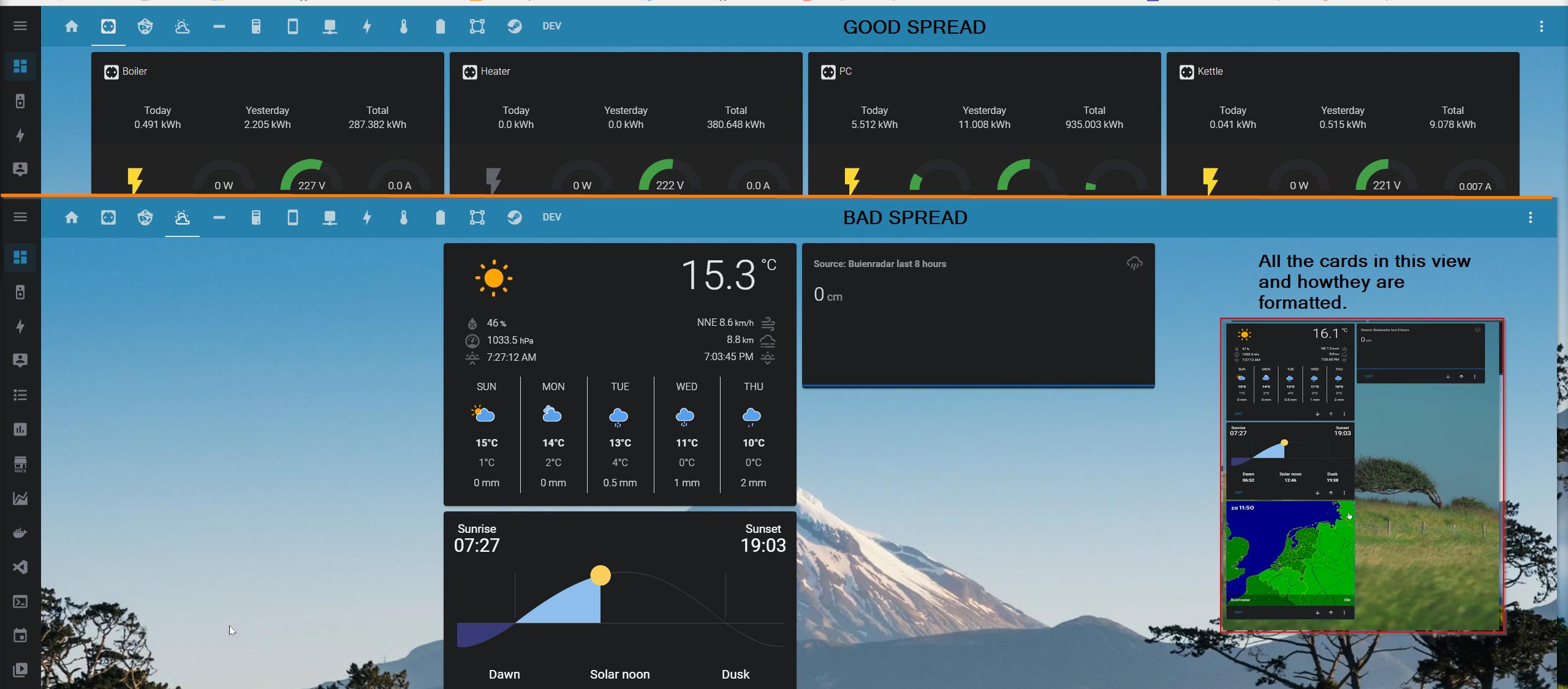 sleek coral
rough coyote
This shows what i mean: https://i.imgur.com/hOtRBvS.jpg
sleek coral
rough coyote
This shows what i mean: https://i.imgur.com/hOtRBvS.jpg
i usually use grid to control where i place my cards https://github.com/thomasloven/lovelace-layout-card

GitHub
🔹 Get more control over the placement of lovelace cards. - GitHub - thomasloven/lovelace-layout-card: 🔹 Get more control over the placement of lovelace cards.
rough coyote
i was thinking about that. Hoped i could avoid it.
How does that work on a phone?
Oh nice it is adaptive
 solid wyvern
Hey all, I'm trying to get rid of a custom entities yaml file that allows me to have that All Lights button.
I've put all my lights that I want to control into an Area. But, how can I create a single button that will turn them on/off?

All lights is the last card
sleek coral
rough coyote
i was thinking about that. Hoped i could avoid it.
you either do that or you can nest other cards in vertical stack or horizontal stacks
rough coyote
Man, i have tons of vertical and horizontal stack cards.. this is gonna be a project onitself
procrastinates
sleek coral
card:
    type: horizontal-stack
    cards:
      - type: vertical-stack
        cards:
          - type: vertical-stack
            cards:
              - type: entities
                title: HA VM
at infinitum
sleek coral
this is one of mines lol 🙂
needed to add mini graph card without borders so i had to cram it inside
had issue with borders when using grid
rough coyote
My lights used to be a nightmare with hv stacks. But now i have a floorplan so that's all 'easy' now.
sleek coral
i just went with button cards in grid to fix all the lights and skip the floor plan
i have some smart spot lights with 3-4 leds inside and all can be individually controlled
rough coyote
Yeah that would be alot of work
spice meteor
I'd like to see a graph of outside temperature drawn from the built-in weather component. Following advice at https://community.home-assistant.io/t/can-i-graph-past-24-hours-temperature/146796, I can make turn the State into a Sensor:
template:
  - sensor:
      - name: Outdoor temperature
        state: "{{ state_attr('weather.home','temperature') }}"
        unit_of_measurement: "°F"
But by itself then doesn't became a Statistic capable of graphing over time.
What else is needed to make a Sensor be databased, to turn into a Statistic?
dark dirge
but your question is a little confusing because all history is stored in the database and can be graphed over time
long-term statistics aren't subject to purging
spice meteor
dark dirge
but your question is a little confusing because all history is stored in the dat...
Thanks for the info and clarifications. I'm going to suggest some updates to the user-level docs so that others can find this information.
 fallen thunder
is there a way to make the cards wider?
 weary axle
Is there any best practive or guides on how I can declutter my home assistant? I got so many sensors with attributes, I got so many lights where I often like to controll several lights in one action. Trying to figure out a nicer UI but it just feels like a daunting task:D
Would love some inspiration!
opaque kiln
solid wyvern
All lights is the last card
Just list all your lights into a group? Then control the group. https://www.home-assistant.io/integrations/light.group/
rough coyote
Anyone know if i can prevent this from happening?
When the columns get narrow (left part) two buttons dissapear.
- type: calendar
https://i.imgur.com/QxECbOh.png
is there anyway to make it not do that, there's room for the buttons.
I think i am gonna have to edit the card source :/
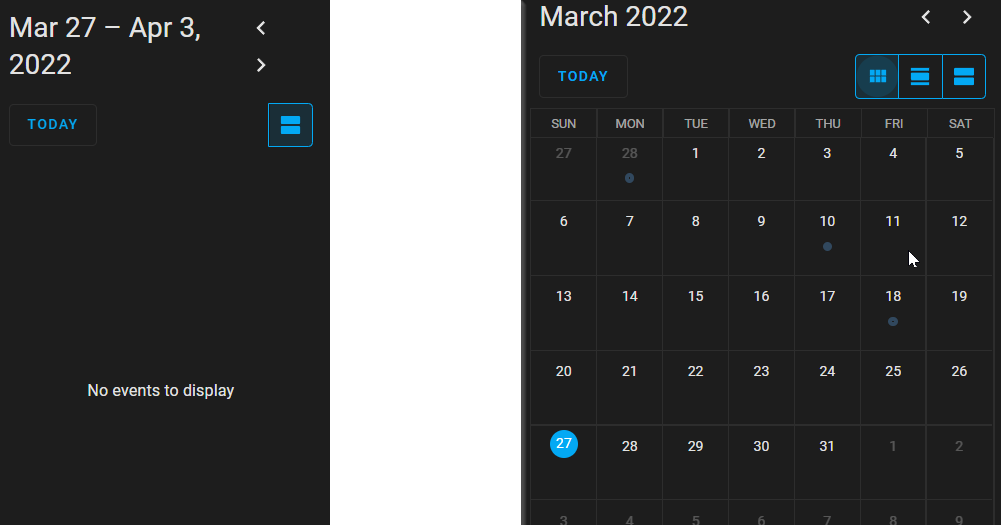
 patent scaffold
Hey about the Picture Elements, when using the state-icon I cant seem to make the icon bigger even though I use the font-size. Is there any good way to do it? I want to clearly see my doors magnet contact status op/closed
rough coyote
Seem to have an issue with re-occuring events in calendars. Is that frontend or integrations? (I can see appointments, it only shows the 1st instance.) Found : https://github.com/home-assistant/core/pull/31805 and https://community.home-assistant.io/t/caldav-and-recurring-events-support/54925
GitHub
Proposed change
Some CaDAV servers (see: SOGo) return the original event that contains the recurrence rules. The caldav component sorts and filters events based on their start and end dates, and wa...
Home Assistant Community
I am using SOGo as my personal calendar with the caldav platform. In this combination (and by looking at the code probably with any other CalDAV server) the caldav platform does not support recurring events. I am in the process of changing that and am hoping to find some volunteers who would be interested in trying a beta version of caldav.py. ...
@patent scaffold i think i did that once with a icon.. lemme see if i still use it.. brb 😛
 errant grail
Hello,
Since the last release, inputs are white, like :


How can i return on a transparent input ?
rough coyote
@patent scaffold icon_height: 100px
that's what i use for - type: button
shrugs.. just a noob here.. mileage of my suggestions may vary
patent scaffold
Oh cool, thx!
rough coyote
If you go to docs on website all the properties will be listed. Might be some other fun ones.
patent scaffold
cant find the doc site
should icon_height go under "style:" ?
- type: state-icon
entity: XX
style:
icon_height: 100px
top: 18%
left: 54%
vapid field
hey I have a folder in my home directory, it contains pictures
How do I do /assets/images/x.jpg?
 tardy aspen
I am making a 3d floorplan, and gonna show another picture when my tv is on, but when coding this i need to have width on 100%, what means i can click on the hole screen and still turn on the tv, and the other icons/button are not possible to use
rough coyote
ok.. i 'fixed' it by making all events singular. Was trash days and bio-bin days. Lotta work but was hitting walls.. seems to be common issue in caldav land
tardy aspen
So in the picture u can see a tv icon, i use that to turn the tv on and of, but if a click anywhere else it show info about the tv, sound up and down etc, and i cant even use the light symbol anymore, cause it only show info about the tv and stuff

its the same with the light if i disable the tv code
And i think its because i use width 100%, but if i dont use it, i cant see the change of the picture
tardy aspen
rough coyote
do lights work when it's not 100%?
ye, but then i cant see the tv light when its on, and the light button is all over the screen
rough coyote
I just wondered if that stops triggering the 'tv, sound up and down etc,' everywhere
tardy aspen
rough coyote
I just wondered if that stops triggering the 'tv, sound up and down etc,' everyw...
This comes if i click anywhere on the screen, including on the light icon
 rough coyote
With my massive svg experience, 2 small ones :), i would suspect paths or layer order issue
Some path wrongly referenced in a 'use' maybe. Or just a plain super big path
tardy aspen
rough coyote
Some path wrongly referenced in a 'use' maybe. Or just a plain super big path
So what do i need to change ?
This the code for tv icon

and basicly the same for light, just different entity
rough coyote
no, see no.. i can't help. I only know .svg
All i did. I think you use it in a different way
rough coyote
i don't to pee an gee 😦
I just did lights because i wanted it on my phone and also coz svg was a hell of a lot more effort than i thought. But looks cool on my phone. had same size issue, toilet and a closet and a kitchen area are pretty finnicky to hit 🙂
patent scaffold
Hey @rough coyote did you have an example of way to make the Icon bigger?
tardy aspen
patent scaffold
Hey <@!802560604765290506> did you have an example of way to make the Icon bigge...
'--mdc-icon-size': 15px
patent scaffold
Worked ! But... where can I get info about this? didnt see anything under State Icon on the homepage 😄
would be cool to see all diffrent codes
like, how do I put text under the Icon? is that possible?
patent scaffold
Found a post on it on the forum had all diffrent kind of more guides! https://community.home-assistant.io/t/styling-elements-in-picture-elements-card-a-small-tutorial
Home Assistant Community
Intro: This thread is dedicated to people who started using the Picture elements card. It contains basic hints for styling elements. This is not about using the "card-mod" - everything regarding the "card-mod" will be described in the corresponding thread.
very cool
tardy aspen
Hi! I am wondering how to make a button to switch floor in floorplan 3d, anyone have a link for instructions or a code ?
vapid field
tardy aspen
So in the picture u can see a tv icon, i use that to turn the tv on and of, but ...
how did you do your home like that?
tardy aspen
vapid field
how did you do your home like that?
Search on yt how to make homeassistant floorplan 3D
vapid field
🙂 Thank you
 pallid walrus
I'm trying to create a button that opens up the "browse media" popup as seen in the more-info card of a media player. I've played around with iframes that show the media page but those don't really seem to work. Is there a way to get this specific popup on a tap_action? (please ping me if you respond thanks)
 polar kelp
@tardy aspen In case you haven't solved it yet, you need to put the picture in the bottom so the other things are on top. That's done by putting it first in the list of elements. Then you need to manually turn off tap_action for it with yaml tap_action: action: none
 dark shore
I've got an input select I'm trying to represent via a horizontal stack of buttons. Should the Show state work, as none of the buttons ever seem to go yellow.
kind shellBOT
@dark shore posted a code wall, it is moved here --> https://hastebin.com/juqawisite
dark shore
Here's the vertical stack card
https://hastebin.com/juqawisite
Hastebin is a free web-based pastebin service for storing and sharing text and code snippets with anyone. Get started now.
kind shellBOT
@tardy aspen posted a code wall, it is moved here --> https://hastebin.com/qafuqidike
tardy aspen
polar kelp
<@!491952869361319966> In case you haven't solved it yet, you need to put the pi...
This is my code right now, haven't made the button yet, what more do i need to edit/add ?
fiery ledge
need a pair of extra eyes on a decluttering-card please: https://community.home-assistant.io/t/lovelace-decluttering-card/118625/311
 muted knot

Does anyone know what theme var i need to set to have all bottom row buttons visible in mobile?
Currently only selected is visible
 unique scroll
How do you make those floorplan sketches ? nm , sweethome 3D
polar kelp
fiery ledge
need a pair of extra eyes on a decluttering-card please: https://community.home-...
Decluttering card most likely tries to create a conditional card. Try adding a dab of hui-element.
 oblique apex
Hello, is there a way to setup a simple Slider card? I just want my blinds to have a slider and somehow I cant figure out how to -.-
polar kelp
oblique apex
Yea that would be an option but isnt there a slider option in HA naturaly? Or did I just not finde it because its not there XD
polar kelp
Not for cover entities, no.
oblique apex
Ah ok well then I will go with that. But I am kinda releaved that I couldnt find it because it wasnt there
 potent nova
      - type: button
        tap_action:
          action: navigate
          navigation_path: /lovelace/0
is it possible to choose the navigation path based on the user that is pressing the button?
fiery ledge
polar kelp
Decluttering card most likely tries to create a `conditional` card. Try adding a...
yes I did have a few tries with hui-element, and apparently missed the correct syntax.. but now found it... thanks! card: type: custom:hui-element row_type: conditional conditions: - entity: media_player.googlehome_[[id]] state_not: unavailable row: entity: input_boolean.googlehome_[[id]] state_color: true (I've updated the community post)
 vapid karma
Hey everyone,
Is there a way to input a date in the dashboard easily? Right now the only way I have is to add the input datetime as an entity and then you click it, it opens a popup and then you can click the actual editable date input. This also works horribly in mobile since it opens the keyboard as well
I found a post in the forum from a few weeks ago that describes exactly what I mean

Home Assistant Community
I am looking a way to open date picker for input_datetime with one click. My temporary solution:
rough coyote
Removed a floorplan functionality from my phone 'tabs' because the floorplan with svg keeps triggering the hover action when it is being moved. so annoying.
rough coyote
Made tabs. one for PC and one for Phone (Where i use a different user) and now i can show dependant per device 🙂 WOOT! So i still have it on PC.
 crude coral
Hi, hoping to get some help. I am setting up a card to control my AirCon zones. Each zone is able to be in two modes, temperature controlled or fan.
Wondering how I could have the controls change based on the mode.... looking at the fan entity there is an attribute to determine what mode it is in
 sullen stump
Hi, Trying to use the HAS API, Created a long lived token and passing it in my URL, no matter what i try i get "401 Unauthorized"
oblique apex
Hey folks I am using a slider card to controll my esphome (8266) wich controlls a sterpper motor. It works but after moving the stepper to the desired position the slider jumps back to 0 (aka default) Can someone hint me at why this happens and how to fix it?
polar kelp
Make sure the esp thing also reports the new position back.
oblique apex
polar kelp
Make sure the esp thing also reports the new position back.
Sorry if the question sounds dumb to you but I am pretty new to esphome how do I get the 8266 to report back the state?
polar kelp
I don't believe in dumb questions.
I don't know much about esphome, unfortunately. But you can check in dev-states ( 🔨 Developer Tools -> States) to see what your device is reporting when it has moved. If it's 0 the problem is probably in the esphome sketch, otherwise it's a frontend problem.
opaque kiln
crude coral
Hi, hoping to get some help. I am setting up a card to control my AirCon zones. ...
If you use a couple of conditional cards, you can display one set of cards when your fan is in mode A and another when your fan is in mode B. Each set of cards can be customised to your heart's content. Or if you want to dabble in HACS, the custom:state-switch card can do the same thing more elegantly.
unique scroll
oblique apex
Hey folks I am using a slider card to controll my esphome (8266) wich controlls ...
do you use lambda ?
if not you can use optimistic: true
and also use restore_value: true
oblique apex
unique scroll
do you use lambda ?
if not you can use optimistic: true
Ty yeah we had exactly that talk in the esp channel 😄
btw I am home now and will try it out
oblique apex
I am realy hyped to try this. It would fix a problem existing and bothering me for about half a year or more
unique scroll
i'm heading back to esphome discord 😉
crude coral
opaque kiln
If you use a couple of conditional cards, you can display one set of cards when ...
Add sweet, ill take a look at that HACS suggestion.... been driving me nuts
delicate marsh
Anybody know a way to display a public calendar on lovelace? I have .ics for the calendar and just want to show the events 🙂
 reef obsidian
hi i have question where safe the custom button card templates?
 normal belfry
Are there are UI Minimalist users here? I am having an issue where my Light Cards are only showing up about 30% of the time and the rest of the time they are just totally absent. No errors or anything. Doesn't matter if it's desktop or mobile.
opaque kiln
reef obsidian
hi i have question where safe the custom button card templates?
Go into edit mode for your dashboard, go to the raw configuration editor, then above views:, add in the button_card_templates block.
 brittle peak
Hi, has a bug that Gauge card doesn't show severity in UI but does in yaml already been reported/fixed? I'm still at 22.3.6 version... Or is it just case on my side? Thanks!
(also would be nice if it could be used in "opposite" direction, i.e. to show battery state, but that's another topic...)
 dark shore
Is there a simple way of doing navigation for say a mobile theme? I'm adding a honkingly large button with a back/top option.....but it feels a little ugly. Maybe something in the top bar where the view icons appear?
normal belfry
dark shore
Is there a simple way of doing navigation for say a mobile theme? I'm adding a...
UI Minimalist has a Navigation Chip with navigation functionality. Designed with mobile in mind. At the very least you could lift the code of the chip for what you want, it's on their GitHub, if the actual full theme doesn't suit your needs
dark shore
normal belfry
UI Minimalist has a Navigation Chip with navigation functionality. Designed with...
yeah i saw that on EverythingSmart home....but when i looks at it, it looked like UI Minimalist had quite a few moving parts I have to figure out how to install
is it worth persisting with? I've just instlaled HACS, I didn't realise I could, being a core docker install
normal belfry
Everything was going smoothly and I loved it, then I messed something up, now my Light Card won't show. But that is user error, not an issue with the actual component. For what I want, a Google Home app replacement with a Wife Factor bonus, it's perfect
Out of the box it supports a ton of cards, has support for community made ones, each card allows you to modify easily to your liking as well.
But it's definitely not as mature as say, Dwains Dashboard which is a little more set and forget and involves was less “work” to set up. It's just also way less customizable
dark shore
ok, I've been playing with the front end....it's quite a different experience to what I'm used to with openhab...while it can look much better, it does take a huge amount of effort to get working dashboards that arent' overwhelming (eg overview)
normal belfry
Give Dwains a shot, you fill out a few config files with entities and bob's your uncle, it's all setup. You can then expand on that, but in terms of time of install to everyday functional its the quickest. I still have it as my default while I figure out what I want UI Minimalist to look
dark shore
normal belfry
Give Dwains a shot, you fill out a few config files with entities and bob's your...
seems to be nicer out of the box to look and navigate than default lovelace...slightly harder to configure though owing to no visual editor. But a good mix anyway. Thanks for the recommendation
 grave mesa
anything about my error? how do i make sure the pathing is correct?
 hexed bobcat
Hi guys, Is there any card that allows you to treat a card as an entity? Trying to hide another card when "auto-entities" card is empty & hidden.
 ivory escarp
I'm able to set the theme of specific views in a lovelace dashboard, but i cant set the global theme, as the box that's usually there is missing in the user settings page
opaque kiln
hexed bobcat
Hi guys, Is there any card that allows you to treat a card as an entity? Trying ...
Under what conditions will your auto-entities card be hidden?
If you can list out those conditions, you could make a template binary sensor that goes to state on when those conditions are fulfilled. Then use a conditional card referring to the state of the template binary sensor to show or hide a card as you intend.
vapid karma
vapid karma
https://community.home-assistant.io/t/how-to-popup-date-picker-with-one-click/40...
anyone?
 midnight sparrow
I have created a openSky card, and entities to show flights and last flight Tail Sign. on tap action of that entity i want to goto a website appending my Call sign at the end of it. Below is my code.
type: entities
entities:
  - entity: sensor.opensky
  - entity: sensor.lastflight
    tap_action:
      action: url
      url_path: https://flightaware.com/live/flight/'sensor.lastflight'
state_color: true
title: Flights over head
theme: neon
Can someone help me format this so it works inside a vertical-stack? https://pastebin.com/kaWE4dYM
Pastebin
Pastebin.com is the number one paste tool since 2002. Pastebin is a website where you can store text online for a set period of time.
brittle peak
grave mesa
anybody knows how to fix this ?
It should be in /config/www/ folder, and also added in Dashboard->Resources as /local/... (example /local/lovelace-sun-card/home-assistant-sun-card.js)
grave junco
Hi all. Question regarding auto-entities. I got one card that lists domain: person.* and a popup when tappin a person. On the first popup, if I refer to this.entity_id, it references the person that was tapped and gives a few options. One of those options is "share location" and opens a new popup that lists devices to share with. If I refer to this.entity_id in the second popup, it still refers to the person tapped on the card...does anyone know how to refer to the entity that was tapped?
hexed bobcat
opaque kiln
Under what conditions will your auto-entities card be hidden?
If you can list o...
condition is no entity satisfying filter
opaque kiln
hexed bobcat
condition is no entity satisfying filter
What is the filter exactly?
normal belfry
dark shore
seems to be nicer out of the box to look and navigate than default lovelace...sl...
Once I realized yaml isn't that scary and that VS Code in HASS fills in a bunch of stuff for you, I ended up switching to yaml mode. But I'm probably a year ahead of you now. Dwains was my first addition that forced me to mess with yaml.
grave mesa
brittle peak
It should be in /config/www/ folder, and also added in Dashboard->Resources as /...
Mine is just a big yaml file so I can't go besides yaml edit mode
What I don't get is, I have grid-layout working without any imports but button-card doesnt?

I even tried
  - url: ../../www/community/button-card/button-card.js
    type: module
 unique scroll
Is there a workaround for adding an asus router to an iframe? i get connection refused towards the url
i was hoping to get to the router settings from within home assistant
warped yew
warped yew
Can someone help me format this so it works inside a vertical-stack? https://pas...
Bump on this!
oblique apex
Hey folks, I was thinking about making a Room plan of our flat and thought it would be awsome if you could "click" on a room and it would "zoom" into it. I hope you can understand what I am going for here. Does anyone know of a similar project where I can have a glimse on how to achive something like that?
oblique apex
unique scroll
sweethome3d
I told you I would come back for your wisdome 😄 thanks I will look into that 😄
hexed bobcat
opaque kiln
What is the filter exactly?
lights/climate/sockets on
opaque kiln
hexed bobcat
lights/climate/sockets on
So if you want the other card to not show when all lights/climate/sockets are off (and thus the auto-entities card is empty), then make a template binary sensor that has the state off when all the devices are off, and use a conditional card that shows only when that template binary sensor's state is on.
You'll need a template of the structure of the following pseudo-code:
(% if entity1 is off and entity2 is off and...and entity_n is off %}
  off
{% else %}
  on
{% endif %}
Idea is to refer to the conditions that result in an empty auto-entities card, rather than to the auto-entities card itself.
 naive ingot
Is there a card/button that takes two-stage inputs? I keep inadvertently hitting another switch while on the same dashboard as the one I want. I think requiring a second/different input might prevent that.
 hexed lantern
Hello there is no suitable 'platform:' for Alexa/Echo with the 'mini_media_player'.
Background: I would like to use the mini_media_player to control multiple Alexa Echos simultaneously
with the same playback. Group / Multiroom
How do you do this? Is my thought completely wrong?
entity: media_player.kitchen_echo
type: 'custom:mini-media-player'
speaker_group:
  platform: alexa    ??????
How do i do AND conditions with Entity Filter Card?
errant plover
warped yew
How do i do AND conditions with Entity Filter Card?
Use the custom auto-entities card instead: https://github.com/thomasloven/lovelace-auto-entities
warped yew
Yeah i did, but i'm trying to do something very specific and i think that Entity Filter Card works better here. Basically i want a a device to show based on the source input of another device (not the state). When my TV is set to a specific source, show the Apple TV card instead.
errant plover
Then you want the custom state-switch card.
warped yew
yeah thats what i'm doing. Just not sure how to get the AND condition
errant plover
So why did you say you were using the Entity filter card? 🙄 Use a template https://github.com/thomasloven/lovelace-state-switch#template
warped yew
Maybe i'm getting it confused. I have an Entity Filter Card with the state_filter parameter
errant plover
You cant do AND logic with that. The custom state-switch is exactly what you need.
Your other option, as you actually want to show/hide a card, not an entity is to use the conditional card and a template sensor that implements your AND logic. Easier to use the state-switch card.
warped yew
alright. I'll look into those options! Thanks
kind shellBOT
@hardy goblet posted a code wall, it is moved here --> https://hastebin.com/eguqayanid
@hardy goblet posted a code wall, it is moved here --> https://hastebin.com/oxifipudov
@hardy goblet posted a code wall, it is moved here --> https://hastebin.com/izibevekal
Please use a code share site to share code or logs, for example:
- https://www.codepile.net/ (select YAML as the language)
- https://paste.debian.net/ (select YAML as the language)
- https://dpaste.org/ (you guessed it, select YAML)
Please don't use Pastebin, since it can randomly add spaces to the main view. Please also don't share text as images since it makes it harder for people to help you. Remember that others may have colour blindness, impaired vision, etc.
Command '.share' was invoked by: tom l
 hardy goblet
Hi there,
recently occurred that my popups with browser-mod arent working with custom:button-card ( 3.4.2 ) anymore. Only my normal buttons do still work.
If I push the custom:button-card just nothing happens. I already cleared the cache multiple times. I restored a HA backup and it was working for some time, but then just stopped again...
browser_mod.debug shows that it works...
I appreciate any help because I really don't know where to look further to solve this problem.
https://discord.com/channels/330944238910963714/460846676358332417

 jaunty narwhal
Is there a way to block all front end access to a user besides shutting the frontend down?
I'm asking because I only want the user to have connectivity to the HA server. Not to have any ability to toggle switches or view sensor data.
this is mainly for device tracker purposes. A child. In which if they accidentally open the app, they could potentially mess things up.
 mild veldt
No, but both Android and iOS have ways of restricting access to apps which might work for you
jaunty narwhal
mild veldt
No, but both Android and iOS have ways of restricting access to apps which might...
Hmm thats an interesting idea. Thank you for mentioning that.
frigid bridge
mild veldt
No, but both Android and iOS have ways of restricting access to apps which might...
Are there any plans to have face/touch-ID-access-restictions in the companion app as well (as in android)?
mild veldt
I do not know
 final void
Hi there, is is posible to put custom:button-card inside of an entities card?
I would like these buttons to be included inside of the calendar card

Im not sure if the layout-card can give you the illusion of these being in one card?
Inside of a custom:stack-in-card, I achieve the ffect that I would like, but the formatting of the button-card seems to stay for a second and then dissapears?
 remote mango
Is it possible to duplice the main lovelace dashboard?
final void
remote mango
Is it possible to duplice the main lovelace dashboard?
I guess you could copy the Raw config and paste it into a new dashboard?
 remote mango
final void
I guess you could copy the Raw config and paste it into a new dashboard?
remote mango
final void
I guess you could copy the Raw config and paste it into a new dashboard?
Uu thanks!
final void
prob will need to change some of it, compare the new dash with the old one to compare
 blissful cloak
Silly question, and not sure if this is the right forum... UI Lovelace Minimalist, in trying to understand the YAML, I see each card is defined within a type. This provides a one card in a vertical stack. How do you create two cards side by side in a vertical stacked (mobile user dashboard)
final void
Im not sure which cards you're specifically looking at... some cards allow you to create multiples in one. However you could create a horizontal stack OR a grid card INSIDE of the vertical stack that will achieve what youre looking for
 violet axle
Idea on how to display temp/humidity sensor in a good way, atm I'm using mini-graph-card with vertical stacks
final void
Do you need the graph?
Im using this custom:multiple-entity-row inside an entities card
 violet axle
Well I'm currently here
 final void
At the bottom of the card I have custom:collapsable-cards with a mini-graph-card in case I want to see the grpahs
violet axle
atm my layout is kinda schizofrenic
final void
 violet axle
looks nifty
final void
the line break is for different floors, but you have diff cards so that could work for you
Think about if you want to have color coordination if the temp/humidity is higher or lower than necessary
violet axle
I'll give it a try
but good question how you get both hum/temp on same row like that ?
final void
final void
Here's an example of how I did it.
Oh yeah, you can definitely just start with - type:entities
I think I had to do the vertical stack for the custom:collapsable-cards at the bottom
final void
ping me if you have questions, happy to help!
violet axle
I'll fiddle a bit and see if I got questions, thnx again!
possible to have a line between rooms ?
Like this
 violet axle
how aaawesome was that!
what would be even more awesome would be the collapsable under each room, but I guess that wasn't possible
 final void
You totally can. i was wrong about the vertical card up above
- type: custom:collapsable-cards Add that to your entities and it will work
 violet axle
Not sure I want the toggle, look cool in the beginning, but now it's just stoopid 😄
final void
Yeah maybe you could put the graphs in but i never tried
final void
Haha that's a lot of lovelace UI in my experience!
Im using a custom:vertical-stack-in-card to create this combination of calendar and grid cards. How can I create padding for just the grid card? I want the buttons to not be pushed to the edges
Card YAML; https://paste.debian.net/1236292/
 violet axle
I did try that recyling stuff, never got it to work so I did put a recurring event in my phone calendar 😄
maxistviews, its a lot of work left, but I think this is a better way to display the info
 final void
Looks great!!
sleek coral
final void
Im using a `custom:vertical-stack-in-card` to create this combination of calenda...
you want to reduce the gap in the grid ?
final void
No padding on the sides
sleek coral
 violet axle
that wastebinthingy would sure be a good thingy to have...
final void
I’m lucky in that my region has a Google calendar (the one displayed up at the top) so I regex the data into binarysensors
There’s a few really good garbage collection integrations on hacs.
violet axle
Well I'm in Sweden, so I know that it comes every other week friday around 06, so it's tomorrow
But I always got so many ideas, start everything at once and it ends up with nothing working 😄
final void
Ah, that seems simple enough to create a sensor for if you wanted to. For us, it changes if there’s a holiday this week. And each week they pick up different things
final void
violet axle
But I always got so many ideas, start everything at once and it ends up with not...
But that sweet satisfaction when you do get it to work
violet axle
started almost 10 years ago, never had a working instance so far 😄
final void
What’s considered working?
violet axle
I was so bad at this in the begining I had to change nickname 😄
final void
Aw no that’s unfortunate. But We all just keep improving!
violet axle
final void
What’s considered working?
Well just to have everything set that I own; I mean I prolly have lots of sensors and other stuff that sure is installed, but just sits there and collects dust; I have really no use for it. For example cameras; first attemp was about 6 years ago; still not working proper, at least it's close now 😄
final void
Yeah I had a fire tablet I needed to root to make into a dashboard... sat there for a year or two heh
violet axle
at least it's moving in the correct direction
prolly wrong # to ask, but them pushthingy's from ha only works when locally connected right ?
final void
Push thingy?
violet axle
well so I can get notice on phone
final void
If you don’t have a reverse proxy or nabu casa, yeah
violet axle
I have reverseproxy, swag container
final void
Then you should be able to do it? Look up a YouTube video
violet axle
cause I got frigate working awesome, but for some reason I dont get messages
sometimes I'm gone for sevral months working, therefore it would be nice
final void
sleek coral
you want to reduce the gap in the grid ?
I’m mostly trying to introduce padding on the side of the four buttons
 violet axle
on the top left side of the screen, give it a lil nudge
 sacred rampart
 violet axle
🤭
violet axle
prolly theme or whatever that is focked
violet axle
set it to standard and not another theme


