#frontend-archived
1 messages · Page 206 of 1
 vapid field
 dark dirge
You probably need to create a template sensor to surface the attribute and then use that as the entity
vapid field
dark dirge
You probably need to create a template sensor to surface the attribute and then ...
{{states('climate.heizung_bad')}} just gives heat . Do you have an idea how I can get attributes of that device?
Oh, {{states.climate.heizung_bad}} helps a lot!
{{state_attr('climate.heizung_bad', 'current_temperature')}} it is 🙂 Thank you!
How do I add this as a virtual sensor?
dark dirge
Yes, that’s the right template
Template sensor documentation and examples are here: https://www.home-assistant.io/integrations/template/
vapid field
Where should I store it?
I've looked at my configuration.yaml:
# Configure a default setup of Home Assistant (frontend, api, etc)
default_config:

# Text to speech
tts:
  - platform: google_translate

group: !include groups.yaml
automation: !include automations.yaml
script: !include scripts.yaml
scene: !include scenes.yaml
I thought I should add sensor: !include sensors.yaml ?
And within the sensors.yaml I've added:
- platform: template
      sensors:
        - name: temperature_bathroom
          state: {{state_attr('climate.heizung_bad', 'current_temperature')}}
But it gave me an error message "mapping values not allowed" for the second line
 errant plover
You have mixed up the old and new format for template sensors. Here's the old format: https://hatebin.com/hmewemnhjg You cant as easily use !include with the new format.
Here's the new format (goes in your configuration.yaml file): https://hatebin.com/rfhdiqhhsr
This is all documented in the link Rob shared.
 sly pulsar
Anyone know how to use a template state for a custum: button-card? It seems to work fine for a label but can't seem to find a way to get it working for state. So for example, if the state is rainy show rain.
 vivid trout
sly pulsar
Anyone know how to use a template state for a custum: button-card? It seems to w...
vivid trout
sly pulsar
Anyone know how to use a template state for a custum: button-card? It seems to w...
show_state: true
sly pulsar
I mean, if the state is let's say rainy i want to display rain instead (to crop the text...). But i can't seem to find out how to do this with the state, for name or label etc it works fine...
 tacit cave
sly pulsar
Anyone know how to use a template state for a custum: button-card? It seems to w...
tacit cave
sly pulsar
Anyone know how to use a template state for a custum: button-card? It seems to w...
take a look at the docs again, there's a specific field that's required to template the state
 thorn ridge
Hey guys, is there any way to keep a record of my servers uptime?
tacit cave
thorn ridge
Hey guys, is there any way to keep a record of my servers uptime?
typically this should be asked in #integrations-archived. There is an uptime integration, just enable that.
 ionic lodge
Any ideas why a media_player entity stopped showing live picture (no picture at all), as it did before?
 little obsidian
is there a way to assign multiple entities to an area at one time?
Example: Configurations->entities allows you to select multiple entities at once however after you select multiple I only see: enable; disable and remove
 hallow mango
nope
 frozen olive
Anyone good with the apex-charts card? Trying to just get a couple of fixed lines
little obsidian
hallow mango
nope
thanks
 scenic trout
The new tuya integration is not yet fixed so it shows the switches state correct in frontend right? If I turn something on it turns on with the slider but then goes back to off state but the actual lamp or Socket is on
 coral fossil
to make a button that turns a bulb on and to a specific brightness, should this call a scene ... or turn the light bulb on with some additional data? and if so, is this using the "default action" action, or something else? how do you add the additional state data to the turn on action ?
oh light,turn on gives loads of options, I guess this is where I am supposed to do it
dark dirge
Yes
 tranquil acorn
Hi there! So I just "Took Control" over the interface. Is there a way to undo that?
dark dirge
Yes, click the 3-dot menu, select edit raw configuration, delete everything, then save
tranquil acorn
Brilliant. Thank you @dark dirge
 distant pine
Hey guys, not sure if this is the right place to ask this. I just spun up a new haos VM due to a catastrophic failure. I've been using simple-thermostat through HACS without issue for quite a while. I'm missing the up and down arrows on the temperature set points on the thermostat on the new installation. I've reinstalled simple thermostat a few times, but the arrows won't show up.
Any way to find where the arrow assets are being pulled from?
 lucid pumice
almost certainly an icon as per most other graphics. (Just checked and it is)
 lean raptor
Has there been any updates to mqtt..? All of a sudden my units that use mqtt started flashing in the frontend
Mqtt is up, so are the devices
The values change, and I can control the stuff but its just blinking between unavailable and the correct values every second
 half haven
Well, I have successfully installed HACS.
I have roku-card under HACS-FrontEnd.
Now what ???
dark dirge
The docs give you an example card config
half haven
Ok RobC. I will take another look.
Us age 60's people are slow learners.
 lofty prawn
I haven't touched my Hass.io install for a while, and wanted to do some cleanups and updates.
It is on Home Assistant version 0.91.4.
Is there a clean way to update from hear, or do I need to start over?
dark dirge
starting over would be easier
 pliant scarab
Anybody know how to create a 'back' button in Lovelace? Just want to create an option to return to the previous page.
 spare stone
how can i find out why my zigbee lights (through z2m) wont change state in lovelace when pressed physically, and only showing when pressed through HA?
 atomic glacier
@pliant scarabsimiplest way I know is
type: button
tap_action:
  action: navigate
  navigation_path: /lovelace/home_or_where_you_want_to_go_to
I just have them all return to Home view to simplify things
pliant scarab
atomic glacier
<@!333015739932082179>simiplest way I know is
```yaml
type: button
tap_action:
...
Knew that one, I have panels which people can reach from different views and need to go back to those views, so really need a back button
 surreal agate
Is there any way to change the contents of the dashboard badges? (the ones at the top) I have used card mod to change the colours, but i would like to change the text shown to an icon. Devices like covers just show "closed" or "open" without the option for an icon when added to a badge.
 fiery ledge
would there be a reason for difference between device_trackers from Nmap tracker to show a nice state tracking lan-connect/lan-disconnect icon and Asuswrt show always mdi:account ?
fiery ledge
pliant scarab
Anybody know how to create a 'back' button in Lovelace? Just want to create an o...
I use this in my own shortcut menu bar: - type: custom:button-card template: button_shortcut_menu tooltip: Back icon: mdi:arrow-left show_name: false tap_action: action: toggle entity: input_boolean.back_button variables: back: | [[[ if (entity.state == 'on') {history.back() ;} ]]]
and and automation to go with that:```automation:
needed for Javascript in buttons shortcut menu
- alias: Back button
id: Back button
mode: single
trigger:
platform: state
entity_id: input_boolean.back_button
to: 'on'
action:
service: input_boolean.turn_off
target:
entity_id: input_boolean.back_button```
same for forward ofc.
vapid field
Hello, I have a question I wanted to know if any of you have this card with the conga vacuum cleaner ?. I wanted the option of washing water to appear on the card and also for the cleaning time and the M2 of what has been cleaned. I'm putting codes that I see but it doesn't work for the cecotec conga.
https://github.com/denysdovhan/vacuum-card
pliant scarab
fiery ledge
and and automation to go with that:```automation:
# needed for Javascript in bu...
Thank you for that. Right now it complains about the template: button_shortcut_menu missing.. Can you show me what you have in there?
fiery ledge
I can but you better delete the template for a second, and test the functionality. Its mostly styling
hallow mango
fiery ledge
would there be a reason for difference between device_trackers from Nmap tracker...
prob just something the integrations do differently
fiery ledge
I just Pr'd the Asuswrt integration to adopt the same logic 😉
pliant scarab
fiery ledge
I can but you better delete the template for a second, and test the functionalit...
Deleted that part, button shows up, but no functionality. Also no errors (as far as I can see).
fiery ledge
it only works if there is in fact a history. did you browse a bit in your Lovelace? ypou can test by entering history.back(-1) in the inspector
pliant scarab
fiery ledge
it only works if there is in fact a history. did you browse a bit in your Lovela...
Let me try that
pliant scarab
fiery ledge
it only works if there is in fact a history. did you browse a bit in your Lovela...
When I try that it will take me back as it should (Chrome/F12/Console).
 bold solstice
I have a question with scaling factors for sensors under entity configuration -- I'm defining sensors with local-tuya and I need to set my scaling factor for 0.1 but the gui doesn't seem to allow anything less than 1. Is this an issue with local-tuya or the frontend?
 lime pike
Does someone know if there is a way to clear statistics for a given entity? In dev tools > statistics I have old entities that I would like to clear
tacit cave
lime pike
Does someone know if there is a way to clear statistics for a given entity? In d...
not possible
you delete everything or wait until it's purged
tacit cave
bold solstice
I have a question with scaling factors for sensors under entity configuration --...
lime pike
tacit cave
you delete everything or wait until it's purged
When does purge is done?
lime pike
tacit cave
the default is set to 10 days
DB purge is done every 10 days but not for statistics from what I can see. I’ve got old statistics (more than 10 days) for entities that where deleted
tacit cave
lime pike
DB purge is done every 10 days but not for statistics from what I can see. I’ve ...
long term statistics are forever
no way to delete them currently
lime pike
Got it, thank you
tacit cave
might be worth a feature request. I'm sure you're not the only one who might have that issue
 broken marsh
I can add my Watt sensors to the statistics card in Lovelace but a template sensor with Watt won't be added. What attributes are needed? I see my Watt sensors have device_class: power and state_class: measurement for instance. EDIT: Added device_class to the template and state_class to customize. Hoping that'll do the trick.
 thick dagger
Anyone know how to get the frontend to show the correct time in the metrics?
all of my metrics are showing time in UTC but I have the timezone configured in my config correctly.
not sure where else to go look for this setting at
scenic trout
The new tuya integration is not yet fixed so it shows the switches state correct in frontend right? If I turn something on it turns on with the slider but then goes back to off state but the actual lamp or Socket is on
Was hoping the update would solve this
 polar kelp
The .7 update? That pretty much only fixes the daylight savings bug.
And this is an #integrations-archived problem.
 noble galleon
I just updated HA and core to the latest (previously on September release). I think the core broken all my costum cards, none work anymore:
mini-graph card, multiple entity row, weather card, text divider row, slider entity row, mini media player
I get custom element doesn't exist for each
Ok, reinstalling one, seems to have fixed them all
Maybe there was a pathway change or got corrupt
 normal belfry
Is it possible to configure an array of accepted PIN codes for the Alarm within Home Assistant? I have mounted a temporary "Alarm Panel" and would prefer to have a way to track who is disarming the system. ie; a code for myself, one for my wife, one for the cleaners, etc. Otherwise its always just "system disarmed by Alarm Panel" which is the name of the user of the display
hallow mango
scenic trout
The new tuya integration is not yet fixed so it shows the switches state correct...
how many times have you asked this? 🤦🏽♂️
hallow mango
noble galleon
Maybe there was a pathway change or got corrupt
you usually need to reload browser cache after an upgrade
lofty prawn
Is there a dashboard widget fo fans that includes speed control, like light dimmers?
lofty prawn
Maybe "fan control entity row" from HACS, but it looks like it will take some time to learn enough to get it working.
Any guides on this?
noble galleon
@fleet haven ah that's possible. I was using the HA Android app. Idk if installing a HACs component triggers a refresh. That did bring it all back.
@hallow mango
Sorry Driden, I @ the wrong name
polar kelp
lofty prawn
Is there a dashboard widget fo fans that includes speed control, like light dimm...
slider-entity-row or a built-in buttons row https://www.home-assistant.io/lovelace/entities/#buttons
 broken garnet
hello everyone, Im looking for a way to show a line of plain text in an empty space in my dashboard (things like good morning, how many devices are on, etc) I already made a sensor for this info just need a way to display it. any ideas?
broken garnet
broken garnet
hello everyone, Im looking for a way to show a line of plain text in an empty sp...
using Homekit panel card btw
 weak hatch
@broken garnet https://www.home-assistant.io/lovelace/markdown/ this?
polar kelp
You can use card-mod to remove the background and borders from a card.
broken garnet
polar kelp
You can use card-mod to remove the background and borders from a card.
managed to find another solution. the github page had the exact rule i was looking for 😅
fiery ledge
anyone around to explain what device_class: switch does? Ive tried it but see nothing happening in FE
errant plover
It's identical to none as far as I can see.
 tired harness
hey there! 🙂
I have a binary door sensor: binary_sensor.shellydw2_1_door, and I want to show it on the ui as an icon.
I use a button now, but I am not sure if this is the best way, and also, the icon is not working. only shows rectangle.
- type: button
entity: binary_sensor.shellydw2_1_door
name: ajtó
show_state: true
icon_template: >-
{% if is_state('binary_sensor.shellydw2_1_door','on') %}
mdi:door-open
{% else %}
mdi:door-closed
{% endif %}
can you guys help me out what am I missing?
polar kelp
There's no icon_template for buttons https://www.home-assistant.io/lovelace/button/.
What you should do is set your device_class properly. https://www.home-assistant.io/docs/configuration/customizing-devices/#device_class
tired harness
polar kelp
What you should do is set your device_class properly. <https://www.home-assistan...
how do you mean set it up properly?
polar kelp
tired harness
how do you mean set it up properly?
You need to set the device_class of your binary sensor to door. Either in  Configuration -> ✏️ Customization or through yaml.
tired harness
thank you! now it looks okay.
hallow mango
is there a way to hide/reorder a particular sidebar entry for all devices? afaict it is per user per device 🤔
@dark dirge this is why I use custom-sidebar to remove them instead of the native functionality ^ 😉
dark dirge
Not that I'm aware of - it's per device, and blown away if you log out/back in or blow away local data. It is kinda annoying, but not something that I have to deal with very often
 quaint night
Hi is there a way to have the picture-elements state-icon of a device-tracker show the icon of the zone it is in?
hallow mango
i take it there's also no way to let sidebar items be arranged in the "bottom half"?
i did use the gist from balloob to add my items back, and hid/reordered some via the native options
dark dirge
looks like you can just remove the ones in the lower half
hallow mango
i just typically like to have "server controls" towards the bottom with config and dev tools
dark dirge
I put it at the bottom of the top group. close enough 🙂
hallow mango
close as we get i guess lol
so using that gist should make those options available for any user/device then? just need to hide/reorder per login
dark dirge
yes
hallow mango
ok, i'll take it for now anyways
weak hatch
hallow mango
i did use the gist from balloob to add my items back, and hid/reordered some via...
the gist is not working for me 😦
I copied the panel-redirect.js to /www
Added panel_custom: to raw configuration editor.
Nothing seems to show up :?
Ahh, stupid me,
I am adding it to the configuration editor, instead of .yaml 🤦♂️
 near sandal
Hey everyone, I don't know when it happened (probably weeks, maybe even months ago) but all my text sensors don't seem to have a history anymore. All that's shown is an empty graph. Previously the history was rendered as a bar with different colors for every distinct text. Any idea, what's going wrong?
 wanton galleon
any way to make a stack of cards on my lovelace line up perfectly horizontally across my screen? i want all my lights to be across the middle of the screen if that makes sense
ive tried built in grid but doenst seem to work
ill post a pic for reference
well i guess i cant upload a photo here for some reason
when i use the horizontal stack card or grid it just smashes multiple columbs into 1 single card and looks terrible
hallow mango
wanton galleon
when i use the horizontal stack card or grid it just smashes multiple columbs in...
use panel mode
wanton galleon
hallow mango
use panel mode
where panel mode
view type -- panel mode?
i just want everything lined up across the page. so all my lights and stuff are even across the page
weak hatch
You want them in the same height?
wanton galleon
yes
basically just need to add padding to the top cards to make them a little bigger lol
weak hatch
https://github.com/thomasloven/lovelace-layout-card
Check if something suits your need.
 rancid vortex
hello,
I'm making a home assistant for my tablet. I've been inspired by Matt8707's work. It's going well but I just realized that I have a big problem with the display on my iPhone. The display is very small and I have no idea why.
Do you have any idea.
weak hatch
Actually now that we are on that topic,
Is there anyway I can force my layout to always have 3 columns without using a layout card (I dont want to give up on badges)?
So basically I want https://imgur.com/a/hWaJdlr instead of https://imgur.com/a/mEDqyjI
 opaque galleon
Hey guys. is the icon picker rolling out slowly? I'm on 2021.11 but there is no sign of icon picker.
 opal jacinth
2021.11 breaks my HA hier.....keeps "loading data"....Was able to restore backup in proxmox and tried again but again, endless spinning wheel with loading data.
tacit cave
opaque galleon
Hey guys. is the icon picker rolling out slowly? I'm on 2021.11 but there is no ...
click on your entity and edit it
hallow mango
@polar kelp with icon picker support in FA, should it list out the icons? no completion happens for me when I type fab:, for example... it will only show me the icon when I've typed the full name
tacit cave
hallow mango
<@445886408000012289> with icon picker support in FA, should it list out the ico...

working for me
polar kelp
Did you restart and clear cache?
polar kelp
It's both a frontend and backend thing, so it needs both.
tacit cave
just ctrl+f5 and use it for everything
hallow mango
yep that was it
sorry for the false alarm lol
this icon picker is dope
need to see if i can get that implemented for si icons lol
he seems a bit inactive though 😕
opaque galleon
tacit cave
just ctrl+f5 and use it for everything
This did the trick, thanks!
 prime shore
Hi! in a button card I am attempting to use a conditional in the option section of the template tap_action: action: call-service service: input_select.select_option service_data: entity_id: input_select.light_menu_select option: >- {% if is_state('input_select.light_menu_select', 'Bedroom') -%} Office {%- else -%} Bedroom {%- endif %}
Am I doing this incorrectly? Is there are a better way to do this?
dark dirge
built-in button cards don't support Jinja templates like that
prime shore
bumsauce
dark dirge
most built-in cards don't support templates at all
you can call a script and put whatever logic you want in it, including some based on templates, though
prime shore
is there a way for scripts to take an input? like ```
option: {{script, 'Bedroom'}}
where
script(room):
if room == input_select.light_menu_select:
return Y
else:
return room```
dark dirge
yes, there's a section in the docs on how to pass variables to scripts
but scripts don't ever return anything, so you'd need to rethink what you're doing there
dark dirge
they can do things with what you pass in
prime shore
right right, id just call the script on the tap_action then
dark dirge
yes
 rapid void
If this is the wrong place to ask, please point me in the right direction. I have an entity that isn't part of any group, but it displays wrong. Adding it to a group doesn't resolve it as it adds the entity to the group but leaves it where it is as well.
dark dirge
could you rephrase?
rapid void
I tried to paste an image of it, but it won't accept it. The entity appears as it's own group (per se) with no name.
dark dirge
putting entities into a group doesn't stop them from also being entities
rapid void
I get that. It does group them accordingly. This one entity isn't playing nicely.
 kind shellBOT
Please use imgur or other image sharing web sites, and share the link here.
Image posting is blocked in most channels to discourage people from sharing text as images.
Command '~images' was invoked by: RobC
rapid void
Yeah, that isn't happening as imgur isn't allowing me to verify my number. It's hanging on the verify screen....
Will try another one...
https://www.instagram.com/myeager1967/ - Don't know if that will work.... It's there though. 🙂
 formal tide
you can upload easily also on https://x0.at/
I just see a thumbnail, have no instagram
rapid void
Yeah, I don't use it. It's going away because of that. Too many things out there...
I bookmarked that one. Straight forward and effective. 🙂
formal tide
so... I don't get it quite... do you want the switches to appear as lights or?
rapid void
Normally, HA groups them as switches or lights if you don't have them in groups. This isn't classified as anything and adding it to a group doesn't get rid of this "unnamed group". It adds it to whatever group I add it to but this stays right there at the top.
https://x0.at/wMaw.PNG -- Like so...
It's a switch entity, so if it at least put it with the rest of the switch entities, I'd be fine....
formal tide
is this auto generated lovelace?
formal tide
I'm afraid I don't have an answer for that, I never used auto generated :/
rapid void
No biggie. Maybe it'll just go away someday..... 🙂
I figured out how to make it at least show a "group". Assigning it to an area gave the window a name. Might be what happened before as I think I assigned it to an area and then removed it. Need to figure out where it stores the area assignment to actually fix it...
 elder magnet
What's the deal with Allen's webRTC mention on the release page? No need for the HACS version any more?
 flat steeple
i just updated HA, my fully kiosk browsers on my tv boxes are stuck on loading data 😦 what the hell is this ?
what can i do >?
 zinc oyster
While I've rhetorically been on my knees and genuflecting to Frenck about the sheer amount of work he's done regarding new the Tuya integration (I'm exceptionally pleased I can now see some Tuya-based sensors I could not before the update) is it just something I've done wrong or is there a reason for the icon to near always default to 'hass:eye'?
flat steeple
flat steeple
i just updated HA, my fully kiosk browsers on my tv boxes are stuck on `loading ...
i even restarted all the tokens and tried a new user
 magic venture
Hi guys, in energy of home assistant is there a way to reset a day or month of readings?
In last HA update efergy went UI and I had to adapt sole things, I got a false reading of 27000kwH and I'd like to zero it
zinc oyster
Second, while I'm also very happy to see the 'icon picker' new modification (integration?) is there a way to have the icon change on '(binary) state'; such as a motion sensor showing a standing man when 'clear' and running man when 'detected'?
zinc oyster
perks up. W00t! Thanks Tom!
flat steeple
guys its crazy my pc and phone can get past loading data but my tv boxes cannnot already tried on ( chrome, fully kiosk browser and the HA apk istelf) please need help. it asks me for user and password after that stuck on loading (loading data)
near sandal
No history for text sensors
flat steeple
I have 4 tv boxes with fully kioks on displaying lovelace pages.. non of them can load now .. but my phone and pc are fine ..
even other phones are ok
😦 what to do
flat steeple
is there a new update that is not compatible with some webview versions?
flat steeple
i even updated the android system WebView, someone please help 😦
hallow mango
check the url in your fully kiosk
polar kelp
You can only access files in /config/www/ which translates to /local/ in the frontend. E.g. /config/www/card-mod.js becomes /local/card-mod.js.
If www doesn't exist, create it and restart Home Assistant.
hallow mango
I've used custom:harmony-card (https://github.com/sbryfcz/harmony-card) for awhile as a remote card, what are others using?
polar kelp
Not /www/. /config/www/.
Did you restart Home Assistant?
Check your browser console if there's any 404 warnings or something
tacit cave
If you're using hacs, it does everything for you
except add the resource, and the resource is added to the hacs files location
ah, you were referring to the contents of the www folder, not the community tab
disregard then
polar kelp
Try a ctrl+F5 too
Wait. What does "the card isn't available" mean exactly?
That it's not in the Add Card list?
That's not a given. It has to be added to the list by the card maintainer. Try adding it as a "Manual" card.
tacit cave
chances are, if it's not in hacs, it's not set up for use via the UI, only manual card
 rose wolf
I'm trying to understand https://www.home-assistant.io/lovelace/thermostat/ but my thermostat card has different buttons (which have no hover tooltip or anything), how do I find out what the buttons do ?
formal tide
you maybe see the "heat", "cool" and off options
 prime isle
Testing 2021.11, i still have this weird issue on my fridge... how can i collect more debug info? maybe i can help solve this bug?
 sand nova
i suddenly can't stay logged in
updated to 2021.11 earlier today
trying to log in to the frontend from a new browser
i check "keep me logged in", it asks for 2FA code, which I provide
and I can see my dashboard
then I hit F5, and I go back to the login page
...except now, it's suddenly worked, on the 5th or 6th try
awesome
 sick lichen
Thanks, I will try that!
 misty patrol
I cant get the dual gauge card to pop up in the cards section
dark dirge
does it say that it supports UI configuration?
misty patrol
Downloaded it through hacs... the repository is there in Lovelace.. just won't show up.. I've tried different locations too..
Hmm. I'm not sure.. I'm assuming it would? I don't think it specifically says
dark dirge
most do not
misty patrol
Ohhh. Well then. Good to know. So there's no chance of it working?
dark dirge
it doesn't say anything about it, so you likely need to add it manually
pick the option at the bottom of the "add card" section and add the YAML manually
misty patrol
See I did that. But then I got an error saying no card type found
dark dirge
it's over 2 years old, so no promises that it will work
misty patrol
Ahh
dark dirge
if you added the example YAML code, you need to remove the initial leading "-"
misty patrol
Hmm, maybe I screwed it up. I also just copy and pasted a posted code. Maybe that was pooched too 🤣 I'll give it one more go and see
dark dirge
the instructions reflect its 2019 vintage
formal tide
last updated in may?
misty patrol
Yup, that's what I did I didn't remove the "-" in the code I copied and pasted .. I'll give it another go when I'm home.
It was black listed for a bit, then was taken off the black list
dark dirge
Latest commit 5cfbf18 on Sep 9, 2019
oh, nevermind. that was just the readme
this is clearly out of date:
In your ui-lovelace.yaml add this:
- url: /community_plugin/dual-gauge-card/dual-gauge-card.js
type: js
misty patrol
Did that. Started with/community ..
Couldn't find the ui love lace in the yaml folders.. I just added it though supervisor and then Lovelace .. if that makes sense .
Then it adds the type automatically since HA sees its a js file
But when I downloaded it though HACS the extension started with /hacs... . So I tried it with both repos. Tried each time with just 1 of them.. anyway, I'm pretty sure it's cause I copied the code wrong
vivid trout
well submitted my first icon to material as i could not find one lol
 somber crescent
Hey guys, I'm trying to implement custom panel in HA. Used the sample code given in documentation https://developers.home-assistant.io/docs/frontend/custom-ui/creating-custom-panels
But when I change a single line in .js file, it doesn't show up. Already tried restarting the server many times but it doesn't show new changes.
tacit cave
somber crescent
Hey guys, I'm trying to implement custom panel in HA. Used the sample code given...
 gilded timber
Is there a widget that can display international times? e.g. USA / EU / Asia / Australia?
 torpid thistle
Is it possible to change the default view that initially loads based on the state of something. eg. If the Alarm is set I want the Alarm Panel to open first whenever I open the HA app otherwise stick to the normal Dashboard view.
Also... is it possible to do templated icons for views? I have a battery tab that lists all the battery levels on my devices by default it is just the battery icon and I want it to show a battery-alert icon if any of the batteries drop below a certain level.
 cold tulip
updated to the latest version. I added a new dashboard but it is not showing all of the cards that are automatically created. I can see the code in the source editor but they do not appear on the dash. Any ideas?
tacit cave
cold tulip
updated to the latest version. I added a new dashboard but it is not showing all...
update your custom cards or find the custom card that's causing media-control to not load, and remove it
cold tulip
tacit cave
update your custom cards or find the custom card that's causing media-control to...
thank you
 thick bronze
Can someone explain why I'm getting Custom Element doesn't exist?
I have installed it HACS, so I'd assume it would work fine
polar kelp
First step is to try ctrl+F5
 jovial karma
I'm not sure if it's my new adblocker or something, but my mdi icons are not displaying for my Xiaomi Vacuum card or Air Purifier card. I can hover over the actions, but the action toolbar icons themselves are gone. Does the new 2021.11.1 update change the format of "icon: mdi:<code>" ?
I.e. the bottom white blank space used to have icons in it.
 wheat current
Format did not change, but authors of custom cards that uses internal ha components to show the icon needs adjustments
jovial karma
@wheat current Gotcha. Is there a way I can circumvent this for the time being? Maybe using hass: instead or something?
wheat current
No
vivid trout
jovial karma
<@!194499346027249664> Gotcha. Is there a way I can circumvent this for the time...
the comminity store custom brand icons has a vacuum icon if you have it installed already its phu:roborock
polar kelp
wheat current
No
This makes me want to make a tiny plugin that monkey-patches things like ha-icon-button and ha-state-icon to add a ha-icon in their slot if self.icon is not undefined. Would take like 5 minutes, and be a one-click-fix for everyone having problems with icons in every card through HACS.
But I've learned.
I'd find it in peoples installs three years from now, and still get the occasional issue on github in five.
wheat current
Would be better with some custom base class that mimics core components but don’t register as components that you could import to your card and then register your version of it, that would also solve the issue with reimporting already registered components
misty patrol
dark dirge
> Latest commit 5cfbf18 on Sep 9, 2019
Btw it was the code. I removed the dash and it worked fine lol. Thanks again!
flat steeple
how to keep logged on on a user from a web-browser like fully kiosk forever ?
 knotty abyss
Quick question. Can I have the icon and text show in the lovelace dashboards?
errant plover
Quick answer. Yes.
polar kelp
Quick follow-up question: Huh?
tacit cave
Quick Assumption: He means tab names
errant plover
Then, Quick answer. No.
errant plover
polar kelp
Quick follow-up question: Huh?
Thomas do you get notifications when issues are raised on your cards?
polar kelp
Sometimes
flat steeple
flat steeple
how to keep logged on on a user from a web-browser like fully kiosk forever ?
like can i use Long-Lived Access Tokens in a browser ?
polar kelp
Checking the box to stay logged in should work for a long while as long as you don't clear the browser cache.
polar kelp
errant plover
Thomas do you get notifications when issues are raised on your cards?
Thinking of something in particular?
errant plover
I think card mod is responsible for my card backgrounds not loading reliably, but I'm not 100% sure. Issue https://github.com/thomasloven/lovelace-card-mod/issues/153
flat steeple
i had to update all the WebViews sicne the previous update so i can go past the laoding screen
 grand storm
Hey folks! Anyone experiencing issues with text boxes on iOS? For example go to Developer Tools - Template, and try edit line 3. Every time I type a character it resets the cursor to the first line, making it unusable.
 terse narwhal
can I move a view from one dashboard to another?
hallow mango
you can copy it's yaml from the raw editor
 near zodiac
way back when, I had the header bar styled transparent with card-mod and then an update broke that. I've been meaning to tackle it again since...is there anyway to do this now? The issue is still open and I'm surprised there is no answer given how long ago it was
near zodiac
there are also a good number of posts on the Community that all seem to fail, and point to that issue for hoepe
incidentally, in Inspector if I disable the background color for app-toolbar it works as it should, but I can't figure out how to do that with card-mod or a theme. It doesn't seem to take for that one element
near zodiac
I'd even settle for client-side js I could inject to change it if anyone has ideas. This only matters for my wall-mounted dashboards
 delicate pulsar
does anyone here have a good recomendation for os to run on old thinclient with a 10" touchscreen linux just doesnt have a nice interface for the screen imho
hallow mango
just put whatever and open HA in the browser
 clear rampart
does any one know how to detect browser type and based on the type of browser redirect it to a lovelace page. I know compact header integration would do it.
example:
if I'm using pc to redirect to /lovelace/0
if I'm on mobile to redirect to /lovelace/10
thanks for help!
knotty abyss
So if you set an icon then text will auto hidenk way to have both
 cunning summit
Quick question for you HA champs out there! I just added a Zigbee door sensor to HA via ZHA. It created a binary_sensor for the open/close (aka. on/off) state of the sensor. The icon that HA chose for the binary_sensor is a black box (maybe mdi:square?). Anyways, I'd like to customize this icon based on the state of the door. I know I can do this from the frontend, but is it possible to use something like customize.yaml to dynamically change/update the icon based on entity state? I tried the following code below and restarted HA, but now it just has a blank space for the icon. Has anyone else ever wanted to toggle between two different icons based on entity state?
configuration.yaml:
homeassistant:
  customize: !include customize.yaml
customize.yaml:
binary_sensor.front_door:
  icon: "{% if is_state('binary_sensor.front_door', 'on') %}mdi:door-open{% else %}mdi:door-closed{% endif %}"
Is there a “color temperature” display card? Would like to visualize the current adaptive lighting color temp
Seems like it would be a common enough feature
terse narwhal
color temperature card
 exotic siren
Is lovelace built on polymer?
polar kelp
That's where it began.
 noble bison
Hello, I have issue after 2021.11 with my Chrome on Android tablet which just hangs on loading HA lovelace and loads just nothing... error in console: Uncaught RangeError: Invalid timeZoneName.. any idea how to solve this? Thank you
wheat current
Sounds like a plugin is blocking something, try incognito
exotic siren
Is there any issue with importing react and using it instead for custom cards?
wheat current
Yes, it’s even noted in the dev docs, you can’t do it
 golden void
Has anyone else had this error when trying to add any new cards... Configuration errors detected:
Loading chunk 19978 failed.
(error: http://192.168.x.xxx:8123/frontend_latest/4de70bb0.js)
 neat vector
If i download a lovelace plugin through HACS. Should i also download it through Github or is that part done by HACS?
wheat current
That is the part that HACS does
neat vector
Thanks 🙂
exotic siren
wheat current
Yes, it’s even noted in the dev docs, you can’t do it
Thanks! Found it! "You can use Polymer, Angular, Preact or any other popular framework (except for React – more info on React here)" Preact works!
 sage helm
Anyone by chance still rocking an iPad 2? 😀
https://community.home-assistant.io/t/icons-not-showing-on-ipad-2/354226
exotic siren
Assuming you can't update to the latest version of the app?
Might have to switch to browser based kiosk mode or something
exotic siren
My history-graph values are "stuck". I have refresh_interval set to 5. The values on the devices look correct and are changing.
 covert wren
Anyone ever had an entire lovelace view just disappear on them? Like the tab is still across the top but all my cards--everything on that view--is just gone or not drawing in the browser at all.
exotic siren
@covert wren change anything recently?
covert wren
I updated to 2021.11 from 2021.08
I changed some automations in Node Red
But nothing related to that view.
It was my "Media" view with Roku control and a few other toggles associated with my Broadlink
All my other tabs and dashboards appear to be functioning normally.
Have to assume some kind of corruption at the configuration level just not sure where to look.
exotic siren
I'd probably edit the yaml, make a local copy, and start blowing big chunks away until it works and then slowly add pieces back in
covert wren
Where can I even see the lovelace yaml these days? I looked in my file editor but couldn't locate it.
exotic siren
Is it a custom dashboard or the lovelace managed one?
hallow mango
can I use browser_mod to replace the more info dialog for a specific domain?
or only for a set of entities?
covert wren
Custom
exotic siren
Do you get the ... at the top right to go to Edit and then Raw Configuration Editor?
covert wren
Thanks. I'll take a backup of this then start hacking and slashing till something works. Thanks!
clear rampart
help!!!
does any one know how to detect browser type and based on the type of browser redirect it to a lovelace page. I know compact header integration would do it.
example:
if I'm using pc to redirect to /lovelace/0
if I'm on mobile to redirect to /lovelace/10
thanks for help!
hallow mango
nobody answered yesterday either I think
I think you could use layout-card to show different cards based on the mediainfo
like on a smaller and/or touch screen for example
covert wren
So is there no visual editor for the Media card or should I be seeing one?
 dark dirge
 covert wren
And there's no preview of that card in the card selection menu
dark dirge
🤷
covert wren
Yeah, it's just en empty black box there.
dark dirge
clear cache
covert wren
Yeah, going to try that and another restart.
vapid field
I am running a vm for my home assistant instance and i have a frontend called mini graph card, I wanna show cpu temperature as a graph but not sure what the service is called for the cpu, any help would be appreciated
dark dirge
Service?
vapid field
sorry, i meant sensor
vapid field
would i use the windows specific one since its a vm?
dark dirge
that's for the network connection
vapid field
yeah i can substitute the network connection for the cpu temp right?
dark dirge
there's no substitution to be done - you tell it what sensors you want
# Example configuration.yaml entry
sensor:
  - platform: systemmonitor
    resources:
      - type: processor_temperature
whether that would work from a VM, you'll have to see
vapid field
so it may not work in a vm then, i assume that it would work in a raspberry pi
dark dirge
for me:
2021-11-07 14:24:38 WARNING (MainThread) [homeassistant.components.systemmonitor.sensor] Cannot read CPU / processor temperature information
vapid field
do you think there is any way to read the cpu temp within a vm? or does hass have to run on bare metal?
vapid field
thank you for your help, its really appreciated
i will look around on the forums for more info
 blissful storm
Dear channel dwellers, is anyone having ICON display issues on 21.11.1, such as that external icons (hue pack to be specific) randomly don't load for some entities in Lovelace?
However, on a different restart or device, some will return and some not.
These two are the same hue pack icons, with one being loaded ok in this situation and the other not.
https://i.imgur.com/F71WdAk.png
 icy patrol
does anyone have the TPLink HS220 dimmer running in HA?
are you able to control the dimmer percentage?
 spring hearth
i have a bunch of entities named with a prefix matching their area, like "kitchen filter" is in the Kitchen area. in 2021.11, the frontend (autogenerated) is removing the area prefix from the name, and capitalizing the remaining value. for example: "kitchen filter (voltage)" is displaying as "Filter (voltage)". "kitchen motion:" is displaying as "Motion", etc. seeing the same across all my areas/device types: https://imgur.com/a/bkIQ7zb is this an intentional change, or a bug? i searched github issues and didn't see anything stand out
looking at the websocket messages via dev console, they're coming over properly - frontend appears to be mangling them via js or whatever
"Trim device name from entities on device page (#10285)"
 keen lava
icy patrol
does anyone have the TPLink HS220 dimmer running in HA?
are you able to control...
keen lava
icy patrol
does anyone have the TPLink HS220 dimmer running in HA?
are you able to control...
yes I am able to control the dimmer percentage though it occasionally will go unavailable
spring hearth
i opened https://github.com/home-assistant/frontend/issues/10571 . seems that commit was only supposed to affect the device page, not the entire dashboard
weak hatch
Is there anyway I can force my layout to always have 3 columns without using a layout card (I don't want to not have badges)?
So basically I want https://imgur.com/a/hWaJdlr instead of https://imgur.com/a/mEDqyjI
 rich eagle
weak hatch
Is there anyway I can force my layout to always have 3 columns without using a l...
rich eagle
weak hatch
Is there anyway I can force my layout to always have 3 columns without using a l...
Badges and a layout card (e.g. grid card) should not exclude each other. You should be able to use both in a view.
weak hatch
But then I would have to put all my cards in a layout card
That would mess up the mobile view.
tacit cave
weak hatch
But then I would have to put all my cards in a layout card
That would mess up t...
You're going to run into these types of issues when designing a UI for both mobile and desktop. Your best option is to separate the two into separate dashboards
 ripe verge
Any idea why my sensor data is shown as XX but the graphs show YY? This is visible in lovelace and developer tab - https://imgur.com/a/542vQKq
 winter karma
if i make a button to call a service how do i show the state of the button (on yellow off default color). I'm calling the service remote.send_command power - to power on an off the TV from the roku remote.
 open pewter
why does my temp sensor still show F when i use this code: ```
sensor:
- platform: command_line
name: CPU Temperature
command: "cat /sys/class/thermal/thermal_zone0/temp"
unit_of_measurement: "°C"
value_template: "{{ value | multiply(0.001) | round(1) }}"```
tacit cave
open pewter
why does my temp sensor still show F when i use this code: ```
sensor:
- platf...
Because your system is set up to display F and all ºC sensors will be converted to ºF
tacit cave
winter karma
if i make a button to call a service how do i show the state of the button (on y...
You have to make a template switch if you want a button to reflect a status
open pewter
Ooo thanks!
winter karma
tacit cave
You have to make a template switch if you want a button to reflect a status
oh ok, thanks
 wooden sinew
Hi!!
I have a templated binary_sensor in an ESPHome device. Is there a way to show something nicer than the "Off/On" words in the lovelace ??
 sour plover
Is there any way I can revert this alignment back:
Remove the single class in browser console seems to reverting it back to original
sour plover
Seriously who thought that to be a good idea... 🤬
tacit cave
change it to a picture-glance
vapid field
Hi folks, hope all are well and safe.
Just after some quick advice if you could help me...
I have an issue with a horizontal stack card, containing custom slider button cards.
There seems to be an issue with how it's wrapping within the android app.
I can scroll a tiny amount left and right.
neat vector
I want to use a banner card and let it link to another tab in my UI. How do i know the name/adres of this tab? Found a resolution. Used lovelace/01
vapid field
Is it possible to change the color of the vacuum card that Denys Dovhan developed in HACS??
fiery ledge
must be missing the obvious, but id love to have the first device_tracker here listed in the auto-entities, but I can seem to get it right. please have a look: - type: entities title: Google Home devices entities: - device_tracker.unifi_google_hub_kitchen - type: custom:auto-entities card: type: entities card_mod: style: | ha-card { box-shadow: none; margin: -16px -16px 0px -16px; } filter: include: - entity_id: device_tracker.unifi_google* exclude:
especially silly since I have to add the card mod now.
tried it in the filter:```
filter:
include:
- entity_id: device_tracker.unifi_google_hub_kitchen
entity_id: device_tracker.unifi_google*
you have to use card mod?
fiery ledge
well, to have the auto-entities align with the regular entities card and not ave it stand out , yes... I believed we could have the auto-entities card use a fixed entity_id, And a filtered auto-created list of entities.. I seem to be missing the essential thing here: https://github.com/thomasloven/lovelace-auto-entities#how-it-works
should resemble this:```
- type: entities
title: Google Home devices
entities:- device_tracker.unifi_google_hub_kitchen
- device_tracker.unifi_google_home_1
- device_tracker.unifi_google_home_2
- device_tracker.unifi_google_home_3
- device_tracker.unifi_google_home_4 - device_tracker.unifi_google_home_5
- etc
but the reason I rather use the auto-entities is:sort:
method: state``` .... 😉
formal tide
include:
- domain: device_tracker.unifi_google_home_1
``` works fine for me, I use a glances card though lost swan
Hi! I cant figure this out. Want to have the sensor shown when < 4;
{% if state_attr('sensor.afvalwijzer_gft', 'days_until_collection_date')|float < 4 %} {{sensor.afvalwijzer_gft}} {% endif %}. Who can help me with this?
fiery ledge
found the way....``` - type: custom:auto-entities
title: Google Home devices
entities:
- device_tracker.unifi_google_hub_kitchen
card:
type: entities
filter:
include:
- entity_id: device_tracker.unifi_google_home*
exclude:
- entity_id: device_tracker.unifi_google_hub_kitchen
sort:
  method: state```  nope, thats not it, its almost perfect, except this wont show the title... ```
- type: custom:auto-entities
entities:- device_tracker.unifi_google_hub_kitchen
card:
type: entities
title: Google Home devices
filter:
include:- entity_id: device_tracker.unifi_google_home*
sort:
method: state
- entity_id: device_tracker.unifi_google_home*
- device_tracker.unifi_google_hub_kitchen
 restive raptor
Hi everyone. Little question for fully kiosk users. I’ve an old nvidia shield tablet wall mounted but I have a problem with fully, not everytime but often when I turn on the screen, frontend reload with the message « Connection lost. Reconnecting ». My wifi is not disconnected when screen off, can verify that with the sensor, the tablet stay connected. I’ve unchecked the 5 minute timeout in profile setting. I’ve tried many option in fully like prevent from sleep while screen off, cpu wakelock, disable every auto reload but still facing this issue.
It driving me crazy because when I want to use the tablet there is often the delay by Lovelace reload, it kinda kill the instant goal of the wall mount tablet. :/ I’ve made lot of search for this with no luck. If someone have the answer… Thanks
vapid field
vapid field
Is it possible to change the color of the vacuum card that Denys Dovhan develope...
Got it, I used the card-mod HACS integration and now it matches.
winter karma
Is there a card for a dimmer switch. My other switches import as a light, but I had to get a 3-way dimmer and it imports as a switch and I can’t access the dimming property from the button card and I can’t add it to a light card (duh)
 timid beacon
On the Entity card you can display the entity and access attributes, but on the Entities card it only seems to let you select the entity. Am I missing something?
dark dirge
I don’t think so
timid beacon
Bummer. Ok thanks.
dark dirge
Just make a template sensor to surface it
timid beacon
I'll maybe look into that at some point. I'm just getting started with HA and playing around with a few integrations
 loud meteor
been scrolling/searching for a while, not 100% sure terms to search for...before i updated and moved to the zwave integration, i was able to see on the dashboard when the furnace/AC was running https://imgur.com/a/xJ8sVDm now i'm not, and haven't been able to figure out term i redo that
icy patrol
i am trying to convert this state from int to pct
{{ state_attr('light.exterior_potlights', 'brightness') }}
wondering is anyone would be able to assit, thank you!
dark dirge
Out of 255? *100/255
icy patrol
i tried this
{{ state_attr('light.exterior_potlights', 'brightness') | int / 255 * 100 }}
but its giving too many digitis - 69.01960784313725
dark dirge
You can round it
icy patrol
tried this
{{ state_attr('light.exterior_potlights', 'brightness') | float / 255 * 100 | round(0) }}
still is showing dec for me
icy patrol
is there a way to just to the value 69 instead of all the digits after the decimal? will the round function do the trick here?
i am just trying to convert my light brightness value from1-255 to 0 to 100%
icy patrol
{{ state_attr('light.exterior_potlights', 'brightness') / 255*100 | round() | int }}
still gives me 72.156545454
dark dirge
You’re still rounding 100
Order of operations
{{ (state_attr('light.exterior_potlights', 'brightness') / 255*100) | int }}
And round() is at best equivalent to int
icy patrol
thanks; i will tinker at this some more
this worked for me
{{ "%2d" | format(state_attr('light.exterior_potlights', 'brightness') | int / 2.55) }}
rich eagle
timid beacon
On the Entity card you can display the entity and access attributes, but on the ...
In an Entities card you can display any attribute of any entity you like.
https://www.home-assistant.io/lovelace/entities/#attribute
fiery ledge
On the Add Area panel, would the missing ‘cancel’ button, or ‘X’ for that matter be considered an ‘issue’ or asking for it a Feature request
On iOS mobile that is. And there’s no way sliding out of it either .
rich eagle
fiery ledge
On the Add Area panel, would the missing ‘cancel’ button, or ‘X’ for that matter...
I will push a PR
 lunar heart
Hey Guys,
how long does a HA-Backup restore last?
Assuming I'm on a 3b+ with a backup size of 11-12mb
polar kelp
#330990055533576204 may know
vivid trout
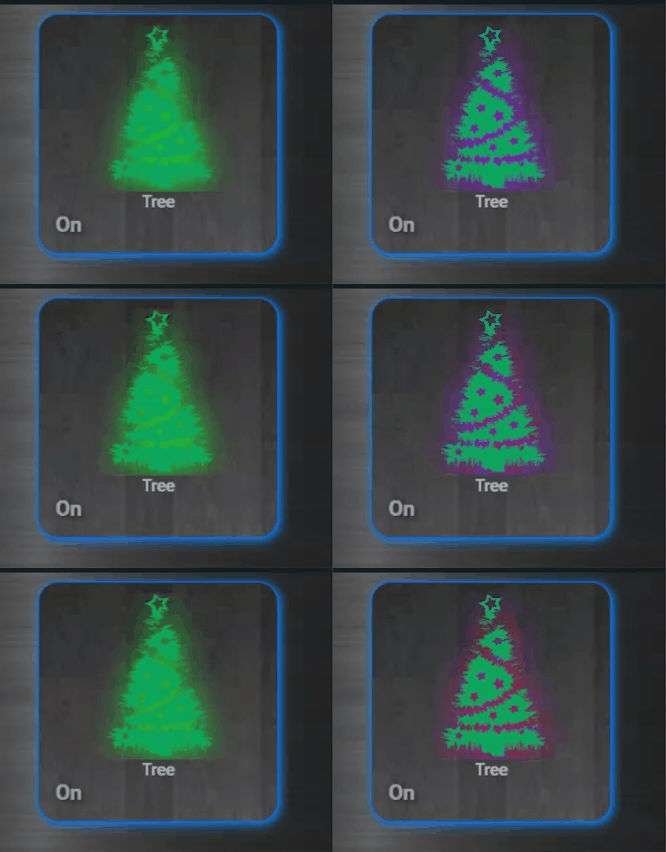
https://user-images.githubusercontent.com/87599807/140897550-3c022470-310a-4c2a-9c7d-f5e0453be02e.gif its time for christmas tree light button 😛 thank you custom card mod 😛 @polar kelp
 tame shale
is there an "easy way" to perhaps show Unavailable in RED since, well, its unavailable and someone might want to realize that?


 polar kelp
That's an entity that doesn't exist. An entity with state unavailable is different.
I use an auto-entities card on a special debugging dashboard to keep track yaml type: custom:auto-entities card: title: Okänd status type: entities filter: include: - state: unavailable
Then, of course, there's this... #frontend-archived message
tame shale
Right I have a page (view) that shows all the unavailables
but in my normal cards I realized i didn't notice some unavailable stuff
polar kelp
You could set state-unavailable-color in your theme to add a color to the icons at least.
tame shale
ok thats easy
thanks for the assistance
would be easy if I knew how to do that 😉 I am googling
rich eagle
fiery ledge
On the Add Area panel, would the missing ‘cancel’ button, or ‘X’ for that matter...
fiery ledge
polar kelp
I use an auto-entities card on a special debugging dashboard to keep track ```ya...
yep, that is magic. Long time unexpressed wish: have a counter on that card.... could that at all be done (Ill write a FR if yes...)
polar kelp
Not easily, no.
At least not by auto-entities. But you can make a template sensor that counts unavailable entities and put that at the top of the card.
loud meteor
loud meteor
been scrolling/searching for a while, not 100% sure terms to search for...before...
odd, figured it out with coffee...deleted the climate entities, readded the climate thermostat, and things are back
fiery ledge
polar kelp
At least not by auto-entities. But you can make a template sensor that counts un...
Ha, yes I have that, and its a famous thread on the community 😉 was hoping auto-entities would somehow be able to count the entities that pass the filter(s). So we can forget about those template sensors (python script here even). If not (easy), I appreciate that ofc. thanks! its an amazing card.
loud meteor
and in automations i have to change climate.linear_nortek_security_control_llc_gc_tbz48_battery_powered_z_wave_thermostat_mode to climate.z_wave_plus_thermostat for example
fiery ledge
rich eagle
FYI: https://github.com/home-assistant/frontend/pull/10587
whiz bang wow!. thanks for that, so fast.
 woven merlin
I just upgraded to the lastest version 2021.11.2 is there some trick to getting IconPicker to work? Shouldn't I just be able to start typing in icon field of device and have it lookup the MDI?
tacit cave
woven merlin
I just upgraded to the lastest version 2021.11.2 is there some trick to getting ...
it only works on the entity, not in customization
 tired epoch
Hi all. Why does my virtualBox keep jumping to Autoboot-?
Is there a way to retrieve home assistant code? Where do i look for what file? Need to just copy and paste into my new home assistant
tacit cave
tired epoch
Is there a way to retrieve home assistant code? Where do i look for what file? N...
You should be asking this in the installation method folders, not frontend
tired epoch
Thanks
vapid field
I managed to integrate a ESP32s with tasmota to steer a servo like a window-shutter
now I have the problem to steer it in HASS
I only get a 3 icons arrowUP stopSquare arrowDown
is ther any way to have a slider for that to set the shutterposition 1-100 by a slider
didn't find any slider like card
hallow mango
probably but likely a better question for #integrations-archived
vapid field
oh thx willpost there
 jaunty sparrow
Hi, i want to add a json file as a card (the card is not yet supported for hacs) how would i do this? I cant figure it out
woven merlin
@tacit cave How do I access that? I have gone to the Configuration-> Entities and selected an entity but still get nothing? Please explain.
tacit cave
it's only available on entities that have unique_ids
if you can edit the entities name, it has a unique_id and it's just below that field.
if you don't see it, refresh your cache
woven merlin
It was a Cache issue... Thank you.
jaunty sparrow
Hi, i want to add a json file as a card (the card is not yet supported for hacs) how would i do this? I cant figure it out
jaunty sparrow
yes did that
but I don't have a config/local so I placed it in www/community
made a folder there and used it as the path
jaunty sparrow
okay not in a folder?
tacit cave
local maps to config/www
jaunty sparrow
okay thanks will try
cold tulip
recommendations to scale lovelace dashboard to Fire tablet 8 1280x800 no sidebar or header
 worthy lodge
Hello all. I'm trying to add a manual card following the instructions here: https://github.com/twrecked/lovelace-hass-aarlo/blob/master/hacsinstall.md But when I use that code I get the following error: "Custom element not found: aarlo-glance"
I'm not sure where that element would be defined?
cold tulip
did you already install using HACS?
cold tulip
did you confirm the resource path is in and correct?
worthy lodge
it wasn't, but after correcting it I'm still getting the same error. Is the type referred to supposed to be defined in the hass-aarlo.js as a class?
cold tulip
lovelace Resources should have a Javascript Module for type and the patch pointed to the hass-aarlo.js path
I would restart the server as well
worthy lodge
I'm not able to save the card with the error
cold tulip
then I defer to your knowledge which I will admit is far more then my undertanding
tacit cave
no, you're correct, he's trying to add the card. He's not in resources
cold tulip
looks like a beta mod and still had some manual steps even with the HACs install
worthy lodge
yeah I'm still learning my way around all of this so pretty easily lost
worthy lodge
yes, I have the card resource added in lovelace dashboards
tacit cave
and what path are you using for the resource in HA
worthy lodge
/hacsfiles/lovelace-hass-aarlo/hass-aarlo.js
tacit cave
and where did you place the card in your system?
worthy lodge
I think that might not be right? I'm not sure how shortcuts work in HA. When I browse to the .js file I find it in /config/www/community/lovelace-hass-aarlo/hass-aarlo.js
worthy lodge
okay, that's good to know, thank you
worthy lodge
let me give that a shot
tacit cave
configurign the card via the UI, you can only use "manual card"
unless the guy added his custom card to the list of cards for the UI, which I doubt
worthy lodge
no, I've been attempting to add it manually
I think the restart is what I was missing. I've got the card now, kinda. Thanks @tacit cave !
tacit cave
np
 shut river
is there any way to click on a Picture Glance Card and have the pop-up image (in this case a camera entity) appear full-window, instead at the same size as the image appears in the Picture Glance Card?
formal tide
i think you need to open a new tab with the src for that
you can however expand the overlay by clicking the title
shut river
yeah, clicking the title will cause the image to get cropped at some viewport aspect ratios, which is a bummer
well, i can scroll, but, yuck
loud meteor
loud meteor
and in automations i have to change ```climate.linear_nortek_security_control_ll...
inelegant solution here was to purge the recorder/history database, history graph showed any device with any history, so old devices that were just there for a moment while being rename etc, did a purge of the 72MB database and have a clean history graph now
more elegant solution would have been to load up the DB file in a DB manager and selectively delete stuff that wasn't active leaving intact longer history of active devices
 dry canyon
Figured it out 🙂 Hadn't indented it, i'm still very new to the whole config file 🙂
icy patrol
would anyone know how to convert a brightness value 1to 255 into 0to100%?
i have this bout it is not exact
%2d" | format(state_attr('light.exterior_potlights', 'brightness') | int / 2.55) }}
 final flume
Is there a way to change the "home assistant" title inside the menu? 🙂
polar kelp
icy patrol
when i do this
{{ "%2d" | format(state_attr('light.exterior_potlights', 'brightness') | int *100/255) }}
i get a value of 69 when i set the dimmer in the app to 70
polar kelp
dark dirge
*100/255
1*100/255 == 1/2.55 though...
dark dirge
indeed, my bad math
polar kelp
icy patrol
i get a value of 69 when i set the dimmer in the app to 70
Probably rounding errors. %d doesn't round. It truncates the decimals.
So it could be 69.999 and it would display as 69
icy patrol
right so i changed to
{{ state_attr('light.exterior_potlights', 'brightness') | int *100/255 }}
and i get 69.80392156862744
but i just want the value of 70 to show
i tried | round() as well
dark dirge
you were probably rounding 255
polar kelp
You have to be careful about order there.
(178 / 2.55) | int = 69, (178 / 2.55 | round) | int = 59, ((178 / 2.55) | round) | int = 70
 chilly drift
How can I, if possible at all, make some sort of preview of an ESPHome display: in lovelace. this seems a lot easier for designing lamda-displays.
 warped ice
Whenever I try to load the frontend on FullyKioskBrowser I just get a "Webpage not available" with net::ERR_FAILED. Works fine on chrome ;/
It also used to work here.
 twin laurel
Is there a way to remove the source names from a history graph? I have a graph with about 15 sensors, and having all the source names above the the graph makes the card huge.
fiery ledge
suddenly notice all my fold-entity-row cards show a divider going beyond the right-side card border. Yes also on Chrome...
also believe this to be the cause for the Ios App moving all cards to the left and create a bigger margin on the scroll bar. Now find an issue has been raised already:https://github.com/thomasloven/lovelace-fold-entity-row/issues/186
 idle kestrel
Hi Everyone. I need a suggestion. How I can resize an image button?
- type: picture
image: /local/netflix.png
tap_action:
action: call-service
service: script.turn_on_fireTV_on_the_projector
errant plover
fiery ledge
also believe this to be the cause for the Ios App moving all cards to the left a...
Aaaand... now there's an update to fix it.
fiery ledge
Yes! magic, all set again. Thank you Thomas! beautiful as ever.
the row I mean.... 😉
polar kelp
😦
fiery ledge
hahaha. sorry .. ofc you're a beautiful person too. Since I have your attention: the auto-entities group filter doesn't allow for nested groups I believe, would you accept a FR adding that?
looking for something like the group_expand option on button-card https://github.com/custom-cards/button-card#main-options so we can use this group.doors group: Doors: entities: - group.inside_doors - group.outside_doors and have it show all doors, not just the two groups
polar kelp
fiery ledge
hahaha. sorry .. ofc you're a beautiful person too. Since I have your attention:...
I think there's a really old PR for that already actually. Not sure what I feel about it, though...
fiery ledge
you're right, I found that now too. Appreciate what you're saying, so, is there anything I can add to make you consider it? Maybe allow me to post 2 sceenshots of what it does now, and how it could be in the repo?
covert wren
So my lovelace tab that had all my media controllers and my roku remote stopped rendering any cards a few days ago. I tried to restore it from the raw configuration but failed, so I rebuilt it from scratch last night. Whole new tab, all new cards, etc but roughly the same content and layout. Looked great and functioned last night when I went to bed. Server restarts at 3:00am as scheduled and this morning--every card on that tab is unrendered again. Anyone know what I've done to deserve this?
Update: It's the media-control cards causing this. Everytime I remove them from the raw configuration, the rest of my cards immediately return to rendering and functioning normally.
polar kelp
fiery ledge
you're right, I found that now too. Appreciate what you're saying, so, is there ...
A use case always helps.
fiery ledge
thanks for the opportunity: https://github.com/thomasloven/lovelace-auto-entities/pull/21#issuecomment-965343581
hallow mango
anybody that uses it, custom:harmony-card has been updated to fix the icon issues: https://github.com/sbryfcz/harmony-card 🎉🎉
 versed surge
question about mini media player, is it possible to somehow specify TTS platform to microsoft one? I see there's option for amazon_polly, cloud and google, but can't figure it out how to get it to work with microsoft
 sour crag
Is there a way to remove the "overview" lovelace-page?
if i make something else the Default it doesn't show on the side on the webinterface
that is fine
however, in the app, it still opens in the "overview"-page as a default
which is empty
on a similar note, is it possible to hide other side menu items from some users.
 gentle quartz
Hey folks
Anyone know if it's possible to configure the shopping list to use something other than HA's internal storage? I'd like it to talk to an API for that functionality.
formal tide
gentle quartz
Anyone know if it's possible to configure the shopping list to use something oth...
 shell island
Hi all! My Solar Production entity has a state of 20w when it is off. Is there a way I can change this to 0 in a lovelace card or do I HAVE to create a template sensor? I would love to do some template code on the fly in a card.
gentle quartz
formal tide
https://discord.com/channels/330944238910963714/449717345808547842/9080953929173...
"Cards are the frontend channel"
formal tide
talking to an api and controlling internal storage has nothing to do with cards
 floral hawk
Hi there... is there a known issue with viewing H.264 camera streams on the lovelace picture card?
i mean.. it all looks okay.. but when i click on the picture card to play the stream.. it just doesnt play
setting the camera view to LIVE instead of AUTO doesn't display an image
.. and i get this in the logs: [homeassistant.components.stream.worker] Error demuxing stream while finding first packet:
formal tide
your camera seems to send some dirty stream, get that error checked out in #cameras-archived
gentle quartz
formal tide
talking to an api and controlling internal storage has nothing to do with cards
Correct.
Displaying the data returned from that API on the other hand....
formal tide
gentle quartz
Correct.
Displaying the data returned from that API on the other hand....
... has nothing to do with your question I believe
gentle quartz
formal tide
... has nothing to do with your question I believe
I mean, my assumption was that the shopping list would eventually be displayed somewhere as opposed to being just saved to MySQL, printed and mailed to the president etc.
Let me rephrase my question: "Can I take API data and display it in a custom card?"
formal tide
yes
gentle quartz
I guess a more general question would be "Can I display API data in an arbitary format?"
At some point, I'm looking to display some kind meal menu data too, but I don't see a card that really matches what I'm after.
There is a calendar card but unless there's a config option that looks to be more of a monthly display, whereas I'm after:
Monday
Fish
Tuesday
Beef
etc.
 raw egret
on the default theme with lights set to white I can't see the icons because they turn white. Is there a way to add an outline to icons in css?
 vestal maple
Is there a way to make a card where I can specify the date and it shows the location hits for that date? I see the location history in my phone and it is correct
I want to mimic what I'm seeing here https://i.imgur.com/YYnJc0W.png

but of course to have it on my own server
Actually not sure the location is reporting from the app at all
properly anyways
https://i.imgur.com/JIQwzmy.png I was def not home all day
 icy patrol
hey guys i am trying to add 2 custom controls on a single light toggle is this even possible?
- card:
                  entity: light.exterior_potlights
                type: custom:restriction-card
                unlocked_icon: mdi:circle-small
                row: true
                type: custom:slider-entity-row
                entity: light.exterior_potlights
                toggle: true
                hide_when_off: true
i find with on my mobile and scroll down; i hit the dimmer slider so i want to lock that
kind shellBOT
@frail bridge posted a code wall, it is moved here --> https://hastebin.com/osiyiqubam
 frail bridge
Whoops :)
frail bridge
kind shell
I'm having an issue with card-mod: I'm trying to apply styles to a hui-element, but the card-mod div thing seems to be outside the actual hui element? ^
Although this may be a known issue, looking at the commits for hui-element
Nvm, looks like a recent update broke a bunch of previous stuff
 near tulip
Is there a way to hide the map from the side panel for just users that are not administrators?
I tried getting rid of the Lovelace default_config and then manually adding everything in except for map, but then it seemed to break the mobile app tracking as well which I don't want.
 naive pagoda
Does anyone know where to acknowledge the alerts in home assistant's frontend? I put some alerts on repeat and I can't find a way to acknowledge them in the UI?
icy patrol
is there a way to lock a dimmer slider in a entity card that also has other switches that i dont want locked?
errant plover
icy patrol
is there a way to lock a dimmer slider in a entity card that also has other swit...
The restriction card allows locking of rows. https://github.com/iantrich/restriction-card
errant plover
naive pagoda
Does anyone know where to acknowledge the alerts in home assistant's frontend? I...
Not 100% sure but think you have to acknowledge it from the device that was notified.
errant plover
near tulip
Is there a way to hide the map from the side panel for just users that are *not*...
No.
errant plover
It shouldn't. If you are just hiding it from the sidebar.
You could then add a map card to a dashboard only viewable by administrators.
near tulip
I'll have to try it agin
Maybe Home Assistant just didn't update my location because I had restarted it multiple times
icy patrol
@errant plover not sure if this will work as the row currently has a dimmer slider
like this
entities:
                  - type: custom:slider-entity-row
                    entity: light.exterior_potlights
                    toggle: true
                    hide_when_off: true
i tried adding the restirctions row but then that makes 2 custom type for a single row
errant plover
icy patrol
like this
```
entities:
- type: custom:slider-entity-row
...
Nest the slider inside the restriction card.
- card:
    - type: custom:slider-entity-row
      entity: light.exterior_potlights
      toggle: true
      hide_when_off: true
  restrictions:
    block: true
  row: true
  type: 'custom:restriction-card'
 daring garnet
i need help with the configuration the web link isnt working for me
what can i do
im trying to connect my ps4 to my google home minin
fiery ledge
anyone using the Ikea Air purifier Starkvind? I am having trouble getting all relevant info into the Frontend: https://community.home-assistant.io/t/ikea-tradfri-starkvind/334775/5
thing is I am not sure what should be displayed at all, so would appreciate any screenshot available
vapid field
Hey Folks,. question regarding picture-entity card, my cameras load up very fast and when I click on them they look great and load fast. But the dashboard view the padding / aspect-ratio is broken..
I see big empty boxes under each camera. How could I fix this? I have searched with no results..
webrtc is not an option as i use iphone and it doesnt work well with ios app.
formal tide
you can add a aspect_ratio property to it
vapid field
Ah.. It actually seems to be the use of the GRID card that is causing aspect ratio to not take..
Thanks for confirming.. made me try it again without grid card and it works fine.
 thick fox
Hi guys, I've got a phone as a wallpanel for HA. I'd like to have an AOD with time and room temp on it. And I want to be able to unlock my HA dashboard without using any fysical buttons so that I'm the only person who can acces it.
How would you achieve this?
I could ofcourse make a dark dashboard to have some sort of AOD. But then I don't have a security feature. I want to unlock it every time I want to change something.
Also, I want to pin 1 app (I think Google Chrome) to be always open so that I have to enter a password to switch to another app or use the appdrawer.
icy patrol
@errant plover thanks for the tip Tom; i tried the below
entities:
  - card:
      - type: custom:slider-entity-row
        entity: light.exterior_potlights
        toggle: true
        hide_when_off: true
    restrictions:
      block: true
    row: true
    type: custom:restriction-card
but i see this error:
no card type configured
errant plover
That's because I did not post the full config. put everything except the first line in your entities card as a row.
icy patrol
in lovelace i had see the lock show but the no card type configured is showing for the slider
errant plover
post your full card config.
kind shellBOT
Please use a code share site to share code or logs, for example:
- https://www.codepile.net/ (select YAML as the language)
- https://paste.debian.net/ (select YAML as the language)
- https://hastebin.com/ (sometimes may not allow you to save)
Please don't use Pastebin, since it can randomly add spaces to the main view.
Command '.share' was invoked by: tom l
 little phoenix
Curious if anyone here has any suggestions?
polar kelp
My guess is that something happened which should have made the cards stop displaying everywhere, but they are still saved in the cache for the app.
If something is working in one browser but not working in several others, chances are it's actually the "working" one that's wrong.
Just go through the usual debugging steps.
little phoenix
polar kelp
My guess is that something happened which *should* have made the cards stop disp...
Thank very much for the response, was thinking in a similar direction as well. When you mention usual debugging steps, how would you approach this ?
polar kelp
The browser console is a good starting place. And this guide https://github.com/thomasloven/hass-config/wiki/Lovelace-Plugins
It's a bit outdated, but most things still apply.
fiery ledge
HI Thomas, please allow me this quick question: can we not use options in the auto-entities like this: - type: custom:auto-entities card: type: entities entities: - input_select.hue_groups filter: template: | {% set select = states('input_select.hue_groups')|lower|replace(' ','_') %} {%- for s in states.scene if select in s.entity_id %} {{s.entity_id}} {%- endfor %} options: type: custom:template-entity-row name: > {{state_attr(config.entity,'name')}}
asking because the new Hue 2 api offers us all scenes to groups directly, and this would be the easiest way to get them in the frontend. (and show only the relevant part of the name 😉 )
the auto-entities lists them alright (cool), but the name isnt templated and shows the full scene friendly_name still instead of the attribute name
 tepid raft
It looks like my icons on some cards are no longer displaying in the UI, possibly after a recent update. Did something change with regards to icons?
 rigid pebble
Does anyone know why chrome has suddenly started labeling my hass instance as "dangerous"?
 flat pond
New HA user here. I was looking for a world clock card for HA. I found this https://github.com/erlsta/homeassistant-lovelace-world-clock-card.
I am having trouble figuring out to install. I created a directory on my Synology NAS under G:\home-assistant\www\community\world-clock. I copied world-clock.js to that folder. However I am not sure what to do next.
Also I am not sure in the instructions what is meant by "2. Add this to your ui-lovelace.yaml" I dont see that yaml in my root directory. Thanks for any help on the above card installation.
thick fox
Hi guys, is there a screen time out possible in HA? That it does keep the screen on but secures the buttons with a password after 30 seconds of inactivity?
Secure/freeze
 final void
Is it possible to create pop up cards with browser-mod that wont open on every connected device? I've looked at replacing the more-info dialogs, but I'd prefer not to have to do that.
final void
I see that I can call the popup card with a specific script - is that the only way to call it to appear on a specific device?
 wanton raven
Anyone know of a method to connect HA to Messages for Web (by Google)?
 sturdy cradle
I have noticed that as of core version 11.3 the default lovelace ui no longer shows the list of scripts. Is this intentional? Or an introduced bug?
I for one very much liked that behavior.
 rare frigate
when using the entities card is there any way to reduce the spacing in between the entities?
this is my currently styling
  ha-card {
   border: solid 0px  var(--primary-color);
   border-radius: 150px;
   box-shadow: '3px 3px rgba(0,0,0,0.4)';
   overflow: hidden;
   width: 150px;
   height: 150px;
  }
 viral tinsel
Hi,
I've a problem with my HA front-end. It create multiple token when create a new tab on my browser.
I cleared all history/cache on my browser but the problem appear again.
Normally when I go on fresh clear cache, HA prompt a box to confirm the automatically connection.
Is it a problem ?
https://github.com/home-assistant/frontend/pull/10226 ok it's related to this PR, Keep me logged make a bug when using Trusted Networks in configuration.yaml
 queen sequoia
This window cover icon / control direction mismatch drives me up the wall https://i.imgur.com/hnxcWHv.jpeg - is there any way to have these match properly without making custom template covers?
 tacit cave
queen sequoia
This window cover icon / control direction mismatch drives me up the wall https:...
tacit cave
queen sequoia
This window cover icon / control direction mismatch drives me up the wall https:...
change the device class
using customization
kind shellBOT
By default, all of your devices will be visible and have a default icon determined by their domain. See customizing devices for how to change that.
Command '.customize' was invoked by: petro
queen sequoia
tacit cave
change the device class
Then they're mismatched in different manner
tacit cave
Make them both the same device class….
If you’re using custom icons then you need to make icon templates, otherwise use the device classes for their intended purpose: changing the icons
queen sequoia
The device class changes the icon and the entity card's control buttons
tacit cave
yes, and?
queen sequoia
Roller was actually misconficured, but curtain class with horizontal movement icon for some reason displays up/down instead of sideways
tacit cave
that's what the device class has set for it. If you want more device classes, then you'd need to add a feature request or add the code yourself. Otherwise you're stuck with what the device class options are or icon templates
restive raptor
Hi, do you know if it's possible to change the actual view by some conditions ? I've a wall tablet, and my alarm is armed when i'm leaving home. When i'm back at home i would like my tablet point automatically to the alarm view instead of my home view.
I think i can achieve sort of that with some conditional card on home view to make appear an alarm panel card if i was absent then my front door open but would like to know if it is possible to just change the view. Thanks :p
 compact parcel
Hello and greetings great community. I'm trying to find a way to display an MQTT Number as a box instead of slider. I'm publishing some time variables (hour and minute) and getting sliders instead of boxes.
compact parcel
This is supposed to be 13:00 hours but I can't figure out how to get these to be number boxes instead of sliders
dark dirge
what is your card configuration?
compact parcel
entities:
- entity: select.hot_tub_temperature_range
- entity: number.hot_tub_filter_1_hour
- entity: number.hot_tub_filter_2_minute
title: Hot Tub
show_header_toggle: false``` slate flax
Using the Visual Studio Code addon. I noticed that I can't seem to scroll text using the mouse. I must use the cursor and arrow keys. Scrolling with the mouse just scrolls the whole VSC window within the HA App itself. Macbook/Monterey using HA App (not browser). Mouse scrolling works fine using the Safari browser.
compact parcel
Not sure why number always have to be sliders
polar kelp
It'll be a slider if its mode attribute is set to slider or if mode is auto AND the range has 256 steps or less.
...which seems a bit much...
compact parcel
interesting, I'll see if I can set mode via MQTT Discovery
compact parcel
polar kelp
Or `customize`.
Customize worked, thanks. Unfortunately MQTT Discovery reads the mode but ignores it. Must not be supported via MQTT Discovery. Too bad.
polar kelp
That's very odd... 🤔
compact parcel
here's the discovery - homeassistant/number/bwa/filter2hour/config {"name":"Hot Tub Filter 2 Hour","unique_id":"spa_filter2hour","state_topic":"homie/bwa/spa/filter2hour","command_topic":"homie/bwa/spa/filter2hour/set","min":0,"max":12,"mode":"box","icon":"mdi:clock","device":{"identifiers":["bwa"],"manufacturer":"Balboa MQTT Bridge","sw_version":"1.3.0","name":"BWA Link","model":"CL501X1"},"availability_topic":"homie/bwa/$state","payload_available":"ready","payload_not_available":"lost"}
Which matches the https://www.home-assistant.io/integrations/number.mqtt/ docs, no mode option
ahhh, much better. customize_glob: "number.hot_tub_*": mode: box
polar kelp
It'll be the color of your light.
jaunty sparrow
Nope its always purple no matter what color the leds are irl
polar kelp
From the screenshot in #the-water-cooler I'm guessing you have card-mod installed? In that case, you can just set --state-icon-active-color.
jaunty sparrow
okay perfect and yes I have it. do I put in the code editor from the card?
polar kelp
card_mod:
  style: |
    :host {
      --state-icon-active-color: anything-but-purple;
}``` should probably do ittype: button tap_action: action: toggle entity: light.wled theme: transparentblue card_mod: style: | :host { --state-icon-color: anything-but-purple; }
I put it like this but didnt work, I guess I used a wrong order?
dark dirge
And use a real color
polar kelp
That'd help too.
Like blanchedalmond
or peachpuff or lightgoldenrodyellow
Who comes up with those things?
jaunty sparrow
card_mod:
style: |
:host {
--state-icon-active-color: blue }
dark dirge
‘Creatives’
jaunty sparrow
tried this but still goes to the same color, also with the 'anything but purple'
polar kelp
Then it's likely because your Home Assistant is convinced that light is purple for some reason. You may want to look into that.
dark dirge
Or you have purple glasses on
flat steeple
guys i have many TV boxes that are running fully kiosk browsers, everything is working fine, it is set to refresh the page every 30 mins. usually after a day or 2 sometimes less, it requiers a login again. how to avoid that? note: fully kiosk browser is not clearing my cash nor cookies.
polar kelp
jaunty sparrow
card_mod:
style: |
:host {
--state-icon-active-color: blue }
Semicolon after blue
night
flat steeple
;
dark dirge
Lol
dark dirge
You’re off in the weeds
jaunty sparrow
weed in the offs?
dark dirge
jaunty sparrow
thats what I put in right
dark dirge
You added ‘night’ in a silly miscommunication.
 empty escarp
what does the code look like with you without night
jaunty sparrow
type: button tap_action: action: toggle entity: light.wled theme: transparentblue card_mod: style: | :host { --state-icon-active-color: blue;
like this
jaunty sparrow
yea but it doesnt work that way either unfortunately
empty escarp
try this
type: button tap_action: action: toggle entity: light.wled theme: transparentblue card_mod: style: | :host { --state-icon-active-color: blue; }
jaunty sparrow
still the same
empty escarp
I can't get it to run with the code either, but I got a somewhat cumbersome method to run
hallow mango
wow, found this through Reddit: https://github.com/pqpxo/SWAKES_hassio/blob/master/guides/Light Dashboard 2.0/YAML/README.md
I had no idea custom:button-card could do all that
empty escarp
yes, but the button card can only handle button cards
if he wants to color the status of other cards that is not possible
but in this case it would be easier
hallow mango
what do you mean?
I haven't tried out his fancy state switching stuff yet, but I get how it works
one thing I did was put binary_sensors up there
like a "living room" card with that room's windows and door in the corner
been trying to come up with some new inspiration
did a few views with banner-card a while ago and they look pretty cool but not super functional imo
empty escarp
I mean, if you use an entity card, custom button card doesn't work anymore
knotty abyss
I updated an image and used the same name, however the old image is still showing. Is there a cache somewhere to delete
weak hatch
Is there anyway to export the lovelace yaml?
I am using the UI and I am trying to keep my lovelace config backed up to git
 true merlin
i have an issue where a graph changes when i click on it.. ill take screenshots and upload
 agile dock
Hi there!
So, I have solar panels, and a history graph card to display 2 entities: power consumption and return.
What is the easiest way to make this graph nicer? Now both lines are displayed, one at 0, the other at the present value.
I'd like to make the value that is 0 at that time to be invisible. Is that possible?
Otherwise I will need to make a new value_template to create this new sensor
kind shellBOT
@agile dock Your message has been deleted as it contains a link or a domain name 'pasteboard_dot_co' that is on the blocked list because of: 'Virus detected!'.
Please re-post by removing/changing the domain name/link. Your original message has been DM'ed to you.
agile dock
sly pulsar
Is it possible to run check config from a button on the dashboard and get a result (green/red color)?
 blazing wren
Yes, under Configuration > Server Controls
 leaden hatch
Hello everyone!
I got question, I have a lot of philips.light.downlight. i have connected them easy. But im dumb and dont understand how to group them in one toggle with changing status icon
Done something like i need via script, but instead of toggle i got text button "start@
hallow mango
sly pulsar
Is it possible to run check config from a button on the dashboard and get a resu...
I recently saw something in hacs for that
I guess have a button that calls the service, and have it turn a switch on or off, and then you could prob do some card mod to change the button color based on the state of the switch
 wanton flax
Quick question, anyone had any issues lately involving being logged out of the frontend almost immediately on login? Even via ssh... LAN and via WAN connection. Very odd. I disabled all addon's apart from SSH of course. It only recently started happening with the latest update I believe
 halcyon wind
Anything in the Logs (including System/Supervisor logs)?
 winter jackal
are groups only created in yaml or is there a frontend way?
wanton flax
Checking the supervisor now. Nothing that was obvious to the issue that I could tell before... Odd behavior though, I've never had this.
dark dirge
winter jackal
are groups only created in yaml or is there a frontend way?
YAML only
leaden hatch
I have created light groups, its okay. is it possible at interface to make change of colour and brightness in group without clicking on it?
weak hatch
custom:more-info-card
weak hatch
leaden hatch
I have created light groups, its okay. is it possible at interface to make chang...
leaden hatch
weak hatch
https://github.com/thomasloven/lovelace-more-info-card
tnk u a lot
one more thing how i can make button with comand:
service: remote.send_command
data:
command: Confirm
target:
entity_id: remote.sony_bravia_tv
weak hatch
for any frontend implementation, data in service should be service_data:
leaden hatch
still didnt get how to create this button 😦
weak hatch
tap_action:
  service: remote.send_command
  service_data:
    command: Input
    entity_id: remote.sony_bravia_tv
i've got errors
configuration errors found:
The required key 'tap_action.action' is missing.
The required key 'tap_action.action' is missing.
The required key 'tap_action.url_path' is missing.
The required key 'tap_action.action' is missing.
The required key 'tap_action.navigation_path' is missing.
The required key 'tap_action.action' is missing.
The required key 'tap_action.action' is missing.
Check the example on this page.
leaden hatch
weak hatch
Check the example on this page.
helped thx
 azure canopy
Whoops, wrong channel
leaden hatch
maybe if some one would searching it
kind shellBOT
@leaden hatch posted a code wall, it is moved here --> https://hastebin.com/mevesawuwe
rancid vortex
I try to do a tap_action to turn on the light and if I do a tap_action again, provided the light is on, then it turns off the light. How can I do that?
dark dirge
a toggle?
 calm plank
Hello, how to make button/badge to restart HA or check configuration?
dark dirge
call homeassistant.restart from a button
to check config, you can add the Config Check integration from HACS, or install it manually as per this: https://github.com/custom-components/config_check
calm plank
I don't have entity 'homeassistant.restart'
 sage helm
Hello all. The following service call works in the Developer Tools:
data:
  entity_id: media_player.shawn_tv
  volume_level: "{{ state_attr('media_player.shawn_tv','volume_level')|float + 0.05|float }}"```
When attempting to issue the same service call beneath a button I can't seem to implement the template correctly for setting the `volume_level`. It doesn't like something as saving the lovelace card settings automatically insert `|-` after `volume_level:` and results in an error for expected float value.Lovelace won't interpret templates. You'd need to call a script with that in it
well, it depends on the card. built-in cards won't
sage helm
I think I'm finding that same answer for the script here as well: https://community.home-assistant.io/t/need-template-to-automate-this-volume-increase/109381/14
I'm using the Roku card from HACS
dark dirge
I see a bunch of scripts and automations there
scripts and automations support templates in specific places
I think only the built-in markdown card does
in any case, you can't just stick that in the tap_action for a button card and expect it to work
sage helm
makes sense. A script it is. 🙂 Thanks RobC
flat steeple
guys i have many TV boxes that are running fully kiosk browsers, everything is working fine, it is set to refresh the page every 30 mins. usually after a day or 2 sometimes less, it requiers a login again. how to avoid that? note: fully kiosk browser is not clearing my cash nor cookies.
 cloud oriole
Hmmmmm - anyone notice that when you create a Conditional card, even if it doesn't show, it still takes up the slot it would in the UI?
ie two cards on a page, and the second will offset to the right - even though the conditional is not displayed....
terse narwhal
I love the new partial YAML config reloading, is there one that works for theme changes? it's not listed but just wondering if there's a way, since it's a hassle to make little theme tweaks and then keep reloading
polar kelp
There's a service frontend.reload_themes which outdates the yaml reload by years.
calm plank
dark dirge
it's a service
Hi, I try that but don't work:
type: custom:button-card
service: homeassistant.restart
I try also:
type: custom:button-card
title: Restart
tap_action:
  action: call-service
  service: homeassistant.restart
 sweet sail
Hi, can anyone suggest config, or integration for this ? I have multiple autio systems, Denon in Kitchen, iEast in living room, HomeAssistant in basement, all of them are connected to HA. And I want to do something like this. Play selected audio/spotify/url stream on selected audio system. I don't want to have multiple scripts or automations for every audio system. Thanks
thick fox
@slow wave I've got a pretty small touchscreen to control HA. How do you get rid of the top and side bar in the lovelace dashboard and have transparent cards so the background looks fully back
If someone else can help me, feel free to answer
 spare mango
Hello. Recently I noticed that in my HA all range pickers crop the number when I try to set it on a Lovelace "Entities" card (both on my PC and Android phone): https://ibb.co/VtHWSwq
Home Assistant 2021.11.0, 2021.11.3 - is it something known/reported/ETA for a fix?..
spare mango
Or can anyone just check and say "works for me"? Preferably with a screenshot and exact version 🙂
weak hatch
calm plank
I try also:
```
type: custom:button-card
title: Restart
tap_action:
action: ca...
that is weird, it should work.
Check the logs if some service is stopping the restart.
 gloomy olive
type: custom:purifier-card
style: |
  .preview{
     background-color: rgba(0, 0, 0, 0.1)!important;
     box-shadow: none;
   }
   .toolbar {
     background-color: rgba(0, 0, 0, 0.1)!important;
   }
any idea why my style is not working?
I have the custom css installed in hacs
polar kelp
spare mango
Or can anyone just check and say "works for me"? Preferably with a screenshot an...
It's a known problem.
vivid trout
he he, i think I went a bit crazy with icon creation on doors to help cover mine and parents home lol, I am sure will be added to hacs (custom brand icons soon) 😛
spare mango
polar kelp
It's a known problem.
Thanks. Any ideas what I should search for to locate this issue on github? I looked through 6 pages of issues (back to Aug, 12th) and couldn't find anything about it 😦
polar kelp
Seems it kind of died... https://github.com/home-assistant/frontend/pull/8497
GitHub
Breaking change
Proposed change
When elements get re-rendered they are not boxed in anymore within the ha-card element. Which is not the wanted behavior.
For example card-mod re-renders elements. ...
spare mango
polar kelp
Seems it kind of died... https://github.com/home-assistant/frontend/pull/8497
6 months ago? Wow... Looks like I should open a new issue. Wonder why nobody cares... Am I the only one using sliders? 😅
spare mango
polar kelp
Seems it kind of died... https://github.com/home-assistant/frontend/pull/8497
Omg... Chrome said that new version of frontend is available - and now it's visible again!.. I restarted the Android app - and it showed up there also... Thanks for "fixing" it for me 😄
 proven rock
people use HA with authelia ?
leaden hatch
Hello! Does anyone have experince making cards for AC control? Could anyone help with it?
Its Gree AC, successfully integrated
proven rock
It's not possible to connecte HA front if authelia if configured on NPm (Nginxproxymanager)
Anything help thank's
 split granite
leaden hatch
Hello! Does anyone have experince making cards for AC control? Could anyone help...
split granite
leaden hatch
Hello! Does anyone have experince making cards for AC control? Could anyone help...
tap_action is what you're after
Likely with call-service
 strong ferry
Does anyone know of a cheap (preferably free but I'll pay a couple of bucks for the right solution) svg floorplan generator? I found https://floorplancreator.net/ today and whipped up my apartment's plan quick and easy but all they have is a subscription payment model. OK, it's only $5 but I just know I'm gonna forget to cancel it and get charged every year for a service I only need to use once...
split granite
Personally I used Inkscape - it's not designed for floorplans but does the job just fine IMO
polar kelp
Visio depending on your definition of "free"
split granite
https://github.com/DubhAd/Home-AssistantConfig/wiki/lovelace-ui-floorplan isn't whizzy 3d spinny magic, but I didn't want that 😄
polar kelp
I just took a top-down screenshot of my whole house model in sketchup.
split granite
Yeah, I started with a scan of the floorplan from the house purchase and "drew over" it in Inkscape
polar kelp
I tried that in sketchup too. But I soon realized the building plans were more a "statement of intent"...
split granite
To be fair, as long as the floorplan is "close enough" I'm not sure anybody would notice
polar kelp
No, but I use that model to plan furniture and stuff too, so I wanted it good.
Was great for planning the bathroom remodeling too. The carpenters loved it. But that's a bit OT.
 strong ferry
I really liked floorplancreator... It's super intuitive, well designed... obviously the subscription business model blows and there's a few irritations, like, no drag and drop floor to ceiling windows...
fiery ledge
is it possible to use the new device_id in auto-entities at all? Eg, trying to exclude the Hue bridge scenes which have {{device_id('Philips Hue 1')}} but need this format: filter: include: - domain: scene exclude: - attributes: is_hue_scene: true
because the temporary is_hue_scene will be taken out again of the v2 Hue api
polar kelp
Not yet. It's on my list, but I had to reinstall my entire computer first to test a card-mod bug in safari - thanks Microsoft.
 fading bobcat
what is the best way to handle this? looking to have a circle icon, shows brightness of the light in that room around the edge of the circle but shows motion icon state from motion sensor in the middle of that circle. on press would bring up the light settings.
my always changing auto-entities cards make me a little dizzy
 left jackal
I've been having this problem for a couple of months already
I can't select anything in any dropdowns by mouse
Is anyone else experiencing this?
tacit cave
polar kelp
Not yet. It's on my list, but I had to reinstall my entire computer first to tes...
What bug?
I've notice safari changed something and there are alot of small bugs now
not in card-mod, just in general
tacit cave
fading bobcat
what is the best way to handle this? looking to have a circle icon, shows bright...
custom button card, but what you're looking for is not easy to do with it. You have a long road ahead.
tacit cave
left jackal
https://cdn.discordapp.com/attachments/848873602921398324/909848434549338184/Pee...
don't use your mouse if you have that issue. Just hit arrow down and enter. As for the issue at hand, all you can do is report it.
fading bobcat
tacit cave
custom button card, but what you're looking for is not easy to do with it. You ...
seems that way given the templates im seeing - thanks for the help
tacit cave
np
vivid trout
tacit cave
custom button card, but what you're looking for is not easy to do with it. You ...
i am a noob and I agree, It took me a while to make my christmas tree on off button glow around icon with all different colors when on lol
 slow wolf
Hi guys, for productivity tracking (and the obsessive need to track everything in the universe) I am sending my current app being used from windows to a custom sensor using MQTT. This all works great but I am trying to setup a card to display top X apps used for the last x days based on sensor state history. Thing is based on what I read about history_stats sensor you need to preconfigure a known state in the config to track it for x number of days and display a summary. (i.e how long was the state "Opera" for the last 7 days for the sensor.pc_app sensor). I would like this to be a bit more dynamic because the apps are too many to configure. Hope this makes sense and that you could point me in the right direction. Don't mind doing the research mysqlf if someone can just point me towards a possible solution.... The built in history graph works but does not quite display the summary I am hoping for.
The history view (see link) is a bit cluttered and a 7 day summary would be much better: https://imgur.com/a/2beCttp
tacit cave
slow wolf
Hi guys, for productivity tracking (and the obsessive need to track everything i...
Use the sql integration but you’ll have to build the queries yourself
slow wolf
Comfortable writing queries, but in context of home assistant I will have to hunt for a tutorial
Any similar,or even vaguely similar, articles I can refer to or phrase I could google to get close to a solution?
Ooooh I think I found it. Thanks!! Appreciate the pointer
fiery ledge
polar kelp
Not yet. It's on my list, but I had to reinstall my entire computer first to tes...
Thanks , that would be awesome. Sorry to hear about the@crash though, we all sympathize… grr
polar kelp
There wasn't a crash. Just a system update that broke my dev setup.
It was all a very controlled process.
fiery ledge
But yet it broke… even worse then. And time consuming
 primal herald
Hi, can I publish one card with it's data to the internet? (like "put" it in the www folder)
polar kelp
No
primal herald
Oh
calm plank
dark dirge
you don't call entities
Hi I make button:
type: custom:button-card
color_type: label-card
icon: mdi:restart
name: restart
tap_action:
  action: call-service
  service: homeassistant:restart
and when I tap that button I see error:
Error handling message: required key not provided @ data['service']. Got None
hmm, where an auto-entities with sort: method: attribute attribute: days_until_collection_date has worked flawlessly over the past couple of, is it years? it stopped ordering correctly somehow. wondering if this is one of those small bugs? fixed it by adding numeric: true
dark dirge
calm plank
Hi I make button:
```
type: custom:button-card
color_type: label-card
icon: mdi:...
You have a colon there instead of a dot
calm plank
dark dirge
You have a colon there instead of a dot
Yes, sorry. Now works 👍
Thanks
Can You tell me can I save that button somewhere? If I don't want to use it for now?
Like a template?
dark dirge
a notepad?
if you're editing Lovelace in YAML mode, you can just comment it out. but it seems clear that you're not
fiery ledge
fiery ledge
hmm, where an auto-entities with ``` sort:
method: attribute
attr...
in fact most sorts don;t do their job anymore. nvm, user error, my apologiessort: name ??
 devout hatch
Hi, is there any option to show alarm pa el if its armed, and if its not, to show another dashboard with lights, switches etc
So I want dynamically to present alarm panel if its armed
 ivory dust
i need help with a custom button. I want the icon to change color depending on the reading of a sensor, which is different then the entity the button is controlling. How would I go doing that? I saw in the docs how to change it based off the state of the entity the button is controlling, but i need it to be off a different one
 timber geyser
I would take a look at https://github.com/custom-cards/button-card. The entity referenced in the main options would be the entity that has the state that the colors should follow. After that, to define the color of the icon based on the state of that entity , go to https://github.com/custom-cards/button-card#styles -> icon. At last, to control another entity, configura the option "tap_action:" as a "call-service" and reference the entity you want to control https://github.com/custom-cards/button-card#Action.
 burnt haven
Any idea why all my hepers are grayed out? Only "text" is available.
timber geyser
burnt haven
Any idea why all my hepers are grayed out? Only "text" is available.
Did you create the helpers over the UI or over .yaml?
burnt haven
timber geyser
Did you create the helpers over the UI or over .yaml?
Havent created yet, just wanted to create them via UI....need to check if there is a related yaml file
I have two input_text helpers in configuration.yaml, will remove that
now is the text helper grayed out as well. probably I need to force it to use UI instead of yaml somehow
@wide cargo help help 😄
dark dirge
It sounds like you don’t have default_config: in configuration.yaml
burnt haven
dark dirge
It sounds like you don’t have `default_config:` in configuration.yaml
Yep! My config is crazy old and this was missing. Thanks!
 glacial ledge
left jackal
Is anyone else experiencing this?
glacial ledge
left jackal
Is anyone else experiencing this?
 dim jolt
anyone come across an issue with HACS that adding a 'frontend' card, doesnt add the resource to the resource list anymore?
i added it manually, rebooted and it disappeared (well actually both did, custom:frigate-hass-card, custom:spotify-card)
 ocean beacon
how would i create a button card that cycles through preset light brightness levels? is there an example yaml someone can point me towards?
dark dirge
Easiest way is an input_select that contains the brightness levels and have the button call a script that selects the next option and sets the brightness from it
Or just have the button call input_select.select_next and use an automation to set the light brightness when the input_select changes
ocean beacon
i'd have to make an input_select per light no?
dark dirge
If you want a brightness level per light, yes. If not, no
 muted knot
Hello. I ran into an issue after a night. Front page of hass doesnt load any more, says its unreachable. However, it seems to be working. I have a bunch of mqtt devices connected to it and they still function (they wouldnt, if hass was completely down). Any idea what could it be?
 north mauve
anyone have any ideas on how to change this? - https://community.home-assistant.io/t/hours-ago-minutes-ago-etc/269729
vivid trout
so happy with how I made a icon reproduce the speaker grill material, I feel all clever for 5 minutes..... now its passed lol
 tacit pumice
Hi there good people! I'm completely new with HA, but I would like to create my own custom panel, but with react or vue. Example: https://github.com/william57m/homeassistant-dashboard My problem is I can't seem to install node, and I've googled and tried everything. In the HA terminal it says "apt-get: commant not found". So clearly I am missing something. Does anyone know how to set up npm in the HA terminal?
wheat current
You don't
 steady edge
@north mauve maybe you can start by creating your own custom card and play with it. Then search for the code for the card you are using and install this as a custom card. Then you can change what ever you want.
north mauve
steady edge
<@216396630524428290> maybe you can start by creating your own custom card and p...
thanks for the reply. So make a custom version of glance?
 remote ocean
Anyone else experiencing that the dev tools -> services -> recorder: purge entities never renders an enabled "call service" button? Even with the example data, the call service button remains disabled.
steady edge
@north mauve no, changing glance is much more then you need. But maybe it helps to get to know where the text is coming from. And then change the Text for Motion Sensors
tacit pumice
wheat current
You don't
Was this directed to me? if so, I am primarily wondering how the guy in my example managed to set up his environment.
wheat current
By actually using a dev setup?
You even linked to the docs where there are instructons on how to do that
tacit pumice
wheat current
By actually using a dev setup?
I think we are misunderstanding each other, as I mentioned npm does not work in my terminal, in the example I sent he uses npm, in his "install" it says to use "npm install" this does not work, as node isn't installed in my HA terminal, so I need to install node before I can do his setup.
wheat current
No not at all
You are trying to do this on the Home Assistant instance
dont
Use a proper computer with a dev setup
Not try to hack something together in a place where it does not belong
tacit pumice
wheat current
You are trying to do this on the Home Assistant instance
aha, I understand now, thank you!
 bronze siren
morning, I have a smart switch which has a bunch of attributes listed for power usage, etc. by making an entity card I am able to show one attribute, I just can't figure out how to show multiple attributes.. help ! 🙂
weak hatch
are those attributes separate entities?
bronze siren
they are all under the same entity
ie:
current_power_w: 1.12
today_energy_kwh: 0.0029
voltage: 124.12
weekly_energy_total: 2.4692
monthly_energy_total: 2.5803
yearly_energy_total: 2.5803
wheat current
Add the entity multiple times and select a new attribute each time
weak hatch
You can extract them using templates and make sensors, or use template entity row, multiple entity row
or use more-info-card
I really want to keep track of my lovelace config on git.
Is there any other way other than switching lovelace config to yaml to get a yaml file.
wheat current
It's just a file
bronze siren
thanks all, I think the more info card will give me what I want
weak hatch
If I am using UI, the config is stored in .storage, right?
Or is there a .yaml stored somewhere?
weak hatch
I am not getting at what you are implying 😦
But I found one of your scripts!
https://gist.github.com/ludeeus/bf91cea41f910f3f1f9a7bc98e951ab7
I am going to look into this!
Thanks 🙂
wheat current
Oh f… please don’t
weak hatch
why though 🤔
wheat current
"Created 3 years ago" (and not touched since)