#frontend-archived
1 messages · Page 197 of 1
 polar kelp
 lucid pumice
I'd suggest hassio method
 dark dirge
I think you should get your custom button card working first 🙂
lucid pumice
for the yaml, just try this to start with: http://www.yamllint.com/
yaml is super picky about formatting and indentation
polar kelp
Anyway.
"Custom element doesn't exist: button-card." is actually good. That means your yaml is good enough to do something.
 stuck hazel
checked, valid yaml
polar kelp
I suggest you take a look in your browser console (ctrl+shift+j in chrome), press F5 and see if you see something about button-card in there.
lucid pumice
you loaded the resources in your config? something like this:
  mode: yaml
  resources:
    - url: /local/power-monitor/power-monitor.js
type: module```Not when using the GUI
stuck hazel
polar kelp
I suggest you take a look in your browser console (ctrl+shift+j in chrome), pres...
it does show something about button card
version 3.4.2
polar kelp
Do you still get the same error then?
stuck hazel
yes
wait
weird...
lost the yaml, so i repasted it from the yaml checker, and now it works
i don't have the error anymore, but it doesn't change color
dark dirge
Now you get to play with the button card config
stuck hazel
the cover template thing from the start?
polar kelp
You're at the brim of an enormous rabbit hole.
dark dirge
Review the button card docs and experiment
stuck hazel
i've added "show_state" and the state is always open
do i need to change the state in the configuration.yaml?
dark dirge
No
You said the entity was working back here: <#frontend-archived message>
Did it report open/closed?
stuck hazel
it doesn't report open/closed, but the icon does change
dark dirge
Look in  -> States
stuck hazel
state open
dark dirge
I’m trying to find out if you were accurate when you said it was working before
Is it working?
stuck hazel
the icon changes when i click the button, and the garage door opens and closes
the icon is also in the correct position depending on the opened or closed state of the door
dark dirge
Look in
stuck hazel
friendly_name: Garage Door
icon: mdi:garage
supported_features: 11
device_class: garage
dark dirge
The state
You said this:
i've added "show_state" and the state is always open
Is it?
dark dirge
Look in
stuck hazel
says open
dark dirge
Always?
stuck hazel
yes
dark dirge
Then it’s not working
Change position_template to value_template in the cover definition
And restart HA
stuck hazel
doesn't work anymore
dark dirge
~share it
 kind shellBOT
Please use https://paste.ubuntu.com/ to share code or logs. Please don't use Pastebin, since it can randomly add spaces to the main view.
Command '~share' was invoked by: RobC
stuck hazel
dark dirge
You changed states to is_state there
And then didn’t use it correctly
Change it back to states. Just that one, not all of them everywhere
Or use is_state and call it like you do later
This would be a good time to read this to understand what you’re doing there: https://www.home-assistant.io/docs/configuration/templating/#states
polar kelp
There's also something happening to the quotes on line 7.
dark dirge
The UI does that. I hate it, but it’s ok
stuck hazel
ok, now the button "works" again, but same as before
polar kelp
What UI? It's a container install.
dark dirge
The Lovelace yaml editor
polar kelp
cover: is backend configuration
dark dirge
I don’t know how they added it, but I think it’s still valid yaml
I see it in the automaton and script UI all the time
dark dirge
stuck hazel
ok, now the button "works" again, but same as before
Repeat this <#frontend-archived message>
stuck hazel
same, still always open
dark dirge
Is the binary_sensor reporting the right value?
stuck hazel
yes
dark dirge
What does the value_template line look like now?
stuck hazel
value_template: '{{ states(''binary_sensor.sonoff_a480002717'') }}'
polar kelp
I have a guess.
 queen cape
How can I expose a folder inside of the hassio share to be seen from the external url?
polar kelp
https://www.home-assistant.io/integrations/cover.template/#value_template "Valid values are open/true or opening/closing/closed/false."
The state of the binary_sensor is "on" or "off". Strings are "truthish" so both are interpreted as true or open.
Try json value_template: "{{ is_state('binary_sensor.sonoff_a480002717', 'on') }}"
dark dirge
Mine looks like this:
value_template: "{{ 'open' if is_state('binary_sensor.garage_door_sensor', 'off') else 'closed' }}"
polar kelp
@queen cape Anything in <config>/www/whatever is exposed at https://<url>/local/whatever
dark dirge
I thought a string of ‘off’ or ‘on’ would be interpreted as a boolean, but perhaps not
polar kelp
You need to restart Home Assistant after creating www. But not after adding more files in there.
Symlinks will not work
stuck hazel
dark dirge
value_template: "{{ 'open' if is_state('binary_sensor.garage_door_sensor', 'off'...
now its always closed
dark dirge
Then try Thomas’
queen cape
polar kelp
<@!208037893661392896> Anything in `<config>/www/whatever` is exposed at `https:...
I know that. What I am trying to do is view motioneye snapshots which drop into hassio/share. Currently looking in motioneye config to change the save location
stuck hazel
polar kelp
Try ```json
value_template: "{{ is_state('binary_sensor.sonoff_a480002717', 'on'...
this one works
now i just need to mess with the color values until i get what i want
hope its not to hard, but can i add a 3th state that is always active the first 15seconds or so after activating?
so i have open, closed or moving
dark dirge
Yes, but not straightforward
stuck hazel
and...
the zigbee doorsensor it pretty far away from the bridge, can i have another state for disconnected?
dark dirge
All things are possible
stuck hazel
but not for my current skill level
dark dirge
Sounds about right
polar kelp
You'll get there
stuck hazel
next question :p
i've figured out how to get a "software value" with input_select
can i do the same for a binary value?
polar kelp
input_binary input_boolean https://www.home-assistant.io/integrations/input_boolean/
Or better yet:  -> Helpers
stuck hazel
is it possible to make the cards less wide?
so i can fit 2 button cards next to eachother on my smartphone
dark dirge
horizontal-stack may help
stuck hazel
thanks!
tiny "problem"
tried combining 2 cards, a normal button and that special button we've had trouble creating
but the first button is a bit bigger then the other one
 lavish mountain
For some reason I can't get my frontend to use the SSL Cert? I have verified my config is valid, and have the proper SSL Cert/key path under the HTTP section. Any ideas?
kind shellBOT
@formal zodiac posted a code wall, it is moved here --> https://paste.ubuntu.com/p/MDSm8K8yzP/
 errant plover
What was your question? If it is about the codewall you probably want to ask in #automations-archived
stuck hazel
question, i have a number helper (from 0 to 2) can i add it as a card to my dashboard, and everytime i click it, it goes +1 or back to 0 after 2?
errant plover
Write a script to increment the input_number. Assign it to the tap_action of the entity in the card.
stuck hazel
i'm very new to HA, is there some documentation i can follow to create a script like this?
errant plover
Yes, input_number services: https://www.home-assistant.io/integrations/input_number/#services Scripts: https://www.home-assistant.io/docs/scripts if you have any further questions make them in #automations-archived as this is no longer frontend related.
 true venture
Hi! I really like the lovelace UI system. It can be so easily customised. I think that the ability to edit yaml directly is a killer feature.. I have never seen anything like that before. Do you know what was the systems that has inspired this design of the dashboard?
I saw a lot of dashboards, but they allow editing only with mouse in the browser — the ability to use yaml is so powerfull. And I want to know if there any other system that has the same feature.
 nova bloom
whenever I move off my home wifi and on to wireless then open the iOS HA app, it bans the ip. Anyone know why this might happen? Additionally from time to time, my gateway IP gets banned (192.168.1.1).
 sonic finch
Is there any way to change the size of the grid component? I have this idea to show the 8 ceiling lights in a grid and the middle one one be to control the light group. But it looks a bit bloated, would be nice to shrink them down.
sonic finch
sonic finch
Is there any way to change the size of the grid component? I have this idea to s...
Went with a Glance card instead, works just as good 🙂
nova bloom
sonic finch
Is there any way to change the size of the grid component? I have this idea to s...
Also you can play with using grids, horizontal, and vertical cards together to get neat groupings
sonic finch
Thanks, I’ll take a look
 grave river
Is there a way to view entity properties, e.g. view what the entities' device class and domain is.
dark dirge
The domain is just the part before the dot, and the device_class is an attribute
grave river
Thanks.
 ebon nimbus
@polar kelp I was reading your Wiki about preloading lovelace elements - using a similar methodology is it possible to 'extend' existing elements? e.g. I want to use ha-device-picker or ha-selector-device, but find a way to also return the title of the device, not just the 'entry_id'. Or once I've got the value can I call another function in my custom card.ts to get the selected device name?
 final nacelle
@formal zodiac got it thanks you very much, will try tomorrow
polar kelp
@ebon nimbus To answer your first question: If you make sure a component will be loaded it, you can then extend it's base class, but only once it's certainly been loaded. So you can do e.g.: ```js
preload_ha_device_picker();
customElements.whenDefined("ha-device-picker").then(() => {
// This must all be in the then callback
const HaDevicePicker = customElements.get("ha-device-picker");
class MyDevicePicker extends HaDevicePicker {
// ... here you can do whatever as if your thing were the actual device picker, override functions, access this, etc...
}
});```
Your second question is answered in #devs_frontend-archived.
 timid moss
I'm trying to use custom:layout-card to center a horizontal stack, and it's working for one stack and not another
That's the one that isn't working. It stays left-justified instead of centered
 burnt hill
Hey @polar kelp is it possible with template-entity-row to dynamically display a day of the week as the entities name? Ex: An entity contains data about 2 days prior using history_stats. Dynamically i'd like to have the name calculate Friday as the name. I tried {% (now() - timedelta(days = 2)) %}
burnt hill
burnt hill
Hey <@!445886408000012289> is it possible with template-entity-row to dynamicall...
Ended up getting it with this, thanks!
name: |
{{ (now() - timedelta(days=2)).strftime("%A") }}
 vapid field
I have a custom js file that allow to load SVG files as icons. At the moment the namespace for the icons and the path of the SVGs is hardcoded and it would be nice if the user could configure those two ...
vapid field
Hi i have a Problem i use a theme for home assistant does anybody know how i can change the off state colour? its always Black but i don't find the config row in the theme to change is. i include some pictures.
well i can t upload a picture... never the less i hope you understand my problem
the frontend that i youse is slider button card
polar kelp
vapid field
I have a custom js file that allow to load SVG files as icons. At the moment the...
There are a few posibilities.
The most user friendly is to turn your plugin into an integration. Then it can be configured with a config flow.
You could also let the user add a variable to the path when loading the resource /local/your-plugin.js?namespace=ico and then look for that through a number of hacky methods.
Or you could make sure there's an easily found constant variable near the top of your js file that the user edits.
Is the source available somewhere? I'd love to compare it to this https://github.com/thomasloven/hass-fontawesome.
ebon nimbus
polar kelp
<@!761967443642941440> To answer your first question: If you make sure a compone...
Many thanks - that's pointed me in the right direction I think!
 dusty sierra
I have a button card that has an appliance entity attached, it's a switch that can be either on or off but I've created a more advanced entity that goes into specifics for what is currently happening with it, how can I show this on the card where show state would be? I've tried setting the entity of the card to the new state entity and putting the tap action as call service instead of toggle but since it's a sensor it can't be on or off it has many different states and this means the card will not light up when it is on... I feel like I made this sound more complicated than it is
Basically, I just want the "show state" part of the button to go with a different entity over the entity in the card
 frozen olive
Dont suppose anyone can help me understand why my card-mod css isn't working?
https://community.home-assistant.io/t/card-mod-add-css-styles-to-any-lovelace-card/120744/1912?u=greghesp
 fiery ledge
dusty sierra
I have a button card that has an appliance entity attached, it's a switch that c...
fiery ledge
dusty sierra
I have a button card that has an appliance entity attached, it's a switch that c...
you want the state_display: field and use any other entity you desire, or attributes of that, or, well anything 😉
 twilit echo
https://imgur.com/a/u7LOGU3 hi all, need some help here.. what's the MQTT command to turn on/off the switch in the red box?
polar kelp
The what?
 empty sequoia
hey all.....very new to HA automations/scripting, etc. what's the best way to set up a lovelace card to turn off all lights in a given area?
polar kelp
Make a button card that has no entity associated with it. Set Tap action to "Call service". Make it call "Light: Turn off" and then pick your area.
 empty sequoia
hmm...it says no matching areas found
twilit echo
polar kelp
The what?
the MQTT command to send... i send MQTT commands from a PHP script...
polar kelp
That toggle is purely a frontend thing. It’s not connected to any entity by itself, but will indicate and controll the state of Every entity in That Card.
twilit echo
hmm okay.. so there's no way to toggle it via MQTT? what i mean is, is there some other stuff i can do at HA to expose the switch on MQTT?
polar kelp
If what you actually want to do is turn on or off all your lights, then I'm sure there's an MQTT command for that, but that's more of an #integrations-archived question.
twilit echo
haha.. okay... i was referred here from automations
anyway thanks
i do want to turn off all my lights and some other stuff... but it's nicely represented under 1 card.. there are some things i need to remain turned on
what i'm trying to say is... i would like integration to follow UI and not have to redo the integration each time i edit my cards
polar kelp
Then, as I see Tinkered explained to you, you should make an automation or a script that turns on or off specifically the things you want on or off.
The frontend is for display and occasional control. That's all it should ever do.
You can make Areas for your entities. Then you can turn on or off all lights in a certain area with one service call, and you'll get a nice card for them in the frontend too (if it's auto generated).
twilit echo
polar kelp
You can make Areas for your entities. Then you can turn on or off all lights in ...
any examples for this?
nova bloom
How can I use some of the MDI icons? ie. I want to use 'mdiLedStrip' which i found on https://materialdesignicons.com/ but when i type mdi:LedStrip, nothing shows...
nova bloom
how would i have known to format the name like that. the library does not refer to it like that
sorry I was looking at the "import { mdiLedStrip } from '@mdi/js';' thinking it was mdiLedStrip
 nova bloom
ok this makes sense now
dusty sierra
fiery ledge
you want the `state_display:` field and use any other entity you desire, or attr...
Can you please show me an example as I had tried that before by adding it to the end but nothing showed, I figured it was deprecated or something
fiery ledge
kind shellBOT
@timid moss posted a code wall, it is moved here --> https://paste.ubuntu.com/p/DGYnf8XZBc/
timid moss
Let me try that again
I'm trying to change the layout of a view based on screen size using custom:layout, but it's not working for my 450px variant:
The 1050px version works fine though
Oop, I figured it out. Apparently order matters
empty sequoia
hi...can anyone help me figure out why, when i call the lights.turn_off service, it doesn't actually turn anything off
errant plover
That's not a frontend question. Try #automations-archived
 hasty sandal
Hi, I was wondering if anyone knows if you can place a delay where that a type of **entities ** has a type of **conditional ** within it?
errant plover
No that is not supported. Why are you trying to do this?
hasty sandal
The reason for this is because I have a "master" power switch which when turned on I would like for it to then show the entity to control wLED, since the wLED doesn't connect to WiFi straight away due to boot up I would like a few seconds delay - its all just to look a little neater
Please see below code I would like to add the delay to
title: Ceiling Lights
show_header_toggle: false
type: entities
entities:
  - name: Master Switch
    entity: switch.powerstrip02_switch_04
  - type: conditional
    conditions:
      - entity: switch.powerstrip02_switch_04
        state: 'on'
    row:
      name: Controls
      entity: light.wled_ceiling_lights_segment_0
you could do that with an input_boolean that's turned on when you want to display the card, coupled with a conditional card
you can't do it in the frontend by itself
hasty sandal
ah ok thats understandable, thank you, I did try add an additional condition that needs to be met where that when another entity related to the wLED which is provided by Unifi but unfortunately this isn't too reliable as it didn't provide one
 faint vortex
Hey, I might be missing something, but I'm trying to simply display the Temperature attribute of a device in an "entities" card, however it's asking for a lot of keys
dark dirge
weird
faint vortex
It works if I just do tap_action: null conditions: null etc
dark dirge
I would start with - fan.bedroom_purifier, see if that works, then build up from there
maybe it doesn't like the degree symbol
it doesn't look like icon: is an option for type: attribute
you could try commenting it out, or moving it next to title: on the left margin
faint vortex
Well I'd want an entities card so I can see multiple things. It used to work just fine before the latest major update
It -does- work when adding all those things as null though, so for now it should be fine
dark dirge
sure, but icon: still isn't a valid option there
faint vortex
Yeah I get you, but it used to work there without issues although it doesn't seem to be a valid option there based on the documentation
Ah found an integration that extracts attributes in their own entity
dark dirge
Template sensor?
faint vortex
yeah
dusty sierra
fiery ledge
have a look here: https://gist.github.com/Mariusthvdb/2d59566b173c6d37bd986c213f...
Thanks but I'm still not quite understanding it, It seems to be using HTML, CSS & JavaScript in YAML and while I've used HTML, CSS and JavaScript before I have almost no experience with YAML and I don't quite understand how the variables are correlating with home assistant, I'm still fairly new to home assistant, I've modified the code in the snippet you linked me but I have no idea what any of it means so I was just poking around like a blind man trying to get it to change the state to anything other than on/off I can't get it to change the state of the button it's acting like state_display isn't there I just want the button to show the state of sensor.deep_fryer_status while having the active/inactive colouring of switch.deep_fryer and being able to toggle it
type: button
tap_action:
  action: toggle
name: Deep Fryer
icon: mdi:food
show_state: true
state_display: >
  [[[ var fakestate = `<span style="color: var(--active-color);">${sensor.deep_fryer_status}:</span>`;
  var fakelabel = `<span style="color: var(--active-color);"> Test</span>`;
  return (entity.state == 'on') ? fakestate +' ' + fakelabel : null; ]]]
entity: switch.deep_fryer
type: button
tap_action:
action: toggle
name: Deep Fryer
icon: mdi:food
show_state: true
state_display: >
[[[ var fakestate = <span style="color: var(--active-color);">${sensor.deep_fryer_status}:</span>;
return fakestate; ]]]
entity: switch.deep_fryer
just start simple: ```
- type: custom:button-card
entity: binary_sensor.updater
show_state: true
state_display: >
[[[ return 'Updater: ' + entity.state ]]]
the html and styles are more advanced 😉 if you're new to this, start small and advance step by step
I just posted yesterday on this matter https://community.home-assistant.io/t/lovelace-button-card/65981/5715?u=mariusthvdb
${sensor.deep_fryer_status} will never do anything, you'd need something like - type: custom:button-card entity: binary_sensor.updater show_state: true state_display: > [[[ return `Updater: ${states['binary_sensor.updater'].state}` ]]]
in this case a bit silly of course, because it could have been [[[ return `Updater: ${entity.state}` ]]]
but you could use any external entity. So, first get you entities and referencing those correct. After that start formatting. This can be done 'inline', as with the example you're trying to copy. Maybe easier is to simply use the documentation (...) and check the styles: examples: icon: - color: > [[[ if (entity.state < 60) return 'lime'; if (entity.state >= 60 && entity.state < 80) return 'orange'; else return 'red'; ]]]
and replace the entity.state with a reference to your entity, in the format of states['binary_sensor.updater'].state
dusty sierra
fiery ledge
`${sensor.deep_fryer_status}` will never do anything, you'd need something like ...
Are you doing this in the card configuration bit in the dashboard? Because when I try do what you do word for word home assistant gives me
Configuration errors detected: No type provided.
for
  - type: custom:button-card
    entity: switch.deep_fryer
    show_state: true
    state_display: >
[[[ return `${states['sensor.deep_fryer_status'].state}` ]]]```yes, just like any regular card in a view... using yaml mode though, I dont use the UI. try [[[ return states['sensor.deep_fryer_status'].state ]]]
dusty sierra
fiery ledge
yes, just like any regular card in a view... using yaml mode though, I dont use ...
Yeah I'm not using the visual editor I go onto the dashboard bit and press edit on the button card and I've pasted in the code you gave me it currently is the new line you just gave me
    entity: switch.deep_fryer
    show_state: true
    state_display: >
      [[[ return states['sensor.deep_fryer_status'].state ]]]```
but it's saying `Configuration errors detected: No type provided.` still and the save button is grayed outtbh, I dont know about the editor, I use YAML mode, so cant help you there
dusty sierra
Also when I tried it on the custom card option in the dashboard I get:
bad indentation of a mapping entry (2:11)

 1 | - type: custom:button-card
 2 |     entity: switch.deep_fryer
---------------^
 3 |     show_state: true
4 | state_display: >```well, that's clear then is it?
dusty sierra
sorry wrong error I meant to post:
Custom element not found: button-card``` I was just copying the code again so I could get the error againyou did install custom button-card..? do you have any other custom buttons?
dusty sierra
No, see that's probably why lol. Where do I go to find it? I was just looking now in the HACS frontend bit and saw something called "button card" is that what I need? Like I was trying to say before I'm new to Home Assistant so I don't fully understand it yet I've been wrapping my head around it but this is the only thing I've considered "Advanced" so far, I thought the automatons were rather limiting/tedious to do by the UI so I did a few advanced ones with node red but that's practically all my experience
fiery ledge
ok well, thats a start 😉 as said, I use Yaml mode, and added to that, don't use HACS, so do everything manually. So can't help you with HACS. but here's a good pointer: https://github.com/custom-cards/button-card/blob/master/README.md#installation
as always, please read the documentation... first...
dusty sierra
Yeah that is the thing I found in HACS, just installed it and it all works fine now 👍 thanks for the help
 weak prism
I want to use the radarr component from HACS.
installation went fine, but I need to add a custom lovelace card (upcoming media card) that I have to put in www/custom-lovelace/ except in my docker image I don't have this directory and I also don't have ui-lovelace.yaml under "resources:"
I added the resource in the dashboard lovelace point to a folder I created with the .js inside it
but it won't appear
 muted sorrel
Is there a way to add a button/card to control a group of lights color/effects at the same time?
errant plover
Yes, create a light group, https://www.home-assistant.io/integrations/light.group/ that will be treated as a single light entity you can add to Lovelace.
weak prism
i give up, can't figure this out
muted sorrel
errant plover
Yes, create a light group, <https://www.home-assistant.io/integrations/light.gro...
thanks
 karmic tiger
weak prism
i give up, can't figure this out
karmic tiger
weak prism
i give up, can't figure this out
If you haven't already, restart HA. It only detects the www folder after a restart.
weak prism
i restarted several times
but for some reason there's also no error in the log files either
 junior moon
Is it possible to alter the size of an input_text in an entity list? I've set the input_text entity to only allow a certain number of characters, but it's still creating too large of an text field.
kind shellBOT
@junior moon Your message has been deleted as it contains a link or a domain name 'pasteboard_dot_co' that is on the blocked list because of: 'Virus detected!'.
Please re-post by removing/changing the domain name/link. Your original message has been DM'ed to you.
polar kelp
No, there is not.
junior moon
Thanks @polar kelp . I'm going to switch it to an input_number and play around with something from HACS
stuck hazel
is there a way to change the size of a custom button card?
icon_height: ...px doesn't seem to work
kind shellBOT
@inner wigeon posted a code wall, it is moved here --> https://paste.ubuntu.com/p/5nfFmSkCmk/
 reef shadow
Hi all is there a card which I can use for reminders. To show on the home page if a component battery level goes below n% for example
dark dirge
I would use a conditional card that wraps whatever kind of card you want to display when the battery level is low (markdown, entities, glance, whatever)
either that, or auto-entities. I do both
reef shadow
dark dirge
I would use a `conditional` card that wraps whatever kind of card you want to di...
Thanks Rob I will take a look at this. Didnt know about a conditional card
dark dirge
ignore the bad indentation on the first line, but here's an example of auto-entities and conditional: https://pastebin.ubuntu.com/p/8jx5KGqVTF/
 viscid pecan
Hi, I'm using HAOS. Where do I put images so I can access them for picture elements cards?
faint vortex
Hope this is the right place to ask,I have an entity that constantly gets updated and whenever I try to click on the card to view more details about the entity HA gets very laggy and even freezes at times, I assume it's because of the amount of data this gets, is there any way for me to have it show less data or anything like that?
viscid pecan
dark dirge
<https://www.home-assistant.io/integrations/http#hosting-files>
thank you
 whole heron
is there a way in card_mod to color just the value of the sensor and not the entity name? (like --paper-item-icon-color for the icon)
 faint root
I want to have a colour bar directly visible in lovelace
I found something suitable but somehow the combination of card-mod and slider-entity-row doesn't want to work for me
the code i used is
cards:
  - type: entities
    entities:
      - type: "custom:slider-entity-row"
        entity: input_number.input_color
        hide_state: true
        full_row: true
        style: |
          ha-card {
            height: 50px !important;
            background: linear-gradient(to right, rgba(0,0,0,0.01) 0%, red 8%, #ff0 17%, lime 33%, cyan 50%, blue 66%, #f0f 83%, red 92%, rgba(0,0,0,0.01)100%);
          }
 full cosmos
Anybody using the custom slider button card that have some yaml examples? I can't get it to change from the default icon or anything other than default behavior to be honest... Nvm. This card sucks big time, going back to custom buttons and my own custom slider card.
vapid field
Aaahh ... no web frontend. What can i do? I made two things: included the package folder and tried to update to 2021.6.6. After this got no web frontend, i can do something in the ha docker shel, but i never did before. Any ideas?
vapid field
vapid field
Aaahh ... no web frontend. What can i do? I made two things: included the packag...
I CAN for example update the ha os to 6.1. How can i shutdown the system from the commandline?
vapid field
vapid field
I CAN for example update the ha os to 6.1. How can i shutdown the system from th...
i found it ...
vapid field
Got it, restored a backup
 vital patio
is it possible to show image thumbnails in the media browser so i dont have to click on every icon to see each image?
https://imgur.com/a/Oj29Ucl
muted sorrel
2 questions:
1.) is it possible to make light groups without editing config files?
2.) Lights I have added through UI/integrations are not showing up in configuration.yaml, where is there info kept? id, ip, etc?
errant plover
- No. 2) a hidden storage register. You can still use them. Look in Configuration / Entities or Developer Tools States to find their entity ids and attributes (they most likely will not report IP addresses).
viscid pecan
For the conditional card, is it possible to go into the state attributes?
I want to show the Plex media player card when the Plex app is running, but the TV media player card when the Plex app isn't running.
errant plover
No, entity states only. Either make a template sensor from the attribute or use the state_switch custom card which supports jinja templates to access the attribute, https://github.com/thomasloven/lovelace-state-switch
 near knot
I have a home assistant os install. Been working fine for months. Just realised I can't login from my tablet, though. It says "Error: Something went wrong" It's on Chrome 42.0.2311.111. I did a quick web search but I'm not auto-populating fields or anything like that. Any ideas what might be up with it? It's an older Android: v4. Is that the issue? Can it be worked around? Thanks.
faint root
Hello, I want to use the value of a input_number to change the colour of my icon and also to set the colour of the lights. I've tried to put RGB (0, states["input_number.input_color"].state, 0) for example. But this doesn't work
 empty escarp
404?
karmic tiger
I guess it's not the webpage you were looking for.
empty escarp
ah now
polar kelp
It'll be pretty much useless to most.
 azure rampart
i have a issue that was submitted to github and balloob posted on how to fix it with a link, but i don't understand the fix. can some one please help me implement the fix?https://github.com/esphome/dashboard/issues/22
 static grail
Not sure if anyone is familiar with the "Mini Graph Card" (or if this is the right channel to ask), but is there a way to invert the values? For some reason, motion off seems to be 1.
frozen olive
Is there a way to hide the app bar in ui-lovelace.yaml? I could swear I saw it as an option in the docs, but cant find it for the life of me
mentioned moving it to the footer etc too
 hushed hound
appbar? you mean the bar side bar?
i know this isn't the answer you asked for, but there is a setting you can toggle under configurations
sorry, not configurations, under Profile -> Always hide the sidebar
@frozen olive On the other hand, you can try using this:
im stuck on getting kiosk mode to work though
this is a sample ui-lovelace.yaml i have.....if somebody can tell me what i am doing wrong, it would be much appreciated
kiosk_mode:
hide_header: true
views:
- panel: false
title: Home
path: home1
cards:- type: markdown
title: Lovelace
content: >
DashBoard1
- type: markdown
 lapis sequoia
Hi all. I've discovered today that my Nest camera stream from Google integration -> HomeKit integration -> Home app on iOS has no delay whatsoever (the stream matches what is on the home.nest.com website) while where I use picture entity card on the LoveLance dashboard to display it, the stream is delayed by 10 seconds and very glitchy. Is there a better way to display the camera stream on the dashboard?
frozen olive
hushed hound
<@!167204600430985216> On the other hand, you can try using this:
Its the app-header. I think i've just found it in card-mod, although I cant get it to hide the bar
frozen olive
lapis sequoia
Hi all. I've discovered today that my Nest camera stream from Google integration...
The picture card entity is not a rtsmp stream, it gets a snapshot from the camera every 10 seconds or so.
 frail iron
anyone know if its possible to interact with the lovelace view cast to chromecast? so it basically becomes an app
polar kelp
Basic functions work, like turning stuff on and off. You can’t switch view, though.
frail iron
polar kelp
Basic functions work, like turning stuff on and off. You can’t switch view, thou...
Perfect, just want a view to toggle th most common stuff
polar kelp
Wait! I had a brain fart. No, not interactive with chromecast, I think. It is with Google home/hub/whatever they’re called… with the touch screen, though.
frail iron
Alright, I managed to side load chrome ob my Google tv and map a button to launch the ha url, unfortunately the navigation is very clumsy with the remote.
Tried the HA android app too, but it's slow on it, chrome loads much faster
 unique egret
Is it possible to automatically call a service every time the frontend is loaded/refreshed?
viscid pecan
I'm looking to have my HA tablet auto change the lovelace tab when someone is detected off my smart doorbell. I already have the doorbell integrated. How would I go about having the action to change the lovelace tab?
 faint robin
What's the secret to selecting a icon in a dashboard/tab? What's the prefix supposed to be, I thought it was font awesome?
 robust swan
Hi everyone, im trying to create a card for TTS to Google home minis, i want a pop-up list with google home minis (i have one on each room) and a pop-up list with a defined text, anyone can help me?
dark dirge
faint robin
What's the secret to selecting a icon in a dashboard/tab? What's the prefix sup...
Depends on the source of the icon. If it's Material Design, then it's mdi:xxx. If it's FontAwesome, then are several: https://github.com/thomasloven/hass-fontawesome
 chilly drift
Hi, guys!
I am facing issues getting the EnTur integration to work properly.
https://www.home-assistant.io/integrations/entur_public_transport/
I am getting this in my log: https://paste.ubuntu.com/p/J4Kf4QnvYT/
Would a reinstall fix something missing here? If so; how do I reinstall the integration?
polar kelp
That's an #integrations-archived
chilly drift
Sorry, @polar kelp My fault;
polar kelp
But start by making sure your configuration is correct. Mainly that you have specified everthing marked as Required
chilly drift
Actyually I was intendet to publish in #integrations-archived . And Yes it used to work fine, and it stopped working at some time
I head over to #integrations-archived, then
hushed hound
{% set attributes = states.sensor.template_sidebar.attributes | default %}
          {% for template in attributes %}
          {{ state_attr('sensor.template_sidebar', template) }}
          {% endfor %}
i am trying to copy someone else's lovelace. the code is as above.
i have two questions:
- I can understand what the code is saying, but don't know what language it is. What language is that?
- its a got list of attributes from 'states.sensor.template_sidebar.attributes'
where did those attributes come from?
sorry if this sounds very new. if anybody can help me, i'd be much appreciated.
- actually I have a third question. It seems there is a function called "state_attr", is that a custom function? if so, where would a likely place for me to find that functino?
hushed hound
ok, i found the answer to 2. It turns out there is a list of these attributes in a template file.
karmic tiger
All of those questions are about #templates-archived, so you'll find the answers there. Start with the pinned messages.
hushed hound
thank you.
 brittle cliff
Is there a way to make the more-info card of a sensor entity display a text log like a binary sensor instead of a graph? Or do I need to make a custom card/use logbook card.
 fast sedge
I have a local_file camera entity that is setup to received a local file that represents the latest alert from my camera system. Inside Lovelace the preview for the image updates pretty quickly (about 5 seconds) when the local file changes. When I click on the image though it always shows whatever image was there when the interface loaded. Any way around this?
fiery ledge
Bram told us HA 2021.7 has changed Charts, and in HA everything looks as good as can be I think. However, the custom: weather-card-chart has lost it's chart.... could anyone please see if the code can be easily adjusted on that matter. I know its a custom card, but would hope it could be spotted easily. https://github.com/Yevgenium/lovelace-weather-card-chart/issues/59
<ha-chart-base hass="[[_hass]]" data="[[ChartData]]"></ha-chart-base> being the relevant line currently?
now returning the error: Cannot read property 'forEach' of undefined in var meta = chartInstance.controller.getDatasetMeta(2); meta.data.forEach(function (bar, index) { var data = (Math.round((chartInstance.data.datasets[2].data[index]) * 10) / 10).toFixed(1); ctx.fillText(data, bar._model.x, bar._model.y - 5); });
polar kelp
The format of chartData has probably been changed then.
fiery ledge
Yes, I guess so, would you know where to look in HA source files for a lead..?
polar kelp
Not really... but maybe this could give some hints https://github.com/home-assistant/frontend/commit/0ef3421fa23185a93ad639e6a3854f656e629807#diff-6a56465ceb32cbf1cce15289ecd32b4be43c54dfe34b29a09f06574d921264e1
fiery ledge
wow.. thanks , that's a huge find. How did you search for that? I am always lost searching in Github lately.
now checking the code, but it really is a lot....
polar kelp
I went to ha-chart-base.ts and looked at its history
fiery ledge
yeah, that seems obvious enough.... 😉
fiery ledge
no, I cant fix that like that. tbh, I don't know where to look. took out the line above for now, so it won't error. for a fix, I need more dev guidance.
 vital wigeon
is there any frontend addon to show a person entity with a small battery percentage in the corner? or is there a way to do so without an addon?
 dark dirge
or a custom button card. because it can do everything
polar kelp
Or card-mod, because that too.
But it's been too long since we saw a really awesome picture-elements.
Kudos to Ludeeus for still sharing the love, by the way.
 near tulip
I integrated Blue Iris into Lovelace by using iframes and I have to log into the Blue Iris web view to access the iframe (which is fine) but Home Assistant doesn't remember the login info ever. Even checking the remember login box, every time I navigate to the view that has the Blue Iris iframes (3 total) I have to log into two of the three, and which two I have to log into is random each time. Not sure if it's a Home Assistant problem or a Blue Iris problem
whole heron
can't you add the credentials to the url?
near tulip
whole heron
can't you add the credentials to the url?
Yep I don't know why I didn't even think of that. Brain fart haha thanks!
whole heron
np
hushed hound
good morning from New Zealand
I have been studying this github for the past few days
I have been stuck on line 59
Its a very long line of string that I believe is mixing jinja and css, which confuses me.
I took the liberty of formatter that line.
i understand its css insertion inside the string, but im struggling to understand some of the syntax.
- what is the {.: in line 1? RobC thought it maybe a css path (I then tried googling, but it didn't seem like it?)
- this is more complicated. this code is using the https://github.com/thomasloven/lovelace-card-mod. In the document, it says ha-card is the lowest element it can reach. But for some reason, this github seemed to have find some way to circumvent that and inserted css into the p and span elements of the ha-markdown.
i dont' have his code running at all (i dont know how), so i can't inspect the html from the browser. So a lot of this is just my assumption as well. I know Im wrong somewhere.
please help.
- oh, and what is the $ sign at line 34?
 spice imp
So, i'm trying to set up a card for a weather radar that directly shows my town, but all of the solutions i've found are either outdated, use a map thats too wonky to get my area properly, or start me out so zoomed out that it shows half the country
 summer heron
Hi, where are entities defined? I've moved to editing lovelace via yaml, can see entities used in it, but can't find them mentioned anywhere in the config directory
@spice imp what country? 😉
spice imp
US, so obviously way too zoomed out
spice imp
that was what i tried first
summer heron
Bureau Of Meteorology is what ours is called, clearly named before acronyms were a thing lol
show me?
spice imp
summer heron
that's a better sounding domain name isn't it!!
spice imp
lol
summer heron
I think you need to zoom in (I chose NC) and then copy the massive link from the browser..?
spice imp
actually... yeah, that works, managed to get something fairly accurate
summer heron
ah this link works too - I hit the play button
they really don't want people to understand their urls do they!!
clearly summer up there 😄
9.9C here today 😦
(That's super cold for AU 😉 )
spice imp
lol. yeah, its been getting in to the 100s F here
summer heron
YEAH!! I saw Washington State is like 45C - That's hot (but not unusual) for Australia!!
mental for places that get snow
even experienced desert dwellers (like me) can't handle many days of that in a row, and that's with aircon
so @spice imp can you tell me where entities are described in the text files/command line?
I've got a lovelace card that refers to entity: camera.front_door - but that's the only place
spice imp
I think it depends on what kind of camera your using
summer heron
ok ta. bbl.
 supple torrent
question im using the hacs: mini media player. when i add volume, skip, pause or back button none of them work with any media entity. is there a next step im missing?
 abstract wave
How do I force my sensor do display in °C if everything else is imperial? I just want my CPU temp in celsius
hushed hound
@abstract wave set the home assistant to metric units
oh, you want everything else imperial though? then im not sure. you would probably have to create a new state that is based on the temperature and convert it?
abstract wave
yea, that's what i want. was wondering if there's a way to do it without manually doing a template conversion
 tight scarab
Has anyone ever used the button-card in conjunction with auto-entities to have "tiles" that only show up when active?
faint root
I'm trying to figure out how to dynamically change the color of an icon based on an input_number. Or otherwise said, how can i change the values within the RGB statement ?
chilly drift
Hi there!
I´m experimenting with the custom:button-card, which I love! I display soil humidity of garden plants from sensor.planter_lavendel_fukt, and also use the input_number.planter_lavendel_fukt to adjust the wanted soil humidity.
To merge functionality I would like to have one card displaying current humidity, but also set the value of input_number.planter_lavendel_fukt Can I do that in one single card?
  - type: custom:button-card
    entity: sensor.planter_lavendel_fukt
    icon: mdi:water-percent
    tap_action:
      action: call-action
      service_data:
        entity_id: input_number.planter_lavendel_fukt
    hold_action:
      action: more-info
Using the Custom Button card like this?
- type: custom:button-card
  entity: sensor.planter_lavendel_fukt
  icon: mdi:water-percent
    - color: gray
      operator: '>'
      value: 25
    - color: rgb(230,0,0)
      operator: '<'
      value: 60
You can, but there are several problems there
vapid field
Guys i have a "problem" with finding navigation path for lovelace...
- type: state-icon
entity: vacuum.robot_vacuum
tap_action: navigate
navigation_path: /lovelace/2
style:
left: 25.3%
top: 21%
is there any way to detect it?
dark dirge
First, it’s call-service, not call-action. Second, you need to provide a service: Third, you need to provide the value to set it to. https://www.home-assistant.io/integrations/input_number/#services
vapid field
dark dirge
First, it’s call-service, not call-action. Second, you need to provide a service...
Rob can you help me 2? 🙂
dark dirge
Nope
vapid field
fair answer 😄
errant plover
vapid field
fair answer 😄
vapid field
errant plover
https://paste.ubuntu.com/p/7Y6yGbcwwN/
I don't get it
I am asking about detecting this navigation_path: "/lovelace/2" Where is it written?
errant plover
I just corrected your incorrect tap action syntax. I can't see your navigation path. Only you can do that. Look in your web browser address bar when on the page you want to navigate to.
 dark dirge
I was responding to this: <#frontend-archived message>
faint root
sorry @dark dirge
faint root
chilly drift
Using the Custom Button card like this?
```yaml
- type: custom:button-card
ent...
Hi, thank you for your reply. Let me share a bit of the code because in your example, you still indicate the values within the RGB statement.
so i want to change the values x, y, z in the following
cards:
  - type: vertical-stack
    cards:
      - type: entities
        entities:
          - type: "custom:slider-entity-row"
            entity: input_number.input_color
            full_row: true
            hide_state: true
            attribute: hue
        style: |
          ha-card {
            background: linear-gradient(to right, rgb(255,0,0) 0%, rgb(255,255,0) 16.6%, rgb(0,255,0) 33.2%, rgb(0,255,255) 49.8%, rgb(0,0,255) 66.4%, rgb(255,0,255) 83%, rgb(255,0,0) 100%);
          }
where i get an input_number which I want to use in the following code to change the x, y, z value
      - type: "custom:button-card"
        entity: light.master_colour_spots
        icon: "mdi:led-strip"
        styles:
          icon:
            - color: >
                [[[
                  if (states["input_number.input_color"].state <= 16.6)
                    return "rgb(x,y,z)";
                  return "rgb(0, 255, 148)";
                ]]]
States are strings, so you’d need to use parseFloat()
 marble falcon
abstract wave
How do I force my sensor do display in °C if everything else is imperial? I just...
marble falcon
abstract wave
How do I force my sensor do display in °C if everything else is imperial? I just...
Did you find a solution? I'm trying to do the same.
abstract wave
marble falcon
Did you find a solution? I'm trying to do the same.
not really. quite annoying when the doc says setting the unit_of_measurement works and then it doesn't, i suppose ill try to set up a template entity
weak prism
I'm wondering, with my current flow within node-red I can scroll through specific entities with my remote, is there a way that I can make that visible in the lovelace UI ? (I feel like this is more a #frontend-archived question, that's why I asked here)
chilly drift
dark dirge
You can, but there are several problems there
Put an other way: I just need to do the “more-info”, but not for the entity at hand, but for the input_number entity. Could you point me in the right direction as to how this would be done?
dark dirge
vital wigeon
can someone look at this and see if theres anything wrong? on tap, its not popping up anything: https://pastebin.com/TnumNdQN
Ive installed browser_mod, added 'browser_mod:' to the config file and restarted HA
faint root
dark dirge
States are strings, so you’d need to use parseFloat()
Thank you for your hint but if this is the case why does the if statement doesn’t give an error ?
dark dirge
🤷♂️maybe it just evaluates to false
 plush fulcrum
Hey is there any way to force a file not to cache? I made a friend make me a program that will generate .gif file with recent rain radar images, but the file isn't refreshing in the frontend because of HA caching the .gif file. Is there any way to force refresh the file every X minutes?
edit: nevermind, worked it out via https://www.home-assistant.io/integrations/local_file
polar kelp
faint root
Thank you for your hint but if this is the case why does the if statement doesn’...
Because javascript does ridiculously stupid things when strings are involved.
I’m not sure, but it your case it may very well convert 16.6 to a string and then do a character by character conparison by ascii value 🤷
For more info ~~ google ”javascript wat”~~ https://www.youtube.com/watch?v=3se2-thqf-A
 weak prism
does anyone know how I can make a button have the icon next to the text displayed?
    entity: light.reading_lights_bed
    icon: mdi:lightbulb-group
    name: Toggle bedroom lights
    icon_height: 25px
    show_state: false
    show_icon: true
    show_name: true
    tap_action:
      action: toggle```
but I'd like to have the icon on the left of the text instead of above.well if I understood it correctly it would be
show_state: icon_name_state
but that doesn't do much
neither does layout: icon_name_state
 brittle ingot
hey everyone - I'm trying to update to 2021.6.6, currently on 2021.6.5, and I'm getting the following error: Failed to to call /core/update - Unknown error, see supervisor
that's about the extent of the log, I've tried 'ha su repair' via the core ssh, was going to try 'ha core rebuild' next, but does anyone have any ideas before I do that?
Actually I lied I've gotten this more detailed error:
21-07-04 13:30:31 ERROR (SyncWorker_6) [supervisor.docker.interface] Can't install ghcr.io/home-assistant/qemux86-64-homeassistant:2021.6.6: 500 Server Error for http+docker://localhost/v1.41/images/create?tag=2021.6.6&fromImage=ghcr.io%2Fhome-assistant%2Fqemux86-64-homeassistant: Internal Server Error ("Get https://ghcr.io/v2/: dial tcp: lookup ghcr.io on [::1]:53: read udp [::1]:35108->[::1]:53: read: connection refused")
dark dirge
#330990055533576204 for more
brittle ingot
I should post there instead?
brittle ingot
kk ty
dark dirge
This has nothing to do with the Frontend
brittle ingot
yeah i took a stab and landed wrong, ty, let me post there
dark dirge
Dns
weak prism
I figured out the custom_button card, but am struggling on getting 2 columns
kind shellBOT
@weak prism posted a code wall, it is moved here --> https://paste.ubuntu.com/p/pPQw2DvsgM/
weak prism
nvm I'm an idiot 😄
polar kelp
I should have been more clear that was a custom card that just happens to have the same name as a core one.
weak prism
Haha yeah I wasn’t reading very well either
So i blame myself for not reading the complete readme, but instead used the search function
But the name is confusing indeed 🙂
polar kelp
IIRC the custom one actually predates the core one...
kind shellBOT
@dusty sierra posted a code wall, it is moved here --> https://paste.ubuntu.com/p/WNvbwQC8pf/
polar kelp
You don't want to update the view, only the button.
And avoid doing stuff like this in the frontend.
dusty sierra
So it should be handled by entites like through node red?
Or is there a better way?
polar kelp
It's better to make a timer in the backend, then the core cards will automatically calculate and display a live value for the remaining time.
And as an added bonus - the day you decide you want a notification when it's five minutes remaining half the work is already done.
dusty sierra
polar kelp
It's better to make a timer in the backend, then the core cards will automatical...
Alright thanks for the info I'll just create an entity in node red that will keep updating the timer each second 🙂 just wasn't sure if there was a better way
dark dirge
Well, there’s creating a timer in the backend 🙂
polar kelp
You could also try checking the documentation for keywords like "update" https://github.com/custom-cards/button-card#triggers_update
 lapis linden
hey, i'm looking for lovelace configuration to turn on/off input_bolean
dark dirge
lapis linden
hey, i'm looking for lovelace configuration to turn on/off input_bolean
It’s just an entity, so entity, entities card, or button card
lapis linden
yes, i have wront set action on tap
dusty sierra
polar kelp
You could also try checking the documentation for keywords like "update" <https:...
Was just reading through it, from my understanding triggers_update only updates the card if the provided entities get an update right? Unfortunately the washer dryer isn't a timer it's a completion date so it never updates until it is finished, @dark dirge I've never done it before I'm going to look it up now, thanks
polar kelp
Ah right, sorry. I didn't read the code carefully enough.
errant plover
You want a binary template sensor, so, #integrations-archived is where to ask.
 frail bridge
Anyone know how to hide the title of a dashbaord when using yaml?
I know you could do it with the UI by just leaving it blank, but I can't figure it out
 tawny sleet
Hi folks, hope you are having a nice night or morning.
was sent here from another channel.
copied over some questions/comments hoping you could please share your thoughts.
guys, love my 70 plus gadgets integrated, and centralized in Home Assistant. But i'm in serious need of proper dashboards.
[11:50 PM]
What is the easiest way to get some basic squares, and a main (important items and automatons dashboard).
[11:52 PM]
HA and I are not communicating effectively. Can't change icons, can't find the paths online for custom icons, when I try to create each part of the dashboard, as soon as "I take control" it is simply a mess, blank screen, or wicked boxes, and editing the code, and all, is way too much. And somehow I just don't get it.
[11:53 PM]
Anyone has any advice, best way to get the job done and create these custom dashboards. I know i can do it, just seems crazy right now and I got a day job.
[11:54 PM]
any basic lovelace templates I can use, or can any one share how to create the basic ones, so I go from there.
hey good people, happy 4th, happy sunday, or monday.
I created a clean snapshot with my lutron and some other basic integrations only. I've reverted back to that 100 times trying to create lovelace dashboards.
 split granite
Have you considered leaving the default dashboard alone and experimenting with a fresh one?
I have four separate dashboards, each with multiple tabs
tawny sleet
I've done that, had like 4 extra ones. but forgot, now when I try I mess up main.
please remind me.
asside from that, the new one's i've tried are complicated.
I get a selection of items I can add, but none of them seem right, or seems weird.
split granite

tawny sleet
maybe I want an office box, that has my lights, sensors, shows the temperature, my office devices, and some key dials for lights, and automations.
split granite
If you want a fixed grid view, then you're going to need custom cards and a lot of patience - or to use a whole different (third party) UI
tawny sleet
and then i'll have 3 or 4 more of those for different things.
like one with all 4 perimiter ring cameras.
split granite
https://github.com/DubhAd/Home-AssistantConfig/wiki/lovelace-ui-upstairs slightly old view, but the update is just more entities
That sort of thing?
tawny sleet
and stuyff like that, but all choices are deceiving require custom, and then I cant replace icons, or adjust sizing, cant have the right graphics, weird, as F** especially because I lose patience and have other stuff to do
split granite
Sizing, no, you can't adjust that
Icons, sure you can
But, it sounds like maybe you want https://appdaemon.readthedocs.io/en/latest/DASHBOARD_INSTALL.html
tawny sleet
let me check that out. thanks for reading and helping. @split granite
is there an import of a dashboard?
please say it is so?
split granite
No
split granite
That's for third party software
tawny sleet
and does that have an app?
split granite
If that look and feel is what you're after, then try it out
tawny sleet
ios?
split granite
No
It's yet another web UI for HA
But one that works on a grid layout
Where you can control the grid
tawny sleet
hmm, does that software updated code yamil, and all that jazz in my HA
tawny sleet
and then I can have my dashboards
split granite
Again, third party
tawny sleet
so it just interfaces with HA, and I can control devives via their software?
split granite
Pretty much
tawny sleet
nah,
I have smart things, lutron, zigbi, ikia, alexa, google, ring, and so much I coudl use to interface to my devices
split granite
tawny sleet
i want it "all" centralized in HA.
split granite
Right, and you will
tawny sleet
and if that software had an ios app, them maybe.
split granite
The things I linked are just alternative UIs for HA
tawny sleet
can you use it as a web app on iphone?
split granite
It's yet another web UI for HA
Whether that works as a "web app" I have no idea
I don't have an iPhone
tawny sleet
That is key. but sounds interesting.
and enlightening.
i don't want to complicate more.
and why HA
so its counterproductive to use yet another layer. Its likely cloud, and will slow
split granite
Not really, no
tawny sleet
recently reinstalled all my devices to maximize local connections.
split granite
I mean, if you're trying to run all this and HA on a Pi Zero, sure it's not fast, but they're webapps local to your HA install. If it's slow it's because you screwed up
tawny sleet
limited cloud, limited Smart Things,
snappy switches.
hhmm, good pint.
local is better.
it cant be that hard though.
@split granite here is a very important one.
so you see when you edit the code when setting up liovelace, the box has a graphic, and it points to a picture in a website, cloud. And it has an HA looking domain.
great. But I cant change it
tawny sleet
seems like I have to find the source where all these pictures are and copy the link. But I cant find the damn source. Like it is frustrating. Why can I just remove the parts of the link related to the picture, to identify the root source of the picture listing. Nope, HA works in an entirely different language or planet. WTF.
yeah, for icons, for devices, for everything, cant find the source of all that
are there any user shared sources or something
tawny sleet
the pictures, you can clinck on the icon code in the config and see the link to the picture for the icon, """"Where is the source of all those custom icons and pictures"""""
split granite

split granite
You know what, I'm done

 split granite
And I'm fed up with it
tawny sleet
in either case thank you kindly for your thoughtful suggestions
thanks for bearing with me.
split granite
All you want to do is whine, not read anything I post
tawny sleet
lol
split granite
So... goodbye
tawny sleet
Hey, i'm trying to be nice.
LIke anyone, I had a moment of release
and I apologized.
@split granite I took a look at your link.
i went back to my lovelace.
i'd like to know where i can find the different icons I can use to replace "hass:lightbulb" icon for an entities card
for example
i could not find that in your link. any chance you can please point me to it.
 smoky depot
HA uses icons from https://materialdesignicons.com/
split granite
Almost as if I linked to the part of the docs that mention that
 oblique pulsar
Is there a way to enlarge the alarm code panel ?
errant plover
Yes, you can use card-mod.
errant plover
For some reason I read that as "make the buttons bigger". Must be bed time.
tawny sleet
Thank you @smoky depot exactly what I was looking for. Thanks.
@smoky depot do you know if there is another list with non-black and whiter or other icons one can use?
polar kelp
Here's one alternative, but it requires some work and reading to get working https://github.com/thomasloven/hass-fontawesome
timid moss
Stupid question, what channel should I use for help with my configuration.yaml file?
Trying to set up image_processing and getting an error that I don't understand
dark dirge
That’s an #integrations-archived
timid moss
Thanks!
tawny sleet
polar kelp
Here's one alternative, but it requires some work and reading to get working <ht...
Thanks man. 🙂
 hidden plinth
Anyone know a way (perhaps a custom card I missed) where you can create a vertical card with a max height and you can scroll inside that card through the cards. So kinda like swiper card, but with continuous scrolling in a vertical mode and max height. Edit: hmm perhaps I can with mod-card and swiper card, if it supports continuous scrolling parameter.
 rain junco
Howdy 🙂
It there an easy way to display an input_number as int on the UI instead of float?
karmic tiger
Sure, use templates. But only certain cards support them.
rain junco
Hey mono - hmmm let me see if I can do that
is that all by providing the card entity as {{ states('input_number.whatver') |int }} ?
gauge doesn't seem to eat it 😕
karmic tiger
No, the entity will still be the same. If a card supports you providing a template for its value, it'd look like the template you shared.
rain junco
oic
karmic tiger
It's mostly custom cards that support templating, or built-in cards using some tricky like the template-config card.
Or config-template 😂 https://github.com/iantrich/config-template-card
karmic tiger
I haven't used it before so I can't help with it. Give it a shot and see how far you get.
rain junco
uh oh - well, the idea would be to display num value as gauge, and click & change value if needed
a template display may allow me to go that far, but sensors / template card... well...
wouldn't it be great if an upcoming release offered something easy to deal with this 😄
oh hey, isn't tomorrow first wednesday of July?
or even a mode: box-float or mode: box-int in the yaml
karmic tiger
You've been around long enough to know your options there... pull request or feature request.
rain junco
actually I was thinking about creating the first dev env and start playing around with some of these
there is about a mount of "yet to be automated" items on my list 😄
but I don't think there's anything (but wife) holding me back from that point
 forest coral
Hey guys. Recently my home assistant instance after a while I am not able to access the UI, it keeps saying Reload UI. If I reboot the system it works again but it will eventually lead to the same problem.
The home assistant seems to be running as everything is working besides the UI
Any hints? What should I look for? Logs are not giving me any hints
 versed kettle
I get this message when trying to customize the radius of my Home zone It seems that your configuration.yaml doesn't properly include customize.yaml. Changes made here are written in it, but will not be applied after a configuration reload unless the include is in place. but I have that in my config already. I am confused.
dark dirge
you need a line like this under homeassistant: in configuration.yaml:
customize: !include customize.yaml
polar kelp
*homeassistant
dark dirge
yeah, that 🙂
versed kettle
cloud:
group: !include groups.yaml
automation: !include automations.yaml
script: !include scripts.yaml
scene: !include scenes.yaml
homekit:
discovery:
  enable:
homeassistant:
  customize: !include customize.yaml
this is my config
and when I click on customize.yaml file I have this
radius: 45
so its all there, but it's not updating on HA?
dark dirge
I suspect that this is the problem:
discovery:
  enable:
if you don't want to explicitly enable anything, just remove it. Otherwise, without a [], it keeps looking for stuff you want to enable
To be clear, remove enable:, leaving discovery:
dark dirge
you'd need to restart HA after making that change
versed kettle
I did all of that, restarted HA. When I go to customize the entity it shows the value I put in before, and when I check the config file it shows there too, but the actual zone is not changing. and it still shows that warning message like it's not properly added
dark dirge
zone configuration goes in its own section:
zone:
  - name: home
    latitude: !secret home_latitude
    longitude: !secret home_longitude
    radius: 100
    icon: mdi:home
Is there any sort of showcase site/discord/channel, etc that people show their dashboards on? I'd like to look at others for inspiration.
faint robin
dark dirge
<https://community.home-assistant.io/c/projects/9>
Thanks
 steep onyx
Hey guys, newbie here, I'm trying to create services for my smart TV that opens different apps based on buttons. Am I able to put it in the Media Control card? The default Media Control card only has a power-on/off and a pause/play button
versed kettle
dark dirge
```
zone:
- name: home
latitude: !secret home_latitude
longitude: !sec...
When I do that I get this Component error: Zone - Integration 'Zone' not found.
I already have zones set, All I am trying to do is change the default radius. I feel like a dog chasing my tail right now lol
dark dirge
looks like you use "Zone" instead of "zone"
 pale mulch
Is it possible to run my own custom home assistant front end styling?
polar kelp
The answer is probably yes, but what do you mean?
pale mulch
Like editing the static files and whatnot and the building a new home assistant build
Rather than customizing Lovelace
polar kelp
Absolutely. You can override the entire frontend and/or lovelace integrations if you want. Or you could host an entirely freestanding frontend service which communicates with the HA backend via websockets.
I think balloob even has a POC somewhere, but he's on vacation so I don't want to ping him in right now.
pale mulch
Yayyy
 loud thistle
I hope this fits here... I started to translate Home Assistant to German while the last beta period and have a question. Checking the developer docs (https://developers.home-assistant.io/docs/translations/) I found out that the German Sie formal form is not wanted. I fixed my previous mistakes after that, but when I check the frontend and backend translations in Lokalise I see both happening randomly. Is there any way for the maintainers to sort of disallow translations with a "Sie" as separate word? Otherwise it will happen what already happened before (https://community.home-assistant.io/t/how-should-german-users-be-addressed-in-the-translation/172570) and some other translator might switch back to formal form. This mixing has to be fixed and if I start to fix all strings, I'd like to have it backed somehow if possible.
Yes, I know that you can bypass the usage of Sie and by far there are more things that only happen in formal form, but this one would be a eye opener ^^
fiery ledge
anyone got a suggestion to get rid of the decimal on every input_number in the frontend? And as a consequence, the double line it takes for the Unit to show below that?
even though the stepsize is in 'integers', the input_number is a float..
  alarmclock_wd_hour:
    name: Hour
    icon: mdi:timer-outline
    min: 4
    max: 23
step: 1```or decrease_volume_delay: name: Decrease volume delay min: 30 max: 150 step: 30 unit_of_measurement: secs showing with '30.0' and next line secs
fiery ledge
see https://github.com/home-assistant/frontend/discussions/9431 for some pics
karmic tiger
Did you try the search history, Marius? I remember someone else asked this recently.
fiery ledge
only this #templates-archived message but that wasn't really helpful ... somehow it would be great if we had the option to either show or not
any other 'trick' will still leave the more-info to be as core again, with decimal
or way back this #frontend-archived message but bonehead wanted a decimal, where I want to ditch it 😉
custom:slider-entity-row to the (frontend) rescue: ``` - type: custom:slider-entity-row
entity: input_number.sleep_delay
- input_number.sleep_delay
even works with:``` - type: custom:slider-entity-row
entity: input_number.home_theater_lux
secondary_info: true
card_mod:
style:
hui-generic-entity-row$: |
.secondary::after {
content: "Mean living: {{states('sensor.mean_living_lux')}} lx"
}
thank you Thomas!
result with the custom slider: https://github.com/home-assistant/frontend/discussions/9431#discussioncomment-974459
fiery ledge
besides the more-info, another issue left still is when an input_number is displayed by means of an auto-entities config. In that case it shows as core, with the decimal.... Maybe we should ask Thomas if he can change auto-entities to use his own slider-entity-row styling in auto-entities 😉 FR: https://github.com/thomasloven/lovelace-auto-entities/issues/207
karmic tiger
Maybe you should raise a PR? 🤷♂️
And I know there was a more recent conversation because I was in it: #frontend-archived message
fiery ledge
Ive made 3 posts: an Issue on Frontend, adding the notion for an optional setting (would be best), a FR on Frontend to simply not show the decimal if it would be .0, and a FR on Thomas's Auto-entities (so it would opt for its own slider-entity-row styling). Second to that, I now use the slider-entity-row wherever we need to show an int (or put differently: don't want the decimal). Templating wont help here.
karmic tiger
Core? It's a frontend concern.
fiery ledge
according to Frenck, see my original issue in Frontend, and his comment: https://github.com/home-assistant/frontend/issues/9429#issue-922303919
karmic tiger
There is no thing as an input number that shows an integer.
Input number is float-based, you can put in an int, but the result is a float. Thus this is correct and not a bug.
It's a float. If you want the UI to display it as an int, the UI needs to do that.
I don't see where Frenck said it's a core thing.
fiery ledge
sorry, got mixed up here in pov. if we follow the core as is, it indeed would have to be done in Frontend, which is where my 2nd FR goes. (edited post above). However, that would only be a 'fix' and not a true solution, because of the more-info still showing the decimal. We should optimally be able to set an option in backend (core) for that, hence my suggestion to add that to core.
karmic tiger
Except that's not how it works. The backend handles data. The frontend decides how to display it.
fiery ledge
why wouldnt a backend config on input_number not be conceivable with an |int option? In fact, if step size would be a whole number, I feel it should automatically return int instead of float.
karmic tiger
🤦♂️
Let's say every number on the backend was indeed an int. What's to stop a card displaying it as a float?
Separation of concerns is a massive consideration with software applications. The backend shouldn't care how the frontend displays things.
Anyway. We're not getting anywhere. Just don't be surprised when your FR for core gets closed and you have to start a new one for frontend.
fiery ledge
I already have a FR on frontend, stating exactly why it was halted (I closed it myself) as 'issue': https://github.com/home-assistant/frontend/discussions/9431 besides, that's the whole reason I came to this channel...
still not agree with the 'backend/frontend' thinking, and as a matter of fact, I feel that is completely counter intuitive in this case. we do have a box/slider option in backend (nb a frontend aspect par excellence). https://www.home-assistant.io/integrations/input_number/#mode An int/float option would fit in perfectly, solving all issues everyone has with this.
 tacit cave
fiery ledge
still not agree with the 'backend/frontend' thinking, and as a matter of fact, I...
tacit cave
fiery ledge
still not agree with the 'backend/frontend' thinking, and as a matter of fact, I...
It’s a frontend issue
Backend shouldn’t care about data, frontend should only present it
Before you argue, this is how it’s done in all software
You want your frontend separated from your backend so you can swap the front end out with anything else
fiery ledge
Ive written the frontend FR havent I?
tacit cave
That’s how other js works properly. It’s a model that’s been used for years
Right but you for some reason want yo argue it
Your method is bad coding practice, so arguing it is a moot point
fiery ledge
so you would also support deleting the box/slider option?
tacit cave
Yep
It should be configured in lovelace
It’s leftover from the old UI
When it was tightly wound into the backend
fiery ledge
Listen, I would love a Lovelace option on those input_numbers/sliders. both cards, and more-info. Or even better, guess if slider-entity-row does it automatically, Lovelace Frontend should be able to do so too
weak prism
If I have a button-card that does
action: toggle
How would i proceed to add for example {"hue_move": 1, "transition": 5} ?
to the payload msg
I tried adding
  payload:
    hue_move: 1
transition: 5``` to no successIt doesn’t make sense for ‘toggle’
Button card actions are documented here: https://www.home-assistant.io/lovelace/actions/#service_data
dark dirge
Did you use data: or service_data:?
weak prism
        tap_action:
          action: call-service
          service: mqtt.publish
          service_data:
            topic: zigbee2mqtt/0x0017880106250b69/set
            payload:
              state: toggle
              hue_move: 1
              transition: 5
        hold_action:```
this is what i currently triedDoes ‘payload’ take a dict?
payload must be a string. If you want to send JSON then you need to format/escape it properly. Like:
topic: home-assistant/light/1/state
payload: "{"Status":"off", "Data":"something"}"
weak prism
hmmm let me see and try
got it working now, thanks 🙂
I know the values don't make sense when using toggle, but I don't know how to do it otherwise as I don't want to create a button to turn it off and another button to turn it on
tacit cave
dark dirge
Does ‘payload’ take a dict?
payload should be able to
dark dirge
The docs claim not
tacit cave
I use it
let me verify
ya, i use it in a few scripts, here's an example:
mqtt_automated_states:
  sequence:
  - variables: &mqtt-variables
      root: "homeassistant"
      topic_root: >
        {%- if domain is not defined or unique_id is not defined %}
          {{- [ root, 'error'] | join('/') }}
        {%- else %}
          {{- [ root, domain, unique_id ] | join('/') }}
        {%- endif %}
  - service: mqtt.publish
    data:
      topic: "{{ topic_root ~ '/state' }}"
      payload: >
        {{ { 'state': state, 'attributes': attributes | default({}) } | tojson }}
      retain: "{{ retain | default('true') }}"
It could be a limitation of the lovelace configuration check
dark dirge
It looks like that’s formatting it the way the docs suggest
tacit cave
Although, lovelace is usually more lenient than the backend
Well, you can provide JSON or YAML for any configuraiton
I dynamically create attributes which is why I did it the way I did in that script above
dark dirge
Ok, so the docs need an update
tacit cave
it could have been done like
payload:
  state: xyz
  attributes:
    a: 1
They specifically say that it must be a string
tacit cave
odd
Maybe you're right
looking at my script, it doesn't seem like it needs to be the way I wrote it
and tojson turns it into a string
Lets assume I'm wrong then
weak prism
with the payload state, attributes etc configured like you showed @tacit cave it doesn't work in 2021.6.6
only if it's in '{"state": "toggle", attributes: 453}'
then it seems to work
tacit cave
that template wouldn't work in the frontend because the frontend doesn't accept templates
I'm on the alpha 2021.8 build and everything is working great still
I'm thinking I'm just miss remembering and the docs are correct.
so, it's safe to ignore me
dark dirge
for this one issue, at least 🙂
 woeful viper
I've just upgraded to 2021.7 and enjoying the re-written yamaha musiccast integration and the ability to join groups. Is there a Lovelace UI that is supporting it already? I can't make it work so far with the custom Mini Media Player Card from HACS
 junior terrace
Can anybody help me with a question about the sensor card in lovelace....having a real issue with it....
Trying to monitor the humidity entity in the sensor card.....when I view it the graph is a flat line....or near enough...when I click on the graph the line goes into another graph that is fully populated with the right data....I have deleted the database....purged it, refreshed the page ctrl f5.....but I cant get it to read humidity on any deconz sensor.....every other sensor works perfectly....
tacit cave
woeful viper
I've just upgraded to 2021.7 and enjoying the re-written yamaha musiccast integr...
Probably not yet, you'd most likely need to write some scripts to handle it
weak prism
is there a way to easily create only a color temperature slider in lovelace ? (without extra cards)
woeful viper
tacit cave
Probably not yet, you'd most likely need to write some scripts to handle it
ok, thanks, will manage 😎
 viral root
is it possible to get the kodi volume slider directly onto the dashboard?
weak prism
viral root
is it possible to get the kodi volume slider directly onto the dashboard?
Probably with the custom slider entity row
 slow pilot
can someone help me understand how to use "width:" for a picture-elements card?
I use it for "type: image" components fine. but i'm trying to add a "type: state-badge" and it's not behaving
Is there some other way to dictate size on screen for a "type: state-badge"?
viral root
Slider Button Card 👍
 torn kernel
I wonder if someone could point me to how the color picker is working behind the scenes....I'm trying to replicate the responsiveness with the websockets api and am failing and hitting rate limits?
 ivory swallow
Does anybody know how to show a input_number on lovelace without showing the slider, just the value?
ivory swallow
Thanks Tom,
That just creates a white space on the lovelace card. Maybe the input_number is the wrong sensor.
I'm calculating the averages for temperatures, and placing them into the input_number, and using that for other automations. Is that the correct helper for that use case?
errant plover
It should create a number entry box like this:

Also if all you are doing is averaging temperatures there is an integration for that: https://www.home-assistant.io/integrations/min_max/ Ask about it in #integrations-archived
It will create a sensor you can use in other automations.
 wintry gull
Hello. Im having an issue with custom button card. If I embed a light card into it and use the circular slider then changes wont "take effect" until I click anywhere else on the screen. This also happens on iOS. When I use the light card on its own this doesnt happen, it just takes effect right way. Am I doing something wrong? Thanks.
 deep hedge
Hi, I have a Entities card that I've been able to edit in YAML, until now. Just updated to 2021.7.0. When trying to edit it, I get lots of errors and I can't save changes. Here is the card's YAML. https://hastebin.com/egejiqolaf.yaml
Here are the errors: https://hastebin.com/uhanameget.kotlin
I've been looking at the docs to see if something has changed, but haven't found anything. If you notice something in the source that has changed, please let me know. TIA!
deep hedge
I moved some stuff around, deleted some stuff, and it seems like it doesn't like the button code. I did, at one point, get things pasted such that it let me save it, the only difference being the bottom four lines moved to the top. But coming right back into it again, showed the same errors. The card image is blurred, with the wait circle icon, and the Save button is not available. This is some flaky behavior. I tried clearing the browser cache, but that doesn't seem to help. Just happened again, moved the top four lines back to bottom, errors disappeared, saved it. Went right back into edit and the errors showed again. Appears to be a BUG. Note that the card actually works. The UI YAML editor/parser is broken.
lapis linden
hello, yesterday i connect new device to my mqtt and this device make very much messages (100 per second), and my HA take it to him database. Now my browser cannot load History. How can i delete this data?
junior terrace
Is there anyway you can adjust the hysteresis damping curve on the sensor card graph or reset it or anything like that in HomeAssistant
lapis linden
now i delete entry from HA, but this dont fix my problem, i still have graphs from this MQTT
junior terrace
@winter hollow has been doing things to the graphs he must know
fiery ledge
lapis linden
hello, yesterday i connect new device to my mqtt and this device make very much ...
exclude the entity from recorder, so it wont be, well, recorded for history and logbook, see https://www.home-assistant.io/integrations/recorder/#exclude
karmic tiger
Note that anything that's already been recorded to the DB will remain there until purged, even if you exclude that entity from recording future data.
junior terrace
Can anybody help me with a question about the sensor card in lovelace....having a real issue with it....
Trying to monitor the humidity entity in the sensor card.....when I view it the graph is a flat line....or near enough...when I click on the graph the line goes into another graph that is fully populated with the right data....I have deleted the database....purged it, refreshed the page ctrl f5.....but I cant get it to read humidity on any deconz sensor.....every other sensor works perfectly....
wintry gull
Hello. Im having an issue with custom button card. If I embed a light card into it and use the circular slider then changes wont "take effect" until I click anywhere else on the screen. This also happens on iOS. When I use the light card on its own this doesnt happen, it just takes effect right way. Am I doing something wrong? Thanks.
vapid field
Hi all. After updating to HA core-2021.7.0, I cannot access the hassio instance via reverse proxy. Has anyone experienced this issue?
kind shellBOT
Please DO NOT cross post. Read the channel description, post it and wait for folks to respond.
If you don't get any responses after an hour or more, and your message is no longer on screen, it is fine to re-post or post a link to it.
Command '~crosspost' was invoked by: RobC
 charred frigate
can't seem to find the page with the material icons as they were neat and collected all together , the link from the cuztomize page of home-assistant which is there leads to some page that is kinda weird
karmic tiger
Have you checked the pins?
charred frigate
Only after you asked me to! Thanks!
deep hedge
Please see my previous post here: #frontend-archived message I found some chatter on GitHub about this or something similar people were experiencing with the Button Type in an Entitities Card requiring an Entity, although the Docs said it did not. Not sure how that landed, as it seemed to go back and forth. But this seems to be related to JUST the Button part of this Card, I remove it and all errors disappear. I have not changed the card, and it used to be error free. Not sure what changed, but seems the parser is confused. Bug, perhaps? Anybody else experiencing this?
weak prism
Is there a way that I can make a badge that returns to another dashboard ?
nova bloom
any way to arm an alarm with single button press rather than needing code the clicking arm?
dark dirge
I have a button that calls a script that passes in the code. I don't think you can do it through the Alarm Panel card
nova bloom
  sequence:
  - service: elkm1.alarm_arm_home_instant
    data:
      code: '666666'
  mode: single
alias: Alarm [ON]```tried this as a script but it throws an error "[140392034134864] sequence item 0: expected str instance, Optional found"
dark dirge
this is mine:
    - data:
        entity_id: alarm_control_panel.area_001
        code: !secret alarm_code
      service: alarm_control_panel.alarm_arm_night
I don't know where your service came from
my alarm is also an ElkM1
nova bloom
ok that worked for me. not sure. thats what the GUI spit out for me when trying to set this up
 hexed matrix
Hi guys! I'm running Hassbian and I updated to core-2021.07.0. It seems there's an unrelated frontend change that came out simultaneously. The default colors on the history graph are different now, and I'm not a huge fan of the change. The first 3 colors are similar enough that I can't readily differentiate between them. Is there a way I can set custom colors without switching to min-graph-card?
How do I post images? I can show the difference that way.
Or here's the github issue I opened earlier when I thought it was a different problem altogether. https://github.com/home-assistant/core/issues/52704
 wet veldt
how do I get rid of a whole lot of errors from the dashboard?
"Entity not found"
I can't delete them in edit mode
errant plover
Where exactly? A Lovelace dashboard or in the Configuration / Entities Page?
wet veldt
hacked one of the storage files, it was in the dashboard
errant plover
So this X was missing?
 weak prism
Hey everyone, I'm looking for some help with the custom button-card, I want to change the icon when the lightbulb is turned on (the button sends a toggle state)
I already tried:
state_icon:
  - "on": far:lightbulb
  - 'off': fas:lightbulb
i also tried with state:
dark dirge
here's one of mine:
                    state:
                      - value: 'disarmed'
                        operator: '=='
                        icon: mdi:bell-off
                        color: green
                      - value: 'armed_night'
                        operator: '=='
                        icon: mdi:weather-night
                        color: red
                      - operator: 'default'
                        icon: mdi:bell
                        color: red
I don't see anywhere in the docs where - "on": xxx is valid syntax
or state_icon, for that matter
weak prism
I have adapted it now, but still no success
dark dirge
ok. you have my example that is working
based on your example, I would recommend reviewing the docs a bit more
kind shellBOT
@weak prism posted a code wall, it is moved here --> https://paste.ubuntu.com/p/2spYyWJYdp/
weak prism
should've known that was too much 🙂
weak prism
you're right, I tried swapping it to on before, but didn't do it after changing it to your example
 glad sail
Hello. I have a question about the Logbook card (https://www.home-assistant.io/lovelace/logbook/). Specs doesn't say that it's possible to filter (of course - in addition to the selected entity) the logbook entries in it. Is there any custom workaround how I could still do it - i.e. filter out entries to be displayed in that (or another?) card by some text string?
 fresh heath
I'm playing around with layout-card's grid layout, and I'm trying to make a grid card widen and display more buttons when I'm on my desktop, but it just keeps stretching the grid card out and making massive buttons. Anyone have any suggestions?
I tried setting max-width/height but it just leaves a lot of space between the cards
 maiden quartz
Hi. Since the lastest HASS update my Lovelace map card default zoom has stopped working. The map is now always zoomed out to far to see where my automower is and was cutting :). Any ideas what is up? Thanks
 shut tusk
Is there something wrong with the entities card? I have a working entities card with buttons, however when I go to edit it or duplicate it, lovelace UI editor tells me I am missing a number of required items. http://deep.sg/u/WDj0MY.png
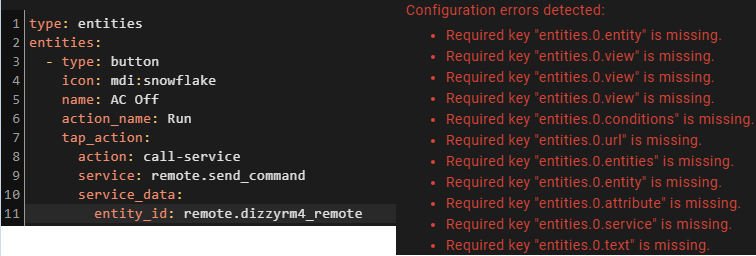
using core-2021.6.5, Frontend version: 20210603.0 - latest
 quartz cove
When renaming a device, should the entities also be renamed?
Or is it expected to rename each entity manually also?
polar kelp
The system tries to intelligently rename the entities, and if it’s possible it will ask for confirmation. But it can’t be guaranteed to work.
If you e.g. rename the device ”lamp” to ”light” it may be able to rename ”light.kitchen_lamp” to ”light.kitchen_light”. But will not try to rename e.g. ”light.kitchen_table”
quartz cove
Ah ok. I guess it decided it wasn’t sure what to do.
 brisk rock
Heya all! Since an upgrade to 2021.7.1 I cant seem to edit existing cards on a dashboard anymore. The 'Edit' button doesnt show up below a card when trying to modify a lovelace dashboard
Anyone else ever experienced the same thing?
polar kelp
But the header is gray with the orange pencils and stuff?
brisk rock
Yep 😮
Hmm cant seem to share a screenshot, but Im able to change the tabs, dashboard settings etcetc but the pencil doesnt show up below the cards anymore
Hmm, 'sort of' fixed it by creating a new dashboard and copy/pasting the raw dashboard code to the new one. When I go into editting mode the pencils show up again
As in, they show up on the new dashboard now so I can delete the old one no probs
polar kelp
Weird
 steep steppe
polar kelp
The system tries to intelligently rename the entities, and if it’s possible it w...
steep steppe
polar kelp
The system tries to intelligently rename the entities, and if it’s possible it w...
will history and automations etc change with it now?
polar kelp
Depends. Device based automations, probably. Entity base ones, probably not.
For history I don't actually know, but I would think so 🤔
steep steppe
I figured out how to hide badges while certain condition not met, using display: none in raw configuration editor, but is this a sane approach?
kind shellBOT
@brisk rock posted a code wall, it is moved here --> https://paste.ubuntu.com/p/V3NsyKfDqM/
 gusty nacelle
Windows XP nostalgia https://i.imgur.com/JeAg2AN.png

 brittle remnant
Hey all, I’ve got ha on iPhones and on an iPad- on the wall 🙂 but the iPad doesn’t allow long presses to change lights colour etc. is this a setting or something else? Cheers!
errant plover
#ios_and_mac-archived will know
 cinder hollow
I currently have an entities card with temperatures and I'd like it to color the icon depending on the state of the reading (for example red when >95 degrees), is this possible?
errant plover
brittle remnant
Hey all, I’ve got ha on iPhones and on an iPad- on the wall 🙂 but the iPad does...
I find the long press is a bit hit and miss on my ipad, too long and it does not work. Turning on haptic feedback and releasing as soon as you feel the bump works.
errant plover
cinder hollow
I currently have an entities card with temperatures and I'd like it to color the...
Yes but you will need card-mod. https://github.com/thomasloven/lovelace-card-mod
cinder hollow
yep, I currently have that installed
Could you point me in the direction I would need to take? I'm not too familiar with CSS
hmmm nvm i think i got it :D
 strange heart
Anyone have hacs frontend mini media player integration? When adding manual card i get an element not found error. Cleared cookies/restarted HA to no avail.
disregard, was following a video and the guy missed to mentioned a modification to configuration.yaml was required 😦
kind shellBOT
Videos are great to watch but are usually out of date QUICK.... Best to read the DOCS
Command '~videos' was invoked by: RobC
strange heart
I read the configuration and it was saying to edit config.yaml and add a resources: which is wrong. resources; goes inside the card not the configuration.yaml
dark dirge
That’s not true
it goes in configuration.yaml if you're configuring Lovelace in YAML mode or in -> Lovelace Dashboards -> Resources, but never inside the card
this explains resources: https://www.home-assistant.io/lovelace/dashboards-and-views/
 heavy pasture
I see that some of my custom cards that I added with hacs are available when I add a card through the ui and others are not. Is there a configuration setting that I did incorrectly that is causing this?
brisk rock
Hmm does anyone know of lovelace integration to dynamically generate cards that still works with the gui editor/embedded DB enabled? Ie. I want to create a card for each value in a list of attributes
Only found lovelace_gen but only yaml mode is supported afaik
steep steppe
did upgrade, looks nice but titles of badges still remain black on dark themes, is this something i broke/overlooked?
And what on earth is the 'logic' in ordering cards in views
karmic tiger
They appear in the order you set 🤷♂️
They may not appear in the columns you expect, since it's nigh impossible to set the order and have a responsive layout that can handle a wide range of screen sizes.
strange heart
dark dirge
it goes in `configuration.yaml` if you're configuring Lovelace in YAML mode or i...
Ok I understand, odd way of doing things. But it explains why it wasn't working.
shut tusk
shut tusk
Is there something wrong with the entities card? I have a working entities card ...
Updated details on the community forums as well if anyone else is having this issue or has any idea how I could fix it, help would be appreciated. https://community.home-assistant.io/t/buttons-in-entities-card-requires-useless-configuration-entries/319791/11
 plain onyx
got a rain precipitation sensor with precip as an attribute , can i make this card conditional by precip forecast attribb ?
dark dirge
Which card? That looks like a set of attributes
The easiest way to make a card conditional based on an attribute is by creating a template binary sensor entity and using it in conjunction with a conditional card
plain onyx
@dark dirge its the custom:neerslag-card which gives a 3 hour window into rain precipitation , and the pastebin are 2 precip sensors attributes indeed...
if precip =< 0 dont show card
dark dirge
Then what I recommended
plain onyx
also possible when the precip attribute is in the sensor 10x
dark dirge
Sure
this is really a template question. something like {{ state_attr('sensor.whatever', 'data').precip|select(">", 0)|list|length > 0 }}
adjust to suite
then this based on the state of that template binary_sensor: https://www.home-assistant.io/lovelace/conditional/
plain onyx
      regen_sensor:
        friendly_name: "Regen"
        value_template: >-
            {% if state_attr('sensor.neerslag_buienalarm_regen_data', 'precip') == '0' %}
              Geen regen verwacht
            {% else %}
              Regen verwacht
            {% endif %}
this work too ?
 tawny cipher
What's the best way for me to change the state text for an entity in a Glance card? e.g. the state is very_low but I want to change it to show Very Low on the card. Can I do this without creating a template sensor? I'd rather keep it just in the UI if possible.
dark dirge
plain onyx
```
regen_sensor:
friendly_name: "Regen"
value_template: ...
No, because you're comparing a list to a single value
and "precip" isn't an attribute of that sensor. data is
dark dirge
you already showed that
no, it's not
data is the attribute, which is a dict, which has a key called "precip"
plain onyx
ah thnks
karmic tiger
Which is a list...
dark dirge
yes
karmic tiger
Learning data structures is important if you're going to work with, well... data.
dark dirge
returns true if any of the values in the list are greater than 0 and false otherwise. You can modify the test if it's not quite what you want
I tested it on your data, but I don't have an actual entity with that attribute
if you just care about the first list item, then it's much simpler: {{ state_attr('sensor.whatever', 'data').precip[0] > 0 }}
plain onyx
ah thanks , i have another precip sensor which spits it out without attrib though should i leave the .precip ?
plain onyx
nope this is another sensor though
its made up in columns
Precip in mm | time
the one from before worked , giving me true or false for rain
but have 2 precipitation sensors
dark dirge
it's just a long string
plain onyx
yep
karmic tiger
(can I suggest you move this to #templates-archived?)
plain onyx
ah thnks
kind shellBOT
@acoustic harness posted a code wall, it is moved here --> https://paste.ubuntu.com/p/VbM2zKP6DY/
 acoustic harness
Hi guys, trying to add a ip camera can you help why it is not showing on dashboard? https://paste.ubuntu.com/p/VbM2zKP6DY/
tawny cipher
Does anyone know of a lovelace addon which will let me move around cards at different breakpoints? I want the left-most card in this horizontal stack to move above the others when it gets to a narrow view: https://i.imgur.com/wjmiJpV.png
 polar kelp
layout-card
tawny cipher
polar kelp
layout-card
Will give that a look thanks 😄
wintry gull
Hello
what was the command to add code into the chat?
How can I add ha-card to the style without breaking the rest of it?
thanks
polar kelp
card_mod:
style:
.: |
ha-card { ...}
'#states div':
...``` deep atlas
Does anyone has an idea why my frontend cant be loaded anymore? i use an edgerouter that forwards 80/443 to an vm with nginx proxy manager, that then translates that url to the hassio with 7.1 and adds 8123
deep atlas
deep atlas
Does anyone has an idea why my frontend cant be loaded anymore? i use an edgerou...
log shows an error with "invalid http method" after i try to connect
karmic tiger
Sounds like it's not trying to make a GET request. I'd guess you've misconfigured your proxy.
deep atlas
karmic tiger
Sounds like it's not trying to make a GET request. I'd guess you've misconfigure...
as the proxy worked before and i didnt changed anything at it, only updated home assistant to 7.0 and then 7.1 i guess it has to do with the config of ha
karmic tiger
I doubt HA decided to randomly start rejecting certain HTTP methods that were supported before. I haven't seen anyone else with similar issues.
 naive ingot
hello HA pros! the garage door switches I installed over the weekend are using a binary sensor (reed switch) to determine if the door is open or closed. Unfortunately, that shows in the frontend as "on" or "off," when I want my wife to be able to see "closed" or "open," respectively. How do I change that sensor display in the frontend?
karmic tiger
It's actually a backend thing but the answer is to customise the entity's class: https://www.home-assistant.io/docs/configuration/customizing-devices/
naive ingot
thanks @karmic tiger !
what's the right forum on the backend side to ask related follow-on questions? would it be #integrations-archived ?
karmic tiger
For most things, yes.
deep atlas
karmic tiger
I doubt HA decided to randomly start rejecting certain HTTP methods that were su...
as it is the only thing i changed i will have to look their first dint i;) also look at that: https://community.home-assistant.io/t/using-a-homeassistant-supervised-with-external-nginx-reverse-proxy-results-in-no-connection-from-internet/321469
deep atlas
deep atlas
as it is the only thing i changed i will have to look their first dint i;) also ...
the soultion was to add use_x_forwarded_for: true
trusted_proxies: - "ipadress of the nginx proxy"
karmic tiger
Then there would have been warnings about that in the logs. It was also mentioned in the breaking changes of the release notes.
You're not the only one to be caught out: #general-archived message
tawny cipher
How can I get a continuously incrementing value to show as deltas? It's hard to explain so here's a diagram: https://i.imgur.com/Oam8YF9.png

I'm looking at the integral sensor, not sure if that's what I need?
karmic tiger
You want the rate of change?
You'll want to set up a sensor (#integrations-archived for this) but the Statistics integration is your friend: https://www.home-assistant.io/integrations/statistics/
 pure hawk
Hi! I have an automation which requires de reload of yaml files inside a package. I'm aware I can reload automations and scripts, but what I want to reload is this line:
lovelace_gen: !include_dir_merge_named ../../hki-user/config/
anyway to do this currently?
dark dirge
Not unless it provides a reload option in -> Server Controls
 gusty tangle
HI! does anyone know if you can have MDI icons in a title? something like this? title: Bedroom {mdi:bed}
karmic tiger
With the default cards, nope. With custom cards, maybe... if they do something fancy.
karmic tiger
Yeah, emojis are the next best thing. If you want to suggest a change, you can make a feature request on the forums.
gusty tangle
yes will do!
vapid field
Hey all. I tried updating to the latest version of hass core, but now it's broken. When I look it via DNS, it gives me a view similar to the hass login, but with the error "Unable to connect to Home Assistant" and sends just sends me an HTTP 400. If I use the IP and port directly, it gives me ERR_EMPTY_RESPONSE I am using Nginx Proxy manager, which is started up and working and appears to be configured correctly. I havent changed any settings in the last week or so other than making an OS and core update today.
Connecting to the SSH results in connection refused.
 proven oar
have you read the breaking changes on the release notes?
vapid field
Touche. I think i had one of those required settings in the conf but not the other. I vaguely remember setting it when I was first configuring it.
Although looking at the example config, i recall setting both of those options, but perhaps not
proven oar
was just a wild guess from me, not sure thats your problem 🙂
dark dirge
review the HA logs
vapid field
Yeah it appears the IP changed for the reverse proxy for some reason
so it was no longer in my list of trusted IPs
@proven oar good guess, as that was what the logs were screaming about. I'm rebooting hass now to see if it fixes it
polar kelp
gusty tangle
HI! does anyone know if you can have MDI icons in a title? something like this? ...
Secret function: You actually can give a icon: to some cards, like enities. Try icon: mdi:star and see if it works for yours.
vapid field
It works now. thanks y'all 🙂
dark dirge
you can specify a network (x.x.x.x/24) if you're using a Docker network that may assign different addresses on restart
this is true of the NGINX-related addons, and the http docs show a network for that case
 lunar ice
Somehow (playing around), I lost the possibility to edit each lovelave card with the UI. How can I get it back?
Sorry, it came back on the main dashboard after adding a new daschboard....
 candid mural
hey all, i try to start a script by tapping on a picture-elements card. I use this piece of code:
            tap_action:
              action: call-service
              service: homeassistant.turn_on
              service-data:
                - entity_id: script.my_script
sadly the script is not executed by clicking on the card. Can someone give me a hint whats wrong here?
karmic tiger
This looks wrong:
- entity_id: script.my_script```
The hyphen denotes a list entry and you're only able to provide a single dict here. exotic sun
hey, im trying to create a Guage Card;
entity: sensor.waterwaarde_chloor_gebonden
min: 0
max: 1
name: Gebonden Chloor (CC)
unit: ppm
severity:
  green: 0
  yellow: 0.4
  red: 1
But it seems i cannot use 0.4 in the severity levels. Is there any way to fix this?
candid mural
karmic tiger
This looks wrong:
```service-data:
- entity_id: script.my_script```
The hyphen...
I tried with and without hyphen. Both does not work
karmic tiger
Why not just call the service directly instead of using homeassistant.turn_on?
tap_action:
  action: call-service
  service: script.my_script
anyone a clue?
kind shellBOT
@exotic sun People (and other sentient or vaguely intelligent beings) aren't waiting here for your questions, ready to leap upon them the moment they appear. Have a little patience. Keep in mind that repeatedly posting to get attention is against the rules (flooding) and can get you muted or banned.
Command '.patience' was invoked by: mono
karmic tiger
Your question is still on the screen. Just wait.
pure hawk
Greetings. I'm trying to make only certain sections of a yaml file to load depending on the user permissions. However I'm having trouble dealing with the user variable
This is what I have
{% if 'user.is_admin == 'true' %}
User is admin
{% else %}
User is not admin
{% endif %}
I've only seen this mentioned on this repo https://github.com/thomasloven/lovelace-template-entity-row and on this forum post https://community.home-assistant.io/t/logged-in-user-variable/181036
never on the official docs
karmic tiger
I'm trying to make only certain sections of a yaml file to load
Explain this bit please.
And this isn't valid:
{% if 'user.is_admin == 'true' %}
You have a random quote before user.
pure hawk
karmic tiger
And this isn't valid:
```{% if 'user.is_admin == 'true' %}```
You have a random ...
sorry that was a typo when copy-pasting. I've tried with and without quotes
pure hawk
karmic tiger
> I'm trying to make only certain sections of a yaml file to load
Explain this ...
Okay so I'm building a custom dashboard for mobile using yaml file (I use homekit-infused as a base which uses templates a lot). There is an automation which I want only certain user to have acess to, due to it requiring a homeassistant restart.
Maybe this bit of code will explain better than me
{% if '${user.is_admin}' %}
- !include
- '../templates/other/title-text.yaml'
- name: Importar Dashboard
- type: entities
style: |
ha-card {
border-radius: var(--border-radius);
box-shadow: var(--box-shadow);
}
entities:
- entity: input_select.dashboard_importer
name: Selecione a dashboard
{% endif %}
Basically I want every line after the if statement to load if the current user is and owner. If not, it does now show
karmic tiger
Yeah... there's basically zero chance of that working. You're trying to get the bankend to decide stuff based on the frontend.
That file is loaded in its entirety and then the UI is generated.
If you want conditionally displayed items in the UI based on the current user, that needs to be done in the UI.
pure hawk
oh, so first the file is loaded and then the user variable is loaded? I'm confused which parts are back and front end here
pure hawk
karmic tiger
If you want conditionally displayed items in the UI based on the current user, t...
also, how?
karmic tiger
HA 'loads' the YAML from disk, including any sub-files referenced by !includes. HA then generates the data needed for Lovelace. Lovelace is loaded when you access your HA in a browser. Only then does a user exist, and only in the context of that current browser session.
You could have 10 people logged in at once. The backend doesn't keep track of them all to generate different Lovelace configs.
pure hawk
oh, so the user is tied to the front-end?
karmic tiger
Always. The backend just cares about authentication. The frontend will show what you tell it to.
karmic tiger
pure hawk
also, how?
You'll want to look into ways to conditionally display cards. I don't know if the built in condition card can use the user object, so you might have to get clever with custom cards.
pure hawk
I think that is what this here is trying to do: