#frontend-archived
1 messages · Page 195 of 1
 timid moss
The card is custom:sun. I was thinking of using a conditional card, but would that work with the grid layout of custom layout card?
 dark dirge
if it accepts cards, then yes
I actually do exactly that with a custom:layout-card and two conditional cards
timid moss
So I tried adding a custom layout card with two conditional cards within it, but each conditional card is smaller than the full width of the card. I tried adding panel: true to the custom layout card, but it didn't seem to change anything
Doesn't look like panel mode is supported in layout card
dark dirge
panel mode is for a view, not a card
unless it's something special for that layout card
timid moss
Yeah I figured haha
dark dirge
the conditional card itself shouldn't change the look of the card it's displaying
I've seen mysterious discrepancies of a few pixels in height, but not other than that
timid moss
Top is custom: weather and bottom is custom:sun inside a conditional inside a custom:layout
dark dirge
you can change the width of the layout card
dark dirge
                type: custom:layout-card
                layout_type: horizontal
                layout_options:
                  max_cols: 1
                  width: 800
                cards:
 lucid pumice
After upgrading from a few months of no updates, my elements "don't exist".
Custom element doesn't exist: simple-thermostat.
type: 'custom:simple-thermostat'
...
lovelace:
  resources:
    - url: /local/simple-thermostat.js?v=1.0
      type: module
and I have
/config/www/simple-thermostat.js
All good now, thanks @dark dirge !
dark dirge
@lucid pumice are you using Lovelace in YAML mode?
lucid pumice
ye, think i just figured it out. it needs to be in the config now?
before it was in the lovelace yaml file
dark dirge
yes, you don't put it in ui-lovelace.yaml anymore
that was change from a long time ago
lucid pumice
hmm. still not working. and I've restarted the whole thing.
dark dirge
from an example further down:
lovelace:
  mode: yaml
  # Include external resources only add when mode is yaml, otherwise manage in the
    resources in the lovelace configuration panel.
lovelace:
  mode: yaml
  resources:
    - url: /local/simple-thermostat.js?v=1.0
      type: module
    - url: /local/power-monitor/power-monitor.js?v=6
      type: module
    - url: /local/monster-card/monster-card.js?v=1
      type: module
    - url: /local/community/lovelace-xiaomi-vacuum-map-card/xiaomi-vacuum-map-card.js
      type: module
so does that work? It's not what you posted before
lucid pumice
nope it dont.
dark dirge
all those ?v=xxx bits are to avoid the cache, so try incrementing those numbers
 honest sluice
So I have the following card that I have done some work on from something I found on the forums and everything is working great, but I would like to know is there a way to always display the absolute value? I dont want to edit the sensor its using as the negative value is correct. The spot i am speaking of is where it says "To Grid", when it says To Grid (based on other conditions) I want to display the absolute value. its using a button-card to display the icon, name and value of the entity
oh i cant post an image
ok let me get the code
 kind shellBOT
@honest sluice posted a code wall, it is moved here --> https://paste.ubuntu.com/p/PfmRHXr7hM/
@honest sluice Rule #6: Spam will not be tolerated, including but not limited to: self-promotion, flooding, text walls (longer than 15 lines) and unapproved bots.
Please take the time now to review all of the rules and references in #rules.
For sharing code or logs use https://paste.ubuntu.com/.
Command '.rule6' was invoked by: mono
honest sluice
yes thats my fault sorry, wont happen again
dark dirge
probably this:
state_display string optional On Override the way the state is displayed. Supports templates, see templates
 karmic tiger
You should be able to use the state_display field (I think) with a template to override the way it displays the state.
Snap.
dark dirge
+Math.abs()
karmic tiger
Ok, you win this time.
dark dirge
🎉
honest sluice
hmm ok let me look, i tried looking at the docs i guess i didnt see that field
karmic tiger
Math.abs(your_value_here), more specifically.
honest sluice
hmmm i dont see that in the docs
honest sluice
guess it would help if i looked at the docs for button-card instead of just button 😉
yeah
lol
timid moss
Using the soft-ui template for a custom:button card, how can I remove all the extra space to the right of the actual card?
https://imgur.com/a/zLSp58j
honest sluice
this doesnt seem to work:
state_display: |
    return Math.abs(states['sensor.grid_power_production'].state)
its actually just returning all of that as a string
oh duh
dark dirge
you need to follow the docs for templates
 icy tiger
Does anyone know if it’s possible to set the ‘limit’ or ‘target’ using a template/sensor/attribute on a custom:bar-card? I’ve tried normal templating for the target (formatted as int) but it behaves like I just haven’t set the target at all.
 winter prism
Is there a way to make an entity in an entities card blink two different colors based on the entity's state?
 mild veldt
@winter prism you could likely do that with mod-card
 balmy wolf
How do you hide the calander tile. It already has a tab in the side panel.
It shows calendars off. What use is that in the gui?
karmic tiger
What use is that in the gui?
Some people like seeing stuff...
And if you take control of your dashboard, you can choose exactly what shows and what doesn't.
balmy wolf
So the auto dashboard is just best effort for the moment?
karmic tiger
Best effort? No... it's every entity.
HA doesn't know what you want to see, so it'll show you everything - until you customise it.
balmy wolf
Yea. I guess its more about getting everything working in one magic box and not necessarily the gui.
Can you make subgroups?
karmic tiger
If you mean cards within cards, yes. Some of the cards exist as a means to organise your layout - like the stack cards, layout card, etc.
balmy wolf
Horizontal Stack Card Configuration This?
karmic tiger
That's one of them, yes.
balmy wolf
Can you change the height of a graph?
 hallow mango
you can do all kinds of things
"Lovelace - Home Assistant" https://www.home-assistant.io/lovelace/
balmy wolf
Doesnt look like it if its the History Graph Card
hallow mango
dunno, I use mini-graph-card for any of my graphs
hallow mango
it is, yes
balmy wolf
To use it you have to add it via yaml config?
dark dirge
not necessarily
balmy wolf
Doesn't show up in the search for me. Search cards
dark dirge
did you install?
balmy wolf
Yea. Checked it only shows the option to reinstall
balmy wolf
Not that part
balmy wolf
Ahh just checked via ssh for the local they reference on the repo.
dark dirge
don't use that URL, use the one I provided
dark dirge
clearing the cache is generally advised
balmy wolf
Might that go away in the future? Or is it just how browsers work.
Do you need to wipe for the app too?
dark dirge
HA caches aggressively, so sometimes you need to clear the cache
balmy wolf
Guessing that wipes your login session too?
balmy wolf
I feel like I need a video to configure it haha. Found one.
balmy wolf
Can you make a button that controls a pair of lights?
hallow mango
make a light group
balmy wolf
You can only make groups in yaml?
dark dirge
yes
timid moss
What's y'all's workflow for editing in YAML? As I get into more custom integrations, working through the UI is cumbersome, but I feel like I don't know enough YAML to switch
dark dirge
- Edit, 2. Check config, 3. reload automations/scripts
timid moss
I mean in terms of knowing stuff
timid moss
Alright so at least I don't feel bad not knowing stuff hahaha
dark dirge
the community has been around for years, so there's lots of material and quality docs to help
and it'll be a lot easier to help folks writing YAML
 left wren
Very true 🙂 I'm pretty new to this so I spend 90% of my setup time just digesting the documentation and videos
Really glad that's all there (and seemingly very high quality too) so I don't have to just bang my head against a wall instead
dark dirge
unless you're into that sort of thign
left wren
I thought I would be at first, but it's so rough when you don't have experience with this kind of thing lol
hallow mango
yeah, I'd never touched yaml until HA
left wren
Exactly
hallow mango
I think the toughest distinction I had to realize was maps vs lists
basically when to use (or not use) a -
dark dirge
it all generally makes sense once you figure it out
hallow mango
I'd say, just an advice, a good way to kind of get the "ins and outs" for yaml is to goof with Lovelace in the UI
you can immediately see how changes work and what works and doesn't
timid moss
I've been messing with custom:layout the last couple days and it felt pretty good once it all clicked
With a little help from a CSS Grid generator of course ;P
hallow mango
we should have a "showoff" channel where people can send pics of their dashboards
timid moss
As someone who isn't creative, that would be awesome
hallow mango
I often go looking for inspiration but a lot of designs look very samey to me
speaking of which, how do I hide the top bar?
timid moss
You can with custom:sidebar, but that feature is broken right now
hallow mango
great lol
hallow mango
is there an easy way to copy a whole view to a different dashboard?
left wren
You're talking about duplicating your overview page right? I think I did that on my last install to have an experimental version
hallow mango
well yeah, something like that
i've made a whole new dashboard with a few views
but want to "transplant" some of my views from my old dashboard
left wren
Maybe someone else with more experience knows a way, I think I just started from scratch before since that was basically the goal anyway lol
hallow mango
no worries
dark dirge
There are instructions on the Lovelace dashboard page in the docs
Go to raw mode, copy, go to new dashboard, raw mode, paste
 quaint snow
Any ideas my homies?
 icy patrol
Hello; i have a light entity and i just noticed that the state does not change anymore when it is on
it is always grey when my light is on or off
it might be because they are RGB bulbs..
quaint snow
icy patrol
it might be because they are RGB bulbs..
Did you select grey as the colour for the bulb? 😉
icy patrol
LOL.. I just have the brightness set to a level, no color
but when i pick a color, i can see the state change on the frontend
but when i just have the normal lights on, they are grey
before some updates - they used to show a dim yellow color
quaint snow
Yeah that’s what it’s meant to do, not some sort of card settings?
timid moss
Never mind, I read too fast
@quaint snow Could you just do a a vertical stack such that:
- Horizontal stack with green buttons
- Card 1
- Card 2
How do you guys deal with spacing when editing YAML? It's making my head spin sitting here looking at mine
 honest estuary
VSCode
timid moss
Sweet, I'll look into it. I kept seeing Notepad++ recommended and I'm thinking surely it shouldn't be this convoluted
honest estuary
there's also Sublime Text for a simpler editor
timid moss
Is there a YAML editor addon I need to download as well or just open it my stuff and that's it?
Is there a way to paste and keep indentation from where I pasted?
Like if I paste from four spaces in, I want each new line in my paste to start from four spaces in
quaint snow
timid moss
<@!143228328428437504> Could you just do a a vertical stack such that:
1) Horizo...
Would that not have card 1 and 2 on top of each other?
timid moss
If you want them next to each other do vertical stack:
- Horizontal stack
- Horizontal stack
I'm not sure if that's exactly what you're looking for though
timid moss
@dark dirge
 grave dove
Needing a bit of a point in the right direction, I have a sensor my robot vacuum has with a link to the picture of the previous clean in the state field, i wish to use this in a picture card in lovelace but struggling to figure out how to get the url out
 heavy pendant
Is anyone using the Weather Conditions Card?
https://github.com/r-renato/ha-card-weather-conditions
I'm a bit confused about how to use the forecast part.
kind shellBOT
@heavy pendant posted a code wall, it is moved here --> https://paste.ubuntu.com/p/mK9zVrwhRt/
heavy pendant
Ah, sorry about the code wall!
Lovelace config would look something like this (example provided by the developer): https://paste.ubuntu.com/p/mK9zVrwhRt/
However, that's not how weather integrations provide data. There is typically one weather object containing all this data. Sure, I could create a ton of templates to parse out the data, but surely, that's not how it's supposed to work.
 brave light
Hi guys! I'm trying to follow this guide (https://synapselabs.io/posts/integrating-your-tesla-with-home-assistant/) for my Tesla, but i get an error on the line;
missed comma between flow collection entries at line 4, column 2:
    {% set sensors = [
     ^
Does anyone have experience with these types of expressions in lovelace?
Direct link to code: https://gist.github.com/jseidl/571889c1f5e05b3164f9c87fe5e8a474
 bitter compass
anyone have tips on adding slider entity row? i added it via HACS and shows up in resources. i try adding entity card like github page says but get error Custom element doesn't exist: slider-entity-row.
though in resources its now called light-entity-row.js, the github says to use - type: custom:slider-entity-row, but changing to - type: custom:light-entity-row doesnt work either and gives Cannot add property buttons, object is not extensible error
this is what i have in the entity card
entities:
  - type: 'custom:light-entity-row'
entity: light.bar``` random mantle
i'm looking for a nice open/close door icon
random mantle
i'm looking for a nice open/close door icon
mdi:door-open/mdi:door-closed
hallow mango
bitter compass
anyone have tips on adding slider entity row? i added it via HACS and shows up i...
close your browser and reopen
bitter compass
didnt work, also cleared cache, restarted HA... whole shebang
hallow mango
🤔
bitter compass
following directions here https://github.com/thomasloven/lovelace-slider-entity-row
hallow mango
what browser?
bitter compass
wonder if something got messed up with it since it is saying slider-entity-row, yet in resources its light-entity-row
chrome
bitter compass
well, i installed entity-light-row, but it shows in my lovelace>resources as light-entity-row. was a hacs update im installing and restarting. then reinstall
yep, my own dumbassery
 flat steeple
guys i tried putting the card mode everywhere with - type: conditional in type: picture-elements CSS right after conditional doesn't work ! but before that works like a charm any suggestions ?
https://pastebin.com/YcUufWBx
 forest vector
Hi, does anyone know how to turn the toggle control into the lightning bolt control?
dark dirge
look at "assumed_state"
forest vector
thankyou kind sir!
I understand the logic now
Although I feel like I've 'lost' something about the state of the control when all I wanted was to change how it was displayed in lovelace.
dark dirge
you can make your own button that looks and works however you want
brave light
brave light
Hi guys! I'm trying to follow this guide (https://synapselabs.io/posts/integrati...
bump
 polar tendon
Is it possible to set a default order of the dashboards on the sidebar for all users?
 worthy moat
is there where we can ask questions about custom frontend components?
dark dirge
custom cards? here
worthy moat
dark dirge
custom cards? here
yep, that's what I meant, thanks!
hi all, ive installed the thermostat-popup-card https://github.com/DBuit/thermostat-popup-card via HACs, and it works well on a mobile device but doesnt scale properly (very tiny) on a desktop....wondering if anyone figured out how to modify the style such that is scales on any device...? climate.downstairs: title: "" style: $: | .mdc-dialog .mdc-dialog__container { width: 100%; } .mdc-dialog .mdc-dialog__container .mdc-dialog__surface { width:100%; box-shadow:none; } .: | :host { --mdc-theme-surface: rgba(0,0,0,0); --secondary-background-color: rgba(0,0,0,0); --ha-card-background: rgba(0,0,0,0); --mdc-dialog-scrim-color: rgba(0,0,0,0.8); --mdc-dialog-min-height: 100%; --mdc-dialog-min-width: 100%; --mdc-dialog-max-width: 100%; } mwc-icon-button { color: #FFF; }
kind shellBOT
Please use https://paste.ubuntu.com/ to share code or logs. Please don't use Pastebin, since it can randomly add spaces to the main view.
Command '~share' was invoked by: RobC
 carmine fern
Can anyone tell me why my mini-media-player isn't showing any artwork from the source?
hallow mango
what's the source?
 tough cairn
Hey guys, a button card that's just an image. Can it be done?
timid moss
@tough cairn Try custom:button : https://github.com/custom-cards/button-card
I'm trying to get custom:sidebar to change its background color based on my theme, but it doesn't seem to be doing anything
Here's a picture: https://imgur.com/a/S3XYIzl
And here's the sidebar portion of my yaml: https://ghostbin.co/paste/8shkmks
carmine fern
hallow mango
what's the source?
It's a Kodi library on my computer.
All artwork, fanart, coverart etc is in the folders with the movies
And it's connected directly to Kodi via the integration.
 bitter bolt
what do i put in a name field to make it not appear?
like in an entity card for example
carmine fern
bitter bolt
what do i put in a name field to make it not appear?
" " is easiest
bitter bolt
is it possible to have a markdown card have an on press event?
kind shellBOT
@worthy moat posted a code wall, it is moved here --> https://paste.ubuntu.com/p/dKRfDp8GY7/
 warped yew
Is there a way to link cards for reuse? I've made specific setups that i'd like to reuse in several configurations but i don't want to have to change everywhere when i change an icon or something.
worthy moat
hey folks, anyone using the thermostat-popup-card (https://github.com/DBuit/thermostat-popup-card ) and have it styled (CSS) correctly so it properly scales on any device? Style from it's github page is https://paste.ubuntu.com/p/dKRfDp8GY7/
karmic tiger
warped yew
Is there a way to link cards for reuse? I've made specific setups that i'd like ...
If you're using YAML mode, you can use YAML anchors.
warped yew
karmic tiger
If you're using YAML mode, you can use YAML anchors.
is there a tutorial/docs on this somewhere?
karmic tiger
Yes, Google has many.
warped yew
Another weird question. I'm embedding a webpage but i want the height to dynamically adjust to the device i'm using. I've tried fiddling around with aspect ration but can't get it to work good in all devices. Is there a different way of doing it?
worthy moat
warped yew
Another weird question. I'm embedding a webpage but i want the height to dynamic...
working on a similar issue with the thermostat-popup-card.....CSS styling through card-mod is likely the answer here, but I havent figured it out yet
warped yew
if i could set the height of the iframe i think it could solve my issue. But not sure how to achieve that
worthy moat
warped yew
if i could set the height of the iframe i think it could solve my issue. But not...
you'll likely need this https://github.com/thomasloven/lovelace-card-mod
warped yew
yeah i'm trying but i either can't target the right card or the height property just isn't working
warped yew
now i'm starting to question weather i have installed card-mod properply through hacs
And that was the issue. Got it working!
 dense epoch
Does someone has some infos for me?
mild veldt
dense epoch
Does someone has some infos for me?
 minor pelican
HI everyone, I am not sure where to post this question: I am trying to whitelist a directory without using any yaml in the configuration.yaml file and am not able to find this option in the UI. Thank you!
dark dirge
it's not configurable in the UI - you have to use YAML
minor pelican
Okay. Thank you!
 sharp grove
Hello all, I have a fold-entity-row using a template-entity-row as the head.
On desktop, clicking anywhere on the head works (fold unfold no problem). But on iPhone, either app or browser, only clicking on the arrow works, clicking other area of the head would give this error.
Anyone know why?
The error kinda makes sense since I didn’t give an entity to the template-entity-row. But why desktop works, and I hope it not to show that error if I didn’t give entity.
bitter bolt
        entity: sensor.time_since_most_recent
        name: Most Recent
        format: relative
        icon: 'mdi:clock'
        tap_action: none
https://i.imgur.com/nEa0d0d.png
what could be the cause of this sensor not displaying in a friendly format all the time? it does in this other lovelace tab i'm working in, but when i add it to another it displays ugly. comparison showed in image.
config yaml;
    sensors:
      time_since_most_recent:
        value_template: >-
          {{ states.input_text.lastusedss.last_updated.strftime('%Y-%m-%dT%H:%M:%S') }}Z
device_class: timestamp```That exact same Lovelace code displays differently in different views?
bitter bolt
mhm, i copied and pasted it.
dark dirge
Seems…unlikely
kind shellBOT
@bitter bolt posted a code wall, it is moved here --> https://paste.ubuntu.com/p/ThWbK6h65R/
@bitter bolt Rule #6: Spam will not be tolerated, including but not limited to: self-promotion, flooding, text walls (longer than 15 lines) and unapproved bots.
Please take the time now to review all of the rules and references in #rules.
For sharing code or logs use https://paste.ubuntu.com/.
Command '.rule6' was invoked by: mono
dark dirge
Those…aren’t the same at all
Seems like you’re complaining that different cards display things in different ways
bitter bolt
well, the first codeblock has a secondary markdown card. but the first card in the first codeblock shouldn't be reliant on the second..
dark dirge
One is an entities card and the other is an entity card
Those are different. No copying and pasting going on there
karmic tiger
The only thing they have in common is the entity they reference.
bitter bolt
wait, there's a difference between an entity card and an entities card?
karmic tiger
There's a difference in their name, right?
dark dirge
You said they were exactly the same and that you copied and pasted
bitter bolt
ok, i fixed it. ty.
what's the point of "panel mode"? like what are some use cases?
for a full screen image card, like a cctv camera?
and how do most people design their layout around certain views, like desktop vs mobile? do they log into each device on a different user account which only displays cards tailored to that device's screen resolution and aspect ratio?
karmic tiger
That's a very broad question. Probably better for you to look at people's layouts on the forums to see how they approached it.
 marble falcon
So, I have my theme set to backend-selected and I try to manually call up the set_theme service like so, but nothing happens. I can manually select light or dark on the user page though. Am I missing something?
data:
  mode: light
name: default```I seem to recall that that doesn't change the mode, just the theme to be used in that mode?
I remember it being unintuitive
marble falcon
You're right, it definitely doesn't work the way I thought it would.
 twilit leaf
Can anyone help me witth artwork on mini-media-player card? Doesnt matter waht option I choose, cover, full-cover etc, it stay gret
grey*
hallow mango
what's the media?
twilit leaf
Spotify
bitter bolt
can live camera entities in a picture card have pressable buttons overlaid on top of them?
hallow mango
picture-glance can do that
bitter bolt
  action: call-service
  service: camera.snapshot
  service_data:
    filename: '/local/lorex/lorextmp_{{ now().strftime("%Y%m%d-%H%M%S") }}.jpg'
  target:
    device_id: e4113540def2a336ddf3ab6e272e96a0```

i keep getting "no access to path", even when i just do `/local/image.jpg` doing a camera snapshot and i'm not sure why?The path part of filename must be an entry in the allowlist_external_dirs in your homeassistant: section of your configuration.yaml file.
bitter bolt
https://paste.ubuntu.com/p/BxfzCwRW45/
https://i.imgur.com/3pbenKm.png
i have a camera as picture-glance. i have some entities overlaid for script toggles, represented by their icon.
how can i move the entity icon alignment around in the image? thought i'd use state_filter with style: and top/left/width, but it doesn't work.
bitter bolt
timid moss
I'm trying to use a template for a custom:button-card, but the icon size isn't following what I've set
Code here: https://paste.ubuntu.com/p/fyDRNFZHqT/
Picture here: https://imgur.com/a/brVndt3
worthy moat
anyone happen to have an example, or can help me, of putting the Elements of a Picture-Elements Card into a Layout-Card - grid layout? My attempt is not quite working out https://paste.ubuntu.com/p/5ZdcJ95hky/
 sacred axle
does anyone know of a carousel style card which can be used to display cameras? I have cameras surrounding my house and want to be able to swipe from each camera in a carousel fashion
 formal tide
#announcements message
the swipe card?
sacred axle
huh, I will try that out now
sacred axle
That swipe card seems like it'll work with what I'm trying to do. now I just need to figure out how to integrate the swiper-api calls into my lovelace card: https://swiperjs.com/swiper-api#scrollbar
 rough coyote
Hi i use custom weather as a card, i now just reinstalled on new pi and i see on the github the values are localized to Dutch. https://github.com/bramkragten/weather-card
However for me they are not. Despite language being Dutch. Any hints what i might be missing?
Oh wait.. he just has a value that's in Dutch same as in english.. i think it's in english too. the wind direction.
carmine fern
For some reason my webrtc addon isn't working. Got the card loaded in a dashboard (can see the play button, progress bar, network icon etc) but it just constantly shows ERROR: 'webrtc' on the video stream itself.
Tried with the default Bunny video on the GH page but even that doesn't work.
Checked the logs and there are no errors, even with debug level enabled via logger.
bitter bolt
bitter bolt
<https://paste.ubuntu.com/p/BxfzCwRW45/>
<https://i.imgur.com/3pbenKm.png>
i hav...
any pointers for this one? moving/aligning the entity icons in a picture glance card.
 feral cliff
Hi! I have some sensors that are running with MQTT with deep sleep. I'm using the history card to display the sensors' values, but the result is somewhat "dotted". Is there a way to join all the dots so the graph looks better and more readable? Thank you.
Mh I guess I need to use a different "history" card that I can find from HACS. I'll look into that.
 steady sluice
Does anyone know what font the frontend uses?
karmic tiger
steady sluice
Does anyone know what font the frontend uses?
The best font, Roboto: https://fonts.google.com/specimen/Roboto
You can inspect webpages to see those kinds of details, by the way.
 alpine sparrow
I'm using Gledopto GU10 lights through my Philips Hue bridge. I noticed that scenes don't work properly. When the light is off and I execute the scene, the light will always turn on with a purple-ish color. I think it's the default color of the light and somehow it's ignoring the colors that it set in the scene. When I run the scene a second time (this time with the light on, in the purple'ish color) then it sets the color correctly.
I narrowed down the root cause of the problem. Somehow, the light isn't reacting as it should to the "turn_on" command (if it's in an off state) when the scene has the "effect: none" parameter set. If I remove this line, all my Gledopto lights behave as expected.
So, I'm looking for the best way to fix this.
- It's annoying that the scene editor always adds "effect: none". I have to manually remove it whenever I edit a scene using the editor. Any suggestions on how to fix this?
- I would think that "effect: none" means NO effect should be included in the command to the device. But my device is behaving differently with "effect: none" present vs. not having the effect parameter in the service call at all. Is this a bug, perhaps?
flat steeple
where is the raw config editor part of Lovelace file location at ?
like the other yaml of lovelace ...
worthy moat
bitter bolt
any pointers for this one? moving/aligning the entity icons in a picture glance ...
I believe you will need a picture-elements card, and then you can style it like you need to using top: left: etc
worthy moat
flat steeple
where is the raw config editor part of Lovelace file location at ?
upper right-hand corner, click the '...', click Edit Dashboard, click the '...' again, click Raw configuration editor
 steep steppe
worthy moat
upper right-hand corner, click the '...', click Edit Dashboard, click the '...' ...
steep steppe
worthy moat
upper right-hand corner, click the '...', click Edit Dashboard, click the '...' ...
i had trouble finding that too, is it documented at all?
 crystal moat
Hey guys, I'm working on my new phone front-end, and am looking for anything that I might have omitted that could be useful!
This is what it has displaying so far: https://www.youtube.com/watch?v=DAVlNN1D1rw (Unlisted video since the capture was 2gb)
Motion sensors
Door sensors
Humidity/Temperature sensors
5 Room controls using a swipe
All lights in the second page
Conditions under the lights
All the ACs
It also pops a camera view on top when there is motion in front of the door
worthy moat
steep steppe
i had trouble finding that too, is it documented at all?
Is what documented?
steep steppe
worthy moat
Is what documented?
where to find this raw configuration editor
 vapid field
im sure this is asked all the time, but google seems to have failed me
how do i theme the header?
i applied the ios dark theme, but the header is still blue
 fresh heath
I have white buttons for my lights and the color of icon matches the bulb colors. Sometimes brighter colors make the icon nearly white and make the icon blend in. Is there a way to restrict how bright or how white the icon can get with CSS?
While matching the bulb color to a certain extent
 knotty abyss
Are we able to set a unique_id to light groups in the configuration.yaml file
quaint snow
taking it to the right channel @dark dirge - I added my average inside temp and my outdoors temp as cards, just would like the icons to change colour based on the temp outside
top right
quaint snow
ah sweet I will take a look at the docs
dark dirge
there's a ton of state-based color changes in my config
quaint snow
will revisit that too 😄
knotty abyss
Is the only way to have multiple lights controlled by a single switch / rgb color wheel by creating a group within configuration.yaml? I did this and it worked I guess well enough, however when I tried to tie it to an area I got the error about no unique id and not able to use the ui to configure.
dark dirge
you can define a group or light.group in configuration.yaml, or just pass all the entities to the turn_on/turn_off calls
areas aren't very well supported
quaint snow
I am hoping the following will do the temps nicely
styles:
  icon:
      - color: >
          [[[
            if (entity.state < 0) return 'rgb(178,0,237)';
            if (entity.state >= 0 && entity.state < 10) return 'rgb(202,241,255)';
            if (entity.state >= 10 && entity.state < 20) return 'rgb(0,191,255)';
            if (entity.state >= 20 && entity.state < 30) return 'rgb(216,255,81)';
            if (entity.state >= 30 && entity.state < 40) return 'rgbrgb(255,193,0)';
            if (entity.state >= 40) return 'rgb(255,90,0)';
]]]```yeah seems to be working, as far as the >= 10 and < 20 goes
just wish there was room to cram a media player in there haha
might have to shrink some of the cards....
But then again, the media_player entities don't really work well for me. For some reason they only see two echo devices to cast to.
quaint snow
these guys are too smart for me, do you know how I can get a clock like this one into my frontend anyone?
 exotic patrol
Anyone know if it's possible to change the circle color on the default map entity?
knotty abyss
Has anyone done a well working card for a group of lights?
Like I wanna have one control / card that is both of my lights in my living room that I can switch on and off and change color. Has anyone done this?
timid moss
hallow mango
speaking of which, how do I hide the top bar?
Just found this and remember you asked a few days ago. Hope it works for you!
https://github.com/maykar/kiosk-mode
 errant peak
Hi all
I have this.stateObj.attributes['status'] in javascript
that returns me the status of an object
how can I get the translated value of it?
karmic tiger
If HA didn't know how to extract the information natively, it won't know what to translate either. You'll have to translate it yourself.
hallow mango
@knotty abyss https://github.com/ljmerza/light-entity-card
worthy moat
Anyone ever put a light popup card in a layout grid? Would love to see an example
 nova bloom
is there a card that will show clickable thumbnails of the n most recent video clips in a folder in the mediabrowser (trying to show the most recent frigate clips for users).
or a way to add a link in a View to a specific folder in media browser?
errant peak
@karmic tiger the state is translated when I look the entity itself...
 late eagle
Not sure where to ask this, but I got new Hunter Douglas Powerview blinds that work really well w/ HA, but if they get changed by a remote outside of HA, HA doesn't learn of that and can think they're up when they're really down and so on. This is annoying since HA disables the up arrow & down arrow UI elements when it thinks the blind is already at that spot. How can I not have those buttons disabled?
The integration docs claim "local polling", but I never see updates of state sent back into HA
 sinful egret
I have a webpage Lovelace card, and I want to include the contents of an input_text entity as a query parameter in the URL, is there an easy way to do that? Or even just look up the entire URL from a hidden input_text?
dark dirge
That would require a template, and that card doesn’t appear to support them
hallow mango
could use card-templater
 nimble zephyr
Is there no easy way to see history of an attribute or does ha not save the attributes? I know I can template a new sensor and populate with data from a attribute but seems overkill
worthy moat
nimble zephyr
Is there no easy way to see history of an attribute or does ha not save the attr...
Template sensor is the way to go
 halcyon basin
is it right that custom cards (like the fan speed controller, and bignumber-card) do not load in the apps? they just say custom element doesn't exist.
dark dirge
It sounds like you either didn’t add the resource or you have a leading ‘-‘ in your card definition
halcyon basin
@hallow mango That did it! Cheers. Was a little confused why it was working on the web but not my phone. Thank you.
hallow mango
all good man
steady sluice
Does anyone have any TV remote cards they reccomend?
Im looking for a good one but cant find one that works good
 errant plover
steady sluice
errant plover
steady sluice
Thanks!
hallow mango
there is a harmony card that seems like it would be worth using if you set it up right
and have a harmony remote obviously
but I have a harmony remote... so why would I pull out my phone? lol
knotty abyss
hallow mango
<@318861620627505153> https://github.com/ljmerza/light-entity-card
Hey, so this gives me a card with both lights in it and 2 seperate color wheels. I'd like to have just 1 color wheel that works for both light.s
hallow mango
make a light group
knotty abyss
I did, and then when you add the group it puts a color wheel for both
hallow mango
did you make a light group? or a group of lights?
light:
  - platform: group
    entities:
      - light.abc
      - light.def
    ...
vs
group:
  lights:
    entities:
      - light.abc
      - light.def
    ...
any way to display picture entity cards in colour rather than greyscale?
 regal cypress
Can I use my own icons somehow?
 grim beacon
Quick and simple question. I haven't checked out the history tab for quite a while, thus I am not sure if it supposed to look like that:
Is this correct?
I am asking because it looks very unclear and confusing.
regal cypress
grim beacon
https://imgur.com/gngFs4R
Yes, it seems correct. Unclear and confusing, maybee, but it is supposed to be like that. It shows all your sensor that reports a % value...
grim beacon
Thanks
 gray bay
how do I use a wildcard in the entity filter card?
Invalid entity ID at position 0: sensor.
entities:
- sensor.*``` weary axle
In lovelace ui, there is a layout section and a layout options. So If I specify GRID, what code do I put in layout options to restrict it to 3 columns for example?
 polar kelp
Those options are not default. They are put there by layout-card. The readme should give you a starting point: https://github.com/thomasloven/lovelace-layout-card
weary axle
aha awesome! Thanks
That worked great! So nice. Thanks a lot @polar kelp , the work you have done is so amazing
polar kelp
Note to self: Add a message to that tab that the options are put there by layout-card
worthy moat
new atomic calendar revive update https://github.com/atomic7777/atomic_calendar update: reduced sizing and more date/time format options (i'd upload an image but cant seem to find the option)
worthy moat
would love some help with CSS if anyone is willing. Trying to change the font size of this element, not sure how to call it in my yaml though .precipitation { color: var(--primary-text-color); font-weight: 300; }
 subtle blade
I have a garage door opener switch, and a binary sensor that shows the status. How can I "link" the two, so that there is a single icon that shows the status, and activates the garage door when clicked?
hallow mango
@quaint snow use a color image? I've got bunches that are in color
hallow mango
polar kelp
Note to self: Add a message to that tab that the options are put there by layout...
would it be possible to add ui in that section for the different options? like you would get adding a card that's supported in the editor
dark dirge
@subtle blade A template cover
 radiant abyss
Hey all, I am seeing some weirdness with a new sensor I added. Aqara Temp/Humidity sensor was added yesterday, but when I add it to a graph card, it shows F temps but it put it in its own graph for C instead.
I can't add a pic, but if you PM me I can show you
https://community.home-assistant.io/t/weird-issue-with-history-graph-temperature/244436 looks like it goes away on its own
subtle blade
@dark dirge Interesting.. So the mqtt command to open the door doesn't get sent. Monitoring state looks fine, so I know mqtt is working correctly. Do you see anything wrong with this?
`cover:
- platform: mqtt
name: "Garage Door"
unique_id: garage_door_opener
device_class: garage
state_topic: "tele/garagecontroller_0051BB/SENSOR"
command_topic: "cmd/garagecontroller_0051BB/POWER1"
value_template: "{{ value_json.Switch4 }}"
state_open: "OFF"
state_closed: "ON"
payload_open: "1"
payload_close: "1"`
kind shellBOT
Please use https://paste.ubuntu.com/ to share code or logs. Please don't use Pastebin, since it can randomly add spaces to the main view.
Command '~share' was invoked by: RobC
subtle blade
The odd thing is that the mqtt command never reaches the esp/tasmota. Even if it was the incorrect command, I'd expect that to show up in the tasmota console
dark dirge
I don’t use an MQTT sensor or cover like that. Mine is just a sensor and switch
subtle blade
even more weird.. when I click the button on the UI, it doesn't show up in mqtt when I listen for that topic
nova bloom
is there a card that will show clickable thumbnails of the n most recent video clips in a folder in the mediabrowser (trying to show the most recent frigate clips for users). or a way to add a link in a View to a specific folder in media browser?
karmic tiger
I've not seen anything like that. The main problem is that cards only know what integrations expose. You'll have to build a way to expose the filenames of the N most recent video clips first.
timid moss
I'm using Soft UI in my HA, but it's not rendering properly on Fully Kiosk on my Kindle Fire HD 10 2019. Is there a fix to this or do I need a different tablet?
karmic tiger
What happens if you just use a different browser on the same tablet?
timid moss
Trying that now actually
Same thing in Chrome
FireOS 7 is based on Pie so I thought I'd be fine
 austere otter
Hi, I am trying to get my tailscale IP address to be shown on the dashboard. After googling as lot, I found out that this can be done using command_line entity. And so, I added this to my config.yaml:
sensor:
- platform: command_line
command: "hostname -I | awk '{print $2}'"
unit_of_measurement: ''
name: "Tailscale IP Address"
value_template: "{{ value }}"
On the cli, the above command displays the correct IP address. But this just results in a blank on the dashboard. I read somewhere else to put it in a script and echo the output. I did that as well, but the display showed "Unknown" in HA dashboard. I echoing to a tsip.txt and cat tsip.txt and had the same result. I have tried with single quote. I have tried '$(hostname -I ...)' but that shows a blank.
I can't see the error here.
timid moss
I'm an idiot, I just forgot to set the dark theme
austere otter
dark dirge
the `hostname` command in the HA docker container doesn't appear to support "-I"
so, how would I get the ip address of the raspi instead of just that of HA? If I do hostname -i in HA's terminal, I just get 172.30.33.3 and not the others which i get in pi's cli - 192.168.1.14 100.121.63.99 172.30.32.1 172.17.0.1
timid moss
Why don't you just assign your device a static IP?
austere otter
I have a static IP for my raspberry pi - 192.168.1.14
timid moss
Ah never mind, I didn't realize what Tailscale was
austere otter
🙂
I need help with parsing. I got the details, but I don't know how to just get the ipv4 address.
(sorry, I just couldn't copy the text from the terminal window)
flat steeple
is there a nice drop down where u simply drop down without getting into the entity page ?
 sleek cliff
Whats the best way to regularly transfer a file from serverA to homeassistant-server? I was thinking SSH with key. I want to transfer ssl cert and some other files at the start of every month. I do this to a couple of other servers, now I am stuck on how to do it on homeassistant.
hallow mango
@flat steeple like a collapsing card?
you might need to describe what you want a little clearer
quaint snow
hallow mango
<@143228328428437504> use a color image? I've got bunches that are in color
The picture entity card only turns the picture to colour if the entity is on. These are scripts so they literally only go coloured for a few seconds then back to greyscale. I did find a way around it though.
state_filter:
  'on': brightness(100%)
'off': brightness(100%```is it an entity that provides a picture? i guess i don't have any that use the actual entity picture... but defining an image mine all show in color. i also have a few that use cameras, but they have a constant feed so they're never "off"
but all of these show me a color image:
type: picture-entity
image: /local/wyze_logo_main.jpg
icon: 'hass:sensor'
entity: sensor.dockerpi_wyzesense2mqtt_image
show_name: false
type: picture-entity
entity: camera.front_porch
camera_view: live
show_state: false
type: picture-entity
entity: camera.front_porch_person
name: Person
show_state: false
i also have a picture glance that works similarly with a state image
type: picture-glance
entity: sensor.current_activity
state_image:
  None: /local/harmony.jpg
  PowerOff: /local/harmony.jpg
  Shield: /local/shield.jpg
  Playstation: /local/ps4.jpg
I am thinking its because those sensors and cameras are essentially always reporting or running
where as the script just runs for a few seconds
timid moss
I have browser-mod installed and it mentions that you can make devices play sounds when clicking buttons, but it never gives an example
Does anyone here have one?
timid moss
Actually I figured that out, but it's pretty delay from pressing the button. Is there another way to do this?
 hearty quartz
Is there no way to group entities from within the frontend interface or even a hacs addon or something.
dark dirge
No
hearty quartz
That is unfortunate 🙁. Looking to see if there is a feature request for it.
hallow mango
yeah, a groups ui would be sweet
 small lichen
Just installed HA as a docker container. How does one install dashboards like this? https://community.home-assistant.io/t/a-different-take-on-designing-a-lovelace-ui/162594
formal tide
you need to look at this guys config and apply the needed parts from it to your config
small lichen
Ah I see, so everything must be configured on its own to achieve that. Thank you
 burnt hill
Hey all - is it possible to dynamically change the name of an entity? I have an entity that i'm creating via a template which looks at completion of a task yesterday. The current friendly name is "Yesterday's Goal". Is it possible to dynamically update this to "Tuesday's Goal", "Monday's Goal", ect ect, - thanks!
honest estuary
that doesn't make sense
burnt hill
@honest estuary me?
honest estuary
who else?
burnt hill
idk something above, what doesn't make sense?
honest estuary
dynamically changing the entity name
burnt hill
Why not? Display name not ID
polar kelp
You're in #frontend-archived, blackadder. Context.
burnt hill
@honest estuary ok fair enough
polar kelp
@burnt hill You can use something like template-entity-row or config-template-card to update what's displayed.
https://github.com/thomasloven/lovelace-template-entity-row
https://github.com/iantrich/config-template-card
honest estuary
sorry i thought they were called cards
polar kelp
The display name is called name:. It's ironically confusing if you know too much...
burnt hill
@polar kelp thank you, this is pretty much spot on for what I need.
worthy moat
@polar kelp send you a question on the layout-card in the forums, https://community.home-assistant.io/t/layout-card-take-control-of-where-your-cards-end-up/147805/421 . Trying to figure out how to properly layout elements of a picture-elements card, in a grid. Any help you can offer is greatly appreciated!
polar kelp
Honestly; that sounds like a really bad idea.
The point of picture-elements is that you can place elements exactly where you want them, so you should use the provided tools for that instead.
worthy moat
polar kelp
And this <https://github.com/thomasloven/lovelace-hui-element>
hmmmm, so I was thinking that by putting them in a grid, it would help them to scale in the instance the dashboard is viewed on a smaller resolution screen....?
polar kelp
Maybe. But you should be able to get the same effect with top, bottom etc.
worthy moat
polar kelp
Maybe. But you should be able to get the same effect with `top`, `bottom` etc.
Alright I'll give it a try
 edgy plinth
Hello! I am trying to figure out how to use Layout Card and am a bit confused. My setup is in panel mode with a layout card as the main card. I have the layout card set to vertical. I can't seem to get the card to span the entire screen. It will only fill a column in the middle. Is there any way to expand this or something I am missing?
I am using horizontal stacks within the vertical layout card for each row. Still the cards on a given row will only fill up a small portion of my screen
polar kelp
So it puts all your cards vertically, you say? Curious.
That's not the recommended way to use it, by the way. Check the readme and use it as a view layout instead.
edgy plinth
I'll take a look at that. If I use it in this way can I still use it in Panel mode? Yes, the layout card that you can add using just add card is similar to the vertical stack card. If I used it as a view and in panel mode, would I just use a vertical stack as my one card?
 merry notch
Hi guys, I've got a weird issue going on. Some of my lights have changed their UI, and the new UI isn't able to hold colour values at all. It switches and then switches back to white immediately. Any ideas? I would post an image if it was allowed
 scenic current
Is there an easy way to exclude an entity from showing up in the logbook through the frontend or do I still need to do it in yaml?
merry notch
@hallow mango ah good idea thanks
have posted it as a topic on the forums now tho https://community.home-assistant.io/t/different-light-uis-in-lovelace-new-one-is-buggy-and-wont-let-me-select-colour/312771
 vivid crow
how can I embed a panel showing the webpage of one of my addons?
when I use the URL http://192.168.1.5:8123/hassio/ingress/local_network_map it returns the whole HA menus/toolbar. How to directly embed the addon page?
I see HA actually uses a generated-token to embed them in the UI e.g. http://192.168.1.5:8123/api/hassio_ingress/QJu57U9E-aU_RdFwl8s2X-B7bbq7OEJRE0nARKXh7Qg/ but that wouldn't work with a lovelace iframe
vivid crow
nevermind, found the GH ticket
formal tide
🧐 i suppose this is known, think I‘ve seen this in the beta already ?

 shadow jay
Hi im using authelia for the single sign on, is there a way it uses authelia to check who logged in and then authenticate on that
steady sluice
Does anyone know of a nice looking frontend for a fire tablet? Lovelace just isnt doing it for me. I want something that looks like this.
dark dirge
That looks doable in Lovelace. Layout cards and custom button cards
dark dirge
steady sluice
Ok cool thanks
Does anyone know where I can find icons for Disney+ and Hulu that work with Home Assistant buttons?
I tried this but it didnt work
        tap_action:
          action: toggle
        entity_picture: /local/pictures/huluicon.png
entity: switch.relay2```Using a picture as an icon
mild veldt
icon: mdi:hulu
mild veldt
Then you'll need to use something other than button card, like picture card if you want an image
steady sluice
Ok thanks anyway
shadow jay
Where do i find http to configure trusted proxy
dark dirge
in configuration.yaml: https://www.home-assistant.io/integrations/http/
 knotty abyss
Hey guys, I'm trynna make a card that shows my ethermine stats and also some other crypto stuff if possible. I have the thermine plugin and it gives a sensor that has multiple attributes with the information. Now if I go to the gear icon I can see a few things showing. as well as a small graph for the active workers. It looks like this. I'd like to also if possible I'd like to reformat the numbers when putting them within a card.
welp I can't share the picture but it pulls multiple bits of information
polar kelp
The canon way is through a template sensor. https://www.home-assistant.io/integrations/template/
 glad sail
formal tide
🧐 i suppose this is known, think I‘ve seen this in the beta already ?
glad sail
formal tide
🧐 i suppose this is known, think I‘ve seen this in the beta already ?
Was there any reaction to this? All of my "entities" cards look "distorted" like that. Or is it a new feature, not a bug? 😉
polar kelp
Do you have template-entity-row?
glad sail
I have this: type: entities
entities:
- entity: binary_sensor.lumi_lumi_sensor_motion_aq2_occupancy
secondary_info: last-changed - entity: binary_sensor.lumi_lumi_sensor_motion_aq2_ias_zone
secondary_info: last-changed - entity: binary_sensor.sonoff_motion1_ias_zone
secondary_info: last-changed - entity: sensor.lumi_lumi_sensor_motion_aq2_illuminance
secondary_info: last-changed - entity: sensor.lumi_lumi_sensor_motion_aq2_power
secondary_info: last-changed
state_color: true
show_header_toggle: true
which now looks like this:
polar kelp
But do you have template-entity-row installed?
Because that's been known to cause that issue.
glad sail
Oh yes, I do have it
polar kelp
Then I recommend you install "Important fix for Home Assistant 2021.06" https://github.com/thomasloven/lovelace-template-entity-row/releases/tag/1.1.2
 edgy canopy
Hello everybody!
I've multiple power sensors and want this type of card to display it : https://developers.google.com/chart/interactive/docs/gallery/barchart#stacked-bar-charts
But sadly, history-graph nor mini-graph-card or apexcharts seems to offer it. Does anyone has a solution? Thanks!
 honest coyote
edgy canopy
Hello everybody!
I've multiple power sensors and want this type of card to disp...
honest coyote
edgy canopy
Hello everybody!
I've multiple power sensors and want this type of card to disp...
Looks like Apex should support it? https://apexcharts.com/javascript-chart-demos/bar-charts/stacked/
 daring cloud
Hi. I just upgraded to 2021.6 and I love that I can now set my preferred time format (24H)
I quickly noticed that the calendar (both full page and card) does not honor my choice and wanted to open an issue for it on GitHub.
Can anyone tell me which tracker I should report it under? Is this a UI issue? Or is it an issue with the calendar component? Or is it an issue with the google calendar integration?
Thx
edgy canopy
honest coyote
Looks like Apex should support it? https://apexcharts.com/javascript-chart-demos...
You're right, I don't seen it in the doc page of the HA module and haven't thought of browsing to the site directly
 tender bronze
I've added mini-graph-card through HACS. How do I now add it to my lovelace dashboard?
 tawny vault
they need to be added to your lovelace resources
usually a pop up show up telling you to reload
first thing to do with cards is always cache
knotty abyss
Hey guys, so I'm trying to make a nice card to show information from ethermine. Someone did make a plugin and it creates a sensor called sensor.ethermineinfo_miner_address. This sensor has multiple attributes to it such as .unpaid .current_hasthrate etc. I'd like to have a card that displays each of these items as a line. however, I can not seem to get anything to work to do this.
Here is the plugin I'm using, https://github.com/ThomasPrior/EthermineInfo now it mentions something about a template sensor but I'm not sure exactly what they mean by that. Someone able to point me in the right direction it would be greatly appreciated
polar kelp
Didn't the template sensor I recommended yesterday work?
knotty abyss
my apologies I was looking at that and trying to figure it out
hallow mango
tawny vault
should be listed there
it isn't shown in that ui, gotta put in yaml
polar kelp
Basically, you'd add a couple of sensors with e.g. state: "{{ state_attr("sensor.ethermineinfo_miner_address", "current_hashrate") }} etc, and put those in a card.
hallow mango
@tender bronze https://github.com/kalkih/mini-graph-card#updating
tawny vault
hallow mango
it isn't shown in that ui, gotta put in yaml
well yes and no. It shows up in the UI as a card. It just isn't UI configurable
tender bronze
tawny vault
first thing to do with cards is always cache
Done that both times. Only 2nd time worked (no idea why)
hallow mango
tawny vault
well yes and no. It shows up in the UI as a card. It just isn't UI configurable
ah I stand corrected, my bad
polar kelp
(no idea why)
Because cache fights you, that's why.
knotty abyss
OH I have to create my own sensors?
 signal plank
Hi all,
I am trying to add a custom alarm panel into dashboard but I got this error:
"Custom element doesn't exist"
Any idea what should I do?
I am using from here
knotty abyss
thomasloven if I try to put that into the development tools I get ```Result type: string
state: "None
This template listens for the following state changed events:
Entity: sensor.ethermineinfo_miner_address```
if I try state: {{ states.sensor.ethermineinfo_miner_address.attributes['stale_shares'] }} I get the following error UndefinedError: 'None' has no attribute 'attributes'
dark dirge
@signal plank Did you add the resource as described here? https://github.com/Dilbert66/esphome-vistaECP#custom-alarm-panel-card
signal plank
Yes I did
dark dirge
And reload resources or restart ha?
signal plank
yes I did.
Also, I rename the files (alarm-keypad-card.js to alarm-panel-card.js)
scenic current
https://i.imgur.com/Q5ZIQby.png
Can someone tell me if there is a way to set the case of entity values without having to create my own template sensors to do this?
see image for example
 swift river
did the top bar increase in height again with 2021.6 release?
things are no longer fitting nicely on a tablet
knotty abyss
Ahh, I just uninstalled and reinstalled the integration and it seems this may be working now. I also think I had the wrong sensor name when I did some of the copy pasting which caused some issues. Now can I format these numbers?
swift river
frontend:
  themes:
    default:
      header-height: 44px
No longer works?
knotty abyss
like right now my current_hashrate comes back as 61621790.50666667 and I'd like to divide by a million so I get my gigahash rate and not just hash
tawny vault
then you just add to your current template what else you want it to do
e.g. ....address", "current_hashrate") |float /1000000}}
knotty abyss
awwww yea thats what I'm talkin about
How about removing the extra places after decimal? I did Unpaid: {{ state_attr("sensor.ethermineinfo_ethereum_wallet", "unpaid") | float /1000000000000000000 | round(2) }} and its showing Unpaid: 0.009268025108188489
karmic tiger
Order of operations.
You're rounding the 1000000000000000000 to two decimal places and then dividing.
knotty abyss
so do I have to put some parenthesis somewhere so that it gives me an output of say 0.0092 ?
karmic tiger
Yes, around the bits you want to round, so the rounding happens last.
knotty abyss
AHHHH there we go. Now to just figure out how to put these lines into a template and put it in a card on my crypto dash and I'll be good to go LoL
 glacial ledge
I used to have a whole bunch of controls in my_hass:8123/config/server_control page. Now there is only the option to restart homeassistant server.
How do I just reload automations or groups etc..
knotty abyss
i noticed I have to click configuration twice in order to even see mine
glacial ledge
I can't seem to get the part I need 😦
tawny vault
knotty abyss
AHHHH there we go. Now to just figure out how to put these lines into a templat...
make a template sensor
tawny vault
glacial ledge
I can't seem to get the part I need 😦
did you remove default_config: or something like that?
knotty abyss
yea thats what I'm trynna figure out now.
glacial ledge
tawny vault
did you remove default_config: or something like that?
Its there.
tawny vault
have you enabled advanced mode?
glacial ledge
Thanks. That was it. I had it on and it used to work but I removed that user and added a new and it did not have advanced turned on.
Maybe you can also help me with my next issue. In some dropdown selections in the fronend I cannot select using the mouse I need to use the arrows on the keyboard or it wont work.
For example when editing a card in the UI and selecting an entity_id I can type the complete enitity_id or I can start and it will filter out but I cannot click on any of the entity_ids that are in the list I need to use the arrows.
How can I fix/debug this?
karmic tiger
Does it happen in every browser? On the same browser on multiple devices?
glacial ledge
I'm not sure. I am using chrome on linux mostly and that's where its happening.
karmic tiger
If you don't know, find out. It's important to know whether it's something on your dashboard or just the browser you're using.
glacial ledge
I'm working on it. 🙂 I need another browser.
I tried another browser and it does work.
Is chrome a supported browser?
karmic tiger
With something like 65% of the market share, I'd hope so 😂
glacial ledge
So I can't be the only one with this problem.
karmic tiger
If another browser is okay, try it in incognito with no extensions running.
karmic tiger
glacial ledge
So I can't be the only one with this problem.
No-one said that. You're jumping to conclusions by assuming it's a problem with HA.
swift river
anyone know how to resize the height of the main top bar?
glacial ledge
karmic tiger
No-one said that. You're jumping to conclusions by assuming it's a problem with ...
same happens with incognito without extensions.
karmic tiger
Maybe it's something funny about Chrome on Linux then? I can't test that.
I imagine most Chrome users are on Windows or macOS.
glacial ledge
I just tried a docker install of HA on my computer and it is having the same issue. Its a clean install so it shouldnt be a config issue. It can stll be something else on my pc causing it tho.
My normal HA is a core install on a different computer.
karmic tiger
Keep trying to isolate it. If you can't get to the bottom of it and think it's actually a bug, you can report it on the GitHub page
kind shellBOT
Want to see what issues are open (or were open and are now closed)?
- The core (backend) - for HA itself, and integrations
- The frontend (UI) - for cards and display issues
- The Supervisor
- HassOS
- The documentation
Finally, don't forget to check for any alerts
Command '.issues' was invoked by: mono
glacial ledge
karmic tiger
Keep trying to isolate it. If you can't get to the bottom of it and think it's a...
OK. I'm going to borrow a windows computer soon and try it from there. Do you think it can actually be a bug?
karmic tiger
Anything is possible.
Just try to narrow it down before reporting it. The devs get plenty of "it's broken, fix it" type reports with no useful information.
glacial ledge
Yeah, thats why I came here. I was sure there would be something that I did to cause it or a known problem.
Is there a way to make an entity in an entities card visible conditionally? Not a conditional card an element in a card.
karmic tiger
Natively, I don't think so. With custom cards, probably. Thomas on this server makes a bunch of great custom cards - this might do the trick: https://github.com/thomasloven/lovelace-auto-entities
glacial ledge
Chrome on windows works.....
karmic tiger
Yeah, if it's a problem with the browser, it feels like it's Chrome for Linux.
glacial ledge
I can use a template filter in auto-entities card to display a specific entity based on an input_select?
karmic tiger
I barely use my frontend. I rely on automations. I'll let someone else answer that 😄
dark dirge
Docs say yes
karmic tiger
Rob says yes. I'll take it.
glacial ledge
ok. Thanks guys 🙂
worthy moat
@winter hollow is the Swiper Card still active? Having an issue where it is prohibiting me from using a custom:light-popup-card correctly
 turbid pier
hi, all of a sudden i just get "Retry" page when I try to access Home Assistant... I've tried clearing cookies and cache but to no avail 😦 Firefox Android
not sure where to start digging, any logs i can look at on the server side? running hassos
turbid pier
mkay, so i went for broke and cleared "history and site data" as well, and that fixed it... so i guess that means localdb? not sure why cached files and cookies werent enough though... annoyingly Firefox for Android doesn't have a per-site deletion like the desktop version, so it's nuking everyhing 😦
karmic tiger
Lots of SPA's (single page applications) make use of a browser feature called service workers. Clearing the cache doesn't remove the installed service worker or its data - the nuclear option will remove that.
If you ever get stuck with that again but don't want to flush cookies, browsers should let you remove the service worker - you'd tell it to uninstall, then refresh the page and hopefully install a fresh copy automatically.
halcyon basin
I know this is probably obvious, but i have a sonoff ifan03 which works great, but if the fan is running and i restart HA, the status is wrong, it always shows as off. Have I missed something?
The fan config is here https://pastebin.ubuntu.com/p/JP3jJ857jq/
 winter hollow
worthy moat
<@!341628733125427201> is the Swiper Card still active? Having an issue where it...
winter hollow
worthy moat
<@!341628733125427201> is the Swiper Card still active? Having an issue where it...
Yeah it is maintained
glacial ledge
Is this the way to use auto-entities template feature:
filter:
  template: |
    {% if is_state('input_select.rfid_scan_action', 'Track Search') %}
      - input_text.rfid_track_search_text
    {% elif is_state('input_select.rfid_scan_action', 'Album Search') %}
      - input_text.rfid_album_search_text
    {% elif is_state('input_select.rfid_scan_action', 'Artist Search') %}
      - input_text.rfid_artist_search_text
    {% endif %}
depending on what is selected in input_select it should show a different input_text
turbid pier
karmic tiger
If you ever get stuck with that again but don't want to flush cookies, browsers ...
sounds like that could be it... i didn't see anything in the logs about fetching files even after clearing cache, only when nuking everything... anyway i'm gonna go complain to firefox devs about lack of site-specific nuking
halcyon basin
Is this question in the correct place? #frontend-archived message
dark dirge
didn't we go over that before?
halcyon basin
we went over the fact it wasnt working, and we got that sorted, but the state is reporting incorrectly. If i recall.
or did i miss something?
dark dirge
I thought it was working when we last discussed it, but my memory may be faulty
I see, your current issue is just when HA restarts?
halcyon basin
the fan controls all work as expected, but if i restart HA it shows as off.
dark dirge
are you retaining the value on the MQTT broker?
dark dirge
you can confirm that
halcyon basin
how do i do that?
dark dirge
MQTT Explorer
halcyon basin
not sure it is being retained, i dont see a retain message.
Is that something i need to configure in the fan settings in ha?
dark dirge
it comes from the device
halcyon basin
i'm using tasmota i thought i isseud power_retain. i'll check
 halcyon basin
i have issued PowerRetain 1 on this device previously, if that is correct.
dark dirge
this is "retain" for MQTT, not restoring the original power state when it loses power or something
that sounds like the latter
halcyon basin
How can i post a picture?
kind shellBOT
Please use imgur or other image sharing web sites, and share the link here.
Image posting is blocked in most channels to discourage people from sharing text as images.
Command '~images' was invoked by: RobC
halcyon basin
dark dirge
that looks like discovery info, not the actual status of the device
but I don't know anything about that device
in other words, that message doesn't contain the state you care about, as far as I can tell
halcyon basin
possibly this one? Does't show retain. https://imgur.com/a/u1dB3wR
dark dirge
that looks more interesting, yes
this is the first paragraph of the docs:
In an ideal scenario, the MQTT device will have a state_topic to publish state changes. If these messages are published with a RETAIN flag, the MQTT fan will receive an instant state update after subscription and will start with the correct state. Otherwise, the initial state of the fan will be false / off.
halcyon basin
so this... https://tasmota.github.io/docs/MQTT/ says
If MQTT is defined and PowerRetain is used the last state will be stored permanently in MQTT database.
doesn't seem to be
halcyon basin
so maybe this has something to do with the fact that on isn't an exact state, but a speed. 1 low 2 med 3 high. FanSpeed is whowing in stat
dark dirge
yeah, that's what I was looking at too
I have no fans at all, so not much help as far as how they interface with HA
halcyon basin
oh balls. Cheers anyway
dark dirge
there are a bunch of threads on the forum about that fan
and you'll get more of this sort of help in #integrations-archived
halcyon basin
Thank you.
glacial ledge
glacial ledge
Is this the way to use auto-entities template feature:
```
filter:
template: |...
Does anyone have experience with auto-entities template filter?
halcyon basin
Morning All, I'm creating a floorplan in yaml, rather than having all of the config in one floorplan.yaml file, I want to reference separate files for ares tabs, would that be achieved liethis:
title: 3D Floorplan
views:
  - !include groundfloor.yaml
  - !include firstfloor.yaml
I can't seem to find anything in the docs.
errant plover
Maybe you need a path to your files: ```
views:
- !include config/groundfloor.yaml
- !include config/firstfloor.yaml
Thanks Tom, i did have them in the same folder, but moved them, the problem i have now is that According to an online yaml checker the yaml for the page is valid, but the UI isn't loading, So I know i've screwed up the indentation some how, just cannot figure it out!
my floorplan.yaml looks like this now:
custom_header:
  compact_mode: true
  editor_warnings: false
  disable_sidebar: true
  hide_header: true
  kiosk_mode: true

title: 3D Floorplan
views:
  - !include 3dfloorplan/groundfloor.yaml
#  - !include firstfloor.yaml
#  - !include controls.yaml
and my groundfloor.yaml looks like this. https://pastebin.ubuntu.com/p/qhvSxKmfw8/
errant plover
custom_header is no longer a supported project. You should not be using it. https://community.home-assistant.io/t/custom-header/155399/1100
halcyon basin
Thanks, I'll take a look at that.
getting rid of the custom_header doesn't make a difference. I'm sure it's an yaml indentation error. Chrome is throwing these errors:
Uncaught (in promise) TypeError: Cannot read property 'attributes' of undefined
    at eval (eval at _evaluateTemplate (config-template-card.js:3401), <anonymous>:1:85)
    at HTMLElement._evaluateTemplate (config-template-card.js:3401)
    at config-template-card.js:3349
    at Array.forEach (<anonymous>)
    at HTMLElement._evaluateConfig (config-template-card.js:3338)
    at config-template-card.js:3346
    at Array.forEach (<anonymous>)
    at HTMLElement._evaluateConfig (config-template-card.js:3338)
    at HTMLElement._evaluateArray (config-template-card.js:3363)
    at config-template-card.js:3343
I tried but got an error because the wanted chart type isn't supported
/// apexcharts-card version 1.9.0 /// value.chart_type is not a ChartCardChartType; value.chart_type is none of "line", "scatter", "pie", "donut", "radialBar"
type: 'custom:apexcharts-card'
chart_type: stackedBar
https://apexcharts.com/angular-chart-demos/bar-charts/stacked-bars-100/
I would have the stacked bars 100 but I can accommodate if I could only have the stacked bars one.. I can insert others graphs but I love this one for power consumptions
 high steppe
Hi you all. Got a problem when trying to do a restart from UI. I'm on latest ver 2021.6.1 Did not happen on earlier version. Get "Failed to call service homeassistant/restart. name 'CONF_SCAN' is not defined" Can't use the check configuration either
halcyon basin
got it sorted. not sure how, but managed it.
flat steeple
how to remove the clickability of a card? make card unclickable ?
errant plover
You can disable some elements by adding tap_action: none but not all. For that you will need a custom card like this: https://github.com/iantrich/restriction-card
subtle blade
Anybody know if there are issues with publishing MQTT events from a cover template? When I watch in dev tools, I see the call service commands from both the cover template and the switch, but the mqtt commands only get published when activating via the switch
kind shellBOT
Please use https://paste.ubuntu.com/ to share code or logs. Please don't use Pastebin, since it can randomly add spaces to the main view.
Command '~share' was invoked by: RobC
 honest swan
How do I disable the default ui-lovelace.yaml dash?
honest swan
I have seperate dashboards and I want the ui-lovelace.yaml configured one gone.
dark dirge
I don't think you can make it "gone", but you can use it for whatever the first dashboard should be
or, again, if you just want to switch back to storage for the main config, you can just do that
honest swan
can I get rid of it if it's in storage mode?
dark dirge
it won't be used if you select storage mode. All described here: https://www.home-assistant.io/lovelace/dashboards-and-views/
so yes, you can delete that file if you're not using it
honest swan
I have read that page thru like five times before asking here xD
I don't care about the file, I just don't want a placeholder dashboard for no reason
dark dirge
are you using storage mode or yaml mode?
honest swan
yaml mode entirely
dark dirge
that file only matters if your primary mode is yaml
honest swan
Again, the file is not really the concern, the dashboard itself is.
dark dirge
so, why not use that for the first dashboard rather than trying to get rid of it in favor of some other dashboard file?
the icon on the sidebar?
in the end, each dashboard is just an icon on the sidebar whose content you defined in a YAML file
honest swan
I'm going to have several dashboards and would like for them to share a folder, especially for importing cards, so I don't constantly have to switch context for relative file paths
It's messier and I don't like mess :D
dark dirge
ok, I don't think you can do what you want.
ui-lovelace.yaml in your /config directory will be the initial dashboard
honest swan
All of the above, I can do, except for getting rid of the default HA dashboard
show_in_sidebar: false in ui-lovelace "solves" it
honest swan
It's the entire concept of a non-optional default dashboard I don't like.
It would be much cleaner if I could set a default dashboard and not have this one spoonfed :D
Hiding the icon is just patchy
It's still the default dashboard on all devices that don't change it
dark dirge
I can see that. If there was no "default" and all dashboards were simply specified, it would be cleaner. especially considering that each dashboard is configured separately and can be YAML or storage
honest swan
Yeah, that's the ideal scenario imho 😃 🙏
Invalid config for [lovelace]: Url path needs to contain a hyphen (-) for dictionary value
Is this to avoid url collisions?
dark dirge
yeah, I remember that come up when the feature came in
basically, to avoid somebody calling it "lovelace" and make the frontend inaccessible
vapid field
Hello fellow HA enthusiasts!
I want to ask out there if there is anyone who has done a frontend for mobile. I'm pretty sure that someone has made the effort and I'm trying not to reinvent the proverbial wheel. Thanks!
honest estuary
there's Home Assistant Companion and then there's your HA UI in a browser app
vapid field
@honest estuary Thanks for your suggestion. I use both. Specifically, I'm looking for anyone who has designed a Lovelace frontend that is geared towards mobile. The HA UI in a mobile browser app doesn't look nice. Generally, it does not meet with the SAF (spouse approval factor).
karmic tiger
If you're after examples, the forums are probably a better place to find inspiration.
dark dirge
And you can use something like a state-switch card or a few others to change how things are displayed. I have a Mobile and Desktop user, and change some settings based on that
 tacit brook
I just switched from the config UI for lovelace to the yaml and all of my custom components I installed with HACS aren't loading. Is there anything I need to do to load them? Do I manually have to add them as resources?
I think the FAQ for HACS is telling me I have to grab the yaml from the "Reinstall" option and put that into my lovelace yaml config
yep, that seems to be exactly it
Once you switch to yaml mode, you have to add resources in the yaml not in the UI
vapid field
Thanks RobC, I'll try that card and I'll try the forums.
 hazy mist
Could someone do me a favor and try going to Configuration -> People, and try changing the name of your primary administrator (likely the one attached to your account) and tell me if it lets you? I can change the name of the other two People, but trying to change my own gives a "Unknown error"
dark dirge
works fine for me. I am now Rob-foo
now I need to change my handle here
I hope this isn't legally binding
hazy mist
Thanks for the check! I get this error 😦 https://hastebin.com/ajijazivos.sql
dark dirge
what if you go to the Users tab there. Does it show that user as Active?
I wonder if it was an old user that wasn't properly updated with new fields at some point
hazy mist
Yeah, it is. And can't be turned off because this is the "Owner" user
hazy mist
Haha, well to close the loop: It's working in 2021.6. Should have tried that first 🙂
bitter bolt
what is the best way to organize a frontend for multiple devices? is it best practice to create a new user account for each device style so each gets their own tailored lovelace tabs (ie; one each for mobile view, tablet view ,desktop view)?
halcyon basin
i think this is the place to ask, if using trusted_users, do i have to add the entire network range to trusted_networks too?
karmic tiger
halcyon basin
i think this is the place to ask, if using trusted_users, do i have to add the e...
Configuring integrations is definitely not a frontend topic.
halcyon basin
Sorry, i wasnt aure if it was an integration as it was to do with logging in.
worthy moat
bitter bolt
what is the best way to organize a frontend for multiple devices? is it best pra...
Use the card-mod styling with mediaquery
sharp grove
https://imgur.com/a/HXnpOjR
Guys, I'm trying to split part of a lovelace card yaml into a separate yaml file because it's getting too long.
But it doesn't seem to work.
Is it because I'm using UI mode? Does card yaml split only work in yaml/storage mode?
hallow mango
afaik yes
swift river
how can I include two sensor yaml files?
instead of putting everything into one big sensor.yaml?
include_dir_merge_list or include_dir_merge_named?
sharp grove
swift river
include_dir_merge_list or include_dir_merge_named?
I think since sensor accepts list, you'd want to use include_dir_merge_list.
swift river
yeah that did it, thanks
vapid field
hello lads :)
when did lovelace stop using ui_lovelace.yaml ?
i cant seem to get any custom cards working, whats the right directory to put the card.js files in?
vapid field
humph! i'll answer my own question then. drop custom lovelace cards into /local/www/ , and in the Manage Resources > Add Resource section of the dashboard, use the url as /local/card.js



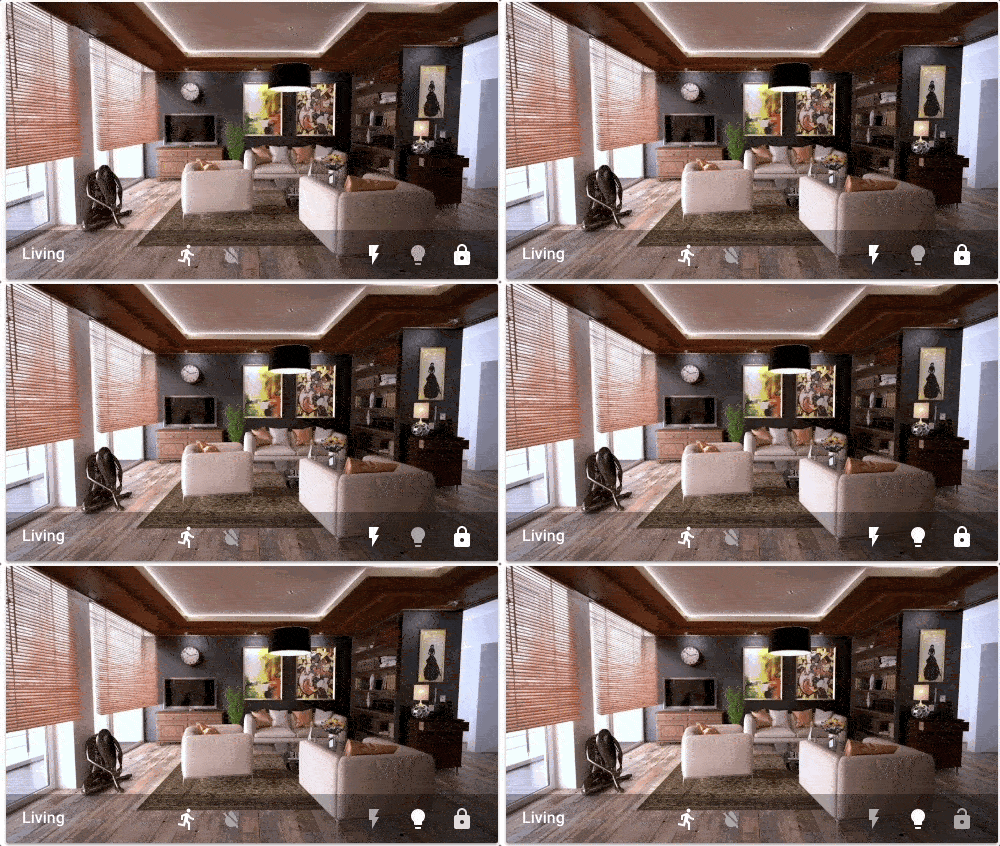

 dark dirge
and lovelace never stopped using ui-lovelace.yaml, at least for YAML config
eating dinner 🙂
vapid field
yeah im not sure when the UI editor came to be default, was that recent?
dark dirge
no
vapid field

dark dirge
it's been a long time
 dense hamlet
Hello everyone, I would love to do a design like this: https://community-assets.home-assistant.io/original/3X/f/8/f8154458dfff5e8a19e782fcd8c7d895fd7b7de5.jpeg
to display the information of my mercedes, however I do not see how ... Someone could give me some clues (Frontend to use, cards, etc ...) Thanks in advance.

 lucid bronze
https://www.home-assistant.io/lovelace/logbook/ - anyway for it to only show a specific entry, for example I want to show just ''motion detected'' and none of the motion clear and other stuff - How to remove ''cleared (no motion detected)'' from logbook on motion sensors
I assume the answer might be excluding entries from the logbook itself instead of this card
steep steppe
Wouldn't it be a lot nice if card/badge dialogs would (also) show friendly names instead of just entity_id?
steep steppe
lucid bronze
I assume the answer might be excluding entries from the logbook itself instead o...
what does it matter if it's in logbook?
lucid bronze
I like to have the logbook card on my lovelace
I only want to see motion detected in the list
steep steppe
A filter in logbook card would make more sense then?
 plucky rock
Hi not use if this is the correct area to ask this question but is there a way inside a lovelace card (say a button card) where the entity name is a variable pointing somewhere where it can pickup the entity name. Reason why I am asking is I use the smartweather integration and the weather station ID needs to be changed ever so often (not sure why) and I have to go and change the entity ID in all the cards. want to change in one spot and have it picked up in all the cards tks
alpine sparrow
I'm having issues with my first custom Lovelace card which I installed through HACS. The custom card isn't found so I checked the console and figured that it is trying to load from /hacsfiles/lovelace-auto-entities/auto-entities.js, but URI gives a 404. I checked and can confirm that the file actually exists in config/www/community/lovelace-auto-entities/auto-entities.js. Any idea why the /hacsfiles path doesn't seem to be working?
dark dirge
that's the right place. /hacsfiles is mapped to config/www/community
so restart HA and clear your browser cache
alpine sparrow
dark dirge
that's the right place. `/hacsfiles` is mapped to `config/www/community`
The restart did the trick. Thanks!
I have to keep reminding myself: When in doubt, restart Home Assistant.
dark dirge
you have to restart HA after creating the config/www directory, so that was probably it
 near kestrel
how secure is the frontend if i wanted to expose it to the internet (assuming the box it's running on is relatively secure) / what all precautions would I want to take to prevent it from being hacked?
dark dirge
Good password, 2FA, SSL
near kestrel
oh is 2FA an option? good to know
also if i create non-admin users, can I restrict them to certain views or is it easy for them to escape that?
 wheat current
dark dirge
you have to restart HA after creating the `config/www` directory, so that was pr...
wheat current
dark dirge
you have to restart HA after creating the `config/www` directory, so that was pr...
Not with HACS, that only apply to the http integration (the /local) endpoint.
A restart however, requests all resources again when the client reconnects (same as clearing the cache). which is why "a restart works"
dark dirge
Good to know, thanks
 wicked breach
Hi everyone, is it possible to have the same header toggle used in an entities card (that turns everything off in one button) on a glance card?? I can't seem to find a way to do it...
honest coyote
It's not exactly the same, but you could group the entities then place a button for that group in the header/footer: https://www.home-assistant.io/lovelace/header-footer/
If you don't mind add-ons then https://github.com/custom-cards/stack-in-card would let you do it.
wicked breach
Oooo that could work, thank you !
dark dirge
"add-on" -> "custom card"
 timid burrow
so I'm getting increasingly annoyed by the HA caching. I use HACS and always click the reload option for card updates but it never seems to 'do' anything. When I go back to the lovelace view the old card is still used and I am in the habit of using the dev-tools+empty cache and hard reload+ 2 or 3 CTRL+F5 before the new card is 'live'. Is there anything I can do to stop having to do this all the time?
I also have users using my custom weather card who are having problems caused by this as well so it's not just me...
I wonder if there should be a service to clear out the frontend cache in the browser...
 tawny lynx
Any ideas why I’m getting this extra spacing? This is a 1 column grid card, and each row is a 5 column grid card. The actual buttons and the labeled “dividers” are all custom button cards. I see no differences in the configs between the ones that display correctly at the top, and the ones with the extra space. Also, the spaces do not appear on my phone, only in my laptop and my 24” wall display. https://imgur.com/gallery/rHnDc81
Here is the card config: https://pastebin.com/cxMStcZa
polar kelp
timid burrow
I wonder if there should be a service to clear out the frontend cache in the bro...
What I'd wish is for HACS to tag on ?<RANDOM> to the resource URL, and change that after every update...
 fiery tide
Hello, let me try this burning question via this discord. Do you have an answer to the question: https://community.home-assistant.io/t/theme-remember-dark-mode-per-user/292831
In other words: how can I set the default theme to dark for all users and/or per user?
polar kelp
Find a theme that's only dark and choose that as the light theme with the frontend.set_stheme service.
You'll still get light maps, though.
fiery tide
I would like to keep the standard theme and only switch to dark always... is that possible?
Or do you happen to know which theme comes closest?
polar kelp
This should be the full diference between the light and dark theme, I believe: https://github.com/home-assistant/frontend/blob/dev/src/resources/styles.ts#L3-L34
fiery tide
Sorry I do not know how to interpret that as a solution for my question ☺️
polar kelp
I don't think there's an easy way to make dark the default...
You could create your own theme with those settings:
my-theme.yaml yaml "my-theme": "primary-background-color": "#111111" "card-background-color": "#1c1c1c" ...etc...
And then install and use that as usual.
fiery tide
Thus I need to crerate a yaml file and place somewhere with the first 2 lines you ave above and the yellow lines from the link?
Thomas, I am so long searching for an answer/solution for this "simple" question :-). I would love it to work...
I am a noob in this. I tried to create in configuration.yaml https://pastebin.com/vrfhRWXg and then selected the them in my user. No change. I also called the service Service set_theme with all settings and nothing happens...
polar kelp
Make sure the users theme is set to "Backend Selected". If that doesn't work, I'm not sure...
fiery tide
not sure what to select in the call service then... till now no difference
and if the user is selected backen selected, where do I selct the self made them to be the backend sected theme? In my case test?
Home Assistant Frontend: Set theme that does it but does not change the colour...
wheat current
polar kelp
What I'd wish is for HACS to tag on `?<RANDOM>` to the resource URL, and change ...
There are 2 issues with doing that;
- It's 1 extra file write PR update
- It will only work in storage mode
If you find both those acceptable, I can certainly implement something
timid burrow
I would be interested to know what reload means when HACS asks and what it does and why it doesn't solve the issue..
polar kelp
Automatic resource management from HACS doesn't work with storage yaml mode anyway, does it?
timid burrow
I thought it was supposed to otherwise why offer the button to do it?
polar kelp
And the extra file write is through two WS calls, right? HA should be able to handle that.
wheat current
timid burrow
I would be interested to know what reload means when HACS asks and what it does ...
It requests a webpage reload without cache location.reload(true);, if you use https however the serviceworker has it's own caching rules
wheat current
polar kelp
Automatic resource management from HACS doesn't work with ~~storage~~ yaml mode ...
correct.
wheat current
polar kelp
And the extra file write is through two WS calls, right? HA should be able to ha...
it should 🤷♂️
fiery tide
polar kelp
Make sure the users theme is set to "Backend Selected". If that doesn't work, I'...
Ok, got it working with "another" theme. One last question... is the service frontend.set_theme persistent over restarts/reboots/etc.?
timid burrow
Thanks Ludeeus that explains it (using https)
polar kelp
Normally that would be enough. But at least the chrome service worker seems to have gotten more agressive about caching lately. It keeps biting me.
wheat current
I looked into busting that in the past as well, but the implementation in chrome atleast changes too frequent and what works in chrome did not in FF and safari, and it started to feel like a hack so I gave up
timid burrow
It's a bloody pain... users of my card logged a bunch of issues all because of caching... and they swear blind its not that
wheat current
it's always DNS cahce
Aaaand...... it should really not be needed, since the files are served with instructions to not cache them at all...
But for the past half year or so, chrome atleast ignores that part for pages that uses a serviceworker
polar kelp
Glad to hear someone else noticed. I've been thinking I was going crazy.
wheat current
with adding ?something if you are running storage mode, I can actually implement cache again for that endpoint so it should be faster to load if it's not upgraded
polar kelp
And cheaper on bandwidth.
wheat current
that too
polar kelp
My first home automation setup ran on a mobile broadband with strict upload limits, so I try to be very conscious about that sort of thing.. (see existance of that stupid lit-element trick)
timid burrow
Sounds like a plan as long as the user doesn't need to edit it..
wheat current
it will "break" if the user changes it
timid burrow
How come?
timid burrow
Ah I see so you would store that value and check it..
polar kelp
You could parse it and update... but that's really not worth the trouble.
 orchid folio
Hi, does anyone else have the problem that history graphs are not loading after the 2021.6.0 update?
 hollow coral
Any yaml experts? ```yaml
sensor:
- platform: template
sensors:
ap3h_aqi:
value_template: ‘{{ state_attr(‘fan.xiaomi_air_purifier’, ‘aqi’ }}’
friendly_name: ‘Air quality index’
units_of_measurement: ‘AQI’
in my main configuration.yaml, getting the error ```
Error loading /config/configuration.yaml: while parsing a block mapping
in "/config/configuration.yaml", line 50, column 9
expected <block end>, but found '<scalar>'
in "/config/configuration.yaml", line 50, column 41
Those curly quotes aren't going to help you... plus you'll want to mix your quotes.
hollow coral
ooh right
karmic tiger
HA is seeing this:
‘{{ state_attr(‘
And then anything after the closing quote is garbage.
hollow coral
' and then " inside
you're a legend, thanks. as a programmer in my day job, I'm ashamed I didn't catch that 😛
forest vector
Can anyone point me at the source for the entities card. I want to change how switches are represented when 'assumed_state' is available / not available. Basically I want to make everything look the same without changing the nature of the switch.
 feral rivet
Can anyone help me see what is wrong with my this card_mod entry within a picture elements state_icon card_mod: style: | :host { --icon-color: {{ 'green' if is_state('group.security_sensors', 'off') else 'red' }} . While I am not getting and error and in templates it shows that based on the state of the entity it should be green it; it remains the default color.
 violet talon
groups are still done via yaml, right? there's no "gui" way of doing that?
dark dirge
correct
violet talon
twf I go to create the group and it already exists 🤦♀️
dark dirge
your past self predicted your future needs 👍
 elfin cobalt
I looked for an existing solution for a while, because frankly, I don't want to make it myself if someone's already made it before. But I'm trying to find a lovelace card that would act as a dumb client-side JS timer with a plus/minus 1 min and a start/stop button. the only really viable solution I see so far is writing my own JS timer as a single webpage and putting it into a web card. Has anyone made this?
elfin cobalt
I ended up making https://triping.stream/timer/index.html based off https://github.com/flonology/KitchenTimer to fit with the Synthwave theme
 frozen olive
trying to do a floorplan but using raytraced models. Harder than expected
cant get the colour overlays to work properly
worthy moat
sharp grove
https://imgur.com/a/HXnpOjR
Guys, I'm trying to split part of a lovelace card ya...
only works in yaml mode...
bitter bolt
can someone explain what badges are supposed to be used for practically with real world examples? i don't quite understand their use or practicality so i disabled them on all views.
mild veldt
how/when elements are used is up to personal taste
bitter bolt
where can i find examples?
karmic tiger
Example of personal taste? 🤔
bitter bolt
yes, examples of use cases.
 mental hawk
hello, is there a lovelace card type that will display an entities attribute rather than it's state?
karmic tiger
If you want to see other people's dashboards, check the forums. There's an entire section for frontend.
mild veldt
mental hawk
hello, is there a lovelace card type that will display an entities attribute rat...
mental hawk
thanks, but it wasn't seeming to work for me. at least, it wasn't supported by the visual editor
type: entities
entities:
  - entity: sensor.redfin
    name: House
    secondary_info: last-updated
    attribute: amount_formatted
doesn't seem to work
vapid field
can scan_interval be set to specific time(s), for instance everyday at 01:00 pm?
mild veldt
mental hawk
```yaml
type: entities
entities:
- entity: sensor.redfin
name: House
s...
I just linked you to the entity card, not entities. If you want it in the entities card, again, check the docs. https://www.home-assistant.io/lovelace/entities/#attribute
mental hawk
ah, sorry. i didn't realize there was a difference. thanks
the entity card is actually what i was looking for anyway. cheers
 upbeat latch
Hey team. I had to clear Chrome history, and it's asking me to login to Home assistant. The problem is none of my passwords of standard usernames are working.
mild veldt
upbeat latch
is the user name usually an email address?
dark dirge
no
upbeat latch
What a nightmare :/
dark dirge
if you can get to the console (monitor/keyboard), you can go to /mnt/data/supervisor/homeassistant/.storage and type grep username auth
or just go through the options at that link
assuming HA OS
upbeat latch
Why is there no recover password option.. I feel like there must have been some sort of strange password convention that I had to use, and now don't know it.
I have it running on a Pi
dark dirge
then you can do what I suggested
glacial ledge
Is there a way to tell HA that incoming sensor data units is C and not F and let it get converted?
dark dirge
try setting a unit_of_measurement: °C
I do that in my custom_component, and it gets automagically flipped/converted to unit_of_measurement: °F
glacial ledge
ok. thanks.
 gloomy tiger
Is it possible to have one UI controlled dashboard and another that is only YAML configured?
gloomy tiger
good plan. I did everything but that
I was already on the right page and skipped right over:
You can also add YAML dashboards when your main dashboard is UI configured
dark dirge
Yeah, I pointed you to the docs because it answers your question quite directly 🙂
gloomy tiger
indeed it does
 tame shale
hey all I have a buggy thing in the App on my iphone - where would someone ask about that on discord?
tame shale
I swear - sometimes i feel like you guys make the channel when I ask 🙂
right
I have a view - and when I moved to it the view is clearly selected on my iphone - but it doesn't refresh the panel to the correct view
its not reproducible unfortunately
dark dirge
Channels and topics have been stable for quite a while
Unfortunately not much to do if you can’t repro it. If you can repro it in safari as well as the app, it’s probably a mobile issue for #frontend-archived
tame shale
yeah
well its when I need to open the garage door and someone is standing there - that the page doesn't load properly 🙂
hallow mango
gloomy tiger
good plan. I did everything but that
hours of trial and error can often save you 5min of reading docs lol
gloomy tiger
hallow mango
hours of trial and error can often save you 5min of reading docs lol
Amen
Lol
knotty abyss
I have a quick question. I'm using the platform: command_line so that I can find out if my arr servers front ends are available. I have it showing Online vs Offline. What I'd like to have is a custom icon for that sensor that gets created. How do I do this? I am having trouble with what I've found online.
Now actually I'm curious if I can even get a little fancier. Can I have the icon change as well based off if the returned value is Online or Offline. Heres my current code block ``` - platform: command_line
name: 'Sonarr Online'
command: response=$(curl -LIk -m 3 http://sonarr:8989 -o /dev/null -w "%{http_code}\n" -s); test "$response" -ge 200 && echo "Online" || echo "Offline"
scan_interval: 90
value_template: '{{ value }}'
Would I do that within the value template?
dark dirge
You can’t do it there
If you want it to change based on state, you’ll need to use a card that supports templates
knotty abyss
Ahh, ok so I also was reading this and currently I'm using default_config at the top, my guess is just switching it out but is that going to cause any other issues? Whats the flip of that?
or I'm sorry I just need to add that
knotty abyss
Ok, yea that's what I thought.
I thought I read something it was homeassistant: or default_config only but I might of misread what I saw
dark dirge
nope
 spark sedge
Anybody know how to add something to the sidebar that's not localhost and have it passed through the nabu casa proxy? I've setup Frigate and it worked ok, but the HA machine doesn't really have enough power so I moved frigate to a different machine. Everthing seems to work fine, but it would be nice to access the frigate UI remotely.
dark dirge
You can’t
knotty abyss
So i added ```# Home Assistant Settings
homeassistant:
customize:
# Add an entry for each entity that you want to overwrite.
sensor.sonarr_online:
entity_picture: /images/sonarr.png
friendly_name: SonarrStatus
sensor.radarr_online:
entity_picture: /images/radarr.png
friendly_name: RadarrStatus
sensor.lidarr_online:
entitiy_picture: /images/lidarr.png
friendly_name: LidarrStatus
and I get ```Invalid config for [sensor.command_line]: [max] is an invalid option for [sensor.command_line]. Check: sensor.command_line->max. (See ?, line ?).```Any idea what the limitation is?
spark sedge
hmmm, that seems like a weird limitation. I mean it seems like I should be able to start an SSH tunnel with a port forward locally. Especially of the addon is installed but not running on "localhost"
dark dirge
It just wasn’t designed that way
Set up a reverse proxy and SSL and you can do whatever you want
Or use a VPN, like WireGuard. There’s even an addon
spark sedge
yeah, i know I just prefer it to "just work" in the app without an extra thing I have to keep track of on the phone
i've run vpn on mobile before but it gets annoying when your cell service is spotty
i appreciate the info though
was hopping there was just a config file that could get localhost switched to xxx.xxx.xxx.xxx:
dark dirge
I just stopped using NC and I use a reverse proxy now
NC is a very specific tunnel, not general purpose
spark sedge
So what about custom destinations on the sidebar locally?
spark sedge
dark dirge
<https://www.home-assistant.io/integrations/panel_iframe/>
thanks!
knotty abyss
Hey Rob, what about that error I showed when I tried to do the customize thing
dark dirge
You have ‘max’ in your command line sensor and that’s not an option?
It tells you what to look for
knotty abyss
I dont have max though my sensor is setup via - platform: command_line name: 'Sonarr Online' command: response=$(curl -LIk -m 3 http://sonarr:8989 -o /dev/null -w "%{http_code}\n" -s); test "$response" -ge 200 && echo "Online" || echo "Offline" scan_interval: 90 value_template: '{{ value }}'
knotty abyss
I did, says max is not a config but I dont have max set anywhere hence my confusion. I'll dig then.
spark sedge
just a wild guess but is that what the "-m 3" is?
knotty abyss
yea,I was just thinking the same thing. Took it out and it works. Now I just wanna do the if offline change to a different icon but that MAY need to just wait
polar kelp
@wary yacht This is the place to ask
 wary yacht
polar kelp
<@!664446347713183744> This is the place to ask
wary yacht
polar kelp
<@!664446347713183744> This is the place to ask
Ok 🙂 So: Is there any way to hide 3 dots menu (upper right corner) f.ex. by using card-mod? I tried to do that but without any success. EDIT: Solved. I used Kiosk-mode with my change in .js file. I also made pull request with this new option, so maybe @warm oak will merge it to new version.
knotty abyss
Can we place tts within an entities card? I seem to be getting an error. I wanna combined a couple things into one card. I tried the following code
entities:
  - entity: media_player.living_room_speaker
    icon: mdi:google-home
  - entity: input_select.radio_station
    icon: mdi:speaker-wireless
  - entity: script.radio_lr
    icon: mdi:play
tts:
  platform: google
view_layout:
  column: 3
``` is another way I tried it but it didn't seem to matter.I tried placing the tts block under the entity itself as well.
vapid field
Hey guys,
I hope i am in the right channel for my question.
I insert four button-cards in the grid-card (2 columns) and for now i have got a little space at the left side and a larger space on the right side (margin?).
Do you have an suggestion for me, how I could "center" the four cards?
kind shellBOT
@vapid field Your message has been deleted as it contains a link or a domain name 'pasteboard_dot_co' that is on the blocked list because of: 'Virus detected!'.
Please re-post by removing/changing the domain name/link. Your original message has been DM'ed to you.
vapid field
errant plover
vapid field
Hey guys,
I hope i am in the right channel for my question.
I insert four butt...
You will need to use card-mod to aply a css centre style to the card contents. https://github.com/thomasloven/lovelace-card-mod
left wren
I think this is a frontend question - is there any way to disable scene activation when editing? I'm still tweaking my scenes but I don't like that going into the edit screen full-on shuts down my devices..
errant plover
Nope.
Unless you want to write them in YAML.
There's a feature request for this you can vote for here https://community.home-assistant.io/t/improve-scene-editor-allow-scene-edits-without-setting-devices-states/151053
glacial ledge
If my thermostat is incrementing in 0.1 increments that means it thinks its in C not F? How do I fix that?
left wren
Oh that looks cool! I don't know the syntax well enough to confidently write them in YAML
glacial ledge
I have set unit_system: imperial already from some time. in configuration.yaml
 quick oracle
spark sedge
Anybody know how to add something to the sidebar that's not localhost and have i...
quick oracle
spark sedge
Anybody know how to add something to the sidebar that's not localhost and have i...
If you are running hassos, I will be adding a proxy addon for this purpose in the future.
knotty abyss
I think someone tagged me and deleted their message. But am I right that I can't put a TTS option in an entities group?
dark dirge
Groups can be turned on and off, so TTS doesn’t seem possible there. A script that calls it could be
polar kelp
and yaml tts: platform: google
is for backend configuration of a tts service.
dark dirge
Oh, didn’t see what channel this was in 🙂
polar kelp
I suppose what you want is to have the input box for the TTS text to be visible in a card?
That's not possible right off, but you can make two rows with an input-text entity and a service call button, and then make a script to pass the value of the input on to your tts service.
knotty abyss
ahhh. So right now I have a card that uses artwork: cover entity: media_player.living_room_speaker hide: power_state: false source: true volume: false icon: mdi:google-home tts: platform: google type: custom:mini-media-player and I get the line to send it. I was hoping to combine that with a card I made that has a drop down for an internet radio stream as an all in 1 speaker card.
polar kelp
Ok. Then that's a special function of the mini-media-player card specifically.
You could try a stack-in-card card to turn your mini-media-player card and an entities card with only the dropdown into one: https://github.com/custom-cards/stack-in-card
That could work.
knotty abyss
Oohhhh thats a good idea. I also was doing that way to late last night and thats why I figured wait until the morning to do so lol.
I'll give that a go in a moment here.
knotty abyss
@polar kelp that stacked card worked beautiful sir.
 limpid radish
Is there a way to trace scripts like you can with automations? Am I missing something here?
errant plover
No there isn't.
dark dirge
you can turn a script into an automation temporarily, I suppose, by calling teh script in the action
errant plover
That will just show as one service call won't it?
dark dirge
maybe. so you'd need to extract the sequence and put it in the action
it is a curious limitation that should probably be "fixed" (by adding a feature)
knotty abyss
Can you not use attributes in an entities card? With an Entity card I can but not entities but I want to show the attribute of an entity in the entities card. I like the layout of the entities card.