#frontend-archived
1 messages · Page 182 of 1
 hallow mango
 white hill
@hallow mango no, but that looks perfect!
 stiff steeple
Hello! I'm currently using browser mod to do popups in one of my dashboards, but the popups won't set the same theme as the dashboard to the cards inside it. Since I want different themes on the different dashboards (being able to change between themes on the other one), one way I think of fixing this is by changing the theme from the backend based on which dashboard I'm on. Would this be possible somehow? Also does anyone know of any workaround to set the themes in browser mod popups?
white hill
There’s so many custom cards, it’s great. But I haven’t found any good visualization for all making it hard to find
hallow mango
yeah, for sure
I tend to build my own "cards" using stacks and standard cards with conditionals/templates/filters/etc
but for a certain style, it makes sense to grab a custom one
like I like this one: https://github.com/kalkih/mini-media-player
way over the standard
white hill
Yeah, been using that card 🙂
hallow mango
his mini graph card is also really nice 👍
white hill
With Lovelace it’s actually possible to create a very nice looking HA
Yeah, imho see the mini-graph before as well 😄
hallow mango
I honestly really like the style
but afaict it really only styles the colors
I'm an android guy so material works for me 😁
that softui is the homekit look, right?
white hill
no, not at all I'd say. It's its own thing
hallow mango
ah ok, no worries
 languid cloak
Just following up on ping yesterday... Anyone using swipe with their HA mobile?
hallow mango
@languid cloak the swipe card or to swipe lovelace views?
I use this one: https://github.com/maykar/lovelace-swipe-navigation
 mental minnow
IDK if im asking in the right spot but. Im having issues getting my hassio to be remotely accessible. Im using HAproxy on PfSense to expose hassio. The url works internally but i cant get anything to pass through externally. I use the proxy for like a dozen other services so im kinda at a loss. I have home assistant with a cert through lets encrypt already as well. Any ideas?
Also should point out my proxy gives me a 503 error like isnt seeing a server from external.
 frank vigil
definitely not a #frontend-archived question.
mental minnow
Where should i post this then?
frank vigil
I'd start with the channel for your installation method.
mental minnow
Works for me thanks
 torpid quail
anyone know of a climate card that shows the high and low end of the set range, instead of just the midpoint?
languid cloak
@hallow mango Yes, I installed the https://github.com/maykar/lovelace-swipe-navigation as well. You mind letting me know what entries in your frontend? I've tried both the recommended in the git, but still have no swipe functionality nor any errors. (Sorry for cross referencing. pain meds making me feel good).
My coding:
resources:
  - url: /www/community/lovelace-swipe-navigation/swipe-navigation.js
    type: module
swipe_nav:
  wrap: true
  skip_hidden: true
  animate: swipe
same as yours but I have wrap: false, and I also have swipe_amount: 30
hallow mango
languid cloak
```
resources:
- url: /www/community/lovelace-swipe-navigation/swipe-navigatio...
I don't have this, shouldn't need it if you install via hacs
languid cloak
right.. that was added 2nd for testing.
ok.. will keep prodding.. prolly rip out and re-install
thx
languid cloak
👍
 ebon pivot
Not sure if this is the right channel for this, is there a way to overwrite what a power button does on a media player?
I have a ir/rf transmitter and a older non smart tv connected to a non smart receiver. I have a fire stick connected so that’s what I’m going to integrate into home assistant, but I’d like to change the power on the device to send a command to the ir transmitter and same for volume.
 primal idol
Hi all, can anyone help me with my struggle to configure multiple lovelace dashboards in config.yaml correctly. I have 2 dashboards correctly but cannot add more ???
dashboards:
lovelace-generated:
mode: yaml
filename: walldock.yaml
title: Walldock
icon: mdi:tablet-ipad
show_in_sidebar: true
require_admin: true
lovelace-hidden:
mode: yaml
title: Browser
show_in_sidebar: true
icon: mdi:firefox
filename: browser.yaml
How do I add more ? Start another "lovelace-generated" sequence ?
 hazy bronze
i am trying to use type: entities with multiple enties and a condition. can't seem to get it right. any ideas?
hallow mango
@ebon pivot within HA, you could probably pull that off with a universal media player
"Universal Media Player - Home Assistant" https://www.home-assistant.io/integrations/universal/
hardware solution would be harmony 😁
 tall falcon
Is there anyway to have a multiple selection dropdown in the front end tied to a text input e.g I just inserts the predefined values in a comma separated list?
ebon pivot
@hallow mango i stumbled across this and I think this is exactly what I'm looking for thanks!
hallow mango
@tall falcon you could do it with a script I guess
text input, with a button that runs a script
 radiant holly
Are there any dedicated threads with pictures of people's UIs? I can find individual threads with just a few but no mass thread, I need ideas.
hallow mango
script reads input and splits at commas
@radiant holly I haven't seen much
you looking for a specific inspiration?
I've got a couple "custom" cards I'm somewhat proud of in my look
but not much that can't be done with some basic cards and a few from hacs
radiant holly
Sort of, I'm looking to create a new PC interface and tablet interface, it's mostly a aesthetics thing at this point
 verbal raven
Hi everyone, getting pretty familiar with HA but still struggling a bit with custom Lovelace cards. I've installed this card: https://github.com/jeremywillans/lovelace-roomba-vacuum-card from HACS but can't figure out how to add it to my dashboard. I tried to add a manual card and set the url to "/hacsfiles/lovelace-roomba-vacuum-card/roomba-vacuum-card.js" but it says it can't be found.
Correction: when adding the manual card it says that type "module" is unknown
verbal raven
ok forget it, I figured out that I need to register the module first 🙂
 winter edge
I've got a user that doesn't show up in the UI, however, they are logged into the app. Anybody seen that before?
hallow mango
@winter edge "doesn't show up" where in the ui?
winter edge
In the People section
I tried to add a new account with the same name and it said it was already taken
hallow mango
you can add a person, and assign them a device
 boreal charm
Hey everyone. I'm working on writing a new custom card. Does anyone know if the readme on the Boilerplate-Card is up to date? I'm having trouble getting the card to show up in my HA instance. I'm able to access the cards .js file from the http://{ip}:5000/boilerplate-card.js but not actually getting the card in the UI.
 karmic tiger
boreal charm
Hey everyone. I'm working on writing a new custom card. Does anyone know if the ...
karmic tiger
boreal charm
Hey everyone. I'm working on writing a new custom card. Does anyone know if the ...
This channel's for support with using the frontend, not coding for it. You want #devs_frontend-archived
 daring tendon
What's our favourite LineageOS version for Fire HD 8s folks? Finally getting a wall dash or two sorted on some Gen 8s I picked up for £30 a pop
 swift halo
I'm pressing "Add Dashboard" and I get a Add new dashboard dialog and enter a title "Kino" and it autofills the url "lovelace-kino". When I press OK it sais "Panel url path needs to be unique". -- I had another dashboard named "Kino" which I now renamed to "Test Kino", but when I press the title in the dashboards list, I get a dialog which shows its Title and Icon only, no URL visible. How can I see the URLs for the existing dashboards?
karmic tiger
Go to the dashboard, check the address bar in your browser. 😉
swift halo
Can I change the URL for existing dashboards?
karmic tiger
Not as far as I'm aware. You could save the YAML for that dash, delete it, create a new one, restore the YAML.
Ah, in fact...
In the YAML editing mode:
path: default_view
Edit your path 😉
Might just be for the tabs, not the dashboard, but it's worth a try.
The only other option would be to edit the files in .storage but that's not recommended. Easier to recreate the dashboard.
swift halo
ok, thanks
I was looking for a duplicate dashboard function, but I suppose it will be implemented at some point
What is the difference between a dashboard and a view?
Or perhaps more to the point: When to choose new dashboards vs adding new views? What is the difference in the use case? How does people in here use them?
karmic tiger
swift halo
I was looking for a duplicate dashboard function, but I suppose it will be imple...
Only if someone requests or creates that function 😉
winter edge
hallow mango
you can add a person, and assign them a device
I just realized there is a difference between People and Users, that was my issue
swift halo
karmic tiger
Only if someone requests or creates that function 😉
heh, jep. Missing function might be an indication that one is doing something that no one else is. Otherwise the brilliant devs would have implemented it long past. 😄
hallow mango
@swift halo I use different dashboards for users I want to have "limited access"
 inner trout
Any clue why I get No state history found in all my sensor panels?
If I click on them, I get a nicely displayed time series, so the data seems to be saved
 bitter bolt
is there any way to comment out a block of text/multiple lines in my configuration.yaml?
nevermind, google says yaml doesn't support block comments. a high quality scripting language, i guess.
 acoustic hound
So I'm using this custom card https://github.com/bramkragten/swipe-card to get a marquee like card that scrolls through all the different alerts or status of devices so I can keep a nice full screen of my house floor plan but still have a bunch of devices show. https://imgur.com/a/3ohAzAe But I have been getting a "t.setConfig is not a function" error and the only way to get it to work is if I move the tab the card is on which means it is some kind of caching issue, I have tried clearing cache but that wont make it work its only after I move the tab then it loads. Should I open a issue for this? I posted in the cards tracker but the creator seams to not be responding. This card is the only thing I can find that lets me place a bunch of cards and have them scroll, I used to use entity filter but when a bunch of alerts showed it pushed my floorplan off screen.
karmic tiger
bitter bolt
nevermind, google says yaml doesn't support block comments. a high quality scrip...
YAML isn't a scripting language 
It's a serialisation format.
 solemn tinsel
can anyone help me - every time i run a new install HA works for a few minutes and I am finally ssh'd in and able to get this error message upon any code once HA stops working "-bash: /usr/bin/ha: I/O error"
bitter bolt
is it possible to emulate what my UI would look like on particular displays?
radiant holly
Anyone know how this guy has done his titles and the home assistant statistics? https://community-assets.home-assistant.io/original/3X/c/6/c64da218603b33ca796db3b54b7188c3114d85e6.jpeg
 tropic junco
that's pretty
radiant holly
yeah and the logos to the side too, not sure how they've done it
tropic junco
lots of work
hallow mango
logos on the right looks like a glance of type: button's
to me
the rest I'm not sure lol
@bitter bolt just remember if you do line comments in the ui (like lovelace), they get removed when it renders
or extra whitespace
 tender hazel
Hey All, was hoping someone could help me with timezone
I read a lot of threads in the forum about it, but nothing seems to help
my timezone is Asia/Jerusalem
it is set correct in the front ent
I'm running Hassio on a Virtualbox image
the docker container has the correct time zone (+2)
Hassio as a whole has the correct timezone
but all my sensors show their time in UTC (+0)
hallow mango
hass was run as a docker?
tender hazel
I even tried turning on and off the UTC hardware clock in VirtualBox - this led to my DB becoming corrupted but not fixing the problem
hass docker image is run in a container - this is just the generic setup of Hassio as an image in Virtualbox
havent changed anything
hallow mango
ask over in #449717345808547842, this channel is for lovelace lol
tender hazel
ok will do
hallow mango
👍
tender hazel
thanks
 slow panther
Noob question, but how do I remove a device? Closest I have found is Disable device, but I am not sure if that removes it? To clarify: I have rxtrx device that was manually added (may not be 100% correct) that I want to remove so that it can be added again when found by the receiver, then it will be 100% 😉
hallow mango
if you added it manually via yaml, just remove the yaml lines
slow panther
I manually added the event code in rfxtrx gui. Its not in the configuration.yaml
hallow mango
ohh, might be something to ask in #integrations-archived then
you can't manually remove a device, as they're added BY an integration
usually the only way to get rid of it is to remove the integration
slow panther
😫
 deep belfry
hi all, first of all Merry Christmas to all, I have a Question.. do you have any recommendation for naming devices? i started with type & number but now with too many devices is kind of difficult to identify... appreciate your wisdom 🙂
Cheers
hallow mango
I name them something friendly, but you'll likely most often be interacting with their entities instead
same approach imo, name them something friendly
I try to make my entities name and icon reflect what they actually are in my home, as often as possible
languid cloak
Merry Christmas All!
 velvet gyro
Is it possible to limit a graph card to a certain range?
hallow mango
you should check out https://github.com/kalkih/mini-graph-card
velvet gyro
Do you think it will let me crop out extremes?
I have a heat pump and when it switches to hot water mode, the temperature spikes to 60c, but i have to monitor the values on a very small +/- 2c range around 20
hallow mango
you can set low and high ranges
the top card goes from 55-100°F and the bottom is 20-50% iirc
velvet gyro
Where can I add cards? It doesn't show up add card gui
Oh it doesn't work
It says not loaded in lovelace after installing and restart
After fixing that still nothing
Is it yaml only?
hallow mango
you'll have to add it in lovelace via yaml, yes
there's docs on GitHub for all the params
velvet gyro
hallow mango
https://ibb.co/qswGSfb
But the way, 22% humidity, i hope that's not your home
Is there any way to correct the graph showing bogus values?
velvet gyro
I changed to a sampling of 60/h that fixed it
Would it be possible to make the graph center on 1 dynamic temperature and adjust the graph to it with a fixed + and - 2.5c
hallow mango
I don't think so with that card
velvet gyro
Basically the idea is to follow what the orange curve does in relation to the red one, the red one being dynamic makes its hard
hallow mango
I think I get what you're thinking of
you can have it display an instant state, instead of a running graph
with um...
fixed_value: true in the entity
type: 'custom:mini-graph-card'
entities:
  - entity: sensor.whatever
    fixed_value: true
little different, but you can mix them, one fixed and one not, etc
radiant holly
hallow mango
I think I get what you're thinking of
Not sure why, this card never works for me. I installed it via hacs yet it still says card type not found
 mossy timber
Is it possible to make a card show up only during specific times?
tropic junco
mossy timber
Yeah, but how do i invoke 'time' 🙂
tropic junco
it's a condition
mossy timber
I must be dense ... whats the entity ? 🙂
mossy timber
I'm building 'shortcut' cards, each with their own time when they will be visible. So that I have the most commonly used commands right on the 'first page' in the mobile app.
The first card I'm building should start showing around 20:00 I guess.
I'm doing it off a 'home mode' change now, but I'd prefer it to be time-specific.
Doesn't look like it's possible, except if I use a helper toggle.
tropic junco
I'm not that proficient at HA yet..
mossy timber
or a template switch, fair enough
tropic junco
you could do something in NR?
mossy timber
NR?
tropic junco
NodeRed
mossy timber
oh, no i prefer the yaml automations
mossy timber
of what?
mossy timber
i'm not sure how i would paste a picture of your NR 🙂
mossy timber
i think the admins need to give you permission to post pics? i'm not sure.
tropic junco
and I can't be assed going to imgur
mossy timber
🙂
tropic junco
I just spent all day wrestling with a 2009 iMac 21.5" AiO
I "think" I've finally got it stable on Linux
mossy timber
i have debian running on a 2009 MBP
tropic junco
you don't have an ATI Mobile Radeon tho
mossy timber
i use it as a 'playground'
tropic junco
they had nVIdia if I remember right
mossy timber
probably not ... i dont use the screen 🙂
tropic junco
still needed the screen to put debian on it LOL
mossy timber
true 🙂
tropic junco
unless you have a firewire monitor?
mossy timber
i do not! 🙂
the screen worked during setup. and xfde loads too. but i dont use the desktop.
tropic junco
I have a 2012 MBP that's next on the MacOS chopping block
so they use the GPU drivers in the kernel now for CLi interface too now
mossy timber
I'm waiting for a new MBP 16-inch
tropic junco
hows that for a kick in the balls
they don't use the old VESA drives for CLi term
so if you have a graphics driver fault, ctrl-alt-f1 won't help
mossy timber
sounds like a hassle
tropic junco
it was, but I refuse to be beaten by a crapple 😛
mossy timber
ok 🙂
mossy timber
i sell those 🙂
mossy timber
I saw a documentary that selling cars these days is all about getting people to sign up for financing, that the car itself doesn't make a whole lot of money for the seller anymore?
mossy timber
fuck ... the company you work for??!
mossy timber
ok
tropic junco
I sold 600k in GP for them
mossy timber
ok
tropic junco
#1 in units #1 in gross
mossy timber
awesome dude
tropic junco
and I didn't even get an atta boy
mossy timber
sounds like a chat with the boss might be in order
tropic junco
I work in a Subaru store too LOL not the highest grossing car
I've been with them 11 months
told them I would be the number 1 guy for the year
beat my nearest guy by 20 units and he had a month on me
My GSM knows the talk is coming
mossy timber
good luck!
mossy timber
obviously
mossy timber
why is that weird, if you're a stellar performer they should know your name
tropic junco
I still find it weird that people I don't know know who I am.. only been selling cars a few years
mossy timber
word travels fast!
mossy timber
me? no? why would you think that?
tropic junco
mossy timber
i sell those 🙂
this
mossy timber
oh, i meant that when i have computer sitting around not doing anything, i sell them
tropic junco
OH
I'll always find a use for something lying around
I could have built my HA onto an older beige box PC I have lying around somewhere
mossy timber
mine runs on a Pi 🙂
tropic junco
but I really wanted a justification for buying a pi
I've always wanted one but could never justify buying one
so I concoted a reason
mossy timber
heh
tropic junco
it was also my birthday
mossy timber
i sold a mac mini that i was using as a fileserver, and replaced it with a Pi ... same job, money pocketed!
mossy timber
yeah nobody gives me stuff for free 🙂
tropic junco
I used to get a lot of free stuff in IT
mossy timber
so now the Pi is my NAS
tropic junco
what do you do?
mossy timber
um
tropic junco
u had to pause?
tropic junco
oh so you're in HR?
mossy timber
no
tropic junco
explain, that's an ambiguous title
mossy timber
i mean ... HR is part of every managers job, sure ... but generally i come in at a senior level. akin to local CEO or COO.
but thats the day job. i mean, i love what i do, but its "management" .... at heart I'm a nerd who likes tinkering with stuff 🙂
mossy timber
yeah its great fun to play with HA
tropic junco
I haven't had this much fun in e LOOOONG time
so much so that I pulled this hunk of junk off a back shelf to put Linux on it
mossy timber
i just ordered a Mikrotik router ... so get my geek on with that
tropic junco
I'm using google mesh for my routing
mossy timber
i didnt know mikrotik but a friend recommended it ... "super nerdy, super steep learning curve, but awesome fun"
mossy timber
me neither. so far, not a good impression. it arrived with a bent SFP+ port!
tropic junco
I leave it at that
mossy timber
yeah i always left it at that too, but this seemed like fun for a new toy 🙂
 shrewd monolith
Oh, saw your post on Reddit Rob :)
mossy timber
haha did you
shrewd monolith
Not a stalker, I promise
mossy timber
so annoyed.
tropic junco
LOLOL
shrewd monolith
Yeah
mossy timber
not at you, at the distributor.
will be another week before they've exchanged it, no doubt
but oh well.
tropic junco
should have just built a router onto your Pi
mossy timber
oh that couldnt do the volumes this thing can
shrewd monolith
Routing is surprisingly hardware intensive
tropic junco
and I run a lot of devices
mossy timber
yeah i've learned this! 🙂
this RB4011 is meant to be able to route (fast-track) close to 10Gbps though
shrewd monolith
I have a e3 xeon router I am bringing into use now
tropic junco
I have mine in containers
mossy timber
so ... "should be fine for a few years"
mossy timber
lots of people on r/pfSense were suggesting i buy an old rack-mount system 🙂
shrewd monolith
Plan is eventually I might have 2 openvpn tunnels to 2 sites, wireguard in to my network and 1gb symmetrical, and it was a good price
tropic junco
for a commercial router sure
shrewd monolith
Gonna go opnsense with this
tropic junco
that would require a lot of routing
shrewd monolith
Other side is, it matches the other supermicro boxes, and it pulls about 22 watts
tropic junco
I'm not using any real routing at home so no need
6 port redirects is not routing LOL
mossy timber
tnsr
thats what it was called
but i'm not really clear on how this relates to pfsense and opnsense
shrewd monolith
No idea.
Anyway, hope they sort your issue!
mossy timber
thanks 🙂
tropic junco
I need to get back to bed.. work today
I got up to eat some chinese
ended up drinking 2 beers and chatting to you for an hour LOL
shrewd monolith
I probably should have looked more into mikrotik routers tbh
I read that as cheese. And I was like, damn, could do with some cheese right now
mossy timber
hmmmm cheeeeeeeese
tropic junco
close..
shrewd monolith
Yes
tropic junco
I think LOL
@mossy timber don't turn your nose up @ NR
lots of power there
and you could do what you want in a NR function
mossy timber
no doubt ... no nose turning either ... just ... need to learn RouterOS now 😄
mossy timber
i think i can use a template switch for my issue as well
tropic junco
which I expose to GA
so I have swithces in GA that turn each other off switching between scenes
ie, click a scene switch, it turns off all other scene switches
mossy timber
i use scripts instead of scenes. some of the stuff i do requires multiple actions in sequence, scenes dont allow this.
tropic junco
i wrote my "scenes" in NR
mossy timber
"romance time" for example requires the LED candles to be turned on and then have the brightness turned down 🙂
tropic junco
my wife calls that sexy time scene 😛
mossy timber
mrs approves of this!
tropic junco
you see my avatar?
mossy timber
i'm working on a sexy time too. its different. it uses weight sensors under the mattress.
i can not, i have Discord set to 'minimal'
it looks like a galaxy ?
tropic junco
its a pic of my bedroom light set up
mossy timber
oh nice
tropic junco
i have 3 $25 tuya based RGBWW light strips and 3 Hue lights
mossy timber
i mistakenly bought MiLight LED controllers
tropic junco
2 strips under the bed, one around the TV.. 2 hues in lamps and 1 in the overhead light fixture
2 hue remotes
mossy timber
well done 🙂
tropic junco
1 hue motion sensor
mossy timber
now, here is the challenge i'm working with
tropic junco
all tied together in a single flow
and the master suite has 3 WW Hue globes and 2 z-wave switches
mossy timber
weight sensors under the mattress feed variable weight sensed indicating movement on top of the mattress... pattern recognise this and sync the lights around the bed with your motion.
tropic junco
ROFL
mossy timber
is what i'm trying to make my "sexy time" scene 🙂
tropic junco
I have a guy in my MeWe forum who did something with weight sensors and stip lights to make a staircase that changes colors as you walk up it
mossy timber
thats cool
tropic junco
we thought so
mossy timber
i live in an apartment, so no stairs. sadness!
tropic junco
anyway.. so in one of my sequances I make a temp switch in a NR entity
you could use something like that to achieve what you're looking for and use the exposed temp switch in a conditional card
mossy timber
yeah, thats the 'helper' approach i mentioned earlier.
tropic junco
using sunset as an offset time variance
mossy timber
use a binary sensor or input boolean
tropic junco
I had my subconcious working on this while we talked
mossy timber
it's almost evening here, so i'm not going to get into it now 🙂
tropic junco
its 5am here LOL
mossy timber
whats a ZHA?
tropic junco
Zigbee protocol
tropic junco
ok so, and this is a brutally inelegant solution
in NR have it listen for ZHA_event
that will give you something to listen for
then test time
if the time >= to the time you want
flick the temp switch
test for the temp switch in lovelance conditional card
done
mossy timber
i think the template switch can switch by time in and of itself, i think? just write the template code to look at the time of day.
no automation needed
tropic junco
no I think the If condition of the template switch is when to make it active?
not actually toggle it
I'd have to look for it
mossy timber
the template switch goes on or off depending on the time of day, the conditional card checks the state and turns the card on depending on the state of the switch
tropic junco
ok later I'm going back to bed
mossy timber
gnite 😉
velvet gyro
How can I make mini-graph-card show only the delta of 2 temperatures?
velvet gyro
expected <block end>, but found '<scalar>' in "/config/sensors/heatpump.yaml", line 93, column 33
I get this error for this code
value_template: "{{ states("sensor.ID_WEB_Temperatur_TVL")|int - states("sensor.ID_WEB_Temperatur_TRL")|int }}"
 vagrant perch
Can I use a template for the entity in the custom:mini-media-player card? I want something like this:
media_player.sonos_{{ states('input_select.follow_the_music_master_speaker') }}
I want the card showing the media_player based on the input_select value
 frail iron
can you somehow force an image link in the markdown card to be refreshed?
I forced the healthcheck down and it works if I reload hte browser, but thats kinda annoying when everything else is dynamic
hallow mango
@vagrant perch I think you'll have to use a conditional
OR
maybe you could do it with card-templater
hallow mango
can anyone help with the spotify card? I've got spotcast and spotify set up correctly (I think?), because I can play stuff via the spotcast.start service, and when I do that, my card updates with what's playing, but playlists never load and the controls don't work.
in my log I was seeing something about 'uri' not defined, but now it's not showing anymore lol
 verbal lotus
Is there anyway to enable two automations in the same button? I have two automations for humidity level (bellow X and above X) where I want to replace the switch button I have to start the humidifier with enable both automations to have it to run between a certain level
 tawny vault
verbal lotus
Is there anyway to enable two automations in the same button? I have two automat...
tawny vault
verbal lotus
Is there anyway to enable two automations in the same button? I have two automat...
Automations have triggers that trigger the action(s) you define. What do you mean by enabling them at the same time?
verbal lotus
tawny vault
Automations have triggers that trigger the action(s) you define. What do you mea...
I want to turn off / on two automations as they are together responsible to enable the humidifier to be turn on and keep the humidity between two levels. To day I do it via a button card to turn on / off the switch. Now I want the automation to do that based on a humidity sensor
tawny vault
The automations should be kept enabled always. And they will trigger to turn on or off the humidifier based on e.g. the humidity sensor level which I assume you've used as the trigger for those automations
verbal lotus
tawny vault
The automations should be kept enabled always. And they will trigger to turn on ...
In this case, I don't want it to be used every day, just when I have a need for it
tawny vault
I see. So you have the two automations but you wan't them active only when you want them to be
Easiest way might be to set the automations as a group
or use a toggle switch as a condition in the automations
velvet gyro
velvet gyro
value_template: "{{ states("sensor.ID_WEB_Temperatur_TVL")|int - states("sensor....
Thanasis could you help me with this issue?
verbal lotus
tawny vault
Easiest way might be to set the automations as a group
Thanks, will look into that, I think the toggle part will in the longterm messed up by me or somebody else when they manually turn it on
tawny vault
verbal lotus
Thanks, will look into that, I think the toggle part will in the longterm messed...
Isn't it the same as someone accidentally turning on the grouped automations though?
verbal lotus
tawny vault
Isn't it the same as someone accidentally turning on the grouped automations tho...
Not sure, I use off and on statements instead of toggle in the two automations
verbal lotus
verbal lotus
Not sure, I use off and on statements instead of toggle in the two automations
Thanks for the help!
tawny vault
verbal lotus
Not sure, I use off and on statements instead of toggle in the two automations
I meant an input_boolean toggle as a condition. Not a toggle for the device itself. Up to you of course
verbal lotus
tawny vault
I meant an input_boolean toggle as a condition. Not a toggle for the device itse...
I will check it out, thanks 🙂
tawny vault
velvet gyro
Thanasis could you help me with this issue?
It's your quotes. They can't all be the same
Single quotes should be used for the states template
velvet gyro
Why do people post broken code as working 😫
tawny vault
Are you sure they were using double quotes for the whole thing?
tawny vault
’ ' <-- these aren't the same single quotes
velvet gyro
My goal is to show a graph of the delta between 2 temperatures
tawny vault
{{ states("sensor.loc1_temperature")|int - states("sensor.loc2_temperature")|int }} so this is technically not wrong since it's not inside quotes as well
tawny vault
just do this value_template: "{{ states('sensor.loc1_temperature')|int - states('sensor.loc2_temperature')|int }}"
Also this whole conversation should have been in #templates-archived FYI
velvet gyro
Oh sorry i just want a graph
tawny vault
Haha try it like that and let me know 🙂
velvet gyro
tawny vault
Haha try it like that and let me know 🙂
Hmm it crashes the config check now, `
- platform: template sensors: delta_t: friendly_name: "Delta T" unit_of_measurement: '°C' value_template: "{{ states('luxtronik.temperatuur_aanvoer')|int - states('luxtronik.temperatuur_retour')|int }}" device_class: "temperature"`
I'm still doing the code formatting wrong
That or the spaces are getting dropped
tawny vault
Can you please edit the code so it's at least in proper yaml format? And lets move to #templates-archived
 reef obsidian
https://imgur.com/SoCVfne - what I want to do, can anyone help me how to do this or some link how to do it
hallow mango
@reef obsidian https://github.com/thomasloven/lovelace-slider-entity-row
reef obsidian
@hallow mango i need to set the time for how long to turn it on
karmic tiger
And this is why I didn't guess the answer 🤷♂️
Provide more detail, Ana. What are you trying to do? What do you need help with?
 neat juniper
hallow mango
neat juniper
hallow mango
probably the latter
reef obsidian
hallow mango
<@447195218484396052> yeah you'll need to give more details
how to install to HACS ?? im search in intergions there is nothing there
hallow mango
"Installation | HACS" https://hacs.xyz/docs/installation/manual
hallow mango
you mean how to install more integrations using hacs?
hallow mango
"Custom Repositories | HACS" https://hacs.xyz/docs/faq/custom_repositories
if you go to "HACS" on the sidebar you can install many that are already approved
reef obsidian
Repository 'thomasloven/lovelace-slider-entity-row' exists in the store @hallow mango
reef obsidian
I press add and write to me exists
hallow mango
care to elaborate?
hallow mango
go to hacs
then click the +
then search
then click install
it's the same as normal integrations, but you go to hacs first
reef obsidian
HACS - Integrations or add-ons ?
hallow mango
oh sorry, hacs -> integrations, and then the +
reef obsidian
https://imgur.com/6LpHbcu @hallow mango
hallow mango
ah crap still not 🤦🏽♂️
sorry, not fully paying attention
for lovelace stuff, you want frontend, not integrations
you do not need to add any repositories
it's there already
hacs -> frontend
click +
search
install
hallow mango
did you follow all the setup stuff with your github token and everything?
reef obsidian
yes
hallow mango
ok you should be fine
do you not have the little + in the bottom of hacs -> frontend?
says + EXPLORE & ADD REPOSITORIES
reef obsidian
I already have it installed
hallow mango
alrighty
hallow mango
hallow mango
<@447195218484396052> https://github.com/thomasloven/lovelace-slider-entity-row
now follow the instructions here
hallow mango
those links aren't working
hallow mango
reef obsidian
https://imgur.com/SoCVfne - what I want to do, can anyone help me how to do thi...
and you never really explained this, we can't tell from that picture what you're trying to achieve
reef obsidian
I want to be able to set the boiler to how long I have been driven out that's all @reef obsidian
https://www.youtube.com/watch?v=58tr43ejPI4&ab_channel=WillSurridgeTech as in this video @hallow mango
only Boiler
hallow mango
have you watched that video?
I didn't but it seems like he goes through the entire setup, from the description
reef obsidian
yes, but I still get lost in it, because I only want a boiler, that's all
hallow mango
so do less of the things he does
you'll likely need an input number, that slider row, and some kind of automation
to actually do something when you change the number
I don't really know anything about boilers so not really sure at all what you're trying to do here
have a slider that tells your boiler to come in for a certain amount of time?
reef obsidian
I only use Google Home Routines which turn on from 12AM to 6 AM and 1: pm to 3PM
and as I think about it should be canceled and done in the node rede because when I turn on the boiler at 2:40 pm to 6:40 pm, for example, I turn off the Google Routines at 3PM @hallow mango
hallow mango
yeah, not really sure how to help here
probably something you need to figure out via #automations-archived
reef obsidian
ok no problem thank you for your time
I wrote everywhere nobody wants to help me and I try to learn via youtube but nowhere anything I need still something else @hallow mango
hallow mango
hard to help when we don't really understand what you're after
I feel like I gave a good effort 🤷🏼♀️
 flat steeple
hi is there a way to view the card only ? like a full screen only card view ?
hallow mango
there's panel mode
flat steeple
i did try that but u can still see the tabs and the left side pannle.
reef obsidian
you can only help me for a moment @hallow mango
reef obsidian
I'm writing a mistake there, even though I'm doing it right in the config, according to the video I watched, I'm doing well
hallow mango
do you have a sensor.yaml?
reef obsidian
yes
reef obsidian
hallow mango
sensor: !include sensor.yaml is syntactically fine
sensor.yaml must be where your code is wrong
it's very hard to figure out 1) what you are trying to do 2) what you are doing 3) why
because you give an incredibly small level of detail, and don't really elaborate beyond cryptic screenshots with very little to no context
reef obsidian
i want connect sensor.yaml with configuration.yaml if I have thishttps://imgur.com/BXAhzv1
@hallow mango
 junior trellis
Hi guys, how can I make the file editor fully dark? or is this a bug? upper part of file editor is too bright !!
Here is my screenshots for references https://i.imgur.com/NiOzjbF.png
Thanks
tawny vault
reef obsidian
i want connect sensor.yaml with configuration.yaml if I have thishttps://imgur.c...
That looked correct yes. The issue with the check config error is that you have tried to define a sensor without actually giving it a platform (or at least something is wrong that it can't understand the platform argument). We need so see your sensor.yaml to help you
vagrant perch
vagrant perch
Can I use a template for the entity in the custom:mini-media-player card? I want...
Fixed it with conditional cards, just feels with too many copy/paste work but in the end I have the result I want
swift halo
I have a separate test instance of HA running. Is is possible to do something drastic about the layout/css, e.g. change background color, or set a very visible header indicating that this is the Beta instance?
E.g. is there a banner functionality in HA?
 vapid field
hi getting foro both 32/64 bit install on raspberry a command line and nothing more so no web interface can be reached via ip:8123
anyone idea how to fix?
cli
 split granite
See #330990055533576204 @vapid field 😉
swift halo
Haha, I'm getting confused when my HA instance use the same favicon as HA docs and are having 20 tabs open 😆
tawny vault
swift halo
I have a separate test instance of HA running. Is is possible to do something dr...
Just change the theme
swift halo
tawny vault
Just change the theme
D'oh. Of course. Thanks
tawny vault
Go with green or red for the header so it's really visible or something 😛
swift halo
The second HA demo (the one with the chili plant) has a card with RGB color. Is this card available in stock HA? If not, where can I find it?
karmic tiger
Screenshot?
swift halo
I found it as a part of the standard lighting card. I had to enable the "brightness" on my device and then I got the full color wheel I was looking for. RGB values in HA are apparently not output values, so they must be scaled with brightness to get the physical RGB values to output.
hallow mango
@swift halo if you're looking for the card: https://github.com/ljmerza/light-entity-card
 shell island
Hi all! How can I control what color an icon should have on the picure elements card?
 hollow path
Hi, I added a new tab to the GUI and that seems to have been mixed up/connected to another tab. If I click the tab I get the other tab and if I try to delete the tab it asks me if I would like to delete the other tab 😮
I'm running the latest versions of everything in a Proxmox VM
shell island
thank you very much @karmic tiger !
 proper dagger
Hi all, could anyone point me to where I can find the localization files (Github?) for the Weather card in the front end? I want to create a notification that sends the current weather in my local language. I understand that this is not possible to get via any service call so I need to create it myself as a template sensor or a big if-else in Jinja. It would still save some time to get the list of localized values for all the possible weather conditions so I can at least copy/paste that. Thanks 🙂
 jagged slate
most (if not all) integrations have a "view on GitHub" button on their https://www.home-assistant.io page. that would be a good start to find it on the github itself.
https://github.com/home-assistant/core/tree/dev/homeassistant/components/weather/translations
is the link to the standard HA weather localisation files
proper dagger
jagged slate
most (if not all) integrations have a "view on GitHub" button on their https://w...
Thank you for your reply. I did not find the translations from neither a google search ("home assistant localized weather conditions") nor from the Github repo. At least for the met.no integration the translations in the repo seems to be only the once for config flow setup. Your link is therefore greatly appreciated and I will make sure to bookmark it for further reference 🙂
 mild veldt
proper dagger
Hi all, could anyone point me to where I can find the localization files (Github...
mild veldt
proper dagger
Hi all, could anyone point me to where I can find the localization files (Github...
 steady pike
Hi !
Can i change the default theme between light and dark using frontend.set_theme service ? When I try, It doesn't work for me :/
jagged slate
you need to import a dark theme first
there's documentation on https://www.home-assistant.io/integrations/frontend/#defining-themes
steady pike
How I import the 2 default themes ?
In fact the default theme suits me, but it doesn't change style (it doesn't go from light to dark or the opposite automatically) during the day
 wheat current
That's not how it works
steady pike
And how I can do that?
wheat current
with an #automations-archived
steady pike
Yes but my issue is that when I call the service frontend.set_theme for testing purpose, it dosen't change the color
wheat current
you need to set the theme to "backend selected" for that to work
steady pike
It is by default
 novel finch
Hi all
jagged slate
is there even a default dark theme?
I had to import one called "google dark theme"
novel finch
I noticed that BE lately doesn't update to month, but shows weeks instead: https://imgur.com/a/4zfAe3e
jagged slate
I've been looking trough the HA documents for a while but I can't seem to find a way to put everything in a 24h standard instead of AM/PM. Is that even a thing in HA? if yes could you point to where I need to look?
wheat current
It uses your browsers locale
jagged slate
so there's no way to have it in English and 24h...
as soon as I use for example Dutch as language it's also the 24h, but in English it's not...
karmic tiger
You could try other countries that use English as their first language.
jagged slate
sadly all the English speaking locals in my browser seem to be using the 12h system...
more importantly, my phone is using the 24h everywhere except in the HA app
unless I set the app itself to a language that uses the 24h, if I leave it to system language (which is English for me) it uses the 12h
steady pike
Yes since the v2020.12.X, there is a dark theme by default (see picture below)
I also have downloaded a theme call "Google dark theme" but I think since this new version they must have changed something because some button is completely black now
This is what I have, and I don't really understand the "auto" mode if the theme dosen't change in the day
 faint root
Hello everyone, I have a quite trivial question. I want to !include yaml files into my lovelace configuration (just to be clear - I've added via the UI - configuration editor). For some reason I'm always getting the same error message. What am I doing wrong ?
views:
- !include_dir_list lovelace
error message : Unable to parse YAML: YAMLException: unknown tag !<!include_dir_list> at line 3, column 31: - !include_dir_list lovelace ^
 copper geyser
Does anyone know if it's possible to increase the size of the tab bar? It's quite small even on a largish tablet screen.
 half path
Sorry to bother if this isnt the right place to ask. How do I get the mdi: to autocomplete in HA? Is there a special Addon?
hallow mango
can you??? holy crap, I want to know too
 low jewel
sorry, if this isn't the right channel: either HA 2020.12.1 or HASSOS 5.9 broke HACS for me. It says it's disabled because my GitHub token isn't valid? It was working fine before and I don't think a GH token goes invalid on its own?
another thing that broke is my eufy light, where it says since the update that my config is wrong, while it worked before?
low jewel
ok, HACS is reintegrated, I guess they changed from personal token to OAuth.
half path
hallow mango
can you??? holy crap, I want to know too
I could have sworn I seen this magic on someones YouTube videos
 kind shellBOT
@brisk berry posted a code wall, it is moved here --> https://paste.ubuntu.com/p/hTxv4ZH9WS/
 brisk berry
Hey guys, apologies if I'm in the wrong place but I'm having a hard time trying to setup this custom card (https://github.com/DBuit/Homekit-panel-card)
I've added the code wall to my lovelace file and the dashboard just appears blank, not sure if I'm doing something wrong or what.
I am new, so apologies if this is a really simple answer.
tawny vault
@half path @hallow mango it can autocomplete in vscode and shows you the icon too https://imgur.com/a/lIYcB3N
Not heard of way to do this in a card in lovelace though
 low remnant
Hey, I've recently setup a tablet with the HA app to be the control panel for some of my stuff, mostly all up and running but I found the normal entity card for a scene to be a bit small so wanted to use a full button card for it however can't get it working.
This is what I have:
icon: 'hass:palette'
tap_action:
  action: call-service
  service: scene.turn_on
  entity_id: scene.sky```
but it results in this error `Failed to call service scene/turn_on. sequence item 0: expected str instance, Optional found`I suspect you'll find that entity_id needs to be in service_data:
tap_action:
  action: call-service
  service: scene.turn_on
  service_data:
    entity_id: scene.sky
Yup, that was the one, thanks muchly 👍
 crude mural
What is the current common solution for creating a house map and indicating elements (its fine if they are simple SVG icons)? Is it still Floorplan?
hallow mango
@tawny vault ha but vs code only works with a supervised install?
karmic tiger
VS Code works wherever VS Code can run.
The 'magic' is just extensions.
There's one, only took a few seconds to find.
And the one that does all the HA-specific stuff: https://marketplace.visualstudio.com/items?itemName=keesschollaart.vscode-home-assistant
tawny vault
And if you can install it as an add-on the 'magic' is built in by Santa Frenck
 idle kestrel
Hello, sorry for the stupid question, Is there is a way to define the size of a panel view in lovelace view? Thanks
idle kestrel
I found the way, thanks anyway
 thorn shell
someone know what is the syntax for the icon chart-snakey-variant ? its mdi:chart-snakey-variant ?
 tame dove
@thorn shell , did you actually search mdi icons for that icon? Prob a spelling error
 uncut hawk
Hi, does anyone mind helping me get TileBoard up and running? Or is there a different place for that?
thorn shell
yes, i searched it says Aliases:chart-snakey-variant
 sturdy bolt
I am using mdi:graph-outline
sturdy bolt
btw, when updating 'panel_iframe' block in configuration.yaml - do I then have to restart the homeassistant? or can I just run a reload command?
karmic tiger
tawny vault
And if you can install it as an add-on the 'magic' is built in by Santa Frenck
Well, yes... but the question was whether it only works as an add-on. 😉
karmic tiger
uncut hawk
Hi, does anyone mind helping me get TileBoard up and running? Or is there a diff...
Tileboard isn't HA, so you'll want to ask whoever made Tileboard.
hallow mango
karmic tiger
The 'magic' is just extensions.
ohhh that makes sense. I'll look into it
 mortal elk
Hi everyone, how do I add a binary sensor in a dashboard card?
I only have it on top as a circle value
I have a sensor and a binary sensor, sensor is a 1-wire temp sensor, binary sensor comes from node-red
hallow mango
what's the binary sensor?
and just curious, what temp sensor are you using? I have one place I'd like to do a spot temperature
karmic tiger
Just add an entity/glance card.
mortal elk
what you mean? it's a "entity" node in node-red addon
temp sensor is a ds18b20
@karmic tiger but I would like to add the binary sensor into the card for the area that already exists.. should I create a custom dashboard?
karmic tiger
If it's an area card, add that sensor to the area...
And you'll get better answers if you ask better questions 🤦♂️
Creating your own dashboard is more flexible than the Lovelace-generated one. You can have multiple dashboards until you're happy, so you don't have to take control of the original yet.
crude mural
Hello. Is there any good resource you recommend to create a custom Lovelance home map? I saw people using images and storing each permutation of the room state but I think I also saw some people just using SVG (which works fine to me, I do not need ultra fancy 3d)
I am a little lost because I find a lot of older tutorials and it seems like people are doing different approaches
I have no fear to code. I am not an UI expert but a backend JS developer, so I have no problem with getting my hands dirty
What worries me is that I want to spend on this project until the end of the year and at this pace I will clock that time just learning about the different options to be able to choose one 😦
 regal peak
Is it possible to duplicate dashboards?
 polar kelp
Open up the raw config editor and copy-paste.
regal peak
Brilliant, thanks
 vague vault
Hi 🙂 can someone help me with my climate_preset mode .. How i chose the Data and where i can put it in ?
type: button
tap_action:
  action: call-service
  service: climate.set_preset_mode
entity: climate.wohnen
i want to set mode, comfort, sleep and away
karmic tiger
The docs say where: https://www.home-assistant.io/lovelace/actions/#tap-action
service_data string (optional, default: none)
Service data to include (e.g., entity_id: media_player.bedroom) when action defined as call-service
vague vault
thx
vague vault
mh it doesn´t work as i want ... maybe you know the Problem
mom need a site to send picture per link 😄
this are the Preset Modes, i want to build with a vertikal Stack in a horizontal Stack ah Card where the thermo is below 3 Buttons, and with the Buttons i set the preset modes
karmic tiger
vague vault
mh it doesn´t work as i want ... maybe you know the Problem
How can anyone know the problem if you don't tell us?
kind shellBOT
@vague vault posted a code wall, it is moved here --> https://paste.ubuntu.com/p/kdyrymWsNq/
karmic tiger
Yeah... you just made this up:
        tap_action:
          action: call-service
          service: climate.set_preset_mode
data: sleep```but it doesnt work
karmic tiger
Go read the documentation for climate and see how you actually call the services.
Of course it doesn't work. You made it up.
Don't just guess 😉
vague vault
type: button
tap_action:
  action: call-service
  service: climate.set_preset_mode
  service_data:
    preset_mode: sleep
    entity_id: climate.wohnen
icon: 'mdi:sleep'
name: Sleep
entity: climate.wohnen
so single Button works
boreal charm
Hey everyone! Does anyone know if there is a way to get the current page URL or current dashboard/dashboard?
I'm trying to create a nav bar but would like that nav bar to be smart enough to know which page it is on without having to manually create a DIFFERENT nav bar for each page.
vague vault
Combined Button not:
kind shellBOT
@vague vault posted a code wall, it is moved here --> https://paste.ubuntu.com/p/ywzbMwBvJh/
boreal charm
@vague vault does the service call work in the service call tester in the dev tools? ( {yourdomainORip}/developer-tools/service call )
velvet gyro
How can I give each entity it's own color in mini-graph-card z it only lets me use color: once and it doesn't accept multiple values
vague vault
boreal charm
<@!478178245850693645> does the service call work in the service call tester in ...
the button is green 😄
boreal charm
@velvet gyro see the docs for line_color on the mini-graph-card docs.
It looks l ike it takes a string OR a list.
karmic tiger
velvet gyro
How can I give each entity it's own color in mini-graph-card z it only lets me u...
line_color string/list var(--accent-color) v0.0.1 Set a custom color for the graph line, provide a list of colors for multiple graph entries.
boreal charm
vague vault
the button is green 😄
Does it change the preset when you do that?
vague vault
yes
kind shellBOT
vague vault
so i think it is something with yaml syntax in the whole card
boreal charm
velvet gyro
What's the formatting for a list
I'd have to guess and check but likely:
line_color: ['blue', 'green','red']
OR
line_color:
  - blue
  - green
  - red
You mean... standard YAML?
boreal charm
karmic tiger
You mean... standard YAML? <:mindblown:334058415385083911>
I have a love hate relationship with YAML. It's verbose, but give me JSON anyday. I KNOW what that's supposed to look like. 🤣
velvet gyro
Ok that worked
karmic tiger
So use JSON. JSON inside YAML is valid.
boreal charm
That's a fair point. I might have to give that a try in some of my yaml configs.
@vague vault I'd suggest taking things slow and making small changes. Get the button on the screen. Then add the service call. If the service is getting bad data it will pop up a message telling you that in the UI. I would also use the developer-tools/service testing tool to confirm that you have what you need.
Aside from that it's all YAML formatting and making sure you don't have typos and work to the spec.
vague vault
ok .. this is the popup message : Failed to call service climate/set_preset_mode. extra keys not allowed @ data['entity'] ... but i am new in the whole HA area, so i can´t read every error message to find the right point
karmic tiger
You don't need to read every error message 😉
vague vault
karmic tiger
You don't need to read every error message 😉
this is good 😄
boreal charm
You're using entity instead of entity_id
karmic tiger
It tells you what you're doing wrong. You can't use entity inside service_data
vague vault
yes ... thanks 😄 ... now it works
thank you @boreal charm & @karmic tiger now copy paste for all other Heater
boreal charm
As @karmic tiger said you gotta read the docs. That being said... That one is a tricky one. I remember making that mistake a dozen or more times before finally realizing I just had to read the docs everytime or play the guess and check game until I get it right! 🙂
You're welcome. Glad we could help. 🙂
vague vault
the developer tools also fine because there is the right syntax
boreal charm
What's even more fun is not EVERY card does it the same way once you start using custom cards. 😉
vague vault
i doesnt know it
boreal charm
Yep. Dev tools help with syntax too. 🙂
vague vault
first function , second design 😄
boreal charm
Keep it up! You'll get the hang of it! 🙂
shell island
Hi all! Are there any Picture Elements gurus here?
karmic tiger
Just ask your question...
shell island
sorry mono. I just feel like i rush into this room and ask away each time. This time I thought I'd take it slow 🙂
I would like to place a grey box on my floorplan. I have done this with a temperature sensor but when I adjust the opacity of the box I also adjust the opacity of the text of the sensor
boreal charm
@shell island could you use two boxes? layered over one another?
shell island
thanks for answering jbretz. what would that achieve?
 deep forge
Hey guys, I’m using a Shelly1 on my garage. I have everything set up but both buttons aren’t working on the cover template. Any input or suggestions.
boreal charm
@shell island make one box have x% opacity. Make the other box have no background and have no opacity so the text shows up?
polar kelp
You can also just try background: rgba(0,0,0,0.7) to set the background opacity directly.
 gentle tide
Can anyone recommend a Lovelace card to use in conjunction with RTSP camera streams?
hallow mango
@gentle tide picture-entity or picture-glance, depending on your needs
 green raft
Is there any card that allows for an uneven horizontal/vertical stack? Say I want a card on the left of a horizontal stack to have 2/3rd width, with the card on the right having 1/3rd width?
karmic tiger
green raft
Is there any card that allows for an uneven horizontal/vertical stack? Say I wan...
layout-card? button-card?
shell island
polar kelp
You can also just try `background: rgba(0,0,0,0.7)` to set the background opacit...
Thanks Thomas! But that also sets the opacity on the temperature text 😦 I solved it by adding a dummy boolean and using this as the entity for the box:)
 fiery tide
HI, I could use some help in simply converting an entity showing power consumption to another entity (template switch?) that shows "on" if the power of that power entity is >10W and "off" if lower than 10W.... where to start?
 dense token
Good afternoon folks. I currently have the Discogs integration installed via a change to the configuration.yaml. I was wondering how I could pull the sensor.discogs_random_record information so that I could integrate the random image it produces into a Lovelace card.
 errant grail
Hi 😉
I would like to change the header dialog color :
like this :
But the mdc-theme-primary: rgba(200, 200, 200, 1) doesn't work
Someone would know how can i change the background color of the header, without change the color beyong ?
hallow mango
@green raft something like this? https://imgur.com/a/gSTMNON
that's a custom:stack-in-card (with mode: horizontal) with two vertical-stacks
left stack has only one card, so it stretches to fill the main card
polar kelp
@shell island Are you sure about that? I don't see any transparency in the text here
@green raft You may want to look into layout-card
hallow mango
that too lol
I wish there was a more intuitive version of that
ah, I have a question on multiple-entity-row...
I'm not being able to get attributes working with secondary_info
on 2012.12.1
attributes of a different entity, sorry
if I just use the state, it works, but using an attribute shows unavailable (or unknown, idr lol)
there's an issue that sounds familiar, but I'm not sure what he means in his fix
 tight quest
In the logbook / history, is there a way to filter only automations or scripts?
 hushed tapir
Hello guys, I am new to HA and trying to integrate custom cards from the Home Assitant community. Everything is going pretty well for the moment excepted one step that I don't get. It's how to show the card. I think I've done the lovelace config correctly. I am triying to integrate HA (Lovelace) Card Weather Conditions. Someone already have experience with it ?
 vestal rain
I'm struggling for the last 4 hours with "No card or row or element defined"
Was trying to make a floreplan with the youtube " Will Surridge Tech" "Interactive 3D floor plan with colour syncing lights using SweetHome 3D"
Did not get far. error "type: 'custom:config-template-card'".
But i have installed it with hacs AND in the same floorplandemo.yaml file.
url: /hacsfiles/config-template-card/config-template-card.js.
dont know where to search anny more
nope. ctrl-r dit not clear it
I was told to check the configuration of the hacs 'custom:config-template-card'
Realy dont know how
mild veldt
That's an error produced from the config-template-card itself
It requires you to define a card or row
Check the docs for the card; it specifies which elements are required
vestal rain
so i can leave the "url: /hacsfiles/config-template-card/config-template-card.js." out of the yaml file?
mild veldt
I don't know exactly what you're doing, but if you're doing a yaml lovelace UI file, you'll need that in your configuration. As it stands, the cards is being loaded though, so there's that
vestal rain
yes i use a yaml file 'floorplandemo.yaml'
could it be pointing in the wrong direction.
in yaml there is'- url: /hacsfiles/config-template-card/config-template-card.js '
but according the installation in HA the file is in '/www/community/config-template-card.js'
I also tried to chnge this without anny luck
 wanton quest
Hello! Where in the rpi directory structure can I find LoveLace config files?
 placid sedge
I seem to be having issues accessing my Dashboard says invalid username/password
I am using the Docker variety
karmic tiger
Well your username or password are wrong 😄
placid sedge
So HA says
karmic tiger
And despite you logging in via a UI, it's not really a #frontend-archived thing. For help gaining access again, head to your installation channel
Beam yourself up to #449717345808547842
mild veldt
vestal rain
could it be pointing in the wrong direction.
in yaml there is'- url: /hacsfiles/...
the card is being loaded, your error is from the card itself saying your configuration is incomplete. You don't have to change anything related to resources
shell island
polar kelp
<@!784175485247815751> Are you sure about that? I don't see any transparency in ...
Thank you!!
 faint nest
Hey guys, I've stumbled across what I suspect is a rather strange bug, but since i can't find anybody else reporting it, I may just be doing something stupid. I'm currently on 2021.1.0.dev20201229 from docker, and I've got some Tasmota devices using the new hatasmota beta integration, but something has gone wrong with temperature or how it's being processed, that wasn't an issue using the old integration method. When checking developer tools, the state and attributes seem right, "unit_of_measurement: °F
friendly_name: RV Wet Bay DS18S20 Temperature
device_class: temperature" but when HA renders graphs on the cards, it's classing it as °C and putting it by itself, though still showing the value number from the farenheit scale.
Is this a known issue, or bug, or can you point me towards what I could be doing wrong that might cause this sort of odd behavior?
mild veldt
vestal rain
Dont see annything wrom. But ... im a noob in yaml
your indentation after config-template-card is too far left by two spaces for all lines
faint nest
Also notable... My problem only occurs with the DS18S20, though on multiple tasmota devices... on BME280 temp probes, the state info in the developer tools looks perfectly identical, but HA groups and graphs those as °F just fine.
vestal rain
mild veldt
your indentation after config-template-card is too far left by two spaces for al...
Error is gone. Nothing else there also. But thats a problem , ill try to fix later. Thanks 🙂
hallow mango
hallow mango
can anyone help with the spotify card? I've got spotcast and spotify set up corr...
anybody have an idea here?
faint root
Hello, I have 3 button cards (linked to an input.select). I would like when I touch on of these buttons that it gets coloured. The rest keeps the default colour. When i take another button, this one gets coloured and the rest goes back to default. I found something like this, but it creates an error message. Please can you let me know.
- background-color: >
[[[
if (states['input_select.remote'].state == "LG")
return "[[background_active]]";
return "rgba(56, 60, 69, 1)";
]]],
karmic tiger
What error?
 neat flame
Good morning everyone. I'm having trouble triggering a scene using a button. I think I have the config right, but it still won't work. Is it okay if I ask fro help here?
faint root
Unable to parse YAML: YAMLException: missed comma between flow collection entries at line 130, column 30: if (states['input_select.remote'].state == ... ^
neat flame
type: button
tap_action:
action: call-service
service: scene.apply
entity: scene.lounge_downlights
karmic tiger
faint root
Unable to parse YAML: YAMLException: missed comma between flow collection entrie...
What's the arrow pointing at?
split granite
neat flame
type: button
tap_action:
action: call-service
service: scene.apply
entity: s...
That doesn't look right - you're missing details of the scene to run 😉
neat flame
So the entity isn't correct?
split granite
type: button
tap_action:
  action: call-service
  service: scene.turn_on
  service_data:
    entity_id: scene.lounge_downlights
entity: scene.lounge_downlights
You need to turn the scene on, and tell it what scene the service applies to
faint root
karmic tiger
What's the arrow pointing at?
what do you mean ?
karmic tiger
... ^
When you see something like that in an error, it's usually pointing at something on the line before.
faint root
styles:
card:
- background-color: >
[[[
if (states['input_select.remote'].state == "LG")
return "[[background_active]]";
return "rgba(56, 60, 69, 1)";
]]],
karmic tiger
Yes, you shared that already. Share the whole error and make sure to format it correctly.
kind shellBOT
To format your text as code, enter three backticks on the first line, press Enter for a new line, paste your code, press Enter again for another new line, and lastly three more backticks. Here's an example
Don't forget you can edit your post rather than repeatedly posting the same thing.
For over 15 lines you must use a code share site such as https://paste.ubuntu.com/ or https://www.hastebin.com/.
Command '.format' was invoked by: mono
faint root
i shared the full error
faint root
i removed it - still got the same error
karmic tiger
In your file, what's on line 30?
faint root
if i put a value in the background, it executes perfectly
it's the if statement
in line 130
karmic tiger
Change it to be if (true) and see if it still complains.
polar kelp
Are your [[[s starting right below the b or the c in background-color?
faint root
below the b
polar kelp
Try increasing the indentation a bit then.
karmic tiger
And format code when you post it here.
polar kelp
That helps
faint root
i tried to do my best - how would i do the formatting for next time
polar kelp
faint root
okay - it did the trick !
thanks guys
i've lost a few hairs today - as i couldn't figure out why it wouldn't work
 drifting horizon
There isn't some magical way to have the graphs on the History page live update?
karmic tiger
Not that I've seen. But I don't know why anyone would want to sit and stare at the history page.
low remnant
so finally got my tablet control panel set up nicely using the card-layout addon, the one last issue I have is the color selection pop, running in landscape it doesn't all fit on the screen and the bottom of the color selection wheel is off the bottom of the screen, now I can scroll down to get to it but it just looks incomplete / broken. Is there anyway to resize that popup so it fits properly?
green raft
How would you achieve the first row of this example with layout-card? https://user-images.githubusercontent.com/1299821/68598908-f0885880-049f-11ea-814f-b91ee6ee9eef.png
Don't think I'm quite grokking it 😦
 inner cosmos
Anyone in here know custom_ui.js a lot?
 plush dune
Could someone PLEASE help me. I am 99% sure I could add something like
.: |
    ha-card {
    background-color: transparent !important;
    box-shadow: none !important;
    }```
to my card in only one place as to make most optimal. But I have 0 clue where. Could someone please give me the fish this one time as it will 100% help me learn to fish!
Said Code Id like to add my trans parent background.
https://pastebin.ubuntu.com/p/49RhrbN7nQ/or maybe better question is there a way to add transparent to every card in my setup?
 frosty crane
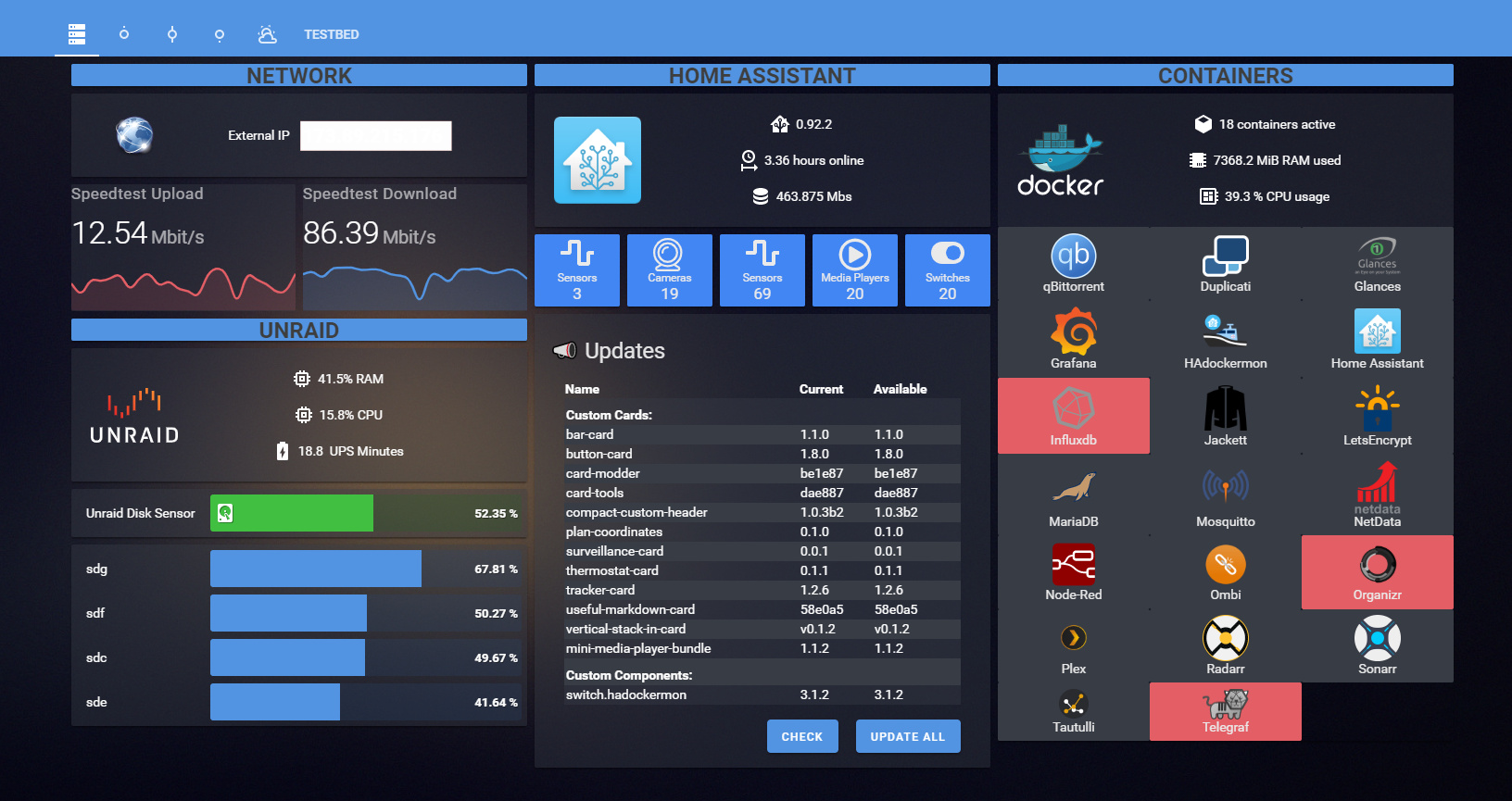



 plush dune

 compact flame
Hello guys.. is it possible to "modify" a thermostat? I have danfoss z wave Thermostat, and yeah... They don't have a temp sensor, only a setpoint.. so I'll build my own temp sensor or just go with Xiaomi ones... Just want to integrate them that they show the temp into the thermostat card in lovelace
vapid field
Probably missing something very obvious
But why does is say that the theme is backend selected when I have this in my config.yaml
 tacit gate
Hi all, how can i rotate an image in a popup 180 degrees?
https://i.imgur.com/nlNDeii.jpg
 polar kelp
If you're using a standard card in the background where the picture is correct, you should report this as a bug. https://github.com/home-assistant/frontend/issues/new?labels=bug&template=BUG_REPORT.md
After searching for similar issues, of course.
 naive charm
Hi all, for not spamming the chat i will paste the link for the forum qith my question.
https://community.home-assistant.io/t/picture-elements-different-language-structure/261516
if someone could please help me i would be very appreciate.
thank you so much
polar kelp
Just looking at the title and glancing at the post, what you have at the top is JSON, and the bottom one is YAML. JSON is also valid YAML, see http://thomasloven.com/blog/2018/08/YAML-For-Nonprogrammers/
Glancing onto the next paragraph. If you're touching anything in .storage, you're doing it wrong
Ok, I had to actually read this one. Don't ever touch anything in .storage/lovelace manually. For a picture-elements card, just add a new one and you'll be dropped into the yaml editor because it doesn't have a GUI one yet anyway.
 jade schooner
Hey y'all, would be the best way to make a card show the state of a device based on the input?
Example : Washing machine is on if energy monitor is over x Watts, but off of energy monitor reports under x Watts? Essentially to show a true or false state?
karmic tiger
Conditional?
Not sure it works with templates, so you'll have to first make a template sensor that's true when the power is above the threshold and false otherwise.
Oh, wait... you're not after switching between cards, just showing state based on custom logic? That's just a template sensor then.
low remnant
This is really more a general android issue but going to try here, I've just found that when trying to use any control on my dashboard that require movement rather than pressing (namely brightness sliders) most of the time it thinks I am trying to swipe the whole screen (those curved sections appear on the edges) rather than move the control. Is there an option some where I can turn off?
(Everything under Settings > System > Gestures is set to off)
 vast osprey
is it possible to just add some more links onto the menu on the left, like to google.com or something?
tame dove
Yes, it is done by creating a new dashboard and setting it to show_in_sidebar: true and then setting panel: true it is all documented here:
https://www.home-assistant.io/lovelace/dashboards-and-views/
vast osprey
the iframe one seems to fit. thanks!
inner cosmos
Is there any other way to use different MDI icons based on state other than custom_ui?
I have two older iPad 4 devices that I use on the walls and they must do something different or there is a bug in custom_ui and I can't set any custom icons based on state. It just shows the stock icon. If I change the stock icon it changes just fine, but the dynamic thing with custom_ui doesn't work. The person that got custom_ui going again doesn't seem very interested in looking at the problem so I'm wondering if there is something else I can do without custom_ui?
 velvet peak
Is there a possibility not to show the details of an Entities card when clicking on it? At the Moment i get lot of further Informations and Data (Attributes of the corresponding Sensor) shown.
inner cosmos
velvet peak
Is there a possibility not to show the details of an Entities card when clicking...
I wonder what would happen if you added a tap_action: section but didn't put anything in it. Or put something that didn't matter in it so that it would not do anything else.
velvet peak
inner cosmos
I wonder what would happen if you added a tap_action: section but didn't put any...
sometimes its so simple! Thank you 🙂
inner cosmos
Not sure if that would work or not but worth a try.
If it doesn't work empty, try putting something benign in there and see if it makes it happy.
velvet peak
inner cosmos
If it doesn't work empty, try putting something benign in there and see if it ma...
it works, very nice.
inner cosmos
Ha! Awesome!!
mild veldt
inner cosmos
I have two older iPad 4 devices that I use on the walls and they must do somethi...
The custom card, button-card supports templates. Or you could use my config-template-card and use templates on any card and swap out icons based on state
inner cosmos
Well, it works on a new iPad Pro, but these older ones it only shows the default icons for the entity.
karmic tiger
It could be that the browser on those devices doesn't support newer JS syntax.
inner cosmos
Works on the Mac and iPad Pro. The iPad 4 runs iOS 10 and doesn't work.
karmic tiger
If that's the case, there's not much you can do.
inner cosmos
Thats why I was looking for maybe an alternative to custom_ui.
If I change the default icon for the device, it works, just not when I use it in a template.
so it can change based on state.
mild veldt
To my knowledge, custom_ui is not used much these days, so finding support for it will likely be only in the forums
inner cosmos
I tried all sorts of stuff, even no logic and just setting the icon there like: templates: icon: mdi:lightbulb
Ah.. So what do people do to change icons these days based on state?
mild veldt
karmic tiger
Just had a really quick look at the source code for custom_ui... plenty of object destructuring and other ES6+ stuff going on. That'll explain it.
velvet peak
@inner cosmos perhaps you have another great idea. it works great in the standard entities card. Now i tried in auto-entities which is filled by ics events.
Do you know if its possible to set tap_action for the generated entity in the auto-entities-card?
inner cosmos
velvet peak
<@!778768129836449833> perhaps you have another great idea. it works great in th...
Ack, not sure on that one.
Let me explain what I'm trying to do. This all started with a single garage door. The standard cover for it only supports two states - Open and Closed. I wanted to have four states - Open, Opening, Closing, and Closed. I made a custom sensor that allowed me to set the states to whatever I wanted. Then I used custom_ui to set the icons appropriately based on state.
The problem is that I can't get the icons to change on these old iOS 10 devices.
If someone would have some alternate route I could take to achieve the same thing, I'm all up for it. The garage cover was just too rigid and wouldn't change states to anything other than Open or Closed, even though it shows it does in the source code.
I'd love to be able to get away from custom_ui, I just don't know if there is a way to get that functionality somewhere else that works.
@mild veldt Can you give me some more guidance on your custom card and the other suggestions you gave me above?
karmic tiger
Just use a template for the icon: https://github.com/custom-cards/button-card#javascript-templates
Alternatively, use states to select how the buttons should be styled: https://github.com/custom-cards/button-card#configuration-with-states
There are a ton of great examples in the docs. You don't need to tag him to ask for help with the basics.
inner cosmos
Going to look at the JS templates now. Thanks for the suggestion and the other url.
Ok, so this worked to change the icon on the old iPad: sensor.garage_door_controller:
icon: 'mdi:lightbulb'
I must have some syntax of references incorrect:
'''
sensor.garage_door_controller:
icon: >
[[[
if (entity.state == "Open")
return "mdi:garage-open";
else if (entity.state == "Closed")
return "mdi:garage";
else
return "mdi:garage-alert";
]]]
'''
For that above, no icon at all shows.
I'm a dummy.. That would only work on his button card. Let me install it and try again.
kind shellBOT
To format your text as code, enter three backticks on the first line, press Enter for a new line, paste your code, press Enter again for another new line, and lastly three more backticks. Here's an example
Don't forget you can edit your post rather than repeatedly posting the same thing.
For over 15 lines you must use a code share site such as https://paste.ubuntu.com/ or https://www.hastebin.com/.
Command '.format' was invoked by: mono
inner cosmos
When I install the button-card at https://github.com/custom-cards/button-card , does it replace the stock button card that was in HA? I've installed it via HACS, added the resource, rebooted, and am adding the button card. Just wanted an indication that I'm adding the correct card that has this new functionality.
Freaking awesome - it worked!
Now that I can do that, I'll uninstall custom_ui so I don't have extra unused things in the system.
Are there other companions to this custom:button-card for other things that allow the same customization?
Btw, just to be clear, this works great on the old iPad 4 with iOS 10. Thank you!!
Would be cool if there were other cards like this.. Like the entities card.
karmic tiger
If you're using button-card, you basically don't need any other custom card. It can do pretty much anything you can imagine.
inner cosmos
Oh yeah? One other that I use is the entities card so I have a list of items (light switches).
karmic tiger
And if you ever find a card that does what you want except you need to add templates... there's this: https://github.com/iantrich/config-template-card
inner cosmos
Ha, so awesome. I'll give that a shot and see how it works for me on this old device. I'm guessing it'll work fine since the other one did.
I've been searching for a solution to this for a couple weeks now. I even came in here a week ago and nobody knew. Apparently the great minds that are here today were absent when I was first here. 😉
karmic tiger
Yeah, it can be hit and miss. There's a lot of experience in the community but everyone (except a handful of paid devs) is a volunteer. They're often busy with their own lives.
inner cosmos
Sure, makes sense. Which is why I figured I'd give this another shot at asking. Glad I did.
Using https://github.com/iantrich/config-template-card, is it possible to use an entities card and only change the icon for one of the items in the entities list?
I see in the example for an entities card, but didn't see an example of changing an icon in the entities card. Saw an example for icon in the picture card, but that didn't seem to work on the entities card.
mild veldt
@inner cosmos yes, it is
kind shellBOT
@inner cosmos posted a code wall, it is moved here --> https://paste.ubuntu.com/p/wyP8YJ4Hhn/
inner cosmos
What is the difference between the two "entities:" sections? I see that if an entity is not in the bottom section, it doesn't get displayed. What is the top one for?
I also noticed that HA converts the single ' to two singles in a row. It works so I guess thats ok, just interesting how it converts the single and double quotes.
hushed tapir
Hi, I am trying to implement ha-card-weather-conditions and getting an error message while I try it : Error: No visual editor available for: custom:ha-card-weather-conditions. The card is showing but without all the informations I would like to show. Do you know how to fix this ? there is the code I used : https://pastebin.com/Y96ByRhz
 normal jackal
I just installed HACS (finally) and am adding all the custom cards I had manually added through HACS now. when adding the resources to lovelace config, should I put a version number on there or does HACS take care of that? and when there's a new version available, does HACS upgrade automatically?
inner cosmos
What would be the appropriate longhand version of this line for the custom template card? icon: "${vars[0] === 'on' ? 'mdi:home' : 'mdi:circle'}"
I'd like to put it on separate lines with the if, if else, else. I tried converting it but was unsuccessful.
vapid field
In his amazing lovelace dasboard matt8707 has integrated a markdown card as his sidebar
But I can't figure out how he made his markdown card not have a white background
mild veldt
inner cosmos
What is the difference between the two "entities:" sections? I see that if an e...
As noted in the Readme entities: List of entity strings that should be watched for updates. So any entities that you want to track state changes for, i.e. all entities you have listed for the entities card itself along with any entities inside a template
mild veldt
normal jackal
I just installed HACS (finally) and am adding all the custom cards I had manuall...
You do not need version strings
inner cosmos
Ok, thanks.
How do I change the icon line from shorthand to longhand?
So I have the if, else if, else, lines? Makes it easier for me.
I tried:
icon: >
        ${if (bocce_lights_north_state == 'off') {
          return 'mdi:lightbulb-outline';
        } else {
          return 'mdi:lightbulb-on';
        }}
But it didn't like it..
mild veldt
Do you have a variable defined as bocce_lights_north_state?
inner cosmos
I do:
variables:
  bocce_lights_north_state: 'states[''switch.bocce_lights_north''].state'
Nothing stands out as being incorrect. But it didn't like it.., what is it?
inner cosmos
No icon shows up for that device.
When I had it shorthand, it worked.
icon: '${bocce_lights_north_state === ''off'' ? ''mdi:lightbulb-outline'' : ''mdi:lightbulb-on''}'
That works. Just trying to figure out the longhand version of that line.
mild veldt
probably needs to be icon: |
inner cosmos
It's correct to encapsulate the whole thing in ${ } still right?
vapid field
I'm trying to make a picture elements card with a markdown card in it, and I'm using the hui-element integration Thomas Loven made, but I can't seem to get the styling to work.
Is there anything wrong with this?
polar kelp
Use three backticks for multi-line code.
vapid field
    content: >-
      <span>{{ states('sensor.time') }}</span> <font color='#6a7377'><b>{{
      as_timestamp(states('sensor.date_time_iso')) | timestamp_custom('%A')
      }}</b><br> <b>{{ as_timestamp(states('sensor.date_time_iso')) |
      timestamp_custom('%d %b') }}</b> </font><br>
    style:
      --ha-card-background-color: 'rgba(0, 0, 0, 0)'
      --ha-card-drop-shadow: none
      left: 10.5%
      top: 30%
      width: 21.5%
type: 'custom:hui-element'```I assume the indentation of your first line is correct in your actual code?
vapid field
Yes it is
vapid field
yes, but it is outdated
Let me try to test that
I'm using card-mod for some cards on my current dashboard. If I uninstall it to see if the hui-element works and then install it back if needed my cards should just be back to normal right. (Except for the few where card-mod messes with hui-element.)
 novel wave
I have a sonoff tazmotized rf bridge I can send cmnds with in the mqtt broker console but I'm not sure how to make on/off buttons for it in lovelace. I've been reading the newer HA is moving away from the configuration.yaml way of adding things so I'm curious what the best way would be to get mqtt on/off buttons in lovelace Here is the yaml: https://paste.ubuntu.com/p/hkqRQTTr2y/
I've tried a few configuration.yaml buttonsto no avail, I couldnt figure how to get them into lovelace or idk what was wrong