#frontend-archived
1 messages · Page 152 of 1
 split granite
 kind shellBOT
@proper latch Always run the configuration check command when you make changes. Don't trust the UI check - it misses some problems.
Command '~check' was invoked by: Tinkerer
 proper latch
i did
the configuration validator says it's fine
and it is pretty much to the letter done the way a config should be
for x_forwarded
split granite
Invalid HTTP method usually means POST when it should have been GET, etc
split granite
🤷
kind shellBOT
Please use https://www.hastebin.com/ or https://paste.ubuntu.com/ to share code or logs.
Command '~share' was invoked by: Tinkerer
proper latch
or the nginx
proper latch
I have some difficulty accessing HA logs
i can view them
but they're on a docker within a vm
so i can only vnc to it easily
any tips on how to get those files out of there
split granite
SSH
proper latch
right yeah
i was not thinking clearly
i got both the files now
1 moment please
homeassistant log
nginx error log
split granite
2020-04-16 13:06:49 ERROR (MainThread) [hole] Can not load data from *hole: 10.10.80.2:4865
2020-04-16 13:06:49 ERROR (MainThread) [homeassistant.components.pi_hole] Unable to fetch data from Pi-hole
2020/04/16 11:10:16 [error] 3087#3087: *30 SSL_do_handshake() failed (SSL: error:1408F10B:SSL routines:ssl3_get_record:wrong version number) while SSL handshaking to upstream, client: 10.10.80.1, server: homeassistant.leander.media, request: "GET / HTTP/1.1", upstream: "https://10.10.80.6:443/", host: "homeassistant.leander.media"
i am aware of the pihole issue, the other bit confuses me
split granite
I'd say you've configured NGINX to use HTTPS to connect to HA?
split granite
Well, looks like HA isn't configured for SSL 😉
Also it's on a different port
Unless you've got another proxy in the way
kind shellBOT
@proper latch posted a code wall, it is moved here --> https://paste.ubuntu.com/p/hMTCRyDvm7/
kind shellBOT
@proper latch Rule #6: Please do not post codewalls (longer than 15 lines) - use sites such as https://hasteb.in/, https://paste.ubuntu.com/, or others.
Please take the time now to review all of the rules and references in #rules.
Command '~codewall' was invoked by: Tinkerer
split granite
So... HA should be on 8123, as you had previously shown
If you haven't configured it for SSL, you can't connect to it with SSL 🤦
proper latch
It is currently set up on 443
on both sides
i was testing it on 8123
did not work
so returned to 443
split granite
Well, https: is the problem
proper latch
the last one known to work
split granite
The port isn't your problem 😉
proper latch
sooo
split granite
Move it back to 8123
proper latch
how do i make the nginx conf behave
split granite
        proxy_pass http://10.10.80.6:8123;
``` 🎉okay
split granite
Your problem is you've told NGINX to talk SSL, and HA to talk PLAIN
proper latch
can it still have input in ssl?
split granite
Sure, in NGINX
SSL -> NGINX:443 <--PLAIN--> HA:8123
That's a perfectly normal config
proper latch
    listen 443 ssl;
    listen 10.10.80.6:443 ssl;
    server_name homeassistant.leander.media;

    ssl on;
    ssl_certificate /etc/nginx/certificates/fullchain.pem;
    ssl_certificate_key /etc/nginx/certificates/privkey.pem;

    location / {
    proxy_pass https://10.10.80.6:443;
    proxy_set_header X-Forwarded-For $remote_addr;
so i change that ssl out from the 2nd row
split granite
YES
proper latch
but if ha speaks in clear?
shoud i not take the ssl out
as it currently is?
or am i understanding something super wrong
proper latch
okay
split granite
You speak Federation (plain)
Your friend speaks Klingon (SSL)
To communicate you need a translator (NGINX)
proper latch
okay
server {
    listen 443 ssl;
    listen 10.10.80.6:443 ssl;
    server_name homeassistant.leander.media;

    ssl on;
    ssl_certificate /etc/nginx/certificates/fullchain.pem;
    ssl_certificate_key /etc/nginx/certificates/privkey.pem;

    location / {
    proxy_pass http://10.10.80.6:8123;
    proxy_set_header X-Forwarded-For $remote_addr;
    }

}
so this
is now good
split granite
assuming you move HA back to 8123 yes
proper latch
and HA is now set to be listening to 8123
and xforwardedtrue
I still get a bad gateway
from nginx
Ha log no longer has issues
it's just inaccessible
split granite
Now you can check both logs to see what's going on
Check that you can connect directly to HA
proper latch
I can not
split granite
Well, then you need to fix that 😉
split granite
http://10.10.80.6:8123
``` should be workingBasically means that NGINX isn't able to talk to HA
Double check your proxy_pass line
Restart NGINX
proper latch

I didn't do that
thank you
but i also didn't realise what else needed to be done
that being only the proxy line changed
thank you
I have been struggling for 3 hours
no wait what
I get the login screen
but then it says unable to connect
split granite
Check the logs...
proper latch
checking
homeassistant log has nothing
nginx log
no new errors in error log
it creates a token every time i log in
but i can't connect using it
and it sees my gateway as the connecting party
 undone egret
this may sound stupid but i have no clue about this
no matter what i try create is never allowed
split granite
The docs for that are... minimal
undone egret
very very much
split granite
URL I think is something like just software-thingy
undone egret
ok lets see
damn i would have never thought .....why the hell is it called a url and its not even close
 muted inlet
that is it
proper latch
I am still having a weird issue still
I just completely redid my nginx
It now gets to the login screen
but after login it says "can't connect to homeassistant"
 runic storm
Anyone able to add a custom card via the UI manual card config without any raw editing?
 wheat current
That is only possible if the dev added it to the selector, and provides an ediror for all the options.
AFAIK, only 1 such card currently exsist.
 gaunt zinc
Someone could help me? I would like to have some text just when two conditions happens like..
IF DAY == Thursday and if TIME <= 9 then (etc...)
 atomic glacier
Hmm...🤔 did I miss something in the release notes??? Or just some HA magical surprises coming up...
--dark-theme-
--light-theme-
newly added theming variables?
gaunt zinc
My code actually is: but I want to add a time check too:
          {% if now().days == Giovedi %} <b>Ciao</b> {{'\U0001F611'}}
          {% else %} <b>Errore giorno</b> {{'\U0001F974'}}
          {% endif %}
How can I add now.hour to now.days if?
atomic glacier
@gaunt zinc probably better luck in #templates-archived or #automations-archived
 wintry remnant
I had a quick question I wanted to add a YouTube LiveStream and don't know how to add it to the FrontEnd?
 boreal hedge
Is there anyway i can make a card that show THE alarmpanel when the state of alarm IS NOT disarmed?
split granite
boreal hedge
Ah cool going to study that One morse tomorrow when got time ! 👍 Thanks @split granite
 naive onyx
I seem to have replicated an old bug. My add card frame is empty and just says “what card do you want to add”
What was the resolution to this?
On latest version, installed hui-elements and preloader which resolved hui-picture-elements card not loading
 night shell
Hi all! Can I get cards like these (https://community.home-assistant.io/t/twente-milieu-problem/131225) using the configure UI option or do I have to enter it in the configuration.yaml?
naive onyx
Can’t embed an image here to show
kind shellBOT
Please use imgur or other image sharing web sites, and share the link here.
Command '~images' was invoked by: Tinkerer
 mild veldt
@naive onyx you probably just need to clear your browser cache
 hollow urchin
Hi all. i'm trying to lovelace back to auto. I went and added lovelace:
mode: yaml as it says to here: https://www.home-assistant.io/lovelace/yaml-mode/ I also added the ui-lovelace.yaml and I'm getting an error in startup saying Invalid config
The following integrations and platforms could not be set up:
mode
Please check your config.
i think the instructions are outdated
anyone know how to do this?
split granite
That's not how you get it to auto mode 😉
hollow urchin
well i was doing that to do the opposite..
it says if you want to undo it then delete all that.. i figured if i did it the interface would pop back to defaults
split granite
Removing .storage/lovelace should do what you want
hollow urchin
yes
split granite
Then SSH on and look in /config/ - ls -a
hollow urchin
is that really the only way.. not through ftp or smb
split granite
It's there on SMB too
You may just have to fix your Windows Explorer settings to show "hidden" files
FTP, same deal
hollow urchin
great i cant get smb to work only ftp
hollow urchin
lol
well ive had a hell of a time trying to get SMB working and i finally bit the bullet and install the ftp addon and its working.. figures i cant do everything via ftp
as it seems im really going to need SMB to work.. so let me ask you
wheat current
Open the raw editor, remove everything, save
hollow urchin
mmmm
split granite
#add-ons-archived can help you get your add-ons working
hollow urchin
yeah ive been over there.. so annoying my smb wont work. it lets me login but then says it failed to connect.. mind you this is on a mac and windows.. so its not a windows issue
ill try what you said in raw editior
hot damn deleting everything worked.
sweet fix
THANK YOU @wheat current
 vapid field
Does anyone know how to use icons from the Noun Project? I got fontawesome working, but would love to make nounproject work too
split granite
You'd have to build a custom component, like https://github.com/thomasloven/hass-fontawesome
wheat current
https://github.com/Armaell/home-assistant-custom-icons-loader or just use that
 polar kelp
That's cool!
 frank quest
Hi i was wondering if anyone can help me with SSL Settings...ive got my cert from Letsencrypt and have my config set to this: http:
ssl_certificate: /ssl/fullchain.pem
ssl_key: /ssl/privkey.pem
base_url: ha.xx.com:8123
ip_ban_enabled: True
login_attempts_threshold: 3
ssl_profile: modern
With those settings i still cannot access via https
frank quest
yeah i did, all clean
split granite
And you restarted?
split granite
Can you access with just http://?
frank quest
yes i can
split granite
Then you haven't yet configured HTTPS
frank quest
with the config i posted...shouldnt that enable https?
polar kelp
Did you port forward 443?
split granite
Odds are:
- You didn't run a config check
- You didn't restart
- There's errors in your logs and you forgot to check them
Nah, 443 isn't the problem
The UI is still on HTTP
~check @frank quest
kind shellBOT
@frank quest Always run the configuration check command when you make changes. Don't trust the UI check - it misses some problems.
Command '~check' was invoked by: Tinkerer
frank quest
I ran ha core check from cmd line... all clean
split granite
And you restarted HA?
frank quest
yes multiple times
split granite
And you checked the log file for messages?
 fleet barn
Has anyone here any hands on experience with the mini-graph-card plugin? I have noticed an issue with multiple entities and wanted to see if anyone had overcome it.
 gilded thicket
Anyone utilizing the card-layout plugin? I'm trying to figure out how to better design the interface using the grid layout, but having it be responsive at the same time. I tried using vertical layout, horizontal, and the auto layout, but when I want things specifically placed on a bigger screen, it's hard to do with what I'm trying to accomplish. (i posted on the community as well) https://community.home-assistant.io/t/layout-card-take-control-of-where-your-cards-end-up/147805/83?u=ndcallahan
fleet barn
I am just now getting into it. I am having similar trouble. If I fix it ill let you know.
gilded thicket
Yeah, The other layout formats would be fine for most things, but not when it comes to a "dashboard" type system. I like the ability to be able to specify where things go, but collapse too.
fleet barn
What I have done, is just created different screens and have them open with different devices lol
Its a work around, nothing more.
gilded thicket
different screens?
fleet barn
Different Lovelace views. I have the main view as the one that launches with my phone. Its built to be a mobile view, and what displays changes based on context cues. Such as if I am home or if its after sunset.
Then I have one that is meant for large views. (TV monitors) and another one for my tablets on the walls.
gilded thicket
Ohhh. yeahh!!!
I see what you're saying.
Sorry, it took me a minute
That's what I'm oing currently.
fleet barn
I understand what you want, and I would like that too, but for now that gets me by lol
gilded thicket
yep yep.
I have a desktop/phone view
and now, i'm working on a tablet view
we have a tablet we're putting on the wall, so, lol. this layout-card sounded like a good option, but I just can't get it to work like i wanted to. I wanted it to be my "default"
for tablet / mobile
gilded thicket
@fleet barn , do you know much about the gridcol and gridrows? Like what all does it accept?
fleet barn
I am playing with it right now actually. I don't know much yet.
I am just messing with an example, ill send a screenshot soon.
gilded thicket
Great. I'm ending up setting each of them to auto because I am not fully getting the functionality of them. I see it's based of css grids, but as a web developer we hardly use those anymore. we end up using bootstrap. lol.
like. i'm wondering if there's a number for each row/column or if it's a max of three parameters
vapid field
hello i have been unable to connect to the frontend for almost two weeks now. I have researched a ton so I have learned bits and pieces of things but I cannot nail down the issue here. Is there a command that will show me the errors. I'm brand new and love the idea of having a local server and one app communicate with everything. But Im a little over my head here. This is my last go round before I start over from scratch all around. Oh and its an Ubuntu 18.04 with Docker install of Homeassistant 108.1...thank you in advance for any advice.
gilded thicket
@fleet barn , it actually appears that those two allow many. like if there are 4 rows, you can have a set width for each row, same for columns. that's a little more helpful. definitely doesn't help the responsive layout issue though. 🙂
fleet barn
Thanks bud. I think I have a pretty good handle of it. But its going to take some playing around. Here is a snip of something more or less working.
kind shellBOT
@fleet barn Your message has been deleted as it contains a link or a domain name 'pasteboard_dot_co' that is on the blocked list because of: 'Virus detected!'.
Please re-post by removing/changing the domain name/link. Your original message has been DM'ed to you.
gilded thicket
not bad! now is that working with just the gridrows/gridcols and not the responsiveness?
 granite spruce
Hi, how do I set lovelace to auto mode? It just shows it can't reach home assistant. I tried adding lovelace: mode: storage and then tried renaming out the .storage/lovelace, still not budging.
granite spruce
?
granite spruce
Fyi lazydocker is awesome to diagnose docker installs
split granite
Don't configure anything to use auto mode
That's the default
https://discordapp.com/channels/330944238910963714/460846676358332417/700449015820582983 to clear your current UI config
 plain cradle
Hey I've always wondered - why do lovelace cards jump around all over the place when ordering? My first card is only taking up about 1/3 of the first column, with nothing underneath...if I move the top card from the second column up, I'd expect now the first column to consist of two cards...nope!
cards from column 2 all shit over to the first column and my 1st card is now in position 4
*shift. But sort of a freudian slip.
 worthy kiln
I cant get the map history up and running. And yes I have configured the "hours_to_show". It is just not shown. What can I do or check? Any other setting which prevents this feature, like history includes/excludes or so?
split granite
You're configuring the map card not the map: integration?
worthy kiln
yes
split granite
You're not excluding the device trackers from history/recorder?
worthy kiln
I excluded it yes
split granite
Well... there's your problem
worthy kiln
so that is the reason probably
split granite
How can it show the history of something that has no history?
vapid field
you can configure recorder, so it will purge a specified amount of data on certain times
split granite
Just configure it to purge the data after ... 3 days 🤷
But, if you want a history of something, you need the history of it
 viral sorrel
I've removed a climate entity and one of my lovelace tabs exploded (it renders and then immediately disappears).. is there any way to manually get at it to remove the offending entity reference?
never mind.. I just obliterated the lovelace addon.. don't want to use something that has the potential to do this
 rose sluice
Does card-mod support @font-face rules? e.g.
font-family: CBorda;
src: url("/local/resources/fonts/borda.ttf");
}``` thin mist
When trying to add js resources to a Lovelace card in the raw config, I get a message saying Resources should no longer be added to the Lovelace configuration but can be added in the Lovelace config panel.. Does it mean adding in the card configuration code editor?
I'm trying to implement https://github.com/bokub/rgb-light-card, but the Installation says to add the resources bit to the Lovelace config, but Lovelace says not to.
wheat current
Lovelace is correct
split granite
Almost like the docs for that custom card are outdated...
thin mist
So where is the "Lovelace config panel" that is not the "Lovelace configuration"?
thin mist
Advanced is on, yet no Resources section in the Configuration section
wheat current
"Lovelace dashboards" -> "Resources"
thin mist
I'm looking there too, no dice
wheat current
or just use HACS 🤷♂️
thin mist
I do have HACS, that's how I got that RBG Light Card
So it handles setting the resources itself?
thin mist
Ok, so Add to Lovelace will add the resources correctly?
wheat current
that's the only thing it does
thin mist
Ok, thanks. Still unclear why I wouldn't see the Lovelace resources section, but whatever for now
kind shellBOT
@thin mist posted a code wall, it is moved here --> https://paste.ubuntu.com/p/ZchVjQmGtV/
thin mist
While I'm here, now I'm getting this error when trying to use that custom entity:
Expected a value of type
{entity,name,icon} | entity-idforentities.1.typebut received"custom:rgb-light-card".
kind shellBOT
@thin mist posted a code wall, it is moved here --> https://paste.ubuntu.com/p/TRGc3vtSW9/
thin mist
^ is the entity code
kind shellBOT
@thin mist posted a code wall, it is moved here --> https://paste.ubuntu.com/p/6qkZ4H29tV/
thin mist
gah, sorry
Or, put another way, should light groups have entity ids, and if they don’t, how to add one?
mild veldt
@icy patrol #templates-archived
 icy patrol
got it!
split granite
~share @thin mist
kind shellBOT
@thin mist Please use https://www.hastebin.com/ or https://paste.ubuntu.com/ to share code or logs.
Command '~share' was invoked by: Tinkerer
 livid kelp
I wrote an input select to track whether my washer is running or clean. When I try to add this to a card, it seems to be in the form of a toggle. Actually, I want a gauge showing the current status, which is set by rule. I don’t want any user interaction with selecting the status—other than starting the washer that triggers the rule. Tips?
split granite
Sounds like you want https://www.home-assistant.io/lovelace/entity/
livid kelp
Yep. Thx!
 zinc quarry
When using a custom theme, is it possible to change the colour of the bar on the top of the app? Currently it's blue in both Android and iOS.
 storm tusk
Hi Folks, I just updated my ha from my RP3 to a docker container. I hadnt updated in a while and I didnt just copy paste my entire .homeassistant folder to overwrite the new one. I figured it may be worth while trying to do a smart migration.
Anyways, I was messing around with the frontend (overview page on my HA webui) and messed up some stuff. Is there a way to reset it back to the original condition, where it finds and adds stuff on its own?
split granite
gilded thicket
Anyone know where I can find a "spec sheet" when it comes to theming? Like, I want to make sure i let my css be handled by as much as possible from the theme level
zinc quarry
Have anyone seen the following message when calling frontend.set_theme?
ERROR (MainThread) [frontend.js.latest.202004072] :0:0 Script error.
Where can I go to get more information?
 desert hemlock
Hi Guys
I have a question regarding Picture element card. How I can set the image of my floorplan to be horizonstal?
 woven echo
anyone here use TileBoard and have cameras that stream when full-screen?
 pastel rain
Can anyone tell me what does this warning/error from the log mean, I cannot find anything about it. "Resources need to be specified in your configuration.yaml. Please see the docs."
atomic glacier
@gilded thicket a lot of changes in the works for that department, but old ref here: https://github.com/chipriley/lovelace-css-values and then: https://github.com/home-assistant/frontend/tree/master/src/resources
pastel rain
i specify them in ui file as such: resources:
- url: /hacsfiles/simple-thermostat/simple-thermostat.js
type: module
thats what the instructions to all of these say to do
when i try to the FE it tells me to do it on configuration.yaml file... but all the instructions have ever directed me to the ui-lovelace.yaml file.
gilded thicket
@atomic glacier , thanks! you say it's in the works. Is there an ETA on release that's expected yet?
atomic glacier
The resource location has moved that's why you get
"Resources need to be specified in your configuration.yaml. Please see the docs."
@pastel rain
pastel rain
got it.
I just updated so this is why
and when i tried putting it in there it gave me an error, but my formatting was just not aligned
thanks Tinkere and Dino
atomic glacier
Always a working progress forward, but all I do is just keep up with the changes so nothing breaks with the progression. Theming should be a bit simplified in the future....there is also: https://github.com/thomasloven/lovelace-theme-maker but (sorry Thomas 😶 , I've never used it). I also have a pretty complete list of variables found here: https://github.com/Dino-Tech/Home-Assistant-Main/blob/master/packages/theme_control.yaml @gilded thicket
EDIT: the ones I value as necessary...
gilded thicket
Perfect! Yeah I installed the lovelace theme maker this morning. It's been helping a little bit. 🙂
Thanks for your help. Much appreciated. 🙂
 worldly seal
Hey guys! I'm trying to move my ui-lovelace.yaml to dashboards. I copied my ui-lovelace.yaml configuration to a overview.yaml in config/frontend/dashboards/overview.yaml and added this dashboards: lovelace-overview: # Needs to contain a hyphen (-) mode: yaml filename: ../frontend/dashboards/overview.yaml title: Overview icon: mdi:view-dashboard show_in_sidebar: true require_admin: false to my config/integrations/lovelace.yaml file. The new dashboard shows up in the http://hassio.local:8123/lovelace but it is a generated dashboard that looks exactly like my HA generated ui. In configuration>Lovelace Dashboards/Dashboards I can see the filename it is looking for is frontenddashboardsoverview.yaml whick make me think that the issue is in getting to the overview.yaml from the lovelace.yaml file. Any advice or something that I can try to get it working?
 wary cape
I am using the yaml mode, but when adding more dashboards they are all in GUI mode, how do I change from GUI to yaml mode? how is my main dshboard connected to ui-lovelace.yaml? do i need to create another yaml file? but what is the name of that file
 tired quail
any good tips for developing a custom card that's not really a card? i'm trying to move from tileboard over to lovelace and my tileboard setup has a digital picture frame & clock screensaver that I need to migrate over for the WAF...
worldly seal
any advice?
split granite
Ensure the path is actually valid - I'd be shocked if that path worked
That directs it to something outside of your config folder
mild veldt
@tired quail I know that @atomic glacier has a clock. I think he uses markdown-card
worldly seal
I did try frontend/dashboards/overview.yaml still having the same problem. Giving me frontenddashboardsoverview.yaml in Configuration>Lovelace Dashboards>Dashboards instead of overview.yaml
mild veldt
@tired quail only idea I have for a picture frame (assuming you have the files local) is to use https://www.home-assistant.io/integrations/local_file/ and periodically update the file
split granite
@worldly seal What if you just make it overview.yaml in the config folder?
pastel rain
out the box approach. i like it
tired quail
fwiw this is what my screensaver mode looks like on TileBoard: https://community-home-assistant-assets.s3.dualstack.us-west-2.amazonaws.com/optimized/3X/9/b/9becce5b71359c6d9efd2db6e94452a56790e336_2_690x435.png
 wheat current
For that, I would probably just create a custom panel
mild veldt
can you activate a panel via automation?
worldly seal
Still only getting the generated dashboard, but filename in Configuration>Lovelace Dashboards> Dashboards it says overview.yaml now but obviously its not finding the file
wheat current
with browser mod
mild veldt
I know you could a view, didn't know you could a custom panel
wheat current
oh.... thought it took all kinds of paths
tired quail
automation wouldn't be the right way to activate it though, it would be different for the tablets based on when the last tap was
mild veldt
nothing like that in ll
worldly seal
My yaml ui is displayed correctly if I move my overview.yaml into my config/ folder. So it seems like the dashboard>filename does not support file navigation
If I can call it that
icy patrol
Is it possible to store the value of last changed into a sensor so that on HA restart it does not clear it?
tired quail
figured i'd have to do some custom-header style custom coding to pull off
worldly seal
from the log I can probably confirm that HA does not go and look for the file in the specified directory but only looks for the file in config/. From the Logs FileNotFoundError: [Errno 2] No such file or directory: '/config/overview.yaml'
mild veldt
@icy patrol not frontend related
thin mist
I'm trying to use a custom Lovelace card (https://github.com/bokub/rgb-light-card) with a group of lights. But I'm getting this error:
Expected a value of type
{entity,name,icon} | entity-idforentities.0.typebut received"custom:rgb-light-card".
mild veldt
@tired quail like try to capture all click events?
thin mist
  # Card configuration starts here
  - type: 'custom:rgb-light-card'
entity: light.den_coves```Is it because the light group doesn't have an entity ID (which I don't think it should)?
tired quail
@mild veldt yeah, figure out a way to hook in and capture any click event and have it reset a timer, then if it hits the timer it shows the screensaver element on top of everything until there's another tap/click
mild veldt
@thin mist show your full config
kind shellBOT
Please use https://www.hastebin.com/ or https://paste.ubuntu.com/ to share code or logs.
Command '.share' was invoked by: iantrich
thin mist
mild veldt
That just in the visual editor?
mild veldt
yeah, just a warning, if it works it works
thin mist
Ah, gotcha
I do get a weird state when I go to edit it again, the code box shows blank
And i can't edit the code
Hmm, maybe not, nevermind. Does show weird, but I can still edit
Thanks @mild veldt
mild veldt
@thin mist do you use custom-header by chance?
thin mist
I do
mild veldt
I've noticed that as well with the editor when custom-header is used
It comes and goes
thin mist
Interesting, good to know, thanks
 tacit cave
i noticed that rgb light card iterferes with other cards
i completely removed it because it was interfering with the bar card
but I also use the custom header, so it could have been that the whole time
 devout hatch
what is mean error in my log Resources need to be specified in your configuration.yaml.
 near cave
I have customized the pictures for the badges for each user and added in the /www folder, but only one picture shows up, the other three are missing. I double checked everything, but cant find the problem. someone may have an idea of there to look?
livid kelp
Anyone have recommendations for inexpensive android tablets to use as Lovelace displays?
woven echo
I've been testing a Fire HD 8 + Fully Kiosk, about to stick it in a wall-mounted case that supplies power by PoE from https://makesbymike.com/
I guess a Tab 8 is better because you can control the lock screen and stuff but from the settings I've used I haven't seen the lock screen in two days
@livid kelp ^
 woven merlin
Recorder not recording anything. Is there a way to reset it?
muted inlet
Do you see "database disk image is malformed" in the log?
This is also an #integrations-archived question
woven merlin
Sorry about location. No, I don't see an error.
tired quail
@woven echo I have all 8" Kindle Fires running Fully Kiosk. There was a root out there for them a few months back & I was able to flash them with LineageOS and bypass all the Amazon restrictions
woven echo
for an 8th gen fire?
woven echo
Yeah, I see it for the 2018 version. Last I heard there's no root for the latest model. I'm ok with it. When you dim the screen for the screensaver it basically looks like it's off and since I'm going to run PoE I't doesn't matter if it doesn't save power. I'm not really worried about the power usage.
tired quail
thats what i did with mine
just used fully kiosk to set the screensaver to black and lowest brightness
viral sorrel
is it possible to use auto-entities with custom cards?
viral sorrel
how would I show all unavailable entities in the light domain as long as they have the strings lap or light in the entity_id using auto-entities.. none of what I can get to work quite does that because it would have to work without the exclude filter I think
it seems like you can only filter out entities one at a time as they pop up and they don't match those criteria rather than creating a broad rule
filter:
  include:
    - domain: light
      state: "unavailable"
  exclude:
    - entity_id: "*led*"
    - entity_id: "*range*"
    - entity_id: "*router*"
as far as I can tell there's no way to have essentially an AND for the includes rather than an OR
 warm eagle
Any ideas why http://localhost:8123 resolves but using my domain.duckdns:8123 doesnt work, nor does my internal ip work, nor does accessing from a different computer work
it allows me to login, but then just says unable to connect to home assistant
never gets passed the login screen
WebSocket connection to 'wss://mydomainname.duckdns.org:8123/api/websocket' failed: Error in connection establishment: net::ERR_CONNECTION_TIMED_OUT
e @ core.abc5e50d.js:1
that's what i get if i inspect
i can access it if i go to https://192.168.1.237:8123 and log in
vapid field
Hey< i guess this is a frontend question... I've searched and searched for custom cards that show the secondary pages of fans and color lights in the card, in stead of having to click twice to set the speed of a fan. What am I missing?
Does this have to be done with an automation somehow? I guess that would take creating a custom card with a .js from some where. I did this back in teh day in tasker on my phone.
But I am really brand new at this lovelace and I don't want to go reinventing the wheel
@warm eagle Isn't thre a trusted domain setting?
homeassistant:
  auth_providers:
    - type: trusted_networks
      trusted_networks:
        - 192.168.0.0/24
        - fd00::/8
I use a buttons row for fan speeds
 copper mural
If I use yaml mode in my default homeview, and I create a new dashboard from configuration ->lovelace dashboards. Can I take control of just that dashboard to try UI-edit. Or is my default view is affected too?
split granite
You can mix YAML and non-YAML
copper mural
wow! Thanks. Nice to try the UI edit too 🙂
 peak helm
Hi guys. I have some custom components. They working well, but take time to load when I refresh my HA page. It doesn't matther if I'm on home page or any tab, it takes some millisecons to load every time I refresh page (it happen on computer and mobile and different browsers), and you can see the "original" styles, before the custom components shows. If you take a look at the GIF, you can see that before they load, you see original settings. If you take a look at header, it's red and show hours (custom header component), but when I refresh, it show original title "Tests" and the original blue color. It happen with every custom component. It happen with you guys too? its very annoying 😦
https://gifyu.com/image/lQOD
kind shellBOT
@zinc gorge posted a code wall, it is moved here --> https://paste.ubuntu.com/p/qzSBCMQgbr/
 zinc gorge
Ty bot
my question along with that code 👆: I can't get Picture Glance card to have unique tap action over entities. It's documented that individual entities can have unique actions, but I get a warning saying "expected {name|icon|entity-id}" only.
split granite
~codewall @zinc gorge
kind shellBOT
@zinc gorge Rule #6: Please do not post codewalls (longer than 15 lines) - use sites such as https://hasteb.in/, https://paste.ubuntu.com/, or others.
Please take the time now to review all of the rules and references in #rules.
Command '~codewall' was invoked by: Tinkerer
zinc gorge
Thanks @split granite
kind shellBOT
Tinkerer is away for 3m 26s with a message :point_right: Two possibilities exist: either we are alone in the Universe or we are not. Both are equally terrifying.
kind shellBOT
@young valley posted a code wall, it is moved here --> https://paste.ubuntu.com/p/Rcx65TcnBG/
@young valley posted a code wall, it is moved here --> https://paste.ubuntu.com/p/83HSr32qGf/
 young valley
Hi all,
Just dipping my feet into home assistant and Lovelace and setting up my first cards.
Trying to make a simple horizontal stack that has my Tado radiator temps listed, so have done the below card config:
https://paste.ubuntu.com/p/PYz73KbTVQ/
Can anyone explain why the secondary_info item is returning:
Expected a value of type undefinedforsecondary_infobut received"current.temperature".
I know it’ll be stupidly obvious, just banging my head a bit!
PS know there’s a thermostat card that does a lot of this, just keen to understand the mechanics, hence playing around!
 woven jasper
So I am using mini music player, and really like it, but I have one issue. I want the album art to be displayed like this (https://i.renami.xyz/nfUsb), not like this (https://i.renami.xyz/lUwak). Can anyone help me with that?
The first image is of the lovelace default music player, and the second is of mini music player.
 final forge
Last time I tried to do this someone in here was able to advise me - but now I've forgotten. How do I extract my lovelace configuration out of a config directory backup?
woven jasper
I am trying to set the background of a picture entity card with the URL from a template sensor, but it doesn't work. My YAML is as follows.
type: picture-entity
  entity: sensor.steam_game1
  image: sensor.steam_game1_image
An example for the value of sensor.steam_game1_image is https://steamcdn-a.akamaihd.net/steam/apps/431960/header.jpg.
 candid lintel
Im trying to install a theme from HACS. the docs say add this to the yaml frontend: themes: !include_dir_merge_named ../themes
woven jasper
@candid lintel are you on supervised or something else?
candid lintel
I dont know what that means, i just have regular HA
woven jasper
so on docker?
candid lintel
RaspberryPi4 no docker
woven jasper
okay
so you have the supervisor icon in the bottom left corner of the website, right?
woven jasper
yeah
candid lintel
ah had no idea
woven jasper
HACS will be storing your themes in the 'themes' folder inside config
candid lintel
okay cool so create a golder called themes in the cofig folder, yea?
woven jasper
so open your configuration.yaml and add the following:
frontend:
  themes: !include_dir_merge_named themes
I believe that hacs should have made one automatically when you installed the theme
candid lintel
cool restarting now
woven jasper
Nice
candid lintel
Hot Dog! that did it thank you RenAmi!!!
woven jasper
You're very welcome!
candid lintel
Do i have to add a component if i want a custom header?
because i added this to my yaml and it said Component error: custom_header - Integration 'custom_header' not found. custom_header: compact_mode: true background: var(--app-header-background-color) elements_color: var(--app-header-text-color) active_tab_color: var(--state-icon-active-color) tab_indicator_color: var(--state-icon-active-color)
woven jasper
So if you have custom-header installed, it would be recommended to add it to the top of your lovelace.
woven jasper
Yeah
candid lintel
sweet
woven jasper
It is useful if you are using something like a tablet for a smart display, and want a kiosk mode where you can only access lovelace.
It is also just great to customise.
candid lintel
i think i installed it
woven jasper
ok
candid lintel
it looks like I installed it, what's the next step - to go to lovelace and mess with the cards, or should i see a change immediately?
 warm seal
the question has been asked before, but I haven't found an answer: would it be possible to hide the map from the frontend? I'm using a lovelace view with map & history, and find it confusing that I have another map in the UI
wheat current
Not with a default setup, but with something like this you can https://gist.github.com/ludeeus/b7acc6c560c9e59b70de20cb590cdf4f
warm seal
great ludeeus, saves me the work of trying that myself. much obliged
candid lintel
I keep getting Component error: custom_header - Integration 'custom_header' not found.
i see it there in lovlelace
wheat current
That is not an inegration, that is a card/plugin/whatever, folow the instructions for the thing you want to work, instead of making up your own instructions.
woven jasper
Can the image entity card support the use of a template or sensor to get the image url, or am I stuck with a static url?
 viral nebula
hi everyone is possible to hide the sidebar default tabs like "MAP"?
wheat current
viral nebula
oh amazing
i haven't seen that 😂 thanks!
@wheat current added your code but still showing up how am i supposed to edit your code? yes i've added the extra module via config.yaml
wheat current
Not sure @warm seal did it work for you?
viral nebula
should i leave or remove the [ ]?
wheat current
Which one? xD
viral nebula
"lovelace": ["hidden"],
"map": ["hidden"],
"history": ["hidden"],
"logbook": ["hidden"],
here
wheat current
That looks fine
viral nebula
so like that all tabs are hidden right?
wheat current
Should be, but tested it now, it did not work
viral nebula
TypeError: document.querySelector(...).shadowRoot.querySelector(...) is null
i got this error on the chrome console
warm seal
almost. it hides all but the logbook for now
viral nebula
which one have you changed? @wheat current
warm seal
so yes it works hiding the map. thanks
viral nebula
@warm seal can u share the working code? please
woven jasper
I am trying to use a url provided by a sensor to set the image in a picture entity lovelace card. It doesn't work though for some reason, and the image doesn't display.
wheat current
Was in the shower, i did not change anythign @viral nebula
viral nebula
Uncaught (in promise) TypeError: Cannot read property 'shadowRoot' of null
at sidebarmanager.js:17
i still have this problem.. unfortunatelly
 snow walrus
hey guys
anyone manage to make a HA panel out of amazon echo spot?
wonder if its possible to open a HA url there on boot
funny piece of hardware. A 200$ watch if you wont connect it to amazon
 queen ivy
Just rebooted HA 107.x and get "Unable to connect to Home Assistant" Retry does nothing? I can get to the share drive on RPi3 so believe the SD card is fine. Is there a start up log some where? Any help would be appreciated.
kind shellBOT
Not sure which install you're using? If you have add-ons, or see references to either Hass.io or Supervisor, then you're using #supervised. If you're running natively in Docker or in a venv then you have the #alternative install method
Command '~which' was invoked by: Tinkerer
young valley
Anyone point out why Lovelace is shrinking my images to top corner of my card ? Have a 250px wide image that appears about 25px, rather than taking up full height? Code : https://paste.ubuntu.com/p/Z6pwbFyJ94/
 north sleet
RGB color picking: anyone can point out what to do in order to have a rgb color picking card in Lovelace? I've just installed a Shelly rgbw and using light card i can only dimmer the strip led. Thanks!!
split granite
The entity has to support RGB - sounds like it isn't reporting that through the integration you're using
 glass pebble
Currently it isn't possible to cast a second dashboard to the Nest Hub using cast.home-assistant.io. I can only select the views from the default dashboard. Would be a good feature to add a possibility so you can select any view from any dashboard.
kind shellBOT
You can find the community forum here
Command '~forum' was invoked by: Tinkerer
split granite
Feature requests can go there, or also on the frontend repo
kind shellBOT
Want to see what issues are open (or were open and are now closed)?
Check issues for the backend, issues for the UI, and issues for the documentation.
Command '~issues' was invoked by: Tinkerer
north sleet
The entity has to support RGB - sounds like it isn't reporting that through the integration you're using
@split granite It's weird since it's a Shelly RGBW2 ...
split granite
If it was reporting to HA as supporting RGB then you'd have RGB control
That's a matter of the #integrations-archived you're using for it
north sleet
If it was reporting to HA as supporting RGB then you'd have RGB control
@split granite i'm going to double check. Thanks a lot
split granite
~irc @north sleet
kind shellBOT
@north sleet Discord isn't like IRC, you don't have to tag people on every response. Keep in mind that every time you tag somebody, they get a notification ping. That can very quickly become annoying and people may block you.
Command '~irc' was invoked by: Tinkerer
young valley
Here's a screenshot of simple Lovelace styling problem: https://ibb.co/bQBcPCk
Any ideas why this image is so tiny??
 hoary lava
I'm trying to make a web-page dashboard for a tablet with the newer 107/108 features of lovelace. Can someone point me to some good examples with yaml?
 dark tartan
getting this error
Logger: frontend.js.latest.202004072
Source: components/system_log/__init__.py:209
First occurred: 8:28:55 PM (1 occurrences)
Last logged: 8:28:55 PM

http://hassio.local:8123/lovelace/0:0:0 Uncaught
anyone any idea whats going on?
woven jasper
In lovelace can I make a card disappear if a sensor's value is unknown?
split granite
Yes
woven jasper
How?
 woven jasper
Wdym by stock cards?
split granite
woven jasper
Okay. Did not see those. Thank you!
split granite
🤷
woven jasper
So if a sensor value isn't unknown, but rather it has no value at all, what do I put for state_not?
since state_not: '' doesn't work
split granite
I've never seen a sensor have no state
woven jasper
those gaps aren't 'unknown'
they are simply without a value at all
Should I make a template sensor to replace having no value with having 'Unknown'?
Or is there a more elegant way?
 limpid remnant
Moved my ui-lovelace.yaml to a "dashboard" in 0.108.4 as ui-default.yaml.
- The file is only found if it lives in /config. Pathnames fail. According to the Lovelace Configuration page, the file path is lovelaceui-default.yaml, not lovelace/ui-default.yaml. Hence I get a default badges page.
- How do I get rid of the "Overview" link on the sidebar?
Oh, for 1:
  dashboards:
    ui-default:
      mode: yaml
      show_in_sidebar: true
      title: Our Home
      filename: lovelace/ui-default.yaml
fails
 prime umbra
was wondering is there a way to clear all persistent_notifications
due to number of request to hacs api github now i got 450++ notifications 🙂
anyway to clear all in one buttons push....
muted inlet
I believe restarting home assistant will get rid of them
prime umbra
hmm let me try
@muted inlet thanks that does the trick... didnt thought about that hehe good one....
 torpid notch
When weblinks were killed i switched to links in lovelace, but as soon as I add one I can't use the visual editor anymore. Is there a way to use both?
final forge
Hi everyone, last time I tried to do this, some kind person helped me in here. I need to restore my lovelace configuration. Can anyone remind me how to do that? I have the /config directory of my previous installation.
 steady sluice
I installed a theme through HACS but it doesnt show up in my choice for themes
 strong ridge
I started integrating HA with my ventilation system via modbus today. Not that much knowledge in HA though.. I want to present the data a bit more friendly. When I set the fanmode to forced I do that by setting the value 4. Presenting it as value 4 isn't all that nice though. Any way of having the entity card presenting value 4 as the text Forced. And if the value is 3 as comfort?
muted inlet
@strong ridge template sensor
kind shellBOT
When working with templates, don't forget:
- You can test them in Developer tools -> Templates
- Rule 1 and rule 2 (https://www.home-assistant.io/docs/automation/templating/#important-template-rules)
Command '.template' was invoked by: Tediore
muted inlet
strong ridge
ah thx! 🙂
steady sluice
I also tried to add themes manually but they dont work
@muted inlet am I missing something here?
muted inlet
What do you mean they don't work
steady sluice
I pressed install on a theme in HACS but it didnt show up in the themes area
I rebooted as well
muted inlet
I've never installed themes with HACS, so no clue
steady sluice
How else woluld I install them?
torpid notch
@steady sluice Did you follow this intructions? https://hacs.xyz/docs/categories/themes#enable-themes-in-home-assistant
steady sluice
Yeah but it gave me an error in yaml
torpid notch
Just copy it via the button, it should be correct
Without that code ha will not display your themes from hacs
torpid notch
You're welcome
steady sluice
Another question, anyone know of a lovelace UI card that can hold ultiple buttons in one?
Like the glance card, but you click to execute
 green peak
Is there anyway to hide a full card? I have a card for debugging but only want it visible when configuring the UI. If not I can put it in a seperate view but would be ideal if it's next to other cards in the same view
steady sluice
Or I just am looking for some new buttons for the UI. What buttons do you guys use (that arent the defualt ones)? I need some ideas
torpid notch
@steady sluice A normal lovelace entity card can hold multiples buttons with "click to execute"
steady sluice
@torpid notch yeah, but I want one thats like the glance card but with execute buttons
steady sluice
Is there a way to edit the glance card so when you press each part it executes it?
vapid field
I'm trying to add a conditional element to a Picture Elements card in Lovelace. Specifically, I'm trying to show that my washing machine is active if the amperage is >1. I looked over the documentation for the conditional state, but not quite sure how to define the state as being >1. Any help is greatly appreciated
steady sluice
Hey guys, when I add a custom lovelace card, it works on the internet on y laptop but when I try to access it from the ipad app it doesnt work at all, it says custom element doesnt exist
zinc gorge
Gut tells me your iPad might be caching your HA frontend @steady sluice
Have you tried clearing the browser cache?
young valley
Can anyone help with how I target an image within a picture-entity card? I think I need to apply styling to fix it's height as the background image is appearing tiny, but don't know how to target the image specifically in the code editor of lovelace - see example here: https://ibb.co/sQcxgJs
viral sorrel
what would you call a room with a closed door? if the door was locked it would be a "locked room", but "closed room" sounds weird to me...
zinc gorge
door_state != occupancy_state @viral sorrel. Probably why it sounds weird
what about "available" and "unavailable"? @viral sorrel
viral sorrel
@zinc gorge I never said it did. but movement inside a room with a closed door does indicate occupancy
zinc gorge
you're asking what the "room state" is based on a door. That's why I'm pointing out why those terms might sound odd
split granite
A room with a closed door is a room with a closed door, the overall status of the room is no different IMO
viral sorrel
I don't think I even mentioned occupancy until you did 😛
zinc gorge
fair
viral sorrel
@split granite that was what I was thinking.. but there is the concept of a locked room
split granite
Because at that point the room is "special"
viral sorrel
hmm.. that's fair.
split granite
Simply closing a door doesn't change the state of the room, you can trivially open the door
Locking it, that makes it "secure" (except for the open window)
Of course, a "locked room" implies it's secured, not simply that one door is locked
viral sorrel
I have that problem with doors in general.. closed vs locked.. but that's because it's damn hard to sense locked 😛
split granite
Nah, you just need a sensor inside the frame, where the lock barrel goes
viral sorrel
that's not trivial 😛
and with most internal doors the locking mechanism is in the handle
split granite
Yeah, those require more effort
viral sorrel
I though a positional sensor would work.. but it would have to be very small and wireless... one day...
does the frontend have any special way of indicating occupancy? there are motion and closed/open icons.. anything for occupancy?
seems like a difficult concept to illustrate with an icon
viral sorrel
changing the colour works for a house.. but a room icon is a little harder 😛 googling I haven't found anything.. possibly the "opening" icons but reversed would make the most sense. I guess that's the least of my problems until I get something actually working..
split granite
Maybe it's time to change how you're displaying things then 😉
For that kind of thing, something like Floorplan makes more sense
viral sorrel
I know.. I've been wanting to try that for ages... but it's a huge time investment to get something usable.. a project for June/July
well.. whenever I have a bit of a break
split granite
Huge time investment... a few hours 🤔
viral sorrel
a few hours is a lot for me.. but it would be more like a dozen hours..
btw.. what is the recommended way fof doing florplan at the moment? https://github.com/pkozul/lovelace-floorplan ?
split granite
Lovelace floorplan
viral sorrel
wow.. some people have incredible 3d modelling skills for their floorplans
split granite
There's a lot of software out there to allow people to do that
The original Floorplan thread has a lot of links
viral sorrel
viral sorrel
https://community-home-assistant-assets.s3.dualstack.us-west-2.amazonaws.com/original/3X/6/9/6905f57392949e568bb894c57b108bd9cbe9316b.jpeg is pretty innovative.. never even occurred to me to essentially projection map info onto walls 😛
this will be my project after exams.. between work and school I'm at 140hrs/week.. COVID19 gave me back some travel time but it's eaten it all up with work.. I don't understand people getting bored at home and having too much spare time :/ I envy them.
I hope HA is getting a lot more commits from people stuck at home now 😛 even though it's at a 3 week cycle now it feels as if there's a new version out more frequently than ever
split granite
The point releases are coming out more now
Before they were retained for critical bug fixes, now they're a bit more for "bug fixes" in general
viral sorrel
yes they are.. but I even mean the major releases.. 3 weeks flies past so quickly now
plus so many useful things being added every release.. it's great
 mild rock
Hi all, I am trying to add picture glance card from UI editor. I notice that If I don't put any value to image path this field set to default image: "https://demo.home-assistant.io/stub_config/kitchen.png",
So is this an expected behavior?
torpid notch
@mild rock From a technical point of view, yes: https://github.com/home-assistant/frontend/blob/dev/src/panels/lovelace/cards/hui-picture-glance-card.ts#L62
I guess choosing a picture glance card without a picture don't happened that often
steady sluice
@zinc gorge I just cleared it and its still there
limpid remnant
Is it intentional that the new Lovelace Dashboards cannot take a pathname for the filename: paramenter? Lovelace files need to be in /config?
  mode: yaml
  resources: !include lovelace/resources.yaml
  dashboards:
    ui-default:
      mode: yaml
      show_in_sidebar: true
      title: Our Home
      filename: lovelace/ui-default.yaml
The "/" seems to get stripped out leaving the combined pathfile as "filename:"
split granite
I suspect it was a use case the devs didn't think of
limpid remnant
Maybe I can put dummy stub dashboard files in /config with !include: path/file.yaml as the only entry...
limpid remnant
Yup, that works, a dummy dashboard file in /config with an !include path/file.yaml. OK for now
devout hatch
I have a question where should I add resource: and where I need to remove themes: just not showing these errors:
Resources need to be specified in your configuration.yaml. Please see the docs.
Configuration option 'theme' is deprecated and you should remove it from your configuration, HACS will know if you use 'theme' in your Home Assistant configuration, this option will be removed in a future release.
my resources I specified in ui-lovelace.yaml
split granite
Configuration option 'theme' is deprecated and you should remove it from your configuration, HACS
What's the last word?
steady sluice
Where would I add custom icons in my install? It says add them in /local/ but I dont have that option
split granite
Resources need to be specified in your configuration.yaml. Please see the docs.
See the release notes for 0.107 and the Lovelace docs @devout hatch 😉
split granite
That's more a www aka local, but yeah, it's confusing
I may see about submitting an update
steady sluice
ohh ok Thanks
 heavy patio
Hi all, I was playing around in AdGuard Home and was delteing a bunch of blocklists. I clicked the popup that said that disable dialog box. How do i enable that again?
*Deleting
split granite
If that's the add-on, try asking in #add-ons-archived
devout hatch
@split granite I have separate file and I added mode: yaml resources: !include lovelace/resources.yaml
but now, I have now compile error
Invalid config for [lovelace]: value is not allowed for dictionary value @ data['lovelace']['resources'][24]['type']. Got None. (See /config/configuration.yaml, line 23). ```@torpid notch @split granite thanks for your answer in my use case I am using a camera instead of picture so I do not need this optional field
split granite
I ... didn't help you 🤷
mild rock
Oh I am sorry I think that your answer is for me 😦 sorry for disturb
torpid notch
@split granite I think your aura is making the answers in this channel better
split granite
No worries, I also don't use the editor, but you can just remove that default image
mild rock
Yeah yeah I removed it just can’t be sure that is it a bug or feature 😆
devout hatch
  mode: yaml
resources: !include lovelace/resources.yaml```for some reason if I put !include_dir_merge_list
it works
but I dont know how
split granite
To migrate to UI from YAML:
- Open Raw editor
- Paste in your complete YAML
- Save
devout hatch
ok, I will do then migration 🙂
I grab some main ui's from you @twin lintel hope dont mind
  resources: !include lovelace/resources.yaml
  dashboards:
    lovelace-admin:
      mode: yaml
      filename: ui-lovelace-admin.yaml
      title: Admin
      icon: mdi:view-carousel
      show_in_sidebar: true
      require_admin: true
    lovelace-automations:
      mode: yaml
      filename: ui-lovelace-automations.yaml
      title: Automations
      icon: mdi:robot
      show_in_sidebar: true
require_admin: true```I removed mode: yaml
devout hatch
@split granite I started migration, but I cant add resources: into lovelace: I can see Admin and Automations as separate Dashboards on my profile, but when I click on my view its all red, it cant find components to be rendered
am I need at all now that resources
split granite
 -> Lovelace dashboards
If you don't see Resources then you need to enable Advanced mode in your user profile
devout hatch
yes but my dasboards are still in yaml mode
I can see Resoureces tab but is empty
split granite
Then move them to UI
devout hatch
I have turned on advanced mode
 sullen stream
I'm automating my garage door and have everything hooked up just want to know... how to make an entity switch which is a working slider now on the frontend into a push button? Also how to make it a big icon.
split granite
Why not make a cover entity?
sullen stream
muted inlet
Why not male models?
split granite
sullen stream
type: horizontal-stack
cards:
  - type: entities
    title: Garage Door
    entities:
      - entity: switch.sonoff_1000921009
    show_header_toggle: false
  - entities:
      - entity: binary_sensor.garage_door
        icon: 'mdi:garage'
    show_header_toggle: false
    title: Garage Door Status
    type: entities
I guess I'd like it to be a push button to open and close and then the icon to be green closed and red open or something... not sure how to use the cover entity
split granite
If you create a cover, you'll have buttons for open/close
You can use https://www.home-assistant.io/lovelace/entities/#state_color to have the colour change
hoary lava
how can i create an interface that is 3 cards wide?
devout hatch
I added a dshboard and a view, I just have now a huge numbers of badges
when I click on ConfigureUI nothing happens
sullen stream
@split granite if we set the states under Developer Tools states do we need to unset them or will it affect the real life state of the device?
muted inlet
It doesn't communicate with the device
It will be updated to the actual state the next time the entity is updated
sullen stream
just not really sure how to do the cover card
split granite
Those are the actual states
It doesn't change the device, it changes HA's view of the device
Also...
~irc @sullen stream
kind shellBOT
@sullen stream Discord isn't like IRC, you don't have to tag people on every response. Keep in mind that every time you tag somebody, they get a notification ping. That can very quickly become annoying and people may block you.
Command '~irc' was invoked by: Tinkerer
sullen stream
ok thanks
do we still need to activate template covers in the configuration.yaml like here: https://www.home-assistant.io/integrations/cover.template/
split granite
Yes
sullen stream
ok... so using the provided as an example I'd do something like this but my sensor is MQTT... and I am not calling/running it by a script.
cover:
  - platform: template
    covers:
      garage_door:
        friendly_name: "Garage Door"
        value_template: "{{ states('binary_sensor.garage_door')|float > 0 }}"
        open_cover:
          service: script.open_garage_door
also not sure what the | float > 0 is doing?
hoary lava
anyone know of a way to show the time in the header of lovelace ?
split granite
That... is unlikely to work
(not you, the previous poster)
        value_template: "{{ states('binary_sensor.garage_door') }}"
``` is all you need @sullen stream@hoary lava I think the Custom Header card can do that
hoary lava
@split granite you would have thought right? I can't find the feature.
and strangely I don't see anything in HACS.
split granite
hoary lava
what about it?
sullen stream
Invalid config for [cover.template]: must contain at least one of open_cover, set_cover_position. for dictionary value @ data['covers']['garage_door'
Do you have at least one of open_cover or set_cover_position?
sullen stream
I don't ... not really sure that setting how to call it or set it.... do I need a script?
split granite
Well, you need to have some way to open it...
Pretty pointless having a thing that only closes. That's kinda one time use...
sullen stream
sorry I just don't get the docs....
covers
(map)(Required)

List of your covers.
I don't have any covers yet this is the only "required" parameter
muted inlet
That's the name you're assigning the template cover
sullen stream
I've got all that, the part I'm not groking is the open, close... things
cover:
  - platform: template
    covers:
      garage_door:
        friendly_name: "Garage Door"
        value_template: "{{ states('binary_sensor.garage_door')|float > 0 }}"
        open_cover:  ?????
I had copied that from the docs... but I don't have a script by that name.... am I missing something?
 noble sky
Hi all, I have installed some custom themes in HA 0.108.6, I notice that some of the variables have either changed or are new. For instance, my sidebar background would not update. I found that "sidebar-background-color:" line was not present in the themes.yaml file. I am now noticing that other items are also not updating. Is there a master list of all of the items that can be adjusted (say for the default theme) so that I can compare my theme and update the missing/changed lines as needed?
sullen stream
never really done anything with templates also
split granite
You'd have to create something
The point is, you appear to be wanting something that looks like a cover
So, you have to wrap the whatever that is with a template cover
This though is more #integrations-archived territory
sullen stream
Super confused....thanks for trying to help. Not sure if you've seen any of Dr. Zzs videos? He has a card that shows his garage door status....I've got everything working... it's the GUI I'm hoping to refine.
split granite
Videos... nah
sullen stream
just a sec I'll send a screenshot
tired quail
cant decide how i want to lay out my button cards... https://imgur.com/a/8Te2W8u
hoary lava
@tired quail copy apple 🙂
sullen stream
a card like this: https://imgur.com/m45vQyX
tired quail
@hoary lava mostly im torn between the name in the center and state in the corner, or vice versa
split granite
That looks simply like a button card 🤷
hoary lava
apple has name in center
you know they paid at least 250k for that decision so it must be right 🙂
has frenk updated code-server to 3.x yet?
@split granite yer right. it does ! But not in compact mode!
custom_header:
  header_text: '{{ time }}'
🎉
hoary lava
sooooooooooooooo close. The whole point is compact mode!
 fresh hamlet
Hi. I have one server who is controling my tv. If i put in a browser for example http://server.ip:port/hdmi2 tv changes to source hdmi2. Can some one write me a button that would send this url to server. I tried webpage, but because it refreshes when you open dashboard, command always applies. But i want to execute just on tap. Thx
 tough edge
Hello Guys, I have 7 input_boolean (one per day. Ex: Monday, Tuesday ...) Is there a compact way i could toggle them in lovelace without having 7 rows (for example?)
split granite
Glance card
tough edge
hmm sorry i had to mention i'm using the entities card
for the configuration "place" of this system
split granite
Glance card is still the more compact option 😛
You could probably add them to the footer though
tough edge
footer of the entities card?
split granite
Yup
tough edge
hmm good idea.. let me check
 vital geyser
Hi All, currently trying to hide my default "overview" lovelace dashboard as I'd only like to use a new one I have created. I cant find how to set the new dashboard as default on all devices to hide overview. Any help would be greatly appreciated
basically I have a user for my family created with a dashboard for devices I want them to be able to control
but I cant hide the overview dash containing all devices
tough edge
In the end Tinkerer, I used the multiple-entity row. I wonder if there is a way to enlarge the text space for the input_number entity_row. I tried with style but looks like it does not follow my instructions 🙂
 stark sable
Is there a new way to hide the logbook and history? I had them commented out in my config but now they are back.
muted inlet
Do you have default_config: in your configuration?
stark sable
I do not
muted inlet
Gotcha. In that case, AFAIK not having history: and logbook: in your config should take care of it
stark sable
k, i'll keep poking at it, thank you
tired quail
why does the url require a - when making a new dashboard?
muted inlet
to prevent some reserved words from being used (such as "states") IIRC
 static cloud
i have a garage door sensor that is normally open or closed. If i use entity card it shows on or off instead. If i click on the entity card it shows correctly as open or closed. Is this a card error or do i need add something to make it work?
muted inlet
The actual state of a binary sensor is on or off. The displayed state can differ. Think of it as the friendly name for the state
static cloud
ok thanks
mild veldt
@static cloud file an issue on the frontend repo
atomic glacier
@polar kelp are there any other transitions that will work with state-switch, aside from the ones listed in repo? 🤔
FInally got around to test it out and the results were really impressive. Started overhauling my tablet UI to include the feature swapping layout cards inside of other layouts and switch-cards inside of other switch-cards, (think I'm like 3 or 4 deep), glad you made them that way😎 ...Thanks sir!!!
polar kelp
No. They're handcrafted, so right now it's only them.
atomic glacier
Okay, flip looked the best, That'll do👍🏻
polar kelp
If you have any ideas I could look at implementing them.
atomic glacier
After I get a few more of these sections up and going, I'll shoot you note with what I had in mind. Much appreciated! 🥳
Actually, a vertical flip and forward and reverse option for both vert & horizontal flips would look pretty cool. Fade in/out ? ...a few ideas that popped up as I was testing...
This is really changing everything here 👀 ...more places to call popups from 😜
polar kelp
I got the idea for the transitions when I was working on more-info-card, and was thinking you could have like an entities card, and when you click an entity it flips over to display the more info dialog...
Turned out to look weird, though.
atomic glacier
Nice...setting up buttons here to change states for the input_selects to swap out the layout-cards...can't believe how smooth it is...dang, wish I had tried it out earlier...
 sterile violet
Hi! I got input_datetime and a automation (switch) for setting an alarm, in a Glances card.
How can I setup to only show the automation element and when I hold it, it shows the information from the input_datetime entity instead of the selected one?
      action: more-info
      entity_id: input_datetime.despertador_jose
Hello Guys, given a timestamp, how do i convert it to date_time object in templates?
split granite
polar kelp
@sterile violet That's how the more-info action works. It shows the more-info dialog for the entity used for the thing. Can't be changed.
sterile violet
i'll guess i can do it the reverse way, tap to swich automation (other entity) and hold for showing the information for the same entity, input_datetime
yup, that works
 random niche
Hi, I would like to visualise a tree of energy consumption in a house. I though about a think like.
     - ground floor: xxx W
     - kitchen: xxx W
     - radiator: xxx W
     - other : xxx W
 + first floor: xxx W
 + exteriors: xxx W
All values are already entities (sensors or calculated)
I had a look on different lovelace cards and the closest I could get is using an html card like https://github.com/PiotrMachowski/lovelace-html-card with <ul>
Any better way to do it ?
polar kelp
fold-entity-row perhaps?
Or a custom one: https://gist.github.com/thomasloven/1de8c62d691e754f95b023105fe4b74b
random niche
Thanks for your answer and your work on lovelace-fold-entity-row. It will definitely be a good start.
 winged osprey
Hello,
Question, I have a template sensor that in home assistant has a state to an https link. This link is from an image, it changes over time.
Now I would like to assign this to a photo card is this possible ?
I've already tried
- type: picture-entity style: | ha-card { padding: 8px; background-color: var(--dwains-theme-primary); } entity: sensor.steam_76561198016698912 image: "${states['sensor.steam_game1_image'].state}"
dark tartan
how do you get the map card to show history ?
split granite
You've checked the docs for the map card 😉
dark tartan
yes
split granite
dark tartan
i have that set but no history showing
split granite
You're not looking at the map on the sidebar, but at the card?
dark tartan
yes
split granite
You've not excluded your device trackers from recorder or history?
You've tested in incognito mode to check that it's not a browser cache issue?
split granite
You are on 0.108?
dark tartan
0.108.6
split granite
Weird, works for me 🤷
 heavy pasture
My card shows history also. Is there anyway to mod the map on the sidebar to show history?
split granite
No
dark tartan
think i figured it life360 not showing in history @split granite
changed the map entities from life360 to person got it working thanks for the tips @split granite
copper mural
Dont know if this question belongs here, but I try. I have this in my logs, can anyone explain what it means and how to solve it?
Resources need to be specified in your configuration.yaml. Please see the docs.
1:35:23 PM – Lovelace (WARNING)
See the release notes for 0.107 or https://www.home-assistant.io/lovelace/dashboards-and-views/
copper mural
But I dont really see whats wrong with my ui-lovelace tho.
split granite
You have to move resources out of it ...
vapid field
I'm having a bit of a nightmare with the streaming component for the front end. I have a number of cameras working in the front end using ffmpeg but two don't work for video on the front end. Pictures are visible using the camera_proxy url but I don't get the video playing in the pop up. I seem to have narrowed down that ffmpeg is set up - has anyone seen this before? I'm wondering if it's a codec issue for the front end https://paste.ubuntu.com/p/QBC3z57bwY/
copper mural
@split granite Ah, so they only configurable in the ui?
split granite
Nope
Resources need to be specified in your configuration.yaml
There, or the UI, but no longer ui-lovelace.yaml
copper mural
Thanks!
vapid field
Is there a way to make custom cards show up in the card browser when you go to add them? I must have missed a step. I am trying to use the UI as much as possibel now
and hacs
 mortal cape
@vapid field no, those are generally going to be a matter of choosing the "manual" card and filling in based on the custom card's provided docs
vapid field
dang.. I've been doing it that way and I keep forgetting names and exact formatting... it might as well be manual heheh
atomic glacier
@polar kelp Thought of another enhancement to possibly consider. The ability to assign a different transition for each state that is matched, that would allow a different effect for each swap. Not sure if that is possible. I may be able to just apply animation to the layout that is changing if not ??? Either way, thanks for your time👍🏻
 fervent inlet
Was using RPI3B+ with version 0.99.2. This worked very well but wanted something a little more robust so installed on a HP desktop w/SSD runing 0.108.5. I am running the same yamls on both versions. On the 0.99.2 version all my status icons (lightning bolts) changed to yellow when a switch is on (Auto config of Lovelace UI). On the 0.108.5 version they did not change color but the switch did indicate the change. Tried changing to card based lovelace UI but had same issue. On another RPI3B+ I installed version 0.108.6 and it does the same as the 0.108.5 version. Is this a change in HA that I am not able to find while searching, or am I missing some command required by the newer versions? I would appreciate any help.
atomic glacier
@fervent inlet was in the release notes..a few versions back, but I think I found it here: https://www.home-assistant.io/blog/2020/02/05/release-105/#icons-no-longer-change-color-based-on-state Too many changes to skip that many versions without having crossed a breaking change or 2 IMO, I just keep everything currently to avoid that
kind shellBOT
@plush dune posted a code wall, it is moved here --> https://paste.ubuntu.com/p/ZpvVj2Vf3F/
 plush dune
could someone help me. I apologize as I am unsure what server this would fall under. I have a garage door button setup like so...
Touch icon, Garage door button is pushed. can I also integrate the accelerometer to change the icon color while in motion?
split granite
~codewall @plush dune
kind shellBOT
@plush dune Rule #6: Please do not post codewalls (longer than 15 lines) - use sites such as https://hasteb.in/, https://paste.ubuntu.com/, or others.
Please take the time now to review all of the rules and references in #rules.
Command '~codewall' was invoked by: Tinkerer
fervent inlet
@atomic glacier Thanks
limpid remnant
@plush dune You have an accelerometer on the garage door? Cool. But, thinking out loud here, you could perhaps use a custom:button-card (look in hacs community) and base the icon (or its color) on the accelerometer sensor's state (not sure if you can do it with basic button. I only use the custom:button-card). https://github.com/custom-cards/button-card
limpid remnant
color_type: icon
color: >
  [[[ if (is_state('sensor.accelerometer') > 0)
        return 'red';
      else
        return 'green';
   ]]]
@plush dune ^^
 vernal grail
How can I list the members of a group instead of the group itself? Example snippet:
card:
  title: Who is home?
  type: glance
entities:
  - group.family
state_filter:
  - home
type: entity-filter
I would like each member of group.family to be printed instead of group.family. Is this supported?
limpid remnant
I've not tried it, but here's how to expand groups:
Unless the groups changes frequently ... maybe just enumerate the group members under entities.
 tranquil nest
Is there currently no way to change the color of the sensor card line graph?
The default seems to be orange but doesn't seem like there's a property to change it.
vernal grail
@limpid remnant thanks. I'm comfortable with templating; do you still think enumerating might be better in simple cases like this?
limpid remnant
I would, especially if you just want to know who's home from a static bunch. That's a straightforward list. Its tougher if you wanted to list who isn't home, but exclude some who may be away at college for an extended period, for example.
otoh, it would be fun to try the expand() function and see if it actually populates your entities. You might need to add the custom lovelace-card-templater to let you template entities: though. Don't know.
vernal grail
I'm curious, how would you deal with someone on extended leave like a college student? (Obviously not now, but eventually) expanding will be useful for things like listing which lights in the house are on anyway, so I will play with it somewhere if not here.
also fwiw I found a premade card which I think does which I'm looking for generally at this point: https://github.com/thomasloven/lovelace-auto-entities. Maybe I should'be looked first.
vapid field
@limpid remnant Is theer anywhere to browse all these custom cards in use some place? has someone done that work? In hacs, most of the cards don't have much of a description or a picture so it's a burden to go to each repository individually, and HOPE there are pics and an explanation. I can't understand all the jargon yet, so pics are kinda neccesary for my poor brain
fleet barn
Does anyone know how to edit the single entity when using a panel card?
I have some custom cards that I am trying to mess with the formatting on, and I am using "panel mode" as is recommended, but each time I want to make a tweak, I have to change it out of panel mode, then back to see if my changes worked.
 stoic rain
If a specific card is becoming quite big, is there a way to create a yaml-file for just that card and reference that in the main view.yaml-file?
like: cards:
- a-card-ive-saved-somewhere-else
? 🙂
stoic rain
I've done it for sensors, switches and lights etc, but I don't see anything regarding Lovelace-cards 😦
split granite
YAML is YAML
stoic rain
YAML is YAML
@split granite That much is true,
split granite
My entire ui-lovelace.yaml:
title: Our Home
custom_header: !include lovelace/custom_header.yaml
views:
  - !include lovelace/view-overview.yaml
  - !include lovelace/view-floorplan.yaml
  - !include lovelace/view-floor-ground.yaml
  - !include lovelace/view-floor-first.yaml
  - !include lovelace/view-surveillance.yaml
  - !include lovelace/view-media.yaml
Ah, but like DiCaprio, I wanted to go deeper. My file also looks like that and I have seperate yaml-files for each view. But I'm currently making a Markdown-card with a lot of if/else statements, so I want this card in its own file
split granite
Should be fine, try it 😉
stoic rain
.. so:
- type: stack etc.
cards:
- !include dir/mycard.yaml
Something like that?
split granite
Maybe, maybe more
  cards:
      !include dir/mycard.yaml
``` 🤷Cool! Why not the dash ?
 pastel python

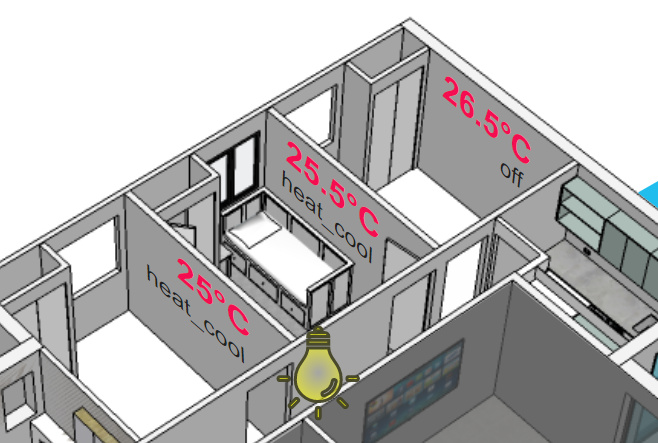
 stoic rain
Assuming this is just one card I'd like in the stack?
split granite
Depends on the contents of the YAML, but try both
@pastel python I think you're lost - this is the Discord server for https://www.home-assistant.io/
Oh, and they've left already 🤷
stoic rain
Maybe he confused Home Assistant with a home assistant.
This worked!
    cards:
    - !include ../cards/renovation.yaml
Thanks again for the poke in the right direction, @split granite
I'm making different frontends for my computer, our phones and the control tablet. This was necessary 🙂
 spiral pasture
@stoic rain I do lots of that. I also use lovelace-gen that way I can define a ‘card’ in a yaml file, often these will be several cards in some kind of stack or in the layout-card. Then I can call them from different dashboards and views with different variables if I want. It makes for a lot of reuse and is much more DRY so easier to modify.
stoic rain
Lovelace-gen looks like a scary rabbit hole
I don't have time for that
Installing it now
spiral pasture
Lol - took me some time to understand it, love it now.
https://community.home-assistant.io/t/views-vs-dashboards-what-am-i-missing/182221/8?u=eggman
 cosmic gazelle
Hey guys, just updated to 108. I know there's a breaking change in themes, but how do I fix it?
I'm using Vassilli's themes
The theme is selected in Profile but it still looks broken. The sidebar is still in stock white theme while the rest is accurate...
 naive tulip
Hello... I have added the lovelace resources in the configuration.yaml as https://hastebin.com/abuvosowaz.bash but the customr esources won't load idk why.. anyone can help me?
split granite
ISTR you have to restart HA for those 😦
naive tulip
yes I know
I have restarted it but don't work
Idk if I have made some mistake in the config
split granite
You ran a config check?
naive tulip
yes
everything is fine
I'll try to reinstall it
ah I found the problem.. before the files were created in hacsfile now is on community folder
wheat current
No, no, no, no, no
stoic rain
Lol - took me some time to understand it, love it now.
https://community.home-assistant.io/t/views-vs-dashboards-what-am-i-missing/182221/8?u=eggman
@spiral pasture Well practice makes perfect, you can't make an omelet without breaking a few eggmen.
 knotty sierra
Hi. I need help
I cant access my home assistant
My device ping is ok
But, i cant access samba
split granite
I suspect that #330944238910963714 will be the best place to get help
limpid remnant
@limpid remnant thanks. I'm comfortable with templating; do you still think enumerating might be better in simple cases like this?
@vernal grail Check out lovelace_gen. It will let you loop over lists, among other fun stuff with jinja2.
@vernal grail link: https://github.com/thomasloven/hass-lovelace_gen#jinja2-templates
vapid field
Suddenly I'm getting errors for every custom card like "GitHub returned 502 for https://api.github.com/rate_limit"
"Source: custom_components/hacs/helpers/validate_repository.py:36". Has anybody the same issue?
split granite
GitHub is having ... problems
vapid field
Thank you @split granite.
 prisma ruin
HA locks up every time I open the logbook or certain lovelace elements (on the loading state history section). And... then I just waited and it crashed chrome with a memory issue. Workaround for this?
naive onyx
anyone got home assistant cast to nest hub working through automations/scripts and can give me a working example? im getting failed to connect to websocket api
 hexed furnace
Is there a simple way to change the icon height in an entity card? It doesn't appear to have the icon_height variable like the button card (I tried anyway). Do I need to make a custom card? If so, how would I copy an the existing entity card as that's 99% of it?
Further digging, it'd going to be a custom card. I need to work through this: https://github.com/custom-cards/button-card#templates
 hybrid nova
Hey, may be somebody can lead me to solution. I'm fairly new to this, yesterday completely reinstalled hassio in final attempt to fix one issue, which seemed to work, but ended up with a different one this time: installing addons or today in attempt to install update i gate 400 error on hassio own api i think. Errors from browser console.
Failed to load resource: the server responded with a status of 400 (Bad Request)
:8123/api/hassio/homeassistant/update:1
split granite
#330944238910963714 would be the place to ask
hybrid nova
thanks!
tired quail
building lovelace dashboards is a never ending journey 😂
 hushed pagoda
indeed 🙂
 swift bolt
Is there a way to emit an (custom) event with an lovelace button card?
split granite
Sure, make a service call using the tap action
swift bolt
@split granite THX ... there is a service to call an event?
split granite
hexed furnace
In my research on making custom cards I came across a great example I wanted to copy. Half way down this page is a cool card for RPi system resources. I have all the sensors needed so I assumed I could just copy the YAML and change the sensor names. The error I get is from the very first line type: custom:button-card "Custom element doesn't exist: button-card."
swift bolt
https://www.home-assistant.io/docs/scripts/#fire-an-event
@split granite
Thanks ... I thought there is an direct way without configuring an script for this.
hexed furnace
FYI, trying to do this via the Lovelace UI
split granite
~irc @swift bolt
kind shellBOT
@swift bolt Discord isn't like IRC, you don't have to tag people on every response. Keep in mind that every time you tag somebody, they get a notification ping. That can very quickly become annoying and people may block you.
Command '~irc' was invoked by: Tinkerer
split granite
And there is, but I linked you to the service call details
swift bolt
Sorry don't get it!!!
What is the domain and the name of the service?
hexed furnace
FYI, trying to do this via the Lovelace UI
Ah crap, I think I need to change to YAML mode for Lovelace and I don't think I want to go down that path just yet.
swift bolt
I am sorry ... but what is the domain ... like light.turn_on or cover.set_position ... xxx.event???
type: button
tap_action:
  action: call-service
  service: event.xxx
  service_data:
    user: ISABEL
    action: TURN_ON
name: Turn on
 verbal sand
does anybody know how to get the custom compact header back if i disabled the header....
verbal sand
how do i get to raw config of a second dashboard?
swift bolt
Click the three dot menu in the right upper corner. Then click on "edit" and then click on the three dot menu again and there it is.
verbal sand
my entire header is goine, so i cant see the three dots
swift bolt
Ohh ... then
If you need to restore the default header add ?disable_ch to the end of your URL: http://192.168.1.2:8123/lovelace/1?disable_ch
swift bolt
Your welcome
devout hatch
why some webpages in webpage car are refusing to connect (gray page with sad paperman)
and some of websites working?
split granite
If you use HTTPS for your UI all those have to also use HTTPS
devout hatch
so I need to add SSL to my HA?
split granite
Then your problem isn't with SSL, yet
However the iframe is just a link your browser loads, so the problem is possibly with the browser/site
split granite
That's what https://www.home-assistant.io/lovelace/iframe/ is 😉
devout hatch
Im a little bit surprised that nobody has created a card for youtube
for example to search and play some videos or something like that
split granite
I think you may be the first person I've seen looking for it 🤔
devout hatch
Im just looking most convient way to search and play music
maybe video..
My best guess is a spotify with some playlists
I will check volumio too
 dawn patrol
Hi, I want to create a graph that shows my daily data traffic. But I only have one sensor on my router that says bytes received. I do not know the time interval. However i think it must be possible to register the amount of bytes per day and show it in a bar graph. Has anybody tried that ?
split granite
 tawny vault
Hey guys, was playing with a code for a switch and after latest HA restart I'm getting some huge errors.
- can't access supervisor (pop saying Unable to load the panel source: /api/hassio/app/entrypoint.js.)
- can't ssl in to restart
- restart from "server controls" does nothing. Same through services
- yet frontend has loaded but a lot of the add-ons e.g. deconz is missing yet wiregaurd is working
Getting these in the logs too
2020-04-22 23:15:31 ERROR (MainThread) [homeassistant.components.hassio.handler] Client error on /supervisor/ping request Cannot connect to host 172.30.32.2:80 ssl:None [Connect call failed ('172.30.32.2', 80)]
2020-04-22 23:15:31 WARNING (MainThread) [homeassistant.components.hassio] Not connected with Hass.io / system to busy!
How do I get myself out of this mess? 😩 🤔
tawny vault
@split granite Damn it I always get the channels wrong 😢