#frontend-archived
1 messages · Page 141 of 1
 winged prairie
 mild veldt
@vapid field you'll have to use the raw editor to add the option
 gusty wing
can i increase the size of a Vertical Stack Card?
 sacred quarry
@mild veldt I did "evolve" a bit the thermostat look: https://imgur.com/a/5gNCxju Unfortuantely the browser-mod isn't working with the multiple-entity-row (I did open a ticket to the developer to see if it can be fixed/introduced) but now I got timings that can be enabled and disabled and icon that show which settings is being used, once I can open a single popup per Timing row with all the per-timing settings I think it will be even better 🙂 Please let me know if you have any thoughts/idea 🙂
 slender silo
hey guys, i'm busting my heat with floorplan, where do i put files so i'll be able to get them later from http request
local folder is mentioned, but i cant find it on filesystem
(i'm using smb addin)
i found https://www.home-assistant.io/blog/2016/04/07/static-website/ but as said unable to find local
 wheat current
You know that is 4y old?
slender silo
just realized
slender silo
oh, thanks
 agile kernel
Can I rotate state-icons in the picture elements card? I want to turn one 90 degrees.
wheat current
filter: rotate(90)
mild veldt
@sacred quarry input overload🤯
@vapid field top right menu -> configure UI
Top right menu again -> raw config editor
 ancient harness
wow that is some crazy thermostat info
 vapid field
Hey there, i am still new to ha. While creating my lovelace gui i want to change the color of an icon based on it´s state. I did manage to do this for the first entity of a glance but the following entities aren´t colored. Could you give me hint what i am doing wrong?
https://paste.ubuntu.com/p/FkcqDFc5gQ/
it looks like this
https://imgur.com/a/aDcpxqL
vapid field
@polar kelp i use the card-mod - could you give my code short look?
 split granite
Please don't tag folks to ask for help like that @vapid field - it tends to come across badly, like you're demanding help
 polar kelp
That looks like it should work.
vapid field
hmmm. strange - even if i use the same entity twice or three times just the first one is colored
polar kelp
Did you try the debug mode?
Also, check in the inspector if there's a card-mod element added in the shadowroot of the state-badge
vapid field
since now i just used the element inspector of chrome. the first icon:
ha-icon[data-domain="sensor"][data-state="zu"] {
color: var(--state-home-color);
and the second one:
ha-icon {
transition: color 0.3s ease-in-out 0s, filter 0.3s ease-in-out 0s;
}
card-mod element is added in the shadowroot of the first icon.
Do you have a hint for me how to use the debug mode?
polar kelp
debug_cardmod: true https://github.com/thomasloven/lovelace-card-mod#advanced-usage
That should tell you what steps it's taking to find the right element, and how many matches it gets on each step.
vapid field
i tried the debug_mode - to be honest i do not really know how to interpret the result
and - after reloading the home assistant page - i get an error in the console. the error dissapears after 5 seconds or so:
'''
Uncaught (in promise) TypeError: Cannot read property 'style' of undefined
    at card-mod.js:1
    at NodeList.forEach (<anonymous>)
    at HTMLElement.customElements.get.firstUpdated (card-mod.js:1)
    at HTMLElement.performUpdate (updating-element.ts:718)
at HTMLElement._enqueueUpdate (updating-element.ts:653)````this is the first output of the debug_mode: a document already has a focused element. card-mod.js:1 Stepping into root of HA-CARD card-mod.js:1 Searching for: ".entity". 3 matches. card-mod.js:1 Stepping into DIV card-mod.js:1 Stepping into ShadowRoot of DIV card-mod.js:1 Searching for: "state-badge". 1 matches. card-mod.js:1 Stepping into STATE-BADGE card-mod.js:1 Stepping into DIV card-mod.js:1 Stepping into ShadowRoot of DIV card-mod.js:1 Stepping into DIV card-mod.js:1 Stepping into ShadowRoot of DIV
 odd light
wut
polar kelp
Hm... that's odd. Looks like it only finds a shadowroot in the first .entity...
@vapid field Are you using version 6 or older of card-mod?
 atomic glacier
Are trailing spaces allowed in a .js file?
https://imgur.com/a/oZalSCN
 balmy moon
Hey all, I cant find the answer to this question anywhere. Is there a url to each lovelace view(tab) that does not also have the HA menu on the left. I'm looking for a tablet setup
ancient harness
Thomas, don't know if you saw my message late last night, but wanted to say the lovelace-auto-entities and slider-entity-row are great
ancient harness
Example of all my lights and switches (sans alexa media player ones added), and dimmers get the slider entity row - https://hastebin.com/azapojohem.bash
on items are moved to the top 🙂
still trying to master mini-media-player though.... not turning out as cool as I wanted
 livid oracle
@ancient harness What are you trying to do with your media player?
ancient harness
just make it look cool
something along the lines of this: https://i.redd.it/mpaxdxz0bc631.png
 livid oracle
got a screen shot?
very doable for sure
the example on the git hub walks you through how to do that, then just style your buttons
ancient harness
well yeah, just not sure how they did that... nothing appears in mine when i play say a youtube video, or playing music on an alexa
livid oracle
you are using the mini player?
ancient harness
yeah, it always just looks generic https://i.imgur.com/T8tASQv.png (i know it should on it's current activity, but even when i play something it doesn't show, however the "native" card does show the radio station cover art)

and how to make it consume space even if not playing would be nice
mild veldt
@balmy moon you can use custom-header with kiosk mode
I use this
custom_header:
  compact_mode: true
  exceptions:
    - conditions:
        query_string: kiosk
      config:
        kiosk_mode: true
So that when I put ?kiosk at the end of the url, it enters kiosk mode
ancient harness
that's a cool lil trick... just added that, but to disable_sidebar when kiosk is set, so i can still access tabs
atomic glacier
@mild veldt ❓ ☝🏻 Any advice? Had issues before with the .js file that was located in and just wanted to clarify...Thanks!
mild veldt
@atomic glacier while you might fail some linters, there's nothing wrong with it. that's css though, which, well I frankly am crap at. so... 🤷♂️
vapid field
hello! a question about camera stream: i can see the liveimage from a axis, for seeing how many recordings was made, i entered the id of the counter, a name and set the state true. fine so far, does what i want. BUT: if i click on the image, i got the infocard about the counter and would like to see the liveimage in big. ok, so i did a tap_action saying me 'no stream'. how to fix this?
entity: sensor.cam_front_count
camera_view: live
camera_image: camera.camfront
name: Aufzeichnungen
show_name: true
show_state: true
type: picture-entity
tap_action:
action: call-service
service: camera.play_stream
service_data:
entity_id: camera.camfront``` swift marten
sorry if this is dumb- just biting my teeth into lovelace. if I want to change the background image of a recently installed HACS theme- what do I need to have done ahead of time? Like the www folder in my config folder? Or do I tell it which image I want in the raw editor?
 feral rivet
so I copied this config file - entity: alarm_control_panel.home_alarm labels: state.alarm_control_panel.arm_away: Away!! ui.card.alarm_control_panel.code: Inserire un codice a 4 cifre show_keypad: true states: - arm_home - arm_away - arm_night style: '--alarm-color-disarmed: var(--label-badge-blue);' title: My Alarm type: 'custom:alarm_control_panel-card'
directly form https://github.com/ciotlosm/custom-lovelace/tree/master/alarm_control_panel-card. Only thing I have changed is the entity to match mine yet my card does not work. this is the error message that I am getting this._configElement is undefined
balmy moon
@mild veldt I would add those custom headers on the view its self or in configuration.yaml?
mild veldt
everything lovelace is done in the raw config editor or ui-lovelace.yaml (if you're using yaml mode, which there is little reason to do)
@balmy moon custom header section is a top-level configuration, i.e. same indentation as views
swift marten
@mild veldt does that also mean the background images are added through raw config as well?
swift marten
yeah I read that but it doesn't really help me understand. I installed a theme using HACS. I want to change to one of the backgrounds the creator used for their theme. Do I do that in the theme file or is there a way to do that in the UI?
balmy moon
@mild veldt thanks. I dont find any documentation on custom headers. does it exist?
mild veldt
@swift marten I'm would think you'd have to edit the file installed. Not sure on that one
swift marten
I'll try that and then see what happens. Thanks
feral rivet
@mild veldt I am not sure that i understand your point. I can across that card as an example that I could use. I will try the link you posted.
mild veldt
@feral rivet you're trying to use a custom card that hasn't been updated in 17 months vs the card included with lovelace that is actively maintained
feral rivet
got it
 kind shellBOT
@feral rivet posted a code wall, it is moved here --> https://paste.ubuntu.com/p/KCzQbG294K/
feral rivet
@mild veldt so I do this as a sample card I created, the issue that i have with it is that I do not have the keypad function for arming and disarming the system. Can I have the lovelace card show the keypad?
vapid field
@polar kelp: No, i installed it via HACS. HACS reports version 12
feral rivet
@mild veldt I am also getting a config check error when using the lovelace card Component error: type - Integration 'type' not found. Component error: entity - Integration 'entity' not found. I am literally copying this type: alarm-panel entity: alarm_control_panel.alarm from the example and only changing the entity to match mine.
mild veldt
lovelace cards are added to the lovelace configuration, not configuration.yaml
just use the ui editor
the card is an option with a UI editor
feral rivet
@mild veldt I am using the UI, I don't even have a lovelace.yaml folder as far as I can see. The UI editor card that comes with HA works and I am able to see my three states just fine. The issue I am having is that I am not able to see the trigger, delay, pending time or the keypad.
From my laptop I am able to arm and disarm any state without the keypad, but I would like to have the keypad entry be used when disarming from any state.
 torpid echo
probably a stupid question. But is it possible to add a custom card from HACS through a UI instead of adding to ui-lovelace.yaml?
swift marten
that's what I'm trying to figure out as well
torpid echo
yeah - I really want to use a attributes details in the card and do not want to define a separate Template sensor. I found this Entity Attributes Card and really wishing to see how it works
There is literally zero doc on how to add the custom card properly. I surely will create a Docs PR when I understand it
swift marten
yeah I'm finding the documentation a little sparse as well. The discord community is helpful for sure, but I feel bad and annoyed having to search for the answers through comments left on GH
mild veldt
@swift marten @torpid echo Lovelace has evovled at a very fast pace and things have naturally changed from what is documented in lots of places
Everything can be done via the UI, minus so very advanced use cases
HACS actually offers to "install" custom cards for you
torpid echo
okay thanks. I just watched a short video. Somehow the Add to Lovelace was not coming in my custom card. So realized that the custom card didn't had proper instructions - url: /community_plugin/entity-attributes-card/entity-attributes-card.js type:
Actually it should have been ```title: Home
resources:
- url: /community_plugin/entity-attributes-card/entity-attributes-card.js
type: module```
Now it works fine
feral rivet
@iantrich are you saying that I am able to add 'show_keypad : true the code and it should work?
vapid field
@lucid trail Like, tried following a guide from DrZzs but it seems like hes using the actual config
Yeh, ive been trying loads of things now with the floorplan but im clueless right now, my brain cant handle it ahha
6 am here now >.<
 lucid trail
@vapid field first thing is to get a new tab created in HA; use your floorplan image, and make sure you set it to panel: true the Lovelace Card Type should be picture-elements
once you get a good-fitting image, then the rest is just setting up your icons and positioning them
vapid field
So after doing so it would look something like this?
https://youtu.be/LsFUwqb-6As?t=27
@lucid trail What size is the optimal size for the panel mode ?
With the entity button card, anyone knows why "Tap_action: Toggle" is not working ?
    cards:
      - type: picture-elements
        image: /local/home.png
        elements:
          - type: state-icon
            title: Nachtkastje links
            tap_action: toggle
            entity: light.hue_pc_links
            style:
              top: 45%
              left: 13%
              font-size: 17px
I fixed it.. for anyone wondering i had to reformat the tap_action from
tap_action: toggle
to:
tap_action:
  action: toggle
That's wierd... So the documentation is correct 🤔
vapid field
Affirmative, blindly following an older guide is not the way to go, glad i got it sorted out by doing research
wheat current
Who would have known 🙈
vapid field
a question about camera stream: i can see the liveimage from a axis, for seeing how many recordings was made, i entered the id of the counter, a name and set the state true. fine so far, does what i want. BUT: if i click on the image, i got the infocard about the counter and would like to see the liveimage in big. ok, so i did a tap_action saying me 'no stream'. how to fix this?
entity: sensor.cam_front_count
camera_view: live
camera_image: camera.camfront
name: Aufzeichnungen
show_name: true
show_state: true
type: picture-entity
tap_action:
action: call-service
service: camera.play_stream
service_data:
entity_id: camera.camfront``` magic jay
Is there a card like the glance card but allows you to change the state text with an attribute value of the entity?
ancient harness
It's amazing what HACS and a few hours of tinkering can get you:
From AutoGenerated Mess: https://i.imgur.com/7I3PDH8.png
To Tolerable: https://i.imgur.com/mDRjKVG.mp4

 fallen badge
Anyone else having problems with double_tap_action registering as a single tap on android?
polar kelp
I've heard there's been problems. But I'm not touching that with a ten foot pole.
 cursive quail
@fallen badge https://github.com/home-assistant/home-assistant-polymer/issues/4419 maybe?
kind shellBOT
@torpid echo Your message has been deleted as it contains a link or a domain name 'pasteboard_dot_co' that is on the blocked list because of: 'Virus detected!'.
Please re-post by removing/changing the domain name/link. Your original message has been DM'ed to you.
 timber locust
Good Morning
I've a question. I have two entities with a value. One of the two is 0 and the other has a "value"
is there a way, to just display this one with a value >0
?
So that it changes dynamic between this one that is not 0
sacred quarry
@sacred quarry input overload🤯
@mild veldt input overlord! 😄
cursive quail
@timber locust I think you are looking for "templating"
timber locust
templating?
timber locust
Okay... will read and try to understand.
What I want is just to show the entity that is >0 (of the two)
like "show a) or b)"
mild veldt
No
 ivory swan
Thanks
polar kelp
Hey Dinotech. I mixed things up. My testing of q-card was with state-switch, not layout-card. I'll get on that and get back to you.
atomic glacier
So I have ran acrossone irritation with q-card that I've found only one way around...yet. Themes changes aren't applied to stored q-cards and the only way they will change are by using frontend.set_theme service 👩🔧 unless you have any other suggestions ❓
polar kelp
I'll make a note of that. May be able to fix that with some functions related to the card-mod theme connection.
atomic glacier
Still having issues with new state-switch version, but just touched on it for a few minutes last night. Giving blank screen
polar kelp
I assume refreshing the page works too?
atomic glacier
Tried hard reload and didn't work. Only by service call
polar kelp
Are you using cast, btw?
atomic glacier
No just testing on FKB on my Android, but I will check chrome on the desk in a few minutes and see what happens there
polar kelp
Ok... remind me, did you try switching to another view and then back again?
atomic glacier
Hang on, I'll check
Oops. Forgot, I only have access to one view on mobile, will fix that real quick and test then tag you in a couple minutes
 wooden latch
Hi, just installed the ios-light theme, love it, but switches in a glance card have the same colour ON and OFF. How can I change the colour when either ON or OFF?
polar kelp
Do they change color in the normal theme? Only light, switch, binary_sensor, fan and sun entities change.
wooden latch
yes it is power switches, the little lightning icon, in default theme yellow is on and dark blue'ish is off
polar kelp
Then I think it´s paper-item-icon-color and paper-item-icon-active-color.
wooden latch
Much appreciated @polar kelp
polar kelp
which should be linked to state-icon-color and state-icon-active-color respectively.
wooden latch
@polar kelp works, thx
atomic glacier
Okay...switching views or reloading soft or hard doesn't help. In a nutshell, just as I stated above. May be missing an option, but only finding service call frontend.set_theme working. I did modify my browser-mod theme change script to just frontend.set_theme and that works fine, but you lose ability to denote which devices to apply changes to. 🤷🏻♂️ @polar kelp
polar kelp
Oh. I meant for the state-switch problem.
Sorry about the confusion. But that's good to know too.
atomic glacier
NP...checking now
state-switch problem=switching views or reloading soft or hard doesn't help, and no errors. Just produces a blank screen. Don't worry about this issue for now. I will breakdown my GUI down and rebuild like I did for q-card to see if I can find something for you to go on. Getting ☕ and starting on it ⏰ .
atomic glacier
Tried every scenario/combination with my config using the new version of state-switch I could think of and... 🧐 It appears the culprit has something to do with card-modder. 😕 Which means until I can figure out how it's possible to get this << https://paste.ubuntu.com/p/pckdtkBHMf/ >> into card-mod I'm stuck using both versions. 🙄 <--I've been in much worse situations before 🤣 @polar kelp
polar kelp
style: |
@keyframes ready {
...
} ...etc...
ha-card {
background-image: url(...);
...etc...
}``` restive lance
I'm looking for inspiration for my Lovelace layout ... has any one come across a gallery or somesuch ?
 dreamy tendon
I guess you've seen the examples on the home page? Check the reddit posts by popularity
 runic heath
Has anyone here been able figure out a way to change the size of state icons for the picture elements card based on a relative scale? I’ve figured out how to change the size of them, but can’t seem to get a percentage based size to work so that it looks the same on all screen sizes.
atomic glacier
Got most of it working with new state-switch version except...
works=background-image: url(/local/images-lovelace/mobile_backz/mobile21.jpg);
doesn't=background-image: "url(/local/images-lovelace/mobile_backz/[[ input_select.mobile_wallpaper.state ]].jpg)"; or any combinations of quote placement of type " or '
Don't know if there is a way around that one🤔 ...and animations have same issue. Won't work from input_select.alert_type.state, but will if I just add the animation name, e.g. "alarm", "alert" animation: alarm 2s linear 4; <--works @polar kelp
@runic heath I just create a different view for each device instead of trying to make it all work. Never had any luck getting my mobile layout to look good on a desktop, LOL
runic heath
Ok good to know! I’ll give that a shot! Thanks @atomic glacier
polar kelp
Card-mod uses real jinja templates with {{
sacred quarry
Thomas I got a question for you (for when you got time), I noticed that if I have more tabs open, the browser mod popup service, will open the popup not on the tab I clicked, but on a different one (not sure what's the rule, haven't investigated that), is there anything I can do to force to open on the "current tab"?
 queen summit
I want to update the UI automatically,but I do not know how to do
polar kelp
The rule is that it's opened in the last refreshed tab.
Officially, only one tab per device is supported.
@queen summit What does that mean?
queen summit
now I have to add the light button by myself
but it can add automatically yesterday
queen summit
Thanks!
polar kelp
But all your changes will be gone
queen summit
that‘s ok
Your config is not valid: TypeError: Cannot read property 'title' of undefined
I can not save
it alert 'Your config is not valid: TypeError: Cannot read property 'title' of undefined'
sacred quarry
Thanks Thomas, I hope there was a way to tell the card "open in the current active tab" 🙂
polar kelp
@queen summit What's your hass version?
 winter karma
in the latest version where is the 'check config' button?
atomic glacier
@winter karma side bar >  > server controls
polar kelp
You may need to activate advanced mode in your profile.
atomic glacier
Tried this with and without quotes and it caused the background-image to disappear as well, so I'm thinkin' 🤔 not correct...
animation: '{{ input_select.alert_type.state }} 2s linear 4';
atomic glacier
Seeing the old way disappear rather quickly.....🙈
...and also seeing I don't like this shadow-root at all ...more reading 😜
 velvet elk
Hi, is there a simple way to format units? My sensor outputs in bytes and kb/sec but i want them formated in an easily readable format.
mild veldt
@velvet elk unit conversions are done via template sensors
 smoky depot
you could also try changing the unit of measurement under Customize
mild veldt
🤔 yes...that would probably work, wouldn't it 🤣
velvet elk
Via Lovelace -> Click on entity -> Edit? There is no option to change anything beside the name
velvet elk
Hoped i could spare the template sensor, as i need this only for displaying it
 tawny lynx
Has anyone got the custom:swipe-card to work with the custom:list-card ? Kink to my config below, but I get an "Cannot read property 'startsWith' of undefined" error, and I'm not sure where that's coming from. https://hastebin.com/suyuniqexu.bash EDIT: I had a typo, but even after correcting, I get "Please define an entity"
velvet elk
Ah ok, but there is then no option to always get a fitting unit, like for df -h
mild veldt
@tawny lynx list-card takes an entity, not entities
tawny lynx
@mild veldt when I had it as just entity: sensor.npr_feed I think it told me the entity had to be in an array. Does this mean it can't be done?
 errant birch
just a general question..
trying to alter the appearance of a card by using chrome's built in inspection tool
but the page keeps auto refreshing and thus changing the code so it's not letting me select the correct block
any workaround ? google didnt turn up any results
Already found my answer on google .. 😆
if anyone also want to know, enter "debugger;" in console to pause tab
vapid field
@lucid trail Got it sorted out the floorplan! Can you reccomend me any floorplan generators/creators because my pain skills are bit iffy
lucid trail
@vapid field good to hear! Someone may have a better one but I used a combo of magic plan and tracing what was available on my local county assessor’s site. If you live in an area with similar resources, that helps.
vapid field
@vapid field good to hear! Someone may have a better one but I used a combo of magic plan and tracing what was available on my local county assessor’s site. If you live in an area with similar resources, that helps.
@lucid trail Gonna give that a go thanks man! also another quick question, do you know what size the floorplan should be for panel mode
lucid trail
I hear Sweet Home 3D is good too but haven’t used it. There are some examples in the “share your projects” section of the forum.
I don’t recall the best size and mine is a bit large for the screen...if you find the best size let me know! I honestly haven’t done a lot of front end work in a while so I’m behind on the best ways atm.
vapid field
Yeh mine is like way to big atm when i do panel, i have to scroll miles haha
I will let you know when i figure it out! :)
lucid trail
I’ll see what mine is when I get to the files and post.
mild veldt
@tawny lynx I think you're mistaken. It takes a single entity
tawny lynx
Yep - I got it, thanks!
mild veldt
@errant birch in the inspector, go to the sources tab and you can pause javascript execution
ancient harness
Seeing this in an example, and wondering what the feature is called so I can look it up: {%- set name = '{}s' if value > 1 else name %} in particular the assignment is what i'm interested in. Occasionally it's not working as I'd expect, which is why I'm looking for docs
ah... i think it was a typo? i figured a way around it, though
changed it to {%- set name = '{}s'.format(name) if value > 1 else name %}, which seems to actually work
now.. to figure how to make this a reusable function: https://hastebin.com/vakoronuhe.cs
 half cairn
\o/ great success, got a horizontal stack with picture entity cards with several sensors working in the swipe card, even more efficiency for mobile control 😄
 amber sun
Question, how do you take an attribute of a sensor/integration? For example I have darksky integration. Making a card with - entity: weather.dark_sky makes an entity object that says "Sunny today". But what if I want to use it's temperature?
Another example is my generic thermostat, if I make it an entity it says "Heat", but I want it to show temperature. Each of these integrations/sensors has the option for temperature, as seen on the Developer Tools > states of lovelace.
I've tried just appending the attribute like
- entity: weather.dark_sky_temperature
with no success
mild veldt
@amber sun most cards are designed around the idea of an entity, not its attributes
depending on how you want to display things, there are a few options
the easiest method is to use the markdown card
if you want to track the history, use a template sensor that extracts the attributes value into a new entity to be used as you wish
if only lovelace specific, there are custom cards that allow you to display attributes using templates
livid oracle
I use a value template to do that @amber sun
value_template: "{{ state_attr('sensor.energy_togrid_daily', 'last_period') }}"
last_period is an attribute
I use this a lot for all my power monitoring.
amber sun
I tried that, still shows 'clear, night':
- entity: weather.dark_sky
style:
font-size: 10px
left: 32%
top: 12%
type: state-badge
value_template: "{{ state_attr('weather.dark_sky', 'temperature') }}"
 livid oracle
I will give it a try
mild veldt
@amber sun that's for a template sensor https://www.home-assistant.io/integrations/template/
amber sun
Ah, ok, got it, I will try that
mild veldt
not to be used directly in card
amber sun
Ok, so I made a template and restarted:
weather:
- platform: darksky
api_key: !secret darksky_api
sensor: - platform: template
sensors:
weather_temperature:
friendly_name: "Current Outside Temperature"
unit_of_measurement: '°F'
value_template: "{{ state_attr('weather.dark_sky', 'temperature') }}"
Now where do I see it? Is it an entity now? I can't seem to add it to entity cards etc
mild veldt
you didn't read the docs I posted, I take it? I totally misread, sorry.
you see it in Developer Tools -> States?
If not, any errors in Developer Tools -> Logs?
amber sun
No, I still only see the darksky integration, not my template.
Only log error is: frontend_latest/chunk.d5961ced1d8380ae21ba.js:2417:193320 Uncaught YAMLException: unacceptable kind of an object to dump [object Undefined]
I can remove and restart and see if that error still shows in log. My YAML syntax was checked as OK
Ok, got rid of that error by removing °F, but still not showing up in states, no other error logs
mild veldt
@amber sun do you already have HACS installed by chance?
amber sun
@mild veldt I do
mild veldt
I'd go this route then https://github.com/custom-components/templatesensor
is what I use for template sensors
allows you to quickly create them without restarting
amber sun
cool, that's nice, i'll try that
👍
Awesome, that worked perfectly. And no reboot, even better! Excellent recommendation
 north igloo
I noticed like half a year ago that the colors of the light switches where inverted... (on = grey / off = white) I am using the "backend-selected"... the dark theme...
i tried to change colors in the theme file... but without success...
is there a easy way to get back to the old colors? for me it just doesn't make sense to have inactive lights bright and active onces dark...
vapid field
hi people, just having trouble installing lovelacd
lovelace
do you still do it by adding the repository https://github.com/hassio-addons/repository ?
I don't see a new addons card after adding this, and I can't find the lovelace-migration addon
half cairn
@north igloo check your frontend.yaml, look for paper-item-icon-color and paper-item-icon-active-color.
half cairn
https://imgur.com/g8EhEJ4 <-- ios app view of my lovelace main page. #swiper action
sacred quarry
Hey guys, is there a way to set an entity_id in LL which is "assembled" using other entities values? ex: ``` entity: input_datetime.climate_[[area]]workday{{ states.input_select.climate_house.state }}_start
 hidden plinth
Hi, can someone point me in the right direction with a template/code? So through trial and error I have written this code:
Volume staat
op {{ states.media_player.sony_soundbar.attributes.volume_level *
100 }}%.
This will give me the volume of my speaker as a mark-down card. It shows 28.0%. However, on some volumes it's like 24.0000000000001%. Basically, I want it to be round up without decimals. For brightness (label on card-button) I have this line which works great for my lights:
      [[[
        var bri = Math.round(states['light.woonkamer_yeelights'].attributes.brightness / 2.55);
        return (bri ? bri : '0') + '%';
      ]]]
I tried to add Math.round in my volume code, but it didn't work. Can someone help me how to fix the volume code so it only uses whole numbers and no decimals?
sorry for the long post btw
polar kelp
First of all, put backticks around your code in discord: `
That makes it look better and is easier to read
Second, don't use states.. Instead use state_attr('media_player.sony_soundbar', 'volume_level').
Third. You're looking or the int filter. Used like {{ (state_attr('media_player.sony_soundbar', 'volume_level')*100) | int }}.
int is short for Integer, btw.
hidden plinth
Thanks! I wasn't aware Discord supported that like HA Community forum as well, I'll make sure to stick to that in the future. Also thanks for the advice, I have tried your way and that works. I'll update my other codes as well to this format. I'm not experienced with coding, so I found a line somewhere and started hacking and matching stuff till it worked.
polar kelp
That's how the experienced people do it too.
mild veldt
@vapid field Lovelace is the default. You don't install it
@sacred quarry using config-template-card or templater-card, yes
 stone basin
I am looking to theme this popup. https://user-images.githubusercontent.com/152501/73235960-9887f680-415e-11ea-91fb-68625c572c7a.png but I am not sure where iron-list is themed .. any pointers?
 sacred quarry
@mild veldt yep I know that, but I would need to "pre-define" those variables while I need something more dynamic, but don't worry I actually realized that I needed something else so it doesn't really matter anymore 🙂 On a different note, I did reduce the size of the thermostat now 😉 https://imgur.com/a/LC0FsTH And if you click on a value it will open the whole config in a popup (https://imgur.com/a/9QzInSe), which yes, it still needs some improvment 🙂
Now I only need the author of multiple-entity-row to check an issue I've opened, apparently I can select a service (as a tap_action) for each "sub-entity", but not for the "whole card"
 muted fossil
Can someone tell me how I can multiply a value by 1000 in a Gauge card, so this Gauge card can show me W instead of kW for DSMR? Default shows kW
Since my usage is pretty low, i would like do display W
mild veldt
muted fossil
Thank you! Will look into it this evening
kind shellBOT
@rare frigate posted a code wall, it is moved here --> https://paste.ubuntu.com/p/hgNF6QrjyW/
polar kelp
Lines in css ends with a semicolon
 mint geode
Isn't it possible to have a live camera view in an picture-glance card with additional entities being shown in the bottom?
aspect_ratio: 50%
camera_image: camera.camera_garage
entity: camera.camera_garage
entities:
  - binary_sensor.camera_garage_outdoor_animal
  - binary_sensor.camera_garage_outdoor_human
  - binary_sensor.camera_garage_outdoor_vehicle
  - binary_sensor.camera_garage_outdoor_motion
name: Garage
show_name: true
type: picture-entity
camera_view: live
It always shows the name and the state but nothing else
mild veldt
@mint geode do you have stream enabled?
oh, you want the additional entities
well like you said, picture-glance 😉
mint geode
Sure I did
mild veldt
you want picture-glance
mint geode
OH
I did look upt he docs for picture glance and was wondering why the heck doesn't this work. Didn't see I had the wrong card type. Well, it's working now 🙂
mild veldt
👍
feral rivet
@mild veldt hey man I am back still trying to solve for the Alarm Control Panel issues. here is what my card and config file looks like using the card in Lovelace.```entity: alarm_control_panel.home_alarm
name: ALARM
states:
- arm_home
- arm_away
- arm_night
type: alarm-panel```
 turbid pecan
I'm being a dunce. Installed the auto entities card through HACS.
Where do I put the resources: url: stuff?
Not using Lovelace YAML mode, just normal Lovelace but I have made changes, so not auto generated.
I tried at the top of the raw editor, but all I get is "Custom element doesn't exist: auto-entities." when I try to use it.
I've followed https://github.com/thomasloven/hass-config/wiki/Lovelace-Plugins to no avail.
Do I need to restart HA?
feral rivet
it does not have the code: or any of the other settings for a control panel
mild veldt
@turbid pecan go back to HACS and open that plugin. At the top will be an install button
@feral rivet the code is set on the backend
feral rivet
@mild veldt is this the backend that you are referencing? ```alarm_control_panel:
- platform: manual
name: Home Alarm
code: 1234
pending_time: 30
delay_time: 20
trigger_time: 4
disarmed:
trigger_time: 0
armed_home:
pending_time: 0
delay_time: 0``` found in this link https://www.home-assistant.io/integrations/manual/
mild veldt
@feral rivet right, yes
feral rivet
@mild veldt ok good . I have that in my config file as well. So if I arm or disarm the panel the keypad should show up even if I am using the alarm-panel card. Is that a correct assumption?
mild veldt
I don't follow that
The keypad is displayed if you have a code set
*and it is all numbers
feral rivet
lol yea I thought so as well, but it does not happen in my case. No keypad pops up for arm or disarm in any state.
mild veldt
I have the same backend, exactly, except for the code and it shows for me...
kind shellBOT
@feral rivet posted a code wall, it is moved here --> https://paste.ubuntu.com/p/PpcdskDY5v/
split granite
~rule6 @feral rivet
kind shellBOT
@feral rivet Rule #6: Spam will not be tolerated, including but not limited to: self-promotion, flooding, codewalls (longer than 15 lines) and unapproved bots.
Please take the time now to review all of the rules and references in #rules.
Command '~rule6' was invoked by: Tinkerer
feral rivet
Should I add those two lines to my config file? could certain alarm automation process be the cause? @split granite my bad
split granite
feral rivet
tracking, I have chosen to list devices separately . The thing is that what I am describing is not a separate device or platform https://www.home-assistant.io/integrations/manual/.
split granite
If you already have
alarm_control_panel:
  - platform: manual
    name: Something
Then all you do is underneath that add
  - platform: manual
name: Home Alarm```Style 1
feral rivet
got it. I will play with this an report back.
split granite
Not that this has anything to do with Lovelace 😉
feral rivet
😁
ancient harness
hell, this one actually cuts the mustard just fine https://github.com/bramkragten/weather-card
polar kelp
What's with all those configuration options?
wheat current
It's highly customizable fragile
polar kelp
If only there was some way to predict the sensor names, say by limiting it to a single weather integration, or so...
wheat current
that would be neat
split granite
If only the one using the weather entity didn't feel the need to tell me it'll be 7.1C tomorrow 😛
I'm sure somebody cares about 7.1 vs 7, or 14.95 km/h winds vs 15 km/h 🤔
wheat current
You don't?
split granite
I'm reasonably sure I can't tell the difference
Besides, it's probably wrong anyway 😛
wheat current
You probably not, your beer however.... BIG difference
ancient harness
hahaha, yeah get your priorities straight!
split granite
That's what fridges are for
wheat current
And? Where do you have your weatherstation if not in the fridge? 🤔
polar kelp
Here's a variant with m/s wind speeds, btw. https://github.com/helto4real/hassio/tree/master/www/custom_cards
torpid echo
I wasn't sure where this question belonged so also posting it here. Question about the attributes. I have a custom code which dynamically generates attributes, say A, B , C and so on. These are properly displayed in lovelace as long as the new attributes are added. However, when I remove an attribute say B, the lovelace still retains the attributes and its old value. How do I remove them? Is there a way to forcefully update an entity in lovelace?
mild veldt
When you say "Lovelace still retains", what do you mean? Where are you seeing them displayed?
And where do you see they have been removed?
torpid echo
@mild veldt I am using the custom component to generate the attributes. which uses the psuedocode self._attrs[busNameAttr] = based on logic - say A, B & C
So I know what attributes are generated. IN lovelace I display either using the template sensor or Attributes card.
so whenever an attribute which is removed from a sensor is still appearing in the template sensor or in Attributes card until I restart my home assistant. This led me to believe that the attributes are retained
mild veldt
Right a template sensor will retain its value if it stops evaluating I believe
 glossy birch
That’s right. Until you restart HA.
mild veldt
But I believe what you have is that new ones are generated but not removed
ancient harness
I'm a little confused right now, I was told that attributes aren't tracked over time, only state... But when I click the  on the
 thermostat card, it shows a graph of when heating and cooling took place.. but that value (as best as I can tell) is derived from an attribute, and I don't see any sensor that appears to be tracking said value... so the question is how does lovelace show me this info in the entity info popup, and how can I gain access to that data?
torpid echo
The new one generated are no problem. It is the ones I remove them that are still persisted. For example. My Custom Sensor add A, B & C. If I add new attribute D, it will show up in Attributes card (It is a Hacs card which shows all the attributes of a component). But when my custom code does not have an attribute say C and only A, B & D are generated, then the attributes card still displays the A, B, C & D (similary the same for a template sensor which is tuned for attribute C)
mild veldt
"doesn't have" is still not clear to me. Are you clearing all attributes on update? To me it sounds like you are not if they are still seen. They are there in Developer Tools -> States?
torpid echo
well, I think you got me on that. Let me double check on that. In my custom sensor for each update I am only adding didn't realize that the removal is never done. I was of the opinion that the sensor would always take only newly generated onesasync def async_update(self): self._attrs[busNameAttr] = based on logic - say A, B & C
How do I remove the attributes from code? maybe question for #devs_core-archived
mild veldt
Yeah but it’s should just be as easy as calling attrs.clear() I thinking
torpid echo
cool. Let me check. thanks for the guidance man, would have spent an entire day otherwise
BTW, I am generating a bus schedules based on scraping a site. The issue was when a bus service gets removed or not operating for that day, the previous values are still being shown for that bus and hence was an annoyance
mild veldt
👍
ancient harness
Am I looking at the right source for this component?
 livid oracle
@half cairn Can you share how you did this swipe action! I really want to add this feature. Great work!!
torpid echo
@ancient harness You could check the developer tools -> states to check whether that entity has their attributes displayed
ancient harness
yes i've looked at states, and it's an attribute (not a sensor)... i'm trying to make sense of how the "more info" is able to get a history of attributes, but i can't utilize them without creating my own sensor to track as an entity
torpid echo
Entity Attributes Card is the HACS card you can use if you want to directly display all the attributes in lovelace
ancient harness
well i want to graph them over my other graph data
torpid echo
ah the history of the attributes....
ancient harness
yes
torpid echo
think will have to do it programmatically. but lets hunt around - good to think over this today 🙂
ancient harness
i see people online mention creating a sensor to track it, but that feels really tedious and cumbersome
torpid echo
I am anyway today in mood to brood over attributes 😂
ancient harness
and clearly the native UI is able to make use of some history
torpid echo
yes now that you tell me, I realize that UI is utilizing this effortlessly
ancient harness
so i'm trying to figure out how i can use them without creating sensors
from as best i can tell, it's the fault of the cards available, not the data
i can see in the db the attributes are stored with every state change
so there IS a history of attributes
atomic glacier
@livid oracle https://github.com/bramkragten/swipe-card
livid oracle
@atomic glacier perfect thanks!
@atomic glacier Do you know if we can use a sliding div in lovelace?
atomic glacier
not sure what you mean ❓
atomic glacier
that's basically what the swipe card setup is IMO. There are different effects, e.g. flip, fade, etc...but standard looks like what you are asking, just divided into cards, I use that one as well in my setup
atomic glacier
yep...and since I am not skilled to make it myself...I just use what's available...Check DM fo pic
mild veldt
@livid oracle fairly certain swioe-card can do vertical
If you look at the libraries page there are tons of options
It's a pretty amazing card
odd light
what does it do
mild veldt
Jukebox that autoscrolls I made awhile back
odd light
bru, thats sweet
mild veldt
Unfortunately I stopped my Spotify subscription😜
odd light
where are the docs
odd light
sweet
livid oracle
@mild veldt I love that! I have been looking for a media player that can do that
odd light
good god
livid oracle
Do you have all the code here for that?
odd light
yes, custom card, go go go
livid oracle
yes please do make that a custom card 🙂
odd light
put in in HACS lol
livid oracle
sign me up!
mild veldt
It won't happen anytime Soon
odd light
😢
mild veldt
But yeah that code should be enough to do it yourself
livid oracle
ok I will give it a go
mild veldt
The pain, beyond the massive config, is getting all the cover art as well
And playlist IDs
Yeah, that was a pita
kind shellBOT
@quick tendon posted a code wall, it is moved here --> https://paste.ubuntu.com/p/Txyt93npVc/
vapid field
@lucid trail Rip haha ^
could you check that out for me when you have time <3
mild veldt
@vapid field state_image is for the image element
vapid field
@mild veldt im stupid thanks i dont know why i used different element for an image... damn its late haha, any way of resizing the current image at all by using Style?
atomic glacier
paint.net is pretty awesome, easy to use and free 🎉 It's my go to for quick pic editing, icon sizing, etc...
vapid field
@atomic glacier i did edited it but the image stays the same size in the picture element even though i resized it :(
atomic glacier
Gotcha, don't use any picture-element in my setup 💩
lucid trail
@vapid field @mild veldt is right, try that and see if it works.
vapid field
Ye that worked for me, im fighting with resizing the image right now
lucid trail
I played with that a bit last night (resizing the floorplan). I was somewhat successful on the PC but as others have mentioned, the scaling is thrown off on the phone. I used 1920x960. This fits great on my PC but phone is skewed.
So it depends on what device you’re going to be using to access the pane.
vapid field
That seems fair for sure! good point actually gonna looking into this right now, any idea how i can resize an image inside the picture element image so for example right now i have this going on:
 lucid trail
I suppose you could make on page for some common controls for example and have another for the floorplan on bigger screens...but I’m no expert here. I have been focused on automation and not using the UI.
The best way is to use paint.net if you’re on windows and increase the canvas size while maintaining aspect ratio of the image. Then you’re just adding white space to the width and then resize height to no greater than 960 to start with. From there it is trial and error...of course, this also assumes panel: true.
@vapid field your floorplan image is coming along nice! Be sure to always use a copy of the original so you don’t lose work.
vapid field
Yeh i resized the image to way smaller then it is, and changed panel to true, but the image doesnt appear to be changed at all, also removed the older bigger images in a seperate folder and put the smaller ones in the folder the code is pointing to
Thanks!, im working on a 3d model right now in sweet home 3d you reccomended me
lucid trail
The beauty of love lace is that you can quickly change from floorplan1.png to floorplan2 etc. use Ctrl+F5 to refresh.
vapid field
Yes thats what im doing right now, but hmm how do i explain, i have the massive green lightbulb right, it doenst change size even though i uploaded a smaller version of it
lucid trail
Is the lightbulb a state icon? You can set zoom on that.
vapid field
Its an image type, cant seem to use state icon with the image
lucid trail
post an example ... I'm trying to catch a mailbox thief right now on my cameras ... f*@#K assholes.... stole my dog's meds
vapid field
Wtf they actually did that...
lucid trail
they were just stealing mail, but my dog needs her enzymes and they were in there....$80 + no meds for my dog 😦
it looks like a 1/2K of cocaine, so I hope they snort it ... LOL
vapid field
Imagine if they actually did that yikes
Also here is an example:

Tried to explain as best i could haha
lucid trail
you want this (not in panel mode) https://www.home-assistant.io/lovelace/picture-entity/
you should be able to nest that onto a picture-element set to panel: true
vapid field
Got it fixed! thanks alot man!
feral rivet
hey guys, will the thermostat card work with the sensi thermostat?
or do I need to use the programmable thermostat card?
ancient harness
hmm what am i doing wrong here? My sensor template is failing:
{%- set tempValue = states(sensor.thermostat_target) if isHeating else 0 -%}
with error:
UndefinedError: 'sensor' is undefined
split granite
states('sensor.thermostat_target')
actually figured it out... the syntax and everything is fine
it's that i was using multiple stanzas declaring the template platform
- platform: template
  sensors:
    sensor_name:
      ...

/// another file included

- platform: template
  sensors:
    sensor_name:
      ...
states(sensor.thermostat_target) is not fine 😉
ancient harness
Well, it's working, so dunno what to tell ya 😅
smoky depot
Don't code after midnight! Haven't you ever watched Gremlins?!
 thin linden
Hi, how can I include a conditional entity in the entities card? This always only displays the light.slaapkamer but never the rgb card:
- type: entities
  entities:
    - type: conditional
      entity: light.slaapkamer
      conditions:
        - entity: light.slaapkamer
          state: on
      card:
        type: 'custom:rgb-light-card'
        entity: light.slaapkamer
        colors:
          !include colors.yaml
        justify: center
@thin linden conditional for entities card will be in the next release, you need to use type: custom:hui-conditional-card for now
thin linden
Awesome thank you!
 slow jolt
Does anyone have a working example of the HACS integration with the USG controller WAN ip, CPU Load, and Memory?
mild veldt
@slow jolt not lovelace related
ancient harness
lol @smoky depot tell that to the last 20-something years of my life.... most of my best work is done between midnight and 8am
 dim jolt
hey folks, anyone know what is the css name for the white table background on the entities page under config?
wheat current
if you where to guess, what do you think it's called?
||--data-table-background-color: deeppink;||
atomic glacier
Finally got this working as a mobile popup (<--duh, what else), by modifying DBuit's wall mount design .js file. (it works fine...but really ugly hack job 🤐 ) . If anyone has skills in .js and would like to help clean up the mess I made of the .js file so I can get it posted for others to use, please let me know and thanks! https://imgur.com/a/KWYf5DS
 tawdry mesa
Possible to override a variable for a plugin or integration within a custom theme?
Badnest has a variable--heat-color: #ff8100;
wheat current
just do it 🤷♂️
polar kelp
Oh no...
tawdry mesa
I tried, nothing happened. Checking here to see if it's possible, or if that's even the correct way
wheat current
drop the -- reload themes, profit
tawdry mesa
heat-color: #ff0000; is what I used to reassign it, didn't do anything.
what the, no gif preview
polar kelp
frontend.reload_themes does not play by the same rules as the initial load... that's not good
polar kelp
I'm going to have to come up with a new configuration scheme for card-mod themes...
...that's not using dictionaries.
😦
atomic glacier
Yeah, just modified my scripts to fix issue with q-card
browser_theme_purple:
  sequence:
    - service: frontend.set_theme
      data:
        name: Purple-Nightz
    - service: browser_mod.set_theme
      data:
        theme: Purple-Nightz
works like a charm
polar kelp
What was the problem again?
atomic glacier
Trying to see if a layout-card with multiple q-cards within it will display properly and work swipe effects...🤔
polar kelp
I can't reproduce what I thought it was.
atomic glacier
Oh yeah, the theme colors weren't applying to the stored q-cards
when they load
polar kelp
Effects will never work well with q-card, unfortunately.
atomic glacier
but, what I did above works fine, but lose the ability to target devices with browser-mod
polar kelp
What am I missing?
atomic glacier
It works fine with frontend set_theme service (what I added to my script above), but wouldn't apply with browser_mod service call
atomic glacier
but, really not that big of an issue, my workaround solves it for me...
I don't see many others having my issue and it's only because I have added quick theme change buttons for my mobile lovelace screen
tawdry mesa
frontend:
  extra_module_url:
    - /local/my_module.js
is this supposed to work? I loaded a script yet nothing happened. Just using a console.log() to test if it's there. It's not.
vapid field
does anyone know of really small climate controls for lovelace? I have 7 thermostats and it get quite crowded
*gets
and another one: i uss mini-graph all the time. Out of a sudden it stopped working. My cards now tell me: "No card type configured.
split granite
Then you changed something
vapid field
but I have no idea what... 😄
polar kelp
I think I'll need to find a good theme maker before this is released. It deserves something great for the first official reveal...
I fear people won't understand just how Big this is without a really impressive demo.
feral rivet
anyone using the simple thermostat card having issues with it not accurately reflecting the state of the system and the temperature readings. My thermostat is a Emerson Sensi so I am connected to the Wink app via the Wink dev API. Here is what I have in my card type: 'custom:simple-thermostat' entity: climate.thermostat name: Sensi Thermostat step_size: 1 presets: null icon: heat: 'mdi:fire' cool: 'mdi:snowflake' eco: 'mdi:leaf' 'off': 'mdi:power' auto: 'mdi:autorenew' idle: 'mdi:power' away: 'mdi:leaf'
vapid field
can you you change the :focus selector somehow from config.yaml when defining a theme?
I get this ugly focus outline that is neccessary for default accesibility but not for me
mild veldt
Which one is ugly? Want them to look nice
stone basin
hey folks. i find on the Persons config page , on the dialog that brings up a person chooser a few of the items aren't themeable and dont read from the standard css vars
can anyone help me identify if its a bug?
 latent moss
@stone basin my last post in this issue might help (but not sure) https://github.com/home-assistant/home-assistant-polymer/issues/3676
stone basin
@latent moss that stuff is already in your slate theme,:-) am trying to theme some of the black on black text on the person panel
found the line in the code https://github.com/home-assistant/home-assistant-polymer/blob/7021fd5809a4155cdd1cd3fc3c538ef87290dd49/src/panels/config/person/dialog-person-detail.ts#L108 that spits it out.
@glad cloak also updated. https://github.com/seangreen2/slate_theme/issues/9 with the stuff missing to theme the person/device tracker chooser popup
latent moss
@stone basin oh sorry, I misread. I reported that issue and it was fixed like 3 weeks ago, I think it will be part of 0.105 and no theming will be necessary https://github.com/home-assistant/home-assistant-polymer/issues/4441
stone basin
Perfect! I was going nuts !
 green raft
Anyone know if it's possible to have a single thermostat card with a selector for multiple thermostats?
Kinda want a input_select style thermostat selector.
stone basin
@latent moss does this include the picker that pops up? because that still needs to be themed
with the material-* vars
mild veldt
@green raft use an input_select entity row and thomas' state-switch card
green raft
Heh, yeah - was gonna do that 🙂 Just thought there might have been a different way.
Might try my hand at a custom lovelace addon to convert an input_select into a radio button list. Surprised one doesn't exist already.
mild veldt
oh yeah...I had started that and got side tracked 🤣 https://github.com/iantrich/lovelace-radio-select
don't think I have the code anymore, re-imaged my machine since then
stone basin
@latent moss no it doesn't seem to theme the popup it will be need to be added to the slate theme. but the other two static text bits are fixed in 0.105. cool
ancient harness
is there an easy HA/template way to count the number of times a sensor was in a state? for example, counting how many data points a sensor was over a particular temperature
smoky depot
@ancient harness #templates-archived
vapid field
@mild veldt I wouldn't call it ugly, but unnecessary in my case.
https://imgur.com/AHBkSQu
it's the default :focus element
for accessibility
stone basin
@latent moss trying to sort out the Codemirror entry fields like template ant service call under the dev tools
they all need to dark as well in a dark theme.. how do I target them in the theme.yaml
dim jolt
@wheat current thanks - wouldn't have guessed that, as was looking through the themes I have and none had that listed 😦 appreciate the help!
feral rivet
Anyone able to provide me some insight on my question about the the simple thermostat card?
 late seal
how do I use device classes for sensors?
feral rivet
it looks like the channels have changed out a bit. Is this the right place to asks about Sensi thermostat not providing accurate reading to HA?
mild veldt
@feral rivet no #integrations-archived
 slow wave
@late seal customization
latent moss
@stone basin You can't, there's no HA theme variables for the CodeMirror stuff and no plans to add that as far as I know. The eventual goal is to simplify the amount of theme variables rather than adding a bunch more. So I don't think it's going to happen unfortunately. The white code stuff does bug me a little since I use a dark theme myself.
mild veldt
Someone themed codemirror didn't they...?
latent moss
ya but iirc he edited a core file to make that possible... not something most can/will do.
mild veldt
@elder pendant did you get a clean way to theme codemirror?
protip: make your UI perfect on your first attempt and never have to open codemirror again 🤣
 elder pendant
I didn’t. I was going to just include the example themes they have in the repo, but I’m not familiar enough with the front end to properly include css files.
I think I did manage to figure out a way to inject them, but it’s been a while since I worked on it
mild veldt
👍
polar kelp
Oh! The channel’s finally been renamed. 🎉
 rare frigate
How to align a title on a card to the centre?
north igloo
@half cairn Thank you for your answer. Sadly it doesn't affect anything if I switch the values there... Somehow the file frontend.yaml doesn't affect anything. I got only 1 theme in there "midnight" - when I choose it under my settings and reload the theme with the service... the selection box always switches to "backend-selected"
@north igloo check your frontend.yaml, look for paper-item-icon-color and paper-item-icon-active-color.
in my configuration.yaml i did the the yaml-mode.... is that still needed or what else could cause this weird behaviour?
frontend.yaml is included at the end of my configuration.yaml
 turbid hare
anyone can help me to understand why my configurator doesnt work with ssl active
 fading sorrel
@turbid hare The add-on?
turbid hare
i think i did get it
i can open it with the addon
but the icon on the left is not working
probably some configuration!
🙂
fading sorrel
Well for add-ons @turbid hare => #add-ons-archived
north igloo
anyone...?
ancient harness
Actually @muted inlet i just remembered the markdown card
been playing with the mod-card and markdown cards, and applying css
 kind shellBOT
The topic of this channel is:
Discussion regarding the Lovelace UI and configuration.
https://www.home-assistant.io/lovelace
Command '.topic' was invoked by: nfgCodex
ancient harness
if you take a look at the top of discord it'll have the channel name, and the topic... if the topic is cut off, you can click it for a little popup showing the full content
odd light
stuff totally changed since I was here last hahaha
is anyone doing transparent cards with a background picture?
odd light
nice, is there a page with how to do that?
atomic glacier
Add it to your theme
atomic glacier
All of my themes have the option of clear or sorta frosted look
 stiff perch
i cant change my theme anymore
:<
its stuck on a dark theme
restarting HA to see if that does anything
ancient harness
stuck?
stiff perch
yeah, wont allow me to change it
ancient harness
hmmm i've never seen that, but i've only been using HA for less than a month now
kind shellBOT
Command '.frontend' was invoked by: nfgCodex
ancient harness
like i don't even see where you could force it to anything
stiff perch
frontend.Set_theme wont let me do the thing lmao
ancient harness
assuming you have more than one theme installed to set to?
did you try via the UI? could be input error
elder pendant
You need to select "backend-selected" in your user page in order to use frontend.set_theme
ancient harness
ahhhhh, i was wondering what that was about
@odd light you can simply modify your theme (which is what i did)
paper-card-background-color: "rgba(48, 50, 54, 0.75)"

and here i've messed with a tad more css for looks - https://i.imgur.com/AIhknnB.png
 stiff perch
@elder pendant in my user page?
elder pendant
Bottom left corner, your initial
elder pendant
If you are literally trying to call frontend.Set_theme then it won't work. no capitals in services
stiff perch
i get that, thanks tho
im calling frontend.set_theme with data name: amoled_blue
that theme exists in my userpage, and it exists in /themes
ancient harness
i wonder if that plays with the naming convention.. in theory, it would slug to amoled_blue, but again being new to the platform i have no clue
stiff perch
themes: !include_dir_merge_named themes```let me guess there needs to be a / after themes there
 formal stag
yes it requires /
stiff perch
ah thank you
finally lmao
ok now this is confusing as fuck
/config/themes/green_dark_mode.yaml
what is problem?
ancient harness
open the file and look at the key it's labeled as
stiff perch
lol, other themes work now
i wiped the /themes folder and added new themes
it works now
idk how, but than kyou ❤️
formal stag
:)
ancient harness
lol damn, i didn't even think of the path being wrong like that... but i use relative dir pathing: themes: !include_dir_merge_named ./themes... i just figured ./themes and themes would have been the same?
you can copy and edit, that's what i did
find one that has a majority of what you like, then copy it, and : https://discordapp.com/channels/330944238910963714/460846676358332417/672490156728778759
stiff perch
paper-card-background-color: "hsl(var(--huesat) 12%)"
ancient harness
yeah, any css will work
odd light
Yeah, I wonder how it will run on the phone and stuff
 fluid mason
Hey guys, for some reason when i download themes they go into my themes folder but when i go to select a theme. it says no themes available
fluid mason
default_config:
frontend:
themes: !include_dir_merge_named themes
stiff perch
can i somehow change the sidebar color too?
fluid mason
it is giving me an object object with the themes/ and still have no themes available
formal stag
did you restart HA?
fluid mason
yes
 dense glacier
how do you make a user an "owner"
smoky depot
@stiff perch you'll want to add something like this rgba(0, 0, 0, 0.0) < 0.0 determines transparency to paper-card-header-color: I think it is.
stiff perch
still very blue :/
woops, the sidebar doesnt seem to actually go over top of the background so setting it transparent makes it white
meh it looks fine for now 🙂
thanks!
fluid mason
Can't figure out for the life of me why i can't get themes to work
smoky depot
@fluid mason someone above had the same issue, have you read this? https://discordapp.com/channels/330944238910963714/460846676358332417/672492410735034369
fluid mason
yeah nothing i am deleting my folder and trying again now
winter karma
can anyone help with an Alexa TTS animation - I would like to press a button to call the kids to dinner and another to announce to start bed time
split granite
~crosspost @winter karma
kind shellBOT
@winter karma Please DO NOT cross post. Read the channel description, post it and wait for folks to respond.
Command '~crosspost' was invoked by: Tinkerer
split granite
Build the scripts (#automations-archived can help there)
winter karma
apologies
split granite
Once you've got the scripts working, somebody can help you with the entity-button card if you're stuck
winter karma
right, thanks
fluid mason
what would be the reason for not having the frontend.reload_themes service
split granite
Themes not defined
mild veldt
@dense glacier the first account to login to HA for onboarding is the owner. You can only set admin/user for other accounts. (I don't believe there is anything relevant, in terms of functionality for owner vs admin)
dense glacier
thanks @mild veldt i was trying to follow the docs on recreating all the users and there seems to be some bug where even if i delete all the relevant files, something is keeping the users and won't let me recreate users with the same name.
winter karma
do you guys know where i can find a verticle slider for media player volume - and can I make it an input to use with haDashboard
ancient harness
@polar kelp i noticed card-tools went from 2.3 to 8? Is that right?
polar kelp
Probably.
ancient harness
lol that's some serious work!
hmmm.. bar-card stopped honoring the color for the bar
ancient harness
i see it in the HTML output, not sure why it's not taking though
half cairn
About themes; mine work fine, but I have only defined;
in my configuration.yaml. The frontend.yaml file has all my available themes in one big list. seperated by the theme names. I have no ' themes' folder in /config.
How would I go about cleaning/splitting this up? Is it a matter of making a themes folder in /config, seperate the themes from frontend.yaml into separate .yaml files with their respective theme names? and then finally change my config.yaml to;
frontend:
  themes: !include_dir_merge_named themes/
?
wheat current
That's what I would do
half cairn
cool, tnx 🙂
half cairn
works like a charm, looks less daunting when editing now 😄
still hate the names of the items in the themes though..
formal stag
i have issue that any entity i have added to any card would show full history of all entities (how it looks like https://paste.opensuse.org/images/e656627d.png) not just of that i was originaly wanted to look at at all
 formal stag
@mild veldt yes just checked from chromium (original browser is firefox)
Hass.io supervisor
Version    195
Latest version    195
and
Host system
Hostname    hassio
System    HassOS 3.8
Deployment    production
in vm but not relevant what is hw
 half osprey
@formal stag can you write up a bug please. That's not good
mild veldt
formal stag
i need to reupload image as it will expire in 2 weeks will make it permanent :)
mild veldt
@formal stag just paste it into the github issue
formal stag
ok will see (and will try now to see what is asking for)
my setup is maybe "strange" nginx on other (external) machine doing ssl and reverse proxy -> internal machine
let me try something first
yeah that is it
when i go to IP it works perfectly
hmh will investigate a bit first and will continue here ;)
confirmed it is me who broke it
:)
my nginx proxy config is broken looks i am not forwarding required info
and fixed... sorry for noise :\
polar kelp
Fascinating problem.
formal stag
reason is simple, i was stripping ALL info from /api/history/period/2020-01-29T21:40:48.813Z?filter_entity_id=light.dnevna_spot03&end_time=2020-01-30T21:40:48.813Z
meaning i was getting ALL data as if there is no filter it returns everything :)
polar kelp
Yeah, I see how it could happen. What I don't get is why did everything else work so well?
formal stag
as can be seen in tcpdump https://paste.opensuse.org/c76dc0a7
hhehe that was my question too, or better say how it did not break anything else lol
polar kelp
Maybe everything else is actually running on websockets now...
formal stag
anyway now it is usable platform, but who would break it if not me :)
mild veldt
😂
slow wave
Automatic frontend mode ? 🤔
latent moss
You can just enter raw config mode and delete everything then hit save, it will have a prompt saying do you wanna use auto gen mode
 mortal cape
ahh that was it. thanks
slow wave
comment out yaml mode should do it I guess, but I have only run frontend mode for like 2 days before frustration nearly killed me
or does it not add yaml_mode to configuration.yaml anymore ?
mortal cape
yeah I'm not returning myself...just helping someone and it was @latent moss 's description I recall seeing
as opposed to deleting the lovelace file
latent moss
yea that feature was just added in 0.104.0, used to be a lot more complicated to switch back before
ancient harness
has anyone successfully styled the map card? Trying to use mod-card to querySelect, but apparently i'm failing at the cssssss
odd light
anyone know of a good way to show multiple temps on a mini-graph-card? I wanna see all the states at once.
for 4 sensors.
ancient harness
errr, just add them to the list you are already putting the first one in?
winter karma
any insight on creating a slider for volume
kind shellBOT
@green raft posted a code wall, it is moved here --> https://paste.ubuntu.com/p/7BwmWwH7pb/
green raft
Been ages since I've messed around with the lovelace yaml. Having a hard time getting @polar kelp's state-switch to work in a card. Anyone got any idea why the above isn't working?
polar kelp
Too many -s
 gilded vessel
what is best option to modify fronted ? I am new so any help will be appreciated
I have ui-lovelace.yaml thinking to back to manage through UI itself
odd light
I want to see all of the temps at once
mild veldt
@gilded vessel recommend using UI instead of yaml
winter karma
im trying to make a slider like this one and it says that i can't map values in configuration and automations
mild veldt
@odd light you give a list of entities and all are graphed
gilded vessel
thanks @mild veldt
winter karma
^^ where would each piece go?
mild veldt
I'm not downloading your files @odd light
odd light
its a screen shot
nobody wants to let people upload pics in the front end section
which is kinda dumb
😛
its literally the graphics section
mild veldt
Use something like imgur that actually renders then
mild veldt
That's 4 graphs?
green raft
To have multiple different elements of differing types in a single card, do you need to use a horizontal or vertical stack?
odd light
yes
but it only shows the sensor you hover over
was wondering if I can show the numbers of all at once
mild veldt
You can, but not on that card
winter karma
are you no longer allowed to put {% if %} in sensor directives?
green raft
This is driving me bonkers, it seems so simple but I can't understand how to put multiple entities on a single card?!?
odd light
the mini graph is still nifty, I may use it for something else.
entities:
  - entity: sensor.livingroom_temperature
  - entity: sensor.foyer_temperature
like that
winter karma
can anyone help me duplicate something like this
i want to add an input to port it to hadashboard
green raft
No @odd light, I want different types on the same card. Like a input_select entity and a climate thermostat.
winter karma
and adding what i have in the automation - seems im no longer able to map values
winter karma
@green raft use the entities card in lovelace
green raft
entities is one card type, thermostat is another card type. I want them joined, not separate.
odd light
hmmm
winter karma
add them as a group then
green raft
Would love to @winter karma, but there's no card type for group.
There's the *stack card types, but they still separate the cards instead of combining them - it just keeps them together for responsive purposes.
winter karma
what do you mean by combining them...
odd light
he wants a slider for the thermostat
do a stack card
it'll put 2 cards together
ah nm
you don't like that lol
yeah I dunno
green raft
Much better: https://imgur.com/a/A5T1Nkl
amber sun
Question, is there a better way than picture cards to display camera feeds? In the mobile apps it is either too small in portriat mode or runs off the screen in landscape mode with a large part of the screen taken up by blue header bar. In addition there is no way to pinch to zoom: https://i.ibb.co/Z1Xhc06/Untitled-1.jpg

Ideally what I would want is something that could do all that plus show clips of motion captured on NVR (like BlueIris), something like the Yi Home app interface: https://yitechnology-website.oss-us-west-1.aliyuncs.com/images/support/faq/home/app-home2.png
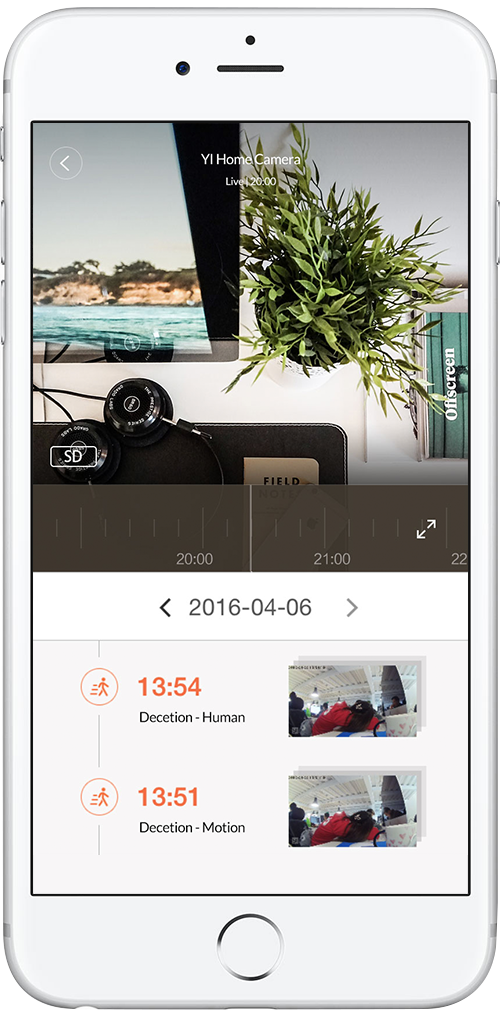
Anyone seen anything like that or have any recommendations of what to look for?
odd light
you can adjust aspect to fix the running off the card thing
but no, you ain't getting anything like blue iris
amber sun
Any way to pinch to zoom? most things I look at are far away
odd light
you can show a card with an updating still shot that shows live feed when you tap it, or have the car live all the time
nope...
amber sun
How about tapping the live card to open another phone app (e.g. blue iris app?)
odd light
you can configure tap actions, I don't know how you'd make it open a phone app though
amber sun
hmmm :/
stone basin
i am notcing the icon colour doesn't change with entity state change on 0.105b1 is this expected?
stone basin
cool thanks. whats the reasoning there? just curious?
mild veldt
You can do it at the card or row level
Because I overhauled it 😜 added more domains and we came to the deciythat it is just noise in the entities card as the state is shown to the right already
Makes sense for glance card and picture elements which are just an icon, less for a row. But kept it as an option
stone basin
nice. what about the changing the state colour i.e. custozing like custom_ui used to allow us to do?
stone basin
yes looking for per row.
used to be able to do .
{ "state": "if (state === 'off') return 'Armed';else return 'Disarmed';", "hs_color": "if (state === 'off') return [148,91] ; else return [48,79];", "brightness": "if (state === 'off') return 22 ; else return 252;" }
on a template.. was neat
mild veldt
Not possible right now with core. Possible with card-mod I believe
stone basin
seems to be a lot of trouble to create a new card just for a state color change for a row.. but when you get around to themes per-row
will be cool
odd light
Hey @mild veldt what card was it I need to do my temp sensors?
stone basin
Cool. also glad to see Person card theme are fixed.. spent about 4 hours trying to fix it for dark themes! before Sean pointed me to bug/ticket that fixed it!
odd light
if I want animated background, would that just be a theme I can download?
mild veldt
@stone basin I hope to add state-based configs as well
odd light
I think its just an animated gif from what I can tell..
mild veldt
e.g.
type: button
entity: light.bed
states:
  “on”:
    icon: mdi:lamp
  “off”:
    icon: mdi:lamp-outline
Basic templating really
odd light
instead of having to use device_type
ancient harness
i can't seem to figure out mod-card format for targeting css for the map card :S
lame... i'll mess with it later
livid oracle
Did this channel replace Lovelace?
torpid echo
yes
split granite
It is the old Lovelace channel, renamed
 unreal wind
Can someone give me a tl:dr of adding a background image, I am confused on where the image is stored and where to add the actual command to use it instead of a solid color.
polar kelp
🎉 toggle-lock-entity-row has finally been officially deprecated.
Use https://github.com/iantrich/restriction-card instead.
 tame olive
good morning ✌️ what’s the attribute or whatever which defines if a sensor with device class battery is shown as „active“ (color as for a presence sensor when at home) instead of inactive (presence when away)?! and is active/inactive the right term for this?!
mint geode
Hi! Anyone have an idea why my camera won't show when using home assistant cast?
Or is this more #cameras-archived territory?
polar kelp
@tame olive sensor entities don't switch color.
tame olive
okay, thanks 👍
sacred quarry
Hi guys, I need some frontend help which is related to latest beta release, where would be the best place where to post it? (seems like something broke with latest update) 🙂
sacred quarry
K, wasn't sure 😄
 uncut glacier
Hi guys, I'm having a issue hiding objects using mini-media-player. I've tried hiding several objects but none of all seems to hide.
This is my current lovelace card config:
- entity: media_player.playstation_4
  type: 'custom:mini-media-player'
  hide:
    volume: true
    icon: true
Yeah made a typo, but it's already like that
uncut glacier
Yeah I did. Are you using HACS or did you implement it manually?
elder pendant
That shouldn't matter, but I used HACS
if you're seeing anything at all then the resource is installed
uncut glacier
mini-media-player seems to work, but the hiding feature isn't at my setup...
 arctic pumice
hey are you able to "extract" on/off button from media controller as separate entity ? so id be able to toggle power of my onkyo reciever ?
split granite
You could create an entity button card, for example, that calls the required service(s)
https://www.home-assistant.io/integrations/media_player#media-control-services
service: media_player.toggle
entity_id: media_player.your_onkyo
ok i got it working that way but is it possible to have it in "entities" card ?
mild veldt
arctic pumice
thanks !
mild veldt
another option https://github.com/custom-cards/button-entity-row
 terse hound
Once the mini media player is installed from HACS, where do I find the card to add it?
mild veldt
there is not a graphical editor for it. select 'manual card' and add the necessary configuration
arctic pumice
cool got it done. thanks alot
last question, i have some supla rolling shutter thingies and they show in lovelace as cover with arrows and stop icon but when i click on it it shows slider with percentage controll can i extract this slider below those arrows ?
terse hound
thanks iantrich
arctic pumice
you are real MVP thanks !
 rose flicker
Apologize if this is the wrong section, new to HA. I'm trying to get my zoneminder event snapshots to show up in the HA UI. I have a mqtt sensor getting the data and I can pull the eventid to create the URL I need for the image, I'm just not sure the correct way to get the UI to display it.
torpid echo
How do get those rotating icons? I am using the mdi and wanted to have rotating fan. MDI icons are all static
mild veldt
@torpid echo card-mod
torpid echo
thanks. Got it. ```
resources:
- url: /local/card-mod.js
type: module```
 wide nest
Hi everyone. Trying to setup a custom button card for a MyQ. Basically I just want an icon that changes based on the status of the door (open or closed). I have the card setup but the icon doesn’t change when the door opens. Any guidance would be appreciated!
smoky depot
@wide nest how do you have your card setup? show us what you got. use..
kind shellBOT
Please use https://www.hastebin.com/ or https://paste.ubuntu.com/ to share code or logs.
Command '.share' was invoked by: SonomaGTS
smoky depot
yea you'll have to use a template. this is what mine looks like. https://hastebin.com/zaveyaxane.cs
wide nest
Okay so that goes in my custom button I assume. I need something in my configuration file as well?
smoky depot
configuration file? no. you have sensor.garage_door_state which is the entity of the garage door. the state value of that is what you use to determine the icon
although myq should have set you up with it being called a cover not a sensor
wide nest
Gotcha okay I will give this a shot. Thanks for looking.
balmy moon
Hey all, I built a garage door controller with a relay and reed switch and its working properly I just cant get the card in lovelace to function correctly for me.
type: entity-button
tap_action:
action: switch.gate_remote.toggle
hold_action:
action: more-info
show_icon: true
show_name: true
entity: binary_sensor.status
name: Garage
the tap_action ive tried switch.gate_remote
toggle in front
any help?
the entity id is switch.gate_remote
wide nest
@smoky depot seems to be working! had to change cover.garage_door_opener to just cover.garage_door but thats it
kind shellBOT
@balmy moon To format your text as code, enter three backticks on the first line, press Enter for a new line, paste your code, press Enter again for another new line, and lastly three more backticks. Here's an example:
```
code here
```
Watch the animated gif here: https://bit.ly/2GbfRJE
DO NOT repeat posts. Please edit previously posted message, here is how -> https://bit.ly/2qOOf1G
Command '.format' was invoked by: iantrich
mild veldt
@balmy moon you'll want to use a service call
tap_action:
  action: call-service
  service: switch.toggle
  service_data:
    entity_id: switch.gate_remote
wouldn't the below work? Why would need to call a service specifically? or is it because it is not defined within entity? tap_action: action: toggle
mild veldt
because they were using a binary_sensor as the entity for the button
vapid field
hi guys, how do you install lovelace? the only instructions I can find say to install https://github.com/hassio-addons/repository but that doesn't seem to work
I can't see the addon listed anywhere
gusty wing
Guys
guys how would i increase the size of the camera card in this ?
its a vertical stack card
smoky depot
is aspect_ratio not an option?
mild veldt
@vapid field you don't install Lovelace. It is the default UI
@gusty wing you cannot go beyond the column width unless you use panel mode or a custom card like layout-card
vapid field
@mild veldt thanks... I proceeded on that assumption. So I created a ui-lovelace.yaml, restarted hassio, but my interface has not changed
  - title: main
    icon: mdi:home-outline
    cards:
      - type: glance
        title: Power
        show_name: false
        show_state: false
        entities:
          - switch.office_devpc
@surreal gazelle To format your text as code, enter three backticks on the first line, press Enter for a new line, paste your code, press Enter again for another new line, and lastly three more backticks. Here's an example:
```
code here
```
Watch the animated gif here: https://bit.ly/2GbfRJE
DO NOT repeat posts. Please edit previously posted message, here is how -> https://bit.ly/2qOOf1G
Command '.format' was invoked by: iantrich
mild veldt
@vapid field by default you are in auto generated mode
Top right menu, select Configure
Then use the UI to change things
mild veldt
Ui-lovelace.yaml is not required
No no?
Check the video in the docs https://www.home-assistant.io/lovelace/
vapid field
@mild veldt ok, I'm doing that. is there a guide that describes how to configure from this interface?
ok, i will check that video.
mild veldt
It's still a WIP. I've added editors for lots of cards but not all and not all options are supported. There is built YAML editor for when the graphical editor doesn't cut it
vapid field
is all the configuration done from this same UI?
mild veldt
Yes
When in edit mode you can go to top right menu again -> raw editor. That will allow you to edit like any other yaml file
vapid field
ok, I will give it a go thanks. If i have created cards and views etc, then I go to the raw editor, does it show me in yaml what I have already created?
mild veldt
Yes
vapid field
ok thanks
mild veldt
Should probably make an updated intro video for the docs...
Things change quickly around here
vapid field
yep. there seem to be a lot of old guides out there that are referenced, like the one from JuanMTech. If these are no longer relevant it would be good if that was more clear, even just removing the outdated doco from the links would make things easier. I know that development initially takes priority over doco, thats fine, just deprecating the old doco so it doesn't mislead people would be helpful
@mild veldt anyway thanks for the help, at least im on the right track now
mild veldt
In the official docs? Can you show me?
mild veldt
That repo is archived for a reason
 grave sphinx
Good morning, anyone has an idea/example of how to hide two dimmers behind a single control?
vapid field
yep, appreciate it. I think I went wrong when I watched the video on the official page, and it starts with a UI already created. so then I backtracked to try and find out how to actually get to that UI. I didn't realise that the default UI is actually lovelace
mild veldt
I think I'll try to see about getting that updated
vapid field
🙂
@mild veldt is there a list of icons somewhere?
or are icons addons?
I'm just adding my first button-entity and I'm not sure what to put in icon
latent moss
The list of icons you can use is at http://materialdesignicons.com/ simply type something in the search box, then click on the icon you want. That will tell you the name of it, just need to make sure it's prefixed with mdi (for example mdi:lightbulb-group)
vapid field
@latent moss thanks
kind shellBOT
@torpid echo posted a code wall, it is moved here --> https://paste.ubuntu.com/p/TfQN3brG2k/
torpid echo
I am using the card-mod. objective is to rotate the icons. I found the following code but it rotates the entire card. Whatz the code to just rotate the icons? https://paste.ubuntu.com/p/TfQN3brG2k/
torpid echo
okay I found it style: | ha-icon { animation: wiggle 2s linear infinite alternate; } @keyframes wiggle { 0% {transform: rotate(360deg);} 100% {transform: rotate(-360deg);} }
 hexed bramble
Does anybody know, is it possible to specify a list of allowed names to auto-entities card?
For example, if I would like to only display entities that are named "X" , "Y" or "Z"
split granite
Tagging folks like that tends to make it feel like you're demanding help and increases the odds that people will block you 😉
hexed bramble
Sorry! Well not's tag anybody then 😄
 fading condor
heya guys! newbee question here but I've been searching the interweebs for a while with no clear answer. Is there a way to split up customizations across multiple package includes?
found it. I can use !include_dir_merge_named. Sweet!
timber locust
Hi
I use utility_meter and have a card that shows me the consumption.
Now I want to also display last_period info to compare. But I didn't get it how I can display this attribute.
My entitys name is sensor.monthly_energy_ht and there is a attribute last_period: '30.67'
My card looks like this:
entities:
  - entity: sensor.monthly_energy_ht
    name: Hochtarif
  - entity: sensor.monthly_energy_nt
    name: Niedertarif
show_header_toggle: false
title: Monat
type: entities
Mmmh, any hints on how to change my icon depending on the entities state?
grave sphinx
mmmh, nothing possible with customize?
mild veldt
@grave sphinx for now you'll need a custom card like config-template-card
grave sphinx
alright, thanks
 oblique rain
I am lost on shortcuts with mini media player
cannot figure out how to play a spotify playlist
The example one works, but can't get my personal playlists to play
torpid echo
I spent too much time making the fan icon spin using the card-mod. 4 hours later, still thinking whether I could have done gif. 🤔
looks cool though
mild veldt
hopefully can get it in for 0.106
@torpid echo I think you did it the right way
you should add your work to the card-mod docs
 woeful wren
I just made this one for all of you! ❤️ https://www.reddit.com/r/homeassistant/comments/ex7mve/after_a_lot_of_love_a_muchrequested_feature_more/
torpid echo
well, yes. however, different cards CSS work in different way. Like for entity_button card, ha-icon tag can directly used in style. But in entities within the glance card, I could only control from state-badge tag. Somehow I was never able to reach the ha-icon tag within the state-badge tag. Need to look into this more
mild veldt
i'm sure others would greatly appreciate it if you added it once you have it all sorted
torpid echo
of course. will be adding details for each card that I have used
mild veldt
i actually just got a fan module in the mail, so ill likely be using it soon as well 🙂
torpid echo
good. Will be done by tomorrow eod