#frontend-archived
1 messages · Page 135 of 1
 polar kelp
Resizing. But lots of things have changed since then, so...
 vapid field
Right, well, it's still there apparently. I'm guessing zooming in and out isn't really feasible. Can or will this be fixed in an update?
 mild veldt
mild veldt
mild veldt
polymer is our frontend
vapid field
Ah, okay. Good to know.
 burnt patrol
Not sure if this is a Lovelace issue or config issue. I have a zwave thermostat that is not showing the current temp on the thermostat card. All operation is working fine I can set temp and switch between heat and cool.
I checked zwave there is sensor entity for temperature and I can get the temp in another card.
 next rivet
Hm, So im trying to use a Conditional card to show only while a timer entity is active (i.e., counting down) but not sure what to put as the 'condition' for that so that it'll only a appear while a timer is active, then show that actual timer counting down
 tawny rapids
if it accepts a template, could probably key off of the state of your timer
next rivet
I have no idea how to do that haha 🙂
next rivet
Hm, but how do I know what the 'states' are for a timer? Or is it simply 'on' and 'off?
next rivet
Hm, ok.. just in future though is that information presented in the UI Anywhere? Just incase this sort of thing crops up again
next rivet
Ah, but can you see a list of all the possible states? Or just what its current state is
 elder pendant
If you click on it it will give you the state history. For possible states you can check the code directly
next rivet
Mm ok, Thank you 🙂
tawny rapids
not all of them are that clean though, states tend to be imported from somewhere else
elder pendant
sometimes looking at the code will just give you an idea of the possible states. Some states are completely dynamic though
next rivet
So, best reading the code 🙂 Or fiddling with the states haha
 trim marsh
which card type do I need to get an RGB light to show the color wheel? getting on/off toggle and brightness, but no color wheel 😦
 pearl eagle
Would anyone know why having "- platform: generic" in my configuration.yaml would keep HA from displaying the web interface?
pearl eagle
welp, I managed to figure out my problem straight into a new problem lol
I learned the hard way that yaml doesn't like tab indentation.
Setup failed for still_image_url: Integration not found.
I'm guessing I'd have to !include a script or something that has still_image_url?
trim marsh
@pearl eagle delete the "lovelace" file in the .storage folder
or rename it
wouldn't that be a picture entity? https://www.home-assistant.io/lovelace/picture-entity/
pearl eagle
I managed to finally figure it out @trim marsh , thank you!
is there a way to cast HA to a google Chromecast? I read somewhere that this was a feature built-in, but can't seem to verify that to be true.
pearl eagle
Do you know where it's hidden? I can't even get as far as to find it yet lol
hmm, I'm going to give that a thorough read. Thanks!
trim marsh
np...I finally got google voice stuff working a few weeks ago
working good, but have to refresh the google actions app every few days or it gets disconnected. many wife approval points for that one 😉
pearl eagle
haha very nice 🙂
It appears that cast thing requires a paid subscription to some Nuba Casa service
tawny rapids
it does not
pearl eagle
Starting with Home Assistant 0.97, Home Assistant Cast is also built into the Lovelace UI as a special entities card row. Since the Lovelace UI already has authentication, you will be able to start casting right away.
Now to figure out how to fumble my way through that
mild veldt
@burnt patrol temperature should be an attribute of the climate entity. That's what it shown in the card
burnt patrol
So I have climate:
''' - platform: zwave
name: Thermostat
target_sensor: sensor.thermostat_temp
pearl eagle
managed to get it all working 🙂
mild veldt
@trim marsh so bringing up the light dialogue you don’t see color?
burnt patrol
'''climate:
- platform: zwave
name: Thermostat
target_sensor: sensor.thermostat_temp'''
  - platform: zwave
    name: Thermostat
target_sensor: sensor.thermostat_temp```ah got it! sorry about that
mild veldt
👍
burnt patrol
I believe I have it correctly in my config however on the card it shows the set temp but not the current temp. It is just blank with no state history
mild veldt
 > states
Does the climate entity have temperature attribute?
If not, question for #330944238910963714
burnt patrol
ok thank
current_temperature: null
min_temp: 45
max_temp: 95
temperature: 71
target_temp_high: null
target_temp_low: null
node_id: 4
value_index: 0
value_instance: 1
value_id: 72057594110279684
friendly_name: Thermostat
supported_features: 3```Ye s it looks like it does
oh current temp is null though
mild veldt
Sorry, meant current
burnt patrol
got it I will switch over to the homeassistant forum. thank you for point me in the right direction
mild veldt
> info > states ui
pearl eagle
@tawny rapids so does this paid service mean that I'm streaming my HA dash/stuffs over the internet to my Chromecast when I'm casting to it? lol
mild veldt
@pearl eagle no
pearl eagle
okay, thanks. I'm still trying to wrap my head around it all 🙂
mild veldt
The remote UI makes the subscription worth it IMO as well as supporting the open source team, which is very awesome as well
pearl eagle
I'm actually not really interested that much in the remoteness of the UI as much as I am about getting to cast it to the Chromecast. But I can certainly understand 🙂
I would prefer a way to cast to Chromecast without the need for the subscription, but $5 a month isn't going to kill me.
mild veldt
Money well spent
pearl eagle
I can't believe I've never heard of this HA stuff before. It really is a nice thing to have!
I need to find a good place to start on learning everything about HA, especially the YAML stuffs since I'm not very privy with it yet.
I have literally fumbled my way to what I was wanting to do lol
mild veldt
 ancient harness
tldr yaml is trash 🤣 sorry i had to
tawny rapids
probably the 2nd best for human readable
and it largely converts directly to json which is great for computer readable
elder pendant
switch-checked-color @keen sinew
 reef coyote
can someone tell me why these two entities get drawn in two seperate graphs? ```type: history-graph
title: Aantal Queries
entities:
- entity: sensor.pi_hole_dns_queries_today
name: Totaal - entity: sensor.pi_hole_ads_blocked_today
name: Geblokkeerd
hours_to_show: 24
refresh_interval: 60```
 split granite
Different units_of_measurement
reef coyote
oh i see thank you
polar kelp
Hey @atomic glacier! Remember that time when I introduced a "new" feature to layout-card and had you remake your entire interface?
Ever heard of CSS grids?
elder pendant
Oh no
mild veldt
@polar kelp
 winter hollow
I want the super secret next card
 atomic glacier
@polar kelp 🤔 ...and...how could I forget 🙃 LOL
guess I'll be learning a few new tricks 🧐
can we just name it something else like layout-grid 🥳
polar kelp
It's an additional feature, not a replacement.
atomic glacier
whew....
polar kelp
I really try to avoid breaking changes. Honestly.
atomic glacier
I actually, I was reading about that recently, (and evolution of this requires breaking changes to move forward at times, expected 👌🏻 )
polar kelp
There will be a breaking change in this... but I'd not think even you would be affected.
atomic glacier
Just tried state-switch on a totally different setup and it still blacks out the screen
atomic glacier
Me either, thinking maybe how I use it inside of itself?
polar kelp
No, thats one of my test cases.
atomic glacier
Haven't had time to pick it apart, just gonna run both versions for now...
I'll see if I can add part by part on my dev setup till it does it and I'll tag you, (may be a few more days...)
 full sand
          - type: entity-button
            tap_action:
              action: toggle
            hold_action:
              action: more-info
            show_icon: true
            show_name: true
            entity: group.all_lights
            theme: clear-dark
            icon: 'mdi:lightbulb-group'
            name: All lights
          - type: entities
            entities:
              - entity: light.living_room
            theme: clear-dark
or at least send you a minimum build up of the issue, I know you stay busy
full sand
I'm trying to get these in a vertical stack forever and can't find the correct mapping, any help is appreciated
or atleast for a few hours 🙂
polar kelp
An MWE would be great.
full sand
nvm, it all suddenly came together 🙂
 mental kayak
Anyone do anything cool with Spotify in lovelace?
 errant plover
 shrewd garnet
Hi guys I keep getting an error (missing proprietors "entity") my lovelace yaml file can some one help https://hastebin.com/awavimoxah.bash
its always the 1st line
split granite
Also, copy and pasting the full error often has useful things in it, rather than typing it manually and introducing errors 😉
shrewd garnet
oh I really sorry but can't see anything on the doc with .. property entity
i just tried this https://hastebin.com/vurazoheha.bash
but it didn't work
split granite
Why can't you copy and paste?
shrewd garnet
I use the VS code add-on an the error is comeing up on there saying Missing property "state_filter"
it came up after HA 0.101
i think
split granite
That's a different error to what you posted earlier
 charred frigate
on a simple card that has a title , I know I can add a divider. Can I have with or over or under that divider a secondary title like a smaller category subtitle or something , somehow?
polar kelp
Yes. Mobile so I can’t link, but sesrch for ”section” in the entities card docs
 hexed plover
is there a way in a picture-elements card to have a label that's not tied to a state?
mild veldt
@hexed plover https://github.com/custom-cards/text-action-element
Should probably bring that into core
@charred frigate also this one https://github.com/custom-cards/text-divider-row
hexed plover
thanks
first one looks more like what I'm going for
that worked great
thanks!
are all CSS properties supported under style?
charred frigate
thanks @mild veldt - I can't wait to see this into the core!
vapid field
HI, first time here. I've spent about an hour fighting with this issue and searching for an answer elsewhere.
It seems no matter what I add to the View Configuration Icon field, nothing shows up in the view title. I've tried adding them in the lovelace demo even, and nothing. I have also tried modifying the icon names from material design icon repo with things similar to the one icon in the Home (default) view, that does show. The hass:home-assistant being the only icon that works, I've tried adding hass:, replacng the mdi with hass and hass: and more. What am I missing? Thanks
 wheat current
mdi:leaf works here
vapid field
hey look at that. OK, that ONE icon works. Did you get that from a list that is not the one in the docs? http://materialdesignicons.com/
wheat current
Got it from memory, but it is in that list
vapid field
ok thanks. I'll keep trying. Maybe I'm just wielding amazingly bad luck and choosing randomly the few that don't work. lol
wheat current
HA is usually a couple of versions behind
Now it looks like we are using the latest published version, but on that list you will also see icons added after the last release
vapid field
I think I figured out the problem. So anyone reading can avoid this fog... (maybe the docs could be updated to clear this up...) So, on the MD page, only HOVER gives you the actual string to use, but you can't copy it from there. Then if you click it, that string is not provided in any way, so we're left to go back to the list and to try to hover and type, (lol) to get the right string. Then we append it with mdi: and it works. It seems. Hope this helps someone else.
 turbid badge
Not sure.. I think it is quite clear https://www.home-assistant.io/docs/configuration/customizing-devices/. Also when clicking an icon I can see the name in the top.
vapid field
Yeah, ok. Maybe I read them too fast. It doesn't say to look for the hover-revealed string, so it can be hard to decipher. I did recognize the string in the title at the top after I knew what to to look for. But if you happen, (like I did) to choose a couple with single words and no hyphens, then that just looks like a title. There are several things that seem more likely to be the answer. It was very easy to mistake. I really did try many things before running for help, haha. See this card: https://www.screencast.com/t/F0EodwO6h3 From that it's really clear what to grab AFTER you know what to look for. But from the only places on the card that show "code" you can see how easily it can mislead. I tried "mdi:AccountConvert" "mdi-Account-Convert" "mdi:Account-Convert" from this example. None of those work because it's case sensitive. I'm a css coder, so I use this sort of thing all the time with font awesome and others. It just wasn't clear to me. It could actually be as simple as using an example in the docs that wasn't one word... I think.
 plush shadow
I have an entity card
  - entity: binary_sensor.0x00158d0003ef19aa_contact
  - entity: binary_sensor.0x00158d00039734ce_contact
  - entity: cover.garage_door_1_cover
  - entity: cover.garage_door_2_cover
show_header_toggle: false
title: Sensors
type: entities
currently it shows 2 arrows to control the 2 template covers (garage door)
is it possible to change that to only show the current state/value
 clever canopy
Hey folks, i am trying to setup a history graph (card) in lovelace for an attribute.
water_heater.heat_pump_water_heater_gen_4
todays_energy_usage: 0.8055055141448975
little lost as it doesn't seem to graph like a sensor.
mild veldt
@plush shadow type: custom:hui-text-entity-row for that row will remove the controls
Do you want to remove accidental clicks on it?
@clever canopy you can't graph attributes
Their changes are not stored
Create a template sensor to track changes and then graph that
 kind shellBOT
@waxen glacier posted a code wall, it is moved here --> https://paste.ubuntu.com/p/vzXKkT8kjj/
 waxen glacier
hi guys I updated to the latest settings now somehow my glance entity switch is not show state of my sonoff tasmota. Also it's not properly working like before. here is my settings
https://paste.ubuntu.com/p/vzXKkT8kjj/
plush shadow
@mild veldt Thank you. That worked. There was warning text Expected a value of type {entity,name,icon} | entity-id for entities.2.type but received "custom:hui-text-entity-row". But it worked.
Yes I want to remove accidental click. I moved the actual button on another view and just kept the info on this view along with other sensors.
wheat current
@vapid field use the title after you click one of them, use lowercase only (the title will always be lowercase) all mdi icons needs to be prefixed with mdi:
 tawdry hollow
I'm trying to get HA Cast working. It's coming up on the device - sort of. Does lovelace have to be in yaml mode?
mild veldt
@plush shadow you want to check out my restriction card https://github.com/iantrich/restriction-card
@tawdry hollow no
plush shadow
@mild veldt thank you, will do.
clever canopy
@mild veldt can you point me in the right direction on template sensor ? Never used that one before.
if this was my entity water_heater.heat_pump_water_heater_gen_4
and this was my Attribute:
todays_energy_usage: 0.8055055141448975
guessing:
sensor:
- platform: template
sensors:
HW_KWH:
friendly_name: "Hot Water Use"
unit_of_measurement: 'kwh'
value_template: "{{ state_attr('water_heater.heat_pump_water_heater_gen_4', 'todays_energy_usage') }}"
 undone egret
looks like you missing the domian name ie. sensor.
mild veldt
@clever canopy also recommend using this https://github.com/custom-components/templatesensor
 empty junco
Hi, I dont have the ui-lovelace.yaml file - Except in the GUI (I am on docker). Should it be in the file system ? In another container ?
 devout karma
Wondering if anyone can help. I'm new to HA, running Hassos on a Rasp pi 3, trying to utilize my Wemo light switches. HA finds all the switches but only allows me to toggle the dimmer switches, but not the 3way switches. Is there a setting I'm missing?
mild veldt
@empty junco you don't need the file
That information is outdated and only relevant if you want to do all configuration via yaml instead of via the UI
@devout karma try #330944238910963714
 kind cloud
I have backed-defined in my theme options along with the various themes. Please can someone tell me what this is. Thanks
wheat current
backed-defined are global for all users on all devices if they use that, and you use thefrontend.set_theme service to set the theme
 timid burrow
Is that supposed to be backend-defined ? Is there a doc for that? I can't find it...
kind cloud
Yes that is what I meant sorry. Issue with auto correct
wheat current
https://www.home-assistant.io/integrations/frontend/#theme-automation
frontend.set_theme(name): sets backend-preferred theme name.
 maiden dagger
is there some way to set themes on frontend automatically? not backend - just want a specific device to switch to night mode based on sun or light level
alternatively a way to switch views
maiden dagger
cheers, do you know if that works with the companion app?
winter hollow
I think so
maiden dagger
and can confirm it works on companion app 🙂
vapid field
Hey guys, can I access the properties of scenes from Lovelace somehow? I'd like to color a button based on the first lights rgb color within a given scene.
Right now I have to manually add a color string to the scene.myscene entity through customize.yaml, which I can then use in e.g. custom button card through state_attr("scene.myscene", "mycolor")
But this involves manual work and is error prone ;)
polar kelp
state_attr(”light.first_light_in_given_scene”, ”rgb_color”) something like that?
winter hollow
that will only work if the scene is active
polar kelp
Ah. I see.
winter hollow
There is no easy way to get the values of a scene from the frontend
 pliant condor
I've "taken control" of lovelace, and am trying to fix the huge list of entities that adding unifi has added. Any shortcuts to this?
maiden dagger
menu button -> configure UI -> raw config editor
copy everything to notepad so you have a backup
find the entities, select them and delete
pliant condor
thanks @maiden dagger
vapid field
@winter hollow @polar kelp Thanks for the replies guys.. I guess it will be less easy than I hoped
maiden dagger
@vapid field not sure if I fully understand but could you have an automation store the latest colour in an input_text and then read the state from that?
oh I get it now, yeah seems like manual will be the way to go
vapid field
Thanks @maiden dagger sorry for the confusion 🙂 Manual it is!
winter hollow
@vapid field there is a way btw, but no easy way: /api/config/scene/config/<scene_id>
vapid field
Hum, interesting, would this be acceptable efficiency-wise (roundtrip times involved by calling api, etc)
winter hollow
depends on your system, but should be ok
just make it async so you don't block anything
and the number of requests ofc
vapid field
phew, that sounds like a good christmas project... I am still fairly new to JS, in my normal life I am more the python or C++ guy 😉
But thanks a lot @winter hollow
winter hollow
fetch('/api/config/scene/config/1574842009774', {
    headers: {
      'authorization': 'Bearer TOKEN'
    }}).then(response => {
    return response.json()
  })
  .then(scene => {
    console.log(scene.entities["light.first_entity"].rgb_color);
  })
oh wow, nice, I'll try that! THanks!
winter hollow
but that is without using the hass functions
you can just call hass.callApi() to skip the auth etc
vapid field
style: |
ha-card {
background-color: {{ state_attr(config.entity, "scene_color") }};
}
This is using card-mod style, which I currently use. Do you think I can replace the {{...}} by something like you suggested?
in my lovelace yaml config
vapid field
Oh I see
maiden dagger
wonder if this would help? https://github.com/PiotrMachowski/Home-Assistant-Lovelace-HTML-Jinja2-Template-card
would have to make your own button with html but you can run jinja functions anywhere in it
just not sure if/how you can integrate the hass call in that
vapid field
@maiden dagger not sure if this would help, as according to @winter hollow I need to call JS somewhere
yeah
winter hollow
you don't need to use JS, but my code was JS, there are other ways to get that data
but I'm not familiar with Jinja2
vapid field
By the way, if you're interested, this is how the card looks at the moment. It populates the row below the room name automatically with all available scene for the room, and colorizes the button according to my manually set color string https://i.imgur.com/M4qckdl.png
maiden dagger
@vapid field a sensor with this config
- platform: rest
  name: cooking_scene_config
  resource: http://localhost:8123/api/config/scene/config/b4d7e37c02944fca9ce99327e2cbd84d
  json_attributes:
    - entities
  headers:
    Authorization: "Bearer TOKEN"
    Content-Type: application/json
sorry, how do I do code blocks?
ah
results in an entity with this state:
entities:
  light.living_room_front_light:
    brightness: 76
    friendly_name: Living Room Front Light
    is_deconz_group: false
    state: 'on'
    supported_features: 41
friendly_name: cooking_scene_config
(my bulbs don't support colour, but that should be in there for yours)
vapid field
Oh wow that's awesome. I'll test it myself when I am back home
 timber locust
Short quation... i try to build a GUI
I've a Shelly H&T sensor that reports temp, humidity and battery values.
Now I want to get all three values on one "card" ...
i just can select one "value" per card in the UI
winter hollow
What card do you want to use?
timber locust
how do you mean "what card"?
winter hollow
What type, entities, glance, sensor
timber locust
I like to get something like this: https://raw.githubusercontent.com/StyraHem/ShellyForHASS/master/screenshots/List.PNG
but for example just with all "temperature" values of all Sensors
winter hollow
That's an entity card
tawdry hollow
you want it to automatically update if you add a new sensor that has a temperature?
timber locust
yes ... if possible... (but it doesn't really matter.. i do not add new sensors often ;))
winter hollow
maiden dagger
are temp, humidity and battery attributes of the same sensor or separate sensor entities?
wheat current
@winter hollow use < and > around your links please... <url> 😄
winter hollow
I like it biggg 😜
wheat current
Takes up half the screen on mobile 😅
wheat current
hold just right of the link, in the message container/div
kind shellBOT
@timber locust posted a code wall, it is moved here --> https://paste.ubuntu.com/p/CrKr6JxRsq/
maiden dagger
timber locust
so i've to install this first ..
maiden dagger
yeah, you familiar with using custom cards?
winter hollow
Or go to unused entities and select all your temp sensors
You are using yaml mode right?
Then that will work from the next version 😅
maiden dagger
lol
strongly recommend using HACS if you're not, makes managing custom plugins and integrations a breeze: https://hacs.xyz/docs/installation/prerequisites
wheat current
Just run dev, and get next version now 🎉
winter hollow
It is not even in the dev version yet
timber locust
lol
winter hollow
It is in the dev version of the frontend 😄
timber locust
sorry... I just started today with homeassistant.
maiden dagger
then I'd suggest just doing it manually for now
winter hollow
Why did you choose for yaml mode?
maiden dagger
in your code block, just change battery and humidity to the different temperature sensors
timber locust
Yes... already installed HACS
wheat current
"Some guide/YT vid" incomming in 3...2....1...
maiden dagger
you can get their IDs by going to dev tools > states and searching for temperature
copy/paste from there
timber locust
@maiden dagger Yes, already did this now... i've just 9 Sensors so that should be fine for now.
maiden dagger
@timber locust for future reference auto-entities would look like this: https://paste.ubuntu.com/p/Bb4cygNMs3/
with the filter tweaked if it matches anything it shouldn't
winter hollow
You can filter it on the attribute device_class temperature
mild veldt
WTF is Bram doing in here? 😜
wheat current
"stuff" 🤷♂️
winter hollow
@mild veldt sorry, I'll get the F out
mild veldt
🤣
winter hollow
I also need some company around christmas time... it is quite in #devs_frontend-archived 😦
wheat current
Folks don't want coal in their stockings so they are staying away from javascript ATM 😄
timber locust
@winter hollow How can I filter to "attribute device_class temperature"?
winter hollow
Sorry, I'm not allowed in here anymore
timber locust
?
winter hollow
type: custom:auto-entities
card:
  type: entities
filter:
  include:
    - domain: sensor
      attributes:
       device_class: temperature
auto-entities
If they don't all have a device_class, you could also filter it on unit_of_measurement: °C
timber locust
mh... I installed but if I use you're yaml snipped I just get a red error "custom element doesn't exist: auto-entities"
winter hollow
(of F if you prefer that wrong temperature unit)
winter hollow
Did you include the card in your config?
timber locust
i just installed it from HACS
winter hollow
resources:
  - url: /community_plugin/lovelace-auto-entities/auto-entities.js
    type: module
I don't know the path of hacs
so that won't be correct
wheat current
But why yaml, and not UI editor?
wheat current
in lovelace config
timber locust
@wheat current Where can I add them in GUI? (without YAML?)
wheat current
raw editor
winter hollow
where did you add the yaml snippet I gave you?
winter hollow
No that was resources, but he managed to add the cards but the js was not loaded
wheat current
Probably manual card
mild veldt
he said he added it to his configuration.yaml
timber locust
@wheat current I don't get this nice "add to lovelace" button after installation
mild veldt
@timber locust do you use the UI to edit lovelace?
timber locust
yes
wheat current
Did you take controll just now?
wheat current
Next card you install in HACS should then give you that option (if you are using 0.17+)
timber locust
HACS Version is Version: 0.19.0
anyway...
two more things...
where to add secondary_info: last-changed ?
and... how to disable the funny "on/off" button next to the title?
Okay. show_header_toggle: false works too
winter hollow
    - domain: sensor
      options:
        secondary_info: last-changed
      attributes:
        ...
card:
  type: entities
  title: Temperatur
  show_header_toggle: false
filter:
  include:
    - attributes:
        device_class: temperature
      domain: sensor
      options:
        secondary_info: last-changed
type: 'custom:auto-entities'
That is working fine now 😄 Thanks!!!
how I can find the attributes for other stuff... ?
is there a view I can find them in the UI?
wheat current
-> States
timber locust
hmmm..... sensor.shelly_shht_1_e01800_battery_attr ... but battery_attr dosn't work
wheat current
*battery_attr probably
timber locust
problem seems to be ...
device_class is a attribute ...
battery is at the same level.. and then there is a value 86 for example.
wheat current
@atomic glacier fix ☝️
atomic glacier
@timber locust I use Shelly sensors and have battery, temp, rssi, etc... info in my lovelace displayed as popups, https://github.com/Dino-Tech/Home-Assistant-Main/blob/master/scripts.yaml#L6224-L6284
timber locust
hmm...
if I use this I get a lot of stuff from my shellies... but not only battery.. I will get all stuff.. also from switches etc.
winter hollow
You can just do the same as for the temperature just change the device_class from temperature to battery?
timber locust
@winter hollow yes... i thought that too... but ... it doesn not work...
because "device_class" is same as "battery"
winter hollow
ok, have a screenshot of the state info from dev tools?
timber locust
moment... (shelly h&t isn't always online ... have to go and push the button ;))
winter hollow
it should still be in your states right?
timber locust
nope.. it's gone.. (restarted hass)
if i do it manually i get battery with ```entities:
- entity: sensor.shelly_shht_1_e01896_battery_attr
name: Keller
secondary_info: last-changed```
winter hollow
ok, now show the attributes of that entity in the dev tools
timber locust
will go to push the button
winter hollow
huh? It works with the code above right? So it in your states?
timber locust
yes..
winter hollow
So you should be able to find it /developer-tools/state
kind shellBOT
@timber locust posted a code wall, it is moved here --> https://paste.ubuntu.com/p/rtJGtfhzqq/
winter hollow
Ok, so it has no device_class
timber locust
that works.. but then i get also other devices with battery -.-
winter hollow
shelly*battery*
timber locust
- entity_id: "*shelly*battery*"
this way
damn... it's complicated...
just used -entity: "*_battery_attr_*" as filter first...
I did also a grph with humidity and battery value.
As they both are in % ... history-graph put them into the same graph.
(https://www.home-assistant.io/lovelace/history-graph/)
Is there a way to get two seperate graphs for that?
winter hollow
Yeah, create 2 history graphs
timber locust
Oh no... I don't like to get two cards
maiden dagger
you want 2 graphs on the same card?
with horizontal-stack you can have 2 cards in the space of 1
but they'll still appear visually as 2 separate cards
winter hollow
maiden dagger
ooh didn't know of that one, that's nice
wheat current
maiden dagger
pretty
maiden dagger
https://github.com/custom-cards/vertical-stack-in-card/issues/39 in case you want them horizontal 😛
timber locust
huch... complicated stuff.. but ... it looks very nice.. 😄
so I've to learn more about all this things..
thanks for suppot so far 🙂
next rivet
Hmm.. I remmeber awhile ago seeing an example of a lovelace card that was basically a png of an image, that had been split in two for two different automations with a 'grayscale' effect atop to indicate a on/off state
cant remember which one it was though
I think it was Picture-state but not sure how to split it in two for two seperate entity controls
wheat current
MS Paint?
next rivet
Well I guess I could have it as two seperate images, trying to get Gimp to start up and it.. apparently just doesnt feel like it
next rivet
I'll check it out 🙂
next rivet
Hm, so this is.. not working lol, I created a picture element card of a white background (same size as the target photo) then two photos of the bed each half-size and trying to get them to co-exist side by side
And its.. well its going crazy and just slamming the two images in at random
atomic glacier
Not sure exactly what you are looking to achieve...I have several different pics that sound sorta what you are seeking(maybe). Have any visual references?
next rivet
Well, Want a picture of a bed.. lets say a 100x100 image, that can operate as two seperate states (left and right side of the bed) that I've got as two 100x50 images) and want them to sit inside one picture-element so they'll appear as one whole image but be two seperate clickable entities
So, took a transparent 100x100 image, made that the background, then two image elements of the 100x50 images as two elements but.. yea, its just well the result isnt great
atomic glacier
scroll down to the 10th picture of the graphs, (really old stuff, but best image I could find of what I think you are asking) https://community.home-assistant.io/t/dinotechs-update-10-18-2019/84271
the first desktop screen (<-- I could be way off guessing)
next rivet
Hm, right okay? You have one thats a humidity/dew point graph thats two images cut together
So, yea kinda? just without the gap between them .. I mean, I could live with the gap to be honest but would be nicer without
But yea.. that's basically what Im trying to get at
atomic glacier
Okay, so that is 2 cards in a horizontal stack. I just took the image in paint.net and cut it in half and saved them as new images with different names, then used them as the background: image for the cards, which are also in a vertical-stack to form the column they are in
then the cards can be whtever you like them to be...
vertical-stack-in-card may remove some/or more of the gaps as well
next rivet
Hmm.... ok.. that looks kinda promising
I'll fiddle about with this more after completing some social obligations lol
atomic glacier
If you see anything in my repo that you like and/or need any help with feel free to tag me
next rivet
I'll check it out 🙂
wheat current
@next rivet @atomic glacier Something like this?
https://hastebin.com/jilohesufo.bash
atomic glacier
Okay...so how about the code for the first automation automation.create_a_notification_when_somethig_is_added_to_hacs sounds like something I need LOL
next rivet
Oh interesting, that's much simpler..
wheat current
two (custom)button cards in a vertical-stack-in-card are probably easier to achieve
 neat flume
So I have lovelace and have been doing most of my modifications with a text editor. I didn't have much but now I have switches and plugs so I'm getting into lovelace again and was wondering, should I be editing from a text editor or just using the built in configuration editor? What do you guys recommend
 bold arrow
hey, is there a way to reset HA's dashboard to be populated only using autodiscovery?
split granite
If you're using the UI editor until now, stop HA and delete .storage/lovelace
split granite
Not sure to be honest
bold arrow
k
wheat current
need to restart HA
bold arrow
reboot, or is there a way to just restart one service?
split granite
Restart Home Assistant
bold arrow
all righty - thanks
 prime umbra
anyone that uses alarm panel can confirm that armed_home:
wont respect the settings of the pending_time: 0
armed home showed trigger alarm has soon a door opens if the pending time is 0 and instead will follow the pending time you set for the armed_away sets
mild veldt
@neat flume personal choice
neat flume
I get that but I'm just wondering what people prefer at this point because I think when I started using Lovelace it didn't have the browser editor yet
wheat current
I prefer the UI, but my lovelace config will probably never be over 100lines
mild veldt
I prefer UI as well, IMO the only time you should be looking into using yaml mode is if you have a LOT of repetitive configurations
wheat current
copy+paste
neat flume
so I'm in yaml mode right now, is it easy to transition back?
mild veldt
yes
wheat current
mild veldt
remove yaml mode from your configuration.yaml and then copy+paste into the raw editor after restarting
devout karma
Can anyone help me to create an entity card for my thermostats. They are tekmar but when I create it there is no temp shown. Usually just a decimal numeric. And no way to adjust it
?
tawny rapids
.crosspost @devout karma
kind shellBOT
@devout karma Please DO NOT cross post. Read the channel description, post it and wait for folks to respond.
Command '.crosspost' was invoked by: phnx
tawny rapids
here is the right place for that question
devout karma
sorry, this is the right place for that?
tawny rapids
[7:39 PM]phnx:here is the right place for that question
devout karma
thanks
next rivet
Hm, after slowly going mad I've managed to get my button to work, cept for one small thing. Its a Picture-element that triggers a switch (that's actually a template for a script/timer) but what Iw ould like to do, is have the timer itself appear as an element on the card? But when I add the timer as a element, it only shows that the state (So 'active') rather than the duration on the timer
tawny rapids
you probably want the attribute remaining instead of the state
next rivet
I was looking at that, but was unsure how to invoke that as an entity? timer.timerIwant.remaining doesnt work
And Im not 100% how to add a 'template' sensor.. Although what would be just 💯 would be if the timer only appeared on the card if it was not_idle
I mean that might be too much of an ask at the moment adamantly 😄
tawny rapids
{{ state_attr('timer.timer_1', 'remaining') }} would be the template for the template sensor
assuming the attrib is names remaining i don't have any timers so its a guess based on the code
next rivet
That works under the template editor (just reutnrs 0:00:00)
tawny rapids
is it running?
next rivet
No, not at the moment so thats fine, its just how to get that into a picture card 😄
tawny rapids
you can make an entity out of it if that helps
i'm not too deep into my lovelace sonfig though
next rivet
How do you mean make an entity out of it exactly?
next rivet
Oooh okay.. yea that makes sense... let me give that a whirl
tawny rapids
next rivet
Yea I've whipped up a quick one, just restarting HA
Hm, wait.. thats not actually working 😄 it returns 0:00:00 regardless.. weird
Bugger, looks like this might be a bug .. https://github.com/home-assistant/home-assistant/issues/27910
tawny rapids
oh huh
 velvet scaffold
If anyone is around and wouldn't mind troubleshooting combining 2 working cards I could use some assistance. The format on all my cards seems to have changed recently and is driving me through a wall that I can't follow examples.
https://community.home-assistant.io/t/assistance-combining-2-working-cards/157391
neat flume
so how do I get rid of yaml mode? Delete my lovelace file or comment out the mode: yaml?
 tight plank
Anyone awake mind helping me, very new to home assistant and i'm having trouble understanding a github README.md
Install this card by copying upcoming-media-card.js to your www/custom-lovelace/ folder. If you're copy/pasting the code always copy from raw files on github (button on top right when viewing code).
where does www/custom-lovelace reside?
velvet scaffold
@tight plank What kind of install do you have? Did you use Docker or a Python Venv etc?
mild veldt
neat flume
@mild veldt you told me earlier to get rid of mode: yaml
mild veldt
Okay?
neat flume
what do you mean by that
do I need to get rid of the file
I can't get the UI mode to work
 edgy locust
Hi guys, is it possible to change which 'more-info' card gets opened? For example: I have a temperature card that opens a graph of the recent AC temperature. I would prefer it to open my AC controls instead, is that possible?
edgy locust
Understood but not sure how to change the more-info card that pops up
split granite
It's not something I've every wanted to do myself, but I suspect it's been discussed here before - worth a search
edgy locust
Will do 🙂
 broken compass
is there a panel type that can filter all lights/switches and only show those that are on? I have a small collection of switch and light devices and would rather have a catch all panel if possible rather that manually adding entities to filter. appreciate any assistance/thoughts/feedback. thanks
might have solved my own problem - auto-entities might be the answer
atomic glacier
@edgy locust check outbrowser-mod, it can do what you wantand much more👍🏻
atomic glacier
Can anyone confirm if this is the correct HEX code for HA blue? #038fc7
( I know I should know this by now, but apparently not enough ☕ yet 😶 )
wheat current
devout karma
Can anyone help me to create an entity card for my thermostats. They are tekmar but when I create it there is no temp shown. Usually just a decimal numeric. And no way to adjust it
neat flume
@mild veldt I unplugged the device. A restart wasn't working or at least what I was doing wasn't working
so is there a list of themes?
mild veldt
@neat flume
Remove yaml mode from configuration.yaml
Restart
From UI go to top right and click configure UI
Click top right again and select raw editor
Copy contents of ui-lovelace.yaml
Paste contents in raw editor
Save
neat flume
yeah I got that figured out now. Just restart wasn't working
thanks for the help
that's what I meant to say earlier 🙂
wheat current
mental kayak
Can someone help with trying to use this theme? https://github.com/akkaria/home-assistant/blob/master/themes/transparent.yaml
wheat current
mental kayak
I added transparent.yaml to my config and I added frontend: themes: !include transparent.yaml to my configuration.yaml file
but I get errors in the logs when I restart
kind shellBOT
Always run the configuration check command when you make changes. Don't trust the UI check - it misses some problems.
Command '~check' was invoked by: Tinkerer
wheat current
frontend:
  themes:
    transparent: !include transparent.yaml
Home Assistant Community Store is the successor to the old Custom Updater, and can do so much more - you should check it out.
Command '~hacs' was invoked by: Tinkerer
atomic glacier
@neat flume a few here and I have more, but won't be updating until next week...major repo overhaul 👨🏻🔧https://bit.ly/2sgPrRn and https://bit.ly/334CK8w
neat flume
So am I on the old version of the community store?
wheat current
define old
neat flume
It doesnt look like the one in the home assistant community store
split granite
What version number of HACS are you on?
neat flume
I'm not sure how I figure that out
I don't think I even have it to tell you that truth
I'm running Hassio
split granite
Do you have HACS installed?
neat flume
probably not. I just have the community Hass.io Add-ons so I guess that's probably not the same thing
split granite
No
That's why I posted a link for you earlier
Add-ons are for Hass.io, not Home Assistant or Lovelace
split granite
Which HACS will do for you, ensuring they end up in the right place
devout karma
Can anyone help me to create an entity card for my thermostats. They are tekmar but when I create it there is no temp shown. Usually just a decimal numeric. And no way to adjust it?
 ocean plover
If I want to "!include" sections into the raw file editor, with each section being a "view". In the config, I have a view: ("- !include config/lovelace/3rdfloor.yaml. Where does 3rdfloor.yaml actually go (or where is config/lovelace)?
wheat current
You can't
ocean plover
So is the only way to !include chunks of yaml is getting back to yaml mode?
wheat current
Yes, or don't do it 🤷
ocean plover
I really need to organize lovelace better. So where exactly does the file called floor3.yaml live if the line in view is: "- !include config/lovelace/3rdfloor.yaml
split granite
That'd be /config/config/lovelace/3rdfloor.yaml
ocean plover
thank you
split granite
That's not likely what you want 😉
ocean plover
no. but i get it
 ripe moat
Hi. Anyone using custom weather card for lovelace??
ripe moat
How to change the font size in this?
ripe moat
I do not want to create a new card. I have already a custom weather card inserted. But the place and temperature fonts are overlapping. So i want to know if there is any option in lovelace to customize the font of the already created custom cards
 queen sequoia
I can't figure out how to hide the name of an element in a picture glance card
Maybe it's not taking because the element is a state badge
this is problematic however, because not all my sensors have human readable names.
Maybe the better solution would be to create placeholders, probably best practise for consolidating the data anyway
 trim plank
I configured owntracks but known_devices.yaml is not created, did it deprecated of something? Where can i add picture to my device tracker? Any ideas?
 rose garden
Hi
I've selected sensor card
With line graph 24h
But it shows a line that's not the graph.
What's wrong?
It's an yellow line that if I press I've got the real history graph
That's not what shows in cards...
split granite
~crosspost @rose garden
kind shellBOT
@rose garden Please DO NOT cross post. Read the channel description, post it and wait for folks to respond.
Command '~crosspost' was invoked by: Tinkerer
 split granite
I answered your demands in #330944238910963714
rose garden
If you can see this I feel sorry for that. Did not meant to be rude with you.
If someone can pass this info to him I appreciate.
 muted inlet
It looks like you're using two different cards
Maybe I'm not understanding the issue
rose garden
No. The card is sensor. And the graph is when I press on the card
muted inlet
O
rose garden
I'll put the card details
muted inlet
Are you using the history graph card?
 smoky depot
rose garden
muted inlet
smoky depot
rose garden
muted inlet
So...use the history graph card?
muted inlet
Right. I'm saying use the history graph card
If you want the second one that you posted in #330944238910963714 to be displayed always
rose garden
And what is being displayed on sensor card graph?
muted inlet
What?
smoky depot
it's showing the same graph just visually diffrent
muted inlet
At the bottom of this screenshot is a history graph card from my frontend
smoky depot
it is just smoothed out
rose garden
Check this photo. Same entity but completely different graph
smoky depot
I dunno what to tell you, it is the same just smoothed out
if you highlight a ploit you'll see it's the same
*plot
rose garden
Yes. I was expecting that
rose garden
How does the smoothed is rising and history is fallby?
smoky depot
I dunno i'm going back to other channel lol gl
muted inlet
They're the same thing, the one is just smoothed out like Sonoma said
rose garden
I've added the sensor card with graph on top and history graph on bottom and they are very different...
Very very very smoothed 🤔
How can I get more detail ?
muted inlet
It looks like a rolling average
They're the same data
I look at this and literally see the same thing: https://discordapp.com/channels/330944238910963714/460846676358332417/659461135187312650
The top one just looks like a rolling average
rose garden
I can agree that top is very very smoothed
smoky depot
the detail and hours_to_show determine the msoothness
muted inlet
The docs often have useful info
smoky depot
your setting s said detail 1
smoky depot
see, same lol
muted inlet
The docs say 1 or 2...
rose garden
I missed that detail
Now its clear
Now I've read better
Indeed I misunderstood
Very very good
Many thanks!
I feel sad about tinkerer I did not mean to harm none...
Many thanks for your help and patient
ripe moat
Hi
Is it possible to change font size of custom cards?
Cause its causing overlap of text
smoky depot
 tall pine
Is it possible to send a service within a card
Like predefined so you just press the card and it sends the services
wheat current
button card
 lost heart
button card
muted inlet
button card
mild veldt
@queen sequoia picture glance doesn't show entity names, ever?
muted inlet
C-C-C-COMBO BREAKER
tall pine
like the entity button card?
mild veldt
@ripe moat use card-mod
tall pine
how do i format the json data?
mild veldt
Check the docs
tall pine
Ok
What's wrong with this? https://hastebin.com/paboxewisi.makefile
Don't worry. I figured it out
Is there a way to change the power on and off icons on an entity panel
Where there is the power symbol and the power symbol with a cross through
wheat current
Whatever what you are thinking, it's probably doable with https://github.com/custom-cards/button-card
tall pine
Thanks
vapid field
how do I change the colour of an icon in lovelace depending on the state?
device_tracker.device:
templates:
hs_color: >
if (state === 'home') return [251, 210, 41];
else if return [54, 95, 140];
doesn't work
 dark dirge
do you have custom_ui installed?
and reload customizations and have the entity change state?
@vapid field
vapid field
I do have customize: !include customize.yaml in my configuration file
the entity did not change state but I did a full restart @dark dirge
vapid field
Hmm I guess not then
dark dirge
you may just want to look at card_mod
CustomUI is kinda falling out of favor, and card_mod can do most of it
if you want to go with customUI, this is it: https://github.com/andrey-git/home-assistant-custom-ui
vapid field
@dark dirge thanks, I will try custom-UI. Card-mod seems too advanced for what I want to do right now
dark dirge
best part about card_mod is that it's being actively maintained, but I think it weirdly had problems changing icon color for some entity types
seemed strange. I don't have any problems with customUI
vapid field
@dark dirge I just want to stay really, really far away from CSS.
dark dirge
it's black magic to me, so no argument here
if it got to where you had an element picker in the UI and could construct rules that way (kinda like an ad blocker), then I might sign on
vapid field
Yep, I agree
@dark dirge I see that the icon I want to change is inside #shadow-root so I don't think card-mod is going to work
"When exploring the cards using the element inspector, you might run into something called a shadow-root and notice that you can't apply styles to anything inside that."
vapid field
colour based on state is now working with custom_ui @dark dirge 🙂
one last question, do you know which option would change 'home' to for example, 'connected' ?
dark dirge
you'd need a template sensor
you can't just change state names like you can entity names ("friendly_name"). You'd need to create a template sensor that returns different strings depending on the real state of the device_tracker
vapid field
device_tracker.octopi:
templates:
icon_color: if (state === 'home') return 'rgb(253, 216, 53)'; return 'rgb(186, 192, 198)';
state: if (state === 'home') return 'Connected'; else return state; <-- this also worked 🙂
dark dirge
or you can probably use a card that allows templating
vapid field
was easier than I thought!
vapid field
Made my life a lot easier! thx!
dark dirge
hadn't though of customizing the state name, but it makes sense
kind shellBOT
@vapid field Your message has been deleted as it contains a link or a domain name 'pasteboard_dot_co' that is on the blocked list because of: 'Virus detected!'.
Please re-post by removing/changing the domain name/link. Your original message has been DM'ed to you.
vapid field
oh lol thx @kind shell
starting to look like something! @dark dirge https://i.imgur.com/EBiSiZ6.png
dark dirge
nice!
ripe moat
can anyone help me with card-mod?
 meager blade
Are there any other options for graphs/sensor display history?
tall pine
Why does this glance card still show the state for those devices? https://paste.ubuntu.com/p/JqzfDsVh9y/
vapid field
@meager blade check https://github.com/kalkih/mini-graph-card
meager blade
Beautiful@ @vapid field that’s just the sort of thing I’m looking for
Thanks
Is there a yaml editor plugin or does everyone just use ssh?
“When installed, this will be located in '/config/www/community/mini-graph-card', you still need to add it to your lovelace configuration ('ui-lovelace.yaml' or the raw UI config editor).”
wheat current
I let HACS handle that, and/or use the raw editor in the UI
meager blade
Where’s the raw editor?
wheat current
meager blade
👍🏻
 pallid needle
I've been trying to debug some zwave entities not showing up correctly in my UI, I came across this article recommending removing .storage
After doing that everything in lovelace disappeared, restoring the lovelace file in .storage didn't work
neither did converting the json in that file to yaml and then copying it in
Your config is not valid: TypeError: Expected a value of type [object] for views but received undefined.
is the error I get, I've tried only adding the stanza under config from the lovelace file, but most entities do not load at that point
Basically everything Media, Zwave, and ecobee stopped working
It seems to be something with HACS
wheat current
I really doubt that, you nuking the storage dir is more likely
pallid needle
I'm getting a whitescreen on the HACS page
with multiple JS errors
I restored the .storage folder and restarted HA
wheat current
Clear your cache
pallid needle
As a web developer I am ashamed that I didn't think of that
and now hacs loads
it looks like I missed a file in the restore since HACS only knows about itself being installed
wheat current
hacs.repositories
pallid needle
Yeah I didn't back that up
let me just reinstall the 6 items I had
it won't take long
pallid needle
That didn't fix it
:/
hacs now shows the correct cards installed
and there is a hacs.hacs, critical and repositories
none of the cards are loading though
I see this in the console ROKU-CARD Version 1.0.9
kind shellBOT
@pallid needle posted a code wall, it is moved here --> https://paste.ubuntu.com/p/WfD8rz85V9/
pallid needle
But it is not coming up even after a restart
wheat current
Since you see that in the console, it is loading ;)
pallid needle
yeah
it seems the entities have disappeared
I'm not sure why entities are disappearing left and right
the log shows roku loading
I still have the roku platform in my configuration
and the logs show the right ips being added
but the entities are not available in lovelace
My entity names changed
that's why
 sage helm
I'm attempting to install customUI. Can anyone tell me where the homeassistant/.homeassistant directory is located?
sage helm
@pallid needle thank you. It appears so
sage helm
I'm following the instructions to install customUI and can't seem to execute the update.sh script after running the chmod command to make it executable. The manual route seems to be more involved. Am I missing something simple here?
dark dirge
Maybe. Need more detail on ‘can’t seem to execute’
mild veldt
@sage helm curious why you're installating custom UI? Something missing in Lovelace?
sage helm
so maybe it's possible to accomplish what I'm trying to do in Lovelace directory. All signs I've seen so far, point to the use of customUI
I'd like to be able to change the icons of entities on a card based on state
maybe I'm not using the right type of card, or, maybe I need additional components
mild veldt
If using stock cards, you can this plugin I made https://github.com/iantrich/config-template-card
There's also button-card which has state-based stuff which is very slick
sage helm
I'm all for using stock cards. I did notice the button card as well. It seems this functionality is not possible with glance cards.
For your plugin, I'm guessing I'll also need to download your files off git hub?
otherwise, my local wouldn't have a reference to the .js file
or is that something I'll already have access to by default (apologize my lack of knowledge - very new to HA/Lovelace)
sage helm
so for the URLs that you provided above, I would simply add those as new repository URLs?
I've only installed official add-ons so far. I don't have any exposure with installing customizations outside of the official add-ons ( yet 😉 )
sage helm
is that an add-on? or an integration? I didn't find it in either
mild veldt
sage helm
I guess I'm not sure how to get HACS onto my HA install
elder pendant
The installation instructions are on the HACS site that was just linked
split granite
And if you get stuck, there's #609399695466430465 and also a HACS Discord server
sage helm
I think maybe I should direct my question there, Tinkerer. I went to the link provided, but I'm on a device external from the HA install.
sage helm
okay, so I was able to find my way through the setup install for HACS using the link provided (thank you)
sage helm
finally got the custom button-card working the way I want. My apologies for being such a NOOB lol 😂 I appreciate your patients. Gosh darn it does it feel rewarding when things finally work, hehe
*patience
 modern breach
helping other can be very rewarding. It is great seeing others learn and grow 😉
 jade sable
any zigbee2mqtt people in here?
vapid field
does anyone here have a NAS they are monitoring from home assistant?
I need some inspiration for my synology dashboard 🙂
split granite
They'd be in #zigbee-archived @jade sable
jade sable
thanks
 languid warren
hello
hello everyone . I
am trying to find a way displaying in one card all my connected devices to asus wrt. I really appreciate your help
 solid sage
Hi! I have one page that i want to get rid of that is a clone of another page and connected.
So if i delete it i lose the other page as well...
a view sorry
turbid badge
@languid warren https://github.com/thomasloven/lovelace-auto-entities
using filters you can include/exclude
@solid sage with a page you mean a view?
solid sage
yea, think i solved it by removing the last two lines of the lovelace raw file
languid warren
yes fame89
let me check the auto entites and i'll get back to u
thanks for the tip
@turbid badge thanks for your time 🙂
exactly what I wanted
turbid badge
np 🙂
 grand matrix
Good evening! I'm trying to change the icon color based on state, but can't get it to work. I don't think I'm very far off... https://hastebin.com/ixefixiwif.pl
pallid needle
@vapid field I am monitoring my synology
1m cpu load always seems high
it's always above 90 and 5 minute is 30 - 40
not much
but it's what I got
@wheat current Thanks to your help this morning I was able to get all my entities back up and running and HACS loading the modules again
kind shellBOT
Ludeeus is away for 4h 55m 52s with a message :point_right: snooooooooooooze 💤
vapid field
hello, I want to put a personalized photo for each person on home assistant but in what resolution should we put please?
i see 190x190 PNG = not work
40x40 JPG = not work
turbid badge
@vapid field what about size? I have 420 x 420 JPG that does work
vapid field
ok thank you
ripe moat
@atomic glacier Hi
the thing i need help with layout-card componet is that I am not able to make it align properly
Like if i add cards its displayed vertically only
atomic glacier
that depends on how you set up the layout and what you are trying to fix on the screen at one time
columns, horizontal, vertical
ripe moat
I want my card to be proportinate
atomic glacier
have you looked at all the examples on the repo?
wheat current
@atomic glacier Popups can contain custom cards?
ripe moat
Yes I have added one of teh example in repo for test and that was coming aligned vertical only
atomic glacier
I put everything in popups...umm...if that's what you mean
my entire UI
popups from popups as well thanks to TL
polar kelp
Of couse they can. I made it.
atomic glacier
@ripe moat you have a screen shot of what you are trying to achieve?
atomic glacier
which example?
ripe moat
But when i add that to my lovelace its comes vertically
wheat current
https://github.com/iantrich/list-card @atomic glacier Use that in a popup for your alerts
atomic glacier
that sounds like a good idea, think I have that one already loaded
Umm...there's like 18 different examples, which one?
ripe moat
polar kelp
Don’t know what you’re talking svout, but probably the bottommost one
Never mind. I was way way off
atomic glacier
Okay, so what cards are you trying to fit?
ripe moat
The thing is i wamnt my cards to be properotional
But in lovelace it doesnt align proportional
atomic glacier
then use height: to make the cards line up vertically if that's what you mean
ripe moat
atomic glacier
actually...take a look at my repo pics....everything can line up down to the pixel
just depends on how much time you wanna spend doing it
are you talking about the right column?
looks like the other 2 line up well
unless I'm missing the picture here
ripe moat
yeah. but if i add another card it all go bonkers
atomic glacier
tried using 3 vertical stacks?
ripe moat
let me show u what i achieved when i added this
cards:
- entities:
- light.bed_light
title: 5
type: entities
- light.bed_light
- entities:
- light.bed_light
title: 6
type: entities
- light.bed_light
- entities:
- light.bed_light
...
- light.bed_light
kind shellBOT
To format your text as code, enter three backticks on the first line, press Enter for a new line, paste your code, press Enter again for another new line, and lastly three more backticks. Here's an example:
```
code here
```
Watch the animated gif here: https://bit.ly/2GbfRJE
DO NOT repeat posts. Please edit previously posted message, here is how -> https://bit.ly/2qOOf1G
Command '~format' was invoked by: DinoTech
atomic glacier
hard to read and check that, but I'll try
split granite
And a stuck caps lock 😛
atomic glacier
lovelace-layout-card basic example:
screenshot: https://imgur.com/a/HsQLL29
code: https://paste.ubuntu.com/p/Vkz22WbTcv/ A bunch can be done with this layout style for anyone needing direction...
old post...but good example of OCD proof symmetry
easiest way to figure out sizing is to use a test view with one entity and play around with what looks good and comes out even...then add everything else back in
ripe moat
ok
atomic glacier
Okay...4:30 am here 💤
vapid field
Nice! Thanks @pallid needle
split granite
https://community.home-assistant.io/t/lovelace-mini-graph-card/71385 @timber locust one of the prettier ones
 drifting pilot
is it possible to change the glaring white background on the in-line yaml editor? ..my weak eyes cant take it.
vapid field
I have an issue with getting the picture entity to work correctly. I have the following code:
type: picture-entity
entity: light.slaapkamer_plafond
state_image:
'On': /local/slaapkamer-aan.png
'Off': /local/slaapkamer-uit.png
tap_action:
action: toggle
But the pictures are not showing.
Is there a specific code I need to enter in the configuration yaml file to enable the local pictures?
Pictures are present in thee www folder in the config file.
I have a standard Hass.IO installation
kind shellBOT
@south cove To format your text as code, enter three backticks on the first line, press Enter for a new line, paste your code, press Enter again for another new line, and lastly three more backticks. Here's an example:
```
code here
```
Watch the animated gif here: https://bit.ly/2GbfRJE
DO NOT repeat posts. Please edit previously posted message, here is how -> https://bit.ly/2qOOf1G
Command '~format' was invoked by: Tinkerer
turbid badge
@vapid field try converting to JPG and try with that. atleast that normally works for me
Not sure if this is the correct answer 😉
ancient harness
What's the way to go about cleaning this up? I added a person, and then when I logged into the HA app on my phone it added the phone device... I then went to the person and linked it to the phone as the detection device... Is there a way to logically group them as one? Or is this where customization comes into play? https://imgur.com/U0F2xea
split granite
Just take control of the UI and make it look the way you want
ancient harness
Yeah I was reluctant to do that so I could see the progression of the dashboard as I added more to my network. But after seeing some screenshots, I might as well play with some light customizing
split granite
The auto-generated UI is functional at first but the explosion of badges pretty quickly turns it into disaster zone
 keen reef

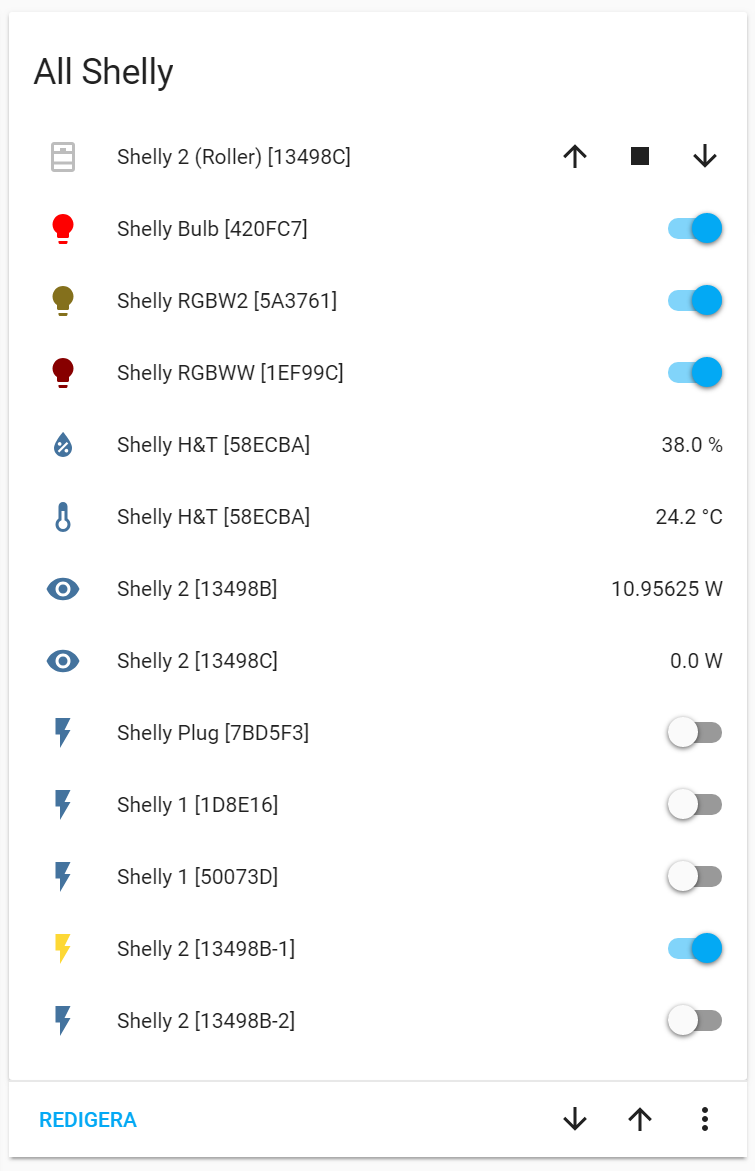


 wheat current
vapid field
wheat current
vapid field
thanks let me check it out
 shell torrent
The entities-card sometimes show the entities attributes. I'd like to get rid of that to increase the WAF.
Is it possible to hide the attributes without creating a template sensor and add that to the card?
polar kelp
The entities card shows the entitys state by default. If it shows anything else, that’s likely by your doing.
muted inlet
climate entities show more info than just the state in an entities card
maybe that's what they're talking about
inb4 "ow my eyes"
 next aurora
hey guys... QQ... I've noticed many examples of folks adding custom styles to cards but its not clear to me how they know which id's or names to use ? .card-content, or ha-card ect...
specifically I'm trying to figure out how to resize a card
wheat current
ha-card is usually the wrapper, .card-content is a div inside the wrapper containing the card elements text/icons what have you.
Size / borders are on the wrapper (ha-card)
next aurora
how does one "know" that ha-card is a thing ? I assume there are other elements one may use...
elder pendant
@muted inlet ow, my eyes
muted inlet
there it is
 hoary anchor
Is there a good way to break the text displayed here so that the full name is displayed? https://imgur.com/xtWPVQ2
polar kelp
@next aurora By examining the source of the interface. All browser have tools for this - usually called an "inspector".
next aurora
yea... guess ive always thought of css as some form of dark art
polar kelp
The code word to google is CSS
And you also need this for it to work: https://github.com/thomasloven/lovelace-card-mod
It's definitely a dark art, yes.
next aurora
yes, i am using card mod (*ty for creating it )
so I've got the weather card that I'd lilke to resize, and just to play around I picked something absurd
      cards:
        - type: weather-forecast
          name: Weather
          entity: weather.dark_sky
          style: |
            ha-card {
              width: 1000px;
              height: 1000px;
            }
            .card-content {
              padding: 0
            }
but no dice, the card didnt seem to change
ancient harness
there's some base values defined here: https://github.com/home-assistant/home-assistant-polymer/blob/master/src/resources/ha-style.ts
but really, open chrome dev tools and inspect the DOM, you can get class/ID's easily that way
next aurora
k, so now that I have the correct class shouldnt my absurd height / width have changed something ?
#$%#@
So it turns out that it actually helps if I edit the correct file....
ancient harness
hahaha oops
next aurora
well maybe that wasnt the issue... still not seeing any noticable change when playing around w/ the width or height
dark dirge
I'm trying to move from customUI to card_mod and I have one last card that I can't figure out. It looks like this:
          - type: 'custom:vertical-stack-in-card'
            cards:
              - type: entities
                show_header_toggle: false
                entities:
                  - type: 'custom:fold-entity-row'
                    head: group.downstairs_lights
                    debug_cardmod: true
                  - type: 'custom:fold-entity-row'
                    head: group.upstairs_lights
and all of that is part of a vertical-stack
my goal is to conditionally color the icons for each item in the group and the group itself depending on whether the lights are on or off. This works fine elsewhere for that:
color: &color |
  :host {
    --iron-icon-fill-color:
      {% if states(config.entity) == 'on' %}
        red
      {% else %}
        green
      {% endif %}
      ;
  }
I've tried getting type: custom:mod-card to help here, but I can't figure out how to get it to do what I want. Is it not possible with this card hierarchy?
ancient harness
hah ok, so the lovelace UI Raw Editor shows in YAML, but appears to be JSON on disk.. is it safe to edit .storage/lovelace?
dark dirge
no need to do that
why not just edit in the raw config editor?
if you really want to do more hardcore editing, just take control of the UI and use YAML mode
 amber sun
Sorry, I have a question:
I am having lots of trouble making icons for entities different colors. I can easily change the icon with icon: mdi:house for example, but can't get colors working.
I've tried various combinations of color settings under entities:
https://paste.ubuntu.com/p/zJzSgDD5qV/
I feel like I am missing something very basic
 raw finch
colors: - color: '#77D6FF'
amber sun
Like this? It doesn't seem to work
type: glance
entities:
  - entity: switch.garage_1_light
    colors:
    - color: '#77D6FF'
Error/warning:
Expected a value of type {entity,name,icon} | entity-id for entities.0.colors but received [{"color":"#77D6FF"}].
smoky depot
indent - color: '#77D6FF' by two and try again
amber sun
same:
raw finch
This is what I use for a custom card
amber sun
kind shellBOT
@raw finch posted a code wall, it is moved here --> https://paste.ubuntu.com/p/jmppNRTYJ5/
amber sun
Still can't figure it out. How would you set the color green for example on this entity:
type: entities
entities:
  - entity: switch.garage_1_light
    icon: mdi:leaf
?
smoky depot
did you try this?
type: entities
entities:
  - light.bed_light
  - entity: light.kitchen_lights
    style: |
      :host {
        color: red;
      }
https://github.com/thomasloven/lovelace-card-mod there is a few examples
ancient harness
@dark dirge well mostly because i hate yaml
and i'd like to edit everything in vscode while i'm working on various projects
dark dirge
k
I edit ui-lovelace.yaml in vscode, but I can only help so much
I don't recommend trying to edit the JSON directly
ancient harness
so i'm trying to figure out if that's because it will get overridden, or if there's another agenda
i did make an edit, saved, and restarted.. it took the change, but figured there's some odd reason it's YAML in the UI, but JSON on disk
dark dirge
the risks that I see are that the UI may become unable to read the JSON if it doesn't understand the changes you made or it may just decide to blow away things it doesn't understand
To me, JSON just adds a ton of extra typing beyond YAML. To each his own...
neither is super-friendly when you have something as big as a Lovelace config, but it doesn't seem like JSON would make it better. VSCode already lets you see how things line up to help with YAML
plus, it validates for you in real time
ancient harness
i'd rather have structured data transports than a white-space opinionated format.... 20 years of experience won't let me change that fact
dark dirge
k
ancient harness
i'm not concerned about which is better though, i'm curious why it's in different formats, and what the harm is in editing it, if any
if it's going to "blow" data away, it's just as likely (and statistically MORE likely) with yaml to do the same
dark dirge
it's more a matter of it trying to re-ingest the hand-edited JSON and not understanding it. similar to the weird things that happen with the automation editor
when you switch to YAML mode, you no longer care about the UI editor because it's disabled
ancient harness
ahh ok, so this is a side effect of using a UI editor over offloading to a separate config
that makes more sense
dark dirge
you could certainly run into the same thing by using the raw config editor, and I have
ancient harness
right... still new to the project, and i like to go into the "employees only" area to see what things do...
 viral sorrel
should this work as part of the mini-graph-card? I can't get threshold colours to work
- entity: sensor.office_humidex_index
    name: Humidex
    show_legend: true
    show_state: true
    color_thresholds:
      - value: 0
        color: blue
      - value: 29
        color: yellow
      - value: 39
        color: orange
      - value: 45
        color: red
@viral sorrel To format your text as code, enter three backticks on the first line, press Enter for a new line, paste your code, press Enter again for another new line, and lastly three more backticks. Here's an example:
```
code here
```
Watch the animated gif here: https://bit.ly/2GbfRJE
DO NOT repeat posts. Please edit previously posted message, here is how -> https://bit.ly/2qOOf1G
Command '.format' was invoked by: phnx
turbid badge
@viral sorrel looking at the docs you need hex values..
viral sorrel
oh? I thought colour could be provided in either hex or string
turbid badge
Not stated in the docs, so i assume not
turbid badge
every card and every option is different. I would always follow the docs/examples
viral sorrel
now I have to reverse engineer the colours..
viral sorrel
yeah but I need the same colours I already have on the screen for consistency 😛
so i have to do line_colour for those 4 colors and find out what hex values they all have
turbid badge
get the chrome add-on color picker