#frontend-archived
1 messages · Page 24 of 1
 gloomy iris
 tacit cave
that would 100% depend on if decluttering card passes complex objects
tacit cave
that would 100% depend on if decluttering card passes complex objects
And you think the docs are easy enough and the card is easy enough 😉
😄
tacit cave
that would take 2 minutes to test
make a decluttering template that passes to series, then use the template and pass it a valid series
if it works, then it accepts complex objects, if not, it does not
gloomy iris
Only if you KNOW that your syntax is correct!
Otherwise you will never know if your syntax is wrong or the card does not support it.
I would not even know that the card needs to be able to pass complex objects 😉
tacit cave
so all i've gathered from this convo is that you haven't learned yaml at all
and you're blaming cards for thier lack of documentation when it's really your lack of yaml understanding
just spend time learning JSON and YAML, they are interchangeable.
learn the objects that JSON can use, it's like 8 total.
gloomy iris
If that is what you take from it, okay. I am saying, that you cannot expect people to fully know yaml so they can be sure that their syntax is not at fault but the cards they are using is at fault.
tacit cave
then understand how they translate to/from yaml
tacit cave
gloomy iris
If that is what you take from it, okay. I am saying, that you cannot expect peop...
no one is expecting that, but you're expecting to just pick it up without learning it
I see the same thing w/ HA documentation
If you learn yaml, the HA documentation tells you how to build the yaml without showing you an example.
gloomy iris
tacit cave
no one is expecting that, but you're expecting to just pick it up without learni...
Not true!
I am trying to gather all kinds of information and playing until it works.
But I still do not know if what I am trying to do here #templates-archived message is not possible or if I just don't know how to do it correctly.
I used JS in Node-RED two weeks ago and the learning curve there is much steeper than with HA due to the problem of "is it my code or the card".
tacit cave
stop using all custom shit!
everything you've complained about is 100% outside HA's control
gloomy iris
I need custom "shit" because stock doesn't support anything
tacit cave
it does, but you're not willing to use it
there's literally no reason to use node-red
zero
that's a choice
gloomy iris
Name one good and fully customizable graph card
Node-RED is not linked to HA. I am using it for something else 😉
tacit cave
the regular history card works fine for me. Same with sensor card
tacit cave
and they aren't needed, maybe for you they are, but the majority of people don't need that crap
gloomy iris
No stock card even supports automatic creation of entities. Without auto-entities I would not even have a dashboard 😄
gloomy iris
tacit cave
and they aren't needed, maybe for you they are, but the majority of people don't...
Well, download numbers for mini-graph-card, apexcharts and plotly would suggest otherwise.
Also the numbers for auto-entities etc.
I know how data should be presented, so I need more than stock.
And the frontend is a key component in home automation and maybe the biggest downside to HA unless you use custom cards.
tacit cave
gloomy iris
Well, download numbers for mini-graph-card, apexcharts and plotly would suggest ...
the download numbers are 100% inacurate...
that's why HA created analytics because you can't trust the numbers that github supplies
gloomy iris
Probably not. But the reply count in the community for those custom cards is also quite high.
gloomy iris
Anyway, maybe I am just one of few, but I find HA stock cards to not be enough.
tacit cave
alright, then that means the responsability is on you to learn the custom cards that you're using 😉
gloomy iris
tacit cave
you're making wild assumptions here
We have no other trustworthy data. HA numbers are also no good. They only track if users allow to track. Will those users really be the users who customize everything? Or those who just use out of the box for lack of understanding?
gloomy iris
tacit cave
alright, then that means the responsability is on you to learn the custom cards ...
Totally agree 🙂
I am just asking for help in doing so 🙂
tacit cave
asking for help is not the same as complaining about the documentation that we don't provide
 vast crane
I'm a little puzzled what you mean above saying JS can't do areas. Hass object contains everything necessary.
tacit cave
vast crane
I'm a little puzzled what you mean above saying JS can't do areas. Hass object c...
the hass object in custom button card is not the hass object
 tame oriole
Gotcha, no worries
vast crane
I don't know about custom button card, but every custom card does get passed the hass object on creation.
tacit cave
this.hass in config template card appears to be the hass object, but it might not be.
actually hass on the button card is the has object.
but accessing areas in custom button card is still not the same as jinja
vast crane
the area_id for an entity is hass.entities['entity_id'].area_id
tacit cave
and config template card just uses eval, so this.hass is the hass object as well
it uses eval and this.hass is set to hass in the func calling eval
 marble umbra
Anyone here know a good template for a roborock vacuum
Would be nice if its minimalist ui but any template will sufficr
gloomy iris
tacit cave
asking for help is not the same as complaining about the documentation that we d...
Did I complain?
tacit cave
yes, very vocally, multiple times 🤣
gloomy iris
About docs? Well, partially, sure. But usually more about the stock features than the docs 😄
I just comment that I cannot find the info in docs, but I am used to finding everything in tasmota docs, so a high bar was set 😉
Or about the year of the voice. That I could complain about for hours 😄
 desert granite
Hello, I may have missed the information but I'm not sure why I don't see new tiles features. Im thinking about new climate tile for example, I updated my HA but the tile is still the previous one. Has it been released for experimental version only?
vast crane
Could you elaborate with some screenshots?
Also confirm your version from Settings->About
@desert granite
desert granite
vast crane
Also confirm your version from Settings->About
Well I'm not sure what I changed but I added the climate control again and I now have the new version. I guess its fine then, thanks for your help anyway)
vast crane
maybe just a caching issue
desert granite
Yes that could be it, I also restarted HA and Ctrl+F5 the browser
vast crane
that'll do it
 tribal galleon
In regards to decluttering card (which I just started using this past weekend) and custom:button-card's templates (which I have used for years), I have found that it is easiest to design the card in the frontend first. Copy it into a template with no variables. Change the original card to reference the template. Then, slowly start implementing the variables. Less troubleshooting and fighting with code in the long run.
 hoary orchid
cannot set the display accuracy for power and voltage it shows 217.00 watts instead of 21.7 watts and current 2,239.0 V instead of 223.9 V
the comma should be moved one place to the left and not to the right as in the options that can be set for the display accuracy.
only powersocket from gosund makes problem
other works fine
 strange heron
Hey, can a button trigger an automation with some parameters () ?
 dark dirge
yes, same answer as before
if you really, really want to do that weird thing, you can use a custom event and provide whatever data you want
strange heron
Ok more context, I have 3 plants with 3 automation for watering reminder (https://community.home-assistant.io/t/send-actionable-notification-when-plants-need-water-including-optional-image/366568)
the automation does 2 things :
it sends a mobile notification on due date
then if the button in notif clicked : the auto receive the mobile action to set next date
I want to add a front button, calling the automation to set the date, I need an parameter to be passed so the correct automation is triggered
I managed to do it using script, but I wonder if it can be direct from button to auto
 vapid field
Hello to all, I need help to install properly or remove button-card

 dark dirge
you can just do what you're doing in the script in the actual button definition
 strange heron
@gloomy iris how did you broke it ? check the logs maybe ? is it fresh install ?
strange heron
dark dirge
you can just do what you're doing in the script in the actual button definition
Cant make it works, do you have an example ?
            tap_action:
              event: PLANT_WATER_EVENT
              event_data:
                action: 'plantwater_marantat'
pfft, I guess you can't
it only supports service calls
so the script is the way, but a better solution is to break out the automation action into a script and call it from the automation and from the button, rather than triggering the automation
it skips the extra step of the automation for the button
strange heron
okk, thx a lot for those details.
Need to dig more on when and how to use scripts.
I like it DRY 😉
strange heron
I will need better pictures !

 stray fox
Is this the right place to ask about the Webpage Card feature? https://www.home-assistant.io/dashboards/iframe/
I am having trouble getting a simple local webpage to render properly.
 jagged cove
Hi All, could someone confirm if this should work? Set a mushroom card to vertical or horizontal based on state?
- type: custom:mushroom-media-player-card entity: media_player.samsung_tv use_media_info: true fill_container: true name: Lounge TV layout: >- {% if is_state('media_player.samsung_tv', 'on') %}vertical{% else %}horizontal{% endif %}
 noble tangle
hi all ... since home assistant 2023.09, whenever i open the additional info page of my template fan, the oszillation get toggled 🌬️ can someone help me there ?
tribal galleon
jagged cove
Hi All, could someone confirm if this should work? Set a mushroom card to vertic...
Your code looks correct, but, generally, the Mushroom cards don't accept templating. However, you can use the mushroom-template-card to accomplish what you're trying to do. The downside is to using this card is that you have to define everything. Search this channel for some of my posts regarding the mushroom-template-card.
vast crane
noble tangle
hi all ... since home assistant 2023.09, whenever i open the additional info pag...
Can you please report an issue in the frontend repository?
 jaunty kayak
What is the best way to display a time count down?
vast crane
Entities card will display the remaining time in a timer.
 vital burrow
I have just realized, that my details pages for thermostats don't show anything.
Happening in different browsers, on different PCs and on the Companion App as well.
Can someone confirm that? I haven't seen an existing issue on GitHub yet.
 vast crane
You mean that's for a climate entity?
vital burrow
Curent state: off
hvac_modes:
- heat
- 'off'
min_temp: 7
max_temp: 30
target_temp_step: 0.1
current_temperature: 23.9
temperature: 30
hvac_action: idle
window_open: true
call_for_heat: null
last_change: '2023-09-19T07:57:46.486765'
saved_temperature: null
humidity: 49.6
main_mode: 'off'
heating_power: 0.01
errors: '[]'
friendly_name: Badezimmer
supported_features: 1
That's been the Better Thermostat entity. The ZRV in ZHA isn't showing anything as well 🤔
vast crane
check your custom resources is all I can think of, or check the console for logs
vital burrow
Got the culprit. The latest update of the Better Thermostat UI broke it.
Thanks for checking!
 opal geyser
hi, i have titles for my cards in lovelace frontend. i want to make the title of a card clickable to open a url (to open the web ui for this part, eg inverter home site). someone know if this is possible?
vital burrow
Maybe an extra Markdown card for the titles? 🤔
tribal galleon
jaunty kayak
What is the best way to display a time count down?
I actually did this a few days ago per @vast crane suggestion. I applied some card_mod to it so only the state is shown and wrapped it around a conditional card. #frontend-archived message
I thought I posted a GIF of it in action embedded in a custom:button-card but I cannot seem to find it at the moment.
 tall arrow
has someone a idea? i miss some details on light entities. all other dialogues go smoothly. on this page, i got errors like this. Uncaught (in promise) DOMException: Failed to execute 'define' on 'CustomElementRegistry': the name "md-focus-ring" has already been used with this registry
 vast crane
I'll suggest like Jorg you likely just have some custom stuff installed that's breaking it.
vital burrow
Any light specific custom cards?
jagged cove
tribal galleon
Your code looks correct, but, generally, the Mushroom cards don't accept templat...
Thank you! I will check that out.
tall arrow
found it ... Better Thermostat UI trigger the issues
vital burrow
Okay... For me it effected the climate entities only. Reverting to 1.1.1 fixed it for me. You should report it on GitHub.
 clear meteor
Is there anyway change the bounds on this or the actual cover device? 25% is fully closed and 75% is fully open for me
 vast crane
clear meteor
Is there anyway change the bounds on this or the actual cover device? 25% is ful...
vast crane
clear meteor
Is there anyway change the bounds on this or the actual cover device? 25% is ful...
You could maybe make a template cover that maps 25-75 to 0-100.
gloomy iris
Can the text color for the "RUN" string of scripts be adjusted independent of changing the primary color? I was unable to find anything with dev tools in chrome but maybe there is a setting?
 lucid cedar
Hi, new here... running into a bit of a probelm
I have a blueprint I'm configuring to have a custom dashboard... but the configure options when it pops up and I'm supposed to select and entity for the fields to populate..... there is no entity selector, its just nothing before moving to the next entity selector
I know from the input type looking at the .yaml its set as
entity-picker
but nothing is populated in the actual home assistant editor
vast crane
Care to share the blueprint yaml that's not working?
 vast crane
Oh... this is not what I had imagined when you mentioned blueprint.
lucid cedar
yeah, I kinda abandonded it - I can edit the .yaml to make it a text input and manually input the entity.... but I'm onto something else lol
Thanks
tribal galleon
Just notice the link above was pointing to Dwains Dashboard. Guess the Blueprint terminology is used there too but in a kind of different context.
Someone had just asked the other day about a "dashboard generator" or sorts. I wonder if that is what they were referring to?
Were you asking about Dwains Dashboard (regarding generating a dashboard)? https://github.com/dwainscheeren/dwains-lovelace-dashboard
Here's an article with videos by Smart Home Makers that was in my browser history: https://leonardosmarthomemakers.com/home-assistant-dwains-dashboards-3-0-tips-tricks/
 tame crescent
Does anyone know of any add ons which allow you to simply resize cards and place them wherever you want without creating everything in YAML? Something like this: https://camo.githubusercontent.com/c4c5ad848e7f3cbc45c44a115b0ab01ff36e81898893b1177440ae3522e40eb4/687474703a2f2f692e696d6775722e636f6d2f6f6f314e5436632e676966
tacit cave
tame crescent
Does anyone know of any add ons which allow you to simply resize cards and place...
Sorry, it's not possible.
tame crescent
tacit cave
Sorry, it's not possible.
Should be possible if someone makes a card to support it 😉
I may have to do so
Was hoping someone else did though lol
tacit cave
tame crescent
Should be possible if someone makes a card to support it 😉
it's been tried multiple times in the past and it has failed every time. Good luck
tame crescent
tacit cave
it's been tried multiple times in the past and it has failed every time. Good l...
Any links to these attempts anywhere?
Would be interested to know why it is so difficult
tacit cave
tame crescent
Would be interested to know why it is so difficult
because the entire underlying system needs to change
I don't have any links, they were all abandoned forks of the frontend
tame crescent
Is it not possible to simply say get the definition of a card and render that into a div when creating a custom card?
tacit cave
if it was, this would exist as a custom card 😉
tame crescent
tacit cave
if it was, this would exist as a custom card 😉
😄
 opaque kiln
Hmm...

 devout socket
tribal galleon
Were you asking about Dwains Dashboard (regarding generating a dashboard)? https...
devout socket
tribal galleon
Were you asking about Dwains Dashboard (regarding generating a dashboard)? https...
I wasn't but I did look at this
tacit cave
opaque kiln
Hmm...
that's the new icon
opaque kiln
Yes...but the cropping.
tacit cave
probably needs to be resized, the icon itself
 echo coral
my pop up for my lights are not loading anymore on mobile and browser

I already rebooted
just started last night, did not perform any updates or anything is anyone else having his issue?
I can control them on the button still but when trying to see more controls it just doesn't load or showup
I am on the latest version for everything
light switches still work but light strips and bulbs do not
 vital burrow
Are you using Better Thermostat?
echo coral
I have it installed yes
@vital burrow
removing it fixed it !
what in the world
thank you
vast crane
Yeah you're the third to report that it broke the UI.
echo coral
wow I wasn't even actively using the card, just had it installed
vast crane
When you load a custom resource, it loads/runs on every page. Doesn't matter if you "use" it or not.
 dapper grotto
Hello
I have card_mod style with
ha-card
{
transform: scale(0.65);
background-color: transparent;
}
I'd like to make the scale parametric, depending on viewport width
any idea?
no one?
gloomy iris
Sorry, realized that it was a JS question but actually I was working in a Node-RED function
 golden mistBOT
@golden heath I converted your message into a file since it's above 15 lines :+1:
 golden heath
how do i change the state of things to not be visible when off?
vast crane
Do you want to expand on that a little bit? Visible where?
golden heath
like make the whole card disapear for example this is my 3D printer card, its currently offline so i want to hide the card complete, and then reappear when its online
 tacit cave
golden heath
like make the whole card disapear for example this is my 3D printer card, its c...
tacit cave
golden heath
like make the whole card disapear for example this is my 3D printer card, its c...
use the conditional card
golden heath
tacit cave
use the conditional card
ah ok, ill give it a bash
tribal galleon
@golden heath another thing to consider is you might be to template some of those fields so if it is not available, you can have it show something more eye pleasing.
 tepid raft
Is there a way in lovelace to get specific aspects of a media_player entity? I'd like a dropdown for the source of a media player without having to click on the entity for the additional info
tacit cave
You can make a template select entity
tepid raft
tacit cave
You can make a template select entity
Do you have an example by chance?
tacit cave
Nope, sorry
 foggy flax
One light isn't reacting to any commands through the frontend other than on, off doesnt work
 honest moon
wanted to show off a small part of my dashboard that uses Template Covers to wrap actual cover devices in my bedroom. I have an AC unit in one, and I often open the window on the other. I was able to use some math and limits on these wrapper/proxy entities to have them intelligently close to the correct length, depending on if the AC is installed and/or if the window is not fully closed

 solar venture
is it possible to filter for certain entities and state of those entities in auto-entities card?
for example:
type: custom:auto-entities card: type: entities title: Sensors filter: include: - entity_id: binary_sensor.sensore_*_state - state: off
this doesn't filter for state just for the entities that I filtered, but for all possible entities
tribal galleon
solar venture
is it possible to filter for certain entities and state of those entities in aut...
This is what I use to show Unavailable battery levels. yaml filter: include: - name: entity_id value: sensor.*_power* - name: entity_id value: sensor.*_battery_level* - name: state operator: '=' value: Unavailable - name: state operator: '=' value: Unknown
solar venture
so what does it include the on or off sensors?
what entities the state in the list is referring to?
tribal galleon
Those entities should return battery percentages but, in this case, I have it filtering Unavailable and Unknown states.
 solar venture
ah ok, so the state's there are in OR
tribal galleon
I think any combination should work. You can see some of the battery levels above are either.
solar venture
filter: include: - name: entity_id value: binary_sensor.sensore_*_state - name: state operator: '=' value: off
it doesn't work
tribal galleon
Hmm. That's was literally what I was just typing out... It might be because the binary_sensors return a true/false. What happens if you set the state value to false (try False, also)?
vast crane
how about capital O Off?
Not sure if it's using pre-translated or post-translated states.
d_sellers had capital U states, which I found odd.
vast crane
Do these have a device class?
solar venture
they are sensors that I build with templates
 formal tide
binary_sensor.sensore_*_state wildcard works that way?
tribal galleon
I just got a whole bunch of stuff with yaml filter: include: - name: entity_id value: binary_sensor.* - name: state operator: '=' value: 'on'
 formal tide
looks a bit strange to me
solar venture
@formal tide yes, without any futher filter, I can see the list of all these sensors
tribal galleon
the wildcards should work. One of mine: value: sensor.*_power*
formal tide
kk, guess I never had to do it this way 😛
solar venture
nope, even with quote is not working
tribal galleon
Seems to work with and without single quotes for on and off. (for me at least)
honest moon
i just tried it do and i'm seeing nothing
type: custom:auto-entities
card:
  type: entities
filter:
  include:
    - name: entity_id
      value: sensor.*_power*
      options: {}
oh, wait, if I use - name: entity_id it doesnt work, but if I use entities: binary_sensor.sensore_*_state , it works
so the problem seems to be the - name: entity_id and value
formal tide
filter:
  template: >
is superior anyway 
honest moon
missing some context though. what does it look like put together?
formal tide
a template example?
honest moon
      - type: custom:auto-entities
        card:
          type: entities
          title: Core Harmony
          show_header_toggle: false
        filter:
          include:
            - entity_id: switch.harmony_*
            - entity_id: switch.*apple_tv_hd
          exclude: []
filter: include: - entity_id: binary_sensor.sensore_*_state - name: state operator: '=' value: on
with this I can see all the entities, and the operator is not filtering anything
honest moon
right. wildcards only work with the inline syntax
but in my example, it's OR'd not AND'd (each of the include lines)
how does one AND each include filter
tribal galleon
I just realized, I was not using an auto-entities card. mine was a custom:battery-levels card. However, this worked for me (opposite of what you're trying to do but all my binary_sensors that end in state are all on). yaml type: custom:auto-entities card: type: entities title: Sensors filter: include: - entity_id: binary_sensor.*_state exclude: - state: 'off'

switch to 'on'
 formal tide
honest moon
how does one AND each include filter
formal tide
honest moon
how does one AND each include filter
not possible afaik, use templates
solar venture
how exactly work the exclude there? it will exclude ALL type of sensor with state off, or only the binary_sensor.*_state ?
honest moon
if i wanted to show all sensor.*battery_level with an Unknown state, can you add exclude: state: not Unknown ?
that would technically AND the two conditions
wait
this is working:
filter:
  include:
    - and:
      - entity_id: switch.harmony_*
      - state: off
nope
tribal galleon
it looks like maybe you only get one include and one exclude?
WTH... I added - state: 'on' to Include and it added a toggle...
 formal tide
go home frontend, you drunk
solar venture
oh, ok it is working now
tribal galleon
without:
 solar venture
after the card save it shows good results
tribal galleon
what did you end up using?
solar venture
the one with - and:
it is working now
filter: include: - and: - entity_id: binary_sensor.sensore_*_state - state: 'off'
honest moon
still confusing... i'm reading the filters docs. it says and is implicit but we have found it is not
solar venture
yeah
tribal galleon
Noticed the same. Removed the - and: and it populated all of the binary sensors that don't even match the wildcard defined...
solar venture
yes, it populates all the sensors that matches the state
honest moon
the two attributes work with AND
i think there is some obscure syntactical sugar we are missing
this shows me all door class devices with less than 50% battery... but it's limited to attributes
 tribal galleon
  exclude:
    - and:
      - state: 'off'
      - state: 'Open'
      - state: 'Problem'```~~works but doesn't work without the `- and:`~~ I spoke too soon. List just resorted but still see off, problem, and open.
EDIT2: Exclude needs to use `- or:` but I still see "Problem" and "Open" state but the "Off"s are gone...yeah. so this is working now:
type: custom:auto-entities
card:
  type: entities
  title: Bad Batteries
  show_header_toggle: false
filter:
  include:
    - and:
      - attributes:
          battery: <= 50
          device_class: battery
      - entity_id: sensor.*
The only problem with that (I think) will be if you have an Unavailable state (such as the device is dead)
honest moon
i don't know if this could be done using nested and/or items... but it's working:
filter:
  include:
    - and:
      - attributes:
          device_class: battery
      - entity_id: sensor.*
      - state: <= 5
    - and:
      - attributes:
          device_class: battery
      - entity_id: sensor.*
      - state: "/unknown|unavailable/"
"show me all entities that are batteries that are either close to dead, or dead"
it's not truly complete though. some devices might have battery attributes but no separate sensor for them 😦

 honest moon
is that in HACS?
tribal galleon

 plain pike
honest moon
nice. yeah why am i killing myself over auto entities haha
plain pike
honest moon
nice. yeah why am i killing myself over auto entities haha
because: fun
honest moon
tribal galleon
I think that is why I ended up going with `custom:battery-state-card`.
would you mind sharing your yml for these?
dapper grotto
Hello
I have card_mod style with
ha-card
{
transform: scale(0.65);
background-color: transparent;
}
I'd like to make the scale parametric, depending on viewport width
any idea?
 spring falcon
If i am embeding an image url (of my local traffic camera) how do i ensure that every time the page loads the image will be reloaded and not cached?
 broken marsh
Is there no way for the picture entity card to access files from /config/custom_components/**?
 north sequoia
Hi all, I am writing a dashboard in JS but I am battling to find a method to save arbitary data to a yaml/other file so that it can be reloaded on next boot. (the last setting for the page) - is there an easy way to GET/SET random data tags or how to read/write a file?
 shut robin
Hey guys, random question but is there an easy way to make a pooup for your dashboard that doesn't involve browser mod? I'm using a mushroom style dashboard atm
golden mistBOT
@mellow dune I converted your message into a file since it's above 15 lines :+1:
tacit cave
dapper grotto
Hello
I have card_mod style with
ha-card
...
FYI you can google everything related to CCS. 1vw is 1% view width. You can use calc() as well inside scale().
tacit cave
broken marsh
Is there no way for the picture entity card to access files from /config/custom_...
You have to allow access to that folder. It is dangerous though, becuase that means it'll now be exposed to the internet. It's best to just put your images from the custom component into the www folder.
broken marsh
Can custom_components write to the www folder?
tacit cave
they can do anything
tacit cave
shut robin
Hey guys, random question but is there an easy way to make a pooup for your dash...
No, unfortunately, it requires browser_mod
shut robin
tacit cave
No, unfortunately, it requires browser_mod
ah fair enough - thanks anyway!
broken marsh
Then that is the way to do it. Thanks!
tacit cave
@mellow dune you'll need to use the new template style so you can add device_class and state_class, which will enable statistics
 mellow dune
so like this:
  - sensor:
    - name: "input_power_with_efficiency_loss"
      unique_id: "input_power_with_efficiency_loss"
      unit_of_measurement: "W"
      device_class: power
      state_class: measurement
      state: >-
        {% set inverter_rating = 4000 %} {# adjust this value to the rated power of your inverter #}
{% set inpower = states('sensor.inverter_input_power')|float(0) %}````Yep
but you're not outputting anything in the actual template, so you'd have to fix that
unless you're just abbreviating everything
mellow dune
i don't understand what you mean
this is what i have in the sensor section:
    sensors:
      house_active_power:
        friendly_name: 'Active House Power'
        value_template: "{{ (states('sensor.input_power_with_efficiency_loss')|float - states('sensor.power_meter_active_power')|float - states('sensor.battery_charge_discharge_power')|float)|round(3) }}"
unit_of_measurement: "W"````this calculates as wanted
this is something i have in the template section and also works:
  - sensor:
    - name: "input_power_with_efficiency_loss"
      unique_id: "input_power_with_efficiency_loss"
      unit_of_measurement: "W"
      device_class: power
      state_class: measurement
      state: >-
        {% set inverter_rating = 4000 %} {# adjust this value to the rated power of your inverter #}
        {% set inpower = states('sensor.inverter_input_power')|float(0) %}
        {% if inpower < (inverter_rating*0.1) %}
          {{ inpower * 0.90 }}
        {% elif inpower < (inverter_rating*0.2) %}
          {{ inpower * 0.95 }}
        {% else %}
          {{ inpower * 0.98 }}
{% endif %}```ok i tried to fix it like this:
  - sensor:
    - name: "Active Power House"
      unique_id: "house_active_power"
      unit_of_measurement: "W"
      device_class: power
      state_class: measurement
      state: >-
"{{ (states('sensor.input_power_with_efficiency_loss')|float - states('sensor.power_meter_active_power')|float - states('sensor.battery_charge_discharge_power')|float)|round(3) }}"```i can see the past values (like before)
but when i insert it in the card nothing is displayed:
period: 5minute
type: statistics-graph
entities:
  - sensor.house_active_power
stat_types:
  - mean
  - max
days_to_show: 3
seems like the template doesn^t calculate anymore
tacit cave
mellow dune
but when i insert it in the card nothing is displayed:
it'll take upwards of a few hours for the data to populate into the long term statistics table
mellow dune
maybe i solved it with this:
        {% set pvpower = states('sensor.input_power_with_efficiency_loss') | float %}
        {% set batterypower = states('sensor.power_meter_active_power') | float %}
        {% set meterpower = states('sensor.battery_charge_discharge_power') | float %}

{{ (pvpower - batterypower - meterpower) | round(3) }}````okay now i wait for a few hours and see what happened
the sensor and the template now calculate the same value
thy for the help
tribal galleon
shut robin
Hey guys, random question but is there an easy way to make a pooup for your dash...
The custom:bubble-card https://github.com/Clooos/Bubble-Card has the ability to do popups. The card is in beta but the Dev is actively working on it. I got it working on a Masonry view but could not get it to work on a One Card view. Discussion: https://community.home-assistant.io/t/bubble-card-a-minimalist-card-collection-for-home-assistant-with-a-nice-pop-up-touch/609678
vast crane
What do you want the popup to do?
shut robin
I did check that out actually and it has some promise! The only thing I don't like at the moment with their popups is that the title has to be for an entity - I can't just have a text title for example
vast crane
There's things like subviews which might scratch that itch.
shut robin
I'd like a couple - one for my TV remote and one for my ac remote
tribal galleon
I posted some card mod stuff in a post in the discussion (it may be out dated because the Dev has added some styling options since then).
shut robin
Bubble mod seems pretty good if you could customise things just a touch more, but it's definitely something I've been keeping an eye out for for a while now and I'm super excited about it going forwards
 fiery ledge
this might be too obvious, but still I dont see it... how can we use an image in a picture-elements card that is stored in the /media share? Ive tried it a few times, but keep getting an unauthorzied login warning. I also use eg a template image on that same share without issue, and also can play media files.
this works fine: type: picture-elements image: /local/homeassistant/homeassistant-dark.png mapping the /config/www folder, and this errors: type: picture-elements image: /media/homeassistant/homeassistant-dark.png. I did set those shares to be allowed using ```
allowlist_external_dirs:
- /config
- /media
 blazing wren
Did you check https://www.home-assistant.io/integrations/http#hosting-files ?
tacit cave
who dat
fiery ledge
well, yes, I've done that since forever. its just that I never used that /media share for service static images and I cant make it happen
I can browse them in the Media menu item
as does eg:```
camera:
- platform: local_file
name: Snapshot Oprit
file_path: /media/snapshots/camera_oprit.jpg```
could it be the picture-elements card has some limitations in that regard?
found this, https://community.home-assistant.io/t/configure-picture-elements-card-with-authenticated-image/521058/2 but it seems awfully hacky... guess Ill resort to the /local folder... the HA icon doesnt really require protection 😉
 high karma
Does anybody know of any custom Timer cards that facilitate being able to increase/decrease the timer entity, that will slot in relatively seamleslly in this setup?
 plain pike
I wish I had those temps
 gaunt ingot
For some reason i can't remove colors from the color picker. The (-) button doesn't do anything. This is happening on the companion app and through browsers.
Has anyone noticed this before?

Any new colors i add also can't be removed.
vast crane
When I click it I get a popup that says "Delete favorite color?"
gaunt ingot
Ahh! I spammed the button a few dozen times and it popped up! Trying again doesn't seem to work though
It pops up about once every 100 times i hit the (-) button.
 sour condor
Anyone have some good dashboard examples I can steal for inspiration?
 knotty abyss
Can we include yaml files into a dashboard config?
 errant plover
Only if you are using yaml mode.
knotty abyss
Like in raw config?
dark dirge
Like if you're doing this: https://www.home-assistant.io/dashboards/dashboards/#using-yaml-for-the-default-dashboard
 lunar edge
Hi all, is there any way to make a castable card where can i cast forexample a YouTube video from mobile? I want to make a magicmirror but a separate HA dashboard, Google is not my friend
hoary orchid
I don't understand why the battery level and the voltage of the sensors are displayed incorrectly and how I can correct this.
tacit cave
You'll have to show us what you mean by "displayed incorrectly"
hoary orchid
can i send a screenshot
here
or only pic url
here

21,2 and 226,5 should be correct
vast crane
What does it say in developer tools for their state?
hoary orchid
condition and attributes or what you want to know
vast crane
Does it say 21.2 or 212.0
hoary orchid
Steckdose Lampe Bären Leistung
212.0 state_class: measurement
unit_of_measurement: W
device_class: power
friendly_name: Steckdose Lampe Bären Leistung
vast crane
So if it is supposed to be 21.2, and the state is 212.0, that is a problem with your integration, not a "display" problem or a frontend problem.
What integration provides this sensor?
hoary orchid
all gosung power sockets shows wrong
hoary orchid
Tuya
vast crane
You can open an issue in github against the Tuya integration, and ask it to be fixed.
https://github.com/home-assistant/core/issues
Fill out the form as best you can, and make sure you include the URL to tuya integration where it is asked for.
hoary orchid
you cannot change the display accuracy manually. In the defaults, only the decimal places are to the right - for me, the decimal point should only be one place to the left.
vast crane
Display accuracy is not the same thing as the decimal point being in the wrong place.
The state is just wrong. It's not a display accuracy issue.
hoary orchid
ok i open a issue
 warm bolt
Having an odd issue with my dashboards. I have several JavaScript modules loading in the resources. Everything seems to load fine except the mushroom card. Randomly I'll get a resource missing error, but it's fine on the next refresh. It seems like it's just taking to long to load that the dashboard loads before it is ready. Anyone have suggestions?
vast crane
I believe cards get 2 seconds to load or they get the error.
warm bolt
Interesting.... I also notice I use bha icons and on my phone the first load one of the icons is missing... Wondering if it's just taking to long to download or something on the first pass
 solar sand
Would anyone know how to re-work the minimalist custom card camera to show an iframe ui3 webfeed instead of the camera feed as an entity? https://ui-lovelace-minimalist.github.io/UI/usage/custom_cards/custom_card_camera/
plain pike
vast crane
Just wants you to be _really_ sure I guess 😁
molly-guard
 chilly condor
Hello - got a short question related to changing my Theme via an Automation - there seems to be a Service that sets the Default Theme + Light/Dark Mode.
But somehow it does not change anything for me.
Am trying to change my Tablet Default Theme to Dark Mode at e.g. 8 pm and Light Mode at 8 am.
Is there something i´m missing out? Don´t know if "Frontend" is the correct Channel for this kind of Question though
vast crane
This is a pretty common misunderstanding with the set_theme service.
It cannot switch your client between light/dark mode.
So if you call the service with theme: mytheme, mode: dark, what this means is, when the client is in dark mode, and set to use default theme, use mytheme as the default theme.
if the client is in light mode, that service call does nothing (until the client switches to dark)
If you want your device to go to dark mode at 8pm, then I think you want your app to "Follow system setting" for dark mode, and then there are ways in android to change your entire system to dark mode on a schedule.
chilly condor
Ye unfortunately the Fire Tablet 10 ignores the System Setting completely - was hoping to have some kind of automatism there instead of setting it manually 😦
But thank you for clearing things up a bit for me
vast crane
it does seem like there's a bit of a hole in HA's features, like there should be a way to tell a frontend to take light/dark mode direction from the backend, similar to how it does for default theme
should be a "default" dark mode
I'm sure that would increase confusion by another order of magnitude though 😂
 vale umbra
is there a correct way to physically perform a "hold action"? i have a button where i want the hold action to call a service to enable/disable an associated automation but i dont see that anything happens while holding for any length of time.
plain pike
vast crane
I'm sure that would increase confusion by another order of magnitude though 😂
confusion cubed
 jagged elm
I have 3 separate input_select. What would be the best way to display 3 side-by-side buttons on the same card, each displaying the current state of each input-select, while pressing each button would show a drop down list to select a new value? I managed to do this (below) with Custom-Layout card + Mushroom select card but I'd like to get rid of the borders and keep the drop down style (down arrow, etc.) hidden until I press the button.
 golden mistBOT
@jagged elm I converted your message into a file since it's above 15 lines :+1:
 prisma verge
hoary orchid
21,2 and 226,5 should be correct
prisma verge
hoary orchid
21,2 and 226,5 should be correct
I had a similar issue with my Tuya plugs. I just used a helper to create a new entity (with a similar but different name) with a new value. That new value can be any mathematical change from the natural value. Then I just hide the original entity. Below is an example where I change mA into Amps.
{{ states("sensor.fresh_water_pump_current") | float(default=0) / 1000 }}
ok i will try it , have open a issue on github
prisma verge
hoary orchid
ok i will try it , have open a issue on github
Ok. PM me if you get stuck.
hoary orchid
Create helper which of the many choices should I take?
can i change manual the orginal entity ?
 lyric prairie
Only by changing the integration in the backend,
hoary orchid
seems to be quite complicated or I am too stupid
 supple bear
Is there a way to control the load order of frontend integrations. I have only 3 but some have slightly conflicting css, so when they load in a particular order, the dashboard looks perfect, if they load in the 'wrong' order, some fonts are huge and out of place.
The load order seems to be currently random each time as to which css will 'win'.
If there was a way to control their load order, I could manually 'fix' it.
prisma verge
hoary orchid
Create helper which of the many choices should I take?
It's the helper called Template. Template Sensor (not binary)
prisma verge
that depends on what you're trying to fix. Was it voltage, or current, or something else?
We should probably move this discussion to #templates-archived
 ripe bison
Hi! Any clue how to display schedules saved in yaml format in lovelace? Format would be like:
{ "price": 0.4778, "onOff": "true", "start": "2021-12-10T00:00:00.000+01:00", "saving": null },
 amber turtle
Anybody know why reloading custom templates wasn't added to the options in the YAML configuration reloading area? Themes too. Seems obvious to me they should be there and not buried in Services. I guess they technically aren't "YAML" pre se but someone is being very pedantic if that is the reason. Just curious.
 cosmic flume
Is there complete documentation for what all the fields are that you can edit for a card? Most card documentation seems to only show what is unique to that card, but there's a bunch of inherited stuff that isn't really enumerated anywhere.
cosmic flume
Well so for example I'm trying to create nested vertical-stack and horizontal-stack to a one-card dashboard. One of the cards is a type: energy-usage-graph but which allowed me to specify title and show_title but those are not mentioned at all in: https://www.home-assistant.io/dashboards/energy/
dark dirge
Perhaps that's an exception, then. It clearly says
At the moment there are no configuration options available for these cards, you can configure them on the energy configuration page.
all cards that I've seen and used completely define what's allowed
cosmic flume
Well, those parameters definitely worked and did what I expected
dark dirge
I recommend suggesting an edit to the docs using the buttons at the bottom of the page
that is not typical of most cards
cosmic flume
Right, so then the question becomes: how do I authoritatively enumerate all parameters available to a specific card?
e.g., is there a debug tool that will let me inspect a card and programmatically dump the fields it thinks it will respond to.
cosmic flume
Here's what I've assembled so far https://zlnp.net/serve/card-in-progress.png
dark dirge
you can review the source
cosmic flume
Hm, there's definitely a tree of imports.
https://github.com/home-assistant/frontend/blob/9da8499004916ca121438b89244ec8b44d081a97/src/panels/lovelace/create-element/create-card-element.ts#L62
Then that one imports other stuff:
https://github.com/home-assistant/frontend/blob/9da8499004916ca121438b89244ec8b44d081a97/src/panels/lovelace/cards/energy/hui-energy-usage-graph-card.ts#L33
And so on. Would be great to dump the compiled result.
dark dirge
If the card you're using supports UI configuration, then it should show you what you can do graphically
cosmic flume
Oh I gave up on graphical editing a long while ago. I could take a look and see.
 formal plinth
Anyone know why the white outlines have suddenly appeared in browser mod popups? 🤔 Better yet, how to get rid of them. 😆
 tribal galleon
formal plinth
Anyone know why the white outlines have suddenly appeared in browser mod popups?...
tribal galleon
formal plinth
Anyone know why the white outlines have suddenly appeared in browser mod popups?...
I don't see the white border on my browser mod popup. Wonder if it is coming from the card that is being shown in the popup.
 formal plinth
tribal galleon
I don't see the white border on my browser mod popup. Wonder if it is coming fro...
formal plinth
tribal galleon
I don't see the white border on my browser mod popup. Wonder if it is coming fro...
It appears on all my cards. Very weird indeed.
And on every device too.
tribal galleon
Are they all stock cards? Or Mushroom? Or something else?
 tribal galleon
I don't see anything out of the ordinary on any of my Mushroom cards.
formal plinth
Same issue here
but I have no clue how to apply the fix
I don't know where to put that code. Any ideas?
 tribal galleon
In theory, it looks like if you add that code to your theme, it should fix things but a couple of posts down from that post the someone reported that the fix is inconsistent.
formal plinth
so so odd
tribal galleon
yeah. issue originally reported in July so it has been around for a bit. Did you recently update or change something else?
formal plinth
i think I updated browser mod recently
tribal galleon
Maybe some sort of quirk between browser mod popup and Mushroom cards. Another popup of mine with an Entities card seems to show okay.
 formal plinth
an idea: is there a way to make mushroom cards transparent?
tribal galleon
This might work: yaml card_mod: style: | ha-card { border: none; background-color: transparent; }
formal plinth
aye no dice
tribal galleon
Yeah. I just tried it on my side, too. Looking to see if I have another example somewhere.
formal plinth
tribal galleon
In theory, it looks like if you add that code to your theme, it should fix thing...
if i did try this fix, what file should i be ammending?
I use kibibitz as my theme
is it the kibibitz.yaml?
 tribal galleon
That would be my guess. I know I have a whole section of card_mod stuff in my theme but I don't know anything about it. (I must have added it at some point... ```yaml
Card Mod Night
#################
card-mod-theme: night
card-mod-card: |
.card-header {
  font-size: 20px;
[... and a bunch more ...]```
But I don't see anything that I already have dealing with the more-info.
Using a mushroom-template-card, this worked: yaml style: | ha-card { background-color: rgba(0,0,0,0); box-shadow: none; }(Top example; also accepts transparent for background and border: none;)
 formal plinth
I'm truly stumped. I have mostly everything working fine, then this weird thing appears
tribal galleon
In theory, the above style works with the other Mushroom cards. I switched it to a mushroom-entity-card and it produced similar results. (Honestly, I primarily use the mushroom-template-card as it allows more flexibility with customizing.)
formal plinth
even the error itself is inconsistent
sometimes it appears and sometimes it doesnt
tribal galleon
where are you seeing an error?
formal plinth
as in the white lines being an error
jagged cove
Hi All, how do i add an "ha-card" style to change padding in with this code?
card_mod: null style: ha-tile-info$: | .secondary { visibility: hidden; }
tribal galleon
jagged cove
Hi All, how do i add an "ha-card" style to change padding in with this code?
`c...
card_mod:
  style:
    ha-tile-info$: |
      .secondary {
         visibility: hidden;
       }
    .: |
      ha-card {
        padding: 0px 0px 0px 0px;
}```@shut robin I converted your message into a file since it's above 15 lines :+1:
shut robin
oh, also if i manually inspect when the popup is open, i can figure out where it needs to go (hence why i thought ha-svg-icon would work) but for some reason is hasn't
 tribal galleon
shut robin
oh, also if i manually inspect when the popup is open, i can figure out where it...
tribal galleon
shut robin
oh, also if i manually inspect when the popup is open, i can figure out where it...
Styling the Bubble Card pop up is kind of a mess at the moment. I did most of my experimenting before styling was added. I actually kept the header hidden in my examples. But the best I could do was change the power icon's color with card mod.yaml card_mod: style: | #header-container { color: red; div { background-color: black !important; } }
 shut robin
tribal galleon
Styling the Bubble Card pop up is kind of a mess at the moment. I did most of my...
shut robin
tribal galleon
Styling the Bubble Card pop up is kind of a mess at the moment. I did most of my...
ah, thanks! do you know how i can make it just affect the power button? from what i can see the #header-container is a div id, but there's not a div for the button itself?
tribal galleon
for some reason, the red color only affects the power button...
 tribal galleon
same if using yaml ha-card { color: red; }
Ah. I have some other card_mod stuff that must be changing things.
 fossil solstice
is there a way to send the frontend over HDMI? I am considering having a screen that has some screens up all the time
dark dirge
Not from the HA server. You can use any tablet to display the frontend
tribal galleon
@fossil solstice If you're using a smart TV, all you need is a web broswer. If not or you're wanting to use a computer monitor, you might consider a Raspberry Pi (the prices have started to come down) or other SBC which could also give you more capabilities than just showing a dashboard.
fossil solstice
That's too bad. I was hoping to do it just from the device itself.
tribal galleon
what are you running HA on?
fossil solstice
x86 machine. Some celeron based NUC wannabe 🙂
its not biggie, I just wanted to be able to do it. A tablet is probably better but I know I'll never bother with that 🙂
 fathom wagon
alright y'all css gurus... I got one for ya. can i get the dropdown list from a listbox to apear over 'everything' ?


trying to get the listbox displayed topmost, over/outside of the browser_mod popup
z-index will still put the list inside the popup
 polar kelp
That’s a hard one. The selects for the cards are made for a static positioning. So they will place the listbox based on where they are rendered at page load. Kind of. In a popup they don’t know where they are, so there’s a different kind of popup used there.
Home assistant actually have two different settings for the same select based on where it’s used, but e.g. In a popup card there’s no way to change it.
fathom wagon
gotcha
thanks thomas -- I was actually looking at the card-mod stuff and was starting to figure out if it is even possible
which from what I'm understanding from your reply, is not
 rocky python
hey everyone.
I have a problem with the animated background.
unfortunately it is not changed based on time.
Is anyone familiar with it?
vital burrow
My guess would be a wrong state_url definition. As I understand that config, it will show the default video unless it is exactly 15:00 or 16:00.
rocky python
vital burrow
My guess would be a wrong state_url definition. As I understand that config, it ...
how can I define a time period?
vital burrow
Look at the documentation, if they allow time periods or templating in their configuration.
Otherwise create binary template sensors for each period.
rocky python
k thanks
vital burrow
A template sensor with multiple time periods might work as well.
vast crane
schedule helper is also a possibility
vital burrow
Forgot the easiest solution  😆
😆
rocky python
should I store the urls in helper?
and call them with the schedule?
vital burrow
The schedules are just for defining the time period, not for the URLs
rocky python
I understood it and changed it, it doesn't work with the schedules either. Only the default_url is always displayed as the background
vital burrow
How does your config look now?
vital burrow
Well... the sensor.time will never have the state of schedule.day_background_shedule
I'd go with a template sensor, giving different states on each time period and using that one as entity instead of sensor.time. You can use its state in the state_url.
With a schedule you cannot have more than two videos (the default video and one for the defined times in the schedule).
rocky python
I understand
Unfortunately, I don't know much about templates.
sorry for german..
vital burrow
In English please
In which time periods should the default video been shown and in which ones the day and night ones?
rocky python
The default video shouldn't actually be displayed at all.
day 07:00-19:00
night 19:00-07:00
vital burrow
Got it
  day
{% else -%}
  night
{% endif %}```
That should work as template for a sensor.
If you use that sensor as entity, you can use the state day or night as state_url conditiongot it.
the sensor is working but the background won't change
vital burrow
And what is the current configuration?
rocky python
tribal galleon
how about putting the .mp4s in the www folder? maybe it doesn't like https. nvm. docs show https used.
vital burrow
I suppose you need to but apostrophes around day and night
rocky python
are automatically removed
I followed these instructions
https://smarthomebastler.at/animated-background-2023-neu-lokal-gespeichert/
vital burrow
  - animated_background: animated_background```
Doesn't look right. You called the group "background"
```views:
  - animated_background: background```
might workWell... if you placed it in the right spot. It doesn't belong in the animated_background configuration, but in the according view's configuration
rocky python
vital burrow
```views:
- animated_background: animated_background```
Doesn't look right. Yo...
ouu looks like that was the mistake.
Thank you for the effort !
clear meteor
.
vital burrow
This is the #frontend-archived channel. You want to post that in #templates-archived
 unique scroll
does anyone know why the iPhone shows at wrong spot in the map ?
The house next to UP is where it is at.

hoping that this is a frontend issue
it is shown about 100-150m off
hola mr sellers
tribal galleon
GPS accuracy? Maybe entity is using a different precision value. I saw one location being report with about ten digits precision and another with 6 digits (which is a big difference)
unique scroll
when i lived in the city the position was spot on
now i'm relocated out in the countryside
tribal galleon
looking back, it was you and I that was talking about the GPS precision. Mine was off by nearly 1.1 km between the two entities.
unique scroll
we have talked about a lot of things my friend 😄
i guess it's just one of those things that just is what it is
tribal galleon
Is it returning a geocoded location or using lat/long?
unique scroll
i dunno. it's a device tracker
tribal galleon
so, device tracker does only have 7 digits precision while zone.home has 15. #templates-archived message
 tribal galleon
yeah. the lack of precision is putting you at the other group of houses on the other road.
 small loom
I get inaccurate WiFi locations - and sometimes jumping backward and forward between two positions, while sitting on my couch - because my outdoor AP is visible the next street over.
The antenna is aimed about 20° below the horizon, but clearly the vertical beamwidth is enough that people standing at the bus stop occasionally pick up beacons.
Even borrowed our Ekahau spectrum analyser from work to test it, the signal is basically nil (like in the range of -88 — -90dBm), but it's definitely there :\
tribal galleon
@unique scroll Perhaps enabling High Accuracy Mode in the companion app?
tribal galleon
The app on your phone.
tribal galleon
The HA app is technically the Companion app.
tribal galleon
Interestingly, one of my tablets has a larger precision than my phone. Must have a setting some where to change.
Pay attention to your battery life. That could put a strain on it.
 tribal galleon
didn't the 15s just come out? the 13 is so ancient... (jokes. Android user.) 😛
unique scroll
i won't pay 2months worth of paychecks for a frekking phone
tribal galleon
Turned on High Accuracy Mode for Background location. Still same precision but it is now updating every 5 seconds.
tribal galleon
Mushroom chip card - template count lights on
 manic monolith
Hello there, can someone explain me how Layouts work in HA? Is the default layout a separate module or is it tightly connected with HA itself?
vast crane
manic monolith
Hello there, can someone explain me how Layouts work in HA? Is the default layou...
Are you referring to the placing of Cards on a View?
manic monolith
vast crane
Are you referring to the placing of Cards on a View?
Hmm, I'm not talking about the cards but the canvas itself, is it a module or is it hardcoded where it would take much effort to expand and make it better?
manic monolith
vast crane
Are you referring to the placing of Cards on a View?
The designs etc for the cards is this here? https://github.com/home-assistant/frontend/tree/dev/src/panels
tribal galleon
manic monolith
The designs etc for the cards is this here? https://github.com/home-assistant/fr...
If you're looking for the source for the cards, I believe that's here: https://github.com/home-assistant/frontend/tree/dev/src/components
But not sure what you're trying to ask because first you ask about Layouts, then "the canvas", and "expand and make it better". What are you trying to do?
manic monolith
To ask my question straight I would need to know how HA "renders/displays" the frontend, cards etc.
I have found something called HACS and installed it, seems like people can create custom themes and cards here
not sure what's lovelace and what the difference is to themes.
tribal galleon
lovelace = frontend. HACS is basically a third-party distribution system. themes are generally the colors used within lovelace (in the form of variables). Cards are basically the "things" shown on a View of a Dashboard.
You might want to take a look at https://developers.home-assistant.io/docs/frontend/custom-ui/custom-card/
manic monolith
So lovelace is the name of the current "default" theme? So if I only have lovelace checked, it will only show the cards for the default theme?
tribal galleon
lovelace probably has its own default theme.
This is a dashboard which is comprised of cards

This is a theme.

These are the Views of a Dashboard (essentially, different "pages") (I have the Views hidden in the screenshot of the dashboard above.)
 manic monolith
I'm now looking at a specific graph, i don't really want to make it if it's already there...
https://user-images.githubusercontent.com/8268674/66688610-44c0d280-ec7f-11e9-86c2-a728da239dab.png
I'm looking for something like this graph... except the Blue like could be Light(Watt), the green could be idk AudioSetup(Watt) and the orange could be Laptop(Watt)
And now my idea is to also see on the left a legend saying 25W 50W 75W 100W etc and each of those Lines are summed up... so the chart shows each separate usage on the graph but also the total usage.
So if i started playing games on my laptop, the chart graph in total would rise... and I could see what currently is drawing the most power.
Why this? Because I want to use a small display and doing each card for everything separately isn't pretty or space efficient(display wise)

like this
tribal galleon
I think that card is the custom:mini-graph-card https://github.com/kalkih/mini-graph-card
You can define what sensors you want to show and how. This is one of my examples (with some Mushroom Entity Cards and contained in a custom:vertical-stack-in-card).
 manic monolith
But they must add together i know it makes no sense
tribal galleon
You mean several sensors needed to a added together and that value is what is shown on the graph?
manic monolith
But if the graph has a legend on the left saying 0 25 50 75 100... and the laptop draws 50W and the light 25W... it should show 75W
but it stacks
tribal galleon
one way of accomplishing that is to create a template sensor that takes the values (states) of the laptop power draw and the light power draw and returns a value (in the form of a sensor entity). That entity could then be used on the graph. But that it only showing the total usage.
manic monolith
it's called stacked chart or mountain chart
tribal galleon
If you're looking to make a stacked bar graph, I think the Apex Charts card can do that (though I dont know how to use it. https://github.com/RomRider/apexcharts-card
stacked boolean false v1.0.0 Enable if you want the data to be stacked on the graph
golden mistBOT
@manic monolith I converted your message into a file since it's above 15 lines :+1:
manic monolith
into the header?
tribal galleon
Do you mean how do you add the card to a dashboard? That's the default data when you add the card so I'm assuming you already got that far.
manic monolith
yes
tribal galleon
Where did you get the data that you posted?
tribal galleon
So this is what you see?
 manic monolith
type: custom:apexcharts-card
header:
  show: true
  title: ApexCharts-Card
  show_states: true
  colorize_states: true
stacked: true
series:
  - entity: sensor.tasmota_energy_power
    data_generator: |
  - entity: sensor.smartplug_light_energy_power
    data_generator: |
You can probably get rid of the data_generator: | lines.
manic monolith
i'm trying to find how to make it look like this
usually stuff like this is named like fill_color
type: area
seeems to work
@tribal galleon thanks for help, 1am I need to get some rest, gn8 🙂
golden mistBOT
@golden mirage I converted your message into a file since it's above 15 lines :+1:
 golden mirage

 wild musk
Hi guys,
Anyone knows if its possible to have a background image in the dialog box?
I tried doing:
mdc-theme-surface "rgba" which works perfectly.
But would love to have an image instead and tried mdc-theme-background with no luck

 pliant obsidian
With the new logo looks weird, doesn't it?
 small loom
Hehe, might need a wee adjustment to the alignment
tribal galleon
Yeah. That was called out a couple of days ago.
golden mirage
wild musk
Hi guys,
Anyone knows if its possible to have a background image in the dialog...
you can try https://github.com/thomasloven/lovelace-card-mod
wild musk
yeah, i have that active on my entites through the theme, however i try do do as much with variables as possible, especially since card mod does not work well with cast
tribal galleon
I'm not sure if card mod can modify the dialogs. You could make your own popup that shows basically the same information. https://github.com/thomasloven/hass-browser_mod#popup-card
This is one that I made that shows two entities but you can lay it out just like you can in a dashboard's view (with layout cards, etc.)
 wild musk
this works
mdc-theme-surface: 'rgba(180, 100, 0, 1.0'
this does not:
mdc-theme-background: 'center / cover no-repeat url("/local/media/misc/bg.jpg") fixed'
🧐
 tribal galleon
mdc-theme-background is probably limited to a color value.
 placid anvil
I'm trying to make it so an entity only shows when it's available, specifically the remaining time on my dishwasher. What is the most straight forward way of doing this? I see there's an Entity Filter Card, but I would like to avoid an additional card, I just want it on an existing card with other entities.
type: entities
entities:
  - entity: light.left
  - entity: light.right
This is essentially what I have now, and I'd like the conditional entity below the two lights.
Oh, I see entity-filter can also do a per entity setting. Lemme see if that works.
type: entity-filter
state_filter:
  - operator: '!='
    value: unavailable
entities:
  - entity: light.left
  - entity: light.right
  - entity: sensor.dishwasher_remaining_program_time
This did the trick. I guess it would technically hide the lights if they were ever unavailable, but I think this is fine.
tribal galleon
@placid anvil you might consider looking at the auto entities card. It might offer a little bit more flexibility and show how you want it. https://github.com/thomasloven/lovelace-auto-entities
placid anvil
Ohh, that's pretty cool.
 sturdy bough
hi all
from a forum post i've recovered this lovelace code:
  - variables:
      person: person.marco
      bg: |
        [[[
          return 'url(/local/images/zones/' + states['person.marco'].state +
        '.png';
        ]]]
    type: custom:button-card```


my problem is that sometines i get the right url "home.png"
sometimes i get like: "home.png;background-size:cover;background-position:center;overflow:visible;" that ends in a 404you'll have to post what's using the bg variable.
 lyric storm
type: entity-button
name: Turn Off Lights
tap_action:
action: call-service
service: script.turn_on
service_data:
entity_id: script.turn_off_lights
confirmation:
text: Are you sure you want to press this button?
exemptions:
- user: petro
entity: script.turn_off_lights
golden mistBOT
@lyric storm To format your text as code, enter three backticks on the first line, press Shift+Enter for a new line, paste your code, press Enter again for another new line, and lastly three more backticks.
```yaml
example: here
```
Don't forget you can edit your post rather than repeatedly posting the same thing.
lyric storm
Hey all. I'm trying to add a confirmation to a button push.
My codes clunky, I'm just perfecting it
lyric storm
Sorry
 split granite
Don't forget you can edit your post rather than repeatedly posting the same thing
lyric storm
Not a regular discord user. Need to find out how to do that
split granite
The bot message tells you about markup
lyric storm
Found it
split granite
The channel topic tells you about code share sites
lyric storm
Is that better? 😁
type: button
name: Hard reset
tap_action:
  action: call-service
  service: script.turn_off
  service_data:
    entity_id: script.hard_reset
  confirmation:
    text: Are you sure you want to press this button?
Confirmation: true
entity: script.hard_reset
God I hope this is right
split granite
Well, it was either use a code share site or use code markup
Both is pretty pointless 😉
lyric storm
😭😭😭 you can't blame a guy for trying though right? I'll use the triple back thingy in future
Can anyone help me with this? I'm trying to get a confirmation before a button is pushed through UI.
This is my code and it doesn't seem to want to work
 bold urchin
is it just me or is the back button/action completely broken in the UI? I click some navigation element, and when I go back, it jumps randomly, sometimes to the settings or even just out the webpage entirely nevermind, it was an issue with custom-card-helpers's navigate
lyric storm
Hell yeah! I did it!
 wheat kayak
lyric storm
Hell yeah! I did it!
wheat kayak
lyric storm
Hell yeah! I did it!
what ended up being the problem?
lyric storm
Placements. Rows and columns. Capital C etc etc
wheat kayak
ah gotcha, yeah capitalization and indentation is pretty important in yaml
plain pike
#general-archived message I did mention that
 mossy otter
Anyone able to give me some advice on card-mod? I'm trying to fix the width of my sidebar using some great suggestion by Ildar_Gubbalbin and some code he has provided but can't seem to find where to put that code
  card-mod-view-yaml: |
    hui-sidebar-view:
      $: |
        .container div#sidebar {
          min-width: 400px;
          width: -webkit-fill-available;
        }
I am assuming I put this in the raw configuration code of my yaml view but doesn't seem to do anything so I must be doing it wrong
vast crane
Just to confirm, you have card mod successfully installed?
mossy otter
yes that's right
tribal galleon
Does that type of code go into the theme somehow?
mossy otter
no idea 😄
dark dirge
Apparently in a theme: https://github.com/thomasloven/lovelace-card-mod/wiki/Card-mod-Themes
mossy otter
perfect, thanks, must've missed that
vale umbra
is it correct that if you rename entity ids, they wont get reflected elsewhere, like the entity card?
vast crane
Yes it will break your cards
vale umbra
f
tacit cave
that's correct ctrl+f will allow you to search files to find said entity and replace it
 cosmic cairn
Hi, I hope that somebody with some good knowledge about card_mod can help me with a card I try to create, I made a post about it on the forums: https://community.home-assistant.io/t/card-mod-add-css-styles-to-any-lovelace-card/120744/5157?u=moostmartijn
Thanks in advance!
tribal galleon
cosmic cairn
Hi, I hope that somebody with some good knowledge about card_mod can help me wit...
What happens if you add a height in the ha-card section? It may just cut the card off, not sure if it will scroll though.
cosmic cairn
tribal galleon
What happens if you add a height in the ha-card section? It may just cut the car...
Height does not work. I can set a max-height in px, but the items added to the list will go outside the card.. Also if I set a fixed height in px, the size of the card won't be the same as the one next to it on different devices
 stable tinsel
i've made a dashboard i'm quite happy with, with sections sorted by HASS Areas and then populated with the auto-entities addon. however, i would like to be able to add a new area and have it automatically be added to my dashboard. is there any way to repeat a block of cards for each area registered in hass, and pass an area parameter to an auto-entities instance within them?
tepid raft
Is it possible to have a button card with a predefined image / background instead of an icon?
tribal galleon
@cosmic cairn Figured that would happen. I found this in the forum: https://community.home-assistant.io/t/solved-scrolling-in-markdown/534793
Looks like OP was trying to do the same thing. Look at his solved card in the third post.
devout socket
Yeah I'm stumped how can I show the last changed time easily between restarts? Even custom helpers seem to have their times change on a restart
I really want to show ex. "7 hours ago"
tribal galleon
devout socket
Yeah I'm stumped how can I show the last changed time easily between restarts? E...
https://community.home-assistant.io/t/persistent-version-of-last-changed-for-the-ui/467163/4
TheFes posted a solution in post #67.
devout socket
Thanks I'll try that
tribal galleon
@devout socket
 devout socket
Im trying to figure out how to make that post work
I put the code provided in a template config
tribal galleon
What do you mean by a template config? You mean in configuration.yaml?
It is literally copy&paste. Put the entities you want to track under entity_id:. Name of the sensor as name:
devout socket
 tribal galleon
Open and close your front door. Sensor won't start tracking until there is a change.
tribal galleon
Scroll to the right.
 devout socket
I see it
tribal galleon
Your sensor is working. It is a roundabout way of doing it but it works. The "entries" are not individual attributes.
devout socket
So I am assuming that this entity holds the last changed values appropriatly
tribal galleon
Yeah. If you open/close your front door, you'll see the time stamp update.
devout socket
yeah but this is the part I want to make work

I already know how to store it elsewhere
tribal galleon
That is not what you want to use. That is simply the "OK" state of the sensor.; has nothing to do with your front door You need to start with this:
{{ state_attr('sensor.nominal_change_history', 'changes')['input_boolean.test'] | as_datetime }}
That number you pointed at reflects when the sensor was loaded (ie., on boot). I just turned lights on/off.
 devout socket
where do I put that second part
tribal galleon
For testing purposes, you can put it in Dev Tools > Templates. It will return the stored value. From there, you'll have to add some more to make it more "readable." Afterwards, you can put your completed template in a card that accepts templates like the Markdown card or Mushroom Template Card.
 tribal galleon
what's your yaml look like inside one of those cards?
devout socket
primary: Hello, {{user}}
secondary: >-
  {{ state_attr('sensor.nominal_change_history', 'changes')['
  binary_sensor.front_door_sensor_contact'] | as_datetime }}
icon: mdi:home
entity: binary_sensor.front_door_sensor_contact
I'm not sure how you got those values in those cards because in its current form it should have returned something like 2023-09-26 01:54:58.083333+00:00.

 tribal galleon
type: custom:mushroom-template-card
primary: |
  {{ state_attr('sensor.persistence_tracker', 'changes')['light.bedroom_lights'] | as_datetime }}```
Looks like you have an extra space or line break before the sensor name in secondary.
devout socket
with what I just got from you its blank
tribal galleon
double check the entity_ids for both entities. I did not call my sensor the same as you.
devout socket
 tribal galleon
What about the other entity for the sensor?
 tribal galleon
Ah. Now that's where the fun begins.
This was something that I had worked on previously. ```yaml
- type: custom:mushroom-template-card
primary: 'Status: {{ states("light.living_room_lights") }}'
secondary: >
{% set t = ((as_timestamp(now()) - as_timestamp(states.light.living_room_lights.last_changed)) | int) %}
{% if t < 60 %}
{% elif t < 3600 %} {{ t // 60 }} min
{% elif t >= 3600 %} {{ t // 3600 }} hr {{ (t % 3600) // 60 }} min
{% else %} error
{% endif %}```

It should just be a matter of "merging" them together. But this is about as far as I have gotten.
devout socket
 tribal galleon
The first line of secondary is wrong. You have to incorporate the code from the persistence sensor.
devout socket

Ok I think we are almost in business
but I want to to minutes ago
And hopefully change off to closed, etc
devout socket
Front Door: Currently ({{states("binary_sensor.front_door_sensor_contact")}})
tribal galleon
Gimmie a sec. I have an example dealing with open/closed doors that I need to find.
tribal galleon
Oh it exists. You just have to make it exist...
devout socket
😐
tribal galleon
add this. Change the entity: to your front door sensor so the variables in primary, icon, and icon_color work and you don't have to repeat the entity.yaml entity: binary_sensor.living_room_door_on_off primary: | Front Door: Currently {{ ((states(entity)) == 'on') | iif("open", "closed") }}. icon: | {{ ((states(entity)) == 'on') | iif("mdi:door-open", "mdi:door-closed") }} icon_color: | {{ ((states(entity)) == 'on') | iif('red', 'green') }}
 tribal galleon
My method would be to use a custom:stack-in-card https://github.com/piitaya/stack-in-card. Hide the borders of the Mushroom Template Card and the card you want to show on the right (using card mod, if needed) and use a border around the stack-in-card. This example is six custom:button-cards but made to look like one card.

Another stack-in-card. (Don't mind the bottom. Screenshot from PC but dashboard designed for tablet.)
 devout socket
ty
 rose stump
Has anyone ever had to debug a lovelace card in Mobile iOS Safari? I have been trying to connect desktop Safari to the mobile device to attempt to get console logs from the card, but despite seeing them in the code, and knowing that they execute, I do not see anything in the developer console. I'm not sure if this is a Shadow DOM thing, where scripts that execute as part of the shadow dom never surface, or if it's a async thing, and Safari Debug console just missed them while it's trying to connect. Anyone have any tips on how to get good console logs coming out of Safari on iOS?
tribal galleon
@rose stump Does Safari have some way of emulating other devices in the Debugger? This is how Firefox does it. Calls it Responsive Design Mode.
Forgot the screenshot...


 rose stump
tribal galleon
<@95675601800671232> Does Safari have some way of emulating other devices in the...
rose stump
tribal galleon
<@95675601800671232> Does Safari have some way of emulating other devices in the...
What I am trying to troubleshoot is not a responsive design issue, it's a Javascript issue. There is a Media API called Media Source Extensions (MSE) which is available on nearly every other browser but iOS Safari (it's even avail on desktop and iPad safari), but recently apple released an API Called Managed Media Source (MMS) which is backwards compatible with MSE, but it needs to be constructed a bit differently. I'm trying to debug an open source card (frigate-hass-card) to integrate with this new MMS API, so I can only test inside an actual instance of iOS Safari.
devout socket
      {% set t = ((as_timestamp(now()) - as_timestamp(states.input_text.persistence_front_door_state.last_changed)) | int) %}
      {% if t < 60 %}
      {% elif t < 3600 %} {{ t // 60 }} minutes
      {% elif t >= 3600 %} {{ t // 3600 }} hours {{ (t % 3600) // 60 }} min
      {% else %} error
      {% endif %} ago```

 cosmic apex
hey how did you figure out the gray border on you dashboard?
 waxen wraith
jesus christ, man's looking 9 months into the past
 acoustic wraith
How is it possible to have that top row over all glance cards? https://i.redd.it/zqbhh78rf7c51.jpg (I cant ask there because its archived)
acoustic wraith
Im aware of horizontal and vertical stacks, but once I use the horizontal stack it is just "1 column" width
cosmic apex
Hi there, am deloping my first adaptive dashboard and getting these gray borders and no colour on the icons any idea why this is happening?
 acoustic wraith
and is anyone aware of a forum who has some dashboards with sample code, so I can dig around?
vital burrow
Well... there is the Home Assistant forum
https://community.home-assistant.io/c/projects/9
lyric prairie
cosmic apex
Hi there, am deloping my first adaptive dashboard and getting these gray borders...
You might want to set the theme in your user profile to a minimalist one
Note: themes are device/user/browser specific
 undone shoal
Is it possible to somehow make a card shown in page pop-out to 'full-screen' to later go back to the original screen layout? For example, I have this screen and would like to be able to click on the pie-diagram card to make it grow to full-screen to properly view it in full size, then later close the full-screen mode and go back to this screen?
 tacit cave
why is the pie diagram so small? Just make it bigger
a diagram for ants
pop outs are exponentially harder to do
undone shoal
It's so small because the legend is very long: I have a lot of power sensors. I was hoping someone would have created a card that allows a child card to pop-out to panel size and back.
acoustic wraith
I got this one here: https://community.home-assistant.io/t/sizing-cards/348632/11 How is it possible to have the top vertical card over (as it seems for me) the 3 columsn, or how to resize the vertical card in the width?
 timber geyser
undone shoal
It's so small because the legend is very long: I have a lot of power sensors. I ...
timber geyser
undone shoal
It's so small because the legend is very long: I have a lot of power sensors. I ...
You can use https://github.com/thomasloven/hass-browser_mod 's popup service for this.
I have created a custom card that has this feature, but the card itself is a button... https://github.com/flixlix/homekit-button
You can use https://github.com/flixlix/homekit-button#open-dialog-action this action to open a dialog with a custom card inside
tribal galleon
@undone shoal The popup like @timber geyser can be made to do what you want. Like Petro mentioned, they're kind of a hassle to set up. I'd suggest hiding the legend so you get a bigger chart. Then add a tap_action and copy the same yaml for the chart into the pop-up but showing the legend.
undone shoal
tribal galleon
<@955115730368598026> The popup like <@872491382978252860> can be made to do wha...
@timber geyser I will first research your suggestions and if these don't suit me I'll resort to the solution @tribal galleon provided: it is a large yaml and I'd rather like to avoid duplicating it for maintenance purposes. Thank you both!
 modern hinge
I have been trying to get this card to have a transparent background. I am not sure how to use card-mod and the text-divider-row card to work together to achieve this. The documentation on this card doesnt have the option to change the background., however it looks like it maybe possible if do it with the card mod part. Maybe it isnt possible. Here is what I have.
entities:
  - type: custom:text-divider-row
    text: Climate
    align: center
card_mod:
  style: |
    ha-card {
      --text-divider-color: white;
      --secondary-text-color: blue;
      --text-divider-font-size: 20px;
      --text-divider-line-size:2px;
      --text-divider-margin: 1px;
}```I tried adding --background: transparent; didnt work
devout socket
devout socket
@tribal galleon what step did I miss here
tribal galleon
undone shoal
<@872491382978252860> I will first research your suggestions and if these don't ...
Check out the decluttering-card https://github.com/custom-cards/decluttering-card
You can create a template of your graph and set variables for things that differ, such as showing the legend. Perhaps setting the variable to a default of false, but then the pop-up chart sets the variable to true.
tribal galleon
devout socket
<@695007435966120058> what step did I miss here
Just quickly looking at your code, the only thing I notice is your looking at the last-changed of an input-text. Before, you had a binary_sensor.
tribal galleon
modern hinge
I tried adding --background: transparent; didnt work
Try without the dashes. background: transparent;
devout socket
im using the sensor you had me add
tribal galleon
devout socket
Looking back at your screenshots, you almost had everything correct. Back here, you started to use the code to call the stored attribute but only called the nominal change history sensor's last_change.
This is my full code. Set entity to your door sensor (which should be the same as the attribute you defined). Then your nominal change sensor.
type: custom:mushroom-template-card
secondary: >
{% set t = (as_timestamp(now()) - as_timestamp(state_attr('sensor.persistence_tracker','changes')[entity] )) |
int %} {% if t < 60 %} Less than a minute {% elif t < 3600 %} {{ t // 60 }}
min {% elif t >= 3600 %} {{ t // 3600 }} hr {{ (t % 3600) // 60 }} min
{% else %} error {% endif %}
entity: binary_sensor.living_room_door_on_off
primary: >
Front Door: Currently {{ ((states(entity)) == 'on') | iif("open", "closed")
}}.
icon: |
{{ ((states(entity)) == 'on') | iif("mdi:door-open", "mdi:door-closed") }}
icon_color: |
{{ ((states(entity)) == 'on') | iif('red', 'green') }}``` glossy knot
Hey folks, anyone knows why would I lose the "colors" of icons when using the mushroom cards?

 fathom wagon
glossy knot
Hey folks, anyone knows why would I lose the "colors" of icons when using the mu...
fathom wagon
glossy knot
Hey folks, anyone knows why would I lose the "colors" of icons when using the mu...
The buttons youre using are using the states for color. consider using card-mod to make them static
glossy knot
fathom wagon
The buttons youre using are using the states for color. consider using card-mod ...
thanks for the tip, weird part is that the "master bedroom bedside" is a different entity of the "office". Meaning, they are independent, so turning one or the other doesn't impact both. That's why I think is a little bit odd
Nevertheless, I'll give it a go 🙂
fathom wagon
it might be part of a group/helper?
I know with some of my entities, they are part of multiple groups, so if one of them are on, the helper group thinks its on
glossy knot
fathom wagon
I know with some of my entities, they are part of multiple groups, so if one of ...
ohhh, maybe that might be it.
thank you sir 🙇
fathom wagon
welcome
 lofty remnant
https://github.com/thomasloven/hass-browser_mod#installation-instructions Hi, I'm planning to use popup windows to display various information. I have this browser_mod add-on installed and it is the latest. But in services I don't have anything like Browser mod: popup. The browser mod is not detected in services at all
fathom wagon
acoustic wraith
How is it possible to have that top row over all glance cards? https://i.redd.it...
What row are you referring to? the 'tinted' one? or the timestamp in the image?
fathom wagon
lofty remnant
https://github.com/thomasloven/hass-browser_mod#installation-instructions Hi, I'...
You have likely missed a step. after it is installed, you have to 'enable' it by installing it as an integration.
devout socket
tribal galleon
This is my full code. Set entity to your door sensor (which should be the same a...
Thank you so much
cosmic apex
lyric prairie
You might want to set the theme in your user profile to a minimalist one
Note: ...
You’re a legend.. thanks
modern hinge
tribal galleon
Try without the dashes. `background: transparent;`
Thank you that works
glossy knot
fathom wagon
welcome
FYI, ended up using the mushroom template card. thanks for your help once again
fathom wagon
No worries
tribal galleon
lofty remnant
https://github.com/thomasloven/hass-browser_mod#installation-instructions Hi, I'...
Are you talking about a pop up on your dashboard where you press a button it will show on the screen or a pop up being sent to a screen when an automation triggers such as someone ringing your doorbell?
If through the front end, it's just a matter of setting up a tap_action or hold_action and then "embedding" what you what the popup to show. yaml hold_action: action: fire-dom-event browser_mod: service: browser_mod.popup data: content: type: entities state_color: true show_header_toggle: false entities: - type: custom:slider-entity-row entity: light.living_room1 hide_state: true toggle: true step: 1
lofty remnant
tribal galleon
Are you talking about a pop up on your dashboard where you press a button it wil...
I am planning to create my own new outputs, e.g. for the history of the device, for solar statistics, for the garage door, etc. I thought that by installing a browser mod everything would work, but I had to add integration to make it work. Well, I added a few devices and everything works. I will play around with displaying it for a specific person, etc.
If you saw any post with history or statistics, I would be very grateful. Maybe I'll find some inspiration
tribal galleon
The code above is from one of my actual popups. (Condensed to meet length by removing some styling and card_mod stuff.) I have another one where the tap_action is on an animated weather radar. The pop up shows three other radar views. You can put whatever you want in them. Just design whatever you're trying to show and drop the code in the content: section.
acoustic wraith
fathom wagon
What row are you referring to? the 'tinted' one? or the timestamp in the image?
The timestamp is from Android, I mean the row below with "Sandbox Light list Lights label"
fathom wagon
@acoustic wraith oh, I thought you were referring to the picture glance card
what you're looking for is this:
title: Home
views:
  - path: Page_1
    title: Page 1
    cards: []
  - path: Page_2
    title: Page 2
    cards: []
goosh, really? is that the menubar? I feel now ashamed..
the icons which are shown there, didnt maked me thinked of the menubar 😦 dumb me
fathom wagon
No, thats not the not the menu... it's just a way to split your dashboard into multiple pages.
you can add pages with icons, without giving them titles, which will give the appearance that you're referring to
title: Home
views:
  - path: Page_1
    title: Page 1 # no title
    icon: mdi:light
    cards: []
  - path: Page_2
    title: Page 2 # title
    cards: []
anyone out there kind enough to share the minimalist adaptive dashboard code. am having a field day/s of try to figure out how it all works. happy to buy a beer
lyric prairie
cosmic apex
anyone out there kind enough to share the minimalist adaptive dashboard code. am...
 shadow vessel
Where are the variables for home assistants builtin dark mode? Background color etc? I can't find it on the frontend repo
tacit cave
shadow vessel
Where are the variables for home assistants builtin dark mode? Background color ...
just use f12 to inspect the colors
cosmic apex
lyric prairie
https://github.com/basbruss/Minimalist-Dashboards
thanks mate.. where do I send the beers?
tribal galleon
@cosmic apex also take a look at https://ui-lovelace-minimalist.github.io/UI/ particularly the usage section.
cosmic cairn
I'm trying to create a mobile dashboard and I'm using layout-card for the first time. The space between the card are not even, how can I change this?

 frank cloak
Hello everyone! I wanted to create a new dashboard using Ui-Lovelace-Minimalist, but I'm already failing with the welcome card. I have attached screenshots. You can see that it is a completely white dashboard. And the other dashboard that I don't want and was created just like that works. What is that?


 dusky haven
Is it possible to have certain cards of a custom grid layout be repeated in multiple views? For example, the button cards on the left of this dashboard, which I am effectively using like navigation tabs, I would like to always be visible in every view specified in the YAML for this dashboard. Right now the only way I can do this is to cut and paste the YAML for the HOME CLIMATE COMM (etc) cards into each view. This violates DRY principles and requires changes to multiple sections of the YAML if I want to alter what I single button does while remaining consistent across all views. I've searched for Lovelace View Templates, and View Inheritance, etc. but can't find anything that looks like what I want.
 dusky haven
frank cloak
Hello everyone! I wanted to create a new dashboard using Ui-Lovelace-Minimalist,...
dusky haven
frank cloak
Hello everyone! I wanted to create a new dashboard using Ui-Lovelace-Minimalist,...
what happens when you remove the quotes around things like custom:button-card. I doubt it matters, but my YAML does not have them and it works.
vast crane
In general you don't need quotes around yaml strings, unless it has special characters, escape sequences, or it would otherwise be processed as some other non-string type.
tacit cave
unless it starts with characters that confuse the parser
a{a would still be seen as a string where {a would be seen as a dictionary
frank cloak
And what else could be the problem?
manic monolith
Can I make a card wider? I have a ApexChart Card and I want to make the graph wider... 2 cards wide
lyric prairie
frank cloak
Hello everyone! I wanted to create a new dashboard using Ui-Lovelace-Minimalist,...
You probably followed EverythingSmartHomes' video. I guess you have forgotten to place the hyphen - with a space before the !include statement in the ui-lovelace.yaml file
lyric prairie
cosmic apex
thanks mate.. where do I send the beers?
You're Welcome! No need to haha
 bronze pecan
I’m just saying, as much as I hate to admit it, I think I’m switching to Bing chat for my troubleshooting from now on. I have it my card code and it gave me the changes I needed. Lol
Edit: rather than trying to google things. Lol

 tribal galleon
dusky haven
Is it possible to have certain cards of a custom grid layout be repeated in mult...
tribal galleon
dusky haven
Is it possible to have certain cards of a custom grid layout be repeated in mult...
Can you post the yaml for one of your navigation buttons? Have an idea for you but I'm curious what you already have set up. (Plus, I'm mobile at the moment so it might have to wait until I get home in a couple of hours in order to type it all out.)
dusky haven
tribal galleon
Can you post the yaml for one of your navigation buttons? Have an idea for you b...
Sure. Should I make a thread? Also I am having some success with YAML anchors, but I can't get anything more basic than a simple string value replacement to work at the moment.
frank cloak
lyric prairie
You probably followed EverythingSmartHomes' video. I guess you have forgotten to...
Yes, that was the mistake. Thank you very much and have a nice evening.😁
lofty remnant
Hi, is there any way to display a custom history of who opened and closed, for example, a garage door? I would like to display the history of opening and closing the gate in my custom popup
tacit cave
lofty remnant
Hi, is there any way to display a custom history of who opened and closed, for e...
lofty remnant
tacit cave
<https://www.home-assistant.io/dashboards/logbook/>
Okay, thanks, and is there any way to record who opened the gate that was created using the template? Currently, I don't see who opened it in the log
tacit cave
You mean who manually opened it?
context only appears on entries if HA can get the context
someone physically pressing a button isn't going to pass that information into HA
unless you have facial recognition or something
if it's a person who uses their phone to open the gate via the HA ui, it will show you who opened the gate
tribal galleon
dusky haven
Sure. Should I make a thread? Also I am having some success with YAML anchors,...
Sure. Start a thread especially if code is over 15 lines.
manic monolith
How can I make my own custom cards? Like really custom ones, where I make the whole design, text, etc like HTML CSS JS etc (or whatever it needs)
lofty remnant
tacit cave
You mean who manually opened it?
What I mean is that I would like to see who opened or closed the gate using the phone. In the past, when I had a Tuya module directly connected to the Tuya integration, it showed me who opened it, etc. And now, when I changed the software from Tuya to Openebeken and connected via mqtt, in the mqtt device I only have a button and a status. And using the template in HA, I created a template for the gateway. But it doesn't show who opened it and who didn't
tacit cave
lofty remnant
What I mean is that I would like to see who opened or closed the gate using the ...
it should still have context in HA if someone used thier phone.
lofty remnant
tacit cave
it should still have context in HA if someone used thier phone.
I only have this information in my diary
 golden mistBOT
@lofty remnant I converted your message into a file since it's above 15 lines :+1:
lofty remnant
Code
tacit cave
lofty remnant
I only have this information in my diary
Yes, that contains context
lofty remnant
tacit cave
Yes, that contains context
So?
tacit cave
context is what tells you who did what
lofty remnant
Okay, but why don't I see it in the log?
 lofty remnant
I don't understand a bit. It says here that it was liberated by stan 1
I would like to have something that says "There has been an opening liberated by Philip"
tacit cave
and when you clcik on that entity in the UI and it opens or closes, as long as you're logged into the user "Philip", it will show that next to it
dusky haven
Is it possible to have certain cards of
lofty remnant
I don't understand a bit, do you mean that I have to be logged in or what? Because I am currently logged in and there is a different user on each device that has access to homeassistant and I would like to see who opened the gate. And for now, there is no such information anywhere
tacit cave
Lets say you log into your home assistant
and you use the username "Filip"
then when you're in the UI, you click on Right Garage Door to open the garage
the logbook will say "- Filiip"
lofty remnant
Except I do it, and it doesn't write it anywhere in the logs
manic monolith
Does anyone know how to make my own cards? Not changing the style of it but making from scratch... linking something useful would be nice I can't find anything
vast crane
manic monolith
Does anyone know how to make my own cards? Not changing the style of it but maki...
Maybe this: https://github.com/home-assistant-tutorials
manic monolith
vast crane
Maybe this: https://github.com/home-assistant-tutorials
Does HACS need a special way of making the card?
tacit cave
lofty remnant
Except I do it, and it doesn't write it anywhere in the logs
Are you logged in as a user that is attached to a person?
lofty remnant
tacit cave
Are you logged in as a user that is attached to a person?
Yes. Something is wrong because the gateway I created using esphome works without any problems and shows users. But here the gateway entities are provided by esphome and not by HA
 lofty remnant
Just add in the template
entity_id: id
Yes?
tacit cave
If you add that, you have to restart. Do not reload yaml
lofty remnant
 lofty remnant
Okay, wait i try
Should a new entity appear with the name I set or not? Should it just work now?
lofty remnant
        device_class: garage
        unique_id: Right Garage
        friendly_name: "Right Garage Door"
        value_template: >-```
I only have one
tacit cave
👍
lofty remnant
Oh.. I found information about people. They were in the relay switching the gate. But that's not the point. I have created a template for a garage door, I would like the information on who opened and closed it to be included in the Right Garage door template.
 tacit cave
Yes and it should now
lofty remnant
tacit cave
Yes and it should now
But unfortunately it doesn't show.
 lofty remnant
What does it mean


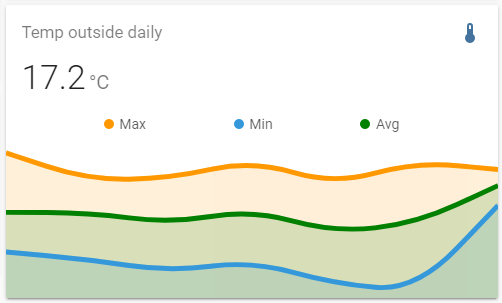
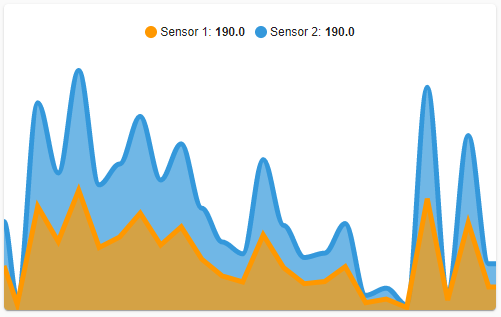
 manic monolith
So I followed the link you gave me but I have no clue where I should upload the code on my RPI... in /share or in /root? where... ?
@vast crane ^
vast crane
Sorry I gave you the link I know of, but I'm not a custom card tutorial. Can't help further.
tacit cave
lofty remnant
not sure what to tell you, it should be working
lofty remnant
I'll play around with it and see if I can do something. Now I will try to find a way to display the daily statistics of the power generated from the solar panel. If anyone has an idea, I would be very grateful. I bet that it would have to be rounded somehow, e.g. every 10 minutes, and then display the chart. Currently, the history of solar looks like this:
 lofty remnant
tacit cave
not sure what to tell you, it should be working
lofty remnant
tacit cave
not sure what to tell you, it should be working
But anyway, thank you very much for taking the time. Thank you very much!
vast crane
That sensor needs a unit_of_measurement. That's why it's not displaying the line graph.
lofty remnant
Thanks for your advice. But anyway, I need to come up with some way that will display the average graph of power generated during the day. From midnight to the current time.
lofty remnant
vast crane
That sensor needs a `unit_of_measurement`. That's why it's not displaying the li...
I set the value to watts and there is a significant improvement. I didn't know that if I gave the value of e.g. watts, there would be a graph like this. Thank you very much.
 burnt holly
I have searched numerous areas (Reddit, Discord and Home Asst Docs) Looking to remove the header switch in my rooms that shows up in my Overview. I am sure I am missing something simple.
 tribal galleon
show_header_toggle: false
Wait. Is that the HA generated overview? If so, you pretty much can't; it does what it wants to do. If you make your own dashboard, the entities card has the option above.
burnt holly
Yes it is the HA generated overview. I was beginning to suspect that was the case. I have just started to build my own dashboards as I recently moved over to HA from SmartThings. Thanks...
tribal galleon
Yeah. I don't like those header toggles in the Overview (which I rarely use but still have it availble). Turning off that toggle accidentally could turn off a lot of stuff I don't necessarily want turned off. This could potentially take down my whole server and parity check...
 undone shoal
tribal galleon
Yeah. I don't like those header toggles in the Overview (which I rarely use but ...
undone shoal
tribal galleon
Yeah. I don't like those header toggles in the Overview (which I rarely use but ...
I've hidden any switches I don't want turned off for just this reason. That way I don't get them shown in any generated overviews, and I don't add them to any manually created cards obviously...
 grave surge
Hey all, im using hacs and downloaded stack in card, but i get this error when trying to use it Custom element doesn't exist: stack-in-card.
Here is my yaml
it does it with pretty much all me hacs modules
fiery ledge
tribal galleon
Yeah. I don't like those header toggles in the Overview (which I rarely use but ...
It was discussed long time ago to reverse that logic. Maybe we should try once again. It’s a small breaking change with great improvement quality
 mortal meteor
can you change icon size in Tile card (with card-mod)?
cosmic apex
Hey All, am getting this error every time I refresh or restart my yaml configuration. Any idea?
 tribal galleon
Tile card card-mod
frank cloak
I need help again... I want to create a card like I did in bed (circled in red) without buttons. But how do I create one? Nothing is displayed in my attempt.


 tribal galleon
frank cloak
I need help again... I want to create a card like I did in bed (circled in red) ...
tribal galleon
frank cloak
I need help again... I want to create a card like I did in bed (circled in red) ...
It may not matter but try removing the single question marks from custom:button-card.
frank cloak
I just tried it. Unfortunately it does not work
tribal galleon
Is the indention correct? What do you have before line 95? Is there some sort of layout card? I'm assuming you have the templates since you have a similar card set up, right?
 oak nacelle
I had an issue with ESPHome devices not updating, and a fix in the forum was to uninstall ESPHome and reinstall. I did that, and it worked... but how do I get the ESPHome sidenav item back so I can easily see the ESPHome device dashboard?
vast crane
oak nacelle
I had an issue with ESPHome devices not updating, and a fix in the forum was to ...
Typically go to Settings -> Addons -> EspHome -> Show in sidebar
oak nacelle
thanks! that was it
 turbid violet
can't move side bar to left again
 vast crane
turbid violet
can't move side bar to left again
vast crane
turbid violet
can't move side bar to left again
Sidebar moves based on user language setting, not server language setting. If you're trying to change back to english (and LTR text), you're in the wrong menu.
Check your profile settings (bottom item in sidebar)
 lavish tangle
Hi, I have an input_button entity that I use in some automations and I want in some dashboards, but I want the color of the icon on the dashboard to change depending of the state of another entity (a light). What card should I use?
tribal galleon
lavish tangle
Hi, I have an input_button entity that I use in some automations and I want in s...
If you are using a stock card, you'll probably need to use card_mod to do that.
Something like this will work for a button card. card_mod: style: |- ha-card { {% if is_state('light.hallway', 'off') %} --card-mod-icon: mdi:light-switch-off; --card-mod-icon-color: red; {% else %} --card-mod-icon: mdi:light-switch; --card-mod-icon-color: green; {% endif %} }
 lavish tangle
tribal galleon
If you are using a stock card, you'll probably need to use card_mod to do that.
lavish tangle
tribal galleon
If you are using a stock card, you'll probably need to use card_mod to do that.
thanks!
tribal galleon
You're welcome. The above code works with most stock cards. Custom:button-cards and Mushroom Template Cards have their own capabilities built in.
turbid violet
vast crane
Sidebar moves based on user language setting, not server language setting. If yo...
changing laguage from profile fixed it
fathom wagon
juuuuuuuuu
devout socket
Is there a place I can define state value translation and icon definitions for "all contact sensors" without listing each individual one
 hardy ember
What would cause all iframes to be wider than the actual window size?
 narrow sentinel
On my dashboard i have a button that triggers automation that sets an input_select helper. Is there an solution to show the state of that helper as secondary info under that button?
vast crane
You mean a button card? Yes I believe that is possible, just set the button entity as the input_select entity, and click the "Show state?" toggle to true.
Set the tap action to call the service for the necessary automation.
 acoustic oyster
I tried to integrate cards into the dashy Chrome extension. Not bad imo.
 warm bolt
Anyone have issues loading to many resources? I am using different resources on different dashboards, but because they are all defined at the base level each dashboard gets all resources. Since it has so much to load this is causing resources to not be loaded at render and causing card but found errors.
Is there a way to only load certain resources for each dashboard?
narrow sentinel
vast crane
You mean a button card? Yes I believe that is possible, just set the button enti...
Thanks that sounds of a perfect idea
supple bear
Is anyone using the card-mod frontend hac, I'm trying to set the banner card heading size, which works about 2 out of 3 refreshes. The other 1 out of 3 refreshes, this 1.5em is getting overridden by another css stylesheet. I tried setting it to !important but it doesnt help. This is what I have set inside one of my dashboards custom banner cards thats only randomly taking affect and other times having no affect.
type: custom:banner-card
card_mod:
style: |
:host {
--banner-card-heading-size: 1.5em;
}
 brittle cypress
Hi! I'm working on a dashboard with Ping binary sensors, and I'm trying to get the host value to display as a label for a custom button card. I can get the state or attributes (ex: round_trip_time_avg) for Ping to work fine, but host is part of the sensor configuration, not an attribute. Is there a way to get the host value to display based on the configuration? The only workaround I've figured out (short of hardcoding the string as the label value) is to create a custom attribute but that seems awkward. Thanks!
 hollow oracle
Good evening Everyone.
I'm a total noob to discord. I signed up only to get info for HA.
Over the last few days I installed and use HA for the first time and I'm trying to learn.
Please forgive me my ignorance in advance.
I hope this is the correct channel.
I installed Batmon for getting access to my 5 jkbms. So far things are going well, MQTT loads my BMSes and the relevant data. I access them by going to the devices section via integration>mqtt.
I want to redesign the look and feel of the data displayed when I access each device. not necessarily when viewed in devices but maybe from a dashboard link.
In fact, I would love to have a screen that i arrange all 5 BMSes on with their relevant data. I figure I need to create a template or something like that but i want to be able to make one dynamic template that can be repeatedly used by each BMS in displaying its data. I would also love that any new bms object would then be added to this screen using same template with live or no additional effort.
Please point me in correct direction, hopefully something that's easy going on a noob.
Also I might not have explained in proper HA terms so fill me in on that too.
Thanks in advance.
 prime narwhal
Sec, will paste from other channel
[12:38 PM]lyricnz: For now, just cut and paste and search and replace your dashboard yaml
[12:39 PM]Edward Allen: sounds pretty easy but is it that simple though?
[12:46 PM]lyricnz: Yup. Everything you edit in ui editor (in a dashboard)!hoes into the yaml
[12:47 PM]lyricnz: If you are handy with a templating system you could generate the yaml from data and a loop
[12:48 PM]lyricnz: I've never done it, but gimme 5 for a POC.
[12:55 PM]lyricnz: Yup, works fine...
golden mistBOT
@prime narwhal I converted your message into a file since it's above 15 lines :+1:
@prime narwhal I converted your message into a file since it's above 15 lines :+1:
prime narwhal
]lyricnz: Which you can paste into the code editor for a dashboard
[12:59 PM]lyricnz: which creates something like https://imgur.com/P87VHyK
[12:59 PM]lyricnz: It might not be high-tech, but it works, and it's within capabilites of self-described noob
[12:59 PM]lyricnz: @Edward Allen 👆
[1:00 PM]lyricnz: You'll see that I forgot to make the title dynamic, but that's an excercise for you 🙂
hollow oracle
Nice
Can we have both vertical and horizontal ?
https://imgur.com/a/O6RXjbZ This is 2 pages from about 3-4 on the sensor list. Ideally I would love to have about 4-5 attributes per row. I'm supposing i could just list each required attribute on the same line in that yaml you posted?
prime narwhal
You will need to learn layouts which is separate from your data issue
I just used vertical stack for an example
You can make in manually in ui, the use yaml view to make a template like that
hollow oracle
ok let me go look for layout videos on youtube.
hollow oracle
prime narwhal
You will need to learn layouts which is separate from your data issue
Is that from developer tools -> templates?
prime narwhal
No that’s a ui thing
Layouts and view-type are how cards are organised on a dashboard. Not sure if that's the right jargon
 fast rune
is there any website that shows a gallery of designs and what is the yaml configuration for the design?
tribal galleon
fast rune
is there any website that shows a gallery of designs and what is the yaml config...
That's kind of a very broad question as there are different approaches and techniques used to accomplish different things. For starters, check out the forum. The Mushroom Card thread has about 8,000 posts with a bunch of pictures and code. https://community.home-assistant.io/t/mushroom-cards-build-a-beautiful-dashboard-easily/388590
Generally, asking a more specific question like the one you posted in #automations-archived regarding actions #automations-archived message is a good start. For that, you should take a look at how to use tap_ and hold_actions. https://www.home-assistant.io/dashboards/actions/
 verbal flame
Whats the best program/app to create a nice floorplan?
 muted matrix
Hello folks, I am running HA on a Raspi4, and I would like to set a Picture Card in my dashboard to view an image I have stored in the Media folder which is on the root of my installation. Let's say it is in a folder directory, for the sake of the example. I am not sure what to set in the image path field. Tried a couple of things such as media/folder/mypic.jpg or /media/folder/mypic.jpg but none of these seem to work.
I also set the following in my configuration.yaml file, but it didn't help
media_dirs: media: "/media"
I don't want the picture to be visible without auth. Just want it to be visible in my dashboard.
Your help is welcome, thanks
vital burrow
verbal flame
Whats the best program/app to create a nice floorplan?
Sweet Home 3D is used by some people.
verbal flame
vital burrow
Sweet Home 3D is used by some people.
Thank you!
devout socket
can auto entities show last changed?
tribal galleon
devout socket
can auto entities show last changed?
type: custom:auto-entities
card:
type: entities
title: Light groups
show_header_toggle: false
filter:
include:
- entity_id: light.*_lights
options:
secondary_info: last-changed
sort:
method: last_changed
reverse: true``` devout socket
Thank you so much you are a life saver @tribal galleon
 silk wadi
Is there a collection somewhere of dashboards? Specifically I'm looking for a nice looking one for my smoke/co detectors
tribal galleon
silk wadi
Is there a collection somewhere of dashboards? Specifically I'm looking for a ni...
I don't think you're going to find a whole dashboard dedicated to a smoke/CO2 detector. At best there's a few examples of cards but ultimately it is going to come down to what you want to see and how (in terms of matching your dashboard). For me, I just have two icons for their statuses.

Here's an example of someone's Nest detector.

 sacred stream
is there anyone that can assist me with backups?
vast crane
I don't think that's a #frontend-archived thing, maybe ask in #installation-archived
 light moat
Hello,
I need help with the Auto generating Mushroom dashboard strategy.
Need help to remove undisclosed area from dashboard
tribal galleon
Reference: #templates-archived message Timer duration set via input_number in automation. Timer counts down in real-time.
 lofty remnant
Hello, I am looking for an add-on that adds very nice charts to present various information. Does anyone have anything worth recommending? I would like information such as time, value, etc. to be displayed by default
 digital locust
lofty remnant
Hello, I am looking for an add-on that adds very nice charts to present various ...
digital locust
lofty remnant
Hello, I am looking for an add-on that adds very nice charts to present various ...
grafana addon perhaps?
 late sluice
Is it possible to change button/tile icon color from an automation or variable state?
fiery ledge
really need some help from the community now.... card_mod was updated to 3.2.3 to be compatible with HA 2023.10 and now my tab icons cant be dynamically set anymore. This has been the case since 3.1.5, so I used a modded 3.1.4 version up to today, but that wont work in 2023.10. So I must learn how to change those icons again. I have this issue open, could anyone please have a look at it? https://github.com/thomasloven/lovelace-card-mod/issues/268#issuecomment-1500187909 it would mean the world to me to get this back functioning
I did try to use !important on those templates, but that didnt work, and just to be clear, coloring and animating still works perfectly. Its just the icon itself that wont change anymore
formal plinth
what's the best card to create room entities (light/fan/aircon) within the button cards?

i just want to be able to turn them on and off from the button, then click into the button for finer controls
vertical stack?
 shy tree
I must have disabled badges somewhere and then forgot. There are entries listed and the example shows them but they are not showing up. Does anyone know, on the top of the head, where I could have disabled this?
formal plinth
@shy treeclick on the three vertical dots in upper right, then click 'configure ui'. click on the edit view (pencil icon). Then click the badges tab, and from there you can remove or add badges
shy tree
I have done that and it's not working
shy tree
The normal kind
 vast crane
I don't think there's any option to disable badges.
shy tree
hacs?
dark dirge
If you set type: panel for the view, it will disable badges
shy tree
dark dirge
If you set `type: panel` for the view, it will disable badges
I took out custom:masonry-layout and they appeared again. Thank you very much for the inspiration!
Is there a chance you know how to change or disable the badge texts?
formal plinth
managed to get entities on my button card using vertical-stack-in-card, but how do i get rid of that border? (NVM: Solved it!)
 shy tree
Thank you very much! I found the same solution just this minute. Thank you for your time
 atomic glacier
@tribal galleon I saw your post abt the timer solution, but also that it may change. Thomas shared this years ago and I still use it, (the timer part, not popup LOL). I also adapted it for my not smart fans so I can do auto shut offs...May find it useful 🤔
https://github.com/Dino-Tech/Home-Assistant-Main/blob/master/packages/coffeemaker.yaml
tribal galleon
atomic glacier
<@695007435966120058> I saw your post abt the timer solution, but also that it *...
Looking at the code, I see where it applies a delay in the sequence. Functionally, it will do about the same thing. With what I was trying to do, it had to work with a timer entity as that seems to be the only way to produce a real-time countdown in an entities card.
I'm curious though: Does that package create the entities mentioned in the code or does it rely on the entities already being made?