#frontend-archived

1 messages · Page 2 of 1

devout charm
polar kelp
#

A few new things, but mainly it's ease-of-use stuff. Things get more consistent and some names change. More GUI-centric. And a lot of stability and performance improvements.

manic harbor
#

how do i delete no longer valid devices from an integration

#

i don't want to delete the whole integration because i have other valid devices in it

#

oh, nm, found it

fallen crown
polar kelp
#

Should work with the app too, but that’s also more stable in 2.0.

urban jewel
#

Hey guys! I'm trying to re-use a custom sidebar which will be stored inside sidebar.yaml and imported inside every view such as

elements:
  - !include sidebar.yaml

Currently getting this error..
element undefined Error: No card type configured

What am i doing wrong here?

More code: https://hastebin.com/sirayapumu.yaml

heady jasper
polar kelp
urban jewel
rough vessel
#

small question: can i trigger events in custom lovelace cards?

polar kelp
wheat latch
#

I have an entity in a card like so

      - entity: cover.garage_door
        name: Garage
        tap_action:
          action: toggle

Is there any way I can add a cooldown to the tap_action? if the button gets double clicked, or just re-clicked too soon it kind of freaks the garage door out and it looses it's mind for a while

dark dirge
#

call a script instead and do the toggle there + a delay

wheat latch
#

Works wonders, thanks

urban jewel
# polar kelp Remove the - in the file

I tried that and it still gives me the same error

Edit: the error is now gone after i changed path to

- !include ../views/sidebar.yaml

even though both files located in the same folder.

But when i'm trying to more stuff to sidebar.yaml, the other stuff not showing up https://hastebin.com/idofuriyir.yaml

dark dirge
#

It's not a clear question. What are you trying to do?

rough vessel
#

i'm thinking of making a custom card but i would need to trigger a event when i click e.g. a button

#

can i trigger events from withing custom cards

blazing wren
#

Yes. Look at the custom button card.

rough vessel
# blazing wren Yes. Look at the custom button card.

will look into that thx. i'm pretty sure i have to write my own card for this, but maybe you know an existing one:

i'm trying to do a project with nfc tags and i need to map the nfc tag id to data in a database. i need a card that lets me trigger an event with the data i set (e.g. through a text field)

blazing wren
#

Why do you need a card to do that?

rough vessel
blazing wren
#

How will you use HA to set a field in a database? I think that's the problem you need to solve before you do either the card or the NFC tag. Though the HA app does its own cool setup with NFC tags. I'd recommend checking the #tags-archived and/or #ios_and_mac-archived/#android-archived channels for how they work to make sure the database part is actually needed.

rough vessel
blazing wren
#

But the event the tag triggers can be passed data. Such as the id of whatever else it is 😉

rough vessel
#

i need the custom data part

blazing wren
#

Definitely more of a #tags-archived question, but yes–you can set a custom ID

rough vessel
#

ahh i can set a custom id, that changes everything 😄 dont even need a database with this. i guess that fixes everything, thanks for the help!

polar kelp
#

For the record, there are Home Assistant Events. Those are things like mqtt updates, state changes, a new user being added etc. I do not think there’s any way to fire an arbitrary event from the frontend, but you can call any service. You can also easily make a script which triggers an arbitrary event and call that with the parameters you want.

#

No, wait… you can run entire scripts directly from the frontend now… then you probably can fire events too 🤔

rough vessel
#

thats good to know, when i need to work with the frontend. thanks!

polar kelp
#

Specifically I think it’s a websocket call to run scripts…

twin bronze
#

so i have an google nest hub, and currently building a dashboard for it.

#

problem is i put a grid with 3 rows and i cant put anything beside it

#

and that makes it so there is empty spots on the sides

noble tangle
#

so i shortended the year format, to see something from the timestam as well, in this cut preview of the filename, but the frontend again cuts the filename exactly where the timestamp would start. what is going on here 😅 is there any chance to bypass this behavior ? thx

fallen crown
#

What android does webrtc support? If I open my cameras on android they are just black and plain. No video plays

timid beacon
#

I'm looking to scale the size of everything on an entire dashboard. Particularly in the android app, but I'm not sure if there's a way to do it there. Is it possible to do it for an entire dashboard, or even just having to manually scale elements on a per card basis?

#

Particularly the goal is to make interacting with things on the dashboard from a tablet easier

marsh delta
#

Don't know if this is right channel, but building a button in the front end that have call service on double click.. it has following yaml

service: input_datetime.set_datetime
data:
date: '{{ now().date() + timedelta(days=4) }}'
target:
entity_id: input_datetime.rabbit_cage_cleanup

But when I double click I get this error: Failed to call service input_datetime/set_datetime. Could not parse date for dictionary value @ data['date']
But when I run same yaml in the developer tools it works..

dark dirge
#

You can't use templates in the frontend like that

#

Put it in a script and call that

marsh delta
#

Aha ok thanks

muted saddle
#

when i create a grid card or horizontal stack card, it wont take upp the full width, the 2 columns i create share like 50% of the screen with the other 50% blank

#

anyone know why this is?

muted saddle
#

creating a good dashboard sure aint easy, its damn hard to control the cards size and positions

#

anyone got any tips and tricks to controlling the gui more easly

polar kelp
#

Click the pencil next to the view name and set "View type" to "Panel", then your stack card will fill the entire space.

shadow vessel
# polar kelp Click the pencil next to the view name and set "View type" to "Panel", then your...

Do you think it is possible with an auto entities (pulls all light groups) -> mushroom template card (light group entities) -> pop-up with auto entities (pulls the area of the group by manipulating the string it will get the area) -> light card (all lights within the area)?

Everything works except the pop-up part. I am not sure how to pass the variable from the template card that has the entity information to the pop-up. Meaning this part '{{ states[entity].name }}' works. But the pop-up auto entities doesn't. Not sure if I'm doing it wrong or the variables can't be passed to the auto entities.
Or is there a better way to do this? These are zha groups so there's no way of getting the group entities. Except for parsing the area out of the entity id which would bring up the group entities.
https://dpaste.org/C7q8s

broken marsh
slow sundial
#

hey guys, when proposing a different translation for the frontend using lokalise, is there a way to justify why I changed an existing translation to something else, so someone understands and doesn't revert to the previous one?

#

the reason for the translation change actually takes me to another question. this has to do with the logbook text for when entering / exiting a zone. when entering it displays [person] was detected at [zone], but when exiting it just displays [person] was detected away. why not [person] left [zone]? In the Portuguese translation it's currently something equivalent to [person] arrived at [zone] and [person] left home. this last one doesn't apply to other zones, hence my change for the translation to something equivalent to [person] is away

polar kelp
shadow vessel
#

Dang. Any possibible path for something like this to work?

polar kelp
#

You could use a template filter and build the cards entirely as templates.

shadow vessel
#

Wouldn't the first option require hard coding for each group?

polar kelp
#

Well, jinja is almost an entire programming language...

shadow vessel
#

I meant can the card build an auto-entities card within it for example to reduce duplication.

urban jewel
#

Is there a way to use backdrop-filter: blur(15px); on a picture-elements image?

shell island
#

Hi all! How an I only run a piece of config in a Lovelace-card based on templates? Talking about inline templating 🙂

#

Trying to do this:
´´´
type: custom:button-card
size: 40%
styles:
card:
{% if is_state('input_boolean.kaffemaskin_kjorer', 'off') %}
- animation: blink 2s ease infinite
{% else %}
- font-size: 90%
{% endif %}
entity: switch.kaffemaskin
name: Kaffe
´´´´

kind shellBOT
#

To format your text as code, enter three backticks on the first line, press Enter for a new line, paste your code, press Enter again for another new line, and lastly three more backticks. Here's an example

Don't forget you can edit your post rather than repeatedly posting the same thing.

For over 15 lines you must use a code share site such as https://dpaste.org/ (pick YAML for the language), https://www.codepile.net/ (pick YAML for the language), or https://paste.debian.net/ (pick YAML for the language).

dark dirge
#

the custom button card uses Javascript templates using a completely different syntax

shell island
#

Thank you very much RobC. Looking into it now. I see that I've actually used the yaml-syntax in my example... Talk about being off target from the get go...

shell island
#

@dark dirge : Thanks to you I am on the right track. I am trying to figure out the syntax to do IF on this entity:
[[[ return states['input_boolean.kaffemaskin_kjorer'].state; ]]]
Maybe you can point me in the right direction?

dark dirge
#

It's just JavaScript. Aren't there 'if' examples in the docs?

shell island
#

Yes there are! Sorry for being slow.. Can you help me with this syntax perhaps?

name: >
  [[[
    if ("input_boolean.kaffemaskin_kjorer" == "on")
      return "On";
    else
      return "Off";
  ]]]
dark dirge
#

that looks nothing like the example you posted earlier, which shows you how to reference the state of an entity

#

for reference:
[[[ return states['input_boolean.kaffemaskin_kjorer'].state; ]]]

#

what you just did:
if ("input_boolean.kaffemaskin_kjorer" == "on")

shell island
#

hmm...

dark dirge
#

indeed

shell island
#

hehe

#

I am feeling like the dumbest high-level programmer alive

dark dirge
#

from the docs:

        - background-color: >
            [[[
              if (states['input_number.test'].state == 0)
                return "green";
              return "red";
            ]]]
shell island
#

if this works I owe you a beer

#

It did! I went blind on the paranthesis

#

Thank you so much RobC!

#

Let me know when we are meeting up for a beer in Oslo:)

dark dirge
#

I'm sure that @slow wave would be happy to drink beer as my surrogate

slow wave
#

WHO PINGETH THE LORD OF DEATH

#

coughing

shell island
#

Haha!!

slow wave
#

I was almost asleep

#

Also, Oslo, that is only 25min from my house

#

I'll take it later

shell island
#

Hehe!! I am in Asker 🙂

slow wave
#

yuck

#

I'll pass

#

I do have ZZ plates on my car though

#

that is the closest I'll come to live in asker every probably

shell island
#

Haha!! ZZ? Where is that?

slow wave
#

Vadsø

#

All the kaksepeople in Asker and Bærum love it

#

pay extra for the plates

shell island
#

thats not 25 minutes from Asker 🙂

slow wave
#

Well, considering 5 cars are registered in Vadsø every year

#

My car has never been in Vadsø

#

It was ordered to bærum with the ZZ plates

#

😉

#

I live by Årnes though

shell island
#

Ahh!! Hehe! I see!

#

Hmm... I still can't wrap my head around this.. What is wrong with this?

card:
  - animation: >
    [[[
      if (states['input_boolean.kaffemaskin_kjorer'].state == 'on')
        return: "- blink 2s ease infinite";
      return: "- blink 10s ease infinite";
    ]]]
dark dirge
#

It doesn't look like valid JavaScript

#

You mysteriously added some :

#

I don't know if you can even do that, either. You may not be able to add keys like that in your template

#

You probably have to put it a state: block, if it's possible

shell island
#

argh. I am unusable if it is not Microsoft!

copper sandal
#

Anyone know of a lovelace card that can display any entity that contains certain text like motion or bedroom? So that it shows all of the entities that belong to the bedroom or are motion sensors.

dark dirge
#

Yes, the auto-entities custom card can do that

copper sandal
#

Ok great I'll take a look at it thanks.

fiery ledge
#

this is for the native button-card styles. If you want to add card_mod settings, the syntax changes to Jinja templating: card_mod: style: | #card { {% if states('input_boolean.flood_alert') == 'on' %} animation: alert_border 2s infinite !important; -webkit-animation: alert_border 2s infinite !important; {% endif %} ; }

vapid field
#

For example, if I want to trigger an automation when I click on a button, how can I do it ? I wanted to dispatch an event and put this event as the trigger of my automation

polar kelp
#
tap_action:
  action: call-service
  service: automation.my_automation```
#

You can't fire arbitrary Home Assistant events from the frontend, but you can call a script that fires one based on it's input parameters.

shadow vessel
#

Hey @@polar kelp I'm trying what you recommended yesterday. I assume no Jinja can be used here as it only talks about JavaScript. How would I convert this template to JavaScript?

{{ states.light | selectattr('entity_id', 'match', '.+_lights$') | selectattr('state', 'eq', 'on') | map(attribute='entity_id') | list }}

https://github.com/iantrich/config-template-card

GitHub

📝 Templatable Lovelace Configurations. Contribute to iantrich/config-template-card development by creating an account on GitHub.

polar kelp
shadow vessel
#

Yes probably lol thank you.

kind shellBOT
shadow vessel
#

Whoops.
Not sure if something like this can work I'm getting "missing entity field"
Adding - entity: wouldn't work as the goal is for this to generate the lights that are on without a ton of hard coding then a tap action does a pop-up and list the area of the selected entities lights that are on.

https://dpaste.org/fqHR8

shell island
granite briar
#

is there a trick for lovelace casting to show the images/videos on chromecast? only see home assistant placeholder screenshot

#

i can cast each cam no problem, its just when using it on lovelace that it seems to be an issue

mostly just trying to setup a revolving camera view to cast to extra tv for security

#

brb

unborn rune
#

How would I put Open, Closed, and in Motion on a new line in this?

name: |
  [[[
    if (states["binary_sensor.garage_1_movement_sensor"].state == "on")
      return "Garage Door 1 in Motion";
    else if (states["binary_sensor.garage_1_door"].state == "on")
      return "Garage Door 1 Open";
    else if (states["binary_sensor.garage_1_door"].state == "off")
      return "Garage Door 1 Closed";
  ]]]```
dark dirge
#

looks like you just need to add <br>

#
                      name: >
                        [[[
                          return "Espresso - <br>" + states['water_heater.buzz_coffee'].attributes.current_temperature + "F";
                        ]]]
unborn rune
#

Awesome!

heavy warren
#

Does anyone know how to change the background of the slider on custom slider button card?

#

I’ve googled and tried several examples from other cards but it seems like it’s completely transparent cuz it’ll o Lu display white on my pc and white or black on my phone depending if it’s night or day theme

opaque kiln
heavy warren
cerulean prism
#

Well.. it's a work in progress.

manic mica
tacit cave
#

reminds me of those 90s UI's and websites when the internet first started

heavy warren
#

https://dpaste.org/tZV9e
I have also tried it as :host and I have tried other examples of changing background color but I can not get it to change it remains white/black

kind shellBOT
opal jay
#

id love to change this to entity instead of conditional but i cant figure out how to make it.. does anyone know how to change this?

amber wadi
#

Been a while since I have touched my Home Assistant, got everything updated and working, Did have a quick question, I dont remember how I made the cards transparenty, I want to make them a little less transparent, but I cant figure out how, does anyone have any ideas by chance?

opal jay
#

just figured it out 😄

#
    chips:
      - type: entity
        entity: light.woonkamer
        content_info: none```
heavy warren
#

are you using rgba() for color?

opaque kiln
heavy warren
#

did that also didn't work but hold on I made a tiny bit of progress

#

so it makes the background whatever color the slider is

opaque kiln
#

Oh, is that last bit browser mod or something? I only use the slider button card by itself, no idea how it plays with other custom components.

heavy warren
#

its card mod, just a matter of time to find the correct variables

heavy warren
#

Oh holy cow I got it lol

#

that only took 10 days to find the right discussion to figure out

amber wadi
#

cant say you got it and not show it lol

heavy warren
#

there it is 🙂

amber wadi
#

ooo loooks pretty

heavy warren
#

Yea work in progress but it is coming along

#

that was such a hassle lol, but the answer was actually transparency when on

#

and if you enable state color it looks like this

#

so works perfectly all around from what I can see

#

--ha-card-background: rgb(2,136,198,1); this worked exactly like I wanted rather than the if/else I originally did

vagrant ivy
#

Hi all. I have a quick question: Is anyone else having issues with the validation automation in Lovelace going into an infinite loop when editing cards in Lovelace UI?

When you change something in the card editor, HA attempts to check that you have valid Lovelace YAML and won't let you save until you do. Right now, it seems to go into an infinite loop and won't let me save any changes.

This seems to have just started as I haven't edited the UI since the previous release. Wanted to check here before posting a bug report.

vapid field
dark dirge
#

You really shouldn't be triggering an automation manually. Use a script, pass parameters

#

This doesn't make sense, or is at least missing context: Call this service or a script, it doesn't work here because I want to send a parameter

amber wadi
#

Hopefully this is the right place to ask, I have two bulbs in a group both controlled by a single button, both have power monitoring, I want to show a combined wattage on the car, can this be done with a group for the current wattage sensors? if I add both sensors into a group when I change the card to show that group, will it give the sum of all the senors in the group/

amber wadi
#

looks like - platform: template sensors: energy_total: friendly_name: 'Total Energy' entity_id: - sensor.shelly_bv1_power - sensor.shelly_bv2_power - sensor.shelly_bv3_power value_template: "{{ (states('sensor.shelly_bv1_power')|float + states('sensor.shelly_bv2_power')|float + states('sensor.shelly_bv3_power')|float)|round(3) }}" unit_of_measurement: "W" will do it

dark dirge
#

that's the right approach, yes. BTW, this bit was deprecated a year or so ago:

      entity_id:
        - sensor.shelly_bv1_power
        - sensor.shelly_bv2_power
        - sensor.shelly_bv3_power

You don't need it

amber wadi
#

pulled that from a community page and just added it and literally got this right before checking discord again lmao

#

🤪

#

Thank you, I will try to convert that to the new template

#
  - sensor:
      - name: "dhw"
        unit_of_measurement: "W"
        state: >
          {% set dh1 = states('sensor.downstairs_hallway_1_current_consumption') | float %}
          {% set dh2 = states('sensor.downstairs_hallway_2_current_consumption') | float %}

          {{ ((bedroom + kitchen) | round(1, default=0) }}``` Does this look right?
dark dirge
#

you have an extra "(", but otherwise yes

#

and you're using "bedroom" and "kitchen", but setting "dh1" and "dh2"

#

so the format is okay, but there are clearly some issues

amber wadi
#

Oh I see, thank you

#

so I would change the bedroom + kitchen to dh1 + dh2 not the entity right, because we are defining dh1 and dh2 above correct? sorry not the best at coding

dark dirge
#

it's not a matter of being the best at coding

#

just understanding at a basic level what you're doing

#

you're setting some variables, then referencing some other variables that you never set

amber wadi
#

yeah, ultimate goal is to learn while setting up my smart stuff, so I appreciate you helping me out. I will make the changes and give it a go

dark dirge
#

you can copy that exact thing into devtools -> Templates and see what it says

amber wadi
#

Success, tanks a ton

urban jewel
#

Is it possible to create round buttons with custom button-card?

neat stag
#

Hello! Is there a way to create a link to config/automation/dashboard but with filters pre-applied? something like config/automation/dashboard?filter=area:office?

dusky iris
#

is there any way to get a sum of just energy return price per day/week/month ?

vapid field
#

I have a camera in my dashboard, and I've setted it up to be 16:9, but when I click on it to be bigger it revert back to 4:3.. anything I can do to make it 16:9 in bigger mode and fullscreen mode ?

red lintel
#

hi what is wrong with this?

#

Oh I think I find out

dark dirge
#

you're missing a space

#

and actual text rather than a picture thereof

red lintel
heavy warren
#

Is there anyway to get more information from a unifi udm pro?

#

Like maybe CPU, memory usage or some of the stats from the controller?

#

Like maybe some frontend software like netdata?

plush burrow
#

For a device on my dashboard (in this case an H801 led controller), is there a way to set the device to control the brightness for 2 LED strip channels with one slider?

#

yay found it (Group)

hot mauve
winged frost
#

can action tiles be integrated in HA?

inner stump
#

In custom button-card module, if I have multiple nested templates, variables with "[[[ return variables.something ]]]"not works back to dashboard view (e.g. ui-lovelace.yaml). Is there some workaround , or some module to fix this issue, maybe another module for custom card ?

winged frost
#

How the heck do you delete a dashboard?

blazing wren
#

Settings > Dashboards

#

Click in the name area of the row, and then you get a pop up that will let you delete it

thorn ridge
#

Hi guys,

Is it possible to build a sensor that records 'entity: sensor.tautulli_wan_bandwidth' while its steaming and write that in gigabytes so i can display this in a graph?

heavy warren
#

You could make a sensor in your yaml file that would convert it to gb assuming that sensor exists on tautulli, looking at my tautulli integration there is a sensor that shows total bandwidth

thorn ridge
# heavy warren You could make a sensor in your yaml file that would convert it to gb assuming t...

This is know how to do. But the sensor displays speed in kbs. Now basically I want to know how much gb is being send out in a day, total. So because that sensor shows the speed in seconds, I figured one could convert that to a total amount. Say im watching a 10gb movie for x amount of time at y amount of speed. Then ultimately you should be able to trace back that 10gb again. Shit I have no idea if I make any sense. 😃

raw stream
#

What’s the smart way to plot sensor histories beyond the period where everything is recorded, I.e from the long-term statistics. It’s more to dynamically investigate the date than to present it on a dashboard as a fixed history. The statistics cards don’t plot sensors which reset (e.g. utility meters or my daily rainfall data) and the history tab cannot go beyond the recorder data.

raw stream
thorn ridge
#

Dang that looks complicated

blazing wren
#

There's a helper in the UI

raw stream
#

Helpers not helps

cedar breach
#

Hi all, is it possible to use custom:fold-entity-row together with Mushroom UI?

winged frost
#

where do I find the ui-lovelace-card.yaml file?

#

I am trying to add button-card to my system and have done it thru hacs

dark dirge
#

There isn't one

#

You add it as a custom card, which you can do in the UI

winged frost
#

aaaaand I do that where?

#

is that like when I go into edit the dashboard and select raw configureation editor?

gusty pendant
#

Adaptive Action on Desktop, Popup on Phone

dark dirge
icy patrol
#

hey guys; I am looking to make a new dashboard to use on Mobile only but a question i have is. if i make a change one one dashboard, do I also need to make the change on the 2nd dashboard if i want to keep them in snyc?

dark dirge
#

if you're making two different dashboards, then yes, you need to manually keep them in sync if you want them to have the same cards and such

icy patrol
#

ah gotcha! my main purpose was that i want to show one of my cards on the top in mobile view and the on the desktop i want it at the end. Unless there is something else for this?

dark dirge
#

I use the state-switch custom card for that kind of thing, and decide what to display based on the user that's logged in. I log in with 'mobile' on my phone

icy patrol
#

ahh.. i was using that for something else with mediaquery and looking at the pixels

#

i will try the user based approach

icy patrol
#

sorry, how do i get the userID thats logged into each device so i can set it per user?

dark dirge
#

It's just the username

icy patrol
#

ah ok, so i would need to create a new username and log into HA with that to my mobile?

dark dirge
#

Yes, like I use 'mobile'

icy patrol
#

thanks! will give that a shot now

dark dirge
#

Usernames don't really matter in HA, so it's not usually a big deal

icy patrol
#

so i noticed that the state-switch was looking for the displayname. I changed the display name also to mobile and then logged out of the current user on my phone and logged in as mobile but that card still does not show. It also does not show on my desktop which tells me its working. If i change the user to my main login, it displays fine on the desktop.

#

I will need to dig in a bit more on this one..

#

i cleared the cache on mobile as well

dark dirge
#

it does appear to be the Display Name

#
          - type: custom:state-switch
            entity: user
            default: Rob
            states:
              Rob:

then later on:

              Mobile:
                type: horizontal-stack
                cards:
heavy warren
#

Is your user name capped?

#

The he code is cap sensitive

icy patrol
#

made sure it was not capped and my config looks like this

type: custom:state-switch
view_layout:
  column: 3
entity: user
default: default
states:
  mobile:
    type: entity-filter
    show_empty: false
    entities:
      - light.exterior_potlights
#

if i change the user to ha (ha is the user i am signed in with on my desktop) - it displays fine

#

hmm; i just added a new test entity card to the frontend (Time) and add the switch-state to that as mobile and this works.. So something with my type: entity-filter card it does not like
Getting close!

icy patrol
#

is there is workaround to this minor UI look
this is using state-switch
Notice how the bottom of the card is missing the shadow line
On 2022.8.7 and state-switch 1.9.5

#

while other cards show fine

crystal orchid
#

hello, how is it possible to change climate icons on card ?

urban jewel
#

My UI suddenly died, any idea?

pearl marsh
#

In the network tab, are you failing to load resources?

verbal grove
#

How do people reposition their Lovelace cards? I downloaded custom layout-card but can't seem to get it working, does it even work in yaml mode?

tacit dew
#

hi how do i run this login in mushroom custom title card frontend
{% set time = now().hour %} {% if (time >= 17 && time <= 24) %} Good Evening, {{user}}! {% elif (time >= 12 && time <=17) %} Good Afternoon, {{user}}! {% elif (time < 12) %} Good Morning, {{user}}! {% else %} Hello, {{user}}! {% endif %}

#

if i use && it does not work

pearl marsh
tacit dew
tacit dew
haughty vine
#

I 'm seeing this "microphone" icon in UI. Where it came from?
I didn't add or changed anything in the config nor did I add mic hardware.

Is this part of the conversation integration? Is it in default config now? (I don't add it myself)

#

It makes no sense since it answer any question with " Sorry, I didn't understand that"...

#

I'm confused

sacred rampart
#

Is there anyway to fixed a card in position, that way when I scroll my lovelace page, the card remains at the very position and not get scrolled away?

polar kelp
haughty vine
#

ok, that solves this 😉

polar kelp
#

Makes sense. Demo adds a bit of everything.

sacred rampart
ornate edge
#

Hey guys,

Hopefully I can get a hand with the side bar card. My /config/ui-lovelace.yaml looks like this

resources:
  - url: /local/sidebar-card.js?v=0.0.1
    type: module   
sidebar:
  title: "Sidebar Title"

After a reboot I get no change when i clear the cache and reload the page.

Any help would be appreciated!!

kind shellBOT
urban jewel
#

Is there a way to summon custom card, like for instance custom:simple-thermostat card with a button on tap action ?

foggy escarp
#

Anyone know if there is already a theme that adds "rainbow brackets" type styling to the visual editor of automations?

dark dirge
#

that would more likely be a feature request

amber wadi
#

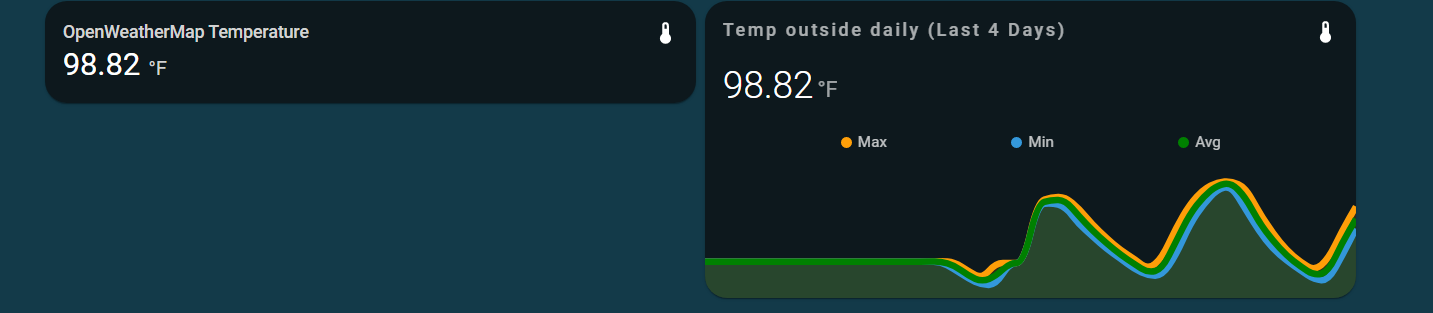
Is anyone able to help me change the size of my mini graph card? I would like these two cards to be matching as I will do several weather variables and would like to have a historical graph for each https://i.imgur.com/tHBQb0I.png

#

Its one thing I have no grasped yet is adjusting the sizes of thing, I read card-mod could do it but I cant seem to figure it out

#

if its asking too much I understand

paper skiff
#

what would be the best way to add different colors to an icon based on battery value?

tacit dew
#

hi ...is it possible to set background wallpaper in dashboard based on state of a device ?

stiff galleon
#

Hey guys, got a browser_mod question

#

How do I make sure that everything in a popup is unloaded when the pop-up is closed?

#

Specifically there's a picture entity card using webRTC to stream a camera in a popup, but when I close it the camera keeps streaming

stiff galleon
#

So you could use card-mod and some Jinja templating to change icon color based on states

cerulean prism
muted saddle
#

im trying to create a layout with 2 columns, followed by a full width row that auto aligns to bottom of the screen like a footer, im currently using layout-card anyone know how to do this?

#

i bascially want to create a permanent glance card footer for all my views where i can have scenes and other "quick access" buttons"

#

i've always hated css and frontend stuff, never made any sense to me 😛 long live backend codeing

urban jewel
#

Hey, i'm trying to view multiple elements (buttons) with browser_mod popup, even tho i found some examples it gives me this error No card type configured

tap_action:
  action: fire-dom-event
  browser_mod:
    command: popup
    hide_header: true
    card:
      cards:
        - cards:
            - type: custom:button-card
              entity: sensor.somesensor
azure canopy
#

You can only define one card in the popup, under card:

#

However, you can use a vertical stack, and define multiple cards in the vertical stack

tacit dew
#

hi is it possible to create a condition card with OR instead of AND?

#

also if someone can help how do i change the size of the entity card with card mod?
.entity__artwork { border-radius: 0 !important; box-shadow: 0px 0px 0px 0px white; }

dark dirge
azure canopy
tacit dew
#

thanks you both will check on that

tacit dew
#

thanks it works via creating template sensor or by node red both works

paper skiff
dire wedge
#

Hi, I have an issue with the history graph. If I leave my dashboard open, the time will update, so new times show up on the right, but lines remain at the same value as since the last refresh of my dashboard. Does someone else have the same problem?

spiral vale
#

Hello does a card exist that is about the sameas the light card but instead of the circular slider it is just from left to right? under the light icon. as this is would be much more easy to use on a tablet

stuck hazel
#

someone here who uses the minimalist addon?

stuck hazel
#

i want to make a custom minimalist card, and i can set a custom property like this:
{{ states('person.me') }}
but i don't want the state of this entity, but something else like the friendly_name or something

pearl marsh
#

{{ state_attr('person.me', 'friendly_name') }} ?

stuck hazel
#

thanks, would you know a docs page where i can find other syntaxes? first time programming in yaml

pearl marsh
robust hawk
barren nacelle
#

Hey Y'all I have lovelace-background: center / cover no-repeat fixed url('/local/background.jpg') in my theme but the background still scrolls. Any ideas?

hexed portal
#

Hi, i am new to home assistant, i hope i am here on the right place to get help with a small issue i would like to fix. i have a shelly pro 1PM that was setup fine and reads consumption. i have a sensor called switch_0_energy, state class total_increasing. i would like to add a gauge on the home with just the daily consumption, but i can´t find how to do this. i would like to have this as gauge. i can´t find the option just to add the daily consumption to a gauge, on the energy tab i can select the actual day and see this value growing. Now i thought it would be a good idea to manually setup a sensor that uses switch_0_energy, set this to total and reset this counter every day at 0:00 to zero. But i don´t see an option to do this. How can i reset the value ervery midnight or is there a smarter way to add a gauge with only the daily consumption? HA is running inside docker, so not all options are available and i don´t want to do too much changes/addons to be sure that the system is still runnning fine after the next update.

fallow breach
#

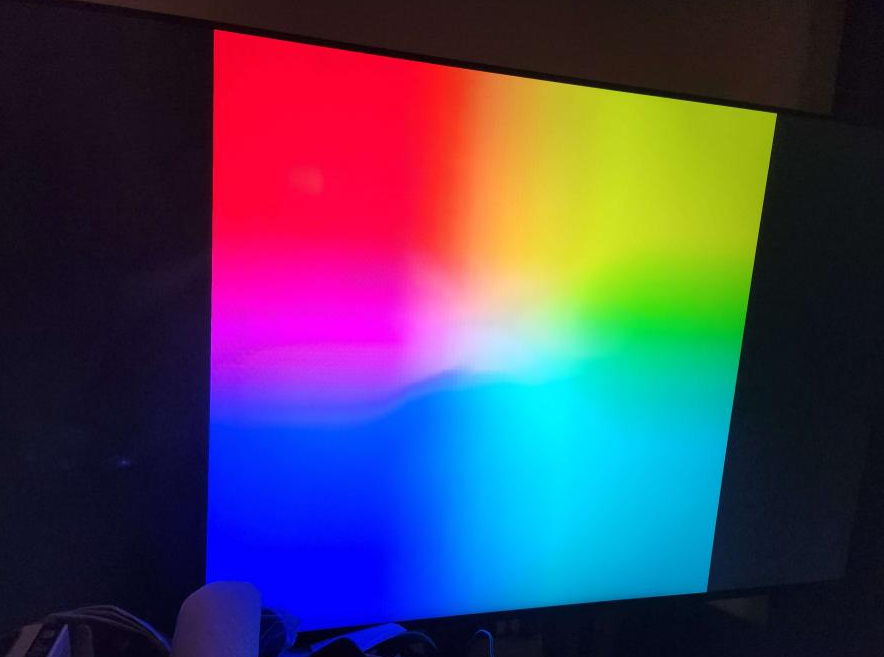
we had a power failure here at the house. i'm trying to boot into HA... i get this funny color gradient .... anyone able to help me out here?
no error messages or anything
https://i.imgur.com/LsWSI9P.png

icy patrol
#

is there a way to get the attr for a group of sensors?

dusky jackal
#

moved my ha instance to a dedicated pc and overall it does feel snappier than the pi4, however the editing dashboard interface seems slow and unresponsive for a few seconds at a time when loading, any idea why?

stiff galleon
#

Browser_mod question... For a more-info popup, is clicking the X not the same as calling close_popup?

#

It doesn't seem like it is... Any way I can detect the click and call close_popup in an automation? Or maybe is bug

loud thistle
#

I was tinkering with the default value feature to get rid of logged errors after reboots or if a sensor becomes unavailable. Here some examples: https://pastiebin.com/630dc0873dba6 Sadly now I have div by 0 errors and in general ugly spikes in the graph of the sensor. Is there any way to use the last known value here to make both problems vanish?

muted saddle
#

im looking to do something like:
1 column (header)
2 columns (main)
1 column (footer, should always be visible)

where you can scroll the header and main but the footer always stay

#

im using layout-card with grid layout, anyone know how to do this without a bunch of vertical / horizontal stacks?

#

the 2 main columns should have multiple cards in rows under eachother

kind shellBOT
muted saddle
#

css realy is a creation of the devil, there realy is nothing worse

radiant drum
#

Hi I have a camera entity that i only want to show on my frontend when a sensor is triggerd. Is this possible? if so.. whar card do i use?

muted saddle
#

@compact smelt conditional card

#

and if they are to big i want them scrollable

stiff galleon
#

you might need that

#

will stay up to date with current info

dire wedge
regal zephyr
#

Hi, is there any possibility to have dashboard card being shown on user basis? I know I can do this for whole dashboard/views, but I would like to keep certain admin toggles next to their non-admin counterparts

#

Sth like conditional card but for user, since person.<nickname> doesn't work in entity selector

polar kelp
opaque kiln
stuck hazel
#

Anyone knows a good add-on for a nice group card? Something like vertical/horizontal stacked cards without borders between te subcards

#

Preferable something where i can use conditional subcards

formal tide
#

I have no idea why this does not work for me

#

I also get

Invalid entity ID at position 0: {'type':
entities:
  - entity: '{''type'':'
  - entity: '''custom:multiple-entity-row'''
  - entity: '''entity'':'
  - entity: ```
what is happening?
#

omfg, it was -%} instead of %} and also {%- instead of {%

stuck hazel
#

i don't have a lot of experience with yaml, but just placing one space to mutch or to little can screw the whole thing up

formal tide
stuck hazel
#

is this available by default or do i need a plugin for this

formal tide
#

its a custom card, you need to integrate that yourself (via hacs or manually)

chilly drift
#

I did a complete restore of HA, saving the .yaml files I changed after the backup to restore. Now, I forgot to save the config of my dashboards. Are they hidden in the full backup somewhere?

tacit cave
#

you could have just put a [ and ] before and after

formal tide
#

oh... kay...

#

took me no time anyways smartass!

#

jk thanks

dark dirge
#

As asses go, better to be a smart one I suppose

formal tide
#

yep, I'm on to my next challenge

#
'action': 'call-service',
'service': 'shell_command.kick_wifi_device',
'service_data': 'message: test'
#

message is not going trhrough to the shell_command

#

this is so weird to handle 😄

#

ok it is 'service_data': {"message": "test"}

tacit cave
#

in fact, it might be easier for you to just use an online converter instead of guessing like you are

#

but basically, maps need {} and lists need []

#

this is a yaml map

#
xyz:
  abc: 1
  def: 2
#

which would be xyz: {"abc": 1, "def": 2}

#

this is a list

#
xyz:
- abc
- def
#

which would be

#

xyz: ["abc", "def"]

#

and this is a list of maps....

#
xyz:
- abc: 1
  def: 2
- abc: 1
  def: 2
#

which would be....

#
xyz: [{"abc": 1, "def": 2},{"abc": 1, "def": 2}]
#

if you learn those 2 objects, then there isn't any guess work when making a map/dict/list in jinja

formal tide
#

you are correct and I have never seen these points, this clarifies a lot

tacit cave
#

or you can be lazy and use this

stuck mulch
#

Hi, its possible to convert units in graph? In built Sensor or Mini Graph Card?

fathom knot
#

I have what I hope isn't a dumb question. I've been following the instructions on https://github.com/ollo69/ha-smartthinq-sensors and think I did everything right, but hit a snag. I'm getting an error (attached) even though I believe I have the correct entity picked (also attached). Any ideas what I'm doing wrong or how to fix it?

GitHub

HomeAssistant custom integration for SmartThinQ LG devices configurable with Lovelace User Interface. - GitHub - ollo69/ha-smartthinq-sensors: HomeAssistant custom integration for SmartThinQ LG dev...

vapid field
#

@fathom knot I don't see sensor.dryer in your list, it may have been cut off but just to be sure, does it exist?

fathom knot
#

Yep! Dryer is also there.

vapid field
#

Looking at the examples, it seems to me this card takes a single entity and not a list, so can test that by defining 2 separate cards each with entity: under type, no entities: list

#

I.e. ```
type: custom:laundry-card
entity: sensor.washer

fathom knot
#

Doh.. I got too fancy. That fixed it!

#

Success!

vapid field
#

That looks nice, now I want smart laundry appliances too

fathom knot
#

Honestly, I wouldn't pay extra for them, but I figure might as well hook them up because I have them.

amber wadi
#

I plan to get some door sensors soon, I will have 2, how hard would it be to put something on my dash that shows each sensor and has a little indicator like a red or green circle for each door sensor that turns red or green based on state?

muted saddle
#

@vapid field just set an energy meter on them, thats how i do to figure out the state of my washer and dryer

robust hawk
#

so I made some room icons for the community addon I contribute too, I was looking to do a home assistant type one in same style for home, but all the svg versions I find have no actual paths?

mild gate
#

I've had a goal for a while of a rotating background image for a dashboard. Dakboard, for instance, does this by allowing you to specify a flickr set or album. Has anyone tried something similar with HA?

robust hawk
#

well you could change it based on conditions simular to the way animated weather background works I presume

#

then change the entity and change the state url (so say it was change was triggered by a light or something you could put entity: light.living_room_main, the under state_url: put on then the urls of all the images, dont forget to change the default one though 😛

#

what ever entity you use, you can use the states to make simular outcomes, p.s I have not tried this, but if it works for mp4, I am sure you can adapt it for jpgs

#

hold my hat I am going to try it now 😛

mild gate
#

I think it is a two part challenge. 1. from where will I get the photos and 2. how will I change the background

robust hawk
#

onedrive is pretty good

mild gate
#

Im no python expert, but I'm thinking I could write something to pull down an album from Flickr or Google Drive or something

#

or nextcloud for that matter

robust hawk
#

it works how I described

#

as long as link has images ending in jpg or png

mild gate
#

interesting... guess I could change a state based on time too...like every 5 mins

#

but what did you use for the source of the jpgs?

robust hawk
#

or you could keep it related to the weather

mild gate
#

like, I could just have a folder of jpegs and a cronjob that renames a random one to background.jpg every hour and accomplish the same thing... I think

robust hawk
#

but then your cache on browser might not show that change

#

messing around with images a lot in home assistant with same name, always makes me have to clear cache on browser to get new ones.

#

so say you do this, input bootlean toggle, set the entity as that toggle, then under state_url on then 10 images under that, then under off put another 10, then set automation to toggle that switch on, then wait 10 mins and toggle off.

#

they wil change every 10 minutes

#

store them local as well, would be better overall

robust hawk
#

here is the code if you use that plugin and local images

#

again I am no expert, but that would be how I would do it

mild gate
#

thanks for the code!!

#

super helpful @robust hawk !!!

cedar breach
#

Hi, is it possible to combine fold-entity-row with mushroom-title-card/entity/light-card? I am trying to achieve simplicity in my UI using fold-entity-row to press the arrow, to being able to place mushroom cards inside of it

hybrid scarab
#

Hi, I'm trying to set up a dashboard using ui-lovelace-minimalist and I want to make the font-size of an object depend on the viewport size. I've only found examples of making the general layout dependent on a media query, but can't seem to figure out how to apply a media query to a single element. Is this possible?

winged frost
#

I really like all the features of custom buttons but is there an easier way to make them graphically?

#

Or should I use mushroom instead?

stiff galleon
#

is there a way to detect when a more-info popup is closed? Like if someone clicks the X or taps outside of the popup.

#

Does browser_mod allow you to detect that happening? Any method is fine

ocean beacon
#

anyone have examples of a button-card updating the icon based on another's entity's status? making a lock button that shows the door open if the door sensor is opened
e: found out, using states['binary_sensor.my_sensor'].state in the template

quiet mist
#

anyone have examples of a button card

muted saddle
#

@mild gate i use the wallpaper_screensaver, it goes through images when screen is not used, then when you press to wake it up you get your ha dashboard back

cedar girder
#

Is there a way to configure "show_header_toggle: true" option to entities card to only switch off devices, but not switch them on?

vapid field
#

Hello everybody

tacit dew
#

hi can someone tell me how to get this small graph over the top... i tried with apex graph radialbar but still its not good...
any suggestions on how to get started?

lyric prairie
#

They have a template for it

tacit dew
polar kelp
#

Where's the picture from?

lyric prairie
#

The card you are showing is from minimalist and basically a custom:button-card

#

Not sure if mushroom has something similar

tacit dew
#

I see you have used card_person_custom: under custom_design.yaml , sorry for this dump questions...if i want to get the same for mine where should i place that card_person_custom code? i tried to place in config.yaml under templates but didnot work...

tacit dew
lyric prairie
#

Note: It is not compatible with mushroom and should only be used with custom:button-card or the minimalist package

tacit dew
lyric prairie
lyric prairie
#

Then you have to put the template and the card_person template inside the raw-editor of your dashboard

tacit dew
dusky jackal
#

Custom swipe-card is there a setting for revolving swipe? So at the last card it will swipe to first?

#

i also need help getting border radius on mini media player if i can only round the top corners?

dusky jackal
#

yes, thats what you call it

tacit dew
dusky jackal
#

yeah i only have 2 cards in the swipe and with loop its giving me a 3rd blank edit: i think its card spacing

tacit dew
tacit dew
dusky jackal
#

i was hoping border-radius could take 4 arguments like 15px 15px 0px 0px

tacit dew
dusky jackal
#

well im not getting it to work, not even just one 25px and i think its because of cover art

tacit dew
dusky jackal
#

it was ha-card div.mmp__bg {
border-radius: 15px 15px 0px 0px;
}

#

however the bottom right is still rounded, always one that doesnt cooperate lol

dusky jackal
tacit dew
vapid field
#

I want to make a custom UI with the npm home-assistant-js-websocket package (in vue.js). Simple stuff like displaying state, authentication with the backend, toggling lights etc is pretty easy to setup, but how would I go about setting up a camera feed for example? Dont see much help in rest api or websockets.. Can amyone point me in the right direction?

vapid field
#

Also, anyone known any other open source custom frontends?

bronze spindle
#

Hey guys... got a quick question...
Is there a style sheet code to change the icon based on a cards secondary_info state?

formal tide
formal tide
#

is there a collection on nice looking apex_config:'s somewhere?

glossy pivot
#

Hi,
Ive created an custom dashboard. When o set this as default for an device (iOS app) I noticed that after I frequently get the default generated dashboard back instead of of the other dashboard configured as default for that device. How can I force a dashboard for a device. And even better how can i force this from the config for other devices (spouses phone, wall mounts Etc)

robust hawk
#

created som icons the other week so can show if door lock is locked or unlocked so it can be added as icon

spiral dust
#

hi all

#

i'm new to HA and i'm trying to customize some card here what i have :

type: custom:auto-entities
card:
  type: entities
filter:
  include:
    - domain: cover
      area: maison/rdc/salon
      options:
        type: custom:shutter-row
        secondary_info: position
        card_mod:
          style: |
            ha-card{
              box-shadow: none;
              padding: 0px !important;
            }
    - domain: scene
      entity_id: '*salon*shutter*'
  exclude:
    - name: bso*
#

works fine, but i don't want to duplicate the style in all card what is the best option ?

inner sphinx
#

It looks like titles are set to a 65% opacity. Any way to change that at the theme level? It's not set as a variable.

tacit dew
#

hi can somone help me on how to reduce the size of font and icon in custom:mushroom-template-card
i tried with few cardmode styles but cant fix and no progress for hours

inner sphinx
#

can you paste your yaml?

spiral dust
inner sphinx
#

do you want to do it for all of your mushroom cards, or just that one?

inner sphinx
spiral dust
#

don't like this :

#

with this i have double shadow

inner sphinx
#

ah. so you can do it with CSS – but for merging cards, I generally use vertical-stack-in-card from HACS

spiral dust
#

yes same, using as well this vertical-card

#

vertical-cad + auto-entities

inner sphinx
#

This is different than vertical card. This merges two cards into a single card.

spiral dust
#

ah yes

#

did not know this card

inner sphinx
#

Here is an example from my dashboard that merges the Mushroom climate card, and the mini-graph-card into a single card

spiral dust
#

nice

#

so powerfull HA, but difficult to learn

inner sphinx
#

it won't show up as a card type. You have to add a manual card, and then set type: custom:vertical-stack-in-card

#

do you have HACS installed? It will make things much easier.

spiral dust
#

yes of course

#

hop

#

thanks, much better

inner sphinx
#

no problem! looks good.

#

Anyone have any idea why this is invalid?

    # Home Assistant override
    ha-card-box-shadow: 0px 2px 4px 0px rgba(0,0,0,0.16)
    ha-card-border-radius: 12px
    modes:
        light: {
            paper-item-icon-color: rgb(189, 195, 199)
            app-header-background-color: rgb(189, 195, 199)
        }
        dark: {}
    
    ```
#

This is the error message: missed comma between flow collection entries at line 8, column 40: ... app-header-background-color: rgb(189, 195, 199) ^

#

NVM. It was the brackets.

fallen badge
#

Does anyone know if I can pass a custom button card variable into card_mod style?

#

Something along this

card_mod:
  style: |
    :host {
      --mush-icon-border-radius: [[[ return variables.radius ]]];
    }
or

mushroom-shape-icon {
 --shape-color: var(--variables.icon_color);
}
 
inner sphinx
#

can you explain what you're trying to do?

#

css variables aren't real variables. They're just aliases for values – and are not dymanic.

fallen badge
#

I'm trying to make a replica of iOS settings menu. So with my basic knowledge I'm using custom button card template that uses a mushroom card in a custom_field and as I have my theme to remove the --shape-color in all mushroom cards I want this specific card to be able to choose it's on as a variable

#

There's probably a much easier way to make this look work but I don't really know how

#

Oops, that did not link the image. Well it's the second one showing the settings menu.

stuck hazel
#

anyone knows why this tap_action doesn't work?

errant plover
# stuck hazel anyone knows why this tap_action doesn't work?

Please don't post pictures of text. Post formatted text. Or use a code sharing site. Don't use target: just entity_id: etc... in the data: block. I could have edited your config to show you instead of trying to explain that, but pictures of text are not easily editable.

stuck hazel
#
  • entity: cover.blind1
    name: rolluik 1
    tap_action:
    action: call-service
    service: input_text.set_value
    data:
    value: test
    target:
    entity_id: input_text.manual_override
#

i tried removing the target: , but the same result

errant plover
#
    tap_action:
      action: call-service
      service: input_text.set_value
      service_data:
        value: test
        entity_id: input_text.manual_override
haughty vine
#

Does browser_mod v2.0 allow to override more info popups like the old one?
Coz this is the base of my dashboards.. @polar kelp

polar kelp
#

Yes

#

But in a different way

haughty vine
# polar kelp Yes

But where are the more-info popup content located now... is it still under popup_cards key at the root of dashboard config?

polar kelp
#

No

#

It’s a separate card

#

See the "popup card" section of the readme

haughty vine
polar kelp
#

No. That turned out to be rather unstable. But if you're using yaml mode it's easy to repeat the card configuration with node anchors.

haughty vine
polar kelp
#

If you feel you need the upgrade, that is.

haughty vine
polar kelp
#

Honestly, it sounds to me like you actually have the perfect tool at hand for replacing that functionality and doing it better than browser_mod did...

haughty vine
frail vale
#

Trying to understand entity-filter with a very simple example. Can anyone spot anything obviously wrong with this:

entities:
  - media_player.plex_plex_for_apple_tv_tele
  - media_player.plex_infuse_tele
state_filter:
  - Unavailable```

I must be understanding `entity-filter` wrong, as this works:

```type: entities 
entities:
  - media_player.plex_plex_for_apple_tv_tele
  - media_player.plex_infuse_tele

So I figured my first snippet would show only the entities with the state of Unavailable, but it renders nothing.

polar kelp
#

Try unavailable with a small u

#

It requires the internal state. "Unavailable" is the translated representation.

frail vale
#

That works, where can I see the untranslated internal state for future reference?

#

Thank you

polar kelp
frail vale
#

Thank you

stiff galleon
#

oooooooooh big browser_mod update

#

this is the biggest thing to break my HA yet 😉
going through the install instructions now

#

wow, seems like a massive amount of work. thanks @polar kelp!!

hallow citrus
#

Is there a tiny chat client for HA frontend that can relay msgs from clients using HA? Id love to send msgs to others viewing ha from a far

stiff galleon
#

I spotted it right at the beginning when I got into HA, but never checked it out. Would be neat to set up, like a guestbook through HA

hallow citrus
#

Where?

stiff galleon
#

I dunno, search the default addons

hallow citrus
#

thx

stiff galleon
#

Yeah it's called The Lounge

#

If I ever find myself renting out property in the distant future, maybe this is how guests will leave comments 😛

hallow citrus
#

its broken. wont start, click it and its disconnected over and over

stiff galleon
#

ah that's too bad

#

it probably doesn't get much use, but I'm surprised it's not working

hallow citrus
#

:/

#

502: Bad Gateway

#

There needs to be a simple self hosted client to client relay for messaging.

dark dirge
#

I just installed it and it seems to work fine for me

hallow citrus
#

yeah figured out i needed to add users lol. Id prefer to make a small local chat client, not use irc for relaying msgs to users on HA within my own domain

dark dirge
#

yeah, the logs say that

hallow citrus
#

I'll tinker with the idea.

oblique cairn
#

Hello,
I'm trying to show an image in my frontend. But I have a problem. I uploaded the images to Local Media (i can see it in the media browser). If I go to Media Sources -> Local Media -> Export (1).png

According to the documentation (https://www.home-assistant.io/integrations/media_source/) the path should be like this "media-source://media_source/local/videos/favourites/Epic Sax Guy 10 Hours.mp4"

So for me it should be media-source://media_source/local/picture/Export (1).png

I tried deleting some keywords in my source, but I can't get it to work. Any ideas?

dusky jackal
#

I'm ascared to upgrade browser mod because I can't remember all the ways I have it integrated. I know I use firedom and popups quite a bit

#

Will it still do those things just have to rename some things or terminology?

azure canopy
#

Browser mod commands are completely gone, I used those in v1 and had to change those to the service

#

deviceID is not used anymore, that is now browser_id

#

Basically almost everything changed 😜

dusky jackal
#

So. No more pop up cards?

azure canopy
#

You can use popup cards, using the browser_mod.popup service

dusky jackal
#

So just change this code?

dusky jackal
#

Ty

stiff galleon
#

It's very similar to use

#

Things just go in different places

#

I moved over pretty much all of my v1 things over

#

Also noticing that v2 and go2rtc are working well together. I don't have connections left open issues

civic sedge
#

Some of you already played around with Music Assistat?
I currently try to get the play que to a dashboard but lack of good ideas to do so.

fiery ledge
fiery ledge
#

Thomas, can you confirm we can (maybe even should) disable Favicon, when using Browser-mod v2?

polar kelp
#

Probably

#

Favicon also changes the icon during authentication and if you save hass as a web-app-thingamabob.

#

But Browser Mod is easier to use and allows for a dynamic icon using templates.

sacred rampart
#

Where did resources go?

#

Ive checked here too

#

Got it, my browser wasnt loading properly

fiery ledge
#

btw, the global sidebar title always needs a second load before kicking in, is that expected? (Chrome and Safari)

polar kelp
#

Found the problem. It will be fixed in 2.0.2

honest token
#

I just went from deconz to z2m and now the gradient color picker doens't work, it just behaves like if it jumps from the solid color picker, so it goes from one color to one color instead of smooth transition. Sorry for bad explanation but how can I troubleshoot this?

#

I solved it, it was as simple as empty cache and reload 😄

dusky jackal
polar kelp
#

Indentation

dusky jackal
#

right, i did have type indented but threw errors

#

ill do again

dark dirge
#

generally in YAML, you should never have a line that ends in ":" that doesn't have an indented block below it

dusky jackal
#

not always but yeah its all good now, mad at self because i quadruple checked before i posted. and to the others now. ty

robust hawk
#

yep I only just started browser mod use, I think ill hold off for a little 😛

neat badger
#

Currently I'm getting a 502 when trying the connect to HA using cloudflared, I'm using the cloudflared plugin. Not sure what I'm doing wrong, anyone got any ideas

#

If I go directly to the external URL it redirects to /Lovelace and hangs with a failed to connect, retry in 60 seconds screen

fallen badge
#

Can I somehow use use a custom button card variable (in a template) in browse mod CSS?

#

custom button card uses js and that does not work in css?

neat badger
#

Manually installed cfD and it works now

dusky jackal
#

anyone wanna help me figure out how to have browser mod open and show my doorbell camera feed on my PC browser? readme lost me

polar kelp
#
service: browser_mod.more_info
data:
  entity: camera.front_door
stiff galleon
#

So browser_mod v2 was working just fine on my Nest Hub v2 yesterday. Popups with webRTC streams and all. Today it isn't..

#

Not sure what's at fault. Will try to do some troubleshooting

polar kelp
#

First of all, what does that media player entity have to do with anything?

#

Second of all, did the camera pop up when you clicked any of the "Choose" buttons for the target? If not, maybe that is a hint?

#

Third: What does yours look like in yaml? That'd be a good way to compare things.

dusky jackal
#

once again i get it after you make me feel dumb. lol. target is browser and entity is camera.

#

i just do this so others can learn from my mistakes

polar kelp
#

We all appreciate your noble sacrifice.

stiff galleon
#

The popups work, mostly

#

A few cards aren't working, but most are. Also the default more info dialog shows up behind the pop-up.

#

I'll keep at it

compact yacht
#

Anyone messed with Swiss Army Knife cards? I'm like 99% there.. but my Hassio install seems to be different then the authors install. figures

stiff galleon
#

oooooh, browser_mod 2.1.0?

#

i'm expecting big features

compact yacht
#

I added the samba share addon and pretty much copied the whole dir structure over.. and then CnP'd the yaml files until it worked.

fiery ledge
#

Thomas, on the registered browsers panel, would it be possible to add/show the browser name there? we now have to click to find out, which makes it that bit less comfortable than the 'old' yaml file

#

besides that, we can only click the browsers with the icon, the others are to be guessed completely

vestal umbra
#

Hello, I display states of my motion sensors, first one is a HA group, the second one is a standalone motion sensor. The states are not the same, is there a way to rename state for a group in order to get "Détecté" like the second one ?

fiery ledge
#

you could use custom template-entity-row, and create a templates based on the actual state of the group

#

In the dev tools, what is the state of that group? is it 'on'? and then translated to Activé by the frontend because of your French language setting?

vestal umbra
#

It's on/off for group and standalone entity

#

Oh, I forget than in HA, there is always a way... there is a setting on group to identify it as a motion sensor

#

Thanks for your help 🙂

cold bluff
#

how would I convert the following mushroom chips code from a template to a conditional? I'd like it to display if the pool pump is on, but be hidden if its off. I am tracking the state of a smart plug which is always on, so I cant use on/off.

#
            entity: sensor.meross_pool_pump_power
            content: >-
              {% set state = states('sensor.meross_pool_pump_power') | int %} {%
              if state <= 10 %}
                Pool Pump Off
              {% elif state > 11 %}
                Pool Pump On
              {% endif %}
            icon_color: >-
              {% set state = states('sensor.meross_pool_pump_power') | int %} {%
              if state <= 10 %}
                #0047AB
              {% elif state > 11 %}
                #CE5B04
              {% endif %}
            tap_action:
              action: more-info
            icon: mdi:pool```
#

any help appreciated

azure canopy
#

you need to pup it in a conditional card

cold bluff
#

Understood, but I dont know what code to use to hide/unhide the chip. For the other conditional chips, state is either 'on' or 'off'

#

I tried putting the if then else statements for the state command, but it didnt work

frigid bridge
#

Does anyone know, how to set more css styles than only the variables for ha-dialog in the new browser_mod-style-string? I was used to have e.g. media-queries for different scales and devices, etc.

tap_action:
  action: fire-dom-event
  browser_mod:
    command: popup
    style: |
      @media (min-width: 812px) {
        :host .content {
          width: 90vw;
          height: 80vh;
        }
      }
cold bluff
#
            conditions:
              - entity: sensor.meross_pool_pump_power
                state: '{% states('sensor.meross_pool_pump_power') | int < 11 %}'
             chip:
              type: template
              entity: sensor.meross_pool_pump_power
              tap_action:
                action: more-info
              icon: mdi:pool```
#

this gives me the following error Unable to parse YAML: YAMLException: bad indentation of a mapping entry (77:36) 74 | - type: conditional 75 | conditions: 76 | - entity: sensor.meross_pool_pump_power 77 | state: '{% states('sensor.meross_pool_pump_power') ... -----------------------------------------^ 78 | chip: 79 | type: template

#

I assume there is something wrong with the state entry, but I dont know what it is

worn fox
#

Hi people, is there an official 'kiosk' mode for home assistant? I am not really bothered by the menus, but I would like a graph to span 100% of the screen instead of the smaller default width.

dark dirge
#

use "panel" mode

icy patrol
#

Hello; is there a way to change the owner username for HA?

stuck hazel
#

i'm trying to use a Room card, but i don't know how to set the icon color, can anyone help me with this?

halcyon mountain
#

Hey guys a quick question. I created scripts controlling a led strip using a broadlink remote. How can i create a light card that uses these scripts to turn on and off and dim the light?

#

Also I'd need to create an awning card with the same principle cause the same remote can control it too

blazing wren
#

Sounds like you need a template light, and a template cover

halcyon mountain
#

@blazing wren thnx a lot, I will look into it

#

I am checking the template and it makes sense. I am wondering how to make "set_level" work considering i have dim + nad dim - scripts, how can i give it an absolute value?

blazing wren
#

Set level is optional 😉

#

But, you can pass the data through to something

#

Something similar with a cover, using the passed in position: https://community.home-assistant.io/t/switch-bot-api-integration/270550/9

dusky jackal
#

As of today browser mod popup cards can't exit. Using Android mobile app. I have to close the app and reopen. I use to be able to press anywhere or use the back button

fiery ledge
#

Thomas, if you're still here: in the new Browser_mod Title template, by default we see <Dashboard> - Home Assistant. Apparently this (Home Assistant) doesnt follow the Sidebar Title? No big deal. What would be awesome is if the 'Home Assistant' could be replaced by the tabs title. so <Dashboard> - <Tab title>.

#

As far as I can see we can only hardcode a template based on the current browser, but that would not be very adequate using other browsers. Kind of hoping since you can display <Dashboard> like that (no way of templating either?), you could do so for <Tab title> too...

polar kelp
#

I really tried to add a variable or something you could use for the dashboard title, but that turned out to be very hard and very unstable.

fiery ledge
fiery ledge
polar kelp
#

By default, without any intervention by Browser Mod, yes.

fiery ledge
#

right... I didnt realize that it was frontend core doing that, sorry. Guess that would make it a FR, changing that to use the title view, instead of 'Home Assistant'. Which would be obvious because of the icon in the tab already

ripe wraith
#

hei:) is somone interested in helping me with decluttering card setup?

inner stump
#

Hi, I need create in button-card module Grid-Areas for card in JS, but I facing in problem where for example:

let Arr = Grid-Areas;
Arr.push("Name");```

Both ``Arr`` and ``Grid-Areas`` is equal to ``["Icon","Name"]`` but I need stop copy reference Arrays and output will be:
```Grid-Areas = ["Icon"];
Arr = ["Icon","Name"];```
Solution: Object.assign(dest, src1[, src2, src3...]) or structuredClone(object) https://javascript.info/object-copy
halcyon mantle
#

I know I have seen it somewhere ,but cant find any reference to it now. Can anyone point me towards documentation on how to change the icon color based on state. For example, show a thermostat icon in blue, when temp is below 20, and orange between 20 and 25, and red above 25. Thank you!

halcyon mantle
#

I'm trying my luck with this on the icon color change, but it doesn't seem to do anything. This is what I have so far:```
- entity: sensor.pool_water
options:
style: |
:host {
--paper-item-icon-color:
{% if states(config.entity)|float < 20 %}
red
{% elif states(config.entity)|float < 35 %}
orange
{% else %}
var( ---state-icon-color )
{% endif %}
;

halcyon mantle
#

Got it working...

subtle root
#

I try to create a toggle group via the ui. Creation was no problem with the Ui at Configuration > Automations & Scripts > Helpers.
But I don't find the option for the new created group where I can add the entities.

Did someone knows how the options of a group get opened?

dark dirge
#

where do you see a "toggle group"?

subtle root
#

in the "create helper" widget you can select a toggle as type

dark dirge
#

that is not a group

#

you would select "group" for that

subtle root
#

@dark dirge I see. thanks
The switch group was what i looking for.

fringe bearBOT
halcyon mantle
#

Oi! I apologise, let me clean that up a bit more...

#

Still on the icon colours - Will this also be valid for custom:fold-entity-row for the entity used in the head? It seems not to work, but perhaps I just omitted something...

#
              - type: custom:fold-entity-row
                head:
                  entity: sensor.pool_temperature
                  style: |
                    :host {
                    --paper-item-icon-color: 
                      {% if states(config.entity)|float < 20 %} 
                        red
                      {% elif states(config.entity)|float < 25 %}
                        orange
                      {% else %}
                        var( ---state-icon-color )
                      {% endif %}
                      ;
                      }
halcyon mantle
#

@fiery ledge Thank you! Found an example way down in there. Much Appreciated!

halcyon mountain
tranquil cedar
#

How do I hide logbook, history, media, etc from a non-admin? I want to give access to a custom Lovelace card to our babysitter. They don’t need access to anything else:)

oak solar
#

Anyone have any experience with Mushroom cards? Specifically the media card, is it possible to change the colour? It defaults to purple:

outer prism
#

Is there a way to take the current temp from a climate entity to use in a cards info? I want to take the current temp (87) and display it next to the state of the pool. Like: On / 87F

azure canopy
#

I know that to be possible using Mushroom template cards

west geyser
#

I seem to have multiple, undeletable, entities for the same thing, like 3 garage light switches. Any ideas why or how I can remove them? They seem to all work.

dusk garden
#

Has anyone used Galloween sidebar customization? Does this plugin allow to rename "overview", remove energy and map for all users, and rearrange sidebar options?

stuck hazel
stiff galleon
#

Oooooooooooh, 2022.9.0 merges the more-info and settings dialogue together

#

Now I see, avoid more-info for popups

digital canopy
#

Question on 2022.9 with the new pushover in the GUI. Once you've removed the YAML config, how do you edit the config for pushover? Feel dumb that I can't find a way...

stiff galleon
#

what's pushover?

#

You should be able to edit it from integrations when they go to the GUI. Configure it there

dark dirge
#

A notification service

simple grotto
#

with the new update - can you not move actions in automations up or down with the button anymore?

#

I press the reorder button and it does nothing at all

#

I can reorder some conditions but not my actions?

rich eagle
halcyon mantle
simple grotto
#

using chrome

rich eagle
#

Browser cache forcibly cleared?

simple grotto
#

I might have to do that as it works for some automations and not for others

#

I think that did the trick 🙂 thanks!

stiff galleon
#

So should I not be using pop-up card at all now? Do I set tap action --> fire-dom-event for everything instead?

#

browser_mod question

#

we just got popup card, but i can juset set tap actions real quick

dusty crescent
#

Hi, new here, and just trying to add a few things to my dashboard in HA. I tried using Mark Watt's temperature sensor on my Pi but I keep getting this error. But my ultimate question and I can't find anywhere is, Do I need to enable something on the pi to create the "entity" in order to get this graph to work. Thanks.

#

I know there is probably a formatting issue here but once I fix it nothing happens.

#

Only integration I have is Pi Power supply.

#

Thanks!

robust hawk
worthy willow
#

Hey. I want to customize my "Upcoming media" card but I'm not sure how to.

#

How it's now vs. how I want it

#

Any suggestions?

robust hawk
inner stump
#

Hi, I tryed add custom font to my dashboard, but without success, I don't know where I am doing wrong, this is what I have:
In path /config I have 3 files configuration.yaml , fonts.css and QwitcherGrypen-Regular.ttf
configuration.yaml:

  mode: yaml
  resources:
    - url: /config/fonts.css
      type: css```
**fonts.css**
```@font-face {
  font-family: 'QwitcherGrypen';
  src: url('QwitcherGrypen-Regular.ttf') format('truetype');
}```
css is correctly loaded when I look at developer tools in chrome ``<link type="text/css" rel="stylesheet" href="http://homeassistant.local:8123/config/fonts.css">``
I tryed change font in developer tools on some element adding to css ``font-family: QwitcherGrypen`` but without success. Strange is when I open in developer tools -> Sources -> font.css and there is long code ``<!DOCTYPE html><html><head><link rel="modulepreload" href="/frontend_latest/core.f2e094cd.js" crossorigin="use-credentials">.....``
outer prism
unique crown
#

Hi all, would anyone be able to help how to prevent my ring card from going black after showing the last recorded motion and show the last captured still image instead? I have been trying to sort it out for days now digging through the internet but I cannot find anything that works..

#

Or even better just loop the last motion indefinitely

robust hawk
outer prism
inner stump
# inner stump Hi, I tryed add **custom font** to my dashboard, but without success, I don't kn...

I found problem where is, If I want add custom fonts to my dashboards, for example fonts.css file must by in path /config/www/ and in configuration.yaml must be path declared as /local/fonts.css, otherwise not work. I cant have these files in my custom folder let say in /config/www/dashboard/fonts. HA correctly loaded <link type="text/css" rel="stylesheet" href="http://homeassistant.local:8123/fonts.css"> in <head> but when in developer tools I tried open that file , that have something inside completely other code. Is for that any solution ?

tacit cave
#

/config/www/dashboard/fonts/fonts.css -> /local/dashboard/fonts/fonts.css

violet vessel
#

Hey there. How can I change the top 4 buttons that represent aircon zones (climate) to toggle between fan only and off with each press? I'd like the icon to change as well

ionic wigeon
#

Hello. I am new to Home Assistant and so I did make a mistake (/me shame himself). I did read the warning to take control of dashboard and so agreed to use a different dashboard, so I thought and now I see that I did lost default dashbord managed by Home assistant (normally)
Is there a way to get this back? or do I have to start over (remove all config files in container).
Thanks for the help

robust hawk
outer prism
# robust hawk what brand is it, can you not create a rest device for it?

its pentair for my pool heater. honestly not sure how to do that

I was able to get it working with
{{ states(entity) | title }} / {{ state_attr("climate.pentair_pool_heat", "current_temperature")}}°F

this displays 'On / 86°F' which is what I wanted. Now i'm just trying to figure out how to conditionally display the '/ 86°F' part only if the temp attribute is actually available to avoid having it say 'On / Unavailable°F'

robust hawk
#

whats the states of device say? screen snip and send via link (under filter entities).

robust hawk
#

that would be in templates for the help of that

final void
#

So with browsermod 2.0, using scripts automatically means you're using a server call, right? I can't use scripts without registering the device and passing the browser_id, am I understanding this right? (Assuming I dont want all devices to see the popup)

sour widget
#

Hi! By whch version the button confirmation has been added ? I used the custom restriction-card until today, but figured out, it is possible with the standard type:button - but it's not documented by now

azure canopy
final void
tall oxide
#

Hello, I have an issue with the new Repairs feature, one of my integrations crashed leaving me 5 repairs to do, thing is it won't let me do the repairs so I'm stuck as to what to do now.

outer prism
#

Can someone explain how to use the popup cards in minimalist? I'm referencing the docs but I cant get it working

worn wolf
#

where can I see what card or card mods I have installed? I cannot close out of the light entity three dot menu on my phone browser and #ios_and_mac-archived suggested it was a card mod

worn wolf
#

it appears for whatever reason the lifx integration has no heading

final void
solid stirrup
#

For the dashboard conditional card, is there an option for greater than and less than states?
For example, if the temperature is >80 degrees, show a fire picture.

azure canopy
#

No, but you can create a template binary sensor based on the numeric state, and use that

inner stump
tacit cave
azure canopy
shadow vessel
sly pulsar
#

I hope this is the right place to ask. I'm running browser_mod V1 for a long time without any problem, soon as i update to v2 (tested all versions...) my frontend become unavailable after i refresh my browser. I have tested different things for hours but nothing seems to work. I cleared my browser chache, disabled cloudflare WAF rules, disabled cloudflare caching, removed almost all frontend hacs integrations, tested in different browsers chrome and firefox but no matter what i do my frontend is instant unavailable after i refresh the browser. The first time it shows the counting 60 seconds message and the second time it shows the home assistant logo without the counting message. In console log i'm getting this message soon as the frontend becomes unavailable.

shadow vessel
#

Did you remove the old Integration and yaml from configuration.yaml?

sly pulsar
#

Yep i started from scratch, i mean i first removed everything and installed from scratch true HACS

shadow vessel
#

In your integrations page the old Integration is gone?

sly pulsar
#

Yep

shadow vessel
#

There's no
browser_mod: in your configuration.yaml?

sly pulsar
#

checked with dev console in chrome and browser mod was not loaded.

#

Nope

#

First i deleted the integration, removed the hacs one, restarted, removed the yaml config, restarted and then started installing v2.

shadow vessel
#

Interesting, that's the only things I saw that need to be done for it to work at all as soon as you upgrade. Tried a different browser?

sly pulsar
#

Yep, tested with chrome and firefox and both incognito also.

#

It trows this error in console log

#

BROWSER_MOD 2.0.0 IS INSTALLED BrowserID: eff10211-d81a2532
typography.js:181 Uncaught TypeError: Illegal constructor (custom element class must be registered with global customElements registry to be newable)

#

and it reference to this part

#

  </style>
</custom-style>`;
template.setAttribute('style', 'display: none;');
document.head.appendChild(template.content);```
shadow vessel
# azure canopy This is the code I use to call a script ```yaml tap_action: ac...

The issue with this is if the device is a phone. If it switches from wifi to data it's likely to not work because the ID didn't update yet. It's best to just not even use browser id: this as fire-dom-event will already target the device that called it.
I learned from experience using what you're using and switching from wifi to data and no pop-ups worked removing device id this and everything works only on the device that called jt

shadow vessel
sly pulsar
#

It's the same for 1.5.3 btw

#

I mean the issue you posted, i got this also with 1.5.3 after updating to 2022.9

#

and 2022.9.1 have still the same issue, so i'm sure it's not a browser_mod issue. 🙂

shadow vessel
#

I am still on browser mod 1.5.3 so it could be a frontend issue. Definitely interesting as it only affects nested pop-ups for me

sly pulsar
#

Yep same here, i also got some issues with some variables but fixed that with returning the entity.entity_id.

#

It all started after updating to 2022.9, was working all fine before.

shadow vessel
#

Yes and I think they changed something with more info in this release

sly pulsar
#

I think if it's a issue with browser_mod v1 we never get this fixed, i don't think that thomas will update v1 in the feature...

shadow vessel
#

I'll be upgrading soon thankfully it's only nested pop-ups I don't use too much and all I need to do is hit x

#

Those 2 prs are the only specific more-info prs

sly pulsar
#

The weird thing about my issue is that i don't see any other messages about it...

shadow vessel
#

Yeah worth opening an issue so anyone else can add to it if they encounter it and Thomas can track it better

sly pulsar
#

Yep just opened a new issue about it.

azure canopy
tired harness
#

Hey there,
Is it possible to show bound boxes in the hacs frigate card on the dashboard?
For me only show the live feed, not the bound boxes. 😦

shadow vessel
#

I see, yeah the issue happens when you go from wifi to data or reverse. It's not a few seconds it could be a few minutes or hours before the ID is refreshed. I had to force a refresh to get it to work whenever the IDs changed until I realized it wasn't necessary to specify the id

azure canopy
#

Ah okay, I see what you mean now

shadow vessel
#

I didn't think about the backend for what you were doing though so I think you have no choice when doing that but to specify device id (I think)

worthy willow
#

I'm using custom-card, if I want to integrate .yaml files for custom-card. How should I do that?
I tried doing

  !include media.yaml```
But it doesn't work
shell torrent
gentle kiln
#

The automation trigger documentation suggests that you can compare sensor values in a numeric_state trigger, but the UI editor doesn't appear to support that. Am I missing something, or is that capability YAML-only for now?

#
automation:
  trigger:
    - platform: numeric_state
      entity_id: sensor.outside_temperature
      # Other entity ids can be specified for above and/or below thresholds
      above: sensor.inside_temperature
#

I had assumed it wasn't possible to compare sensor values natively because the UI editor only allows numerical values for above or below, so I had always used a template trigger instead (e.g., to compare indoor and outdoor temperature values). If you do change to YAML mode and specify the entity_id of another sensor for above or below, the UI editor pretends that those fields are blank, which could be confusing. Might we consider a tweak to allow the selection of another sensor value in the UI, or at least disabling the UI editor for numeric triggers with a non-numerical value for above or below and forcing YAML editing mode to avoid confusion?

tired harness
#

Hey there,
Is there a way to make a card bigger? I have 4 camera feed and I want to put it on one dashboard.

vivid swift
#

Since upgrading to 2022.9, I haven't been able to control the temperature of a thermostat from an entities card. Clicking on the thermostat gives me this, with no temperature control.

#

I can set the temperature from a thermostat card for that thermostat, so it seems to be an interface issue. What am I doing wrong?

stiff galleon
#

anyone got a Nest Hub v2?

#

Just want to see what people's experience is with casting HA to it

#

With browser_mod v2, pretty much everything is working with some setup

#

My only issue right now is that I lose the ability to scroll up/down after I close a popup. Wondering if it's related to an integration or something else

stiff galleon
vivid swift
#

Ah, like a CSS bug?

#

Doesn't look like it. It's just gone.

#

I'm not familiar with the code base at all, but I'm trying to look at recent commits to see if anything rings a bell

fathom knot
#

Hey, quick question. When I look at my robot vacuum through Settings -> Entities, it gives a nice view with a status, commands, battery, etc. Is there a way to add that card to my dashboard? When I try to add an Entity card, it only shows the status, but none of the other stuff.

#

I can take screenshots if that would help.

vivid swift
#

There are a few vacuum cards in HACS

fathom knot
#

Looks like the built in vacuum card will do what I want. I just don't know how to pick it.

sacred rampart
#
    action: 'call-service'
    service: |
      [[[
        this.dispatchEvent(new Event('hass-toggle-menu', { bubbles: true, composed: true}))
      ]]]```

Hey! I did some research and it seems that you can do this to open up the sidebar. Is there an event that can open up a popup to upload files into media? Similar to the button  "Upload File" in media. 

My goal is to be able to directly upload media from the Lovelace, so that I don't have to go to the Media to upload new files.
fathom knot
#

Looks good enough to me.

haughty vine
#

Is there a frontend module that behaves like button-card but without the entire "button"bloatware... just simple "card" part?
Just the config template engine, custom fields and JS templates. button-card lite.

#

It drives me crazy.
In theory Decluttering Card + Config Template Card should be able to cut it.
Ridiculous, but Button Card still does the job better then any of those (specialized) cards.

tired harness
gaunt junco
hardy osprey
#

Hey guys, just wondering if I'm the only one irritated by the fact (or I'm just too dumb) that I have to activate a scene to edit it? I have a scene that deactivates my PC Monitor, which makes changing it quite challenging 😄

azure canopy
#

But I would suggest to use a script instead

distant patrol
#

are there any good tutorials on customizing the dashboards? I'm a software engineer by trade so I don't mind having to mess with CSS to get the desired effect, I'm just assuming someone has already figured out the different selectors you need to work with to mess around with the cards. Right now my main problem is I'm trying to find out how to resize cards, remove padding, little changes like that. It drives me crazy that all 3 of these columns are different heights!

potent sapphire
#

I have a websocket server that sends some data. How can i display this in home assistant? (Sorry if this is wrong channel)

fallen badge
#

Does anyone know if I can disable the blue pin over the knob on a custom:slider-entity-row? The one that shows the state

#

This one

plain storm
#

Anybody know what kind of card I can use to switch my heating on and off by temperature? I have lots of temperature sensors (almost every room) but my Zwave boiler receiver is only a switch type climate device so I can't use the thermostat card.

hardy osprey
woven echo
#

I'm trying to setup some wall-mounted tablets. I want them to be able to have different dashboards depending where they are. Do I just need to make a separate user for each of them?

umbral harness
#

You can make local non admin accounts

woven echo
#

ok, and then can I set a default dashboard for that user?

young girder
#

Hi, i realize that using Web card for Grafana is not useful for the HA Companion App as my grafana is not exposed to the internet. What is the best card to use in this situation?

young girder
#

the forum is basically still recommending grafana-renderer (I already had that working months ago, it is very CPU intensive and the container stopped working at some point). I am looking for something better without having to use VPN on my smartphone to be able to display Grafana charts in Lovelace.

azure canopy
fiery ledge
#

really cool we have the Unifi Protect camera recordings in Media now too, though I am nt sure the frontend filters availability. I get a lot of 'No items' . would be even cooler (and expected tbh) if we weren't offered empty placeholders...

#

still no devices in MQTT panel https://github.com/home-assistant/frontend/issues/13586. How would I need to proceed here. Is it a core issue after all maybe? WOuld appreciate anyone checking their core.config_entries on the MQTT, to see if the devices/entities are listed there?

snow rune
slate flax
#

I am running macOS Ventura public Beta 5 on an M1 MacBook Pro. With the HA Client app, I can no longer use the scroll gesture on the trackpad to scroll through the pop-up lists that are used in eg. adding devices/entities to a UI card. The list just bounces up and down as I try to scroll. I have to use the arrow keys to navigate the lists. Is anyone else seeing this?

distant patrol
serene junco
ionic sparrow
#

I'm using the seventeentrack integration, and made a table that has all the functionality I need using the Markdown Card (show friendly_name, timestamp, location, info_text, tracking_number for each thing under states.sensor.seventeentrack_packages_in_transit.attributes.packages).

However, it has no padding and no borders on any of the table elements, so it's all shoved together and hard to read. Is there a way I can either make it look more like a typical hard-coded Entities Card (despite the entities shown being dynamically added and removed) or add custom CSS to this one specific table?

(also: I'm not sure if this is the right place to ask about this, so please let me know if another channel would be better.)

short flame
#

does anyone know a dashboard card which shows the direction a sensor's value is trending (either up or down) over some amount of time?

#

I have these at the moment, but would be great to show a ↗️ or ↘️

#

(stock or HACS)

timid beacon
#

I'm looking to display two buttons horizontally in a way that's collapsable with fold-entity-row. Anybody have any idea how I could do this?

silk igloo
#

where is the system health in settings?

#

(trying to see if i can find a cause of no host internet connection)

dark dirge
#

Repairs->dotsvertical -> System information

silk igloo
#

doesn't seem to have anything there relevant to my problem

snow rune
woven echo
#

Anyone know if on android/chrome it would be possible to use the mic for speech to text for super-basic voice control?

short flame
#

iirc you should be able to use the mic on chrome android

#

there would be a button on the home assistant frontend

distant patrol
#

gotten pretty far with my dashboard now, but one question, is there any way (with a custom card?) to apply a template to a card header? I'd like to show the room temperature in the header of each card for my rooms

sage helm
distant patrol
winter blade
#

Does someone know why 2 of these icons are different from the others? Both are sensors from the same person.

warped hearth
#

How would I get the temperature data from the forecast device to my mini-graph-card?

fringe bearBOT
fading marlin
# fringe bear

Hi - I'm trying to use custom:auto-entities and this works (below). But if I try anything other than glance, (ex sensor) i can't get it to work because it complains of: Specify an entity from within the sensor domain (see above)

winter blade
warped hearth
winter blade
#

Do you have access to your configuration.yaml file?

fading marlin
winter blade
#

I'm reacting to @warped hearth . I have no clue about your issue

warped hearth
#

Yep, I do via the file editor add-on

winter blade
#

Great

#
sensor:
  - platform: template
    sensors:
      outside_temperature:
        friendly_name: Outside Temperature
        value_template: "{{ state_attr('weather.forecast_home', 'temperature') }}"
        unit_of_measurement: "°C"
warped hearth
#

I presume a restart is needed after saving the config?

winter blade
#

Correct

#

Make sure if you don't have sensor: twice in your config file

#

You might have added it before

#

If everything works you will have a new entity sensor.outside_temperature that you can use in the mini graph card

warped hearth
#

Oh my, thank you so much!

winter blade
#

No problem!

umbral harness
#

instead of having a giant configuration.yaml

winter blade
#

^this, I have 800 lines now...

warped hearth
umbral harness
#

no

#

best to google stuff you dont know or ask questions instead of yolo lol

warped hearth
#

The Yolo method is like 💪 tho...

#

XD

warped hearth
#

I'll have a look

umbral harness
#

you add sensor: !include sensors.yaml in configuration.yaml then w/e you need in the sensors.yaml file

#

you gotta restart hass after editing configuration.yaml

#

should be able to figure it out from there^^

warped hearth
umbral harness
#

assuming it's formatted correctly, yea

warped hearth
#

👍

#

Thanks a lot

umbral harness
#

make sure to check configuration.yaml

warped hearth
#

yea, I've added what you stated in there

umbral harness
#

like developer tools -> check configuration

#

it makes sure you didnt screw up formatting

#

but it misses some stuff.. there's a CLI option that works better

warped hearth
#

Hmmmm...

Invalid config for [sensor.template]: [friendly_name] is an invalid option for [sensor.template]. Check: sensor.template->friendly_name. (See ?, line ?).
dark dirge
#

You didn't follow the format

warped hearth
#

In the config, is it:

sensor: !include sensor.yaml

or

sensor: !include sensors.yaml
dark dirge
#

Makes no difference

#

It's just a file name

umbral harness
warped hearth
#

Now its saying:
Invalid config for [sensor]: required key not provided @ data['platform']. Got None. (See /config/configuration.yaml, line 13).

dark dirge
#

What you posted above was wrong

warped hearth
# dark dirge What you posted above was wrong

I've updated it to this now though:

sensor:
  - platform: template
    sensors:
      outside_temperature:
        friendly_name: Outside Temperature
        value_template: "{{ state_attr('weather.forecast_home', 'temperature') }}"
        unit_of_measurement: "°C"
dark dirge
#

Remove sensor:

warped hearth
#

👍

#

Tysm for coping with my 0iq brain 🤣

rugged plinth
#

I upgraded and now my thermostat can only be used with a slider, before I could click on the 3-dots and I'd have an up/down buttons to change the setpoint

#

it's harder to use (to me) what can I do to bring back up/down buttons?

shell torrent
#

Since 2022.9, the more-info dialog is placed center-top. I don't think the center-top approach work very well on a large screen (or on any screen really).
Anyone knows how to change that back to center-center? Probably via card-mod, but how?

brisk osprey
#

hi everyone. I have a wierd problem since 2022.7 (I think). Since one of the updates this summer, I'm no longer able to "Check configuration" och "Restart" my installation from the UI. The circle just keeps spinning and spinning.

#

Its a bit of an annoyance to haveto login to console

robust hawk
brisk osprey
brisk osprey
#

im also experiencing bugs with the automations. If I create a new automaiton in the UI, its saved to the yaml, but doesnt show up in the frontend until I reboot. Dont know what the hell is going on.

azure canopy
#

what if you reload automations from devtools > YAML

brisk osprey
#

still nothing

azure canopy
#

would still be a bug, but the workaround is a bit faster

brisk osprey
#

tried in chrome instead with cleared cache. Still doesnt show up

brisk osprey
#

if my memory is correct, shouldnt reloading automations via "Dev tools" also generate a whole lot of stuff in the core logs?

#

hehe. All config reloads shows up in the logs, except when I reload automations. I get the green check mark, but nothing reloads.

fiery ledge
# shell torrent Since 2022.9, the more-info dialog is placed center-top. I don't think the cente...

somehow those nice new compound more-info panels don't feel definitive to me just yet. There's a lot of wasted unused whitespace, and many of the tabs reveal simply nothing, because there's nothing related, or no recorded info on that specific entity. So, my hope is this would be heavily optimized in the next few releases. For that reason, I guess Ill hold back in my efforts to customize them with card-mod

#

changing tabs means changing all of those mods paths, and adapting that upon each release is a bit of a hassle...

lone crag
#

kinda have a problem.
In my Fully Kiosk Browser the Preview of my Camera is showing. But when i click on it and want to see the stream in big, nothing loads and its just a black endless stream.
Is there a way how i could debug this?

sour harness
#

hey guys, hope you are all well

#

I just upgraded a old HA release 2021.4.5 to current release and all my yaml configured frontend broke

#

also upgreded al my HACS integrations

#

im going to break it down in little pieces see if i can fix one by one, maybe you can help me 🙏

#

this worked before and now doesnt

#

the last portion

#
      - entities:
          - card:
              show_header_toggle: false
              title: Keyrings Home
              type: entities
            filter:
              exclude:
                - name: '/[Bb]le/'
                - name: '/[Kk]eyrings_all/'
                - name: '/[Cc]onfidence/'
              include:
                - name: '/[Kk]eyring/'
                  options:
                    secondary_info: last-changed
                  state: home
            type: 'custom:auto-entities'```
lone crag
shell torrent
sour harness
#

anyone knows what i need to change to make it work with current release of Auto-entities hacs integration?

lone crag
solemn narwhal
thin inlet
#

VSCode won't start

sour harness
#

anyway removed all yaml from frontend and restarted:
went ot Settings→Dashboard→Overflow Menu→Resources: , no resources show up

#

do i need to add something there?

solemn narwhal
# sour harness do i need to add something there?

Yes, that is where the resources are loaded. With the newer versions of HACS, it will add the resources automatically. Go to HACS, choose the auto-entities under Frontend. Go to the overflow menu and choose Redownload. After the redownload takes place, click the reload on the popup. See if the auto-entities shows up in the resources list after that.

fiery ledge
sour harness
#

allready fixed all the background yaml now i just need the frontend to work

sour harness
#

my full frontend yaml is 22.000 lines long LOL

#

so i need to take it pc by pc and see what is breaking that is why

sour harness
fiery ledge
#

logs..? inspector showing custom cards/resources being loaded?

sour harness
#

nothing related in logs

#

when you say inspector what do you mean?

sour harness
solemn narwhal
final void
sour harness
#

file is located at www\community\lovelace-auto-entities\auto-entities.js

#

what would be the right URL to add the resources manualy ?

#

but still makes no sense because its a absolutely clean install of home assitant on a new drive, and new install of hacs, and new install of hacs integrations, all latest version..

#

so there is nothing referencing to the old install

solemn narwhal
#

Sorry, I guess I misunderstood your original post. I thought you had updated your old instance, but in fact you created a new one and copied over the yaml files for the frontend?

That is the folder HACS puts the resources into. To confirm, you have HACS installed and added as an integration on the integrations page?

To test local resources, I usually put them in www\XXXX\XXXX.js. So in this case www\lovelace-auto-entities\auto-entities.js. The url to add in the resources would be /local/lovelace-auto-entities/auto-entities.js.

sour harness
#

yes, hacs is intalled and added in the integration page

#

trying this, rebooting rightt now www\lovelace-auto-entities\auto-entities.js.

solemn narwhal
#

You do not need to reboot between resource additions. Just refresh the browser cache.

sour harness
#

well rebooted allready

#

no luck

#

could it be this is a bug?

#

with a empty lovelace the hacs integrations all show up ok on hacs but in the resources page nothings shows up

#

again clean HAOS install and clean HACS install latest version all of them

solemn narwhal
#

It's likely a configuration setting that is missing. Would you have time for a screen share session?

sour harness
#

sure

#

honestly io dont have tiome but if you are willing i will take the time and aopreciate the the help 🥰

#

how can we do it?