#frontend-archived
1 messages · Page 1 of 1 (latest)
 simple grotto
it says its banned for too many login attempts but I am not logging in
I thought it might be someone trying to hack me or something but its my personal IP address that my house is connected too
 umbral stirrup
How can I change icon color with lovelace minimalist in vertical button card? I mean the color when state is off
I added a light switch and want the off state to be blue instead of grey
 blazing wren
You can have the colour switch automatically: https://www.home-assistant.io/dashboards/entities/#state_color
But I think the colour will be related to the theme you are using.

Home Assistant
The Entities card is the most common type of card. It groups items together into lists.
umbral stirrup
Well yes, lovelace minimalist is selected as theme
 halcyon mantle
Any idea how to prevent the different shadings? I have two custom-folds followed by an conditional card. --> https://imgur.com/a/dRYShaa
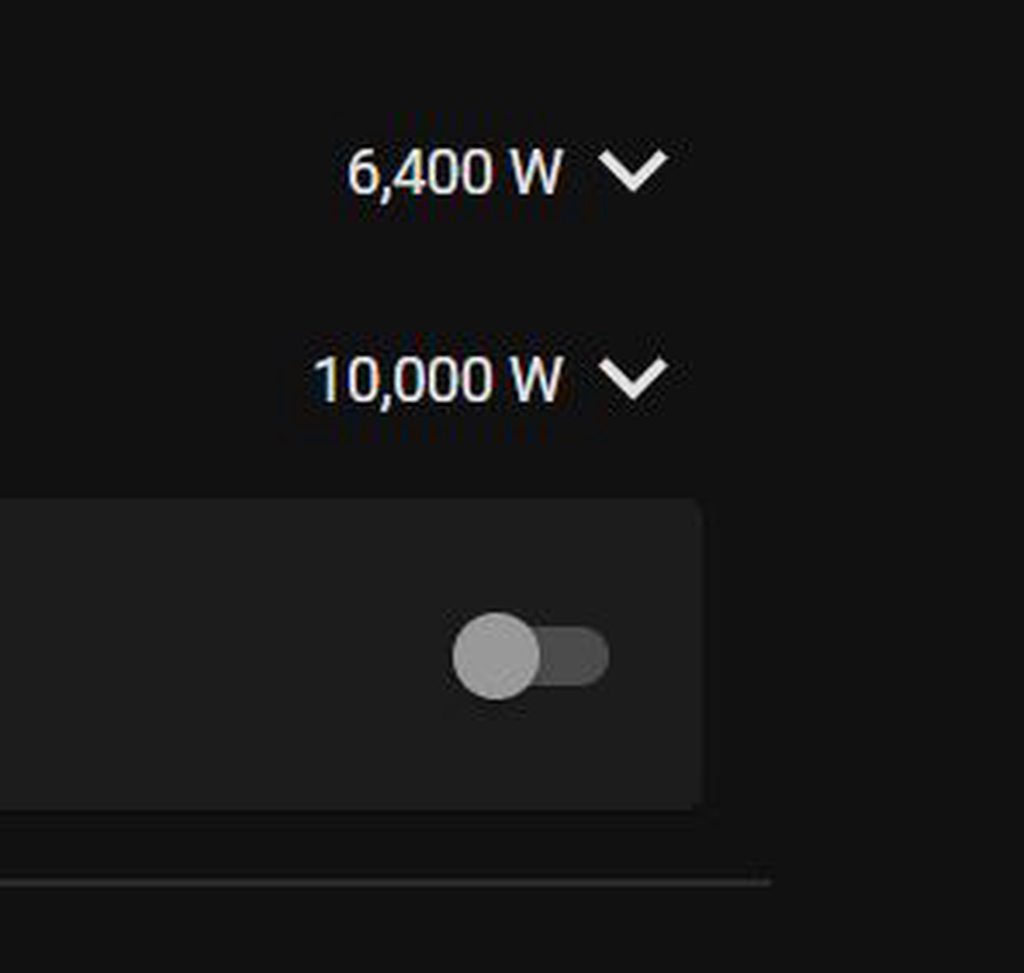 simple grotto
Hi, for some reason my IP address keeps getting banned and this is the error in logs:
Login attempt or request with invalid authentication from
it says its banned for too many login attempts but I am not logging in
I thought it might be someone trying to hack me or something but its my personal IP address that my house is connected too. Any ideas?
 quick siren
Is there a way to change the home radius in the gui without going into yaml file
 ashen tusk
simple grotto
Hi, for some reason my IP address keeps getting banned and this is the error in ...
ashen tusk
simple grotto
Hi, for some reason my IP address keeps getting banned and this is the error in ...
I don't know if you're provider uses dynamic IP addresses, this might explain why you can't reach it. Or foes you're provider use one IP for multiple houses
 abstract cairn
Hi all. Is it possible to use variables or code within URL inside iframe (webpage card)? For instance {{ code }} notation? I need to insert current date such as {{ states('sensor.date').replace('-','') }} into the URL but it does not work.
 livid bluff
Hi I have multiple views under the default (overview) dashboard but when i try to select them with the play media option in an automation they are not listed and I can only select the default one. Is this how its meant to work or is something wrong?
 sudden swift
I've created some input_selects in the configuration.yaml (as when done through the helper menu doesn't let you modify existing options, so easier), trying to add it to my dashboard but it only shows the initial value and none of the options.
If i goto the helper section and click on the input_select and goto the settings it has all the options, so seems to be an issue with the dashboard
Anyone know how to fix this?
 vapid field
Could someone help me? I don't see the way to show in the Lovelace the photo of an mqtt camera...
 robust bridge
Just got my hands on a cheap Galaxy Tab A8 for my HA dashboard and downloaded Fully Kiosk for all the different features it offers. I currently use HA companion app on the tablet (i prefer the app over a browser for all the sensors HA pulls in) and I have set up the rest API to launch Spotify app when I tap a button in HA. That all works great and I’m happy, however ideally I would like to find a better way to navigate back to HA from Spotify that doesn’t require a middleman. Right now the user flow is:
Launching Spotify: Tap a button to launch Spotify app > Spotify loads flawlessly
Navigating back to HA companion app from Spotify android app: Spotify > home button to get back Fully Kiosk App > tap home assistant icon in fully kiosk> home assistant app launches
Does anyone know if there is a way to skip the fully kiosk steps listed above when I’m trying to navigate back to HA?
 bright sky
Hey guys, I'm showing a window status ("Windows are open/closed" on a markdown card, the entity I'm using is a group of all lights in the house.. Can I still let him show the single open windows below the status?
 fiery ledge
sure, just add a template which selects that 'open' window. Though I dont get why you would use the lights group for showing your open windows 😉
halcyon mantle
Any idea how to prevent the different shadings? I have two custom-folds followed by an conditional card. --> https://imgur.com/a/dRYShaa
 paper skiff
Can an input button entitty have be set as a reversal button? On status = a automation, off status= b automation? Seems silly to make a button for movie time on and a then another for movie time off
 smoky quartz
installed two themes, rebooted home assistant, nothing is showing to change the theme.
Any ideas?\
 blazing wren
paper skiff
Can an input button entitty have be set as a reversal button? On status = a auto...
blazing wren
paper skiff
Can an input button entitty have be set as a reversal button? On status = a auto...
Try looking at an input_boolean instead.
simple grotto
ashen tusk
I don't know if you're provider uses dynamic IP addresses, this might explain wh...
My whole house uses the same IP - I’m the only one who lives here I don’t know what is sending the wrong login info
 shadow vessel
Hey @polar kelp would you know what's wrong with the map loading? Not sure if you still work on browser mod from time to time. I'm seeing the same issue as op
https://github.com/thomasloven/hass-browser_mod/issues/344
GitHub
My Home Assistant version: 2022.6.7 What I am doing: Trying to use a map-card in a popup in order to show a users location What I expected to happen: The popup to open and the map to be displayed i...
 polar kelp
The map card has always caused trouble because it's loading the map in from a third party. There's no way to know how long this will take, and card-mod can't just wait around forever before doing it's thing.
shadow vessel
I see. Makes sense. Not the end of the world just wondering if it was a bug or a pop-up configuration error. I was thinking it was a cache thing.
fiery ledge
it has worsened though, dark mode no longer being completely recognized/displayed https://github.com/home-assistant/frontend/issues/13236. Happening some same 5/6 days ago 😉
 visual grove
Does anyone happen to know off hand what aspect of a theme controls the opacity of the bar at the bottom of picture glance cards? My cameras have labels at the bottom of the screen that show thru behind my entity icons and I'd like to darken that area.
 fiery ledge
still being new to UI view editor, I'd like a view to use type: custom:horizontal-layout layout: max_cols: 2 but I keep seeing 3 columns.
Ive also tried to add the type: custom:horizontal-layout in the ui editor, but that too results in 3 columns. What am I doing wrong please?

 noble tangle
hi short question: i have an idea for an improvement: since a while there is a checkbox for creating a backup before updating several things. as i have automatic backup every night, this checkbox is rather annoying, because i have to uncheck on every update. is it possible to make a defaut state for the checkboxes of update entities (i hobe frontend channel is the right place for this)
 dark dirge
doesn't it just back up the things that are being updated?
it doesn't run a full backup every time
noble tangle
an in case of ha core update ?
dark dirge
you can check what it's backing up
noble tangle
no i meant, when updating to the latest core version i have to uncheck that i want to make a backup before i update
dark dirge
I do the same as you and regularly unchecked that box on every update, but decided it just wasn't worth it giving the partial backup
in any case, I'm not aware of a default that can be changed for that
noble tangle
so do you know where to place this feature request ? github ?
 kind shellBOT
If you have a feature request for the frontend you can open one here, for Home Assistant itself please post on the forum. All other feature requests should be made to the developer of that custom card/component.
Command '~features' was invoked by: RobC
 polar radish
dark dirge
doesn't it just back up the things that are being updated?
polar radish
dark dirge
doesn't it just back up the things that are being updated?
Based on recent experience, yes, it backs up everything. As a minimum, it backs up the entire /config subdirectory and possibly others as well. Some updates to extras such as node red might not back up the entire thing.
dark dirge
That's what I'm talking about
There's no point in only backing up some of the config dir
polar radish
Also of interest, if you restore a backup it doesn't just overwrite the files with the backed up version. Instead it wipes out absolutely everything in the config directory and replaces it with an image of what was backed up. Took me a while to figure that one out as I was trying to make a secondary backup of certain files prior to doing a restore. It wiped everything instead. I had to download the files in question to another computer and then, after the restore, upload them back to the HA computer.
dark dirge
Doing otherwise could leave the system in a broken state with a mix of files
It's essentially 'restore back to that system state'
polar radish
Oh I can see why it's done ... it just surprised me and I thought I would point it out to potentially save somebody some time.
 frail bison
Is there a good way to test custom cards for a custom integration I'm building in the core dev env? I don't really see the necessary folder structure in the core dev environment to do it (<config>/www/my_custom_card.js)
Or do I just get the integration working, throw it on my prod HA and then build the custom card there?
 devout charm
I have a location tracker for my car showing on a map card. I'm also collecting 'heading' data as degrees - is there a way to change the indicator from the basic circle to an arrow that changes direction?
simple grotto
Hi I keep getting this:
Login attempt or request with invalid authentication from MY-IP-ADDRESS-HERE. (Linux UPnP/1.0 Sonos/69.1-31120 (ZPS14))
and then it bans my IP from getting onto my server
blazing wren
Did you change your password or enable 2FA recently?
simple grotto
nope

Home Assistant Community
Hi, I’m getting an “invalid authentication” notification in Home Assistant multiple times a day triggered by my various Sonos devices. The log shows as follows: Logger: homeassistant.components.http.ban Source: components/http/ban.py:125 Integration: HTTP (documentation, issues) First occurred: 11:23:05 (2 occurrences) Last logged: 11:26:1...
seems like someone else is also having this issue
started about the same time
blazing wren
Well, you could try turning on/up logging for the Sonos integration
It would be interesting to know if the integration makes a call right before this happens
blazing wren
Nope, you need the full component path.
homeassistant.components.sonos I believe, though I'm not sure off the top of my head
simple grotto
logger:
default: warning
logs:
homeassistant.components.sonos: debug
I tried that and still it shows the same sort of error in logs - nothing more
blazing wren
Did you restart?
simple grotto
sure did 🙂
blazing wren
Then it's not linked to a call HA is making to Sonos. If it were, then you'd be able to track if down more easily. As it is, sounds to me like it might be an issue related to the Sonos #integrations-archived, but it's not something it's directly doing.
smoky quartz
Installed two themes, rebooted home assistant, nothing is showing to change the theme.
Any ideas?
 dark dirge
How did you install the themes? If via HACS, did you follow the docs? https://hacs.xyz/docs/categories/themes#enable-themes-in-home-assistant
 buoyant pelican
I may be having a little too much fun with the new gauge labels 😅
 ocean ridge
Hi. Where are stored the dashboard yaml code?
I want to edit locally with vscode my dashboard. I installed samba extension. I setup home assistant extension for vs code. But where can I edit my dashboard?
polar kelp
Switching to a yaml configured dashboard is described here: https://www.home-assistant.io/dashboards/dashboards/
 solemn sable
Can I access items in a Shopping List card from a template?
 bold kestrel
Hi! I get an error message connected to the frontend. Is it possible to see what is actually causing the issue?
Logger: frontend.js.latest.202207071
Source: components/system_log/init.py:190
First occurred: 06:29:19 (3 occurrences)
Last logged: 07:48:23
http://192.168.10.42:8123/frontend_latest/core.2895f1d4.js:1:10024 3
 flat copper
Hello. I have a few questions.... Refresh Tokens... Underneath it it says "Each refresh token represents a login session. refresh tokens will be automatically removed when you click log out.". First, am I missing the log out button? I don't see one! How can I click log out if it's not there?
My second question is, do these ever delete on there own? I just close the browser window... However, the refresh tokens are STACKING up!!!
dark dirge

 unique prism
Would it be possible for the frontend's "back" button on supervisor add-on detail pages to NOT trigger a history.back() but instead really go back to the add-on overview? It's kinda annoying that when you have clicked back and forth between some tabs of the add-on detail view, that the back button is replaying all the tab clicks in reverse order before it finally jumps out of the detail view again. An alternative would be to not add tab changes to the browser history, but this likely would also prevent direct links to a specific tab, which might not be desired. Thanks
kind shellBOT
@inner stump posted a code wall, it is moved here --> https://hastebin.com/ifuzikuliz
polar kelp
I don't think it works that way.
entity_name_0 works because the one in dashboard.yaml just overrides the one in button_card.yaml so that one's never read or processed.
I.e it does exactly what you are trying to do.
I never used custom:button-card, so I don't know for sure, but according to the documentation that's what it does too...
You can add variables to your templates and overload them in the instance of your button card.
 inner stump
polar kelp
I don't think it works that way.
inner stump
polar kelp
I don't think it works that way.
I think i found solution in operator ?. and looks like this after:
      [[[
        if (variables?.entity_name_id_0 == "undefined")
        {
          return variables.entity_name_id_0;
        }
        else
        {
          return null;
        }
      ]]]```
but strange thing is i need use operator ``==`` and not ``!=`` otherwise not works.undefined is not the same thing as "undefined".
If variables doesn't exist, variables?.entity_name_id_0 will be undefined, so you get undefined == "undefined" which is false.
What you actually would want is variables?.entity_name_id_0 !== undefined, but again: in that case the local variable will likely override this one so it's not even processed in the first place.
inner stump
ah thanks for this interesting info
 muted kite
one of my hue lights with z2m is showing as on/off buttons on an entities card rather than a toggle. Any ideas why? how to make it a toggle?
 flat copper
dark dirge
flat copper
dark dirge
Thank you! Not sure how I missed that 🙂 So, log out is there 🙂 I do think it would be better on the home screen, but at least it's there 🙂 However, it still doesn't explain refresh tokens stacking up. I have the "Automatically close connection " turned on. Is it suppose to delete the tokens?
Also, have another question. Is there a way to after clearing ip_bans.yaml to refresh without restarting HA?
vapid field
Hi guys
I recently updated from 2021.11 to 2022.7 and I can't find the supervisor tab on the left menu.
I managed to find the addons windows but I can't find the tab in which setting an IP and stopping the host was doable
 azure canopy
@vapid field
Settings > System > Network for the IP settings
Settings > System > Hardware > 3 dot menu in the top right corner for stopping the host
azure canopy
muted kite
one of my hue lights with z2m is showing as on/off buttons on an entities card r...
by setting a state topic. It currently has an assumed state, so you get both the option to turn it on and off
 thorn ridge
I'm in doubt where i upload pictures for my cards. I'm trying 'background: url('/local/living.png')' but i have no idea where i upload the picture. Is it just a parent direction of HA?
 rose lintel
Can anyone explain why I cant get all state-icons to work, code is the same for each?
 vapid field
azure canopy
<@456226577798135808>
Settings > System > Network for the IP settings
vapid field
azure canopy
<@456226577798135808>
Settings > System > Network for the IP settings
Thanks a lot mate
fiery ledge
still struggling with my columns in a UI view. set max_cols: 2 but it keeps showing me 3...have this under View type type: custom:horizontal-layout layout: max_cols: 2
polar kelp
rose lintel
Can anyone explain why I cant get all state-icons to work, code is the same for ...
Could it be that they're all at the same spot, since you set top: 0 left: 0 on almost all of them?
rose lintel
polar kelp
Could it be that they're all at the same spot, since you set `top: 0` `left: 0` ...
I guess I don’t understand the docs correctly. I’ve set line_height to position them. That’s all different
polar kelp
Which docs? The official ones mention pretty much only top and left and says to use that for positioning. https://www.home-assistant.io/dashboards/picture-elements/#how-to-use-the-style-object
And line-height is a CSS property that applies mainly to pure text anyway.
rose lintel
Okay thanks for the info. I’ll try adjust that way. I thought I read that it’s the starting position followed by line height and padding to move it around

GitHub
Homekit Infused 5 2022. Contribute to jimz011/homekit-infused development by creating an account on GitHub.
Is where I took most of the code from. But these are not actionable in any way just static icons
rose lintel
@polar kelp thank you. Just changed the bottom 3 and they all work now. Will do the rest on the computer 👌
 lone ivy
Can someone help me figure out why my Configuration tab is not present on my sidebar? I have default_config in my yaml file. I even tried adding config to no avail. I have restarted multiple times.
 rustic aurora
I've been having some issues using a custom font in a dashboard, but only in Chrome (desktop and mobile).
I have a CSS file containing @font-face definitions and I had this loaded as a CSS resource and I'm using card-mod to change the font in Markdown card to the custom font.
This was working fine initially, but a while ago I found that on reloading the page or navigating to another dashboard and back, the font reverts to the default font. Switching to edit mode on the page or opening and closing the developer tools (anything which causes a redraw) it gets the custom font again.
I don't see the same in Safari, I can reload and navigate and it still keeps the custom font.
Any ideas why this may be happening? I've tried injecting the font CSS using a JS module in extra_module_url in case loading it earlier helps, but it made no difference.
 inner sphinx
Loaded question - but has anyone explored using HA in a headless way? The thinking is to build a completely custom Vue app to control the UI.
halcyon mantle
Any idea how to prevent the different shadings? I have two custom-folds followed by an conditional card. --> https://imgur.com/a/dRYShaa
polar kelp
halcyon mantle
Any idea how to prevent the different shadings? I have two custom-folds followed...
"custom-folds" as in "fold-entity-row"?
halcyon mantle
yes - correct
polar kelp
Wow. It's actually been a while.
There's actually an issue about that on github. I recommend you read this: https://github.com/thomasloven/lovelace-fold-entity-row/issues/146
halcyon mantle
Thank you!
polar kelp
It's also mentioned in the readme.
halcyon mantle
Quickly read through that. All those mentioned are part of one entities card. The two fold-entity-row objects, then just a normal entity, input_boolean.
polar kelp
For your next question; there's also a conditional ROW: https://www.home-assistant.io/dashboards/entities/#conditional
halcyon mantle
This is the full configuration of the entities(conditional) card --> https://pastebin.com/mk9Kzprp
Pastebin
Pastebin.com is the number one paste tool since 2002. Pastebin is a website where you can store text online for a set period of time.
Perhaps I should take a step back and explain what I am doing, and trying to achieve.
I have an input number I use to set my inverter's power limit depending on the situation. The power limit is not always applied, so it is governed by an input_boolean. So on the frontend my idea is to have the input_boolean visible. If it is in the off state, only it should be visible, and should it be in the on state it should display the input_number slider to set the maximum limit for the inverter. I hope it makes sense
polar kelp
That doesn't look anything like your picture. There's no fold-entity-row with an input_boolean in the head there.
halcyon mantle
Here is a bigger snip of the frontend --> https://imgur.com/a/iIovVwP
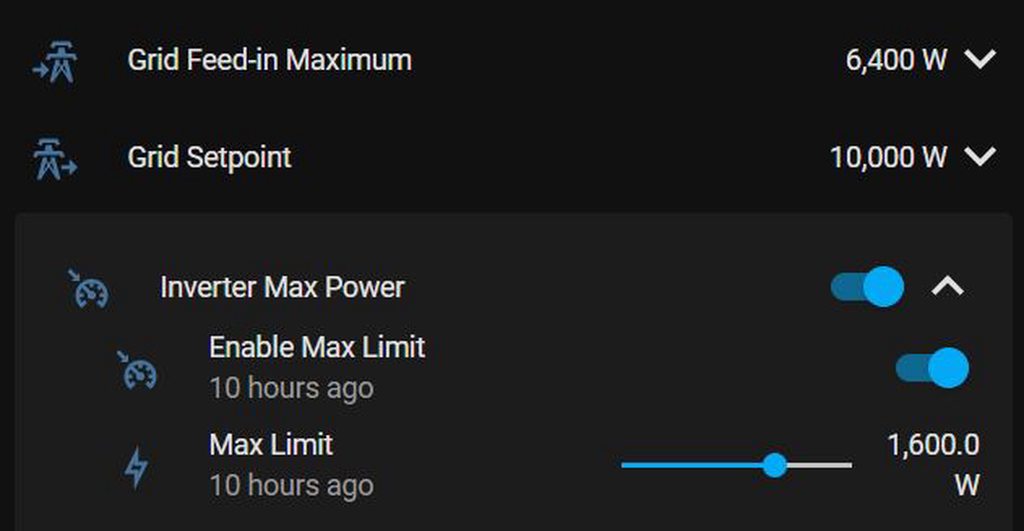 polar kelp
Then It still looks like the problem is that your first two folds are not in an entities card, while the third one is.
halcyon mantle
Here is a bigger code snippet showing the enitities. https://pastebin.com/7BtccD2L
Pastebin
Pastebin.com is the number one paste tool since 2002. Pastebin is a website where you can store text online for a set period of time.
I think the penny dropped....
They are in a vertical stack....
polar kelp
type: entities
entities:
  - type: custom:fold-entity-row
    ... Grid feed in maximum
  - type: custom:fold-entity-row
    ... Grid setpoint
  - type: conditional
    conditions:
      ... same as before
    row:
      type: custom:fold-entity-row
... Inverter max power```Suddenly I feel very very stupid - read your readme a couple of times and didn't spot it. Thank you for your patience and assistance. It is much appreciated! Also, thank you for your awesome contributions to HA - My instance wont be nearly as awesome without them.
polar kelp
You got it faster than many. Believe me
halcyon mantle
I'm sure it was pure luck.
polar kelp
I'm sure it wasn't.
 wanton lynx
I am going to try asking this here before the HA forums. I have my minimalist dashboard setup but want to implement version control or something using GitHub. Is that possible? I am currently using the Visual Studio Code addon for my IDE.
halcyon mantle
Is it possible to change a state-icon color when it is unavailable on a picture-elements card? I believe the paper-item-icon-color is only applicable when the entity is available.
 sonic kettle
\o hello guys, I'm looking for a possibility to use one button on my dashboard that does the following:
- the Icon changes on the state of a sensor entity
- if the state of the sensor is "on" => a tap on the button should trigger my switchA entity
- if the state of the sensor is "off" => a tap on the button should trigger my switchB entity
is that possible?
this in just one icon
 fiery ledge
anything is possible.... you could write a backend script to do that, and add that script to the frontend in a regular button. Probably even easier would be a custom: button-card, and have those particulars configured in the actions (the 'triggering', not sure what that would do, but you maybe mean 'toggle'?) and state or style (the icon)
fiery ledge
fiery ledge
still struggling with my columns in a UI view. set `max_cols: 2` but it keeps sh...
hope this post makes clear what I am doing and what result it yields... 3 cols instead of 2 I'd like: https://community.home-assistant.io/t/view-shows-3-columns-even-though-max-cols-is-2/445274
polar radish
I have a picture card on my lovelace view that displays what is going on in my driveway. It is small. I would like to double click on it to make it full size and again double click to go back to the shrunken version - what is the accepted/recommended method of doing this?
sonic kettle
fiery ledge
anything is possible.... you could write a backend script to do that, and add th...
Yeah it is a DIY blind remote, that is connected with a Wemos D1 to the original remote… that’s why I need 2 gpios on the wemos and so 2 entity to open or close it. The sensor is from zigbee, that tells the actual state
polar radish
Further to my question above on how to resize a picture entity card - I can use the 'navigate' action to get me to a full sized picture but then I am stuck at the picture without a way to toggle back to the original view.
I am sure there must be a simple way of doing this and I am just making it too complicated ....
kind shellBOT
@frail iris posted a code wall, it is moved here --> https://hastebin.com/oyuqatuxir
 frail iris
Anyone else had issue with homekit infused sensor card? trying to change line color
I have also tried to use card_mod integration to solve this.
Link to yaml setup i tried: https://www.toptal.com/developers/hastebin/oyuqatuxir
Hastebin is a free web-based pastebin service for storing and sharing text and code snippets with anyone. Get started now.
fiery ledge
now that was unexpected, seems really different from the repo instructions. But it works, I finally got my 2 columns....https://community.home-assistant.io/t/view-shows-3-columns-even-though-max-cols-is-2/445274/2
fiery ledge
sonic kettle
Yeah it is a DIY blind remote, that is connected with a Wemos D1 to the original...
really not sure what to help you with. Not even sure if this is #frontend-archived at all, given the complexity of the backend logic, or that you have that working already... you might be served better in #integrations-archived for that, and come back for the final Frontend touch here
sonic kettle
fiery ledge
really not sure what to help you with. Not even sure if this is <#46084667635833...
I was able to get it up and working with the help of the automations channel 🙂 but thank you anyway
 kind wren
hi i'm getting the following error in my logs. appears 9 times just since an hour ago but i'm not sure what this is.. any clues?
ERROR (MainThread) [frontend.js.latest.202207071] http://myip.address/frontend_latest/aeb12382.js:347:551 Uncaught TypeError: Cannot read properties of undefined (reading 'dialogClosedCallback')
devout charm
I've made a script for a sleep timer for my AC and am using a mushroom 'chip' template card to trigger it. When I tap it, it either starts, increments by 30 mins or cancels the timer.
I'm really happy with it, but the only flaw in my plan is that the time displayed doesn't update live, it stays static to the last time the script was run. Is this possible?
See the chip at bottom right.
 umbral stirrup
Hey, how would I make my own custom card for lovelace minimalist? I followed the guide on lovelace github, made the folder and yaml file like you're supposed to. Now I wanted just to edit one of the default cards, since I don't like the icons, so I copied the whole template code, changed the icons and then changed the first line under --- to my own (instead of card_cover now it's custom_card_cover_etc). But it says that the template is missing. What could I be doing wrong?
This is my template: https://pastebin.com/XA4LpVTU
Pastebin
Pastebin.com is the number one paste tool since 2002. Pastebin is a website where you can store text online for a set period of time.


I'm not sure at all what I'm doing wrong, as I changed only the name of the icons and the name of the template
I can see that the custom card is missing in another lovelace minimalist folder, but I'm not sure why, as when I added other custom cards, it would be created automatically or somewhat like that I guess
frail bison
I'm trying to use three vertical stacks to display three cards side by side, but the second two vertical-stacks get placed one on top of the other instead of three columns... not sure what i'm missing https://www.toptal.com/developers/hastebin/vijupegola.less
Hastebin is a free web-based pastebin service for storing and sharing text and code snippets with anyone. Get started now.
devout charm
frail bison
I'm trying to use three vertical stacks to display three cards side by side, but...
you can put your vertical stacks in a horizontal stack to keep them side by side. Or use a grid.
frail bison
the gird card appears to 'squish' the cards together in a single column
i will try the horizontal stack container
frail bison
yeah that just crams all three cards into a single column width, which mashes all the data up
the Schedule and Homework card shouldn't be stacked vertically, they should be side by side. Maybe its just that my window isnt big enough at full screen to auto sort into 3 columns?

maybe i'll try the HACS layout-card
frail bison
layout-card is doing the trick, would be sweet to have some better native capability for moving cards around dashboards
 left sentinel
If you set the dashboard to use a single card rather than brick style and then horizontal grid around your verts?
vapid field
Is it possible to change the state of a sensor OFF / ON bar into a simple 0/1 line chart? As it might be easier to see when a state changes over longer time periods. And can you combine this then with other graphs as well?

 mystic kite
does anyone know an addon or something to use as a Card for visual scheduler on dashboard?
Like a 24h box row wher u can tick hours of "enabled" state for whatever should be turned on during those hours?
probably needs some integration..
dark dirge
this is quite a bit fancier: https://community.home-assistant.io/t/scheduler-card-custom-component/217458
mystic kite
dark dirge
this is quite a bit fancier: <https://community.home-assistant.io/t/scheduler-ca...
saw that, too complex, simple grid, click boxes on and off
is what i would like to put together 🙂
so ppl can look at lets say energy prices and decide what hours should heater or thing be running
cant be automatic due to ppl planning to use things differently
i guess i could make a button row actually and slam it into a stack..
blazing wren
There is a schedule addon I think

GitHub
An Home Assistant AddOn to schedule entities on/off on weekly base - GitHub - arthurdent75/SimpleScheduler: An Home Assistant AddOn to schedule entities on/off on weekly base
dark dirge
Separate UI, though
blazing wren
True. Might be good inspiration nonetheless
mystic kite
already slapped together button horde 😄
 mystic kite
blazing wren
https://github.com/arthurdent75/SimpleScheduler
mystic kite
blazing wren
https://github.com/arthurdent75/SimpleScheduler
but thank you, that looks like something visually easier maybe
blazing wren
What's behind that? I'm curious 😄
mystic kite
the buttons? nothing atm, thinking about water heaters n such, as they are issue for parents
blazing wren
As in, are those toggling booleans, updating an MQTT sensor..?
mystic kite
well, atm they are blank, but thinking is to put my zigbee relay there and toggle it's enabled state hourly
blazing wren
Ahh, gotcha. I'm curious as to how you'll store the data. That's often my thought when looking at things like that—how do I store the data, and then utilise it in a way I can't accidentally break it
mystic kite
as above it there's prices graph for them to decide upon, for their showering and other needs
 blazing wren
But what stores that the "5pm" button is on or off is my question. A huge number of input_booleans seems unwieldy. But no solution springs to mind as graceful/elegant/easy to program
mystic kite
your thought process is further along than mine, i was attacking the convenience on front end first 😄
halcyon mantle
Is it possible to change a state-icon color when it is unavailable on a picture-elements card? I believe the paper-item-icon-color is only applicable when the entity is available.
blazing wren
mystic kite
your thought process is further along than mine, i was attacking the convenience...
Curse and blessing of being a developer. I usually think in terms of data structure and service calls before I think of the UI
mystic kite
blazing wren
Curse and blessing of being a developer. I usually think in terms of data struct...
this time accessibility was more important, as i know the backend can be figured out somehow anyway, atm im going with booleans in a row and good people in template and stuff helped me on track with that, will see if i can put it together now.
blazing wren
Good luck! I hope it works for you and for your parents.
mystic kite
probably should post it up for others when complete. Good to have easy access control for energy usage.
blazing wren
Yes. There's a share your projects section of the forum which would be a great place to showcase it!
mystic kite
darn, card severities dont always accept # colors huh..
nvm, they work, need to be in ticks '#b5f5c6'
 carmine fern
Can someone point me in the direction of how I can force a popup to confirm a service call when it's called? I want a button on my dashboard to call a service but I want it to confirm first in case I accidentally click it.
 karmic tendon
carmine fern
Can someone point me in the direction of how I can force a popup to confirm a se...
karmic tendon
carmine fern
Can someone point me in the direction of how I can force a popup to confirm a se...
Try the HACS restriction-card
carmine fern
Thanks
 vivid basin
Hello, i can’t reach my network cams from outside my network. Anyone with the same issues?
blazing wren
carmine fern
Can someone point me in the direction of how I can force a popup to confirm a se...
You could always remove the default action, and make it a hold action. So you have to tap and hold it to do the thing—that's what I have in a number of places.
 past folio
heya - I want to super-customize my dashboards and I'm trying to figure out the best way to do that.
Specifically (if anyone cares) I want to make an LCARS dashboard.
I have found some great resources on how to build an LCARS website but it seems like this will be a royal pain to do within HA/Lovelace - HOWEVER - I think I can pull the dashboard in as an iframe.
I was wondering if there's a way to directly address the URL of it (i.e. the casting URL) to pull in rather than the whole frontend UI.
my google search skills are failing me in figuring out what to search for to find this.
blazing wren
You can indeed: https://www.home-assistant.io/integrations/panel_iframe/
It might not be as much work as you think to make a custom front-end theme.
past folio
okay - so, that looks like a way to pull external URLs into a lovelace-style dashboard.
I want to wrap a lovelace-style dashboard in something else.
and....well...here
https://www.thelcars.com/
I want to do this 🙂
Star Trek LCARS Website HTML CSS Template
Still, that's likely to be very useful, so thank you for that link
 mild gate
an LCARS display would be cool!
I built a dashboard based on Dakboard - the only thing I haven't solved for is a rotating background image pulled from iCloud favorites or Flickr ... feels like something I might have to write some python code for myself. But now I might have to play with an LCARS template too 🙂
past folio
I tried pulling in the CSS directly, but it would require a LOT more understanding of CSS than I have these days.
in theory it shouldn't be difficult - you can plug things into the "wrapper" html for different views, and then use button cards or mushroom cards with some simple styling to make the buttons.
blazing wren
These might be helpful:
- https://github.com/home-assistant-community-themes/nord/blob/master/themes/nord.yaml
- https://github.com/piitaya/lovelace-mushroom-themes/blob/main/themes/mushroom.yaml
And many more themes: https://github.com/home-assistant-community-themes
Plus a template repo: https://github.com/home-assistant-community-themes/template
But it seems like you need to convert the CSS definitions to YAML, which is definitely doable
Alright, I tweeted at the creator of that side asking if the sourcecode is available on GitHub. If so, I could fork it and write a script that takes the unminified CSS and turns it into YAML. It won't be perfect, but it could be a good start 😄
mild gate
I am trying to make some cards smaller with ha-card and it doesnt seem to have an effect
this changes the background but doesnt reduce the card size
style: .: | ha-card { background: rgba(50,50,50,0.6); box-shadow: none; height: 25%; }
past folio
blazing wren
Alright, I tweeted at the creator of that side asking if the sourcecode is avail...
if it comes to that, well - https://github.com/joernweissenborn/lcars

GitHub
CSS Framework to style web pages like the fictional computer operating system of a popular sci-fi franchise. - GitHub - joernweissenborn/lcars: CSS Framework to style web pages like the fictional c...
blazing wren
That's not been updated in 2 year. I'd prefer Trekkie Joe's version to be honest 🙂
 little badger
Is there a card that will do this?
- Shows the state of an entity attribute and applies the state color to the status icon based on that attribute.
- Run a service when clicked.
- Generate entries via auto-entities or filter (etc) for a set of switches added by an integration.
What I'm trying to do is collect up all entities provided by an integration, which I can do with auto-entities, but those entities are switches and I really want the toggle button to change the state of an attribute of the switch, not the switch itself. The integration provides a service for changing that attribute. I've taken a bunch of approaches from scripts, to trying to templatize a service call in the card, to just dealing with it by triggering events tied the switch itself. Specifically, I want to add something to the dashboard to disable (reset) manual control in the Adaptive Lighting integration.
 grand harbor
I've setup the ring integration. Is there a way to have a card show the livestream of the cameras?
blazing wren
There's a picture card that works:
type: picture-entity
entity: camera.front_door
It's not really a live stream, but it does update with snapshots
halcyon mantle
Is it possible to add a confirmation message to input_select? I cant seems to find reference in the documentation on it
For example - Should an input_select be used to change the state of the alarm, it will warn/confirm before doing it.
I know it can be done with the restrictions card, but would like to use native mechanisms if possible
blazing wren
I have one thing which is similar, and I defined a button for each state, hide the one the state is in, and only use the tap and hold action to trigger the action
So I combine native cards:
- Stack or grid card, whichever looks nice
- Conditional card, state is not the state which the button triggers it to
- Button card, default action: none.
halcyon mantle
Hmm... That might actually work - Cool idea! Thx - I'll play around with it a bit.
blazing wren
Technically you can skip the conditional card layer
Another option is a template card + a button card, where the template card shows your current state and the button advances the select to the "next" option. But that may not be what you want
halcyon mantle
The conditional card is actually exactly what I am aiming at 🙂 I believe it will work perfectly once I figure it out....
blazing wren
https://www.home-assistant.io/dashboards/conditional/
This may help 🙂
Something that might be useful:
I often define the contents of a conditional card first. Then I copy the YAML and paste it into a conditional card when I know what conditions I need
halcyon mantle
Haven't used the button card / grid so reading up on those now. I use the conditional cards quite extensively to keep things neat...
blazing wren
Yes, hiding irrelevant data is a good trick
halcyon mantle
My newest favourite is nesting a fold-entity-row in a conditional card....
blazing wren
Thomas Loven has made a lot of great custom cards
halcyon mantle
I absolutely love his creations and use them extensively - Without them my instance would not have been half as user-friendly as it currently is.
blazing wren
past folio
if it comes to *that*, well - https://github.com/joernweissenborn/lcars
I just went searching in the community forums: https://community.home-assistant.io/t/skin-lcars-star-trek-beta/31386

Home Assistant Community
I am finally getting some time to work on the LCARS skin that I already promised a few times, a while ago. it is coming along nicely but i need some info from those who are interested. the LCARS skin needs a background. I did try to avoid that, but i couldnt. and that makes it difficult to create it for several screensizes. i will try to cre...
grand harbor
blazing wren
There's a picture card that works:
```yaml
type: picture-entity
entity: camera.f...
Yeah, I have that, but one of my battery powered cameras doesn't update that frequently, so I end up looking at morning snapshots at night. That's why I was looking for livestreams
blazing wren
Battery cameras don't really do live streams
It's intended to work for a short period of time and then stop to preserve battery power
grand harbor
True, was more like looking it as, if I open the dashboard, it opens the live stream
I guess cards are always loaded then?
So having one would mean 24/7 livestream?
Otherwise i should probably see if I can force snapshot every x minutes in ha?
blazing wren
That I'm not sure about. Though I'm pretty certain if it's a in a tab on the dashboard you're on that it would be loaded
grand harbor
Yeah, I have a separate tab just for cameras
But if there isn't anything beside the picture entity, I guess nothing much I can doo
blazing wren
It might be worth moving those to another dashboard
There may be something else, I'm not sure 🙂
grand harbor
Easy enough
blazing wren
Aha, I just found this:
type: picture-elements
image: camera.bedroom
camera_image: camera.bedroom
camera_view: live
Will try that
blazing wren
Granted this is the roscom integration, but the example card looks like what you need 😄
https://www.home-assistant.io/integrations/foscam/#example-card-with-controls
little badger
The gist of the two projects I use for Ring devices is that you shouldn't try to live stream Ring. I wouldn't be surprised if Ring has API limits and/or monitoring and then there are tidbits like this (from Ring MQTT docs):
Attempting to leverage this project for continuous streaming is not a supported use case and attempts to do so will almost certainly end in disappointment, <snip...> most notably loss of motion/ding events while streaming (Ring cameras only send alerts when they are not actively streaming/recording).
grand harbor
Didn't read that part, just in the name it says that supports it. Also, I've set up one, and it won't actually stream, but replay the latest recorded event. I'll just stick with the ring app
little badger
I just played with the updated version of the Ring MQTT and, after defining the generic camera based on the documentation, live streaming using a normal picture entity card is working well and is starting the stream. It uses RTSP service and seems to only initiate the stream once you click the card (e.g., it isn't pre-rolling IIUC the camera parlance correctly). I checked this by idling on the interacting with the dashboard but not clicking the cam in question. When I went into the Ring app on my phone, no live stream bookmark was present meaning it wasn't being streamed in the background. However, if you happen to leave the card open it will keep fetching more video content to feed the client so you would likely run into similar issues regarding detection events etc.
grand harbor
That's a lot to process, going to go through it tomorrow
 still moth
I've asked about this before but going to ask again to see if anyone has run into the same issue.. I'm using some trickery under the hood (an automation) to get my heater to use an external temperature sensor as the current temp. I'm wondering if there's some way for me to make this happen without a custom automation – I'd really like to use a climate card to control the heater without having to spend hours getting a custom template card to match... any thoughts? 🤔
is the answer to just use a thermostat that supports remote sensors natively? lol
past folio
blazing wren
I just went searching in the community forums: https://community.home-assistant....
interesting. I'll give that a shot
still moth
blazing wren
Generic thermostat?
I don't think that works when you have an actual thermostat – like you need something binary to tolggle on/off
blazing wren
I suppose it rather depends on how you think of it. There's nothing stopping you calling a script though a template switch or similar. And that script could do anything.
past folio
past folio
interesting. I'll give that a shot
that is....a thing. it's much farther than I've gotten before but it's still going to need a lot of work.
Is appdaemon/hadashboard a going concern/live project that's worth putting effort into?
still moth
blazing wren
I suppose it rather depends on how you think of it. There's nothing stopping you...
hmm that's true, I guess I could setup a binary switch and just listen for changes on that swtich to do stuff
idk, sounds a little complicated.. if I can't snag an ecobee w/ remote sensor on ebay maybe i'll give it a shot. thanks for the idea!
 fading reef
I am new to customizing frontend (very basic till now) but want to make it useful
I know it depends upon users usage, but anyone has a good regular use default frontend (functionality not just looks) to start with? Any git or tube or article link?
Also does the default app (other than and web (browser)) only way to view/control frontend? The app is sometimes clunky and slow for me. Any other options?
 fading silo
Not sure this is the right area, but I'm having issues passing a numeric value to a script from an entities card. Executing this code results in an error message "expected float for dictionary value @ data['duration']. Here's the card code type: entities
entities:
- entity: input_boolean.irrigation_back_rear
icon: mdi:sprinkler-variant
hold_action:
action: call-service
service: script.run_irrigation_zone
data:
zone: switch.sprinkler_back_rear
length: input_number.duration_back_rear
 sullen wyvern
Hi all, is anyone here able to tell me how and were is stored user config of each card?
 timid beacon
If you're editing a dashboard on two screens at the same time, will one blow away changes from the other one?
kind shellBOT
@velvet minnow posted a code wall, it is moved here --> https://hastebin.com/uyiyajowim
 split granite

kind shellBOT
@velvet minnow [Rule #6](#rules message): Spam will not be tolerated, including but not limited to: self-promotion, flooding, text walls (longer than 15 lines) and unapproved bots.
Please take the time now to review all of the rules and references in #rules.
For sharing code or logs use https://dpaste.org/ (pick YAML for the language) or https://www.codepile.net/ (pick YAML for the language).
Command '~rule6' was invoked by: Tinkerer
split granite
You just got told off for that... please pay attention
 velvet minnow
Yep.. got something wrong in my clipboard
I would like to have a background color for my picture-glance card, what kind of element do i need to just show a background without any content on it?
 past folio
timid beacon
If you're editing a dashboard on two screens at the same time, will one blow awa...
past folio
timid beacon
If you're editing a dashboard on two screens at the same time, will one blow awa...
yes. I've had it happen to me LOL
timid beacon
past folio
yes. I've had it happen to me LOL
I was going pretty hard cleaning up my main dashboard and had it open across tabs/windows/computers. Fortunately I didn't really lose anything
 wide oriole
Can I make Hass companion device trackers update when someone uses the app?
Like when someone in the family opens the Hass Map view all the device trackers update.
And then they continue to update every couple seconds while the user stays
halcyon mantle
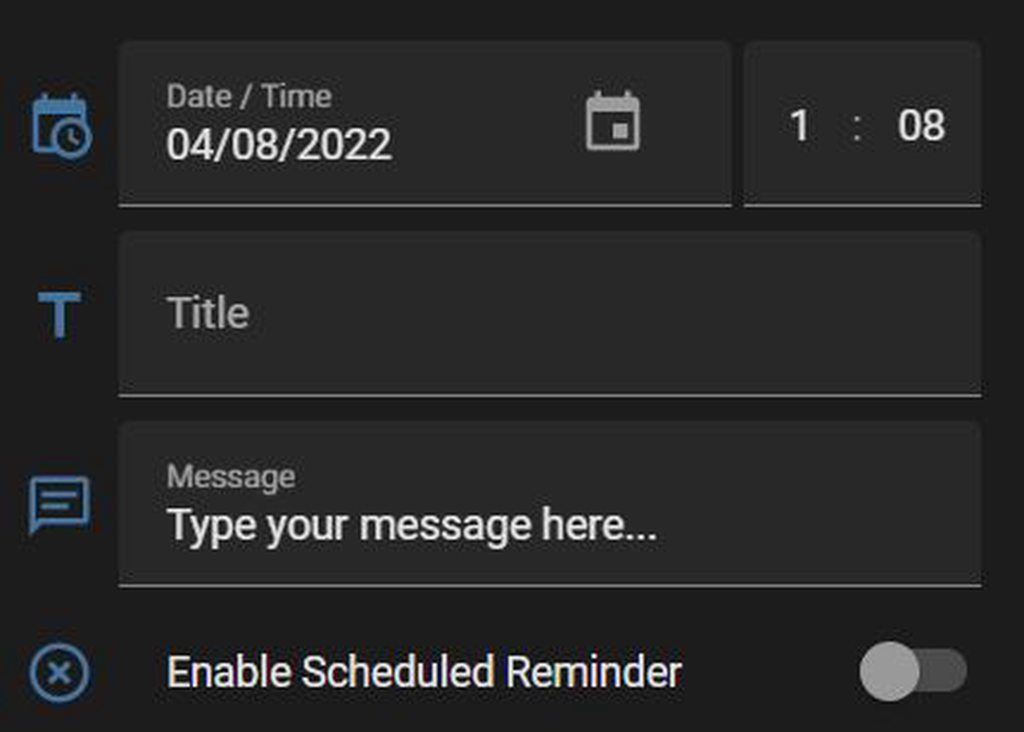
I have added a input_datetime entity to a card to be able to adjust it from the frontend, but it is a PITA to adjust the time, especially when trying to enter double digits in the time fields (minute & hour). Did I miss something, cause I cant think that is how it should be...
past folio
blazing wren
Alright, I tweeted at the creator of that side asking if the sourcecode is avail...
I have unminified the css.
 slender nexus
Is there a way to tell a graph not to record data between 16:30 and 9:30? Most stock market are closed between those times and graphs get a steady value for many hours.
blazing wren
past folio
I have unminified the css.
So have I. But I've barely started the script to adapt it.
polar radish
halcyon mantle
I have added a input_datetime entity to a card to be able to adjust it from the ...
Are you using a custom:time-picker-card in your UI ? It is pretty darn easy to enter time with that card - it gives you the hours and minutes and you can increment or decrement either hours or minutes by clicking on the up or down icon above or below the hours or the minutes. You can specify the step size so in my case I step the minutes in 5 minute increments for example.
halcyon mantle
polar radish
Are you using a custom:time-picker-card in your UI ? It is pretty darn easy to e...
currently I have the input_datetime on an entities card, my google searches have brought me across custom:time-picker-card, and it is awesome should you require just time, but unfortunately I need both date & time in this instance.
polar radish
I have run across other card(s) that have a combination of a calendar (where you click on a date in the calendar) and a time picker (it's been a while so I am not sure of the details). Maybe do a web search .... sorry I can't help more.
halcyon mantle
polar radish
I have run across other card(s) that have a combination of a calendar (where you...
I have been searching in the web for a while now, but this has given me hope that what I am after exists or can be done. Thank you!
polar radish
A quick search came up with this: https://github.com/totaldebug/atomic-calendar-revive
GitHub
An advanced calendar card for Home Assistant Lovelace. - GitHub - totaldebug/atomic-calendar-revive: An advanced calendar card for Home Assistant Lovelace.
Apparently it builds on Google calendar so that needs to be installed in HA ... not my cup of tea but maybe it works for you

Home Assistant Community
Hello there Besides being quite embarrased, I must admit I can’t stop laughing at myself… I can’t figure out how to make a simple Date card. What I’m after is nothing more advanced than this : I need it to replace the topleft third button card, after I found the nice HTC Clock card. Thanks to @ibBogdan Thanks for any help ! /Michael
past folio
blazing wren
So have I. But I've barely started the script to adapt it.
LOL - heck, you're way beyond what I've done. really appreciate that you're still poking at it!
polar radish
Here is another take on this: https://community.home-assistant.io/t/add-a-simple-digital-clock-and-date-panel-to-home-tab/113790

Home Assistant Community
Hi I’d like to add a panel with time and date, something like this: That shows all the time But all I’ve been able to get is this: Anyone know how to do this? Thank you
halcyon mantle
Thx - Perhaps I should explain what I'm trying to do. I have an automation with a trigger of input_datetime. This automation fires a notfication as specified. So on the frontend I want to display the ability to choose the date & time for the notification and type the text. This is what I have so far https://imgur.com/a/XUp2onD
 polar radish
I fail to understand why the time picker card was not built with the option of also adding a date picker section. Seems to me that this would be a logical way of going especially since the groundwork has been done already. Just have radio buttons for date and time and based on which are selected, you see input fields for dat or time or both. Anyway, I feel your frustration .....
 lucid pumice
Looking for a way to show a simple number value in lovelace, any pointers?
polar radish
entity card ?
dark dirge
markdown card?
polar kelp
Entities card?
lucid pumice
Entities generates a list of things with icons, names and values, so no.
looking for something along these lines https://community-assets.home-assistant.io/original/3X/4/9/497770986fc57856f5d799a4929ff197539673a3.png
 halcyon mantle
With something like fold-entity-row, when nesting them. is it possible to force each subset to still make use of the whole card width and not indent?
polar kelp
lucid pumice
looking for something along these lines https://community-assets.home-assistant....
That's probably a markdown card.
polar kelp
halcyon mantle
With something like fold-entity-row, when nesting them. is it possible to force ...
padding: 0
timid beacon
I'm sure this has been asked before, but is there a good workaround for using slider-button-card on mobile?
halcyon mantle
polar kelp
`padding: 0`
Thank you!
timid beacon
Since when you swipe, if your finger touches the slider it will start adjusting the entity rather than scrolling
halcyon mantle
From the documentation I understand that if active: is defined the icon will change color based on state. This renders correctly in developer tools, but the icon does not change color. Not a train smash, but would be nice...```
- type: custom:template-entity-row
icon: mdi:date
name: "You will be notified when you "
state: "{% if is_state('input_boolean.reminder_service_me_zone', 'on')%} Active {% else %} Disabled {% endif %}"
secondary: "{{ states('input_select.reminder_service_me_zone_event') | lower }} at {{ states('input_select.reminder_service_me_zone') }}."
active: "{{ is_state('input_boolean.reminder_service_me_zone', 'on') }}"
Seems to me that should work. But I haven't looked at template-entity-row for a while, so there are probably some changes in the frontend that could affect it.
I'll take a look at it when I'm back from my vacation trip.
halcyon mantle
Thank you! I really appreciate it - enjoy your vacation!
I changed the icon to mdi:calendar-text and it seems to work now... 🤷♂️
 teal perch
i can t use hacs if i have haos 2022.8?
dark dirge
That is not correct
teal perch
how
kind shellBOT
Home Assistant Community Store is the successor to the old Custom Updater, and can do so much more - you should check it out. They even have a Discord server for issues with HACS itself.
Command '~hacs' was invoked by: RobC
dark dirge
it's unrelated to #frontend-archived . It's an #integrations-archived
teal perch
oh,sry
 severe isle
hello, how can I change the first day of the week in the calendar?
 heavy warren
https://dpaste.org/0KdZh can I not nest if statements in markdown cards?
azure canopy
You are closing the nested if at the wrong place
heavy warren
I am?
azure canopy
{% if states('sensor.openweathermap_weather') == "overcast clouds" %}
  {% if states('sensor.openweathermap_forecast_condition') == "rainy" %}
    {% set weather = "it is a dreary" + day %}
  {% endif %}
{% else %}
  {% set weather = "it is a cloudy" + day %}
{% endif %}
this will work
assuming you defined day somewhere
heavy warren
oh ok 🤔
azure canopy
btw, I don't think the state will ever be overcast clouds
check for the right state in  > states, and test your templates in > templates
azure canopy
i fixed another issue with your parenthesis
oh wait, it's not the weather entity
my bad
you should also stick to one type of quote in your templates
either single quotes or double quotes
heavy warren
haha it switched from overcast clouds to broken clouds when I fixed it and I thought it wasn't working for a split moment
azure canopy
and you could also use is_state(entity, state) instead of states(entity) == state
heavy warren
I should just use condition not weather
🤔 I will give it a shot
Oh nice, that will look a lot neater thanks
opinion needed, does "Hello Ren, it is a dreary summer Friday morning." sound wrong to you??
"Hello Ren, it's a dreary summer morning on a Friday." 🤔 where are the grammar police when you need them?
 maiden iris
does anyone else have that about half the time, listst of entities arent clickable? When i click, it closes the list and clicks on whatever is behind
 halcyon mantle
Is it possible for the browser_mod popup to auto scale. E.g. Lets say I have a custom-fold-entity-row in there and I expand it that it will adapt to the new size to display everything.```
tap_action:
action: fire-dom-event
browser_mod:
command: popup
 fair quest
Is it possible to rename the "Overview" Dashboard? It doesn't give you any options to edit it in the same way that a user-created Dashboard does.
maiden iris
fair quest
Is it possible to rename the "Overview" Dashboard? It doesn't give you any optio...
Not natively afaik. I think there are custom components that allow you to do that
halcyon mantle
Can you link to a specific card on a view? for example '/lovelace/kitchen' will take you to that view, but can it navigate to a fold-entity-row and expand it?
 foggy viper
Repairs is awesome! It would be nice though if it remembers my check option to show ignored repairs. It seems to forget on every restart.
 heavy warren
does anyone use the slider button card?
carmine fern
Is there a way to make the lovelace background cycle through a folder of images on every reload? I've already got a single custom background setup but I'd like to be able to have it cycle through my favourites on reload?
Or even on a schedule eg daily.
thorn ridge
Hi guys,
I find myself in trouble loading an image on a card, very noob question if i upload the image to the 'local' folder, where exactly is this, is it the parent dir of HA?
url('/local/lounge.jpg')
carmine fern
thorn ridge
Hi guys,
I find myself in trouble loading an image on a card, very noob questi...
In the same directory you have your configuration.yaml you need to create a folder called "www" without the quotes. This is then mapped as the /local/ directory.
carmine fern
np. Good luck
thorn ridge
Bro i got it!
carmine fern
Good stuff man. Enjoy!
left sentinel
If I want a dashboard where the top card is the full width of the screen and then below that is a standard masonry layout, is that possible in the default dashboard UI?
fiery ledge
asking is answering: you need custom:layout-card for that and use the grid option https://github.com/thomasloven/lovelace-layout-card#grid-layout
heavy warren
Is there some way to make it so that I can use user as a condition for the conditional card?
I think I figured it out
I can make a user sensor
dark dirge
I doubt that will work. The backend has no idea who's logged in
heavy warren
Mmm
dark dirge
Look at the state-switch custom card
heavy warren
so if its not an integration then I probably can't make it work
oh ok I will look into that
dark dirge
I do exactly that
 warped cloak
Is there anyway (possibly with browser_mod or something?) to use a referential variable in an include? IE: If I'm on dashboard "upstairs" then I can do something like ! include /lovelace/{this.dashboard.name}/navigation.yaml
heavy warren
dark dirge
I do exactly that
do I still need to do `resources:
- url: /local/state-switch.js
type: module` in my configuration.yaml? cuz thats producing an error
dark dirge
Only if you're managing Lovelace in YAML mode
heavy warren
oh ok cool but the card isn't showing up even after a restart so 🤔
oh wait nvm im an idiot lol
ya no its not showing
dark dirge
it's pretty straightforward
          - type: custom:state-switch
            entity: user
            default: Desktop
            states:
              Rob:
 sly pulsar
Why is card3 always showing?
        entity: template
        template: >
          {% if (states('sensor.andys_ipad_pro_battery_level') <= '10') %}
            card1
          {% elif (states('sensor.ipad_lies_battery_level') <= '10') %}
            card2
          {% else %}
            card3
{% endif %}```yea when I tried that is said custom:state-switch not found
dark dirge
then you either didn't properly specify the resource in the right place or you need to clear you browser cache
dark dirge
sly pulsar
``` - type: custom:state-switch
entity: template
template: ...
because states are strings
and you're comparing strings
sly pulsar
Any change you can show me the correct syntax? 🙂
dark dirge
          {% if (states('sensor.andys_ipad_pro_battery_level')|float <= 10) %}
            card1
          {% elif (states('sensor.ipad_lies_battery_level')|float <= 10) %}
            card2
          {% else %}
            card3
          {% endif %}
I'm not sure what you're doing there, though. It's curious logic
sly pulsar
Well i have two person cards in a horizontal-stack and want to change the person card for that person to another card (battery level...) if the state of iPad battery is equal or below 10%.
dark dirge
ok, I wouldn't expect that to be in an if/elif construct, but rather two separate state-switch cards
in any case, if it works for you...
sly pulsar
Mmm that will also be a good solution.
 tired harness
hey there! 🙂
I would like to put some action (esphome buttons, that calls an esphome script) on the ui, but I would like to put it behind a confirmation? (like are you sure you want to do that? yes / no) cause those action can do a little damage if not called on the right time.
dark dirge
a button card with a confirmation in the action?
heavy warren
Would the button-card mod or the honeycomb menu do that?
Or some kind of menu mod? I know I can setup something similar to that on mushroom cards
heavy warren
Yea look at button-card, its under frontend on hacs it actually has a confirmation option built in
polar radish
I have created a helper entity that is of type 'text'. I can display that entity on the dashboard but how do I let the user enter text into that entity?
tired harness
heavy warren
Yea look at button-card, its under frontend on hacs it actually has a confirmati...
I lookinf gor it but only found Slider Button Card
Is that what you meant?
tired harness
tired harness
I lookinf gor it but only found Slider Button Card
Is that what you meant?
I found it thanks!:)
 placid shell
Does anyone know how to make the sidebar selections persistent? I keep removing Energy and Media, but every time I clear my browser's cache they come back again. I have no need for these items in my sidebar and are just clutter.
Almost every other setting in HASS is persistent, but for some reason this one configuration change is stored in the browser cache.
placid shell
I think I figured it out. I have to disable 'default_config' and individually list out all the "default" integrations in my configuration.yaml file. It would be nice if there was a way to keep default_config, but be able to override which items are visible in the dashboard settings.
 shell kelp
does anyone use minimalist?
shell kelp
How do I center everything?
This is what I have

and this is what I'm trying to achieve
 heavy warren
tired harness
I lookinf gor it but only found Slider Button Card
Is that what you meant?
heavy warren
tired harness
I lookinf gor it but only found Slider Button Card
Is that what you meant?
Hmm I downloaded one named button-card I’ll see if I can get the repository name
Oh nevermind haha cool!
Let me k it if it works for you
heavy warren
shell kelp
and this is what I'm trying to achieve
I used layout-card to achieve that! You can find it on hacs frontend
Or GitHub if you don’t use hacs
shell kelp
heavy warren
I used layout-card to achieve that! You can find it on hacs frontend
thanks!
thorn ridge
Is it possible to have 'icon_color:' reflect the entity's current lightcolor? If so, how?
heavy warren
thorn ridge
Is it possible to have 'icon_color:' reflect the entity's current lightcolor? If...
Hmm all my cards seems to reflect the lights color on the icon if I enable state color
vapid field
Hi, I'm just starting to play properly with themes, and I can't even change the border rad of a custom card 🤦🏻♂️
I have ha-card-border-radius: 10px in my theme, but it doesn't apply to custom cards. What am I missing
 sterile violet
How do I make the entities display without the full name for example… The title of the card is “Sonoff S31 Test” and the entities are “Sonoff S31 Test Relay” “Sonoff S31 Test Current” “Sonoff S31 Test Power” etc. I want them to display on the card just as Relay, Current, Power without changing their actual names everywhere. I see this behavior occasionally I believe it’s when the room name matches the name of the entity beginning. I haven’t really found something that says exactly when or why this happens or if I can somehow force it to happen based off the title of the card so that the entities of self or shorter.
 urban jewel
How do i include custom card inside picture-elements?
I tried like this
- type: picture-elements
  elements:
    - !include config.yaml
but nothing happens
 kind storm
Hello everyone
 remote mango
Do we have some lovelace card to call service call with changing text for calendar or microsoft to do? So static service call, but the input can be changed
 tawny magnet
Dumb question but how to do I include a lovelace card that includes multiple light groups (ie: turn off first floor lights)
dark dirge
Create a new light group
tawny magnet
through yaml?
tawny magnet
got it. used to grouping w/ zigbee and zwave. saw i can do it through helpers
tawny magnet
seems like default for most lovelace cards is toggle; how can i get them to just turn off?
tawny magnet
thank you
sterile violet
Reiterating previous message as got no feedback. Hopefully someone sees this that can help!
How do I make the entities display without the full name for example… The title of the card is “Sonoff S31 Test” and the entities are “Sonoff S31 Test Relay” “Sonoff S31 Test Current” “Sonoff S31 Test Power” etc. I want them to display on the card just as Relay, Current, Power without changing their actual names everywhere. I see this behavior occasionally I believe it’s when the room name matches the name of the entity beginning. I haven’t really found something that says exactly when or why this happens or if I can somehow force it to happen based off the title of the card so that the entities of self or shorter.
 faint vortex
Hey, in order to choose a different default view for a device would I need to make a new user, set up a new dashboard and set that as the default dashboard, or is there a way to set a specific view as default on a specific device?
E.g I have living-room1 which is a panel that doesn't display properly on a phone, but does on a tablet, and I have living-room which displays properly on a phone but not on the tablet.
I have 3 wall-mounted tablets that each have their own view they're supposed to stay on
Nevermind, I am a complete idiot, the default dashboard in the account settings is per device, so I just need to make a new dashboard with the view i want for each device
 simple flume
'AddonManager.install' blocked from execution, system is not healthy
got this error ^, its a fresh install on a rpi3
karmic tendon
sterile violet
Reiterating previous message as got no feedback. Hopefully someone sees this tha...
The only one that I know is by using the 'markdown' card which allows to to put just about anything.
 sacred rampart
is there anyway to get a button card to return the currently logged in username as the value for the name: parameter?
Tried doing this but nada

Ah got it...

 candid aurora
Is there a way to get rid of start_url in the manifest.json that is used for PWA's? I want to create homescreen shortcuts to specific dashboards on my dad's iPad, but thanks to the PWA manifest they all redirect to the start dashboard...
 tacit dew
Hi... tried to integrate my dahua camers in home assistant . but when i try to add in dashboard and view from android ha app it starts to jump/ficker . but if i click on that it opens the video playback and works fines. only in dashboard view it flickers any way to fix this. but works fine in edge windows.
video encoder: H265
 jaunty notch
I don't understand why?
Maybe what im trying to do here is not supported? I'm trying to add the web UI of frigate as a dashboard so that everything is in one place
Url path needs to contain a hyphen (-). Got {'show_in_sidebar': False, 'icon': 'mdi:cctv', 'title': 'Frigate-NVR', 'require_admin': True, 'mode': 'storage', 'url_path': 'http://my_ip:5000'}
sterile violet
karmic tendon
The only one that I know is by using the 'markdown' card which allows to to put ...
Is there anywhere documented that says when that action takes place? Because I’m pretty sure it’s when the room name matches the exact beginning of the entity. That seems to be when the name automatically shortened, but I can’t say that happens every time. It seems temperamental or there’s something else that I’m missing that causes it.
karmic tendon
sterile violet
Is there anywhere documented that says when that action takes place? Because I’m...
No clue what you mean 'that action', how would HA know from a couple of strings to what it should shorten to? Anyhow, this is what I know...markdown... and if that does not fit then maybe someone else will have an idea?
sterile violet
First off, thanks for your efforts and trying to answer my questions. “That action” meant when the name is automatically shortened in the cards display because it matches the same name as the card or I believe more accurately matches the room name, then name is then shortened. In the two screenshots you can see the ones labeled simply “Sink” and the actual name when you click on it is “Kitchen Sink”. However because the room name kitchen is in the name of kitchen sink, it only displays sink. That was the behavior I’m trying to figure more out about. I thought maybe it was just whatever the title of the card is, but I tried that with a different test and the names were not shortened. It seems like it may only work if it’s a room name that matches the entity name.


 rough coyote
https://i.imgur.com/d7NN105.png
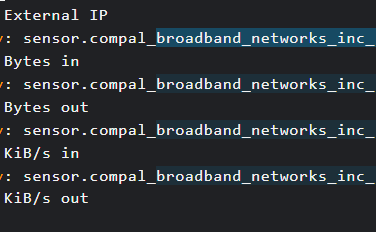
It makes more lines blue, can i delete/edit those simultaniously somehow?
 jaunty notch
I don't understand why?
Maybe what im trying to do here is not supported? I'm tr...
jaunty notch
jaunty notch
I don't understand why?
Maybe what im trying to do here is not supported? I'm tr...
No ideas for this?
karmic tendon
sterile violet
First off, thanks for your efforts and trying to answer my questions. “That acti...
Never seen=noticed this before but seems your hunch it right. However I do not see this working outside of room/area (just a quick check).
slender nexus
Is there a way to tell a graph not to record data between 16:30 and 9:30? Most stock market are closed between those times and graphs get a steady value for many hours.
karmic tendon
slender nexus
Is there a way to tell a graph not to record data between 16:30 and 9:30? Most s...
Not-to-record, no...as this is done via the sensor but you may try to limit displaying it. Apexcharts has options, else you may create a sensor that bases on the main one and sets 0 between 16:30 / 09:30 ?
slender nexus
karmic tendon
Not-to-record, no...as this is done via the sensor but you may try to limit disp...
Hello @karmic tendon, Apex limiting display might be interesting but I'm not familiar with Apex graphs... Creating a sensor based on the main one and sets 0 between 16:30 / 09:30, that might be interesting... I'll look with the #template crew
karmic tendon
slender nexus
Hello <@929271002624585729>, Apex limiting display might be interesting but I'm ...
Apexcharts is really powerfull, I use either that or Ploty (but more iffy). The template sensor just requires a if / then statement but I will let you figure it out 🙂
heavy warren
I’ve been trying to add style to my badges using card mod but it only seems to work in theme and not directly in the dashboard yaml
 low osprey
hi, every... have anybody in lovelance make change icon based on attributes?
fiery ledge
can this be done? en/dis-able card-mod-theme with a toggle in the frontend? https://community.home-assistant.io/t/card-mod-super-charge-your-themes/212176/1143
Home Assistant Community
for a test view, Id need the option to easily switch off card-mod-theme, so I tried to insert: {% if is_state('input_boolean.card_mod_theme','on')%} theme-mods {%- endif %} into my theme declaration: theme-mods: card-mod-theme: theme-mods and turn that into: theme-mods: card-mod-theme: | {% if is_state('input_boolean.card_mod...
low osprey
fiery ledge
can this be done? en/dis-able card-mod-theme with a toggle in the frontend? http...
i use custom:button-card
type: custom:button-card
name: '''Sources'''
icon: >-
${ if (state_attr('media_player.lg', 'source') == 'Satelit') ? 'mdi:curtains'
: 'mdi:curtains-closed' }
fiery ledge
why did you tag me on my own question? my post was no answer to yours 😉
on your template: you are mixing HA Jinja style templates with Button-card Javascript templates
low osprey
fiery ledge
on your template: you are mixing HA Jinja style templates with Button-card Javas...
sorry, I thought it was for me, the content was similar to my problem.
fiery ledge
try [[[ return (states['media_player.lg'].attributes.source === 'Satelit') ? 'mdi:curtains' : 'mdi:curtains-closed'; ]]]
low osprey
fiery ledge
try ```[[[ return (states['media_player.lg'].attributes.source === 'Satelit') ?...
eureka, thank you, I've been struggling with the conditions and java and template for two days now
fiery ledge
the above (so called 'ternary' format) can also be written as a plain if/then/else: [[[ if (states['media_player.lg'].attributes.source === 'Satelit') return 'mdi:curtains'; return 'mdi:curtains-closed'; ]]]
low osprey
fiery ledge
the above (so called 'ternary' format) can also be written as a plain if/then/el...
thank you very much, everything works
sly pulsar
Just noticed when clicking on a more-info header it enlarged the popup, is this new since a recent release or did i just never clicked on the header?
 crisp hornet
HAOS RPi Is there an FAQ on adding dashboards manually? Recently restored older backup & would like to manually add my (newer) backed up lovelace dashboard files. Please advise.
polar kelp
sly pulsar
Just noticed when clicking on a more-info header it enlarged the popup, is this ...
That’s been there For Ever. Really really old feature.
And someone at Nabu Casa discovered it on the release live stream for the first time a couple of months back…
So you’re not alone.
 torpid holly
I have a strange issue with my home and away presence. For some reason devices do not seem to be updating properly to where there are, but the gps seems to be accurate. https://prnt.sc/hEUT6iIOldLt https://prnt.sc/w9_o_wLLFu4E
the long blue bars in the timeline are when the device is considered home
 hearty quartz
type: entities
entities:
  - entity: input_datetime.morning_alarm
    secondary_info: none
footer:
  type: buttons
  entities:
    - entity: input_boolean.morning_alarm_toggle
      name: 'Test'
      show_icon: false
state_color: false
show_header_toggle: false
Can you use a template in the name to adjust the text based on which state the entity is in? It doesn't appear so when I try to replace the name: 'Test' with a template.
dark dirge
almost no built-in cards support templates
simple grotto

how can I make my card take away the "bedroom" part for my entities like it does with the light Entities?
karmic tendon
hearty quartz
```
type: entities
entities:
- entity: input_datetime.morning_alarm
second...
You can use the custom:card-templater (hacs)
karmic tendon
simple grotto
use the auto entities card instead, works a.o. with include/exclude and wildcards
 little lily
hi, someone using layout-card in grid mode?
I cannot find out how to configure it at all, where is the config stored ,where should I place YAML code to create layout. Documentation lacks this information...
simple grotto
karmic tendon
use the auto entities card instead, works a.o. with include/exclude and wildcard...
wheres that?
it seems like something that should just work like the lights entities
karmic tendon
it is a card, default in HA and allows to select entities based on conditions, i.e. if you would add a light it would auto-show in that card too (if proper conditions set)...so no more manual adding
karmic tendon
simple grotto
wheres that?
see above
simple grotto
karmic tendon
see above
sorry - above where?
karmic tendon
previous post
simple grotto
karmic tendon
You can use the custom:card-templater (hacs)
this?
karmic tendon
simple grotto
this?
repeating: it is a card, default in HA and allows to select entities based on conditions, i.e. if you would add a light it would auto-show in that card too (if proper conditions set)...so no more manual adding
karmic tendon
simple grotto
im in the cards section in HA
hmmm..... that IS werid (for me)...checking
simple grotto
thanks 🙂
karmic tendon
simple grotto
thanks 🙂
I was wrong...sorry ... it is via HACS tomasloven/autoentities https://github.com/thomasloven/lovelace-auto-entities

GitHub
🔹Automatically populate the entities-list of lovelace cards - GitHub - thomasloven/lovelace-auto-entities: 🔹Automatically populate the entities-list of lovelace cards
polar kelp
@simple grotto that’s an auto-generated card from the beginning, right? And then at some point you took controll and added more things?
The area names are removed only when fully auto, but when you take control they are locked and you need to make any adjustments manually - click the pencil next to the entity.
kind shellBOT
@sharp plank posted a code wall, it is moved here --> https://hastebin.com/usaxisesez
 sharp plank
Hi All, I am struggling to get a custom card to active and entity, in this case to activate the garage door from the door position indication button. Can anyone help me with this please?
type: custom:button-card
square: false
entity: binary_sensor.garage_door_sensor_rh3001_ias_zone
show_icon: true
show_name: false
name: Garage Door
tap_action:
action: call-service
service: input_button.press
service_data:
entity_id: input_button.garage_door_activate
icon: mdi:garage-variant
state:
- value: 'on'
icon: mdi:garage-open-variant
color: rgb(255,0,0) - value: 'off'
color: rgb(68,115,159)
heavy warren
https://dpaste.org/XdadE
I have card-mod installed and I am following what I see in the readme for slider button card https://github.com/custom-cards/slider-button-card/releases/tag/v1.10.9, but I can not get style to work, can anyone tell me why?
tired harness
hello there! 🙂
Can I put any logo instead of the text to my ha dashboard top bar?
something liket this

 wheat latch
Can I display an input_datetime helper on a card without it being editable?
I have an automation that records the latest occurrence of something and I want to display it
dark dirge
with a markdown card
 fair egret
Is there any way to disable the orange badge on "Settings" that indicates the number of updates ready to install? I have an irresistible urge to do updates as soon as I see they are ready, which takes time. And sometimes the updates fail in a way that takes even more time to deal with. I would rather just have a habit of setting aside some time to update all my stuff every month or so, without the orange badge making me get all obsessive-compulsive.
fair egret
I should clarify that this is similar but different from just deciding to “skip” an update, which I know the UI supports.
 main locust
Does anyone happen to know what would cause button-card to display sharp 90 degree corners instead of rounded ones?
 subtle shuttle
it would be great if the text were not constantly written in reverse in the UI editor :/
dark dirge
🤔 are you looking at your dashboard in a mirror? 🙂
subtle shuttle
haha, unfortunately not
subtle shuttle
has happened about 5 times since writing that message, very frustrating
dark dirge
it's usually CodeMirror issues with iOS for me, but I haven't seen it in a while
subtle shuttle
codemirror?
dark dirge
that's the UI YAML editor, if that's what you're talking about
you haven't really said, so I'm just guessing
subtle shuttle
oh, this happens in everywhere where text is written, not just yaml editor
subtle shuttle
https://community.home-assistant.io/t/lovelace-editor-inserts-chars-backwards-how-to-use-external-editor-for-raw-code/293163
https://github.com/home-assistant/frontend/issues/10458
likely that issue
Home Assistant Community
Hi! I have a very strange problem which applies very often. When i type new text in a code window of a card (subcard of a grid card) the text apprears backwards: I type background-color: gray i get yarg :roloc-dnuorgkcab No, i’am not kidding. After trying to position the cursor elseway this behavior disappears. But it reappears randomly. ...

GitHub
Checklist I have updated to the latest available Home Assistant version. I have cleared the cache of my browser. I have tried a different browser to see if it is related to my browser. Describe the...
there's basically two UI bugs that popup constantly, that one and jumping into random view after pressing save after editing dashboard (cards)
 dusky jackal
looking to make a grid layout with a top card spanning 100% then 4 equal columns 25% underneath that one? can someone help?
simple grotto
polar kelp
The area names are removed only when fully auto, but when you take control they ...
oh wow! I never noticed that before - thank you 🙂
dusky jackal
Anyone?
vapid field
Hi, what's the best template to show outside temperature. I want simple description and value. I tried gauge but it won't show negative values.
tired harness
tired harness
something liket this
Sooo that is a no? 😦
 hot cloak
Hey is there a way to change the height of frigate card?
heavy warren
So I have card mod and it doesn’t seem to be working at all, I have tried several examples in my cards to style them and nothing but I have a quick question, am I supposed to have a custom:card mod card when I go to choose a card?
 ornate helm
Hey guys, i just added my dishwasher (via Home Connect) to HA, now there's a switch for every available program. How can I make this to a kind of dropdown menu?
polar kelp
heavy warren
So I have card mod and it doesn’t seem to be working at all, I have tried severa...
No. Check the browser console. Does it mention card-mod?
heavy warren
polar kelp
No. Check the browser console. Does it mention card-mod?
I’ll check in a moment I’m working now
heavy warren
@polar kelp when you says browser console what do you mean?
 heavy warren
yea it says card-mod 3.1.5 is installed
 supple bear
On my dashboard i have a graph of an average temperature shown and it works great. When i click on it would expect to also see a graph with the date selection filters. However instead i see a horizontal bar showing a different color for each temperature in the timeline. Does anyone know how to change this behaviour to show a graph also.
devout charm
any users of apex-charts here that can pinpoint where I'm going wrong?
https://hastebin.com/sufutubesi.yaml
The use of stacked: true is presenting overlapping and incorrect values on at least some of the entities.
As I can't post images here, see my post on the matter here:https://community.home-assistant.io/t/apexcharts-card-a-highly-customizable-graph-card/272877/1719 which includes screenshots.
 fleet crest
Anyone using the mushroom cards and notice toggles are super slow? Like multiple seconds between tapping a toggle and any response.
heavy warren
I noticed a slight delay but not like multiple seconds
azure canopy
fair egret
I should clarify that this is similar but different from just deciding to “skip”...
Create an automation which automatically skips every update, and unskip them on the first of the month
 tulip lion
Dashboards are so pretty, and lovelace is pretty easy to configue.
But one thing i never get the hang of is the order of things.
I have such a hard time getting everthing in the places where i want them (especially on desktop) some click and drag functionality would be wonderful
fiery ledge
not being a dev, I guess I'll start here, because Ive ran into a true UX issue, on integrations with many config_entries. In this case Powercalc, which has over a 100 entries in my setup. Before, in yaml, I just moved the package out of the folder, and reload HA, all Powercalc entities gone, ready to test. Now, we have to manually disable each and everyone of them. Which is really a nasty UX: please see: https://github.com/bramstroker/homeassistant-powercalc/discussions/982#discussioncomment-3383103
somehow, I believe HA would do better if a global Integration option would be provided, a toggle of sorts, to en/disable an integration completely. Any of the devs hanging out here find that an option?
goes hand in hand with https://github.com/home-assistant/frontend/discussions/13373 probably...
tacit dew
Hi...i want to automate theme in home assistant ..i tried to set theme to backend-selected and if i run service
frontend.set_theme
It does nothing ..and no changes also in logbook i don't see anything regarding this...what am i missing here ?
 inland swallow
Hi all, I'm getting an 'Entity not Available: EMPTY' warning in my lovelace frontend for a button I just added.
I did not include an entity_id in the YAML config, because it's a script, rather than a switch and the HA documentation provides examples where the entity_id is not specified
inland swallow
Pastebin
Pastebin.com is the number one paste tool since 2002. Pastebin is a website where you can store text online for a set period of time.
I added line 9 just a moment ago, but it produces the same results
this is what it looks like in the frontend
 dark dirge
That's a glance card, which takes entities
It looks like you're trying to embed other cards in there
What are you doing with 'type: button'?
inland swallow
ahhh, right.. yes, correct... I need to put those in horizontal stack instead I guess
dark dirge
Or a grid or layout card
 eternal solar
Hi all. I need help with the Button-Card. I want to change the icon color if the state attribute equals a specific value.
Entity: climate.main
Attribute: fan_mode
State: low
dark dirge
The standard button card provides no way to do that
eternal solar
Thanks. I guess I'll need to find a custom button card
What if I just wanted to make icon a different color in the Button-Card?
dark dirge
you can only do what the docs say you can do. the icon color will automatically reflect the state of the entity with no customization offered
and you can do practically anything you want with the custom button card, so you should definitely investigate that if you want more flexibility
mild gate
anyone every explored or created a way to have a rotating background image in a lovelace dashboard?
Im toying with hacking together a python script to pull photos down from Flickr or iCloud and put them in a local folder... but I'd love a more integrated way
 abstract lintel
Guys, my wall is crumbling down because of the imprint of my head 🤯 , This issue is driving me crazy since i checked all my codes 20 times and the issue remains. I'm working on Ha-Floorplan and currently just have a simple dashboard that loads a svg with png's and an empty css. Now the backgrounds of all my floorplans are completely filled in black when Hass.io reads them on the card. I have checked all my backgrounds and they are all set to none. removed any themes as well, but no luck. When i open the png file from my drive on HA it also shows no background. So something goes wrong when showing them on the card, but i have no clue what.
also something weird is that the paths i created in the svg are offset shown in HA. I checked for any transforms in the svg and there are none so i'm also confused with this. Does anyone ever had an similar issue and can possible help me with this? Don't want to post to much code/spam here before 😉
abstract lintel
Ok found the issue finally, It goes wrong when using the file editor addon to upload the PNG files, it seems to change the png background transparency to black. I used an USB to upload the png files and now it works.... Guess i'll report this as an issue since it can be an headbreaker 😄
polar radish
I have a helper entity that is of type datetime. It is set up to accept a date only. Is there any way to specify how the date is formatted when shown in an entity card ?
kind shellBOT
@compact pebble posted a code wall, it is moved here --> https://hastebin.com/cekacariyu
 compact pebble
I am using UI lovelace minimalist and am having trouble with a grid card. here is my code: https://hastebin.com/cekacariyu Only the first two are actually showing the location. Why is that?
Hastebin is a free web-based pastebin service for storing and sharing text and code snippets with anyone. Get started now.
abstract lintel
@compact pebble what do you want to achieve?
compact pebble
I want 4 people in a grid card with 2 columns with the locations shown on all of them, not just the first two people.
abstract lintel
So 2 rows?
compact pebble
yes I think so
abstract lintel
I don't use grid much but I would assume you need to define the rows then? Else I would just use 2 horizontal-stack and you have achieved the same
compact pebble
Maybe its because its looking for not_home instead of away
abstract lintel
Ah I got your question wrong, you need to define variables and a tracker
I defined 2 zones per person and defined the tracker with phone entities
Ulm_adress
compact pebble
abstract lintel
Ulm_adress
When I define this it still shows not_home. I think I will just replace these with mushroom person cards seeing that they are more or less the same, just slightly different icons
Can I change the not_home state to away somehow?
compact pebble
What is wrong with this config: - type: "custom:button-card" template: card_media_player variables: ulm_card_media_player_enable_controls: true entity: media_player.kitchen_speaker name: Kitchen
 lyric prairie
compact pebble
What is wrong with this config: ``` - type: "custom:button-card"
te...
lyric prairie
compact pebble
What is wrong with this config: ``` - type: "custom:button-card"
te...
Check the docs 😉 It should be something like:
- type: "custom:button-card"
  template: card_media_player
  entity: media_player.livingroom_shield
  variables:
    ulm_card_media_player_name : Livingroom Nvidia Shield
    ulm_card_media_player_enable_controls: true
Is possible to call variable from outer template to inner template in button-card? I have main template divided into two pieces button-card template (header, content), in header I have variable with code "[[[return variables.entity_id]]]" but this return variable from current template and not from inner, is the some way how to do it ?
variables:
entity_id: "switch.laundry"
...
custom_fields:
popup_card_header:
card:
type: "custom:button-card"
template:
- popup_card_header
popup_card_header:
variables:
entity_id: "[[[ return variables.entity_id ]]]"``` dense haven
Hello, how can I change the state of an entity in the dashboard? I have a TrueNas integration to check if any HDDs give an error. I have the pool is healthy as an entity and now it shows on/off for that. Is it possible to change that to healthy/faulty for example?
 lost plaza
trying to embed an iframe as almost full width, however it is important to keep the aspect ratio, anyway to do this with lovelace? I have set the iframe here to 16:9 and if I don't set as panel it keeps the correct ratio, but when I set to panel, I get the white bar as shown in the picture?
 kind shellBOT
@lost plaza posted a code wall, it is moved here --> https://hastebin.com/zemibifoyo
polar radish
I have a 'call service' node set up with server 'Home Assistant' Domain 'input_datetime' service 'set_datetime' entity 'entityname'. If I set the data field to JSON '{"date": "2022-08-13"}', it does the job just fine. If I set the data field to JSON {"date":"msg.payload.proposedFormattedForCallService"} it throws an error. msg.payload.proposedFormattedForCallService evaluatets to the string "2022-8-15".
Can anyone tell me why the text string entered in the data field works but the variable (that evaluates to the same format text field) does not ?
I tried it with the quotes around the variable name and without the quotes - same result
The variable is passed to the node in the input via msg.payload
 tame meteor
https://home-assistant-guide.com/2021/05/17/track-the-suns-elevation-with-this-new-gorgeous-custom-card/ anyone know of something similar to AitorDB's sun card but for the seasons? I'd love to have something similar showing the solstices and equinoxes.

Home Assistant Guide
A Home Assistant community member has coded and published a custom card for Home Assistant that will display the sun's elevation.
 lusty vigil
i deleted the owntrack integration to use the homeassistan app instead. now this part of my dashboard cannot be removed.

i checked the entitie and devices theres nothing left of owntrack. does anyone know how i can remove it?
split granite
Ah... so, top right and  to take control
 shell island
Hi all! I have been digging my head in a hole for a couple of hours and I am hoping someone can help me...
I am trying to only pass formatting to a card if the state of an entity is TRUE. This is my code:
'''type: custom:button-card
size: 40%
styles:
card:
- font-size: 90%
- top: '-1.9em'
[[[
if (states['input_boolean.heater_running'].state = true)
- animation: blink 2s ease infinite
]]]
icon: hass:water-boiler
entity: switch.heater'''
I am SO hoping for someone to help me. $10 to the person who will help me get rid of this headache 😦
paypal 😉
dark dirge
first, the state of an input_boolean is on or off, not "true"
second, you use == or === for equivalence
third, you need to return something
fourth, I don't think you can use a template to add a new key, but 🤷
shell island
Thank you RobC! Do you have time to help me? I am REALLY churning my head on this...
I am not trying to add a new key. only trying to make the card blink if the state of another entity is true
 violet tinsel
I'm having a devil of a time getting the minimalist person-entity-card (https://github.com/gerardag/person-entity-card) to work via HACS installation. I'm getting the dreaded "custom element doesn't exist", despite having a pretty simple add of the resource. I've tried switch the type: module to type: js to no avail, cleared cache, reloaded the plugin, verified the source loads via the hacsfiles URL, and don't see anything obviously related to this in the browser console. Any thoughts on where else to look? Config block is: lovelace: resources: - url: /hacsfiles/person-entity-card/person-entity-card-bundle.js type: module
dark dirge
Are you using Lovelace in YAML mode?
violet tinsel
For this dashboard, yes.
Here's a somewhat expanded config. https://gist.github.com/davidski/7433c98ac281b481a515d4dda16deec0
violet tinsel
Oh, so if the main dashboard is storage, use the GUI resource method?
dark dirge
Yes
violet tinsel
That's dismissed the error at least, though the cards still aren't displaying. I'm getting a bunch of "networkerror when attempt to fetch resource" for various *.js files under frontend_latest.
Those messages don't appear when using Chrome vs. my normal firefox, but the cards still don't appear.
Ah ha. I forgot showAtHome: true 😛
 oblique tapir
Is it possible to create an automation that creates pop-up with a toggle input when the thermostat setting is changed in Lovelace's thermostat? The pop-up should only be displayed on the device where the temperature was changed.
(I have a thermostat schedule and want to get a question when the temperature is changed if the new temperature needs to become standard for the current time slot)

 slender ether
I have a very strange issue with a card that is showing my irrigation time.
Every Sunday my irrigation runs, but the card duplicates sunday into monday. So for example this week it shows Sunday 20 minutes, Monday 20 minutes
Last week it showed Sunday 40 minutes, Monday 40 minutes
But Monday value is incorrect, the value is actually 0 minutes
And when I look at the Binary Sensor it's all correct
 earnest perch
Is there a way to force the energy-date-selection to not be narrow? I tried putting it in the header (using lovelace-header-cards), as well as a regular card, and both result in it being narrow, even though there's plenty of space available:

 wind reef

 quick depot
How do you guys setup your dashboard cards better?
I can only stack like 1-3 cards and then next ones go to another column
I'd like to have perhaps just 2 columns
simple grotto
is there a reason why Scripts doesn't have a description part in UI like Automations?
 fading epoch
name: Stue
icon: mdi:vacuum
chore_vacuum_kokken:
name: Køkken
icon: mdi:vacuum```
How do i set icon_color for on and off state? deep hedge
shell island
I am trying to only pass formatting to a card if the state of an entity is TRUE....
deep hedge
shell island
I am trying to only pass formatting to a card if the state of an entity is TRUE....
Hey, I don't know if you got any help with this, but the following is what I do to make an icon blink on a particular state. It may help with the logic and syntax. It's not exactly the same, and it is on a Custom Button Card, which I use a LOT.
https://hastebin.com/omuyugiwam.less
 steady sluice
Is there a glance card, but you can click on the entities and it can trigger scenes/scripts?
devout charm
https://www.home-assistant.io/dashboards/map/
Using the map card, is it possible to display the direction of the entity on the map?
I have a location tracker for my car working fine and it also provides orientation, but can't see how to use that info for my view.
quick depot
Can i have vertical stack with different width buttons?
Why does the secondary labels not work?
(mini-graph-card)

 jovial flicker
Anybody have a way to permanently list items in the sidebar in a particular order?
Like where they aren't changing position every time the browser history gets cleared etc?
I've asked this question before and never got an answer. The only way I've seen is building my own via hacs but there has to be a way to permanently position dashboards I just feel like I don't know what it is.
jovial flicker
Nevermind I just built my own sidebar and it works great and I even got to change that stupid home assistant title at the top.
fair egret
azure canopy
Create an automation which automatically skips every update, and unskip them on ...
Thanks!! Might share this automation somewhere in hopes others want something similar
jovial flicker
tacit dew
Hi...i want to automate theme in home assistant ..i tried to set theme to `back...
This is mine you have to make an automation... it works for me like a champ my theme is the same across all devices.
 bold kestrel
Does anyone use ui-minimalist here? I try to create a conditional card but my yaml does seem to work. Can anyone share a snippet perhaps?
 plucky mesa
Hi, can someone point me in the right direction of where to look for the following? I've got a few buttons to make A/C control very easy. Each button just runs a script to set modes like on/off, eco/boost, swing on/off etc. How would I go about setting a state to these buttons? For example, the A/C and Swing buttons should light up when they are activated
deep hedge
jovial flicker
Nevermind I just built my own sidebar and it works great and I even got to chang...
I would be interested in knowing how you created your custom sidebar. The problem I find is that any changes you make to it using HA, like hiding Energy or Media Player, is saved in browser states and is reset every time I close/restart my browser since I don't let those lie around between sessions.
jovial flicker
deep hedge
I would be interested in knowing how you created your custom sidebar. The proble...
Hacs custom sidebar
It’s permanent


That’s the config sorry I’m on my phone but it’s locked in that order permanently
You have to do it in the order they are listed in the regular sidebar though if you write log book in slot 5 or whatever and log book is at the end in the sidebar menu under normal circumstances it won’t work. But you can hide everything in the sidebar and make custom dashboard shortcuts or card shortcuts etc there’s a lot of options in the config.
Pretty sure I saw you could make your icons animated as well
And it’s device wide they are locked in that order across all the devices even on a browser with a private window which is what drove me to do this in the first place that was pissing me off having a different sidebar I have every time I open a new browser or cleared my history
 gusty nacelle
Hello peeps. I have some issues showing custom cards with Home Assistant Cast on a Nest Hub. Cards are installed through HACS and are placed in /config/www/community. My HA instance is running behind a proxy (with SSL). Custom cards work fine on my external URL in both browser and companion app. HA version 2022.8.3. What could perhaps be the issue?
Native cards works fine
fading reef
I am new to HACS (go easy on me)
I installed this wallpanel hacs addon. https://github.com/j-a-n/lovelace-wallpanel
- So for any frontend hacs addon, i would need to edit lovelace yaml file and refresh page, and thats the only way. Correct?
- I just installed this addon band then edited yaml, but it does not show the wallpaper. Only the screensaver pops up. setting is "Enabled"
 fallen crown
Is there any ui for mod browser?
How would I make browsermod open a generic camera in full screen and play using ui?
polar kelp
gusty nacelle
Hello peeps. I have some issues showing custom cards with Home Assistant Cast on...
Custom cards often make use of built-in elements that may or may not be present in cast. It's a bit hit-or-miss if things work or not and it can be a pain to debug - assuming the developer even HAS a cast device to test it on.
gusty nacelle
polar kelp
Custom cards often make use of built-in elements that may or may not be present ...
I see. I guess I'll have to go deeper and debug to see where it breaks. Do you have a good known custom cards that works on a HA Cast?
polar kelp
I've just learned that if you open up google chrome and head to chrome://inspect/ you should see any attached cast devices there. From there you can access a browser console, and that may give you a hint.
gusty nacelle
Cool, I'll try to see if I can make it work. It appears that you need to have a specific logger embedded in the app running in order to inspect the console
compact pebble
I am trying to have a card using Minimalist UI with a browser mod popup on tap action? This (https://pastebin.com/rE0PjrPD) config isn't working.
Pastebin
Pastebin.com is the number one paste tool since 2002. Pastebin is a website where you can store text online for a set period of time.
dark dirge
fallen crown
There is no Lovelace.yaml
If you're using Lovelace in YAML mode, the file would be ui-lovelace.yaml, and yes, you would need to create it
fading reef
fallen crown
In file editor
File editor addon does not show .storage folder. Similar issue here
#general-archived message
Check the whole directory structure (samba addon/some way) and look for ".storage" folder (hidden?). Inside u will find lovelace.yaml
 dark dirge
It won't find it there
 urban steppe
o
dark dirge
/local/xxx is /config/www/xxx
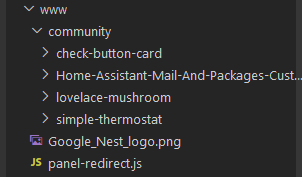 dark dirge
If you want
dark dirge
You can't
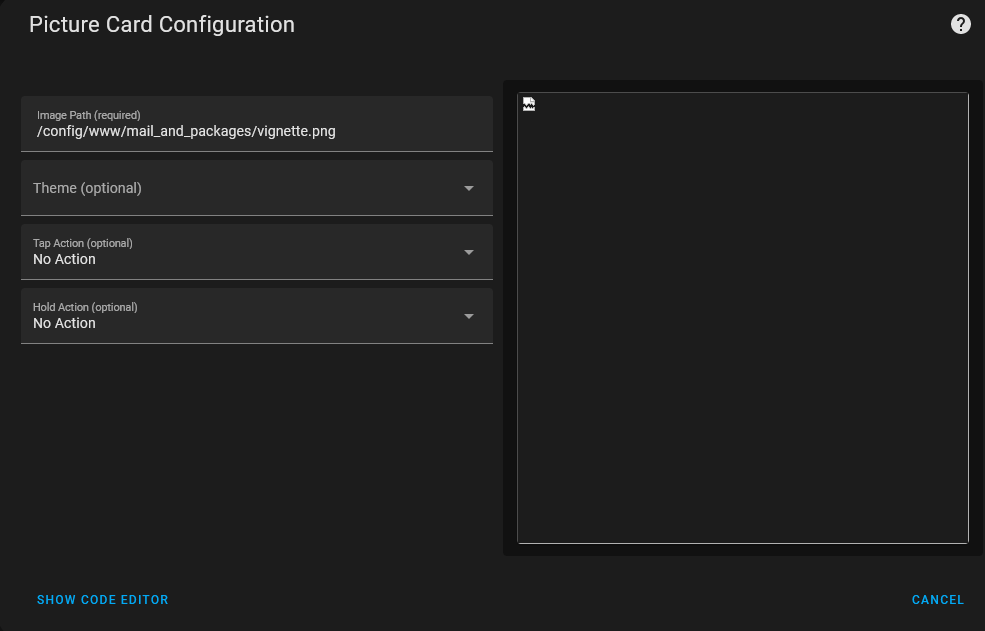 urban steppe
the / in image path breaks it
needs to be this in the UI for it to work
local/mail_and_packages/vignette.png
dark dirge
Ok
urban steppe
ty for ur help sir
paper skiff
Can a button have 2 actions? ie: a call service but also a toggle to know that it is "on, off"
split granite
Yes
split granite
Have it call a script
paper skiff
right now it is set to call a script
as a call service
but the button doesn't ever go into the state mode, although the service works flawlessly
split granite
Buttons themselves aren't toggles
If you want a toggle then you have to use something that is one
paper skiff
so if the tap action is set to call service it cannot also serve as a toggle?
I get that it is actualyl toggling
paper skiff
right right, the action is the toggle
split granite
(and other links)
If you want the UI to show on/off then use something that's on/off - like an input_boolean or a template switch
paper skiff
hmmmm okay i will read more and refrence thank you
because a TV scripted to be on and off cannot be an input_boolean?
split granite
It's just an entity
If you want it to be a media_player then it can't be an input_boolean
paper skiff
tbh I just am using it as an on/off switch
paper skiff
sweet, that looks like a new ave to search, will investigate, thank you
split granite
#integrations-archived can help you with that if you get stuck
paper skiff
awesome! cheers
fallen crown
fading reef
File editor addon does not show .storage folder. Similar issue here
https://disc...
Ok thanks
Where will the home assistant folder be located?
 cosmic ice
Any idea why I am getting this error in my logs..?
 cosmic ice
Passably due to a recent update I may have missed..?
quick depot
hey guys, how can i set labels on the right side also?
 kind shellBOT
@quick depot posted a code wall, it is moved here --> https://hastebin.com/iqonusovig
quick depot
as per this this example https://github.com/kalkih/mini-graph-card
GitHub
Minimalistic graph card for Home Assistant Lovelace UI - GitHub - kalkih/mini-graph-card: Minimalistic graph card for Home Assistant Lovelace UI
 sage helm
@quick depot move setting of the y_axis property to each of your entity objects rather than on the card https://github.com/kalkih/mini-graph-card#alternate-y-axis
 violet talon
does anyone have a favorite "display"? I have an ipad air that I could use. I'm mostly looking for something to display the calendar and maybe some todo things for the kids. I'm having trouble finding a nice wall mount though
quick depot
sage helm
<@566954932725612544> move setting of the `y_axis` property to each of your enti...
no effect
 vivid swift
Hi! I'm looking for a way to have the most simple single-button webpage for people to open a door lock on their phone. Can that be done, or should I look into a simple page that hooks into the API?
quick depot
ah, my bad it does work
seems like i was just drunk and was trying labels_secondary: true
hmm, it also requires labels_secondary: true
sage helm
quick depot
hmm, it also requires labels_secondary: true
to display always, yes. The labels_secondary default is hover
violet talon
vivid swift
Hi! I'm looking for a way to have the most simple single-button webpage for peop...
"most simple" could be a custom page that calls the API.
or you can create a HA user and dashboard with just that single button
vivid swift
violet talon
"most simple" _could_ be a custom page that calls the API.
or you can create a ...
Just the REST API?
I'll try the custom dashboard first, sounds less error-prone.
 outer field
Not sure which channel is the best to ask, but what's the currently recommended tablet for HA? I see Amazon has restricted their Fire tablets with software update so they are probably not the best option?
violet talon
outer field
Not sure which channel is the best to ask, but what's the currently recommended ...
they're probably still fine. I think the restrictions are around disabling the lock screen ads without paying the $10, switching your launcher, and disabling auto-updates
outer field
violet talon
they're probably still fine. I think the restrictions are around disabling the l...
I want tablet to wake on motion and not see the lockscreen at all. Does it make any difference then if I go with a version with/without ads?
violet talon
wake on motion probably would still work. but when it goes to sleep you'd probably see lock-screen ads
I don't have a ton of experience with fully kiosk but I have an "up-to-date" HD 10 (previous gen) that I've run Fire Toolbox on, so that's where my caveats come from
vivid swift
@violet talon do you know off the top of your head how I can restrict a login to just one dashboard?
violet talon
vivid swift
<@233361141215002632> do you know off the top of your head how I can restrict a ...
use "Custom Header", restrict all other dashboards to admins
vivid swift
Custom Header adds enhancements and customization options to Home Assistant's Lovelace header.
 buoyant holly
I have a question about the ram usage after an update, every time the core or supervisor has performed an update it increases to 4G and when I restart it (host restart) everything is back to normal (1.8G)
vivid swift
https://github.com/NemesisRE/kiosk-mode looks good too
GitHub
🙈 Hides the Home Assistant header and/or sidebar. Contribute to NemesisRE/kiosk-mode development by creating an account on GitHub.
 icy patrol
Hello! Does anyone know if there is a way to add a lock or confirmation to a cover? I have a garage door cover and i want to add a lock in case i touch it by mistake
vivid swift
@quick depot kiosk mode? Apparently, but I can't find out how to restrict that user to only one dashboard
 tacit cave
icy patrol
Hello! Does anyone know if there is a way to add a lock or confirmation to a cov...
tacit cave
icy patrol
Hello! Does anyone know if there is a way to add a lock or confirmation to a cov...
override the tap action and specify a confirmation message
icy patrol
@tacit cave thanks - i tested this on a switch but when i toggle the switch control, the light still turns on. Its only when i click on the switch name, i get the confirmation
  - entity: switch.office_light
    icon: mdi:lightbulb-on
    tap_action:
      action: none
      confirmation:
        text: Are you sure you want to do this?
you can use a button card if you don't want the switch widget
vivid swift
Ok, I can't figure out where to configure that kiosk mode :/
dark dirge
it looks like you add the configuration mentioned in the docs in the YAML config of your dashboard:
 vivid swift
Ah!
Yeah, and I can do that in the dashboard I've created. Excellent.
Hmm, but it will still load the 'overview' dashboard by default.
And I can't seem to make that one admin-only, and even that wouldn't be a perfect solution
tacit cave
icy patrol
<@372843932096397333> thanks - i tested this on a switch but when i toggle the s...
you need to keep the action as toggle
not none
as for the toggle itself, that might be the behavior. Then you'd switch to the button like rob said
icy patrol

if i click on the toggle, it will still turn it on without a confirmation
only if i click on office light text; thats when i get the confirmation text
tacit cave
icy patrol
see my last response
quick depot
https://github.com/kalkih/mini-graph-card#horizontally-stacked-cards can i somehow make these taller?
GitHub
Minimalistic graph card for Home Assistant Lovelace UI - GitHub - kalkih/mini-graph-card: Minimalistic graph card for Home Assistant Lovelace UI
violet talon
anyone have a favorite card for daily to-do's/reminders?
shopping list? check button card?
icy patrol
wondering if there is an option to even hide cover if an input_bol is turned on and when i turn that off, it will show the cover
 tacit cave
icy patrol
wondering if there is an option to even hide cover if an input_bol is turned on ...
tacit cave
icy patrol
wondering if there is an option to even hide cover if an input_bol is turned on ...
I suggest you checkout the dashboard documentation, that also can be done with either conditional cards or conditional rows
icy patrol
thank you
 idle copper
Hi! I'm going crazy trying to find why the media control for the Samsung TV is missing the previous/next track buttons
I'm using the official samsungtv integration and everything works fine (issuing a service "next" or "previous" to the television entity works and changes channel) but the buttons are not visible on the dashboard. The features are supported (they work with commands) even by checking the entity status
(supported_features: 20413)
What could be the problem? screenshot is what i see, state is on

ok, found it https://github.com/home-assistant/architecture/discussions/515
there's an open discussion about this
GitHub
Context At least the following integrations use of media_next_track and media_previous_track services to switch channels androidtv aquostv braviatv mediaroom samsungtv webostv All of them (except a...
 ionic fractal
Lovelace question:
Is there a reason you can’t make local variables in Lovelace it seem to me it will open for a way more dynamic dashboard as we already have [conditional] / conditions to use it with
Maybe I'm wrong about it, I’m not that strong in my Lovelace if so "sorry" in advance.
Was asked in #devs_frontend-archived but seems like I was to post it here.
 slow sundial
Hey guys, having a weird bug that I hope someone can shed some light. When I'm Away my profile picture (the one that appears on the badge) turns to just a black image. This only happens on the android app though. Any ideas what's going on?
polar kelp
ionic fractal
Lovelace question:
Is there a reason you can’t make local variables in Lovelace...
How do you mean they should work, and for what?
 sharp grotto
Hello All , I am trying to use a button where the icon changes depending on two sensors. ex. entity.button_open_gate, state 1: gate opened(1st sensor), state 2(2nd Sensor): gate closed, state 3: not open neither closed .
What is the best way to do this ? I have been doing some resherche and trying custom button-card (but still did not mange to do it )
Thank you
violet talon
vivid swift
And I can't seem to make that one admin-only, and even that wouldn't be a perfec...
figure it out yet?
I'm now looking for a way to restrict a user to a specific dashboard too 🙃
vivid swift
Yes! Thank you. With kiosk mode, as afaict it's only css and the user could use the api to "escape" the restrictions. I've limited the user to a view since there's no way to set a default dashboard.
So default dashboard and only one view
violet talon
yeah I think that's fine.
dang though. I wish there were a way to set a default dashboard for a user
like kids get the "chores" dashboard and I get my "control all the things" dashboard
oh, maybe I can do some of that under the user's actual profile?
yeah that worked
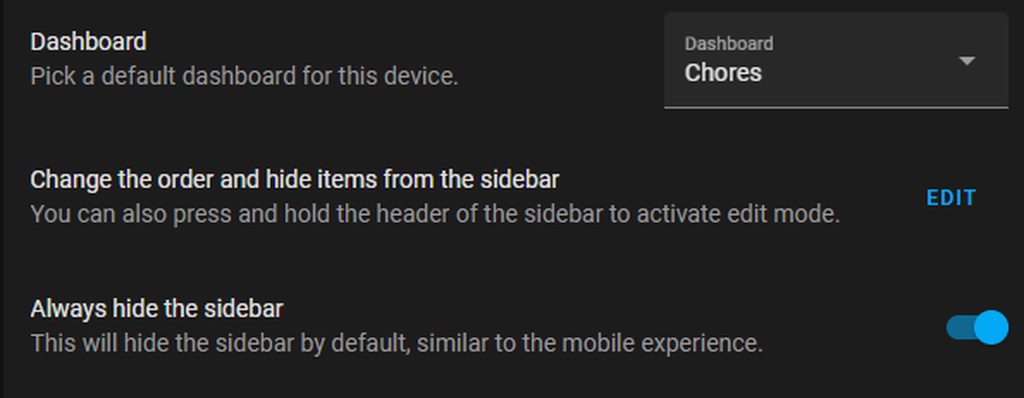
that's good enough for me. I don't care if the kids can get to one of the other dashboards. I just want it so they mostly stay within their own
ionic fractal
polar kelp
How do you mean they should work, and for what?
local variables is meant as local with in the browser.
eks. you can make a menu by setting a variable true or false and then use conditional to show/hide a block of cards. (just an example it can be used for a lot more)
At the moment you can do the same with input_boolean but that isn't a local variable so if you do that it will be active for all browsers you have open.
as eks. here https://community.home-assistant.io/t/mushroom-cards-build-a-beautiful-dashboard-easily/388590/1762
where there is used "input_boolean.sarahs_printer_dropdown" it will be better to be able to make a local variable
Hope it makes sens.
P.S. When I look around on the forum it looks like something people need or at least make some fun solutions in an attempt to get around it

Home Assistant Community
Hey, could you please share your code for printer ink levels tab? thanks
ionic fractal
yeah okay it will give me one ID at the time / (variable), not totally what I was thinking off but it helps.
I feel like it goes under funny solutions in an attempt to get around it.
vapid field
Hello, i have a bunch of sonoff switches. They all display as a switch icon (lightning bolt). I managed to change all of them to a lightbulb instead without issues. Except 1 it refuses to change even when the mdi icon is changed. I restarted the integration, restarted HA but still nothing. Did Anyone else experience this ?
 tropic hazel
do area cards show things like smoke alarms etc?
 delicate marsh
Anyone know way to add title to the temperature chirps with mushroom cards? I have two temp sensors, and it's kinda hard to tell which one is which room.

Pastebin
Pastebin.com is the number one paste tool since 2002. Pastebin is a website where you can store text online for a set period of time.
 proper zephyr
delicate marsh
Anyone know way to add title to the temperature chirps with mushroom cards? I ha...
proper zephyr
delicate marsh
Anyone know way to add title to the temperature chirps with mushroom cards? I ha...
you can't right now, you'd need to use a template chip for that. There's an open PR to add the option of Name + Content as the content but it isn't an option yet
delicate marsh
proper zephyr
you can't right now, you'd need to use a template chip for that. There's an open...
Any examples I can take a look at?
for the template I mean
proper zephyr
delicate marsh
Any examples I can take a look at?
 delicate marsh
proper zephyr
delicate marsh
proper zephyr
could you paste the yaml?
proper zephyr
delicate marsh
could you paste the yaml?
type: custom:mushroom-chips-card
chips:
  - type: template
    entity: sensor.back_door_temperature
    content: 'Back Door: {{ states(''sensor.back_door_temperature'') }}'
nvm, figured it out
thanks tho!
Now it's perfect. thanks!

I messed up the names 😄
 simple iron
Came across some pretty sophisticated config the other day - What is this [[[ (triple bracket) syntax language?

 muted saddle
how do i add tap action run a script in my glace card?
when i press the script added as an entity it gives me more info


 dark dirge
simple iron
Came across some pretty sophisticated config the other day - What is this [[[ (t...
dark dirge
simple iron
Came across some pretty sophisticated config the other day - What is this [[[ (t...
Generally, Javascript as supported by some custom cards. That syntax looks like it's for the Custom Button Card
delicate marsh
New questions, I'm trying to create a counter for all lights that are on. This works otherwise, but it counts itself, so I added rejecttattr but it broke it completely.
sensor:
  - platform: template
    sensors:
      count_lights_on:
        friendly_name: "# Lights on"
        unit_of_measurement: "on"
        value_template: >
          {{ states.light | rejectattr('entity_id','sensor.count_lights_on') | selectattr('state', 'eq', 'on') | list | count }}
this would be a #templates-archived
and you forgot the test. rejectattr('entity_id', 'eq', 'sensor.count_lights_on')
simple iron
dark dirge
Generally, Javascript as supported by some custom cards. That syntax looks like...
That is correct, for the custom button card.
dark dirge
then the docs for that card explain it
sharp grotto
sharp grotto
Hello All , I am trying to use a button where the icon changes depending on two ...
Does anyone have any idea ?
 oak solar
Hi all, I'm creating a Mushroom template card with the following displaying a state
{{states('sensor.synds918_status') }}
It reports back as 'normal', is it possible to change 'normal' to display as 'Normal' with a capital N?
The OCD is strong in me
dark dirge
{{states('sensor.synds918_status')|title }}
oak solar
dark dirge
`{{states('sensor.synds918_status')|title }}`
OMFG
Mind blown
Thank you so much @dark dirge
dark dirge
I suggest reviewing the links in the #templates-archived channel. There's a lot more there
oak solar
@dark dirge Thank you and I definitely will
vapid field
Hello, I am having trouble how to create a button in lovelace which is dynamic (it displays current_temperature+2 and will call a service with that value as data when pressed)
dark dirge
you can make a template sensor with the derived value that you want, use that in your button card, and then call a service when the button is pressed via the tap_action
vapid field
so there would be no data passed, the script would just read that same template sensor?
dark dirge
you could do it either way
vapid field
oh ok, thank you for that
one more, if it weren't numbers but something like "on" "off" ?
dark dirge
how does that modify the problem? you clearly don't want "on" + 2, so it's just a simpler version
vapid field
sorry this is a separate button
dark dirge
it's the same thing
vapid field
you can have a string as a template sensor?
dark dirge
maybe you don't need the template sensor in that case, but it's hard to say without more details about what you're doing
of course
vapid field
oh okay then I see
dark dirge
anything as long as it's less than 255 characters
vapid field
got it, thank you!
dark dirge
but "on" and "off" would be best as a template binary_sensor
vapid field
noted
paper skiff
is there media player support for Sony TV;s?
I see the that LG's do, but was just wondering!
 fiery quiver
Hello. Can someone help me with a history graph for my water meter? I have an AI-on-the-edge ESP that gives me the current number on the water meter every few minutes, but I want a nice chart like on the energy dashboard
I tried this but it just get a flat line: http://vpaste.net/3KNAm
split granite
What does "flat line" look like?
fiery quiver
sensor.water_consumed has the value delta since the last reading, and sensor.total_water_consumed has the current absolute value
just a moment, getting a screenshot
 split granite
And the sensors have a numeric state, it's not something like 5 cm?
fiery quiver
yes
it's an MQTT sensor, the value is a floating point number

What I'd like is a line or bar chart with max value per day / week / month or so
 sturdy bough
hi guys, anyone knows if there is a way to know, in the ui, if a client is in lan or outside it?
like displaying a sensor only if i'm accessing from the local lan
 broken marsh
I have this popularity sensor (https://github.com/freakshock88/hass-populartimes) and do this with apexcharts-card to display the day's popularity: https://pastebin.com/CU3eSGBG . Any ideas on how I can the current state of sensor.gym shown in a different colour on this hours graph bar?
 astral widget
Can different users have different themes? Or is that a future thing?
 errant plover
astral widget
Can different users have different themes? Or is that a future thing?
errant plover
astral widget
Can different users have different themes? Or is that a future thing?
Themes can be selected in the user's profile. So yes they can have different ones.
vapid field
Hi, I'm trying to set the attribute "away_temp" of the generic thermostat in a scene but I want to be able to change it from the frontend. Is it possible ?
I can set it in the config, but I don't see a way change it after
icy patrol
Is there a way to change the view type max_cols: 3 to max_cols: 2 base on if a entity is off or on? I have a entity filter card on col 3 and if the states are off, that col is just empty and the rest of my cards are not centered.
EDIT: found a fix using the layout-card with reflow option
 upbeat geyser
Hi there! Not sure where to ask this question, but entities, helpers, etc that I create through the visual editor... Where to they get stored? Anywhere in a file I can see what yaml the editor made out of it?
dark dirge
they're stored in the config/.storage directory, and are in JSON files not-to-be-touched
upbeat geyser
Ah, so it's a bit of a "if you did it with visual editor, keep it there" situation?
dark dirge
yes
upbeat geyser
Is that how HA parses the yaml files too, it makes JSON out of it?
paper skiff
Is there anyway to specifically access Amazon music through HA?
icy patrol
is there a command to run in order to reflow the lovelace page on demand?
dark dirge
upbeat geyser
Is that how HA parses the yaml files too, it makes JSON out of it?
YAML is a superset of JSON, and any valid JSON is also valid YAML. As far as I can tell, HA loads the YAML directly: https://github.com/home-assistant/core/blob/dev/homeassistant/util/yaml/loader.py
paper skiff
Is there any reason in particular that an entitiy that is there wouldn't get pulled by a card?
for some rason my spotify integration media_player.spotify_username doesn't want to populate in any card
but it shows that the entity is there
polar kelp
media_player entities should get their own card if you are in auto-generated mode.
To check if you are, click the three dots in the top right and choose Edit Dashboard. If you get a popup about "Take control of your dashboard" you are in auto mode (and should probably click Cancel.
paper skiff
right, when config a media card, the entity doesn't show available
polar kelp
If not you'll have to add any new entities yourself.
Then I don't know. Where do you see the entity?
paper skiff
when clicking on the spotify integration, 1 service, 1 entity
even when umder the entites tab, searching spotify provides the entity id: media_player.spotify_vanka472
so when placing the media_player under entities, it shows all others, but for some reason the spotify entity never shows as an option
so then when writing it in to push it through, it pulls an unknown and nothing shows
polar kelp
Does it work if you edit the card in the code editor? yaml type: media-control entity: media_player.spotify_vanga472
paper skiff
thats how I am trying to do it
in YAML
interestingly enough under the entities section the entity shows as "This entity is unavailable"
but it does show up under entities
I am trying to force turn enable from advanced
came disabled for some reason. Got it working now. Thanks for your help Thomas
polar kelp
 paper skiff
we talked it out 😂
polar kelp
In software engineering, rubber duck debugging (or rubberducking) is a method of debugging code by articulating a problem in spoken or written natural language. The name is a reference to a story in the book The Pragmatic Programmer in which a programmer would carry around a rubber duck and debug their code by forcing themselves to explain it, l...
paper skiff
this should be under the HA official docs
polar kelp
You make each user a separate dashboard and set that as the default on the device they use. That's pretty much the only option right now.
paper skiff
You can then also add in kiosk mode so that the only dashboard can only be viewed by the user you want
for example:
User A: Admin + all dashboards
User B: User + Dashboard A
User C: User + Dashboard A +C
etc.
even going as far as removing the buttons so that the sidebar and topbar are removed and unnaccesable
paper skiff
Is it possible to adjust the size of something like the media player?
 whole fog
I got a couple of images uploaded in the/local/images/ folder, and I made a sensor which point to the good image file. Does anyone know if it's possible to use that sensor as an image/link data? (I've tried a bunch of option including this:"[[[ return states['sensor.juicebox_color'].state; ]]]"with no luck
 opal sable
How can I set text alignment to Right ?
card:
type: markdown
content: |
# <font color= blue> Home Summary </font>
fiery quiver
whole fog
I got a couple of images uploaded in the/local/images/ folder, and I made a sens...
I have a webcam source in HA, and this URL works to get a still image from it, maybe that can help: http://homeassistant.lan:8123{{states.camera.octopi_motion.attributes.entity_picture}}
Repeating yesterday's question, maybe someone can help: I have a sensor with floating point number that measures my water meter's current reading, like 526.5623. I would like to have a bar chart of my daily/monthly/annual water consumption, similar to what the energy dashboard has for gas and power. Can someone help me create such a card?
 pure wave
I am searching for a Card which supports controlling a Ventillation System (OFF/Level1/Level2) ist there something what comes to you mind?
at the moment i am using the shelly default controls which looks like this
 fallen crown
Do custom components not show on older devices? On my old ipad all the mushroom cards are not appearing in safari?
polar kelp
fallen crown
Do custom components not show on older devices? On my old ipad all the mushroom ...
fallen crown
polar kelp
https://discord.com/channels/330944238910963714/351047592588869643/9375055163415...
So they don’t work?
polar kelp
Depends. It's hard to make things work consistently between new and old safari versions, and if the developer doesn't have an old device handy for testing...
Safari is the Internet Explorer of web browsers.
fallen crown
Ok
polar kelp
There's no inherent reason it shouln'd work in Safari, though. So you could open an issue on github for it.
fallen crown
polar kelp
There's no inherent reason it *shouln'd* work in Safari, though. So you could op...
It’s the same on old chrome. It says custom element doesn’t exist. But it does
polar kelp
What does your browser console say?
fallen crown
It’s on iPad
polar kelp
Chrome on ipad is safari.
polar kelp
Apple doesn't allow other engines, so all browser are just safari with a reskin.
fallen crown
Oh
What about android
Will all my custom cards display?
Surely I could install a android vm on iPad?
polar kelp
There's no way to tell.
 manic mica
Hi Everyone.... I have the LG WebOS channel Pad. Working well.... My TV doesnt have the WOL feature, so I cant turn it on.
So I have my IR remote switch it on via an extra button on my Homeassistant Dashboard. That same IR Remote controls the Volume up and down for my amp....
Question is, can I replace the LG WebOS channel pad power and volume buttons with the entities of the IR Remote
Apologies. Not the channel pad, The LG WebOS Remote Control..
grand harbor
Is there a way to have a tile with a drop down menu that let's me choose a variable value before submitting the variable to a script
What I'm trying to accomplish, is to run a custom command (defined in the script) on a different echo device, the variable would tell on which device to run it
polar kelp
grand harbor
Is there a way to have a tile with a drop down menu that let's me choose a varia...
Make an input_select and have the script read the valuefrom it https://www.home-assistant.io/integrations/input_select/
grand harbor
Nice, let me try
polar kelp
fallen crown
Why does my code not work
Seems tap_action doesn't accept templates.
grand harbor
polar kelp
Make an input_select and have the script read the valuefrom it <https://www.home...
Are those editable as yaml once created from the gui? I can't seem being able to use some options like Name from the gui.
fallen crown
polar kelp
Seems `tap_action` doesn't accept templates.
I mean it doesn’t go to the url which is in the sensor
It just adds state to the end of Lovelace url
fallen crown
polar kelp
Seems `tap_action` doesn't accept templates.
It does
earnest perch
Is there a better way to inject some CSS in an element in a shadow root than document.querySelector('...').shadowRoot.querySelector('...').shadowRoot...?
polar kelp
Not unless it's a property that's defined by a variable
earnest perch
What do you mean? I'm trying to apply some fixes to hui-energy-period-selector
rustic aurora
fallen crown
It does
The template appears to be invalid - you're missing the {{ and }} so it should be {{ states("sensor.news_image") }}
fallen crown
rustic aurora
The template appears to be invalid - you're missing the {{ and }} so it should b...
If I do that it gives me
At path: tap_action.url_path - Expected a string, but received: (object
Object
@rustic aurora
fallen crown
rustic aurora
The template appears to be invalid - you're missing the {{ and }} so it should b...
But the sensor contains the url which is a string
rustic aurora
fallen crown
But the sensor contains the url which is a string
Try
url_path: >-
  {{ states("sensor.news_image") }}
That just takes me to
192.168.86.196:8123/lovelace-mushroom/%7B%7B%20states(%22sensor.news_image%22)%20%7D%7D
If I click on it
@rustic aurora
vapid field
Hi, is there a way to trigger an automation with an event dispatch in the frontend (I mean in the code) ?
polar kelp
fallen crown
That just takes me to
192.168.86.196:8123/lovelace-mushroom/%7B%7B%20states(%2...
I still suspect tap_action doesn't support templates, looking at how it's obviously not evaluated when you click it and how the documentation for the card says it doesn't... https://github.com/piitaya/lovelace-mushroom/blob/main/docs/cards/template.md
polar kelp
vapid field
Hi, is there a way to trigger an automation with an event dispatch in the fronte...
How do you mean?
 silver solar
Has anyone here managed to use navigation on cast dashboards? I am casting a dashboard I built with UI-Minimalist to my Nest Hub - however navigation is not working. I can use button cards but not switch between different views. Any suggestions would be appreciated...
fallen crown
How would I make my google assistant say a message using browser mod when someone is at the door?
polar kelp
You don't need browser_mod for that. Just an automation triggered by your doorbell or motion sensor or something that sends a TTS message to your device.
fallen crown
polar kelp
You don't need browser_mod for that. Just an automation triggered by your doorbe...
Ok
polar kelp
It's more_info not more.info and it requires an entity_id parameter.
 - command: more_info
   entity_id: camera.03cabcc9_ring_mqtt
This is not explained well in the readme. It'll be better in the soon-to-be-released v 2.0.
fallen crown
polar kelp
It's `more_info` not `more.info` and it requires an `entity_id` parameter.
```ya...
Ok
fallen crown
polar kelp
It's `more_info` not `more.info` and it requires an `entity_id` parameter.
```ya...
What new features will there be in v2?