
#beta
18 messages · Page 52 of 1
 swift glacier
 terse rock
Right so I have a crap network then? Is that what it means? lol 
whatever that means 🤷♂️
 swift glacier
so far it's all working fine
 barren timber
After you upload app.js, restart all Google devices and your HA instance
swift glacier
i didn't restart HA tho 🤷♂️
 frail musk
Hopefully beta 6 is released shortly. I see that a fix was released https://github.com/home-assistant/core/pull/72590. Hopefully this will also fix my statistic errors that come up on each reboot from the entities that were created by the Android App.
frail musk
Thanks, see it now.
 crisp marsh
If you have more than 1000 entities please try b6, clear cache and check the history panel. Thanks
swift glacier
crisp marsh
If you have more than 1000 entities please try b6, clear cache and check the his...
what am I looking for?
crisp marsh
- any problems. 2. how fast does it load
swift glacier
it loaded way faster than previously
 junior minnow
it does seem speedier
swift glacier
i see no problems, i think last build some of the lines got jumbled together and were unreadable
junior minnow
but there is So. Much. Stuff. in there that I almost never go there
crisp marsh
I think we need to upgrade the chart.js version to fix some of the text issues but thats for another day as the new (not the one we are using) version breaks the timeline charts
junior minnow
every so often I try to filter entities that have no business being there, but then I add more integrations with 100000 entities and give up 🙂
swift glacier
i have nothing excluded anymore lol
so there's plenty of entities in there (snippet):
 junior minnow
hey, it actually loads on my iPhone
crisp marsh
junior minnow
hey, it actually loads on my iPhone
that was the goal
junior minnow
So it's no longer a ginormous image? I thought that was the problem
crisp marsh
its virtualized now
I spent many hours testing it so good to know it still works 👍
There are still two bottlenecks: json serializer performance and database row fetching. Both of them have solutions in the works though for later this year
swift glacier
nice
crisp marsh
we are running out of areas that don't scale well so thats quite a good thing
 neon adder
I could see the version and everything looked fine but nothing worked. I,pulled my hair out for a week,trying to figure it out. Once I went back to an earlier version, everything worked as expected
barren timber
Show us the logs
barren timber
 somber quest
junior minnow
every so often I try to filter entities that have no business being there, but t...
somber quest
junior minnow
every so often I try to filter entities that have no business being there, but t...
yeah, I've thought about that in the past: we dont have an 'integrations' filter. would be cool . just like we can now template those ```
recorder:
exclude:
integrations: philips hue
history loading in 4-5 secs, (even faster on my iPhone 😉 ). Looks are a bit off though on mobile. Names on the left are cut off, and graph on the right overflows
crisp marsh
somber quest
history loading in 4-5 secs, (even faster on my iPhone 😉 ). Looks are a bit off...
The name overflows are an existing issue we need to cleanup but I think we need to update chart.js to fix it, but hey, it shows up now 🙂
crisp marsh
somber quest
yeah, I've thought about that in the past: we dont have an 'integrations' filter...
That one is a bit harder to do since recorder doesn't know about integrations only entities/devices
somber quest
a yes, thats a pity. would be cool though 😉 guess it cant use the functionality of device_entities either then? https://next.home-assistant.io/docs/configuration/templating/#devices
didnt have history/logbook issues though, after having edited the filter set to only include useful entities some time ago.. which would still be useful imho
the explosively growing number of entities (migrating away from attributes) in each release almost forces us to do that
 somber quest
crisp marsh
Need a bit more context on that one
somber quest
crisp marsh
Need a bit more context on that one
just reminding me of an earlier issue where we saw these history-graphs start halfway the card. Thought iirc, that was because of state changes not noted, and now it seems the card is simply compressed? Frontend it is then?
crisp marsh
Frontend yes. Will look tomorrow. It’s late here
somber quest
quick: https://github.com/home-assistant/frontend/issues/12839, will add more if I find issues on the other graphs
neon adder
barren timber
Show us the logs
Which logs? That’s the thing, no logs anywhere that I could find. Will the chrome inspect info outside of the version info help?
also, i documented what i could here:
somber quest
hmm. update one of my instances to```
OS Version: Home Assistant OS 8.0
Home Assistant Core: 2022.6.0b7

probably because of2022-06-01 08:59:54 ERROR (MainThread) [aiohttp.server] Error handling request [[snip]] File "/usr/src/homeassistant/homeassistant/components/update/__init__.py", line 152, in async_install await entity.async_install_with_progress(version, backup) File "/usr/src/homeassistant/homeassistant/components/update/__init__.py", line 411, in async_install_with_progress await self.async_install(version, backup) File "/usr/src/homeassistant/homeassistant/components/hassio/update.py", line 301, in async_install raise HomeAssistantError( homeassistant.exceptions.HomeAssistantError: Error updating Home Assistant Core
ha core check returns 'Command completed succesfully' .. but ha core restart returns' Error: Unknown error, see supervisor'
 onyx spoke
somber quest
`ha core check` returns 'Command completed succesfully' .. but `ha core restart`...
onyx spoke
somber quest
`ha core check` returns 'Command completed succesfully' .. but `ha core restart`...
so check the supervisor logs
ha supervisor logs
sorry, missed that while ha host reboot was on its way. did ha su repair though, but still no restart was possible
odd thing is, it still shows b7 available... even though I had Home Assistant Core: 2022.6.0b7 on the cli.
 tiny needle
crisp marsh
If you have more than 1000 entities please try b6, clear cache and check the his...
tiny needle
crisp marsh
If you have more than 1000 entities please try b6, clear cache and check the his...
It is really superfast. Wonderful. I only wonder if you can extend to e.g. 30 lines for each block instead of currently 10. Should be still working from canvas size restictions. Shouldn't it?
 rancid crescent
Alright! It's done!
Home Assistant Core 2022.6.0 has been shipped!
https://www.home-assistant.io/blog/2022/06/01/release-20226/
Thanks everybody for helping to test the beta, you have been great ❤️
Don't forget to tune in for the upcoming live events: The matter workshop (June 15), and let's get loud! event (June 16)!
See you in a couple of weeks and enjoy the release!
The beta channel is now closed until the next beta starts.
rancid crescent
 onyx spoke

 warm hearth

 south edge

 severe kestrel

 sinful plaza

 modest dirge

 warped valley


 gleaming lantern
Any hints 😋
onyx spoke
gleaming lantern
Any hints 😋
stuff changed
that's the first hint
stuff was added too
😉
rancid crescent
stuff was fixed as well
And since this is beta, I'm pretty sure: bugs have been sprinkled on it as well.
warped valley
🐛
somber quest
did someone already mention the blazing speed ?
rancid crescent
👟💨🚀
onyx spoke
somber quest
did someone already mention the blazing speed ?
shh, we've all been giving non-hint hints
somber quest
my bad. I retract my true hint on speed in that case.....
 fair isle
do we get some God mode in this beta?
rancid crescent
god mode?
fair isle
rancid crescent
god mode?
yes God mode, put all the automation in one folder and delete ... tada ..
One automation to rule them all
rancid crescent
delete all automations at once? That sounds more like the "Oh my god" mode
fair isle
What's the ETA commander?
fair isle
we earthling are waiting for the Moon dust
 idle wraith
**What all breaks with this beta, I'm excited to see. On our side this time, the force will not be **
@rancid crescent I guess that is the moto of this beta 😉
rancid crescent
😄
rancid crescent
fair isle
we earthling are waiting for the Moon dust
So, as a status update, we had some issues with our automated tests the past week. We made up for the backlog the past 2 days, so we get as much as possible into this release.
Right now, I'm working on compiling the beta release notes so it has the minimal stuff.
Furthermore, a couple of changes from the frontend team is still expected (including a bump of the frontend in our core code base)
For example, I personally hope this one will make it into the beta:

(frontend PR, not yet merged)
fair isle
rancid crescent
mdi icon preview. awesome.
fair isle
rancid crescent
but... that one is not in yet, so 🙏
but it will be added at some stage in future
rancid crescent
Sure, if not today, maybe tomorrow 😄
fair isle
rancid crescent
Sure, if not today, maybe tomorrow 😄
but some kind of beta will be release in alpha stage today?
rancid crescent
we will have a beta today, yes
 nova aspen
BETA!
rancid crescent
We don't have "alpha" (well, we do have it, we have nightly builds based on dev, but that is considered highly unstable)
nova aspen
That might be the case, but all other channels are too slow 😛
onyx spoke
rancid crescent
We don't have "alpha" (well, we do have it, we have nightly builds based on dev,...
It only breaks my system every 5-10 nightly updates
nova aspen
I dont remember last time that happened to me
onyx spoke
Lol, right when I was trying to include a new switch through zwavejs2mqtt
nova aspen
its enough now @fair isle
 onyx spoke
I had to somehow get to the addon without the addon page
I forgot how I did it
But it took like 20 minutes
fair isle
nova aspen
its enough now <@435143657541074944>
I can't see the gif before posting, there is something wrong the connection
onyx spoke
Then do it in #botspam
 somber quest
talking about dev nightly, im still wanting for todays...
so many niceties were squeezed in
 solid pewter
👀 Is it that time of the month?
 rancid crescent
Depends Zack 😄
There are still a few frontend PRs that would be nice to go into the beta 😄
rancid crescent
somber quest
talking about dev nightly, im still wanting for todays...
seems to be a minor hickup, restarted the nightly build
solid pewter
True. I am looking at those now! Merge merge merge merge
somber quest
rancid crescent
seems to be a minor hickup, restarted the nightly build
it's live
 rancid crescent
(subtitle: That above screenshot and happiness from @somber quest is not about the beta)
fair isle
somber quest
it's live
🤦♂️ why play with our nerves
somber quest
instructed to do smoke screens. by Petro
onyx spoke
somber quest
instructed to do smoke screens. by Petro
I approve of this message
 junior minnow
So...everything
rancid crescent
That would be short and less impressive 😛
 granite anvil
If not people will run after you with pitch-forks
rancid crescent
rofl
severe kestrel
I am living in a rural area. I can provide a few pitchforks 😄
 crisp zinc
rancid crescent
crisp zinc
rancid crescent
 onyx spoke
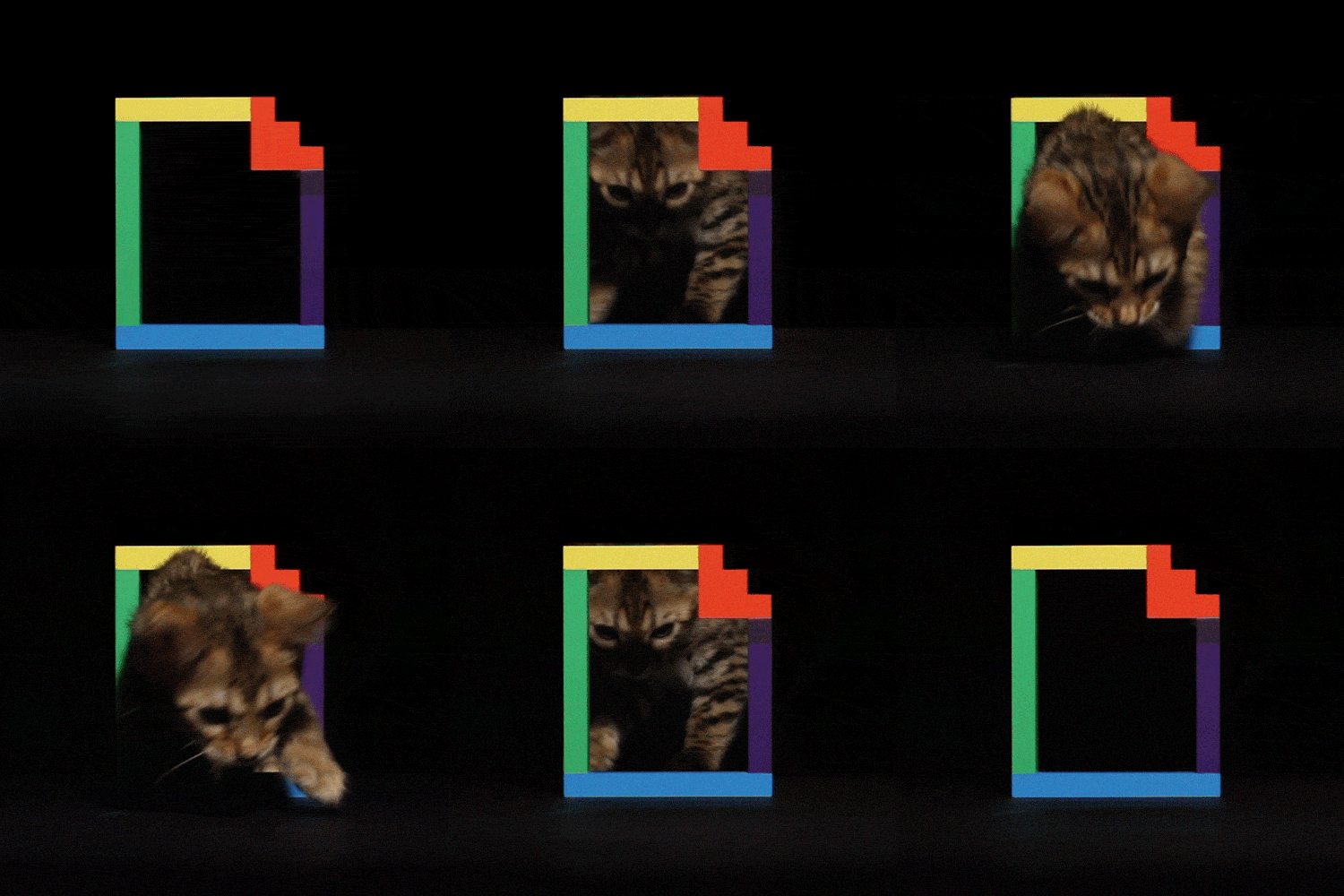
no way that cat is real
 subtle stream
no way that cat
is realnot high
Fixed that statement for you 😛
junior minnow
pretty much everything is out of proportion
subtle stream
Cats don't really follow the rules of physics
junior minnow
they do seem to be able to change from solid to liquid form in order to fit through tiny openings
 severe kestrel
onyx spoke
no way that cat is real
severe kestrel
onyx spoke
no way that cat is real
Looks very real to me. ^^ Take a cat toy and move it around in front of a cat. Pic is real ^^
crisp zinc
Will the changes of the to-be-released 6.8 be part of the first beta? For example, #74073 is part of the 6.8 milestone but is not listed in the changes for 7.0b0
crisp marsh
anything that was merged to dev before ~20m ago will be in the beta
rancid crescent
Here we go! Home Assistant Core 2022.7.0b0 🎉
The beta release notes can be found here: https://rc.home-assistant.io/latest-release-notes/
Release notes are a work in progress, but if you feel like something is missing: Please let me know!
The build for the beta has started and can be followed here: https://github.com/home-assistant/core/actions/runs/2584858285
I can take up to an hour for the build to finish (and thus for the beta to be available on all platforms).
Highlights of this release:
Performance, stability & Python 3.10
Stuff is going to fly 🚀
Update firmware of Z-Wave devices!
Straight from the Home Assistant UI
Change the all units of weather entities to your liking
Wind speed in knots? Sure!
Auto-complete MDI icons in templates
Yes... its awesome 😎
Enjoy the (beta) release and happy bug hunting! ❤️
../Frenck
rancid crescent
rancid crescent
Here we go! **Home Assistant Core 2022.7.0b0** 🎉
The beta release notes can b...
granite anvil
Good job 🙂 I love the word speed
fair isle

Well done guys. little by little HA is improving. Thanks for the assist. Keep up the good work
 subtle stream
rancid crescent
Here we go! **Home Assistant Core 2022.7.0b0** 🎉
The beta release notes can b...
subtle stream
rancid crescent
Here we go! **Home Assistant Core 2022.7.0b0** 🎉
The beta release notes can b...
FYI, broken links to the templating documentation in "Easily convert values to booleans in templates"
That feature looks awesome though!
onyx spoke
FYI don't update to beta if you're using ZwaveJS2MQTT, IIRC the addon is not at the correct version
subtle stream
Awww. Missing out on all the fun it is.
junior minnow
Perhaps, then:
FYI don't update to beta if you're using the ZwaveJS2MQTT addon
 pastel eagle
@rancid crescent meant to follow up with you on this ^ can we get a bump?
just put up a PR for it
 chrome temple
Looking forward to the target selector in the history panel. Hopefully I can stop cluttering up my test dashboard with temporary history graph cards every time I want to compare a few temperature readings, etc.
rancid crescent
pastel eagle
<@243794953032040448> meant to follow up with you on this ^ can we get a bump?
Yes couldn't make it for a meeting, which I'm still in
will do in a sec
subtle stream
Thanks to both of you. Now I can join the fun without worrying (more than usual, backups time!)
rancid crescent
Alright, done with that. Now going to fix the add-on
crisp marsh
Updated 6 systems all good
 peak totem
The about screen has changed ... nice but I see this
Translation Error: The intl string context variable "type" was not provided to the string "Frontend {version} - {type}"
rancid crescent
pastel eagle
just put up a PR for it
Yeah that won't work 🙂
crisp marsh
free memory on restart increased a bit (maybe python 3.10), standby load down a bit everywhere. Systems that have high latency network connections are noticeably more responsive.
pastel eagle
🙁
rancid crescent
base images changed on my end, needs to be processed
edit: sorry darn lie, I already upgraded that in the z-wave js add-on... apparently .. 🤔
crisp marsh
peak totem
The about screen has changed ... nice but I see this
Translation Error: The intl...
I see that as well. Would you please open a frontend issue
peak totem
sure
sinful plaza
I've just updated and my history is empty
crisp marsh
do you have any entities selected ?
 peak totem
done: Missing Variable for Type in the "About" page #13034
sinful plaza
If I select an entity I have the history of this entity but if nothing is selected I have no history
crisp marsh
sinful plaza
That might be the intent (nothing selected by default), but I don’t know for sure
terse rock
I see that too. There's no show history of everything
I'm also seeing that if I select an area nothing shows either unless I expand the area with those little arrows <>
crisp marsh
Certainly would be kinder to the backend but honestly it’s not an intensive op like it used to be so I don’t think it was done for performance reasons. I expect there will be some tweaks
crisp marsh
terse rock
I'm also seeing that if I select an area nothing shows either unless I expand th...
Please file an issue. That looks like a bug and I can confirm
junior minnow
The only time I really want everything is to identify things to exclude, but choosing one at a time is way at the other end of the spectrum
crisp marsh
Are there HomeKit users that can confirm everything looks ok? If anyone is running the iOS 16 beta as well, looking for feedback on if the stalling issue is fixed
solid pewter
It's intended that nothing shows on first load of the history panel. It's now only going to show history for selected entities
 viscid kayak
if anyone has had problems with Sonos devices (e.g., "falling back to polling") or errors when joining/unjoining, let me know if the beta is an improvement
sinful plaza
solid pewter
It's intended that nothing shows on first load of the history panel. It's now on...
So includes/excludes for history does anything now?
solid pewter
Has no effect on that
sinful plaza
I was using includes and excludes to get in the history panel only what I wanted to see. Now it's empty. So if I want to have history for 10 sensors, I have to select them one by one?
solid pewter
That's correct
warped valley
Testing the bool filter, nice
{{ ["on", "offf", "0", 1] | map("bool", default=false) | select() | list | count }} this works 😀
sinful plaza
ah this panel is not useful anymore now for me... If I want the history of one entity, I click on it and then "show more"
peak totem
it seems when I select an device it puts up the history for all the entities for the device just fine but I scroll down and it shows them a second time including the graph
is that happening to anyone else or is it just me?
crisp marsh
peak totem
is that happening to anyone else or is it just me?
I see the same, please file an issue
peak totem
will do
terse rock
here it shows them more than 2
and the graphs scroll through the first original graph = a mess 🙈
if you select a device then refresh the webpage do you then get all the entities instead of the device?
sinful plaza
Also if you select a device or area or entity from a list, it is not removed from the list so you can select it multiple times
peak totem
done: entity history show up twice when I select a device #13037
crisp marsh
I’ll take it as a good sign we’re talking about the history UI, as it means that everyone seems to updated successfully 🤣
terse rock
I didn't have a single issue at all. How boring 😂
subtle stream
I'm waiting for the ZWaveJS2MQTT update to drop first. As much as I'd like to throw caution to the wind I can guarantee that tomorrow I would lock myself out of my house if I do 😂
terse rock
I did get myself in a HA bootloop last week though so had enough excitement for now 😅
peak totem
when I refressh the one device becomes the individual entites and shows No State Information available,,,, and when I delete one of the entities it shows up
swift glacier
numpy is very unhappy in the beta 😦
terse rock
peak totem
when I refressh the one device becomes the individual entites and shows No State...
Yeah I see this here too
terse rock
swift glacier
numpy is very unhappy in the beta 😦
again?
 hidden flint
terse rock
I did get myself in a HA bootloop last week though so had enough excitement for ...
hidden flint
terse rock
I did get myself in a HA bootloop last week though so had enough excitement for ...
I found myself suddenly sitting in pitch dark instead of watching a tv show last night because apparently sleep as android broke and my phone assumed I had been asleep all day. Was amusing lol
 lime sparrow
"cannot import name 'Mapping' from 'collections' (/usr/local/lib/python3.10/collections/init.py)"
swift glacier
terse rock
again?
ya it wants to compile because no wheel
 tardy plover
Where can I set the new weather units?
peak totem
I found that in my Weather entity
tardy plover
@peak totem thanks
rancid crescent
@onyx spoke @subtle stream @pastel eagle shipped the Z-Wave JS to MQTT update
tiny needle
The new "Filter the history using a target selector" is great. Will there be a kind of wildcard filter a well? Would love to filter via /foobar* was well and this would be very helpful,
subtle stream
rancid crescent
<@372843932096397333> <@370293101492830208> <@490222347895439383> shipped the Z-...
Thank you very much, greatly appreciated!!
pastel eagle
Ty @rancid crescent you are a gentleman and a scholar
rancid crescent
Your welcome, sorry for it not being ready before the beta 😦
first time this happens to me
pastel eagle
Bit of a busy week, closed on a new house on Monday
rancid crescent
Oh! Congratz!
subtle stream
I'm certainly not complaining, it's not like this was the final release and everyone is updating instantly 😄
subtle stream
pastel eagle
So starting over on my home automation journey!
Congrats! Enjoy the fresh slate 😄
pastel eagle
subtle stream
Congrats! Enjoy the fresh slate 😄
Ty! Starting to appreciate how expensive home automation is though as I plan
subtle stream
Haha. Yup. I am debating between "new robot vacuum with mapping and virtual walls" and "can I somehow flash new firmware onto this one... and will I?"
 dusk spindle
its only expensive if you don't want your house to burn down from cheap knockoff power relays in the process 😛
pastel eagle
It was easier in my current place. I’m in a condo so less space and I did it gradually
subtle stream
But my 7¢ fire suppression system from AliExpress can handle those relays! /s 🤪
pastel eagle
I would generally prefer not to burn the house down. Took us 18 months to find the right place, it’s gotta last for at least 5 years
subtle stream
"generally" implies there's room for negotiation 🏴☠️
chrome temple
For the history panel selectors, is there supposed to be a text field where you can see what you are typing, like there is when using the selectors in the UI automation/script editor?
solid pewter
Yes. I see the issue.
severe kestrel
Uuuh, did you update some CalDAV stuff? I am happy to see that finally I get no fatal error on every startup anymore, but what is this?
 subtle stream
Missing vevent sounds like the ics file is... broken
chrome temple
Also, if you choose an area or device in the history panel, it shows included entities that have been hidden from the frontend (e.g., with switch-as-X). Perhaps that's intentional, but I would be inclined not to show hidden entities.
subtle stream
severe kestrel
Uuuh, did you update some CalDAV stuff? I am happy to see that finally I get no ...
If you're interested in the specification, it's here: https://icalendar.org/CalDAV-Access-RFC-4791/4-1-calendar-object-resources.html
But I think it's probably not HA that's broken there
severe kestrel
subtle stream
If you're interested in the specification, it's here: https://icalendar.org/CalD...
Maybe, but all CalDAV apps on Android do a nice job here. So maybe they are less strict? I can't change the CalDAV behavior as it's part of our CMS
At least it's listed now, that's progress though ^^
Aka, it's my work calendar ^^
subtle stream
Try inspecting the ics if you can, if it's missing the BEGIN:VEVENT and END:VEVENT then that will match with HA. As it's happening ~2500 and ~5000 times on your calendars, I'd guess something is weird with that, but it may also be that HA isn't parsing it correctly?
severe kestrel
I wonder how to get the file. Will look a bit into it
 primal fog
Anyone using the reolink_dev integration and can confirm it is not running on 2022.7.0b0 ?
onyx spoke
rancid crescent
<@372843932096397333> <@370293101492830208> <@490222347895439383> shipped the Z-...
Thanks Frenck!
Autocorrect
chrome temple
primal fog
Anyone using the reolink_dev integration and can confirm it is not running on 20...
I'm running reolink_dev, and it still seems to be working for me on the beta. No obvious problems, or anything in the logs...
swift glacier
hass-pfsense seems to have blown up for me (3rd party) 😦
junior minnow
I think it was just the first boot?
I just disabled it after restarting, but I thought it came up okay the second time
swift glacier
@junior minnow that regarding the pfsense integration?
severe kestrel
@subtle stream it's interesting. In theory the ics files are fine, but somehow I get BILLIONS of these <d:status>HTTP/1.1 404 Not Found and these are then skipped with the mentioned error
subtle stream
That's something in the XML of the file that's failing. If you download it and open it in VSCode you might be able to track down the error further.
swift glacier
junior minnow
Yes
AttributeError: 'PfSensePendingNoticesPresentBinarySensor' object has no attribute 'coordinator_context'
getting a log full of that
chrome temple
There seems to be some odd behavior around entity name capitalization in the new history panel. Issue created: https://github.com/home-assistant/frontend/issues/13043

GitHub
Checklist I have updated to the latest available Home Assistant version. I have cleared the cache of my browser. I have tried a different browser to see if it is related to my browser. Describe the...
solid pewter
That was always there
somber quest
hmmm feedreader is burping Unable to serialize to JSON. Bad data found at $.event(Event: feedreader).data.published_parsed=time.struct_time(tm_year=2022, tm_mon=6, tm_mday=29, tm_hour=4, tm_min=47, tm_sec=58, tm_wday=2, tm_yday=180, tm_isdst=0)(<class 'time.struct_time'>
chrome temple
solid pewter
That was always there
The inconsistency is what's weird, though. If I select an entity, it shows up lowercase, but if I select the device, the entities show up with proper capitalization.
crisp marsh
somber quest
hmmm feedreader is burping```
Unable to serialize to JSON. Bad data found at $.e...
Please open an issue. That actually looks like bad data but hard to tell without more research.
 mystic trail
looks like this update may have affected the aruba integration. I'll dig into it.
pastel eagle
swift glacier
hass-pfsense seems to have blown up for me (3rd party) 😦
Came up clean for me
junior minnow
I had it disabled and got "a log full" of those errors as soon as I enabled it:
2022-06-29 15:13:04 ERROR (MainThread) [homeassistant.components.sensor] Error while setting up pfsense platform for sensor
Traceback (most recent call last):
  File "/usr/src/homeassistant/homeassistant/helpers/entity_platform.py", line 258, in _async_setup_platform
    await asyncio.gather(*pending)
  File "/usr/src/homeassistant/homeassistant/helpers/entity_platform.py", line 397, in async_add_entities
    await asyncio.gather(*tasks)
  File "/usr/src/homeassistant/homeassistant/helpers/entity_platform.py", line 641, in _async_add_entity
    await entity.add_to_platform_finish()
  File "/usr/src/homeassistant/homeassistant/helpers/entity.py", line 775, in add_to_platform_finish
    await self.async_added_to_hass()
  File "/usr/src/homeassistant/homeassistant/helpers/update_coordinator.py", line 332, in async_added_to_hass
    self._handle_coordinator_update, self.coordinator_context
AttributeError: 'PfSenseStaticKeySensor' object has no attribute 'coordinator_context'
anyway, will file an issue with the owner if there isn't one already
pastel eagle
Should’ve checked the logs. Config entry came up clean but I do have an error about a failed update
junior minnow
swift glacier
I mostly use it for alerts/update notifications and to make sure my WAN packet loss is 0%
junior minnow
mine creates 196 entities, so seems excessive 🙂
swift glacier
i only look at a few of the important sensors
specifically this list

alerts lets me know I need to re-issue an internal SSL cert 😛
crisp marsh
somber quest
hmmm feedreader is burping```
Unable to serialize to JSON. Bad data found at $.e...
subtle stream
I am pleased to report, nothing is broken*
- As far as I can tell.
 subtle stream
Well, my alarm clock is broken, but that's been like that since May 15th when I apparently did something stupid to it 😛
 merry finch
Hello,
I found a misplaced hyperlink: This is the link for the documentation associated with the weather breaking changes: https://rc.home-assistant.io/integrations/zwave_js as you can see, it's for zwave.
But what brought me here is that my custom: compass card stopped working. I know this is an add on component. The curious thing about this is as soon as I edited the card, viewed the card (did not make changes) and clicked save, it started displaying. I'm assuming something with the wind made the card error out but resaving no changes appeared to resolve the issue. I'm not sure there's anything to fix as much to just give users a heads up that wind related cards might need a re-save to display correctly? If there's something else I should be looking at, let me know but the problem stopped after I re-saved the card so I don't know what to look for.
rancid crescent
I found a misplaced hyperlink
Thanks! Will fix that 👍
subtle stream
subtle stream
Well, my alarm clock is broken, but that's been like that since May 15th when I ...
Ok, this motivated me to "fix" it. By creating a new solution. So, a HA beta fixed a completely unrelated issue!
 burnt hearth
Just wanted to point out that the beta release notes are missing the Life360 breaking change (PR72461)
rancid crescent
Yup! It was merged right between finishing up the beta release notes and making the actual beta release
will correct that, well spotted btw 😄
burnt hearth
Haha thanks! Had to double check I didn’t miss something while reading.
Not sure if this is just me, but I also noticed that my previously enabled Life360 device tracker “entity status” was switched to disabled.
 novel wedge
imap sensor error?
 split sinewBOT
@novel wedge posted a code wall, it is moved here --> https://hastebin.com/laremofemo
novel wedge
last line of log
2022-06-30 09:08:49 ERROR (MainThread) [homeassistant.components.sensor] Error while setting up imap platform for sensor
Traceback (most recent call last):
  File     raise TypeError(
TypeError: As of 3.10, the *loop* parameter was removed from Event() since it is no longer necessary
I think it's a python update causing it?
 subtle torrent
Nest legacy integration is failing to load on this beta.
 uncut oak
Is anybody having issues with container version not being able to build numpy wheel?
[homeassistant.util.package] Unable to install package numpy==1.22.4: error: subprocess-exited-with-error
 raven finch
burnt hearth
Just wanted to point out that the beta release notes are missing the Life360 bre...
raven finch
burnt hearth
Just wanted to point out that the beta release notes are missing the Life360 bre...
Where can I find the info on this?
burnt hearth
raven finch
Where can I find the info on this?
https://github.com/home-assistant/core/pull/72461 or wait for the release notes to get updated
GitHub
Breaking change
Setup via configuration.yaml is no longer supported.
Any "advanced" options that were in configuration.yaml will be transferred to .storage. Once the migration is comple...
 scarlet moth
subtle torrent
Nest legacy integration is failing to load on this beta.
scarlet moth
subtle torrent
Nest legacy integration is failing to load on this beta.
I don't have a legacy nest device but happy to help. Want to file an issue on nest and I'll fix? If you have a stack trace or error. We did a major revamp of nest setup in preparation for yaml deprecation so definitely understand this could.be the issue
subtle torrent
I'll do that in a bit. Thanks.
pastel eagle
Did anyone try a zwave js firmware update?
 steep yew
Unfortunately just updated all my zwave devices yesterday otherwise could help
Can anyone with reolink or netatmo cameras see if audio works with stream?
subtle torrent
scarlet moth
I don't have a legacy nest device but happy to help. Want to file an issue on ne...
Feel free to DM or tag me if you need more information. https://github.com/home-assistant/core/issues/74218
GitHub
The problem Nest Legacy integration is not working on the latest beta. What version of Home Assistant Core has the issue? 2022.7.0b0 What was the last working version of Home Assistant Core? 2022.6...
 vivid palm
I have upgraded to 2022.7 beta0, fordpass and sonoff integration dont work. So I downgraded to 2022.6.7 and HA changed deconz names of 80% entites. In deconz the entites names are OK! Now finger corssed when restoring backup
crisp zinc
Good to know. Could you create an issue at the GitHub page of Sonofflan?
I'll hold off from beta testing for now, since my fans are connected via Sonoff and temperatures are crazy here 🔥
somber quest
Sorry, long night… tldr.. was Bluetooth mentioned already? Library not being compatible with current python and because of that no longer functioning.? Now need a legacy install to keep tracking
sinful plaza
somber quest
Sorry, long night… tldr.. was Bluetooth mentioned already? Library not being com...
It is in the breaking changes: https://rc.home-assistant.io/blog/2022/06/29/release-20227/#breaking-changes
somber quest
Right thx. It’s also affecting core trackers though… not only some integrations
Btw, would be cool if Change log in About would point to the same page for Dev nightly as the updater
rancid crescent
somber quest
Right thx. It’s also affecting core trackers though… not only some integrations
Which integration would that be exactly? So I can add it to that list
rancid crescent
uncut oak
Is anybody having issues with container version not being able to build numpy wh...
We don’t use that version of numpy, numpy we need is bundles into the distributed image; so must be a custom integrations that tries to do that.
You could try disabling all custom integration to see (as a quick check) it resolves it or not
primal fog
chrome temple
I'm running reolink_dev, and it still seems to be working for me on the beta. N...
Tanks, after new install of the integration and recreating the config for my camera everything works again.
somber quest
Well, I experienced it with core
device_tracker:
- platform: bluetooth_tracker
rancid crescent
Ok thanks!
 quick hound
sonoff integration is behaving oddly - it's claiming it can't authenticate but everything still works. Has it been added to core and my hacs install is interfering?
somber quest
besides it not being an error (but that has been discussed some while ago) there's a tiny inconsistency here in the Capital

btw, can I now mention Yaml is blazing fast? Its so fast, there's no time to click back to a Dashboard after clicking restart.......
rancid crescent
It is pretty stunning how big of a difference the JSON/YAML parser make for us
somber quest
2022-06-30 09:59:39 WARNING (MainThread) [aio_geojson_client.feed] Requesting data from https://earthquake.usgs.gov/earthquakes/feed/v1.0/summary/all_day.geojson failed with timeout error``` is new to me. Is this a resource issue, or are we seeing a HA issue hereyes that new parser is everywhere btw. Try reloading Templates, or the Frontend. Still cant believe my eyes. And startup is under a minute for me now... wow
somber quest
for Zack: the recently set icon for threshold fixed the huge amount of 'Can not find' errors in inspector (yeah) but Entities and especially Helpers still do:

not sure if this is relevant, but I've moved all of my helpers to the UI, except for some booleans that need initial: off which still can't be done in the UI
rancid crescent
That is not a beta thing
somber quest
mentioning it because minutes before the Frontend update (now in the beta) Zack and I discussed these pages issues, and we werent sure the ResizeObserver would be fixed
 gentle plover
Is display of the states page in dev tools one of the things that should have speeded up?
somber quest
unfortunateley not.. (in my config)
gentle plover
Mine seems to be, but it may be my imagination.
rancid crescent
somber quest
mentioning it because minutes before the Frontend update (now in the beta) Zack ...
I meant: The initial state is not beta related and a feature request.
rancid crescent
gentle plover
Is display of the states page in dev tools one of the things that should have sp...
No changes in that department
somber quest
o sorry, yes, aware of that, was just explaining a bit more. I think I opened a discussion in Frontend on that, so not elaborating any further here
gentle plover
@rancid crescent where is the best place to mention spelling errors in the draft release notes? I sometimes in the past have mentioned them here, but your bedtime seems to be my awake time and I am not sure if you miss them
rancid crescent
gentle plover
<@243794953032040448> where is the best place to mention spelling errors in the ...
feel free to dump them here and mention me, open a PR to correct them, or even create an issue on the docs repo
I haven't started on proof reading or anything yet; the current state of the release notes is just a brain dump at this point
But corrections are most definitely already welcome
somber quest
really tried to get to the bottom of https://github.com/home-assistant/frontend/pull/13045 not sure I see a Yes to the inclusion of a See all-button on the history panel....
 wind shuttle
Anyone else seeing this logger integration error? ```
Logger: homeassistant.util.logging
Source: util/logging.py:116
First occurred: 19:16:39 (2 occurrences)
Last logged: 19:17:34
Exception in _on_state_update when dispatching 'esphome_9a402d70d612b0c768043a70fe591b79_update_binary_sensor_647453594': () Traceback (most recent call last): File "/usr/src/homeassistant/homeassistant/components/esphome/init.py", line 730, in _on_state_update self.async_write_ha_state() File "/usr/src/homeassistant/homeassistant/helpers/entity.py", line 532, in async_write_ha_state self._async_write_ha_state() File "/usr/src/homeassistant/homeassistant/helpers/entity.py", line 570, in _async_write_ha_state state = self._stringify_state(available) File "/usr/src/homeassistant/homeassistant/helpers/entity.py", line 538, in _stringify_state if (state := self.state) is None: File "/usr/src/homeassistant/homeassistant/components/binary_sensor/init.py", line 209, in state if (is_on := self.is_on) is None: File "/usr/src/homeassistant/homeassistant/components/esphome/binary_sensor.py", line 43, in is_on if self._state.missing_state: AttributeError: 'LightState' object has no attribute 'missing_state'```
somber quest
pastel eagle
Did anyone try a zwave js firmware update?
I would love to try but..... this is on a Fibaro switch. should I click yes..?

btw, does the Update Device Firmware option show always, or only if and when an update is available?
peak totem
This cant be good ....can it?
Forced update failed. Entity update.entities_script_update not found.
https://github.com/home-assistant/core/issues/74232
GitHub
The problem Clicked Check for Updates in the three dot menu in settings and got the "No New Versions" popup but each time I try that I get 2022-06-30 05:49:20 WARNING (MainThread)...
wind shuttle
wind shuttle
Anyone else seeing this logger integration error? ```
Logger: homeassistant.util...
subtle stream
I'm not sure if this is a beta issue, but I am getting a lot of popups from iCloud for the authentication code since installing the beta. The only correlation that I can think of is installing the new version of HA—but correlation is not causation
 gaunt gazelle
iAlarm XR has been removed on request by Antifurto365 (manufacturer).
Antifurto365 claims that this integration causes several big problem in their servers and affects its business.
(it's used by like 15 installations overall)
"Antifurto365 is legally threatening me if I didn't delete all the code I wrote on ialarm xr. I am dismayed and I apologize, but they have left me no alternatives!" Bigmoby#5063
hmmm... smells like HA drama to me
rancid crescent
Well, they didn't threaten us, but they did against the contributor
which is just shitty, and short sighted. We had almost no users using the integration at that point, so problems with their servers is BS imho.
but 🤷♂️
no need to include such an integration if that is motivation of such a company; this can go nowhere, their loss
gaunt gazelle
Agree
It's just a lil thing I caught reading thru realese notes. I don't use it myself. And probably never will now.
 hard onyx
Hi , Just installed the beta . The addon " Check Home Configuration " is marked as "depreciated" but this is not present in the release document
rancid crescent
The release notes are about Home Assistant Core
not its add-ons
More information/release notes for that specific add-ons can be found in the documentation and changelog of that specific add-on
hard onyx
ah ok , thks
gentle plover
In release notes gauge misspelled guage. @rancid crescent
 edgy wigeon
Since the update to 2022.7.0b my edl21-sensor stopped working. I get the following error-message in the Log
split sinewBOT
@edgy wigeon posted a code wall, it is moved here --> https://hastebin.com/opuzezolol
edgy wigeon
Is there a known problem with edl21 in 2022.7.0b?
rancid crescent
That is known breaking change in Python 3.10, which has been ignored for years in that case (it warns about it for 2+ years already)
Please raise an issue on the issue tracker for it
It is an upstream issue in the library Home Assistant uses
somber quest
something must be off in Ha because when checking the base url https://earthquake.usgs.gov/earthquakes/feed/v1.0/summary/all_day.geojson theres an immediate response
and an error in log Update not successful, no data received from <UsgsEarthquakeHazardsProgramFeed(home=(latred, longred), url=https://earthquake.usgs.gov/earthquakes/feed/v1.0/summary/all_day.geojson, radius=1500.0, magnitude=3.0)> is thrown
will write it up in an issue, just incase it is python 3.10 incompatible https://github.com/home-assistant/core/issues/74238
gaunt gazelle
ah the bool function / filter is here
..I forgot to add {{ True if value else False }} to the mix
 tiny needle
Is it beta related that on integrations page I always have a horizontal scrolling bar (desktop chrome/vivaldi), because of div.search { margin-right: 8px; }? Only saw this and wonder, if it was there already longer and I only didn't see it.
onyx spoke
tiny needle
Is it beta related that on integrations page I always have a horizontal scrollin...
whats your zoom level on the page
Seems like I always have the horizontal scroll bar too
except on mobile, with 1 column
somber quest
not here.... Chrome nor Safari
onyx spoke
it's only there when the sidebar is visible
tiny needle
100%. Only above 210% is is gone, but that's because then the sidebar is not there anymore here in this case.
Yes, same
onyx spoke
seems like bug
tiny needle
Reason is above. without this right margin 8px is looks the same, but without scrollbar
onyx spoke
it's most likely because the sidebar adds a window / margin or something along those lines
somber quest
can force it though on Chrome, by swiping a bit (probably 8px...) . Not on Safari which is locked in place
solid pewter
It's not a beta issue. But can you write it up on the frontend repo
And I'll look at it. I have seen it before
tiny needle
o.k. was not sure, when it has been "introduced" 😉
onyx spoke
It's definitely been there a long time
chrome temple
I must say, checking and reloading YAML config on my Raspberry Pi 4 is noticeably faster on the beta. Nice work!
 rapid shell
2022-06-30 15:03:04 ERROR (SyncWorker_4) [homeassistant.util.json] Failed to serialize to JSON: /config/.storage/core.config_entries. Bad data at $.data.entries[33].options.scan_interval=1:00:00(<class 'datetime.timedelta'>, $.data.entries[34].options.scan_interval=1:00:00(<class 'datetime.timedelta'>
2022-06-30 15:03:04 ERROR (MainThread) [homeassistant.helpers.storage] Error writing config for core.config_entries: Failed to serialize to JSON: /config/.storage/core.config_entries. Bad data at $.data.entries[33].options.scan_interval=1:00:00(<class 'datetime.timedelta'>, $.data.entries[34].options.scan_interval=1:00:00(<class 'datetime.timedelta'>
This is coming from imported scrape sensors.
And seeing a sign in error with custom component SonoffLAN - which magically disappears with rollback to 2022.6.7, and just nicely re-appears when upgrading to beta again.
frail musk
It is amazing the speed difference doing check configuration. Great job!
uncut oak
rancid crescent
We don’t use that version of numpy, numpy we need is bundles into the distribute...
Looking at the requirements_all.txt, it seems to be required by:
compensation, iqvia, opencv, tensorflow and trend
uncut oak
Might be platform specific. I'm running it on RPI4 arm64
rancid crescent
no that is not platform specific
Hmm
something is odd here

Will get back to this
swift glacier
my container had to compile numpy so I added gcc g++ and some other bits lol
x86_64
rancid crescent
Yeah it actually tries to downgrade it as it seems
the real question is though: How did this new version ended up in the container in the first place
swift glacier
magic?
rancid crescent
🪄
rancid crescent
uncut oak
Looking at the requirements_all.txt, it seems to be required by:
compensation, i...
Well, found the root cause. Although the root cause might be an upstream bug, it is fixable on our end; will ensure its adjusted for next beta
 granite moth
Sorry for the stupid question, but how can I test the beta in my homeassistant core version? (an issue has been raised on a custom component of mine on 2022.7.0.dev) HA says I'm in the 'beta channel' in the Update screen, but it says there is no update available.
swift glacier
core? pip install --upgrade home-assistant==2022.7.0b0 I think would do it
hmm minor frontend bug?
 solid pewter
Already fixed in Dev
swift glacier
granite moth
Sorry for the stupid question, but how can I test the beta in my homeassistant c...
you sure your install type is "core" and not Container?
or HAOS lol
granite moth
swift glacier
you sure your install type is "core" and not Container?
Yes, sure 🙂
swift glacier
k then I'm pretty sure you have to do the pip command
just like when you upgrade normally
junior minnow
Does any of this apply to non-supervised?
HA says I'm in the 'beta channel' in the Update screen, but it says there is no update available.
granite moth
swift glacier
core? `pip install --upgrade home-assistant==2022.7.0b0` I think would do it
Nop, ERROR: Could not find a version that satisfies the requirement home-assistant==2022.7.0b0
swift glacier
I think you need a python 3.10 venv
junior minnow
Yeah
granite moth
Ok… I’m on 3.9 currently
pastel eagle
somber quest
I would love to try but..... this is on a Fibaro switch. should I click yes..?
Yes this is a warning for all firmware updates. If you are comfortable trying then clicking yes is fine
pastel eagle
somber quest
btw, does the Update Device Firmware option show always, or only if and when an ...
We can’t automatically check whether a firmware update is available (yet). All we can do is show the button if the device advertises firmware upgradable
 summer yew
Fibaro doesn't provide firmware files, and the upgrade process requires uploading a file.
neon adder
I have a new entity. button.synchronize_devices. Guess it is zwavejs related ?
summer yew
Not zwave_js
 neon adder
Auh. That makes sense. Thanks.
Pretty smooth beta this month. Had to delete and re-add a couple integrations but other than that, easy peazy. Good job and thanks
somber quest
pastel eagle
We can’t automatically check whether a firmware update is available (yet). All w...
Configure device only shows on a few, and even fails to show on most of those With configurable params. I ll write an issue for that later on
barren timber
barren timber
granite moth
Nop, `ERROR: Could not find a version that satisfies the requirement home-assist...
It's homeassistant https://pypi.org/project/homeassistant/2022.7.0b0/
somber quest
 heady onyx
barren timber
beta 1 tagged <https://github.com/home-assistant/core/releases/tag/2022.7.0b1>
heady onyx
barren timber
beta 1 tagged <https://github.com/home-assistant/core/releases/tag/2022.7.0b1>
 pastel eagle
somber quest
Raman325: https://github.com/home-assistant/frontend/issues/13052
pastel eagle
somber quest
Raman325: https://github.com/home-assistant/frontend/issues/13052
Do you get any console errors when you load the page?
merry finch
getting really slow restarts after b1. I restarted multiple times because it seemed to get hung up after the update restart and I received similar results each time.
somber quest
translation fixed! but are the custom-ui's taken out?
 somber quest
pastel eagle
Do you get any console errors when you load the page?
somber quest
pastel eagle
Do you get any console errors when you load the page?
no, and, as a matter of fact, practically none of the custom-cards are listed... I see only card-mod and browser-mod... Has this always been like that? Moving outside the settings integrations and into the dashboards makes them appear
because even though https://github.com/home-assistant/frontend/blob/43615657788c78ce5e7c27f27dc8d78b95f7fd6f/src/panels/config/info/ha-config-info.ts#L172 is still there, the above is now not listing what is displayed in

huh, order of those 2 posts should be reversed...
terse rock
is this button blank on anyone else?

also the text on the side that used to say what range is compared against
somber quest
yep.
solid pewter
Custom UI was not removed. Probably the same issue as last time. It's slow to come in
somber quest
really odd: I restarted and see this (note the frontend has gone back to 0601...same install as above). then the Toaster saying Frontend was updated refresh? and boom gone it is
 granite moth
barren timber
It's `homeassistant` <https://pypi.org/project/homeassistant/2022.7.0b0/>
granite moth
barren timber
It's `homeassistant` <https://pypi.org/project/homeassistant/2022.7.0b0/>
Indeed ! It worked. Thanks
barren timber
solid pewter
Custom UI was not removed. Probably the same issue as last time. It's slow to co...
Do we trigger a ui update when the custom ui registers itself?
solid pewter
Its stored in the window.. we just look for it once on render.
barren timber
Right so there is your bug
solid pewter
Oh actually we wait for 1 second and then update haha
// Legacy custom UI can be slow to register, give them time.
😄
somber quest
yeah, I saw that.... but, it does load per immediate on dev 0630, and stopped showing completely on b1 (maybe b0 too, I didnt check at the time...)
solid pewter
Nothing about it really changed from those versions 🤷♂️ The issue is we dont want to wait for it forever because most people wont have it
somber quest
could it be the hardware difference? the dark dev instance above is a speedier mini pc, the non-shower a Pi3.... (which did still show perfectly as you see in the screenshot)
final find. It does load. But only when I close the tab, reopen a new tab, load the main dashboard, click Settings, click About. Reloading that page loses it again, and I need to repeat that sequence.
 solid pewter
Seems reasonable 😂
somber quest
hmm. seems inconsistent..... same is for the mini-pc on dev though I now see.
solid pewter
Its consistent for the checking
Its not consistent the time that your UIs decide to register
We check on render and then check again in 1 second. Could be improved
somber quest
cool. well, let me know if you need me to do anything here to help do that. Improve I mean 😉
(tbh, in all fairness, the show all button on history panel is more important..) 😉
solid pewter
Probably not this release for the show all. Its not worth the UI hit...
swift glacier
terse rock
is this button blank on anyone else?
ya I get that too
somber quest
just so we are on the same issue here with 'all': 'all' means just displaying what we had before in History, *all entities *after having filtered those in recorder with in/excludes? Not all select boxes like in the screenshot in the PR
solid pewter
We are not going backwards on showing everything, no
somber quest
because having to select each and every entity manually, and that each time you revisit the History panel is pushing people to the custom history-explorer card....
solid pewter
Loading history for everything isnt useful for most people. Pull in what you want to compare. We are going to add caching to the values that you had before
somber quest
especially awkward since the entity selectors dont take filtering into account and show all entities in the system. So also the non recorded items that don't even have a history.
solid pewter
Well now its your choice to not select those there 😉
somber quest
yeah, well, my usecase is that when I want specific sets of history on entities, I use the history-graph in a view. When I need the grander overview, and want to see all entities in my system with a history I turn to History panel. Which now has become an impossibility. without having to spend loads of effort on selecting each and every single entity, and filling the view with all of those selectboxes.
where a single button would solve all of that. Thats not going back, that was and would still be a huge asset... taking that out really hurts
 solid pewter
I'm not against adding a button/checkbox to show all eventually but I don't think it will make this release with the time we have left. I dont want to add something that selects all and turns the UI completely useless... Have to think about it and come back to the panel
@swift glacier PR is up to fix a lot for that panel
somber quest
dont get me wrong, though admittedly a bit underwhelmed with the current state of things, I wasn't specifically pushing for this release, and really glad you say you're not against it 😉 And still dont get why you would say it was 'completely useless' up to now tbh.
terse rock
swift glacier
ya I get that too
Have opened an issue for that
neon adder
Did the beta break google device sync for anyone else?
gleaming lantern
i am having a problem with beta on the built in RFLINK integration not sure where to file the problem report
File "/usr/src/homeassistant/homeassistant/components/rflink/init.py", line 277, in connect
transport, protocol = await connection
File "/usr/local/lib/python3.10/site-packages/serial_asyncio/init.py", line 449, in create_serial_connection
transport, protocol = await connection_for_serial(loop, protocol_factory, serial_instance)
File "/usr/local/lib/python3.10/site-packages/serial_asyncio/init.py", line 476, in connection_for_serial
protocol = protocol_factory()
File "/usr/local/lib/python3.10/site-packages/rflink/protocol.py", line 235, in init
self._command_ack = asyncio.Event(loop=self.loop)
File "/usr/local/lib/python3.10/asyncio/locks.py", line 168, in init
super().init(loop=loop)
File "/usr/local/lib/python3.10/asyncio/mixins.py", line 17, in init
raise TypeError(
TypeError: As of 3.10, the loop parameter was removed from Event() since it is no longer necessary
crisp marsh
Report it to serial_asyncio
o wait its in rflink itself
Someone already did https://github.com/aequitas/python-rflink/issues/67
gleaming lantern
hope this gets fixed soon thanks for reply
crisp marsh
gleaming lantern
hope this gets fixed soon thanks for reply
I opened a pr to fix it https://github.com/aequitas/python-rflink/pull/68
 agile sentinel
solid pewter
Loading history for everything isnt useful for most people. Pull in what you wan...
agile sentinel
solid pewter
Loading history for everything isnt useful for most people. Pull in what you wan...
Ooo, Zack, this seems like a really bad idea. I specifically Included in config ONLY the (150 or so) entities I wanted to record, and used the feature to filter from that to a single entity when desired. My history page showed at a glance a complete view of what states were changing (and which weren't). Having to select 1 or 5 or 10 from among nearly a thousand entities will be exhausting, even if it is somehow cached. I also noticed that typing does limit the filter list, but nowhere is it shown what you type (so correcting is an issue). Honestly, I have a hard time seeing this going over well. It definitely reduces its utility for me and my use-cases. What was the justification for this change?
agile sentinel
solid pewter
Loading history for everything isnt useful for most people. Pull in what you wan...
Are you referring to "most people" who don't bother to use includes/excludes and records history for EVERYTHING?
solid pewter
There are fixes coming to fix issues you talk about. And as I said its not something that couldn't come in a future release.
But yes most people do not include and exclude history
Im sure there are a lot who do
You used a feature to control the history panel that wasn't necessarily the designed functionality for the panel. It just ended up being that way for way too long
agile sentinel
My thoughts: That feature was there to limit the wasted storage requirements of data never needed, and limit the excess in the history panel to make it usable, at least for the last two years. The existing filter was an improvement on that. That need for efficiency for cpu and db hasn't changed. Instead of defaulting to everything, users should be required to specify what history to keep and default to showing ALL of that, with the ability to filter as needed, as @somber quest suggested. That could be done in the UI on the entities page.
solid pewter
and limit the excess in the history panel to make it usable, at least for the last two years.
Yea this was not the intended use
User's should not be required to specify what history to keep and not to keep. And with Home Assistant faster and more efficient than ever you really dont need to.
If you get to the point where you have so many devices and entities then sure but really its not necessary for general use of HA
agile sentinel
I bet there are a LOT of things being done by the users of HA that was neither anticipated, expected, or intended by the devs. That's the beauty of it. Just because it wasn't "intended", doesn't make it any less important to a lot of us, that's all I'm saying. At a minimum, the filter list for entities should ONLY show entities that are currently in the DB. I have literally hundreds in that list that have no history and showing them is a distraction.
Even with recent changes to the DB structure, still writing more data than necessary reduces the life of SD cards unnecessarily (at least for now).
solid pewter
I can agree with not showing those entities in the picker
agile sentinel
Since I do includes only in recorder I don't know, but is the history of all of the HA generated entities (e.g., no zwave, zigbee, etc.) also written currently to the db?
Wanted to check out the Scrape changes, since I have a few sensors using it defined in YAML. I'm a little confused. I see the Integration, and all the sensors I created in YAML listed, and can "edit" them, but none show the selectors used in the sensors in the YAML, and there appears to be no way to add new sensors. Unless I'm missing something. Is the intent to do Scrape sensors completely in the UI?
dusk spindle
rc.home-assistant.io is returning a Discourse error
aaaand it just started working again 🤷♂️
swift glacier
neon adder
Did the beta break google device sync for anyone else?
I haven't tried a sync yet, but everything's still working so I usually let it be
barren timber
neon adder
Did the beta break google device sync for anyone else?
Details?
 forest sun
Anyone know how to setup the optional labels in the gauge cards?
solid pewter
Check the docs for the Segments in YAML. It's a label field on each segment. I just updated the docs today so it may not be on the beta docs yet
rapid shell
neon adder
Did the beta break google device sync for anyone else?
I've seen some connection errors, but that magically disappeared after another reboot.
The new button entity id could be more descriptive though, so instead of button.sync_devices maybe button.google_sync_devices or so
rapid shell
barren timber
Details?
Seeing this 2022-06-30 22:55:35 ERROR (MainThread) [homeassistant.components.google_assistant.http] Request for https://homegraph.googleapis.com/v1/devices:reportStateAndNotification failed: 404
barren timber
means the device doesn't exist in Google
rapid shell
How to narrow down which device?
Btw, if I go there with Chrome it also errors as 404
barren timber
any device for which the state changed
just open your Google Home app
are your devices there ?
rapid shell
Different issue: the logs from the previous run stay in the bottom part of the logging page, no matter how often I hit the refresh button (both on this page, or chrome's native button). I just rebooted, yet all detailled logging from the previous run remains in the screen
 rapid shell
barren timber
are your devices there ?
rapid shell
barren timber
are your devices there ?
Ah, a TV is showing up 3 times
Hmm, I removed all 3 instances of this one TV (Chromecast built in) from HA, requested sync in HA, hit the Sync button on the device page, and pulled down in the Home app: still all 3 there. How to get rid of them? They aren't listed in the dev tool state overview, so assuming fully gone from HA
 restive thistle
I am a contributor for the Australian BoM weather integration and this issue was raised today against the current beta.
https://github.com/bremor/bureau_of_meteorology/issues/132
If I fix it as suggested in the linked blog post it works for 2202.07b1, but is completely broken for all the current and previous versions. So what is the migration path for this change?
GitHub
After updating to core-2022.7.0b0 the following warning is present: Logger: homeassistant.components.weather Source: components/weather/init.py:308 Integration: Weather (documentation, issues) ...
tiny needle
solid pewter
We are not going backwards on showing everything, no
Oh no. So after only one release of history working in safari and the improvements of virtulization, everything is gone forever again. Oh no oh no. Love to see the all button as well sooner than later.
somber quest
solid pewter
I can agree with not showing those entities in the picker
wouldnt it be helpful if the UI of that panel would not show all individual entity pickers? simply use a dropdown and have a minus/x sign on the entity bar to allow deleting from view. It would be a huge relief for the page. Like history explorer does it:

saves an enormous amount of space, and, only allows selecting the actual recorded items. It would also save scrolling up and down from the graph to the pickers.
why is the camera there, when no cameras are installed, physical nor logical? is that a bug?
 rapid shell
I've had a Unhandled database error: Illegal mix of collations on b1 --> https://github.com/home-assistant/core/issues/74293
neon adder
barren timber
Details?
Everything seems to work but device sync. Using the new button generates a 404 error. everything seems to be working this am. The minis must have needed to marinate a bit in the new beta.
rapid shell
solid pewter
You used a feature to control the history panel that wasn't necessarily the desi...
Can we maybe get a function to remember which entities were selected for the history panel? That would greatly improve the functionality!
(maybe a 'clear all' and even a 'select all' button will help as well)
terse rock
@neon adder syncing via voice? Hmm here it seems to be syncing just fine
somber quest
rapid shell
Can we maybe get a function to remember which entities were selected for the his...
yeah, the current change is somewhat unexpected, especially since it was only since 2022.6 it worked so perfectly, after having introduced the new display style. has been discussed above, so scroll back a bit.
rapid shell
restive thistle
I am a contributor for the Australian BoM weather integration and this issue was...
I think you can use hacs.json to set a minimum HA version for the new release?
https://hacs.xyz/docs/publish/start#hacsjson
somber quest
thing is, in its current version a show all button would show entity pickers for all entities...... which ofc is not what we are looking for 😉
rapid shell
somber quest
yeah, the current change is somewhat unexpected, especially since it was only si...
I did - thought to understand "we won't go back to showing everything by default" which is fine with me. Would be nice if the panel just remembers what I've selected. The "clear all" is (i think) not so much debated, the "show all" maybe - but frankly I can do without that one 😉
Then again, my core request was 'can we at least remember what I've selected' 🙂
neon adder
terse rock
<@467154431171887104> syncing via voice? Hmm here it seems to be syncing just fi...
Yea, sync via voice generates the same 404 error.
Duplicate devices in google assistant seems to be the reason why. I have two of the same google minis for some reason. Scratch that, one is a speaker. Everything seems fine in google assistant. Aaaaannnnnddd……scratch all of it. I just tried a device sync again this am and everything works. 🤷🏼
restive thistle
rapid shell
I think you can use hacs.json to set a minimum HA version for the new release?
<...
Thanks for this. I will look more closely to see if this can be used to resolve the problem. Just not keen to test on real people.
quick hound
History repeats your entries if you select an area.
Actually - it repeats anything. You have to scroll down ... but even if you select a single device it's duplicated but off the bottom of the visible screen!

Not only is it repeated, it's also in another scrollable area - makes for an entertaining view if you have a few properties of a device!
neon adder
Actually, @terse rock , the device sync button still generates a 404 error but voice sync works. Can you see if you get the 404 error with the button
terse rock
wait what button is that? 😅
neon adder
Hmm. That integrations card is new?
Weird. I can sync via voice but that button generates errors
terse rock
I think so. Based on the name it has. I'd never have given it such a name
neon adder
It matches the google cloud project name
terse rock
I thought with the button it would also mean if you were to expose a new device it would by synced but I think that still requires a restart
Oooh yeah it does it's the name
neon adder
I just figured it was another way to sync devices. Through the UI instead of voice. I am happy with voice sync so not too concerned about the button. I guess the button gives a way to automate sync. Weird how voice sync works and the button doesn’t. Will try later tonight. The googles can be a bit finicky really.
terse rock
I prefer the voice since there's some feedback
whereas the button doesn't have any info if it was successful
neon adder
Logger: homeassistant.components.websocket_api.http.connection
Source: components/google_assistant/button.py:51
Integration: Home Assistant WebSocket API (documentation, issues)
First occurred: June 30, 2022, 7:38:58 PM (3 occurrences)
Last logged: 6:39:55 AM

[140087356006720] Unable to sync devices with result code: 404, check log for more info.
[140087356152352] Unable to sync devices with result code: 404, check log for more info.
[140087950075088] Unable to sync devices with result code: 404, check log for more info.
Traceback (most recent call last):
  File "/usr/src/homeassistant/homeassistant/components/websocket_api/commands.py", line 193, in handle_call_service
    await hass.services.async_call(
  File "/usr/src/homeassistant/homeassistant/core.py", line 1713, in async_call
    task.result()
  File "/usr/src/homeassistant/homeassistant/core.py", line 1750, in _execute_service
    await cast(Callable[[ServiceCall], Awaitable[None]], handler.job.target)(
  File "/usr/src/homeassistant/homeassistant/helpers/entity_component.py", line 204, in handle_service
    await service.entity_service_call(
  File "/usr/src/homeassistant/homeassistant/helpers/service.py", line 680, in entity_service_call
    future.result()  # pop exception if have
  File "/usr/src/homeassistant/homeassistant/helpers/entity.py", line 930, in async_request_call
    await coro
  File "/usr/src/homeassistant/homeassistant/helpers/service.py", line 717, in _handle_entity_call
    await result
  File "/usr/src/homeassistant/homeassistant/components/button/__init__.py", line 114, in _async_press_action
    await self.async_press()
  File "/usr/src/homeassistant/homeassistant/components/google_assistant/button.py", line 51, in async_press
    raise HomeAssistantError(
homeassistant.exceptions.HomeAssistantError: Unable to sync devices with result code: 404, check log for more info.
@neon adder See what Paulus said earlier today (as I had the same issue): #beta message
I had one Android TV showing up 3 times in my Home app. I completely removed the device, gave HA a reboot and since then everything is fine (device was found and added correctly again)
neon adder
Yea, I saw that. I don’t have any duplicate devices I can find
And voice sync seems to be working, just the button generates that error. And also device control has been intermittent 🤷🏼. Seemed to work on b0 if I recall correctly. links to the minis in chrome://inspect/#devices are missing. finds the devices but no links
somber quest
killed my earlier findings/remarks on here_travel_time. my bad. sensors have been broken out in the new PR, and I had to adjust logic accordingly. Now showing once again, thx Kevin for fixing these
frail musk
On the latest beta (1) I am getting The state class '' of this entity is not supported under developers tools / statistics on all the sensors created by the android app. I was seeing this error ( and opened an issue) last month, but they would clear up after several hours. Now they stay an error.
somber quest
ofc there's always something new when things finally start to work right..... getting the max state length error on here_travel_time sensor.xx_route. Considering the likelihood of this happening on route itineraries, this might be an unforeseen effect of the new PR? InvalidStateError( homeassistant.exceptions.InvalidStateError: Invalid state encountered for entity ID: sensor.xxx_naar_huis_route. State max length is 255 characters
guess we need the route on an attribute, instead of a broken out sensor
rapid shell
Frontend error in the logs:
2022-07-01 15:50:32 ERROR (MainThread) [frontend.js.latest.202206300] https://--my external hostname-/frontend_latest/4faea704.js:347:551 Uncaught TypeError: Cannot read properties of undefined (reading 'dialogClosedCallback')
solid pewter
Would need to know what you were doing when the error came up. We use dialogClosedCallback for many of our dialogs
rapid shell
Oef, not sure if I can figure that one out 😉
solid pewter
Guessing it was probably during a config flow
Did you set up a new integration or edit one?
rapid shell
I have been playing around in that screen indeed. let me see if I can reproduce.
Nope 😦 Will keep an eye if I see it appear more often
somber quest
move here_travel_time route to an attribute: https://github.com/home-assistant/core/issues/74301
neon adder
barren timber
Details?
seeing this in logs explorer when trying to control devices:
status: {
externalDebugString: "No message was received before the deadline."
fallbackToCloud: false
isSuccess: false
statusType: "RESPONSE_TIMEOUT"
}}]
executionType: "PARTNER_LOCAL"
latencyMsec: "6000"
requestId: "15696153324026759219"
did the device you're controlling take longer than 10s to respond ?
neon adder
it normally doesnt. I just did force cloud and it works fine
once i go back to force local, sorry, it looks like the office light isnt available right now
looks like it is timing out on local state queries also. Once it falls back to the cloud, state queries work fine
I am guessing the button.sychronize_devices attempts to sync devices locally which is why it fails whereas the voice command to sync devices uses the cloud?
On second look, it looks like the button fails on a local attempt, throws an error, but ultimately attmpts to sync devices via the cloud and works
 strange needle
I did have to leave the beta channel after installing 2022.07b0
Is there a way to get 2022.06 back ?
terse rock
Since you left beta channel the latest stable should show up as available
check for updates
what went so wrong with the beta?
barren timber
- Bump pyRFXtrx to 0.30.0 (@elupus - #74146)
- Bump venstarcolortouch to 0.17 (@chrishoage - #74271)
- Fix key collision between platforms in esphome state updates (@bdraco - #74273)
- Fix bad conditional in ZHA logbook (@dmulcahey - #74277)
- Add scan interval to scrape sensor (@balloob - #74285)
- Fix QNAP QSW DHCP discover bugs (@Noltari - #74291)
- Revert scrape changes to 2022.6.6 (@bdraco - #74305)
beta 2
strange needle
@terse rock issues with my alarm 🚨 . It’s already getting worked on
No it didn’t show up as an update that’s why i am surprised
 slate oracle
Hey guys! Ran a search but found nothing directly related. Aladdin Connect (garage) stopped working on 2022.07 - is this a known issue?
 royal shale
What's in the logs @slate oracle ?
slate oracle
royal shale
What's in the logs <@267850533799329792> ?
Logger: AIOAladdinConnect
Source: /usr/local/lib/python3.10/site-packages/AIOAladdinConnect/init.py:139
First occurred: 1:46:55 PM (3 occurrences)
Last logged: 1:46:56 PM
Aladdin Connect - Unable to retrieve configuration 'legacy_id'
Logger: homeassistant.helpers.frame
Source: helpers/frame.py:103
First occurred: 1:46:55 PM (1 occurrences)
Last logged: 1:46:55 PM
Detected integration that closes the Home Assistant aiohttp session. Please report issue for aladdin_connect using this method at homeassistant/components/aladdin_connect/config_flow.py, line 44: await acc.close()
terse rock
strange needle
No it didn’t show up as an update that’s why i am surprised
you can always manually update to any version regardless of the channel ha core update --version=2022.x.x
strange needle
Thx
 cosmic oracle
I have a Dark Sky weather entity, and can't find any way to update the units now (I previously had the units option in the YAML configured to "uk2" so that temperature was in Celsius and wind speed was in mph).
The release notes suggest that this can now be done, but is this only possible for integrations set up through the UI or with a unique id?
rancid crescent
cosmic oracle
I have a Dark Sky weather entity, and can't find any way to update the units now...
That is correct, UI editing features needs unique IDs
As Dark Sky is going to be shut down, nobody has spent much time on it ever since
cosmic oracle
Thanks, I've just setup OpenWeatherMap so that should probably be more configurable.
Just noticed that Switchbot is no longer working - getting an error
File "/usr/local/lib/python3.10/site-packages/bleak/backends/bluezdbus/scanner.py", line 88, in start
    self._bus = await MessageBus(bus_type=BusType.SYSTEM).connect()
  File "/usr/local/lib/python3.10/site-packages/dbus_next/aio/message_bus.py", line 122, in __init__
    super().__init__(bus_address, bus_type, ProxyObject)
  File "/usr/local/lib/python3.10/site-packages/dbus_next/message_bus.py", line 85, in __init__
    self._setup_socket()
  File "/usr/local/lib/python3.10/site-packages/dbus_next/message_bus.py", line 575, in _setup_socket
    raise err
  File "/usr/local/lib/python3.10/site-packages/dbus_next/message_bus.py", line 548, in _setup_socket
    self._sock.connect(filename)
FileNotFoundError: [Errno 2] No such file or directory
Is this related to the Bluetooth changes due to Python 3.10 (I'm running in Docker) and is there anything I need to change to allow it to work?
cosmic oracle
The Switchbot issue is apparently due to dbus_next using Unix sockets. Adding -v /var/run/dbus/:/var/run/dbus/:z to my Docker run command allows it to work, but not sure if that it the right way.
somber quest
now this is getting silly, getting a warning 'over 10 seconds' on an instance with exactly 1 (yaml) input_number. On 0b2 that is
 frail musk
@slate oracle Aladdin connect working for me
quick hound
somber quest
now this is getting silly, getting a warning 'over 10 seconds' on an instance wi...
Getting that for all sorts of things since 2022.6.x - seems to be getting worse, not better 😦
Also my HA RPI gobbled 3GB today ... not sure what the heck it is talking too!!!!
 random sentinel
maybe it's not an beta issue and I just never had this happen before, but:
When restarting Home Assistant, both the last_updated and last_changed attributes for sun.sun get set to the time when Home Assistant restarted
According to https://www.home-assistant.io/docs/configuration/state_object/, this shouldn't happen (at least for state.last_updated)
But I might be wrong and it was always like that. Would be interested if anyone else has or doesn't have the same issue
 nimble tundra
I'm not sure it's beta related, but the image on the hardware config page is missing for an odroid n2:

 nova aspen
That should use fallback
sinful plaza
nimble tundra
I'm not sure it's beta related, but the image on the hardware config page is mis...
 rich kiln
Just updated to b2 and after everything was loaded, almost all my lights in my house turned on. I use Zigbee2MQTT. Not sure if it's related to the beta, but never had this before when I updated.
Edit : Ah, I have an automation that was triggered automatically and turned all the lights on. Something had changed, but I'd have to check my automation first to see why this is now triggered on startup.
Can it be that toggle helpers initially are set to off when you restart or update now?
wind shuttle
No they are set to unknown until they are restored or updated.
That happened a couple of versions ago.
terse rock
Anyone reported this already?
 idle wraith
cosmic oracle
The Switchbot issue is apparently due to dbus_next using Unix sockets. Adding `-...
idle wraith
cosmic oracle
The Switchbot issue is apparently due to dbus_next using Unix sockets. Adding `-...
Use just /run as modern style. But is correct the container needs full access to host bus system
tiny needle
quick hound
Getting that for all sorts of things since 2022.6.x - seems to be getting worse,...
Same here.
 granite crown
In the beta, I don't seem to get any esphome text sensors. They come up as "unavailable". ESPhome logs seem to say all is well, api connected, updates sending. Everything else on HA side looks good, all other items work fine. Logs aren't reporting anything aside from one warning about an ip conflict on one of my devices (I'll assume this is unrelated). Rolling back to 20222.6.7 works fine. Anyone else seeing this?
warped valley
granite crown
In the beta, I don't seem to get any esphome text sensors. They come up as "una...
Same here
 granite crown
I'll write up a bug report and see if I can get some kind of log that shows something useful
warped valley
granite crown
I'll write up a bug report and see if I can get some kind of log that shows some...
Okay, could you let me know the issue number?
split sinewBOT
@crimson vapor posted a code wall, it is moved here --> https://hastebin.com/ituvonezay
 crimson vapor
Whoops, but has anyone seen that before?
granite crown
warped valley
Okay, could you let me know the issue number?
GitHub
The problem As of the 2022.7 beta, esphome text sensors show as unavailable. All other entities appear to be fine. Text sensors are set as internal:false What version of Home Assistant Core has the...
 spiral wolf
the new history looks awesome just was wondering if choose the entities you want to see, every time you restart the HA shouldn't they stay there or you will have to select them again every time there is a restart
sinful plaza
I hope that it will stay across restart
crisp zinc
I just freshly updated to the beta, version 2022.7.0b2. It's al working fine except for three things:
-local tuya is making use of an deprecated method. I've created an issue for it at the local tuya github page: https://github.com/rospogrigio/localtuya/issues/929
-error for SonoffLAN (can't login error): there is already an issue created and a fix created (thanks bdraco!) https://github.com/AlexxIT/SonoffLAN/issues/879 The fix is not merged in the master branch yet, but manully incorporating the fix solves the error.
-openweather sensor error. Related to this fix: https://github.com/home-assistant/core/issues/73914 It generates an error for collecting statistics (units changed from km to m). I think this should be mentioned as a breaking change.
Ooh, and by the (big) way: the overall performance improvement is very noticable (RPI4). This is very awesome!
The breaking change "Weather" in the release notes links to zwave_js 🙂
crisp zinc
OpenWeatherMap is generating some duplicate sensors. I've created an issue for it: https://github.com/home-assistant/core/issues/74334
somber quest
nice catch.. easy enough fix (delete original 'unavailable' sensors and rename _2 entities). see it will be fixed soon in core, cool.
you really use those to control the devices in your home? Ive yet to find a weather integration to be close to the actual situation.... they all report different readings
agile sentinel
somber quest
now this is getting silly, getting a warning 'over 10 seconds' on an instance wi...
Yeah, I got that too, along with platform hassio (>10s too).
crisp zinc
somber quest
you really use those to control the devices in your home? Ive yet to find a weat...
Yeah, the maximum forecast temperature is pretty stable and very useful. For example: when i wake up, and the room temperature is just a little bit below the wanted temperature, an automation first checks if the maximum forecast temperature is not reasonably high (i.e. natural heat from the sun). If the forecasted temperature is not reasonably high, the central heating will turn on. If not, i make use of the sun.
And also the other way around: if the maximum forecast temperature is extremely high (summer heat wave), my curtains will all close at the end of the morning to prevent the sun from start baking my house.
barren timber
gleaming lantern
Any chance we could get https://github.com/aequitas/python-rflink/pull/68
Into next beta thanks
 crisp marsh
Well the repo owner needs to merge it and do a release. Not much we can do if they don’t publish it
barren timber
We had a few similar fixes merged upstream but no releases yet
gleaming lantern
pain as used by 1 in 200 users
crisp marsh
gleaming lantern
pain as used by 1 in 200 users
You can always try reaching out the repo owner https://github.com/aequitas. They may or may not like that though. I find sending pastries/beer sometimes helps
rapid shell
granite crown
In the beta, I don't seem to get any esphome text sensors. They come up as "una...
Confirming that's fixed here in b3. All working fine again.
somber quest
openweathermap still creating new entities (_2) upon changing mode.
warped valley
rapid shell
Confirming that's fixed here in b3. All working fine again.
same here
somber quest
and not creating several others. Somehow they are no longer populated.

btw, given the demise of Bluetooth, what are people using for replacement? Looking for some off the shelf solution. Should we add a BT receiver of sorts now?
somber quest
b03: 2022-07-04 09:44:12 WARNING (MainThread) [homeassistant.setup] Setup of automation is taking over 10 seconds. There is 1 automation...
gleaming lantern
crisp marsh
You can always try reaching out the repo owner <https://github.com/aequitas>. T...
Got away cheep just a nice request did it. Thanks
quick hound
somber quest
b03: `2022-07-04 09:44:12 WARNING (MainThread) [homeassistant.setup] Setup of au...
Seeing this loads since 2022.6.6 ..... there are a few threads about it.
somber quest
Yes, I am aware of those. this was new however after updating to b03. Its a rather bare system, so easy to spot the differences
wind shuttle
Yeah one of my third party integrations has been doing this considerably more since running the beta. Reported it to them but not sure what has changed.
somber quest
I've enabled homeassistant.setup: debug in logger, and that doesnt really point in a single direction, for the integrations showing the 10 seconds warning. What is standing out is 2022-07-04 09:25:01 DEBUG (MainThread) [homeassistant.setup] Dependency template will wait for after dependencies ['group'] 4 times in a row. Group somehow seems to take longer to setup. Which seems to be reflected here

long time number 1 is MQTT. Hope some efficiency can be gained there any time soon, because it provides the entities for many groups and templates in my setup
tiny needle
somber quest
I've enabled `homeassistant.setup: debug` in logger, and that doesnt really poin...
The shown 10 second warning integration are most probably not the root cause. As you have shown one input integration with only one entity, etc. I think, that the load of the listed integration is started and then other parts of statup or other integrations are hijacking processor and processes and only therefor the listed ones are not finished in this 10s warning timeframe.
crisp marsh
somber quest
b03: `2022-07-04 09:44:12 WARNING (MainThread) [homeassistant.setup] Setup of au...
Can you get it to happen again? If it’s seemly random it’s likely something is blocking the event loop during startup.
crisp marsh
somber quest
I've enabled `homeassistant.setup: debug` in logger, and that doesnt really poin...
Are your groups ui or yaml?
How many entities are in your largest group and which platform does it use?
crisp marsh
gleaming lantern
Got away cheep just a nice request did it. Thanks
Did someone bump the library in HA or that still need to be done ?
gleaming lantern
rancid crescent
had it on my list too, feel free to beat me 😄
As long as someone does it lol
raven finch
As of this beta, my automation that uses one of my envisalink alarm sensors takes several minutes to trigger. It used to be instantaneous. It this a known issue or how would I best investigate this? Thanks!
Motion sensor specifically
raven finch
I do see a window/door sensor issue posted so probably related
somber quest
crisp marsh
Are your groups ui or yaml?
I have mixed yaml And UI groups. the largest UI is using light groups (55) and my largest auto-create is form the battery sensors (77)
I still have Yaml groups for groups that contain only 1 integration type, but are not yet available via UI ( person/input_boolean/device_tracker)
crisp marsh
There are a lot of linear reduces in the light group code. They may not perform well with many entities.
somber quest
uhmmm, ok 😉
exactly what does that mean...? Or, rephrase, can we do something about that on the user side?
somber quest
and it wont matter whether they're Yaml or UI? Because I still have 23 groups in Yaml (or, states.group). If I reduce those further, might that help?
bottom 4 are made up by MQTT (switch sensors) , and Powercalc (switch total device ...)
 crisp zinc
somber quest
openweathermap still creating new entities (_2) upon changing mode.
crisp zinc
somber quest
openweathermap still creating new entities (_2) upon changing mode.
For me too. I've created a follow-up issue https://github.com/home-assistant/core/issues/74422
subtle stream
Is anyone else having a problem with threshold sensors configured through the GUI returning true when they should not be?
I've just added theoretically the same sensor configured through YAML, and realised there is a beta update to install from last night so I'm installing that and will compare the two afterwarsd
crisp marsh
crisp marsh
I’m not sure we can do much about it at all
Probably all of these can be grouped so they only iterate over all the entities once https://github.com/home-assistant/core/blob/b3fec4c40147d98bc74a9047d8f34ba803ab5413/homeassistant/components/group/light.py#L238 but its still going to have to grab each attribute and reduce it so that might not help that much
crisp marsh
granite crown
In the beta, I don't seem to get any esphome text sensors. They come up as "una...
Assuming no news is good news but does everything look ok with the latest beta?
wind shuttle
crisp marsh
Assuming no news is good news but does everything look ok with the latest beta?
Well I'm seeing intermittent weird timeout errors that I've never seen before but no actual processor load increase. For example I've never seen this before:```
Logger: homeassistant.components.hassio
Source: components/hassio/init.py:652
Integration: Home Assistant Supervisor (documentation, issues)
First occurred: 4 July 2022 at 21:56:02 (1 occurrences)
Last logged: 4 July 2022 at 21:56:02
Can't read Supervisor data:```
crisp marsh
Sorry I should have been more specific, I was asking about the esphome fix.
No idea on the weird time outs. Can you get a py-spy?
wind shuttle
Oh, sorry. I can try later.
terse rock
crisp marsh
Sorry I should have been more specific, I was asking about the esphome fix.
They're back for me. Also an ESP32 camera is back. That also stopped working before b3 (unless it was a coincidence)
Frontend wise though I'm noticing something rather weird
Really just seems like an issue on my side with cache or my browser although same behaviour on Chrome and on Edge
Loading default_view then clicking on Settings results in a blank screen
I have to reload the whole page for it to load
crisp marsh
Any errors in the console?
terse rock
I always forget about console
yeah 3 as far as I can see
oh the are the same 3
    at i (af2956b0.js:1:573)
    at L (619fc6fa.js:1:20694)
    at ha-header-bar.ts:7:1
    at Array.filter (<anonymous>)
    at k (ha-header-bar.ts:7:1)
    at w (ha-header-bar.ts:7:1)
    at r.<anonymous> (ha-config-dashboard.ts:86:1)
    at r._filterUpdateEntitiesWithInstall (typography.js:181:1)
    at r.value (ha-config-navigation.ts:14:1)
    at r.update (styles.ts:369:1)
even more upon refreshing the whole page. Extra ones relate to typography.js:181
this has also happened a few times.

I'm just not sure if this is a me problem perhaps
subtle stream
subtle stream
I've just added theoretically the same sensor configured through YAML, and reali...
In case this comes up, I opened an issue on it: https://github.com/home-assistant/core/issues/74439
somber quest
Must admit I hadn’t tested this before, and logbook is normally very swift, but selecting a period makes the swirl go on forever, with and without an entity

 warped valley
Works fine here (after maybe a 10 second swirl)
somber quest
hmm. maybe the mobile app then? did you check please?
 rapid shell
somber quest
Must admit I hadn’t tested this before, and logbook is normally very swift, but ...
rapid shell
somber quest
Must admit I hadn’t tested this before, and logbook is normally very swift, but ...
Not seeing this. Results on the screen within a second maybe?
somber quest
thanks, its really only happening on mobile, desktop is within 3 secs even for longer history. ok, will check more thoroughly and see if I can find a reason
crisp marsh
Try resetting your frontend cache
terse rock
terse rock
Anyone reported this already?
Was this just me then?
rancid crescent
I've not seen it myself, can't answer that question for others 🙂
terse rock
It does seem to be specific to my main instance. I updated two others and I don't see it there
nor do I see the console errors about typography
damn it 😄
wind shuttle
In Firefxox, if I select two entities with the same unit in the history view I get a graph with both entities plotted as expected. However if I scroll down the graph is repeated: https://i.imgur.com/Ya9SIHG.png
Just confirmed that this also happens in Chrome.
And Edge.
Actually this occurs even when only one entity is selected.
 wind shuttle
Marius just pointed out it occurs even without any data to plot 😁
quick hound
warped valley
Same here
I mentioned after the first beta drop ....
solid pewter
The PR is awaiting merge today
random sentinel
Should both last_updated and last_changed for sun.sun reset itself on every Home Assistant restart?
Not sure if this was already happening in the stable release before though
rich kiln
Found a bug, but I'm not sure if it's beta related.
If you create an automation with a tag trigger, the selected tag disappears in the frontend after you save the automation, close the automation and open it again. It's still there in yaml. If it's not beta related, I'll be happy to create an issue on GitHub (I must say that I did not check the GitHub issues yet) 🙃
rich kiln
I added an issue to Github about this.
rancid crescent
Beta 4 dropped: https://github.com/home-assistant/core/releases/tag/2022.7.0b4
subtle stream
Installing! 😄
Thanks for adding that milestone to my issue Frenck 😄
I'll check in case something else resolved it in this release
I wondered if https://developers.home-assistant.io/blog/2022/06/14/number_entity_refactoring/ might be the cause of the problem—but I didn't get a chance to look yet.
barren timber
solid pewter
This includes a frontend bump. History Page updates
terse rock
On the plus side my weird issues with Settings not loading has gone
However now there are a bunch of other console errors 😅
Lot's of Uncaught (in promise) SyntaxError: Unexpected token : in JSON at position 3 Guess something I've got wrong in some card
crisp marsh
anything in the log ?
terse rock
well now I'm confused
went back to check and they've disappeared
I have errors in yaml but that's only at startup and then they stop. Pretty sure related to something we're testing with stream so unrelated to this
I guess false alarm again
 solid pewter
You will need to clear the local storage targetPickerValue
Did that area have entities in it?
 swift glacier
shouldn't the device's entities get pulled into the history?
it does it for other areas
specifically areas with at least 1 entity
other than that it works great when there's at least 1 entity in an area
solid pewter
Found the issue. Will PR soon. Thanks!
swift glacier
also the areas formatting looks slightly askew as well
solid pewter
The area page?
swift glacier
ya
swift glacier
🤷♂️ it's the only page that does that lol
in the devtools in the browser if i disabe the ha-card > :first-child { margin-top: -16px; } in the constructed stylesheet, it looks normal
chrome temple
Frontend is looking much better from my perspective. History panel, energy dashboard, hardware icons, etc.
I too managed to break my history panel, presumably by hitting the reload button with no entities selected. Persisted across a restart, but deleting the historyPickedValue key from local storage restored functionality. (That key had a value of undefined.)
mystic trail
I think the beta has a new container version or newer ssh client/settings.
Looking into what broke ssh to my access point
novel wedge
My log is getting flooded with these
2022-07-06 11:27:01 ERROR (MainThread) [homeassistant] Error doing job: Task exception was never retrieved
Traceback (most recent call last):
  File "/usr/local/lib/python3.10/asyncio/base_events.py", line 1089, in create_connection
    transport, protocol = await self._create_connection_transport(
  File "/usr/local/lib/python3.10/asyncio/base_events.py", line 1119, in _create_connection_transport
    await waiter
  File "/usr/local/lib/python3.10/asyncio/sslproto.py", line 637, in _on_handshake_complete
    raise handshake_exc
  File "/usr/local/lib/python3.10/asyncio/sslproto.py", line 682, in _process_write_backlog
    ssldata = self._sslpipe.do_handshake(
File "/usr/local/lib/python3.10/asyncio/sslproto.py", line ```116, in do_handshake
self._sslobj = self._context.wrap_bio(
File "/usr/local/lib/python3.10/ssl.py", line 527, in wrap_bio
return self.sslobject_class._create(
File "/usr/local/lib/python3.10/ssl.py", line 866, in _create
sslobj = context._wrap_bio(
ssl.SSLError: Cannot create a client socket with a PROTOCOL_TLS_SERVER context (_ssl.c:801)
imap sensor still not working either but no error in log
crisp marsh
if you disable the imap sensor does the error go away ?
novel wedge
I will try and report back. It doesn't exist but is still in config
yes no error now when I comment it out
I just added the error to the issue I had opened before
barren timber
Means it’s passing an invalid ssl context to the socket
novel wedge
I just created a new issue
rancid crescent
Seems to be an issue upstream @novel wedge
I've filed an issue upstream and linked it in your issue
rapid shell
solid pewter
This includes a frontend bump. History Page updates
Nice! Entities selected are now remembered over page reloads etc. Just checking: when navigating away and back to the page, the entities are remembered but the selected (non-default) time frame isn't (it resets to the default time frame) Expected behavior? (could be both, hence checking)
somber quest
Shouldn’t this state ‘start selecting etc etc. ? Also, why repeat the Choose on each button, it’s a nasty waste of space certainly on mobile

And "error while loading page history"

after having first selected an area which didnt show (and has loads of entities/devices...)
somber quest
solid pewter
You will need to clear the local storage `targetPickerValue`
Did that area hav...
and I cant find targetPickerValue nor historyPickedValue in the config/.storage ....
rapid shell
Getting this too. Steps to reproduce:
- Go to history tab, select an entity
- Remove the entity selection again
- refresh history page by using reload button in top right
- navigate away to a different page
- return to history page --> error on screen
- if error does not pop up yet, hit F5 --> error on screen
Local storage has historyPickedValue = undefined . Removing this fixes the issue again.
 rapid shell
somber quest
and I cant find `targetPickerValue` nor `historyPickedValue` in the config/.stor...
rapid shell
somber quest
and I cant find `targetPickerValue` nor `historyPickedValue` in the config/.stor...
It's in localstorage. While in HA, open Chrome DevTools, navigate to "application" tab -> choose 'Local Storage' and click on your HA URL mentioned there -> right click on 'historyPickedValue' -> delete
rancid crescent
somber quest
And "error while loading page history"
Fixed in dev, nightly it works already
rancid crescent
rapid shell
Getting this too. Steps to reproduce:
- Go to history tab, select an entity
- R...
👆
somber quest
uhmmm, I am using dev nightly....
rancid crescent
I ran into it last night, Zack fixed it over night, worked again for me this morning on the latest dev
rapid shell
rancid crescent
Fixed in dev, nightly it works already
So will be in 2022.7's release today? Gotcha, thanks Zack!
somber quest
Home Assistant 2022.8.0.dev20220706
Supervisor 2022.06.dev3004
Operating System 8.2
Frontend 20220706.0.dev - latest
rapid shell
FWIW: I'm not on dev but b5
 rapid shell
Nice! Entities selected are now remembered over page reloads etc. Just checking:...
rapid shell
rapid shell
Nice! Entities selected are now remembered over page reloads etc. Just checking:...
additional question: would it be trivial to add a "domain selector" button? So one can add i.e. all sensors in one click?
somber quest
managed to delete the key in Safari too, its located a bit differently. However, after selecting my Area Attic, I get the endless swirl once again, and do see the correct value in the Storage:

nothing seems to be amiss in the Attic though, all devices and entities are displyaed
rancid crescent
rapid shell
additional question: would it be trivial to add a "domain selector" button? So o...
The target selector does not support domains (its reused element across other parts of Home Assistant as well, where domains would not make sense either)
there is work on the way that could make this specific question partially resolved, but we are not there yet
rancid crescent
somber quest
Home Assistant 2022.8.0.dev20220706
Supervisor 2022.06.dev3004
Operating System ...
Reproduced. Passed it to the frontend peeps
 austere trail
is there a known issue with HomematicIP in the current beta which will cause too many requests against the homematic API? Since updating to the beta, I constantly get alerts in the homematic IP App that the API is blocked for the next minutes
somber quest
just noticed (because of switching switches) that the Plugwise integration didnt reconnect automatically. Even pulled the Smile plug so it would reconnect at bootup. No such thing. (no reload integration was available). Had to restart HA. Is this a bug/feature/ induced by Beta changes?
austere trail
btw: where did the menue go to unsubcribe from betas?
austere trail
austere trail
is there a known issue with HomematicIP in the current beta which will cause too...
nevermind, I found an ongoing issue: https://github.com/home-assistant/core/issues/74241
GitHub
The problem After upgrading to the first 2022.7 beta 2022.7.0b0, homematic IP can no longer update any values. When reloading the integration, it gets values once, but never again. Restoring to 202...
solid pewter
austere trail
btw: where did the menue go to unsubcribe from betas?
On the updates page, overflow menu top right
austere trail
solid pewter
On the updates page, overflow menu top right
thanks Zack!
rancid crescent
Yubikey!
nova aspen
👍
 edgy zealot
I’m not running beta, but curious if when language settings are set to English (GB) and time format is set to 12 hour, whether midnight is displayed as 0:00am and midday is 0:00pm
rancid crescent
Whatever your browser thinks is right 😄 (aka: I don't know)
edgy zealot
It doesn’t happen on the English (non GB language) so it seems like it could be the language issue?
 light berry
So i have a scene that i can not edit.. Unless i try to
- duplicate the scene,
- and then hit the back button in the browser
Anything i can look at?
Here is what it looks like:
https://i.imgur.com/Rupuzfm.gif
added the scene on core-2022.7.0b4, and seemed to start misbehaving when i upgraded to core-2022.7.0b5.. But i cant say for sure since this was just added yesterday
 rancid crescent
light berry
So i have a scene that i can not edit.. Unless i try to
1) duplicate the scene,...
rancid crescent
light berry
So i have a scene that i can not edit.. Unless i try to
1) duplicate the scene,...
Could you create an issue for that in the frontend project?
light berry
Okay.. Seems i can reproduce it by creating any scene.. and as long as i have at least 1 device in the scene, it repros
https://i.imgur.com/DEYo1P6.gif
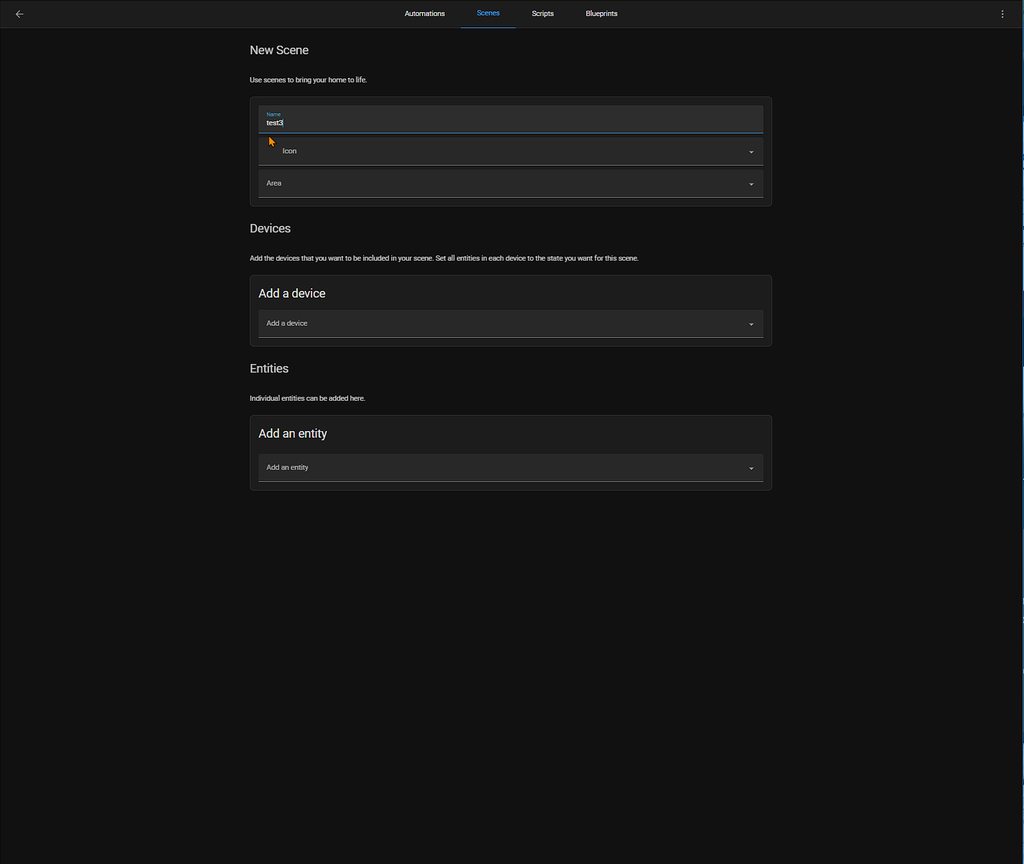
ill file an issue
 golden glen
light berry
golden glen
light berry
found something?
light berry
nice
 rancid crescent
aah that is fixed, but cache probably
hold on
I can fix that one remotely 😄
Refresh? Should work now @quick hound
somber quest
here_travel_time still under deliberation? errors are alive and kicking
nimble tundra
rancid crescent
aah that is fixed, but cache probably
It works here again 👍
rancid crescent
somber quest
here_travel_time still under deliberation? errors are alive and kicking
There was no response after the last review comment 🤷♂️
rancid crescent
nimble tundra
It works here again 👍
Thanks for letting me know ✅ another issue of the list 😄
somber quest
yeah, but not including the unique functionality (route) of the integration would not be very attractive.... the others (distance and time) can be done in core even.
rancid crescent
🤷♂️ That is fine and all
but at this point, there is no response; and thus also no motivation to exempt this one, or think about other solutions
somber quest
not using the Google/Waze travel time myself, but could those hold a solution to this issue?
rancid crescent
I dunno. My general work environment is like 40 steps from my bed (remote worker from home), so I'm not using any of those things
So cannot give you advise or answers on what to use for those cases
At least I can say: I walk to work every day!🚶
somber quest
good for you.... 😉 I have a dog, so walk a bit more than that...hehe.
thing is, Waze cuts the attribute to just a few characters and is useless for serious routing, which was the unique aspect of Here. Providing a longer string than that.... Which blocks it for a state. So the only real option was an attribute.. Catch 22 (if you wont allow that for being abusive in the state machine) Other than truncating the state to 255...
Hope this adds to exemption motivation (added in the review)
quick hound
rancid crescent
Refresh? Should work now <@725042638268661800>
All good 🙂
swift glacier
rancid crescent
I dunno. My general work environment is like 40 steps from my bed (remote worker...
get some congestion between the kitchen and the PC in the mornings tho 😛
rancid crescent
COFFEE! 
nova aspen
its not missing, it was removed
swift glacier
fair isle
```
Path to configuration.yaml: /config
```
it's under system health now
rapid shell
@solid pewter Is it expected behaviour that the labels get stripped of capitals?
 solid pewter
I think there is an issue for it. But not sure anything changed for the graphs
rapid shell
I never noticed it (not saying it wasn't there before), was just clicking together some sensors when it caught my eye
rapid shell
solid pewter
I think there is an issue for it. But not sure anything changed for the graphs
Yeah, you're right https://github.com/home-assistant/frontend/issues/13043
 jolly vector
I’m sure it’s gonna be a great release! Can’t wait for Aqara FP1 support 🥰
terse rock
quite late even this time round. Last months the release was already done by 3-6pm
terse rock


 somber quest
fiddeling about while waiting, I just discovered we can not set a dynamic origin and destination in the here_travel_time config flow by means of 2 entities? Had to use my old yaml config to get it imported once more:```
- platform: here_travel_time
entity_namespace: here
api_key: !secret rest_here_api_key
name: Route planner
origin_entity_id: sensor.here_origin
destination_entity_id: sensor.here_destination
route_mode: fastest
traffic_mode: true
scan_interval: 2678400``` Is that a bug?
it is imported alright, yet seems a regression from the Yaml config
 clear hare
solid pewter
Thats my fault 🙂
clear hare
solid pewter
Thats my fault 🙂
Thanks for your contribution! Who cares when it's ready!
swift glacier
i prefer my releases baked thoroughly
rancid crescent
Alright! It's done!
Home Assistant Core 2022.7.0 has been shipped! ☀️
https://www.home-assistant.io/blog/2022/07/06/release-20227/
Thanks everybody for helping to test the beta, you have been great ❤️
For next release, we promise to have some huge resolutions for your problems....
See you in a couple of weeks and enjoy the release!
The beta channel is now closed until the next beta starts.