
#the-workshop
1 messages · Page 1 of 1 (latest)
 winter pollen
 teal anchor
3d print them...
 trail fractal
get one of those metal printing SLS units, then also print some cool stuff for me too 😄
 south lichen
Can someone advise. I have a M5Stack Atom Echo for my voice assistant. After the latest update of ESPHome I am now getting this error code: https://github.com/jesserockz/esphome-components.git@None
Failed config
speaker.i2s_audio: [source /data/packages/c46f54c1/voice-assistant/m5stack-atom-echo.adopted.yaml:45]
platform: i2s_audio
id: echo_speaker
i2s_dout_pin: GPIO22
dac_type: external
[mode] is an invalid option for [speaker.i2s_audio]. Did you mean [i2s_mode]?
trail fractal
They did have a breaking change around i2s audio, I think that suggestion might be what you need
teal anchor
Heads up for people talking to google speakers with translate.say.
https://github.com/home-assistant/core/issues/125545
Had a few folks last few days with a it no longer works problem, 4 that I've seen...

GitHub
The problem I've had the tts:speak service running for a long time with no issues at all. Then suddenly the other day - out of the blue - it stopped working. That is, I can hear the 'blip&#...
Probably the same problem, but lots of things break that cloud bounce with the google.
 limber parrot
Hi, is there some dedicated channel for discussions around ZHA ? and device handlers ?
 olive owl
https://discord.com/channels/330944238910963714/1284966617670881350 with the Zigbee tag
limber parrot
olive owl
https://discord.com/channels/330944238910963714/1284966617670881350 with the Zig...
Thank you
 hasty flower
winter pollen
Anyone else finding it harder and harder to find parts for your 69' Plymoth GTX?...
hasty flower
winter pollen
Anyone else finding it harder and harder to find parts for your 69' Plymoth GTX?...
When does the RTX variant release?
 dire pecan
Sonoma thinks this channel should be called #gizmos-and-doodads. I think it's a fun name for this channel, but also want to be cautious seeing as my American phrases have been causing confusion.
Can I get a  if you are for the name change and a
  if you are against the name change?
 raven sage
personally i'm not much of a fan of the more "playful" channel names - I find it helpful to have straightforwards and easy to understand channel names to make it easy to discover the appropriate place to talk.
winter pollen
boooooooo
olive owl
#get-off-my-lawn
 indigo pine
https://eu.protectli.com/product/fw2b/ is enough to run everything what I could want?
if not, then https://eu.protectli.com/product/fw4b/ ?
if not then https://eu.protectli.com/product/vp2410/ ?
I plan to have dedicated server for HA. 6 or more cameras (I assume I will need separate server to for detection / recognition - unless I don't need), 30 devices.
PS I want protectli, because I already have 1 server and these are without fan which is important for me. So let's stick protecli unless there is good reason to not.
raven sage
i'd expect any of them to run HA well enough, but they're not really well optimized for the job - you're spending extra money on additional network interfaces when it's unlikely you'll need those with HA.
note that most of the stuff protectli sells can also be found with much more variety in configurations on e.g. aliexpress - although protectli probably provides better support, and firmware updates are more readily available.
indigo pine
not really well optimized for the job
anything besides interfaces?
I live in EU
to be honest I don't know any better choice here for fanless server
which is not raspberry pi etc.
raven sage
yeah, the most common recommendation (a used usff desktop systems) won't be fanless, but should still be extremely quiet
fanless could be really important if you want to install in an area with a lot of dust in the air tho.
indigo pine
it will be in garage or near bedroom 🙂
both bad idea for fan
I have bad experience even with hard drive in NAS which are not SSD. They did too much noice during the night.
just thinking if https://eu.protectli.com/product/fw2b/ is enough or maybe I should buy something better. I don't have experience with cameras at all. I can't predict what I could need.
raven sage
heh. i have fans running most of the time anyways for comfort, so i wouldn't notice.
indigo pine
raven sage
heh. i have fans running most of the time anyways for comfort, so i wouldn't not...
I assume you live in nice sunny country 🙂
raven sage
well, sunny half the year. use the fans to circulate warm air the other half of the year ;)
indigo pine
recuperation ?
raven sage
nah, just electric baseboard heaters don't heat up the room very evenly
indigo pine
this sound like warm country even in the winter 🙂
anyone with cameras integrations experience who can tell if there can be a reason to choose server which is not the cheapest one #the-workshop message ?
raven sage
imo the main issue with the fw2b is that it's pretty old and slow - in particular the cpu, intel J3060, is a very old design of low power 2-core cpu. i honestly wouldn't be surprised if a modern raspberry pi could match or beat it in cpu performance. the fw2b does have the advantage of being all set up in a case for you with ability to run an ssd out of the box.
indigo pine
Any opinon about https://eu.protectli.com/product/fw4b/ ?
I know it has more interfaces, than I need 🙂
raven sage
they did put a better cpu in the 4b - it's a quad core instead of dual core - but i dunno how much of a difference that would make. It's possible that the fw2b would work well enough for you.
indigo pine
my bigest problem is I totally can't predict camera things and this things can use a lot CPU
unless I can run it on another server, but I don't know it make sense
totally unprecitable for me
untill I will do it first time
I can't even say for sure which tools I will use, because from what I read each has own cons
I like number of USB ports in https://eu.protectli.com/product/fw2b/ heh
yellow has PoE fanless?
raven sage
i'd just recommend poking around on aliexpress or other marketplaces to look for fanless pc systems - you might be able to find something newer and faster than protectli's offerings for cheaper.
indigo pine
normal server PoE fanless (not raspberry) would be cool. Somehow I can't convice myself to raspberry and this kind of solution. I want normal server.
indigo pine
raven sage
i'd just recommend poking around on aliexpress or other marketplaces to look for...
hmm I don't have good experience with aliexpress but maybe
if I will have to pay duty, because they will control it, then price will be not so good. Also we have good after selling protection where I live. From aliexpress it will go to trash if something will be wrong.
but yes it is cheaper 🙂
raven sage
a fair number available with e.g. the intel n100 cpu nowadays. i still don't think i'd recommend it if you're gonna be doing a lot of video processing stuff, but should be a lot better than the J3060 and similar
indigo pine
as far as I understand I will have to buy google coral anyway
but probably need CPU anyway
is intel n100 fanless?
raven sage
no way to connect the google coral accelerator cards to the fw2b or fw4b anyways
indigo pine
raven sage
no way to connect the google coral accelerator cards to the fw2b or fw4b anyways
oh.... why?
raven sage
... i think? oh, wait, maybe there is
those do have a wifi card slot which has pcie lanes, nvm
indigo pine
Do you understand how many slots it have? As I understand 1 for SSD and 1 for wifi. So I want to have coral, then I can't have wifi right?
raven sage
yes, you would have to remove wifi to use coral.
the fw2b has 1 msata slot (ssd only) + 1 mpcie slot (pcie + usb)
i think
need to double-check that, sometimes they make a slot that only has usb :(
ah, yes, they explicitly say PCIe+USB
indigo pine
hmm it has
1x Mini PCIe for mSATA
1x Full Height mPCIe (USB) for WiFi or LTE
so maybe I can have both
ah no, what I am talking about
I need hard drive
 hallow lance
indigo pine
yellow has PoE fanless?
hallow lance
indigo pine
yellow has PoE fanless?
The HA Yellow has a PoE variant, but it is still powered by a Raspberry Pi. And it does not work with Google Corals (and only has USB2), so it is not a great fit for camera stuff.
raven sage
the msata slot cannot be used for devices other than ssd
indigo pine
yeah I misslead myself 🙂
raven sage
you could still use external usb wifi if needed, of course. but always better to hardwire things when you can :)
indigo pine
I am a little confuse because I can choose wi-fi + 4G LTE at the same time, but in spec there is
1x Full Height mPCIe (USB) for WiFi or LTE
so something is wrong here
to be honset I don't know if I need wifi at all for HA, but good to understand options
raven sage
they don't let you pick both - if you select one it deselects the other
indigo pine
hallow lance
The HA Yellow has a PoE variant, but it is still powered by a Raspberry Pi. And ...
#the-workshop message Can you say something in the topic?
indigo pine
raven sage
they don't let you pick both - if you select one it deselects the other
I can
 hallow lance
indigo pine
https://discord.com/channels/330944238910963714/1286093250482016328/128681183597...
hallow lance
indigo pine
https://discord.com/channels/330944238910963714/1286093250482016328/128681183597...
I'm using a Yellow. 😅
But N100's are often recommended here.
indigo pine
hallow lance
I'm using a Yellow. 😅
But N100's are often recommended here.
for cameras?
hallow lance
In general
indigo pine
n100 is fanless series?
raven sage
indigo pine
I can
not sure what's going on there. "wifi kit" might just refer to "wifi antennas are installed" or it might mean an external usb wifi.
n100 is a cpu, it can be used in designs both with and without a fan
hallow lance
N100 is the Intel processor
indigo pine
raven sage
not sure what's going on there. "wifi kit" might just refer to "wifi antennas ar...

but I mean the n100 is designed for fanless?
raven sage
it's a low power cpu that can be used in fanless mini-pcs
(but there's also some out there with fans)
indigo pine
Can you recommend any fanless ready product brand to buy?
indigo pine
hallow lance
I'm using a Yellow. 😅
But N100's are often recommended here.
Do you keep all systems engaged for camera detection / recognition in yellow?
hallow lance
I just use one camera and do no person detection or recording in HA.
indigo pine
ah I see
raven sage
I've used a system from this vendor but I don't have any experience with this specific product - https://www.aliexpress.com/item/1005007185682055.html is an example of what you might be looking for. (that model has two m.2 slots, one for ssd and one for wifi or other expansion)
(i don't know how prices compare regionally on that, either)
indigo pine
in my case it very depend if I will pay duty or not for import from China
as far as I know random game 🙂
but price look good
the only problem is I have so bad experience with aliexpress heh
so in short you recommend Topton right?
How do you know if it is fanless?
raven sage
ehh... they seem to be ok, i have a system from them that works fine and https://www.servethehome.com/ has reviewed some of their systems.
it's described as fanless in the listing, they show some interior pictures, and the case has external heatsink fins.
indigo pine
ah lol aliexpress translation to my native language...
raven sage
well, "fanless", apparently with some models they include an external usb fan that you can attach to the outside of the case for warm environments
indigo pine
they have good prices, hmm I start to regret I ordered server for router today from potectli 🤔
but hmm still a little worry about aliexpress
raven sage
yeah, "brands" on aliexpress are confusing - often devices with some brand name might be sold on multiple stores and you have no idea which have relationships with the producer and which are resellers, and often multiple stores will be selling the same product under different names.
i have no idea who actually makes the pcs that are sold by e.g. topton. :)
indigo pine
if only this, I am more scared about being scam on that way or another
raven sage
but i wouldn't be surprised if it's the same company that makes the pcs sold by protectli ;)
indigo pine
yes but price... 🙂
raven sage
protectli does offer sales/support in eu and north america, and i think they sometimes have better bios/firmware than other companies selling similar systems. so the markup does make some sense.
but it means they're still selling old systems instead of updating them regularly
indigo pine
just in the same price I can have better CPU and way more memory
unless I will have bad luck and have to pay VAT 🙂
but it is tempting
raven sage
if you're curious, i use one - a previous generation system with an n5105 processor and 4 network ports - as a router with openwrt :) (my home assistant is installed in a vm on my nas)
indigo pine
let me ask in other way: in your experience ordering Topton server from aliexpress is safe? In the meaning you get what you expect and this work 🙂
raven sage
my sample size of 1 is that i have ordered from the store i linked, received the product i expected, and it worked properly.
indigo pine
i7 fanless.... interesting
so tempting... I have to go sleep and think about that
prices are really good
difference is ridiciluss
any thoughts about ylipc vs topton?
 woven dock
Hey all - need a little direction here.
Are Caseta Lutron Lights better with the lutron Hub than say like zwave lights or Thread? I have read in a few forums that Caseta is like the best you can buy. I am moving into a new house and wanted to go all out with my lights. My last ones were Meross (and i used the Meross LAN HACS integration) but i am trying to avoid cluttering my wifi with the switches.
I noticed that the Caseta lights use the Lutron hub and they support IOT Local Push. But i worry about the connection. I am moving into a 4 story town home and i wonder if they will act as a mesh, or if they will need a repeater on every floor to communicate with the hub.
 tawdry iron
Hello. Is the fact that when creating a Integral Helper, it's setting state_class to be total and we cannot select total_increasing a bug or a feature? From YAML config, you can set it's state_class as well.
teal anchor
woven dock
Hey all - need a little direction here.
Are Caseta Lutron Lights better with th...
Direct questions fit better in a forum post in your case in https://discord.com/channels/330944238910963714/1284966617670881350
 compact patrol
Anyone monitored a freezer before, if so what does a typical temp cycle look like? I added monitoring to my deep freeze and for several weeks it would fluctuate between -8F and -15F, now I'm seeing this, and starting to wonder if I have a thermostat failing.
 winter pollen
compact patrol
Anyone monitored a freezer before, if so what does a typical temp cycle look lik...
winter pollen
compact patrol
Anyone monitored a freezer before, if so what does a typical temp cycle look lik...
I don't monitor mine but holy hell what temp do you have that thing set at?
 thorn ore
Mine did this once and I don't know why.

It's like the turbo freeze function got stuck on.
compact patrol
winter pollen
I don't monitor mine but holy hell what temp do you have that thing set at?
The knob is marked 0-7 and set at 5, what that's supposed to correspond to in the real world, your guess is as good as mine.
compact patrol
thorn ore
It's like the turbo freeze function got stuck on.
Interestingly, over night it's now back to cycling normally, odd.
 tall crest
Help with Frigate Stability
teal anchor
compact patrol
Anyone monitored a freezer before, if so what does a typical temp cycle look lik...
That is likely the defrost cycle... All units made in the last 20 years have one.
(But it shouldn't take that long I wouldn't think...) More like the one Tom saw.
 idle mountain
-25c is quite mad for a freezer even 🌨️
winter pollen
compact patrol
The knob is marked 0-7 and set at 5, what that's supposed to correspond to in th...
You should try setting it to 4. You want to shoot for somewhere between 0F and -5F your sensor there is showing ranging from -6F to -15F those super low dips are likely the compressor being on. That stretch of it hanging around -25F for multiple days is concerning cause that could mean your unit is on it's way to death that or someone didn't get the door closed all the way. I would also suggest piping that temp sensor through a template sensor so you can slow the readings down you really only need like a reading once an hour or longer to determine if something is wrong and will make your graph a whole lot easier to read and more stable.
 pearl ingot
Hello here! I'd like to build my own https://github.com/brodykenrick/hass-inkplate-dashboards but before that, quick check - I assume that if I've got iframe elements in a dashboard, there's no way they'll show up on the e-ink display with this approach, right?

GitHub
Home Assistant E-Ink Dashboards on the Inkplate (10 and 6color) - brodykenrick/hass-inkplate-dashboards
 tight mango
#1284965988642590891 can help there
 cyan stone
Hello, I am making some water sensors with esphome (optical infrared) and have had issues with adding more than 2 sensors per esp32. When I add a third sensor, the sensors become locked together in pairs, and only drop in voltage when 2 sensors are wet and both will proceed to show nearly the same voltage. Using ADC in esphome. The sensors I am using are 3 wire with included resistors
Could anyone point me in the right direction to fix this issue? I am ideally wanting to add 3 sensors to one esp and 8 to another
 storm laurel
Hey folks! I have a USB GPS that uses the built in serial integration to communicate. Periodically it stops working but a restart of HA fixes it. It’s Home Assistant OS running on a raspberry Pi. Anyone have any suggestions?
tight mango
cyan stone
Hello, I am making some water sensors with esphome (optical infrared) and have h...
#1284966353798697001 and the diy-iot tag is where you want to go
tight mango
storm laurel
Hey folks! I have a USB GPS that uses the built in serial integration to communi...
#1284966353798697001 can help
 eternal surgeBOT
The topic of this channel is:
The tinkerer's workshop!
Do you have a dedicated room or shed specifically to tinker with hardware in? Fan of protocols, how they work, and want to talk without things being support focused? Chat with your fellow hardware enthusiasts here! Commiserate over your struggles or celebrate your victories over technology here.
Remember to follow the Code of Conduct (https://www.home-assistant.io/code_of_conduct/) and our #rules - please review these at your leisure.
storm laurel
tight mango
<#1284966353798697001> can help
Oops; I thought that’s where I was. Must’ve clicked the wrong one.
 severe quest
What sensor do y'all toss into your freezers that doesn't get its battery killed within 3.5 minutes?
 plush gull
Generally chicken and ice cream
-# without jokes, i think there are some that support it, but not sure which
teal anchor
You will find that reporting as dead, and actually dead is different when they are in the freezer.
The battery starts to identify with all the dead veggies and meats next to it to fit in, but keeps working the normal battery life kinda time, many have reported.
Kinda like what happens IRL. @severe quest
compact patrol
I tried putting an aquara sensor in the freezer before, but it would always fall off the network after a few hours. Ended up moving to an ESP32c6 mini with a ds18b20 attached. Thia is a chest freezer and the gasket seals around the cable without issue. So not battery powered, but still Zigbee and easy to power with a small wall wart.
thorn ore
severe quest
What sensor do y'all toss into your freezers that doesn't get its battery killed...
My Aqara Temp sensors report 0% battery but have been working for 6 months or so so far (-15°C). Having routing nodes close to the freezer probably helps.
cyan stone
tight mango
<#1284966353798697001> and the `diy-iot` tag is where you want to go
@tight mango is there an option if I wanted live chat? I could just post to the official HA forums instead of here if hardware is the only choice.
thorn ore
That is live chat. It's just organised into forum topics.
cyan stone
Ah I see thank you
 split condor
compact patrol
I tried putting an aquara sensor in the freezer before, but it would always fall...
split condor
compact patrol
I tried putting an aquara sensor in the freezer before, but it would always fall...
You could probably silicon the cable flush, too.
 knotty trench
thorn ore
That is live chat. It's just organised into forum topics.
knotty trench
thorn ore
That is live chat. It's just organised into forum topics.
Ah, so ask a question and it starts a chat and if you get answers then it's kept just within the topic you started... Got it, that makes sense I guess... Tidier
 warped nexus
@whole marsh thanks for the battery recommendation but unfortunately some of the parasoll window door contact sensors have already (so after less than a week) no power anymore. Bth this was kinda the worst performance of all batteries I had. The weird thing is that other contact sensors work fine...
 whole marsh
warped nexus
<@236982658700148736> thanks for the battery recommendation but unfortunately so...
whole marsh
warped nexus
<@236982658700148736> thanks for the battery recommendation but unfortunately so...
here is my mailbox setup in april

on track to get about a year on battery
what does your signal look like? are your devices struggling with bad RSSI?

 warped nexus
This is the curve on one of the sensors which are not available
 whole marsh
bit concerned why your batteries start at 60%
warped nexus
I took them right out of the package
whole marsh
you didnt charge them up?
warped nexus
Nope
thorn ore
Rechargeable Li batteries are often shipped at 40% SoC. That gives the longest shelf life (lowest self discharge).
split condor
And they should be fully charged when you start using them.
However, you could discharge them first and then fully charge them,
Or fully charge them and then start using them.
warped nexus
Ok I will charge them but before I read your statements I just took the battery out and put it back in and this is the result
 compact patrol
split condor
You could probably silicon the cable flush, too.
compact patrol
split condor
You could probably silicon the cable flush, too.
I had several plans on how I was going to drill a hole in the drain plug and silicone the sensor in, or perhaps a hole in the freezer itself next to the existing lights power entry. During testing I just laid the cable over the seal and it sealed perfectly, never went back and changed anything. There is a company that makes a ds18b20 with a flat cable that looks like it would be a better option, but had a pack of the knockoffs on hand.
split condor
compact patrol
I had several plans on how I was going to drill a hole in the drain plug and sil...
Yep, if it's a chest freezer I wouldn't bother with any of that.
 dusk eagle
Wireless Tags has a freezer module that has very good reception and decent battery life. It's fairly heavy duty
raven sage
Anyways, for anyone interested in matter/thread stuff, some folks on the Nanoleaf discord noticed that all their matter/thread devices have a new firmware 3.8.4 on the testnet DCL. Might be preparing for a big update or product release or something :)
 floral rover

 sinful mulch
oooh looks nice
teal anchor
That beats my ''' Hey Google, turn on all the lights." But it was WAY more work to get there.
winter pollen
this is nuts. https://youtu.be/MNrhYU17WpA?si=Apxi0VZzBMHElVsu

Unifi's camera range from just $79 for the G3 Instant all the way to $2,499 for the AI DSLR, providing consumers a wide variety of options to choose from for their security camera needs within the Unifi Protect ecosystem. Question is: at $2,499, is the AI DSLR worth it? I got my hands on one, so let's test and see if this security camera warrant...
 blissful sluice
Hi all! Has anyone managed to get IKEA Dirigera hub working together with something like the somrig shortcut button to control for example tuya smart lights through home assistant?
I'm going crazy trying to find info on it as most threads etc just discusses using other zigbee devices
But I assume it's possible by just hooking up the button and then have some automation tied to it?
raven sage
It's definitely possible if you're using ZHA or Z2M with a supported zigbee coordinator - but I'm not sure whether it's possible when using the Dirigera hub. I haven't used Dirigera, only Tradfri, but my recollection is that they didn't expose any events from remotes at all.
sinful mulch
winter pollen
this is nuts. https://youtu.be/MNrhYU17WpA?si=Apxi0VZzBMHElVsu
yeaaah.. we were looking at Unifi's cameras until I saw the price.. went with Reolink instead
 wintry topaz
can anyone suggest some small form factor battery powered LED lights which I can use here? the current ones are with a little remote and use CR batteries, I just stuck them on the wall with command strips but I'm hoping to get some which are smart
 hallow lance
Are those IR remotes?
wintry topaz
yeah this is the listing https://www.amazon.co.uk/dp/B07WNQ4G1G?ref=ppx_yo2ov_dt_b_fed_asin_title

10pcs Submersible LED Lights Tea Lights Candle, RGBW Color Changing with Remote, CR2450 Battery Operated, Waterproof for Pond, Fountain, Paper Lantern, Wedding Party Table Centerpieces
I'd rather scrap the remote entirely and just have it all be on HA if I can find some small lights that'll do the job
hallow lance
If noone else has a better suggestion, there is the possibility to use a device like a Switchbot Hub mini or Broadlink RM4(C) mini, which can learn the IR codes (at least some - the Broadlink can likely learn more) and use that to turn those light on and off via HA.
wintry topaz
oh interesting I hadn't considered that
hallow lance
I am using the Switchbot Hub mini (I wasn't using it for anything else) to turn my battery powered candles on and off.
wintry topaz
https://uk.switch-bot.com/products/switchbot-hub-mini one of these?
SwitchBot UK
Consolidate and control multiple remote controls with ease using the SwitchBot Hub Mini. With Smart Learning mode, it mimics signals from your existing remote control in just 5 seconds. Say goodbye to clutter and conveniently manage all your devices in one place.


i thought switchbot did the little hand button press thingies
the button pushers
had no idea they do these too
hallow lance
Yes. But the Broadlink one might be better. I just had that one lying around.
wintry topaz
wow it's quite cheap actually
hallow lance
The Broadlink might be more complex to set up, but seems to be more versatile and have local communication.
The Switchbot is easily set up in the app, but more limited and depends on the cloud.
wintry topaz
yeah I don't want any cloud-reliant stuff so I think if I don't end up finding independent led lights then I'll just go with the broadlink
thanks for the suggestion!
hallow lance
I'd suggest to look at the HA docs for Broadlink first. So you know, what you are getting into. 
https://www.home-assistant.io/integrations/broadlink/
winter pollen
the Broadlink RM4 also has an optional usb power cable that can give temp/humidity that can be used in HA as well
 wind stratus
HI all! anyone here using ai on the edge.. With that.. This is a compatible device https://www.amazon.com/ESP32-CAM-MB-Aideepen-ESP32-CAM-Bluetooth-Arduino/dp/B0948ZFTQZ/ref=sr_1_1_sspa?crid=29BNN1JURVNYC&dib=eyJ2IjoiMSJ9.yXp5XSeHR9RK1KEXydQRGkt3lEbze6YDHXXevKMQYVfJ4Zx2z8fCqjaytk-r7jgy3JCIO2d-xj568y_Xjc5FKHNbTJqGtAI_dAJm5Gq4o-lIcNoI8qJXVoTzuzTkCLk8aoJvIyjOtA0md0Tfd0e3ht2ZFbE7n0c-aw2PGXzoCGOfVFbgZP-2R65nmy-guL0GCQTt5Lh9m_u2xwflh7IznKVgW_bnqTKtanRZOaCGkaY.Izx23qyoqdfMhWhRacAFgqfZzoewTY3bN9E7sH8YweA&dib_tag=se&keywords=esp32-cam&qid=1727646837&sprefix=esp32-cam%2Caps%2C210&sr=8-1-spons&sp_csd=d2lkZ2V0TmFtZT1zcF9hdGY&th=1 ??

2PCS ESP32-CAM-MB, Aideepen ESP32-CAM W BT Board ESP32-CAM-MB Micro USB to Serial Port CH-340G with OV2640 2MP Camera Module Dual Mode
thanks!!
 tiny quarry
https://www.aliexpress.com/item/1005007426776394.html?spm=a2g0o.order_list.order_list_main.29.21ef1802hxOa6X - Hi would anyone know how to connect this device up without a Neutral Wire
hallow lance
On the first look, it doesn't look like it can be set up without neutral wire.
teal anchor
tiny quarry
https://www.aliexpress.com/item/1005007426776394.html?spm=a2g0o.order_list.order...
That link takes me to here, which is not the same number as is in the URL BTW, and if you follow directions on that it should just work with no neutral...

But the 99 cents is only if I'm not logged in. I log in and it's $6.70.
split condor
I think they're trying to hook people in, that tactic is illegal where I am, and when I check - I'm not logged in, but it shows AU$6.19.
So perhaps they're doing advertising tricks after checking the geo-region first.
teal anchor
And sinse the number in the URL doesn't match the item that comes up, switching device by region as well possible.
tiny quarry
teal anchor
That link takes me to here, which is not the same number as is in the URL BTW, a...
Hi please can you send me the link you used
teal anchor
I used the link you posted. @tiny quarry
tiny quarry
The instructions dont explain how to use without neutral - if possible can you send me info
teal anchor
The line connection goes to the line / circuit breaker box. The load connection goes to the load / bulb.
And done.
Disclaimer
⚠️ DANGER OF ELECTROCUTION ⚠️
If your device connects to mains electricity (AC power) there is danger of electrocution if not installed properly. If you don't know how to install it, please call an electrician.
**Beware:** certain countries prohibit installation without a licensed electrician present
Remember: SAFETY FIRST. It is not worth the risk to yourself, your family and your home if you don't know exactly what you are doing. Never tinker or try to flash a device using the serial programming interface while it is connected to MAINS ELECTRICITY (AC power).
tiny quarry
teal anchor
The line connection goes to the line / circuit breaker box. The load connection ...
Hi I want to fit this unit into my light switch box and I only have a live wire - if possible can you send me a drawing - please
teal anchor
tiny quarry
Hi I want to fit this unit into my light switch box and I only have a live wire ...
Based on your questions, in my opinion you aren't showing me enough understanding of mains wiring that I would be comfortable helping any more than I have.
Besides what the device is not clear, I do not know what country you are in so I don't know the mains wiring, I am NOT an electrician and do not claim to be one, and about 50 other things that are on my Danger list.
See my previous message for my best advice at this point.
thorn ore
tiny quarry
Hi I want to fit this unit into my light switch box and I only have a live wire ...
The title used for that device is a lie. It requires a neutral. You can not use it without one. Read the many negative reviews at the bottom of the page.
 grim igloo
teal anchor
## Disclaimer
⚠️ **DANGER OF ELECTROCUTION** ⚠️
If your device connects to mai...
grim igloo
teal anchor
## Disclaimer
⚠️ **DANGER OF ELECTROCUTION** ⚠️
If your device connects to mai...
@teal anchor If you could change that #### to ### that pin will look even better.
teal anchor
grim igloo
<@518814283170054165> If you could change that `####` to `###` that pin will loo...
It doesn't do what one would expect. It bolds the whole line, doesn't change the font size, and no I don't like it. The fact that you could see the hashes tells me it wasn't doing markdown correctly. It is something I made for my Git Repo's that I pull in when I deal with mains in chat. I took the hashes out completely and did an indent.
teal anchor
thorn ore
The title used for that device is a lie. It requires a neutral. You can not use ...
No wonder why they had problems.
thorn ore
I don't think there are any no neutral switches, only dimmers.
You need some small current to continue flowing through the load to power the device.
teal anchor
I have no neut awirches, it's just sometimes they need a bypass cap to work correctly.
It depends onthe load
incandescent bulbs work fine because you can pull current thru them without lighting up, but LED's sometimes light up.
grim igloo
Discord does markdown headings, but only to the third level.
 tepid vector
teal anchor
incandescent bulbs work fine because you can pull current thru them without ligh...
tepid vector
teal anchor
incandescent bulbs work fine because you can pull current thru them without ligh...
I had trouble with no-neutral switches causing flickering with regular LED bulbs. I swapped them out for dimmable LED bulbs and now they behave fine. The parasitic current the switches draw doesn't seem enough to illuminate the bulbs.
teal anchor
And that's why you need the bypass cap or resistor across the load, like I mentioned, depending on the load and why incandescent bulbs will always work without that, even though no one uses them any longer.
teal anchor
grim igloo
Discord does markdown headings, but only to the third level.
In this case the whole thing bolded and I didn't like that. And the subscript thing -# was too small.
grim igloo
Yeah. I like the indent too
Also, that new forward feature which just showed up means you can do this:
grim igloo
teal anchor
## Disclaimer
⚠️ **DANGER OF ELECTROCUTION** ⚠️
If your device connects to mai...
May come in handy here
tepid vector
teal anchor
And that's why you need the bypass cap or resistor across the load, like I menti...
Sure. Adding other components will work. But so does just picking the right bulb, which means even less risk of screwing up the electrics.
teal anchor
grim igloo
Also, that new forward feature which just showed up means you can do this:
I haven't figured that out yet looking it up, don't see that symbol
 grim igloo
I just got it a few minutes ago, with a fancy "new" flag, so I guess they're rolling it out piecewise.
 wild lynx
hallow lance
I'd suggest to look at the HA docs for Broadlink first. So you know, what you ar...
wild lynx
hallow lance
I'd suggest to look at the HA docs for Broadlink first. So you know, what you ar...
this doc is outdated almost every way to extract IR codes is outdated and the only working way is manually mapping the remote button by button I also open a ticket https://github.com/home-assistant/home-assistant.io/issues/34620 but nobody is willing to work on it
GitHub
Feedback jsonSubIr jsonButton jsonIrCode are not available anymore and this guide https://www.home-assistant.io/integrations/broadlink/ is outdated is there a way to dump codes from the new app ? U...
winter pollen
wild lynx
this doc is outdated almost every way to extract IR codes is outdated and the on...
so it's been some time since I messed with mine, but you didn't need to use the app to extract ir or rf codes from devices
teal anchor
First time I did all the weird stuff to get codes, but the last time I use the HA UI, which is what is in the Docs I think now, TBH I was going to play with it to verify based on your message @wild lynx but life has not let me get there this week.
wintry topaz
if anyone has managed to get frigate snapshots to appear as an image source in a HASS.Agent notification I'd love to get some insight
I've been able to send notifications to my windows 10 machine without a problem but I'm not sure what the image url needs to be so it can fetch the most recent snapshot taken - I could also just avoid it and go directly through Frigate but it only sends notifs through the HA App to mobile at the moment
 high forum
was looking to maybe make a silly object, told this is a better place to discuss:
#the-water-cooler message
hardest part is figuring how much power I actually can get from the time the "elevator busy" light is on
and then maximizing that
 stable schooner
There doesn't appear to be a general help channel, but I'm hoping someone can chime in with a solution here. I deleted a Zigbee device that had a derivative sensor helper, I now want to reassign that derivative sensor to operate on another sensor, however; in the process of deleting the Zigbee device the entity ID for the derivative sensor helper was also deleted. Consequently I am unable to utilize as well as unable to delete the original derivative sensor helper. Any idea of how I can fix this?

 normal roost
stable schooner
There doesn't appear to be a general help channel, but I'm hoping someone can ch...
normal roost
stable schooner
There doesn't appear to be a general help channel, but I'm hoping someone can ch...
Create a topic for this in #1284966582375813201 please. That's part of the reason there isn't a general help channel any longer.
wind stratus
hi guys!! any recomendacion for a lock for this front of the new house.. The internal door will use yale with zwave 3 thats works perfect with the lock manager.. but in the front .. that is outside wall im not sure..

maybe a controlled relay to a electric bolt.. with a keypad in the front?
olive owl
That is a well-fortified house 🙂
teal anchor
A row of battlements across the top would help, maybe a guard tower.
olive owl
please post in #1284966540617449515
wind stratus
Thanks Robc
wind stratus
teal anchor
A row of battlements across the top would help, maybe a guard tower.
there is a lot of robbery in my country.. 😭
 bold sparrow
This is kind of off topic, but as I want to install HA on Debian bare metal I would like to give it a shot. I have a problem with the network driver on my new N100 mini pc. I learned that I need to get an older r8169 driver, but have no clue how / where exactly to get / install it. A link to a decent discord server handling debian as an OS would be helpful as well. TIA!
teal anchor
I would try this string in your favorite search engine,
debian r8169 driver
I see stuff there.
bold sparrow
Most of the solutions refer to an older Debian version than the current stable (bookworm). Meanwhile I came across the backports repository while searching for a solution. It to be a solution which I would prefer. Let's see what it offers.
teal anchor
Bullseye is current stable. That has the built-in driver support.
Otherwise you have to find the location of the repo and add it to your stack, apt update, apt upgrade. Load bullseye, that's all built in
I think the terms are right for the name, but debian 14 is the current
winter pollen
anyone use Noco battery charger/maintainer?
raven sage
I'm curious - is anyone else using the Espressif thread border router devkit with HA? What firmware are you using for it? I'm currently using the sample code with a few settings tweaks, but it would be neat to have something that integrates a bit tighter with HA and can do OTA updates.
raven sage
Looks like the matter folks have added https://github.com/project-chip/connectedhomeip/tree/master/examples/thread-br-app to their repo recently - that's interesting since it appears to be a demo for a thread border router which is a matter device (i.e. it uses matter for commissioning, and configuring wifi/thread network credentials)
 frozen trellis
Talking of matter, I have been making observations

Thats what I was hoping for, but

Be nice if the border routers could also act as Thread repeaters - either direct or via IPV6
frozen trellis
Label a bit ambiguous, I mean the thread plug on the left spends a lot of time "unavailable" due presumably to the distance between the nodes
 fossil briar
anyone have a cheap source for zigbee (non-tuya) mmwave sensors? (Ali?)
 meager quail
zigbee is really not recommended for mmwave. Too much network traffic. All the best ones are wifi.
(this is a good topic for #1284966353798697001 though)
depends on what you want-- go check out https://apolloautomation.com/ it's ESP based, they have two models. Will give you a pretty good idea. Their discord is pretty active too.
winter pollen
fossil briar
anyone have a cheap source for zigbee (non-tuya) mmwave sensors? (Ali?)
tuya is about as cheap as you can get. as long as they are the zigbee ones they work fine enough
normal roost
<@&330946878646517761> @jaunty canyon spamming
hallow lance
Gone
teal anchor
Anyone know what the Aqara hub that does matter is called. I think I need one to work on another project.
Newest Aqara Smart Hub M1S Gateway Wireless Zigbee 3.0 Wifi RGB LED Night Light Remote Control For Xiaomi Mijia Homekit APP
bold sparrow
I have some problem getting data in HA from my new Tuya temp/humidity sensor which use Bluetooth to transmit data. The sensors show up in HA devices with entities, all entities have the value "unavailable" in the developer tools' state tab
This is what I did so far:
- Installed the Tuya app via Google Play on my smartphone, added the sensors, renamed them. The values are nicely displayed in the app.
- Installed the Local Tuya integration via HACS
- added the Tuya integration (the sensors were imported)
I should mention that I have got a ESP32 on the same network acting as a BT proxy for my XIAOMI BT temp/humidity sensors.
Any input what went wrong?
tepid vector
I think the critical issue is that you bought Tuya products 🫠
tight mango
The secondary issue is that the Community section isn't where you get that kind of support 
 tulip walrus
Hi all, I posted a comment request on the AirNow GitHub page but haven’t heard back, I spoke with the EPA and they said their API reports ozine in AQI yet the Home Assistant integration is reporting it in PPM. Does anyone have any idea or know how to confirm/correct this ?
 tight mango
#1284966582375813201 can help with integrations
tulip walrus
Sorry, I thought I posted there !
bold sparrow
tepid vector
I think the critical issue is that you bought Tuya products 🫠
Yeah, agree 100%. It wasn't my intention in the first place. But as I have them I thought that I might give them a shot before they end up as decoration only. 😉
bold sparrow
tight mango
The secondary issue is that the _Community_ section isn't where you get that kin...
I thought there are like minded people around who use the same hardware... 😐 🤔
trail fractal
Yeah though support for that is in #1284966353798697001
This channel is more for custom built solutions chatter, workshop chatter
eternal surgeBOT
The topic of this channel is:
The tinkerer's workshop!
Do you have a dedicated room or shed specifically to tinker with hardware in? Fan of protocols, how they work, and want to talk without things being support focused? Chat with your fellow hardware enthusiasts here! Commiserate over your struggles or celebrate your victories over technology here.
Remember to follow the Code of Conduct (https://www.home-assistant.io/code_of_conduct/) and our #rules - please review these at your leisure.
tight mango
I hadn't realised that @dire pecan got me my very own workshop 
plush gull
tight mango
I hadn't realised that <@303933403303247872> got me my very own workshop <a:S2_h...
Please don't forget to pay rent
tight mango
They can take it out of my pay 😛
dire pecan
tight mango
I hadn't realised that <@303933403303247872> got me my very own workshop <a:S2_h...
It’s because you’re my favorite.
teal anchor
It took you a while to find that. I saw it early...
Now if she works the work library in there it would certainly be yours.
 shy dust
Hello everyone.
I just have a quick question about the Prime Deal Days, maybe someone knows the Shelly Plus Uni.
I have an Exo Terra Monsoon Multi (misting unit for terrariums) and would like to modify it to control smart.
Can I use the Shelly Plus Uni for this and control the pump based on the humidity values in the terrarium (Sonoff Sonoff SNZB-02P)? Basically only for switching on the pump for a certain time. The Shelly can handle 24V and the Misting Unit runs on 24V
teal anchor
teal anchor
Anyone know what the Aqara hub that does matter is called. I think I need one to...
I guess this is the one. It's $129 with the $30 off deal days... For something I'm only going to use to set-up a free blueprint. Not going to happen...
https://www.amazon.com/Aqara-Automation-Controller-Bluetooth-SmartThings/dp/B0CWLHSKYC
teal anchor
@round lagoon hi. So you have a question?
Asking a question in the where am I could be a problem, ask here...
 round lagoon
teal anchor
<@306544046640463872> hi. So you have a question?
round lagoon
teal anchor
<@306544046640463872> hi. So you have a question?
I don't think it fits here ;p This looks like a hardware-kind of a channel, and my issue is software. But since you insist… 😉
I do have entity's id (it's device_class: temperature), BUT it's doesn't represent the temperature of a room thermometer (it's a built–in thermometer of… a wall socket o.O its temperature rises when it's charging stuff and well above the room's temp :D).
So… I'd like to filter it out of my auto-entities panel. In order to do that, I need to somehow differentiate "real thermometers" from such sensors. I was hoping there would be some "device attributes" that would let me do that. If none, I guess I'd have to keep a manual list (which would be sadface).
teal anchor
This is chitchat about anything HA related for short answers, otherwise we look for a forum to fit in.
So on the device page, is there an entity for that
round lagoon
teal anchor
This is chitchat about anything HA related for short answers, otherwise we look ...
well, I guess there would be a place for WebUI (because I was asking for a States kind of panel for Devices) and HA internals (because of the above question) channels as well 😉
teal anchor
Good question about the webui, ask Missy that here: https://discord.com/channels/330944238910963714/1285154411114532935
Device_ids are intended for machines, not people. They are missing a lot of stuff and were built as the backend to the UI editor. They don't have really any template stuff you can so, attributes, none of that. If you are hand building something use entities.
 regal basin
There isn't really a channel for this, so I'm going to ask here~
I think I broke my Actions tab by putting something weird in there. It won't display anything anymore, even after a reboot. Is there a way of clearing it somehow? 😆

 sly ether
Did you try clearing your cache?
teal anchor
regal basin
There isn't really a channel for this, so I'm going to ask here~
I think I broke...
That would be the https://discord.com/channels/330944238910963714/1284965988642590891 I would guess
sly ether
Just for HA, not the whole browser.
regal basin
sly ether
Did you try clearing your cache?
This did it, thanks! ¦D
teal anchor

regal basin
Wish we had the general channel back. I know it probably collected a lot questions that should be other sections... but sometimes you want to just ask a general quickie question, without having to open a whole thread.
teal anchor
This is the place!
regal basin
It's closest I could find, but still felt a bit naughty. 😂
round lagoon
teal anchor
Device_ids are intended for machines, not people. They are missing a lot of stuf...
yee, I don't think you read my question accuratelly… I don't have problems with device_ids. I look for Device Attributes (any kind of metadata on Devices as a whole).
on the left of the screenshot is an entity of a "real thermometer". on the right is an entity of a "internal thermometer" of a "smart socket".
I "find them" BOTH via device_class: temperature filter in custom:auto-entities card. I'd like to find a way to filter only for "real thermometers". Hence the question about device attributes or something like that, since both entities have the same metadata (correctly: entities have nice metadata, the difference should be in device metadata… if that's even available…)
 teal anchor
I do not believe it is available, that's what I'm telling you.
A devuce by concept is a group of things, ther entities are the things and they have the data.
round lagoon
teal anchor
A devuce by concept is a group of things, ther entities are the things and they ...
i guess i'll post one more (ignored xd) Feature Request then 😄 thx 😉
teal anchor
It's not in the design.
You think because it's an internal temp it shouldn't be the entity (I think) Well in all likelihood it should be a diagnostic entity, but devices should not have values, they have entities that have values.
round lagoon
teal anchor
It's not in the design.
Well, in some topic I raised a proposition to make HA more device-centered (instead of being totally entity-centered), since that's a "natural" way of thinking for "normal folks" (I'd assume). But that's a offtopic here, I'd assume 🙂
round lagoon
teal anchor
You think because it's an internal temp it shouldn't be the entity (I think) Wel...
Actually, it is in the Diagnostic hmm… "section" of the Device -> so… yeah, nice, now the question would be how to get that information via #templates-archived 😉 thx
teal anchor
If it;s in diagnostic, enable the entity, it is now available.
The device couldn't do the template anyway, none of them work with devices.
round lagoon
teal anchor
If it;s in diagnostic, enable the entity, it is now available.
It is enabled -> otherwise it would not show up in my auto-entities filter ;p The question is: how to filter it out (without disabling the entity: it has its good purpose).
teal anchor
You can hide it, it's an option
round lagoon
teal anchor
You can hide it, it's an option
I'd rather focus on retrieving "the entity is a diagnostic type" data – much cleaner solution – if possible
teal anchor
The hide makes it collect data, and it will only show up where you call it's name specifically. So you can put it in a dashboard ?i think, use it in a template, but it doesn't bother you otherwise. The diagnostic thing might be an attribute, but not sure.
sly ether
round lagoon
I'd rather focus on retrieving "the entity is a diagnostic type" data – much cle...
For the time being you can use labels
round lagoon
sly ether
For the time being you can use labels
ye, or groups -> both would require me to manually categorize (and remember to maintain the list with each new entity/device) what is a "real thermometer" and what's not -> if possible, i'd like to avoid that
round lagoon
teal anchor
The hide makes it collect data, and it will only show up where you call it's nam...
The diagnostic thing might be an attribute, but not sure.
It's not, you can see all (I think) attributes at the screenshot: #the-workshop message
If it was there, I'd not ask the question 😄
teal anchor
It just seems that there is a lot of make everything work my way going on here, and not how can I work with this...
You are free to shop opinions until you hear what you want to hear, but I believe this is currently sorted.
🧼 🖐️
round lagoon
teal anchor
It just seems that there is a lot of make everything work my way going on here, ...
well, my question is quite precise: and I stated at the beginning that I'm aware of the possibility, but would like to avoid having a "manual list":
If none [automatic solution], I guess I'd have to keep a manual list (which would be sadface).
teal anchor

sly ether
round lagoon
ye, or groups -> both would require me to manually categorize (and remember to m...
There's also entity_category "diagnostic" which I think auto entities can let you exclude
round lagoon
sly ether
There's also entity_category "diagnostic" which I think auto entities can let yo...
exclude:
  - entity_category: diagnostic
works like a charm, thanks!
sly ether
It'll only work on things that are correctly classified mind you. So you may still need labels to tidy up the leftovers.
round lagoon
sly ether
It'll only work on things that are correctly classified mind you. So you may sti...
yeah, but then I can prompt integration's owner to fix it – at least for my particular case it's working perfectly now 🙂
normal roost
Also, this is the current list of device attributes: https://github.com/home-assistant/core/blob/8ba14ef113a072650c8abce26da9290872eb8192/homeassistant/helpers/device_registry.py#L286
sly ether
Many of which are not guaranteed to exist on every device.
round lagoon
normal roost
Also, this is the _current_ list of device attributes: <https://github.com/home-...
nice! so there is some (more) metadata for devices than (just) device id. would be nice to have a web ui panel presenting them 😉
normal roost
That’s why there’s not a full UI for them. It’s up to integrations to use and define those attributes.
Devices in and of themselves are just containers for the entities they expose.
sly ether
round lagoon
nice! so there is some (more) metadata for devices than (just) device id. would ...
The devices page does?
round lagoon
normal roost
That’s why there’s not a full UI for them. It’s up to integrations to use and de...
i mean a "debugging" panel -> like Developer Tools -> States (which is for Entities) but for Devices
normal roost
That already exists in the integration details though.
Any devices that are created have an info panel for them.
But since it’s up to the integration to define devices, that panel can be fully populated or barren. There’s no “rule” that all device attributes get populated outside of a small subset of what I posted.
Case in point is something like a cloud integration that only creates virtual devices. Things like model, hw_version and such don’t really mean very much.
round lagoon
sly ether
The devices page does?
well, not entirely. I don't see created_at nor modified_at at the Device Page, for example…
sly ether
But those aren't useful data points to have.
normal roost
Exactly. Device creation/modification does nothing but bloat the registry. Especially those attributes also exist on the entity (usually).
sly ether
And devices have primary entities usually.
round lagoon
sly ether
But those aren't useful data points to have.
hah, "useful" kind of depends on what one wants 😄 I'd very much like to see when I added the device. Like this one crapped over me after a month, and another one is working for more than a year 😄
normal roost
I mean, as a power user, you can suss out that data yourself though. It’s not that it’s not there, but user case studies over the years (and TONS of feedback) has shown that those things are generally just not wanted or needed.
round lagoon
I guess this metadata is not to be trusted 😄
 normal roost
Like I said, it’s up to the integration to populate that data and they don’t all do it.
And, in my 10 years of using HA and years being a helper here and on the forums, I’ve never had anyone ask about device creation times.
round lagoon
Anyway, my questions are answered, I improved my panels a little bit today, that was a good day, thanks 🙂
 jovial tundra
Hey everyone,
I installed the SmartThings integration in Home Assistant, but only wanted it for my fridge. However, my old TV was also showing up, even though I had already deleted it in the Samsung app. I tried removing the TV entity, but it was still showing in Home Assistant.
So, I removed the devices, deleted the entities, and then removed the SmartThings integration entirely. Now, when I try to re-add the integration, I get a server error and it doesn't add.
I've already gone into the .storage folder and deleted the SmartThings config file, but the problem persists. Now, I can't add my fridge back, and it's really frustrating because everything else works fine, and I had set up my system perfectly after days of work. Any help would be greatly appreciated! 😦 500 Internal Server Error Server got itself in trouble

 wet isle
You should share that error but this is not the right channel for this.
jovial tundra
wet isle
You should share that error but this is not the right channel for this.
k thanks where to go?
tight mango
winter pollen

Ever wonder why your grandpa calls it "the clicker"?
Subscribe: http://goo.gl/G5RXGs
Like The Verge on Facebook: https://goo.gl/2P1aGc
Follow on Twitter: https://goo.gl/XTWX61
Follow on Instagram: https://goo.gl/7ZeLvX
Follow on TikTok: http://bit.ly/42VeCVU
The Vergecast Podcast: https://pod.link/430333725
Decoder with Nilay Patel: http://ap...
teal anchor
I had a TV like that. little tuned chime bells in there, like a windchime.
olive owl
I like to imagine that the tones tell the dog what channel to tune to
teal anchor
I remember I could hear at least some of them
There was like 4 buttons or something.
 simple nova
You could fool TVs that had those remotes just by jangling some keys
teal anchor
Random channel and volume changes are always fun.
simple nova
Just tiny little ultrasonic tuning forks inside those remotes
 brave abyss
Does HA Green support the google coral stick?
hallow lance

teal anchor
brave abyss
Does HA Green support the google coral stick?
Don't think any pi does. Not friendly with ARM.
sinful mulch
 meager quail
 polar whale
meager quail
<#1284966582375813201>
polar whale
meager quail
<#1284966582375813201>
okay, moving my question. thanks. 🙇♀️
 vocal current
hey guys im new to hass and i just started to create my own dashboard, in the default dashboard the person entity has a nice square icon but when i try to add person in my own dashboard it becomes a rectangular bar how can i get the icons from the default dashboard?
hallow lance
vocal current
hey guys im new to hass and i just started to create my own dashboard, in the de...
The people in #1284965988642590891 might know that.
vocal current
thank you
 eager belfry
The Pine64 Pinecil V2 soldering iron has earned a favored place in my kit.


 sturdy lynx
i expected way more out of my ts80p than i got
i guess i just genuinely dont like soldering vs the $15 chyna special iron doing the job almost as well
 blazing hare
I'm gonna be honest, 90% of what I use it for is heat set inserts and heat staking for 3d prints
plush gull
eager belfry
The Pine64 Pinecil V2 soldering iron has earned a favored place in my kit.
Did you integrate it yet?
eager belfry
plush gull
Did you integrate it yet?
I thought this comment was a joke but then I googled to be sure.
Whoa.

Home Assistant
Instructions on how to integrate IronOS-based Pinecil V2 devices with Home Assistant.
plush gull
eager belfry
I thought this comment was a joke but then I googled to be sure.
Whoa.
https:...
😏😏
eager belfry
plush gull
😏😏
Thank you for this rabbit hole. I’m exploring now. I think this is going to result in automations around an exhaust fan turning on and off depending on state of the Pinecil, but conditional on proximity to the ESPhome device nearest to my workbench.
plush gull
Oh that's neat, haven't thought about that use case
olive owl
We were just talking about what the point of that integration was a couple of weeks ago. Seems like you may have found it!
everything else just seemed like danger, danger
blazing hare
Yeah that was me
I felt more comfortable with it when I realised you couldn't override the "on"
olive owl
I envisioned it being treated like my espresso machine - write an automation to turn it on at 600F when I get up in the morning
then I can use it to toast my bread
blazing hare
For when you really want to get granular with your home heating
place a soldering iron in the vicinity and hook it up to the generic_thermostat
eager belfry
olive owl
We were just talking about what the point of that integration was a couple of we...
Yeah the sensors are the only valuable thing for me right now I think. And very actionable.
eager belfry
olive owl
I envisioned it being treated like my espresso machine - write an automation to ...
The thing heats up so fast. When I pick it up, it’s ready to melt solder before I am.
eager belfry
oooof the Pinecil firmware updater doesn't work on apple silicon macs. Time to blow the dust off a pi. 🙂
(looks like there are other options tho)
 wide obsidian
There's an official firmware updater? I thought it was all python scripts.
sinful mulch
the internet is all python scripts, so that fits
dusk eagle
Damn all you people, I was perfectly happy with my large professinal soldering iron until you talk about the Pinecil, and now I want that too, especially for those really delicate jobs where you need to solder something onto a small PCB. I used to have an old one powered by AA batteries but it wasn't quite a compact. I was just adding stuff to my Grillbot last week and my big ass soldering iron melted some insulation I had to fix because the iron wasn't quite delicate enough for where I was trying to get to.
blazing hare
dusk eagle
Damn all you people, I was perfectly happy with my large professinal soldering i...
Dooo it
That and a 100W usb c battery pack and you can solder anywhere!
teal anchor
Cheap and Awesome. I want to get a second one and bring one to vacationland.
sturdy lynx
dusk eagle
Damn all you people, I was perfectly happy with my large professinal soldering i...
https://www.youtube.com/watch?v=230S4yH0msQ i made a soldering for dummies video using a ts80p which i think is a knock off / china clone of the pinecil. i just bought a kit that came with usb-c PD wall wart and cable so I knew I could just plug it in and go. It's honestly a cool little iron and i heard you can still flash ironOS on it but i havent played with that yet

Join my discord server at: https://discord.gg/2xJVjqE
When you join the discord make sure to accept the rules and click the "Gru" emoji to become a member then all the channels appear!
Today we will be learning how to solder with a TS80P and some cheap lead free rosin core solder and using solder-pads of LED strips for testing!
When this video...
dusk eagle
I saw that one too
Not the video, just the iron. I already know how to solder so I didn't watch the video 😉
sturdy lynx
ya no need i dumb it down and cover lots of little things
and show how to forget to put on heat shrink then fix it.. all the fun stuff
 jade flint
heyo,
i was trying to get my google calender api working in homeassistant, but i tried it earlier on a i think old/faulty tutorial, but now it keeps using these credentials because i dont get the screen to fill them in. because i go straight to the login screen to select a google account, and when i select the correct account i get that message

because i think its odd to save credentials that isnt in use
sly ether
jade flint
because i think its odd to save credentials that isnt in use
You might need to remove the application credentials for it. https://www.home-assistant.io/integrations/application_credentials/
 fringe hemlock
Anyone have experience with adding the IR touch sensors to a monitor that is removed from the bezel? Curious how well it works. The goal is to add touch functionality to my monitor and then make a custom frame
jade flint
sly ether
You might need to remove the application credentials for it. <https://www.home-a...
ahh yes i found it, thnx will try it again
wide obsidian
Anyone know a good resource for learning to build Z-Wave devices? Considering the ZGM230S alone is $6, I may do much more than just the swamp coolers once I know how.
Looking to basically build a wall switch panel connected to mains that has three buttons for off/low/high fan speed and two buttons for off/on water pump, with LED indication of current selections. For controlling my swamp coolers via HA automations and such.
We have three coolers individually switched in different rooms of the house, with no automation whatsoever right now. Gotta wake up early to click it on in the summer.
fringe hemlock
If my main HA instance is on my proxmox server, and I want to use a RPi to mount to a monitor on the wall, while keeping my main server on proxmox, what's the best way to get HA on that Pi? Just install HAOS on the Pi and restore from a backup?
wet isle
Huh? Sounds more like you want an actual OS on that pi where you can open a browser in.
fringe hemlock
I'm honestly not sure the right way to approach it. I just know I want a wall mounted dashboard and assumed I had to install HA on the Pi
sly ether
Nope. You just need something with a browser to open the webpage.
fringe hemlock
Good to know. So I'll run a browser in raspbian then and use kiosk mode, I assume?
 normal roost
Create a post in #1284966540617449515
 north flicker
normal roost
Create a post in <#1284966540617449515>
north flicker
normal roost
Create a post in <#1284966540617449515>
Done 😆
fringe hemlock
Is there a way to hide the vertical scrollbar in my dashboard while in kiosk mode?
hallow lance
fringe hemlock
Is there a way to hide the vertical scrollbar in my dashboard while in kiosk mod...
#1284965988642590891 might know
fringe hemlock
Ohh I missed that. Thank you
 old creek
My system crashed. I had no backup and have to start over. Trying to get my cameras back into HAOS. The mqtt host was previously 10.0.0.20. But now I only see 127.0.0.1. Where do I find my host ip. Tried using the HA ip but that doesn't work.
old creek
I have 2 wyze cams that are connected through wyze docker bridge. Then 1 eufy cam with eufy security addon and integration. No ip's I try work.
old creek
I had a copy of my frigate config. All i did was copy and paste it into the config. But I can't figure out the ip addresses.
I have
mqtt:
host: 127.0.0.1 (from webrtc integration)
user: mqtt
password: xxxxxxxx
I've tried the ip's from the wyze bridge addon, local ip, eufy security. Actual device ip's from router. Nothing works.
olive owl
Frigate support is in #1284966353798697001 -> Cameras
old creek
My bad. I made a post there
 obtuse wing
Was anyone interested in getting those little myQ hubs to talk to Home Assistant?
I got about 90% of the way there. But there was never a good time to redo my home's DHCP setup (which I needed to do to point the hub at my own dns server, to get it to connect to a local MQTT server), and then my hyperfocus moved on to something else.
If anyone wants to take that project across the finish line for me, I could share some notes.
Was anyone interested in getting those
 marble sage
Can someone please help me resolve this. I have Proxmox @ v8.2.7 latest and HA 13.2 Latest. I always see HA memory utilization is above 90% no matter whatever RAM I allocate to HA. Just now installed fresh HA and even before i login its reached >90%
 hallow lance
#1284966540617449515 might be able to help
marble sage
Oops i posted here wrongly. Sorry about that
Just realized, i clicked on installation. And it redirected me here

It’s not allowing me to post there
hallow lance
You want #1284966540617449515 and not the old archived #installation-archived .
 glad lark
I see a lot about NodeRed in relation to Home Assistant. Does anyone use n8n though?
hallow lance
At least a few seem to. An n8n add-on for HAOS exists and doesn't seem to be abandoned, yet.
 thorn ivy
Developing integration to convert image of oil tank into sensor value
 meager basalt
Hey all, anyone experienced with matter here that could lend an ear? 😄
meager basalt
thx will try
 wheat heron
I need to very quickly come up with a way to log 150f water temperatures in a tank for a week or so for concrete curing.
I'm thinking of using either a Govee or Inkbird BBQ thermometer over BLE. That sound like the ticket? If I could find a cheap generic BLE/Zigbee/Z-Wave/Whatever data logger that'd work great instead but I haven't been able to find such a thing.
I'd build my own with some ESP shenanigans but I don't have time for that, gotta get something reliable within about a week.
blazing hare
wheat heron
I need to very quickly come up with a way to log 150f water temperatures in a ta...
That was what I found as the first search result for "remote temperature probe zigbee"
Rather than a specific recommendation
wheat heron
I dug into that one a little bit but man this stuff is spooky, it's so hard to figure out what anything actually is. There's like 15 chinese brandings of that same thing.
blazing hare
If you need it to last a week, does it really matter?
 novel anvil
Hello everyone,
I'm looking to completely rebuild my smart home, which I set up previously but haven’t maintained since moving. I used ioBroker in the past, but as Home Assistant has a significantly larger community and seems more future-proof, I’d like to make the switch to Home Assistant.
My current setup includes Philips Hue for lighting, Tuya for smart plugs, Fritz DECT 301 thermostats for heating, Switchbot Meters for climate monitoring, and Homematic IP door and window sensors (via RaspberryMatic). I also use various Amazon Echo devices for voice control and SONOS speakers for audio output.
I have installed Home Assistant on a Proxmox VM and pre-ordered a Home Assistant Connect ZBT-1, which I plan to integrate into this setup.
Since I’m starting entirely from scratch, I’d appreciate any guidance on the best approach for a clean setup:
Should I remove the configuration for Philips Hue dimmers/motion sensors from the app/bridge and manage everything in Home Assistant?
Should I remove all devices from Amazon Alexa and use Alexa only to control Home Assistant entities?
Are there any general best practices or comprehensive resources for starting fresh? I’ve only found specific inquiries on this topic, but no broad guides.
Hopefully this is the right Channel for this kind of question/discussion!
Thank you!
hallow lance
I personally like to have everything in HA and use Alexa/Google Assistant just for the voice part.
teal anchor
That's where I'm at as well
sly ether
I recommend having everything in HA and sharing it out, because when an automation inevitably goes awry you can track down what changed it.
blazing hare
i've seen a lot of people come in with issues because they have 2 different sources of changes to their devices and things get out of sync/automations fire unexpectedly
sly ether
I'd also recommend not buying anything else Tuya, hopefully everything you have works, but a lot of their stuff is flaky at best when it comes to integrations.
novel anvil
Thank you all, seems that everything in HA only is good practice so i will go for it!
novel anvil
sly ether
I'd also recommend not buying anything else Tuya, hopefully everything you have ...
My Tuya Devices are only leftovers which will be replaced soon, i'm not happy with smart-plugsmanaged by a chinese cloud.
sly ether
Good shout!
blazing hare
I had one tuya thing, spent like 3 hours getting it set up on tuya local, then the bloody thing broke after a week
novel anvil
I had a Tuya water level sensor which took me days to implement in ioBroker...only to find out it can't measure the height i needed
blazing hare
Oof
 solar bridge
Hi all. Where is the correct place to ask for some help about Dashboards? All new but dashboards is sooo confusing and a big topic 😦
normal roost
solar bridge
Hi all. Where is the correct place to ask for some help about Dashboards? All ne...
Sometimes it takes a bit for people to answer... There are a LOT of users and not a lot of helpers.
solar bridge
Yea but that isent like a community thing? Nobody answers so is it visable flor all?
normal roost
People do answer... it's just not always instant. Like I said... users > helpers.
solar bridge
I just thought like there was a "open" Home assistant discord chanenl where you could ask 🙂
normal roost
Not anymore... it was too much noise and questions would get lost.
So, the server was made to be more topic/forum like with tags and sections.
There are channels (like this one) where open topics can be discussed (this one is mainly for hardware/diy stuff).
solar bridge
Ah okay 🙂 What is the outher channel called? 🙂
olive owl
If you're asking scout dashboards, post a topic in #1284965988642590891
normal roost
Also id:customize (and Browse Channels) will help.
normal roost
We try 🙂
normal roost
lol thanks... I appreciate it. Of course! Happy to help!
Way back in the day a lot of these same folks helped me (and continue to do so), so just paying it forward.
 teal trout
https://a.aliexpress.com/_EQKOXNj
What is the community’s thoughts on this to use as a HA host + wall mount in one? Or a cheaper alternative? There can be had very decent mini pcs at 150€ range. With 6W consumption
But the touch screen integration part is something I hadnt seen before
teal trout
normal roost
Way back in the day a lot of these same folks helped me (and continue to do so),...
That is kind of you.
Especially since peoples homes and safety may be at risk
hallow lance
Especially since peoples homes and safety may be at risk
Do I have to be concerned, <@&1285250936100487218> ?
 teal trout
Tuya devices ☄️
hallow lance
teal trout
https://a.aliexpress.com/_EQKOXNj
What is the community’s thoughts on this to us...
HAOS does not offer a UI, so you would have to go the Container install route.
I personally would find that too bulky for a wall mount.
normal roost
hallow lance
> Especially since peoples homes and safety may be at risk
Do I have to be conce...
It is in my profile... lol
teal trout
Yes you could just run haos in a container and browse to it outside of the vm, no?
And use that as panel interface
normal roost
Yeah, I like the idea of a N100 with a built-in screen... just not sure about the useability of it with HA. Maybe with a desktop OS on it and a kiosk mode. By even then, that feels like overkill unless you have it sitting on a desk or something?
teal trout
Stuck to a wall
normal roost
Like, I could see using it almost like a streamdeck kind of thing?
normal roost
Well, that would be deleted within the first 5 minutes of me getting my hands on it 😉 hahaha
Oooooohhhhh steam games? I'm listening.
teal trout
Yea lol
I meant if that n100 chip can run graphics without shitting on itself
Then it can run a haos vm on a windows os
And browse to it locally to use as panel interrace
Interface*
normal roost
It's not "great" by any means, but I was able to get ollama to use the GPU a bit on one of my N100s. It wasn't terrible, but def wasn't good either.
teal trout
Lol thats nice
normal roost
That's pretty much my litmus test now: "Can it run ollama without burning in a dumpster fire of death?"
normal roost
Depends on what I'm doing (and who I'm annoying). My current faves are gemma2:2b, phi35 and dolphin-mixtral uncesnsored.
teal trout
going to look into those. Do u also run whisper for voice commands?
normal roost
But dm on anything less than 32gb/16gb GPU is shit. It outputs with smaller prompts, but larger ones spike the CPUs to high heaven.
Nope. No voice here.
I don't "control" my house. It reacts to me.
teal trout
Nice 😏
normal roost
Thatr's always been the dream... There's an old show called "Eureka" and the house (named SARAH) was completely reactive. THAT'S what I have always wanted.
plush gull
normal roost
Thatr's always been the dream... There's an old show called "Eureka" and the hou...
Do you want to prove you're old again? :p
olive owl
That was a great show
normal roost
I was so hoping they would make more seasons of it, but of course... no.
 lost night
normal roost
AND... the show was from 2006... Soooooo, not _that_ old. 😛
lost night
normal roost
AND... the show was from 2006... Soooooo, not _that_ old. 😛
God has it been that long already
20 years soon, didn't think it’s that old 😅
 vapid robin
anyone here know why my sonoff window sensor (binary_sensor.sonoff_window_sensor_opening), with device_class window, still reports on/off for state in my dashboard but open/closed in the device card view?
novel anvil
I have recently decided to use Home Assistant and, following a few tips here in the channel, I will integrate my Hue lamps and devices into HA via ZBT-1. Is there an equivalent in Home Assistant to the light scenes that are available in the Hue app or do I have to “recreate” them in Home Assistant?
Sorry if this is a stupid question, I'm completely new to Home Assistant 🙂
tight mango
You'd need to create them, but that's easy enough to do
The #1284980040940912641 section can help with that, once you've set up the lamps etc
novel anvil
Okay, that sounds good. I don't mind fiddling around a bit, I just don't want to do it unnecessarily if there is an out of the box solution 🙂
tight mango
HA gives you a toolbox to build what you want, rather than handing you some complete things that may nor may not suit
 surreal tartan
I don't know if this is where to ask or not since the new layout, but has anyone tried doing something with home assistant and volumetric displays?
trail fractal
Like the holographic-y displays?
surreal tartan
Yea
trail fractal
I haven't seen anyone use them with HA yet, you should make sure to document your efforts!
 native valve
so I'm trying to replace my old baseboard heater analog, line-level thermostat with a zigbee sinope version but I want to clarify how the wiring is supposed to work
from what i'm reading, replacing a two-pole thermostat with a single pole means 120V will now be always-on to the heater, even when the thermostat is set to the completely off setting?
novel anvil
Not sure if it's right here or in integrations: I will replace my Tuya smart plugs and have ordered Nous A1T Tasmota flashed Plugs. After first setup i'll have them in my WLAN. What is best practice to integrate them now: via WLAN (if posssible) or via MQTT?
tight mango
That'd be #1284966582375813201
Tasmota uses MQTT though, and WLAN has nothing to do with MQTT
teal trout
Thoughts about puttingan Aqara T2 relais in between the cord of a electricity expansion strip and the plug that goes into wall outlet?
 tepid vector
If it can handle the expected load and you know what you're doing, it sounds fine. But if you have to ask other people if it's okay... 
You'll be dealing with high voltages. If you're at all unsure/unskilled, don't do it. There's a real risk of death/fire if you screw it up.
wet isle
teal trout
Thoughts about puttingan Aqara T2 relais in between the cord of a electricity ex...
Why this instead of a socket type one where you can plug this in?
blazing hare
Splicing a cable like that is problematic as the screw heads in the terminals become live. Normally fine if it's in a wall box but if out flapping around you run the risk of electrocution
teal trout
blazing hare
Splicing a cable like that is problematic as the screw heads in the terminals be...
Good call
teal trout
wet isle
Why this instead of a socket type one where you can plug this in?
Finding a reliable zigbee smart plug with accurate measuring seems to be quite the challenge.
blazing hare
Why not install the relay in the socket?
teal trout
tepid vector
You'll be dealing with high voltages. If you're at all unsure/unskilled, don't d...
I did the complete house installation, which has been checked by an independent AREI inspector (mandatory by law). Though I'm rather new to these smart devices. Therefore, I ask.
teal trout
blazing hare
Why not install the relay in the socket?
It's for a space where the old electricity is still installed. There's no room inside the socket pot. And it doesn't make sense renewing the electricity there until the entire room is renovated. This includes stripping the walls, ceiling, floors etc...
blazing hare
Are you sure there's no room? They're pretty tiny and I've found they can be jammed in pretty much anywhere
teal trout
Haven't bought the t2 yet so dont have it in hand, but it seems doubtful when I check the measurements online. Doesn't seem like a good idea either to jam it in there and press the back of the socket against it in an attempt to make it fit. But I mean... I could try 🤷♂️
If you've got a recommendation for a reliable and accurate smart plug, preferably zigbee, available in europe, then I'm all ear too
blazing hare
Ledvance got recommended recently
teal trout
I've been told to stay away from everything Ledvance 😮
I bought some light bulbs from them and they're locked to their proprietary software 😅 . Found a way to get them into HA though but still
blazing hare
Fair enough. I have a couple of innr plugs that are solid in the UK and apparently they do EU ones too
normal roost
teal trout
I've been told to stay away from everything Ledvance 😮
Ledvance > Tuya 🙂 but also, the Innr plugs are top notch.
teal trout
Guess they score lower on the house burning down scale ;))
native valve
is there a way to get an attribute out of an entity to display in apex charts? ie
- entity: states_attr('climate.sinope_technologies_th1124zb_g2_thermostat','target_temperature')
is not working
wrapping it in {{ }} is not working either
native valve
done
 acoustic dock
Hi all, looking for some help on a new device I'm creating. I'm trying to work out what kind of device it should be represented as in home assistant. is this the right channel?
for context it is a variable power supply and I'm trying to work out what device type/class the controllable power output should be
thorn ore
acoustic dock
for context it is a variable power supply and I'm trying to work out what device...
If you want to be able to control it then it needs to be a number entity. Available device classes: https://www.home-assistant.io/integrations/number/#device-class my guess would be voltage, current or power, depending on what you are actually controlling.
acoustic dock
Thanks @thorn ore that makes sense. I was looking for something more specific but Number makes sense. Next step is getting the device aut discovered through mqtt. I'm publishing the descovery topic but nothing appears to be showing up in home assistant. I muct have an error in my published config
tight mango
#1284966582375813201 can help there
 left grail
Could anyone help identifying this screwdriver?


i bought a used, american tool box and was surprised to find this screwdriver inside. It actually feels great and extra sturdy, obviously its old and battered but the ratcheting mechanism still works flawlessly and im impressed by the extension function
tepid vector
left grail
Could anyone help identifying this screwdriver?
Google reverse image search finds it.
 flint prawn
tepid vector
Google reverse image search finds it.
flint prawn
tepid vector
Google reverse image search finds it.
Wouldnt that match any screw driver?
teal anchor
Called a Yankee screwdrivwer I believe.
If it's the kind you push to turn and it ratchets back...
 sweet trellis
Nah looks like an extendable shaft with an unnecessary amount of detentes
Yankee drill/driver would have spiral grooves
 vague onyx
I threw myself a challenge and I received it straight in the face. And yep, i didn't wear nose projection
So the project is to build a mini oven with a esp32 tasmota, 7 relays, max6675 temperature sensor, a door sensor switch, ( at this point everything is going well and I see it in home assistant) I'd like to have a rotary encoder and a second button to make manual ajustement and I would like to see my parameters on a ili9486 tft lcd..
My experience level :
I already have two sonoff ns panels and i understand how it works.
It's my second creation. The first one is a sensor module for my aquarium.
My physical problems are my age.
I have to admit that I'm trying to get my house all automated and easy to use before Alzheimer gets me.
Is there someone who could put is hand in my back and guide me to the good way please ?
tepid vector
flint prawn
Wouldnt that match any screw driver?
Funnily enough, reverse image search is slightly more advanced than that. It found the exact driver. Same markings, same shaft, same bit holder. But I'd rather nudge someone toward the answer so they learn how to self-serve next time. Teach a man to fish, and all that.
trail fractal
vague onyx
I threw myself a challenge and I received it straight in the face. And yep, i d...
You can use my rotary encoder circuit here https://lab.rapternet.us/?p=3514
It acts as a debounce to clean up the inputs into the esp and is 100% necessary
left grail
flint prawn
Wouldnt that match any screw driver?
thanks, havent thought about that 😉 unfortunately it only seems to be available in the US
 viscid knot
I am being bumped over here by a mod from #the-water-cooler for this thread : #the-water-cooler message
 jaunty wing
You're looking for Thread or Zigbee setup.
viscid knot
not a hardware dev. just looking for a solution to have nothing connected to the internet. my light switches support Matter, although i have no idea what that is
jaunty wing
They both use local networks and local controllers. Zigbee is old enough that it's dead simple.
tight mango
Please also share the "setup" here, so people don't have to go back and fore
I would 100% agree with buy Zigbee though
tight mango
Z-Wave is good in North America, elsewhere it's fecking expensive
jaunty wing
Matter is probably better than Z-Wave at this point.
viscid knot
Also, I have the software set up on my synology diskstation in a docker container, and still no idea on how to install my cert on it. ip assignment is local, and nothing plugged in usb. i did look into zigbee a while back and seems like nothing connects that i have. Matter seems to be a new thing
but protocol -- is really a trivial portion
jaunty wing
tight mango
No... but it'll get there, eventually
Fair enough!
I run a zigbee setup. It's cheap and moderately reliable.
viscid knot
the devices, need to support it -- eg --- single pole switch, no ground that isn't a fire hazard for example
jaunty wing
I do have issues with network collapse, with about half my devices (190 total) being relays.
tight mango
There's very little you can do to cut off any existing devices from the cloud if they don't already support it
jaunty wing
If I go and unplug a relay that's "core" it takes 15m to rebalance the network.
viscid knot
so no work being done to intercept the big or medium brands protocols ?
tight mango
No
jaunty wing
viscid knot
so no work being done to intercept the big or medium brands protocols ?
They're certificate pinned HTTPS communications. Good luck.
tight mango
That's bloody hard work, and not always legal
viscid knot
jaunty wing
They're certificate pinned HTTPS communications. Good luck.
did for the wow exec
viscid knot
you mean cheaper stuff, because all the major brands make their stuff locked down
viscid knot
Philips, Samsung, etc
 sharp pulsar
Phillips uses zigbee, not locked down.
jaunty wing
Philips Hue are cross-compatible.
viscid knot
Matter is not locked down either right ?
jaunty wing
Matter is local and not locked down.
sharp pulsar
no, but it's new and prone to issues
 sharp pulsar
yep
jaunty wing
Yep.
tight mango
If you want works local today then it's Zigbee or Z-Wave
sharp pulsar
the only protocols that are mature are zigbee and zwave
viscid knot
most of these "junk" devices like ecovacs, eufy, irobot, etc --- all communicate over 2.4g wifi
tight mango
Some can be re-flashed
jaunty wing
If it says "WiFi" that means "cloud only".
sharp pulsar
they are all tuya typically which is essentially trash
viscid knot
sharp pulsar
they are all tuya typically which is essentially trash
this i agree with. tuya == crap
jaunty wing
WiFi devices expect to be Internet connected. Zigbee and ZWave do not.
sharp pulsar
The only exception is Shelly (that i can think of), they have both local & cloud
jaunty wing
Shelly is Zigbee isn't it?
sharp pulsar
nope
viscid knot
for example, some devices, like my light-switches, connect with each other over BLE, and use wifi to communicate with the network. the manufacturer flashed so they support Matter which they claim can run completely disconnected from the internet (local wifi only)
sharp pulsar
well, BLE isn't connected over the internet either
jaunty wing
viscid knot
for example, some devices, like my light-switches, connect with each other over ...
If they still have BLE and WiFi comms, the ability to do Matter will not make them local.
You'll just have another set of buttons that toggles their cloud service.
viscid knot
the trouble i have with zigbee, etc -- is what can i buy to replace certain things, like -- as an example: a single pole NO GROUND light switch.
jaunty wing
viscid knot
the trouble i have with zigbee, etc -- is what can i buy to replace certain thi...
Or just leave the switch on and use bulbs?
sharp pulsar
which exists for everything we've named
tight mango
viscid knot
the trouble i have with zigbee, etc -- is what can i buy to replace certain thi...
Plenty of those exist
#1284966353798697001 with the recommendations tag (tell them the country) can help you find them
viscid knot
jaunty wing
Or just leave the switch on and use bulbs?
past that. i did do the bulb thing, and have moved on because i had to molly-guard my switches. also a pain in power outages, etc
jaunty wing
The single pole zigbee switches (that I've tried) all let a bit of current slip by to power themselves and will make LED lights flicker. It's really annoying.
tight mango
There's solutions for that 😉
sharp pulsar
Yep, they force you to get a specific type of LED
viscid knot
jaunty wing
The single pole zigbee switches (that I've tried) all let a bit of current slip ...
exactly.
jaunty wing
Yeah ballast resistors and such.
I use zigbee bulbs and leave switches on. Got tired of it.
jaunty wing
The halogens won't have any trouble with vampire current.
jaunty wing
Yeah that's a hard situation. You have single pole power on 50 year fixtures?
My house is old enough to have mostly single pole switches on the lights, and I can't replace the wiring easily. I would never install 50 year fixtures on that stuff.
viscid knot
i switched to that from bulb sockets. fewer device spam. like, running a local server should be able to do all the controls in place (eg with a Matter device maybe, i dunno) i say that as these switches do support Matter. I have no idea wtf that is, or how to bind it local.
jaunty wing
Another option is to centrally switch the power to the lights.
If they're on separate circuits...which does not seem likely.
plush gull
jaunty wing
Or just leave the switch on and use bulbs?
omg last weekend we had a housewarming of a friend. It was fun going to his switch and switching it in the pattern which resets IKEA lightbulbs
normal roost
jaunty wing
If it says "WiFi" that means "cloud only".
That’s not accurate. Lots of WiFi devices can be local only.
viscid knot
plush gull
omg last weekend we had a housewarming of a friend. It was fun going to his swit...
typical on/off/on/off/on/off -- wait ... blink blink blink lol
jaunty wing
normal roost
That’s not accurate. Lots of WiFi devices can be local only.
Yeah if you flash them. I just mean when a packaged device says "WiFi" on it, it's not designed for local-only use.
(i.e. it will call home, and it will take commands from cloud)
viscid knot
jaunty wing
Yeah if you flash them. I just mean when a packaged device says "WiFi" on it, i...
no. some wifi devices are just wifi to set up and configure. it's complicated. generally, yes, if it says wifi, it will ONLY work with wifi and internet, esp the spyware Tuya crap
jaunty wing
Good point, there are plenty of devices with the WiFi AP setup.
viscid knot
jaunty wing
(i.e. it will call home, and it will take commands from cloud)
yes, it can, but doesn't have to. it can work standalone
like my Wyze lock, works with no internet
plush gull
viscid knot
typical on/off/on/off/on/off -- wait ... blink blink blink lol
it was very funny
viscid knot
but accepts commands from internet -- if online. I prefer to have all my devices to be able to work from a single point, not a mashup of a billion apps ideally. it is hard to believe that in the 90's this was possible, and now --- it's impossible ?
normal roost
jaunty wing
Yeah if you flash them. I just mean when a packaged device says "WiFi" on it, i...
True but a lot of those can be blocked too and just use local.
viscid knot
look up X10 Pro Home. no internet required. connected to serial port, and power. this has been around since the late 70's ffs.
normal roost
I only have a handful of “cloud required” devices, but 95+ local WiFi devices.
viscid knot
forcing internet, feels like a backwards move.
jaunty wing
No claim of potential, just intent. The "WiFi" badge is a strong indicator that the device will do what it can to not be local.
If you don't set up WiFi...obviously not gonna be a problem.
normal roost
lol true
tight mango
viscid knot
but accepts commands from internet -- if online. I prefer to have all my devi...
And this is why the new standard of Matter was created 😛
normal roost
Ugh sidewalk… what a craptastic idea that is/was.
jaunty wing
Definitely smelly but so's most stuff from Amazon.
viscid knot
tight mango
And this is why the new standard of Matter was created 😛
aye. no idea how to force all my devices into this or configure. i guess i could always call GE, when they told me that a firmware was being released to support Matter, i was like, uh.... ok. no idea wtf they were talking about.
sharp pulsar
viscid knot
but accepts commands from internet -- if online. I prefer to have all my devi...
There are a few that still do this and X10 is still supported
KNX for example
viscid knot
sharp pulsar
There are a few that still do this and X10 is still supported
KNX sounds like a china-brand fire-hazard
am i wrong ?
sharp pulsar
yes
normal roost
You’re wrong
viscid knot
ok 🙂
tight mango
viscid knot
aye. no idea how to force all my devices into this or configure. i guess i c...
You can't... they need to support it
viscid knot
i like being wrong 🙂
tight mango
If the stuff you have doesn't already support Matter, it's not going to in the future
If the stuff you have doesn't already work locally, it's not going to in the future
normal roost
lol fair. KNX is a great standard, but the addressing can get weird.
tight mango
Basically, if you didn't buy local devices, and there's no alternative firmware for them, you need to replace them
viscid knot
tight mango
Basically, if you didn't buy local devices, and there's no alternative firmware ...
define "local"
tight mango
I already did, repeatedly
You know... you really should just have started a support forum post 😉
viscid knot
GE CYNC Smart Light Switch, Paddle Style, No Neutral Wire Required, Bluetooth and 2.4 GHz WiFi 3-Wire Switch, Works with Amazon Alexa and Google Home, White (1 Pack)
Ew. GE Cync is a nightmare.
Granted, there has been some good progress on MITM solution for them.
(Last time I checked)
viscid knot
Will Matter Work With Older Smart Home Devices?
It depends on the hardware of the device. If you own a newer device that runs through Wi-Fi or Thread, there’s a very good chance it will upgrade to become compatible with Matter. This could occur through a software update or if the manufacturer’s bridge or hub is Matter-compatible.
viscid knot
normal roost
Ew. GE Cync is a _nightmare_.
yes. not as much as a nightmare as Tuya, but still annoying
normal roost
viscid knot
yes. not as much as a nightmare as Tuya, but still annoying
Cync is worse
I’ve used both. Cync was way, way worse.
viscid knot
my experience was Tuya will "lose" devices, where Cync keeps the device even when you don't want it to lol
normal roost
I can easily get around the Tuya cloud. Cync needed a MITM way to do it and it kept being attacked by GE with updates.
Can’t say I’ve ever seen Tuya lose devices. Once in a while, the local device will bug out and drop its connection, but that was it.
tight mango
viscid knot
> Will Matter Work With Older Smart Home Devices?
>
> It depends on the hardwar...
For very good read - if the manufacturer doesn't think they'll make more money by forcing you to buy new hardware
Plus, even if they want to, that's a bloody optimistic statement
Thinking about it, I don't actually know of any device that's had a firmware update to switch the current capabilities to Thread/Matter
normal roost
I was trying to remember if I had seen any do that as well and came up blank.
Actually… one company: Eve.
viscid knot
sorry doing work at the moment as well lol.
viscid knot
normal roost
I can easily get around the Tuya cloud. Cync needed a MITM way to do it and it k...
i would be interested in this local only tuya device setup. also, my danby ac is showing as "unsupported" lol
it's weird. was expecting more than this. not sure if it is the app, api, or the module. i can dig through the source for the module on git later if it is open
 normal roost
viscid knot
i would be interested in this local only tuya device setup. also, my danby ac ...
normal roost
viscid knot
i would be interested in this local only tuya device setup. also, my danby ac ...
I use pyscript along with the tinytuya package. It’s a bit of a pain, but it works well. There is a localTuya integration as well, but it tends to be way overcomplicated.
normal roost
viscid knot
it's weird. was expecting more than this. not sure if it is the app, api, or t...
That’s due to the Tuya integration not knowing how to support that device.
viscid knot
normal roost
I use pyscript along with the tinytuya package. It’s a bit of a pain, but it wor...
aren't they always overcomplicated. seen so many things which can be done in 1-2 lines of code, bloated to insane sizes of up to 20 gb of just junk
viscid knot
normal roost
That’s due to the Tuya integration not knowing how to support that device.
the device is functional in the Tuya app -- all controls/etc
normal roost
viscid knot
the device is functional in the Tuya app -- all controls/etc
Not the Tuya app. The Tuya integration in HA. The integration needs to be updated to understand all the DPs of the device and such and Tuya has been sucking lately at keeping the integration updated.
viscid knot
HA ? DP ? sorry, you only need to tell me once though, so that is good. i don't know those terms
tight mango
Home
Assistant
normal roost
DP is the data point in Tuya. If you're going to work locally with Tuya devices, get ready to read a lot of docs on their iot site about DPs.
viscid knot
got it. well, will have some time to muck around this weekend. i really just installed the docker image and went from there, more as a proof of concept with hopes and dreams. i will likely poke at it, and maybe for some of the more complex set ups, maybe i can make them a bit more plug and play. i have one device for example, we could surely make that "smart" as it uses a remote control for fan speed, etc and has an app, but the app is just.... ya... 100% hands down worst app
This fan here : https://www.amazon.ca/gp/product/B0BR5CQD9X/ref=ppx_yo_dt_b_search_asin_title?ie=UTF8&th=1 (matches the led fixtures i got from home depot, but diff company)

19.7" Flush Mount Ceiling Fan with Light Features 1. Semi-enclosed, safer for use : Five fan blades are semi-enclosed in the lampshade, it is safer to use, especially in bedrooms, kids' rooms ect. 2. 6 reversible wind speeds : 6 level wind speeds for you to choose, and each speed can rotate forwa...
This is literally all the app does. it looks pretty, and you can move things, but it does nothing and on install, has that configuration you can't remove :

there is NO pairing at all
probably why it doesn't work. probably malware app on ios store
 gaunt lark
There are no good electronics supply stores around here anymore, I have to order parts from Digikey now. I miss when there were actually electronic supply stores around.
sharp pulsar
gaunt lark
There are no good electronics supply stores around here anymore, I have to order...
betcha there's a warehouse local supplier for ya
gaunt lark
sharp pulsar
betcha there's a warehouse local supplier for ya
For Electrical yes... but not for 10k 1/4watt resistors.
sharp pulsar
gaunt lark
For Electrical yes... but not for 10k 1/4watt resistors.
Are you in the US?
gaunt lark
sharp pulsar
Are you in the US?
YES, nothing around me.
sharp pulsar
google maps points me to a few in my area Resistor supplier
i'm in a medium sized city
dire pecan
Hey, y'all! I made a deals megathread if you want to post holiday deals you find for devices. #1305621029976018984
indigo pine
I back to the topic of monitoring. This time I am ready to buy cameras.
I want to recognize faces, detect people, detect objects in areas, detect people in areas and more. Including night.
I will probably use for above additional software.
Can you help me choose cameras? I need 5x cameras around house. 1 of them in front of the house should be the best possible for detection and recognition.
Can you help me choose PoE cameras? I have never been doing camera things before.
indigo pine
eventually tell me where I can find / ask for good quality answers about camera choosing
indigo pine
this will not work. I was trying this threads in the past, but I will try once more
nothing can replace old good chat 🙂

 swift ginkgo
Hey
What are some good in ceiling lights that have RGB and white
want to use it with HA and be working offline too
meager quail
swift ginkgo
What are some good in ceiling lights that have RGB and white
Hue (zigbee), wiz or lifx (WiFi). All can be local with HA. For more ideas and questions I’d go to #1284966353798697001 with the recommendation tag.
 heavy minnow
Is there a 45 degree LED Channel?
Not that the light should be angled at 45° but rather for a 45° corner. If you get what I mean 😄
Maybe im searching for the wrong stuff but I couldnt find anything
fringe hemlock
heavy minnow
Is there a 45 degree LED Channel?
Not that the light should be angled at 45° bu...
45°? ain't nobody got those angles... 90° maybe? 😄
heavy minnow
Nope
I can show you apicture 😄
Okay thats not really 45° now that i think about it

More like 120° perhaps
fringe hemlock
you know my answer to this 😛 DIY!
heavy minnow
I want to put a light strip Here. It shouldnt be to obvious though, cause I dont want "ruin" the wood beam 😄
 heavy minnow
fringe hemlock
you know my answer to this 😛 DIY!
heavy minnow
fringe hemlock
you know my answer to this 😛 DIY!
You know my question to this 😄
Any ideas or points where I can start haha
fringe hemlock
hmmh... thinking!
hallow lance
There are aluminium profiles with diffusor for LED strips, which can be mounted in the corner and provide a 45° angle.

Just an example.
fringe hemlock
heavy minnow
I want to put a light strip Here. It shouldnt be to obvious though, cause I dont...
so the problem basically is (imho): if you put a strip there it will look obviously bad. because you look directly into them. especially RGB Strips better be indirect. Or need a big diffuser (super expensive and also not easy for this angle)
 hallow lance
There are aluminium profiles with diffusor for LED strips, which can be mounted ...
hallow lance
hallow lance
There are aluminium profiles with diffusor for LED strips, which can be mounted ...
But those are usually limited to 90° corners and 45° angle for the strips
fringe hemlock
but there are sometimes cheap silicone flex rgb strips on e.g. temu
heavy minnow
hallow lance
But those are usually limited to 90° corners and 45° angle for the strips
Yeaht thats also everything I found so far :/
heavy minnow
fringe hemlock
so the problem basically is (imho): if you put a strip there it will look obviou...
Hmm I see. Yeah ive been wondering on how it will look in the end
Would a black difussor cover achive better looks?

Something like this
hallow lance
My opinion: black would be a huge contrast to the wood and to the white wall. I would go with a white channel and mount it to the wall.
Usually you don't want to see that on the first look.
I prefer to hide as much as possible. And with lightstrips: indirect lighting where possible, diffusors where it isn't possible.
heavy minnow
Ah okay so just a flat channel onto the normal wall
Directly next to the beam or a bit higher up?
fringe hemlock
what's up with the other side of the whitewall?
fringe hemlock
heavy minnow
Huh?
maybe it's better to take the other side in considerration for installation
imho you would need make inserts to make it look good
heavy minnow
Thats a older pic. We are currently renovating the place so dont mind the mess 😄
 hallow lance
heavy minnow
Directly next to the beam or a bit higher up?
hallow lance
heavy minnow
Directly next to the beam or a bit higher up?
That's likely a matter of taste. I would get a lightstrip sample and try some (temporary) positioning in the room. When you have decided on the positions, order the needed additional stuff.
fringe hemlock
like the ones from my picture, but only mount then to the wood or something so you can't look directly into the rgb strips
heavy minnow
hallow lance
That's likely a matter of taste. I would get a lightstrip sample and try some (t...
Ok good idea ^^
fringe hemlock
I see lots of possibilities there tho – but not the place you intended tbh
hallow lance
fringe hemlock
I see lots of possibilities there tho – but not the place you intended tbh
You might be right. That's why I suggested to try some different positions. In reality it sometimes doesn't look as well, as you might expect it.
heavy minnow
fringe hemlock
I see lots of possibilities there tho – but not the place you intended tbh
Yeah I also have so much more stuff in mind hahah
Given those (imo) beautifull wooden beams i was going for a industrial style, but with a modern flair. Which would be added through RGB Lighting SmartHome etc
heavy minnow
hallow lance
You might be right. That's why I suggested to try some different positions. In r...
Yeah will definetly do that. Just trying out different thing ^^
fringe hemlock

Adafruit NeoPixel RGB Neon-like LED Flex Strip with Silicone Tube 1m , 43,95 €
Entdecken Sie bei Eckstein Komponente eine Vielzahl an Elektronikprodukten – von epaper eink displays bis hin zu Entwicklungsbrettern wie Raspberry Pi und A
you could glue those to the wall next to the beam. already diffused, will shine on the wall AND be visible from the side
heavy minnow
Good idea yeah. Maybe I could also put them all the way to that elevated bit ("Empore" in german 😄 Idk what to call it in English haha) because I plan to put my gaming stuff up there
hallow lance
Gaming? Haha! Your money will go into smart home stuff from now on! 
fringe hemlock
heavy minnow
Good idea yeah. Maybe I could also put them all the way to that elevated bit ("E...
only problem is... they mostly only one color I think. also I could never afford those neopixels 😄 but I just got a tip in the wled discord that it's pretty easy to drive these with 3 mosfets and a few resistors
heavy minnow
hallow lance
Gaming? Haha! Your money will go into smart home stuff from now on! <:dr_evil:98...
Lmao yeah I fear that already 😄
fringe hemlock
heavy minnow
Good idea yeah. Maybe I could also put them all the way to that elevated bit ("E...
have you already looked into led strips at all? there are so many different – not only in LEDs per meter but also different protocols / brands (ws2812 most common but they only have one data cable or SK6812 that have more wires which is a bit better) – but if I was doing my home like you ... I'd look for 144 LEDs/meter ... and probably SK6812 or something "better" than ws2812
then if you wanna go a safe route ... consider buying something like a DigUno from Quinn
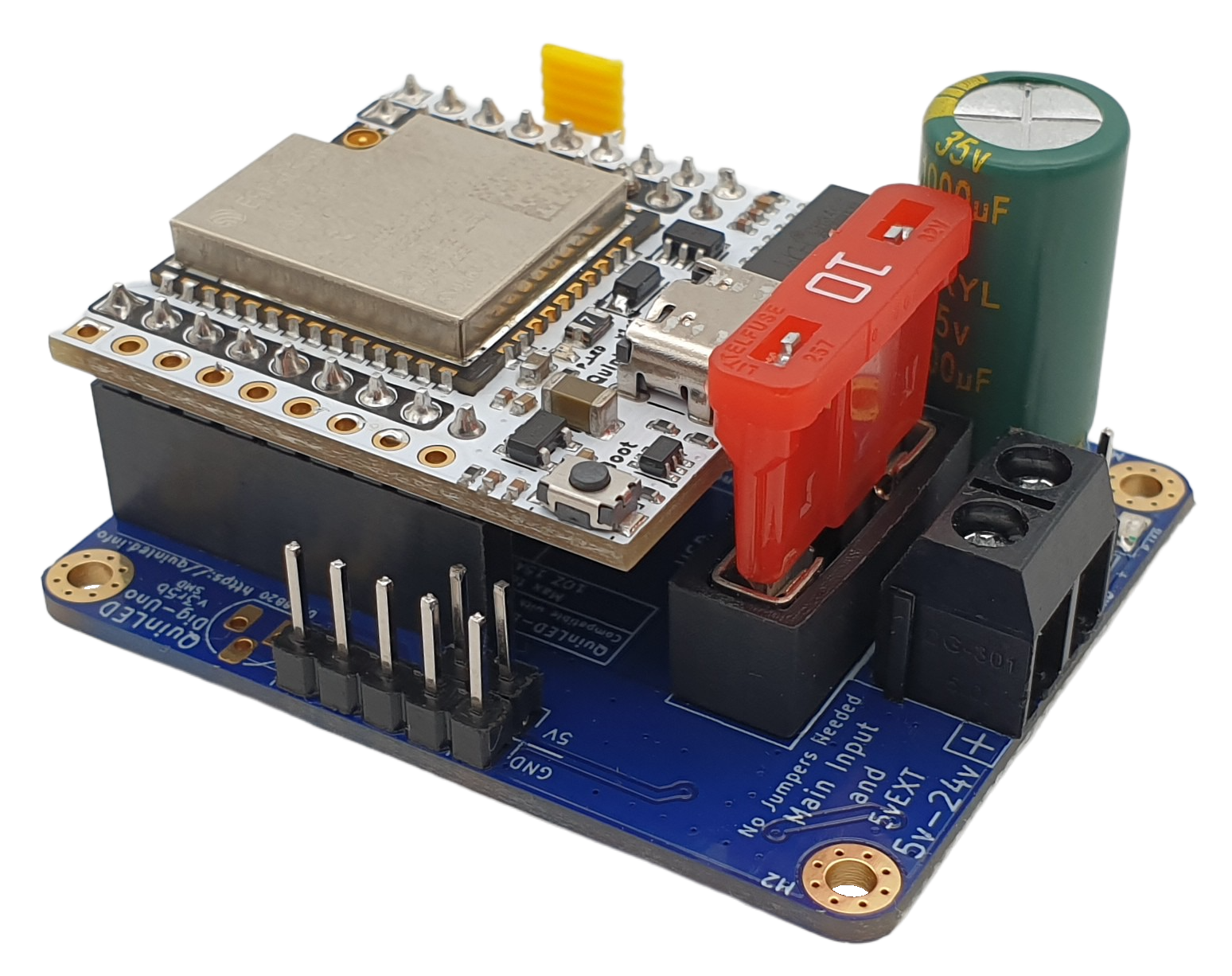
QuinLED-Dig-Uno Back to Addressable LEDs section The QuinLED-Dig-Uno is a Digital LED controller which uses an ESP32 to control Digitally Addressable LED strips but adds a lot of features in a very compact form factor such as screw input and output terminals, high board power handling, onboard fuse, reverse polarity protection circuit, level-shi...
hallow lance
If the DIY route is wanted. If you want an off-the-shelf solution, I would go with something with an open standard, like Zigbee. No WiFi Tuya stuff, for example.
fringe hemlock
hallow lance
If the DIY route is wanted. If you want an off-the-shelf solution, I would go wi...
wdym "wanted" – @heavy minnow wants to be one of us (one of us, one of us, one of us!)
but honestly what solutions are there with Zigbee? Now I'm curious
trail fractal
Also if you want to do longer runs, use a higher voltage strip, not 5v, it'll reduce the number of power injection points you need and the amount of current you're working with
Less current== safer
fringe hemlock
trail fractal
Also if you want to do longer runs, use a higher voltage strip, not 5v, it'll re...
what 12V addressable with 144 led/m are recommended?
but honestly ... I never ran out of power for 5V strips
hallow lance
fringe hemlock
but honestly what solutions are there with Zigbee? Now I'm curious
Hue or IKEA are using Zigbee for their lightstrips, for example.
And if it is a WiFi one, I would prefer one with a local API, compatible to HA.
fringe hemlock
before that happens you already setup another esp32
fringe hemlock
hallow lance
Hue or IKEA are using Zigbee for their lightstrips, for example.
And if it is a ...
hmh IKEA stuff not bad; but I'm too spoiled already 😄
I'd buy the new power plugs tho!
trail fractal
fringe hemlock
what 12V addressable with 144 led/m are recommended?
https://a.co/d/6hvXbF6 is the 24v one I'll be using for my under cabinet lighting in the kitchen

BTF-LIGHTING FCOB WS2814 IC RGBW 4000K COB LED Strip UL Listed Flexible High Density Uniform Chasing Color Light 16.4FT DC24V 784LED/m 14IC/m 10mm Width for Home Indoor Decor(No Adapter or Controller)
fringe hemlock
trail fractal
https://a.co/d/6hvXbF6 is the 24v one I'll be using for my under cabinet lightin...
damn those look fantastic!
trail fractal
784/m but they aren't individually addresses, only in groups of 6 (iirc)
hallow lance
I have one of IKEAs lightstrips somewhere in a drawer, but never tested how good they are.
trail fractal
Also they have a solid cri value
fringe hemlock
trail fractal
784/m but they aren't individually addresses, only in groups of 6 (iirc)
oh... do you have a picture or something?
so those are 1,75mm LED strips?
how else 768leds/m
trail fractal
I just have a ws2812 setup on my stairs right now for larger setups, it has 2 injection points and I 3d printed the clips to route the power wire along side it

 trail fractal
I've also made a few very small setups that needed no injection points with the 2812 and the sk6812 (for the rgbw good white light of it)
The 24v cabinet lighting is waiting on the funny money to be available for it (since right now that'll mostly be going to Xmas)
 fringe hemlock
by looking at this pic .. I'm not sure if I should get the strip with white added since it reduces the color led density...
 trail fractal
These bad boys are going up next
fringe hemlock
trail fractal
haha my friends always mock me for these
they somehow don't like the diffusors ^^I like them
trail fractal
The diffusers are what got them the waf stamp of approval (also they look like dragon eggs so are pretty cool)
Lol
None of the other RGB fairy light style lights were approved, and I tried finding lots of different ones
fringe hemlock
trail fractal
None of the other RGB fairy light style lights were approved, and I tried findin...
haha like what kind of?
one day I find out how to make my own beautiful custom diffusors ... maybe with 3d printing and lots of sanding
trail fractal
Those without the diffusers, the really tiny ones https://www.btf-lighting.com/collections/ws2812b-string-5v/products/usb-rgb-led-pixels-string-christmas-lights-2m-5m-10m-rf-21keys-controller-ws2812b-ic-addressable-individually-light-10-leds-m-5v
BTF-LIGHTING
Shipping Policy Notice: Customers should take care of the clearance and customs duties. Brand Name: BTF-LIGHTING Origin: CN(Origin) Strip type: LED String Average Life (hrs): 50000 Item Type: Strip Voltage: 5V Power Source: DC


 fringe hemlock
like a glitched out cable channel with platonic geometries etc.
trail fractal
fringe hemlock
one day I find out how to make my own beautiful custom diffusors ... maybe with ...
3d printing and an exacto knife, I didn't need them to be perfectly smooth but they had lots of stringy bits I wanted cleaned off
fringe hemlock
trail fractal
Those without the diffusers, the really tiny ones https://www.btf-lighting.com/c...
ah well those look great if you mount a tree branch to the wall and then mount those to it
wanted to buy similar on temu recently – glad you posted these now 😄
trail fractal
Btf lighting are solid and available on Amazon and ali express
trail fractal
I just avoid temu and pretend like it doesn't exist, AliExpress has all I want
fringe hemlock
trail fractal
I just avoid temu and pretend like it doesn't exist, AliExpress has all I want
haha man so much great stuff on TEMU
it's for decoration stuff 100x better than aliexpress
like cheap prisms ... dichroic ... crystals ... oh god I looove TEMU 😄
still gotta open my last temu order
trail fractal
I just get all sorts of odd electronics from Ali Express, lots of esps, sensors, LEDs, and other components
fringe hemlock
yeah Temu is more for the interior design of your flat
sturdy lynx
trail fractal
Those without the diffusers, the really tiny ones https://www.btf-lighting.com/c...
These suck
trail fractal
sturdy lynx
These suck
Well they had no waf too
sturdy lynx
They’re cool for like leds in a bottle and that’s about it
fringe hemlock
sturdy lynx
They’re cool for like leds in a bottle and that’s about it
yeah effect light – but you can get cool effects with WLED when you let them blink in patterns


 fringe hemlock
dayum
30 minutes of high adrenaline / dopamine when you get a TEMU order 😄 so much great stuff
sharp pulsar
fringe hemlock
30 minutes of high adrenaline / dopamine when you get a TEMU order 😄 so much gr...
TEMU order 😄 so much great stuff
this seems like a mutually exclusive comment that's not possible
Am I missing out?
fringe hemlock
sharp pulsar
Am I missing out?
yup, it's basically Amazon without the hefty pricetag for shiny stuff 😄
sharp pulsar
what was in your last order, CONVINCE ME!
I've heard nothing but bad things about temu
(word of mouth)
I could also have dipshit friends
fringe hemlock
sharp pulsar
what was in your last order, CONVINCE ME!
https://www.temu.com/goods.html?_bg_fs=1&goods_id=601099698490818 my fav from this order (also in different finishes)
or prisms like these https://www.temu.com/goods.html?_bg_fs=1&goods_id=601099549628578
hallow lance
Does that lay eggs?
fringe hemlock
if you click on one item you like .. there are spawning like 10 products you like as well – they figured out how to make an actually working recommendation algo imho
heavy minnow
@hallow lance @fringe hemlock
Sorry for that late response i was at work 😄
I was planning to get into WLED yeah. And I think there ESP should work just fine. What ive seen so far it doesnt have much delay compared to zigbee strips right?
hallow lance
I have no DIY strips. So I cannot compare.
meager quail
I have no noticeable delay with my wled DIY strips
or wifi strips from off the shelf options
heavy minnow
trail fractal
Also if you want to do longer runs, use a higher voltage strip, not 5v, it'll re...
Thats a good tip. If i estimate right it should be like around 15 Meters. Maybe 10. Do you have a tip what voltage to use for that?
heavy minnow
meager quail
I have no noticeable delay with my wled DIY strips
Alright good to know.
heavy minnow
meager quail
depends on how many LEDs/m you have
Well I kinda need to go the "budget" round. (still dooing a aprentice ship :D) So prolly 60 LED/m
meager quail
I'd go https://discord.gg/MN3eaxwY for really specific recommendations. As an example I'm using ~2x 5m 5v strips running in parallel. they are 60led/m. No injection and no issues.
heavy minnow
Copy thank you ^^
meager quail
But you're running really long distances, so you can either do 5v strips with more power injection. Or 12v/24v with less.
 karmic matrix
 trail fractal
Yeah go to the wled discord, they know their stuff far better than I do
 frank raven
what's everyones go to for switching a pool pump on and off?
could I just run the 240v through a shelly 4pro? or do I need a real contactor?
teal anchor
You are running pump motors. I would use a contactor rated for inductive (motor) loads.
frank raven
Thats what I was thinking too. I'm not sure if/how i could get power monitoring as well on that.
I guess the shelly EM would work. Let me see if they have a wired version
 graceful dove
has anyone come across any projects involving connecting an ESP32 to a generic PID controller? i'd like to send temperature output to home assistant for viewing and perhaps integrate an on/off relay instead of using a smart plug. To be specific, I use this on my espresso machine
 frank raven
why not implement the PID controller on the ESP32?
meager quail
has anyone modded a Dyson stick vac (v7 specifically) to use tool batteries? I'd love to be able to use the "MAX" feature for longer than the ~20 minutes the stock battery allows for.
native valve
I'm not sure what terms to google for this - I have this
action: climate.turn_{{ trigger.to_state.state }}
target:
  entity_id: climate.sinope_thermostat_kitchen
but I want
action: climate.turn_{{ trigger.to_state.state }}
target:
  entity_id: climate.sinope_thermostat_{{ trigger.entity.location }}
is this a template? am I looking for a list of template variables?
heavy minnow
Eyo Guys. I run my HA on a Dell Optiplex. Is it right that I can just use this
dongle and it will enable my HA zo receive Zigbee?https://www.amazon.de/SONOFF-Gateway-CC2652P-Assistant-Zigbee2MQTT/dp/B09KXTCMSC

Benutzer können ZigBee-Untergeräte über dieses Gerät und die Smart-Home-Plattform hinzufügen und verwalten, indem sie den ZigBee 3.0 USB-Dongle Plus an einen PC oder Raspberry Pi anschließen und entsprechend konfigurieren, um die Kommunikation zwischen Geräten zu erreichen, die mit der Plattform ...
tight mango
There are better sticks than that
The Sonoff E, for example, or anything by SMLight or Tube
raven sage
anyways, it looks like nanoleaf has rolled out their updated app and firmware for the sense+ switch launch, with devices shipping before december… unless there's more delays. Pity they don't seem as useful as I was hoping for home assistant users. They have a proprietary protocol so the sense+ switch can only control nanoleaf devices, and matter support doesn't seem to be in a usable state at launch.
hallow lance
Nanoleaf - didn't they announce they would stop using Thread?
raven sage
no, nothing like that. they made a non-thread matter product for walmart because they didn't think the walmart market could deal with thread only products.
but it does seem like they ended up doing some sort of proprietary "nanoleaf litewave" protocol for the switch to control the bulbs, and i have no idea what's up with that. doesn't seem to be thread :/
if you want a thread-connected matter switch+motion sensor+light sensor to connect to home assistant and automate/control non-nanoleaf or mixed nanoleaf and non-nanoleaf devices, it doesn't seem like this is the device for you. At least not as it's being sold at launch :/
hallow lance
At moment I'm just interested in some Thread window handles with lock. But they are expensive and would have no mesh to connect to.
raven sage
yeah, there really aren't a whole lot of matter devices which are routing eligible thread devices available atm. nanoleaf bulbs, eve smart plugs, maybe a couple other smart plugs?
the inovelli dimmer probably routes too.
 forest bison
raven sage
anyways, it looks like nanoleaf has rolled out their updated app and firmware fo...
forest bison
raven sage
anyways, it looks like nanoleaf has rolled out their updated app and firmware fo...
I just got a couple of sense+ switches delivered today (even though I cancelled the order 🤷). I'm going to poke around with them to see if I can find out what the protocol is
raven sage
I've heard from an inside source (that I'm uncertain of the reliability of) that the proprietary protocol might be based on zigbee light link, and i'm pretty sure it is running on the 802.15.4 radios.
interestingly, since it's supposed to work with the wifi bulbs, that probably means that the wifi bulbs also have an 802.15.4 radio in them.
raven sage
in the docs for the Sense+ switch they say that the "matter early access" will only provide access to the two side buttons, not any of the other functionality.
raven sage
Also, something annoying - the 4.1.0 firmware on nanoleaf essentials lights has incorrect behaviour for the LevelControl cluster "OnLevel" attribute (which is exposed by HA's Matter integration)
that attribute is intended for user configuration of the level the light should turn on at, and the default is supposed to be "null" (light turns on at same level as it was at when last turned off). Nanoleaf is incorrectly writing CurrentLevel to OnLevel when the bulb turns off, overwriting the user setting. Also their firmware breaks if you set the attribute to NULL :/
 thick mango
raven sage
in the docs for the Sense+ switch they say that the "matter early access" will o...
thick mango
raven sage
in the docs for the Sense+ switch they say that the "matter early access" will o...
Matter is a big failure so far
indigo pine
side question, but I am trying to setup house humidity and I can't make it work.
What is your % humidity in house? Everywhere I read it should be 40-60%, but it is impossible to achieve lower, than 62% in house even with 520m3 / h air changing after 3 hours... Is it normal or I have magic house?
hallow lance
My rooms are at 44-52.5% at moment
indigo pine
hallow lance
My rooms are at 44-52.5% at moment
how.... Do you live in hot climate ?
hallow lance
To lower it, the humidity has to be removed (dehumidifyer) or the outside air has to have a lower absolute humidity.
indigo pine
yes on paper it should work, but in practice it doesn't
hallow lance
indigo pine
how.... Do you live in hot climate ?
No. It's 7.2 C/45F with 79% humidity outside.
The hotter it is, the harder it is to lower the humidity
indigo pine
I was trying this with for example 8C / 77% to 21C which should be 33%. After 3 hours I achieved 63% in house. 520 m3 / h - it blow up fire from 0,5m... this is extreme flow of air.
it is flow of air in ventilator for industry, not for house
Any hints the the hell is wrong with the house? I bought it not a long ago
Do you use mechanical ventilator to lower humidity?
indigo pine
but 45-50% in your house, how long you keep them open?
hallow lance
10 minutes from time to time
indigo pine
wall should be fine, it took months from painting etc. house stand around 2 years
ah I know what can make it different
do you have 0 floor and 1st floor? (2 levels)
I think floor can differ a lot with humidity
like 10-20% from my fast mesurment
hallow lance
I live in an apartement on the 2nd floor
indigo pine
Do you know why humidity on higher floor is so much higher?
or rather how to deal with it
hallow lance
Warm (more humid) air rises
indigo pine
yes, but with 520m3 / h after 3 hours can't get lower, than 63%. I have to buy more humid sensor to get conclusions 🤔
hallow lance
I would try to increase heating to get the water bound into the air and exchange the air from time to time with short but massive ventilating.
indigo pine
it will be too hot
it is set to 21C
but great to know it is possible to keep 45-50% in similar conditions (humidity and C outside)
How often do you open windows?
hallow lance
After sleeping, after showering and from time to time when I feel the need for some fresh air.
indigo pine
hmm I don't understand what is wrong with my house, on paper I should have what you have and even better with such flow of air
hallow lance
My livingroom is at 19C and 46.4%. If I would turn on the hearing to 21C, the humidity would be even lower.
indigo pine
magic
hallow lance
I would guess, it's humidity stored in the walls in your case.
indigo pine
But from what I know all neighbors (the same developer and type of building) have the same issue and nobody can solve it 🙂
indigo pine
hallow lance
I would guess, it's humidity stored in the walls in your case.
after so long time?
hallow lance
If the walls are wet due to construction issues - maybe.
indigo pine
the issue will be very well hidden, because there is nothing showing any sings of wet in walls
thank you for sharing all this info
it is helpful
winter pollen
so the shelly uni is an interesting little doodad
kind of a bit of misinformation of it's marketing tho for what they list as intended purpose and the abilities in the UI
indigo pine
What is recommended resolution for the best effect for detection (for example face) in front of the house? Or rather should I take care about specific parameters?
context: to make it work with for example Frigate
what angle?
indigo pine
I have started topic here #1307779812428877935 message
indigo pine
How is it called in english controller to regulate speed of vent like below?
https://ventilation-system.com/product/tt-160/
Does device like http://old.ventilation-system.com/cat/rs-1-300/ work the same as LED dimmer? I am asking here if device for fan control and LED dimmer have the same output for V and A. If it is the same output, then it simplify searching. If different otuput and vent will get incorrect input, then I will not risk.
Can you recommend what kind of device I should use? The best will be something for wi-fi.
 thorny owl
Hey everyone — just a quick question on voice assistants. I want to build a Jarvis “gum stick” device without a speaker. I’ve got Sonos in every room and would want hass to output the audio to that instead. Any reason why it wouldn’t work?
tight mango
#1284966915055288530 can probably better answer that