#bluetooth-archived
1 messages · Page 2 of 1
 fringe field
Bluetoothd runs on the host and is accessed over the socket
If you ls -lart that folder on host and container do you get same output? (Socket should have same date etc)
 random raven
No the socket is missing of course :/
fringe field
I share /var/run/dbus to /var/run/dbus is one thing
random raven
So change to /var/run/dbus:/var/run/dbus?
fringe field
Yeah
fringe field
And it’s stock docker ? Not podman or crio or kubernetes
random raven
No it's a build for the z83-4 with some monkeying with gnome so any desk would work
Chinese low power computer
fringe field
Is the socket file there on the host but missing in the container?
fringe field
Yeah
random raven
With both mappings it wouldn't pass through though
fringe field
And you are using bind mounts?
random raven
-volumes in compose with no flags so I don't think so?
fringe field
Can you show me your compose file
random raven
homeassistant:
container_name: homeassistant
image: "ghcr.io/home-assistant/home-assistant:stable"
volumes:
- /home/Dev/Docker/homeassistant:/config
- /etc/localtime:/etc/localtime:ro
- /home/Dev/Docker/SWAG:/ssl/:ro
- /var/run/dbus:/var/run/dbus:ro
restart: unless-stopped
privileged: true
network_mode: "host"
ports:
fringe field
And the other bind mounts work?
random raven
They seem to?
fringe field
And do you apply changes with docker-compose or portainer?
random raven
Portainer, maybe I need to re compose the whole thing
It's been a while since I've had to make container changes
fringe field
If you “docker inspect” the container can you see the dbus mount with the ones that are working
random raven
No
Must not be composing right doy. I'll have to try it again in the morning
Thanks!
 shrewd dragon
Hey, I got a question....
I installed Home Assistant OS in Proxmox and everything ist working fine so far. I want to add a ThermoPro TP357 and have already passed through my USB dongle from Ugreen to the VM. When is type bluetoothctl list in the Home Assistant terminal I get the MAC of my USB Dongle. Where to go from here? How can I add and read the TP357 sensor?
There seems to be an Integration built in to Home Assistant for ThermoPro devices but it only says that no devices are on the network.
Any help will be greatly appreciated 👍
fringe field
Do you see a Bluetooth integration in your HA?
shrewd dragon
Yes, but it seems to be my Bluetooth Dongle
I can select "use passive scanning"
It is also the one coming up under bluetoothctl
fringe field
That’s expected
I just wanted to check HA could see your dongle
You probably want to leave it on the default settings (more devices found with default)
shrewd dragon
Okay, so no passive scanning xD
fringe field
So it should just be detected AIUI
So if it’s not then it’s probably either range, interference or dongle compatibility
Is it a dongle from the high performance list in the docs?
shrewd dragon
The dongle is from the supported tab, not high speed
But supported
It's a UGREEN CM390
What do you mean with AIUI?
fringe field
As I understand it
Do you know if it uses a Realtek chipset?
Hmm looks like it is
Unfortunate
The Realtek ones are very crashy
They just stop processing advertisements randomly
shrewd dragon
Hm ok, that's very unfortunate...
fringe field
HA has a auto recovery thing which should restart it automatically
Possible the extra vm layer is making that not work?
shrewd dragon
So you don't think it's a configuration issue? Just a bad dongle
fringe field
(It works by triggering a usb reset)
shrewd dragon
I was thinking about that too, but then it probably wouldn't show up in bluetoothctl
fringe field
Oh no it would
I used to have a realtek dongle
It looked like it was working
But only some of my devices were visible
Weirdly it could see my tv and my neighbours watch but nothing else
Unplugging it and plugging it back in can help on bare metal
But that might upset the passthrough
Anyway, the dongle might not be the /only/ problem but it’s almost certainly /a/ problem
If you send the diagnostic download for the Bluetooth integration I can see if anything pops out
Or you can turn on debugging for it and see if it sees any events
Or you can do “scan on” inside Bluetoothctl and see if it sees anything
fringe field
When I do “scan on” I get a stream of data, it’s quite fast. Though I have a lot of Bluetooth stuff (laptop, phone, tablet, headphones, mouse, etc). But with a Realtek I’d see a couple of things and then it would just stop dead.
shrewd dragon
I will try to find something when I get home and then I will come back to you
Thank you very much 👍
 simple meteor
Hi, do you think an ESP32 LILYGO TTGO T-Display (http://www.lilygo.cn/prod_view.aspx?Id=1126) can work as a BT-Proxy AND a display for some sensors in HA?
fringe field
So in general it’s not the volume of sensors you plan to use it’s the volume of sensors that there are. The proxy has to process them all even if they turn out to be uninteresting.
And WiFi is going to cost you a fair bit of Bluetooth ability because the radio is shared
(I have WiFi proxies, but they are dedicated)
(The range is also like maybe 1 room without an antenna)
simple meteor
That makes sense, thanks. I should be getting the board tomorrow, and see if I first can get it to work (I don't know if the two would even compile) , and then if it does, how well it works as a BT proxy.
 oblique oak
We are working on coalescing the bluetooth advertisements into a single api message for esphome since they are read 16 at a time. It should reduce the time the wifi being used to send data. It might be a few weeks/months before we get it implemented.
 tender solar
Hi folks, tried adding bluetooth dongle today to me HASS instance and while debug logs dont show any errors, I am unable to add m Switchbot devices. Any suggestions?
Looks like I cannot share the Debug log text file
Using UGreen 5.0 dongle
Logs here - https://pastebin.com/p0BHxVqd
fringe field
That doesn't look like its on the list of supported devices, or the list of barely supported devices. do you know what kind of chip it has? has it worked with any linux?
looks like RTL8761BUV maybe?
realtek devices are prone to crashing, so that might be why things aren't working for you
 simple acorn
Shelly plus plug S arriving today. Can we use as BT proxy out of the box? (Esp32 inside)
fringe field
yes but no
iirc it doesn't support 2-way on the Shelly firmware
only broadcasts
also depends on how old the stock is - old fimware wont be enough
i defer to everyone else on whether there are any shelly esp-32 products that havent had the firmware update
simple meteor
I have a Shelly and the BT proxy option is enabled not sure if it's actually being used though but it is enabled.
simple acorn
please remind me what BT strategy we need: active or passive. The description is not very helpful (to me), in both setting is will request data of devices bearby..?
fringe field
so there are 4 common ways to get data out of your bluetooth devices
"passive scanning" involves no connection to devices. its just sniffing "advertisement" frames that are in range
"active scanning" is basically the same, but HA also broadcasts a beacon that announces its listening. this is not the same as making a bluetooth connection.
some devices won't send advertisements without this beacon
the 3rd option is confusing because its also called active - "active connection" means actually doing a handshake, enumerating values on teh device and polling them once every X seconds. this has less range than the previous 2.
and because it involves a "proper" connection it is far heavier on your battery
simple meteor
I have everything active and passive (7 BT proxies), it works for me. It may drain devices battery faster
simple acorn
the settings only offer 2 modes (well, 3, if you include 'off'...)
fringe field
yeah
so i wanted to explain a bit more because people confuse active scanning and active connections
passive scanning involves an experimental bluez feature
(when using bluetooth dongle)
i use active
i've not had any problem with battery life
some devices won't work with passive at all (i think inkbird don't)
simple acorn
my usecase: usb dongle (one of the fast types), several battery powered hum/temp devices, and 2 CO sensors, that are most critical. guess I would need to try active first, and see what gives
fringe field
basically, passive mode risks making things not work for a theoretical but completely unproven battery improvement
simple acorn
we dont have a way/dashboard to tell which device connects to which BT proxy yet dont we?
fringe field
not afaik
i remember you have some HomeKit BLE devices, they won't work with the shelly FWIW
simple acorn
(why is that?) I do have the BT dongle, and some true (olimex/m5stack) BT proxies
fringe field
because shelly supports active and passive scanning only, not active connections
as in, it can only listen not transmit
simple acorn
I see.. will try to bring the other devices closer in that case
fringe field
HomeKit does a cryptographic handshake that requires 2-way communication at startup, when it has a key it can get away with just listening.
You might find it does the handshake via a supported device, but then processes the advertisements via the shelly or something funky like that
but not ideal if the other proxies are on the edge of range
simple acorn
yes, I remember we tried to change all of that, reducing startup errors
can confirm btw that the one next to the BT dongle has -37dBm, the other more distant has -84.... and its practically next to this new Shelly..proving they're not talking to each other indeed
well, thanks! off for the night here, Ill experiment further tomorrow. appreciated the extra explanation in #bluetooth-archived message
oblique oak
If aiohomekit doesn't already accept advertisements from non-connectables when there are no connectables in range we could probably make that work
it would only work for sensors though
since everything else needs an active connection to control it
but I'm not sure its a good idea because you would have to bring a connectable in range every time the counter rolled over
and we already always dispatch to aiohomekit if there is any connectable in range of the device
simple acorn
moved the m5stack to the same room as the more distant CO sensor, and (after a manual reload of the Homekit accessory) it indeed has a better dBm now. Is it correct I had to manually reload the accessory? Also, do we need some extra settings in the esphome config regarding these active/passive connections?
oblique oak
you shouldn't have to manually reload but it will find it a lot faster if you do
also unrelated but fast protobuf should not be needed after 2023.4.5 as the lib should already come with the binaries
 median vigil
Is bluetooth speaker/mics supported in HASS yet?
oblique oak
nope. It might be something HAOS adds in the future but likely not core
 near igloo
Hi, I have a few philips hue Smart plug, that can be controlled from the phone app with bluetooth. How can one add them through bluetooth to a rasberry pi 4 running latest Homeassistant operating system ? (I don't have any additional bridge or other, I would like to connect through bluetooth to the plugs only). (Feel free to direct me to a better place to ask this questions if not here)
 sharp radish
I'm having an issue with bluetooth proxy and and one of my Level locks. I have two Level locks and a ESP32 proxy next to each one (1m away). One works great. When I try to unlock for example, The lock will actually unlock, the status in HA changes to "Unlocking..." but then it never updates to unlocked. After that point, the status will never update in HA and the lock is inoperable from HA. Here's what I see in the logs: https://hastebin.com/share/povubesawe.csharp That last error chunk just keeps repeating over and over
fringe field
sharp radish
I'm having an issue with bluetooth proxy and and one of my Level locks. I have ...
Have you tried restarting that proxy?
simple meteor
simple meteor
Hi, do you think an ESP32 LILYGO TTGO T-Display (http://www.lilygo.cn/prod_view....
Hi, I wanted to follow up on this.....so far is not working but wondering if it just requires some tweaking or if it will never work. The Lilygo TTGO display is an ESP32 variant. I installed BT proxy software on it, and it works well as a BT proxy. However, the moment I put even minimal display features on it, ie this https://esphome.io/components/display/st7789v.html, it compiles and flashes perfectly fine but it does not connect to Wifi with an error message of something about WiFi Improv Serial not available. So, it works fine as a display only, and a BT proxy only, but getting it to both, does not seem to work. I mean, even if its just says "Power On" does not even work, let alone reading a sensor from HA. So, is the problem that it does not want to share the WiFi?
Here's the yaml I had for the board: http://pastie.org/p/39wSYLVTZCX3TMt4UFVUCd
sharp radish
fringe field
Have you tried restarting that proxy?
Yeah, it's persisted through several versions of ESPHome too
 marsh tapir
When I run docker compose exec homeassistant bluetoothctl list it shows my bluetooth controller but, homeassistant still doesn't recognize it? Anyone know what the problem is?
fringe field
So you don’t have an integration for bluetooth showing up? And it’s not in the ignored list?
simple acorn
oblique oak
you shouldn't have to manually reload but it will find it a lot faster if you do
Could it be latest Esphome update borked the Bt proxy on M5stack? My reported progress above on the HomeKit co sensor has disappeared and the weak signal strength returned
It’s only 1.5 m away and showing -78dBm…
simple meteor
I have a switchbot in my shed controlling a device there. it's about 60 to 80 ft from the nearest BT Proxy so it was always a bit flaky in terms of operation because of the poor signal quality. But then I added a BT proxy in the shed, and Boom! that switchbot fires immediately now, everytime. Nice!
https://ibb.co/NFfjbZ9
fringe field
Nice
 shadow bison
Hey folks. I have a SwitchBot Blind Tilt that only responds to HA for a few seconds, seems to go to "sleep", and won't work again until I restart the bluetooth integration and then it works fine for about 10-20 seconds. Anywhere I could look to see what's happening or is there a bluetooth setting I could change?
marsh tapir
fringe field
So you don’t have an integration for bluetooth showing up? And it’s not in the i...
When I try to add the Bluetooth integration no controllers are recognized by the integration
fringe field
And it’s not in the ignored integrations list?
marsh tapir
Yeah there it is 🤦♂️
sharp radish
I keep getting this error in my HA logs: Failed to connect: No backend with an available connection slot that can reach address E0:4E:28:AA:2F:23 was found: The proxy/adapter is out of connection slots; Add additional proxies near this device but the thing is.... I only have 1 BT device (a lock).
Is there a failure where a slot gets allocated and then never closed?
fringe field
It means no connection slots in range
sharp radish
this is after a fresh restart of HA and the proxy
fringe field
So the connection is failing (possibly range) and there are no other slots to try from
sharp radish
I see, thanks. it's weird because the proxy is only 3ft from the lock
fringe field
Does your bt proxy have an external antennae?
sharp radish
no, it's just an ESP32 board (ESP-WROOM-32)
fringe field
Depending on the device there might be a signal strength sensor. It’s probably disabled by default. If you turn it on on the device page and then post a picture of the graph in a bit
sharp radish
thanks will do
sharp radish
fringe field
Depending on the device there might be a signal strength sensor. It’s probably d...
I used an extension cord and taped the proxy to the door so it was 3 inches from the lock. Works every time now. is the BT in the ESP board really that bad?
fringe field
sharp radish
I used an extension cord and taped the proxy to the door so it was 3 inches from...
depends on the board! but we definitely encourage external antennae and ethernet to get the best performance
(BLE and WiFi have to share a radio, and i mean "one at a time" sharing, ethernet avoids that)
sharp radish
if I turn on the "increase distance" mode of the lock, I am sitting at a signal strength of about -79 dBm... do you think thats "reliable"?
I can't use ethernet in the current location, but i think i might try an ESP-WROOM-32U with an antenna.
I also can't seem to find an ESP32 board that has both ethernet and external antenna... do you have a recommendation?
fringe field
sharp radish
if I turn on the "increase distance" mode of the lock, I am sitting at a signal ...
I guess they underpowered the radio transmissions to save battery? So reliable but you’ll have to replace the battery more in the best case.
sharp radish
Mostly I am biding my time waiting for Level to activate the Thread radio. I have many thread routers
fringe field
ah then its a whole different set of problems to work through 😆
we are getting there but its not been easy (https://github.com/home-assistant/operating-system/discussions/2333 is a fun read)
 west sorrel
Is there a known issue with the Bluetooth scanner failing to restart on Raspberry Pi? Or is my Pi broken? I recently got a couple of switchbot items (one bot and one sensor) but they won't stay available in HA for more than a few hours. Restarting the Pi makes them work again.
fringe field
Yeah
fringe field
west sorrel
Is there a known issue with the Bluetooth scanner failing to restart on Raspberr...
The auto recovery mechanism only works for USB devices where the RST pin is connected, or where the Bluetooth has only crashed “a bit” and toggling it via bluez is enough. The raspberry pi Bluetooth is connected by a dedicated serial port. So it can’t be reset. The only way to recover it after a hard failure is a reboot.
We’d probably suggest an external USB Bluetooth on an extension cable anyway (to minimise interference) and with an external antenna.
You’ll probably find that the Broadcom and CSR ones in the last don’t need the recovery feature, although they should support it more than pi onboard does.
west sorrel
The whole point of buying the Bluetooth kit was not to need another adaptor. 😂
west sorrel
Seems to be some suggestion on the v10 notes that going back to v9.5 might help, so trying that...
 rare fable
I just plugged in a recommended ZEXMTE bluetooth adapter, but when I try to add the bluetooth integration it shows 0 adapters found any idea? Running HAOS inside a VM on an ESXi host and the USB device has been passed through
fringe field
9 times out of 10 from that description it’s either (a) not supported by Linux or (b) it’s somehow marked as ignored in the integrations list
rare fable
I got this one a few months ago and just went around to get it all set up. https://www.amazon.com/dp/B09MZ8715D Reviews said it worked with HAOS "plug and play"
Seems like there may be an issue with HAOS v10 which I conveniently updated to before install this adapter, I'll mess with it later https://github.com/home-assistant/operating-system/issues/2485
 clear stratus
should i stay away from firmware updates for switchbot devices
worried about compatibility w bluetooth
 untold ermine
I constantly get this error in my logs:
bleak.exc.BleakError: No backend with an available connection slot that can reach address None was found
Any idea what could be up?
The BT integration seems to think it's working fine
fringe field
untold ermine
I constantly get this error in my logs:
```
bleak.exc.BleakError: No backend wit...
It just means something tried to connect to a device but couldn’t
Sometimes it’s a range issue, and the text is meant to guide you to build out more coverage
untold ermine
The device being my BT dongle or the device the dongle is trying to communicate with?
fringe field
Sometimes you have more devices than your setup can handle, and the text is meant to guide you to add more coverage. Crap Bluetooth dongles might only handle 1 or 2 devices at a time. “Good” is 5.
Unfortunately the same error could crop up if your dongle has just crashed. As in that case you also don’t have an endpoint in range of your Bluetooth device
untold ermine
I got the BT dongle that bdraco recommended and seems to use personally. Has an antenna and everything. It also complains about a BT device that's like 3 feet away and has line of sight
I also have an extender
fringe field
Well, that’s what the error is telling you. The connection failed, and there weren’t any other endpoints in range.
untold ermine
This error is like constant btw. First occurred: April 23, 2023 at 7:46:42 PM (2505 occurrences)
fringe field
Sometimes it’s not the performance of your dongle that’s the issue, it’s the performance of the sensor. Some locks default to a low power mode that only covers like 30cm
Oh yeah, HAOS 10 might be a factor.
untold ermine
No, this has been going on long before HAOS 10
It's Valve Index base stations that it's trying to communicate with btw. I have an app on my phone which is able to also control them and it's pretty reliable
fringe field
Shrug. Usually with Bluetooth I say “range”, the person I’m helping says no way, the person eventually moves the things next to each other and it starts working. But if you have already done that it might be worth raising a bug.
How many devices have you got connected to Bluetooth?
And is the dongle broadcom or CSR
untold ermine
Not sure what you mean by connected, but really just my two basestations
Otherwise I think I have the iBeacon integration enabled and maybe BT device tracker
fringe field
Sorry RL. Some Bluetooth devices need to maintain a connection. Sucks for battery life. But that means they hold a connection slot locked permanently and some dongles only have 2 connection slots.
Good device sends encrypted advertisements when something interesting happens. These are broadcasts to any device listening. These don’t require 2 way radio contact.
Crap devices open a 2 way connection, hold it open and subscribe to GATT values they are interested in. These connections are stateful and consume resources - terrible for battery and block your dongle doing other stuff.
So if you have lots of those devices or a few but a crap dongle you can end up with no connection slots even when everything is working as intended.
IBeacon and device tracker should be driven off advertisements so probably not in anyway affected
If your base stations have a signal strength sensor, turn it on. Even if the connection is solid (-70 should be fine), you might see gaps which could indicate the dongle crashing and recovering etc.
simple meteor
Hi, anybody know if an ESP32-S3 board can be used as a BT proxy? thanks
untold ermine
fringe field
And is the dongle broadcom or CSR
Sorry, missed this question, it's CSR I think? https://www.aliexpress.us/item/2255800893640297.html
untold ermine
fringe field
Sorry RL. Some Bluetooth devices need to maintain a connection. Sucks for batter...
Thanks that's all good info to know. The base stations are powered so battery doesn't matter there. It's possible they are trying to make a connection though?
 sonic sorrel
I'm trying to reverse engineer a ble connection - blinds that use smp pairing authentication.
I tried using Apple's PacketLogger tool, but I could only see the public keys for pairing and not the private keys. Any software that is recommended to try to get the smp keys?
fringe field
do you know what type of SMP keys it uses?
sonic sorrel
I think Long-Term Key/ Identity Resolving Key
 rancid swan
I am using some LD2410B bluetooth presence sensors, but they drop out after a while. The Hi-Link phone app still sees them, and a HA restart makes them appear again. How would I troubleshoot this?
shadow bison
shadow bison
Hey folks. I have a SwitchBot Blind Tilt that only responds to HA for a few seco...
Just to close my own loop, issue was weak signal. Added an esp32 bt proxy and it works great now
 next shale
I recall this was the case before and wanted to confirm before digging ,is it still not possible to use a cheap Bluetooth speaker as media player with HA on Pi4?
 rustic void
cannot able to configure the Bluetooth properly I'm using Pi4 any one have any solution to fix the issue
 devout hearth
next shale
I recall this was the case before and wanted to confirm before digging ,is it s...
devout hearth
next shale
I recall this was the case before and wanted to confirm before digging ,is it s...
 solar perch
has anyone successfully set up a Xiaomi LYWSD03MMC with BThome and a bindkey?
i've populated the bindkey field, but i'm not getting prompted for a key when I connect it to HA
the documentation is in no way clear how to do this
Wow, ok so the key is not the EEP BindKey, it's the Mi Bind Key. And you have to tick the "Encrypted beacon" checkbox in the main config section.
Clear as mud.
 tranquil ermine
What's the case about this whole Bluetooth bug with version 10.x? My Xiaomi temp sensor losing connection after some time? Can I provide some logs. Directly in settings logs there is nothing, it's simply stop to receiving data.
fringe field
tranquil ermine
What's the case about this whole Bluetooth bug with version 10.x? My Xiaomi temp...
Your best bet is to track this bug report: https://github.com/home-assistant/operating-system/issues/2485
tranquil ermine
fringe field
Your best bet is to track this bug report: https://github.com/home-assistant/ope...
It's open for two weeks but when a solution will be available? How is working on it?
fringe field
All I know is on that ticket
It seems like the team can’t reproduce it
What Bluetooth adaptor do you use?
tranquil ermine
fringe field
It seems like the team can’t reproduce it
O that's a huge problem.
tranquil ermine
fringe field
What Bluetooth adaptor do you use?
Intel NUC build in.
fringe field
Are you able to try an external usb one? Ideally from the list of supported high performance devices on the site?
tranquil ermine
fringe field
(It might help the team if someone can provide a clue like “this device works and this one doesn’t”)
tranquil ermine
fringe field
(It might help the team if someone can provide a clue like “this device works an...
Maybe some old Bluetooth 4.x adapter or even 3 if I'm looking. But it's sounds not high performance. Has this blue stick from the home Assistent team Bluetooth?
tranquil ermine
fringe field
Are you able to try an external usb one? Ideally from the list of supported high...
Where's the list?
fringe field
Not afaik, just zigbee and thread
Really any device you’ve got is worth testing but broadcom and CSR tend to work better, if you used a Realtek one they crash constantly anyway even without haos 10 so not a useful test
tranquil ermine
fringe field
Really any device you’ve got is worth testing but broadcom and CSR tend to work ...
High performance sounds only expensive but there are cheap looking 10€ adapters in the list.
fringe field
Yes high performance sounds impressive but the reality is there are a lot of Bluetooth dongles that are expensive trash
And cheap ones that work fine
If you read the page it will explain the testing methodology
tranquil ermine
@fringe field
Logger: homeassistant.config_entries
Source: config_entries.py:1242
First occurred: 00:15:48 (2 occurrences)
Last logged: 00:16:11
Config entry '00:15:83:40:93:F0' for bluetooth integration not ready yet: hci0 (00:15:83:40:93:F0): Failed to start Bluetooth: [org.bluez.Error.InProgress] Operation already in progress; Retrying in background
tranquil ermine
I ordered a SABRENT BT-UB40 (CSR8510A10) , sounds useful to have a official tested adapter at least as backup. Thats's the only from the list what is still orderable.
 karmic coyote
hello when i use the bluetooth integration is says no adapters found
clear stratus
karmic coyote
hello when i use the bluetooth integration is says no adapters found
what kind of adapter do you have, and how are you running ha
karmic coyote
clear stratus
what kind of adapter do you have, and how are you running ha
virtual box
karmic coyote
clear stratus
what kind of adapter do you have, and how are you running ha
no adapter thought it would connect with bluetooth on
clear stratus
where are you getting your bluetooth from if you dont have an adapter
karmic coyote
the ha is running on some laptop\
clear stratus
more than likely the usb on the card in your computer wont work through virtualbox
at any rate, you ahve to physically mount any adapters in virtualbox settings
you can do it for usb device, i dont think you can for pcie devices on vbox
https://www.home-assistant.io/integrations/bluetooth/#known-working-high-performance-adapters list of ad ap ters here
makes me woner why i didnt pick mine from the high performance list when i did but, oh well...what can you do
dont make my mistake lmao, there are cheap high performance ones
 frail tangle
Is there any way to connect bluetooth speakers to haos
And play media on them via vlc just like a usb speaker
The server im running haos has a bluetooth card
frail tangle
oh
 tawny kelp
Hi - does anybody knows something about the new shelly ble button? I got battery only - nothing else - is an update planed or maybe my false? 🫣
tawny kelp
Ok find it https://github.com/home-assistant/core/pull/91691 ^^
 unborn trail
Are there any Home Assistant bluetooth proxies that allow me to install the software on a Raspberry Pi 3-4 to increase the Bluetooth range like the ESP solution does?
fringe field
Not really easily
One thing that should work is usbip, which is a driver for making a remote usb device available locally
But there’s no ui built around that, and you are on your own setting it up.
unborn trail
Got it, thank you @fringe field. I'll look into that but I ended up buying 5x esp32-poes. That seems like the most integrated route
tranquil ermine
@fringe field new adapter is working perfect
fringe field
tranquil ermine
<@245932454391709696> new adapter is working perfect
It might be worth posting about that in https://github.com/home-assistant/operating-system/issues/2485 (tell them which adapter stopped working with haos 10 and which one works)
tranquil ermine
fringe field
It might be worth posting about that in https://github.com/home-assistant/operat...
I need still to figure out the right name of the adapter
 harsh egret
Do integrations have a specific log? I am trying to figure out why one of my integrations sensors have all become unavailable (Govee Bluetooth)? They are still reporting in the Govee App.
 true holly
@harsh egret - Been having issues w/my 4 Xiaomi Bluetooth Temp Sensors since 2923.5.0... Was hoping the 2023.5.1, maybe a little. Seems restart of HA fixes it for a few hours
harsh egret
I was actually able to revert to 9.5 and my BT stuff is working now. I believe whatever is causing https://github.com/home-assistant/operating-system/issues/2485 is related to be govee's not working
 forest quiver
Hi y’all. I just added a Bluetooth esp32 Proxy. I have a Switchbot that I have integrated before. Is there a way to get it to communicate through the esp32 instead?
fringe field
It will use it automatically if it’s got the best signal
 hidden oasis
Hello everyone. I would like to ask if there is a possibility to integrate Elgato Eve Energy plug to HA via Bluetooth. It's the old one . I just switched to android device and sold my Apple tv. Here the product
Elgato Eve Energy (x2 Set) - Sensore di Corrente ed Interruttore Wireless, Abilitato Apple HomeKit, Bluetooth Low Energy https://amzn.eu/d/6bmlfOT
Thank you so much for all your replies
fringe field
Yes
Well, if you are lucky
My pre-thread one works fine but not everyone has good enough Bluetooth
It should also work with esp32 Bluetooth proxies to get more range if needed
If that doesn’t work and you could get temporary access to a iOS device, the eve extend also works. That’s how my smoke alarm is connected to HA.
fringe field
We don’t have a list of well tested devices but ones that have Ethernet and external antennas are best - some of the smaller modules have really poor reception, and the radio is shared between WiFi and Bluetooth which can cause you to lose packets.
https://www.olimex.com/Products/IoT/ESP32/ESP32-POE/open-source-hardware - the EA variant is suggested a lot
simple meteor
Hi, does anyone know if the new Shelly BLU Button 1 also acts as an iBeacon?
product says it "Uses BLE technology"
 marsh quarry
Is there any options for bluetooth proxy on 8266 or only ESP32?
simple meteor
Does an 8266 even have Bluetooth?
fringe field
marsh quarry
Is there any options for bluetooth proxy on 8266 or only ESP32?
Only ESP32
 strange silo
If I add a Bluetooth proxy, do I need to remove and rediscover devices or does it work like a mesh WiFi network with devices connecting to the strongest/nearest?
Any recommendations for an ethernet but non-PoE version from Olimex please? The ESP32-Gateway-EA?
Or stick with the ESP-PoE and use USB to power? (I don't want to use a PoE injector due to location of install)
fringe field
strange silo
If I add a Bluetooth proxy, do I need to remove and rediscover devices or does i...
It uses the strongest, and falls back if the strongest is ever unavailable
Sorry can't make hardware rec's. Sounds like it would work, but i haven't seen anyone talk about it before
oblique oak
strange silo
Any recommendations for an ethernet but non-PoE version from Olimex please? The ...
I use a lot of the ESP32-EVB-EA-IND https://www.olimex.com/Products/IoT/ESP32/ESP32-EVB/open-source-hardware for proxies. Good results but they use more power
they also make a case for them https://www.olimex.com/Products/IoT/ESP32/BOX-ESP32-EVB-EA/
You probably don't need the -IND but I use them in tougher climates where the -IND versions have shown to be more reliable
simple meteor
what kind of range do the ESP32-EVB-EA-IND have?
 foggy mango
Can I just use a esphome and make a Bluetooth proxy without having Bluetooth on the VM?
oblique oak
If it’s an esp32 yes
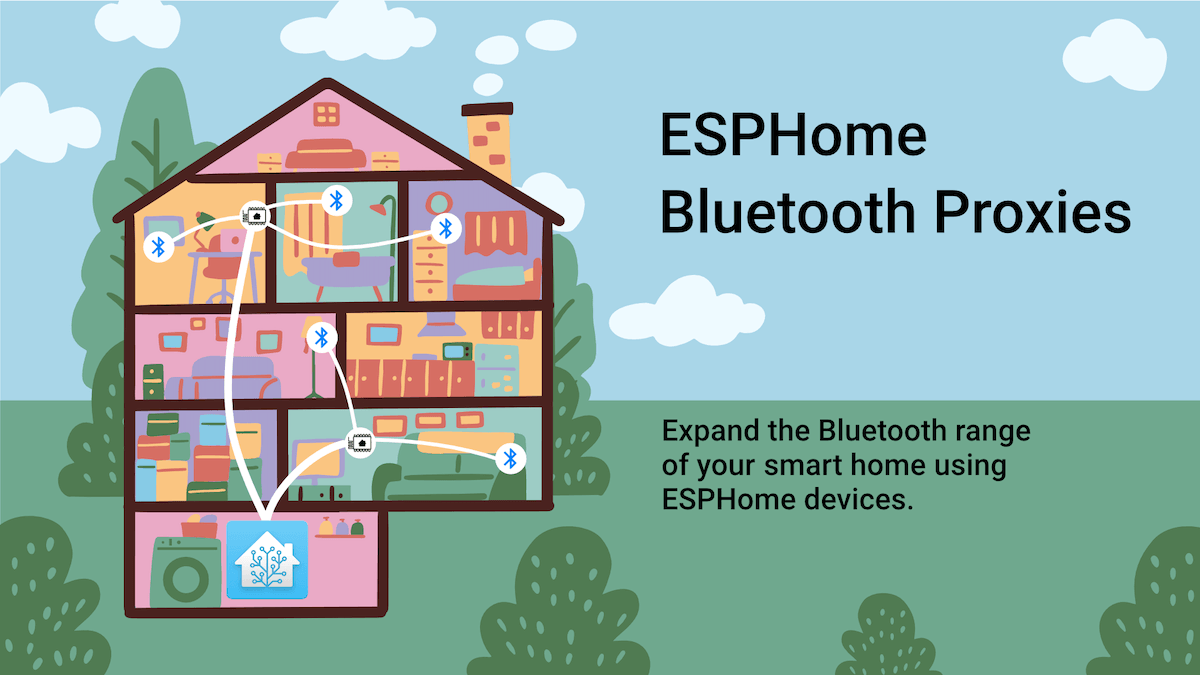
ESPHome Bluetooth Proxies
Expand the Bluetooth range of your smart home using ESPHome devices.
Or add to an existing one https://esphome.io/components/bluetooth_proxy.html
 grave perch
I feel as though this should be something I'm just overlooking in docs, but for the life of me, haven't been able to find the answer. If I have a HA install with no local BT adapter but a few Shelly devices acting as proxies, should this work with iBeacon tracker?
I do get data from my Aranet sensors via BLE. I don't seem to be getting anything from the BLE trackers. Not sure that I should; docs seem to point at Bluetooth being setup and working as a prereq.
At the same time, if that's a general prereq, I don't see how the Aranets would work either.
 gaunt flume
esp32 can only do listening as Bluetooth proxies I was wrong, esphome is capable of bidirectional ble, see: #bluetooth-archived message, if ibeacon trackers are only broadcasting I don't see why it cannot? Maybe set log level to debug and see whether there are ibeacon related logs?
 sage kestrel
grave perch
I feel as though this should be something I'm just overlooking in docs, but for ...
sage kestrel
grave perch
I feel as though this should be something I'm just overlooking in docs, but for ...
I don't know 100% for the shelly ones, but as soon as I setup BLE proxy on my esp32 the ibeacon thing popped up, you may have to try to install BT integration itself first, even if it says you have "no adaptors"
fringe field
gaunt flume
~~esp32 can only do listening as Bluetooth proxies~~ I was wrong, esphome is cap...
To be clear, esp32 with esphome is capable of bidirectional ble, can do everything a Bluetooth dongle can do. Only the Shelly fw has the limitation of listening only. Shouldn’t matter for iBeacon but just wanted to clarify in case false information spreads.
fringe field
sage kestrel
I don't know 100% for the shelly ones, but as soon as I setup BLE proxy on my es...
I don’t think you can install the Bluetooth Integration without a dongle - you actually install that integration for each dongle attached to your system. It needs an adapter name.
But shared Bluetooth services should come online regardless of whether you have a dongle or just esphome etc
fringe field
grave perch
I feel as though this should be something I'm just overlooking in docs, but for ...
If you have some sensors working with the BLE proxy support in Shelly, iBeacon should work unless they’ve tripped safety features in Ha. Some devices do weird things and were creating thousands of duplicate entities. So there is code to try and block them. The diagnostics download for your device might have clues. Otherwise we need debug logs.
grave perch
Thanks for the input, all of you. I’ll see if I can spin up a separate HA and do some clean testing.
 gray holly
i cant find one of my bluetooth temperture sensors i had it before in my old home assistant but in the new home assistant i have all the temperture sensors execpt for one
how can i add it in i have govee bluetooth temperture sensors
fringe field
what have you tried?
if the others work the most likely issues are things like the battery in the one thats missing or its too far away from your bluetooth dongle
 glacial turtle
Bluetooth: hci0: Failed to load Intel firmware file intel/ibt-0040-1050.sfi (-2) on Beelink S12 Pro OS 10.1, 10.0, and 9.5.
gaunt flume
glacial turtle
Bluetooth: hci0: Failed to load Intel firmware file intel/ibt-0040-1050.sfi (-2)...
glacial turtle
gaunt flume
Related? https://github.com/home-assistant/operating-system/issues/2535
I'm no expert. But in that issue only the last comment has a "Failed to load" so I lean toward "not the same".
 thorny wraith
I have some Switchbot bluetooth devices and the HA host has bluetooth. I'm running the Switchbot integration there, and the bluetooth devices near the HA host seem to work fine, but devices further away are spotty. Is there a way to extend the bluetooth coverage for HA? Like some sort of bluetooth repeater?
fringe field
thorny wraith
I have some Switchbot bluetooth devices and the HA host has bluetooth. I'm runn...
There are a couple of options mentioned in the docs.
Read the multiple adapters section or the remote adapters section
thorny wraith
How does having multiple adapters expand my coverage?
fringe field
It’s touched on in the docs, but the dongles don’t have to be in the same room, you can use usb over Ethernet, usb over ip or even just a long cable
gaunt flume
I'm recently researching bluetooth proxies as well, I can see recommendation is M5Stack Atom Lite from official esphome docs, I'm impressed by the overall build quality, ability to expand it with modules and a durable case however I run into Seeed Studio XIAO ESP32-C3 which comes with an external antenna: https://m.media-amazon.com/images/I/41aAv7b80cL.jpg I wonder if it will be a better choice given my application? Any suggestion appreciated.
 fringe field
In general external antennae worth it - range can be pretty low on some modules.
Ethernet is best - Bluetooth shares wifi radio and they can’t be both active at once, so it keeps switching between WiFi and ble. So you will probably miss transmissions with WiFi.
Active ble connection (polling or controlling) stops esp from processing passive data, so you might need multiple esps per zone
 rugged scaffold
I connected all my xiaomi Miflora / Flower BLE care sticks to an esphome esp when Bluetooth was a problem with home assistant some months/year ago.
Now i needed that esp and would want all the miflora devices back in, directly via home assistant.
How do I do that?
They don’t have a reset/pair button afaik?
fringe field
rugged scaffold
I connected all my xiaomi Miflora / Flower BLE care sticks to an esphome esp whe...
There’s no pairing with those devices, they just broadcast sensor values in the clear to anyone in range.
If your HA has a usable BLE stick that’s connected via extension and not in an accidental faraday cage then just having it in range of HA will cause it to make a “discovery” in the integration page.
If you don’t see that then either your BLE stick ain’t working or it’s out of range of your MiFlora
See the docs for strategies to increase range
 onyx tulip
upon a fresh install (x86) there are 2 integrations that popped up: default BT (hci0) and ibeacon tracker. Can someone tell me what the difference is between the two?
oblique oak
bluetooth is for the adapter itself
ibeacon tracker is an integration that happens to use bluetooth
onyx tulip
oblique oak
ibeacon tracker is an integration that happens to use bluetooth
thanks!
new question: trying to integrate my xiaomi bodyscale2 into HA OS but the default BT integration won't see it even though the documentation says it should, anyone know how to add it?
yeah, the hacs one worked and it sees the scale, job done
rugged scaffold
fringe field
There’s no pairing with those devices, they just broadcast sensor values in the...
I should have mentioned 5 out of 7 devices are working
1 shows up as a deactivated device and deactivated entities I can’t remove
„The device is disabled by Config entry. Disabled devices will not be shown and entities belonging to the device will be disabled and not added to Home Assistant.“
The other one just doesn’t show up in home assistant and not as deactivated device but does show up in the „flower care“ app, so it should be working in Theory
fringe field
rugged scaffold
„The device is disabled by Config entry. Disabled devices will not be shown and ...
Go to the integration page and there will be a … menu. It should let you see disabled devices. You must have disabled it by accident and not noticed.
Number of times someone forgot they disabled something.. it’s like 50% of the ble support cases
fringe field
rugged scaffold
The other one just doesn’t show up in home assistant and not as deactivated devi...
This one is out of range or running a firmware version that’s not supported.
rugged scaffold
fringe field
Go to the integration page and there will be a … menu. It should let you see dis...
theres only a list of devices, without the apparently deactivated device, no "..." like in other integrations :/
the "..." appears only after choosing 1 of the devices
fringe field
There’s definitely a menu for the integrations page
It can be hard to see but it’s there
Top of the page, not for the xiaomi integration
rugged scaffold
nvm had to deactivate the standar filter of deactivated integrations and it showed somewhere else in the list as "Flower care"
ty very much
onyx tulip
does the ibeacon integration work with the companion app's ibeacon sensor?
I have it in devices and I have the sensor set up on android but the two won't couple
 copper aurora
are there any 5.x bluetooth adapters that work with HAOS? I've gone through that list of approved devices, without fail it seems the ones that are 5.X do not show up, but I've got 4.0 working
i'm not sure if there's much benefit to going to 5.x, I was assuming it'd have better range and the same benefits from having the latest standard
oblique oak
Almost no devices actually need 5.x. There is little benefit with the current range of supported devices
 astral maple
I have question exist some feature in HA which tracking my BLE Device with ESPHome Proxy?
Some integration which Tracking my BLE Device (BLE iTag Button) and work with ESPHome Proxy this i mean
 tender fjord
so i've setup a proxy with a m5stack atom, its linked in home assistant.
is that it? now just place it at a tatical location and im done?
its in safe mode, is that ok?
fringe field
I’ve never used safe mode, but it sounds like that would turn Bluetooth off?
So no?
But if you can get it out of safe mode, that is indeed it, just put it where you need it and profit.
tender fjord
fringe field
But if you can get it out of safe mode, that is indeed it, just put it where you...
that was rediqulusly simple
devout hearth
astral maple
Some integration which Tracking my BLE Device (BLE iTag Button) and work with ES...
Does this help? https://esphome.github.io/bluetooth-proxies/
fringe field
tender fjord
that was rediqulusly simple
did you use the pre-made images, or did you use the esphome app to compile your own?
tender fjord
fringe field
did you use the pre-made images, or did you use the esphome app to compile your ...
the tool from the website
just connect do the install and connect
fringe field
there is an esphome dashboard you can install that can "adopt" the pre-made images, so you can install firmware updates in the future.
if you have HA OS it should be in the add-on store
worth getting that setup now, in case you are putting the proxy somewhere hard to get
hidden oasis
I've just ordered 10 MMwave sensors for my house. I've recently tested the HLK-LD2410C and it works perfectly on Bluetooth. Even beter than the Hue motion sensors that I have throughout our house. My question is how many ESP32 Bluetooth proxy's I can add and how many MMwave sensors? Is that limited?
I want to connect them to four ESP32 v4's
On different floors of our house. I think it's fun that you can automate with different parameters like distance and energy of motion etc.
The sensors only need a 5v power supply and they are up and running
fringe field
hidden oasis
I've just ordered 10 MMwave sensors for my house. I've recently tested the HLK-L...
There’s no artificial limit, so it will be driven by how beefy your hardware is, how good your antennas are, etc.
The limiting factors on your esp32s will be whether they have external antennas (the built in ones can be pants) and lack of Ethernet (WiFi and Bluetooth share radio time, it can’t do both at the same time)
There were some performance issues around esphome’s use of protobuf. There’s a pure python and a machine code version, and unfortunately HA was picking up the slow python one. If that’s still the case, you might find with four ESPs you need a lot of CPU. But that is on the list of things to deal with - it might even be fixed already. And if you have a fast CPU you won’t notice.
The most commonly referenced device is the olimex POE ESP with and external antenna
hidden oasis
fringe field
The limiting factors on your esp32s will be whether they have external antennas ...
Thank you for your answer. Our wifi is optimized and has wifi 6. I've also ordered the newest ESP32's. Home assistant is running on a i5 processor with 32gb of ram so this is plenty enough
fringe field
hidden oasis
Thank you for your answer. Our wifi is optimized and has wifi 6. I've also order...
Sounds good. Just so you have all the information - It’s not about your WiFi AP. Your ESP turns it’s WiFi off and turns it’s Bluetooth on, does some Bluetooth, turns Bluetooth off, turns wifi on, does some WiFi. This repeats. You can’t defeat this limitation with speed. This is fine for a lot of use cases but it is a limitation you need to understand. ESPs using Ethernet don’t have that limitation because they don’t have to share the WiFi.
hidden oasis
So for my understanding: the bluetooth proxy works as a repeater right?
Our house is well isolated so this might cause issue's if it does
Otherwise I'll have to find a solution to connect the mmwave sensor to the esp and use the wifi chip as the transmitter
fringe field
It depends what you mean by repeater
But not really
Imagine its a USB Bluetooth Dongle
but over WiFi
not true, but its probably a more accurate model of whats happening
devout hearth
hidden oasis
Otherwise I'll have to find a solution to connect the mmwave sensor to the esp a...
This is exactly what the proxy does, only the Bluetooth and WiFi have to take turns, that's why using ethernet would be better, so Bluetooth can use the radio 100% of the time.
If you could get your sensor to use WiFi, that might be better than using a Bluetooth proxy with WiFi, but you can try it out first to see how reliable it is.
fringe field
its more of a remote client than than a repeater
hidden oasis
devout hearth
This is exactly what the proxy does, only the Bluetooth and WiFi have to take tu...
The mmwave sensor that I've bought has a bluetooth chip build in it. It works right out of the box with home assistant and only needs a power supply. But I thinks it's better to increase the range since our wifi coverage is really good
3 dollars well spend 🙂 it's better than the Hue PIR sensor for example, of which I had plenty in our house. I've ordered ten extra mmwaves to create better automations
fringe field
hidden oasis
The mmwave sensor that I've bought has a bluetooth chip build in it. It works ri...
You should be fine, but if you see “missing” data or events, keep in mind it could be the proxy sharing its radio for WiFi and Bluetooth, it fundamentally can’t have Bluetooth and wifi at the same time, it flips between them creating moments where it misses data.
Most sensors send duplicate packets which means for many use cases this isn’t a problem
hidden oasis
That sounds good! And otherwhise I'll purchase some UTP ones. There's a Mesh router on every floor, so it shouldn't be an issue to upgrade again. The ESP32's will always come in handy
hidden oasis
fringe field
You should be fine, but if you see “missing” data or events, keep in mind it cou...
If you're looking for a barain: hlk-ld2410c is the easy mmWave sensor that costs 3 dollar and is working perfectly
bargain
 vapid glen
Where might I find info on getting Broadcom BCM43142A0 (0a5c:216d) Network / Bluetooth adapter working with Hassio? This integrated device (HP mini pc) is showing up but not configuring:
D8:5D:E2:8C:E0:68
Bluetooth
Retrying setup: Bluetooth adapter None with address D8:5D:E2:8C:E0:68 not found```by Broadcom Corp
Firmware: homeassistant
Hardware: usb:v1D6Bp0246d053F ```
Logger: homeassistant.config_entries
Source: config_entries.py:1247
First occurred: 8:37:04 AM (1 occurrences)
Last logged: 8:37:04 AM
Config entry 'D8:5D:E2:8C:E0:68' for bluetooth integration not ready yet: Bluetooth adapter None with address D8:5D:E2:8C:E0:68 not found; Retrying in background```From boot time:
hci0: BCM: 'brcm/BCM43142A0-0a5c-216d.hcd'
hci0: BCM: 'brcm/BCM-0a5c-216d.hcd'
Looks like perhaps there is no support (driver) for this device? If that's the case, any way to add?
vapid glen
Thanks Jc2k - I'm running Hass.io version of this, I'll see if I can find the repo for that.
fringe field
There are normally 2 parts for this, if there’s no driver at all or it’s incomplete haos probably can’t help, you’d need to wait for Linux to get support.
If it’s just firmware it might be easier for them to help
But there are sometimes restrictions on redistributing firmware
But that GitHub link is best place to get help
vapid glen
Makes sense. I can try to boot from latest Ubuntu (or similar) USB stick to see if it works there first. If it's supported by the kernel directly, yadda yadda - but IIRC broadcom drivers generally (proprietary) don't ship that way on kernel 😦
Would be nice if I could sideload the lib so the docker picks it up
fringe field
Drivers aren’t related to docker
fringe field
HAOS is more like router firmware than an os
So the root partition is actually read only
And updates just replace the whole image
So sideloading os files is kinda hard
vapid glen
yeah which is why jamming it in there will only fix it until next update
some kind of mount that could be included every time would be nice.
(additional partition that is mounted regardless of update)
fringe field
There is a ticket for something like that
fringe field
But generally it’s better to just get firmware added (where it’s legal)
So everyone benefits
vapid glen
broadcom thou hehe
fringe field
A bit lefty I know
vapid glen
Nah I get it.
fringe field
Lots of Broadcom firmware is included
vapid glen
Really? hmm nice.
I'll see if I can hunt down step 1 (does this work with kernel) and go from there. Thanks again
It may be easier to just install another BT adapter, though this one is built into the hardware. Shame to waste it.
fringe field
Bluetooth on Linux is a bit of a mess. Generally we encourage an external one from our tested list on an extension cable (to get it away from interference)
vapid glen
makes sense. I'll hunt down that list too. Thanks again for your time - you are appreciated
fringe field
We see them crash a lot
Usb ones we can (sometimes) reset via the usb subsystem by simulating a re-plug
The onboard ones… well sometimes you have to cut power to recover them
🙄
vapid glen
I need to find a fairly high-reliability way to read the GoVee sensors I have. Need to monitor humidity and operate ultrasonic humidification. Have been using TH16 sensor/relay packages from Sonoff but they are too spotty (the sensors, that is - what a terrible connector design).
I bought some GoVees on a lark about a year ago and used them with high reliability from home, but now can't get the BT to work at the shop (rofl)
Thanks again
For the next guy / gal: https://www.home-assistant.io/integrations/bluetooth#known-working-high-performance-adapters
fringe field
My inkbird sensors are connected to an ESP32 Bluetooth proxy, the sensors are in fridge and freezer. Has been pretty reliable.
vapid glen
I didn't know there was an ESP32 proxy. I have a ton of ESP32s laying around...
Maybe that's higher reliability BT?
ahhaa from the docs:
 WARNING: These adapters may require additional patch files available at https://github.com/winterheart/broadcom-bt-firmware for stable operation.

There is currently no supported method to install these patch files when using Home Assistant Operating System.```I also didn't know Inkbird made BT sensors.
This is great info - thank you.
 idle basin
https://zigbee.blakadder.com/Third_Reality_3RSP019BZ.html This will not be a BT proxy, will it? Be cool to be a BT proxy to then send over zigbee
idle basin
I wish
probably interference,
ill just get this, https://www.olimex.com/Products/IoT/ESP32/ESP32-POE-ISO/open-source-hardware
 sterile pond
So all of my tuya products and other cheap smart devices make me find them by Bluetooth. Well it there some kind of magic hack to allow the Bluetooth to turn back on and us that as a proximity or presence detection since I have atleast 2 of those devices in each room?
I'm using local tuya hacs version
fringe field
sterile pond
So all of my tuya products and other cheap smart devices make me find them by Bl...
Are you asking if you can use tuya devices as Bluetooth proxies like you can esphome and Shelly devices? I don’t believe you can, no.
You can replace the firmware of some tuya devices with tuya-convert, which can help you convert tuya devices to esphome.
I can’t tell you which ones support this, and I can’t promise you won’t brick your devices doing it
But if you can get esphome on there you have more options.
fringe field
(Even then I’m not sure there’s something built in for proximity detection)
vapid glen
I got my Bluetooth integration working and can see my GoVee devices now. However, I accidentally deleted a GoVee device it seems. Is there a way to undelete or re add a device to that integration? (Can't find the config)
fringe field
If you deleted the integration you might have to restart before it’s detected again
 winged vector
Is it normal to have to put the Bluetooth adapter to passive scanning in order for devices to show up? As soon as I turn it off, the device (a Switchbot humidifier) is no longer detected
But also, despite being detected, it's in an Unknown state and doesn't react to on/off commands
winged vector
Looks like the log has "bleak_retry_connector.BleakOutOfConnectionSlotsError: A8-03-2A-C3-91-72 (A8:03:2A:C3:91:72) - A8:03:2A:C3:91:72: Failed to connect: No backend with an available connection slot that can reach address A8:03:2A:C3:91:72 was found: The proxy/adapter is out of connection slots; Add additional proxies near this device"
winged vector
solution: reset the switchbot, use a much shorter cable for the dongle
devout hearth
Weird that made a difference. The error implies that you have too many active devices. I guess maybe the longer cable was causing some temporary active things to take longer to where they were colliding, but that may not be how it works at all and almost certainly isn't the correct terminology.
 hollow night
Hello, can someone help me out around Bluetooth signal logging, or sending. I want to figure out why my 2 bluetooth devices when triggered at the same time create a delay around 15 seconds between them. Cant for the sake of me figure out why this is happening.
Talking about the SwitchBot devices, 1 bot and 1 lock. Whenever I use them separately, they work instantly, the moment I trigger them in a row, the get a delay of around 15 seconds between them, like First BOT, 15 seconds pause, then LOCK... like wtf.
This worked without any issues few weeks ago? Honestly, after a HASS update it just went like this. Not sure if BT, HASS or SwitchBot... and can't figure it out...
THanks for help! ❤️
And for future reference, I bought a CSR8510 A10 bluetooth, like referend in the manual. And I have 2 ESP BLuetooth Proxies.
Ok, thanks to this Github: "https://github.com/home-assistant/core/issues/91705"
The solution to install the Passive BLE Monitor solved it for me. They work now just like they worked few weeks ago.
fringe field
Can only assume that your Bluetooth dongle is no longer working properly with latest Linux and the BLE monitor “uncrasher” is having more luck than the built in one.
hollow night
My Hass is on a RPI4, and the same issue appears on the RPI BT adapter. But good conclusion though
fringe field
Given ble monitor bypasses bluez (which we use to be able to control devices) the auto restart is only bit left
Would be interesting if haos 9.5 had same problem or not
hollow night
Thanks mate for you feedback
 rigid eagle
These messages are spamming my Host log. What could it be? I have one device connected fine with bluetooth.
May 26 18:16:15 homeassistant bluetoothd[351]: Unable to create object for found device 00:00:00:00:00:00
May 26 18:16:17 homeassistant bluetoothd[351]: src/device.c:device_new() Unable to register device interface for 00:00:00:00:00:00
May 26 18:16:17 homeassistant bluetoothd[351]: Unable to create object for found device 00:00:00:00:00:00
May 26 18:16:17 homeassistant bluetoothd[351]: src/device.c:device_new() Unable to register device interface for 00:00:00:00:00:00
May 26 18:16:17 homeassistant bluetoothd[351]: Unable to create object for found device 00:00:00:00:00:00
May 26 18:16:18 homeassistant bluetoothd[351]: src/device.c:device_new() Unable to register device interface for 00:00:00:00:00:00
vapid glen
rigid eagle
These messages are spamming my Host log. What could it be? I have one device con...
Sounds like the controller isn't begin detected properly - no idea why. May be some more info in bluetoothctl - try this from terminal:
bluetoothctl
Then once at the [bluetooth]# prompt type show
Curious to see if it even sees an actual controller at 00:00:00:00:00 or if that's just noise indicating some other error.
rigid eagle
Should the terminal start spamming non stop after bluetoothctl?
rigid eagle
Allright. When i type show, i get one controller with a normal adress
not the 00:00:00:00:00
vapid glen
So it must be a device it's complaining about that's trying to use address 00 I'm guess, not sure
Watch that window for any traffic from 00:00
it would coincide with the spammy log entry if anything. Barring that, I think someone here with a lot more knowledge than I have may need to help
rigid eagle
There is one in the spam. [CHG] Device 00:00:00:00:00 RSSI -97
vapid glen
Looks like some device advertising itself as 00:00:00:00:00
an RSSI of -97 is really weak btw
so it's likely far from your machine. If your machine is portable you might be able to find the source by moving around until you get that RSSI much higher
rigid eagle
Could it be my oral b toothbrush?
vapid glen
bring the toothbrush close to the machine and see if that RSSI gets much higher (less negative)
it's Received Signal Strength Indication, measured in dBm
so every time you 1/2 the distance the strength should go up by 4x linear
(assuming isometric emitter)
vapid glen
-57 or 57?
rigid eagle
vapid glen
so now move it really far away
or place it inside microwave oven (Faraday cage) (do not turn on microwave!) to see if it disappears all together
could also wrap it in foil
rigid eagle
-92! Then it has to be the toothbrush?
vapid glen
a small data set
collect more data to be confident
have a microwave oven?
Or take your toothbrush on a road trip 1/8 mile away 🙂
I don't know enough about bluetooth protocol to know if address 00 is normally used in advertising or otherwise, but it sounds strange that it would spam your logs.
rigid eagle
Haha lemme try! BRB
rigid eagle
No but I actually turned it on and off
Then there was a bunch of [NEW] in the spam log
vapid glen
(imagining a lithium ion battery fire in your microwave hehe)
rigid eagle
And now I think the 0.0.0.0 is gone from the spam? Haha
rigid eagle
Looked like it generated a new adress for it or something, I have no idea about this haha
rigid eagle
Haha absolutely one of the more fun troubleshootings haha
Gonna check the log now
Haha it stopped
I guess there was a bug with the oral b integration or something? I think this happened after I migrated to a NUC with new bluetooth. Since then I just deactivated the bluetooth because of the spam in the log. Shouldve just taken a brush instead.
Thanks for the help 😎
fringe field
The error was from bluetoothd, that’s part of the Linux Bluetooth stack. So not a HA bug, whatever it was.
And oral b doesn’t normally use 00;00:00:00:00:00 (my neighbours have one that intermittently gets detected by my ha)
rigid eagle
Hmm okey, the same message came back..
Is it something to just ignore?
Its spamming the Host log almost every second
fringe field
It’s not ideal - those log entries get saved to disk, so will contribute to disk wear
But unlikely something that can be resolved.
Short of getting a new toothbrush
 heavy helm
Does anyone have any advice on using the LD2410B ble I am able to get it connected using the bluetooth proxy and it shows up in HA but quiet frequently it becomes unavailable is there any way to remedy this ? right now I have 2 esphome BT proxies for my whole house
fringe field
heavy helm
Does anyone have any advice on using the LD2410B ble I am able to get it connec...
Do they have external antennae’s?
(Mine don’t and barely cover 1 room each)
heavy helm
fringe field
Do they have external antennae’s?
No , which i was amazed. this makes me think that maybe i should deploy more not just for coverage but bandwidth as well
fringe field
Definitely
The WiFi proxies have to share one radio for Bluetooth and WiFi, so Ethernet Bluetooth proxies are your best bet
heavy helm
fringe field
The WiFi proxies have to share one radio for Bluetooth and WiFi, so Ethernet Blu...
Ah so it's like having multiple wiFi AP in your house to 'share' internet to all your devices
heavy helm
fringe field
Definitely
What is a good rule of thumb for number to deploy?
sterile pond
I setup room assistant but it seems to lose tracking when my phone is locked. I have both Bluetooth classic and BLE setup with my Mac address if that means anything
oblique oak
If you are making active connections it’s recommended to deploy the proxies in pairs on opposite sides of the room since when a connection is in progress it cannot receive advertisements
heavy helm
oblique oak
If you are making active connections it’s recommended to deploy the proxies in p...
Ah makes sense but hadn't thought about it
heavy helm
Just wondering is the HA integration for the LD2410 BLE going to eventually allow configuration like the esphome integration?
 rare magnet
Is there any way to give HASS access to my Bluetooth adapter without using net=host? For various reasons I can’t use HASS is host mode, and no amount of mounting volumes and giving it privileged access seems to work either…
There’s a lot of questions online with no answers :/
fringe field
rare magnet
Is there any way to give HASS access to my Bluetooth adapter without using net=h...
Bluetooth has nothing to do with net=host
You need to bind mount the dbus socket and make the container privileged
If that doesn’t work then double check your path for the Dbus socket. Some distros put it in /run, some in /var/run. But then they do a symlink to the other. So it’s not obvious which you should use.
Obviously bind mounting symlink is sad
rare magnet
fringe field
Bluetooth has nothing to do with net=host
Odd, everywhere said that was required
I’ve mounted the dbus socket and made it privileged already but it spits out an InvalidArgjments error
It does detect it mind you, so I guess it is mounted correctly 🤔
Maybe my bluez is too old then? Apt doesn’t have a newer one though
Then again this server has been going a looooong time, so it’s not exactly a fresh Ubuntu install
 rotund sail
Should be fine, if you've kept it updated
fringe field
rare magnet
Maybe my bluez is too old then? Apt doesn’t have a newer one though
The minimum is in the docs, sorry on phone not easy to look up right now
5.43 is the minimum, however anything below 5.63 will likely get you a "try upgrading your OS" when getting support
(if it does work, it'll probably be unreliable)
Ubuntu Focal has 5.53, so really Jammy is the minimum realistic version according to docs
idle basin
So I have a Olimex ESP32 Power-over-Ethernet ISO, I flashed itusing installer, https://esphome.github.io/bluetooth-proxies/ . I plugged the device in, I can ping it. I see the IP. Doesn't show up anywhere, don't see web server when I type in IP
am I crazy, what am I missing?
idle basin
oblique oak
It should get discovered in HA
Not showing in esphome..
idle basin
oblique oak
It should get discovered in HA
"should"
oblique oak
is your mdns working?
idle basin
Meh. Yes, but that's where my life gets complicated 🙂
My home assistant is in another location. I have a site to site VPN. Usually I enter the IP of devices to add them just fine here. I probably have 50+ devices all communicating back
For example I use zigbee poe, the tubez adapter here. No issues
Docker ESPHOME_DASHBOARD_USE_PING should do it?
Nope, already got that
Nevermind
untold ermine
Any ESPHome device can be made into a BT proxy? For some reason I thought you needed a dedicated device
oblique oak
just an esp32 chip
untold ermine
Oh that giant warning says I can't do an OTA update though...
Most of my devices are S31's. Don't feel like cracking those open
untold ermine
oblique oak
just an esp32 chip
Btw that BT dongle you recommended me still hasn't fixed my issues. I'm suspecting maybe it has something to do with the fact that I'm running in a VM
oblique oak
yeah that wouldn't be suprising
untold ermine
My logs are still spammed with BT errors and the devices I do control are spotty
oblique oak
I have one system I just use the proxies on for similar reasons
I have a lot of ESP32-EVB-EA deployed anyways
so easy to use them for proxies as well
untold ermine
Yeah. I think I might try a dedicated BT proxy
oblique oak
https://www.olimex.com/Products/IoT/ESP32/ESP32-EVB/open-source-hardware (EA version has the external antennea)
and they make a box https://www.olimex.com/Products/IoT/ESP32/BOX-ESP32-EVB-EA/
untold ermine
oblique oak
and they make a box <https://www.olimex.com/Products/IoT/ESP32/BOX-ESP32-EVB-EA/...
Thanks. What do you use these for? Also why this vs something like an m5 atom? Those atoms seem to be suggested a lot and on one of the release streams a while back everyone seemed to have one
untold ermine
Cool
 timber meadow
oblique oak
I have one wired to a TV lift
timber meadow
oblique oak
I have one wired to a TV lift
wired to a tv lift? like you did a diy tv motor setup to hide/show the tv when used/not in use? can you show pics?
oblique oak
Yes. I’m 4000 miles away from it so have to wait until July
 umbral brook
i have the nortek hub usb stick which i dont think supports bluetooth, but I am reading about using shelly devices as a bluetooth proxy, would that be enough on its own or do I need some other hardware for bluetooth integration?
fringe field
umbral brook
i have the nortek hub usb stick which i dont think supports bluetooth, but I am ...
Depends on what you want to do. Last I heard, the Shelly implementation is more limited than the esphome inplementetion.
If you want to control a device, Shelly is not enough.
Some sensors will work, some won’t.
The best setup is esphome on an esp32 with an external antenna and ideally Ethernet (like the olimex poe). You might want 2 per zone, as esp32 can’t process broadcasts while it’s actively connected to a Device.
WiFi works but radio airtime is split between WiFi and Bluetooth, it can’t do both at once.
 vapid valve
in terms of lowering energy use, is it best to make a phone a beacon and track it with an esp, or make an esp a beacon and track it with a phone?
my intuitive sense would be that receiving a beacon on the phone would take less energy, and all the ais i asked agreed (no ban pls)
but i came across https://stackoverflow.com/questions/38359570/ble-transmitting-vs-receiving-energy-consumption which says it would be more efficient to transmit the beacon
fringe field
Your phone is probably transmitting beacons anyway
So running an esp in passive mode probably uses less in that case
Let’s say you need 5 esps to get the coverage you need, 5 esp transmitting vs 1 phone transmitting
Active scanning by the esps would involve 5 esps transmitting scanning packets, so definitely more wasteful than purely passive beacon processing.
 cursive juniper
When I install the ESPHome add-on the Bluetooth integration disappears, making all BTHome sensors become unavailable. Uninstalling ESPHome brings everything back. Is this normal? Is ESPHome incompatible with Bluetooth? (HA Supervised 2023.5.3 running on Pine64A-2G SBC)
fringe field
No, installing an add ok should not have an impact on an integration
 crisp haven
I have HA running on a laptop so it has built in bluetooth. I added "bluetooth:" to my config. When i try to add the integration I get "No unconfigured Bluetooth adapters found. There are 0 ignored adapters."
How do I set this up? Im trying to get govee bluetooth light strips into HA
cursive juniper
fringe field
No, installing an add ok should not have an impact on an integration
Strange, what could be a problem then? I've tried several times install/uninstall with the same result. Have no idea even where to look to start troubleshooting, could you please advise?
fringe field
crisp haven
I have HA running on a laptop so it has built in bluetooth. I added "bluetooth:"...
You don’t need to edit your configuration.yaml
fringe field
crisp haven
I have HA running on a laptop so it has built in bluetooth. I added "bluetooth:"...
I would guess Linux doesn’t have drivers for your Bluetooth device given that HA can’t find one.
fringe field
cursive juniper
Strange, what could be a problem then? I've tried several times install/uninstal...
Struggling to make suggestions because what you describe is so whacky. An add on is a docker container. All the esphome add on does is provide a way to manage the firmware of a bunch of esps. It shouldn’t have access to interfere with your HA instances integrations.
I assume there are no errors in your logs?
Can you post screenshots or even a video of this happening?
Do other addons cause this?
cursive juniper
fringe field
Can you post screenshots or even a video of this happening?
Hello @fringe field, I'm sure now my house has some gremlins!! Following your request, I've repeated step by step what I've done several times already, but this time having two windows open on my laptop - one with the Add-ons installing ESPHome, and the other showing the Integrations, recording the whole process with my iPad. And nothing happens!! Now I have both ESPHome and Bluetooth Intfgration. I'm sure there are gremlins!! Thank you anyway, maybe they just fear the mention of you 🙂
 deep pebble
Is there a way to retrieve battery data/state from earphones/earbuds - connected to android phone or/and pc?
I read that there was some way (android) with Tasker, but that later on some changes in Android Update broke that...
 lusty briar
Bluetooth: hci1: Frame reassembly failed (-84)
How do I fix this?
I've found nothing but dead threads via Google. I've checked the dongles, power requirements, and reinstalled the integration.
lusty briar
Does the HAOS handle Bluetooth drivers or do I need to check them? Maybe the driver is out of date?
 vague frost
Hey, am I misreading the capabilities of this extension?
It seems like it should be able to work with BlueTooth BLE, and even has a thing for passive scanning.
what I'm curious if I can get working is working with these BroadLink lights/remotes/gateway that are supposed to be BLE https://amzn.to/3OZT8Tm
Unfortunately, it seems like the existing BroadLink integrations don't support this currently (though they do seem to support some other lights, possibly over IR?) so I was thinking that the Bluetooth extension might be able to hear the BLE commands from the Remote, for example, or send commands to the Gateway, or even maybe directly to the lights
I know that currently it is in my machine with an Intel adapter, that came with the WiFi card, but that doesn't seem like it is on the supported list - though it did seem to find the adapter and configure it easily enough
fringe field
lusty briar
Does the HAOS handle Bluetooth drivers or do I need to check them? Maybe the dri...
Bluetooth drivers are part of the Linux kernel. Linux (in general) doesn’t have separate drivers like windows, it one massive code repository, so if Bluetooth was out of date the entire operating system would be.
fringe field
lusty briar
Bluetooth: hci1: Frame reassembly failed (-84)
How do I fix this?
I've found no...
There were some problems with HAOS 10, check the haos github issues page
fringe field
vague frost
Hey, am I misreading the capabilities of this extension?
It seems like it shoul...
The Bluetooth integration is a framework that other integrations build on. It won’t do anything if there isn’t a specific integration for your device.
You can’t just “record” like with IR, you have to make a custom integration that handles discovery and parsing and stuff.
The supported list is a list of tested devices, it’s not exclusive. Anything supported by bluez will work to some degree. It might be slower. It might crash frequently. It might not support multiple devices in parallel. But it should work a bit.
vague frost
fringe field
The Bluetooth integration is a framework that other integrations build on. It wo...
Ahh gotcha, I had it in my head I just needed to go to yaml and say "these are the BLE hardware IDs to watch for" and then it might start finding it.
But this is more for OTHER integrations to use Bluetooth, cool no worries. I'm not gonna learn how to write a whole integration JUST to get some random lights I have working... At least not till I discover more free time... I think my 3-7am aren't taken by anything important yet
Ahhh, yeah and for the IR, most of the Broadcom stuff is IR, but these newer things are BLE
But thanks for helping me not feel crazy that I couldn't figure out where in the existing UI I was supposed to find what I was looking for!
fringe field
no worries
every BLE device is different
some change their MAC address for privacy reasons so we can't even easily de-dupe discoveries out of the box
some misuse fields in the spec to get bigger payloads, so even looking up a vendor id is unreliable
and even if we then find a device, some have encryption protcols, some use bitmasks to put multiple values into the same field... it ends up being quite a lot of work, and beyond what you can put in yaml
and all unique to one vendor
but a lot of an integration is boilerplate
so if you change your mind, find an integration for a similar device and start renaming things and you'll be half way there
(if you know python, anyway)
lusty briar
So I've tried everything to get this Bluetooth to work. I've deleted the integration and reinstalled, I checked 2 Bluetooth dongles (original - don't know the manufacturer and test - ASUSBT500) in 2 completely separate systems (PC & laptop) confirming that both work, rebooted HA but both only work for a few moments then tap out.
There are posts about this issue going back almost 3 years with no confirmed fix on multiple forums. Can someone point me in a direction for a resolution?
PC is windows and laptop Linux Mint.
fringe field
The current Bluetooth support in HA hasn’t existed for 3 years
I’m not even sure it’s a year old yet
I’m also not sure if it’s even meant to work on windows.
Oh you mean the frame reassembly
You won’t get any answers for that here
It’s a kernel issue
lusty briar
I was just testing the BT dongles on other machines to exclude the dongles being the problem. I'll look a bit deeper down the rabbit hole that is Linux for a solution, thanks.
 soft wyvern
I have several ESPHome BT proxies around the house
can I somehow get the MAC address out of them?
I have an beacon enabled on my phone, and want to know to which one it is connected
 pure zealot
hi folks, I'm struggling to get BT trackers to work in HAOS. There's something in the logs about Unable to install package pybluez==0.22, so the error looks similar to https://github.com/home-assistant/core/issues/45642, but my platform is HAOS, shouldn't bluez be provided there?
funnily enough, if I open the terminal using my ssh terminal integration and try to pip install pybluez==0.22 there, I'm getting a different error message (Python.h can't be found, so I guess I'm missing the python3-dev package, but that can't be installed via apk as it complains about conflicts)
fringe field
pure zealot
funnily enough, if I open the terminal using my ssh terminal integration and try...
Last I heard pybluez was dead
There wasn’t a release that worked with modern python 3
HA has largely shifted to “bleak” instead
pure zealot
well, I wouldn't even have looked at it if it wasn't for the integration trying to install it
 strange folio
After updating to 2023.6.0 BT tracker stopped working and I got this error:
Platform error device_tracker.bluetooth_tracker - Requirements for bluetooth_tracker not found: ['pybluez==0.22']. Tried pip install pybluez==0.22 with no luck...
Reverted back to:
Home Assistant 2023.5.4
Supervisor 2023.06.1
Operating System 10.2
and started working again. Any ideas?
fringe field
Pybluez hasn’t had a release for 4 years
2023.6 switched to python 3.11
Only provides binaries for py 3.7
So I guess that integration is just dead now
(Bluetooth_tracker doesn’t use the current Bluetooth framework in ha)
Some fairly grim workarounds in the forum
untold ermine
Anyone use a shelly blue 1 button for location tracking?
strange folio
fringe field
Pybluez hasn’t had a release for 4 years
Thanks for the info 👍🏻 I appreciate you taking the time to reply 👌🏻
hidden oasis
I have a rpi4. I have setup a Govee thermometer which works over BLE. When I try to enable "normal" bluetooth I get "No unconfigured Bluetooth adapters found. There are 0 ignored adapters."
fringe field
hidden oasis
I have a rpi4. I have setup a Govee thermometer which works over BLE. When I try...
You have a govee thermometer working with HA? Doesn’t that mean your Bluetooth adaptor is already configured?
 indigo kindle
It sounds like they're using the old "Passive BLE Monitor" custom component (created before the Bluetooth update last year), which lets you receive data from Govee (and other) devices
https://custom-components.github.io/ble_monitor/
fringe field
hidden oasis
I have a rpi4. I have setup a Govee thermometer which works over BLE. When I try...
is that right? if so, get rid of it. it conflicts.
fringe field
hidden oasis
I have a rpi4. I have setup a Govee thermometer which works over BLE. When I try...
are you using HAOS?
hidden oasis
fringe field
are you using HAOS?
yes
hidden oasis
indigo kindle
It sounds like they're using the old "Passive BLE Monitor" custom component (cre...
Im using the govee_ble integration
I used the custom one before, but I switched to the official one
fringe field
hidden oasis
Im using the govee_ble integration
So the official govee_ble integration works for you already?
fringe field
Yes
hidden oasis
doesnt let me add new entries though?
fringe field
No
You probably already have it set up
Govee_ble uses it you see
So you can’t add it again
hidden oasis
so how do I connect a bluetooth speaker?
fringe field
That’s not what the Bluetooth integration is for
hidden oasis
what is it for?
fringe field
To make all the integrations like govee_ble work
There isn’t a Bluetooth speaker integration or add on
Not in core anyway
untold ermine
So question about iBeacons I'm just realizing doesn't make sense. iBeacons report a distance to HA. However, HA can have multiple BT proxies which will all have a different distance to the device. How is this reconciled? It doesn't make sense that an iBeacon would report a single distance when there are multiple nodes it has a distance from
fringe field
untold ermine
So question about iBeacons I'm just realizing doesn't make sense. iBeacons repor...
I thought it gave you distance to nearest beacon, and then the proxy it was using as an attribute.
untold ermine
fringe field
I thought it gave you distance to nearest beacon, and then the proxy it was usin...
Cool, that makes more sense!
 cosmic prawn
So I picked up a Shelly BLU button1 but I am unable to get the button press events. BTHome autodetected the device but by default only a battery entity is enabled. 2 other sensors, packetid and signal strength were there and I could enable them.. I do not see any way to get a button entity. I used the Shelly Debug BLE devices app on my phone to update the firmware but still no dice.. What am I missing?
oblique oak
it generates events. there is no button entity
once you press you'll be able to make automations for it
cosmic prawn
Ahahaa DOH. I can't believe I didn't try device instead of looking at entities for a trigger. All good now.
 haughty imp
Hello everyone, I would like to ask if there is a possibility to integrate Razer Leviathan V2 X sound bar to HA via Bluetooth. I know the there's the ha-chrome library (https://github.com/Vaskivskyi/ha-chroma)
But I'll like to know if there's a possibility to change the colors only via Bluetooth without a windows PC acting as a bridge
 toxic adder
Hey guys, is there any way to control the Gardena Sileno Minimo (Bluetooth connectivity only) via HA?
I use the Gardena Bluetooth app for this so far, but control via HA would be great!
 dense mantle
Anyone using Bluetooth proxy on ESP32 with the Inkbird floating pool thermostat? I have it setup and it's works for hours, but then stops working for hours and i can't figure out why.
onyx tulip
hey is there any way of setting up bluetooth room presence with just the default bt integration and the androin companion app?
can the mobile work as an ibeacon? I see an ibeacon transmitter sensor in the app , it says it's transmitting
I also have the ibeacon integration working in HA. How can I take advantage of the mobile's sensor
 mellow sand
I'm having trouble getting Bluetooth to work. It's in a continuous loop of "initializing" and "retrying setup". Supposedly this is a known issue on Intel systems and gets fixed with HassOS 10.3 - I just updated but am having this issue
fringe field
if it works with HAOS 9.x, then your best bet is still through github (https://github.com/home-assistant/operating-system). there were a bunch of issues found (i think rpi was also badly affected).
if you are new to HA, its probably worth trying on that old release if you are able, as it will let you know if you are suffering from one of the kernel regressions.
if you are new to HA or it doesn't work even with HAOS 9.x, then make sure you are using an adaptor from the high performance list (https://www.home-assistant.io/integrations/bluetooth/#known-working-high-performance-adapters). if you are using a realtek you should expect it to be dodgey. if its on the known broken list then of course its.. broken.
try unplugging your bluetooth adaptor and reseating it. even mine from the supported list needs a power cycle every few months, unfortunately. as thats likely a firmware bug on the device itself theres not much we can do.
mellow sand
fringe field
try unplugging your bluetooth adaptor and reseating it. even mine from the suppo...
Thanks for the info! Looks like I'm out of luck unless I buy a new Bluetooth adapter. I'm using a 2010 Mac Mini, with it's integrated BT. (Broadcom if I recall). The support list says Broadcom needs a patch file, but that's not supported on HAOS. I don't have the option of rolling back either as I'm taking advantage of newer features. I never tried to enable Bluetooth before, so I have no idea if it even worked or not on older versions
 fallow viper
the good news is that the adapters are, if not dirt cheap, close to it
fringe field
mellow sand
Thanks for the info! Looks like I'm out of luck unless I buy a new Bluetooth ada...
the Mid 2010 Mac Mini has Bluetooth 2.1, i think you need Bluetooth 4 anyway
mellow sand
fringe field
the Mid 2010 Mac Mini has Bluetooth 2.1, i think you need Bluetooth 4 anyway
Well I guess it's time to go shopping then!
 proud vale
Hello, I have a bluetooth lamp that is not compatible with Google hom. I would like to know if I can control it from home assistant.
 iron frost
that's impossible to answer without knowing which lamp
proud vale
I have lampe philips hue bluetooth
hidden oasis
That should work with Google as long as it's NOT zigbee if it's zigbee you need a zigbee stick and Z2M (Zigbee to MQTT) to control it with HA
 willow solstice
proud vale
I have lampe philips hue bluetooth
willow solstice
proud vale
I have lampe philips hue bluetooth
bluetooth only? bluetooth + zigbee? which model exactly
nevermind, I've read myself that they are bluetooth and zigbee, and that Hue is making all their new bulbs the same way
but still need to know your model
idle basin
Is there any "real" benefit to tuya ble vs local? If local didn't exist obviously Bluetooth.
hidden oasis
localtuya supports more devices
iron frost
local is for all kinds of protocols, BLE isn't
lusty briar
Latest HAOS fixed my BLE issues! Thanks to all that provided help!
 sterile relic
Has anyone got govee ble strip lights working with HASS?
Using pi4b running HAS OS
 brittle helm
sterile relic
Has anyone got govee ble strip lights working with HASS?
brittle helm
sterile relic
Has anyone got govee ble strip lights working with HASS?
I'am olso interested... for me no luck till now! 😭
rotund sail
Because it's just a radio protocol, like WiFi, and manufacturers can do what they want using it
sterile relic
ig
sterile relic
rotund sail
Because it's just a radio protocol, like WiFi, and manufacturers can do what the...
do u know if anyone has got it to work?
rotund sail
Bluetooth in general, or some specific device?
rotund sail
Did you search the channel history?
Did you do a general Google search for home assistant govee ble?
rotund sail
I know better than to buy random Bluetooth (or WiFi) devices and hope they work 😛
I stick with Zigbee, and known to work hardware
sterile relic
ye, i had them before i was using home assistant but i just thought it would be nice if i could get it to work
i bought then when i was 10
cant find anything in the channel history
fallow viper
 narrow tangle
Morning all, I just updated my ESP32 which was set up as a BLE tracker for Xiaomi temperature/humidity sensors around the house. It was all working as expected previous to the ESP32 update. However it does not seem to be receiving any data from my Xiaomi sensors... any ideas on what could be wrong?
narrow tangle
fringe field
Or https://esphome.io/components/sensor/xiaomi_ble.html
This one
Everything was working as in before I updated the firmware haha
I can see this entry
[08:19:51][D][esp32_ble_tracker:246]: Starting scan...
But no values from my sensors are being received
oblique oak
check the esphome config entry diagnostics
if the scanner is working you'll see the discovered devices in there
fringe field
narrow tangle
Everything was working as in before I updated the firmware haha
You might be better off on the esphome discord or GitHub if you aren’t using the proxy approach.
oblique oak
Esphome 2023.6.0 has Bluetooth advertisement bundling. It a major upgrade in performance and reliability of the proxies.
You’ll need Home Assistant 2023.7.x or later to make use of it (beta next week)
This was a huge step forward , at least for my production setup
solar perch
I replaced all my zigbee thermometers last year with the Xiaomi ATC Mi Thermometers, running BThome. Then the v1 format was deprecated in November 😂
 faint eagle
Maybe pvvx will add v2 soon
untold ermine
Anyone else try the Shelly blu button 1? I just realized the battery on it is draining really fast. Probably due to it updating too frequently. I have the shelly bt debug app, but I don't see how I can control any of the settings of the button.
Kinda disappointed in this since it was advertised as working so well with our BTHome standard...
faint eagle
Maybe active polling? (i mean scanning)
untold ermine
faint eagle
Maybe active polling? (i mean scanning)
As in HA is polling it too often?
If that's the case, there's no configuration for BTHome to control this
faint eagle
Are you using esphome on esp32s for the Bluetooth proxy feature?
I think by default they actively scan
fringe field
So that’s not active polling
Active polling means building a 2 way full Bluetooth connection
Active scanning a broadcast that asks everyone to broadcast
Which sounds horrendous but it’s not that bad in the general case
(At least the ble monitor people have some anecdotal evidence that it makes no difference for their lost common devices)
 echo jasper
is bluetooth a viable way of detecting presence?
echo jasper
Rad. And you can get extra ESP devices for extending the bluetooth range from HA?
fallow viper
it's not HA which is doing the detection
you have each esp being separate, and reporting back over mqtt. HA listens to that
iron frost
You can also do it through Bluetooth proxies... Somewhat
echo jasper
ok so the beacons are the devices like watches and phones or whatever, they are the mqtt clients, and then getting base stations to plug in throughout the house for room-based presence?
fallow viper
no
Beacons are bluetooth devices that yell "I'm here!". The esp devices are listening for that, and when they hear, they report on mqtt about it by mac address of the beacon. Home assistant is listening on mqtt for those reports.
echo jasper
got it. and if i have that right, then getting those devices plugged into rooms and configured, i can teach HA that if BT device "kinabalu" is found in "Kitchen" then presence is there
fallow viper
(I figured a video explainer would probably be better than a back and forth in text 😄 )
untold ermine
faint eagle
Are you using esphome on esp32s for the Bluetooth proxy feature?
i am using an esphome bt proxy
 jovial saffron
Does anyone know how to get the Qingping Air Monitor Lite connected into HA? One thread says to pair it into the Tuya app first, but I can't even get that working.
simple acorn
Changed batteries on my Inkbird pond temp sensor and now it won’t become available again. Already restarted the integration And Ha, but still nothing. Any suggestions please?
It’s connected over BT proxies, mostly Shelly
echo jasper
hey so, to get mqtt_presence working, do I need to install an MQTT add-on with Home Assistnat?
rotund sail
echo jasper
hey so, to get mqtt_presence working, do I need to install an MQTT add-on with H...
Or some other MQTT broker, yes
simple acorn
simple acorn
Changed batteries on my Inkbird pond temp sensor and now it won’t become availab...
It came back … maybe it had to re-triangulate, not sure why this happened, as the BT proxies were really close to the device?
 coral gull
is it possible to setup some openwrt routers i have as bluetooth proxies? it seems like so far only esphome and shelly are supported?
openwrt is basically just linux, so if there is even an example to run on linux, i could start there
fallow viper
echo jasper
hey so, to get mqtt_presence working, do I need to install an MQTT add-on with H...
the mqtt add-on for home assistant is a copy of mosquitto, which is an mqtt broker. There's nothing particularly special about it. Then you need the mqtt integration to let home assistant talk to it. If you prefer to have a separate broker, else where (so it doesn't get affected by, say, home assistant restarts) that's no problem.
fringe field
coral gull
openwrt is basically just linux, so if there is even an example to run on linux,...
So depends on what you are doing. The Shelly and esp Bluetooth proxies are Bluetooth clients running on the remote device, and bespoke extensions to the Shelly and esp APIs to allow HA to call the methods on those remote clients. Then both integrations had to be extended with support for calling those APIs and wrapping them to be compatible with the core usb Bluetooth integration. Making one is quite a bit of work, and there’s nothing in esphome that you can easily borrow to make your own. If any more devices are going to be supported as proxies it’s likely going to be someone who has one and is good with embedded programming and python. There isn’t a roadmap with that on or anything.
However…
You can use usb over ip to make multiple remote usb Bluetooth dongles appear as local usb dongles on your HA machine
coral gull
i’ll look into the usb over ip i guess. my routers have bluetooth built in, but maybe that would work. but it makes sense it’s not reusable if it was only done for embedded systems instead of linux
echo jasper
fallow viper
the mqtt add-on for home assistant is a copy of mosquitto, which is an mqtt brok...
yeah, that makes sense ... i don't use mqtt outside of home assistant so having it onboard seems to me to be a-ok 🙂
fringe field
coral gull
i’ll look into the usb over ip i guess. my routers have bluetooth built in, but ...
If they are on-board usb, there’s a good chance. But off the top of my head some of the ARM onboard stuff is serial not usb and problematic. You should follow the advice on the Bluetooth integration docs on chipsets. Lots of them are trash and barely work with bluez.
 neat magnet
For adding Bluetooth capability, how does an esp32 with esphome compare to a usb adapter, "high performance" or otherwise?
I'm buying a bunch of boards for development, and will have a few left over
iron frost
you can't plug an usb adapter wherever you want on the other hand the connection is wireless unless you use a board with Ethernet and wireless is inherently less reliable
neat magnet
There's the 3 device limit that I'm aware of, but the advantage of placing it anywhere in the house
neat magnet
iron frost
you can't plug an usb adapter wherever you want on the other hand the connection...
It seems like esphome wireless has become much more more reliable after updates
And I can always connect the devboard with usb
neat magnet
iron frost
**inherently less reliable**
Depends on my "good enough" limit, and I can usb critical connections
iron frost
i don't know what you mean by that
neat magnet
iron frost
not **un**reliable
🤕 I just meant esphome has become quite impressive recently in terms of reliability, wasn't sure how recent your knowledge was
neat magnet
iron frost
i don't know what you mean by that
That it might be stable enough for my usecase and give trouble very rarely
neat magnet
iron frost
i meant what you mean by "usb critical connections"
Connect the board with usb if I can't have it dropping out when controlling locks or lights etc
iron frost
that's not how it works, it still uses wifi to communicate to HA
 late jasper
I have an rpi and its bluetooth I can see in HA but there's no automation available for the device. Is it normal?
iron frost
for which device?
neat magnet
@iron frost seems like you're right, thanks for pointing that out
iron frost
who knew, eh...
neat magnet
Hey come on
Anyway I think I could add an ethernet port to the board if I really need to and connect it that way
Might not be much cheaper than a regular usb adapter at that point tho
iron frost
sure if you're experienced with working with dev boards
neat magnet
Well I'm buying them cause I'm developing an embedded device
If I can't make this work then I have bigger problems
 zinc iris
hi! previously posted to general but this may be the right place to ask.
I've been using HA as a docker image for over a year, on a Debian 11 host, and I often have to issue service bluetooth stop && service bluetooth start as I discover that my BLE device data stops being updated in HA.
it's random, sometimes no problem for weeks, sometimes multiple times a day.
anyone with linux knowledge care to point me towards ways to troubleshoot this kind of issue? 🙏
late jasper
zinc iris
hi! previously posted to general but this may be the right place to ask.
I've b...
maybe check your log file in linux and see if the device itself is working properly?
zinc iris
I found nothing in dmesg, nothing in syslog either (best I could find is that sometimes I get a log message related to an hci device timeout when I stop the bluetooth service)
it's using btusb+btrtl modules, and I have had the problem with two different bluetooth dongles so far
 cosmic raptor
i remember bluetooth trouble when the server ran > a week. I just reboot it Mon 02:00 am and never saw this again
fringe field
Ha tries to reset bad Bluetooth dongles but some of them don’t have the reset pin connected
The frequency of needing restarts is determined by your dongle, kernel version and bluez version
Generally nothing we can do at that level. Haos has patches to fix the odd regression upstream, but with Debian you are on your own
We’re both dongles realtek?
zinc iris
both realtek indeed
zinc iris
is there a way to check whether the reset pin is connected or not?
alternatively, if there is a list of supported dongles that can be reset by HA, I would buy one of them 😅
fringe field
Yea there is
If you look at the Bluetooth integration documentation on the Ha website
There is a list of “high performance” dongles
Realistically you want one of those
It describes the testing methodology and the TL;DR is that one chipset seems to be better for connection speed and the other the number of connections.
 brazen rampart
Has anyone had luck with espresense and a pixel watch and phone? I can't seem to get a solution to work. Neither seem to broadcast their bluetooth. I turned on BLE transmit with the companion app. I can see it in the terminal as a new device, but it doesn't send any data to home assistant.
I can confirm that using some other bluetooth that it can find does work. But IBeacon doesn't seem to do much.
devout hearth
I just obtained an Olimex ESP32-POE-ISO, flashed it using https://esphome.github.io/bluetooth-proxies/ and added it to Home Assistant. I already have a "high performance" usb adapter attached to the same instance and did this because one of my devices was just barely in range. I'm not sure if the proxy is working or not; the log book shows an entity whose name ends with "safe mode boot" which appears to be a diagnostic button, but that bounces between "unknown" and "unavailable" in the logs with no other states, and there are no other entities, either. Is there anything I can do to verify whether or not the proxy is working that won't interfere with my bluetooth devices which are out of range of the proxy but in range of the USB stick?
fringe field
devout hearth
I just obtained an Olimex ESP32-POE-ISO, flashed it using https://esphome.github...
there should be a diagnostics download for the esphome integration on the integrations page, and that will have bluetooth debug data if its working. there won't be any bluetooth specific entities created on the esphome integration.
HA manages which bluetooth proxy / adaptor its going to use for a given bluetooth device for you, it will use the one with the best signal and stick to that unless (a) that choice seems to now be failing, (b) a new choice is available that is A LOT stronger. So if the olimex takes over it will be because its a better choice. It shouldn't cause the connection to get worse.
But you could use the signal strength entity (provided by the integration you are using, not the proxy) to make sure
devout hearth
There are devices listed in the diag json file. So maybe it is working fine in spite of the old looking logs.
It has rssi values, too... Signal strength would just match them up?
Signal strength entity looks disabled on the device in question, but I can't even find it in the entities list.
fringe field
i assume you've got "Show disabled entities" clicked?
devout hearth
Yeah, I tried hidden, too.
fringe field
but you can see it on the device?
devout hearth
The diag file ends with
"connectable": true, "discovered_device_timestamps": {}, "time_since_last_device_detection": {}
so I'm probably good regardless.
When I look at the device I see an Identify diagnostic entity and +1 entity not shown. When I click that, I see Signal strength, but it is grey.
fringe field
click on it
there should be an empty history page right?
then click on the cog/gear
I see "This entity is disabled" in a yellow banner, and there is an enable button
devout hearth
The empty history page also had a banner reading This entity is unavailable. Clicking on the cog worked, though, and it looks like I can enable it and wait 30 seconds.
Now showing Unavailable more than 30 seconds later.
I guess maybe it will update next time it wakes?
fringe field
yeah, if its not transmitting it might not update.
devout hearth
I'll monitor it. Thanks for the help.
oblique oak
neat magnet
For adding Bluetooth capability, how does an esp32 with esphome compare to a usb...
The ethernet connected ESPHome ones generally beat out the local ones
and the 3 connected device limit is usually not a problem since the local adapters start to get a bit unstable with more than 5 anyways so we limit them to 5
The ESPs actually support 9 with the latest IDF but increasing the limit hasn't really been a priority as we have been focusing on relibility and performance
Especially since the vendor recommends 3 for maximum stability
 velvet sigil
Hi! The computer I use as my HA Server does not have bluetooth and I would like to remove the attempt to setup when HA is booting up
is there a way to remove trying to setup bluetooth entirely from HA?
iron frost
No
velvet sigil
iron frost
No
is there a way to stop the "bluetooth is taking over 10 seconds" error message then?
 rigid pollen
oblique oak
The ethernet connected ESPHome ones generally beat out the local ones
rigid pollen
oblique oak
The ethernet connected ESPHome ones generally beat out the local ones
Funny i came here to ask nearly the same thing. 🙂 My question further to this is do i need the local USB bluetooth adapter now that i have EPSs?
oblique oak
no. personally I only use the ESPs for my larger install
especially now that esphome 2023.6.x + HA 2023.7.x uses less run time and performs better than the local ones
rigid pollen
oblique oak
no. personally I only use the ESPs for my larger install
prefect thanks!
 lean pollen
Hello
I would like to ask for help
Has anyone used a similar bluetooth adapter?
Does this work as a home assistant?
I can't find a chip type to check on the supported list
iron frost
That's a generic adapter with an unknown chip inside
devout hearth
devout hearth
I'll monitor it. Thanks for the help.
It's showing -82 dBm, but I'm not sure if that's good or bad, Internet searching gives conflicting results...
Looks like it was -94 until I woke it up, so I guess that confirms the proxy is working and likely that -82 is better than -94...
oblique oak
lean pollen
Hello
I would like to ask for help
Has anyone used a similar bluetooth adapter?
...
Very likely to be an RTL8XXX. Not recommended
System Support: Windows 8.1/10/11.(Not work with Mac OS, Linux. car systems, Xbox and TVs.)
the ones that at least claim to support linux are usually not so great
bad enough when they outright say it won't work
oblique oak
lean pollen
Hello
I would like to ask for help
Has anyone used a similar bluetooth adapter?
...
get that one
timber meadow
oblique oak
Yes. I’m 4000 miles away from it so have to wait until July
is it july yet? following up^
oblique oak
Won’t be there until after the us holiday
timber meadow
(╯°□°)╯︵ ┻━┻
idle basin
I've messed around with my bluetooth to much, I have some proxies, but I also have an adapter and the Pi4, I completely disabled the Pi4. Also before that, I deleted all my iBeacons, and now I can't find any at all. Anyway just to get my bluetooth back to ground zero?
Tuya BLE and fingerpot works perfectly fine
idle basin
velvet sigil
is there a way to remove trying to setup bluetooth entirely from HA?
I did it, I can't remember how, I can't get it back. Lol.
I think my ibeacon issue is unrelated. So I guess I'll solve that.
velvet sigil
idle basin
I did it, I can't remember how, I can't get it back. Lol.
Well if you're able to reverse code and get your bluetooth back please let me know what you changed haha!
velvet sigil
idle basin
I've messed around with my bluetooth to much, I have some proxies, but I also ha...
I don't know how complicated your setup is, but if you have a bluetooth integration setup, maybe remove it and reload?
 flint compass
not sure if related to #bluetooth-archived but..
I have been using Switchbot integration for a while, I had a SwitchBot device that I think I removed from Home Assistant back in the days, and yesterday I have set it up again via SwitchBot app and Switchbot Hub, however I cannot see or add the new device, as long as I hit Add device I get instantly the following message: No devices found on the network (note that device is working and connected to the same network that HA is using).
How can I workaround that and add that bot to my HA (got already 4 bot devices connected)
Thanks for helping!
 tame wharf
Have you tried to reset the Switchbot device?
Or have a look, if you disabled the device in the integration instead of removing it
idle basin
velvet sigil
I don't know how complicated your setup is, but if you have a bluetooth integrat...
Much more then that. Regardless I got a usb adaptor anyway. I figure I still want it. I think I did edit the config.txt
flint compass
tame wharf
Have you tried to reset the Switchbot device?
I don't have it disabled, well I tried to re-install it via the SwitchBot app, but still don't see it on HA.
idle basin
 shell mural
Has anyone tried to get the Xiaomi LYWSD03MMC using the custom, non-encrypted firmware from here https://github.com/atc1441/ATC_MiThermometer/tree/6032c402a2a0b29c4edaace29df4afff53befb57 working with the HA BTLE or BLUETOOTH integrations?
idle basin
I have a feeling I may not need any more BT proxies
oblique oak
flint compass
not sure if related to <#1065905393047449601> but..
I have been using Switchbot...
Check the diagnostics for the nearest proxy, find the mac address in the app and see if the proxy can see it by looking for the mac address in the diagnostics
flint compass
oblique oak
Check the diagnostics for the nearest proxy, find the mac address in the app and...
i'm kinda newbie, how do I get to the diagnostic menu?
just note that on the SwitchBot app the device is working great, and the 4 other devices working great on HA.
oblique oak
If you click on the config entry for the esphome device in integrations you can use the download diagnostics option
flint compass
oblique oak
If you click on the config entry for the esphome device in integrations you can ...
What do you mean ESPhome? I don't have that.
oblique oak
If it’s a local adapter it will be the diagnostics for the Bluetooth config entry
flint compass
oblique oak
If it’s a local adapter it will be the diagnostics for the Bluetooth config entr...
I got the diagnostics, can I dm it to you?
oblique oak
There isn't anything in there that isn't already floating around in the air so it should be fine to put it in a paste bin
flint compass
oblique oak
There isn't anything in there that isn't already floating around in the air so i...
oblique oak
What is the mac address of the one you are trying to set up ?
flint compass
F4:A5:65:C3:C7:74
oblique oak
the scanner can see it but the service_data is missing
do you have the scanner in passive mode?
flint compass
How can I check it?
oblique oak
/config/integrations/integration/bluetooth
click configure
That will be checked if its passive
 oblique oak
turn it off
it should be able to find it now
than onces its configured you can turn it back on
flint compass
oblique oak
than onces its configured you can turn it back on
Thank you!!!
 atomic moss
Hi all, I found a second bt usb dongle in a drawer:-) Does it make sense to add that to the setup? Is it an advantage to have 2 bt radio's?
atomic moss
shell mural
Has anyone tried to get the Xiaomi LYWSD03MMC using the custom, non-encrypted fi...
I flashed four of those yesterday with https://pvvx.github.io/ATC_MiThermometer/TelinkMiFlasher.html
shell mural
atomic moss
I flashed four of those yesterday with https://pvvx.github.io/ATC_MiThermometer/...
Have you had anyluck getting them into HA without use of MQTT or via some kind of proxy like ESPHome?
I am hoping the BT or BTLE integration can be made to work
atomic moss
the Xiaomi BLE integration works fine here
without anything else, HA found the devices themselves
shell mural
cool... i will try that out
shell mural
atomic moss
the Xiaomi BLE integration works fine here
@atomic moss you flashed these with the firmware that eliminates the need for the bind key, correct?
atomic moss
@shell mural yes
@shell mural one thing if you flash... don't forget to set "Advertising type" to "MIJA (MiHome)", it defaults to something else
shell mural
That worked!
atomic moss
nice
shell mural
Not working inside the refrigerators and freeze's though... Next step is to setup a BT PRox on an ESPHOME chip. I have been avoiding because I dnt have a 3d printer to make a case
atomic moss
I have one in the refrigerator, bumped up the RF TX power
did the same with one on the other side of the house
shell mural
How did you bump the tx power?
I need to look at something else for the freezers... These are only good to 32 degrees F
neat magnet
For devices with bluetooth app control, could I run the app in an emulator/virtual machine on a PC and pair to the device that way?
I can't find a mention of anyone successfully setting that up
late jasper
I have some HomeKit Bluetooth devices integrated in HA via HomeKit controller. A device is a bit faraway from my current Bluetooth proxy (which is my HA server) so it no longer update values.
Can this be improved?
late jasper
By adding more proxies do they form a mesh network? And is it something only unique for esphome?
When searching Bluetooth proxies for home assistant it always shows that with esphome
fallow viper
no mesh
They're just all capable of working at the same time. They don't interact with each other.
late jasper
Then what I can do to increase the range is to find a more powerful Bluetooth adapter to replace the old one? So I can’t just increase the range by simply placing a Bluetooth proxy in the middle?
rotund sail
The whole point of the proxies is to provide greater reach
fallow viper
The proxies don't care about each other. They just provide service to the things around them. They connect back over wifi
late jasper
Okay so in the eye of HA they are still in the same network right? Can I place an usb Bluetooth dongle in the middle to increase the reach? To what should the usb dongle be connected?
rotund sail
Can I place an usb Bluetooth dongle in the middle to increase the reach
no
Bluetooth dongle != bluetooth proxy
Also with the upcomnig HA release (https://rc.home-assistant.io/blog/2023/06/28/release-20237/#lightning-fast-bluetooth-proxies):
When using the latest ESPHome and this release of Home Assistant, it will be so much faster that we should actually recommend using over an native Bluetooth stick.