#bluetooth-archived
1 messages · Page 1 of 1 (latest)
 astral solar
 indigo kindle
I agree, Bluetooth is a great addition to HA :)
 frank cove
Can it do professional teeth cleaning though?
 iron frost
HA does have Oral B support which is recommended by dental professionals 😀
 tough atlas
I love that dental professionals recommend the HA Oral B support 😄
astral solar
9/10 dentists recommend this
 nova adder
9/10 indentation failed reccomends this
 soft wyvern
yay!
 cosmic raptor
how to connect bluetooth speaker to ha?
 devout hearth
My bluetooth integration fails to detect my bluetooth device after some restarts and/or reboots. I have an RPi with a Z-Wave hat, so I thought maybe the miniuart setting was the problem, but I have a Yellow on order, so I bought a known compatible stick and the problem continued with that. Assuming it recurs, should I be collecting logs and reporting this?
 fringe field
When you say fails to detect your Bluetooth device, do you mean fails to detect your Bluetooth chip/dongle or fails to detect a sensor/lock/bulb/etc
devout hearth
I mean the dongle. I had been restarting (not rebooting) HA again each time this happened, but in the most recent event, I found that restarting only the integration was effective.
cosmic raptor
is it rpi bluetooth or a dongle? sounds like internal bluetooth when you fight with uart
devout hearth
Both. I disabled the internal and have the same problem with the known compatible dongle.
When it was the internal, I blamed the hat and moved on because it was limited anyway.
fringe field
are you using an extension cable or plugging it directly into the pi?
and what OS is it? HAOS? raspbian? debian?
and which dongle? is it on the "high performance" list
devout hearth
Directly to the Pi. HAOS. Yes, high performance.
fringe field
how is your general linux ability?
devout hearth
XDO
fringe field
ideally i need you to SSH in and run 'bluetoothctl', but if you have never used SSH i'm about to go to work so :p
devout hearth
fringe field
how is your general linux ability?
Just a couple days ago, I changed the DNS servers and startup scripts on my Linode to deal with a recurring problem their DNS servers have in a more proactive way...
devout hearth
fringe field
ideally i need you to SSH in and run 'bluetoothctl', but if you have never used ...
I don't have a signature file set up for ssh, but I can use the web shell.
Except I'm waiting for the latest core update to install (chance it will trigger the issue, so I started it earlier).
fringe field
when you log into the web shell run bluetoothctl and nothing else. it will drop you into the shell for BlueZ
does it print something like [CHG] Controller 00:1A:7D:DA:71:02 Pairable: yes
and does it start streaming loads of data
devout hearth
To be sure, do I need to try that while it appears working in the integration, or while the integration says it is not found?
fringe field
if you get that output HA should be able to see the bluetooth dongle
so if you see that output and HA doesn't see your dongle, we have to dig deeper. if bluez doesn't see your dongle then there are problems with your dongle.
devout hearth
OK, then I'll try to remember to circle back to this next time the integration says the dongle isn't found. At that point, assuming I get the expected output, should I leave the integration in the dongle not found state to allow for the deeper digging? Also, just ctrl+c out of the output, or will that be different on web?
fringe field
i have to ctrl+d to get out of the bluez shell
devout hearth
that makes sense.
fringe field
or you can use the quit command
devout hearth
also makes sense. I had forgotten you mentioned it was a shell.
fringe field
the other thing to try is unplugging the dongle and plugging it back in whilst in that shell
you should see logs for bluez removing it from its API and then re-adding it
devout hearth
Now that you mention it, I might have done that before restarting the integration instead of restarting HA.
I know there are good reasons to run Z-Wave dongles on an extension cord, but is it recommended for Bluetooth as well, or was that going to potentially be the problem?
fringe field
it is yes
i have mine on quite a long extension and elevated quite far away from the computer where HA is, reception was quite good even with one of those nano ones
that shouldnt cause the radio to be invisible to HA, you'd just have terrible signal
devout hearth
OK, well, the core update didn't trigger the issue, so like I said, I'll try to remember to refer back to this if I see it again.
Might be specific to reboots (i.e. power failure) wherein a restart fixes it, just don't remember atm because I was working around it.
fringe field
given that its HAOS and its a "known good" dongle i'm expecting this to be some sort of environmental thing, but they are a pain to chase down. e.g. some CSR bluetooth radio's have fake counterfeit versions. i can't check stuff like that!
if it is on reboot, check your power supply quality. its behind a shocking number of HA support issues. some really random ones.
at reboot everything is starting, so it will be hammering your CPU more than at idle - perfect time for a PSU issue to screw you over
devout hearth
I actually changed the power supply because I wasn't sure the cable didn't have a short in it. Problem was occurring before and after that. Either way, if both 2.5A power supplies are bad enough to allow that, it'll go away when my Yellow finally arrives.
fringe field
is it a pi 4?
devout hearth
3b IIRC
fringe field
3A minimum for pi4 so had to check
any ssd's or things beyond the bluetooth and zwave?
fringe field
running many add-ons / integrations?
devout hearth
Not near as many as I plan to. Can we define many?
devout hearth
The update took about 15 minutes to install. Restart isn't terrible, but it's not fast. Only 3 add-ons, plus one HAC, but it was doing this before that.
Before that also means before the serial port, actually.
I count 22 integrations in the GUI, but like 4 of them are built-in/default integrations, and that doesn't count others built-in/default integrations that are still yaml only and don't show.
fringe field
I guess look at top in ssh or look at the cpu usage graph in the ha settings
devout hearth
When I come across graphs, they look bored, but you might be onto something with the startup usage comment (power or otherwise). Hopefully not, though, since Yellow is still RPi (albeit 4 with nvme).
So the graphs take a few seconds to show up, not a real long time, but long enough I think I'm in the wrong place an leave, why I have to "come across them" by stopping there for some other reason. CPU averages 4%, memory in the low 60s.
low 60s = .6/1GB
fringe field
Yeah, would be great to know if it’s just a problem on boot. I would expect HA to be able to recover from it if it’s stable otherwise - there’s logic in there to reset the usb port of a dongle gets stuck enough. But maybe that’s not supported on your dongle.
devout hearth
Yeah, I think it stayed off for like a day once, so maybe not supported. I'll report back with fresh info instead of vague recollections at some point unless it just never happens again.
 oblique oak
Can you post the exact device model string from diagnostics or the device page?
 graceful dome
Hi folks, I’d like to ask if there’s a way to know in advance what version of ESPHome the Bluetooth proxy webpage will flash (https://esphome.github.io/bluetooth-proxies/).
I just stumbled upon the upgrade suggestion in HA 2023.1.7 but the page still flashes ESPHome 2022.12.3
 woeful wolf
They're apparently in the process of releasing 2022.12.5
 bitter timber
My Bluetooth proxy running on ESP32 (Atom Lite) occasionally seems to stop forwarding BLE advertisements until I manually power cycle. Is there an easy way to update the config to add a restart button in Home Assistant? I tried to add the ESPHome restart button platform to my ESPHome config, but wasn't able to get it to work properly.
Re-flashing OTA also works, but obviously takes longer and seems unnecessarily complicated
 timber meadow
Latest stable fw or?
bitter timber
2022.12.3
So far, unable to update to 2022.12.5; same error as here: https://github.com/esphome/issues/issues/4060
woeful wolf
2022.12.5 just came out minutes ago. I was able to update just now
Could be that the container for your platform is still building, not sure
bitter timber
I'll try the update again, and see if flashing with 2022.12.5 fixes the issues I've been having
In any event, it would be great to have a restart button within Home Assistant to restart a Bluetooth proxy, just in case it ever starts acting up
I'll see if I can get the reset button platform working on the updated firmware
 rustic basin
I'm trying to get the latest esphome to install, but doing a docker pull, just gest a 2022.12.3 again 😦 I have cleared out the images, and downloaded again, and still gets a version from "4 weeks ago" 😦 any ideas how I flush/get the latest?
 sage summit
Anyone else having issue with 2023.1.7 and Bluetooth adapter for docker just stops working?
 buoyant bridge
(moved to devs_bluetooth)
 brittle gate
What happens if I have multiple Bluetooth proxies in close proximity? Will I get duplicates of what it finds? Will I only get 1 device, but the updates to the BLE devices be spammy?
devout hearth
oblique oak
Can you post the exact device model string from diagnostics or the device page?
Was this directed at me, or did someone else delete their side of a conversation?
woeful wolf
brittle gate
What happens if I have multiple Bluetooth proxies in close proximity? Will I get...
It just behaves the way it should. I have 2 proxies and no problems
timber meadow
woeful wolf
It just behaves the way it should. I have 2 proxies and no problems
Should just pick lower rssi proxy no?
woeful wolf
No idea how they have it implemented. The BLE devices aren't aware of whether or not anything is listening for their beacons though, so I'd imagine it's being handled somewhere between the ESP32 and HA
brittle gate
ok nice, so no crazy duplicates or anything. Perfect
timber meadow
Maybe bdraco can school us next time he drops by
He’s explained some things in #beta in the past about BT
oblique oak
brittle gate
What happens if I have multiple Bluetooth proxies in close proximity? Will I get...
If you want two proxies to reach a specific device put them equidistant away from it but not too close that the proxies interfere with each other. In practice that probably means at least 10 feet away from each other (but just not right next to each other is probably fine as well).
If you turn on debug logs for homeassistant.components.bluetooth you can see when its choosing to swap between them
It will only change proxies when one drops, one has a better RSSI by 5 https://github.com/Bluetooth-Devices/bleak-retry-connector/blob/main/src/bleak_retry_connector/const.py#L7 or its been a while since its seen an advertisment
brittle gate
Perfect thanks for that clarification.
I will be having an ESPHome in each room for mmWave presence detection (EP1). But I assume the proxies may "see" through some of the walls hence the concern.
But given this explanation it shouldn't be an issue
Thanks again 👍
 sweet shard
Are bluetooth sensors pretty standard? If I buy a random one off Amazon how likely is it to work
 brisk fractal
sweet shard
Are bluetooth sensors pretty standard? If I buy a random one off Amazon how like...
brisk fractal
sweet shard
Are bluetooth sensors pretty standard? If I buy a random one off Amazon how like...
depends if it's one listed as compatible with HA or not
sage summit
Logger: bleak.backends.bluezdbus.client
Source: components/bluetooth/wrappers.py:250
First occurred: 7:58:49 PM (630 occurrences)
Last logged: 8:20:08 PM

Failed to cancel connection (/org/bluez/hci0/dev_FB_08_44_A3_FC_3A):
Failed to cancel connection (/org/bluez/hci0/dev_D6_F4_06_3B_51_9C):
Failed to cancel connection (/org/bluez/hci0/dev_84_F7_03_B4_AE_D2):
Failed to cancel connection (/org/bluez/hci0/dev_E5_20_10_D1_0D_B9):
Failed to cancel connection (/org/bluez/hci0/dev_F6_39_96_CD_D6_3F):
any thoughts?
fringe field
sweet shard
Are bluetooth sensors pretty standard? If I buy a random one off Amazon how like...
They are very variable. Buy trash dongle get trash results. Try and get one from the docs, from the high performance list, ideally one with an external antenna. Different chips have different characteristics- some Broadcom can handle more connections, but Cambridge is slightly faster. Realtek is best at making you sad. There are fakes too! Some of them have special quirks Linux tries to account for but they might also make you sad! Enjoy!
fringe field
sage summit
any thoughts?
Maybe bluez in a stuck state - have you tried re-inserting your Bluetooth? (Or full system reboot if internal)
sage summit
fringe field
Maybe bluez in a stuck state - have you tried re-inserting your Bluetooth? (Or f...
Yes, I have tried rebooting. (Internal)
indigo kindle
sweet shard
Are bluetooth sensors pretty standard? If I buy a random one off Amazon how like...
It's very dependent on brands from my experience, although most common ones have a HA integration
 thorny folio
Does the ESP32 Bluetooth Proxy (https://esphome.github.io/bluetooth-proxies/) require you to have an ESPHome installation alongside your Home Assistant install? I know this isn't specific to homeassistant, but I'm not sure where else to ask.
 iron kettle
you will need ESPHome
thorny folio
iron kettle
~~you will need ESPHome~~
Thanks, that is good to know!
 tropic valve
You can use the online flasher to set up the proxy but you don't have to run the add-on.
There are benefits to doing so but you can also run ESPHome server elsewhere if you prefer.
thorny folio
tropic valve
You can use the online flasher to set up the proxy but you don't have to run the...
I've got an ESP32 set up as a bluetooth proxy and it shows up in home assistant, but I'm not sure how much of a proxy it is. I assume there must be some interface where I can pair the bluetooth devices with the ESP32? That's the ESPHome dashboard? I am just guessing. I will be running ESPHome outside of HASS since I am not running Supervised
iron kettle
ahh, I forgot about the fancy flasher website. It adds a bit of confusion for when people want to use their esphome normally.
tropic valve
If it's a proxy HA handles all the device pairing.
thorny folio
orly? So if my bluetooth lights are supposedly in pairing mode, and none of the devices listed under the list of supported devices bring it up when i select them, it's safe to assume the bulbs aren't supported? (I'm trying to get my bluetooth light bulbs into HASS)
The Proxy shows up under integrations in HA
tropic valve
All supported devices are listed in the HA docs under integrations
 spare sparrow
Looking for a temperature sensor for my fridge (and maybe freezer). ZigBee device performed pretty bad (I think because batteries don't really like cold) and stopped sending stuff after a few days. Anyone had success with Bluetooth ones?
I saw someone in beta talk about inkbird but bdraco said govee is potentially better.
 marsh osprey
I use these: https://wirelesstag.net/
Any battery is going to hate the cold, and you have to be careful with condensation when changing them, but I forget the last time I changed the batteries in mine
sage summit
Anyone else have any other thoughts? I am using docker, and I have dbus set as a volume
 modest heron
I've got one of the Govee kettles
that still doesn't have access to the govee api
is it a big learning curve and amount of equipment to be able to intercept the bluetooth and then use my proxy?
I have 0 knowledge of this, and honestly not even sure what to search
It seems like it would be a big deal, but you just never know
 tiny forge
Hi, I'm using BTHome with some ESPhome proxies but I'm struggling to get a couple of my LYWSD03's to be detected. I'm using pvvx 3.9 with BThome advertising set. I can see that the proxy is forwarding to HA but I'm not getting any discovery. Is there a cache of ignored addresses that I can flush to confirm that I haven't accidentally added one of my devices to the ignore list?
fringe field
There should be a “show ignored” toggle in the Ui if you look hard enough 😄
tiny forge
ok, so assuming that all discovered devices must either be in disabled or active I have an issue that HA is not discovering valid sensors that are forwarded by the ble proxies. Is it possible to enable logging on the BTHome integration?
fringe field
Have you tried manually adding a BTHome device in the Ui ? And have you definitely configured them to use the BTHome advertising firmware? Iirc it’s not the default.
tiny forge
There were previously working before I moved HA to new hardware. I can also see them being discovered and proxied to HA from the ESPhome ble proxies. I have reflashed with pvvx 3.9 and 4.0beta to confirm
I have just found something interesting, if I try to manually add the integration of BThome the two missing devices are listed but they do not appear on the integrations page as the other devices did.
fringe field
That can happen sometimes unfortunately, and it’s a feature not a bug. AIUI, If every Bluetooth advertisement triggered a potential discovery HA would be crushed under the overhead of it, especially pis. So if a device is rejected once it won’t be checked again. So if HA saw an advertisement that wasn’t valid for BTHome it might not try creating a discovery for it again later. But they still show up in the manual add area.
tiny forge
That was the info I was looking for, thanks for your help.
oblique oak
thorny folio
Does the ESP32 Bluetooth Proxy (https://esphome.github.io/bluetooth-proxies/) re...
I recommend installing them in pairs (just not too close to each other) if you are using active connections and have devices that need advertisment data since advertisments cannot be received on the esp that is connecting to a bluetooth device until the connection is complete. You'll also benefit from automatic failover and high availability if you do that
oblique oak
modest heron
I've got one of the Govee kettles
that still doesn't have access to the govee ap...
I have one sitting in box, I haven't had time to take it apart yet.. so maybe there is hope in a few months
oblique oak
tiny forge
That was the info I was looking for, thanks for your help.
You can also look at the diagnostics of the esphome device to see if the mac address of the ble device can be seen
 faint eagle
oof, i went back to my dev instance i was using to test bluetooth proxy support with after a few months. holy discovered ibeacons batman
4 clicks to delete each one
faint eagle
would be nice if there was a mode to enable new ibeacons to be discovered and created as devices. enable when adding something new, otherwise disable so no new devices are added
think zwave inclusion mdoe on the controller
thorny folio
oblique oak
You can also look at the diagnostics of the esphome device to see if the mac add...
I'm not sure these particular lights are supported at all sadly! I'll probably just get ZigBee bulbs in the future, and will just live with the vendor app with these for now
I can't get too mad, two bulbs for 5CAD and they give off quite a nice light
 naive aurora
Trying to add the Bluetooth integration on a Pi 4 (running HA OS) and it says "No unconfigured Bluetooth adapters found". Anyone got any idea why that would be?
fringe field
Accidentally ignored the Bluetooth integration at some point ?
Or the Bluetooth on it is not working at the Linux/bluez level
Does bluetoothctl work?
naive aurora
No disabled integrations. No idea on the Linux level. It's running HA OS 9.5, and can't find anything in there about disabling it.
[CHG] Controller DC:A6:32:09:B2:A5 Pairable: yes from bluetoothctl
Can't see any other integrations that would be using BT that I can think of.
Never mind, I'm a dolt. It was ignored, not disabled.
So I have some ESP32s on the way to set up an ESPresence array. Is it possible at all to use the BT adapter on the HA install directly as a base station for this? Or is the BT integration just for detecting BT-based devices?
fringe field
So I’m not aware of any espresence support in core
You’d normally use esphome bluetooth proxies with HA core
naive aurora
Ahh right, just a different method of achieving the same thing. Can do. Will investigate that.
fringe field
It’s not just for detecting of course, you can do full 2 way GATT protocols over the proxies
Like E.g. homekit bulbs, locks, power outlets, water valves, radiator valves
naive aurora
Yeah, secondary use was gonna be for Mi Flora sensors - so definitely need the proxy functionality.
Fingers crossed the Flora sensors won't be too far away from all the proxies (will be in the garden).
 mild badge
Will a Switchbot hub act as a Bluetooth repeater? I just bought a Switchbot lock with the hub and the hub is connected to HA (although it seems to think it's a plug mini), but the lock won't connect. I give it my account info, but it ends with "unknown error". In the logs it says "device unexpectedly disconnected" so I'm assuming the signal isn't strong enough.
Forgot to also say that HA is installed on a Pi 4 that has Bluetooth
fringe field
SwitchBot hub won’t act as a Bluetooth proxy in the home assistant sense.
mild badge
Damn. What's the best thing to use to extend the range? These are my first BT devices so I'm new to all this
 formal rover
Is the switchbot hub and lock your only two switchbot devices? Can you not put the switchbot hub nearer to the lock? You can't generally "extend" the range of bluetooth.
It may work to drop the hub entirely and use an ESP32 setup as a bluetooth proxy. I am not 100% confident that this works with switchbot, but I see some forum posts alluding to the fact that it seems to work for at least some switchbot products. Also read https://www.home-assistant.io/integrations/switchbot/
woeful wolf
Bluetooth proxies do work with Switchbot, that was demoed a few times in the release parties
formal rover
Can it be said that a bluetooth proxy works for any integration that would work with bluetooth on the host?
fringe field
That’s the idea
formal rover
The switchbot integration specifically says you need a bluetooth dongle on your HA instance. I'm aware that it could be out of date.
Cool.
fringe field
There might be bugs, sometimes the esp Bluetooth stack just has bugs
But there might be bugs with the bluez stuff too
You’d probably have more luck in general with esphome Bluetooth proxies than a Realtek ble dongle plugged into your host
fringe field
mild badge
Damn. What's the best thing to use to extend the range? These are my first BT de...
Esphome Bluetooth proxies or you can do USB over Ethernet are what’s most tested with HA
mild badge
fringe field
Esphome Bluetooth proxies or you can do USB over Ethernet are what’s most tested...
Can you buy ESPhome devices that are already set up as BT proxies? And that have a case and stuff?
fringe field
Not really - ultimately you do want to be able to install esphome yourself as there are bug fixes in the pipeline
Cases - depends on what you are after. Lots of 3D printed stuff.
I believe you can use one of these - https://www.gl-inet.com/products/gl-s10/
But Im not sure what the flashing process is like
naive aurora
Flashing an ESP32 is easy. They can be done direct from a web site now.
mild badge
fringe field
I believe you can use one of these - https://www.gl-inet.com/products/gl-s10/
So does that just need power to act as a BT proxy?
fringe field
mild badge
So does that just need power to act as a BT proxy?
When you have installed esphome on it and configured it for wifi, yes.
The gl-s10 is a bit harder than your average esp32 tho - https://blakadder.com/gl-s10/
mild badge
Ah didn't realize I'd have to do all that. Guess I'll just try the esp32 route. I hate things that aren't just ready to go out of the box, but seems like that's not really an option here if I want to get this lock added into HA.
mild badge
Would these be good for what I need? https://amazon.com/DORHEA-Development-Microcontroller-NodeMCU-32S-ESP-WROOM-32/dp/B086MLNH7N/
formal rover
Yeah I think that looks good.
fringe field
mild badge
Would these be good for what I need? https://amazon.com/DORHEA-Development-Micro...
I use some of these myself - https://shop.pimoroni.com/products/atomu-esp32-development-kit-with-usb-a?variant=39743049039955
naive aurora
Anyone know if there's been any talk/movement on the ESPresence component as part of ESPHome so that they can also be used as BT proxies?
faint eagle
I have not but I'm also interested in it. I like that it times out faster than ibeacon
 spark cairnBOT
@sage kestrel I converted your message into a file since it's above 15 lines :+1:
 sage kestrel
spark cairn
<@170944500594638849> I converted your message into a file since it's above 15 l...
sage kestrel
spark cairn
<@170944500594638849> I converted your message into a file since it's above 15 l...
Actually I don't 100% recall if the 3s scan time means it updates to NaN every 3 seconds or if it takes 9 due to the average filter, but nonetheless, it's pretty fast 😛
faint eagle
I'm looking into some differences between a Xiaomi sensor that uses the esphome ble proxy and the Xiaomi component in esphome. It seems like the Xiaomi component only send updates to HA for full % changes in humidity, whereas the bleproxy likely just relays what the sensor sends, in this case tenths of a percent.
I noticed when comparing graphs of the two. The ble proxy version has a rising sawtooth graph with tenth % increases, but the native component was flat at whole humidity % values. There maybe more going on though because the esp proxy version increases in small steps only to fall back down to the base integer value.
woeful wolf
faint eagle
I'm looking into some differences between a Xiaomi sensor that uses the esphome ...
Sounds like both of the things you're using are the native advertising format? I use the BTHome advertisement format and my graphs go up/down in tenths of a percent
faint eagle
Yes native
Wonder if this an oddity in the native fw. I have on bthome. I'll check it out
woeful wolf
Not sure which firmware you're on but pvvx is required for that. The older one by atc1441 isn't really updated much anymore
Flash that, set advertising type to BTHome, and make sure you have the BLE tracker enabled on your ESPs. It should show up within a minute or so in HA
faint eagle
Thanks. That's what im using. I have a mix of versions on my desk to compare readings and battery life.
I'm also comparing the esphome Xiaomi component vs esphome proxy
woeful wolf
My thermometers are going on close to a year now with the original batteries
faint eagle
That's good.
 sacred harbor
I also have the ATC Mi thermometers and I am trying to find a solution for a BLE Gateway that's not my HA... what are you using for that purpose?
woeful wolf
sacred harbor
esphome has been very finicky for me and comes with quite a few restrictions and caveats as stated in their documentation... I am not sure I want to go that route.... are there no other commercial alternatives?
woeful wolf
I don't know what you mean, it's very simple to setup and I've had 0 problems
sacred harbor
woeful wolf
I don't know what you mean, it's very simple to setup and I've had 0 problems
the restrictions are plastered in highlighted orange on the link you mentioned, so that's No1 in regards to ESPHome restrictions.
No2 is the instability, my particular ESP32S chip cannot even run the BLE stack without constantly crashing... which is the part that makes it "finicky"... Sourcing "proper" ESP32 chips is quite a challenge as each vendor has their own variations - living in Europe also plays a big part on this as most of the recommended vendors ship only to the US... end result for me is that I have to buy a bunch of different ESP32 chips and see which one can work with ESPHome... a process that's both expensive and very time consuming...
I am looking for a solution that doesn't involve tinkering and this kind of tortuous process to figure out.
woeful wolf
That warning only applies to active connections. BLE beacons from something like a Mi thermometer is not an active connection
sacred harbor
yea, I understand that, that's probably a minor issue for me... the crashes are the biggest one... which particular chip are you using and where did you source it from?
sacred harbor
yea, us based... no dice for me
also, it's not clear which particular chip this one is...
not from the photos or product description at least
tropic valve
I have two of these running and they're fine: https://www.az-delivery.uk/en/collections/esp32/products/esp32-developmentboard
The store is based in Germany
tropic valve
I usually order from AliExpress but I was trying a few approaches to fix my curtains and wanted to see quickly if they would work. They did
sacred harbor
aliexpress is a mess when it comes to finding particular chips.. you'll find ESP32 chips, but in variations you haven't encountered before, so it's a gamble...
At least for my level of experience and time I can afford on researching aliexpress... And Europe's e-shop market is so fragmented you can't find practically anything just using google 😦
Only chance one has is through recommendations like you did right now, which I really appreciate
tropic valve
It's still a gamble. Most places tend to buy from AliExpress/AliBaba themselves to resell to you, so there's always a chance you'll get a bad chip or a bad batch
sacred harbor
i see, yea, this cannot be the experience users should have if we expect widespread adoption of these technologies (ESPHome in particular)...
but for our particular case, the chips do have "AZ-Delivery" printed on the shield, so that's not something you'll find on aliexpress... I feel I am getting a "proper chip"
tropic valve
Printing a name on something is done if you place a big enough order at any of these factories. They tend to produce the same thing and throw them in different boxes usually 🙂
faint eagle
I stick to ones I can trust. Nodemcu, mstack, quinled, and a few others
oblique oak
sacred harbor
i see, yea, this cannot be the experience users should have if we expect widespr...
pick one of the tested ones
sage summit
@oblique oak you helped me with this: https://github.com/home-assistant/core/issues/86726
I decided to just remove the miniPC. I have an m1 Mac mini, would by best bet be to get Bluetooth Proxies?
oblique oak
Yes
cosmic raptor
is running a esp btproxy in a iot vlan troublesome? It connected fine, just wondering if mdns is important for this
fringe field
No more or less troublesome than ordinary esphome in a vlan
It should be fine
No mdns involved in any of the new bt proxy parts either
cosmic raptor
heh, connecting it to a hidden ssid was my first hurdle
fringe field
Ugh you reminded me that my aircon unit had a max password length on the WiFi passphrase so I have a 2nd hidden ssid just for that goddamn thing
iron kettle
lol
fringe field
Was 1 character less than my iot wlan -_-
iron kettle
is that set with an app?
I wonder if it's just a frontend validation, oh well. magical lonely wifi ssid.
fringe field
It was a curl oneliner, you connect to its insecure hotspot and POST some json to it with the creds
iron kettle
haha, no frontend.
fringe field
The Bluetooth proxies are just using a tcp stream with protobuf messages being passed over it
 mossy silo
@oblique oak Someone else seems to be having the 68 byte notify issue (works once, then stops) on a PI with built-in BT. Could that have the problem? I have no problems with X86 with a USB adapter.
oblique oak
Probably. Older versions of bluez had trouble with mtus
mossy silo
Thanks. I'll tell him to wait until an update happens. Hopefully it will get fixed, but he can do without the peak sensor for now.
 merry sage
will bt proxy ever be able to do audio?
devout hearth
mossy silo
<@460932981171814422> Someone else seems to be having the 68 byte notify issue (...
They running anything else in GPIO where they have to limit the on-board bluetooth (i.e. z-wave hat)?
 hollow night
May someone help me understand please, why do my bluetooth devices stop working after I disable the Bluetooth Adapter on my RPi4. Not the same second, but like 12 hours later.
- I have 2 esp32 bluetooth proxies that are paired and closer to my devices anyways.
I'm having so much issue and I can see that they all are fixed the second I disable my BT adapter, but after 12 hours, nothing works anymore 😕
Thanks in advance! ❤️
p.s. now that I disabled my RPi4 original BT adapter, my devices are off and nothing is connected to my BT proxies, esp32, 2 of them sitting next to the devices 😄 ❤️
hollow night
Went into ESPHome addon, pushed the big "UPDATE ALL" button in the top right corner. After 2 minutes and a successfull update, all devices connected to my proxies and work again with a disabled RPi4 BT module.
faint eagle
nice!
 haughty kraken
Are there any apps that allow my phone to be used as a microphone and the bluetooth speaker connected to it as a loudspeaker ?
merry sage
naive aurora
Does anyone know of a good tutorial on using an ESP32 with ESPHome for room presence tracking as well as BT proxy? I would use ESPresence, but I also need the BT proxy functionality of ESPHome.
My Google-fu is failing me because of the popularity of ESPresence right now.
cosmic raptor
naive aurora
Does anyone know of a good tutorial on using an ESP32 with ESPHome for room pres...
just enable the bluetooth_le_tracker ? all bt proxies just report their findings automatically
I've yet to come across a situation this is helpful because it just accumulates mac addresses like crazy with devices randomizing their identity
naive aurora
Sorry, I missed a critical detail. I don't simply want a single BT binary presence, I want room-based presence similar to ESPresence as I will have a mesh of ESP32s.
I also asked for a tutorial, not a "just enable the integration".
 worn helm
Hi ! What does this error really means ?
Logger: homeassistant.components.bluetooth_tracker.device_tracker Source: components/bluetooth_tracker/device_tracker.py:72 Integration: bluetooth_tracker (documentation, issues) First occurred: 12:30:45 (53 occurrences) Last logged: 12:41:09 Couldn't discover bluetooth devices: [Errno 19] No such device
I keep getting thousands of these errors and I do not understand why. I have two BT-proxies which works just fine, all me BT devices works just fine. Is the error just because there is no new BT device found, because it would not make any sense, right ?
fringe field
Bluetooth_tracker does not use BT proxies
worn helm
fringe field
Bluetooth_tracker does not use BT proxies
oh! 😀 🙈 I see
 bleak badger
I have an question, and my english is most probably the reason i am not able to research a solution. (Having Problems to find the right terms)
Is there a way to use my Wallmounted tablet as an ble antena to read sensors communicating that way, or do i need a bluetooth hub of some kind?
fringe field
bleak badger
I have an question, and my english is most probably the reason i am not able to ...
someone could probably write a program to do it, but as of yet i don't think anyone has. right now, to extend your bluetooth range you want a bluetooth proxy - see https://esphome.github.io/bluetooth-proxies/ and https://esphome.io/components/bluetooth_proxy.html
bleak badger
That's sad, thank you very much 🙂
 quartz pawn
Hi all, not sure if this is the right place, but i’ve seen a TON of cheap Bluetooth temperature/humidity sensors.
Some have eink vs LCD screens, some have a smileyface on them, some have multiple measurements at the same time…
If all I want is something cheap that integrates with homeassistant and broadcasts temp/humidity, is there any reason to go with something other than the LYWSD03MMC which seems to be under $5 on aliexpress?
I see there’s a custom PVVX firmware for it that lets it broadcast with BTHome format, and it also should work with the mijia ble integration out-of-the-box, right?
formal rover
LYWSD03MMC are great, go for it.
quartz pawn
awesome thanks
formal rover
supposedly they even have a little dry contact sensor you can solder to, get even more value from it.
I've personally only ever used them with the older atc1441 firmware, and the atc_mithermometer platform on esphome. Haven't made the jump to pvvx or BTHome yet, but I'm sure they work well there too.
quartz pawn
nice!
also i’m a bit confused about the state of bluetooth in HomeAssistant
I’m seeing
- a Bluetooth integration built into HA that’s picking up my CSR8510 A10 usb stick, and a bunch of integrations that are part of the “core” home-assistant, that depend on the bluetooth integration (such as Xiaomi BLE, qingping)
- the option to turn on “passive scanning” as part of the native Bluetooth integration
- the external
ble_monitorintegration which says it’s migrating to be part of HA
If all my devices have “official” HA interations, is there a reason to use the ble_monitor integration instead?
If I have a mix of active devices and passive ones, should i leave the “passive scanning” option unchecked? Is there a way to force a particular device into passive-mode?
oblique oak
If you have device that need active scans you need to leave active scans on
ble_monitor will conflict with the native core integrations. You'll likely find lots of missing data if you have both enabled.
mossy silo
When do I have to switch to bluetooth_adapters in the manifest? Will bluetooth get depreciated? Will _adapters not work for old HA versions?
 rotund sail
If you're developing you wanted #devs_bluetooth-archived
quartz pawn
oblique oak
If you have device that need active scans you need to leave active scans on
is there a way to check which devices require which?
is there a way to block specific devices from active connections to save battery if I know they also support passive broadcasts?
oblique oak
You’ll have to test it and see if they stop working. Each vendor is different and each device is different on top of that and sometimes they get firmware updates that negate the need for active scans after the device is released so there is no definitive guide
faint eagle
wasnt there talk of making the active scan something that could be triggered or scheduled?
oblique oak
faint eagle
wasnt there talk of making the active scan something that could be triggered or...
Yes but far down the todo list
faint eagle
got ya
quartz pawn
oblique oak
You’ll have to test it and see if they stop working. Each vendor is different an...
Makes sense! For devices that have an official home-assistant integration, is there any way to dig into the code to see if the integration is trying to make an active connection or not?
oblique oak
At some point it’s probably using bleak to make a connection
quartz pawn
Mostly curious because of this: https://github.com/pvvx/ATC_MiThermometer/issues/252#issuecomment-1260389286
Active scanning increases battery consumption by many percent. The BLE device responds to active requests, which consumes additional power.
Would like to avoid having my LYWSD03MMC respond to active requests since they only really just need to broadcast passively
but at the same time, I have a yale smart lock, and am going to buy some qingping co2 sensors too
quartz pawn
oblique oak
At some point it’s probably using bleak to make a connection
ah ok, so using bleak means it’s probably making an active connection?
devout hearth
quartz pawn
Makes sense! For devices that have an official home-assistant integration, is th...
I could be wrong, but I'd look for the description in the integration documentation. If it includes the word "polling," that probably means active. Conversely, if it includes the word "push," I suspect that likely means passive.
To be clear, I mean toward the bottom of the documentation, and the word will link to the description of the relevant classification it is a part of.
quartz pawn
devout hearth
I could be wrong, but I'd look for the description in the integration documentat...
ooh interesting! I think that makes sense for sensors, but what about devices like smart locks that also connect over usb?
this one says that it’s local push, but i can still use home assistant to tell my lock to unlock… is that still possible with a passive approach?
 simple meteor
Sweet just noticed there is a bluetooth channel now!
 rustic stone
Hi there, i use the recent version of HA on my Raspi 4 and have a Shelly I4 Plus installed behind a light switch in the upper floor. After configuring the shelly in ha and activating passive scanning for ble devices I have a script in the shelly which scans for ble devices. I also added the bluetooth and bluetooth ble tracking in the configuration.yaml. Now the known_devices file is filled with deviced ha detects. My question is now, is there a way to determine which bt sensor (shelly, raspi) is detecting that bluetooth device and the estimated distance from the sensor to the bt device? I found the espresence project but i am hestitant to overwrite the original firmware of the shelly devices.
oblique oak
You can look in the diagnostics to see which devices it can see
 balmy citrus
Since I update Home Assistant to 2023.2 (on HA OS), Bluetooth stopped working.
dmesg: [ 2.083842] Bluetooth: hci0: Found device firmware: intel/ibt-19-0-4.sfi [ 2.084418] Bluetooth: hci0: Boot Address: 0x24800 [ 2.084660] Bluetooth: hci0: Firmware Version: 20-28.22 [ 2.084960] Bluetooth: hci0: Firmware already loaded [62153.427015] bluetoothd[36340]: segfault at 555d36808d00 ip 00007f21453e8604 sp 00007ffcb506bf60 error 7 in libglib-2.0.so.0.7000.4[7f2145395000+86000] [62153.427045] audit: type=1701 audit(1675591689.554:1057): auid=4294967295 uid=0 gid=0 ses=4294967295 subj=unconfined pid=36340 comm="bluetoothd" exe="/usr/libexec/bluetooth/bluetoothd" sig=11 res=1
Any ideas on how I could start debugging this?
Perhaps unrelated, but I run this HA OS instance in Proxmox, which started giving me crap due to this kernel regression: https://bugzilla.kernel.org/show_bug.cgi?id=215167
So on Proxmox I had to revert from 5.15.83 kernel to 5.15.74 to get my BLE adapter working again.
Latest HA OS uses kernel 5.15.90, so not sure if they're related.
bleak badger
I have running my Haos on an old Laptop, is there a way to add the driver for the onboard bluetooth adapter somehow? 🧐
 fringe umbra
What is a good BLE iTag device with a button that is supported by HA?
faint eagle
I like my bluecharm bc21
devout hearth
ooh interesting I think that makes sense
 paper fog
Hi all, I'm trying to set up switchbot curtians with local switchbot via bluetooth integration and am having basically the same issue as https://community.home-assistant.io/t/raspberry-pi-bluetooth/479158/3.
I have:
- HassOS installed on a raspi 3
- all components updated today
- can ssh into hassio and run
bluetoothctlwhich shows correct values including found nearby devices - when trying to add either the generic bluetooth or the switchbot integration, both give an error about not having found any devices
- confirmed the switchbot curtains work fine (they work from my phone and via cloud)
Any chance that someone here can help me debug?
 cinder heron
naive aurora
Does anyone know of a good tutorial on using an ESP32 with ESPHome for room pres...
cinder heron
naive aurora
Does anyone know of a good tutorial on using an ESP32 with ESPHome for room pres...
Based on my exploration, unless you cobble something together, things are in a bit of flux because of the bthome and btproxy stuff. It's great the work is being done, but it puts some of these other solutions in flux because of how they are implemented. Since btproxies pick up everything, you can create people in HA and pin known detected devices to that user whether it's BLE or wifi.
IMO, intelligent/AI people/device tracking is probably something that will be picked up by the team at some point. Lots of opportunity to dynamically pin people/devices to areas/rooms by using a combo of positional metadata that's available, but I imagine some work on the underlying primitives need to be completed first.
oblique oak
paper fog
Hi all, I'm trying to set up switchbot curtians with local switchbot via bluetoo...
Post diagnostics for your bluetooth adapter integration. If you previous ignored the adapter, find it in ignored integrations and turn it on
 inner bison
Has it been some reports of Bluetooth stopping working with today's HA update? Strangely my BT crashed after I updated (BT on NUC with HAOS)
Stroke that, a reboot fixed it
paper fog
oblique oak
Post diagnostics for your bluetooth adapter integration. If you previous ignore...
Could you let me know how to post diagnosis? I can't even enable the integration in the UI because it gives an error that there are no devices.
@oblique oak scratch that, it was ignored! OMG and now it all suddenly works. Thank you!!!!
It's slow as shit to react but the switchbot curtain works!
oblique oak
The Pi3 is going to be slow
consider using an esphome proxy https://esphome.github.io/bluetooth-proxies/ instead or a high performance adapter on a usb extension cable https://www.home-assistant.io/integrations/bluetooth/#known-working-high-performance-adapters
paper fog
Thanks for the tip
naive aurora
cinder heron
Based on my exploration, unless you cobble something together, things are in a b...
Thanks for the reply and the insight. There is already a few very good room-based presence detection implementations which work on ESP32s (ESPresence and Room Assistant), however they aren't ESPHome components, so you can't also use them as BT proxies 😦
naive aurora
Anyone used a smart ring as a BT beacon?
soft wyvern
can I assme this list of 4 ibeacons connected to a specific source (an ESPHome BT Proxy), actually are 2 devices (based on the entity_id's )?
[
  "device_tracker.88cc95fa_cd49_4b92_b610_065f3ab014d0_100_1_43c2",
  "device_tracker.88cc95fa_cd49_4b92_b610_065f3ab014d0_100_1_d434",
  "device_tracker.8b3ce56c_25e5_4c74_8cf3_a63d96819c5b_100_1_3e92",
  "device_tracker.8b3ce56c_25e5_4c74_8cf3_a63d96819c5b_100_1_c929"
]
And am I correct that they should be combined after some time?
 bright fern
i have a pi4 with docker and home assistant, i've added the /run/dbus:/run/dbus:ro volume, and it now detects the bluetooth hardware, and i was able to add it to the HA devices, but now i want to connect to a xiaomi BLE device, it detects the xiaomi device, but it always say that it didn't get any "broadcast" from the xiaomi device, i've tried to add the device to my phone and it works fine, i've tried to reset the device, i've tried to connect to the phone while HA is waiting for a broadcast but everything ends up with the same message, could this be a bluetooth issue? what can i try?
 fading terrace
Hi guys. Im running Home assistant in a docker container on my synology nas. I have already used my 1 USB port for a zigbee adapter. I really want a Bluetooth adapter as well. Any ideas? Is there such a thing as a "ethernet to bluetooth hub" ?
hollow night
what about a USB hub?
rotund sail
Also for many things you can use ESPHome as an active (or passive) proxy
fringe field
bright fern
i have a pi4 with docker and home assistant, i've added the `/run/dbus:/run/dbus...
Some of those devices transmit very slowly - as slow as once every 20 minutes. Some slower. What usually happens is HA is waiting to see a payload with some actual data. Until it does, it can’t know if there is encryption. So it can’t finish setting it up. What usually happens is when it finally does see a broadcast, if there is encryption it will trigger a “reauth” and a big red box will appear in discoveries asking for the key, but! If there is no encryption key set at all, it will never see a broadcast. Broadcasts don’t happen when the encryption key is not set. But let’s say you have a Realtek based Bluetooth chip, it will probably crash every 5 minutes. So you’ll end up missing broadcasts. Other devices are broadcasting so fast that you don’t notice how much the Realtek crashes.
bright fern
Ok ok makes sense, I'll leave it overnight then, thanks!
fading terrace
rotund sail
Also for many things you can use ESPHome as an active (or passive) proxy
Thanks! I think thats the way to go!
 autumn fern
I am running ESPHome bluetooth proxy. I have a LYWSD03MMC that is coming through to HA. Is there away to use other advertised data from other devices that aren't supported and recognized in HA? Is there a place I can manually parse that data or should that be done on the ESP32? I am looking for a place in HA to do like the ESPHome docs show
esp32_ble_tracker:
on_ble_manufacturer_data_advertise:
- mac_address: 11:22:33:44:55:66
manufacturer_id: 0590
then:
- lambda: |-
if (x[0] != 0x7b || x[1] != 0x61) return;
int value = x[2] + (x[3] << 8);
id(ble_sensor).publish_state(value);
 cloud sonnet
Im running HA OS on a Mac mini m1 running on VM (UTM). Getting bluetooth to work on it hasn't really worked for me. I have been reading up about the bluetooth proxies and installed one. But does this eliminate the need for BT on my host system? Or does my HA OS need BT working to communicate with the BT Proxy Nodes? Talking about these:https://esphome.github.io/bluetooth-proxies/
If i do need a bluetooth working on my HA OS, can anymore of you suggest a BT USB Dongle that is known to work for ym scenario. all the dongles i see on aliexpress specifically state they only work for windows.
cloud sonnet
Interesting so i could theoretically now hook up a Xiaomi BT Thermometer without any issues?
its not here atm
Since the BT Proxy is coming up as integration in HA
Because the documentation does say you need an active Bluetooth configration for these: https://www.home-assistant.io/integrations/xiaomi_ble
formal rover
Where does it say it needs to be active? The very first sentence:
Integrates devices that implement the Xiaomi Mijia BLE MiBeacon protocol and other Xiaomi BLE devices that support passive collection
cloud sonnet
The integration will automatically discover devices once the Bluetooth integration is enabled and functional.
And since i have a mac mini and cant get the Bluetooth integration setup i was wondering this
 untold ermine
@oblique oak Just got that BT adapter you recommended. All of the BT errors spamming my logs are gone and everything is super responsive. Thanks!
Now the roku integration has the honors of the only thing filling up my logs
untold ermine
Well looks like it's still a little problematic. Have gotten this error 8 times in the past 3 hours:
bleak.exc.BleakDBusError: [org.bluez.Error.Failed] le-connection-abort-by-local
fringe field
untold ermine
Well looks like it's still a little problematic. Have gotten this error 8 times ...
That one is (iirc) usually a range issue.
 tawny kelp
Hi - anybody else a problem with ble proxy and HLK-LD2410B (24GHz Radar) Integration? After a few hours it stop working and i need an integration reload...
 wicked drum
Hi folks. Please confirm that I am lost: My HA core runs in docker on a Synology NAS - since DSM7 does neither support USB devices nor has the kernel modules and stuff for bluez I figure I cannot use Bluetooth locally. I have now setup an ESP32 BT Proxy and do not receive any BLE events - am I right that this isn't supposed to work since the ESP32 is just a remote BT dongle and HA would still need to run on a system with bluez support?
(I want to use my outdoor BBQ Thermometer and my Campervan sensors with HA)
fringe field
wicked drum
Hi folks. Please confirm that I am lost: My HA core runs in docker on a Synology...
If you use the "download diagnostics" feature in HA on your ESP device you should see there is a section on bluetooth - can you confrim thats the case
wicked drum
I see only two lines: a dependency for ESPHome and the bluetooth_proxy_version property
my assumption is based on the HA log: "Couldn't discover bluetooth devices: [Errno 97] Address family not supported by protocol" which I interpret as a dependency on a working bluetooth integration in docker.
I am aware of workarounds (like using a VM instead of docker and passthrough a local USB device or waiting on a HA Orange box) but I had hoped to offload the Bluetooth worries to the ESP
fringe field
wicked drum
I see only two lines: a dependency for ESPHome and the bluetooth_proxy_version p...
What version of esphome? Can you share the config?
(It will work without usb dongles so I want to check your setup end to end)
wicked drum
esphome:latest in a seperate docker container. Which part of the config would you need, I could clean it up then...
Out of curiosity: why do you focus on ESPHome? I'd be rather confident that the devices work (although occasionally I get something like this): "[17:03:41][W][esp32_ble_tracker:121]: Too many BLE events to process. Some devices may not show up"
My feeling is more that the HA container fails to setup the Bluetooth integration because of the missing bluez and that there is some dependency on it for the bluetooth tracker integration to work.
fringe field
wicked drum
Out of curiosity: why do you focus on ESPHome? I'd be rather confident that the ...
Because the guy that wrote the code has multiple envs with no bluez, and I’ve personally reviewed a lot of the code and helped a lot of users with broken configs.
I need the version of esphome running on the devices, not in the container, and the actual version number because latest could be months old if it hasn’t updated 🙂
I also need to know which integrations you are hoping to use for these devices
And can you post the full log entry, so I can tell where it’s coming from
(My gut feeling is the error is from an integration that doesn’t use the proxy, or that your proxy has connectivity issues or is using the less good Bluetooth stack, I’m trying to rule those things out)
wicked drum
fringe field
I need the version of esphome running on the devices, not in the container, and ...
ESPHome version 2022.12.8 compiled on Feb 10 2023, 18:30:16
wicked drum
fringe field
And can you post the full log entry, so I can tell where it’s coming from
https://pastebin.com/WxN96LeW <-- that's without proxy, passive only and using only two devices sensors to rule out the poor WiFi.
showing wifi signal on the LED to check that it doesn't matter if it's -75dB or -50 dB in the same room.
fringe field
wicked drum
ESPHome version 2022.12.8 compiled on Feb 10 2023, 18:30:16
and i'd very much like to see your full config.yaml. you can replace any private keys etc with just "password", but i need to set the rest of it as is.
and also a log file with the proxy
also, as i said, the error that you posted is without context
i just got to a computer now and it appears to be from the bluetooth_tracker integration. Note that the bluetooth_tracker integration is not BLE, and it is not built to use the bluetooth integration - it predates all of that and uses pybluez directly. This means it cannot ever use the ESP bluetooth proxies.
it maybe possible for you to use BBQ Thermometer and Campervan sensors with HA and BT Proxies without BlueZ, but you need to use integrations that support the bluetooth integration. You haven't said what devices you want to use, so i can't help with that.
wicked drum
Thanks - on one hand that confirms it wouldn't work. On the other hand you've motivated me to try at least with the BLE based integrations.
Since I am living in nerdistan I pick up no less than > 80 BLE devices here. My main interests are: 1. the BBQ sensor compatible with inkbird / BBQ Go App. 2. Teltonika TH pucks which look like these branded by ela: https://blog.weinreich.org/posts/2020/2020-12-14-esphome-ble-ela/ 3. All Victron devices - most importantly the SmartSolar controllers.
I was thinking about other stuff as well; tracking my SmartWatch RSSI to group the smart speakers to where I am and stuff like that.
fringe field
wicked drum
I was thinking about other stuff as well; tracking my SmartWatch RSSI to group t...
There is a BLE version of the tracker you could try (https://www.home-assistant.io/integrations/bluetooth_le_tracker/), as long as your SmartWatch doesn't use privacy addresses
fringe field
wicked drum
Since I am living in nerdistan I pick up no less than > 80 BLE devices here. My ...
Of those, the only one i immediate recognise is inkbird. if you have an inkbird compatible device it should just be discovered and pop up in the UI. there was a slight bug with the proxies when you had a bunch of them near an inkbird, but that is solved now
wicked drum
fringe field
There is a BLE version of the tracker you could try (https://www.home-assistant....
Hm. Even that link states: "This integration requires the Bluetooth integration to be enabled and functional." I'll remove the docker device mount from my HA container and see if I can add the Bluetooth integration when NO requirements are met.
fringe field
wicked drum
Hm. Even that link states: "This integration requires the Bluetooth integration ...
I’m sorry this is so confusing for you. Let me try again.
The Bluetooth integration is a python module that contains not only the default bluez implantation but a bunch of shared infrastructure that esphome and Shelly can hook into
You won’t have a bluetooth integration visible in your user interface
You’ll just have an esphome integration visible
But the shared Bluetooth code is active none the less
It’s that shared code that the ink bird integration targets
wicked drum
Thank you for being this patiently with me 🙂
I've just updated to 2023.2.3, removed -"v /run/dbus:/run/dbus:ro" from the container (to "hide" the dongle) and now there's no bluetooth related error anymore in the logs! Up to reflash the ESPs
wicked drum
great - my known_devices are populating quickly now
wicked drum
Actually it's growing too fast... I already have like 30 entries of an old ELAC subwoofer that uses random mac addresses. Can I blacklist that somehow or do I have to disable the tracking of new devices?
 wind tapir
Greetings all, new to HA and trying to implement "Support for the Decora Bluetooth dimmer switch Leviton." Do not know anything
about running scrips
The instruction are here but, https://www.home-assistant.io/integrations/decora but how to run in HA I do
not know how
i have found the mac addresses for all switches
thank you
wicked drum
You need a machine with python installed to execute get_key.py
This api_key is needed by HA to contact the vendor's cloud to control the switch.
wind tapir
Thank you @wicked drum! Will it always contact the vendor when the switch is used, thus relying on the internet?
Using Local Tuya has eliminated the need for internet access on some of my devices (with API keys); will the use of Bluetooth with these Decora switches not do the same? Thank you again for you time and help.
 jovial turret
Is there a good reason why the Xiaomi-cloud-tokens-extractor is not included in the "Xiaomi BLE" Integration?
The current setup process is tedious and suitable only for advanced users.
When the bindkey is required, I expect the integration UI to ask for the username/password for the Xiaomi account, and automatically extract the bindkey. What did I miss?
fringe field
that no one has had the time or skills to do it?
the actual plan is to use the code from the telink flasher to generate bind keys locally so you don't even need an account or to have added them to Xiaomi cloud in the first instance
but time
hopefully thats a good enough reason 💋
 woeful compass
I've been trying to setup a bluetooth proxy, using the esphome site, and once it is running my bluetooth dongle gets disconnected from my vm. The terminal window has dozens of entries: Bluetooth: hcio: Malicious advertising data. Not sure what to do
 olive stream
Hey i have HA os installed on rpi4, i have both bluetooth_tracker and bluetooth_le_tracker enabled, and i do get both bluetooth and ble devices in known_devices.yaml, right now i'm trying to get a particular device recognized, a RadBeacon chip, which is a BLE only beacon, and it doesn't seem to show up in known devices, shouldn't it be recognized? i can see it just fine using the nRf connect app on my phone
olive stream
i found some time to dig deeper on this, it seems that at some point the bluetooth_le_tracker paltform stopped working. the Core logs show these two lines
2023-02-15 17:15:33.657 ERROR (MainThread) [homeassistant.components.device_tracker] Error setting up platform legacy bluetooth_le_tracker```

there's no stacktrace or anything else so i don't really know how to troubleshoot this furtherInternal Bluetooth on the pi? Have you tried rebooting the pi? With other integrations I’ve seen the chip get stuck and it’s attached by uart so there’s no way to reset it from HA. For people that it affects they are usually driven to get a external usb one from the high performance list.
olive stream
yes i'm using the internal bluetooth, i tried both rebooting and doing hciconfig hci0 reset on the host os
i'm changing the logger level on the device tracker and bluetooth_le_tracker to see if i can get something more
olive stream
olive stream
i found some time to dig deeper on this, it seems that at some point the bluetoo...
i tried a bunch of stuff but i can't seem to get any meaningful information out of this, i noticed that by tracking one ble device in known_devices.yaml the error goes away, but i'm still unable to detect any ble devices in HA
olive stream
here's the really cool thing, i downloaded the diagnostics for the bluetooth device. the BLE device i'm looking for is right there, so the bluetooth interface itself is working properly and detects the devices. the device_tracker integration on the other hand seems completely dead
 shy coyote
Hi, I was hoping someone could give me an idea if I have to take another step to get the bluetooth integration running? I'm running supervised in a vm on a ubuntu server. The bluetooth adapter I'm using seems to be passed through the vm just fine, I can see devices with the bluetoothctl devices command. but nothing shows up in iBeacon or in the BT integration. I was wondering what else I could do to trouble shoot? If its noteworthy, I also have a zigbee dongle passed through and working in HA as well.
fringe field
Hi! Ubuntu is explicitly not a supported way of running HA supervised. Sorry to say you’ll probably get ignored by a lot of the more experience community members because of that.
(Or are you running a Debian vm on an Ubuntu vm host, or do you mean HAOS, I know some people confuse the 2)
You should be able to use bluetoothctl to start a scan and see it streaming events. Something like bluetoothctl scan on. Does that work?
shy coyote
yeah sorry debian vm. I suppose the Host doesn't really matter much. The vm was created correctly :p I don't remember the specifics its been a while.
I'll give scan a shot and see what I get thanks for taking a look! just a sec
olive stream
shy coyote
Hi, I was hoping someone could give me an idea if I have to take another step to...
the bt integration does not show if it detects any device, to see if it's seeing any devices, and if it's recognizing the interface at all, you should open the device and press "download diagnostics" if something is recognized, it'll be in that file
shy coyote
Yeah I did that, saw some devices. I don't really know how I'd use it. I'll check out the docs again I suppose!
2 more integrations I didn't know existed. :p thanks!
 wanton girder
Hi everyone. I am trying to get my bluetooth proxy working on an ESP32. I have the following on an ESP32:
  scan_parameters:
    active: true
bluetooth_proxy:
  active: true```
but in the Esp integration when I get: ```BLE Devices Scanner Unavailable```any help is appreciated.
wind tapir
Could someone show me how to do this: "The API key can be obtained by downloading this git repository and running the read_key.py script with the Bluetooth address of the switch as the first argument." How do I replace the "first argument" with the Bluetooth mac address?
#!/usr/bin/python
import decora
import sys
address = sys.argv[1]
switch = decora.decora(address, None)
rawkey = switch.read_key()
if rawkey == "LEVI":
print("Switch is not in pairing mode - hold down until green light flashes\n")
else:
key = int(ord(rawkey[0])) << 24 | int(ord(rawkey[1])) << 16 | int(ord(rawkey[2])) << 8 | int(ord(rawkey[3]))
print(hex(key))
devout hearth
wind tapir
Could someone show me how to do this: "The API key can be obtained by downloadin...
Looks to me like you could replace sys.argv[1] with the MAC address, but what it means is run it something like this: .\read_key.py macaddresshere
wind tapir
Thanks @devout hearth could you help me with the second part of your statement - please!
devout hearth
It's going to depend on your environment. There's probably a readme in that git repository that could help with formatting the mac address, but you'll probably need to search for how to run a python script in your environment. For instance, in Linux you'd need to mark it executable, but in Windows you'd run the Python EXE and call it. Point was "first argument" means the first thing fed to the script from the CLI where you run it. If you edited the script to set the address, then you wouldn't need the second part, but you'd still need to format it correctly (and have the correct syntax, like I have no idea if it would need quotes around it if you edited the script).
wind tapir
Thank you @devout hearth very much - i will look into it.
brisk fractal
anyone had success with the new integrated ESPHome upgrade stuff on ESPs that are BLE proxies? Works beautifully for every other ESP I have but not for proxies. Just spins and spins, nothing in the HA logs. Going to see if I can get anything useful in the ESP logs. Sorry probably not the best channel to ask this in but figured it's where the most people who have tried probably are!
oh wow it eventually succeeded, but it took ~20 minutes whereas my other devices were <1 min
modest heron
every since the major bluetooth proxy update
i was getting an error that my esp32 needed to be reflashed
so i did
now 3-4 times a day it locks up
and all my bt stuff goes unavailable until i hit the software reset in ha
is there a fix for that?
i did reflash it while plugged in to a pc
not over wifi
fringe field
Are you using esp-idf?
simple meteor
brisk fractal
anyone had success with the new integrated ESPHome upgrade stuff on ESPs that ar...
You can still use the ESPHome addon to update, but having it in HA makes it easy to automate for example see this automation for updates
https://community.home-assistant.io/t/auto-update-esphome-devices-via-automation/536573?u=anto79-ops
brisk fractal
simple meteor
You can still use the ESPHome addon to update, but having it in HA makes it eas...
Right. But my point was it’s not working properly and I’m wondering if it’s just me
 agile drift
Can anyone help with integrating a Bluetooth adapter into home assistant on unraid?
Device is found in dev/bus/003/002
Bluez installed
Running in a container not a vm
fringe field
agile drift
Can anyone help with integrating a Bluetooth adapter into home assistant on unra...
/dev/bus doesn’t matter, you need to expose bluez from the host through to container. You can do that by bind mounting dbus.
If you don’t have the faster but non default dbus broker that haos uses and/or your bluez is older than the haos one, you’ll probably have a crap time
Ditto for kernel version and firmware versions
agile drift
fringe field
/dev/bus doesn’t matter, you need to expose bluez from the host through to conta...
How can I bind mount?
agile drift
fringe field
If you don’t have the faster but non default dbus broker that haos uses and/or y...
I guess I have default dbus broker as I haven't installed anything extra
fringe field
Then your Bluetooth performance will be less than its full potential / your cpu usage will be higher than it could be.
I don’t know how to install it on unraid btw
Bind mount is the technical name for when you share a folder or file from the host into the container. You might have done it already with you config folder (unless you used docker volumes). Are you using docker, docker-compose, some sort of UI?
What you need to do is actually in the Bluetooth documentation
I can’t explain it any better than it does
Make sure you meet the requirements in the section on Requirements for Linux systems
Then there is a section on making the dbus socket available in the container
fringe field
agile drift
How can I bind mount?
agile drift
I'm using unraid ui way to install docker templates. I've tried to share run/dbus as a variable and the device dev/bus/usb/003/002 inside thr docker template as mentioned in the instructions already but the template fails
fringe field
The instructions I’m looking at don’t seem to mention /dev/usb (and indeed I have it working without that too).
You seem to be missing some slashes
It’s supposed to be like
volumes:
- /run/dbus:/run/dbus:ro
Like on the page I linked to
I don’t know how to translate that to unraids ui
Make sure you have checked the requirements I mentioned. The last unraid user I helped had some really old versions of things. That won’t help.
sage summit
@oblique oak, Would this work for Bluetooth proxy?
M5StickC Plus ESP32-PICO Mini IoT Development Kit https://a.co/d/hRkJ4l8
Or this: AITRIP 3PCS Type-C USB ESP32 Development Board 2.4GHz WiFi Dual Cores Microcontroller Integrated with Antenna RF Low Noise Amplifiers Filters for Arduino https://a.co/d/gaxFEGt
sage summit
sage summit
Or this: AITRIP 3PCS Type-C USB ESP32 Development Board 2.4GHz WiFi Dual Cores M...
And if I do this? How do people usually store them?
oblique oak
I know that one works
and it has a on board antennae

its the same config as the https://esphome.github.io/bluetooth-proxies/ M5Stack Atom Lite so you can even use the website to flash it
sage summit
I have Amazon gift card so trying to buy off there
sage summit
sage summit
Or this: AITRIP 3PCS Type-C USB ESP32 Development Board 2.4GHz WiFi Dual Cores M...
These look like the same as what is suggested here: https://esphome.github.io/bluetooth-proxies/
Just usb-c
oblique oak
https://www.amazon.com/dp/B0B19KRPRC?ref_=cm_sw_r_apin_dp_VSWV59EFRXAWWHEFTE38 doesn't have an antennae built in besides the on chip
I think I have a <M5StickC Plus ESP32-PICO > sitting around
let me find it and take it apart
not sure if it has an on board antennae
do you need wifi or is ethernet an option for you?
sage summit
I have two options. A raspberrypi3 or a Mac mini m1 running UTM with debian-homeassistant
So don’t need WiFi
oblique oak
I like the POESP32 as well since it has a connector for an external antenna
you have to take it apart to add it though

M5StickC Plus ESP32-PICO looks like an option
but still better to get ethernet instead since you don't have to share air time between bluetooth and wifi
anything with a ESP32-WROOM-32U will have an external antenna connector (which needs to be
connected to an external antenna)
sage summit
oblique oak
anything with a ESP32-WROOM-32U will have an external antenna connector (whi...
So this looks like it will work since it has an antenna built in: https://a.co/d/erfZVGL
sage summit
What do people do for cases?
sage summit
Thanks
oblique oak
probably on ebay as well
usually I find them cheaper on etsy though
I really like this https://shop.m5stack.com/products/esp32-ethernet-unit-with-poe one though since its one screw, pop open, add antenna, and no need to case it
and its snap on. so no soldering
sage summit
Thanks!
oblique oak
US $3.86 | 2PCS/lot 2.4GHz 3dBi WiFi 2.4G Antenna Aerial RP-SMA Male wireless router+ 17cm PCI U.FL IPX to RP SMA Male Pigtail Cable
https://a.aliexpress.com/_mKHyigA
I think those are the antennas I added
 left verge
I,ve got a ble scale (Skale II) wich i want to add to home assistant. Can i do this myself? I have the api specification.
brisk fractal
left verge
I,ve got a ble scale (Skale II) wich i want to add to home assistant. Can i do t...
If you feel comfortable coding an integration for it in python, sure
 pure mantle
Hi! I have two identical Bluetooth thermometer/hygrometers, and they work fine, but I can't find any permanent, unique identifiers in HA to differentiate them. Is there such a thing? A zha device, for instance, exposes its unique IEEE address. Even the bluetooth device's MAC address would be very helpful. I can, of course, keep track of the entity ids over the long term, but it is always better if I can keep things like calibration measurements tied to the physical device information. Thanks!
fringe field
pure mantle
Hi! I have two identical Bluetooth thermometer/hygrometers, and they work fine,...
Likely it has unique identifiers, it’s just not showing them to you. It’s pretty much a requirement of the Bluetooth discovery - otherwise we’d keep rediscovering the same sensors over and over again as new.
pure mantle
fringe field
Likely it has unique identifiers, it’s just not showing them to you. It’s pretty...
For sure! I was just wondering if any were exposed. (And, I guess, if that could be added.)
fringe field
Maybe in the diagnostics download they are
simple meteor
Just curious for those with an ESPHome BT Proxy, my firmware update entity is unavailable, should it not say up to date?
Or does it turn on when an update is available?
pure mantle
fringe field
Maybe in the diagnostics download they are
I don't even see the dropdown with the diagnostics download in the device.
pure mantle
simple meteor
Just curious for those with an ESPHome BT Proxy, my firmware update entity is `u...
I tried to check mine, and I just started using one this week, and I don't see an update entity at all. The only entity I see for the bt proxy device is a "safe boot mode" button... Am I missing it?
simple meteor
pure mantle
I tried to check mine, and I just started using one this week, and I don't see a...
It was there before this is something that was just recently added.
2023.2.2 ESPHome
2023.2.5 HA Core
You have these versions right?
pure mantle
simple meteor
It was there before this is something that was just recently added.
Ah.. my ESPHome is 2022.12.8 (Feb 3 2023, 01:45:50)—it's the default link on the bluetooth proxy page as of when I intalled it about a week ago.
pure mantle
simple meteor
It was there before this is something that was just recently added.
I installed the addon and updated my esphome version to 2023.2.2, and now the firmware entity exists and is in the Up-to-date state.
simple meteor
pure mantle
I installed the addon and updated my esphome version to 2023.2.2, and now the fi...
Intersting, thanks. Yes, mine was working before, too. Anyways, if it stops working or something, ping my back and we can submit an issue or something.
simple meteor
ok, found the issue here already:
https://github.com/home-assistant/core/issues/88155
@oblique oak might be a racing issue here, above ^^
oblique oak
Seems like it
 stray summit
hi, does anyone notice with the switchbot bot that it takes a long time to press the button but if I keep activating it, its super quick. it only takes a while to press the button after 1 minute of being idle - even after 30 seconds its really quick
oblique oak
thats because it has to set up the connection
and if you don't have a high performance adapter it takes a while
when you press it again its already connected because it stays connected for a few seconds
simple meteor
stray summit
hi, does anyone notice with the switchbot bot that it takes a long time to press...
^^ this and if you don't have an adapter (i.e. I'm using stock RPi4 with BT Proxies throughout the house), BT proxies work really well with my 8 SwitchBot Bots. Usually they respond between 1 to 5 seconds (95% of the time), and rarely longer.
Question about iBeacon - my integration has picked up about 705 devices.....I only have 10, so I just disabled the "Enable newly added entities." so it does not keep going. Anyway I can delete the iBeacons that do not belong to me? Should I?
 torpid juniper
I have recently started seeing different RuuviTag showing up on the integration tab in HA. What are those?
 toxic urchin
any recommendation for a cheap bluetooth dongle for someone in Germany?
btw, hi everyone! first post here
fringe field
Well
That page is pretty clear about some of the caveats
E.g. Is it more important that connections are fast or that you can have more of them? Because if you have a preference it’s not ANY
Also some of them need firmware updates, be sure you know what that means for your OS if you get one of them.
toxic urchin
I need to read 1 temperature and 1 humidity value every few minutes
so my demands are very low 🙂
I can get a high performance one for 4eur from ebay.de it seems
or not 😄
 slim widget
Any suggestions for the best way to get more low level diagnostics if hitting a lot of dbus/bluez errors while working on a custom integration?
First load of data seems consistently fine, subsequent connections (needed to do some GATT interactions to fetch data) are flaky.
(this is with a dbus socket passed into the VSCode dev container, planning to test on a dedicated device soon to compare, not sure how much that might be part of this.
Considering bumping log level on the bluetoothd on the host, but worried that'll have too much noise.
stray summit
oblique oak
and if you don't have a high performance adapter it takes a while
I have a Feasycom FSC-BP119 - it works with my switchbot lock very quickly but the bot takes a while
stray summit
Just bought the Parani-UD100 with the long range antenna so hopefully that works better
oblique oak
How far away is the bot from the adapter ?
 brave frigate
Hey yo!
I got a esp32 setup with espresence. When I go to http://<esp32_ip>/ui/#/fingerprints the distance for my iphone is absolutely correct. But once I'm in Home assistant, the distance doesn't go higher than 1.5m. Some could help me on that
sensor:
  # One entry for each beacon you want to track
  - platform: mqtt_room
    device_id: "Iphone-Jacob"
    name: "Iphone-Jacob-BLE"
    state_topic: "espresense/rooms"
    timeout: 2
    away_timeout: 120
I enrolled my device using the 'enroll' method
 alpine grove
@brave frigate are you talking about the "Max Distance" in ESPresense via HA? That is the only value I know that shows distance in HA for this is the espresense's node max distance.
brave frigate
yeah the max distance is set to 2 since I want to make it appear out of the rooms when the iphone gets outside of that range, my problem is that I can see the value go up and doww when I go into the interface of espresence on the ip of the esp32 but I see no movement and if so very delayed and minimal in home assistant
edit:typo
merry sage
good
 tropic ginkgo
Hello, i don't know if i'm writing to the good chat, but i hope someone could help me. I've bought today an Asus bt-500 adapter, but i can't get it working. I am running HA on Virtualbox. Virtualbox sees the adapter, but it doesn't work all the time. HA doesn't even sees it. Please help if you can. Thank you.
oblique oak
You have two things working against you. 1. The asus 500 is not a high performance adapter (see the Bluetooth docs). 2. Virtual box adds a lot of complexity / unreliability to the mix
You might consider a https://esphome.github.io/bluetooth-proxies/ instead
 candid kernel
Weird question and difficult to find an answer online due to all related questions...Is there any way to make a bluetooth adapter in HA more secure? Looking through my logs, I have a few devices that I do not own showing up in the logs being home/away
oblique oak
The only way to stop getting signal from your neighbors is to shield the adapter. They make special wallpaper for that purpose. Ex https://www.emrss.com/products/woremor-shielding-wallpaper-width-53cm
That will generally improve the security of any of your wireless networks including Wi-Fi, zwave, zigbee, Bluetooth etc. Bluetooth devices tend to be a lot more common though since they are relatively cheaper
 pearl wolf
Hi all, I have a switchbot bot installed, and I am using bluetooth proxy via shelly plus devices. Home assisant does not seem to pick up the switchbot, do I miss something ?
I have this configuration: switch:
- platform: switchbot
mac: 'mac_addr_from_switchbot_app'
name: "My Device"
password: 'password_from_switchbot_app'
candid kernel
I may be overthinking this which is causing me to panic a bit, but if I’m seeing a device in my logbook, and it is being detected as home or away, should I worry about it at all? I know other Bluetooth devices are nearby but I’m not used to seeing them in home assistant.
 sly eagle
All that means is the hub can “hear” the device. It doesn’t mean they’re connected.
It’s like realizing your neighbor is home by observing them walking in their door, vs letting them in your door.
candid kernel
Thank you for your reply. Makes me feel a little better.
oblique oak
pearl wolf
Hi all, I have a switchbot bot installed, and I am using bluetooth proxy via she...
You'll need esphome for that to work https://www.home-assistant.io/integrations/bluetooth/#remote-adapters-bluetooth-proxies as switchbot needs to make connections
 rapid crater
I'm pulling my hair out with ESPHome - BTProxy. Trying to pair some Thread devices, which pair just fine from the internal BLE adapter on my Pi, but BTProxy just refuses:
[17:03:21][I][bluetooth_proxy:250]: [0] [EB:C5:71:0F:39:4B] Connecting v3 with cache
[17:03:21][D][esp32_ble_tracker:206]: Pausing scan to make connection...
[17:03:21][I][esp32_ble_client:064]: [0] [EB:C5:71:0F:39:4B] 0x01 Attempting BLE connection
[17:03:22][I][esp32_ble_client:141]: [0] [EB:C5:71:0F:39:4B] Connected
[17:03:22][D][esp32_ble_tracker:238]: Starting scan...
[17:03:34][D][esp-idf:000]: W (1044046) BT_HCI: hcif disc complete: hdl 0x0, rsn 0x8

[17:03:34][D][esp-idf:000]: W (1044052) BT_APPL: gattc_conn_cb: if=3 st=0 id=3 rsn=0x8

[17:03:34][D][esp-idf:000]: W (1044056) BT_APPL: gattc_conn_cb: if=4 st=0 id=4 rsn=0x8

[17:03:34][D][esp-idf:000]: W (1044059) BT_APPL: gattc_conn_cb: if=5 st=0 id=5 rsn=0x8

[17:03:34][W][bluetooth_proxy.connection:081]: [0] [EB:C5:71:0F:39:4B] Error reading char/descriptor at handle 0x28, status=133```This is all on latest beta of Core and Beta ESPHome.
fringe field
What board was it again? Think you said in the other channel yesterday but useful for people here
rapid crater
esp32dev
INFO Generating C++ source...
INFO Compiling app...
Processing esp32-bluetooth-proxy-6995e4 (board: esp32dev; framework: espidf; platform: platformio/espressif32 @ 5.3.0)
--------------------------------------------------------------------------------
HARDWARE: ESP32 240MHz, 320KB RAM, 4MB Flash
 - framework-espidf @ 3.40403.0 (4.4.3)
 - tool-cmake @ 3.16.9
 - tool-ninja @ 1.10.2
 - toolchain-esp32ulp @ 2.35.0-20220830
- toolchain-xtensa-esp32 @ 8.4.0+2021r2-patch5```This is the platform and framework from - https://github.com/esphome/esphome/pull/4254
Same story
[08:52:18][D][esp32_ble_tracker:206]: Pausing scan to make connection...
[08:52:18][I][esp32_ble_client:064]: [0] [F1:E6:01:40:3A:22] 0x01 Attempting BLE connection
[08:52:18][I][esp32_ble_client:141]: [0] [F1:E6:01:40:3A:22] Connected
[08:52:18][D][esp32_ble_tracker:238]: Starting scan...
[08:52:26][D][esp-idf:000]: W (215293) BT_HCI: hcif disc complete: hdl 0x0, rsn 0x8

[08:52:26][D][esp-idf:000]: W (215301) BT_APPL: gattc_conn_cb: if=3 st=0 id=3 rsn=0x8

[08:52:26][D][esp-idf:000]: W (215309) BT_APPL: gattc_conn_cb: if=4 st=0 id=4 rsn=0x8

[08:52:26][D][esp-idf:000]: W (215311) BT_APPL: gattc_conn_cb: if=5 st=0 id=5 rsn=0x8

[08:52:26][W][bluetooth_proxy.connection:081]: [0] [F1:E6:01:40:3A:22] Error reading char/descriptor at handle 0x28, status=133```- platform: bluetooth_tracker
- platform: bluetooth_le_tracker
is one prefered over the other?
 ember blade
Anyone use onboard bluetooth in a vm? I'm running HA in a VM on unRaid and I've checked the box to passthrough my Intel AX200 bt but HA does not detect it
merry sage
use usb; or esp32 proxies
ember blade
You mean an adapter? Is it known for onboard not to work?
merry sage
https://www.home-assistant.io/integrations/bluetooth#options use a high performace adaptor
ember blade
I'll check it out thx
merry sage
no intel bt adaptors are listed btw
ember blade
Ah yes thx
ember blade
Thx. Just getting into the BT stuff with HA. Yeah I'm waiting for a couple of things too...
merry sage
yeah; same. my ha instance is slowly gaining more radio types
ember blade
I had an Insignia BT adapter sitting around so just tried it and the integration sees it. I don't have a BLE device yet but when I do, when I put it in pairing mode will HA just detect and add the device?
merry sage
maybe?
ember blade
I mean is that the procedure in general?
Obviously this is a cheap one that I don't think is officially supported so might not
merry sage
https://custom-components.github.io/ble_monitor/Installation seems to add more stuff
indigo kindle
merry sage
- platform: bluetooth_tracker
- platform: bluetooth_le_tracker
They'll both pick up different kinds of devices: "classic" Bluetooth devices include TVs and tablets, whereas most smart-home Bluetooth devices (like sensors) use Bluetooth Low Energy instead (aka Bluetooth LE or BLE)
indigo kindle
In other words, you can use both integrations
fringe field
Fwiw, only BLE tracker works with new stack. In particular, no bt proxies for legacy stuff.
The biggest problem with BLE tracker is for device anonymity, your phone probably rotates its MAC addresss so it can’t be easily tracked.
 rugged ermine
Don't know if anybody would have suggestions for this:
Bluetooth Hardware - The wiki seems to only have BT4.0 chipsets and most of them I can't seem to find in the wild anymore (especially since I'm in SEA, Thailand specifically). The BT/WiFi card is dying/dead on the old laptop I am running the VM for HA-OS. So of course I can't properly integrate anything that uses BT. Also, external BT proxy capable devices are pretty much sold out everywhere.
SO, does anybody have suggestion of a USB external BT dongle that has a chipset that would work okay? Many of them seem to not have actual linux baseline drivers. I'm using it for scanning for BT trackers, maybe some BT-Classic or BTLE sensors, and/or interface with a few BT-based remote controls (cheap fan/lights specifically), etc.
ember blade
So should my iphone just show up in devices? I guess it's not clear to me what the procedure is to add devices once the bluetooth integration is installed
fringe field
rugged ermine
Don't know if anybody would have suggestions for this:
**Bluetooth Hardware** -...
The documentation has a recent list of ble adaptors that have been tested with the new ble stack in ha. It breaks it down by chipset which should help you avoid common mistakes (don’t get Realtek). I’m not aware of any wiki.
fringe field
ember blade
So should my iphone just show up in devices? I guess it's not clear to me what t...
No
Supported devices will show up as discoveries.
Not every device is supported, and some (phones) are a bit of a nightmare with BLE
It’s possible there’s a legacy integration or custom component but none of those will be automatic and you’ll have to do a bit of research to see if something exists and how to manually install it or configure it.
rugged ermine
fringe field
The documentation has a recent list of ble adaptors that have been tested with t...
If it isn't a wiki, then the documentation; Specifically https://www.home-assistant.io/integrations/bluetooth
Almost all of the listed good chipsets are BT4, and frankly I can not find any of them available on the market. The few I've seen are out of stock. The RT and a few others listed as not good (or do not work at all) have a few BT5 devices. I know many BT5.x chipsets seem to just not have linux drivers.
Is there a different documentation that I missed?
Thanks anyways though.
fringe field
That is the right page
If it’s not on that list then it has not been tested by any of the volunteers working on Bluetooth in HA
Doesn’t mean something won’t work just means you might have to try a few
rugged ermine
fair that, I'll just have to find one that supports mainline linux
 ember nymph
if multiple ESphome BLE proxies are in range which one will be used for the BLE connection?
 hidden oasis
is there anyway to use this to make the pi a bluetooth usb hub?i have a apple tv 4k that has no usb ports and i want the apple tv to think the pi with the home assiant on it is a bluetooth conntroller and home assiant can convert the usb connected game controller button inputs and joystick movments on 1 of the pis usb ports over bluetooth to work on the apple tv via bluetooth.i have no bluetooth controllers and just wired usb ones.
is this possible?
fringe field
ember nymph
if multiple ESphome BLE proxies are in range which one will be used for the BLE ...
It will try the one with the best signal. That decision is somewhat sticky, unless the signal strength change is quite large. It will try the others if you run out of connection slots or there are connection troubles.
One suggested deployment strategy is to deploy them in pairs to make sure you don’t lose advertisements while there is a connection in progress (Bluetooth stack limitation).
hidden oasis
?\
cosmic raptor
hidden oasis
is there anyway to use this to make the pi a bluetooth usb hub?i have a apple tv...
what is a "pi bluetooth usb hub" ?
the apple tvs usb port is severely limited to power and restore
devout hearth
cosmic raptor
what is a "pi bluetooth usb hub" ?
Yeah, I had to read that question twice when it was posted, thought maybe it was just me. Best I can tell, they want to connect a USB game controller to their Apple TV using Bluetooth, so they are inquiring as to whether or not HA can be the interface to make that possible (emulate a bluetooth game controller using input from a USB game controller).
hidden oasis
yes that would be correct that i do want to emualte a usb connected game pad as a bluetooth one to my apple tv
witch i hope is possible i know there are usb over ip that work thru ethernet or wifi but that wont work for me and i need to do it over bluetooth
cosmic raptor
that... is not going to happen and has in itself nothing to do with HA
rapid crater
hidden oasis
witch i hope is possible i know there are usb over ip that work thru ethernet or...
You’d have better luck asking on an ESP32 forum. Those devices only cost a few bucks and can do all sorts of stuff. Here’s an example project: https://github.com/lemmingDev/ESP32-BLE-Gamepad
merry sage
can you track normal bluetooth devices with bt proxies?
fringe field
BLE only
 warm zephyr
I have 5 of these Xiaomi Mijia ESP32 Temp/Humidity sensors flashed with ATC MiThermometer custom firmware
Using BTHome to transmit their sensor values passively to Home Assistant
I was under the impression that after getting the sensors flashed with ATC firmware and integrated into HA that they would behave as Bluetooth Proxies
is there something more I need to do to get them set up? How can I verify that proxy functionality is working
fringe field
well hello again
so they definitely do work with the BT proxies, i have 4 or so of them scattered around
fringe field
was about to say, i've left mine as stock
(i want to improve the setup flow, so i need the stock firmware for that)
but all those integrations are cut from the same boiler plate
one thing to check is the settings for the custom firmware
it sounds like you have set it to BTHome, but that is the only obvious thing i can say to check
the other place to look is the diagnostics report for your ESPHome device
warm zephyr
I do have them set to BTHome
fringe field
there'll be a big blob of JSON under the "bluetooth" section
it'll have the MAC addresses of the devices it can see
if its missing entirely, your BT proxy is not a BT proxy
if the list of mac addresses is small it could be interference
also you should be able to search for "local_name" and/or the UUID's in this file: https://github.com/home-assistant/core/blob/dev/homeassistant/components/bthome/manifest.json to see if it has seen your device
if its there, you can check its rssi
warm zephyr
fringe field
the other place to look is the diagnostics report for your ESPHome device
how can I pull this up? I can only download diagnostics for the Bluetooth integration itself
fringe field
oh
warm zephyr
the BTHome integration doesn't have that option
fringe field
its on the ESPHome integration
fringe field
lol, yeah, without that your proxies aren't connected to HA
warm zephyr
what do I type in for the Host?
ESPHome
Please enter connection settings of your ESPHome node.
fringe field
hmm
warm zephyr
the mac address of my bluetooth device?
fringe field
no thats for the temperature sensors not the proxies
warm zephyr
ok now I'm confused, I thought the temperature sensors WERE the proxies lol
warm zephyr
I have an ESP32 dev board somewhere
haven't set it up yet, was gonna use for another project
fringe field
you want this: https://esphome.io/components/bluetooth_proxy.html
or there are some pre-made images for some ESP boards here: https://esphome.github.io/bluetooth-proxies/
warm zephyr
yeah I landed on that page originally when I was trying to flash the temp sensors lol
fringe field
i've been considering plugging a USB battery into one so i can take the bluetooth to my devices :p
warm zephyr
now its starting to make sense
I'm gonna try to move it around a bit if this works on the first lock lol
It'll be my little iOS companion app workaround
ah shit does this work with an ESP-32S?
or only plain ESP32
fringe field
i have lost track of all the ESP32 variants, sorry
warm zephyr
no worries, it got picked up by the web flasher
just spinning on preparing installation now tho x_x
fringe field
😱
(i've only used the full python dev env so no idea whats normal there)
btw with HAOS there is an addon, so you should be able to "adopt" it and update it from within HA going forwards, if you keep it (see https://esphome.io/guides/getting_started_hassio.html)
warm zephyr
Its just hanging on this preparing installation. Even after properly installing drivers etc
Tried holding down the boot button before pressing install as well
The board itself should be compatible I feel. Micro is an ESP32-WROOM-32D
Alright just hopped over on my mac and its flashing fine
🙏
fringe field
phew
merry sage
wonder if could scan for other bt devices non btle on esp32's will have to do some digging likely
naive aurora
I managed to pick up a bunch of ESP32s. Is there any decent way to do room-based presence detection with ESPHome yet? I know there's ESPresence, but I don't think that'll work with my Fitbit.
 knotty topaz
is there a list somewhere of amplifiers currently working with HA? are lot covered if they support bluetooth?
oblique oak
knotty topaz
im on the waiting list, bought the one with the screen just to see
 dim jungle
Hello! Is there any possibility to integrate home assistant with cubetouch?
simple meteor
naive aurora
I managed to pick up a bunch of ESP32s. Is there any decent way to do room-based...
Yes, I've done this by making a presence sensor which uses the MAC address of the esp32 device for room presence
naive aurora
simple meteor
Yes, I've done this by making a presence sensor which uses the MAC address of th...
Do you have a tutorial on it? The digging I've done lead me to these two projects: https://gist.github.com/kmdm/c01c0693b1380d826af200a3e9b2a656 and https://github.com/rpatel3001/BleDistance
simple meteor
those links you posted could work. I simply made a template sensor here,and if they are spaced our enough, it works decently well using the BTProxy software. Since the posting below, you'll have to update your template to your BTProxy mac addresses, not names.
https://community.home-assistant.io/t/template-sensor-based-on-attributes-and-if-elif-endif-structure/474312/3
naive aurora
Bugger, looks like Fitbit stops broadcasting BTLE once it's paired - meaning it's impossible to track unless you run it unpaired with your phone 😦
Guess I could feasibly enable WiFi on the Fitbit and unpair it. Guessing it'll still sync data with the servers then.
Would just kill battery life.
naive aurora
What's the effective range most people have experienced with the MiFlora BLE sensors? Was hoping to use them in the garden, but already getting flakey responses from a BTProxy around 2m away (through a wall) from it.
naive aurora
Just saw tom l's post on attaching an external antenna to an ESP32. Might need to get a junction box and do that outside to reach the whole garden.
 wispy spindle
Quick question on BT Proxy. Does the Machine running HAOS need to have a BT adapter for BT Proxy to work?
rotund sail
No
 rigid pollen
Has anyone connected a 1st Gen Eve Energy (BT only) plug to HA successfully? When I power on it appears in HA as a new device, but the following error "An unhandled error occurred while attempting to pair with this device. This may be a temporary failure or your device may not be supported currently: Eve Energy 96F7: Service 00000055-0000-1000-8000-0026BB765291 not found, available services: []" the BT module is about 2-3 metres away and is a BMC-based adaptor (which has worked well onboarding thread devices).
naive aurora
With the MiFlora devices - guessing they don't report battery state until the state changes. Anyone know if there's a way to force a state update so that the battery entity will become available?
merry sage
how does one make a new btle device?
 prime flame
naive aurora
Just saw tom l's post on attaching an external antenna to an ESP32. Might need t...
prime flame
naive aurora
Just saw tom l's post on attaching an external antenna to an ESP32. Might need t...
Where is this post? I'm currently trying to use an ESP32 with Xiaomi temp sensors over BLE and can't move the sensor more then a couple feet with LOS before the ESP32 doesn't see it
nm, just found it heh
I'm unclear though, is that antenna for the BLE or wifi?
fringe field
both
one of the reasons Ethernet proxies are preferred wherever possible is so that the radio can be dedicated to BLE
naive aurora
Yeah, unfortunately I don't have Ethernet run over that side of the house, so hoping the antenna mod will be enough.
prime flame
ya I've still got to try a different device to see if it's the esp32 or the device because I'm not getting more than 2 feet of range on BLE.. that can't be right
 earnest pike
I understood that the Flic buttons are BLE buttons right? Does that mean I will almost certainly need proxies to use them properly, if my RPi4 is on the ground floor and I have a 3 story house? I'm trying to decide between zigbee buttons (Aqara) or the Flic buttons... Any experience, thoughts?
fringe field
HA doesn't have native support for Flic buttons, so you can't use them with HA directly, and you can't make use of HA Bluetooth Proxies either.
I have used them with their Hub via homekit_controller (but i had to do fairly nasty things to extract the encryption keys as they don't actually give you a pairing code with your hub)
I don't know what the native flic integration is like, it looks fairly old and doesn't have a maintainer
it used to be that flic without a hub on linux required exclusive control over bluetooth (it conflicted with bluez) so you wouldn't be able to use any other bluetoth stuff if you did that, and then range would probably be a problem. i don't know if that integration works with the hub.
don't have much experience with Aqara buttons but I do have a bunch of Aqara stuff running on zigbee (HomeAssistant SkyConnect + a pair of https://tubeszb.com/product/zigbee-router/) and it's been pretty good
considering getting an Aqara cube next
naive aurora
Does anyone happen to know if rain/water completely kills BT signal? Had rain last night and my outdoor MiFlora sensors are reporting maybe once every 2 hours, which kinda defeats the purpose.
The devices themselves aren't very wet, but the foliage above them is.
formal rover
In theory it could, electrical conductors will absorb RF signals, similar to a metal cage.
I don't know if a few drops on a plant is enough to make a difference though.
fringe field
I noticed that my MiFloras actually dropped off over night regardless of weather. No idea why. Adding more proxies stopped it.
formal rover
is it cold?
fringe field
This was a few months ago. Fairly cold?
formal rover
I know battery gets weaker in cold weather, just thought maybe could be related
fringe field
This was inside so never below 15
naive aurora
I'm hoping it's just signal strength. It's just a bare ESP32 with no antenna and the signal is through a glass door at around up to 8m.
Will be trying to mod the ESP32 to solder an external antenna on.
devout hearth
fringe field
so if you see that output and HA doesn't see your dongle, we have to dig deeper....
[core-ssh ~]$ bluetoothctl
Agent registered
[bluetooth]#
So... dongle/power problems? The issue did come back only after a power cycle. Going to unplug and replug after exiting shell.
earnest pike
fringe field
don't have much experience with Aqara buttons but I do have a bunch of Aqara stu...
Thanks, very useful info! I somehow expected the flics to work natively. But now that I know they don't, I'll go for Aqara or the Aeotec Smartthings button... I use Aqara's temp sensors, door sensors and TRVs and so far so good!
fringe field
earnest pike
Thanks, very useful info! I somehow expected the flics to work natively. But now...
Yeah, i looked into adding them (i backed one of their kickstarters a looong time ago), but its quite a convoluted API for just some button presses.
 keen ledge
Hi folks - hope this is in the right channel (as it's bluetooth related), so here goes. I've flashed some ESP32 boards (A-Z delivery, I believe they are nodemcu but I'm treating as generic esp32dev.) - with ESPhome, and the relevant yaml configuration to turn them into active bluetooth proxies - I've then added them via the esphome integration in HA. Now, I've installed a switchbot tilt blind motor, which is detected via bluetooth on my phone, however it doesn't show up in HA (and when I try to add the switchbot integration, I'm told that there are no unconfigured devices). I have the BLE MAC from the switchbot device (captured from the device info in the switchbot app on my phone), I've turned on verbose logging on the ESP32 proxy, and I can see it's proxying packets from that MAC.
Further to that (apologies meant to send as one message) I'm seeing some mysterious iBeacon trackers showing up - I believe the switchbot is bein misdetected as an iBeacon tracker. Is there any way to change this behaviour? I've looked in the forums and found some info about changing device classes, but that seems to only apply to zigbee devices via ZHA.
My belief that it's showing up this way is reinforced, by having another iBeacon tracker show up, the name of which corresponds to my nuki smart door lock.
So the ACTUAL question - has anyone experienced behaviour like this, am I missing something obvious, is there a simple(ish) way to change how these are detected?
 tepid nexus
is the good ol' bluetooth device tracker still a thing? it seemed to stop working around middle of last year sometime (or was it the year before?) with an update... so i switched to GPS which — mostly — works. but i have a use for the shorter range detection again.
keen ledge
It looks like it is - the issue I'm having, is I don't WANT them to show up like that, as they aren't trackers! I just don't know where to tell HA "This device is NOT a tracker"
fringe field
IBeacon is something different
You can just disable or delete the iBeacon integration and those devices will go away
Lots of devices implement the iBeacon spec so it’s probably behaving as intended. You turn on iBeacon integration, you see devices that implement the spec
keen ledge
Aha so if I turn off iBeacon they should show up under their own integrations?
I have tried disabling iBeacon once they show up as that, but they still don't get detected as anything else...
fringe field
There’s not always a 1 to 1 mapping. Some devices are supported by different integrations at the same time
So if you don’t want iBeacon trackers turn them off
If your device isn’t detected still it might not be supported
(But make sure you you’ve tried to add it manually - click on the + icon on the integrations page, and go on switchbot)
keen ledge
I tried and it doesn't show up - although I've seen examples of people getting the same hardware working the same way. Might have to go down the MQTT route with this, which is a shame as then I can't double-task the ESP32 with room presence tasks as well. Oh well!
fringe field
Maybe file a bug if you are sure your device should work.
naive aurora
Managed to jam my ESP32 that I'm using as a BT proxy into a plastic junction box that was already housing the cabling for my security camera outside. Now all my MiFlora sensors have no issues reporting! Just hoping that the advertised operating temperature ranges of the ESP32WROOM is accurate, as it'll get pretty toasty in there.
keen ledge
fringe field
Maybe file a bug if you are sure your device should work.
Yes I think I will, it's weird that both nuki lock and switchbot are being mis-detected, why I think a config issue
 glass anchor
hello, i'll use xiaomi mi temperature and humidity monitor 2(LYWSD03MMC)
when i try to connect the device, it asks me to enter the bind key, but when i try to connect after finding out the bind key in the windows environment, it says that it is not correct.
is there a way to check and connect the bind key in hass os?
(bluetooth adapter is already connected)
fringe field
Hi! It’s easy to make mistakes with the bind key because those devices transmit so slowly.
HA can’t check that the key is correct in real time, it has to wait for a broadcast
To make it a bit faster we remember the last transmission. But sometimes that means you are comparing your new bind key to an old one.
If your device still has an active connection it won’t actually broadcast so we won’t see the new bindkey at all
This is quite easy to do with the telink flasher and has caught me out many times
glass anchor
fringe field
To make it a bit faster we remember the last transmission. But sometimes that me...
i have saved the bind key i checked beforce, so i tried it with it, but it doesn't work.
does the bind key keep changing?
fringe field
It depends what tool you are using to get it
glass anchor
i used a telink flasher
fringe field
Then every time you do that it will change
You have to make sure to disconnect the telink flasher and then wait 20 minutes.
Or disconnect it from telink flasher and restart Ha and wait for it to be discovered again.
If it doesn’t get discovered when you restart hA then something is connected to it and stopping it’s broadcasts
Or I guess it could be on the edge of your Bluetooth range
glass anchor
fringe field
Or I guess it could be on the edge of your Bluetooth range
solved, thanks :)
 arctic void
Hi, just a quick question, would it be possible to use a simple bluetooth button like https://nl.aliexpress.com/item/1005004610023444.html?spm=a2g0o.productlist.main.7.548323a55Bc5Ds&algo_pvid=da5501bd-7930-440d-bbc8-fab950b2a3d6&algo_exp_id=da5501bd-7930-440d-bbc8-fab950b2a3d6-3&pdp_ext_f={"sku_id"%3A"12000029819855176"}&pdp_npi=3%40dis!EUR!5.61!3.93!!!!!%40211be10916787197667657695d06d9!12000029819855176!sea!BE!839906935&curPageLogUid=rGHTr3ID4RtR in HA? Can the BTHome integration be used? How will I have to pair such a device with my HA instance?
fringe field
arctic void
Hi, just a quick question, would it be possible to use a simple bluetooth button...
BTHome is a protocol. HA implements one side of the protocol. The device needs to support the other. If it doesn't say it does, then it probably doesn't support it out of the box. That means it would probably need custom firmware to work with BTHome. (That's how some of the Xiaomi sensors work with BTHome, someone made custom firmware and you install it on the device).
I've not seen that button before, so I can't say whether it works with HA or not
arctic void
@fringe field ok I understand. So is reverse engineering the sent codes then the only way to use a bluetooth button in HA?
 steady barn
I'm thinking about trying to put some coin-battery powered bluetooth trackers on my garbage cans so I get repeated notifications if they're much closer than the street. Anyone do anything like this and know how close a bluetooth proxy device needs to be to make this work?
 meager trellis
I'm using the small Xiaomi/Mijia ATC BLE sensors reflashed with custom firmware and configured to use the BTHome protocol. I have ESPHome BLE Proxies running as well as Tasmota/Blerry BLE-to-MQTT gateways and have noticed that the BTHome integration is slower by several minutes to report a humidity change than the MQTT broker on HA. Since both are looking at the same BTHome advertisements, any idea why this discrepancy?
naive aurora
steady barn
I'm thinking about trying to put some coin-battery powered bluetooth trackers on...
I believe you could achieve something like this with a single ESP32 near your normal bin position and BLE tracking. If the tracker is detected and it's bin day, fire that automation. If it's not detected, bin's on the street. BLE only has a range of about 10 metres, so should be pretty simple to check for state of the entity (home/not_home I believe).
 obtuse sinew
is there a trick to getting bluetooth devices to pair with a gen4 Raspberry Pi? I have a bluetooth speaker sitting right next to my Pi, I have passive scanning enabled for the Bluetooth integration in HA, and I have the speaker in pairing mode. From my reading of the integration, it should find it as a discovered device.
fringe field
Which integration?
obtuse sinew
just "Bluetooth". it was discovered automatically by HA
fringe field
Right
So the Bluetooth integration doesn’t support any devices on its own
It’s provides skaffolding and proxying support for other vendor specific integrations like xiaomi and homekit_controller
Other integrations register what Bluetooth services they support, and Bluetooth tells them if it’s got a match
It’s used for BLE GATT services - it doesn’t do any Bluetooth audio stuff.
obtuse sinew
that makes a lot of sense, thanks
naive aurora
What's the maximum signal strength you could reasonably expect to still work for BT? Getting around -90 dBm on one of my MiFlora, but want to place another one about 2m further away than that.
fringe field
At -90 I’d expect 2 way to start to struggle and to see some packet loss
 onyx grove
How can I verify that my Shelly 2gen is properly working as Bluetooth proxy?
fringe field
If it works like esphome there will be a Bluetooth section in its diagnostics download
(I run esphome on mine so can’t say more than that)
 agile sedge
Anyone know if a Shelly plus 1 device can act as a bluetooth proxy and send data via MQTT? ...or if it's required to use the local API
fringe field
“Bluetooth proxy” in HA terms is something that uses the APIs in HA, there isn’t a version that uses MQTT.
That’s not to say there isn’t something, it’s just not a native feature of HA.
agile sedge
fringe field
“Bluetooth proxy” in HA terms is something that uses the APIs in HA, there isn’t...
Thank you. That was sad news.
naive aurora
Anyone know why the MiFlora sensors battery entity state stops reporting after a reboot? Detects fine when you first add the device, but when you reboot HA, it becomes unavailable. Is that because it only reports state changes and the state hasn't changed on its side?
hidden oasis
Is there any reason why Bluetooth just stops working
It says the Bluetooth integration can't load
fringe field
hidden oasis
It says the Bluetooth integration can't load
Bluetooth chips crash. If they are connected by serial (like raspberry pi) or if they don’t have their reset pin connected (Realtek) the HA can’t automatically recovery.
Unplugging and replugging is only answer (or power cycle if internal)
fringe field
naive aurora
Anyone know why the MiFlora sensors battery entity state stops reporting after a...
Battery uses polling on MiFlora, it’s not in advertisements for some reason. It only polls once a day, because it eats battery to poll often and anecdotally the data is unreliable anyway. We don’t retry because if device was on edge of range we could burn its battery out retrying. Polling is much more affected by signal quality than advertisements. So at -80 you will definitely see some failures.
naive aurora
fringe field
Battery uses polling on MiFlora, it’s not in advertisements for some reason. It ...
Awesome thanks for the full detail! The battery states came back overnight, so that makes sense.
hidden oasis
fringe field
Bluetooth chips crash. If they are connected by serial (like raspberry pi) or if...
I just disconnected power then re connected after a bit and it all worked fine
fringe field
if you mean you just unplugged your HA from the wall, don't forget to do a safe shutdown through the UI, otherwise you might corrupt your database or lose your config etc
hidden oasis
it has an option for that?
fringe field
HAOS does yes
the UI changed a little for it in the latest release but it currently looks like this: https://www.home-assistant.io/images/blog/2023-03/restart-home-assistant.png
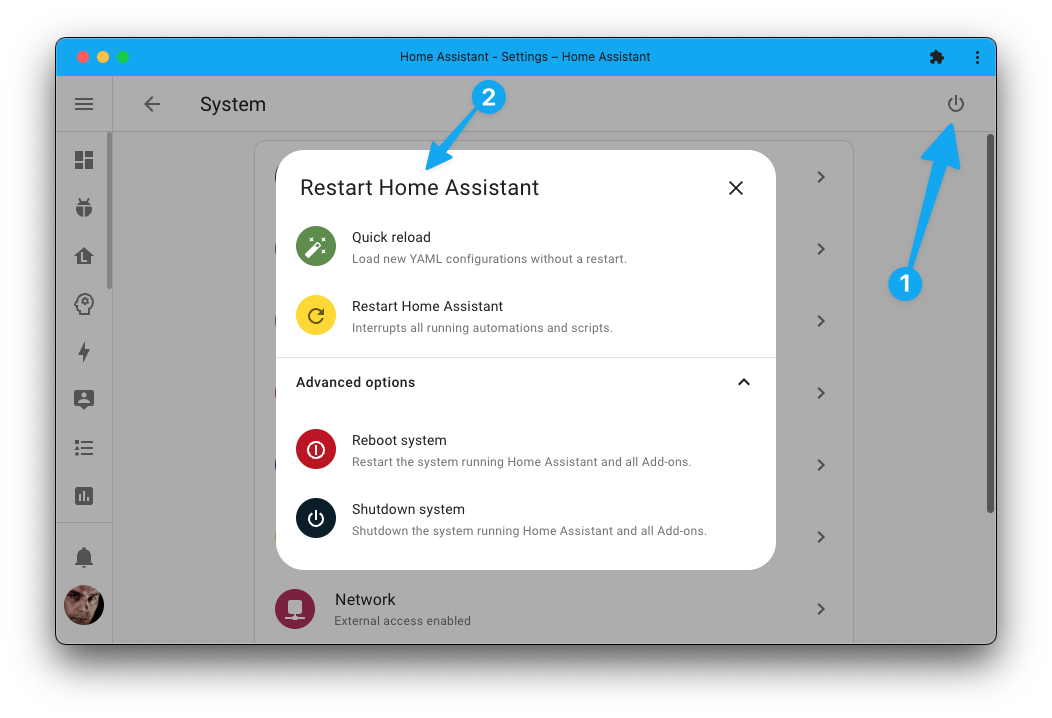
 maiden cliff
I swapped routers and I can’t seem to find what kind of IP address my esp32 Bluetooth proxy is getting. Is there a way to figure that out?
fringe field
unless you changed the esphome config, by default it should be broadcasting zeroconf mDNS records
so you can grap a zeroconf browser on your phone and look for _esphomelib._tcp.local.
 jovial ocean
Does anyone know of a bluetooth remote that could possibly work with Home Assistant? Like the screenless harmony remotes, Nvidia Shield remotes, CCwGTV remote etc.
 limber path
I have searched through messages and am not finding exactly what I am looking for, so please excuse me if I am repeating anything.
I am looking to purchase at least 1 bluetooth speaker, but might purchase 2 or 3. I don't want to use Google or Alexa speakers. I want to use my own. It looks like I might have to set up ESP32, squeezelite, and maybe a couple other integrations. . . I want to make sure I get everything set up correctly from the start and can just sit down and get things set up, once I have all the necessary physical items and integrations in front of me. I am looking to potentially stream music to one or all speakers and I would also like to have some TTS messages played when certain things happen. . . like when someone is at the door, for instance.
What is the best way to make this happen?
What speakers may work best (as far as is known)?
What integrations do I need?
 lusty briar
Does anyone have a fix for Govee Bluetooth device disconnect? My Govee 5101 temp/hum sensors have been rarely connected since the 2023.3 update.
 terse merlin
I've plugged in a bluetooth adapter to my host and I'm running HA in docker. How exactly do I get it working? I've installed bluez and I've added "/run/dbus:/run/dbus:ro" but when I try to add the bluetooth intergration it says no adapters found?
So correction it says the following "No unconfigured Bluetooth adapters found. There are 0 ignored adapters."
 leaden horizon
Is possible to use Shelly 1 Plus and Shelly window sensor Bluetooth connection to talk to each other to lower respond time besides wifi?
terse merlin
Ok, my issue regarding my adapter is deeper. I have tried to run 'bluetoothctl show' on the host I get 'No default controller available'. I'm not really sure where to go from here, if anyone has any help/suggestions?
fringe field
You need a Bluetooth adapter that is supported by Linux. There is a list in the docs of ones that are known to work - including which ones are good for speed and which ones are good for having multiple active connections. Avoid Realtek chipsets.
If yours doesn’t show in bluetoothctl its either not supported by Linux, needs firmware files, is broken, underpowered or plugged into a broken usb port.
If it shows up in lsusb then it’s not totally broken
If it needs firmware it will say in dmesg
terse merlin
It shows in lsusb, I've used it before on a pi so I know it works
fringe field
Have you checked in dmesg for firmware errors?
terse merlin
fringe field
OK so you've got a "fake" CSR.
theres a list of known working ones here: https://www.home-assistant.io/integrations/bluetooth/#known-working-high-performance-adapters
it also calls out some "fake" CSR chips that are known to not work
terse merlin
fringe field
OK so you've got a "fake" CSR.
How come this would have worked before with the pi but now doesn't work with a laptop running ubuntu?
fringe field
computers are like that
before i extended the range of my setup with ESP32's i had some devices that only worked during the day
but the Pi is running a different kernel to Ubuntu
there could be some fix in the Pi one or some regression in the Ubuntu one
but even if you sorted that out, you'd still be running an unsupported bluetooth chip that is known to be problematic
terse merlin
Hmm so the best suggestion is to get a bluetooth adapter that is supported?
fringe field
yes
terse merlin
Any you personally suggest or just any for that list you attached?
https://www.ebay.co.uk/itm/183942906656 this is the one I'm using (well was trying to use lol)
fringe field
this is what i used originally: https://www.amazon.co.uk/gp/product/B007Q45EF4/ref=ppx_yo_dt_b_search_asin_title?ie=UTF8&psc=1
not got an external antennae so range isn't amazing but it was pretty solid
terse merlin
I've a few esps that I plan to use as proxies as well
 clear stratus
probably dumb quetion, but if i have the skyconnect, i believe that has a bluetooth radio, but it cant be used for the bluetooth integration, can it
steady barn
Anyone know if you can get the estimated distance of a bluetooth ibeacon from multiple proxies? like it's estimated to be 7 ft from the first proxy and 35ft from the second?
oblique oak
It’s always going to show the closest one. The MAC address of the one that sees it is in the attributes
 quasi flicker
I've installed ESPresense with total of 3 nodes and it works great. together with my iphone. The only thing I'd like to fix now is that it takes roughly 15-20 seconds before it changes states to different rooms. Anyone have an idea if I can detect my phone faster?
 arctic coral
Told to go here:
What does the error: Bluetooth: hci0: Frame reassembly failed (-84) mean, and how do I fix it?
Outputted in the CLI connected to a monitor
Sometimes it’ll spit out a -90 instead of -84
fringe field
Make sure you have enough power if you are using a pi
But otherwise it’s just a problem with your hardware and/or it’s Linux compatibility. Nothing we can do,
naive aurora
Does anyone here use the MiFlora sensors for outdoor plants? The moisture sensor always drops super quickly obviously because the moisture is being absorbed at a deeper level. Just wondering if it would work to dig some trace wires much deeper into the bed and solder them to the contacts?
 deep crypt
naive aurora
Does anyone here use the MiFlora sensors for outdoor plants? The moisture sensor...
deep crypt
naive aurora
Does anyone here use the MiFlora sensors for outdoor plants? The moisture sensor...
Did you modify your sensors? They aren't made for outdoors IMO. can't tell anything about the soldering part but would expect it to cause trouble due to changed resistance.
 distant flame
Even indoors, if it's a DC resistance probe, the contacts will inevitably oxidize.
 tight marsh
hi all, i had my yellow PoE delivered last week-ish and using using 8GB 16 eMMC CM4 with wifi.. i've install HA OS and all looks working fine but the Bluetooth, i can not add any device with Bluetooth or iBeacon tracker.. anyone that can help please?
https://prnt.sc/gYiZ38CQjNR6
https://prnt.sc/rbezCQgBHf2p
I've got these 2 warning logs
https://prnt.sc/3w9Za0iduARH
fringe field
I don’t know why it’s failing for you but we do see a lot of problems with raspberry pi Bluetooth. And when it does works the range tends to be terrible (interference). Even if you get it to work, probably better off getting a device from the high performance list and a decent length of usb extension cable.
naive aurora
deep crypt
Did you modify your sensors? They aren't made for outdoors IMO. can't tell anyth...
Not modified, no. Seem to be working fine outdoors so far - been out there for about a month and survived a few storms. Could ignore the light sensor and put them in a plastic electrical box I guess. Plants are big enough that the light sensor doesn't give a true reading anyway as it's almost always shaded.
 solar perch
I've just loaded bthome 4.2 on a couple of new LYWSD03MMC's, and they're not being detected by my bluetooth proxies
I have each of them sitting within a metre of one of my proxy nodes
They were detected pre-flash, when they were still running their stock xiaomi firmware
But since I've flashed them, HA can't see them. I can still connect to them through the Telink Flasher though, so they are broadcasting
Has anyone else had an issue with bthome v2 on newer Mi Thermometers? (these are October 2022 manufacture)
 limber hazel
oh so they probably updated the firmware? that will be a bunmer
olive stream
Hey how can i disable hci0 and only use the shelly proxy for bluetooth discovery?
 gritty quiver
FYI GLinet GL-S10 v2.1 uses a different option for clk_mode in the ESPhome config. For those of you with version 2.1 of the device see the link for more information - https://github.com/esphome/bluetooth-proxies/issues/60#issuecomment-1483282028
There is a pr to add the configuration as a comment to the official installer repo, which may or may not get merged. Seems HA devs would like to to avoid having to store the configuration for several revisions of the same hardware in the official repo. Understandable.
have a nice day
indigo kindle
olive stream
Hey how can i disable hci0 and only use the shelly proxy for bluetooth discovery...
Disabling the Bluetooth integration should achieve that
olive stream
indigo kindle
Disabling the Bluetooth integration should achieve that
thank you! i figured it out, i supposed that proxies won't work if i disabled the bt integration
 left hazel
Hey there,
do you guys know if it is necessary to use an USB 3.0 port (raspi4) for the Bluetooth USB dongle? I recently switched from SD-Card to SSD and therefore needed to sacrifice one of the two USB 3.0 ports for the SSD, as a consequence switched the Bluetooth dongle to a USB 2.0 port and now it isn’t recognized anymore… :/
timber meadow
left hazel
Hey there,
do you guys know if it is necessary to use an USB 3.0 port (raspi4) ...
you can always use an esp32 setup as a bluetooth proxy instead of relying on the onboard bluetooth with the pi if you want
fringe field
left hazel
Hey there,
do you guys know if it is necessary to use an USB 3.0 port (raspi4) ...
I have used Bluetooth dongles in usb 2 ports just fine (with ha)
left hazel
timber meadow
you can always use an esp32 setup as a bluetooth proxy instead of relying on the...
Thank you, maybe I put it wrong: I already do use an external Bluetooth adapter attached to a 5 meter USB extension cable, but switching the USB port lead to HA not anymore recognizing it :/ as a test I put the SkyConnect to the USB 2.0 port an the Bluetooth stick back to the USB 3.0 port, now it works again, but I would prefer using the SkyConnect with the USB 3.0 port… maybe it‘s just because not having done enough restarts yet? They sad that there are plenty of restarts necessary after switching to an SSD before you can use everything as before.
timber meadow
left hazel
Thank you, maybe I put it wrong: I already do use an external Bluetooth adapter...
sorry you're right i misread / misspoke. if jc2k above says it works with usb2 then it's definitely possible. I chose to go the esp32 route with bluetooth proxies instead because i could put a couple of them around the house and get full coverage (with no bluetooth adapter on my device running haos)
 finite jacinth
Hey folks, I have a Leviton DD710 Bluetooth light switch, running firmware 6.4, which effectively broke the currently-documented process [1] for procuring the API key. In a fork of the git repository linked on the HA page [2], they suggest a BLE sniffer would be able to find the key. Any advice on how I should go about that? I’m tech-savvy, but none of the GATT perimeters I’ve found using iOS apps seem to be relevant.
1: https://www.home-assistant.io/integrations/decora/
2: https://github.com/wenoptics/python-decora
Additional info re: the 6.4 firmware changes, since I assume y’all likely have no context about that: https://github.com/wenoptics/python-decora/blob/master/docs/decora-ble-v6.4.md
fringe field
When someone says ble sniffer I think of something more like this than an app - https://learn.adafruit.com/introducing-adafruit-ble-bluetooth-low-energy-friend/ble-sniffer
finite jacinth
Ah, so something a bit more 1337 h4x0r than an iOS app. That might be it, I hadn’t thought of that. WireShark might do the trick then.
I’ll give it a try tonight and report back. Thanks for the quick reply!
 trim shuttle
Hi, I have problem to make my bluetooth device (integrated in the PC MB) with HA core. The bluetooth is well recognised and functional through hcitool and equally when activating hcitool within the HA container. But at integration I get "No unconfigured Bluetooth adapters found. There are 0 ignored adapters."
I have implemented the actions from the HA portal but nothing change
Thank you for your light
In addition the hcitool dev command give the correct MAC address when executed outside and inside the HA container
trim shuttle
I solve this first issu and I are able to detect devices (ble). I have several temperature sensor from xiaomi but I cannot configure them because my bindkeys are not accepted while I recover them correctly from the devices Any idea?
simple meteor
Hi all, I have one of those lilygo ttgo color t-display boards based on esp32. Anyone know if they have bluetooth and if I could use it as a btproxy AND a display for some sensor information? Thanks
timber meadow
simple meteor
Hi all, I have one of those lilygo ttgo color t-display boards based on esp32. A...
All esp32 have Bluetooth iirc unless they specifically state they don’t like the c3 or whatever the weird one is. So I believe the answer is yes but not 100% sure
simple meteor
Thanks!
fringe field
simple meteor
Thanks!
Keep in mind that they don’t all have the same RF performance. The “best” bluetooth proxies have a proper antenna and use Ethernet (otherwise you have to half and half your radio, so 50% of time it’s not even doing bluetooth listening).
simple meteor
Very good points!
trim shuttle
How to activate bluetooth_tracker to HA core? Is it simply via the conf file?
I mean integrate!
rotund sail
All that does is tell you if the device is within range or not
It's not used for integrating sensors
https://www.home-assistant.io/integrations/device_tracker is what it belongs to
All you get is a device_tracker entity with the state home (seen) or not_home (not seen)
trim shuttle
ok got it . So what the best way to integrate temperature/humidity sensor in HA do access to the decoded data?
trim shuttle
The problem is that my xiaomi sensor have been flashed to remove the bindkey encryption so they are no more recognised by xiaomi_ble but I don't know which integration can make the job
rotund sail
You may need an ESP and https://esphome.io/components/sensor/xiaomi_ble.html, or to hit up Google and track something down
trim shuttle
Thank you for your help. I have finally found the solution using the ATC flasher to make the sensor behaving as Xiaomi
 flint matrix
Hi all, sorry if this has been asked before but I've tried searching all Home Assistant forums etc to no avail.
I recently activated the bluetooth_tracker_le integration via the config file, it populated hundreds if not thousands of devices in the known devices file. It has also added these hundreds and hundreds of device_tracker.{MAC_ADDRESS} entities to my Home Assistant OS without unique ids so I can't delete them either, anyone else had this?
 subtle remnant
Hi guys: How will this bt pairing via esphome proxy work?
as in, how do I pair a device 🙂
oblique oak
You don't; the integration does it for you
 sand ivy
I've got these ledvanve sylvanis smart+ color bluetooth bulbs.
Connected to Google home and can control that way but very unreliable (slow or dropped requests).
Connected to my phone via sylvania app they are snappy super fast always responsive.
Can someone give me a hint how I can get HA controlling them directly instead maybe with a usb bt dongle instead of through GH sdk?
oblique oak
flash them with HomeKit firmware through the the sylvania app and than pair them with homekit controller
terse merlin
I bought a bluetooth adapter but it isn't found by home assistant?
 flint compass
hi guys,
got localtuya HACS integration, and I'm trying to add my Tuya fingerbot into it, however It asking for me for host number for the device which I don't have, It's a BLE device.
terse merlin
terse merlin
I bought a bluetooth adapter but it isn't found by home assistant?
It's found by the OS and is a recommended adapter as per the docs. I've added the volume to docker but HA still saying no adapter found
 versed sail
my HA stopped recognizing my bluetooth adapter. any tips for how to debug it?
oblique oak
which adapter? Is it on the high performance list? https://www.home-assistant.io/integrations/bluetooth/#cambridge-silicon-radio-csr-based-adapters. Are you running HAOS?
terse merlin
Mine is yes
 wheat comet
So I'm just looking into this now, but if I want to do Bluetooth Low Energy (BLE), what sort of device do I need? From what I see, it's different then regular bluetooth. I'm hoping to reverse engineer a device with a BLE sniffer, and then send the packets to control it myself from esphome.
fringe field
With HA you can use a combination of ESP32s running BTProxy and USB dongles (even over Ethernet) to make a hub and spoke network that covers your whole house. HA will pick the best radio for each device, and will fail over automatically if one is down.
A lot of sensors use Bluetooth advertisements to send data as it’s more efficient on their batteries. So often you can copy/paste/rename the inkbird/govee/etc integration and add your own advertisement parsing and that’s it.
You can get help with that in #devs_bluetooth-archived
Use Bluetooth dongles from the high performance list (https://www.home-assistant.io/integrations/bluetooth/#cambridge-silicon-radio-csr-based-adapters)
Ideally use ESP32 with external antennas. Ideally use them with Ethernet too, as they have to share radio time between wifi and Bluetooth otherwise and you might lose packets).
fringe field
terse merlin
Mine is yes
Does bluetoothctl work inside the HA container? What output do you see?
 lapis forum
Bought a "Silvergear Smart Scale" from Action yesterday which has Bluetooth with Tuya, wondering how I can integrate that into Home Assistant now.
I've set up a Bluetooth Proxy, but it doesn't seem to automatically detect it. Guess it's not supported yet?
If it isn't supported, how would I go about to try and add it? I'm somewhat tech capable and could tinker around with it.
fringe field
So there are 2 main ways its likely to work - Bluetooth advertisements or GATT. If it’s advertisement based you should be able to copy/paste/rename inkbird or govee and adjust the advertisement parser
GATT is more complicated because every device has slightly different needs
You can turn on debug mode for Bluetooth and see the advertisements in the logs
wheat comet
fringe field
Use Bluetooth dongles from the high performance list (https://www.home-assistant...
Awesome thanks!
Going to pick up a BLE sniffer from digikey as well to try and reverse engineer this Orbit hose controller
wheat comet
fringe field
Ideally use ESP32 with external antennas. Ideally use them with Ethernet too, as...
I found ESP32-POE-ISO-EA that meets this requirement - seems to be probably the best option in that space?
 swift abyss
Has anyone used an esp32 In side a vehicle to detect if it’s in the garage or out for garage door automation? I know there’s the Wi-Fi one but that seems not as accurate right, since it depends on Wi-Fi.
merry sage
would require having a garage
 wind maple
merry sage
would require having a garage
wind maple
merry sage
would require having a garage
lol
merry sage
and gatt can use key exchanges
wheat comet
I'm trying to reverse engineer some BLE. Anyone done this? What I don't get is all I see in Wireshark is advertisement packages.. I don't see any actual service calls like I am seeing in the youtube videos I've watched.
fringe field
Some devices put sensor data in the advertisements and don’t actually do much GATT (if at all)
https://github.com/hbldh/bleak/blob/develop/examples/service_explorer.py is handy for seeing what GATT endpoints there are, and googling the uuids can be very helpful
wheat comet
fringe field
https://github.com/hbldh/bleak/blob/develop/examples/service_explorer.py is hand...
That's what I'm finding. My nRF dongle sniffer arrives today so I will confirm, but I'm guessing it might be done just via advertisements, but I can't yet figure out exactly what's changing in the packets.
Honestly I'm hoping my current TI sniffer is just not quite working well with Sniffle and there is actually going to be some protocols being called.
limber hazel
wheat comet
That's what I'm finding. My nRF dongle sniffer arrives today so I will confirm, ...
nrf52840? Use those for zigbee also!
wheat comet
limber hazel
nrf52840? Use those for zigbee also!
yup that's the one!
I was using a TI CC2552R1
with the Sniffle firmware
limber hazel
wheat comet
yup that's the one!
just be careful when flashing, since if you hit any bootloader issue, you would need a nrf devkit. I don't dev much bluetooth with it, but as a ZED yes, works well for the custom zigbee
wheat comet
limber hazel
just be careful when flashing, since if you hit any bootloader issue, you would ...
I'm going to flash it with the toolkit then I should be good. It's just a sniffer for me.
wheat comet
Damn. Indeed, it's just communicating via advertisements.
So to reverse engineer this I'll need a way to spoof advertisement packets I guess.
fringe field
Or decompile it’s android app
wheat comet
fringe field
Or decompile it’s android app
Is that still in a thing in this day and age? I saw some stuff about it but it was dated maybe 6-7 years old, I figured now things would be better protected.
fringe field
It depends on the thing !
clear stratus
trying to see why my log is 170mb and its literally just full of ```2023-04-12 17:36:58.072 ERROR (MainThread) [root] A message handler raised an exception: 'org.bluez.Device1'.
Traceback (most recent call last):
File "src/dbus_fast/message_bus.py", line 811, in dbus_fast.message_bus.BaseMessageBus._process_message
File "/usr/local/lib/python3.10/site-packages/bleak/backends/bluezdbus/manager.py", line 854, in _parse_msg
condition_callback()
File "/usr/local/lib/python3.10/site-packages/bleak/backends/bluezdbus/manager.py", line 709, in callback
self._properties[device_path][defs.DEVICE_INTERFACE][property_name]
KeyError: 'org.bluez.Device1'
Error 404 (Not Found)!!1
 marsh tapir
Hi, I've had bluetooth working in my container, but recently it has stopped working. I have pulled this from the homeassistant logs. My instance runs inside a docker container.
https://gist.github.com/tomgie/2464a647c7a242423a58935f4475a343
rotund sail
Error 404 Not Found 1
fringe field
marsh tapir
Hi, I've had bluetooth working in my container, but recently it has stopped work...
Usually stuff like that means dongle has crashed so hard that even the code that recovers crashed dongles can’t recover it.
Can you unplug the usb dongle and plug it back in?
If it’s a pi and the onboard one, you’ll have to shut the whole system down and remove power
terse merlin
fringe field
Does bluetoothctl work inside the HA container? What output do you see?
Sorry only getting around to this now as I'm down with covid.. But anyway, enough of that I logged into the container and I got this back https://imgur.com/a/lYXJbAt
terse merlin
Yep on the host I get this back - https://imgur.com/a/u01QnZ8
No not HAOS ubuntu and ha in docker container
fringe field
can you show me your docker compose?
fringe field
can you ls -lart /var/run/dbus on the host for me
terse merlin
total 0 srw-rw-rw- 1 root root 0 Mar 20 18:56 system_bus_socket drwxr-xr-x 2 root root 60 Mar 20 18:56 . drwxr-xr-x 38 root root 1160 Apr 14 12:32 ..
fringe field
and then ls -lart /run/dbus in the container
terse merlin
total 4 srw-rw-rw- 1 root root 0 Mar 20 18:56 system_bus_socket drwxr-xr-x 2 root root 60 Mar 20 18:56 . drwxr-xr-x 1 root root 4096 Apr 6 13:36 ..
fringe field
fwiw, it looks like i do /var/run/dbus/system_bus_socket:/var/run/dbus/system_bus_socket:ro (on debian) but it shouldn't matter
terse merlin
Worth a shot I guess?
fringe field
ah yeah, you need a privileged container to be able to use dbus
terse merlin
How do I do that then?
fringe field
you need a privileged: true in your container definition
terse merlin
Ok I'll add it in and restart now
https://imgur.com/a/j75RzwN - boom straight away! Thank you kindly!!
marsh tapir
fringe field
Usually stuff like that means dongle has crashed so hard that even the code that...
I've tried power cycling a few times. The controller works perfectly fine on the host system. I am using my motherboard's built in bluetooth
fringe field
if it works on host but not in container then see above
finite jacinth
finite jacinth
Hey folks, I have a Leviton DD710 Bluetooth light switch, running firmware 6.4, ...
Hi again! It took some time for the adafruit BLE sniffer to come in, but I got that set up and captured a handful of BLE logs when interacting with my Bluetooth switch, I'm just not sure how to parse them based on the advice in this github page. Is anyone well versed in this space, and able to help me determine if the key I need is contained in those logs?
clear stratus
what can i do with a 2nd bluetooth stick lmao
 idle token
I've got a bluetooth air filter (HPA250B) that I would like to control with homeassistant. I could try to learn how to reverse engineer the protocol from the device app and a phone... or I found an (oldish) python script that does the communication, but it's not documented for what the magic strings translate to in anything else
Does anyone have information on how to make bluetooth hacks of simple devices? https://github.com/philippeportesppo/Honeywell_HPA250B_SmartThings/blob/master/hpa250b_agent.py
 random raven
Is there a way to verify if my Bluetooth adapter is properly passed to home assistant? I can't seem to find anything in the logs
clear stratus
random raven
Is there a way to verify if my Bluetooth adapter is properly passed to home assi...
are you using a vm
random raven
I've got it in a docker container
I passed through the volume
Should the /run/dbus folder have more than just system_bus_socket in it?
clear stratus
unsure if its a supervisor feature or not but settings -> hardware -> all hardware
you can search for your edvice there
if home assistant sees it it should show up there
random raven
Through the home assistant UI?
clear stratus
yeah
clear stratus
personally then im unsure, dont know anything about docker
random raven
Should there be more than just CPU and memory graphs?
clear stratus
it may be part of supervisor
random raven
Weird though, even forcing it through the conf file I can't even get it to appear in devices and services to give me an error
clear stratus
again, unsure the docker equivalent but in ha cli you can do ha hardware info to get a list of all hardware
random raven
Super weird, I can pick it up in hciconfig through the console in portainer but home assistant won't recognize it. Is there a more advanced logging flag I can set for Bluetooth?
fringe field
random raven
Super weird, I can pick it up in hciconfig through the console in portainer but ...
Make sure you are using a privileged container
Make sure that “bluetoothctl” works inside the container
Make sure you don’t have anything hidden in the integrations ui (it’s weird how often people just have it hidden)
random raven
Nothing hidden, Bluetoothctl does fail inside container though
fringe field
If socket is shared correctly it’s probably not a privileged container then, assuming bluetoothctl works on host