#thread-archived
1 messages · Page 17 of 1
 sly mirage
Thanks! I will check your links and see if I can find a solution.
However, I have the same problem with HAOS 12.3. I connect via ssh and use the cli. I have most of my servers running on a Proxmox host and just recently migrated from ESXi. Installed Debian Bookworm on an old RaspPi 3b today, just to verify if it I have the same problem, and it's the same issue.
 vapid shell
Some hypervisors can interfere with the RAs too
sly mirage
Could my firewall interfere with the local LAN traffic? It's a pfSense
vapid shell
If you have a switch and your firewall is connected to one port, HA to another, your wifi to another, etc m, then of sense won’t see your traffic
It tends to be things like mdns repeaters or Igmp snooping that are the problem
On hypervisors, it tends to be the hypervisors bridge networking that stops icmp6 RAs getting from your border routers to the vm
Again, tcpdump is your friend. If you have ssh access to proxmox itself.
 magic sedge
vapid shell
Again, tcpdump is your friend. If you have ssh access to proxmox itself.
magic sedge
vapid shell
Again, tcpdump is your friend. If you have ssh access to proxmox itself.
Can you elaborate on what I should be seing using tcpdump ? I have many icmp6 but I'm not sure what I need to look for.
sly mirage
vapid shell
If you have a switch and your firewall is connected to one port, HA to another, ...
I have tried to verify using Wireshark but as I was not sure what to look after, it didn't help me. If I start tcpdump, is it enough to run ping from cli or which commands should I run?
vapid shell
sly mirage
I have tried to verify using Wireshark but as I was not sure what to look after,...
We are interested in icmp6. The border router will send it once in a while. I think it’s something like every 3 minutes?
https://github.com/home-assistant/operating-system/discussions/2333#discussioncomment-4831656 is a thread where I did some debugging that involved the icmp6 packet in question
We are looking for option 24, which looks like this in tcpdump:
route info option (24)
The source MAC address should be your border router
sly mirage
It seems I get the correct info from the Apple TBRs:
" ICMPv6 Option (Route Information : Medium fdeb:b1b6:88a3::/64)
Type: Route Information (24)
Length: 2 (16 bytes)
Prefix Length: 64
Flag: 0x00, Route Preference: Medium
Route Lifetime: 1800 (30 minutes)
Prefix: fdeb:b1b6:88a3::
ICMPv6 Option (RA Flags Extension)
Type: RA Flags Extension (26)"
Above is from Wireshark running on my Win PC. Do I need to verify with tcpdump that the same info arrives for Debian and HAOS?
vapid shell
Yes
 marble perch
Have you mentioned which devices are on wifi vs which are on ethernet? sometimes even if both are on the same vlan, the router might be filtering some of the traffic between them :/
sly mirage
vapid shell
We are looking for option 24, which looks like this in tcpdump:
What is the exact command I shall use to get the relevant data? I made a quick test with " tcpdump -i eth0 icmp6" but I can't see anything about option 24 in recieved data
I get this from all three TBR:13:04:55.167932 IP6 fe80::1865:83ad:34e:3fcd > ip6-allnodes: ICMP6, router advertisement, length 48
vapid shell
i run with "-vvv" to get more verbose output
sly mirage
To get less data I selected my active Apple Hub that also is TBR: Got option 24 every 8 minutes. What can I check as next?
Used this command: tcpdump -i eth0 host fe80::1c59:f485:2c07:f030 -vvv
13:22:57.934851 IP6 (flowlabel 0x00900, hlim 255, next-header ICMPv6 (58) payload length: 48) fe80::1c59:f485:2c07:f030 > ip6-allnodes: [icmp6 sum ok] ICMP6, router advertisement, length 48
hop limit 0, Flags [none], pref medium, router lifetime 0s, reachable time 0ms, retrans timer 0ms
route info option (24), length 16 (2): fdeb:b1b6:88a3::/64, pref=medium, lifetime=1800s
0x0000: 4000 0000 0708 fdeb b1b6 88a3 0000
unknown option (26), length 8 (1):
0x0000: 8000 0000 0000
source link-address option (1), length 8 (1): 58:d3:49:c7:2e:23
0x0000: 58d3 49c7 2e23
sly mirage
I assume this is not good?
#ip -6 route
2001:9b1:8b7e:xxxx:/64 dev eth0 proto kernel metric 256 expires 86332sec pref medium
fe80::/64 dev eth0 proto kernel metric 256 pref medium
default via fe80::be24:11ff:fe41:2e3c dev eth0 proto ra metric 1024 expires 1732sec hoplimit 64 pref medium
The RaspPi Debian I fresh installed yesterday
vapid shell
so you should have something like this:
fdeb:b1b6:88a3::/64 via fe80::1c59:f485:2c07:f030 dev eth0 metric 1024 expires 0sec
if you have set all the sysctl correctly
that RA is a little weird
it doesn't have a "prefix info option (3)"
my apple devices don't have an option 26
sly mirage
I can test also from HAOS, but how do I install tcpdump?
vapid shell
if you can get shell access inside the HA container "apk" works there, so you can "apk add tcpdump"
sly mirage
vapid shell
that RA is a little weird
I have not changed anything yet regarding "sysctl".
vapid shell
right
it won't work until you do of course
sysctl -w net.ipv6.conf.eth0.accept_ra=1
sysctl -w net.ipv6.conf.eth0.accept_ra_rt_info_max_plen=64
sysctl -w net.ipv6.conf.all.forwarding=0
those settings will be lost on reboot, i leave it to you to fix that on your pi
(only on your pi, DO NOT set those on haos)
sly mirage
Catching data from HAOS
From HAOS:
15:56:02.590420 IP6 (flowlabel 0x00900, hlim 255, next-header ICMPv6 (58) payload length: 48) fe80::1c59:f485:2c07:f030 > ip6-allnodes: [icmp6 sum ok] ICMP6, router advertisement, length 48
hop limit 0, Flags [none], pref medium, router lifetime 0s, reachable time 0ms, retrans timer 0ms
route info option (24), length 16 (2): fdeb:b1b6:88a3::/64, pref=medium, lifetime=1800s
0x0000: 4000 0000 0708 fdeb b1b6 88a3 0000
unknown option (26), length 8 (1):
0x0000: 8000 0000 0000
source link-address option (1), length 8 (1): 58:d3:49:c7:2e:23
0x0000: 58d3 49c7 2e23
IPv6 routes from HAOS - no "via" to any of the TBRs
Only a "via" to the default route to Internet
fe80::/64 dev enp6s18 metric 1024
default via 2001:9b1:8b7e:xxxx:1 dev enp6s18 metric 20100
Success with the Pi, I can now ping Thread devices 👍😊
fdeb:b1b6:88a3::/64 via fe80::1c59:f485:2c07:f030 dev eth0 proto ra metric 1024 expires 1683sec pref medium
fdeb:b1b6:88a3::/64 via fe80::1865:83ad:34e:3fcd dev eth0 proto ra metric 1024 expires 1684sec pref medium
fdeb:b1b6:88a3::/64 via fe80::189c:8647:88ec:4e56 dev eth0 proto ra metric 1024 expires 1715sec pref medium
vapid shell
sly mirage
Catching data from HAOS
ok, dumb thing to check - is ipv6 set to auto in the HAOS settings?
iirc static wont work
sly mirage
Aaha, I think static. Will change and test
vapid shell
static disables icmp6 RA processing 🙂
sly mirage
Okey. So it will never work with static IPv6 config? Or is it just messy to configure today?
How do I set the net.ipv6.conf.eth0.xxx values permanently on Debian Bookworm?
vapid shell
Never work
RA based configuration is automatic and dynamic, it is not by definition static.
I think you should have a /etc/sysctl.d folder, make your own file following the others as a template for syntax. Then reboot and make sure it works
magic sedge
Something I don't really understand : if I can see from a computer the Thread devices using avahi-browse -r _hap._udp, why can't I ping them afterwards ?
vapid shell
There are many reasons
Icmp6 and mdns both need to work and you are only testing one with that command
magic sedge
vapid shell
Icmp6 and mdns both need to work and you are only testing one with that command
mdns I'm guessing ?
vapid shell
Yes
magic sedge
Oh so I should focus on icmp6 !
vapid shell
If you can see one but not the other it’s normally a sign that your network is incorrectly segmented and there are repeaters masking it at an mdns level. That could be vlans. That could be WiFi gear suppressing essential traffic in the name of airtime performance.
Sometimes it can be a hypervisor
Unifi is especially good at breaking this stuff.
I suppose if you are able to get to a shell inside your Ha container like @sly mirage did then doing what they did with tcpdump and ip -6 route would be good diagnostics. I likely can’t help with that, my setup is quite different from yours, but I can interpret the output if you are able to get it.
magic sedge
vapid shell
I suppose if you are able to get to a shell inside your Ha container like <@1106...
I think I can debug on Debian first, then Docker, since it's using the host network option. And it did work before switching to UniFi, so I'm pretty confident I have no issue on the HA side of things.
 serene prawnBOT
@magic sedge I converted your message into a file since it's above 15 lines :+1:
magic sedge
(arg)
The Thread devices are all on a different IPv6, like fd41:f57a:f2de:1:5a41:47b6:d96c:921d
If the IPv6-test website is to be trusted, ICMPv6 messages are indeed blocked. I'm trying to activate rules in the firewall of UniFi to let them go but so far, nothing. Though I'm not sure if I have to reboot computers in order to make it work or something.
vapid shell
The fourth route looks like an RA route
But it’s like you’ve not done the Sysctl tuning
But change eth0 to enp2s0
magic sedge
Yes I did, and double checked, it should be OK
I used the "all" instead of defining the one Ethernet port I'm currently using. Maybe it's changing something ?
serene prawnBOT
@magic sedge I converted your message into a file since it's above 15 lines :+1:
vapid shell
You need to use the interface name
vapid shell
These settings may conflict with docker (forwarding for example) so for a production install I’d recommend macvlan
magic sedge
Since I can't even ping6 the devices from Debian, I'm guessing I don't need to go any further for now
Unfortunately, using the interface name seems to change nothing on my side. I did also activate ICMPv6 on the UniFi (AFAIK) and nothing here too…
Maybe I should reboot the Thread border routers each time ? I will have to wait another time to try that though…
magic sedge
Oh OK, not ideal to debug. I will try again tonight then.
vapid shell
The border routers only broadcast every few minutes. Can’t remember the exact number. Long enough to be annoying. So
magic sedge
It works ! I haven’t even checked my Debian shell, I just noticed Thread lights going on and off. Finally.
So thanks a lot @vapid shell ! I think what did it was activating ICMPv6 on the UniFi Firewall.
I’ll check when I can by disabling the sysctl changes that were not necessary when I had my old router.
vapid shell
It shouldn’t be a firewall setting
Icmp6 is a broadcast to all devices connected to a switch
I don’t know you network topology but with eg a USG the traffic wouldn’t even go to the router to block
Generally the router firewall is an iptables firewall, you’d normally need something lower level to mess with bridged traffic
And on Linux some switches aren’t even exposed enough to Linux to mess with stuff like that
But I guess it is Unifi
Would be interested in turning it back off and seeing if it still works in 30 minutes time
magic sedge
I dont know as much as you about all this so maybe you’re right and it was not the ICMP stuff. I’ll try both, disabling the changes I made in UniFi to see if it still works and then those in Linux.
For reference, I followed these advices and added two firewall rules for Internet v6 In and Internet v6 Local. I guess only the later was useful for Thread. https://community.ui.com/questions/Allow-ICMPv6-in-new-UI/fd6c7956-e8a6-4935-b48e-330004e415e7#answer/2c6a533c-26c3-4933-934b-0cf9a43d99f2
vapid shell
Ok no that’s about icmp6 from the internet
With a global address
That does indeed cross a firewall
But is also unrelated to thread
That test website is also unrelated to thread
You can get a fail on that website and have perfectly functional thread
sly mirage
vapid shell
I think you should have a /etc/sysctl.d folder, make your own file following the...
Many thanks for your support today! Now I have added my Matter-over-Thread devices to the secondary HA fabric
 rich river
So I wouldn’t think that UniFi FW settings would affect this if everything is on a single VLAN. I’ve got UniFi and for IPv6 LAN there’s a default catch all allow all which gets put in for reach VLAN, which would include ICMPv6. That should handle any internal hosts trying to ICMP between VLANs and out to t’Internet. Most of the stuff on the UniFi forums about UCMPv6 is to do with inbound ICMP, which by IPv6 standards is required, but isn’t open by default due to security.
 abstract cipher
Hi! Trying to connect my first Thread device (Nanoleaf bulb). I use SkyConnect as the Border Router with the standalone Thread firmware. However, I can't complete commissioning using my phone (both with Android and Iphone). It says it could not find Thread Border Router. Can anyone help what the problem could be? I've been following this guide: https://www.home-assistant.io/integrations/matter/#adding-a-matter-device-to-home-assistant
 twin vine
abstract cipher
Hi! Trying to connect my first Thread device (Nanoleaf bulb). I use SkyConnect a...
twin vine
abstract cipher
Hi! Trying to connect my first Thread device (Nanoleaf bulb). I use SkyConnect a...
Android do this
Have you done settings > Companion app > Troubleshooting, then Sync Thread credentials.
abstract cipher
twin vine
Have you done settings > Companion app > Troubleshooting, then Sync Thread crede...
no, let me try
abstract cipher
twin vine
Have you done settings > Companion app > Troubleshooting, then Sync Thread crede...
Ok, it did help to resolve the issue. Thanks for the hint! However, now it fails with the message "Device is not found. Make sure, your device is connect to Wi-Fi."
In another attempt it fails with the message "Could not connect to Thread network (ha-thread-0d17). Make sure your device supports this type of network and try again"
twin vine
What device is it?
marble perch
they said nanoleaf bulb earlier.
twin vine
ah yeah duh 😅
marble perch
For nanoleaf bulbs, it's very important that you install the nanoleaf app and use it to update the firmware before attempting to add the bulb via matter.
twin vine
@abstract cipher is the bulb updated?
basically what kepstin said, iirc the latest (matter/thread) firmware version is 3.6.173
marble perch
the errors that you're seeing sound like the service registration/lookup isn't working (i.e. the phone is unable to find the bulb via mdns after telling it to join the thread network). are home assistant (where your thread border router is running) and your phone on the same vlan?
 tough prairie
Anyone familiar with something like this? Active BRs are Apple Homepod and Skyconnect:
otbr-agent[178]: 10d.09:52:53.359 [N] MeshForwarder-: src:[fe80:0:0:0:60a0:3a2a:21ca:8c8e]:19788
otbr-agent[178]: 10d.09:52:53.359 [N] MeshForwarder-: dst:[fe80:0:0:0:fc13:a05:e61d:ca7a]:19788
otbr-agent[178]: 10d.09:53:04.303 [W] P-RadioSpinel-: Handle transmit done failed: ChannelAccessFailure
otbr-agent[178]: 10d.09:53:04.303 [N] MeshForwarder-: Failed to send IPv6 UDP msg, len:96, chksum:19cb, ecn:no, to:7a84668a4309f406, sec:no, error:ChannelAccessFailure, prio:net, radio:15.4
I have tons of those in my OTBR log
 upbeat cairn
Channel Access Failure -> your SkyConnect is positioned somewhere very noisy and cannot transmit because there is too much noise
tough prairie
Too noisy ... like radio noisy? Interesting. Thread uses channel 13, zigbee channel 15.
I had these kind of ChannelAccessFailures for about 30 mins, during this time the matter devices where offline, then it changed:
otbr-agent[178]: 10d.09:56:12.759 [N] MeshForwarder-: Dropping rx frag frame, error:Drop, len:96, src:0x9000, dst:0x5000, tag:28550, offset:304, dglen:1280, sec:yes
And then this and now all devices are back again:
otbr-agent[178]: 10d.10:09:32.190 [N] MeshForwarder-: src:[fd8c:874:52cf:1:afda:65e3:9e95:5250]:5540
otbr-agent[178]: 10d.10:09:32.190 [N] MeshForwarder-: dst:[fd8c:874:52cf:1:2989:3259:df95:3238]:33511
otbr-agent[178]: 10d.10:09:34.188 [N] MeshForwarder-: Dropping (reassembly queue) IPv6 UDP msg, len:1086, chksum:0f7d, ecn:no, sec:yes, error:ReassemblyTimeout, prio:normal, rss:-86.5, radio:15.4
I have no clue what that is. But the only thing which I could imagine that something was changed in the mesh between the Skyconnect and the Apple BR
upbeat cairn
tough prairie
Too noisy ... like radio noisy? Interesting. Thread uses channel 13, zigbee cha...
Zigbee and WiFi channels overlap. Zigbee channel 13 is sitting right on top of WiFi channel 1.
 abstract cipher
marble perch
the errors that you're seeing sound like the service registration/lookup isn't w...
abstract cipher
marble perch
the errors that you're seeing sound like the service registration/lookup isn't w...
Does it require mdns? Because it seems is not working on my network. I can't access Home Assistant using homeassistant.local, only with IP address.
marble perch
yes, mdns is required. both your phone and home assistant need to be able to resolve mdns published by the thread border router.
abstract cipher
that's the problem then I guess. I will look for how to fix it then
 stone tapir
I have a question about the eve water guard (homekit) https://www.amazon.com/Eve-Water-Guard-Notifications-Bluetooth/dp/B09TB72Z5N, because I might want to buy it.
If it's added to home assistant, does it have a switch to turn off the alarm sound? Because I don't want to scare the neighbors with that loud sound😅
 tight ether
stone tapir
I have a question about the eve water guard (homekit) https://www.amazon.com/Eve...
tight ether
stone tapir
I have a question about the eve water guard (homekit) https://www.amazon.com/Eve...
If you don't want the alarm... Why not use an aqara leak sensor? https://a.co/d/ewcxk7o
Battery operated and $18 versus $80
stone tapir
tight ether
If you don't want the alarm... Why not use an aqara leak sensor? https://a.co/d/...
I want to use it on the inside of a bucket to collect the water from my mobile air conditioner. If the water level gets to high I want an notification that I need to empty the bucket.
twin vine
just sticky tape it to the top of the bucket
stone tapir
stone tapir
I have a question about the eve water guard (homekit) https://www.amazon.com/Eve...
I just want to know this👆
tight ether
I don't think you'll find an answer to that- you can always open it up and cut the trace to the speaker, or buy it and return it if it doesn't meet what you need
twin vine
Look at the reviews of it, maybe it’s a setting in the app
vapid shell
stone tapir
I have a question about the eve water guard (homekit) https://www.amazon.com/Eve...
HA probably wont expose that setting even if it exists
There’s a handful of eve settings we do expose (like the height above sea level setting on the eve room) but a lot of them are encoded in an undocumented TLV that no one has fully mapped out (and is different for every product)
You might be able to pair it to iOS, set the setting (if it exists) with the Eve app, then unpair it and repair it to Ha. I have done that to calibrate Eve thermos and enable the child locks - the settings persist. But this is tricky with thread and battery eve devices (due to firmware bugs)
I don’t think anyone has filed any bugs about it so I don’t have the diagnostic data to make any more guesses
 stone shell
I can't find info on it anywhere, is it not possible to include the OTBR addon in backups? Is it fundamentally impossible or just not implemented yet? I was trying to transfer my HA to a VM to see if the thread radio was working from a VM yet, but realized none of the OTBR stuff seemed to carry over, which would make it pretty hard to restore
twin vine
isnt it? even when doing a full-backup
i have had no issue with it
the USB path will be different, and most of the settings may be different (in a diffrent enviroment), so maybe not a bad thing?
vapid shell
so even if OTBR addon isn't, the thread integration should be. and that should have a copy of your thread network credentials (if its set as your preferred network, it must).
the OTBR integration should be able to trigger the OTBR addon to set up a new mesh based on that preferred network
though quite how you would trigger that i don't know. maybe remove the otbr integration (if installed), then install the OTBR addon. i think the OTBR addon would trigger the OTBR integration again, and that would sync from the thread integration and pick up the existing network?
 tiny carbon
So home assistant/nabu has thread hardware products, right?
Any of them able to support the thread 1.3 spec? Do they have a firmware update for it?
Skyconnect or yellow or green
Also everything is currently in my Google nest-pan network, how hard would it be to move it into a home-assistant dedicated network? (Other border routers are Apple Hub and Google Nest atm)
upbeat cairn
tiny carbon
Skyconnect or yellow or green
SkyConnect and Yellow have radios that can be flashed with OpenThread RCP firmware. Both support 1.3 if I remember correctly.
tiny carbon
They already have thread 1.3 networks? 😮
Guess I'll make it my main now then
tiny carbon
I messed up 😅
In trying to reset it, I deleted the zha and otbr entries from the integrations page and now I don't know how to get them back
Like the skyconnect multiprotocol shows up in networks as open-thread but doesn't let me make it preferred network or anything
tiny carbon
It tried to add it back to my old nest-pan network even though nothing else was there...
upbeat cairn
tiny carbon
Like the skyconnect multiprotocol shows up in networks as open-thread but doesn'...
I don't think multiprotocol is 1.3. I would avoid using it and stick to OpenThread RCP firmware instead.
tiny carbon
Do I have to flash that from website on PC? Or can I get away with the addon alone
upbeat cairn
tiny carbon
Do I have to flash that from website on PC? Or can I get away with the addon alo...
There's a button for it: https://skyconnect.home-assistant.io/procedures/disable-multiprotocol/
tiny carbon
That button doesn't really work well for me
No check boxes and UI is broken on the page
I'll try flashing from the website and getting the add-on manually
 fallen shard
Hi! i am getting a "select a wi-fi network" message with a loading screen that results in an error after some time after i scan the qrcode, this never appeared before, i am using an esp32c6 and while it is working for matter over wifi, if i do it using matter over thread, this loading screen still shows up
 ionic plaza
What would happen for SkyConnect with multi-pan enabled users when Z2M officially deprecates EZSP?
 half bluff
Got dataset with same extended PAN ID and same or older active timestamp, old dataset: '0e08000065901a07000000030000194a0300000f35060004001fffc002085ac6d585ef8245ed0708fd8cc726d7bc477f05106743a83ebcbcaa1956b2865c88118ae703104d79486f6d6532313233373131363534010232650410fc3b252042114431b21287033cc8eade0c0402a0f7f8',
new dataset: '0e08000065901a070000000300001935060004001fffc002085ac6d585ef8245ed0708fd8cc726d7bc477f05106743a83ebcbcaa1956b2865c88118ae703104d79486f6d6532313233373131363534010232650410fc3b252042114431b21287033cc8eade0c0402a0f7f8'
Is this a problem
upbeat cairn
ionic plaza
What would happen for SkyConnect with multi-pan enabled users when Z2M officiall...
You will have to wait until Z2M supports older versions of EZSP
 covert flare
I wonder, why there are still so few Matter over Thread devices. There are Matter and Thread light switches, but not both at the same time (Inovelli expected to ship mid-June). There is only one button (Tuo), and it's not very good. Only one brand for lights (Nanoleaf). No sensors. No thermostats.
twin vine
Eh, I don’t think there is just a single answer, demand? Complexity with thread/matter? Lack of Grey market alternatives? Extra horsepower needed for the matter stack where older SOC’s may not be able to handle it?
covert flare
My feeling was that maybe third party library or firmware is low quality. Eve promised Matter upgrades for their Thread light switches and not delivered them. Then I watched Nanoleaf take the plunge with Matter over Thread and the pains they had to go through.
twin vine
Their sense+ controllers are about to be shipped out to participants in the hardware beta, so will be intresting to see how they are (still using the sillabs mg24 ive heard)
 spring bramble
covert flare
I wonder, why there are still so few Matter over Thread devices. There are Matte...
spring bramble
covert flare
I wonder, why there are still so few Matter over Thread devices. There are Matte...
You need to (re)set your expectations - the Matter standard is only 1.5 years old and need some time to mature as well as manufacturers need some time to switch their production lines. Thread is way more difficult to implement than WiFi based. People just dont like all that extra complexity with requiring a border routers and such so the strategy is to first make sure folks have border routers in their home (theyre hidden in small speakers, access points, tv's and even fridges) and then the infrastructure is there to actually use Thread devices out of the box. Until then: WiFi devices are way more easier for both manufacturers and consumers.
The short answer: Just have a little bit of patience
ionic plaza
covert flare
I wonder, why there are still so few Matter over Thread devices. There are Matte...
It's also expensive not just for certification (Thread/Matter/fees for test lab) but also development resource (it's hard to recruit developer/product manager who know about Thread either).
That's enough to scare away some firms for sure, and you can tell the macro-economy is not good recent years so lots of companies wont bet on Thread.
When the cost went down and the thread/matter get mature, there would be more I think.
twin vine
@ionic plaza the icons for aqara and smart-things/samsung should be added in b1 releasing tomorrow morning
ionic plaza
twin vine
<@685878515022692364> the icons for aqara and smart-things/samsung should be add...
fantastic
twin vine
the whole glnet thing is a debacle in itself 😅, their S20 uses the OpenThread as the vendor name, while the S200 uses the correct vendor name
also they dont have icons in the brand repo, so i need to add that eventually before they keep pumping these thread routers out
 serene flame
hello
does anyone know how to remove Thread credentials from iOS KeyChain?
thanks!
thread/store_in_platform_keychain
something like this to delete
sly mirage
twin vine
Their sense+ controllers are about to be shipped out to participants in the hard...
Are you sure it’s the MG24? It’s new. The next generation MG26 was released just a few weeks ago.
ionic plaza
twin vine
<@685878515022692364> the icons for aqara and smart-things/samsung should be add...
twin vine
ionic plaza
https://imgur.com/a/DhHTc3u
Nice! If you get any other vendors without a logo, just let me know
I know glnet don’t, but finding a good company logo for them is hard 😅
 steady forge
serene flame
does anyone know how to remove Thread credentials from iOS KeyChain?
steady forge
serene flame
does anyone know how to remove Thread credentials from iOS KeyChain?
not being able to do this was the bane of my existence
I've resorted to an old Android phone to manage all my Thread/Matter devices instead and keep my iPhone far away from everything
ionic plaza
NL essentials now have new beta firmware v3.6.196
 solid sedge
Hey all. Trying to re-start my thread setup after moving over to a VM (for Matter). I uninstalled everything, restarted the hardware and now am following the instructions from step 1 again. Somehow I've now got two border routers setup for my single SkyConnect. Did I miss something when trying to go back to a blank thread setup? Do I need to reflash the SkyConnect somehow?
twin vine
solid sedge
Hey all. Trying to re-start my thread setup after moving over to a VM (for Matte...
two border router setups? so you have 2 add-ons installed?
solid sedge
Scrap everything I said above, another reset seems to have cleared things out and it's back to 1. Sorry for the noise!
twin vine
hahaha all good dude
 marsh island
I am struggling with running OTBR on a separate device from home assistant and hoping someone can help.
I have OTBR docker (upstream container not the hass one) running on a pi and using macvlan so all ports are accessible and it advertises with mDNS.
I also configured it use an on-mesh prefix that is a /64 from my pool of /56
It also has a /64 IPv6 and /24 IPv4 from my normal LAN configured via macvlan
I formed a new mesh using the OTBR web interface
I configured the OTBR integration to point to http://192.168.1.4:8081 and completes installation.
I then install the thread integration and it sees my border router just fine.
I installed the matter add-on it seems to have no configuration and seem to be running fine
when i run the add matter device from my iphone i get one of two errors (i can't figure out what causes them to be different
soemtimes it says couldn't add device configuration failed (or somesuch)
other times it says 'thread border router required' which makes no sense as one is configured
I turned on debug logging for matter, thread and thread OTBR and see not much of anything useful in the logs
where should i go from here?
twin vine
marsh island
I am struggling with running OTBR on a separate device from home assistant and h...
Hmmm, one thing you could do about the “thread border router required”.
Are you adding devices on android or iOS?
marsh island
iOS
Home assistant can ping the OTBR on both IPv4 and IPv6 and _meshcop._udp is correctly seen by mdns.
I can ping the on-mesh prefix IPv6 address from my lan machines (so assume I have full IPv6 routing between devices)
I haven’t been able to commission a device from the OTBR web interface, which is concerning - it says succeeded but no mode gets added to the topology
But I am not sure commission works as I enter the number from the side of the device into the commission ui.
I paid more attention trying to add my aqara door sensor. I put the sensor in pairing mode - the blue light breathes. I initiate the add matter device flow on iOS. I scan the QR code and choose to add the device to home assistant. The light on the aqara starts to blink fast and then I get the no border router error. So I don’t know what component is generating the error in the app,and the logs seem to be no help.
I wonder if it is the matter add on doesn’t know how to talk to the border gateway?
marsh island
Hmm wonder if it’s because there are no thread creds in the companion app debug section….
Don’t have any android in the house so I am a bit screwed if this is really an issue?
Poop, I am stupid it says it does t work on iOS in the notes. I need to read more.
twin vine
marsh island
Hmm wonder if it’s because there are no thread creds in the companion app debug...
Okie cool you will need to do this as there is currently no gui to sync credentials
This will add the OTBR creds to the Apple keychain and allow you to pair devices directly
marsh island
twin vine
This will add the OTBR creds to the Apple keychain and allow you to pair devices...
thanks will try this with the next device, while i wa splaying D&D with friends online i realized i had an unused anddoid phone in a box (Astro 5G - terrible indiegogo 😦 ) broke that out and paid the aqara sensor. So i know it is all working now. Only thing i can't figure out with OTBR Docker is how to persist the radio config when the container is destroyed (unless it is stored on the dongel?)
marsh island
twin vine
mount /data somwhere?
thanks, yeah i have been looking trhough the fuile system to gfind where it stored, i need look harder
thanks for the gist link - looks great - i assume in my case the thread host ip:8081 would be my OTBR not the hass host?
twin vine
yeop
marsh island
if you wrote that up, thanks!
marsh island
yeah i looked at that and it doesn't seem to persist data, i also found a github merge that indicates one can have the addon connect over the network using socat to a machine with the RCP - though the UI only shows ttyXXX options at the moment - so that might be a better long term approach
marsh island
twin vine
im not that smart 🤣
me neither 🙂 - i can't get the button to do anything (in a browser it throws an error from the .js so i know the button is linked to the custom code) oh well
 urban sierra
Does anyone have success with Thread addon on LXC installation of Home Assistant? Is there any know issue that makes only HAOS suitable for it?
vapid shell
Kind of, yes (edited to be clear - yes there are issues)
HAOS is encouraged because it contains Linux kernel patches and network manager patches that are needed to make thread work well
The more obscure your environment the more of those fixes you’ll need to understand and replicate in your own environment
I think you are the first lxc user in here, so you’d be asking for a hobby fixing low level ipv6 networking
twin vine
urban sierra
Does anyone have success with Thread addon on LXC installation of Home Assistant...
If you are running a LXC, why not just run HAOS with the host kernel?
It’s going to be infinitely more stable, and it is also supported officially
urban sierra
I know that and actually I use HAOS, just considered trying LXC due to lighter resource footprint. And also found no objetive (real issue report) reason not to use it.
 versed glen
Anyone successfully get Nanoshapes thread border router working in HA?
twin vine
versed glen
Anyone successfully get Nanoshapes thread border router working in HA?
Do you have a skyconnect/thread dongle connected to HA?
Should be no reason it won’t work
versed glen
oh sorry, let me clarify. I'm using the shapes device as the border router and there is a thread/matter device connected to it. the thread network shows up in HA but there are no configuration options and i can't add a matter device
vapid shell
versed glen
oh sorry, let me clarify. I'm using the shapes device as the border router and t...
In the nanoleaf app there should be a bunch of settings for the network where you can see e.g the network key/password. Can you see those?
If you have those you can plug them into a script like this one - https://gist.github.com/Jc2k/b29c63e374382d749546df498b678fd0
That makes a TLV string which you can add in the HA user interface on the thread integration page. It’s hidden on the … menu.
When you’ve done that you can sync your credentials to the iOS/android app and try again.
I think on iOS there’s a manual process to sync them over if you scroll up in here or in #matter-archived you should find it.
It’s meant to be added to the UI soon.
twin vine
Yep
versed glen
I can see those. I'll take a look at the script tomorrow! thanks!
vapid shell
Unfortunately there isn’t actually a standard for onboarding thread routers, so the process is different for every one, and what you can and can’t do is different for every ecosystem. Which is why there are only import and export options for iOS and nest. That’ll change in the future - it’s a key goal for the next version of thread. But that’s not out yet much less shipping.
 livid sluice
Hi guys! Does anyone know how to remove Thread credentials from iOS keychain?If I only connect an iOS to one home assistant and to one thread network my devices commission fine, but I have notived that when I use another ha with another thread network, both networks are saved in iOS keychain, they get messed up with each other and the commissioning says "Thread Border Router Required"
 haughty parrot
I saw messages on GitHub to ask here. Is it possible to run a skyconnect with thread only firmware in a docker environment? Meaning HA, OTBR are separate containers, not using HAOS.
Host OS: Ubuntu server 22.04
vapid shell
haughty parrot
I saw messages on GitHub to ask here. Is it possible to run a skyconnect with th...
Yes but youll probably have less help if it goes wrong, you won’t have the thread kernel patches and you won’t have the patched network manager so you’ll need to set a bunch of sysctl.
There are some restrictions on what you can run the containers on too, some distros don’t even support the full set of ipv6 features thread needs. But 22.04 should be fine.
haughty parrot
Ok, is this documented anywhere?
vapid shell
The docs for the matter server container have all the syctls.
There’s a sliding scale of “best experience” to “here’s a new hobby debugging ipv6” so I never bothered setting up an OTBR i
There isn’t a docker container for HAs OTBR
I think most people use the upstream one but that will be missing patches that HA has that either don’t make sense upstream or haven’t been merged yet. Sometimes that means new APIs HA needs aren’t available on the upstream container.
haughty parrot
With these sysctl variables, would I need to replace wlan0 with my own network interface? Or are they supposed to remain wlan0?
sysctl -w net.ipv6.conf.wlan0.accept_ra=1
sysctl -w net.ipv6.conf.wlan0.accept_ra_rt_info_max_plen=64
vapid shell
haughty parrot
With these sysctl variables, would I need to replace wlan0 with my own network i...
Needs to be the interface connected to your main network
If you have vlans, then it’s the vlan that your phone is on. And if you have other BRs they need to be on that vlan too.
There should be another Sysctl related to forwarding that is mentioned. That one might need some thought on some networks, docker depends on forwarding packets so it could impact other containers
haughty parrot
Yeah both kernel options were already enabled and net.ipv6.conf.all.forwarding was already set to 0
does the OTBR container need host networking? The default run command doesn't map port 8081, which I thought was required for the api
vapid shell
Yes, or macvlan
haughty parrot
It also has a sysctl setting which is contradictory to the matter instructions
net.ipv6.conf.all.forwarding=1
vapid shell
And that’s why the HAOS kernel is patched 🙂
haughty parrot
Ok, so just ignore the sysctl parts and run it with host networking. Any other changes on that run command?
vapid shell
Technically it’s not compliant with the ipv6 specs for a router to do node aliveness checks for other routers.
haughty parrot
Really appreciate the help btw
vapid shell
So if you turn on forwarding it turns off health checks
But the health checks are how failover works in multi br
It takes 30 minutes to fall over in that case
But if you turn it off I guess the Br won’t forward packets between its network and the infrastructure network
Oh my setup I have a macvlan container so matter isn’t in the host network
So it had its own Sysctl namespace
I think that would work here
If you leave it on it will work for now but might be a problem if you want to add extra brs
haughty parrot
Does this seem about right for a compose?
otbr:
    container_name: otbr
    network_mode: host
    stdin_open: true
    tty: true
    volumes:
      - /dev/serial/by-id/usb-Nabu_Casa_SkyConnect_v1.0_fec05b5f9114ed11bb92be8be054580b-if00-port0:/dev/ttyUSB99
    privileged: true
    image: openthread/otbr
    command: >
      --radio-url spinel+hdlc+uart:///dev/ttyUSB99
      --backbone-interface bond0
My host network is bond0
what port is the interface supposed to be at in that case? They had 80 mapped to 8080 in their run command, but I'm already running a webserver. Is there another command I can add to the end to specify web UI?
urban sierra
I am curious, is someone else experiencing SkyConnect eventually stopping to work after Home Assistant Core patch updates? (https://github.com/home-assistant/core/issues/117441)
twin vine
nope?
 abstract tide
Is there already a in-wall switch with Matter over Thread support?
https://www.cnx-software.com/wp-content/uploads/2023/10/SonoffMiniR4M_Cover.jpg like this, but with Thread instead of Wifi or Zigbee
marsh island
haughty parrot
does the OTBR container need host networking? The default run command doesn't ma...
i only got it working with macvlan so that mDNS and IPv6 RA was working properly
serene prawnBOT
@marsh island I converted your message into a file since it's above 15 lines :+1:
marsh island
note the baud rate was critical to get the sky connect working for me, i also used the dedicated RCP firmware not multiprotocol
ok, now my question 🙂
when running OTBR on a dfferent machine than hass what is the assumption that we form the network from the OTBR UI or that we should always used home assistant to form the network?
If the latter how does one set ones own network name, keys, prefix, etc in home assistant?
(yes i hate the random name home assistant comes up with)
marsh island
haughty parrot
what port is the interface supposed to be at in that case? They had 80 mapped to...
this would require you changing the entry point script (see the -p 80 item in that script) that parameter should be tokenised, if i get time in the next few weeks i plan to submit a PR for that.
haughty parrot
marsh island
this would require you changing the entry point script (see the -p 80 item in th...
I saw a GitHub issue and got the UI port changed by mapping a RO volume to /etc/default/otbr-web
I also got the baudrate set up on the radio url command, but I'm using host networking on the same machine as HA. I was able to form a network with the skyconnect and get it added to HA using the OTBR integration
marsh island
@haughty parrot you can seem me spewing stream of conciousness as i went on this adventure here https://github.com/orgs/openthread/discussions/10311 i answered most of my questions, but not all
if you are on the same machine has HA why wouldnt you just use the OTBR add-on?
haughty parrot
I've tried adding a matter over thread device, but it still times out while checking for network connectivity.
haughty parrot
marsh island
if you are on the same machine has HA why wouldnt you just use the OTBR add-on?
Because I use HA in docker, not HAOS
marsh island
haughty parrot
I've tried adding a matter over thread device, but it still times out while chec...
yeah, thats what i saw when using host networking
marsh island
haughty parrot
Because I use HA in docker, not HAOS
ah, yes that makes sense, thanks for clarifying
haughty parrot
Ok worth trying the Mac vlan then
marsh island
haughty parrot
Ok worth trying the Mac vlan then
it makes the networking much simpler IMO - removes many variables and gets mDNS working correctly
(i don't know if thats important, - i am on journey of guessing until it works, lol)
but it is wokring 🙂
HASS OTBR Integration > pi > docker > OTBR + RCP
haughty parrot
I had the kernel and sysctls set on host, but looking through the logs it seems to change those, even if they are not set
marsh island
Oh and you have android phone right? not iOS?
marsh island
i spent 5 hours banging my head against a wall becuase i missed in the release notes iOS doesn't work IMO they should prompt in the UI it doesn't work adding matter thread devices on iOS
and I use 'working loosely' it seems the aqara sensor drops offline and stops reporting in after a few hours - a press of the button on it seems to fix that
haughty parrot
I'm not positive my matter-server is working correctly. The last line in the logs is "Saving vendor info to storage." And then nothing even when adding a device. I've tried wiping storage and downloading a fresh image, but I suppose that is a topic for another channel
marsh island
yeah, i am super confused by matter add-on - are you using that?
haughty parrot
Using the HA python matter server in a docker container
(also with host networking)
:stable tag
marsh island
I haven’t tried that because I am able to use the add on.
But I saw little to nothing in the logs that helped me when I was trying to figure out issues. What I did find is once otbr is setup correctly home assistant will auto discover it and then add everything that’s needed.
So for example I formed a network on the otbr webui AND then that showed up in hass with minimal effort.
My reading of the docs is mdns needs to be working and if not using native IPv6 on your lan you need the nat64 working perfectly
haughty parrot
OTBR was discovered and I used http://localhost:8081 to connect and then set the preferred border router in the thread integration
All my devices have ipv6 addresses and work great. Even my piholes have dns6
marsh island
Yes but that doesn’t mean end to end networking connectivity from the device you are including to the matter server is working….
haughty parrot
wpan0 is created on the host machine and shows it's connected in the OTBR logs
marsh island
glad to meet another 'full IPv6' person 🙂
everything i did is logged at that github discussion hope that helps in some way
i still havent figured out how to get the container to form the network at start without having to do it by hand (and I am unclear what the right expectation of mine is) it seems the created the docker container for limited testing and not production use - hence why the hass team forked it - i need to look at more of their changes....
haughty parrot
I will for sure be reading through that
marsh island
and i haven't figured out why my aqara device eventually goes offline - and hitting the button on it makes all work again (i see folks saying they get the RCP going offline and all devices dissapear - i wonder if thats the same as i see, and its not really the sky connect RCP going offline but something else)
the aqara device is my only device at the moment, lol
haughty parrot
mine too aqara P2 contact sensor
 hasty prism
I have two SkyConnects and would like to run two separate (hardware) Thread instances; not two distinct Thread networks (which is where I am now) but having the two OTBRs mesh like my Homepods. Any bread-crumbs?
twin vine
hasty prism
I have two SkyConnects and would like to run two separate (hardware) Thread inst...
Yeah you can do that, but like you would need 2 docker container, or HAOS instances
How are you planning on setting it up? Like no reason it won’t work at all
hasty prism
Exactly - two different hosts. One my "big" x86, the second a raspi to do some sensor / gpio stuff.
I can't get the two Skyconnect Thread nets to combine.
twin vine
you can acess the OTBR gui for both? (should be ip:8080 by default)
hasty prism
Yep.
ha-thread-722a is the one with all the devices (the first card, on the Pi), home-assistant (on the x86) only sees itself as the lead router, no devices.
fallen shard
haughty parrot
I've tried adding a matter over thread device, but it still times out while chec...
i have tried commissioning with 4 different phones, 2 of them fail with that error, the other 2 succeed..
haughty parrot
fallen shard
i have tried commissioning with 4 different phones, 2 of them fail with that err...
I've found a standing issue on the Android release. Short version is, Settings > Companion App > Troubleshooting > Sync Thread credentials. If it repeats "Updated network from Home Assistant on this device" there is a problem. Only work around is to delete Google Play Services data, which notably will remove google wallet cards.
you'll know it's working right if on the second sync you get "Home Assistant and this device use the same network"
 quaint osprey
All new Apple devices has Thread radio built in
iMacs, iPads, iPhones and more
But why? How Thread is useful on iPhone 15? I can’t use it now
rich river
quaint osprey
But why? How Thread is useful on iPhone 15? I can’t use it now
As they note, maybe future capability for point-to-point connectivity between Apple devices? E.g. replacement for Bluetooth as they have now? 🤷
vapid shell
yeah i think there are some cool non iot use cases for it
e.g. non cellular ipad could sleep with wifi off, but still get push notifications over a much lower power channel
i think replacing bluetooth for p2p stuff is a good shout
marble perch
would be particularly neat for a smart watch type thing, i think, where it could talk to a phone on the go, but join a network with other devices at home.
twin vine
I could see this replacing a Bluetooth connection in the Apple Watches (phone to watch communication)
rich river
Advantage also being that it’s mesh, so if you have a bunch of Apple devices you could potentially get significantly better range than with BT, and with much lower power than WiFi
 solemn needle
When I try to use Skyconnect on my HA yellow with multi-protocol all my Thread devices are disconnecting, as soon as I remove Zigbee (multi-protocol) again Thread works very well and stable. Currently I have 19 connected Thread devices, mostly Eve and Aqara. Has anyone tried already to use the Skyconnect dongle with a HA yellow device? I hope to use the internal radio for Thread and the dongle for Zigbee with higher performance because the radio will not switch all the time between the protocols. Please tell me it works ...
 vast sierra
So the sky connect repo was archived, and a new one was made?
Is multiprotocol being cut?
vast sierra
solemn needle
When I try to use Skyconnect on my HA yellow with multi-protocol all my Thread d...
This is the same problem with multiprotocol I have. I also have matter device adoption problems.
I'm waiting for innovelli so ship matter switches so I can remove the only zibgee switch I have and swap to thread only.
Multiprotocol has been a bummer
Are you able to push the thread only firmware and maintain your device connections?
marble perch
solemn needle
When I try to use Skyconnect on my HA yellow with multi-protocol all my Thread d...
Adding a skyconnect or other similar dongle to a Yellow, and using one radio for Zigbee and another for Thread, will work perfectly fine. The experience should be a lot better than the multiprotocol firmware.
twin vine
vast sierra
So the sky connect repo was archived, and a new one was made?
Is multiprotocol...
its not being "cut", just not actively worked on and basically its been archived to an extent
basically it just relys on upstream patches (aka silicon labs) and they seem to have cut back on most of it as well now
as kepstin said, you are so much better getting 2 seprate dongles (one for thread and another for zigbee)
twin vine
vast sierra
Are you able to push the thread only firmware and maintain your device connectio...
depends how its set up, but it may require some basic configuration to get back to where it was
quaint osprey
I have a Dongle E at same Thread mesh network as my HomePods.
If I force it to change channel, HomePods would move to new channel too?
twin vine
Maybe? I doubt tho
half bluff
quaint osprey
I have a Dongle E at same Thread mesh network as my HomePods.
If I force it to ...
I was wondering this too. Maybe give it a try see what happens?
quaint osprey
Well. I tested it and it seems to have worked.
 sick swan
From what I understand, these type of data are managed by the Thread leader, which any router device in the Thread network can be. Afaik, any border router can ask the Thread leader to update these common network data, and the whole network will follow.
half bluff
quaint osprey
Well. I tested it and it seems to have worked.
This should be interesting to Pin or include in a blog
 fickle mantle
I have an HA instance with OTBR and its Thread network #1 (its been running for more than a year now). I now have a second HA instance with OTBR and its autocreated Thread network #2. HA instance #2's Thread Integration sees both OTBR/Thread networks #1 and #2 with none preferred, but apparently it has not pulled in the dataset from OTBR/Thread network #1, so it doesn't offer the user an option to make #1 the preferred. So for a HA/OTBR Instance #2, how does one make OTBR/Thread network #1 the preferred network?
sick swan
fickle mantle
I have an HA instance with OTBR and its Thread network #1 (its been running for ...
You can manually add the dataset to your HA instance #2. On HA instance #1, go to the Thread integration page, press the Info symbol on the Thread network #1, copy the long string behind "Active dataset TLVs:". Then go to HA instance #2's Thread integration page, and press the three dot menu on the top right, and click on "Add dataset from TLV". With that, you should have the same dataset available in both instances. Now you can mark this Thread network from instance #1 as the preferred on your instance #2 as well, and finally make the OTBR of your second instance use that preferred network.
 buoyant kettle
Morning all, I'm not sure what firmware I'm even using if any at all for Skyconnect. ```
otbr-agent[175]: [NOTE]-AGENT---: Radio URL: spinel+hdlc+uart:///dev/ttyUSB0?uart-baudrate=115200
otbr-agent[175]: [NOTE]-AGENT---: Radio URL: trel://enp0s3
otbr-agent[175]: [NOTE]-ILS-----: Infra link selected: enp0s3
otbr-agent[175]: [INFO]-NCP-----: OpenThread log level changed to 5
otbr-agent[175]: 49d.19:01:02.351 [D] P-RadioSpinel-: Sent spinel frame, flg:0x2, iid:0, tid:0, cmd:RESET
otbr-agent[175]: 49d.19:01:02.352 [D] P-RadioSpinel-: Wait response: tid=0 key=0
otbr-agent[175]: 49d.19:01:04.354 [W] P-RadioSpinel-: Wait for response timeout
otbr-agent[175]: 49d.19:01:04.354 [I] P-RadioSpinel-: RCP self reset successfully
otbr-agent[175]: 49d.19:01:04.354 [D] P-RadioSpinel-: Sent spinel frame, flg:0x2, iid:0, tid:1, cmd:PROP_VALUE_GET, key:PROTOCOL_VERSION
otbr-agent[175]: 49d.19:01:04.354 [D] P-RadioSpinel-: Wait response: tid=1 key=1
otbr-agent[175]: 49d.19:01:06.356 [W] P-RadioSpinel-: Wait for response timeout
otbr-agent[175]: 49d.19:01:06.357 [C] P-RadioSpinel-: Failed to communicate with RCP - no response from RCP during initialization
Did you flash it with firmware? Or use the OTBR addon, which does it automatically?
buoyant kettle
OTBR is what is being used here. the device shows up as ttyUSB0 and the detected as cp210x but some reason can't go any further.
upbeat cairn
The default baudrate of the addon is 460800, not 115200. I suggest you uninstall it and re-install it to reset the settings in case something else was modified.
serene prawnBOT
@buoyant kettle I converted your message into a file since it's above 15 lines :+1:
upbeat cairn
@buoyant kettle Interesting. Are you using a SkyConnect? Is this with a VM?
buoyant kettle
Yep, on Synology and I've passthrough.
upbeat cairn
There was a bad batch of SkyConnects produced that don't have the serial chip programmed. You can fix this yourself if you add the addons-development repo and install the SkyConnect CP2102N Programmer addon. It'll fix the info after you run the addon. Once you plug the SkyConnect back in, it should appear properly and the Thread addon will install the right firmware.
buoyant kettle
upbeat cairn
There was a bad batch of SkyConnects produced that don't have the serial chip pr...
Thanks so mucn, that seemed to fix it and I have HA as the primary. Again, greatly appreciate it.
 polar thunder
so i have a Skyconnect already. i initially bought it to use as a thread border router but eventually made it a zigbee coordinator and settled on using my roommates' homepods as thread border routers
this is mighty inconvenient. i don't have an apple device so anytime i want to add a thread device i have to commandeer their iphone to do anything.
so i'm open to buying a second skyconnect to use as a thread border router but i want it to be able to interface with the existing homepod thread network. is that currently possible now?
- is it currently possible to share thread credentials between apple border routers and other border routers?
- once i do that can i then commission new devices from my android phone and still have everything work with the existing apple-based network?
or even better, is there a way to commission on an android device to a homepod-based thread network and skip having to buy another dongle entirely? i'm guessing no because apple doesn't like playing ball. (also assume i do not want to use multiprotocol given how dicey that whole thing has been)
fickle mantle
@sick swan Thanks! That worked! On the HA/OTBR #2: I now have Thread #1 as preferred and OTBR #2 added to it (so have Thread#1 as only Thread Network). I have a question out of curiosity... the HA#2 now has .storage/thread.datasets with "preferred_border_agent_id": null as part of the "preferred_dataset", whereas HA#1 .storage/thread.datasets has "preferred_border_agent_id" is set to a 16B value. As I understand it, some frameworks (Android) store their credentials against a border Agent-ID, so just wondering if this will be a problem having a null preferred_border_agent_id for HA#2. Best Regards
vapid shell
polar thunder
or even better, is there a way to commission on an android device to a homepod-b...
You should be able to import thread credentials from iOS into Ha using the Ha iOS app, then sync them into Android using the sync credentials feature in that app
polar thunder
...i wonder how i missed that? I think i once tried that when i was a borrowing a phone and didn't see the option. Does the phone have to be the "owner" of the homekit or something? Or so long as i have admin privileges i should be able to do it?
Gonna have to commandeer an iPhone soon anyways because the rest of the itoddlers in the house are definitely gonna wanna use home key with the new lock, I'll check again while I'm at it
sick swan
fickle mantle
<@591249208317706240> Thanks! That worked! On the HA/OTBR #2: I now have Threa...
This only becomes relevant if you synchronize the thread credentials with your phone from server of the instance #2. Currently, with Android at least, Google essentially just stores the first dataset it learns as it's preferred. So if you've done that already, it won't make a difference even if you'd synchronize with another server with a complete different Thread dataset.
fickle mantle
Yeah I will eventually remove instance #1 (its my experimental HA) and only run instance #2 (my production HA), so eventually I will want to use only instance #2.
I've been using Android for commissioning, but I want to start using iOS whenever I can figure out how to import the credentials into the iPhone keychain
sick swan
Just mark the OTBR of your second instance as preferred border router (by using "Use router for Andorid + iOS credenitals"
fickle mantle
I was wondering about that... Thanks 🙂
 flat drum
I was just about to add a thread device to my HA, and realized my thread certificate on my companion app is gone on ios. When I go to Settings->Companion App->Debug->Thread alls I see is a header named "Thread Credentials" and an empty screen. Anyone else see that?
marsh island
flat drum
I was just about to add a thread device to my HA, and realized my thread certifi...
you have to use android (unless you did something very manual, someone recommended me a way to force the thread creds into the keychain on iOS but it didn't work so i only use my android devce)
I hadn't got around to seeing how to persist data from the docker container to reform the network if the container was destroyed and recreated
i was pretty surprised when i destroyed the container and then repulled it and restarted it, my thread network came back up
I am unclear if home assistant was doing this or if something was stored on the RCP? does anyone know
the only thing that changed was the on-mesh prefix, it didn't pick the OTBR default of fd11:22:: but rather something in fd21:6e70:: - i don't know where it got this form as my original on-mesh prefix was 2600:redacted:redacted::
so question - is there a way to get home assistant to set the on-mesh prefix via the OTBR integration (not addon)?
marble perch
There shouldn't be any reason to care about the on mesh prefix. Are you having an issue?
flat drum
marsh island
you have to use android (unless you did something very manual, someone recommend...
ah i keep forgetting this 🙈 thank you!
sick swan
iOS support is around the corner 😅
twin vine
marsh island
you have to use android (unless you did something very manual, someone recommend...
yeahhhhhhh the gui will be added soon
 whole musk
I will also say upon restarting the matter server thread_credentials_set seems to reset to false as well.
sick swan
Your Android phone does a full Matter commissioning flow on it's own, before doing a Matter on-network sharing with the target controller (Home Assistant in this case). This means your Android phone sets up the Thread part via Bluetooth, before HA is doing an IP only commissioning.
The consequence of that is that the Matter server doesn't need thread credentials at all. But your phone needs. This currently needs manual syncing: On your Android phone, select Settings > Companion app > Troubleshooting, then select Sync Thread credentials.
See step 3 of https://www.home-assistant.io/integrations/thread#case-1-making-home-assistant-your-first-thread-network
whole musk
crap well f me
number of hours I spent trying things and now I find out reading the basics is a requirement
sorry for the stupidity and wasting your time, seems 2 is as high as I count. Thanks so much.
marsh island
I am using a separate instance of OTBR docker
If i tear down the container and start it again i don't get my thread network back until i remove the OTBR integration and then re-add it using the URL - then it seems to issue the form via API to the OTBR container. Stopping and starting either the OTRBR integration is not good enough - it has to be removed and re-added it. Is this a known issue / something hass just accounts for when running its forked version of OTBR docker?
(this is where i am logging everything i find - its a bit of a brainstorm / mess https://github.com/orgs/openthread/discussions/10311)
marsh island
whole musk
number of hours I spent trying things and now I find out reading the basics is a...
i did the same, spent hours and missed reading the bit about iOS, and randomized folks - don't sweat it, this is still early days and rather complex
Q: is there any reason i couldn't run the hass OTBR docker container on a seperate pi instead of the official OTBR docker container?
marsh island
sick swan
Your Android phone does a full Matter commissioning flow on it's own, before doi...
is the same true when i use the numerical code vs using the QR code (or is the QR just the numerical code?) [nice explanation BTW, thanks!]
sick swan
marsh island
Q: is there any reason i couldn't run the hass OTBR docker container on a sepera...
Should generally work, but REST API needs to be enabled. I think it is by default.
marsh island
thanks, any additional parameters / envars it supports via docker compose i should known about?
marsh island
sick swan
Should generally work, but REST API needs to be enabled. I think it is by defaul...
I am using portainer, so it makes it easy to swap betwee compose files to test the hass one vs the offical one
sick swan
marsh island
I am using a separate instance of OTBR docker
If i tear down the container and ...
Did the container maybe loose its state? Not sure where it stores the state, maybe a bind mount required? I am not familiar with the official OTBR container, I am sorry.
marsh island
sick swan
Did the container maybe loose its state? Not sure where it stores the state, may...
yeah great question - see my musings and discoveries at https://github.com/orgs/openthread/discussions/10311 if you are intereted - seems it doesn't store state on the official container so you have to reform manually if not using hass, for hass it seems the thread integration stores the network details (shame its not configurable) and when one recreated the container and readd the OTBR integration it passes the state ot the container and reforms - which is neat, but not reliable if container fails - hass doesn't seem to reform as it didn't know the container went down
if i really have to, i will do some PRs for the official OTBR container (to create proper state stores, add web port change etc, but its a lot of work i would prefer not to do, lol) their approach is to pass prameters intro the entrypoint script - but is so elegant its clumsy and useless in the real world
i need to take a deeper look at the hass version and see what they added / changed
sick swan
marsh island
is the same true when i use the numerical code vs using the QR code (or is the Q...
They are largely interchangeable yes. The QR code has a bit more metadata, some optional, which can help speed up/improve the commissioning UX.
When adding a Matter device from within HA and you choose the it's new flow, they both lead to that commissioning flow described above.
sick swan
marsh island
i need to take a deeper look at the hass version and see what they added / chang...
It's largely everything upstream. But Thread data store is configures to be in /data which is persistent across restarts. With that the whole Thread dataset etc is kept across container restarta
marsh island
ooh i love that it has a data store
sick swan
I'll look into the discussion tomorrow, it's late here 😴
marsh island
yup only 4pm here, should be working, this is more fun
marsh island
sick swan
I'll look into the discussion tomorrow, it's late here 😴
seems like the addon-otbr won't start if it can't find the supervisor (which is reasonable given there isnt a supervisor)
 vagrant arrow
running the openthread/otbr:latest docker image it doesn't seem to save my networks across restarts. Anyone know where it saves that info off to so I can volume mount it?
marsh island
vagrant arrow
running the `openthread/otbr:latest` docker image it doesn't seem to save my ne...
you don't need it to save state - the OTBR integration forms the network; there is an issue that once the container goes down you need to remove and readd the OTBR integration. see my notes here https://github.com/orgs/openthread/discussions/10311
in theory one could make it save sate but it would also need to use ot-ctl to issue commands - tl;dr the official docker container wasn't designed to do much more that isolated work
i just came up with another approach suggesed by the OTBR add-on devs
- run ser2net on the remote machine where the RCP is
- connect the OTBR addon to that RCP
- matter and otbr inegration as normal
i just got this working 🙂
i have no idea if it will be reliable redirecting serial across my LAN.....
marsh island
Q: give this statement from the TBR foundation, does anyone know why the hass implementation turned off mDNS?
"OTBR registers a _meshcop._udp service named OpenThread BorderRouter. This service is configured in the OTBR CMakeLists.txt file. The Thread Specification requires Thread Border Routers to publish the _meshcop._udp service for the Thread Border Agent service"
vagrant arrow
marsh island
you don't need it to save state - the OTBR integration forms the network; there ...
Interesting. The multipan add on included otbr and would save state, assumed it worked the same way and I was messing up. Thanks for the validation I’m not crazy.
marsh island
oh to be clear its posisble the hass otbr container stores some state (though i don't know what that would be as the integration seems to be responsible for forming the network)
the offical one does store some state, but it is for while it is running, I know where it is stored (aka across many files in different locations) but didn't go deeper
u r not crazy, i spent a couple of days banging my head against the same wall last week
also note, there is satatement from the homeassitant folks not to use the multipan firmware as it doesn't work properly - maybe someone can tell us if that is right
https://www.home-assistant.io/skyconnect/ "current state" questions - this made me steerclear, i already had a working zigbee stick so decided to use my skyconnect as dedicated RCP - YYMV has i never tried the multi protocol stuff
 unreal cobalt
Hello,
For my masters thesis, We've made a honeypot with a Matter over Thread and WiFi network using homeassistant. I would like to know if some people in here would be down to try and attack that network. We are not aware if a lot of attacks can be done remotely but if any of you have some expertise in the field to even help us try to attack it locally and could assist us in creating such attacks, that would be huge.
Thanks a lot
vagrant arrow
marsh island
also note, there is satatement from the homeassitant folks not to use the multi...
Yeah - that's how I ended up here - with it being deprecated, bought a second adapter to migrate away from multipan -> dedicated zigbee/thread adapters....but I run the docker based install so everything is lil more exciting/wild west.
tough prairie
I have setup an Eve shutter switch on the Apple homepod so the Thread network is active. I then removed it from the Home app and it is discovered by HA but it always tries to reach it via Bluetooth so the connection times out. Any idea how I can force the comms via Thread?
vapid shell
When it’s discoverable by HA, restart Ha. And if it’s still trying to connect via Bluetooth then it’s not discoverable on your LAN with zeroconf
You can use a zeroconf browser to check for _hap._udp
tough prairie
interesting, it is discovered now but although I removed it from Apple home it still says this device is connected to a different home
According to the guides the device just needs to be removed and that unpairs it. Well well ...
I can see the device with the zeroconf browser but not sure if that would tell me anything
vapid shell
Well it’s still on thread for one thing
Eve devices have a habit of not cleanly removing from apple home
Especially battery powered ones
Connecting by Bluetooth and then telling it to switch to thread (the other method in the docs) works well in that case
tough prairie
Yes, I did this before and it works. The downside: you can only train them (blinds position) with the Eve App
So this is a bit stuck when I can't pair it to Apple first and then remove it
This training thingy seems to be vendor specific
 safe quarry
I bought an Aqara M3 hub and set it up with matter. I imported the credentials of the network but I also bought an Apple TV. I disconnected the Aqara hub but I can’t seem to get rid of the network name generated by Aqara. I now have a AqaraHome-1ab2 network with the Apple TV as border router as preferred network. How can I actually reset or change this network name?
sick swan
Hm, so you are saying the Apple TV BR is using the Aqara Thread network? I guess you've used the Aqara app on iOS which imported these credentails to the Apple Keychain? 🤔
Not sure if you can remove that from the keychain, maybe uninstalling the Aqara App helps? But you'd still need to reset the Apple TV BR somehow, I guess.
 digital salmon
Yeah, remove the Aqara TBR from current, delete the Aqara app and reset the AppleTV should do the trick. If you are a Mac user, you maybe can delete the thread credentials from the keychain. But I never tried it.
 echo crag
polar thunder
echo crag
polar thunder
hi so i did bop into someone's iphone and set the homepod as the preferred thread network in home assistant. when i then go onto my android phone, i don't get "sync credentials", i get "import credentials" as an option. the homepod is the only thread border router in the house and i never had a nest or whatever. what gives?
sick swan
The sync credentials option is in the Compagnion App settings
polar thunder
.....oooooh
wait do you mean the menu in the settings called "Companion app"?
oh in troubleshooting
i gotta stop skimming the documentation
sick swan
Did it work?
polar thunder
yeah, the one hiccup when adding a thread device is the commissioning process still choked because i was on a 5ghz network
marsh island
vagrant arrow
Yeah - that's how I ended up here - with it being deprecated, bought a second ad...
hopefully my notes will help, i seem to have everything stable with docker by running the RCP over the network using ser2net (this is less than ideal) but solves my container reboot issues (it seems). some good feedback from one of the addon-otbr maintainers (not sure if thats also some one here)
(of course saying it is reliable is fatal last words, but the aqara sensor hasnt disappeared in 48 hours and the mesh survives full home assitant reboots)
marsh island
safe quarry
I bought an Aqara M3 hub and set it up with matter. I imported the credentials o...
only way i found was with a full reset; with home assistant it seems to generate an arbitray name if you have no network and one its set its hardcode. i was lucky i setup my network on OTBR with my own name and other TLV data, once home assiatnt saw that once it applies to whatever new border router i introduce - for example i swapped from the otbr container to the addon-otbr container and all my network details survived with the exception of the on-mesh prefix. I am hoping down the line the thread and otbr integrations let us change settings. for now it picked up your aqar border router name and store it (i think)
safe quarry
marsh island
only way i found was with a full reset; with home assistant it seems to generate...
Full reset in what way? From Aqara I removed the credentials from Apple Keychain. In iOS settings I removed it under Matter Accessoires and I also removed the Thread integration and the Matter add-on. Should I reset the Apple TV as well and also remove all connected accessoires?
 tired juniper
@crude willow have the eve motionblind curtain tracks been delayed was showing may 2024 now on a suppliers website October 2024?
 crude willow
tired juniper
<@494066997370421251> have the eve motionblind curtain tracks been delayed was s...
crude willow
tired juniper
<@494066997370421251> have the eve motionblind curtain tracks been delayed was s...
Not sure. Believe some customers have them on stock. So not sure why Oct.
serene prawnBOT
@ionic plaza I converted your message into a file since it's above 15 lines :+1:
twin vine
vn being OpenThread lmao
ionic plaza
Interesting, Tuya uses open thread that’s not open lol
spring bramble
ionic plaza
Interesting, Tuya uses open thread that’s not open lol
Its tuyathread
crude willow
As usual
 eager fern
Hello, I would like your help to know how I can get the info of this product: https://amzn.eu/d/9SxZv7x, It’s ble and I don’t have thread and I don’t know if I ll start a thread mesh (I already got a full zigbee home).
Donyou think it’s worth it to invest in thread of I already got 70 zigbee product and not any expect this one thread product. thanks
twin vine
i mean, i dont know how reliable they are, but that price aint cheep
twin vine
there is surly something similar that some zigbee vendor offers?
eager fern
I got a good price ^^’
vapid shell
please don't ask the same question in multiple channels at the same time
eager fern
it’s more related to should I go and start a mesh network in parallel of my zigbee network and how to integrate a device using bluetooth. I m stuck between both choices
vapid shell
do you have a homepod mini? or any google nest products?
eager fern
I have a google nest hub stored in a drawer because it’s useless and never understand any of my command
but it’s a big product just to use it to connect with a small device like that.
or maybe it’s possible to hack it and reuse it somehow with HA ?
vapid shell
just trying to work out if you had a thread mesh without realising.
lots of people have turned up here to set up their first thread device and they have lots of homepods so they already have a really good thread mesh by accident
if you don't lets stick to your duplicate q in #bluetooth-archived, bluetooth support is better than thread support for homekit and you are going to have to buy stuff either way.
especially for battery powered "sleepy" devices
eager fern
I now I can buy a lot of thread devices in second hand on amazon warehouse, but yeah most of the lights and socket to be used as routeur are already installed
twin vine
realistically, if you do have your nest hub being used, that might be alright as long as you dont get massive channel overlap
vapid shell
i wouldn't touch 2nd hand thread devices at this stage.
eager fern
it’s 1 year it is been sitting there unplugged xD
vapid shell
unless you study up on what chips each device uses and understand the risks etc first
and i wouldn't buy HomeKit over Thread at any price point
other than to use with bluetooth
eager fern
but you never know if someone found a way to flash it for something else. I would love to add a HA dashboard on
vapid shell
i don't understand, are you buying stuff from amazon and hoping someones flashed something else onto it already? or are you hoarding it in case someone comes up with a way?
eager fern
vapid shell
i don't understand, are you buying stuff from amazon and hoping someones flashed...
I m speaking about the google nest
twin vine
eager fern
but you never know if someone found a way to flash it for something else. I woul...
i mean, you can use it as a HA dashboard, just need to cast to it
you wont be able to flash it
eager fern
the cast work with the touchscreen, I always tought it was only for video
Ok I ll look into it
twin vine
haha yeah its touchscreen
and video here (tho it now supports gui)
https://www.youtube.com/watch?v=RBEz9nhFuG0
eager fern
Now I should do a dedicated nice looking dashboard for it 🙂
I ll definitely plug back this bricks
I come here to find cooper and I found gold
abstract tide
Does someone know a wall switch (or relay) based on Thread?
I love the Sonoff Minir4/MiniR4m, but it's wifi 😦
spring bramble
abstract tide
Does someone know a wall switch (or relay) based on Thread?
There are none yet available but there will be a few options soon
abstract tide
Thanks!
sly mirage
abstract tide
Does someone know a wall switch (or relay) based on Thread?
There is actually one available from Sunricher, it's a Dimmer Module: https://www.sunricher.com/matter-thread-micro-smart-dimmer-sr-mt9040a-s.html
Can be ordered from: https://www.lemona-electronics.eu/en/led-dimmer-100-240vac-200w-triac-works-in-matter-network.html
crude willow
abstract tide
Does someone know a wall switch (or relay) based on Thread?
Eve has one right?
But not matter yet.
 tired surge
crude willow
But not matter yet.
tired surge
crude willow
But not matter yet.
Alongside Bluetooth,* Eve Light Switch *supports Thread. This technology makes your smart home network more responsive, robust, and increases its reach – the only thing you need is HomePod mini or Apple TV 4K (2nd generation, 3rd generation 128 GB). As a router node, Eve Light Switch relays other Thread accessories’ data packets and enhances the stability and reach of your smart home.
tired surge
abstract tide
Does someone know a wall switch (or relay) based on Thread?
Matter over Thread or HomeKit over Thread devices?
For Matter you can look at Certified Products Search: https://csa-iot.org/csa-iot_products/?p_keywords=&p_type[]=17&p_type[]=14&p_type[]=1053&p_device_type[]=616&p_device_type[]=636&p_program_type[]=1049&p_certificate=&p_family=
abstract tide
tired surge
Matter over Thread or HomeKit over Thread devices?
I prefer Matter over Thread. Do I need an iPhone for Homekit over Thread?
tired surge
abstract tide
I prefer Matter over Thread. Do I need an iPhone for Homekit over Thread?
Or an iPad yes
abstract tide
😦
crude willow
But soon I think they will have matter for that one.
crude willow
tired surge
Or an iPad yes
And a border router.
vapid shell
abstract tide
I prefer Matter over Thread. Do I need an iPhone for Homekit over Thread?
No, you don’t.
tired surge
crude willow
And a border router.
This seemed logical to me in the the Thread protocol topic 😀
crude willow
tired surge
This seemed logical to me in the the Thread protocol topic 😀
Would say so. But if I see how many people still buy matter over thread and don't have BR's
ionic plaza
What could be the cause of thread devices working in HA but being unresponsive from time to time in Apple Home/ST? I removed otbr (skyconnect) from the network but it doesn’t change much
 bronze fog
abstract tide
Does someone know a wall switch (or relay) based on Thread?
bronze fog
abstract tide
Does someone know a wall switch (or relay) based on Thread?
Pre order Inovelli white series.
covert flare
crude willow
But soon I think they will have matter for that one.
I am waiting for the Eve Light Switch to add Matter support, too, but I am looking at Eve Weather and I see that it was Matter-certified close to a year ago and still has no support. The light switch was certified three months ago.
covert flare
bronze fog
Pre order Inovelli white series.
Inovelli is more than 50% more expensive than Eve, which is already not cheap, though.
sly mirage
covert flare
Inovelli is more than 50% more expensive than Eve, which is already not cheap, t...
Not a real fair comparison, Inovelli has also an integrated dimmer (for not smart bulbs)
digital salmon
covert flare
I am waiting for the Eve Light Switch to add Matter support, too, but I am looki...
Two or three weeks ago they launched the software for the EVE Weather. I have 2 Of them connected to Apple Home and Home Assistant via Matter over Thread. Look here:
By the way… A new Matter firmware (3.4.0) for the EVE Light Switch got certified, look here:
Wasn’t there any discussion/information that the EVE Light Switch should get the new Matter firmware this quarter? I do not find the discussion, but if remember right, it was here in the Home Assistant discord.
 hybrid geyser
Hi all,
I have a HA setup with proxmox, everything is installed as an addon (matter server and OpenThread Border Router).
It's failing to add matter devices using android or ios companion app.
Any ideas?
 shell locust
Hey all,
I have a Raspberry Pi 4 running HAOS, and I realize that in order for my Nanoleaf Essentials lights to be integrated, I need a Thread border router.
Rather than buying another Google Nest Hub (I have the old gen :c), I was thinking of containerizing HA, and then creating my own OpenThread border router.
Does anybody here have any experience doing this?
shell locust
I looked into this, don't I need to get a Thread radio dongle for this to work?
 fiery nimbus
You'll need one regardless
shell locust
Any recommendations? 🙂
shell locust
Awesome, thanks!
twin vine
hybrid geyser
Hi all,
I have a HA setup with proxmox, everything is installed as an addon (ma...
yeah you need to sync thread credential
doing it on android is the easiest
settings > Companion app > Troubleshooting, then Sync Thread credentials.
sick swan
I need to check if we can do this automatically again.
At one point it just took forever essentially 😢
twin vine
haha yeah, it would fix most of the issues people come here/on the forums for
(if they have the "full" DIY route)
sick swan
Initially we did a full sync every time, whcih meant also reading the credentials. This also lead to a pop-up.
I think a good compromise is just setting the Thread credentials when there is a preferred one set on HA side.
shell locust
fiery nimbus
Connect ZBT-1
Where can I find the linked directions? I don't see it pinned in the channel. 😅
And, on the website for it, it mentions how "We will soon add Thread support". Does it currently support it?
fiery nimbus
shell locust
fiery nimbus
This https://www.home-assistant.io/integrations/thread/#turning-home-assistant-i...
Awesome, thanks! Just ordered it! 😎
ionic plaza
Anyone tried using dongle e with the recent version of OTBR add-on? Will it automatically flash ot-rcp firmware?
sick swan
It should, but haven't tried 🙂
twin vine
you gotta restart the add-on to get it to prompt the flash yeah?
sick swan
It just invokes the universal silabs flasher in the background, but yeah only on startup.
twin vine
@ionic plaza sus, should of worked
ionic plaza
It didn’t recognize my dongle and skipped the flashing phase 😂
I tested two dongles used one and another branding new one
twin vine
you set the usb port in the config settings for it yeah?
sick swan
According to the PR (https://github.com/home-assistant/addons/pull/3628) these should be supported:
- Support auto firmware updates for Sonoff ZBDongle-E
- Support auto firmware updates for SMLIGHT SLZB-07
So you have one of these?
ionic plaza
I have two dongle e
sick swan
Also make sure the config "Automatically flash firmware" is set
It will only flash if there is an actual update, afaik.
But if that is all met, and doesn't work, feel free to create an issue report in the repo linked above. Attach the startup log of the add-on if you do.
ionic plaza
Yes I did toggle it on but it didn’t see firmware for it, let me open an issue with logs attached
I bought one for testing when I noticed the automatic flashing support for it 😆
sick swan
Why did you choose it over SkyConnect/ZBT-1? It also has automatic flashing capabilities 😉
twin vine
we both own one, dont worry about that 😛
just that nabu dont make one with a external antenna, for those more spacious deployments
 silent gate
Hi all! (i'm back for those who were helping previously). I am trying to get a thread / matter setup working and am struggling because I have a Nest PAN thread network showing in integrations but it says there is no border router. I have now removed all Nest Hubs from my wifi system and removed/re-added the integration but I'm still seeing this non-working thread network. Is there some way to manage/disable this network? Note I have a second thread network with a dongle which has an OTBR setup on it.
basically some version of this issue: https://community.home-assistant.io/t/remove-preferred-thread-network-after-uninstalling-otbr-add-on/651119/3
sick swan
You can't delete it right now because it is your preferred network. You need to make a different Thread network the primary one, then you can delete it.
Hm, I see you don't have the credentials of that other network. So you can't make it primary. In that case, there is currently no way to delete the primary. You need to have the credentails of another network.
silent gate
How do I get the credentials? I created it via a home assistant addon (it's a sonoff dongle), so I should be able to get the credentials?
silent gate
nevermind for now...I fully removed everything thread/matter related and restarted and reinstalled the addon I now see something different so will see if I can sync the new credentials down. Odd thing is it's still called Nest PAN but has an open border router (which must be the sonoff I just setup since all google stuff is off)
silent gate
Wohoo! it's all working. No idea why I have this ghost google PAN network name though..
 languid ridge
So I have a dongle e and it was working but I migrated my vm from vmware to hyper v. Alas, hyper V does not support pass through.
Other than proxmox, what are my options? Is there a way to run the otbr on the windows host? The docker container set up I found seems to be specifically for Linux.
I thought my gen 2 alexa echo show would work now but it doesn't seem to. Adding my p2 aqara sensor only seems to detect rhe neighbours google nest network
Is there a decent ethernet border router?
languid ridge
silent gate
nevermind for now...I fully removed everything thread/matter related and restart...
Is that coming from a nearby google nest?
 modern root
So I already have a Thread network setup with HA and also a nest hub, is there a way to make an AppleTV join that same network
vapid shell
No. You can do it the nether way around, though.
ionic plaza
sick swan
According to the PR (<https://github.com/home-assistant/addons/pull/3628>) these...
Hey I've opened an issue, let me know if you need any help from me or SONOFF https://github.com/home-assistant/addons/issues/3668
sick swan
ionic plaza
Hey I've opened an issue, let me know if you need any help from me or SONOFF htt...
👍 I'll ping the right people.
languid ridge
languid ridge
So I have a dongle e and it was working but I migrated my vm from vmware to hype...
Well I ordered a PCI E usb expansion card to attempt pci passthru to the hyperv client
modern root
vapid shell
No. You can do it the nether way around, though.
augh thats a bummer, nanoleaf doesnt have a way to easily migrate the bulbs to a new network
modern root
vapid shell
No. You can do it the nether way around, though.
so trying to get OTBR to join the homekit network, but not sure how to do that
NM uninstalling the addon and installing it again magically had it join
ionic plaza
modern root
so trying to get OTBR to join the homekit network, but not sure how to do that
Do you happen to have NL Thread devices/Aqara M3?
You can get network key from their apps; In your OTBR webUI join network using the key
modern root
ionic plaza
Do you happen to have NL Thread devices/Aqara M3?
I do, once I turned off home assistant and the nest hub the nanoleaf app let me migrate them device by device. It just doesn't let you if the existing thread network was up
So that's nice
now I just need to figure how to get the nest hub to join the apple network
twin vine
modern root
now I just need to figure how to get the nest hub to join the apple network
Factory reset all the nest hub’s
modern root
yeah just did that, but it just created a NEST-HUB network
twin vine
And set it up with the credentials (aka set it up on iOS with the Apple credentials in your keychain)
How many nest devices?
modern root
just one
modern root
android, I can redo it with an iPhone it thats better
actually I take it back, the nest recreated/joined my old "home-assistant" network
despite me factory resetting it, and even OTBR is in the apple net now
modern root
cleared google play services data, factory reset again and now google is at least in a NEST-HUB-... network, but it didnt join the existing one even though I imported thread credentials from the HA app before setting it up
ok actually after waiting a few more minutes, it joined the apple created one, huzzah
https://i.imgur.com/GZ5Obwy.png no idea what did it, I guess the clear data
twin vine
Haha yeah, it can take a bit to “learn” the credentials from the existing BR’s, perks of thread 1.3
vapid shell
modern root
https://i.imgur.com/GZ5Obwy.png no idea what did it, I guess the clear data
“Proper” credential sharing between vendors is still a ways off. It’s a bit of a mess right now. With the set up you’ve got you might see the network name oscillating daily as the vendors fight over which one is in control of the mesh. Good luck.
fallen shard
i deleted google play cache but still can't add a device using matter over thread, it gets stuck in checking connectivity, however it works on other android phones
does anyone know how to solve this?
 foggy saffron
Hi there,
after all this time (12/2023) i am still trying to add a Thread+Matter device (Aquara P2) to my (still new, because not in use) HomeAssistant Green using the Android Companion app. Is there any update in the OTBR and Matter functionality for adding new devices?
I can not find any problem in my setup that i could fix. Still not been able to add any Thread+Matter device to Home Assistant. Tried with every new Update at least two times.
Does somebody know a way to get HA working as only OTBR? I realy dont want to buy some cloud dependend smart speaker device as OTBR just to add my smart home devices to my Thread network.
twin vine
foggy saffron
Hi there,
after all this time (12/2023) i am still trying to add a Thread+Matter...
do you have a skyconnect/external thread dongle?
foggy saffron
Yes i am using the skyconnect dongle and flashed it with thread firmware following the documentarion
I have never used zigbee or multiprotocol with it
twin vine
foggy saffron
Yes i am using the skyconnect dongle and flashed it with thread firmware followi...
is the openthreadborder router the prefered network on the thread page?
foggy saffron
Yes
twin vine
settings > Companion app > Troubleshooting, then Sync Thread credentials.
Do this, then try to pair
Obv make sure the P2 is in pairing mode and you are near the dongle and the end device
livid sluice
Hi guys! Does anyone know how to remove Thread credentials from iOS keychain and from Android?
foggy saffron
twin vine
settings > Companion app > Troubleshooting, then Sync Thread credentials.
Done that every time....
foggy saffron
twin vine
Obv make sure the P2 is in pairing mode and you are near the dongle and the end ...
Done that
sick swan
Can you share the Matter Server add-on logs after an attempt?
foggy saffron
sick swan
Can you share the Matter Server add-on logs after an attempt?
Logs from Matter Addon
2024-06-20 01:18:19.374 (MainThread) WARNING [FabricAdmin] Allocating new controller with CaIndex: 1, FabricId: 0x0000000000000002, NodeId: 0x000000000001B669, CatTags: []
2024-06-20 01:18:19.854 (Dummy-2) CHIP_ERROR [chip.native.DL] Long dispatch time: 476 ms, for event type 2
2024-06-20 01:18:19.883 (MainThread) INFO [matter_server.server.device_controller] Loaded 0 nodes from stored configuration
2024-06-20 01:18:19.911 (MainThread) INFO [matter_server.server.vendor_info] Loading vendor info from storage.
2024-06-20 01:18:19.933 (MainThread) INFO [matter_server.server.vendor_info] Loaded 203 vendors from storage.
2024-06-20 01:18:19.934 (MainThread) INFO [matter_server.server.vendor_info] Fetching the latest vendor info from DCL.
2024-06-20 01:18:20.233 (MainThread) INFO [matter_server.server.vendor_info] Fetched 208 vendors from DCL.
2024-06-20 01:18:20.233 (MainThread) INFO [matter_server.server.vendor_info] Saving vendor info to storage.
@foggy saffron I converted your message into a file since it's above 15 lines :+1:
foggy saffron
There is no message in ether matter nor OTBR logs when trying to connect a new device.
After never seeing a log message for a successfull connect but only different problems, im not sure if this is a good or a bad sign.
Also im not familiar with HA Logs because i have never used HA before my Thread+Matter attempt.
twin vine
foggy saffron
There is no message in ether matter nor OTBR logs when trying to connect a new ...
No vlan’s in your network?
And have both your HA machine and your phone got working IPv6
foggy saffron
twin vine
No vlan’s in your network?
There is a vlan but not visible for HA. Also all devices that are used are in the same vlan and subnet (wifi, lan).
Both hosts (HA green and phone) have been assinged IPv6 adresses. I have never tried to connect to HA via IPv6...?
Phone can also see mdns service _home-assistant._tcp
foggy saffron
foggy saffron
There is no message in ether matter nor OTBR logs when trying to connect a new ...
After looking into the settings again i got the idea to activate debug logs again. Now its possible to see something, so the OTBR is at least talking to somebody. Matter Addon instead shows nothing when trying to connect a new device. Also nothing in both logs that says error/problem/somethings wrong. Is there a way to download a complete logfile from HA? Always getting about 100 lines and thats not even one connect attempt with retries.
foggy saffron
twin vine
And have both your HA machine and your phone got working IPv6
idk if that helps:
OTBR WebUI shows in "Status" menu that it has IPv6:LinkLocalAdress; IPv6:LocalAddress; IPv6:MeshLocalAddress; IPv6:MeshLocalPrefix and Network:Name shows the prefered network (same as thread page)
looks good to me at least
twin vine
The initial steps when pairing with matter is over Bluetooth, you should atleast see something in the logs
Do you factory reset the device between attempts?
shell locust
Installed the Skyconnect, still cannot get these smart lights to connect!
twin vine
shell locust
Installed the Skyconnect, still cannot get these smart lights to connect!
Right, so you got the OTBR add on running?
And what smart lights are you trying to connect?
shell locust
Yes, and the Nanoleaf Essentials GU10 smart bulbs
twin vine
What firmware version are the bulbs?
shell locust
3.6.196
twin vine
iOS or android?
shell locust
Both.
foggy saffron
twin vine
Do you factory reset the device between attempts?
good idea - have not tried it yet. Is there a possibility atm to do that with the click of a button or do i have to reinstall my HA green from zero?
foggy saffron
done that a few times
actualy - because it never worked, i cant know if its a HA problem or maybe a problem of the P2 sensor
maybe somewhere is some documentation which shows how the logs should look like?
livid sluice
livid sluice
Hi guys! Does anyone know how to remove Thread credentials from iOS keychain and...
Can anyone help me pls?
fickle mantle
livid sluice
Can anyone help me pls?
For Android, as I understand it, stores the Thread dataset/creds in Google Play Services, and the only way to remove it is to clear the storage and cache from GPS which also removes other things you may not want removed. If interested, here is a HA Community Forum Thread - https://community.home-assistant.io/t/adding-thread-device-directly-to-ha/731200
shell locust
twin vine
iOS or android?
It’s odd as I was able to get a A19 bulb to connect via thread, but haven’t tried connecting it to HA.
ionic plaza
Is there any trick to get Nest TBR join existing Apple/HA network? I tried syncing credentials to HA/Android both on iOS and Android, setting it up on the two platforms but no luck so far
vapid shell
Pretty sure there is because it’s glitchy and we’ve talked about the glitchy ness before
(You seemingly end up with google and apple both thinking they own the network and the name changes every night between the Google and Apple one 😅)
ionic plaza
I got like 9 tbrs now, five of them are in a single network
vapid shell
I would have thought resetting the nest and setting it up on iOS would do the job, or resetting the nest and google play services, then importing the thread credentials, then setting up the nest (this will reset google pay) might do it
ionic plaza
vapid shell
I would have thought resetting the nest and setting it up on iOS would do the jo...
I tried both (except the step of clearing google play cache), will try this later today
So will this apply to Alexa Echo? Or amazon never join apple/google
ionic plaza
vapid shell
The play step is super important - the nest ecosystem is clingy
I see that, wonder if that has improved in Android beta, I plan to flash my nothing phone
 dry hinge
Is it possible using the OTBR add-on to use as the RCP an esp32h2 , and if so kindly point me to a guide/instructions
ionic plaza
dry hinge
Is it possible using the OTBR add-on to use as the RCP an esp32h2 , and if so ki...
There’s a S3-H2 board with official guide for 1.3 OTBR
ionic plaza
vapid shell
I would have thought resetting the nest and setting it up on iOS would do the jo...
Cleared play service storage and tried again on android, no luck yet
dry hinge
ionic plaza
There’s a S3-H2 board with official guide for 1.3 OTBR
I assume you are referring to the espressif dev board with onboard esp32s3 and onboard esp32h2 , i have built that using basic_thread_border_router flashed it and formed a thread network , the HA Thread integration sees it , i have added the TLV so it sees it as a border router but any attemot to add an Onvis S4 matter over thread plug using the HA companinon on my iphone just shows "you must have a Thread Border Router" , i tested the S4 plug. at a friedns who has a google nest and plug works three , any ideas ?
 delicate drum
You can also use zero code to make an H2 a matter over thread light. Repeating too.
sick swan
dry hinge
I assume you are referring to the espressif dev board with onboard esp32s3 and o...
Did you transfer the credentials to iOS?
Docs just got updated today, that is a preview: https://next.home-assistant.io/integrations/thread#to-make-home-assistant-your-first-thread-network
essentially you need to go to the Thread credentials on your iPhone and press the "Send credentials to phone" button.
dry hinge
thx , i will give it a try
twin vine
Heh dope! There is an actual button now
sick swan
twin vine
Heh dope! There is an actual button now
Yeah 🙈
ionic plaza
ionic plaza
Cleared play service storage and tried again on android, no luck yet
Oh my, I did it via iOS
There’s a crucial step said joining iOS network
dry hinge
sick swan
Oh, forgot to mention, that requires 2024.7.0bx!
please forgive my ignorance , what are you referring to exactly by 2024.7.0bx! , the version of HA ?
sick swan
Yes, HA Core.
 tame ledge
Hello Everyone... I recently bought a Xiaomi Smart Standing Fan 2 Pro.. I tried to integrate it to HA with sissy integration but it doesnt seem to work.. I only can control it through Mi Home app from my android and also from the Bluestacks simulator from my windows PC but it isnt so much handy, i cannot customize and add automations for it. Anyone can help me with this thing?
serene prawnBOT
@tame ledge Please do not cross post. Read the channel description, post it and wait for folks to respond. Crossposting wastes people's time as they're unaware of the help you're getting elsewhere.
If you don't get any responses after an hour or more, and your message is no longer on screen, it is fine to re-post or post a link to it.
shell locust
I'm going to reset my smart bulbs and see if that does anything, but I'm stumped as to why they won't connect.
ionic plaza
If u don't like SL chipset, Nordic has a dongle
spring bramble
Yes, use existing Border routers from apple or Google - HA can just leverage the existing thread network (or manage the credentials to form one big one).
shell locust
I’m using the SkyConnect dongle
shell locust
I was able to get it working ☺️
 somber isle
Hey! I am trying to add a Thread device using a Conbee II stick flashed with Thread firmware, OTBR and Matter. Have tried and tried but get nowhere. My Android phone is now stating "on the same network" like it should I have tried to reset my Google Play services on the phone and more. But still nothing. I only get a mesage on the phone "can´t connect to thread network ha-thread-b917".
I have enabled debug on OTBR. The device I am trying to add is a Secuya Lock https://www.secuyou.dk/products/smart-lock-matter-hojre-mc?logged_in_customer_id=&lang=en
No other Matter or Thread based devices. No other TBR (no Google, Smartthings or other, only the OTBR) in Home Assistant.
Logs: https://dpaste.org/fvvWj
Any pointers?
eager fern
Hello, anyone can explain me how I can start a thread network using my google nest ?
I don't have any other coordinator
eager fern
anyone ?
twin vine
yes alright so
are you on ios or android @eager fern ?
you should beable to set that as the prefered network
are you trying to add a matter over thread device?
eager fern
twin vine
are you on ios or android <@188721700530028544> ?
Hello, I am on ios but don’t have a apple tv or homepod. Only this google nest
eager fern
twin vine
you *should* beable to set that as the prefered network
I don’t understand how, I m not using the google smart home functionality.
eager fern
twin vine
are you trying to add a matter over thread device?
yes I ve a eve room device I want to add.
It’s my only 2 thread devices
twin vine
eager fern
yes I ve a eve room device I want to add.
Eve room is matter over thread? I though it was HomeKit over thread
eager fern
twin vine
Eve room is matter over thread? I though it was HomeKit over thread
hmm it’s thread
twin vine
Rightio
eager fern
I didn’t know it was different regarding the concentrateur
twin vine
@vapid shell might be able to correct me, but I think you need some sort of thread dongle connected to your HA instance to allow HomeKit over thread stuff to connect
Maybe a Bluetooth dongle?
eager fern
I don’t know, I m maybe dumb but for me thread was working like zigbee, if something is a concentrator then every thread device can connect on it
I ve checked the product page on a amazon and it says ble or homekit compatible
but constructors never say z2m compatible on their products for zigbee device even it’s compatible.
eager fern
so thread over homekit isn’t compatible with thread over nest or other equipment. It’s strange that every product aren’t compatible
twin vine
Well, it communicated directly over thread
Matter solves that, and it would work if it had matter firmware on it
eager fern
I guess it’s not, I don’t want to buy an apple concentrator for one device.
twin vine
Well no, you just need to buy a thread dongle
Like the XBT-1 or whatever it’s called (used to be the skyconnect)
 normal arch
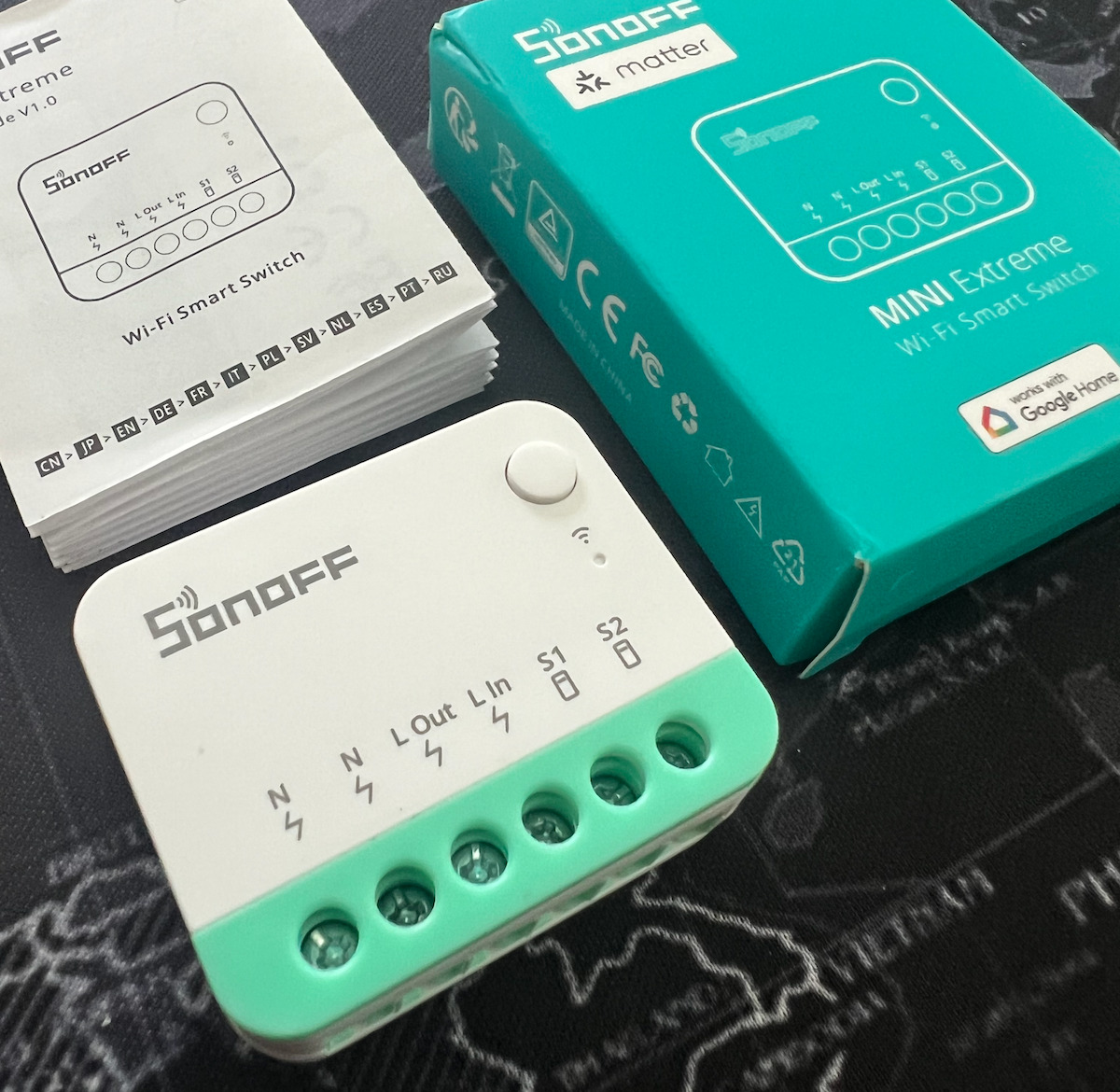


 vapid shell
eager fern
so thread over homekit isn’t compatible with thread over nest or other equipment...
vapid shell
eager fern
so thread over homekit isn’t compatible with thread over nest or other equipment...
It should work but I haven’t tested that one myself
eager fern
Ok I understand a bit more, I don’t have much thread device so I ll not invest today , maybe later.
however, why is the google nest not part of my thread network and it as is own network ?
I thinked my yale smartlock will be thread in the future and (I hope) compatible with google nest.
twin vine
This is a pretty good introduction to it all
Because thread is the transport method it uses between devices
vapid shell
twin vine
<@245932454391709696> might be able to correct me, but I think you need some sor...
You need a Bluetooth dongle connected to HA to configure the thread networking on homekit over thread. It’s the same for matter but we have to use the phone Bluetooth in that case.
Have personally tested using a SkyConnect, and a HomePod with that way
Nest should work if the thread network credentials have been imported into Ha
 steady linden
Hey guys, I am having issues flashing SkyConnect (ZBT-1) with Thread software. I am able to use the firmware update page to flash thread but as soon as I launch OpenThread Border Router with the device selected it crashes my entire Home Assistant and I am unsure how to debug since I can’t see what happens
twin vine
anything in the log on boot (after crash)?
steady linden
I’ll check but pretty sure its empty
It appears to have no errors for the OTBR
but it does have an ‘ended unfinished session’ and ‘system could not validate that the sqlite3 database was shut down correctly’ in home assistant core, supposedly cus it crashes my system?
I have tried both selecting the dongle from OTBR add-on and also from the Hardware tab in settings and both still end up crashing it 😦
 pine wave
I need help... I do not know how to pair my eve motion device to home assistant os. I run it in a vm, which uses macvlan. I have a network connection, as I can ping Home Assistant. I routed my conbee3 stick with newly flashed OTBR firmware into the vm... configured the addons inside of haos.. tried for almost 2 days now, and am unable to fix this.
 rare spoke
@pine wave are you able to communicate with other things with that VM ? say run a mini http server (built in in php and python) and see if you access it ?
maybe is just wrong the network setup
pine wave
Don't know what this would change. I tried to sync credentials with my ipad, but I'm unable to do this. It gives me an error, currently I inspect the logs..
somber isle
somber isle
Hey! I am trying to add a Thread device using a Conbee II stick flashed with Thr...
Anyone with any thought on this? Does the OTBR not work alone? I see many use a TBR from Google, Apple or others in addition. That should not be necessary? Should I buy another Thread USB stick?
spring bramble
The OTBR can work alone which should be fine in smaller deployments - in larger homes/deployments its better to add more BR's to the same network which is the reason many of us try to combine multiple BR's into one network
somber isle
Yeah I get that. 🙂 I have just bought two door locks to try out, and I have tried to pair one of the locks with the lock being 1 meter from the OTBR Conbee II stick but still I get no connection over Thread. Seems a pickle to debug ... my logs tell me diddely squat. Last step I tried was to use a 2m USB extension cable just to rule out noise interference etc.
Maybe I should try another Matter Thread based device. Like an Aqara motion sensor or something like that.
It either a new device, or another stick I think ... 😛
spring bramble
Well, never connect a zigbee/thread/z-wave stick directly in an usb port. There will so much interference that your signal will be destroyed. So tip 1 is to always use an extension cable.
Tip 2 is that there is only little experience with the conbee stick so you may want to try with either a ready made BR such as a (second hand) homepod mini or a SkyConnect ZBT-1 stick, as those are daily tested by us.
somber isle
Ok I got a Sky Connect now, I tried making a new thread network and make that default. Do I have to clear my Google Play Services data and cache to get the Settings->troubleshooting->sync thread to prompt "on the same network" ?
Whenever I delete Google data I need to setup my watch and wallet ++... it is a bit irritating. Now I only get the "update network from home assistant" prompt. But when I try to add a device it tries to add it to the wrong network.
vapid shell
Yeah nuking google play is the only way, until they fix their api
somber isle
Jeez....
At least I got it working now. Replacing the Conbee II fixed it. Sky connect it is 🤘
 quiet dragon
Is this the right place to ask this question?
I have a HA yellow and want to set up a Thread border router. Can I connect a SONOFF ZBDongle-E to HA Yellow and create a separate (from ZHA) thread network?
 manic monolith
Yes
 royal cave
Hi, someone here using Nanoleaf A19 + OpenThread Border Router on SkyConnect ? I lose them regularly (became unavalaible or unknown). As soon as I restart the addon they came back. Pretty annoying... Before I used dual protocol with a ZBDongle-E and it was the same thing. Now I have a fresh dedicated network on another chanel (20 VS 15 for Zigbee and my 2.4ghz wifi fixed on 6), Skyconnect on a USB2 port but the problem still here 😦
marble perch
royal cave
Hi, someone here using Nanoleaf A19 + OpenThread Border Router on SkyConnect ? I...
hmm… matter bulbs or homekit?
if matter bulbs, first thing to check is that the firmware is up to date. should be at least 3.6.173 for the matter stack stability fixes.
other than that… possible sources of network interference? try using a usb extension cable to move the stick away from any other 2.4ghz radio devices or usb 3 ports.
royal cave
A19 it's only homekit no ? It's homekit anyway, uptodate. I'am already using an USB extension cable. I don't think it's due to interferences. My Zigbee was rocksolid when I was using thread on the same dongle.
Actually have an automation that restart addon every 8 hours, will see if it helps 🤔
marble perch
they've discontinued the homekit bulbs, current nanoleaf A19s are only available via Matter.
royal cave
That sux... I'll try the matter version
Feedback of the matter version is horrible on reddit 😅
I regret my yeelight who died, expansives but stable and effects avalaible
Juste ordered a matter version to compare, even if I already have 3 homekit 😦
 wary mountain
Anyone know what SpinelDrive is about?
SpinelDrive-: Wait for response timeout
My SkyConnect just refuses to work consistently
Currently running the OpenThread firmware. I don't need it to do Zigbee.
But it doesn't seem to matter what firmware I use.
[C] Platform------: Init() at spinel_driver.cpp:82: Failure
did you turn on auto-flash on the OTBR config settings?
wary mountain
twin vine
did you turn on auto-flash on the OTBR config settings?
I haven't, but I did just flash to the latest Open thread on the web flasher.
twin vine
try turning that on, and starting it
wary mountain
Looking for where to do thst
twin vine
docker container? or HACS add on?
wary mountain
HAOS in a VM
Add-ons. Got it.
Doing it from the Addon may have fixed it. Amazing.
Been fighting with this for days. HAOS reboots. Unraod reboots. Unplugging and replugging the sky connect. Trying a different port. Messing with the USB passthrough to the VM. And this whole time I just needed to start the HA addon.
wary mountain
Thanks for the suggestion. Really appreciate the help.
I think it was more that I needed to start the Addon than enabling auto flash. But it was the right area
I think OTBR is broken, but Silicon Labs Multiprotocol might work.
vast sierra
twin vine
multi-pan is a bit jank
Super jank
twin vine
haha yeah 😅
wary mountain
Going back to the OpenThread firmware. Trying to uninstall SilLabs and see if the OTBR addon will stop crashing on start.
OpenThread (RCP) SL-OPENTHREAD/2.4.0.0_GitHub-7074a43e4
upbeat cairn
Are you trying to run both at the same time?
wary mountain
No, I had multiprotocol disabled before
Seems odd that starting the OTBR addons doens't add the OTBR integration
languid ridge
Has anyone been able to get otbr running on a raspberry pi using a flashed ZBDongle-E?
Or do I need to just get a nRF52840?
wary mountain
Okay, I think I'm finally good after flashing the OTBR firmware, making sure the OTBR addon is running, and disabling the SilLabs Multiprotocol addon.
Which should be exactly where I started, but hey, things are working now.
twin vine
languid ridge
Has anyone been able to get otbr running on a raspberry pi using a flashed ZBDon...
yes, you just need to pre-flash the fimware
there is a issue open regarding the auto-flashing not working: https://github.com/home-assistant/addons/issues/3668
languid ridge
I've used silaslabs to flash the firmware. I should clarify though, I was able to get it to work on my HAOS on VMWare, but I decided to drop VMWare to Hyper-V, and I lost my USB passthrough ability, so I'm trying to set it up on my rpi that is doubling as a kiosk for now.
So HA is running on my Hyper-V VM
Either way, I ordered an nRF52840 which is supposed to arrive today. hopefully that works.
abstract tide
I think that I found the issue with my Thread connection problem
Now I only have to find the solution (:
Home Assistant wants the devices to be connected to the OpenThread Border Router, but Google Home keeps trying to connect them to the Google Nest
The Google Nest is in my parents house, so it can't reach it. Does anybody know a way to change the prefferenced router in Google Home?
languid ridge
Sheesh, Where can I find the openthread firmware for the nRF52840 ?
Following this guide but the links are broke
https://www.instructables.com/How-to-Setup-a-OpenThread-Border-Router-Using-a-NR/
Really gotta download the SDK and compile my own or something? Thought it'd be easier
twin vine
Unless you can find a pre-compiled build, yeah
Here’s the one I used, but doesn’t seem to have your dongle there
 magic girder
I currently have an ESP32-C6 running the most recent stable OT-RCP firmware (from the IDF v5.2.2) and the OpenThreadBorderRouter add-on installed, configured and running on my HA system. I used the OTBR web interface to form a network, and the status page there appears to show it working.
If I then take a second ESP32-C6 and install their latest thread_matter_light demo firmware, this installs correctly. If I then use the HA Android App to add a matter device, and scan the supplied QR code, it seems to begin the commissioning process. It connects to the device by Bluetooth, and the log for the device shows a lot happening, but when it gets to checking network connectivity, it always fails.
As a test I tried the wifi_matter_light firmware, and although it failed twice, it succeeded on the third try, and I can control it from HA.
So I guess my question is, is this just Espressif being bad at software again, or am I doing something wrong? Is there any straightforward information about how to do this properly?
ionic plaza
magic girder
I currently have an ESP32-C6 running the most recent stable OT-RCP firmware (fro...
Did add it as a preferred thread network in HA's Thread integration and sync the credentials to Google Play service in companion app - troubleshooting tab?
I once used their OTBR kit (S3-H2) with HA, which works well
magic girder
ionic plaza
Did add it as a preferred thread network in HA's `Thread` integration and sync t...
Yes, it's set as the preferred network. And I chose "Used for Android + iOS credentials". But I'm not sure what you mean by sync the credentials to Google Play service in companion app - troubleshooting tab?
ionic plaza
magic girder
Yes, it's set as the preferred network. And I chose "Used for Android + iOS cred...
in HA android app, go to Settings - Companion app - Troubleshooting - Sync Thread credentials
magic girder
ionic plaza
in HA android app, go to `Settings - Companion app - Troubleshooting - Sync Thre...
Thank you. It gets a bit further now... the esp client device logs shows actual thread network activity, and the android app shows "Can't connect to thread network home-assistant", which is definitely further along than before.
ionic plaza
try adding it via Yes, it's already in use - other controllers this path should bypass Google or Apple, but I am not quite sure about this @spring bramble @sick swan
spring bramble
Only use that option to add a shared device - so put the device in "pairing mode" from another controller first
ionic plaza
spring bramble
Only use that option to add a shared device - so put the device in "pairing mode...
I noticed it wouldn't pull/bypass system's UI, what's the difference here
spring bramble
ionic plaza
I noticed it wouldn't pull/bypass system's UI, what's the difference here
A lot - Matter has support for Multi admin, meaning you can pair it to multiple controllers at once
magic girder
No luck unfortunately. I tried to get started almost a year ago and gave up because it was so unstable. I guess I'm right back there again. It does seem like the protocol that was supposed to simplify everything has sure made it all a lot more difficult.
It's very possible I'm doing something wrong, however there doesn't seem to be any clear documentation on what I should and shouldn't be doing.
And trying to work out what's going wrong from the logs also seems next to impossible.
 random garden
Is there a way to determine what integration entry each Google Hub is within the Thread integration? Am looking to automate rebooting the Hubs as the devices Thread integrations disappear every now and again. I have my Hubs in Home Assistant with Device IDs, but haven't been able to extract the same information from the Thread integration once a particular hub loses it's Thread component.
spring bramble
magic girder
No luck unfortunately. I tried to get started almost a year ago and gave up beca...
If you use one of the readibily available Thread border routers or stuck with wifi/ethernet Matter products it will work out of the box. By choosing the DIY route you choose a bit of extra tinkering
magic girder
spring bramble
If you use one of the readibily available Thread border routers or stuck with wi...
Isn't "DIY" the entire point of HA? And I have no issues with "tinkering". I have 25 years experience in embedded development. However this current implementation makes it nearly impossible to "tinker" due to the incredibly unreliable, unpredictable behaviour it exhibits, and the near impossibility of tracing faults.
I'm a huge supporter of HA and have been a paid subscriber for years mainly as a way to support development, but this entire implementation has been far from optimal and doesn't seem to be getting better any time soon.
Telling people to just use something else also seems to be a very poor way of supporting the community.
spring bramble
I think that is a bit harsh as there are many people for which it works fine.
magic girder
spring bramble
I think that is a bit harsh as there are many people for which it works fine.
Perhaps, instead of telling people to just use something else, you could make some suggestions on where to begin troubleshooting, what to look for, some common issues etc?
crude willow
Don't they do that here? #matter-archived message
And every setup is different. If everyone here is going to ask 'he it doesn't work. What should I do?' the support is going to be crazy. Google, apple, Samsung are also not going to be helpful with these kind of situations.
If you want to play around with 'crazy' networks no one is holding you. But giving support for that is I think less of a priority compared to making things work for the majority of the networks. What it is intended for.
rich river
My 2p/2c... feel free to skip/ignore...
Consider that Thread and Matter aren't HA products, they're a much larger industry wide effort to try and standardise on a general consumer friendly solution to home automation. They're also relatively new standards which are still being worked on, and (I think a lot of people would agree) still have a long way to go before being "complete".
And while HA is playing in the Thread and Matter space, and seemingly punches way above it's weight, it's a) still constrained by what the industry as a whole is doing and what the current standards are, and b) doesn't have the resources of Apple, Google, etc. to work on all facets of support for Thread/Matter, and (in my opinion) is correctly focussing (for now) on the useful parts of getting something working for the majority of people.
That's not to say that HA won't at some point have a fully working solution which doesn't require an external TBR from Apple, Google, etc. but at this moment in time pointing people towards an external TBR, on a flat network, etc., etc., is the quickest, easiest, and most reliable of actually getting people being able to use Thread & Matter devices. If someone want's to do something different, then that's fine too, but they're really more on their own and there should be an expectation that there's going to be minimal support.
royal cave
royal cave
A19 it's only homekit no ? It's homekit anyway, uptodate. I'am already using an ...
all my (homekit) nanoleaf still alive with this trick 🤷 have installed a matter version btw, need to disable the autorestart automation to check if it stays online.
magic girder
rich river
My 2p/2c... feel free to skip/ignore...
Consider that Thread and Matter aren't H...
There's no "expectation" of "support" on my part. However the point of these forums is to ask questions. I have no expectation of a response, however I also don't expect to be told by a developer of the project to just use something else.
I also disagree somewhat with your assessment that having HA focus on focus on external BR is right approach. As I said before, HA has always been focused on "DIY" solutions, hence its major focus on the ESPHOME platform. My own opinion is that HA was developed from the start as a way of enabling DIY solutions to function in a meaningful way. If you want to use commercial, plug and play platforms then they already exist and HA is not really required. The people who have always supported HA are those that make their own solutions. That has been the driving force behind the entire product, as clearly demonstrated by the fact that HA is the second most active open source project in the world. People who just want plug-and-play don't tend to contribute to the source code of the project.
The continued "it's brand new" viewpoint is way overdue for retirement. The Thread protocol is 10 years old now. Apple released their first products 4 years ago, and they consider them stable. Matter isn't far behind. Granted there are many external issues, but there are also many issues internal to HA that could be improved. Denying these issues exist means nothing will ever be improved. Someone asking for help and pointing out these issues should not ever receive a hostile response (especially from a project developer), and being told "your on your own" goes against everything the HA community stands for.
vapid shell
I don’t think it’s unreasonable to say that certain options are more mature than others. It’s facts.
I don’t think it’s unreasonable to concentrate on what the most common areas are (for now)
Because of HomePods and nests we had people in here with 10 TBRs the day HA had any sort of thread support,
We did have regulars that had eg home brew TBRs but I haven’t seen many of them in a long time. I know the maturity of thread took a toll on some of them.
That means there’s a lack of volunteers to help people like you
twin vine
magic girder
There's no "expectation" of "support" on my part. However the point of these for...
Homie, all you can do is ask your question and hope to get a response here. or try the forums, other than that you are kinda on your own,
its a balancing act for effort over "reward" for matter (and its implementation over thread)
not many people from my knowledge actively run the espressif dev board/kit with only a single BR
so an even smaller sample size to get any meaningful help from
sick swan
random garden
Is there a way to determine what integration entry each Google Hub is within the...
The Thread integration shows the devices detected via mDNS, they are not stored. The only once stored are the once we connect to directly (OTBRs).
sick swan
magic girder
Thank you. It gets a bit further now... the esp client device logs shows actual ...
You do have a bit too many unknowns, I think what I would try first is a known working Thread device, e.g. a Eve device. This validates that your Thread border router setup works correctly. Than from there, move on to custom devices.
That said, from the error "Can't connect to thread network home-assistant", two possible reasons this could happen:
a) Your phone and the Thread Border router are not on the same network/can't communicate with each other. Make sure you are on the WiFi the Thread Border router is. Also make sure that these networks are connected directly, such that link-local multicast works, and IPv6 ND packets can flow freely. Also disable mDNS reflection or similar features on your router/firewall, if you have such things, these have proven to be problematic.
b) The Thread credentials are indeed somehow messed up/not correct. Maybe start over by resettting your Thread border router, resetting the Android (method described here https://github.com/home-assistant/android/issues/4146#issuecomment-1911707074), then sync the credentials again, and try commissioning again.
magic girder
sick swan
You do have a bit too many unknowns, I think what I would try first is a known w...
Amazing! Thank you so much. I'll have a look and see how I go. Much appreciated.
I've also ordered an nRF52840 dongle to try, which is supposed to be reliable with OTBR. That should eliminate one possible point of failure.
magic girder
I tried to commission the same device again using a brand new iphone that had never had Home Assistant app. After a fairly short time I got an error "Thread Border Router Required - To pair this accessory, your home network must include a Thread Border Router."
I've reset the border router mulitple times, but as far as I know it's installed and working as it should. I can't paste a screen shot here but this is what it looks like in my HA setup
https://ibb.co/0G8TTyP
sick swan
magic girder
I tried to commission the same device again using a brand new iphone that had ne...
You need to transfer credentials similar to Android, see https://www.home-assistant.io/integrations/thread#case-1-making-home-assistant-your-first-thread-network
magic girder
OK, now I get "Unable to Add Accessory. Pairing Failed."
sick swan
Yeah not sure what that exactly means. On Android you get a bit more information during pairing at what stage the system is, so you can kinda figure it out. But not sure where it failed here.
What are you doing exactly? You try to add your device using the setup code to Home Assistant through the iOS Compagnion app?
magic girder
Ok, I tried again and it worked. It took a really long time this time, but now it shows as a Matter device, and I can turn it on and off. Well that's a huge improvement!
magic girder
sick swan
Yeah not sure what that exactly means. On Android you get a bit more information...
Yes, I'm flashing an ESP32-C6 dev board with their precompiled "Matter-Thread-Light" firmware. Once flashed it gives a QR code which I scan with the HA app and it goes from there.
So maybe the Android phone I've been using is the issue.
sick swan
magic girder
So maybe the Android phone I've been using is the issue.
On Android, you need to add development devices to their developer console, see https://developers.home.google.com/matter/integration/pair#pairing_restrictions
You are likey using the Test VID?
magic girder
twin vine
and has it got full google play services?
It's running the latest 14 build, and yes.
magic girder
sick swan
You are likey using the Test VID?
Yes, definitely the test vid.
sick swan
Ok, yeah then try going through these developer console steps. It's PITA, but it actually works 😅
That said, it seems a bit weird to me that "Can't connect to thread network home-assistant" would appear then 🤔
magic girder
sick swan
That said, it seems a bit weird to me that "Can't connect to thread network home...
Yeah, it makes me think it's not transferring the credentials properly, although the device logs are almost impossible to decipher. At no point does it give anything that looks like an error message, at least to me. I'll try the developer console thing. Many thanks again for the help.
sick swan
The way it works things communicate through Bluetooth first, and setup a lot of things. Then the device arms a timer, and waits until the commissionier conects it through IP (the Thread network). The error seems to indicate that this step fails. Usually on the device side you will only see it waiting for a while, and then it should say something like timer expired, and go back to a idle/pairing state. So that may not really appear like an error on the device side.
magic girder
sick swan
The way it works things communicate through Bluetooth first, and setup a lot of ...
Yep that's exactly what it says. Several timeouts then back to waiting for pairing.
spring bramble
magic girder
There's no "expectation" of "support" on my part. However the point of these for...
The one being hostile with responses is yourself, so don't be surprised if that tone is what you get back.
So lets keep it friendly and like you discovered you actually got help that way.
It's all new, we are super limited in capacity and we are still troubleshooting everywhere, where Thread is still very unstable/unpredictable. That is what it is, I can't make it more appealing.
magic girder
spring bramble
The one being hostile with responses is yourself, so don't be surprised if that ...
Strongly disagree with your assessment of the situation there. I don't believe my "tone" has been hostile at all, unlike your own which I found immediately dismissive and unhelpful. That's just my own view.
The fact that someone else was able to immediately offer some simple suggestions that led to a really fast resolution says everything about the best parts of this wonderful community.
spring bramble
magic girder
Strongly disagree with your assessment of the situation there. I don't believe m...
That's it - I'm going to report you dude, I'm done with your personal attacks
magic girder
spring bramble
That's it - I'm going to report you dude, I'm done with your personal attacks
You attacked me and I responded? What personal attacks?
spring bramble
No you are reverting things from the beginning. We're done talking. Goodbye
magic girder
dry hinge
I assume you are referring to the espressif dev board with onboard esp32s3 and o...
Hi! Just saw your message and thought my recent experiences might help. I'm currently using an ESP32-C6, flashed with the ot-rcp example available in the ESP-IDF, and I've finally been able to get another ESP32-C6 flashed with some sample device firmware working correctly. I was getting the same error message as you on an iPhone, and the critical step I was missing was to transfer the credentials, as kindly described here by flastaff321 (#thread-archived message)
If there's any other details I can provide that might help please ask 🙂
 indigo mortar
magic girder
Strongly disagree with your assessment of the situation there. I don't believe m...
indigo mortar
magic girder
Strongly disagree with your assessment of the situation there. I don't believe m...
My dude, here’s what I see happening. All Marcel said was the DIY route means more tinkering and that it works for others. The quotes you are doing for words indicates a harsh tone, as well as throwing around your years of experience. You said there is no expectation of support yet insisted that Marcel help you with troubleshooting just before that. The community at large helps with troubleshooting, and they got you where you needed to be. I see this issue as now resolved.
In general when engaging here, one may feel that someone’s response was dismissive, totally fair. Instead of telling them that they are unhelpful, consider asking if they intended to be that way or if they just don’t have the help you were looking for. The other option is to just not respond and talk with the other people who are offering other suggestions. If you feel someone is being dismissive, feel encouraged to dismiss their comments without commenting yourself.
Now, let’s carry on. 😊 Dream Doctor, feel free to DM me if you want to talk about this further, but there is no need to continue this here as how people engage with each other is off topic to Thread.
tired juniper
Having loads of issues with my eve motion blind going unavailable most of the time rebootinging my Google hubs brings it back but now it's not
It's just dead
twin vine
tired juniper
It's just dead
The actual blinds are dead?
Can you connect to them over the eve app?
tired juniper
No the thread connection I'm not using eve app it's the matter thread version
I've had to factory reset it to connect it back
It disconnects from the thread network every bloody day
twin vine
tired juniper
No the thread connection I'm not using eve app it's the matter thread version
If you look at it over the eve app, I think it can connect over Bluetooth if you are in range?
Have you tried it
tired juniper
There is no eve app for android
twin vine
Oh shit yeah mb 😅
tired juniper
😅
I got 4 boarder router none more than 8m from each other id have thought it wouldn't be a range issue
Is there anyway to see what cannel the thread is working on?
twin vine
Have you got any thread dongles connected to home assistant (running the OBTR add-on)?
 faint siren
Any of you guys use a Echo 4th Gen as a TBR and how has your experience been with it so far?
They're discounted at Amazon for Prime subscribers. Since I sub, I'm thinking about getting one for future proofing.
Helps to avoid the feeling of spending even more money at once just to make that 1 device work lol.
tired juniper
twin vine
Have you got any thread dongles connected to home assistant (running the OBTR ad...
Nope just 3 google hubs and 1 nanoleaf panel all acting as a boarder routers
sick swan
Seems that Google is adding a Thread radio to their smartphones too: https://www.androidauthority.com/pixel-9-fcc-3460416/
 cursive creek
Is a moving border router, sometimes leaving the home, such a good idea?
twin vine
i doubt they are going to use it for that. more for a better way to communicate with other devices (like a smart watch)
much lower power than starting and stopping a bluetooth radio
oh wait they actually enabled support for thread/matter on the phone, no hub needed. interesting
spring bramble
twin vine
oh wait they actually enabled support for thread/matter on the phone, no hub nee...
Its for the cases where no BR is yet present in a home. So you can actually use a product if you have no BR and then if you want to use it without the phone dependency, you can add BR(s)
twin vine
Huh dope, would be interesting to see how that turns out
spring bramble
tired juniper
Having loads of issues with my eve motion blind going unavailable most of the ti...
This sounds like Connectivity issues - for example when zigbee (or wifi) are on the same channel.
tired juniper
spring bramble
This sounds like Connectivity issues - for example when zigbee (or wifi) are on ...
My WiFi is on channel 1 and 6 my zigbee os on channel 25 but I have no idea what channel my thread is on
spring bramble
tired juniper
My WiFi is on channel 1 and 6 my zigbee os on channel 25 but I have no idea what...
If you go to HA settings --> Integrations --> Thread and hit configure, you can explore the Thread topology.
There should be a small info button next to your network name to see its parameters such as channel.
tired juniper
Oh its on channel 24 so should be fine there is no 2.4ghz on channel 11 that got any good signal
But less than 6 hours later the blind is off the network again
spring bramble
tired juniper
But less than 6 hours later the blind is off the network again
Is the blind added to HA alone or also to Google Home ?
Also check the Matter Server logging for errors. Most likely a lot of timeouts there
tired juniper
It never used to be like this only last week it's been doing it before it might drop off once in like 3 weeks now its every couple of hours
It's added to home assistant
Yea there is lots of timeouts in matter logs
I got 4 boarder routers my house isn't that big the blind is only 2m from on of them starting to think this is a google issue as otherwise why would rebooting the boarder routers make it work again sometimes
Rebooted all 3 google boarder routers now blind works again
spring bramble
tired juniper
I got 4 boarder routers my house isn't that big the blind is only 2m from on of...
Yes, this indeed sounds like a Google issue although can also still be network related
tired juniper
I tested before with only 1 boarder routers the furthest in house with a thread plug and was working fine in same location as blind since then I uave added 3 more boarder routers
If its connected to the Google router in bedroom as that's closest it would seem googles routers aren't staying connected to each other
sick swan
@tired juniper what I would test first is take the Nanoleaf BR out of the picture, and see if things work with just the Google BR.
Then one good test would be if you add it to Google Home, and see if the Motion blind stays online there. If no, this points more to a connectivity issue between the BR and the Motion blind itself.
Finally: What system do you run HA on? Unfortunately, Supervised has some troubles picking up routes, which is especially problematic with multiple BRs.
tired juniper
It's HA installed on proxmox on a nuc
sick swan
So HAOS? 🤔
tired juniper
I guess to remove nanoleaf I'd have to factory reset
I get so confused what the hell each version is
sick swan
tired juniper
I guess to remove nanoleaf I'd have to factory reset
Yeah it is super annoying that you can't disable just the BR feature 😢 . I also have one, and resetted it for the same reason. However, it immediately joined my Thread network, before I actually accepted 😭 For testing, I'd just unplug it.
sick swan
tired juniper
I get so confused what the hell each version is
Hehe, so yeah when you use a virtual machine, without installing Debian manually yourself, just Home Assistant OS, then you are running it on HAOS 😅
tired juniper
Is there a usb boarder router I can get to plug directly into HA want to keep it separate from my zigbee network stick
sick swan
Yes, you can use the Home Assistant Connect ZBT-1 (previously SkyConnect) and turn it into a Border Router. You need the OpenThread Border Router (OTBR) add-on on Home Assistant side. But it will offer that right after plugging in the ZBT-1.
But then: Creating a separate mesh just for HA is kinda not the point of Thread 😅 Ideally you connect all Thread border routers, but adding HA OTBR to your Nanoleaf/Google mix is unlikely to help 🙈
@vapid shell didn't you mention that Proxmox might be the culprit at times when it comes to IPv6 ND/Multicast issues? 🤔
tired juniper
I wanted to add it to current mesh to increase the mesh
vapid shell
Macvtap pops to mind?

# Debian / libvirt # # By default, qemu guests network interfaces are created with the # trustGuestRxFilters attribute set to no. This setting blocks # neighbor solicitation and other ipv6 multic…
sick swan
tired juniper
I wanted to add it to current mesh to increase the mesh
Ok, yeah you can do that. I do run a Google Nest Hub + OTBR here, it runs fine for me. Even have a Eve Motion blind, it stays online all the time.
However, I would not expect that this will help your case (unless maybe the OTBR is in close proximity to the Eve Motion blind, and it is indeed RF related... then maybe).
tired juniper
Problem is I only have 1 thread device so I got no idea if the network us working at all etc when it messes up need to yet another thread device so I can see if both go offline but not really in need of any plugs
tired juniper
sick swan
Ok, yeah you can do that. I do run a Google Nest Hub + OTBR here, it runs fine f...
Red in tje boarder routers the bedroom 4 is nanoleaf
sick swan
tired juniper
If its connected to the Google router in bedroom as that's closest it would seem...
What type of BRs do you have? And they are all on the same network?
tired juniper
Blue is location of home assistant rf sticks zwave and zigbee using ser2net ha nuc is in a network cabinet
1 google hub max, 2 hub 2md gen and one nanoleaf shapes
And yes
sick swan
tired juniper
I tested before with only 1 boarder routers the furthest in house with a thread ...
I don't quite get that, what do yo mean by Thread plug? Which Google BR was that? And with that setup the Eve Motion Blind stayed connected?
tired juniper
Sorry I only used to have the nest hub max in living room and tested threads range using a thread plug in the bedroom it worked fine. But after I sent the plug back and added the nanoleaf and 2 google hub gen 2s before I got tje motionblind
sick swan
Hm, I see, so Motion Blind issue might really be different then. Where is your Motion Blind located?
tired juniper
Bedroom
Dunno if your looking at floor plan I sent
But marked out the boarder locations on it
In red
sick swan
I did, yes, so you have BRs also in the bedrooms, so distance should really be close then
tired juniper
Yea I can put one hand on hub and one on blind 🥲
sick swan
And how often does it go unavailable? Within 24h?
If so, I would just unplug all BRs expect the closes one for 24h, and see if that helps. If the device goes unavailable in that setup, then there is most likely some communication issue between the BR and your HA installation.
sick swan
Yeah it is still early days Thread. But it will be better once it becomes more mature. The fact you can have multiple BR is really nice.
tired juniper
Yea I thought so too and why I wanted to start only buying thread devices but my zigbee and zwave are solid
But I got 91 zigbee 33 zwave
Only 1 thread device
bronze fog
I have 28 Thread devices, with another 25 coming soon
tired juniper
I want to use eve in all rooms they will fit but will have to rethink that plan till it's working properly
I do need another motion sensor aqara do a thread one but their sensor sucks for range when it's warm
sick swan
Yeah most likely this is not a RF issue, but some communication issue between the BRs. It migt be on Google's end. I can help you debug further. The nice thing about Thread is you can actually debug it: It is IP! It is all just ping and IP routes. With Zigbee, this is much harder. But then it is more mature and homogenous so that's why typically works better today.
That said, I definitly had Zigbee whoes here 🙈 Bad devices etc. I banned OSRAM, which helped stability a lot. But I still have some devices which somewhat misbehave 😰
tired juniper
Was thinking of getting the eve motion sensor but I need a 45degree mount and it looks like it's flush only
sick swan
bronze fog
I have 28 Thread devices, with another 25 coming soon
How is stability on your end? I guess mostly Nanoleaf?
I was planning on adding more Nanoleaf to my production setup too.
tired juniper
The smartthing motion sensors is what I normally use the magnetic ball mount is so good
bronze fog
sick swan
How is stability on your end? I guess mostly Nanoleaf?
I was planning on adding...
Zero Nanoleaf, and never will. Very stable as long as the manufacturer's firmware is good. I had mDNS issues, but that was due to bad ethernet switch firmware. Now that I'm on TP-Link and Netgear Pro AV switches, it's solid.
sick swan
Matter battery operated devices are also not ideal yet at thsi point. The RF side needs to do more work than for a Zigbee device, that is why most Matter based battery devices currently have larger battery 🙈 With Matter 1.4 the standard should have all the tools to allow devices to go into sleep longer (LIT ICD). But until devices are availabel and all controllers support these features etc. it likely will take a while.
tired juniper
Anyone tested the aqara p2 thread motion sensor do all the settings avaliable in HA?
sick swan
bronze fog
Zero Nanoleaf, and never will. Very stable as long as the manufacturer's firmwar...
😢 so switch didn't forward mDNS multi-casts? What Ethernet switch make was that?
bronze fog
sick swan
😢 so switch didn't forward mDNS multi-casts? What Ethernet switch make was that...
A QNAP switch for me personally, and others have issues with Ubiquiti gear.
sick swan
My Nanoleaf devices are stable these days. Yeah they threw green bananas at us, but they actually kept working on the firmware, so 🤷♂️
tired juniper
I'm using unifi
sick swan
bronze fog
A QNAP switch for me personally, and others have issues with Ubiquiti gear.
Yeah the Ubiquity stuff seems to be a bit problematic. But is it there really related to mDNS packets not getting forwarded? What I thought was problematic is their mDNS reflector settings etc.
The smarter the switch the more likely the manufacturer broked something, I guess 🙈
bronze fog
sick swan
The smarter the switch the more likely the manufacturer broked something, I gue...
TP-Link Omada gear is rock sold, feature rich, and priced good for consumers. I got killer deals on the enterprise Netgear Pro AV switches (32 ports of PoE 10G), and they are rock solid too but not aimed at consumers.
tired juniper
Does the otbr addon support ser2net connection like zha z2m and zwave2mqtt?
sick swan
It does, but it is not recommended.
The Thread RCP protocol is timing sensitive, tunneling it through a network is not ideal.
Since Thread is IP based, it is better to have the OTBR component directly connected to the radio.
Supposedly it works quite well through Ethernet still.
tired juniper
My ser2net pi is connected via ethernet
spring bramble
tired juniper
I'm using unifi
OK, Unifi network gear is known to be problematic, most specific the UDM consoles.
In the network settings make sure to have multicast DNS disabled
tired juniper
But my HA install in in a network rack which doesn't work well for letting signal through
spring bramble
Also they have some fancy "features" like multicast optimizations which you relaly should disable in a domestic network
tired juniper
spring bramble
Also they have some fancy "features" like multicast optimizations which you rela...
Will that stop chromecast from working?
spring bramble
tired juniper
Will that stop chromecast from working?
Why not? As long as you have a flat network it will even help it
All those Unifi settings are meant for enterprise networks where they want to limit multicast
tired juniper
Is it for transmitting mins across multiple subnets or vlans?
spring bramble
In a normal home network all these protocols are based on multicast and it should just travel freely
spring bramble
tired juniper
Is it for transmitting mins across multiple subnets or vlans?
The mdns forwarder is - the "multicast enhancements" converts multicast into unicast but also filters some of it
tired juniper
There is multicast encancments under wifi settings and multicast dns under network settings
spring bramble
tired juniper
There is multicast encancments under wifi settings and multicast dns under netwo...
Both disable that
 dusty dirge
Hey all! Has anyone been able to successfully pair Eve matter devices to a Home Assistant Yellow as a TBR? Eve does not list Home Assistant as an eligible hub on their website ( https://www.evehome.com/en/hub ), but I was not sure if that was because it truly won't work or they are only listing consumer-friendly devices.
vapid shell
dusty dirge
Hey all! Has anyone been able to successfully pair Eve matter devices to a Home ...
We have been using eve products with home assistant for several years now
For a yellow TBR there were some gotchas because of Google and Apple problems, but Eve has worked with the yellow thread since before they launched many of their matter firmwares even
For Google, you need to make sure you use a handset that’s not been connected to a nest device and then it’ll be fine
For a while with Apple you just had to have a HomePod in the mix to use matter at all, but I think that was solved a couple of months ago now