#that s really rare it s much easier to
1 messages · Page 1 of 1 (latest)
 undone patio
I've got lots of different types of "pixels" but it's always been to get different form factors or properties. It'd be nice if I could mix them in my projects. I guess my request is more rare than I expected, but it's something I've done in the past, I've just always written my own "pixel setting" code.
 hardy spade
even making a subclass that defines __setitem__ is complicated because the parent class adafruit_pixelbuf.PixelBuf is builtin and overwriting builtin methods is not usually supported: because of how it's coded, there is no super().__setitem__ to call, so you would need to use composition instead
the point being to present an objet to the animation library that acts like a normal NeoPixel, but swaps colors in the right places
undone patio
Ya, this was the right place to ask.
OK so I'm a software dev by profession but I don't work in Python often.
From your perspective, would it make more sense to try and modify when the neopixel lib? or maybe I should try to modify the animation lib and change what's sent to the PixelBuf?
I'd prefer not to dig into anything C, if it gets down to lower implementations it's past my point of diminishing returns. I'll just have to live with my simpler animations.
I'd still use some of the animations, the rainbow one doesn't matter much that the end LED is different than the sides.
undone patio
OK so looks like this works for my purposes here: https://github.com/adafruit/Adafruit_CircuitPython_LED_Animation/blob/b8538c64b7f8d33a40f0bbb3e001d808f53083de/adafruit_led_animation/animation/__init__.py#L115
Though I'm sure it's inefficient and I've only tested it with 3 animations so far.
def show(self):
    """
    Displays the updated pixels.  Called during animates with changes.
    """
    for index, pixel in enumerate(self.pixel_object):
        if index == 8:
            c = self.pixel_object[index]
            self.pixel_object[index] = (c[1], c[0], c[2])
    self.pixel_object.show()
I feel like this could be done easier with list comprehension but I'm not great at that yet.
hardy spade
you are swapping every time though, even if that pixel in particular was not changed by the animation
undone patio
Ya, I just found that out. It does "work" for some simpler animations but for things like rainbow it's not always accurate.
I think it's working better when I put that same code in the color setter:
@color.setter
def color(self, color):
    if self._color == color:
        return
    if isinstance(color, int):
        color = (color >> 16 & 0xFF, color >> 8 & 0xFF, color & 0xFF)

    for index, pixel in enumerate(self.pixel_object):
        if index == 8:
            c = self.pixel_object[index]
            self.pixel_object[index] = (c[1], c[0], c[2])

    self._set_color(color)
Fantastic, I'll play with the mechanics here. I didn't know where to start overriding what, I'll read through this.
Thank you.
It does work for some, but it doesn't work for Blink, and I'm not sure it's working for Rainbow but it's hard to tell:
blink = Blink(mypix, speed=0.5, color=JADE)
rainbowSparkle = RainbowSparkle(mypix, 0.1)
oh yeah we have to overwrite fill()
that would do it, call fill(), then fix all special pixels
    def fill(self, color):
        auto_write = self.pixels.auto_write
        self.pixels.auto_write = False
        self.pixels.fill(color)
        if isinstance(color, int):
            color = tuple(color.to_bytes(3, "big"))
        for pix in self.color_orders:
            self.pixels[pix] = tuple(color[x] for x in self.color_orders[pix])
        self.pixels.auto_write = auto_write
        if auto_write:
            self.pixels.show()
all of this will limit animation speed though, but that's unavoidable, but there might be tricks to optimize somewhat
undone patio
That fill override is on the MyNeoPixel class right? This would mean I can use the mpy again for the animation lib.
hardy spade
yeah
undone patio
Thanks for the help! everything looks great so far.
My son is 3, so I don't think he'll mind the low animation speeds 😄 but funny enough, he would mind if one of the colors was wrong :P.
Plus, this is so much better than the cheap "light up" toys he's seen before.
hardy spade
indeed
undone patio
I do get some occasional artifacts, where some pixels (not 8) are randomly flipped when using the rainbowSparkle animation but I can live with that.
hardy spade
it is baby toy time at Adafruit, you'll fit right in 😉
https://www.youtube.com/watch?v=FT0PbVF_aeY
https://www.youtube.com/watch?v=41_llWmVdXU
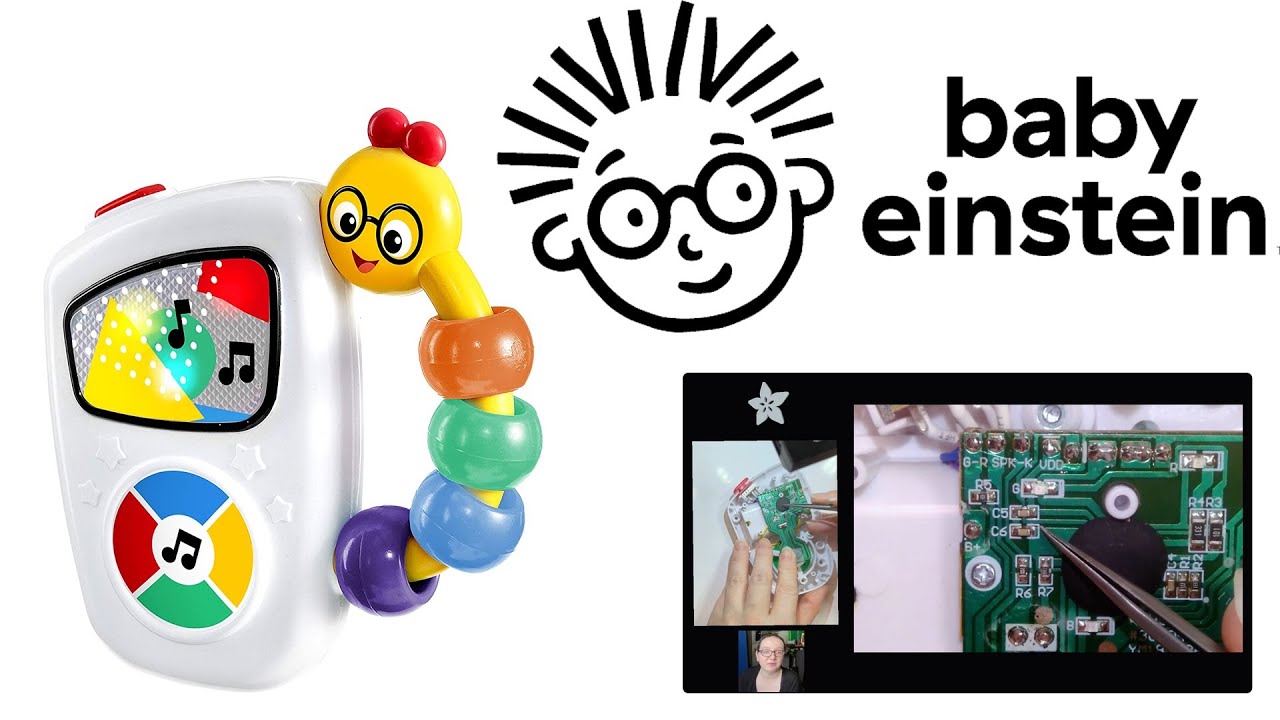
We're taking apart the Baby Einstein Take Along Tunes Musical Toy, we'll soon replace the electronics, and then the music, make it Wi-Fi enabled to transfer new songs on it, light shows and more. Probably will put The Cure on it first and Tori Amos, maybe some Danny Elfman. More soon in this series!
Baby Einstein Take Along Tunes Musical Toy
ht...

Perform a brain transplant on a classic toy! John Park Learn Guide coming soon.
illustrations by Brian Kesinger. Explore more of his work at Briankesinger.com
sound credits here: https://github.com/adafruit/Adafruit_Learning_System_Guides/blob/main/See_N_Say/soundsources.txt
Visit the Adafruit shop online - http://www.adafruit.com
-----------...
undone patio
Oh my, I'll have to check that out.
My youngest is almost 6 months old now, and no joke her name is Ada.
undone patio
hardy spade
awww 👶 though to be fair, by "build" I don't mean a living being 😉
I mean the show on Wednesdays
undone patio
I'll see if I can check it out this week.
This sounds fun, but I'd need to buy a second version of any baby toy I'd want to modify ... I might get in trouble if I try to "fix" something until it's broken.
hardy spade
hehe yeah I can see that