#help-with-linux-sbcs
1 messages · Page 17 of 1
 quaint river
quaint river
quaint river
ah, cool
I really can't stomach booting, modifying, and making a new image since I can't automate that when there's a new OS version available, for example
but being able to run an arbitrary shell script sounds promising. And I should be able to automate mounting the image and writing files to /boot since it's a FAT fs
 ripe berry
Has anyone here made a teleprompter with a Raspberry Pi? I found this software for RPi, and I see a few sites with directions, but they're all very different. Would be nice to have some input from someone who's tried it. https://imaginary.tech/teleprompter/

Open source teleprompter software for web and offline use. Imaginary Teleprompter is easy to use, and runs on a wide variety of computers. We created it to promote the democratization of media by enabling more people to produce quality contents at low cost, and to promote the adoption of free software solutions by the media […]
 steady rose
checkout the rpi-imager source code
using firstrun for hostname is in there i think
but other parts of the code could give ideas on what's available
for wifi/ssh/uart, it's easier, can do something like this:
https://learn.adafruit.com/raspberry-pi-zero-creation/text-file-editing
quaint river
Oh cool -- I didn't know the imager had that preconfigure settings panel. Great to know that's how they do it, thanks for the hints
 lost wolf
Bookmarked!
steady rose
@quaint river google around a bit also though. i seem to remember various projects dedicated to exactly this use case. like "os image forge creators" things.
 rustic sand
Hi guys, kindly ask for your help, if it is possible. I try this library (https://circuitpython.readthedocs.io/projects/ble_apple_media/en/latest/) and the relative example on my Raspberry Pi 4 but it return this error. Do you have any idea why? Thank you in advance

 south tusk
Thank you! I thought this pattern was generated by the TFT.
 uncut lagoon
rustic sand
Hi guys, kindly ask for your help, if it is possible. I try this library (https:...
uncut lagoon
rustic sand
Hi guys, kindly ask for your help, if it is possible. I try this library (https:...
the exception says that it isn't implemented
rustic sand
uncut lagoon
the exception says that it isn't implemented
Yes, I found this https://github.com/adafruit/Adafruit_Blinka_bleio/issues/34 and for now there isn’t a solution

GitHub
Not sure if bleak can do it but it'd be good to support the peripheral role at some point. Opening this to centralize the task.
uncut lagoon
yeah, unless someone tries to implement it :/
 raw cedar
Not sure if this is the right place but I have an issue with installing Braincraft to my Raspberry Pi. The audio is an issue, I am not hearing anything out of the headphones. I have ran through the audio instructions multiple times. First I installed the v5.9 branch, but after installing display I went back and switched to v5.5. The card shows up in command line. I have turned up the volume on it, but no sound comes out. I do have the audio switch turned on.
 raw solar
Which headphone jack are you plugging into?
raw cedar
The braincraft
 ruby night
@raw cedar On mine, I had to go into raspi-config and select System Options/Audio then select the seed card (wm8960-hifi-0)
raw cedar
Thank you Jerry. I’m still getting use to the Pi that worked.
 lethal flame
Hello, I need some help with my little LED Matrix Panel project. I got a raspberrypi 1 B+ a rasberrypi Hat and a 64x32 LED Matrix Panel. I bought a new power supply cause every time I wanna display one of the demo examples only 4 LED's light up. Now I bought a stronger power supply and now every time I start a demo example only 2 rows of LED lights up.
sudo ./demo --led-rows=32 --led-cols=64 -D0

Do I have to config all LEDs?
 ruby night
@lethal flame try setting the --led-slowdown-gpio=0 or some number from 0 to 4 to see if that has any impact.
lethal flame
hmm now nothing lights up no matter what i do or type
its strange that the cpu of the raspberry pi is fully occupied if i do an apt update
ripe berry
Do you happen to have another Pi to try just in case the Pi1 might not be able to handle it?
ruby night
On my RPi 3B+ I had to set the slowdown to 2 for good results. I don't have a 1 B+ to try.
ripe berry
I run mine on a RPi 2B, but it's 16x32, runs great.
lethal flame
no i only got that raspi
ruby night
When you installed the matrix software, did you select "option 2- Convenience"? I see from your picture that GPIO 4 is not jumpered to GPIO 18 for option 1.
lethal flame
i selected the option with sound/audio disabled
ruby night
But I do not see that you have pin 4 jumpered to Pin 18 as it requires. You may want to re-install with option 2
lethal flame
I have maybe the opportunity to try a raspi 2 or 3 maybe that works
ruby night
Still -- I think you need to use option 2 if you are not adding the jumper.
lethal flame
But I will also reinstall it
lethal flame
ruby night
But I do not see that you have pin 4 jumpered to Pin 18 as it requires. You may ...
So I only need to connect pin 4 with pin 18 right?
ruby night
If you wan to use option 1, yes.
lethal flame
And if I use option 2 not?
ruby night
that is my understanding of the guide. I have not tried option 2 myself.
lethal flame
I will try it for you XD
ruby night
Thanks 😉
 vapid silo
is there a way i can have a python script run on boot without giving it any elevated privileges or special treatment? i just want it to run as if i typed in "python3 script.py" in the console myself. It's using a bunch of modules that dont play nice when ran as root. I tried adding python3 /home/pi/script.py & to rc.local and @reboot python3 /home/pi/script.py on a crontab but nothing happens.
It's supposed to connect to my bluetooth speaker and play a tone.
again, if i run the command through the terminal myself, it works flawlessly
raw solar
Pi stuck in loop, can fix?

 outer salmon
Anyone have any idea why my neopixels flash bright white when they get any commands after being off. I am using the NeoPixel_SPI library on pin D10 on a Pi Zero. https://github.com/adafruit/Adafruit_CircuitPython_NeoPixel_SPI My code:
As usual I spend hours trying to solve this, and only after posting on Discord does the answer suddenly pop up, I had to change the bit0 setting for some reason: https://github.com/adafruit/Adafruit_CircuitPython_NeoPixel_SPI/issues/26
raw solar
Lol, I've had that happen a lot too... but sometimes I research for hours and nobody knows XD
 feral folio
is it possible to use nRPIBOOT as a GPIO once the CM4 is booted?
or at least as an input
 uneven solstice
vapid silo
is there a way i can have a python script run on boot without giving it any elev...
uneven solstice
vapid silo
is there a way i can have a python script run on boot without giving it any elev...
One possible approach is to create a systemd service with the user set to the normal user
outer salmon
Okay, got another Speaker Bonnet issue. The website says the Pi is incapable of mono audio, but mine is only playing the left channel out both speakers (no right channel), both in Pygame and using speaker-test -c2
My /etc/asound.conf file:
pcm.speakerbonnet {
   type hw card 0
}

pcm.dmixer {
   type dmix
   ipc_key 1024
   ipc_perm 0666
   slave {
     pcm "speakerbonnet"
     period_time 0
     period_size 1024
     buffer_size 8192
     rate 44100
     channels 2
   }
}

ctl.dmixer {
    type hw card 0
}

pcm.softvol {
    type softvol
    slave.pcm "dmixer"
    control.name "PCM"
    control.card 0
}

ctl.softvol {
    type hw card 0
}

pcm.!default {
    type             plug
    slave.pcm       "softvol"
}

ctl.!default {
        type hw
        card 0
}
It seems a batch of parts have the wrong resistor, hopefully someone gets back to me on it. https://forums.adafruit.com/viewtopic.php?f=50&t=164691&p=888023#p888023
 hasty patrol
I cant get the i2s script to work. All I get is just the **** List of CAPTURE Hardware Devices ****
Any pointers?
hasty patrol
fresh install worked
 wraith grove
raw solar
Pi stuck in loop, can fix?
wraith grove
raw solar
Pi stuck in loop, can fix?
...systemd
I miss when things broke more organically (like when ssh service would still work when boot got a little screwy)
any error messages above that?
 potent hedge
Can I take an sdhc from a B+ and put it in a 4B8 and have it just work?
raw solar
wraith grove
...systemd
I miss when things broke more organically (like when ssh service woul...
Didn't think to try ssh... But if ssh is dead and I don't have a console, am I doomed?
potent hedge
Well, you can search for zero-days...
Looks like the 4B8 booted fine with the card from the ancient B+
Seems... somewhat faster...
 haughty ingot
Ha, I have a similar problem with my raspberry pi NAS. For me it happens when the raspberry gets overloaded with traffic. I haven't found the time to fix it myself yet. But I suspect it you can trigger it by sending lots of data to your RPI.
hasty patrol
Does anyone know anything about using the Balena Cloud/BalenaOS for i2s microphone specifically the SPH0645LM4H?
I got the microphone to work on the Raspberry Pi OS but I'm not sure how to do it on the BalenaOS
Especially when I can't use sudo or anything.
wraith grove
raw solar
Didn't think to try ssh... But if ssh is dead and I don't have a console, am I d...
I don't know what exactly is wrong there, if you need to recover data from it you can stick it in a machine running a live cd, if your linux-fu is strong you can do half of everything else too, but I generally flip the table over when such things happen to me :-)
 solid summit
im working with the raspberry pi pico I have 2 OLED displays set with in a function with their own code but when i call the functions both displays match depending on what function i call they are hooked up to diffident i2c pins is there a way to fix this?


 umbral sable
solid summit
im working with the raspberry pi pico I have 2 OLED displays set with in a funct...
umbral sable
solid summit
im working with the raspberry pi pico I have 2 OLED displays set with in a funct...
It looks like the problem may be the first 0 parameter in your I2C() constructor, since that's telling it to use the same I2C peripheral ID for both instances. Maybe one of them should use 1 instead?
Actually those pin assignments may be problematic, since both of them are associated with I2C0. You might need to switch one of the connections to pins that can run on I2C1.
Alternately, you could hook both displays up to the same pins and change one of their I2C addresses, if your display board has a jumper for that.
solid summit
umbral sable
It looks like the problem may be the first `0` parameter in your `I2C()` constru...
i added the 1 one to one of the first parameter but then i get a error saying bad SCL pin im numbering them based off of the GPIO pins
the board that im using has a ssd1306 driver with 4 pins GND VVC SCL SDA
umbral sable
In that case you'd want to switch one of them to different pins which can use the I2C1 peripheral.
raw solar
wraith grove
I don't know what exactly is wrong there, if you need to recover data from it yo...
Lol, I imaged a fresh card when it happened... Just wasn't sure if that sort of error was fixable at all. Nothing on there of value, just OctoPrint settings XD
solid summit
umbral sable
In that case you'd want to switch one of them to different pins which can use th...
so for example i would hook up both SCL pins to one SCL pin and then the SDA will be on two different pins?
umbral sable
solid summit
so for example i would hook up both SCL pins to one SCL pin and then the SDA wil...
No, SCL and SDA go together, so either you'd hook both displays to the same pins, if you can change their addresses via jumper settings, or you'd want two different sets of SCL and SDA like you have now, just with one of them relocated to pins which run on I2C1.
 candid ginkgo
HI i have raspbesry pi pico and i use adafruit_Hid to emulate keyboard and i have problem i have czech keyboard and i can t use it...
It s here other language?
 tired marsh
candid ginkgo
HI i have raspbesry pi pico and i use adafruit_Hid to emulate keyboard and i hav...
tired marsh
candid ginkgo
HI i have raspbesry pi pico and i use adafruit_Hid to emulate keyboard and i hav...
I am working on making more layouts, in this repository: https://github.com/Neradoc/Circuitpython_Keyboard_Layouts
can you identify yours on https://kbdlayout.info/ and give me the link, I'll make one so you can test it
candid ginkgo
tired marsh
I am working on making more layouts, in this repository: <https://github.com/Ner...
See scancodes, virtual keys, shift states and more for Czech (QWERTY) as defined in KBDCZ1.DLL.
or you can try this https://kbdlayout.info/kbdcz
See scancodes, virtual keys, shift states and more for Czech as defined in KBDCZ.DLL.
Thanks @tired marsh
tired marsh
candid ginkgo
Thanks <@!199811382793863168>
oh right, many combined keys, I'm still working on that part... You can try this, put the files from the zip on the board's CIRCUITPY or lib directory
are you using the pico-ducky code ? (just a guess)
 tired marsh
Then you need to modify the ducky code as follows.
Change this:
from adafruit_hid.keyboard_layout_us import KeyboardLayoutUS
from adafruit_hid.keycode import Keycode
to this
from keyboard_layout_win_cz import KeyboardLayout
from keycode_win_cz import Keycode
And this:
layout = KeyboardLayoutUS(kbd)
to this:
layout = KeyboardLayout(kbd)
@tired marsh I have this in folder adafruit_hid
 tired marsh
yeah yeah that's required, just put the files from the zip into lib/
 tired marsh
yeah
candid ginkgo
tired marsh
yeah
Now its done? or something else?
 faint sparrow
Hi, I've pratically the same problem as Alexus, I need the py file for the win_fr layout bc my default layout is french, so I tried your generator but it says this, I've tried many browsers even on my testing laptop but I'm encountering the same error

And the download button doesn't work bc of the non working js
tired marsh
yeah the site is not working without disabling some security wich you shouldn't do, that was a bad idea to implement it that way 🤷
faint sparrow
Ok
tired marsh
so I do them manually, but I'm going to commit them to the layout repo soon
faint sparrow
Ok

 faint sparrow
Hi, I've pratically the same problem as Alexus, I need the py file for the win_f...
faint sparrow
faint sparrow
Hi, I've pratically the same problem as Alexus, I need the py file for the win_f...
Bc I need the zip for my RPi Pico to put win_fr layout instead of the default US layout.
Bc I'm doing the Rubber Ducky project on my Pi Pico
 tired marsh
no the keycodes won't work, you'll get qwerty in your shortcuts
faint sparrow
Ok
tired marsh
here's a more current version
faint sparrow
Thx
candid ginkgo
tired marsh
here's a more current version
Thanks @tired marsh It work 🙂
faint sparrow
Yay thanks u so much @tired marsh it works fine, now I can rickroll people peacefully 😄
tired marsh
a worthy life goal
faint sparrow
Yea 😂

 turbid rivet
 gloomy ridge
Pi 4? None until you actually need to overclock it or get a fan...
turbid rivet
I mean, your pi is going to throttle pretty hard if you try to overclock without a fan
Heatsink alone is probably just enough to reduce throttle on a normal-clocked Pi4...
 pliant pebble
gloomy ridge
pliant pebble
gloomy ridge
I don't think you can - sudo raspi-config doesn't offer it for Pi 4s - I 'm sure there's another way, but I don't recommend it
hasty patrol
@pliant pebble It actually does last I checked. It's under advanced settings.
sorry, it's in performance settings.

 pliant pebble
hasty patrol
I never clicked it because why would I want to overclock a pi 4?
pliant pebble
hasty patrol
I never clicked it because why would I want to overclock a pi 4?
JK I did it because I wanted to see how high you could do it.
hasty patrol
Did you want to heat your cup of coffee/tea while your were working on a project or something?
pliant pebble
hasty patrol
Did you want to heat your cup of coffee/tea while your were working on a project...
Ha ha - nah, I wanted to on my spare Pi for ML algorithms
hasty patrol
Oh just use a coral for that or edge impulse.
 raven crescent
how many displays could a rasberry pi drive?
umbral sable
raven crescent
how many displays could a rasberry pi drive?
Depends on the type of display interface. It could drive a hundred if they're simple I2C ones, for example.
raven crescent
umbral sable
Depends on the type of display interface. It could drive a hundred if they're si...
a hundred is good!
i was thinking about the possibility of running loads of small displays fashioned into a chainmail kind of jacket
to render separate parts of an image
potent hedge
You'd need i2c fanout devices most likely, as the common i2c displays usually only support 2 addresses per i2c bus.
pliant pebble
raven crescent
how many displays could a rasberry pi drive?
If you mean HDMI ones, then 2
turbid rivet
pliant pebble
If you mean HDMI ones, then 2
Also depends on which version. Boards older than 4 only service 1.
pliant pebble
Raspberry Pi Displays
 serene pawn
Can anyone help me understand the power draw of the Raspberry Pi 4 B? I recently bought the RGB Matrix Bonnet and the guide says that powering the Pi separately is "optional but suggested". It also says that there is a " 1A diode on board that will automatically power the Pi if/when the voltage drops". Is this enough? Do I need the external power connector?
pliant pebble
serene pawn
Can anyone help me understand the power draw of the Raspberry Pi 4 B? I recently...
Yes, you do. RPIs consume 6 watts fully working.
serene pawn
Thanks, that's good to know
vapid silo
would an altoids tin can diminish the strength of the raspberry pi zero's bluetooth antenna?
nvm im stupid
pliant pebble
serene pawn
Thanks, that's good to know
NP! Anytime
pliant pebble
vapid silo
nvm im stupid
No such thing as a stupid question!
faint sparrow
KD3005D (https://www.sra-solder.com/) RPi4 with extras.
https://www.digikey.com/short/87zz417f
5.09 VDC 1.2 Amperes works well.
Around 1.133 Amperes unreliable.
(quiescence about 710 mA but boot demands more for a very short duration)
https://www.circuitspecialists.com/ equivalent; Velleman used to market this one.
Tons of YT vids on the unit and its possible issues.
Fan (KD3005D) does not come on with this light load.
I'll be loading to about 12 Watts so the stock RPi4 PSU is a bit under for my use case).
(branching +5.1 VDC outside the RPi4 for connected other gear.)
Power transformer (linear PSU!) solid khaaaaannnnnggg! when switched on at the front panel (decent click-on-click off action).
Hackable design; spacious.
vapid silo
would a dongle work better than a zero w's antenna? i notice it cuts out with the slightest obstruction between the device and its connection
raw solar
Some might, but the obstruction might block any wifi depending on what it is -- is it a steel and concrete wall? If so, you'll probably see little to no difference
faint sparrow
I put the LogiTech USB RF dongle for headset on a 9 foot USB extension cord and got better range to a particular spot on the property than the way it was intended to be used.
Even a 2 or 3 foot USB extension can help for that kind of thing.
These are mostly 30 foot (max) radio ranges.
Bluetooth and the LogiTech RF system have about the same range.
WiFi similar.
WiFi is (in USA) FCC Part 15 compliant.
 proven burrow
Hey all!
I'm having an issue with ST7735R, 128×160 TFT LCD and Raspberry Pi Zero W.
I've set up a DTS overlay, the dtbo goes in the right place under /boot/overlays , and the LCD works as main display with a vanilla download from Raspberry Pi (I'm using Lite Version of it, don't need the GUI). So far so good.
The problem arises when I do an apt-get update && apt-get upgrade. If I reboot the system, the LCD stops displaying anything. I say stops displaying and not stop working because dmesg shows the correct order of fbtft driver from staging being loaded and correct data and instructions written to the SPI bus. Even lsmod shows the right modules loaded just as before when the LCD was working.
My project requires that I do a regular update and upgrade, and without that, it won't work.
Things I've tried:
- Installing previous versions of RPi OS lite as back as 2018.
- Installing driver and overlay first, the update; Also the other way round of update first and overlay second.
Both have resulted in same issue.
Has anyone faced this issue before? I can send you the DTS overlay, the commands I added the cmdline.txt and config.txt for display mirroring and DTS overlay respectively, even dmesg log if needed. If anything else is needed, do let me know.
Thanks in advance.
 hardy plaza
proven burrow
Hey all!
I'm having an issue with ST7735R, 128×160 TFT LCD and Raspberry Pi Zero...
hardy plaza
proven burrow
Hey all!
I'm having an issue with ST7735R, 128×160 TFT LCD and Raspberry Pi Zero...
You might try searching on how to pin your kernel back to Dec 2020. I don't know about your particular board but upgrading to 2021 kernels sometimes broken TFT displays, and pinning the kernel solved that.
proven burrow
I tried with 4.9.x , which was from around that time, though I still face the same issue.
hardy plaza
Yes, but if you don't pin the kernel it will upgrade.
proven burrow
Hmm, interesting. I can do that and will let you know how it goes.
hardy plaza
You don't need to inform me, I don't have the issue any more, just relaying a prior solution that worked for me.
I think for some of the Adafruit Mini Pi TFT displays they've fixed the library so it isn't a problem, but you're using a different TFT than I am.
proven burrow
I think if I remember correctly in so many times I wrote an image, redid stuff and whatnot, weirdly, if I just did a kernel upgrade or even a roll back to a previous version, the issue still happens.
I'll try your method out and see how it goes.
Unfortunately I don't have a pi TFT, not available where I am.
hardy plaza
Understood. But if you do an apt upgrade and don't pin the kernel it will upgrade and break your display. Pinning it basically locks the kernel to a specific version and doesn't let it upgrade. I have no idea the side effects of this, but we're talking Raspberry Pi so I'm guessing limited problems until that old kernel somehow no longer works. One of those YMMV situations I guess.
proven burrow
In the long run, it will definitely hurt my project because the remaining part of the work is to write an out of tree Linux kernel driver for an i2c keyboard. Guess I'll find out when I get to it.
Thanks for your help though :)
hardy plaza
You're welcome, good luck 😄
south tusk
How can I launch startx on the pi over SSH?
hardy plaza
If you're already logged in via ssh why can't you just type 'startx'? Or maybe 'sudo startx' if you didn't log in with suitable permissions over the X server.
south tusk
The problem is that it will try to start it on the ssh tty which of course isn't graphical. I don't want to start the graphical window on the remote computer. I want to start it on the screen that's connected to the pi.
raw solar
You could use VNC to connect
proven burrow
south tusk
The problem is that it will try to start it on the ssh tty which of course isn't...
Based on this, you need access to the process/shell on the display, starting 'startx' from the process you get from ssh won't work. One way would be to connect a keyboard to the actual pi and start startx from there. Another way would be to set up a cron for your starx so it loads automatically on the screen connected to the pi. Third way is as suggested above, VNC, but I don't know how that is done, I've never used it.
raw solar
You just enable VNC in raspiconfig, connect, boom, you're in
If you're running the full desktop version, X starts automatically at startup
ripe berry
I use VNC and I go into my router an assign a permanent IP address to all my different Pi's so I don't have to do any reconfiguring or get connection issues later.
 novel jolt
Hello, I have a python script, using the keyboard module that's listening to keyboard inputs, it runs fine in a terminal but when I start it with crontab it doesn't work. I assume it's because it's not set to the right input? Any ideas?
umbral sable
novel jolt
Hello, I have a python script, using the keyboard module that's listening to key...
How exactly do you want it to work? If a background task took over the keyboard input, the user wouldn't be able to log in or use the machine.
novel jolt
That okay for the most part, it's just a raspberry pi opening and closing a door.
novel jolt
umbral sable
How exactly do you want it to work? If a background task took over the keyboard ...
So there is only a keypad plugged in 99% of the time. If I needed to type or do anything else I can plug in a second keyboard for debugging etc
 dry mural
Hi
I need a way to connect an SBUS reciever to a rpi
and just for the moment print every transmission going across, preferably in python
 gentle briar
Heh, SBus to me is the peripheral bus in old Sun computers.
 raw solar
SBus?
 gentle briar
Yup, in a former job. However, I bit off too much and ended up overworking myself.
 hard pike
Makes sense. That looks like a very complicated design on the software side
ripe berry
Anybody know if this might be a problem? I'm using the https://www.adafruit.com/product/1374 capacitive touch sensor using the remote option with a wire going to an external antenna on a sculpture. Is it a problem mounting the touch sensor board this close to the Pi 2B with the RGB matrix hat on it? Will there be interference from the nearby electronics that might cause it to falsely trigger? I could mount it further away on it's own, but it would be so much nicer to install in the sculpture to have everything together like so (though I will be printing a more secure mount for it of course).

This breakout board is the simplest way to create a project with a single "momentary" capacitive touch sensor. No microcontroller is required here - just power with 1.8 to 5.5VDC ...

 gilded canopy
Does anyone have experience with powering a RPi4 from LiPo batteries? I'm wondering if there is an Adafruit solution, perhaps a 2+ amp version of https://www.adafruit.com/product/2465

PowerBoost 1000C is the perfect power supply for your portable project! With a built-in load-sharing battery charger circuit, you'll be able to keep your power-hungry project ...
gentle briar
It depends somewhat on the battery: if you had a two or three cell series pack, you could use a buck converter like https://www.adafruit.com/product/1385

Your power supply problems just got SOLVED! This little circuit board may look tiny but inside is a high efficiency DC/DC step-down converter which can output up to 3 Amp at 5V without the ...
However, if you want to stay with single series cells, I don't know of an AdaFruit boost converter with enough current capability. Pololu offers this one, however: https://www.pololu.com/product/2891

This powerful synchronous switching boost regulator efficiently generates an output voltage of 5 V from an input voltage as low as 2.9 V while using an input current as high as 8 A. This regulator features reverse voltage protection, and unlike most boost regulators, it offers a true shutdown option that turns off power to the load.
gilded canopy
gentle briar
It depends somewhat on the battery: if you had a two or three cell series pack,...
Thanks - not wedded to a single series cell, looking at something that portable and thinking about case size/design.
ripe berry
pi-top 4 has a 5 hour battery with power management system, not sure if it's LiPo tho'. They don't say as far as I can see. https://www.pi-top.com/diy-edition
raw solar
Pretty sure it's a dual 18650 pack
 trim pond
ripe berry
pi-top 4 has a 5 hour battery with power management system, not sure if it's LiP...
trim pond
ripe berry
pi-top 4 has a 5 hour battery with power management system, not sure if it's LiP...
honestly, it your concerned about it being lipo or not for travel reasons that's understandable, but honestly its just a "slightly easy to use with things" external battery that they have a ecosystem of products working with. you can power a pi with any external battery, the only different factor is the rate of power provided to the pi by the external battery and thats something you can easily find on most non proprietary external batteries online. Not knocking it though, the case looks amazing and I am sure the battery probably has a good system to deliver power properly to higher consuming electronics
just seems like the battery portion while probably great if you have the money and don't mind it, may be a little more money than you could get external batteries for otherwise.
if you can't find the battery info online easily though, that usually means the case isn't made easy to open so people have not tried many times, could be wrong though but most of the time lipo batteries do have some shielding
ripe berry
I was actually replying to @gilded canopy. I don’t really have a use for a Pi4 yet, but I have Pi2s and Pi3s running a bunch of stuff. 😄
trim pond
ripe berry
I was actually replying to <@587054544215867403>. I don’t really have a use for ...
oh, I have a cluster of 3's that my 1 8 gig pi 4 can out perform tbh..... it is surprisingly powerful and the model 3 could do stuff but the 4 is oddly perfect as a standalone iot service provider/base. I have mine handle my security system and nginx rtmp service. it takes the feeds sent by a few espEyes and 2 of my pi's with a webcam and they send it to the pit 4 and it than processes the streams through open cv and tensorflow lite for my security system..... honestly I can easily put the remaining load of my iot devices on my one pi 4 but with it running tensor and open cv and having the others I let it breath.
if you ever want to set yourself up to use just 1 pi for the job of a number of them I would get one, I even have home assistant running in a container with the store working. with all that going on and it doesn't slow down.
before I had one pi 3 run a db, one run the local network web services, and one running my home lab stuff for bots etc
ripe berry
I make interactive sculptures that do simple things or monitor my 3D printers. Don't need much power for that. Pi4 is overkill in those cases. I'm glad the Pi3 is still available!
faint sparrow
I ran RPi4 plus some connected equipment on a current-limiting power supply.
Seems quiescence was less than 1 Ampere at 5 VDC.
Peak demand (boot only) about 1.2 Amps.
I had it down to 4.3 or maybe 4.2 VDC without an issue (non-booting; running system).
Not sure I believe that last number. ;)
Never saw a (RPi3 styled) lightning bolt (at all).
 frosty hill
Anyone know the speeds for RPi Zero W GPIO?, I'm working on a project where it will need to run 33Mhz
hardy plaza
You want to slow it down to 33MHz?
frosty hill
hardy plaza
You want to slow it down to 33MHz?
what speed does it originally run at?
hardy plaza
From memory I think the throughput on the Pi Zero is around 75MHz, certainly faster than 33MHz. If you simply need it to run as fast as 33MHz I think you'll be fine. If you want to throttle it back to 33MHz I think that's possible but a lot more trouble.
frosty hill
I may need to
hardy plaza
That's if I'm understanding your problem. If you want to be able to switch a pin I think the maximum rate is around 75MHz.
You can always slow down a pin transition in code of course, but you can't make it faster than the hardware permits.
 dense nebula
hey so when i try downloading CircuitPython 6.3.0 it wont download the files i deleated before can one of you help please
??
frosty hill
dense nebula
hey so when i try downloading CircuitPython 6.3.0 it wont download the files i d...
Wdym where are you downloading it from?
dense nebula
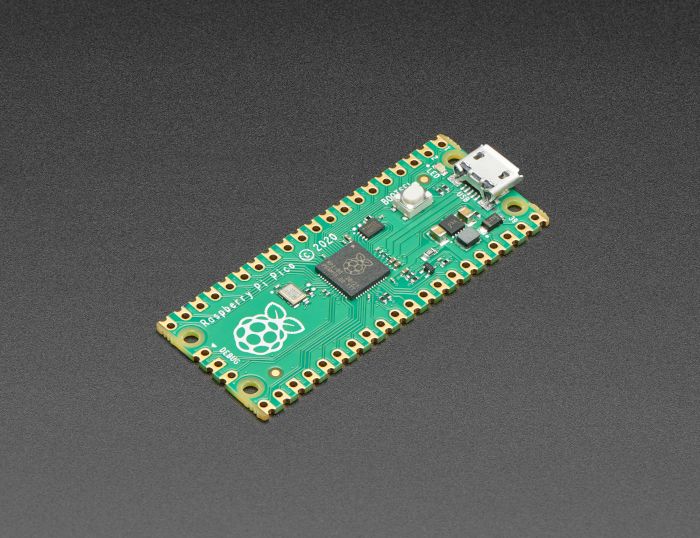
The Raspberry Pi foundation changed single-board computing when they released the Raspberry Pi computer, now they’re ready to do the same for microcontrollers with the release of the brand new Raspberry Pi Pico. This low-cost microcontroller board features a powerful new chip, the RP2040, and all...
 frosty hill
the UF2 file?
dense nebula
it will only download the boot file
dense nebula
frosty hill
the UF2 file?
yes
 dense nebula
yes
 frosty hill
Oh it doesn't flash properly?
I'm not well verse in circuitpython stuff so I wouldn't know
also should be in #help-with-circuitpython channel
dense nebula
oh and also what do you use to open it with
dense nebula
frosty hill
also should be in <#537365702651150357> channel
ok i will
yea but can you tell me what to open it with
ripe berry
faint sparrow
I ran RPi4 plus some connected equipment on a current-limiting power supply.
By power I meant computing power. Guess I could have been more specific. Especially since my avatar is an electrical outlet! 😄
faint sparrow
I don't do graphical avatars in the desktop discord client. I see them in other contexts but not in these chat channels - just the nickname. ;)
gilded canopy
faint sparrow
I ran RPi4 plus some connected equipment on a current-limiting power supply.
What was the current limited to in your PS test?
 grizzled bobcat
Trying to outfit my university library makerspace with a set of 6 Pi 400s for workshops and checkout. Does anyone know of a way to buy them in multiples? Buying them one at a time is taking forever.
faint sparrow
@gilded canopy I think the long test was 1950 mA but I've had it down to about 1250 mA for shorter tests (three devices; the RPi4, a Lumex 96x8 with average low pixel count lit (typical text message) and an STM32 Discovery board.
1450 mA for overcurrent-protection test.
I didn't want it to cut out unexpectedly.
Probably could have gone down to oh 1350 mA due to current inrush during start-up.
DPST used to energize everything all in one go (master power switch to the DUT)
I never switched on AC power within 5 seconds of energizing the connected DUT 5 VDC.
gilded canopy
Sounds like 2A is needed for a portable RPi4, but possibly down to 1.5A in a pinch. My app is likely not going to be power hungry.
faint sparrow
I think the project's average power requirement is < 950 mA @ 5VDC
I didn't get around to trying to light up all 96x8 pixels. ;)
gilded canopy
That would make for quite a bright text message.
faint sparrow
Well there's 2, 3 or 4 brightness levels.
I think the specs said 1/8 duty cycle.
As usual, specs were vague.
RPi4 official PSU cool to the touch, in operation > 2 hours.
I figure it is drawing 4.5 Watts +/- 3% fairly steady.
(three percent arbitrarily chosen there - ten seemed too high)
 burnt scarab
Hi guys im looking for help with the rasberry pi camera board. Is there a release for the white ribbon cable that comes with it? If given it a pull and it is not pulling out. I’m afraid to pull it too hard before seeking some guidance.
steady rose
yes. you need to carefully pull out the black retaining clip on the CSI connector to release the ribbon cable
trim pond
faint sparrow
RPi4 official PSU cool to the touch, in operation > 2 hours.
I was actually wondering for a while now how a pi passing power through it's IO impacted its demand for power.... I know it would increase things, but wasn't sure if the idle draw covered enough for a small case fan or not. I don't have proper equipment to test stuff out myself for that sort of thing though sadly. I could just read more up about it I guess but honestly it is surprising how the rpi 4 does has so much more power and doesn't really eat unreasonably more then the 3.
faint sparrow
I'm just relying on total current and voltage at the power supply, for a decent estimate.
There should be thermal consequences to increased current under steady supplied voltage.
Touching the supply housing (and not finding it to be warm) is extra data, supporting the manufacturer's claim of 3 Amp capability.
Putting a 2.25 Amp load on a supply spec'fd at 3.0 Amp might be informative.
pliant pebble
I know this is a really stupid question, but which way do you put any given HAT on a RPi? Do you put it with the board covering the RPi, or with the board hanging off the RPi??
umbral sable
pliant pebble
I know this is a *really* stupid question, but which way do you put any given HA...
Covering.
There are screw holes which should line up if you wanted to secure it in place with standoffs.
pliant pebble
umbral sable
Covering.
OK, great. I kinda figured that makes sense. Thanks!
 half light
Fellas ?
got a raspberry pi. And i'm trying to make crontab run a python script EVERY 1 minute or w/e minutes after Reboot. I tried this and it doesn't work:
@reboot sleep 30 && * * * * * python3 /home/pi/Desktop/Lux.py
trim pond
there are a number of things that could cause that, are you able to run lux.py through terminal?
half light
I got it working :D. Apparently it will work after rebooting even if i delete "@reboot sleep 30 &&" part
my main problem was that I found tutorials often telling how to use a script after a reboot. But not actually run it every x minutes after reboot.
 eager snow
hey, does anyone have experience with the pulseio library ? I wanted to use it on a raspberry pi zero but it isn't included in the supported boards, so I wonder if maybe there's some other way to control an IR led, but preferably not too low level
hard pike
eager snow
hey, does anyone have experience with the pulseio library ? I wanted to use it o...
Have you looked at this? https://learn.adafruit.com/circuitpython-on-raspberrypi-linux/pwm-outputs-servos

Adafruit Learning System
Make hardware and interface with sensors super easy using CircuitPython
It says servos but the same concept should apply to PWM an IR led
I think pwmio is replacing pulseio in some cases
faint sparrow
How do you read the names of the files stored on the USB flash drive with python?
umbral sable
faint sparrow
How do you read the names of the files stored on the USB flash drive with python...
faint sparrow
OK thanks
 muted jewel
Hi everyone, I'm working on a retro game handheld using a Pi Zero with RetroPie. Here's my current GPIO pin plan. I would like to add 3 more buttons if possible. L2, R2 and a HotKey. Anyone know if any pins can be used ? maybe the NC / closed ? im a noob and dont want to use a slot i shouldnt . Thanks ^_^

woops. Y button shouldnt be there.
- Updated
 gentle briar
I'm unsure what "NC/Closed" means in this context. Maybe?
raw solar
Pins 3, 5, and 7 are GPIO, so sure
south tusk
My Pi's UART is putting out garbage on power up so I have to power cycle the device I have connected after every boot to get it working. Any ideas on how to avoid this?
gentle briar
You could perhaps use a delayed connection (like perhaps a resistor and capacitor providing a delayed signal to a MOSFET gate)?
south tusk
I could, but wondering if there is software solution.
gentle briar
For power up? That might be tricky. You might have to hack up the bootloader to preset the outputs or somesuch.
hard pike
gentle briar
For power up? That might be tricky. You might have to hack up the bootloader t...
You could set a delay on the start of the UART bus since it’s getting garbage initially.
ripe berry
Has anyone got this screen successfully connected and working on a raspberry pi? If so, how did you connect it to the Pi? https://www.buydisplay.com/lcd-3-5-inch-320x480-tft-display-module-optl-touch-screen-w-breakout-board

ER-TFTM035-6 is 3.5"tft lcd module display with ILI9488 controller,adaptor/breadkout board,optional resisitive touch panel,memory chip or card,font chip.
gentle briar
I don't have that display, but it appears to plug onto the GPIO header.
ripe berry
Thanks! Total noob here. Do you happen to have a link to directions on how to do that?
 zealous seal
My experience with those random chinese displays is that you usually need to search to find a random git repository with a setup script that works 50% of the time - and then if you're lucky theres a premade raspbian image you can burn to an SD card and boot off of
You can probably find that exact display on waveshare and they tend to have pretty good wikis about usage
gentle briar
It appears the board is available in a few versions, but the pin numbers should be silkscreened on the board. It comes with either a pin header or FPC connection, and either "8080" (parallel) or SPI (3 or 4 wire) interfaces.
Hmm, maybe not Pi GPIO compatible
You may need to hook it up with jumper wires, but I don't see the pinout documented. The reviews say it works with an Arduino with the TFT library, so it's likely possible to find a Pi one, but as nlapenn points out, you'll need to do a little research to find out the connections and library to use.
ripe berry
Ok, thanks @gentle briar and @zealous seal!
zealous seal
There are a bunch of raspberry pi forum posts about connecting an 8080 interface
Not sure if any of them will help - but chances are somebody else has gotten it to work and hopefully they shared!
faint sparrow
ripe berry
Has anyone got this screen successfully connected and working on a raspberry pi?...
solid summit
is there a good resource on how to use a DS3231 module with the pi pico??
gentle briar
There should be libraries for it, it's basically an I2C peripheral.
tired marsh
solid summit
is there a good resource on how to use a DS3231 module with the pi pico??
the guide has code for Arduino and Circuitpython
https://learn.adafruit.com/adafruit-ds3231-precision-rtc-breakout
pliant pebble
gentle briar
I'm unsure what "NC/Closed" means in this context. Maybe?
Normally Closed?
proven burrow
Does anyone have experience with creating a keyboard driver?
I'm working on this keyboard at the moment. https://www.tindie.com/products/arturo182/bb-q10-keyboard-pmod/
My driver works more or less, it can recognize the 26 letters, numbers, most special characters. The issue comes with a few specific characters. For example, the exclamation point.
I'm adding the key codes from linux/include/uapi/linux/input-event-codes.h for my scan codes, but this file doesn't have all of them (case in point, no key code for exclamation point, underscore, a few more). Does anyone know where can I find them? Or am I missing something entirely?
Thanks in advance :)

Tindie
A BB Q10 Keyboard in PMOD format. Easily add a QWERTY keyboard to your project! Now with optional PMOD to Qwiic Adapter.
gentle briar
It might be quicker to write a short program that simply reports the keycodes, then press the keys you want to know about and note the codes they produce.
proven burrow
gentle briar
It might be quicker to write a short program that simply reports the keycodes, t...
I know the codes they produce. I'm not changing the firmware on the keyboard itself, so it sends the ASCII code of each of those special symbols. Thus, '!' is infact sent when I press (alt + B) from the keyboard, and I use 0x21 (hex for exclamation mark) as my scan code.
To report them to the Linux input system, I need the key code, to which I can map my scan code. These input key codes, to my knowledge, come from the above input-event-codes.h , but that file is lacking in a lot of such special symbols.
But I think I get your point, I need to write a separate code in a separate Linux system with a different keyboard. There, I need to find what key code is sent to the input system by that keyboard driver for these symbols, and then use those key codes in my keyboard. I'll try it out. Biggest issue would be to find how to catch what key codes are sent. But it's a way, and I'll take it. Thanks.
proven burrow
That did not work for a fantastic reason lol.
On most computers, special symbols are second level characters. That means they are usually typed with "SHIFT+" Key. On most qwerty, it's SHIFT +1 [for !]. So if I try to find the key code for !, It will show me the key codes for shift (pressed), 1 (pressed), 1(released), and finally shift(released).
For evtest, shows right shift pressed, 1 pressed, 1 released, right shift released.

Same for showkey --keycodes
 gentle briar
Ah yes, meta keys
 atomic ivy
hi, i have purchase inkyphat + pi 0 w to make a pwnagotchi
i cant get the inky working, i have isntall => sudo curl https://get.pimoroni.com/inkyphat | bash
when i lauch /Pimoroni/inkyphat/examples i have no error message but the inky stay on first inkyphat screen
all help are welcome
 gentle briar
Perhaps it is waiting for you to enter your name.
faint sparrow
I want to build a captive portal for the raspberry pi for browsing files on the raspberry from other devices
I can make the UI and backend with Django but i don't know how can i host those files on the raspberry pi and put the raspberry pi in access point mode, can anyone help ? The raspberry pi will not be connected to the internet, it will just host the web files, When the other devices will connect to the raspberry pi wifi, the captive portal should open up automatically,
hard pike
faint sparrow
I want to build a captive portal for the raspberry pi for browsing files on the ...

The Raspberry Pi can do a lot, especially now that the new Raspberry Pi comes with wireless capabilities already on board. It can take the place...
faint sparrow
hard pike
https://www.google.com/amp/s/thepi.io/how-to-use-your-raspberry-pi-as-a-wireless...
I don't have to do the step 6, step 7 and step 8 right?
hard pike
I can’t say for certain
faint sparrow
I want to build a captive portal for the raspberry pi for browsing files on the raspberry from other devices
I can make the UI and backend with Django but i don't know how can i host those files on the raspberry pi and put the raspberry pi in access point mode, can anyone help ? The raspberry pi will not be connected to the internet, it will just host the web files, When the other devices will connect to the raspberry pi wifi, the captive portal should open up automatically,
ripe berry
I have a sculpture with a Pi2 inside running an LED matrix with the LED matrix hat, and I want to run my code on startup (when the sculpture is plugged into the wall and after the Pi is all started up). What is the best method for accomplishing this? I keep finding directions that all say there’s multiple ways, but I’m having trouble figuring out which is best for this setting. The code must be run as a super user for the Hat to have access to everything it needs. Also, when it’s time to shut down, there’s no other way to do it at present other than to unplug the sculpture. Is this going to be sustainable day after day in an exhibition, or should another method be used? If so, please give me some guidance, much appreciated.
steady rose
@ripe berry i'd suggest the systemd approach for running at start:
https://learn.adafruit.com/running-programs-automatically-on-your-tiny-computer
for power down, can get away with pulling power, but could become an issue doing so daily. how accessible is the pi?
ripe berry
Not really accessible, but I can log on with VNC. Also have an extension plug for HDMI and USB that you can reach by tipping the sculpture up (but can’t exhibit with those plugged in, just for emergencies). A potential issue I see is that if I have a script running from startup, will I still be able to do anything on the desktop, or even tweak the code. Not sure how to stop it once it begins on startup.
raw solar
You could use a button on GPIO, if available, to run a shutdown command, and have the button in an accessible but not problematic place (like the back if it's against a wall?)
steady rose
the process will run as a service in the background, so you can do other things. starting/stopping/getting status would all be done via systemd calls, which you'd do from the command line. VNC would work, also ssh.
the GPIO button idea is a good. there are some pi power accessory products out there that work like that. you'd want another service running that basically looks for the button press and then runs shutdown
@ripe berry here's one example:
https://www.adafruit.com/product/3581
raw solar
Shims are fun :D
steady rose
that one allows for soldering on a button that could be located somewhere accessible
ripe berry
steady rose
<@!449766464342458371> here's one example:
<https://www.adafruit.com/product/358...
Oh, that’s nice. Thank you!!
ripe berry
I imagine I could combine that with an RF remote system so it could be turned on/off without having to handle the sculpture. https://www.adafruit.com/product/1392
This single button keyfob remote goes with our three basic 315MHz RF receiver modules. It will work with all of them, sending out one command that matches with the second output on the ...
 silent stone
I'm using buildroot on a Rpi, and the code I wrote reads input events from /dev/input/by-id. I just compiled the code for the Pi and copied it over to the system using the scp command. Issue is, within my /dev/input folder on the Buildroot'ed Pi, there's no subfolders, meaning no by-id. Just a couple eventX files. What do I do?
gentle briar
I'm guessing somewhat, but I'm thinking update the udev rules and reload?
 civic rune
I have a brand spanking new pi 3 A+ that I am trying to use blinka/circuitpython libs with.
- Am I right to install the recommended OS from the raspberry pi imager?
- After the installer finished, Windows told me that the SD card would need to be formatted in order to work. Is this normal?
wraith grove
windows was being naive, normal, and bad advice from windows in this case
civic rune
ah I see a second drive mounted that seems linuxy
wraith grove
if the recommended os is raspbian/raspberry pi os, that is probably correct
yeah, the Pi OS is very linuxy :-)
civic rune
it's related to debian right?
wraith grove
yeah, raspbian is a riff on that fact
wraith grove
no problem, rock on!
hardy plaza
civic rune
I have a brand spanking new pi 3 A+ that I am trying to use blinka/circuitpython...
Just to clarify FlakShim's comment: Windows isn't natively able to mount the drive format used by Linux, so after the installer is finished Windows suddenly sees an SD card that's no longer FAT, it's EXT4, and thinks something is wrong, when in reality the Imager has simply done its job. You should ignore Windows at that point.
civic rune
Interesting
Thanks for the insight!
I was able to see the drive contents, is Windows getting smarter?
hardy plaza
I would highly recommend using the official Raspberry Pi OS and the Raspberry Pi Imager. There's almost nothing to gain from going with an alternative on the Pi except confusion. You can always install a desktop environment later, like Gnome or MATE, or whatever you like. But sticking with the official RPi OS will save you a lot of headaches. It just works, it's reliable, which IMO is what you want in an OS.
hardy plaza
civic rune
I was able to see the drive contents, is Windows getting smarter?
That's possible, if you can see directories like you'd see on Linux, like opt, usr, var, etc.
It may be that with WSL Microsoft has finally (after what, 30 years?) decided to support Unix/Linux file systems.
A bit late coming to the party....
wraith grove
MS said a lot of things I resist repeating here. Which could lead me to not believe that finally happened
 wraith grove
I haven't stared at the pi's partition structure in a while (pondering where tha card reader is....)
hardy plaza
civic rune
This is what I can see
Those are the files in the /boot partition. You'll have a second partition, your root filesystem (sometimes mounted on the desktop as "rootfs") which mounts at "/"
But what's most important is less what Windows sees and more if you can put the SD card in the Pi and boot up.
civic rune
if I wanted to put an mp3 file on there for the pi to play, where would it go?
potent hedge
Lots of black magic going on behind the scenes with the assorted kernel and .dtb files to allow the same card image to boot on anything from an A to a 4B-8GB
civic rune
I picked the A+ because it's the smallest one with an audio jack, afaik
hardy plaza
civic rune
I picked the A+ because it's the smallest one with an audio jack, afaik
The A+ is a strangely ignored board, I rather like it myself. Same amount of memory as the Pi Zero, but four cores, same processing power as the 3 B+.
hardy plaza
civic rune
if I wanted to put an mp3 file on there for the pi to play, where would it go?
If you have software that can play an MP3 file you can put it anywhere on the Pi you like so long as you have permissions to read the file. But generally you'll want to put audio files somewhere in your user home directory (/home/pi/), perhaps in a Music folder. It doesn't really matter where, you just want to point to it with a relative or absolute path, e.g., ('born_to_run.mp3" or "/home/pi/Music/born_to_run.mp3" or even "~/Music/born_to_run.mp3").
civic rune
ok cool! I'm writing python/circuitpython for it so I assume that can play audio
using a pi for my application is like asking the hulk to carry your groceries, slightly overkill. But I hope to make use of the HDMI out one day
hardy plaza
civic rune
using a pi for my application is like asking the hulk to carry your groceries, s...
I dunno, one of the guys I know who I'd consider one of the more experienced robot builders uses an STM32 microcontroller for his robots, which can without GPS navigate a thousand feet in the forest and back to its starting location. He profiled his STM32 and found it was only being used about 2% of its capacity. As you may know, the smallest Pi is orders of magnitude more powerful than the CPU used on the NASA Mars Sojourner robot, which was a 2MHz 8 bit 8085.
civic rune
wow!!
It needed to be 1)Easily replaced 2)not expensive 3)accomplish as many goals as possible on one board. The A+ was perfect for that
hardy plaza
Yeah, David's robots are pretty amazing. No GPS, just wheel encoders and an IMU! Here's a page describing that robot. If you scroll down and check out the "second hat trick video" you can see it in action. It navigates through the woods and back to its original location, driving over a hat David drops on the ground when it starts. This uses only tracking the wheel rotation and the accelerometer and gyroscope of the IMU. David is one of the more advanced robot builders in the Dallas Personal Robotics Group (DPRG), the longest-standing such group in the US. It's actually kinda hard to describe how astounding this feat is if you don't quite understand how he does it, just light-years ahead of anyone else. I don't think even NASA's robots are anywhere near as accurate.
http://www.geology.smu.edu/dpa-www/robo/jbot/index.html
civic rune
wow!
potent hedge
Surprising that accumulated miniscule position error doesn't add up over distances like that.
hardy plaza
David has figured out how to deal with IMU drift to correct the odometry. The IMU basically corrects skidding or sliding of the wheels.
civic rune
sent it to my friend who is a professor, maybe his students can be inspired!
hardy plaza
David posted a YouTube video back in 2011 describing his robots, which is what got me back into robotics after 30 years. And then this June he did a presentation to the DPRG of how he performs his waypoint navigation magic, almost 3 hours and 20 minutes of detailed description (actual presentation begins around the 6 minute mark).
David Anderson demonstrates his method for creating autonomous robots
https://youtu.be/8CXReb7f0Eo
Implementing Robot Waypoint Navigation by David Anderson – DPRG Virtual Monthly Meeting, 6/12/2021
https://youtu.be/nekgAheau9w

David Anderson of the Dallas Personal Robotics Group demonstrates his techniques for subsumption based behavior for robots. David Anderson provided some additional notes to go along with the video. His notes can be found in this post to the DPRG mailing list: http://list.dprg.org/archive/2011-December/035540.html
You can also find additional ...

David found an error in his original slide deck. The link to the revised slide deck can be found at https://www.dprg.org/outdoor-rover-series-implementing-waypoint-navigation-by-david-anderson-dprg-virtual-monthly-meeting-jun-12th-2021/ - update: 8/23/21
Longtime DPRG member and highly respected robot builder David Anderson, with ...
potent hedge
Page seems to make an oblique reference to some basic ML code, which would probably be needed to compensate for all those inputs.
hardy plaza
potent hedge
Page seems to make an oblique reference to some basic ML code, which would proba...
No, that's not correct. His robots don't store state at all, they're stateless. They build no maps. They're Behaviour-Based Systems.
https://en.wikipedia.org/wiki/Behavior-based_robotics
Behavior-based robotics (BBR) or behavioral robotics is an approach in robotics that focuses on robots that are able to exhibit complex-appearing behaviors despite little internal variable state to model its immediate environment, mostly gradually correcting its actions via sensory-motor links.
That's part of why what David is doing is so amazing.
Like I said, until you understand what he's actually doing it's kinda hard to understand how difficult what he is doing actually is.
potent hedge
His current one does seem to have GPS though.
hardy plaza
Certainly, David is hardly a Luddite. I'm just pointing out that his robots don't need GPS to navigate. And you should note that GPS has an accuracy of about 3 meters, so it's not actually that useful except at macro-level positioning. Some of the DPRG members have played with ground stations to improve GPS accuracy down to the 15cm range, but that involves a considerable amount of extra effort (not actually on the robot itself), and still isn't as accurate as David's robots, which are down to the 1-2cm range at times.
Remember: his robot drives off in the woods to an imaginary waypoint, turns around and comes back via a different path, past obstacles, to almost exactly the same place it started. GPS wouldn't have gotten the robot back to that position, just within 3m of it.
civic rune
can it compensate for sudden falls or even being picked up and placed?
hardy plaza
Yes, it can. If you visit the jBot page he's got videos of it getting stuck on rocks and branches and freeing itself, and maintaining accuracy even then. Clearly there are limits to this but yes, generally the robot is able to navigate. As to being picked up and placed, no, that's not possible.
civic rune
wow
hardy plaza
The IMU can provide detailed movement data but likewise can't really measure what's happening exactly. I don't think drones can maintain that level of accuracy either, solely using GPS.
potent hedge
hardy plaza
Certainly, David is hardly a Luddite. I'm just pointing out that his robots don'...
If you're within a few thousand km of japan there's also Michibiki which gets you down into the sub-1m range
hardy plaza
potent hedge
If you're within a few thousand km of japan there's also Michibiki which gets yo...
Yeah, but still not good enough for DPRG , where their Four Corner Challenges typically get into the sub-centimeter range for the [multiple] winning robots.
Very competitive bunch!
potent hedge
Yeah, I think QZSS only gives 10cm granularity max
civic rune
for circuitpython on the pi, can one get a REPL like experience similar to adafruit boards like the m4 express?
pi 3 A+
tired marsh
civic rune
for circuitpython on the pi, can one get a REPL like experience similar to adafr...
the REPL is the python interpreter command prompt, you type python3 from the command line and you're in
civic rune
can I run blinka stuff that way?
tired marsh
yeah, just import the relevant libraries
civic rune
noice thanks!
tired marsh
there are GUI python IDEs too like Pycharm and such which will let you write a file and run it at the press of a button, with the output in a window and all that
civic rune
would I need a monitor and a keyboard/mouse for the pi or would I be using my windows machine as the screen somehow (laptop)
tired marsh
hmmm I don't know if there is a way to run pycharm remotely, you can use VNC to open a screen to the pi in your computer, though that might not be ideal
sometimes I use standard file sharing or an sftp client to edit the files remotely while running the code from an ssh prompt
civic rune
I'm mostly looking for a way to emulate my experience with traditional microcontrollers as much as possible, to speed dev time, if i can
potent hedge
tired marsh
hmmm I don't know if there is a way to run pycharm remotely, you can use VNC to ...
X server on PC?
I used to do that all the time back in the '90s
tired marsh
yeah, it should be possible
but I like my method, enable file sharing, mount the pi directory on my mac, use my usual editing tools, connect to the pi with SSH to run commands
potent hedge
The debbil was in cut/paste getting translated through to the client IIRC though with a lot of X apps.
civic rune
@tired marsh Can I bug you about that later? I'm currently crimping cables but I am very interested!
tired marsh
you can ask here, but I'm not very knowledgeable on that, especially from windows, I got it working a while ago by googling a lot...
 opaque wagon
What I do when I set up a Pi is to set up a Samba server: (I reference this guide a lot)
https://pimylifeup.com/raspberry-pi-samba/
Then I mount the network drive and just edit the shared files in it. I usually use Notepad++ (for editing) and PuTTY to run the scripts after I save them. Beware that on PyCharm it likes to save a lot so it may freeze your editor occasionally as it sends the changes over the network. Also, if you turn off the Pi (or stop the samba server) while a program still has a file on it open it usually freezes it for a good 30 seconds.
 wraith grove
civic rune
I'm mostly looking for a way to emulate my experience with traditional microcont...
wraith grove
civic rune
I'm mostly looking for a way to emulate my experience with traditional microcont...
sftp/ssh is what I'd do, but I use linux clients where that is just given, I think windows can limp along with those as well though
ssh can give you a terminal running python3, sftp can mess with files
both go through the SSH server, so if you have one you should be able to get both
one thing to note, the python3 interpreter can have access to like a gigabyte of ram or more, so not all code will be happy moving to a microcontroller ;-)
civic rune
very cool thanks!
 lost pumice
Hello there 🙋♀️
I am struggling with a ST7789 240x240 display which refuses to work with the Adafruit ST7789 Python library 😄 This display is a cheap one without CS (Chip Select pin). To test it on Raspberry Pi 4, I use the following example: https://github.com/adafruit/Adafruit_CircuitPython_ST7789/blob/main/examples/st7789_simpletest.py
Is there any known issues or workaround I missed?
GitHub
CircuitPython DisplayIO Driver for ST7789 Color TFT Controller - Adafruit_CircuitPython_ST7789/st7789_simpletest.py at main · adafruit/Adafruit_CircuitPython_ST7789
turbid rivet
Are you certain it's a ST7789? Cheap displays are hard to identify sometimes.
And I'm going to assume you triple-checked the pinout already.
 muted canopy
lost pumice
Hello there 🙋♀️
I am struggling with a ST7789 240x240 display which refuses t...
muted canopy
lost pumice
Hello there 🙋♀️
I am struggling with a ST7789 240x240 display which refuses t...
wait, so it’s SPI but lacks a chip select?
lost pumice
turbid rivet
Are you certain it's a ST7789? Cheap displays are hard to identify sometimes.
It is what it is labelled on the PCB but who knows 😄
lost pumice
turbid rivet
And I'm going to assume you triple-checked the pinout already.
Yes, I did multiple times.
lost pumice
muted canopy
wait, so it’s SPI but lacks a chip select?
Yes it is. Random blog posts say that it is necessary to use SPI in mode 3
turbid rivet
Are you getting errors, or just a blank screen?
lost pumice
I got no errors, the screen stays black and the backlight is on.
muted canopy
lost pumice
Yes it is. Random blog posts say that it is necessary to use SPI in mode 3
hmm maybe try editing the header file to specifically use spi mode 3? what controller is this by the way?
https://forum.arduino.cc/t/is-this-a-spi-interface/563429/5
not sure if this would help much sorry
Arduino Forum
The clue is looking for "MODE" #ifdef SPI_HAS_TRANSACTION #define HSPI_BEGIN_TRANSACTION() _spi->beginTransaction(SPISettings(_freq, MSBFIRST, SPI_MODE3)) #define HSPI_END_TRANSACTION() _spi->endTransaction() #else #define HSPI_BEGIN_TRANSACTION() HSPI_SET_CLOCK(); _spi->setBitOrder(MSBFIRST); _spi->setDataMode(SPI_MODE3) #def...
turbid rivet
Pi 4 and circuitpython, so I don't think there's a header file
Maybe crosspost it to Circuitpython and see if anyone there can help. As I see it, it's more likely a CP issue than one particular to the Pi.
muted canopy
turbid rivet
Pi 4 and circuitpython, so I don't think there's a header file
oh right, sorry I was thinking in arduino mode there 
lost pumice
turbid rivet
Maybe crosspost it to Circuitpython and see if anyone there can help. As I see i...
I will do that, thank you 🙏
civic rune
I'm working on setting up a pi 3 A+, and am following this guide (https://learn.adafruit.com/circuitpython-on-raspberrypi-linux/installing-circuitpython-on-raspberry-pi). Can I skip this step if I am not using wifi?
 lost wolf
civic rune
I'm working on setting up a pi 3 A+, and am following this guide (https://learn....
lost wolf
civic rune
I'm working on setting up a pi 3 A+, and am following this guide (https://learn....
Yeah you should be able to skip it.
civic rune
awesome! SSH is accomplished over the USB cable, correct?
lost wolf
Using ethernet?
civic rune
no internet at all haha
lost wolf
Ah ok
civic rune
I'm using a pi because I needed to play music at the same time my program is running, and I can do that easily with the 25 dollar A+ 🙂
lost wolf
Check out the SSH step, but I usually start up the Pi and do it from within the PiOS, or from commandline with sudo raspi-config
Which may not be what the guide suggests.
I don't know if I do it the best way.
Those involve having a display connected tho.
Which is why it might not be the best way.
So look at what the guide suggests.
civic rune
my config.txt doesn't look exactly like the one in the guide, normal?
lost wolf
Distinctly possible - the guide may be a bit behind.
civic rune
anything here seem wrong? Im pretty comfortable setting up an Adafruit MCU, but SBCs are new to me

and here I just put in a blank .txt file
 lost wolf
I'm not super up on RPi, tbh. Someone else will need to answer that question. I get my RPi setup with a display and then go headless, so I'm kinda of useless to help with purely headless setup.
civic rune
no worries, I have a monitor I can connect to, is that enough or do I need a keyboard/mouse for the pi?
faint sparrow
You could probably put the SD card into some other computer and edit the files - should be in VFAT if I'm not mistaken.
civic rune
Yeah my windows machine allowed me to edit them as the guide suggests
faint sparrow
NOOBS also lets you edit, I thought. Been a while.
Last time I just used dd to put an .img on the SD card and I was done in record time. ;)
civic rune
I'm being asked to log in as the 'pi' user and change the default password for the 'pi' user. I do need a keyboard and mouse for that right?
also can I just kill power to the rpi like an MCU?
raw solar
If you can SSH in you can do it remote
civic rune
is SSH wireless only?
 humble marsh
civic rune
is SSH wireless only?
humble marsh
civic rune
is SSH wireless only?
not at all, it is just a network connection: could be wifi, could be wired network, and you can do it over USB too, with a point-to-point connection
I ssh all the time between my Ethernet-wired computers
civic rune
I'm using a 3 A+, that means I can only do USB or Wifi SSH right?
humble marsh
right, if you don't have a USB-to-Ethernet adapter
civic rune
ok, can I plug a USB hub into the pi and use a mouse and keybaord?
humble marsh
yes
civic rune
oh cool! these are neat
I skipped this step because I wasn't originally planning on using wifi. I've already plugged my SD card into my pi. Do I need to start over?

additionally, my SD card doesn't have a supplicant.conf file?
faint sparrow
supplicant.conf is for WiFi security (WPA)
So it's irrelevant for wired connections of any type at all.
It's worth the trouble to get a display, a keyboard and a mouse, and use all of them. Also ethernet to a router.
It's counterproductive to try to do headless before you understand it fully with those devices all attached (keyboard, mouse, display, network).
civic rune
that makes sense, I don't have an ethernet port on this board though so I have to use wifi if I'm not using USB. It would make my life easier to be able to program this wirelessly but I can live with out wifi
I am confused why I don't have a supplicant.conf however
faint sparrow
there are two programs used to generate it iirc
one of them just takes your plaintext password and translates it
civic rune
hmm I'll have to do more reading
faint sparrow
$  wpa_passphrase myssid "when you know the notes to sing"
network={
        ssid="myssid"
        #psk="when you know the notes to sing"
        psk=ceec589ac5c2a83a280342e919d85ebdd3d448bb7a2404e16b4aa24f6543466f
}
do I need to wipe my SD card and restart?
faint sparrow
Is it a good idea to isolate the SPI pins on a Raspberry Pi and a EEPROM? Looking to prevent frying my Pi if something happens when I am trying to program a flash IC.
lost pumice
turbid rivet
Maybe crosspost it to Circuitpython and see if anyone there can help. As I see i...
I finally managed to get something displayed on the screen \o/ I had to rewrite an existing ST7789 library to fix the SPI configuration and port in to Adafruit Blinka. My display seems to be an non-standard ST7789. Thank you for your help.
civic rune
I assume it's possible to make my pi run python code upon start? Similar to an MCU?
lost wolf
civic rune
I assume it's possible to make my pi run python code upon start? Similar to an M...
Yes! It requires um.... scripting I think? I don't know for sure, but I know it's possible, I had a Pi running on a tabletop light box photo studio I designed, and it ran the lightbox code on startup.
Someone else made it do that for me though 😄
So I'm not certain how it was done.
civic rune
ok cool! Thanks, at least I know it's possible and I didn't waste my company's money on these pis!
faint sparrow
civic rune
I assume it's possible to make my pi run python code upon start? Similar to an M...
Many ways to do it in Linux
lost wolf
^^
faint sparrow
https://stackoverflow.com/questions/36375647/what-is-the-difference-between-etc-rc-local-and-bashrc/36376898
https://unix.stackexchange.com/questions/49626/purpose-and-typical-usage-of-etc-rc-local
Sparkfun's guide specific to the RPI: https://learn.sparkfun.com/tutorials/how-to-run-a-raspberry-pi-program-on-startup/method-1-rclocal

Stack Overflow
This is a linux related problem. I have searched around but did not get a good explanation.
It seems to me that both file configure the setup when I log in, but is there any difference? I notice t...

Unix & Linux Stack Exchange
The header looks like this:
#!/bin/sh -e
rc.local - executed at the end of each multiuser runlevel
Make sure that the script will "exit 0" on success or any other
value on error.
What i...
faint sparrow
ExecStart=/bin/sh -c \
  '/sbin/plymouthd --mode=boot \
      --pid-file=/run/plymouth/pid --attach-to-session && \
            /bin/plymouth show-splash && \
            /bin/sleep 11 ; \
            /bin/echo "4443-11sec" > \
            /home/mylogin/abjptd.txt'
a bit funky but that's a way to execute code during start-up. ;)
opaque wagon
civic rune
I assume it's possible to make my pi run python code upon start? Similar to an M...
Yes, use systemd. ~~Makes you feel cool as you type sudo systemctl enable <service name>. 😂 ~~
I like this guide:
https://www.howtogeek.com/687970/how-to-run-a-linux-program-at-startup-with-systemd/

How-To Geek
Need to launch a Linux program at boot? The systemd software provides a way to do it on any Linux distro with systemd—which is most of them these days, including Ubuntu. We’ll walk you through the process of creating an integrated service—and it even talks to the journal.
wraith grove
systemd makes me cry, not literally, but the number of times it has decided not to launch sshd due to a filesystem hiccup that wouldn't have bothered a nonsystemd system, has been vexing
opaque wagon
then it seems like the linux gods have blessed me then - systemd seems to work for me just fine
*waiting for systemd on my pi to break now
faint sparrow
systemd works fine as long as I do not mess with it outside of systemctl or service
I do not have that much time to configure Linux, mainly why I use Debian over something like Gentoo or Arch.
faint sparrow
Is anybody here familiar with kegberry or kegbot? I'm trying to install it on my raspberry pi but getting the mysql error
civic rune
I am setting up a pi for circuit python. I skipped the circled step because I didn't think I'd want wifi, but now I do. Do I need to start from the beginning?
 lost wolf
civic rune
I am setting up a pi for circuit python. I skipped the circled step because I di...
lost wolf
civic rune
I am setting up a pi for circuit python. I skipped the circled step because I di...
Nah, you should be able to power down the Pi, take out the SD card, edit that file from your Windows machine and pop it back in the Pi to get your wifi setup. In theory. 😄
civic rune
I didn't see the file in the drive, do I need to create it?
lost wolf
I can't remember. 😕
turbid rivet
Which guide is this?
turbid rivet
civic rune
I am setting up a pi for circuit python. I skipped the circled step because I di...
IIRC the best way to install RasPi OS today is with the Raspberry Pi imager utility, which has settings for configuring the WiFi setting before you apply the image to the SD. This guide might be a bit dated, so if you can't find the file, it may be in a different partition or under a different name.
There is a way to manually turn on Wifi, but I don't remember the procedure for it.
If you don't have Ethernet+console or a set of display/input peripherals handy, reimaging the drive might be easier. Just backup the files in your Pi and reformat.
raw solar
civic rune
I didn't see the file in the drive, do I need to create it?
If you don't see it, yes, create it
steady rose
@civic rune yep, create it. it won't be there after creating the image. that linked guide has more info.
civic rune
Sorry everyone, I was AFK, thanks all for your input
civic rune
turbid rivet
IIRC the best way to install RasPi OS today is with the Raspberry Pi imager util...
I used the imager utility but didn't see anything about setting up wifi, I'll wipe the drive and retry
can I just create supplicant.conf in a text editor like notepad++?
steady rose
here's how to via the image utility:
https://learn.adafruit.com/raspberry-pi-zero-creation/using-rpi-imager
but since you've already created the image, yah, just create the files with a text editor
note the name
civic rune
ok, I saw in one of the guides that ssh.txt gets deleted by the pi? should I recreate that?
steady rose
you can do steps 3 and 4 this way:
https://learn.adafruit.com/raspberry-pi-zero-creation/text-file-editing
civic rune
steady rose
note the name
What do you mean? like, spelling of the file name?
 lost wolf
It might add .txt to it :/
And Windows likes to hide common file types. So you might not see it if it does.
civic rune
Hmmm, would downloading the file from the guide and using NP++ work?
Oooh found a site that says to choose "all file types" when saving as .conf
steady rose
yep. what kattni said. the windows default of hiding file extensions is a huge source of issues.
civic rune
it shows in my machine as a .conf file now?
my windows machine. Does that seem normal?
civic rune
it says the type is .CONF, i'll see if anything is hidden
steady rose
probably ok then
civic rune
I don't have "hide file extensions" chosen in the ctrl panel
civic rune
noice!

Does it matter whether I use the red circle 3v3 or the green? For VCC for an adafruit TLC59711.
 civic rune
sweet, figured but didn't want to run into a weird issue if there was one
civic rune
Which Pi pins do I connect to CI and DI? Also does the rest of this look ok?
 civic rune
I'm using a different pi, does it not matter?
steady rose
all pi's have a common GPIO header, so shouldn't matter
handy ref:
https://pinout.xyz/#
civic rune
Ah that looks more official than the one i was using
civic rune
hmm I followed the adafruit instructions to get a pi ready and it's not showing anything on my monitor over HDMI. Should I wipe the drive and start over?
 wanton holly
Q - i want to use W10 with python 3 and do socket programming over WIFI so i can control a servo on a ras pi 3B+ , theres different protocols , tcpip , udp , ???? which is the best to use ??
umbral sable
wanton holly
Q - i want to use W10 with python 3 and do socket programming over WIFI so i c...
Generally you'd probably want to use TCP until you know you need something special. It wraps a lot of the underlying networking complexity into a reliable data stream.
civic rune
What is a good Python IDE for running on a pi 3 A+?
Is THonny tolerable?
Hmm, I'm following the adafruit guide again and was able to run pip3 install Adafruit-Blinka, but when I run ls /dev/i2c* /dev/spi* I get the errors that there is no such file or directory for each
oops figured it out, my b
wanton holly
thanks EDKEYES
 sterile barn
Hii.. I just bought a mini PiTFT (https://www.adafruit.com/product/4393) and set it up according to the tutorial so that it shows console on startup.
Is there a way I can access the console via SSH?
If you're looking for the most compact li'l color display for a Raspberry Pi (most likely a Pi Zero) project, this might be just the thing you need!The Adafruit Mini PiTFT - ...
i'd like to execute a command automatically once it gets on this screen
 raw solar
SSH gives you access to a virtual console, not sure if you can have that mirrored on the display... If you just have a keyboard connected to the Pi you'll see what you type on the PiTFT just like an HDMI monitor
civic rune
Raspberry pi seems to require a 2.5A adapter, I have a 2.4A one, is that good enough?
civic rune
shucks, I'm powering my things that take serious current with a separate wall wart
I'll have my boss order one then
raw solar
hard pike
Unless you like fire
*brown outs/crashes
hard pike
Also brownouts and crashes
civic rune
ok I'm hoping the 2.4 will be enough
raw solar
Might get low voltage warnings
civic rune
I sent my boss a 3A one, if we have prime it'll be here wednesday
raw solar
Weeee
hard pike
raw solar
Probably no fires XD
Underrated adapters are the cause of a lot of fires
raw solar
cheap adapters causw fires
 hard pike
Cheap and underrated adapters..
raw solar
Not funny
hard pike
2.4 probably would have been fine but you should always use an adapter rated for more than the system requirements
civic rune
yeah that makes sense, I think brownouts/crashes/hard power losses caused the existing filesystem to corrupt
I need to setup a power on/off button for it
hard pike
Regardless of people’s experiences with lower rated supplies, best practices help reduce issues and injury (says a graduated engineer)
Also quality supplies as well
Because a cheap supply can be just as dangerous as an underrated supply
turbid rivet
2.4A is enough if you're not using it to power other devices?
Your Pi isn't going to catch fire from PSU being rated too low. It may cause your system to inadvertently restart if the voltage dips though....
Fires are caused for other reasons, usually...
hard pike
I wasn’t saying the pi would catch fire, just to be clear.
 unreal spoke
Hello. I am trying to create an Raspberry Pi "event calendar" similar to this one: https://learn.adafruit.com/raspberry-pi-e-ink-desk-calendar-using-python/overview But I would like to use a 4 inch Square Touch Hyper Pixel display instead of an E-Ink Display. Trying to figure out how to alter the code listed on https://learn.adafruit.com/raspberry-pi-e-ink-desk-calendar-using-python/event-calendar-code to make this work. Does anyone have any advice? Much thanks! @hushed vortex
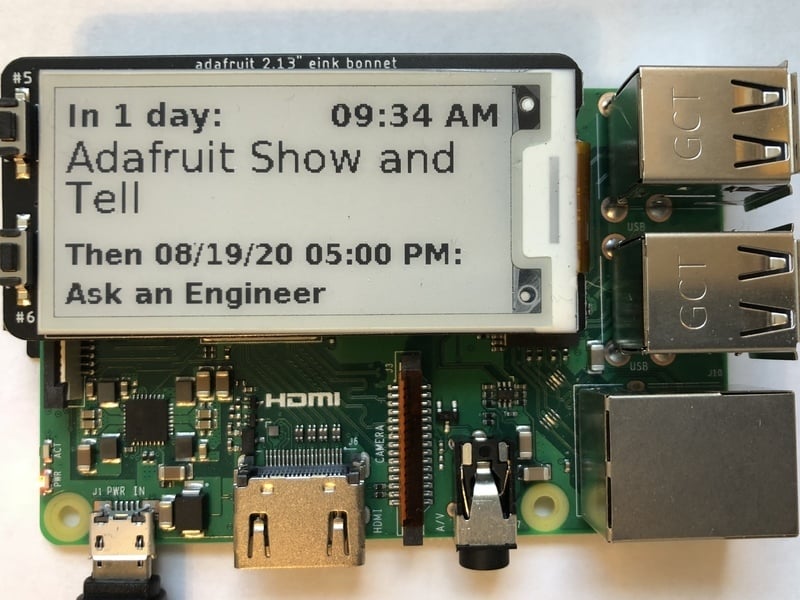
Adafruit Learning System
See what event is coming up with this handy eInk calendar.
Adafruit Learning System
See what event is coming up with this handy eInk calendar.
faint sparrow
@civic rune I was seeing 1.3A peak load during initialization then about 900 mA quiescent current, Raspberry Pi 4.
Not sure I believe those numbers, but am using the RPi4 official USB-C terminated supply.
I also have up to a 1A load attached in parallel, but I haven't measured what it's really drawing most of the time.
(I suspect less)
hard pike
They only suggest 2.5A or better. Supply just to make sure there isn’t throttling due to undercurrent/under voltage issues
Or that’s what the OctoPrint folks show in their symbols faq stuff
faint sparrow
The RPi 3 will show a lightning bolt sometimes with a typical wall-wart supply.
Haven't figured out what the RPi4 does; I dropped it down to 4.2 VDC or so and it did nothing strange.
(maybe 4.3 but pretty sure it was below 4.4)
civic rune
If I wanted to play an MP3 on my pi, which format should I choose?

or should I pick another format (MP4)?
faint sparrow
Why do you care.
civic rune
I'm not sure I should
faint sparrow
WAV is probably the least efficient packing method.
Everything else should be an improvement.
ogg vorbis used to get praise iirc
I think most people did MP3 because it was compatible with other devices.
civic rune
This audio file is gonna be the biggest file on the pi that didn't come pre loaded, so I don't think I need to worry about fiel size?
faint sparrow
I'd cross the bridge when you come to it. ;)
You'll note that streaming audio loses bandwidth when it is hard to afford more bandwidth.
Speech can be understood down below 44 kbps
Music starts to sound a bit compromised under I don't know 64 kbps
 elder plover
faint sparrow
Haven't figured out what the RPi4 does; I dropped it down to `4.2 VDC` or so and...
elder plover
faint sparrow
Haven't figured out what the RPi4 does; I dropped it down to `4.2 VDC` or so and...
Same thing as the Raspberry Pi 3 under Noobs; I've ran my Pi4 with a touchscreen using 2.4A and it also have a dialog box warning me that there wasn't enough power (other than that it seemed ok. I don't get any warnings with the same Pi running Crankshaft and hardware setup)
faint sparrow
Just listen to internet radio and note the sample rates different 'stations' are offering for an idea of it.
civic rune
this needs to be audible to dozens if not over a hundred people milling around, so I would think higher bps would be better
fortunately we have a sound guy so I'm not all alone
faint sparrow
Yeah if you're affecting the ears of 12 people go 128 kbps or better.
(though that's for streaming like internet radio; not sure that much is required for pre-recorded playback)
civic rune
thanks!
faint sparrow
You can find USB-C power supplies that are 'smart' and can receive 'requests' from connected equipment!
They're a bit rare, though. DigiKey has some. I think that Apple computers use this protocol enough to want to be aware of it.
With the RPi4, though, I think it just has passive resistors to tell the PSU what it wants.
(you can profitably ignore them iirc)
civic rune
Does anyone have a favorite way to play music on the pi while still being able to execute other code, in python? I'm finding a number of methods
It looks like pygame is a good choice?
 torpid cypress
Does anyone know if you can power a Raspberry Pi Zero with one of these displays (https://www.adafruit.com/product/2406) on a 10000mAh 3.7V batteries?

Its a mini panel-mountable HDMI monitor! So small and simple, you can use this display with any computer that has HDMI output, and the shape makes it easy to attach to a case or rail. This ...
umbral sable
torpid cypress
Does anyone know if you can power a Raspberry Pi Zero with one of these displays...
The battery power should be sufficient, but it looks like you're going to need a 5V boost regulator to run some things, rather than operating directly from the battery voltage.
torpid cypress
umbral sable
The battery power should be sufficient, but it looks like you're going to need a...
Thank you! I'm wanting to make a display that will cycle through pictures similar to a digital photo album. Do you have a guess as to how long I may get on one charge? I'm trying to weigh if this is even worth trying to move forward with. I need to get about 10 hours ideally and I'll be at a place where I won't have access to power.
umbral sable
The product page says the display uses 0.6A at 5V for full power, so that would be about 12 hours on your battery, minus the power draw of the Pi itself. So you're in the ballpark, but might need to reduce the display brightness or have the Pi CPU be mostly idle.
torpid cypress
umbral sable
The product page says the display uses 0.6A at 5V for full power, so that would ...
Ok cool.. so this may be worth it from initial views. At least that gives me direction. I appreciate it! I may try to incorporate a motion sensor to turn off the display during down time to help save battery.
 red knoll
@civic runeThe normal OS on a Pi is Linux which intrinsically is a time-sharing OS and basically all it does is "execut[ing] other code" as a standard way it works.
civic rune
Thanks
I used the advanced settings of the raspi imager to setup wifi and ssh, it seems from the guide that I still need to enable uart manually?
additionally, there isn't a blank ssh.txt created this way, nor a wpa_supplicant.conf, is the imager not working properly?
Ah I see
In case anyone runs by this, the imager method creates script called firstrun.sh that seems to handle everything
Now I'm wondering how I would go about putting an MP3 onto my pi, I see lots of google results for MP3 players, but I can't see where in /boot/ I should put the MP3 file.
civic rune
I was able to get it onto my pi's desktop using a thumb drive, but now I'm not sure how to make pygame.mixer.music.load("filename") find the file
I'm currently using the Thonny shell
umbral sable
You should be able to provide the full path to the file, likely something like /home/pi/Desktop/file.mp3
There's probably a "properties" popup menu for the file where it will show the full path.
civic rune
ahhh cool, the lab computers in one class in college had linux OS, and I just memorized how to open Spyder and where to find micropython devices lol
let me try that @umbral sable , thank you!
hmm that gives me the same error pygame.error Couldn't open 'home/pi/Desktop/Twelve Days of Christmas.mp3
umbral sable
I was just guessing at what the path might be, so do verify that with your actual system. The initial slash before "home" is important, though.
civic rune
it is the path, let me try with the initial slash!
hmm, same error
ayyyy I got it! The "Of" needed to be capitalized
thank you!
umbral sable
(For your reference, the slash means "start at the root of the file system and work down from there". Otherwise it'll start looking for "home" in the current directory.)
civic rune
ahhhh that makes sense
hm I've been advised to avoid sudo when installing stuff, but an adafruit guide calls for it, ok in this instance?
 humble marsh
civic rune
hm I've been advised to avoid sudo when installing stuff, but an adafruit guide ...
humble marsh
civic rune
hm I've been advised to avoid sudo when installing stuff, but an adafruit guide ...
Try with sudo first. You might need to add yourself to the i2c group.
humble marsh
civic rune
hm I've been advised to avoid sudo when installing stuff, but an adafruit guide ...
However, this may all be too complicated. I'd say follow the guide for now and we'll try to come up with a better way in the long run.
turbid rivet
sudo is avoided because it gives the installer blanket root permissions to do whatever on your system. If anything ever calls for a sudo command, make sure you know what you're installing and where it's coming from, as it's an easy way to get potentially unwanted stuff on your Pi.
steady rose
fwiw - i have a venv setup for blinka and do non-sudo pip installs into that
civic rune
ok that makes sense, I trust adafruit, or at least I know where to come to complain!
steady rose
i think another issue you might run into is install locations
install with sudo, then not seen as user
civic rune
interesting, I was able to call the TLC59711 library with no issue
steady rose
but i do think the easiest approach is to just try guide examples first
tired marsh
yeah permissions issues, having to run your code as sudo, and sudo pip installing things in different places than when running without sudo, can be the issues
pliant pebble
civic rune
hm I've been advised to avoid sudo when installing stuff, but an adafruit guide ...
sudo installs for the whole system, just pip installs for current user
I think
I use sudo a lot, and I don't have any issues
Just avoid sudo su, that's possibly dangerous
civic rune
my rpi seems to have gone to sleep and keyboard presses aren't waking it
Can I just unplug it? I thought that was generally verboten
steady rose
its ok to do that in this case. you just don't want to do that all the time. the general issue you want to avoid is corrupting the file system.
raw solar
I'd recommend against it -- does CapsLock or NumLock respond?
Yeah, generally avoid unplugs if you can
And worst case you can reflash... I recommend backing up when you make config changes
steady rose
^^ but, yah, try other things first. make sure it's truly locked up.
civic rune
It wouldn't display on my monitor and keyboard/mouse input did nothing
I heard tell of a way to put a physical shutdown button/switch?
steady rose
any activity on ACT LED on pi?
civic rune
no it was dark
although the pi is now running (i unplugged it), and hte act light is dark
raw solar
Does CapsLock LED respond when you press it?
If not, it's LOCKED, so I'd just pull power in that case
civic rune
raw solar
Does CapsLock LED respond when you press it?
I've already unplugged and replugged so I can't say
steady rose
it can be dark. you'd want to watch it for a bit.
steady rose
yep
civic rune
can a 'soft' shutdown switch be created?
steady rose
yes
civic rune
I'm pretty sure the old code, that was only stored on the SD Card was lost because of bad shutdowns
raw solar
Yeah, there's a script, lemme find it

Embedded Computing Design
To turn off a Raspberry Pi you don't just "pull the plug." You need to actually shut it down in the same way as a PC. To turn it back on you need to disconnect then plug it back in, which is annoying.
Yay buttons!
civic rune
thanks!!
pliant pebble
civic rune
my rpi seems to have gone to sleep and keyboard presses aren't waking it
That happened yesterday with me. Just make sure the green LED isn't on
 drowsy stream
I want help on a project am working on, I used fingerprint sensor R307 to register fingerprints and i saved that data (snapshot) to a database and when i compare it to the new snap shot am getting finder print not found, I need help setting up fingerprint authentication. thanks
 snow cloud
Hello guys,
Not sure if this is the correct room, but I’ll try here first
I’m trying to build a usb midi foot controller using 6 buttons and pi pico. There are plenty of examples on the web on how to build a midi controller but all refer to note sending and analog potentiometer
can’t find documentation on how to program a simple control change on those buttons 😐
if someone has some examples that can share it would be super, or even point me to some project where I can get some code examples
thanx you all
turbid rivet
snow cloud
Hello guys,
Not sure if this is the correct room, but I’ll try here first
I’m t...
https://learn.adafruit.com/modal-midi-keyboard
https://learn.adafruit.com/raspberry-pi-pico-led-arcade-button-midi-controller-fighter
Two great guides featuring MIDI button pad type devices ^^
Oh, wait, control change. I think this example has a bit in it? https://learn.adafruit.com/grand-central-usb-midi-controller-in-circuitpython/code-usb-midi-in-circuitpython

Adafruit Learning System
Control a software synth with 16 analog MIDI CC knobs at your fingertips!
None that correspond to buttons, but you can just give it values I would assume
snow cloud
@turbid rivet thank you I will definitely have a read on those links
and yes I found lots of controllers but no documentation on values for control changes for a button press
I guess it should be the easiest one to implement (for someone who knows) 🙂
turbid rivet
A control change command is justControlChange(cc_number, cc_value)
So if you configure a button to send one of these each time you press or release the button, you should have the switching function you need for your foot pedal
snow cloud
ah yes but what are the values that I can use? that was the main question that I can't find a straight answer with the documentation :\
as CC_Number seems to have certain specifications but can't find a CC related number
0 Bank Select
1 Modulation Wheel
2 Breath Controller
3 Undefined
4 Foot Controller
5 Portamento time
6 Data Entry Most Significant Bits
7 Volume
8 Balance
9 Undefined
10 Pan
11 Expression
12 Effect Controller 1
13 Effect Controller 2
14 Undefined
15 Undefined
I guess the value can be any between 1 - 127 but the number ... can it be any number as long as it is unique? ?
can't find any example on web
zealous seal
snow cloud
I guess the value can be any between 1 - 127 but the number ... can it be any nu...
For Midi its not always 1-127 - there are a few 16bit values. You can try to follow the midi 1.0 spec https://www.midi.org/specifications/midi1-specifications for the values you need to send. You need to manage the values buttons send yourself though - midi doesn't define this at all - just what controllers are available and what the values they'll accept are.
THE MIDI ASSOCIATION, a global community of people who work, play and create with MIDI and the central repository of information about anything related to MIDI.
Also, when testing - you'll need to make sure whatever your testing the controller with accepts those values... a lot of things don't support even the full midi 1.0 spec
 agile depot
Is there a sensor compatible with Raspberry Pi that can act as a speed detector? I want to measure the speed of a passing car and detect if it goes over a certain threshold.
snow cloud
@zealous seal thank you for the input, much appreciated
Yes midi will have difference especially if you use UART midi
This will be through USB so allot easier once you have the controller setup correctly
solid summit
is there a way i can use a DS3231 with the pi pico with micro python
umbral sable
agile depot
Is there a sensor compatible with Raspberry Pi that can act as a speed detector?...
Yeah, it looks like there are a number of radar sensors out there designed for use with a Pi. As a random example: https://learn.sparkfun.com/tutorials/getting-started-with-the-a111-pulsed-radar-sensor
red knoll
@agile depotyou could use any time-of-flight sensor that will see the car, take 2 distance measurements exactly a second apart, and multiply the difference in the range by an appropriate amount. Depends on your scale for the original measurement. Times 3600 to scale time from 1 second to hours, and you'll need to divide by something to convert distance to Miles/Km. I don't think there are any sensors (or at least I've not seen one), that do the computation for you.
ruby night
@red knoll I don't think it is quite that simple since you would have to be directly in front of the oncoming vehicle (probably not a good idea). A car passing by to the side would not show any change in distance. Most of the TOF sensors seems to have fairly limited range ( a few meters).
@agile depot I don't think it is simple measurement. There are several discussions of using a camera and and computer vision software to measure a cars speed -- for example https://www.pyimagesearch.com/2019/12/02/opencv-vehicle-detection-tracking-and-speed-estimation/
I just did a google search "raspberry pi speed detector" and found this and other references -- mostly to using cameras.
here is another interesting project https://gregtinkers.wordpress.com/2016/03/25/car-speed-detector/
raw solar
You could probably modify a radar gun to connect to a Pi... But something like the above is probably better, radar guns can be expensive and require maintenance, cameras are pretty "set up and forget it"
agile depot
I’m probably going to be using the Raspberry Pi HQ camera in the project too, would that work?
raw solar
That should do great
 steady bluff
Hi!
Has anyone tried the AM2315 with the raspberry pi
the i2c address seems to go on and off

Adafruit Learning System
An I2C-interface temperature & humidity sensor in a nice enclosed style!
I noticed there's a note on the pi page mentioning that the sensor currently does not work well with the RPI. Are there any specifics?
I ran i2cdetect and the 5c address comes up every other scan
very puzzling!

 onyx glacier
Hello. I've been trying to run some OpenGL code on the Raspberry Pi. When I try to compile a shader written in GLSL 3.1 ES, I get an error about that version not being supported, yet glxinfo gives GLSL 3.1 ES as the version. Any idea what's going on here?
civic rune
A minor problem I have is that my dog and my neighbor's dog HATE each other, and they are both large dogs. We live in row houses with little walkways up to the street. Due to how ours are situated, my neighbor and I can't see each other when we're leaving our homes, it occasionally leads to snarling and pulling and barking. Would it be possible to train a computer vision system to recognize when I am leaving the house with my dog? I could then build a little red indicator light by her door so she knows when we're leaving at the same time.
ruby night
@civic rune this might help https://learn.adafruit.com/naughty-cat-detector-using-microsoft-lobe
civic rune
ruby night
<@!887510739462537236> this might help <https://learn.adafruit.com/naughty-cat-d...
That rocks thanks!
red knoll
ruby night
<@!481746084272668673> I don't think it is quite that simple since you would hav...
As the cops on the side of the road with speed traps prove, you don't need to be in the path, just close enough 🙂 .
ruby night
The cosine effect limits a radar or lidar from measuring speed of traffic on curves, or if the radar is too far off the traffic lane.
My point was that Radars have much longer range than the TOF sensors I have seen so the angle can be kept small..
 molten lily
civic rune
A minor problem I have is that my dog and my neighbor's dog HATE each other, and...
molten lily
civic rune
A minor problem I have is that my dog and my neighbor's dog HATE each other, and...
you may also be able to use this for your project: https://www.kickstarter.com/projects/opencv/opencv-ai-kit-oak-depth-camera-4k-cv-edge-object-detection
civic rune
oh cool! Thanks
molten lily
civic rune
oh cool! Thanks
no problem. It may be easier on the AI side, but might be more complicated to interface with a rpi
 acoustic flicker
Does anyone know of a microSD card extender cable adapter that will DEFINITELY work with the Pi4? The one I had for my Pi3 doesn't work with the Pi4.
pliant pebble
acoustic flicker
Does anyone know of a microSD card extender cable adapter that will DEFINITELY w...
Did you get this one? https://www.adafruit.com/product/3688?gclid=Cj0KCQjwtMCKBhDAARIsAG-2Eu_ZDLej6hvfdLyzH75aBOq2toNDpAWoaptcnUvl31BK-sEKxZpAOioaAk-xEALw_wcB

Stop fiddling with SD card sockets in the back of your latest gadget, and streeeeeeeeeetch out with a Micro SD Card Extender . This simple, but effective device gives you a long ...
acoustic flicker
I did not.
pliant pebble

Creality 48CM TF to Micro SD TF Extension Cable Memory Card Adapter for/Raspberry Pi/Arduino GPS TV SDXC Creality CR10/10S/S4/S5/Ender 3/Ender 3 Pro, Monoprice Select Mini 3D Printer
Geez, the link's long
XD
acoustic flicker
Will that one work with the Pi4 for sure? I remember reading something about the a changing between the Pi3 SD card slot and the Pi4.
THis is the last one I bought and it doesn't work: https://smile.amazon.com/gp/product/B07WWVBK8V/ref=ppx_yo_dt_b_search_asin_title?ie=UTF8&psc=1

LANMU Micro SD to Micro SD Card Extension Cable Adapter Flexible Extender Compatible with Ender 3 Pro/Ender 3/Ender 3 V2/Ender 5/SanDisk MicroSDHC/Anet A8 3D Printer/Raspberry Pi/GPS/TV(5.9in/15cm)
pliant pebble
Well, the SD slot now only works by friction instead of "clicking" in, but otherwise, no, I haven't heard of anything.
acoustic flicker
It had something to do with the voltage, I think.
pliant pebble
Hmm. I haven't seen anything. I use the same SD card in my Zero as my Pi 4, so I think you're good.
acoustic flicker
The cards work fine so long as they're plugged directly into the Pi; it's when I try to use an extender that they don't work on the 4.
pliant pebble
Hmm.
acoustic flicker
Yeah. It's been frustrating.
pliant pebble
Well, Amazon's return policy's good 😉
acoustic flicker
It is at that.

eBay
2 in 1 Micro SD/TF Card Dual System Switcher for Raspberry Pi B+ 2B 3B Zerodual Description: This is a 2 in 1 micro SD/TF card switcher for the raspberry pi development board enable you MCU to run two two different systems easily. On-board micro slide switch to interchange the two different system instead of changing the different system micro T...
(Sorry, HUGE link)
I've used them in a Pi3 with no issue. They don't work on the Pi4.
pliant pebble
IDK. I'll look into it
acoustic flicker
When I tried, the Pi4 behaved as if it had no SD card; same with the extender.
acoustic flicker
Cool. Have a good night, and thank you!
raw solar
Would it be possible to have a monochrome GUI on an I2C or SPI display? Windows 3.1 style?
faint sparrow
i think it's possible to have that kind of GUI on an SPI display but the main concern would be the refresh rate,
 finite bay
Windows 3.1 wasn't monochrome, though. Something like GeOS would be cool (https://www.c64-wiki.com/wiki/File:Geos20.png)
raw solar
Is my memory that bad? XD
Or maybe it's just that I didn't have a color monitor at that point...
civic rune
How do I go about getting the 74HC595 circuitpython library onto my raspberry pi?
ruby night
pip3 install adafruit-circuitpython-74hc595
civic rune
ah that's so easy, I think a previous setup made python3 my standard, can I just use pip?
civic rune
let's hope it is! What's an easy way to test that?
ruby night
I hope someone else can answer that -- I use pip3....
pip2 gives a deprecation message when started, so if you don't see that it may be OK
opaque wagon
I just do python -V and if it's Python 3.x then pip usually points to the Python 3 version
steady rose
@civic rune pip --version at least make sure it returns a 3.x version number and not a 2.x version number
potent hedge
blinka installation instructions for Orange Pi boards are horribly out of date (at least 2 major debian versions). I struggled on bullseye for hours finding all the renamed prereq packages and unlisted dependencies.
civic rune
steady rose
<@!887510739462537236> `pip --version` at least make sure it returns a 3.x versi...
It seems to be only talking about python 3 but pip version was 18
For two chained 74HC595's, does it matter which GPIO I use for RCLK?
steady rose
that's fine. sry. meant the associated python version, not the actual pip version.
civic rune
I figured, but wnted to be sure incase I missed something, thanks!
If it doesn't matter which GPIO, is there a resource where the board.pin definitions are laid out?
 vague bear
Hi friends. I'm looking to replace my current doorbell ( and doorbell transformer) to use a pizero. I'm just wondering if length of the wires will be an issue.
I plan to just have the pi send a series of push notifications / webhook calls so that it triggers my home speakers to play a sound of my choice and I get alerted on my phone as well.
steady rose
have you figured out how you're going to connect the home speakers to the pi yet?
civic rune
When daisychaining 74HC595's does it matter which GPIO on the pi I use for RCLK? Can any free one be used?
umbral sable
civic rune
When daisychaining 74HC595's does it matter which GPIO on the pi I use for RCLK?...
There might be some restrictions if you're using a particular library for it, but in general any GPIO should work, as the signal is probably just being bit-banged.
civic rune
umbral sable
There might be some restrictions if you're using a particular library for it, bu...
I'm using adafruit's CP lib with blinka
umbral sable
civic rune
I'm using adafruit's CP lib with blinka
Not familiar with that off the top of my head, but I expect if there were any pin-assignment limitations, the docs would mention it in the function you set those up with.
civic rune
ok makes sense thanks.
Is #help-with-circuitpython a better place to ask about blinka stuff?
umbral sable
civic rune
Is <#537365702651150357> a better place to ask about blinka stuff?
Yep, probably so.
civic rune
ok thanks!
 thin wagon
Hi, so iv made this library in c# and a program along with it, now, everything has been tested and works on windows just fine, however, i went to my raspberry pi ( default os - Raspian or something) and tried to run it there .
It did run, however it throws this error : 'operation on non blocking socket would block', when i run the same version on windows it runs perfectly... why is that?
I can provide the necessary classes for evaluation if need be.
agile depot
Could this be used as a depth camera or does it only track distance of a single point? https://www.adafruit.com/product/3978

We've got many distance sensors, and the TFmini Distance Sensor is a nice addition. This sensor bounces light off objects and returns the distance in centimeters. It's a nice compact ...
steady rose
single point

"point" being whatever is in the sensors visible cone area
it returns just a single value, like "thing in cone is x distance away"
 empty garnet
Looking at getting a new pi, specifically the 4gb pi4b. Wanting to have it run buster lite and install openmediavault, along with running rclone and pi hole. Is this too much for it?
turbid rivet
agile depot
Ok, what about LiDAR Lite?
Lidar Lite is basically an upgraded version of the other IR ToF sensor, using a laser instead of an IR beam for more pinpoint depth detection. By itself, it would only be able to scan a point, but it's typically coupled with a servo base to scan points in some range. You could use it to create a depth map, but its scanning probably isn't fast enough to capture a real-time depth image in two dimensions...?
agile depot
Ok, is there a good way to capture depth or motion in real time without it being a point?
I’m trying to track car speeds on a road by the way, I’m trying to get it as precise as possible
turbid rivet
I do know the Kinect has a built-in depth sensor with VGA resolution, if you can get one of those.
Stereoscopic images are great for visualizing difference in depth, but accuracy is highly dependent on parallax and image processing algorithm,
If you have a fixed point of reference for velocity measurement, you might be able to use frame data from a single image camera to calculate its relative velocity...
agile depot
I have a Kinect 360 with USB adapter but it might be too bulky
turbid rivet
My issue with the Kinect is I don't actually know its range...
But some googling can probably figure that out
agile depot
I just looked it up, it seems around 13 feet is when it gives up
Could I maybe use two lower resolution video cameras and create a depth map from it?
turbid rivet
You could, but I can't vouch for its accuracy.
I guess you could increase its accuracy by increasing parallax, but it's still not easy to account for distortion...
Probably need something with a decent framerate too, or at least a low exposure time to prevent blurring.
agile depot
Maybe I could use IR cameras, I don’t know how high the frame rate is on them though
turbid rivet
agile depot
Could I maybe use two lower resolution video cameras and create a depth map from...
https://www.ti.com/lit/wp/sloa190b/sloa190b.pdf
Here's a nice white paper from TI. Page 5 compares the strengths and weaknesses of stereoscopic images vs ToF.
vague bear
Rpi Doorbell
 inland mango
Hi I am attempting to implement the NeoPixels on Raspberry Pi Tutorial but have not been able to load Circuit Python. I receive an error msg that I need python3.6. ??
Any suggestions ?
I ran sudo apt update, and sudo apt full-upgrade before attempting to download CP
 teal vine
inland mango
I ran sudo apt update, and sudo apt full-upgrade before attempting to download C...
teal vine
inland mango
I ran sudo apt update, and sudo apt full-upgrade before attempting to download C...
Try 'sudo apt install python3'. Most Linux OSes still use python2 so updating python just updates to the latest python2 version
inland mango
Thanx.. Says python3 is alreadynewest version 3.5.3-1 Thought that blinka was looking for atleast 3.6
or maybe I misunderstood what I was reading last night
teal vine
inland mango
or maybe I misunderstood what I was reading last night
I thought python3 on the pi should be version 3.7 now. It might be the apt repo you are using is older. There should be plenty of tutorials with a quick web search on how to install python 3.7 or newer on the pi. Version mismatches can be frustrating
tired marsh
I think you might need a dist-upgrade or something ? what does uname -a say ?
inland mango
Doing a reboot
Linux raspberrypi2 5.10.63-v7+ #1457
When I "sudo apt-get install python3" in the terminal it returns a msg that it is already the newest version (3.5.3.1)
inland mango
Thanx I just learned howto update the distro of RPi OS ...
inland mango
I just updated from Raspian Stretch to Buster via download. Now the system is asking me for a password - it wasn't before. Is there a way to change the password w/o burning a new SDcard ? the default pi / raspberry login doesn't seem to work.
NVM I think I found the solution to my problem.
steady rose
hey @inland mango were you able to get python updated ok?
inland mango
yes ...lol but now I can't login. Upgraded to Buster. Now am being asked for a password !!??
inland mango
yes.
steady rose
did it work?
inland mango
No but I seem to be having keyboard issues .. Will reboot an try again.
steady rose
you tried to upgrade without burning a new image?
inland mango
yes and that seemed to work OK.. Bit slow though
steady rose
yah, success with that approach can be hit or miss.
soooooo many interconnected parts
what's making you go that route vs. just starting with fresh new image?
inland mango
at least python was updated to 3.7
I have "stuff" on the SD card that I want to keep.
steady rose
do you have another SD card?
steady rose
is the user something other than pi?
inland mango
before the upgrade the desktop just opened on boot up. I was not asked for a username or pwd... Is it possible that buster is asking me for a previous username / pwd ?
steady rose
a distro upgrade should not have changed any passwords
the passwordless login may have broken though? but not really sure how that works behind the scene.
could maybe try ssh in just to see if you can gain access that way
inland mango
I am in a shell where I might be able to chnage the password but when I do via the passwd cmd I rcv "Authentication token manipulation error" " password unchanged"
civic rune
The linux experience I have comes primarily from mispronouncing the name Linus when talking Tech Tips, how simple would it be to write a script that on startup turns a GPIO on and on shutdown turns it off again?
steady rose
how did you get to the shell?
inland mango
https://www.raspberrypistarterkits.com/how-to/reset-forgotten-raspberry-pi-password/ note that my cmdline file was different thanthe one shown. it reads "dwc_otg.lpm_enable=0 console=serial0,115200 console=tty1 root=PARTUUID=5af9d412-02 rootfstype=ext4 elevator=deadline fsck.repair=yes rootwait quiet splash plymouth.ignore-serial-consoles"

If you want to forgot the Raspberry Pi password or want to reset the forgotten Raspberry Pi login, then check how to guide to recover the Pi login details.
inland mango
I deleted the end back to and including quiet
then appended it with the "init=/bin/sh"
faint sparrow
That write-up uses .. you just said it .. init=/bin/sh
It's avoiding mounting an ext4 partition entirely.
(I think; have just glanced at it)
The easy way, if you are familiar with Linux and already have a machine that runs it, and accepts an SD card:
- mount the volume on the SD card that has the RPi
/etcdirectory - edit
/etc/shadow
inland mango
nis THANK YOU !! ctl+alt+F1 worked
faint sparrow
cool ;)
steady rose
what do you get from whoami?
faint sparrow
That'll give you a 'fresh' shell that's not corrupted, hopefully.
inland mango
pi... now
faint sparrow
Just login again before rebooting. Ctrl+Alt+F2 maybe.
(that'll verify the new password 'works')
(Not sure you get a second Virtual Console on the RPi .. on a desktop, six Virtual Consoles is standard, and X11 runs on the seventh VC)
inland mango
I did a reboot and th Pi and password worked.. Virtual Console ?
All this just to light a neopixel....Arrrgh
faint sparrow
The Linux Virtual Console mutliplexes one real console (keyboard + display) to multiple instances with separate login sessions. They operate in parallel.
steady rose
there are easier ways to drive neopixels, if that's all youre attempting
ruby night
inland mango
so there isn't any way to really secure a Pi ?
Remove the SD card 😉
turbid rivet
How is anything secured these days...
 zinc jackal
My belt is.
 fresh patrol
inland mango
so there isn't any way to really secure a Pi ?
fresh patrol
inland mango
so there isn't any way to really secure a Pi ?
Protecting against someone who physically has your hardware is the hardest challenge
 frigid pendant
These Days .... locks are only to keep honest people out. and always have been. These days ...
civic rune
yeah people have been sneaky for quite a while now, unfortunately
frigid pendant
Plenty of individuals complain about security but few want to white hat either.
agile depot
Is there a way to use multiple Raspberry Pi cameras at the same time? I've seen HATs that switch between cameras, but I haven't noticed any that use them at the same time.
frigid pendant
on one pi?
agile depot
Yes
I could use a cm4 with the IO board, but I want to be able to keep it simple with a regular Pi
frigid pendant
i have only seen multiple cams using usb
Arducam Multi-camera modual
and raspberry pi (1,2,3,4) b+ and a pi zero for each cam
I personal decided to go esp32-cam and rpi host
lethal flame
How can I set the demo/examples (clock) to the middle of the matrix panel. Every time I'm starting the clock demo it appears in the left upper corner.
Command: sudo ./clock -f /home/pi/rpi-rgb-led-matrix/fonts/10x20.bdf -C 255,0,0 --led-rows=32 --led-cols=64
 iron hearth
I really don't want to use the ac wall adapter that came with my pi 4. It doesn't fit my scheme for my railcore 300zl and rather use a12v to 5v 10 Amp supply I have. Can I? Do I need to add a line filter or just cut off the usb-c connector with filter off the the power supply as I mentioned above and use that. Thanks for your thoughts
gentle briar
It seems to me that would work fine.
 languid siren
Hi, I have a Pi 4B and am using it as part of a car kit. The kit makes use of the top 8x2 gpio pins on the pi for motors etc. I am trying to connect the 3.5 pitft plus display to my Pi but want to extend it so it is not attached to the top of the pi and using all gpio pins. I believe some pins used by the car are also in use by the screen, and was wondering what the best method would be to essentially share the pins, or if it is possible to have both connected simultaneously
raw solar
You can't share pins, but you could use a breadboard to jump from one of the devices to alternative pins. Just need to change what pins are used in software
inland mango
potent hedge
raw solar
You can't share pins, but you could use a breadboard to jump from one of the dev...
Fairly easy also to make a pcb to sandwich between the boards that reroutes the pins as required.
 fallow sand
Try to pair a RPI 4 with a POE hat and the 7" touch screen. pretty sure I can just connect the 5V and GND GPIO pins on the display & PI? I assume the 5V GPIO on the display board is the same net as the 5V on the microusb pwr connector
assuming the Pi could power the display
 copper kelp
potent hedge
Fairly easy also to make a pcb to sandwich between the boards that reroutes the ...
copper kelp
potent hedge
Fairly easy also to make a pcb to sandwich between the boards that reroutes the ...


 rocky flare
Does anyone know if you can get Direct Render manager (DRM) to do screen rotation for you? I have a DSI 5" display attached to a RPI4 and it seems from the data sheets the display runs in portrait and there is no way to change that, no commands for the controller chip I can see. I am hoping that I can ask DRM to rotate for me and rest of my code can stay as it. If not I'll have to do the rotation myself. I'm running without a desktop using GLES. If I do run the desktop the rotation can be changed. I'm trying to work out if the desktop is doing this in software or it's being done lower down in the kernel. Ta 🙂
turbid rivet
rocky flare
Does anyone know if you can get Direct Render manager (DRM) to do screen rotatio...
 drowsy stream
I need help on setting up 2 screens on a raspberry pi model 3 B+. The first display should be using the display port and the second display should be using the HDMI port. Can anyone help me on how to do that?
turbid rivet
drowsy stream
I need help on setting up 2 screens on a raspberry pi model 3 B+. The first...
Display port?
Last I checked, Pi 3B only has one HDMI connector...
Do you mean the DSI interface with the ribbon cable?
drowsy stream
yes the DSI interface
I wanted to set up two screens one for playing only videos (HDMI) and the second one (DSI) to interact with the raspberry pi
drowsy stream
turbid rivet
Do you mean the DSI interface with the ribbon cable?
is it possible to set up two screens and display different things at the same time?
turbid rivet
drowsy stream
is it possible to set up two screens and display different things at the same ti...
Short answer: Yes.
Long answer: There are ways to do so, but they require applications that are specifically designed to do such a thing. A Raspberry PI does not have this native functionality to accomplish this.
If you're just looking to play videos over HDMI, I think there was something called omxplayer that could play a video to an HDMI display while the Pi is setup to use a DPI or DSI display.
drowsy stream
turbid rivet
Short answer: Yes.
Long answer: There are ways to do so, but they require appli...
I was using omxplayer but it is not working
drowsy stream
turbid rivet
If you're just looking to play videos over HDMI, I think there was something cal...
omxplayer -p -o hdmi SampleVideo_1280x720_30mb.mp4
drowsy stream
turbid rivet
If you're just looking to play videos over HDMI, I think there was something cal...
I used the command above to play video on HDMI but it not displaying anything
HDMI is only working when am not using the DSI
drowsy stream
turbid rivet
try `omxplayer --display=5 SampleVideo_1280x720_30mb.mp4`
i fixed it after changing some stuff in the /boot/config.txt and using the above command u sent me
now the video works but audio is not playing
turbid rivet
drowsy stream
now the video works but audio is not playing
try omxplayer --display=5 -o hdmi SampleVideo_1280x720_30mb.mp4 perhaps?
drowsy stream
turbid rivet
try `omxplayer --display=5 -o hdmi SampleVideo_1280x720_30mb.mp4` perhaps?
thank you very much. it worked 😆
turbid rivet
Great, glad to know my guesses were correct haha
So -o defines the audio output, not sure what -p does...
drowsy stream
turbid rivet
So -o defines the audio output, not sure what -p does...
i tried it with -p but it didnt work
-o fixed it
rocky flare
@turbid rivet Thanks for the info but had found that. This only changes the console rotation not the display. GLES still renders in portrait. I found some more discussions on DRM and screen rotation. Seems it will only expose it if the display can do it. The API is a bit obtuse. I ended up doing it in software by rotating my projection matrix by 90 degrees. Nice and simple and a free hack to get rotation. 🙂
One big gotcha I found using DRM on RPI4. I was getting very slow frame rate. Turns out my code (unlike kmscube) worked even though I did not have the correct permissions for the device "/dev/dri/card1" in my case. As soon as I added th pi user to video and rendering groups it all ran at full speed. The RPi4 GPU is quite a bit quicker that the RPi3 🙂
My simple GLES engine is in a bit of a mess now so I need to tidy up . 🙂
 stone knot
lethal flame
How can I set the demo/examples (clock) to the middle of the matrix panel. Every...
stone knot
lethal flame
How can I set the demo/examples (clock) to the middle of the matrix panel. Every...
./clock -h
there are x,y origin parameters or you could use leading spaces.