#help-with-makecode
1 messages · Page 2 of 1
 stiff hazel
stiff hazel
stiff hazel
@sharp hamlet https://github.com/adafruit/pxt-seesaw/pull/9

GitHub
Needs HW testing... (add ?w=1 to drop white space changes, or do Alt+Shift+F in VS Code to format the TypeScript).
I've added a function that should allow me to use the seesaw neopixel support
 sharp hamlet
yup looks right to me, I'll test
so in makecode we usually want to make things stateless like that right?
with all the one-time setup rolled into the function
stiff hazel
yes, our neopixel class does all the work
it's a bit expensive but it makes my life easier
we can maybe optimize this later on
you could also add more functions but that's the one i needed 😃
sharp hamlet
I think it'll be plenty good for most applications
stiff hazel
i have a question about the buffer in this.write(_NEOPIXEL_BASE, _NEOPIXEL_BUF, buffer);
sharp hamlet
sure thing
stiff hazel
(actually answered my own question). We do clone the buffer the write function which is memory intensive potentially
i'll have to do some work on my side to pad the buffer so that you can just send it along
sharp hamlet
ok cool, yea if you're doing that the first two bytes in _NEOPIXEL_BUF would have to be the offset (0x0000 in this case since we're starting at pixel 0)
stiff hazel
so the format is [_NEOPIXEL_BASE, _NEOPIXEL_BUF, 0, 0, color bytes....]
sharp hamlet
right
I tried the function with this code and it works:
forever(() => {
    let offset = 0
    let cmds = pins.createBufferFromArray([(offset >> 8), offset & 0xFF, 0, 17, 64])
    dev.neopixelSendBuffer(27, cmds)
})
ok got it
stiff hazel
is 27 the pin address of the on-board neopixel strip?
what about controlling a full strip connected to the wires?
sharp hamlet
yea pin 27 is the single neopixel on the board
for that "Neopixel" header there there's a jumper on the bottom labeled "A1 ss"
the header defaults to being controlled by the CPX, but if you solder that jumper it's controlled by the seesaw chip
stiff hazel
i see. let's stay away from that 😃
sharp hamlet
yea makecode support for that isn't super necessary
we could just put a fixedinstance in the crickit module for the single neopix
sharp hamlet
that'll feed into the neopixelSendBuffer function you added?
stiff hazel
yes
sharp hamlet
how do you get that pixel module?
mine has one called "light"
are you on a different target?
stiff hazel
stiff hazel
but i think i'll just pull in setcolor/setbrightness
otherwise it's too many blocks for the crickit category
sharp hamlet
right right ok so we are gonna add those 2 blocks
I thought you meant the existing blocks in the pixel category would feed into crickit lib somehow
stiff hazel
yeah but i like to have all the crickit under one roof
sharp hamlet
me too
stiff hazel
sharp hamlet
perfect! merged in
stiff hazel
ok merged again
and bump
@plush marsh new blocks for you
I'm probably going to change the API again
but it's not important for the CPX
sharp hamlet
the neopix api?
stiff hazel
as much as possible, i'd like to be able to send the buffer without any cloning
currently, seesaw.write does clone the entire buffer
sharp hamlet
is it the appending the offset?
because if that becomes an issue I can always add new commands to the seesaw firmware
stiff hazel
 stiff hazel
it's deeper i need to reserve 2 bytes in my neopixel implementation
or maybe fix that i2c api to support 2 buffer rather than 1 😃
(which will be an easier fix)
hummm, it boils does to a single mbed call
need to do something about this
sharp hamlet
you mean fix the i2c command structure to be able to accept the 2 byte command in one transaction and then the data in the next transaction?
stiff hazel
i don't know if that's possible. my knowledge of i2c is too "high level"
we can certinaly improve the seesaw.write to avoid creating all these buffers
sharp hamlet
it's "possible" but it kinda introduces a lot of problems
stiff hazel
forget about it
if we have a helper function to allocate a buffer in seesaw, it can leave space for the command - which gets patched by write later on
the neopixel API is a bit special
sharp hamlet
yea I think the better fix is at the host buffer level
stiff hazel
also completely unclear that this is a problem in any case
sharp hamlet
I mean It's kind of a problem with the i2c API that's being used IMO
oh sorry did you mean changing the seesaw firmware i2c api or the mbed or codal i2c api or whatever that's in use
because yea fixing the mbed or codal (whatever is running on the host) is a good idea
stiff hazel
I think i am going to deal with this at the Seesaw API level
sharp hamlet
ok sounds good
stiff hazel
i would need help there 😃
it boils down to this: https://github.com/Microsoft/pxt-common-packages/blob/master/libs/core/i2c.cpp#L33

GitHub
pxt-common-packages - Common packages for Microsoft MakeCode editors
but I'll take something better 😃

GitHub
Contribute to codal-core development by creating an account on GitHub.
let's make sure that it all works now and call the I2C improvement a v2
I don't think we'll recommend kids to solder the jumper so they would not use the CRICKIT driver
sharp hamlet
yea I agree
stiff hazel
unless you decide to put a slideswitch instead
sharp hamlet
thats a good idea, all the hardware on this board is up to ladyada though
stiff hazel
could you support some effects on the single neopixel? like glow, heartbeat, blink?
since it is a EDU board, soldering a switch is a bit to hard core.
sharp hamlet
yea would those effects be coded in at the typescript level?
stiff hazel
no
it would be a seesaw command to apply on top of the current color I guess
not sure how that scales to a full neopixel strip but for the one on board
the Chibi Chip has these kinds of simple effects
in fact, it could be that you color the LED based on the animation
glow would cycle through various colors, heartbeat = red blinking, sparkle = random flashes, etc...
similar to
sharp hamlet
what if we baked it into the codal cplay core instead of into the seesaw chip?
like of course anything is possible, but I'd like to keep the scope of seesaw as general-purpose as possible
maybe we can all discuss how to implement something like that when you're around here?
stiff hazel
for sure
sharp hamlet
just before I forget, the current i2c buffer on the seesaw is 32 bytes
stiff hazel
seesaw needs "custom" op-codes
sharp hamlet
so longer buffers currently will break things
that can be increased of course, but the firmware was designed to fit onto chips with 4k sram and 16k flash
stiff hazel
oh... right, not important right now
unless someone tries the neopixelSendBuffer and all hell breaks loose
sharp hamlet
it should be fine I think
stiff hazel
I think seesaw should integrate FastLED animation. 😃
sharp hamlet
but yea the firmware architecture is modular so like we can add specific things like animations and a bunch of DMA neopixel stuff
just need to make sure I have a clear idea of what it's doing, and that we're putting stuff in the right place before we start adding stuff
stiff hazel
yeah we can discuss this later
our pre-baked animation are very popular with beginners. a lot of bang for your bucks
and most people don't have the CS skills to create cool animation -- they mostly copy/paste examples
gotta go
sharp hamlet
cool, catch you later!
stiff hazel
looks like we're done with it. we're planning to push a release next friday so that package will be available in / at that point
 plush marsh
@stiff hazel im back from a trip, what image do you want updated?
stiff hazel
The large hero banner on https://MakeCode.adafruit.com . Having a couple blocks somewhere is something that kids recognize

Adafruit Circuit Playground Express - Blocks / Javascript editor
A Blocks / JavaScript code editor for the Adafruit Circuit Playground Express.
Nothing urgent
plush marsh
@stiff hazel oh got it - a graphics design request not a learn guide request
stiff hazel
correct sorry for the confusion
stiff hazel
@sharp hamlet you there today?
stiff hazel
Too many messaging apps
sharp hamlet
yea for real :/
stiff hazel
Seesaw PR is ready for review. Note that we can’t use decimal in microbit v0
sharp hamlet
ok great, just gonna go eat real quick and I'll have a look
is it different than the one I already commented on?
stiff hazel
i added an optional function handler to get the pin wait logic back
when it's ready and bump, i can finish the pxt-crickit package
stiff hazel
could you remove the "targetVersions" entry in https://github.com/adafruit/pxt-seesaw/blob/master/pxt.json#L18 ?
( i know our CLI adds it right now but I need to fix that)
(i just did it)
stiff hazel
the crickit changes are ready. please givie a test on HW as well...
plush marsh
@stiff hazel hi - im here now, want me to test microbit + crickit?
stiff hazel
yes please. the changes are in https://github.com/adafruit/pxt-crickit/pull/9
GitHub
Requires update to seesaw library adafruit/pxt-seesaw#10
This changes updates a few of the block definition to be compatible with microbit v0. Travis is failing because github is throttling pullin...
stiff hazel
yeah seems like our CLI is getting throttled by github
i need to figure out how to put a token in there to avoid this.
it's probably easiest to merge
plush marsh
i have tokens
you need a token?
like travis/github push token
or something else
i also have paid travis
we give them $ for services 😃 i could move it to travis.com
i admit i am not a travis expert tho, still learnin it
stiff hazel
it's probably deeper - i was trying to cross compile the sources with the adafruit and microbit versions of PXT
plush marsh
ok well i kicked it
stiff hazel
403 is github throttling. i don't think our CLI supports passing github tokens in the request currently
local build should worl
plush marsh
node does but something with pxt failed, i dont remember what but it was a mingw/path problem that like 99 other people were commenting in an issue
every week "hey any update does this work now?" for like 17 months
stiff hazel
where is that issue? 😃
plush marsh
jeezlemme see if i can find it
stiff hazel
i've started tracking the makecode forum in adafruit btw
plush marsh
i cant find it but its something with npm gyp
something like https://github.com/nodejs/node-gyp/issues/280

GitHub
Hi,
I have not the option using Visual Studio but I have the option to use the Win7 SDK or a MingW such as TDM-GCC.
Why is GCC supported on linux platforms but not on Windows?
Thanks
stiff hazel
oh those, it should safely ignore them
plush marsh
you cant install node-gyp and its required

GitHub
node-gyp just needs make and gcc, which are provided by MinGW/Cygwin.
Is MinGW/Cygwin a viable option for node-gyp users instead of the colossal Visual Studio environment?
etc etc
we got a guide up for doing it within vagrant
but ive not had a chance to do it
stiff hazel
right, our cli relies on node-serial, keytar and node-hid which have native deps, but those should be "optional-dependencies" so it should work without it.
i guess we should grab a win7 VM and try it out
plush marsh
i know like nothing about javascript, i somehow managed to completely lose that part of my dev lif
skipped straight from tcl/perl to python 😃
maybe ill tray again later, i gotta work on a bunch of testers today
and i can tell this is a 'need three hours in a row' typa thing
stiff hazel
no worries
it was king of a headache to cross-compile crickit accross microbit v0 and adafruit . We need to do some work to make sure this is more seamless.
i've logged a bug on this
we can probably delay install these things "on demand"
plush marsh
@stiff hazel hey Q, can the crickit library also work in Maker for the feather m0?
stiff hazel
It should since it builds on seesaw. Give me an hour to refresh Maker with the required changes to the field editors.
i'm also working on removing those native dependencies
stiff hazel
probably more end of day
stiff hazel
@plush marsh i'm working on getting rid of those native dependencies, you should be able to run "pxt pyconv" from your box
stiff hazel
@plush marsh could we add a section on maker at https://learn.adafruit.com/adafruit-feather-m0-express-designed-for-circuit-python-circuitpython/uf2-bootloader-details#updating-the-bootloader ?

Get running faster than ever with the first Adafruit Express board
and is there a dedicated "UF2 Uber Guide" page -- we're building troubleshooting guides and don't want to duplicate the work.
stiff hazel
@sharp hamlet @plush marsh we are live....
stiff hazel
hi @sharp hamlet i'll have some questions for you about the PDM code (which we finally integrated)
sharp hamlet
@stiff hazel yaaaaaaaay just checked it out
regarding PDM code sure thing ask away, I'll probably have to have another look since that was a little while ago
stiff hazel
What is the best way to turn the data you compute into a “sound level”?
sharp hamlet
oh sorry @stiff hazel you can @ me if you want
otherwise I might not see
checking now
I think this should work:
#include "SAMD21DAC.h"
#include "SAMD21PDM.h"
#include "LevelDetectorSPL.h"

CircuitPlayground cplay;
SAMD21DMAC dmac;
SAMD21PDM microphone(cplay.io.microphoneData, cplay.io.microphoneClock, dmac, 220000, 22000*16);
LevelDetectorSPL level(microphone.output, 95.0, 75.0, 9);

void
onLoud(Event)
{
    cplay.serial.printf("SPL: %d\n", (int)level.getValue());
}


int main()
{
    microphone.enable();

    cplay.messageBus.listen(DEVICE_ID_SYSTEM_LEVEL_DETECTOR_SPL, SPL_LEVEL_THRESHOLD_HIGH, onLoud);

    // All done. Release this fiber back to the scheduler for recycling.
    release_fiber();
}
but you're looking to just get the raw SPL right?
like read it in a loop
the LevelDetectorSPL stream has a level property that you should be able to read
I'm not 100% sure what the correct codal way to read a property in a loop is though
stiff hazel
Oh nice did not know there was a LevelDetectorSPL!
stiff hazel
Yo @sharp hamlet you in the office tomorrow? We are in Manhattan all day tomorrow.
stiff hazel
@sharp hamlet what is the range of values returned by level.getValue() ?
sharp hamlet
@stiff hazel yup I'm here!
you're coming by adafruit?
getValue() returns a float that should be somewhere in the range of ~52 to ~120
that's gonna depend on the limits of the particular mic, but I think the one on the cplay has a floor around 52
stiff hazel
we're supposed to come this afternoon but maybe we can get in earlier and work F2F. Michal, Richard, Jacqueline arehere too.
sharp hamlet
yea sure thing come by whenever
stiff hazel
sweet, when are you in?
sharp hamlet
or like @grim stream her or something
stiff hazel
thanks, probably at least an hour before any move here. maybe meet for lunch?
sharp hamlet
works for me!
stiff hazel
Great to meet you in person!
sharp hamlet
@stiff hazel great to meet you too! enjoy the rest of your trip
stiff hazel
I’m working on that UART and other broken stuff I saw 😃
plush marsh
@stiff hazel im taking another stab at installing pxt on win7
using this guide but it could be im wrong

A quick overview of installing MakeCode for local use or development.
but yeah still stuck on npm gyp stuff. and im super node.js ignorant
ladyada@ladyada301-PC MINGW32 /c/Users/ladyada/Desktop/makecode/pxt
$ npm install
npm WARN prefer global node-ninja@1.0.2 should be installed with -g

> leveldown@1.4.6 install C:\Users\ladyada\Desktop\makecode\pxt\node_modules\leveldown
> prebuild --install

prebuild WARN install The system cannot find message text for message number 0x%1 in the message file for %2.
prebuild WARN install \\?\C:\Users\ladyada\Desktop\makecode\pxt\node_modules\leveldown\build\Release\leveldown.node
Traceback (most recent call last):
  File "C:\Users\ladyada\Desktop\makecode\pxt\node_modules\node-gyp\gyp\gyp_main.py", line 13, in <module>
    import gyp
ImportError: No module named gyp
prebuild ERR! configure error
prebuild ERR! stack Error: `gyp` failed with exit code: 1
prebuild ERR! stack     at ChildProcess.onCpExit (C:\Users\ladyada\Desktop\makecode\pxt\node_modules\node-gyp\lib\configure.js:345:16)
prebuild ERR! stack     at emitTwo (events.js:106:13)
prebuild ERR! stack     at ChildProcess.emit (events.js:191:7)
prebuild ERR! stack     at Process.ChildProcess._handle.onexit (internal/child_process.js:215:12)
prebuild ERR! not ok
prebuild ERR! build Error: `gyp` failed with exit code: 1
prebuild ERR! build     at ChildProcess.onCpExit (C:\Users\ladyada\Desktop\makecode\pxt\node_modules\node-gyp\lib\configure.js:345:16)
prebuild ERR! build     at emitTwo (events.js:106:13)
prebuild ERR! build     at ChildProcess.emit (events.js:191:7)
prebuild ERR! build     at Process.ChildProcess._handle.onexit (internal/child_process.js:215:12)
npm WARN optional SKIPPING OPTIONAL DEPENDENCY: fsevents@^1.0.0 (node_modules\chokidar\node_modules\fsevents):
npm WARN notsup SKIPPING OPTIONAL DEPENDENCY: Unsupported platform for fsevents@1.2.4: wanted {"os":"darwin","arch":"any"} (current: {"os":"win32","arch":"ia32"})
npm WARN optional SKIPPING OPTIONAL DEPENDENCY: leveldown@1.4.6 (node_modules\leveldown):
npm WARN optional SKIPPING OPTIONAL DEPENDENCY: leveldown@1.4.6 install: `prebuild --install`
npm WARN optional SKIPPING OPTIONAL DEPENDENCY: Exit status 3221225477
but you said maybe gyp's not required?
sharp hamlet
also @stiff hazel I think the pxt npm package may be broken for linux
dean@dean-MS-7995:~/makecode/pxt-adafruit$ node
>
(To exit, press ^C again or type .exit)
>
dean@dean-MS-7995:~/makecode/pxt-adafruit$ pxt install
/usr/bin/env: ‘node\r’: No such file or directory
dean@dean-MS-7995:~/makecode/pxt-adafruit$
OMG CRLF STRIES AGAIN
@sharp hamlet try dos2unix 😃
is this following brennen's guide?
sharp hamlet
sort of, I'm doing most of the same stuff but from what I did before more than from the guide
sharp hamlet
I think dos2unix is only for text files 😦
I'll need to run pxt commands eventually though
yea def looks like it's the pxt binary trying to call node with the line ending tacked on
stiff hazel
Yeah we’ve got a bunch of notes and ideas to improve the experience
stiff hazel
@sharp hamlet i've got a bunch of fixes for you
update your local pxt-adafruit clone, npm install and build again
git pull
npm install
pxt buildtarget --cloud
then pxt npminstallnative will correctly install the node-hid library
-- or -- you can the serial blocks in the editor. They'll do UART over the serial pins.
in the editor, go to Extensions, add the Serial package to get those blocks.
it's also live on https://makecode.adafruit.com/beta
stiff hazel
@sharp hamlet try updating your "pxt" package to 0.5.1
some CRLF sneaked in
npm update -g pxt
@plush marsh you can drop the "typings" steps in your install... but really we should write this bash script for you (and test/maintain it with travis)
sharp hamlet
@stiff hazel thanks for the fixes! I'll try in a bit.
the pxt update didn't seem to fix the line ending issue for me :(
sudo npm update -g pxt
/usr/bin/pxt -> /usr/lib/node_modules/pxt/pxt
+ pxt@0.5.1
updated 1 package in 0.244s
dean@dean-MS-7995:~/projects/makecode$ ls
pxt  pxt-adafruit  pxt-common-packages
dean@dean-MS-7995:~/projects/makecode$ cd pxt-adafruit/
dean@dean-MS-7995:~/projects/makecode/pxt-adafruit$ pxt
/usr/bin/env: ‘node\r’: No such file or directory
@stiff hazel lemme know if yer around today
im also taking a stab at installing pxt
i get a lot of
> prebuild --install

prebuild WARN install The system cannot find message text for message number 0x%1 in the message file for %2.
prebuild WARN install \\?\C:\Users\ladyada\Desktop\makecode\pxt\node_modules\leveldown\build\Release\leveldown.node
Traceback (most recent call last):
  File "C:\Users\ladyada\Desktop\makecode\pxt\node_modules\node-gyp\gyp\gyp_main.py", line 13, in <module>
    import gyp
ImportError: No module named gyp
prebuild ERR! configure error
prebuild ERR! stack Error: `gyp` failed with exit code: 1
prebuild ERR! stack     at ChildProcess.onCpExit (C:\Users\ladyada\Desktop\makecode\pxt\node_modules\node-gyp\lib\configure.js:345:16)
prebuild ERR! stack     at emitTwo (events.js:106:13)
prebuild ERR! stack     at ChildProcess.emit (events.js:191:7)
prebuild ERR! stack     at Process.ChildProcess._handle.onexit (internal/child_process.js:215:12)
prebuild ERR! not ok
prebuild ERR! build Error: `gyp` failed with exit code: 1
prebuild ERR! build     at ChildProcess.onCpExit (C:\Users\ladyada\Desktop\makecode\pxt\node_modules\node-gyp\lib\configure.js:345:16)
prebuild ERR! build     at emitTwo (events.js:106:13)
prebuild ERR! build     at ChildProcess.emit (events.js:191:7)
prebuild ERR! build     at Process.ChildProcess._handle.onexit (internal/child_process.js:215:12)
npm WARN optional SKIPPING OPTIONAL DEPENDENCY: fsevents@^1.0.0 (node_modules\chokidar\node_modules\fsevents):
npm WARN notsup SKIPPING OPTIONAL DEPENDENCY: Unsupported platform for fsevents@1.2.4: wanted {"os":"darwin","arch":"any"} (current: {"os":"win32","arch":"ia32"})
npm WARN optional SKIPPING OPTIONAL DEPENDENCY: leveldown@1.4.6 (node_modules\leveldown):
npm WARN optional SKIPPING OPTIONAL DEPENDENCY: leveldown@1.4.6 install: `prebui
gyp sads
ok dean suggests not using mingw, doing again
ooh that worked
stiff hazel
i'm here
actually in the latest versions of PXT, we do not install any native module
so you should not require gyp of any sort
stiff hazel
@plush marsh give us a day or two to discuss the build / package writing situation
what is this command? "> prebuild --install"
plush marsh
@stiff hazel oh heyy!
i hope i didnt miss you
yeah we're debugging
and hid console is not working
the signals that used to work dont anymore
stiff hazel
i got docs coming your way https://github.com/Microsoft/pxt/pull/4479
GitHub
A straw man docs. @mmoskal can you beef up?
plush marsh
these things
so trying to get hid console up
still getting errors tho
C:\Users\ladyada\Desktop\makecode\pxt-adafruit>pxt hidserial
Using target adafruit with build engine codal
  target: v1.1.38 C:\Users\ladyada\Desktop\makecode\pxt-adafruit
  pxt-core: v3.19.4 C:\Users\ladyada\Desktop\makecode\pxt-adafruit\node_modules\
pxt-core
INTERNAL ERROR: TypeError: hid.devices is not a function
    at getHF2Devices (C:\Users\ladyada\Desktop\makecode\pxt-adafruit\node_module
s\pxt-core\built\hid.js:60:23)
    at HidIO.connect (C:\Users\ladyada\Desktop\makecode\pxt-adafruit\node_module
s\pxt-core\built\hid.js:138:24)
    at new HidIO (C:\Users\ladyada\Desktop\makecode\pxt-adafruit\node_modules\px
t-core\built\hid.js:132:14)
    at hf2ConnectAsync (C:\Users\ladyada\Desktop\makecode\pxt-adafruit\node_modu
les\pxt-core\built\hid.js:80:29)
    at initAsync (C:\Users\ladyada\Desktop\makecode\pxt-adafruit\node_modules\px
t-core\built\hid.js:98:18)
....
right, "hidserial" in particular relies on node-hid which is a native NPM module so that won't work for you
use the new "serial" blocks (add the extension) and do traditional UART printf debugging
plush marsh
ok
but i need the printfs within my seesaw.ts
will that work?
ok added
@stiff hazel so
?
stiff hazel
yeah, then you can use "console.log" in seesaw
plush marsh
where do i attach?
i tried sending messages and dont see anything on TX but my code is running
simulator has messages but nothing on my skope
@stiff hazel ??? :/
im using RX and TX pads on CPX
stiff hazel
yes it should work on TX/RX but i added that yesterady on the plane and I haven't test it yet
stiff hazel
GitHub
pxt-common-packages - Common packages for Microsoft MakeCode editors
GitHub
pxt-common-packages - Common packages for Microsoft MakeCode editors
plush marsh
@stiff hazel well, i want to debug one thing at a time 😃 is there any other way to get console messages?
even the hid console would be bettern nothing
stiff hazel
if you are able to install "node-hid", this would work. but it seems that you can't get the gyp stuff to work. We should really fix this serial.
lemme see if i got the pins right
plush marsh
i think you got the pin right because it pulls high
stiff hazel
    export const PIN_RX = DAL.PB09;
    export const PIN_TX = DAL.PB08;
one moment
stiff hazel
oh... is there anything in https://github.com/Microsoft/pxt-common-packages/blob/master/libs/serial/serial.cpp#L36 ? it's going to be much more reliable to rely on UART than node-hid
GitHub
pxt-common-packages - Common packages for Microsoft MakeCode editors
plush marsh
dont understand your Q 'is there anything'
stiff hazel
is there any kind of configuration on the TX/RX pins we can do in the constructor of WSerial to fix the pull up issue?
plush marsh
DAL pins are right
nono the pull up is good
it means that the TX pins has been 'set' somehow
it is normal
the TX pin is being driven
just no data coming out
i mean, i dont know if the pinmux is being set right but having the pin driven high is a sign that at least the right pin is being twoddled with
stiff hazel
yeah, i think there's a default pull sepcified in CODAL and it might be the culprit here
plush marsh
i dont know that my hidserial problem is gyp related
seems like its a mismatched type?
i mean id rather have serial too
just FYI
C:\Users\ladyada\Desktop\makecode\pxt-adafruit>pxt hidserial
Using target adafruit with build engine codal
  target: v1.1.38 C:\Users\ladyada\Desktop\makecode\pxt-adafruit
  pxt-core: v3.19.3 C:\Users\ladyada\Desktop\makecode\pxt-adafruit\node_modules\
pxt-core
INTERNAL ERROR: TypeError: hid.devices is not a function
right basically we failed to load "node-hid" -- which is very strange because I taught to have fixed this :)
try
pxt hidserial --debug
C:\Users\ladyada\Desktop\makecode\pxt-adafruit>pxt hidserial --debug
Using target adafruit with build engine codal
  target: v1.1.38 C:\Users\ladyada\Desktop\makecode\pxt-adafruit
  pxt-core: v3.19.3 C:\Users\ladyada\Desktop\makecode\pxt-adafruit\node_modules\
pxt-core
debug mode
INTERNAL ERROR: TypeError: hid.devices is not a function
i may not have installed something
i dont know nodejs or npm at all
luckily typescript is c-like enough i can write the code 😃
just not the workflow
stiff hazel
try
pxt npminstallnative
let's see if those tools install.
i feel bad wasting your time here
we're having a discussion about improving this.
plush marsh
yah i did the npm installnative thing
ok heres what i get
C:\Users\ladyada\Desktop\makecode\pxt-adafruit>npm install node-hid
npm ERR! path C:\Users\ladyada\Desktop\makecode\pxt-adafruit\node_modules\node-h
id\build\Release\HID.node
npm ERR! code EPERM
npm ERR! errno -4048
npm ERR! syscall unlink
npm ERR! Error: EPERM: operation not permitted, unlink 'C:\Users\ladyada\Desktop
\makecode\pxt-adafruit\node_modules\node-hid\build\Release\HID.node'
npm ERR!  { Error: EPERM: operation not permitted, unlink 'C:\Users\ladyada\Desk
top\makecode\pxt-adafruit\node_modules\node-hid\build\Release\HID.node'
npm ERR!   cause:
npm ERR!    { Error: EPERM: operation not permitted, unlink 'C:\Users\ladyada\De
sktop\makecode\pxt-adafruit\node_modules\node-hid\build\Release\HID.node'
npm ERR!      errno: -4048,
npm ERR!      code: 'EPERM',
npm ERR!      syscall: 'unlink',
npm ERR!      path: 'C:\\Users\\ladyada\\Desktop\\makecode\\pxt-adafruit\\node_m
odules\\node-hid\\build\\Release\\HID.node' },
npm ERR!   stack: 'Error: EPERM: operation not permitted, unlink \'C:\\Users\\la
dyada\\Desktop\\makecode\\pxt-adafruit\\node_modules\\node-hid\\build\\Release\\
HID.node\'',
npm ERR!   errno: -4048,
npm ERR!   code: 'EPERM',
npm ERR!   syscall: 'unlink',
npm ERR!   path: 'C:\\Users\\ladyada\\Desktop\\makecode\\pxt-adafruit\\node_modu
les\\node-hid\\build\\Release\\HID.node',
npm ERR!   parent: 'pxt-adafruit' }
npm ERR!
npm ERR! Please try running this command again as root/Administrator.

npm ERR! A complete log of this run can be found in:
npm ERR!     C:\Users\ladyada\AppData\Roaming\npm-cache\_logs\2018-06-14T19_15_3
7_977Z-debug.log
we'll figure this out eventually
maybe ill try cmd as admin
stiff hazel
lunch time here
stiff hazel
but i'll try to dig into this UART thing
stiff hazel
cafeteria food, ymmo
plush marsh
hmm nope i cant isntall node-hide in admin mode either
stiff hazel
it's a dead end, UART is more universal
stiff hazel
We did a pass on the docs to use GDB to debug a MakeCode generated firmware: https://makecode.com/cli/gdb
sharp hamlet
very helpful, thanks!
plush marsh
@stiff hazel ok can you send an emal when you feel that UART is ready to test?
stiff hazel
we're looking into it. trying to find USB to TTL cable
if crickit has issue right now, we could go back to a previous working tag
would give us a bit more time to fix this
stiff hazel
it was a silly bug on my side, fix coming in 20 min
stiff hazel
here's the fix . https://github.com/Microsoft/pxt-common-packages/blob/master/libs/serial/serial.cpp#L49 we'll have to dig deeper what goes on in the codal layer
GitHub
pxt-common-packages - Common packages for Microsoft MakeCode editors
stiff hazel
I've bump the fix in. pull the repoes and try again
@plush marsh fyi
v1.1.39 in https://makecode.adafruit.com/beta
Adafruit Circuit Playground Express - Blocks / Javascript editor
A Blocks / JavaScript code editor for the Adafruit Circuit Playground Express.
 ionic ocean
Hello! I'm trying to get my feather to work with the muscle sensor. I copied the code from the "sup brows" exercise, but it's not working... maybe because I have an nrf52?
stiff hazel
Is that in maker.makecode.com?
@sharp hamlet try to uninstall the PXT package (local and global with -g) and npm install -g again
 snow island
@stiff hazel I heard a rumor you had a tough timer bug. I live in Ballard (in Seattle) and would be happy to visit Redmond to help hunt it down.
stiff hazel
That’d be great! We’d love to have you as guest. What day works for you?
snow island
@stiff hazel Tuesdays, Thursdays and Fridays are best
stiff hazel
Tomorrow is open if that works you. I get in around 10ish
snow island
@stiff hazel I can do that. Email me scott@adafruit.com what time and where. 😃
stiff hazel
@sharp hamlet "pxt hidserial" is back alive in pxt-adafruit 1.1.40. I've also added "pxt console" that does HID+serial.
that's assuming installing those actually succeeds on your box
plush marsh
@stiff hazel thanks - dean's out today
ill check the serial stuff later!
@stiff hazel do i have to re=run any npm commands or just git pull all three pxt-* repos
and then pxt serve --cloud
stiff hazel
well unless you are trying to make changes in our repoes, you should be good by doing "npm install" from "pxt-adafruit"
no linking required
plush marsh
no changes to yer cod
ok did npm install and then serv
@stiff hazel hmm trying to DOWNLOAD my serial demo code from yesterday
but..not working?
like DOWNLOD Button is spinner
and console sez
---------------------------------------------
opening http://localhost:3232/#local_token=334aa0f8-a3a8-4b81-a080-970e65559260&
wsport=3233
offline HEX not found: C:\Users\ladyada\Desktop\makecode\pxt-adafruit\built\hexc
ache\47eb158323e163296e3cec91ed32b95a408274d7cc990d2965f028c3b67ab959.hex
offline HEX not found: C:\Users\ladyada\Desktop\makecode\pxt-adafruit\built\hexc
ache\47eb158323e163296e3cec91ed32b95a408274d7cc990d2965f028c3b67ab959.hex
offline HEX not found: C:\Users\ladyada\Desktop\makecode\pxt-adafruit\built\hexc
ache\47eb158323e163296e3cec91ed32b95a408274d7cc990d2965f028c3b67ab959.hex
ws connection at /334aa0f8-a3a8-4b81-a080-970e65559260/hid
oh crap, hold on
plush marsh
do i have to clean anythin
stiff hazel
let me try to reproduce your environment and test it on my side. i'll ping you when it's fully tested on my side
stiff hazel
this one seems to work:
let i = 0;
serial.attachToConsole()
forever(function () {
    console.log((++i).toString())
})
jhalleux@PELI-YOGA MINGW64 /c/gh/pxt-adafruit (master)
$ pxt console
Using target adafruit with build engine codal
target: v1.1.40 C:\gh\pxt-adafruit
pxt-core: v3.19.6 C:\gh\pxt
monitoring console.log
HF2: Connected; msgSize 256B; flash 0kB; application mode
HF2: Board-ID: SAMD21G18A-CPlay-v0 v1.22.0 fSFHR
5069
5070
5071
5072
5073
5074
5075
5076
5077
5078
5079
5080
5081
5082
5083
hold that's receiving data through HID
stiff hazel
we did check on the scope yesterday and UART seemed to work fine there.
it should be immediate
plush marsh
maybe ill restart pxt
stiff hazel
Adafruit Circuit Playground Express - Blocks / Javascript editor
A Blocks / JavaScript code editor for the Adafruit Circuit Playground Express.
stiff hazel
yes if you are local, make sure to "git pull" both microsoft/pxt and microsoft/pxt-common-packages
plush marsh
yeah i did...
stiff hazel
fix was here: https://github.com/Microsoft/pxt-common-packages/blob/0fa1a89fe71f4dcb246886e12a26edf321a660bd/libs/serial/serial.cpp#L49
GitHub
pxt-common-packages - Common packages for Microsoft MakeCode editors
plush marsh
snow island
env PYTHONPATH=/usr/local/lib/python2.7/site-packages arm-none-eabi-gdb-py ~/repos/circuitpython/ports/atmel-samd/build-metro_m4_express/firmware.elf
plush marsh
yeah somethign is super weird - not even able to load pxt locally anymore
ill quit browser
stiff hazel
run "pxt clean" to nuke the built folder
plush marsh
ok done
snow island
.gdbinit
source ~/repos/PyCortexMDebug/cmdebug/svd_gdb.py
define svd21g
  svd_load ~/Downloads/Atmel.SAMD21_DFP.1.2.280/samd21a/svd/ATSAMD21G18A.svd
end
define svd51g
  svd_load ~/Downloads/Atmel.SAMD51_DFP.1.0.70/svd/ATSAMD51G19A.svd
end
define svd51j
  svd_load ~/Downloads/Atmel.SAMD51_DFP.1.0.70/svd/ATSAMD51J19A.svd
end
tar ext :2331
if you press F12 (Chrome has the best debugger), you should see some error messages
did you launch "pxt serve --cloud" ?
plush marsh
yah
Firefox can’t establish a connection to the server at ws://localhost:3233/334aa0f8-a3a8-4b81-a080-970e65559260/hid.
stiff hazel
use http://localhost:3232/index.html?dbg=1 to turn logging
snow island
@hollow oracle can you post the svd gdbinit changes you made?
snow island
kk, we got it going
stiff hazel
@plush marsh do http://localhost:3232/index.html?nolocalhost=1 to disable HID
stiff hazel
i'll look into this HID thing. the server should gracelly fail since you don't have it installed
plush marsh
np 😃
snow island
@stiff hazel I made a MakeCode role to add you as a separate list on the right side
let me know who else to add
snow island
added @sleek rampart
stiff hazel
that's it for now, unless Dean wants to join.
snow island
kk, repo is here: https://github.com/adafruit/samd-peripherals
GitHub
samd-peripherals - A thin API above SAMD peripherals that is uniform across SAMD21 and SAMD51
snow island
😃 its the black and white
 sleek rampart
yeah... you tell me ;))
snow island
there are definitely asf and micropython leaks into this code
 hollow oracle
@snow island do you want to eventually remove "MicroPython" refs from the samd-peripherals boilerplate and #include guards?
stiff hazel
It is going to take some time to find a contractor anyhow. Thanks for jumping on this!
 pearl oasis
Hi
I'm trying to run my own version of PXT-Maker on a Heroku server, does anyone know the commands needed to do it or do you have an example?
stiff hazel
you can use pxt staticpkg to generate a "static file web site" from the editor
@plush marsh I have update README.md with simpler instructions to get a local server running
sharp hamlet
@stiff hazel pxt on linux is fixed now after removing existing files and reinstalling, thanks!
sharp hamlet
yay I got hidserial working again as well
just FYI I switched pretty much exclusively to linux due to all the build environment problems I had with various projects, so I'll be trying to develop the makecode stuff on there as well
stiff hazel
Michal is on Linux and we've got some Mac users so you should be good.
sharp hamlet
great! so pxt serve --cloud works fine
but what was the extra commands I had to run in order to build codal stuff locally?
jake something something
I just forget the order and don't want to mess it up
or wait I think maybe I don't have to do any of that
I just did pxt serve and I think it built
stiff hazel
do you need codal locally? unless you write C++, you don't need it
in the latest version, you can simply do "pxt serve"
and it will use our cloud to build by default
sharp hamlet
yea I don't need it really
just wanted to try
but it's fine I'll stick with the cloud compile until I need to mess with codal
stiff hazel
you build locally by doing "pxt serve --local" but you'll need to setup CODAL first
and that's another story
i beefed up the readme at https://github.com/microsoft/pxt-adafruit
GitHub
pxt-adafruit - Microsoft MakeCode editor for Adafruit Circuit Playground Express
also you can use "console.log(...)" in your code and see the output using "pxt console"
sharp hamlet
great I'll try that soon when I need to do stuff. Thanks!
 vital flame
Augh, has something changed recently? Broken extension...
namely, code that used to work now no longer shows the included library drawer.
The project that defined it in custom.ts now no longer shows the drawer either.
@stiff hazel do you have any insight? URL is https://makecode.com/_caFEHKauDEfs
stiff hazel
It seems to load for me. What are the missing blocks?
vital flame
I expect to see this, but I don't.
vital flame
@stiff hazel do you see the drawer in your window?
stiff hazel
ok i can repro the crash, looking
stiff hazel
looks like a regression introduced in the latest update. i've filed an issue
GitHub
The custom drawer does not show, but renaming "Cliq" to "cliq" fixes the issue. https://makecode.com/_caFEHKauDEfs
renaming your namespace from "Cliq" to "cliq" in typescript fixes the issue.
plush marsh
@stiff hazel @sleek rampart ok i know im doing somethign wrong but i cant figur eout what 😄
my win7 install was in dethspiral so i -> win 10
but now i can do webusb!!!
so i went to https://makecode.adafruit.com/beta?webusb=1
Adafruit Circuit Playground Express - Blocks / Javascript editor
A Blocks / JavaScript code editor for the Adafruit Circuit Playground Express.
in Chrome 67, but it isnt webusbing
i thought ya'll mentioned chrome re-re-enabled it?
stiff hazel
Right something changed and it does not seem to work in win10 right now
@sleek rampart fyi
plush marsh
oh ok whew thats fine
sharp hamlet
hey @stiff hazel q for you
stiff hazel
yo wassup
sharp hamlet
looks like some stuff in pxt-seesaw got broken when microbit support got added
stiff hazel
heads up: i'm leaving on vacation friday, back in september
yeah i might have done that
sharp hamlet
mainly
function getFormat(pychar: string, isBig: boolean) {
        switch (pychar) {
            case 'B':
                return NumberFormat.UInt8LE
            case 'b':
                return NumberFormat.Int8LE
            case 'H':
                return isBig ? NumberFormat.UInt16BE : NumberFormat.UInt16LE
            case 'h':
                return isBig ? NumberFormat.Int16BE : NumberFormat.Int16LE
            //case 'I':
            //case 'L':
            //    return isBig ? NumberFormat.UInt32BE : NumberFormat.UInt32LE
            case 'i':
            case 'l':
                return isBig ? NumberFormat.Int32BE : NumberFormat.Int32LE
            //case 'f':
            //    return isBig ? NumberFormat.Float32BE : NumberFormat.Float32LE
            //case 'd':
            //    return isBig ? NumberFormat.Float64BE : NumberFormat.Float64LE
            default:
                return null as NumberFormat
        }
    }
do you use those values? microbit does not support floats
sharp hamlet
so this:
public digitalWriteBulk(pinSet: number, value: boolean) {
            let cmd = packBuffer(">I", [pinSet])
            if (value) {
                this.write(_GPIO_BASE, _GPIO_BULK_SET, cmd)
            } else {
                this.write(_GPIO_BASE, _GPIO_BULK_CLR, cmd)
            }

        }
is a 32 bit number
what should I do to avoid having to use that?
stiff hazel
it's like a special treat when you've survived microsoft for a long time
sharp hamlet
ok I've fixed pxt-seesaw and bumped the version req for pxt-crickit
maybe I did everything right this time
stiff hazel
one way to know: test it in the editor with a new script and look into the Explorer
sharp hamlet
just can't get travis to pass: https://travis-ci.org/adafruit/pxt-seesaw
o
seesaw.ts(90,69): error TS2339: Property 'UInt32LE' does not exist on type 'typeof NumberFormat'.```ok well I'm just gonna remove the microbit testing for now...
because we already know I just broke it by adding in things it doesn't support
and typescript isn't into #ifdefs
so there's no way fir the typechecker to know which architecture we're on
right?
stiff hazel
nope not right now. they need to be added and shipped in microbit.
@vital flame you problem is fixed in https://makecode.adafruit.com/beta
Adafruit Circuit Playground Express - Blocks / Javascript editor
A Blocks / JavaScript code editor for the Adafruit Circuit Playground Express.
@sharp hamlet one way to fix this is to completely skip this packBuffer stuff
for this particular function
sharp hamlet
yea I would have to do all the buffer creation further up in the call stack
just make sure no 32 bit numbers are getting thrown around
and any time one would be created just make a buffer[4] and use buffer.fill() or whatever
stiff hazel
our buffer class has functionality to read and write numbers with a particular format
of course.... it's missing those Uin32 definitions.
lemme see
sharp hamlet
other quick q does makecode forever loop run on a timer?
stiff hazel
pseudo code?
sharp hamlet
when I do ```forever(function () {
crickit.signal1.digitalWrite(false)
crickit.signal1.digitalWrite(true)
})
it runs a fiber with a 20ms pause
sharp hamlet
ok that was my guess
stiff hazel
control.runInBackground(() => {
   while(true) {
            f()
           pause(20)
}
GitHub
pxt-common-packages - Common packages for Microsoft MakeCode editors
sharp hamlet
doesn't matter at all we're not gonna bitbang with blocks I was just curious and wanted to verify
stiff hazel
pause is imprecise, you want control.waitUs for real time sleep
sharp hamlet
cool so for now removing the microbit tests is acceptable right?
stiff hazel
yeah
sharp hamlet
and when we get the microbit hardware we'll make it work or something
stiff hazel
yes, you'll just need to implement those specific API or clone the pacakge until we ship the updated editor formicrobit
which will have floating point and make things easier to share
vital flame
Thanks @stiff hazel I'll do the workaround for now.
 serene birch
Hello, anyone who can help me to code a simple GATT periephiall with two services
?
snow island
@sleek rampart Is this blocked on a rebase? https://github.com/Microsoft/uf2/pull/2

GitHub
I've been playing with CircuitPython and the Circuit Playground Express. Wanting to flash the device with a new build I ran across this script.
As a courtesy I've converted it from Python 2...
 mellow herald
does anyone know how I can type keys like windows key and crtl with the make code keyboard extention
sleek rampart
@snow island yes, it was against an old version. I started porting latest version but didn't finish - too much python for me... see https://github.com/Microsoft/uf2/pull/7
 snow island
@sleek rampart anything specific I can help with?
sleek rampart
yeah... just run it 😉 when converting I get the wrong file size, probably something about unicode
I would like it to work on p2 and p3
not very high priority for me right now though...
snow island
kk, I may have time today to look
I have python2 setup less and less so its a pain that it doesn't work with python3
sleek rampart
right, makes sense
snow island
I'll try and look at it this week
on the hunt for memory optimizations at the moment
 austere flame
is there a way to read slide switch position? (other than the event driven block)
https://forums.adafruit.com/viewtopic.php?f=64&t=137576
hollow oracle
@austere flame doesn't look like it, but you could set a variable in the event-driven block to record the state. Have two event blocks: one for move left, one for move right, both set the same variable to different values
@austere flame do you want to answer it or me?
austere flame
neat hack! you can if you want.
guess the same trick would be needed for buttons A/B
hollow oracle
there is a "button A/B is pressed" value block, but there is not something similar for the slide switch; seems like an oversight
there is even a "button A/B WAS pressed" value thing
@austere flame answered
austere flame
thanks!
hollow oracle
@stiff hazel See https://forums.adafruit.com/viewtopic.php?f=64&t=137576 There doesn't seem to be an easy way to check the slide-switch position without using an event block in CPX in MakeCode. Where should we file an issue for this kind of thing? Tnx.
sleek rampart
@hollow oracle file it in pxt-adafruit github. Should be easy to fix.
hollow oracle
@sleek rampart Forum poster has already filed a PR with you: https://github.com/Microsoft/pxt-common-packages/pull/369
sleek rampart
Oh, thank you! Merged into common packages but will take a while to get into CPX editor release
 narrow bay
👋 PR filer here. How often are the releases?
No rush or anything, I found another workaround... just curious
sleek rampart
@narrow bay we usually release one target every week; there is around 6 targets
(target is editor like CPX or Microbit)
plush marsh
@sleek rampart ping are you around?
sleek rampart
@plush marsh yes
plush marsh
hiii!
w.r.t. arcade+pi is that still ok to post
i wanted to wait since you had some things, i didnt see an announcement?
sharp hamlet
hey hey @sleek rampart I have a Q for you:
jamesdevine updated some I2C stuff he says should be just for the circuitplayground board and not for other samd21 boards but if I update this file
https://github.com/Microsoft/pxt-common-packages/blob/master/libs/core/platform.h
to override the I2C object and use the new one I think it will mess up I2C for all non-cplay samd boards
GitHub
pxt-common-packages - Common packages for Microsoft MakeCode editors
do you have any idea how I might be able to override the I2C object for just the cplay boards?
sleek rampart
@sharp hamlet All SAMD21 boards in MakeCode use the codal-circuit-playground codal target.
It's a bit confusing...
sharp hamlet
ok gr8 I will pr then
sharp hamlet
@sleek rampart do you know of a stepper motor package that exists for makecode?
sharp hamlet
@sleek rampart never mind on that ^
but do you know if there's any way to show typescript errors in the web editor?
sharp hamlet
wait can I not use the modulo (%) operator in makecode???
nm that's not it... the issue is that typechecker isn't throwing errors in VS Code or when I run pxt deploy but when try to use in makecode it's saying the file has an error, but won't tell me what the error is
ok the issue was I was doing array.length() instead of array.length
not sure why it passed one and not the other
sleek rampart
@sharp hamlet go to Explorer on thr left, built, output.txt
snow island

 queen steppe
hello
 void zenith
hi everybody i wanna learn this coding
does anybody has a great tutorial
cuz im stuck
void zenith
ok i found some source
 peak ermine
It would be great if there was a way to add comments to the MakeCode programs. Commenting is, in MHO, a critical and often overlooked aspect of writing code.
Comments help clarify code (especially when advanced techniques are used), help others understand what the programer’s intent was, and help the programer remember what they were thinking at the time. Any chance a commenting command could be added to MakeCode?
hollow oracle
@peak ermine If you right-click, you'll get a menu that includes "Add Comment".
peak ermine
@hollow oracle Ok Thanks, I totally missed that one. However, I would like to see text that you could leave ON the screen next to a block of code. I have been using the "Advanced->Text->Text Bubble" to accomplish this but it's not a very elegant solution.
hollow oracle
I am not sure what you mean. The comment rectangle added by "Add Comment" does stick around. Here's an example: https://makecode.adafruit.com/52156-31424-70837-37197
peak ermine
@hollow oracle OK, just been playing around with it and found you can add comments to ALL the blocks. Need to do more investigating. I did not realize the text would stay on the screen until you tell it to go away. Thanks!
hollow oracle
sure, no prob. I did not right-click on the block, I right-clicked on the background. But I see there are attached comments and standalone comments
peak ermine
@hollow oracle OK, Got It! Thanks again.
sharp hamlet
hey @sleek rampart I've got pxt-crickit and pxt-seesaw working on microbit!
https://github.com/adafruit/pxt-seesaw
https://github.com/adafruit/pxt-crickit
do you know how we can get them to appear in the microbit extension manager?
sleek rampart
@sharp hamlet there is some approval process. Jonny Austin would know more...
sharp hamlet
ok I'll email him then, thanks!
 lime plaza
What is involved with creating a MakeCode extension for Bluefruit LE? Is it reasonable to pull pxt-seesaw from Git (https://github.com/adafruit/pxt-seesaw) as a starting point, and then replace the seesaw.ts file with one that largely draws from Firmata PinI/O?
Referencing:
https://github.com/adafruit/Adafruit_BLE_PinIO
or
https://github.com/adafruit/Adafruit_BLE_PinIO/tree/master/examples/CircuitPlayground_nrf51822
The extension probably would look a lot like Networking.Serial with an event handler and a Send() function.
Any tips or advice before jumping into this?
GitHub
Adafruit_BLE_PinIO - Modified Firmata code to work with Adafruit's Bluefruit LE Modules
GitHub
Adafruit_BLE_PinIO - Modified Firmata code to work with Adafruit's Bluefruit LE Modules
sleek rampart
@lime plaza copying seesaw sounds like a good idea; best to avoid C++ - sticking to TypeScript generally makes things simpler in MakeCode
@lime plaza you can take a look at pxt-common-packages if you wonder how to specify blocks etc
@lime plaza we're working on authoring packages hosted on github directly in the browser, so this should be much simpler in a month or so
snow island
@sleek rampart https://github.com/Microsoft/uf2/pull/8
sleek rampart
@snow island merged; sorry for delay
snow island
@sleek rampart thanks! no problem
 dusk coral
Yay Python 3 😃
 eternal dune
Any ideas why makecode would be having issues with a servo on crickit? All it does so far is twitch.. tried both the web version and the windows app...
plush marsh
@eternal dune can you try circuitpython? some people have had issues but not sure exactly whats up. i think its a bug in the makecode library - and the crickits are fine 😃
eternal dune
@plush marsh I think the bug is in the library too. The Crickits are working GREAT with circuit python, just wanted to test functionality on both systems so my students have options in the fall. Thanks!
mellow herald
I'm getting significant slowdown on the Makecode for CPX app on Windows. Almost unusable.
My PC is definitely powerful enough to run this.
After a reset on the same program
Something is chewing up resources
Unusable
This is completely unresponsive and I can't figure out why.
Also my mouse cursor disappears occasionally.
 slow rivet
@austere flame Might as well move the thread here. I'm still getting that same behavior.
plush marsh
@eternal dune when you have a moment please share the makecode you're using with the crickit - so we can test it here too
eternal dune
@plush marsh Makecode, Javascript, uf2?
 storm monolith
I was having trouble with makecode on the crickit this weekend. Specifically motors not turning off. Things worked fine with circuit python.
plush marsh
@eternal dune can you toss another pause after the second move
eternal dune
@plush marsh I did, and it works now... whoops
pearl oasis
Hi Does anyone have an example of how to read via SPI in makecode?
eternal dune
It makes total sense, I was just brain farting and needed some rubber duck debugging on here 😛
@pearl oasis Are you trying to read after sending a command? I found this block under pins. Not sure if that's what you want? Block desrciption is:
"Writes a given command to the SPI bus, and afterwards reads the response."
pearl oasis
@eternal dune Yes, but I do not know exactly how it works, it has two input buffer arguments
pearl oasis
I have SPI working, but in the SERCOM4 default pins, how can I change that?
the change in config.ts does not work
How do I choose the SERCOM?
sleek rampart
@pearl oasis SERCOM should be chosen automatically depending which pins you select, but as I said it seems mbed doesn't do it very well...
@mellow herald there is an issue in Edge (which is also used to render the app) on RS4 version of Windows; it's fixed in RS5 (not yet released) and will be backported to RS4 I'm told; not sure about the timeline. I suggest to use Chrome in the meantime...
@mellow herald you can use this for auto-flashing in that case https://www.hanselman.com/blog/OneClickDeployForMakeCodeAndTheAmazingAdaFruitCircuitPlaygroundExpress.aspx or try webusb

There's a ton of great open source hardware solutions out there. Often they're used to teach kids how to code, but ...
mellow herald
@sleek rampart I simply set my chrome downloads folder to the CPX
pearl oasis
@sleek rampart Can change directly on the mbed code? https://github.com/ARMmbed/mbed-os/blob/646cc89a620f978ed6174cb7bbb921e0f0d910f2/targets/TARGET_Atmel/TARGET_SAM_CortexM0P/pinmap_function.c

GitHub
mbed-os - Arm Mbed OS is a platform operating system designed for the internet of things
sleek rampart
new blog post: https://makecode.com/blog/github-packages - You can now create and edit MakeCode packages hosted on GitHub directly from the browser!

Microsoft MakeCode
Posted on August 1, 2018 by mmoskal
plush marsh
@sleek rampart nice! we blogged it up
we also added a page to the basic makecode guide on using webusb
since it seems to be working (again)
sleek rampart
@plush marsh hmmm... it wasn't working for Dean when we were in NYC; maybe it was a local issue. I didn't have time to look at it since...
 glossy parcel
Can make code be used on arduino boards?
 frigid jewel
I just started working with my adabox008, and it looks like I accidentally loaded a FEATHERBOOT bootloader on the CPX. Is this the right place to ask about that?
 shy obsidian
@frigid jewel Read through the CPX guide. There is a recover utility and you can then put on the correct files. Good luck. https://learn.adafruit.com/adafruit-circuit-playground-express/adafruit2-uf2-bootloader-details

Make faster and easier than ever with MakeCode, code.org CSD, CircuitPython or Arduino!
frigid jewel
@shy obsidian thanks, I'll take a look.
 inner drum
Help, anyone run into any issues running CPE on MAC OS High Sierra? CPLAYBOOT previously showed as a drive when doing reset, but now I can’t seem to get it to display anymore. I tried on Ubuntu and Chrome book and is showing so it seems to point to my MacBook. I can’t find any information on the web with people having similar issues.
plush marsh
@inner drum try both single and double-click of RESET button
its really hard to break a CPX, try a different USB port and USB cable too
inner drum
@plush marsh I tried both single and double reset. Also tried a few different USB ports and cables. I haven’t had any issues previously, but just recently MacOS stopped showing the CPLAYBOOT. I’ll work with Ubuntu for now.
snow island
@inner drum try restarting the mac. The few times I've had issues a restart clears it up for me
plush marsh
@sleek rampart hey @slender haven and i have got a javascript/makecode question
sleek rampart
@plush marsh @slender haven go ahead!
 slender haven
Looking at using Keyboard extension to output numbers to a computer/phone spreadsheet. .....
Keyboard out sends string characters
Data from sensors is in ints and floats
there appears to not be a number to string function in the Adafruit version of MakeCode
are we overlooking some way to get number to string?
at least block-wise. It wouldn't be easy for beginners to use a custom JS block
sleek rampart
num + ""
there's join(...) block I think that is the same +
there are still some issues around printing out float numbers (you might get 12.999999999999 instead of 13 etc)
but should be good for spreadsheets
slender haven
@sleek rampart - thank you, will look into that
plush marsh
@sleek rampart hi there's some questions over at the adafruit forums for makecode
ill send an email
austere flame
maybe same as ref'd above, but if not, here's another one:
https://forums.adafruit.com/viewtopic.php?f=64&t=138776
sleek rampart
@austere flame yup; answered
austere flame
awesome. thanks!
sleek rampart
I actually wonder how the dal.d.ts ended up there...
let's see if the problem repeats itself
oh; I can repro dal.d.ts ...
sleek rampart
@austere flame - fixed, thanks!
austere flame
@sleek rampart no problem. i was just a messenger. thanks for fixing!
sharp hamlet
hey @sleek rampart I'm trying to fix an issue with the HID keyboard module and I have built codal locally, but when I try to compile in the editor I get
error: pxt_modules/base/pxt-core.d.ts(1,1): error TS9043: The hex file is not available, please connect to internet and try again.
do you know how I might be able to fix that?
sleek rampart
it should be trying to get https://something/HEX.json (check network debugger); instead try to load https://something/HEX.log
sharp hamlet
do you know where I would be able to change that?
the command line output shows: ```offline HEX not found: /home/dean/projects/makecode/pxt-adafruit/built/hexcache/5062b116868a964d007e31591a573ee4bdd2a16b332be6f829984bc5b0a9a78a.hex
I think I need to get it to build that file somehow but I'm not entirely sure how
sleek rampart
@sharp hamlet when it says that, the website should try to connect the cloud build service and try to build the thing
@sharp hamlet you can check the build log here: https://makecode.com/compile/5062b116868a964d007e31591a573ee4bdd2a16b332be6f829984bc5b0a9a78a.log
I guess we need to bump the version of codal that we use
sleek rampart
@sharp hamlet is this the keyboard change? can you try it without the CodalI2C?
pearl oasis
Working send data via LoRa with Makecode and MKR1300 https://twitter.com/Sabasacustico/status/1027628170697166848


Yes! @arduino MKR1300 with LoRa working in @MSMakeCode , thanks @dcuartielles and @sandeepmistry https://t.co/YO9oU7GSyP
 Twitter
sleek rampart
Twitter
sleek rampart
@glossy parcel yes, to some extent, try https://maker.makecode.com - you will need to load a UF2 bootloader on your Arduino board though
MakeCode Maker - Blocks / Javascript editor
A Blocks / JavaScript code editor for MakeCode Maker Boards
glossy parcel
@sleek rampart thank you for getting back to me. I will try that
mellow herald
@sleek rampart Any way I could make neater photos for the CPX Makecode Extensions? I think I could make them look nice. :)
I don't know who is in charge of them but graphic design is a way I can contribute to the project.
austere flame
hey - having trouble finding details on this - what does makecode do in terms of internal pullup resistors for something like this?
https://makecode.adafruit.com/19443-26073-59337-19802
sleek rampart
@austere flame no pull it seems; you can try dev.pinMode(this._pin, 2); or ..., 3); instead of ..., 0); to get pull up and pull down
in the digitalRead() function in signal.ts
sleek rampart
@sharp hamlet your i2c and keyboard changes should hit /beta soon (v1.1.45)
sharp hamlet
@sleek rampart thanks! it seems to be working for me
@warm niche just so I know for the future, what's the schedule like? (e.g. nightly builds for beta w/ new pxt-common-packages, goes to production after x number of days)
oops sorry I meant @sleek rampart
sleek rampart
@sharp hamlet there is no auto update of pxt-core Or pxt-common-packages - it's all tied by npm version numbers and needs manual update. Production is after release testing. Each Friday there is one target released (but not this month as most people are on vacation)
sharp hamlet
ok cool @sleek rampart thanks! looks like the I2C thing only fixed part of the problem so I'm gonna have to dig around in the driver a bit
sleek rampart
@sharp hamlet in general we want to replace mbed with @snow island intermediate layer from circuit python on samd21 and 51, but there is no schedule for that yet...
 hidden river
Hey, I'm working on making an OLED package for the microbit on the makecode platform, but i can't get certain functions of the adafruit GFX library to work
I've gotten shownumber and showstring to work, but stuff like fillRect doesnt give me anything
Any clues?
austere flame
@sleek rampart thanks for info on pull up/down. sry for delay, just now seeing your response.
austere flame
is it possible to shut down the speaker on the CPX?
https://forums.adafruit.com/viewtopic.php?f=58&t=133555#p692820
 slender blaze
is there any way to have the cpx think it's plugged into a wall outlet for the first few seconds of plugging in or disable the bootloader unless it's pressed a few more times? going to be making a pinball tablet controller and dont want to have to risk the alligator clips coming off in the prototype state every time i want to use it as a controller
plush marsh
crafter, with makecode or circuitpython or arduino?
sleek rampart
@slender blaze so you just want to have it go into bootloader mode only on double click?
plush marsh
thats not possible on makecode
slender blaze
oh, only reason i was asking was since i was making a controller with it, i dont want to have to touch the button manually since it's a pinball controller
plush marsh
@sleek rampart hihi
we have a request - we just fixed up an HID descriptor thingm can you update the HID librrary?
(it will work on ios now!)
stiff hazel
@plush marsh could you point at the outdated library in particular? Is that the HID keyboard/joystick support in CODAL?
 cloud cove
Thought I'd try an AT project in MakeCode... looks great! I'm looking to add an action based on serial input. I see that Serial output is available in the Windows 10 app... any chance the input methods are available in some beta world?
 elder granite
@cloud cove hm maybe there's a way to 'screen' into it
cloud cove
@glad berry any chance you'll be adding Serial I/O in a MakeCode minute?
elder granite
it wouldn't be in make-code , would be in a terminal window..
cloud cove
I can connect to the device via Putty (or lots of other options) - I'm trying to get the CPX to respond to the things I write
elder granite
ahhh
cloud cove
@elder granite I have lots of options other than MakeCode - I'm trying to use it.
stiff hazel
@cloud cove you mean reading from serial? The HID protocol that the windows builds up does not support it.
cloud cove
I saw a version for MicroBit that seemed to work - I was hoping it was either working or might be soon https://makecode.microbit.org/reference/serial
 stiff hazel
We do not have a "serial" driver for the CPX yet. micro:bit has a KL26 chip to do the drag&rop that also provides USB-serial bridge.
 glad berry
@cloud cove Have you tried the MakeCode executable for Windows? It does Serial I/O of some kind.
cloud cove
I did - it has writes, but no reads
plush marsh
@stiff hazel hey im going to zz but saw you're greendot. welcome back!
stiff hazel
@plush marsh thanks! Is everything ready and working for the CRICKIT + micro:bit?
plush marsh
@stiff hazel yeah works great, i2c doesnt have the odd inbound data issue
so works better even than with CPX
stiff hazel
@glad berry is there some kind of RSS feed for your MakeCode minute videos? Trying to surface them in the editor automagically.
glad berry
Hi @stiff hazel that's a good question. There's an automatically populated YouTube Playlist: https://www.youtube.com/playlist?list=PLjF7R1fz_OOU5gFO10qxLlbtN0YzZTyvk

YouTube
stiff hazel
Actually, is there a URL where I can see a list of those?
glad berry
Not sure if you can extract something from that?
stiff hazel
cool playlist is good
glad berry
Right on!
stiff hazel
is there a way to sort them?
or to phrase it differently, if i had to pick the first 5 to show on the home page, what would you pick?
glad berry
@stiff hazel seems this is an rss feed of it: https://www.youtube.com/feeds/videos.xml?playlist_id=PLjF7R1fz_OOU5gFO10qxLlbtN0YzZTyvk
so maybe your code can pull the first five urls it sees?
stiff hazel
I think i'll end up hardcoding the first 5 videos
do you have them in order in the playlist?
glad berry
I'm not manually changing them, so newest one will always be in slot 1
each week it'll add it and push the others down the list
stiff hazel
it's not in order. like video 13 is older than 14. I'm just trying to figure out which ones are the "starter minutes"
glad berry
ah, I see. the older ones were manually added, so the ordering is off, but I think starting w Button Basics they are auto added in order
stiff hazel
or maybe i need that "MakeCode Minute Episode 0"
kind of an introduction to the series for someone who opens it from the editor
glad berry
at the moment these aren't a series with an intro as such, simply each week's segment from my live show
stiff hazel
series are great. i could see a kid go through them one by one. definitely worth surfacing on the makecode.adafruit.com landing screen
glad berry
totally
 rough granite
For bugs/peculiarities in Makecode, are these Microsoft issues or Adafruit issues?
That's a general question but the ones I am currently scratching my head over are phenomena when you go to Javascript view and then back. I've noticed I'm losing comments on an on start block and pauses which I have set to 62 and 1000 (ms) get "converted" to 500
sleek rampart
@rough granite these are Microsoft issues, please report at https://github.com/Microsoft/pxt/issues
something that has to do with CPX specifically, report at https://github.com/Microsoft/pxt-adafruit/issues
GitHub
Microsoft MakeCode editor for Adafruit Circuit Playground Express - Microsoft/pxt-adafruit
rough granite
@sleek rampart thanks
@sleek rampart Actually, the 500 "conversion" problem doesn't happen in all cases, i need to dig a little deeper
mellow herald
@sleek rampart Ok. Wondering if it would be possible to have more advanced IR features? it's a wonderful feature that isn't very useful in its current state on makecode.
Mostly an ability to decode more than just another CPX transmitter
sleek rampart
PRs are always welcome!
sleek rampart
Pull Requests
 opaque igloo
Is it me? I'm having troubles with adding a variable to an if - then statement. When the variable is placed in the condition section the entire condition set statement disappears.
I'm on page 60 of Mike Barela's book Getting Started with CPX.
opaque igloo
Never mind, aha seems you can't drop variable in conditional statement directly, conditional statement must be outside If - Then
 uneven marsh
The last Make code minute that John did, is there a way to, instead of a light turning when you touch the capacitive pad. Is there a way to have it select a program or a specific forever loop?
stiff hazel
you can use control.runInBackground to spin up a "thread" from the event handler
then do
while (some condition) {
   do something smart
   basic.pause(20)
}
I'm not sure how to do that, I'm just starting to learn the make code. I thought I could use the 'function' command, basically copying John last Make code minute. But it didn't work.
uneven marsh
Though I think it might be cause I don't remember how to get the CPX so you can up load to it.
stiff hazel
drag and drop the .UF2 file in the CPLAYBOOT drive
you may need to click once on the reset button to see that drive
uneven marsh
Actually what I want to do is kind of a swiss army knife, press A4 and the police siren scetch runs, press A1 and a different program runs.
etc
Basically, by running the touch pad thing that John showed have a different program run by touching each of the 7 touch pads.
Can you help me get the CPX redone so I can upload to it?
I think I can get it to work, I just can't remember how to update & get the code.py on the CPX
stiff hazel
code.py is CircuitPython
each event can start a function that is basically a new program
uneven marsh
ya, the only thing on the CPX now is the boot_out
stiff hazel
try double click on "reset"
uneven marsh
ok, all the lights turned red n the pc cant see it
ok did it again n cplayboot showed up
stiff hazel
yep that's the one
now click "DOWNLOAD" in MakeCode and drag and drop the .UF2 in that drive
 tight oar
avr-gcc -Wl,-Map,blinkLED.map  -Wl,--gc-sections  -mmcu=atmega328p blinkLED.o ../../AVR-Programming-Library/USART.o  -o blinkLED.elf
c:/winavr-20100110/bin/../lib/gcc/avr/4.3.3/../../../../avr/bin/ld.exe: avr:25 architecture of input file `blinkLED.o' is incompatible with avr:5 output
make: *** [blinkLED.elf] Error 1
Can someone explain what is happening to me?
stiff hazel
wrong form really...
uneven marsh
ok cool thank you @stiff hazel . now do I double tap the reset every time I have to upload?
stiff hazel
no once a MakeCode program is on, single reset should do it
uneven marsh
Ok, got another quandary.
Trying to make the light meter from John Park's show
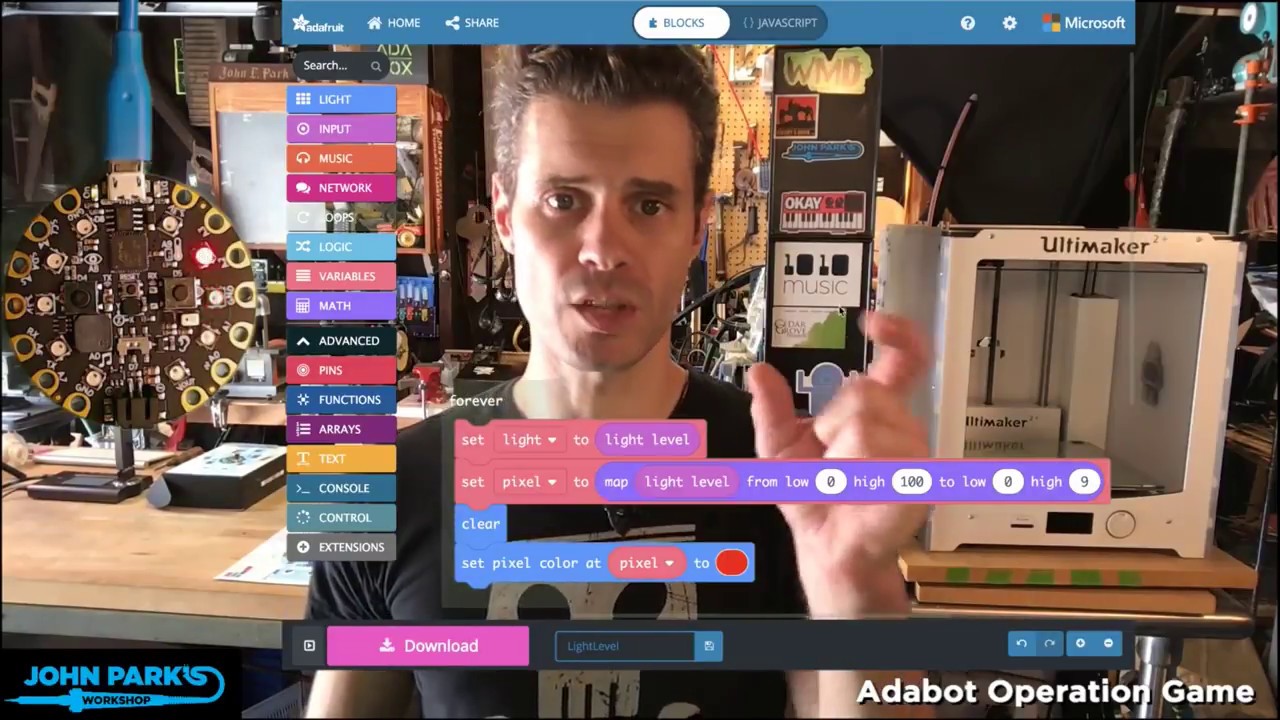
In this week's MakeCode Minute: Light Meter with MakeCode on Circuit Playground Express. To learn about MakeCode: makecode.adafruit.com This clip is from the...
How ever I can't seam to get the meter to meter the amount of light. The room I'm in is fairly dark, but I'm putting a flash light right up to the sensor & nothing is happening.
uneven marsh
Hay @glad berry could you help me workout why I can't get your light meter to work?
glad berry
@uneven marsh hmm that's strange. could you post a screenshot of your code or link to it w the "share" feature?
uneven marsh
sure certainly.
I know the numbers aren't the same, but that's because I was playing with them to try & get it to work.
@glad berry
glad berry
@uneven marsh try changing your light level high map from 1024 to 255, that's the maximum that sensor delivers I believe.
also, try dragging the yellow "eyelid" in the simulator on the left up and down to see if it at least works on your virtuial CPX
and set the high pixel number to 9 for full range of neopixels in the 'meter'
uneven marsh
When I first put it together I set it at 100 like what you had, & 9 for the other & it didn't work though.
glad berry
with that uploaded to my CPX I can see the leds metering light level when I shine a flashlight at the image sensor
If you aren't getting any response on yours perhaps you have a problem with the software upload to CPX or a bad board.
uneven marsh
ok, sim worked with 255 & 9. I'll try n upload. also tried sim with the 100 & I wonder if cause the room light was so low & then I used a flash llight. I wonder if the extremes too far apart.
glad berry
here's a simple test to try. alternate between covering the sensor and shining a flashlight on it.
internally, those blocks use 200 for bright and 50 for dark
glad berry
Yay!!
uneven marsh
What the heck?? Any idea why all of my make code tabs converted to the same code?
The light one that you just helped me with @glad berry is a sub-program to a program I'm putting together for show & tell tonight. 2 hours of work gone. Errgggg!!
Lol, ok I found it. Thank goodness for who ever wrote in auto save. 😄
glad berry
Yikes!
When I'm feeling particularly paranoid I copy the JavaScript and paste it into a text file to save on my local drive.
uneven marsh
Lol na, not paranoid @glad berry . just surprised me.
Hay again @glad berry . I'm trying to integrate various programs into last weeks make code minute code. Can you tell me what I'm missing from getting the light sensor code to work inside a function? I'll post pics in a sec
I'm also having a tough time getting one program to stop once I touch a different pad, hence the 'stop animations & sounds if I touch button A.
Which isn't working. 😦
Is there a stop all command?
Tried putting a While False - Stop all animations in line with the siren app set to pad A6 but that didn't work.
Intending that once I stopped touching pad A6 it would stop running that code.
stiff hazel
you need to implement "stop all" yourself
uneven marsh
I've been looking for that command & couldn't find one. Where is it?
well that is with the acception of the the 'Stop all animations' & 'stop all sounds' I tried putting in the 'On button A click'
The only time that it stops the programs that I've started by touching the pad is by switching to a different tab, like coming to write here. but that isn't going to help once I put it on the CPX
What do you mean @stiff hazel by "implement "stop all" yourself"?
stiff hazel
you keep a variable that determines whether you should be running an animation and you flip it to true/false
uneven marsh
OK, makes sense @stiff hazel . but how do you do that? From seeing John Parks use of the code I thought the use of that code would cease once you stopped touching that particular pad, how ever not so. That's when I tried doing the press button A stopping all, didn't work. then tried putting the 'While False' Stop all animation first after the while true then in the while true after the lights. Also didn't work. How is the correct way?
uneven marsh
No luck with this idea either.
Would you possibly be able to suggest something @slow rivet ?
slow rivet
No I haven't used MakeCode much at all.
uneven marsh
O ya, sorry. it was the CP that your experienced in. sry Forgot.
Or was it CP? I remember that you said that you didn't know Arduino but that you did another, thought it was CP.
Do you remember helping my daughter (Mia) & I @slow rivet , a bunch of months back? What programming was it that you helped us with? I remember that you were a massive help, just don't remember what the project was if it wasn't working with the CPX.
uneven marsh
I wonder why they wouldn't program in a paste function in the Makecode command palette? Kind of surprised to see that.
 tawdry linden
@uneven marsh it's a total hack, but since these things reboot so fast, you could always tell the thing to reset when you want to stop everything.
slow rivet
CircuitPython.
uneven marsh
Do that every time @tawdry linden ? Lol, I'd fry it.
I'm doing thing to learn not jerry rig.
stiff hazel
you can define a variable that controls the animation (set anim = true), use it in the "while" loops (while anim ... ). When you set anim to false, all these while loops will stop
tawdry linden
@uneven marsh fair enough, but a software reset does not harm the board
uneven marsh
Lol, O I know @tawdry linden . I was joking. I didn't think nor expect that it would actually do anything.
 rose cloak
i love makecode , and the cpx , im a total noob at programming , I was pleased with myself getting leds to blink , lol , i only wish there was more longer videos , explaining what the blocks do in more detail , i learn better from a video format , if anyone knows of any good resources id be grateful , thanks
 ruby summit
Have you seen John Park's "Makecode Minute" videos? He does a great job at doing what you are looking for. You can find one example at https://www.youtube.com/watch?v=0ElR8DAMAiI
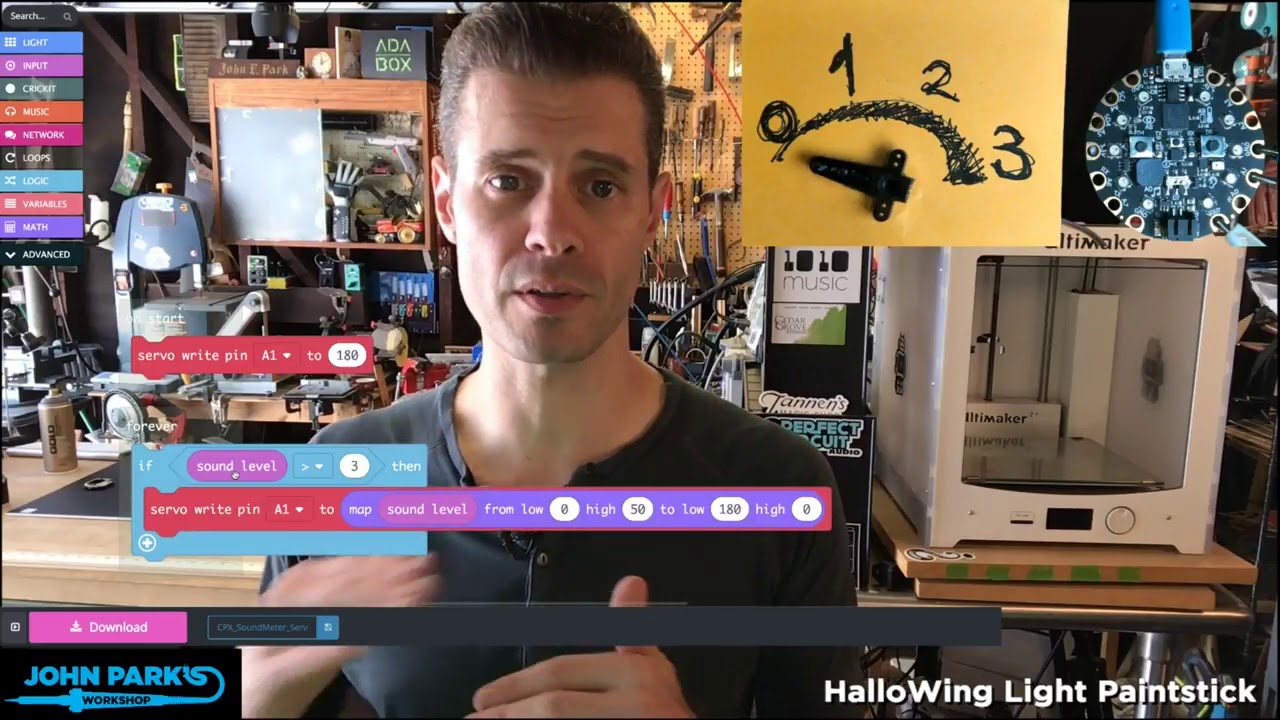
In this week's MakeCode Minute: Sound Meter with MakeCode on Circuit Playground Express. To learn about MakeCode: makecode.adafruit.com This clip is from the...
tight oar
If enough people watch, he gets to leave that parallel universe he's in and step out of the looking glass. ;)
peak ermine
From what I can gather, it appears that there are NO makecode commands that work with the Adafruint Mini Remote Control ID: 389. Is that correct? And, if so, are there plans to add makecode commands for the remote in the future?
thanks in advance,
tim
snow island
@peak ermine correct. Make code IR only works with other make code devices. I suggest trying CircuitPython which supports remotes
rose cloak
yes . @ruby summit . i don't find the make code minute that useful .
stiff hazel
@peak ermine that's correct. we currently don't have bandwith to implement the IR protocol
 leaden dawn
I'm getting weird errors that i don't understand in my c++ Arduino code and i can't figure it out for the life of me it seems it just doesn't like keyboard.print
 lean coral
@leaden dawn this channel is for Microsoft's MakeCode platform. You'll get better traction on Arduino issues in #help-with-projects.
leaden dawn
Okay i wasn't sure which channel so i just assumed this was the right one
lean coral
👍 all good. that's what we're here for.
plush marsh
@stiff hazel heya can we get a small bump release to update our USB HID current draw change
that way you can use HID on ios devices

GitHub
this allows us to use HID keyboard and stuff with iOS which wants a max of 100mA current draw.
pearl oasis
Hi everyone,we present the air quality packages and bme280 https://github.com/ElectronicCats/pxt-bme280

GitHub
MakeCode package for the bme280 sensor - beta. Contribute to ElectronicCats/pxt-bme280 development by creating an account on GitHub.
GitHub
Maker Code Package for the CCS811 Air Quality Sensor - ElectronicCats/pxt-airQuality
Compatible with pxt-maker
 velvet sand
Hmmmm… WebUSB doesn't seem to be available in the Chrome in MakeCode now. Edit It looks like it's out of beta now! New URL: https://makecode.adafruit.com/?webusb=1#editor
Adafruit Circuit Playground Express - Blocks / Javascript editor
A Blocks / JavaScript code editor for the Adafruit Circuit Playground Express.
glad berry
thanks @velvet sand I was wondering where it went just this morning, then @snow island told me you'd found it!
 magic bough
looking at the makecode editor on adafruit.com, I can't see any way to load a uf2 from disk
I want to look at the preloaded sample script on CircuitPlaygroundExpress to see if I can translate a feature to a .py script (the sound while button pressed)
velvet sand
@magic bough Visit makecode.adafruit.com. To the right of the My Projects title, there's an Import button. It will enable you to select a .uf2 file and import it into the MakeCode editor. From there, you can of course toggle over to editing with JavaScript, and copy the source code.
stiff hazel
@nOukf you can also drag and drop a .uf2 file in the editor window
stiff hazel
@magic bough you can also drag and drop a .uf2 file in the editro
magic bough
@velvet sand I've looked all over but cannot find an Import button or even My Projects
@stiff hazel I had tried dragging files in but it wouldn't work, the CPX sample must be some other kind of .uf2 file that is unreadable by MakeCode editor
velvet sand
@magic bough Click on the home button in makecode
magic bough
tried a couple times. I selected the preloaded CPX file but nothing happens when I tell it to load it
velvet sand
Hmm
magic bough
Even if I can't load it into the editor directly like this, it would be nice to see the code on a page somewhere to see how the MakeCode (and switch to the Javascript view) handles playing tones for each neopixel when a button is pushed
velvet sand
Just in case you haven't come across it, yet,
@magic bough, here's where I find the Import button when I'm in MakeCode.
velvet sand
I think this file is the demo: CircuitPlaygroundExpress_MakeCodeDemo.uf2. It seems to be saved without the source code. I found it at https://github.com/adafruit/Adafruit_Learning_System_Guides/tree/master/Introducing_CircuitPlaygroundExpress. Perhaps someone could file an issue there.
Also, @magic bough, @glad berry has some great tutorials on using MakeCode, on YouTube. Here's one on buttons: https://www.youtube.com/watch?v=wCV0WFYZYHY

In this week's MakeCode Minute: Button Basics with MakeCode and Crickit! To learn about MakeCode: makecode.adafruit.com This clip is from the full John Park'...
And here's how I get CPX to blink an LED and play a tone when Button A is clicked, @magic bough :
magic bough
but when the button isn't pressed, the lights continue to cycle around. this only handles when the button is pressed
velvet sand
My example only lights an LED when the button is pressed. No lights circle. Is that what you'd like it to do?
stiff hazel
MakeCode only supports .uf2 created by MakeCode. Where is that UF2 from?
magic bough
the demo preloaded on CPX cycles the lighs CW or CCW depending on the switch position. pressing a button adds a tone (rising or falling frequency depending on direction)
the other buttonbrightens them
glad berry
I think that's the CPX mega demo you're referring to, which is written in CircuitPython.
magic bough
I've (copied to HD then) replaced the .uf2 with other MakeCode scripts (it automatically renames them when uploading) then restored the original to get that original demo back. That tells me it's in .uf2 not .py
hmm, after connecting CPX to Crickit, my computer thinks the CPX is new hardware to install again in (board)boot (MakeCode) mode
either that or it's installing a previously failed device or a new connection to Crickit from the CPX
hmm, not even seeing it in double-reset mode now, only in Python mode
maybe I'll have to try removing it from the Crickit
 brave forge
Has anybody seen any tutorials made for makecode with gemma M0?
stiff hazel
we are adding support for multi-board tutorials on maker.makecode.com
so basically, tutorials will work with all compatible boards automatically (currently there's only blinky but more will come)
stiff hazel
@brave forge reload https://maker.makecode.com and the tutorials will let you pick your board (including the gemma m0)
MakeCode Maker - Blocks / Javascript editor
A Blocks / JavaScript code editor for MakeCode Maker Boards
brave forge
Thanks @stiff hazel now I understand.
stiff hazel
we released the feature yesterday 😉
 rigid mulch
Is it not possible to use MakeCode with Chromebooks?
 elfin lintel
It is.
rigid mulch
I have tried to download the MakeCode for Arduino app from Microsoft Store and failed. Is there some trick to it?
elfin lintel
Adafruit Circuit Playground Express - Blocks / Javascript editor
A Blocks / JavaScript code editor for the Adafruit Circuit Playground Express.
rigid mulch
thanks i'll see if i can get that link to work for me.
elfin lintel
Okay.
rigid mulch
Nope. I've been to both those links. I'll have to bookmark this page and come back another day. I've created a .uf2 file using a MS Surface and mailed it to my Chromebook then tried to get the MakeCode program to download via that code: "find and app. to open this file" and that just locked up my Samsung Chromebook. Now nothing works on the machine; not even the power button to shut it down. I logged of the net thinking that some kind of script was running to lock it up. No luck with that either. After the Chromebook dies I have to re-boot and try again tomorrow . Thanks anyway.
elfin lintel
No problem, sorry you could not get it to work. Don't give up!
rigid mulch
Ok , Using another Chromebook. I click on the mail link and download the .uf2 file. I click on the file and get the note Select an app to open this file; No results found. At the bottom of the window , left side, I see the Google icon and See more...., clicking that I see chrome web store (where I have purchased the Arduino Create web editor for Chromebooks- which will not support non-Arduino.cc boards, like, probably CPX) . Here I type in MakeCode for Adafruit and get a response: No results. I suppose because it is not a Chrome Supported app. but Microsoft. I've also clicked all the "filters". Still no luck. Has anyone actually made this work?
elfin lintel
What exactly are you trying to do? Program your CPX using Makecode on a Chromebook?
rigid mulch
yes
elfin lintel
You can just use this: https://makecode.adafruit.com/ I believe you can program the CPX from there.
Adafruit Circuit Playground Express - Blocks / Javascript editor
A Blocks / JavaScript code editor for the Adafruit Circuit Playground Express.
rigid mulch
Sorry to bother you all with my NOOB questions...this MakeCode is so unlike Arduino I don't know how to upload a sketch or what ever it is called after creating it on the makecode.adafruit.com/#editor web page. The only action button is see is Download which is the reverse of what I want. My CPX is plugged in via USB. Is there no compile or board choice? Is it not possible to upload to the CPX from here? I have the simulator which appears to respond to clicks on the monitor on the buttons on the CPX. Hints? I see no upload to CPX button.
elfin lintel
One moment. Let me see if I can figure this out. (I have never actually used MakeCode before. I am just doing my best to help you out. :))
rigid mulch
Because I see no tutorials on YouTube under: "using makecode with chromebook" in search box. But only Tony D's "Circuit Palyground Express and win 10 Make Code and Circuit Python...I'm beginning to think it is not possible. I read that 60 % of US public schools have Chromebooks at some level. If MakeCode will not work with Chromebooks that would be important information. If it does, I'll make a tutorial on how to do it. Any links to a YouTube tutorial on this subject? thx
elfin lintel
I have a personal and a school chromebook.
rigid mulch
Good. I appreciate your efforts here on a Friday evening when you should be out enjoying life. Props to you.
elfin lintel
Here is what I found: https://learn.adafruit.com/adafruit-circuit-playground-express/downloading-and-flashing
Make faster and easier than ever with MakeCode, code.org CSD, CircuitPython or Arduino!
Eh, I really am not doing anything right now. I was just putting my 3D printer back together. I am happy to help!
rigid mulch
I was at a dental prosthetics lab yesterday where they have bought (leased) 2 Carbon brand 3 D printers. They did know that Zack Allen has a new company in Springfield, MO using 3 D printers to make human sized development platform robots and has started shipping them as of Sept of this year. $5,000 each. ! ! ! That cheap.
Sorry, they did not know....
Sorry, they did not know.... Zack has Youtube vids on his robots and internet interface with the simulator.
elfin lintel
Cool.
rigid mulch
Slate Robotics on Youtube. He hopes customers will use their printers to make additional parts for the robots to suit their needs. All his files are on the repository at Git Hub under Slate Robotics.
elfin lintel
Any luck with getting your CPX to work with your Chromebook?
rigid mulch
I've see the above page on Adafruit and studied it well. I failed to use CP AND CPX with one computer but got both of them to work with Arduino on another computer. Wilh the Chromebook and makecode I cannot figure out how to upload to the board, CPX. I must be dense. I can;t see a button to click on the editor page at makecode.adaruit.com that will actually upload to the board. Maybe that 's not the way it works. Do you have a CPX?
elfin lintel
I do not. You do not need to compile any code. Here's some info from the guide: "If your board is working in the simulator, it's time to download it to your actual board! Click the "Download" button. It will generate a .uf2 file and download it to your computer (UF2 is a file format designed to flash microcontrollers over USB)."
rigid mulch
yes, I've done that.
elfin lintel
Here is some more info:
 Ensure your board is in bootloader mode.
Find the .uf2 file generated by MakeCode in your file explorer. Copy it to the "CPLAYBOOT" volume.
The status LED on the board will blink while the file is transferring. Once it's done transferring your file, the board will automatically reset and start running your code (just like in the simulator!)```OK, now I have to find what CPLAYBOOT is . Copying is not so easy. Many Chromebooks do not have right and left click on the mouse pad. I find I sometimes can use Ctrl C and Ctrl V, sometimes not. Also I do have a remote mouse but we're talking 10 Chromebooks at our school and buying 10 mice and keeping track of them....
elfin lintel
If you click with two fingers on the trackpad, it should act like a right click.
stiff hazel
@rigid mulch MakeCode works great on Chromebooks
elfin lintel
Just look for a external drive on the chromebook.
rigid mulch
Also, I was hoping to be able to introduce this to parents of home-school kids as a STEM project. Wondering now if that 's a good idea for the complexity of it. We'll see.
stiff hazel
You can also go to the gearwheel -> Pair Device and it will use WebUSB to transfer the code to the device
elfin lintel
Ah, here is one of the MakeCode helpers, he or she should be able to help you.
stiff hazel
instantly and without drag and drop
rigid mulch
will try it
elfin lintel
@rigid mulch that's awesome! I wish you the best of luck with this.