#help-with-3dprinting
1 messages · Page 24 of 1
 idle crest
 small heron
is it me or is that infill grid huge ?
 glass cairn
@small heron na, it's just a narrow section of the part.
@idle crest where might I find that setting? I had thought it was printing way too thin too but I gave up trying to find a setting for the thickness of the infill.
small heron
ah
idle crest
oh, try the new cura 3.3 - they improved custom fdm profiles and toolpaths
https://ultimaker.com/en/products/cura-software/list scroll all the way down to beta versions
Ultimaker.com
my infill line width is set to .46
try the triangle infill pattern too @glass cairn
 warped quest
any benefit to a triangle fill pattern as opposed to the regular old zig zag?
glass cairn
Ah so that's where it is. ok, It was set at .4, not sure if .46 would make much difference so I set it to .5. I switched back to 3.0.3 cause these problems were even worse when I up graded. But I might as well at this point & just tweak it from that. @idle crest
glass cairn
Also, what kind of settings should I play with to increase my print detail? Mind you I'm printing with a .4 nozzle so can't do super detail but. Been trying to do a bird in a cage pendant with not much success.
idle crest
@glass cairn .4 nozzle should be able to print pretty fine details. try dropping the extrusion width to .32 and printing around 30-50mm/s with a layer height around .1 -to .15
@warped quest i've noticed it take less time to print and can be just as strong as zigzag. but it depends on the model. always check the layer view to verify toolpaths don't look funky
warped quest
thanks for the info. i'm still pretty new to the hobby, so most of my settings in cura are just the defaults.
glass cairn
@idle crest How can a .4 nozzle extrude .32? Wouldn't it be limited to the diameter of the nozzle, Ie in this case .4?
And I think that I FINALLY figured out my problem. I put a very tiny rubber band on the V notched wheel that presses the filament against the drive wheel (which mind you visually looks just fine but) on the extruders stepper and I'm only 8% in the first print after putting that on there but so far so good. I'm hoping that the heat from hot end doesn't melt it. Has anyone ever tried this before & have the rubber band melt?
idle crest
@glass cairn the feed rate adjusts so it extrudes thinner lines, very helpful for print in place joints
small heron
will you be around latter @idle crest ?
I have to bash as the taz at the library an would love a sound bord
after the firmwareupdate it got BUGGY
idle crest
oh, stuff with kriby just finished updating his
small heron
yeah, I will have my hands tiead as only IT is allowed to do any software updates
bet I can do what ever I want to settings and to the hardware... within reason
I was told it all went sidewas when they got the morestruder
idle crest
we stopped stocking it because of the bugginess 😦
small heron
aww
I love it otherwise
it's the one I plan to buy onece I canafford one
eshaly they have no issue-
well the mini, the taz6 is way to expensive
It's still less buggy then a makerbot
idle crest
oh yea, the taz mini kirby found was like 300 bucks i think
small heron
I like working on the one at the library
idle crest
oh totes look around ebay
small heron
I wish it had a more 'interchangeable' bed for quick plate type swaps
the PEI is annoying sometimes and amazing others
idle crest
aw yea, just ordered some pei sheets for the ultimakers
small heron
as in the lego tape
but a way to pop the plane and pop a now one in would be nice on the mini
idle crest
that would be awesome
small heron
I'll be on the taz6 trying to work out the issue, I think the new cura that just came out may help
but I wont be able to do that
glass cairn
Ahh, ok @idle crest . My fix wasn't the fix, I'm 40% through my print & it is all sorts of bad looking wit the same issue, only now even the shell walls are messing up too even though it's set at 1.2mm. I wonder if I do those changes that you suggested for getting fine details to print to just a regular print, if that would finally get it to print normally.
glass cairn
😃 I know it's not much compared to what a lot of people are doing with 3D printing these days, but this is the first 3D print that I printed using 2 different colors using my simple little Maker select V2 and I am quite proud of it. 😃 😃 😃
warped quest
I think i get the most kicks out of just random stuff to print. Doesn't have to be useful or anything. I printed out a Darth Vader Buddha a few weeks ago and ended up having to print a few more for folks in my WoW guild.
 little hedge
I printed the Braq jointed dragon. Because dragons
The useless stuff can be the most fun
 sullen zinc
http://hydraraptor.blogspot.com/2018/04/esp-12-module-breakout-adaptor.html?m=1
HydraRaptor: Printed ESP-12 module breakout adapter interesting use of 3d print to adapt from 2mm to 100mil spacing

I plan to make a few projects based around ESP-12F WiFi modules. These are postage stamp sized modules containing an ESP8266 chip plus 4MB o...
Ymmv with heat of soldering near plastic
glass cairn
Would anyone have any idea why a print keeps stopping mid print? I'm printing a https://www.thingiverse.com/thing:2831224 and it's just stopped printing twice on (at 2 completely different times during the print) me for no apparent reason. Could hydrated black PLA cause a printer to just stop the printing cycle? Hmm, I think I just answered my own question. Hydrated PLA prob clogged the extruder.

A bed designed to work with jruutiai's Rear inner Fenders or stand alone. There are 2 versions available: one with slots for wire tying electronics and one that is solid.
glass cairn
Is black PLA anymore susceptible to moisture absorption then other colors? Red or clear for instance?
 naive grail
 molten steeple
👌
 naive grail
Lol no glowing yet gonna add a speaker in the next rev
naive grail

Download and 3D print this file (and many more) from Pinshape today!
small heron
board wise
naive grail
build info is here but a nano, vibration sensor and a stepper motor
small heron
if you shove a cpx , that gives you a speaker and some sensors , but if the nano works, it works
naive grail
Yeah it should be easy to upgrade to a better board but its what i had on hand
small heron
the nano is not bad
but if your going to start adding a bunch it may be good to look at options
cpx may not even be what you need
I still want one
I can't wait to see you on show and tell
naive grail
It appears that something is wrong with uploading designs to the pinshape contest. Anyone have problems with this recently?
 keen canyon
Small question: what would be a good wire gauge for endstops and stepper motors? Also should it be solid-core or stranded-core?
I ask because I am fixing a custom 3d printer and I have no idea what I am doing :l
I do however know that the wires (cables? idk) need replacing, so there's that.
warped quest
i don't know about best practice, but fwiw on my anet A8, the endstop wires were stranded core and couldn't have been more than 20ga.
that's just what she came with.
keen canyon
Huh ok then.
 violet needleBOT
Adafruit Industries posted 3D Hangout – CAD and Prototypes

Episode #184 – CAD and Prototypes Today's coupon code ITSYBITSY gets you 10% off your order! #3DPrinting https://www.youtube.com/adafruit/live LED Trampoline...
 trim sail
@supple stratus Just watched the 3D Hangouts video from a couple of days ago. Then I followed the link for the ItsyBitsy case. After a few minutes I was able to download it. It looks good! But I don't know enough about Fusion to separate the lid from the box so I can print them. Can you give me a clue, or two, or point me a discrete .stl files for the two parts. I'd like to be able to make a few minor changes to the case, and print them. Thx
 supple stratus
@trim sail Sure, you'd need to download fusion 360 and export the parts individually as STLs, some extra steps so i'll save you the hassle of having to do all that :- )
trim sail
@supple stratus Thanks verrrrry much!
 cobalt quarry
My very first design in Fusion360 is printing at the moment.
cobalt quarry
4th iteration printing
 shrewd rose
 👌
👌 serene quest
Hello, a minute ago I powered up my anet a8 to load new fillament. I had recently fixed the etruder at put everything back together. half way in to heating I smell somthing toasty. I unplug the machine and check everything, The board: nope, The connectors: nope, The PSU: nope, but then I see somthing. the heater has came of of its block! I'm letting it cool down will it be safe to turn on again?
small heron
does your manual cover anything on reattaching the block ?
small heron
I sadly don't know alot about your printer, but I can try and find a repair guide or a video for you. if you like.
warped quest
hexia, i've got an A8 as well. there's a facebook group i'm a member of where people provide pretty reliable help for the anet a8. https://www.facebook.com/groups/637339463142882/
sorry i cant really be more helpful.
serene quest
Thanks @warped quest @small heron
warped quest
also by heater did you mean the thing that heats up the filament? if so, i think it's just held on by screws and the hot end. been a month or three since i assembled mine.
serene quest
@warped quest Well I put it back in and tightened the screw and tried to heat it up and it smelled toasty so I unplugged it again because I was worried.
serene quest
So, is there a definitive way to check if it is fine?
i can send a picture of it
@warped quest
warped quest
i'm not an expert, but sure. i can try to compare it against mine.
serene quest
Okay give me a sec
@warped quest
@warped quest
@warped quest
@warped quest
@warped quest
warped quest
that wire that came out of the hot end controls the temperature, i'm pretty sure.
serene quest
its the heater cartridge and thermister @warped quest
warped quest
yeah, without it, the hot end doesn't know when to stop heating up.
serene quest
But it was in it and attached @warped quest
@warped quest only the heater cartridge came out I just took both out to show you
small heron
did you see this https://www.youtube.com/watch?v=MMVGsPNepmY

Anet A6, A8, RepRap Prusa i3 extruder heater repair. Problem- extruder not working, does not heat. extruder temperature not increasing, if increase, after so...
serene quest
Yeah, but mine heats up @small heron He shows how to fix a one that doesn't heat up
small heron
still looks like it shows how to re seat it?
serene quest
@small heron You there?
small heron
yeah
serene quest
What should I do?
small heron
not totally sure, when I was looking thismoring it did not seem to be an uncommon problem
do you think you can reseat it safely and correctly ?
serene quest
Did it. @small heron But it still does the same thing
small heron
not heating, or popping out?
serene quest
smells kinda like burnt toast I don't know how to describe it happens at around 110c and I shut it off
I was heating it to 200c
small heron
@warped quest might know more
 boreal lava
Just over an hour into printing the prototype chassis for my rover...fingers crossed.
boreal lava
Finished the print. Sizing wasn't bad. There's a few things to tweak, but that's to be expected.
Big problem was that I printed at too low a temp. It delaminated too easily. The filament I was using is very "oozy". It drips really badly, so I tried to compensate. I have some other filament I will try tomorrow.
Even with the failure, It's good to see the measurements were mostly on point.
 night kraken
So, if you have an ANET A8, please dont leave when its printing, multiple reports have been made that they set peoples houses on fire when left alone because the plastic parts on the main board get too hot and catch on fire
warped quest
^^ can confirm.
solder the leads to the hotbed. it makes it a wee bit safer.
hexia, i'm honestly not sure about your heating element. do you have a way of determining that its temperature is what you set it to? (like 200c, for example)
 cloud halo
I strongly, strongly recommend never leaving a 3D printer unattended. Would you leave a soldering iron on, unattended? A 3D printer is no less dangerous, and you have a plethora of combustible plastic sitting in close proximity.
This is why I always wonder why people put their printers inside an IKEA Lack cabinet. It's pretty much cardboard. If something goes wrong, poof.
"But what if I have a big print job that'll take 30+ hours? What do I do then?"
If you can't watch it, don't do it! You wouldn't leave a pan of hot grease unattended. Slice down your model into smaller pieces to print.
cloud halo
Oh, most people are guilty of that...just leaving it sit, and coming back to see a spaghetti mess 😉
🍝
small heron
yeah
cloud halo
But these fires as of late are frightening -- a side effect of the "race to the bottom".
small heron
yeah, not good
warped quest
so i swapped my printer over to a glass bed instead of using painter's tape, and it's safe to say that first layer adhesion is no longer a problem. in fact, the adhesion is too good. do you guys use a putty knife or something to remove prints or is there another method i should try?
supple stratus
Did the bed fully cool down? Normally should pop off around 30C. For really stuck things I use a razor blade to lift the corners and switch to a spatula like this https://www.amazon.com/gp/product/B01LZ1IFD8/
warped quest
The bed may not have been fully cooled, come to think of it. I'll try that this evening and see.
warped quest
i had to use a little love tap on the side of my test cube to get it off the bed. i'm just glad i decided not to use a glue stick to aid with adhesion like i did with tape...
small heron
Do you have one of the knife like spoogers ? The sorta thick ones? If you can get a good angle with the blade, you can pop your print off.
supple stratus
I haven't used one of these but I like the handle design https://www.amazon.com/BuildTak-BT30185-Spatula/dp/B017XGEDOM/
cloud halo
@supple stratus That is something amazing, thank you.
little hedge
I have a Tevo Tarantula which I've been using a lot in the last six months but would never leave it unattended
If I have a long print I'll make sure it's a weekend and then stay home with it the whole time
 tribal egret
@weary lichen hows your printer upgrades? its been a while, did yu say you had tmc2130's
serene quest
what? @small heron
night kraken
Can we melt filament and 'pour' it into something like a mold, for injection molding?
 hazy lark
@HexiaDesigns#5179 i had a similar problem a few months ago but in my case the thermistor had fallen out. The hotend got way too hot and the PLA and even the small teflon tube got burned. I had to replace the tube and the nozzle but the heating block was fine.
small heron
@night kraken you can buy the beads/pellets
night kraken
ooh 😮
but i need a machine for it too then haha
Maybe i can just polish my 3d prints 🤔
small heron
well if you want to get into molding ....
night kraken
mhm
i just mean like
cases that i print
i can se the lines
and i hate it, it looks ugly xD
lines = layers
night kraken
Smoothin with what? Acetone?
small heron
acetone will do ABS
PLA needs .... some rather unpleasant substances , but you will never really get it fully smoth
 hidden sable
I have one of the buildtak spatulas - it is awesome
@night kraken acetone vapor - you can do it quickly with a rice cooker (well ventilated and don't smoke), or just have a wet rag or paper towels in a sealed container, with the object you want to smooth. Too long and it looks like Dali clocks...
Disclaimer - I'm no doctor 😉
small heron
more then 30 sec and you can run in to trouble...
hidden sable
The second method is more forgiving
small heron
I use a big glass heat shock resistant jar
hidden sable
The rice cookers are cheap at kmart IIRC
hidden sable
Also acetone vapor travels fast so if you have it exposed everyone will know you're using it 😃
night kraken
Well
i will put a glass, and a paper 'towel' with some acetone, let it suck it up
and then a brushless fan
inside of it
to keep the flow
i found out that sparks dont ignite the vapor
lmao
only direct fire
(this is what DIY Perks did)
night kraken
al;right
😄
I just want it to look like injection molded
i mean
how is someone gonna make a nice case if you can see the ugly lines
hidden sable
This is for ABS btw
hidden sable
Oh
night kraken
I dont trust ABS on my Anet A8
hidden sable
Acetone is for ABS
night kraken
looks like it works for PLA too
the only issue with PLA is, it removes alot of details
(thats what youtube teaches me)
like, it smoothens too much
small heron
there is a pla that works with isopropal... I think it's polymaker
night kraken
Hmm
small heron
Look up the polysmother
sullen zinc
I just made a couple of these, they look great for holding feathers I want to just keep on my desk: https://www.thingiverse.com/make:476549 (just add M2x5 or M2x6 screws)

A super easy print, fits perfectly. I used M2x6 screws, which are just a hair too long when used without washers.
 vast salmon
@supple stratus for trampoline project you have design what able to make it waterproof too as those trampoline are mostly used outside so those expose to rainy weather
it could be just need top cover where those wires go to trampoline so make the weatherproofing feature using neopixel would be good addition to that project
idle crest
oh the one we used is for indoor exercising 😉
vast salmon
yeah and outdoor one need waterproofing the project
violet needleBOT
Adafruit Industries posted 3D Hangouts – Jumping on NeoPixels

Episode #185 – Jumping on NeoPixels Today's coupon code BOUNCE gets you 10% off your order! #3DPrinting https://www.youtube.com/adafruit/live LED Trampoline ...
 night crescent
Are there any good 3d printing companies where you can send your designs and they'll print and ship? Are they reasonably priced? Can anyone make a recommendation?
vast salmon
the 3D Printing nerd visited one company what took orders and they 3D print them
night crescent
Thanks
vast salmon
located in Brooklyn if i Remember right
vast salmon

Use code "3dprintingnerd" to get 25% off your first order with Voodoo Manufacturing: http://voodoomfg.com I visited Voodoo Manufacturing in Brooklyn during a...
 weary lichen
@night crescent The one that @vast salmon mentioned is called VooDoo, and I've used them and they're quite good.
night crescent
super - thank you so much!
 shy kelp
Yay I got a 3d printer
My very first one
I have played with many at different places but now I have one at home it’s just a cheap da vinci mini off of amazon
shy kelp
Sweet!
 spice estuary
And I got picked on, I didn’t have 3D printer thing to show off today
night kraken
Awww Confedy!
 azure parcel
speaking of new printers, I'm almost done building my VORON2 and I'm excited
 hallow orchid
@shy kelp Congrats. I'll have to look that one up. Not sure if I've seen info on it before.
shy kelp
Da vinci mini w @hallow orchid
hallow orchid
I've pretty much talked myself out of getting a 3D printer. Don't have enough need for one or the time to learn how to use one properly. That said, I've been tempted by the Biqu Magician. I've also seen a delta style printer with a 3-to-1 extruder head which is also tempting (but it costs a bit more).
shy kelp
A couple of my prints along with some close ups
This was using my da vinci mini w
boreal lava
nice looking prints @shy kelp . What filament are you using?
Hey guys, so I'm working on getting my cheap little 3d printer set up again, and have hit a problem. I'm almost 99% sure it's at least partially the 4 year old filament, but wanted to see if any of you have experienced this.
The X,Y, and Z all seem good, but there are what looks like pockmarks all over my test print. Just tiny gaps in the outer layer extrusion. Granted, the filament I am using is some that I know is pretty bad, so that may be it. I did notice that each time a new extrusion was made after a move, there was a pop like you would hear with bubbles in the filament. Ordinarily, I would just put that down to air/moisture in the filament, but the fact that it did it so reliably every time has me wondering if it could be something else.
Any thoughts?
boreal lava
here's a pic if that helps.
boreal lava
maybe...I'll have a look at that. Thanks for the tip. The layer height is a bit high at around .3 mm ( .5 mm nozzle). Layers seem strong with no delamination.
My main focus at the moment is the dimples that form on each new layer of extrusion. This print looks especially bad due to the number of times a new extrusion is laid down. On more solid prints it looks quite a bit better as this only happens once per layer.
 vale frost
Well I am thinking your layers should not be so thick that they are rounded, they might be squeezing out the sides due to lack of surface area leaving dimples. If you want large layers, maybe up the heat or lower extrusion? Im a newb though
Oh are the dimples at layer changes? You might be able to change the paths to move them further inside the model, i think i have read that somewhere
Google layer seams or layer blobs
Seems to have to do with retraction
spice estuary
Best way to be sure is to use fresh new and different brand
I’ve been told that some brands aren’t used due to inconsistent spools
Essentially same issue you had, it may be bad filament
tribal egret
UUuuhm!! these TMC2130 drivers are soo QUIET<3 WOW!!!
I gave up trying to figure out the sensorless endstops so i can get on with a test print and the loudest thing is teh fan!
boreal lava
update: @vale frost Haven't run a test print with the new settings, but there was over extrusion. I double and triple checked all my calibrations, and they were pretty well on. It just hit me that maybe my nozzle was not as precisely sized as expected. After running some filament out, and measuring the thickness of the cooled stream, it seems that is the case. It's measuring at an average of .61 mm where the nozzle is listed as .5 mm. I'll have to change that in my settings and see what happens.
@spice estuary yeah, the filament I was using is very old stuff that I stopped using because it is pretty bad. I figured it would be good enough to run a few tests and parts with (it's super strong). I've tried some newer filament, and it seems a bit better now. I'll probably switch back this week when I print structural parts though....they don't need to look good, just work. 😃
spice estuary
The problem is, that bubbling could be structural issue also, I don’t know, I just avoid bad filament if all possible
Sounds like ya used that nozzle quite a bit already, which from what I gathered, is easy to do
shy kelp
@boreal lava my filament is xyz brand 1.75 mm
 soft heron
hey does anyone have a screw spacer 3dprint for raspberry pi and a ADafruit board, i dint find any
i dont have an enough accurate measuring stick to measure it
 ruby hearth
Anyone upgrades a MK7 Extruder to a 8/9/10?
mine's stopped extruding and I think it's insufficent torque
ruby hearth
on second thought, it's probably the throat ptfe material blocking it - new throats ordered
violet needleBOT
Adafruit Industries posted 3D Hangouts – Fumey The Fume Extractor

Today's coupon code PRINTCORE gets you 10% off your order! #3DPrinting https://www.youtube.com/adafruit/live Fume Extractor https://learn.adafruit.com/deskto...
violet needleBOT
Adafruit Industries posted Fume Extractor Desktop Fan // 3D Printing

Here’s how to turn a PC fan into a solder fume extractor using a 3D printed retainer. Use an activated carbon filter to catch that pesky solder smoke and eli...
vast salmon
@supple stratus and @idle crest you did the model from the spool in the 5 wire spool project
vast salmon
here is Cablespoolbox for you
 ripe oriole
hey all, can i ask for some help making bosses for m2 screws? I'm not su re what inner diameter of the boss i should use and am curious if there are any generally accepted recommendations. any help appreciated
boreal lava
What I usually do is model an elongated rectangular box, and put several holes in it of various diameter. For example, for the one I just did for 8mm rods, I made five holes starting at 7.8 and going up to 8.2 in 0.1mm increments. Somewhere between 8.1 and 8.2 was the sweet spot, so I did those numbers in .02 increments.
ripe oriole
okay, do you think it would be similar if it is sla printed ?
weary lichen
SLA should be a little more accurate, but using @boreal lava's method lets you get it just how you want it
 verbal matrix
anyone have experience to share with 3dxtech https://www.3dxtech.com/intamsys-funmat-ht-high-temperature-3d-printer/ ?

3DXTech
3D Print PEEK and Ultem parts with the INTAMSYS series of high-performance 3D printers.
boreal lava
Hey everyone, I've been working on my 3d printer....again, and am trying to get it well calibrated. Right now I am hitting at around 0.5% dimensional accuracy (plus/minus 0.3%). I'm using a cheap 3d printer, so the deviation will be difficult to control until I can stiffen the frame and replace a few parts. Where I am should be good for printing the initial parts I need, but what would you consider the optimal goal for the accuracy?
azure parcel
for x,y, or z
boreal lava
all three really
boreal lava
none yet. A Z stop will be my next print, and one will be added to the new gantry
boreal lava
I set the x and y to wherever I want the corner to start. The Z I just use a business card to get the height. The bed was leveled using a dial indicator clamped to the extruder carriage, so x and y are really the same wherever I choose.
no homing.
limit switches will be added in the redesign. Haven't decided if they will be optical or mechanical
azure parcel
oh
yeah
I use hall effect switches for XY and a super precise omron switch that the hotend hits directly for Z
you can't really measure homing percision if you are doing it manually every time
precision
boreal lava
Do end stops really have much bearing on final dimensional accuracy? I would think that x and y are largely arbitrary because whether you start at 1 or 100, a 50mm travel is still 50mm. The Z should correct the tiny deviation in starting height over the course of the print, right?
boreal lava
I'm using 0.3mm layer height, and the card I am using to set the Z is 0.29mm thick. So I'm getting a good first layer. I'm just wondering what a good goal for dimensional accuracy goal for the print would be on a decent printer.
boreal lava
@azure parcel Z-Stop installed. ✅
boreal lava
lol just had to print the mount for it
boreal lava
it's an old 2-up printer...the one with the single motor on the Z-axis
azure parcel
Oh alright
boreal lava
Just getting it up to snuff to print parts for a better one
azure parcel
don't go dbot if you are doing your own build
boreal lava
dbot?
azure parcel
yeah
boreal lava
what's that?
azure parcel
boreal lava
I'm debating on coreXY with a hard maple frame
azure parcel
you're designing yourself?
boreal lava
yeah
azure parcel
oh cool
I'm almost done making my 2nd printer
not smart enough to design myself though
boreal lava
I also have a cnc machine, so most printed parts can be also used to create the profiles to cut out of maple
azure parcel
How's wood vurses let's say aluminum extrusions
boreal lava
Wood will expand slightl across the grain, but with the grain it is pretty stable....especially a dense wood
aluminum moves some too with heat, so I don't imagine there will be huge problems
azure parcel
is it a fire risk?
boreal lava
lol probably, but it's not something that will be left unattended
what design are you looking at?
boreal lava
oh, ok...so a standard box frame printer, but the axes move up and down rather than the print bed? cool
boreal lava
Here's where I am now in calibration. Still a few things to tweak, but not bad for this printer
azure parcel
Cool
boreal lava
azure parcel
Not bad
Remember to use abs for your next printer
Or if you can't print abs, atleast petg
boreal lava
will keep that in mind. I'll have to upgrade my Lite6 to do that, right?
azure parcel
No
boreal lava
It can only do 240c max
boreal lava
yeah, it has a ptfe liner. The upgrade kit is pretty reasonable though. I think it's mostly just replacing one part
azure parcel
The heater is really cheap
boreal lava
the heater is the same. I think it's the main body with the fins (forgot what it's called) that gets swapped out
boreal lava
yeah, that's the diff between the V6 and lite6....that, and like $30. For PLA Lite6 is great though.
boreal lava
E3D is working with companies in China now. I saw that somewhere recently. They're not releasing details yet though.
I believe the branded parts will still be the same, but may be some higher quality clones coming soon. Not sure though
violet needleBOT
Adafruit Industries posted 3D Hangouts – PVA and Cardboard
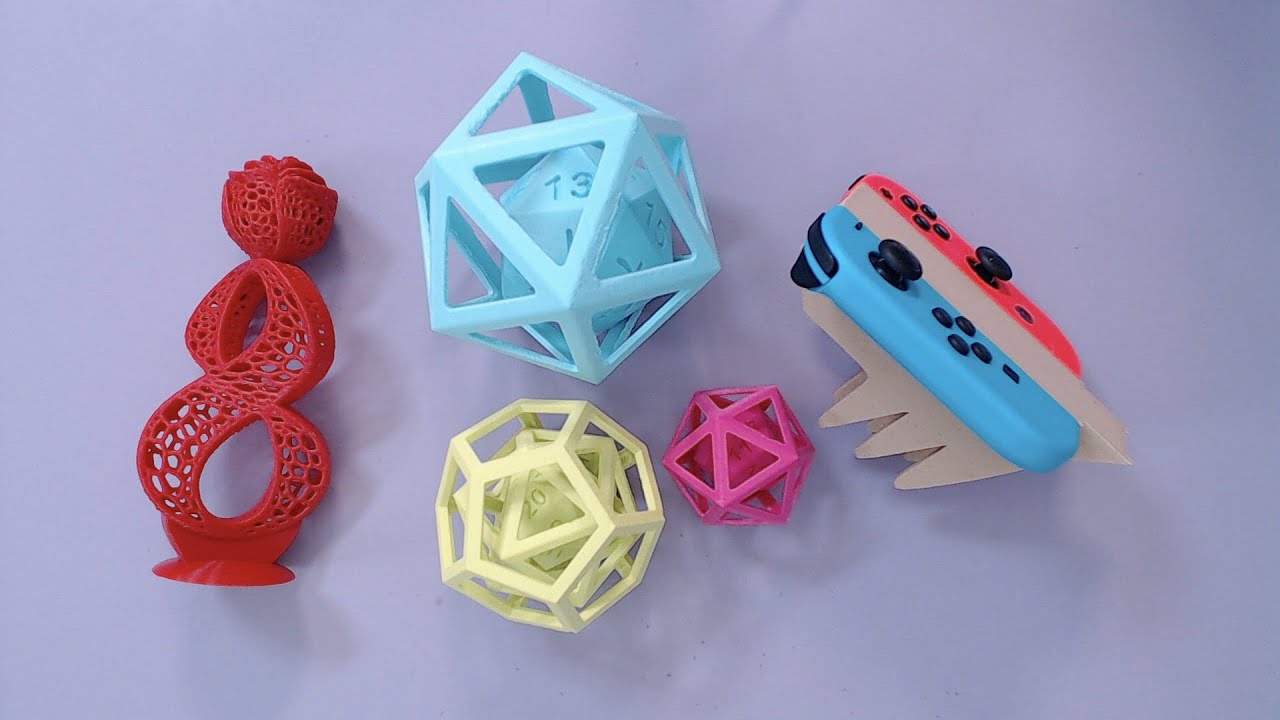
Episode #183 Today's coupon code WATER gets you 10% off your order! How to use PVA – D20 inside D20 https://learn.adafruit.com/how-use-to-pva/overview Ultima...
violet needleBOT
Adafruit Industries posted D20 inside icosahedron // Using PVA Dissolvable Filament
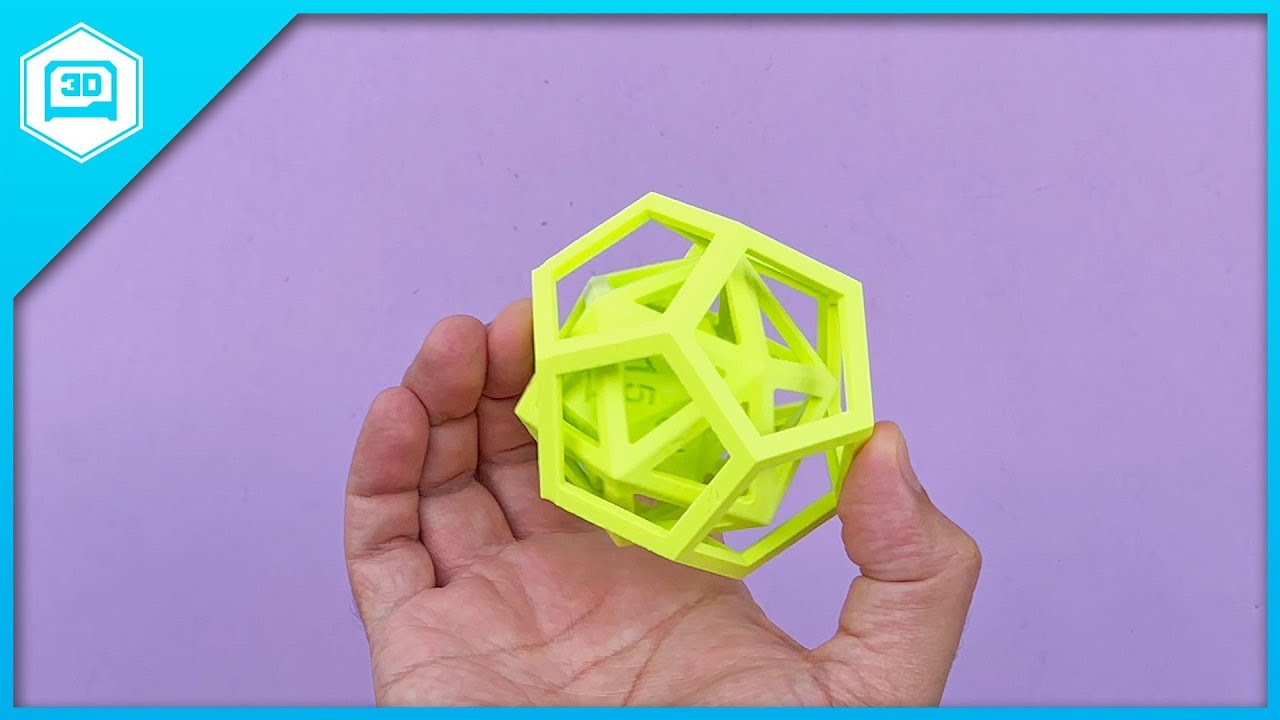
3D Print a D20 inside an icosahedron inside a dodecahedron to test water soluble filament. Slice settings on learn guide: https://learn.adafruit.com/how-use-...
 amber knot
Just saw a really clever tip for readable text on 3D printed materials: https://youtu.be/1LXigsea9dg

To print your own dials, go to THINGIVERSE.COM and search "atlas lathe dials" Follow me on INSTAGRAM -- mrpete222 In this 2 part video, I make extra large (E...
Posted that to the wrong chan...
boreal lava
Just finished checking the assembly on one of the z axis parts I designed to het my cheap printer up to snuff to print parts for a new printer. Not too bad.
 tribal kraken
Making a 3D Printer with a 3D Printer ?
spice estuary
Dah process of manufacturing
boreal lava
Circle of life...this is where I would insert a pic of rafiki and simba.
spice estuary
Hahahahahahaha!
 versed marlin
It begins.
When completed it will be accurately scaled to a 7 inch action figure.
vast salmon
are you making the complete stargate
boreal lava
Finished printing the other side of my X-Gantry today (mirror of the first with a motor mount added.. It came out ok, but I forgot one small detail. My idler pulley is 2mm smaller than my drive pulley. I remembered to offset the hole for the motor by 1mm, but must have spaced out and based the mounting holes on the original. Now the belt is off by 1mm from one side to the other. Now off to Amazon to find a matching idler. If it's not one thing it's another 😃
 lavish valley
I designed and 3D printed this case and it looks really good! You can get the model from my thingiverse! It has different types of tops and fan sizes! Please check it out here: https://www.thingiverse.com/thing:2871856
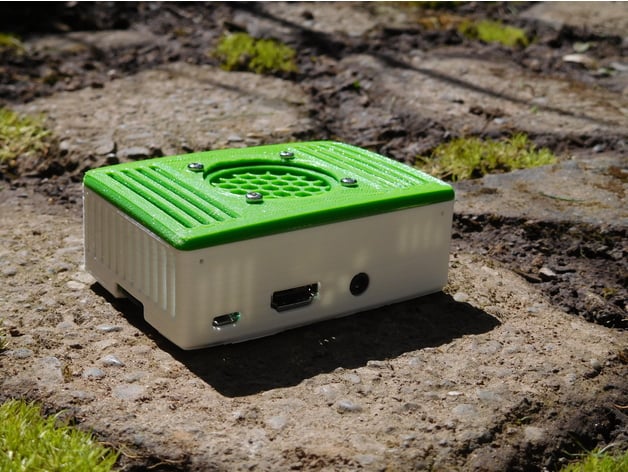
Looking for a case thats not ment for playing around? Then your in the right place! I designed this case using the thought of having something that was clean and looked great, whilest being mostly ment for work. It was a great build and would lov...
ruby hearth
@lavish valley which printer did you use?
lavish valley
@ruby hearth I used a decked out, heavily upgraded, Startt 3D printer from imakr
Custom built
glass cairn
@everyone For any of you that are working on shredding ur own plastic to melt for filament, I stumbled across a neat little trick. I have a cross cut paper shredder, a Ativa MDM 8000, but I'm sure that that couldn't be the only one that can do this. I cut the top & bottom off of a plastic soda bottle and ran it through the shredder with no problem. & it shredded the bottle into great little pieces. Perfect to be melted down for filament.
lavish valley
@glass cairn ya, I know a company who uses this trick for their rafts and gets about 5 spools a month from it. They have a 162 printer cluster! They make about 13000 parts a day
 naive pecan
where's a good place to start to 3d scan an object?
tribal egret
If you have a decent camera you can scan using photos @naive pecan
naive pecan
Is there an app/program that I can submit those photos to?
tribal egret
@naive pecan https://www.youtube.com/watch?v=M2VazVGm7TU I just recall this video

A full guide of how to 3D print any objects using Autodesk ReMake. I will also cover my Simplify3D settings. Don't have a 3D printer, sign up for my giveaway...
naive pecan
thanks
tribal egret
np
boreal lava
I think my printer is setup almost as well as it's going to get without physical mods. I designed a test print that I thought would be pretty demanding, and it came out pretty well. It's 0.3mm layer height, so the layers give it a sort of jaggedness between layers, but I think everything else came out ok.
naive grail
NICE!
versed marlin
@vast salmon I am, very slowly lol.
Gate section test print.
I have since learned my reference was fairly inaccurate, so I have to fix many of the symbols but at least I know my printer is up to the fine details.
naive grail
@versed marlin will it move and lock in?
naive grail
Lights and everything?
versed marlin
Lights and everything.
naive grail
cause it looks sick
versed marlin
Thank you ^.^ many, many hours to get just this far.
naive grail
Know how you feelXD just keep at it it feels so good when its done
versed marlin
Little taste of what I've been going through. And as the gate is a very wide cone and not a cylinder, those are all 3D curves.
It will be to scale for a 7 inch action figure. 25 inches in diameter.
naive grail
are you gonna make em electronically controled?
the rotation?
Ouch
3d curves can get messy
versed marlin
I'm using a Teensy 3.2 to control it. Going with a 3.2 because I'm going to add sound as well and the audio board has a built in SD slot.
NEMA 17 stepper for the ring rotation, servo for the chevron action.
versed marlin
I'm using Inland white PLA. The test piece has dual settings. The first portion is printed at 0.2mm layer height, the detail section is 0.04mm height.
Printed on a Makergear M2
Bed temp of 80 C, extruder at 215. 50% triangular infill, 4 bottom layers, I think 12 top layers, 4 layer wall.
2 x 8 brim, no raft. Printed on polyimide tape.
glass cairn
@lavish valley That's pretty cool, but I was thinking more for the folks that were interested in methods to recycle & make really low cost filament for makers & kids to be able to print there imagination. 😃
Wow! @low shore That looks really great! Quality work!
lavish valley
ya! @glass cairn
@glass cairn you should check out my youtube page! Its liked to my profile on discord!
 low shore
Thanks @glass cairn
glass cairn
How do I find the youtube link @lavish valley ?
glass cairn
Hay all, I'm having trouble finding a STL file for a Adafruit 1833, the USB Micro-B Breakout Board. Didn't @supple stratus & @idle crest ro post the stl files for all of the products some place? Anyone know the git hub address?
 loud silo
@glass cairn I don't think we've create STL files for most things. But you can get the .brd file from here: https://github.com/adafruit/Adafruit-SMT-Breakout-PCBs, and there are ways to convert .brd files to solid models. I can't find a recent reference but here's an old one: https://blog.adafruit.com/2012/03/20/how-to-build-3d-models-from-eagle-files/
Adafruit Industries - Makers, hackers, artists, designers and engineers!
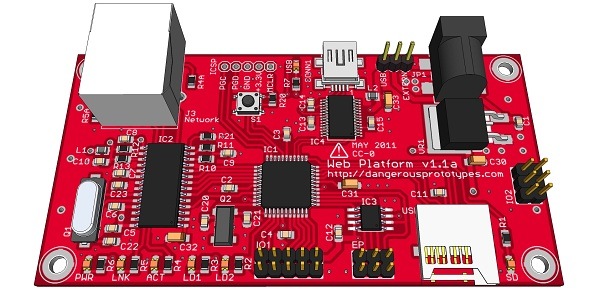
How-to build 3D models from Eagle files @ Dangerous Prototypes. Over the last few weeks we’ve been building 3D models of our projects in Google SketchUp using the EagleUp script. This script makes …
glass cairn
Gotcha, Thanks @loud silo I'll have to book make these sites, so I remember for the future.
Haay @loud silo , do u know what the board is that Lymor has the CPX hooked into in this - https://www.youtube.com/watch?v=uB8Rqvyq1bk?

Testing upcoming robotics board... CRICKIT Visit the Adafruit shop online - http://www.adafruit.com Adafruit on Instagram: https://www.instagram.com/adafruit...
loud silo
@glass cairn It's a "top secret" robotics board she's working on. See a LEEK on 4/22 in general, and maybe it's been on Ask an Engineer too.
glass cairn
Lol, gotcha. you guys are getting better and better about teasing new products. I'll go check it out now. thanks.
Do you @loud silo know of any tutorials of how to wire servos to a CPX?
glass cairn
Ah, no I don't. do u think the CPX cld handle one of the adafruit micro servos?
loud silo
no, any servo requires more drive current than the pins can provide [WRONG -see below]
we have lots of servo and motor boards.
do you have any feather m0 boards?
@glass cairn I retract the above. You don't need a driver board.Take a look here: https://learn.adafruit.com/using-servos-with-circuitpython/ and https://learn.adafruit.com/circuit-playground-sound-controlled-robot
glass cairn
Cool Thanks @loud silo
tribal kraken
@glass cairn In 7.7.0 There was a direct features to convert them to 3d Figures Using maybe ecad.io Not Sure though its still there or not
Its www.ecad.io
idle crest
@glass cairn @loud silo oh the cad parts can be found in: https://github.com/adafruit/Adafruit_CAD_Parts and part 1833 is here: https://github.com/adafruit/Adafruit_CAD_Parts/blob/master/1833 micro USB Breakout.f3d

GitHub
Adafruit_CAD_Parts - Fusion 360 design files for various boards, components and parts
GitHub
Adafruit_CAD_Parts - Fusion 360 design files for various boards, components and parts
loud silo
@idle crest ooh great! Is that in a Guide somewhere or something? I looked all over and couldn't find them.
versed marlin
@loud silo I remember seeing it in one of the Adafruit videos on making an enclosure for I think a circuit python. I'll see fi I can find it.
@loud silo https://www.youtube.com/watch?v=MnIc9eZzDrA
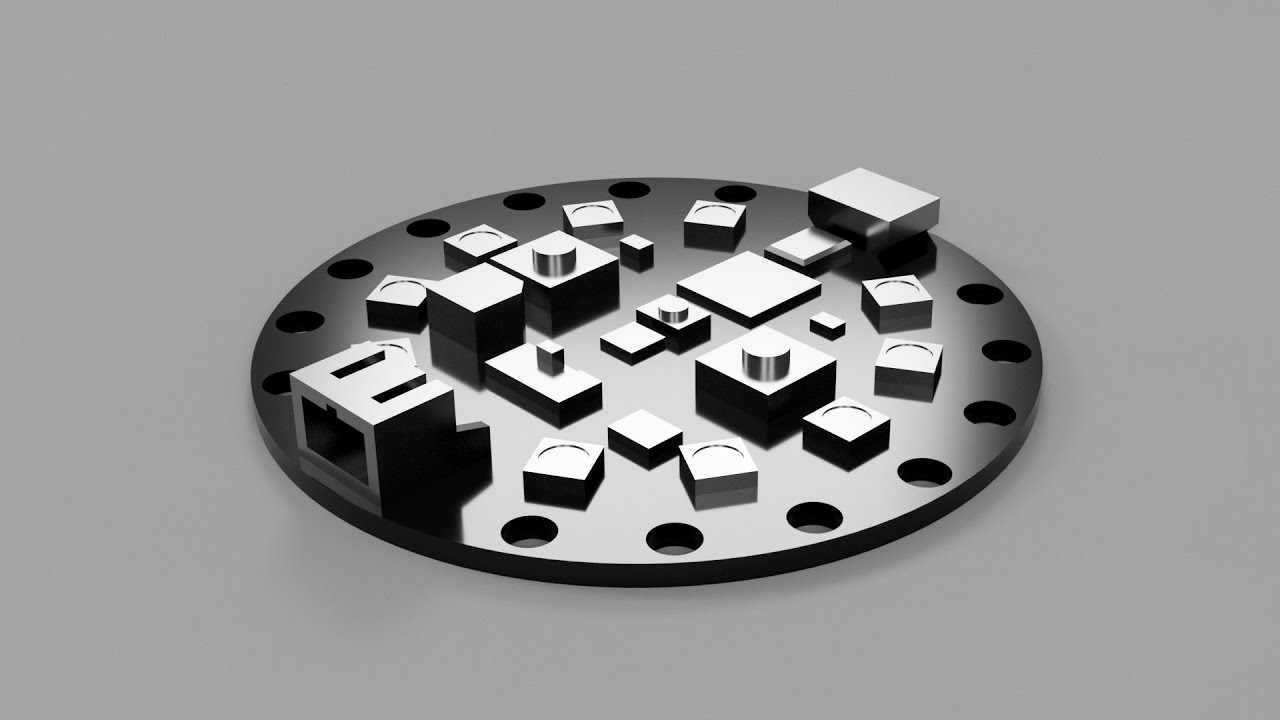
Taking a look at making an enclosure for Circuit Playground Express and how to draw boards in Fusion 360. Download the source file here: http://a360.co/2kkhx...
supple stratus
yea most of our 3D cad parts are scattered throughout guides, Ive been meaning to make a guide / video / blogpost about the repo but keep putting it off
boreal lava
Didn't care for the acrylic chassis that I had, so designed a new one with a better stance, and more sensible mounting holes.
 idle crest
@loud silo @supple stratus ah yes, we will totally have to make a dedicated video/guide for this
idle crest
#help-with-3dprinting Live Episode #184 – Makerfaire, CNC PCB and Drone Claw https://www.youtube.com/adafruit/live

YouTube
Multistreaming with https://restream.io/ Visit the Adafruit shop online - http://www.adafruit.com Join the Adafruit Discord http://adafru.it/discord ------...
vast salmon
https://www.remix3d.com/details/000000090000000080addc6700000000?section=collected-in I made this what can be edited to have screens and add lights to the bottom for stars to light up

not actually a card but 3D printable so you can add lights to stars
violet needleBOT
Adafruit Industries posted 3D Hangouts – Makerfaire, CNC PCB and Drone Claw
Visit your local makerfaire https://makerfaire.com/map/ Circuit Playground Express – Touch Tone https://learn.adafruit.com/circuit-playground-express-piano-i...
cobalt quarry
Great show. Thanks for the shout out. An initial, small run (20 units) of the breadboard biscuits will be on tindie when I get them (and another shipment of the hardware).
The touch instrument keyboard is a great idea.
glass cairn
@supple stratus , what about instead of making a post or guild just about the repo, how about u just start referencing the repo in all future project posts and layer by layer shows? Ie, "making 'this' project, we're using Adafruit PID#... and you can find the cad file in 'this' repo along with dozens of others" kind of thing? Just from doing that I'd imagine the knowledge of the repo would spread fairly quickly without you doing any additional work.
Do you know of a setting in Cura that would increase the extrusion rate past 100%? I'm still having the same "I'm guessing" under extrusion problem with my Maker Select V2.
supple stratus
@glass cairn yep good idea. Was sorta the initial plan though I keep forgetting to mention it during the live shows 😏
@glass cairn could also try increasing the "line width" so the extrusions are thicker. it's apart of the quality category
glass cairn
@supple stratus Lol, ya I do that too, forget to include something into a taping.
Ya, you had suggested increasing the infill line width to .46 before, which I did, however it only helped a little.
supple stratus
I remember the default cura profile for ultimaker 2+ was making weak infill and noticed the toolhead was moving so fast that it didn't give the feeder enough time to lay down solid lines. I dropped the infill speed down to 30mm/s which helped a lot.
glass cairn
O, and that reminds me, I still didn't up grade my Cura. Forgot about that. infill speed down to 30mm/s, gotcha, I'll give it a try.
Wow, Cura's up to 3.3.1 already.
shy kelp
Made an endoscope shroud for my printer

Remixed the original shroud to be able to hold a 7.3mm Endoscope found on ebay.
This will fit both v1 and v2 of the MPSM. I believe it will also fit Malyan 3D Printers.
https://www.ebay.com/itm/Micro-USB-Endoscope-Waterproof-Inspection-Camera-for...
 swift isle
@boreal lava stl for that?
boreal lava
@coral pondred#2440 Sure thing! I have it uploaded here: https://www.thingiverse.com/thing:2889143

Wasn't pleased with the acrylic build platform that came with my kit, so I designed this. It is just a basic starting point with more mounting options.
Wheels are at a 15 degree angle to the chassis giving the car an off set stance. It can be us...
weird....not sure why the @ of your name doesn't work. I've been working on a battery mount for it, and a raspberry pi holder to mount on top. Will probably have those up some time this weekend
@swift isle
huh....it worked that time.
 icy heron
3d printable prosthetic hands
open source project e-NABLE is a network of volunteers
saw youtube video about it ...how could you not help
cobalt quarry
Leveled up my 3d printing. Idea -> design -> print -> use.
Starting with “I could really use ...”
swift isle
Gonna start printing an #openrc but there seems a few : truggy / f1 / road car
 timber niche
@cobalt quarry Eric S. Raymond said that programmers primarily like to scratch their own itches in writing software. 3D Printer enthusiasts do the same.
ruby hearth
I keep getting blockages with ABS using mk7-9 nozzles - any idea what I can do to stop that?
I've tried throwing money at it & it hasn't worked
I've upgraded to a e3d v6 hotend with micro swiss throat & nozzle - still nada
cobalt quarry
@timber niche I am one seriously itchy guy: hardware, software, and now 3D printing.
 small beacon
@cobalt quarry you need to add lasercutting, CNC machining and waterjetting.
cobalt quarry
@caitlinsdad#8800 Lasercutting & CNC PCB milling is certainly of interest. Imight be able to make room for a PCB mill, but likely not a lasercutter.
weary lichen
@cobalt quarry Make a machine with interchangeable heads
sullen zinc
argh something about the octoprint and gpx updates since december(?) have messed up my settings. so much for doing a quick print on my bigger machine. well, maybe we're finally rolling, an hour later...
(little machine = monoproce select mini, bigger machine = qudi tech i)
naive grail
anyone know of a good 3d model for a locking box? I wanna make box to lock away electronic devices at dinner and set it to open on timer.
 rustic stump
@naive grail I now want to make said box as well.
naive grail
lol yeah i gots some ideas just dont feel like starting from scratch XD
If you do make it let me know. Would love to see it
rustic stump
👍
shy kelp
@naive grail for your kids?
lol
you can use a servo motor
have it stick pins in that "jams" the opening of the box
and have some kind of thing whether its rfid, mobile apps, etc
reverse it
ruby hearth
@naive grail there must be a stl of a zelda crate around somewhere
violet needleBOT
Adafruit Industries posted 3D Hangouts – PCBs, Paper and Grippers

Double-sided PCB milling https://learn.adafruit.com/double-sided-pcb-milling Snake Charmer https://learn.adafruit.com/snakecharmer Slide Crank mech in cardbo...
 sonic plinth

I showed some the 3D printing process and actual printing in this video. You can download the model I used here. https://www.thingiverse.com/thing:1795047
What do you guys think of the video? I have been working hard on my youtube channel yesterday lol.
 prisma ridge
the stepper motors sound like a data centre 😆
shy kelp

boreal lava
is it normal for different filaments to need wildly different extrusion multipliers?
ruby hearth
@boreal lava I have ABS that needs 225 and 265 degrees
also - before I throw money at it, would anyone recommend the buildtak spatula?
I've just tried to remove a print from a buildtak bed for the first time
I was impressed with the adhesion 👀
rustic stump
I used the spatula with a small jewelry hammer. works well.
I also like the cricut mini spatula for smaller pieces
ruby hearth
ahah - just ordered the cricut as it's 1/3rd the cost
and I'd seen it recommended before
boreal lava
@ruby hearth wow, that's a big range. I'm having to run my extrusion modifier at about .82 to get decent prints. Everything seems calibrated correctly, but I have a suspicion that my 0.5 mm nozzle isn't exactly precision made 😃
ruby hearth
yeah! I tried throwing a microswiss throat & nozzle at it
ended up getting $40 of hardware blocked because surely 240°C would be enough
I've fitted a $4 replacement and it's now it's printing - got the expensive parts in an acetone soak to break up the ABS
 boreal wyvern
@ruby hearth I have found that printing ABS between 260 and 275 C to give the best results and fewest clogs. (Barring the occasional bad batch of filament). Our polyprinters can go higher but I doubt we will need to.
ruby hearth
that's good - my previous ABS used 220-230, my new supply is good to 270
violet needleBOT
Adafruit Industries posted 3D Hangouts – Drones Claws and Paper Boxes

Today's coupon code LIGHTPIPE gets you 10% off your order! #3DPrinting https://www.youtube.com/adafruit/live This week's project: Drone Claw https://learn.ad...
boreal lava
Oiled my bearings yesterday, and tuned things a bit. The old Two Up printer isn't half bad.
That seed cup is only 50mm tall.
 willow sedge
Wow, that looks really nice
boreal lava
Thanks! It's taken some work, but I'm pretty surprised at how well it's printing now after 2 years in a closet.
BTW...anyone looking for cheap filament. This novamaker filament is doing great.
 reef fulcrum
Hello Everyone,
can anyone please suggest tutorials for locking and joint mechanism ?
for example snapfit, slider lock
serene quest
Getting gaps in between the infill and the shell???? How would I fix?
violet needleBOT
Adafruit Industries posted Fusion 360 Tutorial – Foldable Boxes
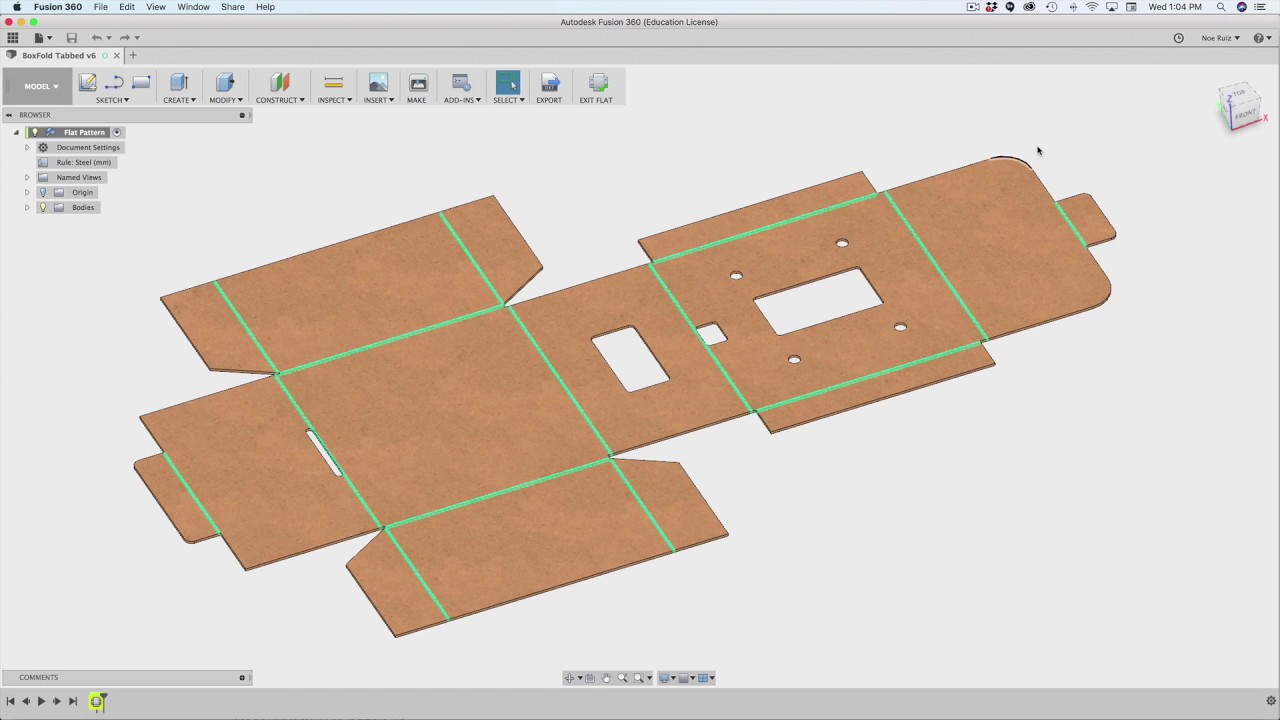
Using sheet metal tools in Fusion 360 to make foldable boxes that can be used to house electrics or other products. Please consider supporting me and the ama...
boreal lava
@serene quest what slicer are you using?
serene quest
Cura 3.2.1 @boreal lava
boreal lava
@serene quest hmmm....not real familiar with Cura. In Slic3r there is a "infill/perimeters overlap" setting. Increasing the percentage some there helped with mine. I'd imagine Cura would have something similar.
It could also be under extrusion or loose belts, but if all that is ruled out, I would have a look for that setting.
Hey @supple stratus , and all the other Fusion 360 users, is there a way to store persistent parameters? Seems like every project lately, I am entering info for m3/m4 nuts and screw holes, or spacing for stepper motor mounts. Do you know of a way to get that to carry over project to project?
supple stratus
@boreal lava hmm not sure but I find myself doing similar. will have to dig around and see
boreal lava
thanks @supple stratus. After posting I did some more searching and found this app in the F360 store (free). It seems to do most of it, but would still be nice to have a few that auto include in each design. https://apps.autodesk.com/FUSION/en/Detail/Index?id=1801418194626000805&appLang=en&os=Win64
Enables the user to Import/Update parameters from or export them to a CSV file.
 tardy obsidian
<@&327289013561982976> Excuse me. I'm sorry for the ping but I need help converting a file from .pdo to .obj
I understand how to do it but I do not have the key required to transfer it.
willow sedge
I don't know, I haven't done much with 3d printing. It's late on a Friday in the US. It's often quieter during the weekends. You need to ask your question and then be patient. Much of the help comes from community members, but it all depends on who is around and when.
tardy obsidian
I respect that but I just need someone with the pepakura designer program to click "export > texture > obj"
So if anyone with the ability to do so is on, I'd really appreciate it
In return, they can keep my copy of bakugou's gauntlet 3d print from MHA as a thank you
Ping me if you can

 brittle oxide
Quick question for @supple stratus and @idle crest - I need to (very quickly) get a RPi 3 B+ (the latest one) into a 3D Printed case that can also hold a Servo ... I figured I'd start with your standoffs and just fit to the servo... what's the best F3D file to start from for those standoff/case openings?
supple stratus
@brittle oxide Sure, here's a basic case for the Pi. You can scrap the panels and use the standoffs. http://a360.co/2qrFHka
@brittle oxide If you still have access to the f360 ada project team it's called CNC Pi Case
brittle oxide
Thanks!
violet needleBOT
Adafruit Industries posted 3D Hangouts – Paper Crafts and Chipboard

This week's coupon code: PAPERCUTS This week's project: Makie Paper Craft https://learn.adafruit.com/makey-paper-craft/ Foldable Boxes in Fusion 360 – Layer ...
 echo canopy
Are there stl files available for cases for the various feather wings, especially the joy wing?
weary lichen
Hmm. I doubt it, but @supple stratus and/or @idle crest may have made one at some point in time.
supple stratus
@echo canopy most cases are on thingiverse but there's a few boards and parts in this github repo https://github.com/adafruit/Adafruit_CAD_Parts
GitHub
Adafruit_CAD_Parts - Fusion 360 design files for various boards, components and parts
echo canopy
Thank you Noe
 proud glade
Welp 5th time is the charm 😛 #Prototyping
 hardy jungle
what are you making?
proud glade
Case for my interactive namebadge (rasp zero + e-paper screen)
 torn fulcrum
@proud glade Show is when it’s done?
boreal lava
hey folks. If you were making a stepper motor mount what would you think would be a good thickness for the supports? I'm designing a piece that mounts the stepper upright (shaft at top), and screws to the base of the printer at the bottom of the stepper. I'm thinking 4mm with four external perimiters, but am just not sure.
If it helps, this is the piece I printed to test layout and fit.
boreal lava
The sizing is good. I just need to bring down the sides so they connect at the base. Just not sure how thick I should make them.
hardy jungle
Just use sandpaper.
boreal lava
Dimensionally it is fine. I'm designing the "walls" that will go down the sides. I'm wondering how thick I should design them so they will be rigid enough to work for a 3d printer build.
The brackets/walls will ultimately mount to the base of the printer with screws
hardy jungle
What type of 3d printer are you making?
boreal lava
loosely based on a prusa design, but I want to mount the Z steppers directly to a baseboard rather than to the support/braces.
hardy jungle
Are you using a dual Z system?
boreal lava
yes
the one I have now has a single Z stepper, and it works ok. It has a little sag though.
hardy jungle
I have the tevo tarantula 3d printer with just 1 Z motor.
boreal lava
nice. those seem like good printers.
mines a two up printer. It's mostly MDF and has probably half the build space as yours. The aluminum extrusion you have must make pretty stable machine
hardy jungle
One of my frends wants to give me an used nema17 stepper.
My idea is to put the extruder motor as the dual z motor and the new one will be added as the extruder motor.
 sweet rock
go for it
boreal lava
ok, so I modeled it with a 4mm wall thickness. What do you all think? I still have a few modifications to make, but will something like this hold up for the Z axis stepper/rod mount?
...also parametric modeling in fusion is awesome!
sweet rock
yeah easy
should be any torque with the motor
shouldn't be
hmmm I haven't tried to model anything parametric in F360 yet
I should learn how
boreal lava
thanks
it's great, man. That stepper mount is set up so that all te major elements can be tweaked just by changing a parameter
boreal lava
oh cool
sweet rock
yeah looks like would make for a good enclosed printer to do ABS
someone modeled all the parts and put out a step file so I can modify some of them to make it fully enclosed
ruby hearth
@boreal lava if needed you can add cork to help with vibrations - you can add multiple layers if you need less clearance
boreal lava
@ruby hearth Thanks for the tip! I don't foresee much vibration between the stepper and the mount/base. The plan at the moment is to put a small piece of thin carpet tape on the bottom and top of the stepper, and mount it to a 3/4 inch thick piece of shelving material. It should be pretty snug there. I hadn't really considered vibration between the base and the table though. That cork idea sounds perfect!
ruby hearth
yeah - i got replacement extruder parts that had mounting bolts too deep - a cork layer was the perfect depth, and should have been added anyway had i been thinking first
cobalt quarry
I think I’ll add a Pi0w and Octoprint to my printer when I get home.
sweet rock
Octoprint is very nice
ruby hearth
what are you currently using instead? @cobalt quarry
cobalt quarry
@ruby hearth just the raw prusa printer control system, moving gcode files on the sd card.
boreal lava
@ruby hearth Thought you may get a chuckle to know that after I was so sure about my model, I am now considering some cork. While I had the measurements correct, instead of building the feet up the legs, I built them down, so they added another 3mm.
the stepper now sits 3mm higher than it should
 tulip axle
AstrroPrint 3D’s amazing
sweet rock
I used astroprint for a bit, didn't care for it, but that was long ago
weary lichen
So, opinions. I have an old (As in: No idea quite how old, but probably about 10+ years) PC. Thought about clearing it and setting up Linux on it and running OctoPi or similar on it.
I also have a Pi 3 (Not 3+, just a 3).
Would the relatively-ancient PC do better than the Pi, or would I be better off using the Pi (Especially considering size)
boreal lava
@weary lichen It would be a fun project, but unless you also want to use it to design parts, the raspberry pi will be the more practical choice in my opinion.
weary lichen
It's a dirt cheap entry-level Dell from 2006. Already decided not to bother.
shy kelp
I know Noe and Pedro modeled a bunch of boards and such, but I can't seen to find them
boreal lava
Anyone using a ramps 1.4 board with two z motors? If so, how did you wire them? I've noticed that there are two plugs at the Z stepper to run them in parallel, and was wondering how well that works. The a4988 stepper driver (2A) is rated just at the current rating for my stepper (1.7A), so not sure how well they would work with it halved. Would dropping a drv8825 in help much?
Would it be better to use the second extruder driver for the other motor? Any thoughts?
 chilly oak
@weary lichen look up the CPU's performance in a benchmark and compare to the pi3
Benchmark results for a N/A with an ARM BCM2709 processor.
weary lichen
It's a... Celeron D from 2006-ish
I can't even find information on it.
Not that I'm really going to bother. Comparatively, it's super big, and I don't have any reason to use it aside from the fact that it's there
small beacon
The electronics recycling dropoff place got annoyed at me when I tried to turn in a carload full of old PC stuff. But Sir, I'm not a business, it's just from my hobby...
chilly oak
Here they're paid by the province to handle it for all - business and individuals.
small beacon
I think it was more a combination of the workers expecting to only accept 3 large items max from an individual or have it palletized as required for a business. I had boxes and boxes of random PC components like I was cleaning out the attic.
Nowadays, schools and charities only want the latest equipment or brand new.
swift isle
When deciding whether to junk old PCs & laptops my current low bar is 2GB RAM. If they have less they go. I also have a drawer full of ram chips though so can upgrade if they can take it
proud glade
@torn fulcrum It's (80%) done but this is what it looks like now. Enclosure is still not 100% correct. So need to reprint it again 😛 might add some space for a button so i can change the screen on the go.
boreal lava
Just got some transparent plan. Any tips for getting better transparency or on post processing?
weary lichen
Higher heat.
Transparency suffers most with layers, but I have never tried printing.
boreal lava
@weary lichen with your advice in mind I did a test of a single wall print. The bottom was testing flow rate since I'd also heard that helps. Where it clears up I started testing temp. Starting at 225c and went up to 245c. It seemed to stay pretty clear, and with multiple walls may work better. I backed down to 220 towards the end of the cutting part of the bit, and it cleared up substantially. Went back to 230 for a bit, and it got worse so back to 220. Thanks for the tip. I'd not have thought to go that high, as most pla is 190-195 range for me.
All in all better than I'd expected for cheap pla
weary lichen
Oh wow. Looks neat
proud glade
Oh woow indeed that is cool. Good to know i have some clear filament laying around seems nice to play with and i'll find a purpose soon (and put it on the 5714 pile of other projects 😅 )
spice estuary
(Round down guess being only 5714)
weary lichen

Instagram
1 Likes, 1 Comments - Jason (@andon_rt) on Instagram: “Benchy! From included SD card, but still pretty nice. Other print had lifted more, caught the…”
New printer, printing well!
Sure, it's just the file from the SD card, but hey.
It's the PowerSpec Duplicator I3 Mini that MicroCenter has. Was "Open Box" for $125 instead of the normal $180
weary lichen
@shy kelp Is that your first 3D printer?
shy kelp
No, my father got 2 bits-from-bytes printers, it was a bad idea
The company fell apart, the machines broke from bad design, and we had no support
@weary lichen
But only my dad used them
So, yes, it’s my first one!
 dense dirge
Speaking of printing tech
Anyone know of a good lasercutter?
I dont want to DIY it like William Osman, afraid of burning my house down
weary lichen
Good laser cutters are... Expensive. @dense dirge What is your budget?
 gaunt ice
William Osman didntr burn his house down becuz of the lasercutter tho
dense dirge
my budget is around $1000-5000
weary lichen
@dense dirge If you can stretch it some, I think a GlowForge is something like $5000-6000 or so
weary lichen
Ah, the GlowForge Pro is $6k. Plus is $4k, and Basic is $2.5k
I'm not sure of the exact differences
@mild moss has a Pro and can probably explain the differences
dense dirge
is there anything a little cheaper tho?
Dont want to have to break the bank if i dont have to
This would just be smth to play around with, i can prob upgrade down the road
weary lichen
Below the cost of the Basic, it's generally lower-powered lasers that can't really cut well
The decent laser modules are usually about $1k in themselves
 mild moss
Hey
So there are a few differences between units
The pro has a larger cutting bay, pass through slots, more power, and in my opinion, more versatility
@weary lichen @dense dirge
I can get you a $500 off the pro if you want
weary lichen
The Pro is listed as Class IV, where the Plus and Basic are Class I
What does that mean in terms of the actual laser?
mild moss
Classes are the way to define the safety rank
Beacouse you can open the sides of the pro during cutting (pass through slot), radiation and laser light can escape. You need more training
dense dirge
ah
weary lichen
Ah, so it's not a measurement of power
mild moss
Will osman has a class V beacouse of direct laser exposure
dense dirge
had*
mild moss
Classes take into account the power and safety features
The pro would be a class V if there was not a auto shutdown key
weary lichen
Well, power measures into safety, but it's not a "X-Y watt laser is class X, Y-Z is class Y" etc
mild moss
Yes
weary lichen
That's really good to know
mild moss
Still, before you do anything read up on it using a OSHA page or talk to a LSO
weary lichen
That's the "I know things but I am not a trained professional. Please talk to a trained professional because I don't want to be liable for you" line
Which, to be fair, is a 100% valid thing to say and I use all the time
 tropic dragon
hello,i have a question.Is the Tevo Tarantula worth it? (Searching for a buget friendly 3D printer)
weary lichen
I am not familiar with it, so I can't say. I have a Monoprice Select Mini and a Powerspec Duplicator I3 Mini (Both rebranded Wanhao machines) and like them both. Looks like the tarantula has a larger print area though
tropic dragon
thanks
tropic dragon
A recomandation for a 3D printer under 150$?
weary lichen
@tropic dragon You'll be hard pressed to find any for retail at that price.
However, the Monoprice Select Mini is $215 - And is a decently good printer.
MicroCenter has their "PowerSpec" branded Duplicator i3 Mini, which retails at $199
If you live near a MicroCenter, it's worth looking in to the Duplicator i3 Mini, since MicroCenter marks down open box things. I picked up mine that was marked down to $125, and there's nothing wrong or missing. There's a few at my local store for $150ish, open box
Personally, having used both printers and knowing them fairly well, I'd say the Duplicator i3 is a bit better. The MPSM has some things that are better if replaced and upgraded, where the Duplicator i3 includes those. The MPSM does have a heated bed, but that's not necessary at all for PLA, so the Duplicator is nicer for a beginner

Micro Center
Both printers come with a small amount of filament, but it's generally only enough for printing a single small object
dense dirge
Thats my issue with 3D printing, its not the price of the printer
its the cost of filament
weary lichen
I'm still printing on the first roll of Hatchbox PLA
Granted, my first printer has been down for a few months, but with casual printing it should last a decent amount of time.
 wintry sable
one roll of filament lasts quite a bit, even after a couple of large prints
small heron
given it weight a kg, one should not be to surprised by that
spice estuary
A kg doesn’t last as long in casted
small heron
some I do are down right nutty on infill
for the backer for my matrix I wan doing 5%, I am am fairly sure that I could not get thinner
but a casting, if not solid will not hold up well ? correct ?
spice estuary
There are halved casting, it just depends on what it’s intended use
Just in same, there are times in prints you can’t use less than 80%
 stiff oasis
Anyone know where I could get 3D printed game pad cases? Looking for something to stick my breadboard prototype in
spice estuary
Library?
stiff oasis
huh?
spice estuary
Some libraries have a printer you can use
stiff oasis
Whoa, really? That's pretty cool
weary lichen
I have also used VooDoo (http://voodoomfg.com) in the past, they're pretty good
 strong otter
check around your local libraries -- the whole library system in my area has printers in various places and it's so nice ;-; support the libraries!!!
boreal lava
Anyone have any unique extruder carriage designs?
I'm looking for ideas for the printer I am working on.
idle crest
@here #help-with-3dprinting Live in 5mins! https://www.youtube.com/adafruit/live

YouTube
Using Cutting Machines for Projects https://learn.adafruit.com/cardboard-box-for-circuit-playground-express/ Layer by Layer – Vector Artwork for Cutting Mac...
 iron spire

prisma ridge
XD
shy kelp
🔕
 hardy holly
wat
violet needleBOT
Adafruit Industries posted 3D Hangouts – Using Cutting Machines for Papercrafts

Using Cutting Machines for Projects https://learn.adafruit.com/cardboard-box-for-circuit-playground-express/ Project Video https://www.youtube.com/watch?v=XO...
violet needleBOT
Adafruit Industries posted Layer by Layer – Setting Up Vectors for Cutting Machines

In this tutorial we'll walk through setting up vector graphics for cutting machines. We'll convert vectors shapes into layers for making t-shirts with iron-o...
hidden sable
i was trying to use magnets to hold down materials for lasercutting but found it less effective through the 10mm mats i have
so have old hdds in there
chilly oak
Wow, HDGlass filament is significantly affected by speed and cooling:
boreal lava
@chilly oak what were your settings? I found interesting things with temperature and density
chilly oak
0.35mm perimeter vase. It started at 215 w/cooling. Tried 225 with cooling. Reduced speed to 50%, 215, no cooling.
I’ll have to play more.
small heron
so I need quick and dirty clamps for my matrix for the parade this weekend today is the last day the lab is open before the event .... thoughts?
proud glade
I love it when a first print is perfect 😋 🆒
tropic dragon
How good is the Anycubic Kossel Pulley?There is a masive discount at 256$(including a heated bead)
Is it worth it?
low shore
I wanted to make a holder for my circuit playground to clip onto my pc while I commute so what better than a python
small beacon
@low shore that looks great! If the rib cage is some kind if spring, bobblehead mania CPX!
low shore
Ty @small beacon I made the rib cage with recurring interlinking parts that’s I can snap in various breakout boards and the USB cable
 cloud yew
Hello! I'm having trouble with my 3D printer (M3D micro). Is this a good place to ask?
willow sedge
@cloud yew Yep! This is a great place to ask! It's often quieter here in the evenings as Discord is almost entirely community driven. So ask your question and be patient, it might take a bit for someone to respond to you. 😃
cloud yew
Thank you!
So I'm trying to print, and it's not working. It just made a big blob and is stuck in it. I can't raise it on the Z access, even using the print spooler (I press the button, but it doesn't make any noise). I can turn the fan on and off though. Has something broken?
weary lichen
@cloud yew Not a useful answer, but "Maybe"
Is the blob stuck to the print surface?
And also the print head?
cloud yew
That's what it looks like.
weary lichen
This could prevent any sort of movement on the Z axis.
And depending on the motor, you may or may not hear anything.
Something to try is using a pre-heat function to get the hot end up to printing temp. This might allow it to loosen itself from the blob
cloud yew
I tried that (raising the nozzle to PLA temp using the spooler program) and no change
weary lichen
Next suggestion is to try and break the blob free of the print bed somehow.
weary lichen
With only minimal familiarity with the M3D Micro, I'm going to say you may need to disassemble it to get things free again. How long have you had it?
cloud yew
a couple of days
weary lichen
Then it is likely a better idea to contact M3D before you go disassembling anything
Disassembly will void any sort of warranty it may have.
cloud yew
I've asked my question on their discord too, but you guys answered first 😃
weary lichen
I'd recommend sending them an e-mail, too
cloud yew
good plan
low shore
Best would be to check with them and make sure its setup properly
Print using one of their test gcode files and print straight from the SD card
I hope you're not using USEB
USB
once you know its setup and printing what should work, then move on to your own files
The only time I had issues with the printer getting stuck and not moving (extruding in one place) was when I tried printing over the USB and the data transfer rate couldnt keep up
small heron
usb 1 device ?
cloud yew
I don't think it has SD, so I'm using USB, but I have other problems.
It looks like the heater has gotten pushed up into the unit so is up too high on the nozzle
I'm trying to scoot it down but can't get it back onto the thicker part
Has anyone had any luck doing this?
cloud yew
(woohoo, all good now!)
violet needleBOT
Adafruit Industries posted 3D Hangouts – Slime Tronics

Glowing Slime Lunchbox – Parts, Code, Files, Tutorial and more! https://learn.adafruit.com/glowing-slime-lunchbox/ Circuit Playground Express – All-in-one bo...
 odd crown
Hi, Im Tristan, can I ask something about a 3d printing project I'm working on?
Does anyone have the ability to take an stl file and give it a literal twist. I'm making a unicorn horn but the software I use has no tool for this.
What I've made looks like a super bullet.
boreal lava
hi @odd crown What software are you using? I haven't tried it to verify, but Fusion 360 (free for hobbyists) has a "thread" option that may work for what you want. It is intended to make screw threads, but should be easy to apply to a horn.
hardy jungle
I have the twits option in solidworks
 grim juniper
am I right in thinking this means too hot and too fast?
1.75mm PLA, 200C and 60mm/s ^
0.1 mm accuracy, width and height
I don't get that at 0.4mm accuracy, but it's quite stringy, like damaged plywood, example below
 green pine
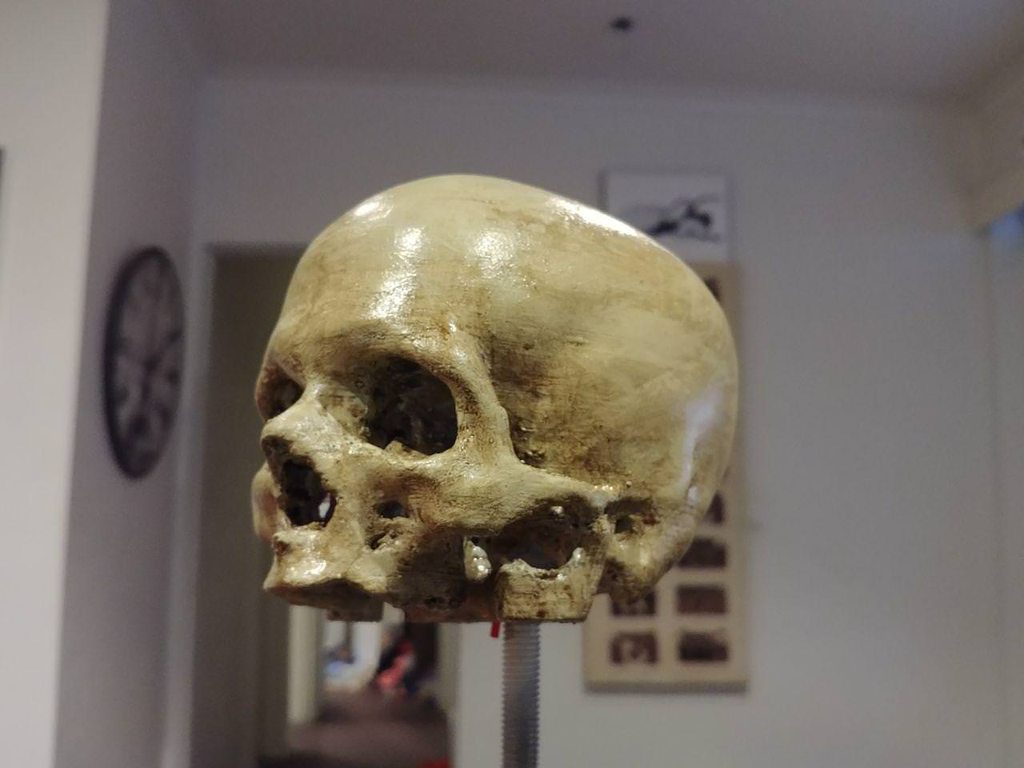
first painted one 😄 https://imgur.com/gallery/CYGY6Sa
 hardy jungle
@odd crown I can solve your problem 👍 .
odd crown
@hardy jungle That would be awesome. I just looked at solidworks like you suggested, it looks like something one pays for, bit of a risk if I'm not sure it does what I need. If you're willing to take my stl file and twist it for me that would be great.
odd crown
Hi @boreal lava I'm using xyzPrintings xyzMaker. I know it's on a different league to Autodesk Fusion360 but it's free for my printer and anyone can use it without any instruction or training.
I'm trying F360 now.
odd crown
but if I can't twist a complex solid I may still need help. The thread video I watched showed a technique I can't use with what I have but may work if I redesign from scratch.
For anyone who is willing to try https://we.tl/lC0EAytLhy I think it wants a 30, 60 or 120 degree twist not sure until one sees it.

1 file sent via WeTransfer, the simplest way to send your files around the world
This design will be called Becci the Unicorn
odd crown
So am I the idiot or... File -> Open... why does Fusion360 not have the super advanced feature of opening a file?
odd crown
I might have to design a turntable for my print bed and connect it to the height motor. 1 degree per layer should do it.
hardy jungle
The model is too complex and the program is crashing.
odd crown
ah man
thanks for trying
I'm trying to cut my design in to 1 mm sections and apply the rotation manually to each slice.
odd crown
That isn't working, thanks for the help, I think I need to learn Fusion360 so I can use the screw thread function or something like it.
night kraken
Can anyone explain me what xould be the cause of this ugly print?
Is it going too fast?
night kraken
its not supposed to have them, let me check my temp and speed
its PLA on 200celsius and initial layer bed temp = 70 and the rest is 60 celsius
Retraction speed of filament is 25mm/s and print speed is 55mm/s
the printer is Anet A8
grim juniper
I still need help with my prints too - scroll up
the first one looks like it has ribbons of fillament lifting up
I've looked through countless 3D printing sites for help/clues but found nothing
boreal lava
@grim juniper On the second pic, is that the top? If so, it looks like there's some under extrusion of some sort. The first one I wouldn't have any idea. It sort of looks like your nozzle is dragging, but I really don't know.
@night kraken do you have a part cooling fan running while you print?
grim juniper
@boreal lava the second pic is the bottom and the first pic is showing the first layers after the raft
night kraken
@boreal lava my fan is on, but its not blowing towards the extruder, I have a part for redirecting the flow towards the extruder tho..
boreal lava
@grim juniper I think you may be on the right track. Why not try slowing it down some to see what happens? Many times that can lessen the issues and allow you to fine tune. Maybe drop down to about 30-40mm/s and start looking at it from there with some small test prints.
I've printed almost exclusively with PLA with a non heated bed, and never used a raft. One thing I do however, is to take a desk lamp with an incandescent bulb and turn it on close to the glass while I set things up. Not sure it helps, but heating things up a tad can't hurt.
What printer are you using?
boreal lava
@night kraken I think the print looks pretty good. It maybe isn't as crisp as it could be, but it looks ok. Try hooking up the fan to blow across the filament as it extrudes. It should sharpen things up a bit.
grim juniper
@boreal lava Cocoon Create Touch - it's the Australian version/clone of the Wanhao Duplicator i3 Plus
I started a reprint about 2 hours ago (before I got your msg ) using the manufacturers official cura profile on a fresh cura install - it's default settings are 50mm/s, 210 C extruder, 60 C bed, 0.1 layer and 0.4 wide
I have another 9 hours to go but it looks like it's going perfectly even though it didn't turn on the bed heater which was set for 60C
my first run for the part was 1hr 34 on the old settings but looks like I have no choice but to print it the long way esp. if I want a project worthy of show & tell
night kraken
@boreal lava Alright i will try that once again haha
grim juniper
is this just bad fillament?
grim juniper
nvm - I figured it out
weary lichen
What was it?
grim juniper
the machine settings in cura was set at 2.85mm for the extruder instead of 1.75
it's still kind of a cool effect cuz it even feels and flexes like a new solder sponge
but unhelpful for a pi3 b+ case
weary lichen
Hah, yeah, that's a slight difference
grim juniper
it looks good enough to be used as light diffuser in an led lamp shade
chilly oak
Interesting effect!
violet needleBOT
Adafruit Industries posted Marvin Yacht - 3D Printing Time-lapse
Every week we'll 3D print designs from the community and showcase slicer settings, use cases and of course, Time-lapses! Marvin Yacht https://www.thingiverse...
shy kelp
How long does pla last under water?
weary lichen
Honestly, depends on the water
shy kelp
I was wondering that a while ago so I put a 3d printed Eiffel Tower in a jar of water with no air in it I put it in on April 21 2018 and so far no signs
I just put it in tap water
weary lichen
Clean, still water will just absorb into it and... probably not do much.
Putting PLA in something like a fish tank filter will be running all sorts of crap through it, and it'll fall apart eventually.
shy kelp
Will pond water affect it more than tap?
weary lichen
I don't remember the specifics, but someone did just that and had issues. BUT then they re-printed it with thicker pieces and it was fine.
"More" yes. How much I don't know.
What are you intending to do?
shy kelp
Make a small water proof box
shy kelp
It won’t get wet all the time
weary lichen
Ah, not something that's being submerged
weary lichen
I'd say it should be fine. PLA absorbs water, but not like a sponge absorbs water.
shy kelp
Maby put stuff in and if it starts to rain it will be safe
weary lichen
If you want to be extra-safe, you can get some water resistant paint and coat the outside.
weary lichen
Yeah, that should be just fine. You'll want to read up on painting PLA, but it's done super often so there should be a lot of info on that.
shy kelp
Okay I will have to look
Either way it’s not a big rush so I have time to figure it out
weary lichen
A lot of people like to worry about PLA and water because it technically soaks up water. But from what I can tell, if it's not immersed, you're fine. If it is immersed, you're still probably fine.
chilly oak
You could also print PETG or ABS
sonic plinth

makexyz helps you print your 3D designs at a 3D printer near you
If anyone needs help 3D printing stuff out or needs a design service I am available.
violet needleBOT
Adafruit Industries posted 3D Hangouts – Infinity Slime

Glowing LED Slime https://learn.adafruit.com/led-glowing-slime/overview Using MakeCode to make sounds https://makecode.adafruit.com/beta?webusb=1#editor http...
violet needleBOT
Adafruit Industries posted DIY LED Throwies // Glowing Slime

3D printed a simple holder for coin cell batteries and make LED throwies that’s re-usable. Just pop in a coin cell and press fit them together. Build an LED ...
cobalt quarry
My first published 3D thing. https://www.thingiverse.com/thing:2969365

Does the basic job of keeping my spool of solder in a consistent, handy place.
Fits on the end of the "U" of a Panavise Multi-Purpose Work Center - model PV-350.
supple stratus
If anyone wants an updated 3D model of the Circuit Playground Express, I put er up here https://github.com/adafruit/Adafruit_CAD_Parts/blob/master/3333 Circuit Playground Express.f3d
GitHub
Adafruit_CAD_Parts - Fusion 360 design files for various boards, components and parts
STL added for convenience https://github.com/adafruit/Adafruit_CAD_Parts/blob/master/CircuitPlaygroundExpress-3333.stl
GitHub
Adafruit_CAD_Parts - Fusion 360 design files for various boards, components and parts
chilly oak
@supple stratus thanks!
 vocal ether
weary lichen
vocal ether
weary lichen
I went to a local 3D printing convention today. I didn't know it existed until a couple days ago.
I mentioned Adafruit more than a few times. @cobalt quarry You came up in one conversation, too
cobalt quarry
@weary lichen what?!
weary lichen
Hah, yeah.
I was talking with a guy from the Central PA Open Source Conference on how things have changed, and I mentioned your history of working with things. And your Digital Basics guides.
cobalt quarry
Cool!
weary lichen
If you feel like traveling to PA in early December, they're looking for speakers, too
cobalt quarry
Related: I'll be starting a monthly (if all goes well) series in HackSpace on Electronics basics.
weary lichen
Nice!
You know, thinking about it, I may have plugged Adafruit more than I plugged my own company...
I'm not sure that's how that's supposed to work.
Oh, yeah, there's also this place. A super useful resource: http://greybeard3d.com/

I talked to the guy who does it. He takes filaments and prints them and puts up the results, so you can see a nice comparison. Also puts up his print settings (And pretty much all of them)
night kraken
has anyone successfully smooth PLA yet?
small beacon
@night kraken I guess it's all in the technique, chemicals and starting out with the best you can tune your printer for an easier job https://www.instructables.com/id/How-to-Smooth-PLA-3D-Prints/

Instructables.com
In this instructable I am going to show you how I smooth PLA 3D prints with four different methods. Thanks to instructables in 2013 my life as a maker changed a lot....
night kraken
hmm thanks 😛
 rancid pond
I'm searching around for different diameter nozzles for my 3d printer. I have a Prusa MK3 which uses the E3D V6 hot end. I was looking around on amazon and found this multipack of brass nozzles: https://www.amazon.com/gp/product/B07D721WH3/ref=ask_ql_qh_dp_hza
it says that it's for the makerbot printer, but would these fit for the MK3?
and if not, anyone have any other suggestions on where to get a pack of brass nozzles with varying diameters for the MK3?
 wraith saddle
@rancid pond those should be fine, given it says E3D v6 compatible. One thing to be aware of though is that cheap nozzles like that are typically pretty cheap in quality too. I've had cheap ones clog and wear out on me. Buying them from E3D directly or Filastruder in the US will ensure you get official high quality nozzles, and they carry all sizes.
rancid pond
ah yeah good suggestion. I was looking on the E3D site and they have a nozzle variety pack. I think I'll go that direction to play it safe
thanks for the tip 😃
molten steeple
Is there a program I can use to design 3d printed objects? I would have to use a service to print what I want since I don't have a printer but Id need to provide the file.
wraith saddle
@molten steeple lots of them. Depends a bit on the complexity of the object you're wanting to design. Tinkercad is great for simple designs, and really easy to pick up and learn. Fusion360 of excellent for more advanced stuff.
molten steeple
@wraith saddle thanks! I'm looking to build Bridgette's sheild from Overwatch for a cosplay but would need to print out some large parts to attach to a peice of acrylic.
Found this but it's just a screenshot
 austere sedge
I just setup tinkercad and am@playing with it at the moment.
molten steeple
Ill check it out thanks!
weary lichen
@molten steeple Take a peek and find out the service you want to use, and what their size constraints are
That way, you can design your pieces around it. Odds are, you'll have to break it into multiple sections as getting a single giant piece is not quite so easy.
molten steeple
Appreciate it @weary lichen I think I may use Evo foam for the corners of the sheild but was looking to get the center lion head 3d printed.
weary lichen
Sounds like a good plan.
 keen sundial
also brigitte's shield expands with energy, doesnt it? so building it out of pieces is probably canon anyway 😉 😛
also for smoothing out prints I use car filler spray
molten steeple
Well I was thinking of building a sheild pre-opening as a proof of concept and then scallop out the corners and add servos with rods to break off and push the corner scallops out at a push of a button on the sheild handle
weary lichen
@molten steeple A scissor lift type of extender could work well
molten steeple
Interesting any examples? I'm not familiar with that type though I could see how it would work in my mind.
weary lichen

More Jack-in-the-Box than Edward Scissorhands, this handy tool is great for grabbing the remote from hard to reach places.
It's a pretty basic idea
keen sundial
the issue id see with something like that, after having messed with similar mechanical things made from lego, is the physical stress such a mechanism can put on itself, especially with a large thing like a shield. id be worried about the plastic shredding itself apart
if you only did one or two beams of that it could work though 🤔
austere sedge
Just took a design into my public library for printing. They lost it as small and are charging 3 bucks. The same part is being printed and sold on various sites for almost 30.
violet needleBOT
Adafruit Industries posted 3D Hangouts – TouchTones and Igniters

TouchTone Mini Synth https://learn.adafruit.com/touch-tone-for-circuit-playground-express/ 9V battery electric igniters https://www.adafruit.com/product/80 N...
violet needleBOT
Adafruit Industries posted CPX TouchTone Synth // MakeCode

In this project we'll show you how we built a mini synthesizer with capacitive touch using Circuit Playground Express and MakeCode. Click for links and resou...
boreal lava
anyone know a good inexpensive red PLA? I tried Hatchbox, but it is very clearly orange. Seems like red is a tough color to get right. This probably won't mean anything to a lot of folks, but a UGA (Bulldogs) red is pretty much the color I am looking for.
weary lichen
@boreal lava My Hatchbox Red PLA is quite red
boreal lava
This is my red. It's a tad bit redder, but very orange.
weary lichen
Wow, yours is... super not red.
boreal lava
Yeah. It's a little more red than the picture shows, but nothing close to a true red.
tropic dragon
Anybody has a clue why this is happening?(tevo tarantula)
keen sundial
oh hey i have a tevo tarantula too O:
what is going on there??
is your first layer somehow getting pushed aside...?
tropic dragon
i thing so
i am trying to calibrate it agian
sorry for late response
the bed is wabbely.it moves while it prints
hardy jungle
i have a tevo tarantula too
tropic dragon
and how did you fix the bed wabble?
tropic dragon
i fixed it,ki titden the screws from the wheels
boreal lava
the bed leveling screws?
keen sundial
i have a feeling the wheels on the bed that allow it to move back/forward were too tight, or perhaps the z-height switch was set too low so the print head was pressing in to the base, or maybe both
weary lichen
Has anyone attempted using LEGO wire connectors to connect to conductive filament? From what I know, conductive filament can't really be soldered to or connected to easily.
On the other hand, LEGO is a simple physical connection...
 raven turret
@tropic dragon Try putting blue painters tape on your build plate
tropic dragon
@raven turret i tried,it was th bed leveling but the tape helps too,thanks
raven turret
okay cool
 thick salmon

 versed wren
what is this https://www.youtube.com/watch?v=8SplsSDy6So


this also looks really nice; and like it could be made fore a very attainable price https://www.thingiverse.com/thing:128700

This is the PiMaker 3D Printer. It utilizes the Printrboard set of electronics to drive a circular build plate instead of the standard cartesian coordinate based system of most other 3D printers. The benefit is that it has a very large build volume for it's relative chassis...
violet needleBOT
Adafruit Industries posted Flexi Raptor - Timelapse Tuesday

Every week we'll 3D print designs from the community and showcase slicer settings, use cases and of course, Time-lapses! Flexi Raptor Eric Bruns https://www....
boreal lava
Man, I love when a 3d print design works on the first try. There's always improvement, but feels nice when things just work as they should.
 worn mason
how's loctite and pla?
violet needleBOT
Adafruit Industries posted 3D Hangouts – Igniters and Gears

Multistreaming with https://restream.io/ This week's 3D hangout project: DIY Electric Igniter for Fireworks https://learn.adafruit.com/ Adafruit Fusion 360 P...
 snow ether
@worn mason did you ever get an answer to this? What’s the best way to attach PLA to PLA. I’ve read a ton on ‘welding’ it but if I design them to fit together what’s the best adhesive?
cobalt quarry
@snow ether I've used superglue with success for relatively nonstressed connections.
 prime heart
Noob question here. I am a teen who wants to buy a 3d printer but I don't have much money. Is a 3D printer worth it? I heard that the Prusa 3d printers are pretty good. Should I get one at €750? It is pretty expensive for me. If not, what cheap 3d printer do you use? I know someone who has a 3d printer, so he can help me, even though I have some knowledge regarding 3d printers.
cobalt quarry
@supple stratus @idle crest Is that Crickit mount available? I didn't find it just now on Thingiverse.
idle crest
@cobalt quarry oh it'll be up next week, but you can grab it now here: https://a360.co/2lV3h5d
cobalt quarry
Thanks. I grabbed the fusion archive. With some bolt holes added, it'll make a nice mounting adapter.
cobalt quarry
Ah... I was referring to the thing you made to protect your desk that goes on the bottom of the crickit.
The model of the crickit will be invaluable as well.
boreal lava
@prime heart
I can't advise on a specific printer, but I have also heard good things about the Prusa line. I will say this though:
I use a super cheap 3D printer that I got for about $200 a few years ago as a kit. If you are mechanically inclined, and willing to go through the tedium of calibrating and fine tuning a printer, a kit may be an option for saving money. It can be frustrating though. Most people I encountered with my same printer just gave up. The DIY option can take some time to troubleshoot and get printing well..
Since you know someone with a 3d printer, ask what they would have done differently, or what are some of the things about their printer that they like/hate. For me, I would say having a single Z axis motor really made initial setup difficult, and even now can cause very slight alignment issues. Some printers are better than others though, so take that for what it's worth.
Check the local library, or maker space if you have one nearby. That may enable you to get your hands on a few different types to see what you like. Also watch youtube videos of printer reviews. Makers Muse, and 3D Printing Nerd are two that I like that review a lot of printers.
cobalt quarry
@prime heart I just got the Prusai3mk3 kit for my first 3D printer. It's been great.
 opaque gust
2D? 🤔
cobalt quarry
Oops
prime heart
@boreal lava
I LOVE tinkering, but I don't think I want a 3D printer so hard to setup for my first printer. I plan to buy a hobby 3d printer, with easy to use construction, like the Prusa model. If I love the hobby and find it useful, I plan 3d printing another 3d printer (a Prusa clone) or to build a Ultimaker cline from thin wood.
Unfortunately, I live in a small town. Fortunately it is only a hour on the bus away from a really, really big city in the matter of universities (the biggest academic centre in my country). So, I'll find a 3d printer to test.
@cobalt quarry How has your experience been with the mk3? I heard it is super silent. It is the printer that I want. I don't have the money, but, when I have, I will maybe buy it.
Anyway, I have an idea for a product. Right now I have some trouble calculating for some transistors, but, after I finish all the plans, I'll build a prototype. After the prototype, if I have luck, I will use a PCB printing service to make better boards. I plan selling this boards. Of course, all the buyers will be my relatives, but it is a great way to earn some money to buy a 3D printer. Anyway, I can't wait to have a 3d printer. So many things need fixing in my house.
trim sail
@snow ether @worn mason Naomi Wu did a whole YouTube episode on testing various glues with PLA. Worth watching! She recommended Loctite 435.
snow ether
Going to find it now! Thanks @trim sail
 violet flame
@prime heart Cool, what's the PCB product?
prime heart
I plan building a LED matrix
violet flame
Neat!
prime heart
BUT, the LED matrix includes a Arduino and a RTC so it will work as a watch