#circuitpython-dev
1 messages · Page 347 of 1
 manic glacierBOT
 manic glacierBOT

🎉 its passing now. I also tested this successfully (albeit very basically) with this code:
import msgpack
from io import StringIO

s = StringIO()
msgpack.pack({"test":"hello","num":4}, s)
print(s)
s.seek(0)
out = msgpack.unpack(s)
print(out)

 lone sandalBOT
 manic glacierBOT

This might still be shared by I2SIn or PDMIn (if implemented as I2SIn + software postprocessing/filtering, like atmel-sam), but not for DAC-based AudioOut, so I moved it into common-hal/audiobusio. Thanks!

Fixes #3781.
common_hal_pwmio_pwmout_set_frequency() was assuming that all TCC's were 24-bit resolution, which is not correct.
Tested using variants of the original issue test program. It was confusing for a while because some other pins I tried worked. Looking at the register values showed that one PER value was truncated to 16 bits and one wasn't.
@AdamCummick This will be fixed by #3960.
could probably benefit from freezing adafruit_io in as well
Switched backed from draft to ready-to-merge. This appears to have been my fault, giving the wrong device to the JLinkGDBServer command. I was giving SAMD51J19 instead of SAMD51P20 while trying to debug a Grand Central. The firmware size was >512kB, and I'm guessing it was not writing the part above 512kB.
 crimson ferry
How sensitive are we to adding a bunch more error strings in the core, vs. providing a couple of common strings (already existing) plus a more general string with error number?
 simple pulsar
I've noticed that FeatherS2 A1 analogue input caps at 52149 (2.63V). Does that go in https://github.com/adafruit/circuitpython as a general ESP32-S2 issue?

GitHub
CircuitPython - a Python implementation for teaching coding with microcontrollers - adafruit/circuitpython
Hmm, I've just found https://github.com/adafruit/circuitpython/pull/3501
GitHub
This PR adds the AnalogIn module to the ESP32-S2 port. The IDF documentation underlying this module can be found here. The ESP32-S2 has more limited configuration options than the ESP32 for its ADC...
 onyx hinge
@simple pulsar yes I think that's a limitation of the hardware. Unless you can show that a different programming environment does better I don't think we'll be looking into it further
manic glacierBOT

What's the conclusion to all this? I've got a FeatherS2 running 6.1.0-rc0 which can't get above 52149 (0b1100101110110101) on A1.
simple pulsar
Feels like a bit of a disaster in terms of compatibility
crimson ferry
I think it may be temporary. The latest Espressif esp32-s2 docs say "11 dB attenuation (ADC_ATTEN_DB_11) gives full-scale voltage 3.9 V (see note below)
Note
At 11 dB attenuation the maximum voltage is limited by VDDA, not the full scale voltage."
Best ADC linearity is between 150 ~ 2600 mV
simple pulsar
I noticed it because Enviro+ FeatherWing gas sensors are analogue inputs and I was seeing bad data on one of them.
manic glacierBOT
I just noticed this too while testing an Enviro+ FeatherWing. The voltage is read from its 3 gas sensors with analogue inputs and the value differed to that seen on a Feather nRF52840 Express.
manic glacierBOT
@kevinjwalters If you are seeing differing measurements below the 2.63V limit compared with another board, go ahead and open an issue with some example code and measurements. Thanks.
 glossy pecan
Error encountered while building CircuitPython for Nordic nRF528440 Dongle (Board pca10059)
Gentle folks: Setting up to build and modify CP for a number of boards and MCUs, starting with the Nordic nRF52840 Dongle. Got a compilation warning (treated as a build-breaking error) shown below. Any recommendations to get through this problem? (Sorry for being a markup newbie in Discord)
GEN build-pca10059/genhdr/mpversion.h
CC ../../lib/tinyusb/src/common/tusb_fifo.c
../../lib/tinyusb/src/common/tusb_fifo.c: In function 'tu_fifo_write':
../../lib/tinyusb/src/common/tusb_fifo.c:143:6: error: assuming signed overflow does not occur when assuming that (X + c) < X is always false [-Werror=strict-overflow]
if ((p > p + offset) || (p + offset > f->max_pointer_idx))
^
cc1: all warnings being treated as errors
make: *** [build-pca10059/lib/tinyusb/src/common/tusb_fifo.o] Error 1
mike@Mikes-MacBook-Pro-10-1 nrf %``` marble hornet
I also just encountered this error on a fresh clone. @glossy pecan did you just clone the repo you're trying to build?
I suspect that the tinyusb library has a new breaking bug that is now being pulled down?
glossy pecan
Yes, indeed. Just cloned and did a pull.
I can easily do a checkout from some earlier point. What time/commit would you recommend?
marble hornet
give me a few minutes to toy around with versions; I'm writing an issue for github, mind if i mention you as another person seeing this?
when was the last time you got cp to build correctly? / is this your first time building it in a while?
glossy pecan
first time, happy to be mentioned
manic glacierBOT

Description
When trying to build a fresh clone of main (cloned 2021Jan09 after 22h00) the nrf port failed to build (see the issue below).
From some investigation, it seems that the tinyusb dependency that is pulled during the git submodule update has either a bug in it or relies on overflow for behavior.
@Mikew67#1266 on discord also experienced this issue.
Testing:
I have some old clones of circuitpython (6.0-alpha range) which still build. After manually copying th...
lone sandalBOT
 marble hornet
looks like the error was introduced when the tud_connected() function was added to tinyusb? (testing...)
what version of gcc are you using for compiling?
glossy pecan
Easiest way to check that? "gcc --version", but more complicated than just "gcc"
How about this?
gcc: stable 10.2.0 (bottled), HEAD
GNU compiler collection
https://gcc.gnu.org/
/usr/local/Cellar/gcc/9.3.0_1 (1,461 files, 287.6MB) *
  Poured from bottle on 2020-05-08 at 16:20:55
From: https://github.com/Homebrew/homebrew-core/blob/HEAD/Formula/gcc.rb
License: GPL-3.0
==> Dependencies
Required: gmp ✘, isl ✘, libmpc ✘, mpfr ✘
==> Options
--HEAD
    Install HEAD version
==> Analytics
install: 114,490 (30 days), 287,921 (90 days), 1,209,535 (365 days)
install-on-request: 56,407 (30 days), 135,167 (90 days), 572,084 (365 days)
build-error: 0 (30 days)
mike@Mikes-MacBook-Pro-10-1 ~ %
Hmm... looks like in an active pyenv. I can disable that and retry build.
glossy pecan
arm-none-eabi-gcc (GNU Tools for Arm Embedded Processors 7-2018-q2-update) 7.3.1 20180622 (release) [ARM/embedded-7-branch revision 261907]
Copyright (C) 2017 Free Software Foundation, Inc.
This is free software; see the source for copying conditions.  There is NO
warranty; not even for MERCHANTABILITY or FITNESS FOR A PARTICULAR PURPOSE.

mike@Mikes-MacBook-Pro-10-1 ~ %
thank you
looks like tinyusb uses overflow as intentional functionality (normally a warning) but the current rules turn all warings into errors.
glossy pecan
So should we see who last touched tinyusb and ask them to resolve this?
File a bug?
marble hornet
yes. I'm filing a report bug w/ circuitpython, I Don't know if the core devs would prefer to pull tinyusb or change the build rules for that file. (and i have a hackey fix if you would like it,)
glossy pecan
Sure, just to allow me to proceed for now.
marble hornet
swap <your cp clone>/lib/tinyusb/src/common/tusb_fifo.c for this file:
** ^ fixed path
the differences are in the advance_pointer and backwards_pointer
 fiery silo
one other data point if it helps, I ran into this same issue a few weeks ago and resolved it by upgrading the arm gcc to a more recent version. Guidance I received here was that Adafruit folks are using the 2019-q4 release
marble hornet
oh, thank you
glossy pecan
I'll do both. But you supplied a .h header file, not a .c ???
marble hornet
sorry
fiery silo
No prob! Passing through and noticed that the error message looked familiar 🙂
marble hornet
glossy pecan
Is just the .c modified? Ignore the .h?\
marble hornet
I couldn't find suggestion about what version of gcc to use in the cp docs. do you know where they keep that info? It's been a sec since I've built cp, I'm sad to say I'm rusty.
marble hornet
glossy pecan
Is just the .c modified? Ignore the .h?\
correct
glossy pecan
BTW, the webpage for building the nrf version of CP is sadly out of date. Wonder if others are as well...
fiery silo
Alas I do not know offhand where that info would live, I just asked about it here when the error popped up
marble hornet
glossy pecan
BTW, the webpage for building the nrf version of CP is sadly out of date. Wonde...
is that on the adafruit learning system or readthedocs?
@fiery silo can I mention you by discord handle for pointing out the compiler version difference in the GitHub issue?
glossy pecan
joey, sure.
fiery silo
@marble hornet sure! I would link to the chat message where folks helped me out, but I can’t seem to get to it on mobile
glossy pecan
Obsolete MacOS Setup doc ==> https://learn.adafruit.com/building-circuitpython/macos

Adafruit Learning System
How to build CircuitPython yourself on different platforms
@marble hornet With your hacked tusb_fifo.c, the build completed OK. Thanks 🙂
Use make V=1, make V=2 or set BUILD_VERBOSE similarly in your environment to increase build verbosity.
QSTR not updated

437108 bytes used, 99468 bytes free in flash firmware space out of 536576 bytes (524.0kB).
43260 bytes used, 218884 bytes free in ram for stack and heap out of 262144 bytes (256.0kB).

Create build-pca10059/firmware.uf2
python3 ../../tools/uf2/utils/uf2conv.py -f 0xADA52840 -c -o "build-pca10059/firmware.uf2" build-pca10059/firmware.hex
Converting to uf2, output size: 874496, start address: 0x26000
Wrote 874496 bytes to build-pca10059/firmware.uf2
mike@Mikes-MacBook-Pro-10-1 nrf %
YW!
@fiery silo Is this it?: #help-with-circuitpython message
and I think discord search on mobile is perma-broken "a feature!"
fiery silo
Yep that’s it!
glossy pecan
Interesting on two points:
- I followed the web docs and got the gcc version I did. Do the docs need updating?
- I note that a tiny usb issue is mentioned in the post that @marble hornet linked as "now showing up with the new gcc version". Shouldn't it have been addressed by now?
marble hornet
for 1: i think so. when was that learning guid posted?
glossy pecan
- macOS Setup Guide: last updated 12/29/20
- CP on nRF52: Prepare to build: Last updated 11/6/20
For #2, the webpage talks about running a shell script to download "BLE Soft Device" files from Nordic, while in the current code, the script is missing and two Soft Devices are included in the repo.
For #1, the webpage says "brew install gcc-arm-embedded" which installs the version I have. Don't know how that pre/post-dates the version in the linked post.
marble hornet
@glossy pecan if you're on MacOs ARMmbed has a formulae for the new version of gcc
https://github.com/ARMmbed/homebrew-formulae

GitHub
homebrew ("the missing package manager for OS X") formulae from the mbed team. - ARMmbed/homebrew-formulae
glossy pecan
Which I would use in a brew command how? (Sorry, newbie on that 🙂
manic glacierBOT
Solution Found
I was able to find a hackey one and a proper solution.
In short, my gcc compiler was out of date.
Cause:
After discussion on discord, @joey#0903 pointed out that they have also had this issue in the past and were directed to use a newer version of the gcc compiler, "2019-q4 release".
See Joey's discord conversation [here](#circuitpython-dev message)
Testing:
after installing arm-none-eabi-...
 orchid basinBOT

My languages are ["en-US","en","fr-FR","fr"].
And the menu for the stable is always "english" while the menu for the unstable is always "french" by default.
Looking into the selector javascript in assets/javascript/download.js I found that it takes the first language that matches any of the languages of the user.
if (languages.includes(options[i].dataset.locale)) {
  // do stuff
  break
}
That's not good, languages are supposed to be in order of preference, so i...
marble hornet
glossy pecan
Which I would use in a brew command how? (Sorry, newbie on that 🙂
yes! and no need to appologize
And thank you to the both of you for the late night help.
glossy pecan
@marble hornet Aha! The detailed answer for how to properly invoke brew is in the README for the Arm Mbed repo:
brew install arm-none-eabi-gcc``` strange pike
@marble hornet @glossy pecan there's a note on the linux setup page detailing the gcc versions needed for which circuitpython versions; sounds like the macOS page should include a pointer to it too: https://learn.adafruit.com/building-circuitpython/linux#install-build-tools-on-ubuntu-2986713-2
glossy pecan
@strange pike Agreed
marble hornet
how does a printed warning during the build process sound? informing the developer they may have an outdated compiler
glossy pecan
👍
glossy pecan
Grumble.... Still getting build errors after updating the gcc version.
BTW, installing the updated gcc can be a problem on macOS Catalina or Big Sur; the /usr/bin/ directory is read-only and protected. You have to link it into /usr/local/bin. (Ran into this with installing updated Python versions.)
marble hornet
thanks for the tip. I think my brew defaults to /usr/local/ OR i'm on MacOs Catalina 10.15.7
what are the build errors?
glossy pecan
Cleared up. Had to recompile mpy-cross with the new gcc and do a "make clean" on my prior builds.
Thanks for all the help. Bye for tonight.
simple pulsar
crimson ferry
I think it may be temporary. The latest Espressif esp32-s2 docs say "11 dB atten...
Yes, this is rather puzzling, I'm going to read throught the adafruit tickets again. The 11dB input signal should do it but this rather peculiar 2.63V cap is appearing from somewhere.
manic glacierBOT
@dhalbert I've left the FeatherS2 side by side with an nRF52840. I may have a more accurate ADC somewhere, I'll rummage.
Is the ESP32-S2 behaving according to its documentation? It sounds like with -11dB to input signal it should be viable to read up to 3.3V but that's clearly not the case at the moment. Do Expressif have any sample code for reading 3.3V, I've not found any yet.
@anecdata Are you saying the ESP32 and ESP32-S2 differ here?
manic glacierBOT
I think I've picked two inputs on the pair of ADCs and curiously there are different ceiling values coming out of these:
>>> a1v = a1.value ; d5a10v = d5a10.value ; print(a1v, bin(a1v)) ; print(d5a10v, bin(d5a10v))
52149 0b1100101110110101
51574 0b1100100101110110
BTW, is there a reason why the width is not set for ADC2?
manic glacierBOT

@dhalbert this worked instantly, thank you!
Adafruit CircuitPython 6.1.0-rc.0-13-g6abf0a5d1 on 2021-01-08; Adafruit Feather M4 Express with samd51j19
>>> import time
>>> time.sleep(0.5); print("This works")
This works

I keep on downloading by mistake French firmware.
I much prefer one URL one content and have to explicitly choose the language, not a dynamic default.
When I have to upgrade 10 or 20 different boards, and for each of those I need to double check before downloading.
 solar whale
I've been playing with pin_alarm on metro_esp32s2 -- When I use Pin IO5 it works as expected (grounding pin 5 wakes it) but with the same setup, if I use Pin IO11 it appears to be inverted. (I have to connect pin 11 to 3v to wake it). Here is the code I am using ```import alarm
import alarm.pin
import time
import neopixel
import board
import digitalio
if alarm.wake_alarm:
#print("awake", alarm.wake_alarm, alarm.wake_alarm.pin)
print("awake", alarm.wake_alarm)
alarm.sleep_memory[0] += 1
else:
print("no wake up alarm")
alarm.sleep_memory[0] = 0
print("count:", alarm.sleep_memory[0])
#enable = digitalio.DigitalInOut(board.NEOPIXEL_POWER)
#enable.switch_to_output(False)
pixels = neopixel.NeoPixel(board.NEOPIXEL, 1)
pixels.fill(0x00000f)
pin_alarm = alarm.pin.PinAlarm(pin=board.IO5, value=False, pull=True)
#pin_alarm = alarm.pin.PinAlarm(pin=board.IO11, value=False, pull=True)
#board.DISPLAY.refresh()
print("about to deep_sleep")
We don't turn off the neopixels explicitly.
We expect code after the VM to do it.
alarm.exit_and_deep_sleep_until_alarms(pin_alarm)
IO7 also behaves as expected (like IO5)
 timber mango
Is there a way to detect when a USB connection is made to a device, say a MagTag, that could B used to run an alternate section of a program (instead of sleeping, get updates for the weather frequently, say once an hour, or other functions) ? ... Schematic of MagTag shows VBUS but not sure if that can B monitored
 thorny jay
timber mango
Is there a way to detect when a USB connection is made to a device, say a MagTa...
thorny jay
timber mango
Is there a way to detect when a USB connection is made to a device, say a MagTa...
There is some discussion on that topic here: https://github.com/adafruit/circuitpython/issues/544
thorny jay
How to report bugs? It's the second one I find today and I don't know exactly how to report that.
import board
from analogio import AnalogOut
analog_out = AnalogOut(board.A0)
analog_out.value = 1000
analog_out.value = 2000
Result in this problem:
solar whale
If it is an issue in a core module -- open an issue on the Circuitpython Repository
thorny jay
It is the same bug I have with the demo code: https://learn.adafruit.com/circuitpython-essentials/circuitpython-analog-out

analogio is that a core module?
solar whale
yes
thorny jay
If it's a library... then in the library? For a BLE Cadence Sensor.
solar whale
That is correct.
manic glacierBOT
Testing on
Adafruit CircuitPython 6.1.0-rc.0 on 2021-01-06; Adafruit Feather M0 Express with samd21g18
analogio seems to fail when I try to change the value:
import board
from analogio import AnalogOut
analog_out = AnalogOut(board.A0)
analog_out.value = 1000
analog_out.value = 2000
The result is and error on the line that set the value to 2000:
main.py output:
Traceback (most recent call last):
File "main.py", line 5, in
ValueError: Object has been d...
crimson ferry
@simple pulsar If someone has Arduino set up for esp32-s2, they could check it there. Or an esp-idf app. If those don't give full range, it's an issue for Espressif.. Otherwise we can figure out why the Espressif example code didn't translate well to CP. There's a lot of historical chatter about ESP family adc issues, but I haven't found anything specifically about esp32-s2 analog range.
thorny jay
crimson ferry
<@!404073847885922323> If someone has Arduino set up for esp32-s2, they could ch...
I wanted to use AnalogOut of an M0 to connect to the ESP32S2 to verify the behaviour... but analogio just failed on me.
Is it OK to use an AnalogOut on the ESP32S2 and plug that on an AnalogIn from the same ESP32S2. Just write a value on one side and measure on the other side...
crimson ferry
Conceptually it should be fine, ideally using IO17/IO18 DAC for true analog.
I was trying last night to do just that, but having issues, need to spend more time on it.
thorny jay
Maybe there are enough eyeballs and manpower on that topic... you all seems more experienced than me and on the right track.
manic glacierBOT

ESP32-S2 width is enforced to 13 bits. As far as I can tell, latest Espressif docs indicate ADC should be able to handle up to 3.3v (linearity may well suffer above 2.6v, even with the calibration). We either need to demonstrate 3.3v in another IDE (or demonstrate that it is similarly limited, and file an issue with Espressif), or ask someone at Espressif.
Wrote a little piece of code that read on A0 the voltage written on A1:
import board
import time
from analogio import AnalogOut, AnalogIn
analog_in = AnalogIn(board.A1)
analog_out = AnalogOut(board.A0)
while True:
    for i in range(0, 65535, 512):
        write = i
        analog_out.value = write
        time.sleep(0.02)
        read=analog_in.value
        print((write, read))
It show something linear until it reach a plateau:
(0, 1886)
(512, 2124)
(1024, ...
manic glacierBOT
@dglaude Interesting, your FeatherS2 can "reach" higher than mine:
(0, 2303)
(512, 2621)
(1024, 3038)
...
(53248, 51534)
(53760, 52010)
(54272, 52149)
(54784, 52149)
...
(64512, 52149)
(65024, 52149)
I was testing my Cycling Cadence Sensor, mostly using code from the learn guide: https://learn.adafruit.com/bluetooth-bicycle-speed-cadence-sensor-display-with-clue/code-the-clue-in-circuitpython
But the the loops seems to never end:
for adv in ble.start_scan(ProvideServicesAdvertisement, timeout=5):
Full code:
import time
import adafruit_ble
from adafruit_ble.advertising.standard import ProvideServicesAdvertisement
from adafruit_ble_cycling_speed_and_cadence import Cyclin...Also reported by @dglaude in #3963.
onyx hinge
adafruit_display_text.label.Label has support for a transparent "None" foreground color, but I can't actually figure out a case where this would be useful.
 lone axle
to make font masked over fancy background
you could put rainbow gradient in your group, and then label on top with opaque background, transparent foreground, so the rainbow will show through? I'm not sure if it actually works like that
onyx hinge
but doesn't making a non-transparent background put an extra rectangle of opaque background behind the label?
if I'm wrong about that part, then what you're saying makes sense to me.
lone axle
@onyx hinge Ah, it seems to be a difference in BitmapLabel vs. Label actually. with the tilegrids based Label you are right the opaque background essentially renders the transparent foreground useless as far as I can tell.
onyx hinge
I think you're right, it would work better in BitmapLabel
lone axle
with the BitmapLabel you can use it for masking though. Transparent foreground will "cut out" the background
I don't know for certain but I suspect kmatch implemented it when he made a Rainbow shimmering text example with circuitpython day date on it I think.
I just noticed a potential issue with the lastest version of display_text while testing this though so thank you for pointing me toward that even if unintentionaly.
onyx hinge
you're welcome then
lone axle
Ah, no problem after all. I just had an old .py copy of the file taking precedent unknowingly
onyx hinge
that's rather easy to do
crimson ferry
re: ESP32-S2 ADC: I just ran the Espressif ESP-IDF ADC1 example on a Saola Wrover-equivalent (Cucumber RIS). Potentiometer to IO7. minimum setting is 0v on my meter, 27mV on ADC read. Readings generally match across the range, but only up to 2638mV on ADC read (meter shows 3.3v as expected). So I think this is an Espressif issue. Latest Espressif docs https://docs.espressif.com/projects/esp-idf/en/latest/esp32s2/api-reference/peripherals/adc.html indicate that at 11dB, full range 0-3.3v is possible. If someone has an "in" at Espressif, could they ask the question of whether 0-3.3v will eventually be supported? Or we could open a Github issue with Espressif.
onyx hinge
"When reading voltages greater than 2450 mV, ADC accuracy will be worse than that in the table above"https://www.espressif.com/sites/default/files/documentation/esp32-s2_datasheet_en.pdf page 34
crimson ferry
yes, non-linear, but it should still give values up to 3.3v out of the calibration function
ESP32 does full 0-3.3v
with same similar non-linearity caveats
onyx hinge
Limor has encouraged me to reach out to Espressif when the datasheet/docs & real behavior didn't seem to align. It's worth a try.
manic glacierBOT
I'm not sure what the new issue is here - I confirmed with Espressif that the S2 cannot achieve readings above around 2.6V, so I think that's that. The ESP32 and ESP32S2 do differ in this regard, the original ESP32 has a more sophisticated calibration process including a lookup table (LUT) and the ESP32S2 does not. You could use a voltage divider and diode offset to put your measured voltages in a better range, if necessary.
onyx hinge
https://docs.espressif.com/projects/esp-idf/en/latest/esp32s2/api-reference/peripherals/adc.html#_CPPv411adc_atten_t This table lists the attenuation factors available, the highest range is stated to be "approx. 2600mV."
 ionic elk
I confirmed this with expressif when I implemented the original module. The maximum voltage you can obtain on the S2 is 2.6V, and the lowest is around 0.1V. To measure higher or lower than that you must use a voltage divider and diode offset.
onyx hinge
Was that a public communication?
ionic elk
No, it was through their docs, but I did report it on the original issue
manic glacierBOT
I think the issue is that the Espressif docs are either: wrong, or; anticipating further development to get the ESP32-S2 to comparable ADC behavior as the ESP32. Espressif should go on record with an answer.
ionic elk
It is different from the ESP32, which is a bit confusing. The ESP32 also has a LUT, which the ESP32S2 so far also lacks
manic glacierBOT
@anecdata where in the docs do you see the claim that Analog readings should be able to go to 3.3V? I'm going over the page and they say that it's 2.6V everywhere that I can find https://docs.espressif.com/projects/esp-idf/en/latest/esp32s2/api-reference/peripherals/adc.html
Fixes #3942.
Fixes #2930.
- Fix reversed logic for _bleio.start_scan()
no timeout check innrf`. - Use error-checking float conversion in
_bleiofloat argument validation. - Round _bleio float timeout values to nearest integer quantum, instead of truncating. This solves the problem of
0.02being not quite big enough due to float representation issues. - Fix one float conversion in
_pixelbufthat was not using the error-checking object-to-float conversion routine.
onyx hinge
The reference voltage returned in CircuitPython is 3.3v on esp32s2 ```float common_hal_analogio_analogin_get_reference_voltage(analogio_analogin_obj_t *self) {
return 3.3f;
When the analog voltage supply (VDDA) is 3.3 V:
...
11 dB attenuation (ADC_ATTEN_DB_11) gives full-scale voltage 3.9 V (see note below)
...
Note
At 11 dB atte...
onyx hinge
that may suggest to the reader that the maximum reading is 3.3v
//|     """The maximum voltage measurable (also known as the reference voltage) as a
//|     `float` in Volts."""
``` in fact that's exactly what our docs say.so it appears there IS a circuitpython doc issue here
crimson ferry
There's also at best an inconsistency in the Espressif docs
onyx hinge
It gets wordy but something like .. """A scale factor to convert from an ADC value to an analog voltage according to the following formula: adc.value * adc.reference_voltage / 65535. On some hardware, the actual voltage range which can be read is smaller than from 0.0v to the reference voltage."""
manic glacierBOT
Yeah I had also just landed on that. I think that this also doesn't imply that 3.3V should be possible, it's just written in a confusing way. I think it means that the maximum value of the integer value would correspond to 3.9V, as in the integer max, but it will platau before ever actually hitting that value. Correspondingly, the maximum voltage is limited by VDDA, but that doesn't necessarily mean it is VDDA. Definitely some word salad going on there.
The header functions above it, h...
onyx hinge
but I am far from the best person at writing docs, I'd love to see someone write that better than me and PR it.
ports/cxd56/common-hal/analogio/AnalogIn.c-    return 0.0f;
``` and yes there is a port which does not know its reference voltage. Interesting.It's confusing that we're having this conversation in two different places 😐
onyx hinge
I agree but I'm confident the way I'm doing it is the right one! 🙉
ionic elk
I'm pretty sure that the Espressif documentation does not actually mean to imply that the maximum voltage is 3.3V, as per my github comment above
manic glacierBOT
Note that's the ESP32, not ESP32-S2 docs.
@dhalbert it's actually pretty obviously copy-pasted between the two, the ESP32S2 one is the same:
https://docs.espressif.com/projects/esp-idf/en/latest/esp32s2/api-reference/peripherals/adc.html#_CPPv425adc1_config_channel_atten14adc1_channel_t11adc_atten_t
Again, I think they did that because it doesn't technically say what the actual maximums are. But this whole thing could absolutely be a lot more clear. They should really specify outright what the maximum voltages are at 3.3V VDDA ...
sorry, wrong link, esp32-s2 reads the same https://docs.espressif.com/projects/esp-idf/en/latest/esp32s2/api-reference/peripherals/adc.html#_CPPv425adc1_config_channel_atten14adc1_channel_t11adc_atten_t
Ah, sorry, I should have checked the other doc.
The odd thing to me, helped along by confusing docs, is that people coming from ESP32 could read the docs and expect 3.3v just like ESP32.
@anecdata I agree. ESP32 says that the maximum "recommended" voltage is ~2.6mV, but can go above that, with caveats. ESP32S2 says the same thing but apparently cannot go above it at all.
@hierophect Is the statement from Espressif available somewhere for viewing? It seems odd they cripple the ESP32-S2 and make it incompatible with ESP32, did they say why they did this? And why are they referring to it as -11dB (i.e. 3.90V -> 1.10V) if it's not?
Perhaps that with a higher VDDA value than 3.3V, a higher voltage would be possible? But I don't know if that's even allowed by the voltage specifications.
orchid basinBOT
Yeah a menu for global language selection that overrides the auto selection would be great.
It could work by using javascript's localStorage to store that preference from page to page.
Ideally I would prefer it to be set through the URL, but with a static site it would be a little complicated.
Or we could be clever and silently remember the last downloaded language and set it as default (via localStorage). It could be a little confusing but would probably work well in most cases if not a...
manic glacierBOT
It is a documentation issue, at least for now. ESP32 docs read the same, but with VDDA at 3,.3v, you can still get 3.3v ADC read on ESP32. If this is permanent, the fix is easy for them. If it's a future feature to support full-range, you'd think they could indicate that.
@kevinjwalters It was an email chain, and I would hesitate to call it a statement, just that the engineer on the other end confirmed that the maximum value they could obtain from the device was 2.6V. It was an old ticket, from back last fall when I was implementing this.
Again, I don't think they're actually doing anything duplicitous here. The header functions do state that the maximum attainable voltage is 2.6V, and the 11dB measurement is on a scale up to 3.9V, it just doesn't actuall...
 lapis hemlock
Hi Jeff, could you, please, pin https://discordapp.com/channels/327254708534116352/327298996332658690/795758243515072512 , so that people don't have to search for it?
manic glacierBOT
But in either case, there's a clear discrepancy here. I'll open a new ticket with them and see if I can clear any of this up.
I would like to revive this, and have un-drafted it. @sommersoft's old comment may assuage my original concerns.
Info from readthedocs: https://docs.readthedocs.io/en/latest/hosting.html#custom-robots-txt-pages
onyx hinge
Isn't it ?
lone axle
it's showing correctly as the pinned message for me is well.
simple pulsar
Where does one see pinned messages (in the browser)? Oh, I see the pin. I've never used that before!! And I see @onyx hinge message there
onyx hinge
in the app there's a button near the top right that looks like a pushpin. I don't use the browser version so I'm not sure how to check
simple pulsar
Yes, it had the red dot of need on it too
onyx hinge
"red dot of need" I like that
simple pulsar
I suspect that's from the BJ Fogg/Nir Eyal playbook, the use of red, not my term for it.
lapis hemlock
onyx hinge
Isn't it ?
I promise I didn't see it there 20 minutes ago. Odd. Thanks, anyway!
onyx hinge
No worries
 slender iron
here's a weird idea: https://github.com/tannewt/basicpython

GitHub
Python edited like BASIC. Contribute to tannewt/basicpython development by creating an account on GitHub.
 novel zodiac
slender iron
here's a weird idea: https://github.com/tannewt/basicpython
novel zodiac
slender iron
here's a weird idea: https://github.com/tannewt/basicpython
Did you use https://github.com/nbedos/termtosvg for that demo?

GitHub
Record terminal sessions as SVG animations. Contribute to nbedos/termtosvg development by creating an account on GitHub.
slender iron
yup!
thorny jay
slender iron
here's a weird idea: https://github.com/tannewt/basicpython
It's actually great for the [circuit]python computer I would like (that was supposed to go in my 2021 document). It is what #cyberDÛCK computer attempt (that has it's own editor I believe).
timber mango
thorny jay
There is some discussion on that topic here: https://github.com/adafruit/circuit...
Danke ... Looks like it can B done but att the coding is way above my skill level ... I'm just getting started with this CPy after 30 yrs of not coding but doing systems level work ... This old brain is really slow @ grasping this stuff ... It come but I'm gonna' have to take it one step @ a time ... Thanks 4 the pointer 👍
onyx hinge
@slender iron that's fairly horrifying. I can see where some would like it. not sure about lining up indentation from line 90 to 100 to 110 though.
seriously though that's cool
and so small because Python
 blissful pollen
@slender iron I'm having strong C64 flashbacks, that's pretty cool
slender iron
onyx hinge
<@!252717193496756235> that's fairly horrifying. I can see where some would lik...
told you it was weird 🙂
thorny jay
timber mango
Danke ... Looks like it can B done but att the coding is way above my skill leve...
There might be a better way. If connected to a computer, the file system is mounted read-only as it is the computer master. So there is a way to verify that. Also on the MagTag, the sleep is faked when USB is connected. So defenitively it knows if USB is to a computer.
onyx hinge
I should probably have chosen a less negative term than "horrifying", though. It's, er, bound to be a divisive style 🙂
thorny jay
Maybe some renumbering function would be welcome.
And adjusting so that number always take 3 caracter so that " 5" and " 10" are aligned.
Just make sure there is no GOTO.
onyx hinge
I think you can make pull requests. Also, maybe you can run indent 50-80 or dedent 75 to adjust spaces in multiples of 4
thorny jay
When there is a python error in the file, it give line number starting from 1 and increment per 1 line by line... that would make sense.
So it could be:
1 print("hello world")
0.5 for i in range(10):
How can this be better or worst that "ed"?
Or should there be empty line everywhere, but not visible in the list command?
thorny jay
That would be usefull... It's always a fight when I have to do that in mu! There must be another way.
onyx hinge
for it is written, a person shall not live by whitespace alone, but also by a robust set of editor commands to manipulate it.
 fossil gorge
novel zodiac
Did you use https://github.com/nbedos/termtosvg for that demo?
fossil gorge
novel zodiac
Did you use https://github.com/nbedos/termtosvg for that demo?
Woah, hadn't heard of that. Adding that to the list to go along with ASCIinema
manic glacierBOT
@hierophect just for completeness on your ESP32 question... The documentation has evolved a bit over time in how they describe analog range in various sections, and looking at code history it looks like calibration functions evolved as well. I ran the same ADC1 example as above on a Feather ESP32 with current IDF, and it has a range of 142mV-3124mV (calibrated voltage from esp_adc_cal_raw_to_voltage(); raw reading at the high end is 4095).
Hopefully Espressif can confirm the supported AD...
solar whale
@tulip sleet When you have time, can you look a this post I made this morning <#circuitpython-dev message> Just curious if it makes any sense to you.
 tulip sleet
@solar whale I haven't looked at pin alarm at all: Scott did it. It could be worth an issue.
solar whale
AH -- sorry -- I though you did that --OK -- I'll open an issue for it.
tulip sleet
i did TimeAlarm, but not PinAlarm
solar whale
I've been using TimeAlarm for several days to send data to AIO -- working great.
manic glacierBOT

I've been playing with pin_alarm on metro_esp32s2 -- When I use Pin IO5 it works as expected (grounding pin 5 wakes it) but with the same setup, if I use Pin IO11 it appears to be inverted. (I have to connect pin 11 to 3v to wake it).
Here is the code I am using:
import alarm
import alarm.pin
import time
import neopixel
import board
import digitalio


if alarm.wake_alarm:
    #print("awake", alarm.wake_alarm, alarm.wake_alarm.pin)
    print("awake", alarm.wake_alarm)
...@solar whale Except for that inversion... the PinAlarm worked for you? Because I was stuck with beta-3 and an error: https://gist.github.com/dglaude/3659888feb34321162939bb62ecbf0c3
#pin_alarm = alarm.pin.PinAlarm(board.IO0)
####Traceback (most recent call last):
File "code.py", line 37, in <module>
####TypeError: 'pin' argument required
That is a ESP32S2 and IO0, but I believe I tested another pin too.
solar whale
I had to make a slight change to the example from the origin al PR
print("awake", alarm.wake_alarm)
I was not using touch
thorny jay
Yeah, but in the same code I use touch and pin...
So having assymetric syntax failed on me.
And I did not understand the error message.
solar whale
I am connecting the pin to ground with a button. the alarm.wake_alarm.pin caused an error for me -- without that it works.
perhaps you need the pin=
manic glacierBOT
@anecdata Does it plateau at top end or is 3124mV actually equivalent to 3.300V?
hmmm --- never-mind -- I cannot reproduce this now -- it is working on IO11
solar whale
Arrgh -- it's back -- unplugging the metro_es-32s2 just rebooted my Linux box ....
manic glacierBOT
Actually, I can reproduce it -- when I plug in an rfm9x featherwing -- then IO11 behaves as above. I'll check for conflicts...
Reproduced on SAMD21, but SAMD51 is OK.
@kevinjwalters Calibrated ADC read tops out at 3124mV on that ESP32 with current ESP-IDF. That corresponds to raw 12-bit reading of 4095. Meter-measured voltage is 3.3v.
 jaunty juniper
well, I wanted to fix the language menus on circuipython.org, but it turns out it's a bigger fix than I expected. Comparing locale strings is fun...
well ok it's not hard
ok so if the language in the browser (like my Safari) is "fr-FR" it doesn't work with a direct comparison because the site only knows "fr"
crimson ferry
ESP32-S2 datasheet Absolute Maximum Ratings for VDDA is 3.6V 🤔
fossil gorge
Ah yeah @jaunty juniper, that fun part. Since the browser is sending the standard "language-REGION". For example, your "fr-FR", means "french-FRANCE". However, when I switch my my French locale, I end up with "fr-CA" for Canada. Just like for English, there "en-US", "en-CA", "en-GB" and a good number more. All these impact formatting, spelling, syntax rules, and even dictionaries among other elements.
So, in theory, you should be able to check on the first portion of the browser's locale information, but it is, at best, a guess. Just like trying to display regional information based on IP geocoding.
thorny jay
The thing I don't get is "when did it change" that language behaviour on circuitpython.org ?
Usually web site that do that, have content in multiple languages... but I have never seen that for download. Anyway, it is best to have /en/ or /fr/ in the path.
I might be fr-BE and en-UK. But I don't know if it is "color" or "colour".
fossil gorge
I do like having the language code in the URL. Makes it easier to "hack" if I can't get out of a given language easily on the page
thorny jay
And one URL = one content... robot like google prefer that.
fossil gorge
yeah
ReadTheDocs is like that, with the language, so /en/. Then Microsoft's documentation site has the full string, so /en-us/...
thorny jay
Language based on IP geocoding is a mess for multi-lingual country... don't try that.
jaunty juniper
or expatriates
thorny jay
They use VPN. 🙂
jaunty juniper
only the geek ones 😛
the thing is I have a minimum fix for the current behavior of the site, that will at least make the menus say the same language but it's still not a good behavior overall IMO
thorny jay
Call them "non native speaker". expatriates is a controversial word, at least not neutral.
jaunty juniper
is it ? it's commonly used for people who work outside of their home country
I guess it's a matter of context
thorny jay
Well, in french we use that for high profile worker not working in their country of origin... but then we have "migrant", "foreighner", "travailleur détaché" (a legal terminology for intra EU worker that work in another country en temporary).
I work in a place full of "expat", "native" are a minority.
Did I mention: "Don't use flag to mean language?"
jaunty juniper
also having a site wide language through the URL might be deceptive since the site itself, at least for now, is not translated, only the firmwares, so it might set wrong expectations
thorny jay
Maybe "native" has an other meaning in "native american" 😉
jaunty juniper
language is full of traps !
thorny jay
Only the "kernel" is translated. Not the library, only very few learn guide, not the web site... I am "confused" on the real benefit of that... but one has to start somewhere.
jaunty juniper
the fact that the whole site is not translated is why I suggested the idea of just quietly remember the last selection of the user, a little bit of magic that should work for most cases
thorny jay
But careful thinking and planning for language integration and behaviour is key to success.
jaunty juniper
I mean, if you are in a class or a maker space teaching python with circuitpython, having localized error strings is beneficial to the students, while the rest of the documentation can come from the teacher
but if you need to search error strings on the web...
I don't know, maybe it helps too to find pages in your language
thorny jay
jaunty juniper
the fact that the whole site is not translated is why I suggested the idea of ju...
That works for me. I did a single cookie with the language selection on a bi-lingual web site. Single cookie because I don't use any kind of tracking or things like that. First time visitor will set the cookie based on usage, but it works without the cookie too.
thorny jay
jaunty juniper
but if you need to search error strings on the web...
Searching the internet with the english error message will help, your local version will fail! Unique number for error also help, maybe Microsoft is doing that?
manic glacierBOT
@jepler I bisected this to https://github.com/adafruit/circuitpython/pull/3541/commits/fb768dfc14ab3b98905927f984a080e551513ea8
What I see when debugging is that the AnalogOut object is getting smashed between the first and second call to common_hal_analogio_analogout_set_value(). It seems to be OK immediately after the dac_sync_write().
OK:
$2 = {base = {type = 0x35cc0 <analogio_analogout_type>}, descriptor = {device = {hw = 0x42004800}, sel_ch = {{
buffer = 0x0, l...the other problem I have is that the languages are in a different order depending on the build (I mean stable vs beta), so there does not seem to be a deliberate choice here. Meaning if somebody asks for en-UK, and en-x-pirate is before en-US in the menu (not the case currently but I don't know where the order comes from), and we compare languages if the full string is not found, that's gonna be their default...
manic glacierBOT
@anecdata But does metered 3.20V and 3.25V also correspond to 3124mV?
Channel number is getting set wrong; will fix.
manic glacierBOT
Fixes #3962 (@dglaude).
- Pin channel
ifstatements tested opposite condition. PA05check not guarded by SAMx5 check.
Rewrote as a switch statement.
Tested on SAMD21 and SAMD51.
manic glacierBOT
Yes, once the raw ADC bits are maxxed out, the calibrated voltage gets no higher (e.g., 3124mV), regardless of increased voltage applied and read on meter.
In other words, meter reads near 3124mV when raw ADC is at 4095 (and calibrated voltage is at 3124mV) - meter then measures higher as voltage is increased, but ADC bits and calibrated voltage read are already maxxed out and don't change.
We switched to the 10-2020-q4-major toolchain as of recently, so that's the best one to use:
https://developer.arm.com/tools-and-software/open-source-software/developer-tools/gnu-toolchain/gnu-rm/downloads
Unable to check whether maximum number of endpoints is respected is expected: it's a compile-time check that we can't always do.
Btw, you think tinyusb should do something differently, it's best to file an issue there: https://github.com/hathach/tinyusb.
 atomic summit
So before I open an issue, I wanted to find out if anyone else is measuring deep sleep current with CPY on their S2 boards?
I'm seeing really bad deep sleep results on my FeatherS2 with my PPK2 in CPY, but I am seeing expected results with deep sleep in the Arduino IDE.
I suspect it has something to do with how CPY holds pins in use, but I really don't know. I get around 2.5mA in deep sleep in CPY and 89uA in Arduino IDE
I saw that Limor was getting a smidge under 1mA on her new Feather ESP32-S2 tests on a video she just posted but that had no neopixel use and I am using my dotstar.
But even without using the dotstar I still get really poor results.
slender iron
@atomic summit what are you waking up based on?
atomic summit
I'm using a timer, 10 seconds. I just hot aired the APA off and same results.
I can confirm LDO2 is shut down. I also removed the ambient light sensor and anything else that could be sinking current.
Also... disappointedly, half of the awake time is CPY booting 😦
Spike in the middle of the "on time" is when my LED turns on., at the start of code.py
Then it's awake for 2 seconds, then off.
slender iron
The latter are helpers that are explicitly defined in py/runtime.h iirc. It's not automatic to have the function version.
Yes because it requires more thinking
slender iron
crimson ferry
How sensitive are we to adding a bunch more error strings in the core, vs. provi...
Depends on if they are always included or module dependent. Basically, will they end up in M0 builds
crimson ferry
thanks, I'll look in to that (it's shared bindings, but for esp32s2 wifi, so I doubt it)
atomic summit
This is the first time I've had a chance to play with my PPK2 since I got it, so only started testing now.
slender iron
@atomic summit there is always more refinement to do. That doesn't seem like a "bug" to me such as further enhancement
atomic summit
@slender iron Oh sure, that's why I didn't want to raise an issue without chatting about it first, especially considering I don't know why it's happening in CPY.
lone sandalBOT
 tulip sleet
@atomic summit I did some tests with the MagTag after the initial sleep PR, with graphs here: https://learn.adafruit.com/deep-sleep-with-circuitpython/power-consumption. Ignore the light sleep results: we are not using the light sleep anymore because it turns off too many things. I have not repeated these tests since the later PR's. Also I am feeding the battery port with 3.7V.
atomic summit
@tulip sleet Yeah, I found your learn guide and was using your code (APA instead of Neopixel) and your power settings as well. I cant get below 2.5mA when sleeping, but as I said, I'm getting < 90uA with the deep sleep example in the Arduino IDE.
tulip sleet
I will try the example again with the latest build.
are you feeding 3.7V into the battery port?
atomic summit
I've also tried on 2 boards, and I've remove stacks of components on one of them APA, LDO2, LightSensor etc.. and still get the same results.
Yes, into the JST connector.
Your guide was great btw 🙂
tulip sleet
thanks 🙂 ; we need to update it for Touch and Pin alarms
atomic summit
Btw, I know it's a different board and it's Micropython, but I get 23uA on my TinyPICO in deep sleep with the same test setup.
I remember pre launching my TinyPICO I was working with D.G on deepsleep as I was getting high values as well, and from memory it was to do with pull_hold on a bunch of pins, or maybe that there was no pull_hold at the time and he needed to add it.
manic glacierBOT

[adafruit/circuitpython] Pull request opened: #3967 \#3875 proposed fix for dead spot when reversing
Slight change in logic for updating the position. fixes the dead spot #3875 when reversing direction of the encoder knob.
tulip sleet
@atomic summit with 6.1.0-rc.0, I am seeing the same 2.5ma-ish you are seeing. I know we can do better that that, so I'll look at the code. It may have to do with the RTC parts that were enabled to deal with pin alarms or touch alarms.
manic glacierBOT
I have not accounted for the possibility that some encoders might be wired with closed circuit (pins a and b connected to common) when at rest (the detent resting spot). My encoder is open circuit (both a and b pins are disconnected from the common) in the detent position.
I have simulated what an encoder with closed circuit (a and b pins connected to common) at rest. In this case, this PR does not fixed this dead spot, although it continues to function as before. If what I am calling a cl...
atomic summit
Oh, wicked @tulip sleet , it's not just me! What board did you confirm on?
Would you like me to add an issue or will you take care of it now that you are looking into it?
tulip sleet
magtag; I can open an issue.
atomic summit
Excellent, thanks very much for confirming!
manic glacierBOT
After the latest round of deep sleep additions, deep sleep current is up to about 2.6mA on the MagTag. It was about 260uA before. Let's try to get it back down.
Confirming what @UnexpectedMaker was seeing on the FeatherS2 boards with the latest builds.
Is your encoder the same as https://www.adafruit.com/product/377 ? If not, could you point to its datasheet?
[adafruit/circuitpython] New comment on issue #3968: Deep sleep current is up to 2\.6mA on ESP32\-S2
This is due to setting up touch-alarm support. If I comment out the call to alarm_touch_touchalarm_prepare_for_deep_sleep() in alarm_enter_deep_sleep(), it goes back down to 260uA. Will see about not enabling touch if TouchAlarm is not in use.
tulip sleet
@atomic summit ^^
PinAlarm doesn't enable pin pullups if no PinAlarms have been set up. We need to do something similar for TouchAlarms.
manic glacierBOT
[adafruit/circuitpython] New comment on issue #3968: Deep sleep current is up to 2\.6mA on ESP32\-S2
@microDev1 Do you have time in the near future to work on this? If not we will try it. Should not be hard: PinAlarm keeps a count of how many pin alarms are going to be used and does nothing if none are being used for a deep sleep.
manic glacierBOT

[adafruit/circuitpython] New comment on issue #3968: Deep sleep current is up to 2\.6mA on ESP32\-S2
This is due to setting up touch-alarm support. If I comment out the call to
alarm_touch_touchalarm_prepare_for_deep_sleep()inalarm_enter_deep_sleep(), it goes back down to 260uA. Will see about not enabling touch ifTouchAlarmis not in use.
Ok, so that begs the question: Why so high when RTCGPIO is enabled? That still way outside the max os 260uA that Espressif state on their data sheet. I know my board overhead is < 30uA so Max I should be seeing is approx 300uA with worst deep...
manic glacierBOT
[adafruit/circuitpython] New comment on issue #3968: Deep sleep current is up to 2\.6mA on ESP32\-S2
touch_pad_set_meas_time() sets the duty cycle for touch measurements, but it is not called in the CPy code. I don't know what the deafults are.
manic glacierBOT
[adafruit/circuitpython] New comment on issue #3968: Deep sleep current is up to 2\.6mA on ESP32\-S2
@dhalbert What version of CPY was the last that was working properly pre PinAlarm?
manic glacierBOT

A couple of fixes and an enhancement for TouchAlarm.
Fixes :-
- Fix
wake_alarmis set to touch alarm on auto-reload. - Prevent touch alarm initialization if not set. Issue #3968.
Enhancement :-
- Add ability to have multiple touch alarms in light-sleep.
manic glacierBOT
[adafruit/circuitpython] New comment on issue #3968: Deep sleep current is up to 2\.6mA on ESP32\-S2
This is due to setting up touch-alarm support. If I comment out the call to
alarm_touch_touchalarm_prepare_for_deep_sleep()inalarm_enter_deep_sleep(), it goes back down to 260uA. Will see about not enabling touch ifTouchAlarmis not in use.
Yeah... I suspected that.
@microDev1 Do you have time in the near future to work on this?
Sure. :-)
- In the PR above I fixed "touch alarm initialization if not set" so it can be in
6.1.0. - Current optimization can be done as a...
manic glacierBOT
[adafruit/circuitpython] New comment on issue #3968: Deep sleep current is up to 2\.6mA on ESP32\-S2
@dhalbert What version of CPY was the last that was working properly pre PinAlarm?
I tested a version I happened to have on a MagTag that did not have PinAlarm or TouchAlarm. 6.1.0-beta.2 did not have either. Both were added in 6.1.0-beta.3.
manic glacierBOT
Thanks! I tested the PR artifact on a MagTag. With no TouchAlarm enabled, power consumption is back down, about 230uA. Did you turn off something else that would have lowered it from the 260uA I saw before?
Deep-sleeping with a TouchAlarm enabled brings the sleep current back up to 2.something mA. Do you think it is possible to get this down further by setting the duty cycle lower with setting changes via touch_pad_set_meas_time() or other changes? We can ship with the higher current...
[adafruit/circuitpython] New comment on issue #3968: Deep sleep current is up to 2\.6mA on ESP32\-S2
@tannewt with just a PinAlarm enabled on D11 with pull=True, I am seeing 1.7mA during deep sleep. Is this what you saw? It is higher than I would expect.
onyx hinge
It looks like the esp32s2 build does not correctly determine if the app will fit in the partition table. I did overflow it, make flash completed without complaint, but it bootloops with E (589) esp_image: Image length 1448816 doesn't fit in partition length 1441792. I'll file an issue unless someone has quick words of wisdom...
(also a non-debug build is getting close to this limit as well -- this is on Kaluga)
crimson ferry
I got a similar one yesterday: W (307) spi_flash: Detected size(4096k) larger than the size in the binary image header(2048k). Using the size in the binary image header. but it was a small demo app and worked fine, so I didn't worry too much about it.
The more I look at it, seems like a different issue.
manic glacierBOT
It looks like the esp32s2 build does not correctly determine if the app will fit in the partition table.
I did overflow it, make flash completed without complaint, but it bootloops with E (589) esp_image: Image length 1448816 doesn't fit in partition length 1441792. This is on a Kaluga with 4MB flash and the default partition size.
Even with DEBUG=0, the firmware is approaching this size, so it will be good to look at this issue soon.
Ideally, it would do something like the AR...
orchid basinBOT

@makermelissa Thank you for adding this! Potential suggestion below. If you'd rather not, let me know and I'll approve this.

Thanks @kattni, it sounds good to me.
 turbid radish
?serverinfo
 digital shoreBOT
 adafruit
Owner
adafruit#3230
Region
us-west
Channel Categories
8
Text Channels
56
Voice Channels
6
Members
26589
Roles
34

ID: 327254708534116352 | Server Created
·
manic glacierBOT
@anecdata - I still don't understand, you're saying that the ADC actually reaches the maximum value of the bit range (0xFFF, 12 1s in binary) and it corresponds to 3124mV? I'm extremely confused by that, the full scale voltage is supposed to be 3.9V, and my raw returns never approach the full scale value, that's what I've meant by referring to the plateau. I don't see how that would correlate to the documentation in any of the interpretations we've discussed here. Can you elaborate?
What I see, using the Espressif ADC example, on ESP32 and ESP32-S2, is that the 12- or 13-bit ADC reading (64x multisampled) hits the maximum value (4095 or 8191) at some voltage well under 3.3V. Similarly, the calibrated value from esp_adc_cal_raw_to_voltage() also hits its maximum value at that point. At that point, calibrated value roughly equals the meter-measured voltage. But, increasing the applied voltage cannot increase the raw value because all bits are 1, and it does not increas...
Hmm. Your observation is backed up by this forum post: https://www.esp32.com/viewtopic.php?f=12&t=1045. I don't understand why they even mention 3.9V in that case, it seems entirely irrelevant if this is the actual voltage curve?
Anyway I'll write up my ticket to them today.
Maybe y'all are talking about measurements done with different attenuation values?
@dhalbert while I thought that might be it, if the forum post is to be believed (and it does seem to match @anecdata's experience), this is indeed happening at 11dB. I've been operating under a model I had in my head from reading the documentation and working with the S2 but I clearly need to actually sit down with my hardware and do more comparisons myself.
Everything I've said refers to 11dB attenuation, in order to try to get the maximum voltage at the high end. Perhaps if VDDA was 3.6V, the chip would deliver higher calibrated voltage when the raw reading was at maximum (4095/8191). But everyone uses 3.3V.
Espressif may be able to improve the calibration over time to raise the maximum detectable voltage (the more mature ESP32 goes higher than the -S2, but there could well be chip differences that account for that).
But for now we should probably encourage ESP32-S2 users to use a well-matched voltage divider if they want to measure voltages higher than 2.6V.
onyx hinge
<@&356864093652516868> Weekly meeting is in about 1 hour -- notes at https://docs.google.com/document/d/1vIZ25jUMQpIbGOrQvmhTIngbNziri30Yc9zPJQyPb2w/edit?usp=sharing -- please add your notes if you can, or your name as a placeholder if you plan to speak. See you in the voice channel in about an hour.

Google Docs
CircuitPython Weekly for January 11, 2021 Welcome to the CircuitPython Weekly meeting notes! Feel free to add your Hug Reports and Status Updates early. During the meeting, we go through them as a round robin sorted by username. If you can’t make the meeting and would still like to participate,...
manic glacierBOT
I've spent some time in the Cpython source trying to determine how it organizes its errors, and I'm still pretty baffled. There's a lot of obfuscation around what OSErrors actually get returned and why (most errors go through multiple layers of macros), so it's been difficult to build a simple table of different failures and the appropriate corresponding messages. I'm not sure, at this point, how to address this or any of the other reportable errors.
I've spent a couple days on this, along with the error issue, and I'm still quite stuck. Let's try and touch base when you have time.
Sorry, I still don't understand either what exactly you want done here, or the reason why. You want common-hal accept to contain m_new_obj_with_finaliser and return the socket object? Why is it weird to have it here? And what do you mean by "putting the socket creation code in one place"? Would I be making a new function for only one line of code?
@dhalbert I have only (board) tested the nrf common-hal side of things (ports/atmel-samd/common-hal/rotaryio/IncrementalEncoder.c is untested)
if a different encoder (with detent logic levels of pin_a=0 and pin_b=0) needs to be supported, this line of code would effectively need to check new_state == detent_decimal_gray_code where detent_decimal_gray_code = 0. not a hard coded '2'
for now this PR is not accommodating configuration of a detent_decimal_gray_code 😊
 jaunty juniper
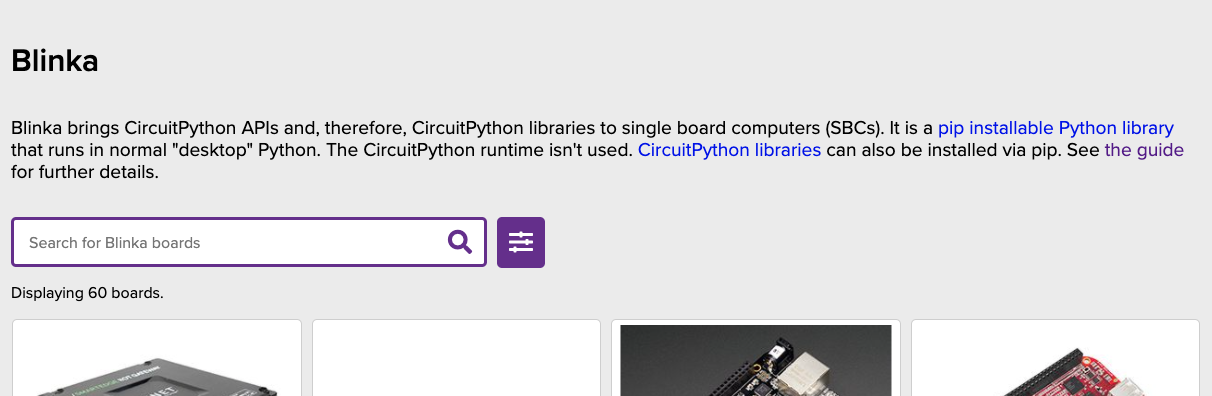
say, I implemented that idea where circuitpython.org remembers what language you selected for downloads, to test it out, should I open a new issue to discuss it ? a PR ?
slender iron
PR if you implemented it already
 thorny jay
Lurking (I have unfinished notes in the doc, but not sure I will make it for the meeting, please read the sentence that make sense and skip if unclear)
 gloomy shuttle
Lurking
 modern wing
Good afternoon all you wonderful folks -- happily lurking/text only today 🙂
onyx hinge
Hey all! Scott will be running the meeting, and I'll be taking notes. Hop in the voice channel if you haven't yet..
If you haven't added your notes to the doc, please do it ASAP. If you plan to speak but can't at least add your name to the notes doc let me know and I'll add a placeholder so we call on you.
 tidal kiln
lurking
turbid radish
lurking
 old smelt
lurking
solar whale
My cats are always jerks
onyx hinge
@lone axle feel like pasting links today?
@solar whale you spoil them so terribly, it's no surprise
lapis hemlock
all cats are jerks.
tulip sleet
ours is just whiny
lone axle
Yep got them.
solar whale
But I stil pet them.
onyx hinge
Meeting times are also available in iCal format using the following link: https://raw.githubusercontent.com/adafruit/adafruit-circuitpython-weekly-meeting/master/meeting.ical for use with standard calendar applications or in your browser: https://open-web-calendar.herokuapp.com/calendar.html?url=https://raw.githubusercontent.com/adafruit/adafruit-circuitpython-weekly-meeting/master/meeting.ical
thorny jay
"prior to the meeting" mean you can still finish while the meeting start. 🙂
 supple dirge
lurking
fossil gorge
lurking
turbid radish
I changed them
lone axle

The easiest way to program microcontrollers

Adafruit Learning System
Make hardware and interface with sensors super easy using CircuitPython

Adafruit Industries - Makers, hackers, artists, designers and engineers!
Here are two more #circuitpython2021 posts from active members of the CircuitPython community. See below for past posts as well. #circuitpython2021 thoughts from BennyE Foamyguy #circuitpython2021

Adafruit Industries - Makers, hackers, artists, designers and engineers!
As 2021 starts, let’s take some time to share our goals for CircuitPython in 2021. Just like past years (full summary 2019 and 2020), we’d like everyone in the CircuitPython community to cont…

Python 3.8.7 is now available. It is the seventh maintenance release of Python 3.8. Get it here: https://t.co/pNbaybJoqu
Thank you to all of the many volunteers who help make Python Development and these releases possible!
Likes
378

 Twitter
·
Twitter
·
 turbid radish
Send your additions as issues/PR to the latest draft https://github.com/adafruit/circuitpython-weekly-newsletter/tree/gh-pages/_drafts

GitHub
Community newsletter for Python on Microcontrollers. Please feel free to put your current news, projects, etc. as a PR or Issue. - adafruit/circuitpython-weekly-newsletter
lapis hemlock
@onyx hinge someone has reported an issue with .tobytes(). https://github.com/v923z/micropython-ulab/issues/282 The fix is underway, you might want to upgrade tomorrow.

GitHub
I am working with ulab on a Pyboard D-Series SF6. When I use the .tobytes() function, the length seems to be off by a factor of 8. I suspect it is off by a factor of whatever the bytesize of the ty...
onyx hinge
@lapis hemlock thanks for the heads up. that would be nice to fix before 6.1.0 final
lapis hemlock
@onyx hinge What is the deadline?
onyx hinge
We've talked internally about trying to do it within a week, but it depends what else arises.
lapis hemlock
The fix is a one-liner, but since someone has volunteered
I don't want to take the PR from them.
onyx hinge
yeah cultivate them!
turbid radish
When you fix it, please let me know and I'll post on the newsletter
lapis hemlock
@turbid radish Will do.
onyx hinge
♥️ reviewers ♥️
GitHub
OAuth 2.0 authorization helper for accessing Google APIs - adafruit/Adafruit_CircuitPython_OAuth2
turbid radish
yes
onyx hinge
my fault, I didn't note it in the doc
tidal kiln
no worries. maybe i should have done that myself.
slender iron
no worries
onyx hinge
Maybe kjw?
 ivory yew
see oauth2
hides
more seriously I'm the original author and designer of https://github.com/googleapis/google-auth-library-python so if y'all ever need help with oauth2 hit me up

GitHub
Google Auth Python Library. Contribute to googleapis/google-auth-library-python development by creating an account on GitHub.
slender iron
👍 I think @prime flower was the primary author of it
onyx hinge
GitHub
Python edited like BASIC. Contribute to tannewt/basicpython development by creating an account on GitHub.
thorny jay
Did someone say Blinka for MicroPython? I have a Pyboard D-series laying around... @gilded cradle do you have a link?
lone axle
I ran accross this QBasic / Python mashup a few months back: https://timothycrosley.com/project-9-qpython if anyone is interested in that sort of thing.
Introducing QuickPYTHON: The fun of QBasic meets the power of Python - Timothy Crosley
 gilded cradle
@thorny jay, it runs on it in theory. @solar whale is trying to see what it takes to get it running.
solar whale
It is far from "running" on the esp8266 -- and esp32 is not yet supported.
turbid radish
@marble hornet awesome watch work!!
gilded cradle
I have a Pyboard, but am trying to wrap up some loose ends before I can try it.
solar whale
I had lots of issues with PaltformDetect
lapis hemlock
    from ulab import numpy as np
    from ulab import scipy as spy
except ImportError:
    import numpy as np
    import scipy as spy

x = np.array([1, 2, 3])
spy.special.erf(x)```
You just found the perfect I2C sensor, and you want to wire up two or three or more of them to your Arduino when you realize "Uh oh, this chip has a fixed I2C address, and from what I ...
thorny jay
Make your (musical) keyboard grow by daisy chain. ❤️
onyx hinge
looks like there is https://github.com/adafruit/Adafruit_CircuitPython_TCA9548A to work with this chip
GitHub
CircuitPython driver for the TCA9548A I2C Multiplexer. - adafruit/Adafruit_CircuitPython_TCA9548A
lapis hemlock
@onyx hinge We have fixed the .tobytes function, the code is OK now. Do you need a release tag?
onyx hinge
@lapis hemlock if you wanted to start adding release tags that would be excellent. It makes it easier to be confident we're using the release, not the "release plus other pull requests"
thorny jay
Wondering if TCA9548A is not needed if you want to plug two NunChuck (the Wii thing) on a single I2C bus.
Sorry it is long.
Buzz! is not with CP but RPi.
4$ Piece.
onyx hinge
.. there's also a version of the tca* mux with stemma qt (qwiic) connectors from SF: https://www.sparkfun.com/products/16784

The SparkFun Qwiic Mux Breakout enables communication with multiple I2C devices that have the same address that makes it simple to interface with.
lapis hemlock
onyx hinge
<@!676859171315908639> if you wanted to start adding release tags that would be ...
Here you go: https://github.com/v923z/micropython-ulab/tree/1.6.1 @turbid radish I have also added a small section in https://github.com/v923z/micropython-ulab/releases/tag/1.6.1 explaining what is new. Let me know, if you need more information.
GitHub
a numpy-like fast vector module for micropython. Contribute to v923z/micropython-ulab development by creating an account on GitHub.
GitHub
Compared to the latest release, this version adds
Boolean initialisation option
nan/inf class level constants
dtype function/method/property
median function
and
removes size from linalg
turbid radish
Thanks!
thorny jay
@solar whale I have a pyboard-D that I never use because it mean changing my brain from CP to MP. So if I can hide the difference in Blinka, I would love to.
solar whale
Yes -- That was my hope with the esp8266 and esp32
turbid radish
Thank you SO, SO much @idle owl
manic glacierBOT
The reference_voltage of an AnalogIn is the value that lets you scale from the 0..65535 integer value to a floating-point voltage value. However, the documentation also states that the ADC can read the whole range from 0V to 3.3V (for example)
On the esp32-s2, the reference_voltage is 3.3, and doing adc.value * adc.reference_voltage / 65535 gives the accurate analog voltage but only in a range of about 0.1 to 2.6V.
//|     reference_voltage: Optional[float]
//| """The max...Compared to the latest release, this version adds
Boolean initialisation option
nan/inf class level constants
dtype function/method/property
median function
and
removes size from linalg
lapis hemlock
@idle owl announcing secret projects is sort of mean!😉
turbid radish
The newsletter assets and posts for one year of the Python on Microcontrollers Newsletter comprise about 3000 files. 😵
blissful pollen
Gotta run to a meeting, have to catch the rest later
turbid radish
Adafruit is good at saying on their Top Secret posts that things are being worked on and may be introduced but there isn't a timetable until it's in the shop. Avoid Osborne Syndrome. https://en.wikipedia.org/wiki/Osborne_effect
The Osborne effect is a social phenomenon of customers canceling or deferring orders for the current soon-to-be-obsolete product as an unexpected drawback of a company's announcing a future product prematurely.
The term was coined in reference to the Osborne Computer Corporation, a company that took more than a year to make its next product avai...
 idle owl
@turbid radish You're entirely welcome.
 analog bridge

In development...🚀NEW dev-board based on @EspressifSystem #esp32s2... loaded with a host of unique features and compatible with @adafruit Feather, #CircuitPython & #arduino...✨
#IoT #maker #electronics #PCBdesign
 Twitter
·
thorny jay
Twitter
·
thorny jay
That is for deep dive!
Could there be an option for one behaviour or another (if we don't know what is the right behaviour)?
analog bridge
solar whale
so it only applies if the internal pullup is used...
lone axle
Gotta step out for now, thanks all 👋
thorny jay
Numpy compatibility mean I can learn once either on ulab or numpy and reuse on the other side.
https://medium.com/better-programming/numpy-illustrated-the-visual-guide-to-numpy-3b1d4976de1d made me want to dig into numpy
Now you can introduce adafruit_analogio
idle owl
@onyx hinge When we're done here, can you take a look at the Adabot patch PRs that Dylan submitted? https://github.com/adafruit/adabot/pull/202 and https://github.com/adafruit/adabot/pull/203 We want to make sure we don't break everything.
tidal kiln
use a context manager with TCA
or that. yep.
it keeps track behind the scenes
so once you do the initial setup, you're done and can then just use as normal
(context manager maybe bad suggestion)
modern wing
yay, I'm back (had internet issues)
tidal kiln
(1) set up TCA using busio
(2) set up sensors using TCA (instead of busio)
(3) proceed as normal
(maybe that explains it better?)
analog bridge
Thanks...! 👋
lapis hemlock
⛷️
tidal kiln
⛷️
 inland tusk
Thanks @tidal kiln @slender iron for the info
onyx hinge
Thanks @slender iron !
modern wing
Thanks again everyone!
tidal kiln
np. @inland tusk if it's still confusing feel free to ping me. 🙂
gilded cradle
thanks
lapis hemlock
Thanks, all! 👋
modern wing
....and I return 3 mins before the end of the meeting. Yay.
inland tusk
@tidal kiln thanks
modern wing
Remember what Spiderman said when skiing: "With great powder comes great responsibility."
 trim elm
@onyx hinge Hey. Quick question about the adabot patches. When I run python3 -m adabot.circuitpython_library_patches it runs all the patches in the patches directory, right? Do I need to worry about the ones that are already in there that I don't need to run?I'm assuming they've already been run and wouldn't make any changes.
Oh, just saw I can run just one at a time
onyx hinge
I don't know the answer to that question
have we historically removed the patches after they were applied everywhere?
idle owl
@slender iron You're still in the voice channel.
slender iron
just talking to myself 😛
idle owl
Like you do 😉
gloomy shuttle
I made my first attempt at a CircuitPython library for the Wii Classic Controller over the weekend. I followed the directions on the Creating a Library learn guide, but I am not sure I did it right or really what I should do next. Any help would be appreciated. Thanks! - https://github.com/jfurcean/CircuitPython_WiiClassic

GitHub
CircuitPython library for the Nintendo Wii Classic Controller - jfurcean/CircuitPython_WiiClassic
trim elm
@onyx hinge Ok
idle owl
@gloomy shuttle At a glance, it looks good! Right now it's not passing CI due to Black. Once you get it passing, you can submit it to the Community Bundle if you like!
thorny jay
gloomy shuttle
I made my first attempt at a CircuitPython library for the Wii Classic Controlle...
This is great, I was very Wii accessories minded this week as I found a uDraw tablet. And was confused by John Park using Arduino and noticing Arduino library support much more that the CP library. Right now I use the WiiClassic with CP with Bluetooth thanks to bluepad32 https://retro.moe/2020/11/24/bluepad32-gamepad-support-for-esp32/ but having wired connection is great too.
idle owl
@tulip sleet Where in the core is the code that creates code.py when CircuitPython is wiped or fresh installed? I realised we're using single quotes for the print statement, and we're enforcing Black formatting everywhere else, which would reformat that to double quotes. I feel like we should be consistent. I assume it would be a simple PR to update it.
slender iron
Here is the notes document for Tuesday's CircuitPython Weekly meeting. It is at the normal time of 11am Pacific / 2pm Eastern here on Discord but 24 hours later than normal. Everyone is encouraged to attend! Please add your hug reports and status updates even if you’ll be attending the meeting - it’s super helpful! If you are unable to attend but would still like to include updates, feel free to include them in the notes and we’ll read them off during the meeting. Hope to see you there! <@&356864093652516868> https://docs.google.com/document/d/1ot6JhwSdWspo-Do-nZko8hasQn_gIGYaRAQNkfpLQdo/edit?usp=sharing

Google Docs
CircuitPython Weekly for January 19th, 2021 Here is the notes document for Monday’s CircuitPython Weekly meeting. It is at the normal time of 11am Pacific / 2pm Eastern here on Discord. Everyone is encouraged to attend! Please add your hug reports and status updates even if you’ll be attending ...
gloomy shuttle
@idle owl it is now failing CI on PyLint because the workflow is looking for the library to start with adafruit
Run pylint $( find . -path './adafruit*.py' )
slender iron
slender iron
Here is the notes document for **Tuesday's** CircuitPython Weekly meeting. It is...
tulip sleet
@idle owl will find it...
idle owl
@gloomy shuttle Oh right. We haven't yet sorted making cookiecutter Community Bundle friendly.
Which means you'll need to work through the minor changes needed to get it to play nice with your lib.
gloomy shuttle
@idle owl thanks, I will start to update the current workflow
idle owl
We're around for questions!
idle owl
@tulip sleet Cheers.
thorny jay
@idle owl and @gloomy shuttle I am wondering what is the best way to deal with multiple Wii device, because the SNES mini joystick and the NES mini joystick are subset of the Wii Classic Controler (and there might be another Wii Classic too).
Also, there are other joystick on other Adafruit product, such as PyGamer and some feather.
Maybe there is a need to "abstract" things so that code written with a joystick in mind can work with various hardware.
gloomy shuttle
thorny jay
<@!330227457296957440> and <@!517804297401008138> I am wondering what is the bes...
yeah, I was thinking the same thing. I don't know if it would be better to have them separate for size or if abstracting them like the arduino library does would be better
thorny jay
That rather that to code for one specific joystick. There is a gamepad thing, maybe @stuck elbow has some good idea on this topic as he is expert in gaming with CP.
jaunty juniper
is the ESP32S2 tinyUF2 ready for adding the self update uf2 to the downloads page ? is that a lot of work ?
thorny jay
gloomy shuttle
yeah, I was thinking the same thing. I don't know if it would be better to have ...
There is that stuff with module vs library, where you have a folder and import only the one you like.
manic glacierBOT
Updating the created code.py file formatting to be consistent with Black formatting as we are enforcing that everywhere else.
 stuck elbow
well, I have the library and the separate ugame.py file per board which gives a consistent interface
the only thing I regret is calling it ugame.py, because I thought each board would have its own, called differently, but that of course wouldn't work with the imports
thorny jay
stuck elbow
well, I have the library and the separate `ugame.py` file per board which gives ...
I skipped the ugame to do the Tetris... but yeah, that might be the right direction.
stuck elbow
one big problem with this approach is that you have to then code for the least common denominator
for example, on pygamer I convert the analog jooystick to d-pad button presses using a threshold
thorny jay
Well, you make a game that need d-pad and two button... you don't care if there are more button.
stuck elbow
you could work around having different number of buttons by allowing button combinations on the platform with fewer buttons maybe?
thorny jay
Can one do "import wii_classic_controler as ugame" or something?
stuck elbow
like, use one button as a shift or something
@thorny jay you can, but then you have to edit the file still
and people want to just copy it and play the game
thorny jay
Traditional game on PC, you were choosing your input method, be it keyboard, joystic or ...
stuck elbow
so instead I have different ugame.py frozen into each board
thorny jay
I can think of a PyPortal with a joystic attach in I2C or wireless or ???
stuck elbow
another approach to this is how Microsoft does it with their game stuff
they encode the information about what a given board has and how to use it in the bootloader's config
thorny jay
That feel like an in the weed conversation on the best way to do X.
stuck elbow
and the library just reads that when it's initialized
thorny jay
By Microsoft game stuff, you mean "MakeCode"?
stuck elbow
yeah
MakeCode Arcade
they have stuff like screen initialization commands in the bootloader
or on which pins the buttons are
thorny jay
Make sense as it work on various hardware, but they want the same "code".
stuck elbow
and it's already there, for the bootloader, so we could use it
all you need to do is read a certain memory address
thorny jay
So this is great for device made for gaming or made for Make Code Arcade... but I am more interested in gaming on PyPortal and MatrixPortal or devices that need an "add-on" to play.
stuck elbow
of course that won't work with custom devices that people build out of modules
right
the code would be mostly the same for each addon, no matter to which device you are connecting it
we already have example code for displays in every display driver library
maybe something similar, consistent for any "joystick" module drivers
a class with a consistent api
then you could say "copy the joystick.py from examples for this module"
and the game would just import it
idle owl
@tulip sleet PR submitted.
thorny jay
The idea of saying: "take joystick_wii_classic.py and rename it to joystick.py" could work...
gloomy shuttle
@idle owl it looks like I have CI succeeding now
manic glacierBOT
You have to escape the inside double quotes:
const byte buffer[] = "print(\"Hello World!\")\n";
renaming is hard, I would rather make it wii_classic/joystick.py
and tell them to copy it
thorny jay
@gloomy shuttle is there any overlap with the Nunchuck? Any good reason to merge that in the same library? On the Arduino side there is one library that deal with many devices.
gloomy shuttle
With more work, I think you could be done. Each of the controllers though have very different properties. I am not familiar enough to know what the pros and cons and what all that would entail.
idle owl
@gloomy shuttle Great job! Ok, that same guide you followed should cover how to submit the library to the Community Bundle. You'll need to clone the bundle repo, and then add your library as a submodule. I believe it will need to have a release on your repo for the bundle submission to work. And once submitted, as you do new releases, they will automatically show up in the bundle.
thorny jay
Do you have a SNES mini joystic, or a NES mini joystic? I need to dig and find my Wii I2C adapter... but I should be able to test with the SNES controller. But then there will be a big question of should it be a separate library, or merged in...
manic glacierBOT
orchid basinBOT
When a user selects a language in a download menu:
- the language selected is memorized in the browser
- all language menus on the page are synchronized (if possible)
When a page is loaded
- the saved language is recovered and used to set the download menus
- if no language was saved it pulls the favorite languages from the browser as before
It's implemented with localStorage which seems more fitting to me for a static site, but could use cookies.
This also includes a fix to the ...
gloomy shuttle
thorny jay
Do you have a SNES mini joystic, or a NES mini joystic? I need to dig and find m...
unfortunately, I don't. I just received the classic controller on Saturday to build this. If you look at the wiki's for them I think they have the same layout so it should just work.
Classic Controller - https://wiibrew.org/wiki/Wiimote/Extension_Controllers/Classic_Controller
Classic Controller Pro & SNES controller from the SNES mini - https://wiibrew.org/wiki/Wiimote/Extension_Controllers/Classic_Controller_Pro
tidal kiln
@tulip sleet looks like there's a limit here?
ValueError: Can only alarm on two low pins from deep sleep.
trying to create a PinAlarm to trigger on any of all 4 magtag buttons
PinAlarms actually - in a list
tulip sleet
that is right - it's a hardware limitation. If the buttons were connected to +v instead of ground, it would be possible.
board may get revised for that at some point, or in future similar boards
tidal kiln
ok. so no work around? basically just limited to 2 max? (which is fine for this)
tulip sleet
it has to do with how the sleep pin-checking hw logic works
yes, and 2 is possible only because there happen to be two sets of logic to check this.
tidal kiln
ok. thanks. will just proceed with that.
thorny jay
gloomy shuttle
unfortunately, I don't. I just received the classic controller on Saturday to bu...
I was talking about the retrogaming controller such as https://en.wikipedia.org/wiki/Super_NES_Classic_Edition (maybe Famicom for you?) And the NES version without the "shoulder button".

Super Nintendo Entertainment System: Super NES Classic Edition, known as Nintendo Classic Mini: Super Nintendo Entertainment System in Europe and Australia and the Nintendo Classic Mini: Super Famicom (Japanese: ニンテンドークラシックミニ スーパーファミコン) in Japan, and also colloquially as the SNES Mini or SNES Classic, is a dedicated home video game console relea...
gloomy shuttle
@thorny jay the one that has the wii nunchuck adapter should just work. I believe it uses the same communication protocol and bit locations as the Wii Classic. You will most likely get useless/bad data if you try to read from buttons that don't exist. I am also guessing that start select map to plus/minus. If I had one, I would try it.
lone axle
@slender iron have you ever shared your streaming setup online anywhere? I've been kicking around ideas in the back of my mind for possible new streaming content. But have no experience in that world. If you've shared it somewhere I'd love to see how you setup the stream / screenshare and pull in the discord chat to avoid re-inventing the wheel with some of that.
idle owl
@lone axle OBS is a lot of it, as far as I know.
But Scott can give more details than that. He might have updating to something else since I last knew.
OBS is how we record the CircuitPython Weekly as well.
lone axle
Nice, that is a bit of a relief to hear actually. I've found that works well on this computer for sharing my screen in work meetings, so I've gained some familiarity with it via that
idle owl
Excellent. I've had issues but they are GPU issues more than they are OBS issues.
slender iron
@lone axle yup, OBS on linux for me
camera is a sony zv-1 via a magewell
cat cam is a c920 which is good to start with
mic is a blue yeti
lone axle
Is there anything extra complex required to pull in the discord chat? or is that pretty straight forward.
slender iron
discord is with their streamkit website
the chats are per-window capture with the decorations removed
 slender iron
prepare for merges....
manic glacierBOT
Thanks @iot49 and @FoamyGuy. Merging now


I think there is a slight bug now because the user's pin state will leak on VM reset. I want do make this functionality more generic soon. So, this is good for now.
Looks good to me! Thank you!
FYI: This needs a translation update.
Thanks! This might mean the english strings are included in the debug binary then.
Does 0.5f round down? Does setting unlimited still work?
Thanks for circling back on this!
[adafruit/circuitpython] New comment on issue #3968: Deep sleep current is up to 2\.6mA on ESP32\-S2
@tannewt with just a
PinAlarmenabled on D11 withpull=True, I am seeing 1.7mA during deep sleep. Is this what you saw? It is higher than I would expect.
Yup, that's about what I was seeing.
lone axle
@slender iron did you have to build OBS to get the browser source enabled?
lone axle
I see. Thank you.
manic glacierBOT
I don't believe this is the correct fix. The code shouldn't depend on last state.
I am still trying to figure out why a DEBUG=1 build where I change the CFLAGS to -Os is hugely too large on, say, Metro M0 Express.
I hope it works! We'll have to take a look at the search results after a while.
We shouldn't need to add anything here. The detent state shouldn't matter to the gray code.
Please update the .pot again. I've merged lots of things in. Thanks!
Why is the display disabled by default?
#if defined(SAM_D5X_E5X) && defined(PIN_PA05) && !defined(IGNORE_PIN_PA05)
One nit that the original code had. Switch is easier to read. Thanks!
Yes, for timeout=0.0f, this reduces to uint32_t nrf_timeout = 0.0f + 0.5f;, and casting a float to an integer in C truncates, so nrf_timeout becomes 0.
To triple-check, I actually tried timeout=0.0, and it scanned forever (well, I didn't wait that long).
I wouldn't try and grok the CPython source. We don't need to be comprehensive.
My original comment had more to do with what the underlying code returns on timeout.
I think the linux man pages can be the best resource actually. I bet python just passes these errors back via OSError. Here is the accept page: https://www.man7.org/linux/man-pages/man2/accept.2.html
EAGAIN or EWOULDBLOCK
The socket is marked nonblocking and no connections are
present to be ...
hardfaulted/crashed on boot, i dont have build environment working (using artifacts for building) so turned off displayio for now. the pins work - i verified those!
Usually shared-bindings only has:
    socketpool_socket_obj_t *sock = m_new_obj_with_finaliser(socketpool_socket_obj_t);
    sock->base.type = &socketpool_socket_type;
The other contents of the struct are common-hal specific and should be set within common hal. So, you can either call a helper from here to construct a socket with the given socketnum or just have accept do the two lines above and return the full object.
tulip sleet
@slender iron thank you for the massive review run
tulip sleet
ok, I think we are keeping GitHub Actions busy until tomorrow morning
slender iron
😄
idle owl
tulip sleet
ok, I think we are keeping GitHub Actions busy until tomorrow morning
At least!
This is an ok channel, @spare prawn, but you might get more assistance in #help-with-circuitpython. No worries!
What is board? Is it a library? Or is there some other term for it?
manic glacierBOT

Merged, although that was an odd conflict. Waiting for the checks to complete
idle owl
@tulip sleet For that matter, are any of the built in things considered "libraries"? Like digitalio etc. (In response to my question above this.)
tulip sleet
@idle owl, no they are native modules. I wouldn't call anything built-in a library, except for frozen stuff. I'm not sure whether cpython calls builtin stuff "library" or not (e.g. like json)
"native" means "implemented in C"
not the most obvious
idle owl
Ok. Thank you!
tulip sleet
built-in is better
idle owl
but "modules" is the word I think I was looking for.
@tulip sleet Is there a way through the REPL to list all the available native modules in the build for whatever board you're using?
tulip sleet
help('modules') i think
idle owl
I know you can import a module and dir(module_name) but can you list the modules?
Lovely!
Thank you
tulip sleet
not the most obvious
blissful pollen
Cool never knew that either
tulip sleet
but help() tells you about help('modules')
or help("modules"), ok, to be consistent
>>> help()
Welcome to Adafruit CircuitPython 6.1.0-rc.0-12-ga397af9bd!

Please visit learn.adafruit.com/category/circuitpython for project guides.

To list built-in modules please do `help("modules")`.
Nice ok
idle owl
Hah!
manic glacierBOT
[adafruit/circuitpython] New comment on issue #3968: Deep sleep current is up to 2\.6mA on ESP32\-S2
@dhalbert Ok, running beta 2 I can confirm I am getting around 85uA now with CPY - which matches my Arduino values.
orchid basinBOT
 manic glacierBOT
@microDev1 could you merge from adafruit to get circuitpython.pot in sync, and the push again? Thanks. I could not push to your PR
slender iron
looks like https://github.com/copier-org/copier can update templates (replace cookiecutter)

GitHub
Library and command-line utility for rendering projects templates. - copier-org/copier
manic glacierBOT
re: ports/atmel-samd/common-hal/rotaryio/IncrementalEncoder.c line 164
The property last_state is a meaningful name before line 153, but after that point, it is set to the current (newest) state. That line of code uses last_state (shamelessly), because it was readily available (not a great excuse), handy (all with no additional stack space used for a ...
manic glacierBOT
I am going to look at this in more detail but am preoccupied with getting bugs out of the current upcoming release. I can look at this but maybe not for a few days, sorry.
manic glacierBOT

I'm using the nRF52840 as a central and trying to write to a BLE peripheral's characteristic. The data written is 26 bytes long. But it fails with:
ValueError: Value length > max_length
The Characteristic.max_length seems to be set to 20 bytes, the default. And there's no way to specify a different one as the characteristic is created internally by Connection.discover_remote_services
The device I'm trying to connect to is a Spark 40 by Positive Grid. Here's the code I'm...
manic glacierBOT
Would it be possible to be able to query the state of the Pin Alarm pin?
For example, I want to transmit a message via my RFM9x radio every 10 seconds while the a door is open.
I have a switch that grounds my alarm pin when the door opens so it wakes up and starts transmitting, but I need to know when the Pin is no longer grounded so I can stop and go back to sleep.
I could use 2 pins and run the alarm signal into both but since the alarm pin is already being monitored by PinAlarm would ...
manic glacierBOT
Never-mind -- this is not necessary.
I am able to query the pin state via DigitalInOut then after it goes high I create and set the alarm
for the next time.
manic glacierBOT
Thanks! I tested the PR artifact on a MagTag. With no TouchAlarm enabled, power consumption is back down, about 230uA. Did you turn off something else that would have lowered it from the 260uA I saw before?
Deep-sleeping with a TouchAlarm enabled brings the sleep current back up to 2.something mA. Do you think it is possible to get this down further by setting the duty cycle lower with setting changes via touch_pad_set_meas_time() or other changes? We can ship with the higher current...
Did you turn off something else that would have lowered it from the 260uA I saw before?
Not that I know of... the changes here are TouchAlarm specific.
Do you think it is possible to get this down further by setting the duty cycle lower with setting changes via touch_pad_set_meas_time() or other changes?
The default touchpad config settings are being used at the moment... it might be possible to get lower current consumption by altering them. There is also a concern of stuff li...
tulip sleet
@slender iron @onyx hinge pewpew10 and shirtty are now too big for de_DE. I'll work on that later but ignore it for now.
onyx hinge
noted, thanks
manic glacierBOT
Looks good to me! Thank you!
solar whale
@slender iron FYI - I have a working example with an rfm9x board and esp32s2 (umfeathers2 and metro_esp32s2) using a pinAlarm to wake up and transmit as long as the pin is held low. When I put the rfm9x into sleep mode, the system current goes low enough for my current monitor to think it has turned off. I don't have a very accurate current monitor configured yet but this is very encouraging. Off to a good start.
tulip sleet
@solar whale the pin alarm deep sleep current is about 1.6ish mA, unfortunately
solar whale
ah, thats to bad, but still better than the 40-50mA without it....
 manic glacierBOT
just has touch and four neopixels, so want pypixelbuf but dont need just about anything else.
Looks like a commit for the feather_esp32s2_nopsram is causing some trouble (was it also merged separately?); also the new board wasn't listed in the matrix.
 dull cobalt
watchdog seems to be triggering HardFault_Handler and dropping into REPL instead of re-running code. Any fix for this? (FeatherS2 here)
manic glacierBOT
disabled just about everything else to freeze lots of libraries!
I followed @dglaude's lead and used the DAC (on SAMD21) to test the four feather boards I own: Adafruit Forums: Feather ADC comparison including 2.6V limited ESP32-S2 - the png is high resolution to allow a close look at the data.
Some bad builds: some just network trouble, others are too big. Will fix later. Merging now.
slender iron
@tulip sleet those both should good
ping me if you need a review on anything otherwise I'm heads down today
I should be through email as of two hours ago
tulip sleet
wrong channel:
i may consider a 6.1.1 soon. I have some BLE bugs to fix, I think.
@slender iron and #3978, probably, so it gets a labeled build
slender iron
yup, all good
manic glacierBOT
A couple of observations in testing so far:
-
Sometimes, despite a
ConnectionError: Unknown failureexception raised to the user, there is a good connection and wifi proceeds normally. This may arise when the connect call completes with an Unknown failure, but a subsequent wi-fi event asynchronously triggers the event handler, which retries the connection. Not necessarily intuitive to the user, but maximizes opportunities to keep a connection stable. -
A non-existent SSID works as exp...
idle owl
@onyx hinge Are you around to explain some potentially super simple code fundamentals to me? I feel like it might be a CircuitPython-specific quirk, but I could be wrong, and it might simply be how Python works.
The CircuitPython-specific quirk possibility makes it not very googleable.
onyx hinge
@idle owl sure
idle owl
Ok. Consider the following program.
import board
import digitalio

led = digitalio.DigitalInOut(board.D13)
led.direction = digitalio.Direction.OUTPUT

led.value = True```:strokes beard thoughtfully:
idle owl
versus the following:
import board
import digitalio

led = digitalio.DigitalInOut(board.D13)
led.direction = digitalio.Direction.OUTPUT

while True:
led.value = True```The first one flashes the LED super quickly once and that's it.
The second one turns it on.
onyx hinge
yup
idle owl
I understand why the second one does what it does
onyx hinge
so it's a question of: what happens when your program ends
idle owl
I do not understand why the first one does.
onyx hinge
in CircuitPython, when your program ends it resets everything to prepare it for the next run of the code
idle owl
And, for example, in MicroPython, apparently it works without a loop, so...
My confusion is enhanced.
onyx hinge
this means e.g., setting all pins back to being inputs with no pull up/down
onyx hinge
yes
onyx hinge
and that's why this program ALSO keeps the LED lit forever led.value = True while True: time.sleep(60)
and this one would keep it lit for about a second: led.value = True time.sleep(1)
idle owl
Ok
onyx hinge
that's why most CP programs in my experience end with some kind of "forever loop"
idle owl
I did ```python
led.switch_to_input(value=True)
while True:
pass
Which makes sense to me.
But it's not a good way to do it for beginners.
onyx hinge
yup, sleep and pass don't make any difference for these purposes
idle owl
onyx hinge
that's why most CP programs in my experience end with some kind of "forever loop...
Ah ok. That makes sense.
manic glacierBOT

After I flashed the uf2 bootloader and then installed the Circuitpyton .uf2 file everything seems to work fine. I can move code files over to the recognized CIRCUITPY USB drive and have them executed when it starts up, but I can not for the life of me seem to get a serial repl connection. I can connect through the UART connection which I used to flash the uf2 bootloader but all I can see is the boot load output when the system is reset. I just can't get a repl. I've tried hitting enter, ctrl-...
onyx hinge
@idle owl I don't know that there's a beginner-friendly explanation of this so it's good you're working on one.
idle owl
"If you simply set the led value to True without a loop, it would flash quickly once, and remain turned off. This is due to the way CircuitPython works, with regard to what happens when your program ends. When your code finishes running, CircuitPython resets your board to prepare it for the next run of code. That means the set up you did earlier no longer applies, and the LED does not remain turned on. To that end, most CircuitPython programs involve some kind of loop, infinite or otherwise." @onyx hinge
Eh?
fossil gorge
onyx hinge
this means e.g., setting all pins back to being inputs with no pull up/down
Ooooh, that's very helpful to know!
onyx hinge
sure! That's the gist of it and I'm too ready for my afternoon nap to fine tune the wording
idle owl
There's an earlier explanation of loops, infinite and definite, and an explanation of the code set up.
Alright thanks 😄
onyx hinge
(I don't really get an afternoon nap, alas)
fossil gorge
Is that also why/how the REPL starts "blank" after a running program exits for whatever reason?
 idle wharf
@idle owl is that explanation in an existing guide or a new one ?
idle owl
@idle wharf New, I literally wrote it 5 minutes ago.
idle wharf
Awesome, I'll put it into my read list !
idle owl
Finding a number of things while writing this guide that should be in the Welcome to CircuitPython guide, but can't add them right now. I should be taking notes.
starts a document
onyx hinge
@fossil gorge yeah
circuitpython likes the blank slate for almost everything but displays
fossil gorge
Awesome, thanks @onyx hinge. I knew it happened, but it makes sense to understand the why and how behind it
idle wharf
Yeah, I came from MP and I still struggle with the differences there. I'm mostly trying to purge MP from my mind though. Responding to @onyx hinge
onyx hinge
I never learned much micropython, so I have less to un-learn
fossil gorge
I was looking for a guide about how MicroPython != CircuitPython, and found an outdated one, but this doc helps
https://circuitpython.readthedocs.io/en/latest/README.html#differences-from-micropython
idle owl
@onyx hinge Before I lie to folks, what is time.sleep() doing right now? "pausing your program" is what I would have said, but now I'm not so sure that's accurate.
With all the changes.
onyx hinge
i'd say it waits at least that length of time before going to the next statement / "line of code"
but it can be doing certain other things you're not ready to talk about yet, like playing an audio file. it also keeps doing things like communicating over USB, which users might not even imagine could be "postponed" by sleep()
even though core developers have probably worked HARD to make sure it doesn't do that
thorny jay
So your Python code sleep, not the "background" task.
 vale sun
Hello! I have 0 experience with any of this, and about 3 hours of Python experience. Where should I start? I've heard the Adafruit CircuitPython
thorny jay
fossil gorge
I was looking for a guide about how MicroPython != CircuitPython, and found an o...
And if someone in such a guide tell more about Blinka to make Micropython accept CircuitPython library... that would be great.
idle owl
@onyx hinge Thanks
@vale sun Welcome! We've all been there, some of us more recently than others. You're going to get better assistance with a question like that in the #help-with-circuitpython channel, than this channel - this channel is more for development discussions. I suggest posting in the #help-with-circuitpython channel so more helpful folks can assist!
@onyx hinge I have another fundamentals question.
Maybe. Hold on.
thorny jay
idle owl
"If you simply set the led value to True without a loop, it would flash quickly ...
Do you remember if this also apply to NeoPixel. Depending on version (or bug) the Pixel were keeping or not their color. So it would act the same or differently from LED. I am not sure what is the official standard behaviour and if difference should be documented.
idle owl
I don't know for sure, but I think you're right, they were staying on sometimes and not others.
@onyx hinge No, turns out I do have a question. I thought I explained it in another guide, but I WAY glossed over it. I'd rather not do that here.
thorny jay
Could be different if build in like CPE or externally defined.
So maybe, if behaviour are different from LED that turn off at the end... it should be explained.
onyx hinge
I think that it depends if the neopixel is specifically known to circuitpython. If it is, then it blanks it or puts it back under software control (like to blink the error line number). if not, it just gets put back into an unused input..
idle owl
@onyx hinge How do I explain what's going on here?
while True:
    led.value = not led.value
    time.sleep(0.5)
From an educational point of view. Personally, I don't care, and my program never end. 🙂
idle owl
Here's my super glossy explanation: "The little red LED is True when it's on, and False when it's off. This code cycles back and forth between the LED being on for 0.5 seconds and off for 0.5 seconds." 🤦
thorny jay
(and the reason I ask, is because you said that for QT-Py you had to explain Blink on a Pixel because there is not LED available)
idle owl
@thorny jay Fair enough. In this case, it's specific to the little red LED, so I don't think there's a reason to explain it here. When I get to NeoPixels, it might be.
I'll bear that in mind.
thorny jay
onyx hinge
yup, sleep and pass don't make any difference for these purposes
Maybe one day, time.sleep() could actually sleep and save power... where pass will just do nothing in loop quickly. Of course you will never change the behaviour of sleep, but that could make sense to actually sleep when you sleep (assuming everything behave the same).
onyx hinge
@idle owl that seems fine.
idle owl
@onyx hinge My code? I know it works right, but I don't know how to explain the foo = not foo part of it.
onyx hinge
you could write something different... while True: led.value = True; sleep(.5); led.value = False; sleep(.5)
but otherwise not turns a True value into False and vice versa
idle owl
gah. This is trying to mimic MicroPython's toggle(). If I understand it correctly, the code I wrote is kind of the closest thing we have to it.
Oh!
That makes a lot of sense.
Thank you!
thorny jay
I love your question and this conversation... I scrolled back to the beginning(?) and it feel like question on the "meaning of live". It is so simple code and raise so many fundamental questions (on CP vs MP and other). I did not ask myself those question, either because I instinctively knew or it did not matter to me, but this can be so disturbing. Finding the right word and level to explain that is not easy. Great team work @idle owl and @onyx hinge .
idle owl
Thank you, @thorny jay 😊
manic glacierBOT
IPPROTO_IP vs. IPPROTO_IPV6 is currently determined based on family, rather than passed in as a parameter.
Adafruit CircuitPython 6.1.0-rc.0-12-gf07dd487a-dirty on 2021-01-12; Saola 1 w/Wrover with ESP32S2
>>> import socketpool
>>> dir(socketpool)
['__class__', '__name__', 'Socket', 'SocketPool']
>>> dir(socketpool.SocketPool)
['__cla...IPPROTO_TCP is not used in the current ESP32-S2 context.
idle wharf
@idle owl I am always looking up stuff like you're talking about here and I always fallback to what is the Python thing we're doing. In this case NOT is a logic operator. https://www.w3schools.com/python/gloss_python_logical_operators.asp
I always like that site's explanations of things if I don't understand the explanations in htps://docs.python.org
idle owl
Good to know, I'm never sure what to trust when I google something.
idle wharf
ha... very true
jaunty juniper
but then python has the english like syntax where not ("value" in aList) can be written "value" not in aList
which is cool but a touch weird
idle wharf
But so easy to read and understand.
jaunty juniper
makes me nostalgic for Hypercard
idle wharf
And "not in" is a bit different than "not"
https://docs.python.org/3/reference/expressions.html#membership-test-operations
idle owl
Somebody wrote Pypercard, but I don't remember who. Pretty sure there's a guide for it though in Learn.
lone axle
I think it's this one: https://learn.adafruit.com/circuit-python-your-own-adventure it's caught my eye a few times
I never actually used hypercard, but I think the data driven interface concept is really cool.
This was one of the inspirations for my Display_Layouts library
solar whale
trying to flash a feathers2 after pulling latest main -did something change ```jerryneedell@jerryneedell-ubuntu-macmini:~/projects/circuitpython/ports/esp32s2$ make BOARD=unexpectedmaker_feathers2 flash PORT=/dev/ttyACM0
Use make V=1, make V=2 or set BUILD_VERBOSE similarly in your environment to increase build verbosity.
ninja: Entering directory `build-unexpectedmaker_feathers2/esp-idf'
[1/1] Performing build step for 'bootloader'
ninja: no work to do.
esptool.py --chip esp32s2 -p /dev/ttyACM0 -b 460800 --before=default_reset --after=no_reset write_flash write_flash --flash_mode qio --flash_freq 40m --flash_size 16MB 0x0000 build-unexpectedmaker_feathers2/firmware.bin
usage: esptool write_flash [-h] [--erase-all]
[--flash_freq {keep,40m,26m,20m,80m}]
[--flash_mode {keep,qio,qout,dio,dout}]
[--flash_size FLASH_SIZE]
[--spi-connection SPI_CONNECTION] [--no-progress]
[--verify] [--encrypt]
[--ignore-flash-encryption-efuse-setting]
[--compress | --no-compress]
<address> <filename> [<address> <filename> ...]
esptool write_flash: error: argument <address> <filename>: Address "write_flash" must be a number
make: *** [Makefile:342: flash] Error 2
write_flash appears twice -- recently changed by @onyx hinge -- does this work for you https://github.com/adafruit/circuitpython/blame/main/ports/esp32s2/Makefile#L302
it works if I remove the write_flash from the ESPTOOL_FLASH line above
manic glacierBOT
trying to flash a feathers2 after pulling latest main fails:
jerryneedell@jerryneedell-ubuntu-macmini:~/projects/circuitpython/ports/esp32s2$ make BOARD=unexpectedmaker_feathers2 flash PORT=/dev/ttyACM0
Use make V=1, make V=2 or set BUILD_VERBOSE similarly in your environment to increase build verbosity.
ninja: Entering directory `build-unexpectedmaker_feathers2/esp-idf'
[1/1] Performing build step for 'bootloader'
ninja: no work to do.
esptool.py --chip esp32s2 -p /dev/ttyACM0 -b...@solar whale uh oh, my mistake. sorry!
apparently I tested it, but only with my modified flags which didn't reveal the problem
manic glacierBOT
As reported by @jerryneedell, this change was incorrect; the given ESPTOOL_FLAGS caused write_flash to be repeated twice, which doesn't work.
Closes #3981.
solar whale
@onyx hinge thanks!
slender iron
thorny jay
Maybe one day, time.sleep() could actually sleep and save power... where pass wi...
Some ports already do this.
manic glacierBOT
Looks good to me - Thanks
I tested tis change on a feathers2 and metro_esp32s2
thorny jay
slender iron
Some ports already do this.
So the question is, what should @idle owl say or not to hint that time.sleep() could be about sleeping too... but not totally because some stuff need to run in the background.
manic glacierBOT
Looks good to me - Thanks
I tested this change on a feathers2 and metro_esp32s2
ionic elk
@slender iron can you recap for me the conditions for which we need to close the socket on the conclusion of a recv, and why that's required? I don't see any mention of automatic socket closing in the python docs for socket, or the POSIX description of recv. You mentioned that it was to prevent socket leakage?
slender iron
thorny jay
So the question is, what should <@!330227457296957440> say or not to hint that t...
No, beginners don't need to know that
ionic elk
I do think that socket leakage is a problem, but I don't see why it would be restricted to this particular condition. It seems to me we need to have an overall reset function for the entire socket module that tracks and closes all open sockets on soft reset
slender iron
if the other end closes a socket then you need to close it in circuitpython
ionic elk
chatted with @onyx hinge a bit about it but you'd know more about it
slender iron
and ya, resetting on reset would be good too
ionic elk
is that the behavior of Cpython? I've been testing it on my host machine and I don't see it doing that - I could be doing it wrong though
The docs just say it returns 0
slender iron
I don't know
ionic elk
I think it's the user's responsibility, using with? Or maybe I need to throw a ECONNRESET
I'll poke at it more tomorrow.
manic glacierBOT
tulip sleet
@onyx hinge I am seeing the "Check Translations" pre-commit fail, but make check-translate is not complaining. I'm confused.
onyx hinge
in that PR ?
tulip sleet
in many recent PR runs. Look at the X'd pre-commit runs
and in the latest one I just pushed to fix up some de_DE builds. I merged from the tip of main before making the changes
onyx hinge
+#: ports/esp32s2/boards/adafruit_feather_esp32s2_tftback_nopsram/mpconfigboard.h
 #: ports/esp32s2/boards/adafruit_magtag_2.9_grayscale/mpconfigboard.h
 #: ports/esp32s2/boards/adafruit_metro_esp32s2/mpconfigboard.h
 #: ports/esp32s2/boards/electroniccats_bastwifi/mpconfigboard.h
Error: The process '/opt/hostedtoolcache/Python/3.9.1/x64/bin/pre-commit' failed with exit code 1``` I saw this when working on #3982, but when I also ran `make translate` locally it picked up a problem as wellI can do a make translate. I'll try that.
onyx hinge
I think I see what the deal is, make check-translate checks something else ...
pre-commit is checking for make translate introducing ANY change, while make check-translate is checking for new or changed messages
the diffrence is just some new locations for an existing message
idle owl
Ok, so why would I connect a momentary button switch to 3.3V vs connecting it to ground? And then the opposite leg to a GPIO pin obvs.
And then that would make the difference between giving it a pull UP or DOWN? But it's not working the way I think it should be in the code, and I am confusing myself further.
ivory yew
hm... I mentioned this a while back, but has anyone noticed Finder hanging/beachballing when copying files to a CP 6.0+ board?
idle owl
@ivory yew Not that I remember? Trying to think about it now.
ivory yew
It does it consistently for me. I'm going to try to see if it's happening on a 5.x board
idle owl
Sounds like a good plan
I'd remember if it was consistent. It has definitely not been consistent for me by any means.
ivory yew
What os x are you on?
manic glacierBOT
This means that it's only in the case of added/modified messages, not in the case where existing messages occured at new source locations.
onyx hinge
you can tell jeff's been busy because circuitpython gets broken in such interesting ways 😜
idle owl
Interesting is better than boring, I suppose?
onyx hinge
I fervently hope
ivory yew
idle owl
10.15.7
Me too
idle owl
@ivory yew I have everything wired through a daisy-chained hub, the main hub is directly into the laptop using a USB-C to A adapter (I had to remove the hub in the display from the mix a little while ago because other things USB related were breaking).
ivory yew
I'm on a machine that has USB A ports, and no combination seems to make a difference
blissful pollen
idle owl
Ok, so why would I connect a momentary button switch to 3.3V vs connecting it to...
I hope I have this right but when you pull up the GPIO pin it would register 3.3v if the pin is not connected to anything. So connecting it to ground would register 0 (button pushed)
If you pull down the GPIO pin it would register 0v if the pin is not connected to anything. So connecting it to 3.3v would register 1 (button pushed)
tulip sleet
onyx hinge
let me see what I can PR up
I am cancelling the main job run because the pre-commit of your trial fix failed
idle owl
@blissful pollen I'm not sure I follow. I'm rereading what you wrote a few times because I feel like I should get it. Thing is, what you said doesn't explain why you would choose to plug the opposite leg of the button switch into a 3.3V pin versus plugging it into a ground pin. Or does it explain that?
idle owl
ivory yew
okay my 5.3.0 board works fine
That is interesting.
ivory yew
this is a different BHB revision - it has the smaller flash chip, so I'm wondering if that might be it...
idle owl
Ahh. I was going to say could it have to do with the filesystem.
blissful pollen
idle owl
<@!228322543507865601> I'm not sure I follow. I'm rereading what you wrote a few...
I'm sure there are better reasons, but the source you plug it to is what you set the pin to. So maybe you want the button to pull the pin to Ground, or maybe you want it to pull it up to 3.3v. Does that make more sense?
tulip sleet
@idle owl it usually doesn't make much difference. However, on the Pin Alarms on ESP32-S2, it makes a difference because it can't do multiple buttons if they are the wrong polarity.
idle owl
blissful pollen
I'm sure there are better reasons, but the source you plug it to is what you set...
A little, yes.
idle owl
tulip sleet
<@330227457296957440> it usually doesn't make much difference. However, on the P...
I'm on an Itsy M4 with a button wired up, and I'm simply trying to read whether it's pushed.
tulip sleet
ground is usually easier to find when you're laying out the board than +V
ivory yew
yep 6.1.0rc hangs on copying as well
 hazy plover
idle owl
Ok, so why would I connect a momentary button switch to 3.3V vs connecting it to...
hazy plover
idle owl
Ok, so why would I connect a momentary button switch to 3.3V vs connecting it to...
I don't think the choice of 3.3V vs Gnd matters too much although I usually tend to do a Vcc pullup which limits current and the sw pulls to Gnd as you can't easily pull below Gnd. If it is critical that is works, a resistive circuit and an A/D can be used to detect an open or a short on the circuit.
I'm currently thinking through a remote switch on one of my systems and plan on using 48VDC and a photo interrupter. Often corrosion or oxidation can build on switch contacts so that low voltage eventually stops working.
ivory yew

idle wharf
@idle owl are we for or against linking from README's to applicable Learn Guides ?
idle owl
The CircuitPython Essentials guide page for DigitalIO uses ground, and a pull UP. This other example I have uses 3.3V, but no software pull.
tulip sleet
it should have a pulldown, def
idle owl
@idle wharf For! I wish we had more of it, but it's a lot of work to do.
tulip sleet
it has to be opposite
idle wharf
idle owl
<@!624005998696333331> For! I wish we had more of it, but it's a lot of work to ...
I'm updating circup... I'll add a link. tx !
blissful pollen
I confuse myself on this all the time too and just try all the combos out 🙂
idle owl
That's what I'm doing, but they're not doing what I expect 😦
Which I'm assuming is because I'm not expecting the right thing.
ivory yew
Okay - the big change for BHB between 5 and 6 was me adding the config for the v2 hardware revision which includes a new flash chip, so I added it to EXTERNAL_FLASH_DEVICES. I'm going to try removing it and see if things work fine on the v1 hardware...
idle owl
That's a proper way to do it? DOWN + 3.3V connection on board?
tulip sleet
it's possible way to do it. DOWN with +V, or UP with gnd. EIther works. The pin.value test will need to be reversed to detect the button push
they are both fine
ivory yew
Oh snap... That did it.
blissful pollen
I had a project where I wired the button to GND and had to keep telling myself the False return was pressed, took a bit to get into my head
tulip sleet
@ivory yew it was an existing chip we supposedly support?
idle owl
Googling pull down was not returning the info I needed at all. Tried pull down electronics, then pull down microcontrollers... etc. Bleh. Thank you all for the help.
tulip sleet
bleh, it should be able to tell the difference by the JEDEC ID or whatever it's called.
i'll look at the defn
ivory yew
16C is the old one, 64C is the new one
v1 has 16C, v2 has 64C. If I have both flashes defined in the board mk file it freezes finder.
re-compiling with just the valid one for the board revision seems to make it go away.
tulip sleet
it should be checking the .capacity when it reads the info about the chip from the chip. everything else is the same
ivory yew
tulip sleet
        for (uint8_t i = 0; i < EXTERNAL_FLASH_DEVICE_COUNT; i++) {
            const external_flash_device* possible_device = &possible_devices[i];
            if (jedec_id_response[0] == possible_device->manufacturer_id &&
                jedec_id_response[1] == possible_device->memory_type &&
                jedec_id_response[2] == possible_device->capacity) {
                flash_device = possible_device;
                break;
            }
        }
i don't know; did you try reversing the order?
tulip sleet
did you set EXTERNAL_FLASH_DEVICE_COUNT = 2 ?
e.g.
EXTERNAL_FLASH_DEVICE_COUNT = 2
EXTERNAL_FLASH_DEVICES = "S25FL216K, GD25Q16C"
if you only set it to 1, and it couldn't find the chip, then it would assume there's no filesystem available
ivory yew
yeah if you don't do that the macro expansion blows up
swapping order didn't help
same behavior
tulip sleet
i am mystified; i would start gdb to trace what is going on. Also if you look at the Mac equivalent of /var/log/syslog, maybe there will be some clue. Did you try it on a Linux box (if you have one)?
ivory yew
I have one somewhere, but I don't have any of my gcc arm tools on there.
I'll try to debug this
tulip sleet
i just meant I want to eliminate the host computer as the cause.
ivory yew
yeah
well, I'm convinced it's something with the flash config, since waggling it around makes it do it.
I can try on my windows machine real quick.
yup windows is hanging too
gets to like 17% and barfs
BHB isn't the only board with mutliple possible flash devices, but it is the only one with that combination
tulip sleet
it worked "fine" with just GD25Q64C, I guess? i'd double-check the chip markings, but I think the GD series doesn't have a million suffix variants like some of the other mfrs.
ivory yew
just the 16C, I haven't double checked with the new revision with its flash chip alone
I just threw another random chip in the config in place of the GD25Q64C
Okay it's still whack, so it's not just that combination of two devices.
gdb time
(if the debug build ever finishes)
onyx hinge
ports/atmel-samd/boards/metro_m0_express/mpconfigboard.mk:11:EXTERNAL_FLASH_DEVICES = "S25FL216K, GD25Q16C"
``` exact same config on metro m0 expressregion `FLASH_FIRMWARE' overflowed by 40272 byte
uh oh
is it... not possible to do a debug build with M0+ boards anymore or am I holding this wrong?
tulip sleet
the debug builds are terribly large now; you need to change the flags to -Os and maybe turn off some modules for SAMD21
ivory yew
lord
tulip sleet
and... there's another problem with always_inline, which I pushed a fix for. Yeah, it's terrible, I spent about an hour trying to figure out what was bloating it, but failed
ivory yew
let's see if it'll let me get away with -ggdb3 -Os
this is not how I wanted to spend my time tonight. 😐
(I'm trying to ship orders)
ivory yew
what do you mean?
tulip sleet
do you have separate firmward builds for the two revisions or are you trying to get away with just one?
tulip sleet
yeah, I remember you made some other revisions, though
sometimes we need two because of pin mapping changes or something like that
@onyx hinge I am trying to repair your PR but not doing that well. Check the pre-commit failure
maybe it just needs a make translate
onyx hinge
3894?
tulip sleet
yah
onyx hinge
ah if only things were simple
tulip sleet
it need polib, and then... it still doesn't like it. I think you should just do make check-translate? BTW, why do we run the big set of jobs if pre-commit fails? It seems pointless. It would make sense to do this extra check in pre-commit if that happened, but right now it's redundant.
i though build.yml would depend on pre-commit succeeding.
onyx hinge
can one yml file depend on another?
maybe we should back out the pre-commit translate checking for now, sadly
tulip sleet
it is the first check in the regular jobs anyway, so it kills them off pretty quickly
manic glacierBOT
This reverts commit 1dda33dc418cae1a0047df0241762ebdb3d87e8a.
For reasons we don't understand, running check-translate in the pre-commit context doesn't work during ci, giving
OSError: Syntax error in po file (line 1)
make: *** [Makefile:251: check-translate] Error 1
(see #3984)
Instead of fixing this RIGHT NOW, just revert it. We'll do more careful testing next time.
tulip sleet
ivory yew
.... that's probably not good
tulip sleet
that.. is a mess
ivory yew
how the heckin crap did that even happen?
onyx hinge
@ivory yew is the content of possible_devices[0] and [1] "plausible"? Is flash_device (the pointer) exactly equal to &possible_devices[0] or [1] or is it some other pointer value?
(and since you had to leave -Os in place, is it the optimizer doing something that makes debugging info look whack)