#circuitpython-dev
1 messages · Page 334 of 1
 ornate breach
 onyx hinge
@prime cove btw if you've written a lib for the 8563, please consider submitting it to the community bundle! https://github.com/adafruit/CircuitPython_Community_Bundle

GitHub
A bundle of useful CircuitPython libraries from the CircuitPython community. - adafruit/CircuitPython_Community_Bundle
 prime cove
That's the plan! Just ran into that problem while getting everything in place.
onyx hinge
I know how that goes
prime cove
@onyx hinge I PM'd you with an unrelated question as well when you get a moment.
 manic glacierBOT

Looking over recent PR's, I am wondering if this has anything to do with #3546, maybe in the overflow handling. Maybe we could use a bisect to check.
onyx hinge
@prime cove just curious, is 8563 cheaper ? more available ? than other RTCs?
prime cove
I think the pricing is fairly similar, though I don't know how that extends to distributor quantities. I think the difference is the the 8523 has the integrated battery switchover stuff.
manic glacierBOT

It looks like #3546 was merged 9 days ago? As a quick guess, maybe try the version just before the #3546 merge and see if it's good or bad and go from there? (are past builds kept anywhere? I'm happy to help pin this down, but I'm not set up to build CircuitPython)
 solar whale
@tulip sleet @slender iron I redid the PR for the CPB SPI pins after messing up trying to rebase to 6.0.x - now PR#3590 -- let me know if I need to do anything else with it.
onyx hinge
oooh first packet transmission from esp32s2's can peripheral!
message reception is a bit busted
manic glacierBOT

@robertgallup all of the builds are archived on S3. Here is the link for CPX English US builds: https://adafruit-circuit-python.s3.amazonaws.com/index.html?prefix=bin/circuitplayground_express/en_US/
If you go to circuitpython.org/downloads and find your board then look for the "Browse S3" button it will lead you to the page for that device.

https://adafruit-circuit-python.s3.amazonaws.com/bin/circuitplayground_express/en_US/adafruit-circuitpython-circuitplayground_express-en_US-20201013-3d21eec.uf2 is the merge commit for #3546. The one just before that is https://adafruit-circuit-python.s3.amazonaws.com/bin/circuitplayground_express/en_US/adafruit-circuitpython-circuitplayground_express-en_US-20201013-a010dc3.uf2.
If you are willing to do a little testing on these, that would be great! Thanks.
The way we'd normally test this is to do a "bisect". We'd pick a known bad and a known good build. Then we pick a build halfway in between, and test that. If it's bad, we then pick another build halfway between the second bad one and the good one, and repeat. Each time we conquer and divide the possibilities in half. Git has a way of doing this automatically. Unfortunately since it takes several hours to determine good/bad, this might get pretty tedious. So I made a stab at a possible place t...
Excellent, thanks! I was just going looking for that build. I'll see what I can find out. I'm using my own 'bisect' to find out the minimum test time (currently between 1h and 2h 30m :-) )
 mental nexus
Just confirmed that the ESP32-S2 currently has no support for ParallelBus for external displays NotImplementedError: ParallelBus not yet supported as confirmed on a Saola test board. Any pointers on how difficult this is for a relative newbie to create?
void common_hal_displayio_parallelbus_construct(displayio_parallelbus_obj_t* self,
    const mcu_pin_obj_t* data0, const mcu_pin_obj_t* command, const mcu_pin_obj_t* chip_select,
    const mcu_pin_obj_t* write, const mcu_pin_obj_t* read, const mcu_pin_obj_t* reset) {

    mp_raise_NotImplementedError(translate("ParallelBus not yet supported"));
}
https://github.com/adafruit/circuitpython/blob/main/ports/esp32s2/common-hal/displayio/ParallelBus.c

GitHub
CircuitPython - a Python implementation for teaching coding with microcontrollers - adafruit/circuitpython
manic glacierBOT

This was fixed in a better way in another PR, so it's been rebased out of here
I think this can go in now. I didn't do any re-testing today, though.
manic glacierBOT

I've got some code reading the LIS3MDL magnetometer (only) frequently (around 1000 samples a second) and that has behaving a bit strangely at times with the value freezing, noted in https://github.com/adafruit/Adafruit_CircuitPython_LIS3MDL/issues/4
It's now got worse and code hasn't run despite a few control-c and reloads and is stuck here each time:
Adafruit CircuitPython 5.3.1 on 2020-07-13; Adafruit CLUE nRF52840 Express with nRF52840
>>>
soft reboot

Auto-reload is on. Sim...In my testing, transmission works on "loopback", though an external wire from RX to TX is also needed. There are problems around message reception and filtering.
 tired cloak
Is there a way to handle dropped packets/connection issues in Circuit Python? I've got a PyPortal that hangs on WiFi requests.
(asking here over the help channel as I'm guessing there is no interrupt type thing for WiFi and it would have to be implemented in CP)
solar whale
@tired cloak you can wrap the request in a try/except ``` try:
print("Fetching json from", DATA_SOURCE)
response = wifi.get(DATA_SOURCE)
print(response.json())
value = response.json()
for key in DATA_LOCATION:
value = value[key]
print(value)
response.close()
except (ValueError, RuntimeError) as e:
print("Failed to get data, retrying\n", e)
wifi.reset()
continue
@solar whale thanks, there already is a try/except ... using the weather station code in one of the Adabox examples... it doesn't trigger the exception, but keeps waiting for the response.
(Which, even hours later, never comes.)
prime cove
"Disable socket, wiznet5k and network modules. They will be removed in 7.x in favor of networking libraries." For reference, what specifically are the networking libraries? And will the wiznet chip still be supported by them?
manic glacierBOT

As I commented a while back, an I2C error is usually caused by a transaction not returning to the IDLE state with BOTH Clock and Data in a high state. If your I2C circuit gets hung or “freezes”, get out your multimeter and see if the two lines are BOTH in a high state (IDLE) or if one is high and other is low (not in IDLE). This is often an error at the silicon level of the microcontroller or sensor component and CANNOT be fixed with any type of soft reset — no Control-C or software twiddling...

Hello,
Just undusted my CPX and upgraded to latest CPY 5.3.1 and I'm facing the exact same problem.
With file code.py being
from adafruit_circuitplayground import cp
print("hello CPX");
everything is fine
But if renaming the file as test.py and manually importing from REPL, I get the error :
>>> import test
Traceback (most recent call last):
  File "<stdin>", line 1, in <module>
  File "test.py", line 1, in <module>
File "adafruit_circuitplayground/__init__.py"...It's working with supervisor.set_next_stack_limit(5200) but not with 5100
 slender iron
@slender iron you have talked about re-using the M.2 connectors before, I see Sparkfun has now implement such a reuse what do you think of what they have done, will you guys support this 'Micromod' standard especially with many of their cores capable of supporting CP?
@blissful palm I've ordered some. only the SAMD51 core will run CircuitPython. designing pinouts is tough and this one looks reasonable
manic glacierBOT

Code looks good to me and I’ve given it a quick test now that I have a Sharp display (thanks to @deshipu), it works fine and is effective in saving memory on the second and subsequent runs.
slender iron
@solar whale thanks, there already is a try/except ... using the weather station code in one of the Adabox examples... it doesn't trigger the exception, but keeps waiting for the response.
@tired cloak can you ctrl-c when it's hung? if so, please post the traceback
"Disable socket, wiznet5k and network modules. They will be removed in 7.x in favor of networking libraries." For reference, what specifically are the networking libraries? And will the wiznet chip still be supported by them?
@prime cove for the pyportal it is the ESP32SPI library, nothing native. For the -S2 the new modules arewifi,sslandsocketpool. The wiznet won't be supported by the core but we have a library for it already.
prime cove
Ah I see, so its just being moved out from the core than completely dropped. Thanks!
 orchid basinBOT

and feathers2.io web link so visitors can get more info
Also added purchase links to final board on the pre-release page.
slender iron
ya, my goal is to only have native support for chips that have it built in
and have the APIs modeled after the library version than the native ones
 prime cove
that makes complete sense
manic glacierBOT
Is this a duplicate of #2686 ?
slender iron
@onyx hinge are you using the idf in circuitpython for TWAI?
onyx hinge
@slender iron yeah e.g., esp_err_t result = twai_driver_install(&g_config, &t_config, &f_config);
slender iron
and the example does too?
onyx hinge
yup
slender iron
hrm
onyx hinge
same idf version, I'm using the one I have in my circuitpython clone
 simple pulsar
Hello. I just upgraded from 5.3.1 to 6.0.0-rc0 and my code.py took me straight to the hard fault handler. I'm making a 400kHz i2c, using the CLUE's magnetometer to read into a ulab array. Any tips on where to look first? You are in safe mode: something unanticipated happened. CircuitPython core code crashed hard. Whoops! Crash into the HardFault_Handler.
manic glacierBOT

@cwalther Huh, weird. Maybe this is a case where we mark the SPI as "never reset" but when we deinit the display we don't mark it as "ok to reset". Usually this is done by deinit but that's not quite what we want...
slender iron
@simple pulsar please file an issue with the exact code so we can repro
the way to debug is to repro with a debugger connected and then check out the backtrace
manic glacierBOT
Perhaps. Was there ever a resolution to that issue? FWIW, my issue doesn't seem to be impacted by amount of serial output.
simple pulsar
I'll comments out a few bits to see if i can pinpoint it a little and reduce the code size to reproduce
tired cloak
@slender iron will do, at work now, but chances are it'll be hung when I'm done!

 onyx hinge
the filter values being sent in are different but they should read back as themselves
onyx hinge
sure, I can do that.
though -- the value in cpy is TWAI_FILTER_CONFIG_ACCEPT_ALL which should be accepted!
onyx hinge
I (334) TWAI Self Test: f_config.acceptance_mask = 0xffffffff

I (334) TWAI Self Test: f_config.single_filter = 0x00000001

I (344) TWAI Self Test: acceptance_filter.acr[] =
I (344) TWAI Self Test:  00
I (354) TWAI Self Test:  00
I (354) TWAI Self Test:  00
I (354) TWAI Self Test:  00
I (364) TWAI Self Test:

I (364) TWAI Self Test: acceptance_filter.amr[] =
I (374) TWAI Self Test:  ff
I (374) TWAI Self Test:  ff
I (374) TWAI Self Test:  ff
I (384) TWAI Self Test:  ff
I (384) TWAI Self Test:
``` I changed their program back to use ACCEPT_ALL onyx hinge

GitHub
Espressif IoT Development Framework. Official development framework for ESP32. - espressif/esp-idf
there are some xSemaphore and xTask calls but that's it
unless things can happen before app_main
onyx hinge
🤷 help me learn how to answer that
simple pulsar
I may have found something else, ulab blows up if I try and retrieve an array element with a float
onyx hinge
(I think it's less likely it's clocks, because transmission works. reception works, if you pick a message that gets past the filter. but setting the filter isn't working. my gut tells me if clocks were wrong it just wouldn't transmit in the first place)
simple pulsar
Is that a known issue, I'm just about to rummage through github
onyx hinge
not known to me.
simple pulsar
Would the issue go in adafruit/circuitpython or in ulab's repo?
onyx hinge
on the one hand it is unlikely the bug is in circuitpython. on the other hand, if you haven't reproduced it in ulab-with-micropython it may be the case that the issue does not occur there.
slender iron
@onyx hinge true. reading back the filter getting 5a feels like a memory access error or sync issue
@onyx hinge looks like the filter addresses are shared with the buffer
are you reading it in reset mode?
(reading 20.4.1 in the technical reference)
onyx hinge
yes, or at any rate in both pieces of code this is after twai_driver_install and before twai_start.
slender iron
pulls up the idf
onyx hinge
so it should be the same HW state, and I went and read the code of both and it's twai_start that puts it out of reset mode
mode_reg = 0x0000000b on both
manic glacierBOT

[adafruit/circuitpython] New branch created: fix\_typo\_spanish

Fixed typos UARL -> UART
On a CLUE using 6.0.0-rc.0, haven't tried other versions:
Adafruit CircuitPython 6.0.0-rc.0 on 2020-10-20; Adafruit CLUE nRF52840 Express with nRF52840
>>>
>>>
>>> import ulab
>>> import array
>>> li = [1.0] * 10
>>> ar = array('f', li)
Traceback (most recent call last):
  File "", line 1, in
TypeError: 'module' object is not callable
>>> ar = array.array('f', li)
>>> ular = ulab.ones(10)
>>>
>>> li[0.0]  # good
Traceback (most recent call last):
File "", line 1, in ... onyx hinge
[did 3 people just correct the same typo within minutes of each other?]
manic glacierBOT
Hi @tannewt
This commit fix typo in spanish
Regards from CCOSS México
slender iron
yup, is the spanish contributing to circuitpython stream going? 🙂
onyx hinge
oh no, I hope nobody is educating people how to edit translations manually.
slender iron
I think its an example
tries to remember the link
@silver tapir would know

Participa, conoce más y descubre cómo contribuir a @CircuitPython, un lenguaje de programación para microcontroladores diseñado para simplicidad y accesibilidad.
Será impartido por @Sabasacustico y Eduardo Contreras de @ElectronicCats
Registro a #CCOSS: https://t.co/ljZPzAvQR...

 Twitter

La Cumbre de Contribuidores de Open Source Software (CCOSS) es una iniciativa de Open Source México (OSOM) y es producida por Software Guru.
onyx hinge
@slender iron how do you suggest I continue to dig into this? I did verify that if I manually assign those registers, they still read back 0x5a
I verified the example code and my code have the TWAI peripheral at the same address
slender iron
what is the bigger problem? does the filter not work?
onyx hinge
That's right, regardless of what filter I try to set, it seems like only the all-bits-set ID gets received
at least, 0, and 0x555 (or something like that) do NOT get received
slender iron
@silver tapir we're just wondering if they are teaching to do translation changes outside of weblate
 silver tapir
Oh, I see.
slender iron
@onyx hinge hrm, but it works in the example. another thing to check is the kconfig stuff
onyx hinge
there's nothing explicitly TWAI in the sdkconfig file
onyx hinge
https://gist.github.com/6d18b30dd7448d73d3f3057500fae7d7 is the sdkconfig it generated with menuconfig

I don't know if I can diff them or something but .. that's not likely to be a small diff
slender iron
menuconfig for the example?
onyx hinge
yes, it has you run a menuconfig to set the pins to use
slender iron
the circuitpython sdkconfig ends up in the build-* folder
onyx hinge
    config EXAMPLE_TX_GPIO_NUM
        int "TX GPIO number"
``` etcI mean, diff between what circuitpython has and what this example has
but it's probably totally different
slender iron
it's worth a try I think
onyx hinge
CONFIG_ESP32S2_DATA_CACHE_0KB=y
manic glacierBOT
@hathach You'll want to read through this too.
onyx hinge
manic glacierBOT
@barbudor We don't recommend manually importing from the REPL. Working from code.py is enough.
onyx hinge
see ya later
TWAI controller runs from APB_CLK (page 40 of technical reference v0.6) and twai_driver_install calls periph_module_enable(PERIPH_TWAI_MODULE); //Enable APB CLK to TWAI peripheral
afk too
silver tapir
Comment about using weblate transmitted to the folks of E.C.
It seems they did a pull request in the live-stream, and I guess that a translation was easy enough. Maybe some of the people watching went and did the same.
manic glacierBOT
@hatchman: I have now been able to run your code. The decrease in free memory between a power cycle and subsequent soft reboots is indeed fixed by #3498 for me, which should be merged soon (or you can download a build here under Artifacts).
However, I do not see a decrease in free memory between 6.0.0-beta.2 and 1a67740. After a power cycle, they match exactly, and after soft reboots I get 256 bytes mor...
Please let me know when you'd like a review!
slender iron
@tidal kiln any other debug ideas for: https://forums.adafruit.com/viewtopic.php?f=60&t=170859 ? I was expecting it to not be a m0
 tulip sleet
@slender iron I think it may just be bad. If no other LED's are lighting, that's very fishy, like the bootloader is not working at all. The simple date code "2220" is unlike any Trinkets I have, which all have a lot more writing there (see product photos).
could check to see if there's 3.3V at the 3V pin
but it seems to be bad, in any case
manic glacierBOT
I've just had a CLUE running 6.0.0-rc.0 stop sending output to serial console but I can still type commands and see them on the CLUE's screen and they execute. This is different to #2686
 blissful pollen
@slender iron Was looking at doing something a bit less trivial to work on and I think BusDevice had been discussed to move into the core. Curious if this is something worthwhile to work on, looks like a step beyond beginner, useful but also not needed tomorrow in case it takes me a bit
 tidal kiln
@danh thanks for looking
slender iron
@blissful pollen ya! I think that'd be helpful! It'd both speed up bus device and save space for board builds that include the mpy
blissful pollen
cool i'll take a look at it then and see
slender iron
thanks!
 thorny jay
Hey, I was right on my guessing of what is in the Adabox#16. What do I win? 🙂
 cursive condor
yay I got mine 🙂
ornate breach
Maybe it's the curse of the maker, but I'm making another board... it's a samd21 feather with a lattice fpga on board
slender iron
designing hardware is fun because it's easy
ornate breach
yeah, the board def will be easy. And it will make it easier to develop an fpga loading library
need to add some SPI flash too
slender iron
manufacturing and software are harder
ornate breach
so true
especially if you're doing it all by yourself for the most part
unless someone wants to be a tester for this board and help carve out a library lol
cursive condor
What am I doing wrong ? I can't get REPL for the matrixportal ... tried with beta 2 and RC ...
tulip sleet
@cursive condor have you gotten repl for other boards? What is going wrong?
cursive condor
yep REPL is working great with the same cable and a circuit playground
tulip sleet
what's the name of the .uf2 you're trying to upload, and do you see a ...BOOT drive when double-clicking? And what terminal program are you using on what OS?
cursive condor
and I got it working on a linux box ...
so the problem is with my windows 8.1 box
tulip sleet
windows 8 needs drivers, and the driver package hasn't been updated yet for new boards. THis is your opportunity to upgrade to windows 10 🙂
i have successfully upgraded for free from below windows 10 using the Windows Media Creation tool. As long as your 8.1 is properly licensed, it appears to work. I have done this a dozen times on various Dell boxes; haven't tried it on others
cursive condor
well ... I don't want to upgrade right now. so i'll go with the linux box for testing with REPL... no big deal (and I think I see a solution with an arduino lying around)
tulip sleet
no problem, I am just trying to reduce my work load of upgrading the driver package 😉
cursive condor
I used it to have a serial terminal on foneras to configure open-WRT IIRC
and I see TX and RX pins on the matrixportal, that should do the trick
thank you for the quick answer, don't rush to update the drivers for me 😉
my son asked if I can adapt my Maze code to be displayed on the 64x32 matrix... winter is coming (and perhaps a new lockdown) so I'll try that 🙂
tulip sleet
that sounds like fun! does it pan already or are you showing a whole maze? Could add panning for more of a challenge. (I'm just guessing what this does.)
cursive condor
It run on circuit playground Bluefruit + TFT Gizmo, so a 240x240 screen
I guess I can reuse the maze generation algo, but I don't know if I can use tilegrids like with displayio
I see hours of fun 🙂
 idle wharf
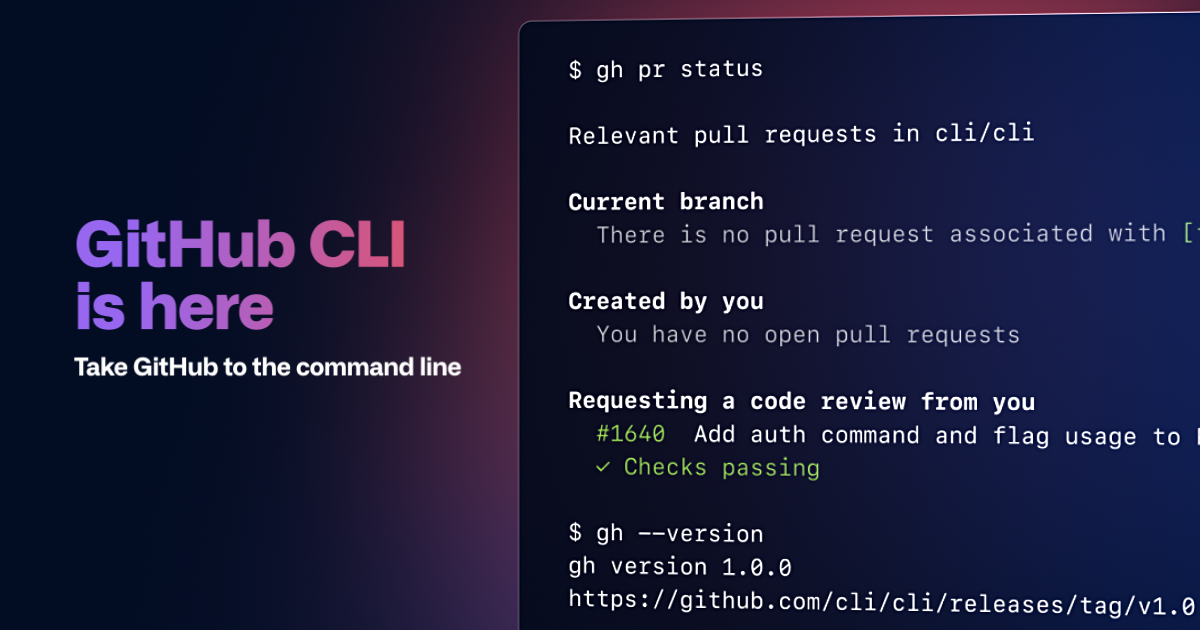
I saw a couple of people talking about how to checkout a PR and I actually didn't know how to do it either before this week. Anyway... while you can do the GIT method git fetch adafruit pull/3580/head:3580-Test (Assuming you have a remote called adafruit) there is also a new (ish) github cli and the command is gh pr checkout 3580 which I think is lovely and almost pythonic in how readable it is. It does other Githuby things, as well so if that interests you.... https://cli.github.com/
 manic glacierBOT
[github continues to confusingly show other changes in the list of changes to be merged, both in commits and in files changed. This started when we changed weblate to merge main rather than rebase, but it's on github to show the net changes correctly. gitk, git log, etc., can all do it.]
 wise shard
I was thinking to extend my personal build of circuitpython to make a method that takes in two hex values. First is target color, second is source or vice versa. And it will swap the color out like the palette does for that instance of the colorconverter. that is REALLY unique maybe to just what I am doing though
Not worth it to PR correct?
especially if its already pushing memory limits haha
 lone axle
@idle wharf that is awesome. Never seen this tool before. But really like the CLI that they've created.
lone axle
Just got all the tools set up and had my first successful CircuitPython build on this new linux PC 🐧  🎉
🎉
manic glacierBOT

In a simple adafruit_requests.get() I am consistently getting a failure.
It seems to be failing in SocketPool not requests so I'm opening this in CP.
I also tried calling print(pool.getaddrinfo('wifitest.adafruit.com', 80)) in my code.py right before the get and it worked 1 time [(0, 0, 0, '', ('104.236.193.178', 80))], but never again... I consistently get the same ESError: 0
I don't seem to be out of memory nor am I getting a memory error as in #3562.
Tested
- My own ...
manic glacierBOT
Because the RADIO in the network setup is not the same in the request... therefore... No sockets.
manic glacierBOT

I came across this odd behavior but for all I know this might be completely working as intended. It does seem a little unintuitive though so I will post regardless.
Using the following code (on a Feather Sense running CircuitPython 6.0.0-rc.0):
import supervisor
import time

time.sleep(1)
print('start')
try:
    try:
        raise TypeError()
    except:
        print('inner-except-1')
        #supervisor.reload()
        raise
        print('inner-except-2')
except:
  ...
I think this is because the reload is internally implemented as an exception.
Note that you should never have a "bare" except like that in your production code, always catch the exception you actually except, or Exception if you want them all. This is because a lot of internals, like KeyboardInterrupt, MemoryError, SystemExit are implemented as exceptions, but you don't want to be catching them.
slender iron
@wise shard it sound like you want something closer to palette. how many colors are in your source image? maybe using palette is the best way to go
wise shard
Can I use palette with ondiskbitmap?
onyx hinge
@slender iron I have a workaround for my can/twai filters problem, but it doesn't make much sense and it's inside the esp-idf. Disabling optimization on one certain function in the esp-idf lets me at least successfully set the ACCEPT_ALL filter, though I still can't change/update the filter at runtime. Thoughts?
blissful pollen
Just curious what IDE/Editor people like to use for CP core? I have linux for windows installed but vi probably won't cut it for larger changes
ornate breach
MU editor for me
blissful pollen
Sorry meant more for working on the core C code. I've been using Mu for the python part
ornate breach
oh lol
Vi is what I use for most C/C++ programming
sometimes I use CLion if I need help with autocomplete
onyx hinge
I use vim for all my editing tasks. I usually/often do my builds inside it too, after :make you can easily (for vim levels of easy) visit the locations where the compiler points out errors; searching the source for text patterns is easy with :grep. I don't use fancier tools like "go to definition", etc.
 low sentinel
Vs code is The Thing To Use with windows subsystem for Linux.
manic glacierBOT
Note that you should never have a "bare" except like that in your production code
Obviously not, I just wanted to make the example as simple as possible.
I think this is because the reload is internally implemented as an exception.
I assumed something like that was going on. I guess the lesson is to be mindful of that and think about how that exception is going to be handled.
One situation in which supervisor.reload() seems to behave differently than a regular exception is wh...
blissful pollen
Thanks guys, just got VS Code downloaded and will try it out
manic glacierBOT
Hi @tannewt ,
Allow me to be quite surprised by your comment or I don't understand it well.
I'm used to do unitray testing by loading modules and manually calling functions from the REPL.
If I can't import a module, I'm not sure to understand what the REPL is meant for.
Thanks
manic glacierBOT

@creston-bob There is a soft solution. An I2C slave is simply a set of shift registers with a state machine. By adding clocks until the SDA goes high, the device can be recovered, and typically no data is lost.
With the psuedo code below I can typically recover the bus in < 1mS, without a reset, it sometimes takes longer and is somewhat device dependent on the size of transactions it allows. This code is being used for an LSM6DSO XL/Gyro
//Set SCL to GPIO Out, Open collector
... supple gale
Thanks guys, just got VS Code downloaded and will try it out
@blissful pollen Under WSL2 I made some small changes to the various Makefile to allow flashing without leaving WSL2. For example for the nrf port I added the following target:
flash-wsl2: $(BUILD)/firmware.hex
    nrfjprog.exe --program $< --sectorerase -f $(MCU_VARIANT)
    nrfjprog.exe --erasepage $(BOOT_SETTING_ADDR) -f $(MCU_VARIANT)
    nrfjprog.exe --memwr $(BOOT_SETTING_ADDR) --val 0x00000001 -f $(MCU_VARIANT)
    nrfjprog.exe --reset -f $(MCU_VARIANT)
This only requires that I have nrfjprog.exe in my Windows path.
I did something similar to the esp32s2 port, using esptool.exe
Just makes it easy for me.
blissful pollen
Thanks @supple gale have to look at that too
slender iron
Can I use palette with ondiskbitmap?
@wise shard No, but if you have few enough colors you can probably load the image into memory
Just curious what IDE/Editor people like to use for CP core? I have linux for windows installed but vi probably won't cut it for larger changes
@blissful pollen I use sublime text but don't use many fancy IDE features
@onyx hinge I don't have any insight. We could turn off -Os if needed
onyx hinge
I don't think we want -O0 😦
slender iron
you could use a pragma to change just the function you think matters
onyx hinge
yes but it's in esp-idf -- are we carrying a modified version of esp-idf at the moment?
onyx hinge
yeah I think that's gotta be the next step
slender iron
we could also have a forked version
I think I found an issue with mixing DMA and non-DMA with SPI
onyx hinge
it's either a bug in the xtensa compiler OR it's a bug in this function that is almost too simple to have a bug OR it's a spooky bug that moves around when only this function's optimization is off
OR something I'll slap my forehead for later, but that's always a possibility
manic glacierBOT
Filters aren't working. This may be a problem in esp-idf, so I've filed an issue there ^^
 atomic holly
Hello
manic glacierBOT
@barbudor I recommend iterating by modifying code.py repeatedly. I'm not personally a fan of the REPL because code is ephemeral. Ultimately, there will always be a limit to what can be imported into the REPL because we have limited resources. When these limits are reached, optimization is needed.
Thank you! Please note Weblate makes it easier to update translations.
@dhalbert It looks like your hunch might be correct!
TL;DR My testing suggests the #3546 commit did introduce the problem. The previous commit passes and the #3546 commit does not.
The Full Version:
I spent yesterday confirming (unintentionally) that this issue doesn't exist in v5.3.1. :-)
This morning I made additional progress and found that with the following program, the issue is reproducible after 50m (maybe less):
import time
print ("Here...")
while True:
...That’s nice if you have I2C circuitry that is accessible from machine code or higher … no doubt this approach you have will work just fine for some microcontrollers but it won’t work universally with all. In the Microchip case I encountered they had posted several software solutions that might work to overcome the problem but the PIC32 chip I was using did NOT respond to ANY of the proposed solutions. That’s why they eventually posted a silicon error for that chip version that could only be ...
@catequalsgood Could you post the version that safe modes? We should make sure it doesn't.
I think we should add to the documentation of supervisor.reload() that it raises ReloadException. (It used to be KeyboardInterrupt but we split it out.)
In general, I'd suggest using explicit excepts even in examples because it's easier to understand and a better habit.
We are planning to try to detect I2C bus hangups at a low level and do a toggling forced reset as necessary. Some of this could be done in a port-independent way, but some of the timeouts need to be done in the low-level drivers for each port. In some cases we have to modify the manufacturer-supplied libraries. See https://github.com/adafruit/circuitpython/issues/2635#issuecomment-589076598.
@robertgallup Any chance you have a debugger you can connect to an M0? That will tell us where it is when it is hung.
Fixed in #3595. Thanks for teaching the class!
You shouldn’t have any problem detecting a bus hangup … as I mentioned, you can do that with a multimeter … but the trick is how to get the I2C port reset back to an IDLE state. Some microcontrollers will likely be easy with a reset signal (or your code-level example), others not so easy. In the mentioned PIC32 case, there simply wasn’t any form of reset signal that overcame the hangup of the I2C silicon circuitry. Obviously, that’s a rare case but it was interesting and instructive. ;-)
S...

On the unix port of micropython, I get an IndexError:
import ulab
>>> a = ulab.ones(10)
>>> a[1]
1.0
>>> a[1.0]
Traceback (most recent call last):
  File "<stdin>", line 1, in <module>
IndexError: too many indices
and in fact, this error message comes from https://github.com/v923z/micropython-ulab/blob/5c75f08118dc871bd3b6c143db6fbbd5ce4d1651/code/ndarray.c#L800. This function (ndarray_get_slice()) is not entirely correct, because it assumes that, if the ind...
manic glacierBOT
I'm not experienced with debuggers, but I have one for Cypress (miniprog3) that looks like it supports jtag. Do you happen to know if this would work for this with generic software? Otherwise, I think I can get ahold of a j-link by Monday-ish.
manic glacierBOT
@jepler, @tannewt, I think https://github.com/v923z/micropython-ulab/releases/tag/0.54.4 should fix the issue.
@kevinjwalters thanks for bringing the problem to the fore!
thorny jay
Here is the notes document for Monday’s CircuitPython Weekly meeting. It is at the normal time of 11am Pacific / 2pm Eastern here on Discord.
@slender iron There is a 50/50 chance that I got it in the wrong direction, but maybe you want to update the next meeting announcement and put a warning.
Europe will move from DST (Daylight Saving Time) to Winter time on October 25. As always, the US will end DST a week after Europe on November 1st.
So for one week only, the usual time of the meeting will be one hour later(?) for European. And the next week it should go back to normal.
Yeah, and maybe a warning for the next one too, as not everybody practice DST...
slender iron
@thorny jay this look right? https://everytimezone.com/?t=5f961180,438

Easily find the exact time difference with the visual Time Zone Converter. Find meeting times for your contacts, locations and places around the world. Never warp your brain with time zone math again.
thorny jay
Yes, so for me (Belgium but like Germany) it is usually 20H00 and this time only it will be 19H00.
slender iron
👍
<@&356864093652516868> Check your time for the next meeting here: https://everytimezone.com/?t=5f961180,438 The US hasn't switched daylight savings time yet so it'll likely be a different time. Thanks to @thorny jay for the heads up.
Easily find the exact time difference with the visual Time Zone Converter. Find meeting times for your contacts, locations and places around the world. Never warp your brain with time zone math again.
slender iron
slender iron
<@&356864093652516868> Check your time for the next meeting here: https://everyt...
lone axle
Timezones and daylight savings are so much fun
slender iron
yuuuup
onyx hinge
The calendar https://open-web-calendar.herokuapp.com/calendar.html?url=https%3A%2F%2Fraw.githubusercontent.com%2Fadafruit%2Fadafruit-circuitpython-weekly-meeting%2Fmaster%2Fmeeting.ical&title=CicuitPython Weekly Meeting Schedule&tab=agenda&tabs=month&tabs=agenda should also show it in your local time zone according to browser or OS settings (the time in UTC is called out only on the weeks when the meeting moves due to the US observation of Daylight Saving Time)
solar whale
Having spent the past 35 years working in GMT, I don't think much about it....
onyx hinge
(er I guess it calls out the time zone offset of "US Eastern")
manic glacierBOT

Typographical and translation errors were changed.
I am re-opening this because I have a consistent repo of a simple case
thorny jay
Yes it works!
@onyx hinge
manic glacierBOT
thorny jay
Timezones and daylight savings are so much fun
@lone axle And presumably EU will stop the DST and it might be the last time we do that change... so if US continue, then this meeting will keep changing for me.
manic glacierBOT
Thank you! In case you are not aware, it is also possible to submit fixes to the translation strings using Hosted Weblate: https://hosted.weblate.org/projects/circuitpython/main/es/ -- you can sign in with your google (or other) account.
blissful pollen
oh no rush but can someone mark that midi PR I put in (https://github.com/adafruit/Adafruit_CircuitPython_MIDI/pull/26) for hacktoberfest. I know its kinda trivial but not sure if I'll get my next one in before the end of october
manic glacierBOT
It's not hanging, though, right? It's just that REPL output is no longer being sent back on USB (but is showing up on the display), is that right?

Works for me on Saola-R. If I read the debug log right, the station is disconnecting (8==disassoc) prior to the abort, but I see no reason why it should.
I'll try one more time with builds off the S3 bucket.
It's not a hang, per se. The REPL is not responsive after I stop the program with CTRL+C. But, if I didn't interrupt, it appears the program would continue running and writing to serial. It might be interesting to see with the debugger what was going on after I did the first keyboard interrupt.
onyx hinge
@blissful pollen should be done
manic glacierBOT
@dhalbert from your comment, "...but is showing up on the display", is there a way for me to see the REPL output on a display (OLED, etc.) rather than over serial?
I mistakenly thought you were running this on a PyPortal or CLUE or similar board with an integral display (which shows the REPL).
manic glacierBOT

Currently the ESP32-S2 port does not support displayio ParallelBus, giving an error:
NotImplementedError: ParallelBus not yet supported
https://github.com/adafruit/circuitpython/blob/main/ports/esp32s2/common-hal/displayio/ParallelBus.c
Comparing the atmel-samd and nrf ports, it seems most of the required updates are in the ParallelBus constructor.
Use of the ParallelBus for displays will be useful in an PyPortal-like device (currently the fastest display speed in the line of Ada...
Regarding debuggers, if you happen to have a Raspberry Pi, I’m currently using one (3B+) to debug CircuitPython on a SAMD51, no extra hardware needed. Can expand if you are interested.
Regarding displays, if you have an external one you can connect, you should be able to get terminalio on the ItsyBitsy M4. Maybe even on the CPX, it looks like there’s a circuitplayground_express_displayio firmware.
atomic holly
Hi, I'm a beginner, I know the basics of python, could I help with something related to programming?
manic glacierBOT
@cwalther please expand! Just a link to instructions would be great.
mental nexus
One random issue to report using the Saola ESP32-S2 development board. I had GPIO pin 0 connected to the input of an LCD display (while checking for ParallelBus support) and whenever GPIO 0 (zero) was connected, then CircuitPython would not boot. Perhaps this pin 0 (zero) is used for the boot sequencing. I seem to recall something about this on Scott’s livestream but don’t recall when, so I thought I would document it here. The schematic shows GPIO0 connected to “IO0_Auto” which is connected to RTS through a transistor and shows a truth table related to the “auto program”. Anyway, just a warning for anyone that sees strange behavior when using GPIO0.
 crimson ferry
Yes, GPIO0 is special and used to select boot mode https://docs.espressif.com/projects/esp-idf/en/latest/esp32s2/api-guides/dfu.html?highlight=gpio0
manic glacierBOT
@anecdata are you seeing https://github.com/adafruit/circuitpython/pull/3580 ?
Kaluga worked better with adafruit-circuitpython-espressif_kaluga_1-en_US-20201023-c676385.bin
I only saw 3 failures out of 20 attempts, and only after a Reset, not a CTRL-D. I wasn't pounding away I waited 5-10 seconds before any reload\reset.
UMFeatherS2_PreRelease adafruit-circuitpython-unexpectedmaker_feathers2_prerelease-en_US-20201023-c676385.bin
Initially, It failed more frequently >50% of ...
I was gathering information from a bunch of places, as far as I remember these were the most helpful ones:
https://learn.adafruit.com/programming-microcontrollers-using-openocd-on-raspberry-pi
https://learn.adafruit.com/debugging-the-samd21-with-gdb
https://iosoft.blog/2019/01/28/raspberry-pi-openocd/
@askpatrickw I haven't spent much time testing #3580. I'm mostly still using rc.0, seeing some "weird things" on certain boards, but need to run them down more.
manic glacierBOT
In general, I'd suggest using explicit excepts even in examples because it's easier to understand and a better habit.
Totally makes sense, will do in the future.
As for the code that triggers safe mode: Even a simple:
import supervisor

supervisor.reload()
raise
results in:
Auto-reload is off.
Running in safe mode! Not running saved code.

You are in safe mode: something unanticipated happened.
CircuitPython core code crashed hard. Whoops!
MicroPython NLR j...@cwalther Interesting, thanks. I'll have to check it out. Also, @dhalbert, your misunderstanding was fortuitous. Thanks to your comment I remembered I have a TFT Gizmo I can connect to my CPX! And, it looks like with the displayio build it displays the REPL... :-)
 sacred socket
Where is the documentation for the CircuitPython libraries? I spend hours searching Adafruit/Github/Google looking for ways to something that would only take a few minutes if I had good documentation of the libraries and their user accessible functions/methods. I'm working on the Clue. I want to use it inverted to display info. I don't think simple_text_display supports that. I know in "graphics mode" the display can be rotated.
lone axle
@sacred socket I usually get to the docs by going to the Github repo for the library and then there is a link along with some of the other "badges" at the top of the readme:
if you click that it will take you to the docs page for that library
sacred socket
I'll check that out.
lone axle
do I understand correctly your intion is to rotate the screen by 90 degrees?
sacred socket
180\
lone axle
The core documentation for Display object here will be helpful too: https://circuitpython.readthedocs.io/en/latest/shared-bindings/displayio/index.html#displayio.Display.rotation
I think you should be able to do something like:
board.DISPLAY.rotation = 180
I've been on some o those github pages. I think I missed the index link at the bottom of the page.
That line look familiar. Thanks for the guidance.
And the readthedocs pages I landed on were less understandable the the github pages.
 modest hazel
Does anyone know a good way to scrape the library, class, attribute, and method/function names from the docs or github for CiruitPython? I'd like to include them in the autoCompleter for the IDE I'm building.
manic glacierBOT

I explored this issue as part of hacktoberfest and found that this is actually an issue with the recommonmark package, and has been fixed (though a new package version has yet to be released):
https://github.com/readthedocs/recommonmark/pull/181
https://github.com/readthedocs/recommonmark/commit/e821106417bddaa76b1808cf4fce7d65d2459dd2
It's probably worth waiting for a new package version.
manic glacierBOT
I remember a similar bug from a while ago where supervisor.reload() would not take effect immediately, but only once further execution hit certain bytecode instructions, like only on function calls or only on ifs or something like that. But that was fixed at some point. Maybe it wasn’t totally fixed or has come back.
manic glacierBOT
Addendum to the original issue: The only reason this does not happen with I2C displays is that reset_board_busses() neglects to check displays[i].bus_base.type to see whether that display slot is still in use and then compares stale data and wrongly concludes that the I2C bus is still in use by the display that has actually been deinited already.
So a proper solution will apply to both SPI and I2C. (Working on it.)
onyx hinge
@modest hazel you want to use the ".pyi" files that are generated during the build process ("make stubs" in the top level directory). I don't know what the plan/story is for having those be available to intelligent editors, but the idea is to work with anything that understands .pyi files, they are a standard in Python.
manic glacierBOT
Right now these artifacts get attached to github actions builds, but are not otherwise available. I don't know exactly how these are usually obtained/downloaded by compatible development environments, so this change may not actually make sense.
manic glacierBOT
A few final data points for now. I connected the TFT Gizmo to the CPX and found the following:
-
Monitoring the CPX program from a serial console, the REPL becomes unresponsive consistent with the other cases.
-
Not connected to a serial console and running the program while monitoring output on the TFT Gizmo, I can connect a serial monitor after 50m and break out to the REPL no problem.
-
Without a program running (i.e. no main.py/code.py), there's no problem entering the REPL af...
manic glacierBOT
@jepler @tannewt After @kevinjwalters pointed out an incompatibility with CPython, I have updated the code, and removed the 0.54.4 release. You should now work from https://github.com/v923z/micropython-ulab/releases/tag/0.54.5.
 marble hornet
@modest hazel and if you need a way to parse .pyi I find the lark-parser python package an all python, easy to use lexer and parser
 manic glacierBOT

Great find, thanks. I nudged them if they might consider a release, this seems to have been the only commit since may.
 opal crystal
I just discovered that when I build CircuitPython for SAMD51 with DEBUG=1, it optimizes out all calls to raise_deinited_error(). I’ve narrowed it down to the -Og flag. Anyone familiar enough with GCC (GNU Arm Embedded Toolchain 9-2020-q2-update 9.3.1 20200408) optimization settings to have a clue why? It seems kinda strange, shouldn’t -Og optimize less than the default -Os?
crimson ferry
Does main run on every reload?
opal crystal
No, it only runs once. Reloads are the infinite loop at the end of main().
crimson ferry
Ah, thanks, that makes sense... was wondering why reload doesn't get my board to a clean state and I have to power cycle
opal crystal
The reason is that certain things such as displays need to be kept working over a reload, and then there are bugs – I’m currently debugging some.
tulip sleet
@opal crystal I have no explanation for -Og messing with raise_deinited_error(). The latter is declared NORETURN (indirectly), but that shouldn't make a difference. You might try disabling -flto to see if it stops the spurious optimization. You could look at the assembly output to see if it's truly disappearing.
arm-none-eabi-objdump -D -Mforce-thumb firmware.elf will generate an assembly listing
i've had some weird experiences with -Og myself, thought I can't remember the details right now.
also i've found it useful to disable inlining when debugging
some of the time
opal crystal
OK, will check -flto. I did check the disassembly (in gdb) – it’s specifically the calls to the various check_for_deinit() that disappear. Apparently the optimizer thinks these do nothing – when I add some mp_hal_stdout_tx_str() calls to either check_for_deinit or raise_deinited_error, they reappear. raise_deinited_error itself still exists in the code and works if I jump to it in the debugger.
tulip sleet
that's upsetting; it's thinking a noreturn has not side effects, which is odd
it's like it's not handling transitive noreturn correctly
opal crystal
I tried adding an explicit NORETURN but that didn’t change anything.
tulip sleet
i wonder if the compiler thinks it is proving that it can never be called
I looked in the gcc bug tracker but I don't see anything recent
opal crystal
Removing -flto -flto-partition=none (but keeping -Og) also makes it work correctly, keeping the check_for_deinit() calls. Let’s see which one turns out more convenient for debugging…
Thanks for the suggestion.
tulip sleet
turning off lto makes the compiles a lot faster 🙂
opal crystal
And the code a lot larger, it barely fits now.
tulip sleet
and then turning off inlining will save on breakpoints, because there aren't multiple copies of a routine. (Turning off inlining should also bring the code size back down somewhat.)
opal crystal
OK, good to know.
tulip sleet
and if you tab-complete in gdb, you won't see all the ".123" style suffixes
manic glacierBOT
The first commit brings board.I2C into the same state as board.SPI by fixing something that was clearly wrong, but by itself caused no severe problems. It thereby introduces the problem described in #3581 for board.SPI also for board.I2C. See commit message for details.
The second commit fixes #3581 for both SPI and I2C.
I found no reason in the code or in the Git history for reset_port() to come before reset_board_busses() in cleanup_after_vm(), so I reversed th...
manic glacierBOT
This looks good to me but I would also like @tannewt to weigh in on the movement of reset_port in particular. Thank you!
Thanks for your careful analysis!
Could you add a comment cautioning that the order of this is important, and why (so it doesn't get undone thoughtlessly)? Thanks.
 lone sandalBOT
 manic glacierBOT

I downloaded adafruit-circuitpython-matrixportal_m4-en_US-6.0.0-rc.0.uf2 and adafruit-circuitpython-bundle-6.x-mpy-20201024.zip tonight for the AdaBox16 that I recieved yesterday. For every query through the esp32 in all the demos (for example the moon phase clock) that I tried I get the following error message: "Socket missing recv_into. Using more memory to be compatible". The demos all seem to work, so maybe it is just a warning.
manic glacierBOT
Yeah, this is just a warning until a different library gets updated. You can ignore.
manic glacierBOT

@cwalther Sorry it has taken me so long to test and get back,
I tested the build with the #3498 fix, and seems to eliminated the issue when I run the code I had sent you.
I do have some concerns however that you have not seen the same memory losses I saw on 6.0.0 beta 2 and previous. the only difference here are some libraries which shouldn't have held onto anything, but perhaps some of the I2C devices may be the culprit. I am reworking my code, and will report back if what I am experi...
Importing libraries will always use up some unrecoverable memory, because strings such as variable names and string constants are getting interned globally.
manic glacierBOT

Adding some more german translations.
ornate breach
@slender iron thanks for your help getting the PID for my board 🥳
slender iron
np! just got admin access so I could correct the CI settings 🙂
ornate breach
Nice! I’m glad you’re in a position now to help speed along the process 😎
I’ll probably have another board to add by the end of the year
m0+fpga board
It’s a work in progress currently so we’ll see if it eek out a prototype by the end of the year
slender iron
🙂
tulip sleet
@indigo wedge The BLE-enabled NINA firmware build is now working. See the latest https://github.com/adafruit/nina-fw. Here's a build:
I tested this on a Metro M4 Airlift, and also a plain Metro M4, wired to an AIrlift breakout. Here's the test program for the breakout:
You can determine the wiring from the call to ESP32() in that program. If you run that program, and then use the Adafruit Bluefruit Connect app, and choose the UART page, you should see it echo.
 indigo wedge
Thanks! 🙏
indigo wedge
heh, of course 😄
tulip sleet
libraries are all the latest
indigo wedge
I'll try it out on wednesday 😄
tulip sleet
this impl is ONLY peripheral. Central doesn't work yet.
np
(I mean the _bleio HCI impl in CPy. The firmware is the usual complete version.)
thanks for testing; no rush
solar whale
@tulip sleet Yay! I was able to build NINA 1.7.1 and it worked on my metro_m4_airlift_lite -- thank you! Tested Wifi and BLE
manic glacierBOT
 prime flower
@solar whale I'll ask @tulip sleet but we should do a release of 1.7.1 if OK
solar whale
agreed!
tulip sleet
@prime floweru I was going to ask you if I should do a release or you had something else you were working on. If not, I'll do one right away.
prime flower
not working on anything in nina-fw rn, go ahead!
tulip sleet
GitHub
NINA-fw can now be started in BLE mode, and is set up to work properly on Airlift boards and breakouts.
Installation
Follow this guide on the Adafruit Learning System to learn how to upgrade the fi...
 ionic elk
Ok! I am back!
@slender iron thinking of tackling F1 and i.MX1050 support before jumping into TouchIO (review + STM32 version), what are your thoughts?
prime flower
welcome back
onyx hinge
hi @ionic elk !
 idle owl
@slender iron @onyx hinge I updated the CP Weekly notes template to include the blurb at the end of Community News about where it's from and how to contribute. We keep adding it manually, and I keep forgetting to add it. It's in there now.
manic glacierBOT

PR #3487 introduced some changes to the ESP32-S2 readme clarifying our temporary use of a forked ESP-IDF, and was understandably derailed when we switched over to the Espressif IDF in #3492 and #3519. This PR recreates a couple of small but important fixes from that PR:
- Fix the ESP-IDF link so it points to the correct documentation page (link was erroneously for ESP32, not ESP32-S2).
- Note that you must add environmental variables to your path after installing for the first time.
idle owl
The CircuitPython Weekly meeting is in approximately 2 hours and 40 minutes. Remember that the US hasn't entered Daylight Saving Time, so the actual time may differ for you from usual. Everyone is encouraged to attend! Please add your status updates and hug reports to the notes document, even if you'll be attending. If you're going to join up but not participate, please add your name alphabetically under Hug Reports and Status Updates with (lurking) after your name so we know to skip over you. Updating the notes doc is super helpful for us! Hope to chat with you soon! <@&356864093652516868> https://docs.google.com/document/d/18_xIL_UX_ojVDne1Huz6cv13ZzVIgN2Wap_SgbzU3w4/edit

Google Docs
CircuitPython Weekly for October 26th, 2020 Welcome to the CircuitPython Weekly meeting notes! Feel free to add your Hug Reports and Status Updates early. During the meeting, we go through them as a round robin sorted by username. If you can’t make the meeting and would stil...
ionic elk
quest me
 meager fog
neopixels for esp32(s2) work amazing in circuitpython
but NOT in arduino
because we dont use the RMT periph
folks keep asking us to use RMT in arduino and im like "plz PR" and noboby PRs
ionic elk
You want em for arduino?
ionic elk
im on it
meager fog
you rock!
GitHub
Arduino board: HUZZAH32 (ESP32) IDE version: platformio 3.5.2a7 I have 2 pixels (Breadboard-friendly RGB Smart NeoPixel) connected in series to the ESP32. No matter what I do, the first led (pixel ...
GitHub
On the ESP32, an extra delay of about 5 microseconds is inserted into the signal output every millisecond. This is far outside the Neopixel timing tolerance of 150 ns, so it leads to incorrect valu...
ionic elk
I gotta work on my Arduino chops again
I'm a little more up to speed since I gotta use them for my uncanney eyes fork
actually... maybe I should port it to ESP32-S2?? 🤔
manic glacierBOT
I've successfully worked around the apparent code optimization problem and tested that this can interoperate with the SAM E54 canio implementation.
ornate breach
Imagine being summoned by the Adagods for a quest 😎
meager fog
@ionic elk here's some inspiration https://github.com/FastLED/FastLED/tree/master/platforms/esp/32

GitHub
The FastLED library for colored LED animation on Arduino. Please direct questions/requests for help to the FastLED Reddit community: http://fastled.io/r We'd like to use github "...
idle owl
@gilded cradle Hey do you happen to have calipers and a 1.3" Pi MiniTFT? I need to know what size the mounting holes are. It's unclear in Eagle.
 gilded cradle
Yeah, let me check. You mean the breakout?
idle owl
It's a little display with half of a Pi header on it.
Hold on I can link to the product.
gilded cradle
Oh pi mini tft. Let me dig it out.
idle owl
This one: https://www.adafruit.com/product/4484
If you're looking for the most compact li'l color display for a Raspberry Pi (most likely a Pi Zero) project, this might be just the thing you need!The Adafruit Mini PiTFT - ...
gilded cradle
Found it...
gilded cradle
it looks about 0.9 inches. Is it not in eagle though?
idle owl
Would it be listed somewhere? Maybe I don't know how to find that info.
gilded cradle
Hmm, it doesn't look like there's a fab print onthe product guide
idle owl
That's what I'm working on 😄
I couldn't tell in Eagle what was the mounting hole and what was indicator information.
gilded cradle
Oh, ok. That makes more sense.
idle owl
Thank you!
gilded cradle
yw
tulip sleet
@gilded cradle is it 0.09? 0.9" seems large 🙂
gilded cradle
They're 0.9" apart. I think I misunderstood the question. Let me re-check...
tulip sleet
either is plausble. Both measurements are certainly useful
gilded cradle
@idle owl if you meant hole diameter, they're measuring at 0.1135 inches for me.
idle owl
I did mean diameter. I'll go back and look again at what comes out to that much. Thank you again!
idle owl
Yeah, I went with inches. Because there are other dims that are more even in imperial.
gilded cradle
Oh, ok
idle owl
0.12 inches fits the blue outline on the mounting hole in Eagle, so I'm going with that. There's only 2 digits of precision.
gilded cradle
Yeah, we're putting a part that's in imperial onto a board that's measured in metric.
idle owl
Right.
gilded cradle
So it's an adapter of sorts.
idle owl
Fixed. Thank you.
gilded cradle
yw
ionic elk
@slender iron are you online?
slender iron
yup, in a meeting though
ionic elk
Well, whenever you get a sec, I was wondering what the difference was between the shared-bindings functions for SPI and UART - UART's read functions are WAY simpler, and I was wondering if it's possible to use that syntax by default or whether it depends on something else (like stream)
they don't do arg parsing or anything
slender iron
right, uart uses the stream protocol to do most of it
meager fog
@idle owl you can find eagle drill sizes with the (i) tool
the drill may be in inches or mm, based on what the file was saved as - you can figure which!
@idle owl make sure holes layer is on -
idle owl
@meager fog Oh... maybe the layer wasn't on. I tried using that and wasn't getting anything useful.
blissful pollen
@slender iron no rush on an answer but working on busdevice and is it better to submit a PR earlier or wait? I've got most of I2CDevice done (not polished) and still have SPI to do
slender iron
earlier is always better. draft status is handy for it
ionic elk
@blissful pollen is busdevice for devices as peripherals?
because I'm working on SPIPeripheral at the moment
(IE SPI slave support)
blissful pollen
I'd have to check with @slender iron to be certain. I saw people were talking about the busdevice python library and it had been talked about being moved to the core. It more just lets you use it with "with" to take advantage of__enter__ and exit to lock the I2C bus for example
idle owl
@ionic elk It's the Adafruit CircuitPython Bus Device library moved to the core.
ionic elk
Oh gotcha, nothing to do with slave/peripheral mode then
blissful pollen
So now that i'm curious what's the SPI peripheral mode do?
manic glacierBOT
CI didn't actually fail here, seems like a QTPi problem
ionic elk
@blissful pollen it allows you to set up circuitpython as an SPI peripheral/slave, so it responds to commands from a host/master device.
 modern wing
Happily lurking today, updated the notes doc to reflect as such. 
 trim elm
lurking
 balmy stirrup
yes
onyx hinge
We're wrapping up our internal meeting, be along soon!
idle owl
We'll be starting a little late, apologies, folks.
 old smelt
lurking
slender iron
you can blame me for being late
onyx hinge
If you'll be speaking in the meeting, but haven't added yourself to the notes doc yet -- please do that now. If you can't add yourself for any reason, let me know and I'll add you.
idle owl
I need to get water. I'll be there in a minute.
 turbid radish
Lurking
balmy stirrup
lurking
tidal kiln
lurking
onyx hinge
@balmy stirrup small request -- when adding yourself to the notes doc, follow the alphabetical order of your Discord name -- i.e., put it under "K" for Kevin, not "m" for "mytechnotalent. I'll move it this time. Thanks!
thorny jay
lurking, updated the notes... but I did nothing noteceable, so just Hug report.
balmy stirrup
oh ok will do @onyx hinge
modern wing
@thorny jay Sometimes it's the things that aren't noticed that matter the most 🙂
solar whale
we hear you Kattni
modern wing
We heard you before, but now you're blinking but nothing is coming through 😦 @idle owl
idle owl
I can hear audio effects but no voices.
slender iron
mac has two different audio settings
modern wing
Which feels like me before having a coffee/tea most mornings -- "blinking but nothing is coming through."
 uncut nexus
Kattni - we hear you
solar whale
We heard Okay
turbid radish
Can hear you
thorny jay
Local beep are local... but maybe you don't get our "packets".
gilded cradle
@onyx hinge was your band's old name "Reverse Polish Notation"?
modern wing
The band has a lot of excellent name changes 🥁
slender iron
jeff or I can run the meeting
tulip sleet
maybe switch to the browser client?
onyx hinge
@gilded cradle I didn't know anybody even listened to Reverse Polish Notation
 inland tusk
I have had this problem. Restart discord
solar whale
Please respond if you cant't hear this 😉
onyx hinge
"If you're not listening then don't nod your head"
turbid radish
Audio is write only
tulip sleet
Reverse Polish Notation songs are Chorus Chorus Chorus Verse Verse
all the bridges are at the end, too. instead of A bridge B, it's A B bridge
tulip sleet
just doing stand-up comedy while the stage crew fixes things
solar whale
like singing Forth
idle owl
You can't hear me now.
modern wing
👏 @tulip sleet Lovin' the pre-show entertainment.
thorny jay
Does anybody know if I can get a "level of shake" for the Feather nRF52840 Sense (or any of those sensor)?
Go
inland tusk
got it sorry about that
gilded cradle
My computer crashed hard. I may be a bit before it’s back online.
lone axle

Extension for Visual Studio Code - CircuitPython for Visual Studio Code

GitHub
VSCode extension for Adafruit's CircuitPython. Contribute to joedevivo/vscode-circuitpython development by creating an account on GitHub.

The Official Microsoft Blog
This summer, Microsoft launched the Global Skills Initiative aimed at helping 25 million people worldwide acquire new digital skills. And since that announcement, we’ve helped 10 million people gain skills to better navigate digital transformation. We believe it’s imperative t...

Like Fei Fei, use data to plan your own mission to the Moon. Ensure that your rocket can not only get you there, but also bring you and all your Moon rocks safely back to Earth.
gilded cradle
Back online
lone axle

Learn how to use concepts from machine learning to predict the occurrence of meteor showers (or Moon Goddess tears).

Use the Custom Vision service to analyze images of animals, like Bungee, without ever writing code.


Now we’ll see how much my students sanitize tomorrow when we keep score.
Big thanks to @johnedgarpark, @makermelissa, @brentrubell and all CircuitPython devs. The @adafruit #MatrixPortal is awesome. https://t.co/5HVNdngSYA
Twitter
onyx hinge
ooooh that is neat
lone axle


Mini weekend make: done! ✅ Because my bf’s mom’s deserves a happy rainbow bday! 🥳🌈 I love being able to express my love & creativity w/ a gift 🎁
Made with @adafruit neopixels + #circuitpython on ItsyBitsy M4 Express, lasercut maplewood on @glowforge.
Quick build thread!👇🏼...
Twitter
onyx hinge
Tag @anne_engineer on Twitter, or email anneb AT adafruit.com!
 lapis hemlock
What is the deadline?
onyx hinge
@lapis hemlock there's always next week 🙂 🙂
lapis hemlock
Beginning when?
gilded cradle
It is
onyx hinge
My understanding is this week's is basically finalized at this point
lapis hemlock
OK.
turbid radish
Deadline should be Monday at 8am US Eastern time
onyx hinge
Thanks Anne
lapis hemlock
Thanks! I will shoot for next week, then.
onyx hinge
GitHub
A CircuitPython library for working with the MCP2515 CAN bus controller - adafruit/Adafruit_CircuitPython_MCP2515

The easiest way to program microcontrollers
At contributing, you can also find a link for how to use Weblate to contribute translations of error and control messages in the core.
modern wing
👍 to those who contribute!
onyx hinge
@grim dagger will you be speaking today?
 grim dagger
Lurking
onyx hinge
Thanks!
manic glacierBOT

The issue is that we are sitting in port_sleep_until_interrupt() until the sleep duration expires. Looking at port_interrupt_after_ticks(), which sets the duration, I see that portTICK_PERIOD_MS = 10. Looks like that is being configured to "1000 / configTICK_RATE_HZ " in esp-idf/components/freertos/xtensa/include/freertos/portmacro.h. If we just use 1000 in port_interrupt_after_ticks() instead of portTICK_PERIOD_MS then ctrl-c works OK; but I am not sure how that might affect anything else.
onyx hinge

Adafruit Learning System
Remember to take breaks and stay hydrated!
it is a cute build
tidal kiln
yah. that's neat!
modern wing
Ooo, looking forward to the battery guide 🔋
blissful pollen
And now talking in my first meeting 🙂
lone axle
Very interested to see bus_device move into core. Thanks for working on that!
slender iron
we do have aesio already: https://circuitpython.readthedocs.io/en/latest/shared-bindings/aesio/index.html
@ionic elk ☝️
lapis hemlock
@onyx hinge Thanks a lot, I have forgotten to mention this in my hug reports!
lone axle
Well worth the risk 🧇
slender iron
to fend off the waffles
onyx hinge
It was so good. His waffle recipe is amazing and with cinnamon apples you can't go wrong.
modern wing
I have butter and maple syrup. I'm comfortable with that level of risk.
onyx hinge
and platform_support etc ?
https://github.com/adafruit/adabot/ I didn't see the issue
lone axle
Gotta jump out for now. Thanks all 👋
onyx hinge
@lapis hemlock https://stackoverflow.com/questions/6387614/how-to-determine-maximum-stack-usage-in-embedded-system-with-gcc may have useful info

Stack Overflow
I'm writing the startup code for an embedded system -- the code that loads the initial stack pointer before jumping to the main() function -- and I need to tell it how many bytes of stack my applic...
gilded cradle
@tulip sleet, I created a new issue at https://github.com/adafruit/adabot/issues/190
GitHub
See #119 (comment) for more information. Here's a list of librariesthat shouldprobably be included for any github PRs/issues: https://github.com/adafruit/Adafruit_Python_PlatformDetect http...
lapis hemlock
@lapis hemlock https://stackoverflow.com/questions/6387614/how-to-determine-maximum-stack-usage-in-embedded-system-with-gcc may have useful info
@onyx hinge Indeed! Many thanks!
Stack Overflow
I'm writing the startup code for an embedded system -- the code that loads the initial stack pointer before jumping to the main() function -- and I need to tell it how many bytes of stack my applic...
tulip sleet
@gilded cradle so did I 🙂
gilded cradle
Ok, yours got in first, so I'llupdate that one
tulip sleet
the links are good, I just put in names
solar whale
@blissful pollen Thanks for taking this on!
blissful pollen
welcome. I heard people talk about it a lot and it's a good module take the next step on
onyx hinge
Thanks everyone!
 analog bridge
Thanks!
onyx hinge
gilded cradle
Thanks
modern wing
Thanks!
thorny jay
Bye
idle owl
@slender iron So far so good. I think the recording was successful. Thanks for recording a backup.
slender iron
great! np
solar whale
The "haxpress" is a really useful feature for QTPy
idle owl
@solar whale Entirely.
idle owl
Here is the notes document for Monday’s CircuitPython Weekly meeting. It is at the normal time of 11am Pacific / 2pm Eastern here on Discord. Everyone is encouraged to attend! Please add your hug reports and status updates even if you’ll be attending the meeting - it’s super helpful! If you are unable to attend but would still like to include updates, feel free to include them in the notes and we’ll read them off during the meeting. Hope to see you there! <@&356864093652516868> https://docs.google.com/document/d/1P6H-XeIR68ckTJ6Qh26_rQR-8jjx2X4vtz4-OaripvY/edit

Google Docs
CircuitPython Weekly for 2 November 2020 Welcome to the CircuitPython Weekly meeting notes! Feel free to add your Hug Reports and Status Updates early. During the meeting, we go through them as a round robin sorted by username. If you can’t make the meeting and would still l...
idle owl
idle owl
Here is the notes document for Monday’s CircuitPython Weekly meeting. It is at t...
manic glacierBOT
We should package the stubs and release them on pypi. I think that's the normal way IDEs use them.
ionic elk
Oh dang it I missed the meeting, I'm sorry. I completely flaked, not in the right mindset yet from the last week.
@slender iron when we talked about crypto, were you thinking of just implementing AESIO on STM32/ESP32 then?
or did you have anything else in mind?
idle owl
@tidal kiln What's up?
tulip sleet
@idle owl do you know who made this graphic? It's in the Airlift breakout guide. I need to edit it to add BLE info. Tnx
idle owl
@ionic elk No worries, we read off your stuff. It takes time to get back to things.
@tulip sleet No idea, I think it's someone outside of Adafruit who was making them. Ping Limor I guess.
slender iron
@ionic elk you should definitely start with aesio. I had forgotten it was added last time we talked
it's not a priority though
manic glacierBOT
ionic elk
Sure. My top thing right now is getting the RMT into Arduino as per Ladyada's request, along with wrapping up old PRs
slender iron
the f1 and 1050 old PRs?
ionic elk
after that though my priority list has TouchIO for STM32 and then it's a bit open ended
slender iron
what's left on them?
ionic elk
F1 needs a simple fix but lots of testing
slender iron
-S2 work is more important than STM32
ionic elk
Mark Olsson figured it out, it's an interrupt thing related to FS USB
tidal kiln
@idle owl seeing possible confusion when installing CP libs - files vs. folders. like when theres a library folder foo with foo.mpy, foo_helper.mpy, foo_someotherfoo.mpy, etc. sometimes only foo.mpy is getting copied over, instead of entire folder when the guide instruction say you need library foo
slender iron
k, if you can do a quick fix and then we can merge that's ok
ionic elk
My OG plan was to do TouchIO for ESP32-S2 but I saw Microdev was already on that
slender iron
not worth spending a lot of time on though
ionic elk
Do you have other stuff you'd like ASAP for ESP32-S2?
slender iron
arduino neopixel is top priority
idle owl
@tidal kiln I thought we were pretty clear about when it's a folder and when it's a file.... What do you suggest?
slender iron
then networking API expanding and fixing would be good
we could add the socket APIs to be a server and do UDP
ionic elk
ok, I'll do some reading about that
manic glacierBOT
idle owl
@tidal kiln e.g. the page I'm working on:
Is how I do it, I thought. Perhaps I haven't been consistent. Or maybe it's different when it's a huge list and I don't specify for each one.
tidal kiln
updating guide here:
https://learn.adafruit.com/welcome-to-circuitpython/circuitpython-libraries#installing-the-circuitpython-library-bundle-2977975-5
to be more explicit about copying entire folder. i'm willing to do the update if you want.
tidal kiln
i think i'm dealing with a case where only adafruit_io.mpy was copied over - not the entire adafruit_io folder
idle owl
Oh yeah, that's not clear at all. 😕
@tidal kiln Updating the main guide is good, but that page should also be made clearer. like neopixel.mpy and adafruit_io/ with the .mpy and / added.
Might still not be enough, but it's going to help someone I would think.
tidal kiln
yep. having the guides be more verbose and say "folder" etc. would be great, but it's pretty hit or miss.
ok, i'll update the main guide and let you know so you can review.
idle owl
Cheers. Appreciate it.
 tame hatch
Helloooo! I have a question, but I'm not sure what the right channel to ask it may be. I have a Matrix Portal that I may or may not have gotten from a recent adabox...
I'm reprogramming it using circuitpython, and am registering button presses from the hardware buttons
are those buttons also available via the gpio pins? or are they just a dedicated thing?
tidal kiln
idle owl
@tidal kiln I will also mention the issue to Anne since she QAs all the guides.
tidal kiln
ok. kind of different form of QA. something you wouldn't really think of until it happens in the wild.
idle owl
Right, but she would be the one who could cause clearer wording to begin disseminating through the guide world. Not really reasonable to tell everyone individually but if she knows, and agrees, she can catch it on review and let folks know then. Then we get the word out.
tidal kiln
gotcha. for new guides. yah. good idea.
idle owl
Yep.
manic glacierBOT
@kmatch98 I think the first step would be to bitbang it like SAMD and nRF ports do. I2S allows for DMA but we don't need it at the start.
idle owl
@tidal kiln Do you have a moment to approve a bundle PR?
tidal kiln
maybe. send link. i'll take a look at least.
idle owl
GitHub
Also updated order to alphabetical. And added SH1107 to drivers.rst which got missed when the lib was added apparently. (The changes were still in the file locally.)
manic glacierBOT
Importing libraries will always use up some unrecoverable memory, because strings such as variable names and string constants are getting interned globally.
What do you mean by unrecoverable? Interned strings should be reset on reload because the string pool lives on the heap.
tidal kiln
@idle owl done. forgot, those are basically just text additions. not like code. easy mcpeasey.
idle owl
Thanks so much! Yep, nothing to it.
manic glacierBOT
This looks really good to me! I think we'll want this in 6.0.x though and then we can merge 6.0.x into main.
tidal kiln
@idle owl kept it simple, just added a blue info box:
https://learn.adafruit.com/welcome-to-circuitpython/circuitpython-libraries#copying-libraries-to-your-board-2978253-18
manic glacierBOT
Would you mind rebasing onto 6.0.x and then changing the PR's base? Thanks!
idle owl
Good idea. Looks good. Maybe change "subfolder" to "folder" though, because it's not really a subfolder when you're looking to copy it? @tidal kiln
tidal kiln
yah. that sounds better. changed.
idle owl
Great! Thank you for taking care of this! I talked to Anne, she'll screen for wording in future guides.
manic glacierBOT
@DavePutz I think the issue may be that USB doesn't interrupt us because it is handled in a separate task. I think we'll need a freertos primitive to wait on with a timeout that matches the sleep time. The primitive can be used by the USB task to wake us up early.
We'll want to rely on FreeRTOS to wait so that it can automatically light sleep.
Please leave this. --no-stub is required for the native USB bootloader.
Nothing major. Just a couple spots that need explanation. Good job getting it going!
@sw23 thank for looking into this! Please feel free to mention me on any PRs to circuitpython or libraries that you want to count for Hacktoberfest.
slender iron
anyone on to approve https://github.com/adafruit/circuitpython/pull/3609 ?
blissful pollen
@slender iron if the role you gave me lets me, do i just go to the review and approve in the review changes box?
slender iron
@blissful pollen I can give you review access to circuitpython. it isn't the same as the libraries
blissful pollen
If you want to, sure
slender iron
gamblor21 right?
blissful pollen
yes
manic glacierBOT
 slender iron
you should be able to merge too
blissful pollen
Says not authorized, i'll try relogging
manic glacierBOT
blissful pollen
Yup worked
slender iron
🎉
 ionic elk
I notice that on the latest version of the docs, all of the BusIO objects have been moved onto a single page. Is that a bug, or a style change?
slender iron
it's an artifact of moving to pyi stubs
slender iron
@supple gale you were testing the s2 with a display right?
supple gale
Yes, at least attempting to 🙂 @slender iron
supple gale
great. once its available i'll dust off my setup. Thanks,
slender iron
just about to push it

GitHub
CircuitPython, an education focused port of MicroPython. - tannewt/circuitpython
supple gale
i'll give it a try later tonight
slender iron
thanks! opening a PR now
manic glacierBOT
- Also fix SPI on the ESP32-S2 when switching between DMA and non-DMA transmits.
EInk Portal name subject to change!
components/hal/include/hal/twai_types.h:#define TWAI_TIMING_CONFIG_1MBITS() {.brp = 4, .tseg_1 = 15, .tseg_2 = 4, .sjw = 3, .triple_sampling = false}
This macro expands to a braced initializer. In C, return {.brp = 4, ...}; is not syntactically valid (nor can you assign it, which is why I wrote squirrely code below when assigning f_config as well). Typical error if you try it:
common-hal/canio/CAN.c: In function 'get_t_config':
common-hal/canio/CAN.c:45:16: error: ex...twai_stop returns an esp_error_t. However, nothing useful can be done in the presence of an error. For instance, we can't throw here. While ignored return value diagnostics are apparently not enabled, casting the non-void return to void is a way to be explicit that we discard the return value.
Ah! Makes sense then. Please add a comment in the code detailing that.
This should not have been added. Will revert. It's good to understand why --no-stub was specified, thanks for the explanation.
supple gale
@slender iron Works! Thanks.
slender iron
great!
analog bridge
@slender iron @ionic elk In case you missed, I marked the TouchIO PR ready for review.
ionic elk
@analog bridge great! will try
manic glacierBOT
Moving the Bus Device library into the core. This is a direct translation of the python into C to hopefully achieve some speedup and potential size reduction.
idle owl
@lone axle Have you submitted a library to the bundle before?
lone axle
@idle owl I haven't
idle owl
Second question - have you linked to the MONSTER M4SK lib very many places yet? Because the actual product is in all caps. We should rename the repo if it's still ok to do so.
lone axle
I haven't really linked it anywhere except in the discord here once or twice. I think its probably fine to change it now.
idle owl
Or maybe not.. because camelcase makes it clear it's two words. What do you think? I'm not sure it matters.
I'll leave it up to you, should we leave it or match the product name?
lone axle
Lets go ahead and rename it. I definitely just autopiloted the name without considering the marketing used for the actual project.
idle owl
Right on, alright. Will do.
@lone axle Let me know if/when you have maybe 15 minutes today and I'll walk you through adding the lib to the bundle.
lone axle
okay will do. it'll be a couple of hours most likely on my end.
idle owl
No worries, that works for me as well.
manic glacierBOT
Thank you for doing this! I did a preliminary look, even though this is a draft.
You can remove this intermediate variable and just check status directly.
Use MP_OBJ_TO_PTR() when you pass an mp_obj_t down to a common_hal routine. In practice it makes no difference, but we might eventually have more strict type-checking.
This code fragment is repeated at least one other place and could be refactored into a single static checking routine, to save space. When you add SPI, I think there will be more places.
BTW, If your editor has the features or a plug-in, set it up to make sure there's a newline at the end of the file, and also to delete trailing whitespace on each line, either via a command or on save (more convenient). Emacs can do this automatically, and I've seen that some editors can do this too.
Thanks! I have some areas of improvement to suggest.
Shouldn't status be checked here, in case the write fails? Maybe if (status) { return status; }
The __ indicates that __probe_for_device is not intended to be used from outside the class. Therefore, it should not appear in the dict. Instead, as you've done, the implementation of busdevice_i2cdevice_make_new would call the C function directly.
This may need to be CIRCUITPY_BUSDEVICE ?= $(CIRCUITPY_FULL_BUILD)
@jepler I thought the equivalent of mp_handle_pending() was originally a part of running background tasks. If not, maybe we need to add it, since there are many places where these busy-wait loops should be interruptable.
blissful pollen
@tulip sleet @onyx hinge Thanks for the reviews, some were questions I for sure had, some were things I did not know. Don't think anything will be a tough fix. I did want to get I2CDevice out first before I started on SPI to learn for that
onyx hinge
Overall it looks good, happy to see the progress
@tulip sleet I would have to refresh my memory further about RUN_BACKGROUND_TASKS vs mp_handle_pending(). There's at least one place we do both right next to each other but I wrote it so it could be my misunderstanding
ionic elk
@meager fog is there support for the ESP32-S2 with arduino yet?
analog bridge
@ionic elk Yes... https://github.com/espressif/arduino-esp32/tree/esp32s2
GitHub
Arduino core for the ESP32. Contribute to espressif/arduino-esp32 development by creating an account on GitHub.
ionic elk
Hmm, can I check out core branches after installing with the board manager?
Is there a git repo sneakily cloned in the IDE files somewhere?
Or do I gotta clone, checkout and install myself?
slender iron
I think you need to install yourself
ionic elk
blegh
analog bridge
After installing using boards manager... you need to replace the files in packages/esp32 directory with the files in esp32s2 branch
tulip sleet
we might have a guide explaining this; i'm looking
I might be thinking of this guide, which may not be that helpful: https://learn.adafruit.com/using-board-package-tool-to-update-adafruit-arduino-packages
ionic elk
Also, it's getting increasingly off topic for this channel, but the arduino IDE seems... slower... than I remember. Do most of you use the CLI?
takes a good 8 seconds just to open the preferences
 blissful palm
Is there a feather board/Peripheral matrix/compatibility somewhere on Adafruit?
ionic elk
blissful palm
I.e. showing which pins are used etc..
tulip sleet
in general, all the featherwings are compatible with all the feathers, by design
ionic elk
Though you can't always combine different featherwings together cleanly - that's actually a chart I'd like to see
what featherwings can and can't be used simultaneously
blissful palm
Yeah I'm thinking about pin usage really here
ionic elk
So, like, an ESP32 coprocessor along with a logger or sensor featherwing? something like that? I think you have to go case by case
blissful palm
I would just love a matrix of pins used by peripherals, that would be a great start
From that working out combinations is simple
tulip sleet
that is an interesting idea, sometimes they are changeable too
ionic elk
Not sure exactly what that means - different feathers will have different peripherals based on the core they use. They just get arranged to the same places on the Feather so they're all compatible in similar ways
tulip sleet
for specialized featherings that are not just I2C or SPI, you often wire up jumpers from function pads to the pins you want to use
they try not to grab specific pins arbitrarily
blissful palm
sure, that makes sense especially for CSx like fuunction
ionic elk
@tulip sleet I think both the screen featherwings and the ESP32 coprocessor both have specific non-Busio pins that they claim
I designed my motor featherwing to have a couple options to work around which one you use
tulip sleet
ionic elk
Right, it'd be nice to have a chart showing which other featherwings the Airlift can work with. I think it works with the screen one, though I don't totally remember. But there are others I know it conflicts with
tulip sleet
i think part of the issue here is just having enough room to be able to select pins. The simpler featherwings have more room to assign pads
ionic elk
like a big ✅ and ❌ grid
idle owl
@tulip sleet I swear you messaged me yesterday about a Fritzing diagram but I don't see it now.
tulip sleet
@idle owl i did but I solved my own problem. It was a lot easier than I thought, so I just deleted the message. I don't understand why the Feather M4 fritz doesn't start out aligned properly, though
ionic elk
Could always have a "remap" featherwing haha
idle owl
@tulip sleet Fritzing is dubious at best. There is no understanding to be had.
ionic elk
that has isolated pinouts on the top and bottom and a bunch of jumpers you can use to map any pin to any other pin
idle owl
Good you got it sorted though.
tulip sleet
i took the plunge, and I am saving constantly. you are using 0.9.3b right, not the for-pay 0.9.4?
idle owl
I dug through their GitHub and found a dmg for 0.9.5 and am using that.
tulip sleet
also when I took a screenshot in fritzing it added a logo, I can just edit that out, or take my own screenshot externally
idle owl
Was thinking I'd go look again today to see if there are any new ones.
We leave the logo in when it fits.
If it makes the image too big or doesn't crop with it in there, we remove it.
But no, I'm not paying for it.
idle owl
The less crossed wires the better, but sometimes it's unavoidable. Otherwise no, not missing anything. Be aware when you put that in a side2 in Learn, it won't be able to crop it and include the whole image - you need to make the canvas taller so the side2 image processor can fit it all in there.
tulip sleet
def, thanks. this is complicated enough that I'm not going to side2 it. I made the pin assignments match something else, but it's pretty hard to avoid crossing in this case, which is why I spilled into the whitespace
idle owl
Spilling off the board is fine. I do it all the time.
If you want, I can do a little tweaking to it if you send me the file.
tulip sleet
idle owl
Also this: https://github.com/fritzing/fritzing-app/releases It's available on their GitHub if you look for it. I'm not sure where I found 0.9.5 now though. I can't find the list I went through.

GitHub
Fritzing desktop application. Contribute to fritzing/fritzing-app development by creating an account on GitHub.
tulip sleet
but don't feel obligated. I'll see your adjustments and try to model them later. I tried to make the takeoffs from the feather be perpendicular. I should probably try the same on the breakout
idle owl
Tweaking it now 🙂
@tulip sleet
It's like playing a video game. The more you play it, the easier it gets to know where things are and what will happen, but on the first try you get clobbered by a barrel no matter what.
tulip sleet
thanks!! much more attractive and parallel wires, and no overlapping the breakout
idle owl
You're welcome!
manic glacierBOT
@jepler Please take a look at this. It should be a simple review.
Thanks, looks good to me!
crimson ferry
re: Airlift featherwing compatibility... are there any wings that don't work with Airlift? All of the displays are either I2C or use pins 11 and below. Airlift uses SPI + 11,12,13., so the red LED is the only thing it conflicts with. Adalogger is fine with Airlift. Adalogger and TFTs conflict when stock, but can be re-jumpered.
ionic elk
@crimson ferry I might be thinking of a TFT and something else, it's been a while
hence, the usefulness of a chart
blissful palm
Also what pins you are left with for your application
How do I find out which pins the eInk uses https://www.adafruit.com/product/4777#technical-details?
Easy e-paper comes to your Feather with this breakout that's designed to make it a breeze to add a monochrome eInk display. Chances are you've seen one of those ...
Obviously the SPI pins but which others
 stuck elbow
GitHub
e-paper display driver for Arduino. Contribute to adafruit/Adafruit_EPD development by creating an account on GitHub.
@blissful palm ^^
blissful palm
Which is pin 7?
manic glacierBOT
I ran this on Ubuntu 20.04 on a Metro M0 Express with 6.0.0-rc.0 for 6500 seconds, and was able to ctrl-C it at that point:
>>> while True:
...     print(int(time.monotonic()))
...     time.sleep(10)
...
I could try again with a CPX, but I'm wondering if I should try this on another OS.
@robertgallup This failed for you on MacOS after 50 minutes. During that time did the Mac go to sleep, or were you keeping it awake?
tulip sleet
@blissful palm guide is in process; here is the schematic
crimson ferry
conveniently, EPD featherwings use the same pins as the TFT featherwings
manic glacierBOT
@Edrig hi please get unique PID/VID for this board, you cannot re-use an adafruit USB identifier!
also check some text formatting issues noted in
https://github.com/adafruit/circuitpython/pull/3610/checks?check_run_id=1311673547
blissful palm
I am still a bit confused by which is pin 7 on feather
manic glacierBOT
tulip sleet
there is no pin 7
blissful palm
I've only just noticed they jump from 6 to 9, never noticed that before!
@tulip sleet https://github.com/adafruit/Adafruit_EPD/blob/master/examples/EPDTest/EPDTest.ino#L13-L17
GitHub
e-paper display driver for Arduino. Contribute to adafruit/Adafruit_EPD development by creating an account on GitHub.
tulip sleet
that might be for a arduino-shaped shield, or is an arbitrary choice. change as necessary
On the featherwing, the BUSY pin from the display is unonnected. You can jumper it to some pin as you wish, or just leave it unconnected and the software wil use a fixed delay (as the library mentions)
blissful palm
@tulip sleet so those *CS pin jumpers are made when it ships, I would need to cut them to disconnect?
tulip sleet
yes, if you wanted to move them to other pins
manic glacierBOT
 torn vault
Does the ssd1327 circuitpython driver support I2C for: https://www.adafruit.com/product/4741
This OLED goes out to all the fans who want more pixels! Normally our 128x64 OLEDs are the biggest ones we've stocked that can use I2C. This one is a whopping 128x128 pixels and it even ...
manic glacierBOT
@dhalbert Is there a possiblity the USB physical socket and/or other devices in use have an effect through their presence or from traffic? USB gives the appearance of a point to point topology with a desktop/laptop but I'm wondering if there's more to it?
lone axle
@idle owl I am free now and should be pretty available for the rest of the day now, whenever you have a moment we can go over the bundle stuff.
idle owl
@lone axle Now is good. It shouldn't take long.
lone axle
Okay sounds good.
idle owl
@lone axle These two sections are actually pretty up to date. https://learn.adafruit.com/creating-and-sharing-a-circuitpython-library/sharing-in-the-community-bundle#adding-the-submodule-to-the-library-bundle-3021864-7 and https://learn.adafruit.com/creating-and-sharing-a-circuitpython-library/sharing-in-the-community-bundle#updating-the-drivers-dot-rst-library-list-3019623-10 . Those are the two things you need to do to open a PR. The commit should be three things. drivers.rst, .gitmodules, and libraries/helpers/monsterm4sk . If there's more to it, you've done something wrong.
Give it a try, and let me know if you have any questions.
Work in a fork/branch etc like usual
of the main bundle.
lone axle
Okay will do. Thank you!
idle owl
Thank you for doing this!
thorny jay
re: Airlift featherwing compatibility... are there any wings that don't work with Airlift?
@crimson ferry The Enviro+ FeatherWing from Pimoroni is incompatible https://www.adafruit.com/product/4674 or at least you cannot use one of the sensor (maybe the PMS5003). Contrary to the Pi version, they use the analog sensor from the Feather for gas measuring, that consume a lot of pin. I believe every pin is in use. So to have Wifi and upload the measure, I have some hope for ESP32S2. Or BLE with a gateway to the internet.
Care about air with Enviro+ FeatherWing. It's packed full of environmental sensors that'll get you started in the world of citizen science. Monitor weather, light level, noise ...
tidal kiln
@torn vault yes
Adafruit CircuitPython 5.3.1 on 2020-07-13; Adafruit ItsyBitsy M4 Express with samd51g19
>>> import board
>>> import displayio
>>> import adafruit_ssd1327
>>> display_bus = displayio.I2CDisplay(board.I2C(), device_address=0x3D)
>>> display = adafruit_ssd1327.SSD1327(display_bus, width=128, height=128)
128
>>> print("hello world")
hello world
>>>
 manic glacierBOT
manic glacierBOT
manic glacierBOT
@tannewt its a breackout for use/dev with the cheap holyiot nrf52840 module
https://anderson69s.com/portfolio/nrf52840-breakout-holyiot/
manic glacierBOT
@dhalbert I've just run a couple of tests with all timeouts turned off and they both passed. I'm running one final test with my normal timeouts back on to see if I can get it to fail again.
torn vault
@tidal kiln Whoa. Thanks so much!
lone axle
I wrote a python script to download the latest library bundle, unzip it, and move the examples and lib folders out. If anyone is interested in automating your bundle downloads: https://gist.github.com/FoamyGuy/5918331c6cf005d6a1360cb7621988c8
idle wharf
I wrote a python script to download the latest library bundle, unzip it, and move the
examplesandlibfolders out. If anyone is interested in automating your bundle downloads: https://gist.github.com/FoamyGuy/5918331c6cf005d6a1360cb7621988c8
@lone axle have you seen Circup? It also installs libraries to your board. Sort of like pip.
Gist
Download the latest CircuitPython Library bundle. And delete the previously downloaded files. - download_latest_bundle.py
GitHub
CircuitPython library updater. Contribute to adafruit/circup development by creating an account on GitHub.
manic glacierBOT
@tannewt Can I pick up this work item for #hacktoberfest? I looked at the code and have a good handle on what needs to be done. Thanks!
 wild nebula
Has anyone seen anything similar to Arduino SimpleTimer: https://www.arduino.cc/reference/en/libraries/simpletimer/ but for CircuitPython?
The Arduino programming language Reference, organized into Functions, Variable and Constant, and Structure keywords.
lone axle
@idle wharf yep, am a big fan of circup as well 😄 Thank you for all the work you've done lately chasing down different issues related to Circup with python 3.9 btw. I will still probably use circup as well. I just wanted to create this script and then set it up to pull the latest bundle once a day. That way I always have a local copy of the most up to date libs.
 untold wasp
can someone explain me (or hint where to find it) how the general process is of getting python libs as a mpy module to load in python? .. and whats the differences to compiled c modules?
I Want to do LED animations and am strugeling getting them Fast.
https://github.com/adafruit/Adafruit_CircuitPython_LED_Animation these here seem to be quite fast. .. about 100 times higher refresh rate than the one i wrote naivly. But i dont understand why. 😄
GitHub
CircuitPython helper library for LED colors and animations - adafruit/Adafruit_CircuitPython_LED_Animation
manic glacierBOT
With sleep back on, both the CPX and a Trinket M0 failed. This seemed to be the case even if I was sitting there working during the time which should have prevented any sleep.
On the other hand, I turned the screen saver and sleep off and left a Trinket M0 on all night (5-1/2 hours). This morning I could break out and access the REPL with no problem...
old smelt
@lone axle - I was perusing the Good First Issues this morning and saw your PyPortal examples issue. What kind of examples? Aren't there a truckload of PyPortal projects? Or is this for something specific that has changed? It caught my eye, and I'm interested in helping, but I think I need some additional guidance.
tulip sleet
@untold wasp When you load a .py file, it's compiled by CircuitPython into "bytecodes", which are then interpreted. A .mpy file is just a saved version of this. It will not run any faster than a .py file after it's compiled. It's not compiled to native instructions.
Are you writing new animations based on the LED animation library? Are you saying the existing animations are running fine on the same board that is slow for your own animations? The existing animations are coded carefully to be fast and not to allocate lots of new storage on each animation cycle.
I will be afk for a while, sorry.
lone axle
@old smelt there are quite a few PyPortal projects in the learn guide system. Some of them might be perfect for what I'm thinking, but I haven't taking a look through all of them yet. Mainly I am interested in getting a few more small-ish simple-ish examples that can go inside of the examples folder of the repo.
Right now there is only a single one, and it really only shows off half of what the library does well. (In my mind this library is basically two halves, pulling data from the internet, and then formatting it and showing it on the screen.
untold wasp
@tulip sleet okay that clears up a lot for me already thy!
Does that mean i can just put animations in Modules in there non bytecode compiled form on the board with no performance penaltys?.
Ah No sory for beeing so unclear. My Slow try on a animation didnt used the animation libary but just the neopixel module... there was probably sth unrelated slow... didnt put mutch brain into that 😛 but now that i can build on the animation libary thats probably no problem anymore 🙂
lone axle
In my mind ideally we'd have enough examples to show at least one each of fetching plain Text, Image, and JSON data from the web and showing it on the screen with displayio.
old smelt
Ah... Ok. That helps. It's not clear in the issue that it's for a specific library. Or at least the internetty part of the library
lone axle
Ah, I could have probably chosen the wording it a bit more clearly in that issue. looking back on it now
prime flower
@viral minnow Heya, catching up on old weekly meeting podcasts. LMK if you need assistance with porting TinyLoRa to the SX1262
old smelt
I really like the PyPortal as a human-machine interface.
But that's not really doing web fetching work
Though, it could
tulip sleet
@untold wasp Right, no penalty during the animation. The only time penalty is just at the beginning when the .py is compiled, but that's very short.
Yep, if you want to build on animations, take a look at what's in the library. Many of the animations are quite flexible, and may already be doing what you want. Or, just copy their style. Good luck!
blissful pollen
@untold wasp If you have questions I recently built two of my own custom animations using that library. (they're sitting in PRs so I think you can even view them there)
manic glacierBOT
Slowly trying to make some sense of this
the way certificates are configured in the sdconfig is quite different for the
ESP32S2
https://github.com/adafruit/circuitpython/blob/main/ports/esp32s2/esp-idf-config/sdkconfig.defaults#L548
vs
NINA
https://github.com/adafruit/nina-fw/blob/master/sdkconfig#L563
It is also not clear to me how to update the certificates used by the ids in the esp32s2
in the Docs it says the certificates used are quite old - Jan 2019 -- and the ones in th...
onyx hinge
Does anyone know if there's a Python tool for parsing the structure of mpy files?
tulip sleet
@onyx hinge circuitpython/tools/analyze_mpy.py
onyx hinge
aha I assumed it had to exist
tulip sleet
i remember seeing PR's or mentions it in the micropython repo. Maybe there is even more there, though the mpy format has changed
onyx hinge
yeah hmm it encounters an error with some of the mpy files I tried
I was hoping it would be trivial to examine mpy files to find out what they import, but it's not looking straightforward
tulip sleet
how about strings foo.mpy?
onyx hinge
that'll show a lot of strings 🙂 but not necessarily just imports
tulip sleet
sure, you'd have to cull it 🙂
if the analyze_mpy.py is buggy, you could try the version from upstream and see if it's better
opal crystal
Doesn’t mpy-cross have an option to output a disassembly of the bytecode?
onyx hinge
RuntimeError: missing code 0x8c at 7
``` seems like it simply doesn't know all bytecodesOh wait, you don’t have the source code. Then mpy-cross won’t help.
onyx hinge
current micropython has mpy-tool.py but it says my mpy file is an incompatible mpy version
(no big surprise there)
tulip sleet
we also have mpy-tool.py. Is that better than analyze_mpy.py?
onyx hinge
it does succeed in dumping a whole mpy file but it's in the format used for freezing in
weirdly the imports don't seem to be represented in it though
analyze_mpy can see MP_BC_IMPORT_NAME struct MP_BC_STORE_NAME struct which is import struct. but I can't find any BC_IMPORT_NAME in the mpy-tool rendition
oh well I should set this aside and work on what I'm supposed to be doing 🙂
manic glacierBOT
@tannewt - I think I understand what you are saying, but doesn't going into a FreeRTOS light sleep defeat the purpose of the loop in mp_hal_delay_ms() that allows us to check for runnable background tasks while sleeping?
 ruby lake
Just got this matrix portal board as part of adabox 16, is it supposed to have a circuitpy: come up when I connect it to the computer
blissful pollen
@ruby lake I believe it is an ardunio sketch on it, double press the reset and you can install CP through the bootloader (at least thats what I did)
ruby lake
oh, its not running circuitpython out of the box, ok. Guess I got too used to that 😉
manic glacierBOT
@sw23 Totally! Feel free to submit PRs to improve the type stubs.
tidal kiln
@ruby lake yep, in this case it's preloaded with an arduino example. the non-adabox ones also ship with an arduino example. so will need to install CP.
slender iron
@analog bridge how long do you think we can get power consumption during deep sleep on the esp32s2?
manic glacierBOT
Ah, so holyriot isn't actually the manufacturer. Please name based on the board, not the module.
The delay_ms loop is meant to run background tasks after every interrupt. I'm not sure how that works with FreeRTOS though.
This diff is weird. Are we sure it's right?
@robertgallup So this only happens when the code has a time.sleep() call in it?
@tannewt I haven't tested recently, but the original test case didn't include time.sleep():
while True:
pass
analog bridge
@analog bridge how long do you think we can get power consumption during deep sleep on the esp32s2?
@slender iron I am unable understand you question.... power consumption ? 🤔
slender iron
I should have said how low
how many microamps
ladyada was playing around in arduino and got ~250 uA
slender iron
so 20 uA hopefully without the ULP
analog bridge
yup....
slender iron
I worked a bit more on sleepio yesterday
added workflow_active for detecting when usb is enumerated or ble connected
analog bridge
will the usb check implementation also work for PR #3513
GitHub
Running the following code will return the CIRCUITPY drive mount status which can be utilized to check USB connection.
import supervisor
print(supervisor.runtime.usb_connected)
This PR is linked to...
slender iron
we'll want a separate call instead of workflow_active
but ya, close
GitHub
CircuitPython, an education focused port of MicroPython. - tannewt/circuitpython
analog bridge
I was just checking your branch for the usb check implementation...
slender iron
🙂
analog bridge
I'm almost done with rotaryio and countio for the s2... #3513 is next
slender iron
nice! Thank you!
analog bridge
@slender iron Can you do a early review on them, I only need to figure out the deinit function and multiple encoder support.
I am using the builtin pulse counter module instead of creating my own interrupt handler
slender iron
whenever you want me to look please mention me in a comment on a PR. that way I'll get an email
the pcnt peripheral should be good
analog bridge
ok... will ping you tomorrow
slender iron
I'll try and look today. doing NTP now so I can set up my alarm clock. 🙂
manic glacierBOT
So, I just looked at NTP and think we should implement it from Python. All it requires is UDP support on the socket (which the -S2 doesn't have yet but shouldn't be too hard.) Implementing it in Python means it'll be simple to use for all network sources. The native -S2 NTP adjusts the RTC by default which I'd rather not do. I'd like to adjust the RTC with:
import rtc
rtc.RTC().datetime = ntp.datetime
This way of setting the RTC makes it clear when time is changing and ...
onyx hinge
@slender iron do I need to allocate DMA memory specially in esp32s2?
er I guess the API is allocating the DMA memory for me, maybe it's fine
I just specify buffer sizes
onyx hinge
slender iron
if you let the idf allocate memory then it should be dma-able
the idf doesn't use psram as it's configured
only the cp heap is in psram
onyx hinge
literal:

     structure = ((struct foo) {x + y, 'a', 0});
``` Is using this C extension (supported by gcc and clang) preferable to introducing the temporary variable for these {}-initializers that esp-idf likes?i thought we liked the dot notation initalizers, e.g.
    uint32_t zero_32 = 0;
    mp_buffer_info_t zero_32_value = {
        .buf = &zero_32,
        .len = sizeof(zero_32),
    };
(that's a typedef'd struct, but it could be regular struct)
onyx hinge
yeah but suppose instead of a local, I want to initialize self->i2s_pin_config .. ``` self->i2s_pin_config = ((i2s_pin_config_t) {
.bck_io_num = bit_clock->number,
.ws_io_num = word_select->number,
.data_out_num = data->number,
.data_in_num = I2S_PIN_NO_CHANGE,
});
vs ``` {
i2s_config_t i2s_config = {
.mode = I2S_MODE_MASTER | I2S_MODE_TX,
... .use_apll = false,
};
self->i2s_config = i2s_config;
}
but yes in each case using the C "designated initializer" .field = value syntax
I tend to think -- the "standard" syntax is a bit more verbose, but it's compatible. except, we know we'll never use anything except gcc (and maybe clang)
tulip sleet
that looks like a C++ assignment. if i2s_config_t is not a pointer, then it's a multiword copy, right, and I thought only C++ did that?? (This is the kind of thing I have to keep looking up.)
does esp-idf support Keil or IAR or other non-standard compilers?
onyx hinge
surely not
tulip sleet
i can find no uses like self->i2s_pin_config = ((i2s_pin_config_t) { in CircuitPython. I looked using a regexp.
crimson ferry
5 just disappeared in the past couple of minutes
ornate breach
Dang, wish I had the $20 to get one
Just need to sell ~calculates necessary sales~ 50 of my LiPo power packs to have enough profit to justify one 😅
manic glacierBOT
I looked into this last week for a hot second and while I could generate the updated bundle
/code/github/circuitpython/ports/esp32s2/esp-idf/components/mbedtls/esp_crt_bundle
python gen_crt_bundle.py --input cacrt_all.pem
The build didn't seem to act any different despite the build flags being ON to use the bundle.
/circuitpython/ports/esp32s2/esp-idf-config/sdkconfig.defaults
#
# Certificate Bundle
#
CONFIG_MBEDTLS_CERTIFICATE_BUNDLE=y
CONFIG_MBEDTLS_CERTIFICATE_BUN...what version of cacrt_all.pem did you use?
Or I should have asked, what process did you use to get the updated certificate files.
manic glacierBOT
I ran that python script from this folder circuitpython/ports/esp32s2/esp-idf/components/mbedtls/esp_crt_bundle
esp-idf/components/mbedtls/esp_crt_bundle on master via 🐍 system took 2s
➜ python gen_crt_bundle.py --input cacrt_all.pem
gen_crt_bundle.py: Parsing certificates from cacrt_all.pem
gen_crt_bundle.py: Successfully added 135 certificates
gen_crt_bundle.py: Successfully added 135 certificates in total
And then you end up with a new x509_crt_bundle
➜...@tannewt we change the board name to ADM_B_NRF52840_1 (AtelierDuMaker_Breakout_NRF52840_1 for first version)
idle owl
@lone axle Did you run into any issues? I didn't see a PR to the bundle go by for adding MONSTERM4SK.
lone axle
@idle owl nope no issues sorry, I should have mentioned when I got it done. Limor merged it pretty quickly, it only existed for a short while as a PR.
idle owl
Oh good, ok. It's still on the list of missing from the bundle, so I need to look into why the check is still being triggered. Thanks!
lone axle
I just double checked in the latest bundle download and I do see it in there.
manic glacierBOT
Thanks @tannewt. I did some reading about your comment. Seems like bitbanging will likely get the best performance, but at the expense of tying up the cpu to do the work, while DMA frees up the cpu but may not be as fast. Since there aren’t yet a lot of hooks for task management I see your point about using a similar approach as the other two ports.
I compared those two ports and it looks like the main changes need to be how to define the following items (see the samd port: https://github...
idle owl
@lone axle Thanks for checking!
mental nexus
And they’re gone! I’m sure they’ll be back in stock again soon. https://www.adafruit.com/product/4775

What's Metro shaped and has an ESP32-S2 WiFi module? What has a STEMMA QT connector for I2C devices, and a Lipoly charger circuit? What's finishing up testing and nearly ready for ...
ornate breach
Lasted longer than I thought they would
Then again, it was launched at dinner/lunch time
thorny jay
I have Clue I2C question for external sensor connected with Stemma. I want to use the bus and the Clue library. Is there something more "clean" than this working code:
i2c_bus = clue._i2c
trellis = NeoTrellis(i2c_bus)
Can I avoid clue._i2c ?
Of course this import is above:
from adafruit_clue import clue
thorny jay
Perfect, works and that will be the same code with or without Clue library. Thanks