#circuitpython-dev
1 messages · Page 211 of 1

 cedar beacon
thanks @meager fog and @slender iron I've made a start here https://github.com/robmarkcole/circuitpython-on-home-assistant I'm assuming I can use MQTT over wifi with the esp boards and circuitpython?

GitHub
Programming and managing circuitpython boards from Home-Assistant - robmarkcole/circuitpython-on-home-assistant
 solar whale
@cedar beacon you can use umqtt from the Micropython libs https://github.com/micropython/micropython-lib?files=1

GitHub
Core Python libraries ported to MicroPython. Contribute to micropython/micropython-lib development by creating an account on GitHub.
cedar beacon
👌
 manic glacierBOT

Here is a safe-mode build. I built this last night but then thought you probably had a clock issue. Unzip before using.
trellis_m4-SAFE-MODE.uf2.zip

 manic glacierBOT


 idle owl
@cedar beacon To clarify the USB point, the thing the ESP doesn't have is USB mass storage. When you plug in an ATSAMD board, a USB drive appears called CIRCUITPY and allows you to drag and drop files, and edit them live on the board. The ESP doesn't support that. When we refer to it not having USB, it's not a reference to it physically having a USB connector, it's a reference to the lack of mass storage capabilities.
@slender iron I wasn't suggesting giving it more power for all the pixels, I simply remembered from discussion that something was going to be added to handle that particular failure better. The turn off command on reset is what I was thinking of, but I forgot what it specifically was.
@tulip sleet Thank you for responding to that post, that is what I was referring to when I asked Scott what we'd done to deal with that.
cedar beacon
Thanks for the clarification @idle owl
 inland tusk
@slender iron tan I will not be there this week. Hope to see you next werk.
 slender iron
ok thanks @inland tusk. talk with you next week!
<@&356864093652516868> Meeting in two minutes!
 tidal kiln
@slender iron lurking this week. group hug.
 cunning crypt
Boo. I am busy with paperwork for new job.
idle owl
@cunning crypt Congrats!
slender iron
@cunning crypt +1 for a new job
slender iron
k feel free to post hug reports and status updates early @meager fog I'll slot them in as we go
cunning crypt
Thanks guys, but gah. Paperwork.
I'll give my customary hug report to everyone since you are all awesome. Status I think I covered.
 meager fog
thanks - big hug report to tannewt and hathach for a huge usb rewrite
 errant grail
... in the workshop so no microphone today.
 marble hornet
I'll be late to the meeting b/c school ends at 200
meager fog
brennen & kattni for character LCD hackin'
marble hornet
@slender iron My hug report: HUGE hug to the community. I looked down at my work today and there is no way I could have done this at my current level without python. Your work and standardization has made it so easy and enjoyable to code for controllers. Thank you all so so much. Happy Thanksgiving to all.
 gusty kiln
pasting, one sec
@tidal kiln for picking up chained TLC5947 support after I dropped the ball.
@idle owl for taking on CharLCD library updates.
errant grail
Group hug to the team and community. The help and support are amazing. @idle owl’s character display work will be a real time-saver. Wildly anticipating @slender iron’s USB implementation! Also, I appreciate the exposure to advanced topics even though I don’t understand many – yet.
marble hornet
Here
gusty kiln
@idle owl congrats on getting that stuff done. seems like a big step. :)
idle owl
@gusty kiln thanks! 😊
gusty kiln
Some assistance last week to @idle owl on CharLCD library updates / testing.
Hacky install script for libgpiod on the Pi / Raspbian.
Working on libgpiod_pulsein, a small C shim for polling GPIO values on Linux systems.
Testing TLC5947 chaining.
Improving Blinka platform detection slightly.
Out Thursday & Friday.
errant grail
Deployed the CircuitPython and Trinket M0 holiday window lights this weekend, although they won’t be activated until after Thanksgiving. Each controller box has its own piezo that plays a fanfare whenever the lights turn on or when they automatically turn off after 6 hours.
Also tested the front panel and audio output features of the lunchbox music synth (CircuitPython 3.1.1, Feather M0 Express, custom purple PCB). Next steps are to finish testing the analog inputs and outputs, implement the MIDI stack, and tune the default DSP-G1 synth voices. https://www.youtube.com/watch?v=U0NItzSlINU&feature=youtu.be

Test of front panel operation and audio through CV output. The OLED display is temporary, just there for monitoring the test and troubleshooting. Yes, that's...
solar whale
Gemma M0 and lis3dh “ embedded”
 fierce girder

GitHub
This init method verifies that a device exists at the given address.
It was writing a zero byte value to the bus. This triggered a bug in the Linux kernel I2C bus OMAP2 driver for the BeagleBone. ...
 neat folio
"unused pins are wasted pins" 😉
 drowsy fox
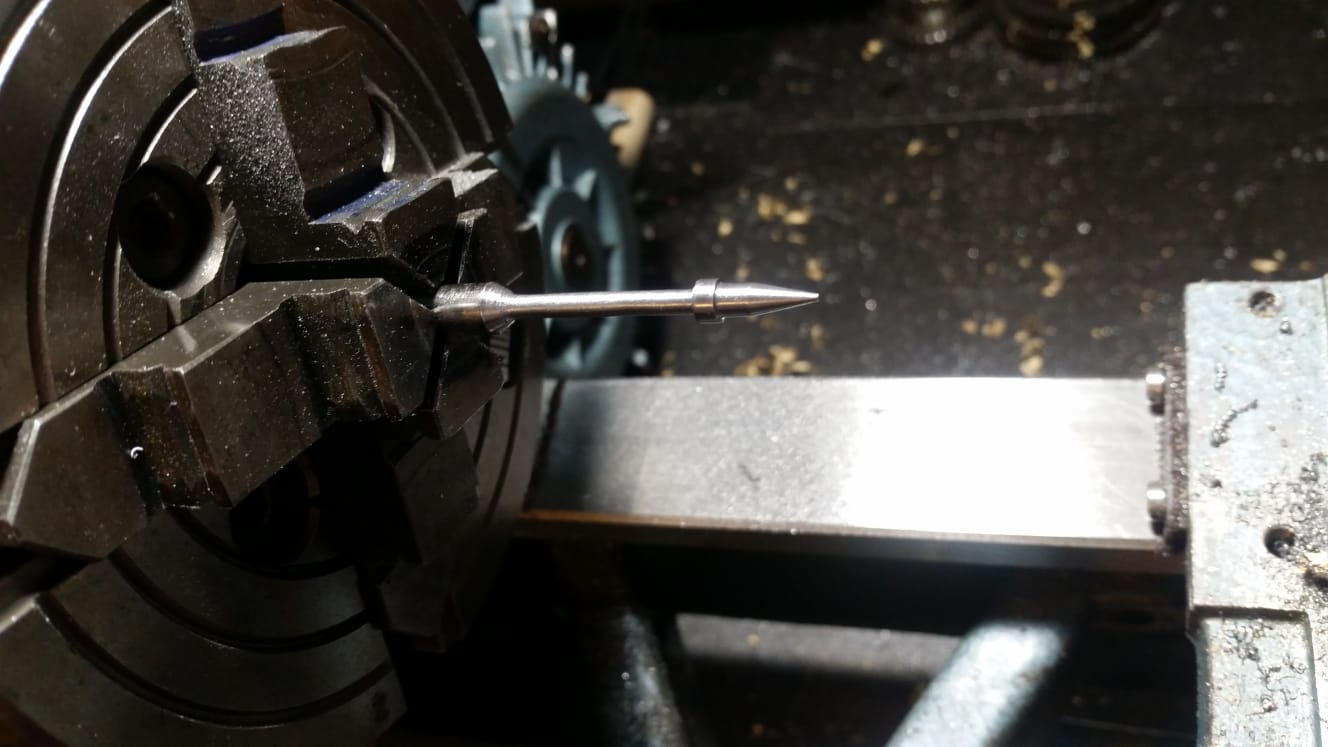 marble hornet
I have one
gusty kiln
i was gonna say, reloadexception does that, right?
slender iron
marble hornet
bye
neat folio
now I want to make things on a lathe 😦
errant grail
Thanks!
gusty kiln
thanks y'all.
errant grail
Better to show and share!
gusty kiln
also off to get lunch. later all.
neat folio
 onyx hinge
late hug report to @C47D for fixing the docstring I wrote incorrectly!
I had started by intending to clone the linux-specific time.clock_gettime_ns which is where the "clock ID" came from
slender iron
<@&356864093652516868> Here is the recording from today's meeting: https://youtu.be/l1dRzurIXq0

Notes with time codes are available here: https://github.com/adafruit/adafruit-circuitpython-weekly-meeting/blob/master/2018/2018-11-19.md Thanks to @kattni ...
marble hornet
thanks @slender iron
slender iron
And the diode.zone link: https://diode.zone/videos/watch/4e9cb207-1425-42a2-a154-6ba6627fb73f

Notes with time codes are available here: https://github.com/adafruit/adafruit-circuitpython-weekly-meeting/blob/master/2018/2018-11-19.md
Thanks to @kattni for taking notes!
Join here for the chat all week: http://adafru.it/discord
The weekly happens normally at 2pm ET/11...
 winged leaf
Hi, I’m trying to figure out how to read from a file in the emulated storage.
Writing to a file is well documented https://learn.adafruit.com/data-logging-with-feather-and-circuitpython/circuitpython-code but I can’t seem to find anything about reading from a file.

It's log, it's log, it's big, it's data, it's good!
Any ideas or help would be greatly appreciated, thanks a bunch.
marble hornet
@tulip sleet or @slender iron any pseudo code you have in mind that could be added to the issue?
 tulip sleet
storage.persistent_ram[0] = 12
or something like that. Something like nvm but in ram: survives reloads but not hard resets.
tulip sleet
yeah - I forgot tht part
marble hornet
what about storing objects from python?
storage.p_r_obj(name_of_obj = 'obj') than storage.p_r() #returns list
tulip sleet
that's harder because the objects are not part of the Python heap, and potentially contain pointers to other objects. Instead, we provide a bytearray: you can use struct to serialize primitive objects (ints, floats, strings, etc.) or just store strings as bytes
marble hornet
rather a dict
tulip sleet
that's why nvm is just a bytearray also
manic glacierBOT
 marble hornet
ohhh 👌
manic glacierBOT

@jerryneedell what terminal program are you using? Are you typing anything once connected?
@dhalbert Your trace doesn't have the linecoding packets until 12.5 seconds in and CircuitPython responds promptly. Can you try with something besides picocom? Does an atmel board do the same?
idle owl
.mpy strips out docstrings and comments, right?
marble hornet
from my understanding it leaves only executable lines of code
but! a string will stay, so multi line comments are executed, just like typing: "jgjhdjksa this is a string" into the repl
 raven canopy
argh. totally forgot to put my meeting notes in last night. 😦
idle owl
(╯°□°)╯︵ ┻━┻
manic glacierBOT

I use screen. I connect then enter “enter” until it responds.
marble hornet
@idle owl 😂 😂 😂 😂 😂
did I answer your question well enough? (i'm trying to hone my explanation skills)
all feedback welcome 😊
idle owl
@marble hornet Presumably, yes. I appreciate your help. Removing all my docstrings etc did not resolve it. I had already found the fix but was trying to make sure there wasn't another option.
marble hornet
what's the difference between docstring and text?
raven canopy
@marble hornet the way i took your explanation was to mean that The result: wouldn't be "removed" in the following:
print('The result: %' % result)
which i think is correct. however, a docstring would be removed:
def Foo():
    """ Foo returns Bar
    """
ooooh 👌 thank you. does that work in classes ?
manic glacierBOT
Ok, I tried with my Arch box and it seemed fine. I'll try with my Ubuntu one. It could be auto-mount related.
marble hornet
@raven canopy would """" this is a multi line comment""" be removed if it was say the first line in main.py?
raven canopy
yep, should be.
marble hornet
could you give me some help w/ the mpy compiler? it's not working for me
please
wait
just figured it out
forgot about ./ 🤦
raven canopy
hehe. sorry, was elsewhere. and, i do that all the time. 😄
raven canopy
ghead
raven canopy
nope. Win10 and Ubuntu.
raven canopy
i don't. but, you could use circuitpython-build-tools to make a bundle just like Adabot does. also, run ./mpy-cross -h...there may be a parameter that will do a folder/batch.
actually, just looked at the source. none such option. 😦
marble hornet
no ah well
i tried -h
does this mean anything to you? apply bytecode optimizations of level N
raven canopy
not really. i would guess its similar to -O<n> for GCC, but i don't know the details on how it would optimize mpy...
marble hornet
raven canopy
😆
solar whale
@winged leaf what are you reading from -- is ithe Fassh system on a CircuitPython Board or an SDCard attached to a CP board. For a file on the FLash drive: ```>>> f = open("/boot_out.txt","r")
print(f.readline())
Adafruit CircuitPython 4.0.0-alpha.3 on 2018-11-15; Adafruit Feather M0 Express with samd21g18
ah! those ani gifs scared me. was in another tab.
marble hornet
ani?
tidal kiln
animated
slender iron
@gentle bronze are you around?
when you are can you merge https://github.com/hathach/tinyusb/pull/10 so that I can update circuitpython to it?

GitHub
fix a bug with control transfer direction for nrf5x dcd
make control transfer as part of usbd. Class driver must use usbd_control_ API() instead of dcd_ api.
change the signature of class driver...
I think you fixed a couple bugs I had
 red dock
@slender iron So I've been playing with displays (I now have one of 3 LCD displays i'm playing with. How hard would it be to port the FT6206 Driver for Capacitive Touch to Circuit Python?
 short canyon
Does anyone know whether the mu-editor works with the Feather Huzzah ESP8266?
(I asked at the mu gitter discussion, but they didn't know there.)
red dock
@short canyon I'm pretty sure it does. I don't have a ESP8266, but it's one of the Feathers I was looking at.
manic glacierBOT
@tannewt: I started Beagle datacenter, then plugged in the board, counted to 5 or 6 seconds to make sure it was done enumerating, then connected via picocom, then waited for the REPL prompts to appear. I didn't type anything; the prompts just appear spontaneously.
 gentle bronze
@slender iron AH ok, just merged
but I haven't tested with samd yet. still adding bsp support for it https://github.com/hathach/tinyusb/blob/develop/hw/bsp/metro_m4_express/board_metro_m4_express.c#L52
GitHub
A silly USB stack for Embedded System. Contribute to hathach/tinyusb development by creating an account on GitHub.
 ruby lake
gentle bronze
ruby lake
gentle bronze
@slender iron I started to get some usb transfer with samd51, I am doing more tests, maybe you should wait a bit longer , I am doing more testing with it
if you have segger embedded studio installed (with same51 package), you could run and debug the minimal usb example here (nrf52 also) https://github.com/hathach/tinyusb/tree/devlocal/examples/device/device_composite/ses
GitHub
A silly USB stack for Embedded System. Contribute to hathach/tinyusb development by creating an account on GitHub.
cedar beacon
Giving a short presentation on circuitpython at work python meetup today https://gitpitch.com/robmarkcole/circuitpython-on-home-assistant/master?grs=github&t=night

The Markdown Presentation Service on Git.
winged leaf
Thanks @solar whale it's the internal file system I want to read from. Cheers!
 ebon horizon
@cedar beacon I think it looks really nice. But, visually, you never show a link related to CircuitPython. The only "visual" links are micropython and mu. (the others require clicking on something, which doesn't always translate to a presentation.)
cedar beacon
thanks for the feedback @ebon horizon
winged leaf
I was hoping there's a way to turn off the 'CIRCUITPY' mass storage? Is this something that's doable, mounting/unmounting the drive from within the code?
marble hornet
@tulip sleet or @slender iron could the size of the 'scratchpad' change between soft reboots or after hard ones ? if cp is soft rebooting won't the cp code stay in the same spot? how could the pad get bigger? (writing issue now)
tulip sleet
@winged leaf we are working on run-time choices of what to expose via USB. what is your use case?
@marble hornet the reload clears the heap, but I think the persistent ram size may not be able to change without a hard reset, because there are non-heap allocations used for usb, file system, etc.
winged leaf
@tulip sleet I want to create a keyboard, using the HID libraries, the mass storage isn't really needed so I'd like to be able to disable it, but it would be cool if it could be enabled/disabled with certain key combinations.
tulip sleet
The way usb works, we’d have to reset the usb connection to change what’s presented. We plan to make specifying which devices show up on usb be done in boot.py, which runs before usb is set up.
winged leaf
That would be awesome, @tulip sleet appreciate your work! Do you reckon that is a feature that is very far away?
 upbeat plover
on the feather M4, NVM address 0 gets erased when you change CP version but at address like NVM[200] it stays there between builds... guessing the size of the flash is smaller then the total ROM
tidal kiln
thusly?
https://github.com/adafruit/Adafruit_CircuitPython_FRAM
theres a SPI and I2C flavor, currently the lib only has I2C support, SPI support is PR'd and in review
 bleak tiger
Hi, I can't find away to release the coils on a stepper in motor_featherwing. Could this be added to the library as a function? Similar to release() in Adafruit_MotorShield
tidal kiln
@bleak tiger there are a couple of recent issues added to the underlying library that may be related. take a look:
https://github.com/adafruit/Adafruit_CircuitPython_Motor/issues
and feel free to add another one if those don't cover it
bleak tiger
Will do, thanks!
marble hornet
Thanks for all your help @tulip sleet ☺️
slender iron
@winged leaf you should chat with @sudden coral and @bronze shadow they are working on keyboard firmware and we had a similar conversation. Some discussion is here: https://github.com/KMKfw/kmk_firmware/issues/52

GitHub
Per conversation in adafruit/circuitpython#1249, it'd be great to completely eliminate the KMKfw/circuitpython repository and try to track upstream commits/tags. This involves adapting and/or m...
 prime flower
just when I thought I pushed thru the encryption parts of tinylora, the MIC has its own key generation routine 🙃
This library is starting to get really long..I feel I should start breaking the encryption routines out into separate files/classes
manic glacierBOT
 prime flower
@slender iron would an implementation where I have a tinylora_encryption.py file with classes for aes and mic work? or should I break the two routines into separate files?
slender iron
@prime flower will you always use both?
idle owl
@tidal kiln I finally tested LSM9DS0. I requested two small changes - I think it's copypasta. Otherwise, it runs great with those changes!
prime flower
sending a packet will always use both. The MIC uses the aes routines.
tidal kiln
@idle owl probably. that whole driver was copy-pasta.
slender iron
'd say they need to be split
idle owl
@tidal kiln Yah I figured as much.
prime flower
Okay, thank you
idle owl
@tidal kiln Do you know off the top of your head of an example of a library that has I2C or SPI split into a different file in the driver package? I know we have some, but I don't know off the top of my head.
manic glacierBOT

This topic was discussed in CP Weekly November 19th, 2018.
At about time 35:50 here:
https://youtu.be/l1dRzurIXq0?t=2150
The discussion stemmed from a desire to prevent memory errors when switching between many modules. The idea is to be able to pass information between soft reloads and then have some user-defined main.py act accordingly from the saved data. The group came to an idea of a 'ram scratchpad', this would be like nvm except made of ram.
the difference form nvm is that...
tidal kiln
idle owl
Thank you
tidal kiln
@idle owl you tested LSM9DS0 on SPI?
idle owl
@tidal kiln Yah...
marble hornet
how do you add tags to a git issue?
idle owl
The variable names don't match. PyCharm caught it before I even tested it.
tidal kiln
and it worked?
@idle owl oh. i see. you actually changed code from the PR version to get it to work?
idle owl
Yes.
tidal kiln
yah. that totes copy pasta.
idle owl
Figured 😃
tidal kiln
for some reason names changed between DS0 and DS1
idle owl
¯_(ツ)_/¯
tidal kiln
it should'nt have even run with that PR code
idle owl
it didn't without my changes
tidal kiln
should've got a "no such member" or some such error
idle owl
Yep
I already disconnected it, so I can't paste the error. But yeah it failed initially. I changed the things to match and it ran.
idle owl
Thanks 😃
tidal kiln
@idle owl update pushed
marble hornet
issue created

GitHub
This topic was discussed in CP Weekly November 19th, 2018. At about time 35:50 here: https://youtu.be/l1dRzurIXq0?t=2150 The discussion stemmed from a desire to prevent memory errors when switching...
idle owl
@tidal kiln hmm... now it failed. Until I swapped the csag and csm wires from what the example has. I noticed when I pasted the new version of the driver into the file, gcs and xmcs swapped. self._gyro_device = spi_device.SPIDevice(spi, gcs, baudrate=200000, phase=1, polarity=1) self._xm_device = spi_device.SPIDevice(spi, xmcs, baudrate=200000, phase=1, polarity=1)
that's what it is now, but before they were opposite.
so if that's correct, the example is now backwards?
tidal kiln
i swapped the two lines to match the order they are set up in the I2C class
idle owl
hmm. And the example code you got from the other version?
tidal kiln
ah...i see what you're looking at. maybe more copy pasta. let me look at that also.
idle owl
It works if I have csag connected to D6 and csm connected to D5.
wait... it's not working right. Looking at the output, all of the tuples match themselves, as in (x, y, z) for each of them are the same.
and temp is off...... I'm not freezing to death here.
Magnetometer (gauss): (-0.185,-0.185,-0.185)
Gyroscope (degrees/sec): (-20.247,-20.247,-20.247)
Temperature: -39.250C```blah! the CS order is different between the two also.
LSM9DS0:
def __init__(self, spi, xmcs, gcs):
xmcs = mag
gcs = gyro

LSM9DS1:
def __init__(self, spi, xgcs, mcs):
xgcs = gyro
mcs = mag
oi.
tidal kiln
so maybe it's not as simple as originally thought
tidal kiln
esp.. when you make an assumption that it is
idle owl
yep.... rug == ripped out.
tidal kiln
would you be up for taking over the fix?
idle owl
I guess? I don't know if I can fix it though. All of the readings being the same is presumably something else going on in the code and I don't understand bitwise operations or registers or bit shifting or whatever any of that involves.
And it's going to be a bit. I'm still mired in charllcd.
tidal kiln
i don't think this is a high priority driver, so taking the time isn't an issue
could be a good way to level up, you could use the LSM9DS1 as a ref
idle owl
Except apparently I can't use it as a ref, it's not the same.
tidal kiln
yep. but the general bit-foo stuff that's there should help as a notional guide.
based on what you are seeing - temperature way off, other values not updating - something seems to be up and it's best resolved by having the HW available for testing
idle owl
Yah I get it.
tidal kiln
i could try and scan the code and see if it's something obvious, but having the HW really helps
manic glacierBOT

I am not excellent with git or github, but I think I removed the changes I'd made to devices.h
idle owl
Nah, it's fine. I'm commenting on your PR.
tidal kiln
i also hooked up the saleae to verify some stuff on the DS1
 sly wagon
Finally got both sides connected for my #blackpanthercosplay haha, but now I need to work on couple small new problems. I've got a question re: power source and splitting power between a usb battery pack between 2 circuit express playgrounds ... what's the correct room to ask questions about that, friends?
Idk why the preview won’t show ha. I’ll upload to Twitter and post here
idle owl
@sly wagon You might get more help in #help-with-projects regarding your power issue.
manic glacierBOT
manic glacierBOT

ok @tannewt have a look at the new interface in this commit:
https://github.com/adafruit/circuitpython/commit/1bf6c588e7e1ea11c865c33f660ec126f752b1dc
It is not finished but I would like to get approval on the general structure before I continue
import array
import math
import time
import board
import busio
import audioio
import struct

VOICES = ["voice01.wav", "voice02.wav", "voice03.wav", "voice04.wav"]

def parse_wav(filename, *, scale = 1.0):
print("Reading file...@upbeat plover the location of the nvm block may have changed somehow between versions (but I thought not). If [0] is changing but [200] is not, can you file an issue? We might have an off-by-one (or four). Maybe also look at [1], [2], [3], and [4].
cedar beacon
Hi is anyone aware of a Flask/Django web app for managing micropython/circuitpython boards? Something that allows flashing firmware, uploading files etc via a web browser. If there were a Docker image available that would be the icing on the cake. Thanks
 stuck elbow
no
 pastel panther
nope
marble hornet
could blinka be considered a shim?
marble hornet
gpiod? what is the d?
 runic hornet
"daemon?"
pastel panther
probably
cedar beacon
I've flashed circuitpython 3.1.1. onto a raw esp8266 and attempt to connect with screen /dev/ttyUSB0 115200 (works for my huzzah) but I just see first a blank screen, then on resetting the board I see jibberish {ll��|�$�|��l�#|����r�b�c�p~�o�$on��#cp��c$r$p�n��lbo�|�$$�#��on�l��$�on�{lor���N��p�n�#o�|#��on��l�onl or���N�� �n$���b�N��No��{lp�o�bn�|b��no�l�$�o$nr�����ܜ$r��n��� {��Nd�|���r��o�#�obp
Any advice?
perhaps I should flash board with lower baudrate?
manic glacierBOT
 prime flower
@cedar beacon are you using AMPY?
prime flower
doing an esptool flash at 115200 baud?
(gibberish/junk terminal output is usually an incorrect baudrate, I use 115200 for my ESP8266 running  )
)
cedar beacon
yes
also tried 460800
no errors
esptool.py v2.5.1
Serial port /dev/ttyUSB0
Connecting....
Detecting chip type... ESP8266
Chip is ESP8266EX
Features: WiFi
MAC: 5c:cf:7f:fd:80:7a
Uploading stub...
Running stub...
Stub running...
Changing baud rate to 460800
Changed.
Configuring flash size...
Auto-detected Flash size: 4MB
Flash params set to 0x0040
Compressed 606212 bytes to 395009...
Wrote 606212 bytes (395009 compressed) at 0x00000000 in 9.9 seconds (effective 490.3 kbit/s)...
Hash of data verified.

Leaving...
Hard resetting via RTS pin... ```
[adafruit/circuitpython] New comment on issue #1342: samd: REPL disconnect problems after tinyusb PR
FYI, I'm waiting for this PR: https://github.com/hathach/tinyusb/pull/11
Once its in, I'll update CircuitPython to it.
solar whale
@cedar beacon a blast of gibberish is normal at start, but it should settle to normal REPL. Try control C
Flash is at 460800 REPL at 115200
cedar beacon
@solar whale still get gibberish
solar whale
Sorry, can’t get to my HW to check anything. The gibberish is a normal output of the bootloader but for me it recovers.
Did you do a flash erase before loading. Needed if going from Arduino
esptool erase_flash
@cedar beacon if I recall correctly I had similar issues if I did not erase first
tulip sleet
@cedar beacon When I upload I do this (via some aliases):
esptool.py erase_flash
esptool.py --baud 460800 write_flash 0 something.bin
@slender iron I started working on a build that supports my st7735 display via displayio didn't have a saleae to test/debug it at the con but I'll let you know how it goes.
slender iron
nice!
pastel panther
As as starting point I aped the setup for the hallowing in its board.c and updated pins.c to have a DISPLAY; anything else I should keep in mind?
 tawny creek
Hi All! Trying to get this working on CP4 Alpha 2 (maybe ill try alpha 3)
https://raw.githubusercontent.com/adafruit/Adafruit_CircuitPython_IS31FL3731/master/examples/text.py
and getting this error
  File "code.py", line 39, in <module>
  File "code.py", line 14, in <module>
AttributeError: 'module' object has no attribute 'MONO_VLSB'
I don't think framebuf is working in 4.x
slender iron
I turned it off
pastel panther
that would keep it from working 😉
tawny creek
ah I have included framebuf.mpy so i was able to get some of the examples working with it
would this matter if it's 'turned off' ?
tulip sleet
the "turned off" version is a native (C) implementation. framebuf.mpy is a Python version that is slower and has less functionality
like, no text support
tawny creek
ahh gotcha, makes sense for the incoming display.io stuff
@tulip sleet what's the quickest way for implementing text support?
tulip sleet
"quick" unfortunately is not the operative word here (nor "easy"). Here's an old guide about doing text, with some obsolete info: https://learn.adafruit.com/micropython-displays-drawing-text. Doing it right is part of displayio.
tawny creek
@tulip sleet actually this looks very familiar to me! I think I got this to work with SSD1306, thanks!
tulip sleet
There is some work described here that is going on as well: https://forums.adafruit.com/viewtopic.php?f=60&t=142003&hilit=fonts
tulip sleet
great!!
tidal kiln
@tulip sleet oh guru of all things window oddness. i beseech thee:
https://forums.adafruit.com/viewtopic.php?f=8&t=143708#p710466
tulip sleet
@tidal kiln assuming windows 7 works, maybe they should update the bootloader on Windows 7, and then try again. https://learn.adafruit.com/adafruit-neotrellis-m4/update-bootloader. (The bootloader should be updated in any case.) Then try on Windows 10 again. I would also have them disable Norton Security Suite temporarily to see if that changes the Win 10 situation. And is Norton running only on Win 10?
i sort of doubt the bootloader, unprotected or not, is actually affecting Windows 10. More likely it's Norton or something like that.
tidal kiln
norton will be selective like that? is it M0 vs. M4 or something else?
also - thanks. didn't know some of the trellis's got out without bootprot....hmmm....may explain other things....
i'll have them do that regardless as first step
idle owl
@tidal kiln contrast is the new show().
tulip sleet
I don't really know why it would be different M0 vs M4. Right, that's odd. Could be some USB timing thing. Maybe also get port info: USB2, USB3, hub, USB-C??
tidal kiln
@idle owl oh no. but my life is based on the current API. now what am i going to do?
idle owl
@tidal kiln you'll call show() and all you'll get is boxes in place of your text.
tidal kiln
████ ██ ██████
idle owl
It's begun!

 tawny creek
Hi guys! :3 trying to build CP4 alpha 3, and getting this:
No rule to make target `lib/tinyusb/src/portable/microchip/samd21/dcd.c', needed by `build-espress0/genhdr/qstr.i.last'. Stop.
other than
git submodule update --init --recursive
is there other things I need to do?
pastel panther
that should cover it but let us know if it complains about something else after doing so
tawny creek
@pastel panther the complaint that shows up is ```No rule to make target lib/tinyusb/src/portable/microchip/samd21/dcd.c', needed by build-espress0/genhdr/qstr.i.last'. Stop.
same issue 😦 .. i've cloned a fresh one and that one seems to work
pastel panther
I think it might be that the submodule update doesn't by default clean up submodules that are no longer needed
tinyusb isn't in 3.x so it would make sense that it was complaining about it if there were leftovers
tawny creek
Hm, it was from 4 alpha 2
tawny creek
thanks @pastel panther , Imma just work on the fresh clones -- easy enough to port changes over
tawny creek
on alpha 2 I used a W25Q16JV flash and that worked fine, but now getting this:
                 from ../../supervisor/shared/external_flash/external_flash.c:31:
../../supervisor/shared/external_flash/devices.h:226:6: error: 'external_flash_device {aka const struct <anonymous>}' has no member named 'has_quad_enable'
     .has_quad_enable = true, \
      ^
<command-line>:0:57: note: in expansion of macro 'W25Q16JV_IM'
../../supervisor/shared/external_flash/external_flash.c:48:78: note: in expansion of macro 'EXTERNAL_FLASH_DEVICES'
const external_flash_device possible_devices[EXTERNAL_FLASH_DEVICE_COUNT] = {EXTERNAL_FLASH_DEVICES};```trying to get the spi flash recognised now
ah ok @slender iron , will try that too
slender iron
I changed the quad enable a bit because I added support for different bit positions of it
tawny creek
I'm not sure which flavour of the chip I have, as Circuitpy isnt mounting
what does a steady solid blue status mean?
tawny creek
yup
the definition that worked for 4.2 and 3.x for the flash was
// Datasheet: https://www.winbond.com/resource-files/w25q16jv%20spi%20revf%2005092017.pdf
#define W25Q16JV {\
    .total_size = (1 << 21), /* 2 MiB */ \
    .start_up_time_us = 5000, \
    .manufacturer_id = 0xef, \
    .memory_type = 0x40, \
    .capacity = 0x15, \
    .max_clock_speed_mhz = 133, \
    .has_sector_protection = false, \
    .supports_fast_read = true, \
    .supports_qspi = true, \
    .has_quad_enable = true, \
    .supports_qspi_writes = true, \
}
there isn't W25Q16JV anymore; it's been split into two types
tawny creek
yeah, so the first kind (of W25Q16JV boots fine.. but drive doesnt mount
second kind boots but blinks white for a lil, then solid blue after
doesn't mount a drive on the second one either
actually, had to comment out .has_quad_enable to build
cedar beacon
@tulip sleet @solar whale @prime flower ok solved the flashing of the raw esp, had to add -fm dio and use --baud 460800, should this be updated on the docs?
 timber mango
Is there a list with all the Keycodes from the Keycode library? I want to type "/", "." and ":" but I don't know the keycode
solar whale
@timber mango is this what you are looking for? https://github.com/adafruit/Adafruit_CircuitPython_HID/blob/master/adafruit_hid/keycode.py

GitHub
USB Human Interface Device drivers. Contribute to adafruit/Adafruit_CircuitPython_HID development by creating an account on GitHub.
timber mango
seems like it, thanks a lot!
timber mango
hi all,
iam currently trying to write a library for an advanced TI LED-Dvier (TLC5957 48ch 16bit)
i want to use the busio.SPI to allow for fast data output.
but i need to have a latch pulse synced with the last spi clock cycles.
so my idea was to write out most of the data per busio.SPI and the remaining data with the synced latch as bitbanging DigitalInOut
now i discovered that the pins are locked against multiple uses..
so it seems i need to deinit SPI to get access to the DigitalInOut and also the other way round..
but this means creating new Objects every time - and that sounds not fast...
are there any other ways to achieve this?
timber mango
ok after a quick test it seems that the bitbangio.SPI class is not locking the pins...
so will try with this one..
marble hornet
if one's using blinka would they have all the ram not used by the os and pyhton ?
tulip sleet
@marble hornet you mean on an RPi? You're just using all the memory Python can get, which is a lot, and it's a real Linux system, so you're not limited by the physical RAM (it's virtual memory).
@cedar beacon Great! Could you post the exact command lines you used, and which Learn Guide seems to be incomplete? Thanks.
marble hornet
i've just been looking for somehting that can run cp and has 1MB of more of ram. even if it means i have to try(big uncertainty) to port it. if rpi zero or compute modules runs cp 🤷
tulip sleet
They don't run the CircuitPython firmware, BUT, the blinka library adapts the CircuitPython devices modules (busio.SPI, etc.) to the native device support on Raspbian (you may need to install gpiod - I can't remmber - it's in the Learn Guide). So you are running "regular" Python (the regular CPython implementation of Python), and using CircuitPython-based libraries.
marble hornet
ah, okay I think I understand your distinction. should I have said i've been looking for something with >1MB that support cp modules?
tulip sleet
yeah, that's more precise. I think the Learn Guide should be clearer about what "CircuitPython" means. So yes, an RPi something or (soon) a BeagleBone Black works because adafruit-blinka works on those boards. So you'll have 512MB instead of just >1MB 😃
marble hornet
🤤
is the beagle bone info up on the learn guides? rather do you know what color they will use?
timber mango
regarding beagle-bone - not really- i read through the guides some days ago...
tulip sleet
the library is being developed, not done yet, stuff going on here: https://github.com/adafruit/Adafruit_CircuitPython_BusDevice/pull/22 to get it to work. See PR's in adafruit blinka: https://github.com/adafruit/Adafruit_Blinka/pulls?utf8=✓&q=is%3Apr
timber mango
i would love if adafruit-blinka could work as 'hardware emulator' so i can test the code on my desktop computer...
or if the qemu port would work in some way like a emulator with hw...
but i think this are dreams fare away 😉 (as i also don't have the time to try to get it running...)
tulip sleet
@timber mango since the main idea is to control external devices in various ways, I'd think you'd also need emulators for the external devices (e.g. some I2C device). Or are you thinking of some other way of doing this?
there's some of this idea in the simulators that are in MakeCode, but the set of devices is limited to, say, the on-board devices on the CPX.
marble hornet
thank you Mr. H,
tulip sleet
sure, yw
timber mango
@tulip sleet the emulators for the external devices would be great - this way you could really test your libraries in automated ways...
also it can not guarantee that you catch all corner-cases of the chips..
but for the start some 'we let the code run and do not crash' would be cool.. and for all output things an simple 'show data' would be helpful..
ok - i see as i get into this it gets complicated very fast 😉
tulip sleet
it's a great aspiration! I mean ideally mfrs would provide simulators for their sensor chips, etc. But too often they are flaky in weird timing ways, etc.
timber mango
i imagined a more basic way - so just the *io libraries would have some way to show what they normally would send out - and some way to simulate the input data...
and this scriptable - with that you could write tests for the libraries...
did you notice my question from earlier regarding HW SPI?
timber mango
ill copy it here:
s-light 13:35 Uhr
hi all,
iam currently trying to write a library for an advanced TI LED-Dvier (TLC5957 48ch 16bit)
i want to use the busio.SPI to allow for fast data output.
but i need to have a latch pulse synced with the last spi clock cycles.
so my idea was to write out most of the data per busio.SPI and the remaining data with the synced latch as bitbanging DigitalInOut
now i discovered that the pins are locked against multiple uses..
so it seems i need to deinit SPI to get access to the DigitalInOut and also the other way round..
but this means creating new Objects every time - and that sounds not fast...
are there any other ways to achieve this?
s-light 14:08 Uhr
ok after a quick test it seems that the bitbangio.SPI class is not locking the pins... so will try with this one..
(it was on this channel 😃 )
tulip sleet
hmm, the pins are claimed, so I'm not sure why it works for you. That chip sounds like a pain 😃
timber mango
😉 its a display driver - originally targetet at big mutliplexed led-walls
i like to play with these chips...
tulip sleet
but how did they expect the data to be sent in the first place: bit banging?
did you see this? https://github.com/adafruit/Adafruit_CircuitPython_TLC5947
GitHub
CircuitPython module for the TLC5947 12-bit 24-channel LED PWM driver. - adafruit/Adafruit_CircuitPython_TLC5947
timber mango
good question - i think they target is more of a fpga or something like this...
in the userguide (www.ti.com/lit/ug/slvuaf0/slvuaf0.pdf#page=4&zoom=160,-94,702a)
the controller generates all this fast things - so its more of a bare metal or high speed thing you normally need...
tulip sleet
Dan is fine!
timber mango
i did not spot the TLC5947 lib. thanks for the Link! i will have a look!
(i only used the TLC59711 lib as a reference...)
tulip sleet
also we have an arduino lib: https://github.com/adafruit/Adafruit_TLC5947
GitHub
Adafruit's Arduino driver for the TLC5947. Contribute to adafruit/Adafruit_TLC5947 development by creating an account on GitHub.
marble hornet
I'm thinking about having two cp-devices on my board, any thoughts of how to communicate between them?
tulip sleet
UART is simplest, I'd say.
There's an I2CSlave impl, but it's not compiled into most of the builds
marble hornet
the tx and rx pins?
tulip sleet
yeah, TX->RX and RX->TX between the two boards. People have done this all the time with Arduino in the past: there are probably a lot of examples of that.
timber mango
marble hornet
thanks
timber mango
@tulip sleet i had a look at the 5947. you can write all bytes and than latch them 😉 that is easy
my chip has an 48bit (6byte) shift register
and the latch is coded:
the chip counts the clock cycles while the latch line is high -
this is used then for different functions... (writing the data as Grayscale or as function commands and others...)
i will experiment a little more with the bitbangio..
tulip sleet
does the latch have to be synchronized with the end of the SPI, or could it be brought low after the SPI is finished?
marble hornet
is buf a list?
tulip sleet
you can use repr(your_list) on one side and eval() on the other side. Or if it's a list of numbers, you could use struct.pack and .unpack to format it into a byte stream
timber mango
the latch has to be synced with the spi clock cycles at the end of the data package
tulip sleet
ugh
marble hornet
repr... googling 1mo please
tulip sleet
you could use SPI for most, and bitbang the last byte
marble hornet
okay...
timber mango
repr is similar to print -
but repr = representation - should print a python representation of a object that is 'python code' (if i remember correctly)
the idea to bitbang the last byte is what i have tried to implement..
marble hornet
i'm saving string
tulip sleet
a list of strings?
marble hornet
nope
timber mango
but the problem is - for this to work i would need to deinit the SPI object and create the digitalIO objects for all pins -
and after bitbanging the thing out deinit the pins and create a new SPI object...
and i think that this deinit and newly creating of objects could get very slow...
(i have to do this 16 times to write all data out..)
marble hornet
i'll check the site
tulip sleet
@timber mango use OR gates to drive the data/clock lines from two pins 😃
seriously maybe open drain outputs and a pull up or down?
wired-or
timber mango
hm could be an option - i will keep that in mind.
currently i have it running with the bitbangio.SPI class
(https://circuitpython.readthedocs.io/en/latest/shared-bindings/bitbangio/SPI.html)
this one does not lock the pins - and i can reuse them as digitalio 😃
timber mango
no its TLC5957 (the second last digit is 5)
its a 48ch 16bit chip
the bitbangio clock iam generating is ~8.4kHz - so not bad for bitbanging 😉
tulip sleet
i'm looking at the datasheet, don't see that the latch has to be sync'd with the last clock pulse, unless it's this sentence: "5. During the same period of step4, GS data for next line should be written into GS data latch. Using LATGS
command for the last group of 48bit GS data loading."
but you've tried a delayed latch and it doesn't work?
timber mango
the problem is i have to generate 1 up to 15 clock pulses during the latch high time..
and with every clock the data gets shifted...
tulip sleet
You've seen this, I assume? http://www.ti.com/lit/ug/slvuaf0/slvuaf0.pdf
i see the multiple latching in like figure 11
marble hornet
thank you
timber mango
yes - its the main 'datasheet' as in the real sheet there are no commands given..
tulip sleet
and "traditional" mode is no better?
timber mango
no traditional mode is
send 48bit per chip to all chips -
every 48bits are representing one RGB output pixel
tulip sleet
ugh, ok, good luck, sri you have to deal with this. I have to eat bkfst, will be afk for a while
timber mango
the 'pocker' mode is really wired:
send 1bit for every output channel... so you can send only 9bit...
thanks for your help
Enjoy your meal
timber mango
is wemos d1 mini a good board to get started with micropython?
prime flower
maybe micropython? I've seen them mainly used for ESP development
timber mango
yeah i just discovered micropython and i have these wemos boards lying around that i could experiment on
so ill have to lear at least the basics. i'm wonding though if i should get something else to start with.
if you have it already just try it?!
i have started my CircuitPython journey with the ItsyBitsy M4 Express some days ago..
ok 😃
lol i bought a couple of those d1 mini to make the deauthor thing, didn't even realize it wasn't using the arduino language
manic glacierBOT

This fixes the following occurrence for Adabot checks:
CircuitPython drivers page missing driver - 9
  * https://github.com/adafruit/Adafruit_CircuitPython_CPython
  * https://github.com/adafruit/Adafruit_CircuitPython_HTU21D
  * https://github.com/adafruit/Adafruit_CircuitPython_MPRLS
  * https://github.com/adafruit/Adafruit_CircuitPython_L3GD20
  * https://github.com/adafruit/Adafruit_CircuitPython_NeoTrellis
  * https://github.com/adafruit/Adafruit_CircuitPython_LIDARLite
* ...I'm trying to build the latest cp for a custom board, here are my board definitions from 3 to 4.2 that worked followed by what i'm trying to use for 4.3
https://gist.github.com/eighthree/2181f94f80a0aaea46244b540e73725e

Gist
espress0 board definition. GitHub Gist: instantly share code, notes, and snippets.
the 4.3 ones end up in a solid blue status light, how do I use a jtag to debug this or are the board definitions incorrect for 4.3?
 exotic pumice
is line 56 of the first file right? I heard they split up that flash chip
tawny creek
Yeah, I've tried using both
cedar beacon
@tulip sleet the working commands for flashing the raw ESP are at https://github.com/robmarkcole/circuitpython-on-home-assistant/blob/master/assets/cheatsheet.md and the docs to update are https://learn.adafruit.com/welcome-to-circuitpython/circuitpython-for-esp8266#program-esp8266-13-11
GitHub
Programming and managing circuitpython boards from Home-Assistant - robmarkcole/circuitpython-on-home-assistant

New to CircuitPython? This is the place to start.
idle owl
@slender iron Any idea why RTD would successfully build for the updated version number, but latest is not updating?
cedar beacon
I got the correct commands (for raw esp) from http://docs.micropython.org/en/latest/esp8266/tutorial/intro.html#intro evidently my esp has the particular FlashROM configuration described there
tawny creek
When using W25Q16JV_IQ as the definition the status light blinks white then stays solid blue
When using W25Q16JV_IM as the definition this error comes up:
In file included from ../../supervisor/spi_flash_api.h:32:0,
                 from ../../supervisor/shared/external_flash/external_flash.c:31:
../../supervisor/shared/external_flash/devices.h:226:6: error: 'external_flash_device {aka const struct <anonymous>}' has no member named 'has_quad_enable'
     .has_quad_enable = true, \
      ^
<command-line>:0:44: note: in expansion of macro 'W25Q16JV_IM'
../../supervisor/shared/external_flash/external_flash.c:48:78: note: in expansion of macro 'EXTERNAL_FLASH_DEVICES'
 const external_flash_device possible_devices[EXTERNAL_FLASH_DEVICE_COUNT] = {EXTERNAL_FLASH_DEVICES};
                                                                              ^~~~~~~~~~~~~~~~~~~~~~
make: *** [build-espress0/supervisor/shared/external_flash/external_flash.o] Error 1
So at one point I tried removing that line .has_quad_enable = true, \ and it builds fine, but CIRCUITPY doesn't mount
@exotic pumice
exotic pumice
so does it get further when you use IM?
it gets through the bootloader but not to circuitpy?
 tawny creek
I had to remove .has_quad_enable = true, \ though
exotic pumice
yeah, I'm just looking at that file now
tawny creek
also can get into REPL
idle owl
Nevermind. It finally updated latest.
exotic pumice
I can't figure out why it can't see the has_quad_enable in the struct
is it in your local copy?
devices.h:52
slender iron
@idle owl glad it did because I had no idea
idle owl
Yeah I don't know what the deal was. I built it manually multiple times and it refused to update.
¯_(ツ)_/¯
tawny creek
@exotic pumice It isn't
exotic pumice
alright, you probably have to pull, submodule sync, et al
something like
git submodule sync
git pull --recurse-submodules
git submodule update --init --recursive
```Its from a fresh clone too, but will run this
I don't see bool has_quad_enable : 1; on the latest release
exotic pumice
I see it on master
tawny creek
GitHub
CircuitPython - a Python implementation for teaching coding with microcontrollers - adafruit/circuitpython
tawny creek
also just plopped that line into struct ( bool has_quad_enable : 1;) and circuitpy still doest mount
exotic pumice
did you add the backslash too?
@slender iron, it looks like you might've accidentally undone siddacious' changes? https://github.com/adafruit/circuitpython/commit/9d91111b1b6a1eee77a88b13faf695ee0c5caea3

GitHub
This started while adding USB MIDI support (and descriptor support is
in this change.) When seeing that I'd have to implement the MIDI class
logic twice, once for atmel-samd and once for nrf, I...
or actually, it looks intentional
slender iron
I redid it
exotic pumice
@tawny creek try this .quad_enable_bit_mask = 0x02, \
tawny creek
That line is already in both
exotic pumice
ok, sorry
yeah so removing the .has_quad_enable = true, \ was probably the right thing to do
as for CIRCUITPY not mounting ¯_(ツ)_/¯
@slender iron it looks like you missed removing some of the has_quad_enable = trues
tawny creek
ahh ok thanks @exotic pumice !
exotic pumice
want me to PR @slender iron?
slender iron
sure! want to add a board too?
tawny creek
I can do the PR for the board but CIRCUITPY isn't mounting :S so have to make that work first no?
exotic pumice
Do you have a debugger @tawny creek ?
tulip sleet
@cedar beacon thanks - i have saved that post and will look at this, though maybe not until after thanksgiving
tawny creek
@exotic pumice jlink mini
timber mango
Mu is giving me the error MemoryError: memory allocation failed, allocating 1884 bytes does this mean I have written too much code? I am confused ecause the file is only 7kb big and the Trinket M0 I am using still has over 30kb left?
pasted the wrong thing, thats the error I'm getting
I am new to this btw
tulip sleet
you're running out of ram, not filesystem space
timber mango
oh okay
tulip sleet
yes, there's too much code, or similar. sometimes doing the biggest imports first helps a little
timber mango
Okay I actually had two unused imports and after that I moved my imports around to make the biggest imports first, now the error message changed, it no longer says "1884 bytes", now it says "%u bytes". Why is it doing that?
tulip sleet
it doesn't even have space to allocate the string to print the error message 😃
timber mango
oof but it should actually have more space now.. Is there any way to make it consume less space, or do I need to cut out unneccesary code?
exotic pumice
@tawny creek maybe try stepping through the circuitpy mounting code?
tulip sleet
so did you compile some of the .py's to .mpy?
timber mango
or try to remove some code somehow, because I actually need all of it right now
no, I didn't
does that help?
I was about to try that, then I figured It'd probably better to ask here first
tulip sleet
yes, because compiling the .py's on the board can fragment the heap, or even not work because the code is too big
just get the mpy-cross for your version and platform. It compiles one .py file at a time.
exotic pumice
@tawny creek or see if there's any error messages in your os logs
tawny creek
@exotic pumice 😅 I’ve never done this process before, is there a suitable learn guide for this
exotic pumice

Using GDB to better understand program state and history.
timber mango
Can I do the mpy-cross compiling on windows too? Because It says I need a UNIX based system and I don't want to boot up my raspberry lol
tulip sleet
you can use the mpy-cross .exe that you see in the release assets. What vesrion are you using?
timber mango
okay nevermind I was completely lost, all I found was the soruce code with the Readme saying that I need a unix system
thanks and sorry for my stupid questions
tulip sleet
they're not stupid! this stuff is complicated!! That's why we're here.
marble hornet
if you try and except a block of code but there is a memory error in the code is the tried stuff wiped from memory?
tulip sleet
everything is in memory up to the time the exception happens
tawny creek
@exotic pumice I got a setup running, mind walking me through how to properly debug this?
marble hornet
so when i want to exit a program might i flush it from memory like that?
"flush" being the wrong term
tulip sleet
you have to do a soft reload (raise ReloadException) or a hard reset
marble hornet
ah well, just hopefully double checking, thank you
tulip sleet
the soft reload will clear everything from the heap, but maintain the USB connection
exotic pumice
@tawny creek find wherever the circuitpy is mounted in the code, place a breakpoint nearby, step through and see what happens
tawny creek
@exotic pumice okies, looking for it now
It went from a white status light (normally flashes), and cant step any further as the status stays blue and stepping doesn't do anything
tawny creek
did some of this as well: https://gist.github.com/eighthree/42ae852e0ca83bc7565f3eb67bf8ab5e#file-debugger_2
exotic pumice
So I think we've identified the error a little more if we're triggering that res != FR_OK block, now you should investigate what that means and what is causing it
slender iron
I'm around to help for a bit too. @tawny creek is your current code pushed anywhere?
tawny creek
@slender iron nope, I only have a new board definition folder -- I can publish it
slender iron
ya, its easiest to push it all I think
exotic pumice
oh I was wrong
tawny creek
GitHub
CircuitPython - a Python implementation for teaching coding with microcontrollers - eighthree/circuitpython
@slender iron here's a branch with the board def
slender iron
looking now, thanks!
exotic pumice
I'll let @slender iron take over
slender iron
do you have gdb going? does the board work with an older version?
tawny creek
yep i have GDB running and yes, up to 4.2
slender iron
k, can you run it until it freezes, ctrl-c then get a backtrace?
timber mango
If I compile code into a .mpy, and the code I am compiling relys on other libraries, do I need to do something special?
slender iron
nope, it just makes the one file smaller
timber mango
Okay because I am running into some strange issues
slender iron
try it with continue and not next
next can be funny since its trying to break somewhere close
timber mango
I have a method called wString in which I am calling another method called writeLetter very often. It compiles fine, but in certain lines, I get an error saying the name writeLetter isn't defined
slender iron
it does sound like something funny with the flash
@timber mango have you posted your code somewhere yet?
timber mango
No Idea why and before I tried putting into its seperate class to compile it to make it take less ram (and before it was too big to run) everything worked,
no
tawny creek
not sure if i should Ctrl+C or wait a certain time
I hit ctrl+C when it stays a steady blue
slender iron
I'd wait a little bit
that is when its running boot_py which is blue
does boot.py do anything?
actually, it hasn't started yet. its looking for the file
tawny creek
waiting a minute or two yields the same backtrace
tawny creek
so with the IQ variant, it has this behaviour. With the IM variant I need to remove .has_quad_enable = true, \
slender iron
GitHub
CircuitPython - a Python implementation for teaching coding with microcontrollers - eighthree/circuitpython
tawny creek
IM boots but spi flash doesnt load
slender iron
whats actually on the board? I'd put just the one on the board in the list
tawny creek
never_reset_sercoms
$1 = {false, true, false, false}
slender iron
k, that looks ok
tawny creek
W25Q16FVSIG
slender iron
ok, let me pull up the datasheet
tidal kiln
@timber mango sounds like a scope issue. can you post code?
 sacred edge
Brand New to Circuit Python or most any programming really, Received my circuit playground express today.. now what?
tawny creek
@sacred edge have you done the tour? https://learn.adafruit.com/adafruit-circuit-playground-express/overview

Make faster and easier than ever with MakeCode, code.org CSD, CircuitPython or Arduino!
exotic pumice
New to CircuitPython? This is the place to start.
sacred edge
yes, I did the tour and ran the basic "Blinky" program, and have the library's loaded, and examples
Keep in mind, I am a 63 year old newbie to this programming stuff!!
slender iron
@tawny creek I can't find a datasheet for it
tawny creek
iirc its the same as https://www.winbond.com/resource-files/w25q16fw reve 10072015 sfdp.pdf
slender iron
is it a W not V?
tidal kiln
@timber mango you can gist or pastebin somewhere, or directly here if you want. you can attach as file or just the code if it's only several lines.
idle owl
@sacred edge Have you gone through this one? https://learn.adafruit.com/circuitpython-made-easy-on-circuit-playground-express/
Get started with just a few lines of code!
tawny creek
It shows a V but when I look for the datasheet and what those letters mean that part only determines the size
slender iron
k, its a 1.8v part which is a bit weird but should be ok
sacred edge
kattni, Yes, I just did... now I need to learn this new language I suppose.. or find code I can run and learn form
tawny creek
ah sorry I meant this: https://www.winbond.com/resource-files/w25q16jv spi revd 08122016.pdf
slender iron
@tawny creek what happens when you just put that in the list?
sacred edge
@idle owl that is how I found the discord group... 😃
idle owl
@sacred edge There are a lot of projects available on the Learn system that use the Circuit Playground Express. I would see what you can find there for new ideas. The next step will be getting a few peripherals and attaching them to your Circuit Playground Express.
tidal kiln
@sacred edge and this one:
https://learn.adafruit.com/circuitpython-essentials/circuitpython-essentials
sacred edge
@tidal kiln , Thanks!! something new to follow...
idle owl
You've already gone through the intro stuff, the Essentials guide starts to introduce some more complicated code.
There are some other items needed to do everything in that guide though.
tawny creek
@slender iron let me try again, i copied the definition for W25Q16JV before the split earlier
sacred edge
Thanks @idle owl
tawny creek
ill also try the FW to double check, and only using 1 spi
vs. defining three different ones
idle owl
@sacred edge You're welcome! Good luck! We're here to answer any questions you have as you go along 😃
slender iron
@tawny creek kk, the definition should basically be the same
tidal kiln
yep. welcome/intro guides then example projects. that's a good progression.
slender iron
I did move spi flash to using the internal common_hal apis instead of dedicated code
timber mango
https://github.com/NTDuckler/DuckyPy I am trying to recreate a USB RubberDucky using a Trinket M0 btw @tidal kiln

GitHub
DuckyScript inspired programm for microcontrollers running Micropython. - NTDuckler/DuckyPy
and I am new to python so I probably have lots of errors lol
timber mango
Iirc i renamed it to just string
I am actually just trying to split a string and then type the character
but It seems like I am to stupid
tidal kiln
you need to add self. in front of your calls to the class member, ex:
https://github.com/NTDuckler/DuckyPy/blob/master/DuckyPy.py#L12
timber mango
everything worked fine until It got too big, then I tried putting most of it into a seperate class which I would then try to pre compile, but that is where I got a lot of strange errors
tidal kiln
needs to be:
self.writeLetterU(Keycode.A)
is that your first time writing a class?
timber mango
yes
slender iron
GitHub
USB Human Interface Device drivers. Contribute to adafruit/Adafruit_CircuitPython_HID development by creating an account on GitHub.
timber mango
this is my first python project actually
tidal kiln
awesome. jumping right in!
slender iron
the us layout driver can type a string for you too
tidal kiln
have you done anything with classes before?
tawny creek
Added:
// Settings for the Winbond W25Q16JV 2MiB SPI flash.
// Datasheet: https://www.winbond.com/resource-files/w25q16jv%20spi%20revf%2005092017.pdf
#define W25Q16JV {\
    .total_size = (1 << 21), /* 2 MiB */ \
    .start_up_time_us = 5000, \
    .manufacturer_id = 0xef, \
    .memory_type = 0x40, \
    .capacity = 0x15, \
    .max_clock_speed_mhz = 133, \
    .has_sector_protection = false, \
    .supports_fast_read = true, \
    .supports_qspi = true, \
    .has_quad_enable = true, \
    .supports_qspi_writes = true, \
    .write_status_register_split = false, \
}
and the mconfigboard.mk is:
SPI_FLASH_FILESYSTEM = 1
EXTERNAL_FLASH_DEVICE_COUNT = 1
EXTERNAL_FLASH_DEVICES = "W25Q16JV"
LONGINT_IMPL = MPZ
Yields the same backtrace results, and (gdb) print never_reset_sercoms
$1 = {false, true, false, false}
timber mango
you mean in another coding language?
slender iron
don't feel bad, if you couldn't find it its a doc problem
tidal kiln
yep. in a general programming sense.
timber mango
yeah, in java
tidal kiln
looks like you figured out needing to have at least a self parameter for each method
slender iron
@tawny creek do you have an logic analyzer?
timber mango
I need to add that self in the other methods like closeApp too, right?
tawny creek
@slender iron I doo but nothing like a salae
slender iron
what do you have? can you hook it up to the flash?
tawny creek
I have this https://www.sparkfun.com/products/15033

This 8-channel USB Logic Analyzer with support for sampling rates of up to 24MHz provides a good while economic option making it a great and easy tool.
tidal kiln
@timber mango in general, need to add self. in front of anything to access the object members. your kbd is defined at the class level though, so you could prepend with class name.
tawny creek
How shall I connect it?
Also, I tried with the FW variant and it boots but still no CIRCUITPY
I think this has to be with the 16J vs 16W though
slender iron
you can break inside this return to see if it finds the flash: https://github.com/eighthree/circuitpython/blob/espress0-board-def/supervisor/shared/external_flash/external_flash.c#L210
GitHub
CircuitPython - a Python implementation for teaching coding with microcontrollers - eighthree/circuitpython
timber mango
Okay, thanks!
slender iron
(I usually add asm("nop"); to give it an instruction to break on)
if it ends up there then something is mismatched with the jedec_id_response
where did you buy the chip from? its weird that there is no datasheet for it specifically
tawny creek
I'm going to revert to using W25Q16JV_IQ
@slender iron this one's from a far-east supplier
slender iron
ah ok
that logic analyzer should help snoop on it but you'll have to figure out how to connect it. the saleae comes with tiny grabbers
tidal kiln
@timber mango more specifically - python passes in the instance as the first parameter to every function. that's why you need at least one parameter for every function. you can actually name it whatever you want, but convention is to use self
silly example:
>>> class Foo:
...     def __init__(turkey_dinner):
...         turkey_dinner.msg = "gobble gobble"
...     def speak(gravy):
...         print(gravy.msg)
...
>>> f = Foo()
>>> f.speak()
gobble gobble
>>>
nice!
tawny creek
which lines shall i connect
tawny creek
I need finer probes I think, they are pushing each other off ^^;
tidal kiln
look at the probes just posted over in #help-with-projects 😀
tawny creek
@tidal kiln oooh! I can't get my hands on one right now... so i just soldered wires directly onto the flash
tidal kiln
no worries. more of a joke suggestion. they are $pendy items.
exotic pumice
members of the circuitpython team should do an interview on the Talk Python Podcast. Or have you already?
tawny creek
@slender iron oki got the logic analyzer connected
This is with 4.3
This is how things looks like with CP 4.1
manic glacierBOT
Pins revised based on latest rev C schematic. Some pin names revised.
Only Q is if the SWITCH should be called BUTTON, since it's momentary. Left it at SWITCH for now.
sacred edge
in makecode I built a program, and it generated a .uf2 file... now what?
tawny creek
@sacred edge double press the reset button, drag the .uf2 file on the CPLAYBOOT drive
slender iron
@tawny creek you are only capturing one of the four channels so its hard to debug
I think its stuck waiting for status at some point
tawny creek
@slender iron Ah sorry! First time using this...
slender iron
np 😃
tawny creek
where should I connect SPI enable to? Pin 1, 3, or 7?
 teal thorn
has anyone tried to add support for micro sd cards as the storage? this could be a way to add more storage space for boards without the flash chip.
exotic pumice
probably. especially with grand central on the way
that's just me speculating though
in the mean time there's this https://github.com/adafruit/Adafruit_CircuitPython_SD
GitHub
SD card drivers for Adafruit CircuitPython. Contribute to adafruit/Adafruit_CircuitPython_SD development by creating an account on GitHub.
slender iron
@tawny creek it looks like that is missing enable still
tawny creek
@slender iron http://www.timothygarcia.ca/cp/sample.logicdata
how long should I run it for?
tawny creek
the initial state of the CLK line does not match the settings
slender iron
ya, it might be running too fast for your probe
and having wires on it can slow things down too
you can drop the max_clock_speed_mhz to reduce it
always good to do when debugging
tawny creek
where can I change this setting? thanks for all this help btw & the patience ><
slender iron
in the devices.h file
tawny creek
If i capture as it continues, i dont see that error - is that because It doesn't see the initial state? also tried dropping max_clock_speed_mhz to 100 and still getting output with that on the decode panel
tawny creek
swapped flash chips to ones that say W25Q16BVG and that works on the same board definition on Alpha 2
manic glacierBOT

I recently purchased a feather M0 basic. Just now I installed the 4.0.0 alpha 3 firmware
and updated the .mpy files, from:
- adafruit-circuitpython-feather_m0_basic-en_US-4.0.0-alpha.3.uf2
- adafruit-circuitpython-bundle-4.x-mpy-20181121.zip
obtained from the releases pages on github, installed by copying onto FEATHERBOOT / CIRCUITPYTHON usb drives.
The feather boots fine with 4.0.0 alpha 3, I get a ttyACM0, but the main.py fails to run:
Press any key to enter the REPL. Use C...i could use the sd card library, but i don't think it would be accessible from usb,. a native sd implementation would be better.
manic glacierBOT
Here is the complete main.py as it is now. It does in fact contain minor changes from me playing with it, but only after the failing line:
# Feather Basic IO demo
# Welcome to CircuitPython! :)

import time
import simpleio
from adafruit_hid.keyboard import Keyboard
from adafruit_hid.keycode import Keycode
from digitalio import DigitalInOut, Direction, Pull
from analogio import AnalogOut, AnalogIn
import touchio
import neopixel
import board

# Built in red LED
led = Digit......and I notice the fw 3.1.1 works fine without having to unstall the 3.0.0 bundle .mpy files, so the error appears to be in the 4.0.0 alpha 3 fw, not in the .mpy.
cedar beacon
OK so there is a web-ide for micropython, and the author is interested in adding circuitpython and serial support http://www.1zlab.com/ide/#/
slender iron
@gentle bronze I'm going to work on the Makefile now
gentle bronze
@slender iron ah thanks, that will be very helpful. But you should sleep now instead :)
slender iron
@gentle bronze I'm in seattle so its only 10:21 pm. I got a good couple of hours in me 😃
gentle bronze
👍
Don't worry to support all mcu or ports, just get your samd example running. We can generalize it later :D
slender iron
sounds good
gentle bronze
Please pull first, I move the example around a bit, you should start with the cdc_msc_hid example
slender iron
yup, I did @gentle bronze
onyx hinge
hm a few speed bumps with this clone I hadn't updated in awhile, had to monkey with the fetch URLs for the submodules. no harm done.
tawny creek
Thanks for the assistance yesterday @slender iron and @exotic pumice ! Ordered myself other chips from LCSC to bundle with a recent order and maybe i can try and poke at this at a later time~
I learned a few new things I can do to debug ☺
manic glacierBOT

.. as discussed in #1307.
Testing performed: Only that it builds -- none of my CP hardware is handy.
 manic glacierBOT

Hi,
I tried this with the latest alpha. When I run the script from the comment in the Merge Request, I get
- no serial port
- no CIRCUITPY drive
Just wanted to ask what the current status here is and if it's supposed to work, before I file a detailed bug report.
Using an M4 Express with the Ethernet Featherwing.
timber mango
@danh#1614 regarding SPI bitbanging and TLC5957 LED-Driver (my topic from yesterday...) :
it basically works ;-)
my write is a little slow - but that is expected..
manic glacierBOT
Does USB only fail with the script present? We've had a lot of USB churn recently so it could be unrelated to the network code.
meager fog
happy 🦃 day for those who are celebratin'
 manic glacierBOT

 lone sandalBOT
 manic glacierBOT
ok there's enough weird stuff - QSPI not workin, neopixel malloc crashes, and then tinyusb, that will need to pause reviewing this until there's some other fixes. i did get the red led to blink but thats kinda it :)
 manic glacierBOT
im ok preliminarily merging even tho QSPI isnt working - all the other GPIO are tested!
manic glacierBOT
I set the SPI flash chip to GD25Q16C, per the schematic. Is that correct? Previously was GD25Q64C, maybe from the Trellis?
manic glacierBOT
yeha its correct - we got it working in SPI mode, but not QSPI mode, it busywaits for some reason. we're not sure why but i dont think its related to the pin names, maybe something in the QSPI peripheral?
 worldly kayak
Hi. I have just written a driver for the SH1106 OLED display and wanted to create a pull request, but with it being a submodule of the Adafruit_CircuitPython_Bundle I am not sure how to submit the pull request. The new driver can be found at https://github.com/winneymj/Adafruit_Python_SH1106. I forked the Adafruit_CircuitPython_Bundle and created a submodule for my driver under the libraries/drivers/sh1106, but I am not sure what to do now to create a pull request for a submodule.
tulip sleet
@worldly kayak Great! FYI, the regular bundle is just a collection of existing libraries with their own repos., and is all official drivers from Adafruit. Since we don't sell an SH1106 display, it makes more sense to submit to the community bundle: https://github.com/adafruit/CircuitPython_Community_Bundle. The naming convention is <something>_CircuitPython_SH1106, or just CircuitPython_SH1106. A "Python" library would be for conventional Python. and we've mostly deprecated those in favor of the CircuitPython ones.
manic glacierBOT
OK by me if you want to merge it with QSPI broken, so we can test it against upcoming USB changes easily. If you approve I will merge. The QSPI thing is weird, but if those are different pins or a different chip than anything used with the nRF52840 before, I could believe it needs more debugging.
cool - yeah i think its not the definition here. approvin'!
lone sandalBOT
 errant grail
Wrapped up the front panel and CV/audio output tests tonight (CircuitPython 3.1.1 / Feather M4 EX w/custom Eurorack-compatible motherboard). Using a potentiometer as the voice selection "switch" to gain space behind the panel. Coding the selection helper to include noise reduction and hysteresis was kinda fun. Should be easy (?) to incorporate the MIDI stack and the DSP-1 default voices now. https://youtu.be/I1jVkATQ81E

Test of Crunchable Lunchbox Synth front panel and CV/audio outputs temporary OLED display for troubleshooting CircuitPython 3.1.1, Adafruit Feather M4 Expres...
pastel panther
@errant grail That's awesome! Eurorack in a lunchbox!
manic glacierBOT

 velvet badger
Do f strings work in circuitpython, yet?
pastel panther
format strings?
velvet badger
yeah. e.g. print(f'value: {value}')
tidal kiln
Adafruit CircuitPython 3.1.1 on 2018-11-02; Adafruit Feather M0 Express with samd21g18
>>> foo="world"
>>> f'hello {foo}'
Traceback (most recent call last):
  File "<stdin>", line 1
SyntaxError: invalid syntax
>>>
yah. looks like no. probably one of those space things.
velvet badger
no doubt. and likely not a priority since there isn't typically a whole lot of print output except for error messages to the console.
tidal kiln
there may be support and it's just not compiled in for these targets, but i'm not sure
velvet badger
I don't think they were in regular python until 3.5 or 3.6. I think the old way was something like print('Hello %s', world)
Will dig around. Thanks again!
manic glacierBOT

#837 added messages for common errors, but the original issue that brought it up (#221) asked for code 30 (Read only filesystem) and this tutorial talks about 28 (out of storage).
I feel like these exceptions are pretty common and should warrant human readable descriptions to go with them.
 slender iron
@velvet badger MicroPython (and therefore CircuitPython) was targeted at 3.4
velvet badger
Ah, ok thanks @slender iron

 half sedge
Has this thing been released yet? Or at least more than just hinted on twitter: https://twitter.com/adafruit/status/1055549781873999874


#comingsoon open-source python powered badge and gaming platform that is @adafruit feather compatible - will have e-ink version too @CircuitPython #adafruit
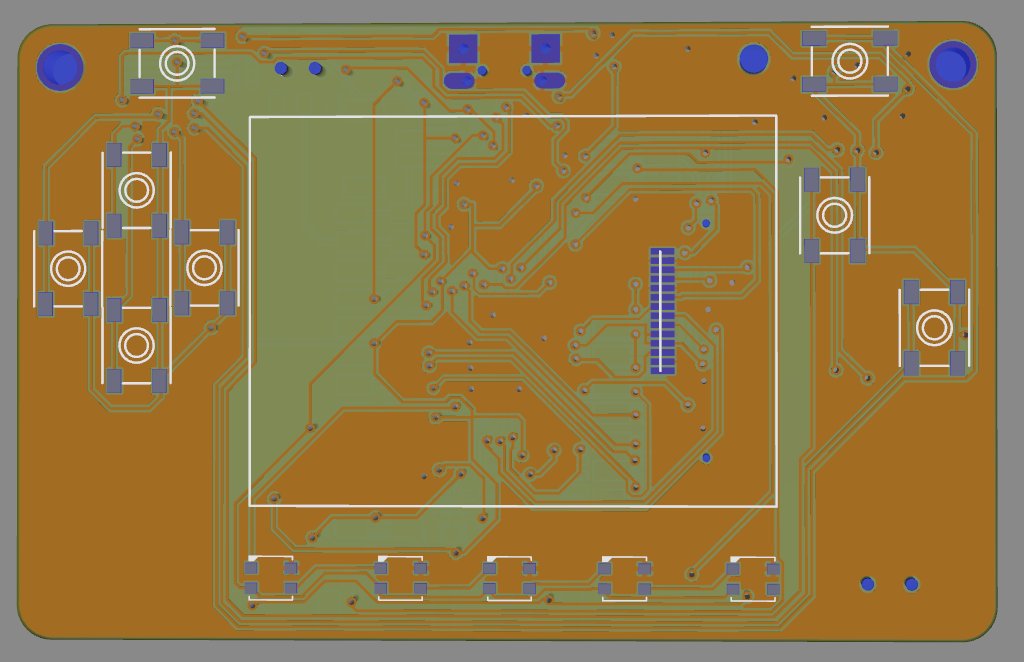
 Twitter
 main meteor
The one I'm waiting for is Grand Central (and hoping it uses the SAMD51 high-speed microSD interface).
meager fog
@main meteor its plain SPI interface, we dont have a driver for the SD HS interface
main meteor
Ah well. I guess microSD isn't really supposed to be fast storage anyway (which is why there's a QSPI flash chip on there, I suppose).
meager fog
if someone contributes a driver, we'd be into changing the pins
the delays in SD cards are the internal FS erase/writes - that wont be any faster
same with QSPI
cameras have huge SRAM buffers
SPI for SD card is well supported, and understood 😃
main meteor
My 1200fps camera really beats up the SD card.
meager fog
yeah the engineering in cameras is sucking that data from the sensor, buffering it, and managing the SD card. its kinda the whole job of the camera 😄
we're not quite there yet
slender iron
@meager fog want a new nrf build? I think the usb is happier with thach's fixes
main meteor
INOYDA? "I know, yeah, don't ask"?
slender iron
actually I don't have the new board def in my repo
main meteor
I was close! 😃
manic glacierBOT
I had to remove a few unhelpful warnings and tweak the build but easy overall. Works better than before in my testing with nrf and samd51.
[adafruit/circuitpython] New comment on issue #1342: samd: REPL disconnect problems after tinyusb PR
Please try with https://github.com/adafruit/circuitpython/pull/1353. I believe it will fix it.
meager fog
@slender iron oh wait i have the boards here
ok can you give me a uf2
ill test it now
manic glacierBOT
Please try with https://github.com/adafruit/circuitpython/pull/1353 in my limited testing it fixed the slowness. (It was due to an incorrect/missing response to setting the CDC line coding on connection.)
meager fog
oh shoot i forgot we didnt commit the SPI stuff or neopixel removal
slender iron
yup thats what I have in the last firmware I posted
meager fog
ok thanks yeh that works
lemme see if i can cDC
yeah!
it works 😃
i can putty in
n1c3
slender iron
yay!
meager fog
ok we do have some pin deinit stuff htat isnt workin'
Auto-reload is on. Simply save files over USB to run them or enter REPL to disable.
code.py output:
Traceback (most recent call last):
  File "code.py", line 7, in <module>
ValueError: SWITCH in use
on reset
slender iron
ya, maybe
slender iron
lemme see if I can spot the issue
slender iron
good! thats @gentle bronze 's good work!
slender iron

GitHub
I had to remove a few unhelpful warnings and tweak the build but easy overall. Works better than before in my testing with nrf and samd51.
meager fog
yep yep
meager fog
excitin!
slender iron
yup! hope it fixes both open usb bugs
meager fog
i think acually MSD was stable before but i didnt see the in-use errors
so i thought the code hung on save, it was saving fine, just not running
slender iron
ah
meager fog
🤷
slender iron
that makes sense because it was the control endpoint with issues I think
msc doesn't use it much
it does control over the bulk endpoints
meager fog
rite
half sedge
Is this on your radar: https://github.com/boochow/micropython-raspberrypi/releases

GitHub
bare metal Raspberry Pi Zero / Zero W port of MicroPython - boochow/micropython-raspberrypi
slender iron
half sedge
Barbone micropython on Raspberry Pi Zero...
slender iron
I know someone had tried that before
meager fog
yep we blogged it even!

Adafruit Industries - Makers, hackers, artists, designers and engineers!
Interesting news from GitHub user boochow (Twitter @boochowp). He’s working on alot of interesting things including a bare metal implementation of MicroPython for Raspberry Pi Zero and Zero W…
slender iron
@meager fog does that new build work better for pin reset?
meager fog
testin'
half sedge
Now there is a release. Just unzip that on a microSD, add two file from the foundation, and it boot.
slender iron
https://github.com/adafruit/circuitpython/blob/master/ports/nrf/common-hal/microcontroller/Pin.c#L51
GitHub
CircuitPython - a Python implementation for teaching coding with microcontrollers - adafruit/circuitpython
debugging code that I left in
pastel panther
haha
pastel panther
resetz? who needs dem?
meager fog
ok try #2
slender iron
hopes the code below works
meager fog
this is totally like what it used to be progammin
you'd submit your card stack
check the next day for the output
main meteor
Can confirm.
pastel panther
That's about how I feel every time I have to compile and flash some code.
meager fog
standin byyyy
slender iron
may take a bit more time
meager fog
no biggie
slender iron
and stack space 😉
meager fog
you will get your package soon too
i am testing neopixel in userland just fine
so i dont need it for the runtime
 tropic shuttle
I am trying to run the example code in the readme of the bluefruit SPI library (https://github.com/adafruit/Adafruit_CircuitPython_BluefruitSPI/blob/master/README.rst) on a Feather M0 Bluefruit LE, but I get an error saying that board doesn't have an attribute D8. I guess this makes sense since there isn't a physical D8 on the board, but I'm confused as I thought this was an example for the board I am using.
This guide (https://learn.adafruit.com/adafruit-feather-m0-bluefruit-le/configuration) also uses pin 8. How do I use pin 8 if board doesn't have D8?
I am on CircuitPython 3.1.1 btw
meager fog
use the adalogger circuitpy build
tropic shuttle
@meager fog Thanks! That did the trick
slender iron
@meager fog status neopixel
manic glacierBOT
meager fog
@slender iron ok want me to try again
slender iron
sure
slender iron
and the status neopixel works?
meager fog
hold on i gotta remove my code
slender iron
no, its setup to be spi
meager fog
k np
slender iron
I'll look at qspi when I get the hardware
meager fog
ok got it, yeah neopixel is good now
slender iron
great!
 tough flax
Just received 3x Argon and 3x Xenon feathers from Particle... CP on nRF52 just got way more interesting for me 😃
slender iron
nice! I still haven't gotten my shipping notification
tough flax
They included a rebranded tripler - nice of them but I don’t like the blue 😃
I can send you one until you get one if it helps w/development
slender iron
nah, it should be any day
slender iron
well I'm sure it'll go well 😃
meager fog
koool
tough flax
Will share vids esp the two cp projects
meager fog
adding board support should not be too hard if you want to attempt it bill!
its kinda a cross between the nrf52840 feather and the dongle (no SPI flash)
just gotta look up the pins 😃
tough flax
After the event I’m happy to help. I think the xenon won’t be hard
meager fog
totally - that would be great 😃
tough flax
The argon has an esp32 as well
meager fog
we also have the nrf52840 support in arduino coming along
that's also not too hard!
just needs the pin mapping.
tough flax
Is it SPI slave?
meager fog
the esp32?
tough flax
Yep
tough flax
Hehe
meager fog
i don't have one, not even a proto
we'll be stocking after they ship to backers of course
tough flax
Want one? I’m still at the ups store?
tough flax
Gotcha
meager fog
grand cental and nrf52840
tough flax
Can I ask you something? Did you intentionally make the esp8366 able to be disconnected from the Lopo circuit so it could act like a wing? Or is that and jumper there for another reason?
Kilo
Stupid phone
LIPO
tough flax
(s/ESP8266/ESP8266)
tough flax
Ok. Gotta get heads down on this event
timber mango
It's lame but it basically will s/foo/bar and give surprise endings
Still easier than not at all so I use it a lot.
timber mango
or one could design a proper command line interface to a primarily text-driven user interface ;)
pastel panther
if one wanted to spend their time doing something like that
timber mango
oops I just looked at what room this is.
meager fog
@tough flax nah that jumper is so people can use AAA's or somehin
but you could use it as a shield for sure 😃
tough flax
I was thinking it would be a great stopgap for cp
Run spi slave sketch on it
Have cp initialize it and send / receive web requests using the esp8366 to do all the connection mgt and parsing
Just pass request/response back and forth
And the hardware already (kinda) exists. I think you need that jumper cut and perhaps not connect all the power pins
I certainly think it would irk when connected to usb or 5v. LIPO might not work
You could even run an http server on the esp and have it trigger the m0/m4 when a request is is received via a pin
meager fog
@tough flax yep we have some ideas on how to do it, theres's some 'ESP8266 as coprocessor' examplse out there
and we've done similar for BLE
but no ETA
tough flax
Gotcha. If you’d like help (after the event) let me know
stuck elbow
there are so many possibilities, you just have to write the code :(
stuck elbow
even in hardware, it always comes down to writing the code
pastel panther
anyone know of a serial plotter with a time scale that you can record traces on?
hmm.. maybe I can futz with arduino's to get it to do what I want
tidal kiln
there's one in mu
pastel panther
mu doesn't like me