#circuitpython-dev
1 messages · Page 210 of 1
 meager fog
 umbral dagger
@meager fog Just saw your comment. It could definitely be a separate lib. I've done a more general version that "debounces" a lambda expression that can be quite useful (i.e. not limted to just onboard GPIO pins: seesaw/crickit inputs, a noisey analog input, etc).
 slender iron
@tulip sleet up, thats true
 tidal kiln
Debouncer - sounds like Trailing Whitespace doing a Pixies cover
meager fog
lol
i think its a good helper, @umbral dagger wanna work with @idle owl to make it it's own helper library?
there was one for arduino people liked, i could see a button pal library being helpful
umbral dagger
@meager fog Do you want a guide explaining it? It's actually based on the Arduino one.
 ruby lake
@meager fog now for a featherwing that has 4x 0~5v 12 or 16-bit DAC channels and 4x logic I/O 😉
 solar whale
woohoo!
 tulip sleet
great!
slender iron
- hopefully
tulip sleet
i'll try it on windows too
slender iron
in tinyusb, samd21/dcd.c
  // A setup token can occur immediately after an OUT STATUS packet.
  if (epnum == 0 && dir == 0 && buffer == NULL) {
      buffer = control_out_buffer;
  }
in dcd_edpt_xfer
before bank->ADDR.reg = (uint32_t) buffer;
(I have a bunch of debugging changes in my repo atm)
tulip sleet
should we start with careful-reset branch?
slender iron
ya, I think those changes are still helpful
solar whale
can you give full path to samd21
tulip sleet
./src/portable/microchip/samd21/dcd.c
solar whale
tnx
slender iron
within lib/tinyusb
the setup interrupt was reading 0x0 as its source for the setup packet 🤦
tulip sleet
does this not happen on samd51?
  UsbDeviceDescBank* bank = &sram_registers[epnum][dir];
  UsbDeviceEndpoint* ep = &USB->DEVICE.DeviceEndpoint[epnum];

  // A setup token can occur immediately after an OUT STATUS packet.
  if (epnum == 0 && dir == 0 && buffer == NULL) {
      buffer = control_out_buffer;
  }

  bank->ADDR.reg = (uint32_t) buffer;
  if ( dir == TUSB_DIR_OUT )
it may be fast enough not to
yup
or its a detail of the periph
if the transfer complete interrupt for the previous zero length transaction is fast enough to beat the next setup it'll work
probably why it works with arch
ubuntu gives us 60 microseconds
let me check arch
tulip sleet
no /dev/ttyACM0?
slender iron
that could be a separate issue
tulip sleet
works for me on my ubuntu box and on windows (though I had to unplug/replug - the first time it said "not recognized device", but that might have been left over from the previous failures
slender iron
ok, my arch box is slow about it. it has a start of frame before the next setup
solar whale
cool ! seems to be good -- I'll try adalogger
slender iron
mac gives 250 microseconds or so
k I'm gonna go for a run. will PR this after
gotta untangle it all
thanks for the testing!
solar whale
Thank you!
tulip sleet
woot!
solar whale
adalogger is happy too!!!
tulip sleet
cpx is happy and neopixels work fine
 timber mango
holy geordi laForge! /on-theme
solar whale
trying trinket_m0
trinket_m0 OK too!
itsbitsy_m0_express OK -- looks like we have a winner
rounding it out with the gemma_m0 -- all good
 prime flower
bit of a confusing time I'm having with loops in circuitpython. I have a function which takes in a 2d array and performs an XOR on it and another value. It doesn't look like the array is printing correctly
  """Performs AES Round Key Step
  """
  for col in range(0, 4):
    for row in range(0, 4):
print(state[row][col])```I'm probably iterating/printing it incorrectly, but what's printed doesn't match the initial state array
printed output:
66 99 99 99 99 99 99 99 93 99 99 99 124 99 99 99``` gusty kiln
so you're just looking to print each column in order?
meager fog
@tidal kiln https://www.adafruit.com/product/4028

You've heard about CircuitPython and maybe you want to get started fast with a breadboard-friendly microcontroller board! We recommend the ItsyBitsy M4 - a super fast chip with tons of ...
can you go to the related learn guides and add this as a featured product
 idle owl
@meager fog Nicely done! Great idea, @tidal kiln
meager fog
or kattni if ya are in a spot to do it
solar whale
you are iterating over row first so it walks down the column
meager fog
essentials, itsy m4 guide, anything else you can think of 😃
idle owl
Ok sure
tidal kiln
@meager fog awesome. that_was_fast.gif
solar whale
@prime flower since row is your inner loop it increments first -- down the column
meager fog
@tidal kiln :zoom: we had eveything stocked - the baggie of parts is from another kit
tidal kiln
@idle owl yah - if you can update guides, that'd be awesome, thanks!
idle owl
@tidal kiln help me think of them and I'll get it added to them
 steep moth
@tidal kiln The PWM on the ItsyBitsy M4 Express is working beautifully! Thank you for the help, also thank you Adafruit team for fixing the issue. Hmm... I think I might go mess with Circuit Python, maybe do some audio stuff. Have a great day everyone.
tidal kiln
@idle owl CP essentials for sure. but also maybe Itsy M4 guide and CP welcome?
@steep moth i was only a messenger, didn't do the work. but glad it's working. there was also a related DAC resolution issue that got fixed.
idle owl
@tidal kiln the welcome guide doesn't have any hardware on it.
prime flower
@solar whale how would that differ from iterating thru a nested loop in c++, though? Are lists handled differently?
idle owl
@meager fog it's not showing up in the featured products thing.
meager fog
it may take a bit for it to appear live since it just went in the store
but you can add it
solar whale
@prime flower it doesnt but the innner loop increments first so you are holding col fixed and incrementing row -- (so you are printing each column)
idle owl
I mean it's not showing up for me to add. I'll add it to my list to do this and I'll check back on it in a bit.
meager fog
ok yeah it takes a few mins
idle owl
I'm too quick!
solar whale
col 0 row 0, col0 row1, col0 row2 ....
tidal kiln
@idle owl ok. just essentials and itsy m4.
prime flower
@solar whale thanks! got it past a full AES round 1
steep moth
@tidal kiln, Okay, well thank you for being the messenger. 😄
solar whale
@prime flower woohoo!
prime flower
now onto round 2, where that (???) aes_calculate_key popped an error
solar whale
one step at a time...
tidal kiln
used the new PID 4028 to make a groovy piezo knob sound thing
so easy with CP
import board
import pulseio
from simpleio import map_range
from analogio import AnalogIn

FREQ_MIN = 200
FREQ_MAX = 800

knob = AnalogIn(board.A0)
piezo = pulseio.PWMOut(board.D9, duty_cycle=0, frequency=440, variable_frequency=True)

piezo.duty_cycle = 65536 // 2

while True:
    piezo.frequency = int(map_range(knob.value, 0, 65536, FREQ_MIN, FREQ_MAX))
 bold plaza
Does anyone know if the Requests package will be ported to CircuitPython? I tried a manual install via upip and ran into all kinds of issues. Tried to reflash and try a few different techniques, but alas my skills are lacking. 😃 I also tried a manual port from MicroPython and this seemed to have less errors, but still no luck.
slender iron
@bold plaza ya, I'd like to have it at some point soon. I've been up to my eyeballs in USB lately though

 bold plaza
@slender iron Oh exciting! I'm more of a hardware guy personally, I've tried to look into USB protocols before.. talk about a headache. Hard pass for me! 😃 I'll give the port another go over the weekend and see what kind of results I have.
slender iron
ok great! are you on esp8266?
 prime flower
welp, AES looks good but I need to diff the outputs. CircuitPython on M4 is wicked fast 😄
 sinful spruce
Does anyone having neopixels working on Raspberry PI?
slender iron
@gusty kiln is one of our Pi experts
gusty kiln
@sinful spruce yeah, we've had them working to an extent at least. it might be kind of flaky/weird depending on the model of pi, etc.
 obsidian dome
Is there a way to extract the pin info for an object? For example, I create a digitalio item and pass board.D13 to the constructor. Any way to re-discover that later?
gusty kiln
@obsidian dome there's a _pin attribute. i'm not sure if there's a better way to get at that.
tulip sleet
@prime flower could do:
print(state)
will just print the whole thing. If you really want to iterate:
for row in state:
    for val in row:
        print(val)
I got neopixels working on raspi by installing rpi_ws281x and adafruit_blinka and running the code as root. . The problem was -- Can't open /dev/mem: Permission denied - so I needed to run the application as root????
obsidian dome
Hmm. consider 'led=DigitalInOut(board.D13) led.direction=Direction.OUTPUT' when I ask for 'print(dir(led))'
I get '['deinit', 'enter', 'exit', 'switch_to_output', 'switch_to_input', 'direction', 'value', 'drive_mode', 'pull']' What am I missing?
 manic glacierBOT
@ATMakersOrg tried an RFM FeatherWing needing SPI on the back of the HalloWing. But since the regular Feather SPI pins are attached to the display and used for the FourWire display object, SPI on the regular pins was not available.
Would it be possible to make that SPI object available via a property, or is it really too dedicated to share?
slender iron
@obsidian dome in circuitpython its a c object so it won't have a _pin attribute exposed
bold plaza
Sorry for the delay, work atm. @slender iron Yes I'm working with the Huzzah Feather atm, but have a few other MicroPython capable boards as well. (ESP32-WROOM and the STM32F4 variant)
slender iron
@solar whale you around? I may have nrf fixed
solar whale
yes
obsidian dome
@slender iron I intuit this means that there is no way to find the pin for the object.
solar whale
just updating master
solar whale
ok -- whatever you suggest
slender iron

GitHub
CircuitPython, an education focused port of MicroPython. - tannewt/circuitpython
I loaded it on the nrf52832 and it started up ok
I think it my only do ble repl by default
solar whale
I think I need to add you as remote in master then git fetch remote fix_nrf_internal_flash ??
slender iron
ya
solar whale
should this work for 52832 and pca10059 or just 52832
slender iron
hopefully both
I dont know how to get the 832 serial
and I gotta dig out my dongle
slender iron
I have no idea
solar whale
not seeing it
slender iron
no usb?
solar whale
not yet
solar whale
CIRCUITPY is mounted ok
slender iron
I've never used the dongle
solar whale
same as all -- double tap reset adn copy uf2 - if you have installed bootlader
slender iron
I have whatever shipped on it
tulip sleet
i have two with uf2 bootloaders
solar whale
ah -- need to build/install bootloader -- requirres soldering pins
slender iron
ok, I can add an swd to it
solar whale
ah there is the usb REPL == takes a few second to appear!!
slender iron
@tulip sleet did you find the swd connector from the pca10056? I want to buy some
solar whale
yes add SWD or ust add SWDIO and SWDCK near USB
slender iron
I have spare plugs so usually just put one on
slender iron
k will pr and then call it a night
solar whale
USB serial REPL ok on 52832
slender iron
huh, I wonder why it doesn't work for me
ruby lake
odd, trellis m4 serial (repl) is loaded in device manager but Mu can't find it
slender iron
ah its a silabs chip isn't it
solar whale
minor issue when I try sometjing I have done before -- using SPI -- get "SCK in use" but I can mount SDCArd OK
slender iron
k, that sounds different
slender iron
¯_(ツ)_/¯
solar whale
ah - after hard reset - the SCK inuse goeas away -- SCK not being cleard by soft reset
ruby lake
Mu sees the enumerated COMs, mu.modes.base:226(find_device) DEBUG: ['PID:0 VID:0 PORT:COM1', 'PID:32816 VID:9114 PORT:COM42']
it just rejects them
solar whale
I can run my "paint" demo on TFT using code on the SDCard!!
has mu ever seen a 52832?
I never tried it.
still no control-C -- can't interrupt a running script on 52832 -- not a new problem!
slender iron
is there an issue for it?
 solar whale
yes -- been there a very long time
slender iron
kk, we should be able to add it
solar whale
yup -- all in good time!
my stmpe610 demo works (again via SDCard ) after hard reset. -
 solar atlas
I'd like to make a request:
solar whale
cool ! ampy works to 52832
idle owl
@ruby lake Mu doesn't work with Trellis M4
solar atlas
Can someone please update the synchronized hallowing eyes guild so it's doable in CP?
ruby lake
ah, well that explains that 😉
solar whale
@slender iron FYI https://github.com/adafruit/circuitpython/issues/1003

GitHub
While testing the SPI and I2C interfaces to the STMPE610 Touch screen copntroller, I found that once I start my program running, I cannot use control-C to break out. This occurs with pot the I2C an...
slender iron
@solar atlas the eyes are too cpu intensive to run with circuitpython
solar whale
@slender iron sorry -- I got confused -- thought you were using mu for 52832....
solar atlas
O sorry the customize synchronized hallowing eyes guild. it refers back to the teesy guild which is done in Arduino not CP
manic glacierBOT
nRF internal flash didn't fake out the partition table like atmel does. Now its factored out.
solar atlas
The hallowing eyes are in Aduino?
solar atlas
Ahh, thought the hallowings came with CP on them.
solar whale
great! nice work!
slender iron
nope, the eyes are arduino
solar whale
I'll try pulling the PR into masterand rebuilding
slender iron
ok thanks! I'm off. I appreciate all of the testing help
solar whale
glad to hlep
tulip sleet
@raven canopy I think I know how to fix that travis failure on the 3.x build. A nordic download disappeared of some alpha software. I'll have a change for you in a minute. You can push a new commit. hold on...
solar whale
pca10059 OK from master with pr_1338
 raven canopy
thanks @tulip sleet. i figured it was an external move...
solar atlas
Ok, how do you edit the uf2 file that's on a hallowing?
tulip sleet
@raven canopy having trouble figuring out why this ever worked 😃 I need to submit a more complicated PR to fix. Don't wait up. I might finish tomorrow.
raven canopy
hehe. when it works, why ask questions, right? 😜
solar whale
@tulip sleet @raven canopy waht nrf are you trying to build in 3.x?
tulip sleet
pca10056
raven canopy
Travis is failing it: https://travis-ci.org/adafruit/circuitpython/jobs/454787830
tulip sleet
it used to download an alpha version of sd140 v6.0.0, which has disappared. I'm fixing it but the directory names are a bit wrong
I think I made a typo somewhere
did 3.x ever actually work on pca10056? Is this sort of pointless?
raven canopy
i was just thinking about that. did the pca build sneak in during early switch to 4.x?
solar whale
I do't recall -- ddi travis cahnge the path fpr downlaoding the bluetooth sd drivers -- it channged recently
I don't see any reason for pca10056 on 3.x
tulip sleet
the alpha version disappeared from the nordic website. I have it downloading now. just some .mk issue about "nrf52" vs "nrf52840" in a directory name.
tulip sleet
I don't need to delete it. I just need to fix a little thing.
solar whale
Time for bed here --- bracing for first snow tomorrow and a very cold moring -- sigh...Goood night all!
raven canopy
night @solar whale. stay fros...err warm! ❄
solar whale
expect high teens tomorrow moriing -- snow in the evening - may be in the "mixed" zone
 cunning trail
@idle owl Saw you on the Show and Tell that you are working on CP library for LCD text displays. Is that the I2C backpack ones? I have a bunch of 4x20 mono LCD text displays (generic - import...) that I had the toughest time trying to find the library that worked in Arduino. The configuration pin settings were also different. #define BACKLIGHT_PIN (3) #define LED_ADDR (0x27) // might need to be 0x3F, if 0x27 doesn't work LiquidCrystal_I2C lcd(LED_ADDR, 2, 1, 0, 4, 5, 6, 7, 3, POSITIVE) ; This worked for me with the fmalpartida Liquid Crystal library. When using these displays, because it is based on old hardware - the display is "interlaced" with first line that spills over into the third. The second line spills over into the fourth. Just wanted to mention it if helps to make a "universal" library for other than what is the specific Adafruit product(really so I can reuse these displays with CPX). Thanks.
manic glacierBOT

Ok, I'm OK with that - Scott, are there MPY files in the standard bundle for HID? I thought they were split out so you didn't have to load the whole thing - can they still be compiled?
tulip sleet
@raven canopy this is a mess - I fixed my directory problem, but the alpha download disappared, and the API has changed so that the 52840 code no longer compiles. Not sure it's worth fixing. I think maybe we should just remove the pca10056 build
raven canopy
in my lowly opinion, i think removing is the better option too. 3.x doesn't "officially" support nRF52 right? almost seems to invite confusion/quesitons.
i can remove it from the .travis.yml in my PR...seems easy enough.
tulip sleet
I need to see whether a patch is needed in download_ble_stack as well. hold on.
raven canopy
holding
tulip sleet
Try just commenting it out it in tools/adafruit_build_bins.sh.
i think the error in download_ble_stack.sh is ignored.
manic glacierBOT
If the delayed REPL is consistent, then an issue should be opened. It might have been a long write to BOOT_OUT.TXT (because the version changed).
@ATMakersBill If you're using 4.0-alpha, then it doesn't yet have the "swap .frozen and .lib" fix that was put in to 3.1.1 and later. So make sure the lib directory doesn't have an adafruit_hid directory, if you've frozen in HID.
You might want to do these frozen builds from the 3.x branch instead, unless you need 4.0 (I can't remember.
The 3.x pca10056 build has broken because the s140_nrf52_6.0.0-6.alpha SD release (used for nrf52840) has disappeared from the Nordic website. I tried substituting the 6.0.0 release but there were API changes and the code no longer compiles. This is not a problem in master because we well ahead of that alpha release.
raven canopy
@tulip sleet i just removed pca10056 from the ATMEL_BOARDS definition, and left the conditional in there. we'll see how it turns out. Travis is creeping right now...
tulip sleet
yah, i just looked and it finally started
raven canopy
argh. just noticed on travis it uses the TRAVIS_BOARDS definitions. 😦
manic glacierBOT

No worries! And thank you for digging into the SD issue, even though we ended up scrapping it altogether.
 lone sandalBOT
 solar whale
@tidal kiln @gusty kiln if you have a chance, can you look at https://forums.adafruit.com/viewtopic.php?f=50&t=143689&p=709436#p709436 -- there may be an issue with SPI via Blinka on the Raspberry Pi -- or I am just missing something obvious
solar whale
@tidal kiln thanks for jumping in!
tidal kiln
np. i don't think i have all the hw either, so may be limited. but we'll see what happens with the simple test / check.
solar whale
I have the lora radio and some other SPI stuff so I can try it, but not until tonight or tomorrow.
slender iron
@gentle bronze when you add more commits to the develop branch can you do them as PRs that you merge right away? that'll make it easier for me to ask questions about it and comment. thanks!
 gentle bronze
@slender iron ah ok, hmm, I have some local commit with develop already
hmm, may need to switch the branch to something else
slender iron
ya, that's easy to do
git checkout -b <foo>
no <> needed, thats just the placeholder
gentle bronze
yeah, thanks
slender iron
np, let me know if you need more git help
 candid stump
has anyone noticed that at times CIRCUITPY does not show up (on a macintosh) if it is attached to a Crickit and the Crickit is turned on? Turn the Crickit off and it shows up. Is there anything I can do about this?
That is, with a Circuit Playground Crickit.
slender iron
@candid stump I haven't heard of that before
manic glacierBOT

This PR is causing problems for me.
I use a tool similar to ampy to copy files through the REPL to the board.
It is now broken and I get timeout/disconnect after a few files are copied.
The commit before this PR is fine (I've tried the latest master, same problem).
The board is connected to a Raspberry Pi.
Sometimes the /dev device name stays the same and sometime I get a new one like here:
pi@cp:~/work/circuitpython/projects/fs.repl/fs $ python3 -u stdlib_copy.py -vvv /dev/ttyAC...@notro have you tried the tip of master? Some fixes went in yesterday.
slender iron
Anyone against me releasing alpha.3 today?
tulip sleet
The delayed REPL on the nRF boards is odd, but if it shows up eventually, that's good. That may be the ampy problem? Could you add a caveat that the bleio API will change?
slender iron
what do you mean by delayed repl? is there an issue for it?
tulip sleet
slender iron
@solar whale is the repl delay apparent on the 10056 too?
it could be the internal flash write on the 59
solar whale
@slender iron I did not notice it yesterday - I only noticed it on the 10059 -- I can't check it again until this evening.
slender iron
k np
 dawn rampart
Would it be possible to create a new feature to run storage.erase_filesystem() via a 5s long press of the reset button?
tulip sleet
i'll test on the 10059 now
dawn rampart
I keep inadvertently getting corrupt code.py files and have to then log into REPL and reset things. Not a huge deal, but would be neat if I could do the same thing with a long RESET press.
slender iron
@dawn rampart no, we can't time the reset push because it stops the cpu
dawn rampart
ah
tulip sleet
@dawn rampart how are you editing the files, and what OS is it?
dawn rampart
I edit with notepad++ typically. Windows 10 normally, but I also use Mac. It is totally my fault. Usually it is a terrible bit of code, or I don't give it time to properly reload itself or I'm messing with the board and I have, unfortunately, placed a 3v3 pin next to the reset pin. Every now and then, during file upload, they short.
Or unshort?
REPL always saves me though. 😃
tulip sleet
notepad++ does not force-write all the data at once to the filesystem. There are other editors that do. See https://learn.adafruit.com/welcome-to-circuitpython/creating-and-editing-code#1-use-an-editor-that-writes-out-the-file-completely-when-you-save-it-6-13
dawn rampart
Ah - RTM! I will switch to something else. I have Mu installed, might as well use it. 😃
tulip sleet
Mu is a great choice if it's not too minimal for you.
also it makes it really easy to get to the repl, as you know
dawn rampart
Actually, I've never gotten Mu to connect to the serial port correctly. Always tells me it cannot find an attached device - because it doesn't know to look for my Mini SAM M4 board. So, I use Putty
I was going to checkout Mu on github and look about adding my board to a special build just for myself, but Putty is fine.
@tulip sleet and @slender iron - FYI you two have been super helpful. I've got a couple extra Mini SAM M4 boards I could send you if you are interested.
 river quest
hey @dawn rampart could you send one to adafruit for our collection too?
dawn rampart
@river quest - Sure thing. send me the addy and I'll get one in the mail.
manic glacierBOT
Yes, I've tried the latest master.
river quest
thanks! want to email pt@adafruit.com so i can email ya the address, etc?
dawn rampart
sounds good.
river quest
 😃
😃
slender iron
@dawn rampart You should PR the board definition to CircuitPython
manic glacierBOT
@notro Please file a new issue with instructions to reproduce. For that issue:
- Beagle or wireshark traces are extra helpful.
- What is the status LED doing as it does this? One of the first things is to rule out a hardfault.
- Which board are you using?
slender iron
@idle owl Can you document how the API changed here? https://github.com/adafruit/Adafruit_CircuitPython_SGP30/releases/tag/2.0.0

GitHub
CircuitPython driver for SGP30 VoC sensor. Contribute to adafruit/Adafruit_CircuitPython_SGP30 development by creating an account on GitHub.
dawn rampart
@slender iron - I need to clean up my repository, but sounds good.
manic glacierBOT
To be precise, this PR didn't work at all (looked like something was corrupted in the transfer), I needed the overrun fix in order to copy anything at all.
idle owl
@slender iron It is epic, isn't it? Yeah I can update the SGP30, I was struggling to make sure they were all accurate.
@slender iron better? https://github.com/adafruit/Adafruit_CircuitPython_SGP30/releases/tag/2.0.0
GitHub
CircuitPython driver for SGP30 VoC sensor. Contribute to adafruit/Adafruit_CircuitPython_SGP30 development by creating an account on GitHub.
idle owl
@cunning trail I'm not certain how I could integrate those changes into the lib. I don't have any way of testing it and we would then be responsible for supporting it. The changes I'm making are to redo the library to make it use an existing IO expander driver and breaking out the shift register into it's own library. There are no functional changes to how the backpack works. I've also added the shield.
manic glacierBOT
cunning trail
@idle owl Thanks. It is worth it to get only vetted and supported products from Adafruit.
idle owl
@cunning trail The library handles all the pinouts in the background because they're determined by the hardware, so it isn't something you can set without modifying the library I think.
Well, you've got older hardware sitting around, it happens 😃
manic glacierBOT
Ya, I mean to enable this when I support dynamic initialization of displays. I'm really glad I added locking ages ago.
cunning trail
Yeah, the end user expectation is that you should just be able to plug in a few numbers and it should work. I know it is more complicated than that.
slender iron
@tulip sleet want to merge the path swap into master before alpha.3?
manic glacierBOT
@ATMakersBill They should be in the bundle. Each file is mpy'd on its own.
slender iron
@tulip sleet thanks! reading through issues reminded me of that.
tulip sleet
I'll update the frozen libs too.
slender iron
k thanks
tulip sleet
@slender iron is this is in master? https://github.com/adafruit/circuitpython/pull/1202
maybe I should try a general merge
tulip sleet
I just have to undo the latest fixes about removing the PCA10056 build from 3.x.
this is your brain; this is your brain on USB traces
manic glacierBOT
Sorry for the late reply on this. I was heads down on USB.
I'd prefer to have the subclasses on M4. It does take more space but means we are closer to CPython. Its backwards compatible to M0 because except clauses account for object inheritance. Can we use macros on the M0 for the subclasses?
slender iron
exactly
idle owl
@slender iron To answer your earlier question, I agree we should do alpha3.
manic glacierBOT
Class alias names could be OK, but we will still need more qstr space. Maybe we can get it to fit.
manic glacierBOT
 inland tusk
@slender iron @idle owl I talked to modern device today and they are sending me a fluxamasynth for raspberry pi and Feather. This also includes a python library too.
I am going to try to adapt the python library for CP.
manic glacierBOT
slender iron
@inland tusk awesome!
manic glacierBOT
I see the slow REPL response as well. CIRCUITPY is almost immediate. I can connect to the serial port immediately, but it takes about 7 seconds for the REPL prompt to show up. This is true after multiple resets (it's not just the first one, which might write BOOT_OUT.txt). I'l make an issue with some more data.
4dfba2f put .frozen before /lib in sys.path; update fro... - dhalbert
fa1edb2 Merge pull request #1314 from dhalbert/3.x-froz... - dhalbert
4f2f571 Adding the serial_bytes_available() method to t... - ATMakersBill
bd4188a adding changes to mpconfigboard.mk to reduce me... - ATMakersBill
adf9b21 Merge pull request #1317 from ATMakersBill/seri... - tannewt
manic glacierBOT
On the tip of master (11de8fdca, the commit that may become 4.0.0-alpha.3), when PCA10056 or PCA10059 is powered up or reset, and then I try to connect to the REPL, it takes about 5-7 seconds for the initial REPL messages to show up. CIRCUITPY has already appeared several seconds before.
It doesn't matter how long I wait after reset. I can reset the board, wait 30 seconds, and then try to connect to the REPL, and there will still be a several-second delay.
With 4.0.0-alpha.2, the REPL m...
tidal kiln
@idle owl is it possible to rename a library repo without pulling a thread of general mayhem?
idle owl
@tidal kiln Not exactly. What do you need to rename?
Is it an existing library? Or something new and not used yet?
tidal kiln
seems like it should live there, maybe rename it to TMP00x or with 3 x's which the spam bot loves.
idle owl
So.... I think my suggestion would be to create the Adafruit_CircuitPython_TMP00x or whatever you want to call it, incorporate both into it, and then we archive the TMP007 in favor of the new one. I feel like that would end up being less work if indeed it makes sense for them to be together. It means we wouldn't have to go back and find all the places it needs to be changed, we would get it all right from the beginning and then only have to deal with guide code linking to the examples and so on.
Because sooooo many things would need to be changed.
thinks
Docs, doc links, Readme URLs, setup.py, PyPI, guide code, example code...
I'm sure I'm forgetting something.
If you created it new, we could start from the bottom-up instead of top-down.
I guess I'd get verification on that though from Limor before that's the route you take. But I really feel like that would end up being less work in the long run.
Are there other TMPx sensors?
tidal kiln
not right now, at least not in shop - just 6 and 7, and 6 is no longer made
but we've kind of orphaned it library wise
shouldn't be too hard to use the 7 driver and add one for 6
idle owl
Right
tidal kiln
so it does sound like this pulls a thread, kind of what i thought
tidal kiln
how about just putting it in that repo and not worrying about a rename
at least for now
idle owl
hmm....
I'm not sure it makes sense that way.
I mean it's a less destructive way to do it, but it ends up confusing because the lib name doesn't match
tidal kiln
or.....just make a totally new repo
idle owl
That would be the least confusing, nondestructive way to do it. But I understand you wanting them combined as well.
tidal kiln
your call, since i'd need your help with any fall out, whichever route you think best
idle owl
Creating a new repo is the least amount of work. And now that I think about it, if it's not made anymore, we'll eventually stop supporting it, and having its own repo means that's easier than having to extract it from a combo lib. So I think create a new repo for it.
tidal kiln
ok
solar whale
@tulip sleet did you try the slow REPL check on your mac as well? is it just Ubuntu?
tidal kiln
@idle owl can you please create a new blank repo i can PR to 😃
idle owl
@tidal kiln Yeah in a bit here. Right in the middle of 6 things. Need to get that down to at least 5...
tidal kiln
no canadian rock back
solar whale
@tulip sleet nevermind -- tried it on my mac -- some delay, but not as long -- more like 3 sec on mac
manic glacierBOT

FYI -- just tried this on my Ubuntu and MacOS systems -- I get the 7 second delay on the Ubuntu syste, but only about 3 seconds on the Macos system
solar whale
@slender iron @tulip sleet I mentioned this in the USB PR revieiw, but wanted to see if you thought it warrented an issue. On the nrf boards (pca10056 and nerf2832) a soft reset does not free the SPI pins - so if I do an SPI activity then reboot, I can't do it again unless I do a hard reset or power cycle. -- This is new with the update ```Adafruit CircuitPython 4.0.0-alpha.2-172-g0ea31ec15 on 2018-11-15; PCA10059 nRF52840 Dongle with nRF52840
import sdmount_lib
soft reboot
Auto-reload is on. Simply save files over USB to run them or enter REPL to disable.
Press any key to enter the REPL. Use CTRL-D to reload.
Adafruit CircuitPython 4.0.0-alpha.2-172-g0ea31ec15 on 2018-11-15; PCA10059 nRF52840 Dongle with nRF52840
import sdmount_lib
Traceback (most recent call last):
File "<stdin>", line 1, in <module>
File "sdmount_lib.py", line 8, in <module>
ValueError: P0_17 in use
that's some kind of SPI deinit bug. Go ahead and file an issue with that. Thanks!
solar whale
ok -- will do
tulip sleet
there's some peripheral "reset" code that should run, and it's not happening
I think
manic glacierBOT
I ran into this on both the pca10059 and feather_nrf52832 with the current master.
It looks like the SPI pins are not being properly released with a soft reboot (control-D)
If I use an SPI device then reboot via control-D I cannot re-execute the code without getting a "pin in use" error.
The problem is fixed by a hard RESET or power cycle.
Adafruit CircuitPython 4.0.0-alpha.2-172-g0ea31ec15 on 2018-11-15; PCA10059 nRF52840 Dongle with nRF52840
>>>
>>>
>>> import sdmount_l...I think we had this issue once before...I'll see if I can find an old issue
manic glacierBOT
it's deja-vu all over again -- see #1209
Just a reminder that this issue is still present on the feather_nrf52832.
Control-c does not terminate an executing script.
The only way to stop a script is a hard reset.
manic glacierBOT
PR #1321 has caused problems with uploading files over the serial REPL.
Using latest master:
pi@agl:~/circuitpython/workdirs/test/circuitpython$ git log -1 --oneline
0ea31ec15 (HEAD -> test, origin/master, origin/HEAD, master) Merge pull request #1339 from dhalbert/3.x-frozen-swap
I'm unable to put a 460k file using ampy:
pi@cp:~/work/circuitpython/ampy $ python3 ampy/cli.py -p /dev/ttyACM1 put ../workdirs/test/circuitpython/ports/atmel-samd/build-metro_m4_express/firm...
[adafruit/circuitpython] New tag created: 4\.0\.0\-alpha\.3
meager fog
LeeeeeeeeeeeeeeeeeeeeeeeeeKz

OwO whats this!? Its the rev B boards for the M4 Grand Central - starring ATSAMD51P20 with 1 MB of FLASH, 256K SRAM and oOooOodles of pins! IT'S MILLER TIME. Runs @CircuitPython same form factor as @arduino MEGA

 Twitter
timber mango
Twitter
timber mango
wow
meager fog
🚅
timber mango
izzat an Arduino Uno form-factor outline?
tulip sleet
arduino mega
timber mango
danh do you generally overwrite an Arduino IDE (they are up to 1.8.7 now) or do you wipe the old one and start new, for a pristine installation of the IDE?
tulip sleet
on Ubuntu, I just unzip it and move my symbolic link to point to it. On Windows, I install it, which uninstalls the old one first. I don't remove the .arduino15 or Arduino15 directories -- that's what sometimes gets messed up (usually on a board update)
~/.arduino15 or Arduino15 in AppData somewhere on Windows
timber mango
Thanks, danh. I'll try a symbolic link. Sounds like that'd be useful in the future.
(Debian Linux AMD64 here)
hah I was already using one. ;)
This thing has a setup shell script specifically for linux, and does a lot of stuff we address elsewhere, such as sudo apt-get -y remove modemmanager
I think I saw something for udev rules in there as well.
Since it says it needs root, I have never run this script. ;)
/local/path/arduino-1.8.7/arduino-linux-setup.sh
tulip sleet
@timber mango hmm, I don't think I ever ran that. Maybe we should add it to the Learn Guides. Fixes a lot of potential problems.
manic glacierBOT
It doesn't take any arguments but says it does.
timber mango
~/.arduino15 is instantiated as a new directory (when missing) the first time a newly-installed Arduino IDE is launched in Debian (AMD64).
It is only populated with preferences.txt.
This is upon examination, after a successful compile of a new (almost empty; default) sketch for the Uno (the default target board).
slender iron
@pastel panther do you have a link for your CP32? I'm adding it to the release notes
tulip sleet
@slender iron in general, do you think shared-bindings routines should do arg validation, or leave it to common-hal, or should both, or should common-hal assume validation (when it's safe). E.g., I'm checking an int arg to make sure its <= 0xffff, so who checks?
slender iron
shared-bindings should if its a universal constraint
common-hal can do more if the implementation is more limited
tulip sleet
it's universal, but can common-hal then assume that it's passed validated args?
I can add that to a comment for the routine
slender iron
ya
tulip sleet
ok, sounds good, tnx
slender iron
np
@tulip sleet want to proofread this for me? https://github.com/adafruit/circuitpython/releases/edit/untagged-e436860a67d8d9d253f3

GitHub
GitHub is where people build software. More than 28 million people use GitHub to discover, fork, and contribute to over 85 million projects.
tulip sleet
sure
slender iron
thanks
tulip sleet
touched up some punctuation, looks good! Refresh before you publish.
slender iron
kk, I closed the tab to be sure. Thanks!
manic glacierBOT
 pastel panther
@slender iron sorry no, not yet
slender iron
k, let me know and I can add it
pastel panther
I can try and push it when I get back to the hotel
slender iron
no rush from my end
 red dock
@slender iron I don't know if you remember I was working on a touchscreen project with Circuit Python, and you were doing some updates to the drivers for the 2.4¨ TFT Featherwing.
Anyway, I´m back to electronics on the project (our timeline completely changed), and I'm wondering if the Circuit Python drivers support 8-Bit Mode, or only SPI (which is what I was using before)
slender iron
@red dock only SPI so far. I got very sidetracked into audio and usb since then.
 marble hornet
@meager fog OwO, that looks aaaaawesome
Speaking of owo
Anyone ever tried the owo chrome extension?
 hoary hill
I'm trying to use a SSD1306 OLED display on RaspberryPi with CircuitPython, but getting "no framebuf module found" error. Opened an issue https://github.com/adafruit/Adafruit_CircuitPython_SSD1306/issues/12, but maybe someone here can give a quick advise?
GitHub
Adafruit CircuitPython driver for SSD1306 OLED displays. - adafruit/Adafruit_CircuitPython_SSD1306
umbral dagger
@hoary hill What version of CircuitPython?
manic glacierBOT
Unfortunately, since this makes the SAMD21 builds throw different exceptions, this is a pretty user-visible incompatibility.
@dhalbert I suppose you're referring to the fact that the same fault will result in different exceptions (OSError vs. FileNotFoundError).
I don't see how an alias like this:
STATIC const mp_rom_map_elem_t mp_module_builtins_globals_table[] = {

    { MP_ROM_QSTR(MP_QSTR_FileNotFoundError), MP_ROM_PTR(&mp_type_OSError) },
can help with that situatio...
umbral dagger
@hoary hill The display system is in flux as of 4.0 alpha 2. I haven't tried alpha 3 yet. For my SSD1306 builds I stick with 4.0 alpha 1 or the latest 3.x.
manic glacierBOT
Instead of adding these as builtin exceptions and errno's, could you instead provide one or more shim libraries, written in Python, that provided the exceptions for those libraries that throw those exceptions? Then they only take space when needed, instead of occupying space and being unused most of the time.

Nah, in that case for me it's better to just fixup the stdlib modules instead.
@tannewt expressed a wish to move closer to CPython, and I thought that this would be something that would be useful because these exceptions should always be available without having to import something.
hoary hill
@umbral dagger How do I check which curcuitpython version I'm using? Just installed Blinka using pip3 install adafruit-blinka
umbral dagger
Oh.. with blinka.. right. I haven't started playing with that yet. This is the place to ask, though. It's still early in some places, so the right folks might not show up for a bit.
solar whale
@hoary hill to check the installed pip3 modules do pip3 list -- you can also do pip3 search adafruit to see all the available modules and if you have the latest
you are not actually running CircuitPython on the Raspberry Pi so there is no "version" -- just a version for each module.
umbral dagger
@solar whale What's the displayio situation with blinka. The issue sounds identical to what I see with CP 4.0 alpha 2. (missing framebuffer)
solar whale
@hoary hill -- I just posted some info to your github issue https://github.com/adafruit/Adafruit_CircuitPython_SSD1306/issues/12

GitHub
I'm trying to use the SSD1306 display on RaspberryPi (latest Stretch image) with CircuitPython. Installed Blinka and other libraries as following: pip3 install RPI-GPIO pip3 install adafruit-bl...
@umbral dagger as far as I know dispayio is on;y working for graphics (no text) on the hallowing.. the rest is WIP.... you can use bitmapfont with the OLED as posted to the issue..
also framebuf was removed from the 4.x CP builds 😦 so bitmapfont is the only way now -- unless you make a custom build and put framebuf back in.
marble hornet
could blinka be installed on a rpi compute module?
solar whale
@marble hornet no idea -- I have never worked with a compute module.
marble hornet
Is cp faster on
solar whale
if you mean on a Raspberry Pi with Blinka, it does seem to run faster than on an M0 for example. I have not doe much testing, but the neopixel color wheel updates a lot faster in an RPi 3B+ that on an M0. Not too surprising!
manic glacierBOT

This PR is to add the Mini SAM M4 board (https://github.com/bwshockley/Mini-SAM-D51) to the ports for atmel-samd. In addition, updated the external flash device: W25Q16JV into two different devices (_IQ and _IM) based on memory type.
dawn rampart
My PR request looks messy, but I cleaned it up last night. I'm not git guru and most the time I think I use it wrong. 😃
solar whale
@tidal kiln I'm really puzzled by the issue with the SPI on the RPi -- I wonder if it is something to do with multithreading on the Pi 3. The use of a shared buffer seems suspicious.
@hoary hill -- did you make any progress using the OLED on your Pi
tidal kiln
@solar whale oh wow that threads seen some action....need to read/catch up....
solar whale
been a busy morning ....
tidal kiln
@solar whale which shared buffer?
solar whale
in the lsm9ds1 driver it uses the same BUFFER for all 3 sub sensors --
GitHub
CircuitPython module for the LSM9DS1 accelerometer, magnetometer, gyroscope. - adafruit/Adafruit_CircuitPython_LSM9DS1
tidal kiln
beat me to link. yah. and it's a class level buffer. hmmmmm......
solar whale
just wondering if the Pi is too clever....
tidal kiln
but the python code isn't doing any multithreading. so it should be ok.
solar whale
true -- something very odd going on. Without the sensor its really hard to guess.
how does reading from the radio cause only the accel data to freeze..... it is more SPI tranactions
tidal kiln
i've got an LSM9DS1, but not the radio breakout, so also can't test
yah, not sure why that would matter. spidevice makes sure only one thing uses the bus. and the entire python session will get context switched out, but the code itself should never be trying to deal with more than one of the spi transactions at a time.
i think if it were something to do with rpi multithreading, we would be seeing similar issues all over the place
solar whale
I'll think about getting one -- won't be able get to it until after Thanksgiving - I'll be on the road. It'd be fun to understand . Perhaps the OP can poke at the driver and learn something.
I can slo look at other sensors I have to see if there are similar ones -- The LIS3DH works great, but it is just one sensor.
red dock
@slender iron No worries at all on the 8 Bit, I just wanted to make sure it wasn't a possibility before I solder this thing together.
slender iron
@gentle bronze have you started the makefile example for tinyusb yet? I'm getting more dev boards today so I may add it as a first step to porting to tinyusb
red dock
On the 2478 Touchscreen, the silkscreen on the back says close im1, im2, and im3 for SPI, but what about im0? What does im0 do?

Add some jazz & pizzazz to your project with a color touchscreen LCD. This TFT display is 2.4" diagonal with a bright (4 white-LED) backlight and it's colorful! 240x320 pixels ...
marble hornet
@solar whale thanks
 lunar scroll
@red dock The IM pins are "interface mode". Various combinations configure the driver to use different interface modes. 0 open and 1,2,3 closed mean 4-wire SPI.
hoary hill
@solar whale Thanks a lot, it works now - just a matter of copying the framebuf.py, as you advised on GitHub issue!
solar whale
Great -- as Ladyada warned, it is unsupported at this time, but it does seem to work.... good luck!
tulip sleet
@slender iron is the idea not to do any computation in shared-bindings? I take a string UUID and parse it to binary in shared-bindings, and then pass it to a common-hal routine. But I could factor out the parsing into a shared-module routine. ... Also the naming of routines in shared-module is all over the map: sometimes shared_module_blah_blah, sometimes common_hal_blah_blah, sometimes thing_module_blah. not sure if it matters
slender iron
just a moment, on the phone
tulip sleet
np
slender iron
@tulip sleet shared-bindings should theoretically remove all the python stuff from the api and interface with a pure C layer
I use the common_hal prefix if it may be implemented in a port specific way
shared_module would always be shared and neither is internal to the supervisor usually
so, I think its fine to parse the uuid in shared-bindings
tulip sleet
ok, sounds good this is an unusual case, yes, I think it's the first more heavy-duty arg conversion, but it's still arg conversion. there was some leakage of common-hal bleio stuff (access into the common-hal objects) into shared-bindings and shared-module also, fixing that. Tnx!
slender iron
k cool! np
tulip sleet
ttyl - i'm off starting relatively early today (like 4:30 ET); may be back later tonight
slender iron
k np. I'm flexible this weekend since becca is busy.
will probably start a simple tinyusb test example to use when porting to more platforms
idle owl
@slender iron Did you want to take a look at this or should I go ahead with the merge? It's a fix for the thing you caught in the last Adabot PR.

GitHub
Fixes artifacts indentation, as well as download stats filename.
slender iron
I can merge. I'll want to run a manual test again too
idle owl
Ok, right on. I'll leave it for you then.
slender iron
thanks! I appreciate the ping
idle owl
np! Going through emails. Avoiding tackling the newsletter because I updated all the libraries...... so my normal system for listing the updated libs won't work. 😄
slender iron
😃
idle owl
I think I found an Adabot bug. The links in the bundle release notes for some of the repos is stripping off the end of the repo name, so the links don't work, they 404.
red dock
Is there any good reason in this picture that the X+ and Y- are hooked up to Digital Ports instead of Analog?
https://cdn-shop.adafruit.com/970x728/2478-07.jpg This is a 2478 TFT display.
 idle owl
@red dock You don't need to post your question in multiple channels. Everyone can see all the channels. We're heading into the weekend, it's possible that it's quieter on Discord right now due to that. Please be patient and give community members the opportunity to answer your question where you initially posted it.
timber mango
That NeoTrellisM4 library for Arduino is b0rked. I have an older copy that compiles. Current one does not.
Unless I'm just too confused. ;) (possible)
The good one is severely truncated in this file:
Adafruit_NeoTrellisM4.cpp
which confuses me. ;)
I think the boolean is unsupported by the .. library?
Should be easily reproduce-able -- just erase (hide) any version of this that you already have, and load the current version from github (~/Arduino/libraries). Compile in that folder's examples.
Should break easily (try the 16 synth one).
timber mango
I can't even construct a theory as to how this got into the code:
trellisKeypad.clear();
(from https://github.com/adafruit/Adafruit_NeoTrellisM4/blob/master/Adafruit_NeoTrellisM4.cpp#L28)
$ ag clear
 $ pwd | cut -b11-99
s/Arduino/libraries/Adafruit_Keypad
The only thing I can think of is that the developer has a private Adafruit_Keypad lib. That would fit the facts, I think.
tidal kiln
@timber mango what error did you get when you tried to compile sixteen_step_sequencer? (may want to move discussion to #help-with-projects)
red dock
@idle owl Sorry about that.
idle owl
@red dock No worries! Thank you for responding. Now you know for future reference. 😃
tidal kiln
@timber mango FWIW, probably same as what's happening here:
https://forums.adafruit.com/viewtopic.php?f=8&t=143708&p=709799#p709791
tidal kiln
@tulip sleet if you can, please take a look:
https://forums.adafruit.com/viewtopic.php?f=57&t=143525
WIN 10, firmware copy freezes, they don't have any of the AV items we list in FAQ
tulip sleet
@tidal kiln back in half an hour or so. That's pretty odd, I don't understand what's going on with windows. Could use a feather m4 CPy special erase build, but maybe can't load it.
tidal kiln
no worries - whenever you can get to it. yah - not sure an eraser would help since it seems to be freezing up on the copy over
tulip sleet
another question is can they still load Arduino programs? Like, can they load Blink multiple times, varying the blink rate a bit to make sure a new version is uploaded
we could make a blink.uf2 from an Arduino-loaded Feather by dragging CURRENT.UF2 off, and they could try loading that.
tidal kiln
i've asked. they seem to indicate it still works with arduino, but its worded weirdly.
tulip sleet
@tidal kiln thinking about this some more, it would be worth seeing if it works with Arduino now, as opposed to "it worked before". I'm wondering if the bootloader was damaged in some way. The Feather M4's have unprotected bootloaders, which should be updated to protect them.
idle owl
I have no idea if I did it right but I managed to get most of CharLCD into properties and it seems to work.
idle owl
Oh. I didn't see you had said anything until you called show. Thanks!
No idea what to do with this: ```python
def create_char(self, location, pattern):
    """
    Fill one of the first 8 CGRAM locations with custom characters.
    The location parameter should be between 0 and 7 and pattern should
    provide an array of 8 bytes containing the pattern. E.g. you can easily
    design your custom character at http://www.quinapalus.com/hd44780udg.html
    To show your custom character use eg. lcd.message = "\x01"

    :param location: integer in range(8) to store the created character
    :param ~bytes pattern: len(8) describes created character

    """
    # only position 0..7 are allowed
    location &= 0x7
    self._write8(_LCD_SETCGRAMADDR | (location << 3))
    for i in range(8):
        self._write8(pattern[i], char_mode=True)
an X is easy to create a custom glyph for -- or a square box the size of the character cell
idle owl
I am referring to whether or not to move it into a @property in the library.
tidal kiln
would need to read the datasheet to learn more about what those "CGRAM locations" are all about
idle owl
Yeah....
About that.
@tidal kiln Almost all of my @propertys have setters. is that normal?
tidal kiln
probably
idle owl
Ok
tidal kiln
being able to read and write is probably most common
idle owl
Then maybe I managed to do this right.
tidal kiln
so you'd need both
every now and then you want something to be read-only
so no setter
idle owl
ok
tidal kiln
in C++ land, these end up being getFoo() and setFoo(), the so called getter / setter funcs
so common, most IDEs have macros or hot keys to auto generate them
idle owl
basically anything that had a bar in terms of def foo(self, bar): ended up being the setter...
with an associated @property.. I dunno. It works. doesn't mean I did it right.
Still need to update examples and doc strings.
tidal kiln
"right" can be pretty subjective here, so don't worry about it too much
idle owl
Fair enough.
tidal kiln
this is the kind of stuff you learn by getting something to work, putting it out there, and getting feedback on it
idle owl
I expect a lot of that.
tidal kiln
and getting the N different other ways it could've been done
idle owl
hah! Truth.
Ok I think I'm done for today. I got through most of what was holding me up in the last few hours, so I'm pretty proud of that.
tidal kiln
commit. push. call it a nite.
gentle bronze
@slender iron not makefile yet, I am upadting the segger studio project, since it helps with debugging. I will start to add makeile later when we got everythign running OK with all ports/rtoses
gentle bronze
@slender iron yeah, cool. I plan to add a makefile here https://github.com/hathach/tinyusb/tree/develop/examples/device/device_composite

GitHub
A silly USB stack for Embedded System. Contribute to hathach/tinyusb development by creating an account on GitHub.
the ses contain the project file for segger embedded studio, it works ok now with nrf5x. Getting it working with samd51 now.
gentle bronze
here https://github.com/hathach/tinyusb/blob/develop/hw/bsp/board.h , I think each board may need to have an board.mk or something that set the correct macros.
GitHub
A silly USB stack for Embedded System. Contribute to hathach/tinyusb development by creating an account on GitHub.
gentle bronze
yeah, thanks. If you are too busy, don't worry about that, I will find time to add it later 😃
slender iron
I think using that on travis and making the build pass will be good too
having it build every board will be a good test
gentle bronze
yeah, it is indeed :D, I like that a lot
slender iron
hopefully we'll have more and more contributions from others too
gentle bronze
yeah, until now, I only use it for my project, not many one involved yet :p
slender iron
are you ok with others contributing?
gentle bronze
yeah, that would be awesome.
slender iron
k great!
gentle bronze
the more people involved, the better
slender iron
I want to support all arm mcus with USB 😃
gentle bronze
cool, that would require lots of works 😄
but when the api got stable, hopefully thing will get easier with dcd port 😄
 exotic pumice
I'm wishing the swd on my metro m4 was 0.1" headers instead of 0.05 right now
slender iron
ya, and the example you have, @gentle bronze, is a great place to start porting
exotic pumice
is there such a thing as a 0.05 to 0.1" cable?
slender iron

This adapter board is designed to make it easier to use ARM dev boards that use slimmer 2x5 (0.05"/1.27mm pitch) SWD cables for programming. It's helpful for using products like the ...
exotic pumice
beauty
I think I might need to step-by-step compare the rust and c++ clock initialization code to get my hal working
slender iron
do you have a debugger handy? using gdb you can read peripheral registers
slender iron
what program are you using on the rpi?
exotic pumice
openocd
red dock
@slender iron I'm just wondering about any new developments with Touchscreen GFX libraries for Circuit Python. I just want to make sure I'm starting with what's current so I'm not trying to reinvent the wheel.
 slender iron

GitHub
A set of GDB/Python-based utilities to make life debugging ARM Cortex M processors a bit easier - bnahill/PyCortexMDebug
exotic pumice
cool
I've been doing
print *(volatile unsigned int*) 0xdeadbeef and it's sometimes hard to find the right addresses
datasheets list offsets and I can never figure out the base address of those offsets
I just messaged my local adafruit distributor to see if I can get one of those SWD breakouts without a high shipping cost
surprisingly they have no jtag or swd products
I've been using stm32f103 blue pill the past two days and it has a really nice right angle, 0.1" connector for swdio, swclk, gnd and 3.3v
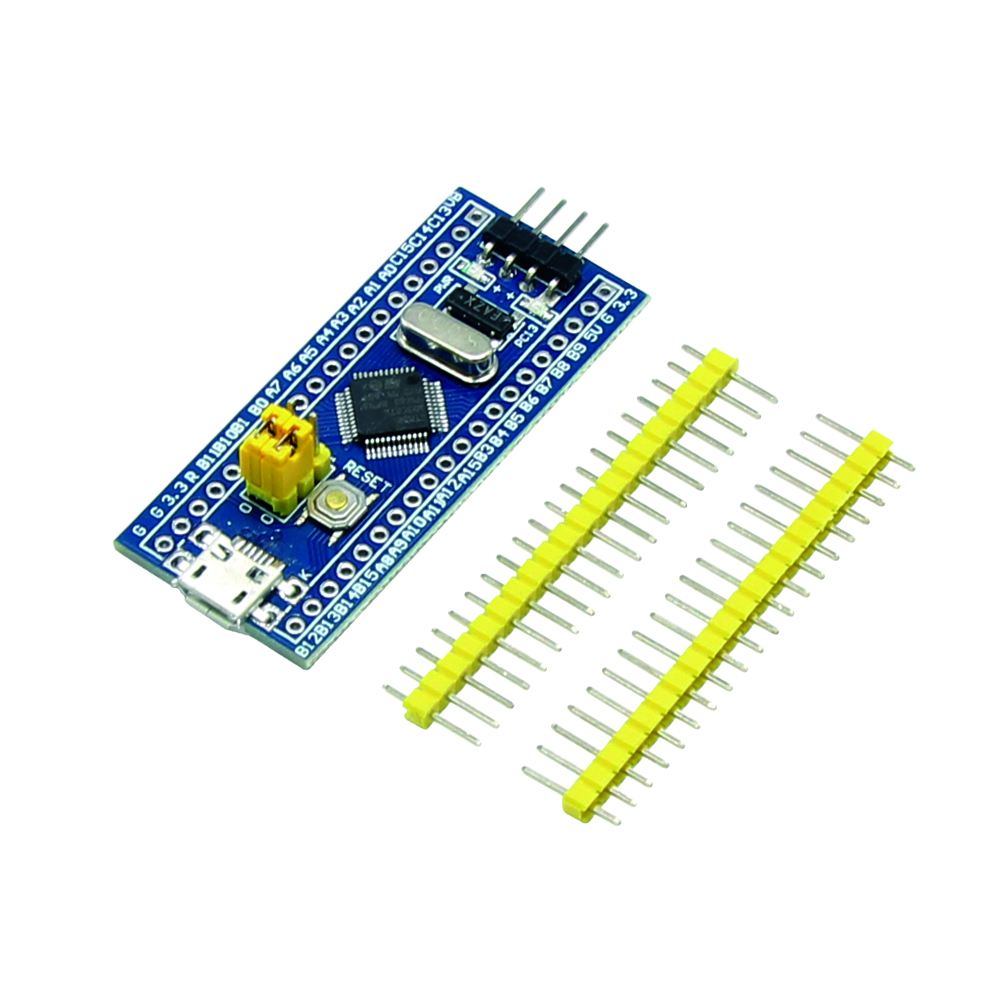 exotic pumice
@slender iron you gonna be up late tonight?
slender iron
not much longer
exotic pumice
ok, I might pull an all-nighter and look into this clock issue some more
on my own I guess 😛
is there some program I can load that only inits the clocks and runs a blinky or something simple?
and then I can serial print register values?
I know I'm kind of grasping at straws
slender iron
not really, we mean to make one for tinyusb
clocks are definitely the hard thing at the start
exotic pumice
is there some field in C I can use to print all the clock registers?
or just loop through a certain address range?
slender iron
on the 51 but not the 21
exotic pumice
thanks nis, I think maybe I should stick with the adafruit impl though
I don't want too many different variables
right now I'm printing out all the register values via arduino and I think I'll try to diff that to my rust version
but I guess I can't do usb serial without clocks
fsck
timber mango
USB is a lot harder than USART
I don't remember what you're trying to do, and on what platform.
circuitpython isn't the place to discuss this unless it's with a CP developer. ;)
exotic pumice
it's using CP backend code and I am discussing it with CP developers
timber mango
I meant you and I.
exotic pumice
Why does circuitpython use the 1k oscillator and arduino use the 32k?
but they use the same LDR value so one would be 32x slower
exotic pumice
switched over to the arduino version instead of the CP one, exact same issue - dpll0 never becomes ready
manic glacierBOT
FYI - I am seeing a similar disconnect on a SAMD21 (CPX) with 4.0.0-alpha.3
This occurs while running a script or idle at REPL
I am able to reconnect to REPL afterwards.
dmesg log on Ubuntu 18.04
[132560.492281] usb 3-3.4: reset full-speed USB device number 10 using xhci_hcd
[132560.613665] cdc_acm 3-3.4:1.0: ttyACM0: USB ACM device
[132560.615905] sd 7:0:0:0: [sdc] 4089 512-byte logical blocks: (2.09 MB/2.00 MiB)
[132812.389018] usb 3-3.4: reset full-speed USB device number 10...same behavior seen on feather_m0_express -- also with 4.0.0-alpha.3
[141211.399907] usb 3-3.4: reset full-speed USB device number 17 using xhci_hcd
[141211.522081] cdc_acm 3-3.4:1.0: ttyACM0: USB ACM device
[141211.526148] sd 7:0:0:0: [sdc] 4089 512-byte logical blocks: (2.09 MB/2.00 MiB)
[141590.294132] usb 3-3.4: reset full-speed USB device number 17 using xhci_hcd
[141590.416326] cdc_acm 3-3.4:1.0: ttyACM0: USB ACM device
[141590.431553] sd 7:0:0:0: [sdc] 4089 512-byte logical b...@tulip sleet have you noticed USB disconnects? I've now seen them on CPX and feather M0_express -- those are just the boards I have been using this moring. I can reconnect rightaway.
I posted comments to Issue 1342 -- it was originally regarding samd51 -- should I create a separate issue since these are samd21? seems to be similar.
 hazy gust
anyone run into issues with circuitpy drive being mounted read only in linux?
 pulsar nebula
How is time.monotonic_ns supposed to work? Looks like it's just the Arduino millis() with extra precision. I was hoping it might take advantage of Python long integers, but not the case. Just wraps like millis. Is that the intent? Neither the micropython or CPython man pages are clarifying it for me. Thanks.
tidal kiln
@hazy gust sort of, have run into the GUI acting read only, but could still access via command line
tulip sleet
@pulsar nebula it's supposed to use longints. If it doesn't, please file an issue and mention the board and build you're using.
@solar whale I haven't seen this but I haven't left the boards connected for any significant length of time. Thanks for documenting in #1342.
pulsar nebula
Sorry, all, my apologies. I didn't count the digits properly regarding monotonic_ns. Upon too-casual inspection, it appeared to be rolling over, but it was adding more digits, as correct for long ints. This is great and just what I needed. Thanks for adding it to CircuitPython.
exotic pumice
This might be too much to ask, but could I send someone with a metro m4 debugger a binary and have them send me back register values?
 dusty plinth
have they suggested yet how soon the Grand Central boards might become available
raven canopy
@slender iron @idle owl, I've figured out adabot and download stats; missed a letter in the variable name. 🤦 Still digging into the bundle update failure.
idle owl
@raven canopy I found another thing, but maybe this is what you're talking about: the bundle release notes, the links are inconsistently wrong, they're stripping some of the repo name off the URL.
Inconsistent in that it's not always the same thing stripped off, it's not only numbers or letters, and it's not every URL.
I wouldn't have ever noticed except I had to go through everything I released to determine what needed to go in the newsletter.
So I went through that epic release list. And ran into that.
raven canopy
I tried to look at that but couldn't discern. I'll look closer at the epic one.
idle owl
Ok.
 balmy night
Hello! Newb here! Would anyone be able to help me figure out why I can't get some Neopixels working on a Pi Zero W? I've got a fresh install of Noobs (3.0.0), and have followed the guide (https://learn.adafruit.com/neopixels-on-raspberry-pi?view=all).. and am running into an error ("ImportError: No module named '_rpi_ws281x'")

How to control NeoPixel LEDs with Python on a Raspberry Pi!
idle owl
@balmy night I haven't done it myself, but that indicates that you need to install the rpi_ws218x package. I don't know if that's exactly what it's called, but it's something close to that.
balmy night
Hm. Ok, I'll look into that. Thank you, @idle owl.. I figured that would've been part of the guide itself.
tidal kiln
@balmy night what do you get from this?
pip3 list | grep ws281x
idle owl
I'm not sure why it's not part of the guide. I feel like there are instances where it works without that library and that's why we didn't add it. But I'm not certain. I haven't tried installing it myself to have any insight into that.
balmy night
pi@garconv2:~/rpi_ws281x $ pip3 list | grep ws281x
DEPRECATION: The default format will switch to columns in the future. You can use --format=(legacy|columns) (or define a format=(legacy|columns) in your pip.conf under the [list] section) to disable this warning.
(no other output besides that warning)
tidal kiln
yep. you don't have the lib. let me look at guide....
balmy night
I googled just for rpi_ws281x , and found the git repo, which I've cloned and run "scons" inside (per its directions).
tidal kiln
you shouldn't have to do that. we can just install it manually.
but wondering why it's not part of guide. looking....
balmy night
That's the part I was confused about -- why the manual didn't even mention it. 😃
tidal kiln
you've gone through the blinka install?
balmy night
I did, yes.
pi@garconv2:~ $ python3 ./blinkatest.py
Hello blinka!
Digital IO ok!
I2C ok!
SPI ok!
done!
pi@garconv2:~ $
tidal kiln
do you happen to still have the output from when you ran
pip3 install adafruit-blinka
?
balmy night
Checking, one moment please.
idle owl
@balmy night You can format code in Discord using backticks. Single backtick on either side makes inline code. Three backticks on either side makes a code block https://support.discordapp.com/hc/en-us/articles/210298617-Markdown-Text-101-Chat-Formatting-Bold-Italic-Underline- The backtick is the one near the 1 key on a US keyboard.

Discord
Want to inject some flavor into your everyday text chat? You're in luck! Discord uses Markdown, a simple plain text formatting system that'll help you make your sentences stand out. Here's how to d...
balmy night
@idle owl -- thank you, like I said, Noob. 😄 Will start using that.
idle owl
@balmy night We all started there at some point. 😃
balmy night
Collecting adafruit-blinka
  Downloading https://www.piwheels.org/simple/adafruit-blinka/Adafruit_Blinka-0.2.7-py3-none-any.whl
Collecting Adafruit-GPIO (from adafruit-blinka)
  Downloading https://www.piwheels.org/simple/adafruit-gpio/Adafruit_GPIO-1.0.3-py3-none-any.whl
Collecting adafruit-pureio (from Adafruit-GPIO->adafruit-blinka)
  Downloading https://www.piwheels.org/simple/adafruit-pureio/Adafruit_PureIO-0.2.3-py3-none-any.whl
Collecting spidev (from Adafruit-GPIO->adafruit-blinka)
  Downloading https://www.piwheels.org/simple/spidev/spidev-3.2-cp35-cp35m-linux_armv6l.whl
Installing collected packages: adafruit-pureio, spidev, Adafruit-GPIO, adafruit-blinka
Successfully installed Adafruit-GPIO-1.0.3 adafruit-blinka-0.2.7 adafruit-pureio-0.2.3 spidev-3.2
Oops, included too much, but .. it's in there first!
(Thank goodness for long putty scrollbacks!)
tidal kiln
last line is what i was after:
Successfully installed Adafruit-Blinka-0.2.7 Adafruit-GPIO-1.0.3 adafruit-circuitpython-neopixel-3.3.4 adafruit-pureio-0.2.3
(you can edit old posts if you want)
balmy night
So you can. I'm learning a lot today. 😃
tidal kiln
try doing this:
pip3 install --force-reinstall adafruit-blinka
and post output of that last line again
balmy night
Ok. In progress, one moment.
Zero W isn't the fastest Pi on the planet. 😃
Done.
Successfully installed Adafruit-GPIO-1.0.3 adafruit-blinka-0.2.7 adafruit-pureio-0.2.3 spidev-3.2
tidal kiln
let me try some stuff....wondering if this is a pi model issue...
balmy night
Okay, no problem. Thank you @tidal kiln!
idle owl
Ohhh...... @tidal kiln You might be right about that.
I know some things aren't supported on 0W, but I don't remember if this is one of them.
balmy night
Am I the first fool to want to drive neopixels from a 0W? 😄
tidal kiln
@idle owl probably related:
https://forums.adafruit.com/viewtopic.php?f=50&t=143702
@balmy night nah. see above.
idle owl
I'm not sure you are, and I feel like if that's the case, we need to make a note of it. But I might be conflating it with something else. So don't count on that being accurate.
balmy night
So looks like maybe a sudo pip3 install rpi_ws281x might help?
tidal kiln
that'll install it, but bigger question is why it's not working as advertised
balmy night
I'm willing to help diagnose further if it helps everyone else out in the future. Otherwise, if you'd simply prefer me to "install it and move on", I'll do that as well.
tidal kiln
yah. seems to be model related.
on a Pi 3B+
Successfully installed Adafruit-GPIO-1.0.3 adafruit-blinka-0.2.7 adafruit-pureio-0.2.3 rpi-ws281x-4.0.0 spidev-3.2
on a Pi Zero W
Successfully installed Adafruit-GPIO-1.0.3 adafruit-blinka-0.2.7 adafruit-pureio-0.2.3 spidev-3.2
Ok, so that means it's normal, or there's a bug somewhere?
tidal kiln
@balmy night dunno. for now, try just manually installing that package and see if that gets you working.
balmy night
FWIW, I poked around at the rpi_ws281x git repo I cloned a bit further, and it does seem like it -does- work (the "test" application that repo builds using 'scons' does indeed light up my pixels.)
tidal kiln
@idle owl any ideas?
idle owl
Nope, nothing more than I already came up with.
balmy night
And, confirmed. After manually installing the library, strandtest is now operating correctly!
balmy night
@idle owl I ❤ ❤ ❤ that emoticon. It's my fav ever! 😃
idle owl
But if it's working on 0W, then maybe we need to change that limiter
tidal kiln
maybe. not sure why it's there though. i haven't done a ton of this pi/neopixel stuff.
balmy night
Carter, kattni, thank you two very much for your help! I greatly appreciate it! If you don't need me at this point, I'll step out..
tidal kiln
nah. all good. happy to help. glad it's working. have fun!
balmy night
Definitely will! Many thanks again!
idle owl
@balmy night Have a good one! Happy NeoPixeling!
@tidal kiln You could file an issue on NeoPixel and tag Brennen and I, and maybe Ladyada to find out what's going on with that.
tidal kiln
neopixel or blinka?
idle owl
oh wait. The limiter is on Blinka.?
tidal kiln
appears so.
idle owl
Mmm.... hmm.
NeoPixel with a reference to that line maybe?
Whatever you think makes the most sense is probably fine
tidal kiln
no worries. i can bring this up via an email channel. want me to cc you?
idle owl
Yeah please
Re CharLCD. There's left_to_right and right_to_leftwhich displays the text in the indicated manner. Would you expect if you set them to False that it would do the opposite one?
I feel like maybe it should. And I think keeping both makes sense because it means someone who is defaulting to right_to_left can use only that to change their text direction, versus only having one that does both behaviors.
tidal kiln
how about...?
have a direction property you set with class level consts LEFT_TO_RIGHT or RIGHT_TO_LEFT:
char.direction = char.LEFT_TO_RIGHT
or text_direction or some such
idle owl
um.
maybe
except that there's weird stuff that goes into setting it LTR or RTL.
not sure how to assign that to a constant.
I guess leave the setter as a function and assign the getter to a constant
?
tidal kiln
the consts wouldn't be the actual values, just enum like - so 0,1,2, whatever
they would get used in conditionals in the direction setter
idle owl
um.
tidal kiln
@direction_setter
def direction(self, value):
    if value == self.LEFT_TO_RIGHT:
        # blah blah
    elif value == self.RIGHT_TO_LEFT:
        # other blah blah
oh.
tidal kiln
idle owl
Correct.
It does not work currently.
It works in mine.
But not, apparently, in the best manner.
tidal kiln
@direction_setter
def direction(self, value):
    if value == self.LEFT_TO_RIGHT:
        self.set_left_to_right()
    elif value == self.RIGHT_TO_LEFT:
        self.set_right_to_left()
Ok that's basically what I was saying earlier.
tidal kiln
but with consts instead of boolean
tidal kiln
are there only the two options?
idle owl
For that, yes.
tidal kiln
so maybe you could treat it like a backwards or reversed flag, and then just set it with a boolean
char.reversed = True
I like that even less. Because then we're assuming that "left to right" is the "forward" way of doing it and that doesn't feel right towards people whose text defaults right to left.
tidal kiln
yep. it does make that assumption. so then back to the other approach.
idle owl
where do I initialise class level constants.
tidal kiln
class Foo:
    SOME_FOO = 42
Do I make them None ?
idle owl
...
tidal kiln
class Foo:
    LEFT_TO_RIGHT = const(0)
    RIGHT_TO_LEFT = const(1)
 lime trellis
hi is there a way to poll the state of a MISO pin after creating an SPI class?
(not clocking out data, just seeing if MISO is being pulled one way or another)
tidal kiln
they need to have unique values for using in conditionals
 stuck elbow
@lime trellis not with the hardware SPI
@lime trellis you would need to deinit spi, create DigitalIO, check it, deinit it and the re-create the SPI
lime trellis
darn... but I see what you mean
stuck elbow
software spi doesn't care, of course
though I'm not sure if there are some locks in the implementation we have
solar whale
@idle owl I just made a minor update to the RFM69 library -- it's been merged, but do ai still need to do a release manually or is that all automated now?
idle owl
@solar whale Always release. The bundle update is automated, releases are not.
solar whale
OK -- I'll do it now.
stuck elbow
@lime trellis no idea, sorry, not even sure if there is software spi implemented
solar whale
@idle owl are these normal at the end of the travis run i it was green ```Skipping a deployment with the releases provider because this is not a tagged commit
Skipping a deployment with the pypi provider because this is not a tagged commit
roger. thank you @stuck elbow !
solar whale
ah -- nevermind -- it took awhile for all the files to show up in the release -- I think it's all good.
I was looking at the wrong Travis run.
 pearl cradle
Is this the right place to ask questions about issues I am having with circuit python ?
exotic pumice
yes
pearl cradle
Awesome. So I am trying to use the BME280 I2C sensor with a Rasberry pi zero. I can see the device on address 77 with I2C detect on bus 0 (i2cdetect -y 0) but when I try to use the busio.scan method it is returning null
I am using the sample code found here https://circuitpython.readthedocs.io/en/latest/shared-bindings/busio/__init__.html
exotic pumice
it looks like address 0x77 is the last one. Maybe there's some kind of off by one error?
Just guessing
pearl cradle
Idk, Even when I work with the library that connects to the device it cannot find anything on address 0x77 I've spent about a day trying to figure this out. The only thing I can seem to figure out is when I check bus 0 (i2cdetect -y 0) it can find the device no problem but when I try bus 1 it cannot find it (i2cdetect -y 1)
tidal kiln
@pearl cradle which pins are you attaching to on the Pi?
pearl cradle
GPIO 30&31 (pins 27&28). I cannot get the device to be recognized at all on GPIO 8&9 (pins 3&5)
tidal kiln
you should use pins 3/5, the other bus is considered reserved to reading HAT EEPROMs
and those are the pins being used by board.SDA and board.SCL
but it's weird that you can't see the device if you wire there and run i2cdetect -y 1
pearl cradle
Is it possible that it is either 1) an issue with rpi zero w 2) there is a bad trace on my pi?
Youll have to forgive me if I seem ignorant when it comes to the PI, most of my linux/python development has been done on server clusters, so this is a new world for me
tidal kiln
well, not sure. let's verify pins first.
use those
oh wait. this is even better...
same pins. that's just a better diagram to reference.
 quasi fjord
isn't i2c bus 1 usually an internal thing for the GPU or similar? So you wouldn't expect to find anything useful on it
tidal kiln
not sure, but /dev/i2c-1 is the device entry used for the above pins
pearl cradle
I am sorry, my power supply to my computer just caught on fire
tidal kiln
😲
exotic pumice
gotta love that premium apple quality
pearl cradle
Lol
Okay so now that the crisis has been averted I’m back to the PI. I have rewired the sensor on pins 3&4
exotic pumice
3&5?
tidal kiln
can you post a photo showing how you are wiring this up
tidal kiln
sensor is the BME280?
https://www.adafruit.com/product/2652
pearl cradle
Yes, it’s not the adafruit one. It’s one that is compatible and I’ve used this same sensor with an arduino
tidal kiln
the BME280 can be either I@C or SPI, are you sure this breakout is I2C?
pearl cradle
Yes. I used it with an arduino using I2c no problem
tidal kiln
@idle owl just FYI: https://github.com/adafruit/Adafruit_Blinka/issues/45 (TLDR = brennen's on it)
solar whale
it looks like you r SDA is off by a pin on the bme280 -- SDA <-> SDI on the BME 280
oops -- I see it is not the adafruit breakout -- sorry
tidal kiln
it's....nvm. that.
@pearl cradle post a photo of front of sensor, or link to info page if there is one
solar whale
I just tried a bme280 on an RPi 3B+ -- at first it did not see it but after reseating it, it works fine.
also I see there is a recent upgrade to the lib -- should be at 2.2.0
tidal kiln
@solar whale so it shows up as expected with an i2cdetect ?
solar whale
now it does -- after reseating the board 😉
I hve the board plugged into a breadboard
tidal kiln
ok. just wanted to make sure it wasn't some odd ball sensor that didn't report back during the scan or something.
solar whale
what kind of sensor would do that 😉
pearl cradle
tidal kiln
pi GPIO header pins soldered on good?
marble hornet
is the input to RunMode a string? i looked at the docs, it doesn't say.
https://circuitpython.readthedocs.io/en/3.x/shared-bindings/microcontroller/__init__.html?highlight=RunMode
tidal kiln
soldering on breakout looks excellent
marble hornet
nor the runmode page
solar whale
good luck with the bme280 -- not much else I can add.
tidal kiln
@pearl cradle what's the voltage on the CSB pin?
pearl cradle
tidal kiln
thanks. that's also nicely done.
tidal kiln
that's what it should be
not sure then
try going back to the arduino and make sure the sensor is still OK
alternatively - try another I2C device on the Pi
pearl cradle
Allow me to check
solar whale
is that a pi zero or zero-w?
pearl cradle
ZeroW
solar whale
ok - I haveone handy -- I'll try mine on it.
pearl cradle
🙌
solar whale
     0  1  2  3  4  5  6  7  8  9  a  b  c  d  e  f
00:          -- -- -- -- -- -- -- -- -- -- -- -- --
10: -- -- -- -- -- -- -- -- -- -- -- -- -- -- -- --
20: -- -- -- -- -- -- -- -- -- -- -- -- -- -- -- --
30: -- -- -- -- -- -- -- -- -- -- -- -- 3c -- -- --
40: -- -- -- -- -- -- -- -- -- -- -- -- -- -- -- --
50: -- -- -- -- -- -- -- -- -- -- -- -- -- -- -- --
60: -- -- -- -- -- -- -- -- -- -- -- -- -- -- -- --
70: -- -- -- -- -- -- -- 77
pi@gjnpi0-1:~ $
Testing with Arduino now. It is been about three months since the last time I use this sensor.
solar whale
Temperature: 20.6 C
Humidity: 42.9 %
Pressure: 1016.4 hPa
Altitude = -26.32 meters

Temperature: 20.6 C
Humidity: 42.8 %
Pressure: 1016.4 hPa
Altitude = -26.20 meters

Temperature: 20.6 C
Humidity: 42.8 %
Pressure: 1016.4 hPa
Altitude = -26.29 meters
they get ornery when neglected 😉
pearl cradle
Works fine on arduino both i2c and SPI
solar whale
🤷 I2C is enabled on the Pi, correct?
pearl cradle
Yes
solar whale
sigh -- taht would have been too easy
pearl cradle
I’m thinking it’s a bad board maybe I burnt a trace when I soldered to it
solar whale
wish I could be of more help -- good luck!
pearl cradle
I appreciate it
After reflowing the gpio pins nothing. I don’t have another i2c device to test these pins with so I’m gonna say the pins on the board are bad. Is there a way I can test the pins to see if they are in fact dead
solar whale
If you have an oscilloscope or logic analyzer you could look at the pin activity.
pearl cradle
Does this look right?
Lol just kidding I plugged into the other pins and I’m only measuring a peak to peak of 0.1v no connect. 3.3 v when running i2c detect
umbral dagger
Is anyone looking into (or working on) supporting the PJRC Teensy3 audio lib in CircuitPython? It's been ported to the SAMD51 (see the synth example in the NeoTrellisM4 C++ lib). I could really use it for a project I'm looking into doing. 😃
slender iron
@umbral dagger I glanced at it. It relies on static constuction of objects which circuitpython is bad at
umbral dagger
@slender iron OK, maybe (hopefully) I’m missing something with audio. I want to play a logish file, looping, in the background, and play short clips on top of it.
manic glacierBOT
 slender iron
@umbral dagger thats why I added mixer
umbral dagger
@slender iron So I was missing something... excellent!
marble hornet
I would never have been able to progress my project so far if it hadn't been in the wonderful language I was taught in school. I owe all fo you a HUGE hug. Meeting or not: Thank You.
marble hornet
Thank you all again so much for making circuit python so easy to use and learn!!!!!!!!
manic glacierBOT

I still have this issue. Currently my board is in a bricked state from accidentally turning all the pixels white. They turn white for a second, then the drive disappears and the board is stuck with all yellowish looking pixels
obsidian dome
Anyone know why i can no longer import adafruit_dotstar in circuitpython 3.1.1 on a ItsyBitsy M0? Seems odd since there is one on the board.
Ah! It looks like I have to drag it onto the flash drive from the "bundle" zip file
marble hornet
is there anyone way to unimport the text file that is brought in from flash when import it called?
 cedar beacon
I've started writing a guide on using Circuitpython board from home-assistant. The idea is to enable projects using circuitpython boards for gathering data (in my case air quality data), and then using home-assistant to both provide an IDE and the means for plotting data saved to a .csv file on the board, as well as a route for posting data to other services (e.g national air quality database). Im keen to hear from any other home-assistant/circuitpython users who might be interested in collaborating on this https://github.com/robmarkcole/circuitpython-on-home-assistant

GitHub
Programming and managing circuitpython boards from Home-Assistant - robmarkcole/circuitpython-on-home-assistant
 charred blaze
Im going to attempt to learn CircuitPython and Port over an arduino sketch all at the same time. Any recommendations?
manic glacierBOT
 umbral dagger
@charred blaze Do you know Python?
charred blaze
Not yet.
I was looking over a bit of code from Noe's lightsaber and a couple other things, it doesnt look too difficult
umbral dagger
@charred blaze So there's that. Personally, I'd recccoment getting familiar with Python by itself first. Then https://learn.adafruit.com/arduino-to-circuitpython might be useful.

Learn to use CircuitPython if you've previously used Arduino
charred blaze
Alright! thank you for that Dastels!
umbral dagger
@charred blaze My CircuitPython 101 series of guides will likely be useful as you get familair with Python.
charred blaze
Ive got my lightsaber code working on the feather m4 with arduino, minus the fact that FastLED isnt compatible with the Feather M4 just yet. That put the biggest kink in my project.
manic glacierBOT
 marble hornet
any suggestions? ^^
manic glacierBOT

[adafruit/circuitpython] New comment on issue #1342: samd: REPL disconnect problems after tinyusb PR
ditto seeing this too - will try to get some beagle traces - im on win 10

Looks good to me, thanks!
charred blaze
Any recommendations for getting button input in CircuitPython? Im not just taking simple single button presses but also double/triple/etc. presses and also button holds.
idle owl
@charred blaze I've done similar using state machines and time.monotonic() but there may be a better way to do it.
stuck elbow
unsolicited laptop sticker idea: "My other computer is a CircuitPlayground"
@charred blaze the gamepad module maybe?
idle owl
@slender iron We fixed the bug causing the NeoTrellis failure, but did we address the issue that the board shuts down and drops USB when all the pixels are turned white? I thought that was hardware related and we were going to try to do something to make it fail more gracefully if that happened... Or did the fix we put in address that as well?
stuck elbow
it doesn't handle the holds, double/triple, etc. -- you will have to do that logic with a state machine, like kattni said, but it does do debouncing for you
charred blaze
Thanks @idle owl and @stuck elbow I'll look into those. I know how to do it on arduino, just gotta figure it out for CP
charred blaze
ok cool
 tough flax
Anyone know of a debounce/repeat management library? I keep writing the same for for hid kid and house work
idle owl
@tough flax We're going to be adding one soon.
tough flax
Excellent - who should I coordinate with to help?
manic glacierBOT
 umbral dagger
@slender iron How about a voice_playing property/function on Mixer in addition to a playing property?
idle owl
@tough flax That would be @umbral dagger and myself. I believe much of the work is already done, it's simply a matter of getting it into library form.
umbral dagger
@tough flax I have a pretty soldi debounce lib in CP. Check any of my guides that use a rotary encoder (the push switch gets debounced). @idle owl will be discussing adding it as a helper lib in the bundle.
If you look at my recent guide on extending CP, it's one of the examples: I port it to C and make a native module of it. Funny since it was originally ported from an Arduino lib.
@tough flax @idle owl I want to generalize it a bit to be able to take a GPIO pin as well as a lambda (so you can debounce any predicate then).
tough flax
Ok great. Generally I need to debounce a pin shorted to ground or a sip/puff from the pressure sensor crossing a threshold. And then I need logic to handle long presses and repeating after a wait period.
Not all of that has to be in the lib of course 😃
umbral dagger
My debouncer gives rose & fell properties, so you could easily keep track of the timing.
manic glacierBOT

 teal thorn
Is the startup LED sequence listed somewhere? My build is getting stuck bright white before the drive appears.
I see a green heartbeat before it goes white.
umbral dagger
@slender iron Looks like Dean is working on the mixer voice support. While I'm thinking abouti it, a "finished playing" callback would be fun to have.
meager fog
@teal thorn https://learn.adafruit.com/welcome-to-circuitpython/troubleshooting#circuitpython-rgb-status-light-18-18

New to CircuitPython? This is the place to start.
manic glacierBOT
@estiens The problem is getting your board into bootloader mode. Then you can load the Trellis M4 .uf2 listed in the Trellis learn guide that does not have this problem. What I'd suggest trying is this:
- Unplug the board from USB.
- Hold down the reset button.
- Continuing to hold down the reset button, plug the board into USB.
- Release and quickly double-click the reset button, so that CircuitPython does not get a chance to start. I've tried this and gotten it into TRELM4BOOT wit...
slender iron
@idle owl I'm not planning on doing anything else. I added a turn off command on reset which may help. Ultimately I can't give more power for all the pixels though.
@umbral dagger ya, we can add per voice playing after dean's changes
tulip sleet
@idle owl I made a couple of suggestions in that issue post above: https://github.com/adafruit/circuitpython/issues/1326#issuecomment-439761042
meager fog
@slender iron im at a small pause point, do u still want some begle traces?
slender iron
ya, steal from printers
meager fog
ok time to install data capture
slender iron
thank you!
manic glacierBOT

 meager fog
@slender iron ok finally got it running, capture will be huge but i guess thats ok
@slender iron last Q - ill use latest S3 build
unless u have another one?
that was fast
manic glacierBOT
[adafruit/circuitpython] New comment on issue #1342: samd: REPL disconnect problems after tinyusb PR
USB trace attached, see packets 43978, thats where it 'hangs', and then 44064 is when it resets and reappears - MSD is back but CDC connection is gone

slender iron
@meager fog latest works. thanks!
slender iron
thanks! I'll look tomorrow
cedar beacon
Whats the recommended approach for saving time series data to a .csv file on a circuit python board?
meager fog
@cedar beacon sd card or internal memory?
cedar beacon
Either is fine, the challenge is that the board doesn't know the current time
meager fog
do you want to incorperate an RTC or dont care for timestamps?
here is how to use an SD card

How to add lots o' storage with microSD (and SD) cards
cedar beacon
I care about the timestamps, I want to import the data for processing in pandas, and also put it into a time series sql data base, to collate data from multiple boards
meager fog
its very easy, you just write the data
if you want an RTC - you'll need a separate chip https://learn.adafruit.com/adafruit-pcf8523-real-time-clock/rtc-with-circuitpython

Tick tock, got a clock?
like that
the easiest way by far is to get a feather M4 then pop an adalogger shieldon top - has both all in one!
a feather m0 may run out of memory 😦
especially if you have a lot of sensors.

It's what you've been waiting for, the Feather M4 Express featuring ATSAMD51. This Feather is fast like a swift, smart like an owl, strong like a ox-bird (it's half ox, half ...

A Feather board without ambition is a Feather board without FeatherWings! This is the Adalogger FeatherWing: it adds both a battery-backed Real Time Clock and micro SD card storage to any ...

It's log, it's log, it's big, it's data, it's good!
this guide covers datalogging
cedar beacon
Im planning on having the boards battery powered, so I could set the timestamp whilst connected to the board initially
meager fog
as a CSV
honestly - just go with an RTC, you bump it once and it loses power
RTC w/batt means no worries
a few $ will save you hours of re-work
cedar beacon
ok I will try that approach, thanks!
btw have you seen https://esphomelib.com/ my ambition is to do similar but with circuitpython
 meager fog
we haven't - looks cool
cedar beacon
my goal is to have home-assistant backend and some support libraries to take care of long term data logging and networking with other services already exposed to home assistant. This should get a lot of the tedious 'plumbing' aspects of projects out of the way, so users can focus on making cool hardware for their home automation projects. Anyways I will post updates on this thread.
meager fog
nice!
manic glacierBOT
@estiens If your code is the source of all white pixels we can give you a safe-mode only build to use to change it.
cedar beacon
Im looking for the latest circuitpython for the raw esp8266, is it the file listed as feather_huzzah? https://github.com/adafruit/circuitpython/releases/tag/3.1.1
GitHub
CircuitPython - a Python implementation for teaching coding with microcontrollers - adafruit/circuitpython
slender iron
@cedar beacon ya, thats the only board we support. It should run with incorrect pin mappings on others
<@&356864093652516868> Here is the notes doc for tomorrow: https://docs.google.com/document/d/1pAKcZyeDRtLAdyuhE-By60PNcK8yKcQ-ssx55pVr354/edit?usp=sharing

Google Docs
Adafruit CircuitPython Weekly November 19th, 2018 Video is available here: diode.zone YouTube Thanks to @kattni for taking notes! Join here for the chat all week: http://adafru.it/discord The weekly happens normally at 2pm ET/11am PT on Mondays. Check the #circuitp...
cedar beacon
Thanks @slender iron are you aware of any guides on getting started with curcuitpython on a raw esp8266 board?
slender iron
no, esp isn't used that often because it doesn't have usb
cedar beacon
can you also clarify that point? the board physically has usb, but you have to wire up separately to use the serial connection?
manic glacierBOT
I added this with 97bc95183d5114ce69c9387ebd2e2aa13feb65a7
@notro Can you verify this is fixed? I bet https://github.com/adafruit/circuitpython/commit/355abc835ea75715b4dea38604ef64f8c4eeaa0f fixed it.
@tannewt i think u can close this right?
We currently only compress static string literals (like exception messages). We don't actually do QSTRs or dynamic strings yet. So, there is something we can do for this still.
i think this is closable thanks to @siddacious 's PR?
@DakotahRedstone when are you free in the next two weeks or so? I'm pretty free then.
I'm going to close this. We have a number of issues for displayio already open here: https://github.com/adafruit/circuitpython/issues?q=is%3Aopen+is%3Aissue+label%3Adisplayio
meager fog
New to CircuitPython? This is the place to start.