#circuitpython-dev
1 messages · Page 206 of 1
 autumn geyser
 manic glacierBOT

Ah, got it. I mean reload.
 solar whale
👋
 gusty kiln
looks like i'm text-only this week. can't get my mic going and i'd really rather not lose all the state that a reboot would entail losing.
(can hear y'all fine.)
solar whale
@tidal kiln do you want to discuss the neopixels in the weeds or keep it in the repo?
 slender iron
<@&356864093652516868> meeting starting shortly
 tulip sleet
@gusty kiln @idle owl have you found that the Char LCDs need a 3.3V-5V level shifter or not?
i mean the I2C/SPI backpack
 fluid helm
it's now 6pm rather than 7pm 😄
 stuck elbow
+1 for UTC times
 plucky flint
Wow... I might actually be able to make this..!
fluid helm
Yay!
gusty kiln
@tulip sleet i need to get back to the backpack - i don't think so, but also it wasn't working, so...
 inland tusk
utc is + 5
solar whale
+4 for a few more days (from EDT)
inland tusk
ight
tulip sleet
@pearl idol @plucky flint USA DST ends 2am Sun Nov 4
inland tusk
right for 6 days
gusty kiln
er, i may be misconstruing that question actually. the pi plate/ with the mcp23017 wasn't working; everything else is, i think, without level shifting.
fluid helm
brb 🙂
inland tusk
mcp23017 should not need shifting
tulip sleet
@gusty kiln tnx - i will ask Limor too. I have third-party PCF8574 backpacks (not same as Adafruit MCP23008), and they don't work without level shifting.
inland tusk
check the datasheet
gusty kiln
@tulip sleet yeah, these all seem to work fine with the wiring here: https://learn.adafruit.com/character-lcds/python-circuitpython

Wiring up a character LCD to an Arduino
inland tusk
@gusty kiln appeherently it might be the case. The arduino is 5 volts on the pins
 idle owl
CircuitPython Library tracking issue: https://github.com/adafruit/circuitpython/issues/1246

GitHub
This is the place to stay up-to-date on the state of the CircuitPython libraries. We will be updating this issue each week with the most recent status from the wonderful Adabot! If you'd like t...
gusty kiln
hug report: @idle owl, @tidal kiln, @slender iron for review on CharLCD library.
 wraith tiger
Just lurking
 pastel panther
stuff in notes
 quick remnant
trying to track down Neil while meeting is in progress
The dude I told you about...
 raven canopy
@cater for finding some things I missed in cookiecutter. MakerCats (@sabas1080) for porting CircuitPython to thier MeowMeow board and to Arduino MKR1300. Group hug, for all the things my Monday-brain isn't compiling.
fluid helm
Thanks to @meager fog for the mention of EduBlocks in the new Python video series and to @tulip sleet for helping me merge my first CircuitPython PR
plucky flint
- Group hug for all. 2. Thanks to Kattni from months ago for help with language/terminology help.
idle owl
@plucky flint Mute your mic even though it's only partially working. It's echoing. 😃
quick remnant
in other messenger trying to trackdown Neil for once and all while this meeting is running
since he has a boat load to contribute
plucky flint
@idle owl hahaha... computers REALLY suck
stuck elbow
Computers are the greatest scam in history. They have never worked, people just think they do.
 tidal kiln
@plucky flint are you connecting through browser? or stand alone discord app?
plucky flint
Oh boy... all this musical stuff sounds epic. Great stuff!
Hackerina hah! Great pun.
quick remnant
sorry afk
inland tusk
@nto that is a ocarina
plucky flint
Yeah... I guessed 😉
tulip sleet
@inland tusk @plucky flint is a professional musician, specializing in tuba
raven canopy
☹
inland tusk
Oh! great.
tulip sleet
one of his many identities
plucky flint
@tulip sleet of course, what the world needs is a "tuba.py". Oompah on demand for the 21st century on the blockchain blah blah blah 😉
fluid helm
This week i've been mostly busy at Mozilla Festival which had lots of workshops using micro:bit, circuit playgrounds and other cool stuff (and an AMAZING DIY music worlkshop by @plucky flint ). But I did manage to add @idle owl's Circuit Playground Library in EduBlocks and I hope that when the editor is released people will add blocks for Circuit Python libraries. We've also got an advanced section for things that don't fit into their own category (like CPU temperature) and i've been adding to that too. I've also been writing a "Welcome to EduBlocks for CircuitPython" guide on the learn portal with some information and demos people can read and try out. I've attached a gif to show the library addon.
solar whale
@stuck elbow looking forward to receiving my pewpew's !
plucky flint
My update... Spent last weekend at MozFest here in London and met plenty of teachers who said they were really looking forward to the next release of Mu. Having teachers breathing down your neck (no matter how polite they may at first seem) is never a good situation to be in (so says the former teacher). 😉 Ergo, to avoid an after school detention or -9000 house points I'm going to spend all day Thursday and Friday doing Mu issue triage and reviewing PRs in prep for a 1.1 release. Would love to know more about multi-language support in CP (so I can mirror this in Mu -- e.g. in Spanish Mu, the tooltips from CP are in Spanish). Also, @slender iron you asked about PyCon hatchery, but not heard anything more on that front. I'm looking forward to seeing folks at PyCon. Hurrah..! Keep up the great work folks, I wish I had more time to deep dive into CP things!
gusty kiln
@idle owl lemme know if you want to delegate some of that stuff. happy to shuffle issues around.
raven canopy
Did I hear "adabot should make new issues when she finds something"? 😆
plucky flint
"ummm yeah" 😃 That's the right answer.
inland tusk
What dates is pycon
 inland tusk
@ntol thanks
plucky flint
the hatchery is for organising new tracks as part of PyCon. (i.e. a new track for CircuitPython/MicroPython embedded Python etc...)
idle owl
@raven canopy Perhaps. But there are a number of reasons why not. Or at least not for everything. I'd like to discuss it though.
raven canopy
Adabot**:
- command line params almost done. Just need to remove extra code from last review. Can do proposed "validator a la carte" separately.
- added a list of libraries to the Bundle repo which adabot will update.
- started working on checking if updates have been made to a library since the last release. Will continue to work.
Updated Welcome To CircuitPython guide with examples-in-bundle information. Ask that some people go through it and provide feedback if there is any.
This Week: seeing if I can devise some .travis.yml tests on a fork branch with cron'ing adabot. Still plan on re-focusing to FrequencyIn (didn't happen this past week; seems like a trend today).
Oops...some got chopped off.
idle owl
@slender iron I have one more thing.
tidal kiln
IN THE WEEDS
- neopixels - what to do with various mismatch scenarios
- design guide - no entry for sensor altitude
- nvm - what is it actually doing? (just curious, want to use it)
ping how?
i'll default to here
plucky flint
Folks... I have a 7pm "dad taxi" pickup to do... so will drop out of the meeting. Great to actually be able to make it for once. Thanks for all your amazing work and keep it up! 👋
pastel panther
have to run! ttyl everyone 👋
stuck elbow
Me2
slender iron
thanks all!
tidal kiln
(12,12,12)
idle owl
@inland tusk please mute your mic, you're echoing.
idle owl
@inland tusk It wasn't a little bit ago. Thank you for fixing it! 😃
inland tusk
sorry @idle owl
idle owl
No worries!
gusty kiln
i've had weird behavior more than once where the mic appears to be muted in the (browser) client on my end but evidently isn't in fact.
inland tusk
@gusty kiln I am using the app I JUST FORGOT
gusty kiln
:)
inland tusk
sorry for shouting
raven canopy
FRAM... 😀
inland tusk
I think that it is done for fixed data built into the prograam onthe arduinos
weeds went over again
fluid helm
6pm GMT 😄
raven canopy
Thanks everyone! Have a great day/night!
 errant grail
Thanks!
tidal kiln
and happy halloween!
inland tusk
EST is -5 to GMT
fluid helm
https://github.com/AllAboutCode/EduBlocks/issues/26#issuecomment-434043481 Posted this and i'd like to know what people think on it if you know what EduBlocks is etc 😃

GitHub
Dear Joshua Lowe @ joshualowe1002: Hello there! I come from China, I was a primary school information technology teacher, accidentally search to see edublocks, Your work edublocks is a great work, ...
raven canopy
Battery almost didn't make it...
quick remnant
206.82.249.9
inland tusk
Somebody mentioned that they were having problems with the MCP23017. Are there properly valued resistors on the the bus?
 bronze geyser
Is there a way to record voice with CP? (thank you)
idle owl
@slender ironor @tulip sleet Here's the PR. Thanks. https://github.com/adafruit/circuitpython-build-tools/pull/21
GitHub
We're reenabling the 2.x bundle until we've made it clear through guide updates etc that we're deprecating it.
 marble hornet
is the meeting over? or are they returning to Tuesdays?
nm just saw the in the weeds post
idle owl
They've always been Mondays. We only switch the day for US holidays.
marble hornet
ooooh thanks 😄 never knew
idle owl
Hmm turns out the last update I did for the tracking issue never took. And this time it took about 4 times saving it to get it to update. Meh. At least I know to check now.
 lime trellis
hi all! I'm wanting to program an ESP32 over UART via a SAMD51 running circuitpython. Know of any projects attempting this? 😃
idle owl
PRs needing some feedback:

GitHub
This is a simple fix for #11 . It works but adds extra traffic to I2C register writes. Not sure if it's worth trying to make this fancier? Be able to set mode and then check it in _write_regist...
lime trellis
@bronze geyser check out the audiobusio library. There's a record function
slender iron
Today's meeting recording is here: https://youtu.be/5gEYzTc09Eo

Notes with time codes are available here: https://github.com/adafruit/adafruit-circuitpython-weekly-meeting/blob/master/2018/2018-10-29.md Thanks to @kattni ...
tulip sleet
@gusty kiln @idle owl I tested several Adafruit char LCD displays with the I2C/LCD backpack with 3.3V I2C signals vs 5V. I didn't need the level shifter. I did have to tweak the contrast control significantly on the backpack to get the characters to display - at first I thought there was something wrong, because it was completely blank with several displays.
idle owl
Ah
tulip sleet
there's a tiny potentiometer on the backpack
gusty kiln
ah, yeah, i had the same experience, but just assumed that was normal.
tulip sleet
yeah, I thought it might come set to a better value
tested with 16x2 and 20x4, not with with lib version 2.2.1, not the absolute latest version
tested with arduino too, when I wasn't sure what the problem was
also must do lcd.set_backlight(False) to turn on the backlight, as I assume you know.
idle owl
There's an issue in for it, there was a fix, and then it was closed.
I don't know why it was never addressed.
gusty kiln
without looking, i think that was a polarity thing?
like you could set a flag for that in the old python library, which doesn't seem to have made it into the circuitpython version
i may be getting mixed up though.
idle owl

GitHub
If you pass True, the value is set to 0 (False) turning the backlight off and you must pass False to turn it on. Additionally, a quick review of the init function defaults the self.backlight member...
No, you're correct, polarity was mentioned.
gusty kiln
looks like tony maybe just planned to address by adding the polarity thing to this library.
idle owl
Dan made the point that there should be a property backlight and it's True if on.
gusty kiln
yeah.
backlight is just the pin at the moment, i think?
i suppose any fix here is kind of going to be a breaking API change.
gusty kiln
yeah, better sooner than later, probably.
idle owl
Dan wanted to think on it but he had to head out. So let's at least wait until we can discuss it tomorrow.
gusty kiln
sounds good.
manic glacierBOT
 manic glacierBOT
 manic glacierBOT

It seems that frambuf support is missing from adafruit-circuitpython-feather_m0_basic-en_US-4.0.0-alpha.1.uf2 Was that intentional?
Adafruit CircuitPython 4.0.0-alpha.1 on 2018-09-21; Adafruit Feather M0 Basic with samd21g18
>>> import adafruit_ssd1306.py
Traceback (most recent call last):
  File "<stdin>", line 1, in <module>
  File "adafruit_ssd1306.py", line 35, in <module>
ImportError: no module named 'framebuf'
>>>
 lone sandalBOT

 cedar beacon
Hi is the ujson lib available? appears in the docs but I get ImportError: no module named 'ujson'
manic glacierBOT

@CedarGroveStudios Yes its intentional. Will be replacing it with displayio.
manic glacierBOT
Thanks. Was able to get it working with alpha 1 on an M4 for now.
 sinful spruce
When I run the simple python blink program on my Trinket M0 -- I get Reload Exception followed by Soft Reboot . Any ideas? Happens on two different Trinket M0.s
 tepid sapphire
Sir, where can i find a analog example to NRF52 ?
 upbeat plover
@lime trellis did anyone help you with your UART question? Programing ESP32 with a SAMD51
@bronze geyser did you get your mic to record voice? I tried on CPX long ago, but only was able to get "Clap Detection" voice sounded like taps or something when played back
bronze geyser
@upbeat plover voice record - sadly, nope. yah - same here. Just taps.
lime trellis
@upbeat plover no response on the esp32/samd51 front. Just figured not a lot of folks are trying that right now
solar whale
@lime trellis Just curious if by programming the ESP32 - you want to upload new firmware to it or are you running Micropython on it and want to load new python scripts to it. I have not done either, but was just curious what your are trying to do.
idle owl
Somewhere there's a CircuitPython Troubleshooting page that isn't the official one and I can't remember which board guide has it. It needs to be switched to the one that's kept up. If anyone happens to remember which one I'm talking about, please ping me.
upbeat plover

CircuitPython or Arduino IDE on this tiny little microcontroller board
@idle owl is that it?
the one you linked me a few days ago?
idle owl
No that one's mirrored from the Welcome to CircuitPython guide which is how it should be
But I swear there's a rogue one out there because people have referred to it recently, I think, and it wasn't the one we're keeping up with. I could be wrong though. Maybe we fixed it.
solar whale
Don't worry, it will reappear at the most inopportune time 😉
idle owl
Yeah I know 😃
I don't see it in any of the main board guides.
So either I'm imagining it or we fixed it.
Or both.
However that would work.
Anyway, public service announcement: We're deprecating CircuitPython 2.x and the 2.x bundle. If you are still running CircuitPython 2.x, you need to upgrade to 3.x. You must be using the library bundle that matches your CircuitPython version. If you are still using 2.x, upgrade to CircuitPython 3.x and download the 3.x CircuitPython Library Bundle.
2.x and the previous 2.x bundles will still be available for download if you want to continue using it. You can also find the 2.x version of mpy-cross on the CircuitPython 2.x release page if you absolutely must have a .mpy of a library for 2.x. However, very soon, we will no longer be providing automatically generated 2.x library bundles.
Please pass on the first bit to anyone you run into who is still running 2.x. Be aware a few boards were/are still shipping with 2.x and users may not have upgraded when they received the board. As well, I noticed that we were still linking 2.x in a few of the guides, so if people were using the guide page and not the Welcome to CircuitPython page to update their board, they may have installed 2.x.
That has been fixed.
lime trellis
@solar whale ideally I'd like to be able to do both firmware and REPL communication with the ESP32 via the SAMD51.
I'm thinking it can't be hard to have the samd51 with circuitpython act as a UART bridge. know of any existing libraries?
solar whale
I have an example that I use from a Board running CircuitPython (SAMD21, but I think it would work on the SAMD51 as well) that lets me communicate to an ESP8266 REPL via the UART. It's pretty simple. I can post it if you think it useful to see.
lime trellis
very much so! thank you
solar whale
just a minnute
not much to it 😉 ```import board
import busio
import time
RX = board.RX
TX = board.TX
with busio.UART(TX, RX, baudrate=115200, timeout=3000) as uart:
while True:
data=input()
if "reset" in data:
uart.write("\x03")
uart.write("\x04")
else:
uart.write(data+"\n"+"\r")
getresponse = True
while getresponse:
response=uart.readline()
print(response)
if(response==b''):
getresponse=False
typing reset -- sends "control-c control-d"
lime trellis
how very pythonic of you. thank you, I'll try it out on my breadboard setup
solar whale
whatever you type goes to the receiving board and it displays responses
lime trellis
what the newline and return characters functioning as for the ESP8266?
tepid sapphire
wich is the circuitpython source code that config the default reference to ADC ?
solar whale
@tepid sapphire is this what you are looking for -- this is for the atmel_samd port https://github.com/adafruit/circuitpython/tree/master/ports/atmel-samd/common-hal/analogio

GitHub
CircuitPython - a Python implementation for teaching coding with microcontrollers - adafruit/circuitpython
 tawny creek
anyone here have time to review some code + give advice? preferably someone with experience writing libraries
solar whale
@tawny creek not ignoring you -- I can't do any real-time feed back today, but if you want to post a link. I'll be happy to look at it when I can. I am by no means "experienced writing libraries" I'm just a dabbler... not very well versed in the pythonic ways of things
tawny creek
no worries, @solar whale
https://github.com/eighthree/Adafruit_CircuitPython_AS726x/tree/as7263-modifications
- For the AS7261 class I had to manually re-add the indicator led state changer because the indicator led stays lit despite
self._indicator_led = Falseon the init @ Adafruit_AS726x class

GitHub
circuit python driver for AS726x spectral sensor. Contribute to eighthree/Adafruit_CircuitPython_AS726x development by creating an account on GitHub.
Eventually I'll be able to check these out against the latest firmware from AMS, because according to an AMS engineer LED on or not over the full time is different between old/new firmware (different standard values)
tidal kiln
nothing in __init__ is actually doing anything to the LED, ._indicator_led is just a variable
tawny creek
on newer firmware this led indicator is always on so I didn't notice, with the 62,63 boards they turn off automatically
thanks! @tidal kiln 😃
tidal kiln
need more context - what are you trying to do in general?
 sly wagon
Hi friends, is this the appropriate place to ask a small question re: setting up a circuitpython development environment ?
tidal kiln
@sly wagon go for it
sly wagon
thx @tidal kiln , Just wondering if this repo is still one of the best ways to bring up a VM w/ circuitpython on it so I can mess around with a couple things, get to know some of the core modules a bit better etc https://github.com/adafruit/esp8266-micropython-vagrant if not, I was thinking about just connecting my Circuit Playground Express to my laptop and trying to get jupyter notebooks working https://learn.adafruit.com/circuitpython-with-jupyter-notebooks/overview
GitHub
Vagrant file to build a virtual machine that can compile the ESP8266 open SDK & MicroPython firmware. - adafruit/esp8266-micropython-vagrant

Interact with CircuitPython Code from within a Jupyter Notebook
The REPL w/ mu-editor is already perfect, I just have some code snippets I'm use to importing when digging through object attributes etc, and sometimes those are hard to just copy and paste into the REPL. Will be easier in a notebook
tawny creek
@tidal kiln I just wanted the sensor boards to behave the same way. AS7261's indicator led light is always on and messes with the sensor readings
AS7262, AS7263's firmware or something just turns the LED off after i2c connects. In fact, that indicator light is also used to determine the read of the spi chip, so i was confused why it was always on. Also, a check to see if anything in the code stands out
like format, structure, logic etc.. anything else that i can improve on, wrt details I may not be sensitive to
solar whale
@sly wagon this might be a better starting point https://learn.adafruit.com/building-circuitpython/introduction the link you gave is for a virtual environment for ESP8266 development, but I assume you wan the atmel_samd for your CPX. See if this gude helps -- there is an old guiode for setting up a virtual machine for the samd as well but if you can work with what is here it should be better.

How to build CircuitPython yourself on different platforms
tidal kiln
@tawny creek ah. deja vu. there's a family of these things, right. different ranges? looks like the adafruit lib is branded generic - AS726x, but really only works for the AS7262.
so you're trying to extend the library for the whole family? looks like you're subclassing?
sly wagon
amazing thank you so much @solar whale !
Also, just wanted to say, thank you guys for CircuitPython, game changer for me
slender iron
yay! thanks @sly wagon. Let us know if you have more questions
tawny creek
@tidal kiln yep my first try at this ^^
AS7261 gives XYZ and calibrated CIE 1937 values. Technically if I want to use them all at the same time, the trio is called "AS7265" with its own firmware
pastel panther
well this is pretty cool:
http://blog.oshpark.com/2018/10/28/micropython-webrepl-on-the-open-hardware-summit-badge/

The 2018 Open Hardware Summit badge runs MicroPython firmware which allows for an interactive programming experience known at the REPL: Getting a MicroPython REPL prompt REPL stands for Read Evalu…
tepid sapphire
I see Jerry, nothing to NRF52
solar whale
GitHub
CircuitPython - a Python implementation for teaching coding with microcontrollers - adafruit/circuitpython
but it is likely buried in nrfx
tidal kiln
@tawny creek do all of them have an indicator LED?
tawny creek
@tidal kiln yup
they all use the same board/schematic layoout
used to indicate these states
OK_SDCARD_DETECTED 1
OK 0
SPIFLASH_NOT_DETECTED -1
SPIFLASH_INVALID_CRC -2
SPIFLASH_INVALID_PAGE -3
SDCARD_CMD_TIMEOUT_RESPONSE -4
SDCARD_CMD_TIMEOUT_DATA -5
SDCARD_WRONG_RESPONSE -6
SDCARD_CMD_READ_ERROR_TOKEN -7
SDCARD_CMD_TIMEOUT_CLEANUP -8
SDCARD_CMD_READ_CRC_ERROR -9```do they all have the same register layout?
tawny creek
they share the same common registers, but mean a different thing depending on which sensor
tepid sapphire
i found something
tawny creek
eg.
_AS7261_X_HIGH = const(0x08) vs _AS7262_VIOLET = const(0x08)
tidal kiln
for the indicator LED, do they all have _AS726X_LED_CONTROL = const(0x07) and the actual bits are the same?
tawny creek
yup
Version Registers & Control Registers are identical across the three
Sensor Raw/Calibrated share the same addresses but return different values
I think 61 has more sensor raw/sensor calibrated registers than 62,63
62 ends at 0x28, 61 continues to 0x40
tidal kiln
For the AS7261 class I had to manually re-add the indicator led state changer because the indicator led stays lit despite self._indicator_led = False on the init @ Adafruit_AS726x class
but it sounds like it's not working for the AS7261 subclass specifically?
tawny creek
right
tidal kiln
then i'd double check that one's register layout
tidal kiln
middle ones covered, but looks like its D0 for all of them?
tidal kiln
not sure then. all 3 should be calling:
https://github.com/eighthree/Adafruit_CircuitPython_AS726x/blob/as7263-modifications/adafruit_as726x.py#L219
tawny creek
Its possible that there's a quirk in the latest firmware. The 62,63's I have doesn't use the latest firmware (not sure if Adafruit's board uses the latest ones too)
thanks @tidal kiln !
tidal kiln
what i've done in these cases is revert to low level hacking in the REPL
since python doesn't really have private funcs, you can call whatever you want
try calling _virtual_write directly and see what happens
i.e. bypass doing it through the property setter
tawny creek
not sure how to implement this but may just do those calls outside the lib. just seems weird
tidal kiln
i haven't used these sensor directly. the I2C comms look like there's some extra hoops to jump through:
https://github.com/eighthree/Adafruit_CircuitPython_AS726x/blob/as7263-modifications/adafruit_as726x.py#L397
but eventually it's just standard I2C back and forth, see _read_u8 and _write_u8
as7261 = adafruit_as726x.AS7261(i2c)
as7261._virtual_write(0x07, 0) # replace 0 with whatever you want to force that register to be
maybe it's more like "mid level" hacking
since you're still using the library
idle owl
@slender iron I'm struggling to docstring the Trellis M4 lib. Not sure what to say about the _NeoPixelArray class, how much to say about the TrellisM4Express class, and is pressed_keys an array or a list when being used in this lib since it's an array in the MatrixKeypad lib?
slender iron
are you thinking of it like the cpx class?
idle owl
I was but then I second guessed that because I was thinking maybe I'm biased into thinking of everything that way
slender iron
that was my intent for it
idle owl
hmm. ok. I'll try to sort it.
slender iron
I can video or audio chat it over too
idle owl
that would help I think. I think I have some idea what do with it but it doesn't seem quite right
slender iron
kk, lets do it
tawny creek
@tidal kiln that works for me! Once I'm able to test these against the latest firmwares for the 62,63 i'll poke into this quirk more but things appear to work okay so far
tidal kiln
you can turn the LED on/off doing the above?
manic glacierBOT
Sorry for one more observation and question regarding framebuf support in CPy 3.0.3. Support for framebuf is there for Express boards, but not the non-express Feather M0 and Trinket M0. Is that due to a limitation in the code for basic M0s? (I tested the M0 Adalogger, M0 Basic, and Trinket M0 boards.)
cedar beacon
Anyone know is json_dumps is available?
tawny creek
@tidal kiln yup!
also, would like note.. that if I dont add the time.sleep() before this line:
i2c = busio.I2C(board.SCL, board.SDA)
and power the device on a power-only USB, the board blinks an error
I dont think its specific to this sensor, I recall someone talking about this same issue, power via a USB bank
manic glacierBOT

If you look at the ifdef block here https://github.com/adafruit/circuitpython/blob/master/ports/atmel-samd/mpconfigport.h#L231 you came see what is different for the boards with less that 192000 bytes of flash (the non-express and basics). Since the files systems has to also be int the Flashm there is less room for code so some stuff is left out.
tidal kiln
@tawny creek sounds like a general issue that can happen with battery powered projects. the MCU comes to life and starts running code faster than the attached device comes to life.
tulip sleet
@cedar beacon ujson is not turned on in our current builds but could be. It's not that hard to make a custom build: https://learn.adafruit.com/building-circuitpython
 elder snow
I got an Express M0 and a M4 and flashed the newest UF2 files. The M4 shows nearly 2 MB disk, the M0 only 47k. It executes programs and also REPL works. I ereased flash and started over, with no success.
tawny creek
@tidal kiln 😄 vroom! I'm okay with time.sleep for now
tulip sleet
@elder snow iot which M0 board?
elder snow
@tulip sleet Feather Express
tulip sleet
and what is the name of the .uf2 file you used to flash?
elder snow
adafruit-circuitpython-feather_m0_basic-3.0.3 downloaded today
tulip sleet
look for the feather_m0_express .uf2. The one you have is for the non-express M0 Basic or "Proto" board
elder snow
ok. Thanks! Complicated naming 😉
tawny creek
express means it has external flash
tulip sleet
we have a lot of products 😃
tawny creek
elder snow
@tawny creek Thank you for the super service!
@tulip sleet @tawny creek Much better now. I can continue to store the libraries. Thank you!
tawny creek
awesome! @elder snow
idle owl
@slender iron I can't do trellis.pixels.fill. How do I light them all up at once without fill?
slender iron
@idle owl you'll need to add fill
idle owl
Ok. Wanted to make sure before I headed in the wrong direction there.
Seems like a feature worth adding..?
slender iron
ya, should be easy enough
idle owl
in theory. have to figure out how to convert the tuple to a single number. TypeError: function takes 1 positional arguments but 2 were given
tidal kiln
is this in a class? missing self?
idle owl
no. I think the issue is that the lib in the background is converting the neopixels into coordinates, so it's providing a coordinate instead of a number.
I do have a self, though, if that's the issue.
tidal kiln
can you link to code? or provide more context?
idle owl
This is a lib for the Trellis M4 Express.
tidal kiln
ah. you're working in the land of leeks.
slender iron
@idle owl what are you trying to do? just add fill to the private class and call neopixel's fill
slender iron
but fill doesn't take a coordinate
slender iron
see what as not a coordinate? can you post the fill function you added?
slender iron
ah, you need to take in a color and call internal fill
right now you are returning the function itself
idle owl
ah hmm ok
cedar beacon
@tulip sleet thanks for the pointer on the custom build. Whilst I'm happy to try it, it would also be a requirement for anyone who wants to reproduce my project. Therefore is it possible ujson can be included as standard in a future release? Being able to dump a dict to a json string is pretty handy 😃
tulip sleet
@cedar beacon Feel free to open an issue about turning it on, especially in the M4 and nRF ports. It's off due to lack of space in the M0 ports, and there were some minor issues as well when I tried to turn it on: https://github.com/adafruit/circuitpython/pull/138. We'd probably rename both ure and ujson to re and json.
manic glacierBOT
Being able to dump a dict to a json string is pretty handy. From danh on Discord chat: Feel free to open an issue about turning it on, especially in the M4 and nRF ports. It's off due to lack of space in the M0 ports, and there were some minor issues as well when I tried to turn it on: https://github.com/adafruit/circuitpython/pull/138. We'd probably rename both ure and ujson to re and json.
Ah. There it is. Thanks for the clarification.
Was attempting to retire/reuse/recycle my existing stock of basic M0 boards into static projects so that I can concentrate on using Express boards only. I'll just place them in projects where frambuf isn't required.
Ah. There it is. Thanks for the clarification.
Was attempting to retire/reuse/recycle my existing stock of basic M0 boards into static projects so that I can concentrate on using Express boards only. I'll just place them in projects where framebuf isn't required.
Ah. There it is. Thanks for the clarification.
Was attempting to retire/reuse/recycle my existing stock of basic M0 boards into static projects so that I can concentrate on using Express boards only. I'll just place them in projects where framebuf isn't required.
manic glacierBOT

hey I can do this! @tannewt Im gonna ask u a few questions in a bit.
idle owl
@slender iron In the TrellisM4 lib, there's no way to do rainbows without cheating and calling ._neopixel with the way the lib is currently written. Which is only a symptom, not really the main issue. It seems like _NeoPixelArray should accept ints as well for a way to iterate over the whole strip without using coordinates or needing button presses to populate the pressed_keys list. Trying to figure out making it an easy thing to do. Right now it requires calling private members, some nested loops and some math. For example:
for x in range(trellis.pixels._width):
    for y in range(trellis.pixels._height):
        pixel_index = (((y * 8) + x) * 256 // 32)
        trellis.pixels[x, y] = wheel(pixel_index & 255)
Does it. But the code would be simpler if we did that in the background by passing through the ability to iterate over len(neopixel) and then allowing ints for pixels[int], looking something like this in the code:
for pixel in range(trellis.pixels.len()):
    pixel_index = (pixel * 256 // 32)
    trellis.pixels[pixel] = wheel(pixel_index & 255)
which right now returns the index must be a tuple error (obviously).
or figuring out making ._NeoPixelArray iterable I guess would make that even simpler. But it still would require accepting ints.
slender iron
I'd do the first way
thats how I expect most people to use the neopixels. it is more code but having two ways work is more confusing when switching back and forth
@idle owl ⤴
slender iron
np
idle owl
@slender iron should I create separate properties for them or if I document them in __init__ for _NeoPixelArray will it show up in the documentation?
Or rather separate functions... since they don't make sense as properties...
manic glacierBOT
 slender iron
@idle owl not sure what you are referring to
idle owl
So right now, this is the code python def __init__(self, pin, *, width, height, rotation=0): self.width = width self.height = height
Do I document them right there or create functions that return them below?
slender iron
ah, ya you can document them there
idle owl
ok thanks
slender iron
properties are probably better to make them read-only
idle owl
Oh ok so make properties for them?
 obsidian python
Quick question. Can circuit python be used on any Arduino boards? Thanks!
slender iron
@obsidian python It can on M0 based boards. Which ones do you have?
obsidian python
I have never heard of either of those. I wonder how expensive they are. Do you need to do anything special just to install it on those boards? Thanks!
slender iron
You'll need to run bossac to install CircuitPython. Adafruit's boards have a better bootloader that makes it easy to load without extra software
obsidian python
Interesting. I will look into it. I don't really see a point in learning it since I went on amazon I couldn't find many boards that were under $20 that would work with it but I could be wrong. Thanks!
slender iron
boards that would work with circuitpython?
obsidian python
Yeah.
slender iron
trinket and gemma are under $20 but not sure if you can find them on amazon
obsidian python
Cool! Let me google them.
obsidian python
Thanks!
slender iron
np

We love all our Feathers equally, but this Feather is very special. It's our first Feather that is specifically designed for use with CircuitPython! CircuitPython is our ...
is $20 but can do more
What's smaller than a Feather but larger than a Trinket? It's an Adafruit ItsyBitsy M4 Express featuring the Microchip ATSAMD51! Small, powerful, with a ultra fast ATSAMD51 Cortex ...
is under and faster
but won't work with the feather ecosystem
obsidian python
I found the ItsyBitsy on amazon for $15. IDK what I will honestly do with it but it will be perfect learning experience for python. Thanks!
slender iron
nice! get the m4 if you can
slender iron
why not buy it from adafruit? that one isn't shipped from amazon anyway
obsidian python
True. But I don't have a paypal but surprisingly an amazon account so IDK. Will see what I can do lol. Thanks!
slender iron
beware the prices tend to be higher than adafruits too
What's smaller than a Feather but larger than a Trinket? It's an Adafruit ItsyBitsy M0 Express! Small, powerful, with a rockin' ATSAMD21 Cortex M0 processor running at 48 MHz - ...
is $11.95 on adafruit and $12.95 on amazon
obsidian python
I think I will ask my dad to get it from adafruit so he can purchase it and I can pay him later. Thanks!
slender iron
👍
pro-tip is that we give out 10% off codes on wednesday evenings

Multistreaming with https://restream.io/ ----------------------------------------- Visit the Adafruit shop online - http://www.adafruit.com Subscribe to Adaf...
obsidian python
Oooo! Thanks!
slender iron
just watch our youtube for livestreams on wednesday
they also get posted to #live-broadcast-chat
obsidian python
What time will it be at from NY?
slender iron
?showtimes
 digital shoreBOT
3D Hangouts - 11am ET Wednesdays
Show & Tell (YT only) - 7:30pm ET
Wednesdays Ask an Engineer - 8pm ET
Wednesdays Desk of Ladyada - Random hacker times
John Park's Workshop - 4pm EST Thursdays
obsidian python
YAY! Thanks!
idle owl
@slender iron Sphinx isn't showing any documentation from the private class. We went through this before, I think it's a feature, and there's basically no way around it. I can try docuementing all of it in the docstring for pixels, which maybe makes more sense anyways since it's all an extension of pixels.
It won't have the :param for fill though, but at least it'll be documented.
slender iron
ya, thats ok @idle owl
raven canopy
@idle owl you can add :private-members: or :special-members: to the autodoc call in api.rst. you can even limit the members doc'd by putting their name after the argument.
idle owl
hmm
raven canopy
.. autodoc::
    :members:
    :private-members: <name>, <name>
    :special-members:
after I already added it all to pixels... honestly it might make more sense this way if I can get it formatted nicely because it requires pixels. before it so showing fill might be weird. people might try to use trellism4.fill
but that's really good to know
I did it to see if it would work and now I'm getting weird errors, heh. figures.
formatting something or other.
raven canopy
local? or up in the Travis cloud?
raven canopy
"third spacebar tap, for good measure" - Julia Childs on rST formatting. 😄 
idle owl
Yeah, it is entirely unclear when it's documented out of the private class. I think manually adding it to pixels makes sense.
idle owl
Looks like this locally right now:
raven canopy
as i was saying... yeah, doc'ing private/special members takes a little extra. here is an example from how i did it in FRAM:
def __len__(self):
        """ The maximum size of the current FRAM chip. This is the highest
            register location that can be read or written to.

            .. code-block:: python

                fram = adafruit_fram.FRAM_nnn() # nnn = 'I2C' or 'SPI'

                # maximum size returned by len()
                len(fram)

                # can be used with range
                for i in range(0, len(fram))
        """
        return self._max_size
and i took Scott's lead on that from a core docstring. 😄
manic glacierBOT

Thanks for all this work! I'm starting a review with comments after educating myself on BLE, going over bluepy (not specifically ubluepy) and then your code.
 manic glacierBOT
Does this cover SD140 as well?
"writting" -> "writing" here and several other places.
Device now does both Peripheral and Central, but this seems like two classes mostly stuck together. They share .name and .services, but even those mean somewhat different things. I would be inclined to go back to two different classes, so that they really do different things and you don't have to keep checking whether you're one kind of Device or the other.
slender iron
@tulip sleet did you do the uninit thing for nrf yet? getting this: ```
#0 HardFault_Handler () at supervisor/port.c:103
#1 0x00043b56 in __fatal_error (msg=<synthetic pointer>) at ../../main.c:449
#2 __assert_func (file=file@entry=0x66cd8 <error reading variable>,
line=line@entry=142,
func=func@entry=0x66c00 <FUNCTION.7695> "nrfx_timer_disable",
expr=expr@entry=0x66c50 "m_cb[p_instance->instance_id].state != NRFX_DRV_STATE_UNINITIALIZED") at ../../main.c:456
#3 0x0004e166 in nrfx_timer_disable (p_instance=0x20004068 <nrfx_timers>,
p_instance@entry=<error reading variable: Cannot access memory at address 0x2003ffa8>) at nrfx/drivers/src/nrfx_timer.c:142
#4 0x0004e1b0 in nrfx_timer_uninit (
p_instance=<error reading variable: Cannot access memory at address 0x2003ffa8>, p_instance@entry=0x20004068 <nrfx_timers>)
at nrfx/drivers/src/nrfx_timer.c:126
#5 0x0004bdc6 in timers_reset () at peripherals/nrf/timers.c:60
#6 0x00043b94 in reset_port () at supervisor/port.c:87
#7 0x00043a9e in main () at ../../main.c:39
no, not yet, but I could have a PR for that soon.
slender iron
is it just changing to your fork?
tulip sleet
it only screws up when you have DEBUG=1.
but if you turn that it off, it's kinda hard to debug 😃
slender iron
ya, totally
tulip sleet
I can't remember what state it's in - it's been a couple of weeks. I have a branch. It's close. I can work on that now
I got sidetracked by the SPIM3 bug.
slender iron
k I'm trying it now
tulip sleet
trying no DEBUG or trying my fork??
slender iron
your fork
tulip sleet
hold on phone call
@slender iron ok, yes, no changes in circuitpython, but branch idempotent-uninit in adafruit/nrfx
tulip sleet
I hadn't had a chance to test it yet.
slender iron
it got me by the timer uninint error 😃
tulip sleet
I'll go ahead and submit a PR for that after a little more testing. I got some feedback from Nordic but then they went quiet.
slender iron
kk
manic glacierBOT
 exotic pumice
looking at this old PR, I seem to be having similar issues as this one corrected, I'm wondering why it's spiclk/(2 * baudrate) -0.5f and not spiclk / (2 * baudrate)- 1, as in the datasheet https://github.com/adafruit/circuitpython/pull/560

GitHub
Fixes #464. Corrects baud rate computation to match formula. Allow baud register value to be 0, which allows maximum rate. On both M0 and M4, with SPI SERCOM clocked at 48 MHz, I can get 24Mhz SPI ...
@tulip sleet can you explain?
exotic pumice
also, is it possible to use Metro M4 as a frequency counter when I don't have a scope at hand?
tulip sleet
looking...
solar whale
@raven canopy @tidal kiln after all thist ime messing with DHT22s it turns out the they have an internal pull-up resistor. Or I should say that upon closer inspection, what I thought were DHT22s actually say AM2302 on the package and apparently they do have the pullup installed. I just measured the reisitance between Vin and Data and it is 4.7K It even says so in the guide!! https://learn.adafruit.com/dht/connecting-to-a-dhtxx-sensor But all the examples I have seen show a 10K resistor on the Data line. I have not been able to find one taht says DHT22 on the package to see if it is different. I did try it without the pullup and it works the same as with it.... DHT22 -- the sensor that keeps on giving 😉

Basic temperature & humidity sensors
What I thought were DHT22's are AM2302 (not to be confused with AM2320 -- that is the I2C version and it needs pullups!)
tulip sleet
@exotic pumice The 0.5 came from here: https://github.com/adafruit/circuitpython/issues/464#issuecomment-353752352, based on testing by @timber mango. I'm not sure why it's 0.5 instead of 1. It may just be a rounding question. With the current formula I was getting frequencies I expected, as measured by the Saleae, if I remember right.
I could try -1 instead of -0.5. We don't have high-frequency code for measuring frequency. There's been some work on a FrequencyIn class, but it's not done. If you have a shortwave radio you could listen for the frequencies.
solar whale
ah -- I found one labeled DHT22 and it also had 4.7K between Vin and Data ...
tulip sleet
@exotic pumice if you think you're getting a specifc wrong frequency, let us know - reopen the issue, maybe.
exotic pumice
ok thanks, I need to do some more testing before I can confirm an issue
I was mainly thinking there seems to be an issue on my end, using -1, and wondering why you chose -0.5
could you try 1.0 and see what happens? If you're not busy
tulip sleet
@exotic pumice what baudrate are you trying for?
and is this on M0 or M4 - I want to set up the same conditions.
exotic pumice
circuit playground express, 14.454MHz
it doesn't have to be exact
I was having trouble before around 12.5MHz too
I'm trying to do neopixel over spi, 16 real bits per neopixel bit 14.454Mhz = 69ns per bit * 16 = 1.1us total period
tulip sleet
the granularity is large at high frequencies: https://github.com/adafruit/circuitpython/issues/464#issuecomment-347676877 (old formula, but you get the idea)
exotic pumice
14MHz should be fine too
I just put in 14.454 because that's what my math worked out to at some point
 velvet badger
Howdy
exotic pumice
I'm trying for 0.4us and 0.6us and 14MHz gives 0.426 and 0.639
and the spec says +-150ns
raven canopy
@solar whale 😆 DHT...always some magical goodness.
velvet badger
Is the library different for crickit feathers? Mine isn't finding adafruit_crickit.
I remember it worked fine for the CPX last time I used that crickit.
solar whale
@velvet badger it is not "builtin" to the feather -- you have to put it in you /lib folder -- it is in the "Bundle"
tulip sleet
@velvet badger did you put the special .uf2 on the feather? Is it a Feather M0 Express or M4?
solar whale
oops sorry @tulip sleet -- forgot there was an M0 feather version
tulip sleet
velvet badger
It's an M4 feather. I had a hard time finding a special one.
tulip sleet
we didn't bother with the M4. The frozen is just to save RAM on the M0's, so @solar whale is correct for the M4.
velvet badger
If I can get a link to the lib I can put it on manual.
tulip sleet
https://github.com/adafruit/Adafruit_CircuitPython_Bundle/releases/latest Install the latest bundle lib/.
velvet badger
Thank yo uso much!
- you so
would there be anything fun to play with for DC motors in 4.x that's not in 3.x?
tulip sleet
you may as well copy the the whole lib/ directory. It will take a while to copy. If on Windows make sure you Eject after copying, and on Linux do sync to make sure it's all copied over.
 errant veldt
hi I'm running into a memory allocation error that I can't seem to resolve when I use a sensor (sonar distance) trigger to play a wav file and flash some lights. Is anyone available to help me figure out what is going on?
its on a cpx/crickit
tulip sleet
@exotic pumice 12, 13, 14, 15, MHz all give the same value, because the divisor is so small. It's dividing a 24MHz clock, if I remember right. And the low and high parts are not equal: 48 ns high, 40ns low, but sometimes 32ns low, so I think this is not going to work out well for you at all
it's an 8-bit divisor of the 24 Mhz (or 48?) clock
tidal kiln
@solar whale general guidance is to just add resistors. the only draw back is weakening any existing pullups since they act in parallel. buts that's a better trade off than no pullups at all.
exotic pumice
@tulip sleet 😦
errant veldt
here is my repl output....soft reboot
Auto-reload is on. Simply save files over USB to run them or enter REPL to disable.
code.py output:
Free memory: 5216
Allocated memory: 14832
Free memory: 3616
Allocated memory: 16432
(433.217, 86.6433)
found ya
(17.765, 433.217)
Free memory: 2752
Allocated memory: 17296
found ya
(11.441, 433.217)
Free memory: 2256
Allocated memory: 17792
Traceback (most recent call last):
File "code.py", line 103, in <module>
File "code.py", line 78, in motionDetect
File "code.py", line 75, in motionDetect
File "code.py", line 52, in beCreepy
MemoryError: memory allocation failed, allocating 512 bytes
tidal kiln
@errant veldt does this folder exist CIRCUITPYTHON/lib/adafruit_circuitplayground on your board?
tulip sleet
This is why NeoPixels are kinda terrible for non-dedicated processors. DotStars are saner.
errant veldt
I saw the forum post about that and trashed it.
exotic pumice
so it's actually running closer to 24MHz?
tidal kiln
@errant veldt can you pastebin full code?
exotic pumice
oh, nvm, the period is the high and low combined
 tulip sleet
@exotic pumice spec'd max SPI frequency for SAMD21 is 12MHz. We allow 24 MHz, but it's out of spec for the chip. The peripheral clock is 48 MHz, I think, so 48/(2*24)-0.5 rounds down to 0. The divisor (BAUD value) is 0 to get 24 MHz, and 1 to get 12 Mhz. 2 will get you 8 MHz . So the granularity is way more than you want.
exotic pumice
there's a slight chance 12MHz would work
but I see what you mean
I'll do more measurements of what I'm getting tomorrow
tidal kiln
@errant veldt it plays the first couple of times before hitting the mem alloc error?
errant veldt
@tidal kiln usually. but then it hits a wall and unless I wipe the code with a new file and then replace it again it just goes straight to the malloc
tidal kiln
@errant veldt see if you get the same thing just trying to play the file in a loop. you can use the example here:
https://learn.adafruit.com/circuitpython-essentials/circuitpython-audio-out#play-a-wave-file-6-6
and you can change the button to be one of the CPX buttons
upbeat plover
installed ubuntu alongside windows 10, been like 6 years or more since ive used linux
was following this link but it doesnt support the version i installed 😑 18.10(latest)
do i need to install v14.10?
https://learn.adafruit.com/building-circuitpython/linux
How to build CircuitPython yourself on different platforms
errant veldt
@tidal kiln it looks like the malloc is sustainable in a simple loop like that. it ratchets up until there is like 2K free and then the garbage is cleaned from the heap
Free memory: 7520
Allocated memory: 12528
Waiting for button press to continue!
Done!
Free memory: 6320
Allocated memory: 13728
Waiting for button press to continue!
Done!
Free memory: 5120
Allocated memory: 14928
Waiting for button press to continue!
Done!
Free memory: 3920
Allocated memory: 16128
Waiting for button press to continue!
Done!
Free memory: 2720
Allocated memory: 17328
Waiting for button press to continue!
Done!
Free memory: 7520
Allocated memory: 12528
raven canopy
@upbeat plover I'm running 18.04, and gcc-embedded runs fine on it. Cosmic is pretty new, so not too surprising it isn't supported yet.
upbeat plover
alright ill try a slightly older version 😁
raven canopy
life on the bleeding edge... 😄
sly wagon
@errant veldt how did you get all of that extra output in the repl view? Would love to add that data for my project, i'm having a similar issue re: memory allocation failed.
nvm, just saw your pastebin 😃 wasn't sure if you just had a debug flag on or something like that !
errant veldt
@sly wagon it is a simple memsnapshot i borrowed from a forum
I just throw it in to any project I'm dealing with these kind of errors
sly wagon
what a great tip, going to borrow that if you don't mind 😃
velvet badger
Got everything working. Thankyou @solar whale and @tulip sleet !
errant veldt
@tidal kiln or anyone, why would it work in the simple loop and then not be able to handle cleaning the heap with the other functions?
upbeat plover
i think all the def are saved in the mem
sly wagon
@errant veldt i'm looking at this old gitissue from micropython to see if I can understand why it's happening in my program as well https://github.com/micropython/micropython/issues/2530

GitHub
Hi, I have the following problem on my ESP8266 12e chip. These are the files with stripped down code: main.py import sensor_implementation as sensors sensor_implementation.py from sensor import Sen...
errant veldt
@sly wagon from that it sounds like it may be the hcsr04 lib in the folder....its only 7k though
sly wagon
hmmm
errant veldt
i'm playing with just my sensor code right now anyway, as I wanted to move the pins over to the crickit. I'm getting a %u bytes malloc error with that one right now
tidal kiln
@errant veldt not sure. that one (gc in the loop) goes into the internals a little beyond by knowledge.
errant veldt
@tidal kiln eit! anythoughts on how I could simplify?
I'm thinking I could try implmenting a barebones HC-SR04 loop with my own simple pulses and scrap that lib altogether.
also possibly gc.collect after each import?
fyi wav file is 235 k
sly wagon
I'm reading through this guy now, to get a better understanding of how things are being managed https://docs.micropython.org/en/latest/reference/constrained.html
exotic pumice
I got a successful green light on the cpx using spi on the metro in circuitpy
now I just have to get it to work in rust as well
@tulip sleet
sly wagon
@errant veldt what happens if you move this block closer to the mainloop:
sonar = adafruit_hcsr04.HCSR04(trigger_pin=board.A6, echo_pin=board.A7)
#crickit.servo_1.angle = 90
wavfile = "halloween.wav"
f = open(wavfile, "rb")
wav = audioio.WaveFile(f)
a = audioio.AudioOut(board.A0)
not sure if it's a fluke, I can't seem to vary the brightness
errant veldt
@sly wagon that is really weird. it still errors out but auto reboots
so I can get a single play of the file and then it reboots and resets its default distance
sly wagon
auto reboots, yeah that's rly weird, i'm really wondering if that audio file being open is leaking file descriptors or something, I don't think that f.close() even gets reached ?
slender iron
@gentle bronze what boards do you regularly test tinyusb on?
 gentle bronze
@slender iron pca10056 currently, there is a segger project for easy debugging as well.
slender iron
kk, thats what I'm using now with my jlink
gentle bronze

GitHub
A silly USB stack for Embedded System. Contribute to hathach/tinyusb development by creating an account on GitHub.
it is still a bit messy, with several wip code
slender iron
it seems that the usbd will stall when we access incorrectly
I think its when we're early
gentle bronze
maybe some data is corrupted, I will try to add segger studio for samd21, it will make debugging easier.
slender iron
I'm on the pca at the moment
and sniffing usb with a beagle
I removed the subtask stuff though. The static locals make it impossible to reset
gentle bronze
it is touch, since there is subsequent subtask in the class control transfer as well
slender iron
ah, the data stage and then the status?
gentle bronze
yeah
slender iron
should be ok as long as an isr can release the semaphore
gentle bronze
yeah, most annoying part of the stack 😦
slender iron
the samd51 worked ok without the semaphore but I only tested -O0
it probably won't when its faster
gentle bronze
too bad it is rather hard to find a samd51 devkit locally. Seem like it is not popular here
gentle bronze
yeah, I coudl order adafruit product via mouser, take a bit of time though.
slender iron
ah
I'm surprised it STALLS on error
I don't think we ever do it explicitly on enumeration
gentle bronze
😄
slender iron
if I break on control complete and then continue it works. If I don't, it stalls
sly wagon
@errant veldt something I came across while trying to understand how circuitpython handles memory ... since this is driving me nuts haha. Check out the 'memory handling' section: https://hackaday.io/project/86818-game-turbo/log/146645-debugging-circuitpython
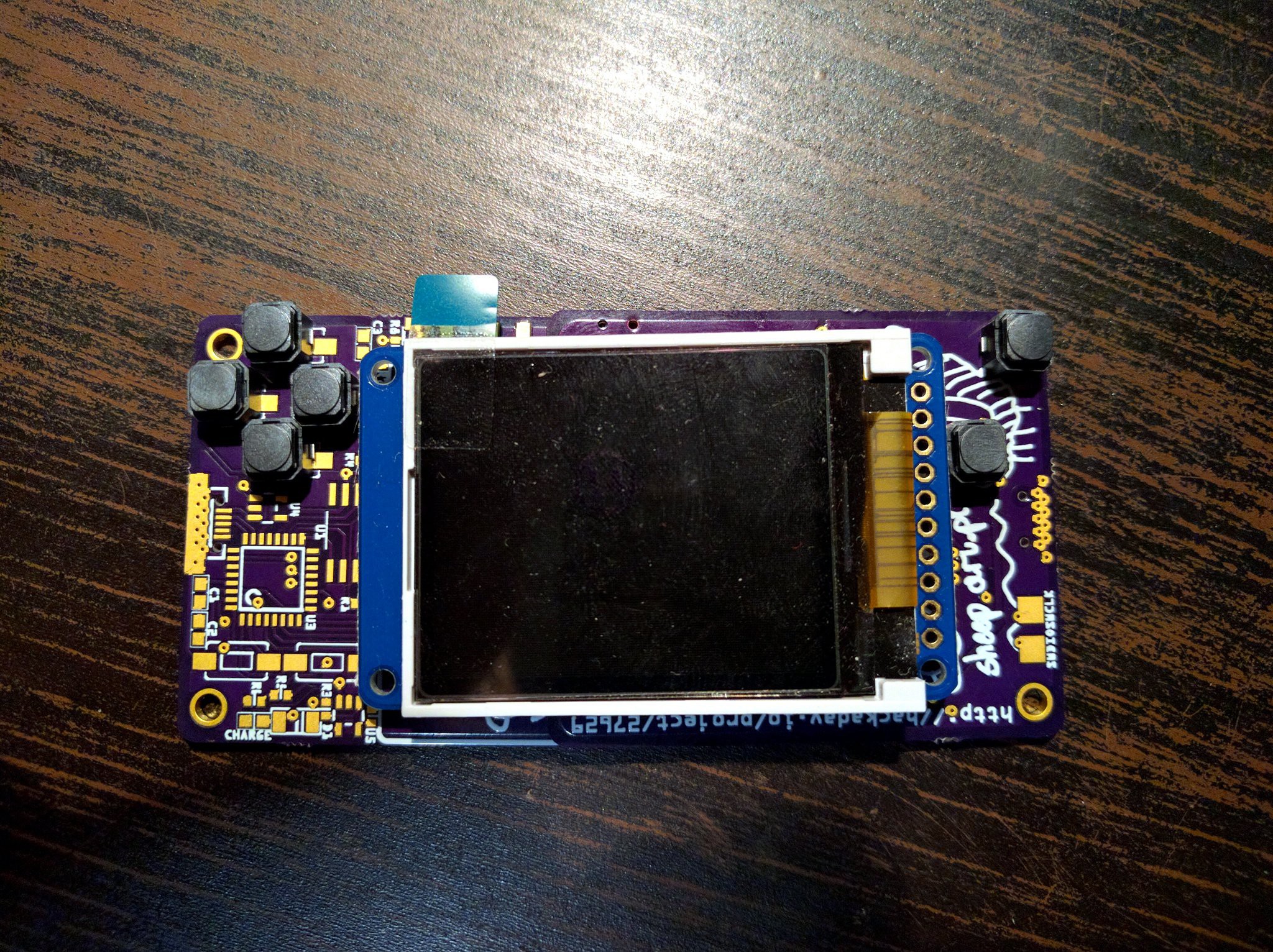
As I said previously, I have µGame mostly working with CircuitPython 3.0 (Which today released the first beta! Congratulations!), but there are still some issues to be resolved. In particular, I have two libraries there that I need working: gamepad and _stage. The gamepad li...
slender iron
@gentle bronze I think I got it enumerating ok
the nrf is weird because it doesn't interrupt on setup completion
@sly wagon what are you trying to figure out about the memory?
@gentle bronze so before a data transfer you must wait and take the semaphore. on status you only wait
gentle bronze
@glacial adder glad that you figured it out. the stack will wait for the DATA stage (semaphore)
it will then start the status, but won't wait for that at all
after DATA stack consider that is already success, and won't handle the status error, which won't really happen so far 😄
Hmm, nrf52 will auto listening for setup packet, when received, it will trigger interrupt
GitHub
A silly USB stack for Embedded System. Contribute to hathach/tinyusb development by creating an account on GitHub.
hhmm, the stack didn't prepare for setup packet as well, maybe it should !!!
🤔
slender iron
GitHub
A silly USB stack for Embedded System. Contribute to hathach/tinyusb development by creating an account on GitHub.
that is weird because it grabs the semiphore after the data stage is queued up
@gentle bronze https://github.com/tannewt/tinyusb/blob/tinyusb_samd/src/portable/nordic/nrf5x/dcd_nrf5x.c#L211

GitHub
A silly USB stack for Embedded System. Contribute to tannewt/tinyusb development by creating an account on GitHub.
gentle bronze
yeah, It wait for the semaphore once it queue the transfer
when the transfer is complete, dcd should post
slender iron
if you wait after you risk changing an active request
gentle bronze
the semaphore
yeah, there should be a mutex prior to this
currently the only thread that could run the control transfer is usbd stack, so it is rather safe. I will add a mutex soon enough 😄
slender iron
and you shouldn't grab the semaphore before the status because it doesn't trigger an interrupt
gentle bronze
the semaphore starting with 0 on creation
wait for semaphore in this scenario is waiting for the DATA to complete
a zero-length packet (status) won't post the semaphore
slender iron
I redid the semaphore because the _state stuff is hard to understand and impossible to reset on USBRESET
GitHub
A silly USB stack for Embedded System. Contribute to hathach/tinyusb development by creating an account on GitHub.
the way I have it working is that it waits and grabs before the data stage and then waits for completion before the status
pastel panther
(I just noticed I wasn't in #circuitpython-dev )
gentle bronze
@slender iron I just check your folk, if you are trying to remove the osal none layer macro, it won't really works. Since the next time the whole usbd_task() is run, it won't pick up where it is left. I could just re-run code that is already run in the previous invocation !!!
when the task blocked by a semaphore/queue in the middle of a function, the next time the task is invoke, it will continue from there (not begining of the function). That is the purpose of the static _state
pastel panther
@slender iron it works now!
slender iron
When there is no rtos you don’t return so there is no need to restart
pastel panther
have a good sleep!
slender iron
@gentle bronze blocking’s on a semaphore is ok as long as it’s posted in an isr
gentle bronze
@slender iron right, that is still valid if we only have one task talking to ISR 😃 There is also host stack running along side for other mcu as well. Yeah, but it is valid, at the start, I don't know how many thread that I ended needed for the stack
previously, some complicated driver such as rndis require its own thread, since it uses quite a bit of control transfer. Later on, maybe it is worth to see if we could simplify those osal macros 😃
maybe an separated osal: OPT_OS_NONE_BLOCKING and OPT_OS_NONE :D, thanks for the idea 😃
manic glacierBOT

I needed to add a chip I was using so I added the bits from #1239 as well. I also fixed a typo while I was there.
tepid sapphire
Hello, about NRF52, can i change the AD parameters ?
on circuitpython, in Python ?
tepid sapphire
not on source code
marble hornet
hey all, is there anyway to unimport modules? to free up memory?
errant veldt
@sly wagon @slender iron yearh I came across that too. It helped me understand better how gc works, but I'm still at a loss. for how to deal with my malloc errors. Imma ready to port the whole project over to an arduino sketch and go lower level if I can't solve the circuitpython
marble hornet
i tried just: del 'module_name_here' but that still leaves much of the memory used
marble hornet
i should stay still occupied but not in dir()
raven canopy
@marble hornet did you force a gc.collect() after the del and before the gc.mem_free()?
upbeat plover
@raven canopy Ubuntu 18 LST is working great. I was able to install the build tools, but when trying to build i got stuck at
make -c mpy-cross
hexthat@desktop:~/circuitpython$ git submodule update --init --recursive
hexthat@desktop:~/circuitpython$ make -C mpy-cross

Command 'make' not found, but can be installed with:

sudo apt install make
sudo apt install make-guile

hexthat@desktop:~/circuitpython$ sudo apt install make
[sudo] password for hexthat:
Reading package lists... Done
Building dependency tree
Reading state information... Done
Suggested packages:
  make-doc
The following NEW packages will be installed:
  make
0 upgraded, 1 newly installed, 0 to remove and 0 not upgraded.
Need to get 154 kB of archives.
After this operation, 381 kB of additional disk space will be used.
Get:1 http://mirror.math.ucdavis.edu/ubuntu bionic/main amd64 make amd64 4.1-9.1ubuntu1 [154 kB]
Fetched 154 kB in 0s (1,473 kB/s)
Selecting previously unselected package make.
(Reading database ... 165947 files and directories currently installed.)
Preparing to unpack .../make_4.1-9.1ubuntu1_amd64.deb ...
Unpacking make (4.1-9.1ubuntu1) ...
Setting up make (4.1-9.1ubuntu1) ...
Processing triggers for man-db (2.8.3-2ubuntu0.1) ...
hexthat@desktop:~/circuitpython$ make -C mpy-cross
make: Entering directory '/home/hexthat/circuitpython/mpy-cross'
Use make V=1, make V=2 or set BUILD_VERBOSE similarly in your environment to increase build verbosity.
make: gcc: Command not found
xargs: gcc: No such file or directory
../py/mkrules.mk:81: recipe for target 'build/genhdr/qstr.i.last' failed
make: *** [build/genhdr/qstr.i.last] Error 127
make: *** Deleting file 'build/genhdr/qstr.i.last'
make: Leaving directory '/home/hexthat/circuitpython/mpy-cross'
hexthat@desktop:~/circuitpython$
@raven canopy thank you, i did not
sly wagon
Missing gcc, try running apt-get install build-essentials
@upbeat plover
@errant veldt taking my cpx to work to keep looking at this thing today haha. Going to post more info about my specific memory problem later today with some code and debugging info cc: @slender iron ( since you asked last night ! )
upbeat plover
@sly wagon ```hexthat@desktop:~$ sudo apt-get install build-essentials
[sudo] password for hexthat:
Reading package lists... Done
Building dependency tree
Reading state information... Done
E: Unable to locate package build-essentials
hexthat@desktop:~$
Whoops maybe take the s off of essential my fault
How to install GCC compiler on Ubuntu 18.04 Bionic Beaver
Typing on my cell 😃
upbeat plover
its doing something now...
make: Entering directory '/home/hexthat/circuitpython/mpy-cross'
Use make V=1, make V=2 or set BUILD_VERBOSE similarly in your environment to increase build verbosity.
QSTR updated
python3 ../py/makeqstrdata.py build/genhdr/qstrdefs.preprocessed.h > build/genhdr/qstrdefs.enum.h
python3 ../py/makeqstrdata.py --compression_filename build/genhdr/compression.generated.h --translation build/genhdr/en_US.mo build/genhdr/qstrdefs.preprocessed.h > build/genhdr/qstrdefs.generated.h
   text       data        bss        dec        hex    filename
 204755      20504        912     226171      3737b    mpy-cross
make: Leaving directory '/home/hexthat/circuitpython/mpy-cross'
hexthat@desktop:~/circuitpython$ ```

this how it should look now?Looks good
errant veldt
@sly wagon nice one. I couldn't distract myself at work today, so I'm SOL until I'm home this aft. hopefully I can get something working before dark
upbeat plover
was able to build current feather_m4_express 😀 now to add my nvms.mpy as frozen and see if it works
solar whale
@upbeat plover not sure if there is a reason to use . mpy try .py if it does not work
upbeat plover
@solar whale yeah it failed with .mpy even though was building 3.x and was 3.x mpy, but the .py worked fine
Adafruit CircuitPython 3.0.3-dirty on 2018-10-31; Adafruit Feather M4 Express with samd51j19 what does dirty mean?
solar whale
dirty just means you have changed a file (or more) in the repository -- It compiles the .py anyway, so .py is fine.
upbeat plover
Speaking honistly I find Ubuntu much easier to use... If anyone has windows and having issues, you can shrink your windows partition and add ubuntu. That's what I did, I had to take extra steps and remove a partition cause system was only allowing 4, and i had 2 restore partition and the main windows one, and some unknown one named "Healthy"... so i deleted the one of the recovery then shrank the windows one down 200gbs, then it installed fine. I had to use ubuntu live cd to delete one of the windows recovery partition. I highly recommend backing everything up before trying. I didnt backup anything because a total loss of data would not effect me.
solar whale
What's "windows" 😉
upbeat plover
i think its used mostly for gaming?? 😉
solar whale
sorry - couldn't resist -- best to leave it there.
upbeat plover
even REPL is easier with Ubuntu i mean that right there is the selling point right? only thing i couldnt find Mu for linux, so i got Atom
solar whale
Mu should be available pip3 install mu-editor
tulip sleet
@upbeat plover This is the ppa you want: https://launchpad.net/~team-gcc-arm-embedded/+archive/ubuntu/ppa
This PPA is an alternative to toolchain released at https://launchpad.net/gcc-arm-embedded. The source codes for both are same. Currently supports Ubuntu 10.04/12.04/14.04/14.10 32 and 64 bit.
Detailed explanations to Launchpad PPA can be found at https://help.launchpad.net/...
or just download this and put it in your PATH somewhere: https://developer.arm.com/open-source/gnu-toolchain/gnu-rm/downloads
ARM Developer
Download the GNU Embedded Toolchain for ARM, an open source suite of tools for C, C++ and Assembly programming for ARM Cortex-M and Cortex-R families.
We are using 7-2018-q2 in our own development
upbeat plover
its all working now i think this should be added to the tut though apt-get install build-essential
tulip sleet
That comes with 18.04, surprised it was not in your 18.10 downlaod
upbeat plover
im using 18 LST, i guess its cause when i installed i picked minimum
and not to download updates while installing
 lapis pivot
Hi, can circuitpython boot from micro SD por only SPI flash?
upbeat plover
@solar whale Mu installed but i cant find it.... how do i open it
solar whale
mu-editor
manic glacierBOT

@ladyada just seeing this mention. sure. let me take a look. i'll respond back here if i think i'll do more damage than good. :)
solar whale
type tthat at the console
upbeat plover
says command not found
tidal kiln
@idle owl is there anything in the CP Learn's that discuss frozen modules?
 wheat zealot
Hello.
upbeat plover
@tidal kiln yes
i just followed the tut
How to build CircuitPython yourself on different platforms
solar whale
@upbeat plover hmmm -- try opening a new terminal session - then enter mu-editor --- works for me -- what to you get for which mu-editor
upbeat plover
mu-editor: command not found
did the pip3 install succeed?
upbeat plover
yeah im running it again and see what that does
solar whale
my need to run as sudo
tidal kiln
@upbeat plover ah. thanks. ok, that's techy info for people building core. wondering if there's more beginnery stuff - for people just using the boards and needing to know how to deal with them. or even what they are. etc.
upbeat plover
with sudo i stll got this for last lines... cant post it all too much
hexthat@desktop:~$ Mu-editor
Mu-editor: command not found
do need like system restart?
solar whale
try lower case m -- but may needd to use sudo pip3 install mu-editor
tulip sleet
@upbeat plover better to do pip3 install --user mu-editor, not with sudo.
trying uninstalling via pip and reinstalling
upbeat plover
the added --user let it intall again
tulip sleet
also your PATH may not be including the install location bin/ diretcory.
upbeat plover
but still failed
upbeat plover
 solar whale
re-install as @tulip sleet said -- works for me ```
jerryneedell@Ubuntu-Macmini:~$ which mu-editor
/home/jerryneedell/.local/bin/mu-editor
jerryneedell@Ubuntu-Macmini:~$
try pip3 uninstall --user mu-editor. and then sudo pip3 uninstall mu-editor. Let it uninstall and see where it tells you where it was installed. Then do pip3 install mu-editor without the sudo. It should do --user atuomatically. Then add /home/yourname/.local/bin to your PATH
jerryn installed it without sudo so it's under his homedir
solar whale
/home/jerryneedell/projects/esp-open-sdk/xtensa-lx106-elf/bin:/home/jerryneedell/bin:/home/jerryneedell/.local/bin:/usr/local/sbin:/usr/local/bin:/usr/sbin:/usr/bin:/sbin:/bin:/usr/games:/usr/local/games:/snap/bin:/home/jerryneedell/esp/xtensa-esp32-elf/bin
@dahn am i to change "user" with my username?
tulip sleet
yes
upbeat plover
oh lol
solar whale
really?
upbeat plover
wonder why it gave me this ```hexthat@desktop:~$ pip3 uninstall --user mu-editor
Usage:
pip uninstall [options] <package> ...
pip uninstall [options] -r <requirements file> ...
no such option: --user
ok, I think they took it away in 18.10, and it's --user by default
tulip sleet
i thought you said 18.10, ok never mind. so I am wrong just do pip3 uninstall mu-editor and sudo pip3 uninstall mu-editor
solar whale
Ijust used pip3 install --user mu-editor don;t replace user
upbeat plover
yes i had 18.10 last night but formated and reinstalled 18.04
tulip sleet
then do pip3 install mu-editor without sudo, and add /home/YOURUSERNAME/.local/bin to your PATH
solar whale
os as @tulip sleet says --user should not be necessary
upbeat plover
its doing stuff
lots of collecting
last lines ```Successfully installed Pillow-5.3.0 PyQt5-sip-4.19.13 PyQtChart-5.11.2 appdirs-1.4.3 backcall-0.1.0 certifi-2018.10.15 chardet-3.0.4 cycler-0.10.0 decorator-4.3.0 gpiozero-1.4.1 guizero-0.5.4 idna-2.7 ipykernel-5.1.0 ipython-7.1.1 ipython-genutils-0.2.0 jedi-0.13.1 jupyter-client-5.2.3 jupyter-core-4.4.0 kiwisolver-1.0.1 matplotlib-2.2.2 mu-editor-1.0.1 nudatus-0.0.3 numpy-1.15.3 parso-0.3.1 pexpect-4.6.0 pgzero-1.2 pickleshare-0.7.5 pigpio-1.41 prompt-toolkit-2.0.7 ptyprocess-0.6.0 pycodestyle-2.4.0 pyflakes-2.0.0 pygame-1.9.4 pygments-2.2.0 pyparsing-2.3.0 pyqt5-5.11.2 pyserial-3.4 python-dateutil-2.7.5 pytz-2018.7 pyzmq-17.1.2 qscintilla-2.10.7 qtconsole-4.3.1 requests-2.20.0 semver-2.8.1 setuptools-40.5.0 six-1.11.0 tornado-5.1.1 traitlets-4.3.2 urllib3-1.24 wcwidth-0.1.7
actually I needed the --user
tulip sleet
--user isn't needed on modern Ubuntu, but it's needed on a lot of other systems, so we specify it redundantly
solar whale
without it I had a permission error but may be due to past abuse of sudo
tulip sleet
@solar whale what is pip3 --version
solar whale
pip 18.0 from /home/jerryneedell/.local/lib/python3.6/site-packages/pip (python 3.6)
``` I'll try upgrade to 18.1mine is ```pip 9.0.1 from /usr/lib/python3/dist-packages (python 3.6)
is that the issue?
tulip sleet
i have 9.0.1 in /usr/bin/pip3 and it's working fine without --user, but it doesn't hurt to say it. OK, we'll say you always need it. @upbeat plover yours is fine, same as mine
@solar whale I think maybe /usr/bin/pip3 version has --user as a default but the locally installed one may not.
upbeat plover
restarted PC mu-editor command works now...
just a future tip if it happens again
i wonder if it has to do with the liveupdate option i selected?
idle owl
@tidal kiln I don't think so. It wasn't as much of an issue when all of that was written, I think.
upbeat plover
im having issues with Mu REPL now, gives error first try, then second try connects but doesnt do anything. ctrl-d, ctrl-c do nothing
tidal kiln
@upbeat plover what os?
upbeat plover
terminal is working fine though when i try it, Ubuntu 18.0.4
tidal kiln
try just closing / opening serial again in mu
upbeat plover
gives error ```Cannot connext to device on port /dev/ttyACM0
Click on the device's reset button, wait a few seconds and then try again.```
hmm maybe i need to run sudo mu-editor?
tidal kiln
do you run screen with sudo?
upbeat plover
yes
tidal kiln
there's a group you can add yourself to
might be adm?
do an ls on /dev/ttyACM0 to verify its group
also, may need to add udev rules - have you done that?
upbeat plover
/dev/ttyACM0
no how do i make it so i dont need sudo for it?
tidal kiln
ls -l so you can see the group
upbeat plover
crw-rw---- 1 root dialout 166, 0 Oct 31 09:14 /dev/ttyACM0
uninstall modemmanager if it's installed too
slender iron
@errant veldt @sly wagon one thing to make sure of is that you aren't using neopixel brightness. it takes extra memory.
tidal kiln
hmmmm. on my ubuntu box it gets put in the adm group. @tulip sleet does the udev rule do that?
slender iron
@gentle bronze why not have the NO RTOS version block and require an RTOS for threading? that way you get proper context switching
tulip sleet
@tidal kiln yes, adm, on mine, but I have /etc/udev/rules.d/99-adafruit-boards.rules
upbeat plover
yes and it is currently running
ModemManager.service loaded active running Modem Manager
@upbeat plover what about the udev file? ^^
upbeat plover
i dont know, how do i check?
pastel panther
@tulip sleet Do I recall correctly that you mentioned something a while ago about a fix for dim dotstars?
gentle bronze
@slender iron block only works best with single tasks, there is also host task running for other mcu such as nxp lpc18xx. Other complex driver such as audio/camera may need to run on its on task. Also, blocking until complete may not sound interesting to some user
tidal kiln
ls /etc/udev/rules.d
gentle bronze
@slender iron where they want good response time. the currnet osal none is not really bad, it is just a bit complicated and hard to follow
tidal kiln
upbeat plover
70-snap.canonical-livepatch.rules 70-snap.core.rules 70-snap.discord.rules
@upbeat plover @tidal kiln https://learn.adafruit.com/adafruit-arduino-ide-setup/linux-setup#udev-rules-6-4 The next-to-last thing is the easiest : sudo usermod -a -G dialout $USER. You can skip the udev rules if you do that.
sudo apt purge modemmanager is a good idea.
slender iron
@gentle bronze I found its complication when adding my samd51 layer and discovered that on USBRESET the stack didn't reset completely. That seems very bad to me
tulip sleet
@pastel panther I don't remember that. there was a fix for the dim RGB LED on the PCA10059 dongle. Is this a dotstar strip?
pastel panther
@tulip sleet no, this is a dotstar on a custom board
gentle bronze
@slender iron yeah, It may need some tune up for sure, but it works with nxp & nrf chip so far. It helps when we want to add more task, or have a more complex semaphore, queue pending scenario. 😄
sly wagon
@slender iron oh interesting re: neopixel brightness, so you mean just don't set it and use the default ? i'm def setting it currently
gentle bronze
@slender iron best thing still, it does not block on waiting
slender iron
@gentle bronze Is there an example I can try that uses it?
@sly wagon ya, leave it at 1.0 and change the color values yourself
tulip sleet
@pastel panther I'd double-check the voltage, but otherwise, have nothing to offer, sorry.
tidal kiln
@idle owl for example: https://forums.adafruit.com/viewtopic.php?f=48&t=141158&start=15#p706060
slender iron
@pastel panther they changed the actual responsiveness of dotstars
idle owl
@tidal kiln I understood why you were asking. hmm. Not sure where the best place for that would be.
gentle bronze
@slender iron It is hard to explain, the usbd stack is the example. For better explanation, you could look at protothreads http://dunkels.com/adam/pt/
tulip sleet
@pastel panther oh yeah: https://github.com/adafruit/circuitpython/pull/621
slender iron
k, will look. thanks @gentle bronze
sly wagon
awesome, modifying that now, thank you, digging more and trying to get rid of more objects that i'm probably creating needlessly
@slender iron
gentle bronze
@slender iron it is pretty much which I based the osal_non on, with customization and things etc ...
tidal kiln
@idle owl maybe here?
https://learn.adafruit.com/welcome-to-circuitpython/circuitpython-libraries
or a sub page to that one
idle owl
@tidal kiln I think we should seriously consider making the change to CP, personally. The change to the order it reads the libs. But yeah I guess that might be an ok place. Subpage, no. This page is nested into so many guides that it wouldn't be a subpage anymore anyway.
gentle bronze
@slender iron simple idea is using a hack switch() to simulate and state machine, thus you couldn't use switch inside a subtask.
slender iron
ya, I think thats very gross
you can't use local variables either
I don't think the complexity is worth it
pastel panther
@slender iron I think that's what I'm dealing with; I got cheap and ordered a batch off ebay and I'm guessing I got old stock.
tulip sleet
@tidal kiln @idle owl frozen truth is in https://github.com/adafruit/circuitpython/blob/3.x/ports/atmel-samd/boards/circuitplayground_express/mpconfigboard.mk and similar locations for other boards
gentle bronze
only variable that last through 2 runs
idle owl
@tulip sleet Yah I know where it is.
upbeat plover
@solar whale @tidal kiln @tulip sleet everything is working now, mu serial.... not sure what step i skippped but terminal still wants sudo for screen but mu works fine
tidal kiln
@tulip sleet thanks. changing garage band name to frozen truth
solar whale
did you add your user to the group dialout?
upbeat plover
no
gentle bronze
@slender iron though that is done before an blocking API is invoked is OK. Though that last through 2 run of the task, need to be static 😃
tulip sleet
sudo usermod -a -G dialout $USER
upbeat plover
this ? sudo usermod -a -G dialout $USER
tulip sleet
you may need to logout and log back in to get the group change for your user
slender iron
@gentle bronze the static locals can't be reset though
if you have an error on an event you hang
tidal kiln
@upbeat plover to verify, you can type groups and see if dialout is in the list
upbeat plover
thanks guys everything good now
gentle bronze
@slender iron it can be reset with TASK_RESTART (state=0). Yeah, the code is a bit tricky, we need to pay attention to it. Sometime I forgot here and there after returninng for awhile.
slender iron
I don't think its worth the complexity
gentle bronze
yeah, may look complex at first.
I just placed ordered for the samd51 board, I will try to help you as well, when it is deliveried.
slender iron
great! it'll be good that you have it. what do you use to sniff usb traffic?
gentle bronze
I used an lecroy mecury T2
Teledyne LeCroy is a leading provider of oscilloscopes, protocol analyzers and related test and measurement solutions that enable companies across a wide range of industries to design and test electronic devices of all types.
slender iron
oooh nice! I hear they make good stuff
gentle bronze
yeah, it is a great tool, I used a bigger lecroy analyzer when working for NXP. So I tried a buy a smaller version for personal use. Kevin help me to buy one
slender iron
ooohh, it does high speed too
gentle bronze
yes, it does high speed as well
slender iron
I'm jealous 😃
errant veldt
@slender iron thanks for that suggestion. So I can just init my strip without brightness and that will save mem?
slender iron
it prevents use on show I believe
errant veldt
it seems like the real issue is that cleanup is not happening in the main loop though
@slender iron just reviewed my code. I hadn't touched brightness other than setting it to 1.0 on init anyway...guess that is not gonna work for me.
slender iron
I think its an issue of fragmentation, not cleanup
512 bytes is a lot to allocate continuously
errant veldt
that makes sense...is there a way to avoid re-allocating the mem?
slender iron
how are you playing the file?
sly wagon
Is there any static analysis that can be run ahead of time to point out any bad practices or is it mainly reading documentation and trying to make the best decisions you can wrt memory management ?
slender iron
no static analysis
I would like to debug memory more easily but it matters much less on the M4s
sly wagon
@errant veldt random idea for your project, what if you used a generator to send/play your audio data, aren't they suppose to be a bit more efficient
slender iron
I do have an analysis tool you can use with a jlink but its complicated
sly wagon
@slender iron ah, got it got it
slender iron
 errant veldt
@slender iron I'm using this code to load the ~235K wav and then calling play:
wavfile = "halloween.wav"
f = open(wavfile, "rb")
wav = audioio.WaveFile(f)
a = audioio.AudioOut(board.A0)
sly wagon
Hmm that might be a bit too low level for me at the moment using a J-Link, but honestly, depending how on progress, I might start learning up on how to use them in debugging devices haha
slender iron
@errant veldt do you do that multiple times?
errant veldt
@sly wagon havent looked into a generator yet.
slender iron
@sly wagon I'm happy to help you learn
errant veldt
@slender iron no, just the a.play() is called in the loop
errant veldt
slender iron
and a cpx crickit?
errant veldt
yup
that pastebin may have had a couple tweaks since I posted it, I'm not by my board right now
slender iron
I'd also print the memory after each import
the neopixel and crickit imports shouldn't take up very much since they are frozen in
errant veldt
I hadn't tried doing any gc.collects after the imports for fragmentation yet either
slender iron
it does that automatically
errant veldt
good to know
upbeat plover
in mpconfigboard.h // If you change this, then make sure to update the linker scripts as well to // make sure you don't overwrite code
how do i do that? im trying to cut NVM size in half
for featherm4
slender iron
why are you changing it? its exactly an erase block size now
errant veldt
@slender iron other, related question. Can DigitalIO and PulseIO work with crickit signalio pins?
the crickit guide says to do standard digital_write() calls
slender iron
@upbeat plover nvm is ROM not ram
@errant veldt iirc it uses seesaw so you'll need to use the crickit variants
errant veldt
@slender iron I thought so. the only lib I'm carrying in that code that is in my /lib/ is the HCSR04 lib it wants to use digital IO and the seesaw doesn't play nice
perhaps if I bit bang it inside my code instead I can save more mem?
slender iron
ya, it'll be slow because its over i2c
what do you mean doesn't play nice? did you try it with the seesaw DigitalInOut?
errant veldt
didn't realize seesaw had the DigitalInOut
just was going off of this: https://learn.adafruit.com/adafruit-crickit-creative-robotic-interactive-construction-kit/circuitpython-signals

Make your robot pal who's fun to be with using Crickit!
upbeat plover
https://www.microchip.com/wwwproducts/en/ATSAMD51N19A
i was thinking the NVM was the 8kb SRAM mentioned here
anyways its not even an issue cause after my code i still have 92kb ram to use
SAMD51, 512KB Flash, 192KB RAM, 120MHZ, General Purpose , ARM Cortex M4F , 100-Pin
slender iron
@errant veldt ya, the arduino origins are showing there
@upbeat plover ah, no that backup ram is different
I'm keeping it in my back pocket for a rainy day 😉
errant veldt
If getting the wav file mgmt to go with arduino wasnt so annoying, i'd be really tempted to just redo this project in that IDE
slender iron
😃
when you have a chance track memory after imports
they usually take the bulk of memory
errant veldt
wont be until about 3:30 MDT
slender iron
is that an hour from pacific? (i'm in seattle)
errant veldt
yeah, I'm in Calgary
sly wagon
has anyone ever tried adding https://github.com/pythonprofilers/memory_profiler as a lib on the circuit playground express ?

GitHub
Monitor Memory usage of Python code. Contribute to pythonprofilers/memory_profiler development by creating an account on GitHub.
slender iron
kk, I'll be around and happy to help
errant veldt
thx
slender iron
np
manic glacierBOT

The issue with memory allocation failures on M0 builds with frozen libraries is coming up constantly now. The most reasonable solution is to switch the path to ['', '/', '.frozen', '/lib'] to resolve this.
While it would be ideal to address the underlying issue instead, it's not reasonable right now to fix all of the memory issues we're seeing in the M0 builds. There is no quick answer to fixing the underlying issue, and we need something in place now.
I discussed it again with @cat...
I agree with this. We can make a 3.1.0 release and also incorporate into master. Happy to do the work.
I'm ok with this too. I think its a good compromise because it doesn't let the use-case specific builds creep out into the bundle.
Excellent. I'm going to update the issue on the bundle and close it in favor of this one.
I brought this up as a MicroPython issue: https://github.com/micropython/micropython/issues/4260
Reason it happens (from @dpgeorge) is below. We could disable constant folding, or perhaps try to catch the exceptions better during the folding.
This configuration is definitely less well tested than with long-ints enabled. As mentioned above, the parser is raising these exceptions because it is doing constant folding, and without long ints the constant folding can fail.
With long-...
 ashen lily
We are visiting the San Francisco area, anyone know of good Meetup / Makerspace opportunities?
sly wagon
ok, interesting set of demo code I came across, seems as though he created a bunch of wrapper classes for various types of demos, each class initializes things like the Neopixel object, and assigns it to instance variables, each of those demo wrapper objects are added to a global list defined as demos , then referenced during the main loop based on which buttons are pressed. Not sure how well all of this works, but it makes sense, might take a stab at refactoring a couple things to work a bit more like this. Also all of the demo class wrapper objects come from the same base class, so you could add some basic memory management functions and call them wherever as well I guess. https://github.com/mikepschneider/circuitpy_ms/blob/1242a96171f5b436f53807b7a6893315022f292b/CIRCUITPY/demorunner.py .... anything wrong with adapting a patten like this ? cc: @errant veldt @slender iron

GitHub
CircuitExpress Demo And Timer Code. Contribute to mikepschneider/circuitpy_ms development by creating an account on GitHub.
 meager fog
!!!newp alert!!!
So you've got a cool/witty name for your band, a Soundcloud account, a 3D-printed Daft Punk helmet... so what could be missing from your road to stardom? The NeoTrellis M4 Kit ...
now in stock THEY WILL GO FAST
if you want one to ship ASAP order soon!
of course we'll be makin' more...but if you're wantin' it this week, this is the time
 fierce oar
Hallowing question: where is the best place to direct folks to get the special version of Circuit Python for using the TFT? I can only find links to it in specific project guides, not in the actual Hallowing guide https://learn.adafruit.com/adafruit-hallowing/circuitpython

This is Hallowing..this is Hallowing... Hallowing! Hallowing!
tidal kiln
@fierce oar it's a moving target right now since 4.x is in alpha, but latest version is available on CP release page in repo, same place you'd go for other releases:
https://github.com/adafruit/circuitpython/releases
upbeat plover
maybe you can add this, im using Adafruit CircuitPython 3.0.3 on 2018-10-10; HalloWing M0 Express with samd21g18
import board
import busio
import digitalio
import time
from adafruit_rgb_display import color565
import adafruit_rgb_display.st7735 as st7735
import pulseio
backlight = pulseio.PWMOut(board.TFT_BACKLIGHT)
backlight.duty_cycle = 2 ** 15


spi = busio.SPI(clock=board.SCK, MOSI=board.MOSI, MISO=board.MISO)
display = st7735.ST7735R(spi, cs=digitalio.DigitalInOut(board.TFT_CS),
    dc=digitalio.DigitalInOut(board.TFT_DC), rst=digitalio.DigitalInOut(board.TFT_RESET), width = 130, height = 131)

display.fill(color565(6, 6, 0))
time.sleep(0.3)
display.reset()
display.init()


def xfix(x):
    x = x + 2
    return x

def yfix(y):
    y = y + 3
    return y

while True:
    time.sleep(1)
    display.fill_rectangle(xfix(0), yfix(0), 128, 128, color565(0, 0, 0))
    display.pixel(xfix(64), yfix(64), color565(255, 0, 0))
    display.vline(xfix(128), yfix(0), 128, color565(255, 255, 255))
    display.vline(xfix(0), yfix(0), 128, color565(255, 255, 255))
    display.hline(xfix(0), yfix(128), 128, color565(255, 255, 255))
display.hline(xfix(0), yfix(0), 128, color565(255, 255, 255))```@tidal kiln gotcha, thanks! i'll include something like "this is still in development" and link to the Hallowing circuit python page for latest info
tidal kiln
what's the actual usage you are working with?
fierce oar
im writing a tutorial for hackspace, it's a glove with hallowing that displays an image and plays sounds
tidal kiln
cool. have you seen the slide show code?
fierce oar
no, what's that?
tidal kiln
it was used in something recently...with sound..let me look...
and you can see how calling out the CP version was done
For this project you need a special version of CircuitPython. Download the file at the green link below that is an early 4.0 version of CircuitPython, written for the HalloWing specifically for displaying graphics files easily.
yes that is cool - i wish i could just link to the UF2, but this will be a printed article, so it's not easy to link to a file to download, best to print a human readable url in a print magazine. Thinking I will need to say something like find the latest Hallowing-specific version of Circuit Python in Adafruit's GitHub repository, in a less wordy way
idle owl
Yah something like that
pastel panther
@fierce oar you could always use a URL shortener if the actual URL is too long
fierce oar
@pastel panther yep we always use url shorteners, also because they are update-able 😃
breaking for lunch, thanks for all your help y'all!
manic glacierBOT
tidal kiln
time to see if i can still work in c....
cedar beacon
Anyone done live plotting of data from a circuitpython board where the data is input to a live updating dataframe? e.g. https://hvplot.pyviz.org/user_guide/Streaming.html
A high-level plotting API for the PyData ecosystem built on HoloViews
pastel panther
@tidal kiln you can doooo eeeeeeeet
tidal kiln
make
pastel panther
having a good editor with indexing helps
pastel panther
I like visual studio code a fair amount
tidal kiln
that's what i've been using lately too.
manic glacierBOT
 tawny creek
@cedar beacon I use Mu's plotter
but it doesnt have labels
You can prolly adjust the plotting it outputs if you compile your own Mu (I think it uses Qt5)
errant veldt
@slender iron ok just loaded the board with a bunch of mem info after each import. it looks like the culprit is the HSCR04 lib...
after gc
Free memory: 14320
Allocated memory: 5728
after time
Free memory: 14160
Allocated memory: 5888
after board
Free memory: 13984
Allocated memory: 6064
after hcsr04
Free memory: 7600
Allocated memory: 12448
after audioio
Free memory: 7424
Allocated memory: 12624
after neopix
Free memory: 5616
Allocated memory: 14432
after crickit
Free memory: 5504
Allocated memory: 14544
after math
Free memory: 5344
Allocated memory: 14704
after random
Free memory: 5056
Allocated memory: 14992
Free memory: 5488
Allocated memory: 14560
upbeat plover
wow that hcsr04
errant veldt
here is the pastbin of my code right now. I'm thinking I need to barebones the hcsr04 and drop the lib
cedar beacon
@tawny creek yes mu plotting is very convenient but also limited
 tough flax
Stupid question - on the Hallowing, why can't I use board.A0.value to check for it to be pulled to ground?
I'm looking for the equiv of digitalRead() but I'm rushed and not thinking
errant veldt
@ tannewt I stripped down the HCSR04 lib to just the main dist function with only pulseio and it seems to be worrking but why is crickit grabbing so much mem if it is frozen?
code.py output:
after gc
Free memory: 13968
Allocated memory: 6080
after time
Free memory: 13808
Allocated memory: 6240
after board
Free memory: 13632
Allocated memory: 6416
after digitalio
Free memory: 13440
Allocated memory: 6608
after pulsein
Free memory: 13264
Allocated memory: 6784
after audioio
Free memory: 13088
Allocated memory: 6960
after neopix
Free memory: 11280
Allocated memory: 8768
after crickit
Free memory: 6688
Allocated memory: 13360
after math
Free memory: 6528
Allocated memory: 13520
after random
Free memory: 6208
Allocated memory: 13840
Free memory: 6400
Allocated memory: 13648
at defaultDist
Free memory: 3328
Allocated memory: 16720
(431.074, 86.2148)
Retrying!
Free memory: 864
Allocated memory: 19184
manic glacierBOT
ok @tannewt @dhalbert I've added gain setting by voice to mixer for your consideration:
https://github.com/adafruit/circuitpython/commit/008799dc520218ecb96a782feb145b37b842862a
import array
import math
import time
import board
import busio
import audioio

VOICES = ["voice01.wav", "voice02.wav", "voice03.wav", "voice04.wav"]

def parse_wav(filename, *, scale = 1.0):
    print("Reading file " + filename)
    f = open(filename, "rb")
    chunk_id = f.read(4)
...@errant veldt if you have crickit or its dependencies on the flash it'll use those instead
errant veldt
like in lib?
slender iron
it'll load from the root as well
errant veldt
its not there.
upbeat plover
version = 1.0
nvms.readtext(size, address)``` returns as string instead of bytearray now looks much better when
```python
print(nvms.readtext(size, address))```k stripping hcsr is a good itea
errant veldt
it seems to be working, but somehow the hcsr is timeouting a bunch and range is really limited
sorry, got pulled out to help the neighbor fix her garage door opener
manic glacierBOT
well.....i didn't break it at least.
Press any key to enter the REPL. Use CTRL-D to reload.
Adafruit CircuitPython 4.0.0-alpha.2-89-g7dc6b1da0-dirty on 2018-10-31; Adafruit CircuitPlayground Express with samd21g18
>>> import audioio
>>> wave_file = open("StreetChicken.wav", "rb")
>>> wave = audioio.WaveFile(wave_file)
>>> dir(wave)
['__enter__', '__exit__', 'bits_per_sample', 'channel_count', 'deinit', 'sample_rate']
>>> wave.channel_count
1
>>> wave.bits_per_sample
16
...read-only for both!
i think wave.channels and wave.bits_per_sample are good, @tannewt any thoughts
marble hornet
any thoughts on hooking up another spi device to the qspi port on the d51 accessible over python?
errant veldt
@slender iron success! will post a pic later
pastel panther
@marble hornet how so? I could be wrong but I don't think the '51's qspi can handle multiple devices as it only has one CS line
pastel panther
QSPI uses specific pins:
PA08
PA09
PA10
PA11
PB10
PB11
thats ```
QSPI/DATA[0]
QSPI/DATA[1]
QSPI/DATA[2]
QSPI/DATA[3]
QSPI/SCK
QSPI/CS
the same pins can be used for normal SPI but the order is different and obviously not when it's already busy doing QSPI
One could theoretically hook up a spi flash to any one of the other sercoms and write or find driver code for it
marble hornet
@pastel panther is something wrong with the samd io google sheets? and i was thinking of hooking up some sram or something faster then flash to the port( b/c i found the sram on the epd display was pretty slow) as a frame/layer buffer (something really large)
and the qspi is much faster then spi spi right?
pastel panther
as far as I know they're still fine
I may have set some filters
I just undid the QSPI filter; which may have been what you saw. it still has the '51G filter set
marble hornet
perfect! i was only seeing about ten pins before thanks !
pastel panther
are you able to set filters?
pastel panther
it the little inverted triangle thing to the right of each column name
if it looks like a funnel it means it's being filitered
marble hornet
clicking on it doesn't do anything
pastel panther
ah, probably because you're read only
Sorry , I'm not willing to totally open it up just yet
feel free to lmk if you want something filtered
hit me up in a PM if you want to continue this convo
marble hornet
thank you @pastel panther it seems to hw based when i checked the datasheet 🤷 i guess i'll just need to find some other sram when it comes time thanks dude!
pastel panther
ah yes, sorry if my answer didn't make that clear
marble hornet
it's all good 😁
pastel panther
see if you can use Data>Filter Views->Create filter view
marble hornet
trying...
looks blanked out to me
except the temp
but the temp seems to work!
although i haven't the foggiest on how to use them
manic glacierBOT
@tannewt Is read-only as simple as don't have a setter func and set 2nd .proxy entry to mp_const_none_obj? Like this?
const mp_obj_property_t audioio_wavefile_bits_per_sample_obj = {
    .base.type = &mp_type_property,
    .proxy = {(mp_obj_t)&audioio_wavefile_get_bits_per_sample_obj,
              (mp_obj_t)&mp_const_none_obj,
              (mp_obj_t)&mp_const_none_obj},
};
@tough flax board.A0 is just a pin name. It's not associated with a peripheral. You want digitalo.DigitalInOut, which takes a pin name and makes it work as a GPIO pin.
manic glacierBOT
@caternuson Yup! That and documenting it as such.
marble hornet
Can you mpy a folder?
manic glacierBOT
As requested in #1303.
Adafruit CircuitPython 4.0.0-alpha.2-89-g7dc6b1da0-dirty on 2018-10-31; Adafruit CircuitPlayground Express with samd21g18
>>> import audioio
>>> wave_file = open("StreetChicken.wav", "rb")
>>> wav = audioio.WaveFile(wave_file)
>>> dir(wav)
['__enter__', '__exit__', 'bits_per_sample', 'channels', 'deinit', 'sample_rate']
>>> wav.channels
1
>>> wav.bits_per_sample
16
>>>
@marble hornet, no just single .py files
manic glacierBOT
OK - we can continue chatting over in the PR: #1311
tulip sleet
one-to-one correspondence
marble hornet
so when freezing modules into cp they can't have address space inside of folders?
tulip sleet
the freezing process walks over folders, so no problem. We do whole libraries. I think I misunderstood slightly. You can take anything in a folder and .mpy it and preserve the folder structure. It's just that mpy-cross only does one file at a time, so you have to write a little script to do a whole file tree
marble hornet
thank you @tulip sleet
can i ask if one has smoop.py and smoop.mpy in the same directory which will cp default to ?
solar whale
The .py will be executed.