#circuitpython-dev
1 messages · Page 204 of 1
 solar whale
 upbeat plover
CS = D5, DC = D6
solar whale
tried this -- same result ```
from adafruit_seesaw import seesaw as ss
from adafruit_seesaw import digitalio as dio
import busio
import board
import digitalio
from adafruit_rgb_display import st7735
i2c = busio.I2C(board.SCL, board.SDA)
seesaw = ss.Seesaw(i2c, 94)
cs = digitalio.DigitalInOut(board.D5)
rst = dio.DigitalIO(seesaw, 9)
dc = digitalio.DigitalInOut(board.D6)
spi = busio.SPI(clock=board.SCK, MOSI=board.MOSI, MISO=board.MISO)
display = st7735.ST7735(spi, cs, dc, rst, 160, 80)
display.fill(0x7521)
display.pixel(64, 64, 0)
https://github.com/adafruit/Adafruit-ST7735-Library/blob/master/examples/miniTFTWing/basic/basic.ino

GitHub
This is a library for the Adafruit 1.8" SPI display http://www.adafruit.com/products/358 and http://www.adafruit.com/products/618 - adafruit/Adafruit-ST7735-Library
ardino example
GitHub
This is a library for the Adafruit 1.8" SPI display http://www.adafruit.com/products/358 and http://www.adafruit.com/products/618 - adafruit/Adafruit-ST7735-Library
upbeat plover
woot finding buttons, got the joypad select button working too
think ill have joypad done by today
 stuck elbow
I got it to work
with this:
from adafruit_rgb_display import st7735
from adafruit_seesaw import seesaw as ss
from adafruit_seesaw import digitalio as dio
#from adafruit_seesaw import pwmout as pwm
import busio
import board
import digitalio

i2c = busio.I2C(board.SCL, board.SDA)
seesaw = ss.Seesaw(i2c, 94)
rst = dio.DigitalIO(seesaw, 8)
#rst = None
cs = digitalio.DigitalInOut(board.D5)
dc = digitalio.DigitalInOut(board.D6)
#backlight = pwm.PWMOut(seesaw, 3)
#backlight.duty_cycle = 0x0fff
spi = busio.SPI(clock=board.SCK, MOSI=board.MOSI, MISO=board.MISO)
display = st7735.ST7735(spi, cs, dc, rst, 160, 80)
#display.fill(0x7521)
display.pixel(64, 64, 0xffff)

while True:
    pass
the seesaw library is really a memory hog
upbeat plover
hmm.... made my screen all glitched even when i removed code and reset
upbeat plover
it cleared randomly now
solar whale
my scree just shows randome pixels
stuck elbow
so the initial content is random
upbeat plover
no clue what that is about
stuck elbow
uncomment the fill command
upbeat plover
i removed code and it flashed white and is back to default
solar whale
@stuck elbow thanks -- thatsa big help getting going with thsi
upbeat plover
got full joypad working
solar whale
great! please post the code when you want to.
upbeat plover
import time

from board import SCL, SDA
import busio
from micropython import const

from adafruit_seesaw.seesaw import Seesaw

# pylint: disable=bad-whitespace
BUTTON_RIGHT = const(7)
BUTTON_DOWN  = const(4)
BUTTON_UP  = const(2)
BUTTON_LEFT  = const(3)
BUTTON_B  = const(9)
BUTTON_A    = const(10)
BUTTON_SEL   = const(11)
# pylint: enable=bad-whitespace
button_mask = const((1 << BUTTON_RIGHT) |
                    (1 << BUTTON_DOWN) |
                    (1 << BUTTON_UP) |
                    (1 << BUTTON_LEFT) |
                    (1 << BUTTON_B) |
                    (1 << BUTTON_A) |
                    (1 << BUTTON_SEL))

i2c_bus = busio.I2C(SCL, SDA)

ss = Seesaw(i2c_bus, addr=94)

ss.pin_mode_bulk(button_mask, ss.INPUT_PULLUP)

while True:
    buttons = ss.digital_read_bulk(button_mask)
    if not buttons & (1 << BUTTON_RIGHT):
        print("Button Right-D pressed")

    if not buttons & (1 << BUTTON_DOWN):
        print("Button Down-D pressed")

    if not buttons & (1 << BUTTON_LEFT):
        print("Button Left-D pressed")

    if not buttons & (1 << BUTTON_UP):
        print("Button Up-D pressed")

    if not buttons & (1 << BUTTON_B):
        print("Button B pressed")

    if not buttons & (1 << BUTTON_A):
        print("Button A pressed")

    if not buttons & (1 << BUTTON_SEL):
        print("Button SEL pressed")

time.sleep(.01)
all i did is place random numbers in the const() till stuff was correct
solar whale
thanks!
upbeat plover
Ty @stuck elbow for getting screen to do something too
solar whale
Thanks @upbeat plover - joypad works for me! Thansk for the help @stuck elbow -- I have to go offline for awhile -- more fun later
stuck elbow
cheers
 manic glacierBOT

[adafruit/circuitpython] New comment on issue #1285: framebuf module support removed from all builds
I intentionally did this with 4.x to free up space. By the stable release we should have similar functionality through displayio instead.
 idle owl
@tough flax Looks great!
manic glacierBOT

[adafruit/circuitpython] New comment on issue #1285: framebuf module support removed from all builds
Ok -- feel free to close -- perhaps it would be good to note this in the "release notes".

[adafruit/circuitpython] New comment on issue #1285: framebuf module support removed from all builds
I'll update the release notes.
Now that I think about this more, let's make it M4 only. The M0 is quickly running out of code space and can't hold much code in memory anyway. Thanks!

I tested the code on PCA10056 and it works there so must be something with either the soldering, the chip or my gpio choice.
upbeat plover
"TFT Backlight
- not all Feathers have PWM and also most of the time you don't need to do a lot with the
backlight so we connect it to a seesaw PWM pin so you can dim/brighten as you desire"
what pin is that? @stuck elbow i tried 5 but it doesnt seem to do anything with this code
import busio
from adafruit_seesaw.seesaw import Seesaw
from adafruit_seesaw.pwmout import PWMOut


i2c_bus = busio.I2C(SCL, SDA)
ss = Seesaw(i2c_bus, addr=94)

ss.set_pwm_freq(5, 0)
I think it's 3
upbeat plover
3 is left d pad
5 is only one i found that doesnt give "ValueError: Invalid PWM pin"
stuck elbow
GitHub
Arduino driver for seesaw multi-use chip. Contribute to adafruit/Adafruit_Seesaw development by creating an account on GitHub.
this is also useful: https://github.com/adafruit/Adafruit_Seesaw/blob/master/Adafruit_miniTFTWing.h
GitHub
Arduino driver for seesaw multi-use chip. Contribute to adafruit/Adafruit_Seesaw development by creating an account on GitHub.
maybe that's pin 0?
upbeat plover
im trying to turn the display off i need to set value to "0xFFFF" but not sure how to do that, those links gave me that idea
stuck elbow
maybe someone who actually designed this thing could chime in
 gusty kiln
i'm out 'til monday - have a good weekend, circuitpythonistas.
upbeat plover
import busio
from adafruit_seesaw.seesaw import Seesaw
from adafruit_seesaw.pwmout import PWMOut


i2c_bus = busio.I2C(SCL, SDA)
ss = Seesaw(i2c_bus, addr=94)

ss.analog_write(5, 0xFFFF)
turn display backlight off
upbeat plover
here is working joypad with backlight off
from adafruit_rgb_display import st7735
from adafruit_seesaw import seesaw as ss
from adafruit_seesaw import digitalio as dio
from adafruit_seesaw import pwmout as pwm
from micropython import const
import time
import busio
import board
import digitalio

i2c = busio.I2C(board.SCL, board.SDA)
seesaw = ss.Seesaw(i2c, 94)
rst = dio.DigitalIO(seesaw, 8)
cs = digitalio.DigitalInOut(board.D5)
dc = digitalio.DigitalInOut(board.D6)
backlight = pwm.PWMOut(seesaw, 5)
backlight.duty_cycle = 0xffff
spi = busio.SPI(clock=board.SCK, MOSI=board.MOSI, MISO=board.MISO)
display = st7735.ST7735(spi, cs, dc, rst, 80, 160)

# pylint: disable=bad-whitespace
BUTTON_RIGHT = const(7)
BUTTON_DOWN = const(4)
BUTTON_UP = const(2)
BUTTON_LEFT = const(3)
BUTTON_B = const(9)
BUTTON_A = const(10)
BUTTON_SEL = const(11)
# pylint: enable=bad-whitespace
button_mask = const((1 << BUTTON_RIGHT) |
                    (1 << BUTTON_DOWN) |
                    (1 << BUTTON_UP) |
                    (1 << BUTTON_LEFT) |
                    (1 << BUTTON_B) |
                    (1 << BUTTON_A) |
                    (1 << BUTTON_SEL))
seesaw.pin_mode_bulk(button_mask, seesaw.INPUT_PULLUP)

display.reset()

while True:
    buttons = seesaw.digital_read_bulk(button_mask)
    if not buttons & (1 << BUTTON_RIGHT):
        print("Button Right-D pressed")

    if not buttons & (1 << BUTTON_DOWN):
        print("Button Down-D pressed")

    if not buttons & (1 << BUTTON_LEFT):
        print("Button Left-D pressed")

    if not buttons & (1 << BUTTON_UP):
        print("Button Up-D pressed")

    if not buttons & (1 << BUTTON_B):
        print("Button B pressed")

    if not buttons & (1 << BUTTON_A):
        print("Button A pressed")

    if not buttons & (1 << BUTTON_SEL):
        print("Button SEL pressed")

    time.sleep(0.01)
 raven canopy
@tidal kiln you around?
idle owl
He's not around this weekend.
raven canopy
k. the yellow isn't a lie...techincally. 😄
but, i can put the question to anyone that wants to weigh in.
how would you handle this:
>>> fram[0:4] = bytearray(b'length>greater_than_slice')
>>> fram[0:4]
bytearray(b'leng')
>>> fram[0:15]
bytearray(b'length>greater_')
currently, the write length is determined by len(value), and not the length of the slice. So...
- raise an exception warning that value is longer than the requested slice
- don't raise an exception, and ignore writing anything beyond the length of the slice
🤔
raven canopy
i reject that sentiment...
idle owl
Actually you may be right, I guess rereading it, it's not as confusing as I thought.
I'd say raise an exception, all the LED libraries do.
 tepid sapphire
hi, i have here sample of NINA B3 to test the CIRCUIT PYTHON 😃
idle owl
But the LED library usage of slicing is really the extent to which I've done anything with slicing. So my thoughts on it may be scoped by that.
raven canopy
i am leaning towards one of them (trying to keep my bias out for now). thanks @idle owl for pointing towards some standard expectations; i was leaving that out of my thoughts.
idle owl
I don't know that I would consider that a standard... it's simply the only example I know of. But that's good if it helps.
raven canopy
@slender iron is circuitpython-build-tools ready for another release?
 slender iron
if you think so!
raven canopy
haha. well, version & readme fix PRs are merged. so...i'll get on that i guess. 😄
unless you want that refactoring done before release.
 bronze shadow
Just wanted to make sure that I understand this. uart can only be used on the TX and RX pins as those are the only accelerated pins and there is no bitbang version of it. Is this correct? I'm on the Itsy Bitsy M4
raven canopy
@bronze shadow i think you can use any pin with an available SERCOM. i was able to do this on a Feather M0 Express:
uart = busio.UART(board.D11, board.D12)
TX/RX are D1/D0 on that board...
bronze shadow
Alright. Thank you. I was a little confused as it was under the hardware accelerated part, but that makes sense. Is there an advantage to using the TX and RX then in any way?
raven canopy
although, since the Itsy uses a smaller package SAMD51..it may have more constraints.
Is there an advantage to using the TX and RX then in any way?
I wouldn't say so, since it's all using the SERCOM pads under the hood. But, someone smarter than me may have a better answer.
bronze shadow
Alright. Having dedicated pins may just be a guarentee of 1 free lane to do that in maybe. The help is massively appreciated as always here.
bronze shadow
So just tested to see if I could use RX as TX and vice versa, and that's definately not possible. I should probably pick diffenet pins?
TX connected to TX, RX to RX, but defined as flipped on one board.
raven canopy
did it give you an Invalid pins error? or is it just not working?
bronze shadow
Just not working. Checked connections, and no issues physically.
I had them reversed and it was also working fine (tx to rx, tx to rx) But for reasons I can't explain, I need to connect to the same pins on both sides, and have them reverse role
I can use SCL and SDA if those are better pins
raven canopy
i'd have to step through the UART periph's SERCOM assignment to see if there is some collision going on, though the UART constructor looks like it should catch it...
bronze shadow
Thought it finally errored, but the usb cable was pulled. Oops.
raven canopy
i need to order more M4s. only have a Metro... like i said earlier, the Itsy M4 may have more constraints because it uses the "smaller" SAMD51G (vs SAMD51J on Metro). the Itsy schematic has a note "SERCOM3: UART", but i don't see anything code-wise that is limiting it to just SERCOM3. 🤷 danh or tannewt would likely have better answers than i
 marble hornet
hey, my st7735r in the feather display w/ seesaw is only displaying white, i'm using the stock rgb library and it is only showing white. however if I read a pixel it gives the sent color
any pointers? I'm out of things I can think of to try to fix it, Any and All help welcome! thanks either way
here is the code I am running
import digitalio
import board
from adafruit_rgb_display import color565
import adafruit_rgb_display.st7735 as st7735
spi = busio.SPI(clock=board.SCK, MOSI=board.MOSI, MISO=board.MISO)
display = st7735.ST7735R(spi, cs=digitalio.DigitalInOut(board.D5),
dc=digitalio.DigitalInOut(board.D6),
rst=digitalio.DigitalInOut(board.D13))
display.fill(0x7521)
display.pixel(64, 64, 0)
print(display.pixel(3,3))``` lime trellis
@marble hornet hard to say without knowing more but that has a hardware-feel to it. I'd start by hunting for shorted or disconnected pins, make sure the CS pin is behaving, and that everything is wired up correctly
 tawny creek
@solar whale Aha! The issue also occurs on a Sparkfun board AS7263
thanks btw! this gives me hoep
marble hornet
So i went back through and checked every connection and rewetted all thejoints. no change. I can only guess it is a code problem. do you know how to scan an i2c bus? im trying this: ```>>> import busio
from board import *
port = busio.I2C(SCL,SDA)
port.scan()
Traceback (most recent call last):
File "<stdin>", line 1, in <module>
RuntimeError: Function requires lock.``` but it is not working. thoughs? @lime trellis ?
raven canopy
@marble hornet you need to lock the I2C bus:
>>> import busio
>>>from board import *
>>> port = busio.I2C(SCL,SDA)
>>> port.try_lock()
>>> port.scan()
@raven canopy thanks, will try
raven canopy
also, it will need to be unlocked afterwards. port.unlock()
marble hornet
what does locking and unlocking do ?
raven canopy
ensures that only one object & slave is being communicated with. otherwise, with multiple slaves on the bus, the bits could get smashed.
example would be hard to illustrate, without some serious commenting or visual aids.
marble hornet
while the master actaullly talks to one more than one of the slave thinks it is being talked to ?
marble hornet
@raven canopy , did you do any work with the epd lib?
raven canopy
i have not. don't even have an epd. yet. 😄
its sleepy time for me. 💤 have a good night!
marble hornet
sleep well
upbeat plover
Working feather joypad working joypad, working display
i got the display working
@marble hornet i used your code and it ended up working... changed st7735.ST7735 to st7735.ST7735R
still having issues with height and width, also when i tried using bitmapfont it writes words near A and B button, letters from A to B... so it needs to be rotated -90°
manic glacierBOT

This uses the Feather nRF52840 tree as a base - haven't yet noticed any real issues aside from the 64MB QSPI flash not being accessible (which makes sense given NRF port doesn't have external flash support at all yet, from what I can tell)
Documented the "weird" bits of this device at least to some level. It's definitely a unique beast - so far it looks like it's the only board in the NRF tree that flashes with pyocd (I entirely skipped flashing hex files over the DAPLink MSC, but it's a...
manic glacierBOT
The MX25R6435F is a 64Mb not MB, that is quite a difference, please use the proper unit in the description here.
Whoa, yep - that's.... not quite the same number. Updating.
upbeat plover
Etch A Sketch for featherM4 with mini-tft-featherwing😃
@solar whale
@stuck elbow
manic glacierBOT
Fixed in aefabc5 - good catch, thanks!
solar whale
@upbeat plover Thanks for the updates -- nice work! I am still not getting very far with bitmap fonts. If you have an example that prints anything, would you minds sharing it. I must be missing something.
solar whale
@upbeat plover ok -- finally some progress with bitmapfont. Now to figure out why this works and my previous attempts did not. Thanks for all your work on this!
solar whale
@upbeat plover one thing I still find confusing is the screen orientation and how "x","y" are used in your etch-a-sketch example. If the joystick is on the left, AB buttons on right -- I would call up/down Y and right/left x. Just my bias 😉 Also, why do you have the 24 pixel offset for the x location?
manic glacierBOT

Hi,
Is this a function that works? (I'm getting the idea it doesn't)
I have a problem with a PC USB port not switching off power and that was used to determine if other devices should be on/off.
isUSBconnected() would save a lot of hassle in this case.
The FAT dirty bit (https://en.wikipedia.org/wiki/Design_of_the_FAT_file_system#BIOS_Parameter_Block) might be set to zero when a write transaction is complete, and could be used as an alternative to the 0.5-second time-based auto-reload detection.
On the other hand, this bit might not be set until an actual eject is done, in which case this won't work.
manic glacierBOT

@No1089 you can use the following to determine if a USB serial connection is established:
import supervisor
usb_status = supervisor.runtime.serial_connected()
Since USB status is detected based on a serial connection, we named the function according to that.
Here is a link to the documentation: https://circuitpython.readthedocs.io/en/3.x/shared-bindings/supervisor/Runtime.html#supervisor.Runtime
marble hornet
@upbeat plover , thanks! your code works perfectly, and also with my modded library! thanks. can i ask where you found the information about the seesaw ?
manic glacierBOT
@sommersoft I considered using serial_connected(), but the PC does not have a serial connection running, so would it still work?
The problem is the exhibit this is in, is 1800km away and I don't have access to a CircuitPy device until Monday. Thus I can't test my hypotheses.
manic glacierBOT
@No1089, is it connected to the PC using a data-capable USB cable? You asked about checking if the filesystem has been mounted by the PC, which leads me to believe that it is. serial_connected() is based on the USB connection to the PC. It doesn't require that a separate serial terminal/program is running. Also, as is noted in the documentation, a USB disconnect after initial connect doesn't change the state of serial_connected(). It just isn't supported with the backend firmware.
If i...
upbeat plover
@solar whale when i tried using bitmapfont it prints near A and B from A to B it needs to be rotated -90 but i am unsure how to do that, the display is very strange X is up and down Y is left and right.... Was confusing to code.
@marble hornet this arduino stuff was most helpful https://github.com/adafruit/Adafruit_Seesaw/blob/master/Adafruit_miniTFTWing.h
GitHub
Arduino driver for seesaw multi-use chip. Contribute to adafruit/Adafruit_Seesaw development by creating an account on GitHub.
marble hornet
@upbeat plover my modded lib has rotation support I can share it with you later today
If you want
manic glacierBOT

I tried 4.0.0 alpha 2 and used code from docs. I got "object has no attribute 'IPPROTO_SEC'" on "sock = socket.socket(socket.AF_INET, socket.SOCK_STREAM, socket.IPPROTO_SEC)". Am I doing something wrong or is it still work in progress?
upbeat plover
@marble hornet yes please
manic glacierBOT
hmm - I have been using usocket, but I just noticed that checking the installed modules I get
Adafruit CircuitPython 4.0.0-alpha.2-11-gb436666e8-dirty on 2018-10-20; ESP module with ESP8266
>>>
>>> help('modules')
__main__          esp               ntptime           uio
_boot             flashbdev         os                ujson
_onewire          framebuf          port_diag         upip
_webrepl          gc                pulseio           upip_utarfile
analogio hash...ah -- looks like a non issue -- socket and usocket are the same module in mpconfigport.h
#define MICROPY_PORT_BUILTIN_MODULES \
    { MP_OBJ_NEW_QSTR(MP_QSTR_esp), (mp_obj_t)&esp_module }, \
    { MP_OBJ_NEW_QSTR(MP_QSTR_socket), (mp_obj_t)&mp_module_lwip }, \
    { MP_OBJ_NEW_QSTR(MP_QSTR_usocket), (mp_obj_t)&mp_module_lwip }, \
  ...
#define MICROPY_PORT_BUILTIN_MODULE_WEAK_LINKS \
    ...
    { MP_ROM_QSTR(MP_QSTR_socket), MP_ROM_PTR(&mp_module_lwip) }, \
socket does...
manic glacierBOT
@No1089 If you're mostly trying to determine whether USB power is being supplied or not (as opposed to a serial conenction being present), you could put a voltage divider (two series resistors) between the USB voltage pin and ground, and connect the middle to a pin set to be an analog input. Measure the voltage on the pin.The voltage divider could be two equal resistors (say 100k each), so the voltage would be 2.5V if USB is connected, and 0V if not.
lime trellis
anyone know if micropython/circuitpython is running on the TI MSP432?
https://github.com/BonifaceBassey/micropython/tree/porting-to-msp432/msp432 looks abandoned

GitHub
MicroPython - a lean and efficient Python implementation for microcontrollers and constrained systems - BonifaceBassey/micropython
manic glacierBOT
Thanks @dhalbert. Totally forgot about using the USB power pin...
 lone sandalBOT

 pastel panther
anyone know an alternative to calling pack on every pixel in a bitmap to pack a bitmap's worth of pixels?
hmm... maybe I can just write the packed version to disk...
marble hornet
here is the library, instead of 'st7735' as the lib name it is 'st7735r' and the class name is ST7735R and it supports x_offset and y_offset when you make an instance, i found 24 right x_offset to make the display work, and Rotation = 3 should do the trick. (i don't support negative input for rotation yet but i will soon)
@upbeat plover
pastel panther
@marble hornet is this a change to adafruit_rgb_display?
marble hornet
it isn't perfect. if you want it to work you need to put it in a folder called tg_modules, and put this next to it:
@pastel panther to the st7735 and rgb part of the adafruit rgb display
pastel panther
you should submit a PR if you think it would be useful
marble hornet
@upbeat plover ^^^^^^
@pastel panther , it isn't quite there yet (i think) b/c it doesn't work for all of the displays and my text method is occasionally buggy
pastel panther
well consider doing so when you have the kinks worked out
manic glacierBOT

 tough flax
Just a question, not a request - is there any plan to include USB Host functionality on the M4?
raven canopy
@tough flax I think it's been discussed.. But probably far off...like post-ASF4 far off.
tough flax
Ok - thanks
 manic glacierBOT
@sabas1080, gracias por las observaciones, algunos strings que señalaste aun no los habia traducido, este PR solo es para actualizar algunos de los strings que ya estaban integrados en circuitpython, pero primero tengo que investigar porque se rompieron los builds de Travis.
Tengo otro PR abierto donde añadiré algunos de tus comentarios.
Por cierto, enhorabuena por la tarjeta de desarrollo que vas a integrar a este ecosistema, le comentaré a unos compañeros para ver si podemos pedir una...
 granite crow
Hi, just did a PR updating some strings of the Spanish translation and none of the Travis builds passed, i'm new to it so bear with me, i checked the build log and the failing test is
So i guess no *.exp nor *.out files are generated on the test directory?
raven canopy
@idle owl look! a thing! still need to make sure some of the random print messages (github, travis) get included...
(.env) sommersoft@thespacebetween:~/Dev/adabot/adabot$ python3 -m adabot.circuitpython_libraries -h
usage: Adabot CircuitPython Libraries Utility [-h] [-o <OUTPUT FILENAME>]
                                              [-v {0,1}] [--error_depth n]
                                              [-P]

Adabot utility for CircuitPython Libraries.

optional arguments:
  -h, --help            show this help message and exit
  -o <OUTPUT FILENAME>, --output_file <OUTPUT FILENAME>
                        Output log to the filename provided.
  -v {0,1}, --verbose {0,1}
                        Set the level of verbosity printed to the command
                        prompt. Zero is off; One is on (default).
  --error_depth n       Set the threshold for outputting an error list.
                        Default is 5.
 split ocean
I think I missed something a little while ago -- the Circuit Python bundle .zip now contains a (nearly) empty lib directory as well as the one with all the libraries in it beneath another directory named for the build. Is this how it's supposed to be?
raven canopy
@split ocean that was my fault. i missed updating the directory for the README when I added example bundling to the script adabot runs. the fix has been made, so it shouldn't occur going forward.
split ocean
cool, thanks!
raven canopy
@split ocean other than the snafu, what do you think of the bundle changes? (also going forward, mpy versions will be 3.x and 4.x; no more 2.x)
split ocean
is the other main change that there is the examples directory?
(point me at a release notes if that's easier!)
raven canopy
yep. main objectives are to allow import examples.some_simpletest to run the documented examples, and allow for easy access to a "building block".
split ocean
I like the sound of that. I'll try some out. Thanks!
raven canopy
ohh, and all of this reminds me. @idle owl, this learn guide will need to be updated with the folder/example changes to the lib bundles: https://learn.adafruit.com/welcome-to-circuitpython/circuitpython-libraries
split ocean
@raven canopy can you give me guidance on trying one of these import examples things?
oh, I see, you load on an 'examples' dir on the board itself. got it.
manic glacierBOT
Here is the WIP of the bleio rewrite, it was done in July and August, but I rebased it on the current master, so not 100% everything will work out of the box, but at least this can give a good starting point for the ble work.
I tried to make the API as simple as possible, while still being robust and not limiting more advanced users. I think we could make a separate python API based on this one, like @tannewt suggested way back, so the users can easily create services alike Battery Service...
 tulip sleet
@indigo wedge thanks!
manic glacierBOT
Thanks! Could you say a little something about how it differs from ubluepy and your thinking when making the changes?
manic glacierBOT

This is intended to be compatible with Python 3.7's time.monotonic_ns. The "actual resolution" is 1ms due to this being the unit at which common_hal_time_monotonic ticks.
Testing performed: I built a firmware for metro-m4-express and flashed it. I then verified that time.monotonic_ns() returns a value 1e9 times larger than time.monotonic(), and the type is (long) integer.
>>> time.monotonic_ns(), time.monotonic()
(541832000000, 541.832)
I did not do any testing that ...
idle owl
@raven canopy Send me an email to remind me to update the guide please.
raven canopy
can do
idle owl
Thanks!
upbeat plover
@marble hornet i got your example code, looks great like wow
 tidal kiln
@raven canopy did you figure out something from slices w/ FRAM?
raven canopy
for setitem? yeah. i just need to push the update. was kind of waiting for any additional answers to my long scrolled past question. 😄
switch to working adabot took my attention, too 🤓
hmm...and just before i push, another question.
which is better behavior:
if val_len > (slice_start + slice_stop):
    raise ValueError("Supplied value length is greater than memory slice.")
or
if not val_len == (slice_start + slice_stop):
    raise ValueError("Supplied value length does not match memory slice length.")
i could be un-lazy and test...but, only just started ☕ # 2.
idle owl
@raven canopy Also that's super exciting the Adabot stuff! (I was mobile earlier and didn't get to respond to that message)
raven canopy
PR is in for the first 2!
idle owl
I see that!
pastel panther
I just learned that you have to reboot your CP device to see files you've written
I thought I was going crazy or had broken something
raven canopy
hehe. Ctrl+D is your friend! 😄
idle owl
YOU CAN DO ANYTHING!
pastel panther
😮
pastel panther
kattni believes in me!
tidal kiln
@raven canopy seems like the two cases to deal with are:
- slice smaller than value list
- slice larger than value list
both could be generalized to:
- slice size != value list size
pastel panther
whenever someone says 'tada', this sound, at this bitrate plays in my head
https://www.youtube.com/watch?v=QDUv_8Dw-Mw
 idle owl
I kind of want to record me saying it as lackluster as possible and send it to you to ruin your brain association.
raven canopy
@tidal kiln yeah. originally i realized that you could write beyond the slice. then after handling that, slice len > value len, popped in my head. i feel handling it as a generalized case works...
so many memories of Win3.1 tada...
tidal kiln
it also seems a little redundant to need to specify the slice and also provide a list of matching length.
i wonder if we should just do something like:
fram[start] = some_list
so...don't handle/allow slice.stop?
>>> fram[start:stop] = ["Make", "coffee"]
Traceback:
    I'm sorry Dave, you can't do that.
of for anything other than an int.
set index to 0x42
fram[index] = 0x42
set memory starting at index to hello
fram[index] = b'hello'
you're not allowing any fancy slicing of where things get written to on the FRAM - which is fine
idle owl
@raven canopy finally is a thing? I didn't know that.
raven canopy
@idle owl it is. very handy too!
@tidal kiln i can accept no slicing on writes. chalk it up to over-zealous inclusion of coolness.
also...less code! haha
tidal kiln
i'm not sure what the application would be, and i think dealing with it would add too much code
so the basic pattern is simple:
fram[index] = value
and behavior changes by simply checking what value is. index can only be an int and is taken as the starting address for the write.
we could say value has to be a list of some kind, even for a single value, but then users couldn't do this:
fram[index] = 0x42
they would have to do this:
fram[index] = b'0x42'
which i think looks a bit awkward for beginners
pastel panther
you gotta love when you come to your bench in the morning to continue your work from the previous night and nothing works anymore 😐
idle owl
been there entirely too many times.
tidal kiln
@pastel panther wait another 24, then it will invert again
raven canopy
@tidal kiln agreed. and with all of this setitem change, i believe i can actually drop the separate _write funcs. for both I2C and SPI. already handling isinstance for int and mutables...just need to marry them.
tidal kiln
what i'm suggesting is a simplification from what you currently have, so if it helps clean up the code for the classes, then extra points
tidal kiln
can you think of a reason to need to be able to use a slice for the index?
idle owl
@pastel panther llol
raven canopy
@tidal kiln not precisely. and without extending slice.step, it makes even less sense to allow it.
pastel panther
now if I can just figure out how to flip these bitmaps into the correct order without using up all the memory on the m4...
tidal kiln
@raven canopy i'm not either. currently.
 river quest
there is so much going on with circuitpython at the moment, i could write 2 newsletters a week if there was time https://github.com/adafruit/circuitpython-weekly-newsletter/blob/gh-pages/_drafts/2018-10-23-draft.md
GitHub
Community newsletter for python on microcontrollers - adafruit/circuitpython-weekly-newsletter
preview of this weeks'
split ocean
I just found myself wondering if a board I have is running 4.0.0 Alpha 1 or Alpha 2. Is there/could there be a way to tell, say something in the INFO_UF2.TXT file?
tidal kiln
and with wrap around, guess the list could be larger than the memory and it just keeps going round n round, but seems like a better idea to only allow len(value) <= fram.size
@raven canopy
solar whale
@split ocean If you access the REPL it prints out the crrent version at start.
tidal kiln
@split ocean look in boot_out.txt
split ocean
thanks @solar whale thanks @tidal kiln !
tidal kiln
^^ either one of those approaches, REPL or file
split ocean
I was in bootloader mode, not where I needed to be!
solar whale
boot.txt is even better!
idle owl
@river quest looking great!
pastel panther
I made a thing in the thing! Yay!
raven canopy
🎉
solar whale
hmm - just noticed that my nrf52840 (Dongle) does not have a boot.txt file -- is that just a SAMD thing?
apparently not enabled for nrf -- who knew ? https://github.com/adafruit/circuitpython/blob/master/ports/nrf/mpconfigport.h#L246
GitHub
CircuitPython - a Python implementation for teaching coding with microcontrollers - adafruit/circuitpython
raven canopy
@solar whale i was just about to put that link up... haha
manic glacierBOT

Ran into this error running the Feather Waveform Generator code on Feather M4 running 4.0.0 Alpha 2 of Circuit Python:
File "adafruit_ssd1306.py", line 35, in <module> ImportError: no module named 'framebuf'
This error is not present with Alpha 1.
solar whale
@split ocean framebuf was removed from the builds in 4.0.0 alpha2
manic glacierBOT
solar whale
@split ocean I am not aware of a workaround until displayio is ready -- other than requesting a build with it enabled. If you need one, I can make you one but it is not in the released versions.
manic glacierBOT

@dastels wanna update the guide to indicate you need to use 3.X?
I have been running the following program on my m4 for a few hours:
a, b = time.monotonic_ns(), time.monotonic()
while True:
    oa, ob = a, b
    a, b = time.monotonic_ns(), time.monotonic()
    if oa != a or ob != b:
        print(a, b, a-oa, b-ob)
The time values have gotten big enough that differences of exactly zero are frequently seen in floating point timestamps, while differences of just 1ms can still be seen in the new integral timestamp:
11575209000000 11575...@C47D entendido el caso de las observaciones :D
Gracias por los comentarios del meow meow, le falta memoria para aprovechar al maximo circuitpython pero es una opción para iniciar xD
si necesitas ayuda en alguna revisión no dudes en etiquetarme en el PR.
 fluid helm
Ahoy! Does anyone know of a list that contains every possible circuitpython command for the CPX? E.G. all the commands for music etc
pastel panther
hey @idle owl What do you think about the idea of a "here's what's not working/is changing" in 4.x" mini release notes? I just saw JP's issue on not being able to access framebuf and thought that similar questions come up a fair amount and could be quickly addressed or prevented with a few lines of text on either the releases page or the main README
idle owl
I like the idea, I question where to put it. Release notes make the most sense, but I feel like it should have been included already, why wasn't it?
tawny creek
Currently, to make text appear on an SSD1306 via Circuitpython you'd have to follow this tutorial: https://learn.adafruit.com/micropython-displays-drawing-text/software (some might think this will not work for Circuitpython), update a local copy of: https://github.com/adafruit/micropython-adafruit-bitmap-font to use struct vs ustruct

How to write text on any MicroPython display.
GitHub
Text rendering module to write messages with simple bitmap fonts on any pixel-based display. - adafruit/micropython-adafruit-bitmap-font
whats the best way to approach? https://github.com/adafruit/micropython-adafruit-framebuf/pull/4#issuecomment-368594803 suggests to do this via micropython-adafruit-bitmap-font (see also: https://github.com/adafruit/micropython-adafruit-framebuf/issues/2)

GitHub
This resolves #2, with a caveat: The code I've written uses far more memory than my testing devices have. I successfully tested by removing several unused (in the test string) characters from...
GitHub
Pure python implementation of MicroPython framebuf module. Useful for boards with limited flash memory that cannot use the native C framebuf module. - adafruit/micropython-adafruit-framebuf
solar whale
@tawny creek just to clarify, the adafruit_circuitpython_ssd1306 driver imports framebuf so I guess you have to also install the python version of framebuf first.
tawny creek
@solar whale yep
- Copy adafruit_ssd1306 circuitpython lib + framebuf (https://github.com/adafruit/micropython-adafruit-framebuf) to device
- Copy
font5x8.bin,bitmapfont.pyto device, editbitmapfont.pyto usestructvs.ustruct
now trying to figure out why it only displays 3 characters max
split ocean
thanks @solar whale I haven't run into this other than @umbral dagger learn guide.
no need for a special cut.
solar whale
@tawny creek this works ```from board import SCL,SDA
from busio import I2C
import time
Import the SSD1306 module.
import adafruit_ssd1306
import bitmapfont
i2c=I2C(SCL,SDA)
display = adafruit_ssd1306.SSD1306_I2C(128, 32, i2c)
display.fill(0)
display.show()
bf = bitmapfont.BitmapFont(128, 32, display.pixel)
bf.init()
bf.text('Hello, World!', 0, 0, 1 )
bf.text('Hello, World!', 0, 10, 1)
bf.text('Hello, World!', 10, 20, 1)
display.show()
time.sleep(2)
display.invert(True)
time.sleep(2)
display.invert(False)
time.sleep(2)
display.fill(0)
display.show()
yay was using:
# Define bitmap font bf = bitmapfont.BitmapFont(15, 7, oled.pixel) bf.init()
doh
solar whale
i recall doing that in the past
tawny creek
thanks for looking into this, the guide could be updated to include this 🤔
tidal kiln
@idle owl should we enable travis for the ADXL34x repo?
solar whale
yes- bitmapfont.py should be modified and re-relased and the guide updated if we are going to use this as a work around until displayio is available. I think the intent is not to encourage use of framebuf.
idle owl
@tidal kiln Probably
tawny creek
@solar whale awesome gotcha!
 dusty plinth
I can access my CircuitPython devices (Trinket M0, Gemma M0, CPX, Itsy Bitsy M0) as CIRCUITPY on Win7. Why can't Ifind it on my Android phone and tablets?
I get the USB notification Unsupported ATMEL USB drive
(using just one of them for the other side) when I double-reset, I can get the TRINKETBOOT drive on Android but it shows instead as /storage/0042-0042
manic glacierBOT
Gracias @sabas1080, el otro PR ocupa mucho trabajo así que seguro necesitaré ayuda con reviews.
Saludos
I will close this for now and leave things as is. I believe there's no overlap right now. If necessary we can change the way tinyusb finds nrfx.
@klardotsh Do you have a commit in your repo that provokes the problem? I'd like to test against it.
marble hornet
@upbeat plover thank you, I'm flattered
dusty plinth
Anyone know anything about the CircuitPython/Android problem?
solar whale
@dusty plinth as I understand it, not all USB devices are the same. Someone more knowledgeable will have to provide details, but I don’t think it will work at this time.
tulip sleet
@dusty plinth The problem is that Android doesn't have support for the FAT12 filesystem, which is the tiniest (<16MB) variant of FAT -- originally used for floppies, etc.
there are one or two apps that do support FAT12 -- I'll try to dredge that info up
 fathom basalt
@dusty plinth There's some discussion of issues mounting CircuitPython drives on Android, here: https://forums.adafruit.com/viewtopic.php?f=60&t=127765&p=636547&hilit=android+circuitpy
tulip sleet
dusty plinth
why does the other side (TRINKETBOOT) work?
shouldn't they both use the same filesystem (simpler than handling 2 filesystems in the firmware)?
tulip sleet
I'm not quite sure why the UF2 filesystem works, but it's a completely different codebase, and the UF2 ...BOOT drives are "fake": they just simulate a filesystem: you can't store arbitrary files on them.
I've thought about having our FAT12 filesystems report as FAT16 with a very large number of bad blocks (you can mark blocks as bad), but haven't tried that yet.
raven canopy
@tidal kiln during a "final" review before pushing FRAM updates, i realized that changing read() to read the entire buffer before returning the value (Scott's suggestion) breaks slice.steping. thoughts? drop step, or read byte-by-byte when step is provided?
tidal kiln
@raven canopy i'd say drop it for the initial release. it's sort of a fancy feature that can be added later if use cases for it start showing up.
raven canopy
ahh..GitHub is having some issues. put some wear on that F5 key... haha
solar whale
hmm -- is github suppressing comments ??? just posed one , but don't see it
idle owl
I Got an email from someone else posting one and I don't see theirs either.
I thought it was me
solar whale
seems like someone shouled post an issue 😉
idle owl
Actually I got three emails with the same comment, I thought GitHub sent them, I'm betting the poster posted it three times because it didn't show up.
lol
solar whale
argh -- reposted --- now both show up!
manic glacierBOT
From reading the Linux kernel source, it appears to only clear the dirty bit on unmount. However, I didn't actually test this.
raven canopy
@idle owl from me? i tried 3 or 4 times... 😄
GH is going on about 3 hours of "disrupted service".
manic glacierBOT
FYI - the current guide says 3.x does not works and 4.0 must be used!
I think that's right, and is also true on Windows. There's a command-line utility (fsutil) which is supposed to report the state of the dirty bit, but I'm getting completely incorrect results from it.
solar whale
Good night all! 💤
idle owl
@raven canopy Nope :)
raven canopy
:phew: guess it was full broke when i put mine in...
tulip sleet
github has been pretty flaky for several hours
those comments above seem to have been lost from the issue, at least for now
raven canopy
yep. status has been full red since 18:13 CDT.
tulip sleet
manic glacierBOT
@C47D and @sabas1080 I've invited you two to be collaborators so you can review, approve and merge translation PRs without me. Thanks!
raven canopy
well, GH still flaky, and the two pushes i have are affected. guess i'll just have to wait to see if they got through, and call it a night...
slender iron
yup, me too
raven canopy
lol. 4 of my issue comments just appeared. 3 of which were triplicate. 🐏
slender iron
oops, will do my work tomorrow
manic glacierBOT

@sommersoft Thanks. I'll look into it. There is a button input that I'll poll for a couple of seconds and then do a reset before checking serial_connected() again - will this work? The device remains powered externally to enable it to detect the PC power state, so I would need to force a restart.
@dhalbert I'm using the USB power pin to check power, but the motherboard keeps feeding power to USB, and there is no setting in BIOS to turn it off. Smart devices don't charge, but the itsybitsy ...
slender iron
https://nbviewer.jupyter.org/urls/gist.github.com/ChrisBeaumont/5758381/raw/descriptor_writeup.ipynb

Check out this Jupyter notebook!
 nocturne sluice
Hey All, got a question about urllib? I'm unable to import it for some reason.
Do i need to have the urllib.py file uploaded to my board?
it seems to be a core library in micropython: https://github.com/micropython/micropython-lib/tree/master/urllib.urequest

GitHub
Core Python libraries ported to MicroPython. Contribute to micropython/micropython-lib development by creating an account on GitHub.
solar whale
@nocturne sluice yes, you’ll have to upload it to your board. It is not built into CircuitPython.
 nocturne sluice
@solar whale
yeh I did but for some reason I'm still getting errors
I manages to import it but cant use any of the functions
stuck elbow
@nocturne sluice can you post the error here?
nocturne sluice
uploaded this file to my board:
https://github.com/micropython/micropython-lib/blob/master/urequests/urequests.py
GitHub
Core Python libraries ported to MicroPython. Contribute to micropython/micropython-lib development by creating an account on GitHub.
im using the REPL to test
import works
but then when i try to do
urequest.request("GET","http://google.com")
I'm getting:
AttributeError: 'module' object has no attribute 'request'
Thanks!
I'm working with an ESP32 running MicroPython
Thanks!
solar whale
@nocturne sluice urequests should be a core module ```
MicroPython v1.9.4-665-g7795b2e5c on 2018-10-21; ESP32 module with ESP32
Type "help()" for more information.
help('modules')
main framebuf socket upip
_boot gc ssl upip_utarfile
_onewire hashlib struct upysh
_thread heapq sys urandom
_webrepl inisetup time ure
apa106 io ubinascii urequests
array json ucollections uselect
binascii machine ucryptolib usocket
btree math uctypes ussl
builtins micropython uerrno ustruct
cmath neopixel uhashlib utime
collections network uhashlib utimeq
dht ntptime uheapq uzlib
ds18x20 onewire uio webrepl
errno os ujson webrepl_setup
esp random umqtt/robust websocket
esp32 re umqtt/simple websocket_helper
flashbdev select uos zlib
Plus any modules on the filesystem
yeh importing urequestss also works
but I don't really inderstand how it works compared to regular Ython3 urlib.requests
solar whale
>>> urequests.request("GET","http://google.com/%22")
<Response object at 3ffe7360>
Sorry -- I'm not familiar with urllib.
nocturne sluice
ok I'll keep playing with it
solar whale
or really with micropython for that matter .. I just knew that urequests worked ok.
good luck!
nocturne sluice
thanks!
tepid sapphire
sir, can you give a good link to test python ble examples BLE on NRF52832 ?
solar whale
@tepid sapphire here is one example to scan for BLE devices -- BLE under CircuitPython is undergoing significant development at this time. The API will likely changes soon. Here is a link https://github.com/adafruit/circuitpython/blob/master/ports/nrf/boards/feather_nrf52832/examples/ble_scan.py
GitHub
CircuitPython - a Python implementation for teaching coding with microcontrollers - adafruit/circuitpython
tepid sapphire
i am support to u-blox to nina b in Brazil and i want to make the Circuit Python the official programming language to our clients
i am working to Smartcore.com, u-blox representative
i have a question
will circuit explore libs and drivers of nordic sdk ?
solar whale
I submitted a PR to micropython-adafruit-bitmap-font to add the test for struct vs ustruct. It seem like this may get more use now since framebuf is not available. Anyone using it has to modify it to import struct as ustruct so this will simplify. I can't assign reviewers so please take a look if you are interested.
Well, I tried to submit a PR -- but github is still a bit flaky -- hopefully it will appear soon.
ah -- it appeared https://github.com/adafruit/micropython-adafruit-bitmap-font/pulls
GitHub
Text rendering module to write messages with simple bitmap fonts on any pixel-based display. - adafruit/micropython-adafruit-bitmap-font
pastel panther
@idle owl or @tidal kiln can you turn on the pylint checks for the adxl345 repo?
idle owl
Yeah
tidal kiln
^^ that
idle owl
@pastel panther Last time I did this in the middle of a PR, there needed to be another commit to trigger a build.
It's activated.
pastel panther
that's fine, thanks
tidal kiln
is there anyway to not require that commit-after-turning-on-travis?
pastel panther
If travis is anything like jenkins/hudson it would mean changing the confit to poll for changes instead of triggering off a commit
idle owl
Oh hmm. Yeah ok. I think I know where that would need to happen as well. But I don't think it's a change we're going to make.
I think it would have to change with the GitHub token setup.
tidal kiln
i'd hope/think they could offer a manual GO button through their GUI dashboard or somewhere
idle owl
Oh... yeah there is that. But it doesn't work with PRs, afaict. It works only with master.
slender iron
@idle owl I don't have them yet. Will try to run now. Been waiting for github to be happy
idle owl
@slender iron Ok. I wanted to start filling in my hug reports and so on. No rush.
slender iron
idle owl
Thanks!
 meager fog
@stuck elbow oooh waz that?
stuck elbow
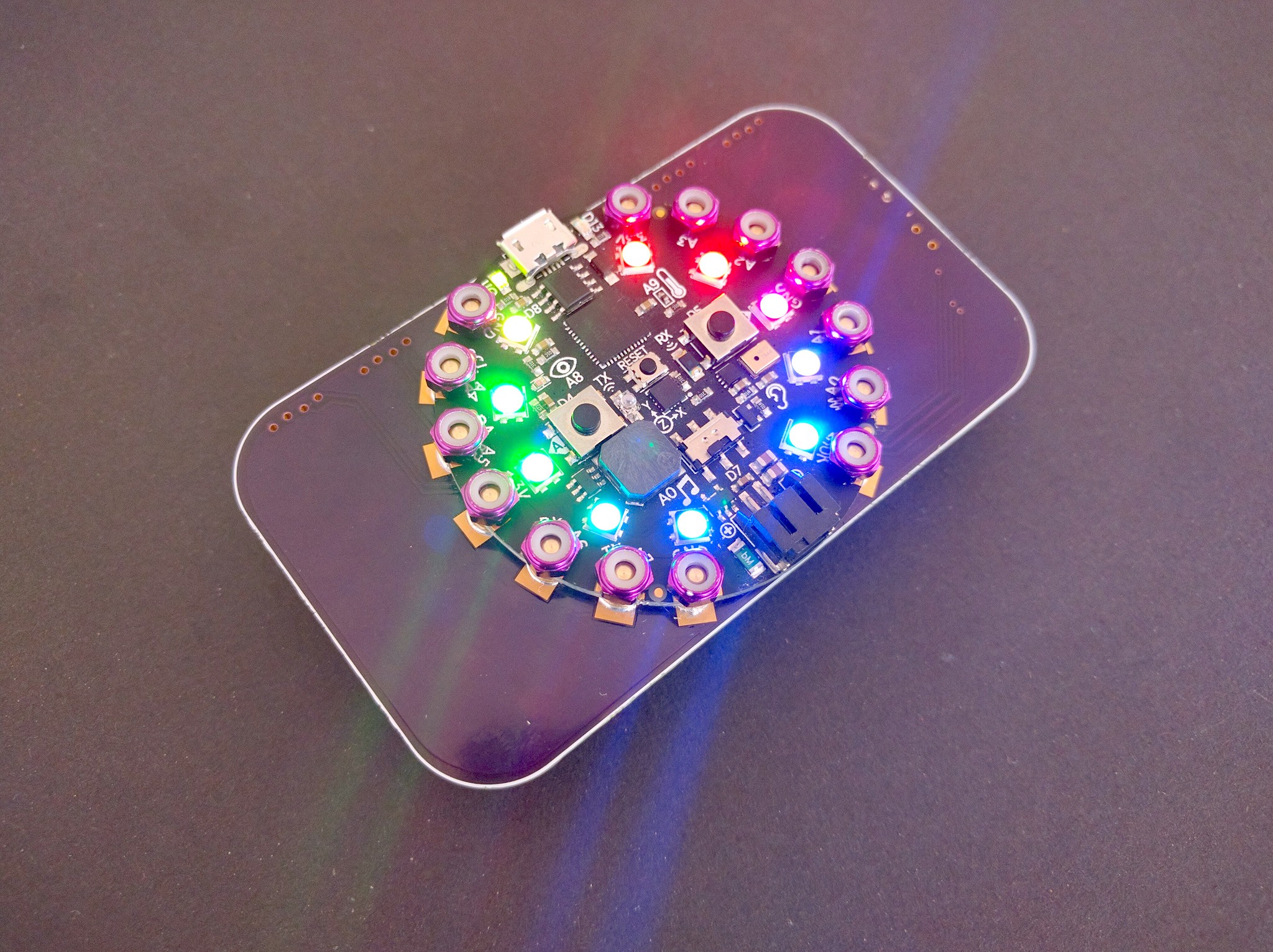
@meager fog a barrette with plugs for connecting ears and leds and whatever else you want to have on your head
@meager fog project page: https://hackaday.io/project/160167

A base station of all your blinking lights
meager fog
how adorable 😄 great bolt-on technique
tawny creek
@stuck elbow neat! how heavy is it?
stuck elbow
@tawny creek 40g without the battery, battery is 8g
pastel panther
@stuck elbow is that an 18650?
stuck elbow
no, that's AAA
but it's a lipo
I know, weird, just what I had at hand, you can use a regular silver lipo instead
pastel panther
Personally I prefer the cylindrical cells when you can as they strike me as a bit more robust
tawny creek
yeah! this
stuck elbow
and easy to replace to charge in a more advanced charger
but with the AA and AAA batteries there is a risk of confusing them with the regular alkaline ones and breaking something
stuck elbow
normal battery casing, I guess, same as the alkaline ones
tawny creek
@stuck elbow what are you planning to use as thin wire for the earrings?
stuck elbow
magnet wire
just not too thin, because they do take some current
for the necklace I'm using some very flexible cable from old headphones
tawny creek
can see this being clipped on a shirt like the iron man core
stuck elbow
it really works best on your head, either as the hair clasp, or on a hat
because then you can use all the sensors to make all the things do stuff
but yes, the CPX itself is perfect for ironman cosplay
tawny creek
@stuck elbow thanks for the answers! thinking about last minute halloween stuff >:)
stuck elbow
is it already that time? how the time flies
pastel panther
hey @slender iron I'm currently working on some code to load bitmaps from files and display them with adafruit_rgb_display; is my work going to be superseded by the displayio work your're doing once flexible display support is done?
slender iron
ya, probably
pastel panther
das cool, I expected as much but I really wanted to see a pretty flower on my new screen
slender iron
bitmap loading works with displayio on the hallowing. I just gotta get back to external screen support
you could hack the hallowing board build for your setup
pastel panther
true
tawny creek
ooh which new screen @pastel panther 😃
pastel panther
@tawny creek https://www.adafruit.com/product/1480

This lovely little display breakout is the best way to add a small, colorful and bright display to any project. Since the display uses 4-wire SPI to communicate and has its own ...
tawny creek
just the perfect size
was thinking of making a mini game thingy with that screen/screensize
pastel panther
I'm currently sending it 565 encoded pixels but I think it should support the pixels of the beast
tawny creek
beast is your new board?
pastel panther
no, it's a stupid joke
tawny creek
does the NRF52840 need a serial to uart ic?
slender iron
you mean the 18 bit color vs 16?
slender iron
it costs a full extra byte to transmit though 😕
pastel panther
@tawny creek so 666 vs 565
tawny creek
will displayio support custom fonts 😃
pastel panther
eeew..
tawny creek
@pastel panther LOL or 555
tawny creek
can you use something like a coprocessors for graphics?
slender iron
if we had one
slender iron
I think a small gpu on the ice40 would be cool
tawny creek

This demo shows my graphics co-processor board for the Arduino Uno R3. The co-processor is based on an STM32 F0 overclocked to 64MHz. Please visit my website...
something like this?
stuck elbow
I was thinking about this with my game console, but in the end I got the main mcu to update it fast enough
I was thinking about using esp8266 for handling the screen and communication, and the samd21 for the user programs
slender iron
<@&356864093652516868> Meeting in ten minutes or so!
fluid helm
Ahoy!
Only text for me today
Ever used VMIX? @slender iron
It's a better OBS with more features
Pimoroni use it for their Bilge Tank show
You guys heading to PyCon next year? @slender iron
Blue circuitplaygrounds?
 candid stump
@candid stump is a lurker
 sudden coral
Looks like no Google Doc this week for me to fill in for you, so since I'm at work and can't talk (can't WFH on meeting days 😆):
Hug report again to tannewt for putting up with my increasingly-in-the-weeds questions and bug reports. Also a shout-out to arturo182 for reviewing my PR 1286.
What's new: finished a huge refactor of the KMK keyboard firmware project (I can now max out my personal typing speed ~100 WPM rather than it getting tripped up at 50WPM or so 🙄), and added a bunch of neat more-advanced functionality to it. Found and reported a possible deadlock (and sometimes soft-brick) in CircuitPython (issue 1283). Finished my pinout/"port" of CircuitPython to MakerDiary's NRF52840 MDK board, submitted as PR 1286. This week: going to finish PR 1274 (modgzip/uzlib stuff), hopefully really make a repro scenario for 1283, and even more hopefully add zip module support once 1274 goes through.
slender iron

Google Docs
Adafruit CircuitPython Weekly October 22th, 2018 Video is available here: Thanks to @kattni for taking notes! Join here for the chat all week: http://adafru.it/discord The weekly happens normally at 2pm ET/11am PT on Mondays. Check the #circuitpython channel for notices of...
fluid helm
Not sure if i'll make it yet. It's like $2,500 if you book it now for 2 people
sudden coral
Aw, I'll miss PyCon because I'll just be getting home from VEX Robotics World Champs (a week worth of it...) a day or two prior :\
re pycascades: oooooh. Depending on the day in Feb I should be free 😃
tidal kiln
feb. 23-24 on UW campus
 opaque patrol
Just lurking today
pastel panther
I have no headphones so I'm text only today; I'll put my stuff in the docs
idle owl
@pastel panther Thanks!
stuck elbow
sorry for being late
slender iron
np @stuck elbow
 onyx hinge
Hi, I have a chance to listen today for the first time in awhile. Hug reports to everyone reporting and working on issues!
tulip sleet
Found a way to get download stats for pypi packages: https://pypistats.org/. has an API we can call too. impressive numbers on the packages I looked at
pastel panther
sorry if they were late!
gusty kiln
nice
idle owl
They weren't late! He's going in alphabetical order.
onyx hinge
Hi, I have a chance to listen today for the first time in awhile. Hug reports to everyone reporting and working on issues!
fluid helm
General group hug this week. It's amazing to see and hear about all the amazing things people are doing with CircuitPython. It certainly is evolving quickly
 wraith tiger
Just lurking.
pastel panther
I have to go, ttyl everyone! Have a great day 👋
slender iron
kk. bye @pastel panther !
raven canopy
@cater, @tannewt, @kattni for continued review and discussion on FRAM.
@kattni for catching a couple things I missed on adabot changes.
Group hug!
manic glacierBOT
solar whale
weeds -- clarify 3.x vs 4.x bundle?
 inland tusk
I have no staatus updates
idle owl
@solar whale It turns out the mpy-cross version has coincidentally matched the CircuitPython version - i.e. the current version is 3.x which matched CP 3.x. Well, the current version is still 3.x, however, the coincidental association has been made in people's minds, so we've made a 4.x bundle to match CP 4.x, so there is no confusion as to which bundle to use with which version of CircuitPython.
manic glacierBOT

(this has been held up by my day job, for reasons which are incomprehensible to anyone not following Australian politics. I'll get on with it soon.)
fluid helm
oooooooooo, that looks mega cool!! @meager fog
solar whale
@idle owl so 3.x and 4.x are identical?
idle owl
@solar whale Yes.
gusty kiln
yeah, definitely will use midi stuff when it eventually shows up. :)
solar whale
@meager fog speaker thing?
stuck elbow
@meager fog is that a game wing for the hallowing?
tidal kiln
is this record attendance? 17? plus some lurkers?
slender iron
close I think!
 fierce girder
for my recent work for I2C support of BeagleBone Black in Blinka
https://github.com/adafruit/Adafruit_Blinka/pull/42

GitHub
Add initial support for I2C bus on BeagleBone Black.
I developed these changes using an Adafruit BME280 breakout board wired up to P9.19 (SCL) and P9.20 (SDA) and the Adafruit_CircuitPython_BME280 ...
inland tusk
The midi stuff will help me with my new project
fierce girder
I developed these changes using an Adafruit BME280 breakout board wired up to P9.19 (SCL) and P9.20 (SDA) and the Adafruit_CircuitPython_BME280 library
Please note that this is just preliminary support. I2C support in Blinka on BeagleBone Black requires hard-coded workarounds in the following libraries.
- Adafruit_CircuitPython_BusDevice
- Adafruit_Python_PureIO
I still need to resolve the root cause and find an acceptable solution.
stuck elbow

Tindie
Simple game console for learning Python programming.
fierce girder
The biggest challenge for me right now is related to:
Adafruit_CircuitPython_BusDevice
The current behavior is to do a blank write to the I2C address: i2c.writeto(device_address, b'')
This causes a write error on the BeagleBone Black
onyx hinge
nothing to report thanks
meager fog
@idle owl @tidal kiln heya i dont think the slideshow was tested when files are not in /
i changed the code to self.file_list = [folder+"/"+f for f in os.listdir(folder) if (f.endswith(".bmp") and not f.startswith("."))]
please update the library and be sure to test each option not just defaults
idle owl
@meager fog Ok, yeah, I think you're right.
tulip sleet
@onyx hinge did time.monotonic_ns() !
candid stump
i am lurking, but want to let you know I submitted a PR to the mu editor to add a "Run" button and copy lib files to CIRCUITPY if the files are not already stored on CIRCUITPY. Works great with source code management. We are actively using this with kids at our maker space. The PR is https://github.com/mu-editor/mu/pull/485

GitHub
This pull request is a little deep for someone new to the project, but this is a good example of a "scratch your own itch" sort of change.
It is great to be able to edit files directly on...
fluid helm
This week i've been working on upgrading EduBlocks to use the new Scratch blocks style which is more optimised for touch (blocks are larger with a bigger touch point), which will hopefully help when we get bluetooth working. Includes nice fields like sliders and workspace comments (like sticky notes) too for a better experience. A public BETA will be released this week.
slender iron
@indigo wedge are you around soon?
sudden coral
yes
raven canopy
FRAM Library: I2C is almost done. I hope. ;D
CircuitPython build tools: fixed README.txt placement in zip file.
Adabot: initial command line args for log output and error depth PR'd. Awaiting confirmation on "disable prompt" issue; will work.
This Week: Update Welcome To CircuitPython learn guide with new library bundle info (examples, versions). Adabot/Travis cron research discussion.
And, time to re-focus on FrequencyIn.
tidal kiln
IN THE WEEDS (but I give priority to BLE)
- library file/folder layout for i2c+spi things
- class vs. instance level buffers
- kicking travis without committing
tawny creek
just lurking 😃
wraith tiger
No, I just switched from ipad to computer....
tawny creek
late hug report for @tidal kiln @solar whale for all the help with display / sensor stuff i've been poking around in recently  🙇
🙇
idle owl
RPi-GPIO
fluid helm
Yep
Gpiozero
It runs RPi-GPIO underneath though
Ben Nuttall ( @ben_nuttall on twitter )
gusty kiln
cool, i'll dig into that. thanks.
fierce girder
is the issue on the Blinka repo?
raven canopy
Famous last words...
tidal kiln
adafruit_sensor.py
    class Sensor
    class Sensor_I2C(Sensor)
    class Sensor_SPI(Sensor)
adafruit_sensor/
    sensor.py
    i2c.py
    spi.py
there's not to my knowledge an issue filed anywhere yet - i'd just run into the rpi-gpio dependency a handful of places and wasn't sure whether it was a platform-specific thing.po
will dig.
fierce girder
re: libgpiod python bindings, https://github.com/brgl/libgpiod/tree/master/bindings/python/examples

GitHub
NOTE - the project is now hosted at kernel.org, this repo may not be up-to-date. - brgl/libgpiod
tulip sleet
@gusty kiln @fierce girder would be good to start a new issue to document this
gusty kiln
yep, i'll file something after i do a bit of investigation.
fierce girder
this is uses the correct way going forward to do GPIO on Linux, which is to use the new character device, instead of the deprecated sysfs GPIO directory
tidal kiln
tulip sleet
in the blinka repo. I think one issue is that pypi is not good at platform differences
manic glacierBOT
@No1089 You may know this already, but you can force a reset with microcontroller.reset(): https://circuitpython.readthedocs.io/en/3.x/shared-bindings/microcontroller/__init__.html
onyx hinge
it might be different for the very first build
tulip sleet

GitHub
Here is the WIP of the bleio rewrite, it was done in July and August, but I rebased it on the current master, so not 100% everything will work out of the box, but at least this can give a good star...
raven canopy
Got another meeting. :🙁 👋
onyx hinge
It was nice to drop in, ttyl!
fierce girder
@gusty kiln @slender iron re: Blinka and GPIO on Linux, https://github.com/adafruit/Adafruit_Blinka/issues/43
GitHub
RPi.GPIO and Adafruit_BBIO both use the legacy /sys interface for the Linux kernel GPIO subsystem. libgpiod is a userspace library by @brgl that use the new character device based interface for Lin...
slender iron
 fluid helm
I want BLE for EduBlocks on the CPX 😄
It'd be nice to click a button and your code upload onto the CPX
solar whale
thanks! Great discussion!
tawny creek
exciting :)!
 errant grail
wraith tiger
errant grail
wraith tiger
👋
 violet stone
slender iron
violet stone
slender iron

GitHub
Lightweight Bluetooth Low Energy driver written in pure python for micropython - dmazzella/uble
fluid helm
Hexlify is what micro:bit uses
solar whale
I have to run -- looking forward to this. 👋
fluid helm
I've not been here for the whole BLE conversation, is the idea to have the circuitpython boards get flashed by Bluetooth?
Ahh, yes, i think @slender iron mentioned this at PyCon
micro:bit does it via an app
Gotta dash, thanks for a great meetup again!
gusty kiln
lunchtime here as well, back in about 10.
manic glacierBOT
There's no commit for it explicitly (it got rebased away when I was squashing down my then-WIP branch), however removing everything above line 37 in https://github.com/KMKfw/kmk_firmware/blob/master/kmk/firmware.py (master branch of KMKfw/kmk_firmware) should trigger at least the RuntimeError - not sure if it repros the deadlock (it may?), and I didn't end up with time this weekend to construct an independent repro example, sadly.
Flashing instructions for KMK are available at https://gith...
tulip sleet
@slender iron @idle owl what generates the stats about downloads, etc? I see some scripts in adabot but not all? Was going to add an issue about a source for pypi download stats.
idle owl
@tulip sleet No idea 😄
tulip sleet
ok i'll put it in adabot. 😃
idle owl
Oh you meant that generally... I thought you meant specifically what part of Adabot generates it. Yah put it in Adabot.
slender iron
<@&356864093652516868> Here is the meeting recording on diode.zone: https://diode.zone/videos/watch/d89b7f1e-0c80-413e-88d6-a4468ef9a94d

Notes with time codes are available here: https://github.com/adafruit/adafruit-circuitpython-weekly-meeting/blob/master/2018/2018-10-22.md
Thanks to @kattni for taking notes!
Join here for the chat all week: http://adafru.it/discord
The weekly happens normally at 2pm ET/11...
 cunning crypt
@slender iron Just a thought. But do we really need a pinned message for all of the meetings? Maybe only the most recent one, and put the rest into a google doc or something? There's a lot of pinned messages, and it's really hard to sort through them.
slender iron
ya, totally. I just need to delete them all.
the notes repo is a central place plus the playlist
@tulip sleet downloads comes from the adabot libraries script: https://github.com/adafruit/adabot/blob/master/adabot/circuitpython_libraries.py#L760
goes for run
manic glacierBOT
HCI is a binary protocol that can be sent over a serial connection, SPI, or via an API. Its messages control a BLE device. It is implemented in the nRF Softdevice, and is also provided on many standalone BLE chips.
We could use HCI as the lowest-level part of a CircuitPython BLE implementation. For example:
- Specific service providers (highest level) - implemented in Python
- Classic BLE API: Service, Characteristic, Peripheral, Central, advertising, etc. - implemented in Python
3....
 keen maple
Is there a circuitpython library to read image files? I am looking for something to convert a png file (of a font) to a matrix so I can display it on a 16x8 LED display
manic glacierBOT

Hi all,
I'm also interested in a better timer. I'm more interested in knowing how long it takes to execute stuff. So, a read-only timer, to the usec would be very useful.
I've been playing with this and just realized that time.monotonic() is only good to 1 decimal. But, learned that is dependent on time since last restarted or reset(?)
Just wanted to chime in to say that I am also looking for the feature.
Thanks,
-Parsko
cunning crypt
@keen maple PNG files are harder to read with microcontrollers, and I don't even know of any Arduino libraries to do it. CircuitPython, being newer and less well-known, almost certainly doesn't have any.
BMP files, on the other hand, are fairly well known. And I know there's some support for loading of them.
keen maple
@cunning crypt Cool, PNG to BMP conversion is easy to do before it is loaded onto microcontroller, so I will have to look into that. Thanks!
cunning crypt
Exactly. 24-bit BMP is what's used for ARduino and is fairly simple.
manic glacierBOT
I'm ok with this. My one concern is if there are any gotchas in our 3.4 support that will break with folks using 3.7 instead of 3.4. Anyone know of any of these?
 slender iron
Reference midi controller from value village: $3 😃
manic glacierBOT
idle owl
Results of @slender iron going for a run.
slender iron
😃
manic glacierBOT
 raven canopy
🏃 = -💵
idle owl
Oh hey, @raven canopy wondering if you could add an optional thing to Adabot to run a check that compares all Adafruit_name libraries to Adafruit_CircuitPython_name libraries and spits out the ones that don't have a CircuitPython repo? i.e. checking to see which hardware has an Arduino library and doesn't have a CircuitPython library.
No idea what would be involved in that.
onyx hinge
trying to clean up a memory leak at $DAY_JOB but instead it turns out I wrote an infinite loop .. well .. infinite until it exhausts RAM+swap anyway, since it was also leaking on each loop. 😢 C++ is hard.
raven canopy
guess i'll start over...
cunning crypt
@onyx hinge So, you tried to solve a memory leak, and caused another?
onyx hinge
@cunning crypt that's right!
idle owl
It was a leak leak.
cunning crypt
"This leak won't be a problem anymore."
raven canopy
@idle owl should be doable. may start bumping API request rate limit though. being a paying org, the rate limit is high, but i'd like to look out how it can be structured to minimize requests so it doesn't interfere with normal adabot requests.
idle owl
@raven canopy When I Say optional, I mean seriously optional, as in you have to explicitly ask it to run. I'm not sure it's worth having it run every time.
cunning crypt
@raven canopy @idle owl Realistically, it would only really have to be done once. Get a list, and then you can go from there.
idle owl
Another CLI option that includes it.
@cunning crypt Well we could miss one in the future and the check would be handy to have
Run it every so often.
cunning crypt
True
raven canopy
yeah no, i got that. but some of the rate limits are daily reset. iirc.
idle owl
Wait, is that the blah checks left this hour thing that it shows when you run it?
raven canopy
yep
idle owl
Ah ok
raven canopy
i'd have to look at it again though. the rate limits are "dependent" on the query i think.
cunning crypt
OK, so. I poked.

Gist
Script to list all repos for a github organization - list-all-repos.py
I'm not sure if that uses the API
raven canopy
fooey. Travis wants another commit to run the commit i pushed last night while GH was down. 😦
cunning crypt
But if it doesn't, that could totally be used to do it manually. Scrape the list of all repos, then do local comparisons
idle owl
And we do what Travis wants. 😄
raven canopy
@cunning crypt i don't think we use the same GitHub python module, but yeah i suspect it uses the API
"we" = Scott wrote it...i only make changes. 😄
idle owl
@tidal kiln for when Travis finishes: https://github.com/adafruit/Adafruit_CircuitPython_Slideshow/pull/8
 manic glacierBOT
https://docs.python.org/3.7/whatsnew/3.7.html
I think biggest deal in 3.7 is: "the insertion-order preservation nature of dict objects has been declared to be an official part of the Python language spec". In other words regular dicts behave like OrderedDicts. They already did before 3.x but were not defined to be so. This behavior is not true in MicroPython/CircuitPython, and already didn't match the (not specified but existing) behavior before 3.7. So I'd say this is not something to w...
idle owl
@raven canopy Wait I can retrigger Travis...
I think
If that's what you're referring to
raven canopy
tried that. its stuck on the previous commit...not the new one.
raven canopy
cest la vie.
i'm sure there's something i missed in last night's push. just gotta find it. 😄
tulip sleet

Stack Overflow
Using Travis-CI, is it possible to trigger a rebuild without pushing a new commit to GitHub?
Use case: A build fails due to an externality. The source is actually correct. It would build OK and pa...
See the "Trigger Build" answers especially
raven canopy
@idle owl i could have brought this up in the weeds today, but it was a weird day for me and the weeds were full today anyway. when i was testing examples in bundles, i noticed A LOT of non-simpletest/non-product file names. should we double back on that, to ease usability?
raven canopy
@tulip sleet to the rescue! maybe a close and reopen is easiest?
tulip sleet
well, look for Trigger Build, also see the answer about "Test Service" from GitHub
raven canopy
i don't got them kind of rights on the repo... 😃
idle owl
dinner has arrived!
tidal kiln
@raven canopy which repo?
tidal kiln
looks like Travis ran on latest commit
raven canopy
nope. i pushed one last night while GH was having its mood...Travis ran the commit prior to that one.
raven canopy
hehe. i was getting there. discord on one system...everything else on the other. 😄
tidal kiln
this is latest commit, right? clean up slicing; PEP8isms
raven canopy
yep
tidal kiln
it ran something on that commit ~18min ago
https://github.com/adafruit/Adafruit_CircuitPython_FRAM/pull/1
raven canopy
hmm. that was a half GH fail. i was going off of code...which doesn't match the local code for that commit.
so...my fork shows the correct code on the commit. the adafruit repo show the commit hash...but not the updated code. 😵
tidal kiln
weird. something must have gotten out of sync during the anomaly.
raven canopy
correction: the PR shows the correct code as well. but, when you open the commit link from the travis run...its wrong.
this is so confusing. dinner...then Travis battle. ⚔
tidal kiln
@raven canopy ping me if you need help when you get back to it, but i'm also not sure how it got to be like it is
raven canopy
i might try the empty commit trick in Dan's link... looks like travis is out of sync on the commit tree.
tidal kiln
@idle owl merged slideshow pr
 exotic pumice
@slender iron Can you explain how UF2 works outside the bootloader? Should we go to PM?
slender iron
here is best. uf2 is a bootloader only thing
I don't know what you mean "outside the bootloader"
exotic pumice
oh, I thought files could be dragged and dropped anytime
slender iron
well python files can but not uf2s
exotic pumice
I see
idle owl
@tidal kiln Thanks!
manic glacierBOT
@margaret Thanks again for starting this work. I'm closing this PR because we just merged in time.monotonic_ns support which is in CPython 3.7.
exotic pumice
Another member of atsamd-rs was under the impression there was a firmware resident in memory post-bootloader that allowed UF2s to be downloaded anytime.
manic glacierBOT
@sabas1080 You already had I think. I'll merge now and feel free to do it yourselves next time. Thanks!
exotic pumice
wow look at you go 😛
slender iron
sings the merge song
exotic pumice
There's a merge song?!?! 😮
exotic pumice
Is that like the free software song? 😛
slender iron
¯_(ツ)_/¯
exotic pumice
My boards came! 😄
slender iron
yay!
exotic pumice
works with linux out of the box
raven canopy
speaking of boards-in-the-mail, anyone got any update on pre-order Particle Mesh boards shipping?
slender iron
nope, I ordered some as well
exotic pumice
I have rust running over uf2
it requires a lot of manual work at the moment but I plan to automate it
 ruby atlas
man, where does time go.
idle owl
Fleeting away
slender iron
boo crashes ```
#0 HardFault_Handler () at supervisor/port.c:306
#1 <signal handler called>
#2 mp_decode_uint_skip (
ptr=0xffffffff <error: Cannot access memory at address 0xffffffff>)
at ../../py/bc.c:70
#3 mp_execute_bytecode (code_state=0x2002fe70, inject_exc=<optimized out>)
at ../../py/vm.c:1385
#4 0x00000000 in ?? ()
 haughty bobcat
So I am actually trying to install MicroPython on an ESP32 and I keep getting this error:
flash read err, 1000
ets_main.c 371
ets Jun 8 2016 00:22:57```I know this channel is for circuitpython but they are similar.
solar whale
@haughty bobcat I see that sometimes as weel -- but it then continues on and boots ```rst:0x1 (POWERON_RESET),boot:0x13 (SPI_FAST_FLASH_BOOT)
flash read err, 1000
ets_main.c 371
ets Jun 8 2016 00:22:57
rst:0x10 (RTCWDT_RTC_RESET),boot:0x13 (SPI_FAST_FLASH_BOOT)
configsip: 0, SPIWP:0xee
clk_drv:0x00,q_drv:0x00,d_drv:0x00,cs0_drv:0x00,hd_drv:0x00,wp_drv:0x00
mode:DIO, clock div:2
load:0x3fff0018,len:4
load:0x3fff001c,len:4768
ho 0 tail 12 room 4
load:0x40078000,len:7496
ho 0 tail 12 room 4
load:0x40080400,len:5512
entry 0x4008114c
I (403) cpu_start: Pro cpu up.
I (403) cpu_start: Single core mode
I (404) heap_init: Initializing. RAM available for dynamic allocation:
I (407) heap_init: At 3FFAE6E0 len 00001920 (6 KiB): DRAM
I (413) heap_init: At 3FFC4F78 len 0001B088 (108 KiB): DRAM
I (419) heap_init: At 3FFE0440 len 00003BC0 (14 KiB): D/IRAM
I (426) heap_init: At 3FFE4350 len 0001BCB0 (111 KiB): D/IRAM
I (432) heap_init: At 40091604 len 0000E9FC (58 KiB): IRAM
I (438) cpu_start: Pro cpu start user code
I (9) cpu_start: Starting scheduler on PRO CPU.
connecting to network...
hmm
well mine never boots
just tried an arduino script and it compiled and uploaded fine
exotic pumice
Is it possible to use SWD on a CPX?
raven canopy
for a debugger, yes. as a GPIO, i don't think so.
exotic pumice
where are the pins?
exotic pumice
thanks
raven canopy
@tidal kiln Travis woes un-woed!
tidal kiln
woe = not woe
raven canopy
ahh man. i'm sitting here with tunes playing...need to catch up on the parts of the meeting i missed. 🤦
manic glacierBOT
The backtrace cannot be given because it relies on the validity
of the qstr data structures on the heap which may have been
corrupted.
In fact, it still can crash hard when the bytecode itself is
overwritten. To fix, we'd need a way to skip gathering the
backtrace completely.
This also increases the default stack size on M4s so it can
accomodate the stack needed by ASF4s nvm API.
tidal kiln
@raven canopy did you have to do anything other than push a new commit?
raven canopy
nope. just needed to get Travis back on the tree i think. that outage has probably caused a bit of out_rage_ today...
hooray for unintentional pun!
cunning crypt
@raven canopy The first rule of being a punner: Always claim puns were intentional. It makes people think you're a better punner without much effort.
manic glacierBOT
Hi
We've portd the board MKR1300 to Circuit Python
Thanks
Since this is a very bad error, we should probably also say something like "Please restart" or "Please type ctrl-D". The heap may be damaged and may not be safe to do anything else
exotic pumice
where does the neopixel_write module live? is it part of circuitpython?
answered my own question https://github.com/adafruit/circuitpython/blob/3177e10e9e7b6ce720ca4cd0a952c884c876bcd6/ports/atmel-samd/common-hal/neopixel_write/__init__.c
GitHub
CircuitPython - a Python implementation for teaching coding with microcontrollers - adafruit/circuitpython
what's with all the nops?
slender iron
timing
exotic pumice
neopixels are more complicated than adafruit makes them look 😫
exotic pumice
I have two colours working: white and yellow
manic glacierBOT

See Zephyr project: https://github.com/zephyrproject-rtos/zephyr
They've already implemented HCI over serial, SPI, USB, etc., also for the nRF.
Micropython can run on top of Zephyr, I don't know if that port is still alive in circuitpython.
manic glacierBOT
We've discussed using Zephyr or MyNewt as well, but that's a major change and probably for a later version (some discussion in the audio above). Zephyr and MyNewt have support for the chips we support, but it's not complete - we'd have to port our current drivers into the RTOS's driver structure.
solar whale
@idle owl should I initiate a release for the adafruit_circuitpython_dht library that was updated yesterday?
@idle owl sorry for the duplicate posts -- first went to wrong channel
manic glacierBOT
 upbeat plover
you guys need to look at @marble hornet 's RGB font and ST7735R it works great, the rotation feature is needed for both miniTFTwing and the hallowing display
^ that my grow room tool to visually see if VPD is in good range
marble hornet
@upbeat plover think it is worth doing a pull request?
marble hornet
But it is only for the st7735r
upbeat plover
well if you could get it for st7735 too then the hallowing will work right aswell
marble hornet
I'll see when I am free
The halliwinh uses the r, I thought. Just not the lower 32 pixels
🤷♂️but I don't have one
upbeat plover
={
all i know for sure is hallowing needs rotation of 2
everything upside down for it
marble hornet
Did the tg-rgb work ?
upbeat plover
i havent tested your mods with hallowing yet, ill do so today
when i used bitmapfont from micropython it printed text upside down
idle owl
@solar whale Yes please! Or let me know if you can't and I'll take care of it.
solar whale
I'll give it a shot
manic glacierBOT
 solar whale
@idle owl seems to have worked -- let me know if I missed anything.
manic glacierBOT
I couldn't find Hallowing under the README so I thought it should be put in. Follows the same format as the other board (product page + circuitpython guide)
idle owl
@solar whale Looks great, thank you!
manic glacierBOT
fluid helm
Completed changes suggested @tulip sleet https://github.com/adafruit/circuitpython/pull/1296

GitHub
I couldn't find Hallowing under the README so I thought it should be put in. Follows the same format as the other board (product page + circuitpython guide)
slender iron
@tulip sleet https://github.com/adafruit/circuitpython/pull/1282

GitHub
It adds size info and uses macros for byte code to make it more
readable.
 steel vale
Hello, has anybody had their device stuck in read-only? My HalloWing CIRCUITPY is trapped and I can't modify it.
tulip sleet
@steel vale this is usually becuase the filesystem has become corrupted. See https://learn.adafruit.com/welcome-to-circuitpython/troubleshooting#circuitpy-drive-issues-18-13
steel vale
Yes, I tried copying the python file to wipe the drive and I can't because it is stuck in read-only.
tidal kiln
can you access REPL?
steel vale
let me see
btw I'm not using Mu because there is an SHA mismatch error right now when trying to install it. I'm hoping they'll fix it, soon. I'm using sublime and arduino ide
Arduino says it's connected to the serial console
@tidal kiln I've connected on the REPL
tidal kiln
manic glacierBOT
should all be updated now with the boards. Also added M0 and M4 labels
steel vale
Ah, the REPL isn't responding to anything - crap
manic glacierBOT
Could you change this to "Metro M4 Express"? That's the last thing. Thanks! The product pages don't say Express, but the guide pages do, and it is an Express board.
tidal kiln
@steel vale you're connecting to REPL through the Arduino serial console?
steel vale
No, regular linux terminal
tidal kiln
do you see the REPL prompt?
>>>
I just tried booting the HW as HALLOWBOOT and was able to put the latest .uf2 on it. Still, when it comes back as CIRCUITPY it's read only
No >>>, when it set it up it's just blank.
tidal kiln
what's blank?
tidal kiln
press enter
steel vale
nothing, just blinking box
tidal kiln
press <CTRL>-<C>
steel vale
Traceback (most recent call last):
File "main.py", line 62, in <module>
KeyboardInterrupt:
Press any key to enter the REPL. Use CTRL-D to reload.
tidal kiln
now press enter
steel vale
got it!
tidal kiln
your main.py was running
steel vale
Adafruit CircuitPython 3.0.3 on 2018-10-10; HalloWing M0 Express with samd21g18
tidal kiln
you should be able to run the file system erase commands now
backup any programs first though
steel vale
Got it. Did it just become corrupted or something?
tidal kiln
possibly. hard to say. what was main.py?
steel vale
It was just a sample program to use neopixels that I was modding
tidal kiln
you said you were using sublime - was that to edit files directly on the CIRCUITPY folder?
steel vale
Yes
but
I think what did it was trying to unpack the zip with the libraries and examples.
I started having problems after that.
manic glacierBOT
Think I should make it safe mode instead? It'd work more reliably because then it wouldn't try to use the heap at all.
tidal kiln
how were you unpacking the zip?
manic glacierBOT
I'll take a look at this again later this week. I'm hoping to have a MIDI demo tomorrow so I need to go heads down on it.
steel vale
I followed the instructions to do it locally
slender iron
@solar whale added you as a collaborator to bitmap font
steel vale
The instructions for using the circuitpython bundle could use a little more explaintion
manic glacierBOT
Whoops I forgot that one, Done!
tulip sleet
@steel vale feel free to open an issue on the Bundle repo or post in the forums. We're interested in what stumbling blocks you come across.
tidal kiln
steel vale
Oh yes, there are lots of them. I can't seem to set this up correctly. The instructions are very vague and they are not in order.
It's becoming very frustrating not being able to set up the libraries.
@tidal kiln Yes, as well as the ones on the github. Unfortunately, the zip contains a libraries folder full of empty folders. When I try to use git submodule add (in hopes of filling the empty folder) I just get a response saying the address isn't a repository.
tidal kiln
hold on. let me check things. the layout of the bundle is currently being changed. so things may be a little out of sync with the guide.
did you download?
adafruit-circuitpython-bundle-3.x-mpy-20181019.zip
steel vale
yes
steel vale
Hahaha, that explains everything
tidal kiln
it's a work in progress, and right now it's a little broken
steel vale
I know I can't build it in the virtual environment or I'll fill up the drive
tidal kiln
the goal is to have the examples included along with the libraries in the bundle
what you want is in that zip file though
you want the lib folder under build_adafruit_circuitpython_bundle_3.x_mpy_20181019
steel vale
I unzipped it and the folders were empty
solar whale
@tidal kiln @idle owl I tried to release micropython-bitmap-font but the mpy-cross fails since it was originally set up for micropython. Can you see if there is a simple fix to its .travis.yml that will allow it to build -- It can use the circutpython mpy-cross. Should we kludge somehting to get a .mpy into the release or do you want this to get made "proper" for CircuitPython.
tawny creek
will this library be needed when displayio is fully implemented? @solar whale
solar whale
@tawny creek I'm not sure. If not, then it's not worth a lot of effort.
idle owl
Scott would know. If it is needed, I would say we should do it up proper.
solar whale
I agree in the long run -- is there an easy way to get a .mpy out there without that?
tidal kiln
@steel vale i just looked and i'm seeing content.
idle owl
That I don't know. Make it locally and manually upload it? That won't help if Travis is having issues with it though.
solar whale
If not - should we remove the release until it is fixed?
solar whale
I won't be able to work on circuitpythonifying it until the weekend and I'll likely need help getting it set up.
tidal kiln
@steel vale you're downloading a zip of the repo, not the release zip
download zip from here:
https://github.com/adafruit/Adafruit_CircuitPython_Bundle/releases
steel vale
I DL'd the only .tar.gz there
tidal kiln
download the zip named adafruit-circuitpython-bundle-3.x-mpy-20181019.zip
not the source code
steel vale
👍
solar whale
@slender iron will bitmapfont.py still be used after displayio is implemented. It was originally built for micropython and travis is not happy with it. Trying to determine how much effort to put into it.
slender iron
I'm not sure. I wouldn't put time into it though
my hope is to support ttf on the board
solar whale
sounds good -- we
slender iron
but may have the loader cache data on the fs
solar whale
we'll do the minimum necessary to get it released.
tidal kiln
@solar whale i haven't actually dealt with that directly before, but the lines that need changing seem obvious
- git clone https://github.com/adafruit/micropython.git
- make -C micropython/mpy-cross
- export PATH=$PATH:$PWD/micropython/mpy-cross/
OK -- if I update .travis.yml do I do another PR then a new release?
fluid helm
Hey @idle owl, do you think it's worth me writing a learn guide on EduBlocks for CPX?
solar whale
I also don't see where it copies font5x8.bin to the release
fluid helm
i've got all the permissions setup
idle owl
@fluid helm Yeah! But run it by Mike since he's the Learn System Gatekeeper 😃
That would be a great way to get it out there though, and I think it's perfect for a Learn guide
fluid helm
Cool, is he on Discord?
idle owl
Yeah but email is best for him, he's not on right now.
fluid helm
cool, thanks!
tidal kiln
@solar whale i think so. a PR would be needed to change .travis.yml. then when everything is happy, a release.
solar whale
@tidal kiln unfortunately, travis did not complain until the release -- it does not build the .mpy until then
is there a way to just drop the .mpy and font5x8.bin file into the release ?
idle owl
You can upload assets as far as I know.
solar whale
@idle owl is that acceptable?
idle owl
sure I don't see why not. For now it works, worst case we delete the release or the assets later.
solar whale
ok done 😉
When I have more time, I can play with "fixing it" or anyone else is welcome to ....
@idle owl thanks -- sorry for taking the "easy" path but I think this gets us where we need to be for now.
idle owl
Nah it's all good. No point in doing a bunch of work to have it deprecated in a couple of weeks.
Better to get it working for now and deal with it when we know what will actually need to happen
upbeat plover
how do i fix my hallowing? some code has it stuck, i cant even connect to it with PuTTY
I am able to load it into bootloader but changing versions doesnt fix this issue im having... do i need to load something on it in arduino?
idle owl
If you can't get to the REPL, you could try loading something Arduino on it, but that typically doesn't erase what's on there. So usually when you load CircuitPython back on after Arduino, your code is still there.
upbeat plover
im gana try "Adafruit SPI Flash FatFs Format Example"
in arduino and see
no luck so far
i got it to this point but no luck after ```Adafruit SPI Flash FatFs Format Example
Flash chip JEDEC ID: 0xFFFFFFFF
!!!!!!!!!!!!!!!!!!!!!!!!!!!!!!!!!!!!!!!!!!!!!!!!!!!!!!!!!!!!!!!!!!!!!
This sketch will ERASE ALL DATA on the flash chip and format it with a new filesystem!
Type OK (all caps) and press enter to continue.
!!!!!!!!!!!!!!!!!!!!!!!!!!!!!!!!!!!!!!!!!!!!!!!!!!!!!!!!!!!!!!!!!!!!!
There were special eraser files made for earlier boards, but we haven't done them in a long time because of the way to erase the FS from the REPL. They won't work on the Hallowing as far as I know, unfortunately. There's also a way to make a special build of CP that does something to stop the code from running and allow you to delete it... But I don't remember how to do it. Dan did it for me the one time I needed it. And it wasn't for Hallowing, so I don't have it sitting around to give you.
@tulip sleet Do you have any better suggestions?
upbeat plover
well i got it further to here in arduino ```Partitioning flash with 1 primary partition...
Couldn't erase sector before performing write!
Error, f_fdisk failed with error code: 1
Omg @slender iron TTF support ❤ ❤ ❤
upbeat plover
transparent stuff?
manic glacierBOT
Whoops I forgot that one, Done!
idle owl
HAH RTD. I OWN YOU. (this time.)........ (Me 1 : RTD the rest)
upbeat plover
"cicuitpyton_backupFiles" sketch works 😃 hallowing fixed
tough flax
Can I please get a status on the PIRKey? Is the code done? Any idea on the hardware?
Trying to give advice between rfm radio and ir for an at project
idle owl
No ETA on either at the moment, as far as I know.
tough flax
Bummer. Thanks
 prime flower
@tough flax RFM on Python or Arduino?
tough flax
Both actually 😃
Current device is a Leonardo with a Bluetooth shield
On that side he can add a breakout board (or wing) and add it to his arduino code
prime flower
Good news!
tough flax
On the HID side he would use an m0 with cp I think

Hey ATMakers! I have a job interview next Tuesday, and I am wanting to build something quick before that... and I have a full-time job now.
I currently have an Arduino Leonardo with an Adafruit...
The timeframe is aggressive. But it’s probably doable
Check the post-the range will be “in the same room”
prime flower
Oh, lemmie read thru it
I feel IR and WiFi would be the best choices for that, instead of using LoRa
tough flax
IR maybe. WiFi will likely cause headaches
prime flower
hmm the difficulty would be addressing the individual boards though...
tough flax
I pointed him at @split ocean ‘s effects tutorial
tough flax
Radiohead library can do that
In it you’d have to add an address to @brisk cairn’s custom HID over IR protocol
All devices would “here” the packet but only those addressed would send the HId
We are a bit off topic - sorry #circuitpython-dev
Hear
Not here
prime flower
just looked at it, that's neat.
tough flax
It’s a nice application of all our stuff to AT 😃
river quest
good work @umbral dagger

Do you have a HalloWing left over from Halloween? If you have a left over black cat as well, this is the project for you!
manic glacierBOT
I've had something odd happen a few times now on HalloWing w the Hackaday Superconference badge code. I rename the touchslideshow_code.py to code.py in the Finder, and when it, restarts the code.py file is an entirely empty file.
Running 4.0.0 Alpha 2 and this code: (https://github.com/adafruit/CircuitPython_Badge_README/tree/master/final_versions/HACKADAY_SUPERCON_2018)
manic glacierBOT
 tulip sleet
@velvet badger No, sorry. You can do a lot with just split() and readline() on reading, and print(...,sep=',') on writing. But if you need quote handling, that's more work
 velvet badger
Hrm, ok thanks.
Do you know if anyone has tried to do something like sqlite on adafruit devices?
tulip sleet
@velvet badger there's not really enough memory for that. The sqlite library is like half a megabyte. You might want to look in to the RPi Zero, etc.
manic glacierBOT
 pastel panther
@tulip sleet Where would one look to see what of cpython is and is not available in CP? I'm wondering about pickle
tulip sleet
there are very few libraries available. There's a library list in RTD, maybe in the micropython rtd
we have most of these, but they are mostly renamed from "u": http://docs.micropython.org/en/latest/library/index.html
pastel panther
@velvet badger What is your use case for sqlite? Depending on the constraints you could probably roll your own simple database
ooh, btree is supported?
velvet badger
I'm thinking a db under 2MB for a single user.
Huh. Never heard of btree, but that might work.
Doing early voting tomorrow, myself. I just want to encourage everyone else to vote for the midterm!
 lime ether
^^^ related: https://www.ballotready.org

See your ballot, research candidates and referendums, and vote informed
please vote. 😄
velvet badger
❤ kbx
tulip sleet
@velvet badger btree is only turned on right now in the esp8266 port, though it could be turned on in others
slender iron
@gentle bronze you around?
 gentle bronze
@slender iron yeah
slender iron
I'm taking a stab at moving the samd51 to tinyusb
have you thought about enabling for more dynamic allocation of descriptors and buffers?
gentle bronze
It is up to application, tinyusb only take the pointer to the descriptor
slender iron
where is it passed in?
gentle bronze
there is device driver porting for samd, let's me check if I have a samd board, and run a simple example in my repo first before applying it to the huge code base of cpython.
slender iron
there is work to port it already? is it on github?
gentle bronze
GitHub
CircuitPython - a Python implementation for teaching coding with microcontrollers - adafruit/circuitpython
tinyusb require teh exact variable to be define in application
slender iron
ah, its passed through global state. I expected it as a function parameter
gentle bronze
app can change the pointer anytime it like, but better not within the enumeration progress
slender iron
right, that works for me
I really like the fifo that tinyusb has
the buffer management in asf4 is super gross
gentle bronze
I haven't work with samd usb controller, but that shouldn't be too much issue to have a proof of concept demo. I will start some work on samd port soon enough.
slender iron
I'm trying it now 😃
I thought you may have it already
but if not then I'll start it
gentle bronze
there is a bit mess in the usb repo now :(, not much documentation, and it still keeps changing 😦
~.~
slender iron
no worries, I'm starting with what circuitpython has
its already way better than asf4
gentle bronze
ping me if you need some clarification, there is no need to read tons of code, that you don't need to interact with 😄
there is some porting hint here https://github.com/hathach/tinyusb/issues/5

GitHub
Hi Hathach, We are trying to port TinyUSB stack with FreeRTOS on NIOS platform. We do have HAL driver of USB ready to be integrated with TInyUSB stack. We need information about which API are requi...
slender iron
ok awesome! thanks!
gentle bronze
np !
manic glacierBOT
That'd have some advantages. You'd have to write the drivers only once, and then have them available for both C and CircuitPython (or other high-level languages, like node.js, Lua, etc.).
Porting to new platforms, like RISC-V, would be easier.
But it would also collide with ports, that already use an OS, like the ESP ports, that use FreeRTOS.
manic glacierBOT
 manic glacierBOT
Added more german translation strings, fixed some existing translations
fluid helm
Creating an advanced section for things that don't fit in their own category or are not relevant for basic users
manic glacierBOT

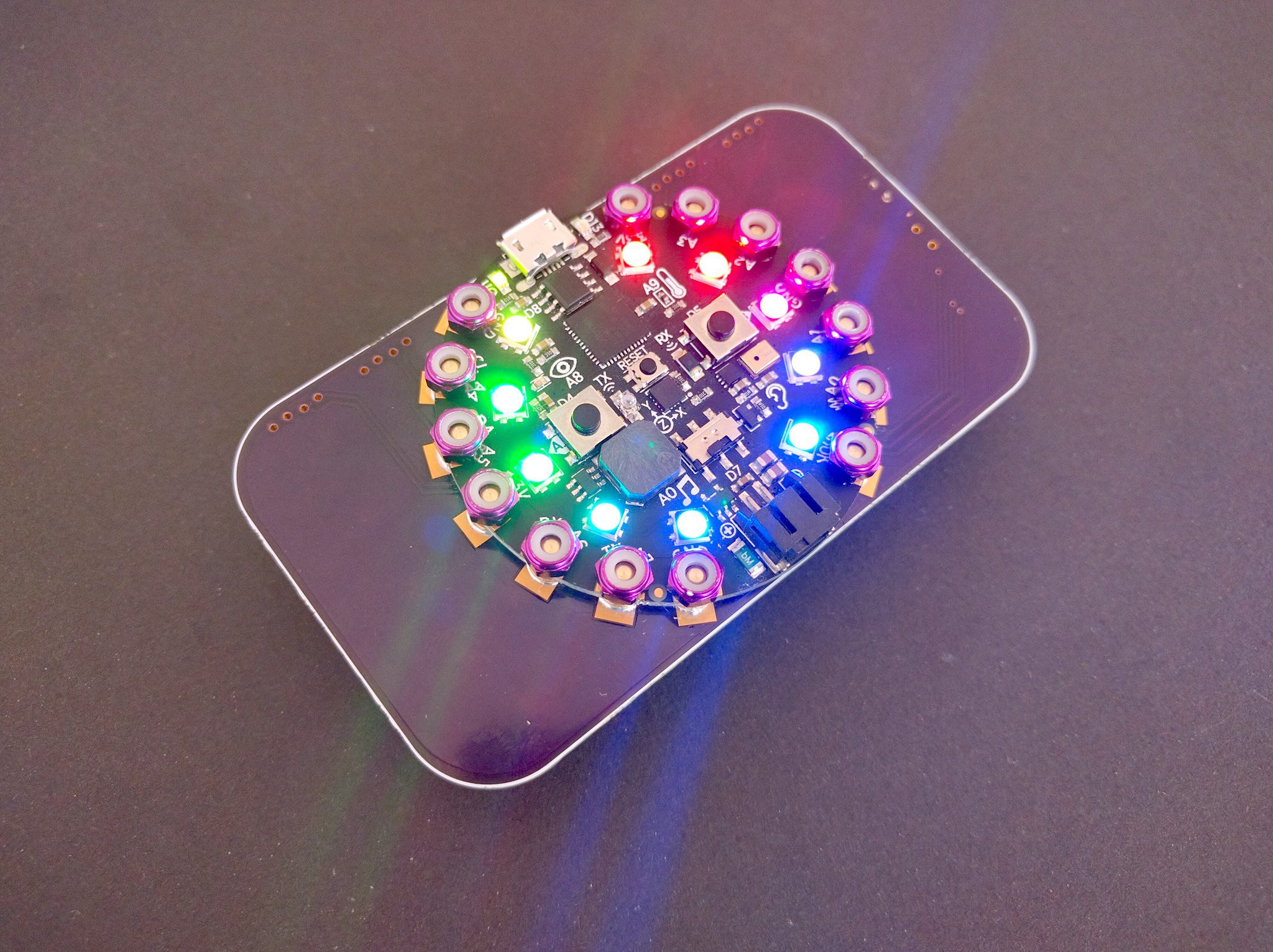 manic glacierBOT
MPL115A2 - I2C Barometric Pressure/Temperature Sensor
https://www.adafruit.com/product/992
solar whale
@raven canopy @slender iron Just got a note that the particle boards "start" shipping on Friday...we'll see who gets them first.
raven canopy
@solar whale yep, me too. We'll see...
solar whale
I had some add-on stuff so may be in the back of the pile
raven canopy
And who doesn't need more breadboard, right? Thought that was a nice gesture for the delay.
 vale zodiac
Can anyone explain with any reasonable ease why an input series resistor before an LDO drops the input voltage? I can't seem to wrap my head around why the LDO itself acts as a resistor to ground - the numbers in sim don't make sense to me.
solar whale
Always happy to get more stuff!
Why would a resistor not drop the input voltage?? I think I misinderstand the question
vale zodiac
input -> 4ohm -> LDO -> output... I guess I just don't see why the voltage is being divided. I see why the resistor will have a current pulled through it. I see why it's not exactly efficient. I see why the LDO will have to pull a little harder. But I don't see a voltage divider
solar whale
there will be a votlage drop across the 4ohm resistor.
vale zodiac
Yes, I agree there will be. But why, and by how much?
solar whale
V=IR -- 4* current
raven canopy
V=IR. As resistance increases, voltage decreases.
vale zodiac
I of the LDO's Q, or I of the LDO's total pull on the other side?
solar whale
if you pull curreent through a resisto it drops the voltage by I*R
tulip sleet
The LDO is not a linear device; it can't be modeled just as a resistor, since the "resistance" will vary based on what's happening at the output. It consumes some current on the input side to act like a voltage source on the output side. The current consumed depends on the current on the output side but is not the same. It will waste some as heat.
vale zodiac
So total pull on the other side... Anything that is being pulled through the resistor - except my stupid sim doesn't show this. If I sim up a basic LDO, and pull an LED with a 100ohm, the voltage drop is X on the input side. But if I increase to a 200ohm on the output side, same voltage drop on the input side. Makes no sense to me
Hmm
So 14V in, 4ohm series, total pull is .300mA, should be a 1.2V drop to 12.8V, ya?
slender iron
mind moving to #help-with-projects ? this doesn't have to do with circuitpython
tulip sleet
You can calculate its "resistance" for a static load on the output side, but
raven canopy
Note: ahhh...tannewt beat me to it.
manic glacierBOT
Thanks for the ping! Sorry I didn't do any additional review. I didn't know the state of this PR.
I don't want to re-use the u* versions of modules because MicroPython uses them. How about weak linking to the top level and adding a circuitpython module to wrap them? That way to access CircuitPython's time would be from circuitpython import time.
fluid helm
You can now add extensions into EduBlocks CircuitPython, so any libraries you make for CircuitPython you can add into EduBlocks. I'll make a learn guide on how to do it. Here's an example of @idle owl's CircuitPlayground library as an extension.
slender iron
anyone want to help this person? https://forums.adafruit.com/viewtopic.php?f=60&t=142494
idle owl
@fluid helm That's great!
tidal kiln
@slender iron huh. i was helping them in another thread. the thread you linked is more on topic, so we should continue in that one. i can test the code they posted, but - got any insights on the issue?
slender iron
not using brightness could help
not using play_file could help too since it has to reallocate the buffers each time
manic glacierBOT
@jedgarpark What do you mean by restart? Are you unplugging it and plugging back in?
We should list non-Adafruit boards as well. It can be a separate list though so that its clear its not made by Adafruit.
I think that would be strange.
The reason I used u is because it's the MicroPython way of naming C modules.
Here's how the MP stdlib extends utime for instance: time.py
If you don't like it, can we do what CPython does with its C modules and prepend it with an underscore _time?
solar whale
I tried the posters code on cp4.0.0alpha2 and it works
@tidal kiln have you rerproduced the error?
fluid helm
There are also samples you can click on and run
tidal kiln
@solar whale haven't tried yet
solar whale
it runs fine for me -- free memory varies a lot from 10K to <2K but it runs