#circuitpython-dev
1 messages · Page 197 of 1
 charred lake
charred lake
charred lake
@teal bear I'm assuming you want to just wait a specific amount of time before continuing your script (according to what you said). I'd use from time import sleep then you can use sleep(secs) in order to accomplish that.
 teal bear
@charred lake "yes" but you still aren't getting my message: that build of python does not have the time module, I am wondering why it doesn't
import time = ImportError: module not found
charred lake
@teal bear Forgive me for the understanding, as your demo didn't show any errors.
misunderstanding*
@teal bear I found the problem
@teal bear MicroPython uses utime instead of time. So you would use utime.sleep(secs) instead. According to the official documentation.
 pastel panther
if you want your code to work on both, you might try something like:
try:
    import time
except ImportError:
    import utime as time
Good advice!
teal bear
that's what I was looking for.. well. now I am curious why MP named it utime
pastel panther
any saleae users around? I'm having an issue with mine where it's being finickey about how it calls bits on digital channels
 stuck elbow
@teal bear because it doesn't contain all functions that the python time module contains, the idea was that you could provide a time.py that implement all python functions
teal bear
@stuck elbow ok, that makes enough sense.
 lime trellis
@pastel panther and @slender iron - figured out my issue. thank you for the help! For anyone else that encounters this or wants to flash circuitpython on a custom SAMD21 board: you'll eventually want to build your own bootloader from a modified adafruit one, but start with the m0_basic from here: https://github.com/adafruit/uf2-samdx1/releases/tag/v2.0.0-adafruit.5, then flash it to the board using a JLink. plugging the board in should now show up as a flash drive. now double tap reset pin to GND in order to put the board into bootloader mode. Finally, use BOSSA and upload the firmware for the m0_basic from here: https://github.com/adafruit/circuitpython/releases/tag/3.0.2 but make sure to set the offset to 0x2000

GitHub
CircuitPython - a Python implementation for teaching coding with microcontrollers - adafruit/circuitpython
pastel panther
@lime trellis Awesome job! In the future, for loading cp you don't need to use BOSSA; you can just double tap for bootloader mode and copy the .uf2 release for your board into the WHATEVERBOOT drive that shows up
@lime trellis Did you isolate a particular issue that you had to solve?
lime trellis
@pastel panther the key for me was getting the right bootloader flashed via JLink (I used Atmel Studio 7 with no problems)
Do you have a link to your github with any examples of how you ported CP to your own boards? @pastel panther
pastel panther
@lime trellis I can push it if you give me a minute but the config files might be a bit out of date; I think they changed some things since I last built
lime trellis
that's fine. I'm just curious how you went about modding the repo
(pin outs, etc...)
pastel panther
all the fun stuff is in ports/atmel-samd/boards/
lime trellis
wooo thank you!!!
pastel panther
you'll want to copy a similar board directory and modify as needed to specify where your dotstar/neopixel is, if you have a crystal, what type of flash chip you're using, etc
that's all in mpconfigboard.h
board name and usb stuff flash yes/no and chip stuff is in mpconfigboard.mk
pins.c defines string names for your pins to be available like board.PINNAME
lime trellis
gah so helpful. can't wait to dive in. Thanks again
pastel panther
mpconfigboard.h also defines which pins that shouldn't be available to users, like the ones your using for your flash and neopixel
glad to help! I'll be back in a bit if you have any quesions, but it's fairly self explanitory
when you're done with an initial pass at the config, you'll make BOARD=<your_board_dir> in ports/atmel-samd and you should be rewarded with a firmware.uf2 that you can copy over when your board is in bootloader mode
bbiab
 tulip sleet
@lime trellis you can set the BOOTPROT fuses so that the bootloader can't be overwritten by bossac writing to offset 0x0000. The easiest way to do that is after loading the bootloader with the j-link, load the identical bootloader again by copying the "update-bootloader....uf2" generated by your build to the ...BOOT drive. That will reload the (identical) bootloader and set the BOOTPROT fuses when iti is done.

 velvet oasis
Is there a rotario position reset method?
 slender iron
@velvet oasis no, we expect you to do it yourself by storing the "start" position if needed
 solar whale
@pastel panther did you get your salea issue worked out? If you can describe the issue, I'll take a look - won't be until this evening before I can get to it though.
 raven canopy
@lime trellis you can also set the BOOTPROT fuse in Atmel Studio. Its in the Device Programming->Fuses window. They seem to have changed the way the value is displayed since the last time I looked on a SAMD21; mine is currently set as 8192 Bytes on an ItsyBitsy M0 Express.
 marble hornet
does anyone know what are the pcc and tcc ports on the metro m4 schematic are?
solar whale
@tulip sleet @indigo wedge Successfully hooked up and tested an I2C(lis3dh) device and SPI (SDCard reader) on the nrf52840 Dongle. So far so good!
 manic glacierBOT

Just stumbled across this with current master on a nrf52840 Dongle - not sure if it occurs on other boards -- will test later. Since there has been recent work on pin usage I thought I post this now then add more as time for testing allows.
After 2 successful runs mounting the SPI sdcard then doing a soft reboot (control-D) I get the following error on the third and subsequent try:
Press any key to enter the REPL. Use CTRL-D to reload.
Adafruit CircuitPython 4.0.0-alpha.1-2-gf2c96...NOTE: a hard reset clears it all up -- and the mount succeeds.
raven canopy
@marble hornet those are just listing the IO multiplexing values from the datasheet (Table 6.1).
marble hornet
If I want to leave expandability for a camera should I avoid the pccs?
raven canopy
Are you thinking that those headers/pins are only for the PCC/TCC? I'm pretty sure that isn't the case; its just documentation of the IO mux.
If you look in samd-peripherals/samd/samd51/pins.c, you'll see how each pin is structured with it's particular peripherals. https://github.com/adafruit/samd-peripherals/blob/master/samd/samd51/pins.c
marble hornet
in software is blob like the bwos? and thanks i'm skimming now.
pastel panther
@solar whale I don't know that I got it fixed but I understand it well enough to work around it. In short when I run a channel in digital mode, some times it calls individual bits "off" from my perspective because the voltage change from high to low is either lagging or leading the clock ever so slightly. For example a 1 might be called a 0 if at the leading edge of the clock the it had only made it to 1.45v but was shortly thereafter above 1.5 or whatever the threshold is for calling high/low.
@uncut coral Even if the voltage it's reading is correct and either the clock or the data line is off, it doesn't matter to the sensor because it's strobing on the falling edge of the clock where the signal is stable so it doesn't see the issue. I was hoping someone would know if there is a way to change the parameters of where/how the saleae "decodes" the voltage. So far all signs point to no because I haven't found anything in the saleae settings and even then as far as I can tell it's only looking at the voltage of the given channel to determine high/low so there isn't a way for the "channel decoder" to look at at the clock and change where in the clock pulse it takes the value of the data line.
Perhaps I can write an analyzer to do that
</novel>
solar whale
@pastel panther you are well out of my “comfort zone “. I’m surprised you can’t get it to decode in the same edge the sensor is using. I can’t try anything until tomorrow. I’d like to see if I can reproduce the issue.. what sensor and protocol are you seeing this with?
pastel panther
@solar whale I'm working on the driver for the MAX31856 and testing with my feather m0 express
Let me look at the captures; I don't recall if the issue showed up with the arduino version or the cpy version.
solar whale
Are you using the SPI analyzer?
pastel panther
It looks like the logic only stores the captures for you current session when you use the little magnifying glass icon
yea, that's how I noticed it. It was showing things being written to the wrong address or sending an incorrect value
solar whale
So is the sensor not working or is it just the salae that is wrong.
pastel panther
The sensor is working and I'm not convinced the saleae is wrong, it's just interpreting the data differently from the sensor
Now that I think about it, it's probably the SPI analyzer that's the issue
I just found a promising setting: "data is valid on clock leading/trailing edge"
😃
solar whale
Does the sensor use a different SPI mode than the sales is configured for
pastel panther
I think so
solar whale
👍
pastel panther
It's calling it CPHA
Yup, just verified with the datasheet "CPHA bit polarity must be set to 1"
Mystery solved!
solar whale
Yay!
pastel panther
Thanks for helping me think through it
solar whale
I like playing rubber duck!
lime trellis
@pastel panther successfully built a port of circuitpython for my custom boards and have it reading sensors over SPI. thank you for all your help!
pastel panther
@lime trellis Glad to hear it and glad I could help. Welcome to the "why not put CircuitPython on it?" club 😃
lime trellis
right?! it'll be great to use on some upcoming projects
one question through... what's the deal with interrupts?
pastel panther
@lime trellis Does your board have a micro usb on it? I'm trying to hunt one down that doesn't fall off when you look at it crosseyed
the deal so far is that they're not supported; I believe asyncio is in the works

GitHub
asyncio provides event loop code and asynchronous coroutines that fit perfectly with the I/O needs of these all-I/O boards. Strongly related to #197, though things have changed since then. I'd ...
lime trellis
yes I do- lemme grab the part number
and that's a real bummer- internal interrupts as well?
pastel panther
@slender iron or @tulip sleet would be better able to answer that question. As for why they're not supported, CP is really targeted at first time programmers. I believe the thought is that interrupts are a bit confusing. Not my decision, just something I came across in a similar position
lime trellis
@pastel panther I'm using 10118194-0001LF microUSB connectors and really enjoy them
pastel panther
That part number looks like an amphenol?
lime trellis
thanks for the insight. I hope to hear back from either tannewt or dan
yep on digikey: https://www.digikey.com/product-detail/en/amphenol-fci/10118194-0001LF/609-4618-1-ND/2785382
USB - micro B USB 2.0 Receptacle Connector 5 Position Surface Mount, Right Angle; Through Hole
pastel panther
Lol, I think I have the same one in my digikey cart
lime trellis
I've tried a ton of different kinds and eventually settled on that
I have a lot of undergrads working with my boards so they've had some good stress testing
pastel panther
Adafruit uses one that is almost identical but it also adds pins that go into holes in the board under the connector; can't find them anywhere though. I'm thinking the two large pins in the back are key.
Cool, thanks for the feedback.
lime trellis
Oh it looks like interrupts are well underway (if not implemented?) : https://github.com/adafruit/samd-peripherals/tree/d0dcba251c27f629c0a89b5ced4433dd0a609ca3
GitHub
A thin API above SAMD peripherals that is uniform across SAMD21 and SAMD51 - adafruit/samd-peripherals
pastel panther
Interesting;
@lime trellis
https://github.com/adafruit/circuitpython/blob/master/.gitmodules#L70
GitHub
CircuitPython - a Python implementation for teaching coding with microcontrollers - adafruit/circuitpython
pastel panther
@lime trellis Looking at the code, I think that submodule is only used internally for things like pulseio and rotaryio
lime trellis
@pastel panther hmm but I should still be able to call it, right?
pastel panther
@lime trellis Not from CP I don't think. There has to be some additional C code that wraps the functionality in python objects.
slender iron
@lime trellis we use interrupts in the C code but not directly from python because concurrency is hard. what are you thinking about using them for? Could you write a C module for it?
pastel panther
hey @slender iron I'm working on the max31856 driver, specifically on the thermocouple type setting code. How should one specify a thermocouple type? Currently I have it as bns_max31856.ThermocoupleType.K etc.
Does that make sense or should the constructor and TC setter take "K" or something else? And when using the getting for the TC type, should we return the actual value that we use in the register or something more friendly?
slender iron
I
I'd do the constuctor since its not going to change
having the arg be an enum is good
why would you need to read it back?
lime trellis
@slender iron end goal is proper handling of RF packets via Radiohead with external interrupts. Also need to access to some internal timers for a watchdog loop
slender iron
the rf stuff probably needs a c helper to handle the interrupts
why do you need a watchdog?
pastel panther
@slender iron now that I think about it, I was following the arduino driver too closely no need for accessors
lime trellis
have a board with an external watchdog that needs to be pinged every second or it pulls reset low
pastel panther
true; people are not likely to switch TC types in the middle of a program
;P
Is the functionality from the arduino driver a good starting point? There is other stuff it can do but I assume that can wait until someone needs it?
slender iron
@lime trellis interesting! you may want circuitpython C pings or ones from python
@pastel panther when in doubt start small and simple
just a temp sensor 😃
pastel panther
@slender iron but... but.. look at this datasheet! 🙀
slender iron
exactly 😃 its scary
pastel panther
Once you've read it like 100x it gets less daunting
lime trellis
@slender iron what's the high-level process for implementing a custom c module? sounds like I can get away with making my own library and just interfacing with it via with the __init__.py that I see used?
lime trellis
excellent thank you! that's more or less the descriptions I was looking for
slender iron
k, I gotta sleep. I'm on eastern time atm
great @lime trellis let us know when you have questions!
night all!
charred lake
@slender iron Good night!
lime trellis
good night! thank you for the insight
manic glacierBOT

I've got a pretty decent first version done and filled out with the basic cookiecutter stuff. I'll ping someone tomorrow about where to put the code and what to call it, etc.
manic glacierBOT

Thanks Deshipu, I'll check it out then get back!
manic glacierBOT
I have reproduced this issue on an nrf52840 pca10056.
>>>
>>>
soft reboot

Auto-reload is on. Simply save files over USB to run them or enter REPL to disable.


Press any key to enter the REPL. Use CTRL-D to reload.
Adafruit CircuitPython 4.0.0-alpha.1-2-gf2c960e89 on 2018-09-21; PCA10056 nRF52840-DK with nRF52840
>>>
>>> import sdmount_lib
>>>
>>>
soft reboot

Auto-reload is on. Simply save files over USB to run them or enter REPL to disable.

...This issue does NOT occur on my metro_m4_express.

Thanks for finding this. Not surprised based on my recent additions and probably easily fixed.
on the feather_nrf52832 this issue occurs after the first successful run (on the Dongle it ran twice then failed) Not this also worked normally on a build from 9/21/2018
ress any key to enter the REPL. Use CTRL-D to reload.
Adafruit CircuitPython 4.0.0-alpha.1-2-gf2c960e89 on 2018-09-24; Bluefruit nRF52 Feather with nRF52832
>>>
>>>
>>>
>>> import sdmount_lib
>>>
>>>
soft reboot

Auto-reload is on. Simply save files over USB to run them or enter REPL to disable.


...This appears to have been introduced PR #1203.
manic glacierBOT

Great, i only know some of their work but not personally, hope they can help reviewing the translations.
okay, that worked! . also it would be great if there was some sort of attr func that returns a pointer to an attribute like below. Would this be permissible for me to try to add? Although it isn't in python python...
x = class_with_attributes()
my_pointer = attr( x, 'attr_name', value) # this makes my_pointer a pointer to x.attr_name
thoughts ?

 slender iron
<@&356864093652516868> meeting notes are here: https://docs.google.com/document/d/1LkVpQ2TwLlVGrnjPxgf_GQ5reYzbZjM8eIRGZ2WYcbA/edit?usp=sharing

Google Docs
Adafruit CircuitPython Weekly September 23rd, 2018 Video is available here: Thanks to @kattni for taking notes! Join here for the chat all week: http://adafru.it/discord The weekly happens normally at 2pm ET/11am PT on Mondays. Check the #circuitpython channel for notices ...
meeting is in an hour and twenty minutes
raven canopy
"Live from New York, it's Monday Afternoon!!!" 😆
slender iron
😃
 turbid radish
My train is running late 😐
turbid radish
Chat at 1 or not?
 inland tusk
daily meeting today?
 idle owl
Yes at 2pm ET
inland tusk
good
pastel panther
thats 11AM "correct time"
solar whale
left time
 fierce girder
Is there a call to join with audio?
solar whale
@fierce girder under voice channels = Circuitpython (resorded session)
fierce girder
Thanks
inland tusk
is tannewt going to be here
pastel panther
helloooooo
raven canopy
👋
 gusty kiln
defensible.
pastel panther
I'm hungry now THANKS SCOTT
gusty kiln
Google Docs
Adafruit CircuitPython Weekly September 23rd, 2018 Video is available here: Thanks to @kattni for taking notes! Join here for the chat all week: http://adafru.it/discord The weekly happens normally at 2pm ET/11am PT on Mondays. Check the #circuitpython channel for notices ...
yes. :)
stuck elbow
group hug
pastel panther
hug report: @solar whale for helping me think through a saleae “issue” wherein I discovered a new setting in the SPI analyzer. @lime trellis for a tip on a sweet micro usb socket (Amphenol FCI 10118194-0001LF). Group hug to the community for writing and maintaining drivers I could use for reference and documentation on how to do it properly for CP.
raven canopy
@adafruit +  folks for attending and supporting Maker Faire (from a #JealousNonAttendee). @hathach for continuing to push through on nRF. @tannewt for additional review and suggestions. Group hug beyond all that!
gusty kiln
(thanks - think my mic is on the fritz.)
 fluid helm
Just lurking today 😃
 tidal kiln
@inland tusk awesome! please use it and let us know. and create issues for anything missing / needed / wanted.
yep. did 1.2.0 release a couple of days ago, so should be in bundle.
inland tusk
@carter also add it to blinka
solar whale
weeds topic - slow enable of /tty/ACM0 on Ubuntu 18.04
pastel panther
status:
Spent half of the weekend writing the MAX31856 driver and was able to finish up a decent looking first pass. I’ll work with Kattni to get it checked in an reviewed. Ping me if you can test it.
Spent the rest of the weekend working with the wife to prep and pour the first half of the mold for the her baby raptor sculpture:
https://www.instagram.com/p/BoGapTUHtkq/?hl=en&taken-by=vanessa_ditullio
This week I’ll be helping V with finishing the mold, pulling casts, and general prep for designer con (https://www.designercon.com/). I’m out of town starting Thursday into the weekend but if I can get USPS to give me my 1x1 inch board, I’ll try and get it assembled and running CP before I leave.
Also I haven’t forgotten the tutorial I’m working on. I’ve spent many a precious shower minute working on an outline that I’ll actually write down and flesh out when I’m flying later this week.

Instagram
45 Likes, 8 Comments - Vanessa Di Tullio (@vanessa_ditullio) on Instagram: “Progress! And Process photos/videos 😁 Pinkerton helped. #mold #moldmaking #siliconemold #smoothon…”
raven canopy
FrequencyIn: Now reading COUNT successfully; stumbled upon CMD.READSYNC as a step I was missing there. Now to just adjust value calculation accordingly.
Started FRAM library. Not too far with it yet, beyond cookiecutter and initial "what do I need".
gusty kiln
@solar whale i may have noticed a similar thing on debian, re: slow tty enable - not sure what the norm is there.
pastel panther
Yes, for the contest
fluid helm
Short Status Update: Working on updating EduBlocks to use Scratch blocks on the micro:bit version then will bring it it adafruit.edublocks.org
fierce girder
Awesome! The one square inch PCB contest 😀
solar whale
@gusty kiln something changed recently -- not sure if its CP or Linux.
fluid helm
Same issue as @solar whale
gusty kiln
yeah, i've seen similar (intermittently).
tidal kiln
weeds: pypi for new libs - how to?
gusty kiln
feather m0 & m4 express here.
pastel panther
Hmm.. I may have seen the same thing
pastel panther
gotta run, ttyl! 👋
raven canopy
@solar whale I've got Bionic running too; I can be your control subject.
@tidal kiln wanna finish FRAM?I have allergies with PyPi...
fluid helm
Chances of a Circuit Playground extension for Scratch 3.0?
tidal kiln
uh oh. is pypi that fun?
idle owl
Super fun!! 😄
gusty kiln
hehe
raven canopy
"I look forward to the opportunity to overcome this challenge." Haha
 neat folio
parallelism is good
inland tusk
Well done considering that it was done on the fly
gusty kiln
i'm going to miss OHS this year, hope it's a good one.
raven canopy
Thanks everyone! Tell Adafruit HQ I/we said thanks for all the great products and such!!
manic glacierBOT
After upgrading my Linux system to UBUNTU 18.04 I noticed that there was a long (10s of seconds) delay before I was able to connect a terminal session to /dev/ttyACM0. The CIRCUITPYTHON drive would mount immediately but attemps to connect with
screen /dev/ttyACM0 115200
would fail unless I waited 10 - 20 seconds to attempt it. After the delay, it worked fine.
As @dhalbert suggestion I removed the "modem manamger"
sudo apt-get remove modemmanager
and the problem is...
fluid helm
You guys at Maker Faire?
idle owl
We were
slender iron
we were josh
fluid helm
Oh Cool! I've just got back from SF yesterday, really jetlagged from the 8 hour difference
raven canopy
👋
gusty kiln
later y'all
 upbeat plover
got "j-link edu mini" today, what do i need to do to fix my adalogger M0 with a broken bootloader?
i got some wires on the swdio, swclk, v3.3, and ground.... is that all i need to connect to the jlink?
 rustic nymph
Can anyone tell me why my ConsumerControlCode is not working? https://pastebin.com/gYCnCyui
 tidal kiln
@rustic nymph not working how? not running? getting error messages? running but not doing anything? etc
rustic nymph
In the pastebin configuration, volume does not go up and I eventually get a memory allocation error
tidal kiln
does volume go up if you write a simple code, or even just try in REPL, to do just that?
kbd.send(ConsumerControlCode.VOLUME_INCREMENT)
rustic nymph
does not work in REPL
if I use cccode.send(ConsumerControlCode.VOLUME_INCREMENT) I get AttributeError: 'ConsumerControlCode' object has no attribute 'send'
which appears to from there? but I dont know what consumer_control is
tidal kiln
cccode is your ConsumerControlCode object, it doesn't have send - that's in the Keyboard object:
https://circuitpython.readthedocs.io/projects/hid/en/latest/api.html#adafruit_hid.keyboard.Keyboard.send
tidal kiln
looks like there are two very similar named classes:
ConsumerControl
ConsumerControlCode
your pastebin has this:
cccode = ConsumerControlCode()
and ConsumerControlCode is just a collection of constants
manic glacierBOT
 rustic nymph
I keep getting Traceback (most recent call last):
File "main.py", line 53, in <module>
File "adafruit_irremote.py", line 217, in read_pulses
MemoryError: memory allocation failed, allocating 256 bytes
tidal kiln
try this set of commands:
from adafruit_hid.consumer_control import ConsumerControl, ConsumerControlCode
cc = ConsumerControl()
cc.send(ConsumerControlCode.VOLUME_INCREMENT)
d'oh. sry. wait. looks like ConsumerControlCode is in a separate module...
this:
from adafruit_hid.consumer_control import ConsumerControl
from adafruit_hid.consumer_control_code import ConsumerControlCode
cc = ConsumerControl()
cc.send(ConsumerControlCode.VOLUME_INCREMENT)
that works
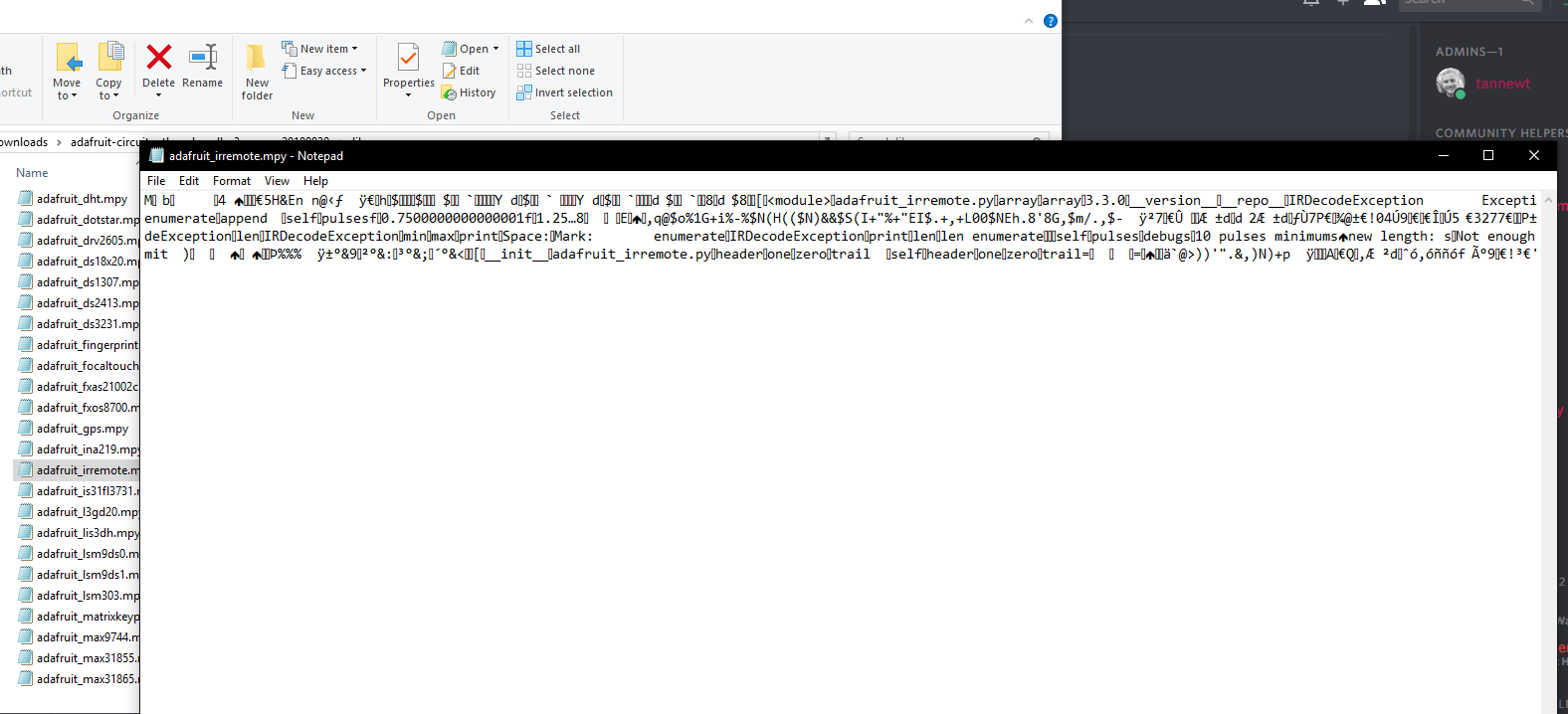
Is there a way to open and read mpy files?
it looks like this in notepad https://i.imgur.com/TbzQNyM.png
 tidal kiln
don't think so. not easily. which one are you trying to read?
easiest is to just look at source code in the repo
rustic nymph
Serial says the error is in adafruit_irremote.py but the one in lib is .mpy ?
tidal kiln
might be a quirk. you don't have a copy of both on your board do you? both the .py and the .mpy? (doesn't look like in your screen cap)
rustic nymph
no
tidal kiln
@slender iron see above - why does stack trace from a .mpy refer to .py?
slender iron
cause the filename is baked in by mpy-cross
tidal kiln
that's what i figured. i can see how that's confusing though.
esp. since it gives the line number.
@rustic nymph the .mpy files are like "compiled" versions of the .py files, and mpy-cross is the program used to generate them. this is done to save space - the .mpy files are much more compact. when you download the bundle, it contains the .mpy versions for this reason.
rustic nymph
Ok
I loaded my old code copy without all the changes and it not longer gives that error
this one works with up/down https://pastebin.com/k1kZE1ky
Thank you @tidal kiln
How did you know this line was required? from adafruit_hid.consumer_control import ConsumerControl
because of class adafruit_hid.consumer_control.ConsumerControl ?
tidal kiln
i worked backwards from the class you actually needed for what you are doing
which is ConsumerControl
here's the source:
rustic nymph
 tidal kiln
@rustic nymph i think that code snippet in the documentation is somewhat incomplete
i think it was taken from longer code
and somewhere in that longer code there was probably a line that had the import:
from adafruit_hid.consumer_control import ConsumerControl
and then soon after that a line that created an instance:
consumer_control = ConsumerControl()
in your code, we called it cc
rustic nymph
Thank you
I think I'm going to try to use the NEC Keyboard Example as it has much smaller pulse matches
So I'll try to butcher that sequence into that code shortly 😄
tidal kiln
cool. good luck!
rustic nymph
python is rough when you come from vba
there isnt a way to run the other code examples without renaming them to main correct?
tidal kiln
you sorta can - just import them from REPL.
to run foo.py:
>>> import foo
however, to "run" it again, you would need to first do a soft reset with CTRL-D. a second import would not simply run it again (for the same file)
rustic nymph
I get that memory allocation error even with the included example
tidal kiln
which example?
rustic nymph
Traceback (most recent call last):
File "main.py", line 57, in <module>
File "adafruit_irremote.py", line 217, in read_pulses
MemoryError: memory allocation failed, allocating 512 bytes
tidal kiln
where did that example come from?
rustic nymph
it was on the pIR key
tidal kiln
one of these?
https://www.adafruit.com/product/3364
tidal kiln
or some subtle change maybe, from the one you got to current version of CP
rustic nymph
I used the one from https://github.com/adafruit/circuitpython/releases/tag/3.0.2
GitHub
CircuitPython - a Python implementation for teaching coding with microcontrollers - adafruit/circuitpython
tidal kiln
when did you order it?
rustic nymph
for pirkey
the other one I got has Adafruit CircuitPython 2.2.3 on 2018-02-05; Adafruit pIRKey M0 with samd21e18
I ordered it friday from Digikey
tidal kiln
you updated the firmware yourself?
tidal kiln
File "adafruit_irremote.py", line 217, in read_pulses
and "occasionally"? i can see why maybe - there's no check for the current size of received, so if you keep feeding it pulses, it will append until it runs out of memory
rustic nymph
do I need this at the end of while: True - pulses.clear()
pulses.resume()
that was used in one example I found but it was outside of the while loop
well that does not help...
 cunning crypt
Hmm, can't get my CPX CPLAYBOOT to show up. LEDs are all green, but not showing up. It shows up when in normal mode, though.
tidal kiln
@rustic nymph what are you using to generate the IR signal?
rustic nymph
sparkfun ir remote
tidal kiln
rustic nymph
exactly that
tidal kiln
are you holding a button down when you get the error message?
rustic nymph
Auto-reload is on. Simply save files over USB to run them or enter REPL to disable.
main.py output:
Ready for NEC remote input!
Decoded: [239, 16, 127, 128]
NEC repeat!
Failed to decode: ('Pulses do not differ',)
Decoded: [131, 252, 0]
Decoded: [131, 252, 0]
Decoded: [131, 252, 0]
Decoded: [131, 252, 0]
Decoded: [131, 252, 0]
NEC repeat!
Traceback (most recent call last):
File "main.py", line 57, in <module>
File "adafruit_irremote.py", line 217, in read_pulses
MemoryError: memory allocation failed, allocating 512 bytes
thats with a time.sleep(1) at the end of the example and holding the button down
tidal kiln
you held the same button down the entire time the program ran?
tidal kiln
@rustic nymph not sure what's up. can you post the issue in the forums?
@cunning crypt what os?
cunning crypt
Win10
rustic nymph
if I change the time.sleep(1) to time.sleep(.1) I get the error immediately after pushing the button
cunning crypt
Feather M0 Express works fine
tidal kiln
@cunning crypt any of the usual win10 suspects?
https://learn.adafruit.com/welcome-to-circuitpython/troubleshooting
cunning crypt
Nope.
Drivers would screw with the Feather M0 Express, and I clearly remember going "Oh, good, I don't have to install anything"
Pressing it once doesn't work.
tidal kiln
got another computer to try on?
cunning crypt
Yes, but no. There's more computers, but nothing I can utilize at the present
tidal kiln
but you're getting the CIRCUITPY folder?
rustic nymph
@tidal kiln I found that on 2.2.3 pIR key that it doesnt error out immediately with the time.sleep(.1) but 3.0.2 does
cunning crypt
@tidal kiln Yep, CIRCUITPY shows up just dandy
tidal kiln
you're double resetting to get the green LEDs?
 gusty topaz
Guys, are there plans to provide CircuitPython support for the Adafruit Mini Color TFT with Joystick FeatherWing? https://www.adafruit.com/product/3321

Add a dazzling color display to your Feather project with this Adafruit Mini Color TFT with Joystick FeatherWing.It has so much stuff going on, we could not fit any more parts on the ...
tidal kiln
if you had last done makecode i think it's different,were you only doing CP stuff?
cunning crypt
@tidal kiln That is correct.
tidal kiln
@gusty topaz eventually, the necessary graphics support is currently in development
cunning crypt
@gusty topaz It's Seesaw, so there's already the CP seesaw library. And the ST7735 driver exists under RGB display.
So, it CAN work, but there's no example code currently
gusty topaz
@cunning crypt Really?.. so I should work by using those two libraries?
cunning crypt
I believe so, yes.
What @tidal kiln said implies that the RGB driver might not work for that display. I don't have one so I can't test.
gusty topaz
@cunning crypt got it. Thanks.
 ruby atlas
Does anyone have ideas on how to create time? (Sorry for my absence since July)
slender iron
<@&356864093652516868> Here is the recording of today's meeting: https://youtu.be/2s0lKuoJfos

Notes with time codes are available here: https://gist.github.com/tannewt/786a4aca69df8455bb9c49b6bba02c71 Thanks to @kattni and @Dan Halbert for taking note...
 timber mango
Hey, can you use a regular trinket with circuitpython, or is only the M0 compatible?
solar whale
@timber mango only the M0. Sorry.
timber mango
Okay, cheers
manic glacierBOT
I tried this on an Ubuntu 18.04 machine with modem-manager installed, and it had the delay as reported. This is strange because there's a udev rule entry:
ATTRS{idVendor}=="239a", ENV{ID_MM_DEVICE_IGNORE}="1"
I confirmed that the device has this rule active. It appears modem-manager is no longer doing the right thing and ignoring the device as it's supposed to.
I'll close this issue after documenting disabling and/or uninstalling modem-manager in one or more Learn Guides.
 umbral dagger
@meager fog Fixed, PR submitted and all checks pass.
@meager fog Adding actual github links to the guide...
 meager fog
thanx!
tulip sleet
@cunning crypt did you install or update Arduino IDE or any of its M0 board packages?
cunning crypt
Arduino IDE is installed and the M0 boards are also installed.
tulip sleet
There are Win7 drivers built into the Arduino and Adafruit BSP packages that are mistakenly installed on Windows 10. The problem seems to have been aggravated by win10 updates.
https://learn.adafruit.com/adafruit-circuit-playground-express?view=all#cplayboot-does-not-appear-on-windows-10-arm7tdmi-error-in-arduino-71-1 describes how to uninstall the drivers
cunning crypt
Sweet, thanks for the info
rustic nymph
@tulip sleet you wouldnt know any solutions to this would you? https://forums.adafruit.com/viewtopic.php?f=60&t=141368
cunning crypt
@tulip sleet Fantastic, that did the trick.
tulip sleet
@rustic nymph Same problem here: https://forums.adafruit.com/viewtopic.php?f=60&t=139728. We can't debug this for several days -- I'd suggest going back to 2.x for now. It may be an issue with PulseIn on 3.x or it may be some IR code parsing issue on long delays.
If you can file an issue with reproduction details that would be great. Tnx
tulip sleet
rustic nymph
@tulip sleet if I comment out "import adafruit_dotstar" then I can't reproduce it
Ill open issue with findings
tulip sleet
It may just be running out of memory for all the libraries. Thanks.
tidal kiln
@cunning crypt sry. that's what i meant to link early. thanks @tulip sleet
manic glacierBOT

I'm having issues with (2) pIRkey's throwing the following error:
Traceback (most recent call last): File "main.py", line 57, in <module> File "adafruit_irremote.py", line 217, in read_pulses MemoryError: memory allocation failed, allocating 512 bytes
This occurs with the example provided on the pIRkey called "NEC Keyboard Example". One device is running 2.2.3 and I can trigger the error on unmodified code simply by pushing a button on an IR remote in quick succession, adding ...
rustic nymph
Is the memory for these device super expensive or something?
tulip sleet
@rustic nymph it's just how much RAM is available. 32kB is the max included on-chip on the Atmel SAMD21 chips.
imports, even of .mpy files, use RAM. to hold the bytecodes. Only frozen libraries do not use (significant) RAM on import
rustic nymph
Do you have the link handy on what the colors mean for the LED?
tidal kiln
rustic nymph
Thanks!
 lone sandal

 pastel panther
pro tip: when you forget to put a reset button on your CP board, just use your pocket knife to short out the reset pullup resistor to the ground pad right next to it
stuck elbow
pullup resistor? who needs pullup resistors
pastel panther
welp, if we're talking m4, anyone who wants their board to not reset when looked at cross-eyed
manic glacierBOT

use uarte for uart io for nrf52840. skip tx/rx_abort() else we will run into missing bytes.
change serial() on nrf52832 from uart to uarte as well.
Never got into that much of troubles with UART prph :(
Note: also update nrfx to 1.3.0 since they fixed a bug with uarte driver as well.
manic glacierBOT
travis translation build failed is probably caused by this line
https://github.com/hathach/circuitpython/blob/nrf52_uart_io/ports/nrf/common-hal/busio/UART.c#L48
@dhalbert @tannewt can you suggest which message/error type that we should raise here
manic glacierBOT
@hathach RuntimeError is fine.
You'll just need to run make translate to update the .po files with your new strings.
manic glacierBOT
 manic glacierBOT
@tannewt ah thanks, I dont know that. Do you know any string that I could re-use without introducing a new one. I tried to search but couldn't find one.
manic glacierBOT

This is a minor (trivial, even) usability issue.
(Tested on CircuitPython 3.0.0, running on an AdaFruit Gemma M0.)
When entering a multi-line statement within the REPL, it takes several presses of the 'enter' key to execute the statement.
For example:
>>> for i in range(3):
... print(i)
...
...
...
0
1
2
The above example required three 'enter' keypresses from the first blank line before the statement executed. Most other REPL implementations that I've...
This is another minor issue, though it can make debugging code somewhat problematic.
(Observed in 'Adafruit CircuitPython 3.0.0 on 2018-07-09; Adafruit Gemma M0 with samd21e18'.)
When evaluating functions or executing instructions in the REPL, TypeError exceptions thrown by certain operators do not include the operator name.
For example:
>>> a = 2
>>> b = 'a'
>>> a/b
Traceback (most recent call last):
File "<stdin>", line 1, in <module>
`TypeError: unsupported types f...
This is a feature we inherited from MicroPython, which provides auto-indent. You can press the backspace key one or more times as neeeded to unindent back to the prompt and then press return once instead of pressing return multiple times to get to thing going.
Ah! I was afraid of that. (Unfortunately, I don't have very many distributions to compare...)
Feel free to 'kick this upstairs' to the MicroPython Team, then!
(Thanks for the workaround.)
manic glacierBOT
 manic glacierBOT
Peripheral-in-use status was not being reset on soft-reload. Fix for I2C and SPI. Will need to add further peripherals as they are added.
@jerryneedell Could you test? Thanks I did try and it seems to work.
(Workspace courtesy Amtrack)
manic glacierBOT
Works on the nrf52840_dongle
and it works on the feather_nrf52832!
but I get a new error -- should I open new issue?
Press any key to enter the REPL. Use CTRL-D to reload.
Adafruit CircuitPython 4.0.0-alpha.1-5-g48a3aafdd on 2018-09-25; Bluefruit nRF52 Feather with nRF52832
>>>
>>>
>>> import sdpaint
Traceback (most recent call last):
  File "<stdin>", line 1, in <module>
  File "sdpaint.py", line 33, in <module>
  File "adafruit_rgb_display/ili9341.py", line 94, in __init__
  File "adafruit_rgb_display/rgb.py", line 172, in __init__
Fil...Press any key to enter the REPL. Use CTRL-D to reload.
Adafruit CircuitPython 4.0.0-alpha.1-5-g48a3aafdd on 2018-09-25; Bluefruit nRF52 Feather with nRF52832
>>>
>>>
>>> import sdpaint
Traceback (most recent call last):
File "<stdin>", line 1, in <module>
File "sdpaint.py", line 33, in <module>
File "adafruit_rgb_display/ili9341.py", line 94, in __init__
File "adafruit_rgb_display/rgb.py", line 172, in __init__
File "adafruit_rgb_display/rgb.py", line 87, in __init_...@idle owl when you get a chance, can you get travis rolling on this repo:
https://github.com/adafruit/Adafruit_CircuitPython_CAP1188
manic glacierBOT
appears to be fixed by #1215
 tough flax
Quick question (may be a stupid one)... does it take more RAM to import a full module vs an element in it?
from adafruit_hid.keyboard import Keyboard
VS
import adafruit_hid.keyboard
@pastel panther We found the M0 can use better pull-up/capacitance on the Reset button as well (right @slender iron?)
rustic nymph
What does the asterisk mean in this? keyboard.press(*pairs[1])
 forest glen
SgtSarcasm - it unfolds a list typically
so if pairs[1] is actually [1,2,3] it would be like calling keyboard.press(1,2,3)
rustic nymph
That line was ([255, 2, 127, 128],(Keycode.SPACE,)),
I guess in this line it would push both buttons? ([255, 2, 191, 64], (Keycode.LEFT_CONTROL, Keycode.UP_ARROW)), # Vol+
forest glen
like this
def test(a, b, c):
    print(a)
    print(b)
    print(c)

if __name__ == '__main__':
    test(*[1,2,3,4])
because pairs[1] would be (Keycode.LEFT_CONTROL, Keycode.UP_ARROW)
forest glen
@rustic nymph - Yeah... it would unfold those values into positional arguments given to keyboard.press()
rustic nymph
Thank you
So I guess when trying to program these I need to read python documentation for the general coding and circuitpython.readthedocs for the libraries?
forest glen
Which checks out... seems to take control key followed by actual key if used positionally
Probably so 😃
It's a subset, so standards should be the same
You see the * notation most as:
def test(*args, **kwargs)
rustic nymph
so circuitpython 3.0.2 = which version of micro/python
forest glen
single * is for list, double is for dict
@lime plaza That I don't know off top of my head... new here, I just know regular python well 😃
manic glacierBOT
 forest glen
Err... silly autocomplete, meant @rustic nymph not @Shaggy, sorry
rustic nymph
Well thank you!
forest glen
😄 No prob... and looks like latest CircuitPython based on MicroPython 1.9.4 (latest) which seems to be ~py 3.4... I can't find anything more specific. But given the changes in Py 3.5+ that sounds reasonable
@tough flax - It doesn't matter. The whole module is always loaded.
Take this test.py for example:
def a(v):
    print("a: " + v)

def b(v):
    print("b: " + v)

print("loading test.py")
If you use import test or from test import a the serial console will still show loading test.py
So regardless of which format you use, the test module is always completely loaded.
Just the way the interpreter works... in order to have a handle to a() it needs to have a handle to test which means having it in memory. A lot of that is because a() may call another method or resource in the module, which means all that needs to be in memory. Since it's interpreted at runtime python doesn't know for sure or check what may or may not be needed.
 dusky badge
I'm having some trouble running the default example on a ItsyBitsy M0 Express. This is my first experience with CircuitPython.
First I installed the latest uf2.
version 3.0.2
Then I got an error saying that the mpy files were incompatible, so I downloaded the latest adafruit library bundle.
Now when I run my code I get the following error:
Traceback (most recent call last):
  File "main.py", line 18, in <module>
  File "adafruit_hid/keyboard.py", line 35, in <module>
MemoryError: memory allocation failed, allocating 906 bytes
It works if I don't initialize the HID module.
I guess I'm fine with that.
rustic nymph
@dusky badge might be related to this? https://forums.adafruit.com/viewtopic.php?f=60&t=139728
I have a pIRkey with the same issue but I can't initialize the dotstar
idle owl
@tidal kiln shoot me an email so I'll remember.
tidal kiln
okie dokie
tough flax
Thanks @forest glen
forest glen
@tough flax No problem
raven canopy
@tidal kiln did a review on CAP1188. no hardware to test though... 😦
manic glacierBOT
ili9341.py asks for a baud rate of 16 MHz for the SPI device it needs. The nRF52840 only has one higher speed SPI peripheral, SPIM3. It can run up to 32 MHz. The other three SPI peripherals run at a maximum of 8 MHz.
SPI0 and SPI1 are shared with I2C (TWI). Due to the way the interrupt service routines are set up, we reserveso we reserve SPI0/TWI0 and SPI1/TWI1 for I2c. We allocate SPI peripherals in the order SPI3, then SPI2, so 32 MHz max, then 8MHz max, with the higher speed one alloc...
tidal kiln
@raven canopy awesome! thanks. fixes pushed.
 clear halo
Hey folks!
Bluetooth.
I've seen references (like this [1]) that suggests you guys are working on Bluetooth support. I know that Damien George is also looking into Bluetooth support, particularly since he's announced the new PyBoard [2] with onboard Bluetooth HW. Some other contributors to mainline MicroPython have begun an implementation too that is currently performing basic advertising on ESP32 and NRF52 (some details: [3]). Damien has reached out to work with those folks. Further, Boris, of the ESP32 Loboris fork fame [4], has also begun looking into it [5].
It seems like we have an opportunity here. :)
Is it possible to work more efficiently together toward a common goal? I'm not particularly well-versed in Bluetooth but I'm happy to help everyone communicate...
[1] https://forums.adafruit.com/viewtopic.php?f=60&t=140163&p=693272&hilit=bluetooth#p693272
[2] https://forum.micropython.org/viewtopic.php?f=19&t=4957
[3] https://forum.micropython.org/viewtopic.php?t=5090
[4] https://github.com/loboris/MicroPython_ESP32_psRAM_LoBo
[5] https://github.com/loboris/MicroPython_ESP32_psRAM_LoBo/issues/193
stuck elbow
looking back at the history of MicroPython development so far, I doubt it
manic glacierBOT
This test was on an nrf52832, do the same restrictions apply? Also it used to work, so was it changed recently?
 crude fossil
@timber mango ha, yeah, well. But we can dream, right 😃
manic glacierBOT
I still get this error on the feather_nrf52832 even if I create the ILI9341 object first
import board
import digitalio
from adafruit_rgb_display import ili9341, color565

# Create library object using our SPI port
spi = busio.SPI(clock=board.SCK, MOSI=board.MOSI, MISO=board.MISO)
# Adafruit Metro M0 + 2.8" Capacitive touch shield
cs_pin = digitalio.DigitalInOut(board.A7)
dc_pin = digitalio.DigitalInOut(board.D11)

# Initialize display
display = ili9341.ILI9341(spi, cs=cs_pin,...I get the error even if I don't use the SD card at all.
trimmed down to just this:
import busio
import board
import digitalio
import adafruit_stmpe610
from adafruit_rgb_display import ili9341, color565

# Create library object using our Bus  SPI port
spi = busio.SPI(clock=board.SCK, MOSI=board.MOSI, MISO=board.MISO)

# Adafruit Metro M0 + 2.8" Capacitive touch shield
cs_pin = digitalio.DigitalInOut(board.A7)
dc_pin = digitalio.DigitalInOut(board.D11)

# Initialize display
display = ili9341.ILI9341(spi, cs=cs_pin, dc=dc_pin)
``...Setting the baudrate to 8000000 works in all cases including loading from SDCard)
manic glacierBOT
Do this order. Both the busio.SPI() and ili9341.ILI9341() calls allocate an SPI peripheral.
...
display = ili9341.ILI9341(spi, cs=cs_pin, dc=dc_pin)
...
spi = busio.SPI(clock=board.SCK, MOSI=board.MOSI, MISO=board.MISO)
...
How can I do
display = ili9341.ILI9341(spi, cs=cs_pin, dc=dc_pin)
before
spi = busio.SPI(clock=board.SCK, MOSI=board.MOSI, MISO=board.MISO)
spi will not be defined?
solar whale
@tulip sleet am I missing something ?? apparently..
manic glacierBOT
You're right. I'm not awake.
 stoic marsh
is it possible to control EL Wire with CircuitPython?
forest glen
@stoic marsh - You would need an EL Wire controller capable of controlling the inverter output from a GPIO pin, in which case it's just standard GPIO control from Python
As far as I'm aware / can find, Adafruit doesn't sell an inverter than can be controlled in this manner.
manic glacierBOT
There's something wrong with the baud-rate checking for the selected periphal - not sure - I may not be able look at this in detail until Friday afternoon.
In the atmel-samd port, there's no error thrown for a baud rate that's too high: you just get the highest possible one. That's probably a better choice here (but we wouldn't have detected the problem above :smiley:).
forest glen
You could, however, create one with a MOSFET that drives the inverter
manic glacierBOT
No problem - Certainly no rush. I've been looking at and may have some leads. I'll let you know if I find anything but won't have much time after today until next week.
tulip sleet
@clear halo we are working on a port to nRF52832 and '840: that's the primary goal of the 4.0 release. There's already an alpha, but with no bluetooth support yet. . See the long discussion about the BLE API in this issue: https://github.com/adafruit/circuitpython/issues/586. The existing API's (bluepy, etc.) are not necessarily the model we would follow for the end-users we have in mind. Our goal is ease of use, especially for beginners.
We have differed from MicroPython in how the I/O libraries are structured, sometimes stylistically, sometimes more deeply. For example, we use properties extensively, which MicroPython has avoided for performance reasons (though I think the performance difference has narrowed somewhat due to recent improvements in property dispatch).
A wrapper library can usually be written to convert one API to the other.
 indigo wedge
The new BLE API has already been written and will soon hit review so if MP folks want to drop by and see if they like it, I guess that's an option.
manic glacierBOT

I have been working with Dan Halbert on this and now believe it is a bug in new releases of Circuit python. The issue is that the volume never reappears after installing any version after 2.3.1 of circuitpython.
There are no 'ticket' numbers that I can see in the forums but the issue was titled:
"itsy M0 traceback "neopixel.py", line 167, in _setitem"
module: itsy bitsy M0 express originally with circuit python 2.3.1
system: Windows 7 with Kapersky security
drivers: latest Adaf...
 manic glacierBOT
I just tried this( disable Kapersky) again, forgot to mention I had tried
it in the past, and disabling Kapersky did not fix the problem.
That's what so weird, the 2,31 uf2 loads and shows the volume every time I
install it and Kapersky is running.
But, 3.x.x fails to show the volume.
If this is LadyAda responding, I just want to express my admiration for the
amazing community of users and contributors you have manifested.
I hope you take care of yourself with mindfulness or another centerin...
ok good to check - that is bizarre! dan's out of the office today but will get to you later this week
ps. thanks for the kind note & being part of the community :)
forest glen
Am I right in assuming that circuitpython-build-bundles has zero Windows compatibility?
Not an issue... just curious as I'm getting some weird errors.
forest glen
@idle owl & @slender iron - As promised: https://github.com/adafruit/Adafruit_CircuitPython_DotStar/pull/29

GitHub
@kattni - As discussed at Maker Faire, this adds support for SK9822 LED strips.
SK9822 data sheet here: https://cpldcpu.files.wordpress.com/2016/12/sk9822-led-datasheet.pdf
Much of the protocol twe...
raven canopy
@forest glen re: build-bundle - i don't see anything that jumps out precluding Windows use. easy workaround is WSL of course. I've never even attempted to run it, Windows or otherwise.
forest glen
@raven canopy - NamedTemporaryFile is the culprit, at least one of them. It's broken IMHO for Windows. The problem is that it actually opens and returns a file object immediately. But many people use it "wrong" by then taking only the filename that it generates and then opening the file manually. This works on *nix systems but Windows disallows multiple open calls to the same file from the same process.
I actually was able to patch those parts enough to get them to work on Windows, but then once I ran it the whole thing just silently failed. Worked fine in WSL and on Fedora but nothing on Windows. After further digging I realized it's a complete non-starter since mpy-cross requires make to build which Windows doesn't really have. I'm sure there's a way to create a Windows compatibly makefile, but it was clear that it was never intended to work on Windows. So I gave up.
I jump back and forth between Windows and Linux depending on what I'm doing but I try to have as many tools as I can on both. WSL seems to work fine for now but everything is working beautifully on Fedora 28 as well. So no worries.
tough flax
Hi folks... I'm going to have to program lots (about 100) Trinket M0s with both the latest (stable) CP build as well as a CIRCUITPY volume that has a main.py and a number of support files. Is there a way to make a single image (UF2 file?) that I can use to push both the CP and the python code to the device? I'm working on WSL but could use a RPi if that makes it easier.
tulip sleet
@tough flax If you copy CURRENT.UF2 from TRINKETBOOT, that will include both CircuitPython and the contents of CIRCUITPY. This works only for the non-Express boards like Trinket M0 and Gemma M0.
tough flax
Gotcha! So, I configure one trinket m0, test it, then put it in bootloader mode, grab the CURRENT.UF2 and then copy that down to the rest?
tulip sleet
right, exactly! (test of course)
tough flax
That makes sense, and is a perfect answer: but it makes me wonder why pulling a new UF2 from a fresh build doesn't wipe my main.py?
Does it check to see if one's there?
tulip sleet
because the .uf2 files describe which parts of flash memory should be written, and the CIRCUITPY part is not overwritten by the normal adafruit-circuitpython-blah-blah.uf2. But the CURRENT.UF2 represents all of (internal) flash
this is also a great way just to back up your trinket or gemma
tulip sleet
It sort of says it here: https://learn.adafruit.com/adafruit-gemma-m0/circuitpython but not really explicitly. I could add that more explicitly somewhere.
slender iron
@clear halo What do you think the best way for all of the BLE folks to coordinate is? There are a number of links there. I regularly talk with Damien too but it usually just makes it clearer that our priorities differ.
tough flax
Thanks @tulip sleet
Btw if any of you are closet PowerShell gurus we should talk offline 😃
raven canopy
@forest glen the joys we get to have as Windows users. 😄
stuck elbow
@forest glen do I spy a fellow red fedora wearer?
forest glen
@raven canopy haha, yeah. I do a lot of video editing and CAD modeling so I keep Windows at hand despite (as @stuck elbow correctly noticed) the fact that I work at Red Hat. Heck, some times even seem to work better on Windows for Arduino stuff. But python seems to like to only be cross-platform 99.3% of the time
@stuck elbow Yep! Working on OpenShift at the Raleigh office. You?
stuck elbow
@forest glen openstack-dashboard, remote from Zürich
forest glen
@stuck elbow Nice 😃 I love Zurich (and have family there)
stuck elbow
it's a nice town
manic glacierBOT
 raven canopy
I had a feeling the fedora was more than a coincidence.
forest glen
@raven canopy - Hence why I use it in my avatar 😉
 main meteor
It's sort of half-Fedora (large brim) and half-Trilby (tall crown).
forest glen
oooo.... I won't tell my co-workers you said that. It's a fedora, period 😛 Half-Fedora, Half-Trilby Release 28 doesn't really roll of the tongue as well 😉
I'll put in a request to make the Fedora 30 code-name be "Half Trilby"
 valid kernel
I just updated my lib folder to the latest release, and now getting "memory allocation failed" on everything I try to run. Using CPexpress and on WIn10. It was working fine before I tried to update my lib. Any ideas?
solar whale
@valid kernel did you load the lib containing the .mpy from the 3.x zip file or the .py versions from the py zip file?
The. .py versions require more memory.
idle owl
@forest glen Thank you! We're at Open Hardware Summit so it'll be a few days before I can get to it.
manic glacierBOT
 manic glacierBOT
 forest glen
@idle owl Welcome and no worries, I figured. I had just wanted to get it written while it was fresh and I was home with my LED testing rig, before running off on another trip 😛 Have fun at OHS!
solar whale
Anyone know what failed in the 20180927 bundle build? Only the py bundle is there.
gusty topaz
Guys, quick question: Any developments on porting Circuitpython to the Huzzah32?. Really looking forward to it.
forest glen
@solar whale - I have that happen occasionally on one of my projects. As far as I can tell it's a GitHub infrastructure glitch.... error in question is:
/home/travis/.rvm/gems/ruby-2.2.7/gems/octokit-4.6.2/lib/octokit/response/raise_error.rb:16:in on_complete': POST https://uploads.github.com/repos/adafruit/Adafruit_CircuitPython_Bundle/releases/13124381/assets?name=adafruit-circuitpython-bundle-2.x-mpy-20180927.zip: 502 - Error uploading asset (Octokit::BadGateway)`
Which can be found at the end of this: https://api.travis-ci.org/v3/job/434010271/log.txt
Doesn't show up in the regular log for some reason, only the raw view.
Sadly TravisCI doesn't detect a failed partial deploy and cleanup. If you delete the partial release and retrigger the build it'll probably work this time.
stuck elbow
@main meteor I can assure you the hats we get are proper fedoras. The one on the photo does look a bit strange, but I think that's just perspective/lens tricks.
solar whale
@forest glen thanks. It looks like the auto build this morning deployed correctly.
tulip sleet
@gusty topaz ESP32 is not on our near-term list. It doesn't have built-in USB so we can't provide the CIRCUITPY USB drive experience.
manic glacierBOT
I hope to answer this later today.

I'm working on the tests for the logging module and I encountered a problem that can be expressed like this:
Adafruit CircuitPython patchbase-7-g216f0f952-dirty on 2018-09-25; Adafruit Metro M4 Express with samd51j19
>>> class Logger:
...     pass
...
>>> root = Logger()
>>> Logger.root = root
>>> Logger.root == root
False
>>> root
<Logger object at 20002a00>
>>> Logger.root
<Logger object at 2002d9a0>
>>>
If I disable gc_make_long_lived() it works as expecte...
valid kernel
@solar whale yup, that was it. I didn't see the response here, but eventually figured it out. :/
gusty topaz
@tulip sleet would the Huzzah32 work with Micropython just like the original Huzzah does if I follow Tony Dicola's tutorials?
 strange pumice
I'm looking for some tricks do drop power consumption on a Feather M0 running CircuitPython. Aside from disabling all unused pins, turning off built-in LEDs and disabling the 3v regulator is there anything else?
stuck elbow
@strange pumice the mcu has several sleep modes, but I'm not sure how much control you have with circuitpython over those
strange pumice
@timber mango thank you.
@timber mango I assume the m0 clock speed is not adjustable when using CircuitPython is that correct?
valid kernel
Ok, found a reference to cpx.light . It looks like cpx handles everything for the express board. Did I miss documentation on that or something, I don't see anything that spells out that cpx handles all the sensors and what their call outs are.
 royal pendant
does someone has used a feather M0 Express board and an epaper from waveshare?
Im really new to this and dont know what to do
https://www.waveshare.com/product/2.9inch-e-paper-module-c.htm
296x128, 2.9inch E-Ink display module, yellow/black/white three-color, SPI interface | WFT0290CZ10
tulip sleet
@gusty topaz There's this video tutorial for ESP32, though it's a year old: https://www.youtube.com/watch?v=qa2406iiSbI
I'd suggest you do a websearch for the latest ESP32 MicroPython tutorials, mostly off our site. This is a particular fork for ESP32 that is configurable. It's popular but may not be for beginners: https://loboris.eu/forum/
slender iron
@strange pumice notro did expose the clocks to python in the samd module. its all expert level stuff and you are on your own on it
@bronze geyser was working on making time.sleep actually sleep but ran into issues
strange pumice
@slender iron thank you...It looks like there is a little bit of power and deep sleep in the ESP CircuitPython library (one that came over from micropython), but also fairly unsupported. https://circuitpython.readthedocs.io/en/3.x/docs/library/esp.html
slender iron
ya, its something I want to do in the future but hasn't been a priority
tidal kiln
valid kernel
@tidal kiln ty
tulip sleet
@royal pendant you could try our libraries, but I don't know if the controller chip is the same: https://github.com/adafruit/Adafruit_CircuitPython_EPD
 bronze geyser
@slender iron I wrote my bumblings (wake from interrupt) here: https://github.com/BitKnitting/wakey_circuitpython/wiki
GitHub
Contribute to BitKnitting/wakey_circuitpython development by creating an account on GitHub.
@slender iron i think i left it such that i could consistently wake up from interrupt outside of CP. Once I got into the CP layer, it wasn't consistently returning....then I got lost in the goop of CP so i stopped because...well..i was sinking...
slender iron
Thanks for the info @bronze geyser . I was hoping @strange pumice would try and help
bronze geyser
@slender iron That would be amazing. Selfishly, there is so much i don't know/understand. I am sure there is a lot to be learned from @strange pumice
umbral dagger
I’ve had my talk submission accepted at PyCon Canada! yay!
 open whale
I am trying to draw on the Hallowing's TFT display using CircuitPython v3.0.2 and the display library 3.x https://circuitpython.readthedocs.io/projects/rgb_display/en/latest/api.html#adafruit-rgb-display-st7735
The code below is based on the libraries documentation but nothing is displayed. What am I missing?
display = st7735.ST7735(spi, cs=digitalio.DigitalInOut(board.TFT_CS), dc=digitalio.DigitalInOut(board.TFT_DC), rst=digitalio.DigitalInOut(board.TFT_RESET))
display.fill(color565(255,0,0))
 sacred blade
@open whale : Did you turn the backlight on ? Also, I used st7735.ST7735R don't know the difference with st7735.ST7735 (no R). I've done only a quick test and for me the display is almost working (pixels are slighly offset)
 fading solstice
is i2cslave part of 3.x or 4.x?
stuck elbow
I think it's not enabled by default in either
fading solstice
oh ok.
open whale
@sacred blade Using the “R” worked and yes I had enabled the backlight by setting the digital pin board.TFT_BACKLIGHT equal true.
timber mango
Hi,
I've got a peculiar problem on my hands. I have about 200 Trinkets M0s running in a project of mine. They are usually grouped in a cluster of 25 per one power supply (24V) and each has its own 24Vto5V step down converter. Each Trinket is controlling about a 100 DotStars. Now when I power them up 9 out of 10 times they just turn on but that 1 time the on board dotstar just starts flashing yellow and the controlled dotstars get stuck on some random colour/pattern.
I'm unable to replicate it when connected to USB so I have no idea what's going on...
Any insight?
idle owl
Presuming you're running CircuitPython, when's the last time you updated the CircuitPython version running on them?
timber mango
It's running the most up-to-date 3.0.2 and the dotstar library is from the latest bundle. On all of them.
idle owl
Ok hmm. Only flashing yellow? No cyan or anything else?
timber mango
nothing, just yellow pulsing in loop, when I press the onboard switch it reboots and everything is fine... And I just cant replicate it. I've tried multiple times, it just starts up. I'm using the same power supply and everything...
Is there a way to log stuff on-board? Or do I have to get some SD card adapter or something?
idle owl
I think yellow means it's in safe mode, and I think that was our solution to a previous power brownout / bobbled power on startup bug where it would wipe the board if the power shifted too low (i.e. a battery dying or if the power shifted when receiving power on startup)
So that was my first thought
You can log stuff on-board, but you have to set the file system to writeable by CircuitPython and it can't be writable by your computer and CP at the same time, and you'd be limited on space on a Trinket, so an SD card would be better
tidal kiln
idle owl
So, just this past week we had one of our new boards hooked up to a battery and when the battery drained, it started going into safe mode on startup. So I'm wondering if there's something going on with the power connection or something, and that USB power is being more reliable and that's why you can't repro it on USB
tidal kiln
i'd second power being probable cause
timber mango
Hmm, I find it hard to believe the powersupply would get too low. The stepdown converter is actually 32-9V and the power supply is 24(.1 or so)V and the amperage is about 1/3 of what we would need on full power... So even if all the Trinkets and DotStars took too much it shouldn't dip below such trashhold.
tidal kiln
it could be a very brief transient happening at initial power
timber mango
(32-9V on input that is, the output is 5V to the trinket, the level shifter and the dotstars)
Hmm, I might hook it up to my voltmeter during startup and log it to PC or something. It should show the power dip if it occurs.
Or how about hooking up a bigger capacitor either in front of the power supply or in front of each the step down converter? Would that help?
tidal kiln
it may even be too fast for a voltmeter, you might need an oscope
maybe on the capacitor, and i guess i'd put it at the input to the trinket
depends on the nature of the problem
manic glacierBOT

I'm going to close this. lf there are any further issues, you can create a new issue or request that this one be reopened.
tidal kiln
if the issue is it's not coming up to required voltage level fast enough, then it wouldn't help
timber mango
very well then, thank you all
tidal kiln
np. good luck. sounds like you have an awesome setup - 200 trinkets 😲
100 dotstars per trinket.....math......number of dotstars = 😲 😲
do you have a link to what this is? it must look cool.
timber mango
I would like to provide a link or some form of documentation but it's a custom setup for a private customer 😕
All I can give you is one pice of advice, the DotStars from the ORIGINAL manufacturer are WELL worth the price and are nearly indestructible (like running 120+ °C on full power for multiple days etc.). The Chinese knockoffs on the other hand are a complete and utter garbage. 😉
Also from 250 Trinkets I've ordered for this setup only one was dead which is a pretty impressive feat.
You might want to hack the oscillator supervisory code/settings/registers.
But aren't the safeties in place for a reason? As in if I change or turn them off the internal memory might be wiped clean when the voltage drops?
your SRAM is wiped anyway and the flashROM isn't going to be wiped except by command.
My Dad used to start up his saw (late 1960's) and the lights in the house would dim until it got past the initial hurdle (big saw).
I haven't seen that in a long long time, since.
I would program in a delay for each system running in parallel so they don't all apply their load to the power bus at the same instant.
The delay won't be largely sensate in a human time frame.
tidal kiln
@timber mango you say the yellow is pulsing / flashing? that might mean it's indicating a runtime error, not safe mode. but it should be followed by other colors that are trying to indicate the line number.
(see previous link for RGB status info)
timber mango
How many times would the yellow flash before the line info? The longest I've let it flash was for a minute or so.
tidal kiln
can't remember, but only like 5 quick flashes, def not minutes
timber mango
That's not it then. Also that could be recreated on USB which I wasn't able.
Don't get me wrong my code is by no means perfect and it crashes from time to time but when it does it just resets and everything runs again.
raven canopy
@idle owl can I request a library repo? Adafruit_CircuitPython_FRAM Hope to have I2C done today. no eta on SPI though.. 😄
idle owl
@raven canopy Sure! SPI being a jerk then?
raven canopy
no...not yet. haven't started it... 😉
raven canopy
🤣
tidal kiln
yah, if it were a code thing, it should be repeatable on USB, so probably still a power issue. just wanted to point out the possible other meaning of yellow.
raven canopy
and to jump into the current Trinket-unwanted-yellow-blinky convo; i'll toss my vote in as brownout too.
unrelated: Atom has spoiled me. I might have to put it on the Windows machine...
idle owl
Atom is really nice in a lot of ways.
tidal kiln
brownouts have a way of creating unexpected / unexplainable / unrepeatable behavior
idle owl
I moved to PyCharm but I use Atom for all non-.py related stuff.
tidal kiln
at least you're getting somewhat repeatable, when it happens
raven canopy
I've always just stuck with IDLE. I have now seen the light.. ☀
idle owl
Hah! Welcome!
@raven canopy Repo for the enlightened one: https://github.com/adafruit/Adafruit_CircuitPython_FRAM
GitHub
Contribute to adafruit/Adafruit_CircuitPython_FRAM development by creating an account on GitHub.
raven canopy
@idle owl lol. thanks!!!!
idle owl
welcome!
manic glacierBOT
 idle owl
@tidal kiln or @raven canopy If one of you have a moment to review this, that would be great - it's a simple typo fix: https://github.com/adafruit/Adafruit_CircuitPython_NeoTrellis/pull/3
raven canopy
Done... 😄
idle owl
Thanks!!
tidal kiln
hmmm. dunno. is that A really capitalized?
raven canopy
I had to google it...
idle owl
ok I admit I half capitalised it and then smeared it a little to make it look entirely so.
raven canopy
smudge tool ftw!
raven canopy
that feeling when you add an extra letter to a word....3 separate times. object has no attribute 'nnnn'. 🤦
idle owl
hah! Silly nnnn
@tidal kiln Did you test this, or only add CPLIbrarians? https://github.com/adafruit/Adafruit_CircuitPython_DotStar/pull/28

 remote carbon
hi. i see the MCP9808 has been update for circuitpython. can i use that with python on raspberry pi? or do i use the deprecated library?
idle owl
@remote carbon Yes you can use it with Raspberry Pi. Check out the sensor tutorial for details: https://learn.adafruit.com/adafruit-mcp9808-precision-i2c-temperature-sensor-guide/python-circuitpython

Learn how to use this adorable little temperature sensor
remote carbon
so now instead of importing just the mcp9808 library we need to import board and busio?
sorry, just a hobbyist so i have trouble keeping up with this stuff
idle owl
@remote carbon The code that works for CircuitPython will work for Python as well. You'll need to pip3 install adafruit-blinka to have board and busio work. That guide and the one linked on that page for CircuitPython on Raspberry Pi should cover it. https://learn.adafruit.com/circuitpython-on-raspberrypi-linux Is the guide that helps you get your RPi setup to work with the CircuitPython libraries.

Make hardware and interface with sensors super easy using CircuitPython
remote carbon
OK. thank you
idle owl
Make sure you're using Python3 and not 2 which is the default in most cases. It won't work with 2, so you'll know pretty quickly if you're using the wrong one.
remote carbon
only use python3 so got that covered
idle owl
As well, you can do everything at the Python prompt, or you can create a .py file and use python3 -m yourfilename.py to run the file, and simply use the example provided in the sensor guide.
Excellent 😃
 tawdry wyvern
Just got my Feather M4 Express out of the box and I'm having a bit of trouble. I've got a COM port and CPy 3.0.0 is running on the board, but I don't get a CIRCUITPY drive. Also, the WPD FileSystem Volume driver in the Win7 Device Manager sometimes complains that "the device can't start". Do any of you good folks have troubleshooting ideas?
raven canopy
@tawdry wyvern are your Windows Drivers up to date? There was a fix for Feather M4 on June 4th...
tawdry wyvern
@raven canopy I believe so. I just installed 2.3.1.0 from here: https://github.com/adafruit/Adafruit_Windows_Drivers/releases/download/2.3.1/adafruit_drivers_2.3.1.0.exe
Is that the latest and greatest?
raven canopy
@tawdry wyvern appears to be the latest, and should include aforementioned fix. I no longer have a Win7 machine, so I can't replicate anything. 😦 I would put up an issue in https://github.com/adafruit/Adafruit_Windows_Drivers/issues, or on the forums.
tawdry wyvern
Thanks @raven canopy !
raven canopy
@tawdry wyvern you're welcome. other than that, i would just be covering the basics (e.g. "Try a different cable?", etc) @tidal kiln, any ideas?
tidal kiln
@tawdry wyvern can you clarify what you mean by having a COM port and CPy 3.0.0? does that mean you are connecting to REPL over the COM port OK?
tawdry wyvern
Hi @tidal kiln Yes, I can connect to REPL via COM port or Mu ok. Just doesn't show the drive.
umbral dagger
Just dropped 4.0 alpha 1 on my HalloWing. Here goes.
tidal kiln
@tawdry wyvern if you go into bootloader mode, does FEATHERBOOT show up?
tawdry wyvern
@tidal kiln No.
tidal kiln
does it look like it actually goes in to bootloader mode?
status RGB should be green and red LED pulsing (i think)
tawdry wyvern
It looks like it tries. The NeoPixel flashes red and then goes back to green.
 modest atlas
Hey guys/gals, bought afresh 8266 huzzah from microcenter/denver today and a new laptop, installed the drivers and downloaded espflasher(used many times) and the .bin file for CP 3.0 seems to flash just fine but when I restart the esp the blue light just flashes rapidly and I cant connect via serial
tidal kiln
@modest atlas try with esptool:
https://learn.adafruit.com/welcome-to-circuitpython/circuitpython-for-esp8266
tawdry wyvern
@tidal kiln Actually. I'm getting a Flashing green NeoPixel, nothing on the Pin 13 LED and a fast yellow flash on the CHG led on the other side of the micro USB. Does the dead #13 pin give any clues?
tidal kiln
the fast yellow CHG led is normal
the other two seem like it's not going into bootloader
i just grabbed a feather m4 express to verify
i'm in bootloader mode and have steady green neopixel and pulsing #13
and crazy flashing yellow
tawdry wyvern
Hmmmm.... This is my first Feather M4. All of my ItsyBitsy's have worked just fine out-of-the-box. (At least until I do something unfortunate to them. 😐 )
tidal kiln
tawdry wyvern
Interesting. I'll give it a shot!
tidal kiln
i just tested what bootloader does with a charge-only USB cable - red neopixel and fast pulsing #13
the fact that you can connect to REPL makes me think it's not the USB cable
@idle owl dotstar PR tested and merged. should we make a release or wait for other PR?
clear halo
@stuck elbow I know there have been issues in the past but we are doing our best to be easier to work with. Please let me know how I can do more!
@crude fossil We can indeed!
@tulip sleet Thanks, that's really useful information! It makes the purpose of the 4.0 release much clearer. I've reached out to those that I know are actively looking at Bluetooth and asked them to review and provide feedback on your ticket. That said there's not a lot of content in that ticket...
I understand the differences in the implementations though I do wish there were less. Today it's very difficult to write a driver that's compatible with both CircuitPython and MicroPython. That's a shame for both communities. My opinion is that wrapper libraries are nice but add complexity and will only be used initially; it's more likely that drivers will be ported back and forth between the dialects. Which is not great for users and especially not for driver authors.
I'm not sure we can pull the dialects closer together now but I'm hopeful we can reduce the divergence where possible in the future. And that shouldn't be a one way street - I'd like to think that MicroPython can be flexible too. I'll do what I can to communicate in both communities!
@indigo wedge Is there more to review than what's been added to #586? I'm aware of the NRF ubluepy module but, if I understand, you're moving away from that? I guess I'm looking for an api proposal to discuss. We are aligned in that there is likely to be multiple api's at different levels of abstraction; Damien drew an analogy to sockets vs requests recently which I thought was a good mental model.
A few of the MicroPython devs started a document which began discussing the Bluetooth implementation, please take a look, there's hopefully some useful information there - and feel free to add comments:
https://docs.google.com/document/d/1ApQzdjPdRzBn2Texm4d3Vs3tEsVOU-vdV00TU08KaBg/edit?usp=sharing

Google Docs
Bluetooth/BLE API for MicroPython Requirements General Configurable MAC address Possibility to set MAC manually Set address type, public/random static Vendor specific UUID support Multi instance Possibility to run peripheral and central side by side. Possibility to run 2 per...
@slender iron It's a good question - how can we all communicate? Everyone seems to be spread all over the place: Discord, Slack, IRC, Forums, Google Docs, Github issues and good ol' email. It does seem like we need a single place to discuss this api...perhaps a dedicated discord channel? I can see if the main MicroPython devs could congregate in one place...?
And yeah, I understand that the priorities differ. I know you folks have a strong focus on beginners whereas I (can't speak on behalf of Damien) want MicroPython to take over a large portion of professional embedded development. Those two perspectives are different and will generate tension - but I think we should strive to limit the differences. That's what I'm trying for anyway!
(sorry for the long posts!)
raven canopy
@clear halo I don't think anyone will mind the length. all good stuff/discussion. 😄
idle owl
@tidal kiln I guess we can wait. Probably makes sense to.
manic glacierBOT
Slow but steady, please don't merge it yet.
slender iron
@clear halo The GitHub MicroPython issues are likeliest to get everyone on board. We tried Gitter briefly but it didn't catch on.
I'm skeptical though that we'll find agreement prior to implementation. My guess is that the most used API will result from other factors like documentation quality.
If the audience of CircuitPython and MicroPython is so different, then why does it matter if the APIs are different?
raven canopy
@idle owl i didn't get FRAM I2C finished tonight; documentation always takes too long. please, please don't delete my shiny new repo... 😆
stuck elbow
@clear halo thanks for the information. I'm not really actively developing anything for MicroPython, so I have no issues. I'm just naturally pessimistic. I will be sure to give the community another try when I have more time.
manic glacierBOT
Clearing the second buffer made no difference.
Ultimately I didn't manage to get this to work. I ended up freezing some of the assets to make room in memory for the audio buffers. I decided that I need to release the 3.x firmware for µGame, since 4.x is already on the horizon, and I can't wait any longer.
 gloomy kayak
Hello, im new in circuitpython and i been triyng to do a code that my trinket m0 write on the screen, just like a rubber duck, but i can`t find a way to do that, all the codes that i found are in arduino and those codes dosent work, can anyone help me? (sorry about my bad english)
raven canopy
@gloomy kayak Welcome! We're glad you're here! This guide should help you. It uses a Circuit Playground Express ("CPX"), but the code for the USB_HID (adafruit_hid) will work the same on a Trinket M0. Let us know if you need any additional help.
https://learn.adafruit.com/make-it-a-keyboard/circuitpython

Use a Circuit Playground Express to emulate a keyboard
manic glacierBOT
the necessary libraries are in the "frozen" into the build. Try removing everything in the CIRCUITPY/lib.
a tleast remove adadruit_hid/ , adafruit_dotstar.mpy and adafruit_irIRemore.mpy.
I just tried this under the 4.0 alpha and it works.
Also verified it works on CP 3.0.2 when lib/ is empty
raven canopy
how did i miss the announcement that GitHub Services was being deprecated? now i have to learn webhooks. 😦 😆
manic glacierBOT
manic glacierBOT

Hi,
strings marked for translation on the port/esp directory are finished, next week i will translate the strings on the nrf dir.
 west bridge
hey y'all! i just got a trinket m0, and i'm trying to set up a project on it, but the project requires putting some stuff in the "trinketboot" folder, which i'm not seeing. i've already reset my computer, un and reinstalled the arduino interface, reset the trinket a couple of times and done disk refreshing on the command prompt, but i'm still not seeing it. is there anything else i can do? i'm running windows 10 btw
solar whale
@west bridge to get to the bootloader “double tap” the reset. Two resets very quickly.
west bridge
is it supposed to showup right away? because i'm still not seeing it
solar whale
should show up right away - just digging out a trinket - just a sec.
west bridge
thank you! i'm really soryr i'm new to this kinda stuff
solar whale
after the double-reset you should see leds on either side of the USB connector - green led on -- red led pulsing.
west bridge
yep! what i see is the green on always and the red pulses for like ten seconds and shuts off
solar whale
hmmm - it should not shut off....I don't have a Window system to check but something is not right.
west bridge
should i try and install the drivers? a guide said not to but that might be something
solar whale
what project are you doint - what are you trying to copy to TRINKETBOOT
west bridge
one sec lemme grab the github

GitHub
Fusee Launcher for the Adafruit Trinket M0. Contribute to noemu/sam-fusee-launcher development by creating an account on GitHub.
solar whale
I would not install any drivers -- most likely you have to remove some -- any Windows 10 ussers online taht can help?
what is currently on the trinket - have you ever been able to write anything to it?
west bridge
im trying to copy the hekate files onto there, there's a current.uf2, an index and a file called index_uf2
i haven't, it's new
solar whale
OK - after a RESET, it should boot to Circuit Python and you should see a CIRCUITPY folder. ON a RESET, does the GREEN Dotstar pixel flash green?
single RESET
west bridge
a circuitpy on the file manager?
solar whale
yes
west bridge
im not seeing it after a single reset
i have another pc i can try it on to see if its just an issue with mine
raven canopy
@west bridge that project is Arduino, not CircuitPython, so #help-with-projects might be a better place to discuss. having said that, in that repo's "Build" instructions, it fails to mention that you need both the Arduino SAMD and Adafruit SAMD board support packages. I would check that; iirc the Arduino IDE doesn't always throw an error for that.
EDIT: the repo actually does mention it (not sure if required: Arduino - Boards SAMD)
solar whale
what does the DOTSTAR LED do
west bridge
oh ok! sorry i just assumed it was circuit python because the trinkets circuitpy
solar whale
The trinket M0 supports Arduino and CircuitPython -- still you should see the CIRCUITPY folder on a aRESET or the TRINKETBOOT on a double RESET.
west bridge
update: i just tried it on my other computer and i had the same dimming issue
solar whale
once you install that project -- CircuitPython will be gone,but you can put it bac any time.
dimming? -- on a single reset is the RED LED pulseing? -- there is a Dotstar LED in the middel of the board - on a single reset - what does it do?
west bridge
i've never seen that turn on! what i have seen is the red led, which pulses for about ten seconds then shuts off (the dimming issue, that happens with both one and two), and the green one
idle owl
@raven canopy I'll let it slide this one time and let you keep your repo 😉 😄
solar whale
hmm - I'm confused.
west bridge
i think i found something that might help? i tried compiling the repository in the arduino program and it said i was missing core_cm0plus.h
solar whale
Try closing out of the ARDUINO IDE - then try single RESET.
west bridge
same issues
west bridge
i'm still having it turn off and no folders pop up
solar whale
also just to be sure, this sis a TRINKET M0 -- says Trinket M0 across the end opposite the USB
raven canopy
@west bridge I recommend "starting at zero" and following this guide: https://learn.adafruit.com/adafruit-trinket-m0-circuitpython-arduino/arduino-ide-setup
after that, then try and fold in the other project.

CircuitPython or Arduino IDE on this tiny little microcontroller board
west bridge
ok !! i'll try that but i just learned it's a trinket 3.3v
so. that probably explains it
solar whale
yup 😉
raven canopy
oh...well, yeah, that would explain it.
west bridge
i'm sorry y'all i thought it was an m0
solar whale
No problem -- had me really scratching my head , though!
raven canopy
no worries, @west bridge.
manic glacierBOT
I'm working on converting the datetime module and came across this.
Is it a known limitation or a bug?
Adafruit CircuitPython 3.0.1 on 2018-08-21; Adafruit CircuitPlayground Express with samd21g18
>>> int(1.0)
1
>>> 1.0/7*7
1.0
>>> int(1.0/7*7)
0
>>>
Adafruit CircuitPython patchbase-7-g216f0f952-dirty on 2018-09-30; Adafruit Metro M4 Express with samd51j19
>>> int(1.0)
1
>>> 1.0/7*7
1.0
>>> int(1.0/7*7)
0
>>>
Python 3.4.2 (default, Oct 19 201...FYI
Press any key to enter the REPL. Use CTRL-D to reload.
Adafruit CircuitPython 4.0.0-alpha.1-5-g48a3aafdd on 2018-09-25; PCA10059 nRF52840 Dongle with nRF52840
>>> 1.0/7*7
1.0
>>> int(1.0/7*7)
1
>>>
It may print as 1.0 but it's not quite 1.0:
Adafruit CircuitPython 3.0.2 on 2018-09-14; Adafruit Feather M4 Express with samd51j19
>>> int(1.0/7*7)
0
>>> 1.0/7*7
1.0
>>> 1.0 - (1.0/7*7)
2.38419e-07
interesting
Auto-reload is on. Simply save files over USB to run them or enter REPL to disable.

Press any key to enter the REPL. Use CTRL-D to reload.
Adafruit CircuitPython 4.0.0-alpha.1-5-g48a3aafdd on 2018-09-25; PCA10059 nRF52840 Dongle with nRF52840
>>> 1.0 - (1.0/7*7)
0.0
4.0.0 on M4 is still the same:
Adafruit CircuitPython 4.0.0-alpha.1-4-gf09537bbc on 2018-09-30; Adafruit Feather M4 Express with samd51j19
>>> int(1.0/7*7)
0
>>> 1.0 - (1.0/7*7)
2.38419e-07
Not sure what the difference is: it might be a compilation flag or some setup of the floating point unit. I thought both nRF and Atmel used the same conversion routines, so I'm a little surprised, but ma7be the don't.
remote carbon
what do I need to add to these to access the temp at 0x1A i2c_bus = busio.I2C(board.SCL, board.SDA)
mcp = adafruit_mcp9808.MCP9808(i2c_bus)
solar whale
@remote carbon take a look at https://github.com/adafruit/Adafruit_CircuitPython_MCP9808/blob/master/examples/mcp9808_simpletest.py
GitHub
CircuitPython drivers for the MCP9808 i2c high accuracy temperature sensor. - adafruit/Adafruit_CircuitPython_MCP9808
raven canopy
@solar whale whats the trick to get past bash: ./mpy-cross: Permission denied when using the linux pre-compiled version? assume its a chmod, but its been so long since i linux'd...can't decrypt anymore. 😄
solar whale
@raven canopy chmod +x mpy-cross
raven canopy
hehe. figured. thanks @solar whale!!
manic glacierBOT
I thought this might be because we are using the MicroPython-supplied libm on atmel-samd. But if I use the toolchain libm instead (which consumes an extra ~5600 bytes), I still get the same results on the Feather M4.
manic glacierBOT
on big-memory chips like M4, if we restrict to all-same-samplerate then we could implement 4-simultaneous WAV playbacks?
related:
https://github.com/adafruit/circuitpython/issues/987
i wrote some code to do this in pure python but its not fast enough to do on the fly :/
this is for Trellis M4 projects + would also let me replace the audio FX boards with circuitpython. also great for props - a common request is a 'background sound' and then a triggered 'foreground' sound and no audio boa...
manic glacierBOT
This is the gist of the code from datetime.py that I work on:
import math as _math
class timedelta:

    def __new__(cls, days=0, seconds=0, microseconds=0,
                milliseconds=0, minutes=0, hours=0, weeks=0):
        days += weeks*7

        if isinstance(days, float):
            dayfrac, days = _math.modf(days)
            d = int(days)
        else:
            d = days

se...@solar whale https://github.com/adafruit/circuitpython/issues/1211 Does that mean the libraries are in the uf2?

GitHub
I'm having issues with (2) pIRkey's throwing the following error: Traceback (most recent call last): File "main.py", line 57, in <module> File "adafruit_irremote.py&quo...
idle owl
@rustic nymph Yes.
rustic nymph
Is there a list of what's included?
idle owl
Not that's particularly easy to get to, no. If you're able to import it with nothing in the /lib directory, then it's build in. Or if you have the CircuitPython repo downloaded, you can check the mpconfigboard.mk file in /circuitpython/ports/atmel-samd/boards/pirkey_m0 for a list.
Or you can get to it on GitHub too I suppose.
For pIRKey: # Include these Python libraries in firmware. FROZEN_MPY_DIRS += $(TOP)/frozen/Adafruit_CircuitPython_DotStar FROZEN_MPY_DIRS += $(TOP)/frozen/Adafruit_CircuitPython_HID FROZEN_MPY_DIRS += $(TOP)/frozen/Adafruit_CircuitPython_IRRemote
rustic nymph
Thank you
manic glacierBOT
Calling the write() method of an SPI object while Bluetooth is active crashes the firmware.
Here is a minimal code that reproduces the issue:
import board
import busio
from ubluepy import Peripheral

p = Peripheral()
p.advertise()

spi = busio.SPI(board.P0_22, MOSI=board.P1_00)
while not spi.try_lock():
    pass
spi.write(bytes([0xff]))
If you comment out the last line (the call to spi.write()), then it doesn't crash anymore. Tested on the nRF52840 USB ...
Also worked for me. Thank you!
solar whale
@rustic nymph to se what is included, at the REPL type help(‘modules’) that will show the built in modules.
manic glacierBOT

In floating point math, it's not generally true that int(1 / i * i) == 1 for all integers i. On modern 64-bit Linux, the first positive number which is an exception is 49. On CircuitPython, since floating point numbers are stored in a more limited precision (slightly less precision than a 32-bit "float" on modern desktop computers, and a LOT less precision than the standard 64-bit "double" precision float of desktop Python), this problem affects smaller numbers such as 7.
Here's a si...
manic glacierBOT
@rhooper Are you waiting on me for this? It'd be awesome to get it in 4.0.0. Thanks!
slender iron
@idle owl in case you want to reorg notes for the meeting before I'm up. https://docs.google.com/document/d/1Vt8zIxAP6rTnN2Q423TvcNTjcibFXVrPWUAcumAx7QE/edit?usp=sharing

Google Docs
Adafruit CircuitPython Weekly October 1st, 2018 State of CircuitPython + Libraries * 15 pull requests merged * 8 authors - brennen, microbuilder, tannewt, dhalbert, siddacious, kattni, ladyada, C47D * 6 reviewers - sommersoft, tannewt, dhalbert, ladyada, kattni, caternu...
manic glacierBOT
 gloomy kayak
@raven canopy Thanks i got it now, the problem was a old library.
 plucky flint
Morning folks... just a quick heads up: Mu 1.0.1 (bug-fix release) is out now. All the details here: http://madewith.mu/mu/releases/2018/10/01/mu-1-0-1.html Thanks to @meager fog for her contribution to this release. As always, all feedback most welcome..! 🐮 ❤  🎉
🎉

Made With Mu
The latest version of Mu is here! Version 1.0.1 is a bug-fix release and all but one of the thirty or more contributions, changes and fixes were made by members of our community. I’m especially proud that this update means Mu supports the following translations: German, Spa...
manic glacierBOT
Hi @tannewt, yes this is ready to merge.
idle owl
@plucky flint Thanks for letting us know!
@slender iron Thank you, I was hoping you'd post them for that reason.
plucky flint
@idle owl 👍
tulip sleet
<@&356864093652516868> There's some discussion going on in these issues about lib directory management, which could be discussed today in the "in the weeds" section. So review these in advance if you'd like:
https://github.com/adafruit/Adafruit_CircuitPython_Bundle/issues/93
https://github.com/adafruit/Adafruit_CircuitPython_Bundle/issues/94

GitHub
We recently ran a hacking session with CPX's. People had lib/ directories on their CPX's, because they were using adafruit_irremote. As a result, they were getting the non-frozen version of...

GitHub
From @dhalbert: ...Include the mpy version in the name, like lib2, lib3, etc. and customize sys.path accordingly in the build. That helps solves the major-version update problem. tagging: @tannewt ...
manic glacierBOT
Thanks for the explanation, floats and its lack of precision keep tripping me up.
I'll see what I can do with the tests.
Thanks all.
Example of the (im)precision showing the value I need to use to get exactly one day as a result:
>>> datetime.timedelta(weeks=1.0000005/7)
datetime.timedelta(1)
total_seconds() was useful for the test case:
class TestTimeDelta(HarmlessMixedComparison, unittest.TestCase):
def test_constructor(self):
# Check float args to constructor
+ def aeq(td1, td2): ### Handle float imprecision
+ self.assertAlmostEqual(td1.total_seconds(), td2.total_seconds(), delta=1)
- eq(td(weeks=1.0/7), td(days=1))
+ ... lunar cave
Guys please help, I am trying to make circuitpython in PyCharm 2018.2.4... I installed MicroPython and got to point when PyCharm tryes to instal adafruit-ampy but fails:
Solving environment: ...working... failed
Conda C:\Users\ivan\Anaconda3\Scripts\conda.exe install -p C:/Users/ivan/Anaconda3 adafruit-ampy>=1.0.1,<1.1 -y
PackagesNotFoundError: The following packages are not available from current channels:
- adafruit-ampy[version='>=1.0.1,<1.1']
Current channels:
PLS help?
manic glacierBOT
Ah, I see. You were trying this on an nRF52832, which has max SPI baud rate of 8MHz for all SPI peripherals. On a 52840, there is one SPI peripheral that is 32MHz max, and the rest are 8 MHz. We assign the highest speed one first.
The code used to silently use the highest available baudrate, and not complain if the baud rate was too high. I was checking it was out of bounds. As I commented above, I'll change this so it once again uses the highest baud rate possible, and does not complain ...
idle owl
@lunar cave It's easier to not use the MicroPython plugin as MicroPython does not behave the same way as CircuitPython. If you're looking to have the serial console and REPL available inside PyCharm, I suggest opening a Terminal from within PyCharm, and using the screen command to open a connection to your board. I've never had success with the MicroPython plugin working more than once, without deleting all of my settings and starting over every time.
Hmm if you're on Windows, I'm not sure whether screen will work. I don't use Windows so I don't have specific help for you there, but there are others here who do and may have better suggestions.
lunar cave
Well i did quite a bit of programming but being very new to python and controlers 😃 so.. i went most recomanded way in adafruit web 😄
tidal kiln
putty is the equivalent to screen on windows
idle owl
@lunar cave Yeah, apologies regarding that. I think we need to remove that from the guide as I've had little success with it and it's not mean to work with our boards. It was a good idea at the time, so we included a note about it, but it shouldn't be so blatantly highlighted as to imply that it's a suggested way to work with CircuitPython
tidal kiln
"equivalent".... it's what people generally use for an ssh client on windows
lunar cave
yea I know putty but used it t connect to servers :))
idle owl
@tidal kiln Any idea if you can invoke it through a terminal window? I thought PuTTY was its own program
lunar cave
so just connect through putty and it becomes behave like sys.out?
tidal kiln
@lunar cave you're following this?
https://learn.adafruit.com/welcome-to-circuitpython/pycharm-and-circuitpython
lunar cave
kinda?
gusty kiln
putty at least used to do serial connections, but i don't think it has a terminal/console version...
lunar cave
@tidal kiln yes
tidal kiln
what board do you have?
tidal kiln
@idle owl i haven't used pycharm yet, that guide page looks sorta esp8266 specific? ends up using ampy under the hood?
idle owl
no, it's a long story, but the page needs to be deleted for a million reasons in my opinion.
lunar cave
i use pycharm as i use intellyj for years
tidal kiln
@lunar cave doesn't really use pycharm, but using putty to connect to REPL:
https://learn.adafruit.com/welcome-to-circuitpython/advanced-serial-console-on-windows#install-putty-14-8
@lunar cave have you tried mu yet?
tidal kiln
yes. if you want to have an all-in-one graphical kind of interaction with the CP board.
lunar cave
yes i prefer to have it like that at least now until i got through starting pains 😄
so i will do. thanx a lot
tidal kiln
cool. np. give it a try. btw, the author was just here this morning announcing the 1.0.1 release.
here = this discord channel
lunar cave
coool thanx ;D
tidal kiln
yeah! hacktoberfest is happening again. free shirt for 5 PRs. what a deal.
gusty kiln
dang, they're doing 50k shirts.
that is a lot of swag.
it was a thing during my brief stint at DO, but they seem to have scaled up.
stuck elbow
do we have a meeting today?
slender iron
yup @stuck elbow
fierce girder
1pm Eastern?
idle owl
2pm ET
fierce girder
Thanks
idle owl
So 5 minutes
fierce girder
😀
idle owl
We'll all be there in a minute, finishing up another meeting. Thanks for your patience guys!
Everyone is garbled for me.... 😕
Restarting Discord.
tidal kiln
did you call show?
idle owl
aw bugger, no. I didn't.
idle owl
@ruby atlas Meeting now if you're around
turbid radish
Adafruit has the Circuit Playground Express book back in stock as of today https://www.adafruit.com/product/3944

Make: Getting Started with Circuit Playground Express is written by our friend, Mike Barela, author of GSW Adafruit Trinket. Mike is an engineer and Maker and recently joined the ...
tidal kiln
good audio!
turbid radish
good here too
idle owl
I may need @slender iron to pick up the notes if the audio goes again, it's intermittent. I'll let you know.
slender iron
Google Docs
Adafruit CircuitPython Weekly October 1st, 2018 2:47 State of CircuitPython + Libraries * 15 pull requests merged * 8 authors - brennen, microbuilder, tannewt, dhalbert, siddacious, kattni, ladyada, C47D * 6 reviewers - sommersoft, tannewt, dhalbert, ladyada, kattni, ca...
turbid radish
@raven canopy
gusty kiln
apologies if my mic is dead again.
slender iron
np
idle owl
I heard you @gusty kiln, Scott apparently didn't.
slender iron
nope, weird
turbid radish
I heard @gusty kiln
tidal kiln
hug += 1 -> thanks to all 3 of you for going to OHS
stuck elbow
thanks to @clear halo for reaching out to try and get us to cooperate between CP and MP
turbid radish
I am taller in person than in Discord 😮
idle owl
No
turbid radish
ok, sorry
Great to see everyone at maker faire, I can put names to faces
Thanks all for the help with CircuitPython the last 2 weeks
pastel panther
group hug and a one for Kattni for getting the MAX31856 repo setup. I'll totally make a PR when I can convince git to report my pseudonym correctly. Also to Carter for resolving my dotstar lib PR that will allow me to use fancyLED with them now. I'll put in the same for Neopixels when I get a spare minute unless someone beats me to it.
raven canopy
Just a gigantisaurus group hug this week! (slightly unprepared this week)
solar whale
weeds question -- or just can someone point me to where to look in code for Control-C handling?
tidal kiln
@pastel panther thanks for that fix!
raven canopy
@solar whale iirc, there are a couple spots. I would start at the port/[usb][serial].c, and work backwards from there.
inland tusk
@slender iron In the weeds have a question about mcp23017 chip
tidal kiln
yes
idle owl
Still the same.
turbid radish
loud & clear
idle owl
@gusty kiln is going to type.
tidal kiln
sounds fine to me
idle owl
I can hear still
inland tusk
@slender iron check aout the pjrc audio libraries for their teeensey audio board.
gusty kiln
no worries
tidal kiln
@inland tusk if it seems more like a hardware issue, the forums may be a better place
inland tusk
@carter okay
idle owl
@tidal kiln I got distracted and missed the first bit of your status in the notes if you want to go add it in. oops!
stuck elbow
Made a release of the firmware for µGame with CP 3.0.2, without including all the stuff I wanted it to have — it's been too long already. Also, 5 CircuitPython badge prototypes were given to volunteers at the last pycon.uk, and now we are discussing ways to improve them.
thanks
tidal kiln
@inland tusk if you're not sure - just go ahead and post an issue.
@idle owl * quick test / merge of a dotstar fix
- initial CAP1188 lib PR'd in
idle owl
thanks!
turbid radish
scott, do you have me muted also?
tidal kiln
@turbid radish i couldn't hear you either. i could hear brennen even when scott had him muted.
should we have a dedicated "Library Status" section for this meeting?
turbid radish
I've mainly been working on the newsletter - if you'd like to receive the weekly newsletter for Python on Microcontrollers, visit adafruitdaily.com and sign up - spam free, your info never sold, leave anytime w/o hassle.
raven canopy
I would hesitate adding it to Monday. These get to an hour+...which can be draining and makes it harder for people to attend. $0.02
idle owl
@raven canopy Agreed on adding too much more to this.
pastel panther
Got my 1x1 SAMD21 board up and running and and half assembled, mainly fiddling with itty bitty dotstars mounted and wired on my micro breakouts. I missed the deadline for the contest but I’m trying to get it finished just to say I did. I might do a revision without the dotstars as a fun general purpose wearable board and will probably inevitably make an M4 version.
I’ll send out my CP-32M4 board once I work with oshpark (Drew?) on my micro usb footprint issue and can make a new footprint for the newer better connector. My other battery powered board will also see another revision to try to lower the BOM cost and adjust some dimensions.
Spent airport time working on my board design tutorial and realized that it probably wants to be a three parter, so I got about half way through the first draft of the first part though many parts will probably be best described in video form so I’ll have to think about doing that as a companion.
In non-programming news I helped move my moms from Arizona to Nevada and saw many tesla chargers on the way.
PS: If anyone has suggestions for accessories to get with a first oscilloscope, please let me know. With any luck I’ll finally be getting a DS-1054Z after squirreling away duckets and shekels for a while now.
</novel>
(no tesla)
fierce girder
@si @pastel panther please let me know how I can help with PCB. I work for OSH Park: drew@oshpark.com
pastel panther
:(((
idle owl
@pastel panther congrats on getting a new oscope! I still don't have one
pastel panther
I have a logic 8
stuck elbow
I confirm, a logic analyzer is better than osciloscope
tidal kiln
a quieter fan
raven canopy
FrequencyIn: Dormant this week.
FRAM Library: I2C is ready for initial PR, pending one Sphinx fix. Will start SPI after that is pushed.
tidal kiln
IN THE WEEDS adding features vs. smaller code trade-offs
frozen discussion issue here: https://github.com/adafruit/Adafruit_CircuitPython_Bundle/issues/93
raven canopy
Frozen libs: on my phone, so interaction is slow/non-existent. With that said, doesn't the core attempt to load frozen versions first? If so, is that apparently not working properly? If not, would it make sense to have the core do so?
idle owl
It does not. We're discussing that as an option.
pastel panther
gotta run!
XOXO
👋
tidal kiln
Adafruit CircuitPython 3.0.1 on 2018-08-21; Adafruit CircuitPlayground Express with samd21g18
>>> import sys
>>> sys.path
['', '/', '/lib', '.frozen']
>>>
Adafruit CircuitPython 3.0.1 on 2018-08-21; Adafruit CircuitPlayground Express with samd21g18
>>> help('modules')
__main__          adafruit_hid/mouse                  digitalio         rotaryio
adafruit_bus_device/__init__        adafruit_lis3dh   framebuf          rtc
adafruit_bus_device/i2c_device      adafruit_thermistor                 gamepad           samd
adafruit_bus_device/spi_device      analogio          gc                storage
adafruit_circuitplayground/express  array             math              struct
adafruit_hid/__init__               audiobusio        microcontroller   supervisor
adafruit_hid/consumer_control       audioio           micropython       sys
adafruit_hid/consumer_control_code  bitbangio         neopixel          time
adafruit_hid/gamepad                board             neopixel_write    touchio
adafruit_hid/keyboard               builtins          os                uerrno
adafruit_hid/keyboard_layout_us     busio             pulseio           ure
adafruit_hid/keycode                collections       random            usb_hid
Plus any modules on the filesystem
>>>
on my PIRKEY_M0 I get ```
Adafruit CircuitPython 3.0.2 on 2018-09-14; Adafruit pIRKey M0 with samd21e18
help('modules')
main adafruit_hid/keycode digitalio struct
adafruit_dotstar adafruit_hid/mouse gc supervisor
adafruit_hid/init adafruit_irremote microcontroller sys
adafruit_hid/consumer_control array micropython time
adafruit_hid/consumer_control_code board os usb_hid
adafruit_hid/gamepad builtins pulseio
adafruit_hid/keyboard busio random
adafruit_hid/keyboard_layout_us collections storage
Plus any modules on the filesystem
I think MicroPython did that trick with esp32 where it has some flash set aside to cache imported modules
raven canopy
Does the qstr_def contain any categorical info (frozen vs not)?
tulip sleet
@raven canopy i don't think so
gusty kiln
yeah, fair.
"Did you mean to use... ?"
but situational
not every time, but when it blows up...
stuck elbow
you can run into the error even after you imported the module, but later on your normal code has not enough memory
that would be really great for µGame too!
lunar cave
So i made first programs with Mu, deploys nicely on trinket but I am little confused, I came from world of unit tests and debugers 😃 and.. well what is right way to do things like that here? I mean.. emulators or some like that? Making a bit bigger code just on print(degug) might become .. demanding?
stuck elbow
@lunar cave it's an unsolved problem so far, but you can do a lot my just mocking the hardware libs
@lunar cave there is a unix version of cp that you can then use to run your tests
lunar cave
hmmm i see.. so make project in lets say pycharm with hw mocks
then use Mu to deploy and collect hw readings and lst moment adustments
last
stuck elbow
that's one way to do it
 wraith tiger
@inland tusk I think you need to mute your mic when you're not talking. It sounds like we're getting echoes through your mic.
raven canopy
Treat the symptom, cure the disease? 😂
idle owl
Essentially, yes.
inland tusk
cancel my request for mcp info
idle owl
@inland tusk Done.
tidal kiln
@inland tusk but if you're still having issues, bring it up or ask it somewhere, forums, issues, here in chat, etc.
inland tusk
I want to cancel my in the weed request
lunar cave
One more begginer question, I played a bit with starting example on trinket m0 = rotating colors on rgb led, i removed all unused code, removed print() and finaly started on just power usb, so no COM traffic i guess. and it seem that main loop cad do like those 255 in about a second.. what is a bit slow? I mean do certain operation take a lot time? may be setting values to led or so? I mean i expected it start blinking super fast? Is that because interpreting python code over and over? Is there huge performance difference to arduino style compiled code?
raven canopy
Phone has decided: "I'm unhappy"... 😄
stuck elbow
@lunar cave prints take time, since they have to push data over serial
wraith tiger
👋
 errant grail
Thanks!
lunar cave
@stuck elbow i removed all!
stuck elbow
generally all the code takes some time to execute, Python is not super-fast, especially on a 48MHz chip
solar whale
👋
slender iron
thanks all!
raven canopy
Thanks everyone!
inland tusk
On the mcp23017 I would like to read the ports as two byte values not individual pins.
lunar cave
@stuck elbow yea yea i am used to compiled languages and on normal procesors.. so i have no idea yet 😃
tulip sleet
@lunar cave running the interpreted code is slower; we are working on some improvements to the speed in the long run by putting more of it in C. If you are doing rainbow_cycle, you can speed it up just by skipping some of the ranges, and it will still look good:
def rainbow_cycle(delay):
    for j in range(0, 255, 8):   # Note the 8
        for i in range(ring.n):
            idx = (i * 256 // ring.n) + j
             ring[i] = wheel(idx & 255)
        ring.show()
    time.sleep(delay)
@lunar cave CP will not be as fast as Arduino. the amount of difference will vary depending on what's being done.
lunar cave
Yea i was just curious on ... rough speed, not particulary on rainbow.. i just used it you know just something to measure..
tulip sleet
also avoid floating point arithmetic if you can: use // instead of /, etc.
lunar cave
but may be it is not that important if most time takes io communication? like lets say db accesse on server ?
tidal kiln
@inland tusk looks like the gpio property does that
inland tusk
good i will try it
tidal kiln
inland tusk
thatks @tidal kiln
tidal kiln
value is just calling that and then anding it aganist a mask:
https://github.com/adafruit/Adafruit_CircuitPython_MCP230xx/blob/master/adafruit_mcp230xx.py#L140
manic glacierBOT
 timber mango
Hi,
could anyone please point me to the commit that controls the power on Trinket M0s? Especially what controls the fallback indicated by the pulsing yellow dotstar on these boards?
Also what version of CircuitPython turned this on?
In other words.
How do I completely disable the safe mode?
stuck elbow
what are you trying to achieve?
timber mango
Yesterday (or was it already two days ago? I'm losing a track of time a bit) I was discussing some problems with yellow dotstar pulsing on random boards that share a power supply (one 24V powersupply for several Trinkets M0s and each of these M0s has its own stepdown converter). I would like to try to turn off the failsafes and see how it holds up.
OK I need to know if the 2.3.1 firmware has that falesafe already in place. If it does then I've just stumbled upon a bug in the 3.x.x version IMHO.
 steep moth
Hello, could anyone help me with this error? It occurs when I try to play a audio file that is larger than 2mb on an external sd card connected to my ItsyBitsy M4.
Error:
File "adafruit_bus_device/spi_device.py", line 81, in enter
File "adafruit_sdcard.py", line 408, in readblocks
File "adafruit_sdcard.py", line 272, in _block_cmd
File "adafruit_sdcard.py", line 239, in _cmd
File "adafruit_bus_device/spi_device.py", line 81, in enter
RuntimeError: maximum recursion depth exceeded
steep moth
I tried to change the frequency of the file and changing the audio playback to mono. The sd card reader from adafruit is connected using SPI. I'm still not having any luck with this.
slender iron
@timber mango https://github.com/adafruit/circuitpython/blob/master/ports/atmel-samd/supervisor/port.c#L209
GitHub
CircuitPython - a Python implementation for teaching coding with microcontrollers - adafruit/circuitpython
@steep moth what version of circuitpython?
steep moth
I believe it is version 3.0.0
slender iron
that error can happen when you run out of stack space. I'd suggest updating to 3.0.2 first and trying it
steep moth
Okay, I will try that. Thank you.
slender iron
we haven't done a lot of playback from sd so it could be a bug there too
@idle owl new count is 109
idle owl
ok keen
Are you in the newsletter? and if not do I have time to add a quick and probably mediocre note?
slender iron
no, go ahead. it'll be good!
steep moth
It works, but it is a little choppy. I think that I might have something to do with the frequency of the song playing at 44,100Hz. Anyway, thank you so much for the help! 😀
😀
slender iron
great!
steep moth
Do you have any idea what could cause the audio to be choppy? Or could this just be a bug in the software right now?
steep moth
Is this sample rate controlled in software, or is it caused by the size of the file? Again thank you so much for the help!
raven canopy
RE: Hacktoberfest Labels
Are we free-wheeling assignment, or will it be moderated through Adafolks? If moderated, put me down for roaming GitHub for suggestions/assignment. 😄
idle owl
@raven canopy I can answer that, but it will be a little bit
raven canopy
👍
manic glacierBOT
It looks like the AM2315 and AM2320 share the same register layout. Should we combine these into one library?
idle owl
@slender iron I'm out of the newsletter
tidal kiln
@solar whale just got an AM2315 to start playing with and possibly write driver for. wired it up and just used AM2320 lib for now. rediscovering some "features" and came across your sleuthing:
https://github.com/adafruit/circuitpython/issues/1053#issuecomment-406790775
did you go any further with that?
steep moth
@slender iron I understand now, thank you so much for the help. This is what I love about Adafruit, the people are so helpful.
slender iron
😃
raven canopy
@tidal kiln haha. those AMxxx features. gotta love 'em.
manic glacierBOT
- Do not raise an error if SPI baudrate is too high: just use highest. This is consistent with
atmel-samdbehavior. - Round up or down to nearest available baudrate, instead of always rounding up. Converted to a table lookup instead of a chain of
if's. - Add note about available nRF baudrates.
Fixes #1216 (thanks @jerryneedell).
tulip sleet
@slender iron do you feel like we should run make translate on every PR to get the line numbers right in the .po and .pot files, or only run if we know there's been a change/addition/deletion in the translate(...) strings?
slender iron
the latter at least
I don't want to require it for line numbers. People are welcome to though
<@&356864093652516868> Here is the recording from this week's meeting: https://youtu.be/tJKiOKt9Q18

Notes with time codes are available here: https://gist.github.com/tannewt/67b86991631d0e614c75192e305dd553 Thanks to @kattni and @Dan Halbert for taking note...
idle owl
@tidal kiln that.... sensor................
tidal kiln
sensorsssss
slender iron
adabot changes here: https://github.com/adafruit/adabot/pull/17


 solar whale
@tidal kiln nothingbt add beyond what is there. You definitely have to allow for the “wake up”. I have not looked at the am2315 yet. Not as inexpensive as the 2320s to play with.
slender iron
downloads by language: ```
By language:
- de_DE - 35
- en_US - 144
- es - 29
- fil - 24
- fr - 28
yay! nice to see them being used.
manic glacierBOT
idle owl
@raven canopy Ok, so we would love to have the visibility that comes with using the Hacktoberfest label. They have some suggestions regarding which issues to tag, good for beginners, clear scope, etc etc etc. We have a CoC and guidelines identified so we're covered there already. If you're up for it, I would LOVE it if you went through and started labeling things, I trust your judgement on on what makes sense, and if you're unsure, feel free to ping me and we can decide together. It was something I have on my list but wasn't sure where I intended to find the time.
tidal kiln
@solar whale thanks. i'm going to fallback to testing the am2320 and see if that fixes other things...
https://github.com/adafruit/Adafruit_CircuitPython_AM2320/issues/4
i'm thinking the am2315 is just a repackage with the same guts. it definitely behaves the same.
idle owl
I was wondering if that would be the case
solar whale
@tidal kiln let me know if there is anything I can do to help.
raven canopy
@idle owl sounds good. i remember the scope of last year's labels, for the most part. hey, there may be some straglers with "hacktoberfest label removed".. 😆
idle owl
Dinner time! Be back in a bit.
tidal kiln
@uncut coral hmmmm. it's been tried...maybe?
https://github.com/adafruit/Adafruit_CircuitPython_AM2320/blob/master/adafruit_am2320.py#L92
manic glacierBOT
@adauser256 Is this you? If so I will close this in favor of the forum thread.
@adauser256 Is this you? https://forums.adafruit.com/viewtopic.php?f=60&t=141618. If so I will close this in favor of the forum thread.
tidal kiln
ok mr or mrs am2320.....say hello to my friend saleae
slender iron
interesting gui lib https://github.com/peterhinch/micropython-nano-gui

GitHub
A lightweight MicroPython GUI library for display drivers based on framebuf class - peterhinch/micropython-nano-gui
tidal kiln
@slender iron how could we generate this? not sure how we can insert that delay before the stop
slender iron
¯_(ツ)_/¯
slender iron
I've never seen a delay before a stop
slender iron
lemme look at the samd datasheet
does the sensor hold the clock low?
that could be clock stretching
tidal kiln
unclear from datasheet, but i don't think so. the wording seems to indicate this is what the host should do to wake it up.
slender iron
have you tried it?
tidal kiln
i'm not sure i can