#circuitpython-dev
1 messages · Page 166 of 1
 fluid helm
It's saying the drive is full, although, I have nothing in CIRCUITPY
aha
fixed
used that and it works
 tulip sleet
I've updated the Troubleshooting Guide with instructions on how to use storage.erase_filesystem(): https://learn.adafruit.com/welcome-to-circuitpython/troubleshooting#circuitpy-drive-issues
 covert birch
hi @umbral dagger , looks like you're only one around. i'm trying to load one of your dotstar animations that i want to modify and i'm getting a memory error ``` File "code.py", line 2, in <module>
MemoryError: memory allocation failed, allocating 128 bytes
 umbral dagger
Yeah... that is riding close to the edge of memory.
line 2.. an import likely.
which one?
covert birch
the board? yes
umbral dagger
That's odd then. Have you had it working before?
umbral dagger
Did anything change between when it worked & when it stopped working?
ah
Have you updated circuitpython?
covert birch
yes
that happened
not to 3
and actually, i had two of your other animations working yesterday
last night after we fixed the dotstar_featherwing.py file
*not animations but dotstar examples
the one with error is animation example
 lost hornet
So how would I convert the ADC value of the anemometer MCP3008 to a usable value (wind speed)?
covert birch
i think i saw a guide on mapping adc value maybe @lost hornet
lost hornet
@covert birch any idea where?
covert birch
let me look - it would've been in a larger article
lost hornet
I found something on stackoverflow
multiplying the reading by the reference voltage, and then dividing by 1023
would the reference voltage be 0.4 volts?
umbral dagger
@covert birch Do the non-anmation ones still work?
Like I said, they were really close to running oput of emory. It's easy for somethign to change the amount of available ram slightly and there to be not enough.
covert birch
seems like they had stopped working before i went to bed last night. i'll have to try one again.
@lost hornet , maybe it was from this http://circuitpython.readthedocs.io/en/2.x/search.html?q=adc&check_keywords=yes&area=default
@umbral dagger yes, i loaded up the one i got working last night - dots
i tried to reload the animation again and same error
lost hornet
@covert birch no luck there
covert birch
sorry @lost hornet , i thought that might be where i saw it
lost hornet
no worries.
covert birch
@umbral dagger here is the file i created a while back by modifying your animation code and it has worked before as well, but now, also returning memory error
 humble mural
Hello, can I ask a question about the Adafruit Micro Lopo (1904)?
 timber mango
no you can't just give up
umbral dagger
@covert birch That's quite a few frames. It might now be just over the available ram. try removing frames one at a time and see if it works after taking a few out.
covert birch
ok
umbral dagger
The code itself is fine. It's running on my MetroM4 with the dotstar featherwing.
covert birch
it's working now - with all but first and last frames removed. so it was too much then?
umbral dagger
Sounds like it
This is why the M4 boards are going to be game-changing
There's plenty of memory to write some cool stuff in python (and the speed to make it run well)
covert birch
this is for @umbral dagger or anyone else interested in this use: ok, let me ask you this, as this may be wrong approach for task i'm trying to achieve anyway. i want to use the dotstar featherwing as a visual meter with animated colors to reflect the speed and direction of my cont. rotation servo which is controlled by a pot. would you suggest going off the animation example or perhaps a shift, or something else all together?
i really have no idea how to go about this
or how to incorporate with existing working code for servo and pot
umbral dagger
@covert birch If it's based on something else that's happening, an algorithmic approach might be more efficient.
@covert birch You could compute a slice and then shift onto the display, for example.
covert birch
well, what's going on is the pot value determines the values for the servo, so -X to 0 is one direction, with -X being full speed and 0 is stopped and 0 to X is the other direction and X is full speed the other direction. i'm not so good with algorithms which is why my original program for this on arduino uno with 9 individual LEDs for the meter looked like this:
covert birch
i went with the dotstar featherwing on this circuitpy version because the dotstar wing was easy for me to animate, but perhaps i should be using something more appropriate like the bi-color 24 bar graph I2C backpack i have - i just figured it would be best programmed algorithmically and i was looking for easy/fast way out and wanting to take advantage of my feather mo express' wing...
 manic glacierBOT


I was able to get the QSPI flash to work by turning off the cache and invalidating its entries while inside spi_flash_read_command(). The flow of the SPI flash initialization code is that after reading the JEDEC ID from the SPI flash chip, the SPI flash code then reads the 16-bit SPI flash status register, one byte at a time. But the value it was reading was not the status register but the previously read JEDEC ID, which was stored at the same location, QSPI_AHB. So it appears the previou...
umbral dagger
@ornate scaffold I’d start with the CircuitPython intro & essentials. Just search the learning guides for circuitpython; that will give you various things to read, depending on what you want to use/learn. More and more individual product guides have a circuitpython section so if you are looking for info on using specific things with circuitpython, you can generally find it there.
 bold agate
I wrote up my little adventure in getting the tm1637 module working with circuitpython: http://blog.oddbit.com/2018/05/03/using-a-tm-led-module-with-cir/
manic glacierBOT

I've grepped around in the circuitpython master branch source tree, its submodules, and Adafruit_CircuitPython_Bundle and its submodules and I didn't find any further problems. There are at least a few which do the reverse of what is suggested, though, such as ports/esp8266/modules/ntptime.py:
try:
    import ustruct as struct
except:
    import struct
@tannewt is there somewhere else I should look, or should I go ahead and close this issue up?
 hollow tartan
hello, everyone. Gotta finish the edx Georgia Tech Python class this month. I stumbled upon this YouTube yesterday and thought it abundantly insightful. Happy Trails. https://www.youtube.com/watch?v=7lmCu8wz8ro

If you want to become an expert in Python, you should definitely watch this PyData talk from James Powell. EVENT: PyData, 2017 SPEAKER: James Powell PERMISSI...
manic glacierBOT
The pull requests for python3 compatibility of binascii are in, the hashlib pull request has just been created.
It looks like #564 did NOT add the out_start, out_end, in_start, and in_end keyword-only arguments to bitbang.SPI.write_readinto.
 onyx hinge
yay I've fixed so many bugs in uzlib that it takes the fuzzer over a minute to find a crash (zero from the current run, started 2 minutes ago). When I started, it would discover about 40 "unique" crashes in the first 10 seconds...
manic glacierBOT

I want to measure AC line frequency with circuit python and also want to interface with PZEM004T module with it. Please give me some suggestions of guideline for it.
- Need Internal Timer support of frequency measurement and a easy to use library.
- A library for PZEM004T module for measuring AC line Voltage, Current, Power and Energy.
 solar whale
whew! finally have RFM9x LORA working under CP3.0 and bewteen CP3.0 and Arduino...the SPI baudrate was a big issue - at 10Mhz it was flaky and often resulted in the sytem hanging. Loweing the default to 5Mhz seems a lot more reliable -- along with several minor bug fixes.
manic glacierBOT

@rafi021 Thanks for the request!
This is being looked into, due to related issue #516.
 solar whale
@tulip sleet building CP3.0 master for BOARD=circuitplayground_express has some tag errors for the builtin libraries. Is this a concern? somehting I need to update on my side? The build completes, but I want to chck if this was a prblem ```jerryneedell@Ubuntu-Macmini:~/projects/adafruit_github/circuitpython_master/ports/atmel-samd$ make BOARD=circuitplayground_express
Use make V=1, make V=2 or set BUILD_VERBOSE similarly in your environment to increase build verbosity.
install -d build-circuitplayground_express/genhdr
python3 tools/gen_usb_descriptor.py
--manufacturer "Adafruit Industries LLC"
--product "CircuitPlayground Express"
--vid 0x239A
--pid 0x8019
--output_c_file build-circuitplayground_express/autogen_usb_descriptor.c
--output_h_file build-circuitplayground_express/genhdr/autogen_usb_descriptor.h
Generating build-circuitplayground_express/genhdr/mpversion.h
GEN build-circuitplayground_express/genhdr/qstr.i.last
QSTR updated
GEN build-circuitplayground_express/genhdr/qstrdefs.generated.h
FREEZE ../../frozen/Adafruit_CircuitPython_BusDevice ../../frozen/Adafruit_CircuitPython_CircuitPlayground ../../frozen/Adafruit_CircuitPython_HID ../../frozen/Adafruit_CircuitPython_LIS3DH ../../frozen/Adafruit_CircuitPython_NeoPixel ../../frozen/Adafruit_CircuitPython_Thermistor
fatal: no tag exactly matches 'de2d0d33cace54532467e411128521dfc8d253c3'
fatal: no tag exactly matches 'de2d0d33cace54532467e411128521dfc8d253c3'
fatal: no tag exactly matches 'e9f50cb6678a1684591ee021b95a3c4b51786fee'
did you git submodule update
solar whale
yes
tulip sleet
what does git status say?
solar whale
On branch master
Your branch is up-to-date with 'origin/master'.
Changes not staged for commit:
  (use "git add <file>..." to update what will be committed)
  (use "git checkout -- <file>..." to discard changes in working directory)

    modified:   ports/nrf/mpconfigport.h

no changes added to commit (use "git add" and/or "git commit -a")
``` that ti smy enable of FRAMEBUF for nrf52and what's the top commit on git log?
solar whale
commit d32349cee83587e07d927c6ca7781b402a0c1bd1
Merge: 034b189 f73e06d
Author: Scott Shawcroft <scott@tannewt.org>
Date:   Fri May 4 10:06:35 2018 -0700

    Merge pull request #804 from dhalbert/boot_out_fixes

    3.0: Handle bad power on reset.

commit 034b189c75bf61323739722afdca4d656a56f7ad
Merge: a8bd37f 32363b8
Author: Scott Shawcroft <scott@tannewt.org>
Date:   Fri May 4 09:59:16 2018 -0700

    Merge pull request #805 from dhalbert/3.0_cpx_freeze_hid_cpx

    3.0: add CircuitPlayground and HID to CPX frozen modules
I'm running the buils_adafruit_bins.sh script -- aterh builds going fine and the CPX build did complete, just with those messages
yes - tried that
tulip sleet
how about if you do the CPX build by hand
solar whale
Use make V=1, make V=2 or set BUILD_VERBOSE similarly in your environment to increase build verbosity.
rm -rf build-circuitplayground_express
jerryneedell@Ubuntu-Macmini:~/projects/adafruit_github/circuitpython_master/ports/atmel-samd$ make BOARD=circuitplayground_express
Use make V=1, make V=2 or set BUILD_VERBOSE similarly in your environment to increase build verbosity.
install -d build-circuitplayground_express/genhdr
python3 tools/gen_usb_descriptor.py \
    --manufacturer "Adafruit Industries LLC"\
    --product "CircuitPlayground Express"\
    --vid 0x239A\
    --pid 0x8019\
    --output_c_file build-circuitplayground_express/autogen_usb_descriptor.c\
    --output_h_file build-circuitplayground_express/genhdr/autogen_usb_descriptor.h
Generating build-circuitplayground_express/genhdr/mpversion.h
GEN build-circuitplayground_express/genhdr/qstr.i.last
QSTR updated
GEN build-circuitplayground_express/genhdr/qstrdefs.generated.h
FREEZE ../../frozen/Adafruit_CircuitPython_BusDevice ../../frozen/Adafruit_CircuitPython_CircuitPlayground ../../frozen/Adafruit_CircuitPython_HID ../../frozen/Adafruit_CircuitPython_LIS3DH ../../frozen/Adafruit_CircuitPython_NeoPixel ../../frozen/Adafruit_CircuitPython_Thermistor
fatal: no tag exactly matches 'de2d0d33cace54532467e411128521dfc8d253c3'
fatal: no tag exactly matches 'de2d0d33cace54532467e411128521dfc8d253c3'
fatal: no tag exactly matches 'e9f50cb6678a1684591ee021b95a3c4b51786fee'
did you git submodule update --init --recursive?
solar whale
yes
tulip sleet
what's the output of git submodule status? MIne is :
 git submodule status
 de2d0d33cace54532467e411128521dfc8d253c3 Adafruit_CircuitPython_BusDevice (2.1.1)
 a669915237545638c64f89400f368a91c408cd5d Adafruit_CircuitPython_CircuitPlayground (1.2.2)
 90e4ca931a991718985e655bdcd527c1b0543f55 Adafruit_CircuitPython_HID (3.1.0)
 d5491cded0d12716ceb1111ca4c4431111a22df6 Adafruit_CircuitPython_LIS3DH (4.1.1)
 e9f50cb6678a1684591ee021b95a3c4b51786fee Adafruit_CircuitPython_NeoPixel (3.2.1)
 00f4ebca6c740b76c1c464f83d514ac20b0600e1 Adafruit_CircuitPython_Thermistor (3.1.2)
 dac9176cac58cc5e49669a9a4d404a6f6dd7cc10 ../lib/axtls (heads/master-36-gdac9176)
 35aaec4418ad78628a3b935885dd189d41ce779b ../lib/berkeley-db-1.xx (remotes/origin/embedded)
 e9de7e35f2339598b16cbb375f9992643ed81209 ../lib/libffi (v3.2.1-146-ge9de7e3)
 5b8b5d459e7dd890724515bbfad86c705234f9ec ../lib/lwip (STABLE-1_4_1-RC1-13-g5b8b5d45)
 d48561b07386132b849d0125b0ff6a532d833d8b ../lib/nrfutil (heads/master)
 d2bcfda543d3b99361e44112aca929225bdcc07f ../lib/stm32lib (F4-1.16.0+F7-1.7.0+L4-1.8.1-7-gd2bcfda)
 02e264253c76b85c567ecdfce69ad0de0970da63 ../ports/atmel-samd/asf4 (remotes/origin/usart_fixes-3-g02e2642)
 c3deba11eb4be397ec719cfbfba1abcaecda2c08 ../ports/atmel-samd/freetouch (1.0.1)
 2001c62d1a0361c44acc7076d8ce91e1d1c66141 ../tools/python-semver (2.7.8-4-g2001c62)
 449f26673855736dbc0fc3f18d72403f25f62974 ../tools/uf2 (449f266)
 2507847031a0395465956539253cbfa27f87511e ../tools/usb_descriptor (heads/master)
notice the first tag de2d033d is one that's complained about
solar whale
 de2d0d33cace54532467e411128521dfc8d253c3 frozen/Adafruit_CircuitPython_BusDevice (2.1.0-6-gde2d0d3)
 a669915237545638c64f89400f368a91c408cd5d frozen/Adafruit_CircuitPython_CircuitPlayground (1.2.2)
 90e4ca931a991718985e655bdcd527c1b0543f55 frozen/Adafruit_CircuitPython_HID (3.1.0)
 d5491cded0d12716ceb1111ca4c4431111a22df6 frozen/Adafruit_CircuitPython_LIS3DH (4.1.1)
 e9f50cb6678a1684591ee021b95a3c4b51786fee frozen/Adafruit_CircuitPython_NeoPixel (3.2.0-2-ge9f50cb)
 00f4ebca6c740b76c1c464f83d514ac20b0600e1 frozen/Adafruit_CircuitPython_Thermistor (3.1.1-7-g00f4ebc)
 dac9176cac58cc5e49669a9a4d404a6f6dd7cc10 lib/axtls (heads/master-36-gdac9176)
 35aaec4418ad78628a3b935885dd189d41ce779b lib/berkeley-db-1.xx (remotes/origin/embedded)
 e9de7e35f2339598b16cbb375f9992643ed81209 lib/libffi (v3.2.1-146-ge9de7e3)
 5b8b5d459e7dd890724515bbfad86c705234f9ec lib/lwip (STABLE-1_4_1-RC1-13-g5b8b5d4)
 d48561b07386132b849d0125b0ff6a532d833d8b lib/nrfutil (heads/master)
 d2bcfda543d3b99361e44112aca929225bdcc07f lib/stm32lib (F4-1.16.0+F7-1.7.0+L4-1.8.1-7-gd2bcfda)
 02e264253c76b85c567ecdfce69ad0de0970da63 ports/atmel-samd/asf4 (remotes/origin/circuitpython)
 c3deba11eb4be397ec719cfbfba1abcaecda2c08 ports/atmel-samd/freetouch (1.0.1)
 2001c62d1a0361c44acc7076d8ce91e1d1c66141 tools/python-semver (2.7.8-4-g2001c62)
 449f26673855736dbc0fc3f18d72403f25f62974 tools/uf2 (449f266)
 2507847031a0395465956539253cbfa27f87511e tools/usb_descriptor (remotes/origin/HEAD)
the git tags (not the commits) are wrong for some of those libraries
what's git --version?
solar whale
git version 2.7.4
try this: git submodule foreach --recursive 'git fetch --tags'
solar whale
hmm ```jerryneedell@Ubuntu-Macmini:~/projects/adafruit_github/circuitpython_master$ git submodule foreach --recursive 'git fetch --tags'
Entering 'frozen/Adafruit_CircuitPython_BusDevice'
From https://github.com/adafruit/Adafruit_CircuitPython_BusDevice
- [new tag] 2.1.1 -> 2.1.1
Entering 'frozen/Adafruit_CircuitPython_CircuitPlayground'
Entering 'frozen/Adafruit_CircuitPython_HID'
Entering 'frozen/Adafruit_CircuitPython_LIS3DH'
Entering 'frozen/Adafruit_CircuitPython_NeoPixel'
From https://github.com/adafruit/Adafruit_CircuitPython_NeoPixel - [new tag] 3.2.1 -> 3.2.1
Entering 'frozen/Adafruit_CircuitPython_Thermistor'
From https://github.com/adafruit/Adafruit_CircuitPython_Thermistor - [new tag] 3.1.2 -> 3.1.2
Entering 'lib/axtls'
Entering 'lib/berkeley-db-1.xx'
Entering 'lib/libffi'
Entering 'lib/lwip'
remote: Counting objects: 148, done.
remote: Compressing objects: 100% (65/65), done.
remote: Total 148 (delta 106), reused 122 (delta 80)
Receiving objects: 100% (148/148), 50.52 KiB | 0 bytes/s, done.
Resolving deltas: 100% (106/106), completed with 26 local objects.
From http://git.savannah.gnu.org/r/lwip
ef3073a..ffaee59 master -> origin/master
Entering 'lib/nrfutil'
Entering 'lib/stm32lib'
Entering 'ports/atmel-samd/asf4'
remote: Counting objects: 20, done.
remote: Total 20 (delta 12), reused 12 (delta 12), pack-reused 8
Unpacking objects: 100% (20/20), done.
From https://github.com/adafruit/asf4
02e2642..cdde379 circuitpython -> origin/circuitpython
Entering 'ports/atmel-samd/freetouch'
Entering 'tools/python-semver'
Entering 'tools/uf2'
remote: Counting objects: 3, done.
remote: Compressing objects: 100% (3/3), done.
remote: Total 3 (delta 0), reused 0 (delta 0), pack-reused 0
Unpacking objects: 100% (3/3), done.
From https://github.com/Microsoft/uf2
5c56f23..bedbc4f master -> origin/master
Entering 'tools/uf2/hidapi'
Entering 'tools/usb_descriptor'
OK - clean build now 🤔
tulip sleet
I think this was something added to git submodule update since 2.7
I have a ppa for git to get the latest stable version for various reasons. Another reason is that they improved the authentication to handle 2FA with github better
solar whale
sigh ....
can git submodule foreach --recursive 'git fetch --tags' be used in place of the usual git submodule update --init --recursive or do I need to do both?
tulip sleet
you need both. git fetch doesn't do an update, it just fetches the data.
I looked through all the git release notes from your version to mine. Nothing specific about this, but a lot of git submodule commands have been rewritten in C since then, probably adding this feature
they used to be shell scripts
solar whale
OK - thanks --- good to know - I expect I won;t be the only one caught by this.
tulip sleet
we depend on the tags to include version info in the frozen modules. Yes, this is bad. It should go into the 'Building CircuitPython' guide somewhere.
solar whale
ha - on MACOS [Jerry-desktop-mini:circuitpython/ports/atmel-samd] jerryneedell% git --version git version 2.15.1 (Apple Git-101)
trying build there.
same errors
tulip sleet
groan
solar whale
git submodule foreach --recursive 'git fetch --tags' makes it happy
tulip sleet
can you try cloning a fresh copy of adafruit/circuitpython, then doing git submodule update --init --recursive, make -C mpy-cross, and then make BOARD=circuitplayground_express. I just did that and it worked without fetching the tags explicitly.
solar whale
OK - will try that
tulip sleet
tnx. I have to cook, back later
manic glacierBOT

had a project we wanted to pause audio wave playback and found we could not - it would be a nice addition :)
 ornate scaffold
@umbral dagger Thanks!
manic glacierBOT

I just build the current master for the feather52 (nrf52)
It builds within errors and I am able to flash it to the board with no issues, but I cannot access the REPL as I usually do via /dev/ttyUSB0 -- my screen session connects, but there is no response/
I also tried accessing the board via ampy, but it just hangs - no response.
manic glacierBOT
It works normally if I revert to CP 3.0.0-alpha.6
onyx hinge
of course what I'm not testing is that my patched-up uzlib still inflates files right 😕
manic glacierBOT
looking at main.py I see that now the FS is write protected to python for all builds:
https://github.com/adafruit/circuitpython/blob/master/main.c#L330
Is that intended. When I revert #804 I am able to write to the FS from within python. For example:
import os
os.rename('foo.py','bar.py')
works
for the non atmel-boards (nrf52, esp8266) should the FS be write inhibited?
Is this part of the problem here?
manic glacierBOT
The filesystem is always set to read-only to python due to a misplaced permission change. Argh.
@jerryneedell Could you test this? Fixes your #809, I believe.
manic glacierBOT
2.3.0 moved a call setting root filesystem to readonly to after boot.py execution, which meant that boot.py couldn't change the filesystem permission using storage.remount(). Fix this regression :(
I'll need to make a 2.3.1 release.
 slender iron
<@&356864093652516868> Meeting tomorrow as normal! The meeting is here on Discord in the CircuitPython voice channel at 11am Pacific / 2pm Eastern. We'll be skipping next week due to PyCon sprint day. Thanks!
manic glacierBOT

The reverse is fine in ESP8266 modules. I'll close now. Thanks!
b2084d3 tests: add new tests for uhashlib differences - jepler
005226a uhashlib: some functions should refuse unicode ... - jepler
11a97bd uhashlib: masquerade as hashlib for python3 com... - jepler
2955ada docs: fix references to uhashlib - jepler
d42c83f Merge pull request #806 from jepler/hashlib-py3 - tannewt
We won't be adding any extra functions to time that aren't in CPython. #519 covers CircuitPython specific options so closing this issue.
manic glacierBOT
@jepler Both PRs are in so please update this PR and we'll get it merged in. Thanks!
In addition to the cache disable on QSPI commands we probably want to flush the cache after we write to the QSPI as well. I believe the memory mapping is typically used in a read-only fashion.
slender iron
finishes catching up on email
 raven canopy
hehe. That was a whirlwind! 👏
slender iron
@tidal kiln for tomorrow: https://forums.adafruit.com/viewtopic.php?f=60&t=135190
manic glacierBOT
This issue is still present after #811.
No response from REPL in terminal session or via ampy.
I can still make it work by removing the define for CIRCUITPY_BOOT_OUTPUT_FILE in mpconfigport.h
manic glacierBOT

FYI - I noted that the ESP8266 mpconfigport.h does not define CIRCUITPY_BOOT_OUTPUT_FILE and it continues to function normally. Is it intentional that it not be defined and boot_out.txt not be created for the ESP8266? Should it also be this way for the nrf52?
tulip sleet
@solar whale thanks for finding the original (serious) bug re remounting. Still trying to figure out #809. Is there is a stockboot.py for nrf52 that might be failing? I haven't looked yet.
manic glacierBOT
I am working on setting QSPI.CTRLB.SMEMREG=1 while still having QSPI.CTRLB.MODE=1 (Serial Memory Mode). The datasheet is not quite clear (p. 994) but this seems intended to continue ordinary R/W data access using QSPI_AHB, while allow commands like erase, reset and status get/status to use TXDATA and RXDATA. I think this would allow the cache to remain on because all reads and writes (but not sector erases) would go through the cache.
I have this partly working but it's not clear reads ...
solar whale
@tulip sleet on the nrf52 - if ther eis no FS then it creates one and also creates a /lib subdirectory. But no boot.py.
there is a frozen module test.py
tulip sleet
I'm trying to figure out why the new code should break repl access. Does anything get written to boot_out.txt with the new code?
the old code wrote nothing to boot_out.txt: the version info writing wasn't working. There are unimplemented aspects of this in the nrf code. But not sure why the calls to mp_hal_stdout_tx_str() should break the REPL (though they might be).
I don't have an nrf2 dev setup. I think I got it to work once a few months ago.
in the current nrf52 port, is CIRCUITPY visible to the host computer?
in general
solar whale
no - on the feather52 ther e is no CIRCUITPY - it usses the USB-bridge to the UART
I ahve not treid on the dev bopard yet.
tulip sleet
so with #809 you can't get to the REPL and therefore can't see the filesystem at all? hmm, a little hard to debug
solar whale
does mp_hal_stdout_tx_str require sys.stdout? it does not exist on the nrf52
tulip sleet
there is a hack in a lower routine that checks to see whether boot_output_file is non-NULL. If so it writes what would go to stdout to that file.
solar whale
ran it on this on ampy -- can't use "get"
right, but the sys module on nrf52 has no stdout
tulip sleet
does the filesystem work right now in general on nrf52? It's r/w to python like esp8266?
solar whale
I tried enabing a few thing in mpconfigport, but could not get it to build.
tulip sleet
there are empty routines several places
solar whale
yes - as long as I do not define CIRCUITPYTHON_BOOT_OUT_FILE in mpconfiport.h
do you want to go to voice chat for a few minutes
tulip sleet
with #811 applied and with CIRCUITPYTHON_BOOT_OUT_FILE set, ... yes, I have something to try
tulip sleet
>>> s = busio.SPI(board.SCK, board.MOSI, board.MISO)
>>> s.try_lock()
True
>>> s.configure(baudrate=10000000)
>>> s.frequency
12000000
>>> s.configure(baudrate=8000000)
>>> s.frequency
8000000
>>> s.configure(baudrate=5000000)
>>> s.frequency
4800000
>>>
my inner ocd is rebelling against the parameter being baudrate and the property being frequency
 stuck elbow
lets just change it all to "wavelength"
tulip sleet
(Jerry and I are having a voice chat about how to figure out the actual SPI frequency)
.frequency tells you actual one (which can be different due to the clock dividers)
stuck elbow
sounds good
solar whale
@onyx hinge @stuck elbow It looks like the ampy issue for main.py on esp8266 is fixed!
tulip sleet
@agile plover sorry we were in the midst of a debugging session. Re Python on ESP32: there is a MicroPython implementation for ESP32. E.g. https://hackernoon.com/get-on-the-good-foot-with-micropython-on-the-esp32-decdd32c4720. We have no short-term plans for CircuitPython on ESP32.
solar whale
now I found that ampy "get" does not work for nrf52 -- probably never has...
manic glacierBOT
comment out define of CIRCUITPYTHON_BOOT_OUTPUT_FILE for NRF52 -- it does not work properly
solar whale
@tulip sleet sorry - just put in the PR -- I thought I had done it before - but missed a few clicks.
 agile plover
@tulip sleet Do you have an implementation of MicroPython on the ESP8266 also?
solar whale
@agile plover the ESP8266 is supported by Micropython http://docs.micropython.org/en/latest/esp8266/esp8266/tutorial/intro.html#deploying-the-firmware
agile plover
Sorry, I am new to ESP and its use to MicroPython. @solar whale
solar whale
Welcome to the club 😉
@agile plover I missed your earlier questions - as @tulip sleet noted, the ESP32 is only supported by Micropython. The ESP8266 is supported by Micropython and CircuitPython.
agile plover
Ahh, ok, do you know when the ESP32 will be supported by MicroPython @solar whale
tulip sleet
@agile plover CircuitPython is a fork of MicroPython, and we don't support all the boards that MicroPython supports (and vice versa). So are you asking about MPy or CPy for ESP32?
solar whale
@tulip sleet provided a link above to the esp32 for Micropython. - the file is here: http://micropython.org/download#esp8266 just bleow the esp8266 builds is the esp32

MicroPython is a lean and efficient
implementation of the Python 3 programming language
that includes a small subset of the Python standard library and is
optimised to run on microcontrollers and in constrained environments.
agile plover
@tulip sleet Sorry, I mean CPy
solar whale
ah - sorry for adding to the confusion....
agile plover
No problem, I was also confused.
tulip sleet
@agile plover We are concentrating on Bluetooth using the nrf52 series of chips in the near future. The underlying ESP32 software that the Python implementations rely on is still young, and not so stable.
agile plover
I really want to get into CircuitPython, I just discovered it, and like Arduino, Pi and Micro:bit, I plan to get into it big-time.
@tulip sleet Ahh, ok, I will wait for a while until it is ready.
stuck elbow
there is micropython for the micro:bit too
 plucky flint
Hey folks... (especially those in Europe)... The EuroPython call for papers is open (see: https://blog.europython.eu/post/173666124852/europython-2018-call-for-proposals-cfp-is-open). You only have two weeks to get your proposals in. It'd be awesome to see CircuitPython represented in some way! FWIW EuroPython is one of the most diverse and friendly conferences I attend. Many moons ago I gave my first programming conference talk at EuroPython and you won't find a more supportive audience. Finally, EuroPython is in Edinburgh this year, one of the world's most beautiful cities, and it's taking place the week before the world's largest arts festival kicks off (the Edinburgh International Festival). Surely that's worth a journey from the Americas or elsewhere? 😉 Thanks for listening.

We’re looking for proposals on every aspect of Python: programming from novice to advanced levels, applications and frameworks, or how you have been involved in introducing Python into your...
stuck elbow
not a moment too soon
plucky flint
@stuck elbow o/ --- yeah apparently tax related bureaucracy was a blocker for a while. But they're powering on AFAICT.
stuck elbow
are the proposals taxed? ;-)
plucky flint
Also, Scotland. I love it. 'nuff said. 😉
Nope, but tickets are and they needed that resolved before announcing the CfP (otherwise why have a CfP)..? 😉
stuck elbow
I should have worked on my talk anyways, but I also put it away
plucky flint
you should definitely submit something. Why not propose a tutorial/training session. I'm more than happy to help out with that if you need an assistant.
stuck elbow
I actually have an idea for a talk since quite a while, and I know it's needed, I just have to sit down and prepare it. It's about porting code between MicroPython, CircuitPython, Raspberry Pi and Arduino.
and micro:bit
plucky flint
Aha.... but I think it'd be good to have something "beginner friendly" on the programme too. Perhaps Adafruit could sponsor kit for such a workshop..?
stuck elbow
µGame programming ;-)
 edgy raptor
^👌
plucky flint
Exactly... in fact, you should hook up with Dan Pope (of PGZero and PyWeek fame) to do some sort of game programming on uGame thing.
Crossover between programming tribes = fun for everyone. 😉
stuck elbow
I don't think he's interested, I asked him back when I was sending µGame prototypes to people
plucky flint
He's a good friend of mine... I think I could sell him on it, especially if I buy him a drink when I next see him. 😃
stuck elbow
well, the first task is getting the sponsor for the hardware anyways
plucky flint
I know he's looking at ways to make Python related game programming appeal to kids. uGame would fit that really well.
Sure
I'll buy @slender iron et al beer at PyCon next week... 😛
stuck elbow
you can buy two, and I will get it back for you at EP
manic glacierBOT
weird, travis nrf52 build failed the first time but was fine after I restarted it.
plucky flint
Heh... you're on. Talking of PyCon... I'd better pack. 😃 Ciao ciao.
manic glacierBOT
The problem is that on the nRF52 right now, the calls to mp_hal_stdout_tx_str() in the code enabled by CIRCUITPYTHON_BOOT_OUTPUT_FILE.
stuck elbow
have a safe trip
onyx hinge
there's a lot going on this morning! @slender iron I can't make it to the weekly meeting today due to $DAY_JOB obligations, so here's a summary of what I'm up to. This weekend was mostly spent finding (afl-fuzz), fixing and reporting crashing bugs in uzlib to upstream. CP and MP incorporate uzlib by copy, not by submodule; so I plan to prepare CP and MP pull requests with my fixes this week as well. Besides that I will pick off issues blocking CP3.0 according to my time and ability.
 long trail
Was it intentional to go back to the green dotstar shown for running code in Alpha 6 and away from the purple?
 tidal kiln
do you have one that shows purple when code is running?
https://learn.adafruit.com/welcome-to-circuitpython/troubleshooting#circuitpython-rgb-status-light
long trail
Yes, I have an itsbybitsy and a trinket with Alpha 6 which did show purple and now show green running for the same program.
tidal kiln
showing green only happened when you changed to alpha 6? do you know what they were running before?
tulip sleet
purple fixed here: https://github.com/adafruit/circuitpython/issues/695
purple was a bug
long trail
Yes only on Alpha 6. They were running Alpha 4. I did not update the libraries(other than to the 3.0 version for Alpha 4) but one of the green running programs uses none.
Too bad it was a bug. I liked it!
tulip sleet
I believe purple was a leftover from the status light left by the bootloader (as mentioned by ladyada in that bug). The CPy code was not setting the light properly
 manic glacierBOT

this renames symbols in modutime.c so that it no longer conflicts with
the time module. This commit does not enable the utime module; it
simply makes it easier for a local developer to do so.
I understand that there is no intention of including utime in the
CircuitPython build and I'm not suggesting that we do that. I'm only
hoping to make it easier for someone to enable this module if they
require it for micropython compatibility.
I guess the alternative would be to simply remove `...
onyx hinge
@tulip sleet ah in XIP mode it makes total sense for the icache/dcache to contain lines from the QSPI_AHB region. Is CP intentionally taking advantage of XIP functionality?
I can tell by how long you're preparing a response that probably my statement and question are on the verge of being nonsense 😃
tulip sleet
Scott just wrote the QSPI access routines with XIP mode (Serial Memory mode). I think he had some issues getting DMA to work with the RXDATA and TXDATA regs. We're having a meeting shortly and I'll be talking to him about this. The issue is that register data also shows up in the QSPI_AHB reason, so we have to flush that from the cache so as not to confuse things.
i'd like to just turn the cache off for that region, but don't think that's possible.
onyx hinge
I didn't find anything like that in the datasheet either
tulip sleet
do you know of some existing code or anapplication note elsewhere for a peripheral like QSPI? The datasheet is extremely minimal. Most of the info I need is there, but I have to do a lot of reading between the lines.
like for some older chips?
like in the A7 chips or something? I haven't looked there yet.
onyx hinge
no, I don't. Like you've already done, I'd try looking at arduino..
tulip sleet
well, our own Dean Miller wrote the Arduino code for the M4, so we're in touch, and he's as new to this as we are. He has done a little bit more experimentation.
hmm, a QSPI peripheral in SAMx70 chips: http://asf.atmel.com/docs/latest/search.html?search=qspi
with ASF3 code, which might be a better example (ASF4 library is not great)
may or may not be a similar peripheral
onyx hinge
@tulip sleet did you look into using the Memory Protection Unit (MPU)? That seems to let you assign a 'cacheable' bit to a memory region. It's documented at arm.com, not in the samd datasheet
page 63 in the datasheet links to the relevant documentation at arm
weird the link is to M3 docs
tulip sleet
yeah, no actual documentation in the datasheet. I have the Joseph Yiu book...
looking...
onyx hinge
I don't see any use of MPU, but it looks like it's defined down in asf4 headers
tulip sleet
right now I am turning off the cache and invalidating all entries. Ideally I'd like to just invalidate the ones for the particular line, but it doesn't say how to designate which one in the CMCC description, as far as I can see
onyx hinge
nothing says that the cache obeys the MPU, and the MPU docs say the cache bits may not actually work soooo
tulip sleet
yes, it has that caveat in the Yiu book too. If we had a good app engineer contact at MicroChip, we would just ask, but we don't really.
slender iron
@onyx hinge thanks for the update. I'll read it during the meeting. Any chance we coudl switch to uzlib as a submodule?
onyx hinge
@slender iron At a technical level probably nothing prevents us moving to uzlib as submodule besides actually doing it. However, pfalcon/uzlib.git doesn't seem heavily maintained and I think there are personal/social issues at work that I am not really aware of.
and I don't actually know what the delta is, if any, between the embedded uzlib copy and the one at pfalcon/uzlib.git.
slender iron
yeah, there is likely personal stuff there
onyx hinge
I assume if it were a submodule, we'd fork it into Adafruit/uzlib.git and use it from there?
I'll look into doing it as a submodule instead of updating our embedded copies, thanks for the suggestion.
slender iron
ya. thanks!
raven canopy
I imagine it would only forked to Adafruit if it's planned to be maintained. But that's above my pay grade. 😄
tulip sleet
@onyx hinge some writeups on MPU in MicroChip M7, e.g.: http://ww1.microchip.com/downloads/en/DeviceDoc/90003179A.pdf#page=3 which says what to set the bits for the QSPI region.
I can certainly try it, also will discuss with @slender iron soon whether or not to keep using serial memory mode.
slender iron
thats the only way to do quad reads
onyx hinge
@raven canopy yes but somebody needs to maintain it. If you put CP into an IoT-style device, you may need to be able to accept gzipped input from untrusted sources, which current uzlib is not prepared for.
uzlib is derived from a zlib "inflate" implementation that was designed to accept trusted input only
the other alternative would be to note that clearly in CP documentation, so at least we told you so
🍔 ooh lunchtime
 lethal abyss
@plucky flint @stuck elbow if it was not so hard to budget all conferences, I will fly from europython to pyconFR and pyconUk... and Mozfest, and... oh my... :)
hope to be able to propose something on the later three and a uGame has been ordered to go with CP and micro:bit.
you will see at least questions and feedback on uGame
 wraith tiger
The weekly CircuitPython meeting happens here, right? I'm just here to observe today.
 idle owl
@wraith tiger Yep! If you'd like to listen in, you can join us in the CircuitPython voice channel on the left side of the screen!
 cunning crypt
Right here, and in the CP Recorded voice chat
wraith tiger
No mic connected on my end. Just here to listen.
slender iron
👍
idle owl
@wraith tiger You can mute Discord then so there's no chance of an echo.
raven canopy
👋
slender iron
<@&356864093652516868> Meeting in five minutes or so!
raven canopy
Sorry for keyboard sounds? Wha? That's why I'm here... 😆
cunning crypt
@raven canopy Here: https://www.youtube.com/watch?v=TmxIF95afkY

Razer Blackwidow Ultimate 2014 Mechanical Keyboard Typing Sound for relaxation, ambience, meditation, help sleeping or something else. What Is a Mechanical K...
 hollow ingot
Hug reports to all the unsung heroes, who bothered to document the edge-cases of every possible version and project configuration of Open source nonlinear video editors Flowblade and latterly Kdenlive as well as everything else I've had to fix this week - did I mention I hate Android phones 😃
cunning crypt
Hug Report: Group Hug, as always, because everyone's awesome. Also to @raven canopy for hopping in and helping help someone debug Arduino stuff last night.
Clicky clicky clicky!
raven canopy
Just a big 'ol group hug this week!
hollow ingot
Been digging through the PS2 mechanical keyboards in the workshop's collection of recycled hardware. Dell AP102W (with Alps switches) might be coming your way next week !
Sorry that was chat
Have to compete with the keyboard sounds
Status update: Recording Studio is built and automated with 4 cameras - Android phones for Wide and Macro, Kodak Closeup and X11Grab FFMPeg desktop recordings, synchronized automatically through audio using handy Kdenlive behaviour then edited through their handy Multi-view editing interface. All at 720p, is that too retro? Was just a bit easier since desktop pixels were bigger/readable, and render/preview times were lesser. How important is 1080p for online vids?
cunning crypt
Status update: Not at all CP related, but I hit "Fully Functional" with the code for my DigiBadges - On-board flash is working and semi-dynamic loading of SD cards now works, along with a few bugfixes. Next up: Trying to cram a menu system into the last 11% of program space on the ATMega328p - 3366 bytes!
onyx hinge
(I'm not really here, skip me for updates etc. listening but diligently doing $DAY_JOB)
raven canopy
Atmel Studio debugging guide is drafted. Needs review; awaiting feedback.
High Frequency PulseIn: started framework for SAMD Timer/Counter capture. pulseio.FrequencyIn is my working title. Will only focus on frequency; not planning to include PWM capture. Should be portable to at least nRF52840, if not both nRFs. ESPxx, probably not...
Oops...
No. Put it up in the #learn-adafruit-authors channel last night.
Yeah, I was going to, just didn't get it last night.
idle owl
@raven canopy I can proof it eventually but I'm not sure it'll happen this week. It's on my radar.
raven canopy
@idle owl i'm aware. No rush implied. 😄
hollow ingot
Still have a puzzle around junk on input of UART of NodeMCU-M (ESP8285) - not the usual junk coming from the output pin, unless it can feed back somehow - https://forum.micropython.org/viewtopic.php?f=16&t=4707&p=27248&hilit=uart#p27248
Any ideas?
The output pin often spits out some boot messages,
but not sure why there would be stuff coming in
raven canopy
For the sprint, will discord be live?
hollow ingot
Might be a badly designed circuit
raven canopy
Might look at getting some time off...
No biggie. Understand logisticals... Was just wondering/trying to boost participation..
Foods for thought. I dig it, and will ruminate further. Thanks!
hollow ingot
Thanks for being so open to sharing your weekly discord touchpoint. It means a lot to me, working on my own here in Blighty!
raven canopy
Thanks everyone!! Have the best day possible!
 errant grail
Thanks all!
 pliant heron
is there another way to install circuitpython into a feather m0 (not express) .. cant seem to get bossac working in both my mac and windows
cunning crypt
I'll be in Seattle on the 21st...
slender iron
are you free?
cunning crypt
Most of the day on Monday.
tulip sleet
@pliant heron try bossac 1.7.0 if you can find it. You can find it inside the Arduino board packages in .arduino15/, etc.
cunning crypt
Flight leaves at 11:59 pm
onyx hinge
@hollow ingot have you done anything to exclude "other programs" on the PC connecting to the UART and sending junk? For instance, back in the day Linux would attempt to figure out whether a printer was connected on any serial port when it appeared or something silly like that. Anyway, I notice that in the CP master branch ports/atmel-samd/usb.c there is an explicit flush of further input after a ctrl-c but possibly not in other ports, so that "junk" could be left pending and be read when the ctrl-c is acutally pressed to enter the repl. All just theory, though.
slender iron
@cunning crypt lets coordinate. Maybe I can come up with a way for you to be here in person
or we can meet before or after that
hollow ingot
I thought I'd eliminated the main culprit - modemmanager, which does probing by sending to new ports. Weird thing is it's not replicated on other ESP8266 boards on the same host.
cunning crypt
@slender iron That'd be awesome. I have no transportation other than my feet, though. Convention hotel's right near the airport though.
slender iron
k, I can help with that too
cunning crypt
Sounds great!
hollow ingot
So I might have to figure a workaround for what may be a hardware bug, e.g. chuck the first set of continuous characters. However, my attempts to do this from a python script (as documented in that post) have not yet been successful.
errant grail
'later all! Heading out to the workshop for some carpentry therapy.
cunning crypt
@errant grail Keep all your fingers in sight!
hollow ingot
Thanks for the suggestion @onyx hinge
raven canopy
@errant grail later. we need to talk shop some day...
hollow ingot
If you await the characters on powerup, they don't appear. They seem to appear the first time the port is used, which would be consistent with a probe from linux, but somehow a NodeMCUv2 board doesn't see any such characters.
hollow ingot
I wonder if there can be some kind of coupling to noise or outbound data as the voltage is rising before powerup is complete, given what may be shoddy voltage regulator arrangements... https://vgkits.org/blog/wp-content/uploads/2018/04/vanguard.jpg

...then the bits just hang there until flushed by real serial input. I'm struggling to make sense of what it can be, honestly since all possibilities I can articulate seem to be eliminated by logic or some test or another.
That's the price of cheap! 😃
Guiding people to throw a CTRL+C at every startup is my fallback, though this doesn't eliminate all cases, it helps.
onyx hinge
@hollow ingot do you have a scope or other tool that would let you find out whether there are actually data on the RX pin of the module when it powers on?
hollow ingot
That has to be the next step. A scope languishing in the workshop which I now have cables for, but need to learn how to use. Would be great to squash it with software though, even if there is junk coming.
Just need to figure the right scheme.
If there were Asyncio support I could use (e.g. waiting on events from serial while doing other stuff) that would help do it in a 'userspace' main.py without hanging all other behaviours.
onyx hinge
can you clear all pending input from python? e.g., in boot.py maybe you wait 0.1s and then clear serial input that is pending. just not sure if/how to write that...
or do the equivalent but way down in the C code
solar whale
@tidal kiln 🤔 who'd of thought it was so important to have the ground connected to the corrct pin .... matrix is working fine!
hollow ingot
I attempted to wait on the first burst of character input on the UART, but that didn't come until the first actual serial input (from commands typed into Miniterm). For that reason, I had the choice of block everything until first serial input (incompatible with a lot of intended behaviours) or accept that first serial input will be combined with junk.
If I can track it down to a circuit defect, I may be able to get http://www.vvdoit.com/ to refactor it in the long run to fix the issue.
vvdoit
onyx hinge
is there a published schematic for your module?
hollow ingot
Here's the userspace behaviour I attempted... https://forum.micropython.org/viewtopic.php?f=16&t=4707&p=27248&hilit=uart#p27247 I haven't found a schematic, yet, but this problem motivates me chasing the supplier for one now.
tidal kiln
@solar whale ha! yep. air has an annoyingly high resistivity. 😜
onyx hinge
yeah that sounds a lot like what I was thinking. sorry for re-treading ground that's already been covered.
hollow ingot
There's definitely a workaround possible in C, but I'll end up having to roll-my-own images rather than guide people to the latest and greatest CircuitPython/Micropython to do their thang.
onyx hinge
so at bootup clearUart.any() returns false, but as soon as you press e.g., "x", all the caracters "ABCDx" become available to read, where ABCD are the burst junk?
hollow ingot
Exactly.
So somehow they are not quite sent characters (in the sense of being readable from RX) but they are lurking in some buffer which clears when a real serial event forces the issue. But I don't see how it makes any sense. A scope would eliminate some theories, but then I would expect a load of noise pulses to actually show as characters, rather than sit in some pipeline somewhere.
onyx hinge
in uart_config, the UART interrupts are cleared; if there had been some RX characters waiting in FIFO they will still be there, but the interrupt will wait until the next character is received
hollow ingot
I even wondered if the CH340 driver has some kind of issue, since the main difference vs. NodeMCUv2 is the UART (CP2102 in the case of the v2, CH340 in the case of NodeMCU-M). Other than that only the host board circuitry is different - an ESP8285 should just be an ESP8266 with integrated memory .
onyx hinge
maybe between "clear all interrupt" and "enable rx_interrupt" you need to add "clear rx fifo"
hollow ingot
Cracking. I'll have to archive this chat somehow so I can get back to it after the VGKits social media launch. The MVP will have the CTRL+C workaround advice I'm sorry to say, else I'll be waiting forever to launch.
onyx hinge
which I guess uart_flush(uart_no) should do
I hope one of my wild guesses helps you. good luck with the social media launch as well!
hollow ingot
jepler_advice.txt is waiting for me I'm looking at https://github.com/micropython/micropython/blob/master/ports/esp8266/uart.c#L109 being called in a bespoke image to test this out.

GitHub
micropython - MicroPython - a lean and efficient Python implementation for microcontrollers and constrained systems
stuck elbow
@lethal abyss awesome, feedback is really appreciated, I didn't get any so far. I will send it tomorrow, today the post office was already closed when I got there
onyx hinge
@hollow ingot whoops, I'm wrong about uart_flush -- that waits for all characters to actually be sent.... you need some other function
hollow ingot
Oops I used a word for purgatory. Got filtered. Thanks, @onyx hinge
It's a stew of my own making and you've given me quite a few avenues.
slender iron
@turbid radish do you have any pending newsletter changes?
manic glacierBOT
The nrf52 build should model itself after the SAMD port. The ESP8266 version isn't using the shared supervisor code yet.
tulip sleet
@slender iron I see what you mean about QSPI only being enabled in Serial Memory Mode. I will check on using the MPU to disable cache in the region.
slender iron
sounds good. thanks for the update!
manic glacierBOT
The NRF52 server is flaky and breaks builds when the file is unavailable. Either use Travis caching to save it or host it on our own S3.
slender iron
<@&356864093652516868> Here is the recording of today's meeting: https://youtu.be/rA7Oiz-vwqI No meeting next week!

Notes with timecodes are available here: https://gist.github.com/tannewt/2e5e19c53a67143c4a6ee57221b730ca No meeting next week due to PyCon sprint! Join here...
idle owl
Thanks @slender iron!
 teal bear
halp.. first, new to dsicord - how do I hide all the columns I don't need so I can have more than 2" for this chat?
tulip sleet
@teal bear If you click on the "persons" icon just to the left of the search box at the top you can close the right sidebar. No way I know to close the left sidebar
idle owl
@tulip sleet @slender iron Ok so 25 USB cables should be enough, thanks for input 😃
teal bear
double click the button, lights go red then green
slender iron
@idle owl yup! I think so
teal bear
ubuntus file explorer dialog opens showing CPLAYBOOT. click back to my comfy term window
cp adafruit-circuitpython-circuitplayground_express-2.3.1.uf2 /media/carl/CPLAYBOOT
tulip sleet
@teal bear sometimes CPLAYBOOT shows in the explorer but isn't actually mounted (no "unload" button next to it), so you need to click on it
but you got it, then CIRCUITPY will show up
idle owl
@teal bear Hello and welcome 😃
teal bear
red light blinks for a bit, all go dark, second and it comes back, CIRCUITPY is mounted
hi Katti!
carl@fading lintelst:~/sbc/cpx$ cat /media/carl/CIRCUITPY/code.py
cat: /media/carl/CIRCUITPY/code.py: Input/output error
I suspect ubuntu's auto mount stuff is stepping on something.
but that's the best I got. Kattni just gave me this Saturday and I just today started poking at it
idle owl
If you put a backtick ` on both sides of your text, it becomes inline code. If you put three backticks on either side, it becomes a code block. (The one in the upper left of US keyboards)
For example: inline code codeblock
 lone sandalBOT
 idle owl
It can make it easier to read code and command line output.
teal bear
got it.
idle owl
I'm not sure how cat works, but the filesystem might have gotten corrupted, which can happen if something is writing to the board and it gets disconnected. @tulip sleet might have some better input on this one as Linux is not my primary OS
teal bear
dmesg says the fs got corrupted: [140334.079844] sd 23:0:0:0: [sdc] Attached SCSI removable disk [140334.700311] FAT-fs (sdc1): Volume was not properly unmounted. Some data may be corrupt. Please run fsck.
idle owl
Ooh then I may have been correct.
teal bear
that was right after I copied the .uf2 file and let eveything do whatever it is it does automatically
tulip sleet
@teal bear Linux and Windows often delay writing filesystem metadata to USB drives for 10's of seconds. So best to do a sync after using cp or an explorer window.
The editors we recommend do an fsync() after writing files, which helps, but cp does not.
Copying the .uf2 does not alter what's on the CIRCUITPY drive. That's left over from when you were at the workshop.
teal bear
oh, its 2 different fs's?
so we can ignroel all my .uf2 stuff I guess. how do I fix the circuitpy drive?
tulip sleet
There is flash memory on the microcontroller chip (256kB) and 2MB flash on a separate chip (the 8-legged chip below to the USB connector).
AND, CPLAYBOOT is actually a fake drive, presented by the bootloader. It just pretends to be a drive so you can update the firmware easily.
teal bear
yeah - that is very slick
@idle owl - I think you are off the hook for a multi hour thing at PyOhio, they seem far enough along the same pi thing they have been doing every year not to want to shift gears now.
tulip sleet
you can try fsck /dev/sdc1 or whatever it is, but the easier is to go into the repl and do:
import storage
storage.erase_filesystem()
@teal bear That's not what I was told today 😃
tulip sleet
that will erase and reformat CIRCUITPY. You'll want to download a fresh copy of the library bundle, unzip it, and create a new lib/ directory.
idle owl
@teal bear Craig messaged me and said he talked to someone and they told me to put in the proposal and they'll work with me on all the stipulations once it's in.
tulip sleet
@idle owl @teal bear sounds like they should be taken out of their comfort zone
manic glacierBOT

Version 3
Changes:
- Don't use hri accessor functions
- Use BOARD_HAS_CRYSTAL to tell if a board has a crystal
- Improve CLOCK definition macros
- Remove debug clock register dumping
- samd21: Expose only RTC, OSC32K and XOSC32K clocks to save on flash.
- Fix documentation build error: Clock.c:document isn't included in any toctree
This is how it looks:
Adafruit CircuitPython patchbase-5-g42bfadcac-dirty on 2018-05-07; Adafruit CircuitPlayground Express with samd21g18
>...Dan - yes, but super cool volunteer free python conference in ... 10 weeks, I'm not going to try and rock that boat this year if there is any push back.
idle owl
Don't worry, you won't have to 😉
teal bear
super cool.
how do I : "... You'll want to download a fresh copy of the library bundle, unzip it, and create a new lib/ directory."
and If you want me to flounder with the 3.0 thing I saw.. happy to play with that
tulip sleet
by @idle owl
don't worry that the library bundle is 2.2.3 instead of 2.3.1. the version numbers haven't kept up.
teal bear
python3 -m mu blows up with OSError: [Errno 5] Input/output error so I can't get to the repl to fix it
at least I am guessing thats the problem
did you say I can mkfs and cp lib/ into it?
teal bear
got it. ...storage.erase_filesystem() enter it disconnected me. and now I have a fs that isn't broken. yay!
tulip sleet
yeah, it resets the board completely so the host will remount the clean fs
teal bear
ok, this thing just got even more cool.
slender iron
😄
tulip sleet
@teal bear there are actually enough libraries included in the firmware image that you don't need a lib/ right away.
from adafruit_circuitplayground.express import cpx
then type cpx. and hit tab to use tab completion to see what you can do
teal bear
O.O
I am going to be at PS1 talking about this till 1am if you don't stop showing me stuff
tulip sleet
cpx.pixels[5] = (10,10,100)
teal bear

Tonight for the embedded systems meetup (NERP) at Chicago hackerspace +Pumping Station One: I'll bring a couple exciting conference badges that I obtai... - Drew Fustini (pdp7) - Google+
That's tonights meeting. no idea why my Out/In thing is involved in that post.
tulip sleet
with cpx., some for and while loops, coupla if's, and time.sleep(...), I think you are all set.
teal bear
about editing and copying code.py - should I be able to vim /media/carl/CIRCUITPY/code.py, edit, save... and maybe hit the button?
I'm trying to figure out how to safely edit without installing anything
tulip sleet
you don't need to hit the button, in fact bad idea, due to the filesystem corruption issue noted above. when you save, it notices that code.py has been written, and starts running it
teal bear
and it will wait for the ... whatever cache? needs to be flushed ?
tulip sleet
it waits 0.5 seconds for the write to complete. That's why it's important to use an editor that does an fsync, like vim or emacs or mu
onyx hinge
@teal bear if you use vim, you either need to request it not use a swap file (vim -n is one way to do that), or configure vim to store its swap files in a different location like ~/.cache (the discord window is too narrow to include instructions on how to do that)
if you don't do that, each time that vim writes its swap file, it will reset the board! that will also use up valuable filesystem space on the device.
tulip sleet
slender iron
its not the end of the world if the reset happens in the middle of the file flush. it just may give a weird syntax error
teal bear
k - I think edit locally, cp cpx_sound_meter.py /media/carl/CIRCUITPY/code.py ... and should I bother with a sync, or will it sort itself out ?
(whoops, forgot the code ticks..
tulip sleet
@onyx hinge wasn't aware of the reset with vim's backup files.
Good idea to sync. You could make an alias to cp and sync immediately
problems arise if file changes sizes enough to be a smaller or larger number of 512-byte blocks
the syntax errors arise due to the file being truncated, for instance. when the write completes, it reruns again. But easier not to have to deal with it.
@onyx hinge haven't heard about the board actually resetting due to vim's "swap files". do you know why?
teal bear
in 2 hours I'll be showing this off to 10 or so people. who will be impressed that you don't have to install anything, and will be accepting of a few land mines to avoid
onyx hinge
@tulip sleet it's possible I misinterpreted what I saw, this was something I encountered right after I got my first trinket m0. But it was my interpretation of events, and I think the vim -n suggestion even came from discord.
basically, a few seconds after any edit in vim, the board would reset, even if I did not ask it to write the file
tulip sleet
any time there's a write to CIRCUITPY (it doesn't know which file), it starts the autoreload clock (0.5secs). So vim is writing constantly to CIRCUITPY, and keeps triggering it
teal bear
where should I report stuff like: >>> from Adafruit_circuitPlayground.express import cpx Traceback (most recent call last): File "<stdin>", line 1, in <module> File "adafruit_circuitplayground/express.py", line 70, in <module> File "adafruit_circuitplayground/express.py", line 482, in Express MemoryError: memory allocation failed, allocating 184 bytes
idle owl
It's not something to report. The Express class is huge, and it loads everything that's included every time you use it. There is limited memory available on the CPX, so it is possible for you to create a piece of code that is too big to run on the board.
Hmm wait I see now, you imported it in the REPL, and you haven't used it.
Can you view the contents of the file system?
(As a side note, there aren't any caps in adafruit_circuitplayground.express)
Perhaps that's why it's unhappy, although that seems unlikely.
onyx hinge
depending what you did in the repl earlier, you may have done things that used up or fragmented memory. by restarting the repl (ctrl-d then ctrl-c, right?) you will start with the most possible memory available
idle owl
That's entirely valid, and yes that is the right key sequence.
onyx hinge
for instance if you had written: l = [1] * 1000 earlier, that would use up 4000 bytes or so of memory, and that's a lot for circuitpython
 ruby lake
@tulip sleet heya, do you or @slender iron (or anyone else) know if I can use the 4-wire I2S and still use D1 for a serial port input?
(on the m4 metro)
tulip sleet
@ruby lake I2S out or in?
tulip sleet
clock can be PA10 or PB16; word select can be PA09 or PA20; data can be PA11 or PA21. OK now to translate those into pin labels.
ruby lake
and still have the async serial port tx/rx
tulip sleet
PA10 goes to SPI flash; PB16 is D3; PA09 is SPI flash; PA20 is D9; PA11 is SPI flash; PA21 is D8.
teal bear
there may be a bug in the module import that isn't handling case correctly. like there is something inconsistent here: ```>>> from Adafruit_circuitPlayground.express import cpx
cpx.pixels[5] = (0,0,1)
from Adafruit_circuitPlayground.express import cpx
from adafruit_circuitPlayground.express import cpx
Traceback (most recent call last):
File "<stdin>", line 1, in <module>
File "adafruit_circuitplayground/express.py", line 700, in <module>
File "adafruit_circuitplayground/express.py", line 78, in init
ValueError: Pin PA28 in use
@teal bear - the filesystem is case-insensitive (FAT, FAT12 specifically), so the filename part in "from" is too, cause we can't tell
teal bear
ah right, so to python it is two different modules
tulip sleet
yeah, that's kind of a bug - we should canonicalize the name and notice it's already imported, or something like that. I wonder what happens on windows.
and other case-insensitive filesystems, with CPython
teal bear
python -c "import Django" errors, django doesn't. so ...
I don't think python should have to figure out if the underlying fs is case sensitive or not.
off to PS1 - thanks for the helps, wish me luck
tulip sleet
have a great time! If you have time file an issue about the case-insensitivity in github.com/adafruit/circuitpython
slender iron
@ruby lake you can likely get UART on another pin. It might not be labeled for it though
tulip sleet
@idle owl has a program that tells you all working pins for various devices
it just tries them all
ruby lake
as long as I can get 4-wire I2S (that is with MCLK) and conncurrently a uart rx/tx
manic glacierBOT
There is no neopixel_write function in the nrf52 port.
This is needed to support the neopixel.py driver.
idle owl
@tulip sleet How do you install pip3 on Windows without using WSL? I clearly did it, it's installed on my Windows box, but I'm not sure how I did it. I installed Python 3 by downloading it directly from python.org and installing it. Was pip included?
hollow ingot
@idle owl I think Pip comes with Python3 by default in all recent installations.
idle owl
Ok.
hollow ingot
Although if you're doing an install I always try to remember the tick in 'add paths'
Drives me crazy when you can't run python from cmd.exe
idle owl
ok keen
raven canopy
yeah, the path thing can be a pain.
i have python3 in the syspath, but leave 2.7 out of it so for esptool always have to be in the 2.7 folder and use .\. it's meh at this point though.
manic glacierBOT
Textualy, the files in lib/uzlib/src were identical to the ones committed
in extmod/uzlib so there should be no behavioral change possible as a
result of this commit.
This one should probably be considered more a "request for comments" than a "ready to be merged".
I will be throwing a fuzzer at circuitpython with this patch, to see if anything new pops up; probably something will, because circuitpython can also use the stream-mode decompressor which was not fuzzed as yet.
We also need to consider the best way to refer to the submodule; I don't particularly desire putting myself forward as a long-term maintainer of uzlib, which would sort of be implie...
onyx hinge
phew that actually went a lot easier than I thought it might.
manic glacierBOT
Enable instruction/data cache.
I did some smoke testing on this: CIRCUITPY seems OK (read and wrote files) and I tested a BMP280 in I2C mode.
Helper routines added to enable cache and disable-and-clear cache.
QSPI memory mapping does not play well with cache. Turn cache off and clear before any QSPI memory reads/writes, and re-enable when done.
I tried to use the MPU peripheral (built into the CPU) to disable cache in the QSPI_AHB region, but that did not seem to work. Cache seeme...
More extensive testing is welcome.
raven canopy
@onyx hinge great when it works out that way, huh? just realized i could repurpose a lot of PulseOut for FrequencyIn as a baseline for setting up the timer. 🎆 🎆
teal bear
talk total sucess!!!
idle owl
@teal bear Great!
raven canopy
i always feel so guilty when watching the meeting, and i'm responding to a question. phone typing takes sooooo long. 😰 🏏
idle owl
@raven canopy No worries 😃
onyx hinge
my luck ran out. I am trying to program my nrf52 feather with the dfu bootloader using jlink (which I think "worked" -- now it blinks the red LED at me forever) and then program circuitpython with dfu. 'make dfu-flash' fails with Timed out waiting for acknowledgement from device..
raven canopy
hmm. i haven't even tried to debug the nRF with the jlink. would/does it use GDB server?
onyx hinge
I followed the directions here https://learn.adafruit.com/bluefruit-nrf52-feather-learning-guide/flashing-the-bootloader using nrfjprog at the command line.

Get started now with our most powerful Bluefruit board yet!
@raven canopy yes once I got openocd set up properly, it works with gdb
but for some reason I decided to take a detour to make it programmable with dfu, and that's when it all went wrong
raven canopy
did you pull the dfu pin to ground? (assuming you did...)
onyx hinge
my board has a button populated right next to the NRF pin. I assume it's the DFU button but I suppose I didn't verify that
yes, it is
onyx hinge
well maybe I was programming the wrong bootloader? did a make boot-flash and now make dfu-flash seems to have done something.
and we have liftoff!
and yes, just like we already knew there's no 'sys.stdout'
so my mistake was using the bootloader from Adafruit_nRF52_Arduino_Bootloader instead of the one from circuitpython's source tree
idle owl
@teal bear Did you do up a blog post or anything about it?
onyx hinge
the comments in ampy/files.py explain why print can't be used, so that probably doesn't leave much choice but to treat it as a circuitpython bug that sys.stdout, needed for ampy to work, isn't there.
perhaps everyone else has already come to that conclusion
teal bear
@idle owl - I don't have a blog platform, but ... my talk happened by hijacking Drew aka pdp7 to have 5 min of time to show off, and an hour later he is following you and trying all the sample codes, and he blogs like crazy
idle owl
Brilliant! 😄
onyx hinge
ok weird. I expect (and ampy expects) circuitpython files opened in binary mode return binary strings from read(): ```MicroPython 3.0.0-alpha.4-34-g58ba74194-dirty on 2018-04-21; linux version
f = open("/dev/null", "rb")
f.read()
b''
but on nrf52, f.read() returns '' instead. ```Adafruit CircuitPython 3.0.0-alpha.4-34-g58ba74194-dirty on 2018-05-07; Bluefruit nRF52 Feather with NRF52832
f = open("boot_out.txt", "rb")
f.read()
''
which is the second thing that gives ampy a fit even after you conjure a sys.stdout object to useThis makes get, which compares the return of f.read to b'' to fail: ```>>> b'' == ''
Warning: Comparison between bytes and str
False
.. pushed a couple of branches but won't create PRs this second because I want to wait for travis to chew on it.
teal bear
@idle owl I need to put an app on my phone and send you a few pics of what is going on here - should I spam this channel or send you tweet DMs?
idle owl
With your CPX or something else?
teal bear
cpx
idle owl
Yah you can post them here, that's fine. If you'd rather keep them private, you can send direct messages here through Discord.
teal bear
Now to figure out how to take a picture
idle owl
I find it easier to take with the camera app on the phone, and then add it into Discord
There's a little plus next to where you enter text on your phone in Discord, and that's how you add a photo.
 teal bear
I'm not. Rachel Hellenga is.
idle owl
That's great!
teal bear
She will be presenting this in Portland this weekend at that hardware conf I mentioned
"Build glowing, interactive creations and add sparkle to the evening’s festivities with programmable LEDs and LEGO. Discover how to use conductive tape to embed microcontrollers and LEDs in everybody’s favorite construction toy."
idle owl
Yes! That's amazing 😃
teal bear
I told her she should come to PyOhio and show you
idle owl
She absolutely should! I've love to see it
teal bear
and you should get a referral bonus for getting he a job at AF
she has been doing stuff trying to do kick starter things, and it is spreading her too thin
idle owl
She should bring it on Show and Tell - it's a live stream Wednesdays at 7:30 Eastern where members of the community can show off projects they're working on. Many of the people who work at Adafruit started by coming on Show and Tell.
teal bear
I'll pass that on - she is working with Drew to get Flora working ... with Legos
I've been to here house. there are lego's everywhere.
idle owl
Nice!
teal bear
um.. where is Show and Tell?
idle owl
Grabbing the link. It's streamed from a Google Hangouts that's created each week.

Have an amazing project that you want to show to Adafruit? Here's how to get added to the Show and Tell Circle on Google+
teal bear
neat
idle owl
Then each Wednesday we post a link to the Hangout and you can join in.
manic glacierBOT

Today I hacked up a bunch of alligator clips, stripped and tinned the cut ends, fed them through shrink wrap, and soldered them to eight NeoPixel rings.
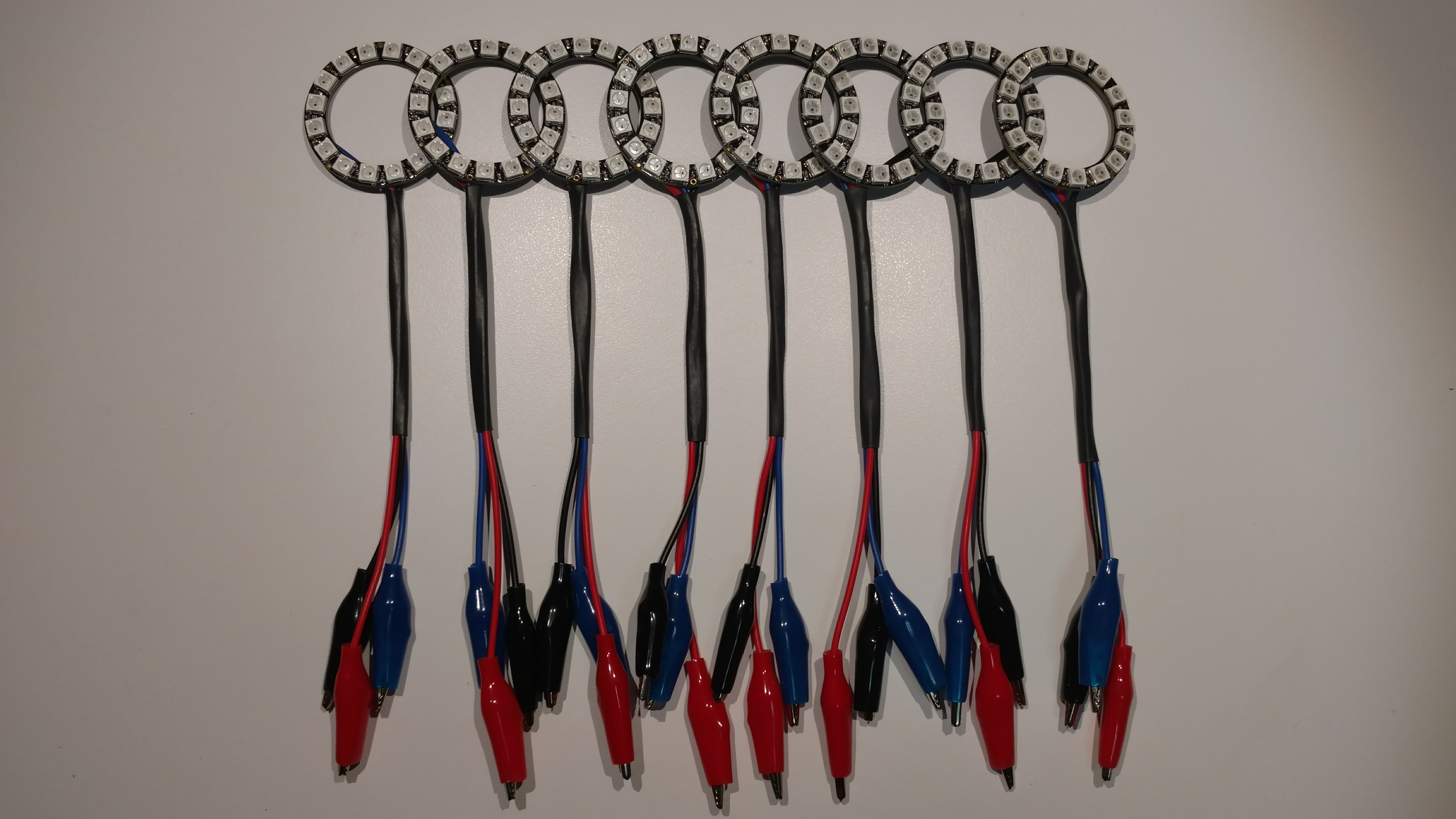
They're now packed up with the rest of the stuff we plan on bringing with us. So that part is ready to go!
manic glacierBOT
 timber mango
Adafruit got them a mess of Metro M4 boards and I snagged one off'n the online store just now (9:15 am EST5EDT).
 candid ravine
@timber mango Many thanks! Just grabbed one too...was setting up Discord on Raspbian and saw your post.
timber mango
Yeah you're welcome. I been checking every 8-14 hours or so -- this is a new batch.
onyx hinge
"ADD $0.00 TO YOUR ORDER TO QUALIFY FOR FREE SHIPPING" ummm
95 M4 boards in stock as of now.. I got mine ordered, whee.
timber mango
Where I live I get three or four UPS shipping options, all of which have the exact same delivery date (Tomorrow). 3-day, 2-day, next day - all arrive the same as the cheapest (Ground).
lethal abyss
@stuck elbow I was wondering if the uGame library is only for the uGame 10 kit hardware or if I can use it on a temporary mix of trinket and breadboard ?
stuck elbow
@lethal abyss https://hackaday.io/project/27629-game/log/70845-homebrew and https://hackaday.io/project/27629-game/log/100992-game-on-esp8266-with-micropython

This device I'm building is not very beginner-friendly. It uses all SMD components, a bare displays screen, needs you to flash the bootloader to a bare chip and compile your own CircuitPython, etc. Quite a bit of work, to be honest. On the other ...
The SAMD21 chip is great for its native USB and the way you can just copy files on it, but since it's relatively new, the development boards for it are rather pricey. Plus, it really has small RAM and slow SPI, which limits what kind of games you...
@lethal abyss in short, you only need a st7735 display module, a bunch of buttons, and something that runs MicroPython or CircuitPython
you will need to build your own firmware though, to enable the C portion of the library
lethal abyss
@stuck elbow that's very clear, I'll read this. The idea is to see how far I can go with all this with kids. A larger but easier board to show them assembly of something close enough.
We only started to add hardware to our code workshop last year with micro:bits.
No money out of those non profit organization but a lot of fun like when you buy a uGame on Tindie "just to understand" 😉
stuck elbow
@lethal abyss I think I should put those instructions in a separate project, so that they are easier to find
maybe use a standard prototyping board too, so it doesn't look so scary
oh, by the way, that version has no sound, but you could add any kind of amplifier to the analog out pin
 worldly glade
What is mean by circuit python?
lethal abyss
@stuck elbow you already have some nice documentation, but being clear on the what/where/which will help (overview on your repositories uses will be good). I'll do my best to give you that kind of feedback, I only have little soldering/electronics skills but enjoy it.
I'll follow what can provide at your own pace and I'll try to be a clever guinea pig 😉
stuck elbow
thanks, I really appreciate that
lethal abyss
@stuck elbow your comments on different forums are already what helped me for some topics with micro:bits or wemos D1. That's a way to give something back
solar whale
@worldly glade take a look at this page and see if it has the information you want. If not ask here. https://github.com/adafruit/circuitpython

GitHub
circuitpython - CircuitPython - a Python implementation for teaching coding with microcontrollers
onyx hinge
@worldly glade https://learn.adafruit.com/welcome-to-circuitpython

New to CircuitPython? This is the place to start.
solar whale
@worldly glade @onyx hinge recommendation was better - go there first!
onyx hinge
"CircuitPython is a programming language designed to simplify experimenting and learning to program on low-cost microcontroller boards"
 manic glacierBOT
 timber mango
Circuit Python is Micropython in snakeskin boots. ;)
manic glacierBOT
Where did pfalcon get the code? Is it possible we should rely on a further upstream? We can also change the submodule source later too.
slender iron
@solar whale I'm just waiting for a final test from Travis
solar whale
someday I will learn to proofread my comments 😉
I'm surprized pylint does not have a spell checker !
solar whale
All I need is more things for Travis to complain bout !
slender iron
if we have travis check then every PR gets checked
solar whale
I hate to admit it, but I have learned a few things from Travis 😉
Some have to do with coding -- some have to do with accepting criticism ...
stuck elbow
well, of course the checks should be on the gate
I'm just saying it's more convenient to also configure the checks locally
preferably inside the editor
and not rely on the gate for them
slender iron
totally
timber mango
All wiyht! Rho sritched mg kegtops awound!
stuck elbow
I guess I'm old fashioned, I still run tests before pushing
solar whale
@stuck elbow agreed - trying to get in that habit.
stuck elbow
@timber mango everything allright?
timber mango
j/k @stuck elbow
solar whale
@timber mango - new "qrewty " keyboard?
manic glacierBOT
[adafruit/circuitpython] branch deleted: tannewt\-patch\-7
[adafruit/circuitpython] branch deleted: tannewt\-patch\-6
[adafruit/circuitpython] branch deleted: tannewt\-patch\-1
[adafruit/circuitpython] branch deleted: tannewt\-patch\-3
[adafruit/circuitpython] branch deleted: tannewt\-patch\-2
[adafruit/circuitpython] branch deleted: tannewt\-patch\-4
[adafruit/circuitpython] branch deleted: tannewt\-patch\-5
[adafruit/circuitpython] branch deleted: missed\_feathers
[adafruit/circuitpython] branch deleted: missing\_feathers
[adafruit/circuitpython] branch deleted: mike\_test
[adafruit/circuitpython] branch deleted: break\_extra\_test
[adafruit/circuitpython] branch deleted: ticks\_ms
[adafruit/circuitpython] branch deleted: frozen\_modules
[adafruit/circuitpython] branch deleted: urandom
[adafruit/circuitpython] branch deleted: ssd1306\_hardware\_i2c
Longints are not going to fit in the non-Express builds for 3.0 without removing other stuff. I recently tried MPZ and LONGLONG. Currently a Gemma M0 build has about 1800 bytes free. If I enable MPZ, it overflows by 2900 bytes. If I turn on -finline-limit, I can get it lower, but it still overflows by about 1k. And this is without touchio yet. (LONGLONG overflows by more.)
So I think the current behavior for math.floor() is OK for non-Express builds, and we should just leave it be an...
timber mango
There's still 35 unsold Metro M4 boards in stock:
https://www.adafruit.com/product/3382
manic glacierBOT
I was going to suggest adding a ":" to make "No sample playing: cannot pause", but how about just "Not playing"?
I was going to suggest adding a ":" to make "No sample playing: cannot pause", but how about just "Not playing"?
Also if a sample has never started playing, could resume() be the equivalent of play()?

Or even better, only have play().
If you just have play(), then you need some way to rewind or seek to restart playing form the beginning.
maybe play-stop does a rewind. play-pause-play is like resume. This is the way music player buttons work, right?
The new API also has the sample itself provided to play(sample). (Unlike 2.x which had the sample provided in the constructor.) I like resume separate because it doesn't require the sample again and makes it clear that its simply resuming whatever was already going.
do you want to regularize pause-pause vs resume-resume?
Yup! Just saw that. Added in the latest commit.
manic glacierBOT
Looking at this: at https://github.com/adafruit/circuitpython/blob/master/ports/atmel-samd/common-hal/pulseio/PWMOut.c#L109 there's a check to see if the pin supports any timers at all. If not, it throws ValueError with "Invalid pin".
Then the code checks to see if any of the possible timers for the pin are available. If not it throws "All timers in use". Maybe that could be better phrased as "All timers for this pin are in use".
Am I missing something?
From what I've been able to discern, uzlib is based on tinf/tinflate at https://bitbucket.org/jibsen/tinf -- tinf appears to be unmaintained, is only an inflate (not deflate) implementation, and is designed to only accept trusted inputs -- "the zlib library has many more features, is more secure, and mostly faster ... it does assume it is given valid compressed data". I don't think we can switch to tinf as upstream.
pfalcon has been receptive to my PR (but with changes requested), so let'...
onyx hinge
[I know I'm about 3 hours behind on the joke] @timber mango defense in depth is an important security concept. Here at $DAY_JOB, each keyboard in the machine room has had its "m" and "n" keycaps exchanged, and I tell anyone who will listen that it is a security measure.
I should say, I imsist.
timber mango
Hehe.
I ran a dvorak layout (including on my laptops) for quite a while -- was a hundred percent effective against child-borne attacks (Can I Use Your Computer, Uncle Chris?)
I always said yes, the three times I was asked (once, per child).
Now it's 18 in stock. ;)
14:13z - 95 18:11z - 55 19:32z - 35 21:01z - 18
That's a little better than the first window I missed (on the very first batch of them)
21:09z - 14 21:21z - 11 21:58z - 8 22:15z - 6 22:47z - 5 23:00z - 4 23:42z - 3 ea. Metro M4 boards remain in stock.
00:15z Wednesday - SOLD OUT
onyx hinge
@timber mango ooh a tracking number for my order with m4 express in it
but ground shipping will probably take until friday to get to flyover country here where I am
manic glacierBOT
There's a fix for this in upstream micropython: https://github.com/micropython/micropython/issues/3467 and https://github.com/micropython/micropython/commit/58f00d7c0e116e17ab141ae18275edea14b88431, so next time we merge from upstream, we should get this.
The SAMD51 errata describes a number of issues operating the DFLL48M in closed loop mode, which may preclude locking to the XOSC32K.
manic glacierBOT
@notro (and @tannewt) I'm looking at trying to put the SAMD21 DFLL48M in closed-loop mode and lock it to XOSC32K if that oscillator is working. I see you proposed some code above to do that, but it's not in accepted PR. So did you just propose that but not try it? I'm confused. Or should I take your code as a starting point?
We'd like to do that for both SAMD21 and SAMD51 (#648), but the SAMD51 DFLL has issues with closed loop mode (see the errata).
So, now the SAMD21 clocks are set up ...
 silent torrent
Hi Guys. Thanks again for your help in getting me started with Circuit Python. From a beginners perspective having limited access to Arduino, I found using the Python for kids book up to the chapter 8 on Classes and Objects is a great start. I've then moved over to "Programming with Micropython" where first books gives a great foundation to interpreting the getting started examples. I think it's time to make something to get what I've learnt grounded. A step further than flashing lights and basic cap touch switches.
manic glacierBOT
I'm looking at trying to put the SAMD21 DFLL48M in closed-loop mode and lock it to XOSC32K if that oscillator is working. I see you proposed some code above to do that, but it's not in accepted PR. So did you just propose that but not try it? I'm confused. Or should I take your code as a starting point?
I didn't include it since I don't have equipment to test if the clocks really do sync up. So yeah, it's really just a starting point for whoever wants to look at it. I've only tested that...
manic glacierBOT
The piece missing from this issue is that TCs with waveout 0 are also never supported since we always run TCs in 16bit mode which uses CC[0] for the top value.
timber mango
Last M4 board sold! buh-bye.
slender iron
so long for now!
timber mango
Don't forget to write! (two memory jokes in one, that)
manic glacierBOT
Sounds good! Thanks for the follow up.
On Tue, May 8, 2018 at 1:51 PM Jeff Epler notifications@github.com wrote:
From what I've been able to discern, uzlib is based on tinf/tinflate at
https://bitbucket.org/jibsen/tinf -- tinf appears to be unmaintained, is
only an inflate (not deflate) implementation, and is designed to only
accept trusted inputs -- "the zlib library has many more features, is more
secure, and mostly faster ... it does assume it is given valid compressed
data...
umbral dagger
New project is working great! CicruitPython 3.0 on Metro M4 Express. 438 lines of my code, ssd1306, os, storage, SDcard, mcp230xx libraries. After loading everything & creating the static objects, gc.mem_free() reports 57440.
For comparison, an ItsyBitsy M0 Express reports 19520 with main.py just containing the code to report.
😃
BTW, the 23017 library needs to support A & B ports as separate 8bit readable/writable.
 lethal abyss
in order to follow up on uGame discussion with @stuck elbow I started to work on a Wemos D1 mini pro I had (from an excellent kit from thingpulse). I followed instructions to have micropython working as a first step.
Thanks to https://github.com/micropython/micropython/issues/2335 and Keijsvog comment, it is now a success.
Next step is to build/flash Circuitpython on this board. Is it something someone here already tried?

GitHub
The ESP8266 supports up to 16 megabytes of SPI flash (source, page 12). NodeMCU has supported this much flash for about two months now, and I notice that MicroPython does not. I don't know al...
stuck elbow
You mean enabling the 16MB support?
I usually just force 4MB flash size when flashing those boards, that works fine.
lethal abyss
@stuck elbow yes, I flashed a 16MB version. so you mean I can use the Adafruit doc and flash the Huzzah firmware they tell to flash on esp8266 boards? that's fine for me
stuck elbow
yes, that should work, you just have to pas fs=32 iirc
lethal abyss
fs=32? for now I used a syntax with -fs 16MB
does it translate to -fs 4MB ?
for MicroPython, I used :
esptool.py --port /dev/ttyUSB0 --baud 460800 write_flash -fm dio -fs 16MB 0 ~/Downloads/firmware-combined.bin 0xffc000 ~/Downloads/esp_init_data_default.bin
does it translate to :
esptool.py --port /dev/ttyUSB0 --baud 460800 write_flash -fm dio -fs 4MB 0 ~/Downloads/adafruit-circuitpython-feather_huzzah-2.3.1.bin
lethal abyss
No better way to know it than to test it... I put aside this non interesting stuff about Jenkins server for my work...
Guess what...
Adafruit CircuitPython 2.3.1 on 2018-05-07; ESP module with ESP8266
import esp
esp.flash_size()
4194304
it worked 😉
stuck elbow
\o/
lethal abyss
I'll dig in the compile story to see if it may happen to be doable for 16MB, but now I prefer to find the way to use the little screen I have
stuck elbow
I think CP doesn't support 16MB
lethal abyss
this is no priority for me now. I'm looking to the Overview Document of uGame project to understand where to pick files... or figure it out by myself 😉
manic glacierBOT
-
I am experimenting with making single-page (probably two-sided) hardcopy cheat sheet, summarizing a bunch things and including the basic examples that will work on the Gemma.
-
Also may make up a gemma-pycon.uf2, with 2.3.1 and a filesystem containing stuff similar to what's shipped from the factory. Then people could update or restore easily.
solar whale
@tulip sleet @slender iron Is it OK to do a release of the adafruit_rfm9x library? Is that something I can/should do on my own?
tulip sleet
If you can do "Create Release", go ahead! If not, I will.
solar whale
I'll give it ashot
solar whale
seems to have worked!
stuck elbow
@lethal abyss everything is at https://github.com/python-ugame
 lethal abyss
@stuck elbow but for example, what is not clear to me is the origin of uGame library itself: is it included in circuitPython? in your circuitPython? in another repository?
By the way, the Wemos works pretty well with CircuitPython. The only pain I have for the moment is to have the proper pin naming. For exemple, I try to understand how was used the ILI9341 in the ThingPulse kit. I need to translate the proper pin found in his code to be able to use correct parameter for the Adafruit CircuitPython module. I try to keep notes of what I do to publish small article on this and being able to already have some understanding when my uGame console kit comes to my home.
stuck elbow
here's a table for the pin names: https://nodemcu.readthedocs.io/en/master/en/modules/gpio/
it's because the nodemcu renumbered them, and then all the dev boards since also renumber them
I put stickers on my boards with the correct numbers
for convenience
@lethal abyss the game library is here: https://github.com/python-ugame/circuitpython-stage — it also has a C component which is included in the circuitpython repository, and has to be enabled in mpconfigport.h

GitHub
circuitpython-stage - A tile and sprite engine for CircuitPython.
lethal abyss
I saw your post about stickers, very nice idea
to be clear, everyone's job is nice here, I just chat about my progress. step1 was to have CircuitPython on a Wemos.
Step2 is to have the screen from my kit working (and I'm just writing down from code to pin diagram to new code from adafruit, I'm close)
and Step3 use uGame to see how it fit
stuck elbow
btw, what display it is?
uGame uses its own display drivers, because the library was too slow
lethal abyss
@stuck elbow I know the use of another screen is not perfect. it's a ILI9341 coming from this kit : https://thingpulse.com/product/esp8266-wifi-color-display-kit-2-4/

The ESP8266 WiFi Color Display Kit contains all the components you need to build the WeatherStation Color and the PlaneSpotter Color project. Apart from soldering the pin headers to the PCB no electronics skill are required.
stuck elbow
that's 320x240, compared to mine 128x128
so the image will be tiny
1/4 of the screen
but I have the code for it

here's an example of ugame running on an ILI9341
 lethal abyss
niiiiice
lethal abyss
no, no, that's not my goal. just being able to to basic stuff for experiment. if uGame kit works with kids, I'll see how to have several
stuck elbow
oh, I see, in that case you can skip the whole game thing, it's a bit hard
idle owl
@tidal kiln Are you up for proofing a guide for me?
tidal kiln
sure
idle owl
Thank you! Link incoming
@tulip sleet Is there ever need for a semi-colon in CircuitPython?
PyCharm certainly doesn't think so, but I want to make sure I'm not missing something. (This isn't my code)
idle owl
Ok so this: samples = [0] * NUMSAMPLES; on a line means no, it's superfluous right?
tulip sleet
right, unneeded
idle owl
Thank you
idle owl
@tulip sleet The power change that affected CPX that was addressed in 2.3, did the update affect all boards? Because I think we managed to wipe an ItsyBitsy from a power bobble this weekend. It was not running 2.3.
tulip sleet
@idle owl yes, it was an issue with all boards, not just CPX. It's just that people are often using CPX with batteries and they hit the problem
idle owl
@tulip sleet Ok excellent. I'll let him know that it was what I thought it was. And tell him to update 😃
slender iron
@tulip sleet I’m about to leave for the airport
tulip sleet
tonight is fine
I'm not leaving until tomw afternoon
or tomw morning is fine if you're tied up tonight
covert birch
good morning. can i use this 24 led bar graph backpack with my feather mo express - i think maybe the library hasn't been ported over, is that correct?
- it's not the backpack pictured here
https://learn.adafruit.com/adafruit-led-backpack?view=all#bi-color-24-bargraph

Control small LED matrices with ease
solar whale
Good luck CircuitPython Team - Have a great trip 
idle owl
Thanks @solar whale 😃
I'm having trouble finding any wiki type explanation of green LED pulse sensors.
Anyone have any ideas?
Oh wait I think I finally found the actual term for it
Thanks for all the help!! 😄
(found it as soon as I asked)
solar whale
apparenlty green is passe -- going red now https://www.wareable.com/fitbit/fitbit-red-light-optical-sensor-technology-2034

Wareable
We learned a couple of things from those Fitbit smartwatch pictures that leaked this week – and a bigger picture of what the company's new device is…
idle owl
NIH disagrees from the abstracts. Eh. This is for a Mu plotter demo. It works, so... 😄
manic glacierBOT

re: https://github.com/adafruit/circuitpython/issues/472
import bitbangio
import board

spi = bitbangio.SPI(board.D10, board.D6, board.D9)

while not spi.try_lock():
    pass

a = bytearray(6)
spi.write_readinto(bytes([2, 54, 9, 88]), a, in_start=2, in_end=4, out_start=1, out_end=3)

#if mosi and miso are connected this should print 0, 0, 54, 9, 0, 0
for b in a:
    print(b)
man uf2 bootloading and CIRCUITPY have ruined me for other software update methods
idle owl
@slender iron Did Sophy end up giving you badges?
slender iron
yup! had lunch with her yesterday
idle owl
Excellent! So those nylon screws we have in the tiny kit, they're just big enough to use to mount a CPX or a Gemma to the badge
Are they already assembled then?
She had run out of CPXs so I ended up figuring out assembling my own 😄 Which worked out because I used more than 4 inputs and didn't actually solder wires to it.
slender iron
nope, just the laser cut pieces. I picked up some velcro to attach things though
idle owl
Ok, do you want me to bring some of the screws then? Makes it pretty easy to attach the board at least. Are you going to attach a CPX or make it work with a Gemma?
onyx hinge
I dunno if deanm1287 is on IRC, but big thanks for that bitbang SPI feature!
idle owl
@turbid radish I'm about to put a guide into moderation.
stuck elbow

Got µGame on the Metro M4 Express, still needs some polishing, but mostly works
right now I'm getting a crash a couple of seconds into the program
manic glacierBOT
The following program makes the board freeze after a few seconds:
import board, busio
spi = busio.SPI(clock=board.D0, MOSI=board.D1)
spi.try_lock()
while 1: spi.write(b'\x00'); print('x')
Tested on current master (at e4ec672464c9b982d380c66a44111480d86227de).
onyx hinge
@stuck elbow ouch, that's not good. do you think it's only on samd51?
manic glacierBOT
Tested on SAMD21, and it seems to work fine there.
onyx hinge
thanks for checking
stuck elbow
hmm, now I can't reproduce it on the m4
there is something more complex going on here
manic glacierBOT
I now have problem reproducing it with the simple test above, but the scenario where I stumbled upon this first still crashes reliably. I'm testing my stage library on the Metro M4 Express, and it crashes after several seconds of running any game. It doesn't do anything except writing to the SPI display, that's why I tried with that program above, but it seems that it doesn't crash as reliably as my games.
manic glacierBOT
I need to investigate this further.
timber mango
Is root adm the usual ownership of /dev/ttyACM0 for M4?
(Debian)
Apparently this not specific to Metro M4 -- a Metro M0 produces the same device ownership as the M4 does. Newer installation than what I'd been running. Apparently there's work to do, to bring it up to snuff.
stuck elbow
depends on your udev rules
timber mango
@stuck elbow I thought I had them correct, but I didn't check. There's an adafruit entry for them but it may not be correct.
I'm almost certain I want 'dialout' there not 'adm'.
manic glacierBOT

>>> import digitalio
>>> import board
>>> pin = digitalio.DigitalInOut(board.D4)
>>> pin.pull
>>> pin.switch_to_input(digitalio.Pull.UP)
>>> pin.pull
>>> pin.pull = digitalio.Pull.UP
>>> pin.pull
Looks like I got this. testing. (there was an unwanted line in the sample udev rules files I was using)
 $ cat /etc/udev/rules.d/99-adafruit-boards.rules | sed 22q | tail -1
###commented-out 09 May 2018 with arrival of M4###ATTRS{idVendor}=="239a", MODE="0660", GROUP="adm"
Workin' now. ;)
 $ microcom -p /dev/ttyACM0 -s 19200
connected to /dev/ttyACM0
Escape character: Ctrl-\
Type the escape character followed by c to get to the menu or q to quit

Adafruit CircuitPython 3.0.0-alpha.4 on 2018-04-11; Metro M4 Express with samd51j19
>>>
This is weird: it's pin-dependent:
>>> import board,digitalio
>>> for name in dir(board):
... try:
... pin = digitalio.DigitalInOut(getattr(board,name))
... pin.switch_to_input(digitalio.Pull.UP)
... print(name, pin.pull)
... except:
... print("skip", name)
...
...
...
A0 digitalio.Pull.UP
A1 digitalio.Pull.UP
A2 digitalio.Pull.UP
A3 digitalio.Pull.UP
A4 None
A5 None
D0 digitalio.Pull.UP
skip RX
D1 digitalio.P... latent raptor
Hi, new to circuitpython. Having un so far. Quick question, I have a Playground Express and the HID works as a keyboard with an OTG cable to my iPhone. But every time I plug it into the phone, it auto tries to import files via the USB. Any way I can turn off?
cunning crypt
@latent raptor Hmm, instinctually, I think the answer is "No" because of how CP is handled (It appears as a thumb drive) and how iPhones handle thumb drives
I'd look into seeing if you can fiddle with thumb drive settings for IOS
manic glacierBOT
FYI - I was working on an ItsyBitsy M0 Express so I tried it there:
Press any key to enter the REPL. Use CTRL-D to reload.

Adafruit CircuitPython 3.0.0-alpha.6-67-ge4ec672-dirty on 2018-05-09; Adafruit Itsy Bitsy M0 Express with samd21g18
>>> import board,digitalio
>>> for name in dir(board):
...     try:
...         pin=digitalio.DigitalInOut(getattr(board,name))
...         pin.switch_to_input(digitalio.Pull.UP)
...         print(name,pin.pull)
...     except:
... p...@cunning crypt ok thanks. I looked for a setting in iOS to disable auto import and didn't see anything. I googled around and there wasn't anything to that effect either... hmmmm
cunning crypt
I've never had an iOS device, so I can't really help you with that bit, sorry.
latent raptor
@cunning crypt no problem! thanks 😃
raven canopy
@latent raptor I am also not an iOS user, but i know that Mac likes to put extraneous stuff on the boards as well. Give this a read, and some of the MacOS tricks may help: https://learn.adafruit.com/welcome-to-circuitpython/troubleshooting#running-out-of-file-space-on-non-express-boards
umbral dagger
@cunning crypt Never had an iOS device? You just broke my mind.
 modern wing
Don't know if this has been mentioned, but PyCon 2018 in Cleveland has a YouTube channel with all the talks -- today's talks are uploaded.

YouTube
cunning crypt
@umbral dagger Too expensive.
umbral dagger
@cunning crypt Some, for sure. Personally, my iPad Pro is seldom out of reach.
cunning crypt
I also despise Apple and much of their business model.
umbral dagger
I've become disillusioned with them of late. iPad is the major exception. I still have an iMac for a few things, but most of what I do, I do on Linux.
cunning crypt
Generally, their stuff is look pretty and sell on brand name. And then if you need anything, you have to go through them. And if you want to program for them it is a nightmare.
umbral dagger
Yeah, I do take issue with the Macs being closed systems. For the phones/tablets it's the only way to get the size/weight. They're doing similar with the iMacs... a screen with an embedded computer. And underpowered on at that. Which is why I ended up (after 10+ years of iMacs) building a big ol' Linux under-desk tower.
I dabbled with iOS dev for a while. Hated it every time. Jump through all the hoops.
This is totally not a CircuitPython discussion... 😃
Speaking of python... No trailing "?" or "!" in identifiers? Really?
stuck elbow
it's not a very large number of programming languages
umbral dagger
It does have its charms.
manic glacierBOT

Running simple loop, testing internal clock frequency with time.monotonic reports, and loop counter in to see how many main loop cycles per second. It ran for several hours then crashed.
Also put in the busio.UART initialization, but not doing anything with it yet.
Some unused variables left over from previous testing.
umbral dagger
Is there a good debouncing lib for CP? Something like Bounce2 for C++?
manic glacierBOT
 tidal kiln
@umbral dagger i think there is something in gamepad:
https://github.com/adafruit/circuitpython/issues/279
http://circuitpython.readthedocs.io/en/2.x/shared-bindings/gamepad/GamePad.html
@stuck elbow would know more
lone sandalBOT
 umbral dagger
Bounce2 port is going well.
manic glacierBOT

I’d like to flash a NRF52 chip with Circuitpython but I don’t have the SEGGER, but can buy an Atmel ICE locally - is it possible to have the makefile just output the files to flash?
manic glacierBOT
I'm not familiar with Atmel ICE and I don't know whether it can program the nrf52 chip.
However, to answer the specific question you asked, when you make all in ports/nrf52, you will get the firmware in several formats, "elf", "bin" and "hex". These are all "fairly common" formats, and at least one of them is likely to be supported by any flashing tool software.
manic glacierBOT
 timber mango
I ran an iMac G4 in 2002. In late 2002 or 2003, I put Linux on that machine.
I believe it's the only Apple-branded hardware I've owed, except for a compact mac or two (used) and a pancake form factor mac (third party brand) which had an ISA bus (so I could reuse expansion cards I already owned from IBM PC world.
http://cristal.inria.fr/~weis/info/commandline.html
manic glacierBOT
@No1089 As you may or may not have read, nrfjprog is designed to specifically work with the SEGGER; no indication that it works with any other SWD. I don't see any other utility for other debuggers/programmers, and google isn't turning anything up other than a couple questions.
You could look into programming it via Device Firmware Update (DFU) over serial, which is how the Feather52 - nRF52832 is programmed (other than via SEGGER).
manic glacierBOT
slender iron
Awesome first day at PyCon!
modern wing
@slender iron That's awesome! I hope we get to see photos, stories, etc from all the cool things there.
[Also, I'm so jealous that the Microsoft booth was giving away Adafruit lunchboxes to those who completed their labs.]
It's a nice inventive 😃
slender iron
I took a few photos today but not sure I'll have the energy to upload them. I'm blogging up the youtube channel link you posted earlier though
needs to charge the camera
modern wing
Get some rest, that's much more important. Plus, after a day or two back, it gives one time to mentally organize and process everything you've seen.
slender iron
yeah totally
raven canopy
Just started watching Josh's talk..
slender iron
tomorrow will be a whirlwind too
@raven canopy that's what I'm going to embed in the post!
you can kinda see my bald(ing) spot in the video.....
raven canopy
It's pretty amazing. And i was thinking that was you... (almost asked). 😄
and don't worry...a lot of us have you beat on the spot. 💇
modern wing
looks in the mirror. Yeah, totally have you beat.
Mine all migrated south for the winter....and loved the weather so much they never flew back north.
I'm so glad that it's turning out to be an awesome conference.
ruby lake
alas I cannot make it or I'd driver over. 12hr workdays leading up to wwdc
slender iron
@ruby lake we'll be here next year too!
@raven canopy yup I'm in the front row like the teacher's pet I am 😛
modern wing
Hey, I always blamed poor eyesight 😉
slender iron
I gave a lightning talk too
modern wing
Oh?
slender iron
kinda want to hear the room's reaction again too 😃
modern wing
Let me guess....it was on CircuitPy-something.
slender iron
yeah totally

Adafruit Industries - Makers, hackers, artists, designers and engineers!
PyCon US 2018, a conference for the Python programming language, hits full stride tomorrow as talks begin. Subscribe to their YouTube channel for the latest videos from the conference. Videos from …
raven canopy
Is Josh trying to port in ? i mean...he has micro:bit working.
modern wing
Things like MakeCode and EduBlocks are awesome. And how did Tested call MakeCode....criminally easy? Full agreement. Someone send the paddy wagon over, we got a bunch of coding criminals here.
slender iron
@raven canopy I think its making blocks for the api. I need to sit down and chat with him more
raven canopy
ahhh...question answered. just got to that part of the talk.
humble mural
@slender iron or @raven canopy Hello gentlemen, could one of you please check out a post I put up in #help-with-projects , Thanks.
slender iron
I'm getting through my backlog now. 😃 very busy with pycon
raven canopy
I'll check Jason's out. Watching/listening to Mike Muller's optimization talk now.
wraith tiger
I tried to install CircuitPython on my Feather M0 Express on Fedora 27 (linux) and also the mu editor and when I open mu's REPL it says:
Traceback (most recent call last):
File "code.py", line 18, in <module>
File "seesaw.py", line 75, in init
File "seesaw.py", line 79, in begin
KeyboardInterrupt:
Adafruit CircuitPython 2.3.1 on 2018-05-07; Adafruit Feather M0 Express with samd21g18
TE1 E0
Traceback (most recent call last):
File "<stdin>", line 1
SyntaxError: invalid syntax
ATE1 E0
Traceback (most recent call last):
File "<stdin>", line 1
SyntaxError: invalid syntax
ATE1 E0
Traceback (most recent call last):
File "<stdin>", line 1
SyntaxError: invalid syntax
~x~~x~
Not sure what's goin on there.
slender iron
modem manager
it tries to talk to it like a modem 😃
there are instructions to disable it for Ubuntu
wraith tiger
Ah, yes, those are AT codes...
slender iron
😃
wraith tiger
That's a real throwback. I guess since it's Thursday, it's appropriate...
raven canopy
ditched the optimization talk. now on Jason's...this is gonna be good. 
wraith tiger
OK, ModemManager uninstalled, and it's working. 👏
umbral dagger
@slender iron If we can ever get it to not occasionally "keyboard interrupt... soft reboot" on linux, I'll be a happy camper.
manic glacierBOT
How did you have it powered? Have you managed to crash it more than once? Thanks!
@jerryneedell @microbuilder @arturo182 Would know too.
tulip sleet
@slender iron I'm fixing #823
manic glacierBOT
Forgot to mask pin number for certain hri calls. PBxx pins were not getting DRVSTR set to strong properly or reporting their pull properly.
wraith tiger
Is there documentation on how the plotter works in mu?
Ah, I got it. I had to print a tuple for it to register.
I got it plotting x & y values as I move the joywing joystick.
manic glacierBOT
It ran for several hours then crashed.
What was the Traceback or exception of the crash?
My initial thoughts point to your use of int(time.monotonic()). time.monotonic is a float, and the non-express boards (includes Trinket) don't have long int support. I would suspect you're hitting the upper limit of int when converting time.monotonic.
See Issue #572 for somewhat related discussion.
timber mango
Running a modem getty was non-trivial many years ago. Outbound connections much easier in a unix environment, for some odd reason.
I don't know what ModemManager is supposed to do/be but I'd guess it has something to do with accepting inbound calls via modem.
None of this stuff is all that difficult anymore, but figuring out what to do (to circumvent designed 'helpfulness') is a bit arcane at times.
manic glacierBOT
@jepler @sommersoft I had a look at the makefile and as I understood it, it's all fine up to the point where the flasher is called. If the output file can be saved, a different piece of hardware can flash the chip (according to what I know). But I am not sure how the make sd part works to flash the bluetooth stack. Sorry for the ignorance, never used of of these programmers/debuggers before.
As far as I know, Atmel ICE is just a locked down version of the Segger.

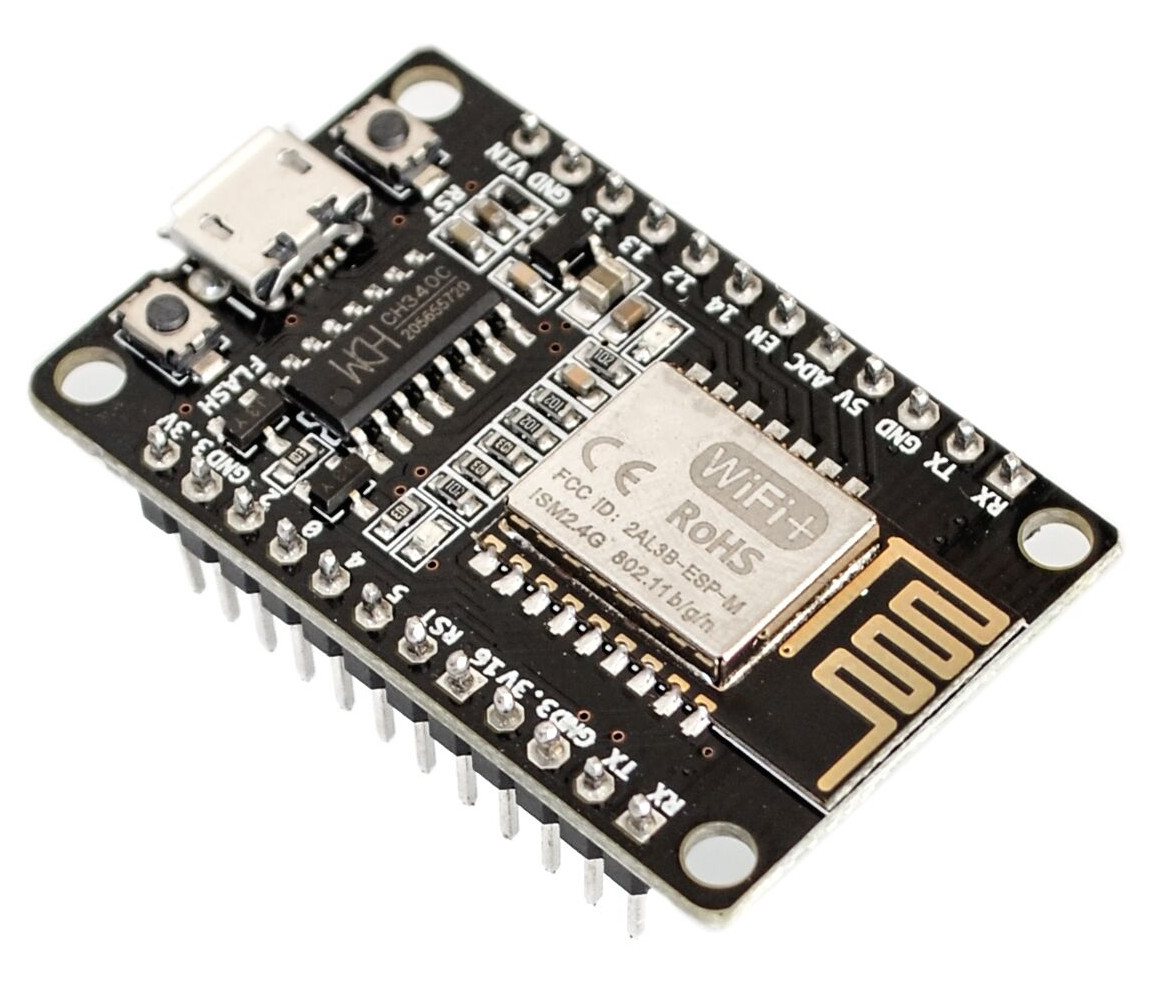
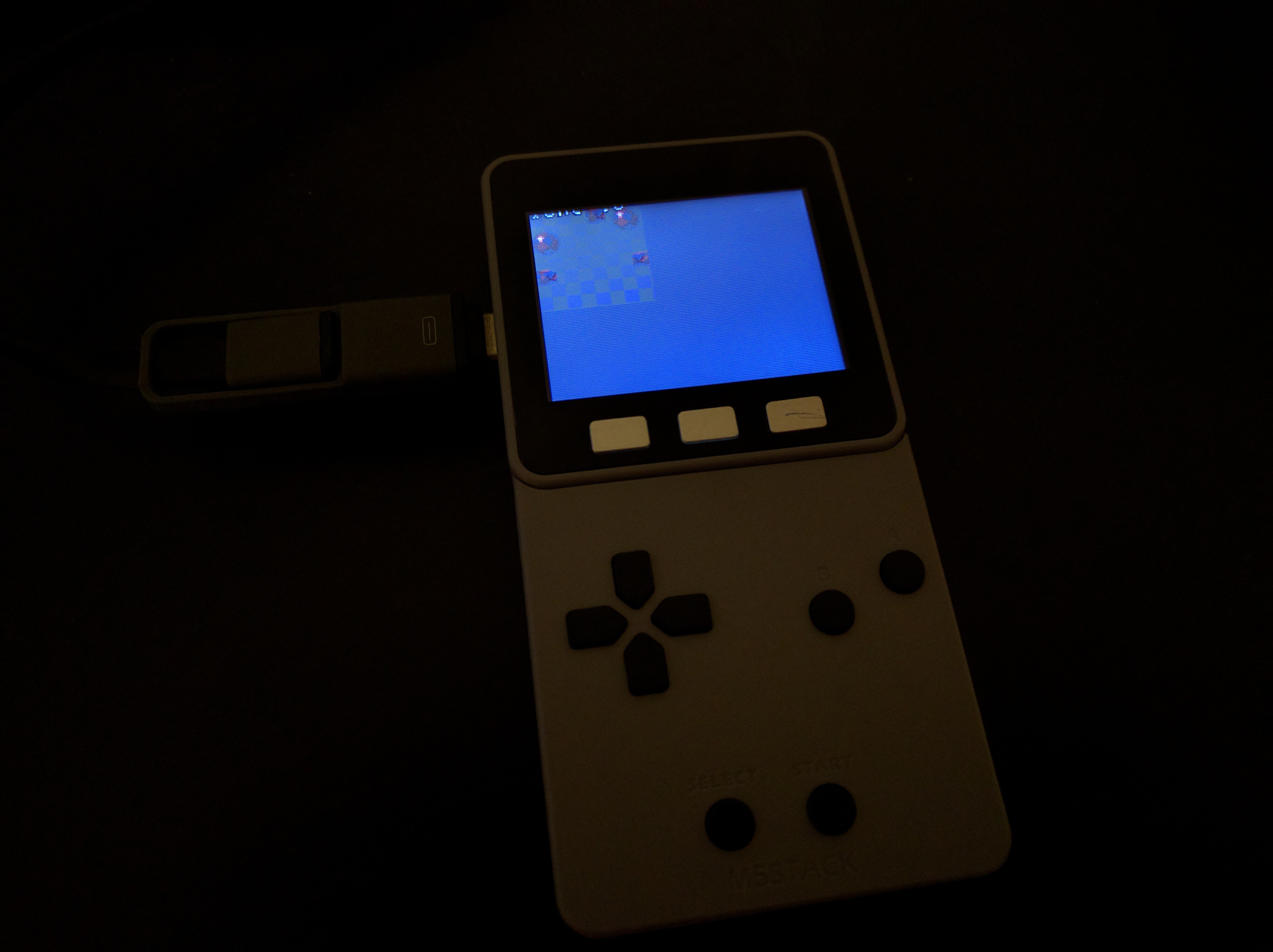
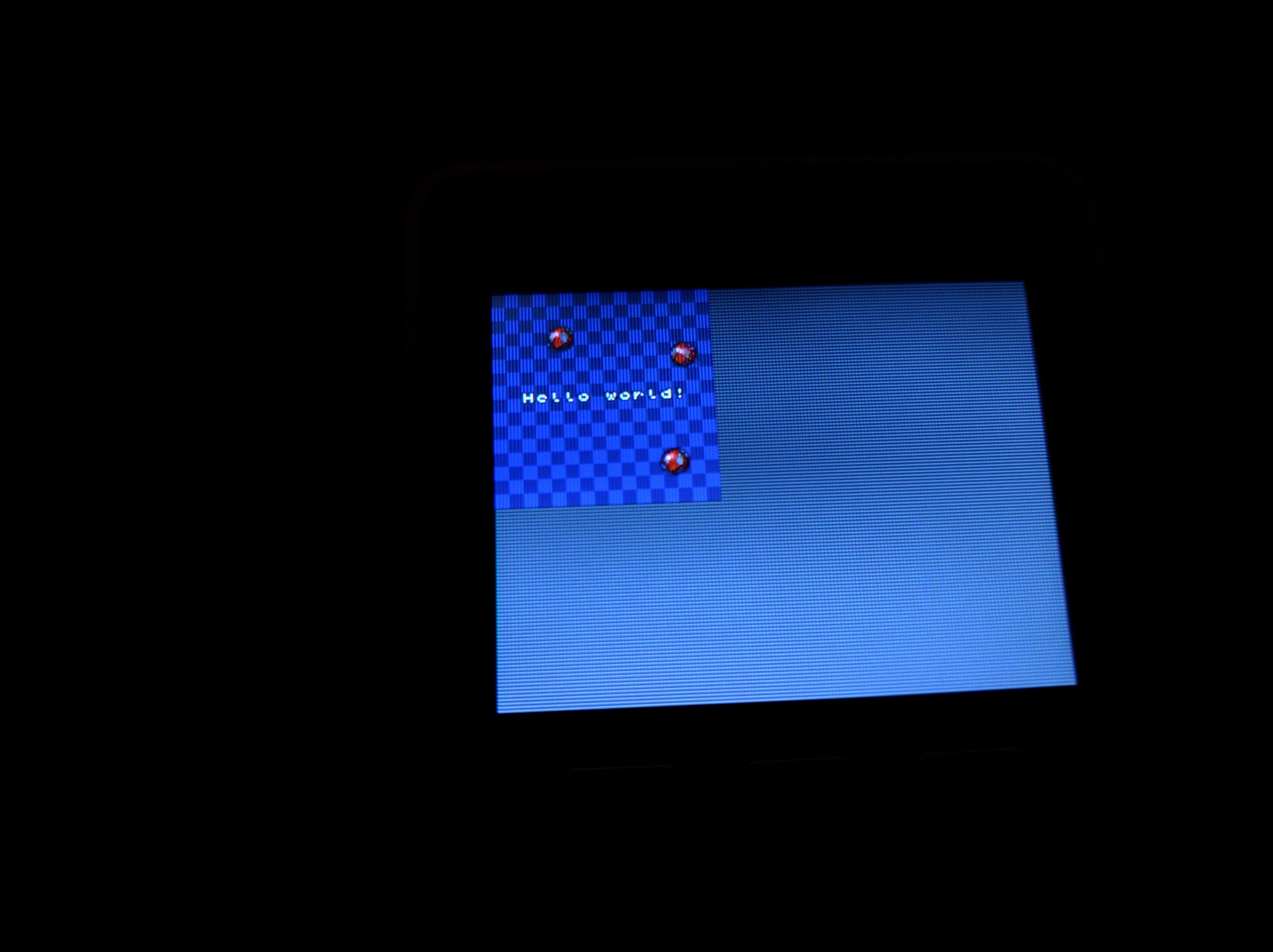
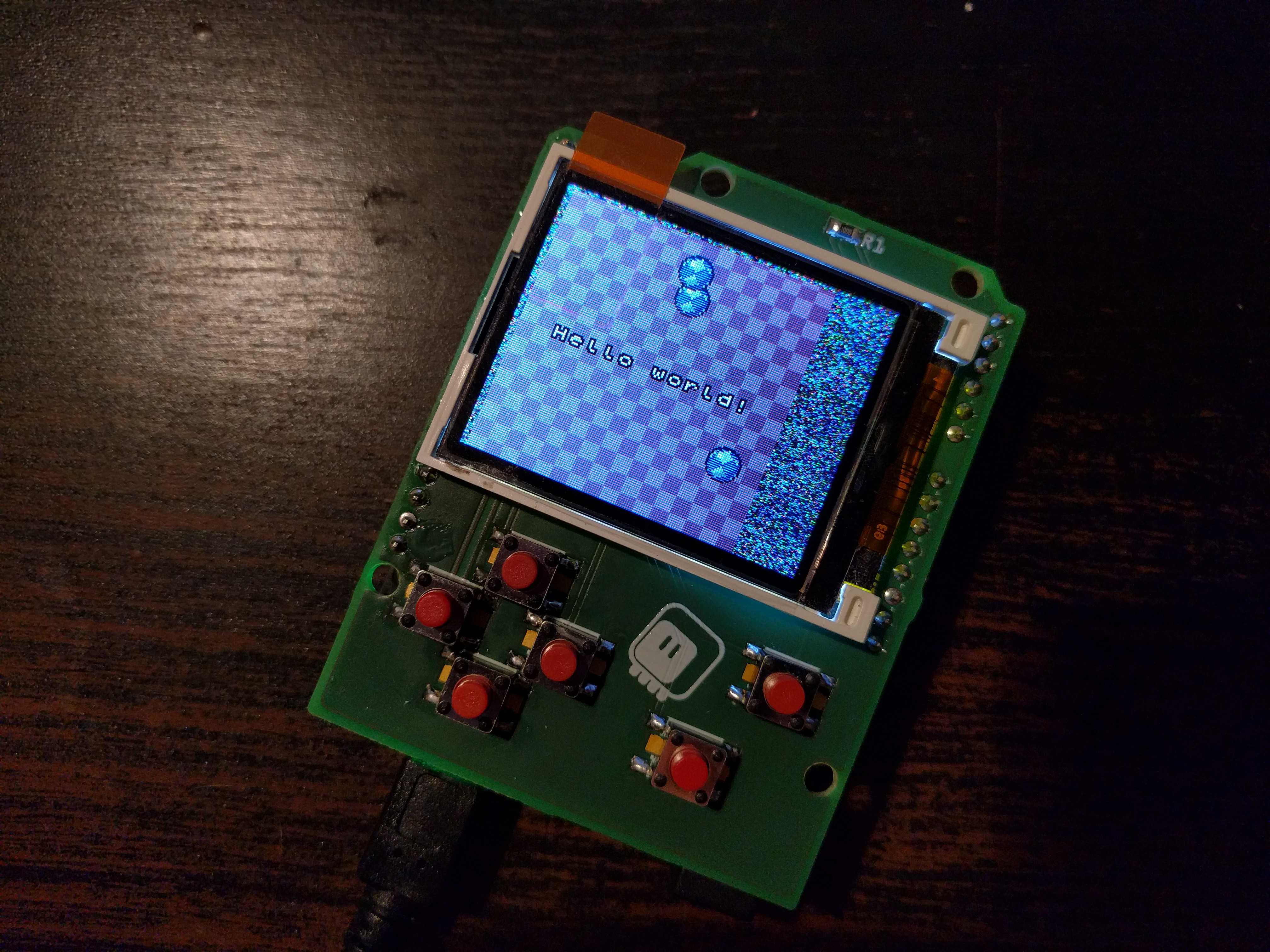
According to this http://omzlo.com/articles/programming-samd21-using-atmel-ice-with-openocd it looks like the Atmel ICE is a CMSIS-DAP programmer, so it should be possible to flash a nRF chip using it with the help of OpenOCD.
 thin marsh
Hey guys... I am working in Raspberry Pi and python for the last one year in an Academic Project centre... Would you please suggest me some industrial companies working with Raspberry Pi ??
hollow ingot
Hi all. Just a note that the vgkits.org landing page is now up and shareable, with the all-important demo video! https://www.youtube.com/watch?v=DDfLBWlBM18

Demonstration of the new Vanguard Rainbow kit designed for python-programming in the classroom.
As per the video, if I want instead to use Circuitpython, but want there to be permanent behaviour to make WebREPL UI and WebREPL server available (boot.py in Micropython world) which isn't overwritten when the user uploads their own behaviour (main.py in Micropython world) do I have to roll my own Circuitpython image? I proved that Huzzah version of Circuitpython v2.24 and v3Beta6 were functional on the Vanguard board, but would need this behaviour too.
manic glacierBOT
@tannewt updated. However, gentle reminder to consider that I'm competing with #526 on flash space. For @arturo182 I did verify that the compile still completes successfully when building using SOFTDEV_VERSION=5.0.0.
solar whale
hollow ingot
I think I must have misunderstood some documentation somewhere. Thought that authoring boot.py by users was 'retired' between MP and CP
hollow ingot
No idea how I got such a backwards idea, then. I'll just go ahead and deploy the same way.
solar whale
good luck!
hollow ingot
The use case is that the learner has powered up their device and wants to type setPixel(0, red) or left(90) or whatever, depending on the specifics of the project.
I'm very enthusiastic for learners to start with setPixel(0, red) than from vgkits.project.rainbow.paint import *
Suspecting it was boot.py and main.py not simply 'preceding' the REPL from a 'symbol table' point of view the change I was mis-remembering between MP and CP, (rather than not being run). Therefore an issue which wouldn't hit our webrepl hosting, but WOULD hit the symbol preloading into the REPL instead.
onyx hinge
hm problems at travis-ci. Failing to install packages required for builds, on a minority of all builds
hollow ingot
Or perhaps I need a userspace way to explicitly invoke the REPL from within main.py, though this could potentially create confusing behaviours if it means errors would break out of 'my' REPL into an anonymous REPL with no symbols in.
hollow ingot
I found the documentation I must have come across; "code.py (or main.py) is run after every reload until it finishes or is interrupted. After it is done running, the vm and hardware is reinitialized. This means you cannot read state from code.py in the REPL anymore. CircuitPython’s goal for this change includes reduce confusion about pins and memory being used." https://circuitpython.readthedocs.io/en/2.x/ so vm and hardware is reinitialized I understood to mean that I couldn't use boot.py to launch WebREPL UI webhosting and WebREPL websocket serving, unless there was a blocking main.py which keeps them in memory, and this has to be dropped when the REPL is connected. The docs are also explicitly saying I can't use main.py for configuration of symbols available to the regular REPL, since the memory is dropped. On MP I have https://github.com/vgkits/vanguard/blob/master/modules/boot.py launching a persistent HTTP+WebSocket REPL host and regimes like https://github.com/vgkits/vanguard/blob/master/modules/vgkits/project/rainbow/paint.py being placed as main.py to run and populate the symbol table before handing over to either REPL or WebREPL or both. I can't see how either of these are feasible with the CP conventions around boot.py and main.py

GitHub
vanguard - Repository to record the reference configuration of a Vanguard board
GitHub
vanguard - Repository to record the reference configuration of a Vanguard board
cunning crypt
So, random thought I had this morning on the way to work. Could the ESP8266 version of CP be made to appear as a NAS, similar to how M0 and M4 boards appear as USB drives?
hollow ingot
There is an FTP implementation in some flavours of Micropython I think. Could that be a basis?
Seems still live... https://github.com/robert-hh/FTP-Server-for-ESP8266-and-ESP32 ...though not a NAS in the sense of enterprisey file share protocols - Samba and so on.

GitHub
FTP-Server-for-ESP8266-and-ESP32 - Small FTP server for ESP8266/ESP32 on the MicroPython platform
manic glacierBOT
It was powered via my PC's USB2 port. and I was using Mu. It's possible that the connection was bumped -- the Trinket put up the crash report and asked me to post it here (so I did!) My apologies if it was just a power glitch.
I commented out the two UART lines, and ran it again overnight with no problem. I just un-commented them and am running it again.
As for int overflow, I don't think so. It's a 31-bit int (right?) and it should take over 34 years for a one-second increment to o...
Power glitch! I just bumped the connection and got the same crash. Here's the prompt:
`Auto-reload is on. Simply save files over USB to run them or enter REPL to disable.
You are running in safe mode which means something really bad happened.
Looks like our core CircuitPython code crashed hard. Whoops!
Please file an issue here with the contents of your CIRCUITPY drive:
https://github.com/adafruit/circuitpython/issues
Press any key to enter the REPL. Use CTRL-D to reload.
Adafr...
cunning crypt
FTP server would be fine too. Just some sort of more visual thing than bossa
stuck elbow
@cunning crypt https://hackaday.io/project/58788-esp8266-with-true-usb

Make it act as a USB disk and just copy files on it.
@cunning crypt I started something in that direction, but it goes really slow
timber mango
@hollow ingot I usually just 'import main' and then execute code that is in main.py by typing in REPL.
import main ; main.go() # neopixel test program for Metro M4
Session log from the bash shell using 'script' to capture to disk. (Provides slightly more clarification).
timber mango
I don't really think about it that much, but sure, I have used other names.
Maybe that's what my point was. ;) I don't think I realized it was imported already when I wrote that (above).
No that doesn't work!
solar whale
hmmm - guess I'm confused -- not surprising.
timber mango
soft reboot
Auto-reload is on. Simply save files over USB to run them or enter REPL to disable.
main.py output:
Am ready now.
Press any key to enter the REPL. Use CTRL-D to reload.
Adafruit CircuitPython 3.0.0-alpha.6 on 2018-04-24; Metro M4 Express with samd51j19
>>> main.go()
Traceback (most recent call last):
  File "<stdin>", line 1, in <module>
NameError: name 'main' is not defined
>>>
I did not try renaming main.py to all the other accepted variants of filenames that do something without user input in the REPL.
timber mango
My main thing was to reduce keystrokes in the REPL and still have some interactive use of a program I don't want to type in by hand or paste code by hand.
And to try to make things flexible enough for a simple one-liner to enable or disable, for turnkey (autoexec, no user input) applications.
In this case, 'main.go()' is the element that allows a turnkey use.
(I find it annoying that the empty parens are required, here)
With the new capabilities of M4 I could perhaps create a small forth interpreter in CircuitPython, to remedy such defects. ;)
hollow ingot
Thanks all. I'm hoping to avoid having to introduce 'import' or anything else first. Ideally just 'command()' with some values in, hence the desire to have main share a namespace with REPL (basically reverse that design decision for this particular configuration if possible). The video at vgkits.org sums up the functionality I need - persistent WebREPL - at the same time as predefined symbols (without a learner having to understand or invoke 'import' which falls naturally later in a learner's progression (in my view).
timber mango
I'm in no way disagreeing with you. ;)