#circuitpython-dev
1 messages · Page 151 of 1
 timber mango
Well it does sound like you have a good model of what's going on there.
What's the host PC operating system?
 reef seal
OSX
timber mango
I think the mpy-cross for OSX may be somewhat difficult to obtain. I seem to recall a special-order situation where kattni cooked one up on the spot for a person here who needed itt.
reef seal
hmmm.. it compiled just fine.
timber mango
gremlins!
Don't compile on the hardware. Compile on your host PC as if the USB tether was not present.
Then copy over the result onto the target board.
reef seal
that's exactly what i'm doing
rsync             --verbose --update CIRCUITPY/code.py  /Volumes/CIRCUITPY/
rsync --recursive --verbose --update CIRCUITPY/*.mpy    /Volumes/CIRCUITPY/
rsync --recursive --verbose --update CIRCUITPY/lib/     /Volumes/CIRCUITPY/lib
 humble mural
Hello within GitHub is there a Fritzing repos that has some (or all) of the CP compatible boards? I could have sworn that @timber lion had written a guide that included that, but I can't trace it.
timber mango
peter I have not found such a place. ;) That'd be a nice find.
humble mural
Though I posted the question, I am still searching.
timber mango
I should be using rsync more effectively (read: at all). Fell out of the habit quite some time ago. @reef seal
reef seal
@timber mango I like things that are reliable 😃 .
Any other suggestions?
 raven canopy
@reef seal try this mpy-cross version: https://github.com/adafruit/circuitpython/releases/download/2.2.3/mpy-cross-2.2.0-macos-high-sierra
timber mango
Well I am unsure if there's a problem remaining. Sounds like you have a reliable technique going.
reef seal
no, it still failes
Traceback (most recent call last):
  File "code.py", line 3, in <module>
MemoryError: memory allocation failed, allocating 282 bytes
@raven canopy that looks promsiing, let me try it
timber mango
simplify code.py and use it to import code_lib.mpy which is the bulk of it, cross'd to .mpy
May just have too many comments in code.py
they all count against you as it were ;)
timber mango
That traceback makes it look like code.py wasn't turned into an .mpy -- I do not like the idea of a code.mpy file even if its allowed (dunno).
My code.py is very tiny (by habit) if the program is of any size.
reef seal
@raven canopy same error with that compiler
@timber mango so code.py should or should not be compiled?
humble mural
@timber mango I erroneously posted this in the #general-tech group, @cobalt dawn came up with the guide I was talking about, here it is: https://learn.adafruit.com/using-the-adafruit-library-with-fritzing?view=all

How to install the Adafruit Fritzing Library
timber mango
Well I'd get it to succeed by importing a dummy file as the first step.
raven canopy
@reef seal well, darn...
timber mango
sommersoft he/she doesn't need a bettter cross compiler from what I can tell.
reef seal
@raven canopy may have been the old mpy files that I didn't clear out properly
timber mango
mpy files basically do not get stale.
At least that's my understanding of it.
When you download the latest bundle, the only time an .mpy in it is changed is when the source it was compiled from has changed, recently.
It's not changing due to some new way to mpy-cross it. ;)
You can obviate all that with a new Bundle.
If you rm -rf /path/to/lib that will definitely wipe out the entire lib
On a new target, that'd leave only boot.out (I think it's called) in the target SPI flashROM root directory.
reef seal
OK, now it's working guys! I had a stray code.mpy flie on my board i had to remove.
Thanks for the help!
timber mango
Okay great! The last error you posted was credible (what it says is most likely true and .. fairly complete).
reef seal
so the odd thing is, when I compile mpy-cross myself I got that error. When I used the one @raven canopy pointed me to, it worked. Hmmm....
timber mango
Well maybe your compiler produces a deterministic result that is nevertheless inapplicable here. ;)
raven canopy
woohoo!!! 🎉
raven canopy
i think this MAY have been the issue with using the MicroPython version of mpy-cross: https://github.com/adafruit/circuitpython/blob/6daf4bd222af9d98eff31769e2b9f2fb475a9899/mpy-cross/Makefile#L46
nevermind...MicroPython's version has that bit too...
🤷 at any rate...glad it's working now.
time for a break...this library doc update has broken my brain.
timber mango
Hehe I took a week (for a break) ;)
reef seal
rsync --verbose --update CIRCUITPY/code.py /Volumes/CIRCUITPY/
rsync --recursive --verbose --update CIRCUITPY/*.mpy /Volumes/CIRCUITPY/
rsync --recursive --verbose --update CIRCUITPY/lib/ /Volumes/CIRCUITPY/lib```
This compile and download script works now languid sage
does anybody know if a "intro" document is in the works for the new ItsyBitsy MO Express board? Usually you folks are ahead of the curve, but I could not find one anywhere on adafruit.com. I always refer to these docs whenever I get a new piece of hardware, ans my IB MO ex. came today.
 idle owl
Yes it is.
idle owl
No ETA but we're working on it 😃
idle owl
You're welcome. Keep an eye out, it shouldn't be too long.
languid sage
will do. bye, for now
raven canopy
@idle owl i think i'm done pushing PRs for the night... we'll see. 😛
raven canopy
so....i lied. :oops:
timber mango
I have a (primitive) working modfied Adafruit_CircuitPython_SSD1306 driver, running on ST7565 LCD.
http://adafru.it/250
The Bouncing Ball example runs in one of the 8 pages (text line spaces).
@fading solstice
https://github.com/wa1tnr/CircuitPython_ST7565/tree/master/Adafruit_CircuitPython_ST7565nis
 manic glacierBOT

Realized a small(?) problem. By getting image files in the repos to pass Sphinx builds (.. image:: ../blah/blah.jpg), they no longer show up in GitHub.
Here is what I have so far
-
CircuitPlayground: images were in
top/_static. I moved them totop/docs/_staticand updatedREADMEwith the appropriate path. Images show in RTD build, but do not show in GitHub. My PR was merged, so RTD should reflect my changes. -
DS1307: image was in
top/. I originally left it there, and got Sph...
manic glacierBOT

I just hit the "MemoryError: memory allocation failed, allocating %u bytes" error on MicroPython, so I think this is actually an upstream bug.
 drifting nexus
has anyone used the rfm69 HCW radio breakout with the feather M0 express. Would like to know if you have gotten the "check wiring" error. THX
 solar whale
@drifting nexus I have it working with the RFM69 Featherwing.
@drifting nexus FYI - I have CS on D10, RST on D11
solar whale
@drifting nexus interesting - I tried it with a feather wing and it works, but I get your same error with the breakout board... investigating..
drifting nexus
I tried tried CS on 10, RST on 11, but no luck - Thanks!
raven canopy
is this the error you're both getting? https://github.com/adafruit/Adafruit_CircuitPython_RFM69/blob/1abb4f7ce6fa5513c4e9c7dc280c1c2c28a7d062/adafruit_rfm69.py#L276
drifting nexus
That's it
manic glacierBOT
So I looked at the code that actually creates the exceptions, and it seems that this is not a bug, this is a feature: https://github.com/adafruit/circuitpython/blob/master/py/objexcept.c#L417-L435
Basically, if there is not enough memory to format the string, it will stay un-formated, and if there is no room to even allocate the string, the exception will have no string at all.
raven canopy
@solar whale do you have a local .py copy of the lib that you could plop a print in there to check what value it's getting back from the register?
solar whale
yup - was just heading in that direction!
raven canopy
figured you were on it... 👍
that lib is massive as it is, but i wonder if we could stuff some debug into it. 6-10 lines of code should do it. and it might help people out since it's such a young lib...
timber mango
Young Libs in Love << soap opera
solar whale
@raven canopy it is returning 16 !!
raven canopy
well, 16 != 24. hehe
solar whale
yup
drifting nexus
memory error when I ran .py in MU
timber mango
mpy-cross will help
solar whale
@drifting nexus it needs to be a .mpy
raven canopy
@drifting nexus yeah, you'll have to mpy that one. its 600+ lines of code in raw form. wayyyy more than the SAMD21 could fit into the heap.
drifting nexus
I have the mpy in the lib folder, but ran it as py to troubleshoot - I'm new to py, BTW
solar whale
checking data sheet for the meaning of the returned value.
raven canopy
it doesn't say much. just that 0x24 is the builtin return...
16 and 24 are one bit different though. i wonder if the return is getting mangled somehow.
16 = 0001 0000
24 = 0001 1000
try changing the baudrate when you initialize the SPI
might be the speed of  causing issues. or, lack of speed, rather. 😄
solar whale
struggling - how do you set the baudrate...
raven canopy
you'd have to change it in the lib. line 267. or add the optional argument to the init.
solar whale
ah --- OK
raven canopy
reading the datasheet on the SPI, there are some different tx/rx protocols. if i used SPI enough, i might be able to know if the busio.SPI is setup for FIFO/etc.
solar whale
not at all clear why the featherwing works and brekout does not.
ha - dropping baudrate to 10000000 works~
that is 1000000
raven canopy
i was about to say..."dropping?" lol
solar whale
it was 10 X higher
drifting nexus
how do you edit the mpy to drop the baudrt?
raven canopy
well, tony's note above the line says "up to a max of 10mhz"...
solar whale
@drifting nexus edit the .py then run mpy-cross
@raven canopy I supose the featherwing has shorter wires for SPI
drifting nexus
why does setting the baud in the init not work? rfm69 = adafruit_rfm69.RFM69(spi, CS, baudrate=9600, RESET, RADIO_FREQ_MHZ)
getting: SyntaxError: non-keyword arg after keyword arg
raven canopy
@drifting nexus it isn't currently an optional argument.
initalization line:
def __init__(self, spi, cs, reset, frequency, *, sync_word=b'\x2D\xD4',
preamble_length=4, encryption_key=None, high_power=True)

spi device setup line:
self._device = spi_device.SPIDevice(spi, cs, baudrate=10000000,
polarity=0, phase=0)
9000000 works
raven canopy
alright. i bet if you made the wires longer, that number will need to drop...
solar whale
good to know - should I create an issue for the library?
raven canopy
probably need to add the optional argument to the init. or, if it's repeatable in an accurate sense, use the version to step down the baudrate automagically.
yeah, i'd put in an issue.
i'm sure tony is still working on the lib, so he could roll it in
solar whale
the version is now reading 0x24 as expected
raven canopy
@drifting nexus choose your approriate version of mpy-cross-2.2.0-<os>: https://github.com/adafruit/circuitpython/releases/tag/2.2.3
raven canopy
@drifting nexus here are instructions to use mpy-cross: https://learn.adafruit.com/creating-and-sharing-a-circuitpython-library/creating-a-library#mpy
@drifting nexus and thanks for trying out the library and bringing the issue to our attention. feedback is essential!
drifting nexus
I ran this in my cmd prompt (win 10):mpy-cross-2.2.0-windows.exe adafruit_rfm69/adafruit_rfm69.py based on the intractions, but got a "OS error:2" error
instructions
solar whale
@drifting nexus @raven canopy created an issue for this -- feel free to add comments - https://github.com/adafruit/Adafruit_CircuitPython_RFM69/issues/2

GitHub
When using the RFM69HCW breakout board, I was getting and error that the board version was incorrect.
Failed to find RFM69 with expected version, check wiring!
I put a print statement in the lib an...
@drifting nexus here is a verson to try
raven canopy
@drifting nexus are mpy-cross and adafruit_rfm69/adafruit_rfm69.py in the same directory? i haven't used mpy-cross yet (i have to soon, so i can stop saying that!), and as a fellow windoze user i feel your pain...dev'ing this gets difficult sometimes. 😄
solar whale
I am not using Windows - sorry - can't help much there
@raven canopy thanks for the help.
raven canopy
👍
solar whale
BTW - I was testing it under 3.0 - just for fun...
the mpy I posted is for 2.x though
@drifting nexus let me know if that .mpy works for you - I can revert back to 2.x to test it in the same environment if necessary. It' possible the SPI response is a bit different.
raven canopy
@solar whale
I put a print statement in the lib and found that it was returning a 0x10 not the expected 0x24
this may be my misunderstanding, but you say the return is 0x10 which is the hex for integer 0x16. but, 0x24 is hex for integer 0x36. I think there is some datatype mixup there.
again, i may be mis-conflating things here...
bytes are not my strong point. 😄
solar whale
@raven canopy 0x10 == decimal 16 - that is what it was returning - the test is for 0x24 == decimal 36
raven canopy
okie dokie. like i said...probably me misunderstanding things. 👍
drifting nexus
I put the mpy you posted in the lib folder on the board, but that did not fix my issue. I had high hopes:)
solar whale
0x10 = 0001 0000 0x24= 0010 0100
@drifting nexus did it print a "16" before the error?
raven canopy
so i was originally using the wrong values...but lucked into solution. happens alll the time. haha
solar whale
@drifting nexus how long are your wires to the breakout board?
solar whale
still garbled - I'll make a new version with a lower baud-rate
raven canopy
i would put in the argument. that'll let him work his way to the sweet spot.
solar whale
@drifting nexus try this - baudrate = 1000000
drifting nexus
bingo! - you guys rock!
solar whale
I do do what @raven canopy tells me 😉
drifting nexus
Ha ha.
Is there a way of setting the power, like there is in the arduino version?
manic glacierBOT

Hello,
I've created a simple non-blocking timer class for circuitpython using the time.monotonic() function. It was suggested on discord that the class might be a useful addition to the circuitpython library for others to use. If there's interest I'm happy to break out the class into a proper package.
Class is here:
https://github.com/mikepschneider/circuitpy_ms/blob/master/CIRCUITPY/nonblockingtimer.py
Example usages are here:
https://github.com/mikepschneider/circuitpy_ms/blob/m...
solar whale
@drifting nexus you should be able to use rfm69.tx_power(value) to set it. See line 571 or so of the .py file
I have not tried it.
drifting nexus
ok - I'll try it. Thanks so much!
solar whale
I'm trying to mak a version with a settable baudrate - shoul d be rady in a few minutes
@drifting nexus this seems to work
@drifting nexus when you initialize the radio add baudrate=xxxxx rfm69 = adafruit_rfm69.RFM69(spi, CS, RESET, RADIO_FREQ_MHZ,baudrate=1000000)
you should be able to find a rate taht works best for you.
the default is 10000000 - same as original so it will fail for the breakout.
drifting nexus
it sure does work - thank you.
solar whale
👍
drifting nexus
what's the best way of suggesting enhancements to the circuitpython libs?
solar whale
You can file an issue as I did above, especially if it is a bug report. You can also enter "Feedback" on the guide, Ther is a link at the upper left of every guide - last item in the list.
drifting nexus
by guide, do you meant the guide the readthedocs page?
solar whale
no - I was referring to this: https://learn.adafruit.com/adafruit-rfm69hcw-and-rfm96-rfm95-rfm98-lora-packet-padio-breakouts/circuitpython-for-rfm69

Radio transceiver modules for long distance data communication
raven canopy
good job @solar whale!
solar whale
@raven canopy thanks for pointing me in the right direction
manic glacierBOT

@deshipu Thanks for doing the research on this. I thought it might be lack of memory but didn't think it would be intentional. I wonder if we should have a fixed string to return that indicates lack of memory. @tannewt
solar whale
@tulip sleet @meager fog did something change regarding arduino and the Metro M4 Espress RevB - when I try to uplad a skecth I get this error ```
Sketch uses 9752 bytes (1%) of program storage space. Maximum is 507904 bytes.
Forcing reset using 1200bps open/close on port /dev/ttyACM0
PORTS {/dev/ttyACM0, } / {} => {}
PORTS {} / {} => {}
PORTS {} / {/dev/ttyACM0, } => {/dev/ttyACM0, }
Found upload port: /dev/ttyACM0
/home/jerryneedell/.arduino15/packages/arduino/tools/bossac/1.7.0/bossac -i -d --port=ttyACM0 -U true -i -e -w -v /tmp/arduino_build_58890/Blink.ino.bin -R
No device found on ttyACM0
Set binary mode
An error occurred while uploading the sketch
readWord(addr=0)=0x66616441
readWord(addr=0xe000ed00)=0x74697572
readWord(addr=0x400e0740)=0x72694320
version()=cuitPython 3.0.0-alpha.1-205-g6daf4bd on 2018-02-23; Metro M4 Express Rev B (Black) with samd51j19
chipId=0x72694320
Unsupported processor
Send auto-baud
Set binary mode
readWord(addr=0)=0x30303077
readWord(addr=0xe000ed00)=0x30303030
readWord(addr=0x400e0740)=0x23342c30
version()=wE000ED00,4#w400E0740,4#V#
chipId=0x23342c30
Unsupported processor
it used to work
 tulip sleet
@solar whale it looks like you're trying to upload while CPy is running (see version()= above). Perhaps the Arduino support there broke. If you double-click to get the UF2 bootloader, does it work then?
Also, how did you set up Arduino to use the samd51 branch of https://github.com/adafruit/ArduinoCore-samd? I haven't tried that myself.
solar whale
If I double tap -it just hangs but no upload -- yes to installing samd51 branch - awhile ago - I may try reinstalling.
tulip sleet
yeah, but how did you install? Did you swap out some sub-tree in the .arduino15 directory?
solar whale
I folloed the README - instal CMSIS
tulip sleet
missed that- thanks. I didn't know Dean changed the README
solar whale
after doubletap I get ```
Sketch uses 9752 bytes (1%) of program storage space. Maximum is 507904 bytes.
Forcing reset using 1200bps open/close on port /dev/ttyACM0
PORTS {/dev/ttyACM0, } / {/dev/ttyACM0, } => {}
PORTS {/dev/ttyACM0, } / {/dev/ttyACM0, } => {}
PORTS {/dev/ttyACM0, } / {/dev/ttyACM0, } => {}
PORTS {/dev/ttyACM0, } / {/dev/ttyACM0, } => {}
PORTS {/dev/ttyACM0, } / {/dev/ttyACM0, } => {}
PORTS {/dev/ttyACM0, } / {/dev/ttyACM0, } => {}
PORTS {/dev/ttyACM0, } / {/dev/ttyACM0, } => {}
PORTS {/dev/ttyACM0, } / {/dev/ttyACM0, } => {}
PORTS {/dev/ttyACM0, } / {/dev/ttyACM0, } => {}
PORTS {/dev/ttyACM0, } / {/dev/ttyACM0, } => {}
PORTS {/dev/ttyACM0, } / {/dev/ttyACM0, } => {}
PORTS {/dev/ttyACM0, } / {/dev/ttyACM0, } => {}
PORTS {/dev/ttyACM0, } / {/dev/ttyACM0, } => {}
PORTS {/dev/ttyACM0, } / {/dev/ttyACM0, } => {}
PORTS {/dev/ttyACM0, } / {/dev/ttyACM0, } => {}
PORTS {/dev/ttyACM0, } / {/dev/ttyACM0, } => {}
PORTS {/dev/ttyACM0, } / {/dev/ttyACM0, } => {}
PORTS {/dev/ttyACM0, } / {/dev/ttyACM0, } => {}
PORTS {/dev/ttyACM0, } / {/dev/ttyACM0, } => {}
PORTS {/dev/ttyACM0, } / {/dev/ttyACM0, } => {}
Uploading using selected port: /dev/ttyACM0
/home/jerryneedell/.arduino15/packages/arduino/tools/bossac/1.7.0/bossac -i -d --port=ttyACM0 -U true -i -e -w -v /tmp/arduino_build_58890/Blink.ino.bin -R
No device found on ttyACM0
Set binary mode
readWord(addr=0)=0x2000d6a0
An error occurred while uploading the sketch
readWord(addr=0xe000ed00)=0x410fc241
Send auto-baud
Set binary mode
maybe the bossac got replaced with the old one
that would be understandable if you upgraded a board package since you installed
solar whale
hmm - good pint - I'll check
timber mango
I don't think it enumerates unless it's present. /dev/ttyACM0 should not enumerate (as it seems to have) when not seen.
So 'No device found' seems misleading to me.
solar whale
@tulip sleet taht was it - replace bossac - and it now works - only after double tap - still gives the erro if CP is running.
timber mango
One of the most recent Arduino IDE upgrades adds quite a bit of reporting when the system begins, saying odd things about, for example, eth0 which should not be of interest (at all) to the IDE.
tulip sleet
@solar whale the CircuitPy error might have to do with the USB device ID. Not sure what bossac looks for.
solar whale
@tulip sleet not a problem for now... thanks. lost many hairs ovr this one - not many left...
@timber mango sometimes there is information overload from arduino!
timber mango
I think it has some hooks used for the rare targets that support eth0 uploading. ;)
drifting nexus
I have one more issue for today: I get : "MemoryError: memory allocation failed, allocating 184 bytes" when I add the line "import adafruit_lsm9ds1" to the rfm69 example code. I'm trying to send IMU data from the breakout board over radio on the Feather M0 express.
solar whale
@drifting nexus Memory is tight on the M0. Loading both drivers may be too much. If you have mpy-cross working - you can make your test code a /mpy - that will help. You can also just try taking the comments oput of the test code if there are a lot - they take up space when loading the file. there are a lot in the rfm69 test code.
drifting nexus
taking out the comments was not enough. I'll try mpy - thanks
solar whale
@drifting nexus also make sure you do a reboot (control-D) before trying anyhting new.
raven canopy
@drifting nexus just a general, hoping-to-make-things-better question: have you used/been using the Welcome to CircuitPython guide? or just the ReadTheDocs (you mentioned it earlier)?
or perhaps one of the device (e.g. Metro m0, Feather m0) guides?
drifting nexus
I have been using the guides, mostly
raven canopy
ok. there have been a few people running into the memory issues this week, so maybe we'll need to address that a little better in the guides. they are working on brushing up all of the device guides, so that might already be in the plan...
actually...yep, already on the list for "Expectations"...
timber mango
You can just rename your (SPI flashROM stored) .MPY to .MPY_ or what-have-you, and re-enable them (rename back to standard) as the need arises.
There are probably consequences (have not checked) to populating /lib that would not arise if it were unpopulated.
So I would look to remove libraries you are not using.
Maybe consider splitting a large project into smaller (stable) .py files so that any one file does not have a huge impact on memory.

 crystal pumice
hey there, im trying to do digital sand with LIS3DH (instead of LSM303) and when i run the code, it gives me: File "code.py", line 14, in <module>
AttributeError: 'LIS3DH_I2C' object has no attribute 'raw_accelerometer'
raven canopy
@crystal pumice i'm not seeing any raw_ methods in the library. did you get those methods from the Arduino library? Here is the CircuitPython LIS3DH guide: https://learn.adafruit.com/circuitpython-hardware-lis3dh-accelerometer/overview
crystal pumice
i wanted to build the digital sand with LIS3DH(instead of LSM303 like here: https://learn.adafruit.com/digital-sand-dotstar-circuitpython-edition/an-lsm303-featherwing)
someone here thought i can just import LIS instead of the LSM
raven canopy
ahhh. ok. for accelerometer, you'll just use raw_accel_x, raw_accel_y, raw_accel_z = sensor.acceleration. it returns the same 3-tuple...
obviously, the LIS doesn't have a magnetometer, so those bits won't work.
manic glacierBOT
 raven canopy
@crystal pumice don't mistake my "no magnetometer" as meaning that digital sand won't work with the LIS. dastel's code only uses the accelerometer anyway. that first bit is just to make sure that the sensor library/code is working.
crystal pumice
oh great 😃
now it gives me: File "code.py", line 19, in <module>
ValueError: unknown format code 'd' for object of type 'float'
raven canopy
i believe the format code for float is...f. 😄
timber mango
HotamL:
https://github.com/wa1tnr/cpx-basic-studies/tree/master/121-lis3dh.d
Some basic use of the LIS3DH in CircuitPython are there.
Many of the comments are my own and were at one time active code, before improvements.
For instance,
https://github.com/wa1tnr/cpx-basic-studies/blob/master/121-lis3dh.d/processing/bunny_rotate/bunny_rotate.pde#L301 is mine. Haha.
Schematic description of why this project exists:
https://github.com/wa1tnr/cpx-basic-studies/blob/master/121-lis3dh.d/GUIDE.txt#L81
LIS3DH has a strange sense of what to map to a Z axis (don't know if this conforms to the industry default definition, if there is one).
I use it to make decisions (near the edge of the coin; heads, tails). It's kind of redundant away from those transition points.
 ruby lake
Made a github repo for the module playground, has my example code and board files for those interested. Will be blogging this.

GitHub
module-playground-v1 - Old Crow's Module Playground 10HP Eurorack module using the Adafruit Feather M0/M4 and CircuitPython
drifting nexus
I deleted all comments out of adafruit_rfm69.py, mpy crossed, which reduced the file from 30k-10k
I still run out of mem when I try to import both the lsm9ds1 and rfm69 libraries together in repl
I am open to trying other radios or IMUs with tighter code in the lib. Any suggestions?
Not sure I understand why these little 10k files are filling up the memory, which is 256k in the feather M0 Xpress. All the other lib files are in the 2MB SPI, which should not be influencing the program memory, right?
tulip sleet
@drifting nexus There's only 32k of RAM. When you import a .py or .mpy, it's loaded into RAM. It doesn't execute out of flash, unfortunately.
timber mango
YAFFA-ARM (a forth for SAMD21 written in Arduino IDE) stores bytecode in the 32k RAM, which its virtual machine executes.
When you (as the human user) type a new forth definition into the interpreter (making a 'colon' definition as you go) it gets compiled immediately to that bytecode, and stored at 'HERE' (just above any RAM already spoken for) and HERE is then incremented.
The 'see' word in forth simply decompiles this bytecode, which is mostly a list of addresses and embedded constants (4 bytes per constant, for just an 8-bit integer input -- all ints are 32 bits).
Better forth implementations (gforth) have a see word that can usually reconstruct the forth source code faithfully (minus any comments) from what's stored in bytecode (I think that's how they do it).
micropython has the dir() call which has somewhat similar utility.
 slender iron
<@&356864093652516868> and anyone else interested. Our meeting will be at our normal time tomorrow here on Discord. At 11am Pacific / 2pm Eastern.
 stuck elbow
@timber mango python (big, not micro) has the 'dis' module for reading the compiled bytecode
timber mango
That's awesome.
idle owl
Thanks @slender iron
stuck elbow
It doesn't give you python code, though
 drowsy snow
When is the Feather M4 expected to be for sale? Won't this enable a lot more use for libraries w/o people running into memory issues?
and/or a Feather esp32 w 4MB added ram that have now become widely available
 pastel panther
@drowsy snow I don't think a release date for the feather has been announced, but expect to see a metro m4 first
timber mango
There's no time frame for M4. It's a supply side problem.
(RUETENOE thread tag)
They already have them in sample quantities.
pastel panther
@timber mango Is that what someone said? I though it was because the hardware is still being worked on
timber mango
Yeah. It's basic adaspeak. Repeatedly, unless I'm repeatedly misunderstanding the issue.
I asked more than once, I seem to recall.
pastel panther
could be. I know I previously had trouble getting m4s but they seem to be plentiful now. I believe I heard ladyada say they had a good relationship with microchip so I assumed the chips were easier for them to get. 🤷
I think the correct answer for when the m4 products will be available is as soon as possible
(for various definitions of possible)
timber mango
pastel panther
Yea, that's been there since the blog post about the m4 went up
timber mango
I can't imagine a slowup that isn't either about money, or scarcity of supplies.
pastel panther
I haven't gotten anything from it yet
I think the a slowup is they're still finalizing the designs
timber mango
It's very simple to setup a new board, from a construction point of view, if you're modifying an existing design. (Think upgrade).
pastel panther
It depends how different the new is from the old
Like for example if you were changing the interface between the main flash and the micro
timber mango
Believe me they have a RESET circuit. What else is there to figure out?
timber mango
Haha yeah. That's true. I'll laugh when I discover what I overlooked or conflated.
drowsy snow
Thanks for the quick info guys
pastel panther
Could be you're right. All I know is Scott and Dan just got a new hardware rev in the last few weeks. Supply side may be a problem but there are enough differences between the SAMD51 and SAMD21 that a new board is nontrivial, especially if you want to milk the new chip for it's available features
the datasheet is 600 pages over the 1100 page datasheet of the '21!
timber mango
The RF stuff and ground plane is certainly something it takes skill (lots) to get it really really correct. Layout isn't easy.
Yeah you have to select pins and etch those selections in stone copper.
If I were doing my own I'd bring every pin out and solve problems as they arose. Production boards aren't usually made like thatt.
pastel panther
fitting a 'duino shield on that board would be a bit tricky 🙃
timber mango
Right. Adafruit makes consistent choices, for the most part, in pin selection, so a new board would essentially require a mind familiar with Adafruit practices to 'correctly' bring out the right pins, and map them to the right locations, and label them with the right labels -- all in the name of consistency of experience for the end user.
pastel panther
for sure. also octopart says you might be right:
https://octopart.com/search?q=samd51g19&start=0
available in low quantities but no one can get you a reel atm
microchip says not till june
drowsy snow
And keep compatibility with the Feather accessory shields
pastel panther
That said I wouldn't be surprised if ladyada grabbed a reel when/if they were available
meanwhile I'll be rolling out rev 2 of my m4 board soon 😛
timber mango
Haha yeah when Feather M0 Express came out they limited it to 1 per customer (or some low integer). And precautioned us that it was still for experts yaddah yaddah.
drowsy snow
Also, will there be a Feather M0 / M4 with the added peripherals on the CPE? With the added sensors in place of the proto area.
ie a CPE in Feather formfactor.
pastel panther
for sure
manic glacierBOT
 humble mural
How much flash memory does this board have? https://www.adafruit.com/product/3269

The ESP8266 started a small revolution by bringing WiFi to a small and cheap package that also had enough processing power and enough pins to get small things done. Now get ready to take ...
In short are we able to install CP on this yet, I found a guide that shows MicroPython being flashed on this board, but I was wondering if the community had gotten to CP yet?
solar whale
@humble mural it is not supported by CircuitPython, yet ...
humble mural
@solar whale so currently it only supports MicroPython, thanks!
solar whale
Yes. And I am not aware of support for the BLE even there. It does support WiFi.
humble mural
Interesting so as of today it's only a beefed up ESP8266. Since one of the selling points of the ESP32 wsa BLE.
solar whale
As far as I know. I’ve seen some stuff on experimental BLE for MicroPython but have not tried it.
@humble mural I should add. My MicroPython experience is limited and I know nothing of the Arduino support for the ESP32.
 north furnace
Greetings! I'm a bit new to much of this, but eager to figure it out. I've been working on putting together a multiplayer arcade controller project with the Teensy 3.6 and dozens of neopixels, but I've ran into a bit of a problem. You guys included the Trinket M0 as an addon, and CircuitPython is spoiling me (but I still need the pin count, and maybe the sd). Going through the guides, I've managed to get the Teensy running MicroPython... but the version available is missing the digitalio/neopixel libs. I could import them if I knew where they were, and I've even tried to port back dhylands branch into a fork of circuitpython (https://github.com/swilliams-dev/circuitpython/tree/teensy-3.6), but that has it's own bugs. Does anyone know if I can take the pin/device config info and refactor the teensy port to work with circuitpython, or easier yet... where I can get the digitalio/neopixel python libs?
humble mural
@solar whale Then you and I are right on par.
@cunning crypt I promised I would ask, but.....I can't help myself, what is the Master Punner role?
north furnace
willing to be upsold too if something has the gpio to handle 4x players and neopixels
 cunning crypt
I make puns. A lot. Someone decided to give it to me.
north furnace
should have been the punisher
humble mural
I figured that it had to be that simple
humble mural
I will keep an eye out for them
cunning crypt
Although I can be frank with people sometimes.
@humble mural Don't hurt yourself. Although that would be a sight
solar whale
@north furnace have you looked at the itsybitsy m0.?
All of the library Code is in https://github.com/adafruit/Adafruit_CircuitPython_Bundle

GitHub
Adafruit_CircuitPython_Bundle - A bundle of useful CircuitPython libraries ready to use from the filesystem.
raven canopy
"I make puns. A lot." 2018 is young, but i'm going to put that in the list of "understatement of the year".
north furnace
@solar whale it looks nice, but unless I could do some form of matrix for 4x players with 8 buttons each (lit by neopixels) and 4way joysticks... it would be under.... that's why I got the teensy 3.6... pin count.
tempted to hook up the teensy to the trinket m0 over i2c
cunning crypt
@north furnace What about voltage dividers for the buttons?
I've used them in the past. Hook up each button to a divider, then into an analog read
raven canopy
@north furnace would GPIO expansion help you out? a la Adafruit Seesaw (which has a circuitpython library)
north furnace
@raven canopy it would to reuse what I bought... being able to reconfig over the REPL is pretty cool.
know it is too much to ask to have competitor chips be covered under circuitpython nativly
@cunning crypt for voltage dividers, I'd need 5v tolerant gpio? Then it'd double the pin count?
cunning crypt
Nope.
north furnace
I'll rtfm, one sec
cunning crypt
Voltage Dividers are just resistor pairs. They take input voltage and end up reducing it.
north furnace
oh, so 3.3'd work
cunning crypt
I don't remember the math off the top of my head for which resistors you'd need
And 8 buttons is probably pushing it for a single analog in
But you could easily do 4.
ruby lake
a 470 ohm and a 1K will reduce 5 to 3.3
north furnace
that makes much more sense
cunning crypt
That'd be... 4 analog pins per controller (Oof!) - 2 for buttons, 2 for joysticks.
You'd still need 16 analog in.
!
north furnace
Isn't there some form of i2c bus pin extender of sorts?
not explaining what I mean well
cunning crypt
I know what you mean
THere's a better way, though, I think.
One sec, let me find it
CD74HC4067
It's a 16-to-1 multiplexer/demultiplexer
north furnace
NICE
cunning crypt
Adafruit doesn't have it on anything, but sparkfun does: https://www.sparkfun.com/products/9056

This is a breakout board for the very handy 16-Channel Analog/Digital Multiplexer/Demultiplexer CD74HC4067. This chip is like a rotary switch - it internal
It requires 4 control pins, plus the one read pin
north furnace
would latency be an issue?
cunning crypt
Nope
Hmm.
Trinket M0 has precisely 5 pins.
So you'd have buttons, but that's IT
Teensy M0 would work just fine though.
er
Itsy-bitsy
north furnace
That works perfect with the concept, was going to use an old network switch as a hobby box, then use ethernet as a connector
cunning crypt
Plus, the I-B is an express board, so more filespace
north furnace
then could sub out multiple button layouts, or whatever
cunning crypt
I've used the CD74whatever before as a sensor de-mux. A 4x4 Hall Array sensor, piped over I2C to an Arduino and then to a display.
It'd read the sensor, do a bunch of conversions on the data, then send it to the display. THEN move on to the next one.
Even with that, it was quite responsive.
Coding correctly - IE, get information as quickly as possible, store it, then do things to it - and you'd have better results, I'd think
north furnace
Forgot to ask, is CircuitPython even suited to low latency?
cunning crypt
Oh, and @north furnace - The Adafruit 1.8" TFT Shield uses a 5-button voltage divider on it's (non-analog) joystick: https://learn.adafruit.com/1-8-tft-display/reading-the-joystick

128x160 pixels in 18 bit color with a microSD
north furnace
nice schematic
If it wasn't a choice between starting development in python vs arduino, I'd just start and not care... but cool features are cool.
This is a lot of food for thought... and a bit more practical than trying to merge multiple opensource projects in languages I am unfamiliar in.... but that reminds me... is the digitalio lib availible somewhere?
cunning crypt
digitalio should be built-in with latest CP?
raven canopy
@north furnace speed isn't a primary goal in circuitpython. some things, with careful code design, can be "fast". but, without true ISR like Arduino has...latency can be an issue.
north furnace
it is in CP, not in uP
neopixel support exists in native uP, but not on the version I've found how to flash
raven canopy
micropython does has limited ISR though, so that might help if you stay on "that side" (not meant as "bleh those micropython guys")
north furnace
I prefer the documentation and community here so far
raven canopy
"does has". give this guy a grammar prize... :🙃
north furnace
you can has it
raven canopy
yay! i can haz prize!
north furnace
honestly, this is probably on some level procrastination from getting the printer leveled again....
Diving into the code side to avoid the calibrating
timber mango
Putting the buttons on tethers changes things a bit.
timber mango
The button you own is the button you push. Need to have them in-hand, and an idea about how to mount them.
Yeah I don't know that a voltage divider on a long wire is exactly the same as one on one inch wires.
north furnace
purchased enough of these to do 35 buttons/neopixels
https://learn.adafruit.com/neopixel-arcade-button/overview

LED rainbow buttons!
timber mango
I think @split ocean likes those buttons.
north furnace
the printing is to make the diffuser/neopixel holder
probably going to post up an alternative file soon, want to ensure that the wires don't ever interfere with the button presses
timber mango
I just did a 5-button R2R ladder DAC and found the values clumping together.
north furnace
Might stick with the teensy then for direct pin usage
timber mango
Old analog music synths used very low ohm values for say 43 keyboard DAC (voltage divider). Like 2.3 ohms per key interval.
ruby lake
I first used the 4067 around 1982, glad they still make some flavor of it 😉
timber mango
That was on a +/- 15 volt system and using op amps.
ruby lake
a 44-note keybed with a votage resistor string trypically used 100-ohm resistors. At least the Moog ones did.
ruby lake
er I meant to type 10-ohm
timber mango
ahaha.
Now a 43-key EML 101 keyboard is a 2-note keyboard. If a third key is depressed, the outcome is somewhat out of design spec. ;)
north furnace
I'd probably have luck looking into n-key rollover projects too for resources... Still, for ease of mind (I'm no engineer) it would be easier to use bus'ed chips or direct pins
for me
timber mango
Seems to me that gamers have modded stock IBM PS/2 style keyboards to accept large chords (several keys depressed at once).
north furnace
that would be quite the soldering endever
timber mango
Haha yeah I would not want to reverse engineer that. I'd rather figure it all out first and find the parts and the decide if to move forward even to a breadboard stage.
(given that I wouldn' t want the original keyboard in its original form factor)
north furnace
PCF8574, 74HC4067, i2c (or some other protocol) between teensy and trinket, or just suck it up and use native arduino... or go crazy and merge open source projects. Current option set, thanks for adding the sane ones guys!
timber mango
Sorry just looked at the topic.
north furnace
forgot the resistor set option, but I don't have the engineering chops to do more than copy someone else's work
curently
With teensy acting as a passthrough to the trinket (and i2c mux) for config and neopixel control... maybe do some form of serial pass through, I'd get the benefits of circuitpython.. and still use the hid speed... from native arduino on the teensy... it'd be a crazy Frankenstein creation though.
Thanks for all the feedback everyone, I have a bunch of research to do now 😃
raven canopy
research is the fun part. right? hehe
raven canopy
Travis really hates it when you delete a repo fork, then re-fork. although, i should have un-hooked Travis before deleting the fork...
well, time to stab-in-the-dark on failures... 😄
hey! my Travis lives again. AFTER i put "my Travis is borked" in a commit message. lol
timber mango
I blamed CircuitPython for about a week that it 'cant' do my graphic LCD. Now its doing it, and can go faster than I have it. It can print, interleaved. It is in fact ROBUST. /testimony
Turns out I was sending 7 of every 8 bits I thought I was sending to the LCD.
I didn't understand my loop counter, was all.
I got a free deep inspection for the bargain. I now know a lot about all of it (the wiring, the code, the algorithms and techniques used) because of my error with the loop counter. I turned the thing inside out, looking for a flaw (there wasn't one: my program ran immediately, correctly, as soon as I fixed the loop counter).
raven canopy
those mixups can be blessings in disguise. not always though. 😄
timber mango
I look at it as paying the freight. When I can't find something at home, I tear the house apart looking for it, and find all the other things, and re-learn where they all are kept.
 mossy marten
hello, I have circuit python running on feather m0 bluefruit LE. I am wondering how I can communicate between feather m0 and python program on computer, through the usb jack on feather board and usb COM port on computer. I need to send 4 number values to
...(hit 'enter' too soon) I need to send 4 number values to the feather m0 from the computer, ideally through the usb jack on feather m0. Any help is greatly appreciated!
 fringe trench
Right, I was just about to ask to be reminded of which settings to pass in to the terminal emulator to talk to the CircuitPython REPL.
Which is related.
 prime flower
@fringe trench https://learn.adafruit.com/adafruit-gemma-m0?view=all#connecting-to-the-serial-console

The Gemma M0 will super-charge your wearables! Small, light, and it's easy to use, so you can do more.
fringe trench
And that is indeed one of the several boards I have laying around. Thank you!
@prime flower Thanks!
prime flower
Yay np - should be universal for all CircuitPython boards you have laying around!
raven canopy
@mossy marten someone was recently working with this, and there are a couple "gotchas". This comment should get you started on the right track: https://github.com/adafruit/circuitpython/issues/583#issuecomment-367520407
timber mango
USB serial baud rate is ignored on the M0-based boards. The MCU provides that USB interface.
So you can connect using your favorite comm program (screen, putty, mincom) at any baud rate and it'll just work.
I seem to recall that Arduino wasn't like that, but I don't remember as I haven't had to correct for this in quite a long time.
I use microcom -s 38400 -p /dev/ttyACM0 to begin a session with the REPL. A version of microcom I have on another machine (TinyCoreLinux) omits the -p switch but requires its argument. I've put in all the common baud rates after the -s switch and none have given me reason to investigate or troubleshoot.
I did note that there was a hard basement on the baud rate (9600, maybe -- think I tried for 4800 and couldn't get there) but I don't remember if that was CP or Arduino IDE. I was trying to talk UART to UART between two Feather M0 Express boards. That's all I remember -- that I could not succeed below a minimum baud rate (probably 9600 and probably 4800 failed).
Could also have been CP2104 (as in the PiUART) on one end. Pretty sure there was a live terminal on both ends (one connected to each microcontroller, via USB).
My problem turned out to be a missing ground -- I had TX and RX connected (one to the other) but omitted GND. Supplying GND cured the problem I tried to address with a lower baud rate. ;)
mossy marten
thank you all for the help 😃
slender iron
1200 baud is the only rate to watch out for because on disconnection it resets the board. its done for arduino compatibility
<@&356864093652516868> meeting in two minutes
raven canopy
I actually thought about that...
Is moving images, all files?
Ok. I was worried about that. We'll touch base later.
 errant grail
Just listening today. Group hug! No status update.
prime flower
1 account now 😃
 umbral dagger
No CircuitPython activity from me.
 tidal kiln
yah. awesome work on the doc updates!
raven canopy
HUGS: @kattni for the many reviews/merges with doc updates; and catching some stuff I missed. @jerryn for always being out front on testing; it really helps out when troubleshooting with people, like we did with RFM69 yesterday.
idle owl
@slender iron 💖 Yay!
errant grail
congrats!
prime flower
can get a UV bulb for growing plants as well
GitHub
Contribute to METROX-CircuitPython development by creating an account on GitHub.
 timber lion
ADC will be slower I bet, it does a lot of sampling and we measured it around 10ms of time to measure
dan knocked it down to a lot faster recently but I think it will still be a bit slower vs. digital
but pulse inputs could sample it pretty quickly
prime flower
yeah, didn't consider pulseio when I was just playing with it. makes a whole lot more sense too, esp. reading dih/dah's for certain time frames
timber mango
I'm working on CircuitPython driver for ST7565 graphic LCD http://adafru.it/250 based on existing work (SSD1306).
Have a functioning, if primitive /lib/adafruit_st7565.mpy with hardware SPI; and two working applications, with essentials:
data = board.MOSI
clk  = board.SCK

# a0 rst and cs are digitalio PUSH_PULL value=True

spi = busio.SPI(clk, MOSI=data)

lcd = adafruit_st7565.ST7565_SPI(128, 64, spi, a0, rst, cs, external_vcc=False, baudrate=2000000, polarity=0, phase=0)
https://github.com/wa1tnr/CircuitPython_ST7565/tree/master/Adafruit_CircuitPython_ST7565nis
raven canopy
STATUS: about 1/3 of the way through doc updates/breaking the learn system. :D New Adafruit goodie-box should be delivered today, so FRAM & VS1053 drivers may get started. Will also be assisting Kattni with guide transcription/testing.
timber lion
oh FYI we have a VS1053 driver done, but there's an issue where it needs interrupt support
the chip sets a DREQ line high when it needs a new buffer of MP3 data
but the trouble is if you don't send data to it fast enough it fails and bugs out the chip :/
so in practice i could get basic tone generation working, but sending MP3 data was a no go
ideally we need an interrupt to monitor DREQ and send a buffer of data
or perhaps the M4 just has enough brute speed to poll in python code
timber mango
I thought .WAV was closer to raw audio.
raven canopy
Thanks for the notes, @timber lion
timber lion
yeah wav is higher bandwidth unfortunately, so need to send more data for the same amount of audio playback
tidal kiln
does M4 have a hardware mp3 decoder?
timber mango
Is it important to track mpy-cross closely with releases, other than 2.x vs 3.x?
raven canopy
Sorry!! 😶
idle owl
@prime flower and @raven canopy We'll discuss how to add this into our workflow, we can do that after the meeting, if you have time.
prime flower
sure - I have time
timber lion
oh no worries sommersoft 😃 it's actually good to catch these issues and sort them out
raven canopy
Nope.
raven canopy
👍
prime flower
raven canopy
Thanks everyone!!!
 raven canopy
I will say that modelling after a forum...cater got it.
 rotund basin
Hey all, trying my metro board on a new win 10 laptop , but it does not recognize it ... any ideas ?
pastel panther
just realized I missed the weekly :>(
@rotund basin I think in some cases a driver is needed for win 10
lemee take a peek

Setup the Arduino IDE to work with Trinket, Gemma, Flora, and more!
timber mango
@pastel panther They do have M4 chips - was mentioned in the meeting. scrollback tag: RUETENOE
manic glacierBOT
 raven canopy
Goodie bag arrived!!! Put it here because pin. 😁
idle owl
Yay!
raven canopy
I have to say. I thought that the backing card for the blinka pin was a product display only type deal. as you can see, it's not. and its a truly awesome detail...
manic glacierBOT
For clarity, is this what we need to check for on learn pages?
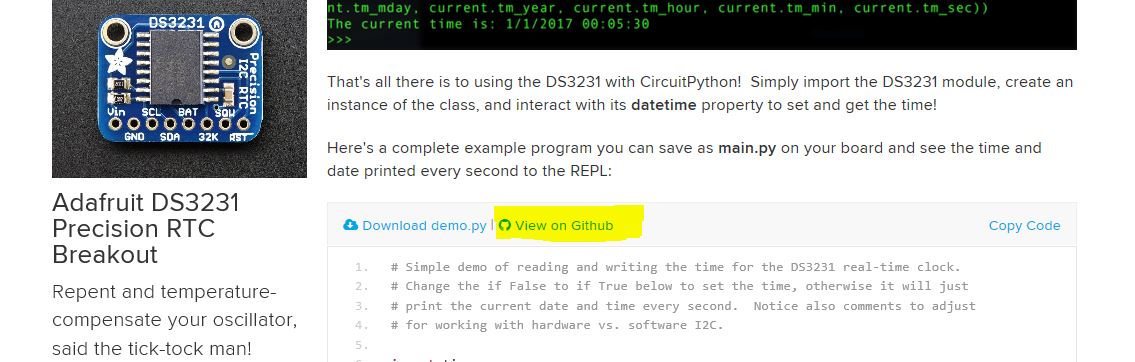
And again, I'm sorry for flooding email boxes! I had a fleeting thought that they might be connected, and even browsed a guide or two but didn't scroll all the way to the end (or the ones I looked at didn't have examples linked).
idle owl
@raven canopy Editing the comment as we speak to include more info. But you're close to what you're looking for.
raven canopy
👍
i'm just glad the proper filename showed up in here. hehe
@idle owl do you want me to go back through the ones i've already done and compile a list of guide updates? (no reason anyone else should do all the leg work on a problem i caused)
idle owl
First off, you didn't cause any problems, the system is meant to work like this, and this is simply part of the workflow. So stop that! 😃
raven canopy
🥗 (there's no :salute:, so salad will have to do)
idle owl
Second, no, because for the most part, we already have emails from the Learn system letting us know where things have changed. The issue Tony was point out was that the Learn system itself seems to have bugged out a bit and reported twice as many changes as actually happened, because over half the emails are wrong.
So this will be a going-forward-thing. We'll still get the emails, but this way, I'll probably have it fixed up by the time it's sent, so it's still the same amount of work, but done in a more efficient order.
manic glacierBOT

Folks, I don't think that there is a need for two versions (rst and markdown). I'm trying to understand what is happening now and what you wish the desired behavior to be. Links to specific files would be helpful too. Thanks :-)
 warped pendant
@slender iron semi spoiler but is Circuit Playground (new with CiruitPython) included in Adabox 4 or 5? thanks!
slender iron
@warped pendant a circuit playground express that can run CircuitPython is in Adabox 006
idle owl
@raven canopy And to clarify, you're checking to see if the URL that the current embedded code links to, and if you changed the location/name (so effectively if you altered the URL) of that file, let me know. The link you highlighted in your screenshot should be what will change. Remember, until I approve the PR, the link will still be valid, so simply clicking it won't give you the answer you're looking for. You should know if you changed the file name/location in your PR, and use that information to decide whether or not I need to know to change the guide.
slender iron
I don't consider it spoilers since Adabox 006 has been out a while
warped pendant
I just don't have my hands on the Adaboxes so it's a spoiler for me 😃
slender iron
ah ok. I hope you are ok knowing
warped pendant
shipping issues
manic glacierBOT
Hi @mikepschneider! Thanks for filing an issue. Your approach here is very interesting! At minimum it could be a library (or many) in our community bundle.
@wolf is working on asyncio which is similar in #619 . Thats the long-term, builtin way of supporting it.

If you change example files, please check the Learn guide to see if the code is linked
- Find the guide for the product associated with the library you're updating.
- Find the page that explains the code, and scroll down to where the example code is linked. NOTE: This may involved scrolling past a significant number of code snippets before finding the final code, which is what may be linked to GitHub. The snippets are simply built into the guide.
- Check to see if the example ...
The behavior now is fine with me. It is useful knowing the size of the allocation that fails when its possible to. They can all be caught through MemoryError so they should be essentially equivalent.
Anyone have a different suggestion?
manic glacierBOT
@willingc , the issue is has to do with the file paths. I'll use the DS3231 repo as a reference.
-
Pre-update:
- README showed image in GitHub here
- The image path is
.. image:: 3013-01.jpg
-
Post-update (not merged upstream yet):
- README no longer shows the image in GitHub [here](https://github.com/sommersoft/Adafruit_CircuitPython_DS3231/b...
slender iron
@ruby lake it'd be awesome to get your oc_midicv.py file into the community bundle
ruby lake
@slender iron sure thing
@slender iron just remember it needs to run as .mpy because of space. Until M4 😉
ruby lake
I run it has a lib/oc_midicv.mpy with the cope.py being the single line 'import oc_midicv'
If I knew more about making a proper library I would just make various midi things lib calls
 carmine hornet
Is there any way to make a trinket m0 to start up faster? It seems like it takes a minute for the drive to actually connect so the device can do anything
slender iron
@carmine hornet a minute seems like a long time. what OS are you on?
carmine hornet
Windows 10
It takes a long time to load up the device, and it is really annoying
I've had it happen on every circuit python device I have
slender iron
Are you using the same usb port every time?
carmine hornet
Yes, there is only one usb port on my laptop
slender iron
have you tried a different cable?
carmine hornet
I'll try another right now
manic glacierBOT
The different file path is needed because we moved conf.py from the top directory to docs/conf.py. The top-level README.rst is now included by index.rst which also has the table of contents because the conf.py can't reference it directly anymore. Its also nice because the table of contents doesn't render nicely on GitHub anyway.
carmine hornet
It flashes orange, blue, and green for a while and then the drive shows up
slender iron
the flashes indicate an error in the python code on the device and it should be independent of when the drive shows up
have you updated to the latest circuitpython on the board?
carmine hornet
I checked the repl and it said USB busy
slender iron
interesting
how old is the computer?
poor USB communication would cause it to be slow
slender iron
with a different cable?
carmine hornet
Just the USB busy
slender iron
hrm, what computer is it?
carmine hornet
Lenovo Yoga
manic glacierBOT
Thanks for the detailed explanation @sommersoft, @kattni, and @tannewt. I'll take a closer look. My initial reaction is that the conf.py needs a bit of tweaking re: paths. Overall, folks, the docs are looking fantastic 👍
slender iron
@carmine hornet the problem persisted with a different cable?
slender iron
kk
raven canopy
alright. dinner, then the kid and i have walking dead to watch. later taters
slender iron
bye @raven canopy great work!
carmine hornet
I plugged it in once and it was super fast, but then I plugged it in again and it took a while
Oh wait
Do I need to eject it?
That might be it
slender iron
yup, before you unplug it or hit the reset button
slender iron
if it still loads the filesystem is likely ok
carmine hornet
I need it to be fast though
slender iron
you could try backing up your files and erasing the disk portion of circuitpython

New to CircuitPython? This is the place to start.
why do you need it to be fast?
carmine hornet
I need it to be able to plug into a computer and then type out keyboard commands
slender iron
why not just wait a bit before sending them?
carmine hornet
Yeah, I could
slender iron
or have a way of triggering it via touch or a button
carmine hornet
It works perfectly now
slender iron
what did you change?
@solar whale great job on the rfm69 baudrate fix and @timber lion for the review
manic glacierBOT
@deshipu Could you provide the full test code for the after-SPI init problem you are seeing? Thanks!
carmine hornet
does this work in circuit python? I keep getting OSError: 2
with open("script.txt") as f:
script = f.readlines()
slender iron
do you have a script.txt file?
carmine hornet
Yes
slender iron
what does os.listdir return?
carmine hornet
NameError: name 'os' is not defined
slender iron
import it first 😃
carmine hornet
<function>
slender iron
ah, os.listdir()
carmine hornet
Any idea what might be wrong?
slender iron
one guess was that its a relative file path so it can't actually find it
the other is that its read-only by default so you could provide an explicit "r" to open after the filename
carmine hornet
Still gives me an OS error if i do mode = "r"
slender iron
what did the second listdir show?
carmine hornet
<function>
carmine hornet
how would I write that?
slender iron
os.listdir()
carmine hornet
what about the "r"
slender iron
sounded like you understood my suggestion open("script.txt", "r")
 heady dove
So I'm back with more questions from Feather Huzzah 8266 land, I have a Feather Huzzah, which I can talk to via ampy, ls, get, put all work, however when I try to screen in to the Feather I was getting characters that looked as if there is a baud rate issue, even though I am setting it to 115200 in the command line . Today I am just getting a blank 'screen' screen , the only way I seem to be able to get out is by pulling the USB... what have I done this time 😛 Any help appreciated
manic glacierBOT
RE: Checking Learn Guides for GitHub linked example files
Make sure you view the webpage with a wide enough scale, otherwise you may miss a "View On GitHub".
The dynamic width of the code blocks will clip it off. ctrl+f "View On GitHub" works, but you still can't see/read it...
This is on Microsoft Edge; can't speak to other browsers.
Also, there may be more than one learn guide affected for each library...
heady dove
I am able to webrepl into the device, but at the repl prompt something is generating random ~M~N~r
raven canopy
@heady dove what version of CircuitPython are you using?
heady dove
@raven canopy the newest version as of mid last week
I've tried it both on my ubuntu box and my mac mini and had similar experiences
raven canopy
it sounds like you've tried everything (that I can think of as a non-mac user). if REPL was working before you upgraded, try downgrading back to 2.2.1. we've been having some different things pop up in 2.2.3. with the esp8266. unless someone more familiar with the recent 2.2.3+esp issues chimes in differently.
heady dove
I was thinking of going back, but couldn't find the download, thank you for the link, I will try that
raven canopy
no worries. let us know if that fixes your issue, and maybe we can either isolate if it's the firmware or something else.
heady dove
@raven canopy I'll try to put it on right now
raven canopy
👍
heady dove
so when I up the version to 2.2.3 I had a heck of a time, and was getting the same error I just got which is A fatal error occurred: Digest mismatch: expected 6AD339062FF72985D9034B01C9CB0062, got 2B3EBC440B9EAAEC63EC2F32EAC69BFE
I finally got it to work from my Mac, after many tries and the shortest usb cable I could find
I'm baby sitting a 3d printer and can't actually go to my Mac right now
raven canopy
huh. i don't even know what to make of that...
heady dove
@raven canopy no worries, some one will chime in
pastel panther
I have no idea if this is it but it sounds like it's expecting some thing's hash (a file) to be one thing but it's another
heady dove
@raven canopy just tried it again, got the same error on my ubuntu machine
@pastel panther yes it I believe it is CRC type think checking file integraty
raven canopy
just to make sure we're covering all the bases (and hitting all tech support faux pas): are you certain you're in bootloader mode?
raven canopy
one sec. refreshing myself on esp loading...been a minute. 😄
heady dove
no worries, I believe that Lady Ada made the Feather Huzzah do the whole i=pin pull down thing part of the Feather design
raven canopy
ahh yes. you are correct. esptool on the feather...no bootloader needed. sorry. 😵
heady dove
it's cool
just having someone to bounce ideas off of helps so much, I really really love this community
raven canopy
erasing the flash before uploading the new firmware?
raven canopy
👍 i could just ask each step from the guide...but ya know...i think you're versed in this. 😄
raven canopy
same here. kids these days don't know the joy of modem connection sounds...
and that "phreaking" was a thing. 😄
heady dove
lol, some times I long for the old days... though I still am looking forward to fiber 😛 As soon as this print finishes I'll try it on my Mac
@raven canopy who is the 8266 guru around here, do you know?
raven canopy
well, jerryn & deshipu are probably the two I'd say. and tdicola of course.
heady dove
@raven canopy kewl , also what is the protocall for the @ so & so thing
@raven canopy am I supposed to do that always?
@raven canopy I keep forgetting
raven canopy
no real protocol really. always? nah. just when there are breaks...wait a minute. 😄
for this particular situation, they'll probably both read through what has been discussed since they were last on, and will most likely ping you if they know whats going on.
heady dove
@raven canopy well there is 40 minutes left on this print and by then it will almost be midnight, so this might have to wait till tomorrow
I appreciate the help, and again, I just find this place the coolest community
I learn something everytime
raven canopy
wish i could troubleshoot more with you. just don't have the experience with esp and mac. i'm a windows guy+partial linux guy, so i probably shouldn't even talk to you. lol
heady dove
oh Unbutu is my go to unless I'm making music then I have to use Mac for Ableton
raven canopy
mac has held that realm for the longest (art).
SGI held *nix up for a while, but that's a sliver of the market (render farm)
heady dove
yea, although Bitwig is across all platforms and is really really cool
In the film buisness we used to be all SGI but now ....
raven canopy
sad really, about SGI. (i was going to go into CGI...but, life happens)
heady dove
My real job is in virtual set and high end "film" ... haven't used film since we did Judge Dredd in 96?
4k 120 fps 3D, is what I'm working on now
raven canopy
JD was good. But Dredd...Karl Urban was born for that role. Of course, you can make an edgier film these days...
heady dove
We just did the Vfx for Dredd, but the mo-con on teh city fly through shots is where I cut my teeth
raven canopy
i have envy 😄
heady dove
I was lucky
just a smart country boy in the right place at the right time
my real "proudest moment" was teh bullet cam for the Matrix
I keep spelling the wrong 😛
so if I use the @ thing only you see it? otherwise the whole community does?
raven canopy
if you @ a single person, they'll get a notification (if its turned on), and the text will be highlighted on their screen. only @ <group> will ping everyone in that group.
oh, and yes, everyone will see. but the @.... part will be in bold blue.
heady dove
cool, Thanks for the help
raven canopy
yw
raven canopy
enjoy 🍷
idle owl
@raven canopy More than one guide affected by each library? Do you have an example?
raven canopy
well, I thought I did...but then it busted. 😄 i might revise that comment.
still a number of libs to go through, obviously. some of them are quite "cross-platform", so if they're used in mutliple projects..
idle owl
I was thinking you were referring to more than one example in a guide may be affected, which there are some that have more than one example in a single guide.
Ok, I won't add the bit about there being more than one guide, but I will update to point out that there may be more than one example per guide. If you find an example of more than one guide, let me know and I'll update to reflect that.
idle owl
Sure, what's up?
raven canopy
working on IRRemote, and it's kind of barren on the "info" bits, like what it's used for. should i stick to just CPX for now?
for the README and the API...
e.g.
CircuitPython driver for use with IR Receiver, like the one included on the
`CircuitPlayground Express <https://www.adafruit.com/product/3333>`_.
Hmm.
No... I feel like, while that's valid, it's limiting.
You could leave that in and add https://www.adafruit.com/product/157

IR sensor tuned to 38KHz, perfect for receiving commands from a TV remote control. Runs at 3V to 5V so it's great for any microcontroller.To use, connect pin 3 (all the way to the right) ...
Maybe it doesn't need to be removed, but at least add that it works with a basic IR receiver as well?
raven canopy
ok. just wasn't sure if it was universal-ish...
idle owl
It is
It just happens to be that we all have CPXs to test it with, I think
Actually wait.
mmm... thinks
raven canopy
well, the product page does reference
idle owl
Ok yeah. And I swear there's an example somewhere that uses Gemma with that receiver. But google says I'm imagining things.
So add that one, leave CPX since it is pretty handy to use with CPX.
raven canopy
i think i passed that one. JP's ornament one?
idle owl
That was CPX too
idle owl
I think that one is Arduino. Maybe that's what I'm thinking of. However, there is CP on this page: https://learn.adafruit.com/ir-sensor/circuitpython

Make remote controls and listeners
So the guide for it uses CircuitPython and that lib
raven canopy
👍 thanks
idle owl
So please include it. And don't worry about checking the guide, the example isn't embedded unless I'm missing something.
raven canopy
its not. i went through like 5 already. "search IR --> learn" 😄
idle owl
Nice 😄
raven canopy
i'll also throw the IR sensor on the API index page (already put CPX on it)
idle owl
Ok thank you. Sounds good.
Also, I approved this but travis is failing, so I wasn't sure if you'd notice that it needed to be checked or not, since I approved it. https://github.com/adafruit/Adafruit_CircuitPython_DS3231/pull/6#pullrequestreview-99544843
 raven canopy
hehe. yeah, I changed it for the example explaining the README issue for willingc. I don't know if she's looked at it all yet though...
needed a failure to show the problem.
idle owl
Ah ok, keen. Thank you for doing that! Ping me when it's ready to go again.
You might want to tag her on it if you didn't already.
raven canopy
will do. it's two character. i tagged her. she responded, and is going to look into a little.
idle owl
Ok excellent.
Can you comment on the PR for me? I will probably forget and wonder why you haven't updated it if I go through them all again
raven canopy
on it
raven canopy
g'nite!
manic glacierBOT

Some of the code in ports/atmel-samd/timers.c assumes the number of timers is that of a SAMD51J which of course is not true for a SAMD51G.
I'll submit a PR once I get the fixes onto my fork.
This addresses the timer number issue reported in issue #646.
humble mural
Good morning. I’m at school trying to install drivers for CPX et al. Our school has disabled right click (can’t extract the files), can’t run executable files so I was considering using Virtualbox to run Linux and work in that environment. Can someone recommend a small 33 but (can’t run 64 bit) Linux distribution (file size and especially RAM consumption). My machines are running in 2-4GB of RAM. I am concerned Using Linux Mint for this application may cause issues. Or maybe some of you can think work around that I have not mentioned. Thanks in advance.
I was considering running Raspian, that way I could kill two birds with one educational stone.
 opaque patrol
@humble mural Hi Peter, What OS are you using? I am guessing that you are using Windows 7 if you have to install drivers. Windows 10 has them built-in. It is hard to say what will work based on the information you provided, but you might look at Ubuntu Mate for a Linux distro. Have you considered using a Raspberry PI?
humble mural
@opaque patrol we are running windows 10 with mixed results. About half of the students get green lights after the double (and the CPLAYBOOT as the drive) others nothing. I am going to spend some time on the machine that don’t seem to work and find out why. Thanks.
opaque patrol
@humble mural Okay, first make sure they are using a data cable and not a charge only usb cable. Then try a different usb port.
@humble mural Also, they might be double clicking too fast or too slow.
humble mural
@opaque patrol yes sir, that was my guess. I had that same problem on my laptop (running Win7 with drivers installed). Right now the kids are on their 5th and 6th hour of AP CSP Create, but as soon as lunch starts, I’m on it. Yes, that is also an issue I had, you have to get a feel for the CPX double click. I’ll give you feedback during lunch.
pastel panther
@humble mural It might be worth installing/updating CP on all the CPXs from one machine and then testing them on the student's machines to see if they get a CIRCUITPY drive. I don't imagine you'll be needing to regularly update the CP version so I wouldn't start the kids with needing to update the software. That said you probably know your kids better than I do
if anyone has a itsy bitsy m0 and wants to test a questionable build of 3.0, please raise your hand
stuck elbow
raises his hand
pastel panther
danke schoen
stuck elbow
hmm, but wait, I didn't take it with me, so only when I'm back home on Friday, sorry
pastel panther
lol, ok. Hopefully I'll have it figured out by then but ping me anyways in case I haven't
stuck elbow
es tut mir leid
pastel panther
no problemo
manic glacierBOT
OK I'm happy to help in any way but I'm new to this community so I don't know how things work. If there's a next step I can/should do please let me know.
pastel panther
@stuck elbow have you ever built and loaded 3.0 on your bitsy?
stuck elbow
@pastel panther not on bitsy, only metro m4, feather m0, trinket m0 and µgame 10
I think I didn't even flash CP on bitsy yet
the last few weeks were a bit hectic at work
pastel panther
ok, working on fixing the dotstar and it's more dim than normal but I'm wondering if it's because it's bitbanged rather than done by the sercom, though I have no idea why that would be
anyhoo, shower time for me
stuck elbow
the protocol is digital, so bitbanging shouldn't matter
unless somehow all numbers have their upper bits truncated or something like that
but I can't quite imagine how that could happen
pastel panther
yea, it doesn't make sense to me but that's the only obvious difference. I'll dig more
manic glacierBOT

I am gleefully using the RFM69. Thank you. I have a greater need for the RFM95 LoRa - so excited to read the above comment. With that said, again - THANK YOU for the RFM69 driver. There is a lot to learn from going through Tony's code.
pastel panther
hey @stuck elbow what's the approximate BOM cost for the µgame 10?
solar whale
@pastel panther I can try your build on an itsybitsy this afternoon as well as build one myself. I think I only tried 2.x when I first got it. Anything particular you want checked?
pastel panther
@solar whale I just removed the copy I posted because it was configured to use the bitbanged version of the dotstar. I'll post another build later tonight after I figure out why the newer sercom'd build is totally borked
solar whale
OK - happy to test whenever you want.
pastel panther
@solar whale I'm trying to test general not-brokenness with my dotstar fix but apparently I have some more debugging to do
manic glacierBOT

yep! we're working on it, if you can help test that would b awesome :) note we wont have lorawan support - there's just no way to fit it (yet)
solar whale
I did just verify that I can build it under 3.0 master - won't be able to put it on the board until I get home. It'll be good to put it into use - I just fired it up when I received it but have not played with it since.
pastel panther
Ok, cool. I'll ping you later and you can either build from my fork or I can just send you a uf2
gotta run, ttyl
slender iron
@pastel panther the dotstars changed themselves. itsy bitsy was the first to have the new ones that are dimmer by default
in 2.x we fixed the brightness but haven't merged it into 3.x yet obviously
<@&356864093652516868> Here is the video from the meeting yesterday: https://youtu.be/qxelxv7MScI

Notes with timecodes are available here: https://gist.github.com/tannewt/6783386f8cbca37b911a06f1b4b11ae3 Join here for the chat all week: http://adafru.it/d...
manic glacierBOT

I'm new to this community, too :-) I don't know yet what the next step is for your code but it sounds like there may well be a place for it here. I'll check it out. Do you get on the Discord chat? You and I should find a way to chat to figure out the next steps (probably with some direction from @tannewt and others).
Yes I'm on discord now and then.
A quick update: I was able to get the dotstar working on my trinket m0 though testing on my m4 board I get an OSError 5 (IO Error I think) and on my itsy bitsy I don't get MSC or CDC anymore; I'll dig more tonight.
pastel panther
hey @slender iron do you use gdb from the command line or do you have it integrated into an ide?
pastel panther
yes, thanks.
slender iron
looking at your PRs now
manic glacierBOT
Hi @mikepschneider Please see https://learn.adafruit.com/creating-and-sharing-a-circuitpython-library?view=all for instructions on structuring a CircuitPython library. Once you have it in a repo following that structure we can add it to the community bundle. Feel free to ping me on Discord if you have questions.
manic glacierBOT
@dhalbert did you have more feedback on this. I think we talked about it last week.
Another way to achieve this is to provide a second "raw" serial connection to the computer in addition to the input. This would allow for binary data transmission in addition to text. It could work just like a UART connection.
We'd want dynamic USB descriptors for this (mentioned in #190) so that its only on as needed.
slender iron
@tulip sleet what was the last PR from 2.x to be merged into master?
manic glacierBOT
good idea! that's probably the 'right' way to do it, but yeah would have to wait until you can select the USB interfaces cauz there'd be juggling between webusb, cdc, HID.
Currently all 3.0 boards are using the 48MHz DFLL in crystalless mode. It's locked to the USB clock when available, but it would be good to use the on-board crystal for boards that have it. 2.x does do this.
tulip sleet
@slender iron last merge from 2.x was this one: https://github.com/adafruit/circuitpython/pull/510
slender iron
is 065 actually a merge commit?
tulip sleet
that's the merge commit - it has a lot of code changes. it was not a simple merge
in a number of cases I had to make significant changes to merge: add code on the master side, etc.
tulip sleet
looking...
actual merge commit is 5cb361cf1fd02b48eb28c16e650b57bde1f9745d (from gitk). still trying to find in github
slender iron
its the merge of accepting #510
I'd expect the first commit of the proposed #510 to be a merge as well
did you use git merge to make it?
tulip sleet
I might have done the merge in a separate clone and copied stuff over. There was a lot of churn in master at the time and I think kept having to rebase. But I don't really remember.
slender iron
k no worries. I'll pick it all up with mine
timber mango
Can we have an 'acronym bullying' clause in the Code of Conduct? ;) (See #help-with-projects around 3:04 pm EST today, for a bit of background).
Our explanatory powers (and practices) matter, here.
slender iron
lookin
manic glacierBOT
Use not >12MHz DAC clock on SAMD51 (using 2 MHz).
Use not >350kHz DAC clock on SAMD21 (using 320 kHz, with a newly configured GCLK1 (48MHz/150).
On SAMD51, turn on REFRESH for DAC, which allows static stable output (especially noticeable at lower analog values). REFRESH == 0 0 means off. REFRESH == 1 is not allowed. REFRESH > 1 indicates length of REFRESH period. I picked 2.
Tested on Metro M0 and M4.
manic glacierBOT
Want to switch these GCLK values to CONF_GCLK_DAC_SRC to make sure they stay the same?
slender iron
anyone know why I'd get mpy-tool.py: error: the following arguments are required: files when try to build for the esp8266?
crystal pumice
hey, im trying to to do the digital sand with lis3dh, im getting float data from the sensor, but i get this error: Traceback (most recent call last):
File "code.py", line 113, in <module>
TypeError: unsupported types for : 'float', 'int'
https://gist.github.com/anonymous/77e3b560b266d79c808c6bfc4051ee7e
i dont understand whats wrong in that line.. =\
slender iron
@umbral dagger
it looks like its trying to bitshift a float
you can divide by 256 instead
 somber garden
If the floats are coming from sensor.acceleration you could do
(f_x, f_y, f_z) = (int(n) for n in sensor.acceleration)
Neatened up in one line
tulip sleet
@slender iron did you build mpy-cross yet?
manic glacierBOT
Ok, I've posted the 5 boards that are in Fritizing, and I left the image with the boxes around the correct pins for ItsyBitsy for now, until we have Fritizing for it. Let me know if they look alright to you!
I reworded the info at the top to be more general, however I still need to finish updating the code. I think we should create a new folder in the Learn repo called "CircuitPython_Quick_Starts" and have the code live there, since it's not specific to Gemma (or whichever) anymore. Next, ...
slender iron
@tulip sleet yeah. I think I confused it by giving make -j 3
somber garden
Looking at the code for adafruit_lis3dh.py here (https://github.com/adafruit/Adafruit_CircuitPython_LIS3DH/blob/master/adafruit_lis3dh.py), .acceleration definitely returns floats (see lines 128-149).
umbral dagger
@slender iron @crystal pumice Sounds right.
solar whale
@tulip sleet @slender iron I just build CP3.0 master for itsybitsy_m0_express but after load - I don't see CIRCUITPY -- 2.x works fine note under 2.x it is still itsybitsy_m0 (no express)
slender iron
@solar whale I don't think the flash is set up right
I'm merging the fixes from 2.x into master now
solar whale
OK - not a problem - I can wait ...
slender iron
getting sphinx to build now
solar whale
Just living on the edge 😉
slender iron
keep it up! I'll have a PR for you shortly
solar whale
I'll be off for a few hours but will try later this evening. I'll try GPS then as well.
solar whale
no rush at all - I was preparing to test for @pastel panther but I expect he will need your PR as well.
slender iron
👍
timber mango
Screenshot: VLC monitoring my laptop's (lousy) webcam. Subject: ST7565 (PID 250) displaying graphic logo in CircuitPython.
Was a tight squeeze.
stuck elbow
that's a nice little display, is it 128x64?
crystal pumice
@somber garden the code is running 10x, need to figure now to make the bricks act more sandy 😃
stuck elbow
wow, that's bigger than I expected
timber mango
It's a very good sized display. That's the large weatherproof enclosure with a section of Feather GPS showing upper right.
I'll find a much better still photo, if I can. Have a bunch.
I shoved that around the table at a packet radio meeting last year (it was supposed to display GPS but we were too far indoors for that). Nobody had any interest, except three people asked where they could get a box like that. ;)
timber mango
This technique of putting the LCD on a webcam at close range is working for ergonomic factors -- I am able to do basic checks from 5 feet away, seeing the LCD in pretty good detail (not great) and with just a touch of latency (which is fun).
carmine hornet
I can't split strings with a maxsplit in circuit python. I'm doing splittext = line.split(" ",maxsplit=1)
And I'm getting TypeError: function does not take keyword arguments
slender iron
@carmine hornet its possible its not implemented
carmine hornet
It works without maxsplit
And it's in the docs
oh wait, there's an underscore in circuit python
still doesn't work
carmine hornet
it isn't?
slender iron
it may be available but we don't make any promises about the docs matching the implementation
carmine hornet
ah
mossy marten
any update on bluefruit LE with circuitpy? sorry if this gets asked a lot...
slender iron
folks are actively working on nrf52 support in circuitpython.
there is no work happening to support M0 bluefruit boards
 inner raft
aww that's too bad. is it really hard? or just lack of people power?
I've got one of these I'd love to use with CircuitPython https://www.adafruit.com/product/2479

Would you like to add powerful and easy-to-use Bluetooth Low Energy to your robot, art or other electronics project? Heck yeah! With BLE now included in modern smart phones and tablets, its ...
mossy marten
I see. Thank you 😃
idle owl
Sphinx hates all of us.
idle owl
Hmm.
pastel panther
@slender iron The bitsy flash issue you mentioned; is that a board file issue or something specific to the chip
+?
idle owl
@slender iron Anything I can try to look at?
slender iron
@pastel panther my changes are here: https://github.com/tannewt/circuitpython/tree/merge_2x

GitHub
circuitpython - CircuitPython, an education focused port of MicroPython.
@idle owl don't think so. something in the settings changed. I think I'll just hack it
idle owl
Ok
slender iron
its missing the tab_width setting and failing
raven canopy
i'm available as well; just cleaned up pending merge issues with docs...
slender iron
and I search for tab_width in the code for sphinx and nothing is different
idle owl
bleh
tulip sleet
@slender iron sphinx's job is to make riddles
slender iron
and docutils is still hosted on sourceforge 🙄
tulip sleet
see, that's another question whose answer we don't understand
timber mango
When I drag and drop main.py on CircuitPython root directory, does that create bytecode stored in (the 32kb) RAM (space)?
slender iron
yes, the bytecode is stored in ram after the file is parsed
idle owl
@raven canopy On the HTT16K33, it didn't need the pylint: disable to begin with? No changes needed?
raven canopy
correct. i was flying blind... 😄
idle owl
Oh ok, no worries, simply checking to make sure I understood.
raven canopy
was it all the 🌮 talk? or 5x5?
idle owl
😄 The taco was win. Judgement call accepted.
raven canopy
it was one of those days at the day job...sarcasm needed to be released. 😄
slender iron
I think I worked around sphinx
idle owl
nice
solar whale
@slender iron For some reason - I cant write the metro_m4 revb UF2 (just built) to my board - is there a known problem
slender iron
not that I know of
raven canopy
so i can stop looking at docutils.parser.rst and tab_width searches? 😄
slender iron
yup
solar whale
I can write to itsybitsy, but it does not work 😦
raven canopy
👏
raven canopy
nope
slender iron
@solar whale do you have my repo as a remote? I have a merge_2x branch with fresh fixes
GitHub
circuitpython - CircuitPython, an education focused port of MicroPython.
raven canopy
but, i wouldn't suspect any of the libs to encounter it. they're all pretty much automodule, and don't use their own parsers...
(that's my understanding at this point)
slender iron
yeah, me too
solar whale
I'll get tath in a minute - still trying to figure out wat happend to the M4
slender iron
whats the latest you've updated somersoft? we can see if it built on sphinx 1.7.1
raven canopy
last merged one: https://github.com/adafruit/Adafruit_CircuitPython_INA219
idle owl
Not any more 😉
raven canopy
well...yeah. hehe
slender iron
yup, built with 1.7.1
raven canopy
wow. you're like the Barry Allen of sphinx...
just refreshed the docs issue. kattni is catching up. time to hit the libs!
solar whale
wierd - my M4 is showing up as METROBOOT1 -
idle owl
@raven canopy I have 2 more open, is that accurate? Do me a favor and make sure I'm up to date. I have fingerprint sensor and fxos8700.
raven canopy
@solar whale even weirder, i dropped your name with someone last night having esp8266 issues. turns out he worked on Dredd. which takes place in MEGACITY1. 😶
timber mango
That's not a pattern.
solar whale
@raven canopy spooky
idle owl
@raven canopy Send me a link, I must have missed it.
idle owl
It's all good 😃
raven canopy
the universe really wants FXOS8700 merged, i guess... 😄
solar whale
@slender iron finally got M4 back running and am reading from GPS now with the new PR in place - is there something you want me to check beyond basic function?
idle owl
Can you check the guides on both the FX* sensors for me? I'm checking Fingerprint
raven canopy
on it
 drowsy geyser
Thanks for the revb pointer, @slender iron , I totally would have built the firmware for the wrong board!
slender iron
@solar whale I think basic testing is fine. its just the math that changed
np @drowsy geyser
solar whale
ok - seems to be running fine - I'll post a note to the PR.
manic glacierBOT
This picks up pIRkey M0 support, the doc deletion of 2018 and adds sphinx to the Travis build.
slender iron
thanks @solar whale
raven canopy
@idle owl FXOS8700 has at least one. i'll put it/them in a comment on the PR. same with FXAS
idle owl
Ok thank you. Fingerprint had one, it's now updated.
solar whale
is taht commit #650 what I need for itsybitsy?
or do I need t get your merge_2x branch?
slender iron
it should be the same either way
solar whale
nevermind - I see it is the merge_2x --- I'll try buildin it now
idle owl
@raven canopy Is it me or are they in the same guide
raven canopy
they are. was just going through the learn search for "FXAS". FXAS2100 reduces the results to exactly 1...
FXOS only came up with that one (for )
idle owl
Ok. I found them in the same one and wanted to make sure I hadn't missed something
Thanks for the sanity check
raven canopy
np. but don't make a habit of it...results diminish quickly when it comes to me and sanity. 😄
anyone notice the Travis UI update from a few days ago? its now only one click to copy the token, vs click 'show', select, then copy. i like reduced clicks. now they just need to fix 'sync account' and have it refresh the list on the page too...
solar whale
@slender iron ```Adafruit CircuitPython 3.0.0-alpha.1-297-gea63311 on 2018-02-27; Adafruit Itsy Bitsy M0 Express with samd21g18
👍
idle owl
@raven canopy Hah I didn't miss the FX*2C, I simply hadn't gotten to it yet. Anyway, best PR is the one already finished 😄
solar whale
And the dotstar works!
slender iron
didn't expect that 😃
solar whale
still no dotstar on trinket_m0 -- pushed my luck.... ```
Adafruit CircuitPython 3.0.0-alpha.1-297-gea63311 on 2018-02-27; Adafruit Trinket M0 with samd21e18
import dotstar_test
Traceback (most recent call last):
File "<stdin>", line 1, in <module>
File "dotstar_test.py", line 4, in <module>
File "adafruit_dotstar.py", line 70, in init
ValueError: Pin PA00 in use
I think @pastel panther is looking into it
solar whale
yup - he still has a job 😉
carmine hornet
Is there a way to tell the computer to eject a circuit python device with code running on the device
pastel panther
@solar whale I'm still working on it, haven't submitted any PRs yet
slender iron
@carmine hornet no, circuitpython can't tell the OS that
carmine hornet
Ok
solar whale
@pastel panther no problem - I was just trying @slender iron new PR and wasn't sure if it would have changed anything - no pressure from me...
manic glacierBOT
cfd1809 Suppress A0 (PA02) as a TouchIn-capable pin on ... - dhalbert
8f3be0a Reinit ADC completely on each call to AnalogIn.... - dhalbert
dbd3f15 1. Use lib/libm for small (non-Express builds) ... - dhalbert
274fff4 Use internal libm for all atmel-samd boards. - dhalbert
1709fbb Turn on pulseio now that there's room. - dhalbert
slender iron
thanks @tulip sleet !
ok, I'm off. goodnight folks! should be able to release 3.0.0-alpha.2 tomorrow
tulip sleet
good night - thanks for this!
I noted in the PR approval: There is stuff missing that isn't merged, like writing version info to boot_out.txt. There are also changes in the common-hal that we will need to revisit as unimplemented stuff gets implemented. So we need to go through the commits since the last merge from 2.x and make up a to-do list, I think. I'll start working on that.
solar whale
@tulip sleet any idea why my M4 revb keeps showing up as METOBOOT1 when I enter bootloader? WOrks ok, but od - it shows is as CIRCUITPY after load
slender iron
@tulip sleet just saw that. I must have missed it because I reorganized those files
solar whale
@tulip sleet It can wait until tomorrw - good night
tulip sleet
@slender iron I was surprised that the review doesn't get posted here. If it had been a separate comment I think it would have.
slender iron
I got an email for it
tulip sleet
@solar whale do you have another board plugged in
solar whale
no
solar whale
other boards - ITSYBOOT or TRINKETBOT are ok.
tulip sleet
is there a phantom METROBOOT in /media/<username>/* ?
i think a reboot might clear that
solar whale
'''/dev/sdc 3965 1025 2940 26% /media/jerryneedell/METROM4BOOT1
'''
tulip sleet
ls /media/jerryneedell
solar whale
oohhh ```
-samd$ ls /media/jerryneedell/
Backups METROM4BOOT METROM4BOOT1
deleted METROM4BOOT - all better -- reboot did not clear it
solar whale
AH may have done in a flailing around earlier --
linux.
I think it was just user error - sorry for the false alarm
idle owl
@raven canopy The BME680 works with the test code from the guide and the .(m)py you sent me.
solar whale
built new 3.0 master - running on M4 Revb -- running GPS test - all good - thaks @tulip sleet @slender iron @vague monolith
 vague monolith
I haven't seen udev leave a directory behind.