#circuitpython-dev
1 messages · Page 140 of 1
 opal elk
 slender iron
there is a limited amount of stuff we can do at the branch level
opal elk
yells "fork it" and then looks around nervously for dynobot
slender iron
😃
opal elk
any objections to me making 9.806 a constant?
slender iron
nope
 manic glacierBOT

Do you also want to enable #define MICROPY_ENABLE_SOURCE_LINE (0) in the nerf build?

@jerryneedell Good idea. I didn't do any kind of comprehensive look at what's different in nrf. If you know of anything else let me know.
opal elk
tony uses two spaces after a period. I will begrudgingly match in this comment I'm appending to.
manic glacierBOT
That is the one I usually add along with uncommenting out the BLE_MODULE and UBLUEPY_MODULE but I think Kevin wants this tested more before they are mainstreamed. I have been playing with them a little but happy to deal with them myself for now.
opal elk
getting a pylint error: E:286, 0: invalid syntax (syntax-error)
for existing code, def __init__(self, i2c, *, address=0x18, int1=None, int2=None):
it doesn't seem to like the bare asterisk, but that's valid...
I may have arguably made it slightly harder to understand, though I would argue more pythonic https://github.com/adafruit/Adafruit_CircuitPython_LIS3DH/pull/23
 opal elk
pylint --rcfile=.pylintrc adafruit_lis3dh.py in a python3 venv
slender iron
hrm
opal elk
build failed. sigh.
opal elk
yeah, I was gonna
I was going to suggest we lint for that but if it's mpy and not CPy that's fine
(is CPy accepted nomenclature?)
 raven canopy
I've used it plenty, and noone has been like "whaa?"
along with MPy (seen uPy too) [for micropython]
slender iron
const is good for ints. mpy-cross is smart with it
cpy is a bit weird because desktop python is also called CPython
opal elk
ah yeah
slender iron
I probably wouldn't do the list comprehension
in the library
because it makes a tuple, outputs a list and then makes another tuple
opal elk
I was getting the line-too-long error so I did that but yeah, I agree
I'm gonna need to squash these commits.
opal elk
good to know
I left it out of the library, still
and also did a force push because three commits for this makes me look bad
slender iron
np
opal elk
it wounds my pride.
 timber mango
opal elk
timber mango
opal elk
I'm pretty new to python 3, though. been 2.7 for a few years but I'm forcing myself to get with the times.
@timber mango have you done anything with making the onboard storage mounted?
timber mango
Not that I know of
 tulip sleet
@timber mango check this out: https://learn.adafruit.com/welcome-to-circuitpython/troubleshooting#circuitpy-drive-issues
timber mango
That worked, thank you!
I'm keeping that file handy, this probably won't be the last time this happens
@opal elk two spaces after a period was standard at one time. Later it was referred to as French spacing. I've always used it.
@timber mango :
https://en.wikipedia.org/wiki/History_of_sentence_spacing#French_and_English_spacing
opal elk
I generally joke that it's for grandpas but I don't want to offend anyone
I mean, I don't use the oxford comma. so we all make questionable decisions.
timber mango
I have a grand nephew. ;) My niece's son.
opal elk
it's one of those things where I don't actually care but it's fun to be cantankerous
timber mango
I think consistency is a good idea but only within one person. ;)
 stuck elbow
french spacing is a space before ? and !
 jovial wind
@timber mango is it bad to point out that you didn't use two spaces after those sentences above?
but seriously, it's probably why we have style sheets for things..
timber mango
Let me know when there's prize money involved. If people are using one or two spaces (or more) after a sentence, variably from one person to the next .. I am not noticing it.
What I am noticing is an impoverished use of language, due solely to brevity. Grunts and emoticons.
stuck elbow
the two spaces after a period is important for some tools to be able to distinguish the sentence-ending period from other kinds of periods, and format it accordingly
for instance, LaTeX
timber mango
Right you are. That's my point: obsessing over someone else's use of spacing is one thing; breaking machine-based tools (diff comes to mind, here) is another thing.
❤ LaTeX
On the whole, defending a position is also an impoverished strategy, especially when there is no prize money involved. ;)
I'm trying to learn something new, something different, about this, and it involves the avoidance of the rapid selection of a 'position' and then defending it, in favor of a differing process from that one.
Other than that, I need an assistant to follow along behind me to close a lot of open parentheses, and this hasn't changed in decades of writing.
manic glacierBOT
Several users have asked for time reporting that's more precise than the millisecond ticks provided by time.monotonic(). Use cases and proposals welcome here.
manic glacierBOT
I'm going to close this issue for now, since we've documented the problem thoroughly in the Learn Guides and described and implemented mitigations such as editor plugins that force immediate writes. If/when there's some movement on the Windows side or we figure out an alternate filesystem that works on all the platforms, I'll reopen or create a new issue.
manic glacierBOT

I was attempting to work with a 433Mhz radio transmitter which required writing to a pin at 200 microsecond intervals. Even if a function similar to the Arduino micros() had less than 1 microsecond resolution this would allow time calculations that are not possible with the time.monotonic() function.


@CameronDevine Interesting! How much data do you know you need to write ahead of time? Something like PulseOut might be adequate. It looks like it requires a carrier PWM signal though it could just be constant.
slender iron
fyi, I'm fixing the bundle
 idle owl
Nice
slender iron
adabot was confused by the directories that moved around
idle owl
Ah
 sick creek
@slender iron subrepos and directories
slender iron
yeah, and ones that move
 solar whale
ruh-roh - I think I know what caused that 😦
manic glacierBOT
came from here: asking there as well: https://forums.adafruit.com/viewtopic.php?f=60&t=129222
slender iron
@solar whale it was me too deleting circuitpython
solar whale
phew _ I thought it was my request to fix the typo in a link name...
slender iron
that did it too but its fine 😃
tulip sleet
oops - thought it would be ok
slender iron
np, its good for me to figure out
gah, adabot added the circuitpython directory back
idle owl
@slender iron So should I start by changing the name of the Adafruit_CircuitPython_Featherwing/adafruit_featherwing/motor_featherwing.py to featherwing.py since we're going to be adding other wings to it? (This is on my fork, I'm not talking making changes to the current version yet.)
slender iron
nope, add more python files instead
idle owl
Ah ok. Each wing will have its own file?
slender iron
yup, so you only load what you need
idle owl
Ok got it
sick creek
what i have seen that like some have made all or targets like to include all but only load what you need from nuget
slender iron
could somebody review this: https://github.com/adafruit/Adafruit_CircuitPython_Bundle/pull/42
 idle owl
Yep
slender iron
thanks
idle owl
Is there a reason the two new URLs have .git at the end and the other one doesn't?
Ah nm, some do, some don't.
Must work either way
idle owl
Want me to merge?
slender iron
yes please
idle owl
I assume I don't need to do a release since it's the bundle
slender iron
yeah, I'm working on it
thats why I wanted to get the PR in before I uncomment adabot's release powers
idle owl
ah nice
 timber lion
ah ouch that's weird it uses .git URLs
idle owl
why?
timber lion
that's going to break the adabot change i made, it does URL comparisons by chopping off the schema (up to ://) but still assumes the rest of the URL is the same
i'll update it to chop off .git if it exists too
idle owl
ah
timber lion
@slender iron did you use git's submodule add to add that config or did you manually edit the .gitmodules file? just curious why it's not matching the rest of them
if it was manually added it might have knock on implications with git submodule init.. be sure to try it
slender iron
I used git submodule add
timber lion
ah cute, must be git version differences
cool i'll update adabot script to handle both csaes
slender iron
the url is just different because people got them different ways
timber lion
yeah the git submodule config schema has no preference
it's a github-ism to allow both .git and not .git at the end i think
slender iron
there were a bunch before this latest one that used .git suffixes
timber lion
yeah it works fine if the clone_url from github has .git and the submodule config has .git
slender iron
ah I see
tulip sleet
also some ssl urls were changed to https by hand
timber lion
better safe to handle any permutation
slender iron
yup yup
timber lion
yeah those should be ok, i strip out URL schema and ignore git:// http:// https:// etc
manic glacierBOT

As a side note, personally I would love to have some way of triggering this "bug" on purpose — the solution with Arduino programs for erasing the flash doesn't work with custom boards, as I would need to make Arduino board definitions for them first, etc.
@deshipu I have been thinking of adding something like storage.format(...), with maybe some required True parameter to make clear it was dangerous.
timber lion
just sent over a pull with the change
i have no idea why git is so mad at it
it works fine.. the merge is angry for whatever esoteric git reason
manic glacierBOT
Reminds me of the --clobber-my-computer option we have in some OpenStack tools. We could make it a required keyword argument, something like storage.format(delete_all_files=True) or such, but I wonder how much of a warning we actually need here?
slender iron
@timber lion its because I rebased your last PR which changed the commit shas
you need to rebase onto the new master commit
 solar whale
@idle owl @slender iron @tulip sleet I have a question about the use of the "frozen-modules" that are used with the CPX. As soon as someone copies the bundle /lib to their CPX, then the .mpy files in the /lib directory will get used in favor of the frozen modules, correct? In that case, users will not achieve the memory benifits of freezing the modules in the first place. Is this a concern? Should the guide instruct users to delete the forzen modules from /lib? Do we need a CPX bundle? Am I making sense?
idle owl
You're making sense.
tulip sleet
@solar whale we've talked about this. sys.path puts .frozen last. The Adafruit_CircuitPython_CircuitPlayground library changes sys.path itself to use the frozen modules. The real reason to use the frozen modules is to make things fit that would otherwise not fit in RAM.
like the Express class in the CPlay library
but people have said that a separate bundle would be confusing
stuck elbow
this is a hard decision, because on one hand you want to use the frozen libraries to save space, on the other hand you want to be able to override whatever is in the firmware
solar whale
OK so if you load the Express module then you get the frozen modules first
idle owl
Yes
stuck elbow
could it be done so that frozen modules have priority over lib/ but not over /?
solar whale
OK - that covers the "worst case" I think - I ran into this when I was trying some accelometer stuff and it would not fit with the .mpy lis3dh but it was ok with the frozen.
I was not using Express
tulip sleet
@stuck elbow that is an interesting idea, but perhaps hard to explain to laypeople. If you want to update a broken frozen module, you have to put the replacement in / not lib/
solar whale
good luck with that!
tulip sleet
the idea now is that if/when you run out of RAM, you learn the secret incantation to use the frozen modules, otherwise you don't have to know anything special
stuck elbow
perhaps we could have something like overrides/
tulip sleet
@idle owl you have a comment re the beginner and the intention?
solar whale
For the "experienced" user it is not a problem - just manage /lib's content. For the newcommer, it may just have to be a learning curve.
idle owl
Hmm
solar whale
My real question was if it should even be mentioned in the guide?
idle owl
I think we sort of had something like it initially but then took it out.
solar whale
I does not sound like its been a big issue (yet) so I may be just looking for trouble.
idle owl
Better to discuss it now than when we're panicking because something isn't working
I think this is a case where it works as it is, and if we run into mutliple use cases where another method makes more sense, we explore it at that point.
tulip sleet
we haven't had many people complain yet about running out of RAM on CPX. Esp if they use Express, it's taken care of. We could add a "Using Builtin Frozen Modules" to the CPX guide if/when it becomes more of a support issue
solar whale
Thanks for hearing me out.
tulip sleet
@solar whale np! we went through very much this conversation a month or two ago
solar whale
Ah - sorry I missed it! I did not know about the "sys.path" change in Express.py -- clever!
idle owl
Yep! It's a totally valid concern! We're happy to hear you out
timber lion
imho it's good to think about board specific bundles, eventually we'll need them when the bundle is too big for 2mb
it's 451kb right now so 1/4 of the way there
on CPX SPI libs for example aren't really possible to use and could be cut out
timber lion
yeah not needed yet but eventually we might have to pick and choose
stuck elbow
I have some problem with making a pull request

GitHub
circuitpython - CircuitPython - a Python implementation for teaching coding with microcontrollers
for some reason it's trying to change the submodules
slender iron
did you do a git submodule update locally after pull/fetch?
slender iron
hrm
tulip sleet
maybe compare these sha's:
halbert@salmonx:~/CP/2.x-circuitpython/frozen$ git submodule status
 7d8a8f99989a4de5b3fbf491df956d1aaca2c172 ../atmel-samd/freetouch (heads/master)
 9a49ca04e3754be246524e57f8c1810c76be5948 Adafruit_CircuitPython_BusDevice (2.0.2)
 74afff3ff912c9711d207671b8b9068358eaa0d2 Adafruit_CircuitPython_LIS3DH (4.0.0)
 8e1e5bbb86e03d539103c6d73ccac0cb27711b77 Adafruit_CircuitPython_NeoPixel (3.0.1)
 6c281ed26a2b38060e6a8c37c16f3bf6345cec2d Adafruit_CircuitPython_Thermistor (3.0.0)
 9b3092eb3b4b230a63c0c389bfbd3c55682c620f ../lib/axtls (heads/master-35-g9b3092e)
 dab957dacddcbf6cbc85d42df62e189e4877bb72 ../lib/berkeley-db-1.xx (heads/master-6-gdab957d)
 e9de7e35f2339598b16cbb375f9992643ed81209 ../lib/libffi (v3.2.1-146-ge9de7e3)
 5b8b5d459e7dd890724515bbfad86c705234f9ec ../lib/lwip (STABLE-1_4_1-RC1-13-g5b8b5d45)
 2001c62d1a0361c44acc7076d8ce91e1d1c66141 ../tools/python-semver (2.7.8-4-g2001c62)
 449f26673855736dbc0fc3f18d72403f25f62974 ../tools/uf2 (449f266)
was that after you commited it locally?
stuck elbow
I just reset the head and commited it again, and seems good now
sorry for the kerfuffle
manic glacierBOT
The example code for the gamepad module would skip detected
button presses in the code that waits for a button to be released,
because it would run it even when no button is pressed.
Also updated the example pin names to not use RX and TX.
slender iron
np
stuck elbow
buttons are tricky
 scenic maple
I'm like trying to find the right package for a project that includes: circuit python or micro python, accelerator, magnetometer, micro sd card, and either wifi or bluetooth? Any suggestions?
 lucid arch
hi all
lucid arch
i'm still testing my motor shield with CPX and arduino uno
weirdly, CPX only accepts max values of 127 when using analogWrite .. whereas arduino accepts 255
thats 7 bit vs 8 bit
anybody knows if the cpx board has a limit on pwm write of 7 bits?
slender iron
the hardware can do higher than 8. are you using arduino on the circuitplayground?
slender iron
it depends on the pin
the DAC is 10 bit I believe but PWM timers can do higher resolution than that
lucid arch
hmm, all the pins do pwm for cpx, accordinging to the docs
slender iron
thats not surprising
I can't speak to the arduino implementation though, I only do circuitpython (and this is the #circuitpython-dev channel)
scenic maple
Hi Rajiv, looking for the smallest form factor I can find
lucid arch
@slender iron : fair enough, however this has made me curious now, since you'd do something similar using circuitpython and surely you should be able to query the board for max value an analogwrite would accept
scenic maple
yes, I'm just looking for the best hardware for the functionality that I can control with circuit python
slender iron
@lucid arch yeah, we've done similar. Our analog writes are always 10 bit because we only use the DAC to do it
@scenic maple we don't have a single board that does all that you listed
lucid arch
i see ... you mean circuitpython always writes analog through the DAC, right?
scenic maple
but was wondering if there was a better solution
slender iron
@lucid arch yeah, if people want to pwm they can do it explicitly
arduino uses pwm to fake analog sometimes
lucid arch
i see ... thanks @slender iron .
slender iron
np
lucid arch
there does not seem to be a channel here that talks about cpx with arduino
slender iron
#help-with-projects would work
scenic maple
or possibly a pi zero based solution?
slender iron
7 bit doesn't make sense to me. I'd expect it to be 8 at least
@scenic maple pi zero support normal python but not circuitpython
lucid arch
why would it not make sense? is there something obvious?
slender iron
@lucid arch it seems low to me. likely a bug somewhere
the support forums are also a good place to ask arduino questions
slender iron
np, sorry I can't be more helpful. I live in a circuitpython bubble
slender iron
you should try it if you haven't
it won't work on the uno but it would on a metro m0
lucid arch
try what
slender iron
circuitpython 😃
slender iron
definitely!
 tidal kiln
most definitely:
https://learn.adafruit.com/adafruit-circuit-playground-express/circuitpython-quick-start
@lucid arch

Make faster and easier than ever with MakeCode, CircuitPython or Arduino!
scenic maple
carter, that looks interesting
raven canopy
@scenic maple with the wifi being the limiting factor, the Feather Huzzah ESP8266 + Adalogger RTC/SD FeatherWing + FeatherWing Proto + accel/mag, would be your best bet with circuitpython.
Feather HUZZAH: https://www.adafruit.com/product/2821
Adalogger FeatherWing: https://www.adafruit.com/product/2922
FeatherWing Proto: https://www.adafruit.com/product/2884
would still mostly be a "roll you own". you could skip the Adalogger and try and implement an SD on a Proto.
scenic maple
@raven canopy Thank-you
raven canopy
yw. 
@scenic maple mind you, i didn't look at pin usage to see if the ESP8266 will be able to support all that...
also...afterthought. you could skip the Proto + accel/mag and use one of the accel/mag/gyro breakout boards. I think there are already circuitpython libraries for a couple of them.
@slender iron @tulip sleet @solar whale I am happy to report, I have the combined vagrant working. compiles both SAMD & ESP8266. I'm fairly certain the problem was trying to use SMB share folders & the VM.config for allowing symlinks. I am going to run one more destroy and rebuild test to verify. Even if that doesn't confirm an out-of-the-box solution, I have the workflow steps to make it manually work. THANK YOU ALL again for the help!
slender iron
nice work @raven canopy !
This is a weird REPL session:
>>> import gc
>>> gc.mem_free()
19696
>>> from adafruit_featherwing.motor_featherwing import MotorFeatherWing
>>> gc.mem_free()
1360
>>> wing = MotorFeatherWing()
>>> gc.mem_free()
MemoryError: memory allocation failed, allocating 512 bytes
>>> gc.mem_free()
6784
>>> wing
<MotorFeatherWing object at 20005a50>
Hmm
slender iron
how did I get 6000 bytes back between mem_frees? maybe the file system cache?
idle owl
Maybe?
That's odd
Maybe gc actually did it's thing between
and you had a bunch of garbage.
slender iron
the gc should try collecting before it throws a MemoryError though
idle owl
should... maybe it reported too quick for itself for some reason?
slender iron
looks like its reproducable
tulip sleet
the constructor created a bunch of things that were not garbage at the time it tried to allocate something new. That failed, it tried to gc, that failed, it threw an exception. scope closed, now the assignments are garbage
or maybe it doesn't really try to gc if alloc fails
slender iron
the memory error is thrown from mem_free
tulip sleet
oy
 granite vapor
Hey everyone! I've really been enjoying playing around with the esp8266 feather and circuitpython. Really cool stuff. I'm trying to use it to control some equipment here in our chemistry lab
idle owl
Hi @granite vapor. That's neat!
granite vapor
I was wondering if anyone knows the situation with the TTL serial ports. One port, as I understand is used for the programmer, another for the REPL. Is there a third? I'm trying to use RS232 and am trying to decide if this is possible.
idle owl
I haven't worked with the ESP enough to know. Someone will know though!
stuck elbow
There is only 1 uart, and it's used both for programming and for repl
Esp8266 has a second uart, but it's on pins that you cam't use
s/cam/can
solar whale
You can connect directly to the RX/TX as well. Bypass usb.
stuck elbow
But that's still the first uart with the repl on it
solar whale
Yes
granite vapor
Hey, thanks. Hmm. In this application I'll not be using the REPL (nice as that would be), because the esp8266 is receiving its commands via wifi. Do I need to disable the repl in my main.py for the rx/tx to function properly?
stuck elbow
I'm afraid you can't. The things you type and see on the webrepl will also appear on the serial port.
There is a pull request enabling this in review in micropython since about a year
granite vapor
It's not the webrepl, just a rest api
stuck elbow
Then as long as your program is running, there shouldn't be anything on the serial.
The exceptions will still get printed there.
granite vapor
oh, okay. good to know about exceptions. Can stdout/stderr be redirected?
(sorry about the incessant questions)
stuck elbow
Not at the moment. You can catch the exceptions, but there is very limited set of informnation you can gfet from it, not enough to generate a proper traceback.
granite vapor
gotcha. I guess if there is an unhandled exception then the program is stopped, so it doesn't really matter what happened to the serial port...
stuck elbow
Well, if the other end is connected to, say, a nuclear reactor...
granite vapor
XD
stuck elbow
The random strings may get misinterpreted
granite vapor
no radioactivity. just some pumps haha
In the micropython project I was reading about their asyncio port. I was thinking about implementing my internet i/o using coroutines, but this isn't part of circuitpython, right? how do y'all handle i/o that might block for a while during execution? is there enough memory to use threading
slender iron
@granite vapor we don't have the asyncio stuff enabled and we are tight on memory for the M0 chips at least
stuck elbow
And no threads.
So the answer is, I guess, you don't do multiple things at once.
Some things are built-in, like audioio can play a file in the background.
granite vapor
Gotcha. The dream would be to read data and push it to the cloud asynchronously. Alas, haha.
stuck elbow
You might need to switch to micropython for that.
slender iron
uart buffers in the background (aka c interrupts too)
stuck elbow
And wifi on the esp8266 has buffers too
So you can read a few bytes, write a few, etc.
granite vapor
cool, okay
This was very helpful, thanks @stuck elbow @idle owl @solar whale @slender iron
slender iron
np
idle owl
yw!
slender iron
its been so long since I've run gdb
slender iron
I got so far as finding the memory error is in parsing the repl input
it allocates a stack of 512 bytes
 hallow moss
Anyone have some time to help a beginner with libraries, buttons, and general questions?
slender iron
@hallow moss yeah! post away. (even when we're not post and we'll get back to you)
hallow moss
Great! Let me find out where to begin. I have a Gemma M0 with 1 neopixel hooked up to D1. I've gotten the blinky example running on that neopixel. I'm now trying to get the button I've hooked up to D2 configured to change the color of the Neopixel.
I'm not sure if the code takes a long time to save to the Gemma, or if I missed a start-up guide to onboard LED flashing codes, but it doesn't seem to like the button changes I've added.
Here's the btn part that's not working as expected:
from digitalio import DigitalInOut, Direction, Pull, digitalRead
btnPIN = board.D2
bool btnPressed = false;
btn = DigitalInOut(btnPIN)
btn.direction = Direction.INPUT
btn.pull = None
mode = 0 + 2
while True:
if (btnPressed and digitalRead(btnPIN)):
    if mode == 5:
        mode = 0
    else
        mode = mode + 1
btnPressed = digitalRead(btnPIN)

if mode == 0:
    pixels.fill((0,255,0))
    pixels.show()
elif mode == 1:
    pixels.fill((0,0,255))
    pixel.show()
@hallow moss do you have a serial connection through screen or putty?
it flashes the on board led when errors occur. you can get more info about them through the serial connection
hallow moss
I don't. I just set it up with Mu.. I think that was the recommended IDE.
From what I've researched, the Repl will show the serial, but I need to get MicroPython on the gemma before that'll work.
I fixed the else to else:
slender iron
@hallow moss Mu should work pretty reliably. The instructions are here: https://learn.adafruit.com/welcome-to-circuitpython/kattni-connecting-to-the-serial-console

New to CircuitPython? This is the place to start.
getting serial going will let you read error text
hallow moss
@slender iron Yep! That's where I found out about Mu. Clicking my REPL button gives this error: Could not find an attached BBC micro:bit.
slender iron
ah! In the bottom right there is something you can click to switch the mode
it must be in micro:bit mode and not adafruit mode
(I don
hallow moss
Hm.. I'm not seeing anything like that.
slender iron
I don't use mu so I can't be more specific
I don't think it looks like a button, could you take a screenshot?
in the screenshot here: https://learn.adafruit.com/welcome-to-circuitpython/installing-mu-editor
New to CircuitPython? This is the place to start.
there is "adafruit" and a gear. my guess is yours says something like mciro:bit
hallow moss
Mu screenshot
hallow moss
oic.
I don't know why my Mu doesn't have it. Must have chose wrong initially. I downloaded it again and it seems to have that option now.
YES!! I don't think I've even been so excited to see an error console! 😄
@slender iron Thanks so much for getting me going! Few more issues to wade through, but that's what makes it fun.
slender iron
great! come back if you need more help
hallow moss
WIll do!.
slender iron
good night! I'm off to bed
 heavy galleon
Good morning! I posted on here a few days ago about trying to make a timer in CircuitPython. I got great advise on how I needed to use the time.monotonic() function. Now I am seeking help in the formatting of my code: https://github.com/Bazooka77/Relay_Timer. I am new to both CircuitPython and GitHub so any help is greatly appreciated! Thanks!
 robust coral
Your if and else and elif statements need to end in colons (:), right? Also I don't think this is a thing: elapsed > 0 < duration. You want elapsed>0 and duration>0. Your if elapsed = 0 needs double-equal, otherwise it's an assignment, so if elapsed==0:.
 prime flower
@heavy galleon few issues, nothing major and @robust coral caught most of them. You might want to run this on your hardware and pop open the REPL to see any errors. Mu has a "checker" feature that's super helpful, if you have it installed (https://learn.adafruit.com/welcome-to-circuitpython?view=all#installing-mu-editor)
New to CircuitPython? This is the place to start.
solar whale
much to my surprise this is valid in Python: ```>>> x= 10
x >0 < 100
True
If all your relays always need to do the same thing together, maybe make an array of them instead of 4 separate variables, and write a little setRelay(value) routine to enforce the uniformity.
prime flower
^ this, and iterate thru them with a for loop
I have something similar in how I set the R, G, B cathodes of a RGB LED in this snippet on Line 30 (https://github.com/brentru/METROX-Examples-and-Project-Sketches-1/blob/master/circuitpython/CIRC12/colorful_light.py#L30)

GitHub
Contribute to METROX-Examples-and-Project-Sketches-1 development by creating an account on GitHub.
heavy galleon
I want to type the duration variable into the program so that when button is pressed all relays activate for the given value of that variable. Also I want to have it so if the button is pressed a second time before the duration is finished the timer stops.
@robust coral Making an array seems like the right way to go, I attempted this at first but it didn't work because I am learning the formatting
tidal kiln
@heavy galleon you have several calls to time_monotonic(), are those suppose to be time.monotonic()?
somewhere around line 20, could do:
relays = [ relay1, relay2, relay3, relay4 ]
then the looping is like:
for r in relays:
    r.value = True
nothing special about use of r, just needs to be some available valid variable name
heavy galleon
Ok I was going to ask about that
heavy galleon
@prime flower in the MU checker why does it say my indentation is incorrect it seems fine to me
tidal kiln
if you don't have the : in place, then it's going to be very confused
prime flower
try backspacing up to the start of the line and hitting tab to fix your indentation
jovial wind
@hallow moss if you have version 1 of mu editor, you should be able to use REPL
as in, there's a button on top that says 'REPL' which will give you a python shell to debug with
robust coral
def setAllRelays(v): for r in relays: r.value = v
heavy galleon
ok i added the relay array but I need to figure out why it doesn't like my conditional statements first
if elapsed = 0:
tidal kiln
==
raven canopy
you need double =
 upbeat plover
i cant get this to work right
sounds = [sound265(), sound330(), sound392(), sound530(), sound675(), sound1075(), time.sleep(1), 'test']

while True:
    random.choice(sounds)
but this horrible mess works
while True:
    sounds = random.randrange(0,7)
    if sounds == 0:
        sound265()
    elif sounds == 1:
        sound330()
    elif sounds == 2:
        sound392()
    elif sounds == 3:
        sound466()
    elif sounds == 4:
        sound530()
    elif sounds == 5:
        sound675()
    elif sounds == 6:
        sound1075()
    elif sounds == 7:
        time.sleep(0.5)
seems like when the defined command gets called from the random choice it does nothing
 prime grove
I'm not a Python expert, but if you did that in C, it would put the return values of your functions into the array since you added the ()
tidal kiln
@upbeat plover remove ()s from array
upbeat plover
😮 okay
tidal kiln
then do:
random.choice(sounds)()
thanks
tidal kiln
won't work for the last two entries though: time.sleep(1), 'test'
upbeat plover
yeah i noticed that part but im okay with adding some other code
prime grove
your array is an array of pointers to functions, time.sleep(1) will put its return value (if any) and 'test' is a pointer to a string
replace the last 2 entries with: my_delay and my_print_test. Functions you write which take no parameters and do the actions you wanted.
upbeat plover
nice dude
prime flower
@stuck elbow Want me to test your gamepad PR?
stuck elbow
@prime flower there is a syntax error there, I travelled today whole day, so I couldn't fix it
fixing it now
prime flower
np, lmk when so I can test on HW.
manic glacierBOT

Works, looks good.
Tested on:
Adafruit CircuitPython 2.2.0 on 2017-10-17; Adafruit Metro M0 Express with samd21g18
heavy galleon
how come if I set a variable like a = 0 then inside a function do if a == 0: i get local variable (defined in enclosing scope) referenced before assignment? I assigned the variable then asked if it was == 0 , I did not ask then assign?
stuck elbow
can you paste a working example?
heavy galleon
yes
def funct1():
if buttonpress == 0:
butonpress = 1
funct2()
else:
    buttonpress = 0
    print("Started at: ", ticks)
    print("Stopped at: ", elapsed)
    print("Duration: ", duration)
    for r in relays:
        r.value = False
    elapsed = 0
    start_time = 0
    end_time = 0
    time.sleep(.5)
heres the main loop
while True:
if button.value:
funct1()
time.sleep(.5)
else:
    print("Elapsed Time: ", elapsed, "/", duration)
    time.sleep(.5)
I set all the variables to 0 at the begining
trying to say has the button been pressed before? with buttonpress = 1 for yes and 0 for no
tidal kiln
@heavy galleon full code might help better. can you just commit your current changes and push to your repo which you linked above? or put the current version in a gist?
 stuck elbow
@heavy galleon an assignment inside a function creates a new local variable, instead of assigning to a global variable
@heavy galleon to change it, you need to use the global (or nonlocal) keyword
to "pull" the global variable into the local scope
heavy galleon
cool, i thought it might have to do with global and local varibles I did read you have to do something extra to set it globally while inside a function do remember what I look it up
stuck elbow
you need global buttonpress at the beginning of funct1 for instance
tidal kiln
also, small typo line 28
for illustrative purposes:
>>> def foo():
...     if a == 42:
...         print("correct")
...
>>> foo()
Traceback (most recent call last):
  File "<stdin>", line 1, in <module>
  File "<stdin>", line 2, in foo
NameError: global name 'a' is not defined
>>> a = 0
>>> foo()
>>> a = 42
>>> foo()
correct
>>>
note you don't need global inside the function if you are just checking the value
but if you do modify:
>>> def foo():
...     a = 42
...
>>> a = 0
>>> foo()
>>> a
0
>>>
you need global:
>>> def foo():
...     global a
...     a = 42
...
>>> a = 0
>>> foo()
>>> a
42
>>>
Well, I don't have anymore syntax errors but my code still doesnt work😋
stuck elbow
that's harsh
heavy galleon
part of learning right? I'm gonna figure this thing out eventually
Thanks for everyones help today, I will be back tomorrow with more problems 😀
heavy galleon
I will do that and add in some comments explaining aswell
 devout jolt
Hi @slender iron @stuck elbow or anyone else who might know, are there plans for adding USB HID data to the usb_hid C core module? I'm looking to start adding it myself and want to make sure I'm duplciating effort.
stuck elbow
either @slender iron or @tulip sleet would know
devout jolt
Thanks. Looks like micropython has it but for pyboard, so not too useful I think for SAMD21
stuck elbow
I don't even know if the peripheral is capable of it
devout jolt
The SAMD21? I'm pretty sure it's possible to add a descriptor for HID data alongside the mouse and keyboard ones that are already there. Just a matter of code
solar whale
@tulip sleet @slender iron odd behavior with new bundle and CP3.0 master - on my metro M4 Express - every time I try to import adafruit_ssd1306 it hangs - then dismounts the FS and the FS appears to be corrupted. I have restored the FS 3 times and it is very repeatable. I am using the py verisom of the bundle. Just before the last import, I opened lib/adafruit_ssd1306.py and got no complaint. Any clue waht is going on. Is anyone willing to try to repoduce this?
slender iron
@devout jolt I don't know what hid data is but I'm hoping to allow for dynamic descriptors in 3.x
@solar whale dan is on vacation through tuesday. I'd suggest filing a bug. I'm deep in memory debugging in 2.x now
solar whale
ok - trying to figure out if the issue is with the bundle or CP 3.0 - I'll file an issue somewhere soon....
after reboot - the FS seems to be intact
slender iron
sounds like cp 3.0 since it dismounts
solar whale
yup - I'll file it there
slender iron
thanks!
devout jolt
Hi @slender iron , I mean the "HID raw"/"hid-data" technique seen in Teensy and many old V-USB projects where the descriptor is just a single 64-byte buffer that can be sent and Input, Output, or Feature reports. cf https://www.pjrc.com/teensy/rawhid.html
but dynamic USB HID descriptors would be super keen
slender iron
@devout jolt I started: https://github.com/adafruit/usb_descriptor hoping we'd be able to use it from within circuitpython too
GitHub
usb_descriptor - Python library for generating USB Descriptor byte strings using struct only.
I haven't added HID yet though IIRC
devout jolt
@slender iron I was just looking at that. Thanks for your work!
slender iron
np 😃
manic glacierBOT
WIth CP.3.0 master and l20180110 Bundel release I amm running into a problem on my Metro M4 Express.
Every time I try to import adafruit_ssd1306 the system hangs then eventaully dismounts the FS and dmesg reports a read error. I have recreated and relaoded the FS several times and this is very repeatable. I am using the "py" version of the bundle, but I did verify that is also occurs with the .mpy version.
I am able open and read the lib/adafruit_ssd1306.py file.
I have run a few ot...
idle owl
@slender iron So I picked the Joy Featherwing to start with and it seems like this should have had a library to begin with. It's using const in the code itself. But I'm having a lot of trouble translating the code into a lib. I changed up some stuff including typos from the guide version (half fixed already in the guide).

Gist
Is where I'm at with the code. Here's all I have for the lib:
Didn't update that for linting before pasting it, apparently.
And just fixed a couple of other things too.
slender iron
@idle owl try starting with what attributes you'd expect it to have
like button_down
idle owl
ok
stuck elbow
I wonder how that library would be used in practice in the first place
you would have to keep polling the button state in a rather tight loop all the time
prime flower
yeah, I assume the arduino one works with IRQs
stuck elbow
except that doesn't help with the analog joystick
but that's much slower than button presses, so maybe you would get away with just polling there
especially if you have some histeresis in how you interpret the readings
prime flower
wouldnt you want lower latency for the joystick?
stuck elbow
depends on the use case, if it's some game-like thing, you want one reading per frame
prime flower
(just asking, I don't have any experience with gamepad-like peripherals but they're interesting to me)
stuck elbow
because that's how fast you are updating the state anyways
if it's more of a menu-like thing, I don't know
maybe we should start with use cases first
then write the code that seems obvious for those use cases
and then design the api so that this code works
prime flower
good way to go about it
stuck elbow
I can thiink about three main uses: remote-controlled toy, video game and menu
prime flower
what type of menu?
stuck elbow
like you have in your mp3 player
prime flower
so, interfacing with an OLED display maybe?
stuck elbow
it waits for you to do something, and then something happens
as opposed to a video game, where something happens all the time
well, there are many different kinds of displays that could be used, you could even just display it in the console
manic glacierBOT
narrowing it down - this line causes it to hang:
from adafruit_bus_device import i2c_device, spi_device
or just
from adafruit bus_device import i2c_device
also causes hang
but
import adafruit_bus_device is OK ??
stuck elbow
the point is, you have a different event model in "wait for the user to do something, then react" than in "continuously relay what the user is doing to the toy" and "run the game and react to what the user did at the same time"
idle owl
interesting
stuck elbow
though the first two can be pretty similar
manic glacierBOT
The hang can be caused by:
from adafruit_bus_device import i2c_device
or
from adafruit_bus_device import spi_device
Adafruit CircuitPython 3.0.0-alpha.1-53-gd201ac2-dirty on 2018-01-11; Metro M4 Express with samd51j19
import adafruit_bus_device
dir
<function>
dir()
['name', 'adafruit_bus_device']
dir(adafruit_bus_device)
['path', 'name', 'file']
 tawny creek
@stuck elbow yeah thats a good point. I had to ditch my joy featherwing because i couldnt get the buttons to work the way i wanted it to
stuck elbow
I had a similar problem to be honest
The only way I could think of would be to modify the seesaw firmware to add buffering on the featherwing side
but that would make it much less universal
tawny creek
I dont recall but I think i had similar issues getting it to work on arduino too, not cp specific
stuck elbow
the polling model is tricky
tawny creek
was a lot easier to wire up a joystick and 4 buttons on a pcb and use 5 pins
stuck elbow
especially since the operating systems, to which people are used, usually have a keyboard buffer and joystick events
idle owl
hmm
stuck elbow
I don't understand why debouncing couldn't happen on the featherwing
it has a full-blown microcontroller with a lot of spare room
idle owl
Is that a matter of a driver for it?
idle owl
ah.
stuck elbow
but I think that it would be super-cool if the driver did debouncing if the firmware doesn't
tawny creek

GitHub
FeatherJoyWing - Enables an easy interaction with the JoyWing Feather by Adafruit
stuck elbow
of course that is difficulty nightmare
idle owl
Do you think it's worth putting a stripped down version of the seesaw lib into the joy_featherwing helper lib I'm doing
tawny creek
I just saw this
idle owl
no probably not. I don't think it would be as stripped down as I think it would really end up being.
stuck elbow
yeah, and then you would need to update it if the seesaw stuff is ever updated
idle owl
yeah nm.
stuck elbow
better keep the maintenance costs low
idle owl
valid.
stuck elbow
@tawny creek that looks interesting!
tawny creek
@stuck elbow I'm gonna try it out later, see if it works alright 😃
tidal kiln
c++ source file
idle owl
Ah
tidal kiln
.h are header files
idle owl
Is // a comment in c++
idle owl
I don't know why that seems familiar to me.
stuck elbow
JavaScript
stuck elbow
Java
idle owl
Nope
stuck elbow
any other C-like language
idle owl
That's the thing, I don't know what falls into that category. Obviously something I've used or at least know how to read.
stuck elbow
pretty much anything that uses braces for grouping code
idle owl
What does the int8_t part of int8_t x = ss.analogRead(JOYSTICK_H) / 4 - 128; mean?
tidal kiln
8 bit integer
idle owl
ah
tidal kiln
stuck elbow
in C variables have types, not their values
idle owl
hmm ok
prime grove
a better way of saying that is C requires variable types be explicitly declared while Python implies the type from the value you first assign it
tidal kiln
in C, the actual size of an int is "implementation dependent"
stuck elbow
@prime grove that's not true, as you can always assign something else
prime grove
which usually means the native register size (except in the case of AVR 8-bit MCUs)
tidal kiln
so the type defs in stdint.h provide fixed sized options
prime grove
I'm not a python expert, thanks for the clarification
stuck elbow
@prime grove python's variables are more like pointers, they just point to values, which in turn have their types
idle owl
this CircuitPython code for this was definitely translated directly from the Arduino code. The oddness of it is making a lot more sense. @tawny creek did you get that link from the featherwing guide? It's there too if that's not where you got it
@stuck elbow So would all of this work better if CircuitPython were using an interrupt pin as well? I didn't realise it had the optional interrupt pin jumpers on the bottom. Obviously a lib would have to work with and without the interrupt pin but still.
Looking at the schematic I'm not even sure how it interacts with interrupts.
stuck elbow
I'm honestly not sure how well the interrupt pin would work with debouncing on the CP side
idle owl
Ok
stuck elbow
I suppose you could record events with timestamps in a buffer, and use the timestamps to decide if a button is bouncing or not
but I can't think of a way of coding that elegantly
idle owl
Neither can I, but that's not really saying much. If you can't think of a way, then it's probably unlikely
stuck elbow
and then there is the joystick, which has no interrupts because it's analog
idle owl
ah ok
stuck elbow
I guess a library that just copies the Arduino one is a start
ad then we can improve it
idle owl
I'm not seeing an Arduino lib for it. Are you making a general reference or do you have a specific one in mind?
Also I take it # doesn't comment out in Arduino?
prime grove
it would be good to see a "scope view" of the bouncing switches. It might be as simple as sampling them at twice the average settling time
stuck elbow
the one that @tidal kiln linked?
idle owl
Oh. Ok. I was trying to find an official one.
stuck elbow
GitHub
FeatherJoyWing - Enables an easy interaction with the JoyWing Feather by Adafruit
idle owl
Yeah I still have it open, I wasn't thinking about that one. Thanks 😃
prime grove
@stuck elbow interesting coding style; near zero comments 😦
tidal kiln
@idle owl in c/c++ # is a prefix for preprocessor directives, like #define and #include
stuck elbow
welcome to the open source
prime grove
@stuck elbow you're right of course. I try to make my GitHub projects more understandable
and optimized (when possible)
tidal kiln
in general, yes
stuck elbow
@idle owl the .h file is copy-pasted where it says #include in the .cpp file
idle owl
I saw that, wanted to make sure. Ok good.
stuck elbow
it's like import, but dumber 😃
tidal kiln
the build goes something like: source code -> preprocessor -> compiler
the compiler won't see the #'s
 little depot
Hi im new to discord and circuit python
I love circuitpython so far, i think i might like it more than arduino (jurry is till out though)
idle owl
Welcome @little depot !
little depot
@idle owl thanks!
stuck elbow
@little depot glad to see you like it, we are all very excited by it ourselves
manic glacierBOT

if you start to play a file, then do some neopixel stuff before the file is done playing, you get a hardcrash!
verified with 2.1 and 2.2
little depot
@stuck elbow yeah i cant wait untill there is widespread library support
Question:
Im using the Feather Adaloger M0 and
i was wondering
how to drive a pin with pwm?
this is what i found on pwm
https://learn.adafruit.com/adafruit-gemma-m0/circuitpython-pwm

The Gemma M0 will super-charge your wearables! Small, light, and it's easy to use, so you can do more.
stuck elbow
@little depot that should work, only pins will be different
little depot
what would be the equvelant of
analogWrite(255) => pwm is 100%
im trying to dim an led
tidal kiln
set duty_cycle to 65535
timber mango
So I wrote some simple code to make my CPX tell me what the IR sensor is reading
from analogio import AnalogIn
import board
import time

while True:
    print(AnalogIn(board.A10))
    time.sleep(0.1)
It gives me an error telling me
  File "main.py", line 6, in <module>
AttributeError: 'module' object has no attribute 'A10'
According to the learn article, A10 should be connected to the IR sensor. What's happening?
stuck elbow
if you type in the repl import board and then board. and press tab, you will see what is available
idle owl
Yah. That's not how board reads it.
timber mango
But the learn articlehas code that reads pin A1 this way?
idle owl
A1 is a dedicated analog pin
The IR is named differently in the board module. I don't remember specifically
timber mango
From the learn article: There's also a secret capability, you can read the 'raw' analog value from the receiver LED diode to do basic IR proximity sensing. The direct analog value is available from pin A10
idle owl
Can you link please?
timber mango
Make faster and easier than ever with MakeCode, CircuitPython or Arduino!
idle owl
I wonder if it's specific to Arduino.
I don't know, I've never tried that in CircuitPython
tidal kiln
>>> import board
>>> board.
A0              SPEAKER         A1              A2
A3              A4              SCL             A5
SDA             A6              RX              A7
TX              LIGHT           A8              TEMPERATURE
A9              BUTTON_A        D4              BUTTON_B
D5              SLIDE_SWITCH    D7              NEOPIXEL
D8              D13             REMOTEIN        IR_RX
REMOTEOUT       IR_TX           IR_PROXIMITY    MICROPHONE_CLOCK
MICROPHONE_DATA                 ACCELEROMETER_INTERRUPT
ACCELEROMETER_SDA               ACCELEROMETER_SCL
SPEAKER_ENABLE  SCK             MOSI            MISO
FLASH_CS
>>>
Was just about to paste that
tidal kiln
i think you're after IR_PROXIMITY
idle owl
The guide is written about the CPX, the entire guide is not specific to CircuitPython
timber mango
How did you get that list?
idle owl
Connect to the serial console, enter the REPL, type the commands at the beginning of that code block into the REPL.
tidal kiln
tab completion
idle owl
dir(board) will give you a similar but not as cleanly lined up list.
tidal kiln
you can also just do dir()
>>> dir(board)
['A0', 'SPEAKER', 'A1', 'A2', 'A3', 'A4', 'SCL', 'A5', 'SDA', 'A6', 'RX', 'A7', 'TX', 'LIGHT', 'A8', 'TEMPERATURE', 'A9', 'BUTTON_A', 'D4', 'BUTTON_B', 'D5', 'SLIDE_SWITCH', 'D7', 'NEOPIXEL', 'D8', 'D13', 'REMOTEIN', 'IR_RX', 'REMOTEOUT', 'IR_TX', 'IR_PROXIMITY', 'MICROPHONE_CLOCK', 'MICROPHONE_DATA', 'ACCELEROMETER_INTERRUPT', 'ACCELEROMETER_SDA', 'ACCELEROMETER_SCL', 'SPEAKER_ENABLE', 'SCK', 'MOSI', 'MISO', 'FLASH_CS']
>>>
ok, you were first that time @idle owl
timber mango
Ah
manic glacierBOT
Tried loading 3.0 onto Metro M0 Express. No problems executing any of the problematic imports above.
timber mango
Is there any possible way to call a function asynchronously on CPX?
Thanks for all the help earlier btw, I got that part working
manic glacierBOT
very interesting - making the following changes fixes the problems on the metro M4 express.
I can now import adafruit_ssd1306 !!
a bit more investigation:
the syntax:
import adafruit_bus_device.i2c_device as i2c_device
works as well
most of the modules use this syntax or
from adafruit_bus_device.i2c_device import I2CDevice
it looks like only pca9685, sdcard, ht16k33 and ssd1306 use
from adafruit_bus_device import i2c_device (or spi_device)
which causes the problem for CP3.0
 cunning crypt
@timber mango Asynchronously, as in having two separate functions happening at the same time?
timber mango
Yes
cunning crypt
Not on Circuit Python. Microcontrollers can't do multi-threading.
timber mango
Hmm
cunning crypt
What are you trying to accomplish?
timber mango
Basically what I'm trying to do is have the NeoPixel example and the IR Christmas ornament examples work together so when I press a ceertain button on the remote it plays the rainbow demo until another button is pressed to change the color or turn the lights off
cunning crypt
Well, that can be done.
timber mango
It probably doesn't help that I'm fairly new to CircuitPython
cunning crypt
Or, more accurately, you can make something like that work. You'd probably have to re-write everything, though.
Well, everyone's a newbie at some point.
And realistically speaking... you can't be TOO versed in CircuitPython. It's not that old
timber mango
I've rewritten the rainbow demo with if statements instead of for loops, the main problem is that the IR decoding code stops the entire program until it gets a signal to decode
idle owl
It's more difficult with the animation because the animation will want to go for a certain amount of time. I tried adding the rainbow animation to that example previously and ran into issues with the looping. Other things came up and I never finished trying to sort it.
cunning crypt
Yeah, you'd have to check for an incoming signal at pretty much every point.
idle owl
So for me, either the animation would go for one iteration and then stop, and I could then signal something else, or it would loop and it wouldn't pay attention to the incoming IR signals.
If I remember correctly anyway. Been a while.
timber mango
That's what happened to me too
I can signal for the animation repeatedy and it will step through
cunning crypt
My solution would be to overengineer it. Move the neopixel control to a separate microcontroller. It'd happily run through a loop until a certain pin was pulled high, at which point it'd check I2C, where the main controller would give it instructions.
Of course, my solution to everything is to overengineer it
timber mango
My possible solution is to get a second IR sensor to detect that a signal exists, then trigger the actual decoding part
cunning crypt
I'm sure that could be done on the CPX without an additional sensor. not entirely sure how, though.
timber mango
I tried to make it work but if I try to have the pin for the IR sensor be used for both detecting the existence of signals and decoding signals it gives me "pin is busy" errors
The error gets set off by just declaring multiple variables that use the pin
idle owl
The sensor and the receiver are two different things.
No I'm reading what you're saying wrong, sorry
Scratch that.
timber mango
I'm accessing the digital demodulated pin (39)
idle owl
I'm not sure the pin itself should be decoding. That might be part of it. I guess I'm not entirely sure what you've tried though.
timber mango
But not by directly giving it pin 39, I'm using something like IRREMOTE or something
idle owl
Right
Have you looked at the ir_remote lib itself to see if understanding how the decoding is done will help you with what you're doing?
timber mango
Not quite yet, I might try that tomorrow
So far I've just observed that when you tell it to listen for a signal it doesn't proceed withthe rest of the code until it gets a signal
idle owl
I think it might be a limitation of the hardware. But I haven't explored IR that much, so I'm guessing.
raven canopy
silly question: when using to compile the esp8266 firmware using make BOARD=feather_huzzah, will the .bin work on ANY esp8266 or only on the Huzzah? (trying to make sure my documentation is accurate)
solar whale
@raven canopy I have used it on the Huzzah breakout as well as the Feather Huzzah. BTW I belive feather_huzzah is the default and the only board included so specifying it does not actually do anyhting. You get the same build for just "make"
raven canopy
@solar whale yeah, i knew that it's the only one listed, so make defaults. just didn't know (haven't peeked behind the curtains on the makey stuff) if there is any adafruit/feather specific stuff going on. thx!
solar whale
@raven canopy the important thing would be to see if the pinouts of any other board agreed with boards/feather_huzzah/pins.c
raven canopy
well, since this is going to be a billed SDK...maybe I should just use the Huzzah in the docs. Or let the adafruit folks make the decision. who am i kidding? i'm still going to look... 😄
 civic socket
We are just starting with circuitpython on a Adafruit Feather M0 Adalogger. Where can we see coding examples? I'm a retired engineer, now Astrophysics graduate student, and my friend is a nursing student. I'm teaching him programming and electronics from the ground up using the adaFruit cornucopia. We want to build wearable phsiological monitors, first just monitoring breathing with the stretch sensor, and recording a night's breathing to the microSD, as a sleep apnia detector. Then include heart rate, breathing sound, and whatever else. But just the stretch sensor to start.
raven canopy
@civic socket here is the amazing Welcome to CircuitPython guide that @idle owl wrote. This will get you the overview..
https://learn.adafruit.com/welcome-to-circuitpython
New to CircuitPython? This is the place to start.
civic socket
We did get circuitPython loaded, and we worked halfway through that page.
The onboard main.py for the trinket is pretty good, we have two of those also. Is that code applicable?
raven canopy
Sweet! Congrats! If you goto the product page (this is my usual technique), there will be a lot of learn guides associated with that product. They may not be exactly product specific, but a lot are.
@civic socket yes, the main.py should run on either. you just may have to change some pins referenced in your code. they are both non-express boards, so the base firmware is the same.
civic socket
thanks! will try that
raven canopy
I had it up, so here is a shortcut: https://www.adafruit.com/product/2796
solar whale
keep in mind there is no "dotstar" on the M0 Adalogger ...
raven canopy
that slipped me mind. so the main.py that is "shipped" with the trinket would fail on that, yes?
solar whale
yes
actually I'mnot sure what it would do - might fail "silently".
it is not reading back from it so it may not care.
there will definately be some pin names taht have to be changed.
time for bed - good night all.
raven canopy
night jerry
 stark wolf
I've got a strange error with trying to initialize a sdcard on a feather HUZZAH with the Adalogger Wing. Once I get to "sdcard = adafruit_sdcard.SDCard(spi, cs)" I get an error saying "function does not take keyword arguments".
I've also downloaded the most recent bundle and pulled out adafruit_sdcard.mpy, and adafruit_bus_device
I'm trying to get an si7021 temp/rh% sensor to log to the sdcard but can't get the sdcard started.
manic glacierBOT
Tried recompiling under gcc 6.3.1 since this seems familiar but the problem still occurs:
from adafruit_bus_device import i2c_device
causes it to hang and dismount.
solar whale
@stark wolf this works for me on an esp8266 with latest CP2.2 and lib files ```import adafruit_sdcard
import busio
import digitalio
import board
import storage
Connect to the card and mount the filesystem.
spi = busio.SPI(board.SCK, board.MOSI, board.MISO)
cs = digitalio.DigitalInOut(board.GPIO2)
sdcard = adafruit_sdcard.SDCard(spi, cs)
vfs = storage.VfsFat(sdcard)
storage.mount(vfs, "/sd")
@stark wolf that was saved as sdmount_adafruit.py and then: ```Adafruit CircuitPython 2.2.0-2-g8251abb on 2018-01-12; ESP module with ESP8266
import sdmount_adafruit
import os
os.listdir('sd/')
['.Spotlight-V100', '.fseventsd', 'sdtest.txt', 'test.txt']
@stark wolf note - I use GPIO2 as my CS - The default is GPI015 - That should not make a difference, but I had to move it for compatibilty with other projects.
stark wolf
@solar whale thanks for poking at that. Thought I had to use bitbangio like I did with i2c. I'll try again after work with busio.
solar whale
@stark wolf it has hardware SPI for the default MISO/MOSI and SCLK pins. And I think there is an issue open regarding differences in the API for bitbang,
stark wolf
@solar whale I figured as much after reading your post. I need to be more careful to remember which is hardware driven and which is software bit banging in the future. And thanks for the warning about bitbangio's API. Thought they matched.
solar whale
@stark wolf It may not be relevant, but this issue is open - I have not tried bitbang SPI myself. https://github.com/adafruit/circuitpython/issues/472

GitHub
bitbangio.SPI is missing write_readinto() (bitdirectional SPI) and also doesn't have the optional buffer slicing start and end arguments. Implement these to make it have the same API as busio.SPI.
slender iron
@timber mango the pulseio.PulseIn code is buffered so you should be able to make a non-blocking decode for IR. it will take time gaps from your animation but you shold be able to do it without waiting
Here is a sneak peek of what I've been working on. Its a chart of the heap:
prime flower
woah
tidal kiln
heap indeed
idle owl
Could have made a heap of Blinkas.....
sick creek
would be happy for heaps
idle owl
@slender iron seriously though, that's amazing.
idle owl
Oh nice!
slender iron
I want to break it down even more and make it easier to generate
idle owl
That's great 😃
idle owl
if button.value: does the same thing.
heavy galleon
comparison to true should be 'if cond is true
idle owl
Yep
heavy galleon
i thought thats what i wrote is button press is true.. but i keep getting that error
this formatting is killing me
idle owl
What error are you getting?
heavy galleon
if button.value:
print("button pressed")
else:
print("button no pressed")
it doesnt like me having an else in there
same when i do a while loop i cant have an else statement
idle owl
The else needs to be at the same level as the if
You can have while but it would want the if inside of the loop like so: python while True: if button.value: print("button pressed") else: print("button not pressed")
Python is all about indents. That's why it's being fussy about where you have things.
heavy galleon
it was throwing me off too I can't use: if button.value == True:, but if button.value: works fine
idle owl
Correct, they both work, the second form is more pythonic is all.
I think being explicit only works in some situations. In this situation, it's not needed.
I misread what you said on the first pass.
heavy galleon
thanks that helped I do the stuff and understand it then when I go back again I end up formatting something wrong and gives me a headache. Ill get it eventually
idle owl
It takes a little getting used to. Python works with less code, but it means understanding what Python is inferring from the code you write.
I'm glad it helped!
slender iron
@heavy galleon what editor are you using to write your code?
heavy galleon
@slender iron I'm using MU
slender iron
cool! it should be helpful then. I was gonna suggest making sure you are using a monospace font. that way everything should line up well
idle owl
I may have Sparky'd my joy feathering with literal sparks... I static shocked it a few days ago and now it'll disconnect every so often. Just ordered another one to see if it's me or the code.
It returns the same traceback when it drops though, so it might not be the hardware.
tawny creek
@idle owl double check your connections~
idle owl
It's attached to a feather doubler that worked for a couple of months with another wing. And it wasn't until after I zapped it that it started doing the drop routine. Soldering all seems solid.
tawny creek
I was 'upgrading' a trinket m0 in a project to a feather m0 express last night and the program would upload but no serial, no response but the led status lights.. solder points were good too - then i remembered a quirk with the i2c battery monitor im using (its SCL/SDA lines were pulled up directly from the battery), plugged in the battery and the thing started working \o/
idle owl
huh.
tawny creek
try a different microcontroller ~
upbeat plover
how do you use the mic on CPX? I tried this. when i play it back it doesnt seem to work, the only thing it seems to record are bangs and taps but voice sounds like ticking
b = array.array("H")

def getsound():
    for i in range(200):
        b.append(0)
    with audiobusio.PDMIn(board.MICROPHONE_CLOCK, board.MICROPHONE_DATA, frequency=16000, bit_depth=16) as mic:
        mic.record(b, len(b))
    print('Sounds Recorded')
    print(b)
@upbeat plover make sure you are using 2.2.0 there improvements to the audio stuff in it
upbeat plover
im currently using that, do i need some kind of filter to get it to work?
is there an example somewhere?
slender iron
there is a sinc filter internally
@idle owl do you know where the volume meter demo is?
idle owl
CPX main guide under CircuitPython Playground. Give me a second, I can grab it
Make faster and easier than ever with MakeCode, CircuitPython or Arduino!
upbeat plover
thank you @slender iron and @idle owl
slender iron
no problem!
idle owl
For sure!
prime flower
who in this channel has been building their own boards with circuit python?
(I have a few questions - designing a badge for BSidesBoston this year and I wanna do one with circuit python)
tidal kiln
"with" or "for" CP?
prime flower
I forgot who, but someone was doing blinka-style boards
 prime flower
yes! that's it thanks
 keen jungle
hey everyone, happy friday 😃 !
I'm just getting started with circuitpython and i have a couple questions
first, where does this REPL come from that people are talking about? it comes with MU?
looks like a great way to debug things ^^
keen jungle
ahhh ok, i will try this out
i've been using pycharmm but it doesn't really know what to make of the gemma
thanks 😃
my other question is about adjusting the brightness of the neopixels. I'd like to find a way to do this based on user input (ie pressing a capacitive button) instead of plugging in a computer and modifying the code. Is there a way to change the brightness setting after the strip is initialized?
prime flower
sure - you'd just do something like an if statement to check for the button value to change (false -> true for a debounced pushbutton)
and then adjust the brightness
keen jungle
oh, awesome
keen jungle
so it'll be like pixels[0].brightness(.5)?
and i can do it on a per pixel basis?
or it looks like something like that should work
i don't have my board with me actually but i will try when i get home, thanks so much 😃
prime flower
yea, np. best part about the repl is "instant gratification debugging"
 silver tapir
With a trinket m0 on version 2.2.0 I'm running a loop to read from a DHT11, sleeping 3.0s between reads. I'm only printing the values in the repl.
If I leave the code running for less than 10min, I eventually get on the repl
Traceback (most recent call last):
File "<stdin>", line 3, in <module>
File "adafruit_dht.py", line 190, in temperature
File "adafruit_dht.py", line 172, in measure
RuntimeError: Checksum did not validate. Try again.
Any ideas?
manic glacierBOT
 tidal kiln
could be noise in the signal, does it occur after a random period of time?
manic glacierBOT

Hi
It would be cool if circuitpython would support the Adafruit TSL2591 High Dynamic Range Digital Light Sensor right out of the box (or within the bundle). Seems legit to me since this is the most capable light sensor in the Adafruit portfolio, and the only one with is able to handle the range needed for modern photography (as support).
Actually I will work on my own driver, witch i'am willing to share when it is done, but first I need to learn more about i2c communication and python in ...
silver tapir
@tidal kiln It has a very short cable, and is away from other sources of RF other than the laptop I'm using to view the repl.
tidal kiln
but does it occur randomly?
silver tapir
I'm adding a variable to count the cycles right now.
silver tapir
It just died at 12 cycles (with time.sleep 2.0), and it just did it again for a second time.
Now on cycle 5.
timber mango
The Gemma M0 will super-charge your wearables! Small, light, and it's easy to use, so you can do more.
sick creek
what are more stable than DHT's?
silver tapir
@timber mango Oh great, I'll try with that code, thanks a million.
@sick creek This is a fresh guide, and that is an excellent sensor, I use it in my brewery all the time.

How to connect and use a DS18B20 one-wire temperature sensor with CircuitPython!
Now, the sousvidouino code is just asking for a CP port 😃
idle owl
@timber mango hi!
timber mango
i can look at metro guide now
idle owl
Ok I was just about to ping you about it. Nice timing
Feather and CPX are done as well. So once Metro is settled, that's all of them updated.
timber mango
ok i made https://learn.adafruit.com/admin/guides/1636/editor/11334 live
idle owl
Ok I'll move the pages around and take the other one down
timber mango
yah https://learn.adafruit.com/adafruit-metro-m0-express-designed-for-circuitpython/circuitpython-setup can be de-mirrored

CircuitPython, Arduino IDE or even MakeCode with this Metro M0
idle owl
yah!
timber mango
close to wrappin' up!
idle owl
I'm going to delete it from Feather too now. I only had it left in there because it was mirrored
timber mango
do you want to point people to https://learn.adafruit.com/welcome-to-circuitpython/installing-circuitpython at the bottom of the quickstart?
New to CircuitPython? This is the place to start.
ill let you do yer magic
idle owl
Hmm. Could mirror installing. Is the quickstart enough?
timber mango
i mean, i think its worth adding a note at the bottom "For more detailed info..."
idle owl
that sounds like a good way to do it
idle owl
I couldn't think of how to make it not seem weird, but your way makes perfect sense
Ok. Updated. Last thing is, for CPX, I'm thinking rename "CircuitPython Quick Start" to "CircuitPython" to match the others, delete the current "CircuitPython" page, and mirror in "What is CircuitPython?".
idle owl
ok keen
Done! We'll update the top of the install page once it starts shipping with CP.
idle owl
Just tested the Saleae for the first time on this machine, wow is it fast.
 umbral dagger
FYI I'm working on a couple new pages for my dotstar wing + CP guide: "LED sand" and a simple game.
tidal kiln
neat. how's the game work?
umbral dagger
Just a simple gauntlet game
If you remember racing games on the Atari2600... it's sort of like that.
tidal kiln
yes. i do.
 pastel panther
 lost moss
Hello !
manic glacierBOT

ESP8266 uid is now functioning the same as SAMD. machine.unique_id is still available. 2/3rds of the way there. nRF showed up a couple days ago, so that's the next backend to learn! 🔢
#4 ets_task(40100130, 3, 3fff8380, 4)
boot.py output:

Press any key to enter the REPL. Use CTRL-D to soft reset.

Adafruit CircuitPython 3.0.0-alpha.1-49-g068479d-dirty on 2018-01-13; ESP module with ESP8266
>>> import machine, microcontroller
>>> print(machine.unique_id())
b'\x02\xd8\xc6\x...I have narrowed town the build that introduced this problem to:
adafruit-circuitpython-metro_m4_express-20180105-5cb361c.uf2
from adafruit_bus_device import i2c_device works on builds prior to this on and fails on builds since.
manic glacierBOT
enabling MICROPY_PY_BLE_NUS in bluetooth_conf.h results in the following error.
It builds fine if this is left disabled.
`$ make BOARD=feather52 SD=s132
Use make V=1, make V=2 or set BUILD_VERBOSE similarly in your environment to increase build verbosity.
Generating build-feather52-s132/genhdr/mpversion.h
GEN build-feather52-s132/genhdr/qstr.i.last
QSTR updated
GEN build-feather52-s132/genhdr/qstrdefs.generated.h
FREEZE freeze
LINK build-feather52-s132/firmware.elf
build-feather5...
manic glacierBOT
I tried adding mp_hal_stdin_any to nrf/drivers/bluetooth/ble_uart.c.
The build compiled with this added, but the BLE REPL did not work.
I added this function to ble_uart.c:
bool mp_hal_stdin_any(void) {
return (!isBufferEmpty(mp_rx_ring_buffer));
}
I attempted to base this on what was in nrf/mphalport.c but is not compiled when MICROPY_PY_BLE_NUS is enabled.
 regal ravine
Can't get "pip install circuitpython-build-tools" to work... Any help?
solar whale
@regal ravine what OS are you using and what problem are you having?
@regal ravine on my linux system it worked for me if did the installation in the Adafruit_CircuitPython_Bundle sudirectory created when I cloned the repository.. python3 -m venv .env source .env/bin/activate pip install circuitpython-build-tools
regal ravine
Okay thanks figured it out... I accidentely used python instead of python3 so it didn't find the "circuitpython-build-tools" package... Now it works!
manic glacierBOT

The REPL/UART code changed with the migration to CircuitPython, which handles the UART abstraction differently. Migrating BLE UART support is at the top of my ToDo list now that the base nRF52 stuff is working ... we've been ignoring the SD until now. The reason the flag fails is because it relies on the MicroPython REPL abstraction layer which we don't use anymore.
Thanks for the update and clarification. I'll look forward to trying it out. Thank you for all the work you have put into this. No rush on my part. I'll (try to) be patient ;-)
I have been playing with some of the ubluepy examples and they seem to work so far. I had tried the NUS in the past and could connect to it, but the apps I was using could not properly send the EOL so I could not get very far. I could see the prompt, but never get it to accept any input since it never saw proper ...
manic glacierBOT
I'll get this fixed this week and a PR sent out. I had the same EOL problem, and the OS X and iOS Bluefruit LE Connect apps now have an option to change the EOL character(s) because of that, which should help. The Android version is updated internally, but I need to schedule in some time with the app dev to do some final tests before pushing it out, but I'll try to get that wrapped up soon as well.
 carmine hornet
I can't get this code to work
I'm trying to control a motor when with a relay
If I connect it to 3.3v it works, but not with my code
my code is: from digitalio import DigitalInOut, Direction, Pull
import board
motor = DigitalInOut(board.A1)
motor.direction = Direction.OUTPUT
while True:
motor.value = True
Actually, I think this circuit playground is acting weird
I tried it with other things and it didn't work
nevermind, I tried the same code on a trinket m0 (with a different pin) and it didn't work
Can someone please help?
solar whale
@carmine hornet I may be mistaken, but I don’t think the output pins can provide enough current to drive a motor. You will need something like https://www.adafruit.com/product/2927 or some additional circuitry to be able to drive the motor.
A Feather board without ambition is a Feather board without FeatherWings! This is the DC Motor + Stepper FeatherWing which will let you use 2 x bi-polar stepper motors or 4 x ...
carmine hornet
They are controlling a relay
umbral dagger
@carmine hornet @solar whale Is the relay coil connected directly to the output pin? Via an optocoupler? ...
carmine hornet
D4 on the trinket is connected to the relay coil
umbral dagger
The output pin might not be able to drive the relay coil directly. Have a look at https://www.allaboutcircuits.com/projects/use-relays-to-control-high-voltage-circuitswwith-an-arduino/
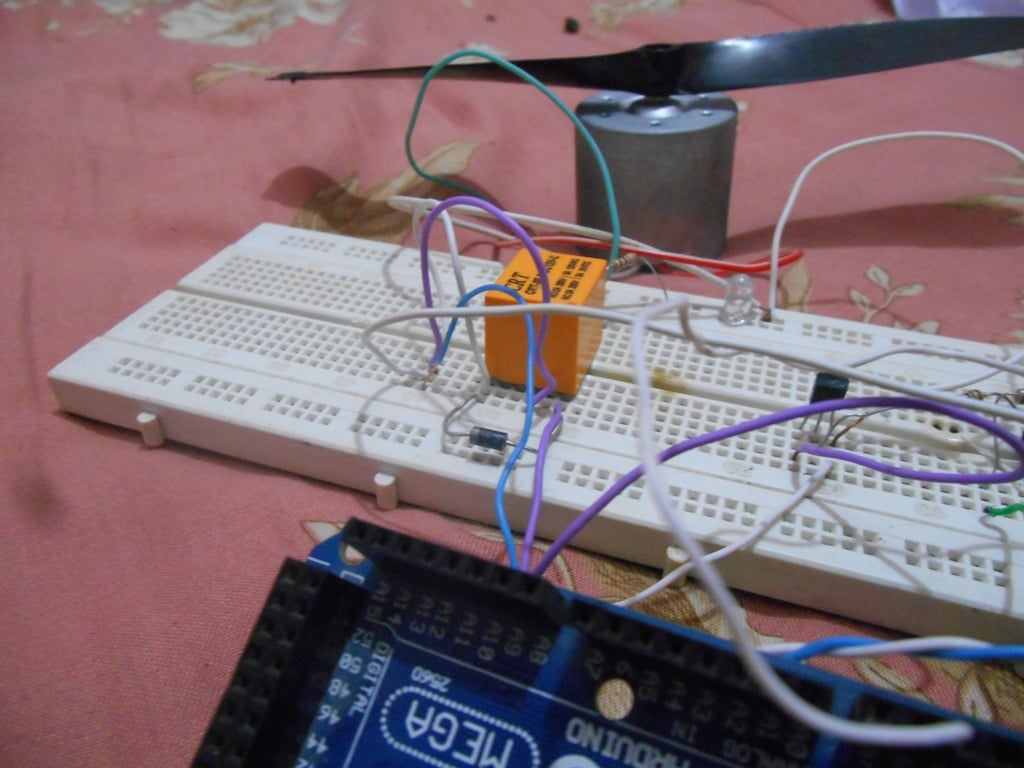
To control high-voltage or high-power circuits with an Arduino, you have to isolate them from the Arduino with a relay. Here's how!
Verify about driving directly, I have a couple different types of relays; one type has a transister driver, and the other has an optocoupler.
MCU output pins can't supply very much current, so you often need a driver of some sort to do much more than light an LED.
Hey all! I got the "digital sand" demo running acceptably on a featherM0/CP/dotstar-wing. Will aim to demo it on Show&Tell this week and add it to my dotstar/CP guide.
opal elk
how can I see what an OSError means? I know there's an issue on github for reporting it better but I'd settle for a less-better example. I can't seem to find it anywhere in the docs, either
in particular, error 5
it's probably MemoryError, in which case I don't really know how to fix it
(by not importing sys when I didn't need it, it turns out)
(orrrr not)
raven canopy
@opal elk I had to trace it down...but ask, and ye shall receive!
https://github.com/adafruit/circuitpython/blob/master/py/mperrno.h
opal elk
thank you! I was just starting to look through there
raven canopy
yw
opal elk
I/O error? wha...
raven canopy
yeah, not exactly verbose.
manic glacierBOT
 opal elk
possibly the least readable code I've ever written... (mostly the second line)
oled.text(" {:0<3} {:0<3} {:0<3}".format(*[abs(int((int(int(v)-v*10)-(int(v)-v*10))*1000)) for v in (x, y, z)]), 0, 20)
that takes a three tuple of accelerometer data, ie (-0.1234567, 0.3141592, 0.9876543) and formats it over two lines with three characters per line, including the negative sign if appropriate
waaaait no it doesn't, not always
"{:.1f}".format(0.987) is '1.0' 😐
(that makes total sense, it just means I can't use it for my dirty deeds)
and also str(abs(v))[3:6] will give me what I need for line 2
umbral dagger
@opal elk You're playing with accelerometers too?
opal elk
yep! I have a CPX strapped to the back of a pinewood derby car
umbral dagger
cool
I made an accell/mag featherwing, and used it (just the accel) to do a compact digital sand demo in CP
raven canopy
i'm playing with vagrant/VM and trying to build CP on the Feather nRF. i'm defnitely losing...
solar whale
@sommersoft#0222 I have been able to get it to work following the instructions in https://github.com/adafruit/circuitpython/tree/master/ports/nrf/boards/feather52. Where are you having problems?
 silent torrent
Hi Guys. I want to learn how to use the program language for Arduino to use on Neopixels. I understand that I can copy some of the examples and modify it but I'd like to learn what it all means so I can create and modify understanding what I'm doing. Can you please point me in the right direction?
timber mango
raven canopy
@solar whale haven't been able to get the VM to use the USBtoUART driver for the board...so I'm stuck at the single-bank DFU bootloader. and that is the guide I've been using.
solar whale
@raven canopy ah - I have not tried using the VM to upload - I always copy the files to the host then upload, but they may not work for the nrf52 since you need the nrftools.... however under linux, the port normall would be /dev/ttyUSB0 not USBtoUART as in the guide - that is a MACOS name.
try just chaning to SERIAL=/dev/ttyUSB0
raven canopy
i tried with USB0...failed b/c "no serial connection found" or something to that effect
solar whale
the is a way to route the USB conncections int the VM - Tony Dicola discusses it in one of his videos ...
raven canopy
yeah, that's how i got the VM to see it in the first place (not from his video though). and after burning the DFU with arduino in a desperate attempt...VM won't recognize it anymore. hehe. the joy!
i'll have to see if i can find the tonyd vid...
solar whale
so it does compile at least - thats a big step!
raven canopy
sidenote: the nRF board package takes FOREVER to install.. ⏲
watching tony's nRF video now. already, he hits me with knowledge. I totally glossed over the fact that it uses the M4 vs the M0.
solar whale
@raven canopy I suppose you could copy the necesary files to your host system and execute the uplaodfrom there - after installing the nrfutils loaclly -- the commands are in https://github.com/adafruit/circuitpython/blob/master/ports/nrf/boards/feather52/mpconfigboard.mk
GitHub
circuitpython - CircuitPython - a Python implementation for teaching coding with microcontrollers
It is M4 , but not an ATmel M4 ( it is Nordic Semi ) that also got me confused!
what is the link to his vieo?
solar whale
It means that much of the device support is using differnt code than on the atmel chips. (not based on asf4)
taht was the vidio I was thinking of. - I think he describes how to do it. trying to find where. Nice video
raven canopy
i'm at 15:xx. he's early in the vagrant setup
solar whale
its around 31: - he talks about compiler errors around 20 but they don't occur any more
also the desripttion he uses for nrfutil install is old - it is simpler now and I think you already have it done from the guide.
raven canopy
yeah, that was a tricky one. i started reading/planning using the info on the /ports/nrf/readme. I got confused quickly... then, i stumbled on the /ports/nrf/boards/feather52/readme. much easier to follow. 😄
solar whale
the magic is at 36:30 or so
raven canopy
another sidenote: tony is a nano-ite. i like him even more! hahaha
manic glacierBOT

Anyone knows how to use Sublime Text with Circuit Python? I have already installed Deviot but do not know how to continue from there.
solar whale
@raven canopy just a heads up: After he gets it loaded, he starts playing with the ubluepy examples. For the default build in the feather52, the BLE support is not enabled so they won't work. I have enabled it ( just uncomment in the mpconfigport.h) and run these examples on the feather52. Also, the new ampy does work, with the -delay parameter set to 1.5
raven canopy
hmm. that's one thing i may have done wrong. i think i ran the nrfutil in a lower tree...hmm.
well, it runs fine from ~, so should be fine.
solar whale
I don't think it mattrs since it just installs it.
the feather52 port on cicruitpython has come a long way since this video!
I like Tony's predicitions for the future of the nrf52 -- coming true!
raven canopy
@solar whale is it still required to do the single bank step? that's where i'm failing
solar whale
ye - do the boot-flash first then the dfu-gen dfu-flash - is it just failing to connect?
did oyu get it intp DFU mode - ground the DFU pin then RESET
raven canopy
yeah
nrfutil dfu serial --package boards/feather52/bootloader/feather52_bootloader_2.0.1_s132_single.zip -p /dev/ttyUSB0 -b 115200
Upgrading target on /dev/ttyUSB0 with DFU package /home/vagrant/source/sommersoft/circuitpython/ports/nrf/boards/feather52/bootloader/feather52_bootloader_2.0.1_s132_single.zip. Flow control is disabled.

Failed to upgrade target. Error is: Serial port could not be opened on /dev/ttyUSB0. Reason:

Possible causes:
- Bootloader, SoftDevice or Application on target does not match the requirements in the DFU package.
- Baud rate must be 115200, Flow control must be off.
- Target is not in DFU mode. Ground DFU pin and RESET and release both to enter DFU mode.
so - just to be sure - you ground DFU pin then RESET - remove ground and it in blinking the red LED... corrdct?
raven canopy
correct
and the USB bridge is loaded
vagrant@vagrant-ubuntu-trusty-64:~/source/sommersoft/circuitpython/ports/nrf$ lsusb
Bus 001 Device 002: ID 10c4:ea60 Cygnal Integrated Products, Inc. CP210x UART Bridge / myAVR mySmartUSB light
try disconnecting USB port and reconnecting - sometimes it gets aonfused -- is you do ls /dev/ttyUSB* do you see USB0?
raven canopy
yep
solar whale
what are permissions on /dev/ttyUSB0 ? Do you have to be a member of group dialout to acces it? Are you?
raven canopy
now I have to remember long forgotten linux cmds... 😄
solar whale
ls -la /dev/ttyUSB0
raven canopy
that one i remembered.
crw-rw---- 1 root dialout 188, 0 Jan 14 15:28 /dev/ttyUSB0
solar whale
grep dialout /etc/group
solar whale
if not in it : sudo adduser <username> dialout
not sure if thsi will help, but worth a try
I think you are user vagrant
raven canopy
yeah. giving it a run now
solar whale
but since tony did not run ito it, I'm not optimistic...
raven canopy
no go. ☹
raven canopy
yeah
solar whale
I have "gotten" stuck at thsi point - disconnecting the USB usually helped.. You are so close.....
raven canopy
when you connect, do you gnd -> dfu? or do you just rst after connecting?
solar whale
I just connect ground ->DFU press reset then remove the jumper -- sometimes I power down the feather (disconnect) connect the jumper power up then remove the jumper.
raven canopy
well, there is a win32 binary for nrfutil...maybe i'll try that route.
solar whale
worth a try -- but it has to be the same version to support dfu, I think -- Do you have python on the windows system - can you just do the install steps there? AS in the feather52 guide?
raven canopy
yeah, i have 2 & 3, and have figured out run pip/etc through powershell/cmd. i haven't program hopped like this in a long time. ;D
solar whale
good luck --- I'll be off for a bit. Hopefully you'll crack this soon. BTW if you get boot-flash to work, I find taht is stays in DFU mode so I dont have to reset it to load the dfu-flash.
raven canopy
thanks. we'll see. i have to get moving myself, so this may be on pause until tonight.
manic glacierBOT
Please ask on the support forum: https://forums.adafruit.com/viewforum.php?f=60
GitHub issues should be used for bugs and feature requests.
manic glacierBOT
Do the workarounds for CPython compat still work in CPython? I don't want us teaching bad habits that break when moving to CPython.
manic glacierBOT

Camerutttt, It is possible, just write your python code, and when you save it, call it 'main.py' or whatever filename you like.
 blazing trail
/\ me
manic glacierBOT
sorry, scott. :)
<i class="fa fa-check-square" aria-hidden="true"></i>
carmine hornet
I found this summer camp at brown college: https://precollege.brown.edu/catalog/course.php?course_code=CECS0604
It's a 2 week course on micropython
blazing trail
wow 😃
raven canopy
@solar whale finally got it to run the single bank dfu. i edited the usb passthrough name in virtualbox; the name had the version at the end [100] which i think was tripping up ubuntu.
carmine hornet
Is there a way to trigger cap touch with an object that has copper tape on it and you aren't touching the copper tape?
carmine hornet
I tried putting conductive tape on the end of a syringe for a project but it won't work
What do you mean by a cap @stuck elbow
stuck elbow
a capacitor
stuck elbow
actually, a capacitor alone could be not enough, the other end would probably need to be grounded somehow
but what are you trying to actually do?
maybe there is a simpler way
carmine hornet
Sense when the syringe has moved to a specific point
The syringe is powered by hydraulics
carmine hornet
What's that?
carmine hornet
I need the syringe to be able to move past the point though
Would it let me do that?
stuck elbow
well, some smart mechanical design would be required for that
another way is to use a led and a photosensitive element
and a hole in that thing that moves
carmine hornet
I think an endstop switch would be best
It think I could place it in the right stop so that it only trigger at that spot
stuck elbow
a hall effect sensor and a magnet would work too
or even a simple reed switch and a magnet
carmine hornet
I'll see what works best for me
stark wolf
@carmine hornet IR break beam set, would work and are really cheap.
raven canopy
@slender iron working on nRF uid right now. however, seems that struct hasn't made it into the build yet. so, the ability to unpack the bytearray won't be there. i can add a note to the spinx-doc that nRF isn't unpackable yet...
slender iron
@raven canopy thats fine. PLease file an issue for struct too
raven canopy
can do, but its not just struct. most of the shared modules are commented out of the Makefile:
*  bitbangio/__init__.c \
    bitbangio/I2C.c \
    bitbangio/OneWire.c \
    bitbangio/SPI.c \
    busio/OneWire.c \
    gamepad/__init__.c \
    gamepad/GamePad.c \
    struct/__init__.c \
    uheap/__init__.c \
    ustack/__init__.c
i'm going to move it out of the commented section and see if i can get it to compile. might be better to put in an issue for all of the (desired) shared modules? @slender iron
raven canopy
yeah. that's why i wasn't stressing it too much and just going to add the note..
it built just fine with struct. now to see if it actually works.
raven canopy
nope. still get no module named
manic glacierBOT
The shared modules below are not currently included in the nRF port build (taken from Makefile). Obviously, some will be easier than others so I put them in as a task list.
- [ ] bitbangio/init.c
- [ ] bitbangio/I2C.c
- [ ] bitbangio/OneWire.c
- [ ] bitbangio/SPI.c
- [ ] busio/OneWire.c
- [ ] gamepad/init.c
- [ ] gamepad/GamePad.c
- [ ] struct/init.c
- [ ] uheap/init.c
- [ ] ustack/init.c
slender iron
@raven canopy looks excellent thanks!
<@&356864093652516868> Our meeting will not be tomorrow due to the US Holiday Martin Luther King, Jr Day. We'll do it on Tuesday instead at the normal time 11am Pacific / 2pm Eastern here on Discord.
manic glacierBOT
manic glacierBOT
/shared-bindings/index.rst: updated Support Matrix format as discussed in PR #503 & Issue #448.
Issue #462 :
/shared-bindings/microcontroller/Processor.x:
- Added functionality for retrieving the unique identifiers for all ports that support it.
- Sphinx-rST documentation is in place, to include a note that the nRF port does not currently include
structfor bytearray unpacking.
/shared-bindings/ports/XXXX/Processor.x:
- Added functions to retreive unique identifiers for t...