#Help with changing ptero theme on vps panel
178 messages · Page 1 of 1 (latest)
 charred belfry
got the link for me?
 willow narwhal
Give me a minute
willow narwhal
charred belfry
got the link for me?
I have downloaded it
this is the guide to install, but idk how I do that

 eager haven
just run the line that says bash
charred belfry
^^
willow narwhal
sudo su ?
charred belfry
bash <(curl -s https://raw.githubusercontent.com/MBG1337/McubeTheme/main/install.sh)
willow narwhal
Where do I run it
charred belfry
in your SSH
willow narwhal
i tried that but it wasn't working
willow narwhal
ok wait
 charred belfry
well, the same way as you did before
 leaden geodeBOT

PebbleHost Knowledgebase
We will describe how you can access your new Dedicated server's terminal via SSH
willow narwhal
its vps btw
charred belfry
(the ssh part is the same for a vps)
willow narwhal
oh ok
charred belfry
just follow the text guide
willow narwhal
charred belfry
just follow the text guide
do i need to add root too?
charred belfry
assuming you haven't changed it - yes
willow narwhal
charred belfry
assuming you haven't changed it - yes
just wanna ask if i share my host here, does that creates any problem?
willow narwhal
 willow narwhal
charred belfry
as long as your have a good password
willow narwhal
charred belfry
as long as your have a good password
Yep I do.
charred belfry
type your password there and press enter (it wont show anything)
charred belfry
you can, it just doesn't show anything for security purposes
charred belfry
charred belfry
`bash <(curl -s https://raw.githubusercontent.com/MBG1337/McubeTheme/main/instal...
run this
willow narwhal
the screen is same though
 charred belfry
have you pressed enter?
willow narwhal
yep (legit like 10 times)
willow narwhal
i tried again and it said this bruh
 willow narwhal
charred belfry
make sure you typed it correctly
willow narwhal
charred belfry
make sure you typed it correctly
Is there any chance, that my host could be wrong?
willow narwhal
hm then it's fine
Should it be the one that is ptero panel's password for root user?@charred belfry
willow narwhal
charred belfry
???
then what should be it?
 willow narwhal
no i mean just tell when do we set that passwd
willow narwhal
charred belfry
I think you can reset it in the VPS panel (not pterodactyl)
ok any idea where?
charred belfry
I don't
willow narwhal
 charred belfry
I think it's a bit down
willow narwhal
charred belfry
I think it's a bit down
bro i have reset the password, its still saying same
charred belfry
Have you got the correct username?
willow narwhal
charred belfry
Have you got the correct username?
username should be root only right?
charred belfry
I think so
willow narwhal
@charred belfry Hey I just logged in
charred belfry
charred belfry
`bash <(curl -s https://raw.githubusercontent.com/MBG1337/McubeTheme/main/instal...
How run this
willow narwhal
charred belfry
How run this
this is what I got
 willow narwhal
how do i make it on ubuntu?
 simple fiberBOT
@willow narwhal, you just advanced to level 7 !
charred belfry
I don't recommend changing it if you're unfamiliar with linux
there is no way to change besides reinstalling your entire vps
willow narwhal
charred belfry
I don't recommend changing it if you're unfamiliar with linux
Is there any other theme which could run on this and not on Ubuntu?
charred belfry
Yeah, it's just that the installer doesn't support anything else but ubuntu
willow narwhal
charred belfry
Yeah, it's just that the installer doesn't support anything else but ubuntu
Can you send me those please?
charred belfry
?
willow narwhal
charred belfry
?
the themes?
eager haven
@willow narwhal
the script provided is relatively easy to modify to work for you
before running that command please make sure you have nodejs, npm and yarn installed
#!/bin/bash

# Updating system packages
sudo dnf update -y

# Enabling EPEL release for more package options
sudo dnf install -y epel-release

# Installing Node.js from AppStream repository
# This installs the module which also contains npm
sudo dnf module list nodejs
sudo dnf module reset nodejs -y
sudo dnf module enable nodejs:14 -y # Choose your preferred stream
sudo dnf install -y nodejs

# Check node and npm versions
echo 'Node.js version:'
node --version
echo 'npm version:'
npm --version

# Installing yarn globally using npm
sudo npm install --global yarn

# If you prefer to use the official Yarn packaging scripts,
# uncomment the below lines and remove the 'sudo npm install' line.
# These will configure the Yarn repository and import the repository’s GPG key.

# sudo curl --silent --location https://dl.yarnpkg.com/rpm/yarn.repo | sudo tee /etc/yum.repos.d/yarn.repo
# sudo rpm --import https://dl.yarnpkg.com/rpm/pubkey.gpg
# sudo dnf install -y yarn

# Verify the installation of yarn
yarn --version
run this first
eager haven
eager haven
then run this
willow narwhal
Okay sir I will do that afterwards
willow narwhal
@eager haven what will this do btw?
eager haven
install the theme the commands used are mostly universal i just removed the portions that made it 'require' ubuntu and gave you rocky linux instructions that are the same as the other script
the script does nothing but move files to the proper directory so all you need is npm yarn and the other depedencies above
eager haven
just run it as a script
use nano and paste then save or do something else to upload it
willow narwhal
eager haven
just run it as a script
idk how we run like that, please tell
eager haven
chmod +x <filename>.sh
./<filename>.sh
willow narwhal
sorry but im dumb
willow narwhal
eager haven
chmod +x <filename>.sh
./<filename>.sh
so first i download the file?
eager haven
yes
willow narwhal
"C:\Users\files\Downloads\message.txt" this is my directory
eager haven
alright
give me the login details
please
this is going nowhere
i'll just do it for you
willow narwhal
ok please don't do anything bad with it
eager haven
i don't do that
willow narwhal
eager haven
i don't do that
just dmed you
eager haven
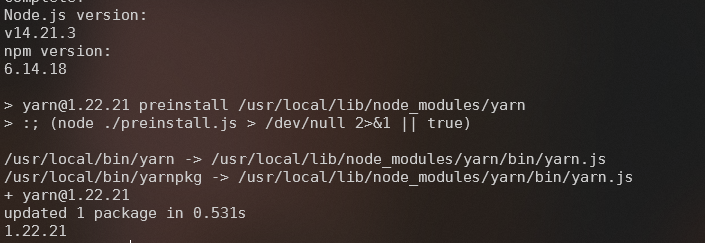
https://i.lucidly.net/9c7ff71f-d8c9-4700-8cb3-33e156f2fbbc.png dependencies are installed
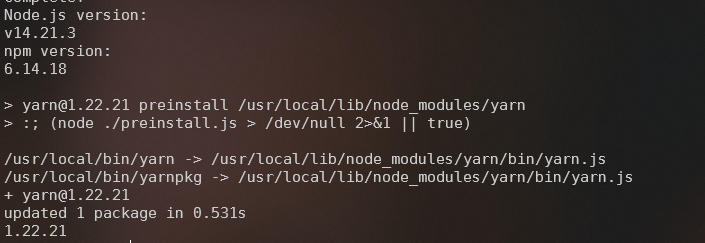
https://i.lucidly.net/6f036be6-6c53-4515-a948-6aaa4472408c.png a backup has been provided


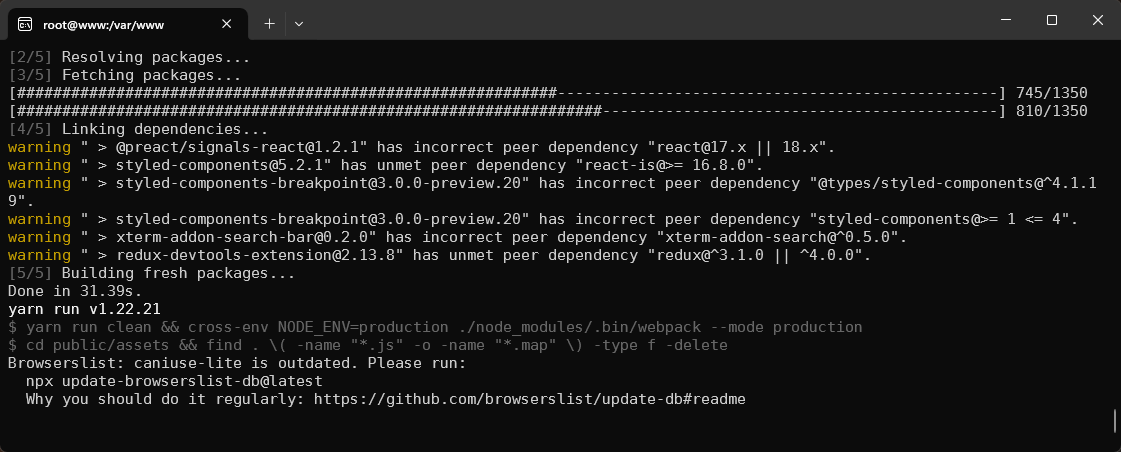
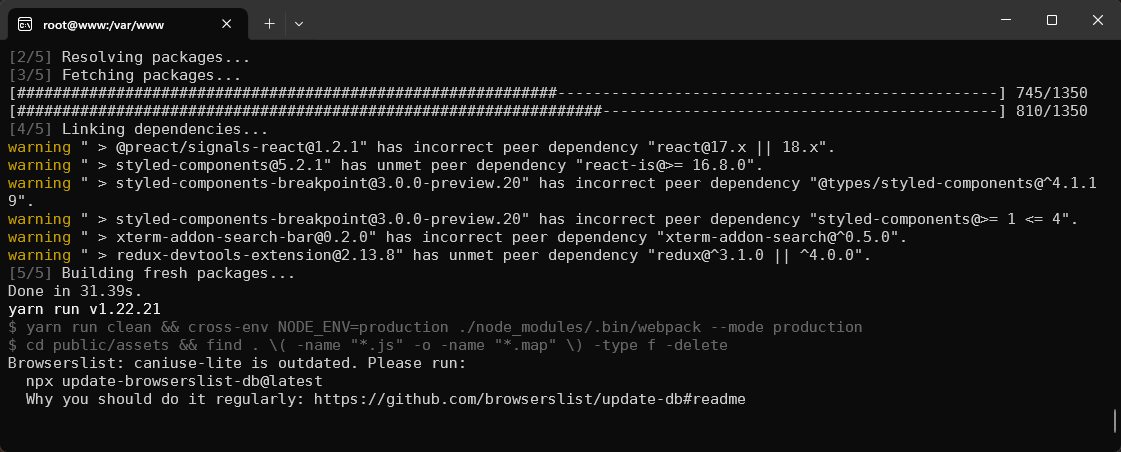
installation will be done shortly
the script reports success


can i please ask one thing though
why are you using a vps when you don't know much about them?
willow narwhal
eager haven
why are you using a vps when you don't know much about them?
what should i use then?
like i want to host ton of discord bots with database
which should be easily expandable and shrinkable in future
willow narwhal
eager haven
you cant shrink a vps
I can downgrade it?
eager haven
you can downgrade the ram and cpu but you can't reduce the disk space it has allocated
without a reinstallation
eager haven
not really
i mean personally, i dont necessarily like vpses for stuff because it is shared and some things are out of my control i.e if the hosts node goes down, i can't do anything to fix that
willow narwhal
eager haven
not really
i heard that ptero gets preinstalled on dedicated or something
eager haven
the installation is not hard for pterodactyl
willow narwhal
and the installation of ptero is done by staff
willow narwhal
eager haven
the installation is not hard for pterodactyl
through script or linux?
eager haven

willow narwhal
Idk what's the basic difference b/w dedicated and vps
eager haven
it doesnt matter if you have a script or not
willow narwhal
Also @eager haven in future if I want to install another theme, how would I do that?
eager haven
depends on the theme
eager haven
willow narwhal
Idk what's the basic difference b/w dedicated and vps
on a vps you are sharing resources whereas on a dedicated server its just one computer that you have access to
charred belfry
I would not recommend you to upgrade to a dedi
willow narwhal
@eager haven Do you know any ptero mod which can make code editor workspace a lot better?
charred belfry
You could use sftp and an IDE on your pc
willow narwhal
charred belfry
You could use sftp and an IDE on your pc
Yeah I use sftp but it's a bit long process if u want to do minute changes
What's IDE?
charred belfry
code editor
willow narwhal
charred belfry
code editor
e
eager haven
willow narwhal
<@141938780411002880> Do you know any ptero mod which can make code editor works...
Just get Microsoft visual studio or notepad++
 outer quarry
@willow narwhal you need to go to /var/www/pterodactyl
Put the file in and unzip it or you can run it by command line
charred belfry
?
willow narwhal
outer quarry
<@271974692531732480> you need to go to /var/www/pterodactyl
Put the file in a...
?? wdym
outer quarry
Most themes with pterodactyl is just drag and drop or either unzip in the /var/www/pterodactyl
@willow narwhal dm me
Smh
Nvm you got it done
eager haven
@outer quarry this has already been done
outer quarry
I noticed that's why I said nvm