#Linux VPS Server
377 messages · Page 1 of 1 (latest)
 shrewd ibex
 fiery void
Yes, a ui
shrewd ibex
You'll want to get a Desktop Environment
fiery void
Ok wait, can I start from the beginning
What is the difference between a cloud server and a vps?
This is my cloud server, that works perfectly after I ran those commands
shrewd ibex
So, you have some options to pick from. Here are some of the more popular ones:
- KDE Plasma: What I use, and it allows you to customize everything, but it might be a little more resource intensive.
- GNOME
- XFCE: Good for light memory/resource usage.
- LXDE: Looks pretty basic but is the best for super lowend systems.
- Cinnamon
fiery void
I'm just trying to host some websites, webmail and a game server
Not for personal use, not for my computer
shrewd ibex
I'd actually recommend you don't get a Desktop Environment unless you truly want it, then, as it'll use more memory and probably more CPU
And a bit more storage
fiery void
But it's so complicated with this console
shrewd ibex
I assume you're using SSH for the command line?
 grand hamlet
you still run the commands in a terminal
fiery void
What is SSH?
grand hamlet
so its basically the same
fiery void
Yes, but I can easily move the files around and stuff
shrewd ibex
SSH is run on port 22, and it's what allows you to connect to your VPS or dedicated server to run commands
grand hamlet
you could use ftp for that
shrewd ibex
With encrypted traffic
(Port 22 can also be used for SFTP though)
@grand hamlet post please
fiery void
I don't know I bought it from ionos
shrewd ibex
Are you using an application like Termius or PuTTy to access your VPS?
fiery void
No, I am accessing it from a web page, after I clicked access remote console
grand hamlet
ah, kvm
shrewd ibex
By the way, what did you send that got deleted?
fiery void
Not kvm
fiery void
shrewd ibex
By the way, what did you send that got deleted?
Just the domain
grand hamlet
well vnc
fiery void
Okay so the thing is
shrewd ibex
fiery void
Just the domain
Ah
fiery void
This nice one says kvm
The vps says remote console
This is how I open the nice one, kvm console
This is how I open the vps,
shrewd ibex
So, do you ultimately want to have a DE at the expense of more CPU/RAM/storage usage?
If you do, that's alright
fiery void
Is it easy to setup a webmail, few websites and a game server without it?
shrewd ibex
It's not too difficult
fiery void
I can use an FTP like @grand hamlet said?
shrewd ibex
Yes, you can
fiery void
Okay wait, is a VPS a good selection to host what I want to?
shrewd ibex
I'd actually recommend SFTP since it can run on the same port (22) as SSH anyways and it's encrypted
grand hamlet
fiery void
Okay wait, is a VPS a good selection to host what I want to?
yes
shrewd ibex
For hosting webmail and a few websites and a game server, yes, a VPS is a good choice.
shrewd ibex
A VPS will give you more control than getting hosting plans for this kind of stuff.
grand hamlet
you can choose, winscp or filezilla
shrewd ibex
I recommend WinSCP ^
grand hamlet
I prefer filezilla, but thats just personal preference
fiery void
Okay I like winscp anyways
shrewd ibex
Perfect
fiery void
How would I delete everything I just installed
grand hamlet
reinstalling the OS would be the easiest
fiery void
grand hamlet
reinstalling the OS would be the easiest
How could I do that?
grand hamlet
depends on what game you're going to run
grand hamlet
fiery void
How could I do that?
You'd need to look that up
fiery void
It's just an io game, a basic websocket server
grand hamlet
fiery void
It's just an io game, a basic websocket server
ah, than it should be more than enough
fiery void
Okay, and do you have a good tutorial on how I can access it via ftp? I can google one if not
grand hamlet
yeah you'll need to google that aswell
fiery void
fiery void
What is the difference between a cloud server and a vps?
I already have a ftp connection to this somehow
I don't remember what I did though
It's like a whole computer
fiery void
Thank you guyssssssssss 

@shrewd ibex @grand hamlet
fiery void
shrewd ibex
Feel free to let me know if you need anything else btw
Yep I dmed you a link :p
fiery void
@grand hamlet can you help me asap please 😭
I did pm2 logs now I can't get back to writing
It's stuck
ctrl+C :)


 fiery void
 rapid warren
<@709468715510530108>
rapid warren
<@709468715510530108>
What
rapid warren
fiery void
What
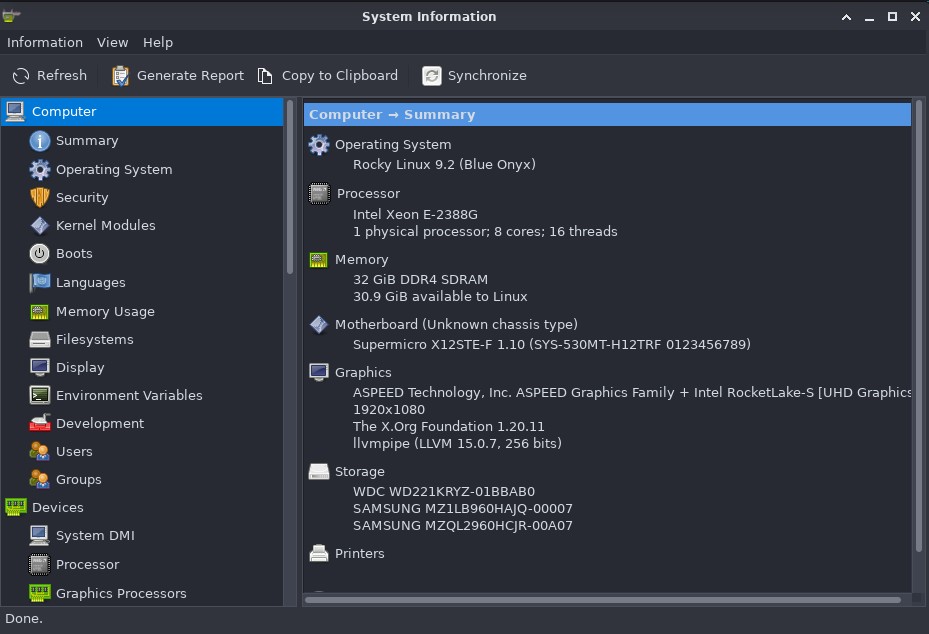
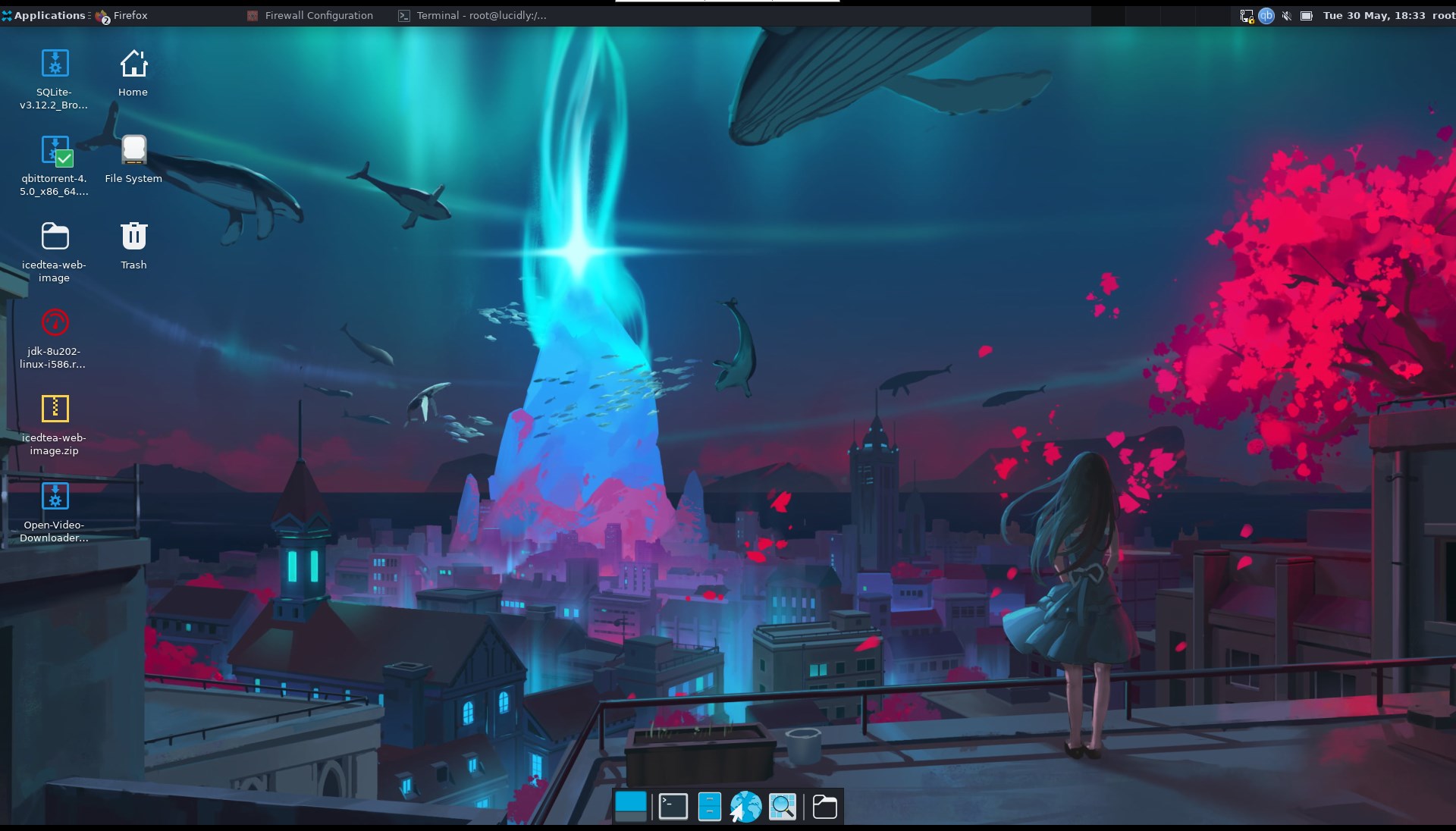
was just showing you one of my dedis
fiery void
rapid warren
was just showing you one of my dedis
Looks like a personal computer lool
Mine is a vps, much lower but I got half of everything I need setup in 10 mins
rapid warren
fiery void
Mine is a vps, much lower but I got half of everything I need setup in 10 mins
yeah this hosts a bunch of stuff and serves as a platform for a linux-based vdi
fiery void
rapid warren
yeah this hosts a bunch of stuff and serves as a platform for a linux-based vdi
I'll get a dedi later, I'm just testing out a small vps first :))
rapid warren
fiery void
I'll get a dedi later, I'm just testing out a small vps first :))
oh yea i was just showing u my setup
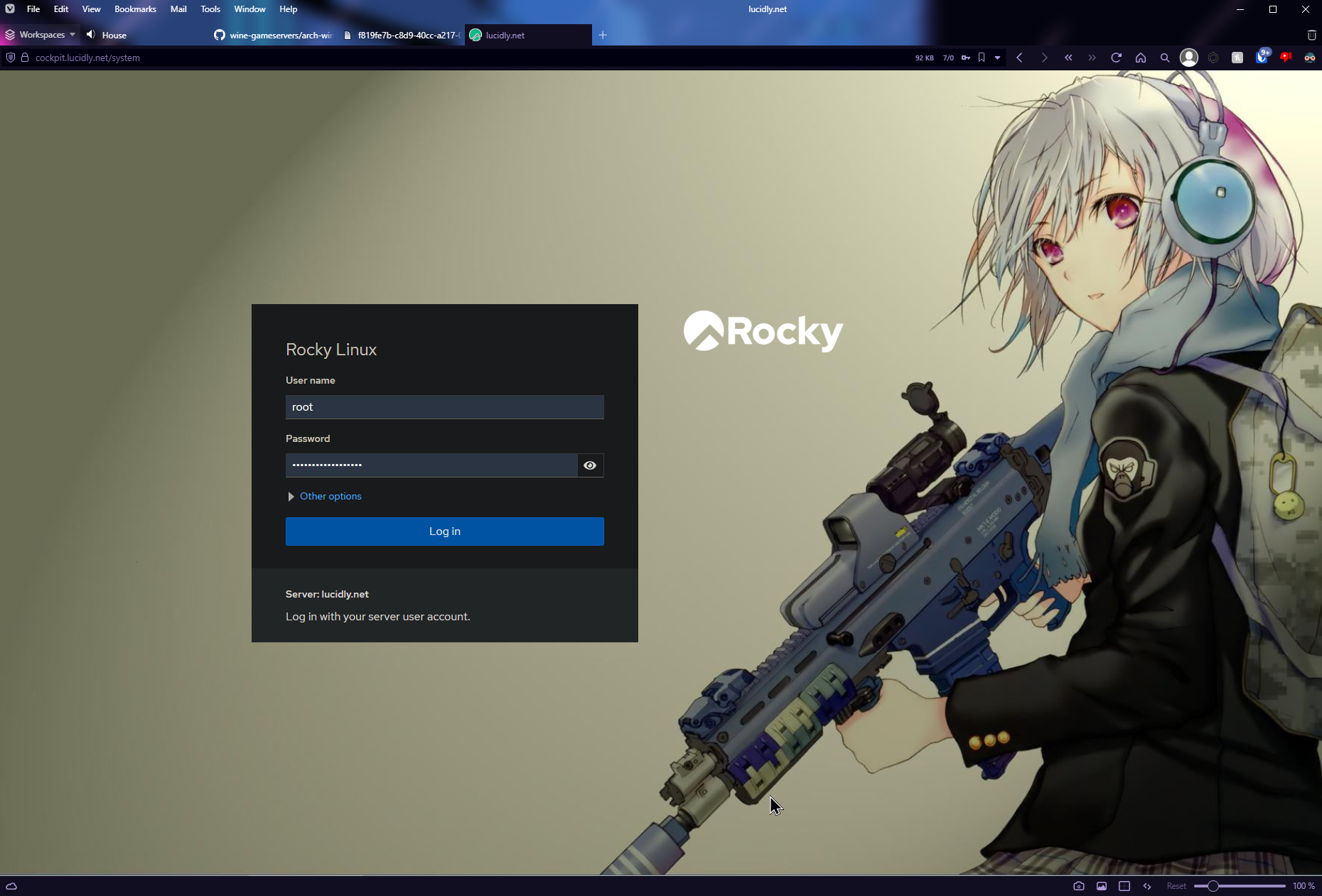

oh i see
if you need help @fiery void im willing to help
i know a lot of tips and tricks that will make your life better
fiery void
rapid warren
i know a lot of tips and tricks that will make your life better
Ye sure
fiery void
@rapid warren Are you good with npm and node in linux servers?
 stone raftBOT
@fiery void, you just advanced to level 14 !
rapid warren
fiery void
<@141938780411002880> Are you good with npm and node in linux servers?
what do you mean?
what specifically are you talking about
fiery void
Look
Server.js
const express = require("express");
const app = express();

app.get("/servers/server1", (req, res) => {
  res.json({ message: "Hello from server1" });
});

app.listen(3000, () => {
  console.log("API server is running on port 3000");
});
and files
fiery void
rapid warren
what do you mean?
I double checked that I initialized npm correctly and installed epxress
fiery void
Yup, which is probably express since it's the only thing
rapid warren
fiery void
Yup, which is probably express since it's the only thing
npm install express
try that
fiery void
Did, 4 times
rapid warren
nothing?
rapid warren
npm list -g
fiery void
Don't think it's global package
I get the same error with my bots too
Could I have setup node/npm wrong on ubuntu?
@shrewd ibex You know anything about it?
shrewd ibex
a little busy rn and doing other things so my answers might not be the best, but try running npm with no arguments and seeing what happens
and then try running node with no arguments
fiery void
shrewd ibex
and then try running `node` with no arguments
Whole bunch of stuff appears
fiery void
rapid warren
npm install -g express --save
I don't want it global though
shrewd ibex
fiery void
Whole bunch of stuff appears
ss?
shrewd ibex
fiery void
I don't want it global though
then run without the -g
fiery void
shrewd ibex
then run without the `-g`
I did
rapid warren
fiery void
I don't want it global though
do it anyway
shrewd ibex
i think you'd remove the express as well
fiery void
Okay
fiery void
Okay I will try it
shrewd ibex
unless it's malware but that's a whole different concern anyways
and 99% chance it isn't and you'd probably know
rapid warren
firewall
fiery void
Sure?
rapid warren
can also attempt using curl -I 127.0.0.1:3000
shrewd ibex
is it running
shrewd ibex
aren't you using pm2 or smth
fiery void
Also one more thing
shrewd ibex
if you're using pm2 type pm2 list
fiery void
Why is the id still increasing when I deleted the other one?
shrewd ibex
because that's how it works until you reboot afaik
Okay
So it's a firewall issue
Are you using a reverse proxy to put it on port 80/443
(e.g. nginx)
fiery void
This is all I have
shrewd ibex
Ok but
shrewd ibex
Okay, so you are putting :3000 after the IP/domain in your browser, right?
shrewd ibex
Are you using firewalld (firewall-cmd), ufw (ufw), or something else?
fiery void
Not that I run
shrewd ibex
You don't use either?
shrewd ibex
Run firewall-cmd and see if it's a command
fiery void
Not command
fiery void
ufw is command
shrewd ibex
Don't run that
If you set up ufw
Because you don't want both
Ok so
You'll want to use ufw
fiery void
okay
shrewd ibex
Unfortunately I'm a lot more familiar with firewall-cmd than ufw, but I'll try my best to help you out
Run sudo ufw allow 3000, followed by sudo ufw allow 3000/tcp and screenshot the output
shrewd ibex
sudo ufw enable
Then run sudo ufw status verbose again
While you're at it, do you want to use this for webhosting?
fiery void
Ye, to host like 6 websites
shrewd ibex
Run these commands then:
sudo ufw allow 80
sudo ufw allow 80/tcp
sudo ufw allow 443
sudo ufw allow 443/tcp
This will allow ports 80 (http) and 443 (https)
On TCP
fiery void
Okay did that :)
shrewd ibex
Also, are you familiar with setting up nginx?
fiery void
Kind of
rapid warren
i would not suggest doing it that way
shrewd ibex
Do you have an idea as to how to set it up?
shrewd ibex
rapid warren
i would not suggest doing it that way
Why not?
rapid warren
that exposes it to the entire internet and therefore vulnerabilities either in your code or the modules used ,etc
fiery void
Installing it?
rapid warren
i always block off HTTPS traffic to cloudflare's subnets only
fiery void
I was goign to use cpanel or something similar
rapid warren
all im saying is only permit cloudflare to communicate on HTTP/S protocols
shrewd ibex
You were going to set up cPanel yourself?
rapid warren
firewall-cmd --add-rich-rule='rule family="ipv4" source address="103.21.244.0/22" port port="8080" protocol="tcp" accept'
firewall-cmd --add-rich-rule='rule family="ipv4" source address="103.21.244.0/22" port port="8080" protocol="udp" accept'
firewall-cmd --add-rich-rule='rule family="ipv4" source address="103.22.200.0/22" port port="8080" protocol="tcp" accept'
firewall-cmd --add-rich-rule='rule family="ipv4" source address="103.22.200.0/22" port port="8080" protocol="udp" accept'
firewall-cmd --add-rich-rule='rule family="ipv4" source address="103.31.4.0/22" port port="8080" protocol="tcp" accept'
firewall-cmd --add-rich-rule='rule family="ipv4" source address="103.31.4.0/22" port port="8080" protocol="udp" accept'
firewall-cmd --add-rich-rule='rule family="ipv4" source address="104.16.0.0/12" port port="8080" protocol="tcp" accept'
firewall-cmd --add-rich-rule='rule family="ipv4" source address="104.16.0.0/12" port port="8080" protocol="udp" accept'
firewall-cmd --add-rich-rule='rule family="ipv4" source address="108.162.192.0/18" port port="8080" protocol="tcp" accept'
firewall-cmd --add-rich-rule='rule family="ipv4" source address="108.162.192.0/18" port port="8080" protocol="udp" accept'
firewall-cmd --add-rich-rule='rule family="ipv4" source address="131.0.72.0/22" port port="8080" protocol="tcp" accept'
firewall-cmd --add-rich-rule='rule family="ipv4" source address="131.0.72.0/22" port port="8080" protocol="udp" accept'
firewall-cmd --add-rich-rule='rule family="ipv4" source address="141.101.64.0/18" port port="8080" protocol="tcp" accept'
firewall-cmd --add-rich-rule='rule family="ipv4" source address="141.101.64.0/18" port port="8080" protocol="udp" accept'
firewall-cmd --add-rich-rule='rule family="ipv4" source address="162.158.0.0/15" port port="8080" protocol="tcp" accept'
firewall-cmd --add-rich-rule='rule family="ipv4" source address="162.158.0.0/15" port port="8080" protocol="udp" accept'
firewall-cmd --add-rich-rule='rule family="ipv4" source address="172.64.0.0/13" port port="8080" protocol="tcp" accept'
firewall-cmd --add-rich-rule='rule family="ipv4" source address="172.64.0.0/13" port port="8080" protocol="udp" accept'
firewall-cmd --add-rich-rule='rule family="ipv4" source address="173.245.48.0/20" port port="8080" protocol="tcp" accept'
firewall-cmd --add-rich-rule='rule family="ipv4" source address="173.245.48.0/20" port port="8080" protocol="udp" accept'
firewall-cmd --add-rich-rule='rule family="ipv4" source address="188.114.96.0/20" port port="8080" protocol="tcp" accept'
firewall-cmd --add-rich-rule='rule family="ipv4" source address="188.114.96.0/20" port port="8080" protocol="udp" accept'
firewall-cmd --add-rich-rule='rule family="ipv4" source address="190.93.240.0/20" port port="8080" protocol="tcp" accept'
firewall-cmd --add-rich-rule='rule family="ipv4" source address="190.93.240.0/20" port port="8080" protocol="udp" accept'
firewall-cmd --add-rich-rule='rule family="ipv4" source address="197.234.240.0/22" port port="8080" protocol="tcp" accept'
firewall-cmd --add-rich-rule='rule family="ipv4" source address="197.234.240.0/22" port port="8080" protocol="udp" accept'
firewall-cmd --add-rich-rule='rule family="ipv4" source address="198.41.128.0/17" port port="8080" protocol="tcp" accept'
firewall-cmd --add-rich-rule='rule family="ipv4" source address="198.41.128.0/17" port port="8080" protocol="udp" accept'
firewall-cmd --add-rich-rule='rule family="ipv4" source address="2.56.8.123/32" port port="8080" protocol="udp" accept'
firewall-cmd --add-rich-rule='rule family="ipv4" source address="2.56.8.123/32" port port="8080" protocol="tcp" accept'
thats not for ubuntu its for centos/rhel
for ufw i think its
fiery void
Ok I can't copy into the console btw
shrewd ibex
rapid warren
thats not for ubuntu its for centos/rhel
Well that's specifically for firewalld
It's just that firewalld is primarily used by centos/rhel
rapid warren
fiery void
Ok I can't copy into the console btw
use a terminal
windows terminal works
shrewd ibex
You can technically use firewalld on Ubuntu though because at the end of the day it modifies iptables, it's just a bad idea to use it in combination with ufw
fiery void
That's another struggle 🙄
fiery void
shrewd ibex
You can technically use firewalld on Ubuntu though because at the end of the day...
I'll just stick with ufw since I set it up for my ftp
shrewd ibex
fiery void
I'll just stick with ufw since I set it up for my ftp
This is probably the best thing to do anyways if you plan on following Ubuntu-specific tutorials online.
It makes things easier
shrewd ibex
So, you can choose to make it so only Cloudflare can use ports 80 and 443, but you realistically don't have to
fiery void
I'd prefer it since it's much safer
shrewd ibex
Because at the end of the day, nothing bad will be likely to happen to you
Alright
You can do that then
fiery void
But I have around 300 daily players
shrewd ibex
Ah
rapid warren
fiery void
That's another struggle 🙄
There is a right and wrong way of doing things, I'm just warning you that doing it this way is a potential hazard
shrewd ibex
I thought you had a much smaller userbase
fiery void
I'm pretty sure they will find any way to breach
rapid warren
and you shouldn't do it - its a bad practice and will get you in trouble later
shrewd ibex
fiery void
I'm pretty sure they will find any way to breach
If you think they can, then you should definitely set it up to be CF-only IPs on 80/443
fiery void
shrewd ibex
I thought you had a much smaller userbase
Should see my brothers, 150k making me jealous
shrewd ibex
150k players?
fiery void
shrewd ibex
If you think they can, then you should definitely set it up to be CF-only IPs on...
I assume I can find a tutorial for that
shrewd ibex
Damn
shrewd ibex
fiery void
I assume I can find a tutorial for that
Frank just gave you firewalld commands that seem to include CF IPs
So I assume you can just allow 80 and 443 on only the IPs he gave, as long as you can verify those are Cloudflare's IP addresses
fiery void
There is a package called cloudflare-ufw lol
fiery void
Yes it's on github lol
shrewd ibex
¯_(ツ)_/¯
fiery void
It's fine anyways, that's not that long
shrewd ibex
If you think it's a good idea to install it, then go for it, but make sure it's safe first
fiery void
Is this what every web developer does??
shrewd ibex
If you know how to read the code it's written in, do that
shrewd ibex
fiery void
Is this what every web developer does??
I personally don't bother with it, and nothing has happened to me
Knocking on wood before I jinx that
shrewd ibex
My website is available at https://tnology.dev, by the way, and it's proxied by Cloudflare
And it's stable
shrewd ibex
Thanks for the feedback, I might do that
I'm a web developer, but I am by no means a web designer
I am god awful at design
shrewd ibex
Feel free to talk about this with me in #off-topic
fiery void
@shrewd ibex I don't understand why I still cannot access it from google
3000 is set to allow from anywhere
Still says this site can't be reached
rapid warren
then you must be behind a WAF
i.e using oracle cloud
or linode
or digital ocean
if not then you aren't doing something correctly. it migth be that the application isn't even binding to the public ip and only localhost
fiery void
or ionos
rapid warren
i dont know if ionos has a waf
fiery void
How can I see what it is binding to?
rapid warren
netstat -tulnp | grep 3000
fiery void
It was working perfectly on my cloud server :/
rapid warren
because it probably had the dependencies and everything worked out and didn't have a waf
i dont know. there's a few reasons why you might still not be able to access it
alright so that doesn't really tell me much, can i ask
why are you using this instead of ssh?
fiery void
What is ssh?
rapid warren
oh boy
fiery void
:)
fiery void
I mean I heard of it, I'm not sure what exactly it is
rapid warren
ok so you haven't really touched linux before that much and are strictly just a developer
rapid warren
ok so what you are doing now is more operations side and not really developer side, its helpful to know as a developer but generally speaking its not really a requirement
it worked on the cloud server probably because it was already presetup and ready to go
fiery void
What do you mean?
rapid warren
i work almost completely on the operations side but i'll be honest with you, i'd rather just have you send me the login details and i can get it working for you
fiery void
Yes but I am doing this to learn not to get it working haha
rapid warren
fiery void
What do you mean?
it was already a dev environment, you didnt need to hunt down dependencies because that was already done for you, same with the network just working
fiery void
I could just ask my brother for a server any size and he would make anything needed
fiery void
rapid warren
it was already a dev environment, you didnt need to hunt down dependencies becau...
I did need to install node, ui and a ton of things :p
rapid warren
so right now you need external access to this right
fiery void
But ye localhost just worked instantly
rapid warren
if you want to learn i can tell you every option you have and what those mean and the ramifications of each
rapid warren
ok. so if thats your intention, then its probably best to just get you going with the public ip address - generally speaking you should see :::<port> AND 0.0.0.0:<port> (its both ipv6 and ipv4) - the netstat command tells you which port is being used and how (if it was just localhost like it is now or if it was something else)
so what i'd recommend at this point given you've tried everything else reasonably possible, you need to code it to specifically bind to 0.0.0.0
fiery void
To 0.0.0.0 or to the servers ip?
rapid warren
0.0.0.0 for now
fiery void
Okay
rapid warren
in terms of linux and what this means for utilization - 0.0.0.0 is the wildcard, it will bind to all available ip addresses on any interface
generally this is a bad idea but in the context of debugging it would make sense to determine if its a network issue or firewall issue and if so where exactly
fiery void
Okay
So how should I point it to 0.0.0.0
Could you possibly send me a tutorial I could follow @rapid warren ?
rapid warren
thats up to the language
i dont really know - i would google it though
google is your friend
fiery void
So is chat gpt 4 :)
shrewd ibex
Idk about that one ¯_(ツ)_/¯
fiery void
Just had to restart it @rapid warren -_-
rapid warren
fiery void
Just had to restart it <@141938780411002880> -_-
yea that works sometimes
i dont like rebooting though, you dont learn anything
you lost a major opportunity to learn a lot
fiery void
rapid warren
i dont like rebooting though, you dont learn anything
i didnt
ufw restart
not the whole vps
u need to restart ufw to apply changes
fiery void
rapid warren
thats dumb
only takes like a second so its ok w me
but my email services wont work
i looked online on a port checker
rapid warren
fiery void
only takes like a second so its ok w me
its generally, not all the time, a bad practice to "just reboot it"
fiery void
it says that my email ports are closed
fiery void
it said only
if u add new rules
u need to restart it
it only takes like 2 seconds to restart
rapid warren
sometimes the provider will block email ports to avoid abuse
if you've opened the port and you verified that its opened and you know that it's opened then you need to raise a incident with whoever your provider is
fiery void
rapid warren
if you've opened the port and you verified that its opened and you know that it'...
is port 25 for mail?
rapid warren
fiery void
is port 25 for mail?
yes thats smtp standard port
that is most commonly the port blocked
fiery void
ye it says i need to contact them if i want to open it
rapid warren
imagine that
grand hamlet
fiery void
ufw restart
never seen that before, they always apply directly for me iirc, but havent used ufw in quite a time
 tidal cargo
Just doing ufw allow port opens the port on all protocols immediately
fiery void
tidal cargo
Just doing ufw allow port opens the port on all protocols immediately
never seems to work for me
tidal cargo
fiery void
never seems to work for me
it always does for me
fiery void
D:
tidal cargo
unless u have extra stuff