Good time of day. Some time ago, I decided to try to improve my favorite Sabnautics again for a full-fledged VR game. I completely deleted the game, and cleaned up the folders in the installation locations. I reinstalled it in Steam.
I downloaded two archives.
1 - BepInEx.Subnautica BepInEx 5.4.22
2 - Submersed VR Version 0.1.6 - 2023-05-10
3 - when starting the game, "-vr mode openvr" is indicated
According to the instructions, I moved the unzipped files to the program folder. The mod window appears when you start the game, the game starts and everything is beautiful, BUT as in previous times, a very important thing does not work on older versions of mods! On the right controller, the rotation (right and left) does not work COMPLETELY on the stick. As I understood from YouTube, this is a recurring problem, but I did not find an answer on how to solve it. By the way, any commands containing "..look.." (look, look left, look down, ....) do not work, binding to any controller button does not help. It seems that somewhere the system is watching that the review is actually possible by turning the head in the helmet, and all other review options are simply blocked. It would be possible to try, although it is terribly inconvenient, to play turning your head in the right direction and thereby turn in the right direction, but it turned out that in a "CRAB" costume (in a glider and a submarine) I can't turn around, because there the turn is tied only to the command on the stick, and turning my head doesn't help. The game was officially purchased in Steam, I play on Oculus Quest 2 and 3, on a Virtual Desktop, via Steam VR (as I understand it now only works through Steam VR). If you know a possible solution to this problem, I will be extremely grateful to knowledgeable people who will help.
#Subnautica, the "look" command does not work in VR mode
6 messages · Page 1 of 1 (latest)
 wary agate
 thick flintBOT
https://imgur.com/sG8Qvln.png
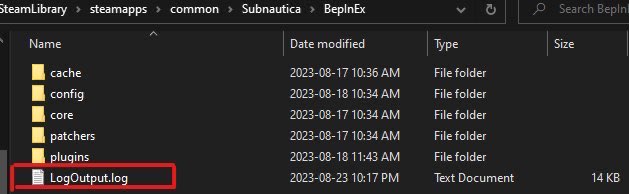
Your BepInEx log file can be found in Subnautica/BepInEx or SubnauticaZero/BepInEx depending on the game you're trying to mod. Once you've found the log file, you can just drag it into Discord to send it.
 wary agate
done
 soft loom
It might be worth adding something like this: https://www.nexusmods.com/subnautica/mods/173

This mod adds features to improve the VR experience in Subnautica.
wary agate
Greetings to all. Unfortunately, all my efforts went to waste. I installed both ”QModManager“ and ”BepInEx“ and "Tobey's BepInEx Pack for Subnautica-1108-5-4-23- payload-2-3-0-1728326422”, I bet on them in various variations – “VR Enhancements v3.1.2 for Steam”, “SubmersedVR_0.1.6”, “SubmersedVR_0.1.0” (having previously deleted the previous changes made). I did this sometimes by completely deleting/installing the game itself. But nothing helped, sometimes the “build” did not work, sometimes there was no VR, and when it was, the review (on the right stick) did not work. Everything works, and "BepInEx Tweaks-1104-1-2-1-1687269191” and “Subnautica Mod Manager v1.2.3-1168-1-2-3-1723080382”, everything can be set, but there is no way to achieve the execution of the “look ...” command. Is there someone who has already encountered this and knows the solution? Perhaps somewhere in the Steam or Steam VR settings, some kind of check mark / setting for the game or generally common to all VR games is frozen, and now it does not allow any game settings and mods to work? How is the principle of subordination implemented, what is more important than Steam or a Game or a Mod, where can there be a plug? I'm not a programmer and I'm trying to find a clue just by logic, maybe there's someone who understands the subject? The stick itself is working, and the other commands assigned to it are working. Only the “look” command and all containing “look …" do not work where don't assign them. Turning is possible by turning the head or the whole body (in fact, by turning the helmet), but this does not work when controlling equipment, in it I just turn my head and look at the sides, and the equipment moves in a straight line. This is the situation for both Quest 2 and Quest 3. Just in case, I emphasize - the game is Subnautica. Help!!!!!
wary agate
wary agate
Greetings to all. Unfortunately, all my efforts went to waste. I installed both ...
I apologize for the verbosity, new information has been added. I decided to take it from a friend and try to connect a PlayStation controller, I thought if anything, buy a similar one and then play on it. And then an amazing fact turned out, all the “look …” commands do not work on him either. At the same time, I went further, completely reinstalled the game, and launched it not only without mods, but also in “flat” mode - and nothing changed. You can only look around in the “flat” mode with the mouse. Well, in VR mode, if you still install it - by twirling the helmet. In both cases, you can turn in transport only with the mouse. The problem is clearly in the Game settings, or Steam (and not even in Steam VR). But I can't find where and I don't even understand where this can be configured/changed. At the same time, judging by the fact that such a problem as mine is not often voiced, then everything works correctly for thousands of others?! If anyone has solved this quest, or knows where to look for settings, or can spend their time and knowledge to understand where this error / setting is hidden, I will be extremely grateful! Otherwise, I haven't been able to run the game like everyone else in VR for more than a year. And now it turns out that even in the flat version, I have crooked control.