#Mods not workin
14 messages · Page 1 of 1 (latest)
 normal creek
 meager terrace
I assume you’re on legacy branch?
Because if you’re on the latest version, some of those haven’t been updated yet
If you’re on legacy:
 modest sigilBOT
https://imgur.com/M4RaPyY
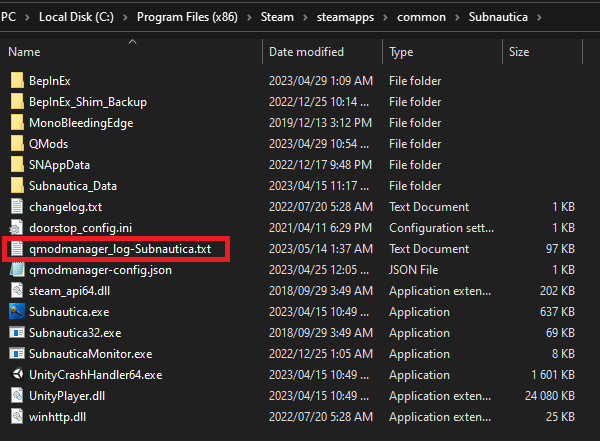
Your QModManager log file can be found in the game root folder.
for Subnautica: Below Zero, the file is named qmodmanager_log-SubnauticaZero.txt.
 meager terrace
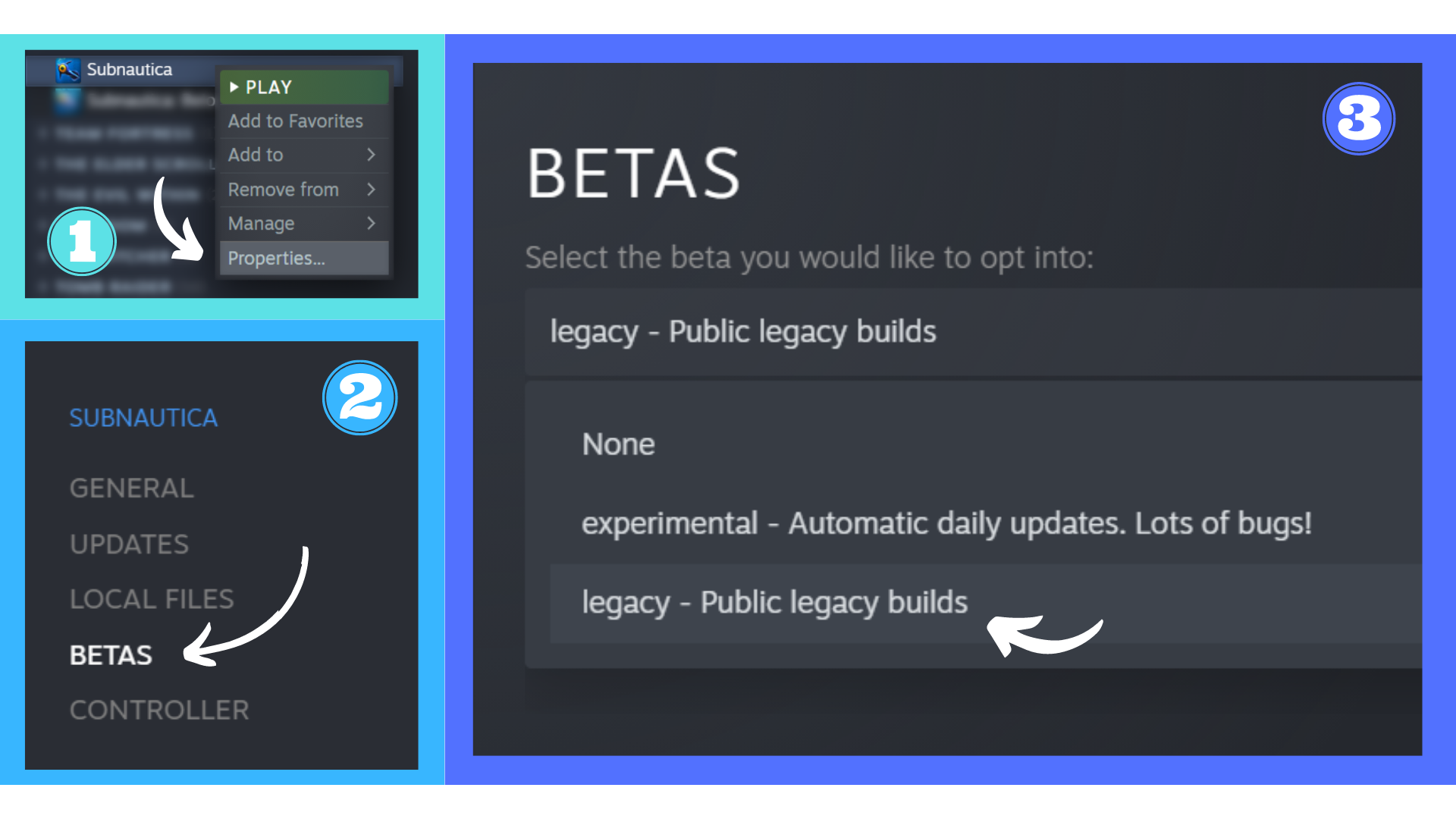
If you wish to downgrade your game and haven’t yet:
modest sigilBOT
Subnautica's 2.0 update, also known as the Modpocalypse, was released and broke the vast majority of mods. Mod developers are currently hard at work updating mods to ensure as many as possible can be used in the latest version of Subnautica. Keep in mind this might take a while.
In the meantime, you can still use mods in the previous version of the game by enabling the Legacy branch provided by UWE for the modding community. Simply head over to Steam Library and right-click on Subnautica. Select Properties, then Betas and click on the blue arrow to select legacy - Public legacy builds.
 Note: This only works if you own a copy of the game on Steam.

 meager terrace
Also make sure you have all dependencies installed, i.e. SMLHelper and ECC Library
 ionic jetty
Hello.
I have steam version of subnautica below zero.
And also have this problems with mods
[Error :QModPluginGenerator] Could not find QMM assembly: C:\Program Files(x86)\Steam\steamapps\common\SubnauticaBelowZero\BepInEx\patchers\QModManager\QModManager.OculusNewtonsoftRedirect.dll
 hard gale
ionic jetty
Hello.
I have steam version of subnautica below zero.
And also have this problem...
hard gale
ionic jetty
Hello.
I have steam version of subnautica below zero.
And also have this problem...
You create your own thread not use someone else's
This error doesn't matter and can be safely ignored
ionic jetty
But because of it Map mod doesnot working
 sinful folio
so is it just not possible to get mods to work with the game pass version