#Mod loader detected in vanilla
1 messages · Page 1 of 1 (latest)
 open garden
open garden
open garden
happened like 7 times today
not sure if my log will still contain good info as i ran the game since
i'm not sure what the difference between old/new mod loader is sorry. in the end a steam restart didnt fix it - had to reboot pc
 arctic gyro
Is the "mod loader detected" message even part of the base game? @raven token
 raven token
open garden
i'm not sure what the difference between old/new mod loader is sorry. in the end...
raven token
open garden
i'm not sure what the difference between old/new mod loader is sorry. in the end...
the one on steam is the new one
if you've never used the website one it doesn't matter
open garden
new one then
raven token
neither of these logs contain anything related to the modloader, send another if you encounter it again 
open garden
getting this again right now, launching vanilla and it's loading the mod loader for some reason.
arctic gyro
open garden
getting this again right now, launching vanilla and it's loading the mod loader ...
As far as I can tell, this is an issue with the modloader not removing itself properly.
 distant gulchBOT
If your game is still modded after launching without the mod loader, follow these steps:
- Make sure you are using the Steam mod loader (available here) and not the old, standalone mod loaders.
- Double-check your launch options for VTOL VR by right-clicking the game, clicking on Properties, and making sure the launch options field is blank.
distant gulchBOT
To verify your game files to fix corrupted files, follow these steps:
- Right click VTOL VR in your Steam library.
- Click on Properties in the dropdown menu.
- In the menu that pops up, click "Installed Files" in the sidebar on the left.
- Click "Verify integrity of game files" at the bottom of the menu.
arctic gyro
for further help with this, please ask in #modding
 ornate vigil
if you right click on the modloader in steam then go to properties
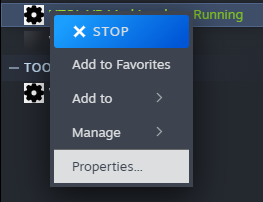
do you see anything in the launch options?
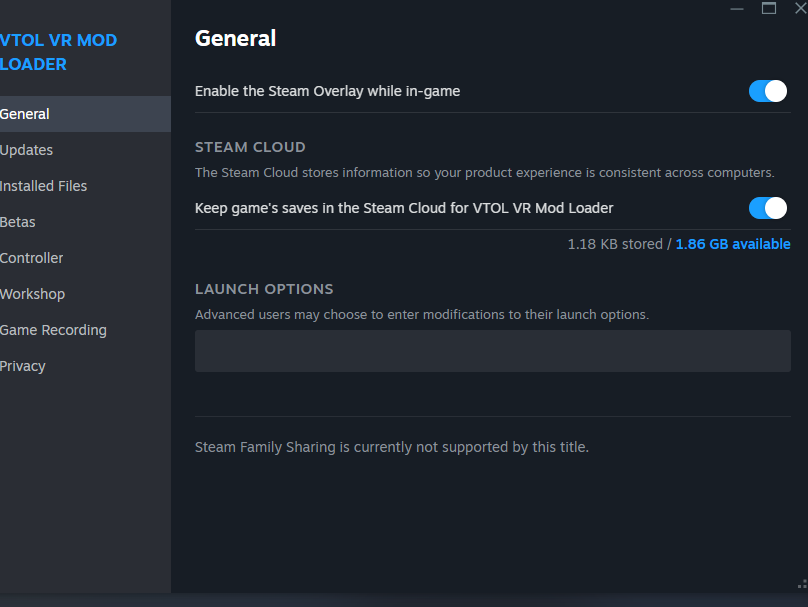
actually you might have to check vtol vr's launch options, not the modloader's
open garden
I did have something - doorstop enabled
disabled that and it seems to have resolved!
ornate vigil
open garden
I did have something - doorstop enabled
disabled that and it seems to have reso...
yeah that line forces the modloader to always run lol