#[Megathread] Livery UV map issues.
1 messages · Page 1 of 1 (latest)
 oak totem
 blazing trench
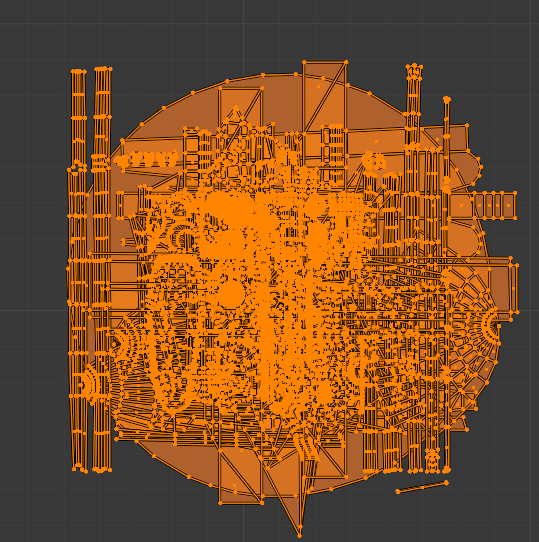
AH-94 stuff I have worked around for a while: cockpit interior overlap, and technically invalid UV island for part of the tail. Overlapping UVs on the engine intakes, overlapping and stretched UVs where the engine exhaust meets the tail. Inside of wheel wells are mapped on top of something, same for the inside of the wheel well covers and their edges. This little monster ball in the bottom left corner of the UVs. UV islands outsidt over UV 0-1 have been moved into UV 0-1 for illustrative purposes, normally they live in negative uv space.

 bitter ice
just sending a message here so it doesnt dissapear from the channel list
 fervent cave
This is probably the only time a player log isn't needed
blazing trench
Yea, if the issues with the UVs can finally be addressed I'll be a happy livery person. Holler if I can help with the UV mapping :v
oak totem
fervent cave
This is probably the only time a player log isn't needed
But images are
fervent cave
Yes
I'll send a screenshot with some of my F/A-26 liveries along with the UV image when I get home
bitter ice
hold on, we need a person with more modeling and uv knowledge then me
@arctic tundra get in here
 dry vigil
The ball in the corner is intended to be all of the surfaces that don't get livery applied
bitter ice
oh hey baha
blazing trench
dry vigil
The ball in the corner is intended to be all of the surfaces that don't get live...
I was guessing as much, I'd still lay em out a bit cleaner and scale em down, slightly smaller chance of weird random bleed issues
dry vigil
They shouldn't have any bleed because there's a detail layer texture that goes on those parts. For example, the landing gear belongs there. No matter what you paint on it in the livery texture, it will still have landing gear texture. If there's a UV in there that is not covered by the detail tex then that's the issue and it needs to be painted in the detail tex.
Maybe landing gear was a bad example since I removed them from the reference model, but that's the idea. I think landing gear wells are supposed to be in there and unpainted
blazing trench
They're paintable in some aircraft, the T-55 and F-45 for example, so for the sake of consistency it would be nice if they'd be paintable in the 94, 26, and 42 too
And it is very nice to be able to add details to them and color accents
 arctic tundra
@frosty zinc and @harsh musk have been doing some investigating into UV weirdness on the 26 as well
blazing trench
I ripped the models out of the game to look into it too a while back, I'll try and dig up what i found then tomorrow
arctic tundra
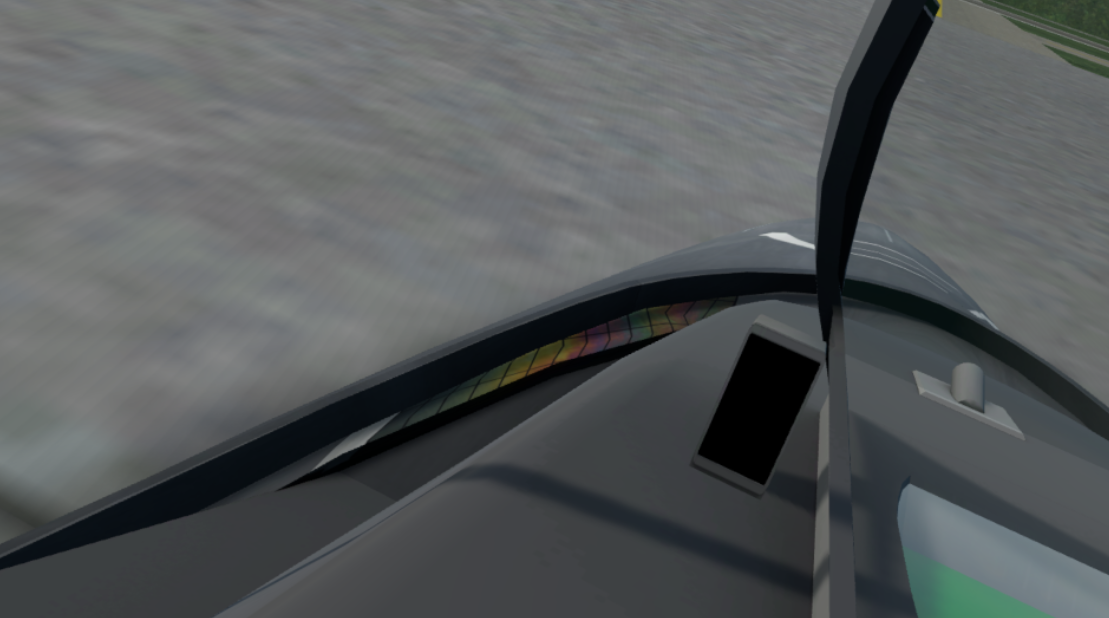
Rekret's canopy:
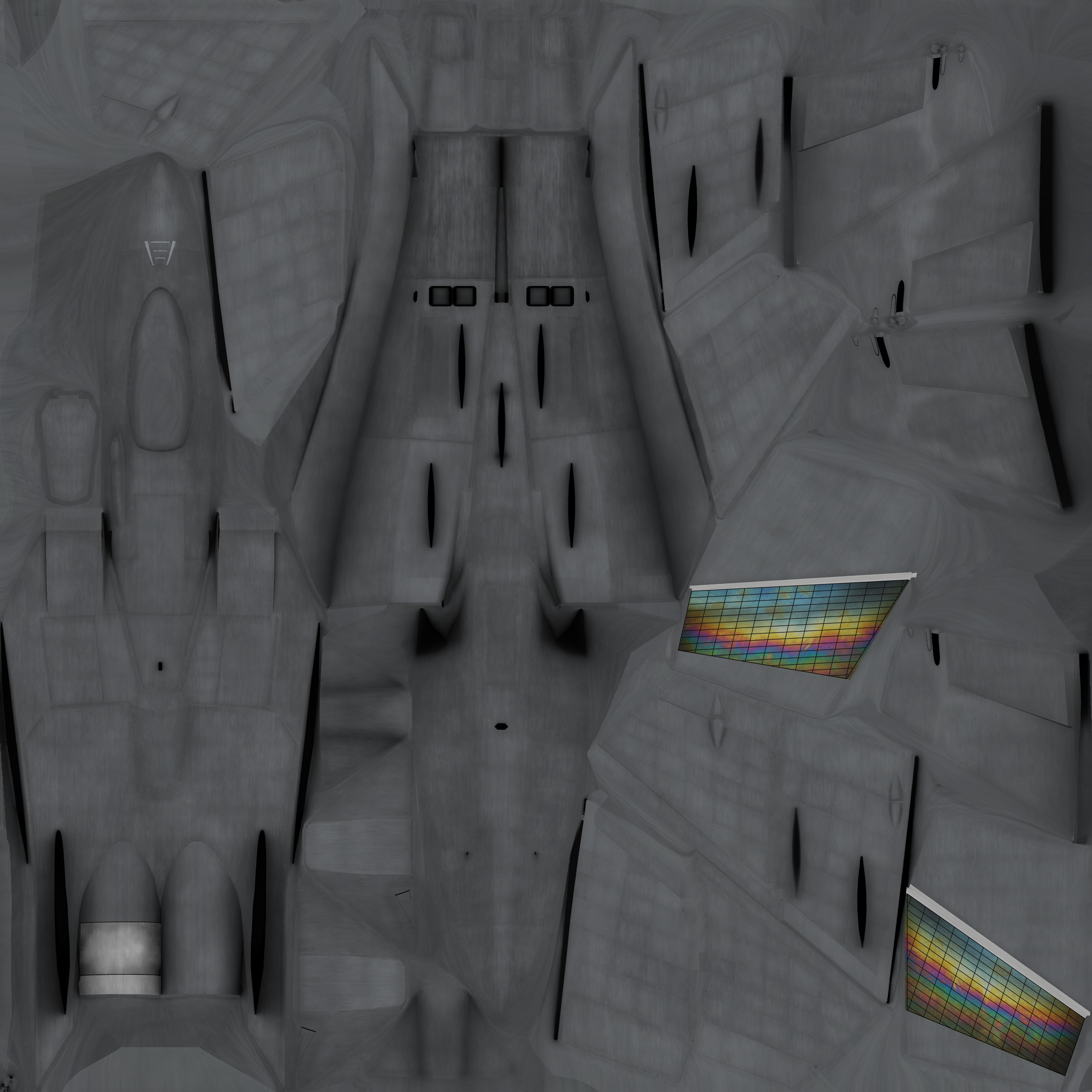
Rocc's UV test:



The canopy weirdness is certainly one of the biggest gripes for the 26 though
blazing trench
The FA26B has a few other things on top of the canopy overlapping with the vertical stabilizers. The areas where the vertical stabilizers meet the body has overlapping UVs same with the enging buttcrack (but only on the top). Moving forward the outer sides of the intakes are UV'd with 0 area and lead to stretching, the inner sides and the meeting of the intakes and body have a lot of overlap. Then there is a thin strip of overlapping polygons all along the front part of the aircraft, its right along the edge where the top and bottom meet in the UVs.
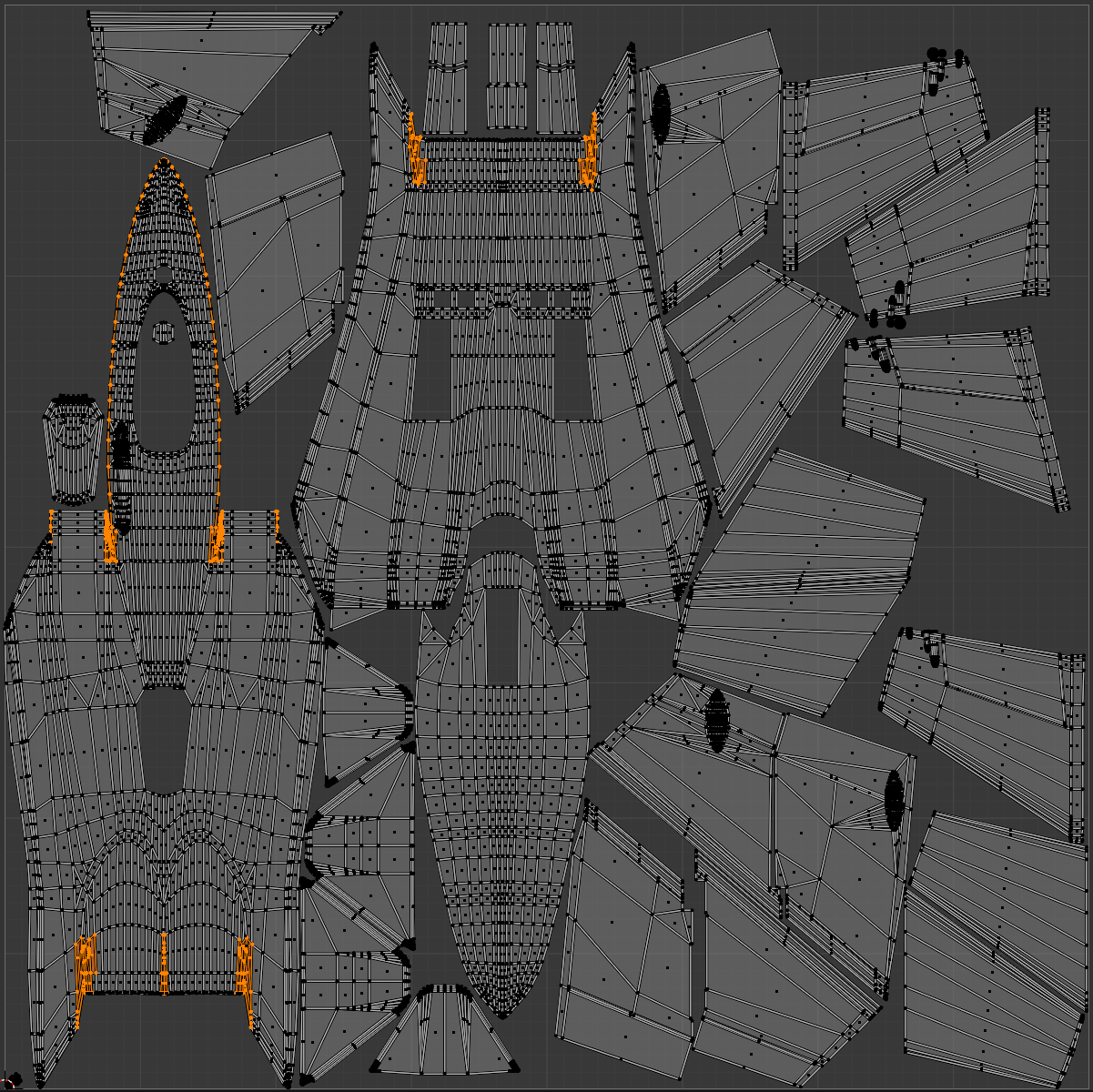
 blazing trench
And some additional overlaps on the wings of the FA26B
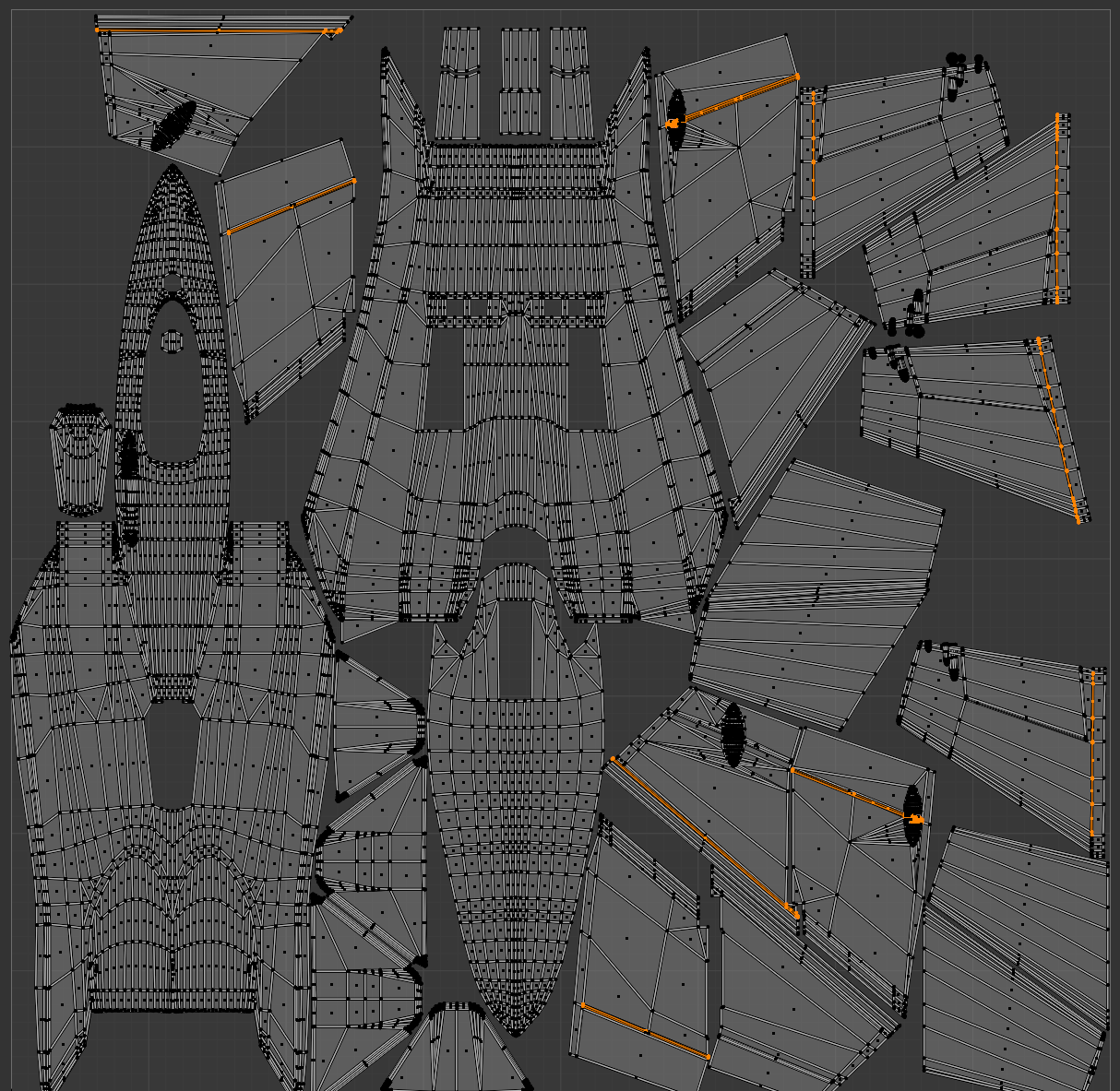
 frosty zinc
I'll add this to the pile.
AH-94 has faces outside of the texture space
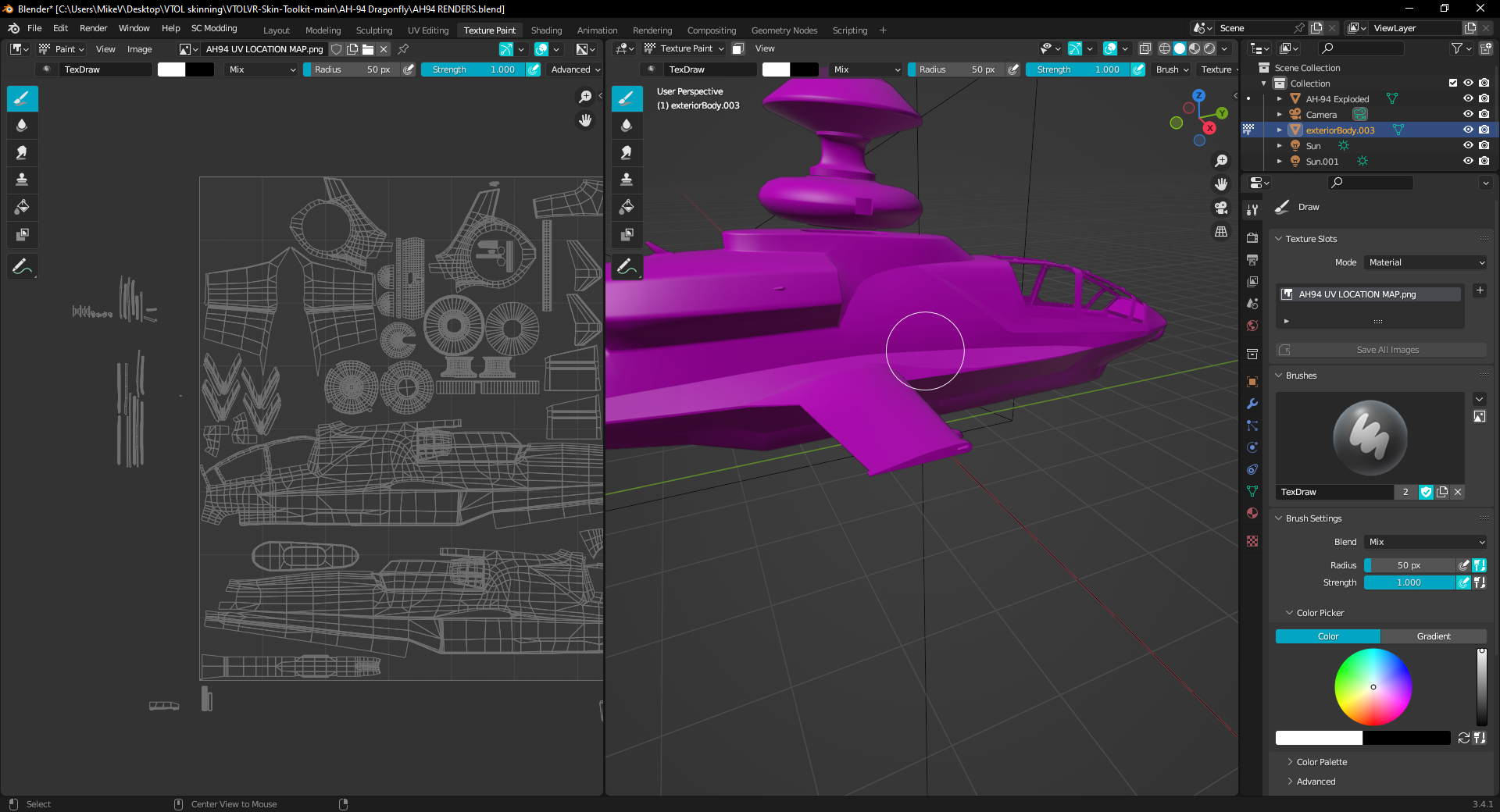
the portion that I painted black is sized smaller than the rest of the wing
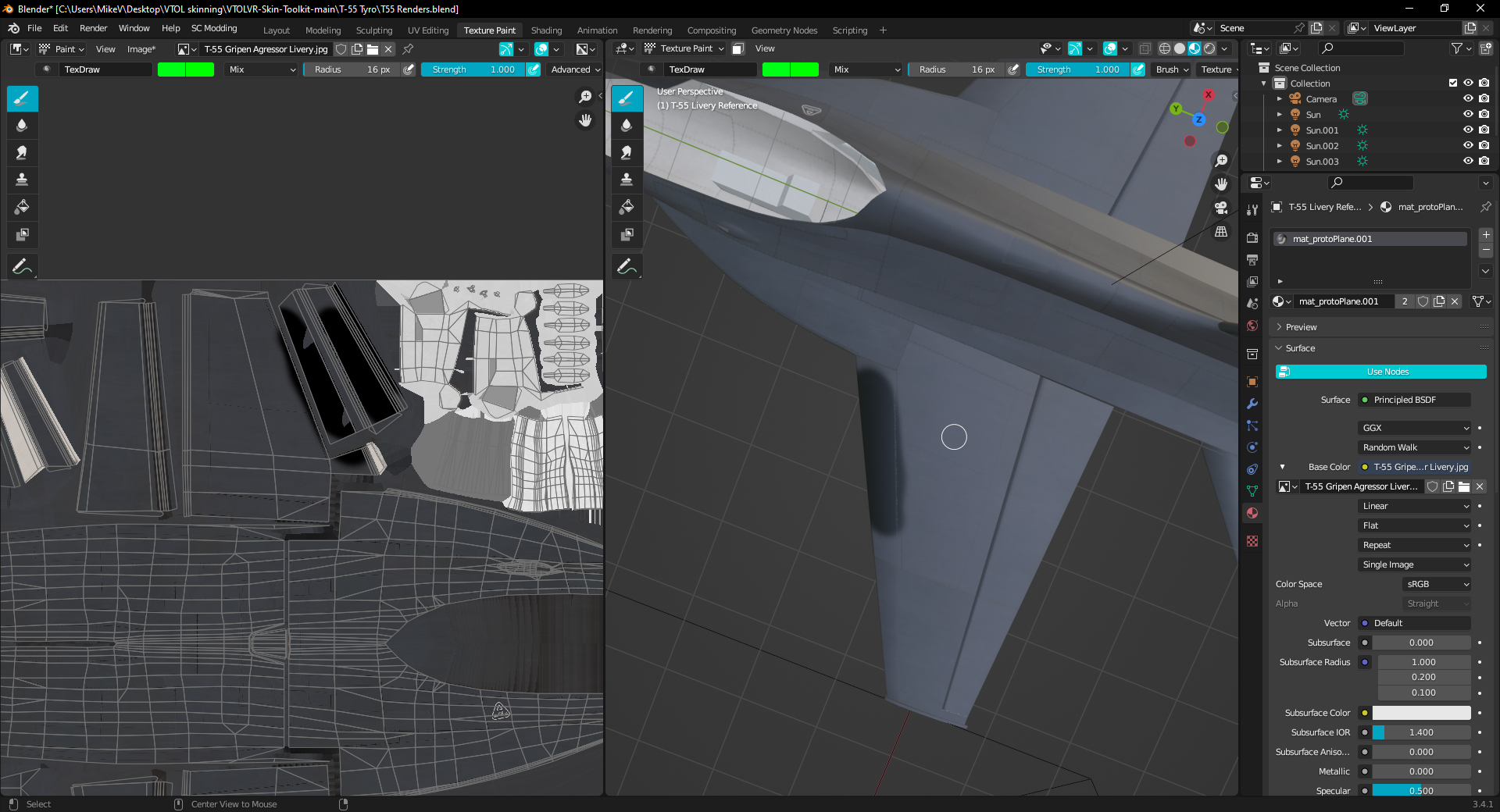
The circled part of the UV unwrap is just an absolute mess and confusing for those who just start out making liveries
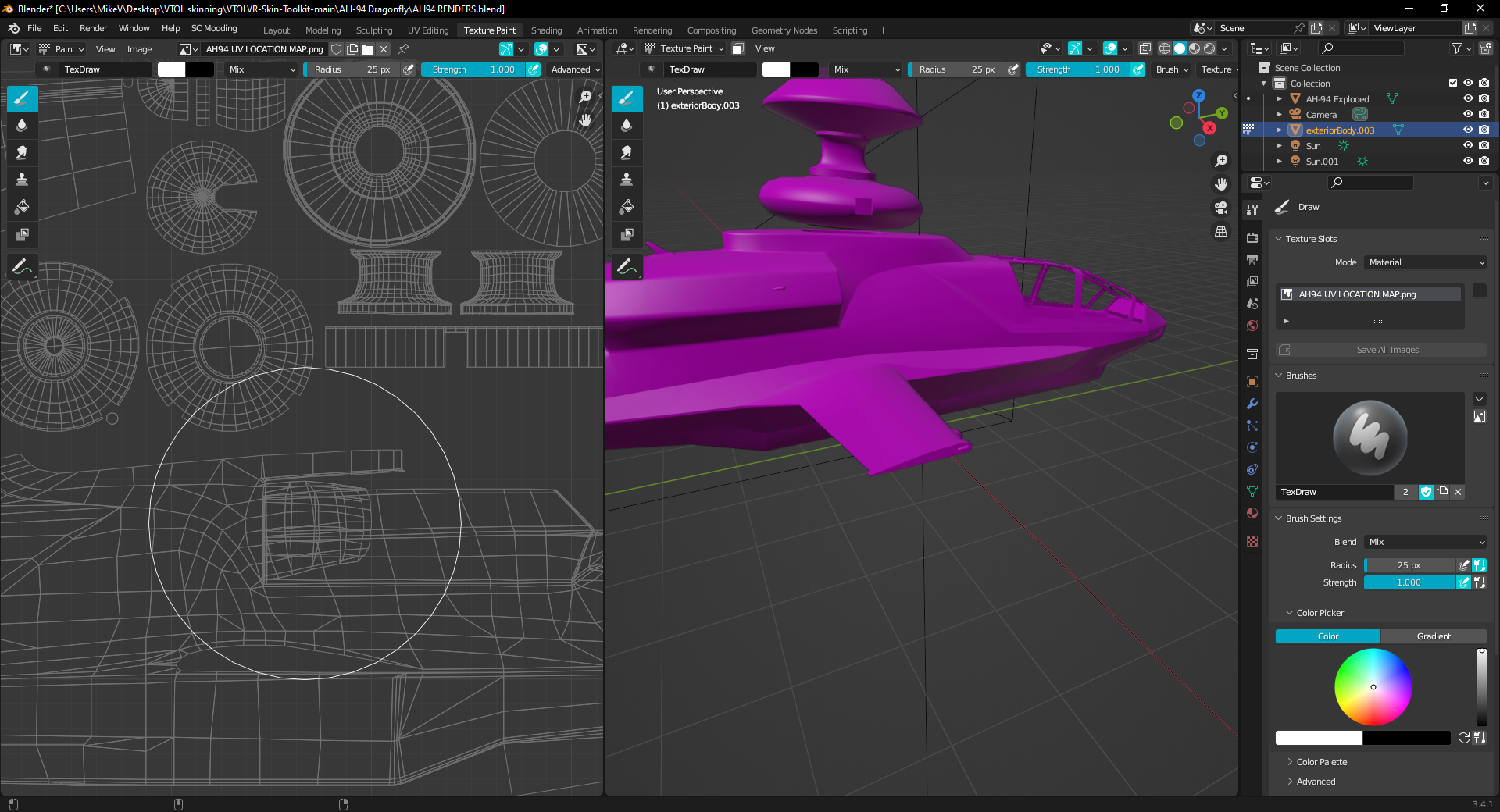
I don't even know what the heck this mess is but judging from what I couldn't paint , it's most likely the small hinges from the missile bays and all the other small parts you normally don't see


I think those are my biggest complaints outside of what's already mentioned
Thank you for whoever set up this thread ❤️
I wonder if there would be the possibility to split up the UV unwraps amongst two textures that we stitch together with a .lua descriptionfile ala DCS ?
It would allows for much more detail but it would be totally understandable if this isn't something you want
dry vigil
bitter ice
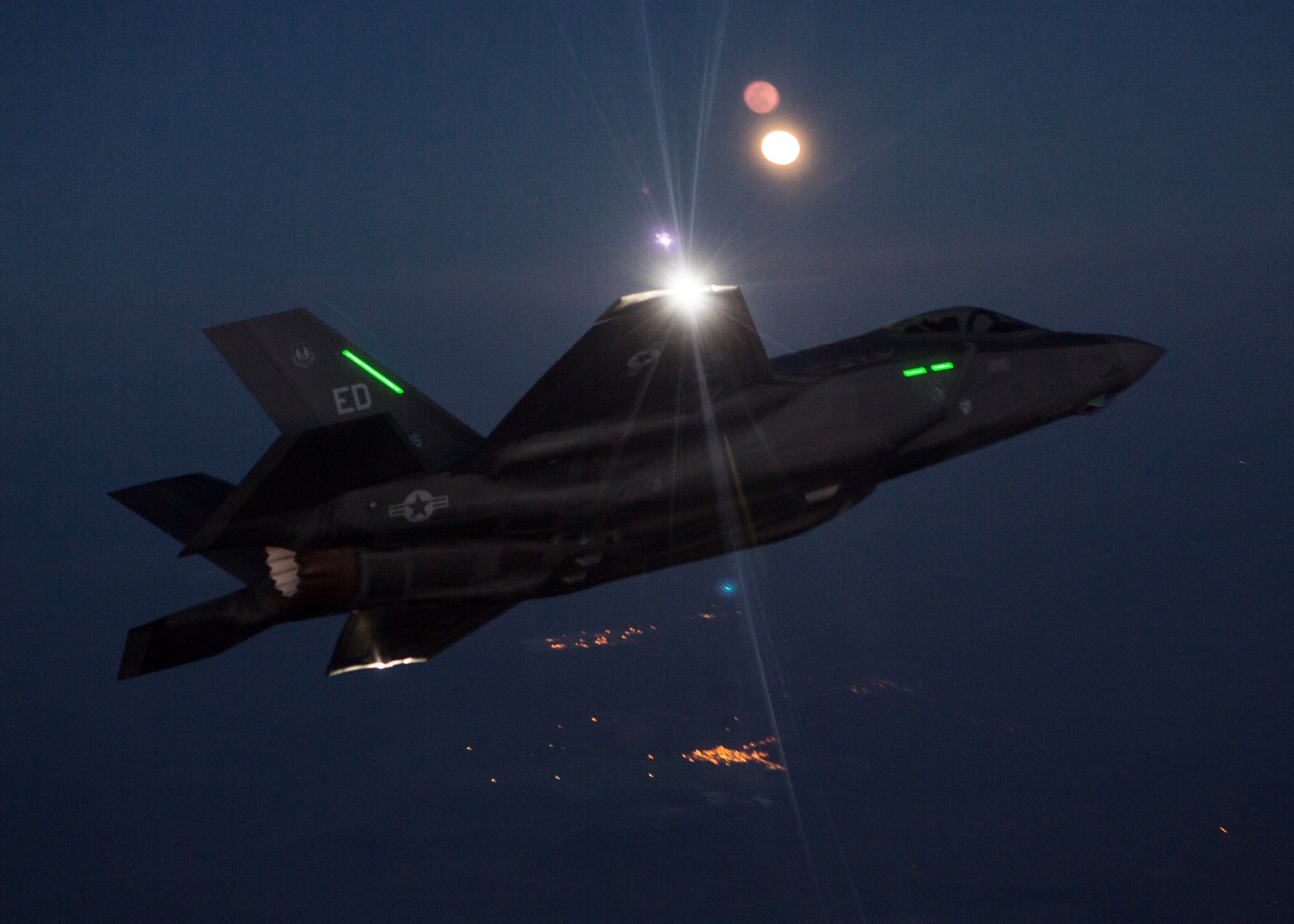
that shows up on the tailfin
That’s the formation light
 dry vigil
frosty zinc
I wonder if there would be the possibility to split up the UV unwraps amongst tw...
dry vigil
frosty zinc
I wonder if there would be the possibility to split up the UV unwraps amongst tw...
I don’t intend to do that. The liveries aren’t really meant to have that much detail
frosty zinc
dry vigil
I don’t intend to do that. The liveries aren’t really meant to have that much de...
Thank you for the honest response ^^
bitter ice
dry vigil
That’s the formation light
i thought it was an artifact from the uv, but now i know it wont show in actual gameplay, only in the previews
thanks
frosty zinc
OH , I forgot a big one , the forced details superimposed on top of our livery 😮
if you could get rid of that I would be a happy raccoon
oak totem
frosty zinc
OH , I forgot a big one , the forced details superimposed on top of our livery �...
It's custom livery, not a custom aircraft texture.
frosty zinc
It's a bit of a downer when there's things forced on top of your custom livery making it less custom than custom means
oak totem
Still, that request belongs in #vtolvrdev. This thread is for issues with the UV map.
frosty zinc
My apologies 😅
blazing trench
A solution to that problem may be to make the overlay textures easily available alongside the livery reference models, that way people can paint around them a bit easier (I already do so 😛 )
oak totem
I was also thinking that would be helpful, considering a few of the issues posted so far have been caused my misunderstanding of that.
Or perhaps a mask that just shows which areas will be covered by the detail layer.
blazing trench
That would probably help a lot of people, I cant remember if the ones i use came from ripping the models out or if I drew them myself, or both.. but they're very niceto have, especially for the 55 and 45
frosty zinc
I just dont want them imposed on top of my own livery 😦
blazing trench
You just learn to work around that limitation, welcome to working in the games industry 😉
frosty zinc
😦
 harsh musk
reposting this here for the sake of this being a megathread for this kinda stuff


The wing parts affect various parts of the aircraft that isnt visible in the preview livery refrence model
so theres no way to accurately prevent the texture from affecting the canopy creating these weird textures around the canopy and landing gear portions
blazing trench
AV42C has a fair few overlapping islands as well. I havent painted on it yet and I suspect some of them are intentional for engine nacell pivots etc (but just heighlighting the overlap in case). The AV also hase islands outside of UV space which means at runtime they'll overlap whatever is in the texture when they're moved into 0-1 UV space.

 lavish tide
blazing trench
AV42C has a fair few overlapping islands as well. I havent painted on it yet and...
lavish tide
blazing trench
AV42C has a fair few overlapping islands as well. I havent painted on it yet and...
All av42 control surfaces dont have an editable area, this is one of the main things that needs fixing as most liveries end up not looking as desired
 jade glacier
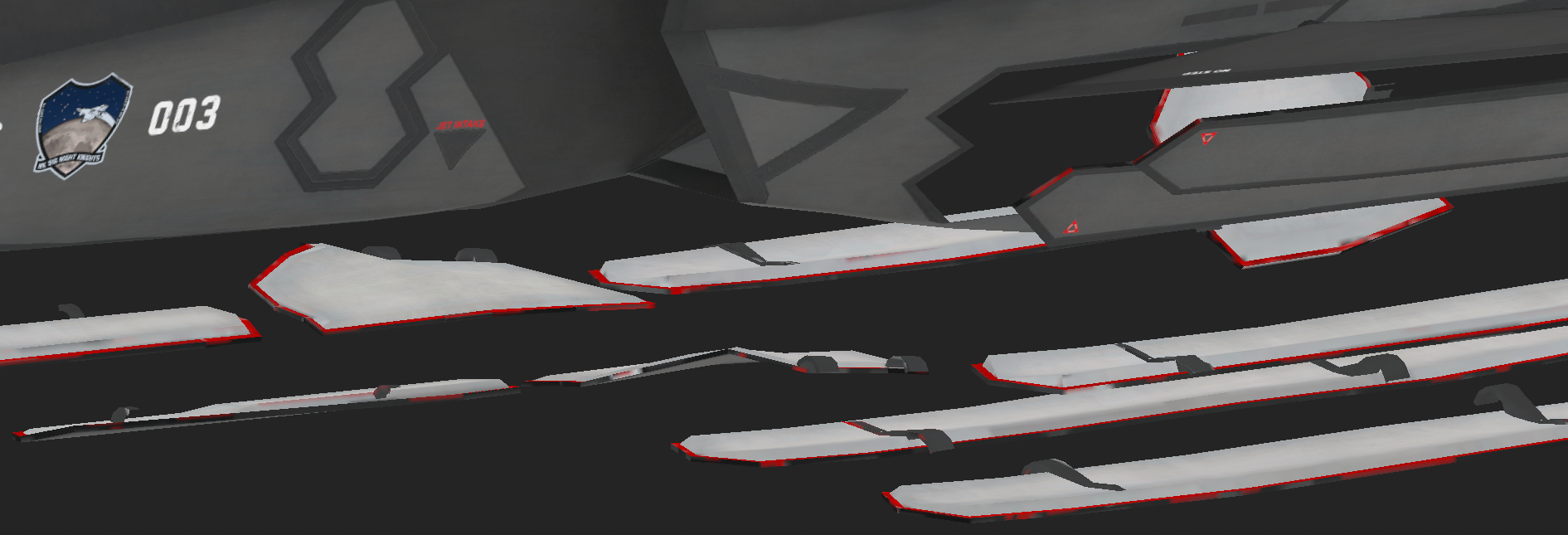
It seems that the detail layer on the F/A-26B UV Image at the bottom left corner is no longer being covered in 1.7.
jade glacier
The antenna behind the canopy, the gaps between the panels and the inner edge of the Vulcan cannon is now all red
 harsh musk
F26 Livery reference pylons on different material in .fbx file
https://cdn.discordapp.com/attachments/1143726845112635392/1143727092589142097/image.png
https://cdn.discordapp.com/attachments/1143726845112635392/1143726907922325554/image.png

 frosty zinc
Has is been mentioned that the F-45 has a part of its UV mapping outside of the texture area ?


the viewability of this is absolutely minimal but I thought it was worth mentioning it
because if you're going to work with bright colors in that area , you will most definitely notice it


