#Hexelated Game

399 messages · Page 1 of 1 (latest)

normal willow
#

I'll be posting updates on this thing here for a while probably

made a few showcase posts on it already: #showcase message #showcase message #showcase message

Hexelation is, actually not a hard thing to find an algorithm for googling "godot custom post processing" is enough, but somehow I've never seen it used by anything, and especially not as a post shader
It also leads to a lot of having to compensate for the pixel quality

But... I think I'm finally ready to start making this thing a game
(also wondering if anyone can guess which effects are being approximated, and in what ways)

Engine is godot

#

oh also
if anyone's wondering
this is gonna be mostly a walking simulator with a story to it

#

so the graphics are, kinda important

normal willow
#

Something of note with this game is that I honestly did not expect it to look nearly as good as it does

normal willow
normal willow
#

tweaked a bunch of post processing variables, added some additional noise to the grass texture, and tweaked the geometry for the grass

normal willow
#

oh

normal willow
normal willow
#

Need to play with leaves since I need sunlight to come through

normal willow
#

I wonder what this game would be like in VR

normal willow
#

working on porting out of godot
this test scene is actually pretty good at showing my post effects

normal willow
jade lynx
#

Super cool art style. When you say "out of godot", You planning on putting it in your own NIH engine?

normal willow
#

NIH?
But essentially, yeah

jade lynx
#

Not Invented Here

normal willow
#

Which is also closer to what I’m used to dealing with than game engines are

jade lynx
#

Cool, looking forward to seeing this develop

normal willow
#

I’m gonna have to make some UI based editors ‘cuz I wanna have a bunch of stuff laying around for players to find and discover, and laying that all out through code and json would be painful

But I tend to enjoy just doing things manually with code

#

With godot
I’m stuck waiting on a plugin to update, because laying out foliage manually is painful, and does not lead to good performance KEKW

jade lynx
#

Yeah I like the combo of having an editor for the scene, but just using C++ for the logic

normal willow
#

Yea
Java for me though

normal willow
#

For a game engine
Godot is great
But it’s relatively new, and that fact makes itself apparent, especially with open world type projects

normal willow
#

Mentally concepting some stuff
I don’t think I really need to have a bunch of PBR material properties for this
I think I should be able to get away with color, depth, normal, and shading buffers
bloom is >0.4 on shading
glow is >0.5 on shading

Shading is primarily used for shadow mapping, but can also be useful by stuff that glows to cause bloom and some white wash

#

Maybe

jade lynx
#

Roughness might be handy, if you want shiny hexels

#

Sounds like you are planning to do deferred?

normal willow
normal willow
#

I will probably use the base of this game without any of the like scene stuff as a sample for nexi tbh

#

just a player able to wander around the world and switch to a noclip mode

normal willow
#

so renderdoc made a change

#

said change reveals that my culling is ehhhhhhhhhhhh

#

(idk when this started happening but renderdoc is now showing all instances instead of just one selected instance)

#

(I don't know why, I don't know if I can turn it off, but I like it)

#

too dark, obviously
but it's rendering

#

so that's good

#

culling is a simple fix

#

... and suddenly it's bright despite nothing changing

#

apparently a boolean on the GPU is 4 bytes in a uniform

wary pivot
#

Yep

normal willow
#

problem is

#

I just went through my code and assigned names to every image I create

#

and it is none of those

#
        imgTmp = new Image(shader.device).setUsage(ImageUsage.COLOR);
        imgTmp.create(
                img.getExtents().width(), img.getExtents().height(),
                img.getFormat()
        );```because it is this thing I forgot to remove
#

will say
it is very nice being told when I have runaway resources KEKW

#

VUID-vkCmdDraw-renderPass-02684(ERROR / SPEC): msgNum: 1349015333 - Validation Error: [ VUID-vkCmdDraw-renderPass-02684 ] Object 0: handle = 0x200ce745b90, type = VK_OBJECT_TYPE_COMMAND_BUFFER; Object 1: handle = 0xa0235400000000cc, type = VK_OBJECT_TYPE_RENDER_PASS; Object 2: handle = 0x9389c50000000061, type = VK_OBJECT_TYPE_PIPELINE; Object 3: handle = 0x72303f0000000052, type = VK_OBJECT_TYPE_RENDER_PASS; | MessageID = 0x50685725 | vkCmdDraw(): pSubpasses[0].pColorAttachments[0].attachment is incompatible between VkRenderPass 0xa0235400000000cc[] (from VkCommandBuffer 0x200ce745b90[]) and VkRenderPass 0x72303f0000000052[] (from VkPipeline 0x9389c50000000061[]), pAttachments[0].format (VK_FORMAT_A2B10G10R10_UNORM_PACK32) != pAttachments[0].format (VK_FORMAT_R8G8B8A8_SRGB). The Vulkan spec states: The current render pass must be compatible with the renderPass member of the VkGraphicsPipelineCreateInfo structure specified when creating the VkPipeline bound to VK_PIPELINE_BIND_POINT_GRAPHICS (https://vulkan.lunarg.com/doc/view/1.3.280.0/windows/1.3-extensions/vkspec.html#VUID-vkCmdDraw-renderPass-02684)
render doc, please KEKW

#

time to fix this bug that only happens on AMD

#

because I just found the cause

#

program now works on both AMD and NVIDIA

#

that was the longest standing bug in my render engine and game toolkit combined

#

considering it's been there since the literal start of the render engine KEKW

jade lynx
#

You got a landscape going there, great start!

#

Is the hexelation a post process or is it in the geometry?

normal willow
#

post process

#

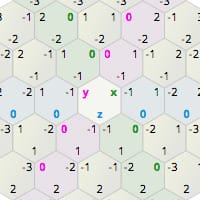
what I'm going for with this game, is that it's trying to basically feel like a game from an alternate reality where monitors and graphics tech for some reason developed into hexagon pixels instead of square pixels

jade lynx
#

How big are the hexels?

normal willow
normal willow
#

is what I have the parameter set to

#

counting the pixels on the screen it seems that that translates to 6x9

jade lynx
#

Hexel terrain in RL

normal willow
#

ah you mean like that

jade lynx
#

I was wondering if you were gonna do both

normal willow
#

KEKW hadn't considered that tbh
but I'm not planning on it

#

I wonder how hard hexagonal linear interpolation would be to program

#

but yeah if turn off the hexelation
you can see it's not hexel terrain

jade lynx
#

I did a little game once with axial hexagonal coordinates

normal willow
#

I can draw
literally as much terrain as I want in 800 fps

#

this is far beyond the range the player can see

#

2048*16 units
for rereference, I'm planning to only use 2048*4 unit view distance

normal willow
#

discovered I didn't have normal maps hooked up so I did that

#

tomorrow I setup deferred directional lighting

#

correction: tomorrow I setup compute pipeline stuff

#

and then I do deferred directional lighting

#

coming from opengl
I have a large preference for rasterization pipelines over compute ones KEKW

jade lynx
#

You know the hexel pattern kinda reminds me of watching a CRT with this shadow mask pattern

normal willow
#

my eyes do not like this KEKW

#

but I do see why

normal willow
jade lynx
#

Custom engines are fun and I doubt anyone on this server would tell you differently

#

We love our NIH here

normal willow
#

KEKW am halfway used to people saying there’s only 2 valid reasons to make an engine and I am not doing it for either of those

wary pivot
#

I'm making my game on a custom engine because I'm the retarded

normal willow
#

I think what I’m finding
Is that basically I mostly just want to deal with source/decompiled code and a graphics api which lets me get close-ish to opengl but with more conveniences
And no existing game engines really gives either of those to my knowledge

Even mine kinda fails the graphics api tbh, granted I have a reason for failing that; which is because I’m trying to follow through with state caching for performance reasons and also expose as much of VK’s optimization potential as I can
Plus I can always go back later and create more high level systems

wary pivot
#

In my opinion the utility of off-the-shelf engines is overblown

#

The more your game is meant to be like a AAA game, the more using an engine like Unreal makes sense

normal willow
#

They’re cool and all
but I want me my low level graphics and ability to modify stuff as I please

wary pivot
#

Yes and I'm saying that's a better argument for writing from scratch than most people think

normal willow
#

yea

wary pivot
#

Even just doing it for fun aside, even if this were a commercial project

normal willow
#

I agree tbh

wary pivot
#

Writing from scratch does slow you down, but the control it gives you can easily be worth it

#

It just depends on what you're making

#

For the game I'm making right now, I can confidently say that using an actual engine would be slower even though I am already moving very slowly

#

Just beacuse I would be fighting the engine at every turn

jade lynx
#

One of the best parts of having my own engine, is that if I run into an issue, I can simply fix it

wary pivot
#

Yes

normal willow
#

My actual main concern with using an actual engine for my game
Is performance bottlenecks

The terrain rendering alone with godot takes more time than I’d like it to (~3ms) for a lower quality than I’d like

normal willow
jade lynx
#

Otherwise I'm totally at the mercy of giant corporation (or the godot ppl, not sure which is worse KEKW )

wary pivot
#

There's also way less time spent wasted trying to figure out which engine API tools to use to implement some feature/behavior

#

And if there is it's your own fault lol

#

And even if there is, you always have the option of doing some refactoring to free yourself of your mess

normal willow
#

ASUS ROG Zephyrs G14
AMD Ryzen 9, some RTX GPU

jade lynx
#

Theres alot of RTX gpus, which one?

normal willow
#

good question KEKW

jade lynx
#

It makes a massive difference

#

between a 2050 and a 4090

normal willow
#

4060

jade lynx
#

Anyway godot gets alot of shit here for being slow (it might all be from cybereality tho KEKW )

normal willow
#

godot
I will admit
It does have some problems with speed
But it is also relatively new for a proper game engine

jade lynx
#

Yeah so my terrain only takes ~1ms on a weaker 2060, So ig I beat godot

normal willow
#

Mine takes ~1ms to render on a 4060 with a mesh density of 1 vert per 64 units as the lowest lod

#

The godot terrain is also, not official though
It’s a plugin

jade lynx
#

Yeah godot seems particularly rough in those areas

normal willow
#

Godot’s biggest advantage is also currently it’s biggest weakness
Just, how new it is

jade lynx
#

Godot is older than unity bleakekw

normal willow
#

oh really?

jade lynx
#

2001

#

unity came out in 2005

normal willow
#

the heck bleakekw

#

Also actually
Godot’s editor
real nice

#

I have not seen a scene editor as intuitive to use as godot’s

jade lynx
#

Copy that shit froge_love

#

Mine probably makes no sense to anyone other than me

normal willow
#

… the problem with the editor for my game
is that my game is open world, so I have a big map…
… the camera motion does not expect this, so flying acrossed the map takes ages bleakekw

jade lynx
#

in godot?

normal willow
#

Yea

#

Far as I can tell, there’s no way to speed up the camera without plugins or smth
And I have looked

jade lynx
#

In my editor you can teleport the camera to anywhere just by clicking where you want it to go

normal willow
#

I may end up at some point making an actual game engine out of my toolkit
And if I do that, I’ll probably be shipping it with some like compile time mixin thing

jade lynx
#

You don't need to define exactly what it is other than "game"

#

just make "game" everything else will shake out

wary pivot
#

Yeah I don't have an engine period

#

Just a game really, with a vague separation between more generic logic and more game-specific

#

That just arose over time

jade lynx
#

Yeah my engine isn't a separate project, but I plan to use the same engine for the next game, so theres alot that can be reused

normal willow
#

For now
I have no need for an engine yet
I’m just sorta structuring stuff however it feels like it makes the most sense

wary pivot
#

The thing is even though you spend more time writing non-game-logic, you still spend more time thinking about just building your game rather than spending it thinking about how to wrangle the engine to fit your needs

normal willow
#

The main perk of an engine to me is having all of the editory stuff in one place with an accurate preview

jade lynx
#

My editor is in the game, why write two applications?

#

just hit a key combo and you can start moving objects n shit

normal willow
#

UIs are gonna be
odd for me KEKW

jade lynx
#

for editing, Imgui is fine and easy to use

normal willow
#

bufferBarrier should be transitionBuffer
transition should be transitionImage
I lack an actual memory barrier function

#

Actually thinking about it
It’d probably be pretty easy to do this in unreal
but
A) where’s the fun in that
B) my laptop is not the happiest camper when unreal engine gets involved

jade lynx
#

nobody's laptop enjoys unreal KEKW

normal willow
#

Also
I have
a pretty big question

jade lynx
#

shoot

normal willow
#

why does it seem like all game engines skip over noise maps for terrain gen

jade lynx
#

Noise map?

normal willow
#

I don’t think I’ve seen a single engine with a button that just generates a heightmap based off parameterized noise

#

Which like
majorly streamlines terrain stuff

jade lynx
#

If you are doing procgen I would probably just write it myself tbh (and I think the engine expects you to do this)

normal willow
#

I’m actually doing a hybrid of procedural and fixed

jade lynx
#

Yeah procgen is a very game specific thing, I'm not suprised they don't include it

normal willow
#

I have procedural terrain, yes
But it’s immutable, pre-seeded, and within a fixed playable area
So it’s essentially the same as fixed terrain anyway

jade lynx
#

right

#

I just used an external tool to do the basic noise

normal willow
#

It’s basically the same as just saying
generate me a heightmap based off some perlin or whatever and I’ll build from there

jade lynx
#

Gimp -> generate noise -> export as .EXR

#

this is what I did

normal willow
#

huh

#

I’ve known exr exists but I know nothing of it

jade lynx
#

its an image format that can store big numbers

#

I use a grayscale exr for terrain heightmaps

normal willow
#

Honestly
At this point
The main things I could do for performance are

  • switch to 1 vert every… maybe 128 units after some threshold
  • use&compute a lower LOD texture after some threshold
#

That is, without sacrificing quality noticeably

#

Currently the 1vert/128 is overkill, since I don’t need much draw distance
The LOD texture I’m likely to go for ‘cuz moving around can cause noticeable stuttering currently

jade lynx
#

so my highest lod is 1 quad per 0.5m, the next is per 1m, then 2m etc

#

this technique

normal willow
#

But there’s also another option
Software rasterization
But I don’t plan to do that until I have a custom shading lang or smth

jade lynx
#

Ok you might be bikeshedding too hard there, but I'll let you cook

normal willow
jade lynx
#

Yikes its 2AM here too

#

I gotta sleep!

normal willow
#

My LOD actually falls off rather quickly

#

Starts to drop off at, iirc 64 units
And it just, isn’t really noticeable

#

Due to how much I’ve tuned it

jade lynx
#

Ok im gonna stop posting now, goodnight eastern time zone 🌙

normal willow
# jade lynx https://github.com/fstrugar/CDLOD

I just got an interesting idea for LoDs

Have a sorta "buffer ring" for mesh loading where it loads the next LoD but doesn’t use it immediately
If the player turns around, activate the LoD at that position when they turn back, but don’t do so while that square of terrain is on screen

#

KEKW after playing subnautica I pay a lot of attention to LoDs, lol
Subnautica has LoDs activate like 1 chunk away from the player and doesn’t really try to hide the transitions

jade lynx
#

Good to have lods but you might be bikeshedding a bit to hard by loading them on the fly

#

When I load a model, I load all the LoDs

#

Lods mainly improve draw performance, vertex data doesn't usually take up much VRAM

#

There are two ways they mainly help, removing small triangles (which kill fragment shader perf), and reducing the amount of VAF fetch

#

for terrain lods, I actually don't store any mesh at all

#

its all built in the vertex shader, with different chunks at varying densities based on distance

#

its offset by the heightmap, which has its own lods in the form of mips

normal willow
#

My mesh is also completely empty

#

It’s just a bunch of indices

normal willow
#

I should honestly probably put my LoD vars into an include file so that I have my tese and tesc always match eachother on when to switch to NEAREST

jade lynx
normal willow
#

linear was slowing down my tese shader
My vertex shader is always using nearest

#

vertex shader is only reading it for culling purposes

jade lynx
#

you really don't need a tesselation shader for this

normal willow
#

I’m sure
but it was simpler, at least for the moment

jade lynx
#

eliminating the tess stage might give you a perf boost

#

the CDLOD example I linked does not use a tesselation stage

normal willow
#

So cdlod is not something I’d use a library for, good

jade lynx
#

yeah its just a technique

normal willow
#

The main thing I’m concerned about for moving off tessellation shaders is the draw loop

jade lynx
#

draw loop?

normal willow
#

With my current approach
I just tell the GPU to draw my mesh x times and everything handles itself from there

jade lynx
#

Yeah I draw all my terrain (without a tess shader) with a single glDrawElementsInstanced call

normal willow
#

Culling, positioning, all of that is entirely in the shaders

jade lynx
#

How are you culling?

normal willow
#

Said imprecision (to my knowledge) never culls something that’s in frustum
But it also doesn’t miss all that much that’s out of frustum

jade lynx
#

This is not great because you are only culling once the tess stage has already run

#

gl_CullDistance is a thing that can be done in the VS

normal willow
#

oh?

jade lynx
#

Also best in my personal opinion to cull the instances on the CPU before they even make it to the driver

#

CPU frustum culling can be implemented extremely efficiently

#

In fact I am GPU bound so its actually faster to do it on the CPU

#

If you really wanna do culling on the GPU the compute shader is the right way to do it

normal willow
#

I noticed vk complaining about output mismatch earlier with gl_CullDistance but I have no idea how to use it KEKW

jade lynx
#

you can read up on it, but personally I don't even use it

#

Because once you can use it, the VS is already running so you've already wasted work

normal willow
#

mhm

#

Oh so I could compute my LoDs in the vertex shader too with that

#

I think

jade lynx
#

just use the distance to the center of the chunk, to calculate the lod

normal willow
#

tessel shaders are, a bit more advanced than that

jade lynx
#

and what does that buy you?

#

Anyway you might wanna read the paper, then you can see if it might work for you

normal willow
jade lynx
#

and?

#

how is that better?

normal willow
#

can also relatively easily set it up to increase LoD closer to the center of the screen and such

jade lynx
#

read the paper, all this is covered

normal willow
#

eh something tells me clip distance didn't work how I was expecting

#

weirdly
seems to be performing better though thonk

normal willow
normal willow
normal willow
#

63% of time is spent in the pixel shader during the samples where the hull shader&vertex shaders are even running currently

#

according to nvidia nsight

#

it shows them executing back here thonk

jade lynx
#

Show us the unit throughputs

#

Occupancy looks a little low

normal willow
#

issue: I lack a print screen button and snipping tool is taking too long to start for me to screenshot it KEKW

jade lynx
#

Also 5% vert warps to 2% pixel warps is really bad

#

Should ideally be the other way around

#

Sounds like the tess stage might be hurting you froge

#

You can send a trace

normal willow
jade lynx
#

Just send the nsight file

#

We all have nsight here

jade lynx
#

You have extremely high PCIe throughput during the draw, that is very bad

normal willow
#

whoah whoah what

#

my laptop is capable of handling 3k fps..?

jade lynx
#

its irrelevant

normal willow
#

until now I've never seen the value above like
1.6k
even with a literally blank scene

jade lynx
#

Fix this

#

given its a mirror image of your occupancy

normal willow
#

occupancy..?

jade lynx
#

Occupancy is the level of GPU utilization

normal willow
#

ah

jade lynx
#

You want this to be approach 100%

#

So massive sections of your GPU are waiting for some PCIe transfer, which should not be the case

#

You shouldn't be sending this much data over the bus every frame

normal willow
#

I'm-
not even sending much

jade lynx
#

Nsight begs to differ

normal willow
#

I'm sending like
2 matrices
4 floats
2 ints
or so iirc

jade lynx
#

thats what you think you are sending

normal willow
#

hm?

jade lynx
#

clearly something else is going on

normal willow
#

eh so you know nothing more off the nsight capture

jade lynx
#

Theres other things we can go over

#

but you are at 1.5ms per frame so at this point we can revisit it when you have a more complex scene

normal willow
#

just went through my codebase
I only see
mat4, mat4, int, float, int

jade lynx
#

yeah no point in optimizing something that fast

#

If you have hardware where it is slow, you must test on that hardware

normal willow
#

Pretty sure my GPUs also thermal throttling or smth, ‘cuz it runs at the highest framerate when I tab in

jade lynx
#

Your GPU might be throttling because it doesn't have enough work to do

normal willow
#

Could be

jade lynx
#

you are running at over 600fps, no monitor can even go that high

normal willow
#

Mine goes to 165

jade lynx
#

165 < 600

normal willow
#

Aware

#

165 is the highest refresh rate I’ve seen

#

Or maybe 244

jade lynx
#

Find me a machine where it runs < 60 then we can talk about optimizing more

normal willow
#

I have my AMD GPU, where it runs at ~200

jade lynx
#

or even < 165

normal willow
#

But yea, I’m likely gonna use my iGPU for establishing when I should actually worry about reworking the terrain and such

jade lynx
#

Then test on the iGPU

normal willow
#

Problem: then I’m relying on renderdoc

jade lynx
#

You don't get any useful data running it on the Nvidia card

#

how fast is it on the iGPU right now

normal willow
#

uhh
half the time vsync forces itself on when I’m using the iGPU so I need to convert fps to ms

#

~3-5 ms per frame

jade lynx
#

there are a whole 16.666ms in a 60hz frame

normal willow
#

yep

#

So long as I have less than 8mspf I’m fine with calling it good

jade lynx
#

Feel free to ignore me but I think the best use of your time right now is to bring the game to the level it was at in godot and come back to performance later

normal willow
#

aka
collision, lights, and foliage

jade lynx
#

Yep

normal willow
#

I’m intending to half non-euclidian caves, as that does sorta play into my plot
So I plan to do some funky assumptions for optimization with those

jade lynx
#

Non Euclidean in what sense? Bigger on the inside?

normal willow
#

Cross through eachother without entering
Bigger on inside
Go in one place end up in another which is further than you walked

jade lynx
#

Cool!

#

I'm not sure I can help you with that though

#

I would probably secretly teleport the player without them noticing

#

Like the infinite staircase in sm64

normal willow
#

Secretly teleporting is the standard for non euclidian

#

Or at least for this sorta non euclidian

normal willow
#

So I’mma say order of operations:

  • deferred lighting
    • add skybox from godot version
    • sun&moon
  • terrain editor
  • collision
  • folliage
    • distribution/density editor
normal willow
#

[QueueInfo{types=[GRAPHICS, TRANSFER], count=1, index=0}, QueueInfo{types=[COMPUTE, TRANSFER], count=1, index=2}]
fortunately was not punished for this

normal willow
#

I'mma do something to dumb to test some stuff

#

KEKW I just crashed renderdoc

#

and that changed nothing in nsight

#

(for reference, every single grid quad is now its own instance instead of having 128x128 drawn by one instance)

#

ok I'm undoing that because it's stupid and it did nothing

#

oh apparently renderdoc just dies now

#

uh
huh

#

vkconfig time!

#

okay
so
my split/shared indices thing broke stuff with my setup

#

I have now found the bug

normal willow
#

so I found the bug with my code
dependent upon hash codes, my queue families would get mixed up when searching for a TRANSFER capable queue
so it would end up getting the COMPUTE family's TRANSFER queue instead of the GRAPHICS family's TRANSFER queue

normal willow
#

and uh, for some reason the game itself is still not working properly

#

even though every single test class works fine

#

and the game was updated in the same way

#

except my main test class 'cuz I'm not really updating that tbh KEKW

normal willow
#

Ok so
For now, I’mma work with 4 GRAPHICS, COMPUTE, TRANSFER queues
Eventually I’d like to switch to

  • 2 GCT queue
  • 2 GT queues
  • 2 CT queues
#

GTs for culling
CTs for deferred lighting
GCTs for the main renderer

#

Way I have this setup that’s causing me to do pairs, is that I have one queue dedicated to draw calls and another queue dedicated to transfers
Additionally during frame setup I’ll use the graphics dedicated queue for stuff that involves image manipulation, so that that can occur while transfer is happening

#

Because I do have to wait on the transfers before I can actually draw my frame, so I might as well use the primary graphics queue while it wouldn’t be seeing any use

#

Especially considering the one thing I currently have setup to use it, heightmap generation, is actually quite expensive comparatively speaking

#

If that happened every frame, the game would run in 40 fps KEKW
Having it only run every time the player switches grid cells, I don’t notice the stuttering at my current point in dev? but that could change, will see

#

But, this is all concerns for the future

#

~24 ms to calculate just the new area of the heightmap bleakekw

jade lynx
#

Sounds like you need a quadtree

normal willow
#

The problem is
I’m doing this in such a way that I can keep all memory in place on the GPU

#

So it’s just one big texture and the center of the texture isn’t always the center of the view

#

I should probably have one texture with 1/64th the pixel density for the further distance terrain (>1028 units away)
And a full pixel density texture for anything closer than that

#

Sure, this approach would waste a bit of VRAM
But it’d be less total VRAM that I currently use and also be less to compute, so whatever

jade lynx
#

I just have my entire heightmap at 0.5m resolution in vram

normal willow
#

I’m not regenerating the whole texture
I’m only regenerating the region that was previously out of view, since my terrain is larger than my texture, and increasing the texture size makes it too large to function on my iGPU

#

Just ends up with flat terrain KEKW

jade lynx
#

how big is your terrain?

normal willow
#

endless*
I’m only gonna use a portion of it, but it’s procedurally generated, and my playable region is going to be larger than my iGPU can handle

#

playable region is also gonna have manually created terrain in places

jade lynx
#

how big is that

normal willow
#

Currently undetermined

jade lynx
#

how big is too big for iGPU?

#

Did you come up with this technique yourself?

normal willow
jade lynx
#

its probably worth it to look into existing techniques which have already solved this problem

normal willow
#

actually
maybe it’ll be within iGPU range for my playable area
Donno

jade lynx
#

ive done 8192x8192x32 and it easily fits in my iGPU with tons of room to spare

#

but there are also streaming options

#

people have worked this out

#

eg, streaming CDLOD

jade lynx
#

Do some back of the envelope calculations at least

normal willow
# jade lynx you should not be making decisions based on "Dunno" you should find out

I’ll figure it out later on
For now, the terrain rendering is sorta not the thing I wanna be touching because switching to another approach is not going to be a small task, and my current approach seems to be good enough for now
I’d rather have a better understanding of stuff before I go for what I’m currently seeing as the most complex part of all of this

jade lynx
#

Yeah you should read about what other people have done first I agree

normal willow
#

Not just that
I’m refactoring renirol a lot as I realize where I went wrong with it and I’m not entirely keeping up with my own refactors at times KEKW

#

So I have a bunch of deprecated transition methods rn that I need to get rid of at some point because it’s a bunch of copy paste code that already has a replacement
But I don’t really want to deal with it

#

So I wanna let reni&nexi be developed more before I deal with it

normal willow
#

ok so going back to opengl after using vulkan

#

good lord I didn't realize how bad opengl error messages are

#

(my engine game is remaining on vulkan, I'm just commenting this here because the engine uses it)

jade lynx
#

Are you using debug callback?

normal willow
#

Mojang does have a debug callback setup, so yes

normal willow
#

[21:45:43] [Thread-5/INFO] [mojang/GlDebug]: OpenGL debug message: id=1281, source=API, type=ERROR, severity=HIGH, message='GL_INVALID_VALUE error generated. Invalid offset and/or size.'
Like
How am I supposed to interpret this when I have no idea what method even generated it

wary pivot
#

With synchronous debug set up, you can trap on a breakpoint in your debug callback, and the offending function call will be somewhere in the stack