subtle mantle
Hello!
I'm trying to memorize the difference between dynamic vs contrast and just want to make sure my mental model is correct. Digital images have different channels for color, depending on the imaging format these might be called differently, but overall I know them typically as chroma vs luminance information. Luminance being the grayscale values of an image, which our visual cortex perceives as brightness, while chroma are the different color channels. I know that sometimes you also have alpha, but let's assume no transparency channel for the moment.
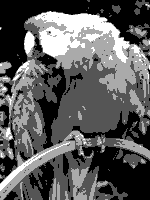
Now the difference between dynamic and contrast of an image: The best analogy I can come up with is pixel art. For each channel, you're working with a limited palette of values (i.e. an 8 bit channel encodes 2^8 possible values for each pixel). If your image is not taking advantage of the whole color palette, i.e. it only uses a subset of all possible values, the dynamic of the image decreases. I.e. you chose to only use a 4 bit palette, even though you have values in the range of 2^8 available to encode information.
Contrast is somewhat similar, but instead describes the distribution of all possible values. If my image is perfectly lit, the entire range of my color palette should be present and there should be no gaps or massive spikes (for example from over- or under exposure). Idealle the histogram for an image with good contrast should be linear).

 fresh musk


 brittle aspen