#OpenGL CMake Template (glfw+glad+glm+imgui+spdlog+tracy+cgltf+stb_image)
1855 messages · Page 2 of 2 (latest)
 brittle verge
being able to reuse the explanations and some of the code would reduce the work a lot I think
 unkempt ridge
ok
brittle verge
2learn2opengl


 hazy anchor
cool
brittle verge
I did as well when I visited from my phone
hazy anchor
i noticed
 fast kite
learnopengl2 is actually happening wtf
hazy anchor
accumulation seems to take time for some reason, i see italy and israel, but not us recent viewers (us, de and sg)
brittle verge
hazy anchor
i noticed
what sort of data do you have about me now 
hazy anchor
i can see the city where your internet comes out of the wall (where ISP/vpn has their node) what device you use and which sites you look at
my location shows another city than i am currently
every other day its a different city
fast kite
brittle verge
what sort of data do you have about me now <:frogstare:1068891129287802910>
doesn't deccer live in the walls with you anyways
he knows everything already
unkempt ridge
Black on black
 unkempt ridge
i think i can follow LearnOpenGL: Remastered as my ogl is still stuck in 3.3 era
hazy anchor
i thought of drawing my own
unkempt ridge
I sometimes use a bit of DSA from the github post
hazy anchor
perhaps i should alo make up my mind what i actually want to achieve with this thing
probably a learnopengl lite of sorts
enought glisms explained to get you started, so that youa re able to write a naive deferred renderer perhaps
or a pbr modelviewer
that should cover all sorts of DSA isms, ubo/ssbo and computeisms too
unkempt ridge
that does sound good. kinda like how logl has this section

ur version can have it be a 3D model viewer
hazy anchor
- some proper grouping of things and not willy nilly nonsense like glUniformXy and VAOs
but InputLayout, and how one can group all the state into Pipelineisms
no printf/cout too 🙂
fuck
almost 3am again
🇬🇳
fast kite
pls no VAOs
spare everyone from the pain of managing that garbage
do vertex pulling only
fast kite
the explanation: "VAO are legacy bullshit, don't use"
hazy anchor
noobs should still understand them
in the hellotriangle part
the whole thing is supposed to be a deterrent for stupid questions in #opengl
 olive dew
fast kite
do vertex pulling only
olive dew
fast kite
do vertex pulling only
You use vertex pulling for everything in GL? Doesn't it have a performance cost?
fast kite
no
there's a testing thread somewhere in here, zero cost
there's no reason you shouldn't do vertex pulling
simpler
no VAO
no bullshit vertex layout thing
olive dew
What I remember from that thread was that vertex pulling was at best as fast, and sometimes a little slower
Do you do vertex pulling in Vulkan too? No vertex layouts there either?
brittle verge
vulkan has fixed function vertex fetch because it provides some things that manual pulling does not
namely format conversion
fast kite
olive dew
Do you do vertex pulling in Vulkan too? No vertex layouts there either?
I can't even do vertex layouts if I wanted to given I use mesh shaders 
mesh shaders do not support vertex layouts
btw it's 4% slower for modern GPUs https://docs.google.com/spreadsheets/d/15-V9RFoxj21PoMrfOyVLAMRN0ekejt6iiimWxyThDvk/edit#gid=0
And very slow for mobile GPUs
fast kite
Just put a little disclaimer
hazy anchor
what i want is, that people understand that VAO should be called inputlayout
and that the input layout can be implicit too, since you still describe it in form of struct vertex_t in the vertex shader when you do vertex pulling
you still need a default vao anyway
brittle verge
VAO:
[ ] vertex
[ ] array
[x] object
brittle verge
Khronos started as a room full of monkeys hammering away at typewriters, until one day a young Mark Segal (then working as an intern) found the complete OpenGL 1.0 spec and claimed it as his own
brittle verge
It was at that moment he knew they struck mold
fast kite
John Khronos
hazy anchor
just learned that i can include external files
in me markdown
```cpp title="Application.hpp"
--8<-- "Shared/Application.hpp:5:10"
```
 hazy anchor
https://deccer.github.io/OpenGL-Getting-Started/ new version is up
OpenGL Getting Started
rewordled intro/setup and first half of basic app
brittle verge
Next button 
brittle verge
I vaguely recall these flags not being compatible for some reason
GIT_TAG        3.3.8
GIT_SHALLOW    TRUE
I think I removed all the GIT_SHALLOWisms from my cmake
Embrace cloning the entire history of the repo 
hazy anchor
: )
i might mention that some people feel their butt getting hurt when using FetchContent and that an alternative could be submodules, to keep the "USE SUBMODULES YOU IMBECILE" people from posting that
brittle verge
I think fetchcontent is probably easier for a tutorial
hazy anchor
it akchually doesnt matter how all the deps are provided
brittle verge
Maybe more can go wrong if you screw up copying cmake though
hazy anchor
there is 0 difference, besides the one or 2 seconds one has to wait for fetchcontent to content the fetch
brittle verge
I mean there's a slight difference in how they're written
hazy anchor
its just add_directory for the latter
brittle verge
Submodule I think is more intuitive and less magic
hazy anchor
thats something the person reading it can figure out later
doesnt have to be part of a tutorial imho
brittle verge
Yeah it's a bikeshed topic for sure
brittle verge
Either choice works fine
 brittle verge
I think explanation first
Prime the reader with a piece of info that they can digest
Btw that sentence is weird
I'm going to assume it's lorem ipsum for the purpose of your question
 safe egret
@hazy anchor Sorry I couldnt read up on everything in here. Is the project supposed to work out of the box? So just run it in vscode or is there more to it? The includes do not work for me. We could also discuss this in german if you want (I read up to the german conversation here 🙂 ), but I'm not sure, if others will have problems with the clutter in this thread then 😅
hazy anchor
safe egret
<@194502965749350400> Sorry I couldnt read up on everything in here. Is the proj...
yes it does
Deutsch geht auch
ich hab den thread auch noch fuer ein anderes projekt gehijackt
safe egret
hm... brauch ich noch ne launch file oder sowas in der Richtung? Also im Moment scheint es bei mir die ProjectApplication.hpp nicht zu includen
safe egret
gerne 🙂
hazy anchor
hast du vscode installert? und dazu die extension "CMake Tools"
safe egret
ja
hazy anchor
ok du brauchst aber nen compiler digga
entweder du installierst noch die Visual Studio Build Tools
oder halt VS komplett fuer c++ 🙂
safe egret
ich hab einen compiler. Ich habe ja einiges schon gerendered bekommen 😅
hazy anchor
eventuell geht auch nochd ieser kack mingw klumpen
ach dann sicher mingw 😛
ok der sollte auch funzen
dann ma weiter im Text... du hast also das repo gekloned mit --recursive hoffentlich, wie in der readme beschrieben?
safe egret
ne bin auf ubuntu unterwegs. Also nutze sonst immer gcc?
hazy anchor
ah
ubuntu, um so besser
ich trottel ging von windows aus weil die meisten hier windows user sind
ok dann is alles gut
also hast gekloned das ding mit --recursive?
safe egret
ja ist auch einfacher für graphic zeug um ehrlich zu sein 😅
safe egret
hazy anchor
also hast gekloned das ding mit --recursive?
ich glaube schon, war n bisschen hastig dabei. Aber ich bin gut darin sowas zu übersehen. Ich probier es nochmal
ok check, hatte es vorher auch so
hazy anchor
kk
dann oeffne mal den ordner wo dus reingekloned hast mit vscode
oder im vscode "ordner oeffnen"
safe egret
offen
safe egret
safe egret
ja
ja
safe egret
wie gesagt, schon dinge mit cmake und den ganzen bums hier zum laufen gebracht 😄
hazy anchor
dann drueck ma ctrl+shift+p und such in der liste nach CMake: Delete Dings & Reconfigure
ah
safe egret
nur vscode brauchte dafür von mir immer ne extra einladung mit tasks und prelaunch kack
hazy anchor
das brauchmer alles ned
macht cmake fuer uns
wenn das alles configuriert hat
guck dir ma unten die status leiste an

muesste so aehnliuch aussehen
mi Debug und gcc und Build und [all]
safe egret
oh shit. Ich hätte immer nur cmake "starten" müssen anstand mich mit den vscode launch dreck rumzushclagen?
hazy anchor
und den 2 buttons da, der kaefer und der play button
safe egret
safe egret
oh shit. Ich hätte immer nur cmake "starten" müssen anstand mich mit den vscode ...
jo schaut so aus
hazy anchor
dere kaefer started das aktuelle target per debugger 🙂
und play startets ohne debugger
gehts jetz oder wie?
safe egret
fml ich habe so viel lebenszeit mal wieder verschwendet. Wenn das bei meinen anderen Projekten auch so geht bin ich dir einfach mal doppelt dankbar 😅
hazy anchor
nice 🙂
ich hab am anfang auch erst wild f5 gedruekt das er los debuggen soll und das ging natuerlich ned
safe egret
hazy anchor
gehts jetz oder wie?
heiß
 hazy anchor
sweet
safe egret
hazy anchor
ich hab am anfang auch erst wild f5 gedruekt das er los debuggen soll und das gi...
Andere tools binden sich ja doch recht nett ein 😅
Ok, ich habe grade was fürs leben gelernt
hazy anchor
jetzt kannste in ProjectApplication Load() und Render() und Update() alles rausschmeisen was du nicht willst/brauchst
oder guckst vorher, vorm loeschen
safe egret
mega! danke 🙂
hazy anchor
was fuer dich sinn macht
texture laden, stbi benutzen oder debug message rausschreiben per spdlog oder so
safe egret
(ich spring auch nochmal in mein altes projekt zurück um mit diesem neuen wissen dinge zu probieren. werde danach aber wahrscheinlich weiter dein Template nutzen. Ich hasse diese ganze aufsetzen geschichte 😭
riesen dank, dass du dir die zeit genommen hast 🙂
hazy anchor
jo kein ding
safe egret
das ist einfach die imgui demo die da drin schwebt und nicht aufs projekt bezogen oder?
hazy anchor
mich hats auch immer angkotzt
japp
und ein oder zwei andere ImGui.XXX calls fuers menue, ah das ding hier hat gar kein menu 😄
Ich bastle grad annem neuen OpenGL Guide, da kommt eins rein
uebrigens knuffiges Tapir (oder was auch immer das fuern fiech is) baby pfp 😄
das passt zu deinem namen
Falls du mal lange Weile haben solltest
vielleicht kannst Du mal gucken ob man in den vs settings die beiden buttons da unten in der status leiste mitnem keyboard shortcut versehen kann, F5 fuer den kaefer und Alt+F5 fuer den play button
safe egret
jo debug ist sogar standartmäßig ctrl+f5
und run ist shift+f5
einfach ctrl+p
keyboard shortcuts
cmake eingeben
und dort sind die ganzen drin.
Aber vscode hat immer eigene präferenzen was es in bestimmten situationen nimmt, das heißt, es kann sein, dass der eigene debug/run modus das überschreibt
safe egret
wo hast du eigentlich diesen call hier in deinem template?
glDebugMessageCallback(MessageCallback, 0);
in Application.cpp:124 das ding ist in dem Project.Library ordnerle
hazy anchor
@olive dew https://deccer.github.io/OpenGL-Getting-Started/00-setup/00-setup/ and the next page, does it look like its easier to chew?
@safe egret du auch, guck ma drueber
olive dew
Yeah definitely
safe egret
hazy anchor
<@196376941891158016> du auch, guck ma drueber
you can read more "here"
Aber here ist nicht verlinkt. Wahrscheinlich bezieht es sich auf den link davor, aber dann ist die formulierung komisch
ansonsten super! 👍
hazy anchor
ah interesting
brittle verge
my friend is a beginner to graphics programming and I linked him this, but I think it was too much 😄
he was trying to make a project so I suggested cmake instead of vs solutions
then I showed him this project as an exshrimple
hazy anchor
and what he do? rage quit? 😄
i started from scratch btw, no tringle yet, only basic window setup, not even Application class or anything
at least not in the markdownisms
brittle verge
hazy anchor
and what he do? rage quit? 😄
nah he's a beginner so it's just too much stuff
C++ sucks to get started with
hazy anchor
ah fair enough
brittle verge
but I suggested/he figured that following some guides on cmake would be helpful first
hazy anchor
i try to explain cmakeisms too
could probably be a bit more elaborate
OpenGL Getting Started
everything in Main.cpp and 3 cmakelists
hazy anchor
ah
: )
if your friend still has feedback besides kwitting, im all ears, perchance it can be massaged into the opengl guide htingy
brittle verge
I think he'll be looking at other stuff first
I do have one suggestion actually
making a copy of that project with the cmake, but an empty main.cpp (so just the dependency crap is done)
a lot of beginners (my friend included) just want to start from scratch without having to fiddle with build systems and dependency bs
I can do it myself tbh, since it's just deleting stuff 😄
hazy anchor
ah
I can probably set this up, yeah
have a branch "bare-minimum" or something, which has the cmake setup and an int main() {} so that you can compile
brittle verge
some of the letters are higher than the others 

 brittle verge
I think the font is just weird
 brittle verge
 hazy anchor
aaaaaaaaaah
brittle verge
cursed
hazy anchor
damn, im so stupid
i did pick a non default font
but it looks quite funny on your screenshot
brittle verge
did you forget a hyperlink here

 brittle verge
nope, looks good on yours
hazy anchor
i will change the font to some stock font then, so that it looks the same on all platforms
it looks neat like that
brittle verge
it's burning my eyes currently
brittle verge
looks good now
olive dew
We should make a list of intermediate steps to full GP
Like, if you have x amount of experience with this and that, start here, if you have y amount + decent math start here, etc
hazy anchor
not a bad idea
hazy anchor
minimum tringle
now i need to split it up into chunks of explainisms again - ill explain programs, program-pipelines, inputlayout, vb and ib, also debugmessage callback, and also perhaps object labels too, since those are useful for debugging shit - yeah i should renderdoc too here, there are also a few exercises of how to get into finding and fixing issues to prevent getting arrested for opengl crimes
then introduce the whole Application base thing
then textures
then camera, which means ubo - i thought of also adding dear imgui here, so that you can click different camera types perhaps and get lubed in for imgui altogether already
so that you can fly around the tringle - perhaps here also show how to deal with multiple inputlayouts, because thats what the noobs never understand either
then models
and then models without inputlayout and with vertexpulling
this whole coordinate system nonsense i need to source out somehow, i cba to explain it, i barely understand it myself hehe
brittle verge
hazy anchor
now i need to split it up into chunks of explainisms again - ill explain program...
are program pipelines worth explaining over normal shaders+programs?
hazy anchor
imho program pipelines are a simpler mental model or maybe not idk
brittle verge
lemme look them up again
hazy anchor
less glAttach/glDetach nonsnense
you can combine programs with each other however you like
the attach/detach thing requires linking again
brittle verge
ah glCreateShaderProgramv
ye looks easier
I'm not familiar with it so idk if drivers fook it up in some way (buggy, worse errors, etc.)
re: the discussion about my friend getting started yesterday
I made this thing to give to him: https://github.com/JuanDiegoMontoya/Unfrogged
tl;dr it's your thing without the explanations and with much less starting code
now he's gonna be looking at learnopengl
hazy anchor
hmm hhmm mmhh
i just found something out
with mkdocs you have this typical docs/... structure where all your md files go into the docs basically, and your mkdocs.yml provides the navigation hierarchy of sorts
i just tried something with that include other file thing --8<-- "pathToFile"
docs/
  someChapter/
    someContentInThatChapter.md <- have this file contain `--8<-- "src/someChapter/README.md"`
src/
  someChapter/README.md
and have the actual readme in the project folder the article is talking about
idk if any of what i say makes any sense hehe
or should i keep all docs together up in docs/
hmm github only picks up the readme in the repo root, neh?
hazy anchor
does it really?
then this would be cool
i could reuse the chapter docs files as README at the same time when people browse the source
brittle verge
hazy anchor
does it really?
hazy anchor
hmm nice
mkdocs.yml cant index into files outside of docs/ hence the "forward" thingy,
hmm mmh ill play with it : )
hazy anchor
while looking for a better pic of a shrimple graphics pipeline i schtumbled upon this thing https://www3.ntu.edu.sg/home/ehchua/programming/opengl/CG_BasicsTheory.html
its glut and ffp opengl, but the imagery is quite nice ackchually
hazy anchor
hehe i will go ith this one

obviously skipping tess/geom stage, but just mention them should be ok, since they might see those stages in renderdoc at some point
fast kite
the only mention GS deserves is: "you do NOT use the geometry shader, ever, under any circumstance"
hazy anchor
yeah
and i might add links to ogldev's tesselation videos he released a month ago or so, they are not bad
brittle verge
nice renderdoc screenshot
this sounds odd
We want to render them as lines or points or triangle fans, but mostly triangles
how about
We may want to render them as lines, points, or triangle fans, but for now we'll do a triangle list
the emphasized bit is redundant
Most of the time we want to render triangles because the GPU is super optimized to handle those things and it does it well
not sure if now is the best time to introduce instancing
hazy anchor
yep, same, ill just omit that, instancing attributes i could mention later as a side note, that its possible via vaos, but nobody does that
hmm the part after mentioning the blender and assimp is also weird heh
brittle verge
btw you should use glNamedBufferStorage
hazy anchor
ah its too bad glfw doesnt run framebuffersizecallback when the window is created
hazy anchor
dsa shader program creation doesnt support glProgramParameter ;C since you compile and link at the same time
via glCreateShaderProgramv
that sucks a little
brittle verge
what's the point of glProgramParameter
hazy anchor
you can get rid of the out perVertex {} bs in vertex shaders
when you glPRogramParameter(GL_PROGRAM_SEPARABLE, GL_TRUE)
but its not a train smash
brittle verge
hehe
hazy anchor
but then i lied as well
because shader pipeloines still require that out PerVertexism
ok, NEVERMIND 😄
john khronos failed once again
writing sucks 😄
i wonder if i should just provide code as is
hehe
 tribal grove
I just look at your CMAKE for inspiration
you are downloading glad trough the CMAKE ?
hazy anchor
tribal grove
you are downloading glad trough the CMAKE ?
yep, and have it generate the bindings at config time, which is also customiserable there
i also pushed slight fixes to it
hazy anchor
more awkward writing https://deccer.github.io/OpenGL-Getting-Started/01-basics/02-basic-window-and-triangle/ up until fragment stage
OpenGL Getting Started
i think i fooked it up a little by adding all the code things for the basicappwithtringle in these stages
or perhaps it could work, idk
hazy anchor
@safe egret du musst mal als Meerschweinchen herhalten, bis sich die anderen Jungs ruehren
hazy anchor
hazy anchor
more awkward writing https://deccer.github.io/OpenGL-Getting-Started/01-basics/0...
@olive dew if you have 10? minutes would you mind reading over?
hazy anchor
me too : )
olive dew
I can't decide what the correct level of assumed background for this article is, but I feel like it needs to go one way or the other
Like either it needs more supporting diagrams to teach things like NDC, or you could cut out a fair bit of background by assuming that knowledge
olive dew
The writing is also fairly conversational, it could be cut down to be more terse
hazy anchor
more terse for people with background and more conversational to lube noobs in?
olive dew
It can be both imo
there was an exercise we did in my writing class in school where we would cut a whole essay down into one paragraph, then into like one sentence, as a sense for how to distill the idea as efficiently as possible
hazy anchor
its some what "hard" to decide where to cut... make smaller code chunks to explain the details, or drop more code blobs and summarize
i see
olive dew
I'm not great at it because I tend to be verbose but at some point I can take an editing pass through it if you want
not today but maybe later on
olive dew
So do most people's lol dw about it
Your writing isn't really worse than the average native English speaker's
hazy anchor
enough to converse with americans hehe
I would like to use this "guide" or tutorial or whatever this can be called, as a drop in for noobs in #opengl
to avoid the "my screen is black" or "my tringle is kaputt" or "0xC0000005" when calling glDrawElements
but also nudge them to write more modern stuff, with pipelines et al in mind
so that they can move to vk more easily in the future
(it also kind of helps/helped me to transition)
olive dew
Per vertex attribute (we have 2 attributes, Position and Color) we declare what data type each attribute is and of how many components that data type exists.

If you think of Position, usually 3 coordinates, x, y and z, also usually floating points - we have 3 components of type GL_FLOAT. Thats exactly what we describe here.

Same thing for the color attribute. Red, green and blue components, so, also 3 components of type GL_FLOAT.
A vertex may have "attributes" that describe its constituent data.

For instance, our vertex's first attribute is "position," consisting of 3 floating point components. We specify that the 0th attribute of `inputlayout` consists of 3 floats (`GL_FLOAT`), which are not normalized (`GL_FALSE`), and then specify the offset of the `Position` data within our `VertexPositionColor` struct:

glVertexArrayAttribFormat(inputLayout, 0, 3, GL_FLOAT, GL_FALSE, offsetof(VertexPositionColor, Position));
Example revision
At that point you barely even need to explain the color step beyond "this process is repeated for each attribute in the vertex struct"
hazy anchor
when you hold it into my face like that, yeah
olive dew
I think the most important part is making sure the code examples are good and happen in the right order
hazy anchor
i agree
olive dew
Also the difficulty with the "my screen is black" is that those people want a solution with zero effort
another LOGL-length article isn't really going to fix that
hazy anchor
after the basic crap, before any first abstraction of inputlayout or anything else
i want to introduce renderdoc and debugcallback
and show them how they can help themselves
with exercises too
like messing with the vertexformat, wrong cullface or winding order
or wrong amount of verticles in glDrawArrays
so that they understand how to use the overlays by example
olive dew
I would focus on that first then personally
The debugging crash course
it's more focused than trying to write a start to finish guide
hazy anchor
ye, i wanted to have the tringle going first though
olive dew
fair enough
olive dew
I've just been through this process multiple times, writing what I thought was going to be the "omg it's simple, why don't people just explain it clearly" guide that ends up being long af and not any less confusing than all the others
hazy anchor
yeah
i will point them at it
with pics and example code
so that they see the correlation between them
then they might understand the Where Is My Drawcall thing plugin in renderdoc
probably needs adjusting when actual noobs use this thing and get stuck or i wrote it too dumbly
hazy anchor
oki, less bla bla
olive dew
Yeah, you can always elaborate later
hazy anchor
yeah was going to say, when i ask for feedback from a noobie they should be able to tell whether its too little or unnecessary
olive dew
but the writing process invariably involves cutting back the content so keeping it trim to begin with might save time
yeah
hazy anchor
does it make sense that i explain the code snippets as i go through the graphics pipeline btw?
safe egret
hazy anchor
<@196376941891158016> du musst mal als Meerschweinchen herhalten, bis sich die a...
mehrschweinchen.. etwas komisch 😅 worum gehts?
olive dew
Yeah I think it's fine
hazy anchor
safe egret
mehrschweinchen.. etwas komisch 😅 worum gehts?
: ) Lies dir mal den verlinkten artikel durch und sag mir ma ob du das verstehen wuerdest oder ob das alles schinesischer humbug fuer dich ist, wenn du 10 minuten hast oder so
hazy anchor
olive dew
Yeah I think it's fine
oki, i noticed it towards the end that i was just mixing in that stuff and was like oof 😄
safe egret
hazy anchor
: ) Lies dir mal den verlinkten artikel durch und sag mir ma ob du das verstehen...
muss selbst heute noch ziemlich viel zeug editieren, um das morgen rumzuschicken (auch text+layout) und werde heute erstmal nicht dazu kommen 🙈
hazy anchor
Arne, und wenn du nix dagegen hast werd ich dich oefter anboopen zum gegenlesen
hazy anchor
safe egret
muss selbst heute noch ziemlich viel zeug editieren, um das morgen rumzuschicke...
ja kein stress, layout is erstma wurst, wichtig is ob man das als noob versteht oder ob das nur kauderwelsch is
achso dein zeug 😄
hazy anchor
safe egret
muss selbst heute noch ziemlich viel zeug editieren, um das morgen rumzuschicke...
die Ausrede lass ich gelten
hazy anchor
im so clever soemtimes
i want clearcolor to be in the same pink as the guide 😄
but due to enabled framebuffer srgb this is super bright
so i just take 0.7f, 0.1f, 0.4f and pow it by 2.2 😄
and get 0.45f, 0.0063f, 0.1332f
or at least i thought so
thats the guide-pink

thats 0.7, 0.1, 0.4
when i put that through pow... i get 179, 19, 102 thats weird
eye balled it until it looked similar
olive dew
hey deccer the cmake master
how do you regenerate the build script using the cached variables at the command line
have not used CLI cmake for years
olive dew
Ok NVM you just cmake .
I think I was confused because it was a non cache variable I was editing or something so it got overwritten when generating
hazy anchor
i just use the cmake tools and shift+ctrl+p -> CMake: Reconfickture
hazy anchor
examexercisesples 😄
thats what you get when your brain is offline, and wanted to rename examples to exercises
21:22:23
hazy anchor
All state related to the definition of data
used by the vertex processor is encapsulated in a vertex array object.
The name space for vertex array objects is the unsigned integers, with zero
reserved by the GL.
... reserved by the GL 😄
reserved by the gnome loge
man who wrote this
BindVertexArray may also be used to bind an existing vertex array object.
If the bind is successful no change is made to the state of the bound vertex array
object, and any previous binding is broken.
...if its successful nothing changes, and any previous binding is broken...

(young John Connor Khronos)
I cant find the spot where it talks about the default vao in the 🥓
🥓 = bacon 🇺🇸 = speck 🇩🇪 = spec
hazy anchor

quite annoying that i cant put exercises right under the actual topic, i have to have some helper thing in there
          - Debug Callback: 02-debugging/02-debug-callback.md
          - Debug Callback Exercises:
            - Exercise 1: 02-debugging/02-debug-callback-exercise-01.md
            - Exercise 2: 02-debugging/02-debug-callback-exercise-02.md
          - RenderDoc: 02-debugging/03-renderdoc.md
          - RenderDoc Exercises:
            - Exercise 1: 02-debugging/04-renderdoc-exercise-01.md
            - Exercise 2: 02-debugging/04-renderdoc-exercise-02.md
i cant have this
          - Debug Callback: 02-debugging/02-debug-callback.md
            - Exercise 1: 02-debugging/02-debug-callback-exercise-01.md
            - Exercise 2: 02-debugging/02-debug-callback-exercise-02.md
          - RenderDoc: 02-debugging/03-renderdoc.md
            - Exercise 1: 02-debugging/04-renderdoc-exercise-01.md
            - Exercise 2: 02-debugging/04-renderdoc-exercise-02.md
its unsupported : (
hazy anchor
hazy anchor
now i need to split it up into chunks of explainisms again - ill explain program...
hazy anchor
i was wondering if we should/could list common errors in the gl get started thing too, after debugcallback/renderdoc chapters or probably in some appendix, if you have more of those, let me know then we can compile those together into some comprehensive unfuck gl list
-
nothing works:
- get rid of GLCALL/GLCHECK macros, most of them use glGetError incorrectly anyway
- setup glDebugMessageCallback see here
- your shaders could contain errors, make sure you check linking state and fix according to what the error was highlighting
-
renderdoc crashes when i try to capture something from my project:
- most likely some of your code is fucked, its rarely renderdoc being fucked in that case
-
screen is black:
- camera (projection/view matrices are fucked) is not looking at the scene in question
- no texture is sampled due to missing or wrong uvs => default value is 0 aka black (depends on the driver)
- no shader bound (especially fragment shader)
- fragment shader doesnt write anything to its output
- no viewport is set/is too small
- you might be rendering to a framebuffer, but not blitting that framebuffer to the default one
- let clearcolor be something else than pure black
-
screen is white:
- perhaps your clearcolor is too, and no texture is sampled due to missing or wrong uvs => default value can be 1
aka white (depends on the driver)
- perhaps your clearcolor is too, and no texture is sampled due to missing or wrong uvs => default value can be 1
-
no visible output:
- check winding order and cullmode, you might be looking at the wrong side of your faces
-
exception when calling glDrawElements - aka "0xC0000005"
- no indexbuffer is bound/associated to the current vao/inputlayout
-
exception when calling glDrawArrays / or worse the driver is crashing
- you probably want to draw more primitives than you have in your vertexbuffer, check arguments of your glDrawArrays call
-
textures are black
- no textures bound
- are your textures complete? if not should produce an output in debug callback, so, go check that (hmm this might not be the case for glXXXTextureStorage i might take this one off the list)
- no samplers bound (check your sampler objects if you use them as separate objects)
- no or fucked uvs
-
textures look funny, like a garbled version of the actual image
- make sure your internalformat and actual pixel format match -> you probably used stb_image to load, but used 0 as the last parameter,
and pixel data has 3 components, instead of the 4 (GL_RGBA) you told OpenGL about -> request 4 channels from stb_image
- make sure your internalformat and actual pixel format match -> you probably used stb_image to load, but used 0 as the last parameter,
-
textures look like one color component is more prominent than others
- colors are more shifted towards blue -> you probably messed up the format and asked for GL_BRG.. of sorts => make sure they match
- colors are more shifted towards red -> original pixeldata was probably in BGR... but you asked for GL_RGB... of sorts => make sure they match
-
render artifacts, like small missing tiles on a floor
- synchronization issues - perhaps a missing glMemoryBarrier at the right spot
- ubo/ssbo alignment issue - check std140/430 rule in the glsl spec
- binding multiple textures to the same slot - check your glBindTextureUnit calls
- you might be using a float to index into a buffer to grab material/texture info, use a flat int
-
depth buffer not cleared
- despite calling glClear(GL_DEPTH_BUFFER_BIT) => check if glDepthMask was set to GL_FALSE or migrate to glClearNamedFramebuffer()
hazy anchor
hazy anchor
i was wondering if we should/could list common errors in the gl get started thi...
 vernal echo
I'd like to add calling glClear(GL_DEPTH_BUFFER_BIT) with glDepthMask(GL_FALSE).
brittle verge
Might be wise to use the other functions for clearing framebuffers to avoid this footgun
vernal echo
So I guess the suggestion should be to use glClearNamedFramebuffer
hazy anchor
yea
vernal echo
Oh shit it looks like glClearNamedFramebuffer has the same issue as glClear
hazy anchor
kind of makes sense, that depthmask influences clear in any form neh?
vernal echo
Yeah its just kinda a pain in the ass, since when I ask to clear the depth buffer you kinda expect it to be cleared
hazy anchor
yeah
hazy anchor
i think ill add model and textures first before abstracting anything into application, inputlayout or texture constructs
to a) make people aware of formats, which will come in handy for inputlayouts
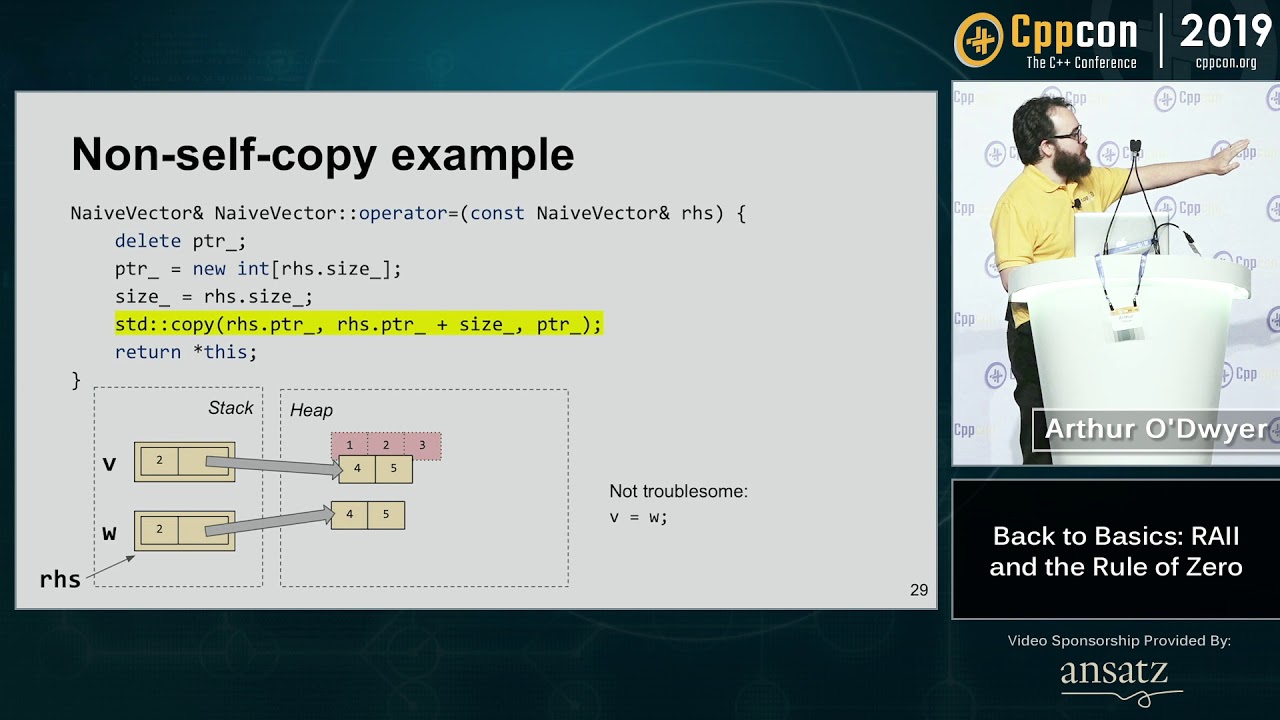
and b) when introducing classes later, showing how RAII nonsense works (ie referring to https://www.youtube.com/watch?v=7Qgd9B1KuMQ, rule of 3/5/0)
http://CppCon.org
—
Discussion & Comments: https://www.reddit.com/r/cpp/
—
Presentation Slides, PDFs, Source Code and other presenter materials are available at: https://github.com/CppCon/CppCon2019
—
RAII, or "Resource Allocation is Initialization," is one of the cornerstones of C++. What is it, why is it important, and how do we use it in our ...
hazy anchor
hmm
perhaps i should add textures before debugcallback/renderdoc
or ill throw in renderdoc exercises later in between
hazy anchor
apparently people use their phone to read this thing 😦
and are surprise that there are more than 1 page
hazy anchor
@tacit marsh ill/am abuse/abusing this thread for the thing
turned that opengl thing into an editable gist https://gist.github.com/deccer/dbc53d34a378009c23a432b071273abb

Gist
Troubleshoot - OpenGL. GitHub Gist: instantly share code, notes, and snippets.
it might get bigger and wont fit into a discord message soon 🙂
 tacit marsh
yeah thats a good start
hazy anchor
or turn it into a project then others can contribute, gists dont have that possiblilitlity it looks like
tacit marsh
eventually it would be good to have it part of an actual FAQ instead
as part of the tutorial series
hazy anchor
yeah
hazy anchor
ah indeed
brittle verge
I think the exception when calling glDrawElements could be expanded a little
"error reading location 0x0000000000000000" or whatever
And have one for "error executing location 0x0000" when calling any GL function, which indicates that gl pointers haven't been loaded yet
hazy anchor
why does this not work
    if (auto graphicsPipelineResult = graphicsPipelineBuilder
        .WithInputLayout("PositionUv", std::to_array<const InputLayoutElement>(
        {
            {.Location = 0, .BindingIndex = 0, .AttributeFormat = Format::R32G32B32_FLOAT, .Offset = offsetof(VertexPositionUv, Position)},
            {.Location = 1, .BindingIndex = 0, .AttributeFormat = Format::R32G32_FLOAT, .Offset = offsetof(VertexPositionUv, Uv)},
        }))
        .WithShaders("Data/Shaders/Simple.vs.glsl", "Data/Shaders/Simple.fs.glsl")
        .WithPrimitiveTopology(PrimitiveTopology::Triangles)
        .Build())
    {
        _graphicsPipeline = graphicsPipelineResult.value();
    }
GraphicsPipelineBuilder& GraphicsPipelineBuilder::WithInputLayout(
    std::string_view inputLayoutLabel,
    std::span<InputLayoutElement> inputLayoutElements)

i dont understand how a 2 element array cannot be a span of the same type
brittle verge
hazy anchor
i dont understand how a 2 element array cannot be a span of the same type
Idk
hazy anchor
you mean std::span<InputLayoutElement>(std::to_array<const InputLayoutElement>( ... ))? 😄
tacit marsh
hmm seems to be explicitly supported 🤔
 hazy anchor
this code also worked before in a slightly different project
tacit marsh
oh you mean std::span<const InputLayoutElement>
brittle verge
Ah that's different
tacit marsh
can't bind temporary std::array to non-const constructor
yet another wrong default amirite
tacit marsh
what can I say I'm a brain genius
hazy anchor
i forgot the add the const on the WithIL function
but i cant use const here anymore anyway
GraphicsPipelineBuilder& GraphicsPipelineBuilder::WithInputLayout(
    std::string_view inputLayoutLabel,
    std::span<const InputLayoutElement> inputLayoutElements)
{
    _graphicsPipelineDescriptor._inputLayoutLabel = inputLayoutLabel;
    _graphicsPipelineDescriptor._inputLayoutElements = inputLayoutElements;
    return *this;
}
because then the 2nd line wont work, because of const
brittle verge
cppisms
hazy anchor
: D
by also just doing this std::span<const InputLayoutElement> _inputLayoutElements; here
weird that the error message swallowed the const
tacit marsh
yeah its a weird one
tbf there isn't actually a const anywhere
its just that the const overload is the only one that will accept a temporary array, so when you try to construct a non-const span, both array constructors are disabled
bit fucky
 tacit marsh
🪣 🐻❄️
hazy anchor

brittle verge
hazy anchor
<a:cat_paw_wave:1054109919676223580>
Impawstor detected (that's not a bear paw)
brittle verge
I just wanted to make a silly pun
 tacit marsh
rule of zero when 😔
hazy anchor
as soon as i switched off, i knew the solution :B
hazy anchor
[2023-12-02 20:17:13.509] [error] Building graphics gipeline "Simple" failed. �\UU�G��� graphics pipeline Simple. Details: pUU�G��� rogram VS_Program_Simple: 0(14) : error C1503: undefined variable "i_poXsition"
i have no idea where that garbage is coming from, when i step through where i thought the source is, it looks clean
its probably something with me not using string_views properly
tacit marsh
I've actually never been to poipelione
hazy anchor
its ez to go there
you just let your fingers become butter fingers
while typiong pipeloine
its one of those words which are hard to type hehe, like them ending on -ililibility
tacit marsh
ah like flaot
hazy anchor
yeah
tacit marsh
flase
hazy anchor
treu, hibgut
hazy anchor
havent seen falot in the wild either yet , i mean flaot
hazy anchor
i enjoy those little typos
they also bring amusement to jaker
i found the spot where its fucked, but im not sure how to fix it
        auto infoLogLength = 0;
        glGetProgramiv(program, GL_INFO_LOG_LENGTH, &infoLogLength);
        std::vector<char> v(infoLogLength);
        glGetProgramInfoLog(program, 1024, &infoLogLength, v.data());

        std::string infoLog(v.begin(), v.end());

        return std::unexpected(infoLog);
infoLog is garbled when i render expected.error() further up
tacit marsh
what is the error type?
hazy anchor
std::string
tacit marsh
hmm thats strange
hazy anchor
i had return std::unexpected(std::format("Unable to link program blabla {} {}", ..., infoLog));
tacit marsh
hazy anchor
```cpp
auto infoLogLength = 0;
glGetProgramiv(program, GL_INFO_L...
wait whats the 1024 here
hazy anchor
the maximum length
tacit marsh
but that's not the maximum length
hazy anchor
hang on a second
tacit marsh
bababooey
hazy anchor
not quite there yet 😄
this should be the right call
glGetProgramInfoLog(program, infoLogLength, nullptr, v.data());
but its still garbled
tacit marsh
also why allocate a vector and copy into a string when you can just allocate the string with the right length from the beginning
tacit marsh
hazy anchor
but its still garbled
immediately after the call or further up the call stack?
hazy anchor
yes
        auto infoLogLength = 0;
        glGetProgramiv(program, GL_INFO_LOG_LENGTH, &infoLogLength);
        auto infoLog = std::string(infoLogLength + 1, '\0');
        glGetProgramInfoLog(program, infoLogLength, nullptr, infoLog.data());

        return std::unexpected(infoLog);
i have tried a bunch of things, vector was just one of them
further up the callstack
aaaaaaaaaaaaaaaaaaaaah
foudn it
for some weird raisin, one of methods returning std::expected... had an string_view error type 
brittle verge
hazy anchor
```cpp
auto infoLogLength = 0;
glGetProgramiv(program, GL_INFO_L...
Wth is return std::unexpected
tacit marsh
lol
brittle verge
Ah it got removed and replaced lol
tacit marsh
hazy anchor
for some weird raisin, one of methods returning std::expected... had an string_v...
that'd do it
brittle verge
Was reading this lmao
https://en.cppreference.com/w/cpp/error/unexpected
hazy anchor
😄
std::expected<std::tuple<uint32_t, uint32_t, uint32_t>, std::string> GraphicsPipelineBuilder::CreateProgram(
        std::string_view label,
        std::string_view vertexShaderSource,
        std::string_view fragmentShaderSource)
{
...
``` i mustve gotten distracted here by all the SVssame in c# 🙂
you can even do one better
Result<(uint Program, uint VertexShader, uint FragmentShader), ...
tacit marsh
ah yes, a struct
hazy anchor
named tuple
tacit marsh
ah yes... a struct
hazy anchor
but yea, is a struct pretty much
[2023-12-02 21:15:44.115] [error] Building graphics pipeline "Simple" failed. Unable to link "Program-Simple-VS" Details: 0(14) : error C1503: undefined variable "i_poXsition"
brittle verge
I liked the corrupted one better
hazy anchor
: )
brittle verge
It had more character
hazy anchor
hmm looks like cmake's post/prebuild target thing doesnt pickup changes in the filesystem
but custom targets do
add_custom_command(
    TARGET GameClient
    PRE_BUILD
    COMMAND ${CMAKE_COMMAND} -E copy_directory ${CMAKE_CURRENT_SOURCE_DIR}/Data ${CMAKE_CURRENT_BINARY_DIR}/Data
)
will be replaced by
add_custom_target(copy_data
    ALL
    COMMAND ${CMAKE_COMMAND} -E copy_directory ${CMAKE_CURRENT_SOURCE_DIR}/Data ${CMAKE_CURRENT_BINARY_DIR}/Data
)
add_dependencies(GameClient copy_data)
hmm weird
when i do vertex pulling the vertices are in CW
when i dont to vertex pulling the verticles are in CCW
weeeeeeeeird : ) vertexbuffer is bound as ssbo, only shows 2 items, although i write 3, size is correct et al
ahaaaa vertex shader was fucked
vernal echo
Blessed pipeline
hazy anchor
@tacit marsh in opengl you mentioned glDrawElements can be used with VP, but im a little puzzled how
glDrawElements is based on a bound EBO, via a VAO, isnt it?
tacit marsh
no, bc you still don't need to specify a vertex format
and you can still generate vertex data however you want
from ssbos, textures, generated on the fly etc
hazy anchor
ah so i just bind the ebo to the default vao
ebo doesnt care about the vertex attribs
tacit marsh
correct
tacit marsh
i don't think you were ever dumb :)
tacit marsh
hazy anchor
just feels weird slightly
just gotta remember it's technically an optimisation.
hazy anchor
: D
tacit marsh
anyway, i literally just have a bind_index_buffer that hides the vao as an implementation detail lol
hazy anchor
yeah same
tacit marsh
ez
hazy anchor
i would like to be a tiny bit explicit when constructing the pipeline
right now i have something like .WithInputLayout(...)
which constructs an actual vao
for VP im thinking of having a .WithDefaultInputLayout(), .WithNoInputLayout() or .WithInputLayoutForVertexPulling() naming is hard
so that when i do gfxpipeloine->BindIndexBuffer(indexBuffer); knows which vao to use
hazy anchor
ye thats impl detail
tacit marsh
use them only for vertex format, and always rebind buffers
tacit marsh
hazy anchor
for VP im thinking of having a .WithDefaultInputLayout(), .WithNoInputLayout() ...
can you just not specify an input layout?
hazy anchor
i could do that too
then the gfxplbuilder will know when an inputlayout was requested or not and when not vp will be assumed
ye, perhaps better
tacit marsh
ultimately the pipeline doesn't need to care if you're using vp right? just either you're pushing data through attributes from buffers attached to a vao or you aren't - you can bind ssbos and co in both cases
hazy anchor
the pipeline object i create defines the gl state to be set when the pipeline is bound
until a new pipeline is bound
load:
_pipeline = _device->CreatePipelineBuilder().XXX().XXX().XXX().Build();

render:
_device->BeginRenderToFramebuffer/ToSwapchain()
_device->BindPipeline(_pipeline)
_device->EndRender()
right, so either it binds vbos to the vao or it doesn't. does it actually need to know what vertex pulling is
hazy anchor
no
thats why i will leave out that WithNoInputLayout nonsens, and only have WithInputLayout when i actually want one
tacit marsh
sick
hazy anchor
that emoji 😄
tacit marsh
it's one of my favourites
hazy anchor
looks like you clap your finger and thumb kwikly and it makes some noise hence the particles hehe
hazy anchor
didnt see the fidget spinner first
hazy anchor
i need to untangle this channel somehow 😄
i keep mixing 5 projects in this one
moving opengl-getting-started out into https://discord.com/channels/318590007881236480/1181289212251742238
OpenGL CMake Template (glfw+glad+glm+imgui+spdlog+tracy+cgltf+stb_image)
 ivory totem
hey hey, i love the idea of having an openGL template and it seems really amazing, I just have a slight suggestion, could you please add a little more "how to get started" text in the readme (like from git clone-ing to compiling the project and building an executable) for dumb and ambitious beginners like me who probably should take a class on C++ and properly learn makefiles before attempting graphics programming  thank you
(for context: i ran git clone, cmake CMakeLists.txt, then make, and now i don't know what to next. i just wanna run the build now. can't find a ./app file anywhere either)
i see the opengl-getting-started repo. i'll look through that rn
hazy anchor
@ivory totem hmm are you talking about this one? https://github.com/deccer/OpenGL-Getting-Started or this one? https://github.com/deccer/CMake-Glfw-OpenGL-Template
ah i see, i should have read first : )
ok
so
sprintf is tracy's stuff as others pointed out
and yes i should hide warnings from dependencies so that warnings treated as errors dont block you from building
weird that it happens on mac though, also no surprise
hazy anchor
the build artifact (binary/library or whatever) should usually sit in ./build/ somewhere
you are also the first mac person
and i also think it wont even run on mac, because im targeting gl4.6 by default, but anyway, that can be massaged
hazy anchor
ivory totem
ah, alright
fear not
you just have to kick a bunch out of there then
or sell your mac and get an actual PC 😛
you need cmake and ninja installed
vscode's plugin too as described in the readme, then clone
then it should be enough to adjust the following files
actually not that much needs adjusting
just glNamedBufferData needs to be replaced with its nonDSA counterpart in https://github.com/deccer/CMake-Glfw-OpenGL-Template/blob/main/src/Project/ProjectApplication.cpp#L144
there are 3 occurencies
with glBufferData after those glBindBufferBase calls i think that should work
hmm glMultiDrawElementsIndirect wont though, thats a gl4.3 thing
you can emulate that with a loop and glDrawElementsIndirect
glTextureStorage2D is also a gl4.5 thing
well, thats one reason why i dont target macos : >
you could remove all the code and keep the skellington, and then slowly add your own thing, if you want, or take the template as a guide
at least for the cmake bits
@ivory totem
i have another repo, which might work for you
clone this repo https://github.com/deccer/OpenGL-Getting-Started and then git checkout 83272858fe8def06171ddf7634f917212531ef49
its a cmake project
ivory totem
actually, i did find this one to work ! https://github.com/ArthurSonzogni/OpenGL_CMake_Skeleton
GitHub
:heart: A ready to use cmake skeleton using GLFW, Glew and glm. :+1: - GitHub - ArthurSonzogni/OpenGL_CMake_Skeleton: :heart: A ready to use cmake skeleton using GLFW, Glew and glm. :+1:
ivory totem
but i'll try yours
would be easiest to get support from the person who actually made the repo :)
hazy anchor
you need to make 2 adjustments though
for macos
change this line https://github.com/deccer/OpenGL-Getting-Started/blob/83272858fe8def06171ddf7634f917212531ef49/src/01-BasicTriangle-nonDSA/Main.cpp#L186 to 1 and this one https://github.com/deccer/OpenGL-Getting-Started/blob/83272858fe8def06171ddf7634f917212531ef49/src/01-BasicTriangle-nonDSA/Main.cpp#L188
GLFW_OPENGL_CORE_PROFILE needs to be set to GLFW_FORWARD_COMPATIBLE i think its called
because macos sucks
ivory totem
alright changed the two
hazy anchor
this should work then
if you have cmake and the cmake tools for vscode installed
ideally ninja too
ivory totem
Users/x/Desktop/Programming/cpp/OpenGL-Getting-Started-2/src/01-BasicTriangle-DSA/Main.cpp:186:41: error: use of undeclared identifier 'GLFW_FORWARD_COMPATIBLE'
glfwWindowHint(GLFW_OPENGL_PROFILE, GLFW_FORWARD_COMPATIBLE);
uh oh
hazy anchor
fook
i probably misspelled it
use your google foo to find the right one
ah fuck it, here it is GLFW_OPENGL_FORWARD_COMPAT
ivory totem
./01-BasicTriangle-DSA
[2023-12-18 11:51:06.707] [error] GLFW: Error Invalid OpenGL profile 0x00022006
[2023-12-18 11:51:06.707] [error] GLFW: Unable to create window
(base) rain
hazy anchor
hmm mmh
yeah
you are supposed to try that with the nonDSA variant

find that status bar
click on [all] and select the nonDSA thing, then click on the bug icon
that starts the debugger
if you select nonDSA on the right where i have [Fuk] atm, and press the play button, then it will just run it not attach a debugger
@ivory totem
olive dew
Btw I ran this at my friend's house last night and I have some complaints to file
I suppose I could fix it myself but that would be hard
olive dew
The main issue I had was that for some reason intellisense couldn't figure out any of the API calls, it gave errors (but things still built)
No his machine is much newer than mine
I think something to do with having glad in a separate project may confuse VS or something
Or confuse intellisense rather
hazy anchor
weirdly enough clion and vs were weird yesterday for me too
with glad
it would never be a ble to find glad/gl.h
but when i use vscode + cmake plugin it would just work
olive dew
Idk what the best solution is for this with cmake since the way glad is often used isn't really fitting the CMake paradigm
hazy anchor
best workaround is download glad, and add it as a library
olive dew
I'm just going to send him one of my project templates to keep things simple
hazy anchor
into libs/glad
olive dew
Also it would be nice if the template didn't impose the application structure and just had a single-file main.cpp hello triangle
Maybe as another branch or something idk
hazy anchor
then ```cmake
add_library(glad
glad/src/glad.c)
target_include_directories(glad PUBLIC glad/include)
and in your main project target_link_libraries(YourProjectWhatever PRIVATE glad glfw glm) as usual, and the include header is different in the manual one
its <glad/glad.h> there
ill fix that tomorrow (the single file project setup)
hazy anchor
could your friend try out vscode + cmake plugin?
with the current cmake-template
im curious if that still works
olive dew
Idk how to use vscode
hazy anchor
make him join, i can explain 🙂
olive dew
I am trying to teach him so it would probably be easier for me to try just it myself or something
olive dew
He hasn't done significant projects before
olive dew
I'm sure it probably works, I don't really want to go installing more toolchain stuff on my machine
It's just an issue with the way visual studio kind of segregates projects probably
olive dew
Oh lol
olive dew
No
olive dew
hazy anchor
something is fucked
are you saying you just discovered something or is this ongoing
olive dew
ah
olive dew
With the template or without?
hazy anchor
with this one
because mf didnt want to use the cmake template
but now that the template isnt working either anymore... something's fishy
hazy anchor
the latest commit in the dummy repo switched to manual glad
yeah so did the template
template is using v1 of glad though
and i have another c++ shit project on my disk here using glad's v2 generator which also works
hmm
which version of vs is he using?
mayhaps msft messed something up again
olive dew
I doubt it, this is a VS2019 I installed on his machine like 2 years ago
hazy anchor
im on windows right now, let me pull the template rq
olive dew
olive dew
I doubt it, this is a VS2019 I installed on his machine like 2 years ago
Basically the same as what I'm using
hazy anchor
]
[45/45] Linking CXX executable src\Project\Project.exe
Rebuild All succeeded.
thats with vs (2022)
olive dew
Yeah like I said it did compile just fine
It's just that intellisense had no idea what was going on
and all the GL calls were underlined red and stuff
olive dew
oh that idk
hazy anchor
and when i tried it myself it wouldnt find anything glad either
although glad was generated properly
when intellisense is fucked, restarting vs usually helps, and also deleting the .vs folder after closing/before restarting it
olive dew
This was like a brand new clone of the repo
I didn't try that but figured it didn't have much time to get messed up
olive dew
Nah I used the CMake GUI and just pressed open project like I always do when using CMake on windows