#(Lazzie) How Can I download It For Free?
23 messages · Page 1 of 1 (latest)
 mild gateBOT
Hi I'm AutoThreadBot! Don't mind me, I'll just be adding the helper team to this thread so they can see it. A human will get to you soon.
You can block this bot if you don't want to see these messages, I won't mind.
<@&525394568410038282>
 brittle leaf
!citizensfree
 blazing boneBOT
brittle leaf
!citizensfree
blazing boneBOT
brittle leaf
!citizensfree
 Info: citizensfree
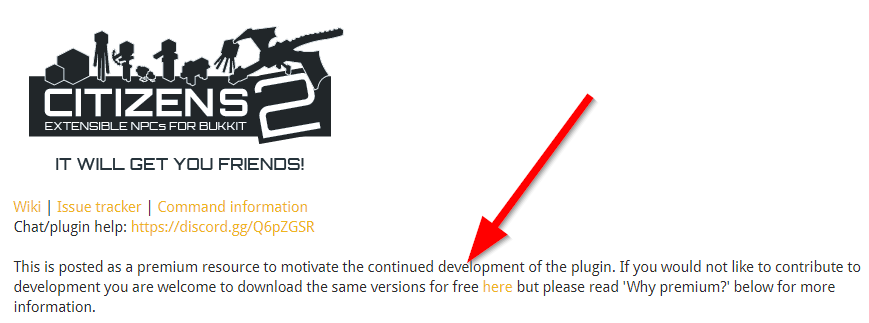
Citizens is free, as explained in the readme:
 brittle leaf
!download Citizens
blazing boneBOT
brittle leaf
!download Citizens

Update Citizens
Latest Citizens dev builds are at https://ci.citizensnpcs.co/job/Citizens2/.
Spigot releases of Citizens are available at https://www.spigotmc.org/resources/citizens.13811/.
 old kestrelBOT
Thread Closing Reminder
Has your issue been resolved, or your question been answered?
If so, please type </resolved:1028673926114594866> to close your thread.
Or </invalid:1028673926898909185> if it's not possible to resolve.
If not yet resolved, please reply below to tell us what you still need.
(Note that if there is no reply for a few days, this thread will eventually close itself.)
@mortal rivet
 mortal rivet
brittle leaf
mortal rivet
brittle leaf
!logs
blazing boneBOT
brittle leaf
!logs
Info: logs
Please post your full latest log file.
Background Info: One of the most helpful tools to identifying the source of a problem is your server logs file! Logs contain all sorts of important information like server and plugin versions, any error messages, and a lot more important information (More Info).
How To: Your log can be found in the logs folder within your server folder. The most recent log is a text file labeled latest.log. To get help using these logs, please open that file in a text editor and copy all of the text, then open https://paste.denizenscript.com/New/Log and paste the text into the box on the page. Then click "Submit" and copy the URL and paste that back into this channel.
Please do not upload the file to Discord or to other pastebin services, use the log pastebin linked above.
brittle leaf
!rule 3
blazing boneBOT
brittle leaf
!rule 3
Rule 3
Don't ping for help. https://denizenscript.com/discord_rules#rule3
"Pinging" refers to using an @ to alert somebody to your post.
Generally only ping somebody if your message is very specifically directed at them (meaning, only that person has anything to do with the information in your message, and it would be confusing who it was for without the ping).
If you're asking a question, please just make a forum post and ask.
If you have a bug report or a feature request, please just make a forum post about it.
If this is pulled up for you by a helper, your ping was unneeded.
If you're arguing about it, you're wrong.
This message is not a warning, it is just for your information.
old kestrelBOT
Thread Closing Reminder
Has your issue been resolved, or your question been answered?
If so, please type </resolved:1028673926114594866> to close your thread.
Or </invalid:1028673926898909185> if it's not possible to resolve.
If not yet resolved, please reply below to tell us what you still need.
(Note that if there is no reply for a few days, this thread will eventually close itself.)
@mortal rivet