#Minecraft bed 1.8.9
745 messages · Page 1 of 1 (latest)
 potent swan
 dusk ridgeBOT
Welcome to the help forum!
Please make sure to read #1029373817119838218 as it may answer your question!
Once your question has been resolved, please mark the post as closed by using the </close:1163944441741049897> command.
 vernal egret
potent swan
Who can help me make a 3d Minecraft bed dm me <@811519670254829599> for my textu...
vernal egret
potent swan
Who can help me make a 3d Minecraft bed dm me <@811519670254829599> for my textu...
making a 3D bed is not possible in vanilla, for 1.8.9 I believe you need Optifine for that
you can make an Optifine entity model with the CEM template loader, here's a good tutorial on that:
https://www.youtube.com/watch?v=arj2eim42KI
This tutorial shows you everything you need to know about OptiFine Custom Entity Models.
Useful links:
OptiFine documentation: https://github.com/sp614x/optifine/tree/master/OptiFineDoc/doc
CEM Template Loader: https://www.blockbench.net/plugins/cem_template_loader
Entity Testing map: https://www.ewanhowell.com/?map=entity-tester
Colour Gradien...
 lime vale
vernal egret
making a 3D bed is not possible in vanilla, for 1.8.9 I believe you need Optifin...
lime vale
vernal egret
making a 3D bed is not possible in vanilla, for 1.8.9 I believe you need Optifin...
No.
Before 1.12 beds were normal block models.
No Optifine required
vernal egret
lime vale
No.
Before 1.12 beds were normal block models.
wait whaaaa
I stand corrected
why'd they change it 😭
oh they added colored beds
lime vale
yup
but didn't have enough IDs left before 1.13 so they made them tile-entity models and for some reason never changed it back (and according to devs there is a reason they can't share)
vernal egret
wait so they ran out of block ids and they decided to just make the blocks into entities instead 💀
what in the spaghetti code
ok ok I understand at the time why
lime vale
well, as I said, apparently there is more to it than just that, but they can't share why 🤷♂️
vernal egret
I was thinking maybe cus it's in 2 blocks but nah there are doors
man the guy that asked the question is not getting any answers now
!faq
dusk ridgeBOT
vernal egret
!faq
 FAQ
FAQ
Use the command !faq [category] [id] to view a specific FAQ entry
Bedrock
content-log, item-models, materials
Blockbench
background, backups, box-uv, box-uv-textures, bugs, convert-uv, formats, gifs, hidden-tools, ik, json, keybindings, mobile-app, model-part-import, obj, plugins, precise-movement, quickstart, render-order, screenshot, seam-tool, texture-bleeding, texture-to-3D, uv-mapping, vertex-snapping, z-fighting
Java
1.8-display, animated-textures, armor, block-dark, bow-model, crossbow-model, culling, custom-model-data, export-vanilla-models, invalid-names, item-dark-in-gui, java-1.19.3-textures, modding, output-log, parent, rotation, shield-model, size-limit, texture-atlas, texture-linking, textures-folder, tint
Minecraft
default-pack, entity-templates, piracy, style-guide
Misc
animation, doesnt-work, justask, model-ideas
Modded
animation, entity-limitations, forge-obj, geckolib-update, learn-java, mappings, mcreator, mcreator-invalid-name
Optifine
blurry-textures, bones, pivots
Plugin
animated-java
Server
archive-delete, bot, dont-ping, english-please, general-help-channel, tags, tutorials-resources
vernal egret
I don't know if there is a Java block faq
lime vale
well, it's the same procedure as for any other block in that version 🤷♂️
!faq export-vanilla-java-model
dusk ridgeBOT
lime vale
!faq export-vanilla-java-model
FAQ
Java: Export Vanilla Models
IMPORTANT:
-Any missing folders need to be created if they aren't there yet!
-Do the steps in this exact order!
Step 0: Setup
**-In Blockbench: **
Use the Java Block/Item format. (Check atFile > Project...in Blockbench).
If it's not convert it viaFile > Convert Project. ATTENTION: This can break the model due to format specific restrictions! (see!faq java-rotationand!faq java-sizelimit)
-Setting up your pack:
Create a folder inside Minecraft's resource pack folder (aka "YourPack" for the rest of this guide). It is usually at C:\Users\INSERT_YOUR_PC_USER_HERE\AppData\Roaming\.minecraft\resourcepacks. Put this file https://cdn.discordapp.com/attachments/883449189533638777/899224109869846558/pack.mcmeta in YourPack.
Optionally: Edit it in a text editor and adjust the value of "pack_format" (see https://minecraft.fandom.com/wiki/Pack_format). This only affects whether your pack is shown as "outdated" ingame or not.
Step 1: Saving Textures
Save all your textures first.
To do that either:
-Ctrl+S, or
-click 💾 next to the texture(s), or
-rightclick the texture(s) and click "Save As"
Save them directly withinYourPack/assets/minecraft/textures/block/...or/item/....
Reason: If you don't do that or move/rename the files later your model won't find the textures anymore.
(For custom subfolders check!faq java-1.19.3-textures)
Don't use capital letters nor spaces in file/folder names. The model will be invalid ingame!.
Step 2: Exporting the Model
After saving the textures useFile > Export > Block/Itemexport it toYourPack/assets/minecraft/models/item(or/block, but only for placed down blocks.).
Name the file based on the id of the thing you wanna replace (totem_of_undying for a Totem of Undying for example). Check the default pack if you are not sure what the exact name is (see!faq default-packfor more information)
vernal egret
oh awesome
potent swan
No wait
U can make 3d beds
In 1.8
I checked some files from other packs
All it has is the textures
And the json files
It's possible without optifine
They can even add plushies on the bed
I just need help with merging
I have 2 bed files... 1 is my old bed model.. and the 2 is the new bed model
I wanted my plushie to be on the new bed model and make the bed black.. there's also a smiley face on the bed I wanna get rid of.. also the plushie don't have a skin layer which makes the sides of the head flat.. is it possible to add a skin layer for it??
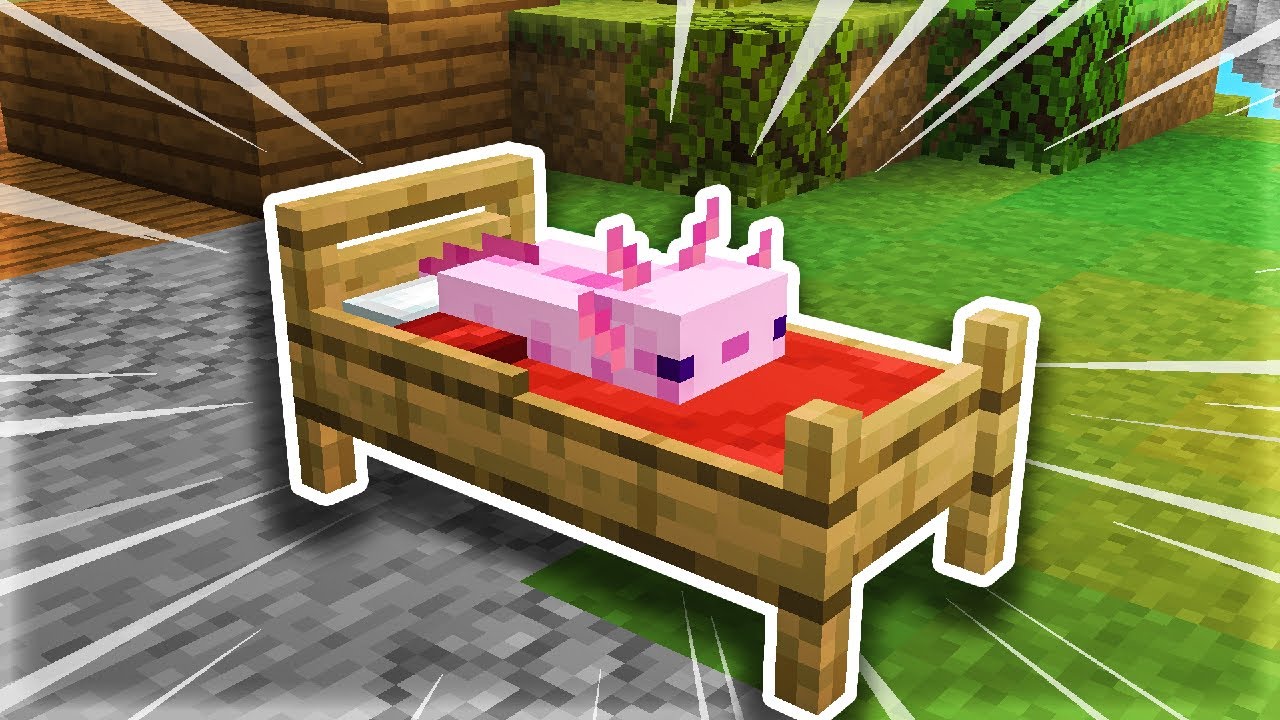
☪ Thank you all for watching Todays video was short but more to come..
━━━━━━━━━━━━━━
☪ my twitter:
➜ https://twitter.com/kenopacks
☪ MY NEW DISCORD SERVER! : keno's discord server
➜https://discord.gg/WrA2ffQTE9 to hang out and chill in :)
☪Pack Community Discord! 9000+ members!:
➜ https://discord.gg/dxmwmSp Discord for texture pack feed...
It's just in a pack.. it's not requiring anything else aside from block bench
I just need help with my plushie to be transferred to a newer model and some changes
vernal egret
yea I was wrong sorry about the confusion
vernal egret
lemme take a sec and read ur msgs
potent swan
Ok
vernal egret
potent swan
I wanted my plushie to be on the new bed model and make the bed black.. there's ...
what do you mean by a skin layer? like how Minecraft player skins have an outer layer?
vernal egret
ok so let me try to understand
there is a plushie model you've made and you want to add it to a bed model from another pack?
potent swan
Yes
And the bed has some things I dont want
The bed for some reason has a smiley face
I wanna get rid of it
vernal egret
do you have Blockbench
potent swan
And is it possible to make the bed black
vernal egret
it should be possible to do everything you want
it will be much easier with Blockbench if you want to 3D model stuff like adding the plushie
potent swan
Idk how to use blockbench 😬
vernal egret
it's not hard to use
potent swan
Although I prefer someone doing it for me
Because I rlly don't know
So who can do it for me?
vernal egret
You are able to do everything you've said easily by yourself
I will help you but I will not do it for you
vernal egret
oh ok cool
do you have a way to get the files you want onto there?
like your plushie
potent swan
I got the bed model inside
I just imported the json
Now I gotta figure out how to import the plushie
And idk how to get the textures in
😭
So hard
vernal egret
what are the files on right now?
like a hard drive, another computer?
cloud storage?
 vernal egret
strange how the textures aren't on there
potent swan
.
vernal egret
let me find it myself and see what I can figure out
vernal egret
oh ok I see
so you should keep those as two different models
so that the game can use them
when I open the two files separately then the textures work
 vernal egret
huh let me try it in the browser version
potent swan
Ok
vernal egret
ok I have the same issue in the browser version

let me see what I can do
oh I actually have to select the texture file locations
one sec I'll post pics how you can do it
potent swan
Ok
vernal egret
You will need to find the textures inside the resource pack and select the ones with the matching name


oh ye right click the texture to bring up the menu with the "Change File" button
potent swan
Ok
I did it 🙂

Wait will the textures change depending on my resource pack still?
Like the planks
Specifically
vernal egret
do you want to make yours a copy of this pack, or do you want to edit the one you have opened?
you can change the plank texture in the files and it will make them look different on the bed
vernal egret
you can also go to the paint tab
and change it there
and Blockbench will save the texture for you
when you save the model
 vernal egret
yup that will work
potent swan
But what I mean to ask is
Will the plank texture change
Depending on what pack I use
Or I gotta manually change it myself
vernal egret
that's a good question, I'm not sure
it's called planks_oak_flat
I am not sure if that is the name it is usually given
potent swan
Ok
vernal egret
if that is the name that other packs use then yes it will change
if not then no it will not change with other packs
I can try and see what the naming conventions are for 1.8 textures
 vernal egret
ok then yes if you make it use planks_oak then it will change
vernal egret
the plushie is a block model right?
if so you can try this

it should add the model into the bed model
you can choose which half of the bed you put it into, it shouldn't matter
potent swan
Ez
Wait I actually need help for this part now
How do I give the plushie a skin layer
vernal egret
could you clarify what you mean?
do you want a layer that is slightly larger than the head or something?
if so, you can copy the head cube and inflate it

positive numbers make it bigger and negative numbers make it smaller
potent swan

I haven't done it yet
Wait let.me read
Ur msgs
Ok what I mean is


Look at my character
It has skin layers on the head
I want it same for plushie
vernal egret
ok then yeah what I said above applies
I believe set the inflation number to 0.5
and the outer layer should be the correct size compared to the head
vernal egret
vernal egret
if so, you can copy the head cube and inflate it
here, see the number that's highlighted?
2nd row on the right
potent swan
Oh
How do I change size
Mine is diff
Oh wait I think I found it

Nope
All it did was make it bigger 😭
I don't think blockbench loaded the skin layer
It only loads the 1st layer and not the 2nd
vernal egret
potent swan
It only loads the 1st layer and not the 2nd
yes it will be using the 1st skin layer still, you need to change that
is the 2nd layer in the texture you are using?
vernal egret
nono
this is good
you just need to change what part of the texture it uses
if you select the outer layer cube
you should be able to drag the texture in another menu
vernal egret
called the "UV" menu
potent swan
Ok
vernal egret
you should see the 2D texture with outlined squares showing what part of the texture the cube is using
 vernal egret
you should be able to select all 6 sides and drag them to the right
potent swan
Is this for the extra head cub
vernal egret
oh I guess on the phone the controls are different
 vernal egret
um I don't believe so
potent swan
Fck
vernal egret
idk man
potent swan
I could just use the coordinates
vernal egret
yeah you can
vernal egret
alright awesome
vernal egret
it works?


 vernal egret
nicee
potent swan
Yee
vernal egret
I guess a small head with 0.5 inflation is too big
potent swan
Now my only problem is. How do I copy this to the new model
vernal egret
vernal egret
if so you can try this
here
vernal egret
you will probably have to move him to be in the right spot
potent swan
I just copied the folder
Sht no textured
Yeah I gotta save it wait
Hmm what if I move this to bed feet
Wait
vernal egret
depends where you want it to sit
vernal egret
alright what's up
potent swan


Small issue on the texture of the layer
At the back it's extending but not visible at the front
How do I solve it
vernal egret
huh what's it look like when you select the cube
potent swan
 vernal egret
looks like the cube was stretched
potent swan
Ye
vernal egret
so try to change the height back to what it was
potent swan
Wha
vernal egret
either in the place you can type the numbers or with the resize tool
vernal egret
what are the other lengths/widths
it should be the same as the height if it's a cube
or you should make the height be the same as those for it to be a cube
 vernal egret
then make that 5 into a 4
potent swan
Ok
vernal egret
and the 0 into the 0.15
potent swan
Ye
I wanna try one more thing although it's optional
But I wanna like
Merge the models and see how it looks like before I try it in game
vernal egret
you could do that but you should do that in a copy of a model
so that you don't change the ones you will use in the game
I would probably copy the head model and import the feet model into that copy
Honestly it might be faster just to try it in the game though 😄
 vernal egret
ayy that's really cool
potent swan
Yeee
Ty
What if I make this even better... I feel like combining more things on the model 😂 this is addicting
vernal egret
So you were able to do all this yourself just with some help
I think this honestly covered a lot of what Blockbench modelling is about
you should be able to make more models yourself with what you've learned from this
vernal egret
potent swan
What if I make this even better... I feel like combining more things on the mode...
just a tip, make backups or copies before you make big changes
potent swan
I still have alot
potent swan
vernal egret
just a tip, make backups or copies before you make big changes
Yup
Just a question how do u add entities to bed
vernal egret
you mean like, put a creeper on a bed?
potent swan
potent swan
https://youtu.be/-MIc2fJueo8?si=MZsLc5yaPcMm6aaD
There's an axolotl
Ye
Or anything
Just curious
vernal egret
yeah he just recreated that like the plushie
just copied how the axolotl looks
and made it in the block format
it's made of cubes like everything else
vernal egret
you can't really take an entity model and just add it to the bed automatically
you can sorta but it's more effort that it's worth
vernal egret
ok so there is a Blockbench plugin called the CEM Template Loader
vernal egret
if you download that then you can open entity models
you can copy those cubes into a block model
most of the time
potent swan
Ok
vernal egret
some things like rotations might be messed up because of the differences between the formats
but you can see the exact sizes of the cubes for the mobs and stuff
potent swan
Ok
vernal egret
including the inflation and all that
potent swan
Ok
vernal egret
well then, glad I could help with this, best of luck with your future modelling!
you can close this discussion by typing /close
vernal egret
oke
potent swan
How do I add the plugin
Found it
How do I use it
@vernal egret how do I use it
@vernal egret u there
How do I add it
To my bed
Or something
@vernal egret u there
vernal egret
I have returned
one sec
ok so in the app, there are two ways to open the CEM template loader
one is to scroll down on the list from the main menu


 potent swan
Ok
vernal egret
the other is from the top bar
 vernal egret
choose which entity you want to open
vernal egret
that is in the "Supported" tab
potent swan
Oh ok
vernal egret
should be the one it opens with
potent swan
Ok
vernal egret
then you can make each of the cubes smaller
vernal egret
you can technically select a bunch of cubes and scale a bunch at once but that doesn't do it proportionally, it just makes them smaller by the same number of units
so like 5 and 10 scaled would not be 1 and 2
potent swan
Ok
vernal egret
ok so you can make it use the default creeper texture
potent swan
 vernal egret
it will not show up in Blockbench but it should work in the game
potent swan
How
vernal egret
hm what's the easiest way with this setup
usually I would do a text editor but that would be tedious on a phone
potent swan
.
vernal egret
maybe put a creeper texture in your pack
but at the very end you can remove it
it should go in assets/minecraft/textures/entity/creeper
at least in newer versions it does lemme check 1.8.9
ok good it is the same
potent swan
 vernal egret
yeah then you can select the cubes and choose the creeper texture

the menu might look a bit different, I'm still in the CEM template
vernal egret
ok it looks basically the same in the block model

you can select multiple cubes and right click-
well the equvalent of right click
vernal egret
yes
potent swan
Not the folder
vernal egret
I think either works I could try
yeah you can select the folder but you have to right click a cube
 vernal egret
ok let's see
I know it's because the UV size is different
vernal egret
one sec I want to make sure it doesn't break the bed if you do this
potent swan
Ok
vernal egret
hm my idea did break the bed
so this is because the bed textures are 16x16 but the creeper texture is 64x32
and you have texture UVs based on coordinates
but those coordinates are different depending on the texture size
potent swan
Ahh
Soo do I gotta work on it separately
Or something
I don't understand what's going on Soo what do I do
So I gotta recreate it?
Cube by cube??
potent swan
Okay
vernal egret
huh the best I can think of is manually rescaling and moving the UVs
which is not a good option
I'll see if there is a better way
potent swan
O
Ok
I'm gonna eat lunch and I'll come back here in a moment.. if u have updates just chat it here and how to do it
vernal egret
I found a way that is a little weird
but it changes the creeper texture so other packs wouldn't modify it correctly
so nah
potent swan
Ah
Ok
To make it less difficult
What's the other way
Where u have to like
Copy it
Or something
vernal egret
ok so this way took some time but it fulfills all the criteria we want

Blockbench treats the rectangle texture like a square so the UVs are stretched
so you have to edit the UVs to make it fit
that will be painful to drag on the phone so I can give you the values to type in for the UVs
Sorry but I gotta head to bed, I can drop the UV values here
Head: all side sizes are 2, 4
positions:
North 2 4, East 0 4, South 6 4, West 4 4, Up 2 0, Down 4 0
Body: I will put the numbers as (Move Horizontal, Move Vertical, Size Horizontal, Size Vertical) just like Blockbench
North 5 10 2 6, East 4 10 1 6, South 8 10 2 6, West 7 10 1 6, Up 7 10 -2 -2, Down 9 8 -2 2
Legs: all 4 are identical
North 1 10 1 3, East 0 10 1 3, South 2 10 1 3, West 3 10 1 3, Up 2 10 -1 -2, Down 3 8 -1 2
potent swan
Ok
I'm gonna try
Wait
What do I do at this part

I'm cooked
It's not letting me edit
The ug
Uv
vernal egret
potent swan
It's not letting me edit
oh YE sorry I forgot you have to change it from box UV to Per-face UV

that lets you edit the sizes
vernal egret
could you show your screen?
 vernal egret
ok so you see how there are 4 numbers?
in that picture it is 8 8 -8 -8
the first two are the position and the next two are the size
potent swan
Yeah
vernal egret
so when I say all sides are size 2 4, that means the first two numbers will be 2 4 for all 6 sides of the head
potent swan
Ok
vernal egret
and then I give the last 2 numbers for each side individually
vernal egret
I can show one at a time
 potent swan
Oh yey
Wait I got it correctly
I got the head
Time for body
Yeyy
I got body 🙂
vernal egret
great 👍
potent swan
Time to do legs
Got the first leg
What if I just copy the cube
Will it
Save it's textures
And uv
vernal egret
yes
potent swan
@vernal egret
Oh
It will
Ok I'll copy then
Done
How do I resize them
And make it into plushie size
@vernal egret
vernal egret
you will have to resize each cube sadly
potent swan
What if I resize the whole thing
vernal egret
then it will not be the same proportions
vernal egret
you can do all the legs at once tho

 vernal egret
 vernal egret
can you just drag the little colored square thingys?
vernal egret
I should head to bed for real this time, best of luck
you can ping me but I won't respond for many hours
 potent swan
 vernal egret
potent swan
Does the uv thing work on other entities with same coords.or no
vernal egret
potent swan
Does the uv thing work on other entities with same coords.or no
no other entities will have different UVs from the creeper
some mobs like zombies and husks share the same UVs but the creeper has a unique shape
potent swan
Guys I need help
I have a problem
Regarding bed textures

It's not loading?!
Who can fix
Anyone
lime vale
!faq output-log
dusk ridgeBOT
lime vale
!faq output-log
FAQ
Java: Output Log
The output log will show you errors related to resource packs in Minecraft: Java Edition. Here is how you can enable it.
(PS: Optifine likes to hide vanilla errors/warnings for some weird reason, so always load the game up without it if you don't need it for your pack to work!)
If you don't understand the errors/warnings feel free to show and ask about them (in a help channel).
 potent swan
?
Do I show output log
Wait
I'll get it
I'm on badlion
Does that change anything
It's a Minecraft client
Will the log directory change
Dragonmaster??
Will the log directory change??
Oh
Dragonmaster
I found the error like
Line*
It says something like unable to parse
@lime vale i got the logs man
sorry for ping i just noticed u were offline
lime vale
can you send the bed_head_top and bed_head_side png files?
potent swan
sure
i got them in my pack


btw heres the json of the bed_head
because its 3d model
lime vale
your problem is that you took .webp files from the Internet and renamed them to .png
lime vale
and if those are just the default black bed textures you don't even need them in your own pack (assuming the default pack has them in the textures/blocks folder)
same for the oak planks texture
lime vale
no
potent swan
ohh
lime vale
zips don't change file types of the files inside of them
potent swan
oh
so it doesnt change
the directory
so what do i do now to fix the issue
btw it was all working fine yesterday
lime vale
basically renaming an image file type to another is the equivalent of doing this:
 lime vale
either way, if you just change these two texture names to whatever the textures are named in the default pack it will work ingame without your pack needing the textures in it
 lime vale
in Blockbench you can link a default pack that Blockbench should default to if it cannot find the textures in your pack (basically what happens ingame too)
!faq default-pack
dusk ridgeBOT
lime vale
!faq default-pack
FAQ
Minecraft: Default Pack
Disclaimer: Use these packs as REFERENCE, don't put your models inside them, it just increases your pack needlessly. Also don't put any of the unedited files from it into your own pack. The distribution of default assets in your pack is illegal.
For Java Edition:
Simple Method
Use the Pack Creator utility from the Resource Pack Utilities Blockbench plugin. Make sure to enable the Import vanilla assets option.
Manual Method
(This works the same for all versions, 1.21 is just used as an example here)
Go to .minecraft/versions/1.21 and open the 1.21.jar file with a zip program.
Alternativley you can copy the .jar file and change the file extension to .zip, then double click it.
Extract/copy the "assets" folder from inside the jar. This folder contains all the default models and textures.
For Bedrock Edition:
Go to the bedrock resource pack documentation and scroll to "Building the Resource Pack". The download for the vanilla resource pack can be found right above that title. You can also use this Direct download link.
potent swan
damn my small brain cant comprehend this 😭
potent swan
lime vale
either way, if you just change these two texture names to whatever the textures ...
soo i change the names for that
and including the png?
so i gotta edit the json and rename the png files right?
lime vale
potent swan
and including the png?
without .png
lime vale
And you don't need any .png files for that model since all you are using are default textures.
And the game always has access to the default textures (unless you overwrite them).
lime vale
oh wait
potent swan
?
lime vale
1.8 didn't have black beds, so I guess you still need those textures after all
potent swan
im actually still confused my brain cant understand these things
yes
mb i forgot to mention that
i only got the plank textures working
not the bed head side and top
lime vale
k, so delete the bed textures you currently have, then get the actual bed textures as .png files from a copy of a newer default pack (as explained in the bot message)
potent swan
bed_foot works perfectly fine btw
lime vale
then idk what you did to the other two for them to be webp files
lime vale
side and top are (internally) webp files, not png files
you need actual png files
then again, I guess you could open them in Paint and save them as png again
potent swan
so ill delete the side and top png files in my pack.. and get them back from my zip file??
lime vale
idk what your ".zip file" is or where you got it from
potent swan
its my default pack
which isnt extracted
if i want to use it i just extract it and use it in minecraft
ok bro
i got the texture from my zip file
im gonna add it to the pack in game
and see if it chanegs anything
Btw when I rename the textures in the json file.. I do the same for the textures right
It didn't change anything.. I'll do the rename thingy and see if it helps
lime vale
potent swan
Btw when I rename the textures in the json file.. I do the same for the textures...
yes, the file name has to align with what it says in the model
potent swan
Ok
I'll do
The paint thingy first tho
I'll open in paint and save as png
See if it helps
WAIT
So this means
I can name the texture of the bed anything I want
As long as I rename it in the json file too??
lime vale
yes, though no capital letters or spaces
potent swan
Okk
lime vale
but yeah, you could name your texture giohesfcuihaiwndaiu and it would work as long as the texture reference in the model uses that too
potent swan
Ooh okay
I'll try that next method afterwards
Btw after
I save the texture from paint
Do I just drag it in my pack
Or do I like
Try In blockbench
If something changes
YOO OROOEOEF
Ejdjgd
It works the paint method works!!!!!!!!
THANK YOUUUU

So it rlly had to do something with it being a webp
But it's all fixed.now thanks to u
potent swan

Btw I have this weird glitch that when I put armor on an armor stand it does that
Or it applies to all entities like zombies too
Although it works fine if ur playing on a server
But it's bugging on single player
Any fix??
potent swan
Yeah
So basically
When I see armor
On an entity
Like zombie or armor stands
The armor does that weird thingy
Like a render issue or something
It disappears
Or flickers
But if u look at the right angle it will stop flickering or something
Any fix??
lime vale
are you talking about the helmet being transparent or are you talking about the white entity outline?
potent swan
The armor parts being transparent
No wait
Sorry
Wait I don't think u got what I meant
When I see armor on an entity it flickers
I think it's a rendering issue
..
lime vale
don't make your armor transparent?
lime vale
idk what you mean by flickering
I don't see flickering in that image you sent
potent swan
Because I can't capture the
Whole flicker in an image
I could send a video hang on
@lime vale
lime vale
Do any of your equipped packs have any armor textures in them?
And do you have any mods installed?
potent swan
I'm using a Minecraft client called badlion
My texture pack does have textures for leather armor
lime vale
make sure the textures are not transparent and try on a vanilla client and see if the problem is there too
potent swan
It's there too
Wdym make sure the textures aren't transparent
I didn't quite get thay
That
?
potent swan
nah wait
its fine i dont wanna fix it
its not too big of an issue
it doesnt despawn on players
unless if my render is too far
i actually have a diff concern
and its more related to blockbench..
soo when im animating
and im done.
i go to the edit tab
and realized my model is messed up..
soo i fix the model.. and then when i go to the animate tab.. its messed up
lime vale
Block/Item models have no Animate tab
potent swan
i had to save 2 BB model files just for the proper model and the one thats messed up (for animating)
potent swan
lime vale
Block/Item models have no Animate tab
no no
for entities ofcc
was just making a snowman model from the artsbykev blockbench tutorial series (im VERY new to blockbench)
how do i fix that
lime vale
yeah, but that tutorial is for the Bedrock Edition
this has nothing to do with Block/Item models anymore
lime vale
Either way, what you do in Animate mode shouldn't affect Edit mode
what you do in Edit mode will affect stuff in Animate mode though.