#Why does the UV map in such a weird way and how do I fix it?
6 messages · Page 1 of 1 (latest)
 open drum
 worn muskBOT
Welcome to the help forum!
Please make sure to read #1021015331910713395 as it may answer your question!
Once your question has been resolved, please mark the post as closed by using the </close:1163944441741049897> command.
 last trail
!faq uvmapping
worn muskBOT
last trail
!faq uvmapping
 FAQ
FAQ
Blockbench: UV Mapping
Definition
A UV map or just "UV" is the information in a model, which parts of a texture are shown on which parts of a model. UVs can overlap and hence cause several parts to use the same area on the texture.
Editing a UV Map
You can edit a UV-map trough the UV window in the top left.
Make sure to have a cube selected which you want to UV map and freely resize/move the selection box in the UV window.
You cannot resize the UV selection if you're using Box UV
What do the value fields below the UV window mean?
Per-face UV: The first two values are the x/y position (with 0/0 being in the top left
corner) of the UV map, and the last two values its width and height.
Box UV: The 2 values are the x/y position of the UV map. The size of the UV map depends on the size of the respective cube.
I don't wanna bother with any of that, just let me draw on the model!:
Select all elements (Ctrl+A) and, create a new texture and make sure to select "Template" as type.
This will create a new texture that will keep already existing texture information, but assigns each element a unique section in the texture.
 last trail
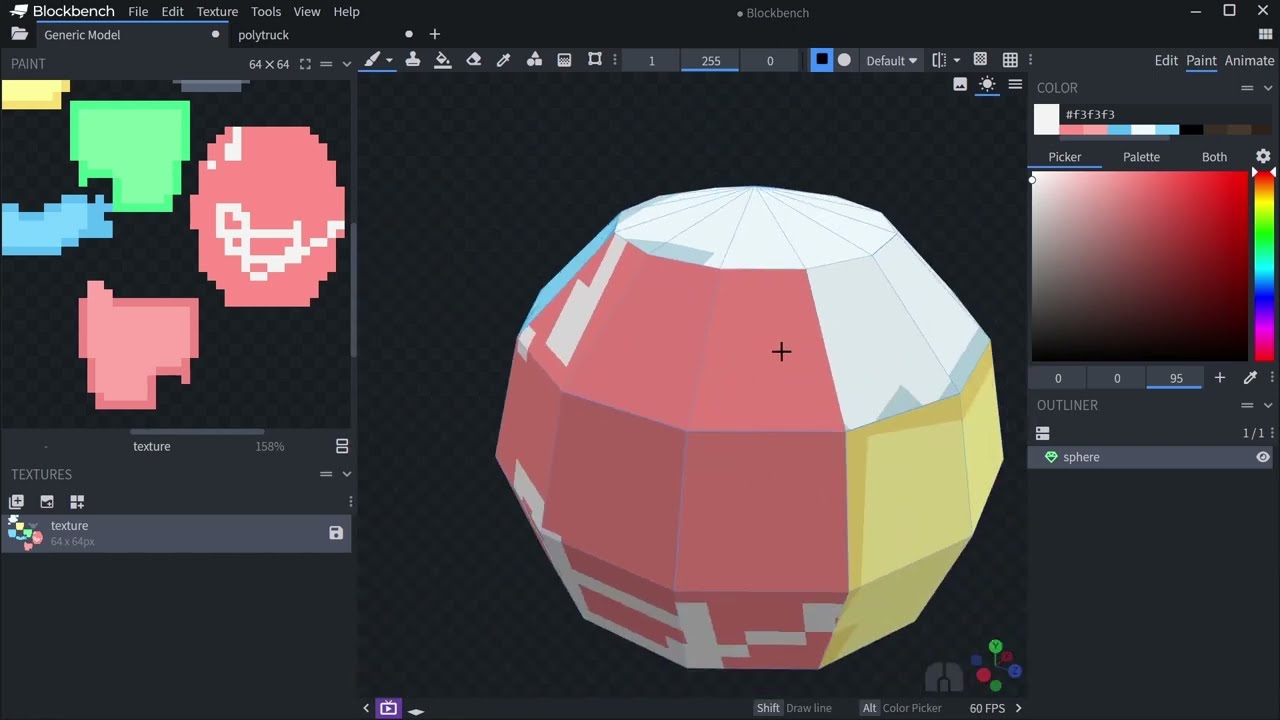
I've been asked a few times how to create better UV maps for organic shapes in Blockbench. The default template generator has a string focus on avoiding pixel distortion, so on round shapes it may not generate your desired UV on default settings. Here are a few ways to get better UVs.
Blockbench is my low poly 3D model editor with a focus on pi...
These might help you!