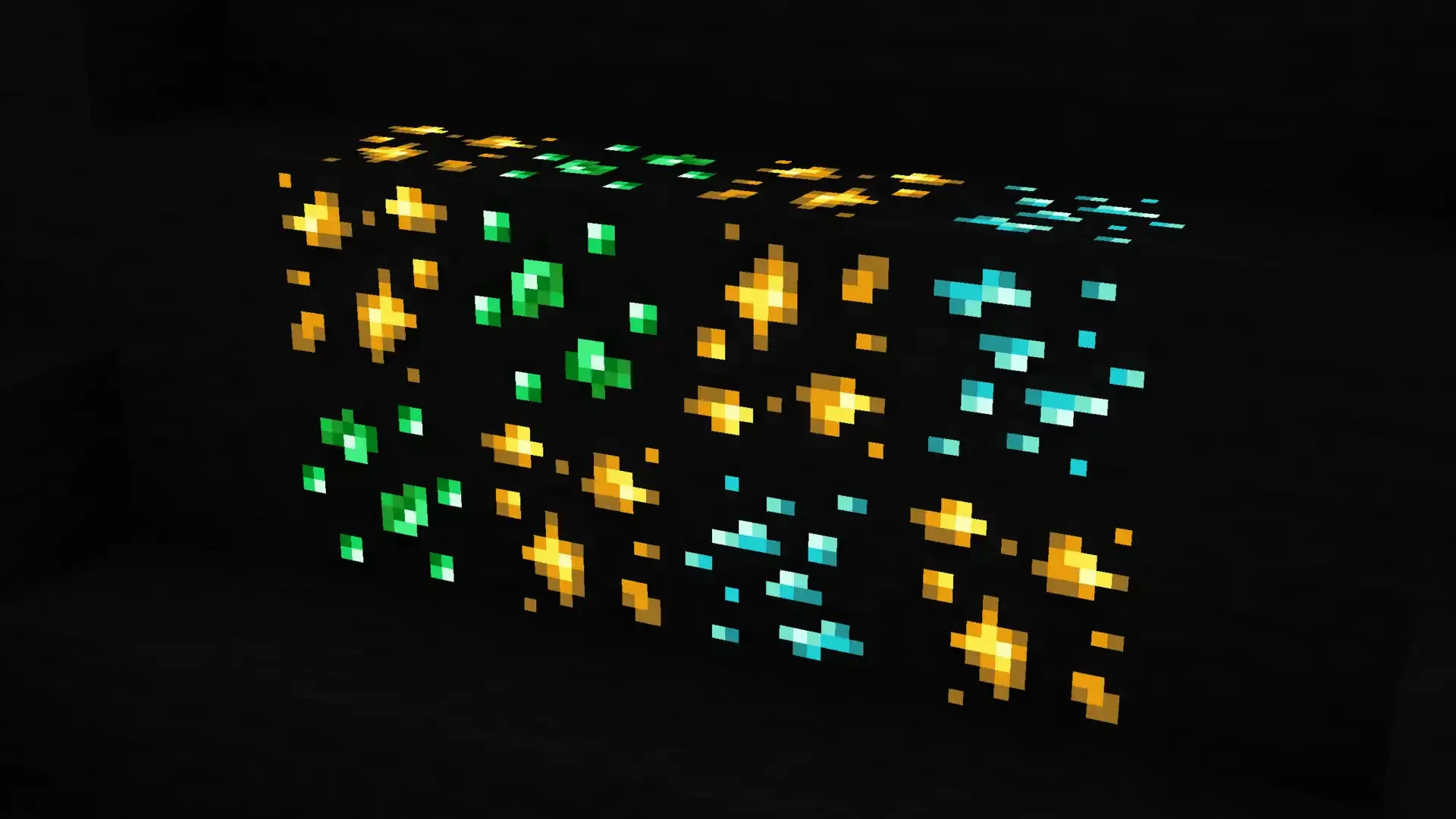
#Blockbench UV EMİSSİVE does not save as

125 messages · Page 1 of 1 (latest)

pale blazeBOT
#
Welcome to the help forum!

Please make sure to read #1029373817119838218 as it may answer your question!

Once your question has been resolved, please mark the post as closed by using the </close:1163944441741049897> command.

sour mist
#

emissive is just a render mode for the texture in blockbench, it doesnt mean anything when you export it

tired silo
#

Well, when I put it into play, the color is very dull. How can I brighten it?

#

I want it to appear in the game as it does in emissive.

#

While I want it to look bright like this in the game

#

It looks so dull in the game

sour mist
#

you need to use optifine or a vanilla shader for that

tired silo
#

I'm already using it

#

It doesn't come into the game like emissive, it comes as default, so it's dim.

tired silo
#

no what is it?

sour mist
tired silo
#

I couldn't do it, can anyone help?

#

Is there a video on how to make _e suffix?

#

@sour mist

sour mist
tired silo
#

I saved the image and increased its brightness with paint.net, but even if it didn't work, it doesn't look like it does in emissive on blockbench, it looks very artificial.

#

All I want is for it to look the same in the game as it does in emissive.

sour mist
tired silo
#

yes

#

I didn't understand how to do it but

sour mist
#

what part did you not understand

#

which step did you get to

#

@tired silo

tired silo
#

I created an optifine folder and put it in it and wrote the codes you gave me and saved it, but when I opened the emissive texture I wanted from blockbench, it did not appear as I wanted.

#

With which program should I use only the areas I want to shine?

sour mist
#

can you show what you mean

tired silo
#

Or I want it to be exactly as it appears in emissive in blockbench, can't I just get it directly?

sour mist
tired silo
#

You showed me here, but I save the pngs in the chamelon skins folder?

sour mist
#

can you show me EVERYTHING that you have done related to the emissive texture

tired silo
sour mist
#

that is a txt file, not a properties file

tired silo
sour mist
#

did you just rename it

tired silo
#

yes

sour mist
#

try it now

tired silo
#

Is there a button to activate it in the game?

sour mist
#

what have you put in the emissive.properties

tired silo
#

suffix.emissive=_e

sour mist
#

then why have you named your texture _emission

tired silo
sour mist
#

try it now

#

it wont work. you emissive texture needs the SAME NAME as your base texture

#

your emissive texture is sbgoji_tri_titan, but your textures are sbgoji_tri_titan3 and sbgoji_tri_titan3_angry

tired silo
sour mist
#

you have only made one of the textures emissive

tired silo
#

How do I do it all?

sour mist
#

you need another emissive texture

tired silo
#

How can I extract it as emissive texture?

sour mist
#

what

tired silo
#

How can I extract the png file like this?

#

This is how it comes to the game

sour mist
#

show

tired silo
sour mist
#

show it in game

tired silo
sour mist
#

forget about blockbench completely

#

its emissive textures have nothing to do with the game

#

you need to do it like this

tired silo
#

But other people say that their models in the game look exactly like they do in Emissive. How do they do this?

sour mist
#

ask them

sour mist
#

copy paste your base texture, rename it to be the emissive texture, remove all the pixels from it that you do not want to glow

tired silo
#

How did you remove only the glowing part, which is your emissary?

sour mist
#

use the eraser tool and just remove what you do not want to glow

tired silo
#

From which application will I do this?

sour mist
#

literally any image editor you want

#

you can even do it in blockbench image mode

tired silo
#

I'll paste the glowing parts somewhere else, I'll remove the things you don't want to shine, right?

#

How should I save the parts I want to shine as a png?

#

Would it be enough if I put _e at the end?

sour mist
#

literally just open the image, remove the bits you dont want to glow, save it

#

its not complicated

tired silo
#

Will I need to save the parts I want to shine as a different png?

sour mist
#

copy paste your base texture, rename it to be the emissive texture, open it in an image editor, remove all the pixels from it that you do not want to glow, save it

tired silo
#

How do I apply two png files to the model at the same time in the game?

sour mist
#

stop. literally just do as i have said. nothing else

tired silo
#

ok

#

ı will try

#

@sour mist

sour mist
#

disable your shaders

tired silo
sour mist
#

which texture is loaded into the model

tired silo
sour mist
#

i never told you to change the texture in the model

#

the texture in the model should be the normal texture

tired silo
#

How do I remove only the parts I want to shine without changing the texture on the model?

sour mist
#

this has nothing to do with the model

#

as i have said multiple times, this is literally all you need to do:
copy paste your base texture, rename it to be the emissive texture, open it in an image editor, remove all the pixels from it that you do not want to glow, save it

#

at no point should you be changing textures in the model

tired silo
#

ok i already did this

sour mist
#

have you changed the texture in the model back

tired silo
#

I don't understand exactly what you mean by changing the textures on the model.

sour mist
#

what texture is applied to the model

tired silo
#

I saved the images as from blockbench and opened one of those saved images from the image editor program and left only the parts I wanted to shine, deleted the others and saved them at the end by putting _e

sour mist
#

ok

#

can you open the model in blockbench and screenshot it

tired silo
sour mist
#

can you send the pack

sour mist
tired silo
#

This is what it looks like in the game, this is what I dress the model in.

sour mist
#

can you send the model

tired silo
sour mist
#

why is that a geo.json

tired silo
#

It allows me to run the game as geckolib

sour mist
#

!faq tags

pale blazeBOT
# sour mist !faq tags
FAQ
Server: Tags

Please only apply relevant tags to your post. We can only help you if we know the context of your question, and applying incorrect tags makes this confusing.

sour mist
#

that is not a block/item model, so dont tag it as one

#

can you load it into a pack as a regular item model and test it using optifine as the only mod

tired silo
#

I don't know how to make it work in minecraft as a normal item model.

pale blazeBOT
#
FAQ
Java: Export Vanilla Models

IMPORTANT:
-Any missing folders need to be created if they aren't there yet!
-Do the steps in this exact order!

Step 0: Setup
**-In Blockbench: **
Use the Java Block/Item format. (Check at File > Project... in Blockbench).
If it's not convert it via File > Convert Project. ATTENTION: This can break the model due to format specific restrictions! (see !faq java-rotation and !faq java-sizelimit)

-Setting up your pack:
Create a folder inside Minecraft's resource pack folder (aka "YourPack" for the rest of this guide). It is usually at C:\Users\INSERT_YOUR_PC_USER_HERE\AppData\Roaming\.minecraft\resourcepacks. Put this file https://cdn.discordapp.com/attachments/883449189533638777/899224109869846558/pack.mcmeta in YourPack.
Optionally: Edit it in a text editor and adjust the value of "pack_format" (see https://minecraft.fandom.com/wiki/Pack_format). This only affects whether your pack is shown as "outdated" ingame or not.

Step 1: Saving Textures
Save all your textures first.
To do that either:
-Ctrl+S, or
-click 💾 next to the texture(s), or
-rightclick the texture(s) and click "Save As"
Save them directly within YourPack/assets/minecraft/textures/block/... or /item/....
Reason: If you don't do that or move/rename the files later your model won't find the textures anymore.
(For custom subfolders check !faq java-1.19.3-textures)

Don't use capital letters nor spaces in file/folder names. The model will be invalid ingame!.

Step 2: Exporting the Model
After saving the textures use File > Export > Block/Item export it to YourPack/assets/minecraft/models/item (or /block, but only for placed down blocks.).
Name the file based on the id of the thing you wanna replace (totem_of_undying for a Totem of Undying for example). Check the default pack if you are not sure what the exact name is (see !faq default-pack for more information)

tired silo
deft quarry
#

I also asked a question about this subject. But I didn't get the answer. Can anyone help?