#List of useful tools to Convert Assets (3D and 2D)
1 messages · Page 5 of 1
 wicked gulch
now i know what's the problem
576 368 576 369 576 370 576 371 576 372 576 373 576 374 576 375 576 376 576 377 576 378 576 379 576 380 576 381 576 382 576 384 576 386 576 388 576 390 576 392 576 394 576 396 576 398
not so obvious isn't it?
we are are not having in account the X position of the CLUT in the Texture file
when transforming them
the real question is why?
and this also happens in my tool... so i assume that i'm missing something in the middle
but check this

 sterile lantern
Sorry, I'm still extremely busy, won't be able to help today either
wicked gulch
No problem mate! i'm trying to solve it by myself... if i get this into work i will send a PR or could send you the code directly and refactor it at your will hehehe
wicked gulch
well as far as i thought the problem may come from the way that CLUTs are assigned... while in most of the TLoD Textures are sort in the X axis:
(Texture_0 == CLUT0-X0; Texture_1 == CLUT1-X1;)
in PXL Files are read:
(Texture_0 == CLUT0-Y0; Texture_1 == CLUT1-Y1;)
this is a theory...
wicked gulch
OUHHH MY FAKKING THOUGHTs!!!!!!!!SGIBASDGASDGYHIASDGHASGHASDAHNSDASD
FINALLY SOMETHING THAT I WASN'T WRONG!
@junior mantle @vestal halo @restive carbon finally... the problem that haunts us all during so much time... finally solved

 wicked gulch
well as far as i thought the problem may come from the way that CLUTs are assign...
wicked gulch
wicked gulch
well as far as i thought the problem may come from the way that CLUTs are assign...
thanks DooM... because you never surrender 💪🏻
now... to explain more or less what's going on i will start to explain with some little graphics so wait for me...
also that's why this SubmapPxlTransformer.java -> SubmapPxlTransformer() {} -> process() {} -> convertPxlSegment() {} -> Line 167:
for(int clutRow = 0; clutRow < newClutRect.h; clutRow++) {
      newClutData.write((tileY + clutRow + newImageRect.h) * imageRect.w * 2 + tileX * 2, imageData, clutRow * newClutRect.w * 2, newClutRect.w * 2);
    }```
Looked much SUS for me...
now, i made some hacky changes into SC for transforming correctly the textures... but changing the way of read the CLUTs i don't know how far we need to refactor code to get this working
wicked gulch
wicked gulch
☝🏻 this also explain why some monsters that had few pixels as Texture had anyway 256*256 texture size
well the last one i put 31 but was 31 -> 32... since i forgot that was counting from 1 and not from 0 as i do normally hahaha sorry 😛
wicked gulch
wicked gulch
now, i made some hacky changes into SC for transforming correctly the textures.....
what i mean with this... is:
i don't know implications of changing the way that CLUTs are calculated and placed into the VRAM... because i did some static analysis (changing a little the SC code to convert the PXL CLUT transforming) and checking with my tool what i had to change to get the textures in the right conversion and matching...
Another example... note that the color of Dart in the foot is Indigo... well that's because we have a little of Texture Bleeding...

that's something that i can't control... that should be manually fix by the person who take this model and do whatever wants

 restive carbon
youre definitely winning son
wicked gulch
well after the fixing of the dual models and high res textures in SC i adjusted the code again into my tool and seems to be working everything... now i can finally move into the DEFF and CutScenes stuff... the main problem is now noticeable... the algorithm to match textures to primitives is very slow compared to do a direct conversion... but overall it's better wait 3 or 4 additional minutes in batch converting that simply going model by model and applying the textures by own hand...
 vestal halo
Can you be more specific about high-res textures? Was it just the Dart/Shana single model, or was this issue affecting all submap models??
wicked gulch
All the SubMap models that used the Texture Slot 0 and Slot 1 in the VRAM piece assigned for Objects for SubMaps (or SObjs...)
we mention (along the SC Devs as 'High-Res' Textures, because had twice the size of other PXL files {Texture files used for SubMap Objects})
anyway are half of the size compared to Battle Model Textures hehehe
0 112 0 113 0 114 0 115 0 116 0 117 0 118 0 119 0 120 0 121 0 122 0 123 0 124 0 125 0 126 0 128 0 130 0 132 0 134 0 136 0 138 0 140 0 142
@sterile lantern we aware that the CLUT in Y is increasing for the textures... this should not happens this way or the CLUTs will overlay to the upper part of the Pixel Data in the TPage below --> Sorry i will edit this... for some reason this happening to my tool only so i'm doing something wrong hehehe
vestal halo
Is this the same, or different, in relation to battle models whose UVs contain the same texture at multiple sizes?
sterile lantern
wicked gulch
All the SubMap models that used the Texture Slot 0 and Slot 1 in the VRAM piece ...

You can see both HQ slots there
wicked gulch
are different.... all the Battle Models have the same size (if I recall clearly 256*256 or in VRAM is 128*256). Some Battle Models have very few pixels for define the 'draw' inside the texture... an example of this is the Crystal Golem, this guy had a very tiny portion of real draw... the rest is pure color (and unused texture space), but still had 256*256 in size
vestal halo
Yes, like Sandora Elite.
so how does texturing work for submap models? I'm curious what caused a low-res texture to be loaded. They have two sizes?
vestal halo
Ah, sorry.
well it's nice that the devs let Dart's boots have that foldover top portion as part of the hybrid model with Shana included.


 junior mantle
Poor Cardongol
vestal halo
Kongboard.
wicked gulch
well just started to decompile the CutScenes scripts... CutScenes are DEFF i don't know if it's better to keep them under DEFF or their own Category...
the idea of DEFF Converter is to open a new window with the Categories inside, so i can split the Database files in little chunks, instead of having larger CSV files that had all the information to reconstruct the Script into the Scene
Also, DEFF files will not support Batch Conversion, just because files and conversion is waaaay larger and a little more difficult to handle...
vestal halo
Well, a typical user will be thinking in terms of appearances. You can do Battle as a heading, and then have subheadings for regular models and DEFFs. Or, you can do Battle as one heading, and Battle Cutscenes as another heading. There is more than one valid way to nest/arrange the data. If you think people should know which assets are DEFF, perhaps you can have the program display an info tag that specifies the internal format for a selected asset. For example, I click on Dart Double Slash, and the program will say "OtherFormat." Selecting Flameshot will display "DEFF" ?
wicked gulch
that approach sounds good... my idea was a little simple... a button at the beginning that say DEFF -press it-> Open a new window with the Classifications as buttons -press the selected button-> enter into the list mode...
vestal halo
Hey DooM, have you already done a complete review of Kanzas' animation files? I'm wondering if there's any chance he has remnant data for Thunder Kid.
wicked gulch
i'm in that right now hehehe... if i'm correct some of the Data maybe be 'reachable' if we set the correct battle state + ENTRYPOINT...
an example of that is the Dart Divine Dragoon Transform Animation... that you have the 'short version' if in the same battle you transform more than once...
vestal halo
Alright, just curious.
sometimes we find nothing, sometimes we find "empty", and sometimes... 👀
wicked gulch
that's the idea hehehe... maybe we get some hidden surprise... even a few bytes are appreciated in this days...
vestal halo
nom nom
wicked gulch
vestal halo
Hey DooM, have you already done a complete review of Kanzas' animation files? I'...
well i have sad news... there is no DEFF assigned to Kanzas Thunder Kid... all the past Dragoons have 3 Spells assigned and their Dragoon Addition, the only exception to be Zieg (and obviously Rose hehehehe)
for example Damia do not have Rainbow Breath
Syuveil do not have Rose Storm
Belzac is the other exception because as Kongol have only 3 Spells...
vestal halo
No problem, I wasn't expecting it since there was no clear hint in-game.
wicked gulch
OMG i found something weeeeeirddddd finally!!
vestal halo
Yes, due to Belzac/Kongol only having three, it means that all OG Dragoon battles have exactly 3 spells. Funny.
ah what is it?
wicked gulch
Kanzas...
but have another Dragoon Attack Animation seems to be hahahha
ahhh no
my bad
sorry
i show you why i so messed up
4256 Zieg Dragoon 1 - Attack Index: 58 (ENTRYPOINT: 0) 4258 Kanzas Dragoon - Attack Index: 59 (ENTRYPOINT: 0) 4260 Zieg Dragoon 2 - Attack 4262 Syuveil Dragoon - Attack Index: 61 (ENTRYPOINT: 0) 4264 Damia Dragoon - Attack Index: 62 (ENTRYPOINT: 0) 4266 Belzac Dragoon - Attack Index: 60 (ENTRYPOINT: 0)
i tried a forced DEFF loading for Zieg... but i miss the number i put 59 instead of 60
for some reason Zieg have two Dragoon Additions
or at least the Texture files and Animation files are pointing that lol
but as you can see some of the sorting in there have no sense... most of the DEFFs are sorted linearly like the game and appearance on the story, but since Miranda shows up... all the list get broken
wicked gulch
yup... i will force it... and hope see something that i ever seen hehehe
vestal halo
I need to do a house chore but I will be back to see what you find..
wicked gulch
oki doki...
wicked gulch
we have footage of Zieg Explosion?
vestal halo
Yes
One Ziegsplosion coming up.

Um, so it is possible. I just wasn't doing it right. I didn't actually use this with Zieg, but now that I know what I am looking for it shouldn't be hard to find. The value I already had this whole time doesn't work for magic/item attacks. It just shows what item was used.
wicked gulch
yep... looks like the same
vestal halo
it's a D-Magic dupe?
wicked gulch
i'm pretty positive on that... but i need to look more into it
 wicked gulch
ahhh
no...
the explosion thing was because i did a footage of it
but are two different things hehehe
wicked gulch
4256 Zieg Dragoon 1 - Attack Index: 58 (ENTRYPOINT: 0) 4258 Kanzas Dragoon - Attack Index: 59 (ENTRYPOINT: 0) 4260 Zieg Dragoon 2 - Attack 4262 Syuveil Dragoon - Attack Index: 61 (ENTRYPOINT: 0) 4264 Damia Dragoon - Attack Index: 62 (ENTRYPOINT: 0) 4266 Belzac Dragoon - Attack Index: 60 (ENTRYPOINT: 0) 4268 Miranda Dragoon - Transformation Index: 64 (ENTRYPOINT: 0) 4270 Miranda Dragoon - Star Children Index: 65 (ENTRYPOINT: 0) 4272 Miranda Dragoon - Moonlight Index: 66 (ENTRYPOINT: 0) 4274 Miranda Dragoon - Gates of Heaven Index: 67 (ENTRYPOINT: 0) 4276 Syuveil Dragoon - Wing Blaster Index: 68 (ENTRYPOINT: 0) 4278 Syuveil Dragoon - Gaspless Index: 69 (ENTRYPOINT: 0) 4280 Kanzas Dragoon - Atomic Mind Index: 70 (ENTRYPOINT: 0) 4282 Kanzas Dragoon - Thunder God Index: 71 (ENTRYPOINT: 0) 4284 Damia Dragoon - Freezing Ring Index: 72 (ENTRYPOINT: 0) 4286 Damia Dragoon - Diamond Dust Index: 73 (ENTRYPOINT: 0) 4288 Belzac - Grand Stream Index: 74 (ENTRYPOINT: 0) 4290 Belzac Dragoon - Meteor Strike Index: 75 (ENTRYPOINT: 0) 4292 Syuveil Dragoon - Jade Dragoon Spirit Index: 76 (ENTRYPOINT: 0) 4294 Kanzas Dragoon - Violet Dragoon Spirit Index: 77 (ENTRYPOINT: 0) 4296 Damia Dragoon - Blue-Sea Dragon Spirit Index: 78 (ENTRYPOINT: 0) 4298 Belzac Dragoon - Golden Dragon Spirit Index: 79 (ENTRYPOINT: 0) 4300 Zieg Dragoon - Flameshot Index: 80 (ENTRYPOINT: 0) 4302 Zieg Dragoon - Explosion Index: 81 (ENTRYPOINT: 0) 4304 Zieg Dragoon - Final Burst Index: 82 (ENTRYPOINT: 0) 4306 Zieg Dragoon - Red-Eye Dragon Spirit Index: 83 (ENTRYPOINT: 0)
as you can see i cannot define the Index for the second Zieg addition
vestal halo
because 60 is Belzac already?
vestal halo
@restive carbon Hello, is this your specialty?
wicked gulch
which are 50 - 56 - 63
vestal halo
I wonder if 63 is cut content.
wicked gulch
well i tried but i cannot see a thing because i broke the Renderer hahaha
i need to retry
i compared both scripts
vestal halo
@red marsh you have some experience force-loading animations.. wanna watch DooM look into this?
 red marsh
oh i just replaced the file if you were wondering how i did the new additions
wicked gulch
@restive carbon hey I need to you to check about this DEFF 4266... for some reason it's in the middle of Dragoon Spells but is not a Dragoon spell... have an idea of what's going on here?
this is the first 'Real Index' DEFF that i'm working on
wicked gulch
csv format.... and added the ExtraTIMs if needed
wicked gulch
RetailSubmap.java -> /** Seems to be missing one element at the end, there are 792 cuts */ -> The last element exist... as the folder 7609 which contains a CLUTless TIM and a very tiny binary file that i assume to be the CLUT? idk...
in that block of data there are a lot of TMD files with some SAF animations and then folders with CLUTless textures and those tiny files... i assume that those are used as an additional overlay to the SubMaps to give a little more of detail... i call them as SubMap-Cuts Details
formely known as 'Battle Stage Details'... but i was wrong... i figure out when look to the quantity of files there + looking to the code
restive carbon
wicked gulch
<@820702631516569600> hey I need to you to check about this DEFF 4266... for som...
Belzac ```
JMP_4d60_0:
call Battle::scriptLoadDeff, 0x3c, stor[0], var[45][251], 0x0, 0x1000000 ; flagsAndIndex, bentIndex, p2, scriptEntrypoint, type
call Battle::scriptTickDeffLoadingStage, 0x1 ; loadingStage
call Battle::scriptTickDeffLoadingStage, 0x2 ; loadingStage
call Battle::scriptTickDeffLoadingStage, 0x3 ; loadingStage
gosub inl[:LABEL_22] ; addr
return
Index 0x3c is 4266
Oops that is 4260 lol
It's unused
Has no calls to any sound method, does not heal/damage bents, does not include any forks to other bents
Does not access var45
vestal halo
new mod idea: throw item to change battlefield?!?!11!!!i
wicked gulch
restive carbon
Thanks mate!... this means that in the middle of the Dragoon DEFF we have something that shouldn't be...
wicked gulch
vestal halo
new mod idea: throw item to change battlefield?!?!11!!!i
hahahaha that's a good one... what Icarus did in there was forcing load a DEFF but using item... actually any DEFF could be triggered forcing while the Battle State is the correct
that's why i know that for my conversion i do not depend 100% on the Battle State... I only need to fill the gaps with whatever Engine expect... like for example 'Nothing'
vestal halo
wicked gulch
hahahaha that's a good one... what Icarus did in there was forcing load a DEFF b...
Yes, this reminds me of Zychronix' method pre-SC.
sterile lantern
No need to force anything, custom items can load whatever deff they want
wicked gulch
yup... but in the 'retail' code that would be a forcing...
which is not force... hahaha
i called like that for easy understanding that i just change the ScriptIndex to be load after the loadDeff function is called...
also change the Entrypoint if need...
restive carbon
wheres my supernova deff
wicked gulch
i'm still bugged on 'why devs checked for specific encounters in DEFFs, even if the DEFF are not interacting with enemies'
restive carbon
are u talking about melbu and windigo
wicked gulch
yep
restive carbon
sucky sucky
wicked gulch
if i know why that happens i can get rid of them in my conversion... (since i fear that might be something so crucial that can change stuff around dramatically)
and if something very special i can write an special handling for those conditions
wicked gulch
omg... finally found something very strange lol
wicked gulch
restive carbon
sucky sucky
could you try to force a DEFF but using an specific model?
wicked gulch
@sterile lantern i have a silly question... how do i do a change of the path to a DEFF be loaded?... for some reason i got some types mismatch in the set value for Intellij debugging...
i thought used literal strings for that
sterile lantern
 sterile lantern
Well, that's the use item script
Deffs are loaded from the DeffRegistry from a RegistryId
wicked gulch
hmmmm not exactly what i need to do... i need to load a DEFF using a model in particular (because the animation have a very specific number of the object involved) and have to be in Dragoon or Attack DEFF motions... if not will crash anyway
if you want to give a try
the Deff is 4252 and must be a model with 17 objects in it... the one that i think will be should be Dart
Since the Force animation show me to be a biped
seems to be floating
since it's near to Zieg and Dart Divine Dragoon
i think it's related to one of them
but in both cases the number of Objects is not the corresponding
weirdest... this DEFF is placed in the Dragoon DEFF sector
so make your bets
maybe the mechanic to Dart be in Divine Dragoon form made him get Berserker =]
jk/jk
but i need to know if this animation DEFF could be forced using one of those models...
also i thought to be Lloyd... but the problem is... BossDEFF is way below...
as the CutScenes in which we have a fighting against Melbu, Lloyd
weird that Drew didn't show up to this hehehe xD
maybe we can get some good brainstorming to know what's this thing is...
more odd things... the textures for that DEFF are pretty much the same used for Dragoon additions...
for example that one... that is used whenever a character charges it's Dragoon Addition attack...
 wicked gulch
nop... is not Dart...
sterile lantern
Looks like a dragoon addition to me from your video
wicked gulch
yep
but there is not Dragoon character with less than 20 parts
and i forced the animation into Dart model and had an abhorrent aberration lol
meaning that is not Dart... but someone else with 17 objects xD
had 8 animations... 1 SAF and 7 CMBs... pretty much as any character with Dragoon Addition
the jumps it made recalls me a little how Dart Divine Dragoon moves... but without his wings
vestal halo
wicked gulch
weird that Drew didn't show up to this hehehe xD
I am attempting to install Linux and failing with glee.
Unknown daddy?
wicked gulch
Unknown Character + Unknown Daddy... very lucky lol
vestal halo
And there are 3-4 more right next to it in the file list, right? <_<
wicked gulch
tbh i had 3 suspects... but tried with the 3 and had softlock... Kongol Dragoon, Dart Divine Dragoon and Zieg Dragoon
the softlock surely because the number of objects do not match at all...
and instead of get a crash, simply enter in an endless loop of calculations...
even, that character do not show wings in the back for the forced animation... making me think that this character had no wings at all... it's just simply flying/floating
for a moment thought to be Zieg... but Zieg can't achieve 17 objects in it's model... since his armor is almost a single piece armor... while Dart with 17 Objects have mobile parts like the pauldron
vestal halo
No Wings.. ironically perhaps it is a Wingly.
(small jets that toggle on/off, instead of always-visible dragon wings)
Are those rectangles your placeholders?
vestal halo
And that helps to display what might be the arms, legs, and overall movement?
gotcha
wicked gulch
indeed
recall that with this technique i almost checked every single animation that can't load a model...
except for DEFF because i just get started into it...
i checked some of them... but others i ignore because i thought to be interesting moving into other things hehehe 😅

Drew is right we have two objects in the back... near to the shoulders... like winglies do...
but that aggressive pose it's pretty similar to Dart Divine Dragoon charging spirit windup animation
but one arm is missing or is so long that is considered as a single object... we have an overlapped pelvis... and the head have another object just right next to it...
it's a shame that the model that use this DEFF is not in DEFF itself... so many dupes and the one we need is not there 😢
anyway... i will decompile it in the future and maybe we gonna get more info... at least i know that i will be able to reproduce the entire scene to see how it look like in final
vestal halo
Yeah, keep it documented for now.
If we assemble a list of these, and a list of "orphaned models", perhaps we can try matching some of them together to see if any pairs fit.
wicked gulch
omg... the more i seen this files and their packing the more i'm convinced that something very very bad happened in here
there are a lot of missing textures, missing/bad/lost references pointing those lol
restive carbon
wicked gulch
seems to be floating
Looks like dart/zieg daddy finisher?
wicked gulch
now i find that for whatever reason this last unpacking i can't get those files dumped... some explanation?
restive carbon
magic
wicked gulch
well, by chance i have a copy
this is weird... seems to be Kongol... or idk... i tried to load into Kongol addition and i got a crash... lol
no is not... Kongol Dragoon have 0x1f Objects not 0x11
now files are pointing into be Divine Dragoon Dart... but i tried to load it and have a softlock... well i think something was mess up maybe
maybe something was unpacking bad?
wicked gulch
this gone to be the new standard for me into Script sorting... more clean... more easy to read
This is the UDL file if someone one to see a little bit... using Notepad++ and Dark mode is recommended
with this new method it took me less than 2 hours to sort the scripts... and the rules for nesting are pretty clear
{ ( ---> ---| ---/ ---= openers
=--- /--- |--- <--- ) } closers
{ENTRYPOINT} (SUBROUTINES/Table of SUBROUTINES) --->Inner Code<--- ---|Inner Code 2|--- ---/Inner Code 3/--- ---=Inner Code 4=---
also keywords are highlighted....
how it's look like

 true apex
my eyes are going crazy lol
 wooden jungle
Hey all. I'm trying to run TLoD-Assets-Manager from a MacOS terminal. It's returning this.
SyntaxError: f-string: unmatched '('
@-MacBook-Air TLoD-Assets-Manager-main % python3 main_gui.py
File "/Users/**Desktop/TLoD-Assets-Manager-main/main_gui.py", line 163
self.change_sc_folder_view.setText(f'{self.init_config.get('SC_Folder')}')
I pulled from the Git and placed it on my desktop. Is there more setup that I need to do? I can't seem to find a converter_config.config.
By running from the macOS Terminal, I'm just using
python3 main_gui.py
wicked gulch
wooden jungle
Hey all. I'm trying to run TLoD-Assets-Manager from a MacOS terminal. It's retur...
Hi TheRamenRaider.... yeah MacOS had some issues with Python, specially in GUI stuff, tbh i cannot test much on that platform because i have no hardware with it... but from what i'm seeing the problem came from the way that MacOS process the 'file route', that makes that the 'visual' part of the setting cannot get well shown and thrown an error... now, try this... go to the file converter_config.config, open with a text editior and change the SC folder (copy and paste) directly... try that if it works...
if i'm correct should be solving that at least until i find a better way to handle MacOS file pathing...
and sorry because of that hehehe...
sterile lantern
@wicked gulch why are you using a format string for that?
Why not just pass self.init_config.get('SC_Folder')?
wicked gulch
good question... that's because i need to show visually where the string is leading to... and that's a good way... also in windows i can carry the space correctly because of the double slash formatting...
sterile lantern
Is it not already a string?
wicked gulch
also i think i will move everything into literal (r'')... indeed, but sometimes you need to made some changes for windows around that... specially for spaces 🥲
or special characters like brackets and braces... for some reason people like use them into folders... so I have to make an special handling for MacOS or for Windows... also as i told i plan to move everything into literal string...
also for some reason path in python do not like literal strings... or you have a path Python object or you need to use formatted strings...
in other words... i had very poor skills at tool design hahaha 😅 .... i should see this coming
sterile lantern
Windows supports forward slashes, you should use them instead of backslashes
wicked gulch
i must thanks to TheRamenRider to this, because i need to do a proper way to handle this situations... moving this into the TODO for the new version... which if ParticleInstances let me progress will be soon hehehe
wicked gulch
sterile lantern
Windows supports forward slashes, you should use them instead of backslashes
figure out this... very recently... no joking
TODO: Proper handling of path strings (leave the formatting and move everything into Literal strings) also we can use forward slashes into windows, that might help a little about this. Note: thanks to TheRamenRider because of the Issue Report
If you are here Monoxide, pin this
sterile lantern
wicked gulch
`TODO: Proper handling of path strings (leave the formatting and move everything...
wicked gulch
today i reach ParticleInstance23 so i'm half-way to end that part hehehe
sterile lantern
Nice lol you're getting there
wooden jungle
wicked gulch
i must thanks to TheRamenRider to this, because i need to do a proper way to han...
I didn’t mean to be the odd use case 😅
But I’m glad to see that it will be worked on. My thinking is that maybe I could replace the value for ‘SC_Folder’ with the literal directory path. But since it’s used kind of everywhere, could i just replace every instance of it and call it a day?
wicked gulch
wooden jungle
I didn’t mean to be the odd use case 😅
But I’m glad to see that it will be wor...
hehehe... not exactly... because what's doing in there actually is getting the directory path from a Dictionary Object... so if you change that you need to change almost a half of the code that reference the SC folder hehehe
wicked gulch
wooden jungle
Hey all. I'm trying to run TLoD-Assets-Manager from a MacOS terminal. It's retur...
i have a question... you already depacked the files using SC?
because my tool do a little check on certain folders to know that can work and take the data from it
wooden jungle
I don't think I've done that yet. All I've done is pull TLoD-Assets-Manager from git and have a working SC on MacOS. I believe there was supposed to be a tool but I'm having trouble finding that along side the converter_config.config file.
wicked gulch
ahhhh
for make it work you need to depack all the files from TLoD using Severed Chains
at least one time
because my tool relies on depacking all the files
but that's something that Severed Chains do...
vestal halo
Run SC first, so it can unpack the game files. Then use DooM's tool to target the files subfolder of SC.
wooden jungle
Okay thats what you meant. Sc had been run once. Do I need to make a save?
wooden jungle
Okay.. I seem to get it now. Because of my error, the converter_config.config file is not being made when I try running the tool.
I ran a
grep -nR "f['"]" . --include *.py >> fstring_list.txt
to give a list of all the strings that need to be looked at. I'll attach the file here.
fstring_list
Like what @sterile lantern mentioned, changing them to literal strings should work out. I can try to take a crack on my own end and it may just work out.
wooden jungle
Okay... I got it working! I had to fix some strings and fix the backslashes '\' to '/' for the MacOS environment,
The only issue is that I can't see the text on the menu there 😅
Fixed by setting my display to Light Mode.
Umm.. is there normally a preview shown? It's blank for me?

 wicked gulch
wooden jungle
Okay... I got it working! I had to fix some strings and fix the backslashes '\\'...
wicked gulch
wooden jungle
Okay... I got it working! I had to fix some strings and fix the backslashes '\\'...
font should be black by default hehehe
what a progress you made... good lord hahaha
surely you figure out that i work with string like that because i can format whatever i want... i do this because sometimes under some files i need to change the file paths on the fly... that's because file sorting in TLoD is pretty bad...
in the original file are all indexed files one after another and the code is looking for those offsets/address depending the situation....
in SC, Monoxide tried to do a more 'today standard' way of handling files and file sorting... but it's a very big deal, since are a lot (almost everywhere) of code calling files and Script Files (auxiliary code in real time execution) that calls files by their index in the listing instead of something more concrete like a path
wicked gulch
wooden jungle
Okay... I got it working! I had to fix some strings and fix the backslashes '\\'...
ahh the preview window... sorry i misread... yeah... it's empty
by-now..
i hope implement it in this update...
wooden jungle
Thanks for that! I thought that I may need to dig for that feature and see if I needed to change paths for a preview pane.
I can make a comparison of my changes and see if I need to make a separate or zip dedicated to MacOS/Linux for this Tool. I imagine if I’m using other tools, I might into the same problems.
wicked gulch
nice would be awesome!
the more help i get into support MacOS the better, since i see some people in here that uses it... so can use the tool as intended! 
wicked gulch
well finished the ParticleInstances... this was a very good trip to remind me some stuff i've learned from the Particle System...

this is me after that...
wicked gulch
well in here I will call the voices to discuss something that is keep me worry... well I will start.
For the knowledge of everyone here, I'm using Blender 4.2.+ (try to get always the latest version just to keep tracking that everything is working fine, from Blender 3.6 onwards), but we have a problem, whenever you import a Converted Model (if someone around already did), will find out that glTF 2.0 importer (an addon coded by the community) have some, let's gonna say 'issues' {not really an issue, but in what we do, we can consider it as it}, one of them is no matter what you do, the imported Model (and it's N objects that compose the Model) will always be stored in the 'main root' of the Collections.
Now, with a single model this shouldn't be an issue at all, because normally anyone will take the model (and their objects) manually and send them into a collection to keep the visual sorting of objects as clean as possible. Now, for DEFF this is not like that, since DEFF are an entire scene, which could have more than 3 Models, plus Particle Systems in which we have at least 10 particles per simulation and so on...
the problem: if we store the entire DEFF as a single glTF 2.0 file all the objects would be one after another in the collections list without any sorting and making things looks very bad (we are talking of scenes with at least 100 objects interacting), so my idea is... instead of exporting everything as a single glTF 2.0 file, I'm thinking on this...
the solution: we can export each Deff object independently (as a single glTF 2.0 file each) and I will code an addon to join everything and setup the Blender Scene, creating the collections automatically for the user, this little file will store the usage in the timeline of the models (so we can set specifics behaviors such hiding parts/showing parts, change coloring and other properties that glTF 2.0 can't handle very well or in an intuitive way...)
restive carbon
whats the problem with single collection
wicked gulch
that you will see hundred of objects in a single list, instead of each 'model' under a nice looking sorting
restive carbon
you can insert collections into the collections
you could have a root and put other stuff in another collection inside parent
wicked gulch
yeah
i know
but glTF importer plugin don't do that
automatically
you must do it by hand
try importing 3 glTF models at once in Blender
just pick three
and import them one after another without doing nothing in the collections list
the behavior it's to leave the objects at the root
not inside a collection
wicked gulch
so imagine that into 3 or 4 models + 360 objects (at least) which each one is a particle...
maybe some of you will say 'hey glTF 2.0 is right' and i know... indeed... the standard approach of modelling in the present is having a single mesh (at much some objects attached to it) and apply Morphing to generate the animation... something that in TLoD is not good to do (yeah i already test doing that) so the best thing i could think as solution is that... except that nobody in here had problems with a 300+ objects list to be sort by hand hehehe
wicked gulch
i do...
yep indeed is part of what i do
but you get everything very very awful look... hehehe anyway for now i will keep as you say
but in long term i think you will agree with what i'm telling hehehe 😅
wicked gulch
"""Particle System Script Properties: in SC is named as ParticleEffectData98Inner24, this is taking the data from DEFF Scripts,
and set some values."""
your changes worked?
wicked gulch
@sterile lantern
look at this
 sterile lantern
Get it working?
wicked gulch
yup
it's loading and making the first calculations hehehe
i think it reach until render
now i will start with the 'tick this and there' stuff
sterile lantern
Nice, good job
wicked gulch
thanks!
wicked gulch
`
Creating Quad Particle
PARTICLE SYSTEM LOAD UP!
PARTICLE SYSTEM OF TYPE QUADS LOAD UP!
0 50
Index: 21 - RenderFrameCount: 20 - Color: 128 - TicksRemaining: 0 - CallbackType: 0
MetricIndex: 0 | InitPosMode: 1 | InitTranMagRedFac1 12 | InitTranMagRedFac2 0 | SpecialAccel True | SpecialScale: True | ScaleStepLower 5 | ScaleStepUpper 80
Initializing of Particle: 0 DONE...
...
Initializing of Particle: 49 DONE...
`
now I have to made this beauties dance!...
wicked gulch
Initializing of Particle: 47 DONE... Initializing of Particle: 48 DONE... Initializing of Particle: 49 DONE... WE ARE RENDERING 
 🥲
🥲
finally
wicked gulch
well i have some data around... that seems to be the animation of it...
but also some particles are not moving at all.. even with velocity set...
so i bet that i setup the Manager in a bad way to this to happen
if i'm correct scriptSetGenericEffectValue this function is setting up the generic values to the ParticleType Class...
ParticleType need some of those values to render the effect correctly
X: 0.0 - Y: 1.5707963267948966 - Z: 0.0
X: 0 - Y: 0 - Z: 0
X: 0.0 - Y: 1.5707963267948966 - Z: 0.0
X: 0 - Y: 0 - Z: 0
X: 0 - Y: 0 - Z: 0
X: 0 - Y: 0 - Z: 0
X: 0.0 - Y: 1.5707963267948966 - Z: 0.0
X: 0 - Y: 0 - Z: 0
X: 0 - Y: 0 - Z: 0
X: 0 - Y: 0 - Z: 0
X: 0.0 - Y: 1.5707963267948966 - Z: 0.0
X: 0 - Y: 0 - Z: 0
X: 0 - Y: 0 - Z: 0
X: 0.0 - Y: 1.5707963267948966 - Z: 0.0
i just get rid of some values (are not all of the rendering)
something it's not moving... i have to figure out what? and why?
wicked gulch
yup... i'm setting up the ParticleType Manager badly...
wicked gulch
oh yeah I'm so dumb that my IQ got negative for a while... as the TicksRemaining... well i was looping in a single frame... i needed 60 frames to do the magic lol... now i have to figure out how many frames i need to 'render' this
junior mantle
If you get it negative enough, maybe you'll underflow your IQ and ascend to godhood
wicked gulch
junior mantle
If you get it negative enough, maybe you'll underflow your IQ and ascend to godh...
BREAKING NEWS: Argentinian guy insist that his life is running on a The Legend of Dragoon DEFF Script
restive carbon
relatable
wicked gulch
Nice! i found it!
LABEL_54: add 0x10, stor[29] ; amount, operand mov stor[29], var[109] ; source, dest incr stor[31] ; operand incr stor[31] ; operand call Battle::scriptApplyScreenDarkening, stor[31] ; intensity yield while stor[30], inl[:LABEL_54] ; counter, addr
in here...
mov 0x14, stor[25] ; source, dest wait stor[25] ; frames
hmmmm noo... maybe i'm wrong
should be a little bit more above in the Script code
i'm an asshole... so big that i have my own gravity and behave like a Black Hole in the universe
well after this i regret and say:
today Icarus told something very related to this:
call SEffe::scriptAddConstantColourScalerAttachment, stor[30], 0xffffffff, 0x20, 0x0, 0x0, 0x0 ; effectIndex, parentIndex, ticks, destR, destG, destB
resulting that the ticks referred in the Attachment is the same as this:
call SEffe::scriptAddLifespanAttachment, stor[30], 0x20 ; effectIndex, ticks
so the numbers of frames that i should point to render is this... the LifespanAttackment -> Ticks
how can i been so blind all this time?...
the particles must have a Lifespan, if not will be keep rendering eternally (even if are fully translucent) until the Script deallocate the effect...
wicked gulch
restive carbon
what is he cooking
wicked gulch
the conversion of particles from DEFF hahaha xD
wicked gulch
FUCKSHIT YEAH!!!!1
sorry Drew and all moderators... but this is something that i have in my chest and needed to express myself
this what are you looking at is the very first Particle inside a DEFF which is converted into glTF 2.0... using SC code (which is the retail way of applying Particle System), the particles are the Fire Embers that explodes from Dart Red-Eyed Dragoon Transformation
OMG... i can't believe that i made it... i made it guys 🥲
restive carbon
my man can run sc in blender and meanwhile i cant finish a mod
wicked gulch
hahahaha i don't know if that... but what i can tell is, translating this code is a very interesting trip that teach a lot on how this game behaves...
true apex
so what your saying is you made a breakthrough with the deff files
 true apex
congrats i know that has been giving you a hard time
wicked gulch
thanks a lot!
junior mantle
Awesome work, man!
wicked gulch
Thanks a lot!! I'm still cannot believe that i made it... I got into a Nirvana state lol
wicked gulch
well i'm moving into StaticTMDs until I found another new type of Particle generated-on-the-fly to be implemented... it's funny how crazy this code is... because they load Static TMD models into allocators and send doNothingScript_8004f650 for them and wait for ticking values in the soup of ticking pools hahaha
if((s1 & 0xf_ff00) == 0xf_ff00) {
      name = deffManager_800c693c.tmds_2f8[s1 & 0xff].name;
    } else {
      final DeffPart.TmdType tmdType = (DeffPart.TmdType)deffManager_800c693c.getDeffPart(s1 | 0x300_0000);
      name = tmdType.name;
    }
If (Flags)Model loaded on engine:
get_name
Else:
UseDeffDiscriminator -> TmdType(flags|0x300_0000) == -> case 3 -> new DeffPart.TmdType("DEFF index %d (flags %08x)".formatted(i, flags), data);
and then name
the same happens with loaded Particles... they check if already loaded in DeffManager that we can name it as the 'Battle pre-loaded DEFF'
because... yes!... Battle in this game, actually is a DEFF... that interacts with more little DEFFs
sterile lantern
Yeah any 0xfff## is a preloaded model
wicked gulch
i have to give you a very big thanks because of what you did... if not... i would ever reached this point...
wicked gulch
"""Static TMD: This are TMDs which are part of a DEFF in SC Code you'll find them under:
SEffe.java -> allocateDeffTmd(){} -> DeffPart -> DeffPart.TmdType.
In DEFF we have two types of non Animated models loaded, TmdParticles and StaticTmds.
The difference?, TmdParticles are loaded from scriptAllocateParticleEffect(){}, meanwhile Static TMDs are loaded using allocateDeffTmd(){}.
Also... TmdParticles use the Particle System to be animated, meanwhile Static TMD use the Script Animations functions for doing this.
Since i know where are those files, instead of using SC approach i will do something a little different. ANYWAY:
Some parts of this code are directly pulled and translated from Severed Chains. You can check the entire project in here:
https://github.com/Legend-of-Dragoon-Modding/Severed-Chains
Copyright (C) 2025 LordMonoxide and SC Devs.

'original (non pulled from SC) snippets' of the code Copyright (C) 2025 DooMMetaL."""
@wicked gulch - I have a question. Is there tool that allows the use of extracting models such as Dart's walking model or models used in dialogue? The current TLoD Assets Manager doesn't seem to have a place for me to extract those models.
wicked gulch
wooden jungle
<@210272460770246658> - I have a question. Is there tool that allows the use of ...
you mean the In Battle CutScenes?
vestal halo
they probably mean submap.
wooden jungle
Let me narrow it a bit.
For example,
Where can I find models like Lavitz's mom or other NPCs?
wicked gulch
SubMap
SubMaps are the 'incorrectly named' PreRendered Scenarios... in there you will find all those models and Animations...
each of the list:
DRGN21 = Disk 1 Scenarios
DRGN22 = Disk 2 Scenarios
DRGN23 = Disk 3 Scenarios
DRGN24 = Disk 4 Scenarios
But aware of this!, some Scenarios are shared between disks...
for an extensive explanation:
SubMap -> Cut -> {Environment , Objects}
'Location' -> 'Part of the current Location' -> {Prerendered Background + 3D Model of it, Characters (or any object that interacts with the scenario)}
wooden jungle
Thanks for the clarification!
wicked gulch
Anytime!
wooden jungle
Hmm.. did I do this right? I can't seem to get the textures exported. Does exporting with the tool normally export textures?
All I have is Dart_buffers.bin and Dart.gltf
Is the texture inside of the .bin file?
wicked gulch
you enable the checkbox for getting the textures converted?
i disable that by default in that version because took too much time converting 10k of texture files...
specially if you go in 'batch mode'
wooden jungle
I just figured it out... it seems like for the MacOS, more work needs to be done to get exporting working. If I select the files in one check box, I get what I want.
Also, I'm running into this issue... It's not nesting the output files correctly either.
 wicked gulch
well those are the characters textures...
wicked gulch
wooden jungle
Also, I'm running into this issue... It's not nesting the output files correctly...
also that's a good point... file nesting is an issue... not only in my converter, but in the game in general...
textures should be under the same folder as the model that are part of...
inside a folder called 'Textures'
wicked gulch
    @staticmethod
    def script_hide_effect_model_part(model_part_data: Vector3F) -> None:
        """
        Script Hide Effect Model Part:\n
        What this do is to 'hide' a defined part of a model in real time.\n
        This is used as example in Dart Red-Eyed Dragoon Transformation, in the moment that flames \n
        engulf Dart's body and suddenly appear the Red-Eyed Dragoon Armor. What is actually doing is \n
        interchanging visually the model parts.
        Since glTF 2.0 have not an documented behavior to control this on the format and also Blender have no documented support for that, \n
        what we gonna do here is simply set the Model Part scale to a number very close to 0.
        """
        pass
i think i expressed well on this...
this new code obviously have nothing to do with the SC code... so the code will be structured a little different... 'different functions with the same name as SC' will be at the top of SEffe, meanwhile the SC translated code will be below this... why? because i trust that SC code is working as intended and doing it fine... meanwhile my code surely will need some changes and bugfixing...
and it's not funny to trip 6k lines code to find what's the problem... hehehe... sorry I'm lazy
wicked gulch
well I have an 'important-to-fidelity' change i must do to keep conversion of DEFF as accurate as original DEFF are... I will implement the 'Texture Animation' my implementation would be split in two pillars:
- creating a Texture Animation File (will name them as TAF), this files will contain the information of how and when the Texture Sequence Animation is carry on in the DEFF scene.
- creating an addon for Blender to import this files into DEFF imported Blender Scene.
Doing this because glTF 2.0 do not support explicitly Texture Animation as part of the Format Specification and Blender don't have any documented feature of this kind... I'm very aware that we can handle it with some shenanigans inside the glTF 2.0 format, anyays i should write an specific glTF importer to make Blender support that... so i prefer doing this way...
wicked gulch
now I see... the scriptAddRedEyeDragoonTransformationFlameArmorEffectAttachment(){} it's actually managing the texture animation for the Model loaded which is the Red-Eyed Dragoon Flame Armor...
they set the attachment and they tick it to make it appear and then disappear through some texture animation + color adjusting passing from translucent -> colored -> translucent again
now it's very clear to me knowing how they do the 'magic'... anyway i can't set that kind of properties on my conversion... so we are kind of 'stuck', anyway doing some visual shenanigans we can achive some certain of similarity but this type of effects are not possible to convert as retail
true apex
would not have thought to call it Flame Armor
wicked gulch
hehehehe... yeah that was a good way to identify the object in a sea of particles and objects hehehe... i try to name everything i've seen in DEFF
some names are pretty straight... others are very dumb but i have not better words to describe what i'm looking at... like the OrangeDonutExpanded lol
wooden jungle
I believe I got the TLoD Asset Manager to nest folders correctly in MacOS/Linux environment unlike before. I'll have to make a change log to show what I've changed to make it work for Mac when I can and then supply a zip for MacOs version of this tool!
 wooden jungle
Changelog
- Fixed f-string mismatches. This pertained to lines where there were nested f-strings
Example:
< firstrun_flag = f"FIRST_RUN = {configuration_dict.get(f'First_Run')}\n"
< res_x = f"DEFAULT_RES_X = {configuration_dict.get(f'SizeX')}\n"
< res_y = f"DEFAULT_RES_Y = {configuration_dict.get(f'SizeY')}\n"
< sc_folder = f"SC_FOLDER = {configuration_dict.get(f'SC_Folder')}\n"
< deploy_folder = f"DEPLOY_FOLDER = {configuration_dict.get(f'Deploy_Folder')}"firstrun_flag = f'FIRST_RUN = {configuration_dict.get(f'First_Run')}\n' res_x = f'DEFAULT_RES_X = {configuration_dict.get(f'SizeX')}\n' res_y = f'DEFAULT_RES_Y = {configuration_dict.get(f'SizeY')}\n' sc_folder = f'SC_FOLDER = {configuration_dict.get(f'SC_Folder')}\n' deploy_folder = f'DEPLOY_FOLDER = {configuration_dict.get(f'Deploy_Folder')}'
- Fixed file pathing for MacOS/Linux. MacOS/Linux utilizes ‘/‘ instead of ‘\’
Example:
< absolute_path_config = f'{absolute_path_current}/Resources/Manager.config'
< absolute_path_databases = f'{absolute_path_current}/Databases'
< background_image = f'{absolute_path_current}/Resources/main.png'.replace('/', '/')
< icon_app = f'{absolute_path_current}/Resources/Dragoon_Eyes.ico'absolute_path_config = f'{absolute_path_current}\\Resources\\Manager.config' absolute_path_databases = f'{absolute_path_current}\\Databases' background_image = f'{absolute_path_current}\\Resources\\main.png'.replace('\\', '/') icon_app = f'{absolute_path_current}\\Resources\\Dragoon_Eyes.ico'
wicked gulch
also will change this into the code in a while for the next update cycle!... thanks a lot @wooden jungle
also you made me recall why I stopped to use the '\' and started to use '/'... since Windows also handled that type of folder pathing... but for some reason in middle of the development of the new version I re-used the .replace('/', '\')
hehehehe 😅 😬
sterile lantern
You shouldn't need to use .replace, just use / instead of \
wicked gulch
yep
I will point into that and modify the current code and database files to be into that! 💪🏻
also I need to watch into the issue i've have with threading-parenting... because PyQt have some issues if you run a raise in middle of threading, even if the raise it's inside a direct QtObject, because i need to force to take the current window parent... and for some reason it's trying to create a new windows, making it freeze...
but I know that is an issue with my poor coding skills more than the actual module not working as intended
skill issue lol
well also i was trying to find proper documentation about PyQt QtThreading... (Python do not support direct multithreading, but it's kind of an 'emulation') anyway there is very little documentation about it...
wooden jungle
Can I ask for adding a way to control the colors for tbe windows? Say if your OS uses dark mode, you can barely see the font. This happens in both Windows and MacOS.
Also, are there plans for the submap models conversions to include their textures?
wicked gulch
wooden jungle
Can I ask for adding a way to control the colors for tbe windows? Say if your OS...
about the color control i will look into it... and about the Texture Conversion of SubMap models should be working...
sterile lantern
You can probably query if the system is in dark mode and automatically set the font colour
wicked gulch
yep if i'm right PyQt supports that...
wooden jungle
It must be me but when I select a treasure chest, all I get is a .bin and the blender file. It seems to not output the texture for it…
wooden jungle
Huh... I'm using Beta 0.1?
I didn't realize it.
"""
Main GUI: Main module for TLoD Assets Manager GUI,
here only exist the GUI codeVersion: Beta 0.1
GUI Module: PyQt
Copyright (C) 2024 DooMMetaL
"""
wicked gulch
hmmmm nop... that's a typo
forgot to change that in the module top comment
look that the bottom
of the code
in the line:
if __name__ == '__main__':
window = MainWindow(title='TLoD Assets Manager Beta v0.2', init_config=init_data.option_dict, init_config_path=absolute_path_config, assets_database=build_database.full_database, icon=icon_app, bg_img=background_image)
should be telling the real version in there
wooden jungle
window = MainWindow(title='TLoD Assets Manager Beta v0.2', init_config=init_data.option_dict, init_config_path=absolute_path_config, assets_database=build_database.full_database, icon=icon_app, bg_img=background_image)
sys.exit(app.exec())
Okay it is Beta 0.2.
wicked gulch
in the moment that you set the models to convert or picked one... you press the 'Texture' button?

for any of the case (Single, Multiple and Batch Conversion) you have to enable check those if you want... by default are disabled, since increase the file nesting and the conversion time
wooden jungle
So I'll select a treasure chest...
 wooden jungle
And that seems to be what I end up getting still.
 wicked gulch
you are right is not converting the texture
i'm testing along you that... and it's weird
wooden jungle
If it makes any difference, I'm using Python 3.11
wicked gulch
hmmm not so much... it's something buggy about my tool logic...
in multiple mode and batch mode the textures are converting as intended
the problem comes from the single file mode
wooden jungle
Oh? the other modes will output a texture? I didn't try that.
Which file actually handles the single file mode logic?
wicked gulch
submap_conversion_window.py and conversion_interfaces.py
i found the bug
lol
it's so silly
i knew that i have to force to pick one of the modes... instead i set the default mode for being single conversion... now... the flag-bool to control if the textures gonna be converted is set as False, but if you don't explicity choose (click) on the Single Conversion button, will not update that bool
making the 'default' mode as useless lol...
in this function: create_conversion_controls_panel()
change this values:
self.texture_convert: bool = False -> self.texture_convert: bool = True self.check_texture.setChecked(False) -> self.check_texture.setChecked(True)
that should enable the Texture conversion at the very moment you have enter that window... anyway if you don't want the textures you must uncheck that...
the 'why?' behind of not enabling the Texture conversion by default, was that my code was very slow at Texture conversion, because the algorithm (and because Python is not so speedy at Binary level)... with help of Monoxide, we improve it... but still had some issues... the eureka came after that point that we improved the Texture Conversion a lot more... and now we directly convert the textures by default...
anyway... the conversion takes 0.5 to 0.7 seconds additionally per textures... so the speed of conversion will be depending on the total textures that a model have and the write speed your drive have...
maybe in a single model you won't notice... but in Batch mode (specially for SubMaps) the time of converting all files could be around 7 to 15 minutes... which i think it's A LOT
anyway in the next cycle the new algorithm not only it's speedy, but also we split each SubMap into it's corresponding 'disk'... that somehow will help to avoid so much time in waiting... and you gain more speed to do things...
also textures are directly assigned to the model, so you don't need to adjust that in Blender... you only convert and the model it's ready to be imported into Blender fully usable...
but will releasing the next update when i finish with all the Characters Dragoon DEFF Conversion in a single Scene + Particles + Effects and everything working...
wooden jungle
Hazzah! The single mode works. I'm testing the multiple mode right now.
wicked gulch
nice!
wooden jungle
Hmm.. multiple mode seems to not want to export textures either. I'm wondering if the values need to change too..
wicked gulch
yeah... you need to change it on:
def enable_multiconversion(self):
also in def enable_batch_conversion(self):
because if you set that in the window without selecting a mode will invert the selection for the other modes selected... it's because of the poor logic i've used for construct the windows...
that it's improved in the update too...
wooden jungle
Now I have one last question is there a tool to set the textures to a UV map on blender?
I think I just haven't tried it yet because of not being to get textures from the submap models.
wicked gulch
the same Blender
you need to upload the texture into the Blender Node for textures, in the Material slot corresponding to the object part
you have to do it manually
in the next update that will be automatically done by my tool
wooden jungle
That's good to hear! I appreciate the help!
wicked gulch
anytime!... this made me more conscious of the things I have to improve!...
wicked gulch
well after some testing and recompiling information it's funny||weird to say that the Frame storage little have to do with the final quantity of frames really used during the Dart Red-Eyed Dragoon Transformation... because the final calculation give me as result:
Total Frames: 427
In Seconds: 427 / 15 = 28,5 seconds?
what my surprise?, because take only 16 seconds in real time... meaning that they add frames to wait, in case they need, even could be used as markers... but is not the real time lapse
average time for this Transformation is 15~~16 seconds, meaning 16 * 15(FPS, equals 1 second) = 240 Frames...
worst... they mov and wait to* set a value, but this means that maybe the last mov was replaced by a new value
is not add, if the case the Total Frames must be matching 100%
also, why I don't want to directly load the Script and doing it running the Script?, well just because implementing it means that the conversion will take the exact time that the DEFF takes to finish in game, for transformations is little time few seconds, but in large DEFF like Dragon Summoning or CutScenes we are talking about a minute or in some cases a little more... (because we are parsing the DEFF in real time with waits and all...)
sterile lantern
You don't have to run it at the same speed the game does 😛
That would be like me making the script decompiler slow just because that's the speed the game runs the script at
wicked gulch
and that's the second... if I do, have to implement all the game engine code which is something that could take me at least 2 years of work
also i like complaining and cry in the corner until a great idea comes... lol
wicked gulch
sterile lantern
That would be like me making the script decompiler slow just because that's the ...
I know what are you pointing at Monoxide, but i need to get rid somehow to ignore all the unnecessary code from the Script... and the Script explicity expect values to continue...
If not we get endless loops, for example whenever need to HideBEnts or checking 'If something in the game/battle happened'...
wicked gulch
I'm so silly... now i get why the wait frames stuff... it's only done to keep the things while loading/playing correctly in sync...
it's like a 'release' control...
so actually this value acts like a marker...
wicked gulch
look at this naming... RevolvingFirePlate0 I deserve Jail lol
https://share.google/images/FtKGbopZyC1pQ5VM7 pretty much close to what i want to describe haha
but being brutally honest, how you suppose to call this? without being repetitive on the names (is not the only circle shape with smoke/orange) and also that's rotating?
 wicked gulch
I need to ask something... is this confusing?:
"""
DEFF Script Property: Each DEFF Object have Properties or Functions Calls send to the Script Engine, which execute functions from Game Engine (in this case the Battle Engine), this way all DEFF Object have at least one Script Property:
Among all the Scripts the most used is scriptSetRelativePosition. Also in here we can store some of the allocation-specific code, like scriptAllocateParticleEffect, because of variability of parameters can't be stored in the Base Script.

As a general rule:
Any allocation-specific call have immediate effect to the code (passing the Parameters and Create the DEFFObject).
other Script Property (no matter the size, will have the Frame Start and Frame End values written, specifically ScriptAnimation(1) calls, because this properties are meant to be used in specific moments of the Animation playback).
(1)ScriptAnimations {a name given by me}, Are properties written in the Script, that calls functions to change something from a DEFFObject, e.g.: scriptSetRelativePosition.
"""
confusing or not... it will stay like that 
Object: FireAmber5 - Type: FileParticle - FLAGS: 3328 File: 15 - Textures: ['16'] - Animations: None Frame to Start: 275 - Frame to End: 298 Parent: Main - Number of Script Properties: 6 Script Properties: {'0': Function Name: scriptAllocateParticleEffect - Must execute Immediately: True Battle Object 1: FireAmber5 - Battle Object 2: Main Parameters: ['0xd00', '0x64', '0x50', '0x1', '0x500', '0x4000000', '0x2e'] Frame Start: 0 - Frame End: 0 , '1': Function Name: scriptSetRelativePosition - Must execute Immediately: False Battle Object 1: FireAmber5 - Battle Object 2: DartDragoon Parameters: ['0x0, 0xfffffc18, 0xffffff9c'] Frame Start: 275 - Frame End: 298 , '2': Function Name: scriptSetRelativeScale - Must execute Immediately: False Battle Object 1: FireAmber5 - Battle Object 2: Main Parameters: ['0x155, 0x155, 0x155'] Frame Start: 275 - Frame End: 298 , '3': Function Name: scriptSetRelativeColour - Must execute Immediately: False Battle Object 1: FireAmber5 - Battle Object 2: Main Parameters: ['0x80, 0x80, 0x80'] Frame Start: 275 - Frame End: 298 , '4': Function Name: scriptAddConstantColourScalerAttachment - Must execute Immediately: False Battle Object 1: FireAmber5 - Battle Object 2: Main Parameters: ['0x10', '0x0, 0x0, 0x0'] Frame Start: 282 - Frame End: 298 , '5': Function Name: scriptAddLifespanAttachment - Must execute Immediately: False Battle Object 1: FireAmber5 - Battle Object 2: Main Parameters: ['0x10'] Frame Start: 282 - Frame End: 298 }
look at this monster
wicked gulch

I'm in a crossroad right now...
there is a very big problem that I cannot solve directly... if I want to merge all the DEFF Scene into a single gltf 2.0 file... the file would be enormous... no joking, at least 30 megabytes in some cases... (for example Dart Blazing Dynamo it's about 2 megabytes) in a DEFF Scene you can find at least 10 Objects with Transforms going on... but also I want to keep objects Hide/Unhide from the user view during the playback...
Maybe you will say:
"Hey DooM, the size do not matter".
But can tell that in this case it's really important... because if want to keep things hidden or shown I must do the Scale (Limit->0) shenanigan, because gltf Blender plugin do not support Hide/Unhide property during the file import... that's something that user must do... so the only way to do it kind of 'automatically' it's to set the Scale of Object near to 0.00~, to simulate the Appear/Disappear that rendering could do.
Again you will say "Code it no matter what happens", well you will find that some objects would be almost 90% of 0 data...
But if I code an addon that can merge the DEFF inside Blender, files would be more compact and also more manageable (since in that addon i can write the Hide/Unhide property)...
also we can take each object and send it to a new collection (instead of having all objects unsorted under the main collection tree)
@restive carbon what you say about this.... have some idea that could help me in this quest? hehehe
ah! i forgot... also the keyframe positioning...
since I have to do a lot of math (slowing down the conversion a lot) just to tell in which of the frames inside the keyframe timeline I want to place an object lol
restive carbon
I think custom importer addon would be your solution
ofc you would have to alter gltf specification when exporting
or maybe extras field would be enough
wicked gulch
hmmm or do a split file, so we can load the glTF files directly with Blender importer... and when we want to merge the DEFF using the created file with that purpose... as i did with the PrimData some years ago
what this addon will do it's read the glTF files import it and the frame start/end set the hide/unhide property to blender, plus, using that value to position the animation in the correct timestamp...
restive carbon
instead of having to mess with importing multiple gltfs and then applying addon you could have 1 addon that does it all
would import deff gltfs and insert visibility keyframes
wicked gulch
that's the idea...
but instead of writing those properties in a custom glTF file... we can do it in a single file which contains the list of glTF files to be loaded
you get my idea? maybe i'm explaining myself horribly lol
so anything that cannot be supported natively in glTF we can write it in that file and add it to the addon functions to be apply over the Blender file while loading...
vestal halo
Blender 5.0 Beta.. are we ready for things to break? 😀
sterile lantern
no
true apex
please no
wicked gulch
no please no! :')... another once again with the shaders broken because of yes lol
 boreal solstice
Blender 5.0? Im still using 2 and 3 xD
true apex
I still use 3 lol
wicked gulch
to be brutally honest, I choose Blender 4.2 because of the improvements 'supposedly done' but sometimes got serious issues with Shaders that get broken for no clear reason, anyway I will keep that support, but will no move any further from there... so sorry, but I don't plan to support nothing beyond Blender 4.2 (at much)... {the only exception obviously would be a brutal enhancement and improvement in Blender New Eevee Engine or Cycles or both and having a major stability}...
when I mean brutal
I mean
 vestal halo
Just to clarify, I was not making a serious suggestion. Only a little joke because things break with new versions sometimes.
wicked gulch
yeah, got it from the very first take... but I'm blind answering any question about that hehehe
also I wanted to explain a little bit more on 'why Blender 4.2 got chosen', instead of keeping at Blender 2.8
wait... what??
i'm looking bad or what?... maybe my mind is tired... but i've seen that Blender 4.5 have LTS with a year more of support just released on September (2 months later to 4.2) ?
[4.5 LTS] Fix memory leak when loading libraries fails from Python. [0056783a60d11e9eb20d5fbe73d4535989871b02] oh lord...
Fix: EEVEE: Memory leak when drawing Volume objects. [f6676240896]
hmmmm maybe I should regret?
EEVEE: Freeze playing back a certain animation on macOS. [#142381]
vestal halo
I am downloading both 4.2 and 4.5 😅
wicked gulch
let me check something very fast about maybe moving to 4.5 is not soooo a bad idea... since we have 2 years more of support, instead of 1 year for 4.2, still strange that they release 2 LTS in less than 3 months and the difference is very big in terms of time spacing...
wicked gulch
i need to test... but if it works maybe i will move the rule of support to 4.5, since seems to be supporting to load scenes into collections...
wicked gulch
what does this means?, each "model" in the game that my tool converts, is an 'entire' scene... that's the only way to handle split objects for a single model that it's support in Blender... this way, for DEFF Conversion I can set each of the DEFF Objects as Scene so they will be group (when importing to Blender) into it's own collection, avoiding the unsorted object list under the main collection...
vestal halo
new tags are available for modding threads: SC version supported, special instructions, fork, and so on. I have added the Tools/Misc. tag to this pre-existing thread.
wicked gulch
Nice.... thanks!
wicked gulch
That's why i wanted to do this tool the whole time!... look at this beauty...
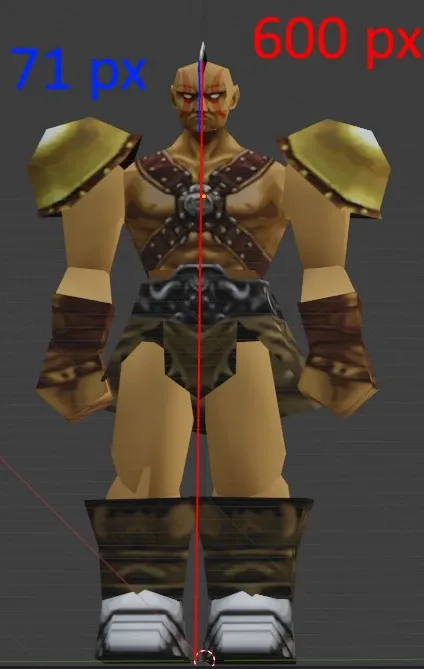
VS Battles Wiki
In the Legend of Dragoon, Kongol saves the party from being crushed by a giant statue. I'll be calculating how strong Kongol is in this scene. Scan 1 Kongol Height = 2.5 m (600 px) Kongol Head ...
I don't know if the person who made this is around... but wow...
I really like what it made in there
Find it... TheRustyOne... awesome work there!
junior mantle
I love this lmao
true apex
i do enjoy your tool
vestal halo
quote context: Are you also glad to receive his fist?
 river grove
Que corny porno music
 round shadow
wicked gulch
https://vsbattles.fandom.com/wiki/User_blog:TheRustyOne/Legend_of_Dragoon:_Kongo...
round shadow
wicked gulch
https://vsbattles.fandom.com/wiki/User_blog:TheRustyOne/Legend_of_Dragoon:_Kongo...
This is what the internet was made for 🤣
wicked gulch
@warm plover https://www.youtube.com/watch?v=RD9sEbG-iUA and https://www.youtube.com/watch?v=aetHujWmAW4
This is a little video showing the capabilities of the skeleton rigging and also to get a laughter!.
Keep in mind that i'm not a professional 3D animator.
Anything you want to add just comment below!.
JOIN the Community Fan Base Discord at: https://discord.gg/rQWXgK5

Hello Dragoons!, today i brought a new Cheap Video; sorry took me much time to make it, but i think it worth!, i hope you enjoy it!! greetings!
Choreography is based on the official music video for Bonnie Tyler's: "Holding out For A Hero"
Original Video Here: https://www.youtube.com/watch?v=bWcASV2sey0
 warm plover
wicked gulch
<@252258366850596864> https://www.youtube.com/watch?v=RD9sEbG-iUA and https://w...
warm plover
wicked gulch
<@252258366850596864> https://www.youtube.com/watch?v=RD9sEbG-iUA and https://w...
im so excited lmao
wicked gulch
I plan do some more, but lately was facing some IRL lack of time... so halted a little bit in favor of making TLoD Assets Converter Beta 0.3 working for good
wooden jungle
Hey @wicked gulch.
I made some adjustments to my fork. On the MacOS side, there seems to be an issue where the os.walk keeps on looping when trying to change the SC folder with the name 'files'. It even keeps looping when it gets correctly selected.
This also occurs on a fresh new setup of the tool. I'm not sure if it's prevalent on Windows.
I made some changes that doesn't use os.walk but not sure if that's was improved for your Beta 0.3. If you get a chance, please look at the fork to see how it can be closer to the way you write your code.
wicked gulch
Sure... no problem!... more than anything I use that because I wanted to be sure that SC folder was selected, if not you could take any folder with the same file so i check folders vecinity and keynames that I know Monoxide didn't change for very long time
wooden jungle
Ah that makes sense. I guess right now, it would take any parent directory with the name "files" with the way I set it up
wicked gulch
keep in mind that if you create a folder called 'files' the code will take it as valid...
but...
I change that code already to avoid the looping if fails to read the correct folder hehehe
wooden jungle
So I should revert it back haha.
wicked gulch
anyone will laugh if i show it... lol
it's kind of dumb
but works pretty good
final_sc_path: str = ''
        while True:
            QMessageBox().information(None, f'SELECT SC FILES FOLDER', f'Please select the folder called \"files\" inside SC root folder', QMessageBox.StandardButton.Ok)
            sc_folder_path = QFileDialog.getExistingDirectory(None, f'SELECT SC FILES FOLDER')
            sc_folder_check_1: bool = os.path.exists(f'{sc_folder_path}/SECT')
            sc_folder_check_2: bool = os.path.exists(f'{sc_folder_path}/characters')
            sc_folder_check_3: bool = os.path.exists(f'{sc_folder_path}/monsters')
            if sc_folder_check_1 and sc_folder_check_2 and sc_folder_check_3:
                final_sc_path = sc_folder_path
                break
        return final_sc_path
so you keep the loop... and if the condition is true the loop breaks and return the selected folder
those three folders are almost the CORE of my converter that's why I choose it
wooden jungle
If you can send me the config_handler.py to me, it be good. Then I can make sure it's adjusted correctly.
wicked gulch
i need to fix the Critical Errors and Crash Messages Box, when in a QtThread
because QtThread do not like too much window popping meanwhile you are in middle of a thread
wooden jungle
I got SO confused earlier about the messages boxes and forgot that message windows look different in MacOS.
My expectation was seeing a window title. So used to error boxes in windows T_T.
wicked gulch
send you the code in DM
sterile lantern
@wicked gulch btw icarus was using your tool earlier and noticed it was using max cpu just sitting idle
Not sure if he remembered to mention it or not
wicked gulch
sterile lantern
<@210272460770246658> btw icarus was using your tool earlier and noticed it was ...
wth??? sure of this?
sterile lantern
Yep
wicked gulch
well i need tom tracking that... since you know that i'm trying to be very careful over some stuff... specially since the memory leak event my tool suffered...
@restive carbon Hey mate... have you some issues with perfomance using my tool?... could you tell me what model or thing you were converting?...
 wicked gulch
sterile lantern
this one
wicked gulch
sterile lantern
this one
hmmm that's melbu frahma
sterile lantern
Is it? I thought it was just the regular cave
wicked gulch
yep
that's the one used if i'm correct in the last stand battle
hmmm in my case i'm using arond 600Mhz to 800Mhz... variable...
sterile lantern

This map
It was when the tool was just sitting idle, not doing anything
It was locking up his computer
wicked gulch
hmmm
junior mantle
What's going on back here, huh?
 wicked gulch
was minimizing?
wicked gulch
sterile lantern
It was when the tool was just sitting idle, not doing anything
i seen some peaks during idling... i wonder how much time i have to leave it like that until something fails
sterile lantern
junior mantle
What's going on back here, huh?
I wouldn't worry about it
wicked gulch
there is marking my 12 CPUs just good
supposedly (just Windows saying lies), my code it's at the bottom of the list of CPU usage
O.O
but if you minimize you window the 'main' window became un-targetable
one Discord and Google Chrome are peaking for no reason
that's true
@sterile lantern Icarus could perform the conversion or not?... because if the model or the texture corrupted in some cases could lead into an infinite loop of loading stuff
sterile lantern
It worked fine, he was just getting high cpu usage while idle
wicked gulch
since the moment you tell this i keep it opened... doing some conversions from moment to moment
sterile lantern
That's pretty much the only info I can give you unfortunately
wicked gulch
anyway it's very appreciated... i want a fast clean and good shape converter... not the classic shitty thing that consumes a lot of CPU and Momory because a dumb infinite loop hehehe
supposedly my keyboard driver consumes more CPU that my tool 😬
sterile lantern
Icarus will be asleep right now but he might be able to tell you more tomorrow
wicked gulch
also I take this time to inform to everyone that @wooden jungle it's helping me a lot (actually direct forking and coding) TLoD Converter for MacOS!... since this fork will change the clunky stuff from my code and put in good shape for MacOS we will add a direct link to TheRamenRider fork...
 restive carbon
@wicked gulch after converting battle stage I let it idle
then it started not responding and maxing out a single core
I think it was second ver, I'll have to check
wicked gulch
hmmmm well in my case I did the same and have no issue.... hmmm that's kind of weird... which model of processor you have and which OS was you running on?
also, for how much time you let it idle?... (I recall leave this tool open for a whole day straight... but maybe I should check again)
wicked gulch
maybe have something to do with PyQt...
in my case is smooth...
i will try... converting and minimizing for a whole hour...
wicked gulch
restive carbon
for like 45 mins
well leave it for two hours after the conversion of a single file as you did... hmmm... 0% (not a single peak) and 68,7mb of memory consumed... this actually was a very odd issue u.u
if anyone interested...
wicked gulch
wicked gulch
if anyone interested...
if you can't fall sleep, this is a good read... from reader digest...
wooden jungle
One step closer to getting the MacOS version of the TLoD Asset Manager to a more deployable version. I just need to test it on another MacOS for the Beta 0.2 sometime later.
sterile lantern
@wooden jungle I did a quick review of your pull request and noted a few issues
wooden jungle
Got your notes. Will get to them when I can!
wooden jungle
@sterile lantern So if it's really obvious, this is my first time collaborating on Git. I've only done my own source control. Is it necessary to do a pull request to the main code when it's for Windows and what I'm adjusting is for Mac?
sterile lantern
Everyone starts somewhere
This is doom's project, I'm just helping out because I have a lot of experience
But yes, the code should be written in such a way that it works on other platforms
The main issue was most likely using backslashes instead of forwardslashes
wooden jungle
If I make the requested changes, do those changes reach the pull request?
sterile lantern
Yeah
wicked gulch
@restive carbon sorry for bothering, are you running TLoD Assets Converter from the script code? or the executable?, in case you are using the scripts code... which version of Python...
wicked gulch
wooden jungle
<@305460149798305813> So if it's really obvious, this is my first time collabora...
sorry i commented something from a commit you made... for some reason marks me as outdated in the review... but in the code is like current... so I assume you made the proper changes but is not showing... (yeah also i'm new on this of commits... normally what I do is direct update from my PC sorry hahahaha...)
anyway if you didn't change this file -> installDepend.sh...
python3.11 -> python3.12
the others are fine... and I assume this is done for anyone who want to run from the Python scripts...
be aware that I'm using python3.12 a long time (iirc) since I launch TLoD TMD Converter Beta ver 0.2 (recommended Python version 3.12.0 64bit)
so if people do not use that version i can't assure that the code is behaving properly... since from version to version there are big changes... for example in Python 3.14 they release the thread lock (actually they made it public, for people who didn't knew)... if i'm correct some versions previous to 3.12 were a little bit more unstable with certain things...
wicked gulch
sorry if I take a time to answer hehehe... this last week we get a newcomer to work, since I'm the Instructor, well you can imagine, next week (I hope Monday) got a free day so will be on the code hehehe 😬 ...
restive carbon
wicked gulch
<@820702631516569600> sorry for bothering, are you running TLoD Assets Converte...
the gui
however I will not be able to test any further because I just deleted windows
wicked gulch
 wooden jungle
wicked gulch
anyway if you didn't change this file -> installDepend.sh...
`python3.11` -> `py...
wooden jungle
wicked gulch
anyway if you didn't change this file -> installDepend.sh...
`python3.11` -> `py...
Alright so let me explain how I am running TLoD Assests Converter. I do normally just run the main_gui.py. I normally run it in Visual Studio Code and select the virtual environment. At a certain point, I did create installDepend.sh.
My thinking was that you were doing; how do I determine who uses which Python version? It would mean to change that script every time someone has a certain Python environment or a different version.
I deleted installDepend.sh. If it's still there, we probably should.
I'm utilizing a new script called Start-TLoD.sh. That script checks the MacOS and Linux system to look for a version of Python and install the dependencies according to the version on has. It also will create a virtual environment where the dependencies can be installed to. So there-fore, it wouldn't matter what version of Python one is using.
I included it in the README for the fork. Unless it didn't show.
wicked gulch
Python version I used is 3.12.onwards. Well the idea is not bad, but I expect that if an 'advanced user' that person know more or less how to setup things without an additional file, meanwhile I prefer that the 'classic user' (non experienced user) directly execute the tool from an executable of the type of the OS it's running from... so if you could build the MacOS version that will be enough for the pull request
obviously we will keep your fork as pointing north for the MacOS users
wicked gulch
well... I indeed need a Python user which can run it on in Windows, to test a preview version, because I think this DEFF thing will get very (very) delayed because of RL, but I don't want users to wait a lot for start using this tool as intended to be from the very beginning... also merging the changes made by TheRamenRider
anyone who want to test just tell me, will pass this preview version... this should be working in MacOS/Linux/Windows... supposedly... but I need testers
wicked gulch
@sterile lantern you, as a senior developer with sufficient knowledge in some stuff going around the coding world... i have to ask... it's good keeping in PyQt6?, or I should move to Qt for Python (also called PySide6)?, I read that there are some licence stuff going on... and i've fear to break some licence stuff around...
wicked gulch
obviously not hehehe
sterile lantern
pyside6 is LGPL (more permissive than GPL, can use it for pretty much anything) and is the official bindings
sterile lantern
As long as you follow the GPL license yeah
GNU General Public License v3 (GPL-3) summarized/explained in plain English.
 turbid granite
is there any information on character rigging? i saw something about custom characters being mentioned on the mod and was wondering how that worked
and if theres any way to replicate the ps1 techniques
wicked gulch
yep, in fact you can do 100% as they did at least in battle models... for that we have this tool:
https://github.com/Legend-of-Dragoon-Modding/Blender-Anim-To-TLoD
And we have a "Tutorial":
https://www.youtube.com/watch?v=acGUVCX40_w&t=1147s
but keep in mind is not so easy for user as I wanted to!
vestal halo
wicked gulch
yep, in fact you can do 100% as they did at least in battle models... for that w...
DooM, that would imply motion-capture LOL.
Prepare the mocap suits.
sterile lantern
I mean, it can 😛
vestal halo
My body is SO ready.
restive carbon
you only need a 1000$ mocap suit
turbid granite
Oh
 wicked gulch
Anyway most of this tools will be reworked in a future to be compatible with newer versions of Blender
wooden jungle
Sorry for the long delay of the Holidays. I'm now making an executable for TLoD-Asset-Manager MacOS and will try to test this before adding it to the fork.
wooden jungle
Hmm... I made the bundled application but it's currently at 149mb from 600mb. I was using PyInstaller to bundle the package. Is this too big of a size still?
wicked gulch
you 7zip it?... sometimes is that... hehehe
maybe you reach near to 100mb... anyway 600mb it's taking something more... because in my final bundled package with PyInstaller for me it's 92mb in total
with 7zip goes to 86mb
or could be that Python for MacOS it's a little more heavier
well 6 times heavier it's unusual too...
i will show the command I use to bundle it...
pyinstaller main_gui.py -F -i D:\TLoD_Modding\TLoD_Modding_GitHub\TLoD-Assets-Manager\Resources\Dragoon_Eyes.ico --noconsole
`# -- mode: python ; coding: utf-8 --
a = Analysis(
['main_gui.py'],
pathex=[],
binaries=[],
datas=[],
hiddenimports=['scipy._lib.array_api_compat.numpy.fft', 'scipy.special._special_ufuncs'],
hookspath=[],
hooksconfig={},
runtime_hooks=[],
excludes=[],
noarchive=False,
)
pyz = PYZ(a.pure)
exe = EXE(
pyz,
a.scripts,
a.binaries,
a.datas,
[],
name='main_gui',
debug=False,
bootloader_ignore_signals=False,
strip=False,
upx=True,
upx_exclude=[],
runtime_tmpdir=None,
console=False,
disable_windowed_traceback=False,
argv_emulation=False,
target_arch=None,
codesign_identity=None,
entitlements_file=None,
icon=['D:\TLoD_Modding\TLoD_Modding_GitHub\TLoD-Assets-Manager\Resources\Dragoon_Eyes.ico'],
)
This is the spec file... note that I have to do this hidden import, if not, the tool crash...hiddenimports=['scipy._lib.array_api_compat.numpy.fft', 'scipy.special._special_ufuncs']`
both modules are used for the calculations of W for transforming Euler to Quaternion
wooden jungle
I haven’t zipped it yet. I think right now the total space is 150 to 160mb. I’ll figure out in bit after testing it.
Also, icn is the extension for the icon file I have to use but it makes the application kill itself…
wicked gulch
be sure of using a tool that could convert the ico file into icn.... also you might want to change the supported format to load the icon in the code as the same format of MacOS
self.icon = QIcon(icon) -> in here PyQt get the Icon file path
sterile lantern
FYI, using upx can often cause your programs to get flagged as malware
wicked gulch
shit
lol
sorry
well
hmmmm it's not so funny have a very big thing then... but also I want to be transparent to the code... should I move everything into a new language?
the UPX flag it's used to pack the more as we can of every module and bundled thing into the converter
if not we must get the bundled packages in their natural size... which will be around the 600mb
and this tool compiled into any decent code should not be larger than 10mb
sometimes I truly regrets into writing the code on Python... until I recall that I suck as programmer lol
wooden jungle
I think python is fine for the language. It's pretty well versed.
Here's the dependency breakdown on my part.
PyQt6: 48MB
scipy: 36MB
numpy: 6.7MB (required by scipy)
Python runtime: 11MB
PIL/Pillow: 5MB
 tropic shadow
This is a rudementary TIM viewer that has a bit more functionality to work with for modifying tims or producing pngs that what I could find out there already
tropic shadow
Whipped up a basic usage pdf and html for people to understand how to use it.
tropic shadow
Documenation for the tool so far. PDF and PNG formats dont have video, but the zip is html and include video for certain parts
 tropic shadow
result of the pngs generated from the guide in-game
 void wadi
can anyone help me get the textures on character models to work properly after importing them into blender for a crossover rom hack im working on? been following doommetal's tutorials but i get nothing but solid white objects. even tried duckstation 3d screenshot and that made it more frustrating
a step by step process would be best and appreciated, thanks in advance!
nvm i feel dumb for not being thorough when following the tutorials but now i have another issue, the tim viewer wont convert .png files to bmp
tropic shadow
@void wadi does dooms tool need bmp?
I can add bmp export
still working on addming more stuff to it, posted a bare bones one that does the basics to get things going
void wadi
I think so? Think i managed to figure it out but its still in png format
tropic shadow
bet, then ill add bmp support to the list of things to priortize.
have a bit of time, maybe i can whip up something real quick
void wadi
tropic shadow
bet, then ill add bmp support to the list of things to priortize.
Tysm Dr. Evil! I owe you a shark with a frickin laser beam attached to its frickin head😂
void wadi
tropic shadow
have a bit of time, maybe i can whip up something real quick
Take all the time you need😁
void wadi
Almost forgot, the Tim Viewer im using is Tim2Viewer since i couldnt extract it due to some weird error message
tropic shadow
I dont think i ever used that one, i tried neosis and had issues with it only outputting png with a single color palette
@void wadi give this a try, it should load your tim file and export it as bmp
void wadi
Thank u! Ill try it after i finish running errands tomorrow morning, already called it a night cuz i gotta get up early
tropic shadow
you bet! if there are any issues let me know, i will try to work them out
void wadi
tropic shadow
you bet! if there are any issues let me know, i will try to work them out
i tried downloading it just now. said download failed, virus detected. is there any way to remove the virus to make it safe for downloading?
junior mantle
Windows Defender will flag exe files generally if you have not paid to get a signing certification for a program
sterile lantern
Hold up, I just ran it through virustotal and got a fair number of positives
VirusTotal
Can you make the source code available @tropic shadow?
void wadi
junior mantle
Windows Defender will flag exe files generally if you have not paid to get a sig...
huh, if paying is the only way to remove it then im outta luck cuz im broke
vestal halo
@void wadi No, paying for certification is something an author of a program must do. Not the end-user.
It's an unfortunate barrier many people may not be able to justify. The alternative is for the author to make their code open-source, so a community can verify nothing malicious is inside. As Monoxide recommended here.
void wadi
Ah had me confuzzled for a moment there lol, that makes more sense
tropic shadow
there's no virus, it's python executable
@void wadi how confident are you in running python on your pc?
was waiting to put up the source until I cleaned things up.
void wadi
tropic shadow
<@514219173874761728> how confident are you in running python on your pc?
No idea what python is unless you're talking snakes
tropic shadow
lmao, thats why i just put up the exe, no knowhow required, but I can try to setup a github or something
gimme a sec, maybe a non onefile version wont get flagged
void wadi
Algood, will be able to try it sometime during daylight hours. Wifi access is limited to daytime until i can get a new wifi extender
tropic shadow
GitHub
A Modern TIM viewer for old school PS1 textures. Contribute to spicymisoramen20/TheModernTimViewer development by creating an account on GitHub.
@void wadi if you want to try running the scripts, there it is
the debug is still in this build because i was trying to improve performance of the vieowport
i think i need to change up what im using as the render engine, want to potentially build out live editing in the viewer and making new plettes etc and that needs the canvas to be responsive and fast, but what im using currently is too limited for that
works fine for loading/viewing and converting though
void wadi
Bet, ill try it when i can
tropic shadow
directory based version, shouldnt pop off the virus stuff
@vestal halo the github look ok? any chance you can check if the zip sets off your antivirus?
windows defender doesnt go off when i scan it, so i think it should be fine
vestal halo
I left Windows last October. Linux only. I'd suggest running it through the same tool Monoxide was highlighting.
tropic shadow
which tool is that?
vestal halo
#1198091177363263550 message
tropic shadow
lol o wow sorry I totally missed that
I’ll check it on a sec
well the one dir exe still hits a false positive on virus total
@sterile lantern this is the source, not sure how to make a simple one click version people can use for this then https://github.com/spicymisoramen20/TheModernTimViewer

GitHub
A Modern TIM viewer for old school PS1 textures. Contribute to spicymisoramen20/TheModernTimViewer development by creating an account on GitHub.
but it runs fine from command line if they download it and have python and the dependencies installed
it runs from app
sterile lantern
tropic shadow
<@305460149798305813> this is the source, not sure how to make a simple one clic...
Thank you, code looks clean. It's very common for packed python executables to set off false positives on virus scanners
void wadi
since i know nothing about python, how does it work? am kinda dumb so if possible could it be worded in a way that even a caveman can understand?
tropic shadow
void wadi
since i know nothing about python, how does it work? am kinda dumb so if possibl...
I’ll try to add a bat file you can run to the GitHub that installs everything you need and just runs
If that doesn’t work, I’ll walk you through what you need
void wadi
bet tysm!
tropic shadow
Working on Japan time zone, so sorry that it’s kinda like playing phone tag
void wadi
algood, im in the US so take as much time as you need
tropic shadow
@void wadi I switched all stuff over to a different coding setup. not done yet, but I think it should not give off false positives for viruses. if you havea chance, let me know if you can download and run it ok
no export yet, but should have it up and running soon
void wadi
Bet, Ill try it tomorrow after a haircut
void wadi
Was able to download it without issue but ran into some issues when trying to run it


@tropic shadow
tropic shadow
Yeah that’s my bad, I compiled that as debug
Good news is I have export working now so I’ll upload that here after I’ve had some breakfast
@void wadi
tropic shadow
try this, glad at least you can download it ok. Bear with me, its a setup im still learning, but it should run super smooth
not sure what kinds of bells and whistles i need to include yet to maximize compatiblity for all systems
if it crashes, can you try running these in the cmd so i can troubleshoot your exact issue?
1: for specific crash info
set QT_DEBUG_PLUGINS=1
TimViewer2.exe
2: try directx 11
set WGPU_BACKEND=dx11
TimViewer2.exe
3: try vulcan
set WGPU_BACKEND=vulkan
TimViewer2.exe
void wadi
tropic shadow
try this, glad at least you can download it ok. Bear with me, its a setup im sti...
it worked! are the tim files supposed to be weird looking tho?
 void wadi
lemme check real quick
tropic shadow
wher is that file btw in the severed chains files?
ill try testing it and see whats going on
void wadi
tropic shadow
wher is that file btw in the severed chains files?
i ripped them tims using one of doom's tools i believe
tropic shadow
ah ok, any idea what it was called? i dont know his tools, still need to take a look at them
void wadi
i used psxmultirip
tropic shadow
ahh ok
could be how it was ripped using that tool, no idea, let me look into it
if you have severed chains though, it works on all the files ive tested with it so far
void wadi
i have severed chains, maybe im missing a step somewhere
tropic shadow
i found some of the map files, looks like an issue on my end, I think its has to do with color being a bit more detailed in them
i dont think it will be too hard to fix
tropic shadow
@void wadi that’s being caused by the wrong clut being loaded I think
Actually I take that back
Loaded some map files and it loaded them fine just need to make sure the right Clut is being used. Your file seems like it was exported incorrectly maybe
What part of the game and area is that from
I’ll check the files in severed chains for it and load that one specifically to confirm
void wadi
tropic shadow
What part of the game and area is that from
By the looks of it, i think its somewhere in Kazas
But with the amount of green think it might be Mayfil but i ripped it from chapter 1 so its gotta be Kazas or black castle
Will post a better example in the morning, for now im confused, frustrated and ready for bed
tropic shadow
Thanks! I’ll try loading the textures up from that area in the morning and see if I can find it
tropic shadow
@void wadi

found it, i think the tool you used didnt export it quite right
Severed Chains\files\SECT\DRGN21.BIN\589
tropic shadow
youll find the tim you tried opening there in the severed chains files
try opening 7
the min version include a minimum amount of the qt dlls, it should work, but if it doenst try the full
added rudimentary painting of indices in viewer. you can switch to the paintbrush with p. you can pick index colors with i
right click a tim file in the tim tab to load the first clut in its own clut row.
void wadi
i tried it again but i could be using the wrong tool even tho i used the one doom recommended in his vid?
tropic shadow
You should use the files unpacked by the game itself
All of them are there
I will work on adding support that auto points to them in your install directory
void wadi
tropic shadow
I will work on adding support that auto points to them in your install directory
That'll help a lot for a dummy like me lol
tropic shadow
@sterile lantern where is a good place to start as far as parsing output files from severed chains? is there a master spreadsheet or is there a table i can read from?
like the master list of tims, tmds etc
tropic shadow
vestal halo
<@171129747965739010> There are many TMDs in the "File Mapping" spreadsheet. [Li...
thanks!
tropic shadow
Update: Pretty much all of the old features have been migrated from python. Working on putting animation preview back in. Brush tool and picker tool to edit in viewer. UI tightened up quite a bit.
going to work on getting up and running linux building too
wicked gulch
Some of you maybe were wondering where's DooM?... well I took some days to rest as 'a kind of holidays' from my own project, lately I was getting a little nut about what approach I must take, for adding the Attachment system to the DEFF conversion... Attachments are actually some added properties to any DEFF object while rendering... this attachments are added on the fly and also are enabled/disabled/reset/deleted on the fly during DEFF rendering... some of them are pretty difficult to trace since happens during the Script DEFF processing, but executed later on the DEFF playback (most of them are control using waiting of frames on the next Script Execution, others depends on the script ticking value to start to be applied)... still not a single good idea came from my mind (usually this happens meanwhile I'm in the WC thinking about life... xD)
I'm pretty aware that this is the hardest and complex task to face, from the very beginning Monoxide told me 'good luck on that' meaning that even for him it's something very very complex to pull off...
now... with my new DEFF Animations algorithm this is not a problem... because I can manage to apply any new property into DEFF Objects in any given time... but the problem came to do it in the same (more or less precise frame) that the original DEFF do it...
also, something that I was silently waiting was a new add to the Object Colors Animation that should be implemented to glTF 2.0 format soon... yeah somehow this wasn't applied/supported before in the format... but exist plans to add it soon... this way we can support the color animation that happens in DEFF as native without need to do crazy stuff...
vestal halo
wicked gulch
Some of you maybe were wondering where's DooM?... well I took some days to rest ...
Hey DooM, glad to hear from you. Sounds like some good updates are coming once the pieces fall into place. 👍🏻
I would like to help test, but I'm mostly unable to do so since I am on Linux now. I am not sure if we talked about it already - is a Linux build simple for you to create?
wicked gulch
Hey Drew!.... tbh in this last update I will try to make this works for cross platform... since I moved from Tkinter because didn't support MacOS with ease... but Linux shouldn't be a problem... anyway... to build it I need to build it into Linux... so soon i will get my hands into some Linux Distro and build it... which Linux Distro are you using Drew?
sterile lantern
I believe most of us are using kubuntu
wicked gulch
I assume the LTS version is right?
sterile lantern
I'm not
wicked gulch
oki doki... experimental it's my focus hehehe
wicked gulch
"now Doom you will compile your own Kernel from scratch... do not forget to the the timer well or this going to south very fast" hahaha
wicked gulch
Well as an update... right now, reworking all the Abstracts and general code structure of TLoD Assets Converter under the DEFF Converter structure... I think it's better to keep the 'real 3D and Animations' conversion outside of the Script and Script Animation conversion:
1st.- Will be more easy to find whenever fails one or the other.
2nd.- Can enable disable the Script Animation conversion easily.
in my prior attempt was doing a 'single conversion' to all making things a little difficult to trace...
sterile lantern
You just need better logging 😛
true apex
you got this Doom
wicked gulch
well if you read my last post into #⛓️💥severed-chains will know what's going on... implementing the whole game engine it's far from my scope (mostly because of time, calculated to be ready in maybe 4 years at this point)... the good news, everything I've learn lately I will be implementing into my DEFF code... also I will be sharing the code workflow because maybe someone will be interested in the logic I've been using to do the things... so be prepared for some code flow charts... hehehe
 wicked gulch


well pretty much that would be abstracts... now it's time to work on the code flow... since I need to check for each thing when gets converted to get the output signal to the progress bar (or the bar of lies... hahahha)
true apex
This looks complicated but can’t wait to see the end results
vestal halo
@wicked gulch Hi DooM. Forgive me if we covered this in the past and I forgot.
Did you ever come across a copy of Senior Warden, which has a red short and blue pants?
Based on the TM Guidebook, the starts for this variant are a match with the Senior Warden found in encounter #483. However, this encounter uses the previous appearance: green shirt, white pants. Just curious if an alternate texture is present.
 sterile lantern
Ronald McDonald ass warden
wicked gulch
vestal halo
Based on the TM Guidebook, the starts for this variant are a match with the Seni...
Hi Drew!... as far as I recall nop, we don't find anything like that on my conversion... anyways 're-create' it is not so much problem, since it's only some changes on the texture CLUT coloring 🤔 even if I have to be serious.... I think the colors are the complementary in the colors range
vestal halo
understood, thank you
restive carbon
@wicked gulch is there any way of converting tmds to modern formats on linux
wicked gulch
hehehehehe you ever forget didn't you? hehehehe... lately I was busy irl but promised to install Linux to compile the tool lol
If you ask me the best way it's still using my tool but you might compile it to Linux... anyway if i'm correct you can use other tools like PSXPrev that I think it's supported on Linux
sorry I messed up... PSXPrev received no update since 2023 and also it doesn't support anything but windows 😒
for a second I thought was multi-platform...
restive carbon
iirc i checked asset converter and there was a pr to support linux which had several hundred lines of changes lol
wicked gulch
ahhhh that was for MacOS
anyway should work on Linux
because PyQt it's crossplatform
the crash was because for some reason I insisted to use '\' instead of '/'
but in my previous version was refactoring for use '/'
idk... I think that in a while got lost because was trying to make the Particle Engine from DEFF work on my tool...
restive carbon
ah ok lol
vestal halo
wicked gulch
hehehehehe you ever forget didn't you? hehehehe... lately I was busy irl but pro...
Give me power! Or some such phrase.
wicked gulch
tbh Drew always remember what I said... but still on Windows because several things... 😬
wicked gulch
little update: now I have to implement the last type of generated on-the-fly particle and will be just near to apply the relative properties and last made the infamous linked list of position/rotation/scale to finishing the first beta version of the code for DEFF converting...
obviously only to fully convert Dart's Dragoon Transformation...
Monoxide if you are around here... could you tell me please if exist some 'default' size for generated on-the-fly particles?... I mean, for example the XYZ position of Vertices for creating quads...
sterile lantern
You'll have to look at the transformation matrix for the particles
 wicked gulch
excellent.... thanks a lot!

Found it: .pos(-0.5f, -0.5f, 0.0f)
so let's say that each particle size is (0.5 / 0.5 / 0.0) Assassin Cock's
in other words half of an Assassin Cock xD
sterile lantern
That's a position, not size
The objs are 1 unit square but are scaled with matrices
wicked gulch
but the sum of all vertex positions are that... the total unit occupied by the object hehehe
wicked gulch
sterile lantern
The objs are 1 unit square but are scaled with matrices
the far as I interpret from the code they do two scale steps.... first the scriptSetRelativeScale() which scale the particle compared to the Parented object in the effectManager (generally speaking always the models like Dart) and then they applied the scale matrices to keep always the same ratio whenever using as reference the Z of Camera since they want to avoid particles in front of the Camera by chance...
wicked gulch
sterile lantern
The objs are 1 unit square but are scaled with matrices
but this was I wanted to know hehehee...
most of transformation Matrices i get rid of them on my code... because much of them if not all of them are just WorldSpace -> ScreenSpace matrices to fit objects in the Camera view...
most of the calculations ends in this FUN_800cf7d4() and returned the Z value, which is the Camera Z value... since they don't want any particle interrupting the CameraViewPoint the best way to handle that it's saying if 1 unit object it's at N° units of Z, get it totally transparent or send it to the back... and if it's too far, just hide it...
wicked gulch
well without need a Linked List and using the power of dictionaries from Python, now all my DEFF Objects had their Relative Transforms and Color set for each one, using their parents if they had one... if not, will use my own Frankenstein called 'Main' that would be the center of Gizmo (at 1.0 scale) with color set as RGB = 0 (each one)
Null Exception Pointer?... I don't know her...
wicked gulch
And now will come the last big step on the conversion process... need to apply the ScriptAnimations...
For a little bit of context, scriptSetRelativePosition-scriptSetRelativeRotation-scriptSetRelativeScale-scriptSetRelativeColor (first call) are not Script Animations on my code except those are called twice for some good reason that isn't a clear blunder from a Original Script (for example in Dart Transformation there is a DEFF Object that is set with relative scale at 0 in the first scriptSetRelativeScale, but two ops later it's called again to change scale of the object to the intended value, and to clarify Devs didn't used any of the "scaleScaler" functions).
Any other Script function call that is not the previous, will be considered as ScriptAnimation (even if not explicitly animating something, an example of this are attachments or set generic values).
In other words, the first 4 calls are always mandatory to any DEFF Object, in the Engine this is ignored because 'If they don't have a value set, they used the default values' {an example of this is the BattleObject -inherits from -> ScriptedObject -> Default Color value which is GREY}.
and in my Adapted Scripts, ALWAYS, will be the full list of all the function calls made for the DEFF Object, even if I cannot implementing in the conversion, an example of this atm it's color animation and texture animation (need to test if importing glTF 2.0 files with the proper KR_ extension into Blender will do the magic)... Anyway if the case, the only version of Blender that support this is 5.0 onwards... 
wicked gulch
@sterile lantern ☝🏻
sterile lantern
That's a nice wall of code you've got there doom
wicked gulch
yep
let me screen

the problem I found that sometimes some concepts are difficult to describe so the names for objects, variables, arguments, tend to be very long :S
sterile lantern
You're only doing one level of parent transforms there aren't you? What if the parent has a parent?
wicked gulch
it's precalculated... since the parents are linear...
I calculate from Main in the order in which objects are loaded
sterile lantern
Okay, that will only work if you're calculating them in the right order though
wicked gulch
that's correct
sterile lantern
And what if the parent is loaded after the child?
sterile lantern
Until you find one that does
wicked gulch
atm the Dragoon DEFF Scripts tend to be the more linear that you might think...
that's why I asked about the "how many ops" thing
sterile lantern
I'm just saying, you're creating edge cases for yourself
It'll end up turning into a headache for you at some point
You should do the full recursive calculation
wicked gulch
you mean to create a pool of Transforms?...
I ask something that maybe would be controversial...
sterile lantern
You can't guarantee that the parents will already be calculated in order (note that the way scripts are allocated, sometimes the scripts aren't even in order)
You need to traverse up the branch of the coordinate system tree and do the calculation at each step
wicked gulch
what happens if an Effect loaded uses a Transformation of an object that is not present in the already loaded objects and calculated transformations?
in SC i refer
what should happen in that case
I assume that SC should crash if the data is not present
sterile lantern
It would because you're trying to reference something that doesn't exist
wicked gulch
well in my code will happens the same
so, the enemy of my enemy it's my... friend... so an enemy of my enemy need to exist to be my friend...
sterile lantern
I think you're misunderstanding me
The calculations could happen in an order you're not expecting
And you could have old calculations
wicked gulch
that would result on... what i'm trying to do it's impossible*
sterile lantern
Take it from someone who's been fixing bugs due to not doing things exactly like retail for 5 years
What you're doing is HARD and you have to do the hard things in order for it to work right
So like, you could have objects A B C
A is the parent of B, B is the parent of C
So a branch of your tree would look something like this
     A
    / \
   B   #
  / \
 #   C
When you calculate the transforms for C you'd do recursion starting at C, calculate transforms, move back to B, calculate transforms and apply to C, move back to A, calculate transforms and apply to C
wicked gulch
so the best way it's creating a while true?...
that transverse an N number of parents behind the current calc?
junior mantle
sterile lantern
Take it from someone who's been fixing bugs due to not doing things exactly like...
Monoxide: "This approach will work in a decent codebase."
LoD:

YouTube
5 seconds · Clipped by theflyingzamboni · Original video "The Lord of the Rings: The Return of the King | Fallen Kings | Warner Bros. Entertainment" by Warne...
sterile lantern
current = C
while(current != null) {
  ... apply transforms
  current = current.parent
}
That's the same as doing it recursively in this case (tail-end recursion can be converted into while loops so you aren't creating a shitload of stack frames)
wicked gulch
now I get what you said... sounds possible, anyway as a little fact atm I found two major parents... 1 it's main (origin)... and the other are the AnimatedModels... in some case the slot of AnimatedModels get replaced by an 'important' StaticModel
So almost any object of type Particles or StaticModels (let's gonna say a little less important or detailed models) use as parent or Origin Point or the current 'Important model shown' in most of the cases the Animated models of characters/enemies/etc...
even to be more clear... I'm pretty conscious of what you said Monoxide... in Dart Transformation exist some rare cases like those... even in the first moments of the Animation... the Rotating White Orb that appears in Dart chest it's the best example... get loaded and refers to three parents for different transformations... but since it's loaded after the others just keep the reference on each of the stored relativeTransforms

even I have distinction on the parents... I kept that reference to localize the DEFF Object in the visualization of it... in that case that parent is not used but I listed to anyone who wonders how I do this... in that case the obvious is... visually attached to Dart Normal
but the transformations are done using their own parents...
and since I do the parent calculation and store... the next child will receive the it's parent transform, with the parent of the parent already calculated
the only Transformation set that is immutable it's Main... because it's the origin point... the others will be calculated and that calculation it's send to an array that any other object could take and made the calculation and so on... If a case in which the parent object do not exist, my code will crash... because you cannot calculate something that you don't know
wicked gulch
well after a time of realizing that I was very wrong about everything... I should rewrite the entire thing again... anyway... time to get my hands dirty... see you in about a month with updates lol
I will be using SciPy... this library is what I've been using for Quaternion calculations...
wicked gulch
hmmm the most important library to works with Matrix can't build a Matrix in a more 'classic' fashion, for creating a Matrix in SciPy (Numpy under the hood) you need to create an NArray... which have not the form of a Matrix at all... in other words... Vectors/Matrix/AnyArray had the same treatment... sounds good... maybe... but actually could lead in a lot of messing during big and different arrays manipulation... I like that a Matrix had some clue telling 'this is a matrix' and a Vector 'Hi!, i'm a 2F Vector', 'Hi i'm Color Vector of 3I'...
being generic it's good... until you can't define what you are actually doing...
wicked gulch
After "crying" a lot... made a lot of self discussion...I decided to overhaul all the conversion code from scratch so we do straight: taking the binary data from models and directly turn into the necessary data of the Type needed for glTF 2.0... the reason?, we need to apply interpolation frames for the SAF/CMB/LMB Type N Animations. In the current code state this is impossible due to the conversion from EULER Angles to Quaternions it's just done at the very end... but I cannot keep it in that way... because the processing of the Animation data in my new code it's done almost at the beginning...
The reason?, I need to implement an Animation Control algorithm that it's pretty similar on how the Script works... except this will use direct Frame reference, instead of the 'Synchronization' of Scripts as done in TLoD Engine...
Also I need some help to find a proper name or description of what i'm doing right now in the 'DEFF Conversion'... since in the code I'm not converting like at 100% (I mean, conversion it's when you take the data at it's fullest and convert everything in a new type).... Instead i'm using 'custom' data and ways to do things 'in a very similar' way as seen on TLoD Rendered DEFFs...
wicked gulch
@sterile lantern I think VSCode it's trying to say something...

just were coding a suddenly... puff
sterile lantern
Classic fucking electron apps
wicked gulch
Well after all, I can't implement the changes, why?, well SciPy do not have native NLerp for Quaternions, so I wrote my own quaternions class and my own Linear Algebra library... not surprised, even a little bit... anyway this is kind of good because I wanted to do some changes on the main code...
sterile lantern
Just add a method to lerp two quats
wicked gulch
{'Translation': X: -0.38999999999999996 - Y: -1.331 - Z: 0.195, 'Rotation': X: 0.3765640870135716 - Y: 0.7144282471225043 - Z: 0.5897338043942913 - W: 0.002409987497273241, 'Scale': X: 1.0 - Y: 1.0 - Z: 1.0} {'Translation': X: -0.33199999999999996 - Y: -1.3619999999999999 - Z: 0.201, 'Rotation': X: 0.37556246955670813 - Y: 0.7149148000434385 - Z: 0.5897828749707169 - W: 0.0024125775827082887, 'Scale': X: 1.0 - Y: 1.0 - Z: 1.0} {'Translation': X: 0.0040000000000000036 - Y: -1.437 - Z: 0.689, 'Rotation': X: 0.38100930304129954 - Y: 0.7099653219774253 - Z: 0.5922629319999358 - W: 0.0024024912722974243, 'Scale': X: 1.0 - Y: 1.0 - Z: 1.0} {'Translation': X: -0.365 - Y: -1.373 - Z: 0.09999999999999999, 'Rotation': X: 0.37566703842467036 - Y: 0.7152554248734935 - Z: 0.5893030944355357 - W: 0.0024117045792768025, 'Scale': X: 1.0 - Y: 1.0 - Z: 1.0}
it's working
sterile lantern
0.0040000000000000036 god I love floats
wicked gulch
sterile lantern
Just add a method to lerp two quats
that's the problem... ndarrays are nothing but complex to do some stuff... they don't sort the data as in SC code '.x' '.y' '.z' '.w'... they are kind of list that are messed up... it's good when you have to do the final arrage of data... but manipulate them... it's other task hehehe
I normalized the Rotation vectors... so supposedly that's the final form of them and surprisingly it's fast...
sterile lantern
Also I just checked and scipy can do interpolation between quats
wicked gulch
yeah but they do the Spherical Interpolation... it's slow compared to other Interpolations and do not do the same as SC...
anyway I traded the speed that offers in favor of readability of code...
what I mean?... Numpy and Scipy it's fastest that what I do... but in the code you will not see something like:
quat.x, quat.y, quat.y, quat.w
instead you will see:
quat[N][0], quat[N][1], quat[N][2], quat[N][3]...
I will be not surprised that AI developers find out in future that some of the problems AI have are result of bad Numpy arrays bad manipulation, since you are not seeing axis, instead you see numbers of indices
sterile lantern
Have you tried using a language with reasonable math libs? 😆
wicked gulch
XD
tbh I thought to use Java... but I don't like the way that UI graphics are... sorry... but like UIs in Java are a little weird to my eyes 🥲
and kind of design the UI graphics (draw the graphics) and implement it's a little time consuming to me right now hehehe... but I made my mind... I get this on work and do some little stuff more and I will design a non-invasive (idk if I'm using the correct expression) of conversion into SC...
and you will be the person in charge of accepting the code or not, line by line... sorry more work for you... but I promise to do my best to do non-sucking code hahaha
my idea it's kind of like Ninja Ripper, but less invasive (way less...)... only taking the render pipeline, intercepting the data and dump it into 3D/2D file formats...
Now I got more or less the knowledge, and I'm aware of the implication of the abstraction layers below the main loop for executing the code.... because I know which are the renderers used in different cases...
wicked gulch
well after some little adjustments finally my total frames count for each DEFF Object it's totally equal to the Lifespan of the particles and DeffTmd seen on the render of DEFF, which tells that I'm on the correct path...
before I had some little deviations of 3 to 4 frames... sometimes bigger... sometimes smaller...
wicked gulch
Monoxide, if you around here, are you sure that scriptSetRelative(Transform) it's applied over and over during all the frames?, to me seems to be set just once (when model get loaded) set that transform and that's all... then the animation of the DEFF Object will take place in that designed place and won't move at all, there are other scriptSet Functions that most of them are related to attachment, those, yeah, those are meant to be calculated each frame...
but are pretty explicit to be called in the list of functions to be called in the Engine...
sterile lantern
It's run whenever a script runs it
wicked gulch
but just once... and once the placement is done that's all... they calculated the place and it's take as a "new origin"
so, no matter how much the parent move or rotate, the object will be in the designed place with the designed rotation...
sterile lantern
Until you find a script that doesn't do that
wicked gulch
ahhh you mean that set a new scriptSetRelative(Transform)?
sterile lantern
Yes, any script method can be called anywhere in a script
wicked gulch
yeah... in Dart Red-Eyed Dragoon Transformation it's already happening... but my code can handle that
but the initial position/rotation/scale/color (if any) will be set from the beginning...
and if I encounter one of those I listed as a new transform to be calculated in the needed time
let me show an example of this behavior
if you look you can see in the CSV that I have 4 rows for 'initial transforms' of the object
if not in the original script I took the logic choice... filling with default (0, 0, 0)
but later in the ScriptAnimation, have another scriptSetRelativeColor
so* I told into the Script when to execute that function and get the result
So about that... no worries... I know that any script Function can be called in any time to be executed hehehe...
sterile lantern
Also I didn't say those methods would be calculated each frame, I said you should calculate the transforms each frame
wicked gulch
but once you set them... they actually get calculated each time...
al least how I work with this kind of data
what I do it's:
takeRelativeTransform -input-> for each object -input-> doWhateverMathsItNeed for X Keyframes
actually I wanted to avoid loop nesting... but resulted to be the only way that I can handle that in my code