
#Starting out
176 messages · Page 1 of 1 (latest)
 weak crest
 drifting matrix
w
weak crest
So I Only have just a 4080 should I upgrade to a 5080 or 5090? Is that even an upgrade?
 scenic wadi
weak crest
So I Only have just a 4080 should I upgrade to a 5080 or 5090? Is that even an u...
scenic wadi
weak crest
So I Only have just a 4080 should I upgrade to a 5080 or 5090? Is that even an u...
From a 4080 to a 5080 the increase isn’t much of an upgrade. From 4080 to 5090 definitely. However, price. Also be aware that you might need to also upgrade your PSU and cooling for a 5090 if it isn’t adequate. Just a few things to bear in mind.
weak crest
scenic wadi
From a 4080 to a 5080 the increase isn’t much of an upgrade. From 4080 to 5090 d...
4080 and 5080 not much of a difference really? Why not?
scenic wadi
weak crest
4080 and 5080 not much of a difference really? Why not?
Here’s a snapshot

It’s an upgrade but not by much. DLSS 4 perhaps. Realistically you’re probably looking at a 15% performance gain or less from a 4080 to 5080
scenic wadi
For the amount of money that a 5080 goes for today (1800 + shipping + tax) you’re better off upgrading to a high-end X870E motherboard and CPU like the Ryzen 9 9950X3D. You’ll see a similar if not better performance uplift-per-dollar versus if you upgraded from a 4080 to 5080. Also you’ll have have a lot of money left over to upgrade other stuff.
To put it in perspective: The performance difference between a 5080 and a 5090 is 45% - 50% and 50% - 55% between a 4080 and a 5090. That’s why the 5080 isn’t a worthwhile upgrade coming from a 4080 unless you get it deeply discounted or free.
Also THANK YOU FOR YOUR SERVICE!
🇺🇸🫡
weak crest
Oh okay. Yeah that ain’t much of an upgrade. You got the link or comparison for the 5099
scenic wadi
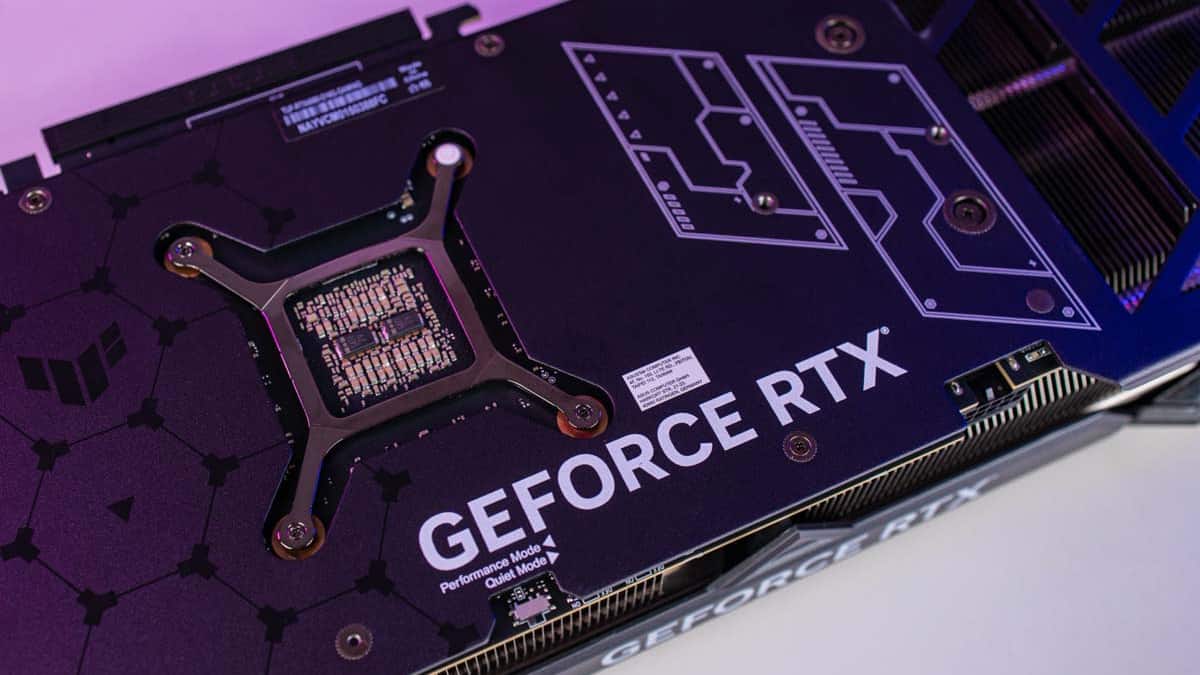
PC Guide
The RTX 5090 is a complete powerhouse, but how does it stack up against the likes of the RTX 4080? We take a look at them side by side.
weak crest
scenic wadi
https://www.pcguide.com/gpu/rtx-5090-vs-rtx-4080/
Thank you
scenic wadi
What are your current specs if I may ask? I might be able to advise and guide you with your upgrades.
If you're upgrading I suggest sourcing your upgrades from Newegg
weak crest
MB- Pro B650-P Wi-Fi
Ryzen 9 7900x
RTX 4080
32 gb ram ddr5
2 tb NVMe
Power-800watts
scenic wadi
Right off the bat I can see that you’ll benefit from a motherboard upgrade and a CPU upgrade. Prime/Pro boards (B650-P, X870-P, etc) are entry level boards that typically slow down your system because they only have one chipset that causes lane sharing of data between components.
If it’s something you’ll consider, you can upgrade to an MSI B650-E or X870-E motherboard (I’ve tried other board brands and MSI makes very good ones. That alone will give you a huge performance uplift and won’t break the bank
scenic wadi
Your Ryzen 9 7900X is fine and won’t bottleneck your system at all. but if you want to upgrade that you can go for the Ryzen 9 9950X3D.
The rest of your components are all very solid. The weakest link is likely only your motherboard if I’m honest.
weak crest
scenic wadi
Your Ryzen 9 7900X is fine and won’t bottleneck your system at all. but if you w...
Appreciate the feed back
DDR5 is only 5200mhz CL38. But with pricing right now will only upgrade it if I find something better for cheap
weak crest
For motherboard do you have exact models you recommend?
scenic wadi
If you're a fan of White builds then you can go for the MSI B850-E Edge, MSI X870-E Edge, MSI MAG B850 Gaming Plus Max, MSI MAG X870 E Gaming Plus Max, MSI MAG X870 E Tomawhawk Max Wifi PZ.
Here's the website for you to choose which one you like. Just don't select the "Pro" series boards https://us.msi.com/Motherboards/Products#?tag=MAG-Series
There are black motherboards in their lineup. the Flagship boards (The MEG Lineup) are not worth it cause the added bells and whistles don't do much in the way of function and are more aesthetic. But if it's something you like then you're free to choose that but they cost $1,000 and up (And for me that's just ridiculous)
scenic wadi
weak crest
Appreciate the feed back
DDR5 is only 5200mhz CL38. But with pricing right now w...
Your RAM speed is fine. the difference between a 6400mhz DDR5 and a 5200mhz DDR5 is imperceptible (Literally 0 to 3% uplift). And your 32GB is plenty for productivity and gaming. Most games out there don’t even use all 32GB of RAM. No need to upgrade there. Just adjust the timings in the UEFI/BIOS
Like I mentioned, if you upgrade your motherboard alone, you won't need to upgrade for another 5 years or so. Games and software including AI haven't really maximised the average build. Your build is already above average. The meta build online is still from the range of RTX 1080 to RTX 3080, DDR4, Ryzen 5, B650-P motherboards. (That's the average parts list)
Make sure to select a board that is AMD based and compatible with your Ryzen 9 7900X
weak crest
scenic wadi
Make sure to select a board that is AMD based and compatible with your Ryzen 9 7...
Thanks. Reason for looking upgrading ram was I’m actually going through my PC and components since I’ve had hard crashes then stop codes to BSOD. Wiped PC with WIN11 bootable USB. Clean install if latest AMD CHIPSET was fine but when I got downloading Nvidia graphics driver I got a 7zip error, then stop codes and reboots. Ran Memstest on RAMs and they passed today. So only thing now is update my bios or get new parts
scenic wadi
I do suggest that you try to update your BIOS
It seems that your B650-P and your R9 7900X is having BIOS/AGESA instability causing BSOD. updating the BIOS to a newer version will likely fix the error
Also try to disable EXPO and PBO cause those can be culprits as well.
What is the stop code it’s giving you?
weak crest
So in my inexperience I’ve been running standard RAM setting this whole time. So EXPO was never on and PBO was on auto. As for Stop codes there’s a bunch lol I’ll have to take a look and send you them
scenic wadi
The likelihood of your ram causing the problem is near zero (unless it’s been physically damaged or defective). I strongly feel that it’s your board based on the info I’ve gathered from you
weak crest
Yea most def it the rams they passed with flying colors. When I get home it’s update Bios and see where that leads me basically everything is stable until I start to download the graphics drive. Even when I pre download a clean one to a usb still the same
scenic wadi
Yup sounds to me like a BIOS/AGESA issue. The update will likely correct BSOD and GPU driver install crashes. I had similar issues with my ASUS Prime X870-P board and I swore off P boards after that.
Right now I’m on MSI X870-E Edge Ti and haven’t had any problems since.
weak crest
With new motherboard it should just be plug and (bios) play right
scenic wadi
Not always. Some MSI boards don’t come pre installed with drivers. My X870 Edge didn’t but it came with a USB drive that had them. It will depend on the board you’re getting.
Try the BIOS update first. If it fixes it then you just saved yourself a couple of Benjamins
weak crest
Yes but I’m still thinking of upgrading and giving it to my son as a future proof starter PC then I’ll build one this time
scenic wadi
Ah! Sounds good! Are you looking for a full upgrade? Or just certain parts?
weak crest
Motherboard for sure and switch to a liquid cooking for the cpu.
As for ram I think I’ll turn on expo and leave at that he’s too young to be doing things other than Games
scenic wadi
I see. There are lots of good AIO liquid coolers out there but don’t be lured by the expensive offerings from ASUS and other brands that costs upwards of $250
weak crest
That MAG Coreliquid A15 240 looks nice
scenic wadi
240mm might be inadequate to cool your 7900X. Try to get a 360mm
Branded AIOs are overpriced and work basically the same as the lesser known ones
 scenic wadi
I see. The case is a bit small for a 360mm
weak crest
Is it possible to take a fan off
weak crest
Would that just be more strain on the two fan and probably less effective on the aio
scenic wadi
Your current AIO seems to be doing its job. As it stands it already is liquid cooled
weak crest
Oh is it?
scenic wadi
Yup. Those two hoses leading from the CPU to the radiator contain coolant
Right now there’s no need for you to upgrade it unless it’s damaged or worn
weak crest
well I'll be damned, nevermind then
scenic wadi
IBPs AIO cooler works pretty well. I still keep mine when I bought a pc from IBP
Also I see a problem with your PC. Using a single stick of RAM is likely causing instability
weak crest
then really on real upgrade would be the motherboard
weak crest
scenic wadi
Also I see a problem with your PC. Using a single stick of RAM is likely causing...
I took this when I was testing the ram
scenic wadi
oh
scenic wadi
weak crest
then really on real upgrade would be the motherboard
An X870 E will likely be a great upgrade
weak crest
Do I just have a single 120 aio
scenic wadi
Nope. Yours is a 240mm aio cause of the 2 fans
weak crest
scenic wadi
An X870 E will likely be a great upgrade
so obviously i want black colored and looking at options those are 300 and up
scenic wadi
You can try the Carbon or the Tomahawk
weak crest
Found a GIGABYTE - X870E AORUS ELITE WIFI7 (Socket AM5) AMD X870E ATX DDR5 Wi-Fi 7 Motherboard for 279
scenic wadi
Check Newegg. They have some great deals with components
Don’t do Gigabyte. It’s terrible
Stick with MSI. So far they make the best boards apart from their entry level P boards
Gigabyte boards have a notorious tendency to kill CPUs. It’s an ongoing problem that remains unresolved
weak crest
thats why its cheaper lol
scenic wadi
They’re called Murderboards in the PC space
weak crest
thoughts on Asus
weak crest
ASRock
scenic wadi
Bad
Unfortunately the brand selections are limited at this point. Granted no motherboard is perfect but there are some worse than others
In my experience MSI ticks all the boxes
And as for GPUs ASUS is the Brand I turn to followed by MSI and then PNY
weak crest
MSI - MAG X870E TOMAHAWK WIFI (Socket AM5) AMD X870 ATX DDR5 Wi-Fi 7 Motherboard this the cheapest i found on at Best Buy 289
scenic wadi
sounds good
Check newegg and Amazon
The only sad part about upgrading in 2026 Is the exorbitant prices of RAM and GPUs due to the AI data center surge
weak crest
right im just glad my rams passed the tests lol
scenic wadi
SSDs and HDDs prices are also climbing
scenic wadi
weak crest
right im just glad my rams passed the tests lol
It’s hard to ruin RAM. they’re the most robust pc components next to PC fans.
weak crest
yeah but for someone not know much and then learning as you go and see that "RAM issues" mostly likely cuplrit for BSOD had me worrying
Best buys got Asus deals on mothernoards
scenic wadi
There’s always a lot of people who can give you the information you need. I’m experienced but considered an intermediate PC enthusiast
weak crest
 scenic wadi
weak crest
Best buys got Asus deals on mothernoards
scenic wadi
weak crest
Best buys got Asus deals on mothernoards
My Issue with ASUS boards is their BIOS and lack of QOL features
weak crest
first one out of question since its intel
scenic wadi
Those are entry level boards unfortunately and that’s why they’re on sale cause no one wants them
Except for the Strix
But it’s old
Older AM5 boards are plagued with bad BIOS that causes BSOD
scenic wadi
The one on the left is the ROG Strix and the one on the right is the MSI Edge. Look at the CMOS button which is absent on the ASUS


The Clear CMOS and Bios flash buttons are examples of QOL that really helps. Clearing CMOS on an ASUS board entails having to remove the CMOS battery
weak crest
scenic wadi
The one on the left is the ROG Strix and the one on the right is the MSI Edge. L...
oh ok
wonder if mine has that
scenic wadi
Bios and CMOS stuff on an ASUS board Is like doing surgery
scenic wadi
weak crest
wonder if mine has that
It might but it might not exist on their entry level boards
scenic wadi
The flash bios button enables you to update your bios by simply plugging a USB stick with an updated BIOS file and pressing the Bios Flash button while the PC is off
The Clear CMOS button enables you to clear the CMOS without having to go through the trouble to removing the coin battery on the motherboard (which necessitates having to open your PC and disassemble it just to get to the battery)
When I have to do either on my PC it’s as easy as pressing one of those buttons
weak crest
oh ok thanks for that, since I'm updating Bios tomorrow with USB could i just press that button?
scenic wadi
Check Youtube before attempting it cause doing it wrong can brick your motherboard
The MSI website has a dedicated video tutorial on how to update your BIOS specific to the model of your motherboard. It’s easy to follow
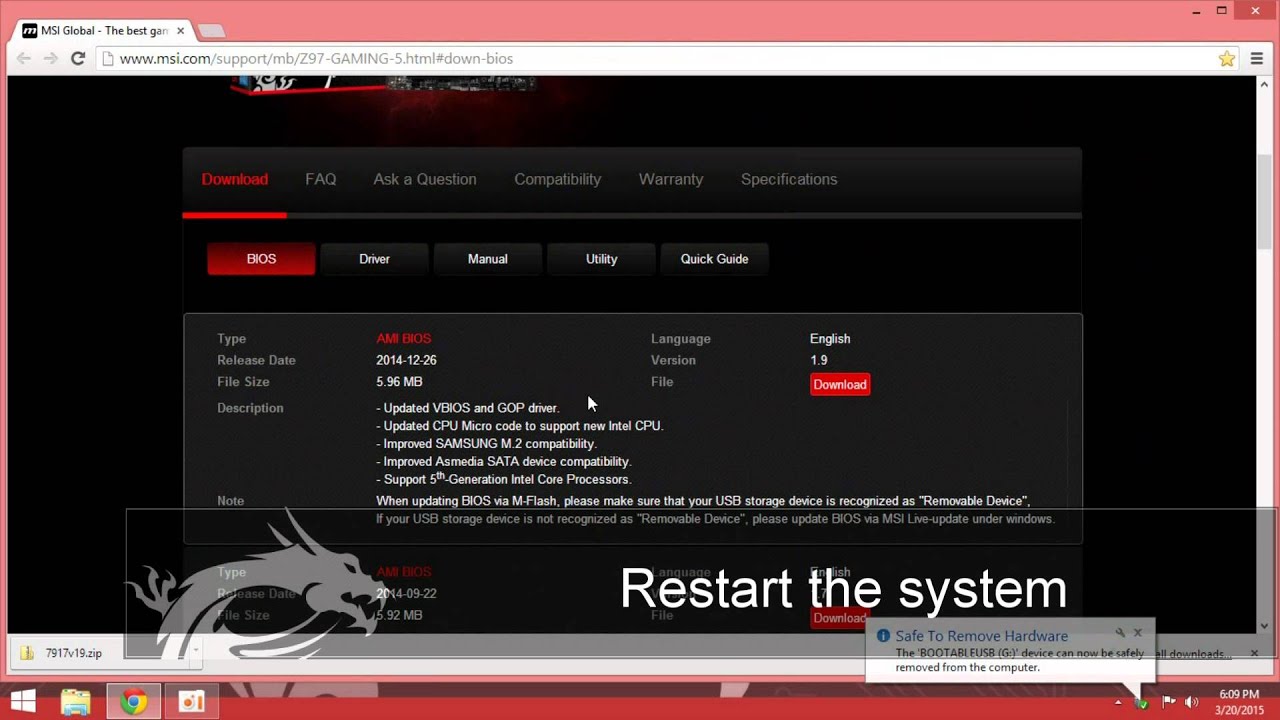
In this demonstration, we'll show you how to use M-FLASH for single BIOS.
This is the website for your BIOS file. https://us.msi.com/Motherboard/PRO-B650-P-WIFI/support
weak crest
reason being -Driver install crashes, Secure Boot changes, Old 2022 BIOS, AM5 early-gen firmware
not going with beta version due to current issues.
 weak crest
Latest non beta one
 scenic wadi
Yup. Same one as I saw. Watch the video tutorial and follow it to the T. It will guarantee that the update process will go smoothly
weak crest
Like I said if i can do it with having to be on would be better. dont want to run then somethign pops up
scenic wadi
Need to sleep for now. I have work tomorrow
weak crest
Alight thanks
scenic wadi
Did the update fix anything?
weak crest
It updated but ran into more problems lol no internet and usb ports work for peripherals but won’t work for usb sticks i plug in. PC recognizes that it’s usb but no way of accessing what’s inside the usb (trying to install clean chipset and graphics driver)
Going to just run bootable again hopefully that fixes everything
scenic wadi
What’s the format of the USB stick? NTFS or FAT32?
weak crest
Fat32
but "Its alive!" lol finally working now. luckly I had everything in onedrive so once I updated bio, chipset, and graphics driver everything popped bakc up just have to redownload some files to get the icons to look right
scenic wadi
That’s good! Hopefully it fixed the errors and crashes
scenic wadi
Now that your BIOS has been updated you can try to re activate EXPO and PBO because earlier AM5 BIOS’s had poor memory training. The BIOS update could give you as much as a 3% to 5% uplift and if EXPO and PBO is active and does not cause instability you’re looking at another 5% to 8%
weak crest
Yea having bios still running like it was 2022 really made I big difference. After I flashed it I literally was able to just download everything like normal. I did enable EXPO but wasn’t able to test it out since I had to sleep for work. You have any test to see how much uplift I’m getting compared to not being on?
scenic wadi
The only real way to test it is benchmarking software assuming you have your baseline prior to EXPO and PBO. At best you’ll see a few frames more during gameplay (nothing life changing) as well as faster POST, boot times and load times (Which can be noticeable)
More importantly you’ll have stability because of the BIOS update
In your next build just try to avoid motherboards with the “-P” suffix cause they’re not worth the low price. I feel like those boards are meant for pre-built PCs for beginners.
weak crest
Just saw pro and thought oh must be decent lol
scenic wadi
I had the same thoughts a year ago. I’d been away from the PC space for 20 years. I got all caught up now though. It changed a lot and at the same time it didn’t change much at all 😀
weak crest
Very true. I’ve got a lot to learn and get up to speed lol. Earlier in this chat you said it be best to upgrade Tommy mother board first, correct but wouldn’t rams first yield better performance ?
scenic wadi
Better motherboards unify all your components and make them run optimally and allow for better overlocking support of both your CPU, GPU and RAM. There’s nothing wrong with your ram speed or the amount of ram you currently have. There’s little to no benefit of upgrading from 32Gb ram to 64Gb or more if you’re not doing video editing or Ai training. Games and software don’t maximize 32 Gb ram.
Higher RAM used to be more important in the early 2000’s but computer architecture and case use was very different back then. Today, games rely heavily on VRAM rather than DRAM and also relies more on the GPU than the CPU.
Your components are still very much in the upper tier (minus the motherboard)
Another reason why big RAM is less crucial now than it was then is because of the change in storage technology. CDs and HDDs needed bigger amounts of ram as a buffer to prevent or mitigate freezing and stuttering (which frequently happened anyway) but since the advent of the SSD that’s all changed cause read and write speeds are no longer hindered by the limitations of mechanical components (oscillating Reader heads, spinning disks etc)
Today Ram speed is more important than raw Ram size because of SSDs. So far DDR5 is the fastest commercial DRAM available and is the gold standard (Albeit there are different speed and latency tiers within DDR5). You have DDR5. Not to mention that the threshold for Ram for games today is around 16Gb. At 32Gb you’re fully covered in that department.
My explanation though is really oversimplified.
scenic wadi
If you’re still keen on upgrading, the only true upgrade I would recommend is a 5090 but with pricing the way it is, it’s a very tough sell. Not to mention you’d have to also buy a 1000W PSU. However, the uplift will be vast even if the rest if your main components remain as is.
weak crest
As for RAM and I just learned through figuring out this issue, is I'm currenetly running 5200Mhz at CL36, 32GB, wouldn't getting 6000Mhz at CL 30 32Gb run better? Just a thought, and discussion, I hope you don't think I'm questioning your knowledge or experience. Yes A 5090 would be a most definite upgrade, but like you said the pricing on one man its killer now. I don't see those dropping much in the near future.
scenic wadi
Don’t worry I don’t get offended. I may know some things but I don’t know everything. The information I pass on is from my anecdotal experience and accumulated knowledge from lots of readings. Computers aren’t part of my professional expertise. It’s just a hobby.
Yours is a perfectly reasonable question. It would run marginally better and will mostly affect POST, boot and load times. The only reason why I’m dissuading you from doing that right now is because of the current prices. We shouldn’t be paying $800+ for 64Gb of ram thats worth just $80. Best spend that money elsewhere at least until the market stabilizes.
The alternative to better Ram is a better motherboard with more VRMs that supports better overlocking potential of RAM and CPUs. Think of your motherboard like the transmission of your car. You can have a powerful engine but with poorly made or even limited transmission, you wont be able to use it to full potential.
Your RAM is like the immediate working area of your engine, the actual air/fuel mixture volume of combustible charge available to burn.
scenic wadi
Just let me know if you have any more questions. I’ll try to answer them the best I can
weak crest
Appreciate it! And yes the prices for Ram are ridiculous. Honestly I was hesitant to run memstest on my ram. Didn’t want to find out one of them was bad and had to buy rams lol but both passed.
scenic wadi
In my cumulative experience using and building my own PCs, I have yet to encounter Ram that’s been damaged by my own doing. In order to actually damage Ram, you’ll really need to purposefully damage it 😀
The last PC I owned was in 2004. Then in 2024 I bought a custom build PC from IBP, and then I upgraded so much of its components it no longer looks like what it used to be originally.
weak crest
Why do so many posts from others say to run the stress test on your ram and that alot of issues are due to bad ram? lol I dont know if that could just be old information and people just kept it going. If it is they really need to update with factual information for people like me who needs the right way of fixing their PC's and not waste time trying 'fixes" .
scenic wadi
People on the internet these days are like lemmings. Do ram failures occur? Yes, but it’s rare. The 0.1% that you hear about causes hysteria on the internet and every one else thinks that their ram could be faulty. Your ram is fine otherwise your system won’t POST or even continue to crash even after a BIOS update.
And even then it’s usually the fault of the motherboard. Why? Cause motherboards have way more components. Ram only has a handful of soldered memory chips.
scenic wadi
The only two things that can destroy ram is water and static. And if you bend it so that the soldered chips come off the circuit board
The manufacturing process of Ram is fully automated and before the modules leave the factory they get tested. The Internet is chock full of fear mongering and unfounded claims
scenic wadi
As it stands, based on your options and today’s market prices:
The greatest benefit with the highest price is the RTX 5090
The least benefit with the next-highest price is 64Gb Ram
The best benefit-to-price ratio is the Ryzen 9 9950X3D at $200 -$250 less expensive than current ram prices with a performance uplift of 10% to 20% from your current CPU.
And finally the X870E motherboard has a modest benefit at a modest price.
weak crest
can my motherboard now even handle the 9950x3d lol
scenic wadi
Your motherboard is an AM5 socket and the 9950X3D TDP is exactly the same as your current 7900X
If anything your motherboard will be more capable with the 9950X3D because all the controllers are in the CPU and not the board
So just to be clear, the R9 7900X and the R9 9950X3D have the same socket and the same power draw.
The 9950X3D will give your system a 15-20% uplift on single thread performance AND 30-40% higher multi-core performance. That translates to a lot of extra power under the hood.
You’ll be going from your current 12 cores/24threads up to 16 cores/32threads + a large 3D V-cache
Coupled with your 4080 you’ll get an extra 15 - 30% higher FPS. Pretty much as if you upgraded your GPU for a lot less money.
Just make sure that the BIOS version includes AGESA PI-1.2.0.3a Patch A or later. MSI’s CPU support lists confirm that the PRO B650-P line DOES support the 9950X3D once an appropriate BIOS is installed (BIOS ver 7D78v1I or similar)
weak crest
ok so then with R9 9950x3d upgrade that'll hold out until the 5090 are cheaper lol and as for bios I did just update it to the latest version (non beta) so I think I'm good there
scenic wadi
At least you get to save a lot of money and still have a meaningful upgrade. The RTX 60 series might be pushed back to Q1 of 2028 so it might be enough time for you save up for a 6090 instead.
weak crest
by that time CPU's would be changed too. Plus we don't know what the future tech will hold.